Post Syndicated from Lennart Poettering original https://0pointer.net/blog/projects/avahi-0.6.html
Avahi 0.6 is now officially released. Get it while it is hot!
In related news: I prepared a patch for distcc that adds Zeroconf support using Avahi.
Post Syndicated from Lennart Poettering original https://0pointer.net/blog/projects/avahi-0.6.html
Avahi 0.6 is now officially released. Get it while it is hot!
In related news: I prepared a patch for distcc that adds Zeroconf support using Avahi.
Post Syndicated from Lennart Poettering original https://0pointer.net/blog/projects/avahi-0.6-pre.html
Unless we find any major bugs Avahi 0.6 will be released on friday. We ask everyone to do some testing for us:
There have been a bunch of API changes. However, the API is now frozen, so feel free to start porting your application to the new API now.
A rough overview about the many improvements in Avahi 0.6.
Post Syndicated from Lennart Poettering original https://0pointer.net/blog/photos/hheurokai.html
The Eurokai in the Harbour of Hamburg in the early evening:

Post Syndicated from Lennart Poettering original https://0pointer.net/blog/projects/avahi-compat.html
A short while ago I checked in to SVN two API/ABI compatibility
modules which implement the HOWL and the Apple
Bonjour (dns_sd.h) DNS-SD/mDNS APIs on top of Avahi’s
native API. Effectively this means that you can run *all*
Zeroconf-enabled software that is available for free operating systems
seamlessly on top of Avahi. Or at least the software that uses the
limited subset of API functions we support. Missing functions will be
implemented on an on-demand basis. Gnome-VFS/Nautilus works
perfectly, as does Gobby, which are the only real-world applications
we tested until now.
The list of supported/unsupported functions is available from SVN for HOWL and for
dns-sd.h.
The compatibility layers are actually pretty interesting pieces of code: for
compatibility with the way HOWL/Bonjour integrates with event loops we had to
hook up the timeout and I/O watches D-BUS depends on to a single file
descriptor. This involves all kinds of ugly things like threading and
“creative” ways to use the event loop abstraction Avahi provides. Some might
call this “cracktastic”, but it actually works pretty well.
The compatibility layers are not intended to be long term solutions. For
every session object we create a background thread that polls for events and a
DBUS session object. This is an utter waste of resources, especially on
dns_sd.h where every basic operation uses a session object of its own.
In addition, our compatibility layers are incomplete. We do not offer the full
set of functions or the full semantics. Our compatibility is just good enough
to make most Zeroconf-aware programs work with Avahi right now.
We consider neither dns_sd.h nor the HOWL API a “well designed”
API and encourage people to port their programs to our more powerful native
API. To stress this the two modules will warn the user about their usage and
write a warning line to STDERR and syslog. Hopefully this will annoy
people sufficiently that Avahi adoption speeds up a little.
To our own surprise we actually support at least one API function more than each of the
reference implementations! From dns_sd.h we support
DNSServiceEnumerateDomains() which is actually unsupported by
Apple Bonjour on POSIX/Linux systems. The documented HOWL function
sw_ipv4_address_decompose() is actually a NOOP in the
reference implementation, but isn’t in our compatibility layer.
Since dns_sd.h is the only file licensed under a BSD license in the otherwise APSL-licensed
mDNSResponder distribution, we were able to copy it into our sources untouched.
Here’s a screenshot of
Nautilus and Gobby running on top of Avahi through the HOWL compatibility
layers.
Post Syndicated from Lennart Poettering original https://0pointer.net/blog/projects/avahi-wide-area.html
Yesterday in the late evening I commited “Wide Area” support to
Avahi SVN, i.e. “DNS-SD over Unicast DNS”. Only browsing, no
“Long-Lived Query” support and no publishing for now, but it is a
start.
To show off how cool this is, here is a “screenshot” of
avahi-browse showing all services defined in the domain
0pointer.de:
$ avahi-browse -a -d 0pointer.de
Browsing domain '0pointer.de' on any.-1 ...
Browsing for services of type '_http-rss091._tcp' (Web Syndication RSS 0.91) in domain '0pointer.de' on any.-1 ...
Browsing for services of type '_http-rss20._tcp' (Web Syndication RSS 2.0) in domain '0pointer.de' on any.-1 ...
Browsing for services of type '_http._tcp' (Web Site) in domain '0pointer.de' on any.-1 ...
Found service 'Lennart's Blog' of type '_http-rss091._tcp' (Web Syndication RSS 0.91) in domain '0pointer.de' on any.-1.
Found service 'Lennart's Blog' of type '_http-rss20._tcp' (Web Syndication RSS 2.0) in domain '0pointer.de' on any.-1.
Found service 'Lennart's Homepage' of type '_http._tcp' (Web Site) in domain '0pointer.de' on any.-1.
Found service 'Avahi mDNS/DNS-SD' of type '_http._tcp' (Web Site) in domain '0pointer.de' on any.-1.
Found service 'Lennart's Photos' of type '_http._tcp' (Web Site) in domain '0pointer.de' on any.-1.
Found service 'Lennart's Blog' of type '_http._tcp' (Web Site) in domain '0pointer.de' on any.-1.
Service data for service 'Lennart's Blog' of type '_http-rss091._tcp' (Web Syndication RSS 0.91) in domain '0pointer.de' on any.-1:
        Host 0pointer.de (217.160.223.3), port 80, TXT data: ['path=/blog/index.rss']
Service data for service 'Lennart's Blog' of type '_http-rss20._tcp' (Web Syndication RSS 2.0) in domain '0pointer.de' on any.-1:
        Host 0pointer.de (217.160.223.3), port 80, TXT data: ['path=/blog/index.rss2']
Service data for service 'Lennart's Homepage' of type '_http._tcp' (Web Site) in domain '0pointer.de' on any.-1:
        Host 0pointer.de (217.160.223.3), port 80, TXT data: ['path=/lennart/']
Service data for service 'Avahi mDNS/DNS-SD' of type '_http._tcp' (Web Site) in domain '0pointer.de' on any.-1:
        Host freedesktop.org (131.252.208.82), port 80, TXT data: ['path=/Software/Avahi']
Service data for service 'Lennart's Photos' of type '_http._tcp' (Web Site) in domain '0pointer.de' on any.-1:
        Host 0pointer.de (217.160.223.3), port 80, TXT data: ['path=/photos/']
Service data for service 'Lennart's Blog' of type '_http._tcp' (Web Site) in domain '0pointer.de' on any.-1:
        Host 0pointer.de (217.160.223.3), port 80, TXT data: ['path=/blog']
Post Syndicated from Lennart Poettering original https://0pointer.net/blog/projects/tchibo-linux.html
I finally found the time to write up my experiences running Linux on my new shiny laptop. Read it here.
Post Syndicated from Lennart Poettering original https://0pointer.net/blog/projects/avahi-kde.html
Jakub Stachowski completed support for using Avahi as backend for KDE’s KDNSSD subsystem. This means that you can use any Zeroconf-enabled KDE application (including Konqueror) with Avahi as mDNS stack. You can find more information in the KDNSSD Wiki.
The list of software supporting Avahi grows longer and longer. There are some patches for vino and GnomeMeeting floating around, Rhythmbox already merged DAAP support based on Avahi, KDE is now fully compatible with Avahi. Shall your project be the next in this list? To get started with Avahi, read the developer’s documentation.
Oh, yes, we released Avahi 0.3 and 0.4 recently. Get it while it’s hot. No major changes, just bugfixes an Qt main loop support.
Post Syndicated from Lennart Poettering original https://0pointer.net/blog/projects/avahi-0.2-release.html
Yesterday we released Avahi 0.2. Get it while it is hot! Full announcement here.
In related news: Jakub Stachowski is working on a kdnssd-to-Avahi bridge. Soon KDE applications will be able to make use of Avahi without even knowing.
Sebastien’s Zeroconf Gnome Applet now has an SVN repository: svn checkout svn://svn.0pointer.de/service-discovery-applet/trunk service-discovery-applet.
Post Syndicated from Lennart Poettering original https://0pointer.net/blog/projects/avahi-sebest.html
Sebastien successfully completed porting GnomeMeeting to Avahi. Therefore I declare him the first one to port a “real world” application to Avahi. Hurrah! Screenshot here.
Shortly after, Sebestien – not lazy – announced his new Zeroconf service browser applet based on Avahi. It contains a drop down menu with all Zeroconf services found on your LAN. If you select a menu item the applet will execute the application that has been defined as Gnome URL handler for the specific protocol.

Post Syndicated from Lennart Poettering original https://0pointer.net/blog/projects/avahi-lwn.html
Seems today’s edition of LWN features a front page story about Avahi. It’s actually quite nice, even though I missed an emphasis on the fact that Avahi’s mDNS stack itself is embeddable into applications via a shared library.
I guess you’ll have to wait a week if you want to read the article without subscription.
Post Syndicated from Lennart Poettering original https://0pointer.net/blog/google-talk.html
I am on Google Talk now: poettering (at) googlemail.com
Post Syndicated from Lennart Poettering original https://0pointer.net/blog/projects/avahi-0.1-release.html
We finally released Avahi 0.1. Full release announcement here. Avahi comes with a powerful DBUS API. Just two show off the coolnes of that interface a Python example:
import avahi, dbus, gobject

bus = dbus.SystemBus()
server = dbus.Interface(bus.get_object(avahi.DBUS_NAME, avahi.DBUS_PATH_SERVER), avahi.DBUS_INTERFACE_SERVER)

def new_service(interface, protocol, name, type, domain):
	print "Found service '%s' of type '%s' in domain '%s'" % (name, type, domain)

def remove_service(interface, protocol, name, type, domain):
	print "Service '%s' of type '%s' in domain '%s' disappeared." % (name, type, domain)

path = server.ServiceBrowserNew(avahi.IF_UNSPEC, avahi.PROTO_UNSPEC, "_http._tcp", "")
b = dbus.Interface(bus.get_object(avahi.DBUS_NAME, path), avahi.DBUS_INTERFACE_SERVICE_BROWSER)
b.connect_to_signal('ItemNew', new_service)
b.connect_to_signal('ItemRemove', remove_service)
gobject.MainLoop().run()
This short program will connect to running avahi-daemon and browse for web services.
Post Syndicated from Lennart Poettering original https://0pointer.net/blog/photos/biene.html
A bee on a thistle in the wheat field behind our house:

Post Syndicated from Lennart Poettering original https://0pointer.net/blog/projects/pyblosxom-ignore.html
The pyblosxom plugin registry links a plugin which allows hiding “draft” stories before publishing them, so that only you can see them. Unfortunately the link to this plugin is broken. So here’s my (simplified) reimplementation:
def cb_prepare(args):
        request = args["request"]
        query = request.getHttp().get('QUERY_STRING', '')

        if not query.endswith("&ignore") and not query == "ignore":
                data = request.getData()
                data["entry_list"] = filter(lambda e: not e.has_key('ignore'), data["entry_list"])
To mark a story as “draft” simply insert this at line #2:
#ignore yes
To browse unpublished stories simply append ?ignore (or &ignore) to your blog URL.
Post Syndicated from Lennart Poettering original https://0pointer.net/blog/projects/pyblosxom-svn.html
If you run a pyblosxom blog with auto-copied stories from SVN you are
probably interested in getting stable story dates that don’t change every time
you update a story. The date of the initial SVN log entry of a story is
something like the “day of birth” of a story, so it’s a good value to use.
Christopher Baus implemented a plugin for pyblosxom, which looks
overly complicated to me: it depends on memcached and comes in two large python
scripts.
To simplify things I wrote this minimal replacement:
import pysvn, os, sys, anydbm

from config import py

def get_mtime(fname):
        cache_fname = os.path.join(py['datadir'], 'SVNDATES')
        cache = anydbm.open(cache_fname, "c")

        if cache.has_key(fname):
                d = float(cache[fname])
        else:
                client = pysvn.Client(fname)
                l = client.log(fname)

                if len(l) > 0:
                        d = l[0]['date']
                        cache[fname] = str(d)
                else:
                        d = -1

                del client

        del cache
        return d

def cb_filestat(args):
        args["mtime"] = list(args["mtime"])
        d = get_mtime(args["filename"])
        if d >= 0:
                args["mtime"][8] = d
        return args
Since accessing SVN logs is quite slow the script caches the “date of birth”
in a dbm file. Make sure that your web server has enough priviliges to access
that database file which is stored in $datadir/SVNDATES by
default.
Post Syndicated from Lennart Poettering original https://0pointer.net/blog/projects/avahi-0.1.html
Avahi 0.1 is due in
the next few days. The last missing piece is a simplifying C wrapper around the
DBUS API. Though Avahi is currently pre-0.1 it is already quite complete and
mature. To put it with Ross Burton: “… this doesnt count as 0.1 because it
has docs, man pages *and* works“
Unfortunately python-dbus has quite a few bugs which make it very difficult
to code with. e.g. it doesn’t handle sending empty arrays, fails to send byte
values and so on. It is difficult to work around all these issues, therefore
the Avahi client tools will not work with an unpatched python-dbus. You need to
apply this
patch (applying to 0.35.2) to fix at least the byte value bug to get
them working.
Post Syndicated from Lennart Poettering original https://0pointer.net/blog/photos/tiger-lilies.html
In the garden:

Post Syndicated from Lennart Poettering original https://0pointer.net/blog/photos/wheat.html
The wheat field behind our house:

Post Syndicated from Lennart Poettering original https://0pointer.net/blog/photos/elbtunnel.html
I really like this photo I made in the St.-Pauli-Elbtunnel in Hamburg:

Post Syndicated from Bradley M. Kuhn original http://ebb.org/bkuhn/blog/2005/05/10/cp-tech-usb-hub.html
I needed to pick a small, inexpensive, 2.0-compliant USB hub for myself,
and one for any of the users at my job who asked for one. I found
one, the “CP Technologies Hi-Speed USB 2.0 Hub”, which is part
number CP-UH-135. This worked great with GNU/Linux without any
trouble (using Linux 2.6.10 as distributed by Ubuntu), at least at first.
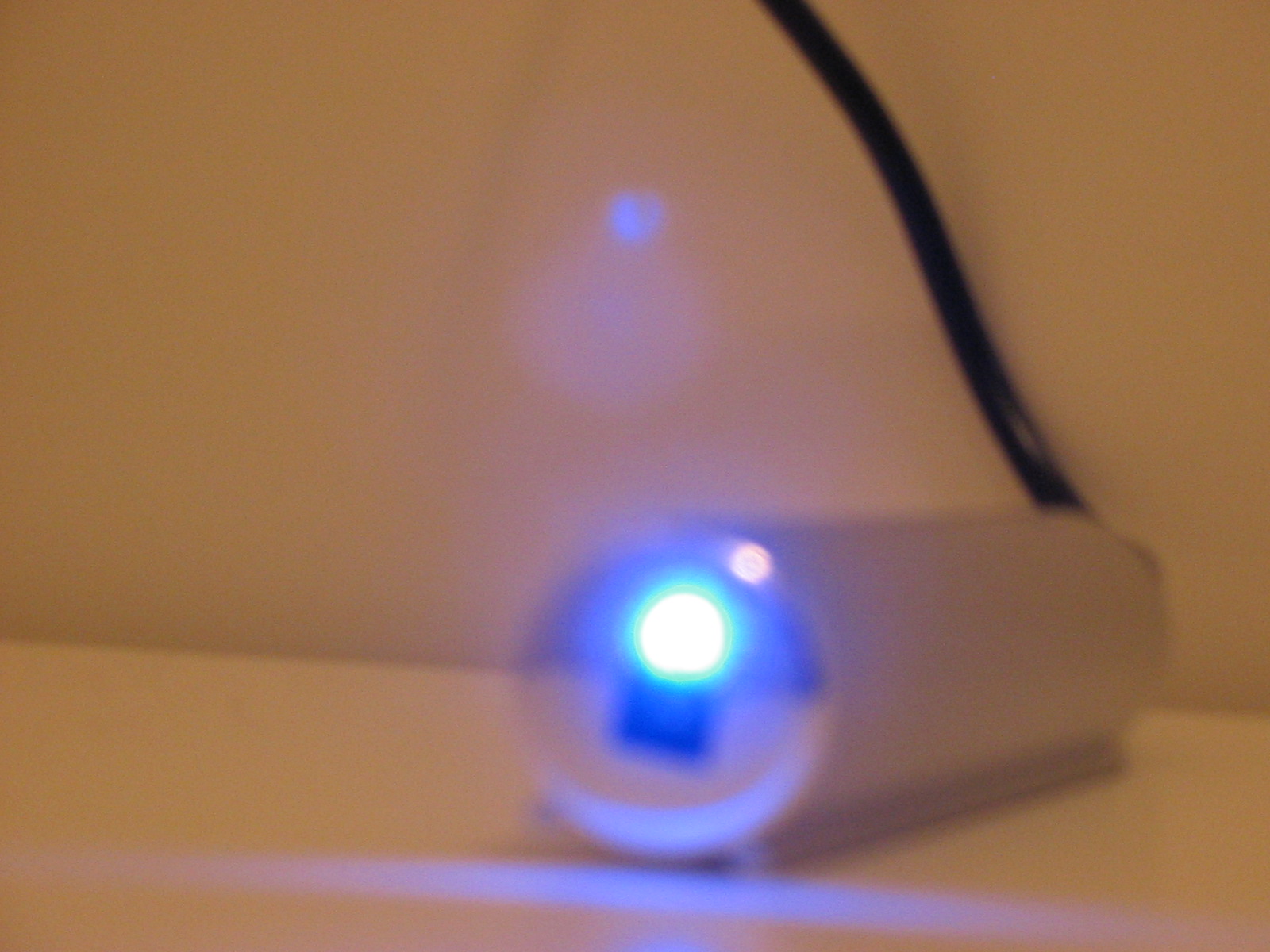
I used this hub without too much trouble for a number of months. Then,
one day, I plugged in a very standard PS-2 to USB converter (a
cable that takes a standard PS-2 mouse and PS-2 keyboard and makes
them show up as USB devices). The hub began to heat up and the
smell of burning electronics came from it. After a few weeks, the
hub began to generate serious USB errors from the kernel named
Linux, and I finally gave up on it. I don’t recommend this hub!
Finally, it has one additional annoying drawback for me: the blue LED
power light on the side of thing is incredibly distracting. I put a
small piece of black tape over it to block it, but it only helped a
little. Such a powerful power light on a small device like that is
highly annoying. I know geeks are really into these sorts of crazy
blue LEDs, but for my part, I always feel like I am about to be assimilated by a funky post-modern
Borg.
I am curious if there are any USB hubs out there that are more reliable
and don’t have annoying lights. I haven’t used USB hubs in the past
so I don’t know if a power LED is common. If you find one, I’d
encourage you to buy that one instead of this one. Almost anywhere
you put the thing on a desk, the LED catches your eye.