Avahi 0.1 Finally Released

Post Syndicated from Lennart Poettering original https://0pointer.net/blog/projects/avahi-0.1-release.html

We finally released Avahi 0.1. Full release announcement here. Avahi comes with a powerful DBUS API. Just two show off the coolnes of that interface a Python example:

import avahi, dbus, gobject

bus = dbus.SystemBus()
server = dbus.Interface(bus.get_object(avahi.DBUS_NAME, avahi.DBUS_PATH_SERVER), avahi.DBUS_INTERFACE_SERVER)

def new_service(interface, protocol, name, type, domain):
	print "Found service '%s' of type '%s' in domain '%s'" % (name, type, domain)

def remove_service(interface, protocol, name, type, domain):
	print "Service '%s' of type '%s' in domain '%s' disappeared." % (name, type, domain)

path = server.ServiceBrowserNew(avahi.IF_UNSPEC, avahi.PROTO_UNSPEC, "_http._tcp", "")
b = dbus.Interface(bus.get_object(avahi.DBUS_NAME, path), avahi.DBUS_INTERFACE_SERVICE_BROWSER)
b.connect_to_signal('ItemNew', new_service)
b.connect_to_signal('ItemRemove', remove_service)
gobject.MainLoop().run()

This short program will connect to running avahi-daemon and browse for web services.

Simplified "Draft" Plugin for pyblosxom

Post Syndicated from Lennart Poettering original https://0pointer.net/blog/projects/pyblosxom-ignore.html

The pyblosxom plugin registry links a plugin which allows hiding “draft” stories before publishing them, so that only you can see them. Unfortunately the link to this plugin is broken. So here’s my (simplified) reimplementation:

def cb_prepare(args):
        request = args["request"]
        query = request.getHttp().get('QUERY_STRING', '')

        if not query.endswith("&ignore") and not query == "ignore":
                data = request.getData()
                data["entry_list"] = filter(lambda e: not e.has_key('ignore'), data["entry_list"])

To mark a story as “draft” simply insert this at line #2:

#ignore yes

To browse unpublished stories simply append ?ignore (or &ignore) to your blog URL.

Linking pyblosxom to SVN

Post Syndicated from Lennart Poettering original https://0pointer.net/blog/projects/pyblosxom-svn.html

If you run a pyblosxom blog with auto-copied stories from SVN you are
probably interested in getting stable story dates that don’t change every time
you update a story. The date of the initial SVN log entry of a story is
something like the “day of birth” of a story, so it’s a good value to use.
Christopher Baus implemented a plugin for pyblosxom, which looks
overly complicated to me: it depends on memcached and comes in two large python
scripts.

To simplify things I wrote this minimal replacement:

import pysvn, os, sys, anydbm

from config import py

def get_mtime(fname):
        cache_fname = os.path.join(py['datadir'], 'SVNDATES')
        cache = anydbm.open(cache_fname, "c")

        if cache.has_key(fname):
                d = float(cache[fname])
        else:
                client = pysvn.Client(fname)
                l = client.log(fname)

                if len(l) > 0:
                        d = l[0]['date']
                        cache[fname] = str(d)
                else:
                        d = -1

                del client

        del cache
        return d

def cb_filestat(args):
        args["mtime"] = list(args["mtime"])
        d = get_mtime(args["filename"])
        if d >= 0:
                args["mtime"][8] = d
        return args

Since accessing SVN logs is quite slow the script caches the “date of birth”
in a dbm file. Make sure that your web server has enough priviliges to access
that database file which is stored in $datadir/SVNDATES by
default.

Avahi 0.1 Looming

Post Syndicated from Lennart Poettering original https://0pointer.net/blog/projects/avahi-0.1.html

Avahi 0.1 is due in
the next few days. The last missing piece is a simplifying C wrapper around the
DBUS API. Though Avahi is currently pre-0.1 it is already quite complete and
mature. To put it with Ross Burton: “… this doesnt count as 0.1 because it
has docs, man pages *and* works

Unfortunately python-dbus has quite a few bugs which make it very difficult
to code with. e.g. it doesn’t handle sending empty arrays, fails to send byte
values and so on. It is difficult to work around all these issues, therefore
the Avahi client tools will not work with an unpatched python-dbus. You need to
apply this
patch
(applying to 0.35.2) to fix at least the byte value bug to get
them working.

CP Technologies CP-UH-135 USB 2.0 Hub

Post Syndicated from Bradley M. Kuhn original http://ebb.org/bkuhn/blog/2005/05/10/cp-tech-usb-hub.html

I needed to pick a small, inexpensive, 2.0-compliant USB hub for myself,
and one for any of the users at my job who asked for one. I found
one, the “CP Technologies Hi-Speed USB 2.0 Hub”, which is part
number CP-UH-135. This worked great with GNU/Linux without any
trouble (using Linux 2.6.10 as distributed by Ubuntu), at least at first.


Image of the CP UH 135 USB Hub with the annoying LED coming right at you

I used this hub without too much trouble for a number of months. Then,
one day, I plugged in a very standard PS-2 to USB converter (a
cable that takes a standard PS-2 mouse and PS-2 keyboard and makes
them show up as USB devices). The hub began to heat up and the
smell of burning electronics came from it. After a few weeks, the
hub began to generate serious USB errors from the kernel named
Linux, and I finally gave up on it. I don’t recommend this hub!

Finally, it has one additional annoying drawback for me: the blue LED
power light on the side of thing is incredibly distracting. I put a
small piece of black tape over it to block it, but it only helped a
little. Such a powerful power light on a small device like that is
highly annoying. I know geeks are really into these sorts of crazy
blue LEDs, but for my part, I always feel like I am about to be assimilated by a funky post-modern
Borg
.

I am curious if there are any USB hubs out there that are more reliable
and don’t have annoying lights. I haven’t used USB hubs in the past
so I don’t know if a power LED is common. If you find one, I’d
encourage you to buy that one instead of this one. Almost anywhere
you put the thing on a desk, the LED catches your eye.

CP Technologies CP-UH-135 USB 2.0 Hub

Post Syndicated from Bradley M. Kuhn original http://ebb.org/bkuhn/blog/2005/05/10/cp-tech-usb-hub.html

I needed to pick a small, inexpensive, 2.0-compliant USB hub for myself,
and one for any of the users at my job who asked for one. I found
one, the “CP Technologies Hi-Speed USB 2.0 Hub”, which is part
number CP-UH-135. This worked great with GNU/Linux without any
trouble (using Linux 2.6.10 as distributed by Ubuntu), at least at first.


Image of the CP UH 135 USB Hub with the annoying LED coming right at you

I used this hub without too much trouble for a number of months. Then,
one day, I plugged in a very standard PS-2 to USB converter (a
cable that takes a standard PS-2 mouse and PS-2 keyboard and makes
them show up as USB devices). The hub began to heat up and the
smell of burning electronics came from it. After a few weeks, the
hub began to generate serious USB errors from the kernel named
Linux, and I finally gave up on it. I don’t recommend this hub!

Finally, it has one additional annoying drawback for me: the blue LED
power light on the side of thing is incredibly distracting. I put a
small piece of black tape over it to block it, but it only helped a
little. Such a powerful power light on a small device like that is
highly annoying. I know geeks are really into these sorts of crazy
blue LEDs, but for my part, I always feel like I am about to be assimilated by a funky post-modern
Borg
.

I am curious if there are any USB hubs out there that are more reliable
and don’t have annoying lights. I haven’t used USB hubs in the past
so I don’t know if a power LED is common. If you find one, I’d
encourage you to buy that one instead of this one. Almost anywhere
you put the thing on a desk, the LED catches your eye.

CP Technologies CP-UH-135 USB 2.0 Hub

Post Syndicated from Bradley M. Kuhn original http://ebb.org/bkuhn/blog/2005/05/10/cp-tech-usb-hub.html

I needed to pick a small, inexpensive, 2.0-compliant USB hub for myself,
and one for any of the users at my job who asked for one. I found
one, the “CP Technologies Hi-Speed USB 2.0 Hub”, which is part
number CP-UH-135. This worked great with GNU/Linux without any
trouble (using Linux 2.6.10 as distributed by Ubuntu), at least at first.


Image of the CP UH 135 USB Hub with the annoying LED coming right at you

I used this hub without too much trouble for a number of months. Then,
one day, I plugged in a very standard PS-2 to USB converter (a
cable that takes a standard PS-2 mouse and PS-2 keyboard and makes
them show up as USB devices). The hub began to heat up and the
smell of burning electronics came from it. After a few weeks, the
hub began to generate serious USB errors from the kernel named
Linux, and I finally gave up on it. I don’t recommend this hub!

Finally, it has one additional annoying drawback for me: the blue LED
power light on the side of thing is incredibly distracting. I put a
small piece of black tape over it to block it, but it only helped a
little. Such a powerful power light on a small device like that is
highly annoying. I know geeks are really into these sorts of crazy
blue LEDs, but for my part, I always feel like I am about to be assimilated by a funky post-modern
Borg
.

I am curious if there are any USB hubs out there that are more reliable
and don’t have annoying lights. I haven’t used USB hubs in the past
so I don’t know if a power LED is common. If you find one, I’d
encourage you to buy that one instead of this one. Almost anywhere
you put the thing on a desk, the LED catches your eye.

CP Technologies CP-UH-135 USB 2.0 Hub

Post Syndicated from Bradley M. Kuhn original http://ebb.org/bkuhn/blog/2005/05/10/cp-tech-usb-hub.html

I needed to pick a small, inexpensive, 2.0-compliant USB hub for myself,
and one for any of the users at my job who asked for one. I found
one, the “CP Technologies Hi-Speed USB 2.0 Hub”, which is part
number CP-UH-135. This worked great with GNU/Linux without any
trouble (using Linux 2.6.10 as distributed by Ubuntu), at least at first.


Image of the CP UH 135 USB Hub with the annoying LED coming right at you

I used this hub without too much trouble for a number of months. Then,
one day, I plugged in a very standard PS-2 to USB converter (a
cable that takes a standard PS-2 mouse and PS-2 keyboard and makes
them show up as USB devices). The hub began to heat up and the
smell of burning electronics came from it. After a few weeks, the
hub began to generate serious USB errors from the kernel named
Linux, and I finally gave up on it. I don’t recommend this hub!

Finally, it has one additional annoying drawback for me: the blue LED
power light on the side of thing is incredibly distracting. I put a
small piece of black tape over it to block it, but it only helped a
little. Such a powerful power light on a small device like that is
highly annoying. I know geeks are really into these sorts of crazy
blue LEDs, but for my part, I always feel like I am about to be assimilated by a funky post-modern
Borg
.

I am curious if there are any USB hubs out there that are more reliable
and don’t have annoying lights. I haven’t used USB hubs in the past
so I don’t know if a power LED is common. If you find one, I’d
encourage you to buy that one instead of this one. Almost anywhere
you put the thing on a desk, the LED catches your eye.
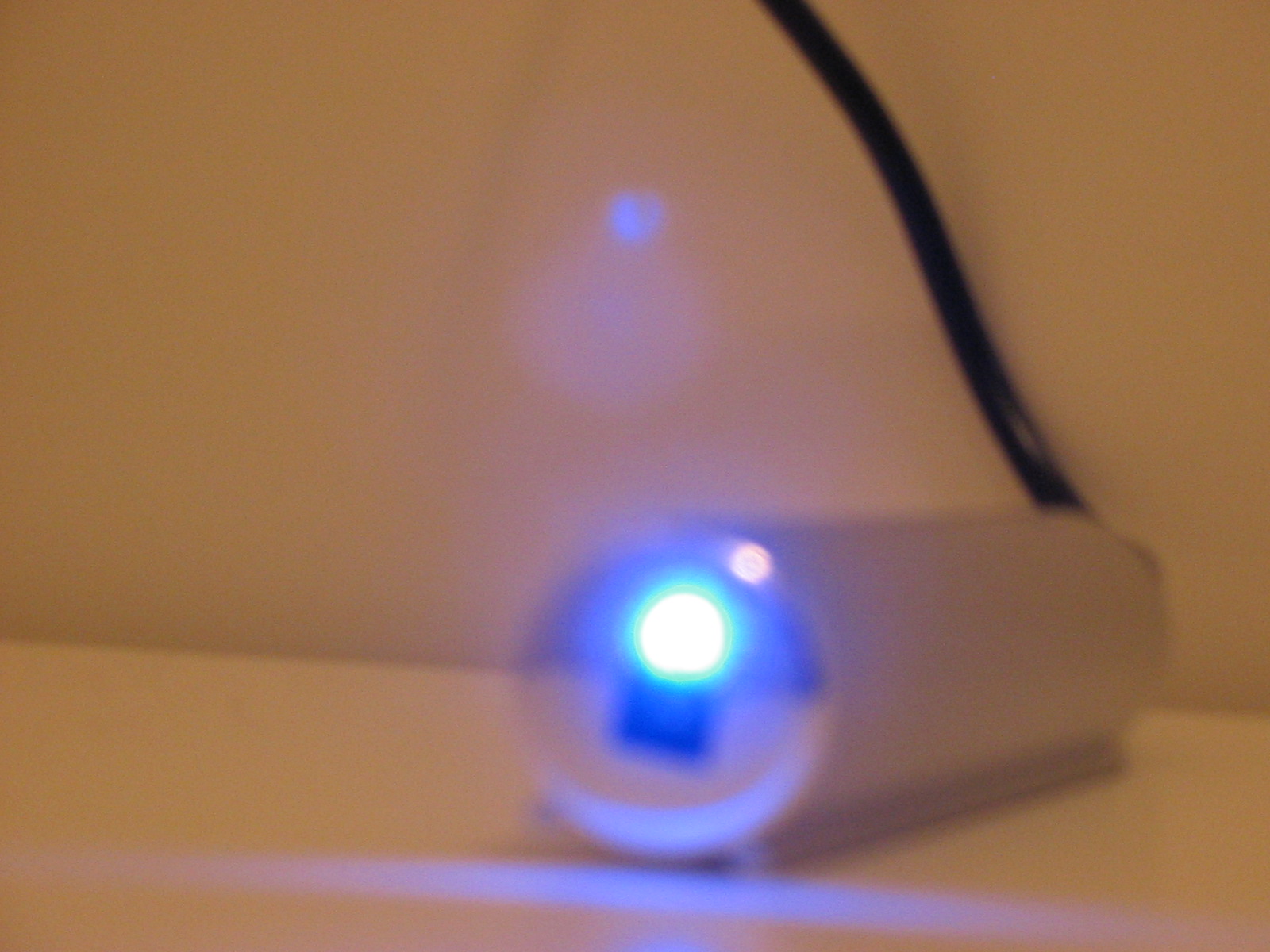
CP Technologies CP-UH-135 USB 2.0 Hub

Post Syndicated from Bradley M. Kuhn original http://ebb.org/bkuhn/blog/2005/05/10/cp-tech-usb-hub.html

I needed to pick a small, inexpensive, 2.0-compliant USB hub for myself,
and one for any of the users at my job who asked for one. I found
one, the “CP Technologies Hi-Speed USB 2.0 Hub”, which is part
number CP-UH-135. This worked great with GNU/Linux without any
trouble (using Linux 2.6.10 as distributed by Ubuntu), at least at first.


Image of the CP UH 135 USB Hub with the annoying LED coming right at you

I used this hub without too much trouble for a number of months. Then,
one day, I plugged in a very standard PS-2 to USB converter (a
cable that takes a standard PS-2 mouse and PS-2 keyboard and makes
them show up as USB devices). The hub began to heat up and the
smell of burning electronics came from it. After a few weeks, the
hub began to generate serious USB errors from the kernel named
Linux, and I finally gave up on it. I don’t recommend this hub!

Finally, it has one additional annoying drawback for me: the blue LED
power light on the side of thing is incredibly distracting. I put a
small piece of black tape over it to block it, but it only helped a
little. Such a powerful power light on a small device like that is
highly annoying. I know geeks are really into these sorts of crazy
blue LEDs, but for my part, I always feel like I am about to be assimilated by a funky post-modern
Borg
.

I am curious if there are any USB hubs out there that are more reliable
and don’t have annoying lights. I haven’t used USB hubs in the past
so I don’t know if a power LED is common. If you find one, I’d
encourage you to buy that one instead of this one. Almost anywhere
you put the thing on a desk, the LED catches your eye.

CP Technologies CP-UH-135 USB 2.0 Hub

Post Syndicated from Bradley M. Kuhn original http://ebb.org/bkuhn/blog/2005/05/10/cp-tech-usb-hub.html

I needed to pick a small, inexpensive, 2.0-compliant USB hub for myself,
and one for any of the users at my job who asked for one. I found
one, the “CP Technologies Hi-Speed USB 2.0 Hub”, which is part
number CP-UH-135. This worked great with GNU/Linux without any
trouble (using Linux 2.6.10 as distributed by Ubuntu), at least at first.


Image of the CP UH 135 USB Hub with the annoying LED coming right at you

I used this hub without too much trouble for a number of months. Then,
one day, I plugged in a very standard PS-2 to USB converter (a
cable that takes a standard PS-2 mouse and PS-2 keyboard and makes
them show up as USB devices). The hub began to heat up and the
smell of burning electronics came from it. After a few weeks, the
hub began to generate serious USB errors from the kernel named
Linux, and I finally gave up on it. I don’t recommend this hub!

Finally, it has one additional annoying drawback for me: the blue LED
power light on the side of thing is incredibly distracting. I put a
small piece of black tape over it to block it, but it only helped a
little. Such a powerful power light on a small device like that is
highly annoying. I know geeks are really into these sorts of crazy
blue LEDs, but for my part, I always feel like I am about to be assimilated by a funky post-modern
Borg
.

I am curious if there are any USB hubs out there that are more reliable
and don’t have annoying lights. I haven’t used USB hubs in the past
so I don’t know if a power LED is common. If you find one, I’d
encourage you to buy that one instead of this one. Almost anywhere
you put the thing on a desk, the LED catches your eye.

CP Technologies CP-UH-135 USB 2.0 Hub

Post Syndicated from Bradley M. Kuhn original http://ebb.org/bkuhn/blog/2005/05/10/cp-tech-usb-hub.html

I needed to pick a small, inexpensive, 2.0-compliant USB hub for myself,
and one for any of the users at my job who asked for one. I found
one, the “CP Technologies Hi-Speed USB 2.0 Hub”, which is part
number CP-UH-135. This worked great with GNU/Linux without any
trouble (using Linux 2.6.10 as distributed by Ubuntu), at least at first.


Image of the CP UH 135 USB Hub with the annoying LED coming right at you

I used this hub without too much trouble for a number of months. Then,
one day, I plugged in a very standard PS-2 to USB converter (a
cable that takes a standard PS-2 mouse and PS-2 keyboard and makes
them show up as USB devices). The hub began to heat up and the
smell of burning electronics came from it. After a few weeks, the
hub began to generate serious USB errors from the kernel named
Linux, and I finally gave up on it. I don’t recommend this hub!

Finally, it has one additional annoying drawback for me: the blue LED
power light on the side of thing is incredibly distracting. I put a
small piece of black tape over it to block it, but it only helped a
little. Such a powerful power light on a small device like that is
highly annoying. I know geeks are really into these sorts of crazy
blue LEDs, but for my part, I always feel like I am about to be assimilated by a funky post-modern
Borg
.

I am curious if there are any USB hubs out there that are more reliable
and don’t have annoying lights. I haven’t used USB hubs in the past
so I don’t know if a power LED is common. If you find one, I’d
encourage you to buy that one instead of this one. Almost anywhere
you put the thing on a desk, the LED catches your eye.

CP Technologies CP-UH-135 USB 2.0 Hub

Post Syndicated from Bradley M. Kuhn original http://ebb.org/bkuhn/blog/2005/05/10/cp-tech-usb-hub.html

I needed to pick a small, inexpensive, 2.0-compliant USB hub for myself,
and one for any of the users at my job who asked for one. I found
one, the “CP Technologies Hi-Speed USB 2.0 Hub”, which is part
number CP-UH-135. This worked great with GNU/Linux without any
trouble (using Linux 2.6.10 as distributed by Ubuntu), at least at first.


Image of the CP UH 135 USB Hub with the annoying LED coming right at you

I used this hub without too much trouble for a number of months. Then,
one day, I plugged in a very standard PS-2 to USB converter (a
cable that takes a standard PS-2 mouse and PS-2 keyboard and makes
them show up as USB devices). The hub began to heat up and the
smell of burning electronics came from it. After a few weeks, the
hub began to generate serious USB errors from the kernel named
Linux, and I finally gave up on it. I don’t recommend this hub!

Finally, it has one additional annoying drawback for me: the blue LED
power light on the side of thing is incredibly distracting. I put a
small piece of black tape over it to block it, but it only helped a
little. Such a powerful power light on a small device like that is
highly annoying. I know geeks are really into these sorts of crazy
blue LEDs, but for my part, I always feel like I am about to be assimilated by a funky post-modern
Borg
.

I am curious if there are any USB hubs out there that are more reliable
and don’t have annoying lights. I haven’t used USB hubs in the past
so I don’t know if a power LED is common. If you find one, I’d
encourage you to buy that one instead of this one. Almost anywhere
you put the thing on a desk, the LED catches your eye.

CP Technologies CP-UH-135 USB 2.0 Hub

Post Syndicated from Bradley M. Kuhn original http://ebb.org/bkuhn/blog/2005/05/10/cp-tech-usb-hub.html

I needed to pick a small, inexpensive, 2.0-compliant USB hub for myself,
and one for any of the users at my job who asked for one. I found
one, the “CP Technologies Hi-Speed USB 2.0 Hub”, which is part
number CP-UH-135. This worked great with GNU/Linux without any
trouble (using Linux 2.6.10 as distributed by Ubuntu), at least at first.


Image of the CP UH 135 USB Hub with the annoying LED coming right at you

I used this hub without too much trouble for a number of months. Then,
one day, I plugged in a very standard PS-2 to USB converter (a
cable that takes a standard PS-2 mouse and PS-2 keyboard and makes
them show up as USB devices). The hub began to heat up and the
smell of burning electronics came from it. After a few weeks, the
hub began to generate serious USB errors from the kernel named
Linux, and I finally gave up on it. I don’t recommend this hub!

Finally, it has one additional annoying drawback for me: the blue LED
power light on the side of thing is incredibly distracting. I put a
small piece of black tape over it to block it, but it only helped a
little. Such a powerful power light on a small device like that is
highly annoying. I know geeks are really into these sorts of crazy
blue LEDs, but for my part, I always feel like I am about to be assimilated by a funky post-modern
Borg
.

I am curious if there are any USB hubs out there that are more reliable
and don’t have annoying lights. I haven’t used USB hubs in the past
so I don’t know if a power LED is common. If you find one, I’d
encourage you to buy that one instead of this one. Almost anywhere
you put the thing on a desk, the LED catches your eye.

CP Technologies CP-UH-135 USB 2.0 Hub

Post Syndicated from Bradley M. Kuhn original http://ebb.org/bkuhn/blog/2005/05/10/cp-tech-usb-hub.html

I needed to pick a small, inexpensive, 2.0-compliant USB hub for myself,
and one for any of the users at my job who asked for one. I found
one, the “CP Technologies Hi-Speed USB 2.0 Hub”, which is part
number CP-UH-135. This worked great with GNU/Linux without any
trouble (using Linux 2.6.10 as distributed by Ubuntu), at least at first.


Image of the CP UH 135 USB Hub with the annoying LED coming right at you

I used this hub without too much trouble for a number of months. Then,
one day, I plugged in a very standard PS-2 to USB converter (a
cable that takes a standard PS-2 mouse and PS-2 keyboard and makes
them show up as USB devices). The hub began to heat up and the
smell of burning electronics came from it. After a few weeks, the
hub began to generate serious USB errors from the kernel named
Linux, and I finally gave up on it. I don’t recommend this hub!

Finally, it has one additional annoying drawback for me: the blue LED
power light on the side of thing is incredibly distracting. I put a
small piece of black tape over it to block it, but it only helped a
little. Such a powerful power light on a small device like that is
highly annoying. I know geeks are really into these sorts of crazy
blue LEDs, but for my part, I always feel like I am about to be assimilated by a funky post-modern
Borg
.

I am curious if there are any USB hubs out there that are more reliable
and don’t have annoying lights. I haven’t used USB hubs in the past
so I don’t know if a power LED is common. If you find one, I’d
encourage you to buy that one instead of this one. Almost anywhere
you put the thing on a desk, the LED catches your eye.

The collective thoughts of the interwebz