Post Syndicated from Channy Yun (윤석찬) original https://aws.amazon.com/blogs/aws/new-aws-billing-transfer-for-centrally-managing-aws-billing-and-costs-across-multiple-organizations/
Today, we’re announcing the general availability of Billing Transfer, a new capability to centrally manage and pay bills across multiple organizations by transferring payment responsibility to other billing administrators, such as company affiliates and Amazon Web Services (AWS) Partners. This feature provides customers operating across multiple organizations with comprehensive visibility of cloud costs across their multi-organization environment, but organization administrators maintain security management autonomy over their accounts.
Customers use AWS Organizations to centrally administer and manage billing for their multi-account environment. However, when they operate in a multi-organization environment, billing administrators must access the management account of each organization separately to collect invoices and pay bills. This decentralized approach to billing management creates unnecessary complexity for enterprises managing costs and paying bills across multiple AWS organizations. This feature also will be useful for AWS Partners to resell AWS products and solutions, and assume the responsibility of paying AWS for the consumption of their multiple customers.
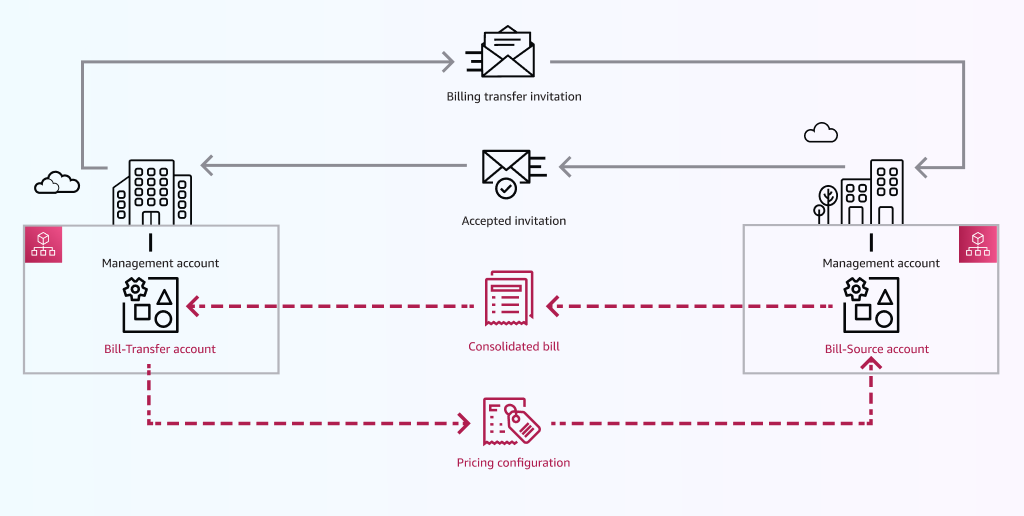
With Billing Transfer, customers operating in multi-organization environments can now use a single management account to manage aspects of billing— such as invoice collection, payment processing, and detailed cost analysis. This makes billing operations more efficient and scalable while individual management accounts can maintain complete security and governance autonomy over their accounts. Billing Transfer also helps protect proprietary pricing data by integrating with AWS Billing Conductor, so billing administrators can control cost visibility.
Getting started with Billing Transfer
To set up Billing Transfer, an external management account sends a billing transfer invitation to a management account called a bill-source account. If accepted, the external account becomes the bill-transfer account, managing and paying for the bill-source account’s consolidated bill, starting on the date specified on the invitation.
To get started, go to the Billing and Cost Management console, choose Preferences and Settings in the left navigation pane and choose Billing transfer. Choose Send invitation from a management account you’ll use to centrally manage billing across your multi-organization environment.
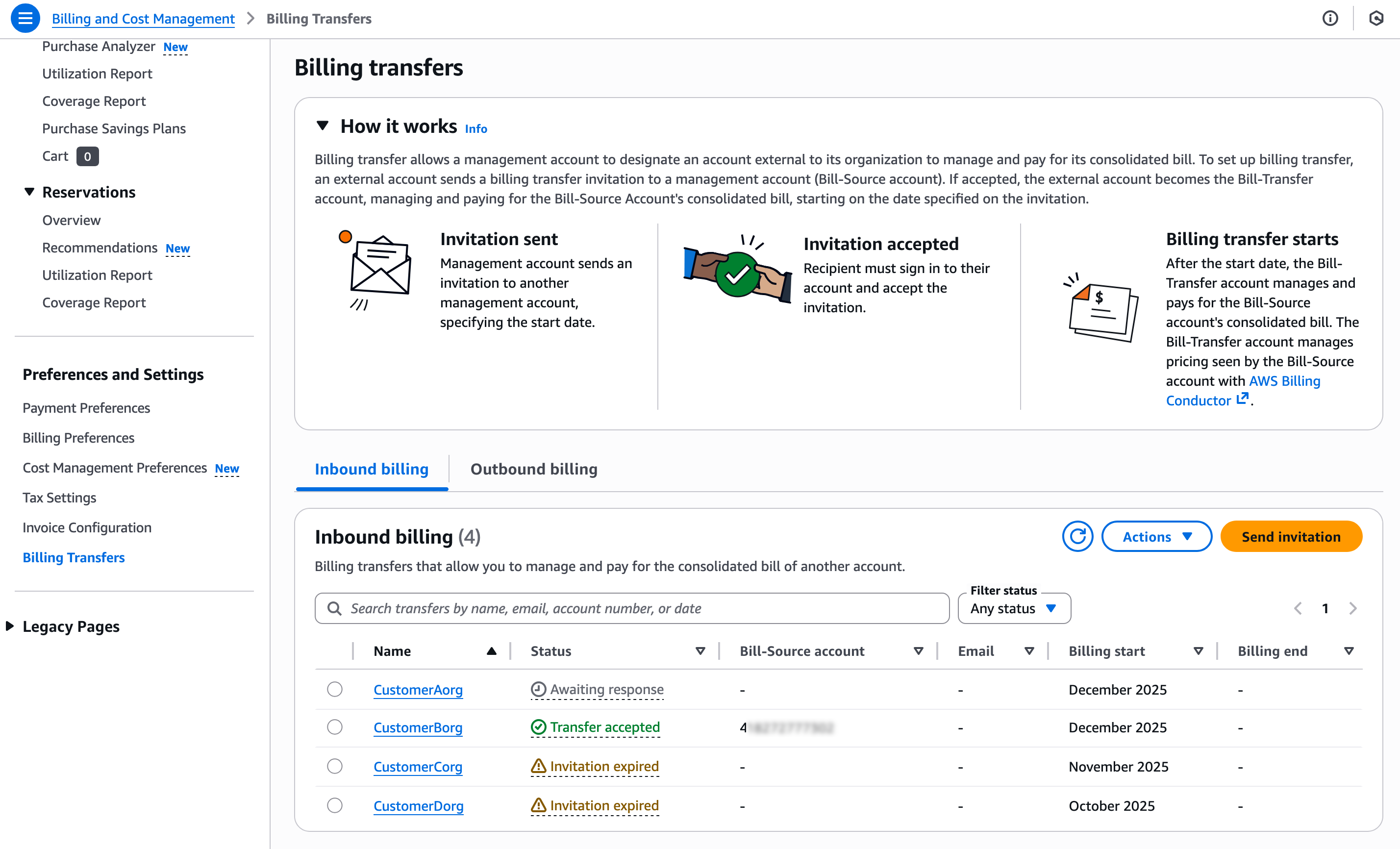
Now, you can send a billing transfer invitation by entering the email address or account ID of the bill-source accounts for which you want to manage billing. You should choose the monthly billing period for when invoicing and payment will begin and a pricing plan from AWS Billing Conductor to control the cost data visible to the bill-source accounts.
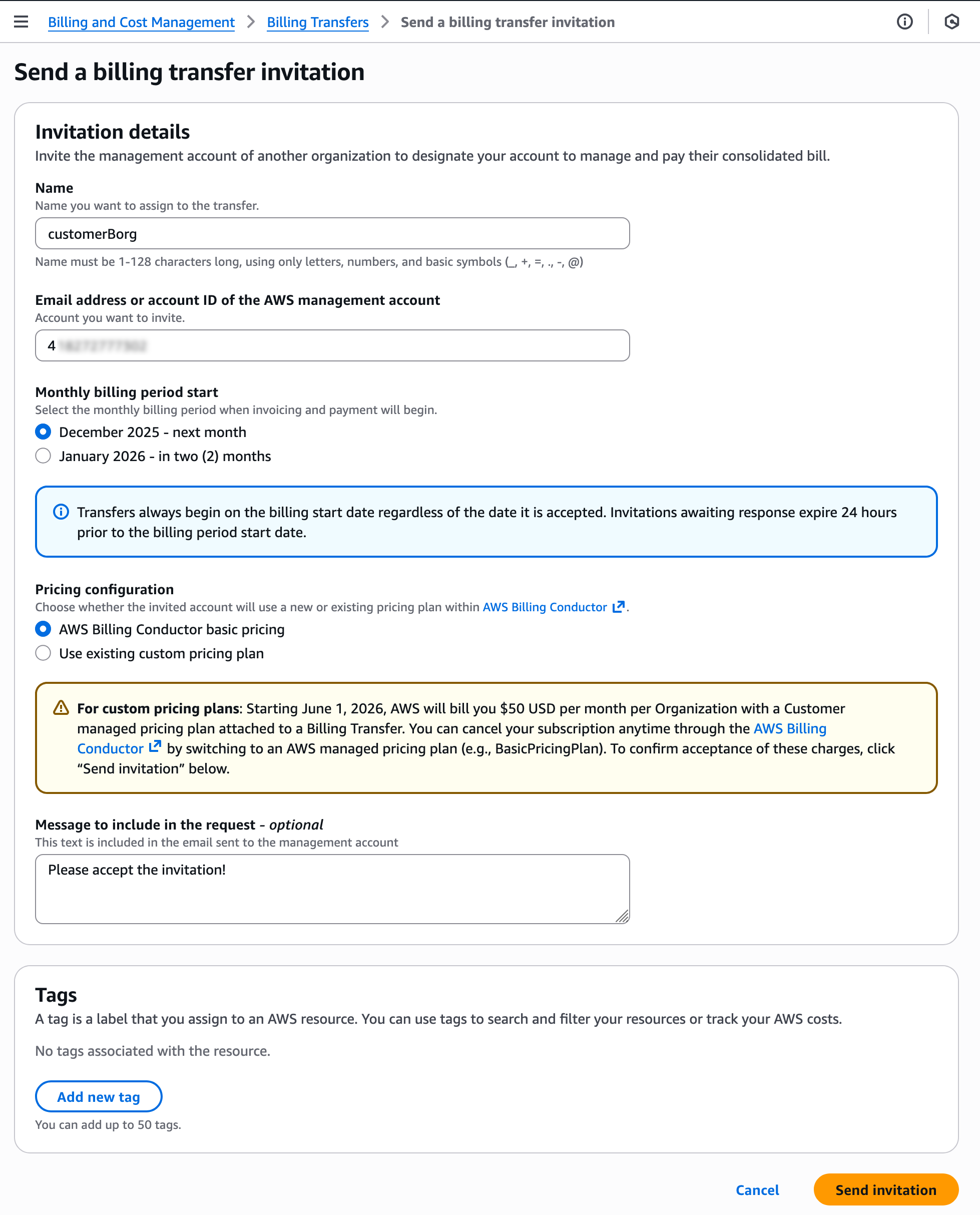
When you choose Send invitation, the bill-source accounts will get a billing transfer notice in the Outbound billing tab.
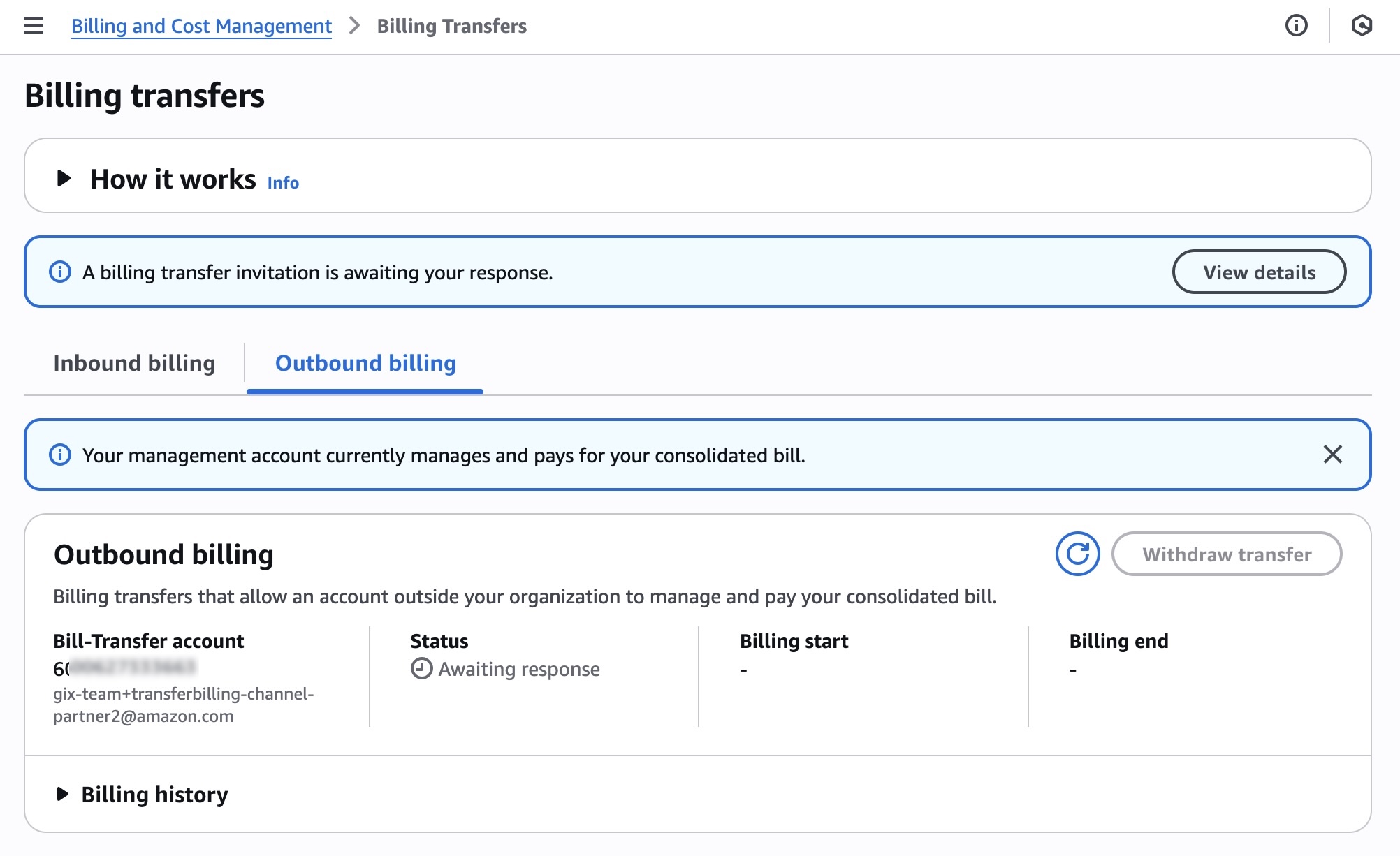
Choose View details, review the invitation page, and choose Accept.
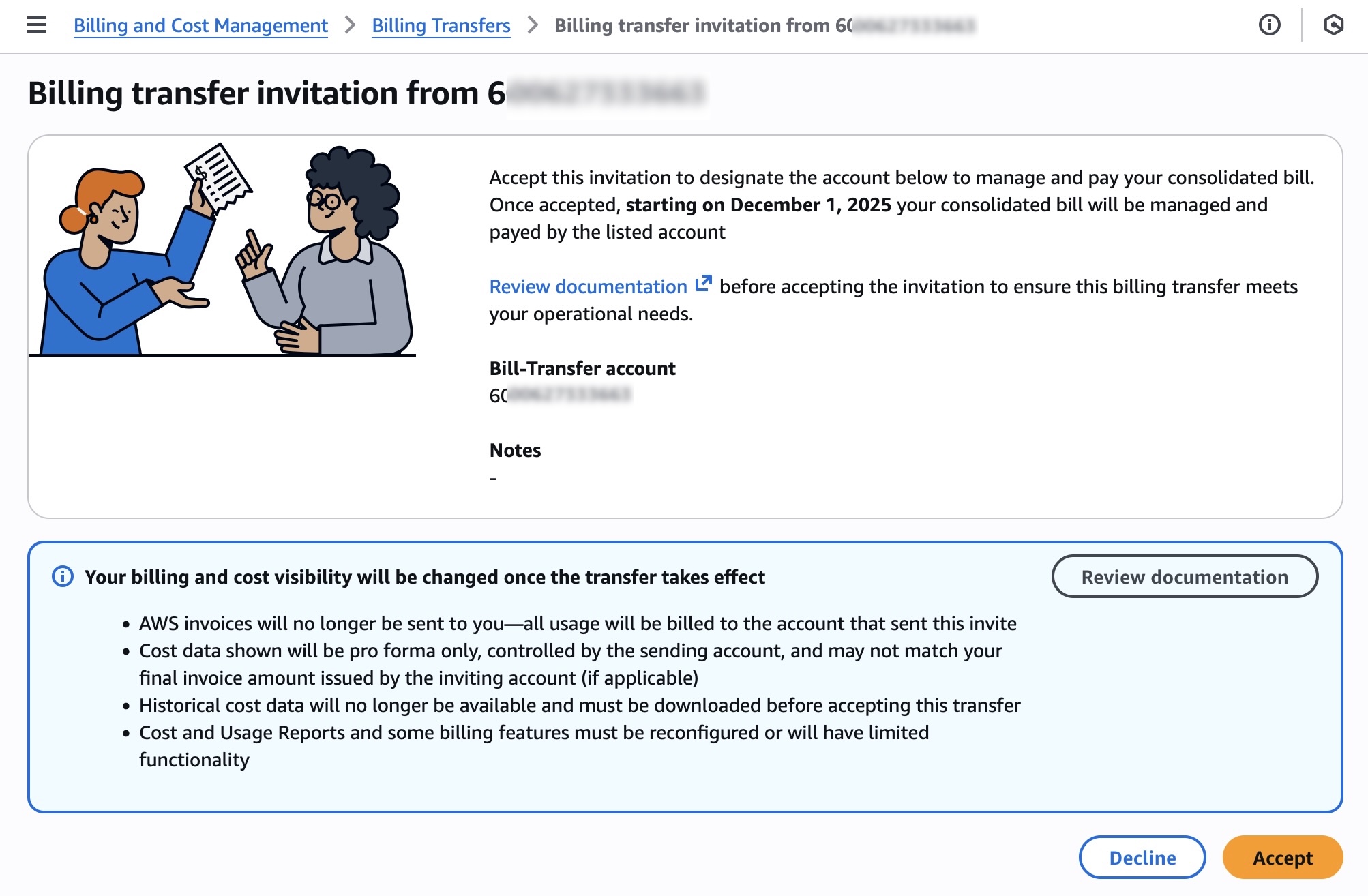
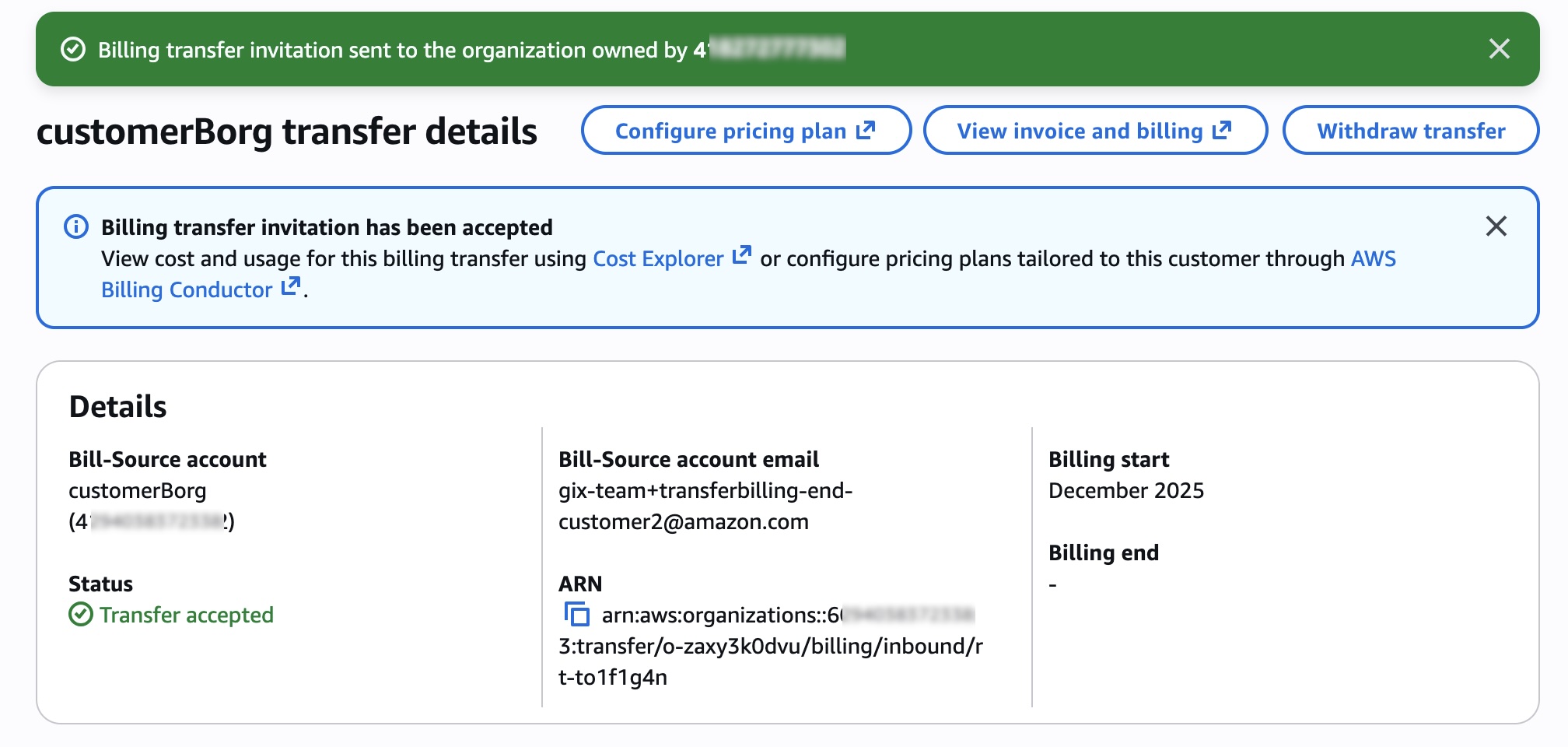
After the transfer is accepted, all usage from the bill-source accounts will be billed to the bill-transfer account using its billing and tax settings, and invoices will no longer be sent to the bill-source accounts. Any party (bill-source accounts and bill-transfer account) can withdraw the transfer at any time.
After your billing transfer begins, the bill-transfer account will receive a bill at the end of the month for each of your billing transfers. To view transferred invoices reflecting the usage of the bill-source accounts, choose the Invoices tab in the Bills page.
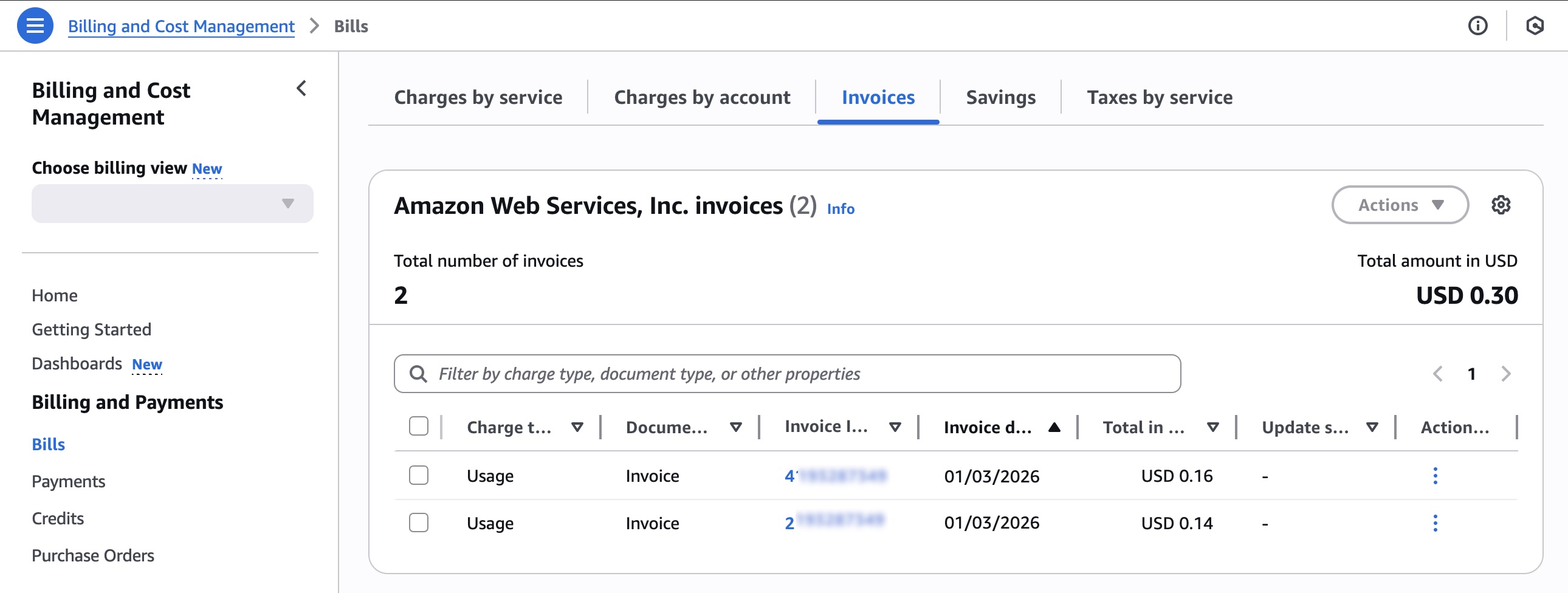
You can identify the transferred invoices by bill-source account IDs. You can also find the payments for the bill-source accounts invoices in the Payments menu. These appear only in the bill-transfer account.
The bill-transfer account can use billing views to access the cost data of the bill-source accounts in AWS Cost Explorer, AWS Cost and Usage Report, AWS Budgets and Bills page. When enabling billing view mode, you can choose your desired billing view for each bill-source account.
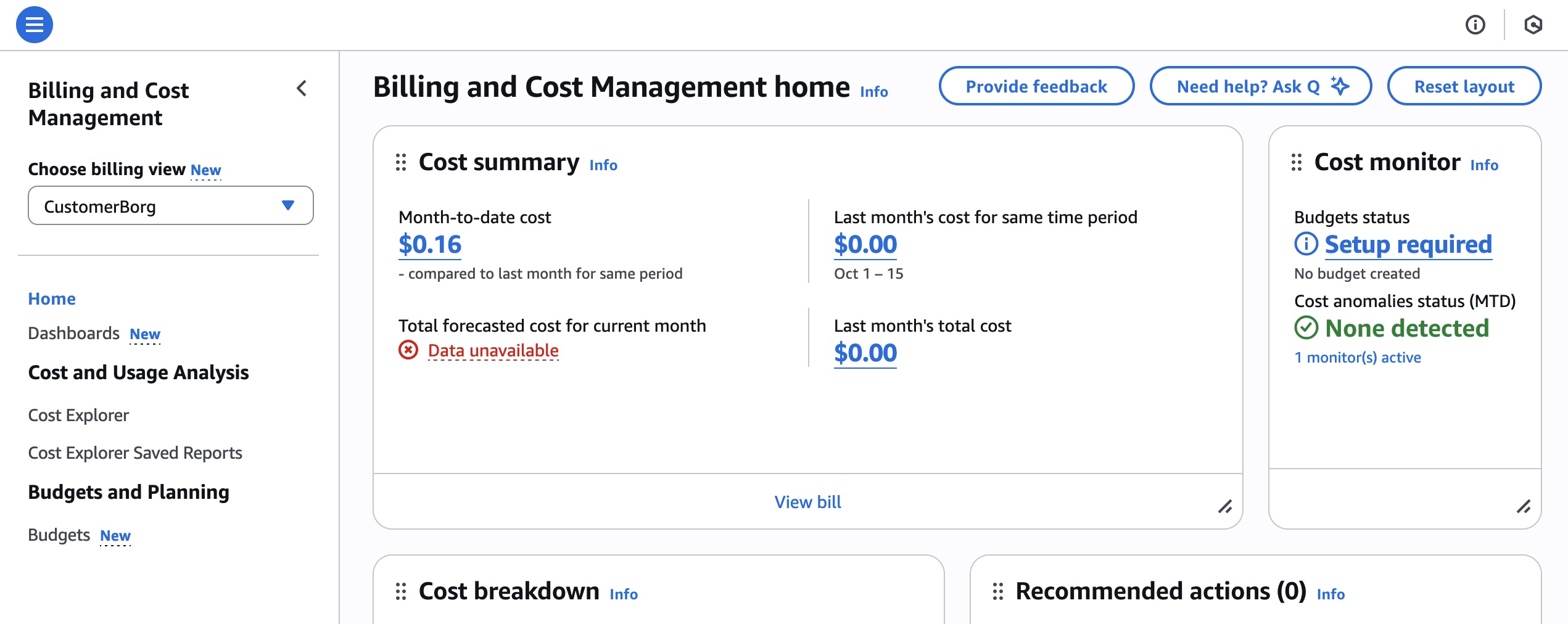
The bill-source accounts will experience these changes:
- Historical cost data will no longer be available and should be downloaded before accepting
- Cost and Usage Reports should be reconfigured after transfer
Transferred bills in the bill-transfer account always use the tax and payment settings of the account to which they’re delivered. Therefore, all the invoices reflecting the usage of the bill-source accounts and the member accounts in their AWS Organizations will contain taxes (if applicable) calculated on the tax settings determined by the bill-transfer account.
Similarly, the seller of record and payment preferences are also based on the configuration determined by the bill-transfer account. You can customize the tax and payments settings by creating the invoice units available in the Invoice Configuration functionality.
To learn more about details, visit Billing Transfer in the AWS documentation.
Now available
Billing Transfer is available today in all commercial AWS Regions. To learn more, visit the AWS Cloud Financial Management Services product page.
Give Billing Transfer a try today and send feedback to AWS re:Post for AWS Billing or through your usual AWS Support contacts.
— Channy