Post Syndicated from Shinu Tharol original https://aws.amazon.com/blogs/big-data/accelerating-log-analytics-at-scale-with-aws-glue-and-apache-iceberg-materialized-views/
Managing high-volume application logs at scale presents challenges from slow query performance and difficulty running complex aggregations to maintaining real-time analytics on streaming data. Apache Iceberg materialized views with AWS Glue, Amazon Data Firehose, and AWS Lambda address these challenges by accelerating log analytics through pre-computed query results.
In this post, you learn how to build an application log pipeline for production use with Amazon CloudWatch Logs, AWS Lambda, Amazon Data Firehose, AWS Glue, and Apache Iceberg materialized tables. You then use materialized views to accelerate query performance. This solution helps you achieve faster query response times on large-scale log data without requiring you to manage continuous data lake refresh.
Solution overview
This solution accelerates log analytics by pre-computing query results through Apache Iceberg materialized views. By querying pre-aggregated results instead of scanning raw log data for every request, you can help reduce query response times. For example, queries that previously took minutes scanning terabytes of raw data may return in seconds from the compact materialized view. Results update automatically as new logs arrive, helping you handle high-volume log streams while maintaining fast analytics performance.
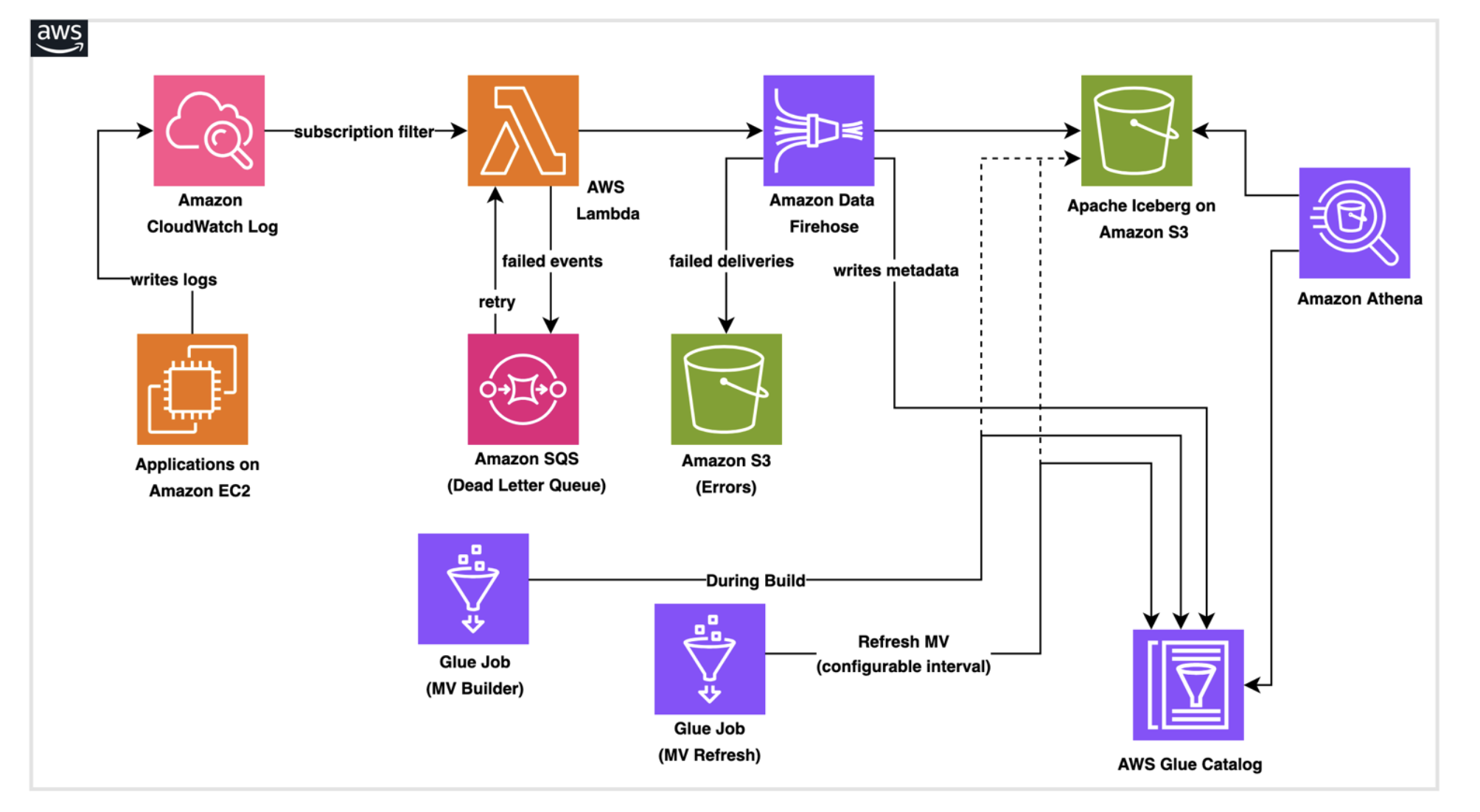
Architecture overview
The architecture consists of AWS services working together to create a data pipeline:
- Amazon CloudWatch Logs receives application logs and system events, then routes them to downstream targets using CloudWatch Logs subscription filters. CloudWatch Logs has a built-in retry mechanism. If the destination service returns a retryable error, CloudWatch Logs automatically retries delivery for up to 24 hours.
- AWS Lambda serves as the transformation layer, parsing log messages, enriching data, and preparing records for storage.
- Amazon Data Firehose buffers incoming data and handles the technical requirements of writing to Apache Iceberg tables (an open-source data table format), including batch optimization, schema validation, and automatic retry logic for failed writes.
- Apache Iceberg tables stored in Amazon Simple Storage Service (Amazon S3) provide ACID transaction support, schema evolution capabilities, and efficient query performance. Materialized views are managed tables in the AWS Glue Data Catalog that store precomputed query results in Apache Iceberg format.
- AWS Glue runs a one-time job during stack creation to provision the Iceberg database, base table, and materialized view structure in the Data Catalog. A second scheduled Glue job refreshes the materialized view by recomputing aggregations from the base table on a configurable interval helping downstream queries through Amazon Athena return up-to-date, pre-aggregated results without scanning raw data.
This architecture is designed to support automatic scaling, serverless infrastructure, error handling that routes failed records to Amazon S3 for analysis and replay, capture of failed Lambda invocations for automatic retry, and real-time monitoring through Amazon CloudWatch metrics.
Prerequisites
Before you deploy the solution, review the following prerequisites.
- AWS account with necessary permissions to execute an AWS CloudFormation template, run AWS Glue jobs, run queries to verify Iceberg table data using Amazon Athena.
- Basic familiarity with Boto3 to understand Python code. Foundational understanding of Apache Iceberg concepts.
Solution deployment
The following deployment steps guide you through implementing this solution in your AWS account.
Step 1: Deploy the AWS CloudFormation pipeline stack
You can deploy this solution using an AWS CloudFormation stack. The template handles creating Amazon S3 buckets, uploading AWS Glue and Lambda scripts, provisioning IAM roles, configuring the Firehose delivery stream, and running the Glue job to create the Iceberg database, base table, and materialized view.
Launch the stack in the AWS CloudFormation console. Review the parameters marked REQUIRED and adjust the toggle options (CreateScriptBucket, EnableLakeFormation, CreateSubscriptionLogGroup) based on your environment. Other parameters include preconfigured defaults that you should review for your environment. Choose the CloudFormation stack to deploy resources using the AWS CloudFormation console.
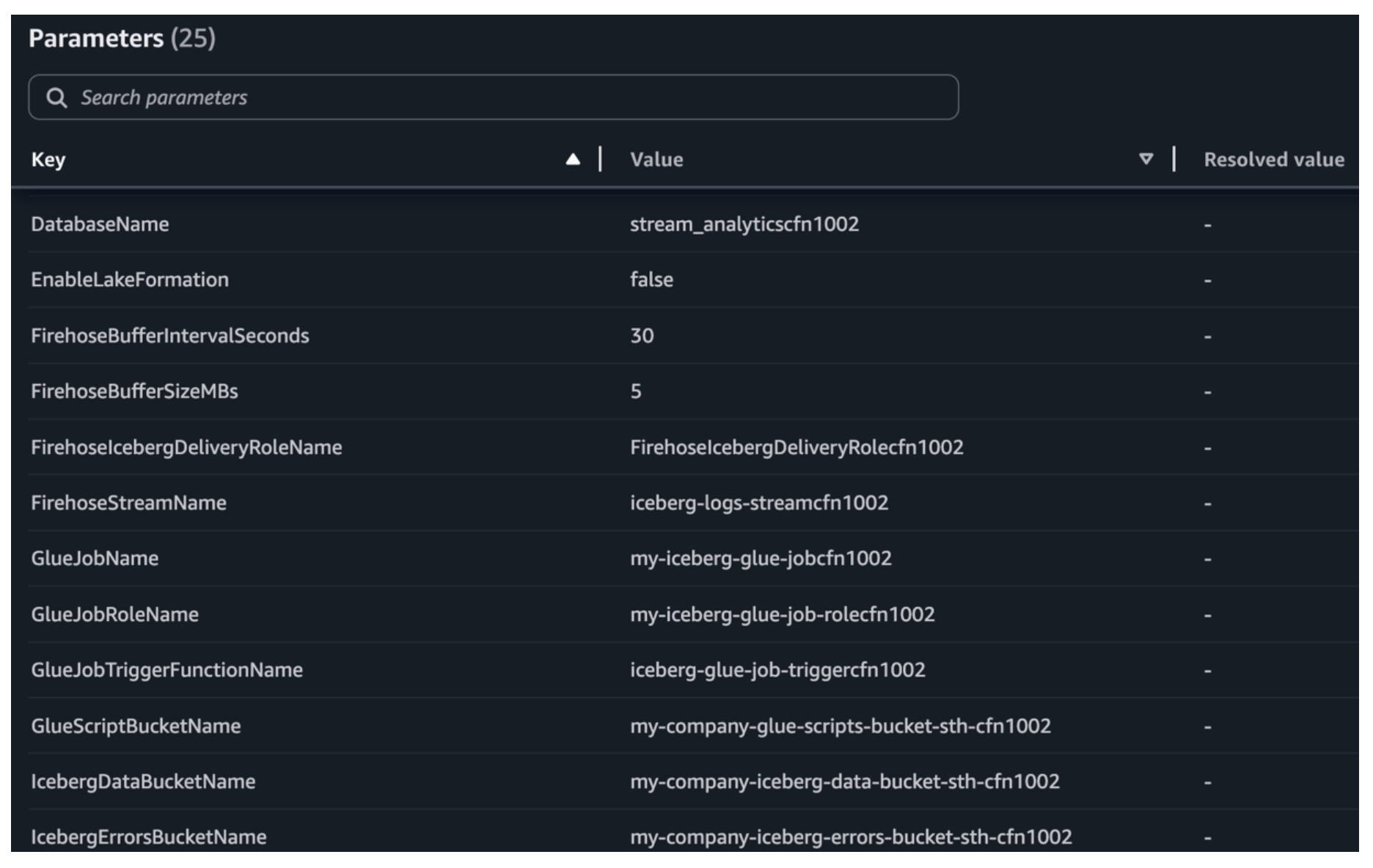
Pipeline stack required parameters view in the AWS CloudFormation console.
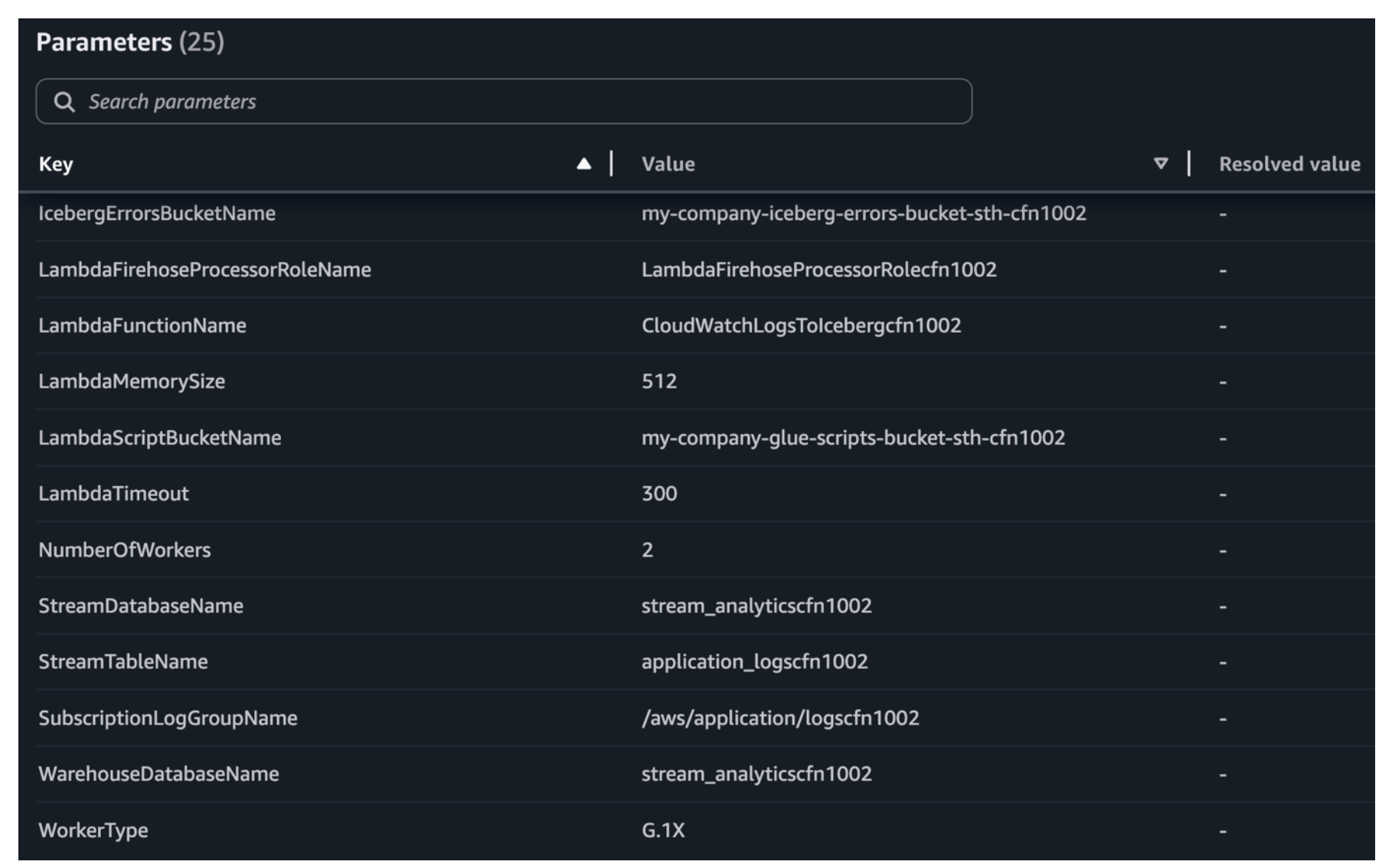
Additional pipeline stack required parameters in the AWS CloudFormation console.
Step 2: Test the end-to-end pipeline
Send sample log events matching the Iceberg table schema (for example, id, customer_name, amount, and order_date) to the CloudWatch log group. The subscription filter triggers the Lambda, which forwards records to Firehose for delivery into the Iceberg table.
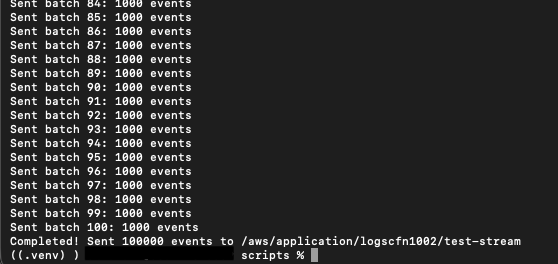
Execution of test events.
Verify data delivery and refresh the materialized view
Allow approximately 30 seconds (learn more in Buffer data for dynamic partitioning) for the Firehose buffer to flush. After the buffer flushes, run the following query in Amazon Athena to verify that data has been successfully delivered to the base table.
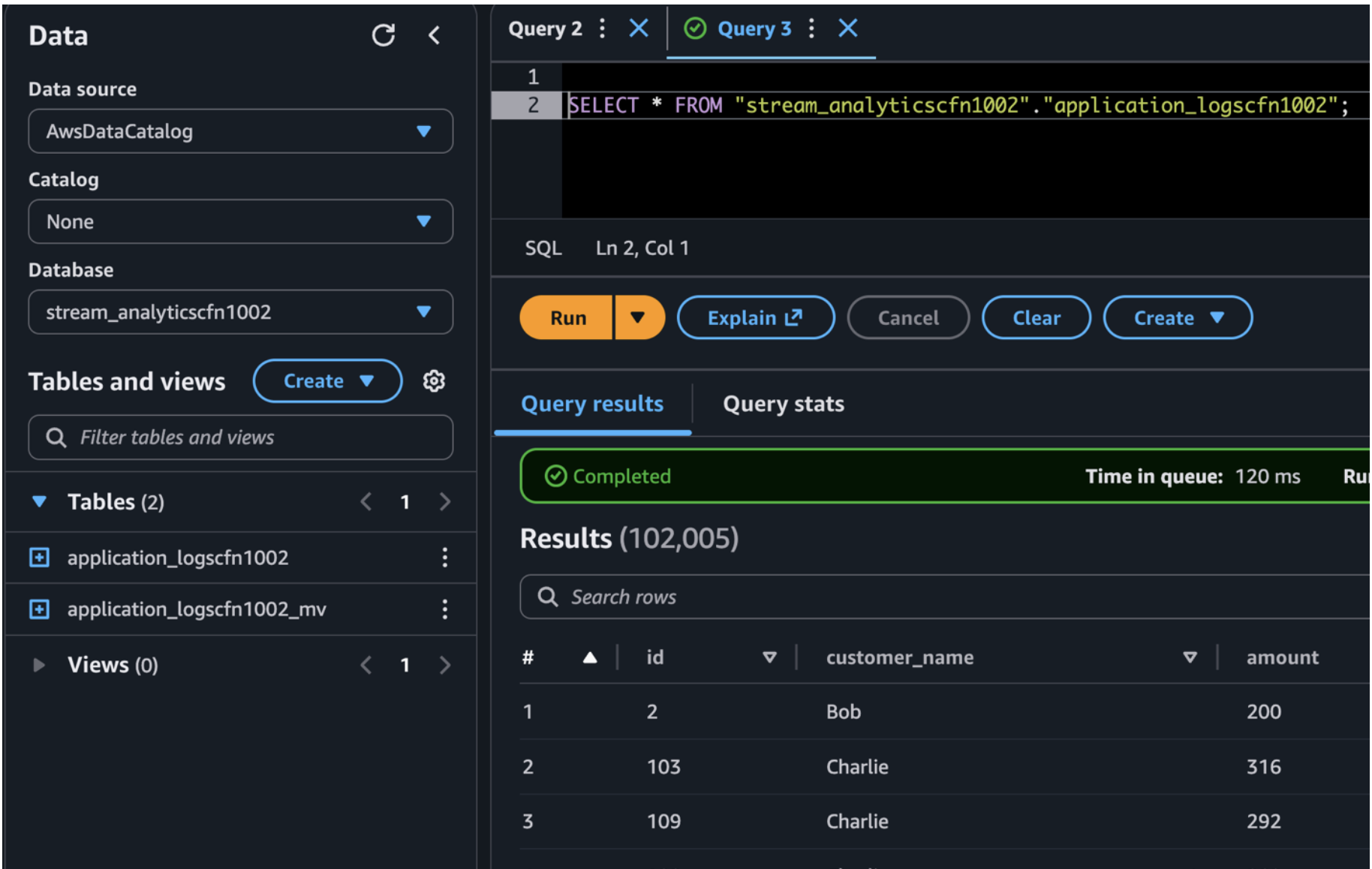
Query result using Amazon Athena.
Automated materialized view refresh
In this example, the AWS CloudFormation stack provisions a Glue job configured to run the materialized view (MV) refresh once daily at midnight UTC, meaning the MV reflects data up to the previous day. You can adjust the trigger’s cron schedule to match common MV refresh requirements such as hourly, every 15 minutes, or on demand.
The Glue job performs a full recomputation of the aggregations from the base Iceberg table and writes the results to the MV. Downstream consumers querying through Athena read from this pre-aggregated view, delivering faster performance. This is especially critical in real production scenarios where the base table contains millions of records and numerous columns. Computing aggregations directly from raw data at query time would degrade downstream application performance.
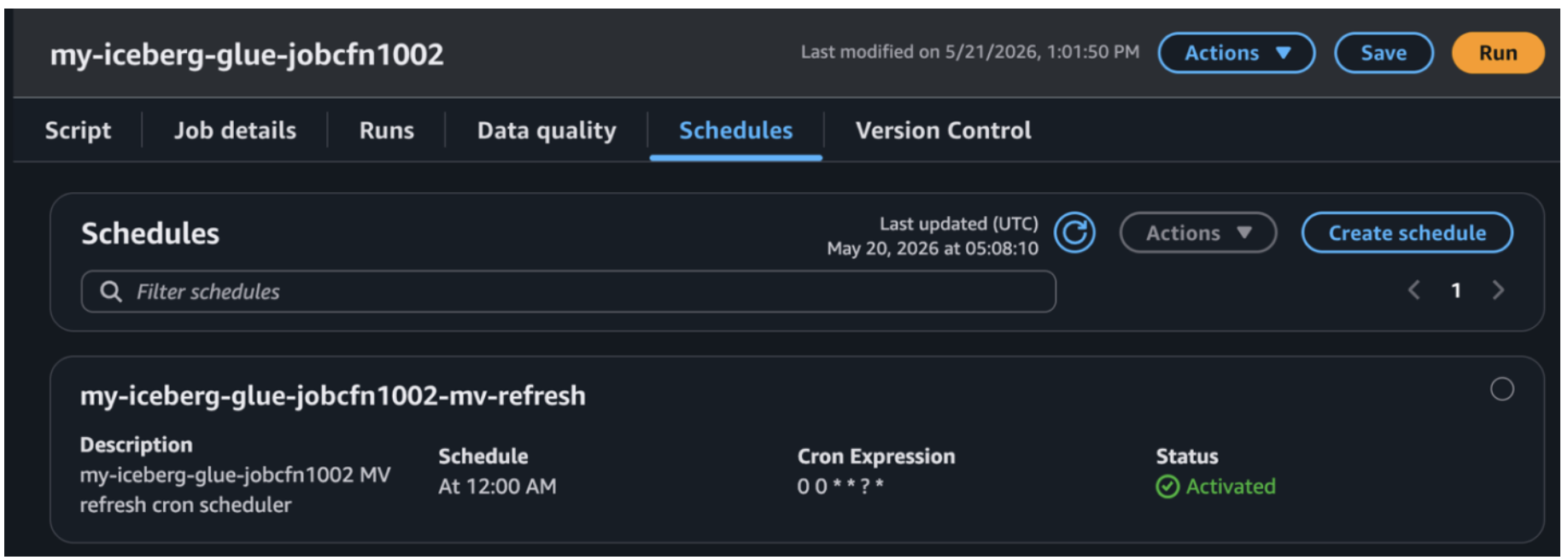
Job scheduled view in the AWS Glue console.
In a production environment, the base Iceberg table stores every individual order event, potentially millions of rows with dozens of columns growing daily. When dashboards or downstream applications need aggregated insights like daily revenue per customer or monthly order counts by region, querying the base table directly forces Athena to scan terabytes of raw data on every request. This results in slow response times and high costs at scale. The materialized view solves this by pre-computing these business-level aggregations once during the scheduled refresh, storing the results in a compact, purpose-built table with far fewer rows and columns. This means a dashboard query that would scan millions of raw records now reads from a pre-aggregated table, designed to reduce query response time. The base table remains your source of truth for granular, row-level lookups, while the materialized view serves as the performance layer for repeated analytical queries with embedded business logic.
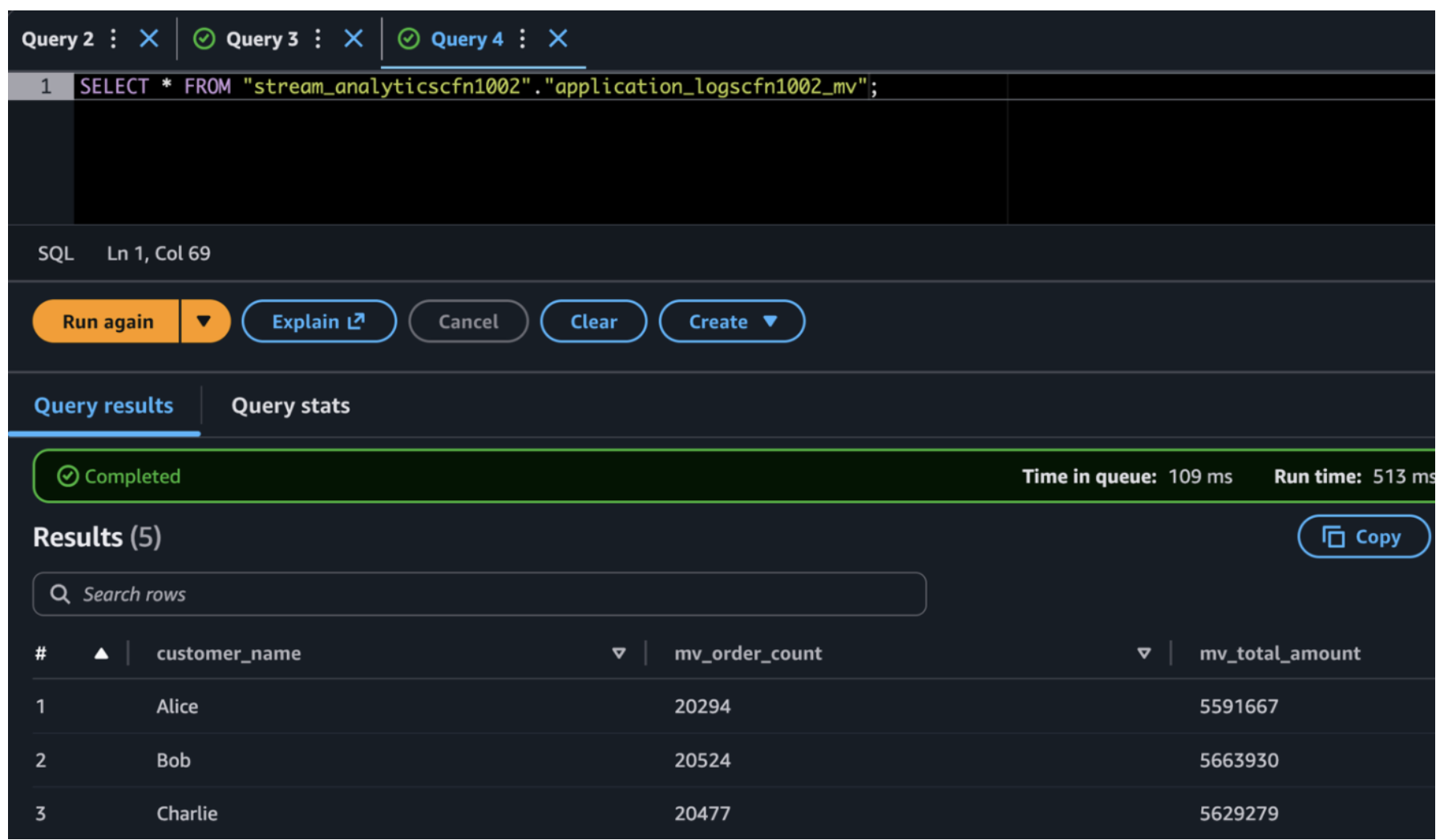
Materialized View query result using Amazon Athena
Alternative: Amazon S3 Tables
This solution can also be implemented using Amazon S3 Tables, which provides a fully managed Apache Iceberg experience with native support for materialized views. In this post, we use the Glue-based approach to demonstrate the underlying mechanics and provide full flexibility to customize refresh logic for your specific requirements. To learn more, see Getting started with S3 Tables.
Clean up
To avoid incurring future charges, delete the resources you created as part of this exercise if you are not planning to use them further. Delete the stacks created in the previous steps, then empty and delete the Amazon S3 buckets.
Conclusion
This solution shows how to build a scalable application log data pipeline that delivers log events from Amazon CloudWatch Logs to Apache Iceberg tables using AWS Lambda and Amazon Data Firehose. This architecture uses fully managed AWS services to minimize operational overhead while providing high availability and consistent performance.
Key strengths include serverless infrastructure designed to support automatic scaling, error handling designed to route failed records to Amazon S3 for troubleshooting and replay, and analytics capabilities through Apache Iceberg’s ACID transactions and query performance optimizations. As you move this solution into production, we recommend that you implement data quality checks in Lambda and configure encryption at rest and in transit for your data. You can also establish data retention policies and explore partitioning strategies for better query performance.
You now have a log analytics pipeline built for production use that scales with your workload.
Additional resources
- Amazon Data Firehose documentation.
- Apache Iceberg on AWS Glue Data Catalog.
- Amazon Athena query optimization guide.
- CloudWatch Logs subscription filters.