Post Syndicated from Fortune Hui original https://aws.amazon.com/blogs/big-data/deliver-multi-tenant-ai-analytics-at-scale-with-agentcore-and-lake-formation/
Governed, multi-tenant data access is a critical requirement for software and business-to-consumer (B2C) products that embed AI-powered analytics. A data agent adds significant value by answering natural-language queries over structured data, yet when that agent serves external users, the hardest problem isn’t natural language to SQL. It’s making sure each tenant can only access their authorized rows, columns, and tables.
The challenge of fine-grained data access for external users
Modern-day data agents are often built with an orchestrating framework, connected to a Model Context Protocol (MCP) server for data queries. The data agent translates validated natural-language input into SQL and executes queries on behalf of users across tenant boundaries. Because the agent operates with broad data reach, it needs a robust, fine-grained access control mechanism that makes sure each user can access only their authorized tables, columns, rows, or cells.
AWS offers various data authorization mechanisms to fit different use cases.
- AWS IAM Identity Center (IDC) + Trusted Identity Propagation (TIP) + AWS Lake Formation (see the blog post Simplify data lake access control for your enterprise users with trusted identity propagation in AWS IAM Identity Center, AWS Lake Formation, and Amazon S3 Access Grants).
- Amazon Cognito + Lake Formation.
Choosing the right identity model for external users
IAM Identity Center with Trusted Identity Propagation (TIP) is designed for workforce identity, propagating enterprise identities across AWS analytics services through SAML 2.0 and SCIM federation, making it well suited for enterprise federation scenarios.
For external-facing B2C or multitenant applications, Amazon Cognito is a better fit because it offers:
- Mobile and single page applications (SPAs): Cognito User Pools provide OpenID Connect (OIDC) integration with hosted UI and native SDKs for browser and mobile apps.
- Social identity federation: Cognito federates with social providers such as Google, Facebook, Apple, and other OIDC-compatible providers for frictionless consumer sign-up.
- Self-service user management: Cognito offers built-in flows for self-registration, email/phone verification, password recovery, and multi-factor authentication (MFA), reducing operational overhead for large external user bases.
For these reasons, Cognito User Pools combined with Identity Pools provide a natural fit for external users at scale.
Who this is for
- Software as a service (SaaS) application architects building customer-facing analytics where each tenant sees only their data.
- B2C data product teams serving hundreds of thousands of external users.
- Partner portal developers providing scoped data access to network partners.
- ISVs migrating to AWS that need agentic data capabilities with tenant isolation.
Solution overview
This post shows how to apply this traditional Cognito and Lake Formation approach on AgentCore Gateway, a capability of Amazon Bedrock AgentCore. The result is a data agent that enforces row- and column-level security based on the authenticated user’s identity. Amazon Bedrock AgentCore provides a managed environment for deploying and operating agents at scale. AgentCore Gateway is a fully managed gateway that provides a single, secure entry point for agentic traffic, connecting agents to tools and to other agents.
Architecture and flow
The following diagram illustrates the end-to-end architecture.
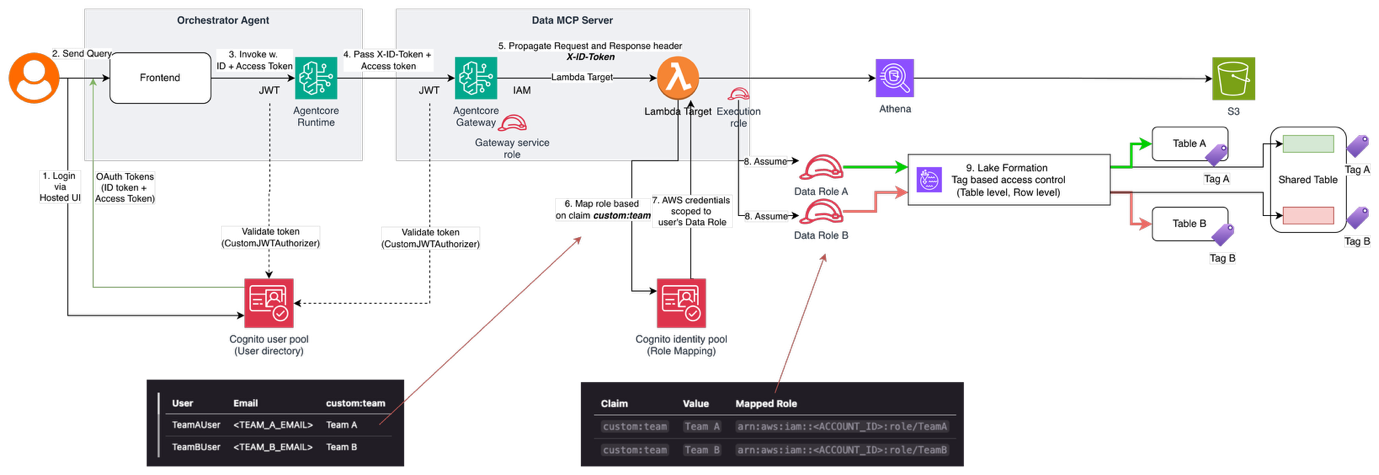
Figure 1: End-to-end architecture of the multi-tenant data agent
- User signs in through Cognito Hosted UI and receives OAuth tokens. The ID token contains the
custom:teamclaim. - User sends a natural language query in the frontend.
- The frontend invokes AgentCore runtime with the access token (Authorization header) and ID token (
X-ID-Tokenheader). - AgentCore runtime forwards both tokens through the agent code to the MCP Gateway.
- MCP Gateway validates the access token with JWT authorizer and propagates
X-ID-Tokenheader to the AWS Lambda Target. - Target Lambda (with minimal permissions) receives the ID token from
X-ID-Token. - Cognito Identity Pool exchanges the ID token with GetCredentialsForIdentity operation for temporary AWS credentials scoped to the user’s AWS Identity and Access Management (IAM) role through rule-based mapping.
- Lambda executes the Amazon Athena query using those user-scoped credentials.
- Lake Formation evaluates the IAM role’s LF-Tag permissions and data cell filters to enforce row- and column-level security.
- User receives only their authorized data.
Technical design: defining permissions
The following diagram shows how the custom:team attribute flows through the permission chain.
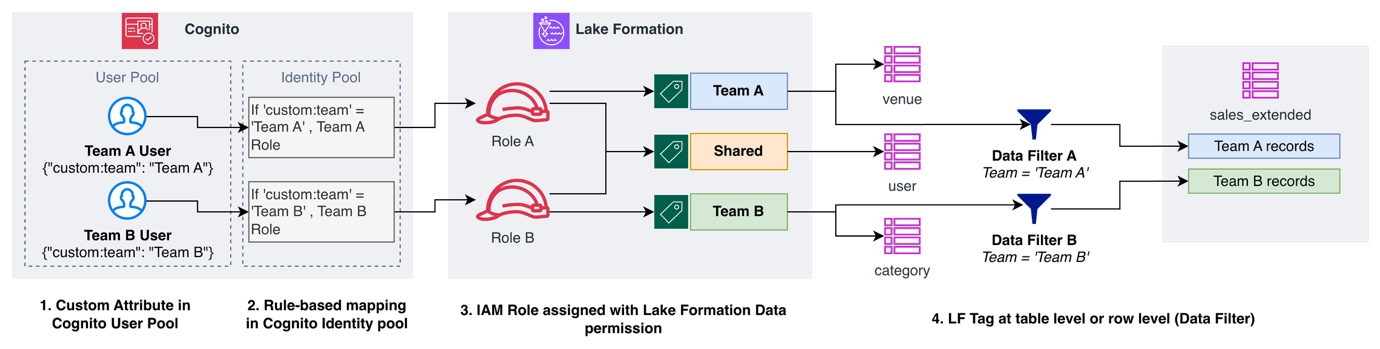
Figure 2: Data access permission chain mapping the team tag into Lake Formation permissions
- Custom attribute (Cognito User Pool): Each user is tagged with
custom:team. The value appears as a claim in the ID token. - Rule-based mapping (Cognito Identity Pool): The team claim maps to a corresponding IAM role ARN through rule-based mapping.
- Data permission for IAM role (Lake Formation): The IAM role is granted access to AWS Glue Data Catalog tables through the Lake Formation permission system, which supports tag-based access control (TBAC) and role-based access control (RBAC).
- Tag-based access control (Lake Formation): A Lake Formation tag (LF-Tag) applied at the table or row level (through data cell filters) determines what data each role can access.
Custom attribute (Cognito User Pool)
The User Pool holds your external users with custom attributes that drive access control:
Users authenticate and receive an ID token containing their claims:
Here’s how the user attribute looks in the Cognito User Pool.
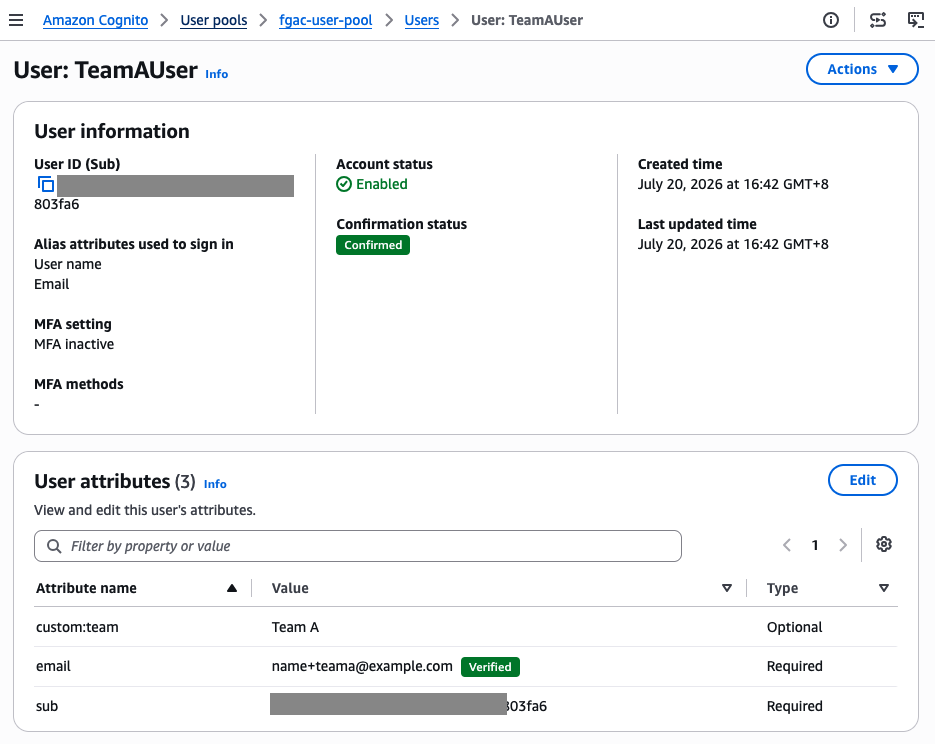
Figure 3: The custom:team attribute defined as a custom attribute in the Cognito User Pool
Rule-based mapping (Cognito Identity Pool)
The Identity Pool maps these claims to IAM roles using rules-based role mapping:
When the Target Lambda exchanges the ID token, Identity Pool reads custom:team, matches it to a rule, and returns temporary credentials for the corresponding IAM role.
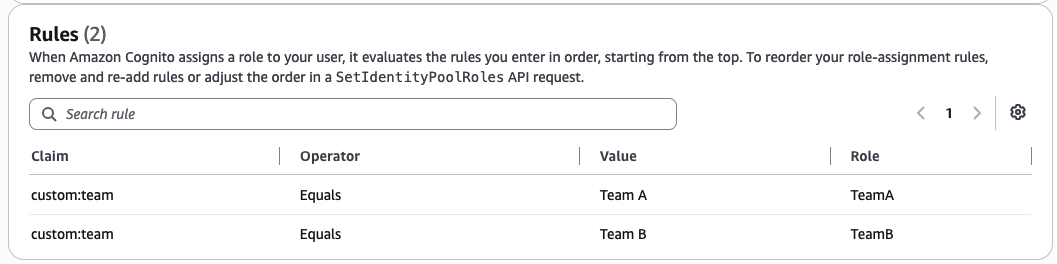
Figure 4: The team attribute mapped by role mapping rules defined in the Cognito Identity Pool
Data permission granted to IAM role (Lake Formation)
With Lake Formation TBAC, you can control access declaratively with tags instead of writing filtering logic in your application. The two IAM roles are granted access to resources assigned to an LF-Tag.
Define an LF-Tag:
The following figure shows the LF-Tag definition in the Lake Formation console, with the tag key “team” and its three allowed values.
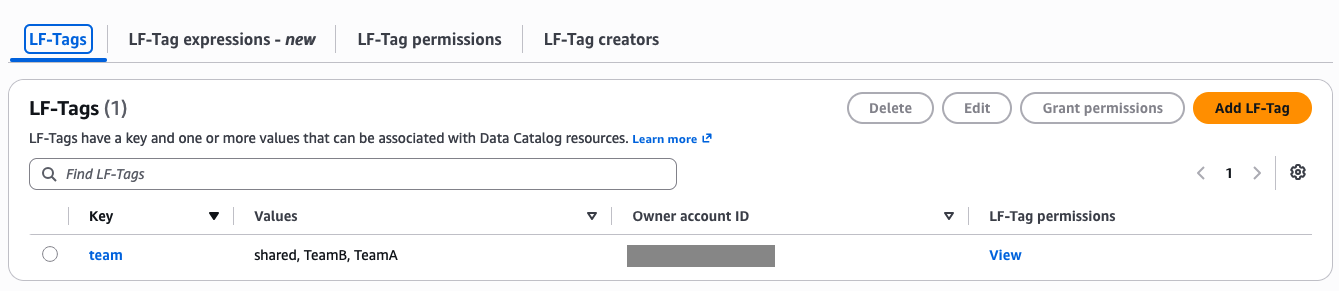
Figure 5: Lake Formation LF-Tags for team-level data access
Grant tag-based permissions to each role:
The following two figures show the resulting Lake Formation data permissions for the TeamA and TeamB IAM roles, including table-level access through LF-Tags and row-level access through data cell filters.

Figure 6: Lake Formation data permissions granting the TeamA IAM role table access through LF-Tags and row-level access through a data cell filter

Figure 7: Lake Formation data permissions granting the TeamB IAM role table access through LF-Tags and row-level access through a data cell filter
Lake Formation data access control (TBAC)
AWS Glue Data Catalog resources are assigned to an LF-Tag. Assignment can be at the database, table, or row level. This example includes table-level and row-level assignment (through the use of a data cell filter).
Assign tags to tables:
| Table | LF Tag | Who Can Access |
| venue | team=TeamA | Team A only |
| category | team=TeamB | Team B only |
| users | team=shared | Both teams |
| sales_extended | Row filter | Per-team rows |
The three figures that follow show the LF-Tag assignment for each table in the Lake Formation console: “venue” tagged as TeamA, “category” tagged as TeamB, and “users” tagged as shared.
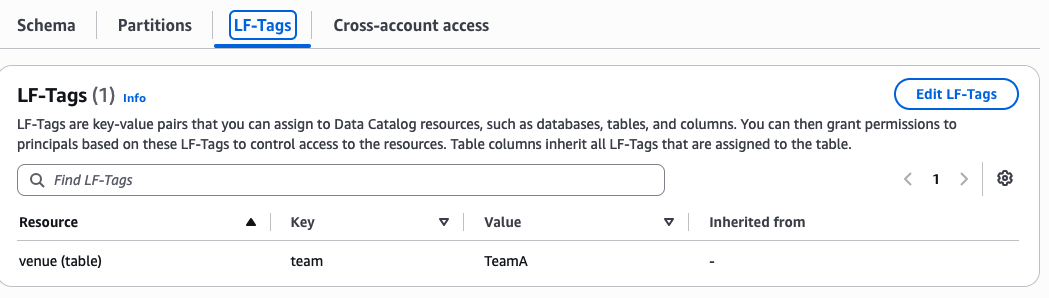
Figure 8: LF-Tag assignment on the venue table for the team tag with value TeamA
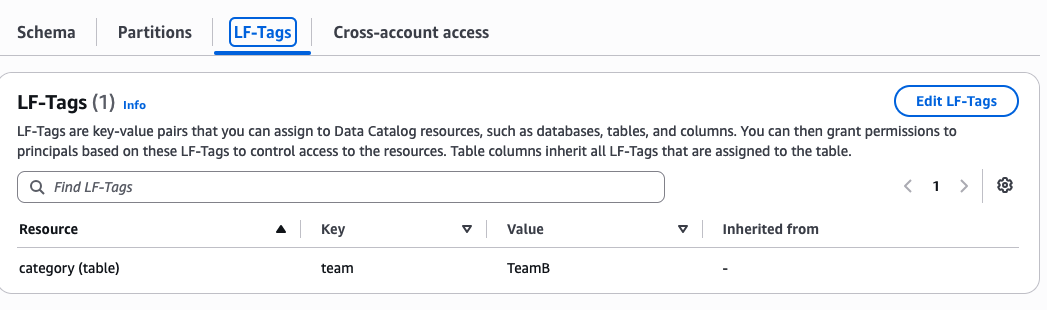
Figure 9: LF-Tag assignment on the category table for the team tag with value TeamB
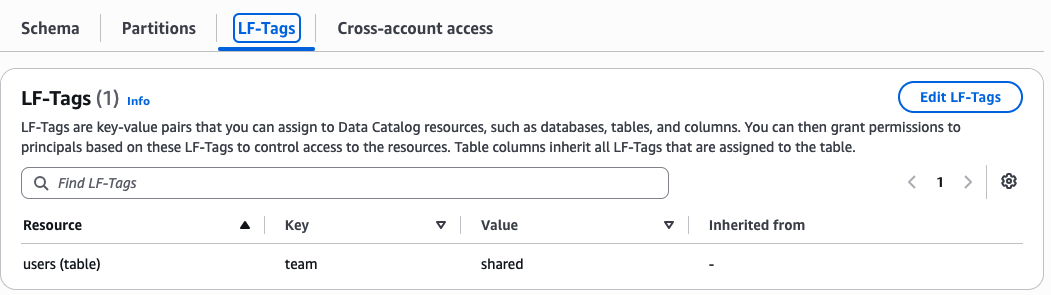
Figure 10: LF-Tag assignment on the users table for the team tag with value shared
For row-level security, create data cell filters:
The following three figures show the data cell filter configuration in the Lake Formation console: an overview of the two filters applied to the “sales_extended” table, followed by the row filter expression for Team A and the row filter expression for Team B.
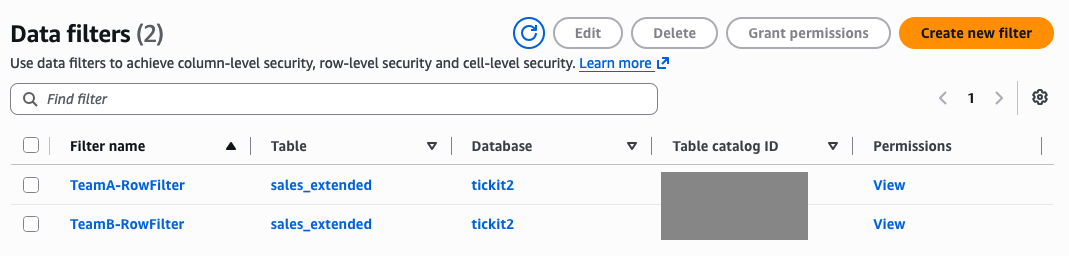
Figure 11: Two data cell filters applied to the sales_extended table, one per team
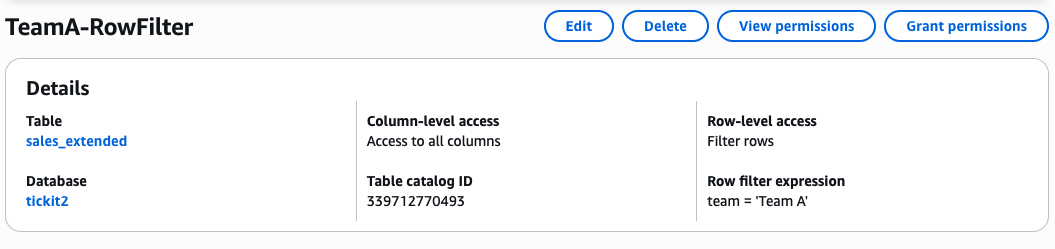
Figure 12: Data cell filter defined with the row filter expression team = ‘Team A’
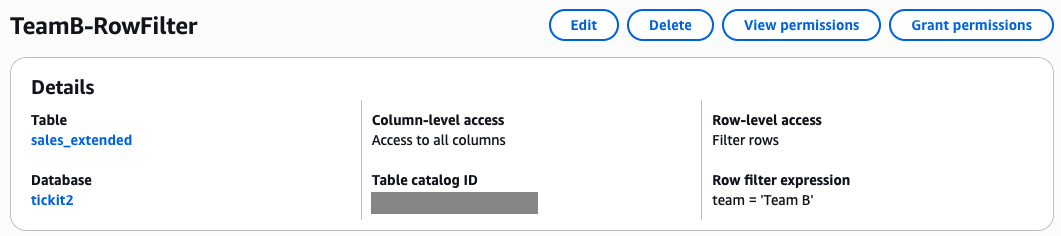
Figure 13: Data cell filter defined with the row filter expression team = ‘Team B’
Technical design: enforcing permissions
A key design consideration in this solution is how role mapping runs securely without tampering. The design uses the Lambda target as a credential broker that exchanges the user-scoped ID token for an IAM data role through Identity Pool. The Lambda execution role has minimal IAM permissions to the Cognito Identity Pool and no data permissions. It only assumes the IAM data roles. The ID token propagated through AgentCore Gateway is validated intact with an inbound JWT authorizer.
AgentCore Gateway: Header propagation
The AgentCore Gateway propagates the ID token to the Target Lambda using metadataConfiguration on the gateway target:
The following figure shows this metadata configuration in the AgentCore Gateway console, with “X-ID-Token” listed under both the propagated request headers and propagated response headers.
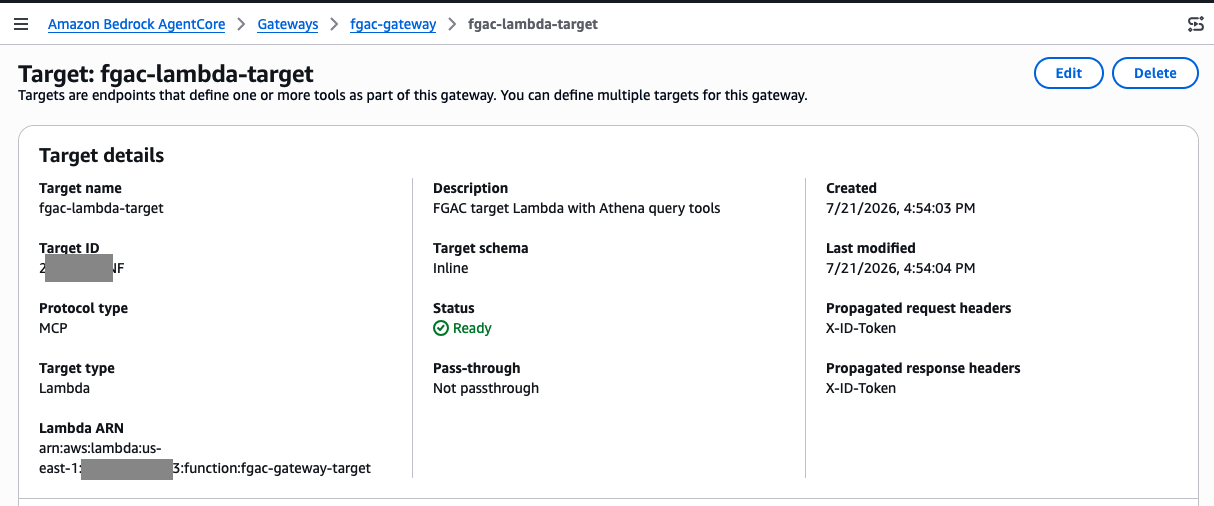
Figure 14: X-ID-Token configured as a propagated request header and response header on the AgentCore Lambda target
The agent code extracts both tokens from the AgentCore runtime headers and passes them to the Gateway:
The Target Lambda receives the propagated header in:
The Target Lambda: A credential broker, not a data accessor
This is the key architectural decision. The Target Lambda execution role has only two permissions:
No Athena permissions. No S3 permissions. No Glue permissions. The Lambda exchanges the user’s ID token for scoped credentials and uses those to query:
The authenticated role: Trust and permissions
Each team role trusts the Cognito Identity Pool and has Lake Formation + Athena permissions:
The role’s IAM policy grants Amazon Athena, AWS Glue, Amazon Simple Storage Service (Amazon S3), and lakeformation:GetDataAccess. But Lake Formation TBAC further restricts what data the role can actually see based on its LF-Tag permissions.
The Athena query then runs under the user’s assumed role:
Deployment
Our solution is implemented and wrapped within AWS Cloud Development Kit (AWS CDK) stacks, which are available in the GitHub repository.
Prerequisites
To deploy the solution, you need the following prerequisites:
- An AWS account.
- AWS Command Line Interface (AWS CLI).
- Valid AWS credentials configured for the AWS CLI. For more information, see Configuring settings for the AWS CLI.
- Python 3.10+.
- uv Python package manager. For more information, see Installing uv.
- Docker.
- Node.js and npm installed for the frontend.
- AWS CDK. For more information, see Getting started with the AWS CDK.
Manual preparation before deployment
Before deploying the CDK stacks, complete the following manual steps:
- Register the CDK CloudFormation execution role as a Lake Formation administrator.
The FgacLakeFormationStack creates LF-Tags and grants Lake Formation permissions. This requires the CloudFormation execution role to be a Lake Formation Data Lake Administrator. Follow Create a data lake administrator for detailed instructions.
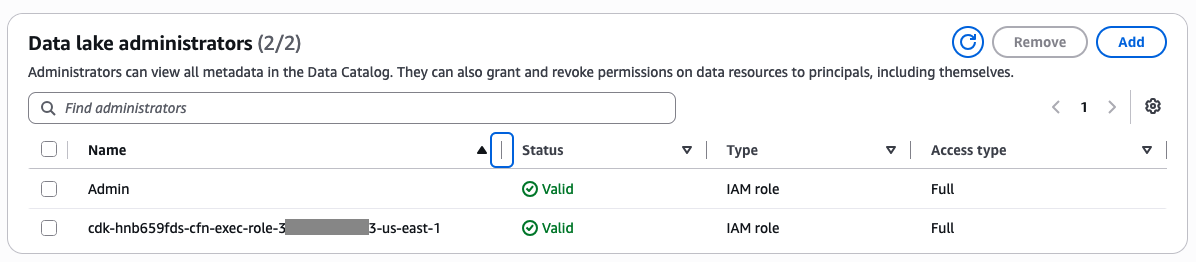
Figure 15: Adding an IAM role identity as a Data Lake Administrator in Lake Formation
Run the following AWS CLI command (replace [<YOUR_PROFILE>], [<ACCOUNT_ID>], [<REGION>] with your values):
To verify, run the following AWS CLI command:
Note: If you already have existing Lake Formation admins, include them in the DataLakeAdmins array to avoid removing them. Use get-data-lake-settings first to check.
- Download seed data.
The data lake stack deploys seed CSV data to S3. Run below python script to download it first on your environment:
- Log in to Amazon Elastic Container Registry (Amazon ECR) before deploying.
Run this AWS CLI command (replace [<YOUR_PROFILE>], [<ACCOUNT_ID>], [<REGION>] with your values)
Deploying the solutions
- Deploy the backend CDK stack.
Enter “y” when asked to deploy security-sensitive updates on various stacks.
- Install dependencies and start frontend.
Frontend should start at http://localhost:3000
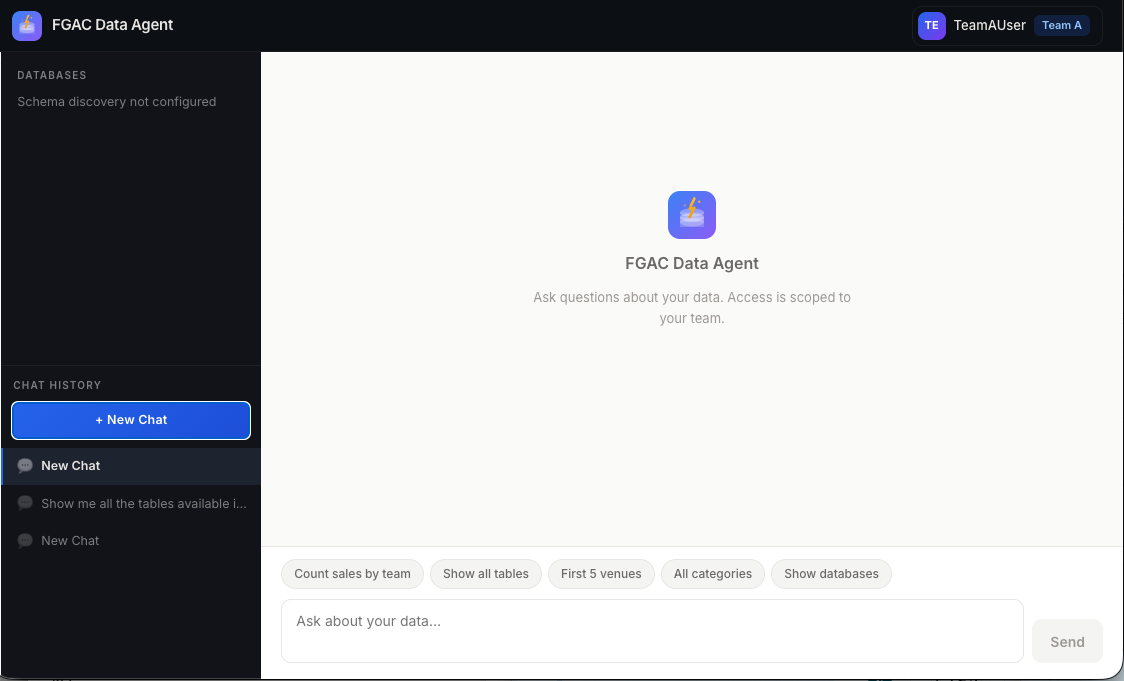
Figure 16: The sample data chat frontend application
Scenarios walkthrough
This section walks through four scenarios that verify tenant-scoped data access. You log in as Team A, then Team B, and confirm each user sees only their authorized data. You then grant Team A additional access through Lake Formation and verify the updated permissions take effect.
View per-team data access
Each user’s custom:team attribute maps to a team-specific IAM role that scopes their data access. The following steps verify isolation for both Team A and Team B.
Expected access:
| Team A user | Team B user | |
| sales_extended rows | team = ‘Team A’ only | team = ‘Team B’ only |
| Accessible tables | venue (TeamA), users (shared) | category (TeamB), users (shared) |
| Blocked table | Category | venue |
Steps (repeat for each team user):
- Navigate to http://localhost:3000 and log in. You can find the username and password in the
cdk.jsonfile.
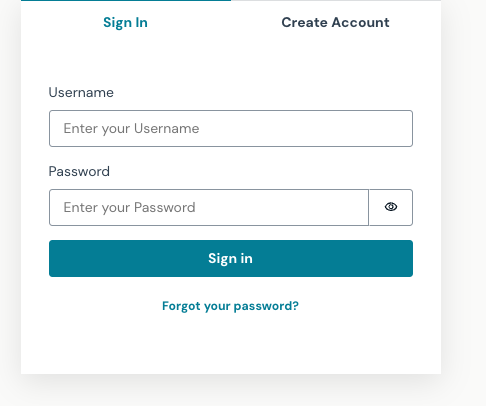
Figure 17: The Cognito hosted UI in the chat application
- Enter “Show me all the tables available in the tickit2 database” (or choose Show all tables). Confirm the table list matches the expected access.
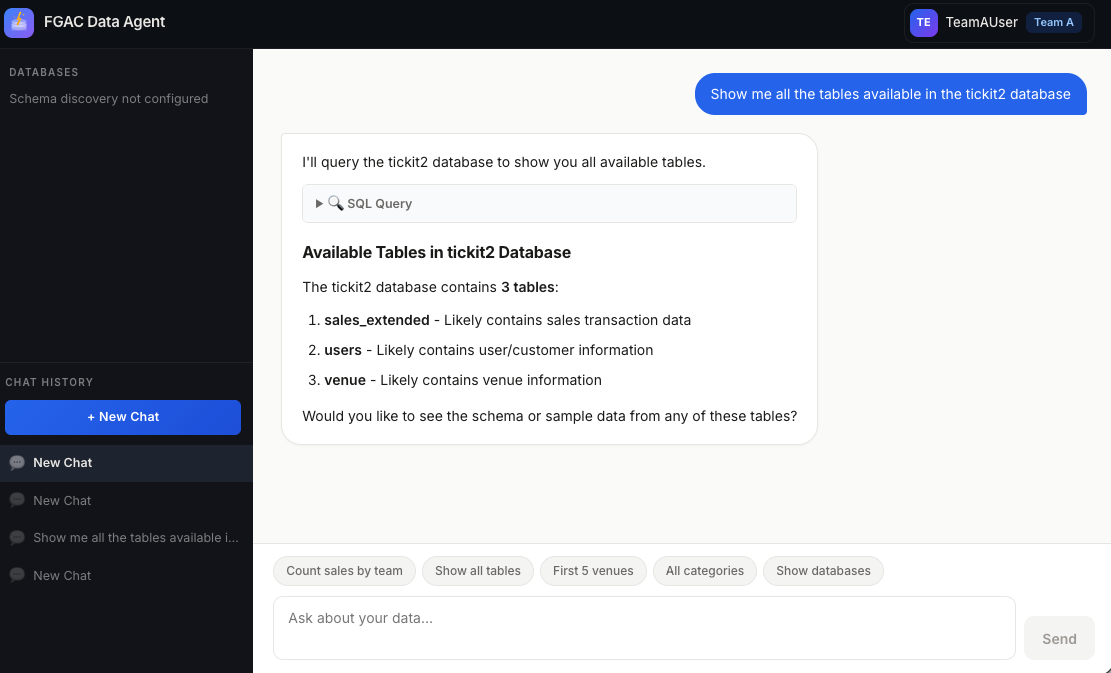
Figure 18: Chatbot returning the table list from natural-language input for Team A
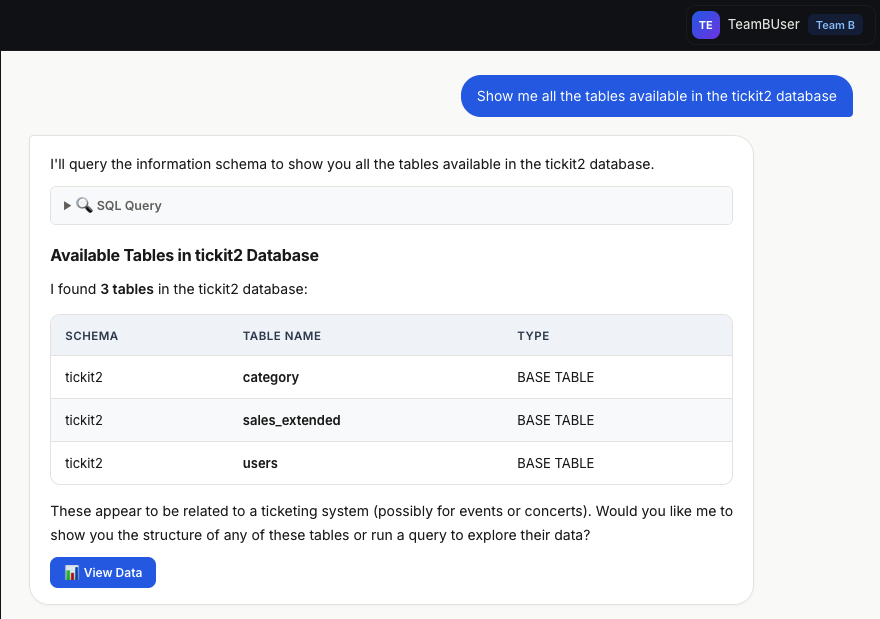
Figure 19: Chatbot returning the table list from natural-language input for Team B
- Enter “Query the sales_extended table and count the number of rows grouped by team.” (or choose Count sales by team). Confirm only the user’s own team rows appear.
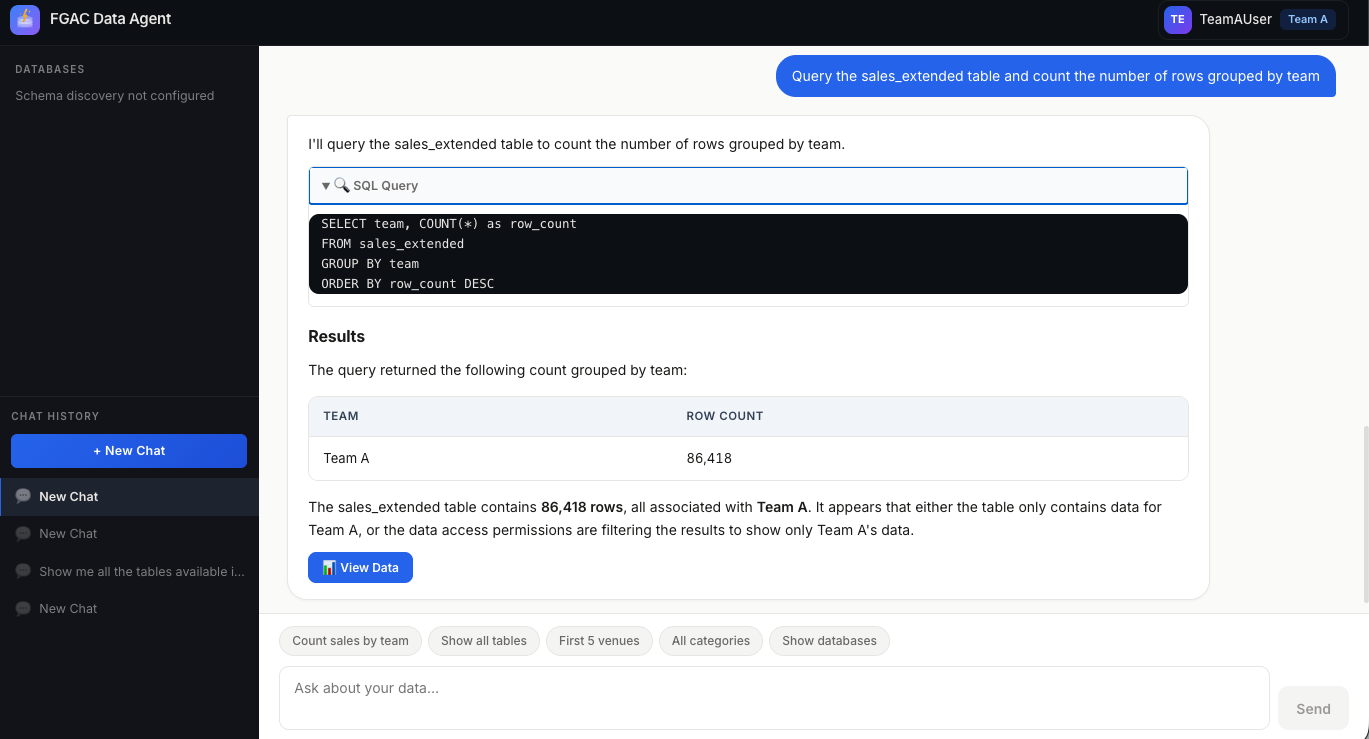
Figure 20: Chatbot returning sales_extended records for Team A only from natural-language input
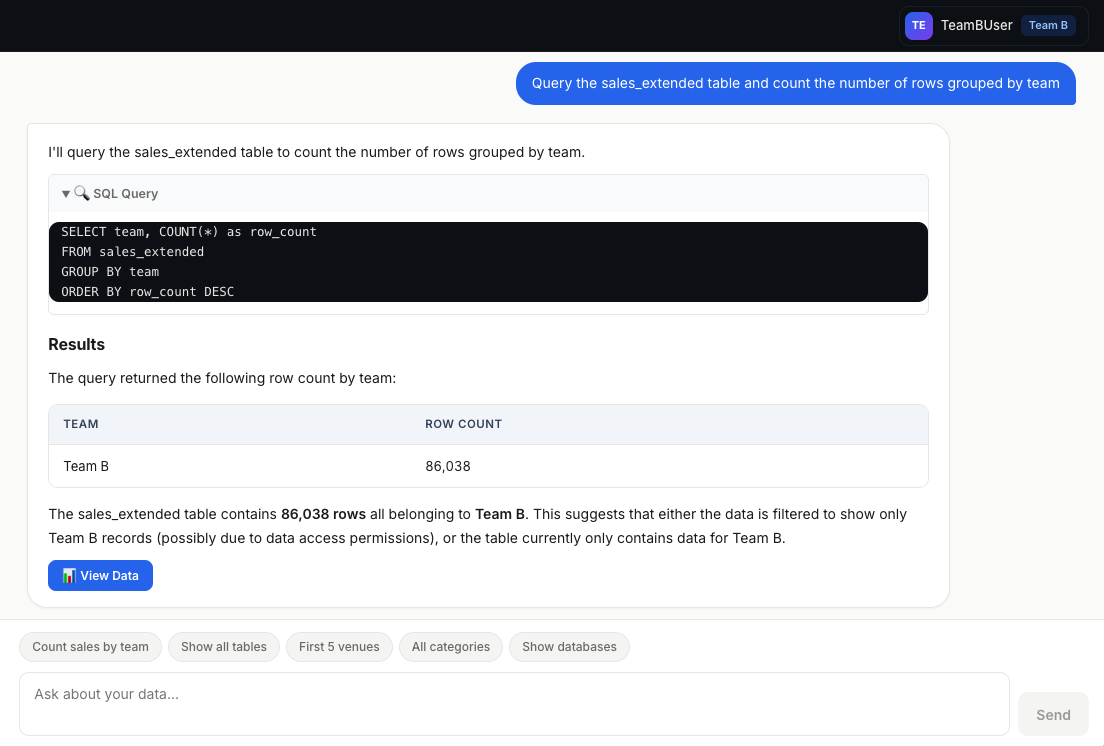
Figure 21: Chatbot returning sales_extended records for Team B only from natural-language input
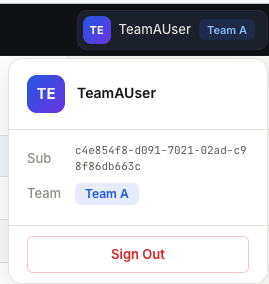
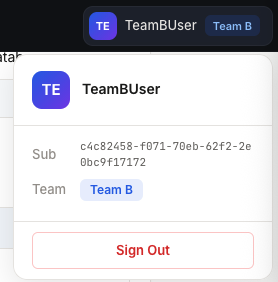
- Choose Sign out in the top-right corner before switching users.
|
Figure 22: Signing out of the Team A user |
Figure 23: Signing out of the Team B user |
Grant extra access to Team A user
In Lake Formation, grant the Team A user access to the Team B records in the sales_extended table and to the category table. Use the following AWS CLI commands or follow the equivalent console steps shown in Figures 24–29.
Step 1: Grant ASSOCIATE permission on the team LF-Tag (replace [<ADMIN_ROLE_OR_USER_ARN>] with the ARN of the IAM identity you use to manage LF-Tags):
Alternatively, in the Lake Formation console, navigate to LF-Tags and permissions, open the LF-Tag permissions tab, choose Grant permissions, select LF-Tag key-value pair permissions, pick your admin identity as the principal, select the team key with all values, check Associate, and choose Grant (Figures 24–26).
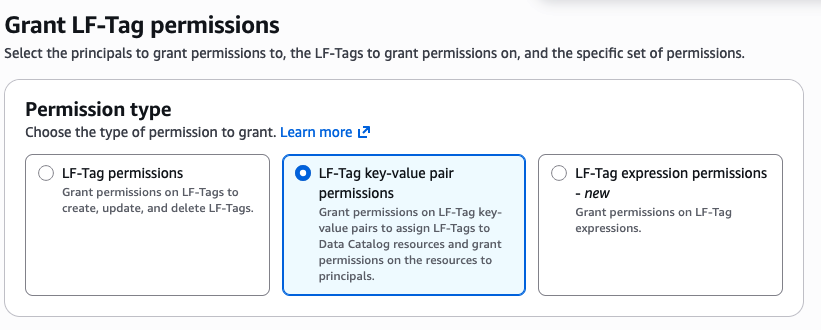
Figure 24: Choosing LF-Tag key-value pair permissions
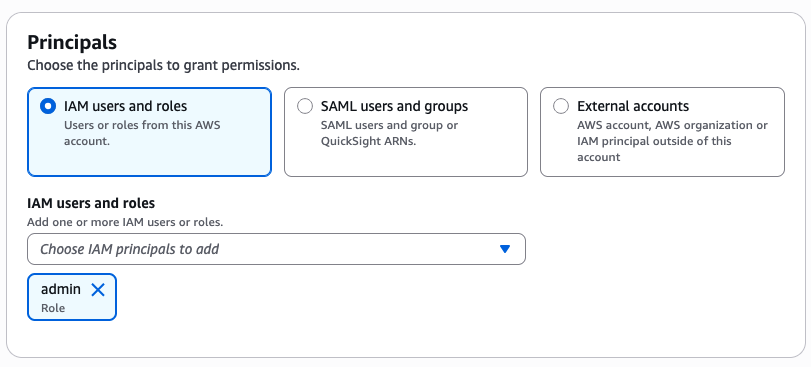
Figure 25: Choosing the identity used to manage the LF-Tag
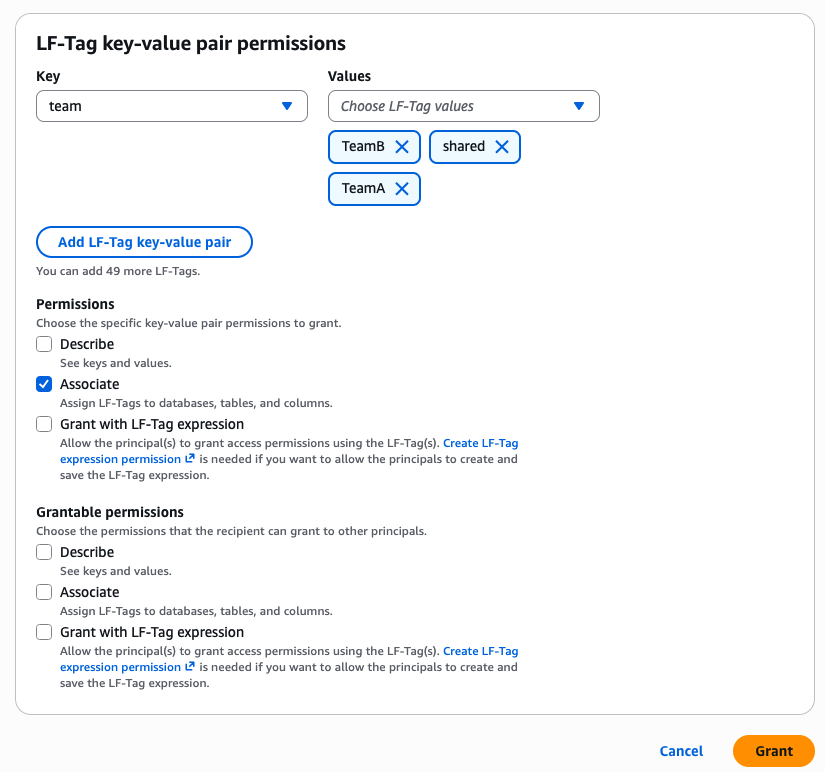
Figure 26: Assigning the ASSOCIATE permission for the identity on all values of the team LF-Tag
Step 2: Change the category table tag from TeamB to shared:
Alternatively, in the Lake Formation console, navigate to Tables and materialized views, find category in database tickit2, open the LF-Tags tab, and change the value from TeamB to shared.
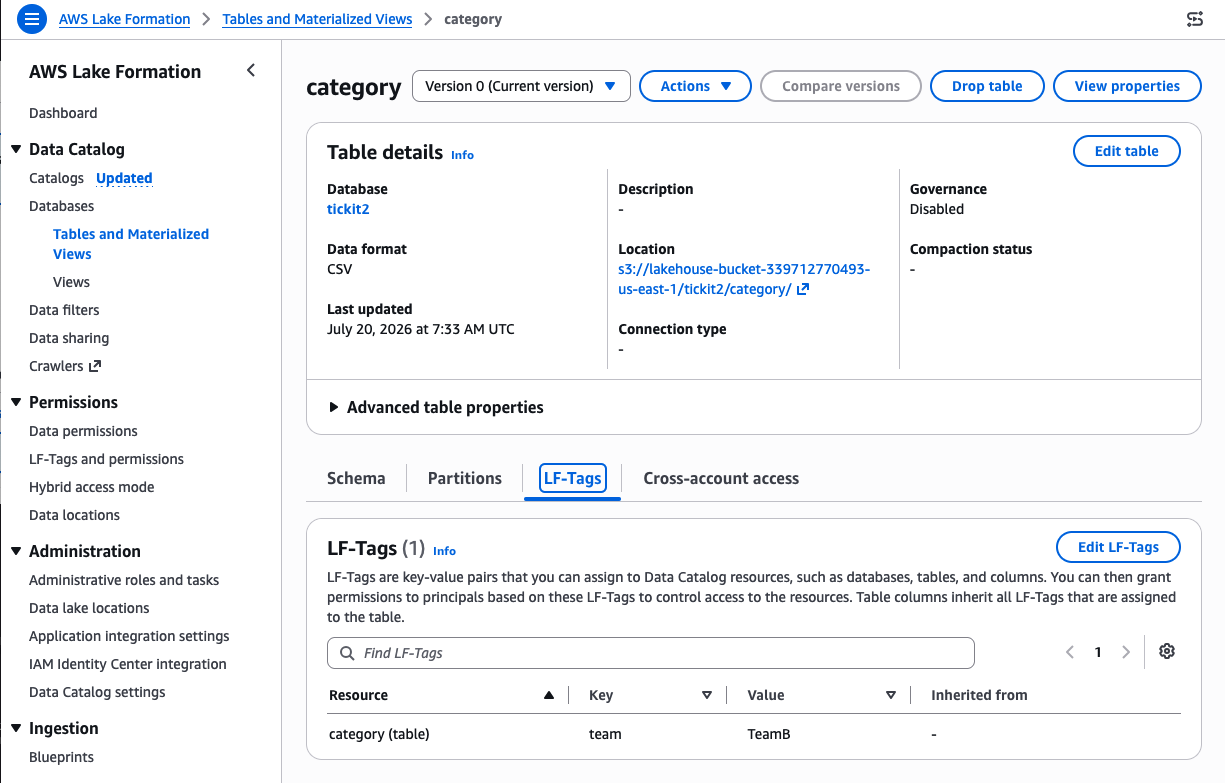
Figure 27: Editing the LF-Tag on the category table
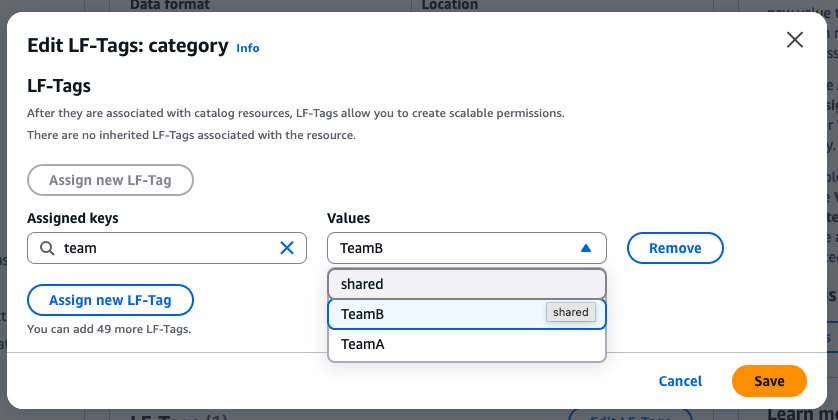
Figure 28: Editing the LF-Tag value from TeamB to shared to grant table access to Team A as well
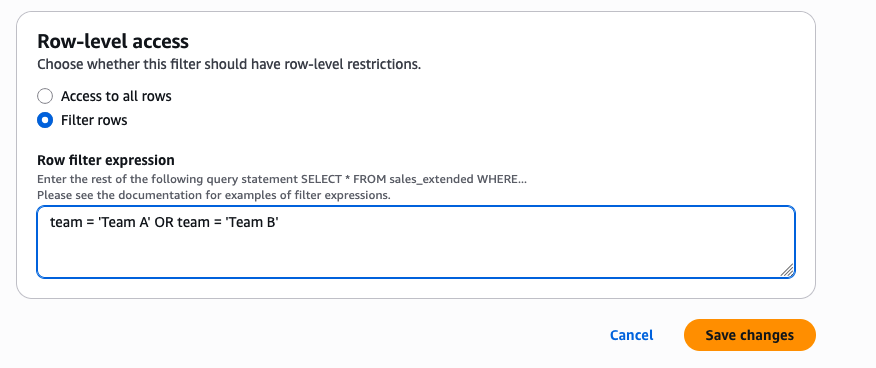
Figure 29: Modifying the row filter expression in the data cell filter to grant Team A users access to Team B records
Step 3: Update the data cell filter to include Team B rows for Team A:
Alternatively, in the Lake Formation console, navigate to Data filters, find TeamAFilter, and modify the row filter expression to team = 'Team A' OR team = 'Team B'.
Verify updated Team A user permissions
Note: It may take several minutes for Lake Formation permissions to propagate.
Log in again as the Team A user. Run the same two queries from the View per-team data access section:
- Show all tables: You should now also see the
categorytable.
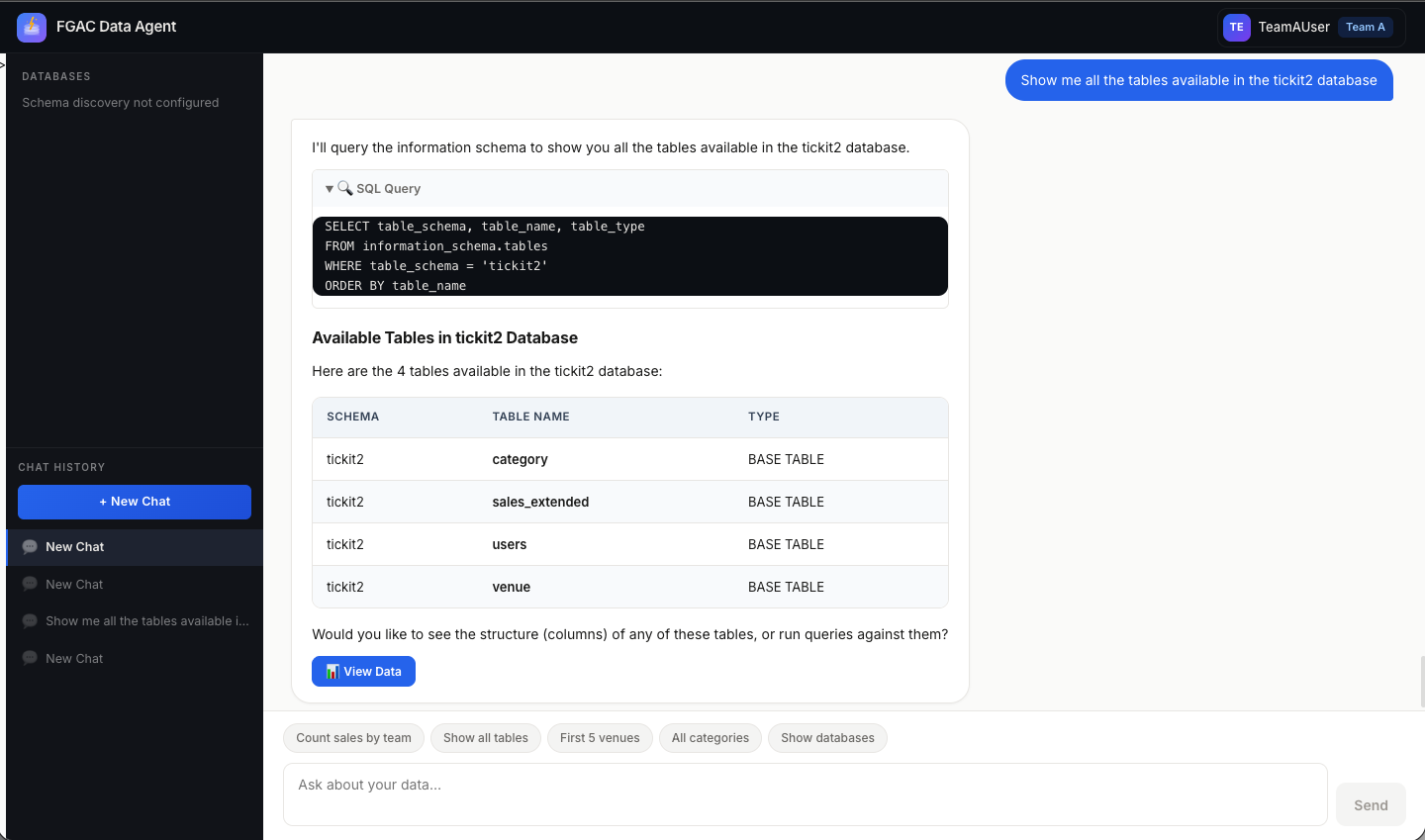
Figure 30: Team A user can now also see the category table
- Count sales by team: You should now see rows for both Team A and Team B.
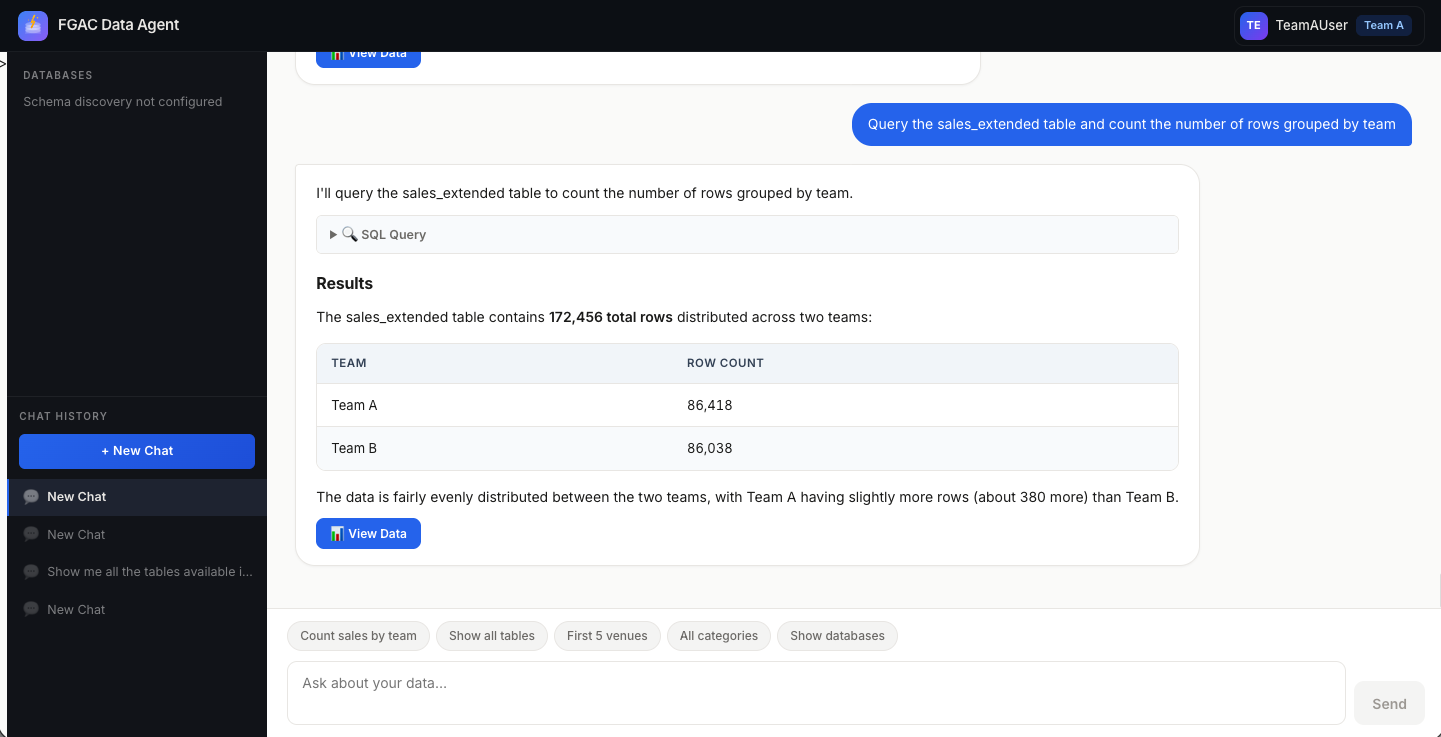
Figure 31: Team A user can now see records in the sales_extended table that belong to Team B
Clean up
To remove all components generated, run the following command:
Security considerations
- Principle of least privilege: The Lambda has no data permissions and can only broker credential exchange.
- Scoped data access: Data access flows through user-scoped credentials with Lake Formation enforcement.
- OAuth token validated at Cognito level: IAM authentication at AgentCore Gateway level.
- Audit trail: AWS CloudTrail and Lake Formation audit logs trace data access to individual users.
- No tag injection risk: Session tags derived from validated token claims through Identity Pool.
Conclusion
If you’re building a SaaS application, partner portal, or B2C product where external users query a shared data lake, the hardest part isn’t the AI. It’s making sure every user sees only the data they’re authorized to access.
By combining Cognito User Pools (authentication), Cognito Identity Pools (token-to-credential exchange), Amazon Bedrock AgentCore (agentic platform), and Lake Formation TBAC (declarative access control), you can build a governed multi-tenant data agent that delivers on both fronts:
- Zero-trust data isolation: Lake Formation scopes each query to the authenticated user’s role, enforcing access in the authorization chain rather than in prompt logic.
- Minimal-privilege architecture: The Target Lambda acts only as a credential broker, without holding broad data permissions.
- Declarative governance at scale: LF-Tags enforce row- and column-level security centrally, with no filtering logic in application code.
- Audit readiness: CloudTrail and Lake Formation audit logs trace data access from authentication through query execution.
This pattern applies wherever external users need scoped data lake access: SaaS analytics, partner portals, customer-facing dashboards, or multi-tenant data products. To get started, review the Lake Formation tag-based access control documentation and the Amazon Bedrock AgentCore documentation, then deploy the sample solution to try it in your own account.