Post Syndicated from Cathy Chi original https://blog.cloudflare.com/rewinding-the-exponential/
More than 20% of the web sits behind Cloudflare’s network, and our team, the Data team, owns the data pipeline responsible for plumbing that data (and more) from our global network to applicable central data centers. The Cloudflare network is a globally distributed system supporting tens of thousands of servers. Data that power Cloudflare Logs, SQL API, observability, internal analytics, and more flow through this network and use our data pipeline to serve customers.
In May of this year, we were providing data delivery at roughly two billion events per second. This includes customer traffic as well as data sent from internal teams. Year after year, we tackle the same problem — exponential traffic growth against linear hardware growth. We have to react to this increase in order to keep resource costs under control. Over the past five years, we’ve made various improvements to compensate for the data volume increase in comparison to hardware allocation, equivalent to deferring two and a half years of hardware expansion. This post details those changes: breaking up our monolithic data schema in 2022, adjusting compression in 2024, rearchitecting pipeline replication in spring 2026, decentralizing sampling in summer 2026, and introducing aggregations into the pipeline in fall 2026.
Background
Our pipeline starts with an internal service called Logfwdr, where we collect from highly distributed data sources (think: Workers, FL). We then feed this data to a set of centralized receivers, which eventually push them onto our buffering system, Buftee. Consumers fetch data from Buftee and distribute data to their final destinations, like ClickHouse, which we rely on heavily.
Unpacking the monolith
In 2022, we dismantled our one and only schema. Previously, there was a single stream packed with every product's fields, forcing Cloudflare-internal consumers to ingest everything and demux or discard records via filters. At the time, most of Cloudflare’s data products were built on HTTP, Security and CDN metadata. In 2021, our message schema looked like this:
Some fields here belonged under the same product, but some were completely irrelevant to each other. The hypothesis was that none of these teams require 100% of fields in the monolithic schema. In other words, we can create small messages for each product’s required fields. Although we were going to duplicate fields, some of them in every message, replacing this firehose with product-specific schemas actually reduced the backbone bandwidth usage by 35-40%, knocking out roughly a year’s worth of compressed traffic growth.
Compression
By 2024, as traffic steadily grew, we were tackling network congestion issues on a daily basis. To react to this, we changed our compression algorithm from LZ4 to zstd. We had already experimented with zstd compression before, but we noticed a higher CPU usage at the time. Therefore, we were careful to track the metrics to ensure the trade-off was worth it.
Initially, we rolled this change out to a few servers. To our relief, we didn’t observe a noticeable difference in CPU usage.
With more confidence, we gradually rolled out to our entire fleet, which also showed little impact to CPUs. In the end, there was nearly a 40% reduction in compressed traffic throughput. The uncompressed bytes remained at the same growth, meaning we could support more than 1.5x the amount of traffic with the same size pipe. Or another way to put it, the estimated growth-equivalent reductions put us at about 10 months prior.
Now, in 2026, we attempted three strategies to reduce uncompressed bytes (and thus, compressed bytes).
Load balancing
To make analytics resilient against regional disasters, our systems require redundant data to be stored in multiple centralized regions (data subject to Customer Metadata Boundaries is stored strictly within its designated region). Historically, the simplest way to achieve disaster resilience was double-writing: Logfwdr transmitted two full copies of every non-regional analytics event — one to each centralized region. Each region then independently processed a complete copy through to ClickHouse. We also apply sampling in each region, an incredibly scalable technique that works for all volumes of data during any traffic conditions. We downsample high-volume traffic while rare events are preserved.
This infrastructure was manageable when only a handful of streams used secondary regions. However, as we expanded disaster resilience across almost all analytics streams, Logfwdr traffic doubled across the board. Sending every event, twice, over wide-area transit was unsustainable against our exponential traffic growth.
We had already tackled a similar challenge for Logpush. For Logpush, Logfwdr treats the centralized data centers as a unified, shared pool of receivers: each message is sent to only one region, failing over to another destination if a machine or facility is unreachable. That model had already proven its worth during large incidents, shifting traffic seamlessly from one location to another without human intervention. This automatic failover was possible because Logpush delivery is stateless, as customer destinations do not care which centralized data center pushes the logs.
Analytics was trickier. Unlike stateless logs, ClickHouse clusters in both regions still need a full copy of non-regional data to allow instant, independent query failover. The breakthrough was decoupling pipeline transit from database redundancy:
1. Shared Ingest Pool: We adopted Logpush’s model to the analytics streams. Logfwdr dispatches each event exactly once across wide-area transit to whichever centralized receiver is available.
2. Late Replication from centralized regions: Instead of replicating traffic at source, replication happens as late as possible in the pipeline. Data lands in our distributed buffering layer, Buftee, and remote inserters stream cross-data-center copies downstream.
3. Resilient Failure Handling: If a centralized region goes down, Logfwdrs immediately routes all non-regional traffic to the surviving region. If the inter-data center connection blips, each cluster continues ingesting its local share without backpressure; remote inserters catch up from Buftee's retention buffer once the backbone recovers.
For the datasets we migrated, the cutover eliminated approximately 43 GB/s of compressed transit traffic while adding only ~7 GB/s of cross-data-center replication on our pipeline. Two architectural factors explain this asymmetry:
1. Replication happens downstream of sampling: In the old model, Logfwdrs transmitted two copies of raw, unsampled events over wide-area transit. In the new model, Logfwdrs send a single copy to centralized receivers, which immediately apply sampling before buffering into Buftee, carrying only this already-compacted stream.
2. Better compression through uniform partitioning: Data at source is fragmented across thousands of individual servers. After centralization, streams are aggregated and partitioned into uniform batches over wider time windows. This structural uniformity allows compression algorithms to achieve dramatically higher compression ratios than Logfwdr transit batches ever could.
Overall, this was a net reduction of 36 GB/s across wide-area networks. We rolled this out initially to two datasets, HTTP analytics and Ready-Analytics, our in-house one-click analytics product.
We’ve been actively migrating more datasets to this load-balanced architecture since the spring.
Sampling from the get-go
Another strategy we employed was further expanding our sampling mechanism so that we pulled critical processing earlier into the pipeline. Sampling was already used in our centralized services, particularly the receivers, easing pressure on downstream systems. We can be more resource efficient if we send less data downstream (without sacrificing data quality).
The solution here was to simply sample in Logfwdr, in addition to maintaining the sampling in centralized receivers. How the sampling algorithm works here, in short, is each dataset has a key that producer teams have chosen to index and sample the data. When sampling, we first shuffle the records for each key to eliminate bias. Then, for each group of records, we select a sample size equal to the square root of the total count of the records. The result is a representative sample, whether sampled once or twice. To produce estimates, we scale calculations against the sample rate. For example, if we sample 10 out of 100 records, the sample rate would be 10/100, and the unbiased estimate of the original count would be 10*10 = 100.
To ensure this approach was working well, we compared the number of rows written to ClickHouse against the estimated sum for total count using a variety of keys across a variety of traffic footprints, so that “least seen” keys to “most seen” keys were captured across the spectrum.
The result is that for keys with more data, the sample rate decreases. However, keys with less data were sampled comparably. Thus, we still kept a representative sample while delivering and storing fewer events. We’re not compromising the quality of data delivered, even when we deliver less in quantity.
If we look at this more closely, using power laws, we can observe that the double-sampled (red) grows at roughly x0.319 v. sampled-once/control (blue) at x0.485. Another way to picture this is, a key that has 100x more data than another key would have stored roughly 10x the number of rows if single-sampled. Now, it will only store roughly 4x the number of rows. Concretely, a total of 11.6 million events is represented by 18k rows in ClickHouse as opposed to 79k. Double sampling attenuates storage of the “most seen” keys, while still retaining the same detail per event for “least seen” keys.
We initially implemented this strategy against three of our top datasets. Every single one at least halved the amount of compressed data we were originally sending on the wire to centralized receivers. That’s 25GB/s altogether, or over 2PB/day.
Aggregating
Cloudflare offers several analytics datasets built on rollups: aggregates of the raw events computed at ingest time. This makes the opposite tradeoff to sampling: rather than answering any question approximately, we answer a fixed set of questions exactly, provided we choose the dimensions and metrics up front.
For example, in the HTTP dataset, we measure the number of unique occurrences of IP addresses during a given minute rather than the individual IPs themselves. Another example is we sum the total number of GET, POST, PUT, etc. requests for a given domain, for that minute, grouped by the HTTP method. None of these computations actually necessitate waiting until the tail-end of the pipeline to start calculating.
Historically, this aggregation occurred towards the end of the pipeline, inside the inserters which read from Buftee and insert into ClickHouse. Decentralizing this aggregation was an opportunity to spread out load and reduce the amount of data we centralize.
Hence, we built an aggregation functionality that is utilized every step of the way, creating repeated opportunities to combine matching partial aggregates as data converges. Much like sampling, records are grouped by a key, which determines which records can be combined. We aggregate on each instance of Logfwdr. We aggregate again after the partially aggregated events reach the centralized receivers, which push these re-aggregated events onto dedicated partitioned buffers. Because these buffers bring together records from multiple receivers, we aggregate another time after they’ve been read in batches by the ClickHouse inserters. Finally, we aggregate in ClickHouse with aggregating table engines.
The first dataset we rolled this out to was for the HTTP traffic. In just this one dataset alone, we dropped from 9+ GB/s to <2 GB/s in compressed bytes traffic. Even though this is currently the highest cardinality dataset, the aggregations on it still gave us an approximate 80% reduction on the wire.
This aggregation feature is powerful for datasets that can collapse easily, especially for use cases like usage metrics where accuracy on the sums and counts is paramount. It also means we can offer producer teams another option to reduce resource usage besides sampling, which we did. Like Ready-Analytics, we created a generic in-house one-click aggregating analytics product, called Ready-Aggregates. As we continue to iterate on this new feature in the pipeline, we expect to see savings continue to mount.
Impact
The starkest proof of this exponential growth is how rapidly traffic growth consumes headroom.
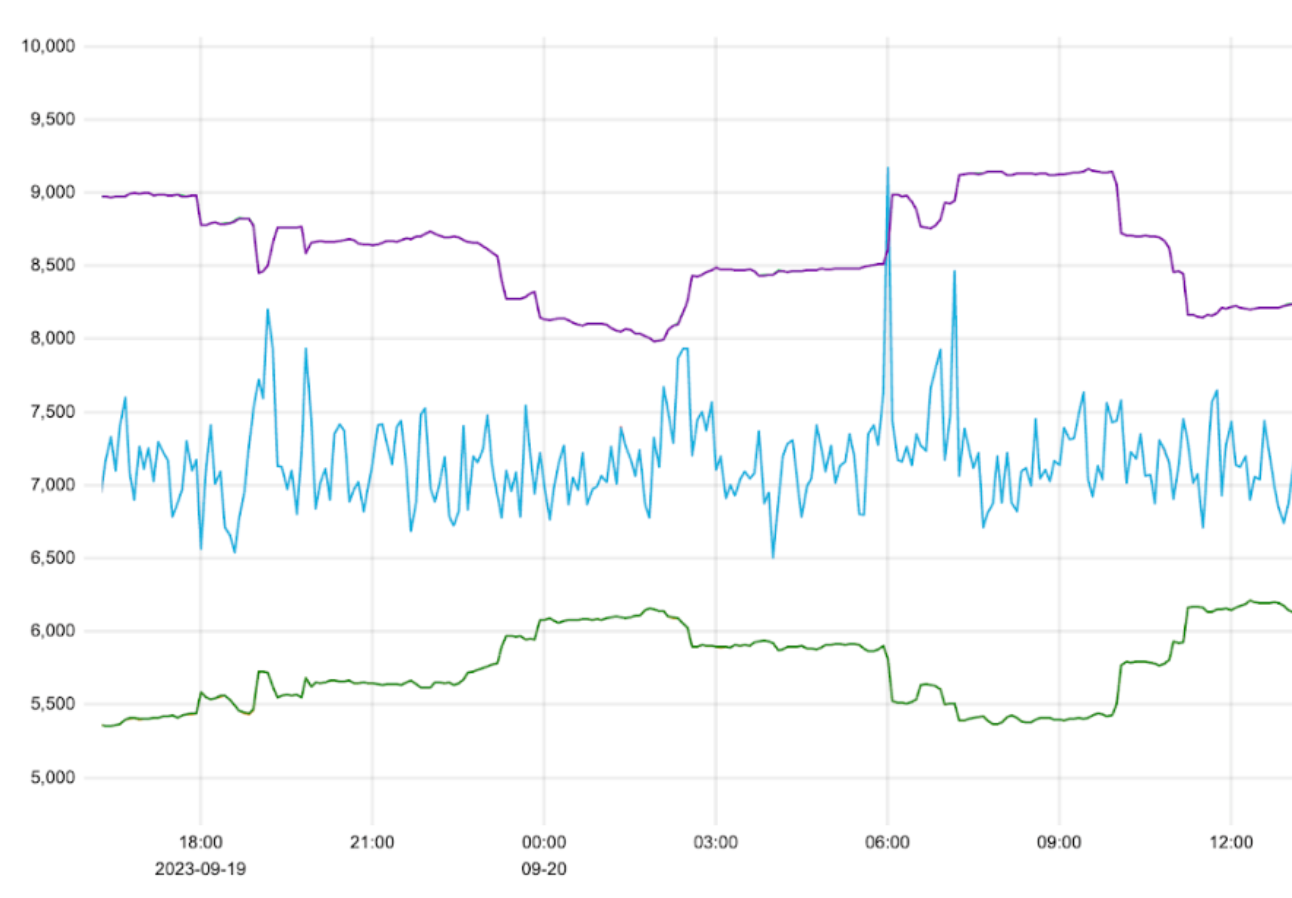
Take Ready-Analytics for example, where two of the three mechanisms, load balancing and sampling techniques, were applied. In mid-May, load balancing dropped traffic by 50%, plunging from ~26 GB/s to ~13 GB/s. Two months later, traffic had already started surging back up to ~20 GB/s. That’s about half of the reduction, erased by organic traffic growth. We then created even more headroom by reducing this dataset’s throughput rate to the single digits, ~8GB/, when sampling rolled out.
Without both interventions, Ready-Analytics alone would have breached 60 GB/s by September. By processing less data in centralized data centers, we also save a significant amount of CPUs and memory. The following graphs show the impact of load-balancing and sampling in Logfwdr on the CPU and memory usage of just the Ready-Analytics receivers: a ~50% reduction, regaining ~750 CPUs and 3.5 TiB of memory.
Across the entire pipeline altogether, from spring to fall, load balancing (~38 GB/s saved), sampling (~25 GB/s saved across top datasets), and aggregating (~7+ GB/s so far), eliminated ~70 GB/s of compressed traffic from our backbone. These cliff drops provide immediate relief.
If we zoom out such that we look at five years from now, the changes made in this year alone have just as much impact as the short-term benefits. We’ve halved the amount of data we’d be processing in another half a decade’s time. The structural and algorithmic optimizations we have and will continue to make are essential to keep hardware demands sustainable.
If you’re interested in helping us solve these challenges at scale, we’re hiring!