Post Syndicated from Cesar Caceres original https://blog.zabbix.com/exploring-ai-integration-in-zabbix-with-gemini-and-webmcp/33050/
When I first started working with Zabbix in banking and telecommunications over a decade ago, the workflow was always the same: something breaks, an alert fires, you open the dashboard, you diagnose, you fix. Every step required a human sitting in front of a screen reading charts and making decisions.
Then AI came along, and I started asking a simple question. What if I could just talk to my infrastructure and get answers? That question led me down a path from Telegram bots to WhatsApp integrations, and then from chatbots with custom modules to a full mobile application on the Google Play Store.
Along the way, I discovered that the real challenge is not connecting AI to Zabbix – it is defining how they should communicate. That is where protocols like MCP and WebMCP come in, and why they matter for anyone working in infrastructure monitoring today.
Phase 1: Just let me ask a question
The first thing I wanted was simple – to ask about my infrastructure in natural language and get a useful answer. Not parse JSON, not read raw metrics, just ask.
My early integrations used Telegram and WhatsApp as the interface. The AI (initially custom modules, later Gemini) would receive a question like “What alerts do I have right now?”, query the Zabbix API, and respond in plain language. It worked, but it was limited – the AI could only answer what I had explicitly programmed it to answer.
Phase 2: MCP gives AI a standard way to talk to Zabbix
The Model Context Protocol (MCP) developed by Anthropic solves a fundamental problem – how do you give an AI model structured access to external tools and data sources without reinventing the wheel every time?
Before MCP, every AI-to-Zabbix integration was custom. You wrote a script, parsed the API response, and formatted it for the model. If you wanted to switch from one AI provider to another, you started over. MCP standardizes this. You build an MCP server once, and any compatible AI client (Claude Desktop, Gemini CLI, or others) can use it.
The Zabbix community has already embraced this. There are now multiple open source MCP servers for Zabbix available on GitHub. You can request things like:
- “Show me all unacknowledged problems with severity High or above”
- “Create a maintenance window for host db-01 for 2 hours”
- “What changed in the last 24 hours?”
Best of all, you can do it all through natural language and through a standardized protocol.
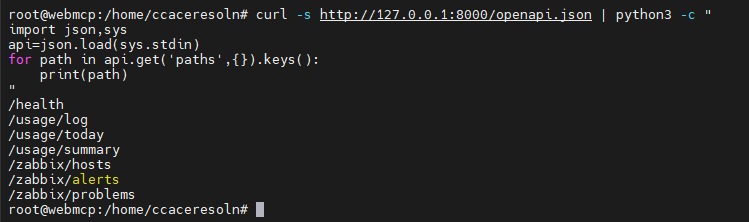
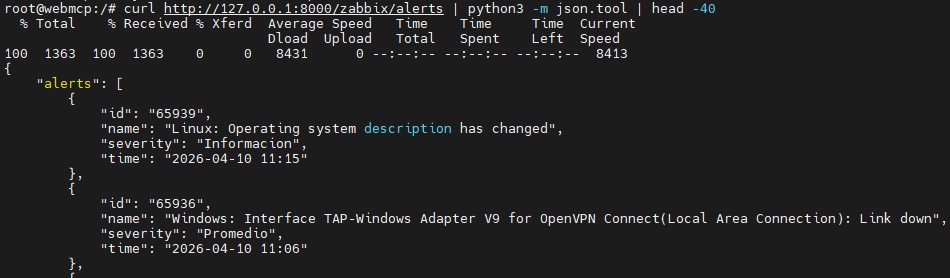
In my own environment, I set up a WebMCP server that connects a FastAPI backend to the Zabbix API, exposing structured endpoints for hosts, alerts, and problems. The server runs 24/7 alongside my Zabbix instance on a dedicated Proxmox node.
With a simple query to the WebMCP server, I can retrieve the full list of monitored hosts, check active problems, view recent alerts with their severity levels, and get a usage summary – all through clean, structured JSON responses that any AI client can consume.
Phase 3: WebMCP becomes the interface
Looking ahead, WebMCP is a proposed browser standard (co-created by engineers at Google and Microsoft) that lets websites declare their capabilities as structured tools that AI agents can call directly in the browser.
Think about what this means for Zabbix. Today, the Zabbix frontend is a web application that humans navigate – click on hosts, drill into triggers, check graphs, acknowledge problems. An AI agent trying to use the Zabbix frontend would have to take screenshots, interpret the UI, and guess where to click slow, fragile, and expensive.
With WebMCP, the Zabbix frontend could declare: “Here is a tool called get_active_problems. It needs a severity filter. Call it and I will return structured results.” The AI agent calls the function, gets clean data, and acts on it. No screenshots, no DOM scraping, no guessing.
The key differences from traditional MCP:
- WebMCP runs inside the browser tab, not on a separate server. No additional infrastructure to deploy.
- It inherits the user’s existing session the same SSO, the same cookies, the same role-based permissions. No separate auth layer.
- Tools are contextual on a problems page, the agent sees problem-related tools. On a host configuration page, it sees host tools.
Chrome 146 already ships WebMCP experimentally. Broader stable release in Chrome is expected by the end of 2026.
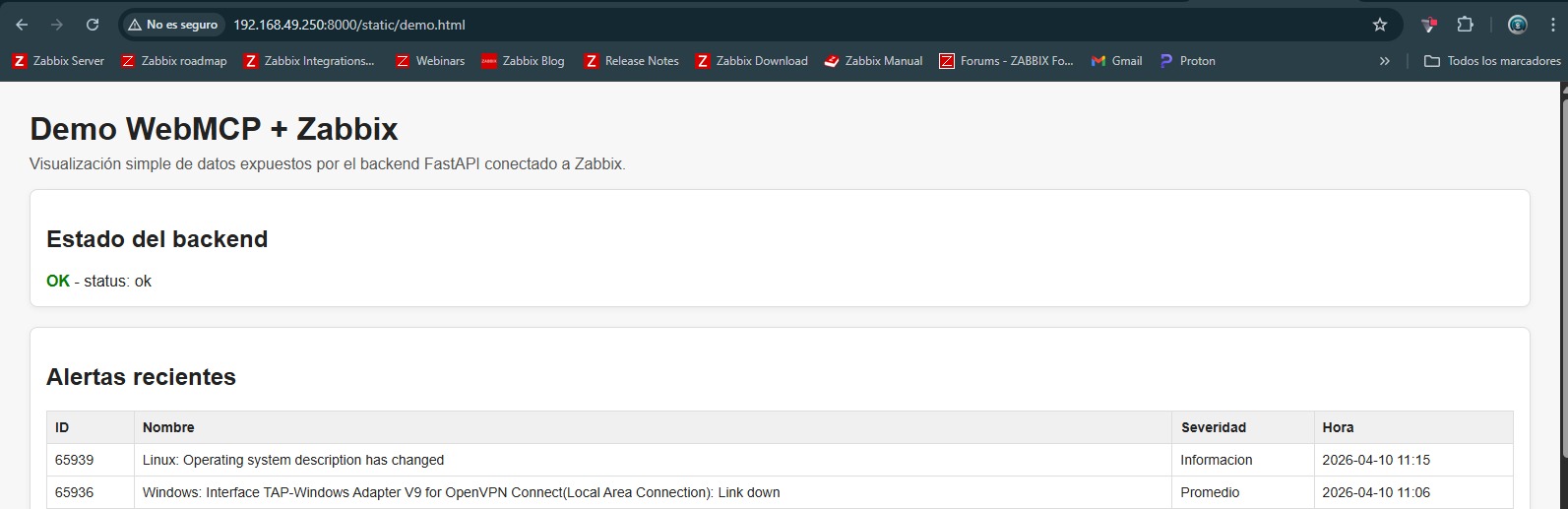
To explore this concept in practice, I set up a WebMCP server in my environment, connected to my Zabbix instance.
The server exposes Zabbix data through a browser-based interface, allowing agents to query hosts, alerts, and problems directly from the browser tab.
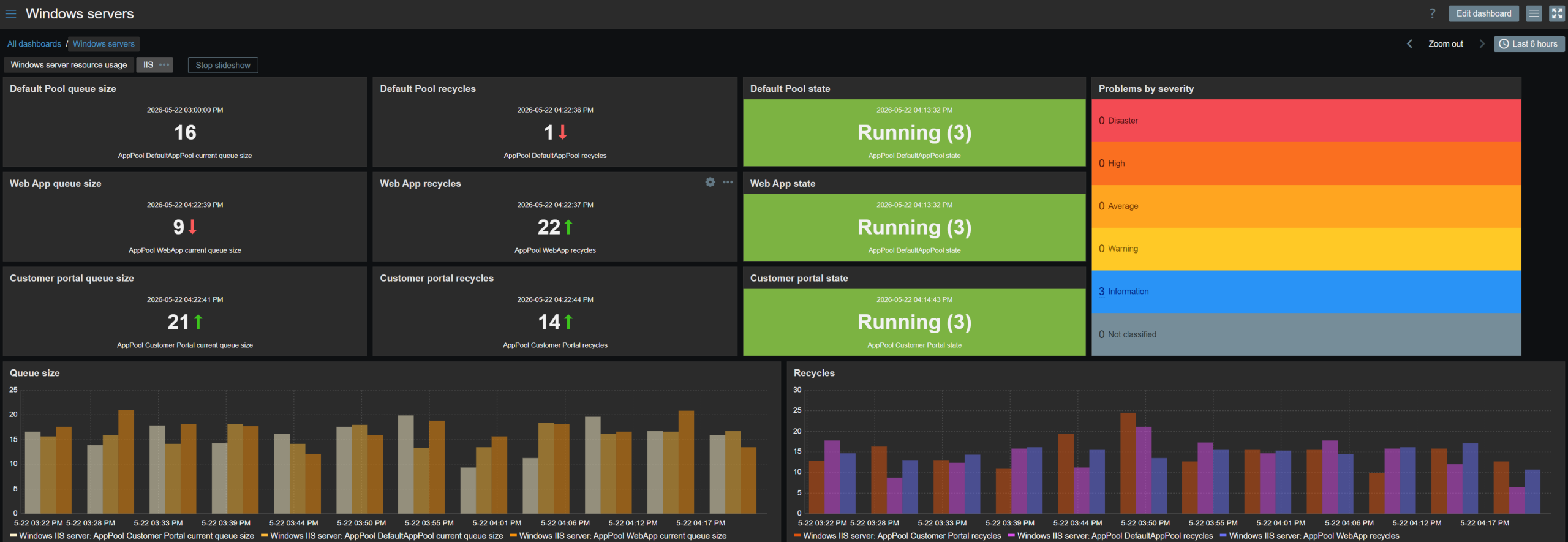
The server itself is monitored by Zabbix, so I can track its resource consumption and ensure it does not impact the rest of the infrastructure closing the loop between the tool and the platform it extends.
Why this matters for mobile monitoring
Today, if you want AI-assisted Zabbix monitoring on your phone, you need a dedicated app that connects to the Zabbix API, handles authentication, processes data, and presents it through an AI layer. That is what I built. It works, but it requires significant development effort.
WebMCP opens a different path. Imagine opening the Zabbix frontend in your mobile browser and having an AI assistant that can interact with it natively – no app required, no separate server, just the browser and the protocol. The assistant inherits your Zabbix session, sees only what your user role permits, and can help you triage incidents, assign tasks, and generate reports all through the same web interface you already use.
We are not there yet. WebMCP is still in early preview, and the Zabbix frontend needs to implement the protocol. But the architectural direction is clear. The web is becoming agent-ready, and monitoring tools will benefit enormously from this shift.
The practical roadmap
If you work with Zabbix and want to start integrating AI today, here is how I see the progression:
- Right now: Use MCP servers to connect AI assistants to the Zabbix API. The open-source options are mature, support Zabbix 7.x (and experimentally 8.0), and work with multiple AI clients. Start with read-only mode to explore safely.
- Near term: Build purpose-specific integrations. Whether it is a mobile app, a chatbot, or a custom dashboard, the Zabbix API combined with models like Gemini or Claude can deliver real value AI-generated weekly reports, intelligent alert triage, natural language infrastructure queries.
- Coming soon: Keep an eye on WebMCP. As it matures and browsers ship stable support, it will become the lowest-friction way to add AI capabilities to any web-based monitoring tool. The sites that become agent-ready first will have a compounding advantage.
Closing thoughts
The infrastructure monitoring world is at an inflection point. We have been watching dashboards and reading alerts for decades. The protocols are now emerging – MCP for backend integrations, WebMCP for browser-native interactions that will let our infrastructure genuinely talk back to us.
If you are still running Zabbix 7.0 or previous, this is the year to migrate. Older versions are losing support, and the newer API capabilities in 7.0+ are what make these AI integrations possible. Zabbix offers certification programs through Zabbix Academy, and their partner network can assist with migrations.
The post Exploring AI Integration in Zabbix with Gemini and WebMCP appeared first on Zabbix Blog.