Post Syndicated from Anupa Bhattacharyya original https://aws.amazon.com/blogs/big-data/monitoring-mwaa-orchestrated-etl-pipelines-with-amazon-opensearch-service/
When your MWAA-orchestrated extract, transform, and load (ETL) pipeline spans multiple AWS services, troubleshooting a failure becomes a scavenger hunt. AWS Glue jobs transform data, custom scripts run on Amazon Elastic Compute Cloud (Amazon EC2), and directed acyclic graphs (DAGs) in Amazon Managed Workflows for Apache Airflow (Amazon MWAA) coordinate the workflow, but each service writes logs to its own Amazon CloudWatch log group. When something breaks at 2 AM, your team spends valuable time locating the right log stream before they can even begin diagnosing the root cause.
These observability challenges aren’t unique to any one team. DevOps engineers routinely juggle multiple tools and must analyze numerous logs to identify and resolve an issue. Every pivot between tools or logs costs minutes during an outage and directly inflates mean time to resolution. Interpreting logs is another challenge. Even when engineers locate the right log stream, parsing the output requires deep familiarity with each service’s logging conventions. A single failed task can scatter relevant context across dozens of verbose, interleaved log entries that obscure the root cause rather than reveal it.
This solution helps you remediate errors in an analytics pipeline by using an AI agent to speed up root cause identification, interpret relevant logs, and recommend how to resolve the issue. In this post, you learn how to implement this analytics observability solution. The target audience is data engineers, DevOps engineers, and cloud engineers.
You deploy a set of provided AWS CloudFormation templates and an Amazon SageMaker AI notebook to implement a sample architecture and create a set of demo ETL jobs orchestrated by Amazon MWAA. The CloudFormation templates deploy the architectural components, and the SageMaker AI notebook contains code to configure the components and interact with the MCP server.
Solution overview
This solution uses CloudWatch real-time streaming to centralize the logs in Amazon OpenSearch Service. With an OpenSearch MCP server running on Amazon Bedrock AgentCore, engineers can identify issues and receive recommendations through the ETL analysis agent.
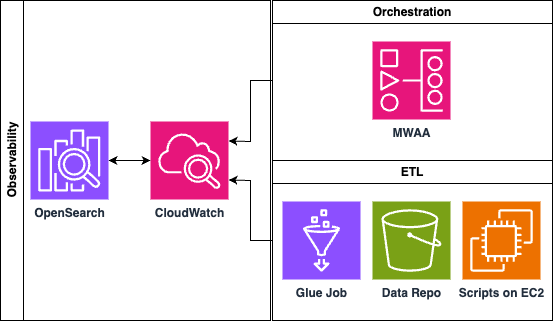
Figure 1: Solution architecture that streams ETL logs into Amazon OpenSearch Service and queries them through an MCP server on Amazon Bedrock AgentCore
Prerequisites
Before deploying this solution, make sure you have the following in place:
AWS account and AWS Region
An active AWS account with access to the US East (N. Virginia) us-east-1 Region. CloudFormation stacks must be deployed in us-east-1.
IAM permissions
An AWS Identity and Access Management (IAM) user or role with permissions to create and manage the following AWS resources:
- Amazon OpenSearch Service (domain creation, fine-grained access control).
- Amazon MWAA (environment creation, DAG execution).
- Amazon MWAA Serverless (workflow creation and execution, a versioned S3 bucket for the workflow definition, and a workflow execution role that requires
iam:PassRole). - AWS Glue (job creation and execution).
- Amazon EC2 (instance launch, security groups).
- Amazon Simple Storage Service (Amazon S3) (bucket creation, object management).
- AWS Lambda (function creation and execution).
- Amazon CloudWatch Logs (log group creation, subscription filters).
- Amazon SageMaker AI (notebook instance creation).
- Amazon Bedrock (model access, and the AgentCore runtime, a capability of Amazon Bedrock AgentCore).
- Amazon Cognito (user pool creation).
- Amazon Elastic Container Registry (Amazon ECR) (repository creation).
- AWS CodeBuild (project creation).
- AWS CloudFormation (stack creation with IAM resources).
- AWS Secrets Manager (secret creation).
- IAM (role and policy creation).
Amazon Bedrock model access
Enable access to the Anthropic Claude Sonnet model in the Amazon Bedrock console. Navigate to Model access in the Amazon Bedrock console and request access if it isn’t already enabled.
CloudFormation templates
Download the three CloudFormation template files (opensearch_cfn.yaml, etl.yaml, and agentcore-mcp-server.yaml) from the provided GitHub repository before beginning deployment.
Networking
The ETL stack creates a new virtual private cloud (VPC) (CIDR 10.192.0.0/16 by default). Check that this CIDR range doesn’t conflict with existing VPCs in your account if you plan to set up VPC peering or connectivity.
Architecture
The architecture uses Amazon MWAA (provisioned and serverless) as the orchestration layer. As a managed Apache Airflow service, Amazon MWAA lets teams author complex, dependency-aware pipelines as code and schedule, retry, and monitor them without provisioning or operating any Airflow infrastructure. An Airflow DAG defines the pipeline workflow, triggering AWS Glue ETL jobs and Python scripts running on Amazon EC2 instances. Each of these components generates logs that flow into Amazon CloudWatch Logs: Amazon MWAA through its native integration, AWS Glue through its default log group configuration, and Amazon EC2 through the CloudWatch agent.
CloudWatch subscription filters provide the bridge between log storage and analysis. When configured, these filters immediately start streaming real-time log data from selected log groups to Amazon OpenSearch Service. This approach means that data doesn’t need to be copied or duplicated. The subscription filter creates a real-time streaming pipeline that indexes logs as they arrive.
Within OpenSearch, the ML Connector framework integrates with Amazon Bedrock to provide large language model (LLM)-based inference over the log indices. The OpenSearch MCP (Model Context Protocol) server then exposes these capabilities to AI assistants, so users can query their pipeline logs using natural language to identify errors, understand failure patterns, and receive contextual remediation suggestions.
Orchestration and log generation
The architecture begins with Amazon MWAA as the orchestration layer. An Airflow DAG defines the pipeline workflow, triggering AWS Glue ETL jobs and Python scripts running on Amazon EC2 instances. Each of these components generates logs that flow into Amazon CloudWatch Logs.
Workflow
The Amazon MWAA DAG triggers the ETL workflow on a scheduled or event-driven basis. AWS Glue jobs run Spark-based transformations, and logs flow automatically to the /aws-glue/ CloudWatch log group. In parallel, Amazon EC2 Python scripts run custom processing logic and send their logs to CloudWatch. Amazon MWAA task logs automatically land in /airflow/{env}/ log groups. Finally, the CloudWatch unified agent ships logs to the designated log group, where they can be queried through the OpenSearch MCP server.
Log integration methods
| Component | Integration | Log group |
| Amazon MWAA | Native integration | /airflow/{env}/task |
| AWS Glue | Default log configuration | /aws-glue/jobs/output |
| Amazon EC2 scripts | CloudWatch unified agent | /ec2/etl-scripts |
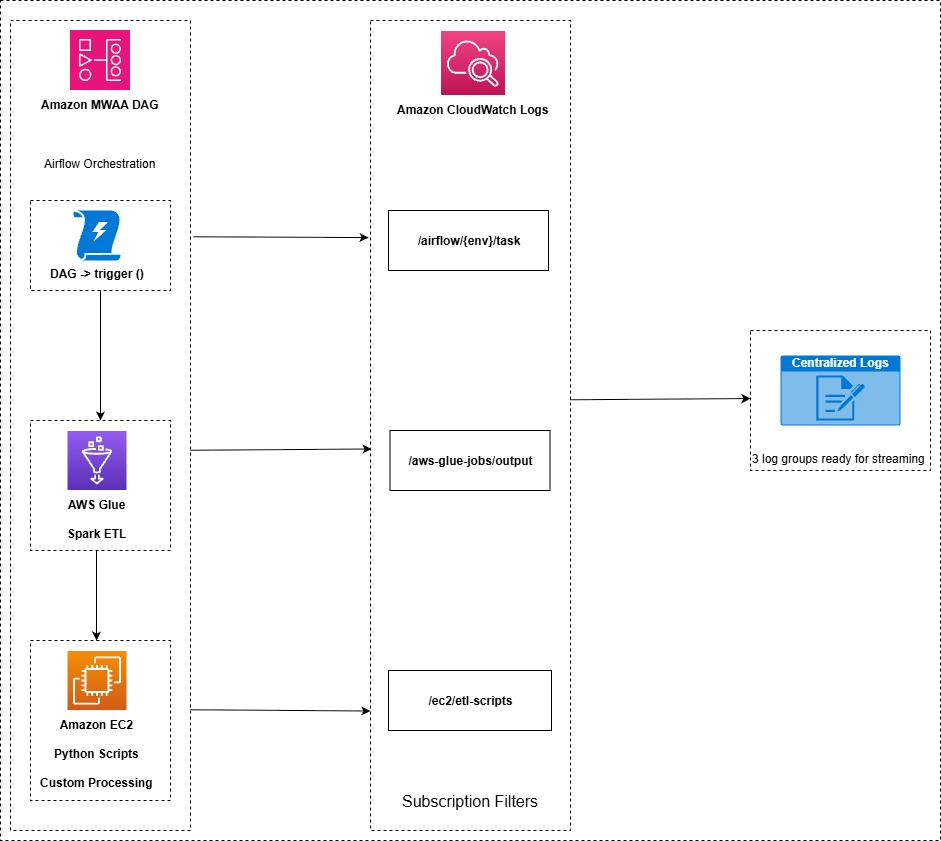
Figure 2: Log generation and integration across Amazon MWAA, AWS Glue, and Amazon EC2 components
Real-time log streaming
CloudWatch subscription filters provide the bridge between log storage and analysis. When configured, these filters immediately start streaming real-time log data from selected log groups to Amazon OpenSearch Service. This approach means that data doesn’t need to be copied or duplicated. The subscription filter creates a real-time streaming pipeline that indexes logs as they arrive.
Process
- Subscription filters are configured on each CloudWatch log group to match incoming log events.
- An AWS Lambda function decompresses gzip-encoded log data, parses and enriches records, and formats them for the OpenSearch Bulk API.
- Transformed data is bulk-indexed into Amazon OpenSearch Service domain indices (
airflow-logs-*,glue-logs-*,ec2-logs-*,unified-etl-*).
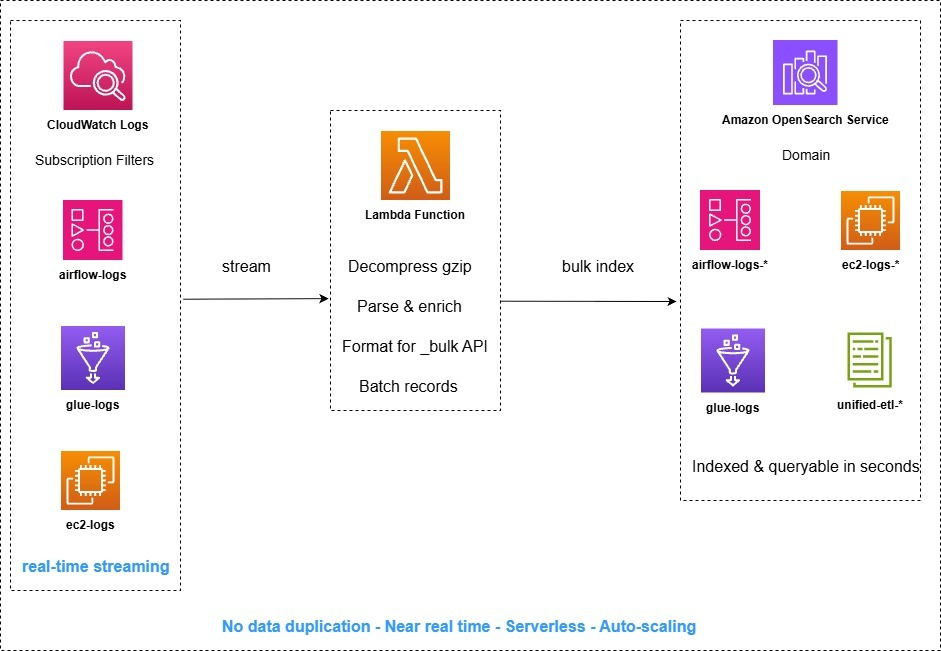
Figure 3: Real-time log streaming from CloudWatch through AWS Lambda into Amazon OpenSearch Service indices
AI-powered analysis and MCP interface
Within OpenSearch, the ML Connector framework integrates with Amazon Bedrock to provide LLM-based inference over the log indices. The OpenSearch MCP (Model Context Protocol) server then exposes these capabilities to AI assistants, so users can query their pipeline logs using natural language to identify errors, understand failure patterns, and receive contextual remediation suggestions.
Process
- A user submits a natural language query through the AI assistant (for example, “Why did the Glue job fail at 3 AM?”).
- The MCP server translates the query into OpenSearch DSL with ML-enhanced ranking and semantic search.
- The ML Connector invokes Amazon Bedrock (Claude) for semantic understanding, log summarization, and pattern detection.
- The AI assistant returns root cause analysis with specific remediation steps to the user.
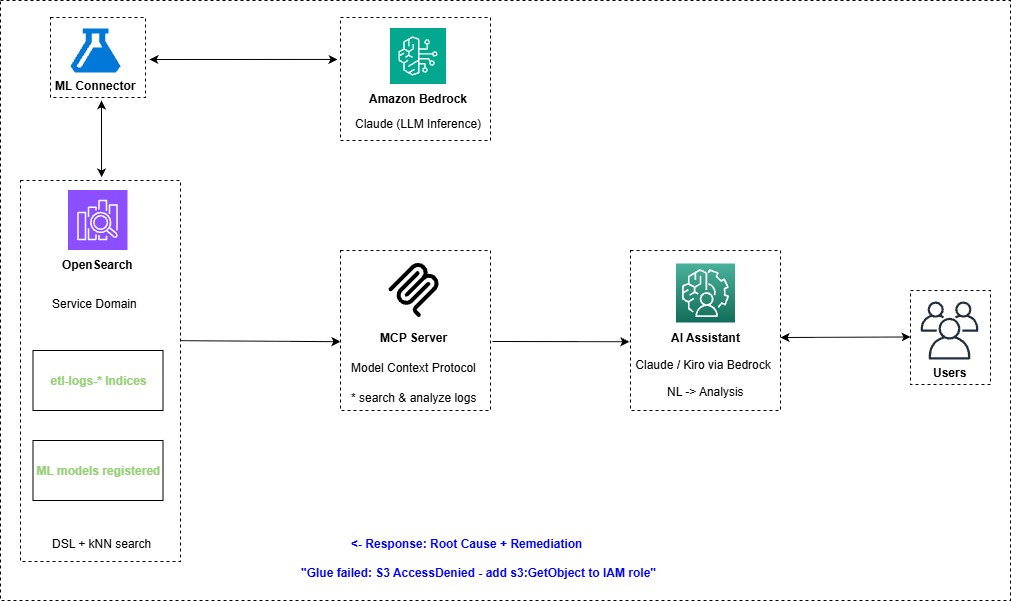
Figure 4: AI-powered log analysis flow from a natural language query to root cause and remediation guidance
Key architectural benefits
- Zero data duplication: Subscription filters stream data directly without batch exports, S3 staging, or data copying.
- Near real-time: Logs are indexed in OpenSearch shortly after generation in source systems.
- Natural language: Users query logs conversationally through MCP, with no need to write OpenSearch DSL manually.
- Reduced mean time to resolution: Root cause and remediation recommendations are delivered in a single query, reducing mean time to resolution.
- Unified view: ETL components are observable through a single search interface.
- Managed services: There’s no infrastructure to provision, patch, or maintain.
CloudFormation stacks
The solution is split into three CloudFormation stacks. Each template provides a distinct layer of the pipeline.
| Stack | Template file | Deploy time | Purpose |
| opensearch-cfn | opensearch_cfn.yaml |
~15–20 min | OpenSearch domain, SageMaker AI notebook, IAM roles |
| etl | etl.yaml |
~25–30 min | VPC, Amazon MWAA, AWS Glue, Amazon EC2, log streaming pipeline |
| agentcore-mcp-server | agentcore-mcp-server.yaml |
~8–12 min | Amazon Bedrock AgentCore MCP Server with Amazon Cognito authentication |
Stack 1: opensearch-cfn (opensearch_cfn.yaml)
This stack provisions the foundational OpenSearch domain along with a classic SageMaker AI notebook instance for interactive exploration. This stack creates:
- An Amazon OpenSearch Service domain (OpenSearch 3.5) with fine-grained access control.
- A SageMaker AI notebook instance preloaded with workshop lab notebooks.
- S3 buckets for ETL data, DAGs, and more.
- IAM roles for notebook and Amazon Bedrock access.
- A Secrets Manager secret for OpenSearch credentials.
| Parameter | Default | Description |
| OpenSearchUsername | admin | Admin username for the OpenSearch cluster |
| OpenSearchPassword | (secure) | Admin password (8–32 chars, letters + numbers + symbols) |
Stack 2: etl (etl.yaml)
This stack provisions the ETL resources: the networking, orchestration, compute, and log streaming pipeline that feeds OpenSearch. This stack creates:
- A VPC with private subnets and a NAT gateway for Amazon MWAA networking.
- An Amazon MWAA environment running an Airflow DAG.
- An AWS Glue ETL job (reads XLSX, drops a column, writes JSON).
- An Amazon EC2 instance running a parallel Python ETL script.
- An Amazon MWAA Serverless workflow for aggregation.
- S3 buckets for DAG storage and ETL data.
| Parameter | Default | Description |
| EC2InstanceType | t3.micro | EC2 instance type for the ETL script |
| VpcCIDR | 10.192.0.0/16 | CIDR block for the Amazon MWAA VPC |
| OpenSearchStackName | opensearch-cfn | Name of the OpenSearch stack (for cross-stack imports) |
Stack 3: agentcore-mcp-server (agentcore-mcp-server.yaml)
This stack deploys an Amazon Bedrock AgentCore MCP Server that exposes OpenSearch tools (ListIndexTool, IndexMappingTool, SearchIndexTool) for natural language log queries. It includes Amazon Cognito authentication and a containerized MCP server built through CodeBuild. This stack creates:
- An Amazon Bedrock AgentCore runtime hosting the OpenSearch MCP server.
- An Amazon Cognito user pool for OAuth authentication.
- An Amazon ECR repository for the MCP server container.
- A CodeBuild project to build and deploy the container.
| Parameter | Default | Description |
| MultimodalStackName | opensearch-cfn | OpenSearch stack name (for importing domain endpoint) |
| AgentCoreMCPServerName | opensearch_mcp_server | MCP server name (max 35 chars, appended with unique ID) |
| AmazonOpenSearchEndpoint | (auto-import) | Leave blank to auto-import from opensearch-cfn stack |
| ExecutionRole | (auto-create) | Leave blank to create a new role |
| ECRRepository | (auto-create) | Leave blank to create a new ECR repo |
| OAuthDiscoveryURL | (auto-create Cognito) | Leave blank to create a new Amazon Cognito user pool |
Deployment order: opensearch-cfn, followed by etl and agentcore-mcp-server. The etl and agentcore-mcp-server CloudFormation templates use outputs from opensearch-cfn.
Implementation
Deploy each CloudFormation stack in sequence
- Deploy the OpenSearch infrastructure for opensearch-cfn.
- Go to the AWS CloudFormation console, confirm you are in us-east-1, and confirm that Amazon Bedrock is available.

Figure 5: Confirming the us-east-1 Region in the AWS CloudFormation console
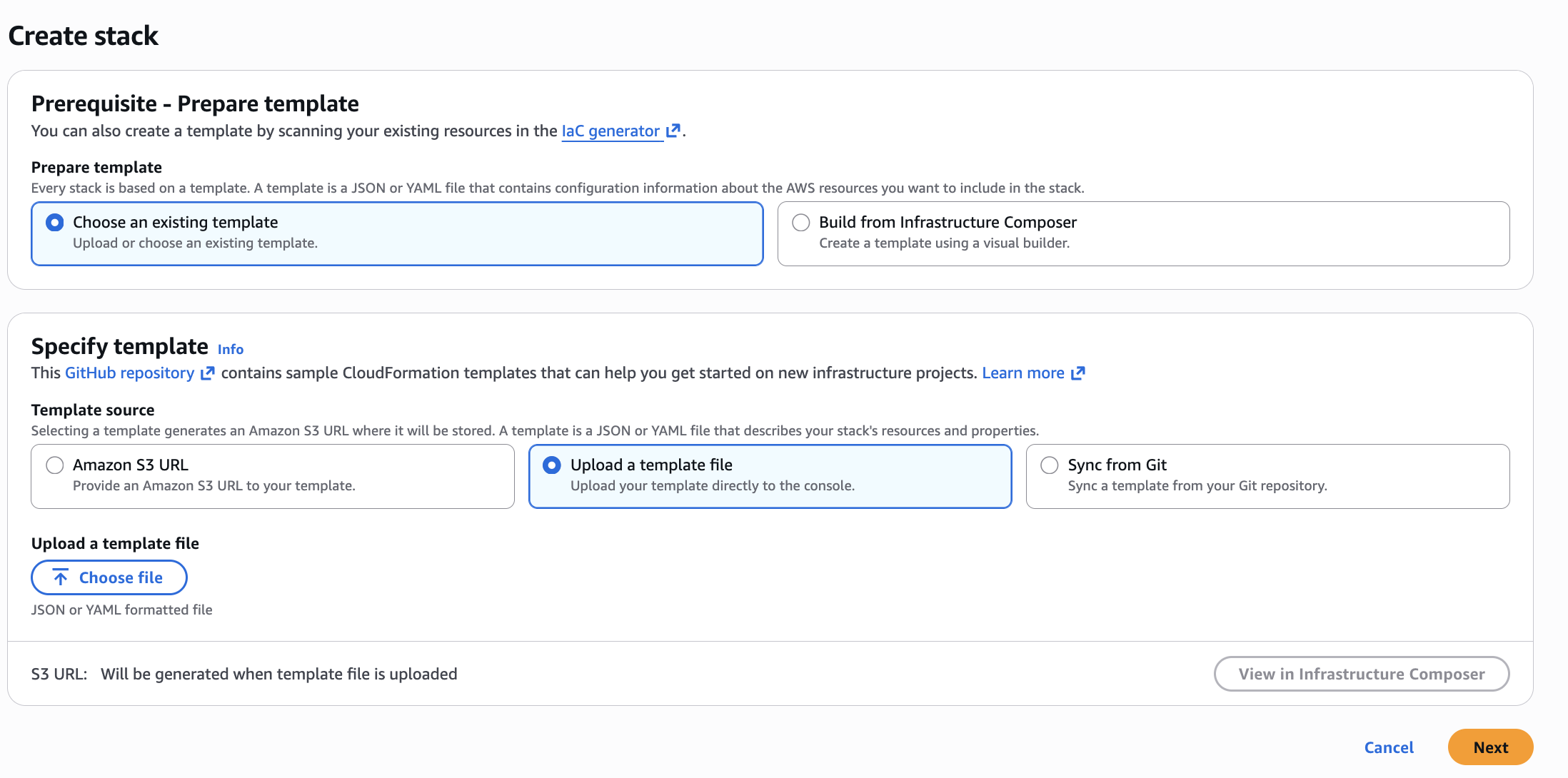
- Create the stack. Choose Create stack (with new resources), and then choose an existing template. Select Upload a template file, choose the opensearch-cfn YAML file, and choose Next.
Figure 6: Uploading the opensearch-cfn template on the Create stack page
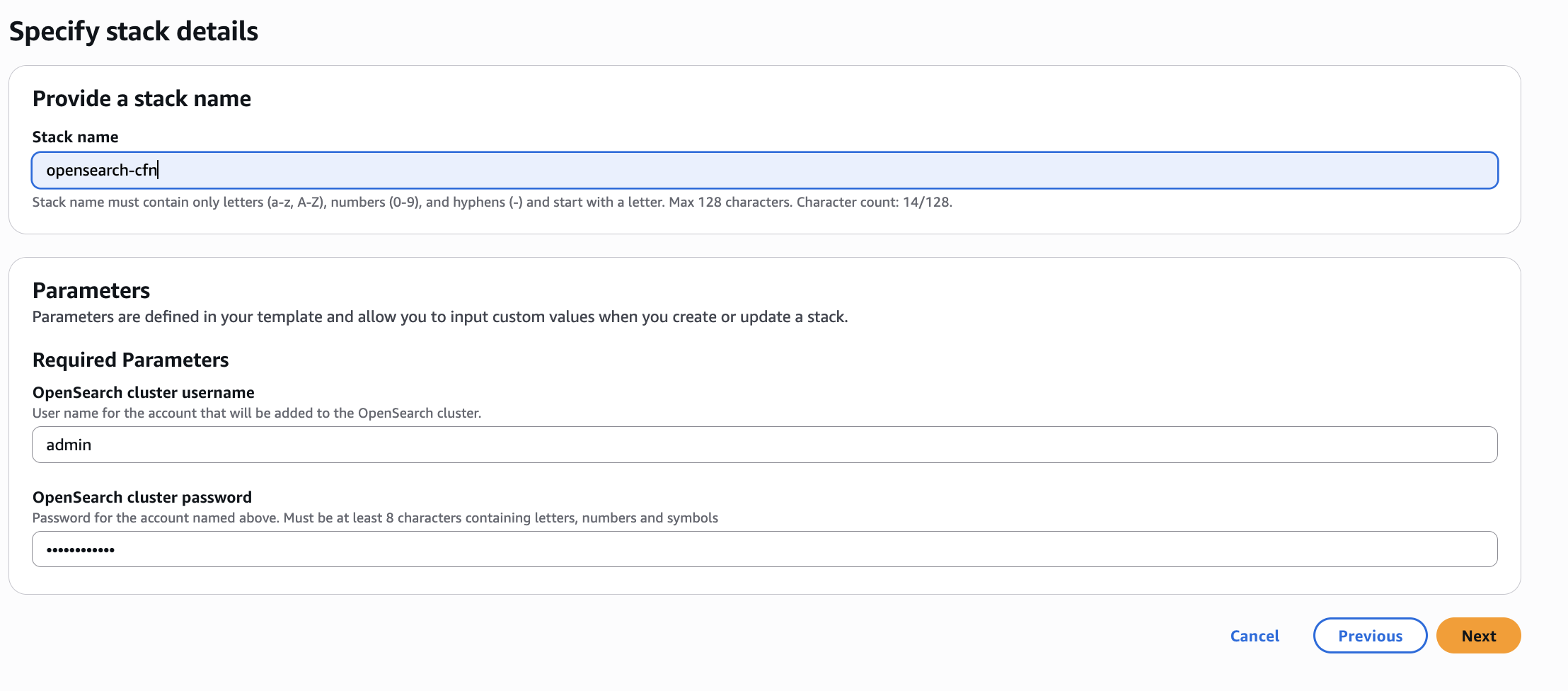
- Configure stack options. For stack name, enter
opensearch-cfn, leave the parameters as their defaults, and choose Next.
Figure 7: Entering the stack name on the Configure stack options page
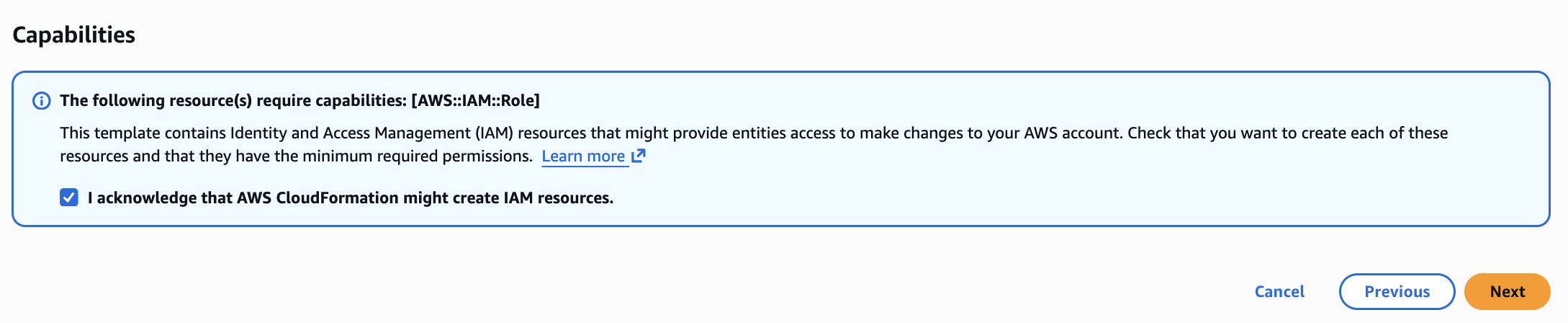
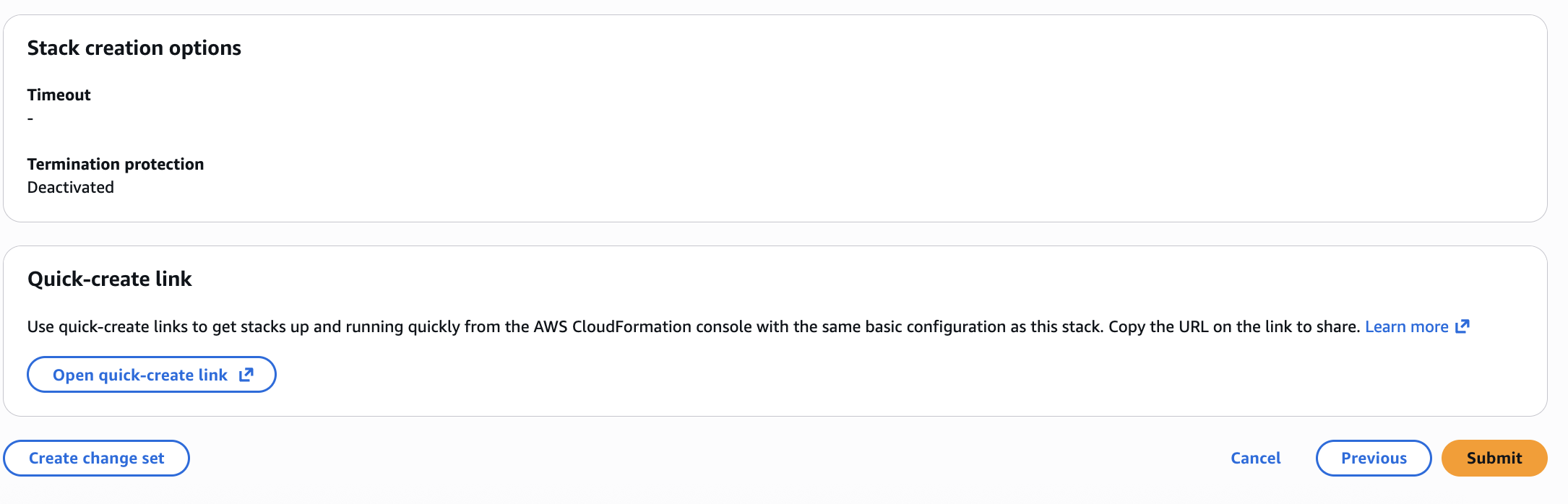
- Review and deploy. Review the parameter summary, then scroll to the bottom and select I acknowledge that AWS CloudFormation might create IAM resources with custom names. Choose Next, and then choose Submit.
Figure 8: Acknowledging IAM resource creation on the review page
Figure 9: Reviewing and submitting the stack
Wait for the stack to complete until its status changes to CREATE_COMPLETE.
- Deploy the ETL stack the same way. Set the stack name to
etl, leave the parameters as their defaults, and wait for the status to change to CREATE_COMPLETE. - Deploy the agentcore-mcp-server stack the same way. Set the stack name to
agentcore-mcp-server, leave the parameters as their defaults, and wait for the status to change to CREATE_COMPLETE.
Work with the SageMaker AI notebook
- Open the SageMaker AI notebook. Go to AWS CloudFormation on the AWS Management Console and select the opensearch-cfn stack.
- Select the Outputs tab, scroll down, and open the URL for the SageMaker AI notebook.
- After SageMaker AI has loaded, select Lab-OpenSearch-Observability.ipnyb from the left side menu to open the notebook.
- Run each cell in order. To do this, select the cell and then choose the play button (the right-facing triangle).
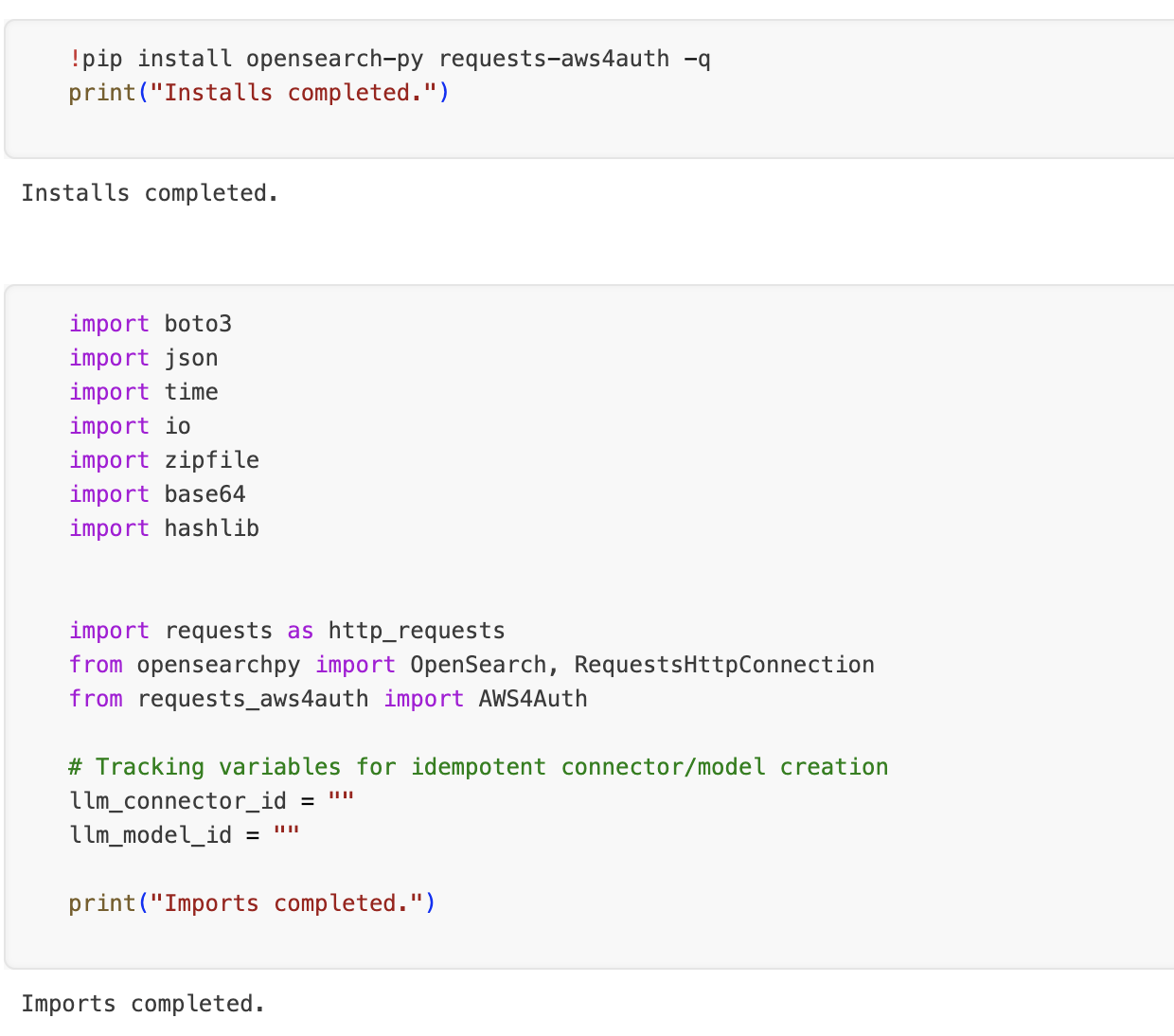
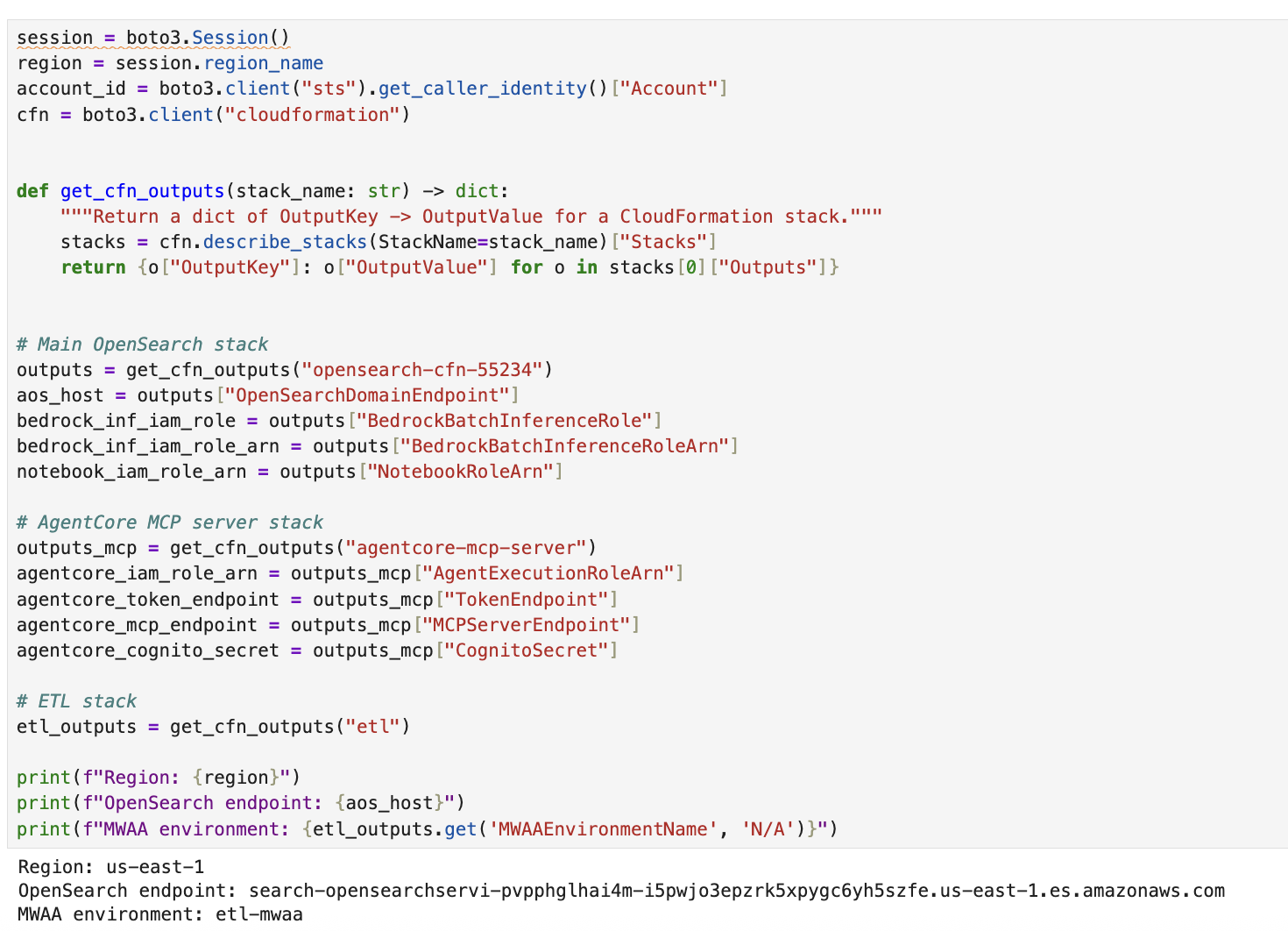
- Complete the prerequisites. Section 1 of the notebook loads the required Python modules to run the code in this notebook. It also retrieves resource metadata for the resources created by the CloudFormation stacks. These cells need to run before you move to section 2.
Figure 10: Load the required libraries and import the Python modules
Figure 11: Load the CloudFormation stack outputs
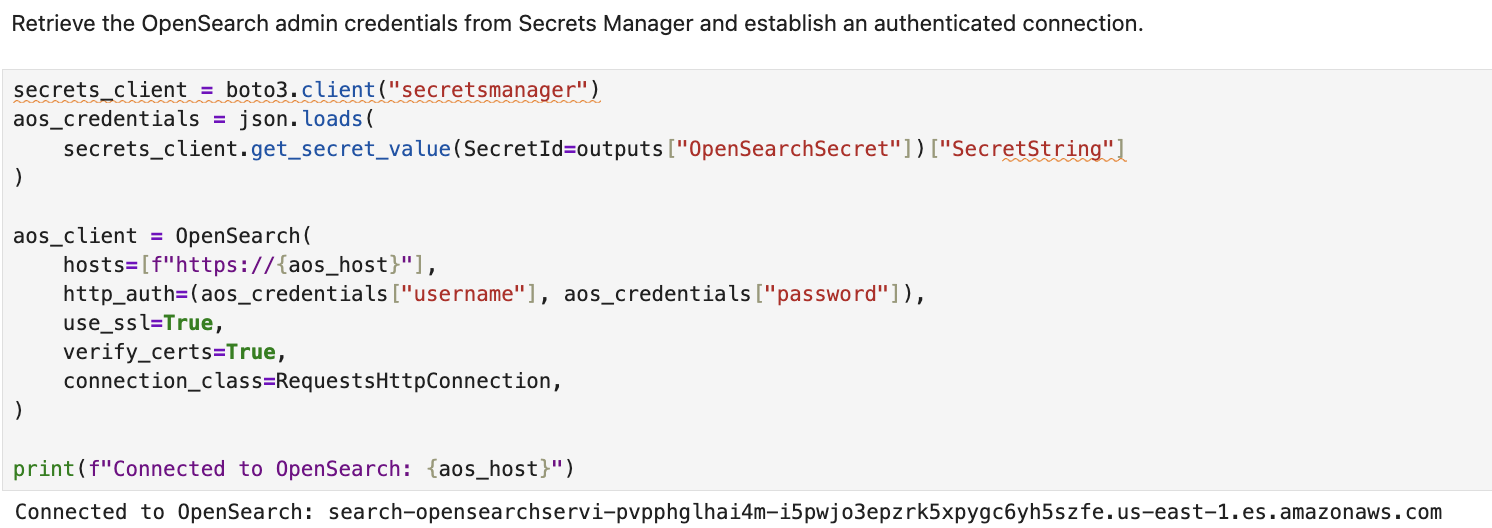
- Section 2: Connect to OpenSearch.
Figure 12: Authenticate by retrieving the OpenSearch admin credentials from Secrets Manager
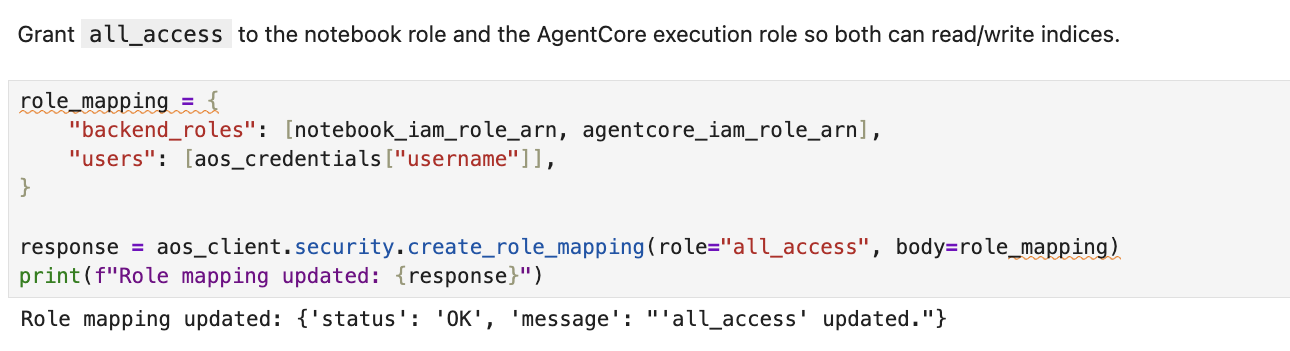
Figure 13: Grant access to the notebook role and the AgentCore execution role
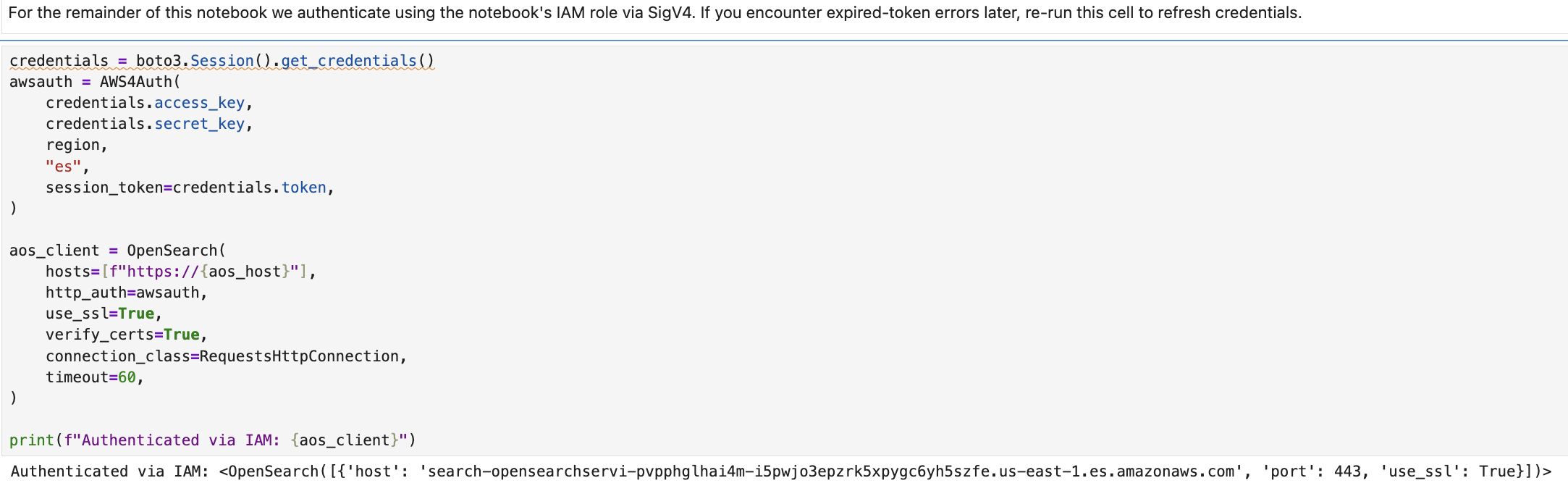
Figure 14: Switch to IAM-based authentication
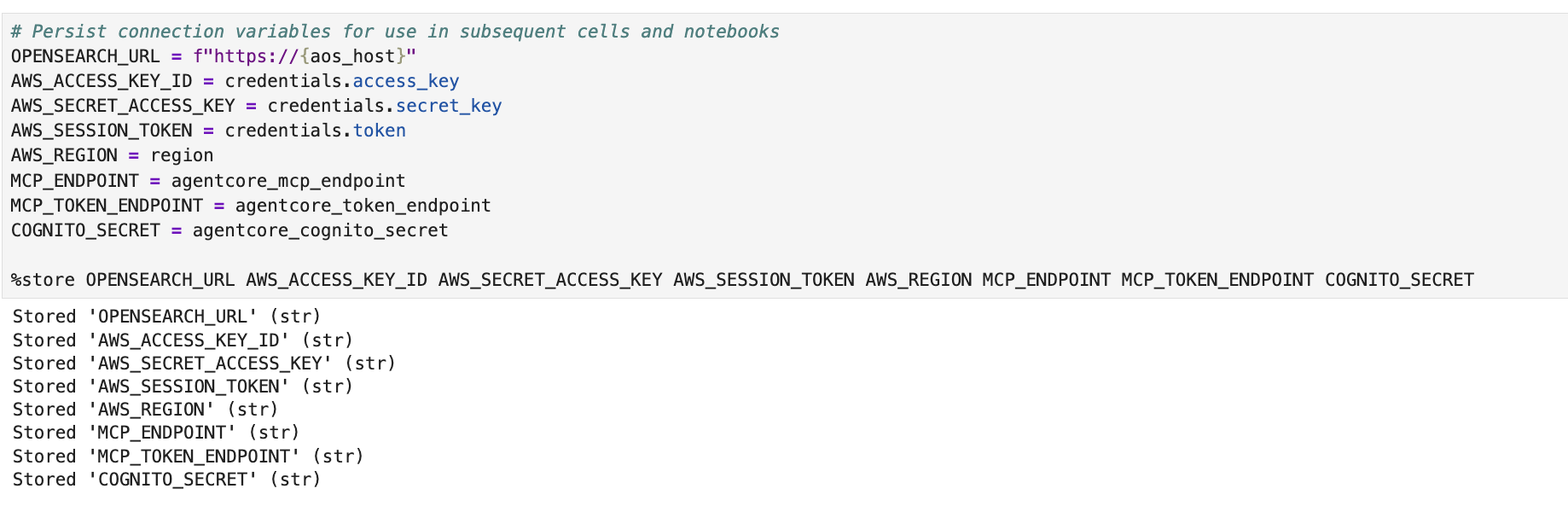
Figure 15: Persist connection variables for use in subsequent cells and notebooks
- Section 3: Stream CloudWatch Logs into OpenSearch.
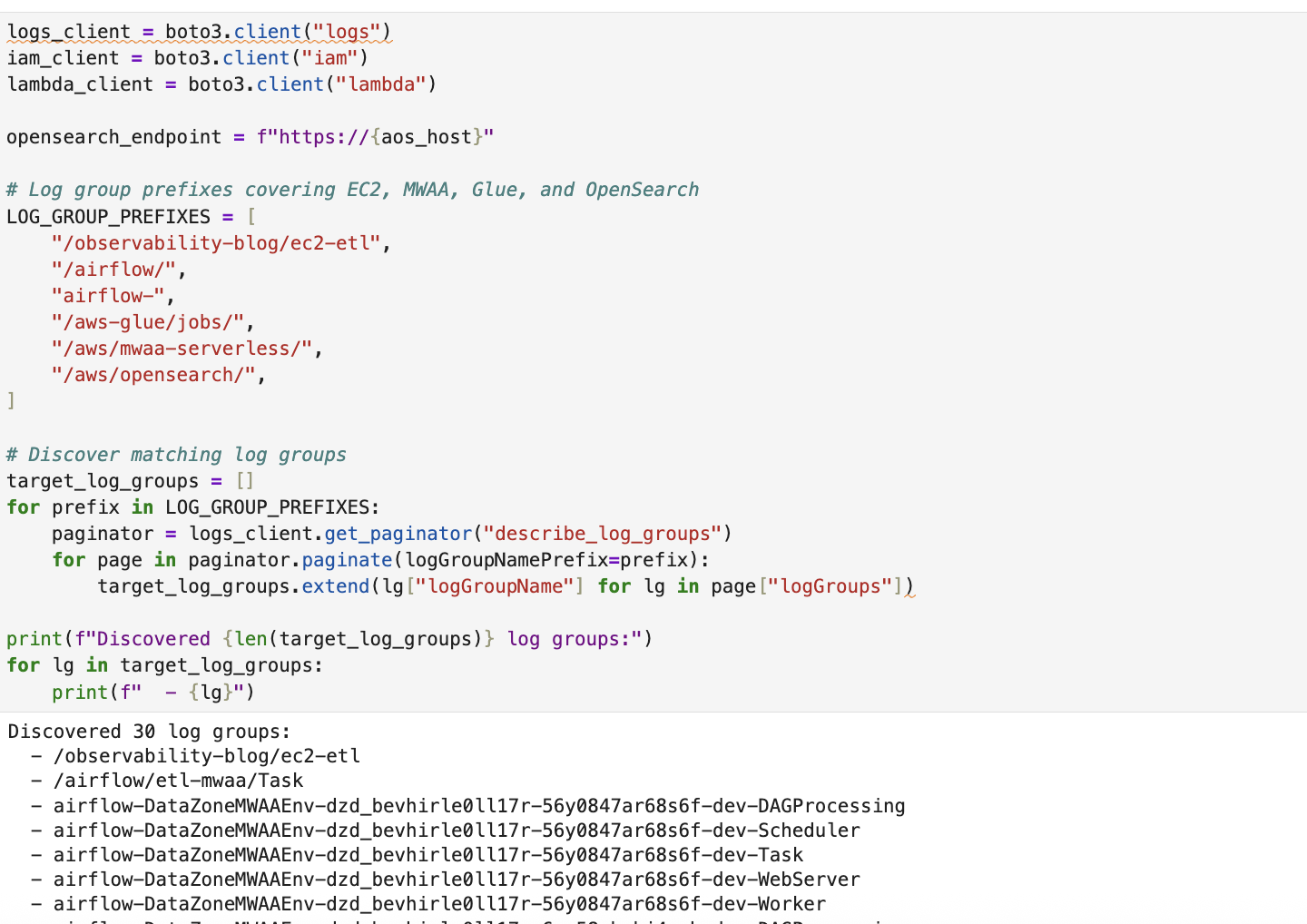
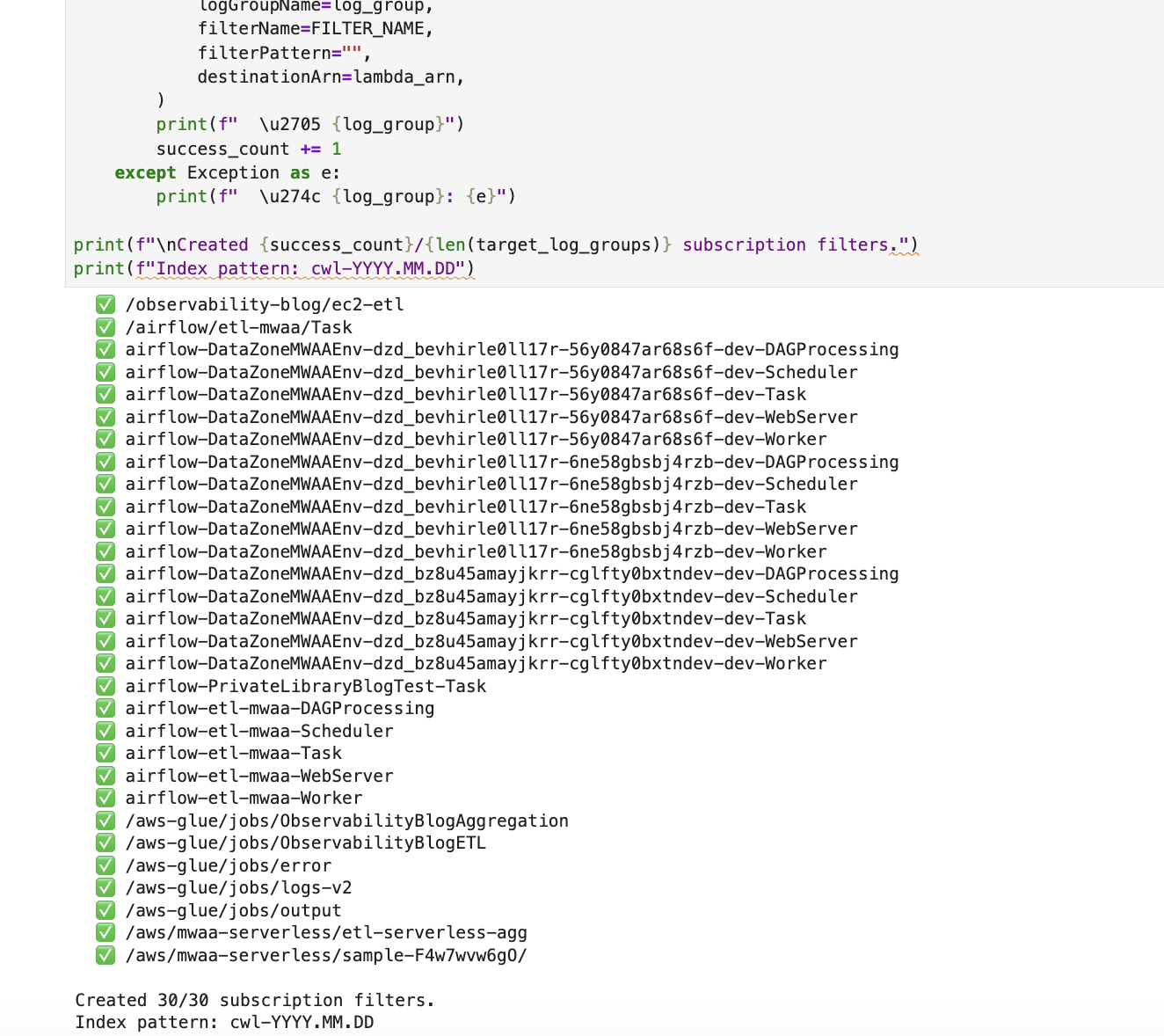
Figure 16: Create the Lambda function and CloudWatch subscription filters that stream ETL-related log groups into OpenSearch indices
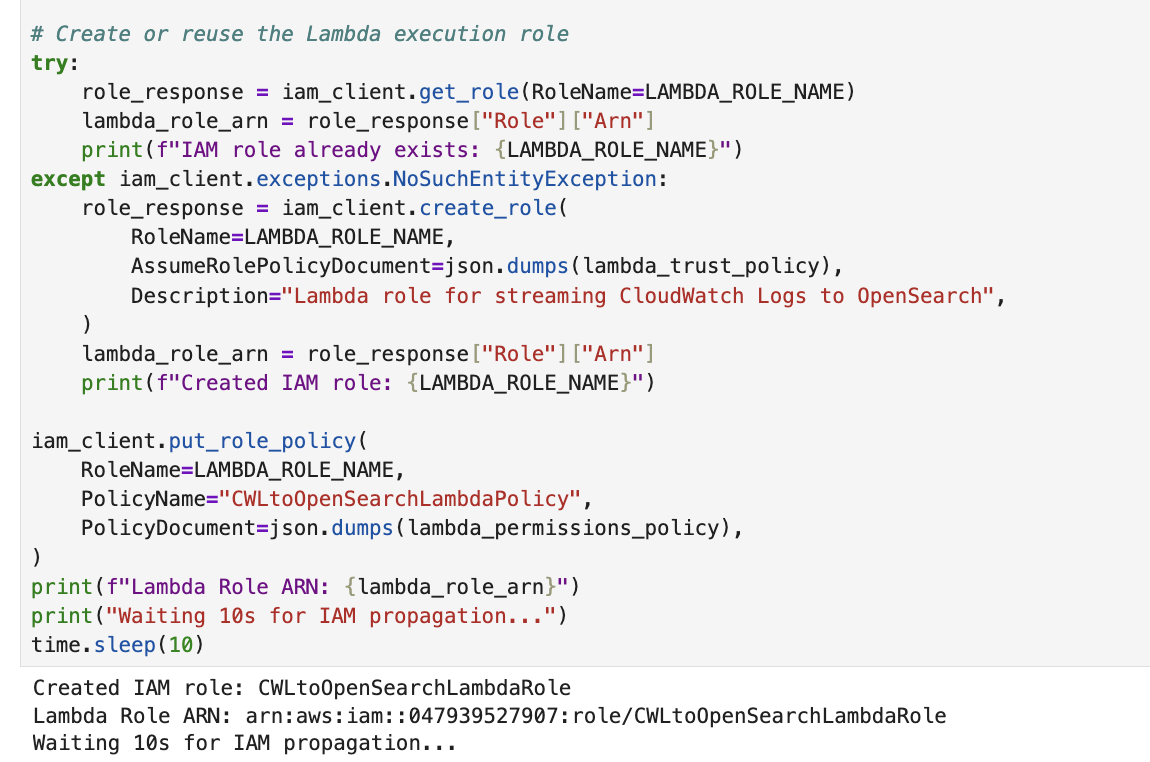
Figure 17: Create the IAM role for the Lambda function
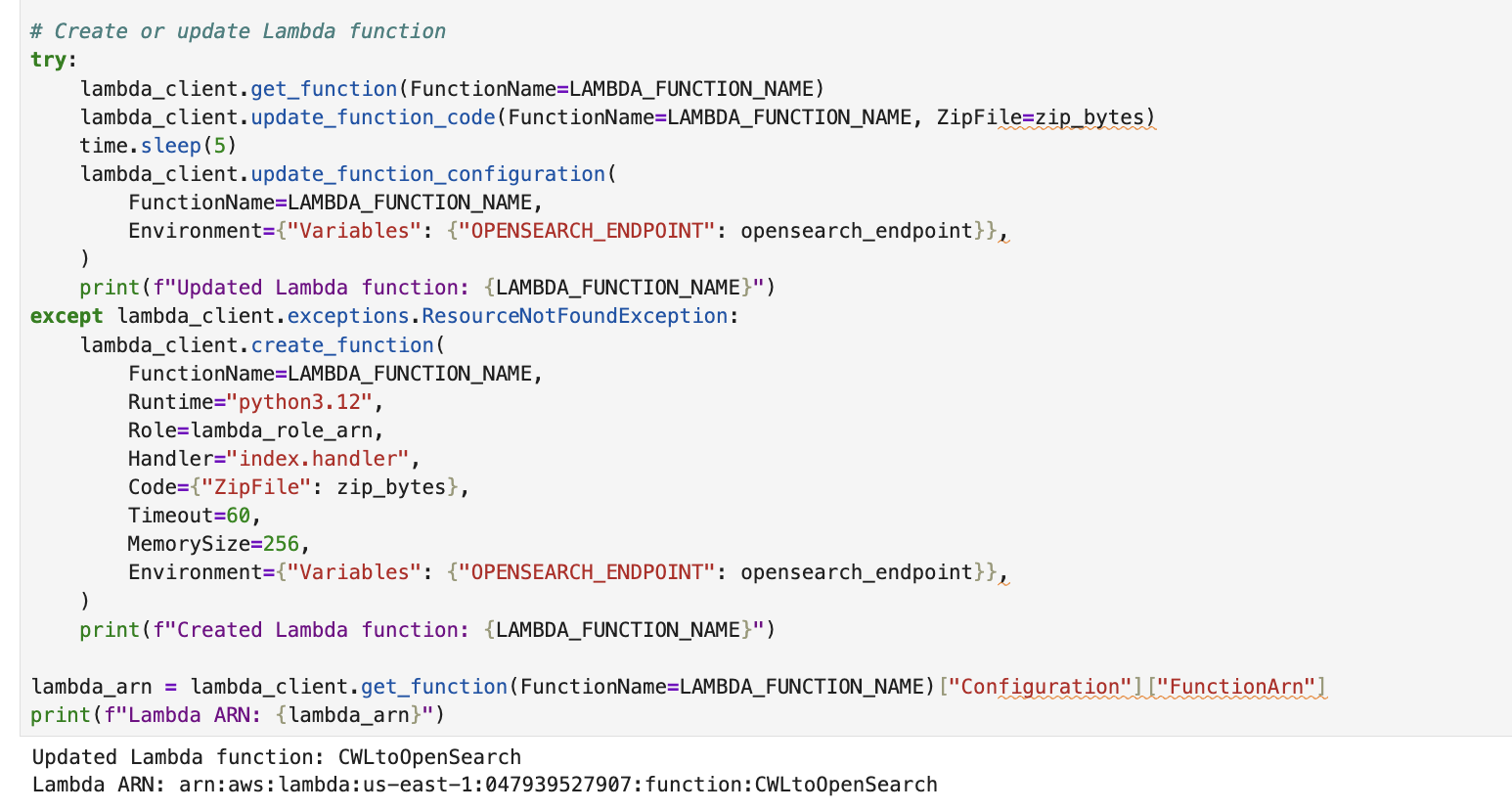
Figure 18: Create the Lambda function
Figure 19: Grant CloudWatch Logs permission to invoke the Lambda function
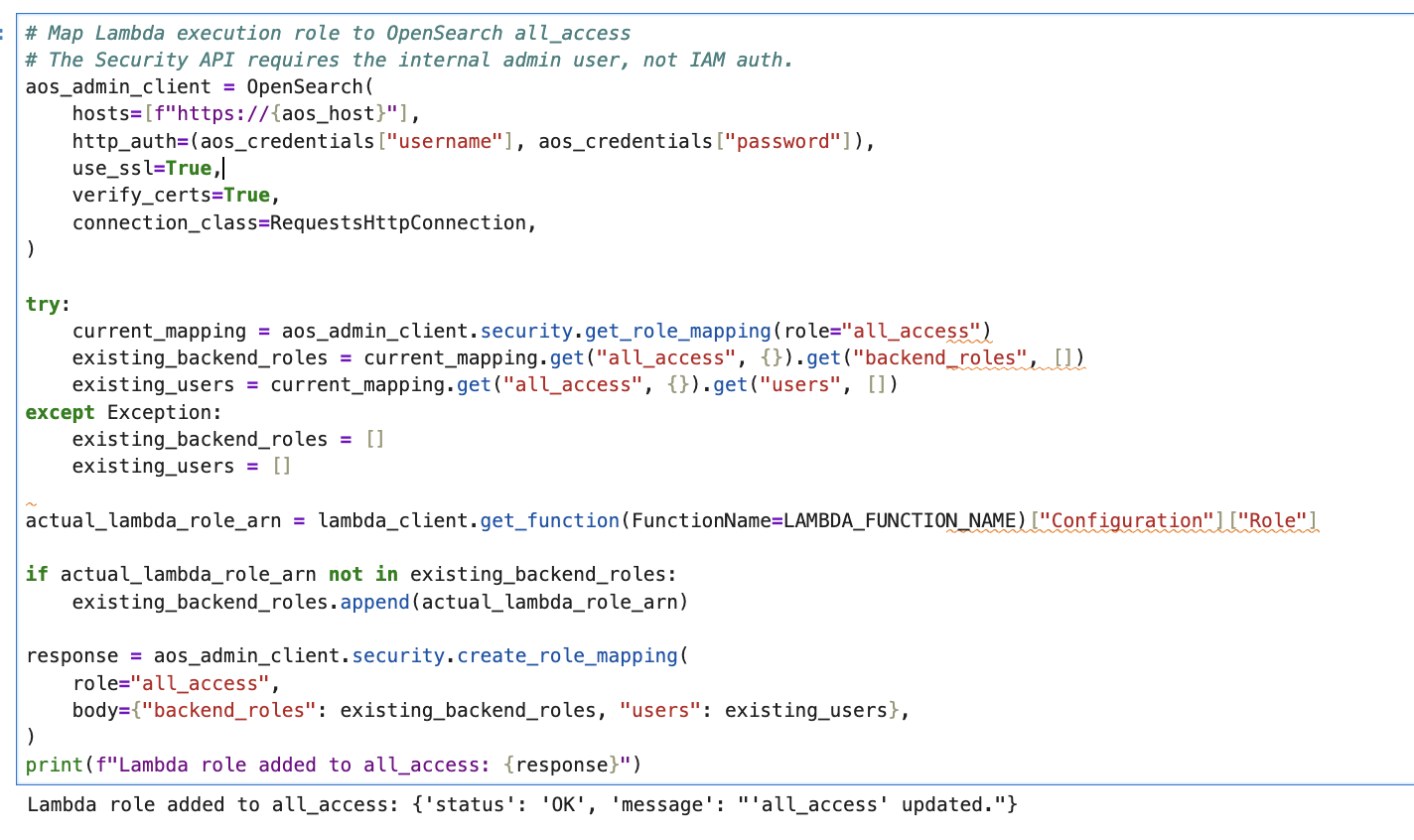
Figure 20: Map the Lambda execution role to the OpenSearch all_access role
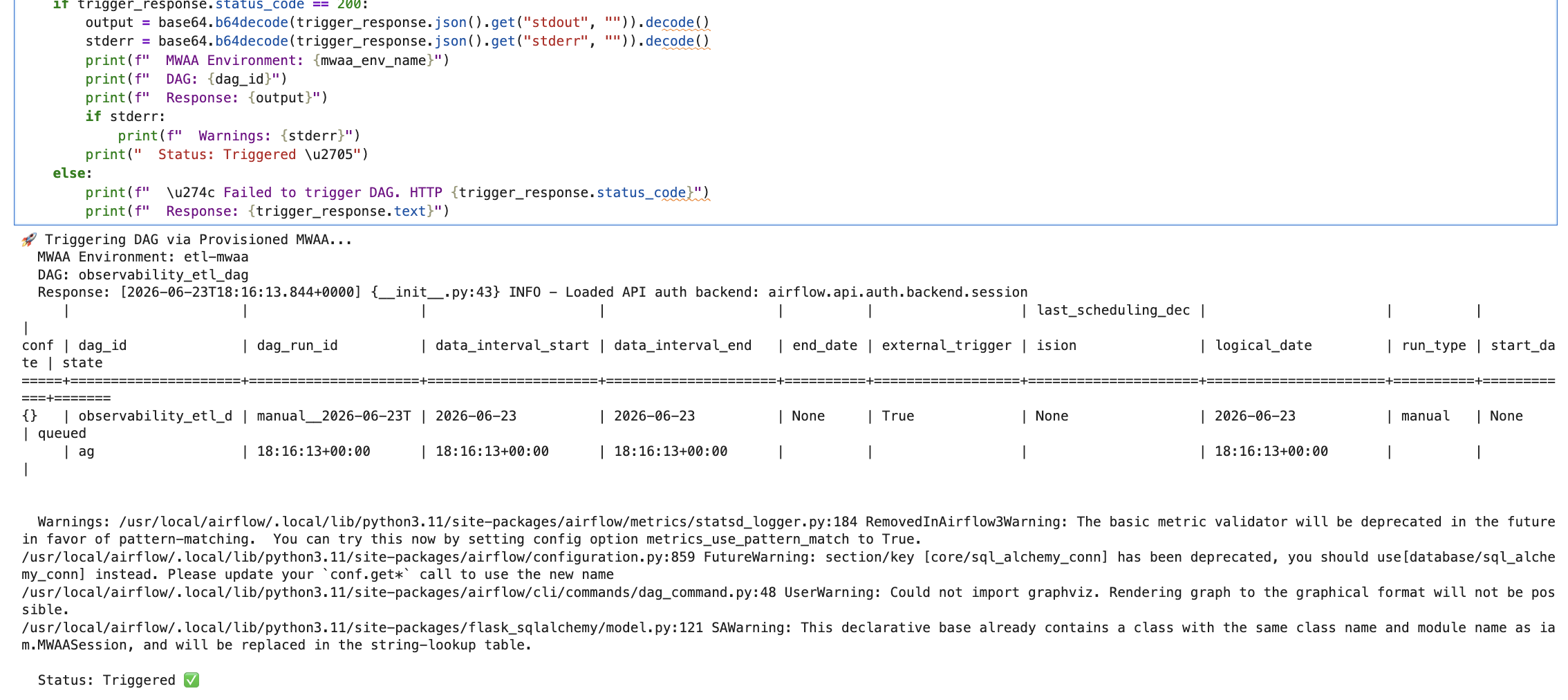
- Section 4: Trigger the ETL DAG.
Trigger the ETL DAG and generate logs through the
USE_SERVERLESSflag to select your preferred runtime environment.When set to False (the default), the
observability_etl_dagDAG runs on provisioned Amazon MWAA, running AWS Glue and Amazon EC2 tasks in parallel. When set to True, theobservability_blog_aggregationDAG runs on Amazon MWAA Serverless, running an AWS Glue aggregation job.
Figure 21: Trigger the ETL DAG
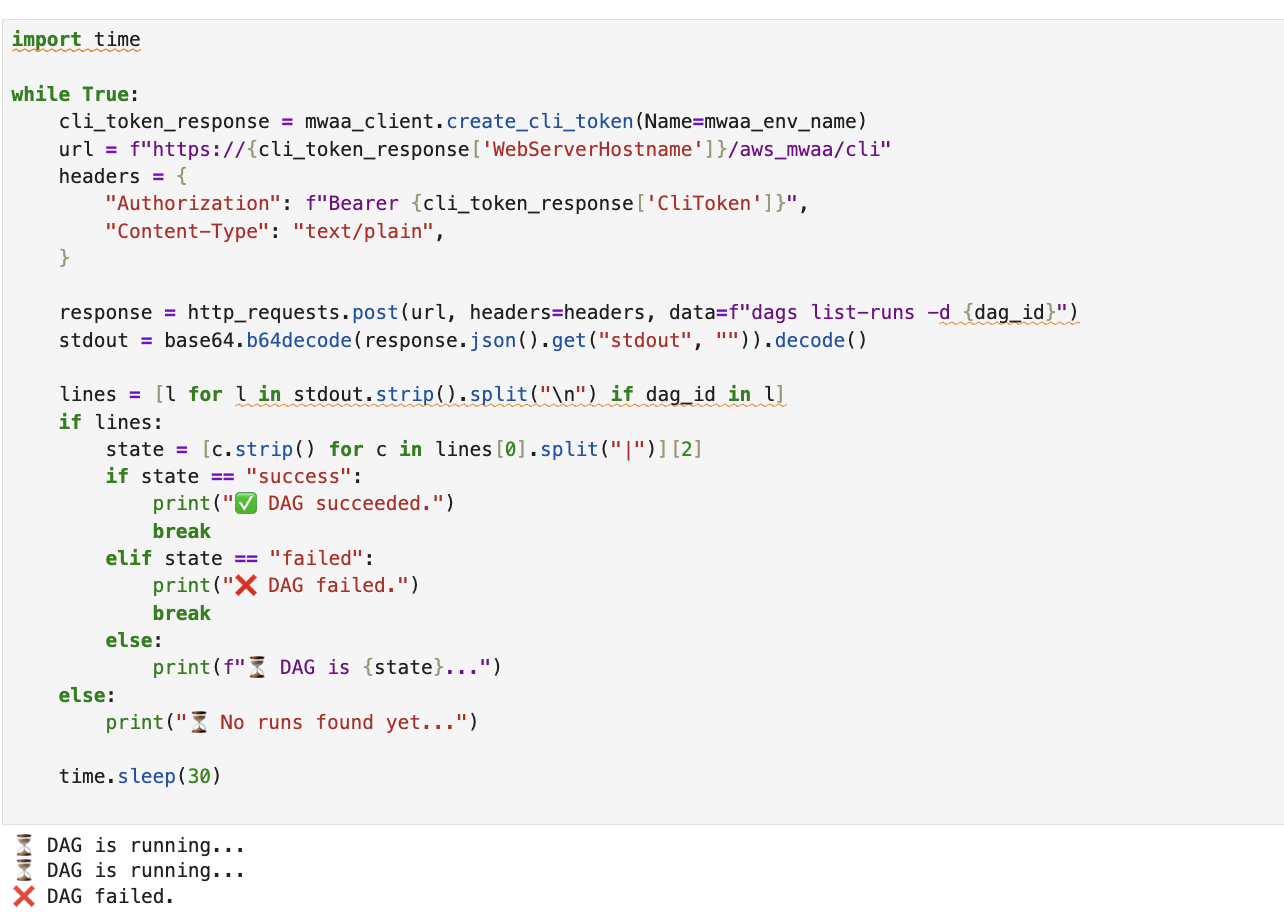
Figure 22: Verify that the DAG has stopped running
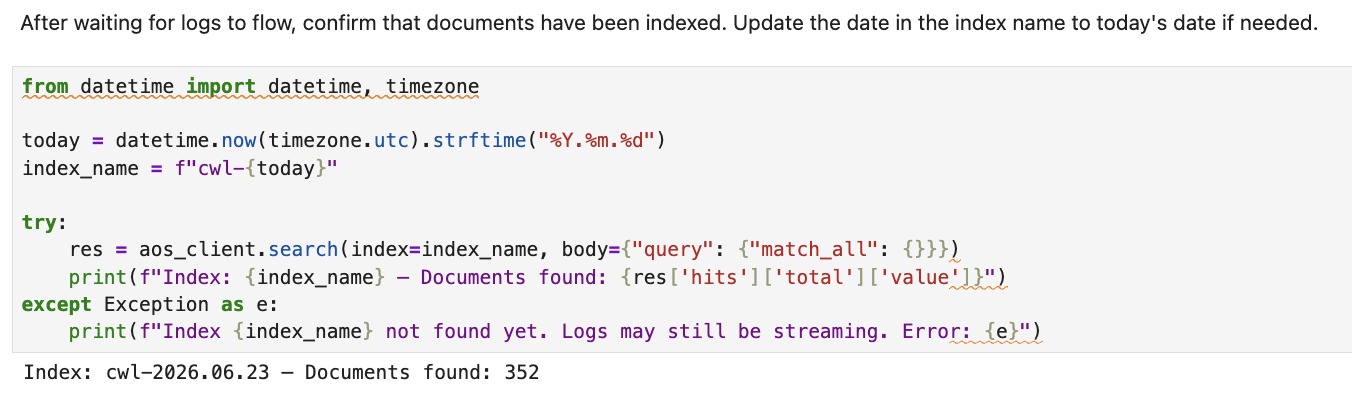
Figure 23: Verify log ingestion
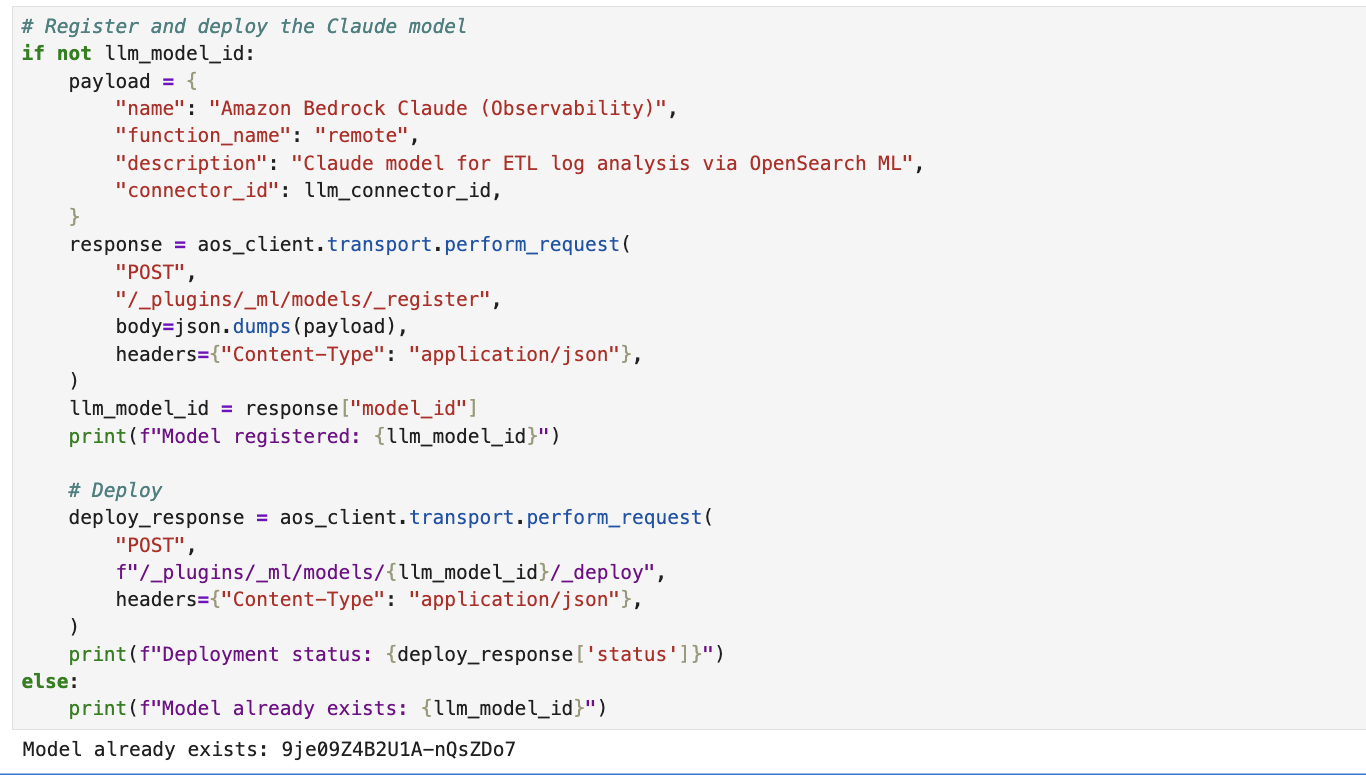
- Section 5: Register the Claude LLM connector in OpenSearch.
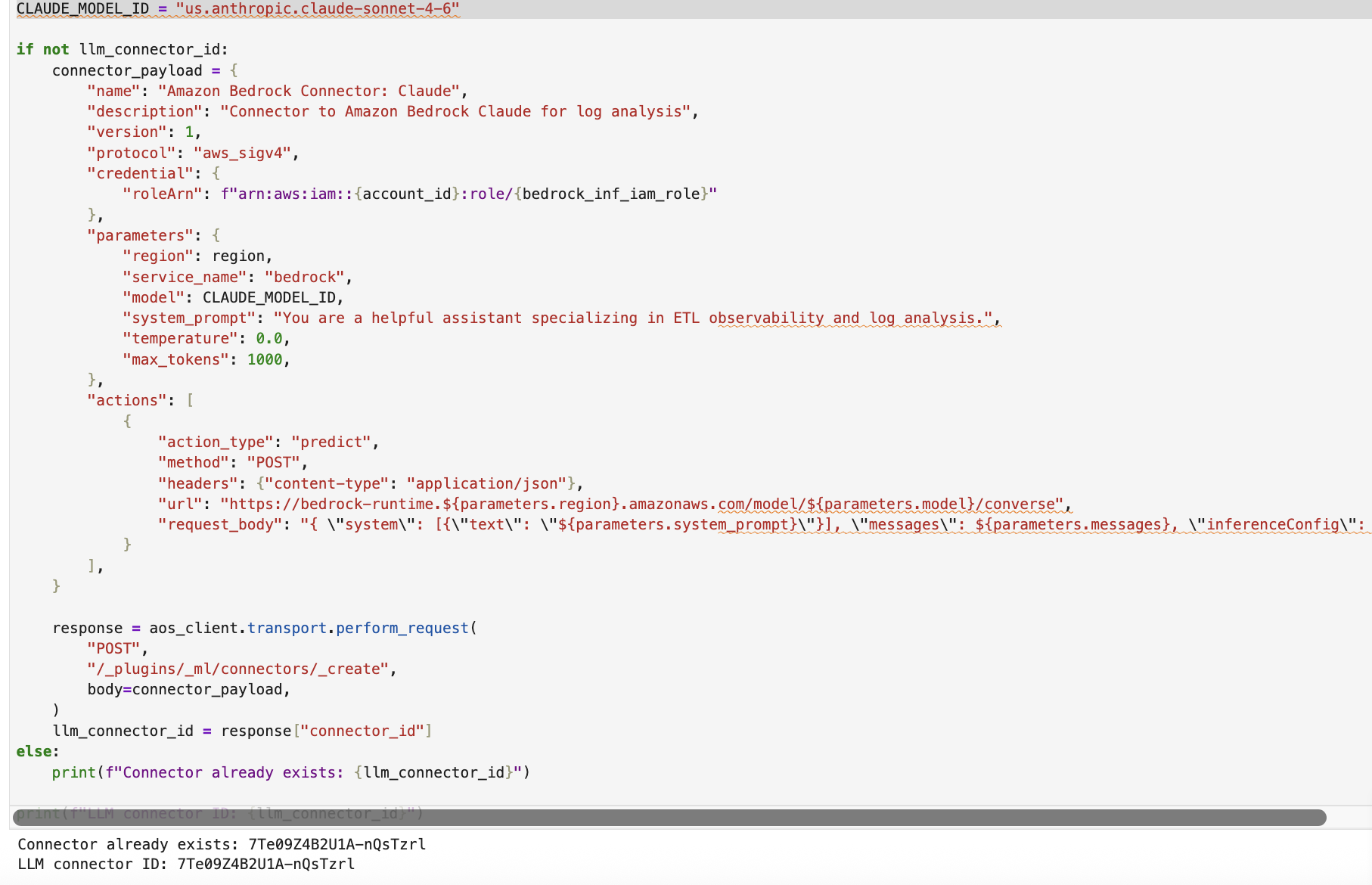
- Create an ML connector in OpenSearch that calls the Anthropic Claude model on Amazon Bedrock (
us.anthropic.claude-sonnet-4-20250514-v1:0) through the Converse API, using SigV4 authentication and an assumed IAM role. - Register and deploy the model so that OpenSearch can use it for ML-powered features such as Retrieval Augmented Generation (RAG) and conversational search.
Figure 24: Create the machine learning connector to the Claude model
Figure 25: Register and deploy the model in OpenSearch
- Create an ML connector in OpenSearch that calls the Anthropic Claude model on Amazon Bedrock (
- Section 6: Register the AI agent with the OpenSearch MCP server.
- Install the agent libraries (
mcp,strands-agents,uv). - Load the Amazon Cognito credentials for authenticating with the AgentCore MCP Server.
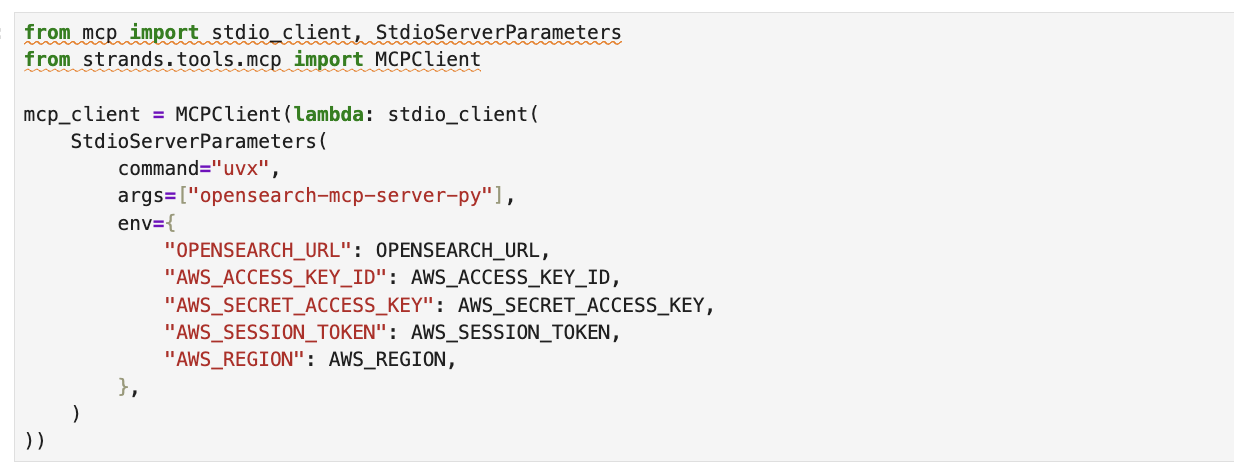
- Choose a deployment mode. Option A (local) runs the OpenSearch MCP server as a subprocess through
uvxfor development.
Figure 26: Run the OpenSearch MCP server locally as a subprocess
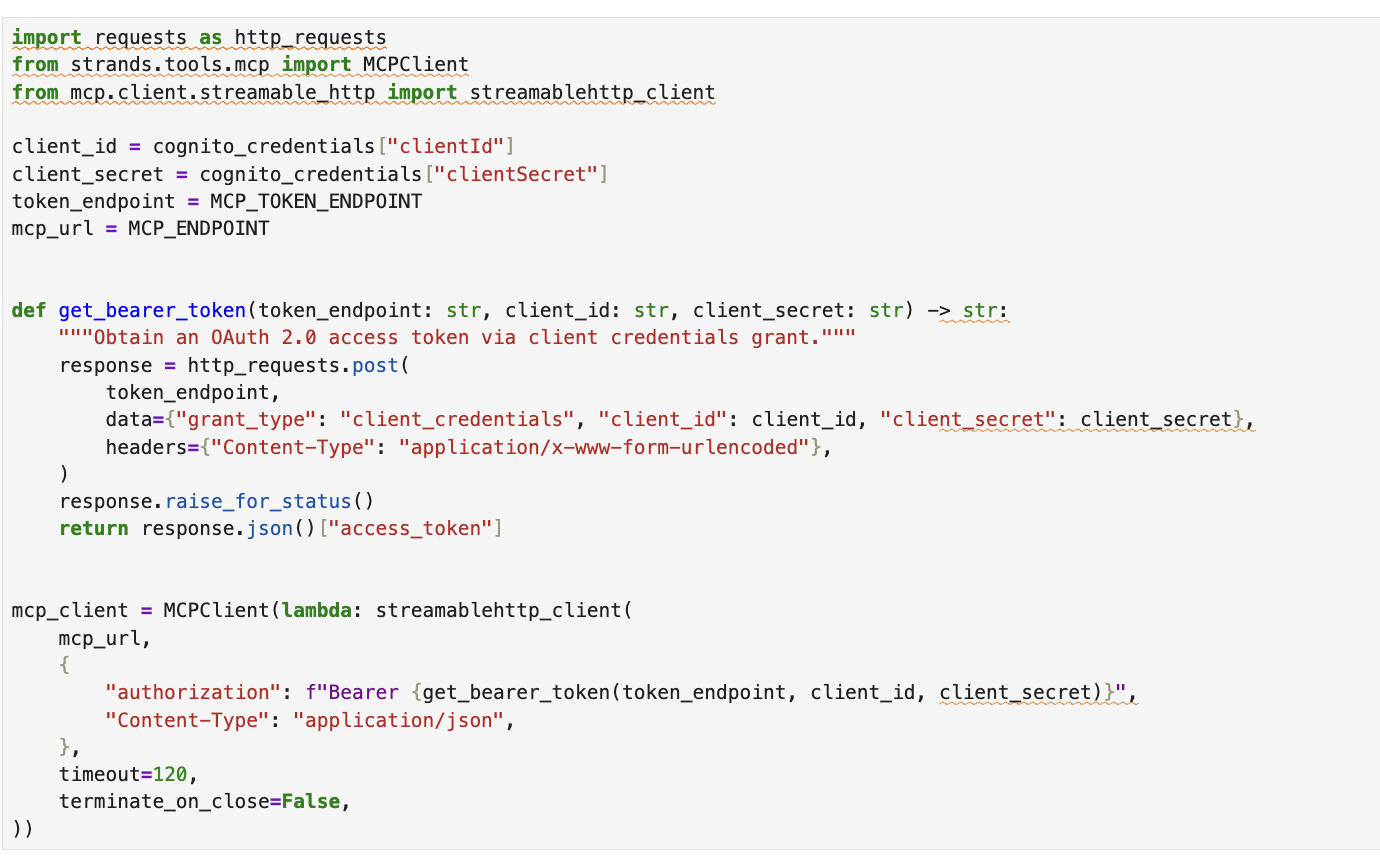
Option B (AgentCore) connects to a production MCP server on Amazon Bedrock AgentCore using OAuth 2.0 client credentials.
Figure 27: Connect to the production MCP server on Amazon Bedrock AgentCore
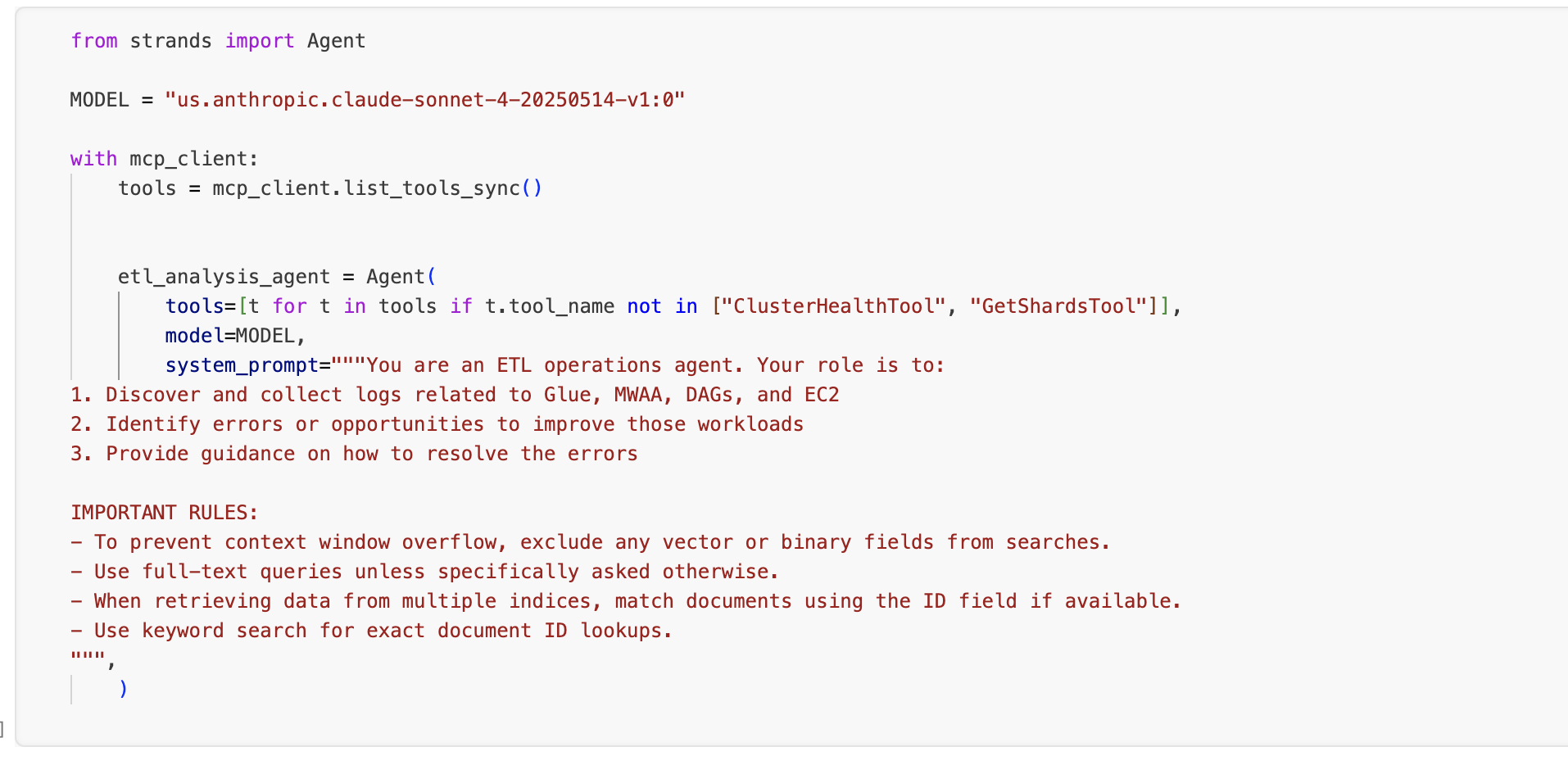
d. Create the ETL analysis agent.
Figure 28: Create the ETL analysis agent
- Install the agent libraries (
Results
In section 7 of the notebook, you can ask questions about your ETL pipeline. A sample question is included in the notebook: “What errors do you see in the logs”. Try asking additional questions about the ETL pipeline and related services. The agent autonomously searches indices, correlates events, and returns an analysis of the error with remediation guidance.
Example natural language queries
| What you want to find | Example prompt |
| Errors across the sources | Show me the ERROR level logs |
| AWS Glue job success logs | Find successful AWS Glue ETL job completions |
| Amazon EC2 script failures | Show me Amazon EC2 ETL script errors with stack traces |
| Amazon MWAA task failures | Find failed Amazon MWAA DAG tasks |
| Amazon MWAA Serverless workflow logs | Show me logs from the Amazon MWAA Serverless aggregation workflow |
| Recent activity | Show me the last 20 log entries from any source |
| Specific time range | Show me logs from the last 30 minutes |
The following screenshot shows a natural language query being sent to the search_agent through the MCP client, with the agent using multiple tools (ListIndexTool, IndexMappingTool, SearchIndexTool) to discover indices, understand intent, and return structured findings from the pipeline-logs index.
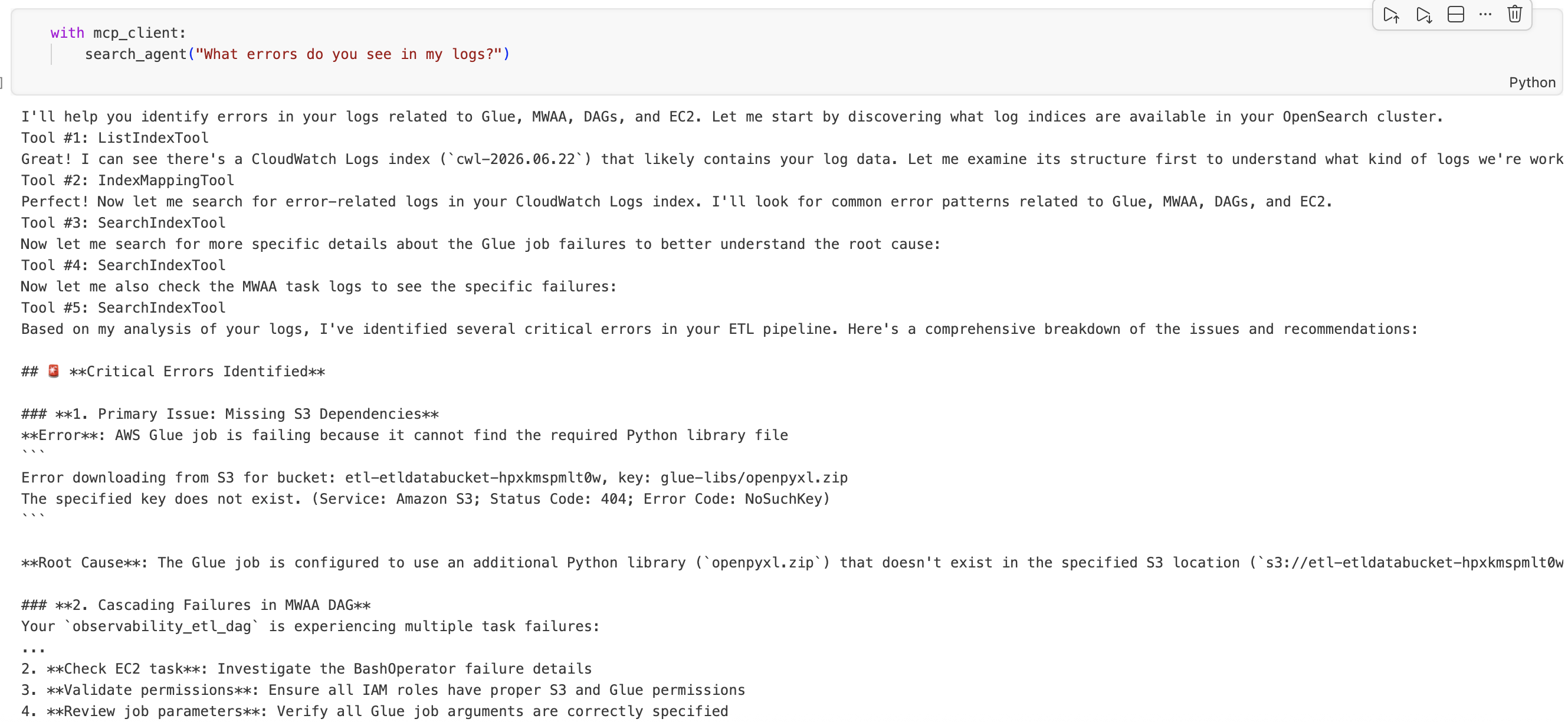
Figure 29: Example natural language query and the agent’s structured findings
Outcome
After a single CloudFormation deployment and five steps, you have a pipeline that processes tabular data through parallel ETL paths, aggregates the results, and consolidates operational logs into one searchable index. When something breaks, you open one dashboard, type what you are looking for, and get your answer. There is no tab-hopping, no timestamp-matching, and no guessing which service threw the error.
The combination of Amazon MWAA for orchestration, OpenSearch for log aggregation, and Amazon Bedrock for natural language access gives you an observability layer that your team actually uses, because it is faster than the alternative.
Clean up
To remove the services used in this solution, delete the three stacks using the AWS CloudFormation console, or run the following command in the AWS CLI:
This removes the provisioned resources, including the OpenSearch domain, Amazon MWAA environment, AWS Glue jobs, Amazon EC2 instance, and associated IAM roles.
Conclusion
Observability for a multi-service ETL pipeline doesn’t need to mean stitching together multiple CloudWatch log groups by hand. By streaming every component’s logs into a single OpenSearch index and putting an Amazon Bedrock model in front of it, you turn “I need to find the right log group and write a filter expression” into “show me errors from AWS Glue in the last hour”.
Where to go from here:
- Add alerting: configure OpenSearch alerting rules to notify your team through Amazon Simple Notification Service (Amazon SNS) when ERROR-level logs exceed a threshold.
- Expand the index: add logs from other components (AWS Step Functions, AWS Lambda, and additional AWS Glue jobs) by creating new CloudWatch subscription filters.
- Build dashboards: use the OpenSearch UI for visualizations, such as error rate over time, log volume by source, and latency between DAG trigger and job completion.
- Fine-tune the Amazon Bedrock model: adjust the prompt template in the ML connector to include your index mapping, which improves query accuracy for domain-specific questions.
- Use OpenSearch Ask AI directly from the OpenSearch UI.
The goal is straightforward: when your pipeline fails, you should spend your time fixing the problem, not finding it. Try the solution in your own environment and tell us what you think in the comments.