Post Syndicated from Alex Dunbrack original https://blog.cloudflare.com/remediation-in-cloudflare-casb/
Starting today, Cloudflare CASB customers can do more than see risky file-sharing across their SaaS apps: they can fix it, directly from the Cloudflare One dashboard.
This launch marks a huge advancement for Cloudflare’s Cloud Access Security Broker (CASB). Since its release, Cloudflare’s API-based CASB has focused on providing robust, comprehensive visibility and detection. It also connects to the SaaS tools your business runs on, surfacing misconfigurations, and flagging overshared data before it becomes tomorrow’s incident.
With today’s release of Remediation – a new way to fix problems with just a click, right from the CASB Findings page – CASB begins its next chapter, and moves from telling you what’s wrong to helping you make it right.

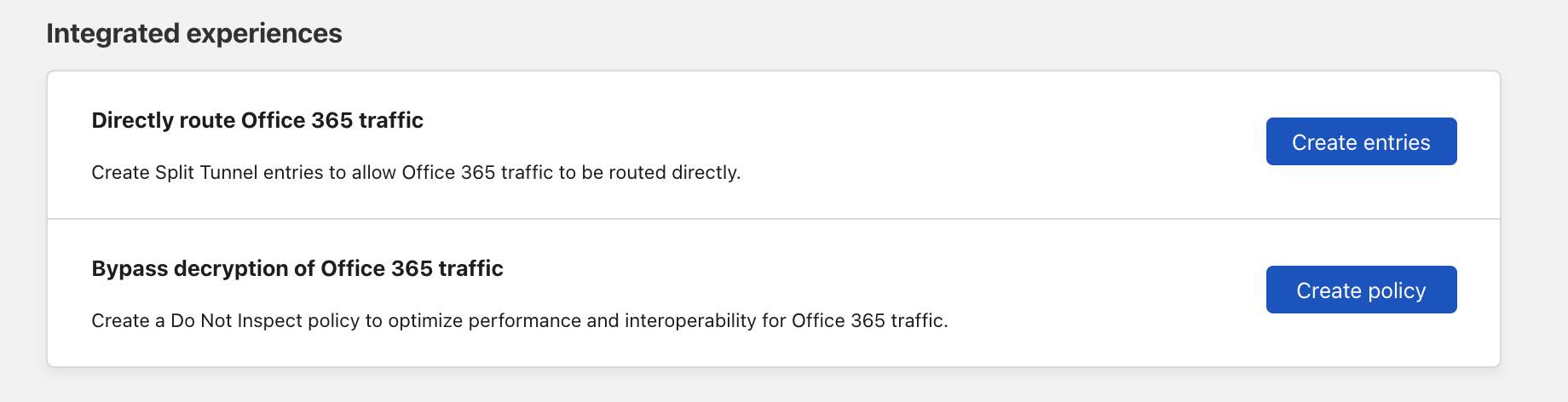
An example of a Remediation Action (Remove Public File Sharing) in a CASB Finding.
Inside Cloudflare One, our SASE platform, CASB connects to the SaaS and cloud tools your teams already use. By talking to providers over API, CASB gives security and IT teams:
-
A consolidated view of misconfigurations, overshared files, and risky access patterns across apps like Microsoft 365, Google Workspace, Slack, Salesforce, Box, GitHub, Jira, and Confluence (CASB Integrations).
-
Continuous scanning for new issues as users collaborate, share, and adopt new tools.
-
Findings that are organized, searchable, and exportable for triage and reporting.
But until now, the actual fixing usually happened somewhere else, whether it’s inside each app’s admin UI, or through a ticket to the team that owns that tool. Remediation closes that loop.
The launch of CASB Remediation marks a major shift forward for the product and Cloudflare One, and we have a ton of big updates planned for the next year.
With today’s release, we focused on fixing file-share issues in Microsoft 365 and Google Workspace.
With Remediation, you can fix the highest-impact, most common file risks we see across customers, including:
-
Public links that let anyone on the Internet view or edit a file.
-
Files shared company-wide across your tenant or domain, even when just a handful of people should have access.
-
Files shared outside your organization to personal accounts and external domains.
-
All of the above, when they also match a DLP Profile. For example, a document full of customer records, credentials, or financial details.
When you trigger the ‘Remove sharing’ Remediation action on a supported finding, CASB immediately moves to remove the risky sharing configuration (for example, the public link or organization-wide access) from the file in question. And crucially, Remediation only removes risky sharing; it doesn’t delete files or change who owns them.
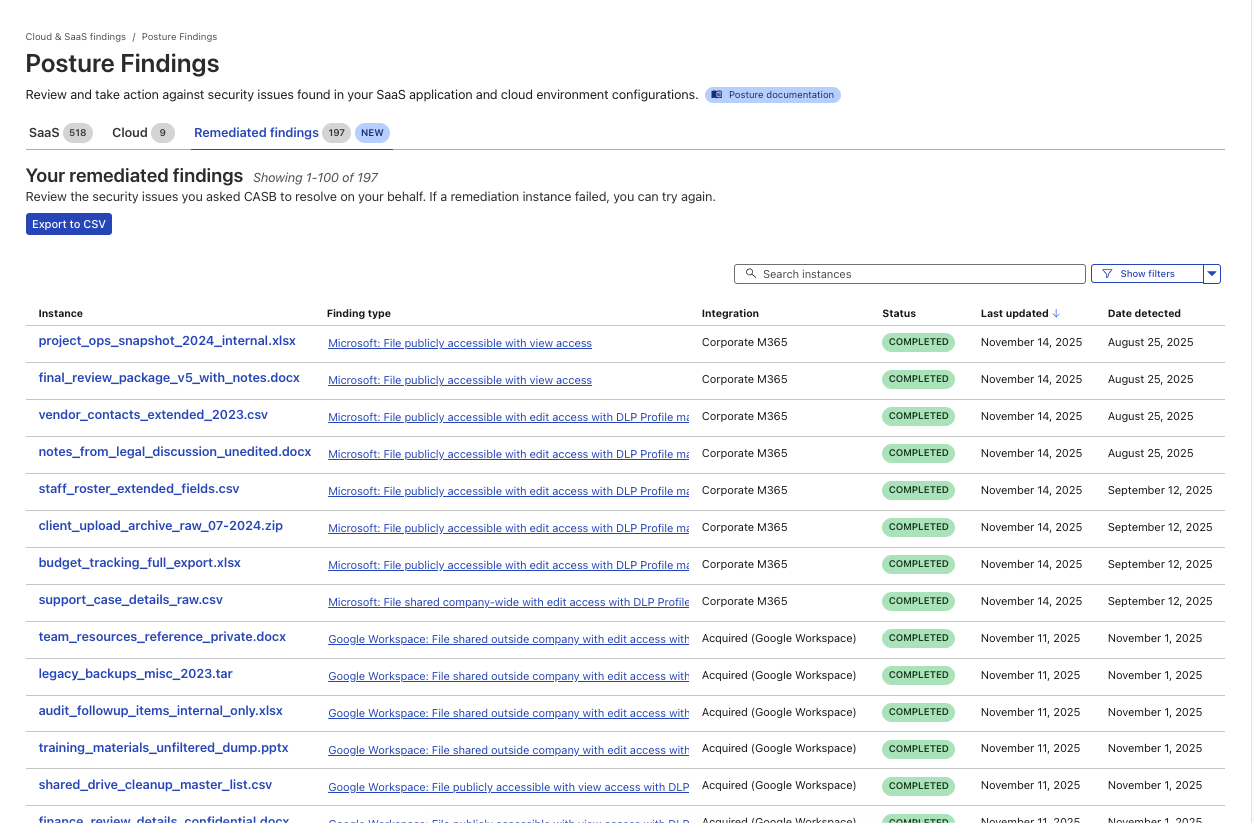
A new page to track the progress and success of Remediated CASB findings.
We chose to start with Microsoft 365 and Google Workspace because, for many organizations, that’s where the bulk of their business-critical documents live: internal financials, product roadmaps, customer contracts, HR notes, and more.
They’re also where “temporary” sharing tends to linger too long:
-
A spreadsheet shared “Anyone with the link can edit” for a quick review.
-
A doc made company-wide for an all-hands, then quietly forgotten.
-
A sheet of customer records shared to a contractor’s personal email.
For Microsoft 365, that means cleaning up risky shares in places like OneDrive and SharePoint. For Google Workspace, it means tightening sharing on Docs, Sheets, Slides, and other files stored in Drive.
Instead of exporting a CSV of risky files out of CASB, sending it to app owners, and hoping everyone gets around to fixing their share settings, you can drive the clean-up directly from CASB and know when those risks have actually been addressed.
And when you and your team use CASB Remediation, every action is logged in Cloudflare One’s Admin logs, so you can see who took action on which files and when, or export that activity to your security information and event management tool (SIEM).
When architecting the system that supports CASB Remediations, we knew it had to do three things really well:
-
Be fast, even at scale
-
Durable execution to handle surprises gracefully
-
Be easy for our customers to use
To meet these goals, we built a system using several Cloudflare products: Workers, Workflows, Queues, Workers KV, Secrets Store, and Hyperdrive.
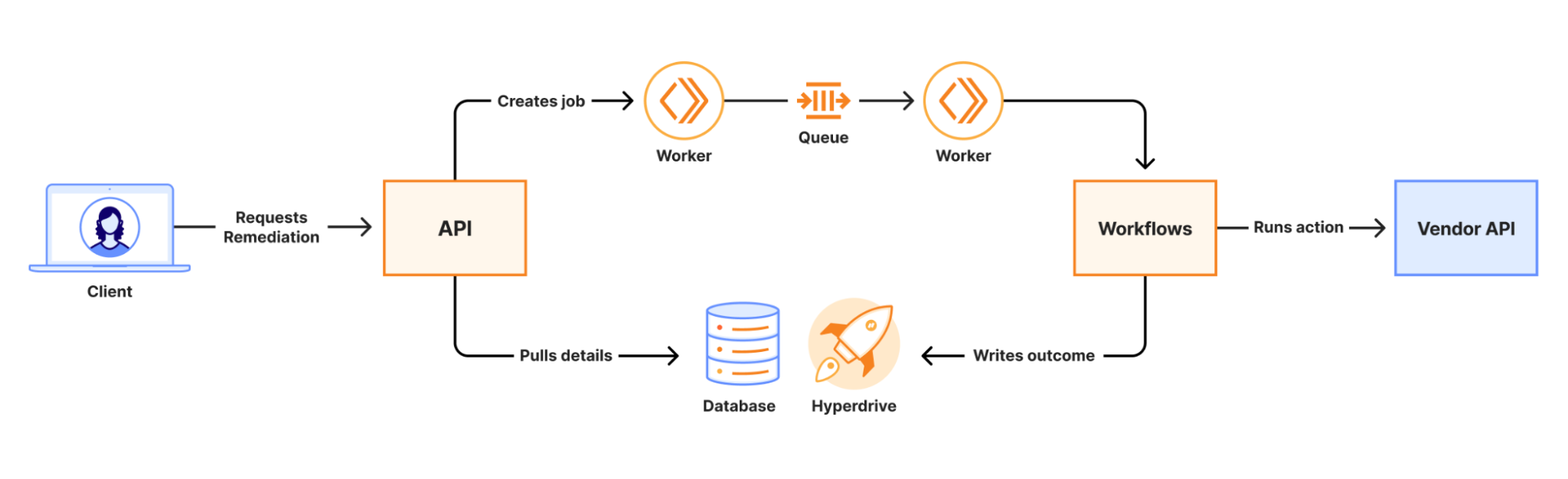
When a remediation job is initiated, an API call is made to a Worker. That Worker writes the job to a Queue which is consumed by a second Worker to kick off a Workflow. Workers KV and Secrets Store are used to securely distribute credentials for use in the Workflow. The Workflow runs a series of steps to collect information and execute third-party API calls to complete the remediation. The final outcome of the action is recorded in a database via Hyperdrive.
At scale, we are guaranteed to encounter 429s from vendor APIs. Workflows’ native retries simplify handling this, and built-in step logging gives visibility into each retry. This means that there was no need for us to build a complex, single-purpose, state-tracking system or dozens of serverless functions for each action.
Performance results from load testing and early access customers have shown strong performance even under heavy load. The average (p50) end-to-end job completion time is 48 seconds, and the p90 is 72 seconds. Durable Execution (via Workflows) has made job management completely hands-off for our team, even when the Workflow encounters issues with third-party APIs. The simplicity of the final system has made troubleshooting issues fast and straightforward.
File-sharing Remediation for Microsoft 365 and Google Workspace is just the first step.
In the near term, we’re working on bringing our customers new Quarantine actions, which can move or isolate high-risk files to safer locations. We are also introducing Custom Webhook actions, hooks that let you trigger downstream workflows, like ticket creation, chat notifications, or your own automation.
And more broadly, we’re excited to explore ways to make CASB even more of an active control plane:
-
Autoremediation policies for carefully scoped, policy-driven fixes where you’re comfortable letting CASB take action automatically.
-
Custom CASB findings so you can define the exact patterns, data types, or access conditions that matter most to your organization.
-
Bulk Remediation that allows you to remediate many similar findings in a single operation.
-
Extending Remediation to additional SaaS integrations beyond Microsoft 365 and Google Workspace, so the same experience applies to tools like Box, Dropbox, Salesforce, GitHub, Slack, Atlassian, and more over time.
CASB Remediation requires a paid CASB license, but don’t let that stop you from trying CASB out today!
-
For existing Cloudflare One / CASB customers: Integrate your Microsoft 365 or Google Workspace tenant (or update your existing integration to Read-Write), and start remediating risky shares directly from the side panel within your file sharing-related finding types.
-
New to Cloudflare One? Sign up now for 50 free seats to begin using CASB immediately. For larger deployments, request a consultation with our experts.
From there, talk to our team about enabling CASB with Remediation for your Microsoft 365 and Google Workspace tenants so you can find and fix overshared files in one place.
We’re excited to see how you use Remediation to clean up long-lived file-sharing risks — and to help shape what CASB’s next generation of remediation capabilities looks like.