Post Syndicated from Justin Hutchings original https://blog.cloudflare.com/enterprise-for-all-update/
A year ago, Cloudflare CTO Dane Knecht announced our intention to make every Cloudflare feature available to everyone. Cloudflare launched an Enterprise tier years ago when larger customers came to us looking for procurement options beyond a credit card, like invoices, custom contracts, and dedicated support. Those offerings met a customer need but over time, a two-tier system developed where some of our most advanced and powerful features were only available to Enterprise customers. Our goal was to close that gap.
Today, teams of every size use Cloudflare, from Fortune 100 enterprises to small businesses, open-source projects, and individuals. Across the platform, we’re committed to ensuring that every user or team can make use of all of Cloudflare’s capabilities in a way that helps their organization thrive.
The underlying philosophy is that Cloudflare should offer products suitable for our most demanding customers — and make those capabilities available to everyone. Large or small, every customer would prefer not to have to call support. Building products that are easy to buy, configure, and consume means more of our products in use and a step closer to a better Internet for everybody.
Every generally available (GA) feature we launched this week that is available on an Enterprise plan is also available to Pay-as-you-go customers, and most are available on the free tier. Where our plans differ, it's in how much you can use, not what you can use. While we haven’t yet met our goal that every feature be available to everyone, in the year since Dane’s announcement, we’ve made great progress.
Here are a few products and features making the transition today from Enterprise to everyone.
Logpush and Logpush Transformers now available to all plans
Flexibility on pushing logs to third parties and how logs are formatted expanded this week from Enterprise-only to all customers.
Logpush delivers Cloudflare logs to storage, security, and analytics destinations, helping customers monitor traffic, investigate issues, and analyze their data using existing tools. Previously available only to Enterprise customers, Logpush is now available to Free, Pro, and Business customers through self-service, pay-as-you-go pricing. Datasets available to Logpush have been expanding as well. We’ve recently added account-scoped firewall events, WebSocket analytics and per-zone post-quantum visibility.
Transformers is also becoming generally available to all customers. With Transformers, customers can use SQL to filter unnecessary records, redact sensitive information, enrich events, and reformat logs before delivery without operating a separate extraction, transformation and loading (ETL) pipeline. Together, Logpush and Transformers give every customer greater control over how their Cloudflare data is prepared and delivered.
In addition, Custom Dashboards which let customers create personalized views highlighting the metrics most critical to them, is now available to all customers.
New tools for managing Cloudflare at scale
Expanding RBAC
Over the last year, we’ve dramatically expanded the availability of Role-Based Access Control (RBAC) across all Cloudflare products and for all customers. Today, nearly all products have RBAC roles available at the account and zone level. Recently, Workers joined R2 and Access in having RBAC roles available at the individual resource level as well, so Administrators can decide who on their team gets specific access to individual Workers.
Multiple Accounts
While fine-grained RBAC lets customers manage subsets of an account, this setup still relies on a small number of super administrators making choices about who gets access to what. Centralized authority works great when your problem space is small, but as the number of teams and projects being managed on Cloudflare grows, it can turn into an organizational bottleneck.
The single account model is excellent in its simplicity, but it can start to feel a little crowded for customers maintaining hundreds or thousands of zones, workers, and storage products. That’s why we’ve been expanding our capabilities around managing multiple accounts.
New Account button
Last month, we quietly launched the New Account button on the dashboard that, for the first time, lets users create additional accounts directly. The response has been overwhelmingly positive, and we’re seeing thousands of customers branching out into additional accounts every week. When you use this button, it creates a new, free, Cloudflare account that you can use to segment your open source projects, or segment the work of multiple teams in your organization. Each of these accounts is independently billed, so you can segment spending across multiple cost-centers directly. Safeguards are in place to prevent fraud and abuse.
New Accounts for Enterprises
While the New Account button is for everyone, for the time being, we recommend that Enterprise customers reach out to their account team to get new accounts provisioned instead. This lets you reuse your existing enterprise agreement and subscriptions across all of your accounts. There is no preset limit on how many accounts an enterprise can request. We will be adding additional features in the future that make this process self-serve for enterprises too.
Organizations
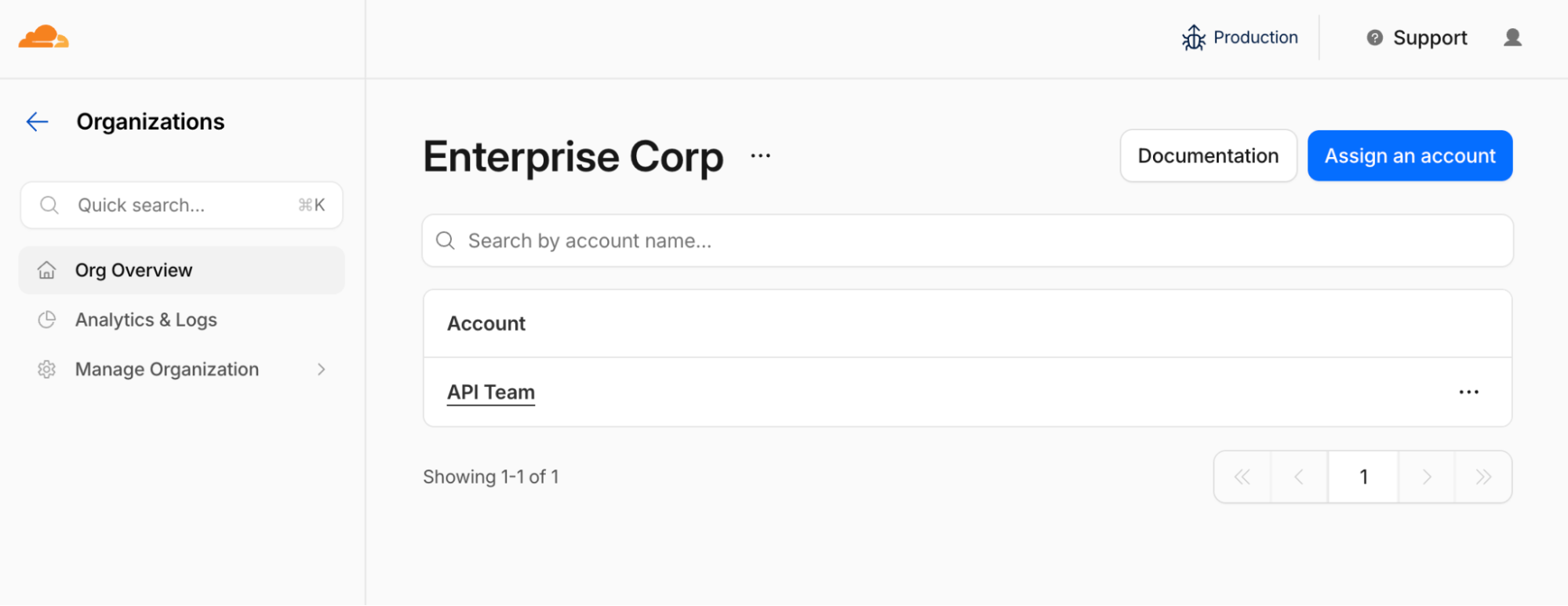
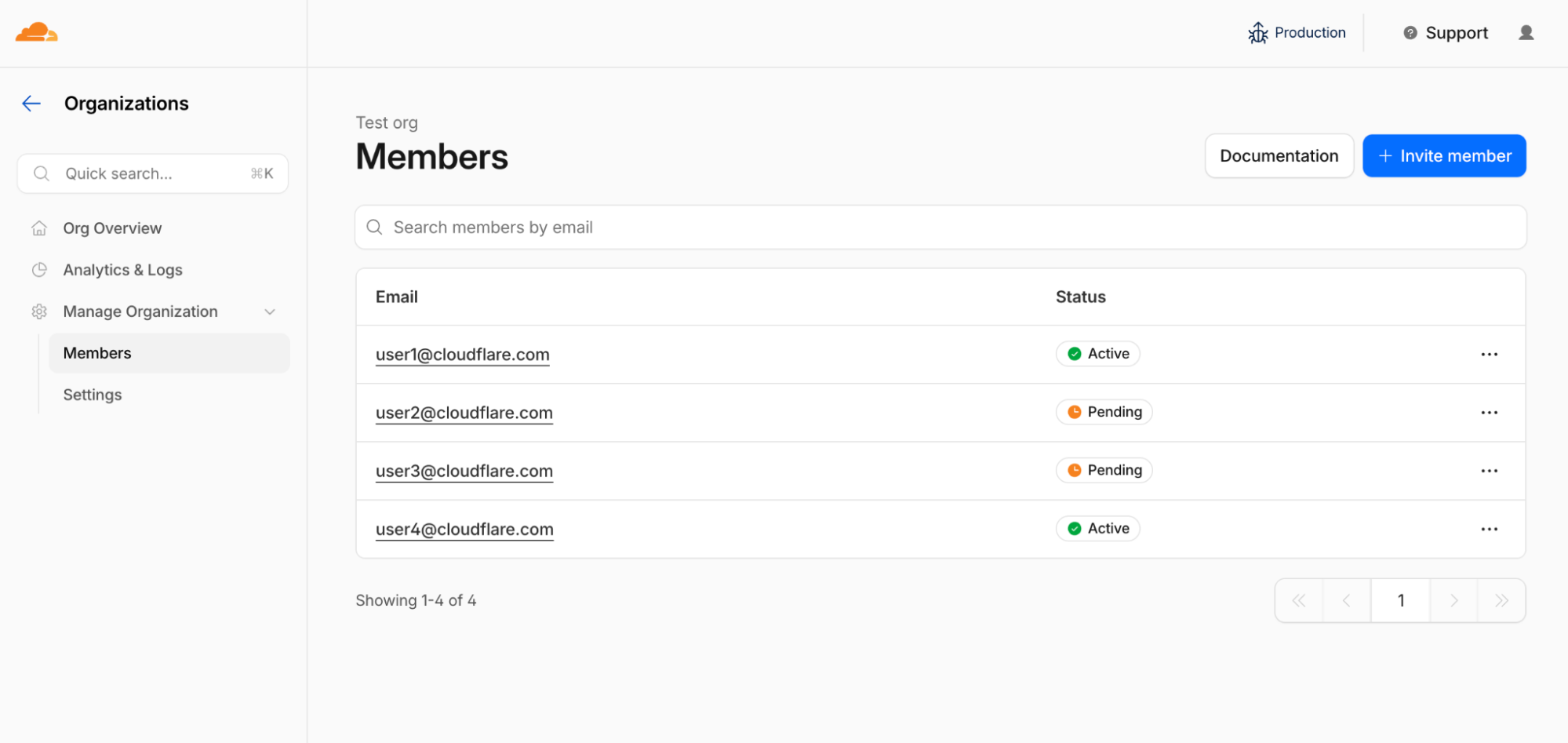
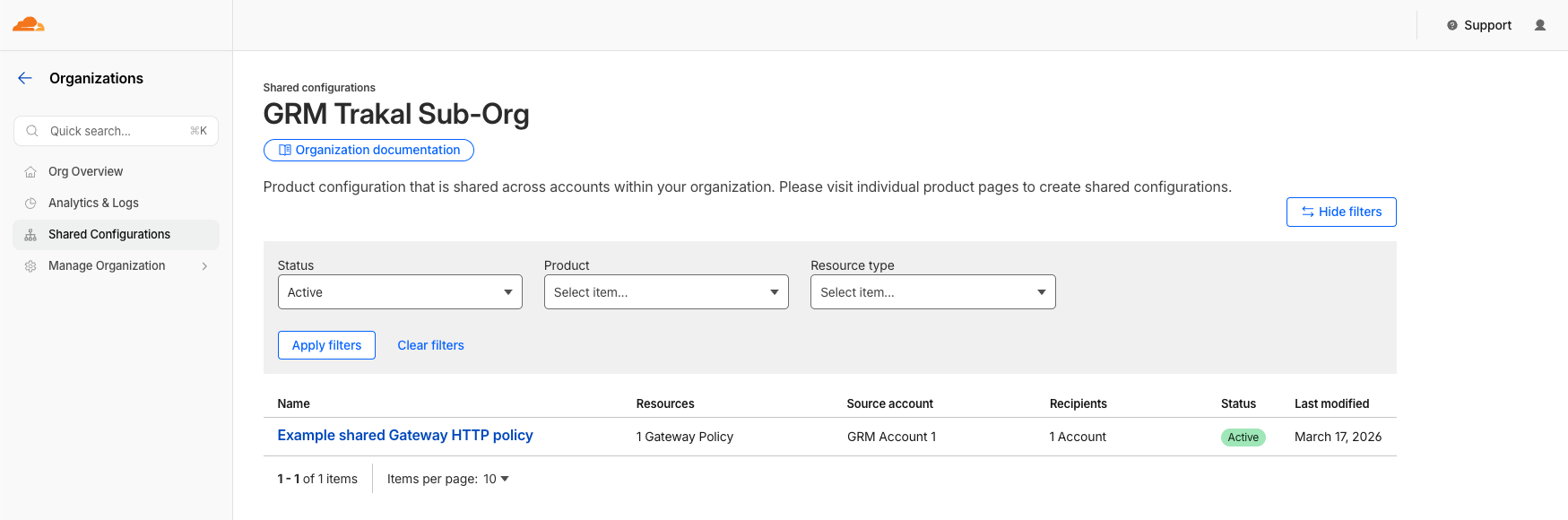
Once you’ve created multiple accounts, how do you organize and track them all? Organizations allow customers to group accounts together with a single analytics and shared configuration surface. It’s in beta for Enterprise customers now, will be GA in October, and will be rolling out to free accounts in early 2027. Adding your multiple accounts to a single organization makes managing them easier by providing a unified surface for visibility and management. Organizations provide shared administrators with unified analytics and audit logging as well as shared WAF, Gateway, and Access IdP configurations.
Enterprises are eligible for exactly one organization. We limit enterprises to a single organization, so there’s a single pane of glass that shows all the company’s assets in one place. This makes life easier, so you can invite the CISO, CTO, or other executive stakeholders and give them unified visibility. If you’re an Enterprise customer and haven’t tried organizations yet, you can set one up directly as long as you are a super administrator of at least one account and nobody else has already created the organization. If the organization has already been started, talk to the other Cloudflare administrators in your company to get your accounts added to it. This process ensures that there’s never an elevation of privilege as we layer on this new management plane.
Terraform and Tags
Once a customer has created multiple accounts, an organization to manage them, and set RBAC rules for the products and resources they contain, they need to be able to manage them in a way that’s auditable and repeatable. Terraform lets customers use Infrastructure as Code to manage everything using version-controlled code rather than clicking on the dashboard in a way that may not be repeatable. In the last year, Cloudflare has made dramatic progress creating a Terraform provider that is built programmatically, so it’s always up-to-date with the latest version of the Cloudflare API. Terraform, like the other features mentioned in this post, is available to all customers, Enterprise and not.
Additionally, Resource Tagging lets customers apply key value tags to a very broad set of resources within the Accounts and Organizations. Today tags can be produced interactively or via API and are useful for organizing resources in the dashboard. In the future we intend to make tags useful in billing and access control scenarios and to be manageable via Terraform.
How we use it all at Cloudflare
With the increasing menu of enterprise-ready options for everyone, one of the top questions we get is “What does Cloudflare do internally?” Within Cloudflare, we create accounts per team, or per service, depending on the nature of the team. We then use Terraform to manage account access and production configuration, giving teams a peer-reviewed, auditable path for changes. Because the scope of each account is narrow, we can grant broader permissions to the engineers responsible for that account while keeping the blast radius contained. This lets teams grow their accounts organically without bottlenecking on a small number of central administrators, and it makes operational work like on-call response faster and safer.
Every account at Cloudflare lives within Cloudflare’s organization, which provides our security team with administrative access to every account within the organization, as well as analytics, policy management, and shared configurations. This makes it easier to align every account in the organization to our security standards. Our teams have the right blend of autonomy and centralized control to go fast.
Enabling teams to quickly sort, organize, and filter their resources is critical in our production environments. While it’s still early, Resource Tagging is enabled internally and teams have begun to roll out tags to make finding the WAF rule, R2 bucket, etc. that they need to interact with easier.
More features for everyone
We launched support for the Authentik identity provider (IdP), SCIM Audit logging, and SCIM 2.0 Group Sync. MCP Server Portals moved into general availability. All these features were once in some way Enterprise-only. Even network management is going self-serve: the Network Overview page and Unified Routing both recently became available for all.
Starting with free
Solving big problems starts with first ensuring they aren’t getting any larger. This year, as part of Code Orange: Fail Small, we announced a commitment to rolling new code out by traffic cohort, starting with our free customers. As a result, today we are committed to introducing no new Enterprise-only features. Naturally there will be some carve-outs for things like Cloudflare for Government that are inherently Enterprise-oriented in nature.
Other progress for free and pay-as-you-go customers
Beyond making previously enterprise-only features available to everyone, we’ve also done a lot of work to make Cloudflare more powerful and accessible for everyone
Billable Usage Dashboard and API
In August, we introduced the billable usage dashboard and API which lets non-Enterprise customers see how much they’ve spent and download their consumption data to use offline directly or through third-party tools like Vantage. We also introduced budget alerts, which are on by default to prevent unpleasant billing surprises. We're prototyping hard spending caps now, with early availability in Q4 2026. Because Enterprise customers have dramatically more variation on contract terms and how they pay, this experience is not yet available to Enterprise customers, but we are hard at work and expect to have an announcement in 2027.
Higher limits available to all customers
Over the past year we’ve increased limits across Cloudflare products. We’re constantly working to increase these defaults, and keep our front door as open as possible to people building the next big thing.
- Workers: Your Worker can now use 1 second of startup time (up from 400 ms), send and receive 32 MiB WebSocket messages (up from 1 MiB), and make up to 1 millions subrequests per request (up from 1,000). Workers can now be up to 64 MiB uncompressed (previously 10 MB), and we’ve relaxed the concurrent connection limit.
- Dynamic Workers: Your paid Workers account can now use Dynamic Workers (previously restricted to prerelease access), and each Durable Object can now run ten Dynamic Workers with in-flight requests (up from four).
- Containers: You can now use 6 TiB of memory, 1,500 vCPU, and 30 TB of disk (up from 400 GiB, 100 vCPU, and 2 TB). Every Containers account can now create custom instance sizes (previously limited to select Enterprise accounts), and each custom instance can now use up to 20 GB of disk with any supported memory size (previously limited to 2 GB of disk per 1 GiB of memory).
- Workflows: Your account can now run 50,000 concurrent instances and create 300 instances per second (up from 4,500 and 10), and each Workflow can now queue 2 million instances (up from 1 million). Each instance can now run up to 25,000 steps (up from 1,024) and stream output up to its instance storage limit (up from 1 MiB).
- Browser Run: Your account can now run 200 concurrent browsers, launch three per second, and issue 30 Quick Actions per second (up from 30 browsers, 30 launches per minute, and 10 Quick Actions per second). You can now make ten REST API requests per second (up from three), and each session can now accept multiple concurrent clients (up from one).
- Vectorize: Your Vectorize database can now have 20 million vectors per index (up from 5 million), and
topKcan now return up to 50 values (up from 20). - Pages: Your Pages project can now have up to 100,000 static assets (up from 20,000).
- AI Search: Your AI Search vector can now have up to 10 KiB of metadata (replacing the 500-character limit for each text field).
- Header sizes: HTTP headers can now be up to 128 KB (previously 32 KB)
- Rules Engine:
concat()now supports up to 32 arguments (up from 16) - API Shield: Your zone can now have 32 JSON Web Token validation configurations with 16 keys each (up from four configurations with four keys each).
- Durable Objects: Your Durable Object can now stay alive for up to 15 minutes while it has an active outbound connection (previously eligible for eviction after 70–140 seconds without incoming traffic), and the search API can now accept names up to 128 characters (up from 20).
- Security Insights: Your account can now receive security scans every seven days on Free, every three days on Pro and Business, and daily on Enterprise, and you can run on-demand scans on every plan (previously not available to all).
Looking to the future
Between exposing formerly enterprise-only features to everyone and increasing the power of features that were already available to everyone, Cloudflare is committed to building the most powerful and accessible platform for customers large and small without the need for a contract. We still have much work to do on Dane’s pledge from a year ago, but we are committed to getting there and are delighted to be able to highlight our progress over the last year.
Take advantage of these new offerings
- Create additional accounts to partition the concerns of your organization.
- Use RBAC to define security policies at the zone and account level.
- If you’re an Enterprise customer, create an Organization and onboard these accounts. For other customers, we’ll see you in early 2027.
- Use Terraform to manage the state across your whole organization.
- Attend Cloudflare Connect next month to learn more about everything discussed here and meet the team that built it.