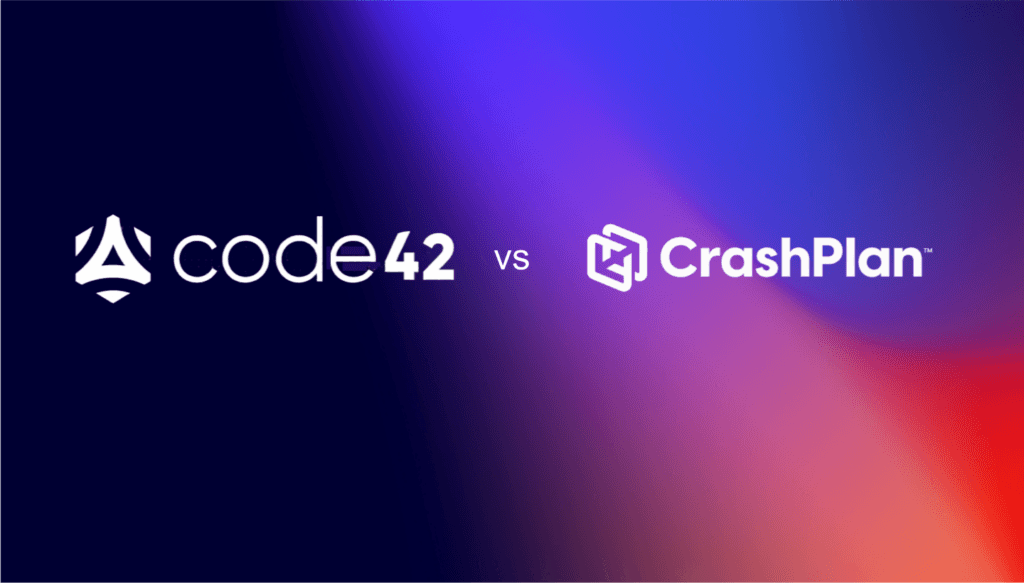
Your Code42 renewal notice showed up with different news this year. New sales stopped at the end of 2025. Support ends at the end of 2026. After that, your backup archives get deleted.
So you start looking for a replacement, and the first name that comes up is CrashPlan.
Makes sense. Same lineage. Familiar interface. Probably assumes it’s the safe, low-effort choice, since it’s basically still Code42, right?
Not quite. And that assumption is worth slowing down on before it makes the decision for you.
CrashPlan and Code42 stopped being the same company in 2022
Code42 didn’t rebrand into CrashPlan. It sold it.
In 2022, Code42 spun off its backup business to Mill Point Capital, a private equity firm, and kept the name Code42 for what remained: Incydr, its insider risk and data loss prevention product. The backup product you knew went with the spinoff and became CrashPlan Group, a separate company under separate ownership with its own board, its own P&L, and its own reasons for making decisions.
Code42 itself was later acquired by Mimecast, which is why the backup add-on still bundled with Incydr is now the thing getting discontinued.
Two different companies. Two different endings. One of them just happens to still have “Code42” written all over your IT team’s institutional memory.
Why that matters more than it sounds like it should
If CrashPlan were still part of Code42, you could reasonably treat this as an internal product transition. A new plan, maybe a new UI, but the same company standing behind the decision.
It isn’t that. CrashPlan is a separate company that stands to gain from every Code42 customer who defaults to them without comparing alternatives. That’s not a knock on CrashPlan. It’s just how the incentive is built. A company selling you the “next step” isn’t the same thing as a neutral party recommending your best option.
Which is exactly why CrashPlan has built migration tooling specifically aimed at capturing displaced Code42 customers. It’s a smart move on their part. It’s also a reason to look closer, not a reason to skip the evaluation.
The 5TB cap nobody’s mentioning
Here’s something worth checking before you assume CrashPlan is a like-for-like replacement: some of its plans now cap storage at 5TB.
If you were on Code42 for straightforward, unlimited endpoint backup, that’s a meaningful change, not a rounding error. Plenty of IT teams don’t find out about a storage ceiling until they hit it, usually mid-migration, usually at the worst possible time to discover a gap.
Ask directly. Get the number in writing. Don’t assume “backup” means the same thing across two different companies just because one of them used to own the other.
“Enterprise data resilience” is not the same pitch as “backup”
CrashPlan has also been repositioning its messaging, moving from straightforward backup language toward broader “enterprise data resilience” positioning.
That’s not necessarily bad. It might be exactly what some organizations need. But it’s a different product story than the one you signed up for with Code42, and different stories tend to come with different pricing, different complexity, and different things bundled in whether you asked for them or not.
If what you actually need is dependable endpoint backup, a platform that’s busy becoming something bigger isn’t automatically the simpler choice. Sometimes it’s the more expensive one wearing a more ambitious name.
The question worth asking before you default to anything
Not just about CrashPlan. About whatever you’re evaluating next.
Who owns this company, and what are they optimizing for? What happens to my data and my pricing if this company gets acquired, repositioned, or sunset the way Code42’s backup product just was? Is this the vendor I’m choosing on the merits, or the one I’m choosing because switching again sounds exhausting?
That last one is real, and nobody should pretend it isn’t. Migration fatigue is a legitimate reason people make worse decisions than they would otherwise. It’s also exactly the moment worth a second look, not a shortcut.
What we’d suggest instead
Compare CrashPlan against your actual requirements, not against the assumption that it’s the default successor. Ask about storage limits in writing. Ask what “enterprise data resilience” costs versus what plain backup used to cost. And give yourself enough runway to compare more than one option, because a rushed decision made under a vendor’s deadline is usually the vendor’s deadline working exactly as intended.
If you want a second option in that comparison, we put together a migration guide that walks through what a Code42 replacement looks like on Backblaze specifically, including a realistic week-by-week timeline that doesn’t leave you without protected data at any point in the switch. Backblaze Computer Backup runs a lightweight native client and deploys silently through the MDM tools most IT teams already use, so the evaluation itself is quick even if the decision takes longer. It’s not the only option out there. It’s just one worth putting next to the others before you pick anything.
Migrating off Code42 and want to see how the timeline actually works? Talk to our team about what it would take to move your environment to Backblaze.
If you’re running a Mac fleet, Jamf is often where everything starts. It handles provisioning, policies, app installs——the orchestration that keeps your fleet sane. But backup is the thing that doesn’t fit. Jamf gives you control over every Mac, but it doesn’t protect the data on them. Backblaze closes that gap without changing how your team works.
Webinar: Building a Complete Mac Protection Strategy
Join Solution Engineers from Jamf and Backblaze for a practical discussion on building a complete Mac protection strategy.
The device ownership problem
Either you know who owns every device upfront (rare), or you don’t (common). Most teams end up doing some mix: devices that came pre-assigned, devices still waiting for user mapping, devices that migrated between teams. You write a script to fix it, then another to catch the next variation. Three months later, you’re not sure if every device is actually backed up or just supposed to be.
The new solution: Two ways to match devices to users. Pick the one that matches your reality.
This update solves the core friction: you don’t have to choose one deployment model anymore.
Method 1: Fixed email (for controlled environments) If you already know who owns each device at install time, for example, if you have clean HR data synced to Jamf, you can pass the user email directly during deployment. The installer uses it to set up the account automatically. No guessing, no drift.
Method 2: Dynamic user detection (for real-world environments) If you don’t have clean data upfront (e.g. when new devices arrive, get imaged, and wait for assignment) the installer waits until a user logs in. Once a user signs in, Backblaze can automatically associate the device with the appropriate user account based on the deployment configuration and identity information available on the device. This reduces the need for manual user assignment and helps prevent devices from being left unprotected.
Or mix them: some devices get email, others get dynamic detection. The system can now handle both in the same deployment.
What this means for your workflow
You push the Backblaze installer through a Jamf policy, same as any other app. Set your preferred method (fixed or dynamic) once at the group level, then let it run. Devices show up in the Backblaze console under the right user, with the right backup scope, no extra steps.
When something does need adjustment—a device moved teams, a user credential changed—you handle it the same way you’d handle any other Jamf-managed app. Script it, reconfigure it, whatever your existing process is. Backup can now follow the same deployment and management workflows your team already uses for other Jamf-managed applications.
Fewer things that can go wrong means less time managing edge cases
The friction point used to be this: you’d deploy backup, then spend the next week chasing down why a handful of devices aren’t appearing correctly. Someone’s account didn’t match. A device landed in the wrong group. Now you’re writing workarounds.
With two deployment methods that actually handle different scenarios instead of forcing everything into one model. The new deployment options reduce common onboarding issues that often require follow-up troubleshooting.Fewer edge cases means fewer scripts to maintain, fewer devices to manually fix, fewer things to check on at 3am.
It still runs the same way once it’s installed
Nothing else about Backblaze changes. It backs up user data automatically, without caps or limits. Pricing stays flat per device. Restore works the same way. This update is purely about getting it deployed cleanly—the actual backup part just keeps working.
How to start
Pick a small group of devices. Deploy through Jamf. Watch what happens for a week. You’ll see pretty quickly whether the user-matching is working and whether this fits your environment.
Organizations rarely struggle with a lack of storage options. More often, they struggle with determining which solution best fits the way their data is created, accessed, and protected: backup versus cloud storage.
That’s especially true when evaluating backup and cloud storage solutions.
The terms are often used interchangeably, but backup and cloud storage are designed to solve different problems. Understanding those differences can help you build a more effective data protection strategy—whether you’re protecting a personal laptop, a growing media archive, employee endpoints, or critical business data.
At Backblaze, Computer Backup and B2 Cloud Storage serve distinct purposes. For some customers, one solution is the clear choice. For others, the strongest approach combines both.
Before comparing features, it’s helpful to start with a few foundational questions.
The answers often reveal whether you’re primarily trying to protect a computer, store data in the cloud, or address both needs at the same time.
When the goal is protecting a computer
For many individuals and businesses, the most important data still lives on laptops, desktops, and attached external drives.
A photographer may keep active projects on a workstation. A consultant may store client files locally. A small business may rely on employee laptops as the primary location where work is created and managed.
In these situations, the primary concern isn’t cloud infrastructure. It’s protecting the device where the work happens.
That’s where Backblaze Computer Backup fits.
Computer Backup is designed to automatically protect data stored on a Mac or Windows computer, including connected external hard drives (but not NAS devices). Once installed, it runs continuously in the background, backing up files without requiring users to manually manage folders, storage allocations, or backup schedules. For organizations looking to protect NAS data, B2 Cloud Storage can serve as a backup destination through a variety of supported third-party backup and sync tools.
The value becomes clear when something goes wrong:
A laptop is stolen.
A hard drive fails.
Files are accidentally deleted.
A ransomware attack impacts local data.
A computer needs to be restored after a hardware issue.
In each case, the goal is recovery.
Computer Backup is often a good fit when:
Your most important data lives on a computer.
You want automatic, continuous protection.
You need to recover from device loss, hardware failure, or accidental deletion.
You want a solution that requires minimal administration.
Your primary concern is protecting endpoints.
For many professionals, families, and small businesses, those requirements align closely with their day-to-day reality.
When the goal is storing and managing data in the cloud
As organizations grow, data often becomes less tied to individual devices.
Files are shared across teams. Backup software protects servers and NAS devices. Applications generate and consume data continuously. Data needs to remain accessible and manageable independent of the original device, whether that’s for long-term retention, team access, application workflows, or infrastructure backups.
At that point, the challenge shifts from protecting a computer to managing data itself.
That’s where Backblaze B2 Cloud Storage comes in.
Unlike endpoint backup, cloud object storage is designed to store data independently of any single device. Data can be uploaded, accessed, managed, shared, and integrated into workflows across users, systems, and applications.
Organizations use B2 Cloud Storage for a wide range of use cases, including:
In these environments, accessibility, scalability, and integration often matter just as much as protection.
B2 Cloud Storage is often a good fit when:
Data needs to exist independently of a specific computer.
Multiple users or systems require access.
You need API-based access and automation.
You use third-party backup software that requires cloud object storage.
You need centralized storage for growing datasets.
You are building applications or data-driven workflows.
The focus isn’t on protecting a device. It’s on providing a durable, accessible home for data.
Understanding the data lifecycle
One reason organizations often use both backup and cloud storage is that data requirements change over time.
Consider a video production team.
While a project is actively being edited, the files may live on a workstation and several external drives. During that phase, protecting the editing environment is critical.
Once the project is complete, however, the priorities often change. The team may need to retain the content for future revisions, client requests, or compliance purposes. The files are no longer active, but they still need to remain available.
The same pattern appears across industries.
Architectural firms retain project files after construction is complete. Marketing teams archive campaign assets. Businesses preserve records for operational or regulatory reasons.
Not all data serves the same purpose throughout its lifecycle.
Active data often benefits from continuous endpoint protection, particularly when it lives on laptops, workstations, or attached drives. As that data ages, becomes shared across teams, or moves into long-term retention, cloud storage often becomes a more appropriate solution.
This is one reason many organizations use both Computer Backup and B2 Cloud Storage. The two solutions address different stages of the data lifecycle rather than competing for the same role.
When your storage requirements change
A common misconception is that organizations eventually “graduate” from backup to cloud storage. In reality, most environments become more complex over time, adding new requirements rather than replacing existing ones. As data volumes grow, teams collaborate across more systems, and retention needs increase, organizations often find themselves adding cloud storage to support those evolving demands. The shift isn’t typically about moving away from backup—it’s about addressing new use cases that emerge as data becomes more distributed, accessible, and valuable to the business. Common signs that additional cloud storage may make sense include:
Your data is no longer centered around one device
When multiple people need access to the same information, storing everything on a single workstation becomes limiting.
You’re building long-term archives
Completed projects, historical records, and large media libraries often benefit from dedicated cloud storage.
You’re adding automation and integrations
Applications, backup platforms, and workflows frequently require API-accessible storage.
You’re managing more than endpoints
As NAS devices, servers, and infrastructure become part of the environment, storage requirements often extend beyond individual computers.
In these scenarios, cloud storage isn’t replacing endpoint backup. It’s addressing new requirements.
The blind spot many cloud storage users discover
The reverse scenario is also common. An organization adopts cloud storage and establishes a centralized repository for important data, only to discover that important risks still exist at the endpoint level. An employee may accidentally delete a local project folder, lose a laptop, or experience a workstation failure before files have been synchronized elsewhere. Cloud storage protects the data stored in cloud storage, but it does not automatically protect every device where work is created. This is one reason endpoint backup remains an important part of many modern data protection strategies. The risks are different, and each solution is designed to address a different recovery scenario.
Why many organizations use both computer backup and cloud storage
One of the most persistent myths in data protection is that a single tool should solve every challenge. In practice, resilient environments are typically built in layers, with different solutions addressing different risks and recovery scenarios. Employee laptops may be protected with Computer Backup, while a NAS backs up to B2 Cloud Storage. Completed projects may be archived in the cloud while active work remains protected on local devices. Together, these layers create a more comprehensive approach to protecting data throughout its lifecycle.
Example: Creative teams
For creative teams, active projects often live on editing workstations and attached storage where they are constantly being updated. Computer Backup helps protect that work in progress, while completed projects can be moved to B2 Cloud Storage for long-term retention, future revisions, or client requests. This approach allows teams to safeguard current work without keeping every finished project on production systems.
Example: Growing businesses
As businesses grow, their data often becomes distributed across employee devices, shared storage, and business applications. Computer Backup can help protect employee endpoints where work is created, while B2 Cloud Storage provides a centralized location for shared assets, backups, and archives. Together, they support both day-to-day operations and longer-term data retention needs.
Example: IT and infrastructure teams
IT teams frequently manage a mix of endpoints, servers, NAS devices, and other business systems. In these environments, B2 Cloud Storage often serves as a destination for infrastructure backups, while Computer Backup protects employee devices that may not be covered by server or storage backup workflows. Rather than competing with one another, the two solutions often work together as part of a broader data protection strategy.
A quick comparison
Question
Computer Backup
B2 Cloud Storage
Is the primary goal protecting a computer?
Yes
No
Is it designed to protect endpoint data automatically?
Yes
No
Is the data primarily tied to a specific device?
Yes
Not necessarily
Is it designed for shared access across users, systems, or applications?
No
Yes
Is API access a core feature?
No
Yes
Can it serve as a destination for third-party backup tools?
No
Yes
Is the primary goal storing and managing cloud-resident data?
No
Yes
Choosing the right solution
The decision ultimately comes down to what you’re trying to protect and how your data is used.
If your primary concern is recovering files from a lost, stolen, damaged, or compromised computer, Computer Backup is likely the right starting point.
If you need scalable cloud storage for archives, applications, infrastructure backups, or shared datasets, B2 Cloud Storage is likely the better fit.
And if your environment includes both endpoints and cloud-resident data—as many organizations do—you may benefit from using both.
The most effective data protection strategies rarely rely on a single layer. They account for where data is created, where it lives, and how it needs to be recovered.
Understanding those requirements is often the first step toward choosing the right solution.
You’ve done the storage evaluation. The per-terabyte price is right. The durability numbers check out. Compliance boxes are ticked. And still, the cloud migration project hasn’t been approved.
That’s not a coincidence.
The cloud storage industry has spent years competing on what happens after you’re already locked in: performance, redundancy, features. Almost nobody competes on what it costs to get there—or what it costs to leave.
Migration friction isn’t an oversight. For most hyperscalers, it’s a business model.
Why cloud migration projects stall before they start
The business case for cloud storage usually looks solid on paper. Lower per-terabyte costs. Less hardware to maintain. A path off aging tape libraries and overloaded NAS environments.
Then someone runs the actual migration math.
Egress fees from the current provider. Data transfer charges. Migration software licenses. Professional services. Tape digitization. Internal engineering hours. Project coordination overhead. For a large dataset, those costs can erase years of projected storage savings before a single byte moves.
Teams spend months building an approval-ready business case, only to find the upfront migration cost makes the model unworkable. The project stalls. Infrastructure the organization already knows is unsustainable stays in place. Modernization gets pushed to next quarter.
This is where most cloud vendors win. The storage decision becomes moot if the organization can never afford to move.
How egress fees trap organizations with their current provider
By the time most IT teams discover what cloud egress fees actually cost, they’re already mid-negotiation with a new provider.
The pricing model is deliberately asymmetric: getting data in is cheap, often free. Moving it out is where providers charge—and for multi-petabyte environments, those charges can run to hundreds of thousands of dollars before a migration has even started. Technically, the organization owns its data. Financially, moving it is a different question.
This reframes the evaluation in a way that favors incumbents. The question stops being which platform best fits long-term needs and becomes whether the organization can afford to leave at all. Once you’re in a major cloud platform with a large archive, exit costs are a structural retention mechanism.
Ask any prospective provider, early: what does it cost to leave? If they’re vague, that’s the answer.
How long does a cloud data migration actually take?
Cost gets scrutinized. Time usually doesn’t—until a migration is already underway and slipping.
A large-scale migration means inventorying data and metadata, evaluating and procuring tooling, coordinating across vendors, monitoring transfer jobs, validating integrity at the destination, and troubleshooting the inevitable edge cases. For multi-petabyte environments, self-managed projects routinely stretch from months into years.
Every quarter that drags on is a quarter the organization is paying to maintain infrastructure it’s already committed to replacing, while its engineering team runs a file-moving operation instead of working on anything strategic. The total cost of a slow migration almost always exceeds the initial estimate—and almost nobody builds that into the business case upfront.
What actually goes wrong during cloud data migration
Migration risk tends to be underestimated until something breaks.
The core questions—will files transfer without corruption, will metadata survive intact, will dependent applications keep working—are harder to answer than they look for LTO tape archives that haven’t been accessed in years, NAS and SAN environments with proprietary metadata structures, media archives with irreplaceable assets, regulated content with chain-of-custody requirements, and datasets large enough that verification at scale is its own engineering problem.
The cost of getting this wrong isn’t just the migration itself. Data loss, integrity gaps, or application failures discovered post-migration can be significantly more expensive than any egress fee. Validation and verification need to be designed into the plan before transfers start, not bolted on after something fails.
Why most cloud providers leave migration to you
Infrastructure teams evaluating cloud storage aren’t looking for a transfer tool. They want infrastructure modernized without burning their engineering team on a multi-year internal project. Predictable costs. A path to cloud that doesn’t require standing up a program management office just to move data.
The standard provider response is documentation and an onboarding checklist. After that, you’re largely on your own.
This isn’t an accident. Selling storage is straightforward. Owning migration means taking on cost, risk, and operational complexity that most providers would rather leave with the customer. The economics of the business favor making entry easy and exit expensive, with as little friction to growth as possible in between.
Providers that treat migration as their problem to solve are a different category. They’re betting that making it genuinely easier to get to their platform is worth more than one-time migration revenue—because a customer who gets there successfully tends to stay.
How Backblaze Universal Data Migration works
We built Universal Data Migration because we kept seeing the same thing: organizations that had already decided to move to Backblaze B2 getting stuck on the migration itself. The technology decision was made. The budget was approved. The project just couldn’t get started.
The program moves data from virtually any source—AWS S3, Microsoft Azure Blob, Google Cloud Storage, Wasabi, NAS and SAN, file servers, LTO tape across all generations, physical hard drives, legacy archives—with Backblaze managing the process rather than handing the customer a tool and a runbook.
The migration cost doesn’t have to be a reason the project stalls. That’s the point.
Before you sign a cloud storage contract, ask these two questions
The storage evaluation isn’t complete until you know what it costs to get there and what it costs to leave.
Most providers make the second number hard to find. If you have to dig for egress pricing, or if a sales rep answers the exit question with “we’d work with you on that,” build the worst-case number into your model before signing anything.
The right provider won’t make you ask. They’ll make migration part of the conversation from the start—because they’re confident enough in their platform to compete on the full picture, not just the monthly storage line.
Have a migration project that keeps getting pushed?Talk to our team about what it would actually take to move your environment to B2.
On April 7, 2026, Anthropic announced a model so capable they refused to release it publicly. Claude Mythos, their most advanced frontier AI, was deemed too dangerous for open access because of one thing: it can hack.
Anthropic locked Claude Mythos behind Project Glasswing, a vetted partner program initially restricted to roughly 50 organizations—AWS, Microsoft, Google, Apple, Cisco, CrowdStrike, and others—to use the model for defensive work before adversaries could develop equivalent capability. By June, that program had expanded to more than 200 organizations across 15 countries, including operators of power grids, water systems, hospitals, and telecommunications infrastructure.
Then, on June 9, Anthropic released Fable 5—the first public version of a Mythos-class model—equipped with safeguards that reroute higher-risk queries to less-capable models. The same day, it released Claude Mythos 5 directly to vetted Glasswing partners. Later in June, after a brief US government export review, the Commerce Department confirmed that “appropriate safeguards are in place” and permitted Anthropic to redeploy Mythos 5 to trusted cyber defenders.
But here’s the part that should be on every IT leader’s radar: Anthropic itself now projects that other AI companies will have Mythos-class models within six to 12 months, and those companies may not ship with equivalent safeguards.
GPT-5.5, released three weeks later, didn’t wait. OpenAI shipped it with expanded cybersecurity capabilities and its own controlled-access program—also designed for defense, also eventually available to people with different intentions.
The AI arms race in cybersecurity isn’t coming. It’s here.
Ransomware 5.0 Doesn’t Need a Skilled Operator
For most of its history, ransomware required a human being at the keyboard: someone doing reconnaissance, identifying targets, crafting phishing lures, moving laterally through a network. Skilled attackers commanded significant ransoms. Amateur operators made rookie mistakes.
That dynamic is collapsing.
Ransomware now appears in 48% of all breach chains, according to the Verizon 2026 Data Breach Investigations Report—up from 44% the year prior. Active ransomware groups jumped 49% year over year. Over 250 new operators entered the market in just the last six months, many of them low-skill actors using generative AI to craft personalized phishing campaigns 60% faster than was possible before. AI-assisted lateral movement was present in over 65% of recent cases.
The Verizon 2026 DBIR also marks a shift in how attackers get in the door: for the first time, exploiting unpatched software vulnerabilities has overtaken stolen credentials as the number one initial access vector, now responsible for 31% of breaches. That’s not a coincidence in a world where AI can scan codebases for exploitable flaws at machine speed.
IBM’s 2026 X-Force Threat Index confirmed that “collapsing barriers to entry” are letting even low-volume operators run campaigns that overwhelm defenders. The average cost of a data breach in the US hit $10.22 million—an all-time record.
Trend Micro’s 2026 security predictions describe what they call “Ransomware 5.0”: a model where AI handles reconnaissance, vulnerability scanning, lateral movement, and even ransom negotiation autonomously, without a human operator directing any of it.
If you’re still designing your security posture around slowing down a skilled human attacker, you’re fighting the last war.
The Thing Nobody Wants to Say Out Loud
Here’s where I’m going to say something a little uncomfortable: the cybersecurity industry has been selling you detection for years when what you actually needed was recovery.
Detection is important. Don’t get me wrong. But detection-centric security assumes you catch the attack before it fully executes. In an era where AI compresses the attack timeline, exploit chains run at machine speed, and hundreds of new ransomware groups just showed up with AI-powered toolkits, detection alone isn’t a resilience strategy. It’s a bet.
The UK Government’s AI Security Institute tested Claude Mythos extensively and confirmed it cannot reliably execute attacks against organizations with well-hardened defenses. That’s genuinely good news. But it raises an obvious follow-up question: how many organizations actually have well-hardened defenses? A 2025 report found that over 45% of discovered security vulnerabilities in large organizations go unpatched after 12 months. Many critical infrastructure operators still run end-of-life software.
The honest answer is: most organizations are not that hardened. And even the ones that are will face a more capable threat next year than they face today.
This is why immutable backups aren’t just a box to check; they’re the safeguard that functions even when everything else fails. If an attacker encrypts your production environment before detection fires, the question isn’t “how did that happen?” It’s “how fast can you recover?”
What Claude Mythos Actually Changes (And What It Doesn’t)
It’s worth separating signal from noise here, because the coverage of Claude Mythos has ranged from measured to apocalyptic.
What Mythos changes: the technical barrier for sophisticated attacks. Vulnerabilities that previously required elite researchers to discover and weaponize can now be found and chained faster. Anthropic’s own red team found that Mythos could identify and exploit a previously unknown FreeBSD remote code execution vulnerability—fully autonomously, no human involved after the initial prompt. Across all Project Glasswing partners, Mythos has now surfaced more than 10,000 high- or critical-severity security flaws in production codebases. That means the window between vulnerability disclosure and active exploitation, already dangerously short, gets shorter. It also means less-skilled threat actors get access to capabilities that used to require significant expertise.
What Mythos doesn’t change: the fundamental anatomy of a ransomware attack. Attackers still need initial access. The Verizon 2026 DBIR confirms they’re still relying on unpatched software, stolen credentials, and phishing as entry points just finding and exploiting them faster. Once inside, they still need to move laterally, identify high-value data, and execute the encryption sequence. The Centre for Emerging Technology and Security at the Alan Turing Institute made this point clearly: more sophisticated ransomware attacks that rely on stolen credentials, social engineering, or already-compromised accounts are “far less likely to be affected” by Mythos-class models on either side.
That matters for how you defend. Hardening access controls, enforcing MFA, patching aggressively, segmenting your environment, and maintaining clean, immutable backups are not glamorous. They are not AI-powered. But they address the attack anatomy that AI tools, offensive or defensive, haven’t fundamentally changed.
The Recovery Imperative
Strengthening cyber fundamentals, in practice, means one thing above all else: knowing that when something gets through, you can recover without paying a ransom.
Immutability. Backups that can’t be encrypted or deleted by ransomware, even by a compromised admin credential. This isn’t optional anymore. If your backups live in the same environment as your production data and share the same access credentials, they aren’t backups; they’re part of your blast radius. Backblaze B2 Object Lock is S3-compatible, so if your team is already running Veeam, Commvault, MSP360, or Nutanix, you’re not replacing your backup stack. You’re giving it an immutable target that ransomware can’t touch.
Air-gap or off-site isolation. Object Lock, WORM storage, and geographically separate backup targets all put meaningful distance between your recovery point and an active attack. When AI tools can chain dozens of steps in a corporate network attack simulation autonomously, “isolated backups” means genuinely isolated, not just a separate folder. Version history matters here too: the ability to roll back to a known pre-attack state, not just the most recent snapshot, is what separates a clean recovery from discovering your restore point was already compromised.
Recovery time that matches the threat. AI-accelerated attacks mean recovery has to be fast. A backup strategy built around 72-hour RTOs made sense in a different threat environment. In 2026, breach costs approaching $10.22 million in the US, the question your leadership should be asking is: how long does it actually take us to restore from a clean state? Cold storage tiers that require hours of retrieval before a restore can even begin are a liability when the clock is running. Backblaze B2 is hot storage: your data is available immediately after detection, with no retrieval queue to wait on.
A Practical Checklist for IT Leaders Right Now
The Claude Mythos announcement, the Fable 5 public release, and GPT-5.5’s expanded cybersecurity capabilities are a forcing function. Not because Mythos-class capability is in attackers’ hands today, but because the direction of travel is confirmed, the timeline is compressed, and the question is no longer whether equivalent offensive tools will proliferate, only when.
A few things worth doing before that happens:
Audit your backup environment’s blast radius. Can ransomware that has compromised your production environment also reach your backups? If yes, fix that first.
Test your recovery time. Not just that backups exist, but how long an actual restore takes from your most recent clean snapshot. If you don’t know the number, you don’t have a recovery plan. You have a filing system. Backblaze gives you 3x your stored data in free egress each month, which removes the cost barrier that causes most teams to skip DR testing entirely. Run the restore. Know the number.
Pressure-test your identity controls. Credential abuse and phishing remain the dominant entry vectors. MFA, compromised credential monitoring, and least-privilege access aren’t new ideas, but they’re still the fastest path to closing the doors AI-powered attacks walk through.
Patch faster. The Verizon 2026 DBIR found exploited vulnerabilities are now the leading breach entry point. The median time organizations take to fix a known flaw is 55 days. AI-assisted attackers don’t wait 55 days.
Layer your defenses, but anchor to recovery. Perimeter protection, endpoint detection, vulnerability scanning: these all matter. But they’re all designed to catch something before it executes. Immutable backups are what you rely on when something executes anyway.
Revisit your RTO and RPO against today’s breach costs. The math has changed. A $10.22 million average US breach cost changes the calculus on what it’s worth spending on faster, more resilient recovery infrastructure.
The Last Thing
Anthropic made a decision that deserves credit: they looked at what Claude Mythos could do and chose not to hand it to the world on day one. Project Glasswing is a serious attempt to use the model’s capabilities on the right side of this fight, and the coordinated disclosure of thousands of vulnerabilities to the organizations responsible for patching them is meaningful defensive work.
But the history of powerful technology is not “we invented it and kept it safe.” It’s “we invented it, others reproduced it, and everyone had to adapt.” The 6-to-12-month window for equivalent capability to reach adversarial hands isn’t fearmongering; it’s Anthropic’s own forecast. Other AI companies are building toward the same capability threshold right now, and not all of them will ship with the same safeguards.
The organizations that come through this transition will be the ones that took recovery seriously before they needed it. Not because detection failed, but because recovery is the one safeguard that works regardless of what the attacker is running.
Backblaze B2 with Object Lock puts immutable, air-gapped backup storage within reach of organizations that can’t afford hyperscaler pricing (which, as it turns out, is most of them). Start a free trial or talk to our team about building a ransomware-resilient backup architecture before the threat landscape shifts again.
To provide the best experiences, we use technologies like cookies to store and/or access device information. Consenting to these technologies will allow us to process data such as browsing behavior or unique IDs on this site. Not consenting or withdrawing consent, may adversely affect certain features and functions.
Functional
Always active
The technical storage or access is strictly necessary for the legitimate purpose of enabling the use of a specific service explicitly requested by the subscriber or user, or for the sole purpose of carrying out the transmission of a communication over an electronic communications network.
Preferences
The technical storage or access is necessary for the legitimate purpose of storing preferences that are not requested by the subscriber or user.
Statistics
The technical storage or access that is used exclusively for statistical purposes.The technical storage or access that is used exclusively for anonymous statistical purposes. Without a subpoena, voluntary compliance on the part of your Internet Service Provider, or additional records from a third party, information stored or retrieved for this purpose alone cannot usually be used to identify you.
Marketing
The technical storage or access is required to create user profiles to send advertising, or to track the user on a website or across several websites for similar marketing purposes.