All posts by Satish Nandi

Extract insights in a 30TB time series workload with Amazon OpenSearch Serverless

Post Syndicated from Satish Nandi original https://aws.amazon.com/blogs/big-data/extract-insights-in-a-30tb-time-series-workload-with-amazon-opensearch-serverless/

In today’s data-driven landscape, managing and analyzing vast amounts of data, especially logs, is crucial for organizations to derive insights and make informed decisions. However, handling large data while extracting insights is a significant challenge, prompting organizations to seek scalable solutions without the complexity of infrastructure management.

Amazon OpenSearch Serverless reduces the burden of manual infrastructure provisioning and scaling while still empowering you to ingest, analyze, and visualize your time-series data, simplifying data management and enabling you to derive actionable insights from data.

We recently announced a new capacity level of 30TB for time series data per account per AWS Region. The OpenSearch Serverless compute capacity for data ingestion and search/query is measured in OpenSearch Compute Units (OCUs), which are shared among various collections with the same AWS Key Management Service (AWS KMS) key. To accommodate larger datasets, OpenSearch Serverless now supports up to 500 OCUs per account per Region, each for indexing and search respectively, more than double from the previous limit of 200. You can configure the maximum OCU limits on search and indexing independently, giving you the reassurance of managing costs effectively. You can also monitor real-time OCU usage with Amazon CloudWatch metrics to gain a better perspective on your workload’s resource consumption. With the support for 30TB datasets, you can analyze data at the 30TB level to unlock valuable operational insights and make data-driven decisions to troubleshoot application downtime, improve system performance, or identify fraudulent activities.

This post discusses how you can analyze 30TB time series datasets with OpenSearch Serverless.

Innovations and optimizations to support larger data size and faster responses

Sufficient disk, memory, and CPU resources are crucial for handling extensive data effectively and conducting thorough analysis. These resources are not just beneficial but crucial for our operations. In time series collections, the OCU disk typically contains older shards that are not frequently accessed, referred to as warm shards. We have introduced a new feature called warm shard recovery prefetch. This feature actively monitors recently queried data blocks for a shard. It prioritizes them during shard movements, such as shard balancing, vertical scaling, and deployment activities. More importantly, it accelerates auto-scaling and provides faster readiness for varying search workloads, thereby significantly improving our system’s performance. The results provided later in this post provide details on the improvements.

A few select customers worked with us on early adoption prior to General Availability. In these trials, we observed up to 66% improvement in warm query performance for some customer workloads. This significant improvement shows the effectiveness of our new features. Additionally, we have enhanced the concurrency between coordinator and worker nodes, allowing more requests to be processed as the OCUs increases through auto scaling. This enhancement has resulted in up to a 10% improvement in query performance for hot and warm queries.

We have enhanced our system’s stability to handle time-series collections of up to 30 TB effectively. Our team is committed to improving system performance, as demonstrated by our ongoing enhancements to the auto-scaling system. These improvements comprised of enhanced shard distribution for optimal placement after rollover, auto-scaling policies based on queue length, and a dynamic sharding strategy that adjusts shard count based on ingestion rate.

In the following section we share an example test setup of a 30TB workload that we used internally, detailing the data being used and generated, along with our observations and results. Performance may vary depending on the specific workload.

Ingest the data

You can use the load generation scripts shared in the following workshop, or you can use your own application or data generator to create a load. You can run multiple instances of these scripts to generate a burst in indexing requests. As shown in the following screenshot, we tested with an index, sending approximately 30 TB of data over a period of 15 days. We used our load generator script to send the traffic to a single index, retaining data for 15 days using a data life cycle policy.

Test methodology

We set the deployment type to ‘Enable redundancy’ to enable data replication across Availability Zones. This deployment configuration will lead to 12-24 hours of data in hot storage (OCU disk memory) and the rest in Amazon Simple Storage Service (Amazon S3). With a defined set of search performance and the preceding ingestion expectation, we set the max OCUs to be 500 for both indexing and search.

As part of the testing, we observed auto-scaling behavior and graphed it. The indexing took around 8 hours to get stabilized at 80 OCU.

On the Search side, it took around 2 days to get stabilized at 80 OCU.

Observations:

Ingestion

The ingestion performance achieved was consistently over 2 TB per day

Search

Queries were of two types, with time ranging from 15 minutes to 15 days.

{"aggs":{"1":{"cardinality":{"field":"carrier.keyword"}}},"size":0,"query":{"bool":{"filter":[{"range":{"@timestamp":{"gte":"now-15m","lte":"now"}}}]}}}

For example

{"aggs":{"1":{"cardinality":{"field":"carrier.keyword"}}},"size":0,"query":{"bool":{"filter":[{"range":{"@timestamp":{"gte":"now-1d","lte":"now"}}}]}}}

The following chart provides the various percentile performance on the aggregation query

The second query was

{"query":{"bool":{"filter":[{"range":{"@timestamp":{"gte":"now-15m","lte":"now"}}}],"should":[{"match":{"originState":"State"}}]}}}

For example

{"query":{"bool":{"filter":[{"range":{"@timestamp":{"gte":"now-15m","lte":"now"}}}],"should":[{"match":{"originState":"California"}}]}}}

The following chart provides the various percentile performance on the search query

The following chart summarizes the time range for different queries

Time-range Query P50 (ms) P90 (ms) P95 (ms) P99 (ms)
15 minutes {“aggs”:{“1”:{“cardinality”:{“field”:”carrier.keyword”}}},”size”:0,”query”:{“bool”:{“filter”:[{“range”:{“@timestamp”:{“gte”:”now-15m”,”lte”:”now”}}}]}}} 325 403.867 441.917 514.75
1 day {“aggs”:{“1”:{“cardinality”:{“field”:”carrier.keyword”}}},”size”:0,”query”:{“bool”:{“filter”:[{“range”:{“@timestamp”:{“gte”:”now-1d”,”lte”:”now”}}}]}}} 7,693.06 12,294 13,411.19 17,481.4
1 hour {“aggs”:{“1”:{“cardinality”:{“field”:”carrier.keyword”}}},”size”:0,”query”:{“bool”:{“filter”:[{“range”:{“@timestamp”:{“gte”:”now-1h”,”lte”:”now”}}}]}}} 1,061.66 1,397.27 1,482.75 1,719.53
1 year {“aggs”:{“1”:{“cardinality”:{“field”:”carrier.keyword”}}},”size”:0,”query”:{“bool”:{“filter”:[{“range”:{“@timestamp”:{“gte”:”now-1y”,”lte”:”now”}}}]}}} 2,758.66 10,758 12,028 22,871.4
4 hour {“aggs”:{“1”:{“cardinality”:{“field”:”carrier.keyword”}}},”size”:0,”query”:{“bool”:{“filter”:[{“range”:{“@timestamp”:{“gte”:”now-4h”,”lte”:”now”}}}]}}} 3,870.79 5,233.73 5,609.9 6,506.22
7 day {“aggs”:{“1”:{“cardinality”:{“field”:”carrier.keyword”}}},”size”:0,”query”:{“bool”:{“filter”:[{“range”:{“@timestamp”:{“gte”:”now-7d”,”lte”:”now”}}}]}}} 5,395.68 17,538.12 19,159.18 22,462.32
15 minutes {“query”:{“bool”:{“filter”:[{“range”:{“@timestamp”:{“gte”:”now-15m”,”lte”:”now”}}}],”should”:[{“match”:{“originState”:”California”}}]}}} 139 190 234.55 6,071.96
1 day {“query”:{“bool”:{“filter”:[{“range”:{“@timestamp”:{“gte”:”now-1d”,”lte”:”now”}}}],”should”:[{“match”:{“originState”:”California”}}]}}} 678.917 1,366.63 2,423 7,893.56
1 hour {“query”:{“bool”:{“filter”:[{“range”:{“@timestamp”:{“gte”:”now-1h”,”lte”:”now”}}}],”should”:[{“match”:{“originState”:”Washington”}}]}}} 259.167 305.8 343.3 1,125.66
1 year {“query”:{“bool”:{“filter”:[{“range”:{“@timestamp”:{“gte”:”now-1y”,”lte”:”now”}}}],”should”:[{“match”:{“originState”:”Washington”}}]}}} 2,166.33 2,469.7 4,804.9 9,440.11
4 hours {“query”:{“bool”:{“filter”:[{“range”:{“@timestamp”:{“gte”:”now-4h”,”lte”:”now”}}}],”should”:[{“match”:{“originState”:”Washington”}}]}}} 462.933 653.6 725.3 1,583.37
7 days {“query”:{“bool”:{“filter”:[{“range”:{“@timestamp”:{“gte”:”now-7d”,”lte”:”now”}}}],”should”:[{“match”:{“originState”:”Washington”}}]}}} 1,353 2,745.1 4,338.8 9,496.36

Conclusion

OpenSearch Serverless not only supports a larger data size than prior releases but also introduces performance improvements like warm shard pre-fetch and concurrency optimization for better query response. These features reduce the latency of warm queries and improve auto-scaling to handle varied workloads. We encourage you to take advantage of the 30TB index support and put it to the test! Migrate your data, explore the improved throughput, and take advantage of the enhanced scaling capabilities.

To get started, refer to Log analytics the easy way with Amazon OpenSearch Serverless. To get hands-on experience with OpenSearch Serverless, follow the Getting started with Amazon OpenSearch Serverless workshop, which has a step-by-step guide for configuring and setting up an OpenSearch Serverless collection.

If you have feedback about this post, share it in the comments section. If you have questions about this post, start a new thread on the Amazon OpenSearch Service forum or contact AWS Support.


About the authors

Satish Nandi is a Senior Product Manager with Amazon OpenSearch Service. He is focused on OpenSearch Serverless and has years of experience in networking, security and AI/ML. He holds a Bachelor’s degree in Computer Science and an MBA in Entrepreneurship. In his free time, he likes to fly airplanes and hang gliders and ride his motorcycle.

Milav Shah is an Engineering Leader with Amazon OpenSearch Service. He focuses on search experience for OpenSearch customers. He has extensive experience building highly scalable solutions in databases, real-time streaming and distributed computing. He also possesses functional domain expertise in verticals like Internet of Things, fraud protection, gaming and AI/ML. In his free time, he likes to ride cycle, hike, and play chess.

Qiaoxuan Xue is a Senior Software Engineer at AWS leading the search and benchmarking areas of the Amazon OpenSearch Serverless Project. His passion lies in finding solutions for intricate challenges within large-scale distributed systems. Outside of work, he enjoys woodworking, biking, playing basketball, and spending time with his family and dog.

Prashant Agrawal is a Sr. Search Specialist Solutions Architect with Amazon OpenSearch Service. He works closely with customers to help them migrate their workloads to the cloud and helps existing customers fine-tune their clusters to achieve better performance and save on cost. Before joining AWS, he helped various customers use OpenSearch and Elasticsearch for their search and log analytics use cases. When not working, you can find him traveling and exploring new places. In short, he likes doing Eat → Travel → Repeat.

Amazon OpenSearch Serverless cost-effective search capabilities, at any scale

Post Syndicated from Satish Nandi original https://aws.amazon.com/blogs/big-data/amazon-opensearch-serverless-cost-effective-search-capabilities-at-any-scale/

We’re excited to announce the new lower entry cost for Amazon OpenSearch Serverless. With support for half (0.5) OpenSearch Compute Units (OCUs) for indexing and search workloads, the entry cost is cut in half. Amazon OpenSearch Serverless is a serverless deployment option for Amazon OpenSearch Service that you can use to run search and analytics workloads without the complexities of infrastructure management, shard tuning or data lifecycle management. OpenSearch Serverless automatically provisions and scales resources to provide consistently fast data ingestion rates and millisecond query response times during changing usage patterns and application demand. 

OpenSearch Serverless offers three types of collections to help meet your needs: Time-series, search, and vector. The new lower cost of entry benefits all collection types. Vector collections have come to the fore as a predominant workload when using OpenSearch Serverless as an Amazon Bedrock knowledge base. With the introduction of half OCUs, the cost for small vector workloads is halved. Time-series and search collections also benefit, especially for small workloads like proof-of-concept deployments and development and test environments.

A full OCU includes one vCPU, 6GB of RAM and 120GB of storage. A half OCU offers half a vCPU, 3 GB of RAM, and 60 GB of storage. OpenSearch Serverless scales up a half OCU first to one full OCU and then in one-OCU increments. Each OCU also uses Amazon Simple Storage Service (Amazon S3) as a backing store; you pay for data stored in Amazon S3 regardless of the OCU size. The number of OCUs needed for the deployment depends on the collection type, along with ingestion and search patterns. We will go over the details later in the post and contrast how the new half OCU base brings benefits. 

OpenSearch Serverless separates indexing and search computes, deploying sets of OCUs for each compute need. You can deploy OpenSearch Serverless in two forms: 1) Deployment with redundancy for production, and 2) Deployment without redundancy for development or testing.

Note: OpenSearch Serverless deploys two times the compute for both indexing and searching in redundant deployments.

OpenSearch Serverless Deployment Type

The following figure shows the architecture for OpenSearch Serverless in redundancy mode.

In redundancy mode, OpenSearch Serverless deploys two base OCUs for each compute set (indexing and search) across two Availability Zones. For small workloads under 60GB, OpenSearch Serverless uses half OCUs as the base size. The minimum deployment is four base units, two each for indexing and search. The minimum cost is approximately $350 per month (four half OCUs). All prices are quoted based on the US-East region and 30 days a month. During normal operation, all OCUs are in operation to serve traffic. OpenSearch Serverless scales up from this baseline as needed.

For non-redundant deployments, OpenSearch Serverless deploys one base OCU for each compute set, costing $174 per month (two half OCUs).

Redundant configurations are recommended for production deployments to maintain availability; if one Availability Zone goes down, the other can continue serving traffic. Non-redundant deployments are suitable for development and testing to reduce costs. In both configurations, you can set a maximum OCU limit to manage costs. The system will scale up to this limit during peak loads if necessary, but will not exceed it.

OpenSearch Serverless collections and resource allocations

OpenSearch Serverless uses compute units differently depending on the type of collection and keeps your data in Amazon S3. When you ingest data, OpenSearch Serverless writes it to the OCU disk and Amazon S3 before acknowledging the request, making sure of the data’s durability and the system’s performance. Depending on collection type, it additionally keeps data in the local storage of the OCUs, scaling to accommodate the storage and computer needs.

The time-series collection type is designed to be cost-efficient by limiting the amount of data kept in local storage, and keeping the remainder in Amazon S3. The number of OCUs needed depends on amount of data and the collection’s retention period. The number of OCUs OpenSearch Serverless uses for your workload is the larger of the default minimum OCUs, or the minimum number of OCUs needed to hold the most recent portion of your data, as defined by your OpenSearch Serverless data lifecycle policy. For example, if you ingest 1 TiB per day and have 30 day retention period, the size of the most recent data will be 1 TiB. You will need 20 OCUs [10 OCUs x 2] for indexing and another 20 OCUS [10 OCUs x 2] for search (based on the 120 GiB of storage per OCU). Access to older data in Amazon S3 raises the latency of the query responses. This tradeoff in query latency for older data is done to save on the OCUs cost.

The vector collection type uses RAM to store vector graphs, as well as disk to store indices. Vector collections keep index data in OCU local storage. When sizing for vector workloads both needs into account. OCU RAM limits are reached faster than OCU disk limits, causing vector collections to be bound by RAM space. 

OpenSearch Serverless allocates OCU resources for vector collections as follows. Considering full OCUs, it uses 2 GB for the operating system, 2 GB for the Java heap, and the remaining 2 GB for vector graphs. It uses 120 GB of local storage for OpenSearch indices. The RAM required for a vector graph depends on the vector dimensions, number of vectors stored, and the algorithm chosen. See Choose the k-NN algorithm for your billion-scale use case with OpenSearch for a review and formulas to help you pre-calculate vector RAM needs for your OpenSearch Serverless deployment.

Note: Many of the behaviors of the system are explained as of June 2024. Check back in coming months as new innovations continue to drive down cost.

Supported AWS Regions

The support for the new OCU minimums for OpenSearch Serverless is now available in all regions that support OpenSearch Serverless. See AWS Regional Services List for more information about OpenSearch Service availability. See the documentation to learn more about OpenSearch Serverless.

Conclusion

The introduction of half OCUs gives you a significant reduction in the base costs of Amazon OpenSearch Serverless. If you have a smaller data set, and limited usage, you can now take advantage of this lower cost. The cost-effective nature of this solution and simplified management of search and analytics workloads ensures seamless operation even as traffic demands vary.


About the authors 

Satish Nandi is a Senior Product Manager with Amazon OpenSearch Service. He is focused on OpenSearch Serverless and Geospatial and has years of experience in networking, security and ML and AI. He holds a BEng in Computer Science and an MBA in Entrepreneurship. In his free time, he likes to fly airplanes, hang glide, and ride his motorcycle.

Jon Handler is a Senior Principal Solutions Architect at Amazon Web Services based in Palo Alto, CA. Jon works closely with OpenSearch and Amazon OpenSearch Service, providing help and guidance to a broad range of customers who have search and log analytics workloads that they want to move to the AWS Cloud. Prior to joining AWS, Jon’s career as a software developer included four years of coding a large-scale, eCommerce search engine. Jon holds a Bachelor of the Arts from the University of Pennsylvania, and a Master of Science and a Ph. D. in Computer Science and Artificial Intelligence from Northwestern University.
Analyze more demanding as well as larger time series workloads with Amazon OpenSearch Serverless 

Post Syndicated from Satish Nandi original https://aws.amazon.com/blogs/big-data/analyze-more-demanding-as-well-as-larger-time-series-workloads-with-amazon-opensearch-serverless/

In today’s data-driven landscape, managing and analyzing vast amounts of data, especially logs, is crucial for organizations to derive insights and make informed decisions. However, handling this data efficiently presents a significant challenge, prompting organizations to seek scalable solutions without the complexity of infrastructure management.

Amazon OpenSearch Serverless lets you run OpenSearch in the AWS Cloud, without worrying about scaling infrastructure. With OpenSearch Serverless, you can ingest, analyze, and visualize your time-series data. Without the need for infrastructure provisioning, OpenSearch Serverless simplifies data management and enables you to derive actionable insights from extensive repositories.

We recently announced a new capacity level of 10TB for Time-series data per account per Region, which includes one or more indexes within a collection. With the support for larger datasets, you can unlock valuable operational insights and make data-driven decisions to troubleshoot application downtime, improve system performance, or identify fraudulent activities.

In this post, we discuss this new capability and how you can analyze larger time series datasets with OpenSearch Serverless.

10TB Time-series data size support in OpenSearch Serverless

The compute capacity for data ingestion and search or query in OpenSearch Serverless is measured in OpenSearch Compute Units (OCUs). These OCUs are shared among various collections, each containing one or more indexes within the account. To accommodate larger datasets, OpenSearch Serverless now supports up to 200 OCUs per account per AWS Region, each for indexing and search respectively, doubling from the previous limit of 100. You configure the maximum OCU limits on search and indexing independently to manage costs. You can also monitor real-time OCU usage with Amazon CloudWatch metrics to gain a better perspective on your workload’s resource consumption.

Dealing with larger data and analysis needs more memory and CPU. With 10TB data size support, OpenSearch Serverless is introducing vertical scaling up to eight times of 1-OCU systems. For example, the OpenSearch Serverless will deploy a larger system equivalent of eight 1-OCU systems. The system will use hybrid of horizontal and vertical scaling to address the needs of the workloads. There are improvements to shard reallocation algorithm to reduce the shard movement during heat remediation, vertical scaling, or routine deployment.

In our internal testing for 10TB Time-series data, we set the Max OCU to 48 for Search and 48 for Indexing. We set the data retention for 5 days using data lifecycle policies, and set the deployment type to “Enable redundancy” making sure the data is replicated across Availability Zones . This will lead to 12_24 hours of data in hot storage (OCU disk memory) and the rest in Amazon Simple Service (Amazon S3) storage. We observed the average ingestion achieved was 2.3 TiB per day with an average ingestion performance of 49.15 GiB per OCU per day, reaching a max of 52.47 GiB per OCU per day and a minimum of 32.69 Gib per OCU per day in our testing. The performance depends on several aspects, like document size, mapping, and other parameters, which may or may not have a variation for your workload.

Set max OCU to 200

You can start using our expanded capacity today by setting your OCU limits for indexing and search to 200. You can still set the limits to less than 200 to maintain a maximum cost during high traffic spikes. You only pay for the resources consumed, not for the max OCU configuration.

Ingest the data

You can use the load generation scripts shared in the following workshop, or you can use your own application or data generator to create a load. You can run multiple instances of these scripts to generate a burst in indexing requests. As shown in the following screenshot, we tested with an index, sending approximately 10 TB of data. We used our load generator script to send the traffic to a single index, retaining data for 5 days, and used a data life cycle policy to delete data older than 5 days.

Auto scaling in OpenSearch Serverless with new vertical scaling.

Before this release, OpenSearch Serverless auto-scaled by horizontally adding the same-size capacity to handle increases in traffic or load. With the new feature of vertical scaling to a larger size capacity, it can optimize the workload by providing a more powerful compute unit. The system will intelligently decide whether horizontal scaling or vertical scaling is more price-performance optimal. Vertical scaling also improves auto-scaling responsiveness, because vertical scaling helps to reach the optimal capacity faster compared to the incremental steps taken through horizontal scaling. Overall, vertical scaling has significantly improved the response time for auto_scaling.

Conclusion

We encourage you to take advantage of the 10TB index support and put it to the test! Migrate your data, explore the improved throughput, and take advantage of the enhanced scaling capabilities. Our goal is to deliver a seamless and efficient experience that aligns with your requirements.

To get started, refer to Log analytics the easy way with Amazon OpenSearch Serverless. To get hands-on experience with OpenSearch Serverless, follow the Getting started with Amazon OpenSearch Serverless workshop, which has a step-by-step guide for configuring and setting up an OpenSearch Serverless collection.

If you have feedback about this post, share it in the comments section. If you have questions about this post, start a new thread on the Amazon OpenSearch Service forum or contact AWS Support.


About the authors

Satish Nandi is a Senior Product Manager with Amazon OpenSearch Service. He is focused on OpenSearch Serverless and has years of experience in networking, security and ML/AI. He holds a Bachelor’s degree in Computer Science and an MBA in Entrepreneurship. In his free time, he likes to fly airplanes, hang gliders and ride his motorcycle.

Michelle Xue is Sr. Software Development Manager working on Amazon OpenSearch Serverless. She works closely with customers to help them onboard OpenSearch Serverless and incorporates customer’s feedback into their Serverless roadmap. Outside of work, she enjoys hiking and playing tennis.

Prashant Agrawal is a Sr. Search Specialist Solutions Architect with Amazon OpenSearch Service. He works closely with customers to help them migrate their workloads to the cloud and helps existing customers fine-tune their clusters to achieve better performance and save on cost. Before joining AWS, he helped various customers use OpenSearch and Elasticsearch for their search and log analytics use cases. When not working, you can find him traveling and exploring new places. In short, he likes doing Eat → Travel → Repeat.

Amazon OpenSearch Serverless now supports automated time-based data deletion 

Post Syndicated from Satish Nandi original https://aws.amazon.com/blogs/big-data/amazon-opensearch-serverless-now-supports-automated-time-based-data-deletion/

We recently announced a new enhancement to OpenSearch Serverless for managing data retention of Time Series collections and Indexes. OpenSearch Serverless for Amazon OpenSearch Service makes it straightforward to run search and analytics workloads without having to think about infrastructure management. With the new automated time-based data deletion feature, you can specify how long they want to retain data and OpenSearch Serverless automatically manages the lifecycle of the data based on this configuration.

To analyze time series data such as application logs and events in OpenSearch, you must create and ingest data into indexes. Typically, these logs are generated continuously and ingested frequently, such as every few minutes, into OpenSearch. Large volumes of logs can consume a lot of the available resources such as storage in the clusters and therefore need to be managed efficiently to maximize optimum performance. You can manage the lifecycle of the indexed data by using automated tooling to create daily indexes. You can then use scripts to rotate the indexed data from the primary storage in clusters to a secondary remote storage to maintain performance and control costs, and then delete the aged data after a certain retention period.

The new automated time-based data deletion feature in OpenSearch Serverless minimizes the need to manually create and manage daily indexes or write data lifecycle scripts. You can now create a single index and OpenSearch Serverless will handle creating a timestamped collection of indexes under one logical grouping automatically. You only need to configure the desired data retention policies for your time series data collections. OpenSearch Serverless will then efficiently roll over indexes from primary storage to Amazon Simple Storage Service(Amazon S3) as they age, and automatically delete aged data per the configured retention policies, reducing the operational overhead and saving costs.

In this post we discuss the new data lifecycle polices and how to get started with these polices in OpenSearch Serverless

Solution Overview

Consider a use case where the fictitious  company Octank Broker collects logs from its web services and ingests them into OpenSearch Serverless for service availability analysis. The company is interested in tracking web access and root cause when failures are seen with error types 4xx and 5xx. Generally, the server issues are of interest within an immediate timeframe, say in a few days. After 30 days, these logs are no longer of interest.

Octank wants to retain their log data for 7 days. If the collections or indexes are configured for 7 days’ data retention, then after 7 days, OpenSearch Serverless deletes the data. The indexes are no longer available for search. Note: Document counts in search results might reflect data that is marked for deletion for a short time.

You can configure data retention by creating a data lifecycle policy. The retention time can be unlimited, or a you can provide a specific time length in Days and Hours with a minimum retention of 24 hours and a maximum of 10 years. If the retention time is unlimited, as the name suggests, no data is deleted.

To start using data lifecycle policies in OpenSearch Serverless, you can follow the steps outlined in this post.

Prerequisites

This post assumes that you have already set up an OpenSearch Serverless collection. If not, refer to Log analytics the easy way with Amazon OpenSearch Serverless for instructions.

Create a data lifecycle policy

You can create a data lifecycle policy from the AWS Management Console, the AWS Command Line Interface (AWS CLI), AWS CloudFormation, AWS Cloud Development Kit (AWS CDK), and Terraform. To create a data lifecycle policy via the console, complete the following steps:

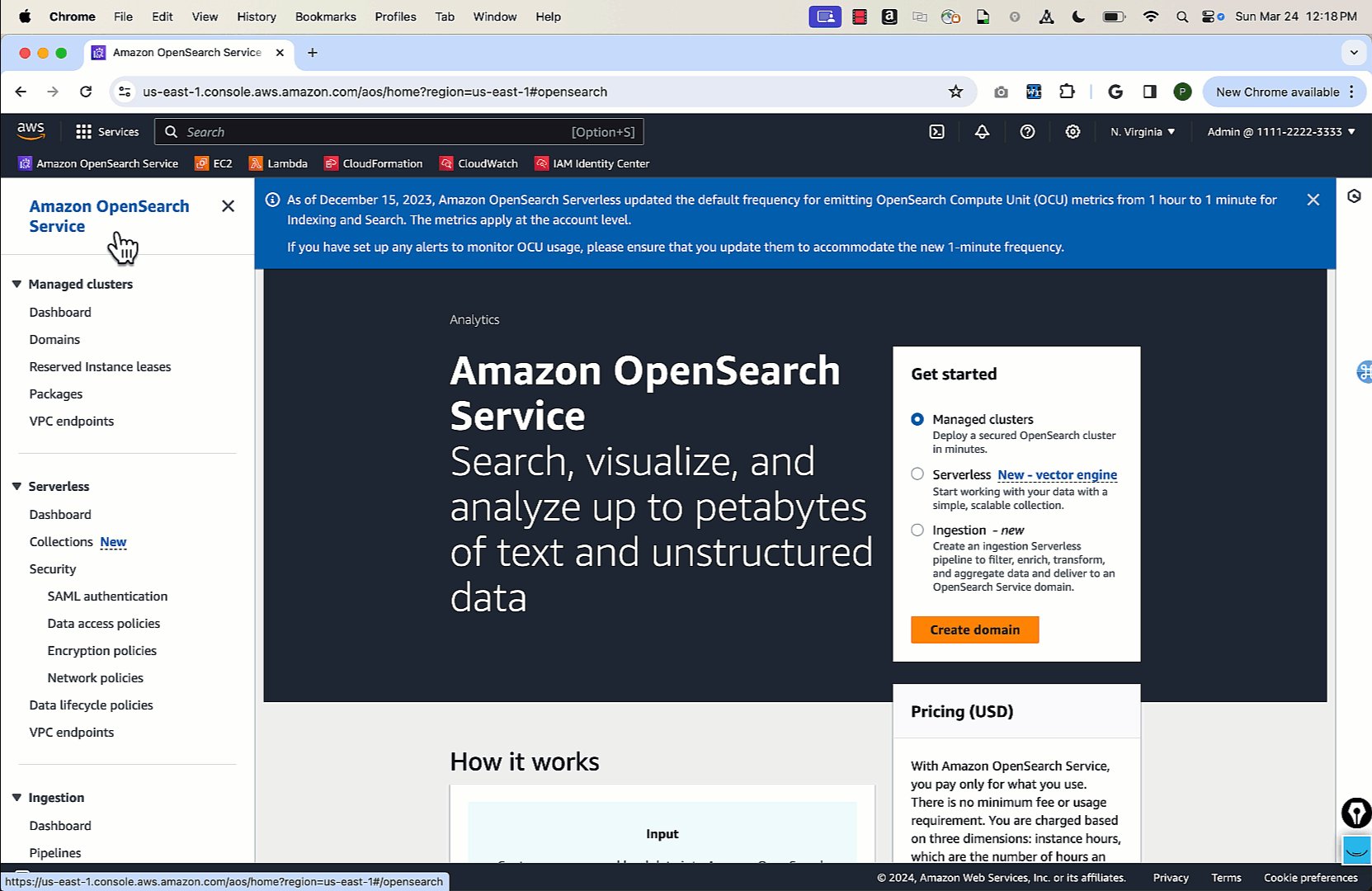
  • On the OpenSearch Service console, choose Data lifecycle policies under Serverless in the navigation pane.
  • Choose Create data lifecycle policy.
  • For Data lifecycle policy name, enter a name (for example, web-logs-policy).
  • Choose Add under Data lifecycle.
  • Under Source Collection, choose the collection to which you want to apply the policy (for example, web-logs-collection).
  • Under Indexes, enter the index or index patterns to apply the retention duration (for example, web-logs).
  • Under Data retention, disable Unlimited (to set up the specific retention for the index pattern you defined).
  • Enter the hours or days after which you want to delete data from Amazon S3.
  • Choose Create.

The following graphic gives a quick demonstration of creating the OpenSearch Serverless Data lifecycle policies via the preceding steps.

View the data lifecycle policy

After you have created the data lifecycle policy, you can view the policy by completing the following steps:

  • On the OpenSearch Service console, choose Data lifecycle policies under Serverless in the navigation pane.
  • Select the policy you want to view (for example, web-logs-policy).
  • Choose the hyperlink under Policy name.

This page will show you the details such as the index pattern and its retention period for a specific index and collection. The following graphic gives a quick demonstration of viewing the OpenSearch Serverless data lifecycle policies via the preceding steps.

Update the data lifecycle policy

After you have created the data lifecycle policy, you can modify and update it to add more rules. For example, you can add another index pattern or add a new collection with a new index pattern to set up the retention. The following example shows the steps to add another rule in the policy for syslog index under syslogs-collection.

  • On the OpenSearch Service console, choose Data lifecycle policies under Serverless in the navigation pane.
  • Select the policy you want to edit (for example, web-logs-policy), then choose Edit.
  • Choose Add under Data lifecycle.
  • Under Source Collection, choose the collection you are going to use for setting up the data lifecycle policy (for example, syslogs-collection).
  • Under Indexes, enter index or index patterns you are going to set retention for (for example, syslogs).
  • Under Data retention, disable Unlimited (to set up specific retention for the index pattern you defined).
  • Enter the hours or days after which you want to delete data from Amazon S3.
  • Choose Save.

The following graphic gives a quick demonstration of updating existing data lifecycle policies via the preceding steps.

Delete the data lifecycle policy

Delete the existing data lifecycle policy with the following steps:

  • On the OpenSearch Service console, choose Data lifecycle policies under Serverless in the navigation pane.
  • Select the policy you want to edit (for example, web-logs-policy).
  • Choose Delete.

Data lifecycle policy rules

In a data lifecycle policy, you specify a series of rules. The data lifecycle policy lets you manage the retention period of data associated to indexes or collections that match these rules. These rules define the retention period for data in an index or group of indexes. Each rule consists of a resource type (index), a retention period, and a list of resources (indexes) that the retention period applies to.

You define the retention period with one of the following formats:

  • “MinIndexRetention”: “24h” – OpenSearch Serverless retains the index data for a specified period in hours or days. You can set this period to be from 24 hours (24h) to 3,650 days (3650d).
  • “NoMinIndexRetention”: true – OpenSearch Serverless retains the index data indefinitely.

When data lifecycle policy rules overlap, within or across policies, the rule with a more specific resource name or pattern for an index overrides a rule with a more general resource name or pattern for any indexes that are common to both rules. For example, in the following policy, two rules apply to the index index/sales/logstash. In this situation, the second rule takes precedence because index/sales/log* is the longest match to index/sales/logstash. Therefore, OpenSearch Serverless sets no retention period for the index.

Summary

Data lifecycle policies provide a consistent and straightforward way to manage indexes in OpenSearch Serverless. With data lifecycle policies, you can automate data management and avoid human errors. Deleting non-relevant data without manual intervention reduces your operational load, saves storage costs, and helps keep the system performant for search.


About the authors

Prashant Agrawal is a Senior Search Specialist Solutions Architect with Amazon OpenSearch Service. He works closely with customers to help them migrate their workloads to the cloud and helps existing customers fine-tune their clusters to achieve better performance and save on cost. Before joining AWS, he helped various customers use OpenSearch and Elasticsearch for their search and log analytics use cases. When not working, you can find him traveling and exploring new places. In short, he likes doing Eat → Travel → Repeat.

Satish Nandi is a Senior Product Manager with Amazon OpenSearch Service. He is focused on OpenSearch Serverless and has years of experience in networking, security and ML/AI. He holds a Bachelor degree in Computer Science and an MBA in Entrepreneurship. In his free time, he likes to fly airplanes, hang gliders and ride his motorcycle.