Post Syndicated from Yumiko Kanasugi original https://aws.amazon.com/blogs/big-data/securely-share-your-data-across-aws-accounts-using-aws-lake-formation/
Data lakes have become very popular with organizations that want a centralized repository that allows you to store all your structured data and unstructured data at any scale. Because data is stored as is, there is no need to convert it to a predefined schema in advance. When you have new business use cases, you can easily build new types of analyses on top of the data lake, at any time.
In real-world use cases, it’s common to have requirements to share data stored within the data lake with multiple companies, organizations, or business units. For example, you may want to provide your data to stakeholders in another company for a co-marketing campaign between the two companies. For any of these use cases, the producer party wants to share data in a secure and effective manner, without having to copy the entire database.
In August 2019, we announced the general availability of AWS Lake Formation, a fully managed service that makes it easy to set up a secure data lake in days. AWS Lake Formation permission management capabilities simplify securing and managing distributed data lakes across multiple AWS accounts through a centralized approach, providing fine-grained access control to the AWS Glue Data Catalog and Amazon Simple Storage Service (Amazon S3) locations.
There are two options to share your databases and tables with another account by using Lake Formation cross-account access control:
- Lake Formation tag-based access control (recommended)
- Lake Formation named resources
In this post, I explain the differences between these two options, and walk you through the steps to configure cross-account sharing.
Overview of tag-based access control
Lake Formation tag-based access control is an authorization strategy that defines permissions based on attributes. In Lake Formation, these attributes are called LF-tags. You can attach LF-tags to Data Catalog resources and Lake Formation principals. Data lake administrators can assign and revoke permissions on Lake Formation resources using these LF-tags. For more details about tag-based access control, refer to Easily manage your data lake at scale using AWS Lake Formation Tag-based access control.
The following diagram illustrates the architecture of this method.

We recommend tag-based access control for the following use cases:
- You have a large number of tables and principals that the data lake administrator has to grant access to
- You want to classify your data based on an ontology and grant permissions based on classification
- The data lake administrator wants to assign permissions dynamically, in a loosely coupled way
You can also use tag-based access control to share Data Catalog resources (databases, tables, and columns) with external AWS accounts.
Overview of named resources
The Lake Formation named resource method is an authorization strategy that defines permissions for resources. Resources include databases, tables, and columns. Data lake administrators can assign and revoke permissions on Lake Formation resources. See Cross-Account Access: How It Works for details.
The following diagram illustrates the architecture for this method.

We recommend using named resources if the data lake administrator prefers granting permissions explicitly to individual resources.
When you use the named resource method to grant Lake Formation permissions on a Data Catalog resource to an external account, Lake Formation uses AWS Resource Access Manager (AWS RAM) to share the resource.
Now, let’s take a closer look at how to configure cross-account access with these two options. We refer to the account that has the source table as the producer account, and refer to the account that needs access to the source table as consumer account.
Configure Lake Formation Data Catalog settings in the producer account
Lake Formation provides its own permission management model. To maintain backward compatibility with the AWS Identity and Access Management (IAM) permission model, the Super permission is granted to the group IAMAllowedPrincipals on all existing AWS Glue Data Catalog resources by default. Also, Use only IAM access control settings are enabled for new data catalog resources.
In this post, we do fine grained access control using Lake Formation permissions and use IAM policies for coarse grained access control. See Methods for Fine-Grained Access Control for details. Therefore, before you use an AWS CloudFormation template for a quick setup, you need to change Lake Formation Data Catalog settings in the producer account.
This setting affects all newly created databases and tables, so we strongly recommend completing this tutorial in a non-production or new account. Also, if you’re using a shared account (such as your company’s dev account), make sure it doesn’t affect others resources. If you prefer to keep the default security settings, you must complete an extra step when sharing resources to other accounts, in which you revoke the default Super permission from IAMAllowedPrincipals on the database or table. We discuss the details later in this post.
To configure Lake Formation Data Catalog settings in the producer account, complete the following steps:
- Sign in to the producer account as an admin user, or a user with Lake Formation
PutDataLakeSettings API permission.
- On the Lake Formation console, in the navigation pane, under Data catalog, choose Settings.
- Deselect Use only IAM access control for new databases and Use only IAM access control for new tables in new databases
- Choose Save.

Additionally, you can remove CREATE_DATABASE permissions for IAMAllowedPrincipals under Administrative roles and tasks > Database creators. Only then, who can create a new database is governed through Lake Formation permissions.
Set up resources with AWS CloudFormation
We provide two CloudFormation templates in this post: one for the producer account, and one for the consumer account.
The CloudFormation template for the producer account generates the following resources:
- An S3 bucket to serve as our data lake.
- A Lambda function (for Lambda-backed AWS CloudFormation custom resources). We use the function to copy sample data files from the public S3 bucket to your S3 bucket.
- IAM users and policies:
- An AWS Glue Data Catalog database, table, and partition. Because we introduce two options for sharing resources across AWS accounts, this template creates two separate sets of database and table.
- Lake Formation data lake settings and permissions. This includes:
The CloudFormation template for the consumer account generates the following resources:
- IAM users and policies:
DataLakeAdminConsumerDataAnalyst
- An AWS Glue Data Catalog database. We use this database for creating resource links to shared resources.
Launch the CloudFormation stack in the producer account
To launch the CloudFormation stack in the producer account, complete the following steps:
- Sign in to the producer account’s AWS CloudFormation console in the target Region.
- Choose Launch Stack:

- Choose Next.
- For Stack name, enter a stack name, such as
stack-producer.
- For ProducerDatalakeAdminUserName and ProducerDatalakeAdminUserPassword, enter the user name and password you want for the data lake admin IAM user.
- For DataLakeBucketName, enter the name of your data lake bucket. This name needs to be globally unique.
- For DatabaseName and TableName, leave the default values.
- Choose Next.
- On the next page, choose Next.
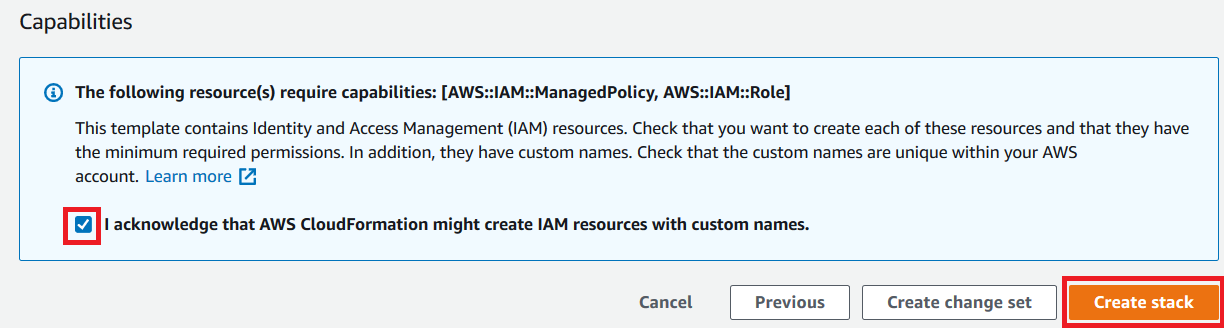
- Review the details on the final page and select I acknowledge that AWS CloudFormation might create IAM resources.
- Choose Create stack.
Launch the CloudFormation stack in the consumer account
To launch the CloudFormation stack in the consumer account, complete the following steps:
- Sign in to the consumer account’s AWS CloudFormation console in the target Region.
- Choose Launch Stack:
- Choose Next.
- For Stack name, enter a stack name, such as
stack-consumer.
- For ConsumerDatalakeAdminUserName and ConsumerDatalakeAdminUserPassword, enter the user name and password you want for the data lake admin IAM user.
- For DataAnalystUserName and DataAnalystUserPassword, enter the user name and password you want for the data analyst IAM user.
- For DatabaseName, leave the default values.
- For AthenaQueryResultS3BucketName, enter the name of the S3 bucket that stores Amazon Athena query results. If you don’t have one, create an S3 bucket.
- Choose Next.
- On the next page, choose Next.
- Review the details on the final page and select I acknowledge that AWS CloudFormation might create IAM resources.
- Choose Create stack.
Stack creation can take about 1 minute.
(Optional) AWS KMS server-side encryption
If the source S3 bucket is encrypted using server-side encryption with an AWS Key Management Service (AWS KMS) customer master key (CMK), make sure the IAM role that Lake Formation uses to access S3 data is registered as the key user for the KMS CMK. By default, the IAM role AWSServiceRoleForLakeFormationDataAccess is used, but you can choose other IAM roles when registering an S3 data lake location. To register the Lake Formation role as the KMS key user, you can use the AWS KMS console, or directly add the permission to the key policy using the KMS PutKeyPolicy API and the AWS Command Line Interface (AWS CLI).
You don’t have to add individual consumer accounts to the key policy. Only the role that Lake Formation uses is required. Also, this step isn’t necessary if the source S3 bucket is encrypted with server-side encryption with Amazon S3, or an AWS managed key.
To add a Lake Formation role as the KMS key user via the console, complete the following steps:
- Sign in to the AWS KMS console as the key administrator.
- In the navigation pane, under Customer managed keys, choose the key that is used to encrypt the source S3 bucket.
- Under Key users, choose Add.
- Select AWSServiceRoleForLakeFormationDataAccess and choose Add.
To use the AWS CLI, enter the following command (replace <key-id>, <name-of-key-policy>, and <key-policy> with valid values):
aws kms put-key-policy --key-id <key-id> --policy-name <name-of-key-policy> --policy <key-policy>
For more information, see put-key-policy.
Lake Formation cross-account sharing prerequisites
Before sharing resources with Lake Formation, there are prerequisites for both the tag-based access control method and named resource method.
Tag-based access control cross-account sharing prerequisites
As described in Lake Formation Tag-Based Access Control Cross-Account Prerequisites, before you can use the tag-based access control method to grant cross-account access to resources, you must add the following JSON permissions object to the AWS Glue Data Catalog resource policy in the producer account. This gives the consumer account permission to access the Data Catalog when glue:EvaluatedByLakeFormationTags is true. Also, this condition becomes true for resources on which you granted permission using Lake Formation permission Tags to the consumer’s account. This policy is required for every AWS account that you’re granting permissions to.
The following policy must be within a Statement element. We discuss the full IAM policy later in this post.
{
    "Effect": "Allow",
    "Action": [
        "glue:*"
    ],
    "Principal": {
        "AWS": [
            "<consumer-account-id>"
        ]
    },
    "Resource": [
        "arn:aws:glue:<region>:<account-id>:table/*",
        "arn:aws:glue:<region>:<account-id>:database/*",
        "arn:aws:glue:<region>:<account-id>:catalog"
    ],
    "Condition": {
        "Bool": {
            "glue:EvaluatedByLakeFormationTags": true
        }
    }
}
Named resource method cross-account sharing prerequisites
As described in Managing Cross-Account Permissions Using Both AWS Glue and Lake Formation, if there is no Data Catalog resource policy in your account, the Lake Formation cross-account grants that you make proceed as usual. However, if a Data Catalog resource policy exists, you must add the following statement to it to permit your cross-account grants to succeed if they’re made with the named resource method. If you plan to use only the named resource method, or only the tag-based access control method, you can skip this step. In this post, we evaluate both methods, so we need to add the following policy.
The following policy must be within a Statement element. We discuss the full IAM policy in the next section.
{
    "Effect": "Allow",
    "Action": [
        "glue:ShareResource"
    ],
    "Principal": {
        "Service": [
            "ram.amazonaws.com"
        ]
    },
    "Resource": [
        "arn:aws:glue:<region>:<account-id>:table/*/*",
        "arn:aws:glue:<region>:<account-id>:database/*",
        "arn:aws:glue:<region>:<account-id>:catalog"
    ]
}
Add the AWS Glue Data Catalog resource policy using the AWS CLI
If we grant cross-account permissions by using both the tag-based access control method and named resource method, we must set the EnableHybrid argument to ‘true’ when adding the preceding policies. Because this option isn’t currently supported on the console, we must use the glue:PutResourcePolicy API and AWS CLI.
First, create a policy document (such as policy.json) and add the preceding two policies. Replace <consumer-account-id> with the account ID of the AWS account receiving the grant, <region> with the Region of the Data Catalog containing the databases and tables that you are granting permissions on, and <account-id> with the producer AWS account ID.
{
    "Version": "2012-10-17",
    "Statement": [
        {
            "Effect": "Allow",
            "Principal": {
                "Service": "ram.amazonaws.com"
            },
            "Action": "glue:ShareResource",
            "Resource": [
                "arn:aws:glue:<region>:<account-id>:table/*/*",
                "arn:aws:glue:<region>:<account-id>:database/*",
                "arn:aws:glue:<region>:<account-id>:catalog"
            ]
        },
        {
            "Effect": "Allow",
            "Principal": {
                "AWS": "<consumer-account-id>"
            },
            "Action": "glue:*",
            "Resource": [
                "arn:aws:glue:<region>:<account-id>:table/*/*",
                "arn:aws:glue:<region>:<account-id>:database/*",
                "arn:aws:glue:<region>:<account-id>:catalog"
            ],
            "Condition": {
                "Bool": {
                    "glue:EvaluatedByLakeFormationTags": "true"
                }
            }
        }
    ]
}
Enter the following AWS CLI command. Replace <glue-resource-policy> with the correct values (such as file://policy.json).
aws glue put-resource-policy --policy-in-json <glue-resource-policy> --enable-hybrid TRUE
For more information, see put-resource-policy.
Implement the Lake Formation tag-based access control method
In this section, we walk through the following high-level steps:
- Define an LF-tag.
- Assign the LF-tag to the target resource.
- Grant LF-tag permissions to the consumer account.
- Grant data permissions to the consumer account.
- Optionally, revoke permissions for
IAMAllowedPrincipals on the database, tables, and columns.
- Create a resource link to the shared table.
- Create an LF-tag and assign it to the target database.
- Grant LF-tag data permissions to the consumer account.
Define an LF-tag
If you’re signed in to your producer account, sign out before completing the following steps.
- Sign in as the producer account data lake administrator. Use the producer account ID, IAM user name (the default is
DatalakeAdminProducer), and password that you specified during CloudFormation stack creation.
- On the Lake Formation console, in the navigation pane, under Permissions, and under Administrative roles and tasks, choose LF-tags.
- Choose Add LF-tag.
- Specify the key and values. In this post, we create an LF-tag where the key is
Confidentiality and the values are private, sensitive, and public.
- Choose Add LF-tag.

Assign the LF-tag to the target resource
As a data lake administrator, you can attach tags to resources. If you plan to use a separate role, you may have to grant describe and attach permissions to the separate role.
- In the navigation pane, under Data catalog, select Databases.
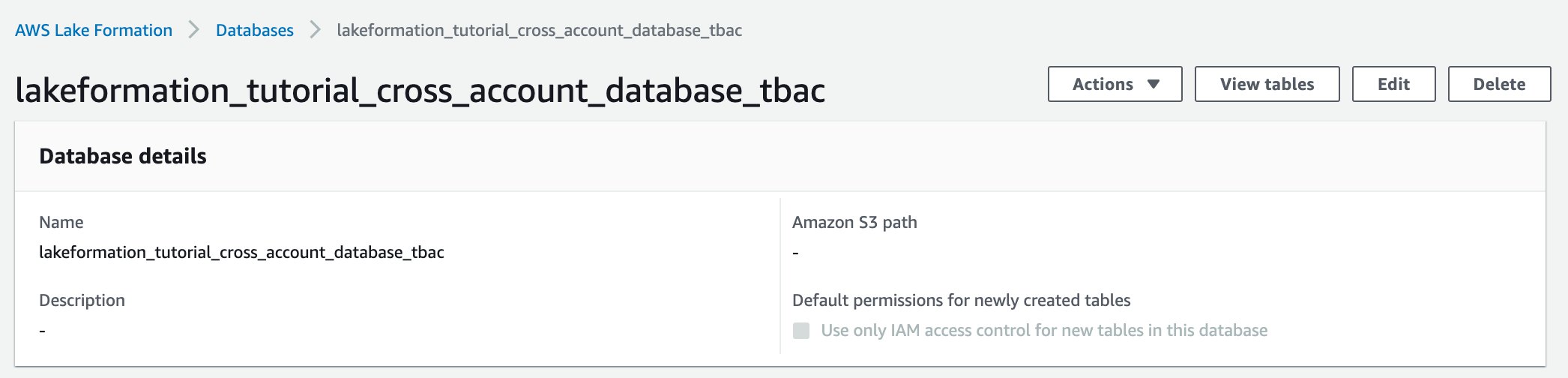
- Select the target database (
lakeformation_tutorial_cross_account_database_tbac) and on the Actions menu, choose Edit LF-tags.
For this post, we assign an LF-tag to a database, but you can also assign LF-tags to tables and columns.
- Choose Assign new LF-Tag.
- Add the key
Confidentiality and value public.
- Choose Save.

Grant LF-tag permission to the consumer account
Still in the producer account, we grant permissions to the consumer account to access the LF-tag.
- In the navigation pane, under Permissions, Administrative roles and tasks, LF-tag permissions, choose Grant.
- For Principals, choose External accounts.
- Enter the target AWS account ID.
AWS accounts within the same organization appear automatically. Otherwise, you have to manually enter the AWS account ID. As of this writing, Lake Formation tag-based access control doesn’t support granting permission to organizations or organization units.
- For LF-Tags, choose the key and values of the LF-tag that is being shared with the consumer account (key
Confidentiality and value public).
- For Permissions, select Describe for LF-tag permissions.
LF-tag permissions are permissions given to the consumer account. Grantable permissions are permissions that the consumer account can grant to other principals.
- Choose Grant.

At this point, the consumer data lake administrator should be able to find the policy tag being shared via the consumer account Lake Formation console, under Permissions, Administrative roles and tasks, LF-tags.

Grant data permission to the consumer account
We will now provide data access to the consumer account by specifying an LF-Tag expression and granting the consumer account access to any table or database that matches the expression.
- In the navigation pane, under Permissions, Data lake permissions, choose Grant.
- For Principals, choose External accounts, and enter the consumer AWS account ID.
- For LF-tags or catalog resources, under Resources matched by LF-Tags (recommended), choose Add LF-Tag.
- Select the key and values of the tag that is being shared with the consumer account (key
Confidentiality and value public).
- For Database permissions, select Describe under Database permissions to grant access permissions at the database level.
- Select Describe under Grantable permissions so the consumer account can grant database-level permissions to its users.
- For Table and column permissions, select Select and Describe under Table permissions.
- Select Select and Describe under Grantable permissions.
- Choose Grant.

Revoke permission for IAMAllowedPrincipals on the database, tables, and columns (Optional)
At the very beginning of this tutorial, we changed the Lake Formation Data Catalog settings. If you skipped that part, this step is required. If you changed your Lake Formation Data Catalog settings, you can skip this step.
In this step, we have to revoke the default Super permission from IAMAllowedPrincipals on the database or table. See Secure Existing Data Catalog Resources for details.
Before revoking permission for IAMAllowedPrincipals, make sure that you granted existing IAM principals with necessary permission through Lake Formation. This includes two steps:
- Add IAM permission to the target IAM user or role with the Lake Formation
GetDataAccess action (with IAM policy).
- Grant the target IAM user or role with Lake Formation data permissions (alter, select, and so on)
Then, revoke permissions for IAMAllowedPrincipals. Otherwise, after revoking permissions for IAMAllowedPrincipals, existing IAM principals may no longer be able to access the target database or catalog.
Revoking Super permission for IAMAllowedPrincipals is required when you want to apply the Lake Formation permission model (instead of the IAM policy model) to manage user access within a single account or among multiple accounts using the Lake Formation permission model. You don’t have to revoke permission of IAMAllowedPrincipals for other tables where you want to keep the traditional IAM policy model.
At this point, the consumer account data lake administrator should be able to find the database and table being shared via the consumer account Lake Formation console, under Data catalog, Databases. If not, confirm if the following are properly configured:
- Make sure the correct policy tag and values are assigned to the target databases and tables
- Make sure the correct tag permission and data permission are assigned to the consumer account
- Revoke the default
super permission from IAMAllowedPrincipals on the database or table
Create a resource link to the shared table
When a resource is shared between accounts, the shared resources are not put in the consumer accounts’ catalog. To make them available, and query the underlying data of a shared table using services like Athena, we need to create a resource link to the shared table. A resource link is a Data Catalog object that is a link to a local or shared database or table. By creating a resource link, you can:
- Assign a different name to a database or table that aligns with your Data Catalog resource naming policies
- Use services such as Athena and Amazon Redshift Spectrum to query shared databases or tables
To create a resource link, complete the following steps:
- If you’re signed in to your consumer account, sign out.
- Sign in as the consumer account data lake administrator. Use the consumer account ID, IAM user name (default
DatalakeAdminConsumer) and password that you specified during CloudFormation stack creation.
- On the Lake Formation console, in the navigation pane, under Data catalog, Databases, choose the shared database
lakeformation_tutorial_cross_account_database_tbac.
If you don’t see the database, revisit the previous steps to see if everything is properly configured.
- Choose View tables.
- Choose the shared table
amazon_reviews_table_tbac.
- On the Actions menu, choose Create resource link.

- For Resource link name, enter a name (for this post,
amazon_reviews_table_tbac_resource_link).
- Under Database, select the database that the resource link is created in (for this post, the CloudFormation stack created the database
lakeformation_tutorial_cross_account_database_consumer).
- Choose Create.

The resource link appears under Data catalog, Tables.

Create an LF-tag and assign it to the target database
Lake Formation tags reside in the same catalog as the resources. This means that tags created in the producer account aren’t available to use when granting access to the resource links in the consumer account. You need to create a separate set of LF-tags in the consumer account to use LF tag-based access control when sharing the resource links in the consumer account. Let’s first create the LF-tag. Refer to the previous sections for full instructions.
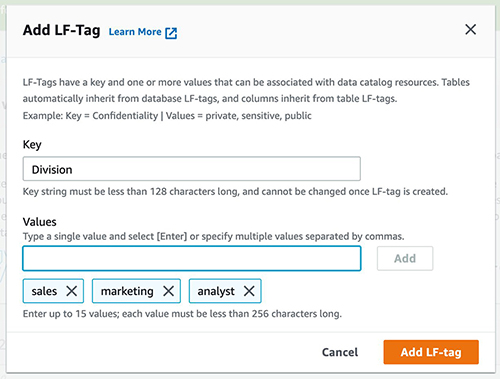
- Define the LF-tag in the consumer account. For this post, we use key
Division and values sales, marketing, and analyst.

- Assign the LF-tag key
Division and value analyst to the database lakeformation_tutorial_cross_account_database_consumer, where the resource link is created in.

Grant LF-tag data permission to the consumer
As a final step, we grant LF-tag data permission to the consumer.
- In the navigation pane, under Permissions, Data lake permissions, choose Grant.
- For Principals, choose IAM users and roles, and choose the user
DataAnalyst.
- For LF-tags or catalog resources, choose Resources matched by LF-tags (recommended).
- Choose key
Division and value analyst.
- For Database permissions, select Describe under Database permissions.
- For Table and column permissions, select Select and Describe under Table permissions.
- Choose Grant.
- Repeat these steps for user
DataAnalyst, where the LF-tag key is Confidentiality and value is public.

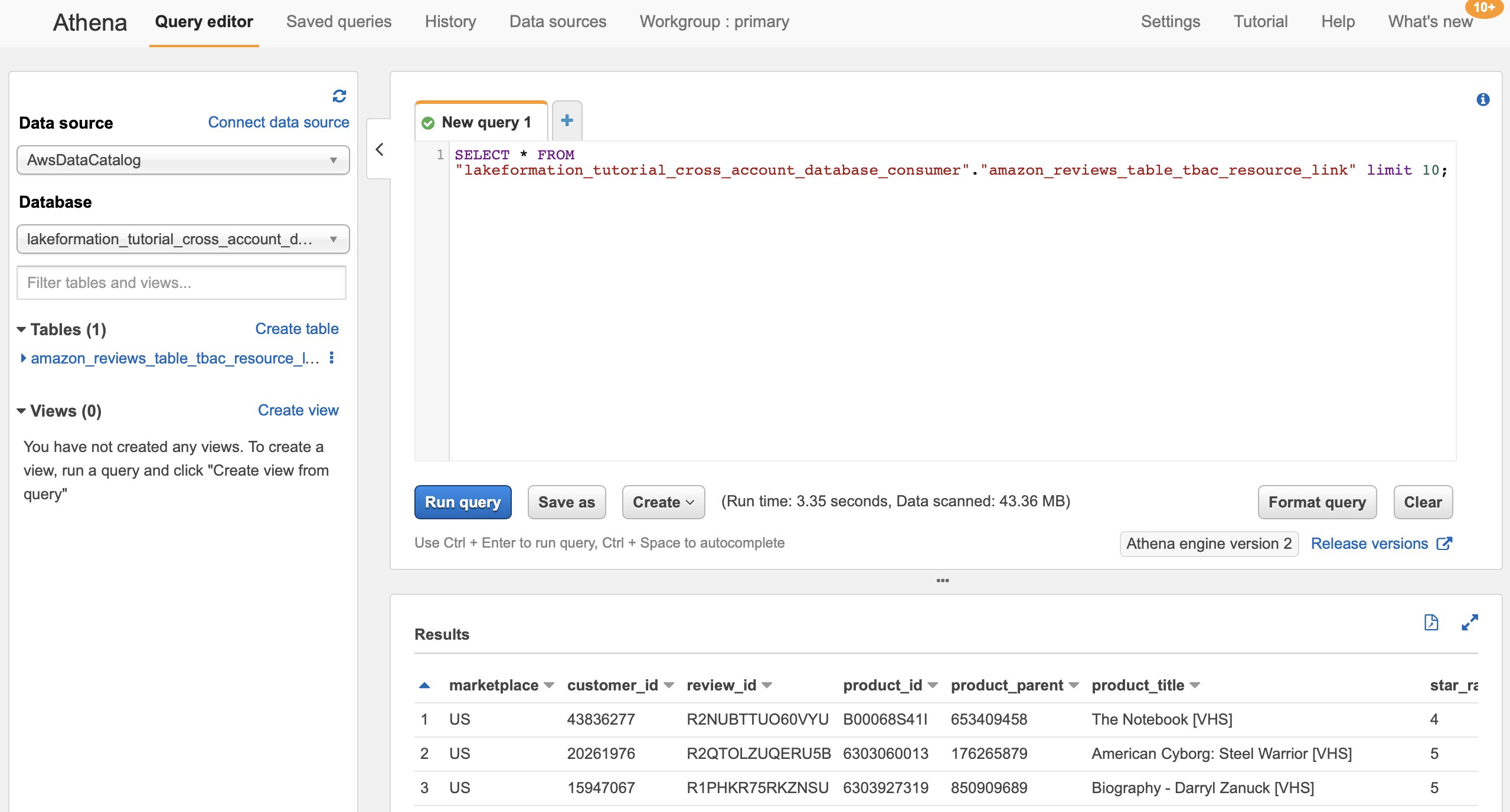
At this point, the data analyst user in the consumer account should be able to find the database and resource link, and query the shared table via the Athena console.
If not, confirm if the following are properly configured:
- Make sure the resource link is created for the shared table
- Make sure you granted the user access to the LF-tag shared by the producer account
- Make sure you granted the user access to the LF-tag associated to the resource link and database that the resource link is created in
- Check if you assigned the correct LF-tag to the resource link, and to the database that the resource link is created in

Implement the Lake Formation named resource method
To use the named resource method, we walk through the following high-level steps:
- Optionally, revoke permission for
IAMAllowedPrincipals on the database, tables, and columns.
- Grant data permission to the consumer account.
- Accept a resource share from AWS RAM.
- Create a resource link for the shared table.
- Grant data permission for the shared table to the consumer.
- Grant data permission for the resource link to the consumer.
Revoke permission for IAMAllowedPrincipals on the database, tables, and columns (Optional)
At the very beginning of this tutorial, we changed Lake Formation Data Catalog settings. If you skipped that part, this step is required. For instructions, see the optional step in the previous section.
Grant data permission to the consumer account
If you’re signed in to producer account as another user, sign out first.
- Sign in as the producer account data lake administrator using the AWS account ID, IAM user name (default is
DatalakeAdminProducer), and password specified during CloudFormation stack creation.
- In the navigation pane, under Permissions, Data lake permissions, choose Grant.
- For Principals, choose External accounts, and enter one or more AWS account IDs or AWS Organizations IDs.
Organizations that the producer account belongs to and AWS accounts within the same organization appear automatically. Otherwise, manually enter the account ID or organization ID.
- For LF-tags or catalog resources, choose Named data catalog resources.
- Under Databases, choose the database
lakeformation_tutorial_cross_account_database_named_resource.
- Under Tables, choose All tables.
- For Table and column permissions, select Select and Describe under Table permissions.
- Select Select and Describe under Grantable permissions.
- Optionally, for Data permissions, select Simple column-based access if column-level permission management is required.
- Choose Grant.

If you haven’t revoked permission for IAMAllowedPrincipals, you get a Grant permissions failed error.
At this point, you should see the target table being shared via AWS RAM with the consumer account under Permissions, Data permissions.

Accept a resource share from AWS RAM
This step is required only for account ID-based sharing, not for organization-based sharing.
- Sign in as the consumer account data lake administrator using the IAM user name (default is
DatalakeAdminConsumer) and password specified during CloudFormation stack creation.
- On the AWS RAM console, in the navigation pane, under Shared with me, Resource shares, choose the shared Lake Formation resource.
The Status should be Pending.
- Confirm the resource details, and choose Accept resource share.

At this point, the consumer account data lake administrator should be able to find the shared resource on the Lake Formation console under Data catalog, Databases.
Create a resource link for the shared table
Follow the instructions detailed earlier to create a resource link for a shared table. Name the resource link amazon_reviews_table_named_resource_resource_link. Create the resource link in the database lakeformation_tutorial_cross_account_database_consumer.
Grant data permission for the shared table to the consumer
To grant data permission for the shared table to the consumer, complete the following steps:
- In the navigation pane, under Permissions, Data lake permissions, choose Grant.
- For Principals, choose IAM users and roles, and choose the user
DataAnalyst.
- For LF-tags or catalog resources, choose Named data catalog resources.
- Under Databases, choose the database
lakeformation_tutorial_cross_account_database_named_resource.
If you don’t see the database on the drop-down list, choose Load more.
- Under Tables, choose the table
amazon_reviews_table_named_resource.
- For Table and column permissions, select Select and Describe under Table permissions.
- Choose Grant.

Grant data permission for the resource link to the consumer
In addition to granting the data lake user permission to access the shared table, you also need to grant the data lake user permission to access the resource link.
- In the navigation pane, under Permissions, Data lake permissions, choose Grant.
- For Principals, choose IAM users and roles, and choose the user
DataAnalyst.
- For LF-tags or catalog resources, choose Named data catalog resources.
- Under Databases, choose the database
lakeformation_tutorial_cross_account_database_consumer.
- Under Tables, choose the table
amazon_reviews_table_named_resource_resource_link.
- For Resource link permissions, select Describe under Resource link permissions.
- Choose Grant.

At this point, the data analyst user in the consumer account should be able to find the database and resource link, and query the shared table via the Athena console.

If not, confirm if the following are properly configured:
- Make sure the resource link is created for the shared table
- Make sure you granted the user access to the table shared by the producer account
- Make sure you granted the user access to the resource link and database that the resource link is created in
Clean up
To clean up the resources created within this tutorial, delete or change the following resources:
- Producer account:
- AWS RAM resource share
- Lake Formation tags
- CloudFormation stack
- Lake Formation settings
- AWS Glue Data Catalog settings
- Consumer account:
- Lake Formation tags
- CloudFormation stack
Summary
Lake Formation cross-account sharing enables you to share data across AWS accounts without copying the actual data. Also, it provides both the producer and consumer with control over data permissions in a flexible way. In this post, we introduced two different options to reference catalog data from another account by using the cross-account access features provided by Lake Formation:
- Tag-based access control
- Named resource
The tag-based access control method is recommended when many resources and entities are involved. Although it seems like this option requires more steps, tag-based access control helps data lake administrators control relationships between each user and table via tags dynamically. The named resource method provides the data lake administrator with a more straightforward way to manage catalog permissions. You can choose the method that best fits your requirement.
About the author
 Yumiko Kanasugi is a Solutions Architect with Amazon Web Services Japan, supporting digital native business customers to utilize AWS.
 We launched Amazon Simple Storage Service (Amazon S3) sixteen years ago today!
 After spending 15 years collecting video, image, and audio assets representing over 70 years of motor sports history, NASCAR built a media library that encompassed over 8,600 LTO 6 tapes and a few thousand LTO 4 tapes, with a growth rate of between 1.5 PB and 2 PB per year. Over the course of 18 months they migrated all of this content (a total of 15 PB) to AWS, making use of the Amazon S3 Standard, Amazon S3 Glacier Flexible Retrieval, and Amazon S3 Glacier Deep Archive storage classes. To learn more about how they migrated this massive and invaluable archive, read Modernizing NASCAR’s multi-PB media archive at speed with AWS Storage.
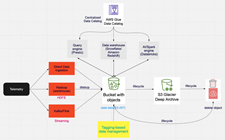 This game maker’s core telemetry systems handle tens of petabytes of data, tens of thousands of tables, and over 2 billion objects. As their games became more popular and the volume of data grew, they were facing challenges around data growth, cost management, retention, and data usage. In a series of updates, they moved archival data to Amazon S3 Glacier Deep Archive, implemented tag-driven retention management, and implemented Amazon S3 Intelligent-Tiering. They have reduced their costs and made their data assets more accessible; read
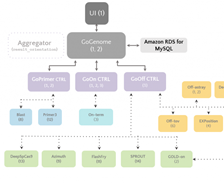 This team came together to build a best-in-class gene-editing prediction platform. CRISPR (







 Roy Hasson is the Head of Product at Upsolver. He works with customers globally to simplify how they build, manage and deploy data pipelines to deliver high quality data as a product. Previously, Roy was a Product Manager for AWS Glue and AWS Lake Formation.
 Mei Long is a Product Manager at Upsolver. She is on a mission to make data accessible, usable and manageable in the cloud. Previously, Mei played an instrumental role working with the teams that contributed to the Apache Hadoop, Spark, Zeppelin, Kafka, and Kubernetes projects.
 Maneesh Sharma is a Senior Database Engineer at AWS with more than a decade of experience designing and implementing large-scale data warehouse and analytics solutions. He collaborates with various Amazon Redshift Partners and customers to drive better integration.