Post Syndicated from Michael Kammer original https://blog.zabbix.com/you-asked-we-delivered-whats-new-in-zabbix-cloud/33608/
We’re always looking for ways to make Zabbix Cloud easier to use, and one of the best sources of inspiration is you – our users.
Your feedback and support requests help us understand where things can be simpler, clearer, or just a little less frustrating. Over the past few releases, we’ve made a number of improvements focused on exactly that – smoother onboarding, easier configuration, and fewer common setup issues.
Here are five recent updates that make it easier to deploy nodes, manage secure access, and get your environment up and running with confidence.
1. The ability to deploy Zabbix proxies directly in the cloud
Distributed monitoring often relies on Zabbix Proxies to collect data from remote locations, reduce server load, and improve scalability. Until now, deploying and maintaining proxies required users to provision and manage their own infrastructure.
Zabbix Cloud now supports cloud-based Zabbix Proxy deployment, allowing users to deploy a proxy in their preferred cloud region with the same ease as deploying a Zabbix Cloud server. Once deployed, the proxy can be connected to either a Zabbix Cloud server or an on-premises Zabbix server, giving users greater flexibility in how they design and scale their monitoring environments.
Key benefits
- Simplified proxy deployment, making it easy to launch a Zabbix Proxy in just a few clicks without provisioning your own infrastructure.
- Flexible distributed monitoring, which lets you deploy proxies in the cloud regions that best match your infrastructure and monitoring needs.
- Hybrid environment support, so that you can connect cloud-based proxies to either Zabbix Cloud servers or on-premise Zabbix servers.
- A reduced server workload, which allows you to offload data collection and preprocessing tasks from your Zabbix server to cloud-hosted proxies.
- Easy testing and evaluation, so that you can experiment with distributed monitoring architectures without the overhead of installing, patching, or maintaining proxy infrastructure.
Why it matters
This enhancement makes it easier than ever to build scalable, distributed, and hybrid monitoring environments. Whether you’re extending an existing on-premises deployment, reducing the load on your Zabbix server, or evaluating a proxy-based architecture, cloud-hosted proxies provide a fast and flexible way to expand your monitoring capabilities.
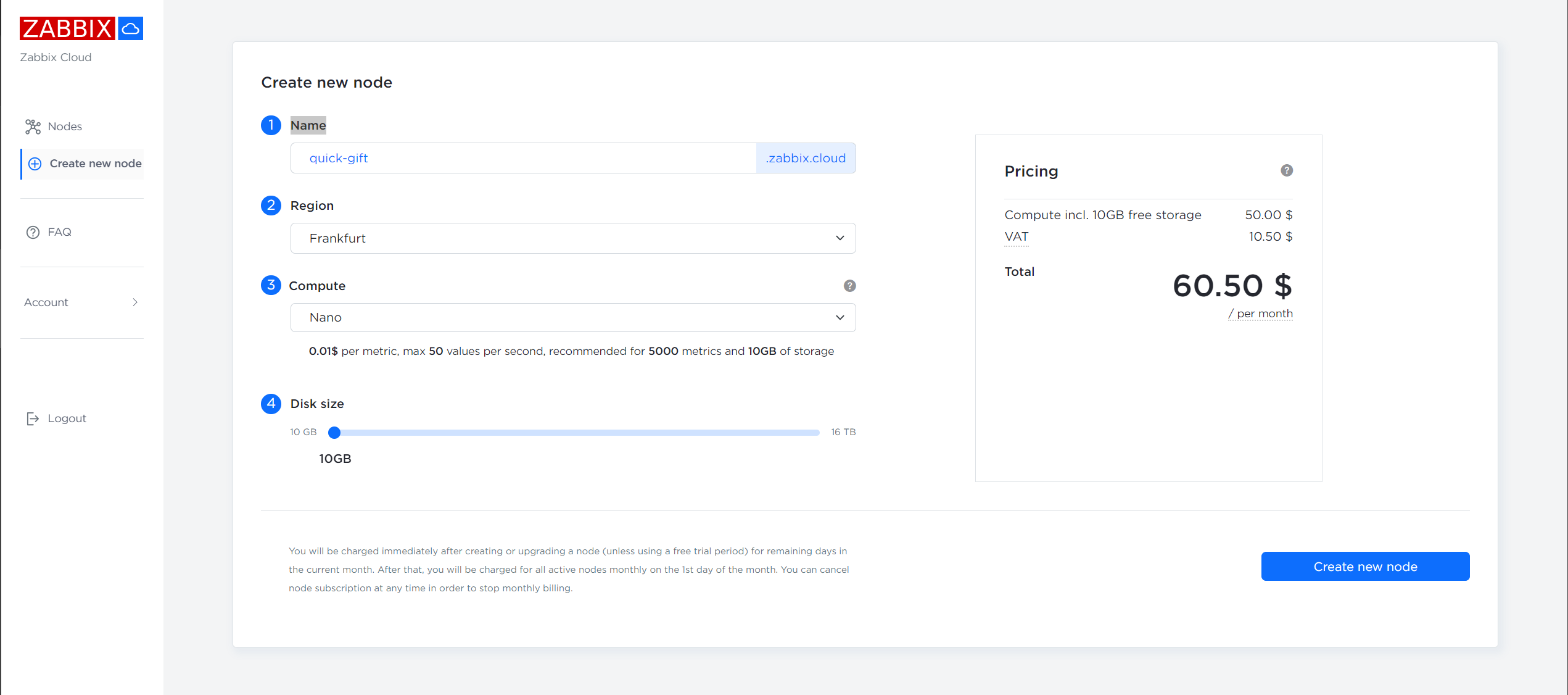
2. A redesigned and improved node creation experience
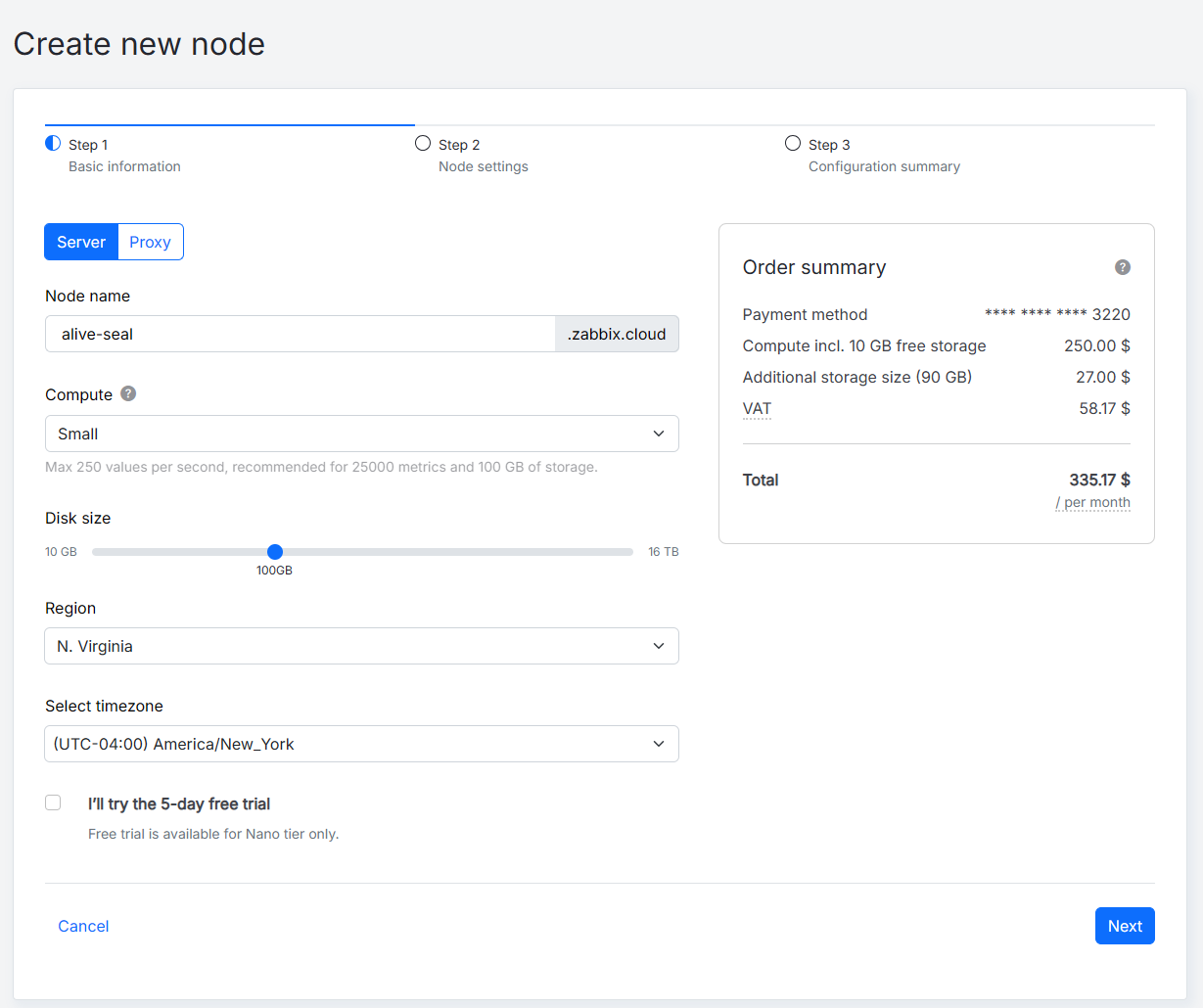
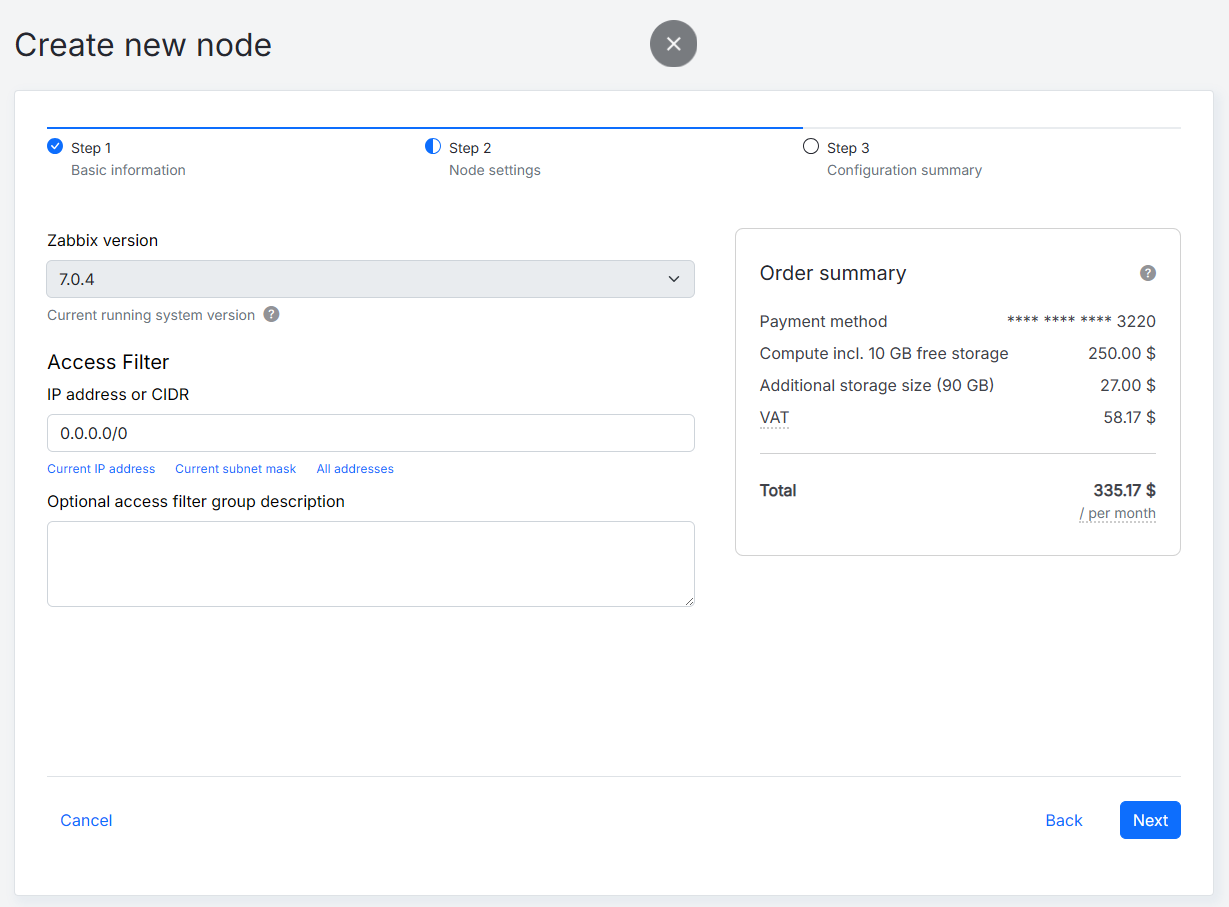
Creating a new Zabbix Cloud node is now more intuitive than ever, with an updated interface designed to streamline deployment. The redesigned workflow makes key information easier to find, reduces unnecessary steps, and guides users through the essential configuration process.
Key benefits
- A cleaner, more intuitive interface that reduces visual clutter and makes it easier to understand what needs to be configured, allowing users to focus on essential settings without being overwhelmed by unnecessary complexity.
- A better onboarding flow designed to guide users step by step, making it easier for both new and experienced users to get a node configured correctly and reducing uncertainty about what to do next.
- Improved visibility of critical setup information, which helps users avoid missing essential settings, credentials, or connection information and reduces the need to search through different parts of the interface.
- Multiple usability improvements based on customer feedback (such as the ability to specify a server’s time zone during node creation), which address common pain points and make node creation faster, more straightforward, and less frustrating.
Why it matters
New nodes can be deployed more confidently with fewer interruptions during the initial setup.
3. Simplified access filters management
Managing IP allowlists manually can become time-consuming, especially when working with multiple environments or larger infrastructures. Zabbix Cloud now lets users upload or paste multiple IP addresses or CIDR ranges at once using either JSON or TXT format. Users can configure access for Frontend/API, server, or both components simultaneously
Key benefits:
- Mass import of IP addresses and CIDR ranges, which saves time by allowing large access lists to be configured without repetitive manual entry.
- Support for JSON and TXT formats, which makes automated workflows easier to implement and gives administrators more flexibility in how they prepare and exchange access lists.
- The ability to configure Frontend/API and server access independently or together, which makes access control more granular and better suited to different network architectures and security policies.
- Faster, more consistent access management, which means that changes can be implemented more quickly while reducing differences between configurations.
- An increased whitelist capacity of up to 200 IP addresses per entry, making large whitelists easier to maintain for organizations with distributed infrastructure or many trusted networks.
- Reduced manual work and configuration errors, eliminating opportunities for mistakes such as typos, missing addresses, duplicate entries, or accidentally allowing the wrong network.
Why it matters
Managing secure network access is now significantly faster, making it easier to maintain consistent security policies across multiple Zabbix Cloud environments.
4. Better visibility for credentials and access configuration
Our support team identified two of the most common issues reported by new users:
- Users couldn’t easily find their initial credentials.
- Users couldn’t connect because their IP address hadn’t been added to the access whitelist.
The node creation experience has now been redesigned to surface the most important information immediately. During node provisioning, users now see the generated password immediately as well as the Access tab before provisioning is complete.
Once the node is ready, two attention indicators (save your credentials and configure access filters) highlight any required actions. The indicators automatically disappear once both actions have been completed.
Key benefits:
- Faster onboarding, so that you can immediately see the information you need to access your new node, reducing delays during setup.
- Reduced setup errors, with important credentials and access configuration now being prominently displayed in order to help users avoid common mistakes that prevent successful connections.
- An improved user experience, with critical information made available at the right time in the provisioning workflow, eliminating the need to search through different screens.
- Better security practices that encourage users to capture their credentials and configure access filters immediately, helping to guarantee secure access from the start.
Why it matters
These improvements help users get connected faster while reducing common onboarding mistakes and support requests.
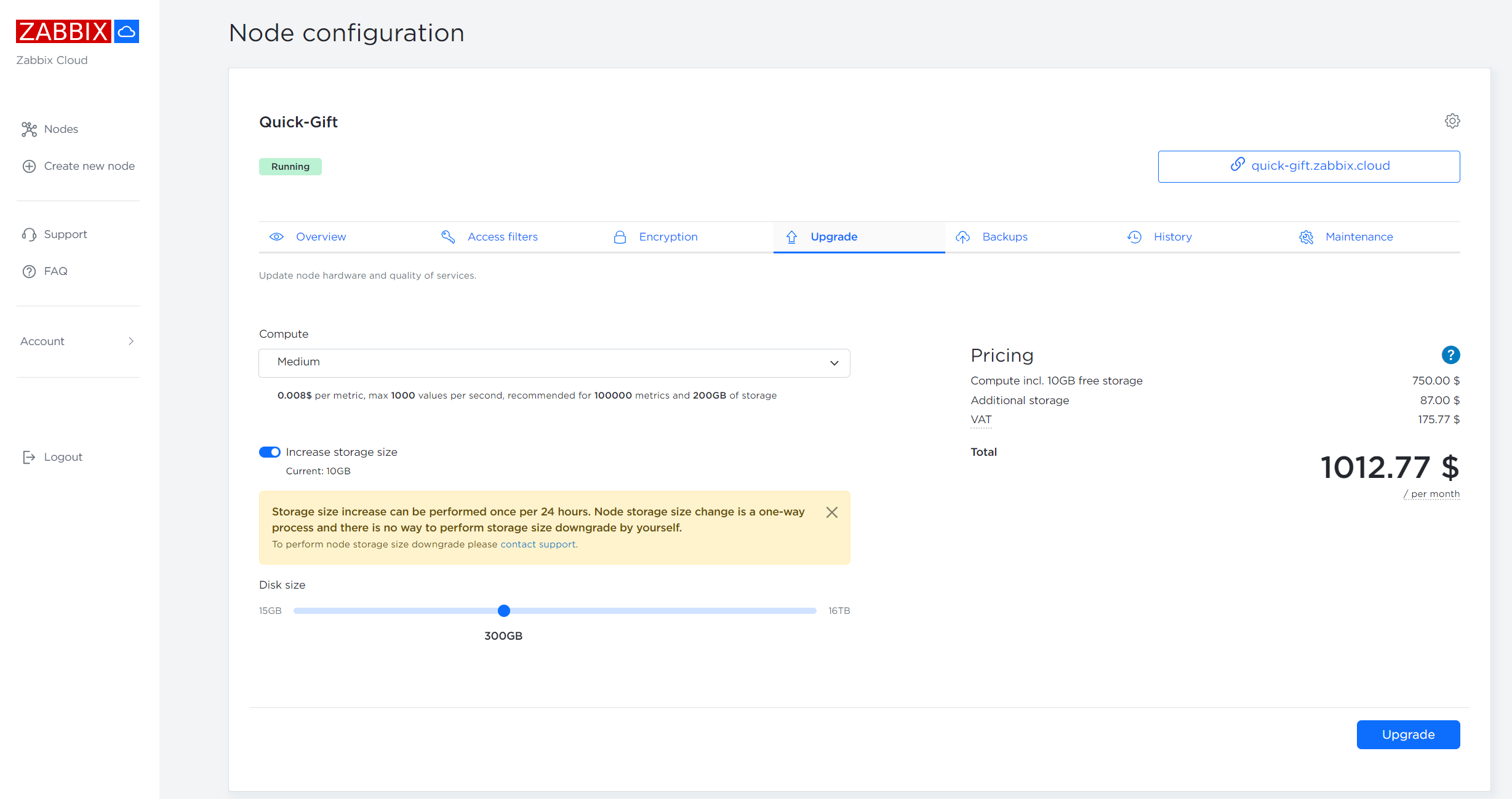
5. A refreshed node card and configuration view
We’ve updated both the node card and node configuration pages to provide a cleaner, more organized experience. The redesigned layout makes important information easier to locate while improving navigation throughout node management.
Key benefits
- Improved visual organization, making important details such as node status, key properties, and actions easier to distinguish, reducing visual clutter and helping you find what you need faster.
- Better readability, so that you can quickly identify important settings without having to work through dense or confusing screens.
- Easier access to configuration settings, which reduces the number of steps needed to find or modify node settings and makes configuration tasks more straightforward.
- A more consistent user experience across the platform, meaning that it’s not necessary to learn a different interface for each part of the platform – the same navigation, terminology, and design principles carry over.
Why it matters
Managing cloud nodes is now faster and more intuitive, whether you’re administering one deployment or many.
In conclusion
All five of these improvements have one thing in common – they’re designed to make Zabbix Cloud easier to use. From faster access filter management and a smoother node creation experience to cleaner interfaces and cloud-based proxy deployment, we’re focused on removing friction from the things you do every day.
And, as always, your feedback plays a big part in deciding what we improve next. So please keep the feedback coming, because we’re listening!
If you haven’t tried Zabbix Cloud yet and like what you’ve seen here, why not give it a try? Get started with Zabbix Cloud today and see how much easier cloud monitoring can be.
The post You Asked, We Delivered: What’s New in Zabbix Cloud appeared first on Zabbix Blog.