Post Syndicated from Juan Miguel Cejuela original https://blog.cloudflare.com/client-side-security-finds-4-malicious-campaigns/
A modern storefront can look perfectly healthy while malicious JavaScript works underneath: siphoning affiliate revenue, hijacking searches and clicks, tampering with analytics, or asking a remote server what to execute next. Pages load, products appear, and checkout works — yet the browser may be quietly doing something the site owner never authorized.
That is the blind spot our Client-Side Security machine learning (ML) model is built to expose. This post follows four operations, spanning eight payloads, that our Page Shield ML uncovered in the wild.
The detection of these malicious payloads was automated; humans verified each finding only after the system had flagged it. When we afterward reviewed the campaigns using security scanning tools, seven of the eight payloads were entirely absent from VirusTotal, and URLScan returned no malicious verdict for any of them. Page Shield ML, meanwhile, caught all eight in live traffic.
For instance, while security research documented the broader Lnkr family years earlier, one specific payload version sat indexed by URLScan for nearly two and a half years with “No classification,” including during a direct scan in January 2024. Only in this case had VirusTotal ingested the payload earlier: while it currently flags the script as malicious, public history does not reveal when that verdict was first assigned. Meanwhile, Page Shield ML independently surfaced those exact bytes live on an online retailer's storefront. More broadly, a hash can be known long before the code behind it is classified as malicious. If your defense waits for that label, you are already late. You need ML that can unravel the JavaScript itself and judge it at scale.
Indeed, seeing a file is not the same as understanding it. The tricky part was that the four operations shared no universal signature or common concealment technique. One remained dormant unless the device, country, time, referrer, or browser state matched what it was waiting for. Another concealed a clickless affiliate request within an invisible iframe. Others intercepted clicks, suppressed monitoring, or conditionally loaded additional code from remote servers. To catch them, you have to watch how those pieces work together: when the script wakes up, what it hides, what it intercepts, and what it fetches next. Checking the page once is not enough; as these cases show, such scripts are built to stay quiet until the right victim shows up. That is why ongoing browser visibility makes the difference between catching an attack and missing it entirely.
How we detect and label JavaScript at scale
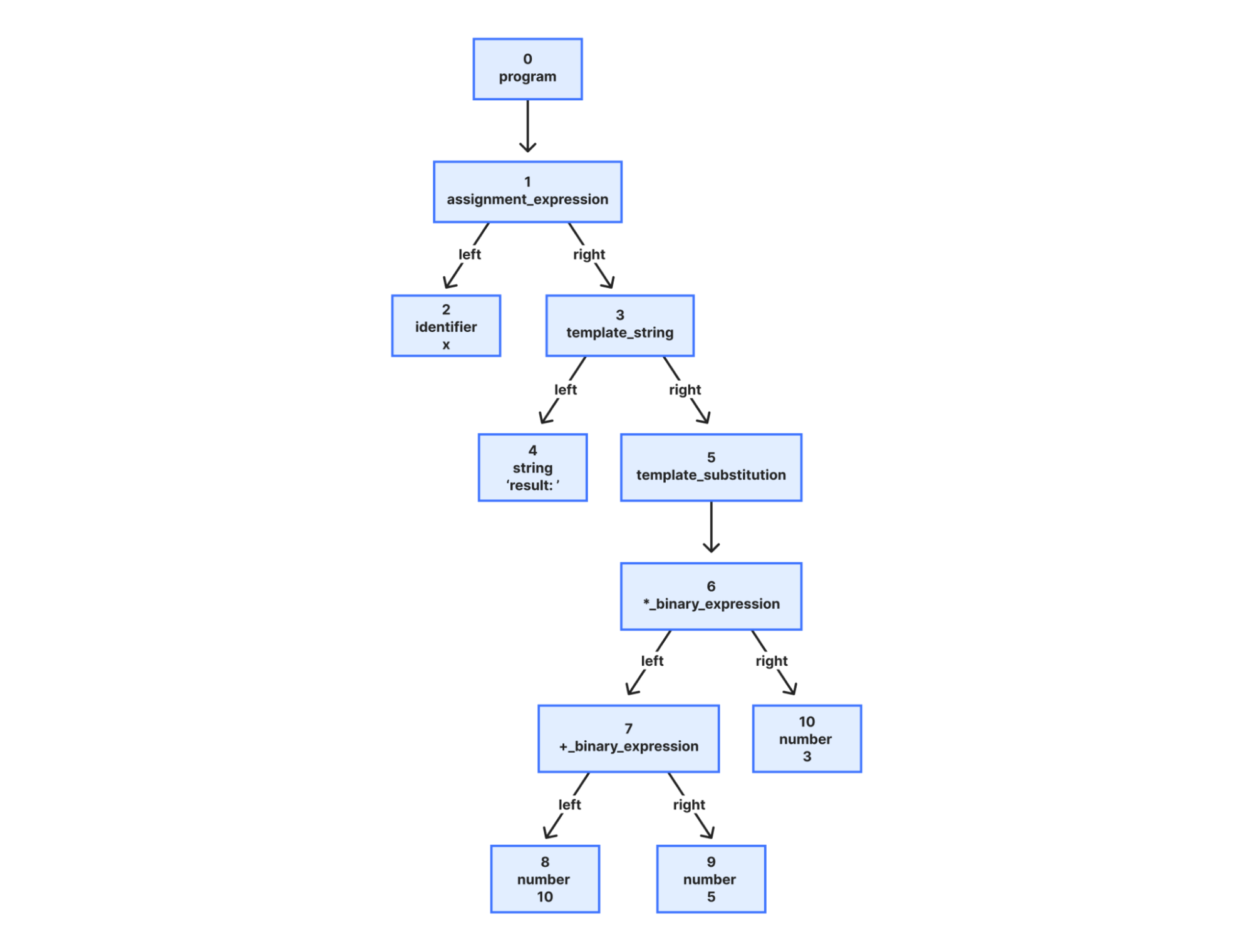
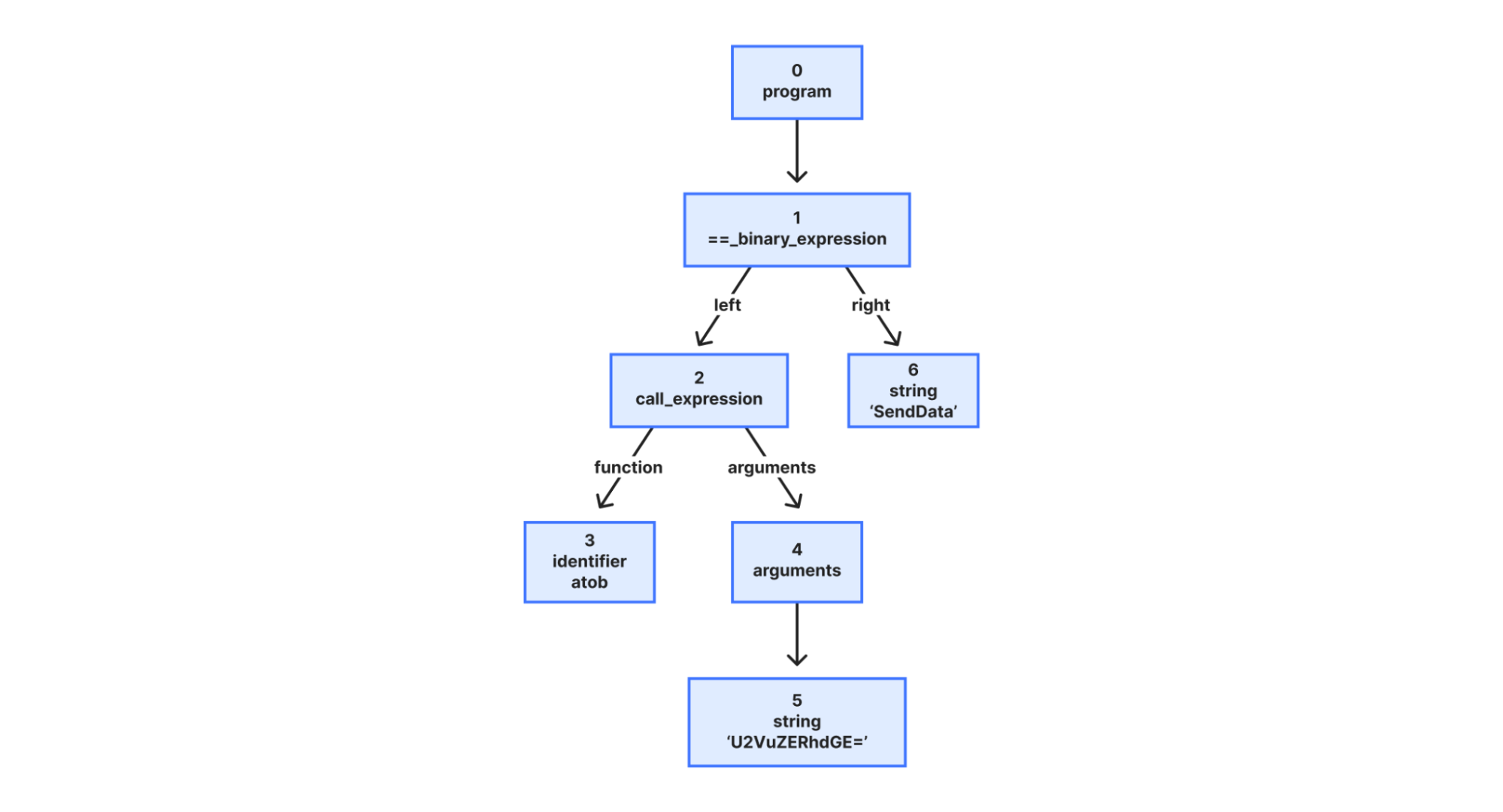
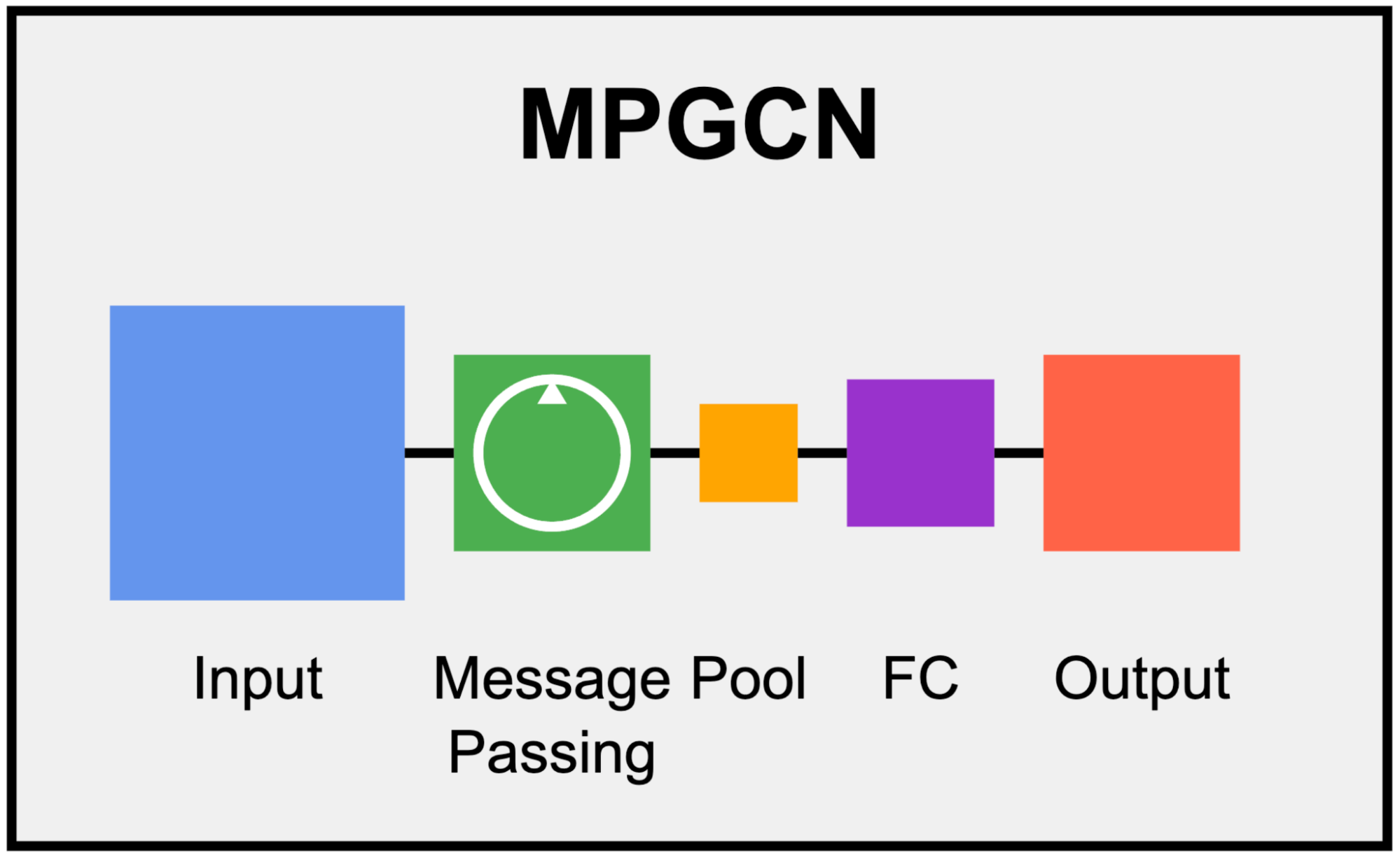
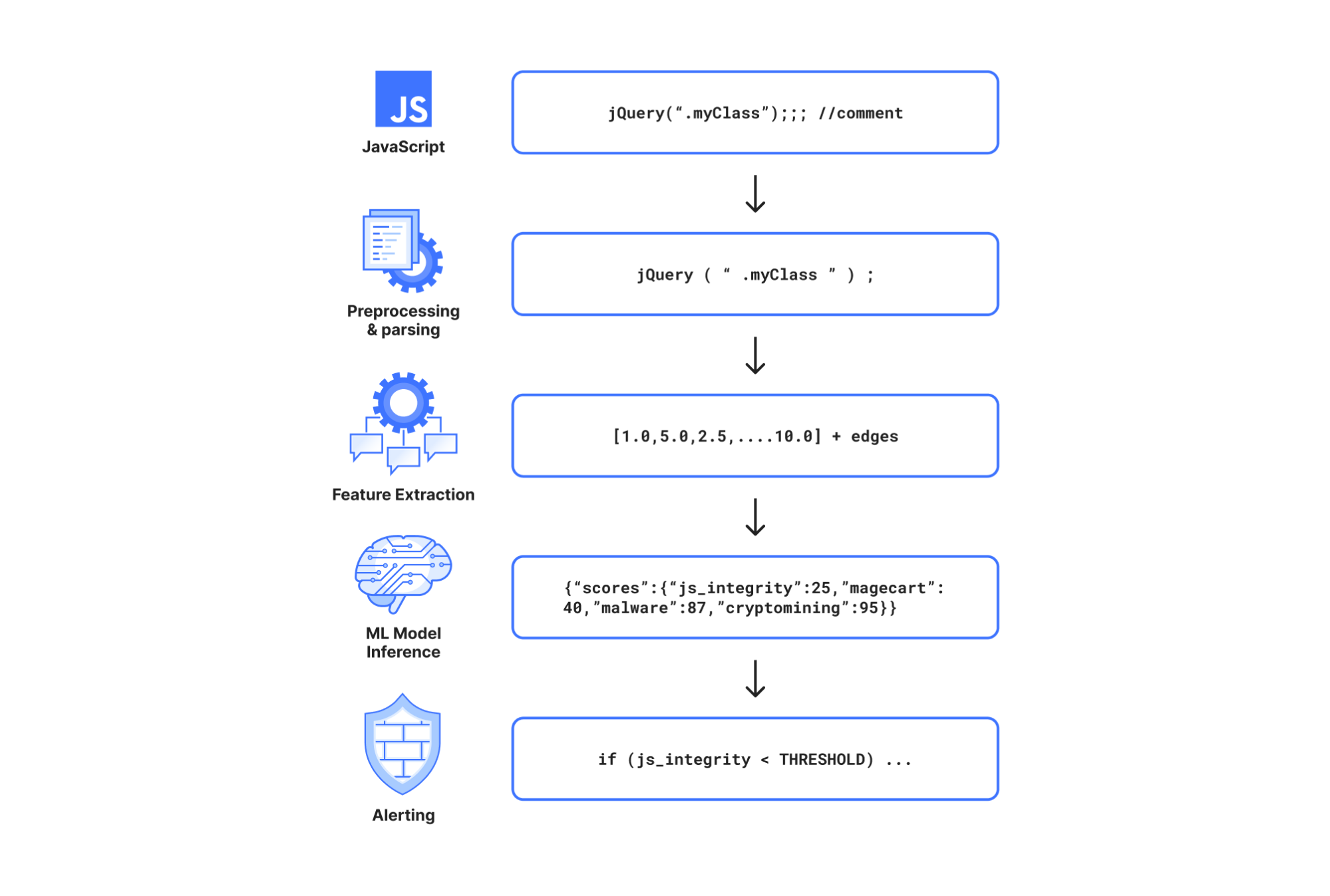
The same GNN (graph neural network) that flagged the four operations in this post had already caught malicious npm packages and an in-the-wild Magecart payment skimmer. The GNN does not treat JavaScript as a flat chunk of text; it reasons through the code as a graph: a syntax tree connecting code symbols and exposing what calls what, what the attacker tried to bury, and what still phones home. That structure helps it recognize suspicious patterns across minification, renaming, and some obfuscation without relying on a known URL or byte signature.
The few scripts that the GNN flags as malicious (under 0.3% of all analyzed traffic) go to a lightweight large language model (LLM) on Workers AI for a live second opinion. This further reduces false positives while keeping recall high. When the LLM corroborates the GNN, customers are alerted.
To investigate the most complex scripts at scale, we use a cohort of frontier models, which we call teachers (an ensemble of automated judges). The cohort draws leading models from around six different families, including open-weight models running on Workers AI. We spin up each as an agent to analyze the same suspicious script in its own fresh, independent session. When useful, their agentic tool access lets them use a restricted JavaScript evaluator to unpack small snippets and reveal concealed behavior. We will soon extend this workflow with Cloudflare Sandbox for deeper analysis in isolated environments.
The frontier models sometimes disagree, especially on the most intricate scripts. We treat that disagreement as signal, not noise. Each label becomes a vote, weighted by the model's score in the Artificial Analysis Intelligence Index, producing a probability distribution over four labels: benign, payment skimming (magecart), other malware, and cryptomining. Human reviewers therefore need only examine scripts flagged as malicious or lacking a clear two-thirds majority. We then feed those label distributions back into GNN training, helping it distinguish ever more nuanced cases. This feedback loop is still partly manual, though we are starting to automate it.
Four malicious JavaScript operations we caught
These four operations do very different things, from commission theft to stolen analytics on shoppers the store already paid to acquire. Stealing a commission is not like skimming a credit card; likewise, hijacking search is not like stealing a password. If an ML model only knows one of those tricks, it will sleep through the others. Instead, our Page Shield ML has to stay attuned to every kind of hostile behavior.
Now, let’s dig deeper into each operation and how it worked.
Operation 1: The after-hours affiliate-commission hijacker
Picture a quiet Sunday afternoon: a shopper on a phone taps a product. Instead of following the tap normally, the script opens a product or campaign landing page from an attacker-preselected list in a new tab and sends the original tab through an affiliate route. The storefront still appears to work. If the shopper completes a purchase (either then or later), the detour hijacks the attribution, crediting the sale (and any resulting commission) to an account that did not earn the referral.
What the shop lost
The shop could pay an unearned commission to an account that did not bring the shopper. Worse, if a legitimate partner had made the referral, the forced request could misattribute it, diverting credit and a potential payout from the partner who did the work. The damage could outlast one commission: partners who stop trusting the attribution system may also stop trusting the retailer behind it.
Attack chain
Qualified mobile visitor → intercepted product tap → script-selected page opens in new tab + original tab follows attacker’s affiliate route
How it stayed hidden
We found five related script builds: two active and three paused when captured. Each active variant uses a different set of gates before it acts, checking things like the visitor’s device and local time, whether the trick has run recently, whether a product button has appeared, and whether someone actually clicks it. That maze of rules keeps the malicious behavior out of sight during a brief automated visit unless the variant’s specific conditions are met. The active scripts use a MutationObserver (a JavaScript API) to watch for product tiles and buttons that dynamically appear after the page is first loaded. This lets them intercept clicks on those late-arriving elements, while a crawler that loaded the HTML once and stopped there could miss the redirect path entirely.
In the active later variants, the script intercepts a qualifying click and writes a three-day cooldown to localStorage (staying dormant on that device for days). It then executes a dual-tab maneuver: popping an attacker-chosen product page into a fresh tab to keep the shopper engaged, while the original tab takes a quick, unnoticed round-trip through the attacker's affiliate tracking link and back to the shop, to plant the attacker’s attribution cookie in the background. Console masking and self-defending source checks make inspection harder, while the cooldowns and narrow schedules limit how often the malicious path can appear during otherwise normal shopping.
The following sanitized excerpt shows how the payload hooks dynamic product tiles and executes the dual-tab detour. We simplified identifiers, reformatted the code, and neutralized destination URLs for readability.
The paused builds showed how the campaign could go dark without removing the script. Their embedded configuration set status: "paused", so they exited before installing click handlers. These paused scripts carried different per-shopper cooldown configurations (3, 4, and 5 days). One of the paused scripts even recorded a version-history comment explicitly documenting that the campaign was paused after Black Friday.
To reach visitors in the first place, the operation leveraged the site's marketing supply chain: the third-party scripts and tag managers embedded by e-commerce sites to track ad campaigns and analytics. One confirmed delivery path ran through two otherwise ordinary tag managers: Google Tag Manager → another tag manager → malicious script. That is how the payload reached the browser, not proof that either tag manager was compromised.
The attacker even disguised the domain hosting the script to pass a quick marketing review. One delivery host hid in plain sight: adtargett[.]com differed by a single “t” from adtarget[.]com, an advertising domain registered in 1998. The lookalike was registered in 2025 and, when we checked, its homepage called itself “Adtarget.com – Performance Marketing Agency.” This is typosquatting: by mimicking a real ad agency, the host blended in with routine marketing tags, quietly serving the malicious payload that hijacked shopper clicks and redirected them through affiliate payout links.
Operation 2: The clickless affiliate theft
While the first scam still needed a click, this one requires even less. A shopper can open a booking page, linger over the product options, and never touch an ad. In the background, however, the script might have already sent an affiliate request that could make a later sale look as though someone else had referred the shopper. Indeed, when the script’s conditions are met, the payload sends that request through a hidden iframe or a link that clicks itself.
What the shop lost
For the affected tourism business, the attack could corrupt the economics of customer acquisition: a legitimate booking or purchase could be credited to an unearned affiliate account. The code proves covert, automated affiliate requests, but whether any specific request resulted in completed attribution, account crediting, or paid commission in practice remains unobserved.
Attack chain
Time-gated browser → covert affiliate request (off-screen iframe) → 1-hour throttle cookie → when blocked, automated hidden-link click fallback
How it stayed hidden
The script conceals the affiliate request in two layers: selective execution (a pre-flight network gate and hourly schedule), and stealth delivery (an off-screen iframe). The first layer is surprising because its country labels are disconnected from actual geography: neither the shopper’s nor the shop’s location drives the choice.
First, the script calls a public IP-based geolocation service but ignores everything it returns, including the shopper’s country. We could not determine why it required a successful response while ignoring the returned data; this may have been intended to confuse investigators or simply been a remnant of an earlier version. Interestingly, if the geolocation request fails, the script silently stops; its promise chain ends with .catch(() => {}). Although intent is unproven, this fail-closed behavior could help the script evade network-restricted sandboxes.
Next, instead of using the fetched geolocation data, the payload contains three TradeDoubler (an affiliate-marketing network) configuration objects labelled {AU, US, and UK}. These settings blocks are embedded in the code, and each contains an affiliate URL and start and end times. The script computes Asia/Kolkata time in JavaScript, checks those configured time windows, then applies fixed odd/even-hour rules to choose one of the three or else skip the affiliate request for that run. The choice is deterministic.
Together, the schedule and browser-state checks create time-gated selective execution, a form of cloaking. When those conditions do not line up, the affiliate behavior stays dormant, so a one-off inspection can miss it.
Once the script chooses a configuration, it writes a local cookie named affiliateClicked_<market> as a one-hour retry throttle so it will not re-fire for that region right away (this is a client-side throttle to avoid noise, not an affiliate-network attribution cookie). Next, it loads that affiliate URL in an off-screen iframe with the referrer suppressed. The iframe is the primary delivery path, but it carries an aggressive fallback: if the iframe errors or fails to finish loading after one to two seconds, the script creates a hidden link (<a>) without a target attribute and clicks it programmatically, which could navigate the user's active tab. To the qualifying shopper, nothing seems out of place: they never see an ad, never have to click, and can close the tab as if nothing happened.
As for the script’s obfuscation, it is simple but effective: even property names are assembled one character at a time. The following sanitized excerpt shows the payload creating an invisible off-screen iframe. We renamed key identifiers and reformatted the code for readability. The destination has been removed.
Operation 3: The old search saboteur, now storefront backdoor
Years ago, the Lnkr malware family made the news by hiding inside shady browser extensions, intercepting Google and Bing searches to redirect results and pocket ad money. Now, attackers repurposed the codebase to plant a backdoor into an online retailer’s website.
Because the script was running on a shop rather than a search engine, its old redirect tricks stayed dormant. This time, the script was used to send telemetry back to the attacker. More dangerously, it gave the attacker a remote doorway to arbitrarily download and run fresh JavaScript in customers' browsers whenever they wanted, without touching a single file on the server. It even carried an old trick from its extension days: shutting itself off if someone typed words like “virus” or “popup” into Google. From the outside, the store kept selling without a hint that anything was wrong.
What the shop lost
The shop lost control over what code runs in its customers' browsers. Attackers were secretly tracking visitors' sessions and had a direct backdoor to push and run any JavaScript they wanted on the storefront at any time.
Attack chain
HTML-referenced script → analyst evasion gates → parallel host-gated branches (dormant search vs. live backdoor) → arbitrary remote JavaScript execution
How it stayed hidden
Unlike campaigns delivered through tag managers, this script was directly embedded into the merchant’s HTML. We could not determine the exact initial intrusion vector; in practice, direct HTML insertions usually happen through compromised store admin credentials, an unauthorized template edit, or an infected third-party theme or plugin.
Under the hood, the script is a modular toolkit carrying both active and dormant code. Its older modules (transparent click overlays, search-engine query interceptors, extension-store link rewriters, and redirects for typosquatted domains, like buking[.]com instead of booking[.]com) only wake up on specific target sites, so they stayed turned off on this storefront. Several embedded domains (sugabit[.]net, votetoda[.]com, cdnpps[.]us, and telemetry endpoint hanstrackr[.]com) sat inside these disabled modules.
On the shop, the active branches focused on evasion, telemetry, and remote control:
- Playing dead for security researchers. An evasion trick inherited from its browser-extension days: the script monitored search inputs and URL queries for telltale adware terms. Searching one security keyword paused the script for that visit. Searching two or more wrote a persistent opt-out record to
localStorage, permanently silencing the script on that analyst's machine so repeated tests would find nothing. While originally built to dodge analysts on search engines, as far as we could determine, this check was hard-coded specifically to Google search URLs and remained dormant on the merchant's storefront. - Dynamic remote code execution. The script didn't need to modify the storefront to change its behavior. While the hardcoded domain names (
scrprime[.]com,youronlinesearches[.]com,jullyambery[.]net) remained identical to older captures, what those endpoints returned was entirely up to the attacker. The script could phone home visitor telemetry, ask those servers for new instructions, and pull down fresh JavaScript directly into the shopper's browser. Effectively, this gave attackers a live backdoor to run arbitrary code on the storefront. We could not determine what second-stage payloads were served in practice.
All in all, a static snapshot of the site showed only the normal storefront, while the underlying state checks, anti-analysis traps, and remote-loading branches exposed the backdoor.
Operation 4: The paid-mobile cloaker
The shop already paid to bring this visitor in from a mobile ad or marketing campaign. The malicious script lets that visit through, then cuts off the merchant's visibility. Analytics go dark, the live support chat vanishes, and a rogue observer starts recording telemetry on the very session the store just bought.
Behind the scenes, the payload refuses to run unless that visit matches an elaborate set of conditions: the exact target storefront, a narrow mobile screen, and a campaign tag during the first two pages of the visit. It stays dormant on laptops, corporate networks, cloud providers, and VPNs, so the engineers most likely to debug the page never see it fire. The script also stays dormant across selected US cities and regions, backed by a handcrafted denylist of 325 IP strings to dodge automated scanners and security analysts. Only then does the script attempt to tear down the shop’s monitoring, substitute replacement advertising and analytics identities, and phone home. A second look from the wrong device or network will never trigger it. All the while, the storefront keeps selling.
What the shop lost
For a direct-to-consumer retailer, the malware specifically targeted high-value traffic the store had paid to acquire through paid-search and marketing campaigns (ppc, cpc, sms, paid). Those customers could still buy. Yet the shop faced three clear threats: diverted advertising attribution and unearned publisher payouts, the loss of critical session analytics across nine observability tools, and the suppression of the help chat and contact form (preventing shoppers from asking questions or reporting anomalies). Dynamic analysis in a sandboxed browser environment confirmed that the replacement analytics script loaded and fired a tracking beacon (an invisible network request sent to log visitor activity), but whether the attacker successfully captured session telemetry or diverted ad revenue in practice remains unproven.
Attack chain
Campaign-tagged mobile arrival → multi-tier cloaking & network gates → monitoring sabotaged → advertising, analytics, and support controls rewritten
How it stayed hidden
To blend into the store's marketing supply chain, the attacker delivered the payload from sdk-amazonaws[.]com, a lookalike domain registered in 2024 and wholly unaffiliated with the official Amazon Web Services domain (amazonaws.com, registered in 2005). To compound the deception, the attacker prefixed the domain with a subdomain mimicking a popular e-commerce marketing platform too. This stacked, double-trusted-brand typosquat forged a convincing disguise, engineered to slip past quick tag reviews. Neither Amazon Web Services nor the impersonated marketing platform was involved in the attack or suffered any compromise.
Once loaded in the browser, the script executed an exceptionally dense gauntlet of cloaking gates before triggering its main payload:
- Target host and browsing context. The script verified that
window.location.hostnamematched the specific merchant host it was built to target (exiting immediately anywhere else), ensured the current window was top-level (not an embedded iframe), and checked that the path did not contain/challenge. It also verified that tracking marker cookies (_cart_drandlogoalt) were not already present in the browser. - Device and campaign filtering. The visitor's viewport width had to be narrower than
477pixels (a handheld smartphone). Furthermore, the visitor had to arrive via a first-touch (the visitor's initial referral) campaign tagged with one of six specific UTM mediums (Urchin Tracking Module, standard URL tags used to track marketing campaigns):ppc,cpc,sms,paid,flow, orcampaign. It also had to be the first or second page load of their session. Curiously, while the code contained a nominal non-UTM path, it required the session page count to be simultaneously greater than -1 and less than -2 (a mathematical impossibility that left that branch completely unreachable). This could be yet another diversion technique or a code change leftover. - The "random" gate that always passed. The code featured what looked like a probabilistic throttle (
Math.random() <= threshold) to make execution appear intermittent. However, when we solved the deobfuscated arithmetic, the threshold reduced to exactly 1. Because JavaScript'sMath.random()always returns a value strictly below 1, this gate always evaluates to true. Like the unreachable non-campaign branch, this is a condition that never actually decides anything. It may be a leftover throttle, or purposeful camouflage for anyone reading the obfuscated math. Either way, the captured payload never used it to skip a qualifying visitor. - Third-party IP intelligence. The script queried an external third-party IP intelligence API using an embedded key. It required a U.S. mobile consumer connection, while immediately bailing out if the response flagged a business network, hosting facility, cloud provider, bogon, Tor exit node, VPN, proxy, relay, or general threat indicator.
- Geographic exclusions. The payload did not activate for visitors from specific regions (
US-NY,US-CA, andUS-NHDD) or from cities named San Francisco, Plymouth, Compton, Hopkinton, and Lafayette. - The 325-entry IP substring trap. The script checked the visitor's IP against an embedded denylist containing 325 full IPv4 address strings. After deduplication, these represented 313 unique addresses across 249 distinct three-octet prefixes. Rather than performing structured CIDR (Classless Inter-Domain Routing) subnet matching, the author simply stripped the final octet from the visitor's IPv4 address and ran a raw substring search:
!denylistString.includes(visitorPrefix).
In stripped-down pseudocode, the multi-layer primary activation funnel looks like this:
Sabotaging observability and hijacking identities:
Only after every primary gate passed did the script execute its payload:
- Blinding monitoring tools. It searched the DOM and removed script tags for nine different observability and analytics services: Lucky Orange, Segment, Optimizely, New Relic, Bugsnag, LogRocket, Hotjar, Microsoft Clarity, and the store's Google Tag Manager container (
GTM-<redacted>). In remaining inline scripts, it string-replaced references to these tools with undefined dummy identifiers (hji0) so calls to them failed silently, attempting to blind the store's error reporting and monitoring. - Suppressing customer support. It injected CSS and removed elements to hide its support-chat and contact-form containers, cutting off the customer's direct line to store support.
- Replacing advertising and analytics identities. It purged Google Ads globals (
google_ad_modifications,adsbygoogle), tore down existing ad slots (ca-pub-<original>), and loaded Google Ads under a replacement publisher ID (ca-pub-<replacement>). It then injected a new Microsoft Clarity session-replay script configured with a rogue, replacement project ID.
Simpler independent beacons and the 600-day marker:
In sharp contrast to the elaborate primary cloak, the payload also contained secondary beaconing branches (standalone routines that quietly ping an external server to confirm a visit) that completely bypassed the viewport, hostname, campaign, geography, and IP gates. If the visitor was on their second page or beyond, the script wrote a persistent cookie (_cart_dr=1) with an expiry of exactly 600 days (51,840,000,000 milliseconds) and fired an invisible zero-pixel image request to a remote telemetry endpoint on maper[.]info (a tracking beacon used to log that the browser reached this step).
A separate branch checked for an alternate marker (_logo_alt), which would trigger a second telemetry .png beacon (a cookie this script looked for, but never wrote itself; likely planted by a companion script). This gave the attacker a simple, persistent hit-counter to log basic traffic for all visitors (IP and User-Agent logged at the endpoint) across the entire store, while keeping their high-risk ad-hijacking routines strictly hidden behind the mobile cloak (high-value paid arrivals). It shows why analyzing only one visible effect does not reveal the full reach of a multi-purpose payload.
Indicators of Compromise (IOCs)
We are publishing these indicators to help security teams and researchers detect and hunt these campaigns across their own environments. All indicators are drawn directly from captured payloads and their network connections. Listed URLs are defanged. Some indicators have been withheld or generalized because publishing them could inadvertently divulge the identities of affected organizations. Listed domains reflect infrastructure observed participating in the delivery, redirection, or telemetry chain during these attacks; inclusion does not imply that a shared service or hosting provider is exclusively malicious.
Four lessons for defenders
Taken together, the operations tell one escalating story: attackers changed the objective, delivery path, and disguise, but the browser still had to execute their logic. Four lessons stand out.
Behavior beats signatures. These operations pursued different forms of monetization and manipulation, but every payload still had to act in the browser: observe events, inspect state, alter the page, schedule work, make network requests, or load another stage. That is what structural analysis looks for: the logic a hostile payload must carry, even as URLs, signatures, and objectives change.
Selective execution is part of the attack, not a footnote. Device, time, geography, referrer, session, network, and cooldown gates can all defeat a crawler that visits once and takes a static snapshot. Continuous visibility matters because an attack may appear only to one browser, in one state, at one moment.
Obfuscation raised the cost of analysis, but in these cases it did not prevent detection. Self-defending loops, console suppression, debugger traps, rotated string tables, and dead branches complicated analysis. Page Shield ML still surfaced all four operations despite those barriers. Fast in-house models surface the suspicious code at scale, while frontier models investigate the hardest cases. Their disagreements highlight the trickiest obfuscation and logic, helping us narrow our focus.
Context completes the picture. Code that looks ordinary in isolation can reveal its malicious role once defenders link static analysis with dynamic context: how it arrived, which browser state activated it, what connections it opened, and what it actually did at runtime.
Continuous visibility into client-side execution
These four operations relied on different layers of misdirection, but they all shared one constraint: their JavaScript had to execute in the browser. Public scanners and static crawls can miss gated behavior. Continuous observation helps clarify what the code actually does when real visitors interact with the page
Cloudflare Client-Side Security provides that visibility across all plans. You can turn on Continuous script monitoring under Security settings to track first- and third-party scripts on your storefront, while automated malicious-script detection and alerting are available with Client-Side Security Advanced. You can review script activity and manage detections directly in the Cloudflare dashboard.