All posts by Lou Loxley

Celebrating the UK’s National Engineering Day 2025

Post Syndicated from Lou Loxley original https://www.raspberrypi.org/blog/celebrating-the-uks-national-engineering-day-2025/

We’re happy to celebrate National Engineering Day in the UK with our friends at the Royal Academy of Engineering. Today they launch the AI-Z of Engineering, an online collection showcasing more than 100 current engineering jobs, and over 100 more engineering jobs envisaged for the future. Their aim is to inspire more young people to pursue engineering careers in areas ranging from artificial intelligence (AI) and robotics to medicine, software engineering, space, and sustainability.
National engineering day landscape asset

Engineers shape the technologies and industries that define the future — and the systems they build affect jobs and tasks in every sector. As Sir John Lazar, President of the Royal Academy of Engineering and our Chair of Trustees, says about AI technology:

“I’m not a believer that all jobs will just disappear because of AI. If you think of a job as an assemblage of tasks, there’s no question that the tasks in your job will change because AI will work with you on a bunch of things, and this will in turn reshape your job or role.  The people who will thrive through this transformation will be those who engage with curiosity, intellectual rigour, scepticism, creativity, problem-solving and teamwork – and these are the skills and attitudes that are taught by engineering and computational thinking.”

Sir John Lazar, President of the Royal Academy of Engineering and Chair of Trustees, Raspberry Pi Foundation.
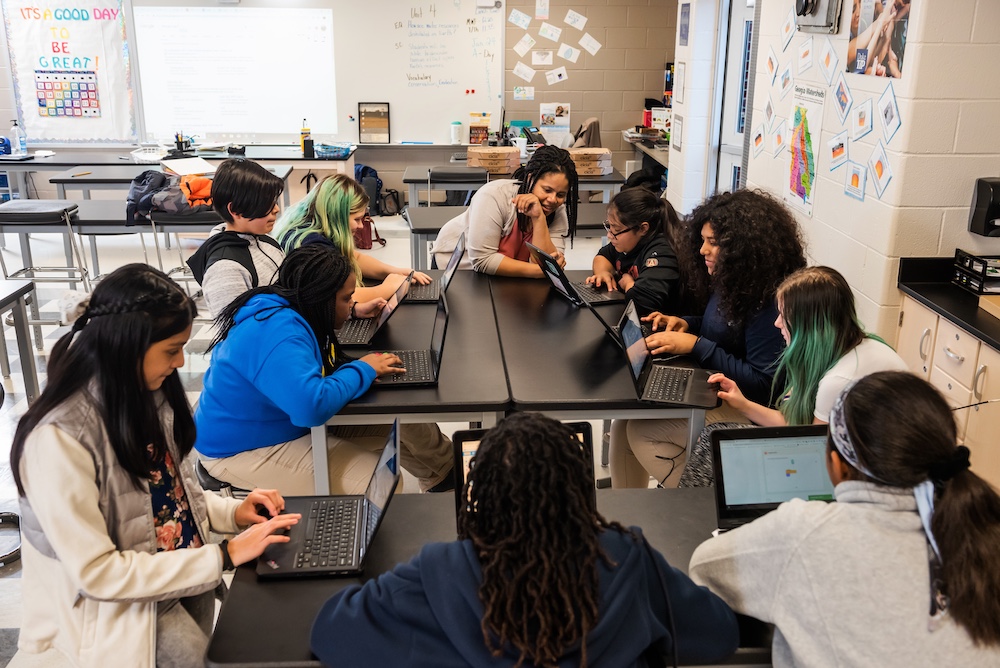
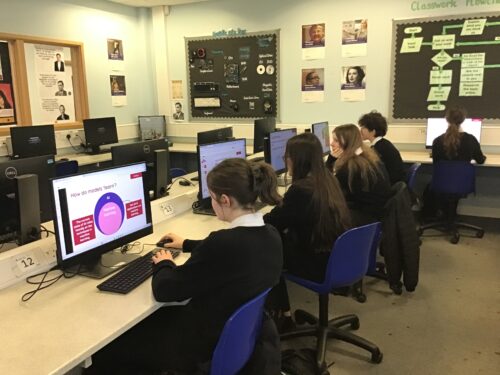
Students use their laptops in a classroom, supervised by a teacher.

Why kids still need to learn to code in the age of AI

At the Raspberry Pi Foundation, we believe AI literacy is crucial for all young people. We also believe all young people need to learn to code to be able to shape our future, where AI systems are integrated into all aspects of life. Our position paper “Why kids still need to learn to code in the age of AI” presents five reasons why:

  1. Even though AI tools can be used to generate code, we still need skilled human programmers to critically review that code.
  2. Learning to code remains the most effective way to become a skilled human programmer, and allows better understanding of how computers work and what their potential and constraints are.
  3. Learning to code will open up more economic opportunities, as advances in technology let us solve a wider range of problems using computers.
  4. Coding is a literacy that gives young people agency and a new way to express themselves, to learn, and to make sense of the world. 
  5. Young people who learn to code now will shape the future, and we need that power to sit with young people from all backgrounds so they can design systems that serve everyone.

Our free resources for young people help them learn to code and get creative with technology to bring their ideas into the world, building their confidence. So whether your kids are just starting their coding journey, or are looking for a new challenge, you can use our resources to support them.
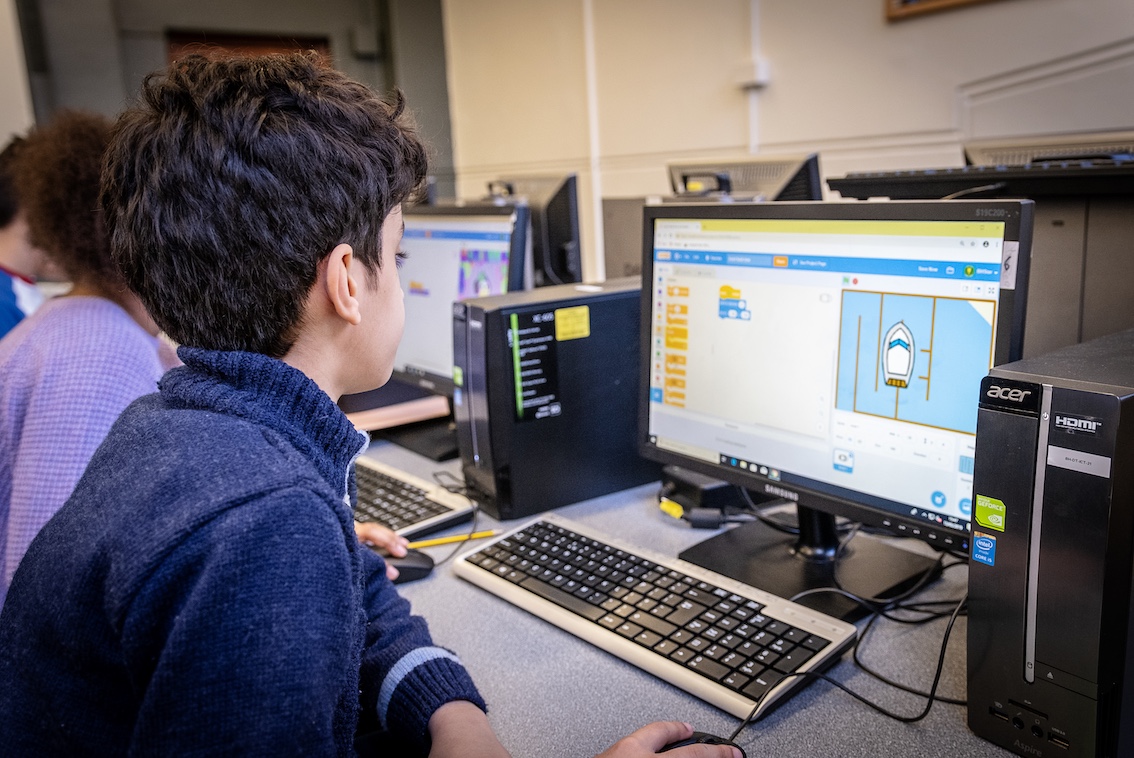
Young person learning in the classroom

Understanding coding and computers is critical in many engineering roles, so inspiring kids about engineering can also motivate them to try their hand at coding.

How you can get involved with National Engineering Day

There are plenty of ways you can celebrate National Engineering Day. Inspire young people to embark on careers in engineering by sharing the AI-Z of Engineering collection with your school or college, on social media, or on your organisation’s website. The collection is a living resource that will be updated, and contributions are always welcome — both for current jobs and future ones.To find out more ways to get involved with National Engineering Day, you can go download the toolkit.

The post Celebrating the UK’s National Engineering Day 2025 appeared first on Raspberry Pi Foundation.
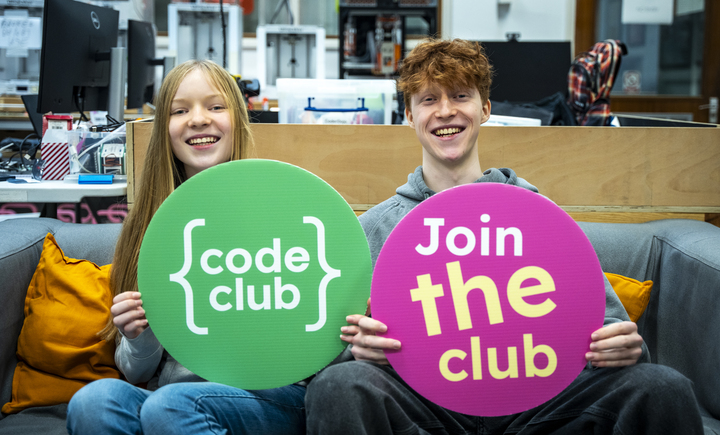

Begin your Code Club journey: Set up a club today

Post Syndicated from Lou Loxley original https://www.raspberrypi.org/blog/begin-your-code-club-journey-set-up-a-club-today/

Inspired to set up a Code Club but not sure where to start? In this blog we hear from the amazing network of Code Club leaders and mentors, and we give you practical tips on how to take the first steps to set up your own club. 

Two young coders at a Code Club.

About Code Club

Code Club is a thriving global community of clubs where young people can develop the confidence to create with digital technologies in a fun and supportive space. Code Clubs run in schools, libraries and other community settings. We have already supported 2 million school-aged young people worldwide to make things they care about with code.

We offer free training and ongoing support for anyone who would like to set up a Code Club — you don’t need to have a background in coding and technology to get involved.

Two teachers give their tips on setting up a Code Club

“If you’re thinking of starting a Code Club, do it. The Code Club team has everything created — all the resources are available.” – Peter Hutyan, Code Club mentor, The Mease Spencer Academy, UK. 

Peter, a primary school teacher, has been running a Code Club for seven years at The Mease Spencer Academy in Derby, UK.

A man smiling.

“When I started Code Club, I didn’t know how to do Scratch”, says Peter about the block-based coding tool that lots of young learners start with. “So I made myself learn how to use Scratch and I was two to three lessons ahead of the kids. Basically I’ve done what the kids will do — I’ve read the instructions and created the code. It’s such a phenomenal experience of enriching young people’s lives, and you see the smile and sense of accomplishment on their faces. It’s the best day ever.”

Rachael Coultart is the Computer Subject Leader at St Nicholas Primary School, Stevenage, UK and has run a Code Club for over ten years.

A woman laughing.

“I think the benefits of running a Code Club for our school are that it really develops children’s collaboration skills, really develops their perseverance, their thinking skills, their independence”, Rachael says. 

“The key ingredients that I think make a Code Club successful is enthusiasm, from the adults who are there, a kind of passion to learn together and make mistakes together. I kind of think that sets the scene for the children to make mistakes as well. And I think having that freedom outside the classroom is what makes a Code Club really successful.” – Rachael Coultart, Computing Subject Leader, St Nicholas Primary School, UK

Club mentors share why they were inspired to start a club

Saad Koubeissi runs four Code Clubs in libraries in London, UK.

A man smiling.

“Code Club, for me personally, is about providing children with things I didn’t have when I was younger”, says Saad. “I went to youth clubs and stuff but it was never, like, so specific in tech, it was more, like, playing football. So Code Club, I think, by starting off early, it’s introducing children not only to identifying those skills, but also the terminologies, providing that. And being able to be part of that change for those children is welcome for me, to be honest.” 

Bob Bisland is a mentor who started his first Code Club twelve years ago after a career in technology. He now runs three clubs in Malvern, UK.

A man smiling.

“Everyone should set up a Code Club. This is such a rewarding thing to be able to do. I am sharing my passion and my knowledge with another generation of children, and I’m seeing them learn what coding is all about.”

Ready to start? Three steps to set up a Code Club

We provide everything you need to make starting a club straightforward, including hundreds of free coding projects to help you tailor your sessions to the interests of your young tech creators. Our projects are available in up to 40 languages.

  1. Choose your venue. Code Clubs are held in lots of different places, such as schools, libraries and community centres.
  2. Register your club. Complete your application to start your club. We’ll ask for a few details, e.g. the address of your club. 
  3. Start running your club. You can access our free training on how to prepare to run a Code Club. Our Code Club leader guide also includes helpful information for running your club. 

Running a Code Club is a fun and rewarding way to engage young people and help them learn valuable skills for the future. Start your Code Club journey today by finding out more about setting up a club.

The post Begin your Code Club journey: Set up a club today appeared first on Raspberry Pi Foundation.

New to coding? Resources to help children learn to code

Post Syndicated from Lou Loxley original https://www.raspberrypi.org/blog/new-to-coding-resources-to-help-children-learn-to-code/

Here at the Raspberry Pi Foundation we believe ensuring every child knows how to code will equip them with the skills to thrive in the future. 

But what do we mean by coding and how can you get started?

Two young coders at a Code Club.

Coding is how humans give instructions to computers. Machines process and execute these instructions to perform the task you want — whether it’s making an LED light flash, designing your own avatar and making it dance, or creating a website.

Coding underpins the digital technologies that are ubiquitous in our daily lives: the apps on your phone, the software in your TV, and in life-saving devices in hospitals — even making sure your supermarket is fully stocked.

By learning to code, young people can develop the skills and knowledge that we need in an increasingly digital world.

So how can you get started?

Code Club

One of the best ways for school-aged young people to get started with coding is to find your local Code Club — a fun and supportive space where young people develop the skills and confidence to create with digital technologies. They might program their first-ever game or animation in Scratch, create their own step counter with a micro:bit, or use Python to control a robot!

There are around 2,000 Code Clubs across the UK and Ireland and nearly 6,000 more around the world, running in schools and communities – and they are totally free! As well as learning to code, young creators work together, gain confidence and a sense of belonging, and build their skills in problem solving and teamwork. You can read more about the benefits in this independent evaluation of Code Club.

Two young coders at a Code Club.

Creators use our free, step-by-step projects to learn different coding languages and skills. We have hundreds of free coding and computing projects for all experience levels and interests. For example, young people can start to code to make a character catch a bus, then move on to building a musical instrument, and even try out creating a project that uses artificial intelligence.

This handy guide for mentors will help you find which projects are right for you and your creators. Read on to find out more about our free coding resources.

Scratch 

Scratch is a good way for young people to begin their journey in coding. Scratch is a block-based language, which allows children to assemble code to produce games, animations, and stories.

The Raspberry Pi Foundation has hundreds of Scratch projects that young creators can try out, but the best place to start is with our Introduction to Scratch path. This will provide young people with the basic skills they need, and then encourage them to build projects that are relevant to them, culminating in their creation of their own interactive ebook.

A mentor and a young person at a Code Club.

Web design

Websites are integral to many of our lives, and we believe that it is important for young people to learn how the websites and apps they visit are created with code.

That is why we have an Introduction to web development path that enables young creators to make their own simple webpages and apps with HTML, CSS, and JavaScript and share them with their friends. The path helps them create webpages about subjects that they care about, and they also learn about accessible web design.

Python

Once children feel confident using Scratch, Python is a brilliant next step. It’s a real-world programming language used by professionals, but it’s also simple enough for beginners. Python helps young people move from blocks to text-based code, deepening their understanding of how programming works. It’s easy to read, which means learners can focus on thinking logically and building exciting projects. Our Python path for beginners is the perfect place to start, and we have loads more Python projects for them to explore as their skills grow.

Artificial intelligence

Our new artificial intelligence (AI) path allows young people to discover the foundational concepts of machine learning through creative and interactive projects using AI applications and technologies. Working with voice recognition, facial recognition, and other AI technologies, young people gain a broader understanding of how AI can be applied in different contexts.

A mentor helps a young person with a coding task at a Code Club.

Physical computing with Raspberry Pi

For young creators interested in interacting with the real world using code, our physical computing projects help them discover how to use electronic components. These projects show how to build things with buttons, switches, buzzers and LEDs using Scratch and a Raspberry Pi computer, or using Python and a Raspberry Pi Pico microcontroller.  

Physical computing with micro:bit

Another fun option for young people who want to explore physical computing is the micro:bit. This is a small programmable device with an LED display, buttons, and sensors, and it can be used to create games, animations, interactive projects, and lots more. A visual programming language called MakeCode can be used to control a micro:bit. Or the micro:bit can be programmed using Scratch or text-based languages such as Python, offering an easy transition for young creators as their coding skills progress. Have a look at our free collection of micro:bit resources to learn more.

Next steps

When young people are confident in these areas, they could try creating and exploring 3D worlds with the power of Unity. And what about creating using a Raspberry Pi computer? These beginner projects help you learn to set up and configure your Raspberry Pi and get started.

A mentor supports young coders at a Code Club.

Fancy running your code in space or submitting your project to our showcase?

Once you’re up and running, we have two fun ways kids can get even more out of coding.

The European Astro Pi Challenge allows kids to run their code in space. We have two levels: 

  • Mission Zero, suitable for beginners, where they code a personalised image for the astronauts on the International Space Station
  • Mission Space Lab, where kids’ code solves a scientific task on board the International Space Station

And young people can also submit their creations to Coolest Projects. This is a celebration of young digital creators and the amazing things they make with technology. We have a global online showcase, as well as in-person Coolest Projects events in several countries. 

And if you’ve been inspired to set up a new Code Club, or volunteer at a Code Club near you, find out the next steps here.

The post New to coding? Resources to help children learn to code appeared first on Raspberry Pi Foundation.

Impact of Experience AI: Reflections from students and teachers

Post Syndicated from Lou Loxley original https://www.raspberrypi.org/blog/impact-of-experience-ai-reflections-from-students-and-teachers/

“I’ve enjoyed actually learning about what AI is and how it works, because before I thought it was just a scary computer that thinks like a human,” a student learning with Experience AI at King Edward’s School, Bath, UK, told us. 

This is the essence of what we aim to do with our Experience AI lessons, which demystify artificial intelligence (AI) and machine learning (ML). Through Experience AI, teachers worldwide are empowered to confidently deliver engaging lessons with a suite of resources that inspire and educate 11- to 14-year-olds about AI and the role it could play in their lives.

“I learned new things and it changed my mindset that AI is going to take over the world.” – Student, Malaysia

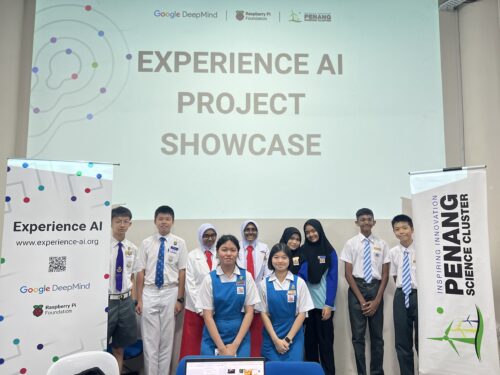
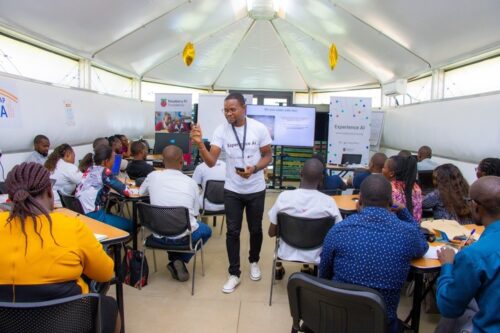
Experience AI students in Malaysia

Developed by us with Google DeepMind, our first set of Experience AI lesson resources was aimed at a UK audience and launched in April 2023. Next we released tailored versions of the resources for 5 other countries, working in close partnership with organisations in Malaysia, Kenya, Canada, Romania, and India. Thanks to new funding from Google.org, we’re now expanding Experience AI for 16 more countries and creating new resources on AI safety, with the aim of providing leading-edge AI education for more than 2 million young people across Europe, the Middle East, and Africa. 

In this blog post, you’ll hear directly from students and teachers about the impact the Experience AI lessons have had so far. 

Case study:  Experience AI in Malaysia

Penang Science Cluster in Malaysia is among the first organisations we’ve partnered with for Experience AI. Speaking to Malaysian students learning with Experience AI, we found that the lessons were often very different from what they had expected. 

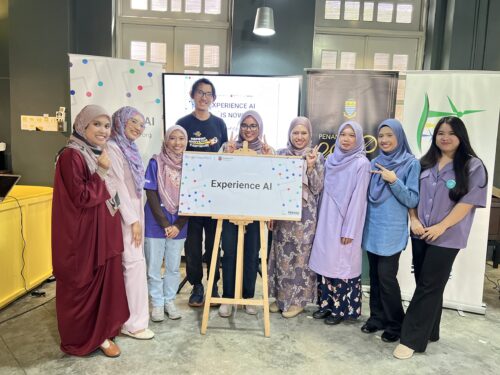
Launch of Experience AI in Malaysia

“I actually thought it was going to be about boring lectures and not much about AI but more on coding, but we actually got to do a lot of hands-on activities, which are pretty fun. I thought AI was just about robots, but after joining this, I found it could be made into chatbots or could be made into personal helpers.” – Student, Malaysia

“Actually, I thought AI was mostly related to robots, so I was expecting to learn more about robots when I came to this programme. It widened my perception on AI.” – Student, Malaysia. 

The Malaysian government actively promotes AI literacy among its citizens, and working with local education authorities, Penang Science Cluster is using Experience AI to train teachers and equip thousands of young people in the state of Penang with the understanding and skills to use AI effectively. 

“We envision a future where AI education is as fundamental as mathematics education, providing students with the tools they need to thrive in an AI-driven world”, says Aimy Lee, Chief Operating Officer at Penang Science Cluster. “The journey of AI exploration in Malaysia has only just begun, and we’re thrilled to play a part in shaping its trajectory.”

Giving non-specialist teachers the confidence to introduce AI to students

Experience AI provides lesson plans, classroom resources, worksheets, hands-on activities, and videos to help teachers introduce a wide range of AI applications and help students understand how they work. The resources are based on research, and because we adapt them to each partner’s country, they are culturally relevant and relatable for students. Any teacher can use the resources in their classroom, whether or not they have a background in computing education. 

“Our Key Stage 3 Computing students now feel immensely more knowledgeable about the importance and place that AI has in their wider lives. These lessons and activities are engaging and accessible to students and educators alike, whatever their specialism may be.” – Dave Cross,  North Liverpool Academy, UK

“The feedback we’ve received from both teachers and learners has been overwhelmingly positive. They consistently rave about how accessible, fun, and hands-on these resources are. What’s more, the materials are so comprehensive that even non-specialists can deliver them with confidence.” – Storm Rae, The National Museum of Computing, UK

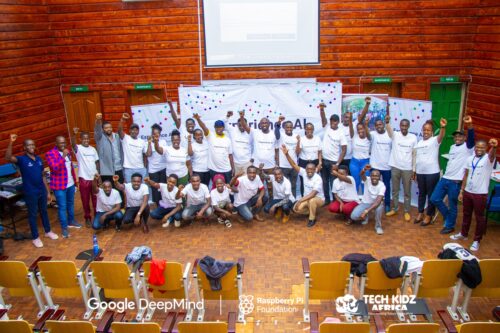
Experience AI teacher training in Kenya

“[The lessons] go above and beyond to ensure that students not only grasp the material but also develop a genuine interest and enthusiasm for the subject.” – Teacher, Changamwe Junior School, Mombasa, Kenya

Sparking debates on bias and the limitations of AI

When learners gain an understanding of how AI works, it gives them the confidence to discuss areas where the technology doesn’t work well or its output is incorrect. These classroom debates deepen and consolidate their knowledge, and help them to use AI more critically.

“Students enjoyed the practical aspects of the lessons, like categorising apples and tomatoes. They found it intriguing how AI could sometimes misidentify objects, sparking discussions on its limitations. They also expressed concerns about AI bias, which these lessons helped raise awareness about. I didn’t always have all the answers, but it was clear they were curious about AI’s implications for their future.” – Tracey Mayhead, Arthur Mellows Village College, Peterborough, UK

Experience AI students in UK

“The lessons that we trialled took some of the ‘magic’ out of AI and started to give the students an understanding that AI is only as good as the data that is used to build it.” – Jacky Green, Waldegrave School, UK 

“I have enjoyed learning about how AI is actually programmed, rather than just hearing about how impactful and great it could be.” – Student, King Edward’s School, Bath, UK 

“It has changed my outlook on AI because now I’ve realised how much AI actually needs human intelligence to be able to do anything.” – Student, Arthur Mellows Village College, Peterborough, UK 

“I didn’t really know what I wanted to do before this but now knowing more about AI, I probably would consider a future career in AI as I find it really interesting and I really liked learning about it.” – Student, Arthur Mellows Village College, Peterborough, UK 

If you’d like to get involved with Experience AI as an educator and use our free lesson resources with your class, you can start by visiting experience-ai.org.

The post Impact of Experience AI: Reflections from students and teachers appeared first on Raspberry Pi Foundation.

Experience AI: How research continues to shape the resources

Post Syndicated from Lou Loxley original https://www.raspberrypi.org/blog/experience-ai-how-research-continues-to-shape-the-resources/

Since we launched the Experience AI learning programme in the UK in April 2023, educators in 130 countries have downloaded Experience AI lesson resources. They estimate reaching over 630,000 young people with the lessons, helping them to understand how AI works and to build the knowledge and confidence to use AI tools responsibly. Just last week, we announced another exciting expansion of Experience AI: thanks to $10 million in funding from Google.org, we will be able to work with local partner organisations to provide research-based AI education to an estimated over 2 million young people across Europe, the Middle East and Africa.

Trainer discussing Experience AI at a teacher training event in Kenya.
Experience AI teacher training in Kenya

This blog post explains how we use research to continue to shape our Experience AI resources, including the new AI safety resources we are developing. 

The beginning of Experience AI

Artificial intelligence (AI) and machine learning (ML) applications are part of our everyday lives — we use them every time we scroll through social media feeds organised by recommender systems or unlock an app with facial recognition. For young people, there is more need than ever to gain the skills and understanding to critically engage with AI technologies. 

Someone holding a mobile phone that's open on their social media apps folder.

We wanted to design free lesson resources to help teachers in a wide range of subjects confidently introduce AI and ML to students aged 11 to 14 (Key Stage 3). This led us to develop Experience AI, in collaboration with Google DeepMind, offering materials including lesson plans, slide decks, videos (both teacher- and student-facing), student activities, and assessment questions. 

SEAME: The research-based framework behind Experience AI

The Experience AI resources were built on rigorous research from the Raspberry Pi Computing Education Research Centre as well as from other researchers, including those we hosted at our series of seminars on AI and data science education. The Research Centre’s work involved mapping and categorising over 500 resources used to teach AI and ML, and found that the majority were one-off activities, and that very few resources were tailored to a specific age group.

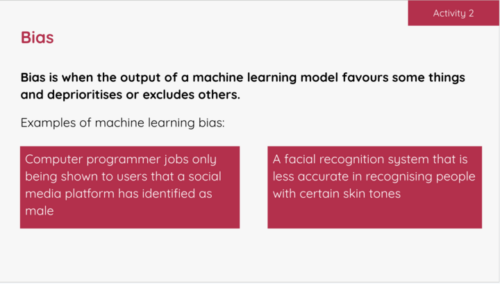
An example activity slide in the Experience AI lessons where students learn about bias.
An example activity in the Experience AI lessons where students learn about bias.

To analyse the content that existing AI education resources covered, the Centre developed a simple framework called SEAME. The framework gives you an easy way to group concepts, knowledge, and skills related to AI and ML based on whether they focus on social and ethical aspects (SE), applications (A), models (M), or engines (E, i.e. how AI works.)

Through Experience AI, learners also gain an understanding of the models underlying AI applications, and the processes used to train and test ML models.

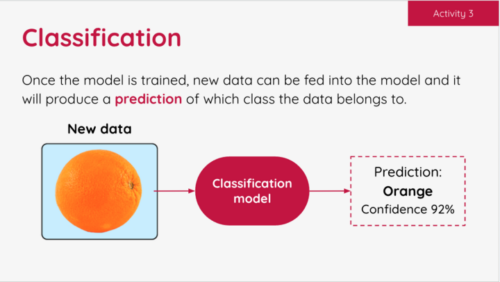
An example activity slide in the Experience AI lessons where students learn about classification.
An example activity in the Experience AI lessons where students learn about classification.

Our Experience AI lessons cover all four levels of SEAME and focus on applications of AI that are relatable for young people. They also introduce learners to AI-related issues such as privacy or bias concerns, and the impact of AI on employment. 

The six foundation lessons of Experience AI

  1. What is AI?: Learners explore the current context of AI and how it is used in the world around them. Looking at the differences between rule-based and data-driven approaches to programming, they consider the benefits and challenges that AI could bring to society. 
  2. How computers learn: Focusing on the role of data-driven models in AI systems, learners are introduced to ML and find out about three common approaches to creating ML models. Finally they explore classification, a specific application of ML.
  3. Bias in, bias out: Students create their own ML model to classify images of apples and tomatoes. They discover that a limited dataset is likely to lead to a flawed ML model. Then they explore how bias can appear in a dataset, resulting in biased predictions produced by a ML model. 
  4. Decision trees: Learners take their first in-depth look at a specific type of ML model: decision trees. They see how different training datasets result in the creation of different ML models, experiencing first-hand what the term ‘data-driven’ means.
  5. Solving problems with ML models: Students are introduced to the AI project lifecycle and use it to create a ML model. They apply a human-focused approach to working on their project, train a ML model, and finally test their model to find out its accuracy.
  6. Model cards and careers: Learners finish the AI project lifecycle by creating a model card to explain their ML model. To complete the unit, they explore a range of AI-related careers, hear from people working in AI research at Google DeepMind, and explore how they might apply AI and ML to their interests. 
Experience AI banner.

We also offer two additional stand-alone lessons: one on large language models, how they work, and why they’re not always reliable, and the other on the application of AI in ecosystems research, which lets learners explore how AI tools can be used to support animal conservation. 

New AI safety resources: Empowering learners to be critical users of technology

We have also been developing a set of resources for educator-led sessions on three topics related to AI safety, funded by Google.org

  • AI and your data: With the support of this resource, young people reflect on the data they have already provided to AI applications in their daily lives, and think about how the prevalence of AI tools might change the way they protect their data.  
  • Media literacy in the age of AI: This resource highlights the ways AI tools can be used to perpetuate misinformation and how AI applications can help people combat misleading claims.
  • Using generative AI responsibly: With this resource, young people consider their responsibilities when using generative AI, and their expectations of developers who release Experience AI tools. 

Other research principles behind our free teaching resources 

As well as using the SEAME framework, we have incorporated a whole host of other research-based concepts in the design principles for the Experience AI resources. For example, we avoid anthropomorphism — that is, words or imagery that can lead learners to wrongly believe that AI applications have sentience or intentions like humans do — and we instead promote the understanding that it’s people who design AI applications and decide how they are used. We also teach about data-driven application design, which is a core concept in computational thinking 2.0.  

Share your feedback

We’d love to hear your thoughts and feedback about using the Experience AI resources. Your comments help us to improve the current materials, and to develop future resources. You can tell us what you think using this form

And if you’d like to start using the Experience AI resources as an educator, you can download them for free at experience-ai.org.

The post Experience AI: How research continues to shape the resources appeared first on Raspberry Pi Foundation.