Tag Archives: coding

Fostering creativity through open-ended projects with Code Editor for Education

Post Syndicated from Philippa Hanman original https://www.raspberrypi.org/blog/fostering-creativity-through-open-ended-projects-with-code-editor-for-education/

Tom Mason is Head of Mathematics and Head of ICT at St Joseph’s College, an all-boys secondary school in South East London. He is passionate about teaching and learning, and has a keen interest in digital education practices.

Mr Mason recently set his Year 10 students a creative coding challenge, which they completed using our Code Editor for Education. The challenge not only boosted student engagement, but also showcased the effectiveness of open-ended, student-led learning in computer science education.

Tom Mason

Challenges in the classroom

Teaching coding in a classroom setting presents a unique set of challenges, with one of the most significant being the rise of artificial intelligence (AI). Instead of engaging deeply with concepts like loops, conditions, and sorting algorithms, students now increasingly rely on AI tools to generate entire blocks of code for them, without understanding their functions. 

Meanwhile, traditional teacher-led instruction methods that focus on isolated coding concepts like inputs and outputs often leave students disconnected from the practical and creative aspects of programming. 

Against this backdrop, Mr Mason wanted to give his students the opportunity to:

  • Apply their Python knowledge in meaningful ways
  • Collaborate and problem-solve independently
  • Explore unfamiliar programming concepts in a guided but open-ended fashion

The project

Mr Mason set a simple but powerful brief:

“Over three lessons, build a quiz that asks 10 questions about what you’ve learnt on the course.”

With this simple instruction, Mr Mason gave students a clear idea about what to do, while giving them the freedom to design their quiz however they liked. Students were also told that:

  • Their 10 quiz questions had to relate to Python
  • After creating their quiz, their classmates would give feedback based on key criteria (how well the code worked, the level of creativity, the user experience, etc.)

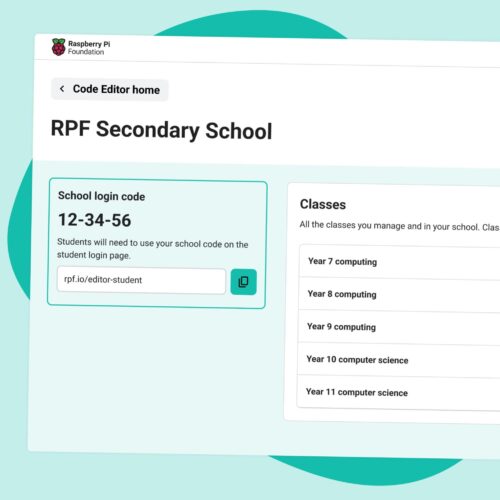
To complete the project, students used the Code Editor for Education. Created in collaboration with educators and built purposefully for the classroom, the Code Editor supports a range of teaching styles and learning abilities. Its simple interface encourages students to engage with the logic behind their code — they can’t rely on autocomplete.

Code Editor dashboard

Results

The open-ended structure led to an explosion of creativity and problem-solving.

Without step-by-step instructions, students had to independently explore solutions to questions like:

  • “How do I randomise questions?”
  • “How can I hide quiz answers in a separate file?”

Some students created multi-file Python projects, separating the logic controlling how the quiz worked from the content, or static information. For example, some students created one file to store the player’s answers and another file to manage the quiz interface and score logic. Students also created other advanced features:

  • Score tracking based on speed of response
  • Use of external Python libraries
  • Custom input and output formatting
  • Algorithms to randomly order quiz questions 

All students met the base requirements, but the open-ended nature of the project allowed more advanced students to push the boundaries, without the need for additional scaffolding.

Educator reflection

“They couldn’t just Google the answer; they had to think critically and test ideas. That’s what made it powerful.”

Mr Mason noted that the project’s success was due in large part to the flexibility and responsiveness of the Code Editor. Students could iterate quickly, test their ideas, and collaborate, all within a platform built for classroom coding.

“It was the most successful thing I’ve done. I’ll definitely be doing it again every year.”

Key takeaways

  • Project-based learning fosters deeper engagement and knowledge, and creative application of programming concepts.
  • Open-ended prompts empower students to explore and develop their own solutions.
  • Code Editor for Education encourages thoughtful questions and experimentation rather than reliance on autocomplete solutions. With built-in class management and project tools, it offers a safe, browser-based environment ideal for coding in the classroom.

Join St Joseph’s College and the 1300+ other schools helping their students build a strong foundation in text-based programming with the Code Editor for Education.

The post Fostering creativity through open-ended projects with Code Editor for Education appeared first on Raspberry Pi Foundation.
Dedication to digital education in Bangladesh: Meet Shajan

Post Syndicated from Sophie Ashford original https://www.raspberrypi.org/blog/dedication-to-digital-education-in-bangladesh-meet-shajan/

We love hearing from members of the community and sharing stories of amazing young people, volunteers, and educators who are using their passion for technology to create positive change in the world around them.

Today, we introduce Shajan, a digital storyteller and senior business advisor at the BBC, whose extraordinary personal and professional journey has led him to champion digital literacy for young people in Bangladesh.

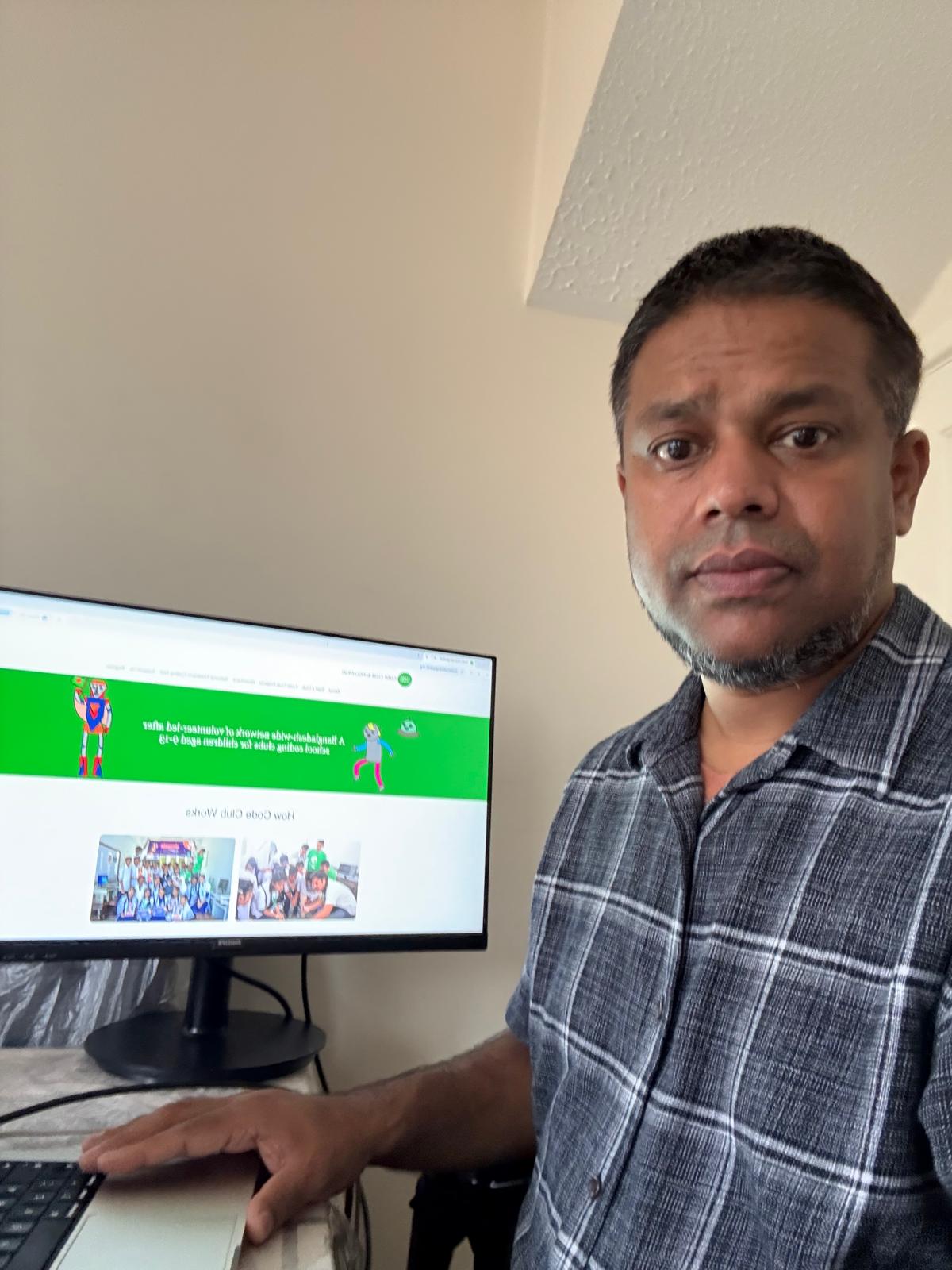
Shajan at a computer.

Family roots in Bangladesh

Shajan is British-born, but his roots deeply connect him to Bangladesh. This connection was instilled by childhood holidays to Bangladesh, as well as his late father, who emigrated to the UK in the 1960s but always encouraged Shajan to maintain ties with the community he left behind. Shajan’s pull towards Bangladesh intensified after his father’s passing fifteen years ago. 

“I always thought I’d like to do something, carry on the work he left behind with efforts in building schools and supporting his local community.”

The memory of his sister Khela, who passed away at just 12 years old while in Bangladesh, also motivates Shajan. He says, “She was a really creative person, really into her arts and crafts and learning.”  

Khela’s loss fuels Shajan’s desire to do something specifically for the young people of Bangladesh, connecting with their potential for creativity and learning.

Setting off on a new path

Shajan’s 15 years of working for the BBC led him to discover the power of digital education. In 2015, he project-managed the BBC’s “Make It Digital” campaign, a UK-wide initiative addressing the National Digital Skills Gap. 

As part of this, he led partnerships with organisations like Code Club

“That experience showed me how digital tools could unlock creativity in young people and build their confidence.”

During his visits to Bangladesh, Shajan observed a widening digital divide. Young people, especially in rural areas, lacked access to basic internet and computers. Teachers faced heavy workloads, and many students needed to pause their education to support their families. Seeing no equivalent to Code Club in Bangladesh to inspire young people, Shajan felt he had to act. Before he knew it, he was requesting a six-month career break. 

“I said, ‘This is what I always wanted to do. If I don’t do it now, I will miss the opportunity.’” 

With the support of both the BBC and Code Club, Shajan packed his bags and moved to Dhaka, the capital city of Bangladesh.

Creating a movement

Shajan’s initial goal was to raise awareness and build a sustainable model for Code Club in Bangladesh. Recognising that teachers needed support to run clubs, Shajan’s strategy was to engage university students as volunteers. He organised a national coding festival, leveraging these student volunteers to connect with schools and prepare young participants for a Scratch-based project challenge. The event received lots of media attention, encouraging interest and inspiring a new generation of coders.

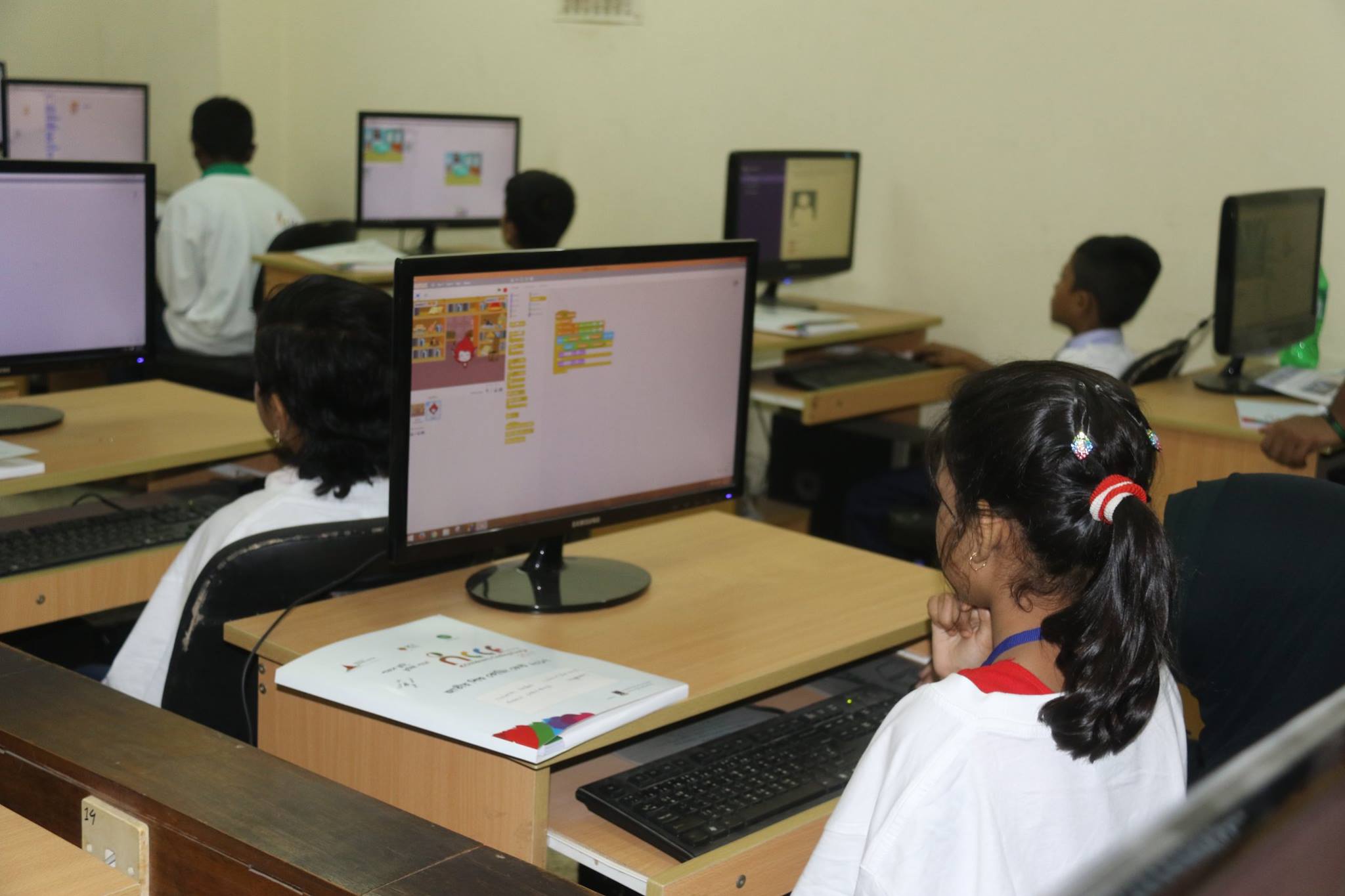
Students at Code Club Bangladesh.

However, there were some hurdles that had to be worked around, including unreliable internet connections, limited access to computers, and unstable electricity supply. Beyond practical challenges, Shajan faced a crucial mindset shift. 

“Not everybody’s convinced yet that their children should be doing coding. For many families, generating immediate income takes precedence over digital education. Balancing the need to put food on the table with the long-term benefits of coding remains a constant battle.”

Despite these obstacles, Shajan’s efforts proved successful. Some of the creators from the 2016–2017 classes, now in their twenties, have pursued computer science and now share how Code Club helped them on their paths. He also organised an incredible exchange program, bringing creators and mentors from Code Club South Korea to Bangladesh for a seven-day visit. Despite not sharing a language, creators connected through the language of code, an experience Shajan describes as inspiring for the young people and adults alike.

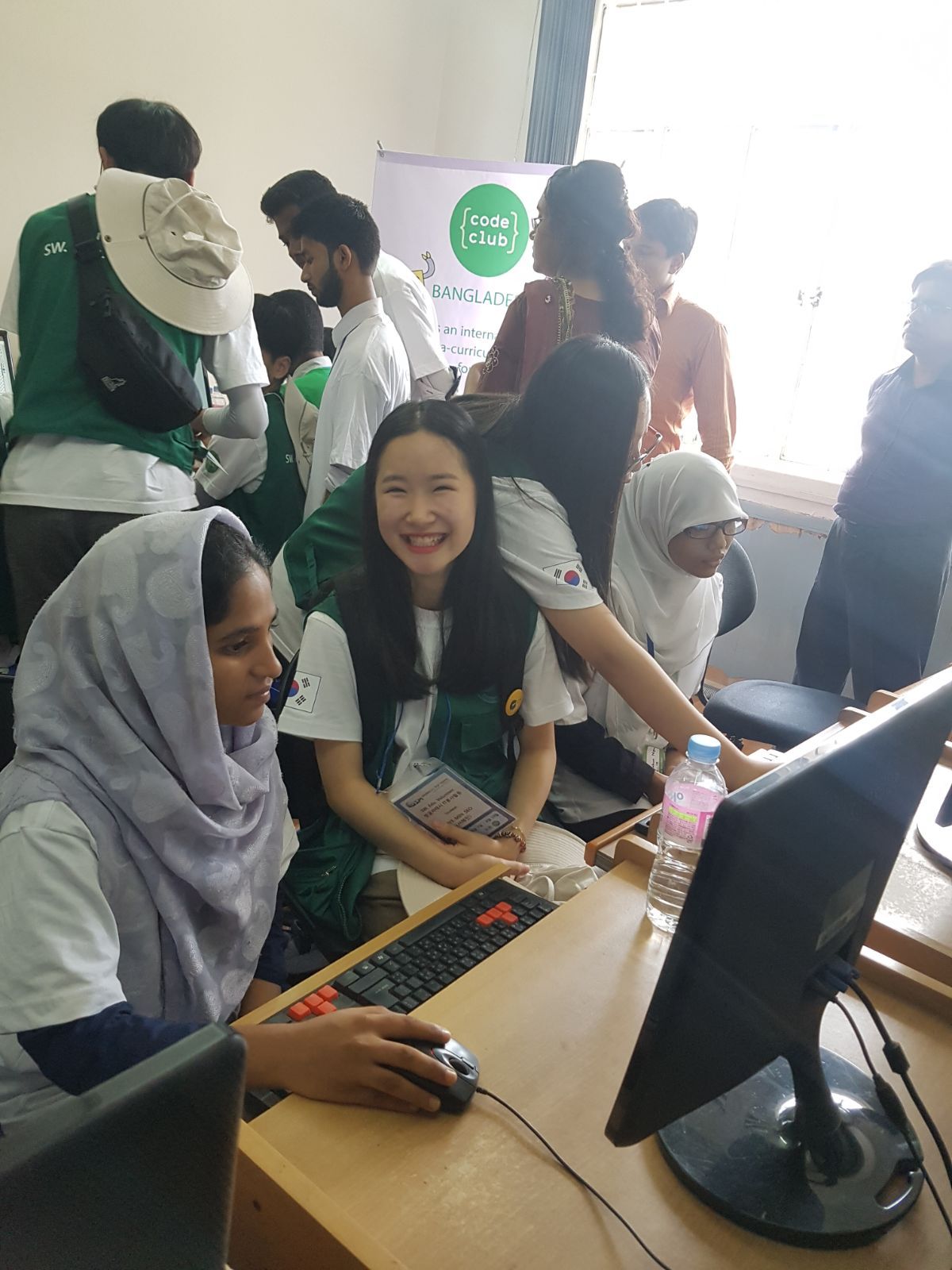
Students from South Korea visiting Code Club Bangladesh.

A new chapter

Shajan’s focus now is to launch a Coolest Projects event in Sylhet, the place his father was born and a region he wants to focus on before taking Coolest Projects national as well.

He is actively engaging with teachers and student volunteers across the city, with strong support from Nooraiya Khan, an ICT Lecturer with a background in computer science. Nooraiya is working hard with Shajan to co-lead all Code Club activities in Bangladesh, bringing valuable expertise and shared passion to the movement.

Shajan believes the current digital landscape offers new opportunities. He is a strong advocate for the role of artificial intelligence (AI) in education, viewing it as a way to help bring opportunities to all young people. He plans to introduce AI-focused Code Club projects to Bangladesh, ensuring the next generation is prepared for a future driven by technology.

For Shajan, Code Club Bangladesh is “for everybody”. He wants to ensure that no child, especially girls and those from underserved communities, is left behind. He would welcome anyone interested in helping the young people of Bangladesh, including teachers, educators, tech professionals, and government bodies, to join Code Club Bangladesh’s journey.

If you’d like to support young people in your community to explore coding, why not start a Code Club? The team will support you every step of the way with resources, training, and a collaborative community.

Find out more on the Code Club website.

The post Dedication to digital education in Bangladesh: Meet Shajan appeared first on Raspberry Pi Foundation.
From coder to mentor: Meet Isabelle

Post Syndicated from Sophie Ashford original https://www.raspberrypi.org/blog/from-coder-to-mentor-meet-isabelle/

We love hearing from members of the community and sharing stories of amazing young people, volunteers, and educators who are using their passion for technology to create positive change in the world around them.

Meet Isabelle, a youth mentor at a library Code Club, whose inspiring story tells how a passion for helping others and a love for reading led back to a childhood interest, shaping an unexpected and rewarding journey.

Isabelle celebrating her 18th birthday.

Saturdays spent at the library

Isabelle’s coding journey began around the age of nine. An avid reader, she regularly attended her local library in Stourbridge with her gran. When they saw there was a Code Club held on a Saturday morning, they both decided it might be a good skill for Isabelle to learn.

“I used to have like an entire folder of all the projects I’d completed. I’ve still got it somewhere in my room!” 

She quickly progressed through Scratch, Python, and HTML, even finding herself teaching the adults at the club at some points! But, as secondary school approached, her involvement naturally tapered off as she began to focus on her studies.

A return through volunteering 

In secondary school, Isabelle was looking for volunteering opportunities as part of her Duke of Edinburgh (DofE) award. Remembering her positive experiences at the library, and continued love of books, she initially considered volunteering there. Then, she had an idea.

“I suddenly thought ‘What if they still do Code Club?’ I really enjoyed it when I did it and I still remembered enough about it to help others. So, I felt like I could actually be useful instead.”

Isabelle reached out, and thanks to her gran’s long-standing connection with the library, she was remembered and welcomed back. What started as a three-month commitment for her DofE award soon extended to six. 

“I really looked forward to each session at the library and decided to stick with it for the whole time.”

Embracing the chaos and connection

Isabelle’s return coincided with the Code Club restarting. Stepping into a mentoring role, she quickly found herself in the thick of it. With five computers and a group of new young people, most of whom had no prior coding experience, the first sessions were a whirlwind. 

“It’s like the best kind of chaos. It doesn’t get easier as such. But it’s so fun meeting these new kids, they’re all different and they bounce off each other.”

She works closely with Lucy, the club leader, helping manage the flow of projects and supporting the children as they navigate everything from creating Scratch accounts to tackling challenging projects.

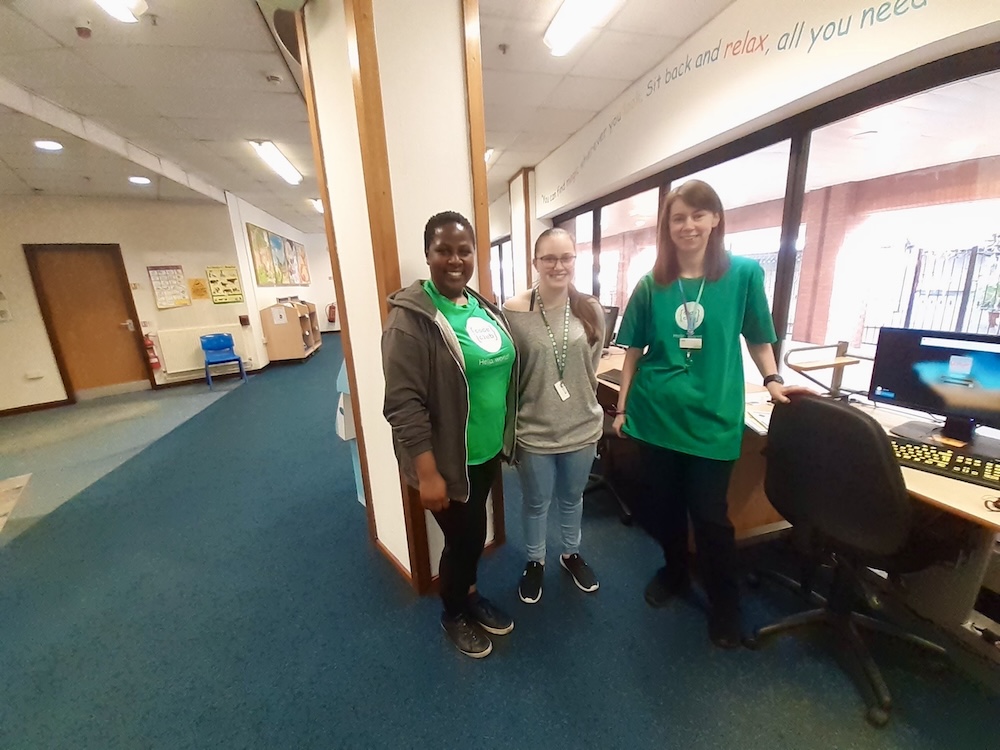
Isabelle at her club in Stourbridge with Code Club Community Coordinator Rujeko.
Isabelle with Lucy, Stourbridge Library Assistant, and Rujeko, Code Club Community Coordinator

More than just code

While the technical skills are central, Isabelle emphasises that Code Club offers so much more. She’s seen shy children blossom, making new friends and becoming more involved.

“I think there’s the whole element of socialising as well. And beyond coding, kids develop essential IT skills, like learning how to use a mouse and keyboard. Something many who just use tablets and phones don’t know!”

Four years and counting  

Isabelle, now preparing to go on to further education, could not have predicted how her mentoring journey would turn out. What began as a three-month DofE requirement has turned into a four-year commitment. 

“It has just never been something that I thought ‘oh, I don’t want to do this anymore’. It’s just part of the weekly routine now. It’s been four years and it’s shocking how quickly it’s gone.”

Isabelle’s dedication hasn’t gone unnoticed. She’s built strong bonds with the staff and gained invaluable experience. She’s learned to organise, work in a team, and even run sessions independently, developing skills that will be invaluable for her future.

“I like the bond that I have with the staff and with Lucy. It feels great to be trusted that much and it has just been such a nice experience.” 

Lucy, Stourbridge Code Club leader and Library Assistant, shared her experience with the club and collaborating.

“Since Code Club offers so much more than just coding — confidence building, creativity, friendship, etc. — it plays an important role for children and young people in the community. The library is much more than just a place for books, and hosting Code Club here creates a welcoming space where young people can explore technology away from the classroom.”

“Isabelle has been absolutely fantastic both in supporting us with club admin as well as supporting the children with their coding! She understands the projects inside and out and is brilliant at not only solving problems, but also, importantly, encouraging the club to find ways of solving problems themselves. Our Code Club couldn’t have become what it is today without her input!”

Isabelle’s advice for future mentors

As Isabelle prepares to head off to the Bath Spa University to study media communications and publishing, she offers this advice for other young people considering becoming a Code Club mentor…”just go for it!” 

Isabelle admits to being anxious at times, but the experience has significantly boosted her confidence. 

“It built my confidence a bit more. You make friends along the way and you learn a lot of new things. And don’t worry if you don’t have a lot of coding experience. I don’t think you need it. I had a little bit but I was still basing it mainly off of reading the project instructions. And in all fairness, the instructions are really helpful!”

Mentoring at Code Club isn’t just about teaching, it’s about learning, growing, and connecting. It’s an opportunity to give back, build confidence, and discover the joy in supporting the next generation of digital creators. As Isabelle’s journey shows, sometimes the most rewarding paths are the ones you never planned to take.

Lucy shared why she thinks having youth mentors involved with Code Club is such an important dynamic.

“Youth mentors are great as role models and inspiration for children, and as a young person themselves they build such a great rapport with the club members. A mentor who’s closer to their age often feels more approachable, which helps create a comfortable and encouraging environment for them.”

If Isabelle’s story has inspired you, why not explore the world of coding? You can get started at home with over 250 free projects on the Code Club Projects website.

Looking for a little extra support in your own coding journey or open to mentoring others? Join a Code Club near you to meet a like-minded and supportive community.

The post From coder to mentor: Meet Isabelle appeared first on Raspberry Pi Foundation.
Creating a space for connection and code: Meet Seung Woo (Tony), Canada

Post Syndicated from Sophie Ashford original https://www.raspberrypi.org/blog/creating-a-space-for-connection-and-code-meet-seung-woo-tony-canada/

We love hearing from members of the community and sharing the stories of amazing young people, volunteers, and educators who are using their passion for technology to create positive change in the world around them.

Seung Woo, also known as Tony, is a 17-year-old student from Canada and the co-founder of his school’s Code Club, alongside his teacher, Kay. A curious and driven teen with big ambitions in computer science, Tony is not only passionate about technology, but also dedicated to building a safe, welcoming space where others can learn, explore, and grow alongside him.

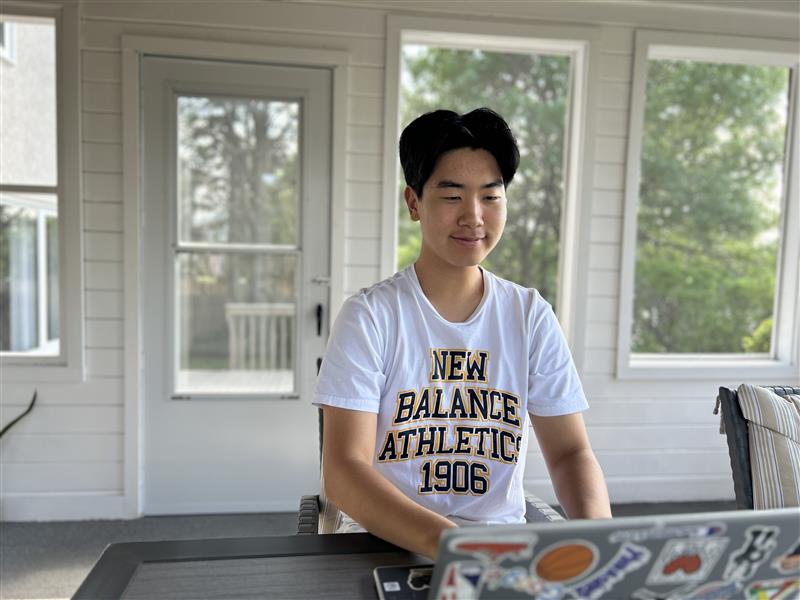
Tony working on a programming project using a laptop.

A spark of inspiration

Tony’s fascination with computers started early, driven by his love of video games, coding, and, perhaps most memorably, his admiration for Tony Stark, the comic-book and film character who becomes the superhero Iron Man! The idea of building something powerful from scratch stuck with him.

“My whole life, I have been curious about the inner workings of a computer and my inspiration for coding is Tony Stark or Iron Man from the Marvel Cinematic Universe!”

Tony’s early coding journey wasn’t without its challenges. Finding the right resources was difficult, and staying motivated during tough moments was often hard without a support system.

“Like many others, I was independently taught, and during this time of independent learning I’d find many different roadblocks and challenges that I had to overcome alone. A big setback for me was finding the right resources in order to learn how to code. Another big obstacle for me was motivation. I would find myself losing interest in a project. I didn’t have the exterior motivation to help me push through the inevitable hardships that come with coding.”

That’s where the idea for a coding club began to take shape.

Creating a community of coders

Tony co-founded the Code Club at Collège Jeanne-Sauvé in December 2024 with that exact vision in mind — he wanted to provide a fun, collaborative, and welcoming environment where students of all skill levels could explore their love of technology together.

“I created the coding club to help everyone on their journey of computer science, no matter their skill level, and that is exactly what it is turning out to be. Finding resources is easier than ever with a teacher and all of the amazing members.”

Tony’s teacher and co-founder, Kay, shared why Code Club was the right fit for the school.

“I thought Code Club was the best way to start our club for a few reasons. The amount of coding language options was varied and appealed to the different learners in our club. It was also important for us to promote our club and let our community know about the presence of a coding club in our school, and Code Club helped us do so via their online presence.”

What makes Code Club special

For Tony, the secret ingredient behind his club’s success is simple: teamwork.

“Without teamwork, our club wouldn’t really be a club, it would simply be an ensemble of people coding in their own little cubicles, much like a stereotypical office job, and to me, that does not sound too enjoyable. Teamwork is our little secret ingredient in problem-solving and building motivation, we embrace it by creating a safe space where everyone can speak their minds without judgement!”

Members are free to choose their own learning paths. No matter the project, the atmosphere is always filled with laughter, energy, and curiosity.

“Coding should be something that is fun — not stressful like others may make it seem. Celebrating achievements, making short term goals, and problem solving with friends are all great ways that we make coding fun in our club. A second word would be teamwork. Without teamwork, our club wouldn’t really be a club.”

Teamwork, he adds, transforms what could be a solitary activity into something social and deeply motivating.

Looking to the future

Tony hopes the club will continue to grow, bringing more students into the world of coding and helping them feel at home in it. His story is a great reminder that learning to code isn’t just about computers — it’s about building community, confidence, and creativity.

“I wanted to create a space where everyone would be accepted and encouraged to learn more about coding and not be ashamed to ‘nerd out’ about this subject like I do very frequently. I’ve dreamed of creating a space that embraces this beautiful passion.”

If you’d like to explore coding, you can get started at home with over 250 free projects

For a little more support, or if you’re open to mentoring others, you can also join a Code Club. Check our website to find a club near you and become part of a like-minded and welcoming community.

The post Creating a space for connection and code: Meet Seung Woo (Tony), Canada appeared first on Raspberry Pi Foundation.
Giving back through Code Club | Meet Douglas

Post Syndicated from Sophie Ashford original https://www.raspberrypi.org/blog/giving-back-through-code-club-meet-douglas/

We love hearing from members of the community and sharing the stories of amazing young people, volunteers, and educators who are using their passion for technology to create positive change in the world around them.

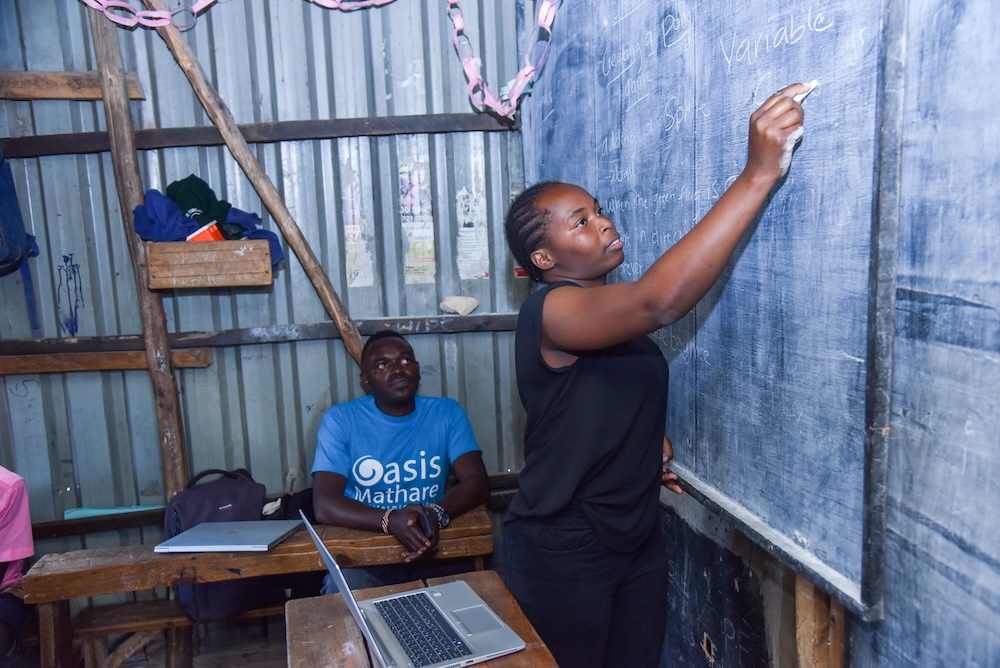
Growing up in Mathare, one of Nairobi’s largest informal settlements, Douglas experienced first-hand what it meant to go without access to education and opportunity. His experience sparked a Code Club journey that is already hugely inspiring… and it’s only just getting started.

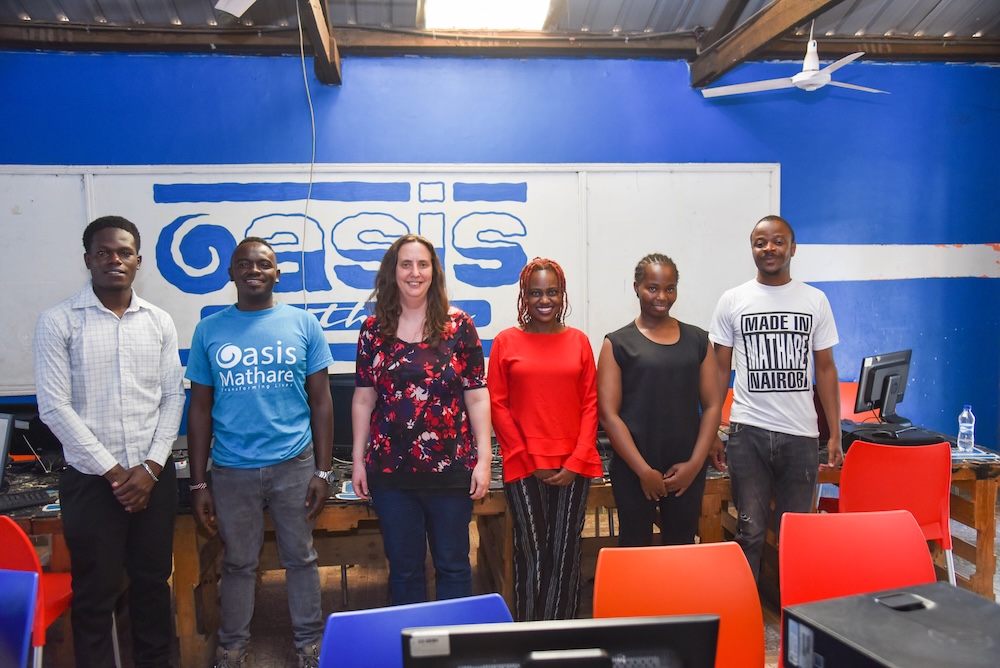
Douglas (second from left) with members of the Raspberry Pi Foundation team

Driven by a desire to help 

For Douglas and many of his peers, the limited access to education in Mathare often meant being left with no clear path to earn a livelihood. Douglas saw opportunity in technology — he wanted to increase access in this field for the young people in Mathare and raise their ambitions.

“Why are we doing technology? Because we believe that tech does not have a boundary. As long as you have access to the internet and you can learn some basic skills… the opportunities are limitless.”

That belief became the keystone of Oasis Mathare, an organisation co-founded by Douglas and a group of others with similar lived experiences. Like Douglas, most of the founding members haven’t followed a standard path with formal schooling, but all understand the power of technology to transform lives.

From Photoshop to programming

Douglas’ own tech journey began humbly, and was sparked by his curiosity.

“After primary, I didn’t go straight to high school. I spent two years working in a nearby barber shop. Then I think I just fell in love with computers. I learned how to do some basic stuff with design and used to play around with Photoshop.”

From there, he taught himself web design and programming skills, which began to open new doors. Eventually, he went back to university to study business and information technology to deepen his knowledge, but even before that, Douglas had already started giving back.

“We used to hold a club providing a space for kids to come and play games on computers. That sort of grew from just Saturdays to a few times a week… and now it’s full time.”

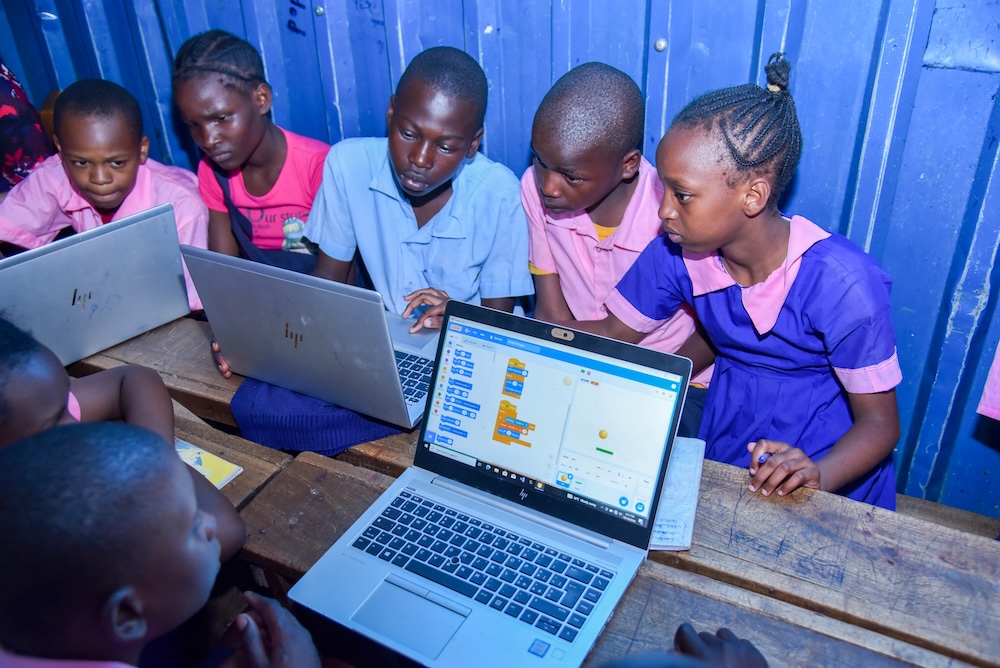
One of Oasis Mathare’s Code Clubs in action

Why Code Clubs?

Today, Oasis Mathare runs intensive software engineering and robotics programs that last between 9 and 12 months. But back in the early days of the organisation, Douglas quickly realised that many young people were struggling to keep up — not because of ability, but because they’d never used a computer before.

“So, we started Code Clubs to introduce these principles of programming at an early age… and we actually realised that those who have gone through Code Club take less time to complete our software engineering and robotics classes.”

Code Clubs now serve as a stepping stone at Oasis Mathare. They help introduce computer literacy and programming concepts to young people early, making it easier for them to thrive in more advanced programs.

The power of role models

The impact of the program is already visible. Many graduates of Oasis Mathare programs go on to volunteer and eventually teach, serving as role models for the younger learners.

“Oasis Mathare has 6 full-time staff. There are 12 Code Club leaders. They are our graduates from the software engineering program. We are plugging them into the Code Clubs to help them gain confidence and help the next generation.”

The Code Clubs are held both in schools and at the Oasis Mathare centre, creating safe, structured environments for learning, experimenting, and collaborating.

Douglas supporting a Code Club mentor

Building with what they have

Before setting up Code Clubs, Oasis Mathare ran STEM clubs that used a variety of resources, but the cost and maintenance became a barrier. When they discovered Code Club’s free-to-access resources, everything changed.

“We found [the resources] very useful. The good thing about Code Club is you can plan sessions using resources that are freely available, like Scratch. It’s really straightforward.”

The biggest challenge now? Internet access is limited, so Douglas and his team often work offline. The team have started using the Raspberry Pi Foundation’s offline resources, and look forward to more being available in the future.

What’s next for Douglas and Oasis Mathare?

Douglas and the Oasis Mathare team have already achieved so much. This was recognised with a royal seal of approval in 2018, when Douglas was honoured with the Queen’s Young Leaders Award by Queen Elizabeth at Buckingham Palace. Through the award, he gained access to world-class mentoring and leadership training from the University of Cambridge, helping him to amplify his impact back home.

So, what’s next? Douglas’ vision for the future is bold and clear.

“The main idea is to ensure that all kids in Mathare know at least one computer language. Not for the sake of it, but to use the principles of programming to solve their local problems.”

By learning coding, young people build more than just technical skills. They learn to think critically, work in teams, and solve problems in their communities. For Douglas, that’s the real impact.

“The overall goal is to ensure that no youth in Mathare are left behind and they all have the opportunity to develop essential skills from an early age.”

Students at an Oasis Mathare Code Club working together

Looking further ahead

Oasis Mathare runs Code Clubs weekly, all year round, and Douglas is always looking for ways to expand the program’s reach, especially through partnerships, sponsorships, and sharing their successes so far.

With more resources, more local leaders, and a whole community behind him, Douglas is rewriting the narrative for young people in Mathare. You can find out more about Oasis Mathare on their official website.

If you’d like to support young people in your community to explore coding, why not start a Code Club? The team will support you every step of the way with resources, training, and a collaborative community. Find out more on the Code Club website.

The post Giving back through Code Club | Meet Douglas appeared first on Raspberry Pi Foundation.

Code, karaoke, and creativity: Meet Matthew

Post Syndicated from Sophie Ashford original https://www.raspberrypi.org/blog/code-karaoke-and-creativity-meet-matthew/

We love hearing from members of the community and sharing stories of amazing young people, volunteers, and educators who are using their passion for technology to create positive change in the world around them.

It’s especially inspiring to hear about young people who are not only passionate about technology, but who are also driven to share that passion with others. Meet Matthew, a 15-year-old creator and youth mentor at Code Club, who builds his own projects and inspires peers by organising hackathons.

Matthew and his team at Cool as Hack at the RPF offices

Matthew’s early experience with coding 

Matthew’s journey into the world of coding began at a young age. His initial exposure was through Scratch at school in Singapore. From there, he began exploring self-learn platforms in his own time, getting to grips with HTML and basic web development.

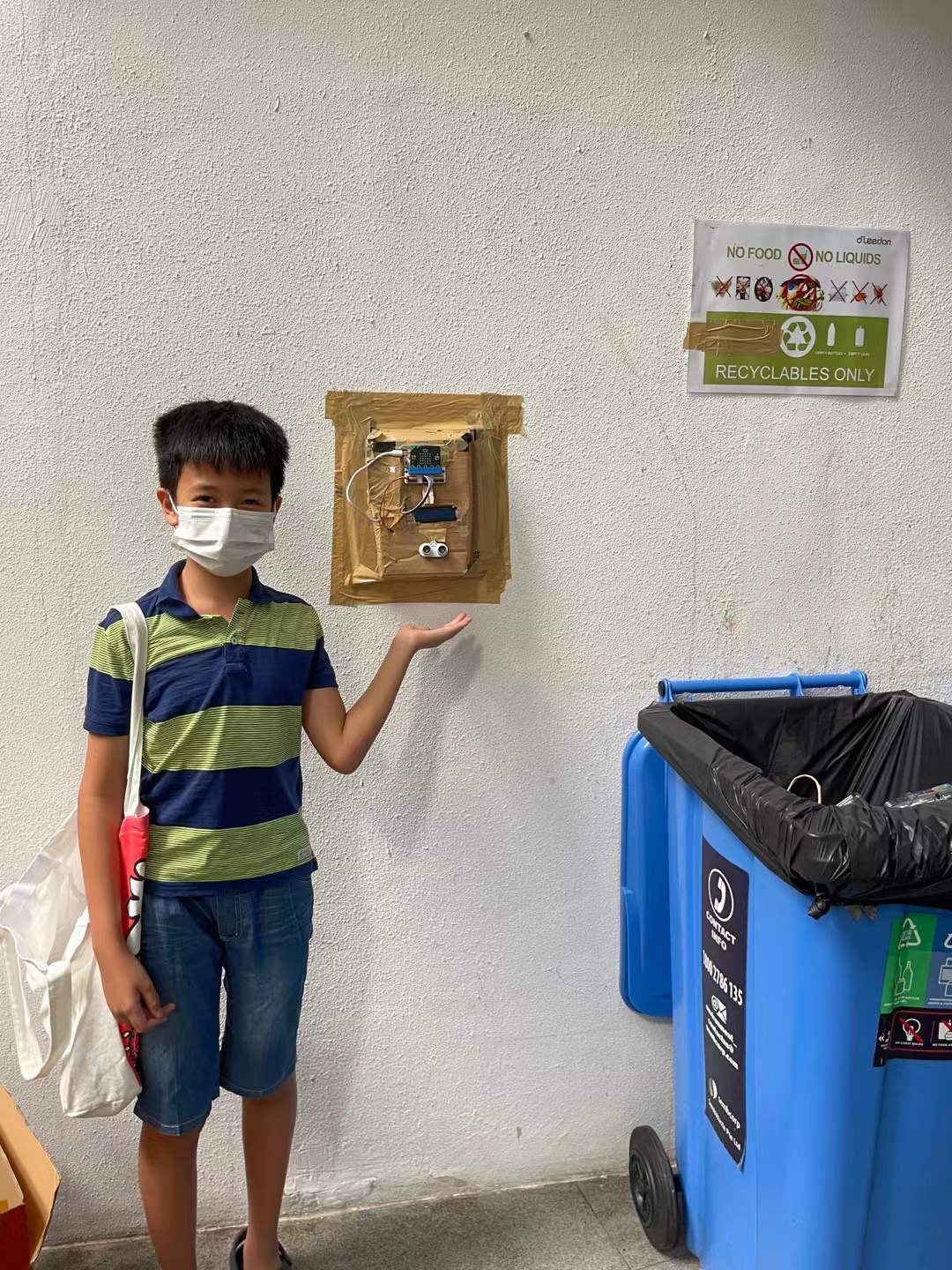
His enthusiasm for creating led him to participate in a technology week in Year 6, where he took on a BBC micro:bit challenge. He dedicated his summer holiday to developing a token system that encouraged community recycling, using an ultrasonic sensor to award points for good behaviour. This early project showcased his knack for problem-solving and innovation.

What truly captivated Matthew was the possibility of combining the logical challenges of competitive programming with the joy of project creation.

Matthew with his device developed in Year 6 to promote recycling behaviour in his residential community

Connecting with the community

Through YouthHacks, an initiative he co-founded to support teenage hackathon organisers, Matthew aims to expand access to hackathons across the UK (a hackathon is an event where individuals or teams work intensively over a relatively short time period to build software, hardware, or other kinds of technology). Matthew wants to offer advice and support, making it easier for young people to run their own hackathons. He puts a lot of time into ensuring that the content and atmosphere truly resonate with the participants.

“So, we made YouthHacks basically as an idea to be able to support these teenage organisers, you know, like hackathons for teenagers by teenagers.”

Matthew’s connection with the Raspberry Pi Foundation came from his keen interest in the hackathon community and a need for a local venue. Having previously toured the Foundation’s offices for a school robotics club, he decided to reach out when organising a satellite hackathon called Counterspell.

This initial collaboration led to further events at the Foundation, including Scrapyard Cambridge and, more recently, Cool as Hack.

Coolest Projects hackathon: A new approach to collaborative coding 

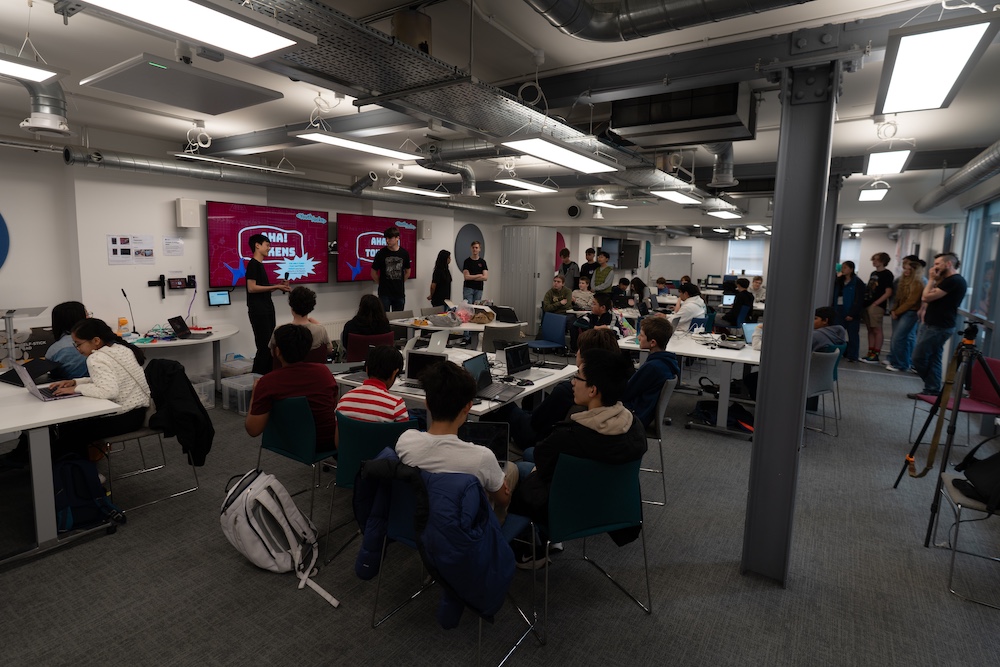
Cool as Hack was Matthew’s third event held at the Raspberry Pi Foundation offices. Unlike traditional hackathons with intense time pressure, this event, inspired by the spirit of Coolest Projects, aimed to be more relaxed and collaborative. 

“For this, people could bring in their own project scraps and then they could put it together with a team, finalise it, and then enter it to Coolest Projects.” 

The focus was on showcasing creativity and sharing projects globally, rather than competitive prizes. Everyone then entered their creations into the Coolest Projects online showcase.

Young coders at Cool as Hack
Cool as Hack in progress at RPF HQ. Credit: W O Wallace

Cool as Hack was a huge success. The atmosphere was incredible — there was even a karaoke session and a “swag shop” where participants could exchange tokens earned for innovative ideas or project milestones. This token system, designed by Matthew and harking back to his own recycling project from years ago, created a fun and engaging reward system.

Inspiring the next generation

Matthew’s drive to organise these events and encourage other young people to code stems from his enjoyment of project creation and the community aspect of hackathons. 

“Well, I suppose it links back to me enjoying making projects and when you attend a hackathon, it’s not a competition really. It’s more of a social event. So, you’re making a project and then you’re meeting quite a lot of coders, or even artists and musicians, and so many other people.”

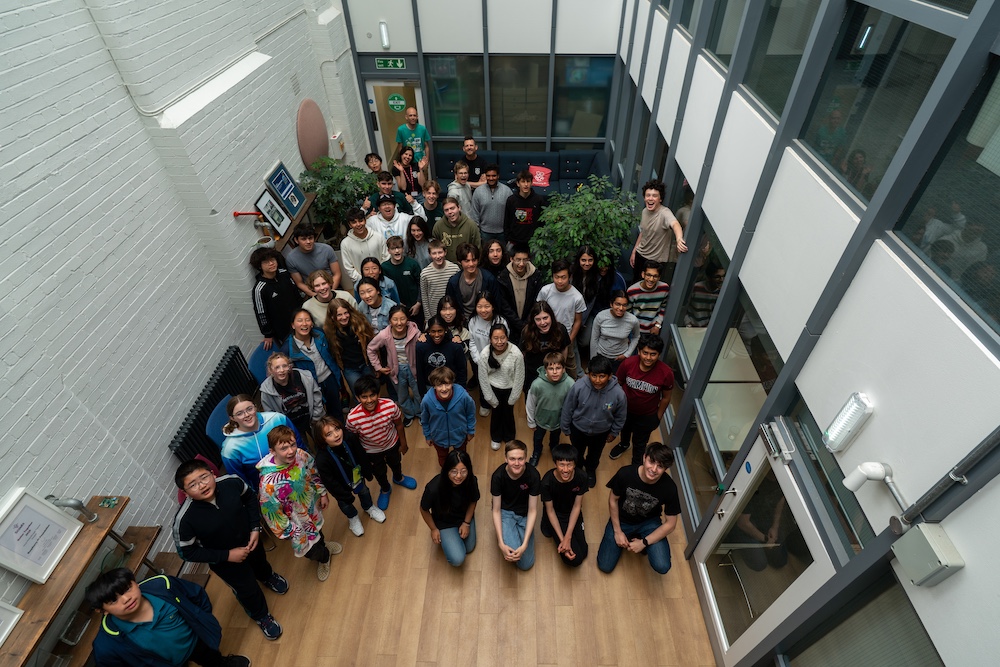
Young coders at Cool as Hack at the RPF offices
All of the creators that took part in Cool as Hack. Credit: W O Wallace

Now a regular volunteer at the Raspberry Pi Foundation’s monthly Code Club in Cambridge, Matthew remains focused on encouraging others into tech. For aspiring young coders, he says that coding is far more diverse and creative than many might initially perceive, encompassing art, storytelling, and problem-solving. Matthew’s advice is simple: 

“Enjoy the process and as you learn new things you’ll realise that all of this is like super interesting, and that there are so many ways to make what you want. Just enjoy it and continue meeting new people and, yeah, be creative.” 

Matthew’s journey shows how an intro to computing at a young age can lead to an incredible amount of impact. With his continued dedication, he’s sure to inspire many more young minds to start on their own coding adventures.

If you would like to explore coding, you can get started at home with over 250 free projects

Looking for a little extra support in your own coding journey or open to mentoring others? Join a Code Club near you to meet a like-minded and supportive community.

The post Code, karaoke, and creativity: Meet Matthew appeared first on Raspberry Pi Foundation.
Begin your Code Club journey: Set up a club today

Post Syndicated from Lou Loxley original https://www.raspberrypi.org/blog/begin-your-code-club-journey-set-up-a-club-today/

Inspired to set up a Code Club but not sure where to start? In this blog we hear from the amazing network of Code Club leaders and mentors, and we give you practical tips on how to take the first steps to set up your own club. 

Two young coders at a Code Club.

About Code Club

Code Club is a thriving global community of clubs where young people can develop the confidence to create with digital technologies in a fun and supportive space. Code Clubs run in schools, libraries and other community settings. We have already supported 2 million school-aged young people worldwide to make things they care about with code.

We offer free training and ongoing support for anyone who would like to set up a Code Club — you don’t need to have a background in coding and technology to get involved.

Two teachers give their tips on setting up a Code Club

“If you’re thinking of starting a Code Club, do it. The Code Club team has everything created — all the resources are available.” – Peter Hutyan, Code Club mentor, The Mease Spencer Academy, UK. 

Peter, a primary school teacher, has been running a Code Club for seven years at The Mease Spencer Academy in Derby, UK.

A man smiling.

“When I started Code Club, I didn’t know how to do Scratch”, says Peter about the block-based coding tool that lots of young learners start with. “So I made myself learn how to use Scratch and I was two to three lessons ahead of the kids. Basically I’ve done what the kids will do — I’ve read the instructions and created the code. It’s such a phenomenal experience of enriching young people’s lives, and you see the smile and sense of accomplishment on their faces. It’s the best day ever.”

Rachael Coultart is the Computer Subject Leader at St Nicholas Primary School, Stevenage, UK and has run a Code Club for over ten years.

A woman laughing.

“I think the benefits of running a Code Club for our school are that it really develops children’s collaboration skills, really develops their perseverance, their thinking skills, their independence”, Rachael says. 

“The key ingredients that I think make a Code Club successful is enthusiasm, from the adults who are there, a kind of passion to learn together and make mistakes together. I kind of think that sets the scene for the children to make mistakes as well. And I think having that freedom outside the classroom is what makes a Code Club really successful.” – Rachael Coultart, Computing Subject Leader, St Nicholas Primary School, UK

Club mentors share why they were inspired to start a club

Saad Koubeissi runs four Code Clubs in libraries in London, UK.

A man smiling.

“Code Club, for me personally, is about providing children with things I didn’t have when I was younger”, says Saad. “I went to youth clubs and stuff but it was never, like, so specific in tech, it was more, like, playing football. So Code Club, I think, by starting off early, it’s introducing children not only to identifying those skills, but also the terminologies, providing that. And being able to be part of that change for those children is welcome for me, to be honest.” 

Bob Bisland is a mentor who started his first Code Club twelve years ago after a career in technology. He now runs three clubs in Malvern, UK.

A man smiling.

“Everyone should set up a Code Club. This is such a rewarding thing to be able to do. I am sharing my passion and my knowledge with another generation of children, and I’m seeing them learn what coding is all about.”

Ready to start? Three steps to set up a Code Club

We provide everything you need to make starting a club straightforward, including hundreds of free coding projects to help you tailor your sessions to the interests of your young tech creators. Our projects are available in up to 40 languages.

  1. Choose your venue. Code Clubs are held in lots of different places, such as schools, libraries and community centres.
  2. Register your club. Complete your application to start your club. We’ll ask for a few details, e.g. the address of your club. 
  3. Start running your club. You can access our free training on how to prepare to run a Code Club. Our Code Club leader guide also includes helpful information for running your club. 

Running a Code Club is a fun and rewarding way to engage young people and help them learn valuable skills for the future. Start your Code Club journey today by finding out more about setting up a club.

The post Begin your Code Club journey: Set up a club today appeared first on Raspberry Pi Foundation.
New to coding? Resources to help children learn to code

Post Syndicated from Lou Loxley original https://www.raspberrypi.org/blog/new-to-coding-resources-to-help-children-learn-to-code/

Here at the Raspberry Pi Foundation we believe ensuring every child knows how to code will equip them with the skills to thrive in the future. 

But what do we mean by coding and how can you get started?

Two young coders at a Code Club.

Coding is how humans give instructions to computers. Machines process and execute these instructions to perform the task you want — whether it’s making an LED light flash, designing your own avatar and making it dance, or creating a website.

Coding underpins the digital technologies that are ubiquitous in our daily lives: the apps on your phone, the software in your TV, and in life-saving devices in hospitals — even making sure your supermarket is fully stocked.

By learning to code, young people can develop the skills and knowledge that we need in an increasingly digital world.

So how can you get started?

Code Club

One of the best ways for school-aged young people to get started with coding is to find your local Code Club — a fun and supportive space where young people develop the skills and confidence to create with digital technologies. They might program their first-ever game or animation in Scratch, create their own step counter with a micro:bit, or use Python to control a robot!

There are around 2,000 Code Clubs across the UK and Ireland and nearly 6,000 more around the world, running in schools and communities – and they are totally free! As well as learning to code, young creators work together, gain confidence and a sense of belonging, and build their skills in problem solving and teamwork. You can read more about the benefits in this independent evaluation of Code Club.

Two young coders at a Code Club.

Creators use our free, step-by-step projects to learn different coding languages and skills. We have hundreds of free coding and computing projects for all experience levels and interests. For example, young people can start to code to make a character catch a bus, then move on to building a musical instrument, and even try out creating a project that uses artificial intelligence.

This handy guide for mentors will help you find which projects are right for you and your creators. Read on to find out more about our free coding resources.

Scratch 

Scratch is a good way for young people to begin their journey in coding. Scratch is a block-based language, which allows children to assemble code to produce games, animations, and stories.

The Raspberry Pi Foundation has hundreds of Scratch projects that young creators can try out, but the best place to start is with our Introduction to Scratch path. This will provide young people with the basic skills they need, and then encourage them to build projects that are relevant to them, culminating in their creation of their own interactive ebook.

A mentor and a young person at a Code Club.

Web design

Websites are integral to many of our lives, and we believe that it is important for young people to learn how the websites and apps they visit are created with code.

That is why we have an Introduction to web development path that enables young creators to make their own simple webpages and apps with HTML, CSS, and JavaScript and share them with their friends. The path helps them create webpages about subjects that they care about, and they also learn about accessible web design.

Python

Once children feel confident using Scratch, Python is a brilliant next step. It’s a real-world programming language used by professionals, but it’s also simple enough for beginners. Python helps young people move from blocks to text-based code, deepening their understanding of how programming works. It’s easy to read, which means learners can focus on thinking logically and building exciting projects. Our Python path for beginners is the perfect place to start, and we have loads more Python projects for them to explore as their skills grow.

Artificial intelligence

Our new artificial intelligence (AI) path allows young people to discover the foundational concepts of machine learning through creative and interactive projects using AI applications and technologies. Working with voice recognition, facial recognition, and other AI technologies, young people gain a broader understanding of how AI can be applied in different contexts.

A mentor helps a young person with a coding task at a Code Club.

Physical computing with Raspberry Pi

For young creators interested in interacting with the real world using code, our physical computing projects help them discover how to use electronic components. These projects show how to build things with buttons, switches, buzzers and LEDs using Scratch and a Raspberry Pi computer, or using Python and a Raspberry Pi Pico microcontroller.  

Physical computing with micro:bit

Another fun option for young people who want to explore physical computing is the micro:bit. This is a small programmable device with an LED display, buttons, and sensors, and it can be used to create games, animations, interactive projects, and lots more. A visual programming language called MakeCode can be used to control a micro:bit. Or the micro:bit can be programmed using Scratch or text-based languages such as Python, offering an easy transition for young creators as their coding skills progress. Have a look at our free collection of micro:bit resources to learn more.

Next steps

When young people are confident in these areas, they could try creating and exploring 3D worlds with the power of Unity. And what about creating using a Raspberry Pi computer? These beginner projects help you learn to set up and configure your Raspberry Pi and get started.

A mentor supports young coders at a Code Club.

Fancy running your code in space or submitting your project to our showcase?

Once you’re up and running, we have two fun ways kids can get even more out of coding.

The European Astro Pi Challenge allows kids to run their code in space. We have two levels: 

  • Mission Zero, suitable for beginners, where they code a personalised image for the astronauts on the International Space Station
  • Mission Space Lab, where kids’ code solves a scientific task on board the International Space Station

And young people can also submit their creations to Coolest Projects. This is a celebration of young digital creators and the amazing things they make with technology. We have a global online showcase, as well as in-person Coolest Projects events in several countries. 

And if you’ve been inspired to set up a new Code Club, or volunteer at a Code Club near you, find out the next steps here.

The post New to coding? Resources to help children learn to code appeared first on Raspberry Pi Foundation.
From player to maker: Learn to code by creating your own game

Post Syndicated from Pete Bell original https://www.raspberrypi.org/blog/from-player-to-maker-learn-to-code-by-creating-your-own-game/

At Code Club, we believe learning to code should be as fun as it is empowering — what better way to start than making your own game?

A mentor and a young tech creator at a computer at a Code Club session.

Whether it’s about pixelated pirates, racing robots, or a time-travelling llama, creating a game is one of the most exciting ways to explore coding. We’ve seen young people go from “I like Minecraft” to “I’ve built a space adventure with hedgehogs” in no time at all.

Why games?

Games are more than just fun. They’re also a brilliant gateway into problem solving, creativity, and computational thinking. When you create your own game, you learn how to:

  • Use logic and sequences to control what happens
  • Trigger events and interactions through code
  • Build characters, stories, and rules — and see them come to life

And perhaps most importantly, you get instant feedback. If your code doesn’t quite work, you’ll know right away, and you’ll have the chance to fix it, test it, and improve it.

Three fun game projects to try today

We’ve created a free library of step-by-step game projects that work in a browser, that require no previous experience, and that let imagination lead the way.

Here are three brilliant beginner-friendly projects to try at Code Club or at home:

Catch the dots

  • Learn: Basic events and movement in Scratch
  • Make: A quick-fire reaction game where you catch a moving dot
  • Try: Changing the sprites or making the dot move faster over time

Target practice

  • Learn: Broadcasting, scorekeeping, and setting difficulty
  • Make: A game that tests your speed and accuracy
  • Try: Adding levels, custom backgrounds, or sound effects

Don’t collide!

  • Learn: Cloning, timers, and collision detection
  • Make: A fast-paced game where the player must dodge incoming objects
  • Try: Changing the game to set it in space, underwater, or inside a volcano

What does the community think?

Games are a great starting point because they’re naturally motivating: young people see what they’ve made work, and that’s incredibly empowering.

“I started with ‘Catch the dot’. I changed the sprite to a spaceship and then added power-ups and space cats. Now I’m making my own levels!”
Lila, 11, Creator

“When my son made his first Scratch game, it was the first time he explained what a loop was to me. Games build confidence.”
Laura, parent and Code Club Mentor

Build, remix, and level up

Once you’ve finished a project, the real fun begins. With just a few changes, creators can build their own levels or make the game more challenging, design custom characters and backdrops, or invent brand new rules and mechanics.

And if they want to share ideas and collaborate with others, joining a Code Club is the perfect next step.

Three young tech creators at laptops at a Code Club session.

Ready to get started?

You can find all the projects mentioned here — and many more — on the Code Club projects site. They’re free to use and designed to help creators grow in confidence as they learn to code.

All our projects focused on game creation can be found here.

Every coding journey begins with a single click. Let’s press start!

The post From player to maker: Learn to code by creating your own game appeared first on Raspberry Pi Foundation.
Ready, set, Scratch: A beginner’s guide to creative coding

Post Syndicated from Mark Calleja original https://www.raspberrypi.org/blog/ready-set-scratch-a-beginners-guide-to-creative-coding/

What is Scratch?

Scratch is a free, beginner-friendly coding platform that allows young people to create animations, games, and interactive stories using simple visual blocks. Scratch removes some of the complexity of coding by replacing syntax-heavy programming languages with intuitive drag-and-drop blocks. This lets creativity take centre stage and makes it the perfect first step for young coders.

Two young people smiling whilst working on their laptop with an adult mentor by their side.

Why Scratch is the ideal starting point

Every coding journey begins with a single step. Scratch delivers this first step in a way that is playful, approachable, and empowering. Scratch immediately delivers tangible results that new coders can feel proud of by linking coding to storytelling, design, and play. It also cultivates curiosity, confidence, and resilience — qualities crucial to long-term success in both coding and problem solving.

Most importantly, Scratch emphasises exploration over perfection. It invites young learners to experiment freely, troubleshoot confidently, and express themselves creatively without fear of making mistakes. This exploratory mindset provides the foundation for future technical proficiency and innovation.

Get started with our free projects

Starting with structured projects helps young learners build solid coding skills while maintaining enthusiasm and enjoyment.

Catch the bus (animation)

In ‘Catch the bus’, coders create an animation featuring a character (called a sprite in Scratch) attempting to catch a departing bus. They learn how to sequence events, switch costumes to simulate movement, and synchronise actions to tell a simple story. This introduces fundamental storytelling and animation skills in Scratch.

What you’ll learn:

  • Timing and sequencing actions
  • Using costume changes to simulate movement
  • Creating narrative animations

Chomp the cheese (interactive)

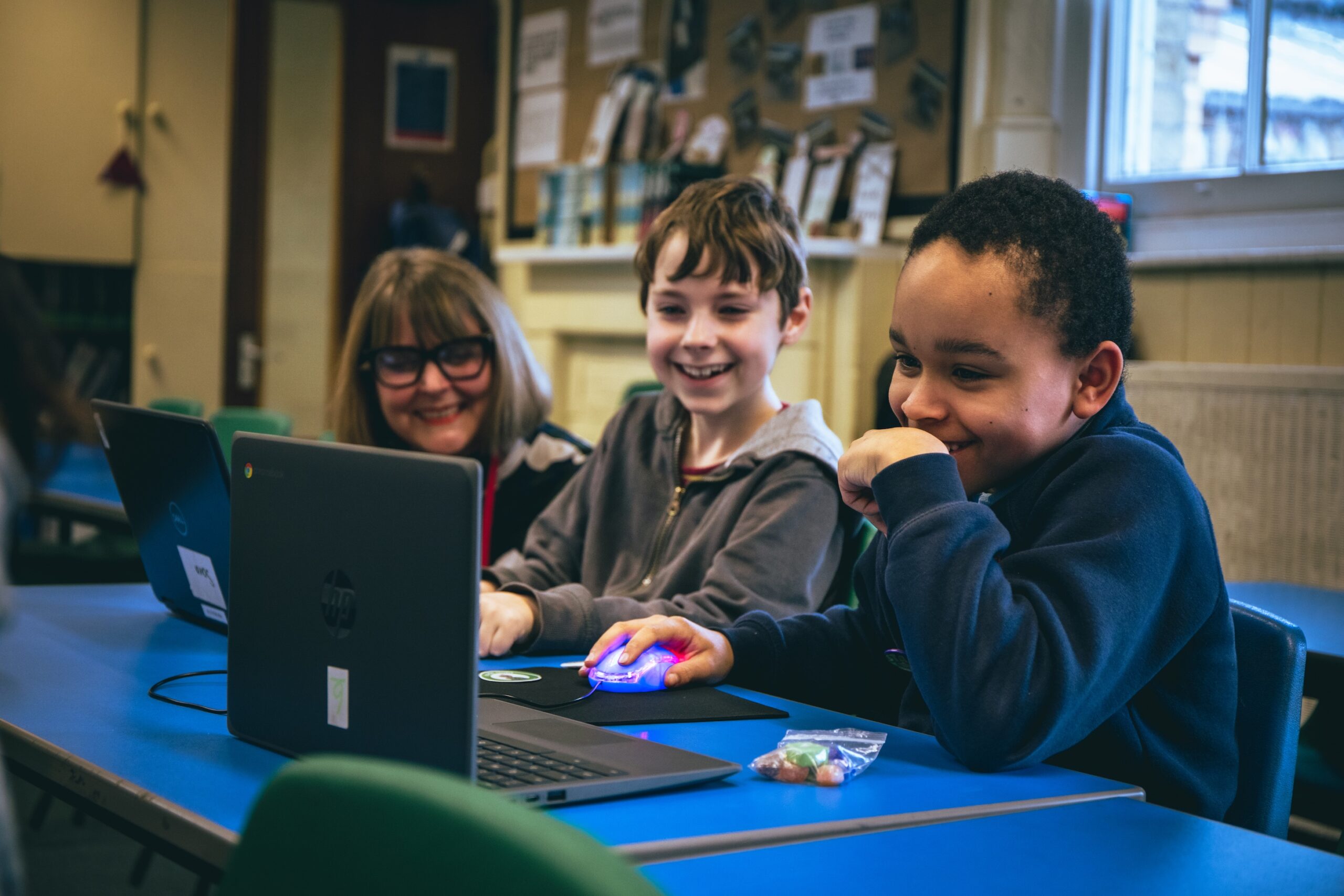
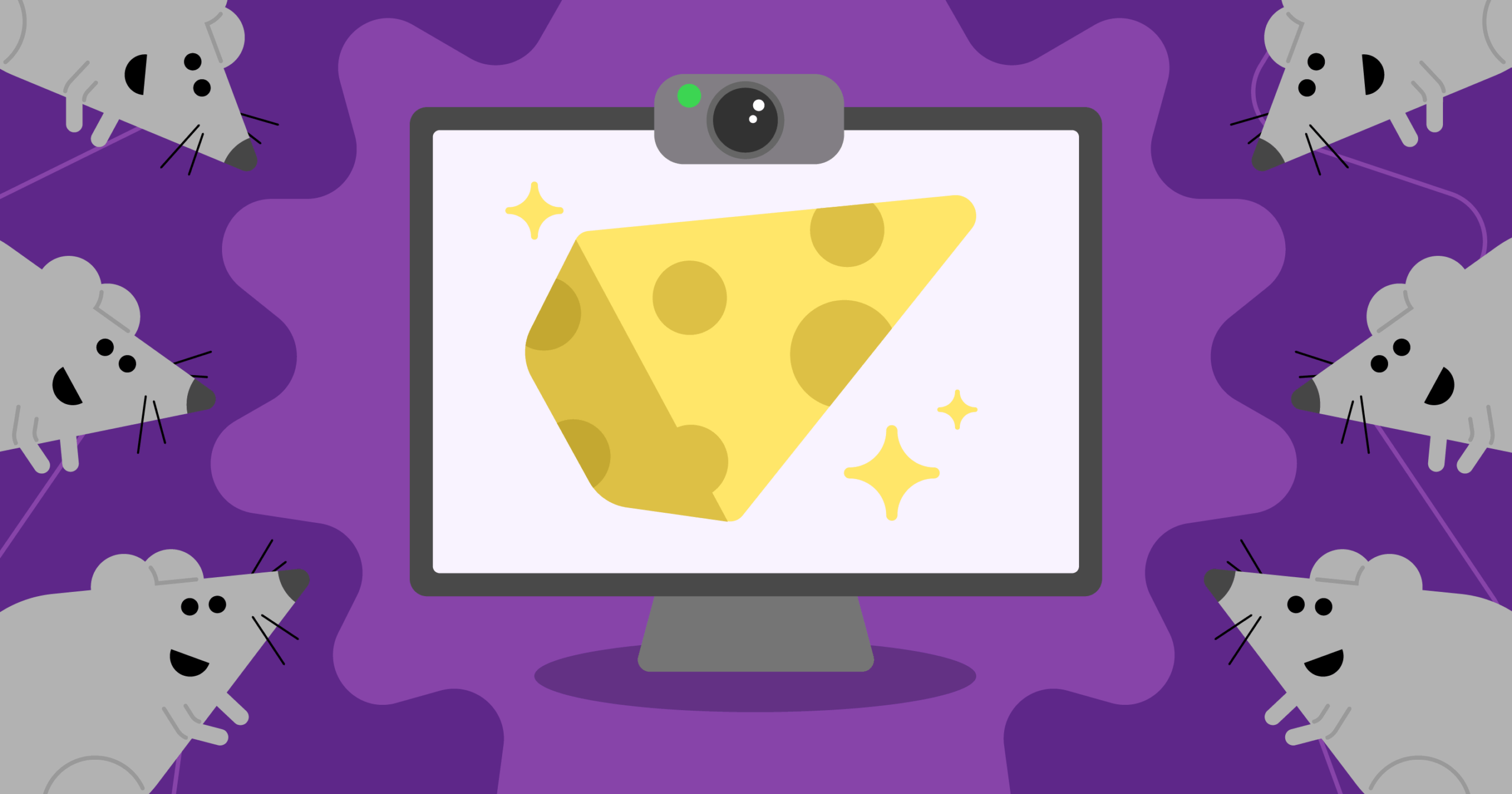
In ‘Chomp the cheese’, learners use facial recognition tools in Scratch Lab to build an interactive game controlled by mouth movements. Using a webcam, players physically open their mouths to “chomp” virtual cheese snacks on screen. This playful and engaging activity introduces machine learning concepts in a tangible and enjoyable way.

What you’ll learn:

  • Using facial recognition in Scratch
  • Creating interactive games with webcam input
  • Basic concepts of machine learning and interactivity

Boat race (game)

In ‘Boat race’, young coders create a game where players navigate a boat around obstacles, steering using mouse controls. They learn to handle player input, detect collisions, and define conditions for winning. This foundational game-making experience sets the stage for more complex creations in the future.

What you’ll learn:

  • Controlling sprites with mouse clicks
  • Collision detection between sprites
  • Defining goals and win conditions

“The key to sparking a lifelong interest in coding is excitement. When young people are building something they genuinely care about, they’re not worried about getting everything perfect on the first try. They’re chasing their ideas and learning as they go. Scratch creates the ideal environment for this type of messy, brilliant exploration. It provides young coders with the freedom to experiment, persevere, and express themselves — all while enjoying the process,” or so says my amazing colleague Pete Bell, Learning Manager and creator of some of our most engaging content at the Raspberry Pi Foundation. I have to say, I agree with him!

Level up and build momentum

After completing their first projects, young coders can continue to build momentum through several exciting avenues:

  • Personalise projects: Encourage learners to remix existing projects by altering characters, backgrounds, and rules. Personalisation deepens learning and fosters ownership of the coding experience.
  • Explore Python: Scratch’s block-based coding naturally leads to curiosity about text-based languages like Python, which many learners find an exciting next step.
  • Join a Code Club: Coding alongside peers transforms individual learning into a social experience. Code Clubs offer a collaborative environment where learners solve problems together, share creations, and build lasting friendships.

Encouraging personalisation, curiosity, and community involvement keeps learners motivated and engaged on their coding journey.

Children in a Code Club in India.

Conclusion

Scratch is more than just an introductory tool — it’s a creative playground that nurtures curiosity, resilience, and technical skills in equal measure. By guiding young coders through their first steps with engaging projects and supportive encouragement, you lay the foundation for a lifetime of innovation, problem-solving, and creative expression. Ready, set, Scratch! Let’s get started!

The post Ready, set, Scratch: A beginner’s guide to creative coding appeared first on Raspberry Pi Foundation.

Ready to remix? Favourite projects to tinker with

Post Syndicated from Pete Bell original https://www.raspberrypi.org/blog/ready-to-remix-favourite-projects-to-tinker-with/

From crafting interactive stories to designing captivating games, the Raspberry Pi Foundation’s coding projects offer a hands-on approach to learning, igniting creativity and developing the skills young people need, like perseverance and problem-solving. In this blog, I explore two of my favourite projects that young coders will love.

An educator helps two young learners with a coding project in a classroom.

Our projects are free and open to all. They are easy-to-follow, step-by-step guides that young people use to make their own games, animations, and websites using coding languages such as Scratch, HTML/CSS, and Python. The projects introduce coding concepts one by one and allow young people to build their knowledge progressively. As such, educators and volunteers running clubs don’t need to be experienced coders, and many volunteers in our community enjoy learning alongside their club members.

The power of remixing

One of the brilliant things about our projects is how easy it is to adapt them. This is called remixing, and it gives the learner the opportunity to create and modify a brand-new project that is personal to them. 

“Remixing allows beginners to tinker with a pre-existing project and make increasingly complex modifications”

Do you have the reaction speeds of an astronaut?

My favourite project brings space into the classroom. Space is such an intriguing and mysterious thing, but aspects like the extremely high speeds that satellites and the International Space Station (ISS) travel at are difficult concepts for young people to understand. 

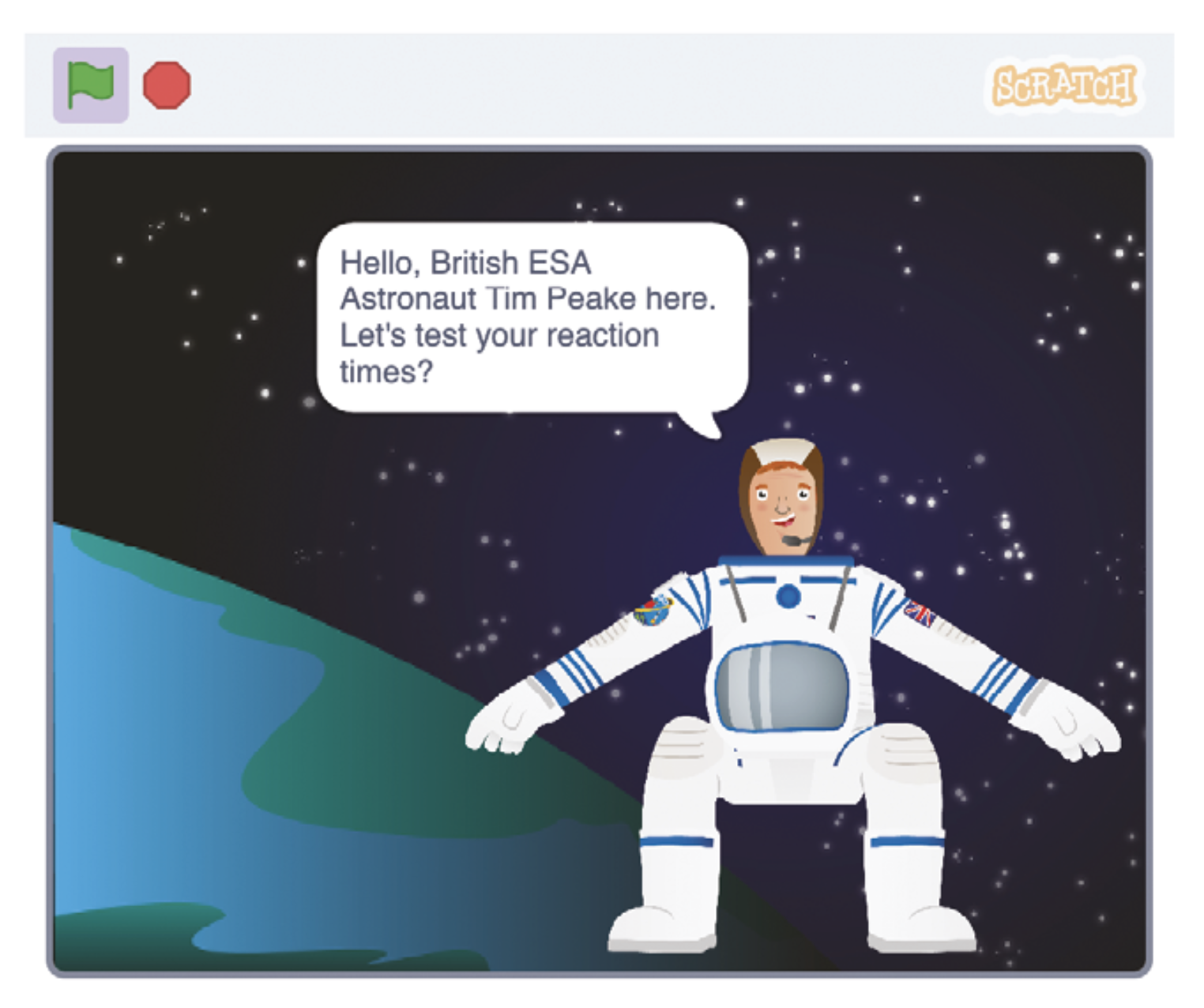
The Astronaut Reaction Time Game in Scratch introduces young people to the fact that things happen very quickly at the speed the ISS travels. It includes links to maths and science (speed, distance, time, velocity, units, calculations, operators) and, for older learners, prompts discussions on computational abstractions and problem-solving.

The Astronaut Reaction Time Game in Scratch.

The project tests reaction speeds, something that real astronauts have to do as part of their training. NASA has found that reaction speeds are slower on the ISS than on Earth, possibly as a result of the stress of zero gravity. It’s also a fun activity young people can share and play with their friends. Sharing is a key part of the club environment, and this project is ideal for generating a little bit of competition. 

As with all projects, a scaffolded approach is taken, with challenges set for learners so that they can complete part of the project independently. If someone is stuck, they can get a hint in the form of an explanation or sentence, which then turns into the code blocks they need to solve the problems, finally giving them the solution if they really need it.   

Remix: Exploring speed on planet Earth

Club volunteers can also introduce their learners to some of our physical computing projects, or they could design their own race track that measures the speed of a vehicle. They could even develop a program on a microcontroller like a Pico or micro:bit to measure the speed of young athletes on a running track. If learners are inspired to do more space-themed projects, we have that covered in our project collection

Unleashing the creativity of coding through colour

My other go-to project is Colourful Creations. Coding is an excellent vehicle for self-expression, and this project showcases the ways programming can be used to create digital art. It uses the turtle library, which is an excellent tool for creating designs and patterns. 

An example of a colourful poster.

The name “turtle” stems from the Logo programming language created in the 1960s. Logo is mainly known for drawing lines, shapes and patterns on the screen and using a “turtle” on the floor to draw them on paper. The turtle library is, therefore, a selection of functions that can be used for drawing. 

Part of the project’s appeal is that learners are given a blank canvas to which they can apply any theme. There are limited instructions, leaving lots of space for creativity. Whether it be climate change, a period in history, or some other topic, learners can work on their own poster or in pairs to create something bigger.

Remix: From project to presentation

The possibilities for remixing are almost endless, as learners can add more screens and turn their project into a mini presentation or unleash their artistic side and go wild with colours. The learning in this project leads perfectly to more complex turtle drawing projects like Robo-Trumps, providing a solid foundation in creative computing for you to build on later.

We want you to create your own versions of these projects. You could organise a themed day, which can give learners more freedom, or link with other projects such as Astro Pi. Try remixing the projects to start with, then building up to develop new and exciting projects based on the skills that have been learnt. Happy coding!

A version of this article also appears in Hello World issue 24.

The post Ready to remix? Favourite projects to tinker with appeared first on Raspberry Pi Foundation.
Introduce the Code Editor into your school

Post Syndicated from Joanne Vincent original https://www.raspberrypi.org/blog/code-editor-for-education/

Since we first launched the Code Editor, a free online tool designed to support young people  as they learn text-based programming, we’ve been excited to hear how educators have been trying it out in their classrooms. 

“I used the Code Editor with my computer science students yesterday and it worked a dream! Students were able to write and run code without any issues.” 

– Head of Computer Science

The Code Editor is designed for learning, rather than for professional use, and is informed by our understanding of pedagogy and computing education. It can be accessed from a web browser without installing any additional software. 

Earlier this year, we announced that we’d be introducing classroom management features and we’re now pleased to confirm that we’ve launched the beta version of Code Editor for Education with school accounts. You can be the first to try out the new features, together with the many schools who have chosen to pre-register their school accounts.

Simple and easy classroom management

We’ve kept the educator interface clean, simple, and easy to use. School owners can invite other teachers to join, add students, organise students into classes, and help students reset their passwords quickly. Educators can create coding projects to share with students and view their work.

Example image of the Raspberry Pi Foundation Code Editor, showcasing its classroom management features.

All features, totally free

We’ve added these classroom management features because one of the key problems we’ve seen educators face over the past months has been the lack of an affordable tool to teach text-based coding in the classroom. We will always provide the Code Editor and all of its features to educators and students for free. 

Safe and private by design

We take safeguarding seriously, providing visibility of student work at all times, as well as features such as the ability to report a concern. In line with best practices protecting children online, we minimise data capture so that we have just enough to keep students safe. 

Future developments 

As the platform is currently in beta, we’d love to hear what you think of the new classroom management features — please send us your feedback

We’ll be actively looking to develop new features over the coming months. Such features are set to include an extended set of Python libraries, custom instructions that sit alongside starter code projects and teacher-to-student feedback capabilities. All new developments will be informed by ongoing educator feedback. 

Find out more and register for a free school account.

The post Introduce the Code Editor into your school appeared first on Raspberry Pi Foundation.
An integrated learning experience for young people

Post Syndicated from Joanne Vincent original https://www.raspberrypi.org/blog/code-editor-integration/

We’re currently trialling the full integration of our Code Editor in some of the projects on our Projects site, with the aim of providing a seamless experience for young learners. Our Projects site provides hundreds of free coding projects with step-by-step instructions for young people to use at school, in Code Clubs and CoderDojo clubs, and at home. When learners make text-based programming projects in our Python and web design project paths, they use our Code Editor to write and run code in a web browser.

A young person at a computer in a classroom.

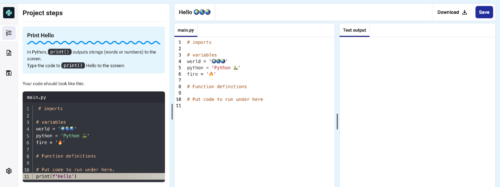
Our new integrated learning experience allows young people to follow the project instructions and work in the Code Editor in a single window. By providing a simpler workspace, where learners do not need to switch between windows to read instructions and input code, we aim to reduce cognitive load and make it easier for young people to learn.

How the new integrated experience works

In the integrated project workspace, learners can access the project instructions, coding area, and output (where they can see what they have made) all in the same view. We have reorganised the project guides into short, easy-to-follow steps made up of simple instructions, including code snippets and modelled examples, for learners to work through to create their projects. The project guides feature fresh designs for different types of learning content, such as instruction steps, concept steps, code snippets, tips, and debugging help.

A screenshot of the new Code Editor.

We have also optimised this learning experience for young people using mobiles and tablets. On mobile devices, a new ‘Steps’ tab appears alongside the ‘Code’ and ‘Output’ tabs, enabling learners to easily navigate to the project guide and follow the steps to make their projects.

Try out our new learning experience

We are testing our new integrated learning experience as a beta version in three projects: 

  • Hello world (part of our ‘Introduction to Python’ project path) 
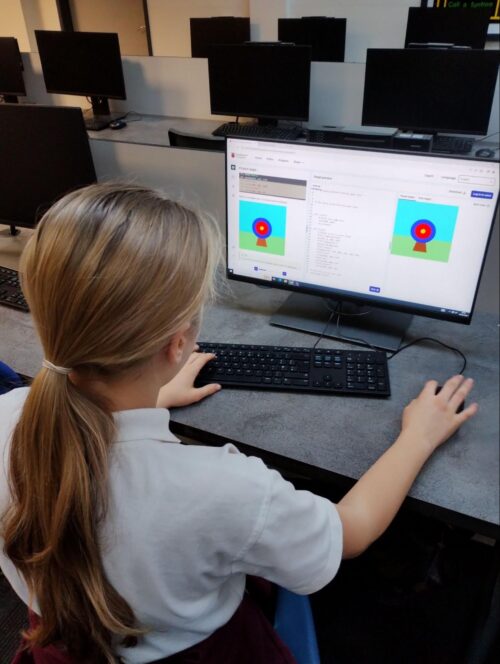
  • Target practice (part of our ‘Introduction to Python’ project path) 
  • Anime expressions (part of our ‘Introduction to web development’ project path) 

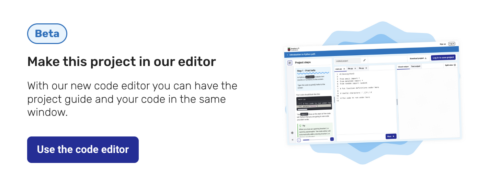
In each of these projects, young people can choose to complete the original version of the project, with the project instructions and Code Editor in separate windows, or click the button on the project page to try out the new integrated learning experience.

A screenshot of the new Code Editor.

We’d love to hear how your young learners get on with this new integrated experience. Try it out in the three projects above and share your feedback with us here.

Code Editor developments have been made possible with generous support from the Cisco Foundation.

The post An integrated learning experience for young people appeared first on Raspberry Pi Foundation.
Celebrating the community: Sahibjot

Post Syndicated from Sophie Ashford original https://www.raspberrypi.org/blog/celebrating-the-community-sahibjot/

In our series of community stories, we celebrate some of the wonderful things young people and educators around the world are achieving through the power of technology. 

A young person sits in a classroom.

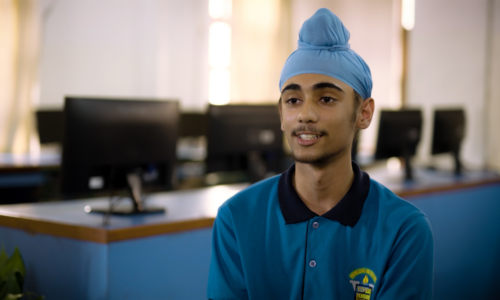
In our latest story, we’re heading to Vivek High School in Mohali, India, to meet Sahibjot, a 14-year-old coding enthusiast who has taken his hobby to the next level thanks to mentorship, Code Club, and the exciting opportunity to take part in the Coolest Projects 2023 global online showcase.

Introducing Sahibjot

When he was younger, Sahibjot loved playing video games. His interest in gaming led him to discover the world of game development, and he was inspired to find out more and try it out himself. He began to learn to code in his spare time, using tutorials to help him develop his skills.

A young person sits at a table outside and uses a laptop.

Keen to share the joy he had experienced from gaming, Sahibjot set himself the challenge of creating a game for his cousin. This project cemented his enthusiasm for coding and developing games of his own.

“I always felt that I have played so many games in my life, why not make one and others will enjoy the same experience that I had as a child.

For my cousin, I made a personal game for him, and he played it and he liked it very much, so once he played it, I felt that, yes, this is what I want to do with my life.” – Sahibjot

Mentorship and collaboration

While continuing to hone his computing skills at home, Sahibjot heard that his school had started a Code Club. After initially feeling nervous about joining, his enthusiasm was bolstered by the club mentor, Rajan, talking about artificial intelligence and other interesting topics during the session, and he soon settled in. 

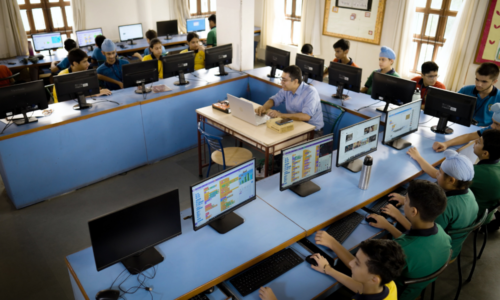
A group of students and a teacher at computers in a classroom.

At Code Club, with support and encouragement from Rajan, Sahibjot continued to develop and grow his coding skills. Alongside his technical skills, he also learned about teamwork and working collaboratively. He embraced the opportunity to help his peers, sharing his knowledge with others and becoming a mentor for younger club members. 

Three students chat outside a school building.

“Last year, we joined this coding club together and we became friends. He’s a very friendly person. Whenever we need him, he just quickly helps us. He helps us to troubleshoot, find any bugs, or even fix our codes.” – Akshat, fellow Code Club member

A global opportunity

The next step for Sahibjot came when Rajan introduced him and his fellow Code Club members to Coolest Projects. Coolest Projects is a celebration of young digital creators and the amazing things they make with technology. It offers participants the opportunity to share their tech creations in a global, online showcase, and local in-person events celebrating young creators are also held in several countries.

A group of students in a classroom being guided through their computing projects by a teacher.

Sahibjot was eager to take part and showcase what he had made. He submitted a Python project, a ping-pong game, to the online showcase, and was very excited to then see his creation receive a special shout-out during the Coolest Projects global livestream event. He was delighted to share this achievement with his friends and family, and he felt proud to be representing his school and his country on a global stage.

“I told everyone around me that there was going to be a livestream and I possibly might be featured in that, so that was really exciting. I learned a lot about just not representing my school and myself as an individual, I learned about representing my whole nation.” — Sahibjot

Sahibjot’s passion for computing has helped shape his aspirations and ambitions. Looking to the future, he hopes to use his technology skills to benefit others and make an impact.

“Using code and technology and all of the things like that, I aspire to make effort to do something with the world, like help out people with technology.” — Sahibjot

Inspire young creators like Sahibjot

To find out how you and young creators you know can get involved in Coolest Projects, visit coolestprojects.org. If the young people in your community are just starting out on their computing journey, visit our projects site for free, fun beginner coding projects.

For more information to help you set up a Code Club in your school, visit codeclub.org.

Join us in celebrating Sahibjot’s inspiring journey by sharing his story on X (formerly Twitter), LinkedIn, and Facebook.

The post Celebrating the community: Sahibjot appeared first on Raspberry Pi Foundation.
Working with UK youth and community organisations to tackle the digital divide

Post Syndicated from Tom Hadfield original https://www.raspberrypi.org/blog/working-with-uk-youth-community-organisations-to-tackle-digital-divide/

At the heart of our work as a charity is the aim to democratise access to digital skills and technologies. Since 2020, we have partnered with over 100 youth and community organisations in the UK to develop programmes that increase opportunities for young people experiencing educational disadvantage to engage and create with digital technology in underserved communities.

Youth organisations attempting to start a coding club can face a range of practical and logistical challenges, from a lack of space, to funding restrictions, and staff shortages. However, the three issues that we hear about most often are a lack of access to hardware, lack of technical expertise among staff, and low confidence to deliver activities on an ongoing basis.

In 2023, we worked to help youth organisations overcome these barriers by designing and delivering a new hybrid training programme, supported by Amazon Future Engineer. With the programme, we aimed to help youth leaders and educators successfully incorporate coding and digital making activities as part of their provision to young people.

“Really useful, I have never used Scratch so going [through] the project made it clear to understand and how I would facilitate this for the children[.]” – Heather Coulthard, Doncaster Children’s University

Participating organisations

We invited 14 organisations from across the UK to participate in the training, based on:

  • The range of frontline services they already provide to young people in underresourced areas (everything from employability skills workshops to literacy classes, food banks, and knife crime awareness schemes)
  • Previous participation in Raspberry Pi Foundation programmes
  • Their commitment to upskill their staff and volunteers and to run sessions with young people on a regular basis following the training

Attendees included a number of previous Learn at Home partners, including Breadline London, Manchester Youth Zone, and Youth Action. They all told us that the additional support they had received from the Foundation and organisations such as The Bloomfield Trust during the coronavirus pandemic had directly inspired them to participate in the training and begin their own coding clubs. 
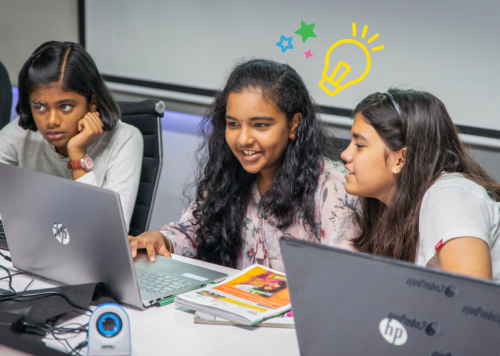

Online sessions to increase skills and confidence

We started with four online training sessions where we introduced the youth leaders to digital making concepts, programming languages, and recommended activities to run with their young people. This included everything from making their own block-based Scratch games, to running Python programs on our Code Editor and trying out physical computing via our new micro:bit project path.

Alongside digital skills and interactive codealongs, the training also focused on how to be an effective CoderDojo mentor, including classroom management best practice, an explanation of the thinking behind our 3…2…1…Make! project paths, and an overview of culturally relevant pedagogy.

This last part explored how youth leaders can adapt and tailor digital making resources designed for a wide, general audience for their specific groups of young people to aid their understanding, boost their learning outcomes, and increase their sense of belonging within a coding club environment — a common blocker for organisations trying to appeal to marginalised youth.

In-person training to excite and inspire

The training culminated in a day-long, in-person session at our head office in Cambridge, so that youth leaders and educators from each organisation could get hands-on experience. They experimented with physical computing components such as the Raspberry Pi Pico, trained their own artificial intelligence (AI) models using our Experience AI resources, and learned more about how their young people can get involved with Coolest Projects and Astro Pi Mission Zero.

The in-person session also gave everyone the chance to get excited about running digital making activities at their centres: the youth leaders got to ask our team questions, and had the invaluable opportunity to meet each other, share their stories, swap advice, and discuss the challenges they face with their peers.

“Having the in-person immensely improved my skills and knowledge. The instructors were all brilliant and very passionate.” – Awale Elmi, RISE Projects

Continuing support

Finally, thanks to the generous support from Amazon Future Engineer, we were able to equip each participating organisation with Raspberry Pi 400 kits so that the youth leaders can practise and share the skills and knowledge they gained on the course at their centres and the organisations can offer computing activities in-house.

Over the next 12 months, we will continue to work with each of these youth and community organisations, supporting them to establish their coding clubs, and helping to ensure that young people in their communities get a fair and equal opportunity to engage and create with technology, no matter their background or challenges they are facing.

“It was really great. The online courses are excellent and being in-person to get answers to questions really helped. The tinkering was really useful and having people on hand to answer questions [was] massively useful.” – Liam Garnett, Leeds Libraries

For more information about how we can support youth and community organisations in the UK to start their own coding clubs, please send us a message with the subject ‘Partnerships’.

The post Working with UK youth and community organisations to tackle the digital divide appeared first on Raspberry Pi Foundation.