Tag Archives: AI education

How AI shapes your feed: An explainable social media simulator for the classroom

Post Syndicated from Diana Kirby original https://www.raspberrypi.org/blog/how-ai-shapes-your-feed-an-explainable-social-media-simulator-for-the-classroom/

Social media can have a powerful impact on the way we see and experience the world. What we see in our feeds is not random: it is determined by AI-driven systems that collect vast amounts of data, build user profiles, analyse engagement, and generate recommendations. But while young people are prolific users of social media, studies show that many have little understanding of what is happening ‘under the hood’

Henriikka Vartiainen and Matti Tedre from the University of Eastern Finland
Researchers Henriikka Vartiainen and Matti Tedre.

In our September research seminar, we welcomed back Henriikka Vartiainen and Matti Tedre from the University of Eastern Finland. They introduced Somekone, a social media simulator that is designed to help learners understand some of the fundamental processes behind social media platforms. Their team has been developing AI education materials and tools since 2019, including GenAI Teachable Machine, which they presented at our May research seminar.

Collaboration and co-design

Henriikka explained that the development of the Somekone tool emerged from the team’s long-term collaboration with teachers and schools in Finland. They co-developed the tool with the aim of making concepts like data collection, engagement, profiling, recommendations, filter bubbles, and polarisation visible and explainable for students aged 11 to 13 years old.

Photo of three school pupils together looking at a mobile phone.

A four-phase learning model

Henriikka described the pedagogical model that the team follows in all of their AI education interventions. Their goal is not only to support students to develop their understanding of AI concepts, but also to foster ethical awareness and a sense of agency.

  • Phase 1: Contextualisation and familiarisation
    Students begin by discussing their experiences with social media and their initial ideas about how platforms such as TikTok, YouTube, and Instagram work. This activates students’ prior knowledge and helps connect the learning to their own interests. It also enables teachers to uncover any misconceptions the students may have.
  • Phase 2: Exploration
    Students explore their initial ideas by experimenting with the Somekone tool. They discover how different types of data are collected and combined for profiling in a way that connects these new concepts to their own everyday lives.
  • Phase 3: Design and inquiry
    Students explore the Somekone tool more deeply. Teachers guide them through activities where the students analyse, interpret, and discuss the data they can see in the tool. Importantly, the data they are using has all been gathered from their activity on the platform. Students can see how the likes, follows, and comments they and their classmates make change the images they are shown, and this is all real time.
  • Phase 4: Ethical and societal reflection
    Students reflect on what they have learnt and consider the broader impacts of social media. Teachers encourage them to think critically, question the way social media platforms currently work, and imagine alternatives. At the end of the project, students write letters to decision-makers with their suggestions for how social media could better serve children’s interests.

Inside the simulator

Matti then gave a live demonstration of Somekone. Nothing compares to seeing the tool in action, so do check out the video of his demo here!

Students log on to the tool and are presented with an Instagram-style feed of images. They scroll through the feed and like, share, or comment on images that catch their attention or match their interests. For many students this is a very familiar type of environment, and they really enjoy playing with the app!

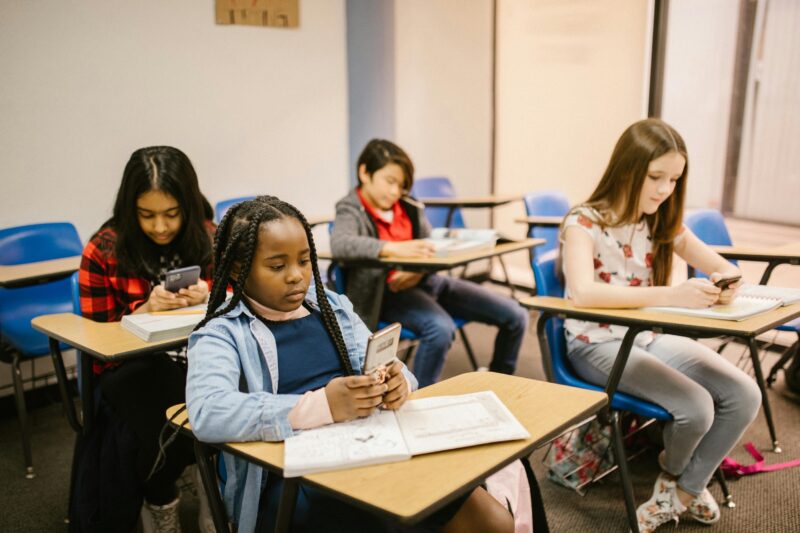
Four young people sitting at their desks, on their mobile phones.

However, the unique value of Somekone is that it provides students with a real-time view of the way data is collected from every single user interaction, and demonstrates what is done with that data. It also allows students to experiment with a social media tool in the classroom without any data protection issues, as all of the data is stored locally.

Learners explore:

  • Data collection in real time. Working in pairs, one student browses the image feed, while the other watches a live view of the data that the simulator is collecting every time their partner interacts with or simply pauses on a post.
  • Profile building. Somekone shows how all this data accumulates to build a profile. Students watch their profiles developing based on the way they and their classmates are interacting with their feeds.
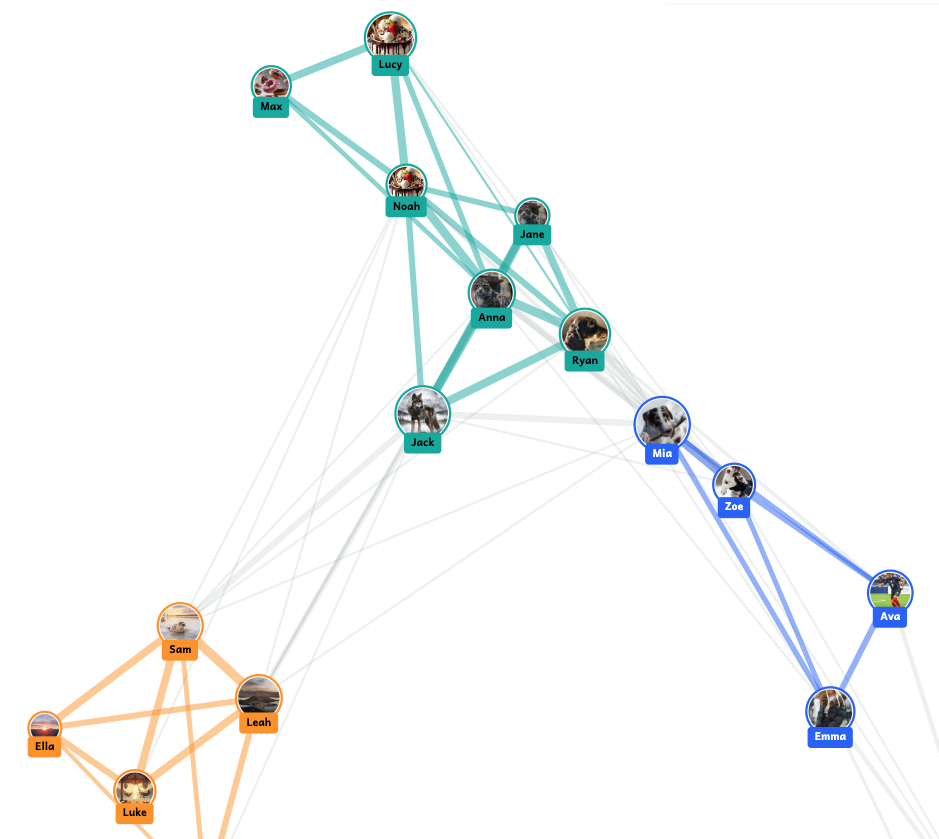
  • Clustering and connections. Students then see how the tool groups profiles to create clusters of users with similar interests. Often friendship groups in the classroom are evident on screen because students sitting next to each other have all chosen to engage with the same things!
The simulator creates clusters of users with similar interests, which update in real time as students interact with posts on their feeds

The simulator creates clusters of users with similar interests, which update in real time as students interact with posts on their feeds

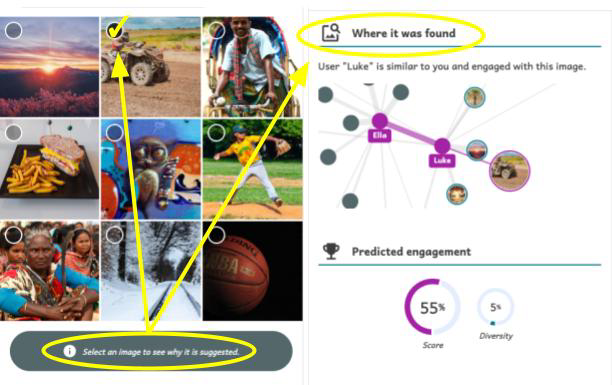
  • Explainable recommendations. A key feature of Somekone is that it provides explanations for why it recommends posts to users. Students learn that recommendations can be based on various things, such as the image’s tag matching the tag on other posts they liked, or the image being popular among other users with similar profiles to theirs. These are the mechanisms that underpin real recommendation systems, but Somekone makes them explicit.
The tool provides an explanation for why each post is recommended

The tool provides an explanation for why each post is recommended

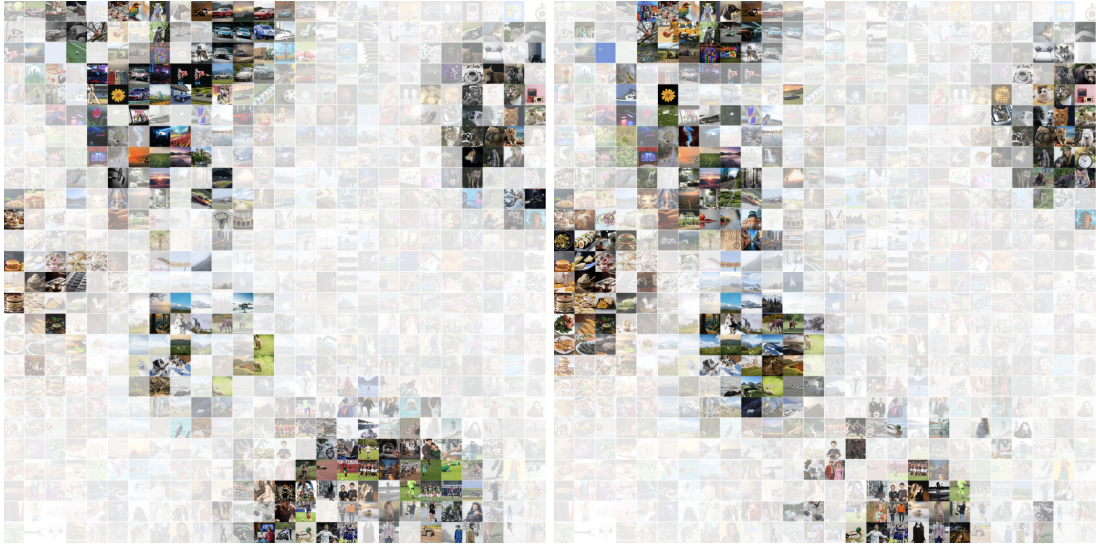
  • Filter bubbles and polarisation. A filter bubble forms when a user only sees social media posts that match their existing interests or beliefs, due to highly personalised recommendation systems. Somekone presents this concept in a visually compelling way through a heatmap showing all the content in the system, with a colour scale indicating which posts are most likely to be shown to a particular user, and which they will never encounter. By comparing different users’ filter bubbles side by side, students start to understand how polarisation can arise. As Matti said: “If our feeds are so different from each other that I never see the pictures that you see and you never see the pictures I see, then […] we don’t even share the same reality”.
Two users’ heatmaps presented side by side, showing their respective filter bubbles

Two users’ heatmaps presented side by side, showing their respective filter bubbles

  • Algorithm settings. A key learning opportunity is that students can adjust the algorithm’s parameters and observe how this changes their feed and their filter bubble. They can choose between personalised or non-personalised recommendations, select how posts are ranked, and decide whether to allow any diversity in the popularity of posts recommended to them. This is key to ‘opening up the box’.

For teachers, the tool has a simple guided interface to make it easy to use in class. There is also a button that teachers can use to pause the app, stopping students from scrolling (much to their dismay!) in order to focus their attention on the teacher when they are explaining concepts.

Evidence of impact

The research team used pre- and post-tests to evaluate what impact the intervention had on students’ understanding of social media mechanisms and on their sense of agency in relation to data. They conducted the post-test a week after the intervention, and then also did a delayed post-test six months later to see whether any changes were sustained. They found:

  • Improved understanding of key concepts. Learners showed statistically significant improvements in identifying different types of data traces and in understanding how data profiling works. They also showed some improvement in grasping recommendation mechanisms.
  • Retention over time. These improvements were generally still evident six months later, particularly in the case of understanding data traces.
  • Stronger sense of agency. The team found that students’ sense of data agency improved after taking part in the intervention. This is really important as students are more likely to want to study a topic further if they have feelings of agency and self-efficacy.

Accessing the tool

The Somekone tool is freely available online — in Finnish, English, German, and French — at somekone.gen-ai.fi. The developer Nick Pope has also made the source code available on GitHub at github.com/knicos/genai-somekone

However, the supporting materials and teacher resources are currently only available in Finnish and the underpinning pedagogies relate to the Finnish context.

Join our next seminar

Join us at our next seminar on Tuesday, 11 November from 17:00 to 18:30 GMT to hear Karl-Emil Bilstrup (Copenhagen University) speak about using the micro:bit to explore machine learning practices. We hope to see you there!

To sign up and take part in our research seminars, click below:

You can also view the schedule of our upcoming seminars, and catch up on past seminars on our previous seminars page.

The post How AI shapes your feed: An explainable social media simulator for the classroom appeared first on Raspberry Pi Foundation.

What should be included in a data science curriculum for schools?

Post Syndicated from Jan Ander original https://www.raspberrypi.org/blog/what-should-be-included-in-a-data-science-curriculum-for-schools/

Current artificial intelligence (AI) methods, especially machine learning (ML), rely heavily on data. To complement our work on AI literacy, we have been investigating what data science teaching resources and education research are currently available. Our goal is to work out what data science concepts should be taught in a data science curriculum for schools.

In a computing classroom, a smiling girl raises her hand.

Read on to find out what resources and materials we have reviewed, and what concept themes we have identified.

What is data science? Why is teaching it important?

Data science is an interdisciplinary science of learning from large datasets, aided by modern computational tools and methods (Ow‑Yeong et al., 2023). We see data science skills as fundamental for using, creating, and thinking critically about:

  • Insights from data, generally
  • Data-driven computational tools and methods (such as machine learning) and their outputs and predictions, specifically
Someone explains a graph shown on a computer screen.

To navigate a world where decision making in many areas is influenced by data-driven insights and predictions, young people need to be taught about data science. Data science skills empower young people to become critical thinkers, discerning consumers, adaptable professionals, and informed citizens.

Worldwide, countries are taking a variety of approaches to introducing data science into their education systems, as highlighted in a 2024 report from the coalition Data Science 4 Everyone.

An overview of data science education across the world
An overview of data science education across the world. Source: Beyond Borders 2024: Primary and Secondary Data Science Education Around the World, republished with kind permission of Data Science 4 Everyone. Click the image to enlarge it.

In some countries, such as India and Israel, data science education is an established school subject. It is taught as part of the curriculum in at least one of the primary, secondary, or post-16 age phases. Meanwhile in other countries, for example Canada, Germany, and Poland, data science is a very new school subject, or there are still only recommendations to develop it into a school subject.

While we are currently considering what a comprehensive data science curriculum should include, we already offer several resources to support you with your teaching about data science and data-driven technologies. You can find a list of these resources at the end of this blog. Now, however, I’ll give you an overview of our recent work to identify concepts for a data science curriculum that fits with our approach to AI literacy.

Data science education: What should we teach?

To answer the question ‘What should we teach about data science to learners aged 5 to 19?’, we undertook a grey literature review of data science teaching materials. A grey literature review is structured like an academic literature review and conducted with the same rigour. The difference is that a grey literature review also considers publications that have not been peer-reviewed, including reports, white papers, curriculum materials, and similar resources.

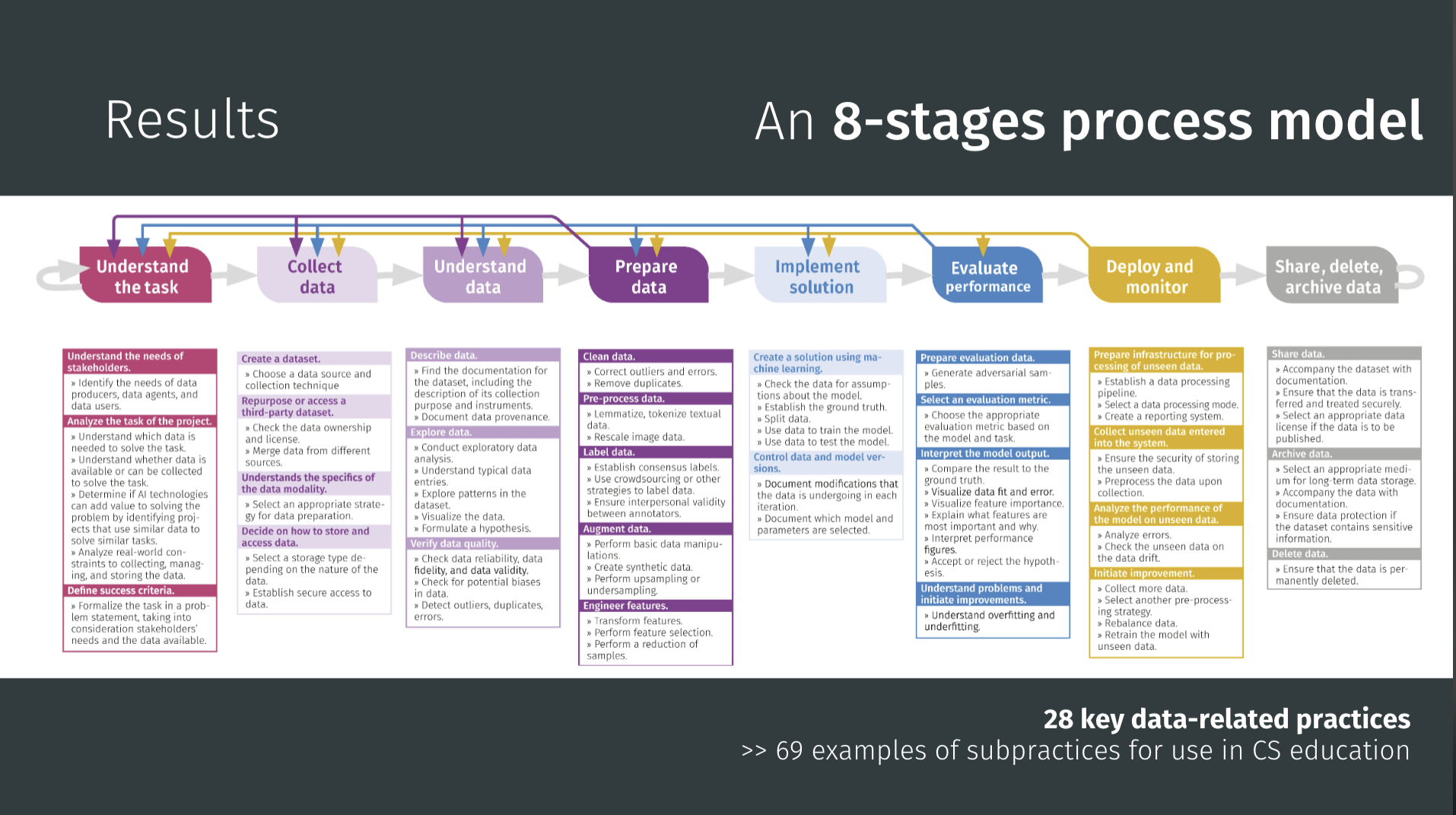
To orient our work, we combined four frameworks for data science and AI/ML education:

With these combined frameworks as our map, we reviewed 79 data science learning resources. The resources varied:

  • In quality in terms of clarity and teaching approach
  • In their focus, e.g. on maths, coding, or a specific field such as biology
  • In their perspective on data science, with some prioritising theory and others real-world applications

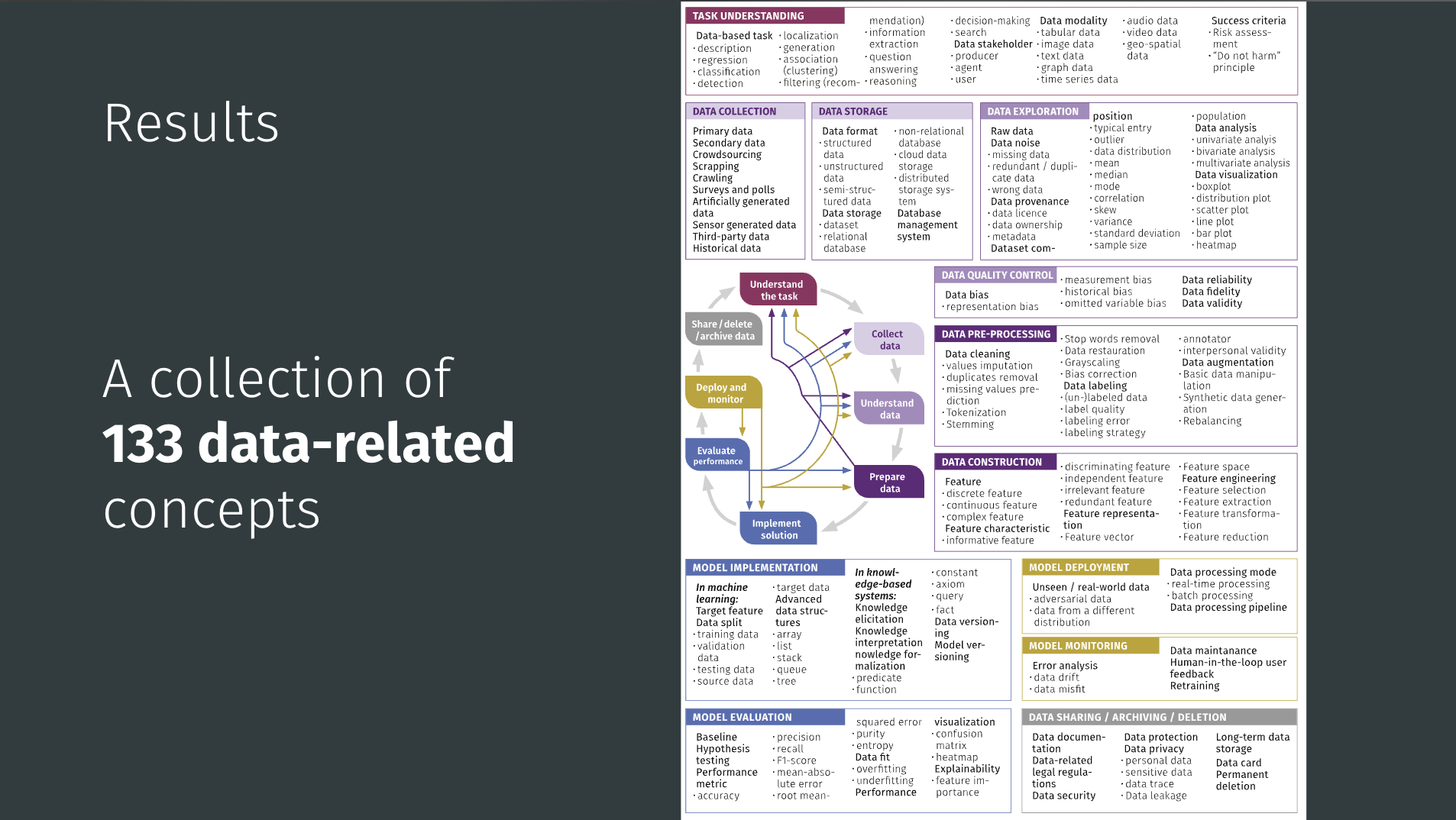
From among the 79 resources, we chose 9 that included clear learning outcomes, and that together covered a wide field of concepts. We examined these 9 in detail to extract 181 explicit and implicit data science concepts. Next, we grouped the concepts into themes, and finally we refined these themes by comparing them against the four frameworks listed above.

The themes we have identified for a data science curriculum are:

  • Fundamentals of data literacy: Key terms and definitions
  • Understanding bias in data
  • Ethical responsibility in data use
  • Data creation, curation, and transformation
  • Analysis and modelling: Maths and statistics fundamentals
  • ML principles
  • Deploying and maintaining ML applications
  • Software tools and programming
  • Data visualisation
  • Presenting findings effectively

This set of themes both fits with the frameworks by Olari and Romeike and Data Science 4 Everyone, and expands them by covering ML principles and programming approaches and calling out data bias and ethics.

What’s next for this work?

Through our grey literature review on data science education, we’ve:

  • Pinpointed a large set of candidate concepts that could be taught within a data science curriculum
  • Created a set of clear themes to structure our work going forward

Our next step is to shape these candidate concepts into a progression framework to describe their relationships and establish which concepts could be taught at each age or phase of schooling.

Young people studying in a computing classroom.

The literature review also gave us an overview of the pedagogical approaches and tools used for teaching data science concepts. These findings will become useful once we start designing learning activities.

You’ll hear more about how this work is going here on our blog and on our social channels. In the meantime, comment below to let us know what you think about the themes, or to tell us what you’d like to see in a data science curriculum for the learners you work with.


Our resources related to data science

Classroom resources

You can read about our thinking behind the data science-related teaching resources we’ve created so far in our ‘Data and information within the computing curriculum’ report from 2019.

  • The report lists the data-related units within The Computing Curriculum materials, which we no longer update but continue to offer as free downloads. Updated classroom materials are available as part of the Computing materials we created for Oak National Academy in the UK for ages 5–11 and ages 12–19.
  • The Ada Computer Science platform offers learning materials on data and information, and on AI and ML, for ages 14–19.

You might also be interested in exploring the Experience AI programme, which offers everything teachers need to help students develop a foundational understanding of data-driven AI technologies, their social and ethical implications, and the role that AI can play in their lives.

Teacher training and development resources

Our free online course ‘Teach teens computing: Machine learning and AI‘ helps teachers understand and explain the types of problems that ML can help to solve, discuss how AI is changing the world, and think about the ethics of collecting data to train a ML model.

Teaching young people to understand data-driven AI technologies means teaching them thinking skills that are different to those needed to understand rule-based computer systems. You can read about these Computational Thinking 2.0 skills in our Quick Read PDF.

Our current research seminar series focuses on teaching about AI and data science. Sign up for an upcoming seminar session (the next one is on 11 November) or catch up on past sessions to find out what the latest research findings are in this area. You can also revisit our 2021/22 series on the same topic to see how work in this area has developed. The Raspberry Pi Computing Education Research Centre also has ongoing projects in the area of AI education for you to explore.

The post What should be included in a data science curriculum for schools? appeared first on Raspberry Pi Foundation.

Play, pedagogy, and real-world impact: What we learned from the AI Quests webinars

Post Syndicated from Liz Eaton original https://www.raspberrypi.org/blog/play-pedagogy-and-real-world-impact-what-we-learned-from-the-ai-quests-webinars/

Photo of two adult educators sitting around a table with a group of young people playing AI Quests.

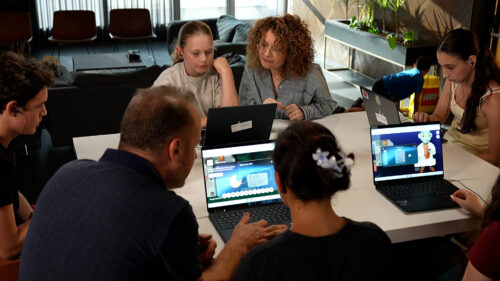
How do you teach AI in a way that resonates with 11- to 14-year-olds long after the lesson ends? In two recent Experience AI webinars, we explored that question with collaborators from Google Research, Google DeepMind, and the Stanford Accelerator for Learning. During the webinars, we also showcased AI Quests, a gamified, classroom-first experience where learners use AI concepts to solve real problems.

“The AI technology you’ll experience is amazing, but it’s not magic. Success depends on the decisions you make.”

That line, delivered by Professor Sky, the in-game mentor, captures the core message of AI Quests: AI systems are built by people and shaped by human judgment at every step.

What is AI Quests?

We’ve embedded AI Quests into the Foundations of AI unit in Experience AI, our free AI literacy programme created with Google DeepMind. 

As Google Research’s Liat Ben Rafael explained, “AI Quests is a gamified experience… where students discover firsthand how AI is used in the real world to create positive impact.” Each quest is grounded in a real research programme and mirrors the AI project lifecycle you’ll recognise from our Experience AI lessons: define the problem, prepare data, train, test, deploy.

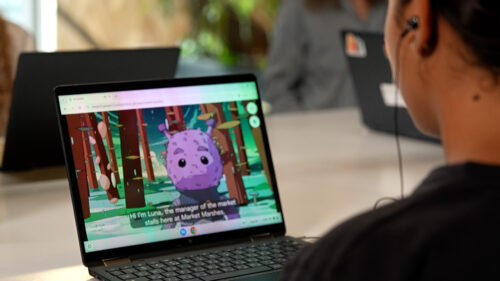
Photo of a young person playing AI Quests on a laptop. The AI Quests character Luna, can clearly be seen on the young person's screen.

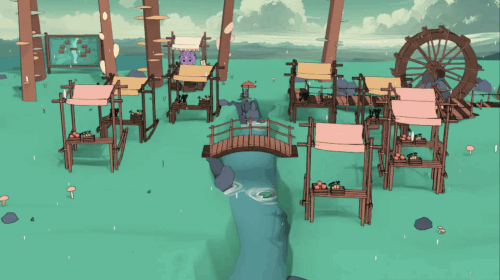
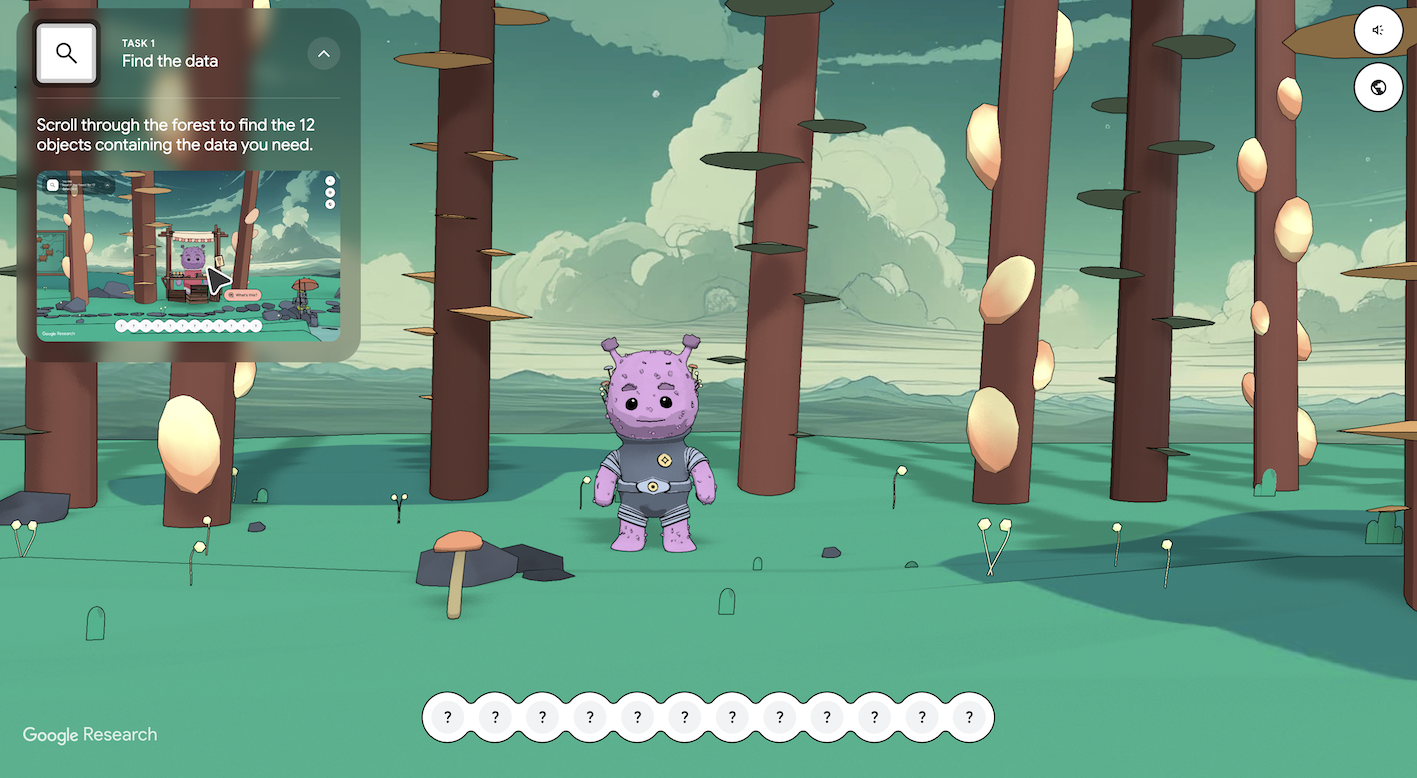
The first quest, Market Marshes, asks students to help Luna, one of the central characters, to protect a riverside market from flooding. Players roam, gather candidate data (from rainfall stats to town gossip), clean it, choose relevant features, and train a model. If the model underperforms, they iterate, exactly as real AI developers would.

Emma Staves, Learning Manager at the Foundation, notes that a key moment is when learners test their model: “It’s made really clear that the data that’s being used to test the model is historic data.” That simple design choice can help you to unlock rich discussions with your learners about validation, reliability, and what counts as “accurate enough” for real decisions.

Designed around how students actually learn

Developed in collaboration with learning scientists at the Stanford Accelerator for Learning, the quests reflect what Victor Lee, Faculty Lead for AI and Education at Stanford, describes as “enduring understanding”:

“The enduring understanding is about how humans can initiate and design AI applications that can address some of humanity’s biggest unsolved challenges.”

To keep that focus, the team blends:

  • Situated learning – for example, a concrete flood scenario rather than abstract exercises
  • Pedagogical agents – characters who nudge, model, and explain
  • Embedded feedback and productive failure – learn by trying, revising, and trying again
  • Self-explanation prompts – ‘learning tickets’ that ask students to articulate what they’re doing and why

In other words, the quests are all about playing with purpose.

What teachers are seeing in the classroom

We piloted AI Quests with some teachers, including Dave Cross, Curriculum Leader for Computer Science at North Liverpool Academy, who tested the quests with his Year 7 students, before extending it to his GCSE classes:

“We see it moving forward as a really solid foundation… for that further learning.”

He also saw strong cross-curricular ties: geography colleagues spotted “massive opportunities” to use the flood quest in their own units, while broader staff discussions turned to digital citizenship, data literacy, and fairness. The cross-disciplinary nature of AI is increasingly apparent, and so AI literacy shouldn’t be limited to computing — students need to encounter AI across multiple subjects and in everyday life.

Where the research comes in: Forecasting floods days in advance

Graphic of the flooded marketplace from the Market Marshes quest on AI Quests.

The second webinar connected the classroom experience to the real project it’s modelled on: Google Research Flood Forecasting. Gila Loike, Product Manager, set the scene:

“Our research team develops AI models that predict flooding all over the world, five to seven days before the flood occurs.”

Deborah Cohen, the Research Scientist leading the team at Google Research focused on flooding, also explained that traditional models can’t easily predict floods in places with little data. However, AI can fill those gaps by combining information from rivers, weather forecasts, and satellites, to give accurate warnings around the world:

“With AI we were able to expand our coverage to the entire world.”

The results are real and practical. Accurate predictions help:

  • People stay safe by receiving flood alerts through familiar apps
  • Emergency teams plan routes and close roads in time
  • Farmers decide whether to move animals or harvest early
  • Aid organisations act sooner, delivering supplies or financial support before the flood hits
Graphic from the Market Marshes quest on AI Quests.

To make sure their models work well, the team compares predictions with real river data, where available, and with satellite images showing flooded areas. Students explore these same ideas in the AI Quest game, cleaning messy data, testing their models, and checking how accurate their results are.

“Students are really engaged by the real-world challenge,” said Emma Staves about the Market Marshes quest. “That authenticity makes learning come alive.” It helps students see how classroom ideas, like features, accuracy, bias, and model cards, connect directly to real decisions and their consequences.

Coming soon: Health quests and more languages

Graphic from the second AI Quests.

Liat also gave a sneak peek at the next quest, a health-focused story on blindness prevention. It introduces new layers — privacy, diverse data, field testing — while following the same lifecycle. More quests are in development, with additional languages planned from early 2026.

Why this matters now

The key message from both webinars is clear: AI literacy isn’t just about using technology — it’s about understanding our role in shaping it. As one Stanford researcher put it, “AI isn’t this magic thing that just happens to us. Humans decide how to use it, and how choices around data affect accuracy and fairness.”

Our goal with Experience AI is to help young people become thoughtful, creative problem-solvers who can navigate an AI-powered world with confidence and integrity — and AI Quests fits perfectly with that.

Find out more

You can watch both webinars anytime on our YouTube and LinkedIn channels

Webinar 1: LinkedIn, YouTube
Webinar 2: LinkedIn, YouTube

Explore our Experience AI resources — already used by nearly two million learners and educators to understand, question, and create with AI — to bring them and AI Quests into your classroom. You’ll find the Foundations of AI unit, alongside materials on large language models, ecosystems and AI, and AI safety, at rpf.io/experienceai-resources

The post Play, pedagogy, and real-world impact: What we learned from the AI Quests webinars appeared first on Raspberry Pi Foundation.
Experience AI receives global recognition from UNESCO

Post Syndicated from Philip Colligan, CBE original https://www.raspberrypi.org/blog/experience-ai-recognition-unesco/

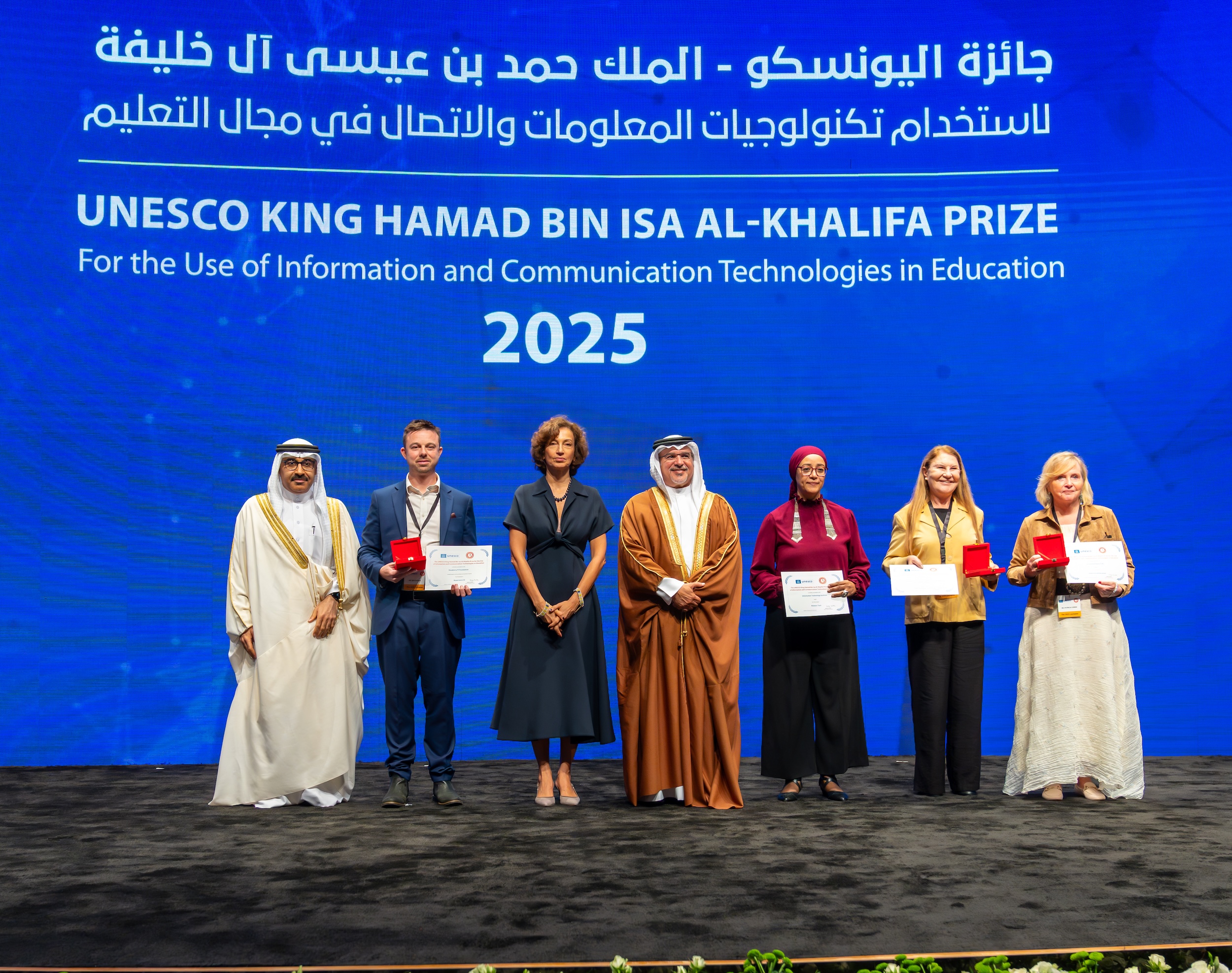
I am very proud to share the news that Experience AI has been recognised as a laureate for the 2025 UNESCO King Hamad Bin Isa Al-Khalifa Prize for the Use of ICT in Education.

The winners of the 2025 UNESCO King Hamad Bin Isa Al-Khalifa Prize.
At the award ceremony of the 2025 UNESCO King Hamad Bin Isa Al-Khalifa Prize. © Government of the Kingdom of Bahrain

What is Experience AI?

Experience AI is a free educational programme that helps teachers and students learn about artificial intelligence (AI). It was developed by the Raspberry Pi Foundation in partnership with Google DeepMind and includes lessons, classroom resources, and hands-on activities to help students develop a foundational understanding of AI technologies, their social and ethical implications, and the role that AI can play in their lives.

It is based on original research into AI literacy and highlights real-world applications of AI technologies, including through videos featuring research scientists that help to bring the lessons to life for students. 

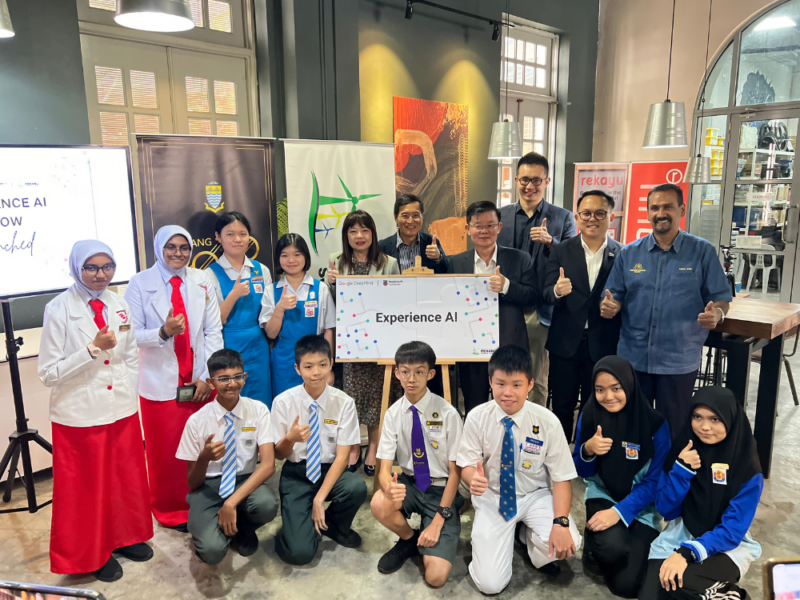
A group of students and educators at Penang Science Cluster's launch of Experience AI in Malaysia.
A group of students and educators at the launch of Experience AI in Malaysia.

Since we launched the first Experience AI resources in April 2023, they have been used to teach over 2 million students, and that number is growing fast. 

This reach is possible thanks to a global network of Experience AI education partners who work with us to localise and translate the resources and deliver large-scale teacher training in their regions. 

UNESCO recognition

Experience AI was one of four laureates of the prestigious global Prize selected by the Director-General of UNESCO, based on recommendations from an independent, international jury. The jury commended the programme for its strong ethical foundation and wide international reach. 

This year, marking its 20th anniversary, the Prize focused on the theme ‘Preparing learners and teachers for the ethical and responsible use of artificial intelligence’.

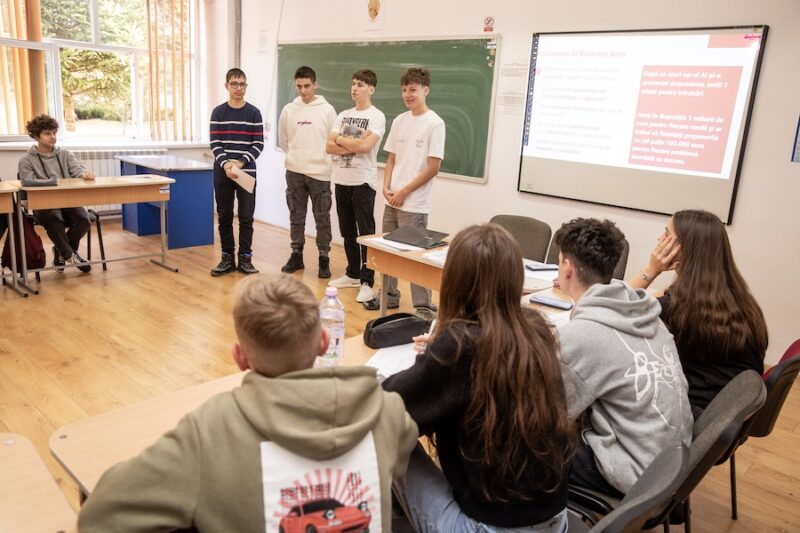
Students in class during an Experience AI lesson.
Romanian students in class during an Experience AI lesson.

The Prize was awarded at a ceremony at the University of Bahrain attended by the Director-General of UNESCO, Ministers of Education of the Gulf Cooperation Council, and members of the Raspberry Pi Foundation and Google DeepMind teams.

I want to say a heartfelt congratulations and thank you to everyone who has worked on Experience AI so far. It has been a fantastic, collaborative effort from colleagues across the Foundation, Google DeepMind, and all of our partner organisations. 

I also want to pay tribute to all of the teachers — all over the world — who have engaged so enthusiastically with Experience AI, for helping us develop the materials, including testing them in your classrooms and providing such thoughtful feedback, and for everything you do, every day, to inspire your students. This recognition is for all of your hard work, diligence, and care. Congratulations and thank you.

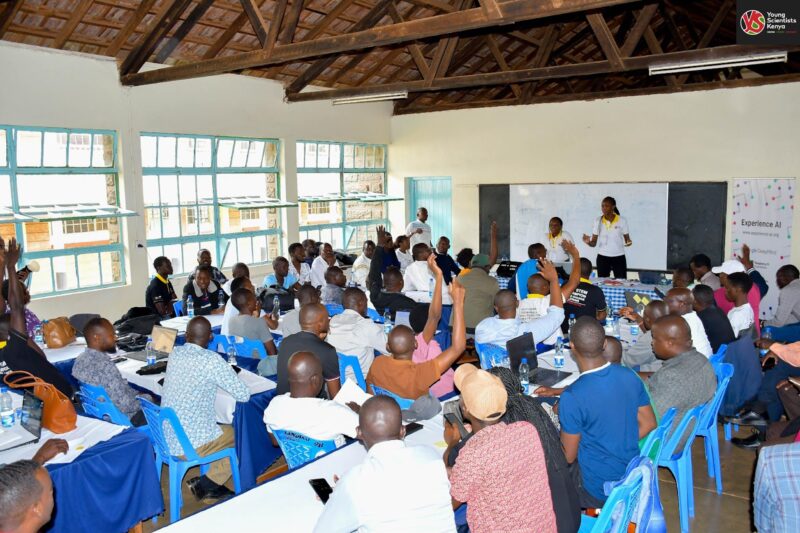
Teachers in Kenya during an Experience AI teacher training event.

Experience AI is provided at no cost to schools, teachers, or students thanks to generous funding from Google.org. We are also very grateful to Broadcom Foundation, which has provided additional funding to support the programme. 

What next for Experience AI? 

We are exceptionally proud to have received this recognition for Experience AI, but we aren’t complacent. Equipping all young people, and their teachers, with a foundational understanding of AI technologies is one of the most urgent challenges facing all education systems.

We have made a great start, and we know there is much more to be done. That’s why we have lots of important updates and developments coming soon, including: 

  • Updating and improving the current lessons: We are finalising an update to the resources to respond to feedback from teachers and students, including significant improvements to make them more accessible. These will be published early in 2026. 
  • Expanding the range of lessons: Alongside the updates to the existing resources, we are developing new lessons. This will include lessons designed for both younger and older learners, as well as integrated lessons that enable teachers to bring AI concepts and skills into subjects such as science, language, and the arts. 
  • Updated and improved professional development: We are also updating and improving the training that we offer to teachers, including both online courses and webinars, and in-person training delivered through the global network of education partners. 
  • AI chatbot for educators: We recently integrated a chatbot into the Experience AI website. Powered by Gemini 2.5, this is intended as a tool to help teachers navigate and understand the concepts and lessons. This is an early experiment and we’d love to get your feedback, so please give it a try and let us know what you think. 
  • Expanding the global network of partners: We currently have partners supporting teacher professional development in 25 countries, from Malaysia to Mexico. Over the coming year we will be launching partnerships in at least 15 more countries. If your organisation is interested in becoming a partner, you can let us know by filling in this form.

The post Experience AI receives global recognition from UNESCO appeared first on Raspberry Pi Foundation.

Introducing AI Quests: A new gamified learning experience within Experience AI

Post Syndicated from Liz Eaton original https://www.raspberrypi.org/blog/introducing-ai-quests-a-new-gamified-learning-experience-within-experience-ai/

Artificial intelligence (AI) tools are shaping our world in many ways. Helping young people develop AI literacy — in other words, helping them understand how AI tools work and how to use them responsibly — is essential. 

At the Raspberry Pi Foundation, we’re committed to empowering educators around the world with everything they need to teach AI confidently and help young people develop AI literacy. That’s why we developed Experience AI: a set of high-quality AI literacy resources designed in collaboration with Google DeepMind that any educator can use, no matter their level of tech knowledge.  

AI Quests

We’re excited to introduce a new addition to the Experience AI resources: AI Quests.

Enter AI Quests

Developed by Google Research in collaboration with the Stanford Accelerator for Learning, AI Quests is a browser-based learning experience that lets students step into the role of AI researchers. Through interactive, story-driven activities, they’ll explore essential AI topics such as:

  • Data preparation
  • Testing and evaluation
  • Bias in AI systems

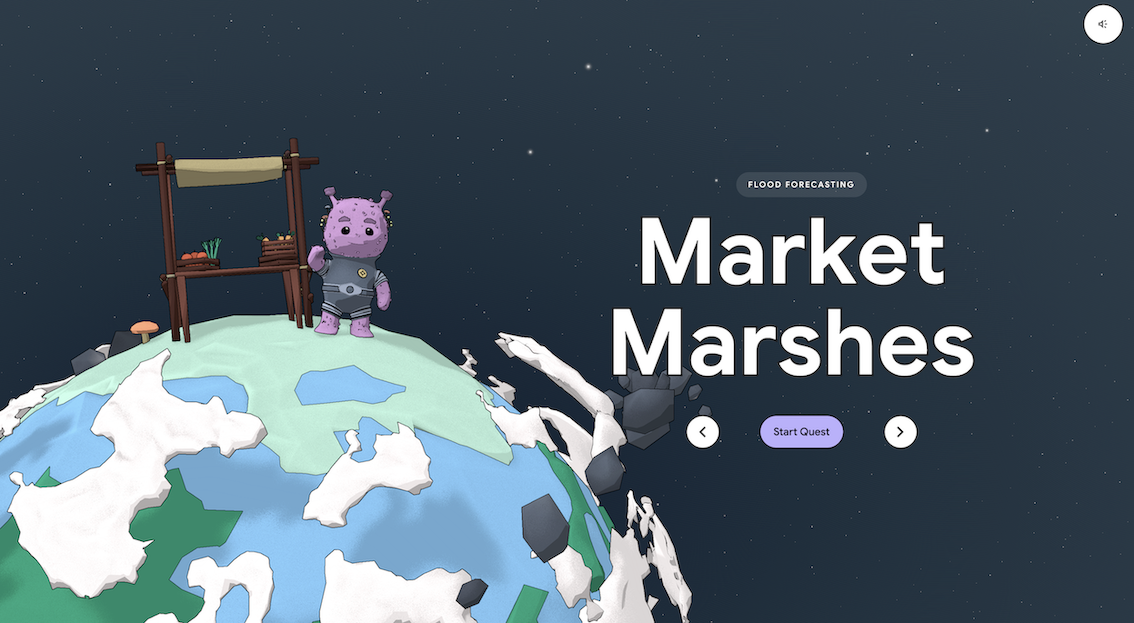
Students will use what they learn about these topics to tackle simulated global challenges. The first quest, Market Marshes, introduces them to how AI technology can be used in flood forecasting, while upcoming quests will explore other real-world issues.

Why AI Quests matters

AI technology is frequently used but often poorly understood. AI Quests, like Experience AI more broadly, gives students practical experience of how AI technology works, and shows why it’s so important. 

Market Marshes AI Quest start screen

Here’s what sets AI Quests apart:

  • Gamified learning: Storytelling and role play turn abstract ideas into immersive experiences
  • Real-world relevance: Students see how AI technology addresses challenges like climate resilience and health equity
  • No prior knowledge required: Any teacher, regardless of subject specialism, can bring AI Quests into their classroom
  • Developed by experts: Built with Google Research and the Stanford Accelerator for Learning, content is high-quality and credible

What’s next

AI Quests is launching in English, with future plans for translations and additional quests to reach even more learners globally.

To support educators, we’re also hosting two free webinars on YouTube and LinkedIn:

  • 9 October at 4pm BST
  • 16 October at 4pm BST
AI Quests, search for data mid game screen

These sessions will walk you through AI Quests, offer classroom tips, and give you the chance to ask questions directly.

Register now on LinkedIn or subscribe on YouTube to get notified and join the live session. 

Ready to get started?

AI literacy is one of the most valuable skills young people can develop today. With this new addition to Experience AI, we’re making it even more engaging, practical, and accessible for classrooms everywhere.

Explore AI Quests in lesson 6 of our Experience AI resources.

The post Introducing AI Quests: A new gamified learning experience within Experience AI appeared first on Raspberry Pi Foundation.
Teaching Experience AI: Lessons from educators in Mexico

Post Syndicated from Liz Eaton original https://www.raspberrypi.org/blog/teaching-experience-ai-lessons-from-educators-in-mexico/

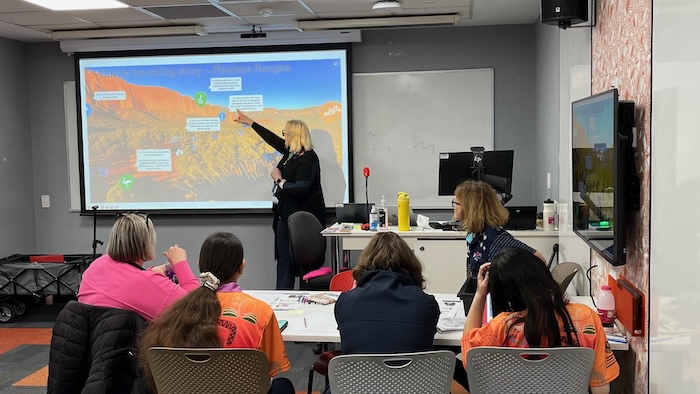
In classrooms across Mexico, a transformation is unfolding. The Experience AI programme isn’t just teaching students about artificial intelligence, it’s empowering teachers and learners to explore, question, and create with it. By equipping educators with accessible tools and sparking curiosity among students, the initiative is shaping a new generation ready to use AI responsibly and creatively.

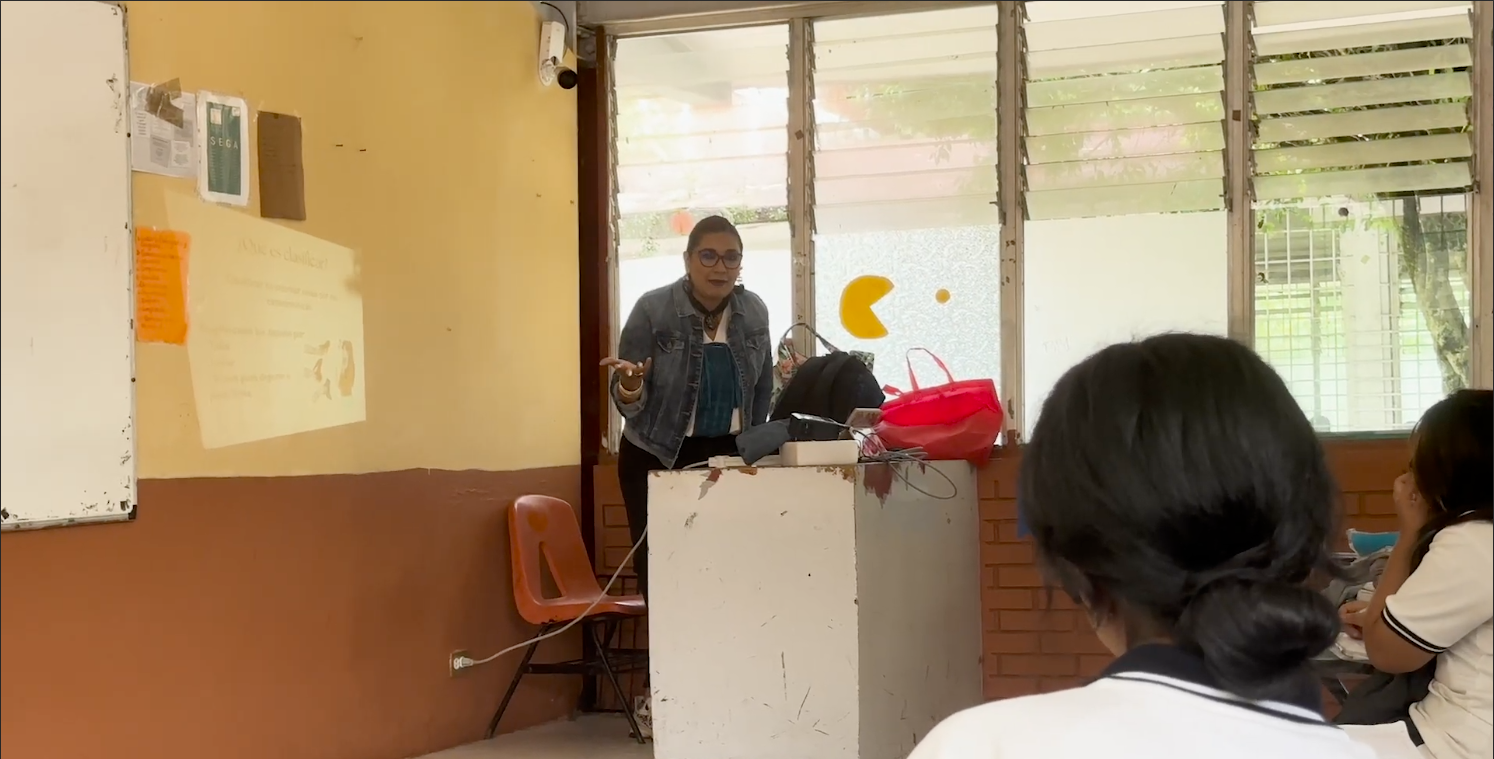
Teacher at the front of the classroom

Educators like Guadalupe Cortes, Lilia Violeta Garvia Sanchez, Ines Martinez, and Ana Judith Zavaleta are at the forefront of this shift. Their experiences reveal just how transformative Experience AI has become.

From fear to fascination: Demystifying AI

For many, AI can feel abstract, something from science fiction. Science and math teacher Lilia Violeta Garvia Sanchez remembers that both she and her students once viewed AI as “robots that would take over the world.” Fear gave way to fascination, however, once Experience AI entered the classroom.

Through hands-on lessons, students quickly discovered AI as a practical tool rather than a threat. “I’ve seen a change in the students,” Lilia explains. “They were afraid at first, but now they’re curious and engaged.”

Technology teacher Ines Martinez admits she was also surprised: “I thought the language would be more technical or complex, but it was pleasantly accessible — and very useful.”

Equipping educators with tools that work

A defining strength of Experience AI is its adaptability. Teachers can tailor materials to fit their classrooms while still leaning on the program’s robust foundation.

Guadalupe Cortes points to the built-in glossary as a game-changer: “It was really helpful for me.” She values being able to choose what fits her teaching to keep it relevant: “I selected certain parts to connect with projects I was already running.”

Sparking critical thinking and ethical awareness

Experience AI pushes students to think deeply about the ethics and implications of AI.

In Ines’s class, students raised concerns about water use in data centres and debated how to protect their digital identities. They weren’t just learning facts, they were making connections to real-world issues.

Educator supporting young learner in the classroom

Another teacher, Ileana Beurini, described an exercise where students asked different AI models the same political question. When answers varied, they discussed bias and the importance of consulting multiple sources. In another activity, searching images of “worker” led to a conversation about gender equity in technology.

As Ines puts it: “They don’t want it to do all the thinking for them. They said it should be a support — a tool to generate better information, not to replace reasoning or reflection.”

Transforming engagement and performance

The impact on student motivation has been striking. For Ana Judith Zavaleta, the shift was clear: “They’re much more hands-on now — they don’t rely as much on textbooks or theory.” One student who typically struggled academically became one of the most enthusiastic participants, even passing where he previously failed.

Guadalupe Cortes has seen similar enthusiasm: “They’re finding a real purpose in using AI for their own benefit.” At an entrepreneurship fair, her students applied AI concepts to improve their projects, proof that these lessons extend far beyond the classroom.

A call to action for educators

The teachers’ message is unanimous: embrace AI.

“We should give it a try,” urges Lilia. “Just because we’re teachers doesn’t mean we have to know everything. The world is evolving every single day, and we need to innovate with our students so they feel motivated to keep learning.”

Young learners work on the classroom wall

For Ines, the takeaway is simple but powerful: “Take the risk — really, take the chance to learn. Just like the internet became essential, AI will become part of our daily lives and necessary for all areas of teaching — and life itself.”

More than just a set of resources

Experience AI is more than a set of resources, it’s a movement preparing students to navigate the future with curiosity, critical thinking, and ethical awareness. By igniting minds in Mexico, it’s helping to cultivate responsible digital citizens who will shape not just their classrooms, but the world beyond them.

For more information about Experience AI, visit our website: rpf.io/experienceai

For more information about our global Experience AI partner in Mexico, visit: educacionparacompartir.org

The post Teaching Experience AI: Lessons from educators in Mexico appeared first on Raspberry Pi Foundation.
Promoting young people’s agency in the age of AI

Post Syndicated from Claire Johnson original https://www.raspberrypi.org/blog/promoting-young-peoples-agency-in-the-age-of-ai/

Part of teaching young people AI literacy skills is teaching them to critically think about AI, and to design AI applications that address problems they care about. How to do this was the focus of our June research seminar.

An educator helping a learner in the classroom

Working together to design AI

Our June research seminar was delivered by Netta Iivari, Professor in Information Systems at the University of Oulu’s INTERACT Research Unit.

The INTERACT research group focuses on understanding and supporting participatory design, user-centered design, user-driven innovation, and human interaction with technology in everyday life contexts. From this perspective, “users” aren’t considered as passive consumers, but as valuable co-creators and content producers. This calls for different approaches that place emphasis on empowerment and inclusion in designing, shaping, and co-creating information technology in everyday life.

As part of this work, Netta introduced the idea of ‘transformative agency’ — empowering children to believe they can solve problems they care about — and its application in secondary computing education. She showed examples of how to foster young people’s transformative agency within computing, specifically focusing on transdisciplinary approaches to learning about AI and inviting young people to critically analyse and design their futures with AI tools in it.

Netta began by giving an overview of two of the INTERACT Research Unit’s projects: 

  1. The Make a difference (MAD) project (2019–2023) explored critical design with young people, focusing on their emerging designer and maker identities in the context of tackling a significant societal problem — in this case, bullying. 
  2. Children’s transformative agency and emerging technologies for social good (TAKEOVER) (2024–2028), a current project, explores the potential of emerging technologies (artificial intelligence, virtual reality (VR), social robots, etc.) to address societal problems, such as climate change, gender equality, bullying, and discrimination. It focuses on children’s emerging transformative agency and activist identities when engaging with these tools and topics. 
An educator points to an image on a secondary learners computer screen.

Netta explained that these projects give young people an opportunity to begin to address the problems they care about, even though they may be very complex problems. From this problem-solving perspective, children are introduced (or ‘sensitised’) to emerging technologies as tools for social good.

She then went on to outline the key pedagogical approaches that underpin these projects:  

  1. Critical, ethical, empowering design
    This pedagogy draws on critical and speculative design traditions in design research and encourages young people to take a critical perspective towards society, its norms, and the status quo, as part of design thinking. Children consider the ethical values and consequences of their designs. They begin to experience the ways in which engaging in the design process can be empowering and transformative for them, collectively as well as individually. 
  2. Transformative agency of children
    This approach encourages young people to consider their capacity to have agency in the world, by enabling them to envision change and commit to taking action to solve problems that they care about. 
  3. Fostering transformative agency of children in the age of AI
    Transformative agency is achieved when young people engage in ‘expansive learning’ — when they learn something novel, together, and are encouraged to look beyond the confines of school work, the topic, themselves, and the tools available for solving the problem. This approach fosters an active, critical, reflective mindset that encourages children to believe that they can make change and have impact in the world. 

The project design process

The projects follow 3 design phases and include a range of plugged and unplugged activities, as shown in Figure 1.

Figure 1. The project phases

Netta then described in more detail some of the activities that have been used to address these different project phases and the design process involved. For example, to explore what are the problems that children really care about, they are asked to imagine ‘carrying a stone in your pocket for one week, as if it was a magic tool. Where could it be used in your everyday life? What problems could it solve? What problems would you like it to solve and how?’ 

Young people are then introduced to a range of novel technologies, for example, VR headsets, robots, and emulators of AI-driven social media platforms, such as “Somekone”, developed as part of the Generative AI project at the University of Eastern Finland. They deconstruct and reconstruct generative AI tools by prompting large language model chatbots such as ChatGPT, Gemini, Claude, etc. and exploring bias in their outputs. They perform small-scale algorithmic auditing and create mini language models (with Google Colab), using the text in Alice in Wonderland to train their models, and then open datasets (books as text files from Project Gutenberg). In exploring the responses generated, they experience the potential and the limitations of such tools and gain an important understanding of the human activity involved in the development of AI technologies. 

Secondary school age learners in a computing classroom.

Once they have had this ‘sensitising‘ exposure to a range of tools, they then work in groups on a project that makes use of AI to solve the societal problem they have chosen. These problems could encompass a range of topics, such as racism, animal rights, the impact of AI, war, mental health, bullying. The young people are prompted to think about how large language models can be used to solve the problem, or parts of the problem. But importantly, they are also asked to consider the different motives and perspectives of the multiple stakeholders involved in the problem and its solution and whether their model ideas will create new problems when deployed.

They follow the 3 project phases shown in Figure 1 to design and make a range of digital (robots, apps, videos) and non-digital artefacts to solve their problem. Netta emphasised that although it could take 10 weeks or more to implement all the suggested activities, it is also possible to pick and choose individual tasks from the 3 phases to suit available curriculum timescales.

Envisioning and critiquing AI futures

Other project tasks involve: 

  • Envisioning AI futures by imagining that a miracle has happened overnight and the problem has disappeared — what is the result? 
  • Critiquing AI futures by creating best and worst case scenarios of the consequences of the AI systems they design, creating video adverts promoting their AI solutions and anti-adverts, focusing on the possible negative consequences of their prototypes 
  • Fostering action-taking by presenting theatrical performances to showcase how their designs tackle a problem and illustrating the AI-related issues surrounding the topic or by creating activism campaign material to mobilise the school community on the same themes 
Secondary education learners in the classroom

These projects situate learning about data-driven technologies in real-world contexts and promote a transdisciplinary approach, teaching and learning about AI from a problem-solving perspective. 

This perspective conveys important messages to young people — that they do have agency and can take action in the face of many of the world’s problems, that they can and should be active, critical users of the new technologies that surround them, and that these technologies can be used to change the world for good. 

Netta ended the seminar by asking viewers to consider how they could foster transformative agency in the young people they teach and whether or not they consider it to be important in computing education.

Resources relating to the projects can be found at interact.oulu.fi.

Join our next seminar

In our current seminar series, we’re exploring teaching about AI and data science. Join us at our next seminar on Tuesday 14 October from 17:00 to 18:30 GMT to hear Viktoriya Olari talk about data-related concepts and practices for AI education in K–12.

To sign up and take part, click the button below. We’ll then send you information about joining. We hope to see you there.

The schedule of our upcoming seminars is online. You can catch up on past seminars on our previous seminars page.

The post Promoting young people’s agency in the age of AI appeared first on Raspberry Pi Foundation.
Hello World podcast: What does AI education look like around the world?

Post Syndicated from Liz Eaton original https://www.raspberrypi.org/blog/hello-world-podcast-what-does-ai-education-look-like-around-the-world/

In a rapidly evolving digital landscape, AI literacy is becoming as fundamental as traditional reading and writing. The latest episode of the Hello World podcast explores this crucial topic, bringing together experts from Kenya, Lithuania, and Malaysia to discuss the current state of AI literacy in their countries. Together, they shed light on the challenges and immense potential of AI education globally.

HW Podcast Thumbnail: AI education: Global perspectives

This episode features a conversation led by Ben Garside (Raspberry Pi Foundation), with contributions from Leonida Soi (Raspberry Pi Foundation, Kenya), Aimy Lee (Penang Science Cluster, Malaysia), and Monika Katkutė-Gelžinė (Vedliai, Lithuania). All are key collaborators in the Raspberry Pi Foundation’s AI literacy programme, Experience AI.

The digital literacy gap

One of the most striking takeaways from the conversation is the universal excitement surrounding AI, coupled with a significant need for foundational digital literacy. As Leonida explains:

“There’s an excitement about AI literacy, both from the learners and the teachers… However, one thing to look into is, we still have low digital literacy. As much as we are bringing in AI, if it is not bundled up together with digital literacy, then there is also misuse.” 

 Leonida Soi, Learning Manager, Raspberry Pi Foundation

This highlights a crucial point: simply introducing AI tools isn’t enough. A solid understanding of digital fundamentals is essential for responsible and effective use of AI.

Different contexts, shared challenges

The discussion also reveals the varying approaches to AI education in different countries. Monika shares her experience in Lithuania:

“We’ve been teaching AI for the last 5 years… I see a lot of opportunity in it, but a lot of challenges not to overburden teachers with the noise and changes.”

Her insight highlights the ongoing need for teacher training and sustainable pedagogical strategies, particularly in a field that evolves so quickly.

AI literacy beyond computer science

A key theme throughout the podcast is the importance of integrating AI literacy beyond traditional computer science classrooms. As Leonida emphasises:

“It’s time that AI literacy is looked at from a broader view, not just in computing… something that cuts across all the learning areas.”

This sentiment is echoed by Monika, who suggests:

“I feel like the entire education system needs to go through an AI filter and come out of it with a bit more efficiency, with a bit more understanding, so it lives in a 21st-century AI world. And I see AI as a form of, you know, building and also as a co-worker for everyone in the future.”

Monica Katkute-Gelzine, Vedliai, Experience AI global partner, Lithuania.

The vision of AI as a “co-worker” for all, empowering young people rather than replacing them, offers a powerful perspective for future education.

Addressing the digital divide

Equity is another critical issue, particularly in rural areas. Aimy highlights the ongoing challenge of access:

“The digital divide is in the access to devices, as well as access to high-speed internet connections… but the other thing is also in terms of trained teachers as well.”

Leonida adds that in Kenya there’s a need for unplugged activities to give students an idea of what the world is doing, so that we can start to bridge that gap.

These insights highlight the need for equitable access and innovative teaching methods to ensure no one is left behind.

Encouragement for educators: start small, support each other

For teachers who might feel overwhelmed by the prospect of teaching AI, the advice is clear and encouraging. Aimy suggests:

“Start small, cover one topic at a time, one concept at a time. Don’t feel the need to cover everything all at the same time.”

Aimy Lee, Penang Science Cluster, Experience AI global partner, Malaysia.

Leonida advocates for the power of community, suggesting a “community of practice where [teachers] can share amongst each other and where they can encourage others.”

Building a network of support and shared resources is key as educators take their first steps into teaching AI.

Listen now

This episode of the Hello World podcast is a powerful reminder that AI literacy is not just a skill, but a mindset that needs to be nurtured across all subjects and communities. It also underscores that the commitment to prepare the next generation for an AI-powered world is global.

Listen to the full episode of the Hello World podcast to learn more about the global state of AI literacy and gain practical insights for your classroom.

Learn more about Experience AI

The Experience AI programme is a collaboration between the Raspberry Pi Foundation and Google DeepMind to help young people and educators understand and engage with artificial intelligence. Through free, classroom-ready resources, professional development for teachers, and global partnerships, the programme aims to make AI literacy accessible to all, regardless of geography or background. By supporting educators and inspiring students, Experience AI is helping to prepare the next generation to thrive in a world increasingly shaped by artificial intelligence.

Find out more about Experience AI and how it can support you to bring AI literacy skills to your learners.

The post Hello World podcast: What does AI education look like around the world? appeared first on Raspberry Pi Foundation.

Supporting teachers to integrate AI in K–12 CS education

Post Syndicated from Bobby Whyte original https://www.raspberrypi.org/blog/supporting-teachers-to-integrate-ai-in-k-12-cs-education/

Teaching about artificial intelligence (AI) is a growing challenge for educators around the world. In our current seminar series, we are gaining insights from international computing education researchers on how to teach about AI and data science in the classroom. In our second seminar, Franz Jetzinger from the Technical University of Munich, Germany, presented his work on supporting teachers to integrate AI into their classrooms. Franz brings a wealth of relevant experience to his research as an accomplished textbook author and K–12 computer science teacher.

A photo of Franz Jetzinger in a library.

Franz started by demonstrating how widespread AI systems and technologies are becoming. He argued that embedding lessons about AI in the classroom presents three challenges: 

  1. What to teach (defining AI and learning content)
  2. How to teach (i.e. appropriate pedagogies)
  3. How to prepare teachers (i.e. effective professional development) 

As various models and frameworks for teaching about AI already exist, Franz’s research aims to address the second and third challenges — there is a notable lack of empirical evidence integrating AI in K–12 settings or teacher professional development (PD) to support teachers.

Using professional development to help prepare teachers

In Bavaria, computer science (CS) has been a compulsory high school subject for over 20 years. However, a recent update has brought compulsory CS lessons (including AI) to Year 11 students (15–16 years old). Competencies targeted in the new curriculum include defining AI, explaining the functionality of different machine learning algorithms, and understanding how artificial neurons work.

Two students are seated at a desk, collaborating on a computing task.

To help prepare teachers to effectively teach this new curriculum and about AI, Franz and colleagues derived a set of core competencies to be used along with existing frameworks (e.g. the Five Big Ideas of AI) and the Bavarian curriculum. The PD programme Franz and colleagues developed was shaped by a set of key design principles:

  1. Blended learning: A blended format was chosen to address the need for scalability and limited resources and to enable self-directed and active learning 
  2. Dual-level pedagogy (or ‘pedagogical double-decker’): Teachers were taught with the same materials to be used in the classroom to aid familiarity
  3. Advanced organiser: A broad overview document was created to support teachers learning new topics 
  4. Moodle: An online learning platform was used to enable collaboration and communication via a MOOC (massive open online course)

Analysing the effectiveness of the PD programme

Over 300 teachers attended the MOOC, which had an introductory session beforehand and a follow-up workshop. The programme’s effectiveness was evaluated with a pre/post assessment where teachers completed a survey of 15 closed, multiple-choice questions on their AI competencies and knowledge. Pre/post comparisons showed teachers’ scores improved significantly having taken part in the PD. This is surprising as a large proportion of participants achieved high pre-scores, indicating a highly motivated cohort with notable prior experience teaching about AI.

Additionally, a group of teachers (n=9) were invited to give feedback on which aspects of the PD programme they felt contributed to the success of implementing the curriculum in the classroom. They reported that the PD programme supported content knowledge and pedagogical content knowledge well, but they required additional support to design suitable learning assessments.

The design of the professional development programme

Using action research to aid AI teaching 

A separate strand of Franz’s research focuses on the other key challenge of how to effectively teach about AI. Franz engaged teachers (n=14) in action research, a method whereby teachers engage in classroom-based research projects. The project explored what topic-specific difficulties students faced during the lessons and how teachers adapted their teaching to overcome these challenges.

The AI curriculum in Bavaria

Findings revealed that students struggled with determining whether AI would benefit certain tasks (e.g. object recognition, text-to-speech) or not (e.g. GPS positioning, sorting data). Franz and colleagues reasoned that students were largely not aware of how AI systems deal with uncertainty and overestimated their capabilities. Therefore, an important step in teaching students about AI is defining ‘what an AI problem is’. 

A teenager learning computer science.

Similarly, students struggled with distinguishing between rule-based and data-driven approaches, believing in some cases that a trained model becomes ‘rule-based’ or that all data models are data-driven. Students also struggled with certain data science concepts, such as hyperparameter, overfitting and underfitting, and information gain. Franz’s team argue that the chosen tool, Orange Data Mining, did not provide an appropriate scaffold for encountering these concepts. 

Finally, teachers found challenges in bringing real-world examples into the classroom, including the use of reinforcement learning and neural networks. Franz and colleagues reasoned that focusing on the function of neural networks, as opposed to their structure, would aid student understanding. The use of high-quality (i.e. well-prepared) real-world data sets was also suggested as a strategy for bridging theoretical ideas with practical examples. 

Addressing the challenges of teaching AI

Franz’s research provides important insights into the discipline-specific challenges educators face when introducing AI into the classroom. It also underscores the importance of appropriate professional development and age-appropriate and research-informed materials and tools to support students engaging with ideas about AI, data science, and machine learning.

Students sitting in a lecture at a university.

Further reading and resources

If you are interested in reading more about Franz’s work on teacher professional development, you can read his paper on a scalable professional development offer for computer science teachers or you can learn more about his research group here.

Join our next seminar

In our current seminar series, we are exploring teaching about AI and data science. Join us at our next seminar on Tuesday 8 April at 17:00–18:30 BST to hear David Weintrop, Rotem Israel-Fishelson, and Peter F. Moon from the University of Maryland introduce ‘API Can Code’, an interest-driven data science curriculum for high-school students.

To sign up and take part in the seminar, click the button below; we will then send you information about joining. We hope to see you there.

The schedule of our upcoming seminars is online. You can catch up on past seminars on our previous seminars and recordings page.

The post Supporting teachers to integrate AI in K–12 CS education appeared first on Raspberry Pi Foundation.
Teaching about AI – Teacher symposium

Post Syndicated from Jane Waite original https://www.raspberrypi.org/blog/teaching-about-ai-teacher-symposium/

AI has become a pervasive term that is heard with trepidation, excitement, and often a furrowed brow in school staffrooms. For educators, there is pressure to use AI applications for productivity — to save time, to help create lesson plans, to write reports, to answer emails, etc. There is also a lot of interest in using AI tools in the classroom, for example, to personalise or augment teaching and learning. However, without understanding AI technology, neither productivity nor personalisation are likely to be successful as teachers and students alike must be critical consumers of these new ways of working to be able to use them productively. 

Fifty teachers and researchers posing for a photo at the AI Symposium, held at the Raspberry Pi Foundation office.
Fifty teachers and researchers share knowledge about teaching about AI.

In both England and globally, there are few new AI-based curricula being introduced and the drive for teachers and students to learn about AI in schools is lagging, with limited initiatives supporting teachers in what to teach and how to teach it. At the Raspberry Pi Foundation and Raspberry Pi Computing Education Research Centre, we decided it was time to investigate this missing link of teaching about AI, and specifically to discover what the teachers who are leading the way in this topic are doing in their classrooms.  

A day of sharing and activities in Cambridge

We organised a day-long, face-to-face symposium with educators who have already started to think deeply about teaching about AI, have started to create teaching resources, and are starting to teach about AI in their classrooms. The event was held in Cambridge, England, on 1 February 2025, at the head office of the Raspberry Pi Foundation. 

Photo of educators and researchers collaborating at the AI symposium.
Teachers collaborated and shared their knowledge about teaching about AI.

Over 150 educators and researchers applied to take part in the symposium. With only 50 places available, we followed a detailed protocol, whereby those who had the most experience teaching about AI in schools were selected. We also made sure that educators and researchers from different teaching contexts were selected so that there was a good mix of primary to further education phases represented. Educators and researchers from England, Scotland, and the Republic of Ireland were invited and gathered to share about their experiences. One of our main aims was to build a community of early adopters who have started along the road of classroom-based AI curriculum design and delivery.

Inspiration, examples, and expertise

To inspire the attendees with an international perspective of the topics being discussed, Professor Matti Tedre, a visiting academic from Finland, gave a brief overview of the approach to teaching about AI and resources that his research team have developed. In Finland, there is no compulsory distinct computing topic taught, so AI is taught about in other subjects, such as history. Matti showcased tools and approaches developed from the Generation AI research programme in Finland. You can read about the Finnish research programme and Matti’s two month visit to the Raspberry Pi Computing Education Research Centre in our blog

Photo of a researcher presenting at the AI Symposium.
A Finnish perspective to teaching about AI.

Attendees were asked to talk about, share, and analyse their teaching materials. To model how to analyse resources, Ben Garside from the Raspberry Pi Foundation modelled how to complete the activities using the Experience AI resources as an example. The Experience AI materials have been co-created with Google DeepMind and are a suite of free classroom resources, teacher professional development, and hands-on activities designed to help teachers confidently deliver AI lessons. Aimed at learners aged 11 to 14, the materials are informed by the AI education framework developed at the Raspberry Pi Computing Education Research Centre and are grounded in real-world contexts. We’ve recently released new lessons on AI safety, and we’ve localised the resources for use in many countries including Africa, Asia, Europe, and North America.

In the morning session, Ben exemplified how to talk about and share learning objectives, concepts, and research underpinning materials using the Experience AI resources and in the afternoon he discussed how he had mapped the Experience AI materials to the UNESCO AI competency framework for students.

Photo of an adult presenting at the AI Symposium.
UNESCO provide important expertise.

Kelly Shiohira, from UNESCO, kindly attended our session, and gave an invaluable insight into the UNESCO AI competency framework for students. Kelly is one of the framework’s authors and her presentation helped teachers understand how the materials had been developed. The attendees then used the framework to analyse their resources, to identify gaps and to explore what progression might look like in the teaching of AI.

Photo of a whiteboard featuring different coloured post-it notes displayed featuring teachers' and researchers' ideas.
Teachers shared their knowledge about teaching about AI.

Throughout the day, the teachers worked together to share their experience of teaching about AI. They considered the concepts and learning objectives taught, what progression might look like, what the challenges and opportunities were of teaching about AI, what research informed the resources and what research needs to be done to help improve the teaching and learning of AI.

What next?

We are now analysing the vast amount of data that we gathered from the day and we will share this with the symposium participants before we share it with a wider audience. What is clear from our symposium is that teachers have crucial insights into what should be taught to students about AI, and how, and we are greatly looking forward to continuing this journey with them.

As well as the symposium, we are also conducting academic research in this area, you can read more about this in our Annual Report and on our research webpages. We will also be consulting with teachers and AI experts. If you’d like to ensure you are sent links to these blog posts, then sign up to our newsletter. If you’d like to take part in our research and potentially be interviewed about your perspectives on curriculum in AI, then contact us at: [email protected] 

We also are sharing the research being done by ourselves and other researchers in the field at our research seminars. This year, our seminar series is on teaching about AI and data science in schools. Please do sign up and come along, or watch some of the presentations that have already been delivered by the amazing research teams who are endeavouring to discover what we should be teaching about AI and how in schools

The post Teaching about AI – Teacher symposium appeared first on Raspberry Pi Foundation.
UNESCO’s International Day of Education 2025: AI and the future of education

Post Syndicated from Ben Garside original https://www.raspberrypi.org/blog/unescos-international-day-of-education-2025/

Recently, our Chief Learning Officer Rachel Arthur and I had the opportunity to attend UNESCO’s International Day of Education 2025, which focused on the role of education in helping people “understand and steer AI to better ensure that they retain control over this new class of technology and are able to direct it towards desired objectives that respect human rights and advance progress toward the Sustainable Development Goals”.

How teachers continue to play a vital role in the future of education

Throughout the event, a clear message from UNESCO was that teachers have a very important role to play in the future of education systems, regardless of the advances in technology — a message I find very reassuring. However, as with any good-quality debate, the sessions also reflected a range of other opinions and approaches, which should be listened to and discussed too. 

With this in mind, I was interested to hear a talk by a school leader from England who is piloting the first “teacherless” classroom. They are trialling a programme with twenty Year 10 students (ages 14–15), using an AI tool developed in-house. This tool is trained on eight existing learning platforms, pulling content and tailoring the learning experience based on regular assessments. The students work independently using an AI tool in the morning, supported by a learning mentor in the classroom, while afternoons focus on developing “softer skills”. The school believes this approach will allow students to complete their GCSE exams in just one year instead of two, seeing it as a solution to the years of lost learning caused by lockdowns during the coronavirus pandemic.

Whilst they were reporting early success in this approach, what occurred to me during the talk was the question of how we can decide if this approach is the right one. The results might sound attractive to school leaders, but do we need a more rounded view of what education should look like? Whatever your views on the purpose of schools, I suspect most people would agree that they serve a much greater purpose than just achieving the top results. 

Whilst AI tools may be able to provide personalised learning experiences, it is crucial to consider the role of teachers in young people’s education. If we listed the skills required for a teacher to do their job effectively, I believe we would all reach the same conclusion: teachers play a pivotal role in a young person’s life — one that definitely goes beyond getting the best exam results. According to the Educational Endowment Foundation, high-quality teaching is the most important lever schools have on pupil outcomes

“Quality education demands quality educators” – Farida Shaheed, United Nations Special Rapporteur on the Right to Education

Also, at this stage in AI adoption, can we be sure that this use of AI tools isn’t disadvantageous to any students? We know that machine learning models generate biased results, but I’m not aware of research showing that these systems are fair to all students and do not disadvantage any demographic. An argument levelled against this point is that teachers can also be biased. Aside from the fact that systems have a potentially much larger impact on more students than any individual teacher, I worry that this argument leads to us accepting machine bias, rather than expecting the highest of standards. It is essential that providers of any educational software that processes student data adhere to the principles of fairness, accountability, transparency, privacy, and security (FATPS).

How can the agency of teachers be cultivated in AI adoption?

We are undeniably at a very early stage of a changing education landscape because of AI, and an important question is how teachers can be supported. 

“Education has a foundational role to play in helping individuals and groups determine what tasks should be outsourced to AI and what tasks need to remain firmly in human hands.” – UNESCO 

I was delighted to have been invited to be part of a panel at the event discussing how the agency of teachers can be cultivated in AI adoption. The panel consisted of people with different views and expertise, but importantly, included a classroom teacher, emphasising the importance of listening to educators and not making decisions on their behalf without them. As someone who works primarily on AI literacy education, my talk was centred around my belief that AI literacy education for teachers is of paramount importance. 

Having a basic understanding of how data-driven systems work will empower teachers to think critically and become discerning users, making conscious choices about which tools to use and for what purpose. 

For example, while attending the Bett education technology exhibition recently, I was struck by the prevalence of education products that included the use of AI. With ever more options available, we need teachers to be able to make informed choices about which products will benefit and not harm their students. 

“Teachers urgently need to be empowered to better understand the technical, ethical and pedagogical dimensions of AI.” – Stefania Giannini, Assistant Director-General for Education, UNESCO, AI competency framework for teachers

A very interesting paper released recently showed that individuals with lower AI literacy levels are more receptive towards AI-powered products and services. In short, people with higher literacy levels are more aware of the capabilities and limitations of AI systems. Perhaps this doesn’t mean that people with higher AI literacy levels see all AI tools as ‘bad’, but maybe that they are more able to think critically about the tools and make informed choices about their use. 

UN Special Rapporteur highlights urgent education challenges

For me, the most powerful talk of the day came from Farida Shaheed, the United Nations Special Rapporteur on the Right to Education. I would urge anyone to listen to it (a recording is available on YouTube — the talk begins around 2:16:00). 

The talk included many facts that helped to frame some of the challenges we are facing. Ms Shaheed stated that “29% of all schools lack access to basic drinking water, without which education is not possible”. This is a sobering thought, particularly when there is a growing narrative that AI systems have the potential to democratise education. 

When speaking about the AI tools being developed for education, Ms Shaheed questioned who the tools are for: “It’s telling that [so very few edtech tools] are developed for teachers. […] Is this just because teachers are a far smaller client base or is it a desire to automate teachers out of the equation?”

I’m not sure if I know the answer to this question, but it speaks to my worry that the motivation for tech development does not prioritise taking a human-centred approach. We have to remember that as consumers, we do have more power than we think. If we do not want a future where AI tools are replacing teachers, then we need to make sure that there is not a demand for those tools. 

The conference was a fantastic event to be part of, as it was an opportunity to listen to such a diverse range of perspectives. Certainly, we are facing challenges, but equally, it is both reassuring and exciting to know that so many people across the globe are working together to achieve the best possible outcomes for future generations. Ms Shaheed’s concluding message resonated strongly with me:

“[Share good practices], so we can all move together in a co-creative process that is inclusive of everybody and does not leave anyone behind.” 

As always, we’d love to hear your views — you can contact us here.

The post UNESCO’s International Day of Education 2025: AI and the future of education appeared first on Raspberry Pi Foundation.
Helping young people navigate AI safely

Post Syndicated from Mac Bowley original https://www.raspberrypi.org/blog/helping-young-people-navigate-ai-safely/

AI safety and Experience AI

As our lives become increasingly intertwined with AI-powered tools and systems, it’s more important than ever to equip young people with the skills and knowledge they need to engage with AI safely and responsibly. AI literacy isn’t just about understanding the technology — it’s about fostering critical conversations on how to integrate AI tools into our lives while minimising potential harm — otherwise known as ‘AI safety’.

The UK AI Safety Institute defines AI safety as: “The understanding, prevention, and mitigation of harms from AI. These harms could be deliberate or accidental; caused to individuals, groups, organisations, nations or globally; and of many types, including but not limited to physical, psychological, social, or economic harms.”

As a result of this growing need, we’re thrilled to announce the latest addition to our AI literacy programme, Experience AI —  ‘AI safety: responsibility, privacy, and security’. Co-developed with Google DeepMind, this comprehensive suite of free resources is designed to empower 11- to 14-year-olds to understand and address the challenges of AI technologies. Whether you’re a teacher, youth leader, or parent, these resources provide everything you need to start the conversation.

Linking old and new topics

AI technologies are providing huge benefits to society, but as they become more prevalent we cannot ignore the challenges AI tools bring with them. Many of the challenges aren’t new, such as concerns over data privacy or misinformation, but AI systems have the potential to amplify these issues.

Digital image depicting computer science related elements.

Our resources use familiar online safety themes — like data privacy and media literacy — and apply AI concepts to start the conversation about how AI systems might change the way we approach our digital lives.

Each session explores a specific area:

  • Your data and AI: How data-driven AI systems use data differently to traditional software and why that changes data privacy concerns
  • Media literacy in the age of AI: The ease of creating believable, AI-generated content and the importance of verifying information
  • Using AI tools responsibly: Encouraging critical thinking about how AI is marketed and understanding personal and developer responsibilities

Each topic is designed to engage young people to consider both their own interactions with AI systems and the ethical responsibilities of developers.

Designed to be flexible

Our AI safety resources have flexibility and ease of delivery at their core, and each session is built around three key components:

  1. Animations: Each session begins with a concise, engaging video introducing the key AI concept using sound pedagogy — making it easy to deliver and effective. The video then links the AI concept to the online safety topic and opens threads for thought and conversation, which the learners explore through the rest of the activities. 
  2. Unplugged activities: These hands-on, screen-free activities — ranging from role-playing games to thought-provoking challenges — allow learners to engage directly with the topics.
  3. Discussion questions: Tailored for various settings, these questions help spark meaningful conversations in classrooms, clubs, or at home.

Experience AI has always been about allowing everyone — including those without a technical background or specialism in computer science — to deliver high-quality AI learning experiences, which is why we often use videos to support conceptual learning. 

Digital image featuring two computer screens. One screen seems to represent errors, or misinformation. The other depicts a person potentially plotting something.

In addition, we want these sessions to be impactful in many different contexts, so we included unplugged activities so that you don’t need a computer room to run them! There is also advice on shortening the activities or splitting them so you can deliver them over two sessions if you want. 

The discussion topics provide a time-efficient way of exploring some key implications with learners, which we think will be more effective in smaller groups or more informal settings. They also highlight topics that we feel are important but may not be appropriate for every learner, for example, the rise of inappropriate deepfake images, which you might discuss with a 14-year-old but not an 11-year-old.

A modular approach for all contexts

Our previous resources have all followed a format suitable for delivery in a classroom, but for these resources, we wanted to widen the potential contexts in which they could be used. Instead of prescribing the exact order to deliver them, educators are encouraged to mix and match activities that they feel would be effective for their context. 

Digital image depicting computer science related elements.

We hope this will empower anyone, no matter their surroundings, to have meaningful conversations about AI safety with young people. 

The modular design ensures maximum flexibility. For example:

  • A teacher might combine the video with an unplugged activity and follow-up discussion for a 60-minute lesson
  • A club leader could show the video and run a quick activity in a 30-minute session
  • A parent might watch the video and use the discussion questions during dinner to explore how generative AI shapes the content their children encounter

The importance of AI safety education

With AI becoming a larger part of daily life, young people need the tools to think critically about its use. From understanding how their data is used to spotting misinformation, these resources are designed to build confidence and critical thinking in an AI-powered world.

AI safety is about empowering young people to be informed consumers of AI tools. By using these resources, you’ll help the next generation not only navigate AI, but shape its future. Dive into our materials, start a conversation, and inspire young minds to think critically about the role of AI in their lives.

Ready to get started? Explore our AI safety resources today: rpf.io/aisafetyblog. Together, we can empower every child to thrive in a digital world.

The post Helping young people navigate AI safely appeared first on Raspberry Pi Foundation.

Ocean Prompting Process: How to get the results you want from an LLM

Post Syndicated from Mark Calleja original https://www.raspberrypi.org/blog/ocean-prompting-process-how-to-get-the-results-you-want-from-an-llm/

Have you heard of ChatGPT, Gemini, or Claude, but haven’t tried any of them yourself? Navigating the world of large language models (LLMs) might feel a bit daunting. However, with the right approach, these tools can really enhance your teaching and make classroom admin and planning easier and quicker. 

That’s where the OCEAN prompting process comes in: it’s a straightforward framework designed to work with any LLM, helping you reliably get the results you want. 

The great thing about the OCEAN process is that it takes the guesswork out of using LLMs. It helps you move past that ‘blank page syndrome’ — that moment when you can ask the model anything but aren’t sure where to start. By focusing on clear objectives and guiding the model with the right context, you can generate content that is spot on for your needs, every single time.

5 ways to make LLMs work for you using the OCEAN prompting process

OCEAN’s name is an acronym: objective, context, examples, assess, negotiate — so let’s begin at the top.

1. Define your objective

Think of this as setting a clear goal for your interaction with the LLM. A well-defined objective ensures that the responses you get are focused and relevant.

Maybe you need to:

  • Draft an email to parents about an upcoming school event
  • Create a beginner’s guide for a new Scratch project
  • Come up with engaging quiz questions for your next science lesson

By knowing exactly what you want, you can give the LLM clear directions to follow, turning a broad idea into a focused task.

2. Provide some context 

This is where you give the LLM the background information it needs to deliver the right kind of response. Think of it as setting the scene and providing some of the important information about why, and for whom, you are making the document.

You might include:

  • The length of the document you need
  • Who your audience is — their age, profession, or interests
  • The tone and style you’re after, whether that’s formal, informal, or somewhere in between

All of this helps the LLM include the bigger picture in its analysis and tailor its responses to suit your needs.

Photo by Andril Zastrozhnov.

3. Include examples

By showing the LLM what you’re aiming for, you make it easier for the model to deliver the kind of output you want. This is called one-shot, few-shot, or many-shot prompting, depending on how many examples you provide.

You can:

  • Include URL links 
  • Upload documents and images (some LLMs don’t have this feature)
  • Copy and paste other text examples into your prompt

Without any examples at all (zero-shot prompting), you’ll still get a response, but it might not be exactly what you had in mind. Providing examples is like giving a recipe to follow that includes pictures of the desired result, rather than just vague instructions — it helps to ensure the final product comes out the way you want it.

4. Assess the LLM’s response

This is where you check whether what you’ve got aligns with your original goal and meets your standards.

Keep an eye out for:

  • Hallucinations: incorrect information that’s presented as fact
  • Misunderstandings: did the LLM interpret your request correctly?
  • Bias: make sure the output is fair and aligned with diversity and inclusion principles

A good assessment ensures that the LLM’s response is accurate and useful. Remember, LLMs don’t make decisions — they just follow instructions, so it’s up to you to guide them. This brings us neatly to the next step: negotiate the results.

5. Negotiate the results

If the first response isn’t quite right, don’t worry — that’s where negotiation comes in. You should give the LLM frank and clear feedback and tweak the output until it’s just right. (Don’t worry, it doesn’t have any feelings to be hurt!) 

When you negotiate, tell the LLM if it made any mistakes, and what you did and didn’t like in the output. Tell it to ‘Add a bit at the end about …’ or ‘Stop using the word “delve” all the time!’ 

Photo by luckybusiness.

How to get the tone of the document just right

Another excellent tip is to use descriptors for the desired tone of the document in your negotiations with the LLM, such as, ‘Make that output slightly more casual.’

In this way, you can guide the LLM to be:

  • Approachable: the language will be warm and friendly, making the content welcoming and easy to understand
  • Casual: expect laid-back, informal language that feels more like a chat than a formal document
  • Concise: the response will be brief and straight to the point, cutting out any fluff and focusing on the essentials
  • Conversational: the tone will be natural and relaxed, as if you’re having a friendly conversation
  • Educational: the language will be clear and instructive, with step-by-step explanations and helpful details
  • Formal: the response will be polished and professional, using structured language and avoiding slang
  • Professional: the tone will be business-like and precise, with industry-specific terms and a focus on clarity

Remember: LLMs have no idea what their output says or means; they are literally just very powerful autocomplete tools, just like those in text messaging apps. It’s up to you, the human, to make sure they are on the right track. 

Don’t forget the human edit 

Even after you’ve refined the LLM’s response, it’s important to do a final human edit. This is your chance to make sure everything’s perfect, checking for accuracy, clarity, and anything the LLM might have missed. LLMs are great tools, but they don’t catch everything, so your final touch ensures the content is just right.

At a certain point it’s also simpler and less time-consuming for you to alter individual words in the output, or use your unique expertise to massage the language for just the right tone and clarity, than going back to the LLM for a further iteration. 

Photo by 1xpert.

Ready to dive in? 

Now it’s time to put the OCEAN process into action! Log in to your preferred LLM platform, take a simple prompt you’ve used before, and see how the process improves the output. Then share your findings with your colleagues. This hands-on approach will help you see the difference the OCEAN method can make!

Sign up for a free account at one of these platforms:

  • ChatGPT (chat.openai.com)
  • Gemini (gemini.google.com)

By embracing the OCEAN prompting process, you can quickly and easily make LLMs a valuable part of your teaching toolkit. The process helps you get the most out of these powerful tools, while keeping things ethical, fair, and effective.

If you’re excited about using AI in your classroom preparation, and want to build more confidence in integrating it responsibly, we’ve got great news for you. You can sign up for our totally free online course on edX called ‘Teach Teens Computing: Understanding AI for Educators’ (helloworld.cc/ai-for-educators). In this course, you’ll learn all about the OCEAN process and how to better integrate generative AI into your teaching practice. It’s a fantastic way to ensure you’re using these technologies responsibly and ethically while making the most of what they have to offer. Join us and take your AI skills to the next level!

A version of this article also appears in Hello World issue 25.

The post Ocean Prompting Process: How to get the results you want from an LLM appeared first on Raspberry Pi Foundation.
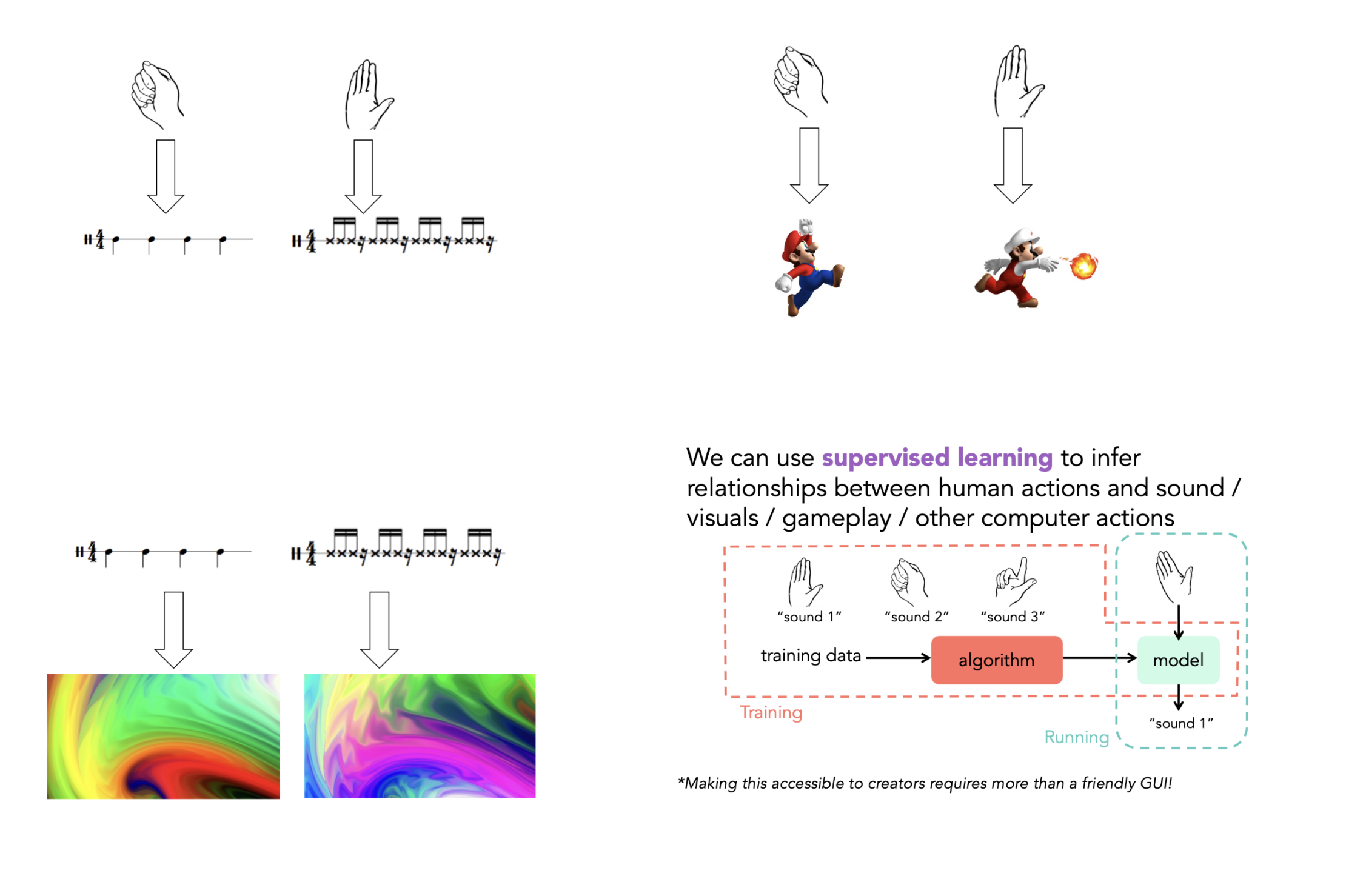
Exploring how well Experience AI maps to UNESCO’s AI competency framework for students

Post Syndicated from Ben Garside original https://www.raspberrypi.org/blog/experience-ai-unesco-ai-competency-framework/

During this year’s annual Digital Learning Week conference in September, UNESCO launched their AI competency frameworks for students and teachers. 

What is the AI competency framework for students? 

The UNESCO competency framework for students serves as a guide for education systems across the world to help students develop the necessary skills in AI literacy and to build inclusive, just, and sustainable futures in this new technological era.

It is an exciting document because, as well as being comprehensive, it’s the first global framework of its kind in the area of AI education.

The framework serves three specific purposes:

  • It offers a guide on essential AI concepts and skills for students, which can help shape AI education policies or programs at schools
  • It aims to shape students’ values, knowledge, and skills so they can understand AI critically and ethically
  • It suggests a flexible plan for when and how students should learn about AI as they progress through different school grades

The framework is a starting point for policy-makers, curriculum developers, school leaders, teachers, and educational experts to look at how it could apply in their local contexts. 

It is not possible to create a single curriculum suitable for all national and local contexts, but the framework flags the necessary competencies for students across the world to acquire the values, knowledge, and skills necessary to examine and understand AI critically from a holistic perspective.

How does Experience AI compare with the framework?

A group of researchers and curriculum developers from the Raspberry Pi Foundation, with a focus on AI literacy, attended the conference and afterwards we tasked ourselves with taking a deep dive into the student framework and mapping our Experience AI resources to it. Our aims were to:

  • Identify how the framework aligns with Experience AI
  • See how the framework aligns with our research-informed design principles
  • Identify gaps or next steps

Experience AI is a free educational programme that offers cutting-edge resources on artificial intelligence and machine learning for teachers, and their students aged 11 to 14. Developed in collaboration with the Raspberry Pi Foundation and Google DeepMind, the programme provides everything that teachers need to confidently deliver engaging lessons that will teach, inspire, and engage young people about AI and the role that it could play in their lives. The current curriculum offering includes a ‘Foundations of AI’ 6-lesson unit, 2 standalone lessons (‘AI and ecosystems’ and ‘Large language models’), and the 3 newly released AI safety resources. 

Working through each lesson objective in the Experience AI offering, we compared them with each curricular goal to see where they overlapped. We have made this mapping publicly available so that you can see this for yourself: Experience AI – UNESCO AI Competency framework students – learning objective mapping (rpf.io/unesco-mapping)

The first thing we discovered was that the mapping of the objectives did not have a 1:1 basis. For example, when we looked at a learning objective, we often felt that it covered more than one curricular goal from the framework. That’s not to say that the learning objective fully met each curricular goal, rather that it covers elements of the goal and in turn the student competency. 

Once we had completed the mapping process, we analysed the results by totalling the number of objectives that had been mapped against each competency aspect and level within the framework.

This provided us with an overall picture of where our resources are positioned against the framework. Whilst the majority of the objectives for all of the resources are in the ‘Human-centred mindset’ category, the analysis showed that there is still a relatively even spread of objectives in the other three categories (Ethics of AI, ML techniques and applications, and AI system design). 

As the current resource offering is targeted at the entry level to AI literacy, it is unsurprising to see that the majority of the objectives were at the level of ‘Understand’. It was, however, interesting to see how many objectives were also at the ‘Apply’ level. 

It is encouraging to see that the different resources from Experience AI map to different competencies in the framework. For example, the 6-lesson foundations unit aims to give students a basic understanding of how AI systems work and the data-driven approach to problem solving. In contrast, the AI safety resources focus more on the principles of Fairness, Accountability, Transparency, Privacy, and Security (FATPS), most of which fall more heavily under the ethics of AI and human-centred mindset categories of the competency framework. 

What did we learn from the process? 

Our principles align 

We built the Experience AI resources on design principles based on the knowledge curated by Jane Waite and the Foundation’s researchers. One of our aims of the mapping process was to see if the principles that underpin the UNESCO competency framework align with our own.

Avoiding anthropomorphism 

Anthropomorphism refers to the concept of attributing human characteristics to objects or living beings that aren’t human. For reasons outlined in the blog I previously wrote on the issue, a key design principle for Experience AI is to avoid anthropomorphism at all costs. In our resources, we are particularly careful with the language and images that we use. Putting the human in the process is a key way in which we can remind students that it is humans who design and are responsible for AI systems. 

Young people use computers in a classroom.

It was reassuring to see that the UNESCO framework has many curricular goals that align closely to this, for example:

  • Foster an understanding that AI is human-led
  • Facilitate an understanding on the necessity of exercising sufficient human control over AI
  • Nurture critical thinking on the dynamic relationship between human agency and machine agency

SEAME

The SEAME framework created by Paul Curzon and Jane Waite offers a way for teachers, resource developers, and researchers to talk about the focus of AI learning activities by separating them into four layers: Social and Ethical (SE), Application (A), Models (M), and Engines (E). 

The SEAME model and the UNESCO AI competency framework take two different approaches to categorising AI education — SEAME describes levels of abstraction for conceptual learning about AI systems, whereas the competency framework separates concepts into strands with progression. We found that although the alignment between the frameworks is not direct, the same core AI and machine learning concepts are broadly covered across both. 

Computational thinking 2.0 (CT2.0)

The concept of computational thinking 2.0 (a data-driven approach) stems from research by Professor Matti Tedre and Dr Henriikka Vartiainen from the University of Eastern Finland. The essence of this approach establishes AI as a different way to solve problems using computers compared to a more traditional computational thinking approach (a rule-based approach). This does not replace the traditional computational approach, but instead requires students to approach the problem differently when using AI as a tool. 

An educator points to an image on a student's computer screen.

The UNESCO framework includes many references within their curricular goals that places the data-driven approach at the forefront of problem solving using AI, including:

  • Develop conceptual knowledge on how AI is trained based on data 
  • Develop skills on assessing AI systems’ need for data, algorithms, and computing resources

Where we slightly differ in our approach is the regular use of the term ‘algorithm’, particularly in the Understand and Apply levels of the framework. We have chosen to differentiate AI systems from traditional computational thinking approaches by avoiding the term ‘algorithm’ at the foundational stage of AI education. We believe the learners need a firm mental model of data-driven systems before students can understand that the Model and Engines of the SEAME model refer to algorithms (which would possibly correspond to the Create stage of the UNESCO framework). 

We can identify areas for exploration

As part of the international expansion of Experience AI, we have been working with partners from across the globe to bring AI literacy education to students in their settings. Part of this process has involved working with our partners to localise the resources, but also to provide training on the concepts covered in Experience AI. During localisation and training, our partners often have lots of queries about the lesson on bias. 

As a result, we decided to see if mapping taught us anything about this lesson in particular, and if there was any learning we could take from it. At close inspection, we found that the lesson covers two out of the three curricular goals for the Understand element of the ‘Ethics of AI’ category (Embodied ethics). 

Specifically, we felt the lesson:

  • Illustrates dilemmas around AI and identifies the main reasons behind ethical conflicts
  • Facilitates scenario-based understandings of ethical principles on AI and their personal implications

What we felt isn’t covered in the lesson is:

  • Guide the embodied reflection and internalisation of ethical principles on AI

Exploring this further, the framework describes this curricular goal as:

Guide students to understand the implications of ethical principles on AI for their human rights, data privacy, safety, human agency, as well as for equity, inclusion, social justice and environmental sustainability. Guide students to develop embodied comprehension of ethical principles; and offer opportunities to reflect on personal attitudes that can help address ethical challenges (e.g. advocating for inclusive interfaces for AI tools, promoting inclusion in AI and reporting discriminatory biases found in AI tools).

We realised that this doesn’t mean that the lesson on bias is ineffective or incomplete, but it does help us to think more deeply about the learning objective for the lesson. This may be something we will look to address in future iterations of the foundations unit or even in the development of new resources. What we have identified is a process that we can follow, which will help us with our decision making in the next phases of resource development. 

How does this inform our next steps?

As part of the analysis of the resources, we created a simple heatmap of how the Experience AI objectives relate to the UNESCO progression levels. As with the barcharts, the heatmap indicated that the majority of the objectives sit within the Understand level of progression, with fewer in Apply, and fewest in Create. As previously mentioned, this is to be expected with the resources being “foundational”. 

The heatmap has, however, helped us to identify some interesting points about our resources that warrant further thought. For example, under the ‘Human-centred mindset’ competency aspect, there are more objectives under Apply than there are Understand. For ‘AI system design’, architecture design is the least covered aspect of Apply. 

By identifying these areas for investigation, again it shows that we’re able to add the learnings from the UNESCO framework to help us make decisions.

What next? 

This mapping process has been a very useful exercise in many ways for those of us working on AI literacy at the Raspberry Pi Foundation. The process of mapping the resources gave us an opportunity to have deep conversations about the learning objectives and question our own understanding of our resources. It was also very satisfying to see that the framework aligns well with our own researched-informed design principles, such as the SEAME model and avoiding anthropomorphisation. 

The mapping process has been a good starting point for us to understand UNESCO’s framework and we’re sure that it will act as a useful tool to help us make decisions around future enhancements to our foundational units and new free educational materials. We’re looking forward to applying what we’ve learnt to our future work! 

The post Exploring how well Experience AI maps to UNESCO’s AI competency framework for students appeared first on Raspberry Pi Foundation.
Teaching about AI in schools: Take part in our Research and Educator Community Symposium

Post Syndicated from Jane Waite original https://www.raspberrypi.org/blog/teaching-about-ai-in-schools-research-and-educator-community-symposium/

Worldwide, the use of generative AI systems and related technologies is transforming our lives. From marketing and social media to education and industry, these technologies are being used everywhere, even if it isn’t obvious. Yet, despite the growing availability and use of generative AI tools, governments are still working out how and when to regulate such technologies to ensure they don’t cause unforeseen negative consequences.

How, then, do we equip our young people to deal with the opportunities and challenges that they are faced with from generative AI applications and associated systems? Teaching them about AI technologies seems an important first step. But what should we teach, when, and how?

A teacher aids children in the classroom

Researching AI curriculum design

The researchers at the Raspberry Pi Foundation have been looking at research that will help inform curriculum design and resource development to teach about AI in school. As part of this work, a number of research themes have been established, which we would like to explore with educators at a face-to-face symposium. 

These research themes include the SEAME model, a simple way to analyse learning experiences about AI technology, as well as anthropomorphisation and how this might influence the formation of mental models about AI products. These research themes have become the cornerstone of the Experience AI resources we’ve co-developed with Google DeepMind. We will be using these materials to exemplify how the research themes can be used in practice as we review the recently published UNESCO AI competencies.

A group of educators at a workshop.

Most importantly, we will also review how we can help teachers and learners move from a rule-based view of problem solving to a data-driven view, from computational thinking 1.0 to computational thinking 2.0.

A call for teacher input on the AI curriculum

Over ten years ago, teachers in England experienced a large-scale change in what they needed to teach in computing lessons when programming was more formally added to the curriculum. As we enter a similar period of change — this time to introduce teaching about AI technologies — we want to hear from teachers as we collectively start to rethink our subject and curricula. 

We think it is imperative that educators’ voices are heard as we reimagine computer science and add data-driven technologies into an already densely packed learning context. 

Educators at a workshop.

Join our Research and Educator Community Symposium

On Saturday, 1 February 2025, we are running a Research and Educator Community Symposium in collaboration with the Raspberry Pi Computing Education Research Centre

In this symposium, we will bring together UK educators and researchers to review research themes, competency frameworks, and early international AI curricula and to reflect on how to advance approaches to teaching about AI. This will be a practical day of collaboration to produce suggested key concepts and pedagogical approaches and highlight research needs. 

Educators and researchers at an event.

This symposium focuses on teaching about AI technologies, so we will not be looking at which AI tools might be used in general teaching and learning or how they may change teacher productivity. 

It is vitally important for young people to learn how to use AI technologies in their daily lives so they can become discerning consumers of AI applications. But how should we teach them? Please help us start to consider the best approach by signing up for our Research and Educator Community Symposium by 9 December 2024.

Information at a glance

When:  Saturday, 1 February 2025 (10am to 5pm) 

Where: Raspberry Pi Foundation Offices, Cambridge

Who: If you have started teaching about AI, are creating related resources, are providing professional development about AI technologies, or if you are planning to do so, please apply to attend our symposium. Travel funding is available for teachers in England.

Please note we expect to be oversubscribed, so book early and tell us about why you are interested in taking part. We will notify all applicants of the outcome of their application by 11 December.

The post Teaching about AI in schools: Take part in our Research and Educator Community Symposium appeared first on Raspberry Pi Foundation.
How to make debugging a positive experience for secondary school students

Post Syndicated from Bonnie Sheppard original https://www.raspberrypi.org/blog/debugging-positive-experience-secondary-school-students/

Artificial intelligence (AI) continues to change many areas of our lives, with new AI technologies and software having the potential to significantly impact the way programming is taught at schools. In our seminar series this year, we’ve already heard about new AI code generators that can support and motivate young people when learning to code, AI tools that can create personalised Parson’s Problems, and research into how generative AI could improve young people’s understanding of program error messages.

Two teenage girls do coding activities at their laptops in a classroom.

At times, it can seem like everything is being automated with AI. However, there are some parts of learning to program that cannot (and probably should not) be automated, such as understanding errors in code and how to fix them. Manually typing code might not be necessary in the future, but it will still be crucial to understand the code that is being generated and how to improve and develop it. 

As important as debugging might be for the future of programming, it’s still often the task most disliked by novice programmers. Even if program error messages can be explained in the future or tools like LitterBox can flag bugs in an engaging way, actually fixing the issues involves time, effort, and resilience — which can be hard to come by at the end of a computing lesson in the late afternoon with 30 students crammed into an IT room. 

Debugging can be challenging in many different ways and it is important to understand why students struggle to be able to support them better.

But what is it about debugging that young people find so hard, even when they’re given enough time to do it? And how can we make debugging a more motivating experience for young people? These are two of the questions that Laurie Gale, a PhD student at the Raspberry Pi Computing Education Research Centre, focused on in our July seminar.

Why do students find debugging hard?

Laurie has spent the past two years talking to teachers and students and developing tools (a visualiser of students’ programming behaviour and PRIMMDebug, a teaching process and tool for debugging) to understand why many secondary school students struggle with debugging. It has quickly become clear through his research that most issues are due to problematic debugging strategies and students’ negative experiences and attitudes.

A photograph of Laurie Gale.
When Laurie Gale started looking into debugging research for his PhD, he noticed that the majority of studies had been with college students, so he decided to change that and find out what would make debugging easier for novice programmers at secondary school.

When students first start learning how to program, they have to remember a vast amount of new information, such as different variables, concepts, and program designs. Utilising this knowledge is often challenging because they’re already busy juggling all the content they’ve previously learnt and the challenges of the programming task at hand. When error messages inevitably appear that are confusing or misunderstood, it can become extremely difficult to debug effectively. 

Program error messages are usually not tailored to the age of the programmers and can be hard to understand and overwhelming for novices.

Given this information overload, students often don’t develop efficient strategies for debugging. When Laurie analysed the debugging efforts of 12- to 14-year-old secondary school students, he noticed some interesting differences between students who were more and less successful at debugging. While successful students generally seemed to make less frequent and more intentional changes, less successful students tinkered frequently with their broken programs, making one- or two-character edits before running the program again. In addition, the less successful students often ran the program soon after beginning the debugging exercise without allowing enough time to actually read the code and understand what it was meant to do. 

The issue with these behaviours was that they often resulted in students adding errors when changing the program, which then compounded and made debugging increasingly difficult with each run. 74% of students also resorted to spamming, pressing ‘run’ again and again without changing anything. This strategy resonated with many of our seminar attendees, who reported doing the same thing after becoming frustrated. 

Educators need to be aware of the negative consequences of students’ exasperating and often overwhelming experiences with debugging, especially if students are less confident in their programming skills to begin with. Even though spending 15 minutes on an exercise shows a remarkable level of tenaciousness and resilience, students’ attitudes to programming — and computing as a whole — can quickly go downhill if their strategies for identifying errors prove ineffective. Debugging becomes a vicious circle: if a student has negative experiences, they are less confident when having to bug-fix again in the future, which can lead to another set of unsuccessful attempts, which can further damage their confidence, and so on. Avoiding this downward spiral is essential. 

Approaches to help students engage with debugging

Laurie stresses the importance of understanding the cognitive challenges of debugging and using the right tools and techniques to empower students and support them in developing effective strategies.

To make debugging a less cognitively demanding activity, Laurie recommends using a range of tools and strategies in the classroom.

Some ideas of how to improve debugging skills that were mentioned by Laurie and our attendees included:

  • Using frame-based editing tools for novice programmers because such tools encourage students to focus on logical errors rather than accidental syntax errors, which can distract them from understanding the issues with the program. Teaching debugging should also go hand in hand with understanding programming syntax and using simple language. As one of our attendees put it, “You wouldn’t give novice readers a huge essay and ask them to find errors.”
  • Making error messages more understandable, for example, by explaining them to students using Large Language Models.
  • Teaching systematic debugging processes. There are several different approaches to doing this. One of our participants suggested using the scientific method (forming a hypothesis about what is going wrong, devising an experiment that will provide information to see whether the hypothesis is right, and iterating this process) to methodically understand the program and its bugs. 

Most importantly, debugging should not be a daunting or stressful experience. Everyone in the seminar agreed that creating a positive error culture is essential. 

Teachers in Laurie’s study have stressed the importance of positive debugging experiences.

Some ideas you could explore in your classroom include:

  • Normalising errors: Stress how normal and important program errors are. Everyone encounters them — a professional software developer in our audience said that they spend about half of their time debugging. 
  • Rewarding perseverance: Celebrate the effort, not just the outcome.
  • Modelling how to fix errors: Let your students write buggy programs and attempt to debug them in front of the class.

In a welcoming classroom where students are given support and encouragement, debugging can be a rewarding experience. What may at first appear to be a failure — even a spectacular one — can be embraced as a valuable opportunity for learning. As a teacher in Laurie’s study said, “If something should have gone right and went badly wrong but somebody found something interesting on the way… you celebrate it. Take the fear out of it.” 

Watch the recording of Laurie’s presentation:

Join our next seminar

In our current seminar series, we are exploring how to teach programming with and without AI.

Join us at our next seminar on Tuesday, 12 November at 17:00–18:30 GMT to hear Nicholas Gardella (University of Virginia) discuss the effects of using tools like GitHub Copilot on the motivation, workload, emotion, and self-efficacy of novice programmers. To sign up and take part in the seminar, click the button below — we’ll then send you information about joining. We hope to see you there.

The schedule of our upcoming seminars is online. You can catch up on past seminars on our previous seminars and recordings page.

The post How to make debugging a positive experience for secondary school students appeared first on Raspberry Pi Foundation.
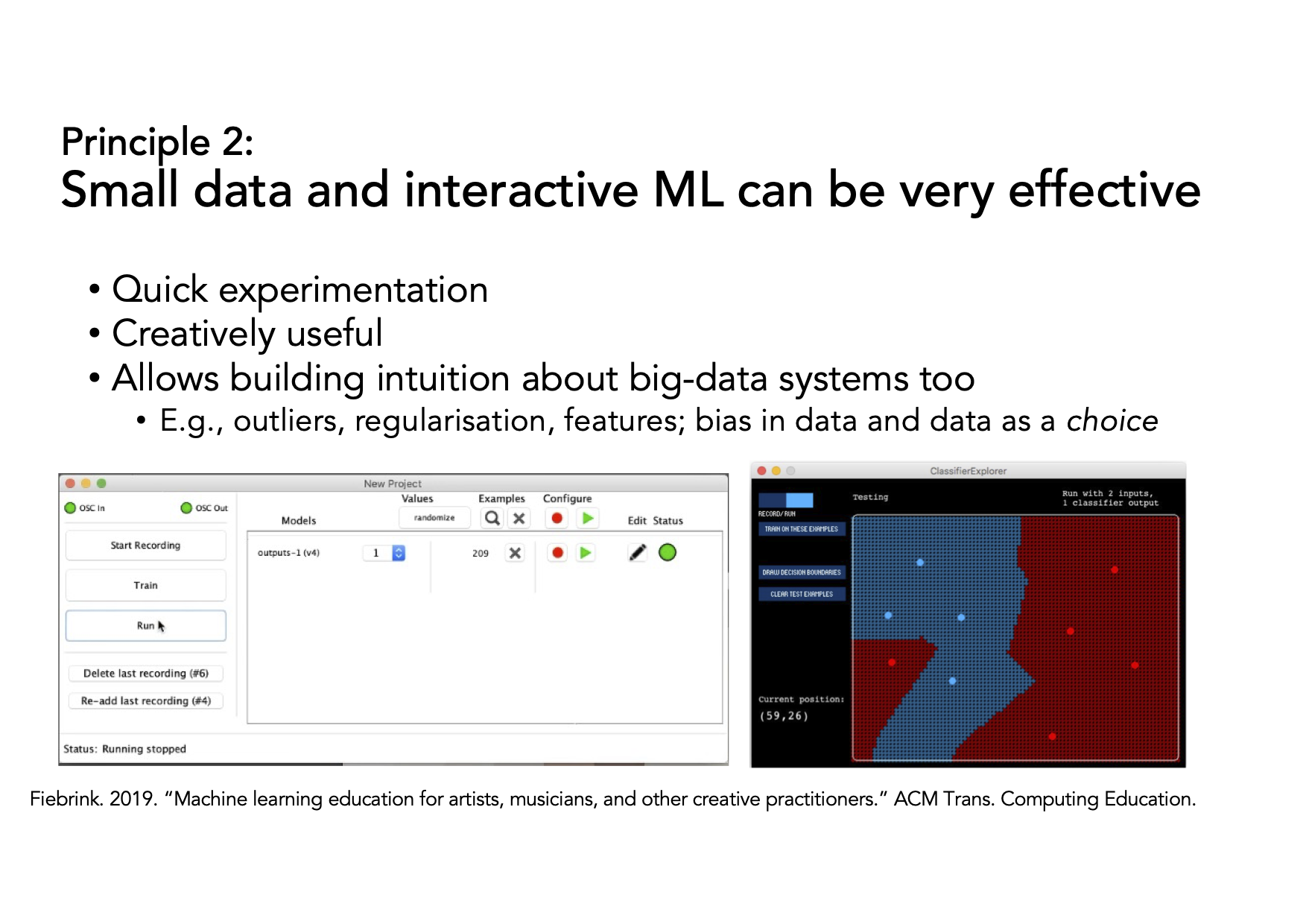
Hello World #25 out now: Generative AI

Post Syndicated from Meg Wang original https://www.raspberrypi.org/blog/hello-world-25-out-now-generative-ai/

Since they became publicly available at the end of 2022, generative AI tools have been hotly discussed by educators: what role should these tools for generating human-seeming text, images, and other media play in teaching and learning?

Two years later, the one thing most people agree on is that, like it or not, generative AI is here to stay. And as a computing educator, you probably have your learners and colleagues looking to you for guidance about this technology. We’re sharing how educators like you are approaching generative AI in issue 25 of Hello World, out today for free.

Digital image of a copy of Hello World magazine, issue 25.

Generative AI and teaching

Since our ‘Teaching and AI’ issue a year ago, educators have been making strides grappling with generative AI’s place in their classroom, and with the potential risks to young people. In this issue, you’ll hear from a wide range of educators who are approaching this technology in different ways. 

For example:

  • Laura Ventura from Gwinnett County Public Schools (GCPS) in Georgia, USA shares how the GCPS team has integrated AI throughout their K–12 curriculum
  • Mark Calleja from our team guides you through using the OCEAN prompt process to reliably get the results you want from an LLM 
  • Kip Glazer, principal at Mountain View High School in California, USA shares a framework for AI implementation aimed at school leaders
  • Stefan Seegerer, a researcher and educator in Germany, discusses why unplugged activities help us focus on what’s really important in teaching about AI

This issue also includes practical solutions to problems that are unique to computer science educators:

  • Graham Hastings in the UK shares his solution to tricky crocodile clips when working with micro:bits
  • Riyad Dhuny shares his case study of home-hosting a learning management system with his students in Mauritius

And there is lots more for you to discover in issue 25.

Whether or not you use generative AI as part of your teaching practice, it’s important for you to be aware of AI technologies and how your young people may be interacting with it. In his article “A problem-first approach to the development of AI systems”, Ben Garside from our team affirms that:

“A big part of our job as educators is to help young people navigate the changing world and prepare them for their futures, and education has an essential role to play in helping people understand AI technologies so that they can avoid the dangers.

Our approach at the Raspberry Pi Foundation is not to focus purely on the threats and dangers, but to teach young people to be critical users of technologies and not passive consumers. […]

Our call to action to educators, carers, and parents is to have conversations with your young people about generative AI. Get to know their opinions on it and how they view its role in their lives, and help them to become critical thinkers when interacting with technology.”

Share your thoughts & subscribe to Hello World

Computing teachers are being asked again to teach something that they didn’t study. With generative AI as with all things computing, we want to support your teaching and share your successes. We hope you enjoy this issue of Hello World, and please get in touch with your article ideas or what you would like to see in the magazine.


We’d like to thank Oracle for supporting this issue.

The post Hello World #25 out now: Generative AI appeared first on Raspberry Pi Foundation.
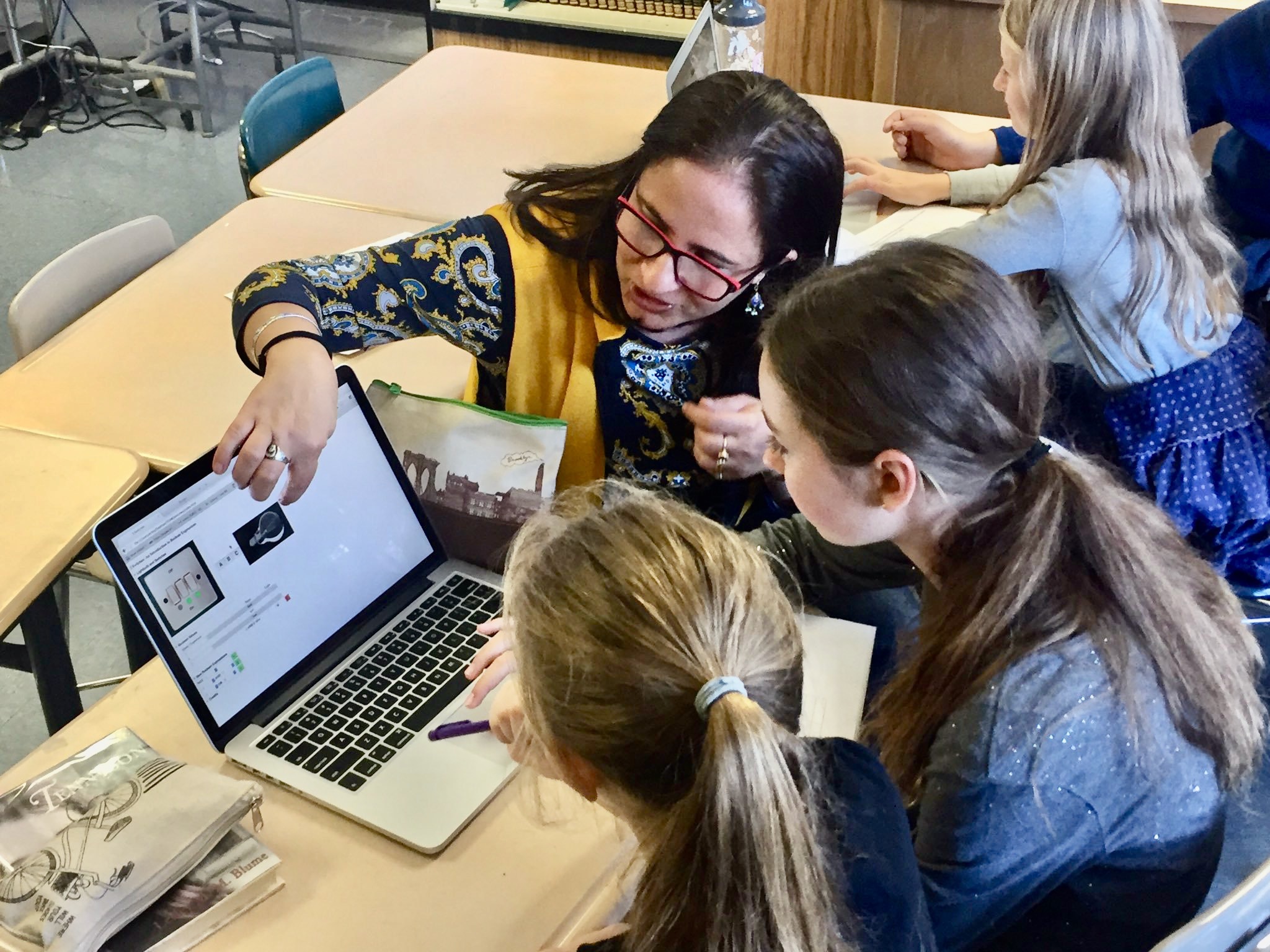
Free online course on understanding AI for educators

Post Syndicated from Mac Bowley original https://www.raspberrypi.org/blog/free-online-course-on-understanding-ai-for-educators/

To empower every educator to confidently bring AI into their classroom, we’ve created a new online training course called ‘Understanding AI for educators’ in collaboration with Google DeepMind. By taking this course, you will gain a practical understanding of the crossover between AI tools and education. The course includes a conceptual look at what AI is, how AI systems are built, different approaches to problem-solving with AI, and how to use current AI tools effectively and ethically.

Image by Mudassar Iqbal from Pixabay

In this post, I will share our approach to designing the course and some of the key considerations behind it — all of which you can apply today to teach your learners about AI systems.

Design decisions: Nurturing knowledge and confidence

We know educators have different levels of confidence with AI tools — we designed this course to help create a level playing field. Our goal is to uplift every educator, regardless of their prior experience, to a point where they feel comfortable discussing AI in the classroom.

Three computer science educators discuss something at a screen.

AI literacy is key to understanding the implications and opportunities of AI in education. The course provides educators with a solid conceptual foundation, enabling them to ask the right questions and form their own perspectives.

As with all our AI learning materials that are part of Experience AI, we’ve used specific design principles for the course:

  • Choosing language carefully: We never anthropomorphise AI systems, replacing phrases like “The model understands” with “The model analyses”. We do this to make it clear that AI is just a computer system, not a sentient being with thoughts or feelings.
  • Accurate terminology: We avoid using AI as a singular noun, opting instead for the more accurate ‘AI tool’ when talking about applications or ‘AI system’ when talking about underlying component parts. 
  • Ethics: The social and ethical impacts of AI are not an afterthought but highlighted throughout the learning materials.

Three main takeaways

The course offers three main takeaways any educator can apply to their teaching about AI systems. 

1. Communicating effectively about AI systems

Deciding the level of detail to use when talking about AI systems can be difficult — especially if you’re not very confident about the topic. The SEAME framework offers a solution by breaking down AI into 4 levels: social and ethical, application, model, and engine. Educators can focus on the level most relevant to their lessons and also use the framework as a useful structure for classroom discussions.

The SEAME framework gives you a simple way to group learning objectives and resources related to teaching AI and ML, based on whether they focus on social and ethical aspects (SE), applications (A), models (M), or engines (E, i.e. how AI works).

You might discuss the impact a particular AI system is having on society, without the need to explain to your learners how the model itself has been trained or tested. Equally, you might focus on a specific machine learning model to look at where the data used to create it came from and consider the effect the data source has on the output. 

2. Problem-solving approaches: Predictive vs. generative AI

AI applications can be broadly separated into two categories: predictive and generative. These two types of AI model represent two vastly different approaches to problem-solving

People create predictive AI models to make predictions about the future. For example, you might create a model to make weather forecasts based on previously recorded weather data, or to recommend new movies to you based on your previous viewing history. In developing predictive AI models, the problem is defined first — then a specific dataset is assembled to help solve it. Therefore, each predictive AI model usually is only useful for a small number of applications.

Seventeen multicoloured post-it notes are roughly positioned in a strip shape on a white board. Each one of them has a hand drawn sketch in pen on them, answering the prompt on one of the post-it notes "AI is...." The sketches are all very different, some are patterns representing data, some are cartoons, some show drawings of things like data centres, or stick figure drawings of the people involved.
Rick Payne and team / Better Images of AI / Ai is… Banner / CC-BY 4.0

Generative AI models are used to generate media (such as text, code, images, or audio). The possible applications of these models are much more varied because people can use media in many different kinds of ways. You might say that the outputs of generative AI models could be used to solve — or at least to partially solve — any number of problems, without these problems needing to be defined before the model is created.

3. Using generative AI tools: The OCEAN process

Generative AI systems rely on user prompts to generate outputs. The OCEAN process, outlined in the course, offers a simple yet powerful framework for prompting AI tools like Gemini, Stable Diffusion or ChatGPT. 

Three groups of icons representing people have shapes travelling between them and a page in the middle of the image. The page is a simple rectangle with straight lines representing data. The shapes traveling towards the page are irregular and in squiggly bands.
Yasmine Boudiaf & LOTI / Better Images of AI / Data Processing / CC-BY 4.0

The first three steps of the process help you write better prompts that will result in an output that is as close as possible to what you are looking for, while the last two steps outline how to improve the output:

  1. Objective: Clearly state what you want the model to generate
  2. Context: Provide necessary background information
  3. Examples: Offer specific examples to fine-tune the model’s output
  4. Assess: Evaluate the output 
  5. Negotiate: Refine the prompt to correct any errors in the output

The final step in using any generative AI tool should be to closely review or edit the output yourself. These tools will very quickly get you started but you’ll always have to rely on your own human effort to ensure the quality of your work. 

Helping educators to be critical users

We believe the knowledge and skills our ‘Understanding AI for educators’ course teaches will help any educator determine the right AI tools and concepts to bring into their classroom, regardless of their specialisation. Here’s what one course participant had to say:

“From my inexperienced viewpoint, I kind of viewed AI as a cheat code. I believed that AI in the classroom could possibly be a real detriment to students and eliminate critical thinking skills.

After learning more about AI [on the course] and getting some hands-on experience with it, my viewpoint has certainly taken a 180-degree turn. AI definitely belongs in schools and in the workplace. It will take time to properly integrate it and know how to ethically use it. Our role as educators is to stay ahead of this trend as opposed to denying AI’s benefits and falling behind.” – ‘Understanding AI for educators’ course participant

All our Experience AI resources — including this online course and the teaching materials — are designed to foster a generation of AI-literate educators who can confidently and ethically guide their students in navigating the world of AI.

You can sign up to the course for free here: 

A version of this article also appears in Hello World issue 25, which will be published on Monday 23 September and will focus on all things generative AI and education.

The post Free online course on understanding AI for educators appeared first on Raspberry Pi Foundation.
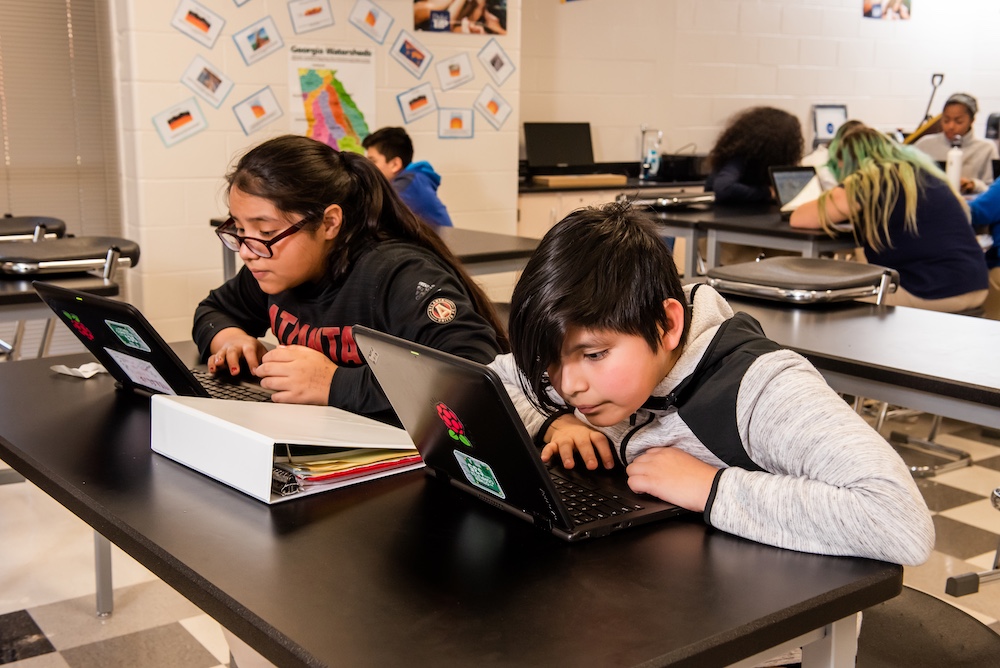
How useful do teachers find error message explanations generated by AI? Pilot research results

Post Syndicated from Veronica Cucuiat original https://www.raspberrypi.org/blog/error-message-explanations-large-language-models-teachers-views/

As discussions of how artificial intelligence (AI) will impact teaching, learning, and assessment proliferate, I was thrilled to be able to add one of my own research projects to the mix. As a research scientist at the Raspberry Pi Foundation, I’ve been working on a pilot research study in collaboration with Jane Waite to explore the topic of program error messages (PEMs). 

Computer science students at a desktop computer in a classroom.

PEMs can be a significant barrier to learning for novice coders, as they are often confusing and difficult to understand. This can hinder troubleshooting and progress in coding, and lead to frustration. 

Recently, various teams have been exploring how generative AI, specifically large language models (LLMs), can be used to help learners understand PEMs. My research in this area specifically explores secondary teachers’ views of the explanations of PEMs generated by a LLM, as an aid for learning and teaching programming, and I presented some of my results in our ongoing seminar series.

Understanding program error messages is hard at the start

I started the seminar by setting the scene and describing the current background of research on novices’ difficulty in using PEMs to fix their code, and the efforts made to date to improve these. The three main points I made were that:

  1. PEMs are often difficult to decipher, especially by novices, and there’s a whole research area dedicated to identifying ways to improve them.
  2. Recent studies have employed LLMs as a way of enhancing PEMs. However, the evidence on what makes an ‘effective’ PEM for learning is limited, variable, and contradictory.
  3. There is limited research in the context of K–12 programming education, as well as research conducted in collaboration with teachers to better understand the practical and pedagogical implications of integrating LLMs into the classroom more generally.

My pilot study aims to fill this gap directly, by reporting K–12 teachers’ views of the potential use of LLM-generated explanations of PEMs in the classroom, and how their views fit into the wider theoretical paradigm of feedback literacy. 

What did the teachers say?

To conduct the study, I interviewed eight expert secondary computing educators. The interviews were semi-structured activity-based interviews, where the educators got to experiment with a prototype version of the Foundation’s publicly available Code Editor. This version of the Code Editor was adapted to generate LLM explanations when the question mark next to the standard error message is clicked (see Figure 1 for an example of a LLM-generated explanation). The Code Editor version called the OpenAI GPT-3.5 interface to generate explanations based on the following prompt: “You are a teacher talking to a 12-year-old child. Explain the error {error} in the following Python code: {code}”. 

The Foundation’s Python Code Editor with LLM feedback prototype.
Figure 1: The Foundation’s Code Editor with LLM feedback prototype.

Fifteen themes were derived from the educators’ responses and these were split into five groups (Figure 2). Overall, the educators’ views of the LLM feedback were that, for the most part, a sensible explanation of the error messages was produced. However, all educators experienced at least one example of invalid content (LLM “hallucination”). Also, despite not being explicitly requested in the LLM prompt, a possible code solution was always included in the explanation.

Themes and groups derived from teachers’ responses.
Figure 2: Themes and groups derived from teachers’ responses.

Matching the themes to PEM guidelines

Next, I investigated how the teachers’ views correlated to the research conducted to date on enhanced PEMs. I used the guidelines proposed by Brett Becker and colleagues, which consolidate a lot of the research done in this area into ten design guidelines. The guidelines offer best practices on how to enhance PEMs based on cognitive science and educational theory empirical research. For example, they outline that enhanced PEMs should provide scaffolding for the user, increase readability, reduce cognitive load, use a positive tone, and provide context to the error.

Out of the 15 themes identified in my study, 10 of these correlated closely to the guidelines. However, the 10 themes that correlated well were, for the most part, the themes related to the content of the explanations, presentation, and validity (Figure 3). On the other hand, the themes concerning the teaching and learning process did not fit as well to the guidelines.

Correlation between teachers’ responses and enhanced PEM design guidelines.
Figure 3: Correlation between teachers’ responses and enhanced PEM design guidelines.

Does feedback literacy theory fit better?

However, when I looked at feedback literacy theory, I was able to correlate all fifteen themes — the theory fits.

Feedback literacy theory positions the feedback process (which includes explanations) as a social interaction, and accounts for the actors involved in the interaction — the student and the teacher — as well as the relationships between the student, the teacher, and the feedback. We can explain feedback literacy theory using three constructs: feedback types, student feedback literacy, and teacher feedback literacy (Figure 4). 

Feedback literacy at the intersection between feedback types, student feedback literacy, and teacher feedback literacy.
Figure 4: Feedback literacy at the intersection between feedback types, student feedback literacy, and teacher feedback literacy.

From the feedback literacy perspective, feedback can be grouped into four types: telling, guiding, developing understanding, and opening up new perspectives. The feedback type depends on the role of the student and teacher when engaging with the feedback (Figure 5). 

Feedback types as formalised by McLean, Bond, & Nicholson.
Figure 5: Feedback types as formalised by McLean, Bond, & Nicholson.

From the student perspective, the competencies and dispositions students need in order to use feedback effectively can be stated as: appreciating the feedback processes, making judgements, taking action, and managing affect. Finally, from a teacher perspective, teachers apply their feedback literacy skills across three dimensions: design, relational, and pragmatic. 

In short, according to feedback literacy theory, effective feedback processes entail well-designed feedback with a clear pedagogical purpose, as well as the competencies students and teachers need in order to make sense of the feedback and use it effectively.

A computer science teacher sits with students at computers in a classroom.

This theory therefore provided a promising lens for analysing the educators’ perspectives in my study. When the educators’ views were correlated to feedback literacy theory, I found that:

  1. Educators prefer the LLM explanations to fulfil a guiding and developing understanding role, rather than telling. For example, educators prefer to either remove or delay the code solution from the explanation, and they like the explanations to include keywords based on concepts they are teaching in the classroom to guide and develop students’ understanding rather than tell.
  1. Related to students’ feedback literacy, educators talked about the ways in which the LLM explanations help or hinder students to make judgements and action the feedback in the explanations. For example, they talked about how detailed, jargon-free explanations can help students make judgments about the feedback, but invalid explanations can hinder this process. Therefore, teachers talked about the need for ways to manage such invalid instances. However, for the most part, the educators didn’t talk about eradicating them altogether. They talked about ways of flagging them, using them as counter-examples, and having visibility of them to be able to address them with students.
  1. Finally, from a teacher feedback literacy perspective, educators discussed the need for professional development to manage feedback processes inclusive of LLM feedback (design) and address issues resulting from reduced opportunities to interact with students (relational and pragmatic). For example, if using LLM explanations results in a reduction in the time teachers spend helping students debug syntax errors from a pragmatic time-saving perspective, then what does that mean for the relationship they have with their students? 

Conclusion from the study

By correlating educators’ views to feedback literacy theory as well as enhanced PEM guidelines, we can take a broader perspective on how LLMs might not only shape the content of the explanations, but the whole social interaction around giving and receiving feedback. Investigating ways of supporting students and teachers to practise their feedback literacy skills matters just as much, if not more, than focusing on the content of PEM explanations. 

This study was a first-step exploration of eight educators’ views on the potential impact of using LLM explanations of PEMs in the classroom. Exactly what the findings of this study mean for classroom practice remains to be investigated, and we also need to examine students’ views on the feedback and its impact on their journey of learning to program. 

If you want to hear more, you can watch my seminar:

You can also read the associated paper, or find out more about the research instruments on this project website.

If any of these ideas resonated with you as an educator, student, or researcher, do reach out — we’d love to hear from you. You can contact me directly at [email protected] or drop us a line in the comments below. 

Join our next seminar

The focus of our ongoing seminar series is on teaching programming with or without AI. Check out the schedule of our upcoming seminars

To take part in the next seminar, click the button below to sign up, and we will send you information about how to join. We hope to see you there.

You can also catch up on past seminars on our blog and on the previous seminars and recordings page.

The post How useful do teachers find error message explanations generated by AI? Pilot research results appeared first on Raspberry Pi Foundation.
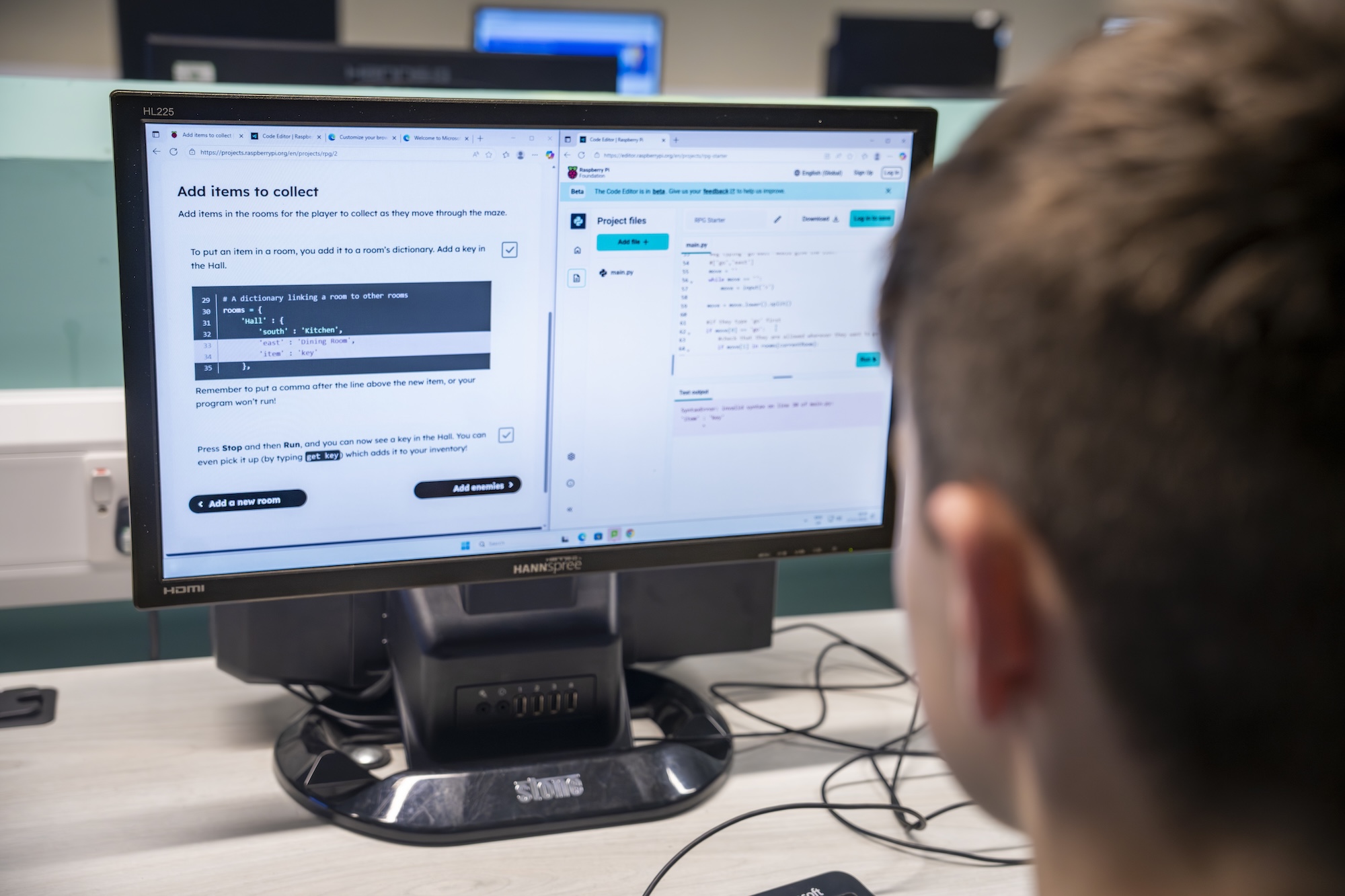
Impact of Experience AI: Reflections from students and teachers

Post Syndicated from Lou Loxley original https://www.raspberrypi.org/blog/impact-of-experience-ai-reflections-from-students-and-teachers/

“I’ve enjoyed actually learning about what AI is and how it works, because before I thought it was just a scary computer that thinks like a human,” a student learning with Experience AI at King Edward’s School, Bath, UK, told us. 

This is the essence of what we aim to do with our Experience AI lessons, which demystify artificial intelligence (AI) and machine learning (ML). Through Experience AI, teachers worldwide are empowered to confidently deliver engaging lessons with a suite of resources that inspire and educate 11- to 14-year-olds about AI and the role it could play in their lives.

“I learned new things and it changed my mindset that AI is going to take over the world.” – Student, Malaysia

Experience AI students in Malaysia

Developed by us with Google DeepMind, our first set of Experience AI lesson resources was aimed at a UK audience and launched in April 2023. Next we released tailored versions of the resources for 5 other countries, working in close partnership with organisations in Malaysia, Kenya, Canada, Romania, and India. Thanks to new funding from Google.org, we’re now expanding Experience AI for 16 more countries and creating new resources on AI safety, with the aim of providing leading-edge AI education for more than 2 million young people across Europe, the Middle East, and Africa. 

In this blog post, you’ll hear directly from students and teachers about the impact the Experience AI lessons have had so far. 

Case study:  Experience AI in Malaysia

Penang Science Cluster in Malaysia is among the first organisations we’ve partnered with for Experience AI. Speaking to Malaysian students learning with Experience AI, we found that the lessons were often very different from what they had expected. 

Launch of Experience AI in Malaysia

“I actually thought it was going to be about boring lectures and not much about AI but more on coding, but we actually got to do a lot of hands-on activities, which are pretty fun. I thought AI was just about robots, but after joining this, I found it could be made into chatbots or could be made into personal helpers.” – Student, Malaysia

“Actually, I thought AI was mostly related to robots, so I was expecting to learn more about robots when I came to this programme. It widened my perception on AI.” – Student, Malaysia. 

The Malaysian government actively promotes AI literacy among its citizens, and working with local education authorities, Penang Science Cluster is using Experience AI to train teachers and equip thousands of young people in the state of Penang with the understanding and skills to use AI effectively. 

“We envision a future where AI education is as fundamental as mathematics education, providing students with the tools they need to thrive in an AI-driven world”, says Aimy Lee, Chief Operating Officer at Penang Science Cluster. “The journey of AI exploration in Malaysia has only just begun, and we’re thrilled to play a part in shaping its trajectory.”

Giving non-specialist teachers the confidence to introduce AI to students

Experience AI provides lesson plans, classroom resources, worksheets, hands-on activities, and videos to help teachers introduce a wide range of AI applications and help students understand how they work. The resources are based on research, and because we adapt them to each partner’s country, they are culturally relevant and relatable for students. Any teacher can use the resources in their classroom, whether or not they have a background in computing education. 
“Our Key Stage 3 Computing students now feel immensely more knowledgeable about the importance and place that AI has in their wider lives. These lessons and activities are engaging and accessible to students and educators alike, whatever their specialism may be.” – Dave Cross,  North Liverpool Academy, UK

“The feedback we’ve received from both teachers and learners has been overwhelmingly positive. They consistently rave about how accessible, fun, and hands-on these resources are. What’s more, the materials are so comprehensive that even non-specialists can deliver them with confidence.” – Storm Rae, The National Museum of Computing, UK

Experience AI teacher training in Kenya

“[The lessons] go above and beyond to ensure that students not only grasp the material but also develop a genuine interest and enthusiasm for the subject.” – Teacher, Changamwe Junior School, Mombasa, Kenya

Sparking debates on bias and the limitations of AI

When learners gain an understanding of how AI works, it gives them the confidence to discuss areas where the technology doesn’t work well or its output is incorrect. These classroom debates deepen and consolidate their knowledge, and help them to use AI more critically.

“Students enjoyed the practical aspects of the lessons, like categorising apples and tomatoes. They found it intriguing how AI could sometimes misidentify objects, sparking discussions on its limitations. They also expressed concerns about AI bias, which these lessons helped raise awareness about. I didn’t always have all the answers, but it was clear they were curious about AI’s implications for their future.” – Tracey Mayhead, Arthur Mellows Village College, Peterborough, UK

Experience AI students in UK

“The lessons that we trialled took some of the ‘magic’ out of AI and started to give the students an understanding that AI is only as good as the data that is used to build it.” – Jacky Green, Waldegrave School, UK 

“I have enjoyed learning about how AI is actually programmed, rather than just hearing about how impactful and great it could be.” – Student, King Edward’s School, Bath, UK 

“It has changed my outlook on AI because now I’ve realised how much AI actually needs human intelligence to be able to do anything.” – Student, Arthur Mellows Village College, Peterborough, UK 

“I didn’t really know what I wanted to do before this but now knowing more about AI, I probably would consider a future career in AI as I find it really interesting and I really liked learning about it.” – Student, Arthur Mellows Village College, Peterborough, UK 

If you’d like to get involved with Experience AI as an educator and use our free lesson resources with your class, you can start by visiting experience-ai.org.

The post Impact of Experience AI: Reflections from students and teachers appeared first on Raspberry Pi Foundation.