Post Syndicated from original https://www.toest.bg/sudba-svoboda-i-igrova-mehanika-sluchayat-indika-produlzhenie/
<< Към първа част

Миглена Николчина: Нямам предвид оная любов, казано с думите на Ханс Касторп, „обикновената“, „равнинната“, където се изчисляват заслуги и се сключват бракове. Индика харесва „лоши момчета“: по всяка вероятност Мирко я привлича именно с това, че еснафлията ѝ баща никога не би я омъжил за него. Иля повдига на степен трансгресивността на Мирко – не знаем какво точно е извършил, но е затворник, виждаме го да стреля, постепенно ще научим за средата му, която е нечистоплътна, на ръба на закона. В заекващото му „блатно“ говорене, в което на руски аз поне чувам обертонове на фронтмена на тази култура Висоцки, обсценното и безобразно циничното се съединяват без преход с високите регистри на социална и философска рефлексия. От тази амалгама, като контрапункт на социалното дъно, се ражда склонност към крайна идеализация, която намира израз в очакването на чудо. Иля не само спасява Индика от изнасилване, той, макар че мъничко се пробва в началото, няма да злоупотреби с нея, с нейната привлеченост от него – нали е „монахинка“! А и въобще той никога не би „уебашил“ (няма да превеждам тази дума от руския криминален жаргон) жена, дори ако тя като Индика му е отнела пистолета!
Не бих казала, че Иля я използва – в общото им странстване те са сдвоени и всъщност тя на няколко пъти активно избира – и кара него да избере – да са заедно („С тях или с мене, избирай!“). Иля е нерядко включен в съвместно действие с Индика/играча, а понякога поема инициативата, води, мести, спасява. Във всичко това разработчиците преплитат еротични закачки с нас – като моментите, когато Иля измъква Индика и тя пада върху него или когато се събличат да сушат дрехите си, разделени от импровизирана завеска. Не се учудвам, че играчите са се надявали това да има продължение. Повратният момент настъпва, когато Иля губи съзнание и Индика против волята му отрязва гангренясалата му измръзнала ръка, която той се е надявал кудецът да съживи. Оттук насетне Иля се отдръпва от нея, като я обвинява, че никога не е вярвала в чудото и че заради нея той не чува вече гласа на бога. В крайна сметка той открадва кудеца и брутално хвърля Индика в ръцете на преследвачите им – така, както някога тя е предала Мирко.
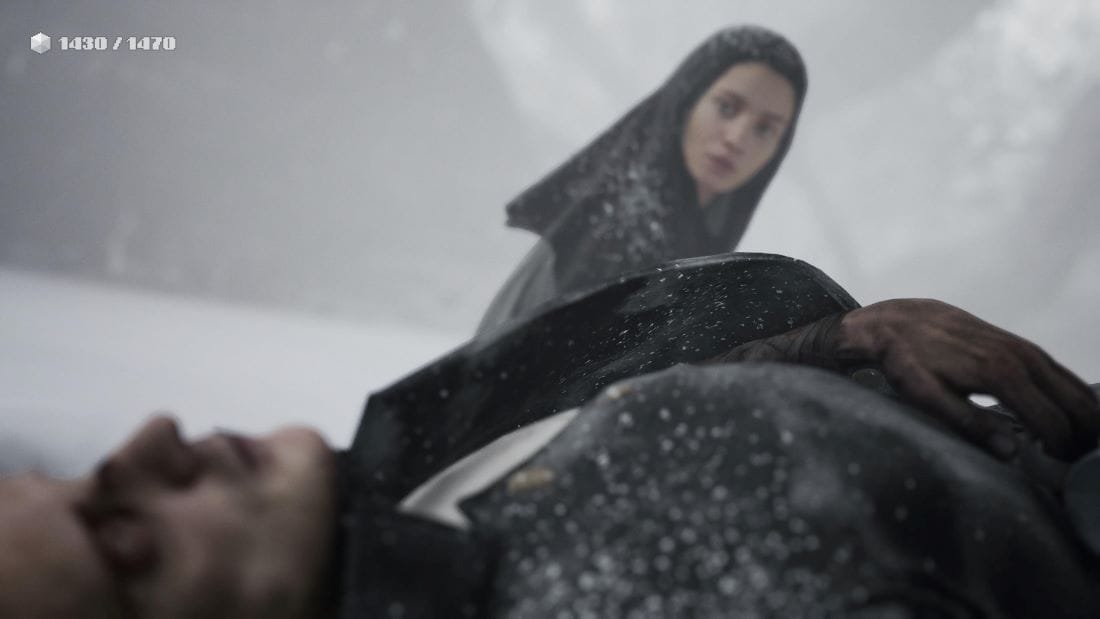
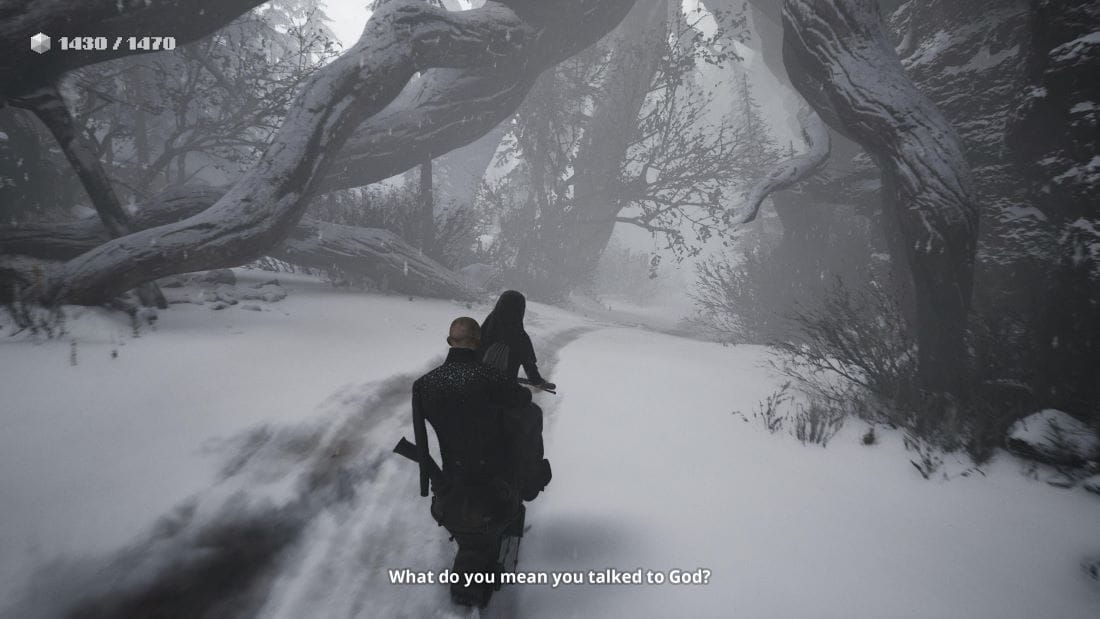
Кадри от „Индика“
Епизодът с отрязването на ръката е бездънен. Разговорът, който двамата водят и в който ще чуем както отгласи от вековни философски спорове, така и търсенето им на път един към друг, е за свободата на волята, като темата за любовта на и към бога се преплита с темата за любовта, която не може без тяло. За да го спаси, Индика всъщност пренебрегва волята на Иля, действа като оня желан от нея бог, който, понеже обича, не позволява свобода на волята. И с това тя губи доверието на Иля, губи шанса за любов. Каква любов, ако не е свободна?
Но… все пак мисля, че това не е краят. След като избягва от тъмницата, Индика отново среща Иля. Като завързани са. Той е пиян – може би защото кудецът не работи, може би защото заради неработещия кудец е предал Индика, може би защото, продавайки кудеца, я е предал още веднъж, може би, уви, без чудото пройдохата просто е взел връх, твърде бързо си е спомнил пътя към заложната къща… В тази сцена Иля е доста жалък и трагикомичен. И все пак Индика го е спасила не в смисъл на просто оцеляване. Иля е музикант, можел е да свири на китара. В един покъртителен момент Индика го моли да ѝ посвири и той нажалено я пита: „Как?“ Във финала разбираме обаче, че Иля е намерил тромпет, на който смята, че ще може да свири с една ръка; за този инструмент е заменил кудеца. Сцената не е лишена от комизъм (черният хумор, гротеската, иронията са съществен аспект на играта), но може би тъкмо поради това бихме могли да си спомним, че Мирко пленява Индика със свиренето си и в сцената с жабите ѝ казва: „Ако успееш да стигнеш до мен, ще направя флейта специално за тебе…“
Но… да се върна на въпроса за игровото и да добавя към това, което ти вече каза за лудическите инструменти като елементи на разказа. В препятствията, които Индика и Иля преодоляват, прозират отломки от отвъдния свят на Данте (и не само, но разговорът ще стане прекалено дълъг) – лодкарят, който ни подсеща за Харон, грамадното куче, което ни припомня Цербер, слизането надолу до дъното от гниещи миазми, изкачването през „чистилището“ на спираловидната рибена фабрика, най-сетне храмът в място, наречено Спасов… Този път е свързан – тук са интерактивните моменти – с управляване на все по-мощни машини: ще се стигне дотам, че с кран крехката монахиня да мести цели зидове!
Забележителното в случая е, че както вече споменахме, тези игрови компоненти не са просто форма за включване на играча в играта като творческо взаимодействие, удоволствено затруднение, забавна главоблъсканица или възел за разклоняващи се сюжетни решения. Защо с печатна преса Индика отрязва ръката на Иля? Дали защото просветеното знание взема връх над суеверието, или защото това е печатница на етикети? В подобен мизансцен интерактивните засечки работят не само като елементи, но и като фигуративно – символично, морално и анагогическо, ако го кажем по Данте – надграждане на буквалното протичане на разказа. Саундтракът надгражда още едно ниво, успоредява наратива със своя собствен, тръгвайки от „Битие“ и „Изход“ и стигайки до „Апокалипсис“ и пророк Софоний, чието име означава „Яхве е скрит“… Къде – на руски куда – в кудеца? Можем ли да разчетем епизодите в играта през 24-те части на звуковия разказ? Във всеки случай този вид употреба на механиката на играта отваря неизчерпаеми възможности.
Северина Станкева: Що се отнася до провидението, забележително е, че и в двата случая, когато Индика му се опълчва, го прави във връзка с възлюбените си: първо оставя Мирко да бъде убит, вместо да изпълни своята роля в сюжета, тип „бягство на невъзможни влюбени“, независимо как Мирко би постъпил с нея, ако обирът успееше, а вместо да остави Иля да бъде чудотворно спасен, отрязва ръката му и това бележи окончателния разрив между двамата, но и обрат у самата нея, който донякъде го предизвиква. Обстоятелството, че спрямо тези аспекти на разказа, както отбеляза в началото, играчът няма думата, усложнява допълнително въпроса за свободната воля и кой всъщност я притежава. Въобще в течение на цялата история като че ли носителят на тази воля се сменя като в игра на пинг-понг – ту е дяволът, ту е Индика, ту е играчът.
Отрязването прави атеистичния прочит доста примамлив и историята на Индика може да се разгледа като постепенно отдръпване от религията. Обратът е окончателно завършен с отрязването на ръката — монахинката избира научно-техническото решение пред чудото. Това противопоставяне в играта не е толкова просто, но още от началото Индика сякаш клони към разума пред вярата. За това свидетелстват познанията ѝ по термодинамика, чрез които тя доста успешно управлява и поправя всякакви машинарии (включително въпросния гигантски кран) – в света на играта те са изцяло на принципа на парната.
Освен Харон, и Херон присъства. Още повече, след епизода с ръката, е емблематично как в кулминацията на размишлението си за провидението Индика се разсейва и така и не си довършва мисълта. Интересно е и как начинът, по който се кръсти (за това има специален бутон, който играчът задейства и се използва за преминаване на дадени сегменти или просто така), в течение на историята се променя и става все по-немарлив, докато накрая само махва с ръка и се отказва. Ние всъщност не знаем какви са обстоятелствата, при които Индика попада в манастира. Дали по собствена воля, обзета от вина, или баща ѝ я изпраща, така и не става ясно. В добавка, с това, което Дмитрий Светлов, творческият директор и режисьор на играта, казва за вдъхновението си и как сюжетът е донякъде базиран на собствения му живот и отдалечаването му от православието, атеистичната интерпретация става доста убедителна.
Искам да обърна внимание на два момента, които обаче я подриват. Първият е свързан с пейките – на ключови места в играта има разположени места за сядане, които показват съответната игрова зона от различни ъгли чрез пленителни умозрителни пейзажи. В много от тях гледната точка е през пролука или процеп, друг път неясно откъде, но в никакъв случай не е изобразен абстрактен птичи поглед или нещо подобно. Въпросът, който ме тормозеше през цялата игра, е кой гледа в тези отрязъци? Дали ние не виждаме бога, за когото ти спомена в началото, или той е ням?
Другият момент е свързан с вече отрязаната ръка. Иля я носи на гърба си. В сцената с кудеца и престрелката ясно се вижда как пръстите на тази ръка се движат. Защо се движат? Дали кудецът е щял да си свърши работата, но намесата на Индика прави това невъзможно? След този епизод, в чийто край Иля хвърля ръката си „по камерата“, където отново се забелязва разтварянето на пръстите ѝ при удара, повече не я виждаме. Какво се случва с нея? Въобще как трябва да си обясним всичко това? Дали ръката започва да води някакъв свой самостоятелен чудотворен живот оттогава насетне? Това би било в стила на дяволития хумор, с който играта изобилства и който много добре се връзва с атмосферата на мрак, мизерия, умозрение и еротика: Индика блъска стълби изпод монахини, боядисващи тавана; пали свещ пред иконата на Карл Маркс, но разбира се, не печели точки от това; вижда как човек с неясен пол, но много приличащ на игуменката на манастира, излиза от устата ѝ по време на служба, а след един от пъзелите същият закачливо си свирука мелодия от „Ромео и Жулиета“ на Прокофиев.
Миглена Николчина: Изумителни детайли относно ръката, не бях ги забелязала. Що се отнася до техниката, тя наистина мощно, натрапчиво и в доста особени ретрофантастични форми присъства, като Индика непрестанно се проявява в управляването ѝ още от смешната машина в манастира, която пуска пара в зависимост от религиозните празници (още един пример за хумора на играта). При това често пъти пропорциите са нарушени, двамата се движат като Палечка и Палечко през фабриките, сред машините и тяхната продукция – рибните консерви например, които са гигантски; гигантска е сушилнята на грамадни риби, гигантска е и печатарската преса. Това пък ми се вижда коментар за напусналата човешките мащаби технология… или за това, че героите ни са още деца (единствената книга, която се споменава, е „Том Сойер“, където има детска любовна история).
Наблегнах на християнското не защото смятам, че можем или трябва да извлечем от играта някакъв доктринален отговор, а защото ми се струва, че то работи като интериоизирана матрица на самото търсене, на вглеждането в себе си, но и в света, тоест на онова „аз питам в себе си света“, за което говори Адриан Леверкюн, когото Томас Ман също среща с дявола. Особеното на тази матрица, която Данте налага в европейската култура художествено и която в основата си е християнска, но в която продължават да живеят архаичните растителни богове, е преминаването през ада, през познаването на злото, през „ходенето по мъките“, преди да се постигне просветление. Такова търсене е неспокойно, от Майстер Екхарт до Толстой то често води до обвинение в ерес и отлъчване – разбира се, от страна на свещенослужители като тези, които Индика и Иля срещат. Независимо от собственото ни стоене спрямо вярата, не можем да не изпитваме емпатия към самия процес на търсене и да не оценяваме неговата значимост както на личностно, така и на цивилизационно ниво.
Да не пропуснем и психоаналитичния поглед към отрязването на ръката: това си е чиста проба кастрация (преди това Индика безапелационно отнема пистолета на Иля). „Тъпа женска ревност!“ – възкликва той. Край на инфантилните фантазии, утвърждаване на закона. Има я дискретно и тази линия – от рибната фабрика, където в спомените на Иля и с честата в играта обсценна двусмисленост се появяват сдвоени миризмата на риба и прегръдката на майка му – към Словото, Логоса (печатната преса), Закона на Бащата (по Лакан), където ще се случи ампутацията, която ще позволи на Иля да оцелее. Ето един начин да видим обладаната от дявола кастраторка Индика като пратеница на бога… или на техническата възпроизводимост. Може би чудото не се случва, или напротив, случва се в оцелостяването на Индика и в – да го кажем така – уебашването на Иля.
Аз обаче продължавам да виждам надежда за двамата в отворения финал – тя се е заканила да отиде да го слуша и той е намерил инструмента, на който може да свири… което през епизода с Мирко е добило еротични обертонове, но през саундтрака може и да е тръбата на Dies irae. Играта започва с фантазия на Индика как пада, но! – в преобърнат, сякаш отразен във вода свят. Тоест това падане е и качване. Когато на финала излизаме от тъмницата, виждаме сгърчен в леда, сломен и отчаян човек, който рецитира стихотворение, описващо падане. Индика предава Мирко, но нейната наивна вяра – не само Иля вярва наивно – предава Иля в църквата. И Индика, и Иля са предали някого, предали са се един друг, „паднали“ са, той е убивал, тя също (индиректно, но и директно тъмничаря), квит са. Ако след осъзнаването на това има прошка, има любов, значи има и спасение…
Но… играта заобикаля такива лесни поуки. Да припомним пак двойното комедийно дъно. След неизбежно много дългите надписи в края и (поне в моя случай) само ако преди тях изиграеш цялата последна глава, изскача пикселизирана миниигра, но този път ретроспекцията е с Иля. Той свири на китара в таверната, дадени са ни командите за акордите Am – E – Dm. Ако налучкаш правилна последователност – или е алеаторно? – появяват се смислени изречения. Аз успях след няколко опита да получа: „Върни в сърцето нежността… как този час ще е последен… тук всеки стих като сълза… мир да постигна със света…“ Дали има начин да умилостивим със свиренето си кръчмаря, не знам; дотук всеки път ме изритват навън!
Сред множеството препятствия, които двамата извървяват, има едно особено интригуващо. Това е „Ешер“ стаята, където, така да се каже, трябва да сменим собствената си гравитационна ориентация, да открием как да преминем от една ориентация на горе и долу към друга. През тази стая преминаваме към „нивото“ на Спасов, където са храмът и кудецът. Кудецът се оказва празен, свещенослужителят се оказва лъжец и предател, но вътрешността на храма, особено на мрачния фон на всичко останало, е магично красива. И ето че както и в редица други случаи пъзелът с Ешер стаята не се свежда просто до това как да преминем, а защо точно такъв е преходът към „плоскостта“, където се намира – недовършен – храмът…
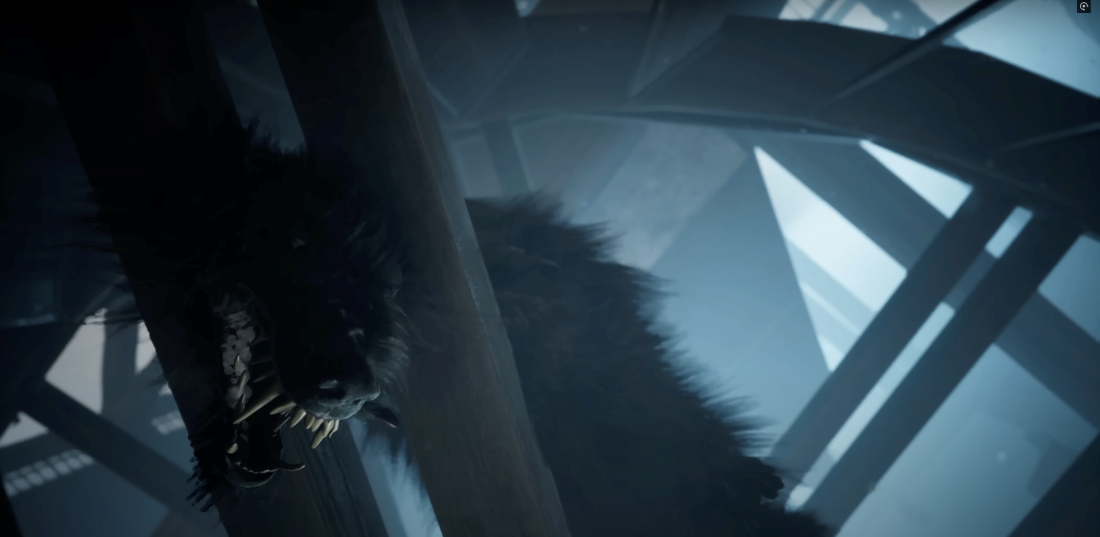
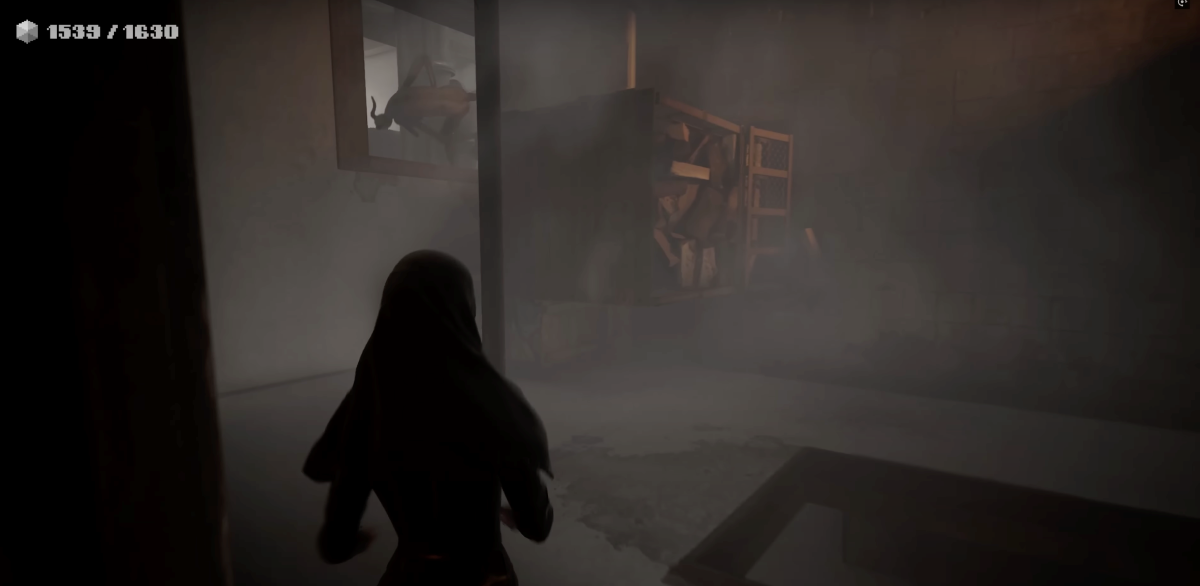
Кадри от „Индика“
Северина Станкева: Освен пространствата, и животните са огромни – адското куче, рибите. Сякаш по-скоро човешкото се е смалило. Играта не ни дава ясен отговор дали Иля ще може да свири на тромпет с една ръка, нито дали все пак има спасение. И добре че не дава. Пъзелът „Ешер“ е за мен една от най-силните части: в цялото лутане насам-натам в търсене на изход демонът се явява първо като детайл в периферното зрение. Постепенно камерата може да се нагласи така, че той да се вижда изцяло. Моментът на осъзнаване, че демонът наистина е отсреща, е разтърсващ. В края на краищата, като обиколи няколко пъти стаята лабиринт, играчът свиква с него и първоначалният ефект, разбира се, отшумява. Любопитното е, че не той ръководи Индика, a обратното. От лабиринта се излиза, щом тя намери начин как да премине от „собствената“ си стая в огледалната, по този начин преобръщайки логиката на помещението от хоризонтална във вертикална. Но не изкачвайки се, а слизайки надолу. Притчата на цялата игра може да се резюмира с това действие.
В рубриката „Игромислие“ публикуваме разговори, в които се срещат, съпоставят и противопоставят различни гледни точки към многоизмерния, многожанров феномен на видеоигрите – не толкова като електронен спорт, колкото като нов синтез на изкуствата и като ново поле на общуване и социалност.