Post Syndicated from original https://vasil.ludost.net/blog/?p=3450
Записите са готови (от известно време), в архива и в youtube.
Post Syndicated from original https://vasil.ludost.net/blog/?p=3450
Записите са готови (от известно време), в архива и в youtube.
Post Syndicated from original https://vasil.ludost.net/blog/?p=3449
Наскоро се сетих да питам пак НСИ за броя хора в IT-то (както бях питал преди 2 години), и числата за 2018та са:
Код 25 (всички в IT-то) – 44633;
Код 2522 (системни администратори) – 6850;
Растежът за 4 години е близо 50%…
Post Syndicated from original https://vasil.ludost.net/blog/?p=3448
Ще се случва OpenFest 2021.
Ще е на открито, в “Маймунарника” в Борисовата градина, 14-15 август (стига да не се случи ОЩЕ нещо форсмажорно).
По случая – търсим лектори (особено за workshop-и) и както обикновено, набираме доброволци.
За пръв път организираме по този начин нещата, и въпреки че има да се решат всичките стандартни проблеми на ново място, събитието отсега се очертава да бъде забавно, и за присъствие, и за организиране 🙂
Post Syndicated from original https://vasil.ludost.net/blog/?p=3447
(каня се от известно време да напиша нещо за наемането на хора, но все не ми остава време. За това – събирателен post с някакви случили се неща)
Успях да изкарам двустранна пневмония. Не е ясно как съм я хванал – прояви се няколко дни след втората доза ваксиниране, COVID тестовете ми излизаха отрицателни, и освен да съм пипнал нещо на някоя опашка, не ми хрумва друг вариант. Изписаха ми два мощни антибиотика, пих ги две седмици и сега още се оправям, малко по малко.
(добре, че семейството преди това беше заминало в Бургас, и не трябваше да ме гледат и мен заедно с децата)
На рентгеновите снимки вече не се вижда проблем, на слушалка последния път се чуваше нещо (и след още няколко седмици пак ще ида да ме преслушат), а нивата ми на сатурация стоят на 97 (проверих специално апарата дали е добре, и при Елена показваше 99, та проблемът си е в мен явно), та ще се работи бавничко по възстановяването.
In other news, има колебание какво да се прави с OpenFest. Има една анкета на bit.ly/openairopenfest за дали да направим нещо на открито през лятото, има въпроса дали да се опитаме и нещо на закрито есента, но тотално го няма въпроса дали да направим чисто online събитие – по всичко, което чувам/усещам, на всички им е омръзнало. Най-хубавия цитат по темата ми е от преди няколко дни от един семинар на RIPE, в който някой каза “писнало ми е от zoom meeting-и, в които се оплакваме от zoom meeting-ите”.
Ако не сте попълнили анкетата и ви е интересен феста, напишете нещо. От наша страна ще има опит да съберем екип (понеже всички изглеждат адски уморени и не знам дали искам да им го причинявам), и се надявам до няколко седмици да има някаква яснота.
Също така, не е задължително да правим каквото и да е. Може просто да оставим хората да се събират по кръчмите/парковете, да се видят и малко по малко да работят по въпроса да не им трябват психотерапевти…
Post Syndicated from esr original http://esr.ibiblio.org/?p=8772
This is a test to see if the database server issue that froze this blog is resolved.
Post Syndicated from Hendrik Kruizinga original https://www.anchor.com.au/blog/2021/02/navigating-the-anchor-customer-portal/
The Anchor Customer Portal is a central spot for you to review your current service with us and update your account details.
Access:
Access to the portal will be provided when you are on-boarded as a customer. You will receive login credentials by email to reset/create your password and sign in.
If you have forgotten your password, you can reset it here.
Updating your account details:
Within the customer portal you will be able to review and update your account information and billing details. You’ll also be able to manage your domains and DNS and purchase additional services.

Reviewing and logging support tickets:
Once you are logged in to the portal, you will be able to review a log of historic support tickets and any interactions between you and the customer support team.

You are able to submit a new ticket within the portal or can quickly and easily log a support ticket by emailing: [email protected]

If you are consuming an AWS service with Anchor, you will also have the following access within your customer portal.
Review your services and monthly spend:
Under the services tab you will see an overview of all your products and services with Anchor. When a product or service has been selected you will have the ability to see your account and billing information.

You will also be able to see an overview of your historic monthly costs (past 12 months) and the breakdown of the products and services that make up your monthly cost. To allow you to easily forecast monthly spend, you also have visibility into your current and projected monthly figures.

If you are an existing customer and need any support or have any questions regarding the Anchor customer portal, please reach out to your account manager or log a ticket by emailing [email protected]
The post Navigating the Anchor Customer Portal appeared first on AWS Managed Services by Anchor.
Post Syndicated from Andy Haine original https://www.anchor.com.au/blog/2021/02/25661/
How handy would a cool $5000 boost be to improving your company’s digital disaster plan? Amazon Web Services’ “Project Resilience” may be just the ticket to securing your organisation in the event of a future disaster.
AWS recently announced that they would be launching “Project Resilience” in Australia and New Zealand. With the Project Resilience initiative, local governments, community organisations, and educational institutions will be provided with up to $5,000 USD (roughly $6,500 AUD at time of writing) in account credits to assist them in preparing for the potential impacts caused by human errors or natural and manmade disasters. If your organisation is granted a credit, it will be valid for one year, or until it is fully used up. AWS has advised there will be no opportunity to extend the validity of any credit given, so it is important to plan out your project’s timeline if you intend to apply to ensure you do so at the right time.
In addition to the initial credit, a further ~$6,500 AUD credit may be provided towards the cost of hiring AWS Professional Services where necessary – however, organisations may still choose to seek their own support from a certified AWS partner.
Country Director Australia and New Zealand for Amazon Web Services Public Sector, Iain Rouse, had this to say:
“AWS Project Resilience supports organisations, such as those on the front lines including police, fire, and emergency responders, that play a critical role in ensuring their community’s resilience, by helping them develop and manage the technology-based aspects of disaster preparedness.”
“Project Resilience offers eligible local government, education, and small and medium community organisations up to US$5,000 in AWS credits, which can be used to offset the cost of storing their data safely and securely on AWS. This means that even if computing equipment, such as laptops and servers, are damaged in a disaster, their critical data is still securely stored in the AWS Cloud, and can be easily accessed by them at any time.”
As we know too well from the tumultuous summer we faced in 2019 through 2020, Australia is particularly susceptible to natural disasters, such as bushfires and flooding. New Zealand has also had their fair share of natural disasters in recent years in the form of earthquakes, cyclones and volcanic events. And of course, there is the current global disaster that is COVID-19. Rouse adds that “It is vital for AWS to work along with partners and customers to help people respond to such crises and develop solutions that’ll help reduce the impact of such disasters”.
The initiative is a great move to encourage organisations to move into new digital territories that can greatly enhance their efficiency and survivability with significantly improved data storage infrastructure, as well as more reliable disaster recovery and security processes. The reliability that AWS cloud provides is absolutely crucial when disasters and emergency services are involved. Having your important business data and assets safely stored and replicated across multiple geographical locations goes a long way to ensure a business can quickly recover from the unexpected. It seems Rouse would agree, saying that “One of the many critical tasks in times of a disaster is to make sure data regarding people, services and assets stay safe and accessible, even under threat”.
It’s an exciting time for Australia in the cloud space. Our geographical remoteness and the associated cost of bandwidth has often led to our exclusion, or at least, a significant delay when it comes to enjoying the latest in technological advancements. But times have largely changed in that regard in that our remote location is no longer such a hindering factor. And now, with AWS providing specialised support offerings to their customers based on their particular challenges, the benefits of cloud technologies are only growing.
AWS continues to innovate on their product offering, providing initiatives to their customers of all sizes, with Australia and New Zealand very much included. With Amazon late last year announcing they would be creating a new AWS region in Melbourne (their second region for Oceania), there has never been a better time to make the move to the cloud. (P.s. You can check out our blog post covering the new Melbourne AWS region here!)
While AWS have not mentioned many specifics regarding eligibility, an application form and further information regarding Project Resilience can be found on the AWS website here.
The post appeared first on AWS Managed Services by Anchor.
Post Syndicated from original https://vasil.ludost.net/blog/?p=3446
Писал съм преди за работната си среда, и понеже при нас във фирмата аз onboard-вам новите хора за оперативния екип, ми се налага да обяснявам как може да се работи по-ефективно (даже си направихме един вътрешен training, в който показвахме кой как работи). Понеже така и не записах моите обяснения, ще взема да ги напиша един път, с колкото мога подробности, може и да е полезно за някой.
В общи линии при работа вкъщи или в офиса нещата са ми по същия начин, въпреки че е малко криво логистично (и може да ми се наложи да си купя още един квадратен монитор в някакъв момент).
Ще започна с по-хардуерната част.
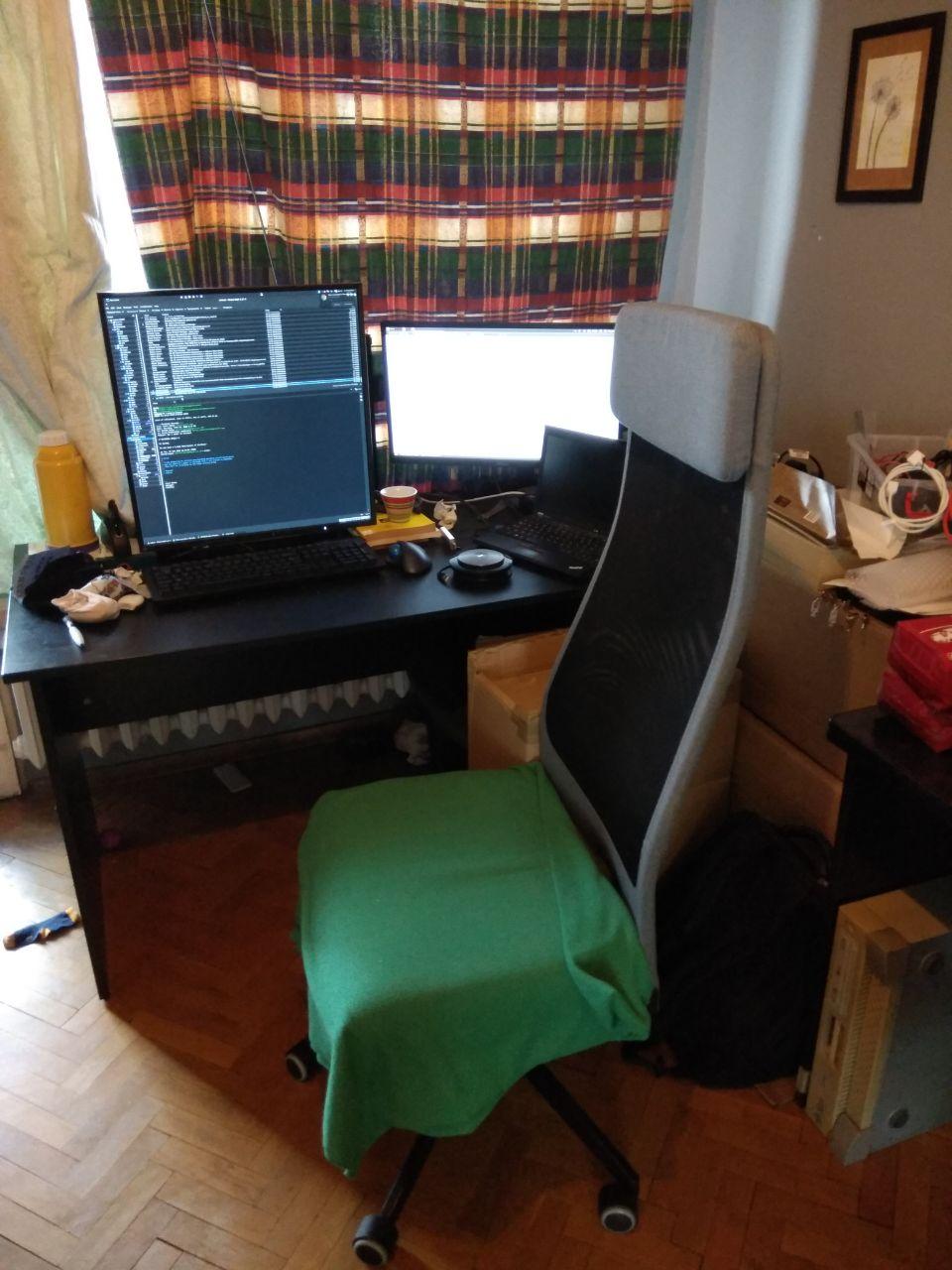
За стол ползвам от 10тина години един Markus от IKEA, и в последните две фирми убедих хората, че това е удобния стол. Издържа много, удобен е, и не е безумно скъп (не е и евтин, около 300 лв беше последно). Аз го ползвам без подлакътници (понеже така може да се пъхне повече под бюрото, като реша).
Гледам да имам достатъчно широко бюро, поне метър и половина. С двата монитора и двата лаптопа (за тях по-долу) си е нужно място, а и аз имам навика да трупам на него, и са известни случаи, в които съм завземал съседни бюра за някаква част от техниката, с която работя. По принцип е хубаво бюрото да е с дебел, здрав плот, та да не клати много (което се случва понякога при моето писане), но по-здравото ми бюро го ползва в момента Елена (на него пък не можех да си сложа стойките), и за това съм измислил допълнително укрепване на монитора.
От StorPool открих идеята със стойките за монитори – ползвам две Arctic Z1 Basic. Дават ми възможност да си подредя мониторите точно както искам, и освобождават място на бюрото, в което може да се озоват други неща (напр. разклонители).
Сравнително скорошна снимка (с грешната клавиатура)
Много години си имах нормален настолен компютър, после минах на лаптоп, и в момента съм на “компромиса” да съм с лаптоп, който да ползвам на практика като работна станция (не съм го отварял от 3 месеца, само си стои и скърца). В момента е T70 дъно (което правят едни китайски ентусиасти от 51nb.com) в T60p лаптопска кутия, която отне един ден флексотерапия за монтажа. Взех си го заради 4:3 монитора и възможността да имам прилично бърз лаптоп (вече съм му сложил 32GB памет, щото 16 не стигаха), с поносима клавиатура – след Tx20 серията lenovo почнаха да слагат още по-гадни клавиатури, а да стоя на T420 почваше да става бавно и мъчително (и да свършват лаптопите).
Ако тръгна да си вземам нов, вероятно няма да обърна внимание на тия подробности и ще гледам основно да му държи батерията и да не твърде малък екрана (и да не се чупи лесно, все пак се мотаят деца наоколо).
Около това минах и основно на жична мрежа, понеже няма смисъл да си тормозя wifi-то за нещо, което не разнасям.
Около пандемията и работата от вкъщи взех стария лаптоп на Елена и го ползвам за всичките видео/аудио конференции. Така мога да правя нещо и да мога да виждам с кого си говоря, и да не си товаря работния лаптоп с глупости.
За самите разговори имам два audio device-а – една Jabra speak за през повечето време и една jabra wireless слушалка за като трябва да съм по-тих (или да съм в съседната стая, докато върви разговора 🙂 ). Специално Jabra speak-а е наистина страхотно устройство, с много добро качество на звука и микрофона и почти невероятен echo cancellation, аз в крайна сметка съм купил поне 5-6 такива и съм давал на разни хора, на които им трябва. Силно препоръчвам – удобно е, чува се добре и не тормози ушите.
Мониторите са много интересна тема. Както казах по-горе, избирах си лаптоп специално с 4:3 екран, понеже 16:9 и 16:10 не ми стигат като вертикала, и най-накрая няколко приятели ми се ядосаха и ми купиха квадратен монитор (Eizo EV2730Q). Отне ми няколко дни да свикна с идеята, и от тогава насам не мога да си представя как живял без него – събира ми се всичко, имам място да си наслагам много прозорци, и като реша да пиша текст като този, мога да го отворя на цял екран на увеличен шрифт и да си пиша на воля. Като гледам, по-голям монитор от този вече ще ми е трудно да ползвам, но този мога да обхвана с поглед и половина и спокойно да гледам 2-3 лога как мърдат, докато работя по някаква система.
За лаптопа, който ползвам за видео конференции ползвам един 24″ монитор, който не е нещо особено (взех го евтино от ebay), целта му е да мога да виждам с кого говоря.
Клавиатурата е почти религиозна тема. След всякакви клавиатури, известно време ползване на IBM Model M и после дълги години лаптопски на Lenovo T серия, като минах на квадратния монитор си взех пак Model M-то. В офиса обаче вдигнаха бунт срещу мен (“не можем да си чуваме мислите, докато пишеш”) и като компромис си взех една Das Keyboard с кафеви switch-ове, която не е лоша, но … не е същото нещо. С пандемията можах пак да се върна на Model M-то (щото не се чува през стената да буди децата) и даже за нова година си взех една от новото производство на Unicomp (pckeyboard.com им е сайта). На цена, с доставката от САЩ ми се върза на същите пари като DasKeyboard-а.
Като усещане, за мен няма по-добра клавиатура, и дори се усещам как copy-paste-вам по-малко, понеже правя по-малко грешки, докато пиша. Единствения проблем на клавиатурата е шумът, но новата версия е малко по-басова и по-поносима за околните като звук (но ако се върнем в офис някой ден и трябва да съм с някой друг в стая, трябва или да е глух, или пак да сменя клавиатурата).
Снимка на старата и новата клавиатури
Като pointing device ползвам един безжичен logitech trackball – не ми се налага да си местя много ръката по бюрото, и поне на мен ми е удобно да си го ползвам с палеца. Налага се да го чистя от време на време (което не се случва особено много с модерните оптични мишки), но аз съм свикнал от едно време, и децата много се радват на голямото топче…
От около 22-23 години съм на Debian, и не съм намерил причина да го сменям. Имал съм периоди на ползване на пакети от Ubuntu, но като цяло си ги харесвам като дистрибуция – ползвам го за работни станции, сървъри и каквото ми се наложи и все още много му се радвам.
Отгоре има стандартен X, и в/у него XFCE с Compiz за window manager. Причината да ползвам Compiz е, че е най-бързо работещия window manager, който съм виждал, най-вече за нещата, които аз правя (например switch на workspace не примигва по никакъв начин). Дава много начини за настройка (което аз обичам, понеже мога да си го напасна до моите нужди).
Основните неща, които настройвам са:
– focus follows mouse, т.е. не трябва да click-на на прозорец, че да ми е на фокус и да работя в него – това много забързва нещата, и дава възможност да се пише в прозорец, който не е най-отгоре;
– 11 workspace-а (достъпни с ctrl-alt-1..-). Първо бяха 10, но не стигаха (те и сега не стигат, но ctrl-alt-= май е заето и е много близо до ctrl-alt-backspace:) );
– ползвам Desktop cube plugin-а за много workspace-и, и съм сложил скоростите на максимум, та на практика превключвам мигновено м/у два workspace-а.
За повечето си комуникация ползвам pidgin с кофа plugin-и за различните messenger-и. Имам едно-две irc-та, два jabber-а, два slack-а, skype, telegram, и вероятно още някакви неща. Pidgin-а е от софтуерите, за които си компилирам и дебъгвам някакви неща (ползвам го от пакет, едно време и си го компилирах сам). Повечето комуникация да ми е на едно място е доста удобно, щото не трябва да превключвам м/у 10 неща.
Понеже за някои неща поддръжката му не е много добра, ползвам и web версиите им – например фирмения Slack, понеже така ми излизат както трябва notification-ите, и от време на време този на Telegram (например като ми пратят контакт).
Ползвам и claws-mail за mail client, понеже имам много поща и не мога да понасям web-интерфейсите за поща. Ползвал съм преди evolution и малко съм пробвал thunderbird, но са ми бавни и неудобни, а claws-а се оправя много добре с десетки/стотици хиляди писма, pgp и т.н..
Ползвам и два browser-а – един chrome и един firefox – google docs и подобни неща работят много по-добре в chrome, а електрическия ми подпис само във firefox, и съм разделил някак кое къде ползвам. Двата browser-а са причината за 32-та GB памет, ядат много (и често развъртат вентилаторите).
Да следя какво правя ползвам gtimelog – много удобно приложение бързо да си отбелязваш какво си правил, и така следя горе-долу какво съм правил през деня, да имам някаква идея кога трябва да си стана от бюрото и да мога да кажа какво съм правил, ако някой ме пита (или аз се чудя).
И приложението, в което на практика живея – xfce4-terminal 🙂 Пробвал съм различни, но този е достатъчно бърз, и поддържа правилния вид прозрачност. Пуснал съм му голям scrollback, и съм сложил Go Mono шрифт (който е серифен, но по някаква причина ми е по-удобен от останалите). Нещо, което много ползвам и не препоръчвам на никой е прозрачността да гледам терминала под него, основно дали нещо мръдва (и което подлудява повечето хора, които ми гледат екрана).
За текстов редактор ползвам vim, на който не съм правил нищо специално, само за някои директории имам да прави git commit всеки път, като запише файл, много е удобно за файлове с бележки и подобни.
Всичко това е навързано в моя леко странен начин на работа…
Използвам workspace-ите, за да си организирам различните задачи:
– Първия е за messenger, gtimelog и един vim с бележки;
– Втория е за пощата – claws-mail и някакво количество отворени mail-ове, на които трябва да отговоря (ако не ги отворя, няма начин да ги запомня);
– трети до осми са за терминали. Горе-долу workspace за задача, понякога два;
– девети за chrome, десети за firefox;
– последния за неща, дето почти не гледам, например vpn-а или контрола на музиката вкъщи.
Основният принцип, който гледам да следвам е всяко нещо, което ми трябва в дадена задача да е на един клавиш/комбинация разстояние. Например два терминала на един workspace, и като трябва, превключвам м/у тях. Ако ми трябват още, слагам ги на съседния workspace. Ако са някакви по-странни неща, слагам tmux и го деля на две (при моя монитор и хоризонталното, и вертикалното разделяне работят много добре).
Да си погледна messenger-а, ако има нещо светнало, ми е лесна комбинация, да си видя пощата пак, да отида до по-важните задачи (които гледам да държа на началните workspace-и) – също, директно с лява ръка. Ако трябва да ходя до browser-ите ми е малко по-бавно, но за там най-често така и така си трябва context switch в главата.
Нещо, което също много ми помага, понеже през голяма част от времето си пиша с хора е, че сменям кирилица/латиница с caps lock – един клавиш, на лесно място. Идеята с shift+alt винаги ми се е виждала ужасна, и много често задейства контекстните менюта някъде. Като добавка, ползвам kbdd за да помни в кой прозорец на какъв език съм бил, та да не се налага да превключвам постоянно, като се местя м/у комуникация и терминалите.
Има разни неща, които съм спрял да ползвам, щото са ми пролазили по нервите. Може би основното такова нещо е Gnome и повечето му неща – терминалът е бавен, windowmanager-а също, и основната работа на разработчиците му беше да премахват настройките, които ползвах. След като един път ми отне половин ден да убедя курсора ми да не мига (или някаква подобна глупост), минах на Xfce.
По същия начин зарязах evolution, понеже ядеше гигантски количества памет и ставаше все по-бавно и по-бавно. Claws-mail ми върши същата (и по-добра работа) с няколко пъти по-малко ресурси.
Post Syndicated from original https://vasil.ludost.net/blog/?p=3445
(втори пост!)
Dev.bg имаха интересен проект, наречен “HireHeroes”. Идеята беше в общи линии някакво количество “герои” да могат да си говорят с потенциални кандидати, които искат да се ориентират по-добре какво да правят, и да могат да ги препоръчат в определени фирми.
Цялата идея имаше някакъв комерсиален момент, но за мен основната причина да се занимавам беше, че имах възможност да ориентирам и помогна на някакви хора (сравнително близо до моята област) какво могат да очакват, към какви неща да се насочат и т.н.. Това е нещо, което опитвахме/правихме и на срещи с ученици в initLab, но сега особено тия неща са умрели, а с моето семейно/работно разписание ми е малко трудно да отделя няколко часа да ходя някъде…
Та, dev.bg прекратиха HireHeroes (и направиха job board, който най-вероятно ще им е повече на печалба), но не мисля, че всичко от тая идея трябва да умре. Та, ако някой има нужда от съвет, идеи, иска да си сменя типа работа и изобщо въпроси по темата, съм щастлив да отговарям/помагам доколкото мога. Mail-а ми е като сайта ми, може да оставяте коментари в блога и т.н., а за който иска, успявам да изкопча по някой друг час на седмица за video call.
Post Syndicated from Andy Haine original https://www.anchor.com.au/blog/2021/01/gerald-bachlmayr-appointment/

14th January 2021 – Anchor is excited to welcome Gerald Bachlmayr as our Chief Architect – AWS Cloud.
The newly created role comes after a year of significant investment and growth into our AWS business and follows the appointment of new General Manager, Darryn McCoskery, in February 2019.
In his new role, Gerald is spearheading the AWS cloud and customer delivery strategy for Anchor, whilst streamlining the delivery for AWS cloud customers.
Gerald is excited and energised for the journey ahead and looks forward to the new challenge and continuing to drive AWS momentum for Anchor.
“There is a strong movement towards digital transformation and simplification within the industry. This is a huge opportunity for Anchor to leverage our exemplary engineering talent and experience to deliver an outstanding customer experience”, Gerald said.
Prior to his two and a half year stint at Contino as Technical Principal Consultant, Bachlmayr held cloud transformation and consulting roles as Westpac Group, Transport for NSW and University of NSW.
As an AWS and digital transformation ambassador and with a long list of AWS certifications under his belt, Gerald’s appointment sets the scene for the growth to come for Anchor and AWS in 2021.
You can find a list of Bachlmayr’s previous publications here.
The post Hostopia Australia continues to build momentum into 2021 as Contino’s Gerald Bachlmayr is appointed as Chief Architect – AWS Cloud. appeared first on AWS Managed Services by Anchor.
Post Syndicated from original https://vasil.ludost.net/blog/?p=3444
За да докарам поне един post тая година (щото не е ясно дали ще намеря време за повече), ето една равносметка за миналата година:
– Оживяхме, и не карахме вируса;
– Малките зверове растат усилено и правят всякакви интересни и опасни открития;
– Жена ми още не ме е убила;
– Успяхме да случим FOSDEM преди големите заразявания и затваряния;
– За да успявам да работя и да съм около семейството, правихме всякакви странни неща – работа от вкъщи, от Бургас, пътувах си с цялата техника и т.н.. Много се разглезих с квадратния монитор и хубавата клавиатура, та пренасянията ми не са толкова прости 🙂 ;
– На практика цялото лято го изкарах в Бургас, ДОРИ ме заведоха няколко пъти на плаж (и спокойно мога да кажа, че все още не ми харесва) (и ми напомниха да спомена, че не съм си свалил кубинките на плажа);
– Годината като цяло показа, че работата от вкъщи поне за мен се получава. Допълнителен плюс е, че мога да си ползвам шумната Model M клавиатура без целия офис да иска да ме удуши (освен когато забравя да си mute-на микрофона);
– “Кривото” на ъгъла на “Дондуков” и “Будапеща” го закриха още преди пандемията, но ние пренесохме ИББ online на b.1h.cx (една BBB инстанция на машина на Мариян). Малко се промениха посетителите, но пък така успяваме да се видим с доста хора от други времеви зони и други места, та май си е плюс;
– От време на време успявах да се наспя, повечето време – не;
– Случи се OpenFest, online, в общи линии без мое участие. Супер горд съм с екипа 🙂
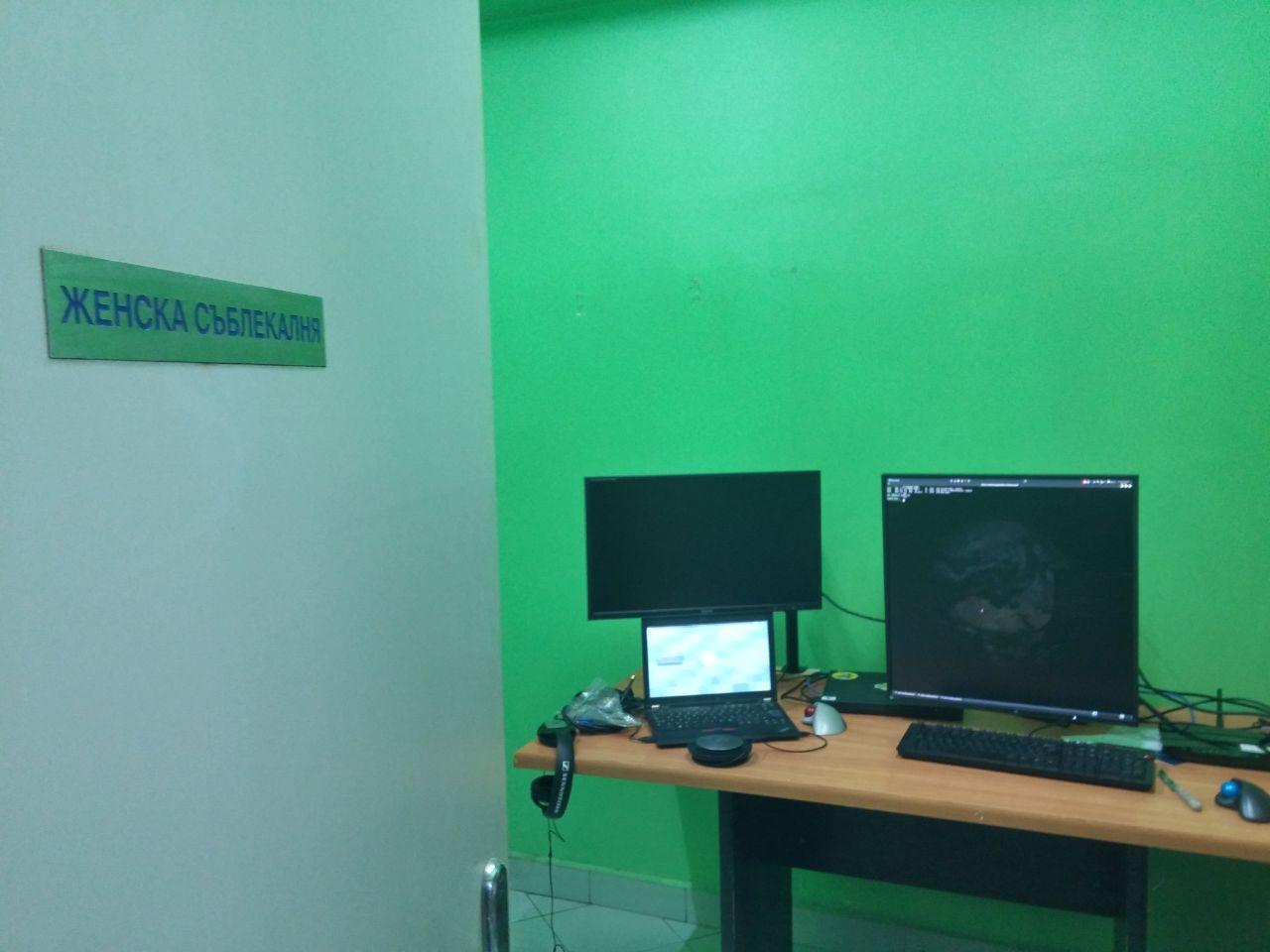
Селекция “офисни” снимки:
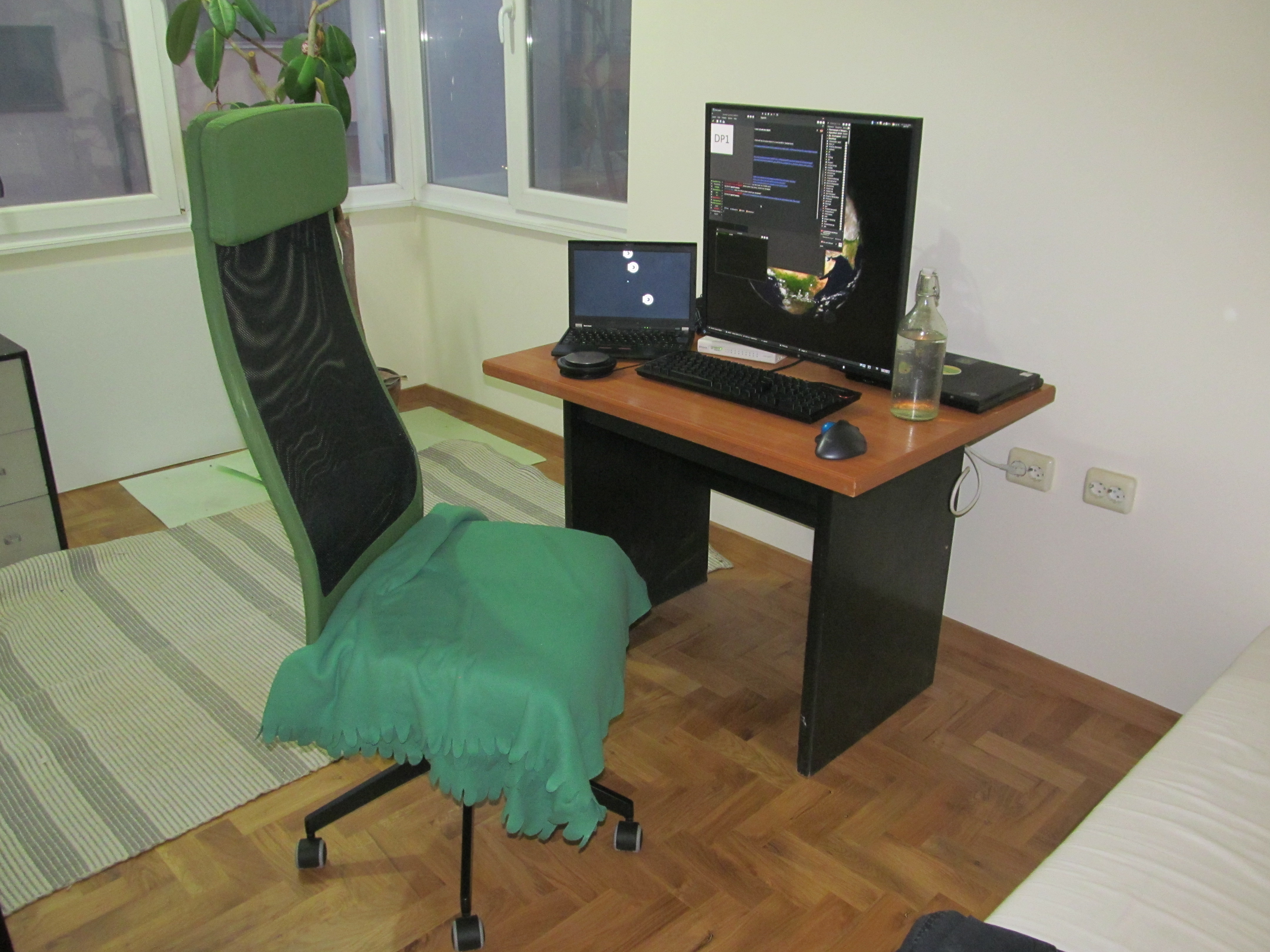
– Вкъщи 1;
– Бургас 1;
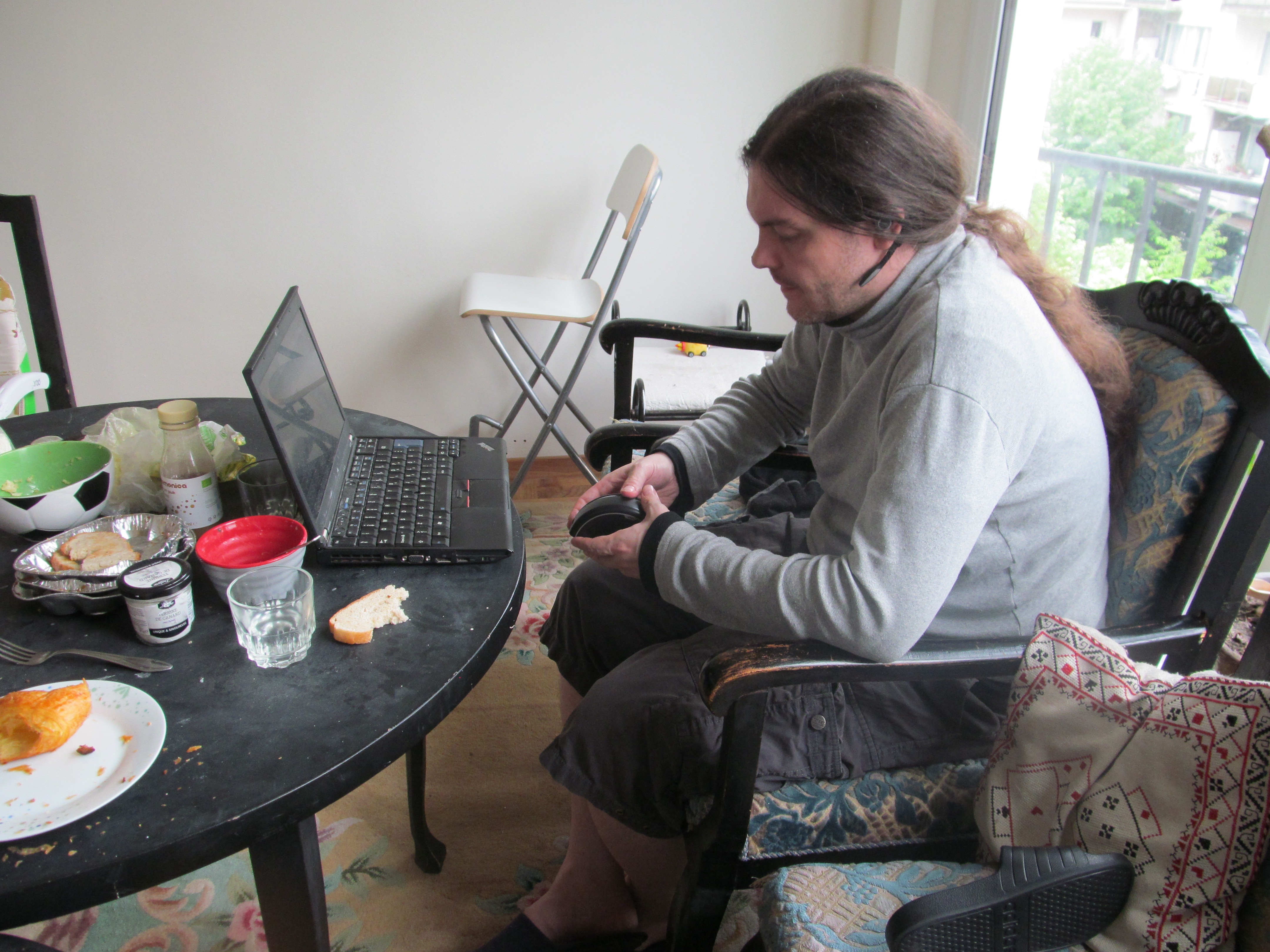
– Бургас в полеви условия;
– Вкъщи 2;
– Бургас 2;
За новата година… Очаквам да не е по-зле от изминалата, или поне се надявам 🙂 Определено чакам с нетърпение да видя колко карантинни бебета ще се появят.
И ето ни една обща снимка.
Post Syndicated from original https://vasil.ludost.net/blog/?p=3443
Пак се очертават lockdown-тип мерки, и като цяло хората са си орязали социалните контакти, някои са под карантина, други са директно заразени…
По темата, за по-малко полудяване на хората освен ИББ, което случваме online всяка сряда (и което в последно време не се пълни много), мислим да направим ОО (openfest обяд), всеки ден след 12:30 пак както ИББ на b.1h.cx, което си е една наша BBB инстанция с 4 “стаи”, в които може и да видите кой е. Така хората могат да имат компания за обяд извън стандартния си кръг познати 🙂
Това е и донякъде възраждане на идеята на IRC – място за събиране на хора, които не е задължително да се познават. Мисля си, че ако irc-то беше наполовина толкова използвано, колкото през 2000та, щеше рязко да се препълни, но сега както е непознато, хората си седят в балончетата във facebook и бавно се побъркват…
(Иначе, моето мижаво irc работи, който иска може да дойде на irc.ludost.net:6697 (SSL/TLS), #marla, или през webirc.ludost.net)
Та, ако ви е скучно по обяд (или сряда вечер след 19:00-19:30), b.1h.cx 🙂
Post Syndicated from Andy Haine original https://www.anchor.com.au/blog/2020/11/4-important-considerations-to-avoid-wasted-cloud-spend/
Growth for cloud services is at an all-time high in 2020, partly due to the COVID-19 pandemic and businesses scrambling to migrate to the cloud as soon as possible. But with that record growth, wasted spend on unnecessary or unoptimised cloud usage is also at an all-time high.
Wasted cloud spend generally boils down to paying for services or resources that you aren’t using. You can most commonly attribute wasted spend on services that aren’t being used at all in either the development or production stages, services that are often idle (not being used 80-90% of the time), or simply over-provisioned resources (more resources than necessary).
Wasted cloud spend is expected to reach as high as $17.6 billion in 2020. In a 2019 report from Flexera, they measured the actual waste of cloud spending at 35 percent of all cloud services revenue. This highlights how crucial it can be, and how much money a business can save, by having an experienced and dedicated AWS management team looking after their cloud services. In many cases, having the right team managing your cloud services can more than repay any associated management costs. Read on below for some further insight into the most common pitfalls of wasted cloud spending.
A lack of proper research, skills or management involved in a migration to cloud services is probably the most frequent and costly pitfall. Without proper AWS cloud migration best practices and a comprehensive strategy in place, businesses may dive into setting up their services without realising how complex the initial learning curve can be to sufficiently manage their cloud spend. It’s a common occurrence for not just businesses, but anyone first experimenting with cloud, to see a bill that’s much higher than they first anticipated. This can lead a business to believe the cloud is significantly more expensive than it really needs to be.
It’s absolutely crucial to have a strategy in place for all potential usage situations, so that you don’t end up paying much more than you should. This is something that a managed cloud provider can expertly design for you, to ensure that you’re only paying for exactly what you need and potentially quite drastically reducing your spend over time.
Snapshots can create a point in time backup of your AWS services. Each snapshot contains all of the information that is needed to restore your data to the point when the snapshot was taken. This is an incredibly important and useful tool when managed correctly. However it’s also one of the biggest mistakes businesses can make in their AWS cloud spend.
Charges for snapshots are based on the amount of data stored, and each snapshot increases the amount of data that you’re storing. Many users will take and store a high number of snapshots and never delete them when they’re no longer needed, and in a lot of cases, not realise that this is exponentially increasing their cloud spend.
Idle resources account for another of the largest parts of cloud waste. Idle resources are resources that aren’t being used for anything, yet you’re still paying for them. They can be useful in the event of resource spike, but for the most part may not be worth you paying for them when you look at your average usage over a period of time. A good analogy for this would be paying rent for a holiday home all year round, when you only spend 2 weeks using it every Christmas. This is where horizontal scaling comes into play. When set up by skilled AWS experts, horizontal scaling can turn services and resources on or off depending on when they are actually needed.
This particular issue somewhat ties into idle resources, as seen above. Over-provisioned services refers to paying for entire instances that are not in use whatsoever, or very minimally. This could be an Amazon RDS service for a database that’s not in use, an Amazon EC2 instance that’s idle 100% of the time, or any number of other services. It’s important to have a cloud strategy in place that involves frequently auditing what services your business is using and not using, in order to minimise your cloud spend as much as possible.
As you can see from the statistics provided by Flexera above, wasted cloud spend is one of the most significant problems facing businesses that have migrated to the cloud. But with the right team of experts in place, wasted spend can easily be avoided, and even mitigate management costs, leaving you in a far better position in terms of both service performance, reliability and support, and overall costs.
The post 4 Important Considerations To Avoid Wasted Cloud Spend appeared first on AWS Managed Services by Anchor.
Post Syndicated from Andy Haine original https://www.anchor.com.au/blog/2020/10/our-top-4-favorite-google-chrome-devtools-tips-tricks/
Welcome to the final installation of our 3-part series on Google Chrome’s DevTools. In part 1 and part 2, we explored an introduction to using DevTools, as well as how you can use it to diagnose SSL and security issues on your site. In the third and final part of our DevTools series, we will be sharing our 4 favourite useful tips and tricks to help you achieve a variety of useful and efficient tasks with DevTools, without ever leaving your website!
Perhaps one of the most frustrating things when building your website, is the occasional menace that is browser caching. If you’ve put a lot of time into building websites, you probably know the feeling of making a change and then wondering why your site still shows the old page after you refresh. But even further to that, there can be any number of other reasons why you may need to clear all of your site data. Commonly, one might be inclined to just flush all cookies and cache settings in their browser, wiping their history from every website. This can lead to being suddenly logged out of all of your usual haunts – a frustrating inconvenience if you’re ever in a hurry to get something done.
Thankfully, DevTools has a handy little tool that allows you to clear all data related to the site that you’re currently on, without wiping anything else.
That’s it! Your cache, cookies, and all other associated data for that website will be wiped out, without losing cached data for any other website.
In today’s world of websites, mobile devices make up more than half of all traffic to websites. That means that it’s more important than ever to ensure your website is fully responsive and looking sharp across all devices, not just desktop computers. Chrome DevTools has an incredibly useful tool to allow you to view your website as if you were viewing it on a mobile device.
Much easier than sneaking down to the Apple store to test out your site on every model of iPhone or iPad, right?
Sometimes you may experience an error on your site, and not know where to look for more information. This is where DevTools’ Console tab can come in very handy. If you experience any form of error on your site, you can likely follow these steps to find a lead on what to do to solve it:
If you follow the above steps and you see a 403 error, you then know your action was not completed due to a permissions issue – which can get you started on the right track to troubleshooting the issue. Whatever the error(s) may be, there is usually a plethora of information available on potential solutions by individually researching those error codes or phrases on Google or your search engine of choice.
While you can right-click on text and choose “inspect element”, and then modify text that way, this alternative method allows you to modify any text on a website as if you were editing a regular document or a photoshop file, etc.
Once that’s done, you can select any text on your page and edit it. This is actually one of the more fun DevTools features, and it can make testing text changes on your site an absolute breeze.
This concludes our entire DevTools series! We hope you’ve enjoyed it and maybe picked up a few new tools along the way. Our series only really scratches the surface of what DevTools can be used for, but we hope this has offered a useful introduction to some of the types of things you can accomplish. If you want to keep learning, be sure to head over to Google’s Chrome DevTools documentation for so much more!
The post Our Top 4 Favorite Google Chrome DevTools Tips & Tricks appeared first on AWS Managed Services by Anchor.
Post Syndicated from Andy Haine original https://www.anchor.com.au/blog/2020/10/diagnosing-security-issues-with-google-chromes-devtools/
Welcome to part 2 of our 3 part series on delving into some of the most useful features and functions of Google Chrome’s DevTools. In part 1, we went over a brief introduction of DevTools, plus some minor customisations. In this part 2, we’ll be taking a look into the security panel section of DevTools, including some of the different things you can look at when diagnosing a website or application for security and SSL issues.
One of Chrome’s most helpful features has to be the security panel. To begin, visit any website through Google Chrome and open up DevTools, then select “Security” from the list of tabs at the top. If you can’t see it, you may need to click the two arrows to display more options or increase the width of DevTools.
When we talk about security on websites, one of the first things that we usually would consider is the presence of an SSL certificate. The security tab allows us to inspect the website’s SSL certificate, which can have many practical uses. For example, when you visit your website, you may see a concerning red “Unsafe” warning. If you suspect that that may be something to do with your SSL certificate, it’s very likely that you’re correct. The problem is, the issue with your SSL certificate could be any number of things. It may be expired, revoked, or maybe no SSL certificate exists at all. This is where DevTools can come in handy. With the Security tab open, go ahead and click “View certificate” to inspect your SSL certificate. In doing so, you will be able to see what domain the SSL has been issued to, what certificate authority it was issued by, and its expiration date – among various other details, such as viewing the full certification path.
For insecure or SSL warnings, viewing your SSL certificate is the perfect first step in the troubleshooting process.
Sometimes your website may show as insecure, and not have a green padlock in your address bar. You may have checked your SSL certificate is valid using the method above, and everything is all well and good there, but your site is still not displaying a padlock. This can be due to what’s called mixed content. Put simply; mixed content means that your website itself is configured to load over HTTPS://, but some resources (scripts, images, etc) on your website are set to HTTP://. For a website to show as fully secure, all resources must be served over HTTPS://, and your website’s URL must also be configured to load as HTTPS://.
Any resources that are not loading securely are vulnerable to man-in-the-middle attacks, whereby a malicious actor can intercept data sent through your website, potentially leaking private information. This is doubly important for eCommerce sites or any sites handling personal information, and why it’s so important to ensure that your website is fully secure, not to mention increasing users’ trust in your website.
To assist in diagnosing mixed content, head back into the security tab again. Once you have that open, go ahead and refresh the website that you’re diagnosing. If there are any non-secure resources on the page, the panel on the left-hand side will list them. Secure resources will be green, and those non-secure will be red. Oftentimes this can be one or two images with an HTTP:// URL. Whatever the case, this is one of the easiest ways to diagnose what’s preventing your site from gaining a green padlock. Once you have a list of which content is insecure, you can go ahead and manually adjust those issues on your website.
There are always sites like “Why No Padlock?” that effectively do the same thing as the steps listed above, but the beauty of DevTools is that it is one tool that can do it all for you, without having to leave your website.
This concludes part 2 of our 3-part DevTools series! As always, be sure to head over to Google’s Chrome DevTools documentation for further information on everything discussed here.
We hope that this has helped you gain some insight into how you might practically use DevTools when troubleshooting security and SSL issues on your own site. Now that you’re familiar with the basics of the security panel stay tuned for part 3 where we will get stuck into some of the most useful DevTools tips and tricks of all.
The post Diagnosing Security Issues with Google Chrome’s DevTools appeared first on AWS Managed Services by Anchor.
Post Syndicated from Andy Haine original https://www.anchor.com.au/blog/2020/10/an-introduction-to-getting-started-with-google-chromes-devtools/
Whether you’re a cloud administrator or developer, having a strong arsenal of dev tools under your belt will help to make your everyday tasks and website or application maintenance a lot more efficient.
One of the tools our developers use every day to assist our clients is Chrome’s Devtools. Whether you work on websites or applications for your own clients, or you manage your own company’s assets, Devtools is definitely worth spending the time to get to know. From style and design to troubleshooting technical issues, you would be hard-pressed to find such an effective tool for both.
Whether you already use Chrome’s DevTools on a daily basis, or you’re yet to discover its power and functionality, we hope we can show you something new in our 3-part DevTools series! In part 1 of this series, we will be giving you a brief introduction to DevTools. In part 2, we will cover diagnosing security issues using DevTools. Finally, in part 3, we’ll go over some of the more useful tips and tricks that you can use to enhance your workflow.
While in this series, we will be using Chrome’s DevTools, most of this advice also applies to other popular browser’s developer tools, such as Microsoft Edge or Mozilla Firefox. Although the functionality and location of the tools will differ, doing a quick Google search should help you to dig up anything you’re after.
Chrome DevTools, also known as Chrome Developer tools, is a set of tools built into the Chrome browser to assist web/application developers and novice users alike. Some of the things it can be used for includes, but is not limited to:
All of the above features can greatly enhance productivity when you’re building or editing, whether you’re a professional developer or a hobbyist looking to build your first site or application.
Chrome DevTools has been around for a long time (since Chrome’s initial release), but it’s a tool that has been continuously worked on and improved since its beginnings. It is now extremely feature-rich, and still being improved every day. Keep in mind; the above features are only a very brief overview of all of the functionality DevTools has to offer. In this series, we’ll get you comfortably acquainted with DevTools, but you can additionally find very in-depth documentation over at Google’s DevTools site here, where they provide breakdowns of every feature.
There are a few different ways that you can access DevTools in your Chrome browser.
Windows = F12 or Ctrl + shift + I
Mac = Cmd + Opt + I
Now that you know what DevTools is and how to open it, it’s worth spending a little bit of time customising DevTools to your own personal preferences.
To begin with, DevTools has a built-in dark mode. When you’re looking at code or a lot of small text all the time, using a dark theme can greatly help to reduce eye strain. Enabling dark mode can be done by following the instructions below:
You may wish to spend some time exploring the remainder of the preferences section of DevTools, as there are a lot of layout and functionality customisations available.
This concludes part 1 of our 3 part DevTools series. We hope that this has been a useful and informative introduction to getting started using DevTools for your own project! Now that you’re familiar with the basics stay tuned for part 2 where we will show you how you can diagnose basic security issues – and more!
The post An Introduction To Getting Started with Google Chrome’s DevTools appeared first on AWS Managed Services by Anchor.
Post Syndicated from esr original http://esr.ibiblio.org/?p=8758
I’ve finally gotten validated by SubscribeStar, which means I can get payouts through it, which means those of you who want nothing to do with Patreon can contribute through it: https://www.subscribestar.com/esr
If you’re not contributing, and you’re a regular here, please chip in. While I’ve had some research grants in the past, right now nobody is subsidizing the infrastructure work I do and I’m burning my savings.
There’s NTPsec, of course – secure time synchronization is critical to the Internet. There are the 40 or so other projects I maintain. Recently I’m working on improving the tools ecosystem for the Go language, because to reduce defect rates we have got to lift infrastructure like NTPsec out of C and Go looks like the most plausible path. Right now I’m modifying Flex so it can be be retargetable to emit Go (and other languages); I expect to do Go support for Bison next.
I’m not the only person deserving of your support – I’ve founded the Loadsharers network for people who want to help with the more general infrastructure-support problem – but if you’re a regular on this blog I hope I’m personally relatively high on your priority list. I’m not utterly broke yet, but the prospect is looming over me and my house needs a new roof.
Even $5 a month is helpful if enough of you match it. For $20 a month you get to be credited as a supporter when I ship a release of one of my personal projects. From $50 a month I can buy my long-suffering wife a nice dinner and afford an occasional trip to the shooting range.
I live a simple life, trying to be of service to my civilization. Please help that continue.
Post Syndicated from original https://vasil.ludost.net/blog/?p=3442
Съвсем накратко.
Ще има online OpenFest 2020. Търсят се доброволци и лектори.
Най-вероятно и така ще е забавно, та – включвайте се:)
Post Syndicated from esr original http://esr.ibiblio.org/?p=8730
First, my complaint to Simply NUC about the recent comedy of errors around my attempt to order a replacement fan for Cathy’s NUC. Sorry, I was not able to beat WordPress’s new editor into displaying URLs literally, and I have no idea why the last one turns into a Kindle link.
——————————————————-
Subject: An unfortunate series of events
Simply NUC claims to be a one-stop shop for NUC needs and a customer-centric company. I would very much like to do business with an outfit that lives up to Simply NUC’s claims for itself. This email is how about I observed it to fail on both levels.
A little over a week ago my wife’s NUC – which is her desktop
machine, having replaced a conventional tower system in 2018 –
developed a serious case of bearing whine. Since 1981 I have
built, tinkered with, and deployed more PCs than I can remember,
so I knew this probably meant the NUC’s fan bearings were becoming
worn and could pack up at any moment.
Shipping the machine out for service was unappealing, partly for cost
reasons but mostly because my wife does paying work on it and can’t
afford to have it out of service for an unpredictable amount of time.
So I went shopping for a replacement fan.
The search “NUC fan replacement” took me here:
https://techsterweb.com/2019/05/01/nuc-replacement-fans/
There was a sentence that said “As of right now SimplyNUC offers
replacement fans for all NUC models.” Chasing the embedded link
landed me on the Simply NUC site here:
https://simplynuc.com/nuc-accessories/?category=Fans
Now bear in mind that I had not disassembled my wife’s NUC yet,
that I had landed from a link that said “replacement fans for all
NUC models”, and that I didn’t know different NUCs used different
fan sizes.
The first problem I had was that this page did nothing to even hint
that the one fan pictured might not be a universal fit. Dominic has
told me over the phone that “Dawson” is a NUC type, and if I had known
that I might have interpreted the caption as “fit only for Dawsons”.
But I didn’t, and the caption “Dawson BAPA0508R5U fan” looks exactly
as though “Dawson” is the *fan vendor*.
So I placed the order, muttering to myself because there aren’t any
shipping options less expensive than FedEx.
A properly informative page would have labeled the fan with its product code and had text below that said “Compatible with Dawson Canyon NUCs.” That way, customers landing there could get a clue that the BAPA0508R5U is not a universal replacement for all NUC fans.
A page in conformance with Simply NUC’s stated mission to be a
one-stop NUC shop would also carry purchase links to other fans fitted
for different model ranges, like the Delta BSC0805HA I found out later
is required for my wife’s NUC8i3BEH1.
The uninformative website page was strike one.
In the event, when the fan arrived, I disassembled my wife’s
NUC and instantly discovered that (a) it wasn’t even remotely the right
size, and (b) it didn’t even match the fan in the website picture! What I
was
shipped was not a BAPA0508R5U, it’s a BAAA0508RSH.
Not getting the product I ordered was strike two.
I got on the Simply NUC website’s Zendesk chat and talked with a
person named Bobbie who seemed to want to be helpful (I point this out
because, until I spoke with Dominic, this was the one single occasion
on which Simply NUC behaved like it might be run by competent
people). I ended up emailing her a side-by-side photo of the two fans.
It’s attached.
Bobbie handed me off to one Sean McClure, and that is when my
experience turned from bad to terrible. If I were a small-minded
person I would be suggesting that you fire Mr. McClure. But I’m
not; I think the actual fault here is that nobody has ever explained
to this man what his actual job is, nor trained him properly in
how to do it.
And that is his *management’s* fault. Somebody – possibly one
of the addressees of this note – failed him.
Back during the dot-com boom I was on the board of directors of
a Silly Valley startup that sold PCs to run Linux, competing
directly with Sun Microsystems. So I *do* in fact know what Sean
McClure’s job is. It’s to *retain customers*. It’s to not alienate
possible future revenue streams.
When a properly trained support representative reads a story like
mine, the first words he types ought to be something equivalent to
“I’m terribly sorry, we clearly screwed up, let me set up an RMA for
that.” Then we could discuss how Simply NUC can serve my actual
requirements.
That is how you recruit a loyal customer who will do repeat business
and recommend you to his peers. That is how you live up to the
language on the “About” page of your website.
Here’s what happened instead:
Unfortunately we don’t keep those fans in stock. You can try reaching
out to
Intel directly to see if they have a replacement or if they will need to
RMA
your device. You can submit warranty requests to:
supporttickets.intel.com, a
login will need to be created in order to submit the warranty request.
Fans can
also be sourced online but will require personal research.
This is not an answer, it’s a defensive crouch that says “We don’t
care, and we don’t want your future business”. Let me enumerate the
ways it is wrong, in case you two are so close to the problem that you
don’t see it.
1. 99% odds that a customer with a specific requirement for a
replacement part is calling you because he does *not* want to RMA the
entire device and have it out of service for an unpredictable amount
of time. A support tech that doesn’t understand this has not been
taught to identify with a customer in distress.
2. A support tech that understands his real job – customer retention – will move heaven and earth rather than refer the customer to a competing vendor. Even if the order was only for a $15 fan, because the customer might be experimenting to see if the company is a competent outfit to handle bigger orders. As I was; you were never going to get 1,000 orders for whole NUCs from me but more than one was certainly possible. And I have a lot of friends.
3. “Personal research”? That’s the phrase that really made me
angry. If it’s not Simply NUC’s job to know how to source parts for
NUCs, so that I the customer don’t have to know that, what *is* the
company’s value proposition?
Matters were not improved when I discovered that typing BAPA0508R5U
into a search engine instanntly turned up several sources for the fan
I need, including this Amazon page:
A support tech who understood his actual job would have done that
search the instant he had IDed the fan from the image I sent him, and
replied approximately like this: “We don’t currently stock that fan;
I’ll ask our product guys to fix this and it should show on our Fans
page in <a reasonable period>. In the meantime, I found it on Amazon;
here’s the link.”
>
As it is, “personal research” was strike three.
Oh, and my return query about whether I could get a refund wasn’t even
refused.
It wasn’t even answered.
My first reaction to this sequence of blunders was to leave a scathingly bad review of Simply NUC on TrustPilot. My second reaction was to think that, in fairness, the company deserves a full account of the blunders directed at somebody with the authority to fix what is broken.
Your move.
——————————————————-
Here’s the reply I got:
——————————————————-
Mr. Raymond, while I always welcome customer feedback and analyze it for
opportunities to improve our operations, I will not entertain customers who
verbally berate, belittle, or otherwise use profanity directed at my
employees or our company. That is a more important core value of our
company than the pursuit of revenue of any size.
I’ve instructed Sean to cancel the return shipping label as we’ve used
enough of each other’s time in this transaction. You may retain the blower
if it can be of any use to you or one of your friends in the future, or
dispose of it in an environmentally friendly manner.
I will request a refund to your credit card for the $15 price of the
product ASAP.
I don’t think any of this needs further elaboration on my part, but I note that Simply NUC has since modified its fans page to be a bit more informative.
Post Syndicated from esr original http://esr.ibiblio.org/?p=8720
The way I learned to use the term “user story”, back in the late 1990s at the beginnings of what is now called “agile programming”, was to describe a kind of roleplaying exercise in which you imagine a person and the person’s use case as a way of getting an outside perspective on the design, the documentation, and especially the UI of something you’re writing.
For example:
Meet Joe. He works for Randomcorp, who has a nasty huge old Subversion repository they want him to convert to Git. Joe is a recent grad who got thrown at the problem because he’s new on the job and his manager figures this is a good performance test in a place where the damage will be easily contained if he screws up. Joe himself doesn’t know this, but his teammates have figured it out.
Joe is smart and ambitious but has little experience with large projects yet. He knows there’s an open-source culture out there, but isn’t part of it – he’s thought about running Linux at home because the more senior geeks around him all seem to do that, but hasn’t found a good specific reason to jump yet. In truth most of what he does with his home machine is play games. He likes “Elite: Dangerous” and the Bioshock series.
Joe knows Git pretty well, mainly through the Tortoise GUI under Windows; he learned it in school. He has only used Subversion just enough to know basic commands. He found reposurgeon by doing web searches. Joe is fairly sure reposurgeon can do the job he needs and has told his boss this, but he has no idea where to start.
What does Joe’s discovery process looks like? Read the first two chapters of “Repository Editing with Reposurgeon” using Joe’s eyes. Is he going to hit this wall of text and bounce? If so, what could be done to make it more accessible? Is there some way to write a FAQ that would help him? If so, can we start listing the questions in the FAQ?
Joe has used gdb a little as part of a class assignment but has not otherwise seen programs with a CLI resembling reposurgeon’s. When he runs it, what is he likely to try to do first to get oriented? Is that going to help him feel like he knows what’s going on, or confuse him?
“Repository Editing…” says he ought to use repotool to set up a Makefile and stub scripts for the standard conversion workflow. What will Joe’s eyes tell him when he looks at the generated Makefile? What parts are likeliest to confuse him? What could be done to fix that?
Joe, my fictional character, is about as little like me as as is plausible at a programming shop in 2020, and that’s the point. If I ask abstractly “What can I do to improve reposurgeon’s UI?”, it is likely I will just end up spinning my wheels; if, instead, I ask “What does Joe see when he looks at this?” I am more likely to get a useful answer.
It works even better if, even having learned what you can from your imaginary Joe, you make up other characters that are different from you and as different from each other as possible. For example, meet Jane the system administrator, who got stuck with the conversion job because her boss thinks of version-control systems as an administrative detail and doesn’t want to spend programmer time on it. What do her eyes see?
In fact, the technique is so powerful that I got an idea while writing this example. Maybe in reposurgeon’s interactive mode it should issue a first like that says “Interactive help is available; type ‘help’ for a topic menu.”
However. If you search the web for “design by user story”, what you are likely to find doesn’t resemble my previous description at all. Mostly, now twenty years after the beginnings of “agile programming”, you’ll see formulaic stuff equating “user story” with a one-sentence soundbite of the form “As an X, I want to do Y”. This will be surrounded by a lot of talk about processes and scrum masters and scribbling things on index cards.
There is so much gone wrong with this it is hard to even know where to begin. Let’s start with the fact that one of the original agile slogans was “Individuals and Interactions Over Processes and Tools”. That slogan could be read in a number of different ways, but under none of them at all does it make sense to abandon a method for extended insight into the reactions of your likely users for a one-sentence parody of the method that is surrounded and hemmed in by bureaucratic process-gabble.
This is embedded in a larger story about how “agile” went wrong. The composers of the Agile Manifesto intended it to be a liberating force, a more humane and effective way to organize software development work that would connect developers to their users to the benefit of both. A few of the ideas that came out of it were positive and important – besides design by user story, test-centric development and refactoring leap to mind,
Sad to say, though, the way “user stories” became trivialized in most versions of agile is all too representative of what it has often become under the influence of two corrupting forces. One is fad-chasers looking to make a buck on it, selling it like snake oil to managers forever perplexed by low productivity, high defect rates, and inability to make deadlines. Another is the managers’ own willingness to sacrifice productivity gains for the illusion of process control.
It may be too late to save “agile” in general from becoming a deadening parody of what it was originally intended to be, but it’s not too late to save design by user story. To do this, we need to bear down on some points that its inventors and popularizers were never publicly clear about, possibly because they themselves didn’t entirely understand what they had found.
Point one is how and why it works. Design by user story is a trick you play on your social-monkey brain that uses its fondness for narrative and characters to get you to step out of your own shoes.
Yes, sure, there’s a philosophical argument that stepping out of your shoes in this sense is impossible; Joe, being your fiction, is limited by what you can imagine. Nevertheless, this brain hack actually works. Eppure, si muove; you can generate insights with it that you wouldn’t have had otherwise.
Point two is that design by user story works regardless of the rest of your methodology. You don’t have to buy any of the assumptions or jargon or processes that usually fly in formation with it to get use out of it.
Point three is that design by user story is not a technique for generating code, it’ s a technique for changing your mind. If you approach it in an overly narrow and instrumental way, you won’t imagine apparently irrelevant details like what kinds of video games Joe likes. But you should do that sort of thing; the brain hack works in exact proportion to how much imaginative life you give your characters.
(Which in particular, is why stopping at a one-sentence “As an X, I want to do Y” is such a sadly reductive parody. This formula is designed to stereotype the process, but stereotyping is the enemy of novelty, and novelty is exactly what you want to generate.)
A few of my readers might have the right kind of experience for this to sound familiar. The mental process is similar to what in theater and cinema is called “method acting.” The goal is also similar – to generate situational responses that are outside your normal habits.
Once again: you have to get past tools and practices to discover that the important part of software design – the most difficult and worthwhile part – is mindset. In this case, and temporarily, someone else’s.