Post Syndicated from Arturs Lontons original https://blog.zabbix.com/top-10-reasons-to-migrate-to-zabbix-6-0-lts-by-dmitry-krupornitsky-zabbix-summit-online-2021/18445/
Today we will take a look at the top 10 reasons to migrate to Zabbix 6.0 LTS. We will discuss features and changes included not only in Zabbix 6.0 LTS but also in intermediate major versions – Zabbix 5.2 and Zabbix 5.4.
The full recording of the speech is available on the official Zabbix Youtube channel.
High availability
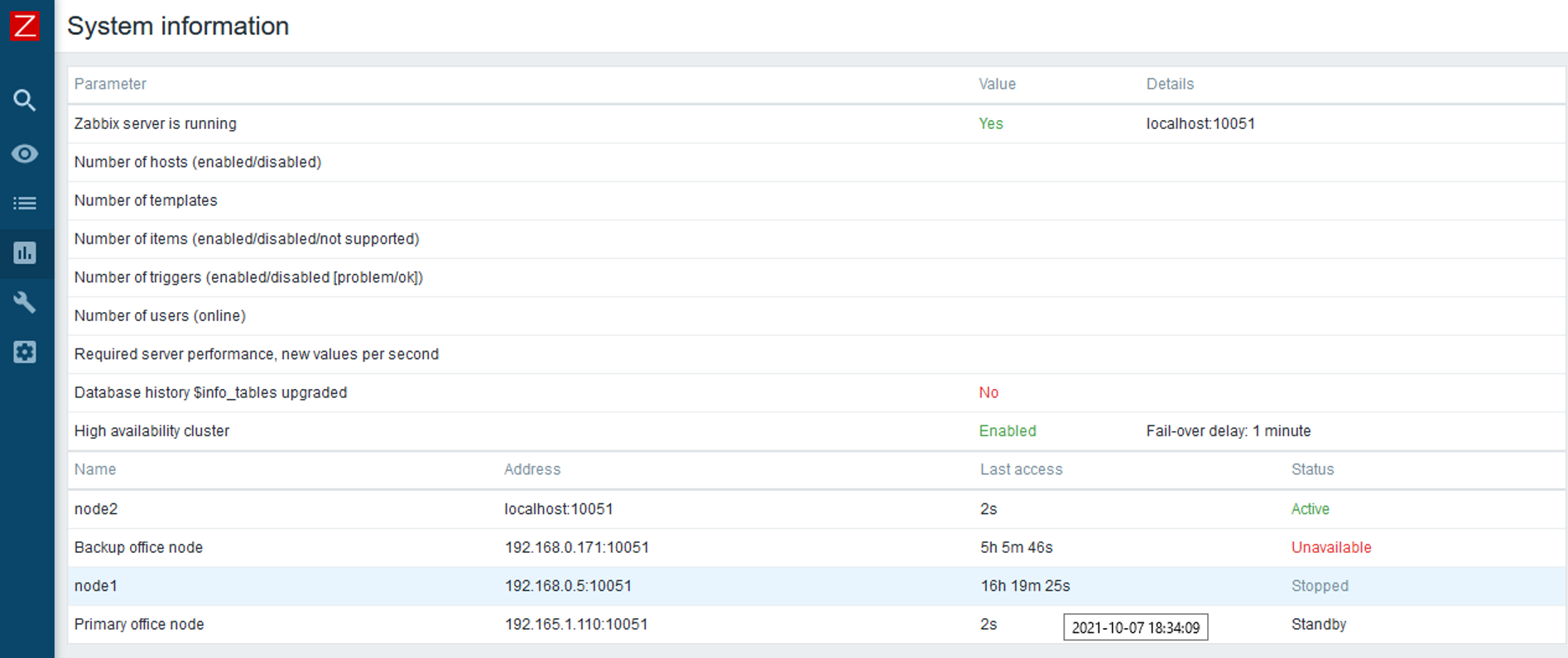
With Zabbix 6.0 LTS, native support for Zabbix server high availability clusters is finally here. High availability setups can protect you from software and hardware failures and allow you to minimize downtime while performing maintenance tasks. Before Zabbix 6.0 LTS, users were required to use a dedicated piece of clustering software to enable high availability. Most users used a combination of Corosync + pacemaker software. This required additional knowledge related to these tools, to ensure a proper high availability cluster setup, configuration, maintenance, and other tasks related to managing your Zabbix high availability cluster. You could also use other 3rd party vendor solutions, but such solutions also require additional knowledge and in many cases incur additional licensing costs.
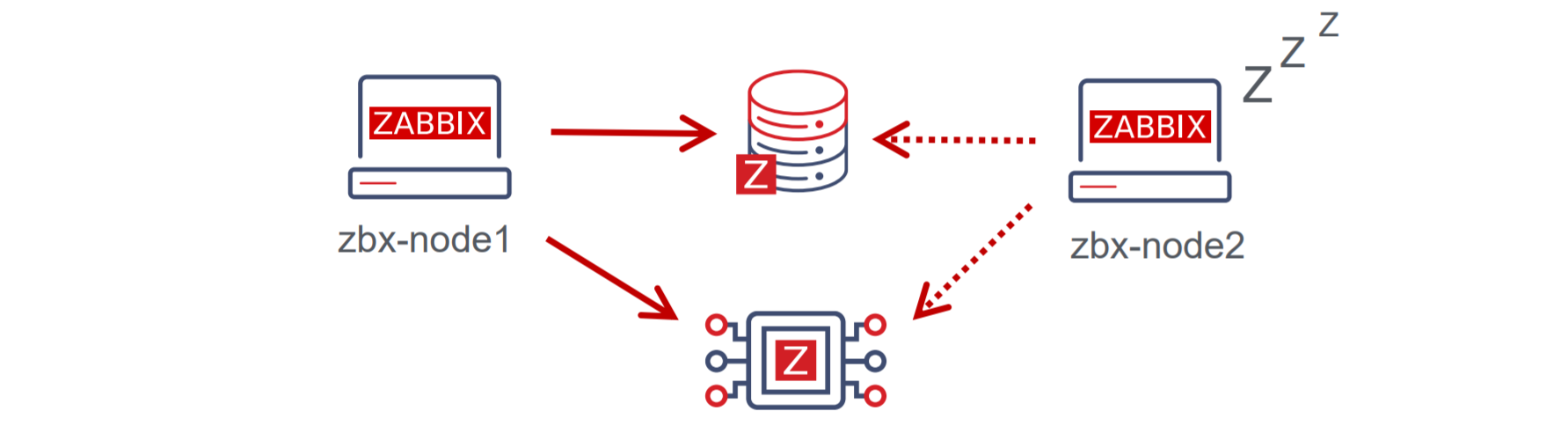
The native Zabbix server high availability cluster is an opt-in solution that provides high availability for the Zabbix server component. This solution consists of multiple Zabbix server instances – nodes, where each node is configured separately and uses the same database. Each node has two modes of operation – active or standby. Only a single node can be active at a time. The standby nodes do not perform any data collection, data processing, or any other Zabbix server activities. The standby nodes do not listen for connection on ports and have a minimal number of connections established to the Zabbix backend database. The high availability nodes are compatible with one another across different minor Zabbix server versions.

Learn how to deploy your own Zabbix server high availability cluster by following the steps provided in our Zabbix Summit blog post dedicated to this topic.
New Zabbix interface options
Zabbix 6.0 LTS provides multiple Zabbix interface improvements. One of the major changes that the users will notice when switching to Zabbix 6.0 LTS is the migration from screens to dashboards. The screens will be migrated to dashboards automatically during the upgrade. Dashboards consist of multiple highly customizable widgets, which can be placed on a dashboard with a click of a button. With Zabbix 6.0 LTS many new widgets will be available for different purposes – more flexible views of your metrics with the Single item value widget, a Geomap widget for a better overview of your infrastructure state, Top N/Bottom N views provide a whole new way to look at your metrics and more.
Now you will be able to save your favorite problem filters and access your filters in tabs for more simple filtering of the commonly accessed problem views.
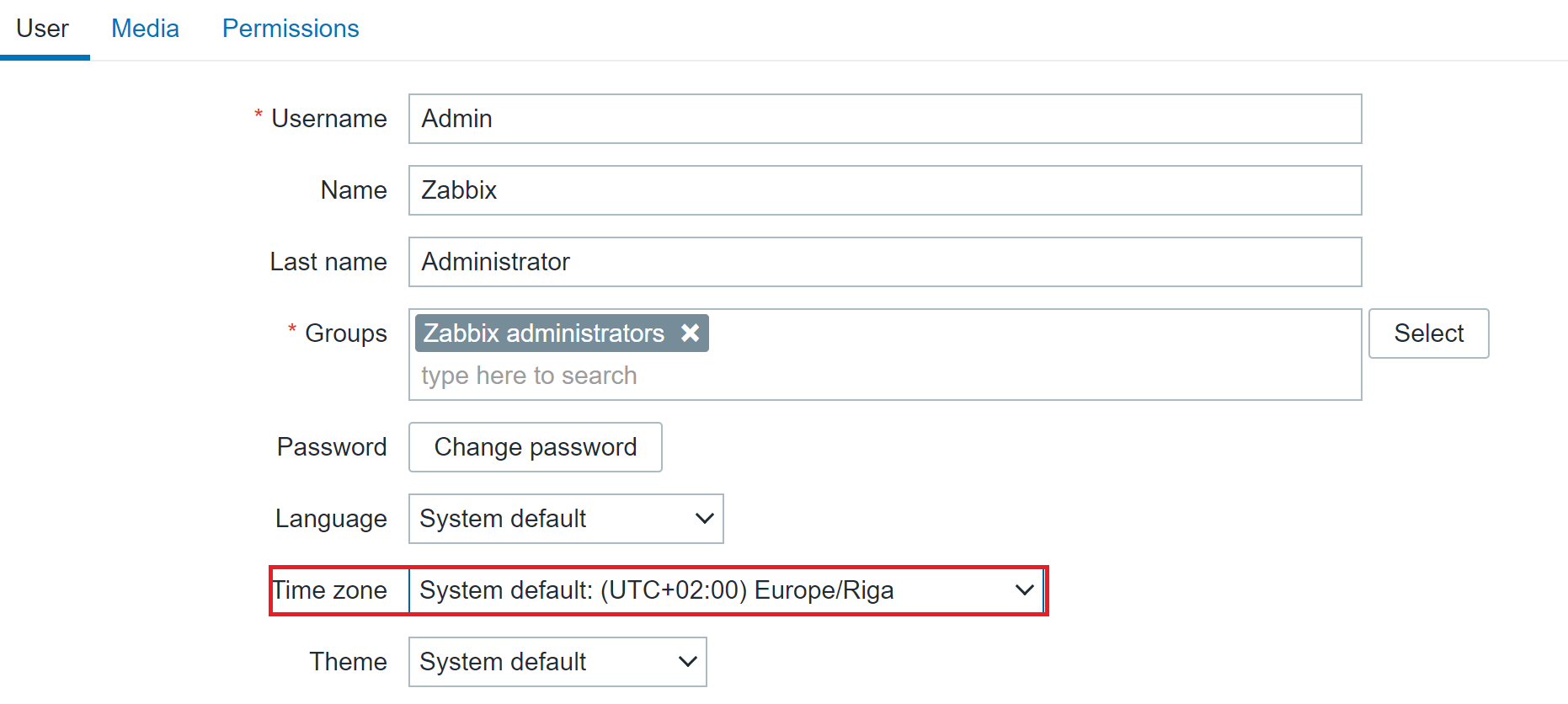
Zabbix 6.0 LTS introduces timezone configuration on a per-user basis. Users can now have their preferred timezone configured via the user settings in the Zabbix frontend. The same is also true for language – this can also now be configured individually for each user.

The Zabbix frontend is now more customizable than ever. There are several ways in which you can customize your Zabbix frontend:
- Replace the Zabbix logo with your company’s branding
- Hide links to Zabbix support/integration pages
- Set a custom help page link
- Change the copyright notice in the footer of the frontend.
Implementing these changes requires customizing the underlying PHP code – we tried to make this as simple and accessible as possible, so you can quickly make the necessary changes yourself.
There are also many other Interface improvements, such as multi-page dashboards, third-level menus, graph improvements, and many others.
Improved security
Security is always something that we focus on when developing Zabbix. Zabbix 6.0 LTS brings many new security-related improvements and features:
- User roles allow you to define roles with granular permissions related to the frontend access and the actions that each user role is permitted to perform
- Roles are still based on user types – Zabbix User, Admin, Super admin, and user type restrictions still apply, but can be further customized per each role
- User group to host group permissions (Read, Read/Write, Deny) still need to be used in combination with roles to ensure granular access to your data
- For example, now we can define users that have access to host configuration but restrict access to other configuration sections.
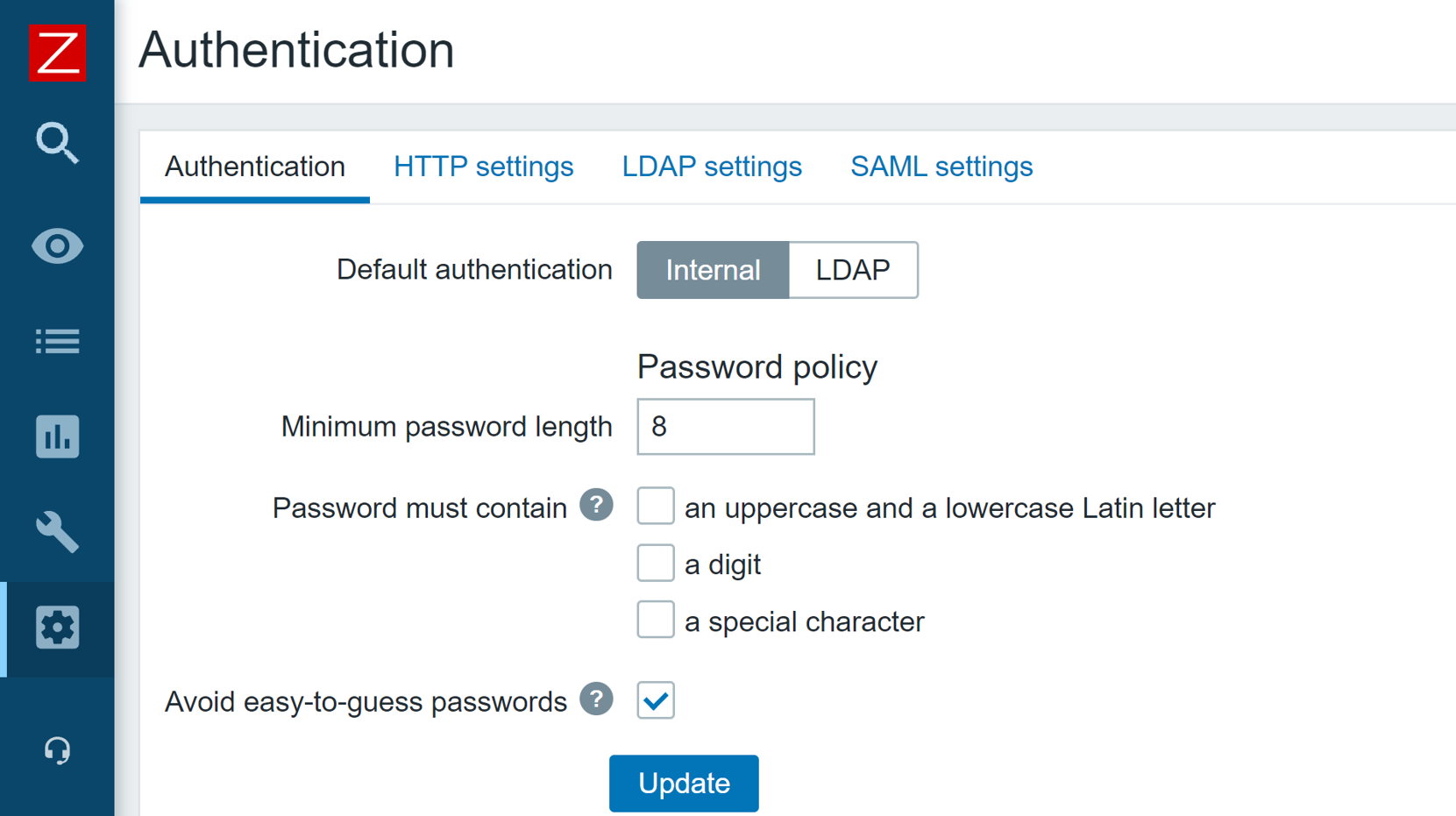
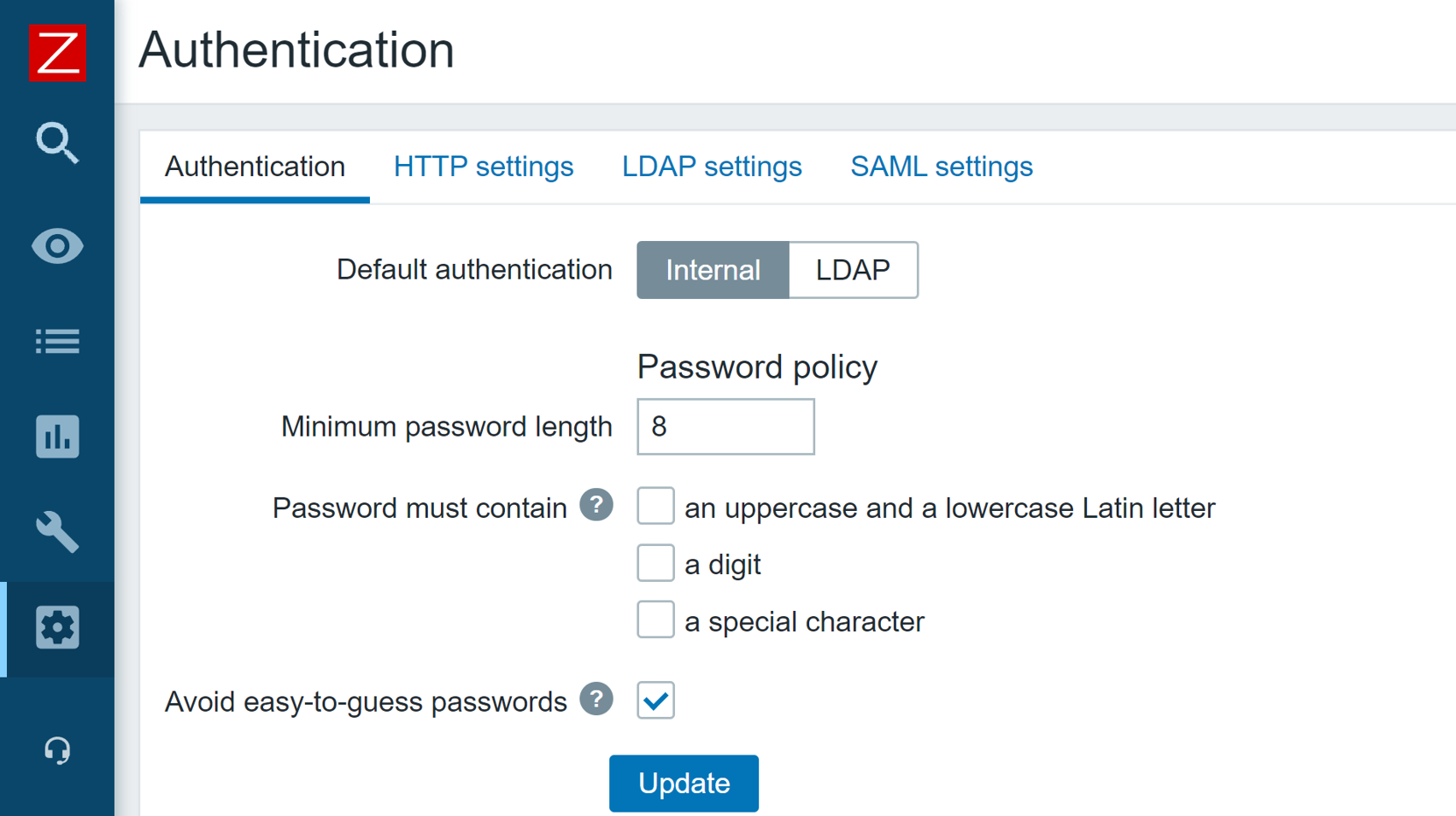
In Zabbix 6.0 LTS it is possible to define custom password complexity requirements for Zabbix frontend logins. We can define password length/complexity policies and prohibit the usage of easy to guess common passwords.

The Zabbix API has also seen some security improvements. Now it is possible to generate a persistent API token for a particular user, define an expiration date and use the token in your API calls, without the need to regularly re-issue a new API token.
Zabbix 5.2 release also added the ability to store sensitive information in an external vault. As of the release of Zabbix 6.0 LTS, only HashiCorp Vault is supported, but CyberArk Vault support is also coming in Zabbix 6.2 release.
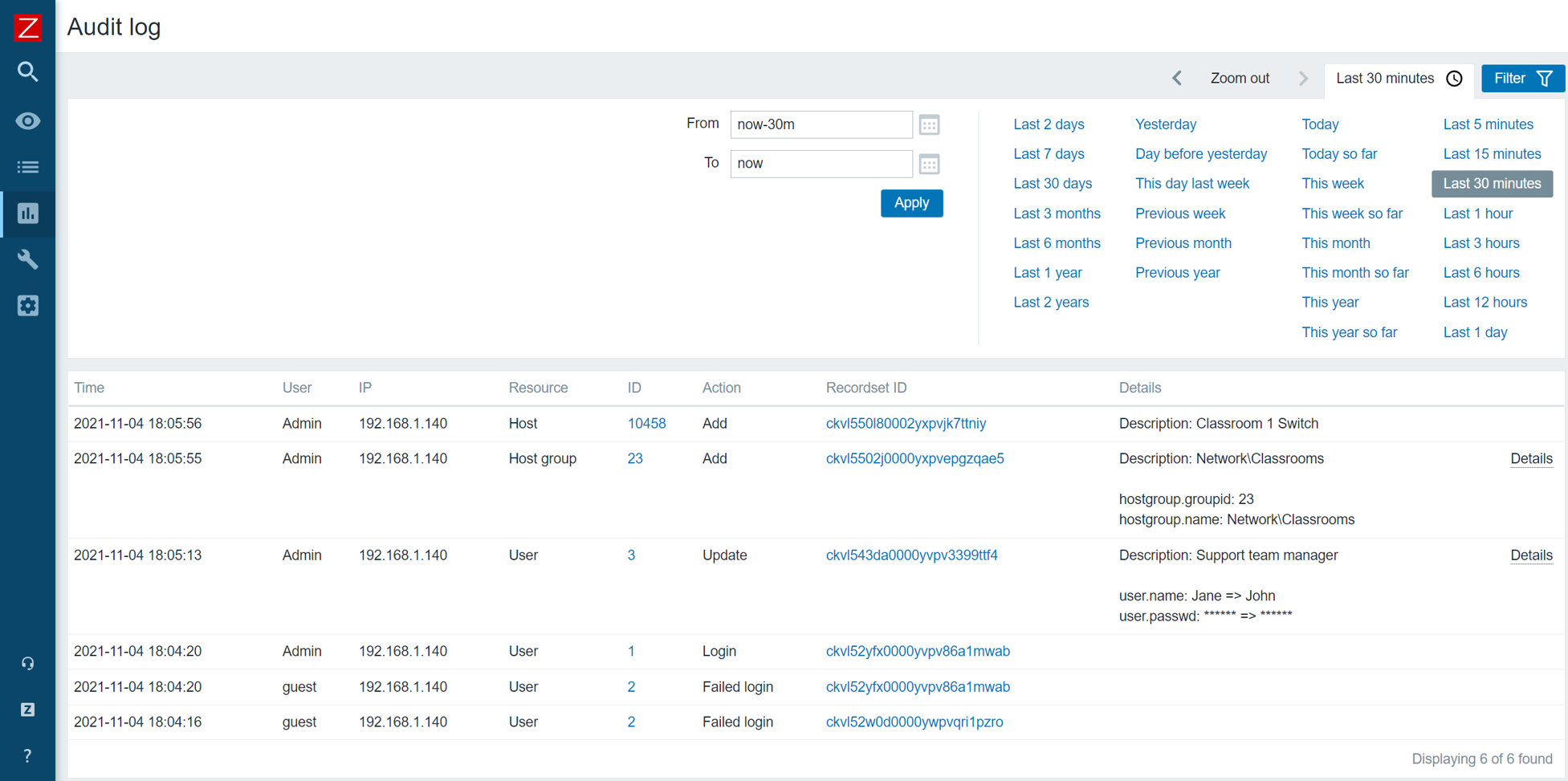
A set of architectural and structural measures have been taken to completely restructure the Zabbix Audit log. The updated Audit log entry contains records of all configuration changes made by the Zabbix server and Zabbix frontend. The new Audit log also contains additional filtering options, such as filtering Audit log entries based on the operation during which the changes were performed. The new Audit log is not only more detailed but also reworked with minimum performance impact in mind.
Scalability improvements
Many scalability improvements have been introduced between the Zabbix 5.0 LTS release and Zabbix 6.0 LTS release. These improvements not only improve the performance of existing Zabbix instances but also lay the groundwork for the design of upcoming features in later releases.
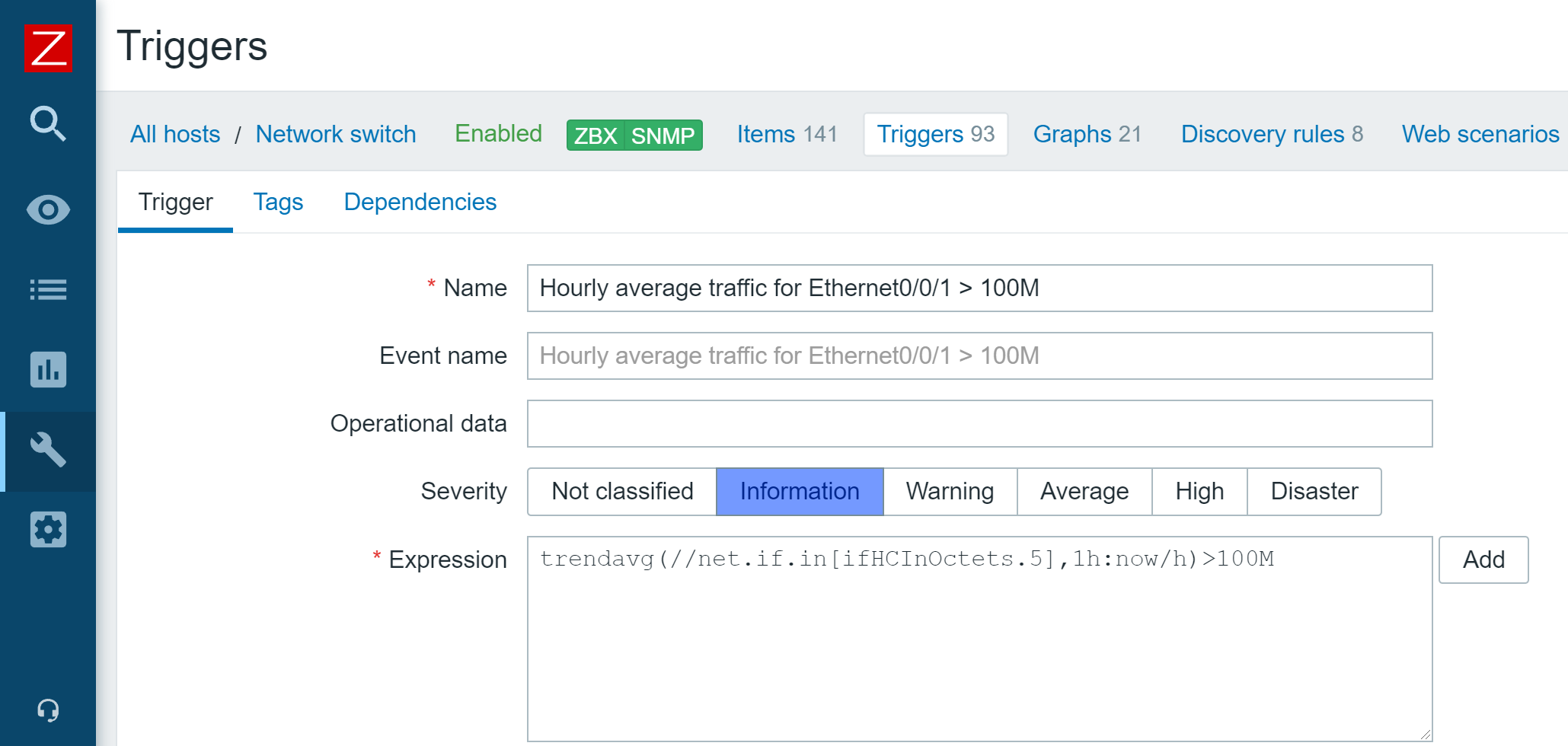
Previously, trend-based trigger functions would always use database queries to obtain the required data. Starting from Zabbix 5.4, a new type of cache – Trend function cache, has been introduced. This cache stores the results of calculated trend functions. When processing the trend functions, the Zabbix server will check the Trend function cache for the cached results. In case of failure, the Zabbix server will read the data from the database and cache the results.
The scalability improvements allow for better parallel data processing on Zabbix servers with heavy loads. Zabbix Instances with tens of thousands or more new values per second will greatly benefit from the improved performance.
The introduction of the graceful startup of the Zabbix server can help you improve performance and prevent unwanted downtimes, especially with large distributed environments. Whenever a Zabbix server gets started up after downtime, the existing Zabbix proxies start sending the data backlog to the Zabbix server. it is extremely important to maintain the stability and performance of the Zabbix server during this time window. Graceful startup improves the Zabbix server data backlog handling logic during such situations.
To prevent unwanted delays and other issues when using zabbix_get and zabbix_sender command-line tools, it is now possible to define a custom Timeout parameter for these tools.
Advanced business service monitoring
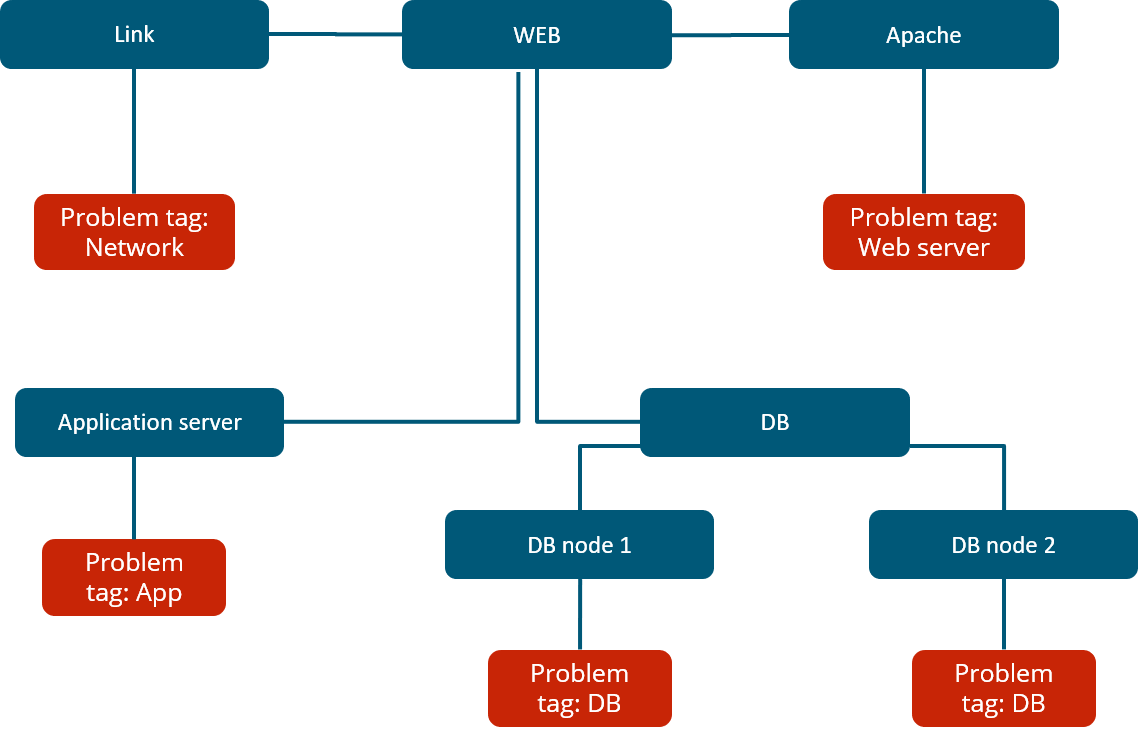
The new Busines service monitoring features allow Zabbix users to not only define complex service trees but also receive alerts in situations where the status of a business service has been changed. This is valuable to every user that wishes to monitor their business services, no matter how simple or complex the service is.
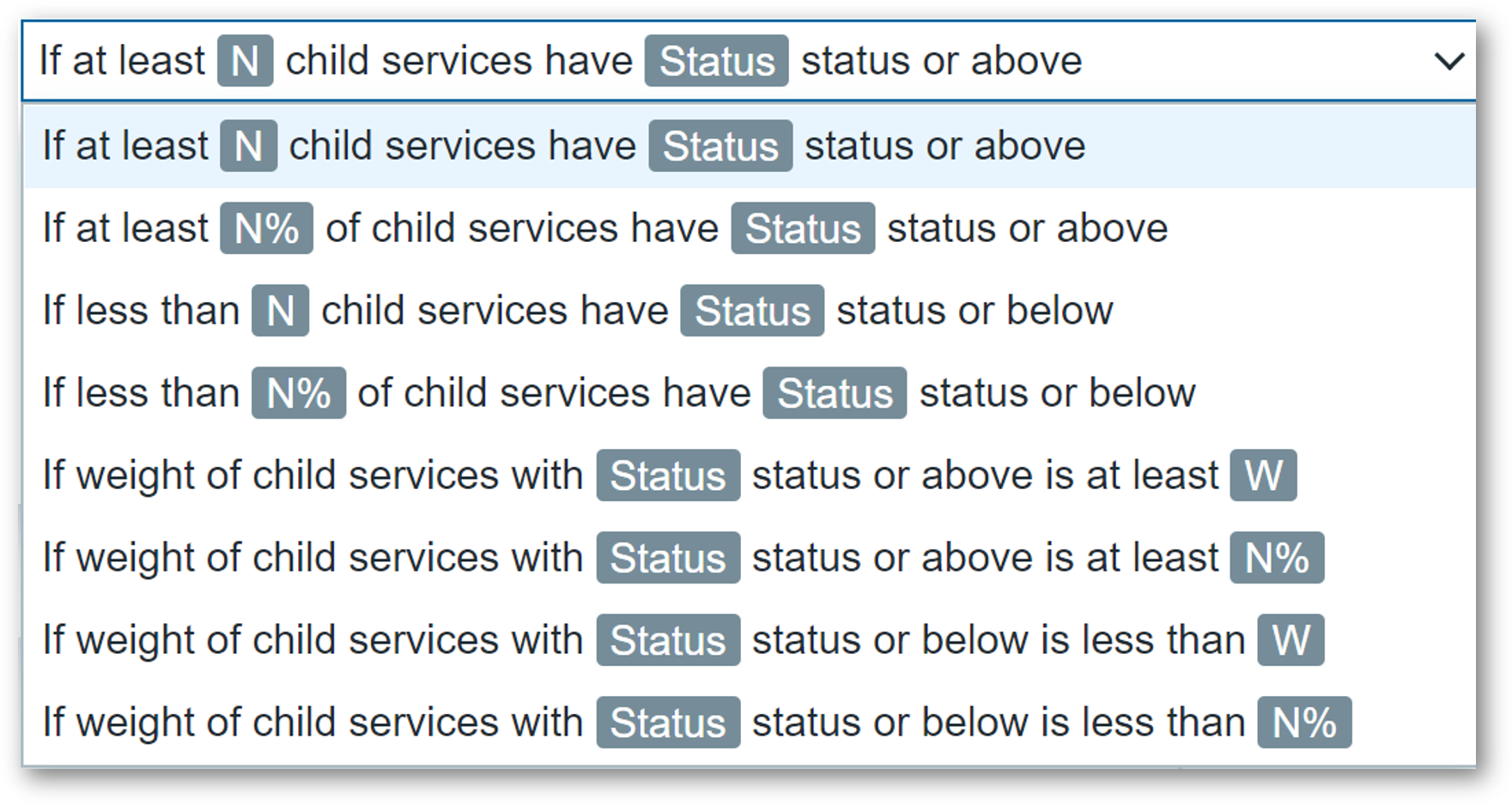
Combined with a large number of new and improved service status calculation rules. By defining custom service weights and advanced service status propagation rules, the business services can be defined in an extremely flexible fashion. Services are also not linked to individual triggers anymore, instead, we use tag-based service mapping to map our services to problem events.
The service functionality has also received scalability improvements. Zabbix can support the monitoring of over 100 000 business services. The scalability improvements have been implemented from both the UI/UX and the performance perspectives.
The old all-or-nothing business service permission approach has been redesigned to a granular read/write permissions for individual business services. This is not only an improvement from the security perspective, but also adds the ability to define services in a multi-tenant fashion, where each tenant has access only to the services that they own.
With the redesign of the business services, we have added the support for root cause analysis, allowing users to see the underlying problem which caused a particular service to change its state.
You can read more about Business service monitoring in our Zabbix Summit blog post dedicated to this topic.
Tag and template improvements
Item applications have been replaced with tags. This design decision adds consistency to filtering, mapping, grouping, and other tag-related functions when it comes to different Zabbix entities. Tags can also be used to provide additional information related to your entities in a manner that is much more flexible than it was with applications.
Universal template IDs introduced for each of the template elements allow you to define much more robust template management workflows, especially when you combine this with a CI/CD template management approach. These IDs are unique and can be used to match a particular template entity, such as item, trigger, graph, and so on. By utilizing the Universal template IDs, Zabbix now understands which entity we are trying to update, which entity no longer exists, whether it is a new entity or we are adjusting an existing entity. The default template export format is now YAML, though JSON and XML formats are still supported. This was done to improve the template management usability since the YAML format is more user-friendly and easier to edit manually. All of the official Zabbix templates available on the Zabbix git page have already been converted to the YAML format.
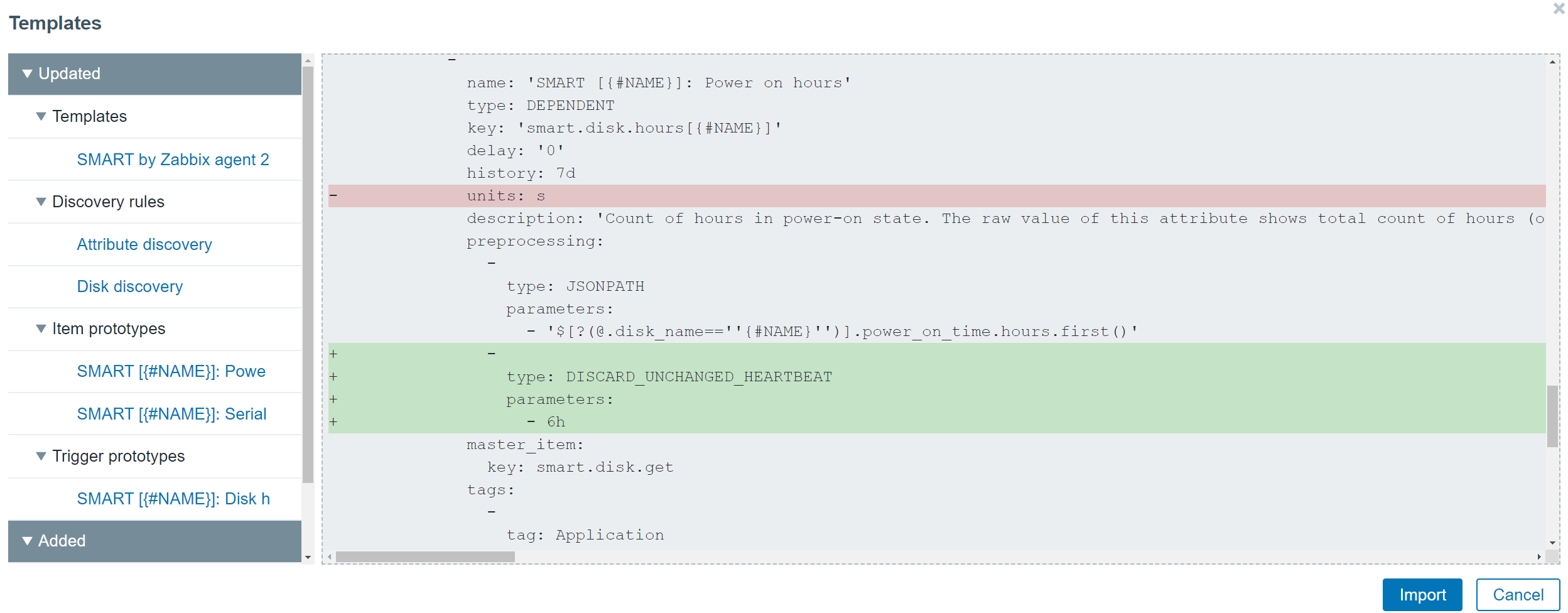
The redesign of the templates has also allowed us to improve the visualization of the changes made when importing a template. Now users can see the list of changes in a diff-like display and understand the impact that the template import will have on the Zabbix entities.

Value maps have been moved to host and template levels. This is another design decision that we made to enable support for fully self-contained templates, that are easy to manage and deploy, and can be easily imported into different Zabbix environments. While global value maps might be easy to manage in small environments, this is not the case in larger environments, where different teams are working with a single or between multiple Zabbix instances. Therefore, the global value maps have been removed.
Reporting and visualization
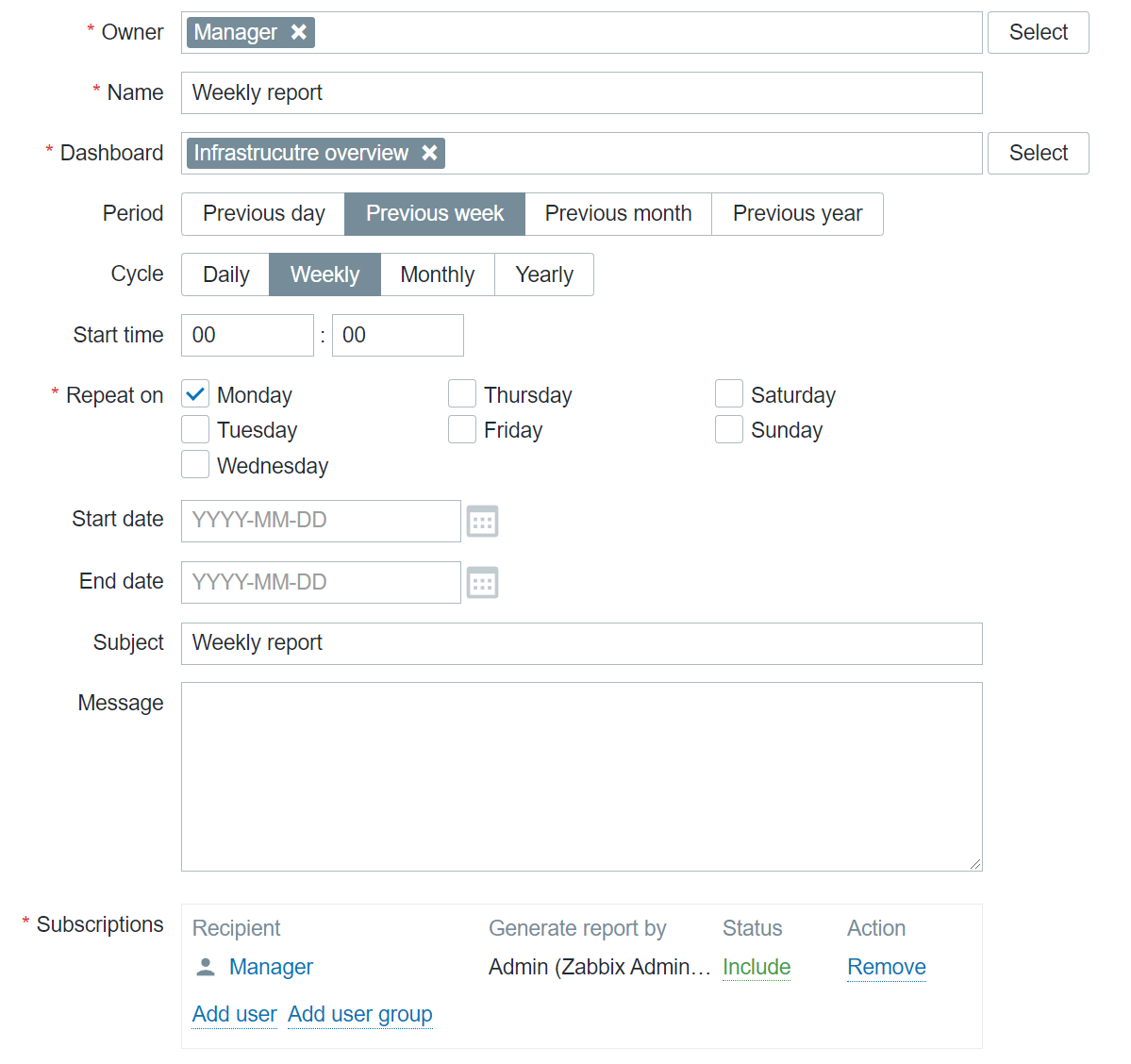
With the addition of Scheduled reports functionality, any dashboard can now be converted into a scheduled report. While this feature was originally added in Zabbix 5.4, with the release of Zabbix 6.0 LTS and a set of new widgets, the reporting functionality has gained a lot of additional value that these widgets grant specifically from the reporting perspective. Users can create scheduled reports and receive them in their mailbox at a specific time either on a daily, weekly, monthly, or yearly basis. The time period for which the report will provide the information can also be selected.

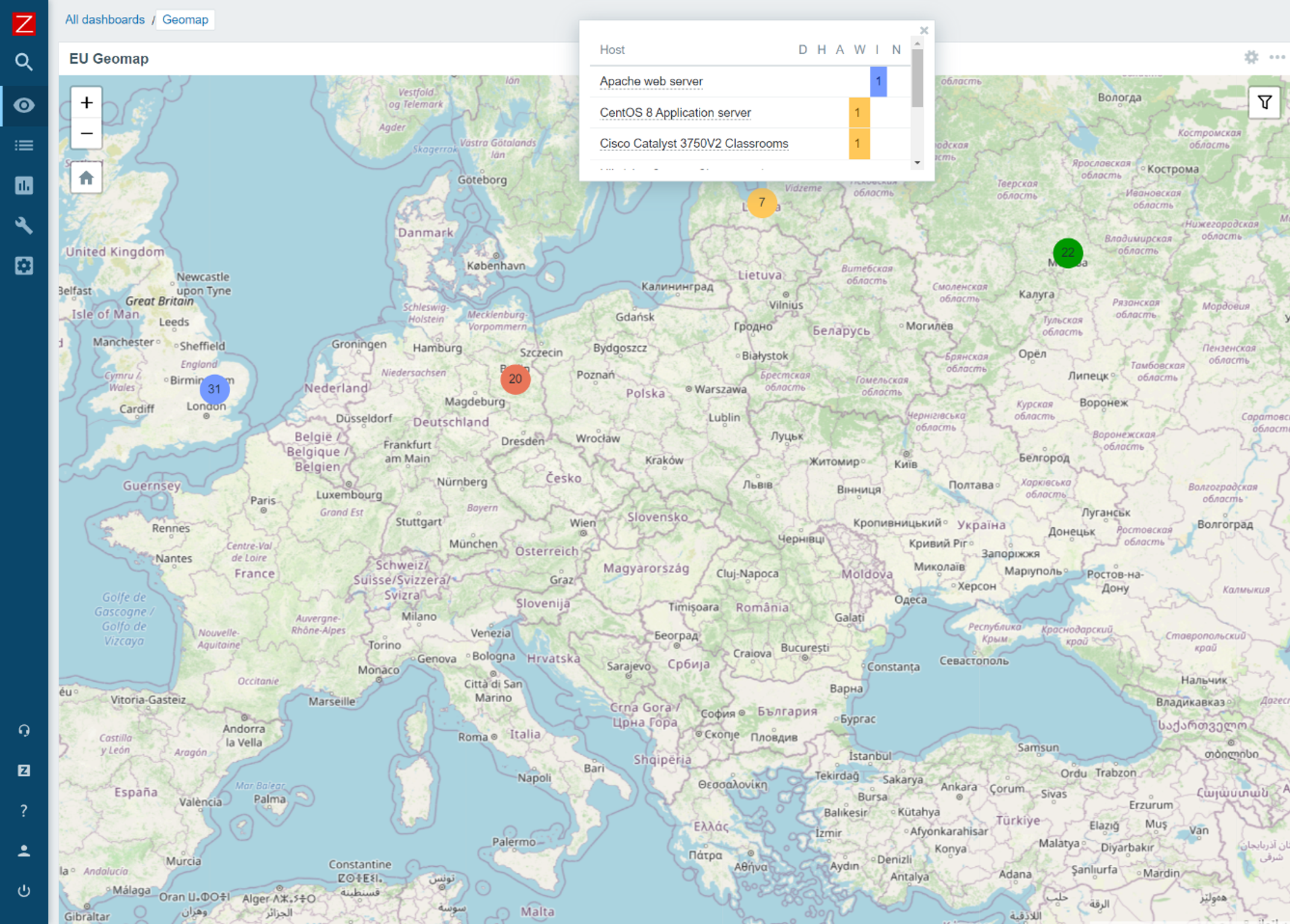
The new Geographical map widget allows you to quickly deploy a geomap with an overview of the state of your infrastructure. The geomap widget supports filters, so we can display only a particular part of your infrastructure. Zabbix uses an open-source Javascript interactive maps library called Leaflet and supports multiple map providers such as OpenStreetMap, OpenTopoMap, USGS US Topo, and more. Users also have the ability to define and use a custom map tile provider. The map will display your infrastructure and also highlight any detected problems as well as display problem counters. This is a major step forward from the old approach, which required users to use the regular map functionality together with Zabbix API scripting, to provide information on a geographical map.

Advanced problem detection
Zabbix 5.4 release introduced a new unified syntax for defining trigger expressions, calculated, and aggregated items. There are multiple benefits that come with the new trigger syntax. First off – the syntax is now unified and can be used for defining triggers, calculated items, and providing values in maps or graph names. The syntax also has a more functional approach, instead of being object-oriented. This allows us to solve many complex use cases, for example dynamically calculate or aggregate a value from all hosts tagged with a specific tag or belonging to a specific host group. Aggregated item type has also been removed and users can now define aggregate checks under the calculated item type.

New monitoring functionality and integrations
As with every major release, Zabbix 6.0 LTS comes with a set of new items and improves the functionality of already existing items:
- It is now possible to monitor SSL certificate validity and expiration data, such as the expiry date, issuer, version, subject, and more
- New Zabbix Agent 2 metrics allow you to collect file owner information, file properties, extended interface info, extended TCP info, SHA2 hashes for files, and more
- New templates for NGINX+, HPE/Dell servers, CISCO ASAv, Cloudflare
Finally – Zabbix 6.0 LTS
Many of our users and customers prefer sticking with the LTS releases instead of upgrading between each major version. As with every LTS release, there are major benefits to sticking with Zabbix 6.0 LTS:
- LTS release receive thorough testing and full long term support
- 3 years of full support – general, critical, and security fixes/improvements
- 5 years of limited support – critical and security fixes
Questions
Q: Which of the current versions are still supported and for how long are they going to remain supported? What updates can we expect these versions to receive?
A: Currently we have three supported major versions available. Zabbix 5.4, which will not be supported after the release of Zabbix 6.0 LTS. We also still provide support for Zabbix 5.0 LTS and Zabbix 4.0 LTS. Zabbix 5.0 LTS will continue receiving full support until the middle of 2023 and limited support until the middle of 2025, while Zabbix 4.0 LTS will receive limited support until November 2023.
Q: Could you elaborate on how tags are more flexible than applications and are there any other benefits to using tags?
A: Zabbix already supports tags for most of the essential Zabbix objects, such as triggers, hosts, host prototypes, and templates. With the introduction of tags for items, tags can now be found everywhere. This way you can have tags that provide different additional information and assign values for your objects. Tags have several usages – for example, we can use them to mark events. If we have an item with a tag, this tag will mark any problem related to this item. Problem events will inherit tags from the whole tag chain – hosts, templates, triggers, items, and more. Further down the line, we can use our actions to react to specific tags. If you recall, Business services are also mapped to problems based on the tag mapping. Of course, tags can also be used for filtering and grouping different Zabbix objects.
Q: Is there a guideline to the migration process from an older version to Zabbix 6.0 LTS? Is there a change list that I can look at to see what other features have received an overhaul?
A: Regarding the upgrade itself – our documentation contains guidelines for both upgrading from packages and upgrading from sources. The documentation may also contain upgrade notes regarding any extra steps or precautions required when upgrading to a particular version. Regarding the feature changes – we recommend reading through the major version release notes. For example, if you’re upgrading from Zabbix 5.0 LTS to Zabbix 6.0 LTS, make sure to familiarize yourself not only with the Zabbix 6.0 LTS release notes, but also read through the Zabbix 5.2 and Zabbix 5.4 release notes, since changes introduced in these versions will also be a part of Zabbix 6.0 LTS.
The post Top 10 reasons to migrate to Zabbix 6.0 LTS by Dmitry Krupornitsky / Zabbix Summit Online 2021 appeared first on Zabbix Blog.