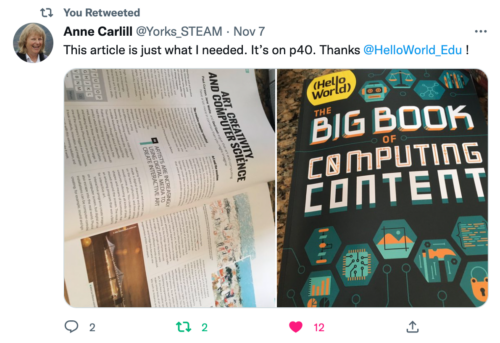
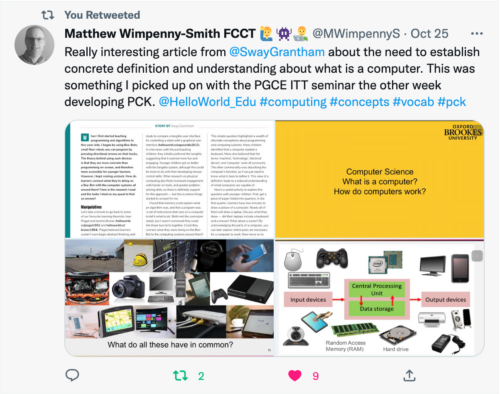
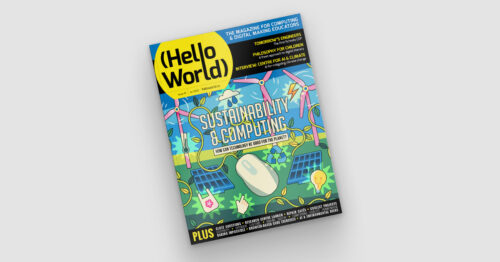
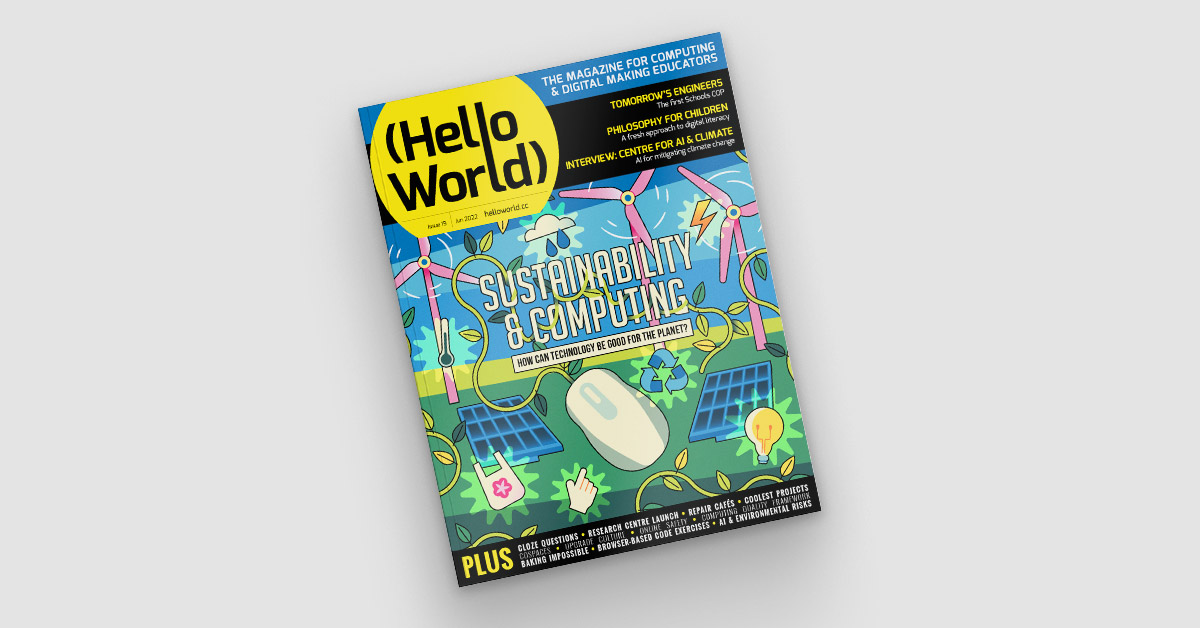
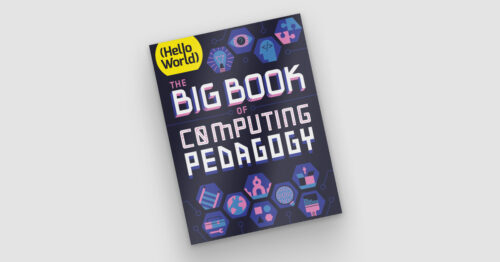
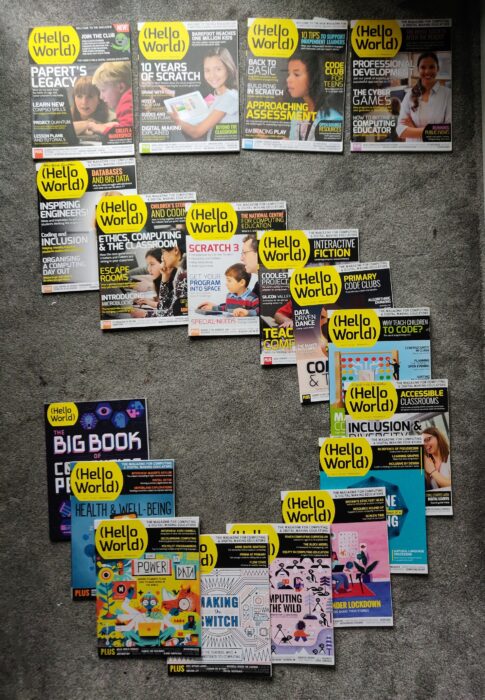
Hello World, our free magazine for computing and digital making educators, has just published its second special edition: The Big Book of Computing Content.
A special edition on the content we teach in the Computing classroom
While Hello World‘s first special edition, The Big Book of Computing Pedagogy, focused on how we can teach Computing, this new book is about what we mean by Computing. It aims to demonstrate the breadth of knowledge and skills contained within this constantly evolving subject.
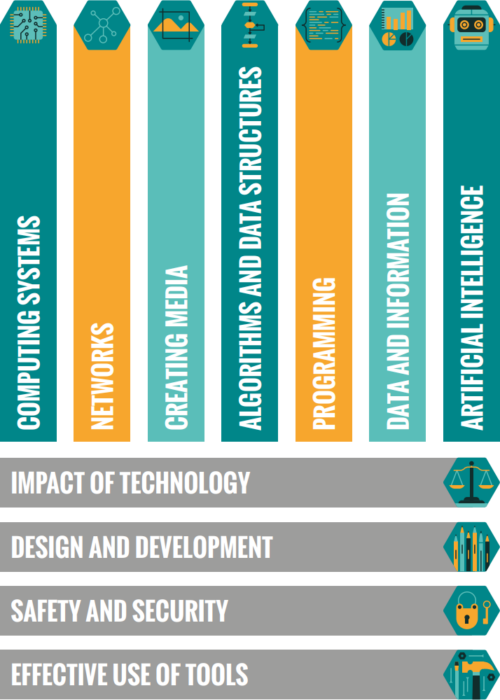
The 11 strands of Computing content in our taxonomy.
Our Computing taxonomy comprises eleven strands and aims to categorise Computing conceptual knowledge and skills to both demonstrate the breadth of Computing as a discipline, and to provide a common language to describe the different areas of study and competencies.
The Big Book of Computing Content complements our first Hello World special edition and follows the same principle of introducing readers to up-to-date research, followed by our favourite stories from past Hello World issues by educators who put that content into practice. For each of the eleven strands in our taxonomy, we also present a table of learning outcomes, which provides examples of knowledge and skills that learners from ages 5 to 19 could develop at each stage of their formal computing education.
Your thoughts on The Big Book of Computing Content
Hello World’s first special edition was very popular around the world, with educators setting up Big Book of Computing Pedagogy reading groups, leaders using the book to support pre-service teachers, and even of an upcoming translation into Thai.
We’ve already started to hear similar stories about The Big Book of Computing Content from Hello World readers, including CSEdResearch dedicating their Computer Science Education Discussion Group to all things Big Book of Computing Content in its first week of publication.
We’d love to hear from more educators about how you are using this new special edition, and how it complements your reading of the first Big Book.
You can also subscribe now to get each new Hello World — whether regular issue or special edition — straight to your digital inbox, for free! And if you’re based in the UK and do paid or voluntary work in education, you can subscribe for free print issues.
PS Have you listened to our Hello World podcast yet? Listen and subscribe wherever you get your podcasts.
To find out what works in non-formal computing learning, we’ve conducted two research projects recently: a systematic literature review, and a set of two interventions that were applied and evaluated as part of our Gender Balance in Computing programme. In this blog, we outline these two research projects.
What is non-formal learning?
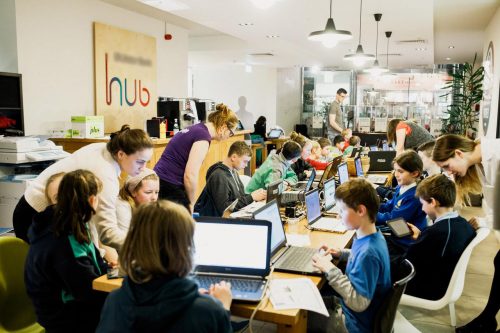
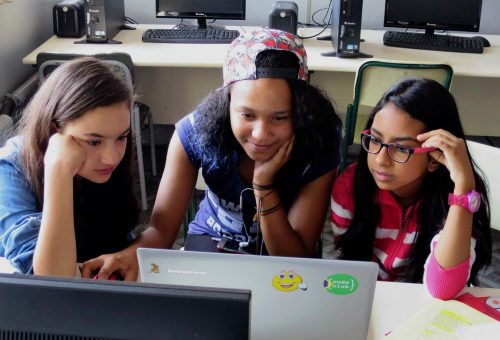
When you think of young people learning computing, do you think of schools, classrooms, and curricula? You’d be right that lots of computing education for young people takes place in classrooms as part of national curricula. However, a lot of learning can take place outside of formal schooling. When we talk about non-formal computing education, we mean structured or semi-structured learning environments such as clubs or community groups, often set up by volunteers. These may take place in a school, library, or community venue; but we’ve also heard of some of our communities running non-formal learning activities on buses, in fire stations, or at football grounds — there really is no limit to where learning can happen.
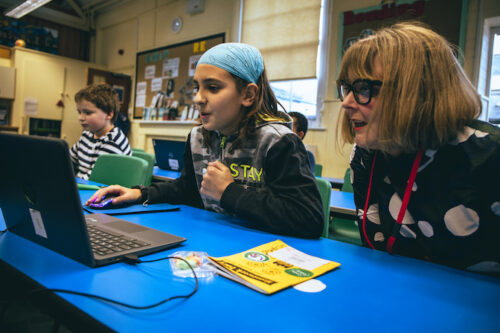
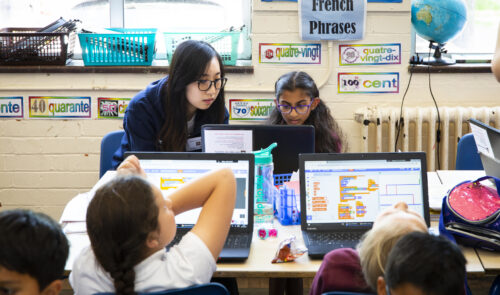
CoderDojos are community-based coding clubs and some take place in offices.
It’s harder to assess the impact and effectiveness of non-formal computing activities than formal computing education: we have to think outside of the traditional measures such as grades and formal exams or assessments. Instead, we estimate outcomes according to measures such as level of participant engagement, attendance, attrition rates, and changes in participants’ attitudes towards computing. We have previously also piloted non-formal assessments such as quizzes and found that these were well-received by adult facilitators and children alike.
Project 1: Researching the impact of non-formal computing education
Earlier this year, we conducted a systematic literature review into computing education for K–12 learners in non-formal settings. We identified 88 relevant research studies, which we read, compared, and synthesised to provide an overview of what is already known about the effectiveness of non-formal computing activities and to identify opportunities for further research.
Our analysis looked for common themes within existing studies and suggested some benefits that non-formal learning offers, including:
Access to advanced and innovative topics
Awareness about computing careers
The chance to personalise projects according to learner interests
The opportunity for learners to progress at their own pace
The chance for learners to develop a sense of community through peers and role models
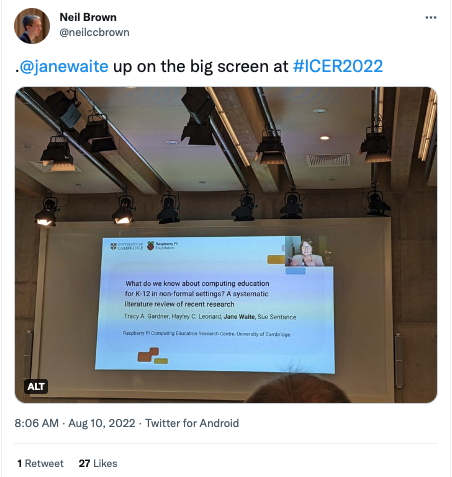
We presented this research at an international computing education conference called ICER 2022, and you can read about it in our open-access paper in the ICER conference proceedings.
Project 2: Making links between non-formal learning and formal computing study skills
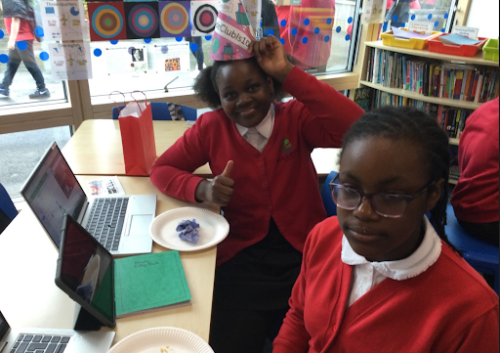
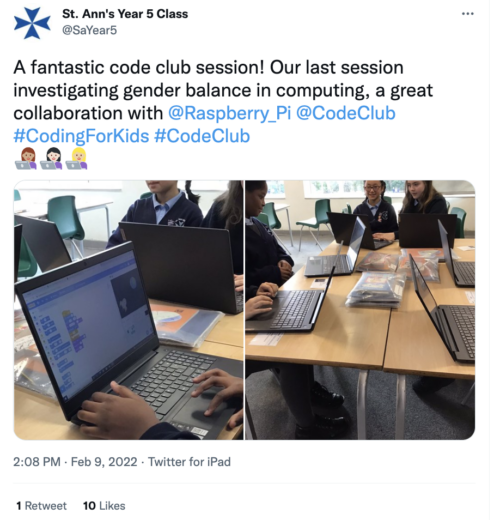
One particularly interesting characteristic of non-formal learning is that it tends to attract a broader range of learners than formal computing lessons. For example, a 2019 survey found that about 40% of the young people who attend Code Clubs were female. This is a high percentage compared with the proportion of girls among the learners choosing Computer Science GCSE in England, which is currently around 20%. We believe this points to an opportunity to capitalise on girls’ interest in learning activities outside of the classroom, and we hope to use non-formal activities to encourage more girls to take an interest in formal computer science education.
Code Clubs are well-attended by girls.
As part of our Gender Balance in Computing research programme in England, we worked with Apps for Good and the Behavioual Insights Team (BIT) to run two interventions in school-based non-formal settings, for which we adapted non-formal resources and used behavioural science concepts to strengthen the links the resources make between non-formal learning and studying computing more formally. One intervention ran in secondary schools for learners aged 13–14 years old, who used an adapted Apps for Good course, and the other ran in primary school for learners aged 8–11 year olds, who took part in Code Clubs using adapted versions of our projects.
The interventions were evaluated independently by a separate team from BIT, based on data from surveys completed by learners before and after the interventions, and interviews with teachers and learners. This data was analysed by the independent team to explore the impact the interventions had on learners’ attitudes towards computing and intention to study the subject in the future.
What did we learn from these research projects?
Our literature review concluded that future research in this area would benefit from experimenting with a variety of approaches to designing, and measuring the impact of, computing activities in a non-formal setting. For example, this could include comparing the short-term and long-term impact of specific interventions, aiming to cater for different types of participants, and offering different types of learning experiences.
In these two Gender Balance in Computing interventions, there was limited statistical evidence of an improvement in participants’ attitude towards computing or in their stated intention to study computer programming in the future. The independent evaluators recommended that the learning content that was created for the interventions could be adapted further to make the link between non-formal and formal learning even more salient. On the other hand, as is often the case with research, some interesting themes — ones that we weren’t looking for — emerged from the data, including:
In the secondary school intervention, there was a small, positive change in girls’ attitudes toward computing when they saw that it was relevant to real-world problems
In the primary school intervention, some teachers also reported an increased confidence to pursue computing among girls who had used the adapted Code Club resources, and they highlighted the importance of positive female role models in computing
In both projects, the findings suggest that it is beneficial for learners to participate in non-formal learning activities that link to real-world situations, and that this could be particularly beneficial for girls to help them see computing as a subject that is relevant to their own interests and goals. Another common theme in both projects is that non-formal learning activities play an important role in showing what a “computer person” looks like and who belongs in computing. This suggests there’s a need for a diverse range of volunteers to run non-formal computing activities, and that we should make sure that non-formal learning resources include representations of a diverse range of learners.
Undertaking these research projects has provided evidence that the work the Foundation does is on the right track and suggested opportunities to use these themes in our future non-formal work and resources.
Find out more about our work on non-formal computing education
More information about research projects at the Raspberry Pi Foundation and our newly launched Raspberry Pi Computing Education Research Centre can be found on our research pages and on the Research Centre’s website.
Conrad has been an influential figure in the areas of AI, data science, and computation for over 30 years. The company he co-founded, Wolfram Research, develops computational technologies including the Wolfram programming language, which is used by the Mathematica and WolframAlpha programs. In the seminar, Conrad spoke about his work on developing a mathematics curriculum “for the AI age”.
Computation is everywhere
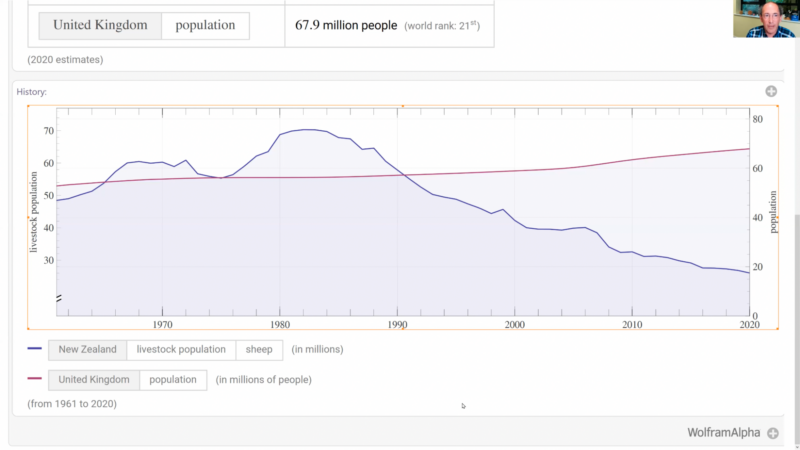
In his talk, Conrad began by talking about the ubiquity of computation. He explained how computation (i.e. an operation that follows conditions to give a defined output) has transformed our everyday lives and led to the development of entire new sub-disciplines, such as computational medicine, computational marketing, and even computational agriculture. He then used the WolframAlpha tool to give several practical examples of applying high-level computation to problem-solving in different areas.
Yes, there are more people in the UK than sheep in New Zealand.
The power of computation for mathematics
Conrad then turned his attention to the main question of his talk: if computation has also changed real-world mathematics, how should school-based mathematics teaching respond? He suggested that, as computation has impacted all aspects of our daily lives, school subjects should be reformed to better prepare students for the careers of the future.
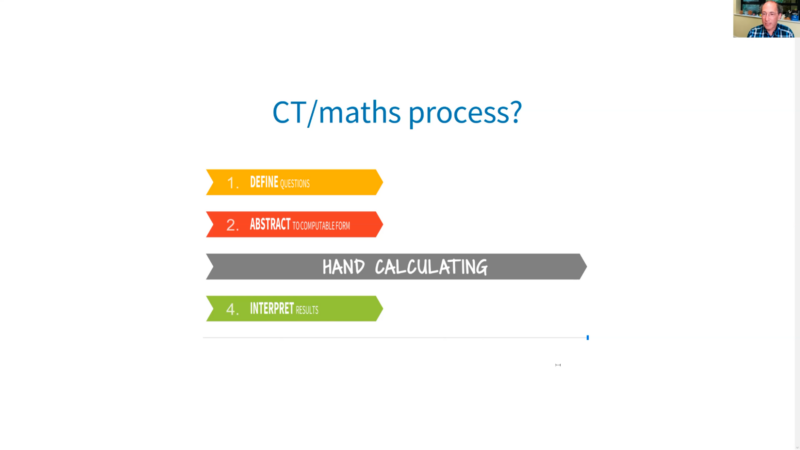
Hand calculation methods are time-consuming.
His biggest criticism was the use of hand calculation methods in mathematics teaching. He proposed that a mathematics curriculum that “assumes computers exist” and uses computers (rather than humans) to compute answers would better support students to develop a deep understanding of mathematical concepts and principles. In other words, if students spent less time doing hand-calculation methods, they could devote more time to more complex problems.
What does computational problem-solving look like?
One interesting aspect of Conrad’s talk was how he modelled the process of solving problems using computation. In all of the example problems, he outlined that computational problem-solving follows the same four-step process:
Define the question: Students think about the scope and details of the problem and define answerable questions to tackle.
Abstract to computable form: Using the information provided, students translate the question into a precise abstract form, such as a diagram or algorithm, so that it can be solved by a computer-based agent.
Computer answers: Using the power of computation, students solve the abstract question and resolve any issues during the computation process.
Interpret results: Students reinterpret and recontextualise the abstract answer to derive useful results. If problems emerge, students refine or fix their work.
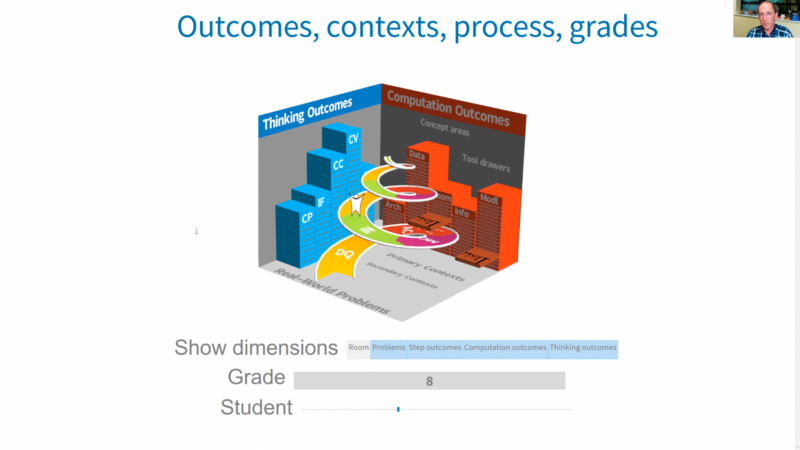
Depending on the problem, the process can be repeated multiple times until the desired solution is reached. Rather than being proposed as a static list of outcomes, the process was presented by Conrad as an iterative cycle than resembles an “ascending helix”:
The problem-solving ‘helix’ model.
A curriculum for a world with AI
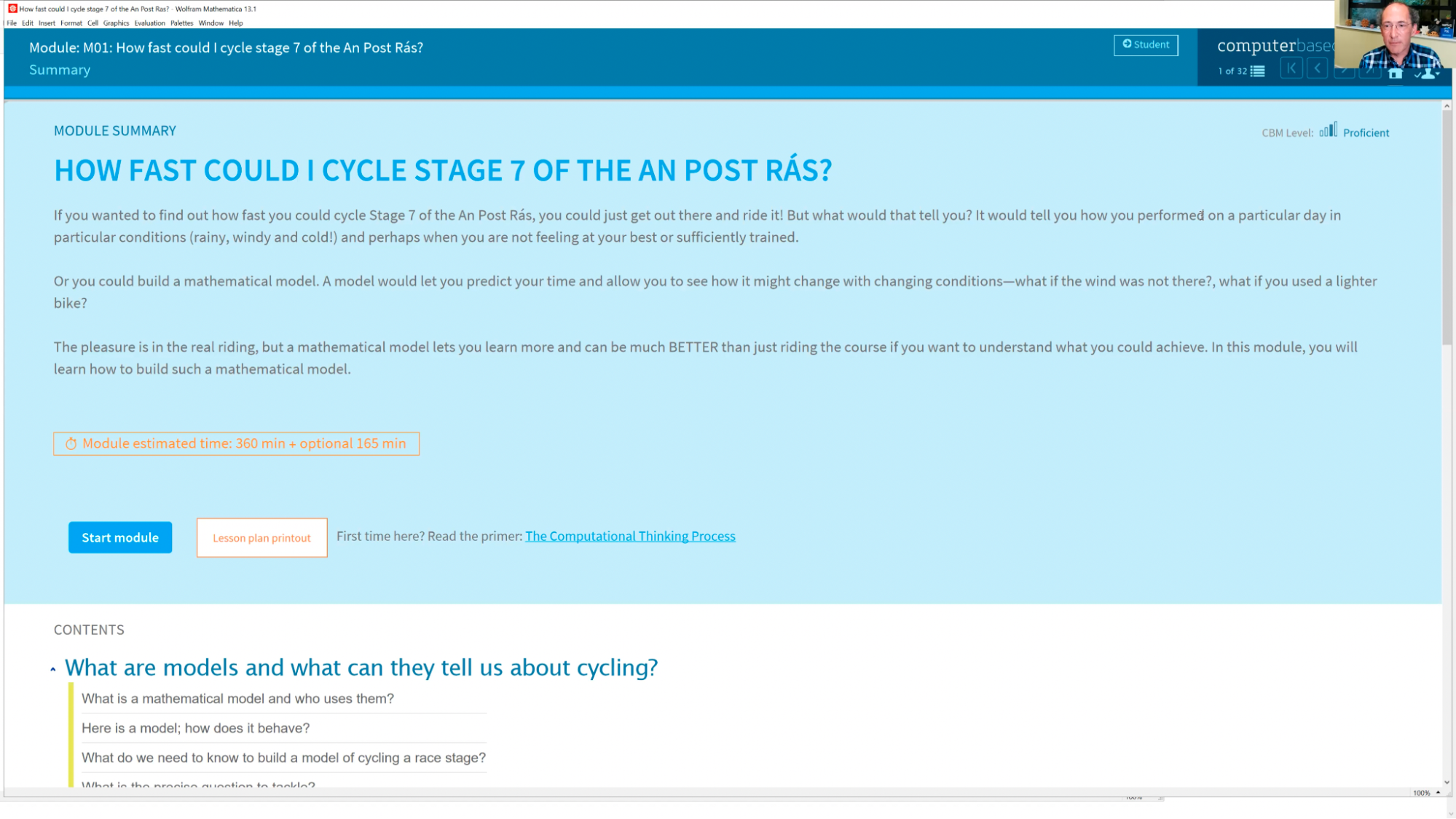
In the later stages of his talk, Conrad talked about the development of a new computational curriculum to better define what a modern mathematics curriculum might look like. The platform that hosts the curriculum, named Computer-Based Math (or CBM), outlines the need to integrate computational thinking into mathematics in schools. For instance, one of the modules, How Fast Could I Cycle Stage 7 Of The An Post Rás?, asks students to develop a computational solution to a real-world problem. Following the four-step problem-solving process, students apply mathematical models, computational tools, and real-world data to generate a valid solution:
Sample module from Computer-Based Math. Click to enlarge.
Some future challenges he remarked on included how a computer-based mathematics curriculum could be integrated with existing curricula or qualifications, at what ages computational mathematics should be taught, and what assessment, training, and hardware would be needed to support teachers to deliver such a curriculum.
Conrad concluded the talk by arguing that the current need for computational literacy is similar to the need for mass literacy and pondering whether the UK could lead the push towards a new computational curriculum suitable for learners who grow up with AI technologies. This point provided food for thought during our discussion section, especially for teachers interested in embedding computation into their lessons, and for researchers thinking about the impact of AI in different fields. We’re grateful to Conrad for speaking about his work and mission — long may it continue!
You can catch up on Conrad’s talk with his slides and the talk’s recording:
You can also explore Wolfram Research’s Computer-Based Maths curriculum, which offers learning materials to help teachers embed computation in their maths lessons.
Finally, try out Wolfram’s tools to solve everyday problems using computation. For example, you might ask WolframAlpha data-rich questions, which the tool converts from text input into a computable problem using natural language processing. (Two of my favourite example questions are: “How old was Leonardo when the Mona Lisa was painted?” and “What was the weather like when I was born?”)
Join our next seminar
In the final seminar of our series on cross-curricular computing, we welcome Dr Tracy Gardner and Rebecca Franks (Raspberry Pi Foundation) to present their ongoing work on computing education in non-formal settings. Sign up now to join us for this session on Tues 8 November:
We will shortly be announcing the theme of a brand-new series of research seminars starting in January 2023. The seminars will take place online on the first Tuesday of the month at 17:00–18:30 UK time.
We’re sharing the fourth evaluation report on projects in our Gender Balance in Computing research programme today. This is a programme we’ve been running, with partner organisations, as part of the National Centre for Computing Education, funded by the Department for Education in England. The programme’s overall goal is to identify ways to encourage more young women to study Computer Science.
Like the previous reports on our Storytelling, Pair Programming, and Peer Instruction projects, this new report was compiled by independent evaluators from the Behavioural Insights Team (BIT). It concerns a study conducted with learners aged 9 to 10 and examining two approaches aimed at improving girls’ sense of belonging in computing.
The importance of belonging in computing
A growing body of research suggests that girls’ interest and motivation is linked to the sense of belonging that they feel when experiencing and studying STEM subjects. When girls see themselves represented in computing by identifying role models, they are more likely to value the subject in their studies and future careers. Parents and wider family members also play an important role in amplifying the message that girls belong in computing through the way that they talk about the subject.
The Belonging study was structured as two distinct but related interventions designed to improve girls’ sense of belonging, each following a different approach. WISE and a team at BIT (separate to the team evaluating the study) were responsible for the design, delivery, and implementation of the two interventions, while we provided overall programme management and recruited schools.
Interventions to encourage girls’ sense of belonging
This study was conducted from September 2021 to February 2022 as a randomised controlled trial (RCT) where participating schools were randomly divided into three groups: two treatment groups which each delivered one of the two interventions to their Year 5 learners, and one control group, which taught Computing to their Year 5 learners in their usual way throughout the duration of the study.
The intervention designed by WISE was titled ‘My Skills My Life’ and was aimed at girls’ self-identification. The design included ten lessons that highlighted the importance of computing and STEM and how these fields impact our lives. The lessons also introduced pupils to female role models working in professions relating closely to computing.
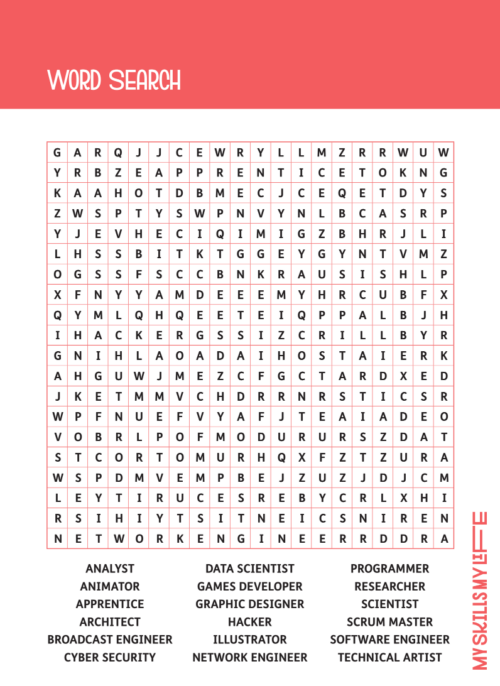
A word search activity from the My Skills My Life lesson titled ‘My Dream Job’. The purpose of this activity was to introduce a variety of STEM and computing careers.
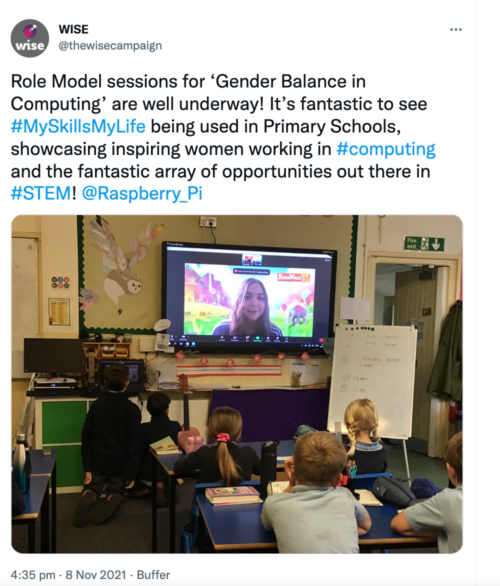
A core component was a lesson midway through the intervention, where schools in the treatment group held a ‘real-life role model’ session with female role models from the computing industry. In this session, volunteer role models shared their day-to-day work experiences and discussed some fundamental concepts and perceptions related to their role. To do so, the role models first received support and training from the schools based on material provided by WISE. WISE also provided additional training and guidance on resource usage and how to talk about computing careers to make them more understandable and relatable to children.
In addition to the lesson content and training, WISE created a role model booklet with information on 72 women currently working in computing and associated industries. These women had volunteered to be included in the booklet and to also speak to pupils potentially interested in computing. The main purpose of presenting these role-models was to let the primary pupils meet women who are happy and successful in computing careers.
“I loved learning about [role model name]’s job during the day. It was so cool.”
– Primary school pupil (report, p. 50)
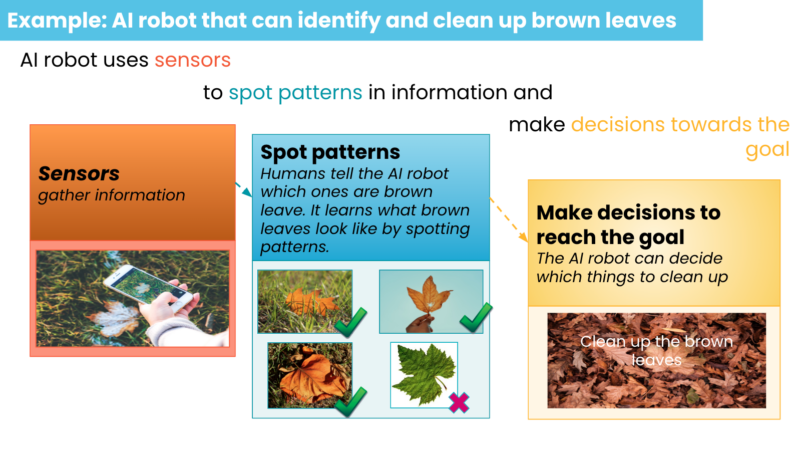
The other intervention in the trial, designed by BIT, was called ‘Code Stars’. This intervention ran over 12 weeks. Schools involved in it first delivered a stand-alone, one-off lesson on artificial intelligence (AI).
A slide from the AI-themed lesson from the Code Stars intervention.
After the lesson, the pupils completed a homework task, engaging with their parents or carers. This was followed by a set of regular conversation prompts to encourage parents to have discussions with their children about computing in general and the AI lesson in particular. The original plan was for BIT to implement these conversation prompts, but due to COVID-19-related challenges, teachers had to take the responsibility of sending the prompts. At the end of the intervention, teachers conducted a follow-up lesson.
“Some parents did not want to support their children due to their own lack of confidence. Others did not see it as important as doing the weekly Maths and English homework.”
– Teacher participating in the Code Stars intervention (report, p. 55)
Results and recommendations from the intervention evaluations
These two separate but related approaches aimed at increasing girls’ sense of membership in the computing community and to improve their and their parents’ engagement. The overall impact was evaluated using a mixed method approach; this included case studies, online teacher surveys, parent interviews, pupil surveys, lesson observations, and pupil focus groups.
The impact evaluation did not find conclusive evidence of either intervention having an impact on female pupils’ attitudes towards computing or their intention to study computing in the future. However, the stated intention of girls to study computing was 5.6 percentage points higher in the Code Stars intervention group than in the control group. This difference was statistically significant in some, although not all, of the analysis run; this means we cannot rule out that this result was due to chance, rather than due to the intervention.
In addition, qualitative data collected from teachers suggested that the My Skills My Life intervention delivery was very well received and needed only minor adjustments, although this did not translate into evidence of impact on the measured pupil outcomes. Teachers also appreciated the level of detail in the My Skills My Life lesson plans, and the Code Stars intervention was described as fun and engaging.
The independent evaluators of this research study have recommended refinements to each of the interventions to improve their delivery and potential impact, along with suggested evaluation strategies for any future replications of the interventions.
Want to find out more about increasing girls’ sense of belonging in computing?
We are very grateful to all the schools, pupils, and teachers who took part in this project. If you would like to stay up-to-date with the Gender Balance in Computing programme, you can sign up to our newsletter. We will also share reports on the other projects within the programme that have explored:
The links between non-formal and formal Computing
The impact of using Computing to solve real-world problems
The role that GCSE Options booklets and Subject Choice evenings can play in promoting gender balance in computing
Supporting educators to provide high-quality computing education has always been integral to our mission. In 2018, we began creating more learning resources for formal education settings. The UK government had recently announced future investment in supporting computing educators. Schools in England were offering the national Computing curriculum established in 2014. (In the USA, a more common term for prescribed education content is ‘standards’.)
England’s Computing curriculum requires that all learners be taught the subject between ages 5 and 16, and it consists of only 25 statements outlining expectations for learners. To accompany this curriculum, we started developing a framework to help us describe the subject of Computing, and in particular the common threads running through it.
A 2012 report by the Royal Society presented the breadth of computing by dividing it into three areas: information technology, computer science, and digital literacy. Although this goes some way to describe computing as a discipline, in our view this model creates artificial divides between aspects of the subject according to whether they are seen as more or less technical. Our more holistic view of computing recognises that concepts and skills within the subject are far more interconnected.
Principles for our taxonomy
When we set out to develop our framework, the goal was to provide a way to look at and describe the subject of Computing as a set of interconnected topics; the framework doesn’t define standards or curricula. There are, of course, many ways of organising the subject matter, implemented through exam specifications, textbooks, schemes of learning, and various progression guides. For our framework, we reviewed examples of each of these, from England and beyond, and decided on some organisational principles:
Our framework should describe the whole of Computing, incorporating computer science, information technology, and digital literacy
The framework should be applicable across primary and secondary education, meaning it should be useful for categorising the knowledge encountered by all learners, from five-year-olds to our oldest secondary school students
While inspired by England’s national curriculum, the framework should be independent of any particular exam specification and capable of adaptation to new curricula
The framework should represent Computing as a discipline that combines a broad mixture of concepts and skills
Developing the taxonomy
Following these principles, we identified ten content themes, or strands, that thread through a learner’s journey in Computing education. We call this framework representing the knowledge and skills that make up the subject our Computing taxonomy. As the Foundation is part of the consortium that established the National Centre for Computing Education in England, our taxonomy became a cornerstone of the work of the Centre, providing a common language to describe Computing in English schools.
The 11 content strands we’ve identified for the subject of Computing.
Computing is, of course, a constantly evolving field and as such, our taxonomy evolves with it. Since 2018 we’ve iterated our taxonomy to incorporate new things we’ve learned, for example relating to the rapid developments of artificial intelligence (AI) technology in recent years. AI now is a significant area of study and represented as its own strand in our current taxonomy, bringing the number of strands up to eleven:
Effective use of tools
Safety and security
Design and development
Impact of technology
Computing systems
Networks
Creating media
Algorithms and data structures
Programming
Data and information
Artificial intelligence
Given the interconnected nature of Computing, we embrace a best-fit approach to content categorisation, choosing the most appropriate strand(s) for each idea. In developing our Computing taxonomy, we determined that four of the strands (the horizontal strands in the diagram) were best taught interwoven with the others, in context rather than as discrete topics. A good example of this is the strand ‘Safety and security’, which focuses on supporting learners to realise the benefits of digital technology without putting themselves and others at risk. While it would be possible to teach this strand as one discrete set of lessons, revisiting it throughout a learner’s journey provides regular reinforcement as well as grounding in the context of other strands.
Within the strands, we have also identified progressive learning outcomes for each stage of learning. These learning outcomes are illustrative of the kinds of knowledge and understanding that learners could develop in each area of Computing. They are not prescriptive and instead aim to illustrate the wide applications of the discipline.
Coming soon: The Big Book of Computing Content
On 24 October, we will publish The Big Book of Computing Content. Framed by our taxonomy, The Big Book of Computing Content presents our work so far in describing the diverse range of concepts and skills that comprise Computing. It also includes the illustrative learning outcomes we’ve identified.
The Big Book of Computing Content will be available in print and as a free PDF download; if you subscribe now, you’ll receive the PDF in your inbox on publication day.
Share your thoughts on our taxonomy
We hope our taxonomy and the new Big Book enable you to reflect on the breadth of Computing and resonate with your teaching. Please share your reflections, in the comments below or by tagging us on social media, if you’d like to help us develop the taxonomy further.
For our seminar series on cross-disciplinary computing, it was a delight to host Genevieve Smith-Nunes this September. Her research work involving ballet and augmented reality was a perfect fit for our theme.
Genevieve Smith-Nunes
Genevieve has a background in classical ballet and was also a computing teacher for several years before starting Ready Salted Code, an educational initiative around data-driven dance. She is now coming to the end of her doctoral studies at the University of Cambridge, in which she focuses on raising awareness of data ethics using ballet and brainwave data as narrative tools, working with student Computing teachers.
Why dance and computing?
You may be surprised that there are links between dance, particularly ballet, and computing. Genevieve explained that classical ballet has a strict repetitive routine, using rule-based choreography and algorithms. Her work on data-driven dance had started at the time of the announcement of the new Computing curriculum in England, when she realised the lack of gender balance in her computing classroom. As an expert in both ballet and computing, she was driven by a desire to share the more creative elements of computing with her learners.
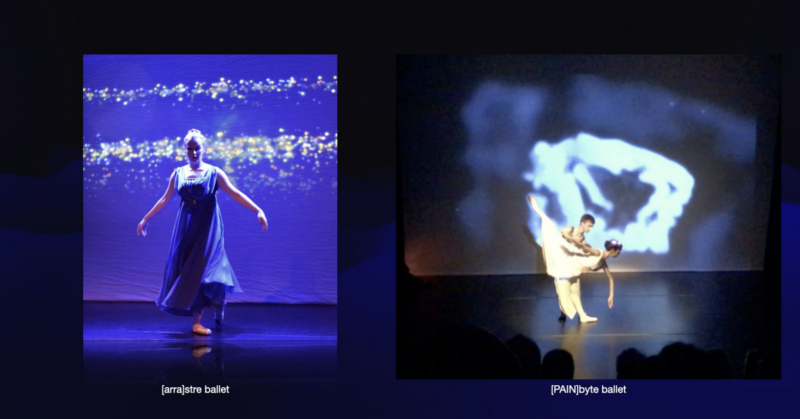
Two of Genevieve’s data-driven ballet dances: [arra]stre and [PAIN]byte
Genevieve has been working with a technologist and a choreographer for several years to develop ballets that generate biometric data and include visualisation of such data — hence her term ‘data-driven dance’. This has led to her developing a second focus in her PhD work on how Computing students can discuss questions of ethics based on the kind of biometric and brainwave data that Genevieve is collecting in her research. Students need to learn about the ethical issues surrounding data as part of their Computing studies, and Genevieve has been working with student teachers to explore ways in which her research can be used to give examples of data ethics issues in the Computing curriculum.
Collecting data during dances
Throughout her talk, Genevieve described several examples of dances she had created. One example was [arra]stre, a project that involved a live performance of a dance, plus a series of workshops breaking down the computer science theory behind the performance, including data visualisation, wearable technology, and images triggered by the dancers’ data.
Much of Genevieve’s seminar was focused on the technologies used to capture movement data from the dancers and the challenges this involves. For example, some existing biometric tools don’t capture foot movement — which is crucial in dance — and also can’t capture movements when dancers are in the air. For some of Genevieve’s projects, dancers also wear headsets that allow collection of brainwave data.
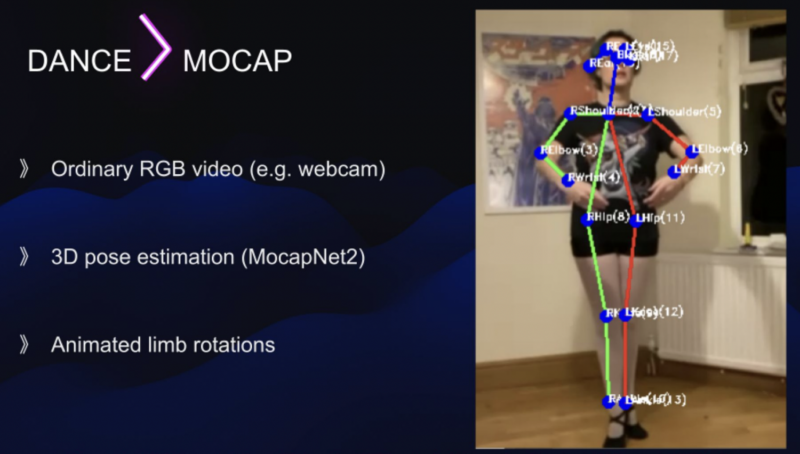
Due to interruptions to her research design caused by the COVID-19 pandemic, much of Genevieve’s PhD research took place online via video calls. New tools had to be created to capture dance performances within a digital online setting. Her research uses webcams and mobile phones to record the biometric data of dancers at 60 frames per second. A number of processes are then followed to create a digital representation of the dance: isolating the dancer in the raw video; tracking the skeleton data; using post pose estimation machine learning algorithms; and using additional software to map the joints to the correct place and rotation.
Are your brainwaves personal data?
It’s clear from Genevieve’s research that she is collecting a lot of data from her research participants, particularly the dancers. The projects include collecting both biometric data and brainwave data. Ethical issues tied to brainwave data are part of the field of neuroethics, which comprises the ethical questions raised by our increasing understanding of the biology of the human brain.
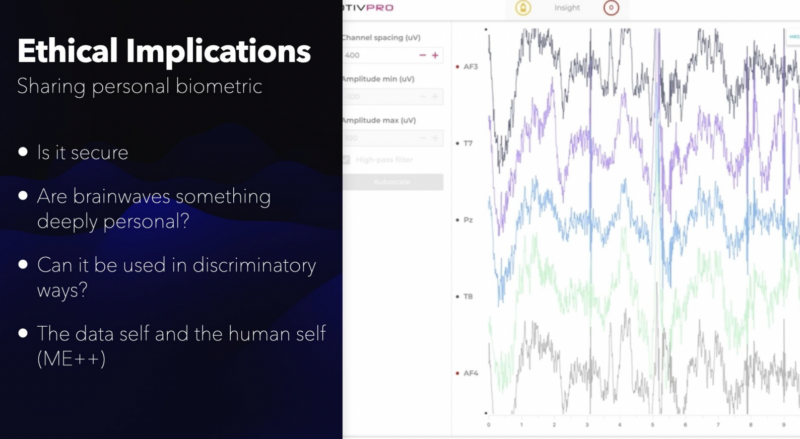
Teaching learners to be mindful about how to work with personal data is at the core of the work that Genevieve is doing now. She mentioned that there are a number of ethics frameworks that can be used in this area, and highlighted the UK government’s Data Ethics Framework as being particularly straightforward with its three guiding principles of transparency, accountability, and fairness. Frameworks such as this can help to guide a classroom discussion around the security of the data, and whether the data can be used in discriminatory ways.
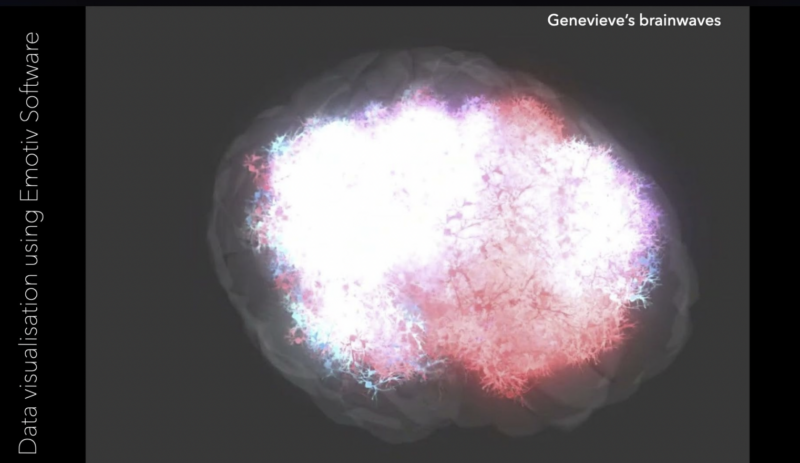
Brainwave data visualisation using the Emotiv software.
Data ethics provides lots of material for discussion in Computing classrooms. To exemplify this, Genevieve recorded her own brainwaves during dance, research, and rest activities, and then shared the data during workshops with student computing teachers. In our seminar Genevieve showed two visualisations of her own brainwave data (see the images above) and discussed how the student computing teachers in her workshops had felt that one was more “personal” than the other. The same brainwave data can be presented as a spreadsheet, or a moving graph, or an image. Student computing teachers felt that the graph data (shown above) felt more medical, and more like permanent personal data than the visualisation (shown above), but that the actual raw spreadsheet data felt the most personal and intrusive.
Watch the recording of Genevieve’s seminar to see her full talk:
Genevieve’s seminar used the title ME++, which refers to the data self and the human self: both are important and of equal value. Genevieve’s use of this term is inspired by William J. Mitchell’s book Me++: The Cyborg Self and the Networked City. Within his framing, the I in the digital world is more than the I of the physical world and highlights the posthuman boundary-blurring of the human and non-human.
In our final two seminars for this year we are exploring further aspects of cross-disciplinary computing. Just this week, Conrad Wolfram of Wolfram Technologies joined us to present his ideas on maths and a core computational curriculum. We will share a summary and recording of his talk soon.
On 2 November, Tracy Gardner and Rebecca Franks from our team will close out this series by presenting work we have been doing on computing education in non-formal settings. Sign up now to join us for this session:
We are looking for primary schools in England to get involved in our new research study investigating how to adapt Computing resources to make them culturally relevant for pupils. In a project in 2021, we created guidelines that included ideas about how teachers can modify Computing lessons so they are culturally relevant for their learners. In this new project, we will work closely with primary teachers to explore this adaptation process.
Designing equitable and authentic learning experiences requires a conscious effort to take into account the characteristics of all learners and their social environments.
This project will help increase the education community’s understanding of ways to widen participation in Computing. The need to do this is demonstrated (as only one example among many) by the fact that in England’s 2017 GCSE Computer Science cohort, Black students were the most underrepresented group. We will investigate how resources adapted to be culturally relevant might influence students’ ideas about computing and contribute to their sense of identity as a “computer person”.
We need to work to enable a more diverse group of learners to feel that they belong in computing, encouraging them to choose to continue with it as a discipline in qualifications and careers.
This study is funded by the Cognizant Foundation and we are grateful for their generous support. Since 2018, the Cognizant Foundation has worked to ensure that all individuals have equitable opportunities to thrive in the jobs driving the future. Their work aligns with our mission to enable young people to realise their full potential through the power of computing and digital technologies.
What will taking part in the project involve?
This project about culturally adapted resources will take place between October 2022 and July 2023. It draws from ideas on how to bridge the gap between academic research and classroom teaching, and we are looking for 12 primary teachers to work closely with our researchers and content writers in three phases using a tested co-creation model.
We will work closely with a group of teacher so we can learn from each other.
By taking part, you will gain an excellent understanding of culturally relevant pedagogy and develop your knowledge and skills in delivering culturally responsive Computing lessons. We will value your expertise and your insights into what works in your classroom, and we will listen to your ideas.
Phase 1 (November 2022)
We will kick off the project with a day-long workshop on 2 November at our head office in Cambridge, which will bring all the participating teachers together. (Funding is available for participating schools to cover supply costs and teachers’ travel costs.) In the workshop, we will first explore what culturally relevant and responsive computing means. Then we will work together to look at a half-term unit of work of Computing lessons and identify how it could be adapted. After the workshop day, we will produce an adapted version of the unit of work based on the teachers’ input and ideas.
Phase 2 (February to March 2023)
In the Spring Term, teachers will deliver the adapted unit of work to their class in the second half of the term. Through a survey before and after the set of lessons, students will be asked about their views of computing. Throughout this time, the research team will be available for online support. We may also visit your school to carry out an observation of one of the lessons.
Phase 3 (April to May 2023)
During this phase, the research team will ask participating teachers about their experiences, and about whether and how they further adapted the lessons. Teachers will likely spend 2 to 3 hours in either April or May sharing their insights and recommendations. After this phase, we will analyse the findings from the study and share the results both with the participating teachers and the wider computing education community.
Who are we looking for to take part in this study?
For this study, we are looking for primary teachers who teach Computing to Year 4 or Year 5 pupils in a school in England.
You may be a generalist primary class teacher who teaches all subjects to your year group, or you may be a specialist primary Computing teacher
To take part, your pupils will need access to desktop or laptop computers in the Spring Term, but your school will not need any specialist hardware or software
You will need to attend the in-person workshop in Cambridge on Wednesday 2 November and commit to the project for the rest of the 2022/2023 academic year; funding is available for participating schools to cover supply costs and teachers’ travel costs
Your headteacher will need to support your participation in the study
If you are an interested teacher, please apply to take part in this project by the closing date of Monday 26 September. If you have any questions, email us at [email protected].
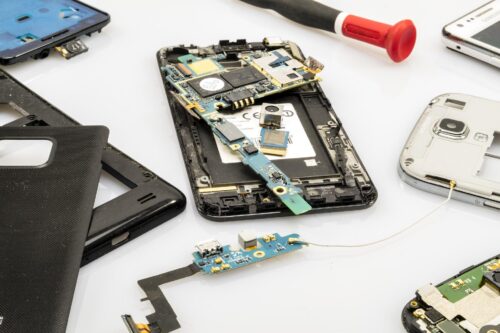
Many technology items are disposed of each year, either because they are broken, are no longer needed, or have been upgraded. Researchers from Germany have identified this as an opportunity to develop a scheme of work for Computing, while at the same time highlighting the importance of sustainability in hardware and software use. They hypothesised that by repairing defective devices, students would come to understand better how these devices work, and therefore meet some of the goals of their curriculum.
The research team visited three schools in Germany to deliver Computing lessons based around the concept of a repair café, where defective items are repaired or restored rather than thrown away. This idea was translated into a series of lessons about using and repairing smartphones. Learners first of all explored the materials used in smartphones and reflected on their personal use of these devices. They then spent time moving around three repair workstations, examining broken smartphones and looking at how they could be repaired or repurposed. Finally, learners reflected on their own ecological footprint and what they had learnt about digital hardware and software.
An educational repair café
In the classroom, repair workstations were set up for three different categories of activity: fixing cable breaks, fixing display breaks, and tinkering to upcycle devices. Each workstation had a mentor to support learners in investigating faults themselves by using the question prompt, “Why isn’t this feature or device working?” At the display breaks and cable breaks workstations, a mentor was on hand to provide guidance with further questions about the hardware and software used to make the smartphone work. On the other hand, the tinkering workstation offered a more open-ended approach, asking learners to think about how a smartphone could be upcycled to be used for a different purpose, such as a bicycle computer. It was interesting to note that students visited each of the three workstations equally.
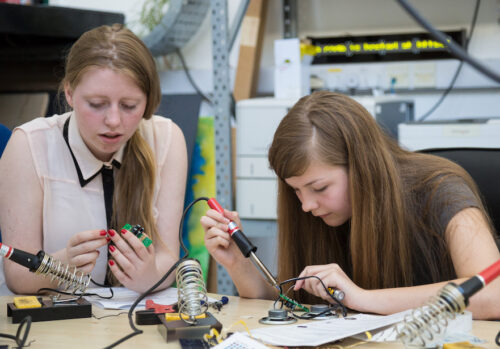
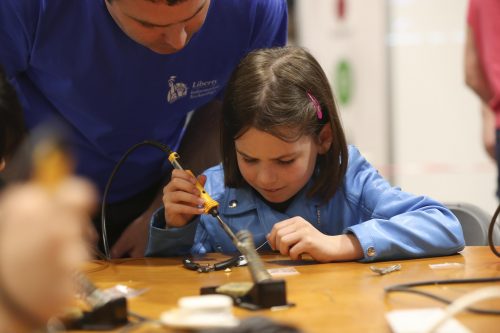
Getting hands-on with hardware through physical computing activities can be very engaging for learners.
The feedback from the participants showed there had been a positive impact in prompting learners to think about the sustainability of their smartphone use. Working with items that were already broken also gave them confidence to explore how to repair the technology. This is a different type of experience from other Computing lessons, in which devices such as laptops or tablets are provided and are expected to be carefully looked after. The researchers also asked learners to complete a questionnaire two weeks after the lessons, and this showed that 10 of the 67 participants had gone on to repair another smartphone after taking part in the lessons.
Links to computing education
The project drew on a theory called duality reconstruction that has been developed by a researcher called Carsten Schulte. This theory argues that in computing education, it is equally important to teach learners about the function of a digital device as about the structure. For example, in the repair café lessons, learners discovered more about the role that smartphones play in society, as well as experimenting with broken smartphones to find out how they work. This brought a socio-technical perspective to the lessons that helped make the interaction between the technology and society more visible.
It’s important to make sure young people know how to work safely with electronic and physical computing components.
Using this approach in the Computing classroom may seem counter-intuitive when compared to the approach of splitting the curriculum into topics and teaching each topic sequentially. However, the findings from this project suggest that learners understand better how smartphones work when they also think about how they are manufactured and used. Including societal implications of computing can provide learners with useful contexts about how computing is used in real-world problem-solving, and can also help to increase learners’ motivation for studying the subject.
Working together
The final aspect of this research project looked at collaborative problem-solving. The lessons were structured to include time for group work and group discussion, to acknowledge and leverage the range of experiences among learners. At the workstations, learners formed small groups to carry out repairs. The paper doesn’t mention whether these groups were self-selecting or assigned, but the researchers did carry out observations of group behaviours in order to evaluate whether the collaboration was effective. In the findings, the ideal group size for the repair workstation activity was either two or three learners working together. The researchers noticed that in groups of four or more learners, at least one learner would become disinterested and disengaged. Some groups were also observed taking part in work that wasn’t related to the task, and although no further details are given about the nature of this, it is possible that the groups became distracted.
The findings from this project suggest that learners understand better how smartphones work when they also think about how they are manufactured and used.
Further investigation into effective pedagogies to set group size expectations and maintain task focus would be helpful to make sure the lessons met their learning objectives. This research was conducted as a case study in a small number of schools, and the results indicate that this approach may be more widely helpful. Details about the study can be found in the researchers’ paper (in German).
Repair café start-up tips
If you’re thinking about setting up a repair café in your school to promote sustainable computing, either as a formal or informal learning activity, here are ideas on where to begin:
Connect with a network of repair cafés in your region; a great place to start is repaircafe.org
Ask for volunteers from your local community to act as mentors
Use video tutorials to learn about common faults and how to fix them
Value upcycling as much as repair — both lead to more sustainable uses of digital devices
Look for opportunities to solve problems in groups and promote teamwork
Discover more in Hello World
This article is from our free computing education magazine Hello World. Every issue is written by educators for educators and packed with resources, ideas, and insights to inspire your learners and your own classroom practice.
For more about computing education in the context of sustainability, climate change, and environmental impact, download issue 19 of Hello World, which focuses on these topics.
You can subscribe to Hello World for free to never miss a digital issue, and if you’re an educator in the UK, a print subscription will get you free print copies in the post.
PS If you’re interested in facilitating productive classroom discussions with your learners about ethical, legal, cultural, and environmental concerns surrounding computer science, take a look at our free online course ‘Impacts of Technology: How To Lead Classroom Discussions’.
Today, we are publishing the third report of our findings from our Gender Balance in Computing research programme. This report shares the outcomes from the Peer Instruction project, which is the last in our set of three interventions that has explored teaching approaches to engage more girls in computing.
The premise of the teaching approach research is that the way Computing is taught may not always match the teaching approaches to which girls are most likely to respond positively [1]. As with the Storytelling project and the Pair Programming project, this project aimed to find new contexts and approaches to help increase the number of girls choosing to study and work in computing.
What is peer instruction?
Peer instruction is a structured, collaborative teaching approach. It has been shown to be an effective pedagogy for novice programmers and those studying computer science at a university level because the interactive, cooperative activities help learners to perceive the topics as less stressful and less difficult [2].
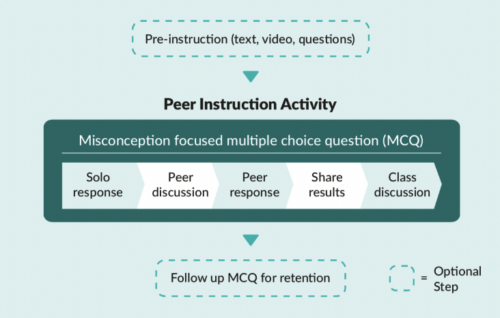
Multiple-choice questions (MCQs) and peer conversations about the question answers are at the core of the peer instruction approach. Through talking to each other about MCQs, pupils can deepen their understanding about why a particular concept or fact is correct, and correct any misconceptions.
The five stages of the peer instruction teaching approach covered in a Computing lesson.
In England, the Computing curriculum at Key Stage 3 (ages 11–14) introduces learners to some new concepts, such as data representation, and moves learners to text-based programming languages. Towards the end of this Key Stage, learners will make choices about the subjects that they go onto study for GCSEs. These choices are influenced by learners’ attitudes towards the subject, and so we decided to trial whether the peer instruction teaching approach might lead to more positive attitudes towards Computing among girls.
The Peer Instruction intervention
The initial pilot of this trial ran from January to March 2020 with 15 secondary schools. We then used teacher feedback to develop resources to use in a full randomised controlled trial which ran from October 2021 to February 2022 in more than 60 secondary schools in England. Due to the COVID-19 pandemic, we changed our original plan to run face-to-face training and instead developed an online course to train teachers in the peer instruction approach. After taking part in the training, the teachers delivered 12 weeks of Computing lessons in data representation and Python programming. The two six-week units of work covered computing concepts for Key Stage 3 learners such as:
Understanding how numbers can be represented in binary format
Understanding how data of various types can be represented and manipulated digitally in the form of binary digits
Using a text-based programming language to solve a variety of computational problems
The study was run as a randomised controlled trial where participating schools were randomly divided into two groups. Schools in the treatment group used the peer instruction resources, and schools in the control group taught their normal Computing lessons. The independent evaluators from the Behavioural Insights Team used pupil surveys to measure the impact of the resources and supported this with lesson observations and teacher interviews to better understand the themes emerging from the data.
“I think peer instruction lessons are actually better than the normal lessons because you can ask other people around you to help more.”
– Female pupil who took part in the peer instruction lessons (report, p. 45)
Findings from the evaluation
The outcome measures of the peer instruction approach evaluation were quantitative data obtained from Year 8 pupils (aged 12 to 13) via pre- and post-surveys about the pupils’ stated intent to select Computer Science as a GCSE subject, and attitudes towards Computing as captured by the Student Computer Science Attitude Survey (SCSAS). When compared with the control group, the treatment group did not show a statistically significant increase in stated intent or positive attitudes towards Computing. This is a really valuable finding to help us build our understanding of what works in computing education.
The evaluation report contains some useful suggestions on how peer instruction methods could be improved in the secondary classroom:
Emphasise the importance of the stages of the peer instruction approach throughout the supporting materials. Our support for teachers changed from an in-person training day in stage one to an online course in stage two, and this impacted how much we could model the peer instruction steps that involve pupil discussion. This teaching approach differs from the traditional approach of asking learners to put their hands up to answer questions, and we believe that face-to-face training for teachers would be the best way to explore stage two of peer instruction. The importance of the discussion steps in peer instruction were further emphasised in the report: “The interviewed girls similarly reported that they preferred working in a group (as opposed to answering questions individually) as they were able to hear from people who had different ideas to them and check their answers.” So the discussion steps in peer instruction need careful thought when being delivered.
It may be useful to combine the peer instruction approach with other strategies. Although only a small number of girls taking part were interviewed, their feedback about the peer instruction lessons was very positive. The evaluation suggests that a multi-faceted approach to addressing gender balance is needed, given that the lack of girls in computing is indicative of a substantive societal issue, which decades of initiatives and research have attempted to address. The evaluators suggested that combining this pedagogy with other strategies, such as linking Computing to real-world problem-solving (another topic we explored in the Gender Balance in Computing programme), may have a cumulatively positive effect.
“Year 8 is too late”
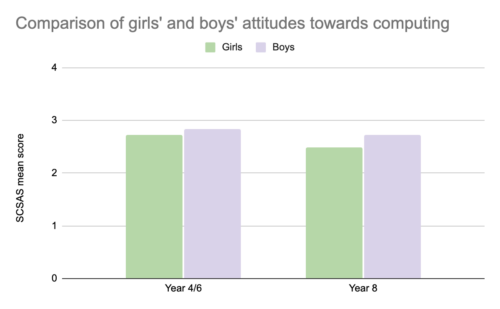
At the start of both the Pair Programming and Peer Instruction projects, pupils were asked the same set of questions about their attitudes towards Computing via the Student Computer Science Attitude Survey (SCSAS). The mean scores from the survey results suggest that there is a small gender gap in attitudes at primary school. Boys feel slightly more confident and interested in Computing than girls. By secondary school, this gap has widened, as shown in the graph below:
Graph of the SCSAS scores to show the differences between boys’ and girls’ mean scores (out of 4) when asked about their attitudes towards Computing at Year 4/6 and at year 8.
In both projects, pupils were also asked about their intentions to continue studying Computing. In the Pair Programming project, the participating pupils (in Year 4/6) were asked whether they wanted to study Computing in the future, whereas the Year 8 pupils taking part in the Peer Instruction project were asked whether they intended to choose Computer Science as a GCSE subject. We cannot compare these two sets of answers directly, but there is general indication that as girls progress through stages of education, they begin to decide that Computing is not a subject for them. The independent evaluators commented that “it is striking that the gap between genders widens to such an extent over this 2- to 4-year time period, and that the overall proportions of pupils intending to continue to study Computing decreases to such an extent” (p. 15 of the report).
“These findings show a clear difference in attitudes towards learning Computing between primary and secondary learners. It really makes the adage ‘Year 8 is too late’ very true, and it is important to think carefully about what happens between Year 6 and Year 8 to make sure that Computing is a subject which engages all learners.”
– Sue Sentance, Chief Learning Officer, Raspberry Pi Foundation
Want to find out more about peer instruction?
Download our Big Book of Computing Pedagogy (available as a free online download) and find out more about peer instruction on pages 56 and 57.
Try the free training course on peer instruction used in this project. This course links to our research materials used by teachers as part of the intervention.
We are very grateful to all the schools, pupils, and teachers who took part in this project. If you would like to stay up-to-date with the Gender Balance in Computing programme, you can sign up to our newsletter. We will also share reports on the other projects within the programme that have explored:
Pupils’ sense of belonging in Computing
The links between non-formal and formal Computing
The impact of using Computing to solve real-world problems
[1] Goode, J., Estrella, R., & Margolis, J. (2008). Lost in Translation: Gender and High School Computer Science. In Cohoon, J, & Aspray, W. (Eds.) Women and Information Technology. Cambridge, MA: The MIT Press. https://doi.org/https://doi.org/10.7551/mitpress/7272.003.0005
[2] Herman, G. L., & Azad, S. (2020, February). A comparison of peer instruction and collaborative problem solving in a computer architecture course. In Proceedings of the 51st ACM Technical Symposium on Computer Science Education. Association for Computing Machinery, New York, NY, USA. pp. 461–467. https://dl.acm.org/doi/10.1145/3328778.3366819
In our current series of research seminars, we are exploring how computing can be connected to other subjects using cross-disciplinary approaches. In July 2022, our speakers were Professor Yasmin Kafai from the University of Pennsylvania and Elaine Griggs, an award-winning teacher from Pembroke High School, Massachusetts, and we heard about their use of e-textiles to engage learners and broaden participation in computing.
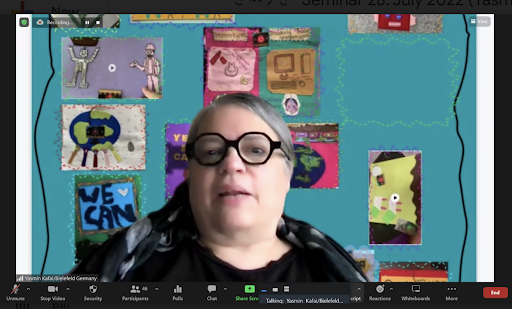
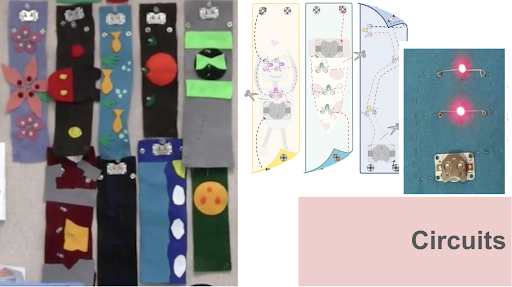
Professor Yasmin Kafai illustrated her research with a wonderful background made up of young people’s e-textile projects
Building new clubhouses
The spaces where young people learn about computing have sometimes been referred to as clubhouses to relate them to the places where sports or social clubs meet. A computing clubhouse can be a place where learners come together to take part in computing activities and gain a sense of community. However, as Yasmin pointed out, research has found that computing clubhouses have also often been dominated by electronics and robotics activities. This has led to clubhouses being perceived as exclusive spaces for only the young people who share those interests.
Yasmin’s work is motivated by the idea of building new clubhouses that include a wide range of computing interests, with a specific focus on spaces for e-textile activities, to show that diverse uses of computing are valued.
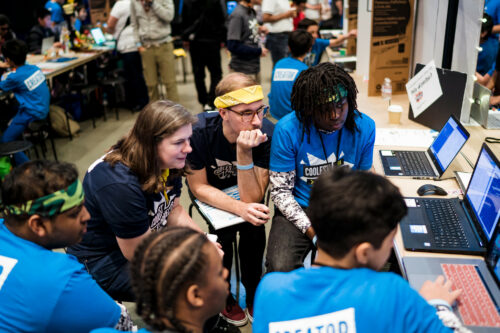
A group of young people share their projects at Coolest Projects
Yasmin’s research into learning through e-textiles has taken place in formal computing lessons in high schools in America, by developing and using a unit from the Exploring Computer Science curriculum called “Stitching the Loop”. In the seminar, we were fortunate to be joined by Elaine, a computer science and robotics teacher who has used the scheme of work in her classroom. Elaine’s learners have designed wearable electronic textile projects with microcontrollers, sensors, LEDs, and conductive thread. With these materials, learners have made items such as paper circuits, wristbands, and collaborative banners, as shown in the examples below.
Items created by learners in the e-textile units of work
Teaching approaches for equity-oriented learning
The hands-on, project-based approach in the e-textile unit has many similarities with the principles underpinning the work we do at the Raspberry Pi Foundation. However, there were also two specific teaching approaches that were embedded in Elaine’s teaching in order to promote equitable learning in the computing classroom:
Prioritising time for learners to design their artefacts at the start of the activity.
Reflecting on learning through the use of a digital portfolio.
Making time for design
As teachers with a set of learning outcomes to deliver, we can often feel a certain pressure to structure lessons so that our learners spend the most time on activities that we feel will deliver those outcomes. I was very interested to hear how in these e-textile projects, there was a deliberate choice to foreground the aesthetics. When learners spent time designing their artefacts and could link it to their own interests, they had a sense of personal ownership over what they were making, which encouraged them to persevere and overcome any difficulties with sewing, code, or electronics.
Spending time on design helped this learner to persevere with problem-solving
My personal reflection was that creating a digital textiles project based on a set template could be considered the equivalent of teaching programming by copying code. Both approaches would increase the chances of a successful output, but wouldn’t necessarily increase learners’ understanding of computing concepts, nor encourage learners to perceive computing as a subject where everyone belongs. I was inspired by the insights shared at the seminar about how prioritising design time can lead to more diverse representations of making.
Reflecting on learning using a digital portfolio
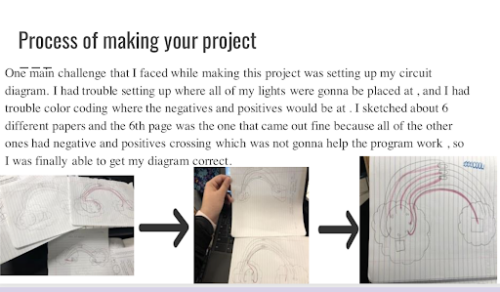
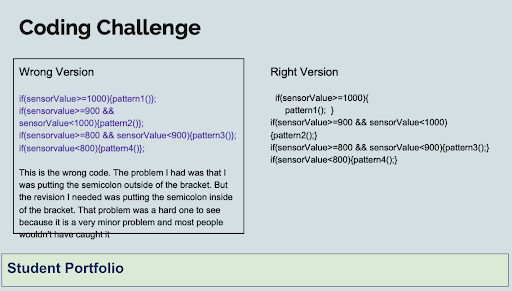
Elaine told us that learners were encouraged to create a digital portfolio which included photographs of the different stages of their project, examples of their code, and reflections on the problems that they had solved during the project. In the picture below, the learner has shared both the ‘wrong’ and ‘right’ versions of their code, along with an explanation of how they debugged the error.
A learner’s example of debugging code from their portfolio
Yasmin explained the equity-oriented theories underpinning the digital portfolio teaching approach. The learners’ reflections allowed deeper understanding of the computing and electronics concepts involved and helped to balance the personalised nature of their artefacts with the need to meet learning goals.
Yasmin also emphasised how important it was for learners to take part in a series of projects so that they encountered computing and electronics concepts more than once. In this way, reflective journalling can be seen as an equitable teaching approach because it helps to move learners on from their initial engagement into more complex projects. Thinking back to the clubhouse model, it is equally important for learners to be valued for their complex e-textile projects as it is for their complex robotics projects, and so portfolios of a series of e-textile projects show that a diverse range of learners can be successful in computing at the highest levels.
Try e-textiles with your learners
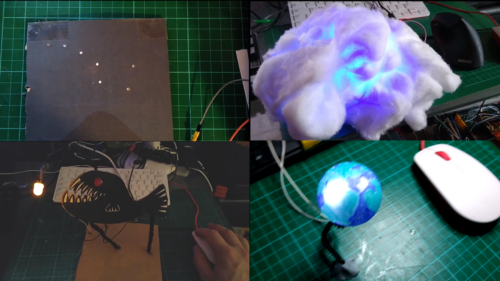
Science and nature models made with an RPF project
If you’re thinking about ways of introducing e-textile activities to your learners, there are some useful resources here:
The Exploring Computer Science page contains all the information and resources relating to the “Stitching the Loop” electronic textiles unit. You can also find the video that Yasmin and Elaine shared during the seminar.
For e-textiles in a non-formal learning space, the StitchFest webpage has lots of information about an e-textile hackathon that took place in 2014, designed to broaden participation and perceptions in computing.
We’re having a short break in the seminar series but will be back in September when we’ll be continuing to find out more about cross-disciplinary approaches to computing.
In our next seminar on Tuesday 6 September 2022 at 17:00–18:30 BST / 12:00–13:30 EST / 9:00–10:30 PST / 18:00–19:30 CEST, we’ll be hearing all about the links between computing and dance, with our speaker Genevieve Smith-Nunes (University of Cambridge). Genevieve will be speaking about data ethics for the computing classroom through biometrics, ballet, and augmented reality (AR) which promises to be a fascinating perspective on bringing computing to new audiences.
From experience, being connected to a community of fellow computing educators is really important, especially given that some members of the community may be the only computing educator in their school, district, or country. These professional connections enable educators to share and learn from each other, develop their practice, and importantly reduce any feelings of isolation.
It was great to see the return of the Computer Science Teachers Association (CSTA) Annual Conference to an in-person event this year, and I was really excited to be able to attend.
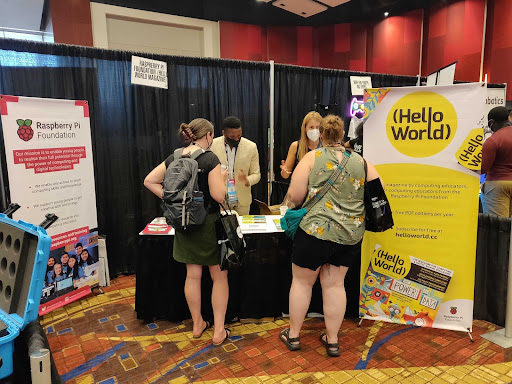
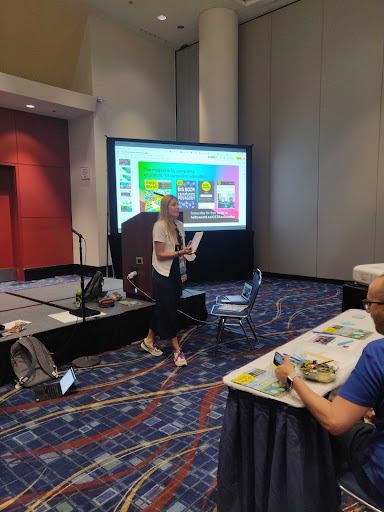
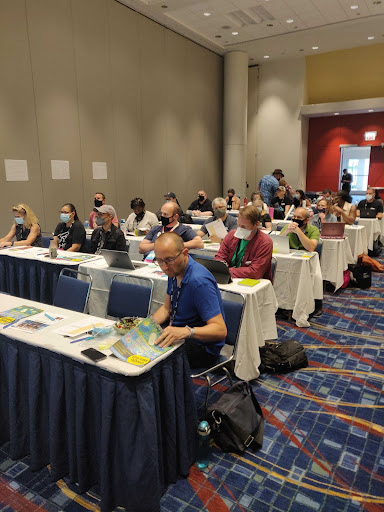
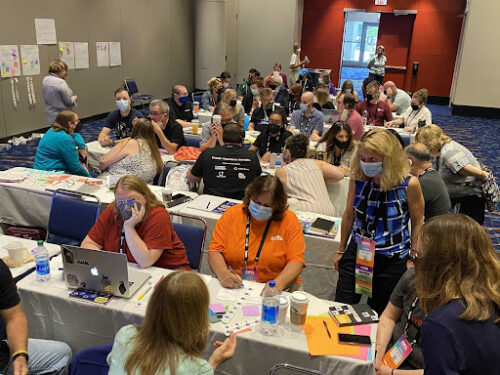
Our small Raspberry Pi Foundation team headed to Chicago for four and a half days of meetups, professional development, and conversations with educators from all across the US and around the world. Over the week our team ran workshops, delivered a keynote talk, gave away copies of Hello World magazine, and signed up many new subscribers. You too can subscribe to Hello World magazine for free at helloworld.cc/subscribe.
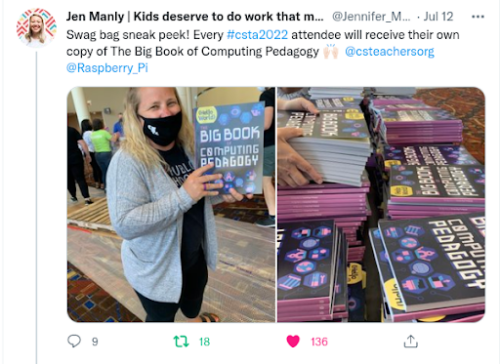
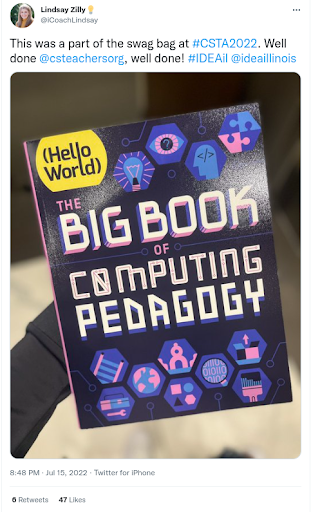
We spoke to so many educators about all parts of the Raspberry Pi Foundation’s work, with a particular focus on the Hello World magazine and podcast, and of course The Big Book of Computing Pedagogy. In collaboration with CSTA, we were really proud to be able to provide all attendees with their own physical copy of this very special edition.
It was genuinely exciting to see how pleased attendees were to receive their copy of TheBig Book of Computing Pedagogy. So many came to talk to us about how they’d used the digital copy already and their plans for using the book for training and development initiatives in their schools and districts. We gave away every last spare copy we had to teachers who wanted to share the book with their colleagues who couldn’t attend.
Don’t worry if you couldn’t make it to the conference, The Big Book of Computing Pedagogy is available as a free PDF, which due to its Creative Commons licence you are welcome to print for yourself.
Another goal for us at CSTA was to support and encourage new authors to the magazine in order to ensure that Hello World continues to be the magazine for computing educators, by computing educators. Anyone can propose an article idea for Hello World by completing this form. We’re confident that every computing educator out there has at least one story to tell, lessons or learnings to share, or perhaps a cautionary tale of something that failed.
We’ll review any and all ideas and will support you to craft your idea into a finished article. This is exactly what we began to do at the conference with our workshop for writers led by Gemma Coleman, our fantastic Hello World Editor. We’re really excited to see these ideas flourish into full-blown articles over the coming weeks and months.
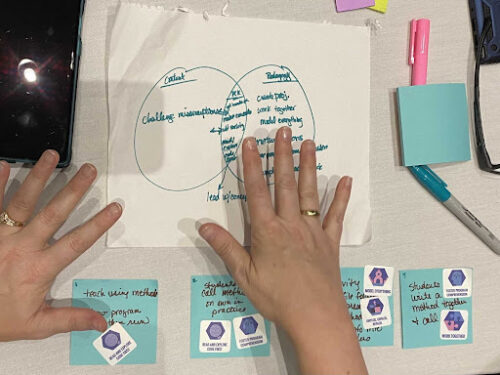
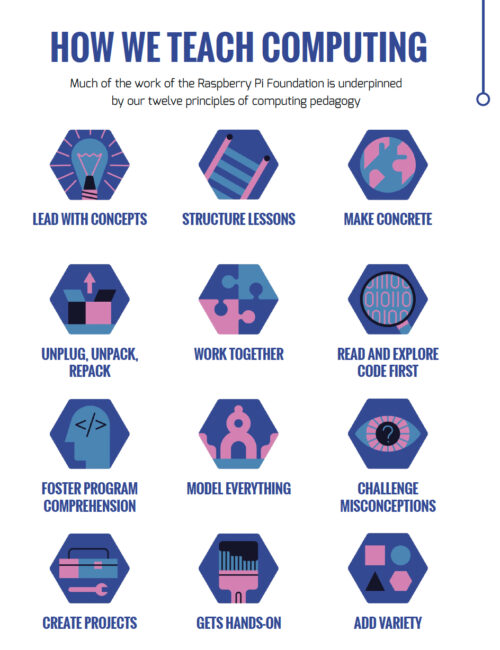
Our week culminated in a keynote talk delivered by Sue, Jane, and James, exploring how we developed our 12 pedagogy principles that underpin The Big Book of Computing Pedagogy, as well as much of the content we create at the Raspberry Pi Foundation. These principles are designed to describe a set of approaches that educators can add to their toolkit, giving them a shared language and the agency to select when and how they employ each approach. This was something we explored with teachers in our final breakout session where teachers applied these principles to describe a lesson or activity of their own.
We found the experience extremely valuable and relished the opportunity to talk about teaching and learning with educators and share our work. We are incredibly grateful to the entire CSTA team for organising a fantastic conference and inviting us to participate.
Discover more with Hello World — for free
Subscribe now to get each new Hello World straight to your digital inbox, for free! And if you’re based in the UK and do paid or unpaid work in education, you can subscribe for free print issues.
When we teach children and young people about computing, do we consider how the subject has developed over time, how it relates to our students’ lives, and importantly, what our values are? Professor Pratim Sengupta shared some of the research he and his colleagues have been working on related to these questions in our June 2022 research seminar.
Prof. Pratim Sengupta
Pratim revealed a complex landscape where we as educators can be easily trapped by what may seem like good intentions, thereby limiting learning and excluding some students. His presentation, entitled Computational heterogeneity in STEM education, introduced me to the concept of technocentrism and profoundly impacted my thinking about the essence of programming and how I research it. In this blog post, particularly for those unable to attend this stimulating seminar, I give my simplified view of the rich philosophy shared by Pratim, and my fledgling steps to admit to my technocentrism and overcome it.
Our seminars on teaching cross-disciplinary computing
Between May 2022 and November 2022, we are hosting a new series of free research seminars about teaching computing in different ways and in different contexts. This second seminar of the series was well attended with participants from the USA, Asia, Africa, and Europe, including teachers, researchers, and industry professionals, who contributed to a lively and thought-provoking discussion.
Pratim is a learning scientist based in Canada with a long and distinguished career. He has studied how to teach computational modelling in K-12 STEM classrooms and investigates the complexity of learning. Grounded in working with teachers and students, he brings together computing, science, education, and social justice. Based on his work at Northwestern University, Vanderbilt University, and now with the Mind, Matter and Media lab at the University of Calgary, Pratim has published hundreds of academic papers over some 20 years. Pratim and his team challenge how we focus on making technological artefacts — code for code’s sake — in computing education, and refocuses us on the human experience of coding and learning to code.
What is technocentrism?
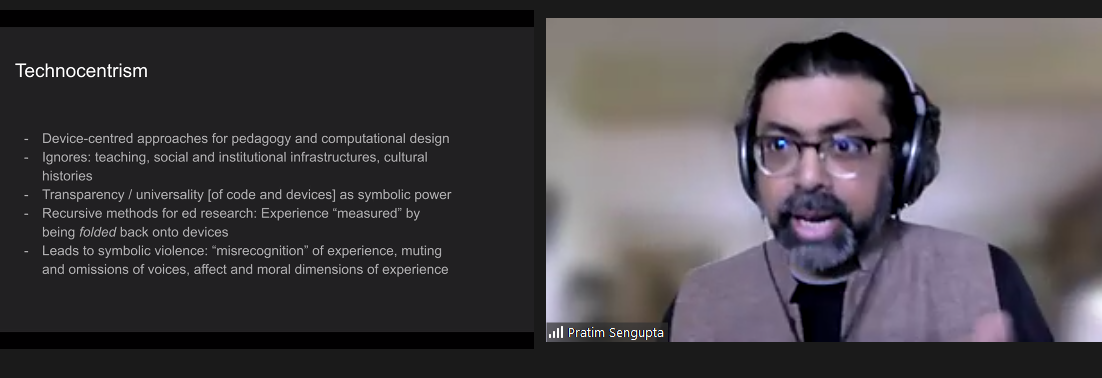
Pratim started the seminar by giving us an overview of some of the key ideas that underpin the way that computing is usually taught in schools, including technocentrism (Figure 1).
Figure 1: The features of technocentrism, a way of thinking about how we teach computing, particularly programming (Sengupta, 2022). Click to enlarge.
I have come to a simplified understanding of technocentrism. To me, it appears to be a way of looking at how we learn about computer science, where one might:
Focus on the finished product (e.g. a computer program), rather than thinking about the people who create, learn about, or use a program
Ignore the context and the environment, rather than paying attention to the history, the political situation, and the social context of the task at hand
View computing tasks as being implemented (enacted) by writing code, rather than seeing computing activities as rich and complex jumbles of meaning-making and communication that involve people using chatter, images, and lots of gestures
Anchor learning in concepts and skills, rather than placing the values and viewpoints of learners at the heart of teaching
Examples of technocentrism and how to overcome it
Pratim recounted several research activities that he and his team have engaged with. These examples highlight instances of potential technocentrism and investigate how we might overcome it.
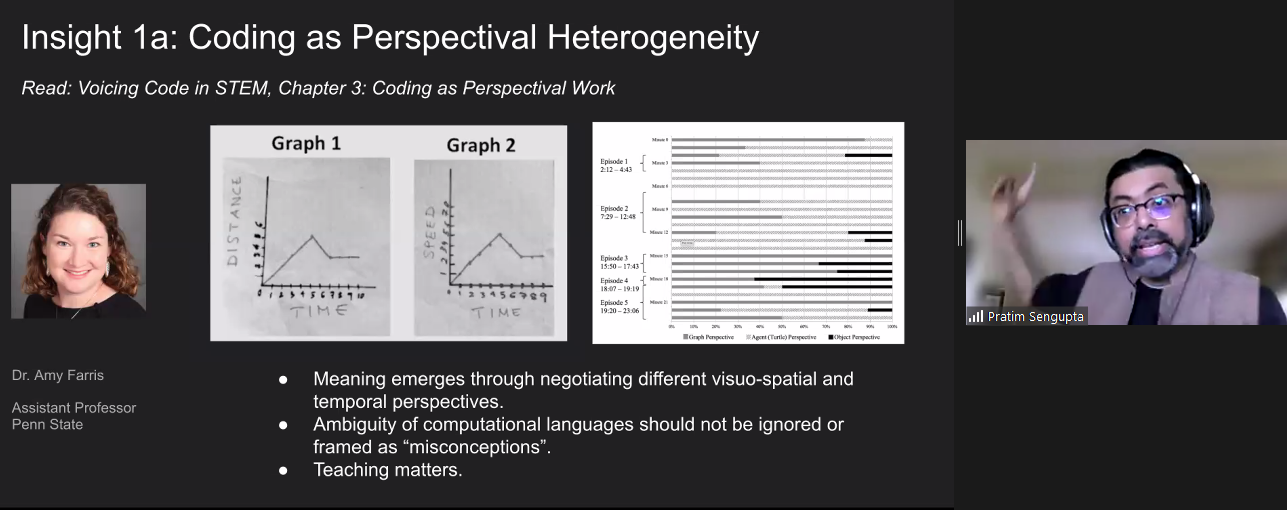
In the first example research activity, Pratim explained how in maths and physics lessons, middle school students were asked to develop models to solve time and distance problems. Rather than immediately coding a potential solution, the researcher and teacher supported the learners to spend much time developing a shared perspective to understand and express the problems first. Students grappled with different ways of representing the context, including graphs and diagrams (see Figure 2). Gradually and carefully, teachers shifted students to recognise what was important and what was not, to move them toward a meaningful language to describe and solve the problems.
Figure 2: Two graphs from students showing different representations of a context, and a researcher’s bar chart representing how students’ shared understanding emerged over time (Sengupta, 2022). Click to enlarge.
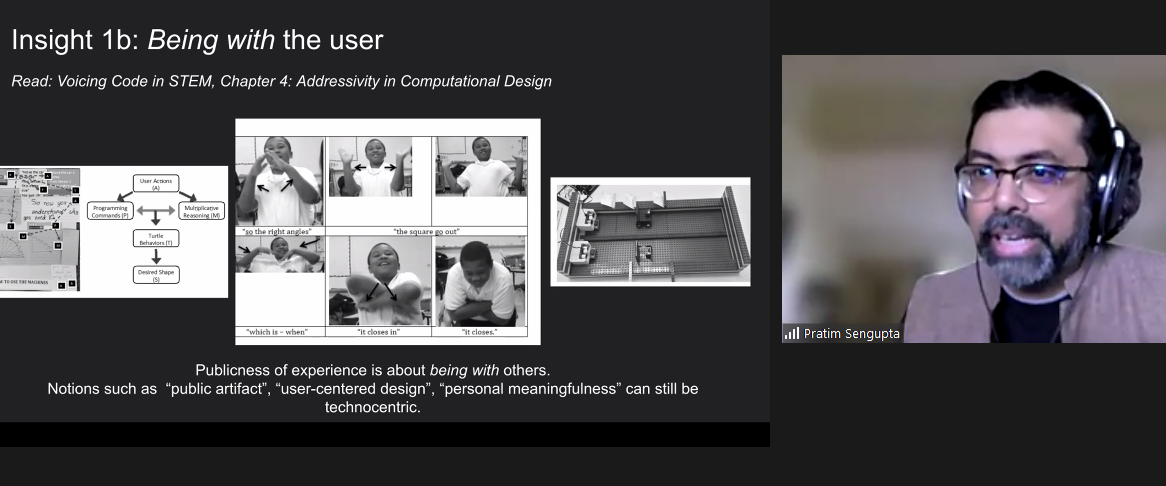
In a second example research activity, students were asked to build a machine that draws shapes using sensors, motors, and code. Rather than jumping straight to a solution, the students spent time with authentic users of their machines. Throughout the process, students worked with others, expressing the context through physical movement, clarifying their thoughts by drawing diagrams, and finding the sweet spot between coding, engineering design, and maths (see Figure 3).
Figure 3: Students used physical movements and user guides to be with others and publicly share and experience the task with authentic users (Sengupta, 2022). Click to enlarge.
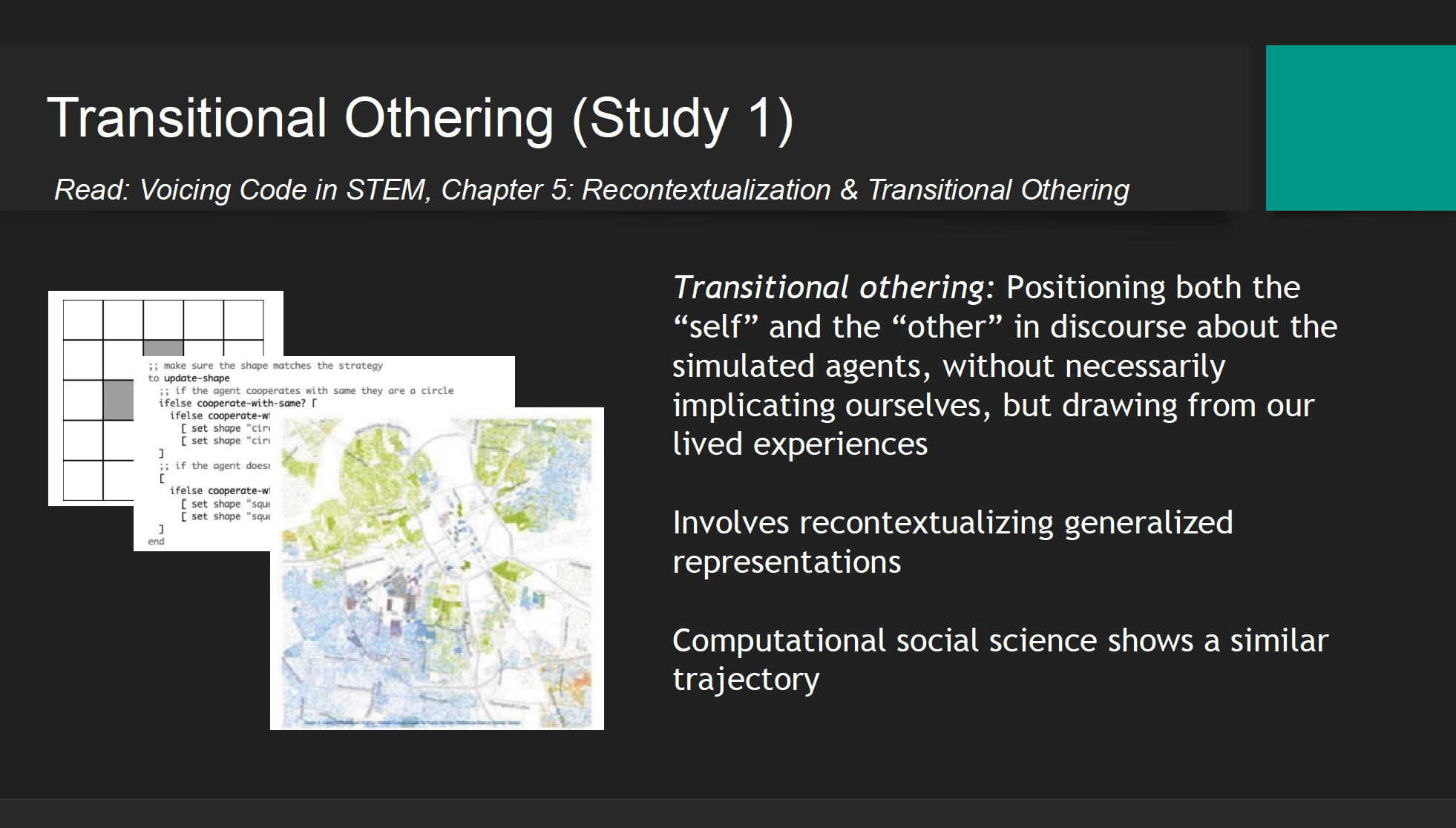
In a third example research activity, racial segregation of US communities was discussed with pre-service teachers. The predominately white teachers found talking about the topic very difficult at the beginning of the activity. To overcome this hesitancy, teachers were first asked to work with a simulation that modelled the process of segregation through abstracted dots (or computational agents), a transitional other. Following this hypothetical representation, the context was then recontextualised through a map of real data points of the ethnicity of residents in an area of the US. This kind of map is called a Racial Dot Map based on US census data. When the teachers were able to interpret the link between the abstracted dot simulation and the real-world data they were able to talk about racism and segregation in a way they could not do before. The initial simulation and the recontextualisation were a pedagogical tool to reveal racism and provide a space where students felt comfortable discussing their values and beliefs that would otherwise have remained implicit.
Figure 4: To facilitate discussion of racial segregation, a simulation was used that bridges abstracted dots and real people, giving pre-service teachers a space to reflect on discrimination (Sengupta, 2022). Click to enlarge.
My takeaways
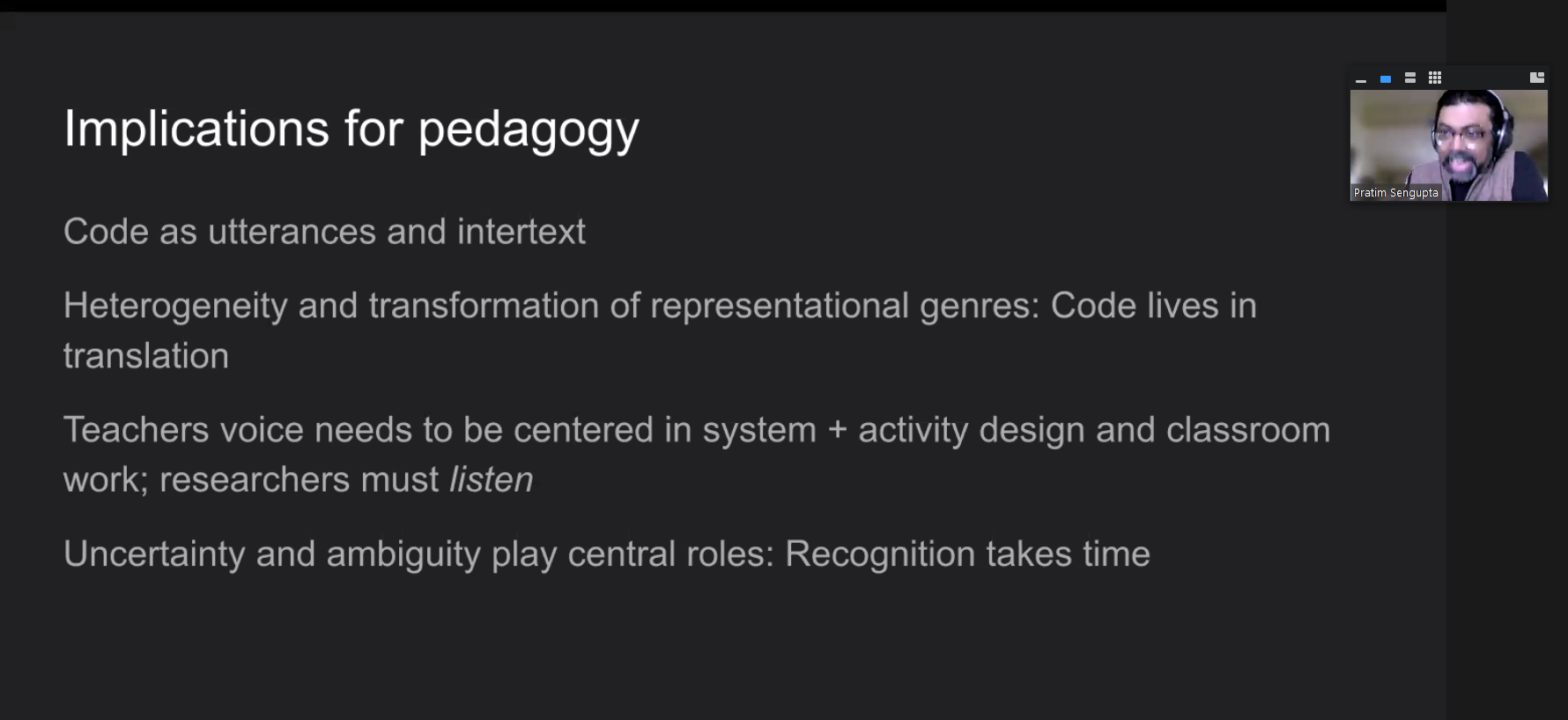
Pratim shared four implications of this research for computing pedagogy (see Figure 5).
Figure 5: Pratim’s four implications for pedagogy. Click to enlarge
As a researcher of pedagogy, these points provide takeaways that I can relate to my own research practice:
Code is a voice within an experience rather than symbols at a point in time. For example, when I listen to students predicting what a snippet of code will do, I think of the active nature of each carefully chosen command and how for each student, the code corresponds with them differently.
Code lives as a translation bridging many dimensions, such as data representation, algorithms, syntax, and user views. This statement resonates deeply with my liking of Carsten Schultes’s block model [1] but extends to include the people involved.
We should listen carefully and attentively to teachers, rather than making assumptions about what happens in classrooms. Teachers create new ideas. This takeaway is very important and reminds me about the trust and relationships built between teachers and researchers and how important it is to listen.
Uncertainty and ambiguity exist in learning, and this can take time to recognise. This final point makes me smile. As a developer, teacher, and researcher, I have found dealing with ambiguity hard at various points in my career. Still, over time, I think I am getting better at seeing it and celebrating it.
Listening to Pratim share his research on the teaching and learning of computing and the pitfalls of technocentrism has made me think deeply about how I view computer science as a subject and do research about it. I have shared some of my reflections in this blog, and I plan to incorporate the underlying theory and ideas in my ongoing research projects.
If you would like to find out more about Pratim’s work, please look over his slides, watch his presentation, read the upcoming chapter in our seminar proceedings, or respond to this blog by leaving a comment so we can discuss!
Today we share the second report in our series of findings from the Gender Balance in Computing research programme, which we’ve been running as part of the National Centre for Computing Education and with various partners. In this £2.4 million research programme, funded by the Department for Education in England, we aim to identify ways to encourage more female learners to engage with Computing and choose to study it further.
Previously, we shared the evaluation report about our pilot study of using a storytelling approach with very young computing learners. This new report, again coming from the Behavioural Insights Team (BIT) which acts as the programme’s independent evaluator, describes our study of another teaching approach.
Existing research suggests that computing is not always taught in a way that is engaging for girls in particular [1], and that we can improve this. With the intervention at hand, we wanted to explore the effects of using a pair programming teaching approach with primary school learners aged 8 to 11. We have critically and carefully examined the findings, which show mixed outcomes regarding the effectiveness of the approach, and we believe that the research provides insights that increase our shared understanding of how to teach computing effectively to young learners.
Computing education through a collaborative lens
Many people think that writing computer programs is a task carried out by people working individually. A 2017 study of 8- and 9-year-olds [2] confirms this: when asked to draw a picture of a computer scientist doing work, 90% of the children drew a picture of one person working alone. This stereotype is present in teaching and learning about computing and computer science; many computer programming lessons take place in a way that promotes solitary working, with individual students sitting in front of separate computers, working on their own code and debugging their own errors.
Professional software development rarely happens like this. For example, at the Raspberry Pi Foundation, our software engineers work collaboratively on design and often pair up to solve problems. Computing education research also has identified the importance of looking at computer programming through a collaborative lens. This viewpoint allows us to see computing as a subject with scope for collaborative group work in which students create useful applications together and are part of a community where programming has a shared social context [3].
Researching collaborative learning in the primary computing classroom
One teaching approach in computing that promotes collaborative learning is pair programming (a practice also used in industry). This is a structured way of working on programming tasks where learners are paired up and take turns acting as the driver or the navigator. The driver controls the keyboard and mouse and types the code. The navigator reads the instructions, supports the driver by watching out for errors in the code, and thinks strategically about next steps and solutions to problems. Learners swap roles every 5 to 10 minutes, to ensure that both partners can contribute equally and actively to the collaborative learning.
As one part of the Gender Balance in Computing programme, we designed a project to explore the effect of pair programming on girls’ attitudes towards computing. This project builds on research from the USA which suggests that solving problems collaboratively increases girls’ persistence when they encounter difficulties in programming tasks [4].
In the Pair Programming project, we worked with teachers of Year 4 (ages 8–9) and Year 6 (ages 10–11) in schools in England. From January to March 2020, we ran a pilot study with 10 schools and used the resulting teacher feedback to finalise the training and teaching materials for a full randomised controlled trial. Due to the coronavirus pandemic, we trained teachers in the pair programming approach using an online course instead of face-to-face training.
A tweet from a school about taking part in the pair programming study.
The randomised controlled trial ran from September to December 2021 with 97 schools. Schools were randomly allocated to either the intervention group and used the pair programming training and the scheme of work we designed, or to the control group and taught Computing in their usual way, not aware that we were investigating the effects of pair programming. Due to the coronavirus pandemic, our training of teachers in the pair programming approach had to take place via an online course instead of face to face.
Teachers in both groups delivered 12 weeks of Computing lessons, in which learners used Scratch programming to draw shapes and create animations. The lessons covered computing concepts from Key Stage 2 (ages 7–11), such as using sequences, selection, and repetition in programs, as well as digital literacy skills such as using technology respectfully.
What can we learn about pair programming from the study?
The findings about this particular intervention were limited by the amount of data the independent evaluators at BIT were able to collect amongst learners and teachers given the ongoing pandemic. BIT’s evaluation was primarily based on quantitative data collected from learners at the start and the end of the intervention. To collect the data, they used a validated instrument called the Student Computer Science Attitude Survey (SCSAS), which asks learners about their attitudes towards Computing. The evaluators compared the datasets gathered from the intervention group (who took part in pair programming lessons) and the control group (who took part in Computing lessons taught with a ‘business as usual’ model).
The evaluators’ data analysis found no statistically significant evidence that the pair programming approach positively affected girls’ attitudes towards computing or their intention to study computing in the future. The lack of statistically significant results, called a null result in research projects, can appear disappointing at first. But our work involves careful reflection and critical thinking about all outcomes of our research, and the result of this project is no exception. These are factors that may have contributed towards the result:
The independent evaluators suggested that the intervention may lead to different findings if it were implemented again without the disruptions caused by the pandemic. One of their recommendations was to revert to our original planned model of providing face-to-face training to teachers delivering the pair programming approach, and we believe this would embed a deeper understanding of the approach.
Our research built upon a prior study [4] that suggested a connection between pair programming and increased confidence about problem-solving in girls of a similar age. That study took place in a non-formal setting in an all-girls group, whereas our research was situated in formal education in mixed gender groups. It may be that these differences are significant.
It may be that there is no causal link between using the pair programming approach and an increase in girls’ attitudes towards computing, or that the link may only become apparent over a longer time-scale, or that the pair programming approach needs to be combined with other strategies to achieve a positive effect.
The evaluators also gathered qualitative data by running teacher and learner interviews, and we were pleased that this data provided some rich insights into the benefits of using a pair programming approach in the primary classroom, and gave some promising indications of possible benefits for female learners in particular.
Teachers spoke positively about the use of paired activities, and felt that having the defined roles of driver and navigator helped both partners to contribute equally to the programming tasks. Learners said that they enjoyed working in pairs, even though there could be some moments of frustration. Some of the teachers were even planning to integrate pair programming into future lessons. This suggests that the approach was effective both in engaging and motivating learners, as well as in facilitating the planned learning outcomes of the lessons, and that it can be used more widely in primary computing teaching.
“I don’t know why I’ve never thought to do computing like that, actually, because it’s a really good vehicle for the fact that there are two roles, clearly defined. There’s all your conversation, and knowledge comes through that, and then they’re both equally having a turn.” — Primary school teacher (report, p. 38)
“I like working with both [both as a partner and by yourself] because when you do pair programming, you’re collaborating with your partner, making links, and you have to tell them what to do. But if you have a really good idea and then they put the wrong thing in the wrong place, it’s quite annoying.” — Female learner (report, p. 40)
Both teachers and learners felt that having the support of a partner boosted learners’ confidence, which echoes previous research in the field [5, 6]. In computing, boys more accurately assess their capabilities, whereas girls tend to underestimate their performance [7]. When learners feel a positive emotion such as confidence towards a subject, combined with a belief that they can succeed in tasks related to that subject, this shows self-efficacy [8]. Our findings suggest that, through the use of the pair programming approach, both boys and girls improved their sense of self-efficacy towards Computing, which is corroborated by quotes from learners themselves. This is interesting because a sense of self-efficacy in Computing is linked to the decisions to pursue further study in the subject [9]. More research could build on this observation.
“I do think that having that equal time to have a go at both, thinking of the girls I’ve got, will have helped my girls, because they lack a bit of confidence. They were learning very quickly that, ‘Actually, yes, we are sure. We can do this.’” — Primary teacher (report, p. 44)
“It might be easier to do pair programming [compared to ‘normal’ lessons] because if you’re stuck, your partner can be helpful.” — Female learner (report, p. 43)
Watch this short video that shows pair programming being used in a primary classroom.
Read the evaluation report of the pair programming intervention, where you’ll also find more quotes from teachers and learners.
Try the free training course on pair programming we designed and used for this project. It also includes links to the lesson plans that teachers worked with.
Collaboration in our research
We will continue to publish evaluation reports and our reflections on the other projects in the Gender Balance in Computing programme. If you would like to stay up-to-date with the programme, you can sign up to the newsletter.
The insights gained from this trial will feed forwards into our future work. Through the process of working with schools on this project, we have increased our understanding of the process of research in educational settings in many ways. We are very grateful for the input from teachers who took part in the first stage of the trial, with whom we developed an effective co-production model for developing resources, a model we will use in future research projects. Teachers who took part in the second stage of the project told us that the resources we provided were of good quality, which demonstrates the success of this co-production approach to developing resources.
In our new Raspberry Pi Computing Education Research Centre, created with the University of Cambridge Department of Computer Science and Technology, we will collaborate closely with teachers and schools when implementing and evaluating research projects. You are invited to the free in-person launch event of the Centre on 20 July in Cambridge, UK, where we hope to meet many teachers, researchers, and other education practitioners to strengthen a collaborative community around computing education research.
References
[1] Goode, J., Estrella, R., & Margolis, J. (2018). Lost in Translation: Gender and High School Computer Science. In Women and Information Technology. https://doi.org/10.7551/mitpress/7272.003.0005
[2] Alexandria K. Hansen, Hilary A. Dwyer, Ashley Iveland, Mia Talesfore, Lacy Wright, Danielle B. Harlow, and Diana Franklin. 2017. Assessing Children’s Understanding of the Work of Computer Scientists: The Draw-a-Computer-Scientist Test. In Proceedings of the 2017 ACM SIGCSE Technical Symposium on Computer Science Education (SIGCSE ’17). Association for Computing Machinery, New York, NY, USA, 279–284. https://doi.org/10.1145/3017680.3017769
[3] Yasmin B. Kafai and Quinn Burke. 2013. The social turn in K-12 programming: moving from computational thinking to computational participation. In Proceeding of the 44th ACM technical symposium on Computer science education (SIGCSE ’13). Association for Computing Machinery, New York, NY, USA, 603–608. https://doi.org/10.1145/2445196.2445373
[5] Charlie McDowell, Linda Werner, Heather E. Bullock, and Julian Fernald. 2006. Pair programming improves student retention, confidence, and program quality. Commun. ACM 49, 8 (August 2006), 90–95. https://doi.org/10.1145/1145287.1145293
[6] Denner, J., Werner, L., Campe, S., & Ortiz, E. (2014). Pair programming: Under what conditions is it advantageous for middle school students? Journal of Research on Technology in Education, 46(3), 277–296. https://doi.org/10.1080/15391523.2014.888272
[7] Maria Kallia and Sue Sentance. 2018. Are boys more confident than girls? the role of calibration and students’ self-efficacy in programming tasks and computer science. In Proceedings of the 13th Workshop in Primary and Secondary Computing Education (WiPSCE ’18). Association for Computing Machinery, New York, NY, USA, Article 16, 1–4. https://doi.org/10.1145/3265757.3265773
[9] Allison Mishkin. 2019. Applying Self-Determination Theory towards Motivating Young Women in Computer Science. In Proceedings of the 50th ACM Technical Symposium on Computer Science Education (SIGCSE ’19). Association for Computing Machinery, New York, NY, USA, 1025–1031. https://doi.org/10.1145/3287324.3287389
Connecting face to face with educators around the world is a key part of our mission at the Raspberry Pi Foundation, and it’s something that we’ve sorely missed doing over the last two years. We’re therefore thrilled to be joining over 1000 computing educators in the USA at the Computer Science Teachers Association (CSTA) Annual Conference in Chicago in July.
Developing and sharing effective computing pedagogy is our theme for CSTA 2022. We’ll be talking to you about our 12 pedagogy principles, laid out in The Big Book of Computing Pedagogy, available to download for free.
An exciting piece of news is that everyone attending CSTA 2022 will find a free print copy of the Big Book in their conference goodie bag!
We’re really looking forward to sharing and discussing the book and all our work with US educators, and to seeing some familiar faces. We’re also hoping to interview lots of old and new friends about your approaches to teaching computing and computer science for future Hello World podcast episodes.
Your sessions with us
Our team will also be running a number of sessions where you can join us to learn, discuss, and prepare lesson plans.
Semantic Waves and Wavy Lessons: Connecting Theory to Practical Activities and Back Again
Thursday 14 July, 9am–12pm: Pre-conference workshop (booking required) with James Robinson and Jane Waite
If you enjoy explaining concepts using unplugged activities, analogy, or storytelling, then this practical pre-conference session is for you. In the session, we’ll introduce the idea of semantic waves, a learning theory that supports learners in building knowledge of new concepts through careful consideration of vocabulary and contexts. Across the world, this approach has been successfully used to teach topics ranging from ballet to chemistry — and now computing.
You’ll learn how this theory can be applied to deliver powerful explanations that connect abstract ideas and concrete experiences. By taking part in the session, you’ll gain a solid understanding of semantic wave theory, see it in practice in some freely available lesson plans, and apply it to your own planning.
Write for a Global Computing Community with Hello World Magazine
Friday 15 July, 1–2pm: Workshop with Gemma Coleman
Do you enjoy sharing your teaching ideas, successes, and challenges with others? Do you want to connect with a global community of over 30,000 computing educators? Have you always wanted to be a published author? Then come along to this workshop session.
Hello World has been going strong for five years — find out how you can become one of its authors.
Every single computing or CS teacher out there has at least one lesson to share, idea to voice, or story to tell. In the session, you’ll discuss what makes a good article with Gemma Coleman, Hello World’s Editor, and you’ll learn top tips for how to communicate your ideas in writing. Gemma will also guide you through writing a plan for your very own article. Even if you’re not sure whether you want to write an article, doing this is a powerful way to reflect on your teaching practice.
Developing a Toolkit for Teaching Computer Science in School
Saturday 16 July, 4–5pm: Keynote talk by Sue Sentance
To teach any subject requires good teaching skills, knowledge about the subject being taught, and specific knowledge that a teacher gains about how to teach a particular topic, to their particular students, in a particular context. Teaching computer science is no different, and it’s a challenge for teachers to develop a go-to set of pedagogical strategies for such a new subject, especially for elements of the subject matter that they are just getting to grips with themselves.
In this keynote talk, our Chief Learning Officer Sue Sentance will focus on some of the 12 pedagogy principles that we developed to support the teaching of computer science. We created this set of principles together with other teachers and researchers to help us and everyone in computing and computer science education reflect on how we teach our learners. Sue will share how we arrived at the principles, and she’ll use classroom examples to illustrate how you can apply them in practice.
Exploring the Hello World Big Book of Computing Pedagogy
Sunday 17 July, 9–10am: Workshop with Sue Sentance
The set of 12 pedagogy principles we’ve developed for teaching computing are presented in our Hello World Big Book of Computing Pedagogy. The book includes summaries, teachers’ perspectives, and lesson plans for each of the 12 principles.
All CSTA attendees will get their own print copy of the Big Book, and in this practical session, we will use the book to explore together how you can use the 12 principles in the planning and delivery of your lessons. The session will be very hands-on, so bring along something you know you want or need to teach.
See you at CSTA in July
CSTA is now just a month away, and we can’t wait to meet old friends, make new connections, and learn from each other! Come find us at booth 521 or at our sessions to meet the team, discover Hello World magazine and the Hello World podcast, and find out more about our educational work. We hope to see you soon.
At the Raspberry Pi Foundation, we believe everyone belongs in computer science, and that it is a much more varied field than is commonly assumed. One of the ways we want to promote inclusivity and highlight the variety of skills and interests needed in computer science is through our ‘I belong’ campaign. We do this because the tech sector lacks diversity. Similarly, in schools, there is underrepresentation of students in computing along the axes of gender, ethnicity, and economic situation. (See how researchers describe data from England, and data from the USA.)
These people are role models who demonstrate that everyone belongs in computer science, and that everyone can bring their interests and skills to bear in the field. In this way, we want to show young people that they can do much more with computing than they might think, and to inspire them to consider how computing could be part of their own life and career path.
Meet Salome
Salome is studying Computer Science with Digital Technology Solutions at the University of Leeds and doing a degree apprenticeship with PricewaterhouseCoopers (PwC).
“I was quite lucky, as growing up I saw a lot about women in STEM which inspired me to take this path. I think to improve the online community, we need to keep challenging stereotypes and getting more and more people to join, thereby improving the diversity. This way, a larger number of people can have role models and identify themselves with someone currently there.”
“Another thing is the assumption that computer science is just coding and not a wide and diverse field. I still have to explain to my friends what computer science involves and can become, and then they will say, ‘Wow, that’s really interesting, I didn’t know that.’”
Devyani is a third-year degree apprentice at Cisco.
“It was at A level where I developed my programming skills, and it was more practical rather than theoretical. I managed to complete a programming project where I utilised PHP, JavaScript, and phpMyAdmin (which is a database). It was after this that I started looking around and applying for degree apprenticeships. I thought that university wasn’t for me, because I wanted a more practical and hands-on approach, as I learn better that way.”
“At the moment, I’m currently doing a product owner role, which is where I hope to graduate into. It’s a mix between both a business role and a technical role. I have to stay up to speed with the current technologies we are using and developing for our clients and customers, but also I have to understand business needs and ensure that the team is able to develop and deliver on time to meet those needs.”
Omar is a Mexican palaeontologist who uses computer science to study dinosaur bones.
“I try to bring aspects that are very well developed in computer science and apply them in palaeontology. For instance, when digitising the vertebrae, I use a lot of information theory. I also use a lot of data science and integrity to make sure that what we have captured is comparable with what other people have found.”
“What drove me to computers was the fact you are always learning. That’s what keeps me interested in science: that I can keep growing, learn from others, and I can teach people. That’s the other thing that makes me feel like I belong, which is when I am able to communicate the things I know to someone else and I can see the face of the other person when they start to grasp a theory.”
Tasnima is a computer science graduate from Queen Mary University of London, and is currently working as a software engineer at Credit Suisse.
“During the pandemic, one of the good things to come out of it is that I could work from home, and that means working with people all over the world, bringing together every race, religion, gender, etc. Even though we are all very different, the one thing we all have in common is that we’re passionate about technology and computer science. Another thing is being able to work in technology in the real world. It has allowed me to work in an environment that is highly collaborative. I always feel like you’re involved from the get-go.”
“I think we need to also break the image that computer science is all about coding. I’ve had friends that have stayed away from any tech jobs because they think that they don’t want to code, but there’s so many other roles within technology and jobs that actually require no coding whatsoever.”
Aleena is a software engineer who works at a health tech startup in London and is also studying for a master’s degree in AI ethics at the University of Cambridge.
“I do quite a lot of different things as an engineer. It’s not just coding, which is part of it but it is a relatively small percentage, compared to a lot of other things. […] There’s a lot of collaborative time and I would say a quarter or third of the week is me by myself writing code. The other time is spent collaborating and working with other people and making sure that we’re all aligned on what we are working on.”
“I think it’s actually a very diverse field of tech to work in, once you actually end up in the industry. When studying STEM subjects at a college or university level it is often not very diverse. The industry is the opposite. A lot of people come from self-taught or bootcamp backgrounds, there’s a lot of ways to get into tech and software engineering, and I really like that aspect of it. Computer science isn’t the only way to go about it.”
Alice is a final-year undergraduate student of Computer Science with Artificial Intelligence at the University of Brighton. She is also the winner of the Global Challenges COVID-19 Research Scholarship offered by Santander Universities.
“[W]e need to advertise computer science as more than just a room full of computers, and to advertise computer sciences as highly collaborative. It’s very creative. If you’re on a team of developers, there’s a lot of communication involved.”
“There’s something about computer science that I think is so special: the fact that it is a skill anybody can learn, regardless of who they are. With the right idea, anybody can build anything.”
Help us spread the message that everyone belongs in computer science: share this blog with schools, teachers, STEM clubs, parents, and young people you want to inspire.
You can learn computer science with us
Whether you’re studying or teaching computer science GCSE or A levels in the UK (or thinking about doing so!), or you’re a teacher or student in another part of the world, Isaac Computer Science is here to help you achieve your computer science goals. Our high-quality learning platform is free to use and open to all. As a student, you can register to keep track of your progress. As a teacher, you can sign up to guide your students’ learning.
And for younger learners, we have lots of fun project guides to try out coding and creating with digital technologies.
Last summer, the Raspberry Pi Foundation and the University of Cambridge Department of Computer Science and Technology created a new research centre focusing on computing education research for young people in both formal and non-formal education. The Raspberry Pi Computing Education Research Centre is an exciting venture through which we aim to deliver a step-change for the field.
Computing education research that focuses specifically on young people is relatively new, particularly in contrast to established research disciplines such as those focused on mathematics or science education. However, computing is now a mandatory part of the curriculum in several countries, and being taken up in education globally, so we need to rigorously investigate the learning and teaching of this subject, and do so in conjunction with schools and teachers.
You’re invited to our in-person launch event
To celebrate the official launch of the Raspberry Pi Computing Education Research Centre, we will be holding an in-person event in Cambridge, UK on Weds 20 July from 15.00. This event is free and open to all: if you are interested in computing education research, we invite you to register for a ticket to attend. By coming together in person, we want to help strengthen a collaborative community of researchers, teachers, and other education practitioners.
The launch event is your opportunity to meet and mingle with members of the Centre’s research team and listen to a series of short talks. We are delighted that Prof. Mark Guzdial (University of Michigan), who many readers will be familiar with, will be travelling from the US to join us in cutting the ribbon. Mark has worked in computer science education for decades and won many awards for his research, so I can’t think of anybody better to be our guest speaker. Our other speakers are Prof. Alastair Beresford from the Department of Computer Science and Technology, and Carrie Anne Philbin MBE, our Director of Educator Support at the Foundation.
Prof. Mark GuzdialProf. Alastair BeresfordCarrie Anne Philbin MBE
The event will take place at the Department of Computer Science and Technologyin Cambridge. It will start at 15.00 with a reception where you’ll have the chance to talk to researchers and see the work we’ve been doing. We will then hear from our speakers, before wrapping up at 17.30. You can find more details about the event location on the ticket registration page.
Our research at the Centre
The aim of the Raspberry Pi Computing Education Research Centre is to increase our understanding of teaching and learning computing, computer science, and associated subjects, with a particular focus on young people who are from backgrounds that are traditionally under-represented in the field of computing or who experience educational disadvantage.
We have been establishing the Centre over the last nine months. In October, I was appointed Director, and in December, we were awarded funding by Google for a one-year research project on culturally relevant computing teaching, following on from a project at the Raspberry Pi Foundation. The Centre’s research team is uniquely positioned, straddling both the University and the Foundation. Our two organisations complement each other very well: the University is one of the highest-ranking universities in the world and renowned for its leading-edge academic research, and the Raspberry Pi Foundation works with schools, educators, and learners globally to pursue its mission to put the power of computing into the hands of young people.
In our research at the Centre, we will make sure that:
We collaborate closely with teachers and schools when implementing and evaluating research projects
We publish research results in a number of different formats, as promptly as we can and without a paywall
We translate research findings into practice across the Foundation’s extensive programmes and with our partners
We are excited to work with a large community of teachers and researchers, and we look forward to meeting you at the launch event.
Stay up to date
At the end of June, we’ll be launching a new website for the Centre at computingeducationresearch.org. This will be the place for you to find out more about our projects and events, and to sign up to our newsletter. For announcements on social media, follow the Raspberry Pi Foundation on Twitter or Linkedin.
From May to November 2022, our seminars focus on the theme of cross-disciplinary computing. Through this seminar series, we want to explore the intersections and interactions of computing with all aspects of learning and life, and think about how they can help us teach young people. We were delighted to welcome Prof. Mark Guzdial (University of Michigan) as our first speaker.
Professor Mark Guzdial, University of Michigan
Mark has worked in computer science (CS) education for decades and won many awards for his research, including the prestigious ACM SIGCSE Outstanding Contribution to Computing Education award in 2019. He has written literally hundreds of papers about CS education, and he authors an extremely popular computing education research blog that keeps us all up to date with what is going on in the field.
In his talk, Mark focused on his recent work around developing task-specific programming (TSP) languages, with which teachers can add a teaspoon (also abbreviated TSP) of programming to a wide variety of subject areas in schools. Mark’s overarching thesis is that if we want everyone to have some exposure to CS, then we need to integrate it into a range of subjects across the school curriculum. And he explained that this idea of “adding a teaspoon” embraces some core principles; for TSP languages to be successful, they need to:
Meet the teachers’ needs
Be relevant to the context or lesson in which it appears
Be technically easy to get to grips with
Mark neatly summarised this as ‘being both usable and useful’.
Historical views on why we should all learn computer science
We can learn a lot from going back in time and reflecting on the history of computing. Mark started his talk by sharing the views of some of the eminent computer scientists of the early days of the subject. C. P. Snow maintained, way back in 1961, that all students should study CS, because it was too important to be left to a small handful of people.
Alan Perlis, also in 1961, argued that everyone at university should study one course in CS rather than a topic such as calculus. His reason was that CS is about process, and thus gives students tools that they can use to change the world around them. I’d never heard of this work from the 1960s before, and it suggests incredible foresight. Perhaps we don’t need to even have the debate of whether computer science is for everyone — it seems it always was!
What’s the problem with the current situation?
In many of our seminars over the last two years, we have heard about the need to broaden participation in computing in school. Although in England, computing is mandatory for ages 5 to 16 (in theory, in practice it’s offered to all children from age 5 to 14), other countries don’t have any computing for younger children. And once computing becomes optional, numbers drop, wherever you are.
Not enough students are experiencing computer science in school.
Mark shared with us that in US high schools, only 4.7% of students are enrolled in a CS course. However, students are studying other subjects, which brought him to the conclusion that CS should be introduced where the students already are. For example, Mark described that, at the Advanced Placement (AP) level in the US, many more students choose to take history than CS (399,000 vs 114,000) and the History AP cohort has more even gender balance, and a higher proportion of Black and Hispanic students.
The teaspoon approach to broadening participation
A solution to low uptake of CS being proposed by Mark and his colleagues is to add a little computing to other subjects, and in his talk he gave us some examples from history and mathematics, both subjects taken by a high proportion of US students. His focus is on high school, meaning learners aged 14 and upwards (upper secondary in Europe, or key stage 4 and 5 in England). To introduce a teaspoon of CS to other subjects, Mark’s research group builds tools using a participatory design approach; his group collaborates with teachers in schools to identify the needs of the teachers and students and design and iterate TSP languages in conjunction with them.
Mark demonstrated a number of TSP language prototypes his group has been building for use in particular contexts. The prototypes seem like simple apps, but can be classified as languages because they specify a process for a computational agent to execute. These small languages are designed to be used at a specific point in the lesson and should be learnable in ten minutes. For example, students can use a small ‘app’ specific to their topic, look at a script that generates a visualisation, and change some variables to find out how they impact the output. Students may also be able to access some program code, edit it, and see the impact of their edits. In this way, they discover through practical examples the way computer programs work, and how they can use CS principles to help build an understanding of the subject area they are currently studying. If the language is never used again, the learning cost was low enough that it was worth the value of adding computation to the one lesson.
We have recorded the seminar and will be sharing the video very soon, so bookmark this page.
Try TSP languages yourself
You can try out the TSP language prototypes Mark shared yourself, which will give you a good idea of how much a teaspoon is!
DV4L: For history students, the team and participating teachers have created a prototype called DV4L, which visualises historical data. The default example script shows population growth in Africa. Students can change some of the variables in the script to explore data related to other countries and other historical periods.
Pixel Equations: Mathematics and engineering students can use the Pixel Equations tool to learn about the way that pictures are made up of individual pixels. This can be introduced into lessons using a variety of contexts. One example lesson activity looks at images in the contexts of maps. This prototype is available in English and Spanish.
Counting Sheets: Another example given by Mark was Counting Sheets, an interactive tool to support the exploration of counting problems, such as how many possible patterns can come from flipping three coins.
Have a go yourself. What subjects could you imagine adding a teaspoon of computing to?
Join our next free research seminar
We’d love you to join us for the next seminar in our series on cross-disciplinary computing. On 7 June, we will hear from Pratim Sengupta, of the University of Calgary, Canada. He has conducted studies in science classrooms and non-formal learning environments, focusing on providing open and engaging experiences for anyone to explore code. Pratim will share his thoughts on the ways that more of us can become involved with code when we open up its richness and depth to a wider audience. He will also introduce us to his ideas about countering technocentrism, a key focus of his new book.
We will shortly be sharing details about the official in-person launch event of the Raspberry Pi Computing Education Research Centre at the University of Cambridge on 20 July 2022. And guess who is going to be coming to Cambridge, UK, from Michigan to officially cut the ribbon for us? That’s right, Mark Guzdial. More information coming soon on how you can sign up to join us for free at this launch event.
We’ve been running the Gender Balance in Computing programme of research since 2019, as part of the National Centre for Computing Education (NCCE) and with various partners. It’s a £2.4 million research programme funded by the Department for Education in England that aims to identify ways to encourage more girls and young women to engage with Computing and choose to study it further. The programme is made up of four separate areas of research, in which we are running a number of interventions.
The first independent evaluation report from the Behavioural Insights Team (BIT) on our series of interventions has now been published. It relates to an intervention within the research area ‘Teaching Approach’, evaluating our pilot study of teaching computing to Key Stage 1 children using a storytelling approach. The evaluators from BIT found that this pilot study produced evidence of promise for the storytelling approach. They recommend conducting a full-size trial to test how effective this approach is for engaging female pupils with Computing.
Teaching computing through storytelling
Like many Computing curricula around the world, the English National Curriculum emphasises the importance of teaching Computing through a range of content so that pupils can express themselves and develop their ideas using digital tools. Our ‘Teaching Approach’ project builds on research grounded in sociocultural learning theories that suggest teaching approaches that encourage collaboration and use a variety of contexts can make Computing a more inclusive subject for all learners. Within this project, we are running three different interventions, each with learners of different ages.
Evidence indicates that gender stereotypes around Computing develop early (1). Therefore we designed a trial — the first of its kind in England — to explore a storytelling approach for teaching Computing with younger children (6- to 7-year-olds). A small body of research suggests that using storytelling as a learning context for Computing can be engaging for both boys and girls. Research results indicate that:
Teaching computing through storytelling and story-writing is effective for motivating 11- to 14-year-old girls to learn programming (2)
Children who write computer programs to tell stories see Computing as a subject that is equally as easy or difficult for both boys and girls (3)
In a non-formal learning space, primary-aged girls are more likely to choose a storybook beginner electronics activity rather than open-ended beginner electronics free play (4)
The pilot study and the evaluation methods
As combining evidence from research with older students and in non-formal education is experimental, we designed this storytelling trial as a small pilot study. Our aim was to generate early evidence as to how feasible a teaching approach that uses storytelling might be in the primary Computing classroom.
We recruited 53 schools to take part in the pilot study, which ran from April to July 2021. Many schools were still facing challenges due to the ongoing coronavirus pandemic, and we are very grateful to the teachers and learners who have taken part for their contribution to this important research.
To conduct the study, we created a free online training course, and a scheme of work, for schools to teach Computing concepts to 6- and 7-year olds using a storytelling approach. Over a sequence of the 12 lessons in the scheme of work, pupils used the ScratchJr programming environment to animate their own digital stories and learn about Computing concepts, such as sequence and repetition, linked to elements of stories, such as structure, rhyme, and speech.
To enable the independent evaluation of the effectiveness of the storytelling approach by BIT, schools were allocated either to an intervention group, which used the training course and the storytelling scheme of work, or to a control group, which taught Computing in their usual way and was not made aware that the approach being trialled involved storytelling. For their evaluation, BIT gathered data from both groups to compare them:
They conducted surveys measuring learners’ attitudes toward computing and their intentions to study it in the future
They carried out observations of lessons, interviews with teachers, and discussions with learners
They ran a survey to gather feedback about the trial from teachers
The gathered data was assessed against five categories: evidence of promise, fidelity, acceptability, feasibility, and readiness for trial.
Main findings of the evaluation team
After analysing the data collected from observations, interviews, learner discussions, pupil surveys, and teacher surveys, the key finding of the independent evaluators was that the storytelling teaching approach had evidence of promise, and that it is worthwhile scaling up our intervention for a larger trial with more schools.
The evaluators’ teacher interviews confirmed the early development of gender stereotypes in the classroom. This highlights the importance of introducing Computing to young learners in a way that engages both boys and girls.
“I’ve really noticed how there’s already differences in views of what’s a boy, what’s a girl, the boys are getting in front of me, like, ‘I want a boy car, I don’t want a girl car’. Then we’ve got the other side where we’ve got fairy tales and princesses and, ‘Oh, I’m a bunny. Do you want to play with me?’”
Teacher (evaluation report, p. 22)
Teachers told the evaluators that pupils enjoyed personalising their stories in ScratchJr, and that they themselves felt positive about the use of storytelling to teach computing.
“I think [the storytelling aspect] gives them something real to work through, so it’s not… abstract… I think through the storytelling, they’re able to make it as funny or whatever they want, and it’s also their own interest. [Female student], she dotes on animals, so she’s always having giraffes and all of that, so it’s something that they can make their own connections too… Yes, I did really like the storytelling.”
Teacher (evaluation report, p. 26)
Teacher feedback provided some evidence that the storytelling lessons had equally increased both male and female pupils’ interest, confidence, and skills.
The independent evaluation team advised caution when interpreting the quantitative data from the pupil surveys, due to the small sample size in this pilot study and the high attrition rates caused by coronavirus-related disruptions. We ourselves would like to add that the study raises questions about the reliability of quantitative survey data collected from very young children using Likert scales, BIT’s chosen survey format for this evaluation. Although the evaluators have made some positive steps in creating a new survey suitable for young children, this research instrument may need further testing; the survey results would need to be interpreted in this light, and more research in this area would be recommended.
This intervention was based on one of the teaching approaches for which there was only early evidence of effectiveness, so it is a good outcome to have a larger trial recommended based on our pilot study. It’s often said that research ends up recommending more research, but in this case our small pilot project really does give robust evidence that we should trial the storytelling approach with more schools.
The independent evaluators collected feedback from both teachers and pupils that confirms the storytelling intervention we designed is feasible in the classroom. The feedback also indicates where we can make small adjustments that will refine and develop the training and scheme of work for a larger-scale study (evaluation report, p. 35), and we will consider this feedback carefully. While some teachers suggested that the training be shortened, less experienced teachers highlighted the need to ensure the training introduces teachers to all of the content covered in the lessons. This feedback helps us to better understand how Computing is taught in primary schools, and how this is influenced by the wide variety of experience and subject knowledge that teachers have. Interestingly, in the control group, some of the teachers reported that they also introduced coding to their learners by having them create stories. We would like to conduct further research into how schools introduce young learners to programming, and we’ll be continuing to reflect on how best to offer flexible content for teacher training related to our research studies.
We’re now looking at how to continue to investigate the effectiveness of the storytelling approach through a larger trial, alongside other projects in which we’re exploring female engagement in computing education through our recently established Raspberry Pi Computing Education Research Centre.
More evaluations are on the way for our other studies in the Gender Balance in Computing programme, including:
Two other trials of teaching approaches
Interventions in non-formal education contexts
Trials of approaches to building a sense of belonging in Computing
Research into the impact of timetabling and options evenings
If you would like to stay up-to-date with the research programme, you can sign up to the Gender Balance in Computing newsletter. We will also post our reflections on the projects on this blog when the evaluations are completed.
1 Mulvey, K. L. and Irvin, M. J. (2018). Judgments and reasoning about exclusion from counter-stereotypic STEM career choices in early childhood. Early Child. Res. Q. 44, 220–230. https://doi.org/10.1016/j.ecresq.2018.03.016
2 Kelleher, C., Pausch, R. and Kiesler, S. (2007). Storytelling alice motivates middle school girls to learn computer programming. In CHI ’07: Proceedings of the SIGCHI Conference on Human Factors in Computing Systems, 1455–1464. Association for Computing Machinery, New York, NY, USA. https://doi.org/10.1145/1240624.1240844
3 Zaidi, R., Freihofer, I. and Childress Townsend, G. (2017). Using Scratch and Female Role Models while Storytelling Improves Fifth-Grade Students’ Attitudes toward Computing. In SIGCSE ’17: Proceedings of the 2017 ACM SIGCSE Technical Symposium on Computer Science Education, 791–792. Association for Computing Machinery, New York, NY, USA. https://doi.org/10.1145/3017680.3022451
4 McLean, M., & Harlow, D. (2017). Designing inclusive STEM activities: A comparison of playful interactive experiences across gender. In IDC ’17: Proceedings of the 2017 Conference on Interaction Design and Children, 567–574. Association for Computing Machinery, New York, NY, USA. https://doi.org/10.1145/3078072.3084326
Between September 2021 and March 2022, we’ve been partnering with The Alan Turing Institute to host a series of free research seminars about how to young people about AI and data science.
In the final seminar of the series, we were excited to hear from Stefania Druga from the University of Washington, who presented on the topic of AI literacy for families. Stefania’s talk highlighted the importance of families in supporting children to develop AI literacy. Her talk was a perfect conclusion to the series and very well-received by our audience.
Stefania Druga, University of Washington
Stefania is a third-year PhD student who has been working on AI literacy in families, and since 2017 she has conducted a series of studies that she presented in her seminar talk. She presented some new work to us that was to be formally shared at the HCI conference in April, and we were very pleased to have a sneak preview of these results. It was a fascinating talk about the ways in which the interactions between parents and children using AI-based devices in the home, and the discussions they have while learning together, can facilitate an appreciation of the affordances of AI systems. You’ll find my summary as well as the seminar recording below.
“AI literacy practices and skills led some families to consider making meaningful use of AI devices they already have in their homes and redesign their interactions with them. These findings suggest that family has the potential to act as a third space for AI learning.”
– Stefania Druga
AI literacy: Growing up with AI systems, growing used to them
Back in 2017, interest in Alexa and other so-called ‘smart’, AI-based devices was just developing in the public, and such devices would have been very novel to most people. That year, Stefania and colleagues conducted a first pilot study of children’s and their parents’ interactions with ‘smart’ devices, including robots, talking dolls, and the sort of voice assistants we are used to now.
A slide from Stefania’s AI literacy seminar. Click to enlarge.
Working directly with families, the researchers explored the level of understanding that children had about ‘smart’ devices, and were surprised by the level of insight very young children had into the potential of this type of technology.
In this AI literacy pilot study, Stefania and her colleagues found that:
Children perceived AI-based agents (i.e. ‘smart’ devices) as friendly and truthful
They treated different devices (e.g. two different Alexas) as completely independent
How ‘smart’ they found the device was dependent on age, with older children more likely to describe devices as ‘smart’
AI literacy: Influence of parents’ perceptions, influence of talking dolls
Stefania’s next study, undertaken in 2018, showed that parents’ perceptions of the implications and potential of ‘smart’ devices shaped what their children thought. Even when parents and children were interviewed separately, if the parent thought that, for example, robots were smarter than humans, then the child did too.
A slide from Stefania’s AI literacy seminar. Click to enlarge.
Another part of this study showed that talking dolls could influence children’s moral decisions (e.g. “Should I give a child a pillow?”). In some cases, these ‘smart’ toys would influence the child more than another human. Some ‘smart’ dolls have been banned in some European countries because of security concerns. In the light of these concerns, Stefania pointed out how important it is to help children develop a critical understanding of the potential of AI-based technology, and what its fallibility and the limits of its guidance are.
A slide from Stefania’s AI literacy seminar. Click to enlarge.
AI literacy: Programming ‘smart’ devices, algorithmic bias
Another study Stefania discussed involved children who programmed ‘smart’ devices. She used the children’s drawings to find out about their mental models of how the technology worked.
She found that when children had the opportunity to train machine learning models or ‘smart’ devices, they became more sceptical about the appropriate use of these technologies and asked better questions about when and for what they should be used. Another finding was that children and adults had different ideas about algorithmic bias, particularly relating to the meaning of fairness.
AI literacy: Kinaesthetic activities, sharing discussions
The final study Stefania talked about was conducted with families online during the pandemic, when children were learning at home. 15 families, with in total 18 children (ages 5 to 11) and 16 parents, participated in five weekly sessions. A number of learning activities to demonstrate features of AI made up each of the sessions. These are all available at aiplayground.me.
A slide from Stefania’s AI literacy seminar. Click to enlarge.
The fact that children and parents, or other family members, worked through the activities together seemed to generate fruitful discussions about the usefulness of AI-based technology. Many families were concerned about privacy and what was happening to their personal data when they were using ‘smart’ devices, and also expressed frustration with voice assistants that couldn’t always understand the way they spoke.
A slide from Stefania’s AI literacy seminar. Click to enlarge.
In one of the sessions, with a focus on machine learning, families were introduced to a kinaesthetic activity involving moving around their home to train a model. Through this activity, parents and children had more insight into the constraints facing machine learning. They used props in the home to experiment and find out ways of training the model better. In another session, families were encouraged to design their own devices on paper, and Stefania showed some examples of designs children had drawn.
A slide from Stefania’s AI literacy seminar. Click to enlarge.
This study identified a number of different roles that parents or other adults played in supporting children’s learning about AI, and found that embodied and tangible activities worked well for encouraging joint work between children and their families.
We are delighted to launch our next series of free online seminars, this time on the topic of cross-disciplinary computing, running monthly from May to November 2022. As always, our seminars are for all researchers, educators, and anyone else interested in research related to computing education.
Crossing disciplinary boundaries
What do we mean by cross-disciplinary computing? Through this upcoming seminar series, we want to embrace the intersections and interactions of computing with all aspects of learning and life, and think about how they can help us teach young people. The researchers we’ve invited as our speakers will help us shed light on cross-disciplinary areas of computing through the breadth of their presentations.
At the Raspberry Pi Foundation our mission is to make computing accessible to all children and young people everywhere, and because computing and technology appear in all aspects of our and young people’s lives, in this series of seminars we will consider what computing education looks like in a multiplicity of environments.
Mark Guzdial on computing in history and mathematics
We start the new series on 3 May, and are beyond delighted to be kicking off with a talk from Mark Guzdial (University of Michigan). Mark has worked in computer science education for decades and won many awards for his research, including the prestigious ACM SIGCSE Outstanding Contribution to Computing Education award in 2019. Mark has written hundreds of papers about computer science education, and he authors an extremely popular computing education research blog that keeps us all up to date with what is going on in the field.
Recently, he has been researching the ways in which programming education can be integrated into other subjects, so he is a perfect speaker to start us thinking about our theme of cross-disciplinary computing. His talk will focus on how we can add a teaspoon of computing to history and mathematics classes.
Pratim Sengupta on countering technocentrism
On 7 June, our speaker will be Pratim Sengupta (University of Calgary), who I feel will really challenge us to think about programming and computing education in a new way. He has conducted studies in science classrooms and non-formal learning environments which focus on providing open and engaging experiences for the public to explore code, for example through the Voice your Celebration installation. Recently, he has co-authored a book called Voicing Code in STEM: A Dialogical Imagination (MIT Press, availabe open access).
In Pratim’s talk, he will share his thoughts about the ways that more of us can become involved with code through opening up its richness and depth to a wider public audience, and he will introduce us to his ideas about countering technocentrism, a key focus of his new book. I’m so looking forward to being challenged by this talk.
Yasmin Kafai on curriculum design with e-textiles
On 12 July, we will hear from Yasmin Kafai (University of Pennsylvania), who is another legend in computing education in my eyes. Yasmin started her long career in computing education with Seymour Papert, internationally known for his work on Logo and on constructionism as a theoretical lens for understanding the way we learn computing. Yasmin was part of the team that created Scratch, and for many years now has been working on projects revolving around digital making, electronic textiles, and computational participation.
In Yasmin’s talk she will present, alongside a panel of teachers she’s been collaborating with, some of their work to develop a high school curriculum that uses electronic textiles to introduce students to computer science. This promises to be a really engaging and interactive seminar.
Genevieve Smith-Nunes on exploring data ethics
In August we will take a holiday, to return on 6 September to hear from the inspirational Genevieve Smith-Nunes (University of Cambridge), whose research is focused on dance and computing, in particular data-driven dance. Her work helps us to focus on the possibilities of creative computing, but also to think about the ethics of applications that involve vast amounts of data.
Genevieve’s talk will prompt us to think about some really important questions: Is there a difference in sense of self (identity) between the human and the virtual? How does sharing your personal biometric data make you feel? How can biometric and immersive development tools be used in the computing classroom to raise awareness of data ethics? Impossible to miss!
Sign up now to attend the seminars
Do enter all these dates in your diary so you don’t miss out on participating — we are very excited about this series. Sign up below, and ahead of every seminar, we will send you the information for joining.
As usual, the seminars will take place online on a Tuesday at 17:00 to 18:30 local UK time. Later on in the series, we will also host a talk by our own researchers and developers at the Raspberry Pi Foundation about our non-formal learning research. Watch this space for details about the October and November seminars, which we are still finalising.
To provide the best experiences, we use technologies like cookies to store and/or access device information. Consenting to these technologies will allow us to process data such as browsing behavior or unique IDs on this site. Not consenting or withdrawing consent, may adversely affect certain features and functions.
Functional
Always active
The technical storage or access is strictly necessary for the legitimate purpose of enabling the use of a specific service explicitly requested by the subscriber or user, or for the sole purpose of carrying out the transmission of a communication over an electronic communications network.
Preferences
The technical storage or access is necessary for the legitimate purpose of storing preferences that are not requested by the subscriber or user.
Statistics
The technical storage or access that is used exclusively for statistical purposes.The technical storage or access that is used exclusively for anonymous statistical purposes. Without a subpoena, voluntary compliance on the part of your Internet Service Provider, or additional records from a third party, information stored or retrieved for this purpose alone cannot usually be used to identify you.
Marketing
The technical storage or access is required to create user profiles to send advertising, or to track the user on a website or across several websites for similar marketing purposes.