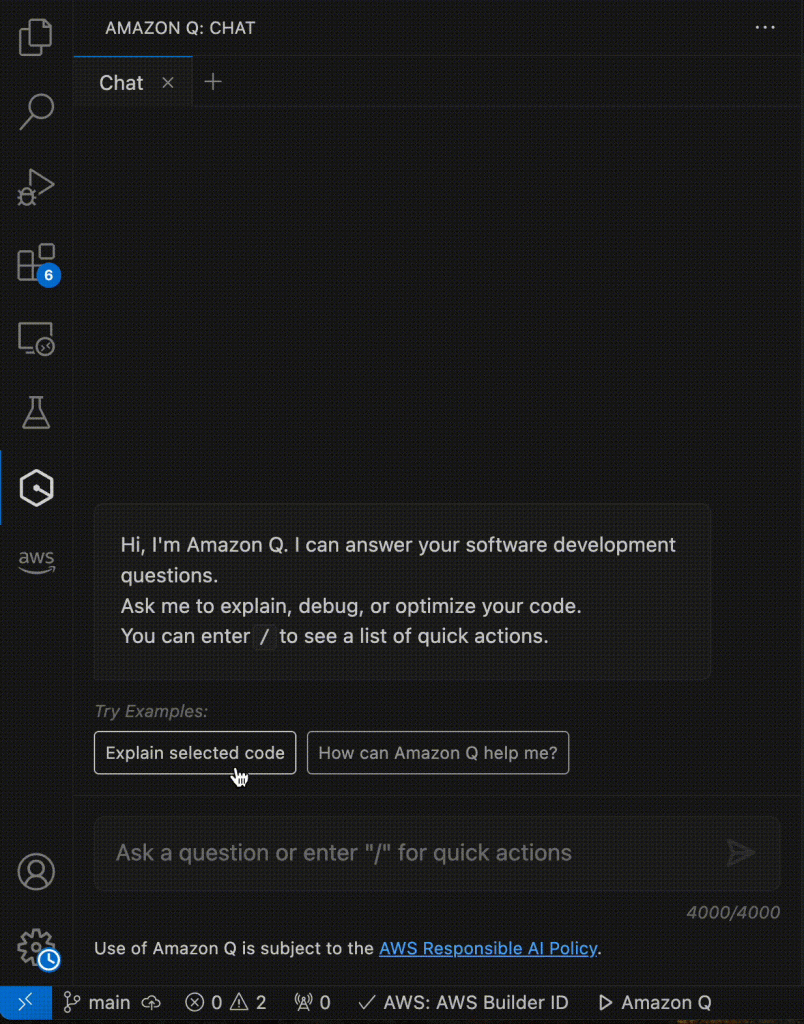
We are excited to announce the general availability of the cost analysis capability in Amazon Q Developer. This powerful feature integrates Q Developer’s natural language processing capabilities with AWS Cost Explorer, revolutionizing how you analyze and understand your AWS costs. Initially launched in preview on April 30, 2024, the Amazon Q cost analysis capability now offers enhanced functionality, allowing users to gain deeper insights into their cloud spending through simple, conversational interactions.
In this blog, we will highlight the key features and capabilities of analyzing your Cost Explorer data with Amazon Q Developer, including its ability to handle complex cost queries, provide context-aware responses, and offer actionable insights into your AWS spending.
Simplifying Cost Analysis with Natural Language Queries
At the heart of Amazon Q for AWS cost management is its ability to understand and respond to natural language queries. This feature reduces the learning curve to get valuable cost insights from Cost Explorer.
Users can now simply type their questions in plain English, such as:
“What were my top 5 most expensive services last month?”
“How much did my S3 costs increase between Q1 and Q2?”
“Did we receive any credits last quarter, and if so, how much?”
Q Developer interprets these questions, processes the relevant data, and provides detailed, actionable insights.
For our first example, imagine you’re a Cloud Architect who wants to understand the cost implications of recent architectural changes. You could open Amazon Q in the AWS Management Console and enter a prompt such as: “Show me the breakdown of EC2 costs by instance type for the last 30 days”
Figure 1: Q Developer listing breakdown of EC2 instance types for a specific time period
As shown in Figure 1, Q Developer provides a detailed breakdown of the EC2 instance types for the last 30 days.
Let’s consider another scenario. A FinOps professional responsible for reporting on cloud costs across multiple departments could ask “What were last month’s costs broken down by Cost Category “Cost Center”?
Figure 2: Q Developer delivers a comprehensive cost analysis breakdown by cost category for the previous month.
Figure 2 showcases Q Developer’s capability to instantly generate detailed cost insights based on custom categories. This feature empowers users to make data-driven decisions for more effective cost allocation and budget planning.
Finally, let’s say you are an IT professional who wants to understand what your future costs will look like, based on current workloads and recent trends. You could ask “What are my forecasted costs for Q1 of next year?”
Figure 3: Q Developer provides forecasted cost data from AWS Cost Explorer.
Figure 3 shows Q Developer ’s ability to provide both historical and forecasted costs, helping customers plan and predict their spending.
Here are some other examples of questions you can now explore when analyzing your Cost Explorer data with Amazon Q:
What percentage of our total costs last month were attributed to tag key = “Environment”, value = “Dev”?
Which services had the highest month-over-month cost increase in September?“
Which linked accounts spent the most last month?
What is our forecasted spend for the next three months?
What were my costs broken down by tag key “Project”?”
Verifying data and diving deeper
Q Developer provides transparency on the specific AWS Cost Explorer parameters that were used to retrieve the data to answer your questions. This transparency allows you to verify that the data presented is exactly what you were looking for. Additionally, each response includes a link to a matching view in AWS Cost Explorer, so you can dive deeper and visualize your data.
Figure 4: Q Developer provides a link to a matching view in AWS Cost Explorer.
Figure 4 demonstrates how Q Developer bridges natural language queries with AWS Cost Explorer’s powerful visualization capabilities. This integration allows users to effortlessly transition from conversational insights to comprehensive graphical representations of their cost data, facilitating more thorough analysis and informed decision-making.
Conclusion
The general availability of Q Developer for AWS Cost Management marks a significant milestone in simplifying cloud financial management. By leveraging natural language processing and context-aware responses, Amazon Q makes it easier than ever for users across various roles – from FinOps professionals to application developers– to gain valuable insights into their AWS spending.
These new features streamline the process of cost analysis and forecasting, improving efficiency and enabling data-driven decision-making for AWS users. We encourage you to explore Amazon Q for cost analysis and experience firsthand how it can transform your approach to cloud cost management.
To get started with cost analysis in Q Developer, simply log in to the AWS Management Console and click on Amazon Q icon on the right side of the console. For more information on pricing and availability, please visit our Cost analysis in Amazon Q Developer documentation.
Did you know that Amazon Q Developer, a new type of Generative AI-powered (GenAI) assistant, can help developers and DevOps engineers accelerate Infrastructure as Code (IaC) development using the AWS Cloud Development Kit (CDK)?
IaC is a practice where infrastructure components such as servers, networks, and cloud resources are defined and managed using code. Instead of manually configuring and deploying infrastructure, with IaC, the desired state of the infrastructure is specified in a machine-readable format, like YAML, JSON, or modern programming languages. This allows for consistent, repeatable, and scalable infrastructure management, as changes can be easily tracked, tested, and deployed across different environments. IaC reduces the risk of human errors, increases infrastructure transparency, and enables the application of DevOps principles, such as version control, testing, and automated deployment, to the infrastructure itself.
There are different IaC tools available to manage infrastructure on AWS. To manage infrastructure as code, one needs to understand the DSL (domain-specific language) of each IaC tool and/or construct interface and spend time defining infrastructure components using IaC tools. With the use of Amazon Q Developer, developers can minimize time spent on this undifferentiated task and focus on business problems. In this post, we will go over how Amazon Q Developer can help deploy a fully functional three-tier web application infrastructure on AWS using CDK. AWS CDK is an open-source software development framework to define cloud infrastructure in modern programming languages and provision it through AWS CloudFormation.
Amazon Q Developer is a generative artificial intelligence (AI)-powered conversational assistant that can help you understand, build, extend, and operate AWS applications. You can ask questions about AWS architecture, your AWS resources, best practices, documentation, support, and more. Amazon Q Developer is constantly updating its capabilities so your questions get the most contextually relevant and actionable answers.
In the following sections, we will take a real-world three-tier web application that uses serverless architecture and showcase how you can accelerate AWS CDK code development using Amazon Q Developer as an AI coding companion and thus improve developer productivity.
Prerequisites
To begin using Amazon Q Developer, the following are required:
You are a DevOps engineer at a software company and have been tasked with building and launching a new customer-facing web application using a serverless architecture. It will have three tiers, as shown below, consisting of the presentation layer, application layer, and data layer. You have decided to utilize Amazon Q Developer to deploy the application components using AWS CDK.
Figure 1 – Serverless Application Architecture
Accelerating application deployment using Amazon Q Developer as an AI coding companion
Let’s dive into how Amazon Q Developer can be used as an expert companion to accelerate the deployment of the above serverless application resources using AWS CDK.
1. Deploy Presentation Layer Resources
Creating a secured Amazon S3 bucket to host static assets and front it using Amazon CloudFront
When building modern serverless web applications that host large static content, a key architecture consideration is how to efficiently and securely serve static assets such as images, CSS, and JavaScript files. Simply serving these from your application servers can lead to scaling and performance bottlenecks with increased resource utilization (e.g., CPU, I/O, network) on servers. This is where leveraging AWS services like Amazon Simple Storage Service (Amazon S3) and Amazon CloudFront can be a game-changer. By hosting your static content in a secured S3 bucket, you unlock several powerful benefits. First and foremost, you get robust security controls through S3 bucket policies and CloudFront Origin Access Control (OAC) to ensure only authorized access. This is critical for protecting your assets. Secondly, you take load off your application servers by having CloudFront directly serve static assets from its globally distributed edge locations. This improves application performance and reduces operational costs. AWS CDK helps to simplify the infrastructure provisioning by allowing developers to define S3 bucket and CloudFront resource configurations in a modern programming language using CDK constructs that enhance security and include best practices recommendations.
In this application architecture, we will use Amazon Q Developer to develop AWS CDK code to provision presentation layer resources, which include a secured S3 bucket with public access disabled and an Origin Access Control (OAC) that is used to grant CloudFront access to the S3 bucket to securely serve the static assets of the application.
Prompt: Create a cdk stack with python that creates an s3 bucket for cloudfront/s3 static asset, ensure it is secured by using Origin Access Control (OAC)
Using Amazon Q to Generate python CDK code for the presentation layer resources
Developers can customize these configurations using Amazon Q Developer based on your specific security requirements, such as implementing access controls through IAM policies or enabling bucket logging for audit trails. This approach ensures that the S3 bucket is configured securely, aligning with best practices for data protection and access management.
Lets look at an example of adding CloudTrail logging to the S3 bucket:
Prompt: Update the code to include cloudtrail logging to the S3 bucket created
Using Amazon Q Developer to add CloudTrail logging to the S3 bucket
2. Deploy Application Layer Resources
Provision AWS Lambda and Amazon API Gateway to serve end-user requests
Amazon Q Developer makes it easy to provision serverless application backend infrastructure such as AWS Lambda and Amazon API Gateway using AWS CDK. In the above architecture, you can deploy the Lambda function hosting application code, with just a few lines of CDK code along with Lambda configuration such as function name, runtime, handler, timeouts, and environment variables. This Lambda function is fronted using Amazon API Gateway to serve user requests. Anything from a simple micro-service to a complex serverless application can be defined through code in CDK using Amazon Q assistance and deployed repeatedly through CI/CD pipelines. This enables infrastructure automation and consistent governance for applications on AWS.
Prompt: Create a CDK stack that creates a AWS Lambda function that is invoked by Amazon API Gateway
Using Amazon Q Developer to generate CDK code to create an AWS Lambda function that is invoked by Amazon API Gateway
3. Deploy Data Layer Resources
Provision Amazon DynamoDB tables to host application data
By leveraging Amazon Q Developer, we can generate CDK code to provision DynamoDB tables using CDK constructs that offer AWS default best practice recommendations. With Amazon Q Developer, using the CDK construct library, we can define DynamoDB table names, attributes, secondary indexes, encryption, and auto-scaling in just a few lines of CDK code in our programming language of choice. With CDK, this table definition is synthesized into an AWS CloudFormation template that is deployed as a stack to provision the DynamoDB table with all the desired settings. Any data layer resources can be defined this way as Infrastructure as Code (IAC) using Amazon Q Developer. Overall, Amazon Q Developer drastically simplifies deploying managed data backends on AWS through CDK while enforcing best practices around data security, access control, and scalability leveraging CDK constructs.
Prompt: Create a CDK stack of a DynamoDB table with 100 read capacity units and 100 write capacity units.
Using Amazon Q Developer to generate CDK code to create a DynamoDB with 100 read capacity units and 100 write capacity units
4. Monitoring the Application Components
Monitoring using Amazon CloudWatch
Once the application infrastructure stack has been provisioned, it’s important to setup observability to monitor key metrics, detect any issues proactively, and alert operational teams to troubleshoot and fix issues to minimize application downtime. To get started with observability, developers can leverage Amazon CloudWatch, a fully managed monitoring service. With the use of AWS CDK, it is easy to codify CloudWatch components such as dashboards, metrics, log groups, and alarms alongside the application infrastructure and deploy them in an automated and repeatable way leveraging the AWS CDK construct library. Developers can customize these metrics and alarms to meet their workload requirements. All the monitoring configuration gets deployed as part of the infrastructure stack.
Developers can use Amazon Q Developer to assist with setting up application monitoring in AWS using CloudWatch and CDK. With Q, you can describe the resources you want to monitor, such as EC2 instances, Lambda functions, and RDS databases. Q will then generate the necessary CDK code to provision the appropriate CloudWatch alarms, metrics, and dashboards to monitor the resources. By describing what you want to monitor in natural language, Q handles the underlying complexity of generating code.
Prompt: Create a CDK stack of a Cloudwatch event rule to stop web instance EC2 instance every day at 15:00 UTC
Using Amazon Q Developer to generate CDK code to create a CloudWatch event rule to stop an EC2 instance at 15:00 UTC
5. Automate CI/CD of the application
Build a CDK Pipeline for Continuous Integration(CI) and Continuous Deployment(CD) of the Infrastructure
As you iterate on your serverless application, you’ll want a smooth, automated way to reliably deploy infrastructure changes using a CI/CD pipeline. This is where implementing a CDK pipeline, an automated deployment pipeline, becomes useful. As we’ve seen, AWS Cloud Development Kit (CDK) allows you to define your entire multi-tier infrastructure as a reusable, version-controlled code construct. From S3 buckets to CloudFront, API Gateway, Lambda functions, databases and more, all of these can be deployed with IaC. This CI/CD pipeline streamlines the process of deploying both infrastructure and application code, integrating seamlessly with CI/CD best practices.
Here’s how you can leverage Amazon Q Developer to streamline the process of creating a CDK pipeline.
Prompt: Using python, create a CDK pipeline that deploys a three tier serverless application.
Using Amazon Q Developer to generate CDK pipeline using Python
By leveraging Amazon Q Developer in your IDE for CDK pipeline creation, you can speed up adoption of CI/CD best practices, and receive real-time guidance on CDK deployment patterns, making the development process smoother. This CI/CD integration accelerates your CDK development experience, and allows you to focus on building robust and scalable AWS applications.
Conclusion
In this post, you have learned how developers can leverage Amazon Q Developer, a generative-AI powered assistant, as a true expert AI companion in assisting with accelerating Infrastructure As Code (IaC) Development using AWS CDK and seen how to deploy and manage AWS resources of a three-tier serverless application using AWS CDK. In addition to Infrastructure As Code, Amazon Q Developer can be leveraged to accelerate software development, minimize time spent on undifferentiated coding tasks, and help with troubleshooting, so that developers can focus on creative business problems to delight end-users. See the Amazon Q Developer documentation to get started.
Happy Building with Amazon Q Developer!
The collective thoughts of the interwebz
Manage Consent
To provide the best experiences, we use technologies like cookies to store and/or access device information. Consenting to these technologies will allow us to process data such as browsing behavior or unique IDs on this site. Not consenting or withdrawing consent, may adversely affect certain features and functions.
Functional
Always active
The technical storage or access is strictly necessary for the legitimate purpose of enabling the use of a specific service explicitly requested by the subscriber or user, or for the sole purpose of carrying out the transmission of a communication over an electronic communications network.
Preferences
The technical storage or access is necessary for the legitimate purpose of storing preferences that are not requested by the subscriber or user.
Statistics
The technical storage or access that is used exclusively for statistical purposes.The technical storage or access that is used exclusively for anonymous statistical purposes. Without a subpoena, voluntary compliance on the part of your Internet Service Provider, or additional records from a third party, information stored or retrieved for this purpose alone cannot usually be used to identify you.
Marketing
The technical storage or access is required to create user profiles to send advertising, or to track the user on a website or across several websites for similar marketing purposes.