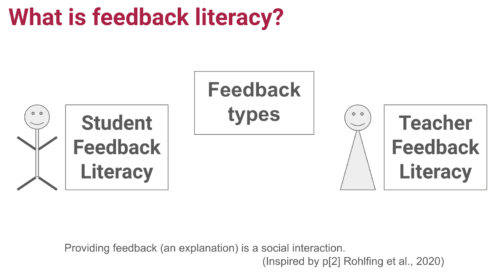
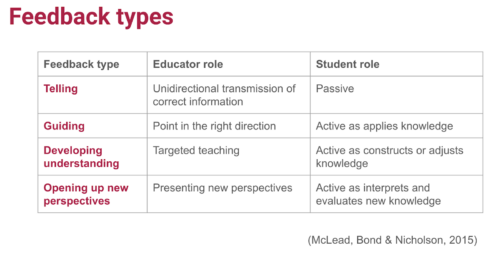
To empower every educator to confidently bring AI into their classroom, we’ve created a new online training course called ‘Understanding AI for educators’ in collaboration with Google DeepMind. By taking this course, you will gain a practical understanding of the crossover between AI tools and education. The course includes a conceptual look at what AI is, how AI systems are built, different approaches to problem-solving with AI, and how to use current AI tools effectively and ethically.
In this post, I will share our approach to designing the course and some of the key considerations behind it — all of which you can apply today to teach your learners about AI systems.
Design decisions: Nurturing knowledge and confidence
We know educators have different levels of confidence with AI tools — we designed this course to help create a level playing field. Our goal is to uplift every educator, regardless of their prior experience, to a point where they feel comfortable discussing AI in the classroom.
AI literacy is key to understanding the implications and opportunities of AI in education. The course provides educators with a solid conceptual foundation, enabling them to ask the right questions and form their own perspectives.
As with all our AI learning materials that are part of Experience AI, we’ve used specific design principles for the course:
Choosing language carefully: We never anthropomorphise AI systems, replacing phrases like “The model understands” with “The model analyses”. We do this to make it clear that AI is just a computer system, not a sentient being with thoughts or feelings.
Accurate terminology: We avoid using AI as a singular noun, opting instead for the more accurate ‘AI tool’ when talking about applications or ‘AI system’ when talking about underlying component parts.
Ethics: The social and ethical impacts of AI are not an afterthought but highlighted throughout the learning materials.
Three main takeaways
The course offers three main takeaways any educator can apply to their teaching about AI systems.
1. Communicating effectively about AI systems
Deciding the level of detail to use when talking about AI systems can be difficult — especially if you’re not very confident about the topic. The SEAME framework offers a solution by breaking down AI into 4 levels: social and ethical, application, model, and engine. Educators can focus on the level most relevant to their lessons and also use the framework as a useful structure for classroom discussions.
You might discuss the impact a particular AI system is having on society, without the need to explain to your learners how the model itself has been trained or tested. Equally, you might focus on a specific machine learning model to look at where the data used to create it came from and consider the effect the data source has on the output.
2. Problem-solving approaches: Predictive vs. generative AI
AI applications can be broadly separated into two categories: predictive and generative. These two types of AI model represent two vastly different approaches to problem-solving.
People create predictive AI models to make predictions about the future. For example, you might create a model to make weather forecasts based on previously recorded weather data, or to recommend new movies to you based on your previous viewing history. In developing predictive AI models, the problem is defined first — then a specific dataset is assembled to help solve it. Therefore, each predictive AI model usually is only useful for a small number of applications.
Rick Payne and team / Better Images of AI / Ai is… Banner / CC-BY 4.0
Generative AI models are used to generate media (such as text, code, images, or audio). The possible applications of these models are much more varied because people can use media in many different kinds of ways. You might say that the outputs of generative AI models could be used to solve — or at least to partially solve — any number of problems, without these problems needing to be defined before the model is created.
3. Using generative AI tools: The OCEAN process
Generative AI systems rely on user prompts to generate outputs. The OCEAN process, outlined in the course, offers a simple yet powerful framework for prompting AI tools like Gemini, Stable Diffusion or ChatGPT.
Yasmine Boudiaf & LOTI / Better Images of AI / Data Processing / CC-BY 4.0
The first three steps of the process help you write better prompts that will result in an output that is as close as possible to what you are looking for, while the last two steps outline how to improve the output:
Objective: Clearly state what you want the model to generate
Context: Provide necessary background information
Examples: Offer specific examples to fine-tune the model’s output
Assess: Evaluate the output
Negotiate: Refine the prompt to correct any errors in the output
The final step in using any generative AI tool should be to closely review or edit the output yourself. These tools will very quickly get you started but you’ll always have to rely on your own human effort to ensure the quality of your work.
Helping educators to be critical users
We believe the knowledge and skills our ‘Understanding AI for educators’ course teaches will help any educator determine the right AI tools and concepts to bring into their classroom, regardless of their specialisation. Here’s what one course participant had to say:
“From my inexperienced viewpoint, I kind of viewed AI as a cheat code. I believed that AI in the classroom could possibly be a real detriment to students and eliminate critical thinking skills.
After learning more about AI [on the course] and getting some hands-on experience with it, my viewpoint has certainly taken a 180-degree turn. AI definitely belongs in schools and in the workplace. It will take time to properly integrate it and know how to ethically use it. Our role as educators is to stay ahead of this trend as opposed to denying AI’s benefits and falling behind.” – ‘Understanding AI for educators’ course participant
All our Experience AI resources — including this online course and the teaching materials — are designed to foster a generation of AI-literate educators who can confidently and ethically guide their students in navigating the world of AI.
A version of this article also appears in Hello World issue 25, which will be published on Monday 23 September and will focus on all things generative AI and education.
Какво общо има между махмурлука и Корана? Ако трябва да отговоря като онзи мой мениджър от Великобритания отпреди 14 години – много. Той беше пословично арогантен. Обичаше да дава такива отговори. „Кажи каква е разликата между валидация и верификация в управлението на качеството за информационни услуги“, го питам веднъж. „Огромна!“, отговаряше. И нищо повече. Оттогава съм се зарекъл да не отговарям така. Но ето, с риска скандално да представя тезата преди аргумента,
ако не беше Коранът, нямаше да знаем за махмурлука.
Не като физиологичното състояние, срещу което най-мощното лекарство по нашите ширини е шкембе чорбата, а като термин.
Да почнем с лесната част – турската наставка –лук/–лик/–лък. Като я притурите към някаква дума преди това, образувате абстрактно съществително. Примери, придошли при нас от езика на южната ни съседка, има бол. Родопският комшулук. Селският тарикатлък. Политическият бабаитлък. Асмалъкът, отрупан с гроздове. Хайдутлукът на възрожденските въстаници. Или придобилият отскоро популярност тихналък, хубаво съчетание от българска дума и турска наставка. Това е лесната част.
Но откъде идва основната част махмур-?
От езика на арабското мюсюлманско Писание от VII век е краткият отговор. Не от земите на Османската империя, а от малко пò на югоизток и от малко по-назад в миналото. Словообразуването е измежду хубавите неща в арабския. Като в типичен семитски език, значението се носи от корена, съставен от съгласни. Обикновено са три. Пред тях, между тях и след тях се напъхват различни други съгласни и гласни и така се образуват различни смисли, свързани с основния. Тук кореновите съгласни са х (едно такова особено, хъхрещо, „храчещо“, както се майтапим арабистите), м и р. И тази съвкупност носи всякакви значения, свързани с покриване, бухване, втасване, ферментация.
Ето например арабската дума за „мая“, „дрожди“, „закваска“ – хамира. Продавач на вино – хаммар. Магазин за вино, винопродавница – хаммара. Че даже и по-късна сплав от турска наставка за име на професия плюс същия корен в дума за продавач на вино – хамраджи. Прилича на познатото ни, пак от турски, за обущар – кундурджъ. И тук се сблъсквамес
най-известната дума за вино в арабския език – хамр.
Оттам и по стандартният арабски модел за образуване на страдателно причастие от първична форма на глагола имаме и „човек, попаднал под въздействието на вино, опиянен“ – махмур. Ето колко е лесно. По модела на мактуб (това може да го знаят феновете на Паулу Коелю) – „нещо написано“, „писмо“, „послание“, че и предписано, определено от съдбата. Съединете го с турската наставка – и сме готови.
Махмурлук. Състояние на опиянение от вино.
А като погледнем Корана, виното (хамр) там седи на равна нога с копитото на прасето (ханзир).
Хем го има и не можеш да избягаш от него, хем е силно недолюбвано.
Питали Пророка на исляма за виното и за хазарта. В тях, казва той, има голям грях, но и изгоди. Само че грехът е по-голям от изгодата (Коран 2:219). Виното се споменава наред с хазарта, идолопоклонството и гадаенето чрез стрели (5:90). Че и отгоре на всичко е обявено за инструмент на сатаната, който цели да скара хората, да ги възпре от споменаването на Аллах и от задължителната за всеки мюсюлманин молитва (5:91). В тази връзка и към вярващите се отправя интересна заръка – „не пристъпвайте към молитвата, когато сте пияни, додето вече знаете какво говорите“ (4:43).
Ето, казват по-строгите тълкуватели, които се придържат към текста без много тълкувателни своеволия (и аз наред с тях комай!), имаме религиозна норма, която е трудно да отхвърлиш чрез аргументи от нейната собствена рамка. И тя ще наложи разсъждения. Какво точно е хамр в езика на Корана? Какво точно означава забраната? Има ли санкция за нейното прекрачване? Каква ще да е тя? Това се случва в рамките на религиозния закон (шари‘а), чиято задача е да преведе постановленията на Писанието (Корана) и преданието на Пророка (Сунна) в реални регулации.
Винопийството се оказва в списъка на простъпки, налагащи точно определени наказания, които в мюсюлманското право се обозначават с термина хадд. Буквално значи „граница“. Нещо като граничната бразда по соца, която отделя света навън от този вътре. Въпреки че Коранът не определя наказателна мярка, такава има в пророческата традиция (Сунна), интегрална част от свещения текст (насс).
Пророкът на исляма, казва преданието, заръчал бой с палмови клони и налъми за онзи, който е употребил забранената субстанция.
Четирийсет удара. Това е по най-разпространеното предписание на Мохамед. Някои негови следовници обаче, например Умар (на български възприето като Омар), заръчали осемдесет. Да речем, че ти се полагат между четирийсет и осемдесет удара. Но как стои въпросът, ако сте любител на други алкохолни преживявания? Коранът говори само за хамр, каквото и да е означавало това в пясъците на Арабия от седмото столетие сл. Хр. Може ли тогава да посягаме свободно към бирата, ракията, уискито, джина, водката, узото, вишневия ликьор?
Все пак каквото не е откровено забранено, е позволено – този принцип важи и за мюсюлманското право. Там важат и други принципи, например незнанието за това, че дадено нещо е възбранено и грях (харам), вероятно ще те оправдае. Обаче знанието, че нещо е възбранено, съчетано с непознаване на наказанието за него, не те отървава. И ако наказанието е пребиване с камъни (раджм), лошо ти се пише.
Но не. Не е толкова лесно да заобиколиш строгата регулация. Виното, твърди се в едно пророческо предание, „се прави и от грозде, от изсушени фурми, от мед, от жито, от ечемик“. Добре, да питам аз, а какво е положението, примерно, с джина, който се прави от плодчета на хвойна? А сливовицата? А любимата ми дюлева ракия? Ами как, зле е работата.
Всяко опияняващо нещо, твърди Пророкът, е вино (хамр), и всяко опияняващо нещо е грях, възбранено (харам).
Между другото, думата за опияняващо нещо тук е мускир, от същия корен като суккар, познато ви от турския език като шекер. Захар. Близкият изток не е на една ръка разстояние, той е на масата ни.
И въз основа на това чрез прилагането на единия от основните принципи в мюсюлманското право – аналогията (кийас) – се забраняват всички ферментирали напитки. И не само. Всички останали субстанции с подобен ефект, включително и наркотиците. Няма мърдане. Че и – пак по Сунната – „пиещият вино в момента на пиенето е неверник“ и „виното е майката на всяко зло“. Не може и да се търгува с него, защото „парите, придобити от нещо, което е грях, са греховни“. А ако го приложим към друг проблематичен казус – свинята, – не може да ядеш свинско. Ама и не може да търгуваш с него. Край.
Пиенето на алкохол може да ви докара глоби, наказание с пръчки, камшик, че понякога и затвор в държави, в които правната система е силно повлияна от шариата.
Например в Иран. В Судан забраната за пиене на алкохол (дори в частното пространство) отпадна през 2020 г. Но само за немюсюлмани, които по данни на ООН са около 3% от населението в момента на отпадането на забраната. Мюсюлманите все още ги грози бой с пръчка. Сходно е положението и в Саудитска Арабия – бой с пръчка (до 2020 г., когато това наказание принципно е отменено), затвор, глоби и депортация за чужденците, въпреки че тази година там отвори първият официален магазин за алкохол. За чуждестранни дипломати с изключително ограничен достъп, разбира се. В Кувейт продажбата и купуването на алкохол са забранени от 1965 г., което пък води до увеличаване на случаите от отравяне след пиене на лосиони и афтършейв. Ако си в тези две страни и искаш да пиеш, отиваш до Дубай или Бахрейн. (По едно време Дубай даже се опита да постави алкохолни рекорди на „Гинес“ по брой шотове, падащи в редица като домино.) Бой на публично място и затвор е съдбата на злощастните жертви на талибанския режим в Афганистан.
С различни вариации по държави, преобладаващото отношение е сходно: от неформална неприязън и заклеймяване до постановено от закона наказание. Онлайн порталите за авторитетни мнения от богословите (фетви) излагат една доста стереотипна и повтаряща се гледна точка – стандартното религиозно наказание за пиене на вино е бой с пръчки или кашмик.
От другата страна обаче стои една по-лежерна гледка точка. Самата религиозна норма като че ли допуска двусмисленост. На първо място, значението на самия обект на възбраната – виното (хамр). Ако допуснем, че се отнася за всякакъв вид алкохол, оттук и опияняваща субстанция, допуска ли се минимален праг на съдържание на активна субстанция, която предизвиква опиянението (в случая етилов алкохол)? Така може да порицаеш и забраниш (както и действително е било забранявано в някои исторически периоди и места!) консумацията на кафе, боза, оцет, че дори и на безалкохолна бира, доколкото реалният процент на алкохол не е точно 0,0% – пише го на кенчетата.
Наред с това самият текст на възбраната като че ли отваря врата за отхвърляне на пълното заклеймяване. „Във виното има и ползи, и вреди“ – да припомним текста на Корана. После, казва самият Аллах, „не пристъпвайте към молитвата, когато сте пияни“. Значи може извън времето за молитва. Че и отгоре на всичко в Рая има „реки от вино, приятно за пиещите“ (47:15). От което „нито боли глава, нито се опияняват“ (37:47–49). Човек почти се чуди каква ли е била опитността на първите мюсюлмани с алкохола, та изрично небесното откровение да впише липсата на негативните ефекти от махмурлука. Всичкото това, разбира се, са твърде опростенчески аргументи, които при внимателно разглеждане могат да бъдат раздробени, омаловажени и в крайна сметка отхвърлени.
И тук идват наблюденията върху практиката „на терен“, както обичат да казват антрополозите. Какво като ислямът забранявал алкохола. Винаги ще се намери някой познат да каже: „Аз, като бях веднъж в Родопите или Добруджа, пих ракия с български турци или българомохамедани“. Нещо като пушенето на хашиш. Забранен, забранен, ама се консумира. В тази връзка препоръчвам чудесната разработка на Франц Розентал „Билката: хашишът срещу средновековното мюсюлманско общество“.
Все едно наличието на някаква практика променя нормата, бих възразил.
Това, че някой прави нещо, не значи, че е позволено. Не го легитимира. Но ако трябва за целите на мисловния експеримент да се поставим на мястото на една такава популярна гледна точка, мога да дам исторически примери. Не е ли истина, в крайна сметка, че в двора на Абасидските халифи и султани (които биват наричани „сянката на Аллах на земята“) и в мюсюлманска Персия виното се лее щедро, поднасяно от младежи? Младежите (да не настъпваме темата за хомоеротиката) и виното са популяризирани в поемите на известния Абу Нуас от VIII век, и то до такава степен, че осъжданите му от консервативно настроените среди творби придобиват названието „винени стихове“ (хамрийат). Те прерастват в отделен поетически жанр, в който Абу Нуас е само едно от големите имена наред с фигурата на самия Омар Хаям от XI век.
Ал-Джахиз (Опуления), големият интелектуалец от VIII–IX столетие, обрисува картина на един космополитен Багдад, в който виното намира своето място на трапезата на богаташите и интелектуалците, пък били те и мюсюлмани. Мисля, че е ясно откъде се набавя – купува се от християните и юдеите, които имат дълга традиция на производство на възбраненото питие както за религиозни цели, така и за лична консумация. А че
мюсюлманите също държат запаси от вино,
свидетелстват и автори като богослова Ибн ал-Банна от XI век в личния си дневник. След всяко природно бедствие – например земетресение, което сполетява Мека и Медина, светите градове на исляма – мюсюлманите правят няколко неща като акт на покаяние пред Всевишния. Чупят музикалните инструменти (малахи, „инструмент за суетно забавление“), традиционно порицавани в исляма, изгонват леките жени и изливат виното на земята.
Приказките от „Хиляда и една нощ“ също съдържат безброй истории за пияни хора.
Приближени на халифа шейхове пиянстват. Християните и неверниците пиянстват, разбира се. Стражата пиянства. Любовниците пиянстват. Посетители в двореца на халифа пиянстват и се облекчават по улиците. За мен по-важното е друго. Някъде там, в периода, в който се развива действието на този литературен опус, по време на легендарния халиф Харун ар-Рашид, персийският алхимик Абу Муса Джабир ибн Хаян, а след него и колегата му Абу Бакр ар-Рази усъвършенстват съда за дестилация, известен като аламбик (ал-инбик).
Аламбикът се състои от три части: основен съд, в който се поставя изходният материал (кар‘), горна част, „клюн“, чрез която се отвеждат парите (инбик), и „приемащ“ съд (кабила). Прилича на казана за ракия на баща ми, ама по-лош. Защото е по-малък и защото частта за охлаждане е много къса. Не е познатата ни нагъната серпентина, охлаждана през допълнителен съд със студена течност. Чрез аламбика обаче подобряват и практиката на дестилация на бистра течност от ферментирала заготовка. Процесът се нарича тактир, букв. „превръщане на капки“. Тази бистра течност получава названието ал-кухул.
Алкохол. Идва от кухл, името на черния прах, използван като грим за подсилване на очната линия, който се извлича от минерала антимонит.
Та така стигаме и до кухул ал-хамр – извлек от вино. Накратко, ал-кухул. Далече от нашата представа за домашен алкохол за консумация, дестилатът първоначално се използва за експериментални цели, включително и медицински.
Арабското средновековие дори произвежда рецепти за вино. Един от най-известните рецептурници – на Ибн Саяр ал-Уаррак от Багдад през X век – ни е оставил например няколко вида инструкции как да си приготвим ферментирала напитка, че и без дестилация. Тук невинаги терминът е познатият ни от Корана хамр. Нарича се по-скоро набиз – плодова напитка, често пъти от стафиди или фурми, понякога подсладена, която отлежава определено време и понякога ферментира.
Вземат се стафиди, твърди той, към които се добавя сладка вода. Стоят накиснати няколко дни, като постоянно се разбъркват с ръка. После се изсипват в голям съд, намачкват се с крака и течността се отцежда. Добавят се семена от билки, лаврови листа, пъпки розов цвят, подслажда се, добавя се кипнала мъст за ферментиране, налива се в големи съдове и стои на слънце две седмици. Понякога се слага и винена утайка, „защото така става още по-хубаво“. Че даже и на някои рецепти Ибн Саяр накрая добавя, че „се пие, ако е рекъл Аллах“. И никой не може да ме убеди, че това, което се пие, ако е рекъл Аллах, не съдържа алкохол след процедурите, описани по-горе.
(Следва продължение.)
В рубриката „Ориент кафе“ Атанас Шиников поднася любопитни теми, свързани не толкова с горещата политика, колкото с историята и културата на Близкия изток. А той, древен и днешен, е по-близко до нас и съвремието ни, отколкото си представяме.
превод от френски Валентина Бояджиева, София: изд. „Лист“, 2022
Това е правено – и винаги ще бъде правено – в стотици мемоари. И в същото време не е. Колективната „неутрална автобиография“ на Ани Ерно (както самата тя я нарича) е собствен жанр – достатъчно специфичен в своето отстранение и широкообхватност, за да донесе на писателката Нобеловата награда за литература през 2022 г. и своевременно да бъде издаден от „Лист“ като неин знаков текст. А Ерно да се утвърди като един от значимите гласове в съвременната френска литература.
Някак си е очаквано, че оценките за една високоотличена книга като „Годините“ (поне у нас според моята малка импровизирана анкета) ще бъдат още по-разнобойни, отколкото за която и да е друга. От „абсолютен шедьовър“ до „непоносима разказвачка“, от скучна и лишена от всякаква емоционалност до монументална по амбицията си. Докато напредвах бавно, но упорито с романа, поне няколко души – четящи, интелигентни – споделиха с мен, че не са го дочели, всеки по различна причина. Малко на шега, малко извинително си казахме, че книгата е трудна дори за французите – камо ли за незапознатите в дълбочина с френската култура и политика. Или пък за онзи нарастващ брой нови читатели, които изобщо не са живели през миналия век, един от най-богатите на история и промени периоди.
Защото
тази книга е като квазидокументален архив на един век и на едно поколение
(или на няколко застъпващи се), който изобилства от реалии, препратки, дати, събития, имена, заглавия. При това без грам обяснителност (каквато например често се среща в нови български романи за близкото минало, дидактично поясняващи как е било тогава).
И ако последното е вид безпомощност и същевременно самонадеяност, Ерно е „арогантна“ по друг начин – чрез маниера на своята самопонятност. Авторката очертава отминалото стенографски, в бързи щрихи и криптични бележки, чрез не повече от бегли напомняния, които са разбираеми единствено за преживелите същото, за онези, които ще си кажат „О, да, май наистина беше така“ или „О, да, да, преживяхме и това“. На останалите е предоставено предизвикателството на любопитството, общата култура, образованието или като минимум поне ресурсите на Google, Wikipedia и YouTube.
(Правя малка вметка, за да поразсъждавам върху риска, свързан с бележките под линия, каквито в тази книга неизбежно изобилстват. Давам си сметка, че те ще подразнят едни, а за други ще са крайно недостатъчни. Че е неизбежно в поставянето им определяща роля да играят познанията и личният усет на преводача/редактора кое би следвало да е всеобщо знание и за кое се налага пояснение – в резултат неравномерността между обясненото (макар и ясно за едни) и оставеното така (макар и непознато за други). От друга страна, когато за десетки имена се пояснява, че са например на известни френски певци, човек няма как да придобие кой знае каква яснота, освен ако не влезе в YouTube, за да изслуша техни песни. Край на вметката.)
Детската памет на родената през 1940 г. Ерно започва да се прояснява и задържа едва след Втората световна война, в една Франция, напълно белязана от нея, от разрушенията и недоимъка, от духа на Съпротивата. Този наратив ще присъства с години в разговорите около празничните обеди, използвани в романа като своеобразна сюжетна рамка и същевременно като лакмус за хода на времето. Защото колкото и привидно да остават неизменни, упорито фокусирани върху най-базовите човешки преживявания, тези семейни разговори ще отразят неумолимо настъпващите промени в обществото и в света. Паметта на Ерно ще затвори текста в средата на първото десетилетие от новото хилядолетие, а самата книга ще излезе през 2008 г.
В нея авторката ще спомене нейното дълго обмисляне – сякаш никога преди „Годините“ не е писала друга книга. Сякаш цялата ѝ памет е била отдадена на това търпеливо да трупа изплъзващите се спомени заедно с намерението те да бъдат събрани в „историята на една жена“. Жена, родена в семейство на дребни търговци в селско-работническата провинция, в една все още бяла, национална, етнически монолитна, строго католическа, силно порядъчна, изпълнена с куп срамове и забрани Франция. Но и жена, постепенно пораснала и съзряла в драматично въстаналия срещу предишното свят на правна и интелектуална еманципация, феминизъм, идеологии, социални протести, сексуални и материално-потребителски революции. Не на последно място – жена, остаряла в една неузнаваема епоха – на новите технологии и интернет.
Смазващо е усещането за тази гъсто резюмирана памет – до степен, в която сърцевината на ХХ век ни се струва невъзможна за обживяване в рамките на един човешки живот. Историческите вододели (68-ма, Студената война, кризата в Алжир, обединена Европа, падането на Берлинската стена, Войната в залива, 11 септември и безкрайно много други); интелектуалните икони; медийните стожери; култовите творби от всяко едно изкуство, белязали и поколенчески, и интимно ежедневието на хиляди; поредицата политически личности и социално-икономически ходове, олицетворяващи десетилетията; траекторията на ценностите; превръщането на националната държава в котле от етноси и религии; появата на нови страхове и проблеми, но и на куп нови решения, възходът на материалния хедонизъм и на всеобщата свързаност…
В анонса на „Годините“ на български се казва:
Тя е никоя. Но може да бъде всяка французойка.
Защото макар да съзнаваме единственото число на разказвачката, разказът се води през едно нетипично, абстрактно-колективно „ние“, заради което е припознат като наратив на цялото ѝ поколение. И все пак ми се иска да поспоря за обхвата на това „ние“, който неизбежно се припокрива с профила на Ерно като част от една определена, еманципирала се от работническия си произход, обуржоазила се, възприела прогресивността и прегърнала новото прослойка със свои позиции, вкусове и копнежи. Защото има и други, за които тя говори (богати, провинциалисти, имигранти, араби, чужденци, с различна политическа ориентация и т.н., и т.н.), включени като обекти, а не субекти в това „ние“. Може би и това също може да се мисли като вид арогантност в кавички, егоцентрично налагане на идентичност.
Там, където Ерно все пак говори бегло за себе си, тя го прави в трето лице – обикновено за да ни покаже поредната си снимка, по една от всяка преходна своя възраст. Не използва имена, не индивидуализира близките си, пропуска редица биографични факти, включително (макар и леко да го загатва) незаконния си аборт през 60-те, който после ще даде повод за написването на „Изпитанието“. Парадоксално, от книгата на Ерно за нея самата може да се научи по-малко, отколкото от която и да е статия или подробна нейна биография в произволен сайт или в Уикипедия.
Но същевременно е и тъкмо обратното, защото невинаги фактите имат първостепенно значение. А и същината е там, в разказа: как малкото момиченце разцъфва в стеснителна, притисната от ограничения и забрани, но чувствена и мечтателна девойка, преди да се превърне в жертва на забраната върху абортите, после, след 68-ма, в хода на сексуалната революция – във все по-свободно наслаждаваща се на тялото, изборите и желанията си млада жена, после – в малко или много буржоазна съпруга и майка, а след това – в разведена жена с млади любовници.
Един от аршините, с които Ерно мери историята на тази своя „една жена“ – всъщност на всяка жена, – е именно свободата да разполагаш с тялото си.
Това движение между забранителната традиция и мощта на инстинктите, между дълга и удоволствието, срама и липсата на задръжки, трудността да обгрижваш тялото си и безбройните нови улеснения и глезотии, свързани с него, е проследено в цялата книга. Ерно дори пише за това как паметта се предава от тялото, преминава „от тяло в тяло“. Но дали, от друга страна обаче, индиректно не се съгласява, че историята на жената минава именно през базовите, споменати от нея преживявания, свързани с мъжа, с децата, с плътта, и в много по-малка степен с преподаването на литература и с писането, които споменава съвсем лаконично, и дори с големите събития, за които често се случва да каже: „не се интересувахме“, „не ни засягаше“, „нямахме време да…“.
Същото важи и за забавленията и най-вече за материалните придобивки. За продуктите на всеобщото консуматорство, сдобиването с които (нови и нови марки, модели, изобретения, щателно изредени от Ерно) се превръща в календарна справка и измерител на промяната. И на прогреса, за който пише:
прогресът беше хоризонтът на съществуването.
Този нов вид униформеност е отвъд старата сезонност и цикличност на ежедневието, религията, традициите, а после и на „майските идеали [които] се конвертираха в предмети и развлечения“.
Претенциозен и същевременно небрежен, препускащ, но непропускащ, хладно дистанциран, но ангажиран с най-интимното, отстранено критичен, но и великодушно, по френски толерантен, романът „Годините“ може би ще бъде четен като почти документална абревиатура на ХХ век, в който от Дьо Гол до Уелбек
цялата действителност беше подложена на преразглеждане.
Или като своеобразна версия, макар и много по-различна, на романа „По следите на изгубеното време“. Към последния самата Ерно реферира на няколко пъти в своя собствен текст, чието първо изречение е
Всички образи ще изчезнат.
Според замисъла ѝ „Годините“ е „пълзящ разказ, в продължително минало несвършено“, което постепенно ще погълне настоящето. И онова преди нас, и нашето сега, и предстоящото – много след като сме си отишли.
Активните дарители на „Тоест“ получават постоянна отстъпка в размер нa 20% от коричната цена на всички заглавия от каталога на издателство „Лист“, както и на няколко други български издателства в рамките на партньорската програма Читателски клуб „Тоест“. За повече информация прочетете на toest.bg/club.
Никой от нас не чете единствено най-новите книги. Тогава защо само за тях се пише? „На второ четене“ е рубрика, в която отваряме списъците с книги, публикувани преди поне година, четем ги и препоръчваме любимите си от тях. Рубриката е част от партньорската програма Читателски клуб „Тоест“. Изборът на заглавия обаче е единствено на авторите – Стефан Иванов и Антония Апостолова, които биха ви препоръчали тези книги и ако имаше как веднъж на две седмици да се разходите с тях в книжарницата.
Tracking of regressions seems like an important task for any project; there
is no other way to ensure that known problems are fixed. At the 2024
Maintainers Summit, though, Thorsten Leemhuis, who has been doing that work
for the kernel, expressed some doubts about whether it is worth continuing.
The result was an energetic session on how regression tracking should be
done better, and how this work should be supported.
Version 47 of the GNOME desktop
has been released. Changes include configurable accent colors, better
small-screen support, some performance improvements, new file open and save
dialogs, and more.
At Netflix our ability to deliver seamless, high-quality, streaming experiences to millions of users hinges on robust, global backend infrastructure. Central to this infrastructure is our use of multiple online distributed databases such as Apache Cassandra, a NoSQL database known for its high availability and scalability. Cassandra serves as the backbone for a diverse array of use cases within Netflix, ranging from user sign-ups and storing viewing histories to supporting real-time analytics and live streaming.
Over time as new key-value databases were introduced and service owners launched new use cases, we encountered numerous challenges with datastore misuse. Firstly, developers struggled to reason about consistency, durability and performance in this complex global deployment across multiple stores. Second, developers had to constantly re-learn new data modeling practices and common yet critical data access patterns. These include challenges with tail latency and idempotency, managing “wide” partitions with many rows, handling single large “fat” columns, and slow response pagination. Additionally, the tight coupling with multiple native database APIs — APIs that continually evolve and sometimes introduce backward-incompatible changes — resulted in org-wide engineering efforts to maintain and optimize our microservice’s data access.
To overcome these challenges, we developed a holistic approach that builds upon our Data Gateway Platform. This approach led to the creation of several foundational abstraction services, the most mature of which is our Key-Value (KV) Data Abstraction Layer (DAL). This abstraction simplifies data access, enhances the reliability of our infrastructure, and enables us to support the broad spectrum of use cases that Netflix demands with minimal developer effort.
In this post, we dive deep into how Netflix’s KV abstraction works, the architectural principles guiding its design, the challenges we faced in scaling diverse use cases, and the technical innovations that have allowed us to achieve the performance and reliability required by Netflix’s global operations.
The Key-Value Service
The KV data abstraction service was introduced to solve the persistent challenges we faced with data access patterns in our distributed databases. Our goal was to build a versatile and efficient data storage solution that could handle a wide variety of use cases, ranging from the simplest hashmaps to more complex data structures, all while ensuring high availability, tunable consistency, and low latency.
Data Model
At its core, the KV abstraction is built around a two-level maparchitecture. The first level is a hashed string ID (the primary key), and the second level is a sorted map of a key-value pair of bytes. This model supports both simple and complex data models, balancing flexibility and efficiency.
HashMap<String, SortedMap<Bytes, Bytes>>
For complex data models such as structured Records or time-ordered Events, this two-level approach handles hierarchical structures effectively, allowing related data to be retrieved together. For simpler use cases, it also represents flat key-value Maps (e.g. id → {"" → value}) or named Sets (e.g.id → {key → ""}). This adaptability allows the KV abstraction to be used in hundreds of diverse use cases, making it a versatile solution for managing both simple and complex data models in large-scale infrastructures like Netflix.
The KV data can be visualized at a high level, as shown in the diagram below, where three records are shown.
The KV abstraction is designed to hide the implementation details of the underlying database, offering a consistent interface to application developers regardless of the optimal storage system for that use case. While Cassandra is one example, the abstraction works with multiple data stores like EVCache, DynamoDB, RocksDB, etc…
For example, when implemented with Cassandra, the abstraction leverages Cassandra’s partitioning and clustering capabilities. The record ID acts as the partition key, and the item key as the clustering column:
The corresponding Data Definition Language (DDL) for this structure in Cassandra is:
CREATE TABLE IF NOT EXISTS <ns>.<table> (
  id             text,
  key            blob,
  value          blob,
  value_metadata blob,

PRIMARY KEY (id, key))
WITH CLUSTERING ORDER BY (key <ASC|DESC>)
Namespace: Logical and Physical Configuration
A namespace defines where and how data is stored, providing logical and physical separation while abstracting the underlying storage systems. It also serves as central configuration of access patterns such as consistency or latency targets. Each namespace may use different backends: Cassandra, EVCache, or combinations of multiple. This flexibility allows our Data Platform to route different use cases to the most suitable storage system based on performance, durability, and consistency needs. Developers just provide their data problem rather than a database solution!
In this example configuration, the ngsegment namespace is backed by both a Cassandra cluster and an EVCache caching layer, allowing for highly durable persistent storage and lower-latency point reads.
As you can see, the request includes the namespace, Record ID, one or more items, and an idempotency token to ensure retries of the same write are safe. Chunked data can be written by staging chunks and then committing them with appropriate metadata (e.g. number of chunks).
GetItems — Read one or more Items from a Record
The GetItemsAPI provides a structured and adaptive way to fetch data using ID, predicates, and selection mechanisms. This approach balances the need to retrieve large volumes of data while meeting stringent Service Level Objectives (SLOs) for performance and reliability.
The GetItemsRequest includes several key parameters:
Namespace: Specifies the logical dataset or table
Id: Identifies the entry in the top-level HashMap
Predicate: Filters the matching items and can retrieve all items (match_all), specific items (match_keys), or a range (match_range)
Selection: Narrows returned responses for example page_size_bytes for pagination, item_limit for limiting the total number of items across pages and include/exclude to include or exclude large values from responses
Signals: Provides in-band signaling to indicate client capabilities, such as supporting client compression or chunking.
The GetItemResponse message contains the matching data:
Items: A list of retrieved items based on the Predicate and Selection defined in the request.
Next Page Token: An optional token indicating the position for subsequent reads if needed, essential for handling large data sets across multiple requests. Pagination is a critical component for efficiently managing data retrieval, especially when dealing with large datasets that could exceed typical response size limits.
DeleteItems — Delete one or more Items from a Record
The DeleteItems API provides flexible options for removing data, including record-level, item-level, and range deletes — all while supporting idempotency.
Just like in the GetItems API, the Predicate allows one or more Items to be addressed at once:
Record-Level Deletes (match_all): Removes the entire record in constant latency regardless of the number of items in the record.
Item-Range Deletes (match_range): This deletes a range of items within a Record. Useful for keeping “n-newest” or prefix path deletion.
Item-Level Deletes (match_keys): Deletes one or more individual items.
Some storage engines (any store which defers true deletion) such as Cassandra struggle with high volumes of deletes due to tombstone and compaction overhead. Key-Value optimizes both record and range deletes to generate a single tombstone for the operation — you can learn more about tombstones in About Deletes and Tombstones.
Item-level deletes create many tombstones but KV hides that storage engine complexity via TTL-based deletes with jitter. Instead of immediate deletion, item metadata is updated as expired with randomly jittered TTL applied to stagger deletions. This technique maintains read pagination protections. While this doesn’t completely solve the problem it reduces load spikes and helps maintain consistent performance while compaction catches up. These strategies help maintain system performance, reduce read overhead, and meet SLOs by minimizing the impact of deletes.
Complex Mutate and Scan APIs
Beyond simple CRUD on single Records, KV also supports complex multi-item and multi-record mutations and scans via MutateItems and ScanItems APIs. PutItems also supports atomic writes of large blob data within a single Item via a chunked protocol. These complex APIs require careful consideration to ensure predictable linear low-latency and we will share details on their implementation in a future post.
Design Philosophies for reliable and predictable performance
Idempotency to fight tail latencies
To ensure data integrity the PutItems and DeleteItems APIs use idempotency tokens, which uniquely identify each mutative operation and guarantee that operations are logically executed in order, even when hedged or retried for latency reasons. This is especially crucial in last-write-wins databases like Cassandra, where ensuring the correct order and de-duplication of requests is vital.
In the Key-Value abstraction, idempotency tokens contain a generation timestamp and random nonce token. Either or both may be required by backing storage engines to de-duplicate mutations.
At Netflix, client-generated monotonic tokens are preferred due to their reliability, especially in environments where network delays could impact server-side token generation. This combines a client provided monotonic generation_time timestamp with a 128 bit random UUID token. Although clock-based token generation can suffer from clock skew, our tests on EC2 Nitro instances show drift is minimal (under 1 millisecond). In some cases that require stronger ordering, regionally unique tokens can be generated using tools like Zookeeper, or globally unique tokens such as a transaction IDs can be used.
The following graphs illustrate the observed clock skew on our Cassandra fleet, suggesting the safety of this technique on modern cloud VMs with direct access to high-quality clocks. To further maintain safety, KV servers reject writes bearing tokens with large drift both preventing silent write discard (write has timestamp far in past) and immutable doomstones (write has a timestamp far in future) in storage engines vulnerable to those.
Handling Large Data through Chunking
Key-Value is also designed to efficiently handle large blobs, a common challenge for traditional key-value stores. Databases often face limitations on the amount of data that can be stored per key or partition. To address these constraints, KV uses transparent chunking to manage large data efficiently.
For items smaller than 1 MiB, data is stored directly in the main backing storage (e.g. Cassandra), ensuring fast and efficient access. However, for larger items, only the id, key, and metadata are stored in the primary storage, while the actual data is split into smaller chunks and stored separately in chunk storage. This chunk storage can also be Cassandra but with a different partitioning scheme optimized for handling large values. The idempotency token ties all these writes together into one atomic operation.
By splitting large items into chunks, we ensure that latency scales linearly with the size of the data, making the system both predictable and efficient. A future blog post will describe the chunking architecture in more detail, including its intricacies and optimization strategies.
Client-Side Compression
The KV abstraction leverages client-side payload compression to optimize performance, especially for large data transfers. While many databases offer server-side compression, handling compression on the client side reduces expensive server CPU usage, network bandwidth, and disk I/O. In one of our deployments, which helps power Netflix’s search, enabling client-side compression reduced payload sizes by 75%, significantly improving cost efficiency.
Smarter Pagination
We chose payload size in bytes as the limit per response page rather than the number of items because it allows us to provide predictable operation SLOs. For instance, we can provide a single-digit millisecond SLO on a 2 MiB page read. Conversely, using the number of items per page as the limit would result in unpredictable latencies due to significant variations in item size. A request for 10 items per page could result in vastly different latencies if each item was 1 KiB versus 1 MiB.
Using bytes as a limit poses challenges as few backing stores support byte-based pagination; most data stores use the number of results e.g. DynamoDB and Cassandra limit by number of items or rows. To address this, we use a static limit for the initial queries to the backing store, query with this limit, and process the results. If more data is needed to meet the byte limit, additional queries are executed until the limit is met, the excess result is discarded and a page token is generated.
This static limit can lead to inefficiencies, one large item in the result may cause us to discard many results, while small items may require multiple iterations to fill a page, resulting in read amplification. To mitigate these issues, we implemented adaptive pagination which dynamically tunes the limits based on observed data.
Adaptive Pagination
When an initial request is made, a query is executed in the storage engine, and the results are retrieved. As the consumer processes these results, the system tracks the number of items consumed and the total size used. This data helps calculate an approximate item size, which is stored in the page token. For subsequent page requests, this stored information allows the server to apply the appropriate limits to the underlying storage, reducing unnecessary work and minimizing read amplification.
While this method is effective for follow-up page requests, what happens with the initial request? In addition to storing item size information in the page token, the server also estimates the average item size for a given namespace and caches it locally. This cached estimate helps the server set a more optimal limit on the backing store for the initial request, improving efficiency. The server continuously adjusts this limit based on recent query patterns or other factors to keep it accurate. For subsequent pages, the server uses both the cached data and the information in the page token to fine-tune the limits.
In addition to adaptive pagination, a mechanism is in place to send a response early if the server detects that processing the request is at risk of exceeding the request’s latency SLO.
For example, let us assume a client submits a GetItems request with a per-page limit of 2 MiB and a maximum end-to-end latency limit of 500ms. While processing this request, the server retrieves data from the backing store. This particular record has thousands of small items so it would normally take longer than the 500ms SLO to gather the full page of data. If this happens, the client would receive an SLO violation error, causing the request to fail even though there is nothing exceptional. To prevent this, the server tracks the elapsed time while fetching data. If it determines that continuing to retrieve more data might breach the SLO, the server will stop processing further results and return a response with a pagination token.
This approach ensures that requests are processed within the SLO, even if the full page size isn’t met, giving clients predictable progress. Furthermore, if the client is a gRPC server with proper deadlines, the client is smart enough not to issue further requests, reducing useless work.
KV uses in-band messaging we call signaling that allows the dynamic configuration of the client and enables it to communicate its capabilities to the server. This ensures that configuration settings and tuning parameters can be exchanged seamlessly between the client and server. Without signaling, the client would need static configuration — requiring a redeployment for each change — or, with dynamic configuration, would require coordination with the client team.
For server-side signals, when the client is initialized, it sends a handshake to the server. The server responds back with signals, such as target or max latency SLOs, allowing the client to dynamically adjust timeouts and hedging policies. Handshakes are then made periodically in the background to keep the configuration current. For client-communicated signals, the client, along with each request, communicates its capabilities, such as whether it can handle compression, chunking, and other features.
KV Usage @ Netflix
The KV abstraction powers several key Netflix use cases, including:
Streaming Metadata: High-throughput, low-latency access to streaming metadata, ensuring personalized content delivery in real-time.
User Profiles: Efficient storage and retrieval of user preferences and history, enabling seamless, personalized experiences across devices.
Messaging: Storage and retrieval of push registry for messaging needs, enabling the millions of requests to flow through.
Real-Time Analytics: This persists large-scale impression and provides insights into user behavior and system performance, moving data from offline to online and vice versa.
Future Enhancements
Looking forward, we plan to enhance the KV abstraction with:
Lifecycle Management: Fine-grained control over data retention and deletion.
Summarization: Techniques to improve retrieval efficiency by summarizing records with many items into fewer backing rows.
New Storage Engines: Integration with more storage systems to support new use cases.
Dictionary Compression: Further reducing data size while maintaining performance.
Conclusion
The Key-Value service at Netflix is a flexible, cost-effective solution that supports a wide range of data patterns and use cases, from low to high traffic scenarios, including critical Netflix streaming use-cases. The simple yet robust design allows it to handle diverse data models like HashMaps, Sets, Event storage, Lists, and Graphs. It abstracts the complexity of the underlying databases from our developers, which enables our application engineers to focus on solving business problems instead of becoming experts in every storage engine and their distributed consistency models. As Netflix continues to innovate in online datastores, the KV abstraction remains a central component in managing data efficiently and reliably at scale, ensuring a solid foundation for future growth.
Graviton-4-powered, memory-optimized X8g instances are now available in ten virtual sizes and two bare metal sizes, with up to 3 TiB of DDR5 memory and up to 192 vCPUs. The X8g instances are our most energy efficient to date, with the best price performance and scale-up capability of any comparable EC2 Graviton instance to date. With a 16 to 1 ratio of memory to vCPU, these instances are designed for Electronic Design Automation, in-memory databases & caches, relational databases, real-time analytics, and memory-constrained microservices. The instances fully encrypt all high-speed physical hardware interfaces and also include additional AWS Nitro System and Graviton4 security features.
Over 50K AWS customers already make use of the existing roster of over 150 Graviton-powered instances. They run a wide variety of applications including Valkey, Redis, Apache Spark, Apache Hadoop, PostgreSQL, MariaDB, MySQL, and SAP HANA Cloud. Because they are available in twelve sizes, the new X8g instances are an even better host for these applications by allowing you to choose between scaling up (using a bigger instance) and scaling out (using more instances), while also providing additional flexibility for existing memory-bound workloads that are currently running on distinct instances.
The Instances When compared to the previous generation (X2gd) instances, the X8g instances offer 3x more memory, 3x more vCPUs, more than twice as much EBS bandwidth (40 Gbps vs 19 Gbps), and twice as much network bandwidth (50 Gbps vs 25 Gbps).
The Graviton4 processors inside the X8g instances have twice as much L2 cache per core as the Graviton2 processors in the X2gd instances (2 MiB vs 1 MiB) along with 160% higher memory bandwidth, and can deliver up to 60% better compute performance.
The X8g instances are built using the 5th generation of AWS Nitro System and Graviton4 processors, which incorporates additional security features including Branch Target Identification (BTI) which provides protection against low-level attacks that attempt to disrupt control flow at the instruction level. To learn more about this and Graviton4’s other security features, read How Amazon’s New CPU Fights Cybersecurity Threats and watch the re:Invent 2023 AWS Graviton session.
X8g Instances in Action Let’s take a look at some applications and use cases that can make use of 16 GiB of memory per vCPU and/or up to 3 TiB per instance:
Databases – X8g instances allow SAP HANA and SAP Data Analytics Cloud to handle larger and more ambitious workloads than before. Running on Graviton4 powered instances, SAP has measured up to 25% better performance for analytical workloads and up to 40% better performance for transactional workloads in comparison to the same workloads running on Graviton3 instances. X8g instances allow SAP to expand their Graviton-based usage to even larger memory bound solutions.
Electronic Design Automation – EDA workloads are central to the process of designing, testing, verifying, and taping out new generations of chips, including Graviton, Trainium, Inferentia, and those that form the building blocks for the Nitro System. AWS and many other chip makers have adopted the AWS Cloud for these workloads, taking advantage of scale and elasticity to supply each phase of the design process with the appropriate amount of compute power. This allows engineers to innovate faster because they are not waiting for results. Here’s a long-term snapshot from one of the clusters that was used to support development of Graviton4 in late 2022 and early 2023. As you can see this cluster runs at massive scale, with peaks as high as 5x normal usage:
You can see bursts of daily and weekly activity, and then a jump in overall usage during the tape-out phase. The instances in the cluster are on the large end of the size spectrum so the peaks represent several hundred thousand cores running concurrently. This ability to spin up compute when we need it and down when we don’t gives us access to unprecedented scale without a dedicated investment in hardware.
The new X8g instances will allow us and our EDA customers to run even more workloads on Graviton processors, reducing costs and decreasing energy consumption, while also helping to get new products to market faster than ever.
Available Now X8g instances are available today in the US East (N. Virginia), US West (Oregon), and Europe (Frankfurt) AWS Regions in On Demand, Spot, Reserved Instance, Savings Plan, Dedicated Instance, and Dedicated Host form. To learn more, visit the X8g page.
As a security team lead, your goal is to manage security for your organization at scale and ensure that your team follows AWS Identity and Access Management (IAM)security best practices, such as the principle of least privilege. As your developers build on AWS, you need visibility across your organization to make sure that teams are working with only the required privileges. Now, AWS Identity and Access Management Analyzer offers prescriptive recommendations with actionable guidance that you can share with your developers to quickly refine unused access.
In this post, we show you how to use IAM Access Analyzer recommendations to refine unused access. To do this, we start by focusing on the recommendations to refine unused permissions and show you how to generate the recommendations and the actions you can take. For example, we show you how to filter unused permissions findings, generate recommendations, and remediate issues. Now, with IAM Access Analyzer, you can include step-by-step recommendations to help developers refine unused permissions quickly.
Unused access recommendations
IAM Access Analyzer continuously analyzes your accounts to identify unused access and consolidates findings in a centralized dashboard. The dashboard helps review findings and prioritize accounts based on the volume of findings. The findings highlight unused IAM roles and unused access keys and passwords for IAM users. For active IAM roles and users, the findings provide visibility into unused services and actions. You can learn more about unused access analysis through the IAM Access Analyzer documentation.
For unused IAM roles, access keys, and passwords, IAM Access Analyzer provides quick links in the console to help you delete them. You can use the quick links to act on the recommendations or use export to share the details with the AWS account owner. For overly permissive IAM roles and users, IAM Access Analyzer provides policy recommendations with actionable steps that guide you to refine unused permissions. The recommended policies retain resource and condition context from existing policies, helping you update your policies iteratively.
Throughout this post, we use an IAM role in an AWS account and configure the permissions by doing the following:
We use an inline policy to demonstrate that IAM Access Analyzer unused access recommendations are applicable for that use case. The recommendations are also applicable when using AWS managed policies and customer managed policies.
In your AWS account, after you have configured an unused access analyzer, you can select an IAM role that you have used recently and see if there are unused access permissions findings and recommendations.
In this post we explore three options for generating recommendations for IAM Access Analyzer unused permissions findings: the console, AWS CLI, and AWS API.
Generate recommendations for unused permissions using the console
After you have created an unused access analyzer as described in the prerequisites, wait a few minutes to see the analysis results. Then use the AWS Management Console to view the proposed recommendations for the unused permissions.
To list unused permissions findings
Go to the IAM console and under Access Analyzer, choose Unused access from the navigation pane.
Search for active findings with the type Unused permissions in the search box.
Select Active from the Status drop-down list.
In the search box, select Findings type under Properties.
Select Equals as Operators.
Select Findings Type = Unused permissions.
This list shows the active findings for IAM resources with unused permissions.
Figure 1: Filter on unused permissions in the IAM console
Select a finding to learn more about the unused permissions granted to a given role or user.
To obtain recommendations for unused permissions
On the findings detail page, you will see a list of the unused permissions under Unused permissions.
Following that, there is a new section called Recommendations. The Recommendations section presents two steps to remediate the finding:
Review the existing permissions on the resource.
Create new policies with the suggested refined permissions and detach the existing policies.
Figure 2: Recommendations section
The generation of recommendations is on-demand and is done in the background when you’re using the console. The message Analysis in progress indicates that recommendations are being generated. The recommendations exclude the unused actions from the recommended policies.
When an IAM principal, such as an IAM role or user, has multiple permissions policies attached, an analysis of unused permissions is made for each of permissions policies:
If no permissions have been used, the recommended action is to detach the existing permissions policy.
If some permissions have been used, only the used permissions are kept in the recommended policy, helping you apply the principle of least privilege.
The recommendations are presented for each existing policy in the column Recommended policy. In this example, the existing policies are:
AmazonBedrockReadOnly
AmazonS3ReadOnlyAccess
InlinePolicyListLambda
And the recommended policies are:
None
AmazonS3ReadOnlyAccess-recommended
InlinePolicyListLambda-recommended
Figure 3: Recommended policies
There is no recommended policy for AmazonBedrockReadOnly because the recommended action is to detach it. When hovering over None, the following message is displayed: There are no recommended policies to create for the existing permissions policy.
AmazonS3ReadOnlyAccess and InlinePolicyListLambda and their associated recommended policy can be previewed by choosing Preview policy.
To preview a recommended policy
IAM Access Analyzer has proposed two recommended policies based on the unused actions.
To preview each recommended policy, choose Preview policy for that policy to see a comparison between the existing and recommended permissions.
Choose Preview policy for AmazonS3ReadOnlyAccess-recommended.
The existing policy has been analyzed and the broad permissions—s3:Get* and s3:List*—have been scoped down to detailed permissions in the recommended policy.
The permissions s3:Describe*, s3-object-lambda:Get*, and s3-object-lambda:List* can be removed because they weren’t used.
Figure 4: Preview of the recommended policy for AmazonS3ReadOnlyAccess
Choose Preview policy for InlinePolicyListLambda-recommended to see a comparison between the existing inline policy InlinePolicyListLambda and its recommended version.
The existing permissions, lambda:ListFunctions and lambda:ListLayers, are kept in the recommended policy, as well as the existing condition.
The permissions in lambda:ListAliases and lambda:ListFunctionUrlConfigs can be removed because they weren’t used.
Figure 5: Preview the recommended policy for the existing inline policy InlinePolicyListLambda
To download the recommended policies file
Choose Download JSON to download the suggested recommendations locally.
Figure 6: Download the recommended policies
A .zip file that contains the recommended policies in JSON format will be downloaded.
Figure 7: Downloaded recommended policies as JSON files
The content of the AmazonS3ReadOnlyAccess-recommended-1-2024-07-22T20/08/44.793Z.json file the same as the recommended policy shown in Figure 4.
Generate recommendations for unused permissions using AWS CLI
Use the following code to refine the results by filtering on the type UnusedPermission and selecting only the active findings. Copy the Amazon Resource Name (ARN) of your unused access analyzer and use it to replace the ARN in the following code:
This command provides the following results. For more information about the meaning and structure of the recommendations, see Anatomy of a recommendation later in this post.
Note: The recommendations consider AWS managed policies, customer managed policies, and inline policies. The IAM conditions in the initial policy are maintained in the recommendations if the actions they’re related to are used.
The remediations suggested are to do the following:
Detach AmazonBedrockReadOnly policy because it is unused: DETACH_POLICY
Create a new recommended policy with scoped down permissions from the managed policy AmazonS3ReadOnlyAccess: CREATE_POLICY
Detach AmazonS3ReadOnlyAccess: DETACH_POLICY
Embed a new recommended policy with scoped down permissions from the inline policy: CREATE_POLICY
To generate recommendations for unused permissions using the IAM Access Analyzer API
The findings are generated on-demand. For that purpose, IAM Access Analyzer API GenerateFindingRecommendation can be called with two parameters: the ARN of the analyzer and the finding ID.
After the recommendations are generated, they can be obtained by calling the API GetFindingRecommendation with the same parameters: the ARN of the analyzer and the finding ID.
Use AWS SDK for Python (boto3) for the API call as follows:
The recommendations are generated as actionable guidance that you can follow. They propose new IAM policies that exclude the unused actions, helping you rightsize your permissions.
Anatomy of a recommendation
The recommendations are usually presented in the following way:
Date and time: startedAt, completedAt. Respectively when the API call was made and when the analysis was completed and the results were provided.
Resource ARN: The ARN of the resource being analyzed.
Recommended steps: The recommended steps, such as creating a new policy based on the actions used and detaching the existing policy.
Status: The status of retrieving the finding recommendation. The status values include SUCCEEDED, FAILED, and IN_PROGRESS.
For more information about the structure of recommendations, see the output section of get-finding-recommendation.
Recommended policy review
You must review the recommended policy. The recommended actions depend on the original policy. The original policy will be one of the following:
An AWS managed policy: You need to create a new IAM policy using recommendedPolicy. Attach this newly created policy to your IAM role. Then detach the former policy.
A customer managed policy or an inline policy: Review the policy, verify its scope, consider how often it’s attached to other principals (customer managed policy only), and when you are confident to proceed, use the recommended policy to create a new policy and detach the former policy.
Use cases to consider when reviewing recommendations
During your review process, keep in mind that the unused actions are determined based on the time defined in your tracking period. The following are some use cases you might have where a necessary role or action might be identified as unused (this is not an exhaustive list of use cases). It’s important to review the recommendations based on your business needs. You can also archive some findings related to the use cases such as the ones that follow:
Backup activities: If your tracking period is 28 days and you have a specific role for your backup activities running at the end of each month, you might discover that after 29 days some of the permissions for that backup role are identified as unused.
IAM permissions associated to an infrastructure as code deployment pipeline: You should also consider the permissions associated to specific IAM roles such an IAM for infrastructure as code (IaC) deployment pipeline. Your pipeline can be used to deploy Amazon Simple Storage Service (Amazon S3) buckets based on your internal guidelines. After deployment is complete, the pipeline permissions can become unused after your tracking period, but removing those unused permissions can prevent you from updating your S3 buckets configuration or from deleting it.
IAM roles associated with disaster recovery activities: While it’s recommended to have a disaster recovery plan, the IAM roles used to perform those activities might be flagged by IAM Access Analyzer for having unused permissions or being unused roles.
To apply the suggested recommendations
Of the three original policies attached to IAMRole_IA2_Blog_EC2Role, AmazonBedrockReadOnly can be detached and AmazonS3ReadOnlyAccess and InlinePolicyListLambda can be refined.
DetachAmazonBedrockReadOnly
No permissions are used in this policy, and the recommended action is to detach it from your IAM role. To detach it, you can use the IAM console, the AWS CLI, or the AWS API.
Create a new policy called AmazonS3ReadOnlyAccess-recommended and detach AmazonS3ReadOnlyAccess.
The unused access analyzer has identified unused permissions in the managed policy AmazonS3ReadOnlyAccess and proposed a new policy AmazonS3ReadOnlyAccess-recommended that contains only the used actions. This is a step towards least privilege because the unused actions can be removed by using the recommended policy.
Create a new IAM policy named AmazonS3ReadOnlyAccess-recommended that contains only the following recommended policy or one based on the downloaded JSON file.
Embed a new inline policy InlinePolicyListLambda-recommended and delete InlinePolicyListLambda. This inline policy lists AWS Lambda aliases, functions, layers, and function URLs only when coming from a specific source IP address.
After updating the policies based on the Recommended policy proposed, the finding Status will change from Active to Resolved.
Figure 9: The finding is resolved
Pricing
There is no additional pricing for using the prescriptive recommendations after you have enabled unused access findings.
Conclusion
As a developer writing policies, you can use the actionable guidance provided in recommendations to continually rightsize your policies to include only the roles and actions you need. You can export the recommendations through the console or set up automated workflows to notify your developers about new IAM Access Analyzer findings.
This new IAM Access Analyzer unused access recommendations feature streamlines the process towards least privilege by selecting the permissions that are used and retaining the resource and condition context from existing policies. It saves an impressive amount of time by the actions used by your principals and guiding you to refine them.
By using the IAM Access Analyzer findings and access recommendations, you can quickly see how to refine the permissions granted. We have shown in this blog post how to generate prescriptive recommendations with actionable guidance for unused permissions using AWS CLI, API calls, and the console.
Data engineers play a crucial role in the modern data-driven landscape, managing essential tasks from data ingestion and processing to transformation and serving. Their expertise is particularly valuable in the era of generative AI, where harnessing the value of vast datasets is paramount.
To empower aspiring and experienced data professionals, DeepLearning.AI and Amazon Web Services (AWS) have partnered to launch the Data Engineering Specialization, an advanced professional certificate on Coursera. This comprehensive program covers a wide range of data engineering concepts, tools, and techniques relevant to modern organizations. It’s designed for learners with some experience working with data who are interested in learning the fundamentals of data engineering. The specialization comprises four hands-on courses, each culminating in a Coursera course certificate upon completion.
Specialization overview
This Data Engineering Specialization is a joint initiative by AWS and DeepLearning.AI, a leading provider of world-class AI education founded by renowned machine learning (ML) pioneer Andrew Ng.
Joe Reis, a prominent figure in data engineering and coauthor of the bestselling book Fundamentals of Data Engineering, leads the program as a primary instructor. By providing a foundational framework, the curriculum ensures learners gain a holistic understanding of the data engineering lifecycle, while covering key aspect such as data architecture, orchestration, DataOps, and data management.
Further enhancing the learning experience, the program features hands-on labs and technical assessments hosted on the AWS Cloud. These practical, cloud-based exercises were designed in partnership with AWS technical experts, including Gal Heyne, Navnit Shukla, and Morgan Willis. Learners will apply theoretical concepts using AWS services and tools, such as Amazon Kinesis, AWS Glue, Amazon Simple Storage Service (Amazon S3), and Amazon Redshift, equipping them with hands-on skill and experience.
Specialization highlights
Participants will be introduced to several key learning opportunities.
Acquisition of core skills and strategies
The specialization equips data engineers with the ability to design data engineering solutions for various use cases, select the right technologies for their data architecture, and circumvent potential pitfalls. The skills gained universally apply across various platforms and technologies, offering learners a program that is versatile.
Unparalleled approach to data engineering education
Unlike conventional courses focused on specific technologies, this specialization provides a comprehensive understanding of data engineering fundamentals. It emphasizes the importance of aligning data engineering strategies with broader business goals, fostering a more integrated and effective approach to building and maintaining data solutions.
Holistic understanding of data engineering
By using the insights from the Fundamentals of Data Engineering book, the curriculum offers a well-rounded education that prepares professionals for success in the data-driven focused industries.
Practical skills through AWS cloud labs
The hands-on labs hosted by AWS Partner Vocareum let learners apply the techniques directly in an AWS environment provided with the course. This practical experience is crucial for mastering the intricacies of data engineering and developing the skills needed to excel in the industry.
Why choose this specialization?
Structured learning path–The specification is thoughtfully structured to provide a step-by-step learning journey, from foundational concepts to advanced applications.
Expert insights–Gain insights from the authors of Fundamentals of Data Engineering and other industry experts. Learn how to apply practical knowledge to build modern data architecture on the cloud, using cloud services for data engineering.
Hands-on experience–Engage in hands-on labs in the AWS Cloud, where you not only learn but also apply the knowledge in real-world scenarios.
Comprehensive curriculum–This program encompasses all aspects of the data engineering lifecycle, including data generation in source systems, ingestion, transformation, storage, and serving. It also addresses key undercurrents of data engineering, such as security, data management, and orchestration.
At the end of this specialization, learners will be well-equipped with the necessary skills and expertise to embark on a career in data engineering, an in-demand role at the core of any organization that is looking to use data to create value. Data-centric ML and analytics would not be possible without the foundation of data engineering.
Course modules
The Data Engineering Specialization comprises four courses:
Course 1–Introduction to Data Engineering–This foundational module explores the collaborative nature of data engineering, identifying key stakeholders and understanding their requirements. The course delves into a mental framework for building data engineering solutions, emphasizing holistic ecosystem understanding, critical factors like data quality and scalability, and effective requirements gathering. The course then examines the data engineering lifecycle, illustrating interconnections between stages. By showcasing the AWS data engineering stack, the course teaches how to use the right technologies. By the end of this course, learners will have the skills and mindset to tackle data engineering challenges and make informed decisions.
Course 2–Source Systems, Data Ingestion, and Pipelines–In this course, data engineers dive deep into the practical aspects of working with diverse data sources, ingestion patterns, and pipeline construction. Learners explore the characteristics of different data formats and the appropriate source systems for generating each type of data, equipping them with the knowledge to design effective data pipelines. The course covers the fundamentals of relational and NoSQL databases, including ACID compliance and CRUD operations, so that engineers learn to interact with a wide range of data source systems. The course covers the significance of cloud networking, resolving database connection issues, and using message queues and streaming platforms—crucial skills for creating strong and scalable data architectures. By mastering the concepts in this course, data engineers will be able to automate data ingestion processes, optimize connectivity, and establish the foundation for successful data engineering projects.
Course 3–Data Storage and Queries–This course equips data engineers with principles and best practices for designing robust, efficient data storage and querying solutions. Learners explore the data lake house concept, implementing a medallion-like architecture and using open table formats to build transactional data lakes. The course enhances SQL proficiency by teaching advanced queries, such as aggregations and joins on streaming data, while also exploring data warehouse and data lake capabilities. Learners compare storage performance and discover optimization strategies, like indexing. Data engineers can achieve high performance and scalability in data services by comprehending query execution and processing.
Course 4–Data Modeling, Transformation, and Serving–In this capstone course, data engineers explore advanced data modeling techniques, including data vault and star schemas. Learners differentiate between modeling approaches like Inmon and Kimball, gaining the ability to transform data and structure it for optimal analytical and ML use cases. The course equips data engineers with preprocessing skills for textual, image, and tabular data. Learners understand the distinctions between supervised and unsupervised learning, as well as classification and regression tasks, empowering them to design data solutions supporting a range of predictive applications. By mastering these data modeling, transformation, and serving concepts, data engineers can build robust, scalable, and business-aligned data architectures to deliver maximum value.
Enrollment
Whether you’re new to data engineering or looking to enhance your skills, this specialization provides a balanced mix of theory and hands-on experience through 4 courses, each culminating in a Coursera course certificate.
Embark on your data engineering journey from here:
Enroll now and take the first step towards mastering data engineering with this comprehensive and practical program, built on the foundation of Fundamentals of Data Engineering and powered by AWS.
The 6.10.11, 6.6.52, and 6.1.111 stable kernel updates have all
been released. As usual, they contain important fixes throughout the
tree. Users of those kernels should upgrade.
След два дни преговори за среща, ГД “България Обединена с Една Цел” (БОЕЦ) най-накрая обсъдиха с изпълнителния директор на държавната Българска банка за развитие (ББР) Илия Караниколов скандалната кредитна линия…
This post was co-written with Amy Flanagan, Vice President of Architecture and leader of the Virtual Architecture Team (VAT) at athenahealth, and Anusha Dharmalingam, Executive Director and Senior Architect at athenahealth.
athenahealth has embarked on an ambitious journey to modernize its technology stack by leveraging AWS’s hybrid cloud solutions. This transformation aims to enhance scalability, performance, and developer productivity, ultimately improving the quality of care provided to its patients.
athenahealth’s core products, including revenue cycle management, electronic health records, and patient engagement portals, have been built and refined over 25 years. The company initially deployed its Perl-based web application stack centrally in data centers, allowing it to scale horizontally to meet the growing demands of healthcare providers. However, as the company expanded, it encountered significant scaling and operational challenges in maintaining legal applications due to its monolithic architecture and tightly coupled codebase.
The need for modernization
With a legacy system acting as a multi-purpose database, athenahealth faced issues with developer productivity and operational efficiency. The monolithic architecture led to complex dependencies and made it difficult to implement new features. Realizing the need to modernize, athenahealth decided to refactor its applications and move to the cloud, taking advantage of AWS’s robust infrastructure and services.
Decomposing monoliths to microservices
athenahealth adopted the strangler fig pattern to decompose its monolithic applications into microservices. Starting with peripheral services, they gradually moved to core services, using containers and modern development practices. 80% of athenahealth’s AWS footprint are containerized workloads deployed on Amazon Elastic Container Service (Amazon ECS). Java became the primary language for these microservices, with purpose-built databases like Amazon DynamoDB, Amazon RDS for PostgreSQL, and Amazon OpenSearch.
To address these challenges, athenahealth leveraged AWS Local Zones and AWS Outposts, extending AWS infrastructure and services to their on-premises data centers. This hybrid cloud approach allowed athenahealth to deploy modernized code while maintaining low-latency access to existing databases. Deployment across both AWS Local Zones close to the datacenter and AWS Outposts in the datacenter enabled athenahealth to get a highly available hybrid architecture. Local Zones offers additional elasticity, making it suitable for specific use cases. Additionally, the combination of deployment solutions enables optimal access to athenahealth on-premises services and AWS Regional services.
Benefits of AWS Outposts and AWS Local Zones
Scalability and performance: Outposts and Local Zones enabled athenahealth to curb the growth of their monolithic codebase, allowing for seamless integration of modern microservices with existing systems.
Developer productivity: Developers were able to focus on container-based workloads, using familiar tools and environments, thereby reducing context switching and improving efficiency.
Operational efficiency: By running containerized applications on Outposts and Local Zones, athenahealth achieved consistent performance and reliability, crucial for healthcare applications.
Hybrid cloud architecture
athenahealth’s hybrid cloud architecture includes two data centers geographically distributed for high availability and disaster recovery. As shown in Figure 1, the company operates two data centers that are geographically distributed, each housing two Outposts and connecting to two Local Zones. This configuration not only supports geo-proximity-based traffic distribution for optimal performance but also establishes a primary and standby setup for disaster recovery purposes. By connecting these Outposts to separate AWS Regions, athenahealth achieves additional redundancy, enhancing their system’s resilience and ensuring continuous operation. In addition, within a single Region the deployment across Outpost and Local Zone provides high availability for the applications. This hybrid setup enables athenahealth to seamlessly integrate their legacy monolithic application with modernized microservices. By using AWS Outposts and AWS Local Zones as an extension of their data centers, athenahealth can run containerized applications with low-latency access to on-premises databases. This architecture supports the company’s goals of curbing the growth of their monolithic codebase and improving developer productivity by allowing for consistent performance and reliability across their infrastructure. With two Outposts and two Local Zones deployed, athenahealth ensures that their critical healthcare services remain available and reliable, meeting the stringent demands of the industry.
Figure 1. AWS Outposts and AWS Local Zones at athenahealth
Application deployment
athenahealth’s hybrid cloud architecture is designed to optimize the deployment of containerized workloads while ensuring efficient use of AWS Outposts’ capacity and elastic AWS Local Zone capacity. By leveraging Amazon Elastic Kubernetes Service (EKS), athenahealth deploys application containers on Outposts and AWS Local Zones, enabling low-latency access to on-premises databases. The control plane for these applications is managed in the AWS Region, while the worker nodes run locally on the Outposts and Local Zones. This setup ensures that critical applications requiring immediate data access can operate with minimal latency, thereby maintaining high performance and reliability.
To further optimize the use of AWS resources, athenahealth deploys non-latency-sensitive services, such as logging, monitoring, and CI/CD, directly in AWS Regions, as shown in Figure 2. These services do not require direct access to on-premises databases, allowing athenahealth to preserve the limited capacity of Outposts for applications that truly benefit from low-latency access. By strategically dividing the deployment of applications between Outposts and Local Zones and AWS Regions, athenahealth achieves a balanced, efficient, and scalable hybrid cloud environment that supports the company’s ongoing modernization efforts.
Figure 2. Amazon EKS on Amazon Outposts
Primary use cases
athenahealth’s primary use cases for their hybrid cloud architecture focus on curbing the growth of their monolithic codebase while facilitating modernization and cloud migration. By leveraging AWS Outposts and AWS Local Zones, they supported two key use cases:
Enabling microservices running in AWS Regions to access on-premises databases with low latency
Offloading certain features of their monolithic application to Outposts and Local Zones, as shown in Figure 3
This approach reduces the load on legacy systems and enhances service delivery. These strategies allow athenahealth to maintain efficient operations and accelerate their transition to a hybrid cloud-based infrastructure.
Figure 3. Microservices running in AWS Regions interact with on-premises databases through Outposts and Local Zones, ensuring low-latency data access
Conclusion
This technology transformation is a significant step forward, enabling athenahealth to be more agile, efficient, and responsive to the evolving needs of its vast network of healthcare providers and patients. athenahealth’s journey to AWS hybrid cloud showcases the transformative power of modernizing legacy systems. With increased scalability, improved application performance, and streamlined developer workflows, the company can now focus even more on its core mission of delivering innovative, patient-centric solutions that improve health outcomes. As athenahealth progresses, it will continue to refine its hybrid cloud strategy, ensuring the delivery of high-quality healthcare services to clinicians and patients alike.
Uncovering AWS Identity and Access Management (IAM) users and roles potentially involved in a security event can be a complex task, requiring security analysts to gather and analyze data from various sources, and determine the full scope of affected resources.
Amazon Detective includes Detective Investigation, a feature that you can use to investigate IAM users and roles to help you determine if a resource is involved in a security event and obtain an in-depth analysis. It automatically analyzes resources in your Amazon Web Services (AWS) environment using machine learning and threat intelligence to identify potential indicators of compromise (IoCs) or suspicious activity. This allows analysts to identify patterns and identify which resources are impacted by security events, offering a proactive approach to threat identification and mitigation. Detective Investigation can help determine if IAM entities have potentially been compromised or involved in known tactics, techniques, and procedures (TTPs) from the MITRE ATT&CK framework, a well adopted framework for security and threat detection. MITRE TTPs are the terms used to describe the behaviors, processes, actions, and strategies used by threat actors engaged in cyberattacks.
In this post, I show you how to use Detective Investigation and how to interpret and use the information provided from an IAM investigation.
Prerequisites
The following are the prerequisites to follow along with this post:
Access to the AWS Management Console with an active AWS account.
Use Detective Investigation to investigate IAM users and roles
To get started with an investigation, sign in to the console. The walkthrough uses three scenarios:
Automated investigations
Investigator persona
Threat hunter persona
In addition to Detective, some of these scenarios also use Amazon GuardDuty, which is an intelligent threat detection service.
Scenario 1: Automated investigations
Automatic investigations are available in Detective. Detective only displays investigation information when you’re running an investigation. You can use the Detective console to see the number of IAM roles and users that were impacted by security events over a set period. In addition to the console, you can use the StartInvestigation API to initiate a remediation workflow or collect information about IAM entities involved or AWS resources compromised.
The Detective summary dashboard, shown in Figure 1, automatically shows you the number of critical investigations, high investigations, and the number of IAM roles and users found in suspicious activities over a period of time. Detective Investigation uses machine learning models and threat intelligence to surface only the most critical issues, allowing you to focus on high-level investigations. It automatically analyzes resources in your AWS environment to identify potential indicators of compromise or suspicious activity.
To get to the dashboard using the Detective console, choose Summary from the navigation pane.
Figure 1: AWS roles and users impacted by a security event
Note: If you don’t have automatic investigations listed in Detective, the View active investigations link won’t display any information. To run a manual investigation, follow the steps in Running a Detective Investigation using the console or API.
If you have an active automatic investigation, choose View active investigations on the Summary dashboard to go to the Investigations page (shown in Figure 2), which shows potential security events identified by Detective. You can select a specific investigation to view additional details in the investigations report summary.
Figure 2: Active investigations that are related to IAM entities
Select a report ID to view its details. Figure 3 shows the details of the selected event under Indicators of compromise along with the AWS role that was involved, period of time, role name, and the recommended mitigation action. The indicators of compromise list includes observed tactics from the MITRE ATT&CK framework, flagged IP addresses involved in potential compromise (if any), impossible travel under the indicators, and the finding group. You can continue your investigation by selecting and reviewing the details of each item from the list of indicators of compromise.
Figure 3: Summary of the selected investigation
Figure 4 shows the lower portion of the selected investigation. Detective maps the investigations to TTPs from the MITRE ATT&CK framework. TTPs are classified according to their severity. The console shows the techniques and actions used. When selecting a specific TTP, you can see the details in the right pane. In this example, the valid cloud credential has IP addresses involved in 34 successful API call attempts.
Figure 4: TTP mappings
Scenario 2: Investigator persona
For this scenario, you have triaged the resources associated with a GuardDuty finding informing you that an IAM user or role has been identified in an anomalous behavior. You need to investigate and analyze the impact this security issue might have had on other resources and ensure that nothing else needs to be remediated.
The example for this use case starts by going to the GuardDuty console and choosing Findings from the navigation pane, selecting a GuardDuty IAM finding, and then choosing the Investigate with Detective link.
Figure 5: List of findings in GuardDuty
Let’s now investigate an IAM user associated with the GuardDuty finding. As shown in Figure 6, you have multiple options for pivoting to Detective, such as the GuardDuty finding itself, the AWS account, the role session, and the internal and external IP addresses.
Figure 6: Options for pivoting to Detective
From the list of Detective options, you can choose Role session, which will help you investigate the IAM role session that was in use when the GuardDuty finding was created. Figure 7 shows the IAM role session page.
Before moving on to the next section, you would scroll down to Resources affected in the GuardDuty finding details panel on the right side of the screen and take note of the Principal ID.
Figure 7: IAM role session page in Detective
A role session consists of an instantiation of an IAM role and the associated set of short-term credentials. A role session involves the following:
When investigating a role session, consider the following questions:
How long has the role been active?
Is the role routinely used?
Has activity changed over that use?
Was the role assumed by multiple users?
Was it assumed by a large number of users? A narrowly used role session might guide your investigation differently from a role session with overlapping use.
You can use the principal ID to get more in-depth details using the Detective search function. Figure 8 shows the search results of an IAM role’s details. To use the search function, choose Search from the navigation pane, select Role session as the type, and enter an exact identifier or identifier with wildcard characters to search for. Note that the search is case sensitive.
When you select the assumed role link, additional information about the IAM role will be displayed, helping to verify if the role has been involved in suspicious activities.
Figure 8: Results of an IAM role details search
Figure 9 shows other findings related to the role. This information is displayed by choosing the Assumed Role link in the search results.
Now you should see a new screen with information specific to the role entity that you selected. Look through the role information and gather evidence that would be important to you if you were investigating this security issue.
Were there other findings associated to the role? Was there newly observed activity during this time in terms of new behavior? Were there resource interaction associated with the role? What permissions did this role have?
Figure 9: Other findings related to the role
In this scenario, you used Detective to investigate an IAM role session. The information that you have gathered about the security findings will help give you a better understanding of other resources that need to be remediated, how to remediate, permissions that need to be scoped down, and root cause analysis insight to include in your action reports.
Scenario 3: Threat hunter persona
Another use case is to aid in threat hunting (searching) activities. In this scenario, suspicious activity has been detected in your organization and you need to find out what resources (that is, what IAM entities) have been communicating with a command-and-control IP address. You can check from the Detective summary page for roles and users with the highest API call volume, which automatically lists the IAM roles and users that were impacted by security events over a set time scope, as shown in Figure 10.
Figure 10: Roles and users with the highest API call volume
From the list of Principal (role or user) options, choose the user or role that you find interesting based on the data presented. Things to consider when choosing the role or user to examine:
Is there a role with a large amount of failed API calls?
Is there a role with an unusual data trend?
After choosing a role from the DetectiveSummary page, you’re taken to the role overview page. Scroll down to the Overall API call volume section to view the overall volume of API calls issued by the resource during the scope time. Detective presents this information to you in a graphical interface without the need to create complex queries.
Figure 11: Graph showing API call volume
In the Overall API call volume, choose the display details for time scope button at the bottom of the section to search through the observed IP addresses, API method by service, and resource.
Figure 12: Overall API call volume during the specified scope time
To see the details for a specific IP address, use the Overall API call volume panel to search through different locations and to determine where the failed API calls came from. Select an IP address to get more granular details (as shown in Figure 13). When looking through this information, think about what this might tell you in your own environment.
Do you know who normally uses this role?
What is this role used for?
Should this role be making calls from various geolocations?
Figure 13: Granular details for the selected IP address
In this scenario, you used Detective to review potentially suspicious activity in your environment related to information assumed to be malicious. If adversaries have assumed the same role with different session names, this gives you more information about how this IAM role was used. If you find information related to the suspicious resources in question, you should conduct a formal search according to your internal incident response playbooks.
Conclusion
In this blog post, I walked you through how to investigate IAM entities (IAM users or rules) using Amazon Detective. You saw different scenarios on how to investigate IAM entities involved in a security event. You also learned about the Detective investigations for IAM feature, which you can use to automatically investigate IAM entities for indicators of compromise (IOCs), helping security analysts determine whether IAM entities have potentially been compromised or involved in known TTPs from the MITRE ATT&CK framework.
Version
6.0 of the Swift programming language has been released. Notable
changes include new low-level programming features,
expanded Linux support, and a preview release of the Embedded
Swift language subset for embedded software development with a
toolchain for Arm and RISC-V targets. See the CHANGELOG
for full details of changes in 6.0.
Version
R1/beta5 for the Haiku
project, an open-source “spiritual successor to BeOS“, has been released. Notable
changes in this release include a TUN/TAP network driver, basic
support for USB audio devices, TCP throughput improvements, a
rewritten driver for the FAT filesystem, read-only support for
Unix File System 2 (UFS2), as well as hundreds of bug fixes and
performance improvements since the last release in
December 2022. Thanks to Paul Wise for the tip.
As discussions of how artificial intelligence (AI) will impact teaching, learning, and assessment proliferate, I was thrilled to be able to add one of my own research projects to the mix. As a research scientist at the Raspberry Pi Foundation, I’ve been working on a pilot research study in collaboration with Jane Waite to explore the topic of program error messages (PEMs).
PEMs can be a significant barrier to learning for novice coders, as they are often confusing and difficult to understand. This can hinder troubleshooting and progress in coding, and lead to frustration.
Recently, various teams have been exploring how generative AI, specifically large language models (LLMs), can be used to help learners understand PEMs. My research in this area specifically explores secondary teachers’ views of the explanations of PEMs generated by a LLM, as an aid for learning and teaching programming, and I presented some of my results in our ongoing seminar series.
Understanding program error messages is hard at the start
I started the seminar by setting the scene and describing the current background of research on novices’ difficulty in using PEMs to fix their code, and the efforts made to date to improve these. The three main points I made were that:
PEMs are often difficult to decipher, especially by novices, and there’s a whole research area dedicated to identifying ways to improve them.
Recent studies have employed LLMs as a way of enhancing PEMs. However, the evidence on what makes an ‘effective’ PEM for learning is limited, variable, and contradictory.
There is limited research in the context of K–12 programming education, as well as research conducted in collaboration with teachers to better understand the practical and pedagogical implications of integrating LLMs into the classroom more generally.
My pilot study aims to fill this gap directly, by reporting K–12 teachers’ views of the potential use of LLM-generated explanations of PEMs in the classroom, and how their views fit into the wider theoretical paradigm of feedback literacy.
What did the teachers say?
To conduct the study, I interviewed eight expert secondary computing educators. The interviews were semi-structured activity-based interviews, where the educators got to experiment with a prototype version of the Foundation’s publicly available Code Editor. This version of the Code Editor was adapted to generate LLM explanations when the question mark next to the standard error message is clicked (see Figure 1 for an example of a LLM-generated explanation). The Code Editor version called the OpenAI GPT-3.5 interface to generate explanations based on the following prompt: “You are a teacher talking to a 12-year-old child. Explain the error {error} in the following Python code: {code}”.
Figure 1: The Foundation’s Code Editor with LLM feedback prototype.
Fifteen themes were derived from the educators’ responses and these were split into five groups (Figure 2). Overall, the educators’ views of the LLM feedback were that, for the most part, a sensible explanation of the error messages was produced. However, all educators experienced at least one example of invalid content (LLM “hallucination”). Also, despite not being explicitly requested in the LLM prompt, a possible code solution was always included in the explanation.
Figure 2: Themes and groups derived from teachers’ responses.
Matching the themes to PEM guidelines
Next, I investigated how the teachers’ views correlated to the research conducted to date on enhanced PEMs. I used the guidelines proposed by Brett Becker and colleagues, which consolidate a lot of the research done in this area into ten design guidelines. The guidelines offer best practices on how to enhance PEMs based on cognitive science and educational theory empirical research. For example, they outline that enhanced PEMs should provide scaffolding for the user, increase readability, reduce cognitive load, use a positive tone, and provide context to the error.
Out of the 15 themes identified in my study, 10 of these correlated closely to the guidelines. However, the 10 themes that correlated well were, for the most part, the themes related to the content of the explanations, presentation, and validity (Figure 3). On the other hand, the themes concerning the teaching and learning process did not fit as well to the guidelines.
Figure 3: Correlation between teachers’ responses and enhanced PEM design guidelines.
Does feedback literacy theory fit better?
However, when I looked at feedback literacy theory, I was able to correlate all fifteen themes — the theory fits.
Feedback literacy theory positions the feedback process (which includes explanations) as a social interaction, and accounts for the actors involved in the interaction — the student and the teacher — as well as the relationships between the student, the teacher, and the feedback. We can explain feedback literacy theory using three constructs: feedback types, student feedback literacy, and teacher feedback literacy (Figure 4).
Figure 4: Feedback literacy at the intersection between feedback types, student feedback literacy, and teacher feedback literacy.
From the feedback literacy perspective, feedback can be grouped into four types: telling, guiding, developing understanding, and opening up new perspectives. The feedback type depends on the role of the student and teacher when engaging with the feedback (Figure 5).
From the student perspective, the competencies and dispositions students need in order to use feedback effectively can be stated as: appreciating the feedback processes, making judgements, taking action, and managing affect. Finally, from a teacher perspective, teachers apply their feedback literacy skills across three dimensions: design, relational, and pragmatic.
In short, according to feedback literacy theory, effective feedback processes entail well-designed feedback with a clear pedagogical purpose, as well as the competencies students and teachers need in order to make sense of the feedback and use it effectively.
This theory therefore provided a promising lens for analysing the educators’ perspectives in my study. When the educators’ views were correlated to feedback literacy theory, I found that:
Educators prefer the LLM explanations to fulfil a guiding and developing understanding role, rather than telling. For example, educators prefer to either remove or delay the code solution from the explanation, and they like the explanations to include keywords based on concepts they are teaching in the classroom to guide and develop students’ understanding rather than tell.
Related to students’ feedback literacy, educators talked about the ways in which the LLM explanations help or hinder students to make judgements and action the feedback in the explanations. For example, they talked about how detailed, jargon-free explanations can help students make judgments about the feedback, but invalid explanations can hinder this process. Therefore, teachers talked about the need for ways to manage such invalid instances. However, for the most part, the educators didn’t talk about eradicating them altogether. They talked about ways of flagging them, using them as counter-examples, and having visibility of them to be able to address them with students.
Finally, from a teacher feedback literacy perspective, educators discussed the need for professional development to manage feedback processes inclusive of LLM feedback (design) and address issues resulting from reduced opportunities to interact with students (relational and pragmatic). For example, if using LLM explanations results in a reduction in the time teachers spend helping students debug syntax errors from a pragmatic time-saving perspective, then what does that mean for the relationship they have with their students?
Conclusion from the study
By correlating educators’ views to feedback literacy theory as well as enhanced PEM guidelines, we can take a broader perspective on how LLMs might not only shape the content of the explanations, but the whole social interaction around giving and receiving feedback. Investigating ways of supporting students and teachers to practise their feedback literacy skills matters just as much, if not more, than focusing on the content of PEM explanations.
This study was a first-step exploration of eight educators’ views on the potential impact of using LLM explanations of PEMs in the classroom. Exactly what the findings of this study mean for classroom practice remains to be investigated, and we also need to examine students’ views on the feedback and its impact on their journey of learning to program.
If you want to hear more, you can watch my seminar:
If any of these ideas resonated with you as an educator, student, or researcher, do reach out — we’d love to hear from you. You can contact me directly at [email protected] or drop us a line in the comments below.
Join our next seminar
The focus of our ongoing seminar series is on teaching programming with or without AI. Check out the schedule of our upcoming seminars.
To take part in the next seminar, click the button below to sign up, and we will send you information about how to join. We hope to see you there.
To provide the best experiences, we use technologies like cookies to store and/or access device information. Consenting to these technologies will allow us to process data such as browsing behavior or unique IDs on this site. Not consenting or withdrawing consent, may adversely affect certain features and functions.
Functional
Always active
The technical storage or access is strictly necessary for the legitimate purpose of enabling the use of a specific service explicitly requested by the subscriber or user, or for the sole purpose of carrying out the transmission of a communication over an electronic communications network.
Preferences
The technical storage or access is necessary for the legitimate purpose of storing preferences that are not requested by the subscriber or user.
Statistics
The technical storage or access that is used exclusively for statistical purposes.The technical storage or access that is used exclusively for anonymous statistical purposes. Without a subpoena, voluntary compliance on the part of your Internet Service Provider, or additional records from a third party, information stored or retrieved for this purpose alone cannot usually be used to identify you.
Marketing
The technical storage or access is required to create user profiles to send advertising, or to track the user on a website or across several websites for similar marketing purposes.


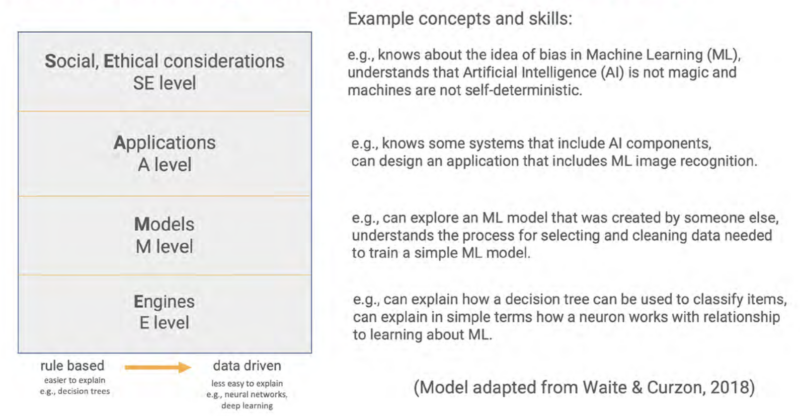





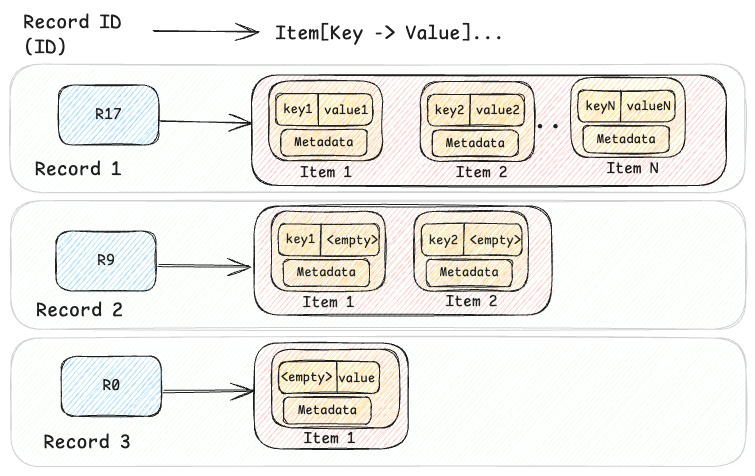

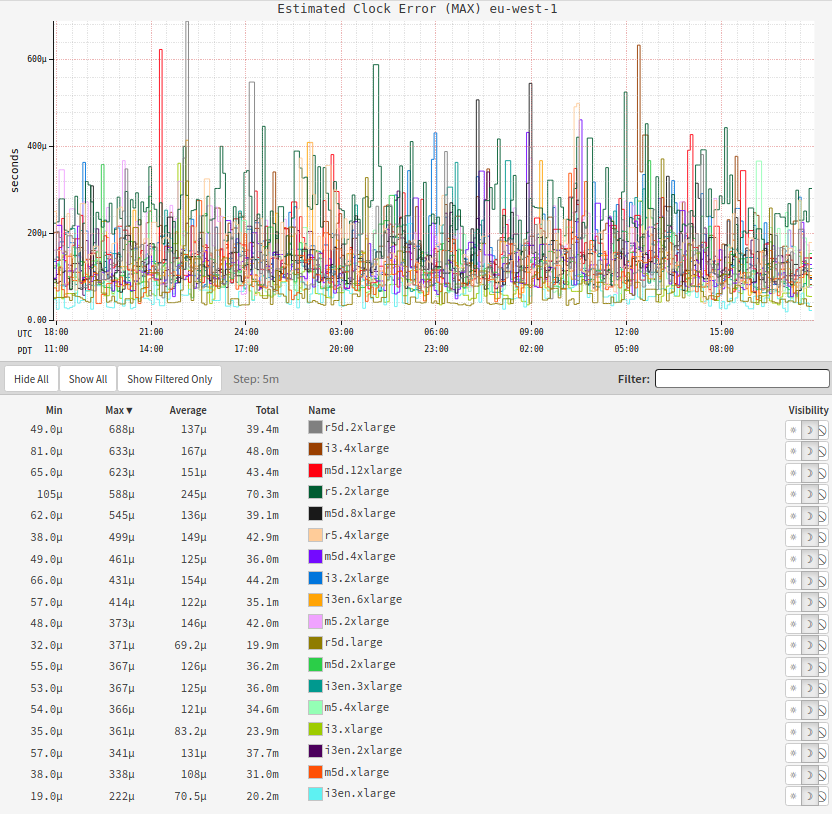
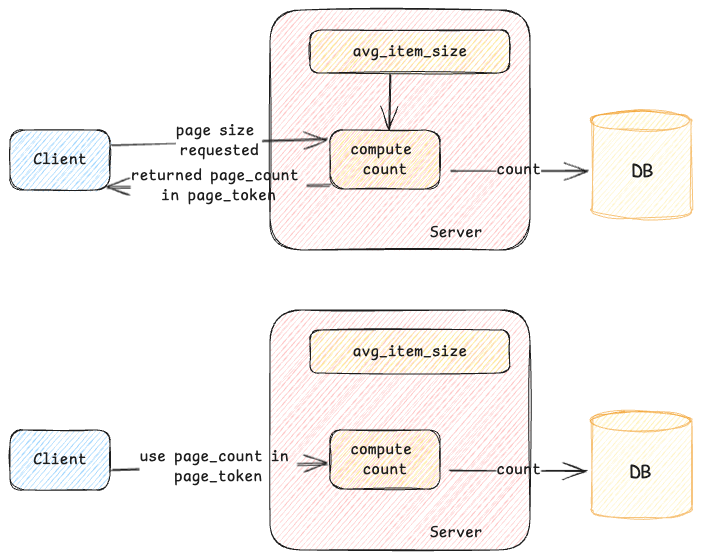
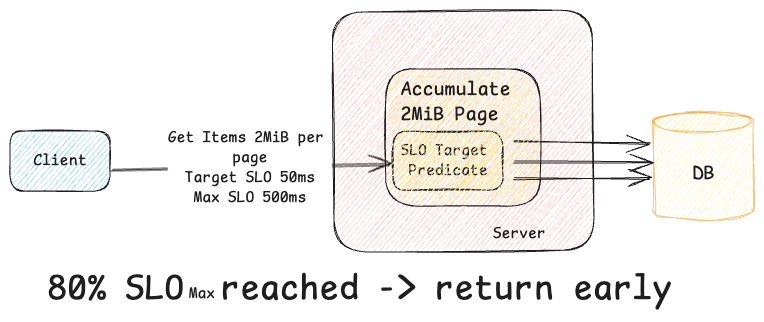
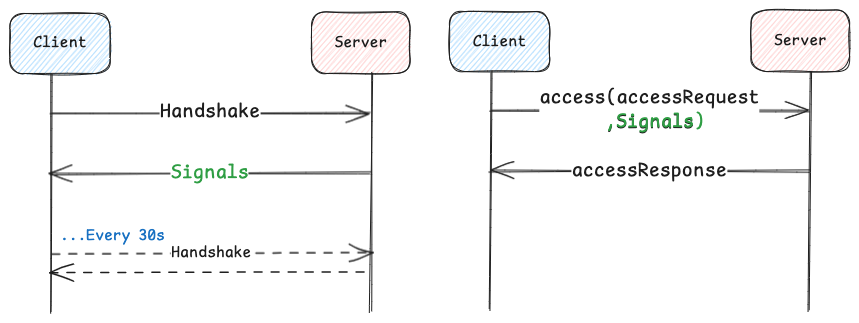

 Graviton-4-powered, memory-optimized X8g instances are now available in ten virtual sizes and two bare metal sizes, with up to 3 TiB of DDR5 memory and up to 192 vCPUs. The X8g instances are our most energy efficient to date, with the best price performance and scale-up capability of any comparable EC2 Graviton instance to date. With a 16 to 1 ratio of memory to vCPU, these instances are designed for Electronic Design Automation, in-memory databases & caches, relational databases, real-time analytics, and memory-constrained microservices. The instances fully encrypt all high-speed physical hardware interfaces and also include additional





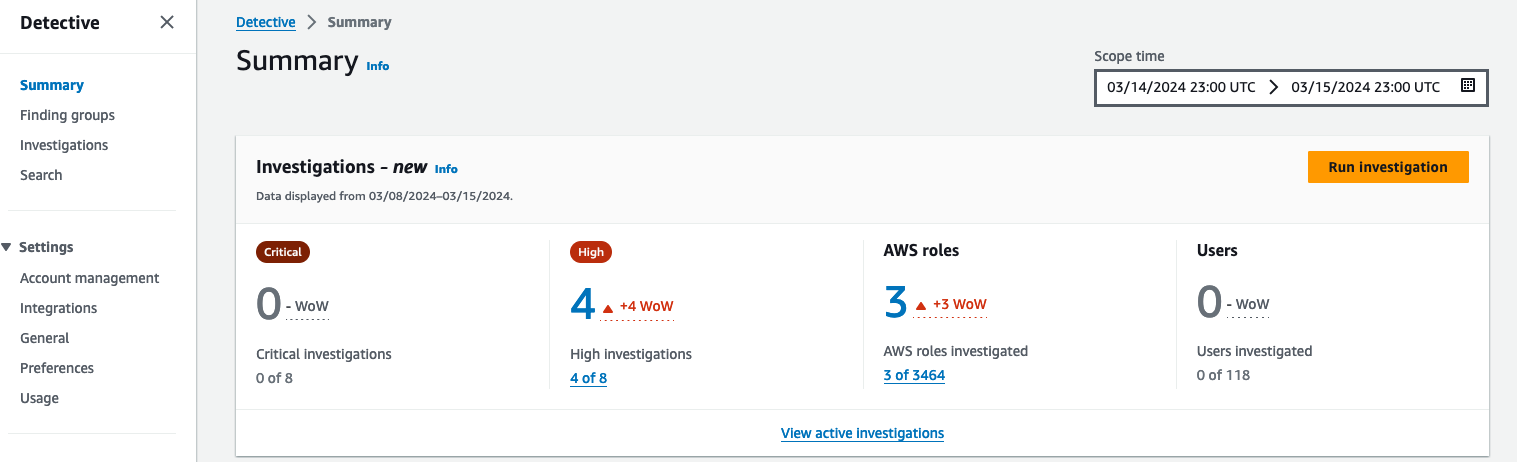
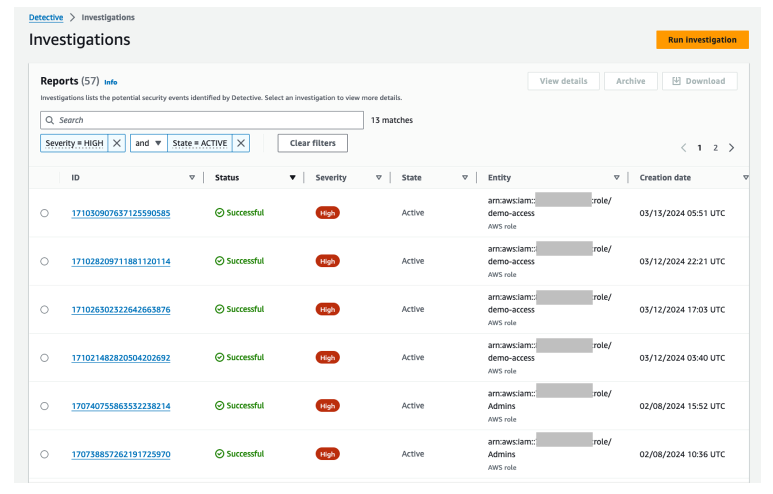
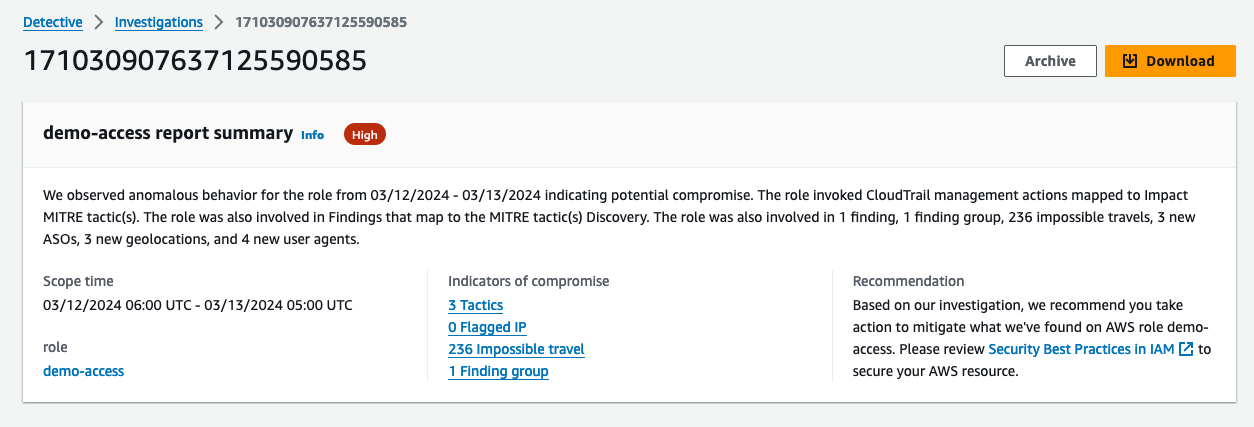
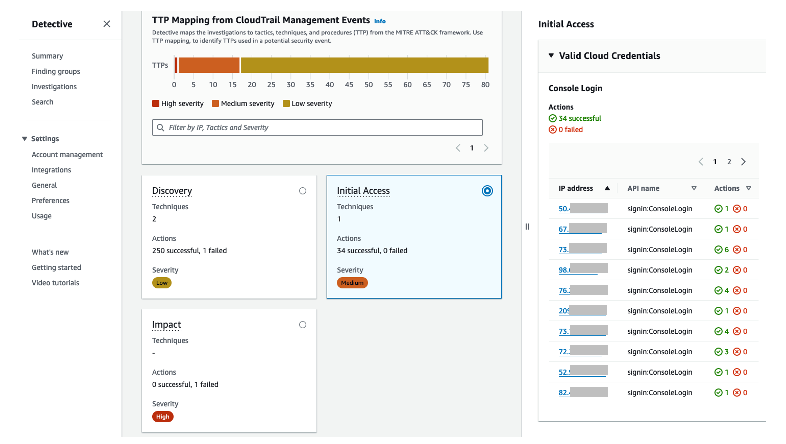
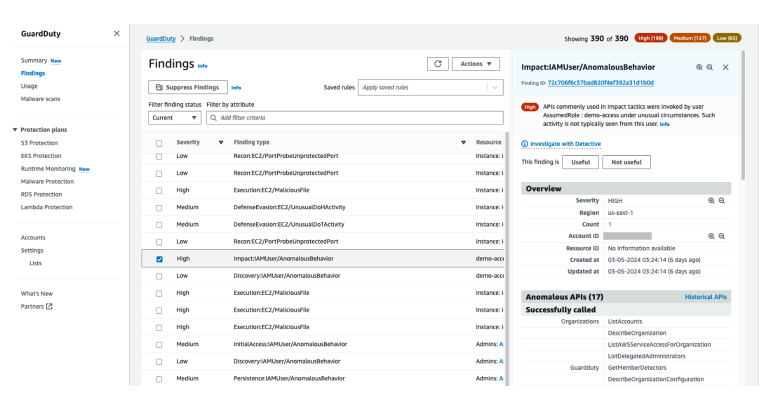
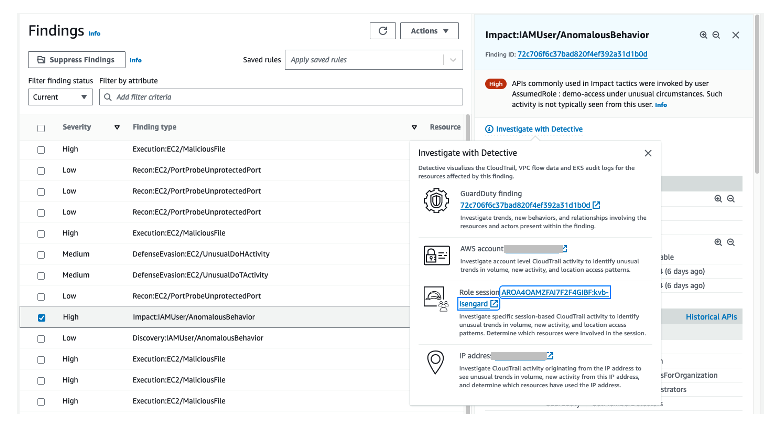
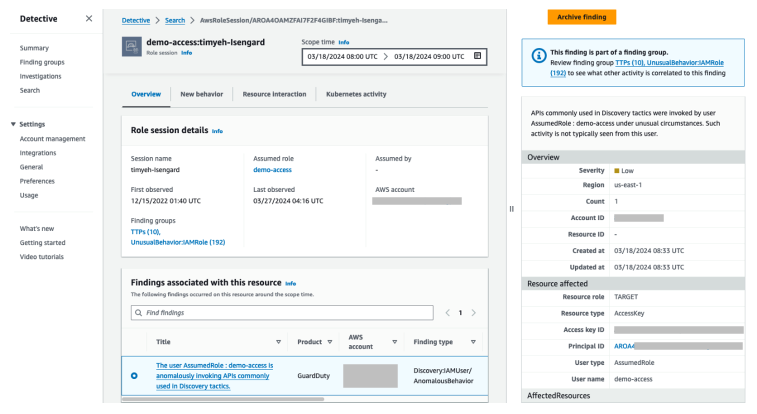
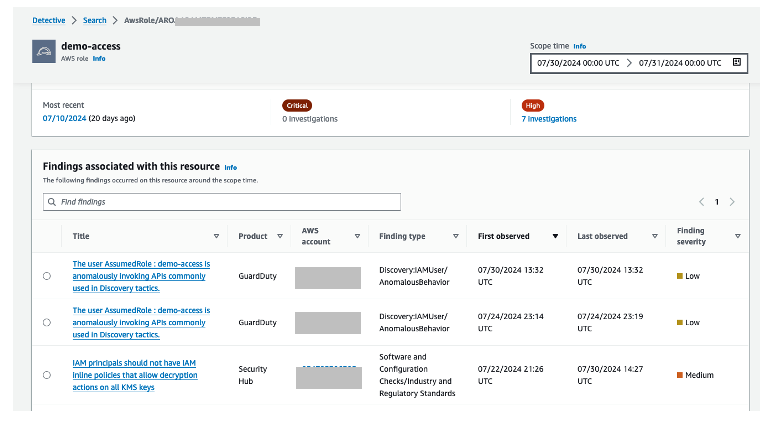
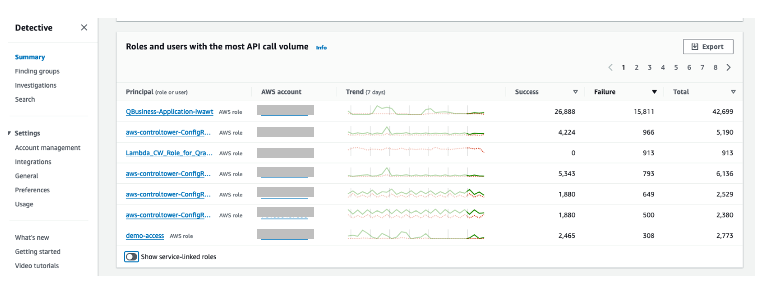
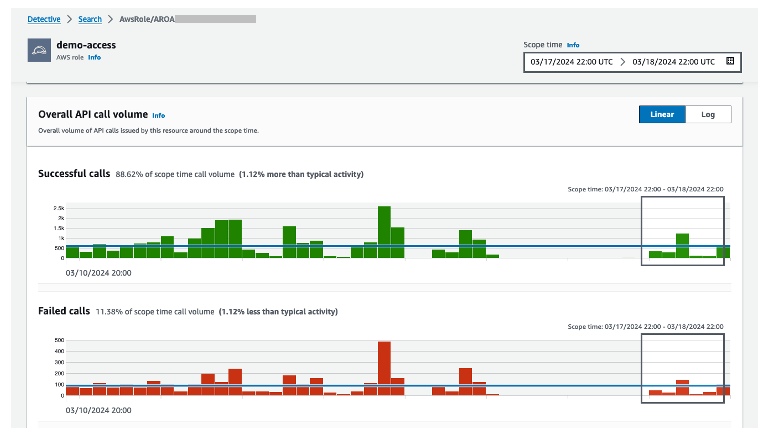
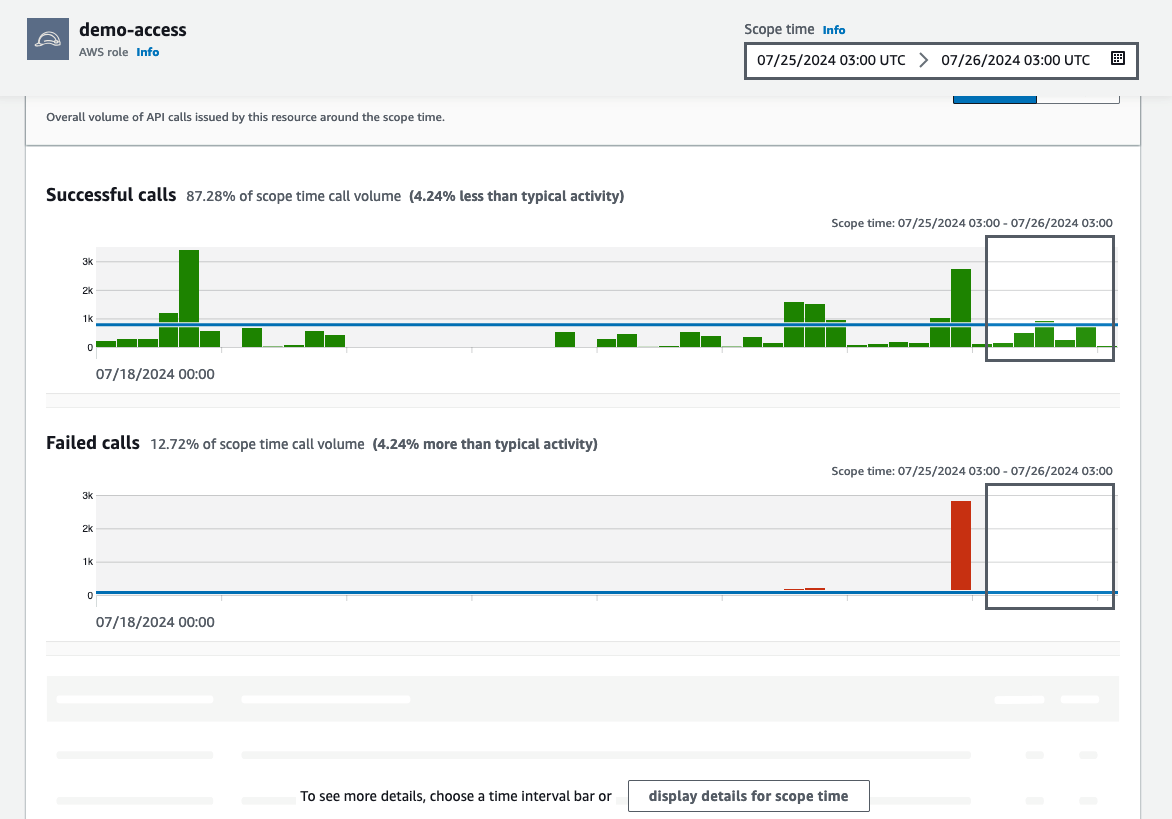 Figure 12: Overall API call volume during the specified scope time