Last year, we enabled Media over QUIC (MoQ) on every Cloudflare server and opened the network for anyone to test. It provided a global MoQ endpoint, but not the isolation and access controls needed to run an application.
Today, we’re adding those isolation and access controls. The new MoQ provisioning API lets you create an isolated relay for your application and issue separate credentials for publishers and subscribers. The relays you create are available across Cloudflare’s network within seconds, with no servers to deploy, size, or load balance. Cloudflare now supports the draft-14 and draft-16 versions of the MoQ Transport protocol with authentication support.
You can create relays through the API and the Cloudflare dashboard. They are completely free to use during beta.
A QUIC recap on MoQ
MoQ (originally short for Media over QUIC) is a new open protocol under development at the Internet Engineering Task Force (IETF), the standards body that also standardized HTTP, TLS, and QUIC. It is being developed in the open and will become a free public standard (an RFC) that anyone can implement. No single company owns it.
MoQ is a publish/subscribe system. A publisher sends out streams of data that have names, and subscribers ask for those streams by name. Between them sit relays, which are just CDN servers that copy each stream to everyone who wants it. A relay never has to look inside the data it forwards, so one publisher can reach a large audience without handling the fan-out itself.
Because relays don't care what's in the data, the same protocol can carry many things that each used to need a separate system: live video, video calls, low-latency messaging, and more. It runs on QUIC, the transport under HTTP/3, which is what keeps latency low.
The practical result is that you don't have to build and run your own fleet of specialized servers. You publish to a CDN through one simple API and get both low latency and large scale for much less cost.
How we got here: the MoQ open preview
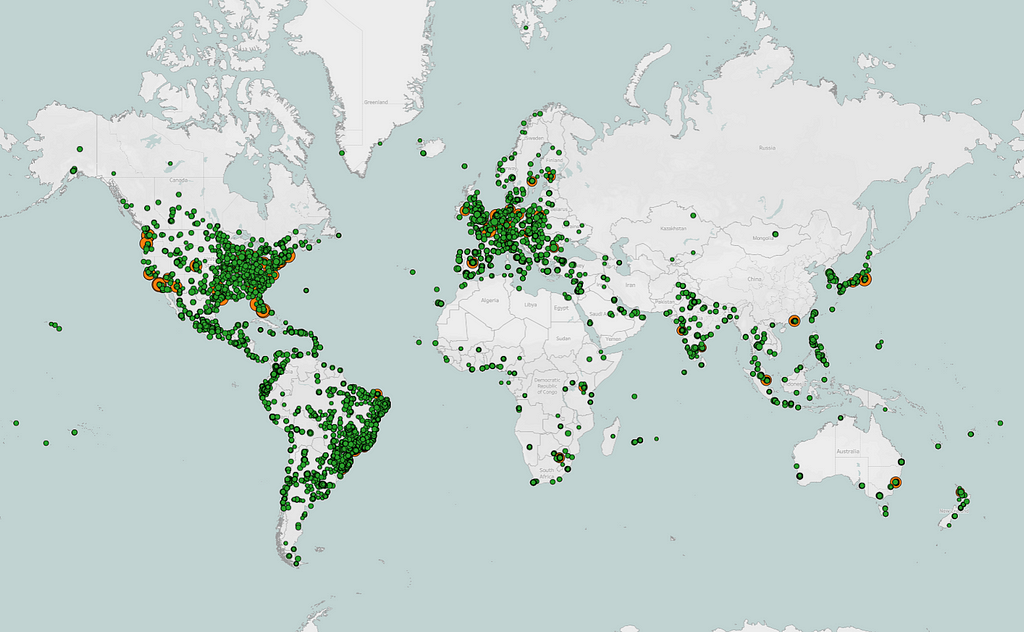
Last year, we launched the first global MoQ relay network: every Cloudflare server in over 330 cities became a MoQ relay, free and open to anyone. Because these endpoints required no authentication, they were ideal for protocol testing and client development. More than 1,000 unique clients still connect each day to test against them.
But an unauthenticated relay isn't suitable for production, because you can't control who publishes and who subscribes. That rules out any application that needs confidentiality, access control, or a clear split between publisher and subscriber roles. Take a live auction site, where bids have to reach bidders in milliseconds. MoQ is a good fit, but publishers and subscribers need different permissions, so that a viewer's credentials can't be used to hijack the publisher's tracks.
What is a relay on the Cloudflare MoQ Network?
In most MoQ deployments today, a relay is a dedicated server or a dedicated process on a shared server. Scaling this architecture means running more instances, assigning clients to them, and adding load balancers as demand changes. This is not how any Cloudflare service works, including our Realtime SFU WebRTC service.
Provisioning a relay doesn’t start a virtual machine, container, or dedicated process. Instead, it creates an isolated scope across the existing global network.
That scope separates your namespaces, tracks, and objects from those belonging to other relays. It also defines who can enter the scope and whether they can publish or subscribe. Clients connect to the Anycast endpoint, and Cloudflare handles routing them across the network.
If you’re familiar with web hosting, creating a Cloudflare relay is more like adding a virtual host than starting a new web server. Since the infrastructure is already running, the provisioning API adds your application’s configuration and credentials. This makes the relay available immediately without choosing regions, estimating capacity, or setting up a load balancer.
The control plane API for MoQ at Cloudflare
The provisioning API is a control plane: it manages relays and the tokens used to reach them, and it never touches the media that flows through them.
There are two kinds of resources.
A relay is the isolated scope from the previous section, so one application's streams never mix with another's.
A token is a credential that grants a set of operations (publish, subscribe, or both) on a single relay. Handing publishers and subscribers different tokens is what stops a viewer from taking over a broadcaster's tracks.
Each token is scoped to the operations a client needs, can be given an expiration, and can be revoked on its own. That lets you grant exactly the access a client should have, and take it back later without disrupting anyone else.
For now, each token applies to an entire relay and permits publishing, subscribing, or both. We're working in the IETF and the wider MoQ community on a richer scheme that works for everyone. If you have opinions, tell us at [email protected].
Creating a relay takes a single API call and only needs a name:
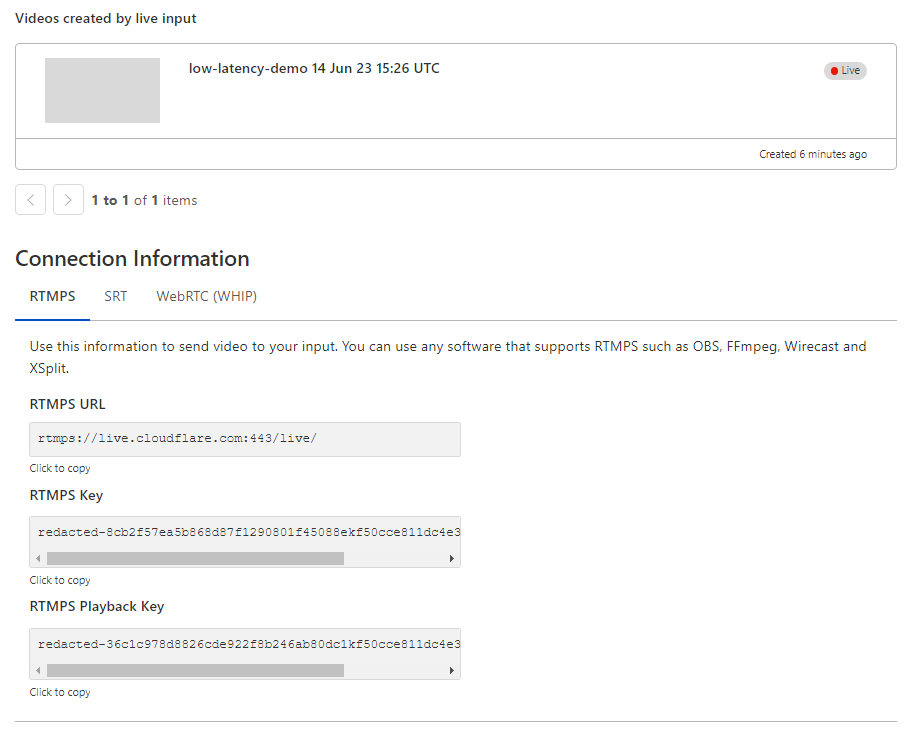
Cloudflare returns a relay ID and the two default tokens: The first token can publish and subscribe, and the second can only subscribe.
To give a client narrower access, add more tokens. This one is a subscribe-only token for viewers that expires at the start of 2027:
In the Cloudflare dashboard
You can also create a relay in the dashboard:
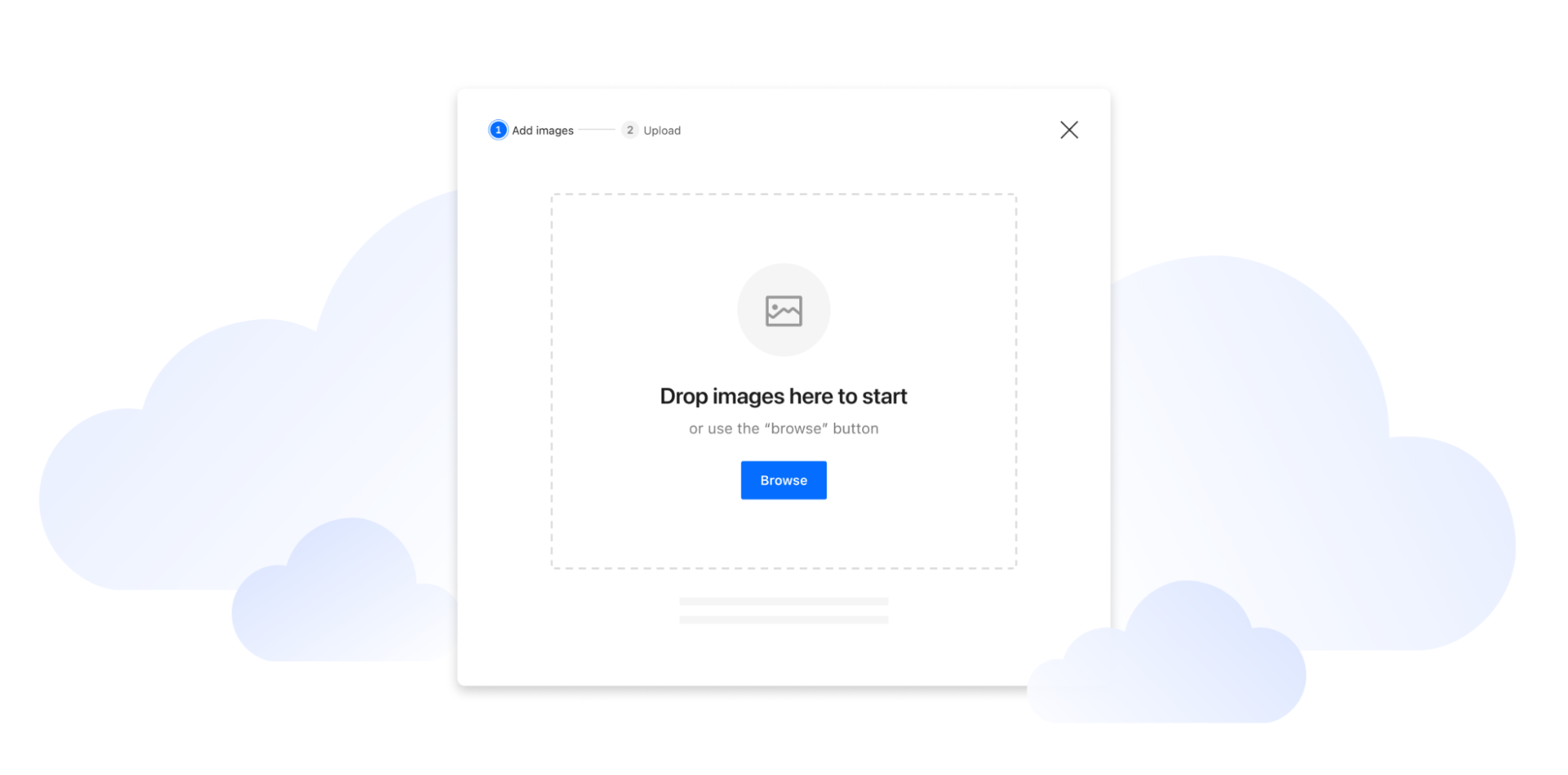
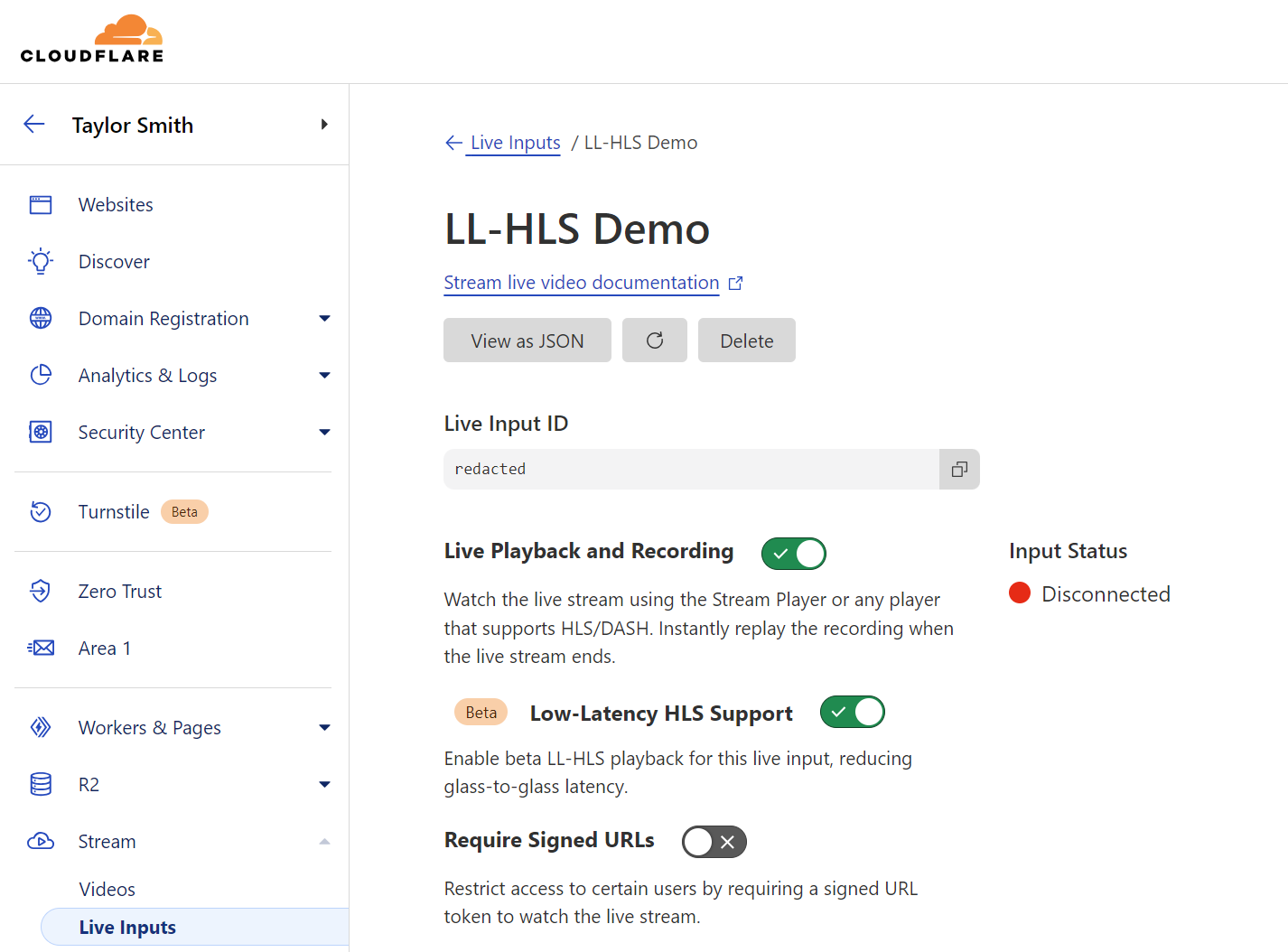
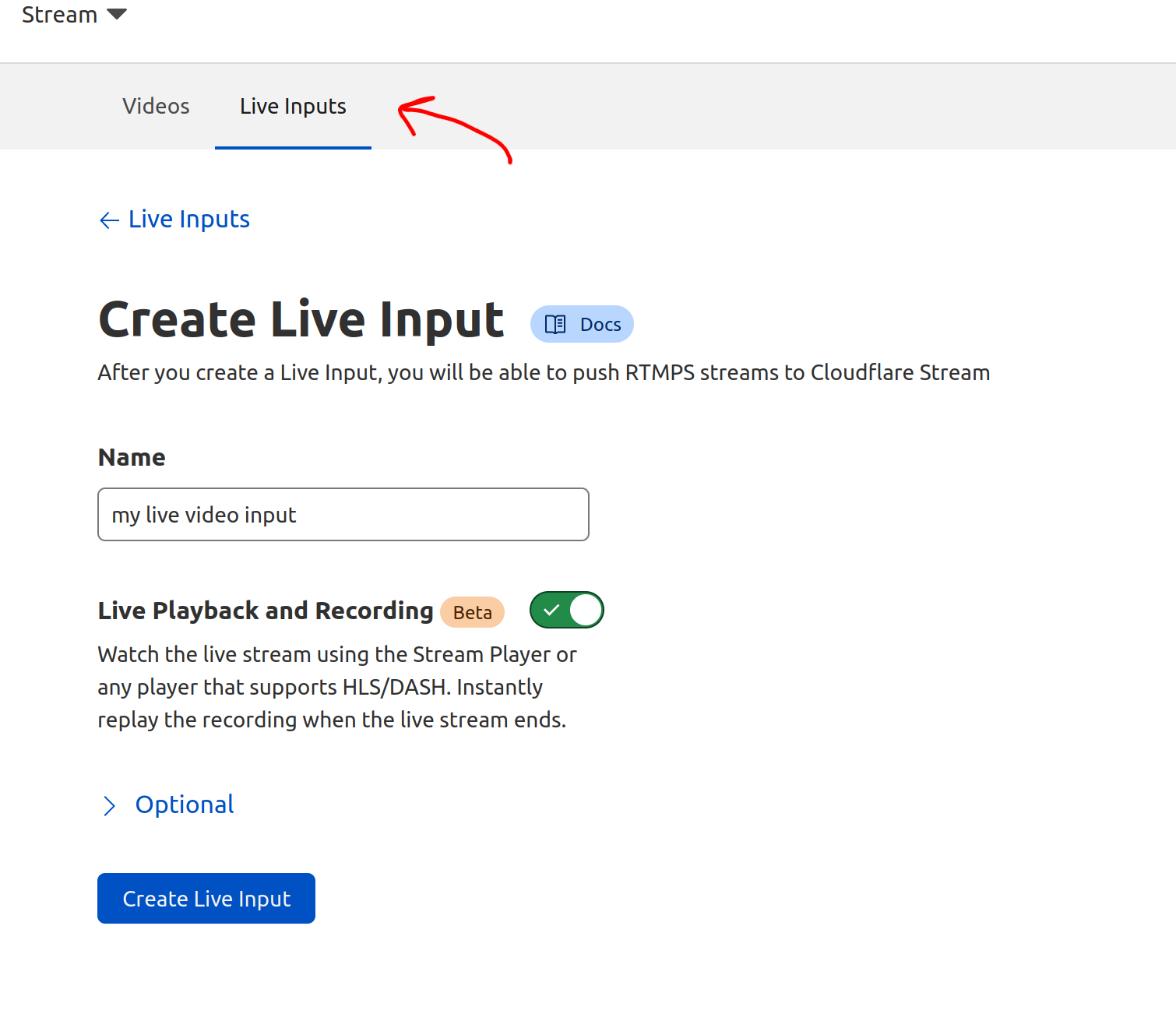
Go to Media > Realtime > MoQ Relay. Select Create relay, give it a name, and then confirm.
Connect a publisher and a subscriber
You can create and manage tokens through the API or dashboard, just as you can the relay itself. Give your broadcaster the publish-and-subscribe token and your viewers the subscribe-only token. Each client sends its token when it opens a MoQ session, and the relay enforces what that token is allowed to do.
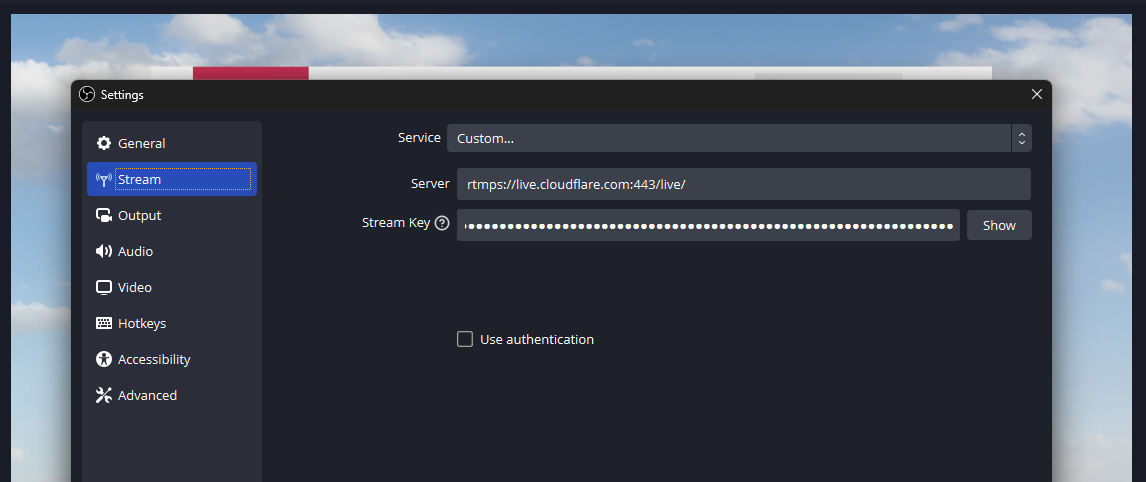
The token travels in the URL path. For example, with the open-source moq-rs tools, a broadcaster can publish a fragmented MP4 stream from ffmpeg:
A viewer connects with moq-sub:
The relay reads the token when the session opens and checks whether the requested operation is allowed.
What we changed to support draft-16
The provisioning API is only one part of what’s new. The MoQ transport itself is advancing fast, and Cloudflare now supports draft-16 of the IETF MoQ spec in its relays. This draft adds two features relevant to publishing and subscribing.
PUBLISH now lets a publisher send a track to a relay before a viewer requests it. Without PUBLISH, the first subscription must travel through the relay chain to the publisher before the publisher starts sending. With PUBLISH, the relay can already be receiving the track when the first viewer connects.
SUBSCRIBE_NAMESPACE lets a subscriber request every track announced under a namespace instead of requesting tracks individually. The subscription also covers tracks added later, such as a new video rendition or audio track introduced during a live stream.
You can now connect a draft-16 client to use both features.
Built in the open
MoQ is an open standard, developed at the IETF by engineers across the industry. This lets clients and relays implement a common protocol. That interoperability is less useful if every relay provider requires a different control plane for creating scopes and issuing credentials.
In that vein, we’re documenting the design behind this API in the MoQ CDN Provisioning Internet-Draft. The draft calls the provisioned resource a scope rather than a relay, but both terms refer to the same logical delivery context: a boundary that applications create and then enter with a credential.
The goal is for multiple CDN and relay implementations to support a common provisioning model. The document is still an Internet-Draft, not an RFC, and its API model may change as the working group develops it.
Available today, still free in beta
The MoQ relay provisioning API is available now, as part of the MoQ beta. It's free to use at any scale during this preview period.
The API will change as we develop it, so we recommend checking the developer docs for updates and breaking changes.
We’d also love to hear what you want next. Finer-grained permissions? Bring-your-own signing keys? Let us know at [email protected].
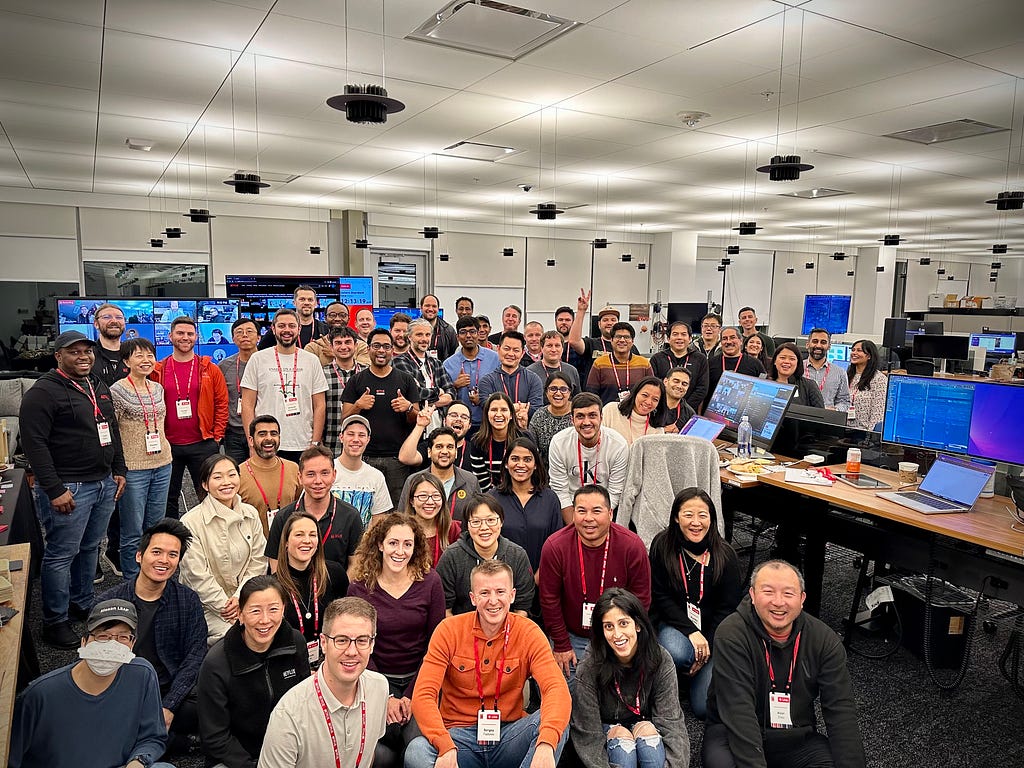
In the three years since our first Live show, Chris Rock: Selective Outrage, we have witnessed an incredible expansion of our live content slate and the live operations that support it. From modest beginnings of streaming just one show per month, we are now capable of streaming over nine shows in a single day, reaching tens of millions of concurrent members. This post pulls back the curtain on the Live Operations teams that enable this rapid scale.
Humble Beginnings
In March 2023, the engineers who built Netflix’s first live streaming pipeline also operated it. There was no dedicated operations team or formal command center. All of our incident response playbooks were written for SVOD, and SLAs were not designed for the speed of live. For the first live shows on the platform, the engineers who designed what is described in earlier parts of this series monitored dashboards on laptops, coordinated over Slack, and troubleshot in real time while millions of members watched.
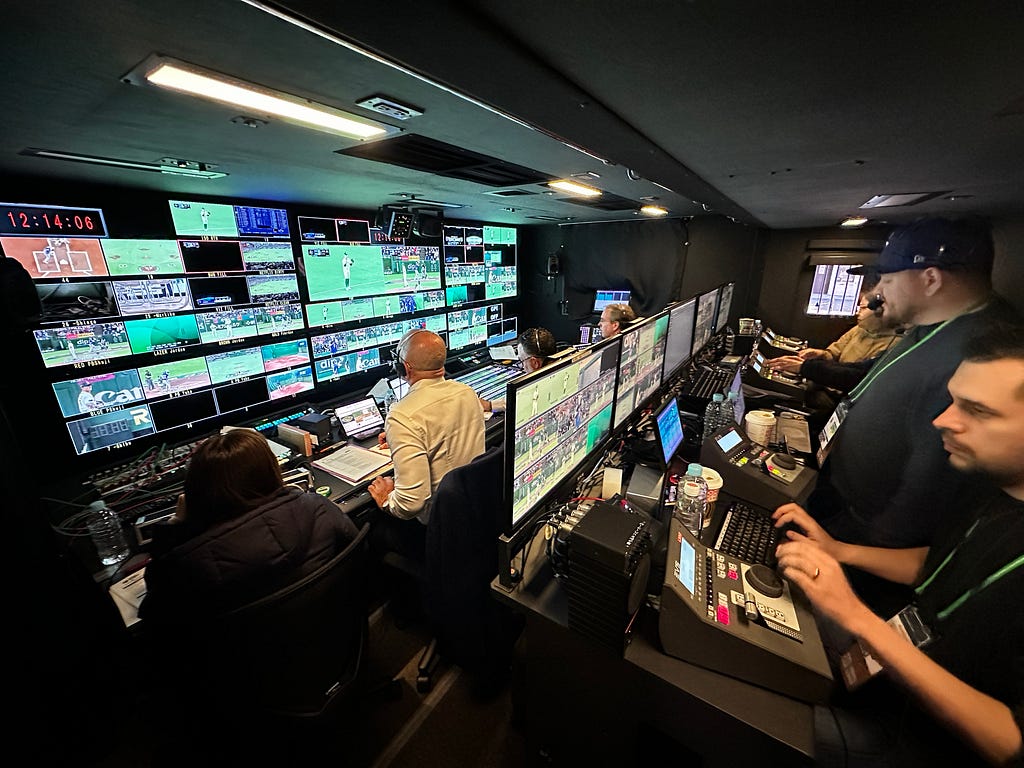
The physical setup matched the operational workflows: improvised. Temporary control rooms were put together in conference rooms. For larger events, Netflix rented third-party broadcast facilities, hardware control panels, multiviewers, and communication panels — the kind of infrastructure that established broadcast networks had built over decades. Every show was a team effort. Engineers and leadership at all levels were involved in every event. Each live show, regardless of size, was a massive effort to launch.
Netflix’s Early Live Operations
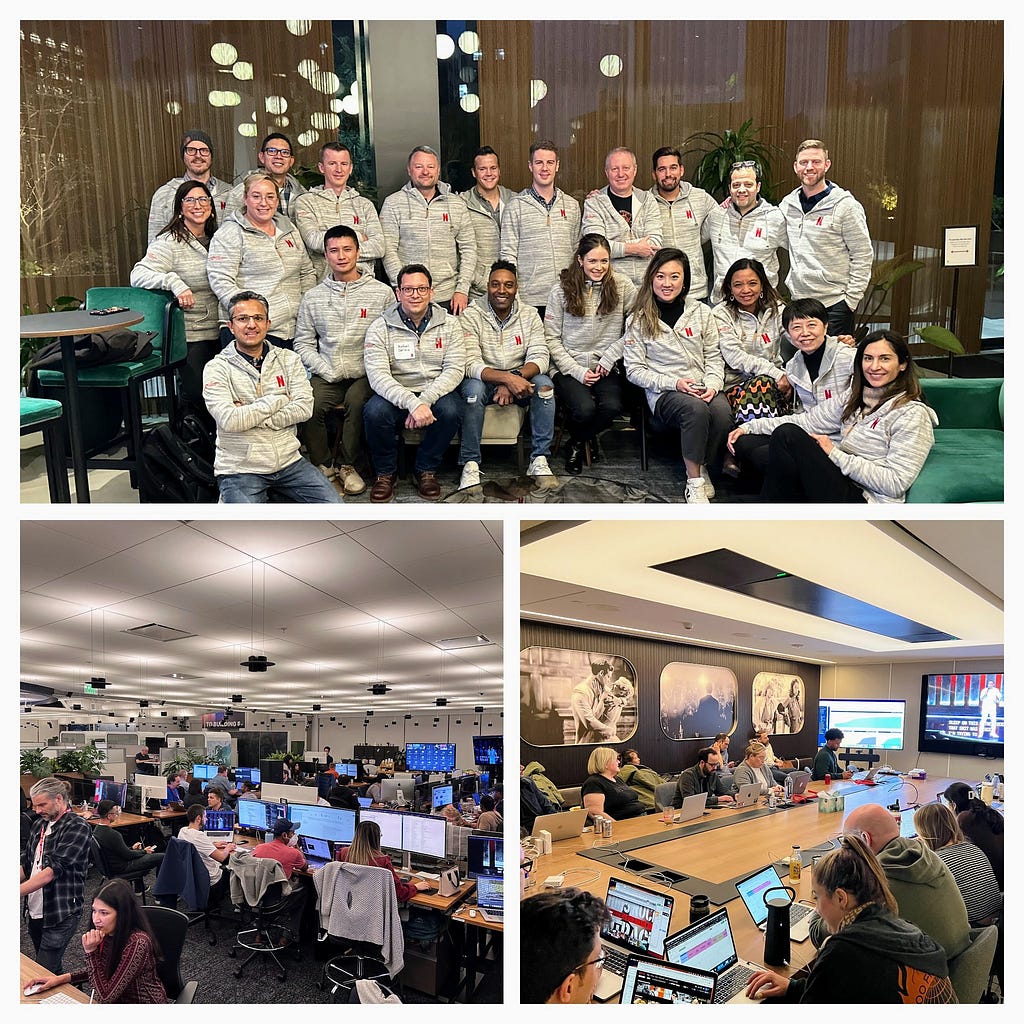
Last month, in March 2026, Netflix streamed the World Baseball Classic live to members in Japan. 47 matches over two weeks, with peak concurrent viewership exceeding 9.6 million accounts for a single game, operations running 24/7 from permanent facilities in Los Gatos and Los Angeles, with international coverage extending to Tokyo. In March alone, Netflix launched approximately 70 live events. That is three events shy of the total number Netflix streamed live in all of 2024. The technical systems that make this possible have been covered in detail across this series. What hasn’t been told is the operational story: the people, procedures, and facilities Netflix built to run those systems in real time, under pressure, with no ability to pause or roll back.
The Architecture of Live Operations
The Architecture of Live Operations: Evolving the Broadcast Operations Center
When a technology company transitions into live broadcasting, it faces a unique challenge: blending traditional broadcast television practices with massive-scale live-streaming engineering. At the heart of this intersection is the Broadcast Operations Center (BOC).
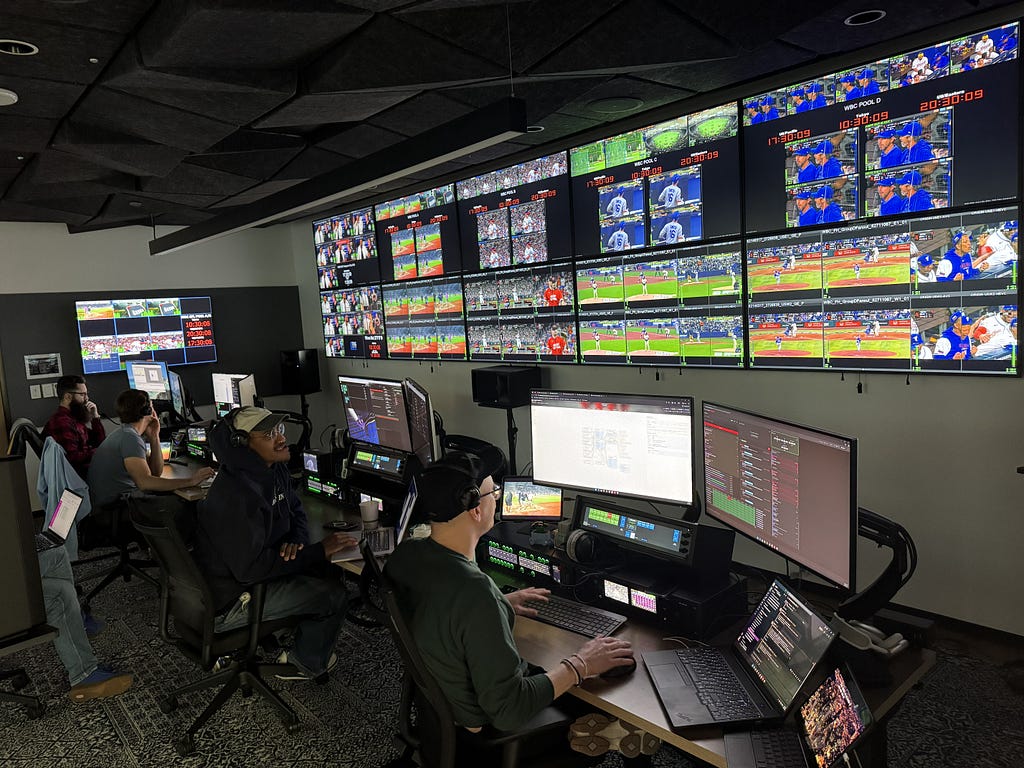
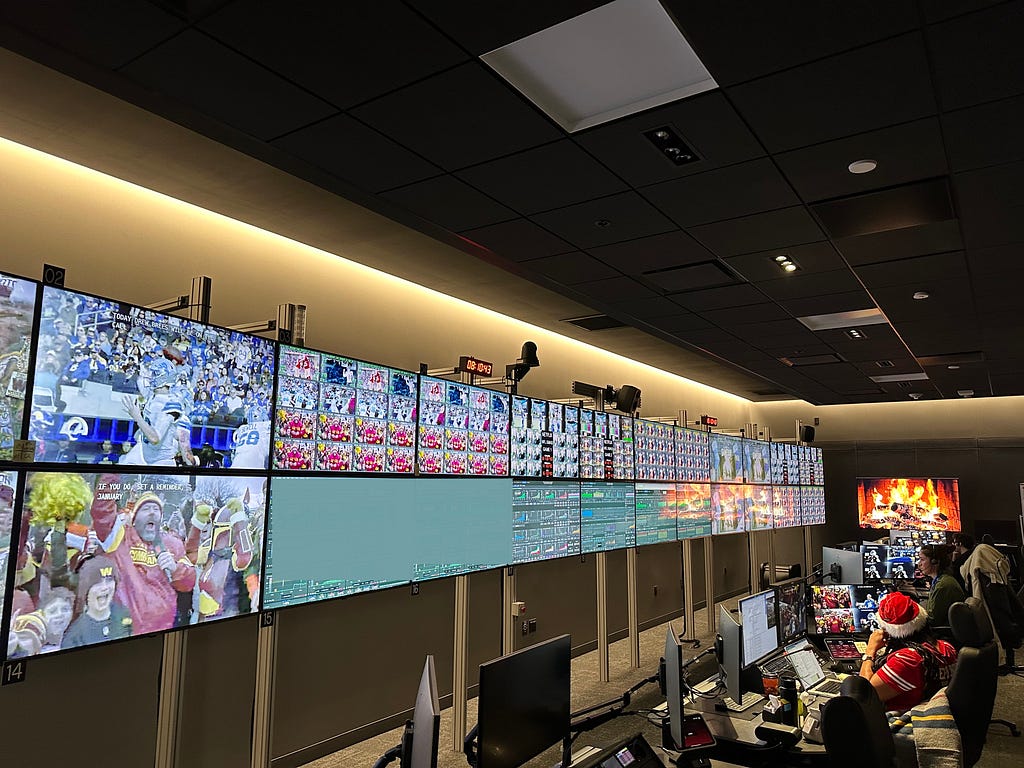
The Transmission Operations Center in Los Angeles
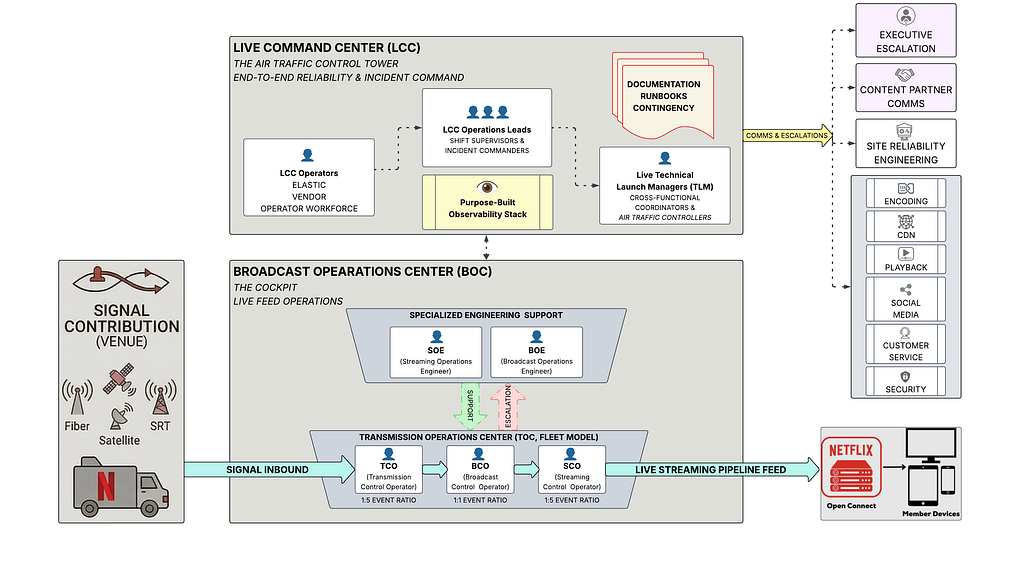
The BOC serves as the critical “cockpit” for live events. It is the physical command center where a fully produced video feed is received directly from a stadium or venue and then handed off to the live streaming infrastructure. Everything from signal ingest, inspection, and conditioning to closed-captioning, graphics insertion, and ad management happens within these walls. By utilizing a hub-and-spoke model with highly redundant architectures, such as dual internet circuits and SMPTE 2022–7 seamless switching technologies, the BOC replaces direct, vulnerable paths from the venue to the live streaming pipeline, making each live event highly repeatable and far less dependent on the quirks of individual event locations.
Securing the Signal: Reliability from the Venue Before the BOC can work its magic, we have to guarantee the video and audio feeds actually survive the journey from the production site to our facility. To ensure absolute reliability from the venue, Netflix enforces strict specifications for live signal contribution.
For any show-critical feed, meaning the primary feed our members will watch live, we require three completely discrete transmission paths. We utilize a strict hierarchy of approved transmission methods, prioritizing dedicated video fiber and single-feed satellite links, followed by dedicated enterprise-grade internet and robust SRT contribution systems.
We don’t just rely on redundant transport lines; we require full hardware redundancy out of the production truck itself. This includes using separate router line cards and discrete transmission hardware to prevent any single point of failure. Furthermore, every single piece of transmission hardware at the venue must be powered by two discrete power sources, protected by uninterruptible power supply (UPS) batteries, and surge-conditioned.
Finally, before we ever go live to millions of viewers, our operators execute exhaustive “FACS/FAX” (facilities checks) testing during rehearsals and before every show. This involves running specialized Audio/Video sync tests, latency tests, and quality tests to guarantee perfect audio and video synchronization, validating closed captions, and touring the backup switcher inputs.
Building the Human Infrastructure: Building the human operational model to run a facility like the BOC didn’t happen overnight. For a platform scaling from its very first live comedy special to streaming over 400 global events a year, the operational strategy had to undergo a massive, multi-year evolution.
Phase 1: The “All-Hands” Engineering Era. In the earliest days of live streaming, there was no dedicated operations team or formal broadcast operations center. The software engineers who wrote the code and built the live-streaming infrastructure were the same people manually operating the events on launch night. Every show was an “all-hands-on-deck” scenario. While this raw, startup-style approach worked for initial milestones, having core developers manually set up and tear down software configurations for every single broadcast was fundamentally incapable of scaling.
Phase 2: The Shift to Specialized Engineering (SOEs and BOEs). To separate event execution from core software development, the operational model matured to introduce specialized engineering teams. First, the Streaming Operations Engineering (SOE) team was established. These are highly skilled streaming engineers whose sole focus is to configure the full event on the live pipeline and support it during the broadcast. By having SOEs act as the first line of escalation, the core software developers were freed up to focus on building new live-streaming pipeline features.
However, as the physical broadcast facilities grew, it became clear that supporting the streaming pipeline wasn’t enough; the physical broadcast hardware and facility workflows needed dedicated oversight too. To solve this, Broadcast Operations Engineers (BOEs) were introduced to work alongside the SOEs. The BOE acts as the primary escalation point for all physical broadcast facility and hardware issues, overseeing the operation of all shows during a given shift.
Phase 3: The “Co-Pilot” Control Room Model. With specialized engineers in place to handle the deep technical infrastructure, the day-to-day operation of the actual video and audio feeds was handed over to dedicated operators. Initially, the Broadcast Control Rooms were structured much like an airplane cockpit.
This approach utilized a “first and second captain” workflow, pairing two Broadcast Control Operators (BCOs) together to run a single event, functioning exactly like a pilot and co-pilot. This collaborative model allowed for intense focus and high-quality execution, making it the ideal setup for running just one or two live events per day. However, as the ambition grew to stream up to 10 concurrent events a day for massive global tournaments, a 1:1 scale of pairing operators simply required too much space and manpower. A new model had to be adopted.
Phase 4: The Transmission Operations Center (TOC) Fleet Model. To manage high-density event days and continuous tournament coverage, the workflow was completely reimagined with the launch of the Transmission Operations Center (TOC) model. Rather than treating every live broadcast as an isolated launch in its own room, the TOC treats live events like a fleet. It centralizes operations and distinctly separates the traditional broadcast functions from the streaming functions to maximize human efficiency.
The TOC model divides the labor across three highly specialized, tiered roles:
Transmission Control Operator (TCO): The TCO is responsible for managing all inbound signals arriving from the event venues, such as fiber optic, SRT, and satellite feeds. They ensure these incoming feeds meet strict quality, latency, and operational thresholds. Thanks to centralized dashboarding, a single TCO can manage up to five events concurrently.
Streaming Control Operator (SCO): While the TCO handles what comes in, the SCO manages what goes out. They oversee all outbound feeds, including the streams heading to the live streaming pipeline and any syndication feeds sent to third parties for commercial distribution. Like the TCOs, SCOs can manage up to five events concurrently.
Broadcast Control Operator (BCO): With the inbound and outbound transmission mechanics handled by the broader TOC, the BCO is able to focus entirely on the creative and qualitative execution of the event. Operating on a strict 1:1 ratio (one operator per event), the BCO seamlessly switches between backup inbound feeds if an issue arises, ensures audio and video remain in perfect synchronization, and performs rigorous quality control. They also monitor critical metadata, such as closed captions and digital ad-insertion messages (SCTE), right before the final polished feed is handed into the live streaming pipeline.
The Big Bet Exception. While the fleet-style TOC model enables immense concurrency for daily programming, the most critical, high-visibility events, like major holiday football games, utilize a specialized Big Bet Model. For these flagship broadcasts, an entire Broadcast Operations Center is dedicated exclusively to a single event. This hyper-focused environment strips away the multi-event ratios, providing operators with advanced instrumentation and dedicated facility engineers to ensure the absolute highest level of reliability for events where failure is simply not an option.
Operational Workflow at a Glance (Courtesy of Melissa “Mouse” Merencillo)
The Live Command Center (LCC)
The Live Command Center (LCC) is not an MCR (Master Control Room). Nor is it a traditional Network Operations Center (NOC). The LCC holds the end-to-end view of quality, health metrics, and reliability for every live stream — from signal ingest at the production venue through cloud encoding, CDN delivery, and playback on member devices — and coordinates the human response when any part of that chain breaks.
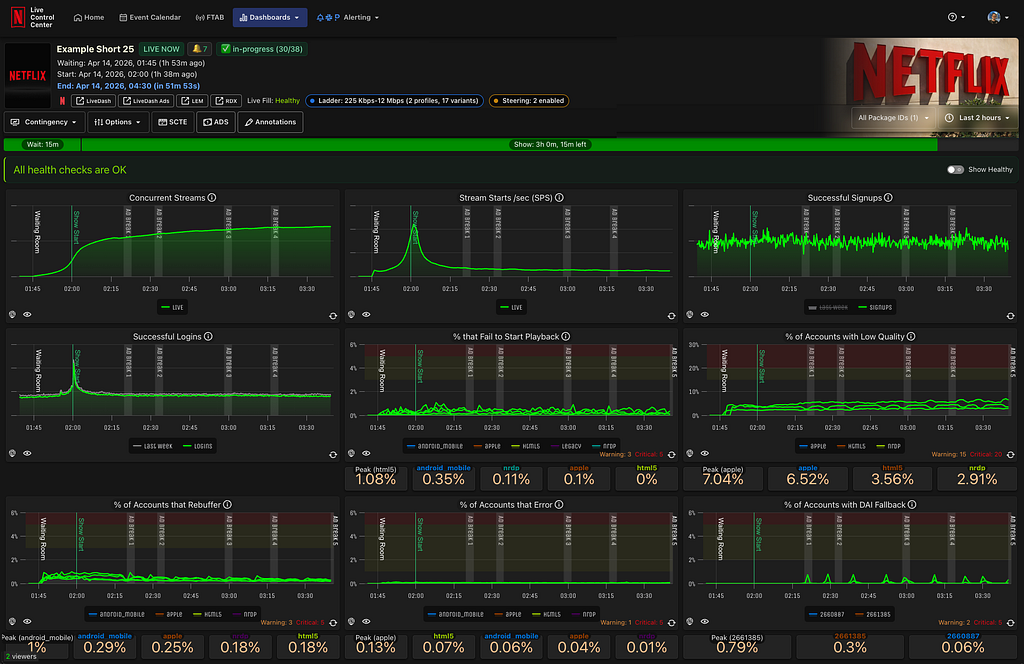
What makes this hard is the data and speed requirements. Standard monitoring tools incur propagation delays of minutes. However, during a live stream, a signal degradation that goes undetected for three minutes can affect millions of members before any mitigation begins. The LCC runs a purpose-built observability stack, the Live Control Center, that aggregates telemetry from across the entire pipeline in near real time: concurrent viewer counts, start failure rates, rebuffer ratios, CDN health, encoder status, and signal path health from the contribution feed forward.
Live Control Center (Courtesy of Chris Carey)
During live events, the system ingests up to 38 million events per second. The LCC’s job is to make that volume of data meaningful and actionable for the small team of operators watching it live.
Two roles staff the LCC leading up to and during live events. LCC Operations Leads are the shift supervisors and incident commanders. They triage anomalies, make escalation decisions, and own the incident response process from detection through resolution.
Live Technical Launch Managers (TLMs) function as air traffic controllers: they maintain cross-functional context across more than 45 technical, product, and services teams from encoding, CDN, and playback to social media, customer service, and security teams. TLMs start coordinating with these teams months and sometimes years ahead of a live event to ensure escalation paths and playbooks are in place when the LCC needs to translate a CDN engineer’s concern into a product decision at 2am while a game is still in progress. Together, these roles form the operational leadership layer that keeps engineers focused on building rather than watching dashboards.
The live operations teams rank shows by three categories:
Low-Profile Events: These are lightweight, often lack new features, and anticipate low viewership. They are typically managed with a small team of 1–2 operators and automated alerting.
High-Profile Events: These are mid-tier events that warrant more attention due to their size, unique features, or anticipated viewership.
Big Bet Events: These represent the highest operational weight, such as an NFL game, with massive viewership expectations and special features. They require the full support of the LCC: a fully staffed physical operations room for the entire duration, active incident command structures, and key engineering teams on standby to support their specific product areas.
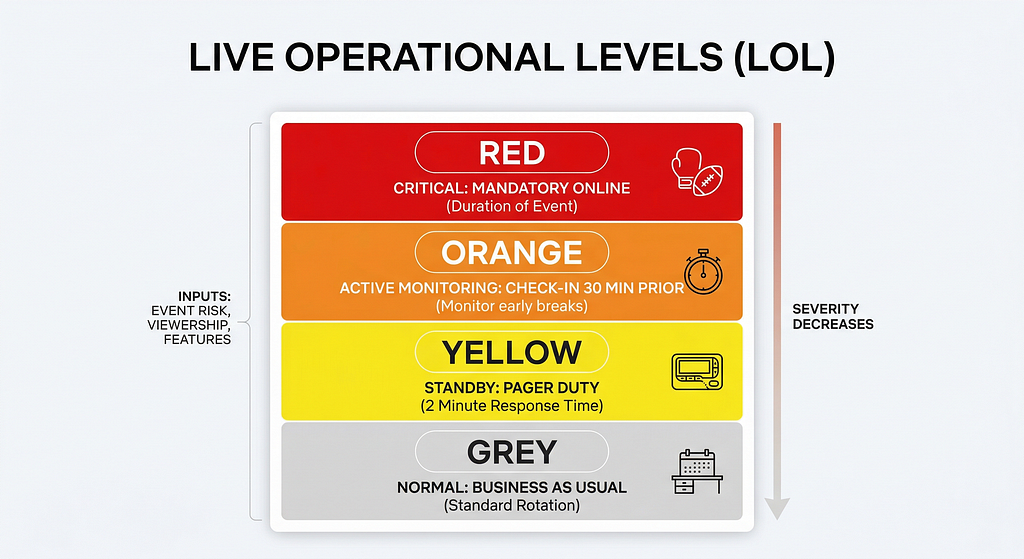
In addition to a show’s event category, the TLMs deployed a Live Operational Level (LOL) model that helps engineers determine whether they need to be on standby, live online, or even in the LCC for any given show.
Based on the show’s event category, special features, expected viewership, and overall risk, non-operational teams are put into one of four categories:
Red: Non-operational teams must remain online for the duration of the event. This is most often seen in large boxing matches and sporting events, such as the NFL Christmas Day games.
Orange: Non-operational teams are required to check in online ~30 minutes prior to show and are asked to monitor the health of their systems through the first commercial breaks until the LCC releases them to LOL Yellow.
Yellow: Non-operational teams are not required to be online, but should be reachable by page in 2 minutes. Special PagerDuty rotations and verifications are in place to ensure these teams are reachable.
Grey: Business as usual. Teams will be reached out to by their normal pager rotation if their help is needed during the show.
Visual Representation of LOL Levels (Courtesy of Gemini Nano Banana Pro)
By tiering events, Netflix ensures that resource allocation is proportionate to operational needs, preventing a continuous “crisis” mentality and allowing our non-operational partners to focus on their day jobs.
As of April 2026, most engineering teams are Yellow or Grey, with Ops and Site Reliability Engineers making up most of the teams online to support shows, in addition to engineers performing feature tests.
Building the Model
The first lesson from 2023 was straightforward: what worked for one show a month would not work for ten shows a week. The engineers who built the pipeline were also the ones operating it, which meant the people best positioned to fix problems were also the ones most likely to be paged at 2am. There was no operational layer to absorb that load.
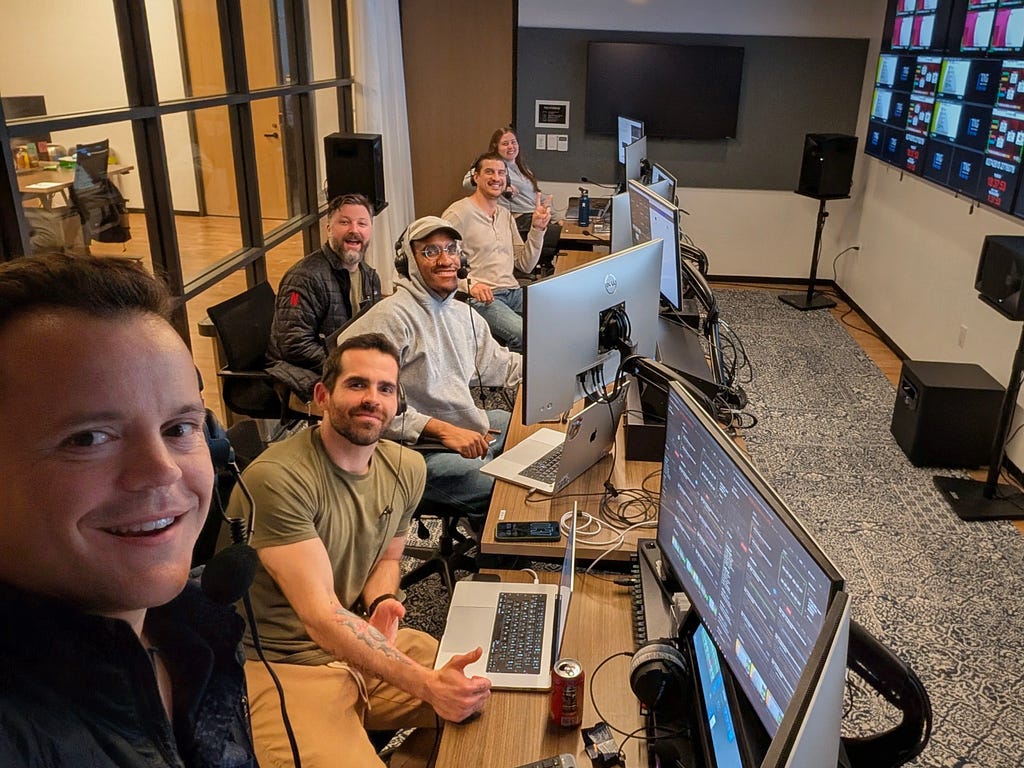
In 2024, Netflix streamed 72 live events and began building the team that would eventually run them. The first version of the LCC looked nothing like it does today: a cluster of desks, monitors on stands, and laptops running dashboards, set up in the middle of the office. The TLM team was stood up to own cross-functional coordination for live launches and began formalizing the runbooks, event tiering structure, and incident management protocols that would later enable Netflix to scale operations to support hundreds of shows per year.
By the time Jake Paul vs. Mike Tyson and the first NFL Christmas Games arrived, the LCC had moved into a dedicated conference room, and partnerships with device and labs teams were producing more effective monitoring tools. But the biggest operational lesson of that period came from communications.
For Tyson/Paul, Netflix had over 300 people online across engineering, product, and business functions. Some people were online because their support was needed, while many others were just excited to be part of it. Coordinating that many people over Slack and Zoom during an active event with 64 million concurrent streams was unmanageable.
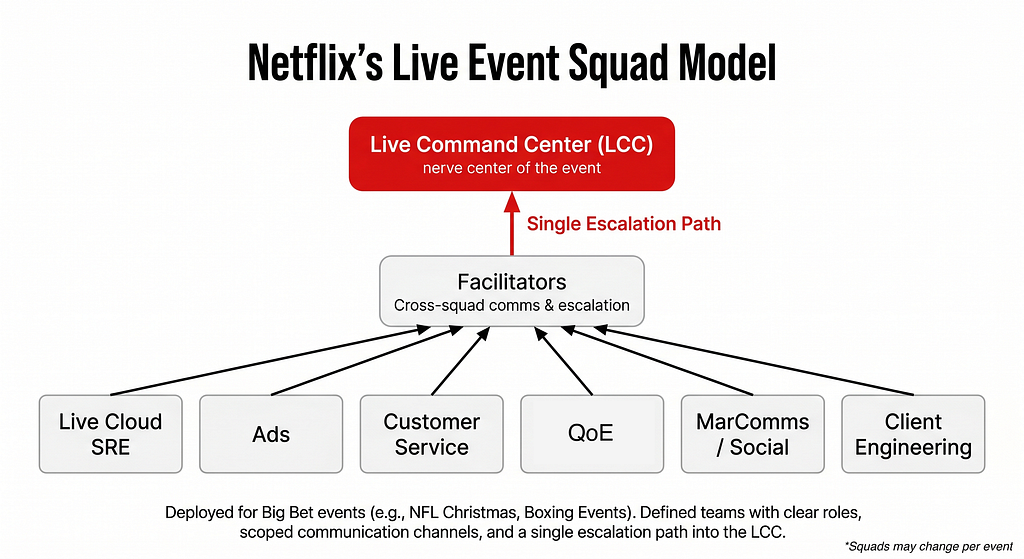
That experience drove the implementation of a squad model: defined teams with clear roles, scoped communication channels, and a single escalation path into the LCC. Around the same time, the LCC began integrating with IP-based communications systems, finally bridging the gap between the command center and the Broadcast Operations Center that had been operating largely in a fractured parallel until then.
Visual Representation of Squad Operations Model (Courtesy of Gemini Nano Banana Pro)
2025 brought 220 live events and a permanent LCC facility, along with a dedicated operations team, the Live Command Center Operations Leads. With the growing number of shows, TLMs were getting spread thin, spending more than half their week operating shows late into the evening and over weekends, then getting called back into the office at 9 am to lead critical launch meetings. The addition of the LCC Ops Leads resolved the bandwidth issue by separating planning and operations into distinct roles within a single centralized team.
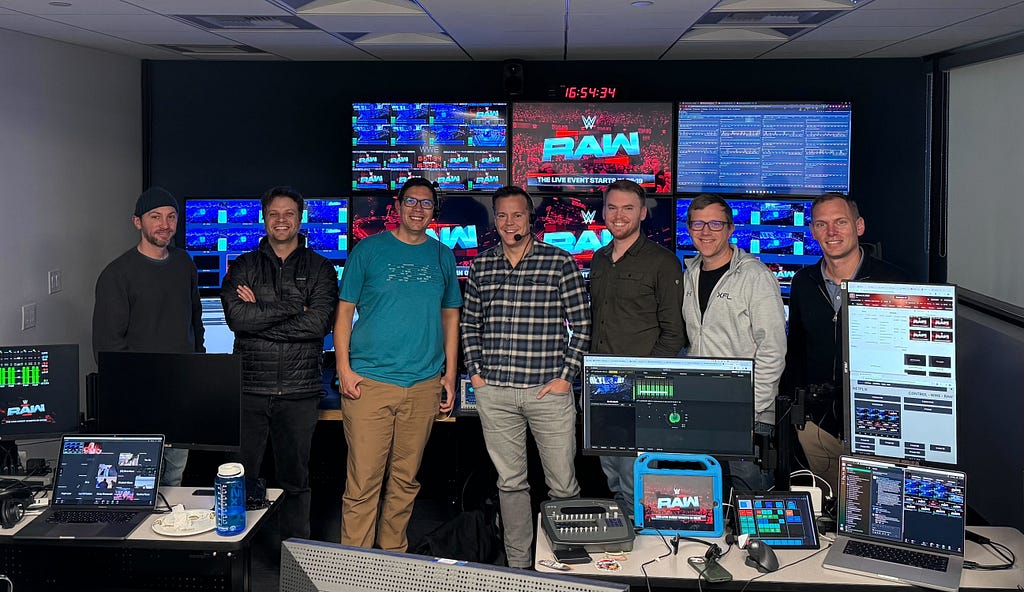
As the slate continued to grow and large series like the World Baseball Classic and FIFA Women’s World Cup were announced, the vendor-operator model was introduced, creating an elastic workforce that could scale up for large series events without carrying full-time headcount year-round to support peak capacity. The key enabler was documentation: standardized runbooks and onboarding materials detailed enough that a trained operator could reach full effectiveness within their first week. WWE RAW became a weekly operation, normalizing what had previously felt exceptional. By early 2026, multi-event days were no longer a test of capacity but had become the expected operating condition.
The next chapter is international. Netflix has begun standing up regional Live Operations Center coverage to support live events outside North America, with EMEA operations soon running out of London. The model draws on the same runbooks, tooling, and escalation structures developed in Los Gatos, with follow-the-sun shift handoffs connecting EMEA and US teams across time zones. Looking further ahead, Netflix is planning to bring the LCC and BOC under one roof — a single integrated facility that combines broadcast operations and cloud monitoring into a unified space. The physical separation between those two functions has always introduced friction at the seams. Closing it is the logical next step.
Operational Principles for Live at Scale
Building a live operations discipline means accepting one constraint above all others: you cannot optimize for efficiency before you have built for reliability.
Netflix designed for quality first: Standardized runbooks, tiered event structures, pre-documented failure modes, so the 50th show runs as smoothly as the fifth. Off-the-shelf monitoring tools with propagation delays don’t meet that bar. The Netflix Live Control Center and Live Control Room platforms exist because observability at live scale is a product decision that demands the same design rigor as the pipeline it monitors, turning millions of telemetry events per second into something a small team can act on in real time. Technical systems and human systems have to scale together, and the most reliable incident response plan is always the one written before anyone needs it.
The operational model is also a cultural one. Bringing contingent operators into a proprietary tech stack requires deliberate onboarding design. The vendor model only works when documentation is built to be followed confidently by someone new within their first week. Beyond process, the most durable parts of how Netflix runs live operations reflect something the Netflix culture memo makes explicit: the best ideas come from anywhere. In practice, that means frontline operators catching issues that engineers miss, vendor staff surfacing workflow friction that improves the system for everyone who follows, and a team that treats candid feedback as standard practice rather than an exception. The technology, the slate, and the scale keep changing. The discipline stays current by staying curious and iterating on the tools, the runbooks, and the team.
Conclusion: What’s Next
With 2026 already off to a successful start in operational scaling, we’re excited to shift our focus to the upcoming launch of our new Live Broadcast Operations Center in Los Angeles and our new Live Operations Center (LOC) in West London. The LOC will initiate Netflix’s follow-the-sun coverage as live content continues to grow with over 400 live events in 2026, including the launch of 24/7 linear free-to-air broadcast channels with TF1 this summer. On the technical front, further development of automated alerting tools and monitoring by exception will continue to reduce operations’ manual workload.
In 2023, the engineers led the operations. By 2026, they had developed systems that mostly ran themselves, with a dedicated operational team ensuring they operated smoothly for millions of members. The technology behind Netflix’s Live content has been documented throughout this series, but what runs alongside the tech stack is a set of operational principles, rehearsed incident management processes, and monitoring infrastructure that had to be created from scratch and continues to develop.
A special thanks to Te-Yuan Huang, Rob Saltiel, Tara Kozuback, Chris Carey, Di Li, Patrick Li, Anne Aaron, and Melissa “Mouse” Merencillo for their support on this article.
By Renata Teixeira, Zhi Li, Reenal Mahajan, and Wei Wei
On January 26, 2026, we flipped an important switch for Live at Netflix: all Live events are now encoded using VBR (Variable Bitrate) instead of CBR (Constant Bitrate). It sounds like a small configuration change, but it required us to revisit some of the foundational assumptions behind how we deliver Live video at global scale.
VBR lets us tailor the bitrate to the actual complexity of the scene, instead of sending every second of video at roughly the same bitrate. When a scene is simple, VBR “shaves off” bits that wouldn’t improve what you see on screen; when a scene is complex, it spends more bits to preserve quality. (The more general idea is often referred to as capped variable bitrate, or capped VBR.) That makes our encodes more efficient and our network more scalable. But it also makes traffic much less predictable: large bitrate swings can overload servers and CDNs, and our old assumptions about “what bitrate equals what quality” no longer hold. As a result, we have to rethink both how we manage delivery and capacity, and which bitrates we offer for each version of the stream. In our live pipeline, we currently use AWS Elemental MediaLive, where this “capped” VBR is implemented using the QVBR (Quality‑Defined Variable Bitrate) setting.
| Why Move Live from CBR to VBR?
Our initial Live encoding pipeline used constant bitrate (CBR). For each encoded stream, we configured a resolution and a nominal bitrate — for example, a 1080p stream targeting 5 Mbps — and the actual bitrate stayed close to that target over time. This predictability made both capacity planning and day‑to‑day operations easier. If a server could safely deliver around 100 Gbps of Live traffic, and each stream averaged close to its nominal rate, we could admit on the order of twenty thousand concurrent sessions per server and be confident we were operating within limits. During an event, the total traffic sent by a server would change mainly when members joined or left; as long as concurrency was stable, traffic stayed relatively flat. The network saw a smooth, easy‑to‑reason‑about load profile, and large changes in throughput almost always reflected a real change in usage, not just a different scene on screen.
The problem is that content isn’t constant. A talking‑head segment in a studio or a simple animation is much easier to compress than a sequence of rapid camera moves and fast‑moving athletes in front of a highly detailed crowd. With CBR, both the easy and the hard segments get the same bitrate. In simple scenes, we spend more bits than we need; in complex scenes, we sometimes don’t spend enough.
VBR flips the objective. Rather than aiming for a fixed bitrate, the encoder aims for a target quality and is allowed to raise or lower the bitrate according to scene complexity. When the picture is easy to encode, VBR can drop the bitrate substantially below the old CBR level while keeping quality constant. When the action heats up, it can temporarily use more bits to avoid visible artifacts.
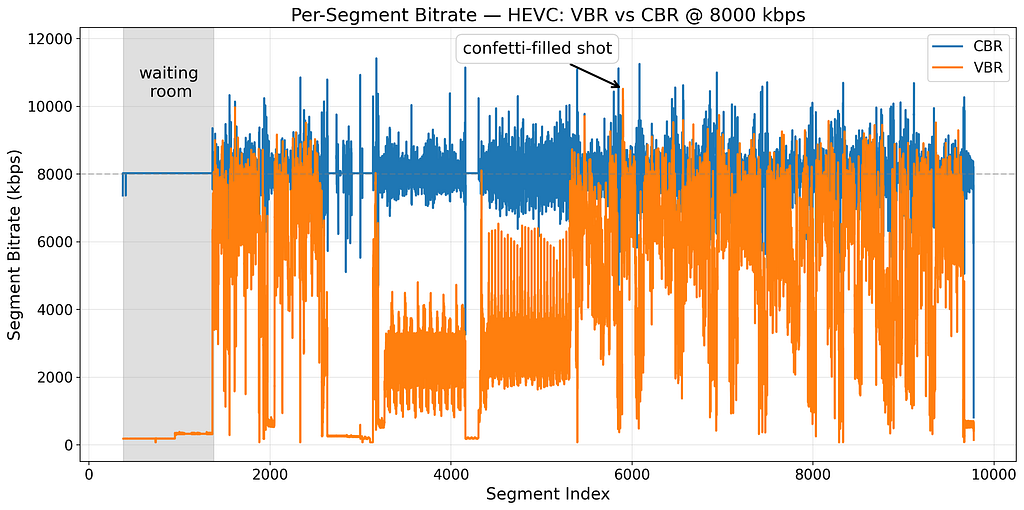
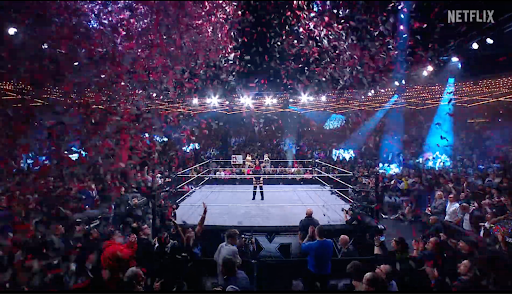
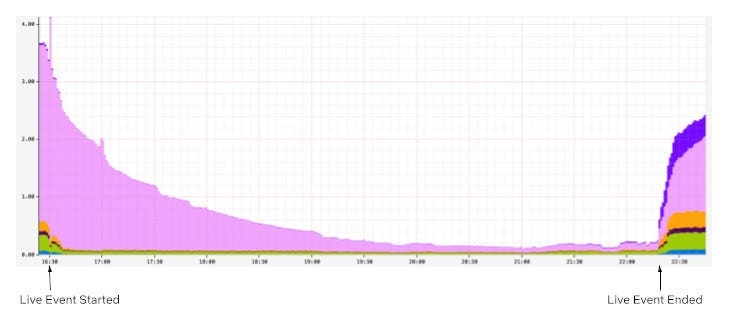
The figure below shows the per‑segment bitrate over time for the same episode of WWE RAW, encoded once with CBR and once with VBR at a nominal 8 Mbps. With CBR (blue), the bitrate wobbles a bit from segment to segment but stays close to the target; if you average it over a minute, it’s practically a straight line. We end up spending roughly the same number of bits on simple scenes, like the waiting room at the start of the stream (shaded region), as on complex scenes, like the confetti‑filled shot later in the show. With VBR (orange), the encoder can drop the bitrate for the waiting room to a small fraction of the nominal rate, while allowing the confetti‑filled shot to use a much higher bitrate to preserve quality.
Per-segment bitrate over a WWE RAW episode for CBR and VBR encodes at a nominal of 8 Mbps.“Waiting room” scene: visually simple and easy to compress, so VBR can safely use a low bitrate.“Confetti-filled” shot: visually complex and noisy, so VBR spends many more bits to maintain quality.
At Netflix scale, the shift to VBR has several important effects. The most important is efficiency on the network: we reduce the average number of bytes we need to deliver a full event, which in turn reduces the traffic needed to fill all of the servers in Open Connect, our content delivery network (CDN), and the traffic needed to serve segments to members. The second is quality of experience. Because VBR sends fewer bits for similar video quality, we see fewer rebuffers and lower start‑up delay. Across multiple A/B tests on different Live events, we observed about 5% fewer rebuffers per hour, while transferring roughly 15% fewer bytes on average and around a 10% reduction in traffic at the peak minute.
| When Efficiency Fights Stability
The central challenge with VBR for Live is not that bitrate varies at all (it does under CBR as well), but that VBR can have much deeper, longer dips in bitrate, tightly coupled to what’s happening in the content.
Under CBR, a 5 Mbps stream is effectively that: on a per‑minute basis, traffic is remarkably flat. A server that is comfortably handling, say, ten thousand such sessions now is likely to still be comfortable in a minute, barring a wave of new joins. It’s safe for our steering logic to look at current traffic, see plenty of headroom, and route additional sessions to that server.
Under VBR, the same stream behaves very differently. During a slow, easy sequence, the encoder might only generate 2 Mbps for the 5 Mbps stream — or even less — to maintain its target quality, and it can stay at that lower level for an extended period. The server then appears to have plenty of unused capacity: per‑session bitrate is low and aggregate traffic is well below its limits. Our steering systems naturally interpret this as a signal that the server is under‑utilized and can accept more sessions.
The problem surfaces when the content changes. A fight starts, confetti begins to fall, or the camera cuts to a highly detailed, fast‑moving shot. To preserve quality, VBR may increase the bitrate to 6, 7, or 8 Mbps on the very next segments. If the server has admitted many additional sessions during the preceding low‑bitrate period, the aggregate traffic can suddenly exceed what the network link or NIC can sustain. Latency rises, packets are dropped, and devices start to experience stalls or quality downshifts. In extreme cases, this pattern of “bitrate dips followed by spikes” can destabilize parts of the system.
| Making Servers Aware of Bitrate Variability
These long VBR bitrate dips are great for efficiency, but — as we just saw — they can trick our delivery systems into thinking servers are under‑utilized and safe to load up. Under CBR, that behavior was predictable enough that current traffic was a good proxy for how “full” a server was; under VBR, it isn’t.
Our fix was to change how we decide whether a server can take more sessions. Instead of basing that decision only on current traffic, we reserve capacity based on each stream’s nominal bitrate, not just what it happens to be using at that moment. Even if a VBR stream is currently in a very cheap, low‑bitrate phase, we still treat it as something that can quickly return to its nominal rate.
This keeps our traffic‑steering behavior consistent between CBR and VBR and avoids the key failure mode where a server accepts too many sessions during a long low‑bitrate period and then becomes overloaded when bitrate rises again.
| Tuning VBR Nominal Bitrates to Match CBR Quality
The WWE example above already hints at why this isn’t automatic. We looked at a single 8 Mbps stream, encoded once with CBR and once with VBR. Both encodes have the same nominal bitrate, but the figure shows how differently they behave. The CBR encode stays clustered around 8 Mbps with frequent short spikes, while the VBR encode often drops far below that level and only spikes up when the content gets complex. That’s more efficient, but it also means that “same nominal bitrate” does not imply “same average number of bits” anymore — so simply reusing our CBR settings risks giving VBR less bitrate on average and losing some quality.
In practice, of course, we don’t just encode a single stream; we produce a set of streams at different resolutions and nominal bitrates — often called a bitrate ladder — so devices can adapt to their current network conditions by switching between them. When we first applied VBR using the existing CBR ladder, offline analysis with VMAF (a perceptual video quality metric) confirmed the concern from the WWE example: time‑averaged quality dropped slightly on a few streams, especially at the lowest bitrates. Early A/B tests showed the same pattern: overall VMAF about one point lower than CBR, with most of the gap at the bottom of the ladder.
To fix this, we compared CBR and VBR encodes rung by rung and looked at per‑stream VMAF. Wherever VBR fell more than about one VMAF point below CBR, we increased its nominal bitrate just enough to close the gap. Higher‑bitrate streams, where VBR quality was already very close to CBR, were left largely unchanged, including the 8 Mbps stream from the figure.
The result is a VBR ladder with slightly higher nominal bitrates on a few low‑end streams, but lower overall traffic, because VBR still drops the bitrate on simple scenes. This lets us match the quality of our CBR ladder while keeping the efficiency and stability gains that motivated the switch to VBR in the first place.
| What’s Next for Live VBR
With VBR in production for all Live events, our focus now is on using it more intelligently.
First, we are testing how to use the actual sizes of upcoming segments in our adaptive bitrate algorithms on devices, instead of relying only on nominal bitrates. This should help devices pick streams that better match how VBR will behave in the next few seconds, not just how a stream is labeled on paper.
Second, we are experimenting with making our capacity reservation less conservative. Today we reserve based on nominal bitrates to keep servers safe; by carefully applying a “discount” informed by real VBR behavior, we hope to free up additional headroom without sacrificing stability.
This work was the result of a broad, cross‑team effort. We’d like to thank Mariana Afonso, Dave Andrews, Mark Brady, Jake Freeland, Te-Yuan Huang, Ivan Ivanov, Yeshwenth Jayaraman, Patrick Kunka, Zheng Lu, Anirudh Mendiratta, Chris Pham, David Pfitzner, Jon Rivas, Garett Singer, Brenda So, Stan Surmay, Bowen Tan, Devashish Thakur, and Allan Zhou for their many contributions to making Live VBR a reality at Netflix.
Behind the Streams: Building a Reliable Cloud Live Streaming Pipeline for Netflix introduced the architecture of the streaming pipeline. This blog post looks at the custom Origin Server we built for Live — the Netflix Live Origin. It sits at the demarcation point between the cloud live streaming pipelines on its upstream side and the distribution system, Open Connect, Netflix’s in-house Content Delivery Network (CDN), on its downstream side, and acts as a broker managing what content makes it out to Open Connect and ultimately to the client devices.
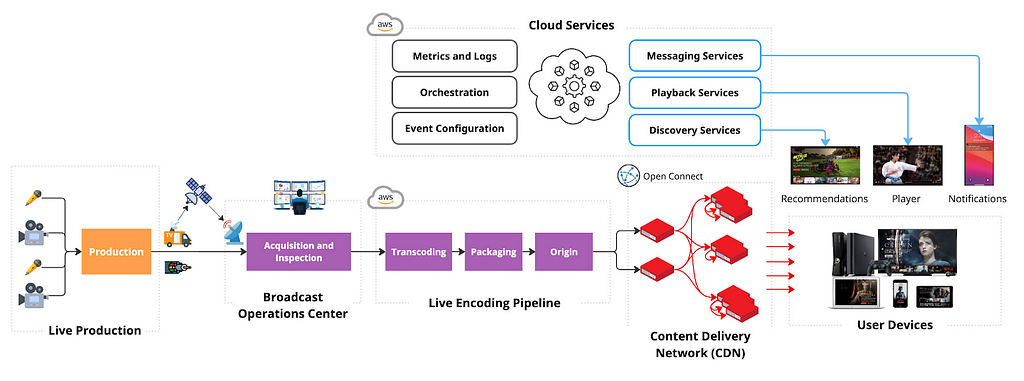
Live Streaming Distribution and Origin Architecture
Netflix Live Origin is a multi-tenant microservice operating on EC2 instances within the AWS cloud. We lean on standard HTTP protocol features to communicate with the Live Origin. The Packager pushes segments to it using PUT requests, which place a file into storage at the particular location named in the URL. The storage location corresponds to the URL that is used when the Open Connect side issues the corresponding GET request.
Live Origin architecture is influenced by key technical decisions of the live streaming architecture. First, resilience is achieved through redundant regional live streaming pipelines, with failover orchestrated at the server-side to reduce client complexity. The implementation of epoch locking at the cloud encoder enables the origin to select a segment from either encoding pipeline. Second, Netflix adopted a manifest design with segment templates and constant segment duration to avoid frequent manifest refresh. The constant duration templates enable Origin to predict the segment publishing schedule.
Multi-pipeline and multi-region aware origin
Live streams inevitably contain defects due to the non-deterministic nature of live contribution feeds and strict real-time segment publishing timelines. Common defects include:
Short segments: Missing video frames and audio samples.
Missing segments: Entire segments are absent.
Segment timing discontinuity: Issues with the Track Fragment Decode Time.
Communicating segment discontinuity from the server to the client via a segment template-based manifest is impractical, and these defective segments can disrupt client streaming.
The redundant cloud streaming pipelines operate independently, encompassing distinct cloud regions, contribution feeds, encoder, and packager deployments. This independence substantially mitigates the probability of simultaneous defective segments across the dual pipelines. Owing to its strategic placement within the distribution path, the live origin naturally emerges as a component capable of intelligent candidate selection.
The Netflix Live Origin features multi-pipeline and multi-region awareness. When a segment is requested, the live origin checks candidates from each pipeline in a deterministic order, selecting the first valid one. Segment defects are detected via lightweight media inspection at the packager. This defect information is provided as metadata when the segment is published to the live origin. In the rare case of concurrent defects at the dual pipeline, the segment defects can be communicated downstream for intelligent client-side error concealment.
Open Connect streaming optimization
When the Live project started, Open Connect had become highly optimised for VOD content delivery — nginx had been chosen many years ago as the Web Server since it is highly capable in this role, and a number of enhancements had been added to it and to the underlying operating system (BSD). Unlike traditional CDNs, Open Connect is more of a distributed origin server — VOD assets are pre-positioned onto carefully selected server machines (OCAs, or Open Connect Appliances) rather than being filled on demand.
Alongside the VOD delivery, an on-demand fill system has been used for non-VOD assets — this includes artwork and the downloadable portions of the clients, etc. These are also served out of the same nginx workers, albeit under a distinct server block, using a distinct set of hostnames.
Live didn’t fit neatly into this ‘small object delivery’ model, so we extended the proxy-caching functionality of nginx to address Live-specific needs. We will touch on some of these here related to optimized interactions with the Origin Server. Look for a future blog post that will go into more details on the Open Connect side.
The segment templates provided to clients are also provided to the OCAs as part of the Live Event Configuration data. Using the Availability Start Time and Initial Segment number, the OCA is able to determine the legitimate range of segments for each event at any point in time — requests for objects outside this range can be rejected, preventing unnecessary requests going up through the fill hierarchy to the origin. If a request makes it through to the origin, and the segment isn’t available yet, the origin server will return a 404 Status Code (indicating File Not Found) with the expiration policy of that error so that it can be cached within Open Connect until just before that segment is expected to be published.
If the Live Origin knows when segments are being pushed to it, and knows what the live edge is — when a request is received for the immediately next object, rather than handing back another 404 error (which would go all the way back through Open Connect to the client), the Live Origin can ‘hold open’ the request, and service it once the segment has been published to it. By doing this, the degree of chatter within the network handling requests that arrive early has been significantly reduced. As part of this, millisecond grain caching was added to nginx to enhance the standard HTTP Cache Control, which only works at second granularity, a long time when segments are generated every 2 seconds.
Streaming metadata enhancement
The HTTP standard allows for the addition of request and response headers that can be used to provide additional information as files move between clients and servers. The HTTP headers provide notifications of events within the stream in a highly scalable way that is independently conveyed to client devices, regardless of their playback position within the stream.
These notifications are provided to the origin by the live streaming pipeline and are inserted by the origin in the form of headers, appearing on the segments generated at that point in time (and persist to future segments — they are cumulative). Whenever a segment is received at an OCA, this notification information is extracted from the response headers and used to update an in-memory data structure, keyed by event ID; and whenever a segment is served from the OCA, the latest such notification data is attached to the response. This means that, given any flow of segments into an OCA, it will always have the most recent notification data, even if all clients requesting it are behind the live edge. In fact, the notification information can be conveyed on any response, not just those supplying new segments.
Cache invalidation and origin mask
An invalidation system has been available since the early days of the project. It can be used to “flush” all content associated with an event by altering the key used when looking up objects in cache — this is done by incorporating a version number into the cache key that can then be bumped on demand. This is used during pre-event testing so that the network can be returned to a pristine state for the test with minimal fuss.
Each segment published by the Live Origin conveys the encoding pipeline it was generated by, as well as the region it was requested from. Any issues that are found after segments make their way into the network can be remedied by an enhanced invalidation system that takes such variants into account. It is possible to invalidate (that is, cause to be considered expired) segments in a range of segment numbers, but only if they were sourced from encoder A, or from Encoder A, but only if retrieved from region X.
In combination with Open Connect’s enhanced cache invalidation, the Netflix Live Origin allows selective encoding pipeline masking to exclude a range of segments from a particular pipeline when serving segments to Open Connect. The enhanced cache invalidation and origin masking enable live streaming operations to hide known problematic segments (e.g., segments causing client playback errors) from streaming clients once the bad segments are detected, protecting millions of streaming clients during the DVR playback window.
Origin storage architecture
Our original storage architecture for the Live Origin was simple: just use AWS S3 like we do for SVOD. This served us well initially for our low-traffic events, but as we scaled up we discovered that Live streaming has unique latency and workload requirements that differ significantly from on-demand where we have significant time ahead-of-time to pre-position content. While S3 met its stated uptime guarantees, our strict 2-second retry budget inherent to Live events (where every write is critical) led us to explore optimizations specifically tailored for real-time delivery at scale. AWS S3 is an amazing object store, but our Live streaming requirements were closer to those of a global low-latency highly-available database. So, we went back to the drawing board and started from the requirements. The Origin required:
[HA Writes] Extremely high write availability, ideally as close to full write availability within a single AWS region, with low second replication delay to other regions. Any failed write operation within 500ms is considered a bug that must be triaged and prevented from re-occurring.
[Throughput] High write throughput, with hundreds of MiB replicating across regions
[Large Partitions] Efficiently support O(MiB) writes that accumulate to O(10k) keys per partition with O(GiB) total size per event.
[Strong Consistency] Within the same region, we needed read-your-write semantics to hit our <1s read delay requirements (must be able to read published segments)
[Origin Storm] During worst-case load involving Open Connect edge cases, we may need to handle O(GiB) of read throughput without affecting writes.
Fortunately, Netflix had previously invested in building a KeyValue Storage Abstraction that cleverly leveraged Apache Cassandra to provide chunked storage of MiB or even GiB values. This abstraction was initially built to support cloud saves of Game state. The Live use case would push the boundaries of this solution, however, in terms of availability for writes (#1), cumulative partition size (#3), and read throughput during Origin Storm (#5).
High Availability for Writes of Large Payloads
The KeyValue Payload Chunking and Compression Algorithm breaks O(MiB) work down so each part can be idempotently retried and hedged to maintain strict latency service level objectives, as well as spreading the data across the full cluster. When we combine this algorithm with Apache Cassandra’s local-quorum consistency model, which allows write availability even with an entire Availability Zone outage, plus a write-optimized Log-Structured Merge Tree (LSM) storage engine, we could meet the first four requirements. After iterating on the performance and availability of this solution, we were not only able to achieve the write availability required, but did so with a P99 tail latency that was similar to the status quo’s P50 average latency while also handling cross-region replication behind the scenes for the Origin. This new solution was significantly more expensive (as expected, databases backed by SSD cost more), but minimizing cost was not a key objective and low latency with high availability was:
Storage System Write Performance
High Availability Reads at Gbps Throughputs
Now that we solved the write reliability problem, we had to handle the Origin Storm failure case, where potentially dozens of Open Connect top-tier caches could be requesting multiple O(MiB) video segments at once. Our back-of-the-envelope calculations showed worst-case read throughput in the O(100Gbps) range, which would normally be extremely expensive for a strongly-consistent storage engine like Apache Cassandra. With careful tuning of chunk access, we were able to respond to reads at network line rate (100Gbps) from Apache Cassandra, but we observed unacceptable performance and availability degradation on concurrent writes. To resolve this issue, we introduced write-through caching of chunks using our distributed caching system EVCache, which is based on Memcached. This allows almost all reads to be served from a highly scalable cache, allowing us to easily hit 200Gbps and beyond without affecting the write path, achieving read-write separation.
Final Storage Architecture
In the final storage architecture, the Live Origin writes and reads to KeyValue, which manages a write-through cache to EVCache (memcached) and implements a safe chunking protocol that spreads large values and partitions them out across the storage cluster (Apache Cassandra). This allows almost all read load to be handled from cache, with only misses hitting the storage. This combination of cache and highly available storage has met the demanding needs of our Live Origin for over a year now.
Storage System High Level Architecture
Delivering this consistent low latency for large writes with cross-region replication and consistent write-through caching to a distributed cache required solving numerous hard problems with novel techniques, which we plan to share in detail during a future post.
Scalability and scalable architecture
Netflix’s live streaming platform must handle a high volume of diverse stream renditions for each live event. This complexity stems from supporting various video encoding formats (each with multiple encoder ladders), numerous audio options (across languages, formats, and bitrates), and different content versions (e.g., with or without advertisements). The combination of these elements, alongside concurrent event support, leads to a significant number of unique stream renditions per live event. This, in turn, necessitates a high Requests Per Second (RPS) capacity from the multi-tenant live origin service to ensure publishing-side scalability.
In addition, Netflix’s global reach presents distinct challenges to the live origin on the retrieval side. During the Tyson vs. Paul fight event in 2024, a historic peak of 65 million concurrent streams was observed. Consequently, a scalable architecture for live origin is essential for the success of large-scale live streaming.
Scaling architecture
We chose to build a highly scalable origin instead of relying on the traditional origin shields approach for better end-to-end cache consistency control and simpler system architecture. The live origin in this architecture directly connects with top-tier Open Connect nodes, which are geographically distributed across several sites. To minimize the load on the origin, only designated nodes per stream rendition at each site are permitted to directly fill from the origin.
Netflix Live Origin Scalability Architecture
While the origin service can autoscale horizontally using EC2 instances, there are other system resources that are not autoscalable, such as storage platform capacity and AWS to Open Connect backbone bandwidth capacity. Since in live streaming, not all requests to the live origin are of the same importance, the origin is designed to prioritize more critical requests over less critical requests when system resources are limited. The table below outlines the request categories, their identification, and protection methods.
Publishing isolation
Publishing traffic, unlike potentially surging CDN retrieval traffic, is predictable, making path isolation a highly effective solution. As shown in the scalability architecture diagram, the origin utilizes separate EC2 publishing and CDN stacks to protect the latency and failure-sensitive origin writes. In addition, the storage abstraction layer features distinct clusters for key-value (KV) read and KV write operations. Finally, the storage layer itself separates read (EVCache) and write (Cassandra) paths. This comprehensive path isolation facilitates independent cloud scaling of publishing and retrieval, and also prevents CDN-facing traffic surges from impacting the performance and reliability of origin publishing.
Priority rate limiting
Given Netflix’s scale, managing incoming requests during a traffic storm is challenging, especially considering non-autoscalable system resources. The Netflix Live Origin implemented priority-based rate limiting when the underlying system is under stress. This approach ensures that requests with greater user impact are prioritized to succeed, while requests with lower user impact are allowed to fail during times of stress in order to protect the streaming infrastructure and are permitted to retry later to succeed.
Leveraging Netflix’s microservice platform priority rate limiting feature, the origin prioritizes live edge traffic over DVR traffic during periods of high load on the storage platform. The live edge vs. DVR traffic detection is based on the predictable segment template. The template is further cached in memory on the origin node to enable priority rate limiting without access to the datastore, which is valuable especially during periods of high datastore stress.
To mitigate traffic surges, TTL cache control is used alongside priority rate limiting. When the low-priority traffic is impacted, the origin instructs Open Connect to slow down and cache identical requests for 5 seconds by setting a max-age = 5s and returns an HTTP 503 error code. This strategy effectively dampens traffic surges by preventing repeated requests to the origin within that 5-second window.
The following diagrams illustrate origin priority rate limiting with simulated traffic. The nliveorigin_mp41 traffic is the low-priority traffic and is mixed with other high-priority traffic. In the first row: the 1st diagram shows the request RPS, the 2nd diagram shows the percentage of request failure. In the second row, the 1st diagram shows datastore resource utilization, and the 2nd diagram shows the origin retrieval P99 latency. The results clearly show that only the low-priority traffic (nliveorigin_mp41) is impacted at datastore high utilization, and the origin request latency is under control.
Origin Priority Rate Limiting
404 storm and cache optimization
Publishing isolation and priority rate limiting successfully protect the live origin from DVR traffic storms. However, the traffic storm generated by requests for non-existent segments presents further challenges and opportunities for optimization.
The live origin structures metadata hierarchically as event > stream rendition > segment, and the segment publishing template is maintained at the stream rendition level. This hierarchical organization allows the origin to preemptively reject requests with an HTTP 404(not found)/410(Gone) error, leveraging highly cacheable event and stream rendition level metadata, avoiding unnecessary queries to the segment level metadata:
If the event is unknown, reject the request with 404
If the event is known, but the segment request timing does not match the expected publishing timing, reject the request with 404 and cache control TTL matching the expected publishing time
If the event is known, the requested segment is never generated or misses the retry deadline, reject the request with a 410 error, preventing the client from repeatedly requesting
At the storage layer, metadata is stored separately from media data in the control plane datastore. Unlike the media datastore, the control plane datastore does not use a distributed cache to avoid cache inconsistency. Event and rendition level metadata benefits from a high cache hit ratio when in-memory caching is utilized at the live origin instance. During traffic storms involving non-existent segments, the cache hit ratio for control plane access easily exceeds 90%.
The use of in-memory caching for metadata effectively handles 404 storms at the live origin without causing datastore stress. This metadata caching complements the storage system’s distributed media cache, providing a complete solution for traffic surge protection.
Summary
The Netflix Live Origin, built upon an optimized storage platform, is specifically designed for live streaming. It incorporates advanced media and segment publishing scheduling awareness and leverages enhanced intelligence to improve streaming quality, optimize scalability, and improve Open Connect live streaming operations.
Netflix Live Origin was originally published in Netflix TechBlog on Medium, where people are continuing the conversation by highlighting and responding to this story.
This is part 3 in a series called “Behind the Streams”. Check out part 1 and part 2 to learn more.
Picture this: It’s seconds before the biggest fight night in Netflix history. Sixty-five million fans are waiting, devices in hand, hearts pounding. The countdown hits zero. What does it take to get everyone to the action on time, every time? At Netflix, we’re used to on-demand viewing where everyone chooses their own moment. But with live events, millions are eager to join in at once. Our job: make sure our members never miss a beat.
When Live events break streaming records ¹²³, our infrastructure faces the ultimate stress test. Here’s how we engineered a discovery experience for a global audience excited to see a knockout.
Why are Live Events Different?
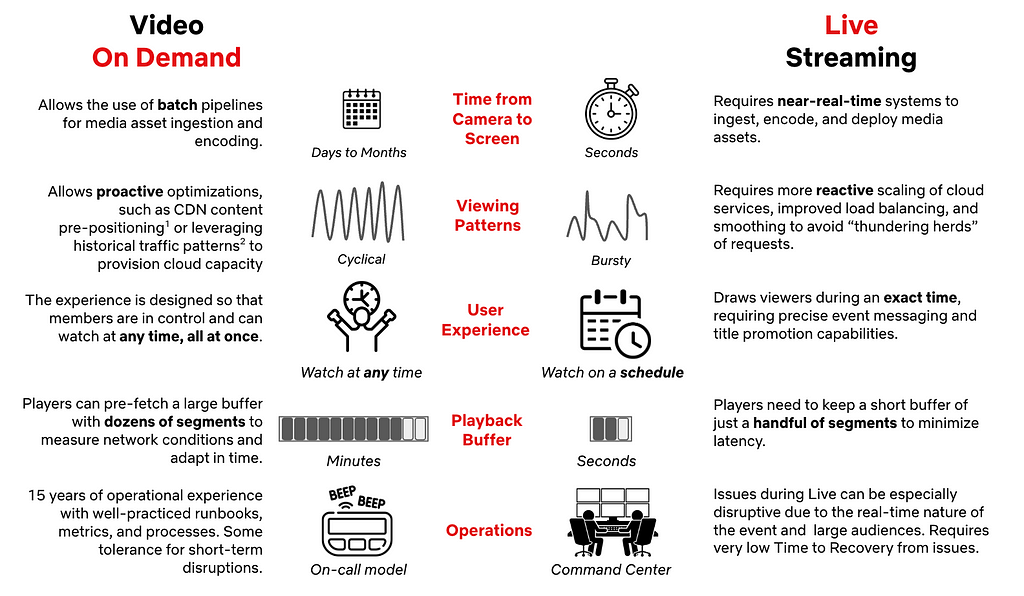
Unlike Video on Demand (VOD), members want to catch live events as they happen. There’s something uniquely exciting about being part of the moment. That means we only have a brief window to recommend a Live event at just the right time. Too early, excitement fades; too late, the moment is missed. Every second counts.
To capture that excitement, we enhanced our recommendation delivery systems to serve real-time suggestions, providing members richer and more compelling signals to hit play in the moment when it matters most. The challenge? Sending dynamic, timely updates concurrently to over a hundred million devices worldwide without creating a thundering herd effect that would overwhelm our cloud services. Simply scaling up linearly isn’t efficient and reliable. For popular events, it could also divert resources from other critical services. We needed a smarter and more scalable solution than just adding more resources.
Orchestrating the moment: Real-time Recommendations
With millions of devices online and live event schedules that can shift in real time, the challenge was to keep everyone perfectly in sync. We set out to solve this by building a system that doesn’t just react, but adapts by dynamically updating recommendations as the event unfolds. We identified the need to balance three constraints:
Time: the duration required to coordinate an update.
Request throughput: the capacity of our cloud services to handle requests.
Compute cardinality: the variety of requests necessary to serve a unique update.
Visualizing constraints for real-time updates
We solved this constraint optimization problem by splitting the real-time recommendations into two phases: prefetching and real-time broadcasting. First, we prefetch the necessary data ahead of time, distributing the load over a longer period to avoid traffic spikes. When the Live event starts or ends, we broadcast a low cardinality message to all connected devices, prompting them to use the prefetched data locally. The timing of the broadcast also adapts when event times shift to preserve accuracy with the production of the Live event. By combining these two phases, we’re able to keep our members’ devices in sync and solve the thundering herd problem. To maximize device reach, especially for those with unstable networks, we use “at least once” broadcasts to ensure every device gets the latest updates and can catch up on any previously missed broadcasts as soon as they’re back online.
The first phase optimizes request throughput and compute cardinality by prefetching materialized recommendations, displayed title metadata, and artwork for a Live event. As members naturally browse their devices before the event, this data is prepopulated and stored locally in device cache, awaiting the notification trigger to serve the recommendations instantaneously. By distributing these requests naturally over time ahead of the event, we can eliminate any related traffic spikes and avoid the need for large-scale, real-time system scaling.
A phased approach, smoothing traffic requests over time with a real-time low-cardinality broadcast
The second phase optimizes request throughput and time to updatedevices by broadcasting a low-cardinality, real-time message to all connected devices at critical moments in a Live event’s lifecycle. Each broadcast payload includes a state key and a timestamp. The state key indicates the current stage of the Live event, allowing devices to use their pre-fetched data to update cached responses locally without additional server requests. The timestamp ensures that if a device misses a broadcast due to network issues, it can catch up by replaying missed updates upon reconnecting. This mechanism guarantees devices receive updates at least once, significantly increasing delivery reliability even on unstable networks.
A phased approach optimizes each constraint to ensure we can deliver for the big moment!
Moment in Numbers: During peak load, we have successfully delivered updates at multiple stages of our events to over 100 million devices in under a minute.
Under the Hood: How It Works
With the big picture in mind, let’s examine how these pieces interact in practice.
In the diagram below, the Message Producer microservice centralizes all of the business logic. It continuously monitors live events for setup and timing changes. When it detects an update, it schedules broadcasts to be sent at precisely the right moment. The Message Producer also standardizes communication by providing a concise GraphQL schema for both device queries and broadcast payloads.
Rather than sending broadcasts directly to devices via WebSocket, the Message Producer hands them off to the Message Router. The Message Router is part of a robust two-tier pub/sub architecture built on proven technologies like Pushy (our WebSocket proxy), Apache Kafka, and Netflix’s KV key-value store. The Message Router tracks subscriptions at the Pushy node granularity, while Pushy nodes map the subscriptions to individual connections, creating a low-latency fanout that minimizes compute and bandwidth requirements.
Devices interface with our GraphQL Domain Graph Service (DGS). These schemas offer multiple query interfaces for prefetching, allowing devices to tailor their requests to the specific experience being presented. Each response adheres to a consistent API that resolves to a map of stage keys, enabling fast lookups and keeping business logic off the device. Our broadcast schema specifies WebSocket connection parameters, the current event stage, and the timestamp of the last broadcast message. When a device receives a broadcast, it injects the payload directly into its cache, triggering an immediate update and re-render of the interface.
Balancing the Moment: Throughput Management
In addition to building the new technology to support real-time recommendations, we also evaluated our existing systems for potential traffic hotspots. Using high-watermark traffic projections for live events, we generated synthetic traffic to simulate game-day scenarios and observed how our online services handled these bursts. Through this process, several common patterns emerged:
Breaking the Cache Synchrony
Our game-day simulations revealed that while our approach mitigated the immediate thundering herd risks driven by member traffic during the events, live events introduced unexpected mini thundering herds in our systems hours before and after the actual events. The surge of members joining just in time for these events led to concentrated cache expirations and recomputations, which created traffic spikes well outside the event window that we did not anticipate. This was not a problem for VOD content because the member traffic patterns are a lot smoother. We found that fixed TTLs caused cache expirations and refresh-traffic spikes to happen all at once. To address this, we added jitter to server and client cache expirations to spread out refreshes and smooth out traffic spikes.
Adaptive Traffic Prioritization
While our services already leverage traffic prioritization and partitioning based on factors such as request type and device type, live events introduced a distinct challenge. These events generated brief traffic bursts that were intensely spiky and placed significant strain on our systems. Through simulations, we recognized the need for an additional event-driven layer of traffic management.
To tackle this, we improved our traffic sharding strategies by using event-based signals. This enabled us to route live event traffic to dedicated clusters with more aggressive scaling policies. We also added a dynamic traffic prioritization ruleset that activates whenever we see high requests per second (RPS) to ensure our systems can handle the surge smoothly. During these peaks, we aggressively deprioritize non-critical server-driven updates so that our systems can devote resources to the most time-sensitive computations. This approach ensures smooth performance and reliability when demand is at its highest.
Snapshot of non-critical traffic volume decline (in %) for a member-facing service during a live event — achieved via aggressive de-prioritization
Looking Ahead
When we set out to build a seamlessly scalable scheduled viewing experience, our goal was to create a dynamic and richer member experience for live content. Popular live events like the Crawford v. Canelo fight and the NFL Christmas games truly put our systems to the test. Along the way, we also uncovered valuable learnings that continue to shape our work. Our attempts to deprioritize traffic to other non-critical services caused unexpected call patterns and spikes in traffic elsewhere. Similarly, in hindsight, we also learned that the high traffic volume from popular events caused excessive non-essential logging and was putting unnecessary pressure on our ingestion pipelines.
None of this work would have been possible without our stunning colleagues at Netflix who collaborated across multiple functions to architect, build, and test these approaches, ensuring members can easily access events at the right moment: UI Engineering, Cloud Gateway, Data Science & Engineering, Search and Discovery, Evidence Engineering, Member Experience Foundations, Content Promotion and Distribution, Operations and Reliability, Device Playback, Experience and Design and Product Management.
As Netflix’s content offering expands to include new formats like live titles, free-to-air linear content, and games, we’re excited to build on what we’ve accomplished and look ahead to even more possibilities. Our roadmap includes extending the capabilities we developed for scheduled live viewing to these emerging formats. We’re also focused on enhancing our engineering tooling for greater visibility into operations, message delivery, and error handling to help us continue to deliver the best possible experience for our members.
Join Us for What’s Next
We’re just scratching the surface of what’s possible as we bring new live experiences to members around the world. If you are looking to solve interesting technical challenges in a unique culture, then apply for a role that captures your curiosity.
Look out for future blog posts in our “Behind the Streams” series, where we’ll explore the systems that ensure viewers can watch live streams once they manage to find and play them.
For over two decades, we’ve built real-time communication on the Internet using a patchwork of specialized tools. RTMP gave us ingest. HLS and DASH gave us scale. WebRTC gave us interactivity. Each solved a specific problem for its time, and together they power the global streaming ecosystem we rely on today.
But using them together in 2025 feels like building a modern application with tools from different eras. The seams are starting to show—in complexity, in latency, and in the flexibility needed for the next generation of applications, from sub-second live auctions to massive interactive events. We’re often forced to make painful trade-offs between latency, scale, and operational complexity.
Today Cloudflare is launching the first Media over QUIC (MoQ) relay network, running on every Cloudflare server in datacenters in 330+ cities. MoQ is an open protocol being developed at the IETF by engineers from across the industry—not a proprietary Cloudflare technology. MoQ combines the low-latency interactivity of WebRTC, the scalability of HLS/DASH, and the simplicity of a single architecture, all built on a modern transport layer. We’re joining Meta, Google, Cisco, and others in building implementations that work seamlessly together, creating a shared foundation for the next generation of real-time applications on the Internet.
An evolutionary ladder of compromise
To understand the promise of MoQ, we first have to appreciate the history that led us here—a journey defined by a series of architectural compromises where solving one problem inevitably created another.
The RTMP era: Conquering latency, compromising on scale
In the early 2000s, RTMP (Real-Time Messaging Protocol) was a breakthrough. It solved the frustrating “download and wait” experience of early video playback on the web by creating a persistent, stateful TCP connection between a Flash client and a server. This enabled low-latency streaming (2-5 seconds), powering the first wave of live platforms like Justin.tv (which later became Twitch).
But its strength was its weakness. That stateful connection, which had to be maintained for every viewer, was architecturally hostile to scale. It required expensive, specialized media servers and couldn’t use the commodity HTTP-based Content Delivery Networks (CDNs) that were beginning to power the rest of the web. Its reliance on TCP also meant that a single lost packet could freeze the entire stream—a phenomenon known as head-of-line blocking—creating jarring latency spikes. The industry retained RTMP for the “first mile” from the camera to servers (ingest), but a new solution was needed for the “last mile” from servers to your screen (delivery).
The HLS & DASH era: Solving for scale, compromising on latency
The catalyst for the next era was the iPhone’s rejection of Flash. In response, Apple created HLS (HTTP Live Streaming). HLS, and its open-standard counterpart MPEG-DASH abandoned stateful connections and treated video as a sequence of small, static files delivered over standard HTTP.
This enabled much greater scalability. By moving to the interoperable open standard of HTTP for the underlying transport, video could now be distributed by any web server and cached by global CDNs, allowing platforms to reach millions of viewers reliably and relatively inexpensively. The compromise? A significant trade-off in latency. To ensure smooth playback, players needed to buffer at least three video segments before starting. With segment durations of 6-10 seconds, this baked 15-30 seconds of latency directly into the architecture.
While extensions like Low-Latency HLS (LL-HLS) have more recently emerged to achieve latencies in the 3-second range, they remain complex patches fighting against the protocol’s fundamental design. These extensions introduce a layer of stateful, real-time communication—using clever workarounds like holding playlist requests open—that ultimately strain the stateless request-response model central to HTTP’s scalability and composability.
The WebRTC Era: Conquering conversational latency, compromising on architecture
In parallel, WebRTC (Web Real-Time Communication) emerged to solve a different problem: plugin-free, two-way conversational video with sub-500ms latency within a browser. It worked by creating direct peer-to-peer (P2P) media paths, removing central servers from the equation.
But this P2P model is fundamentally at odds with broadcast scale. In a mesh network, the number of connections grows quadratically with each new participant (the “N-squared problem”). For more than a handful of users, the model collapses under the weight of its own complexity. To work around this, the industry developed server-based topologies like the Selective Forwarding Unit (SFU) and Multipoint Control Unit (MCU). These are effective but require building what is essentially a private, stateful, real-time CDN—a complex and expensive undertaking that is not standardized across infrastructure providers.
This journey has left us with a fragmented landscape of specialized, non-interoperable silos, forcing developers to stitch together multiple protocols and accept a painful three-way tension between latency, scale, and complexity.
Introducing MoQ
This is the context into which Media over QUIC (MoQ) emerges. It’s not just another protocol; it’s a new design philosophy built from the ground up to resolve this historical trilemma. Born out of an open, community-driven effort at the IETF, MoQ aims to be a foundational Internet technology, not a proprietary product.
Its promise is to unify the disparate worlds of streaming by delivering:
Sub-second latency at broadcast scale: Combining the latency of WebRTC with the scale of HLS/DASH and the simplicity of RTMP.
Architectural simplicity: Creating a single, flexible protocol for ingest, distribution, and interactive use cases, eliminating the need to transcode between different technologies.
Transport efficiency: Building on QUIC, a UDP based protocol to eliminate bottlenecks like TCP head-of-line blocking.
The initial focus was “Media” over QUIC, but the core concepts—named tracks of timed, ordered, but independent data—are so flexible that the working group is now simply calling the protocol “MoQ.” The name reflects the power of the abstraction: it’s a generic transport for any real-time data that needs to be delivered efficiently and at scale.
MoQ is now generic enough that it’s a data fanout or pub/sub system, for everything from audio/video (high bandwidth data) to sports score updates (low bandwidth data).
A deep dive into the MoQ protocol stack
MoQ’s elegance comes from solving the right problem at the right layer. Let’s build up from the foundation to see how it achieves sub-second latency at scale.
The choice of QUIC as MoQ’s foundation isn’t arbitrary—it addresses issues that have plagued streaming protocols for decades.
By building on QUIC (the transport protocol that also powers HTTP/3), MoQ solves some key streaming problems:
No head-of-line blocking: Unlike TCP where one lost packet blocks everything behind it, QUIC streams are independent. A lost packet on one stream (e.g., an audio track) doesn’t block another (e.g., the main video track). This alone eliminates the stuttering that plagued RTMP.
Connection migration: When your device switches from Wi-Fi to cellular mid-stream, the connection seamlessly migrates without interruption—no rebuffering, no reconnection.
Fast connection establishment: QUIC’s 0-RTT resumption means returning viewers can start playing instantly.
Baked-in, mandatory encryption: All QUIC connections are encrypted by default with TLS 1.3.
The core innovation: Publish/subscribe for media
With QUIC solving transport issues, MoQ introduces its key innovation: treating media as subscribable tracks in a publish/subscribe system. But unlike traditional pub/sub, this is designed specifically for real-time media at CDN scale.
Instead of complex session management (WebRTC) or file-based chunking (HLS), MoQ lets publishers announce named tracks of media that subscribers can request. A relay network handles the distribution without needing to understand the media itself.
How MoQ organizes media: The data model
Before we see how media flows through the network, let’s understand how MoQ structures it. MoQ organizes data in a hierarchy:
Tracks: Named streams of media, like “video-1080p” or “audio-english”. Subscribers request specific tracks by name.
Groups: Independently decodable chunks of a track. For video, this typically means a GOP (Group of Pictures) starting with a keyframe. New subscribers can join at any Group boundary.
Objects: The actual packets sent on the wire. Each Object belongs to a Track and has a position within a Group.
This simple hierarchy enables two capabilities:
Subscribers can start playback at Group boundaries without waiting for the next keyframe
Relays can forward Objects without parsing or understanding the media format
The network architecture: From publisher to subscriber
MoQ’s network components are also simple:
Publishers: Announce track namespaces and send Objects
Subscribers: Request specific tracks by name
Relays: Connect publishers to subscribers by forwarding immutable Objects without parsing or transcoding the media
A Relay acts as a subscriber to receive tracks from upstream (like the original publisher) and simultaneously acts as a publisher to forward those same tracks downstream. This model is the key to MoQ’s scalability: one upstream subscription can fan out to serve thousands of downstream viewers.
The MoQ Stack
MoQ’s architecture can be understood as three distinct layers, each with a clear job:
The Transport Foundation (QUIC or WebTransport): This is the modern foundation upon which everything is built. MoQT can run directly over raw QUIC, which is ideal for native applications, or over WebTransport, which is required for use in a web browser. Crucially, theWebTransport protocol and its correspondingW3C browser API make QUIC’s multiplexed reliable streams and unreliable datagrams directly accessible to browser applications. This is a game-changer. Protocols like SRT may be efficient, but their lack of native browser support relegates them to ingest-only roles. WebTransport gives MoQ first-class citizenship on the web, making it suitable for both ingest and massive-scale distribution directly to clients.
The MoQT Layer: Sitting on top of QUIC (or WebTransport), the MoQT layer provides the signaling and structure for a publish-subscribe system. This is the primary focus of the IETF working group. It defines the core control messages—like ANNOUNCE, and SUBSCRIBE—and the basic data model we just covered. MoQT itself is intentionally spartan; it doesn’t know or care if the data it’s moving is H.264 video, Opus audio, or game state updates.
The Streaming Format Layer: This is where media-specific logic lives. A streaming format defines things like manifests, codec metadata, and packaging rules. WARP is one such format being developed alongside MoQT at the IETF, but it isn’t the only one. Another standards body, like DASH-IF, could define a CMAF-based streaming format over MoQT. A company that controls both original publisher and end subscriber can develop its own proprietary streaming format to experiment with new codecs or delivery mechanisms without being constrained by the transport protocol.
This separation of layers is why different organizations can build interoperable implementations while still innovating at the streaming format layer.
End-to-End Data Flow
Now that we understand the architecture and the data model, let’s walk through how these pieces come together to deliver a stream. The protocol is flexible, but a typical broadcast flow relies on the ANNOUNCE and SUBSCRIBE messages to establish a data path from a publisher to a subscriber through the relay network.
Here is a step-by-step breakdown of what happens in this flow:
Initiating Connections: The process begins when the endpoints, acting as clients, connect to the relay network. The Original Publisher initiates a connection with its nearest relay (we’ll call it Relay A). Separately, an End Subscriber initiates a connection with its own local relay (Relay B). These endpoints perform a SETUP handshake with their respective relays to establish a MoQ session and declare supported parameters.
Announcing a Namespace: To make its content discoverable, the Publisher sends an ANNOUNCE message to Relay A. This message declares that the publisher is the authoritative source for a given track namespace. Relay A receives this and registers in a shared control plane (a conceptual database) that it is now a source for this namespace within the network.
Subscribing to a Track: When the End Subscriber wants to receive media, it sends a SUBSCRIBE message to its relay, Relay B. This message is a request for a specific track name within a specific track namespace.
Connecting the Relays: Relay B receives the SUBSCRIBE request and queries the control plane. It looks up the requested namespace and discovers that Relay A is the source. Relay B then initiates a session with Relay A (if it doesn’t already have one) and forwards the SUBSCRIBE request upstream.
Completing the Path and Forwarding Objects: Relay A, having received the subscription request from Relay B, forwards it to the Original Publisher. With the full path now established, the Publisher begins sending the Objects for the requested track. The Objects flow from the Publisher to Relay A, which forwards them to Relay B, which in turn forwards them to the End Subscriber. If another subscriber connects to Relay B and requests the same track, Relay B can immediately start sending them the Objects without needing to create a new upstream subscription.
An Alternative Flow: The PUBLISH Model
More recent drafts of the MoQ specification have introduced an alternative, push-based model using a PUBLISH message. In this flow, a publisher can effectively ask for permission to send a track’s objects to a relay without waiting for a SUBSCRIBE request. The publisher sends a PUBLISH message, and the relay’s PUBLISH_OK response indicates whether it will accept the objects. This is particularly useful for ingest scenarios, where a publisher wants to send its stream to an entry point in the network immediately, ensuring the media is available the instant the first subscriber connects.
Advanced capabilities: Prioritization and congestion control
MoQ’s benefits really shine when networks get congested. MoQ includes mechanisms for handling the reality of network traffic. One such mechanism is Subgroups.
Subgroups are subdivisions within a Group that effectively map directly to the underlying QUIC streams. All Objects within the same Subgroup are generally sent on the same QUIC stream, guaranteeing their delivery order. Subgroup numbering also presents an opportunity to encode prioritization: within a Group, lower-numbered Subgroups are considered higher priority.
This enables intelligent quality degradation, especially with layered codecs (e.g. SVC):
Subgroup 0: Base video layer (360p) – must deliver
Subgroup 1: Enhancement to 720p – deliver if bandwidth allows
Subgroup 2: Enhancement to 1080p – first to drop under congestion
When a relay detects congestion, it can drop Objects from higher-numbered Subgroups, preserving the base layer. Viewers see reduced quality instead of buffering.
The MoQ specification defines a scheduling algorithm that determines the order for all objects that are “ready to send.” When a relay has multiple objects ready, it prioritizes them first by group order (ascending or descending) and then, within a group, by subgroup id. Our implementation supports the group order preference, which can be useful for low-latency broadcasts. If a viewer falls behind and its subscription uses descending group order, the relay prioritizes sending Objects from the newest “live” Group, potentially canceling unsent Objects from older Groups. This can help viewers catch up to the live edge quickly, a highly desirable feature for many interactive streaming use cases. The optimal strategies for using these features to improve QoE for specific use cases are still an open research question. We invite developers and researchers to use our network to experiment and help find the answers.
Implementation: building the Cloudflare MoQ relay
Theory is one thing; implementation is another. To validate the protocol and understand its real-world challenges, we’ve been building one of the first global MoQ relay networks. Cloudflare’s network, which places compute and logic at the edge, is very well suited for this.
Our architecture connects the abstract concepts of MoQ to the Cloudflare stack. In our deep dive, we mentioned that when a publisher ANNOUNCEs a namespace, relays need to register this availability in a “shared control plane” so that SUBSCRIBE requests can be routed correctly. For this critical piece of state management, we use Durable Objects.
When a publisher announces a new namespace to a relay in, say, London, that relay uses a Durable Object—our strongly consistent, single-threaded storage solution—to record that this namespace is now available at that specific location. When a subscriber in Paris wants a track from that namespace, the network can query this distributed state to find the nearest source and route the SUBSCRIBE request accordingly. This architecture builds upon the technology we developed for Cloudflare’s real-time services and provides a solution to the challenge of state management at a global scale.
An Evolving Specification
Building on a new protocol in the open means implementing against a moving target. To get MoQ into the hands of the community, we made a deliberate trade-off: our current relay implementation is based on a subset of the features defined in draft-ietf-moq-transport-07. This version became a de facto target for interoperability among several open-source projects and pausing there allowed us to put effort towards other aspects of deploying our relay network.
This draft of the protocol makes a distinction between accessing “past” and “future” content. SUBSCRIBE is used to receive future objects for a track as they arrive—like tuning into a live broadcast to get everything from that moment forward. In contrast, FETCH provides a mechanism for accessing past content that a relay may already have in its cache—like asking for a recording of a song that just played.
Both are part of the same specification, but for the most pressing low-latency use cases, a performant implementation of SUBSCRIBE is what matters most. For that reason, we have focused our initial efforts there and have not yet implemented FETCH.
This is where our roadmap is flexible and where the community can have a direct impact. Do you need FETCH to build on-demand or catch-up functionality? Or is more complete support for the prioritization features within SUBSCRIBE more critical for your use case? The feedback we receive from early developers will help us decide what to build next.
As always, we will announce our updates and changes to our implementation as we continue with development on our developer docs pages.
Kick the tires on the future
We believe in building in the open and interoperability in the community. MoQ is not a Cloudflare technology but a foundational Internet technology. To that end, the first demo client we’re presenting is an open source, community example.
Even though this is a preview release, we are running MoQ relays at Cloudflare’s full scale, like we do every production service. This means every server that is part of the Cloudflare network in more than 330 cities is now a MoQ relay.
We invite you to experience the “wow” moment of near-instant, sub-second streaming latency that MoQ enables. How would you use a protocol that offers the speed of a video call with the scale of a global broadcast?
Interoperability
We’ve been working with others in the IETF WG community and beyond on interoperability of publishers, players and other parts of the MoQ ecosystem. So far, we’ve tested with:
The Internet’s media stack is being refactored. For two decades, we’ve been forced to choose between latency, scale, and complexity. The compromises we made solved some problems, but also led to a fragmented ecosystem.
MoQ represents a promising new foundation—a chance to unify the silos and build the next generation of real-time applications on a scalable protocol. We’re committed to helping build this foundation in the open, and we’re just getting started.
MoQ is a realistic way forward, built on QUIC for future proofing, easier to understand than WebRTC, compatible with browsers unlike RTMP.
The protocol is evolving, the implementations are maturing, and the community is growing. Whether you’re building the next generation of live streaming, exploring real-time collaboration, or pushing the boundaries of interactive media, consider whether MoQ may provide the foundation you need.
Availability and pricing
We want developers to start building with MoQ today. To make that possible MoQ at Cloudflare is in tech preview – this means it’s available free of charge for testing (at any scale). Visit our developer homepage for updates and potential breaking changes.
Indie developers and large enterprises alike ask about pricing early in their adoption of new technologies. We will be transparent and clear about MoQ pricing. In general availability, self-serve customers should expect to pay 5 cents/GB outbound with no cost for traffic sent towards Cloudflare.
Enterprise customers can expect usual pricing in line with regular media delivery pricing, competitive with incumbent protocols. This means if you’re already using Cloudflare for media delivery, you should not be wary of adopting new technologies because of cost. We will support you.
If you’re interested in partnering with Cloudflare in adopting the protocol early or contributing to its development, please reach out to us at [email protected]! Engineers excited about the future of the Internet are standing by.
Many great ideas at Netflix begin with a question, and three years ago, we asked one of our boldest yet: if we were to entertain the world through Live — a format almost as old as television itself — how would we do it?
In our series Behind the Streams — where we take you through the technical journey of our biggest bets — we will do a multiple part deep-dive into the architecture of Live and what we learned while building it. Part one begins with the foundation we set for Live, and the critical decisions we made that influenced our approach.
| But First: What Makes Live Streaming Different?
While Live as a television format is not new, the streaming experience we intended to build required capabilities we did not have at the time. Despite 15 years of on-demand streaming under our belt, Live introduced new considerations influencing architecture and technology choices:
This means that we had a lot to build in order to make Live work well on Netflix. That starts with making the right choices regarding the fundamentals of our Live Architecture.
| Key Pillars of Netflix Live Architecture
Our Live Technology needed to extend the same promise to members that we’ve made with on-demand streaming: great quality on as many devices as possible without interruptions. Live is one of many entertainment formats on Netflix, so we also needed to seamlessly blend Live events into the user experience, all while scaling to over 300 million global subscribers.
When we started, we had nine months until the first launch. While we needed to execute quickly, we also wanted to architect for future growth in both magnitude and multitude of events. As a key principle, we leveraged our unique position of building support for a single product — Netflix — and having control over the full Live lifecycle, from Production to Screen.
Dedicated Broadcast Facilities to Ingest Live Content from Production
Live events can happen anywhere in the world, but not every location has Live facilities or great connectivity. To ensure secure and reliable live signal transport, we leverage distributed and highly connected broadcast operations centers, with specialized equipment for signal ingest and inspection, closed-captioning, graphics and advertisement management. We prioritized repeatability, conditioning engineering to launch live events consistently, reliably, and cost-effectively, leaning into automation wherever possible. As a result, we have been able to reduce the event-specific setup to the transmission between production and the Broadcast Operations Center, reusing the rest across events.
Cloud-based Redundant Transcoding and Packaging Pipelines
The feed received at the Broadcast Center contains a fully produced program, but still needs to be encoded and packaged for streaming on devices. We chose a Cloud-based approach to allow for dynamic scaling, flexibility in configuration, and ease of integration with our Digital Rights Management (DRM), content management, and content delivery services already deployed in the cloud. We leverage AWS MediaConnect and AWS MediaLive to acquire feeds in the cloud and transcode them into various video quality levels with bitrates tailored per show. We built a custom packager to better integrate with our delivery and playback systems. We also built a custom Live Origin to ensure strict read and write SLAs for Live segments.
Scaling Live Content Delivery to millions of viewers with Open Connect CDN
In order for the produced media assets to be streamed, they need to be transferred from a few AWS locations, where Live Origin is deployed, to hundreds of millions of devices worldwide. We leverage Netflix’s CDN, Open Connect, to scale Live asset delivery. Open Connect servers are placed close to the viewers at over 6K locations and connected to AWS locations via a dedicated Open Connect Backbone network.
18K+ servers in 6K+ locations, in Internet Exchanges, or embedded into ISP networksOpen Connect Backbone connects servers in Internet Exchange locations to 5 AWS regions
By enabling Live delivery on Open Connect, we build on top of $1B+ in Netflix investments over the last 12 years focused on scaling the network and optimizing the performance of delivery servers. By sharing capacity across on-demand and Live viewership we improve utilization, and by caching past Live content on the same servers used for on-demand streaming, we can easily enable catch-up viewing.
Optimizing Live Playback for Device Compatibility, Scale, Quality, and Stability
To make Live accessible to the majority of our customers without upgrading their streaming devices, we settled on using HTTPS-based Live Streaming. While UDP-based protocols can provide additional features like ultra-low latency, HTTPS has ubiquitous support among devices and compatibility with delivery and encoding systems. Furthermore, we use AVC and HEVC video codecs, transcode with multiple quality levels up from SD to 4K, and use a 2-second segment duration to balance compression efficiency, infrastructure load, and latency. While prioritizing streaming quality and playback stability, we have also achieved industry standard latency from camera to device, and continue to improve it.
To configure playback, the device player receives a playback manifest at the play start. The manifest contains items like the encoding bitrates and CDN servers players should use. We deliver the manifest from the cloud instead of the CDN, as it allows us to personalize the configuration for each device. To reference segments of the stream, the manifest includes a segment template that is used by devices to map a wall-clock time to URLs on the CDN. Using a segment template vs periodic polling for manifest updates minimizes network dependencies, CDN server load, and overhead on resource-constrained devices, like smart TVs, thus improving both scalability and stability of our system. While streaming, the player monitors network performance and dynamically chooses the bitrate and CDN server, maximizing streaming quality while minimizing rebuffering.
Run Discovery and Playback Control Services in the Cloud
So far, we have covered the streaming path from Camera to Device. To make the stream fully work, we also need to orchestrate across all systems, and ensure viewers can find and start the Live event. This functionality is performed by dozens of Cloud services, with functions like playback configuration, personalization, or metrics collection. These services tend to receive disproportionately higher loads around Live event start time, and Cloud deployment provides flexibility in dynamically scaling compute resources. Moreover, as Live demand tends to be localized, we are able to balance load across multiple AWS regions, better utilizing our global footprint. Deployment in the cloud also allows us to build a user experience where we embed Live content into a broader selection of entertainment options in the UI, like on-demand titles or Games.
Centralize Real-time Metrics in the Cloud with Specialized Tools and Facilities
With control over ingest, encoding pipelines, the Open Connect CDN, and device players, we have nearly end-to-end observability into the Live workflow. During Live, we collect system and user metrics in real-time (e.g., where members see the title on Netflix and their quality of experience), alerting us to poor user experiences or degraded system performance. Our real-time monitoring is built using a mix of internally developed tools, such as Atlas, Mantis, and Lumen, and open-source technologies, such as Kafka and Druid, processing up to 38 million events per second during some of our largest live events while providing critical metrics and operational insights in a matter of seconds. Furthermore, we set up dedicated “Control Center” facilities, which bring key metrics together to the operational team that monitors the event in real-time.
| Our key learnings so far
Building new functionality always brings fresh challenges and opportunities to learn, especially with a system as complex as Live. Even after three years, we’re still learning every day how to deliver Live events more effectively. Here are a few key highlights:
Extensive testing: Prior to Live we heavily relied on the predictable flow of on-demand traffic for pre-release canaries or A/B tests to validate deployments. But Live traffic was not always available, especially not at the scale representative of a big launch. As a result, we spent considerable effort to:
Generate internal “test streams,” which engineers use to run integration, regression, or smoke tests as part of the development lifecycle.
Build synthetic load testing capabilities to stress test cloud and CDN systems. We use 2 approaches, allowing us to generate up to 100K starts-per-second: — Capture, modify, and replay past Live production traffic, representing a diversity of user devices and request patterns. — Virtualize Netflix devices and generate traffic against CDN or Cloud endpoints to test the impact of the latest changes across all systems.
Run automated failure injection, forcing missing or corrupted segments from the encoding pipeline, loss of a cloud region, network drop, or server timeouts.
Regular practice: Despite rigorous pre-release testing, nothing beats a production environment, especially when operating at scale. We learned that having a regular schedule with diverse Live content is essential to making improvements while balancing the risks of member impact. We run A/B tests, perform chaos testing, operational exercises, and train operational teams for upcoming launches.
Viewership predictions: We use prediction-based techniques to pre-provision Cloud and CDN capacity, and share forecasts with our ISP and Cloud partners ahead of time so they can plan network and compute resources. Then we complement them with reactive scaling of cloud systems powering sign-up, log-in, title discovery, and playback services to account for viewership exceeding our predictions. We have found success with forward-looking real-time viewership predictions during a live event, allowing us to take steps to mitigate risks earlier, before more members are impacted.
Graceful degradation: Despite our best efforts, we can (and did!) find ourselves in a situation where viewership exceeded our predictions and provisioned capacity. In this case, we developed a number of levers to continue streaming, even if it means gradually removing some nice-to-have features. For example, we use service-level prioritized load shedding to prioritize live traffic over non-critical traffic (like pre-fetch). Beyond that, we can lighten the experience, like dialing down personalization, disabling bookmarks, or lowering the maximum streaming quality. Our load tests include scenarios where we under-scale systems to validate desired behavior.
Retry storms: When systems reach capacity, our key focus is to avoid cascading issues or further overloading systems with retries.Beyond system retries, users may retry manually — we’ve seen a 10x increase in traffic load due to stream restarts after viewing interruptions of as little as 30 seconds. We spent considerable time understanding device retry behavior in the presence of issues like network timeouts or missing segments. As a result, we implemented strategies like server-guided backoff for device retries, absorbing spikes via prioritized traffic shedding at Cloud Edge Gateway, and re-balancing traffic between cloud regions.
Contingency planning: “Everyone has a plan until they get punched in the mouth” is very relevant for Live. When something breaks, there is practically no time for troubleshooting. For large events, we set up in-person launch rooms with engineering owners of critical systems. For quick detection and response, we developed a small set of metrics as early indicators of issues, and have extensive runbooks for common operational issues. We don’t learn on launch day; instead, launch teams practice failure response via Game Day exercises ahead of time. Finally, our runbooks extend beyond engineering, covering escalation to executive leadership and coordination across functions like Customer Service, Production, Communications, or Social.
Our commitment to enhancing the member experience doesn’t end at the “Thanks for Watching!” screen. Shortly after each live stream, we dive into metrics to identify areas for improvement. Our Data & Insights team conducts comprehensive analyses, A/B tests, and consumer research to ensure the next event is even more delightful for our members. We leverage insights on member behavior, preferences, and expectations to refine the Netflix product experience and optimize our Live technology — like reducing latency by ~10 seconds through A/B tests, without affecting quality or stability.
| What’s next on our Live journey?
Despite three years of effort, we are far from done! In fact, we are just getting started, actively building on the learnings shared above to deliver more joy to our members with Live events. To support the growing number of Live titles and new formats, like FIFA WWC in 2027, we keep building our broadcast and delivery infrastructure and are actively working to further improve the Live experience.
In this post, we’ve provided a broad overview and have barely scratched the surface. In the upcoming posts, we will dive deeper into key pillars of our Live systems, covering our encoding, delivery, playback, and user experience investments in more detail.
Getting this far would not have been possible without the hard work of dozens of teams across Netflix, who collaborate closely to design, build, and operate Live systems: Operations and Reliability, Encoding Technologies, Content Delivery, Device Playback, Streaming Algorithms, UI Engineering, Search and Discovery, Messaging, Content Promotion and Distribution, Data Platform, Cloud Infrastructure, Tooling and Productivity, Program Management, Data Science & Engineering, Product Management, Globalization, Consumer Insights, Ads, Security, Payments, Live Production, Experience and Design, Product Marketing and Customer Service, amongst many others.
Cloudflare announced Stream Live for open beta in 2021, and in 2022 we went GA. While we talked about the experience of using it and the value it delivers to customers, we didn’t talk about how we built it. So let’s talk about Stream Live’s design, and how it leverages the distributed nature of Cloudflare’s network, rather than centralized locations as many other live services do. Ultimately, our goals are to keep our content ingest as close to broadcasters as possible, our content delivery as close to viewers as possible, and to retain our ability to handle unexpected use cases.
At a high level, Stream Live accepts audio/video content from broadcasters and makes that content available to viewers around the world in real time through the Cloudflare network, which reaches more than 330 cities in over 120 countries. Hence, there are two sides to this: ingesting data from broadcasters and delivering encoded content to viewers. Both sides are built on a combination of internal systems and Cloudflare products, including Cloudflare Workers, Durable Objects, Spectrum, and, of course, Cache.
Let’s start on the ingest side.
Ingesting a broadcast
Broadcasters generate content in real time, as a series of video and audio frames, and it needs to be transmitted to Cloudflare over the Internet. To communicate with us, they choose a protocol such as RTMPS (Real Time Messaging Protocol Secure), SRT (Secure Reliable Transport), or WHIP (WebRTC-HTTP ingestion protocol) that defines how their content is packaged and transmitted. Each of these protocols is a way to transmit audio and video frames with various tradeoffs.
Regardless of the chosen protocol, the ingest lifecycle looks fairly similar. Broadcasters connect to an Anycast IP address using either a custom ingest domain or our default live.cloudflare.com. Both options direct to an IP address advertised from every Cloudflare data center around the world, minimizing the latency for broadcasters (both big and small) to our ingest points.
When the media content arrives at the Cloudflare server servicing the connection, it is first handled by a Spectrum application. Spectrum saved us time by implementing TLS termination for RTMPS, blocking potential DDOS attacks, and a few other protocol-specific benefits, such as our ability to support SRT broadcasters whose clients don’t support the Stream ID portion of the SRT protocol. Those broadcasters assume their connection can be fully identified by connecting to a specific port, which was a challenge for our multitenant service. We use Spectrum to expose many listening ports to specific broadcasters which get wrapped up in Simple Proxy Protocol and sent to one ingest service port. This is important, as our SRT implementation spends a non-trivial amount of CPU for each listening port, whereas Spectrum spends effectively nothing. In any case, Spectrum forwards all connections to the ingest service running on the same server.
Our ingest service handles receiving content from broadcasters, forwarding to live outputs, and recording for HLS/DASH viewing. The ingest service is written in Go and acts on configuration and broadcast state stored in our Live Config Durable Objects. One Durable Object instance represents one live input; it contains both the customer configuration and the ongoing state of each broadcast.
We chose Durable Objects over a centralized database since they are not coupled to any specific data center, allowing them to be closer to each of our geographically distributed broadcasters while remaining highly available. In terms of customer configuration, we use Durable Objects to store everything defined when creating or modifying the live input.
We store the canonical state of the broadcast in the Durable Object. That includes timestamp metadata for keeping times monotonic, connection status, and which ingest service instance owns the broadcast. Any content received by the ingest service needs to be acknowledged and indexed by the Durable Object before it is made available to viewers. This splits our state into two types, ‘volatile’ and ‘committed’. Volatile state is content the ingest has received but not yet told the Durable Object about. Committed state is content the Durable Object has acknowledged and is used as a sync point for any other ingest service instance in the event they claim ownership of the broadcast.
This split between volatile and committed states is how we support broadcasters resuming a live broadcast after disconnecting and reconnecting for whatever reason, including a broadcaster network blip. That’s normally a relatively easy problem when you have centralized ingestion and state storage. Since broadcasters connect to an arbitrary server due to Anycast, we needed to get more creative in making sure that whichever server receives the reconnect has the data to continue the broadcast.
The ingest service itself is written as a relay, taking packets from one input stream and mapping them to multiple output streams. At the top level, the relay is implemented as two coupled ‘for’ loops that communicate over a Go channel, one for sending and one for receiving. When we receive data, we internally normalize it depending on the protocol. For example, some protocols send video packets as delimiter-based (annex B h264 NALU), but other protocols or file formats expect length-prefixed packets (avcc h264 NALU).
A special case of relay outputs is our Live Playback and Recording functionality. When this is enabled, we copy and sanitize the incoming packets. Specifically, we issue monotonically increasing timestamps, which solves many issues we’ve encountered with various customer encoders. To ensure everything is aligned, we drop severely misaligned audio/video blocks, something typically seen at the start of broadcasts. Those sanitized packets are packaged into fragmented MP4s on keyframe boundaries. We call those fragmented MP4s ‘original segments.’ Our ingest service stores the original segments in R2 and lets the live config Durable Object know the segment exists and how long it is.
These original segments are considered the canonical copy of the content a customer has uploaded to us, and are reused when transitioning from live to on-demand. Since these are required to serve live viewers, this is why we don’t currently provide an option to decouple live playback from recording. Supporting live playback automatically implements on-demand recording, with some state management overhead.
Viewing the broadcast
At this point, we’ve ingested the content, cleaned it up, and durably stored it. Lets talk about how viewers watch this content.
Most online video is delivered in short ‘segments’, multi-second chunks of content. Splitting the output allows content to be progressively emitted and is very cache-friendly. The protocols viewers use to request that content are typically HLS (HTTP Live Streaming) or MPEG-DASH (Dynamic Adaptive Streaming over HTTP). WHEP (WebRTC-HTTP Egress Protocol) is a non-segmented viewing method available for real-time viewing in some cases. However, we’ll focus here on playback using segmented content with HLS or DASH, since that’s most of Stream Live’s usage today.
To start viewing, a video player will request an HLS or DASH playlist which describes the attributes of the media content and acts as an index for each segment. The playlist tells us which segments map to what point of the video’s timeline. Those segments are inserted into a playback buffer to be decoded and displayed by a client’s player. Examples here will use HLS, which is a newline delimited format. The typical alternative is DASH, which is XML based.
First, ‘primary’ playlists describe which renditions of the same content are available, as well as where to get their specific index files. Those renditions can vary in bitrate, codec, framerate, resolution, etc. If you’ve ever picked ‘1080p’ from a video player quality menu, the player knew those qualities were available using this or similar methods. When selecting quality automatically, players choose the best rendition for the viewing machine’s capabilities (such as the ability to decode a certain codec) and network constraints. We use an internal representation of tracks (what kind of content, i.e. video), renditions (content parameters, i.e. 1080p), and muxings (where to find that content, i.e. in R2 bucket N or OTFE with call M) to generate both HLS and DASH, as the two formats contain nearly the same data, except organized differently. Here’s a simplified example of a ‘multi-variant’ or ‘primary’ HLS playlist that Stream generated. It includes some annotations to explain the components.
Second, ‘variant’ or ‘stream’ playlists contain a list of segments that can be downloaded and viewed for each rendition. These are used for both live and on-demand viewing. The difference is on-demand playlists contain a flag indicating no more content will be added to the index whereas live omits that flag to allow it to append content in future requests. As a result, you’ll see video players download M3U8 (HLS) or MPD (DASH) files approximately every 1–10 seconds when viewing a broadcast, looking for updated content.
#EXTM3U
#EXT-X-VERSION:6
#EXT-X-MEDIA-SEQUENCE:89281 <- Indicates position of sliding window
#EXT-X-TARGETDURATION:6
#EXT-X-MAP:URI=".../init.mp4" <- Initialization data
#EXTINF:4.000, <- How long the segment
.../seg_89281.mp4 <- Location of a segment
#EXTINF:4.000,
.../seg_89282.mp4
#EXTINF:4.000,
.../seg_89283.mp4
To serve all requests from viewers, we use a Cloudflare Worker called ‘delivery-worker’. It handles all requests for Stream content, and had its first commit in 2017, making it one of the earliest production-facing workers at Cloudflare. Since it’s a worker that executes as close to a viewer as possible, it frees us up to spend more time on content and metadata performance rather than where our logic runs. It delivers content, renders playlists, and performs a variety of other functions. For rendering playlists, the worker transforms the broadcast state from the durable object, as mentioned earlier.
When clients ask for the encoded media content the playlist advertised to them, delivery-worker will send a subrequest to our OTFE (on-the-fly-encoder) service that transits the Cloudflare network. That request describes the format of content requested, i.e. the video stream of segment 89282 at a 1280×720 resolution encoded using AVC (aka H.264) capped CRF with some specified bitrate cap. Then, OTFE will encode the original segment to output the specified configuration.
On-the-fly encoding is more efficient than always-encoding, which is the approach most other platforms take. If there are no viewers watching a specific quality level, or watching the broadcast at all, then we aren’t encoding it. That saves power, CPU time, RAM, network, and cache space. Doing nothing is always more efficient than doing something. This applies to a variety of customer use cases, since not all broadcasts have many viewers widely distributed across a range of connection qualities. For one case, consider when serving live broadcasts that are primarily viewed on high quality connections — encoding 240p or 360p variants would probably go to waste most of the time. For a more extreme case, there are situations where you definitely want recording enabled for live content, but viewing is an exceptional situation, such as for security cameras or dashcams. Of course, we have many customers that have active viewership for their broadcasts and this architecture allows us to serve both use cases.
On-the-fly encoding has a tradeoff: it is hard to implement for “media-correctness” and performance reasons. Media-correctness is important to ensuring smooth playback; individual segments need to have exactly the right start time and duration, or you get stuttering playback, audio/video desync, or entirely unwatchable content. Perfecting our media output requires fine-tuning our encoding, deep-diving into specs, and adjusting fragmented MP4s — especially since most encoders aren’t designed for per-segment encoding. For performance, we hide encoding delay by aggressively prefetching segments from delivery-worker. When a viewer initiates a request for Segment N, we initiate encoding of segment N+1. Since that logic is implemented as a worker, we can also easily add or iterate the prefetching however we want.
This encoding flow stands on top of the Cloudflare network, which also provides us with tiered caching and request coalescing. Request coalescing is the key to supporting many viewers simultaneously but only encoding once by enforcing that, for any number of viewers requesting the same encoded content, only one of those requests will make it to our encoder origin — thanks to Cache.
That’s how Stream Live works at a high level. We ingest content from users, send it to any desired live outputs, transcode it for viewing, and give viewers a choice of quality levels, with a lot of backend complexity hidden behind a friendly API. All of this is built on top of the Cloudflare network, with Cloudflare as Customer Zero for our own products and services, using the same as the ones available to our customers.
There’s a lot more we can write about for problems we’ve solved in building Stream Live over the last few years, but those will have to be for a future blog post. If this mix of media and distributed system problems discussed here sound interesting, the Cloudflare Media Platform is hiring for several roles. Apply and join us!
Our customers use Cloudflare Calls, Stream, and Images to build live, interactive, and real-time experiences for their users. We want to reduce friction by making it easier to get data into our products. This also means providing transparent pricing, so customers can be confident that costs make economic sense for their business, especially as they scale.
Today, we’re introducing four new improvements to help you build media applications with Cloudflare:
Cloudflare Calls is in open beta with transparent pricing
Cloudflare Stream has a Live Clipping API to let your viewers instantly clip from ongoing streams
Cloudflare Images has a pre-built upload widget that you can embed in your application to accept uploads from your users
Cloudflare Images lets you crop and resize images of people at scale with automatic face cropping
Build real-time video and audio applications with Cloudflare Calls
Cloudflare Calls is now in open beta, and you can activate it from your dashboard. Your usage will be free until May 15, 2024. Starting May 15, 2024, customers with a Calls subscription will receive the first terabyte each month for free, with any usage beyond that charged at $0.05 per real-time gigabyte. Additionally, there are no charges for inbound traffic to Cloudflare.
Live Instant Clipping: create clips from live streams and recordings
Live broadcasts often include short bursts of highly engaging content within a longer stream. Creators and viewers alike enjoy being able to make a “clip” of these moments to share across multiple channels. Being able to generate that clip rapidly enables our customers to offer instant replays, showcase key pieces of recordings, and build audiences on social media in real-time.
Today, Cloudflare Stream is launching Live Instant Clipping in open beta for all customers. With the new Live Clipping API, you can let your viewers instantly clip and share moments from an ongoing stream – without re-encoding the video.
When planning this feature, we considered a typical user flow for generating clips from live events. Consider users watching a stream of a video game: something wild happens and users want to save and share a clip of it to social media. What will they do?
First, they’ll need to be able to review the preceding few minutes of the broadcast, so they know what to clip. Next, they need to select a start time and clip duration or end time, possibly as a visualization on a timeline or by scrubbing the video player. Finally, the clip must be available quickly in a way that can be replayed or shared across multiple platforms, even after the original broadcast has ended.
That ideal user flow implies some heavy lifting in the background. We now offer a manifest to preview recent live content in a rolling window, and we provide the timing information in that response to determine the start and end times of the requested clip relative to the whole broadcast. Finally, on request, we will generate on-the-fly that clip as a standalone video file for easy sharing as well as an HLS manifest for embedding into players.
Live Instant Clipping is available in beta to all customers starting today! Live clips are free to make; they do not count toward storage quotas, and playback is billed just like minutes of video delivered. To get started, check out the Live Clipping API in developer documentation.
Integrate Cloudflare Images into your application with only a few lines of code
Building applications with user-uploaded images is even easier with the upload widget, a pre-built, interactive UI that lets users upload images directly into your Cloudflare Images account.
Many developers use Cloudflare Images as an end-to-end image management solution to support applications that center around user-generated content, from AI photo editors to social media platforms. Our APIs connect the frontend experience – where users upload their images – to the storage, optimization, and delivery operations in the backend.
But building an application can take time. Our team saw a huge opportunity to take away as much extra work as possible, and we wanted to provide off-the-shelf integration to speed up the development process.
With the upload widget, you can seamlessly integrate Cloudflare Images into your application within minutes. The widget can be integrated in two ways: by embedding a script into a static HTML page or by installing a package that works with your favorite framework. We provide a ready-made Worker template that you can deploy directly to your account to connect your frontend application with Cloudflare Images and authorize users to upload through the widget.
Optimize images of people with automatic face cropping for Cloudflare Images
Cloudflare Images lets you dynamically manipulate images in different aspect ratios and dimensions for various use cases. With face cropping for Cloudflare Images, you can now crop and resize images of people’s faces at scale. For example, if you’re building a social media application, you can apply automatic face cropping to generate profile picture thumbnails from user-uploaded images.
Our existing gravity parameter uses saliency detection to set the focal point of an image based on the most visually interesting pixels, which determines how the image will be cropped. We expanded this feature by using a machine learning model called RetinaFace, which classifies images that have human faces. We’re also introducing a new zoom parameter that you can combine with face cropping to specify how closely an image should be cropped toward the face.
As we’re working to build the next set of media tools, we’d love to hear what you’re building for your users. Come say hi to us on Discord. You can also learn more by visiting our developer documentation for Calls, Stream, and Images.
Stream Live lets users easily scale their live-streaming apps and websites to millions of creators and concurrent viewers while focusing on the content rather than the infrastructure — Stream manages codecs, protocols, and bit rate automatically.
For Speed Week this year, we introduced a closed beta of Low-Latency HTTP Live Streaming (LL-HLS), which builds upon the high-quality, feature-rich HTTP Live Streaming (HLS) protocol. Lower latency brings creators even closer to their viewers, empowering customers to build more interactive features like chat and enabling the use of live-streaming in more time-sensitive applications like live e-learning, sports, gaming, and events.
Today, in celebration of Birthday Week, we’re opening this beta to all customers with even lower latency. With LL-HLS, you can deliver video to your audience faster, reducing the latency a viewer may experience on their player to as little as three seconds. Low Latency streaming is priced the same way, too: $1 per 1,000 minutes delivered, with zero extra charges for encoding or bandwidth.
Broadcast with latency as low as three seconds.
LL-HLS is an extension of the HLS standard that allows us to reduce glass-to-glass latency — the time between something happening on the broadcast end and a user seeing it on their screen. That includes factors like network conditions and transcoding for HLS and adaptive bitrates. We also include client-side buffering in our understanding of latency because we know the experience is driven by what a user sees, not when a byte is delivered into a buffer. Depending on encoder and player settings, broadcasters' content can be playing on viewers' screens in less than three seconds.
On the left, OBS Studio broadcasting from my personal computer to Cloudflare Stream. On the right, watching this livestream using our own built-in player playing LL-HLS with three second latency!
Same pricing, lower latency. Encoding is always free.
Our addition of LL-HLS support builds on all the best parts of Stream including simple, predictable pricing. You never have to pay for ingress (broadcasting to us), compute (encoding), or egress. This allows you to stream with peace of mind, knowing there are no surprise fees and no need to trade quality for cost. Regardless of bitrate or resolution, Stream costs \$1 per 1,000 minutes of video delivered and \$5 per 1,000 minutes of video stored, billed monthly.
Stream also provides both a built-in web player or HLS/DASH manifests to use in a compatible player of your choosing. This enables you or your users to go live using the same protocols and tools that broadcasters big and small use to go live to YouTube or Twitch, but gives you full control over access and presentation of live streams. We also provide access control with signed URLs and hotlinking prevention measures to protect your content.
Powered by the strength of the network
And of course, Stream is powered by Cloudflare's global network for fast delivery worldwide, with points of presence within 50ms of 95% of the Internet connected population, a key factor in our quest to slash latency. We ingest live video close to broadcasters and move it rapidly through Cloudflare’s network. We run encoders on-demand and generate player manifests as close to viewers as possible.
Getting started with LL-HLS
Getting started with Stream Live only takes a few minutes, and by using Live Outputs for restreaming, you can even test it without changing your existing infrastructure. First, create or update a Live Input in the Cloudflare dashboard. While in beta, Live Inputs will have an option to enable LL-HLS called “Low-Latency HLS Support.” Activate this toggle to enable the new pipeline.
Stream will automatically provide the RTMPS and SRT endpoints to broadcast your feed to us, just as before. For the best results, we recommend the following broadcast settings:
Codec: h264
GOP size / keyframe interval: 1 second
Optionally, configure a Live Output to point to your existing video ingest endpoint via RTMPS or SRT to test Stream while rebroadcasting to an existing workflow or infrastructure.
Stream will automatically provide RTMPS and SRT endpoints to broadcast your feed to us as well as an HTML embed for our built-in player.
This connection information can be added easily to a broadcast application like OBS to start streaming immediately:
During the beta, our built-in player will automatically attempt to use low-latency for any enabled Live Input, falling back to regular HLS otherwise. If LL-HLS is being used, you’ll see “Low Latency” noted in the player.
During this phase of the beta, we are most closely focused on using OBS to broadcast and Stream’s built-in player to watch — which uses HLS.js under the hood for LL-HLS support. However, you may test the LL-HLS manifest in a player of your own by appending ?protocol=llhls to the end of the HLS manifest URL. This flag may change in the future and is not yet ready for production usage; watch for changes in DevDocs.
Sign up today
Low-Latency HLS is Stream Live’s latest tool to bring your creators and audiences together. All new and existing Stream subscriptions are eligible for the LL-HLS open beta today, with no pricing changes or contract requirements — all part of building the fastest, simplest serverless live-streaming platform. Join our beta to start test-driving Low-Latency HLS!
Stream Live lets users easily scale their live streaming apps and websites to millions of creators and concurrent viewers without having to worry about bandwidth costs or purchasing hardware for real-time encoding at scale. Stream Live lets users focus on the content rather than the infrastructure — taking care of the codecs, protocols, and bitrate automatically. When we launched Stream Live last year, we focused on bringing high quality, feature-rich streaming to websites and applications with HTTP Live Streaming (HLS).
Today, we're excited to introduce support for Low-Latency HTTP Live Streaming (LL-HLS) in a closed beta, offering you an even faster streaming experience. LL-HLS will reduce the latency a viewer may experience on their player from highs of around 30 seconds to less than 10 in many cases. Lower latency brings creators even closer to their viewers, empowering customers to build more interactive features like Q&A or chat and enabling the use of live streaming in more time-sensitive applications like sports, gaming, and live events.
Broadcast with less than 10-second latency
LL-HLS is an extension of HLS and allows us to reduce glass-to-glass latency — the time between something happening on the broadcast end and a user seeing it on their screen. This includes everything from broadcaster encoding to client-side buffering because we know the experience is driven by what a user sees, not when a byte is delivered into a buffer. Depending on encoder and player settings, broadcasters' content can be playing on viewers' screens in less than ten seconds.
Our addition of LL-HLS support builds on all the best parts of Stream including simple, predictable pricing. You never have to pay for ingest (broadcasting to us), compute (encoding), or egress. It costs \$5 per 1,000 minutes of video stored per month and \$1 per 1,000 minutes of video viewed per month. This allows you to stream with peace of mind, knowing there are no surprise fees.
Other platforms tack on live recordings as a separate add-on feature, and those recordings only become available minutes or even hours after a live stream ends. With Cloudflare Stream, Live segments are automatically recorded and immediately available for on-demand playback.
Stream also provides both a built-in web player and HLS manifests to use in a compatible player of your choosing. This enables you or your users to go live using the same protocols and tools that broadcasters big and small use to go live to YouTube or Twitch, but gives you full control over access and presentation of live streams.
We also provide access control with signed URLs allowing you to protect your content, sharing with only certain users. This allows you to restrict access so only logged in members can watch a particular video, or only let users watch your video for a limited time period. And of course, Stream is powered by Cloudflare's global network for fast delivery worldwide, with points of presents within 50ms of 95% of the Internet connected population.
Left: Broadcasting to Stream Live using OBS. Right: Watching that same Stream. Note the five second difference in the NIST clock between the source and the playback.
Powering the LL-HLS experience involved making several improvements to our underlying infrastructure. One of the largest challenges we encountered was that our existing architecture involved a pipeline with multiple buffers as long as the keyframe interval. This meant Stream Live would introduce a delay of up to five times the keyframe interval. To resolve this, we simplified a portion of our pipeline — now, we work with individual frames rather than whole keyframe-intervals, but without giving up the economies of scale our approach to encoding provides. This decoupling of keyframe interval and internal buffer duration lets us dramatically reduce latency in HLS, with a maximum of twice the keyframe interval.
Getting started with the LL-HLS beta
As we prepare to ship this new functionality, we're looking for beta testers to help us test non-production workloads. To participate in the beta, your application should be configured with these settings:
H.264 video codec
Constant bitrate
Keyframe interval (GOP size) of 2s
No B Frames
Using the Stream built-in player
Getting started with Stream Live only takes a few minutes. Create a Live Input in the Cloudflare dashboard, then Stream will automatically provide RTMPS and SRT endpoints to broadcast your feed to us as well as an HTML embed for our built-in player and the HLS manifest for a custom player.
This connection information can be added easily to a broadcast application like OBS to start streaming immediately:
Customers in the LL-HLS beta will need to make a minor adjustment to the built-in player embed code, but there are no changes to Live Input configuration, dashboard interface, API, or existing functionality.
Sign up today
LL-HLS is Stream Live’s latest tool to bring your creators and audiences together. After the beta period, this feature will be generally available to all new and existing Stream subscriptions with no pricing changes or contract requirements — all part of building the fastest, simplest serverless live streaming platform. Join our beta to start test-driving Low-Latency HLS!
We’re excited to introduce the open beta of Stream Live, an end-to-end scalable live-streaming platform that allows you to focus on growing your live video apps, not your codebase.
With Stream Live, you can painlessly grow your streaming app to scale to millions of concurrent broadcasters and millions of concurrent users. Start sending live video from mobile or desktop using the industry standard RTMPS protocol to millions of viewers instantly. Stream Live works with the most popular live video broadcasting software you already use, including ffmpeg, OBS or Zoom. Your broadcasts are automatically recorded, optimized and delivered using the Stream player.
When you are building your live infrastructure from scratch, you have to answer a few critical questions:
“Which codec(s) are we going to use to encode the videos?”
“Which protocols are we going to use to ingest and deliver videos?”
“How are the different components going to impact latency?”
We built Stream Live, so you don’t have to think about these questions and spend considerable engineering effort answering them. Stream Live abstracts these pesky yet important implementation details by automatically choosing the most compatible codec and streaming protocol for the client device. There is no limit to the number of live broadcasts you can start and viewers you can have on Stream Live. Whether you want to make the next viral video sharing app or securely broadcast all-hands meetings to your company, Stream will scale with you without having to spend months building and maintaining video infrastructure.
Built-in Player and Access Control
Every live video gets an embed code that can be placed inside your app, enabling your users to watch the live stream. You can also use your own player with included support for the two major HTTP streaming formats — HLS and DASH — for a granular control over the user experience.
You can limit who can view your live videos with self-expiring tokenized links for each viewer. When generating the tokenized links, you can define constraints including time-based expiration, geo-fencing and IP restrictions. When building an online learning site or a video sharing app, you can put videos behind authentication, so only logged-in users can view your videos. Or if you are building a live concert platform, you may have agreements to only allow viewers from specific countries or regions. Stream’s signed tokens help you comply with complex and custom rulesets.
Instant Recordings
With Stream Live, you don’t have to wait for a recording to be available after the live broadcast ends. Live videos automatically get converted to recordings in less than a second. Viewers get access to the recording instantly, allowing them to catch up on what they missed.
Instant Scale
Whether your platform has one active broadcaster or ten thousand, Stream Live scales with your use case. You don’t have to worry about adding new compute instances, setting up availability zones or negotiating additional software licenses.
Legacy live video pipelines built in-house typically ingest and encode the live stream continents away in a single location. Video that is ingested far away makes video streaming unreliable, especially for global audiences. All Cloudflare locations run the necessary software to ingest live video in and deliver video out. Once your video broadcast is in the Cloudflare network, Stream Live uses the Cloudflare backbone and Argo to transmit your live video with increased reliability.
Broadcast with 15 second latency
Depending on your video encoder settings, the time between you broadcasting and the video displaying on your viewer’s screens can be as low as fifteen seconds with Stream Live. Low latency allows you to build interactive features such as chat and Q&A into your application. This latency is good for broadcasting meetings, sports, concerts, and worship, but we know it doesn’t cover all uses for live video.
We’re on a mission to reduce the latency Stream Live adds to near-zero. The Cloudflare network is now within 50ms for 95% of the world’s population. We believe we can significantly reduce the delay from the broadcaster to the viewer in the coming months. Finally, in the world of live-streaming, latency is only meaningful once you can assume reliability. By using the Cloudflare network spanning over 250 locations, you get unparalleled reliability that is critical for live events.
Simple and predictable pricing
Stream Live is available as a pay-as-you-go service based on the duration of videos recorded and duration of video viewed.
It costs $5 per 1,000 minutes of video storage capacity per month. Live-streamed videos are automatically recorded. There is no additional cost for ingesting the live stream.
It costs $1 per 1,000 minutes of video viewed.
There are no surprises. You never have to pay hidden costs for video ingest, compute (encoding), egress or storage found in legacy video pipelines.
You can control how much you spend with Stream using billing alerts and restrict viewing by creating signed tokens that only work for authorized viewers.
Cloudflare Stream encodes the live stream in multiple quality levels at no additional cost. This ensures smooth playback for your viewers with varying Internet speed. As your viewers move from Wi-Fi to mobile networks, videos continue playing without interruption. Other platforms that offer live-streaming infrastructure tend to add extra fees for adding quality levels that caters to a global audience.
If your use case consists of thousands of concurrent broadcasters or millions of concurrent viewers, reach out to us for volume pricing.
Go live with Stream
Stream works independent of any domain on Cloudflare. If you already have a Cloudflare account with a Stream subscription, you can begin using Stream Live by clicking on the “Live Input” tab on the Stream Dashboard and creating a new input:
To provide the best experiences, we use technologies like cookies to store and/or access device information. Consenting to these technologies will allow us to process data such as browsing behavior or unique IDs on this site. Not consenting or withdrawing consent, may adversely affect certain features and functions.
Functional
Always active
The technical storage or access is strictly necessary for the legitimate purpose of enabling the use of a specific service explicitly requested by the subscriber or user, or for the sole purpose of carrying out the transmission of a communication over an electronic communications network.
Preferences
The technical storage or access is necessary for the legitimate purpose of storing preferences that are not requested by the subscriber or user.
Statistics
The technical storage or access that is used exclusively for statistical purposes.The technical storage or access that is used exclusively for anonymous statistical purposes. Without a subpoena, voluntary compliance on the part of your Internet Service Provider, or additional records from a third party, information stored or retrieved for this purpose alone cannot usually be used to identify you.
Marketing
The technical storage or access is required to create user profiles to send advertising, or to track the user on a website or across several websites for similar marketing purposes.