Post Syndicated from Explosm.net original https://explosm.net/comics/mime-2
New Cyanide and Happiness Comic
Post Syndicated from Explosm.net original https://explosm.net/comics/mime-2
New Cyanide and Happiness Comic
Post Syndicated from The History Guy: History Deserves to Be Remembered original https://www.youtube.com/watch?v=qnAZEpBLhxQ
Post Syndicated from Geographics original https://www.youtube.com/watch?v=JuUtiTB8Nk4
Post Syndicated from E Lopez original https://www.servethehome.com/the-dell-precision-3260-compact-pcie-riser-and-sata/
We have a PCIe riser and SATA cable for the Dell Precision 3260 Compact that added capability to our workstation
The post The Dell Precision 3260 Compact PCIe Riser and SATA appeared first on ServeTheHome.
Post Syndicated from digiblur DIY original https://www.youtube.com/watch?v=-V_Jq82bg7U
Post Syndicated from Светла Енчева original https://www.toest.bg/siedmitsata-13-18-ianuari-2/

За много години, скъпи читатели на „Тоест“! Вярно е, че вече сме във втората половина на януари, но това е първият бюлетин за годината. От предишния досега се случиха толкова неща, че каквото и да спомена, все ще пропусна нещо важно.
Тази седмица България се сдоби с редовно правителство. В него, както отбелязва Катерина Василева в „Свободна Европа“, за първи участват трите основни партии от началото на Прехода – СДС (днес в коалиция с ГЕРБ), ДПС и БСП. В новия кабинет няма нито един министър с ромски произход или турско име, но пък има цяла една жена. Тя е Теменужка Петкова, която беше поела отговорността (без последствия) за изчезналата пътна карта за газопровода „Турски поток“, казвайки, че я е изгубила. Та ако сте жена и имате амбицията да станете министърка, постарайте се да се сдобиете с документ от стратегическо значение и после да го загубите.
Междувременно България най-сетне влезе изцяло в Шенгенското пространство. София пък остана (почти) без нощен транспорт. София не е България, ще си кажат някои. Мнозинството в Общинския съвет обаче прави всичко по силите си да я отдалечи от образа ѝ на европейска столица.
В международен план Израел и „Хамас“ сключиха споразумение за прекратяване на огъня. Остава да се надяваме, че ще го спазват. Собственикът на Facebook, Instagram и WhatsApp Марк Зукърбърг пък миналата седмица реши да премахне проверката на фактите, защото била проява на пристрастност. Как да не се сети човек за цитата от „1984“ на Джордж Оруел: „Свобода е свободата да кажеш, че две и две правят четири.“
В Югозападния университет в Благоевград са обявили война на фактите преди Зукърбърг. Срещу бившия преподавател в университета – историка Стефан Дечев – се водят дела шамари за общо 650 000 лв. с аргумента, че като е огласил данни за нередности, е уронил престижа на университета и лично на ректора. Тук може да се включите в подписка в подкрепа на доц. Дечев.
Дейвид Линч пък се пресели при адаша си Боуи. Ето ги и двамата в сцена от филма „Туин Пийкс: Огън, следвай ме“.
Като става дума за проверка на факти, тя е свързана не на последно място с медийната грамотност. А според Яна Хашъмова медийната грамотност е задължителен елемент на образованието. В новата си статия за „Тоест“ тя прави връзка между политическата конюнктура и проблемите в образованието в САЩ, от една страна, а от друга – в България и други европейски страни. САЩ е на 18-то място по медийна грамотност според изследване на „Отворено общество“, а България – на 41-во от общо 47 държави. Култивирането на медийна грамотност обаче е трудно постижимо в условията на политически популизъм.
Един от важните аспекти на образованието е инфраструктурата му – училища, детски градини, университети и т.н. В статията „Архитектурата на образованието: Уроци от историята на детските градини в България“, част от съвместната ни поредица с „Екипът на София“, Христо Станкушев, Емил Христов и Стелиян Ботев анализират причините за недостига на детски градини в столицата и архитектурната им неадекватност спрямо съвременните стандарти.
Докато проблемите с образователната инфраструктура са от десетилетия, писмените работи, сътворени от изкуствен интелект, са нов феномен, на който образователните системи тепърва ще търсят актуално решение. Новата ни авторка Диана Кулчицкая открехва за нас черната кутия на изкуствения интелект. Едни се страхуват от възхода му, други го посрещат с възторг. Трети, както стана дума, очакват той да им свърши работата. А може би просто трябва да имаме балансиран подход към темата, смята авторката.
Оставаме на технологична вълна. Анастасия Орманджиева ни разказва за научната етика в Силициевата долина и измамата „Теранос“. Основателката на „Теранос“ Елизабет Холмс твърди, че компанията ѝ е разработила определена технология, без да има доказателства, че разработката е успешна. И уволнява подчинените си, които изразяват гласно притесненията си. Това не само повдига въпроса за научната етика, а води и до ефективни присъди.
Защо ли се сетих за България, като стана дума за ефективни присъди? Може би защото в страната ни властта е начин за отърваването от тях. За Емилия Милчева кабинетът „Желязков“ е консервативен удобен брак. Но след поредица от седем парламентарни избори обществото е претръпнало и е готово да преглътне и най-противоречиви съюзи. А всъщност по консерватизма си политическите сили в новото правителство повече си приличат, отколкото се различават.
Но хайде да си оправим вкуса с рязък скок в културата. „Литературата винаги съществува насред противоречия“, казва китайският писател Ю Хуа в интервю на Валентин Калинов, взето за „Тоест“. Разговорът се завърта около книгата на Ю „Китай в десет думи“. Няма да ви го разказвам, защото не мога да предам удоволствието от четенето му.
Антония Апостолова пък ни припомня романа на Никола Матийо „А сред тях и децата им“, отличен – напълно заслужено според Антония – с престижната френска литературна награда „Гонкур“. Защото авторът, подобно на някогашните френски майстори на реализма, сътворява проникновен портрет на френското общество между две десетилетия и две социално-икономически реалности.
Дойде време и за обичайните ми препоръки.
Днес е последният ден, в който може да гласувате в класацията „Думи на годината“ за 2024-та на сайта „Как се пише?“. Няма да ви кажа кои думи избрах аз, за да не ви сугестирам.
Не мога да ви опиша радостта си, че любимата ми писачка (надявам се, че няма да се обиди от това определение) за архитектура Анета Василева, която чета още от 2007–2008 г., издаде първата си книга – „Kicked a Building Lately? Архитектурна критика след дигиталната революция“. В нейните близо 400 страници не просто са събрани постове на Анета от блога WhatA, статии от колонката ѝ в „К“ (бившата „Култура“) и „Тоест“. Те са визуално представени с намигване към спецификите на всеки от жанровете – пост, колонка, статия. Но за мен най-интересна е първата, теоретична част, която представлява анализ на архитектурната критика, рефлектиращ върху развитието и социалните контексти на жанровите форми, в които авторката се подвизава. И в този смисъл е и критична саморефлексия.
Когато България влезе в Шенген и по суша, огледах границите на картата, за да видя има ли населени места от двете им страни, до които може да се стигне пеша без затруднение. На пръв поглед не открих такива, но от град Кардам до румънския град Караомер например пътят с кола е под 20 минути. В Западна Европа ми се е случвало да премина държавна граница, докато си вървя по улицата на наглед един и същи град. Стъпвала съм на точката, в която се събират границите на Германия, Белгия и Нидерландия. Ютюбърът Андрю Босъм пък разказва интересна история за част от германско-нидерландската граница, която минава не напряко, а по дължината на една улица. И дори през една сграда.
Винаги препоръчвам и подкрепянето на качествени медии. Като „Тоест“.
Post Syndicated from Eevee original https://eev.ee/blog/2025/01/17/eevee-gained-4219-experience-points/
Eevee grew to level 38!
It’s been a few years since I did one of these. My birthday in 2022 was kind of overshadowed by the loss of our darling cat Pearl. But I think I’d like to get back into it, to christen the redone website.

This was my entry for my annual horny game jam, 🔞 Strawberry Jam 8. Tragically, we did not make it. I think I bit off a bit more than I could chew by trying to design and also implement an RPG battle system in an engine I haven’t used much.
The engine in question is Godot, which I keep desperately trying to get a foothold in, and then… not… doing. By “foothold” I mostly mean a little bundle of common code I’ve written atop Godot for dealing with cases that come up a lot in games but that are too specific for the engine to include directly — a basic actor type, scene switching, that sort of thing. Just a mini library for me that’s already made all the decisions I would make, so I’m not starting completely from scratch.
I guess the other half of a “foothold” is figuring out how to make the engine do things at all. Other than a brief foray into Unity many years ago that didn’t go much further than twiddling with player physics, I just haven’t really tried using an integrated engine, and boy — in some ways, it’s harder than rolling your own everything. If a built-in gizmo doesn’t do something I take for granted that I should be able to do, then… fuck me, I guess?
But I would still like to get away from actually having to build every feature from scratch myself (like I do in LÖVE) because it just takes so much dang time, which I am then not spending on making a video game. So I would really like to get something resembling a game built and released in Godot! And this is the latest of several attempts in which I do not do that.
I think there were two big stumbling blocks here that were not conducive to wrangling a new-to-me engine in a jam setting, and I think both are partly effects of Godot’s being new-in-general:
There’s often not an obvious good way to approach a problem with Godot’s primitives. Nodes are a cool idea and all, but I think it’s less than obvious that you might want to use node names as an ad-hoc interface, e.g. by giving actors a collection of behavior nodes named after components or states or something.
There’s a lot of little oddball behavior and little feature gaps, most notably from GDScript, Godot’s bespoke language that’s “we have Python at home”. But for a non-code example: there’s no way to give a UI widget a maximum size, so if a long word sneaks into your text somewhere… don’t do that, I guess? Stuff like that that will cost you a few valuable hours chasing down only to find that it doesn’t exist.
I took notes at the time about a lot of the speed bumps I ran into, and many of them were about GDScript specifically, but I never wrote them up because… I mean, christ, I don’t want to do another epic teardown XD of a language. It’s embarrassing enough being known for the first one. Instead, let me try to summarize with a single bullet point that I hope will convey the vibe to anyone who’s ever thought about language design for a few minutes:
Anyway the short version here is that I picked too big of a project to do in a month and I tried to do it in an engine that still has a lot of rough edges.

Anise was sick for much of 2023, which kind of fucked up that whole year, but we finally cured him this past spring. Hooray! Here is a photo of him from his 2020 Presidential campaign.
This is worth its own post, which I have already written, but it was on Cohost, which is now gone. Maybe I’ll port it over and add a bunch of cat photos to it.
Anyway he’s fine and that’s great.
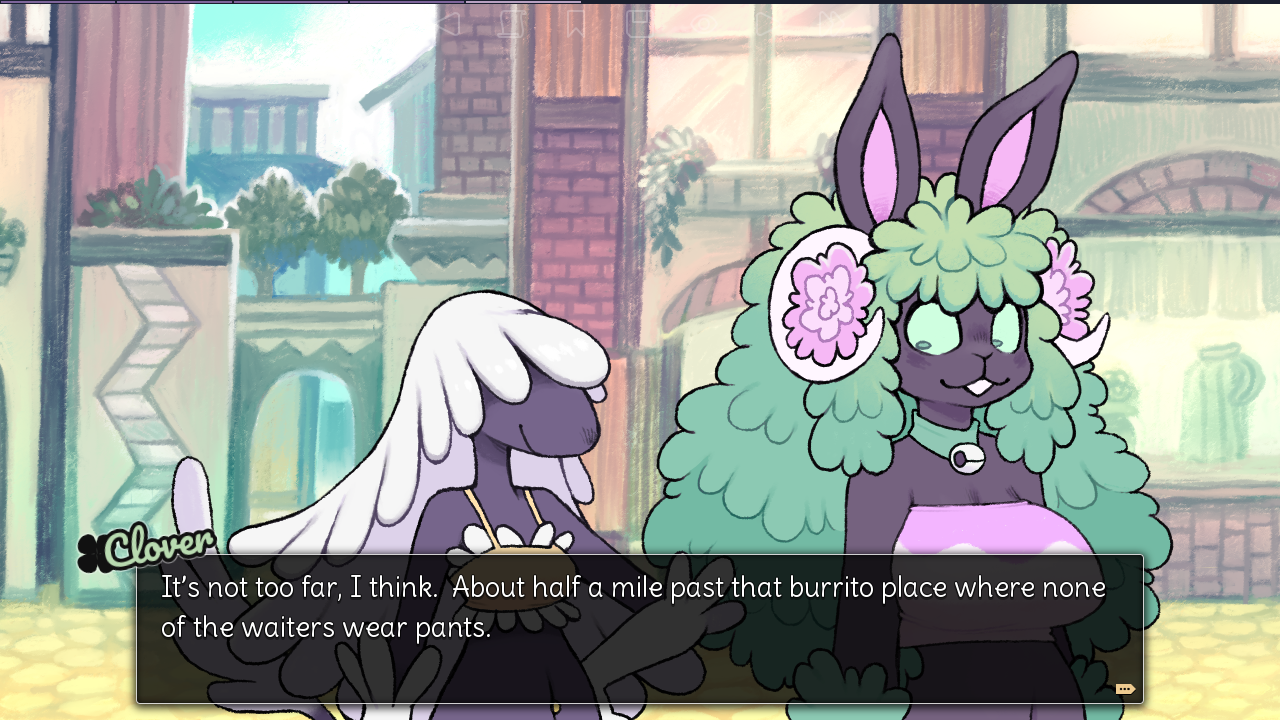
So, we released 🔞 Cherry Kisses a few years ago. (Five. Five years ago?? Oh my god) It’s a little spruced-up jam game where you walk around and talk to customers and do little sex scenes with them, accompanied by art, and also there’s an overarching puzzle aspect you can completely ignore if you want.
This was originally, as I said, a jam game, which we didn’t actually finish in time, but which took maybe a month and a half to do. At the time, I thought: wow, great! This porn stuff is E-Z. We should just crank a couple of these out a year, in between other stuff we’re doing!
Five years later, we have not yet released another porn game. Or another game on Steam at all! Not for lack of trying — we started several (overscoped) visual novels that never ended up finding their footing.
COVID and other world events kind of put a damper on things, creating a broader problem: it’s just been hard to drum up the right mood for writing extended lighthearted sex romps.
That said, we finally have something that is almost done. Actually it’s been asymptotically approaching “done” for a while. It’s tentatively called vignettes, and the idea is that we will release a shorter story, then go back and update the game later with more shorter stories, and also play around with the format if I feel like it too. Hopefully this will fix some of our scoping problems.
It’s still not done. But we did most of the work for it this past year. Like 90%. It’s so close. I’m getting back to it after I finish this post and another urgent thing.
I’m actually going slowly insane over this, because I’ve been designing characters and whatnot for VN purposes for years, and they have all been rolling around in my head like marbles that whole time, and no one outside this house knows anything about them. I need to let them out!
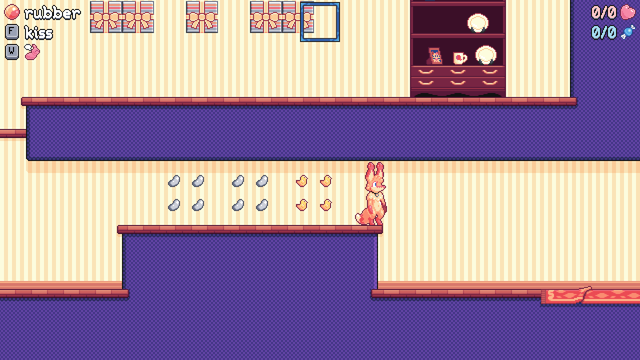
Wow! When I sat down to write this post I thought I’d done basically nothing on fox flux all year. But I guess I did a lot actually. It’s not moving quite as quickly as I’d hoped, and the game is in a bit of disarray so there haven’t been Patreon builds in a bit, but, it is moving.
I don’t want to write out a whole gritty changelog here, but suffice to say I implemented a bunch of stuff that had been languishing as little stubs for a long time, so the game feels a lot closer to feature-complete. Now I just have to make a zillion levels! How hard could that be?
(It’s very hard. It’s where I got blocked, creatively! All my level ideas turned out not fun and I didn’t have any more so I went to work on other stuff for a while. Puzzle level design is fuckin’ gnarly my dudes)
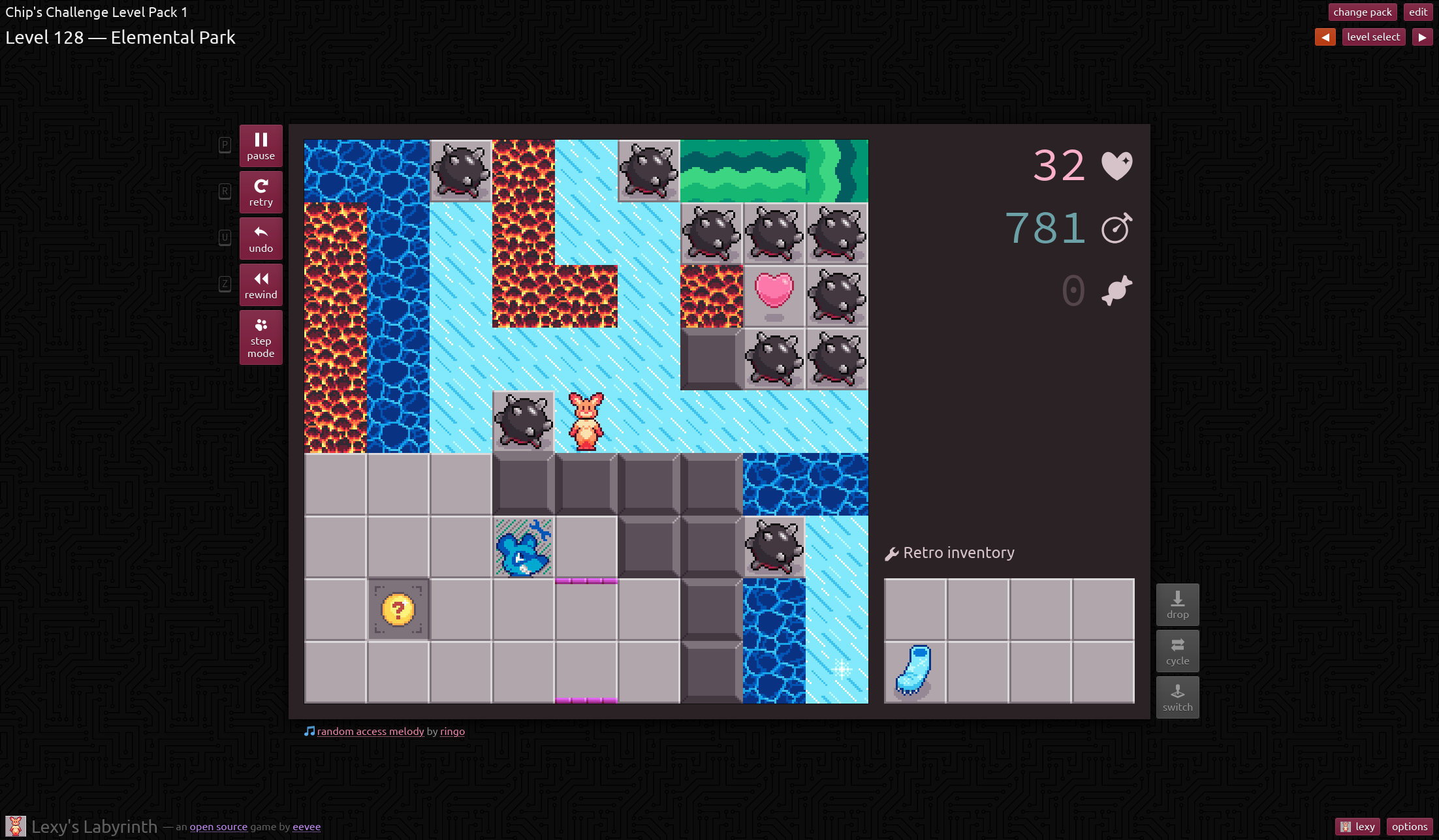
Lexy’s Labyrinth, my free Chip’s Challenge emulator, was like 90% finished, so I sat down and 100% finished it. Or, I dunno, 99%.
Highlights include:
Now has CCLP5, the latest and greatest community level pack! Adding this in is what got me back to working on LL, so, thanks for putting it together, everyone.
The tileset got a lot of touching up, and it now sports a brighter palette, instead of merely a copy of an old dull (not even pastel, just, dull) fox flux palette. The website is pink to match Lexy, too, though I fear it might be too reddish?
You can hold R to restart the level! At last!
Undo now uses much less memory, and the undo buffer is limited by size rather than time (though it will always save at least 30 seconds). On the most pathological built-in level I could find, 30 seconds was about 12 MB, and the limit is 10 MB, so this should be a huge improvement pretty much anywhere. On a sokoban-like level where the player is mostly stopping and thinking while nothing else happens, undo is virtually unlimited.
Rewind now accelerates the further back you go, too.
There are several touchscreen control schemes now: swipe, tap relative to the player, or tap relative to the viewport. So you can try whichever is least bad. There’s also partial gamepad support, though only within a level.
A bit more CC2 behavior is now shown visually within the level where it wouldn’t be in CC2, like dynamite always showing its full explosion radius.
Compatibility is vastly improved, and more of the built-in levels are beatable. (Some of the built-in levels are designed for CC1, but the default rules are CC2-like and slightly different. A couple levels now have manual patches specifically to make them beatable, a tactic borrowed from ZDoom.)
Support for Lynx mode has gone from “very bad” to “pretty solid”! It’s still not speedrun legal, largely because it doesn’t fully emulate frankly insane bugs like actors being able to teleport on top of each other, but it should be sufficiently accurate for normal purposes.
The editor is also vastly, vastly better; it has multiple new tools for otherwise awkward tasks, it supports arbitrary selections (including a new wand select tool), it supports CC1-style tile connections, and it can export levels in CC1 format!
I’d had code for that last thing written for ages and just never plugged it in, and I didn’t even notice until I saw someone in the Bit Busters Discord comment that LL wasn’t useful for CC1 level editing because it couldn’t actually export as CC1. Whoops.
There are also lots of experimental extra tiles, though they aren’t all fully implemented, and I haven’t made any “official” levels with them. I did start on my own level pack for Lexy’s Labyrinth specifically, but I completely forgot about it until I was writing this post just now. Wonder if I’ll ever finish that. 200 levels is a lot, but it’s also good practice.
In August, Microsoft unveiled an entirely redone official Doom release, now with Boom support, making it compatible with more of the Doom ecosystem.
That was weird, because Boom is a third-party fork of the open source Doom release, meaning it’s GPL. And there was no release of the current Doom codebase.
Turns out that what Microsoft did was pay someone to cleanroom Boom from scratch, effectively laundering the GPL off of it, so that they could add open source extensions to Doom (an open source game) and make it proprietary again.
I found this… frustrating. But a lot of Doom people didn’t really care and mostly found it neat that they can play Doom on an XBox now. (It’s notoriously difficult to put someone else’s GPL code on a console. The console APIs are all covered under NDAs — you know, to prevent anyone from finding out that the XBox uses DirectX — so you’d be in a position where the GPL requires you to release your modified code, but the NDA requires you to not do that.)
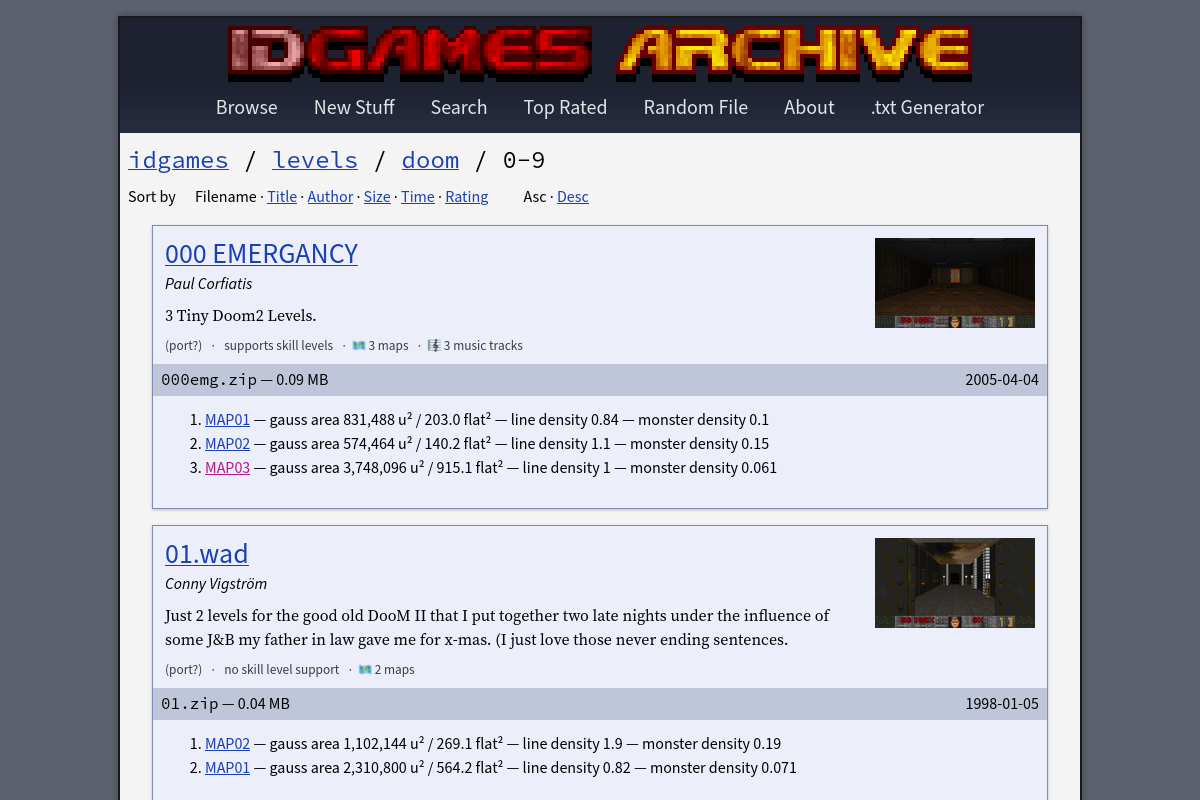
Instead of sitting around being mad forever that the very people who’ve benefitted so much from Doom’s being open source don’t really care about open source, I tried to pour it into something slightly more constructive, and so I started tinkering with an improved idgames frontend. I guess the idea was that people mostly seemed to value having a WAD browser built into Microsoft Doom, but there’s no reason we can’t have that for the entire archive of everything ever made, right?
I ran out of steam before it got too far, but I did get it doing a few interesting things, like automatically producing screenshots of the opening shot of each level (which you can see in the screenshot above). I had some other ideas, like trying to infer qualitative descriptions of level size and difficulty, but didn’t quite get around to it. Oh well.
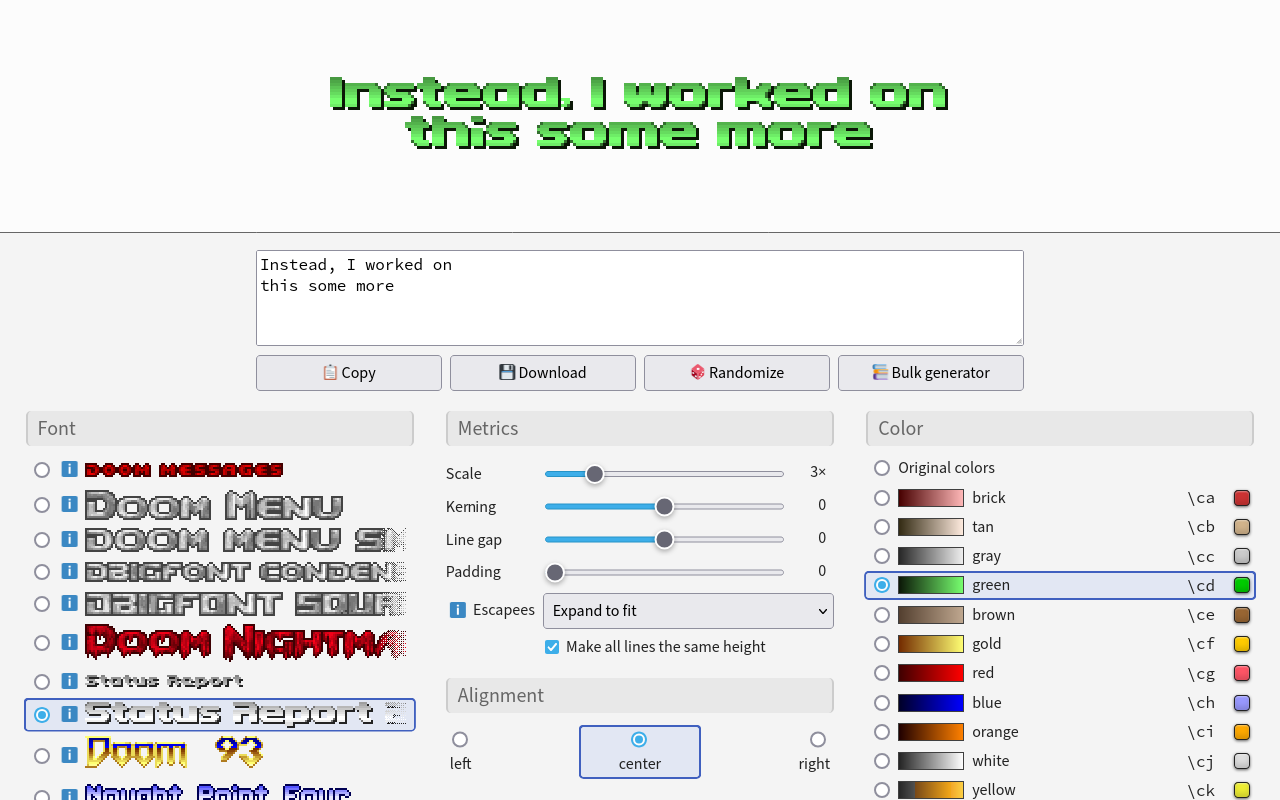
So I went back to my Doom text generator, a former advent calendar project that I cranked out in a day and wrote about before. I’d seen a couple people mention having actually used it, which was cool, so I went and did some stuff to it.
It could only render its own built-in fonts, so an obvious extension was to extend it to load fonts of any format from a provided WAD or PK3, all client-side.
It has a truckload more built-in fonts now, courtesy of Jimmy Paddock’s collection. So the Doom text generator can now generate Duke Nukem text, too. Weird.
It can, finally, combine multiple fonts in a single message, using a tiny bbcode-like markup language.
It can generate a bunch of images in bulk, which is exceptionally handy for level authors targeting vanilla-like Doom, where you have to provide your own level name images. It can even read the level names directly from a MAPINFO file that more advanced ports would use to render names themselves.
Now it’s got a Doomworld thread and source code (little redundant since it’s all shipped to the client) and everything. It’s like a real project! I’m glad people find it useful.
It even got a Cacowards 2024 sidebar shoutout, which is cool, making this basically the only thing of note I’ve ever done in the Doom ecosystem. The Boom license laundering also got an explicit shoutout, though, so. Cool.
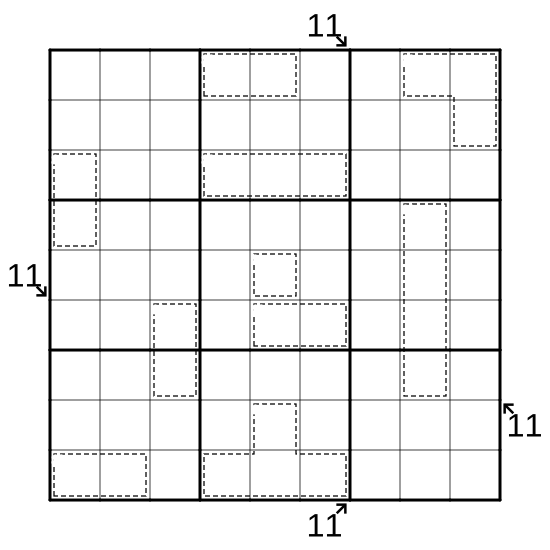
I made some sudoku, after realizing I could just make some sudoku if I wanted to. My first one is appropriately titled 1 (killer + little killer), and the rest are on my new puzzle index. Speaking of which—
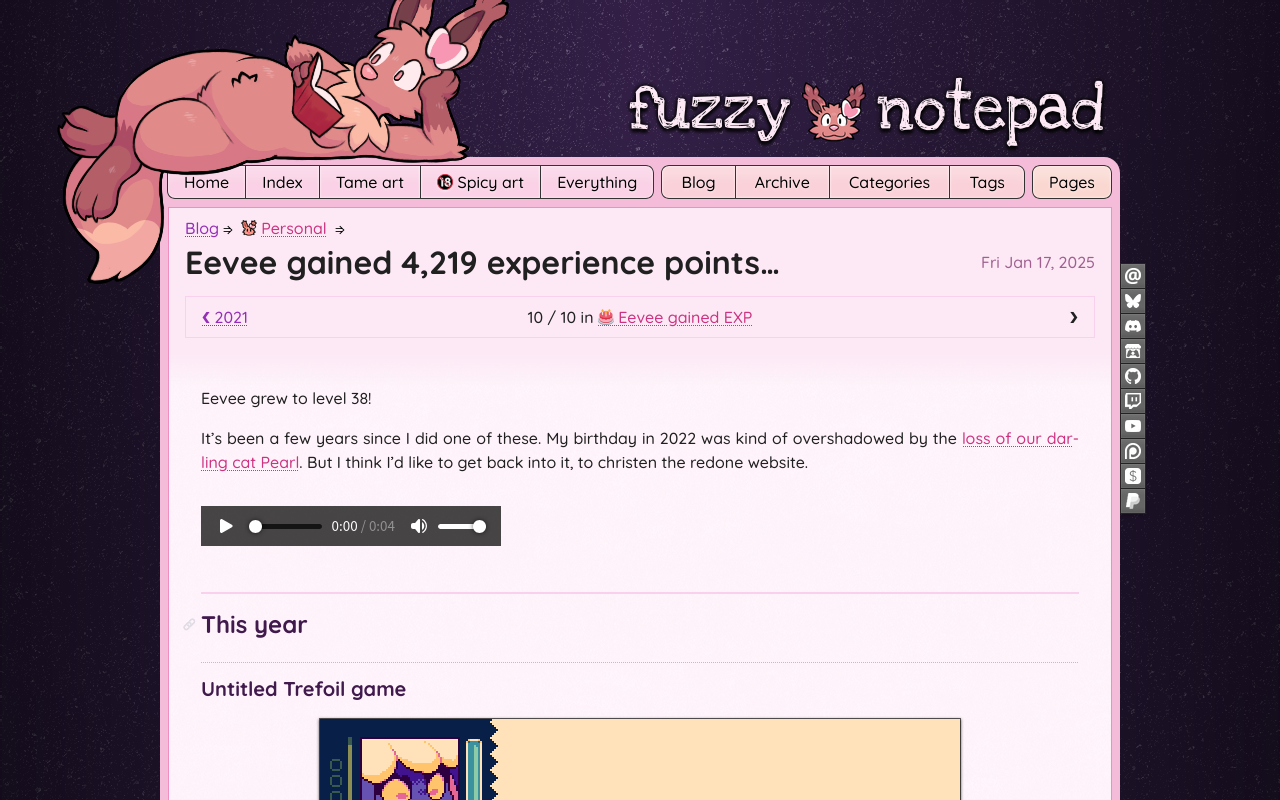
I redesigned the website in the wake of Cohost’s shutdown, and after several years of not writing much. Time will tell if it encourages me to write more going forward, but so far, so good.
I also wrote those pages about stuff! The list of variant sudoku types (which I’ve even used for my own reference already), and ports of my Lights Out and Rush Hour CSS crimes from Cohost.
I basically forget about any aspirational list like this within a week, but I would really really like to:
Get vignettes released, and get a couple more stories added to it!
Get fox flux out of its level design rut and just accelerate into building the game proper. Also more patron builds.
Write more, I think. I do kind of miss it.
I’d like to… reconnect with the world, I guess. Everything feels disconnected. I dropped Twitter and tried to rebuild on Cohost, did not really succeed at that (there’s a post in that, too), and then Cohost went down. Now there’s Bluesky, I guess, but I feel like I’m two platforms and several years in the hole. And a couple closer friendships disintegrated over the same period, so I have been adrift as all hell.
And the primary way I know how to connect with anyone is through my work! So I need to make some!
Post Syndicated from The History Guy: History Deserves to Be Remembered original https://www.youtube.com/watch?v=z4_2k5-PAuY
Post Syndicated from Explosm.net original https://explosm.net/comics/mime
New Cyanide and Happiness Comic
Post Syndicated from Oglaf! -- Comics. Often dirty. original https://www.oglaf.com/housework/


Post Syndicated from Bruce Schneier original https://www.schneier.com/blog/archives/2025/01/friday-squid-blogging-opioid-alternatives-from-squid-research.html
Is there nothing that squid research can’t solve?
“If you’re working with an organism like squid that can edit genetic information way better than any other organism, then it makes sense that that might be useful for a therapeutic application like deadening pain,” he said.
[…]
Researchers hope to mimic how squid and octopus use RNA editing in nerve channels that interpret pain and use that knowledge to manipulate human cells.
Post Syndicated from Crosstalk Solutions original https://www.youtube.com/watch?v=N9WGHlbOb9M
Post Syndicated from Brendan Watters original https://blog.rapid7.com/2025/01/17/metasploit-wrap-up-01-17-2025/

Last Month, Huntress reported that several Cleo products were being attacked in the wild, including Harmony, VLTrader, and LexiCom. Cleo announced CVE-2024-50623 and that these issues were patched in 5.8.0.21, but Huntress reported the vulnerability was still in those patched versions. Cleo later announced a new vulnerability, CVE-2024-55956, and released patches for it as well.
Rapid7 has released a top-level CVE-2024-55956 analysis covering the issues and an in-deth CVE-2024-55956 technical analysis that found the new vulnerability was patched in version 5.8.0.24 of the three affected products. The Metasploit Framework release this week contains a module for the CVE-2024-55956 vulnerability. If you run Cleo Harmony, VLTrader, and LexiCom, please make sure you are updated to version 5.8.0.24 as soon as possible; patches are available from the vendor.
Authors: Askar mhaskar and h00die-gr3y [email protected]
Type: Exploit
Pull request: #19738 contributed by h00die-gr3y
Path: linux/http/pandora_fms_auth_rce_cve_2024_11320
AttackerKB reference: CVE-2024-11320
Description: This adds an exploit module for Pandora FMS having a command injection vulnerability (CVE-2024-11320) in the LDAP authentication mechanism.
Authors: h00die, makuga01, and qualys
Type: Exploit
Pull request: #19676 contributed by h00die
Path: linux/local/ubuntu_needrestart_lpe
AttackerKB reference: CVE-2024-48990
Description: This adds a post module which exploits needrestart on Ubuntu, before version 3.8. It allows local attackers to execute arbitrary code as root by tricking needrestart into running the Python interpreter with an attacker-controlled PYTHONPATH environment variable.
Authors: remmons-r7 and sfewer-r7
Type: Exploit
Pull request: #19793 contributed by sfewer-r7
Path: multi/http/cleo_rce_cve_2024_55956
AttackerKB reference: CVE-2024-55956
Description: Add an exploit module for CVE-2024-55956, an unauthenticated file write vulnerability affecting Cleo LexiCom, VLTrader, and Harmony versions 5.8.0.23 and below.
pprof for Prometheus. It can detect potential denial-of-service or information leakage associated with the pprof package.passive stance module is and how to declare a module passive.You can always find more documentation on our docsite at docs.metasploit.com.
As always, you can update to the latest Metasploit Framework with msfupdate
and you can get more details on the changes since the last blog post from
GitHub:
If you are a git user, you can clone the Metasploit Framework repo (master branch) for the latest.
To install fresh without using git, you can use the open-source-only Nightly Installers or the
commercial edition Metasploit Pro
Post Syndicated from Eric Smith original https://www.servethehome.com/tiny-sandisk-extreme-2tb-microsdxc-is-fast-and-small/
This extremely tiny SanDisk Extreme 2TB microSDXC card is fast, but it might be too small for its own good
The post Tiny SanDisk Extreme 2TB microSDXC is Fast and Small appeared first on ServeTheHome.
Post Syndicated from Talks at Google original https://www.youtube.com/watch?v=xampcXM8bog
Post Syndicated from corbet original https://lwn.net/Articles/1005445/
A reminder has gone out that the deadline for proposals for the 2025 Linux
Storage, Filesystem, Memory Management and BPF Summit is February 1;
anybody wanting to attend will need to make themselves known before then.
The reminder also says that there will be no remote participation option
(or live streams) this year.
Post Syndicated from Philip Colligan original https://www.raspberrypi.org/blog/the-need-to-invest-in-ai-skills-in-schools/
Earlier this week, the UK Government published its AI Opportunities Action Plan, which sets out an ambitious vision to maintain the UK’s position as a global leader in artificial intelligence.
Whether you’re from the UK or not, it’s a good read, setting out the opportunities and challenges facing any country that aspires to lead the world in the development and application of AI technologies.
In terms of skills, the Action Plan highlights the need for the UK to train tens of thousands more AI professionals by 2030 and sets out important goals to expand education pathways into AI, invest in new undergraduate and master’s scholarships, tackle the lack of diversity in the sector, and ensure that the lifelong skills agenda focuses on AI skills.
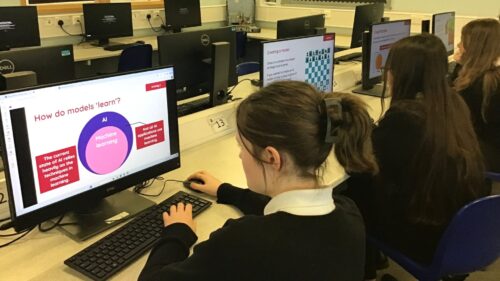
This is all very important, but the Action Plan fails to mention what I think is one of the most important investments we need to make, which is in schools.
“Most people overestimate what they can achieve in a year and underestimate what they can achieve in ten years.”
While reading the section of the Action Plan that dealt with AI skills, I was reminded of this quote attributed to Bill Gates, which was adapted from Roy Amara’s law of technology. We tend to overestimate what we can achieve in the short term and underestimate what we can achieve in the long term.
In focusing on the immediate AI gold rush, there is a risk that the government overlooks the investments we need to make right now in schools, which will yield huge returns — for individuals, communities, and economies — over the long term. Realising the full potential of a future where AI technologies are ubiquitous requires genuinely long-term thinking, which isn’t always easy for political systems that are designed around short-term results.

But what are those investments? The Action Plan rightly points out that the first step for the government is to accurately assess the size of the skills gap. As part of that work, we need to figure out what needs to change in the school system to build a genuinely diverse and broad pipeline of young people with AI skills. The good news is that we’ve already made a lot of progress.
Over the past three years, the Raspberry Pi Foundation and our colleagues in the Raspberry Pi Computing Education Research Centre at the University of Cambridge have been working to understand and define what AI literacy means. That led us to create a research-informed model for AI literacy that unpacks the concepts and knowledge that constitute a foundational understanding of AI.
In partnership with one of the leading UK-based AI companies, Google DeepMind, we used that model to create Experience AI. This suite of classroom resources, teacher professional development, and hands-on practical activities enables non-specialist teachers to deliver engaging lessons that help young people build that foundational understanding of AI technologies.
We’ve seen huge demand from UK schools already, with thousands of lessons taught in UK schools, and we’re delighted to be working with Parent Zone to support a wider roll out in the UK, along with free teacher professional development.

With the generous support of Google.org, we are working with a global network of education partners — from Nigeria to Nepal — to localise and translate these resources, and deliver locally organised teacher professional development. With over 1 million young people reached already, Experience AI can plausibly claim to be the most widely used AI literacy curriculum in the world, and we’re improving it all the time.
All of the materials are available for anyone to use and can be found on the Experience AI website.
With the CEO of GitHub claiming that it won’t be long before 80% of code is written by AI, it’s perhaps not surprising that some people are questioning whether we still need to teach kids how to code.
I’ll have much more to say on this in a future blog post, but the short answer is that computer science and programming is set to become more — not less — important in the age of AI. This is particularly important if we want to tackle the lack of diversity in the tech sector and ensure that young people from all backgrounds have the opportunity to shape the AI-enabled future that they will be living in.

The simple truth is that there is no artificial intelligence without computer science. The rapid advances in AI are likely to increase the range of problems that can be solved by technology, creating demand for more complex software, which in turn will create demand for more programmers with increasingly sophisticated and complex skills.
That’s why we’ve set ourselves the ambition that we will inspire 10 million more young people to learn how to get creative with technology over the next 10 years through Code Club.
But we also need to think about what needs to change in the curriculum to ensure that schools are equipping young people with the skills and knowledge they need to thrive in an AI-powered world.
That will mean changes to the computer science curriculum, providing different pathways that reflect young people’s interests and passions, but ensuring that every child leaves school with a qualification in computer science or applied digital skills.
It’s not just computer science courses. We need to modernise mathematics and figure out what a data science curriculum looks like (and where it fits). We also need to recognise that AI skills are just as relevant to biology, geography, and languages as they are to computer science.

To be clear, I am not talking about how AI technologies will save teachers time, transform assessments, or be used by students to write essays. I am talking about the fundamentals of the subjects themselves and how AI technologies are revolutionising the sciences and humanities in practice in the real world.
These are all areas where the Raspberry Pi Foundation is engaged in original research and experimentation. Stay tuned.
All of this needs to be underpinned by a commitment to supporting teachers, including through funding and time to engage in meaningful professional development. This is probably the biggest challenge for policy makers at a time when budgets are under so much pressure.
For any nation to plausibly claim that it has an Action Plan to be an AI superpower, it needs to recognise the importance of making the long-term investment in supporting our teachers to develop the skills and confidence to teach students about AI and the role that it will play in their lives.
I’d love to hear what you think and if you want to get involved, please get in touch.
The post The need to invest in AI skills in schools appeared first on Raspberry Pi Foundation.
Post Syndicated from daroc original https://lwn.net/Articles/1004893/
The idea of adding None-aware operators to Python has sprung up once
again. These would make traversing structures with None values in them
easier, by short-circuiting lookups when a None is encountered. Almost
exactly a year ago, LWN covered the previous attempt to bring
the operators to Python, but there have been periodic discussions stretching back to
2015 and possibly before. This time Noah Kim has taken up the cause. After some debate, he
eventually settled on redrafting the existing PEP to have a more limited scope,
which might finally see it move past the cycle of debate, resurrection, and abandonment that
it has been stuck in for most of the last decade.
Post Syndicated from daroc original https://lwn.net/Articles/1005380/
The
6.12.10,
6.6.72, and
6.1.125 stable kernels have been released on
the expected schedule.
Post Syndicated from daroc original https://lwn.net/Articles/1005433/
Security updates have been issued by Debian (rsync and tomcat9), Fedora (chromium, mingw-python-jinja2, redict, and valkey), Gentoo (GIMP and pip), Oracle (.NET, fence-agents, ipa, kernel, python-virtualenv, raptor2, and rsync), Red Hat (.NET 8.0 and .NET 9.0), SUSE (apache2-mod_jk, git, git-lfs, kernel, python-Django, thunderbird, and xen), and Ubuntu (audacity, bcel, dotnet8, dotnet9, gimp-dds, harfbuzz, libxml2, poppler, rsync, and tqdm).