We set out last year to gather more stories, ideas, and inspiration from and for the computing education community in between Hello World magazine issues: we launched the Hello World podcast. On the podcast, we dive deeper into articles from Hello World, and we speak with people from all over the world who work as teachers, educators, and other computing education professionals.
Season 3 of the Hello World podcast starts on Monday
The Hello World podcast helps connect the global community of computing educators and Hello World readers, and lets them share their experiences. After two seasons and a short pause during the autumn, we are finally back with a brand-new Hello World podcast season. Regular listeners will also notice a new theme music!
Each episode, we explore computing, coding, and digital making education by delving into an exciting topic together with our guests: experts, practitioners, and other members of the Hello World community.
In season 3, we’re exploring:
The role of makerspaces, both within schools and the wider community
The relevance of imagination and storytelling to computing
Computing in the context of science and ecology
How learners can promote and support computing as digital leaders
And much more…
Meet our guests for episode 1 of the new season
In our first episode, which will be available from 7 February, your hosts Carrie Anne and James ask the question “What role do makerspaces play in the classroom?”. We talk to two fantastic guests, each with a wealth of experience in designing and developing makerspaces:
Nick Provenzano
Nick Provenzano, who is a Teacher and Makerspace Director at University Liggett School in Michigan. He is also an author, makerspace builder, international keynote speaker and Raspberry Pi Certified Educator.
Chris Hillidge
Chris Hillidge, who established FabLab Warrington in 2016 and manages the STEM strategy for students aged 4 to 19 across The Challenge Academy Trust. Chris is a Specialist Leader of Education, consultant, and Raspberry Pi Certified Educator.
Dive in with our three most popular episodes so far
If you’ve not tried out the Hello World podcast yet, why not get started by diving into one of our most popular episodes?
You’ll find the upcoming season and past episodes on your favourite podcast platform, where you can also subscribe to never miss an episode. Alternatively, you can listen via your browser at helloworld.cc/podcast.
The global IT industry generates as much CO2 as the aviation industry. In Hello World issue 17, we learn about the hidden impact of our IT use and the changes we can make from Beverly Clarke, national community manager for Computing at School and author of Computer Science Teacher: Insight Into the Computing Classroom.
Beverly Clarke
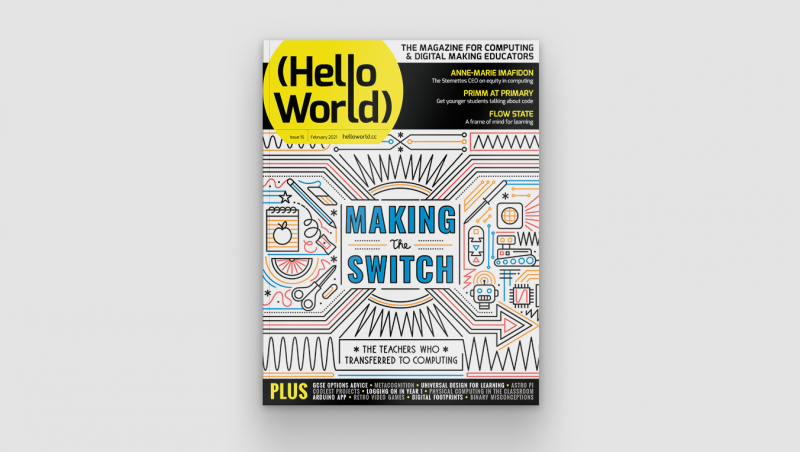
Hello World issue 17
With the onset of the pandemic, the world seemed to shut down. Flights were grounded, fewer people were commuting, and companies and individuals increased their use of technology for work and communication. On the surface, this seemed like a positive time for the environment. However, I soon found myself wondering about the impact that this increased use of technology would have on our planet, in particular the increases in energy consumption and e-waste. This is a major social, moral, and ethical issue that is hiding in plain sight — green IT is big news.
This is a major social, moral, and ethical issue that is hiding in plain sight — green IT is big news.
Energy and data centres
Thinking that online is always better for the planet is not always as straightforward as it seems. If we choose to meet via conference call rather than travelling to a meeting, there are hidden environmental impacts to consider. If there are 50 people on a call from across the globe, all of the data generated is being routed around the world through data centres, and a lot of energy is being used. If all of those people are also using video, that is even more energy than audio only.
Data centres consume a lot of energy — and how is that energy generated?
Not only is the amount of energy being used a concern, but we must also ask ourselves how these data centres are being powered. Is the energy they are using coming from a renewable source? If not, we may be replacing one environmental problem with another.
What about other areas of our lives, such as taking photos or filming videos? These two activities have probably increased as we have been separated from family and friends. They use energy, especially when the image or video is then shared with others around the world and consequently routed through data centres. A large amount of energy is being used, and more is used the further the image travels.
Not only is the amount of energy being used a concern, but we must also ask ourselves how these data centres are being powered.
Similarly, consider social media and the number of posts individuals and companies make on a daily basis. All of these are travelling through data centres and using energy, yet for the most part this is not visible to the user.
E-waste
E-waste is another green IT issue, and one that will only get worse as we rely on electronic devices more. As well as the potential eyesore of mountains of e-waste, there is also the impact upon the planet of mining the precious metals used in these electronics, such as gold, copper, aluminium, and steel.
In their marketing, device manufacturers and mobile network carriers make us see the phones we currently own in a negative light so that we feel the need to upgrade to the newest model.
The processes used to mine these metals lead to pollution, and we should also consider that some of the precious metals used in our devices could run out, as there is not an endless supply in the Earth’s surface.
It is also problematic that a lot of e-waste is sent to developing countries with limited recycling plants […].
It is also problematic that a lot of e-waste is sent to developing countries with limited recycling plants, and so much of the e-waste ends up in landfill. This can lead to toxic substances being leaked into the Earth’s surface.
First steps towards action
With my reflective hat on, I started to think about discussions we as teachers could have with pupils around this topic, and came up with the following:
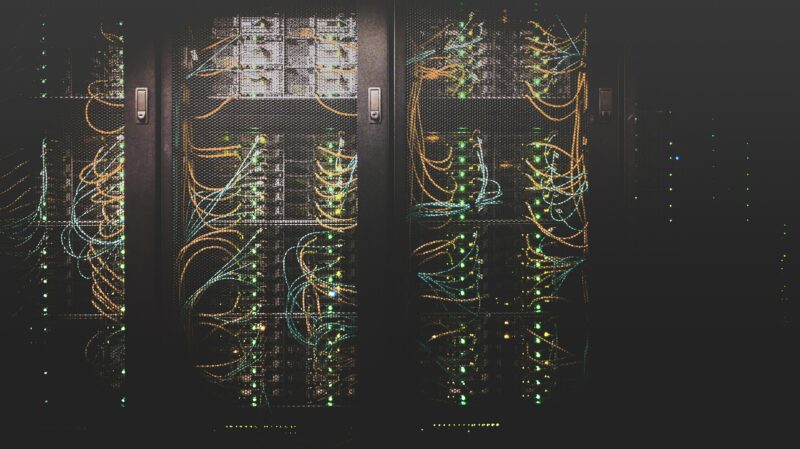
Help learners to talk about the cloud and where it is located. We can remind them that the cloud is a physical entity. Show them images of data centres to help make this real, and allow them to appreciate where the data we generate every day goes.
Ask learners how many photos and videos they have on their devices, and where they think those items are stored. This can be extended to a year group or whole-school exercise so they can really appreciate the sheer amount of data being used and sent across the cloud, and how data centres fit with that energy consumption. I did this activity and found that I had 7163 photos and 304 videos on my phone — that’s using a lot of energy!
Helping young people gain an understanding of the impact of our use of electronic devices is an important action you can take.
Ask learners to research any local data centres and find out how many data centres there are in the world. You could then develop this into a discussion, including language related to data centres such as sensors, storage devices, cabling, and infrastructure. This helps learners to connect the theory to real-world examples.
Ask learners to reflect upon how many devices they use that are connected to the Internet of Things.
Consider for ourselves and ask parents, family, and friends how our online usage has changed since before the pandemic.
Consider what happens to electronic devices when they are thrown away and become e-waste. Where does it all go? What is the effect of e-waste on communities and countries?
Tips for greener IT
UK-based educators can watch a recent episode of TV programme Dispatchesthat investigates the carbon footprint of the IT industry. You can add the following tips from the programme to your discussions:
Turn off electronic devices when not in use
Use audio only when on online calls
Dispose of your old devices responsibly
Look at company websites and see what their commitment is to green IT, and consider whether we should support companies whose commitment to the planet is poor
Use WiFi instead of 3G/4G/5G, as it uses less energy
These lists are not exhaustive, but provide a good starting point for discussions with learners. We should all play our small part in ensuring that we #RestoreOurEarth — this year’s Earth Day theme — and having an awareness and understanding of the impact of our use of electronic devices is part of the way forward.
Some resources on green IT — do you have others?
BCS (British Computer Society, The Charted Institute of IT) has a Green IT specialist group, a community of IT professionals and enthusiasts who are passionate about green IT
What about you? In the comments below, share your thoughts, tips, and resources on green IT and how we can bring awareness of it to our learners and young people at home.
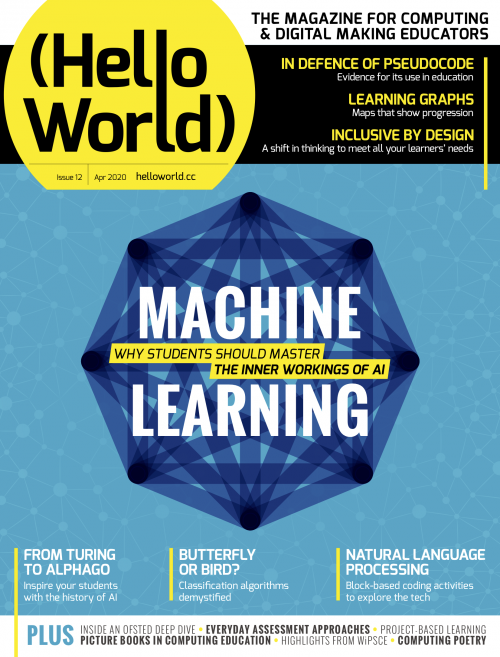
In Hello World issue 12, our free magazine for computing educators, George Boukeas, DevOps Engineer for the Astro Pi Challenge here at the Foundation, introduces big moments in the history of artificial intelligence (AI) to share with your learners:
The story of artificial intelligence (AI) is a story about humans trying to understand what makes them human. Some of the episodes in this story are fascinating. These could help your learners catch a glimpse of what this field is about and, with luck, compel them to investigate further.
The imitation game
In 1950, Alan Turing published a philosophical essay titled Computing Machinery and Intelligence, which started with the words: “I propose to consider the question: Can machines think?” Yet Turing did not attempt to define what it means to think. Instead, he suggested a game as a proxy for answering the question: the imitation game. In modern terms, you can imagine a human interrogator chatting online with another human and a machine. If the interrogator does not successfully determine which of the other two is the human and which is the machine, then the question has been answered: this is a machine that can think.
The Alan Turing Memorial in Manchester
This imitation game is now a fiercely debated benchmark of artificial intelligence called the Turing test. Notice the shift in focus that Turing suggests: thinking is to be identified in terms of external behaviour, not in terms of any internal processes. Humans are still the yardstick for intelligence, but there is no requirement that a machine should think the way humans do, as long as it behaves in a way that suggests some sort of thinking to humans.
In his essay, Turing also discusses learning machines. Instead of building highly complex programs that would prescribe every aspect of a machine’s behaviour, we could build simpler programs that would prescribe mechanisms for learning, and then train the machine to learn the desired behaviour. Turing’s text provides an excellent metaphor that could be used in class to describe the essence of machine learning: “Instead of trying to produce a programme to simulate the adult mind, why not rather try to produce one which simulates the child’s? If this were then subjected to an appropriate course of education one would obtain the adult brain. We have thus divided our problem into two parts: the child-programme and the education process.”
Chess was among the games that early AI researchers like Alan Turing developed algorithms for.
It is remarkable how Turing even describes approaches that have since been evolved into established machine learning methods: evolution (genetic algorithms), punishments and rewards (reinforcement learning), randomness (Monte Carlo tree search). He even forecasts the main issue with some forms of machine learning: opacity. “An important feature of a learning machine is that its teacher will often be very largely ignorant of quite what is going on inside, although he may still be able to some extent to predict his pupil’s behaviour.”
The evolution of a definition
The term ‘artificial intelligence’ was coined in 1956, at an event called the Dartmouth workshop. It was a gathering of the field’s founders, researchers who would later have a huge impact, including John McCarthy, Claude Shannon, Marvin Minsky, Herbert Simon, Allen Newell, Arthur Samuel, Ray Solomonoff, and W.S. McCulloch.
Go has vastly more possible moves than chess, and was thought to remain out of the reach of AI for longer than it did.
The simple and ambitious definition for artificial intelligence, included in the proposal for the workshop, is illuminating: ‘making a machine behave in ways that would be called intelligent if a human were so behaving’. These pioneers were making the assumption that ‘every aspect of learning or any other feature of intelligence can in principle be so precisely described that a machine can be made to simulate it’. This assumption turned out to be patently false and led to unrealistic expectations and forecasts. Fifty years later, McCarthy himself stated that ‘it was harder than we thought’.
Modern definitions of intelligence are of distinctly different flavour than the original one: ‘Intelligence is the quality that enables an entity to function appropriately and with foresight in its environment’ (Nilsson). Some even speak of rationality, rather than intelligence: ‘doing the right thing, given what it knows’ (Russell and Norvig).
The amount of training data AI developers have access to has skyrocketed in the past decade.
Read the whole of this brief history of AI in Hello World #12
Early advances researchers made from the 1950s onwards while developing games algorithms, e.g. for chess.
The 1997 moment when Deep Blue, a purpose-built IBM computer, beating chess world champion Garry Kasparov using a search approach.
The 2011 moment when Watson, another IBM computer system, beating two human Jeopardy! champions using multiple techniques to answer questions posed in natural language.
The principles behind artificial neural networks, which have been around for decades and are now underlying many AI/machine learning breakthroughs because of the growth in computing power and availability of vast datasets for training.
The 2017 moment when AlphaGo, an artificial neural network–based computer program by Alphabet’s DeepMind, beating Ke Jie, the world’s top-ranked Go player at the time.
Machine learning systems need vast amounts of training data, the collection and storage of which has only become technically possible in the last decade.
More on machine learning and AI education in Hello World #12
In your free PDF of Hello World issue 12, you’ll also find:
An interview with University of Cambridge statistician David Spiegelhalter, whose work shaped some of the foundations of AI, and who shares his thoughts on data science in schools and the limits of AI
An introduction to Popbots, an innovative project by MIT to open AI to the youngest learners
An article by Ken Kahn, researcher in the Department of Education at the University of Oxford, on using the block-based Snap! language to introduce your learners to natural language processing
Unplugged and online machine learning activities for learners age 7 to 16 in the regular ‘Lesson plans’ section
Find more resources for AI and data science education
In Hello World issue 16, the focus is on all things data science and data literacy for your learners. As always, you can download a free copy of the issue. And on our Hello World podcast, we chat with practicing computing educators about how they bring AI, AI ethics, machine learning, and data science to the young people they teach.
If you want a practical introduction to the basics of machine learning and how to use it, take our free online course.
There are still many open questions about what good AI and data science education looks like for young people. To learn more, you can watch our panel discussion about the topic, and join our monthly seminar series to hear insights from computing education researchers around the world.
We are also collating a growing list of educational resources about these topics based on our research seminars, seminar participants’ recommendations, and our own work. Find the resource list here.
In Hello World issue 17, Raspberry Pi Certified EducatorCat Lamin talks about how building connections and sharing the burden can help make us better educators, even in times of great stress:
“I felt like I needed to play my part”
In March 2020, the world suddenly changed. For educators, we jumped from face-to-face teaching to a stark new landscape, with no idea of how the future would look. As generous teachers pushed out free resources, I felt like I needed to play my part. Suddenly, an idea struck me. In September 2017, I had decided to be brave and submit a talk to PyConUK to discuss my mental health. Afterwards, several people in the audience shared their own stories with me or let me know that it helped them just to hear that someone else struggled too. I realised that in times of pressure, we need a chance to talk and we had lost these outlets. In school, we would pop to the staffroom or a friend’s classroom for a quick vent, but that wasn’t an option anymore. People were feeling isolated, scared, stressed and didn’t have anyone to turn to.
I realised that in times of pressure, we need a chance to talk, and we had lost these outlets.
Cat Lamin
Thus, the first Global Google Educator Group Staffroom: Mental Health Matters was launched on 14 March 2020, which coincided with the US government announcing school closures and UK teachers still waiting anxiously to hear when doors would close. The aim of Staffroom was to give teachers a safe space to talk about how they’re feeling under the overwhelming weight of school closures. To say it was a success would be an understatement, with teachers joining the calls from Australia, Malaysia, the USA, Colombia, Mexico, Brazil, Europe and more!
“Staffroom for me is a place and time to connect with other teachers from around the world. I remember seeing the calendar invites by mail and I kept thinking I should join but was afraid to do it. The first time I did it, I listened first and it made me realize that my struggles during pandemic online teaching were the same struggles as everywhere else.” – Pily Hernandez, Monterrey, Mexico
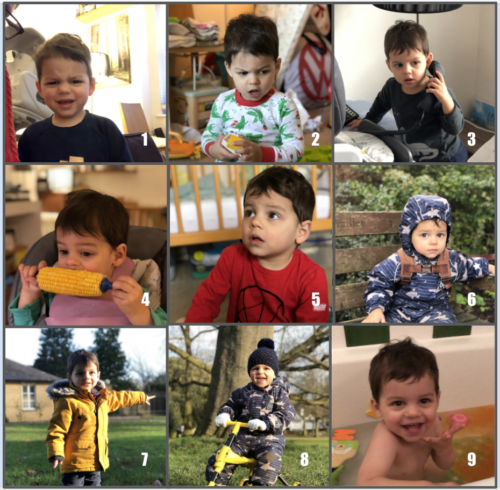
Which William are you today?
In those early days, we just gave teachers a chance to talk. The format of our meetings was simple: what’s your name, where are you from, and then an ice breaker question like ‘What colour do you feel like?’ or ‘What song represents your current mood?’ It wasn’t long before we hit upon a winning formula by making our own ‘Which image are you today?’ picture scale (see the ‘Which William’ image below!). Using the picture scales allowed people to really express how they felt. Often someone who had been happily chatting would explain that they were actually struggling to keep their head above water because a silly image allowed them to be honest.
Which William are you today?
One of the most important messages from Staffroom was that many people involved with technology in schools were feeling alone. After years of suggesting teachers use technology, suddenly they were blamed for schools not being properly prepared. They were struggling with not necessarily knowing what to suggest to teachers with technology difficulties, as they were grappling with their own personal lockdown situations. Hearing that other people, all around the world, were experiencing something similar was hugely eye-opening and took a great amount of weight off their shoulders.
“As someone who thrived from having in person connections and networking opportunities, lockdown hit me hard. Staffroom really helped to keep those connections going and has developed into such a lovely safe space to talk and connect with others.” – Abid Patel, London, UK
We varied the tone of the sessions depending on the needs of the attendees. In the first few months, we shared our lockdown situations and our different experiences across the world. We could share advice and tips, as well as best practice for delivering content and things that had gone terribly wrong since switching to remote teaching. Or we’d discuss food in different countries around the world (did you know that in Australia, fish and chips is made from shark?) or joke about whether Vegemite was actually an edible product (it’s ok, I tried it live on camera during one Staffroom). Other days, we would discuss how difficult we were finding teaching, isolation or life in general during a pandemic.
An honest environment
One of the things that people continuously mentioned was that Staffroom was a safe place where they felt they could share, be listened to, and be understood. We made it clear that no one had to speak unless they wanted to. I made a point of always being completely honest about my own mental health. As a person who had suffered from depression and anxiety in the past, it was no surprise to me when I was diagnosed with both near the end of 2020, and I was fortunate enough to get virtual therapy. I shared my story with the group, which allowed attendees to feel more comfortable being open and talking about their own struggles, in some cases leading to their own diagnosis and getting much-needed support.
“Staffroom has been the best ‘out of my comfort zone’ leap that I have ever taken. I have met educators from all over the world and learned that there are more things that unite us than divide us in this world of education.” – Frederick Ballew, Minnesota, USA
People would join Staffroom to share new jobs, engagements, even cross-country moves, but equally they would join after losing a loved one or hearing of a pupil sick in hospital. Staffroom became a safe haven for teachers, coaches, IT directors, and pretty much anyone involved in technology within education. It is a place where we could bond over shared experience, share a joke, ask questions, get ideas, and even plan our futures.
Do not underestimate the power of connections, and of sharing your story.
Cat Lamin
Alongside Staffroom, I also built a website to allow teachers to share their mental health stories and to feel a little less alone (mentalhealthineducation.com). I continue to host regular Staffrooms, although less frequently. 18 months ago, we needed a chance to talk three times a week, but now we meet two or three times a month instead. You can find current Staffroom dates at www.globalgeg.org/events. If you take one thing away from this article, however, it is this: do not underestimate the power of connections, and of sharing your story.
Cat Lamin is aRaspberry Pi Certified Educator, CAS Master Teacher, and Google Certified Innovator who works as a freelance trainer and coach, supporting schools with digital strategy and enabling educators to use technology more effectively. For running this regular mental health staffroom, she was awarded a Mental Health Champion Award from Edufuturist.
Share your thoughts about Hello World with me!
Your insights are invaluable to help us make Hello World as useful as it can be for computing educators around the globe. Hello World is a magazine for educators from educators — so if you are interested in having a 20-minute chat with me about what you like about the magazine, and what you would like to change, then please sign up here. I look forward to speaking with you.
Download Hello World for free
The brand-new issue of our free Hello World magazine for computing educators focuses on all things health and well-being.
It is full of inspiring stories and practical ideas for teaching your learners about computing in this context, and supporting them to use digital technologies in beneficial ways.
Download the new issue of Hello World for free today:
Wherever you are in the world, you can listen to our Hello World podcast too! Each episode, we explore a new topic with some of the computing educators who’ve written for the magazine.
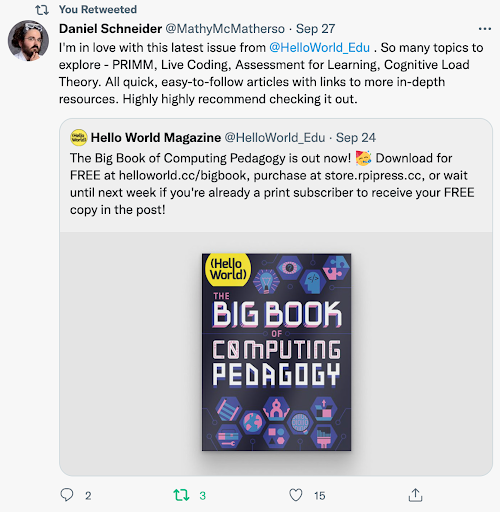
Hello World, our free magazine for computing and digital making educators, has just published its very first special edition: The Big Book of Computing Pedagogy!
“When I started to peruse the draft for The Big Book of Computing Pedagogy, I was simply stunned.”
Monica McGill, founder & CEO of CSEDResearch.org
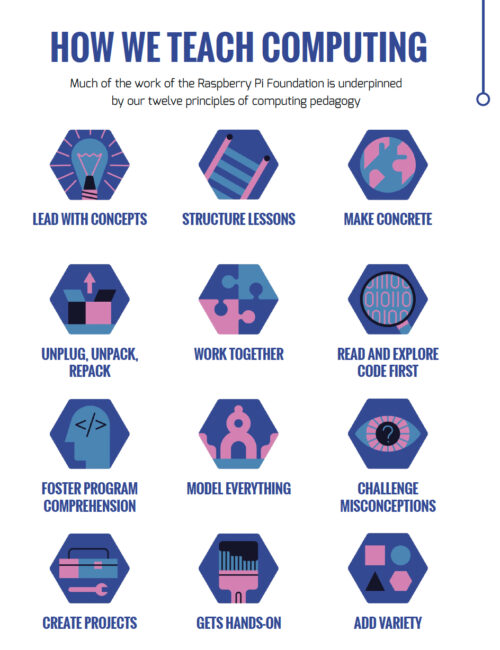
This special edition focuses on practical approaches to teaching computing in the classroom, and includes some of our favourite pedagogically themed articles from previous issues of Hello World, as well as a few never-seen-before pieces. It is structured around twelve pedagogical principles, first developed by us as part of our work related to the National Centre for Computing Education in England. These twelve principles are based on up-to-date research around the best ways of approaching the teaching and learning of computing.
Grounded in research and practice
Computing education is still relatively new, and it’s a field that’s constantly changing and adapting. Despite leaving school less than ten years ago, I remember my days in the computer lab being limited to learning about how to add animations on PowerPoints and trying out basic Excel formulas (and yes, there was still the odd mouse with a ball knocking about!).
The Big Book of Computing Pedagogy — a big hit with educators!
Computing education research is even younger, and we are proud to be an important part of this growing space. As an organisation, we engage in rigorous original research around computing education and learning for young people, and we share all of our research work through blogs, reports, research seminars, and academic publications. We’re particularly proud to have partnered with the University of Cambridge to establish the Raspberry Pi Computing Education Research Centre.
Our special edition of Hello World is organised around twelve pedagogical principles.
The Big Book of Computing Pedagogy represents another way in which we bring research and practice to computing educators in an accessible and engaging way. The book aims to be an educator’s companion to learning about tried and tested approaches to teaching computing.
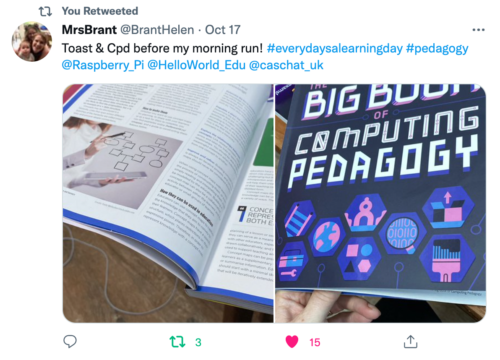
The perfect morning read for computing educators.
It includes articles on techniques for fostering program comprehension, advice for bringing physical computing to your classroom, and introductions to frameworks for structuring your computing lessons. As with all Hello World content, we’re bridging the gap between research and practice by giving you accessible chunks of research, followed by stories of trusty educators who have tried out the approaches in their classroom or educational space.
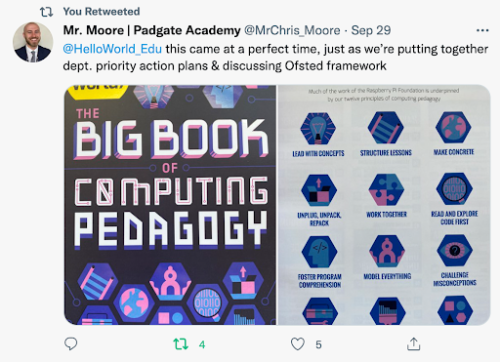
Teachers are jumping for joy at this special edition.
Monica McGill, founder and CEO of CSEDResearch.org, says about Hello World’s latest offering, “When I started to peruse the draft for The Big Book of Computing Pedagogy, I was simply stunned. I found the ready-to-consume content to be solidly based on research evidence and tried-and-true best practices from teachers themselves. This resource provides valuable insights into introducing computing to students via unplugged activities, integrating the Predict–Run–Investigate–Modify–Make (PRIMM) pedagogical model, and introducing physical devices for computing — all written in a way that teachers can adopt and use in their own classrooms.”
We’ve been thrilled to see the reaction of educators to this special edition, with many teachers already using it as a reference guide and for a spot of CPD. Why not join them and download it for free today?
Subscribe now to get each new Hello World — whether regular issue or special edition — straight to your digital inbox, for free! And if you’re based in the UK and do paid or unpaid work in education, you can subscribe for free print issues.
PS Have you listened to our Hello World podcast yet? A new episode has just come out, and it’s great! Listen and subscribe wherever you get your podcasts.
Your brand-new issue of the free Hello World magazine for computing educators focuses on all things health and well-being, featuring useful tools for educators, great ideas for schools, and inspiring projects, ideas, and resources from teachers around the world!
One such project was created by the students of James Abela, Head of Computing at Garden International School in Kuala Lumpur, Raspberry Pi Certified Educator, founder of the South East Asian Computer Science Teachers Association, and author of The Gamified Classroom:
Protecting children from breathing hazardous air
In 2018, Indonesia burned approximately 529,000 hectares of land. That’s an area more than three times the size of Greater London, or almost the size of Brunei. With so much forest being burned, the whole region felt the effects of the pollution. Schools frequently had to ban outdoor play and PE lessons, and on some days schools were closed completely. Many schools in the region had an on-site CO2 detector to know when pollution was bad, but by the time the message could get out, children had already been breathing in the polluted air for several minutes.
The air pollution from a forest fire gets dispersed by winds and can spread way beyond the area of the fire.
My Year 12 students (aged 16–17) followed the news and weather forecasts intently, and we all started to see how the winds from Singapore and Sumatra were sending pollution to us in Kuala Lumpur. We also realised that if we had measurements from around the city, we might have some visibility as to when pollution was likely to affect our school.
Making room for student-led projects
I’ve always encouraged my students to do their own projects, because it gives programming tasks meaning and creates something that they can be genuinely proud of. The other benefit is that it is something to talk about in university essays and interviews, especially as they often need to do extensive research to solve the problems central to their projects.
This project was […] a genuine passion project in every sense of the word.
James Abela
This project was much more than this: it was a genuine passion project in every sense of the word. Three of my students approached me with the idea of tracking CO2 to give schools a better idea of when there was pollution and which way it was going. They had had some experience of using Raspberry Pi computers, and knew that it was possible to use them to make weather stations, and that the latest versions had wireless LAN capability that they could use. I agreed to support them during allocated programming time, and to help them reach out to other schools.
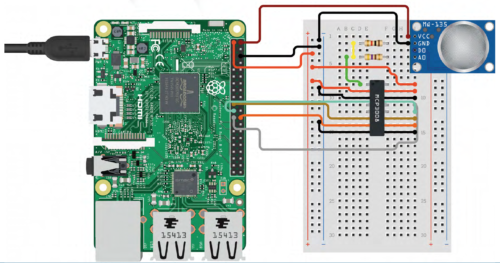
Circuit design of the CO2 sensor using just Raspberry Pi, designed on circuito.io
I was able to offer students support with this project because I flip quite a lot of the theory in my class. Flipped learning is a teaching approach in which some direct instruction, for example reading articles or watching specific videos, is done at home. This enables more class time to be used to answer questions, work through higher-order tasks, or do group work, and it creates more supervised coding time.
I was able to offer students support with this project because I flip quite a lot of the theory in my class.
James Abela
I initially started doing this because when I set coding challenges for homework, I often had students who confessed they spent all night trying to solve it, only for me to glance at the code and notice a missing colon or indentation issue. I began flipping the less difficult theory for students to do as homework, to create more programming time in class where we could resolve issues more quickly. This then evolved into a system where students could work much more at their own pace and eventually led to a point at which older students could, in effect, learn through their own projects, such as the pollution monitor.
Building the pollution monitor
The students started by looking at existing weather station projects — for example, there is an excellent tutorial on the Raspberry Pi Foundation’s projects site. Students discovered that wind data is relatively easy to get over a larger area, but the key component would be something to measure CO2. […]
Check out issue 17 of Hello World to read the rest of James’s article and find out all the details about the hardware and software his students used for this passion project. He says:
This project really helped these students to decide whether they enjoyed the hardware side of computing, and solving real-world issues really encouraged them to see computing as a practical subject. This is a message that has really resonated with other students, and we’ve since doubled the number of students taking A level computer science.
James Abela
Download the new Hello World for free!
Issue 17 of Hello World is bursting with inspiring ideas for teaching your learners about computing in the context of health and well-being. And you’ll find lots more great content in its 100 pages!
James’s article is also a wonderful example of an educator empowering their students to build a tech project they care about. You’ll discover more insights and practical tips on making computing relevant to all your learners in the following articles of the new Hello World issue:
Inspiring Young People With Contexts They Care About
Computing for all: Designing a Culturally Relevant Curriculum
Going Back to Basics: Part 2 — a follow-on from issue 16 about how to take beginner digital makers through their first physical computing projects
Download the new issue of Hello World for free today:
In our brand-new issue of Hello World magazine, Hayley Leonard from our team gives a primer on how computing educators can apply the Universal Design for Learning framework in their lessons.
Universal Design for Learning (UDL) is a framework for considering how tools and resources can be used to reduce barriers and support all learners. Based on findings from neuroscience, it has been developed over the last 30 years by the Center for Applied Special Technology (CAST), a nonprofit education research and development organisation based in the US. UDL is currently used across the globe, with research showing it can be an efficient approach for designing flexible learning environments and accessible content.
Engaging a wider range of learners is an important issue in computer science, which is often not chosen as an optional subject by girls and those from some minority ethnic groups. Researchers at the Creative Technology Research Lab in the US have been investigating how UDL principles can be applied to computer science, to improve learning and engagement for all students. They have adapted the UDL guidelines to a computer science education context and begun to explore how teachers use the framework in their own practice. The hope is that understanding and adapting how the subject is taught could help to increase the representation of all groups in computing.
The UDL guidelines help educators anticipate barriers to learning and plan activities to overcome them.
A scientific approach
The UDL framework is based on neuroscientific evidence which highlights how different areas or networks in the brain work together to process information during learning. Importantly, there is variation across individuals in how each of these networks functions and how they interact with each other. This means that a traditional approach to teaching, in which a main task is differentiated for certain students with special educational needs, may miss out on the variation in learning between all students across different tasks.
The UDL framework is based on neuroscientific evidence
The UDL guidelines highlight different opportunities to take learner differences into account when planning lessons. The framework is structured according to three main principles, which are directly related to three networks in the brain that play a central role in learning. It encourages educators to plan multiple, flexible methods of engagement in learning (affective networks), representation of the teaching materials (recognition networks), and opportunities for action and expression of what has been learnt (strategic networks).
The three principles of UDL are each expanded into guidelines and checkpoints that allow educators to identify the different methods of engagement, representation, and expression to be used in a particular lesson. Each principle is also broken down into activities that allow learners to access the learning goals, remain engaged and build on their learning, and begin to internalise the approaches to learning so that they are empowered for the future.
Examples of UDL guidelines for computer science education from the Creative Technology Research Lab
Multiple means of engagement
Multiple means of representation
Multiple means of action and expression
Provide options for recruiting interests * Give students choice (software, project, topic) * Allow students to make projects relevant to culture and age
Provide options for perception * Model computing through physical representations as well as through interactive whiteboard/videos etc. * Select coding apps and websites that allow adjustment of visual settings (e.g. font size/contrast) and that are compatible with screen readers
Provide options for physical action * Include CS unplugged activities that show physical relationships of abstract computing concepts * Use assistive technology, including a larger or smaller mouse or touchscreen devices
Provide options for sustaining effort and persistence * Utilise pair programming and group work with clearly defined roles * Discuss the integral role of perseverance and problem-solving in computer science
Provide options for language, mathematical expressions, and symbols * Teach and review computing vocabulary (e.g. code, animations, algorithms) * Provide reference sheets with images of blocks, or with common syntax when using text
Provide options for expression and communication * Provide sentence starters or checklists for communicating in order to collaborate, give feedback, and explain work * Provide options that include starter code
Provide options for self-regulation * Break up coding activities with opportunities for reflection, such as ‘turn and talk’ or written questions * Model different strategies for dealing with frustration appropriately
Provide options for comprehension * Encourage students to ask questions as comprehension checkpoints * Use relevant analogies and make cross-curricular connections explicit
Provide options for executive function * Embed prompts to stop and plan, test, or debug throughout a lesson or project * Demonstrate debugging with think-alouds
Each principle of the UDL framework is associated with three areas of activity which may be considered when planning lessons or units of work. It will not be the case that each area of activity should be covered in every lesson, and some may prove more important in particular contexts than others. The full table and explanation can be found on the Creative Technology Research Lab website at ctrl.education.ufl.edu/projects/tactic.
Applying UDL to computer science education
While an advantage of UDL is that the principles can be applied across different subjects, it is important to think carefully about what activities to address these principles could look like in the case of computer science.
Researcher Maya Israel will speak at our April seminar
Researchers at the Creative Technology Research Lab, led by Maya Israel, have identified key activities, some of which are presented in the table on the previous page. These guidelines will help educators anticipate potential barriers to learning and plan activities that can overcome them, or adapt activities from those in existing schemes of work, to help engage the widest possible range of students in the lesson.
UDL in the classroom
As well as suggesting approaches to applying UDL to computer science education, the research team at the Creative Technology Research Lab has also investigated how teachers are using UDL in practice. Israel and colleagues worked with four novice computer science teachers in US elementary schools to train them in the use of UDL and understand how they applied the framework in their teaching.
The research found that the teachers were most likely to include in their teaching multiple means of engagement, followed by multiple methods of representation. For example, they all offered choice in their students’ activities and provided materials in different formats (such as oral and visual presentations and demonstrations). They were less likely to provide multiple means of action and expression, and mainly addressed this principle through supporting students in planning work and checking their progress against their goals.
Although the study included only four teachers, it highlighted the flexibility of the UDL approach in catering for different needs within variable teaching contexts. More research will be needed in future, with larger samples, to understand how successful the approach is in helping a wide range of students to achieve good learning outcomes.
Find out more about using UDL
There are numerous resources designed to help teachers learn more about the UDL framework and how to apply it to teaching computing. The CAST website (helloworld.cc/cast) includes an explainer video and the detailed UDL guidelines. The Creative Technology Research Lab website has computing-specific ideas and lesson plans using UDL (helloworld.cc/udl).
Maya Israel will be presenting her research at our computing education research seminar series, on 20 April 2021. Our seminars are free to attend and open to anyone from anywhere around the world. Find out more about the current seminar series, which focuses on diversity and inclusion, and sign up to attend for free.
Israel, M., Jeong, G., Ray, M., & Lash, T. (2020). Teaching Elementary Computer Science Through Universal Design for Learning. Proceedings of the 51st ACM Technical Symposium on Computer Science Education, pp. 1220-1226. dl.acm.org/doi/abs/10.1145/3328778.3366823
Rose, D. H. & Strangman, N. (2007). Universal design for learning: Meeting the challenge of individual learning differences through a neurocognitive perspective. Universal Access in the Information Society, 5(4), pp. 381-391. dl.acm.org/doi/abs/10.1007/s10209-006-0062-8
In the brand-new issue of Hello World magazine, Shuchi Grover tells us about the limits of constructionism, the value of formative assessment, and why programming can be a source of both joy and angst.
How much open-ended exploration should there be in computing lessons?
This is a question at the heart of computer science education and one which Shuchi Grover is delicately diplomatic about in the preface to her new book, Computer Science in K-12: An A-to-Z Handbook on Teaching Programming. The book’s chapters are written by 40 teachers and researchers in computing pedagogy, and Grover openly acknowledges the varying views around discovery-based learning among her diverse range of international authors.
“I wonder if I want to wade there,” she laughs. “The act of creating a program is in itself an act of creation. So there is hands-on learning quite naturally in the computer science classroom, and mistakes are made quite naturally. There are some things that are so great about computer science education. It lends itself so easily to being hands-on and to celebrating mistakes; debugging is par for the course, and that’s not the way it is in other subjects. The kids can actually develop some very nice mindsets that they can take to other classrooms.”
Grover is a software engineer by training, turned researcher in computer science education. She holds a PhD in learning sciences and technology design from Stanford University, where she remains a visiting scholar. She explains how the beginning of her research career coincided with the advent of the block-based programming language Scratch, now widely used as an introductory programming language for children.
“Almost two decades ago, I went to Harvard to study for a master’s called technology innovation and education, and it was around that time that I volunteered for robotics workshops at the MIT Media Lab and MIT Museum. Those were pretty transformative for me: I started after-school clubs and facilitated robotics and digital storytelling clubs. In the early 2000s, I was an educational technology consultant, working with teachers on integrating technology. Then Scratch came out, and I started working with teachers on integrating Scratch into languages, arts, and science, all the things that we are doing today.”
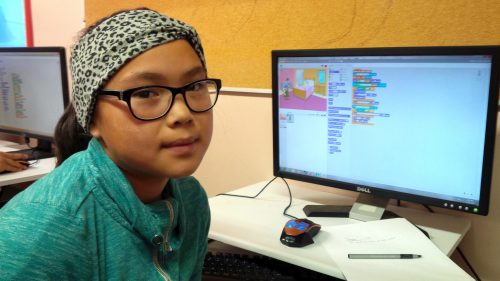
Student Joyce codes in Scratch at her Code Club in Nunavut
Do her formative experiences at MIT, the birthplace of constructionist theory of student-centred, discovery-based learning, lead her to lean one way or another in the tinkering versus direct instruction debate? “The learning in informal spaces is, of course, very interest-driven. There is no measurement. Children are invited to a space to spend some time after school and do whatever they feel like. There would be kids who would be chatting away while a couple of them designed a robot, and then they would hand over the robot to some others and say, ‘OK, now you go ahead and program it,’ and there were some kids who would just like to hang about.
“When it comes to formal education, there needs to be more accountability, you want to do right by every child. You have to be more intentional. I do feel that while tinkering and constructionism was a great way to introduce interest-driven projects for informal learning, and there’s a lot to learn from there and bring to the formal learning context, I don’t think it can only be tinkering.”
“There needs to be more accountability to do right by every child.”
“Everybody knows that engagement is very important for learning — and this is something that we are learning more about: it’s not just interest, it’s also culture, communities, and backgrounds — but all of this is to say that there is a personal element to the learning process and so engagement is necessary, but it’s not a sufficient condition. You have to go beyond engagement, to also make sure that they are also engaging with the concepts. You want at some point for students to engage with the concept in a way that reveals what their misconceptions might be, and then they end up learning and understanding these things more deeply.
“You want a robust foundation — after all, our goal for teaching children anything at school is to build a foundation on which they build their college education and career and anything beyond that. If we take programming as a skill, you want them to have a good understanding of it, and so the personal connections are important, but so is the scaffolding.
“How much scaffolding needs to be done varies from context to context. Even in the same classroom, children may need different levels of scaffolding. It’s a sweet spot; within a classroom a teacher has to juggle so much. And therein lies the challenge of teaching: 30 kids at a time, and every child is different and every child is unique.
“It’s an equity issue. Some children don’t have the prior experience that sets them up to tinker constructively. After all, tinkering is meant to be purposeful exploration. And so it becomes an issue of who are you privileging with the pedagogy.”
She points out that each chapter in her book that comes from a more constructionist viewpoint clearly speaks of the need for scaffolding. And conversely, the chapters that take a more structured approach to computing education include elements of student engagement and children creating their own programs. “Frameworks such as Use-Modify-Create and PRIMM just push that open-ended creation a little farther down, making sure that the initial experiences have more guide rails.”
Approaches to assessment
Grover is a senior research scientist at Looking Glass Ventures, which in 2018 received a National Science Foundation grant to create Edfinity, a tool to enable affordable access to high-quality assessments for schools and universities.
In her book, she argues that asking students to write programs as a means of formative assessment has several pitfalls. It is time-consuming for both students and teachers, scoring is subjective, and it’s difficult to get a picture of how much understanding a student has of their code. Did they get their program to work through trial and error? Did they lift code from another student?
“Formative assessments that give quick feedback are much better. They focus on aspects of the conceptual learning that you want children to have. Multiple-choice questions on code force both the teachers and the children to experience code reading and code comprehension, which are just so important. Just giving children a snippet of code and saying: ‘What does this do? What will be the value of the variable? How many times will this be executed?’ — it goes down to the idea of code tracing and program comprehension.
“Research has also shown that anything you do in a classroom, the children take as a signal. Going back to the constructionist thing, when you foreground personal interest, there’s a different kind of environment in the classroom, where they’re able to have a voice, they have agency. That’s one of the good things about constructionism.
“Formative assessment signals to the student what it is that you’re valuing in the learning process. They don’t always understand what it is that they’re expected to learn in programming. Is the goal creating a program that runs? Or is it something else? And so when you administer these little check-ins, they bring more alignment between a teacher’s goals for the learners and the learners’ understanding of those goals. That alignment is important and it can get lost.”
The title of Grover’s book, which could be thought to imply that computer science education consists solely of teaching students to program, may cause some raised eyebrows.
What about building robots or devices that interact with the world, computing topics like binary, or the societal impacts of technology? “I completely agree with the statement and the belief that computer science is not just about programming. I myself have been a proponent of this. But in this book I wanted to focus on programming for a couple of reasons. Programming is a central part of the computer science curriculum, at least here in the US, and it is also the part that teachers struggle with the most.
“I want to show where children struggle and how to help them.”
“As topics go, programming carries a lot of joy and angst. There is joy in computing, joy when you get it. But when a teacher is encountering this topic for the first time there is a lot of angst, because they themselves may not be understanding things, and they don’t know what it is that the children are not understanding. And there is this entire body of research on novice programming. There are the concepts, the practices, the pedagogies, and the issues of assessment. So I wanted to give the teachers all of that: everything we know about children and programming, the topics to be learnt, where they struggle, how to help them.”
Hello World is our magazine about all things computing education. It is free to download in PDF format, or you can subscribe and we will send you each new issue straight to your home.
In issue 14 of Hello World, we have gathered some inspiring stories to help your learners connect with nature. From counting penguins in Antarctica to orienteering with a GPS twist, great things can happen when young people get creative with technology outdoors. You’ll find all this and more in the new issue!
To provide the best experiences, we use technologies like cookies to store and/or access device information. Consenting to these technologies will allow us to process data such as browsing behavior or unique IDs on this site. Not consenting or withdrawing consent, may adversely affect certain features and functions.
Functional
Always active
The technical storage or access is strictly necessary for the legitimate purpose of enabling the use of a specific service explicitly requested by the subscriber or user, or for the sole purpose of carrying out the transmission of a communication over an electronic communications network.
Preferences
The technical storage or access is necessary for the legitimate purpose of storing preferences that are not requested by the subscriber or user.
Statistics
The technical storage or access that is used exclusively for statistical purposes.The technical storage or access that is used exclusively for anonymous statistical purposes. Without a subpoena, voluntary compliance on the part of your Internet Service Provider, or additional records from a third party, information stored or retrieved for this purpose alone cannot usually be used to identify you.
Marketing
The technical storage or access is required to create user profiles to send advertising, or to track the user on a website or across several websites for similar marketing purposes.