Tag Archives: AI education

Promoting young people’s agency in the age of AI

Post Syndicated from Claire Johnson original https://www.raspberrypi.org/blog/promoting-young-peoples-agency-in-the-age-of-ai/

Part of teaching young people AI literacy skills is teaching them to critically think about AI, and to design AI applications that address problems they care about. How to do this was the focus of our June research seminar.
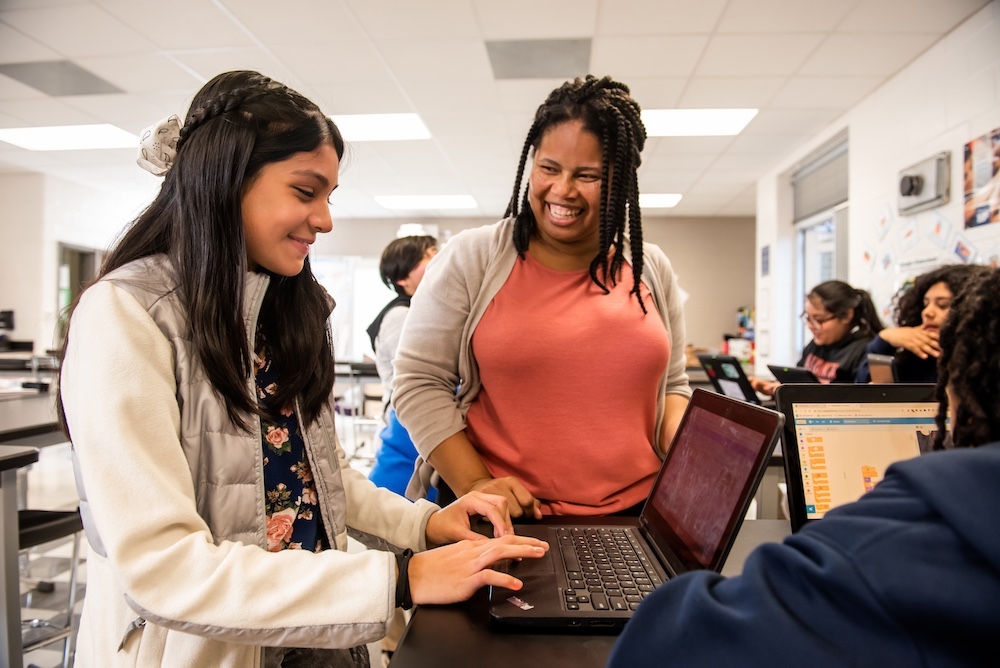
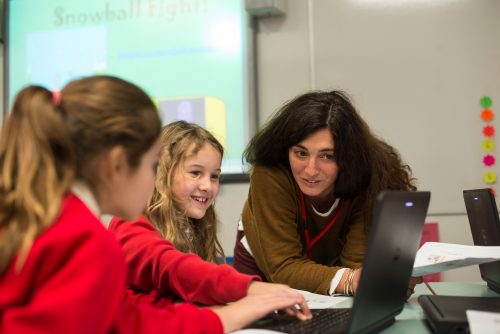
An educator helping a learner in the classroom

Working together to design AI

Our June research seminar was delivered by Netta Iivari, Professor in Information Systems at the University of Oulu’s INTERACT Research Unit.

The INTERACT research group focuses on understanding and supporting participatory design, user-centered design, user-driven innovation, and human interaction with technology in everyday life contexts. From this perspective, “users” aren’t considered as passive consumers, but as valuable co-creators and content producers. This calls for different approaches that place emphasis on empowerment and inclusion in designing, shaping, and co-creating information technology in everyday life.

As part of this work, Netta introduced the idea of ‘transformative agency’ — empowering children to believe they can solve problems they care about — and its application in secondary computing education. She showed examples of how to foster young people’s transformative agency within computing, specifically focusing on transdisciplinary approaches to learning about AI and inviting young people to critically analyse and design their futures with AI tools in it.

Netta began by giving an overview of two of the INTERACT Research Unit’s projects: 

  1. The Make a difference (MAD) project (2019–2023) explored critical design with young people, focusing on their emerging designer and maker identities in the context of tackling a significant societal problem — in this case, bullying. 
  2. Children’s transformative agency and emerging technologies for social good (TAKEOVER) (2024–2028), a current project, explores the potential of emerging technologies (artificial intelligence, virtual reality (VR), social robots, etc.) to address societal problems, such as climate change, gender equality, bullying, and discrimination. It focuses on children’s emerging transformative agency and activist identities when engaging with these tools and topics. 
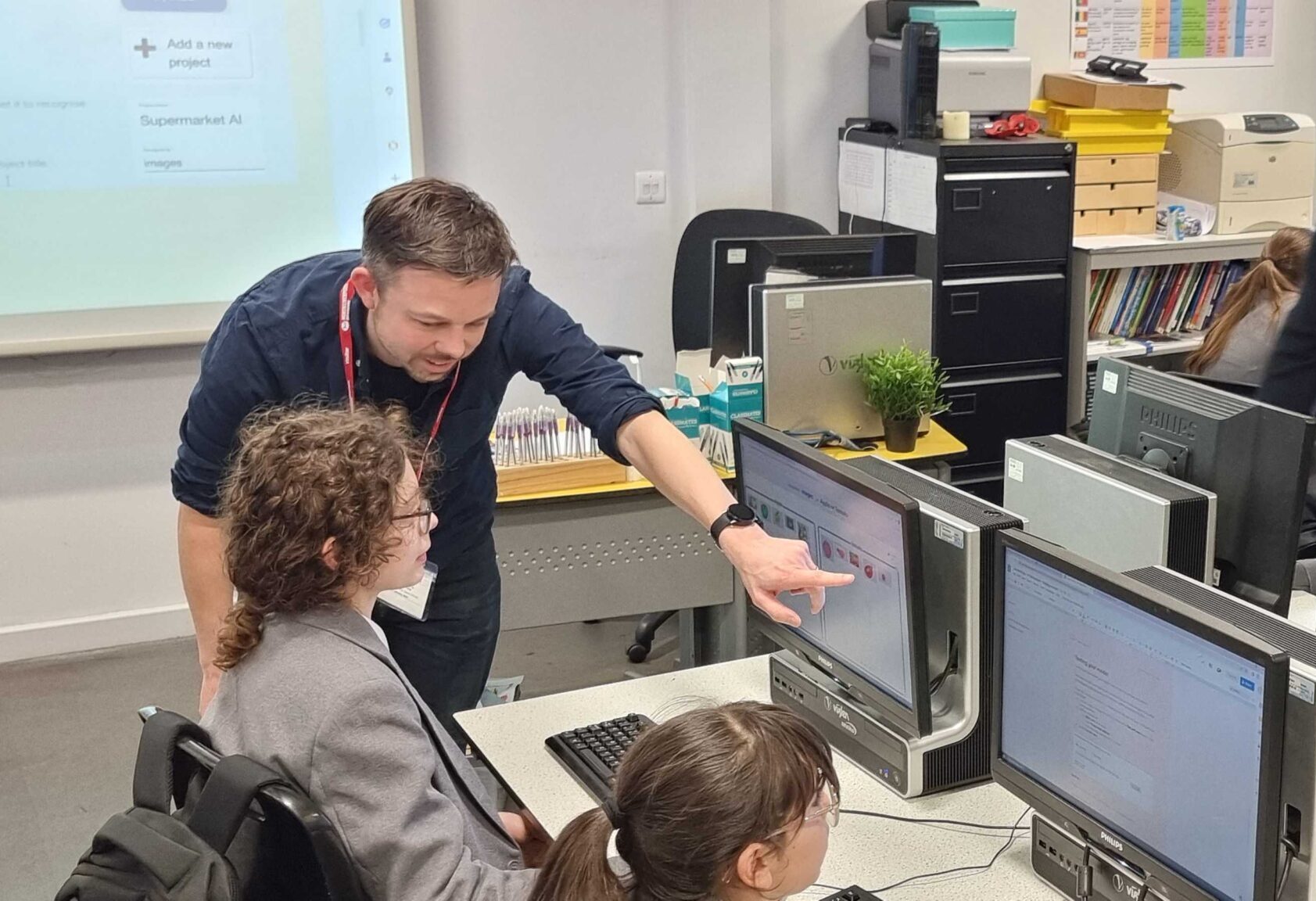
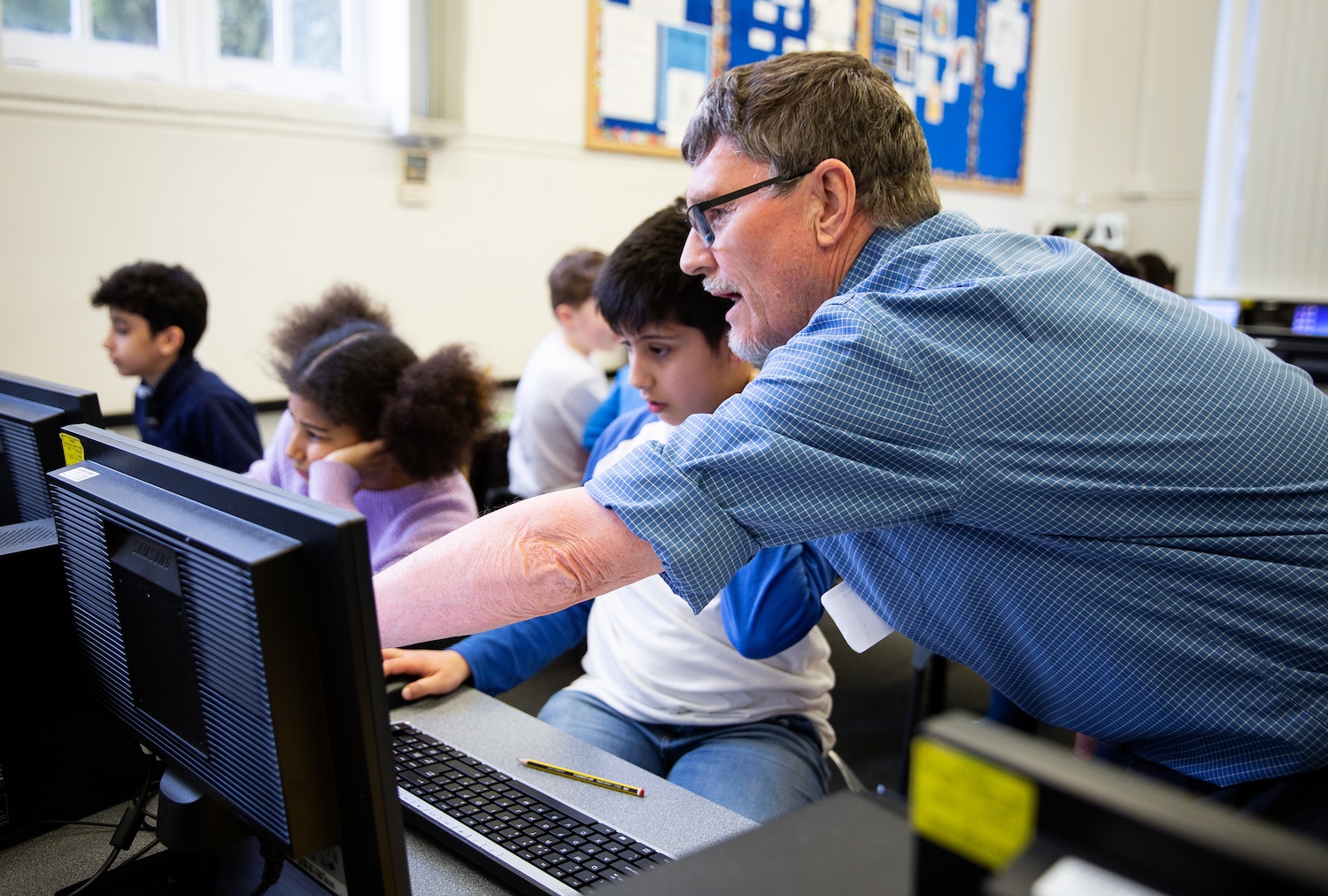
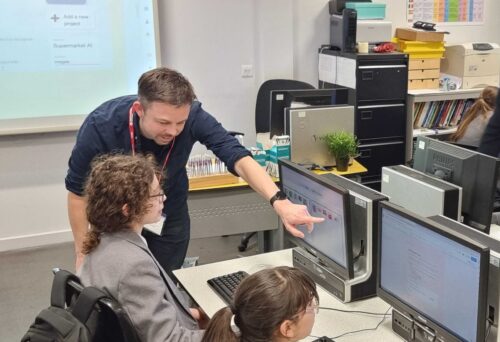
An educator points to an image on a secondary learners computer screen.

Netta explained that these projects give young people an opportunity to begin to address the problems they care about, even though they may be very complex problems. From this problem-solving perspective, children are introduced (or ‘sensitised’) to emerging technologies as tools for social good.

She then went on to outline the key pedagogical approaches that underpin these projects:  

  1. Critical, ethical, empowering design
    This pedagogy draws on critical and speculative design traditions in design research and encourages young people to take a critical perspective towards society, its norms, and the status quo, as part of design thinking. Children consider the ethical values and consequences of their designs. They begin to experience the ways in which engaging in the design process can be empowering and transformative for them, collectively as well as individually. 
  2. Transformative agency of children
    This approach encourages young people to consider their capacity to have agency in the world, by enabling them to envision change and commit to taking action to solve problems that they care about. 
  3. Fostering transformative agency of children in the age of AI
    Transformative agency is achieved when young people engage in ‘expansive learning’ — when they learn something novel, together, and are encouraged to look beyond the confines of school work, the topic, themselves, and the tools available for solving the problem. This approach fosters an active, critical, reflective mindset that encourages children to believe that they can make change and have impact in the world. 

The project design process

The projects follow 3 design phases and include a range of plugged and unplugged activities, as shown in Figure 1.
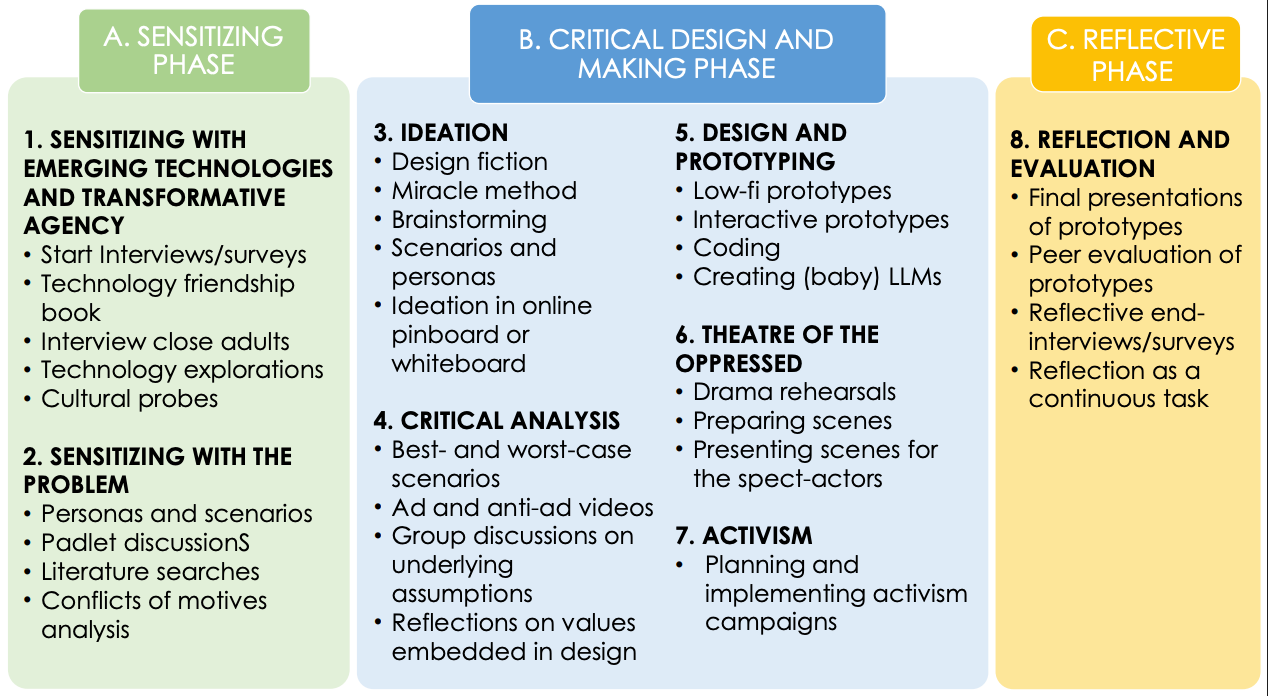
Figure 1. The project phases

Netta then described in more detail some of the activities that have been used to address these different project phases and the design process involved. For example, to explore what are the problems that children really care about, they are asked to imagine ‘carrying a stone in your pocket for one week, as if it was a magic tool. Where could it be used in your everyday life? What problems could it solve? What problems would you like it to solve and how?’ 

Young people are then introduced to a range of novel technologies, for example, VR headsets, robots, and emulators of AI-driven social media platforms, such as “Somekone”, developed as part of the Generative AI project at the University of Eastern Finland. They deconstruct and reconstruct generative AI tools by prompting large language model chatbots such as ChatGPT, Gemini, Claude, etc. and exploring bias in their outputs. They perform small-scale algorithmic auditing and create mini language models (with Google Colab), using the text in Alice in Wonderland to train their models, and then open datasets (books as text files from Project Gutenberg). In exploring the responses generated, they experience the potential and the limitations of such tools and gain an important understanding of the human activity involved in the development of AI technologies. 

Secondary school age learners in a computing classroom.

Once they have had this ‘sensitising‘ exposure to a range of tools, they then work in groups on a project that makes use of AI to solve the societal problem they have chosen. These problems could encompass a range of topics, such as racism, animal rights, the impact of AI, war, mental health, bullying. The young people are prompted to think about how large language models can be used to solve the problem, or parts of the problem. But importantly, they are also asked to consider the different motives and perspectives of the multiple stakeholders involved in the problem and its solution and whether their model ideas will create new problems when deployed.

They follow the 3 project phases shown in Figure 1 to design and make a range of digital (robots, apps, videos) and non-digital artefacts to solve their problem. Netta emphasised that although it could take 10 weeks or more to implement all the suggested activities, it is also possible to pick and choose individual tasks from the 3 phases to suit available curriculum timescales.

Envisioning and critiquing AI futures

Other project tasks involve: 

  • Envisioning AI futures by imagining that a miracle has happened overnight and the problem has disappeared — what is the result? 
  • Critiquing AI futures by creating best and worst case scenarios of the consequences of the AI systems they design, creating video adverts promoting their AI solutions and anti-adverts, focusing on the possible negative consequences of their prototypes 
  • Fostering action-taking by presenting theatrical performances to showcase how their designs tackle a problem and illustrating the AI-related issues surrounding the topic or by creating activism campaign material to mobilise the school community on the same themes 

Secondary education learners in the classroom

These projects situate learning about data-driven technologies in real-world contexts and promote a transdisciplinary approach, teaching and learning about AI from a problem-solving perspective. 

This perspective conveys important messages to young people — that they do have agency and can take action in the face of many of the world’s problems, that they can and should be active, critical users of the new technologies that surround them, and that these technologies can be used to change the world for good. 

Netta ended the seminar by asking viewers to consider how they could foster transformative agency in the young people they teach and whether or not they consider it to be important in computing education.

Resources relating to the projects can be found at interact.oulu.fi.

Join our next seminar

In our current seminar series, we’re exploring teaching about AI and data science. Join us at our next seminar on Tuesday 14 October from 17:00 to 18:30 GMT to hear Viktoriya Olari talk about data-related concepts and practices for AI education in K–12.

To sign up and take part, click the button below. We’ll then send you information about joining. We hope to see you there.

The schedule of our upcoming seminars is online. You can catch up on past seminars on our previous seminars page.

The post Promoting young people’s agency in the age of AI appeared first on Raspberry Pi Foundation.
Hello World podcast: What does AI education look like around the world?

Post Syndicated from Liz Eaton original https://www.raspberrypi.org/blog/hello-world-podcast-what-does-ai-education-look-like-around-the-world/

In a rapidly evolving digital landscape, AI literacy is becoming as fundamental as traditional reading and writing. The latest episode of the Hello World podcast explores this crucial topic, bringing together experts from Kenya, Lithuania, and Malaysia to discuss the current state of AI literacy in their countries. Together, they shed light on the challenges and immense potential of AI education globally.

HW Podcast Thumbnail: AI education: Global perspectives

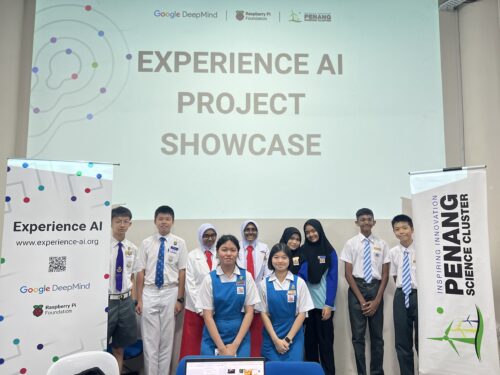
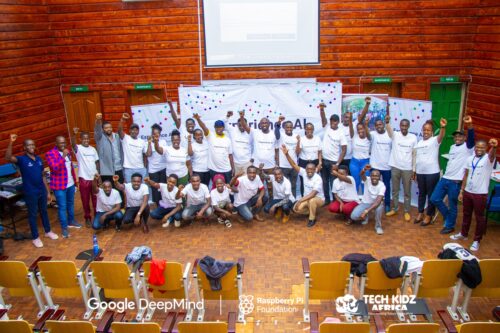
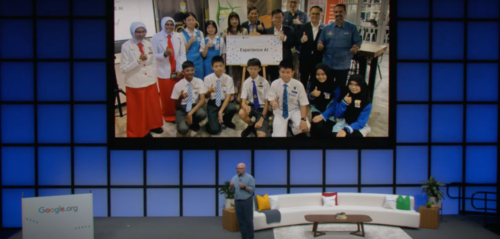
This episode features a conversation led by Ben Garside (Raspberry Pi Foundation), with contributions from Leonida Soi (Raspberry Pi Foundation, Kenya), Aimy Lee (Penang Science Cluster, Malaysia), and Monika Katkutė-Gelžinė (Vedliai, Lithuania). All are key collaborators in the Raspberry Pi Foundation’s AI literacy programme, Experience AI.

The digital literacy gap

One of the most striking takeaways from the conversation is the universal excitement surrounding AI, coupled with a significant need for foundational digital literacy. As Leonida explains:

“There’s an excitement about AI literacy, both from the learners and the teachers… However, one thing to look into is, we still have low digital literacy. As much as we are bringing in AI, if it is not bundled up together with digital literacy, then there is also misuse.” 

 Leonida Soi, Learning Manager, Raspberry Pi Foundation

This highlights a crucial point: simply introducing AI tools isn’t enough. A solid understanding of digital fundamentals is essential for responsible and effective use of AI.

Different contexts, shared challenges

The discussion also reveals the varying approaches to AI education in different countries. Monika shares her experience in Lithuania:

“We’ve been teaching AI for the last 5 years… I see a lot of opportunity in it, but a lot of challenges not to overburden teachers with the noise and changes.”

Her insight highlights the ongoing need for teacher training and sustainable pedagogical strategies, particularly in a field that evolves so quickly.

AI literacy beyond computer science

A key theme throughout the podcast is the importance of integrating AI literacy beyond traditional computer science classrooms. As Leonida emphasises:

“It’s time that AI literacy is looked at from a broader view, not just in computing… something that cuts across all the learning areas.”

This sentiment is echoed by Monika, who suggests:

“I feel like the entire education system needs to go through an AI filter and come out of it with a bit more efficiency, with a bit more understanding, so it lives in a 21st-century AI world. And I see AI as a form of, you know, building and also as a co-worker for everyone in the future.”

Monica Katkute-Gelzine, Vedliai, Experience AI global partner, Lithuania.

The vision of AI as a “co-worker” for all, empowering young people rather than replacing them, offers a powerful perspective for future education.

Addressing the digital divide

Equity is another critical issue, particularly in rural areas. Aimy highlights the ongoing challenge of access:

“The digital divide is in the access to devices, as well as access to high-speed internet connections… but the other thing is also in terms of trained teachers as well.”

Leonida adds that in Kenya there’s a need for unplugged activities to give students an idea of what the world is doing, so that we can start to bridge that gap.

These insights highlight the need for equitable access and innovative teaching methods to ensure no one is left behind.

Encouragement for educators: start small, support each other

For teachers who might feel overwhelmed by the prospect of teaching AI, the advice is clear and encouraging. Aimy suggests:

“Start small, cover one topic at a time, one concept at a time. Don’t feel the need to cover everything all at the same time.”

Aimy Lee, Penang Science Cluster, Experience AI global partner, Malaysia.

Leonida advocates for the power of community, suggesting a “community of practice where [teachers] can share amongst each other and where they can encourage others.”

Building a network of support and shared resources is key as educators take their first steps into teaching AI.

Listen now

This episode of the Hello World podcast is a powerful reminder that AI literacy is not just a skill, but a mindset that needs to be nurtured across all subjects and communities. It also underscores that the commitment to prepare the next generation for an AI-powered world is global.

Listen to the full episode of the Hello World podcast to learn more about the global state of AI literacy and gain practical insights for your classroom.

Learn more about Experience AI

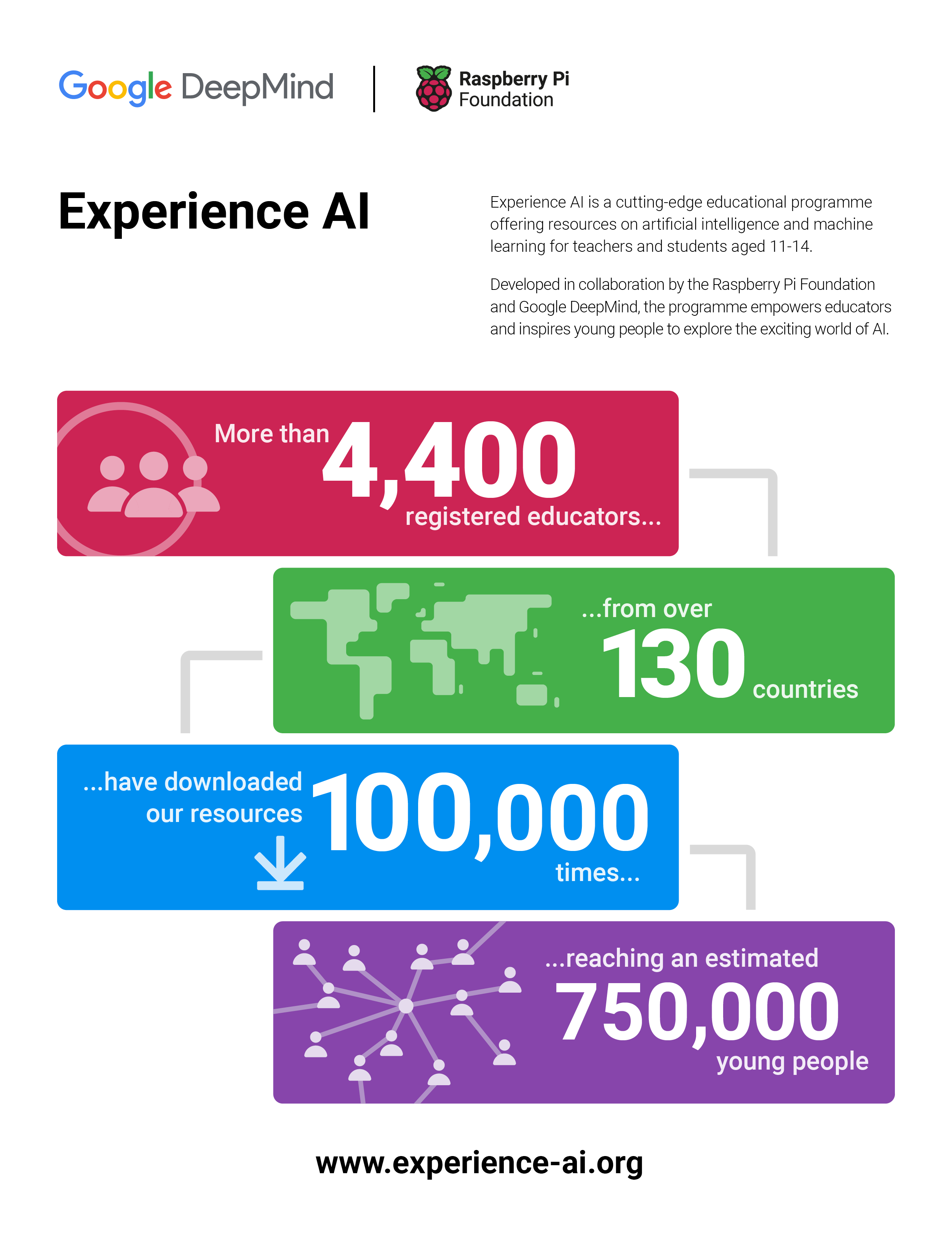
The Experience AI programme is a collaboration between the Raspberry Pi Foundation and Google DeepMind to help young people and educators understand and engage with artificial intelligence. Through free, classroom-ready resources, professional development for teachers, and global partnerships, the programme aims to make AI literacy accessible to all, regardless of geography or background. By supporting educators and inspiring students, Experience AI is helping to prepare the next generation to thrive in a world increasingly shaped by artificial intelligence.

Find out more about Experience AI and how it can support you to bring AI literacy skills to your learners.

The post Hello World podcast: What does AI education look like around the world? appeared first on Raspberry Pi Foundation.

Supporting teachers to integrate AI in K–12 CS education

Post Syndicated from Bobby Whyte original https://www.raspberrypi.org/blog/supporting-teachers-to-integrate-ai-in-k-12-cs-education/

Teaching about artificial intelligence (AI) is a growing challenge for educators around the world. In our current seminar series, we are gaining insights from international computing education researchers on how to teach about AI and data science in the classroom. In our second seminar, Franz Jetzinger from the Technical University of Munich, Germany, presented his work on supporting teachers to integrate AI into their classrooms. Franz brings a wealth of relevant experience to his research as an accomplished textbook author and K–12 computer science teacher.

A photo of Franz Jetzinger in a library.

Franz started by demonstrating how widespread AI systems and technologies are becoming. He argued that embedding lessons about AI in the classroom presents three challenges: 

  1. What to teach (defining AI and learning content)
  2. How to teach (i.e. appropriate pedagogies)
  3. How to prepare teachers (i.e. effective professional development) 

As various models and frameworks for teaching about AI already exist, Franz’s research aims to address the second and third challenges — there is a notable lack of empirical evidence integrating AI in K–12 settings or teacher professional development (PD) to support teachers.

Using professional development to help prepare teachers

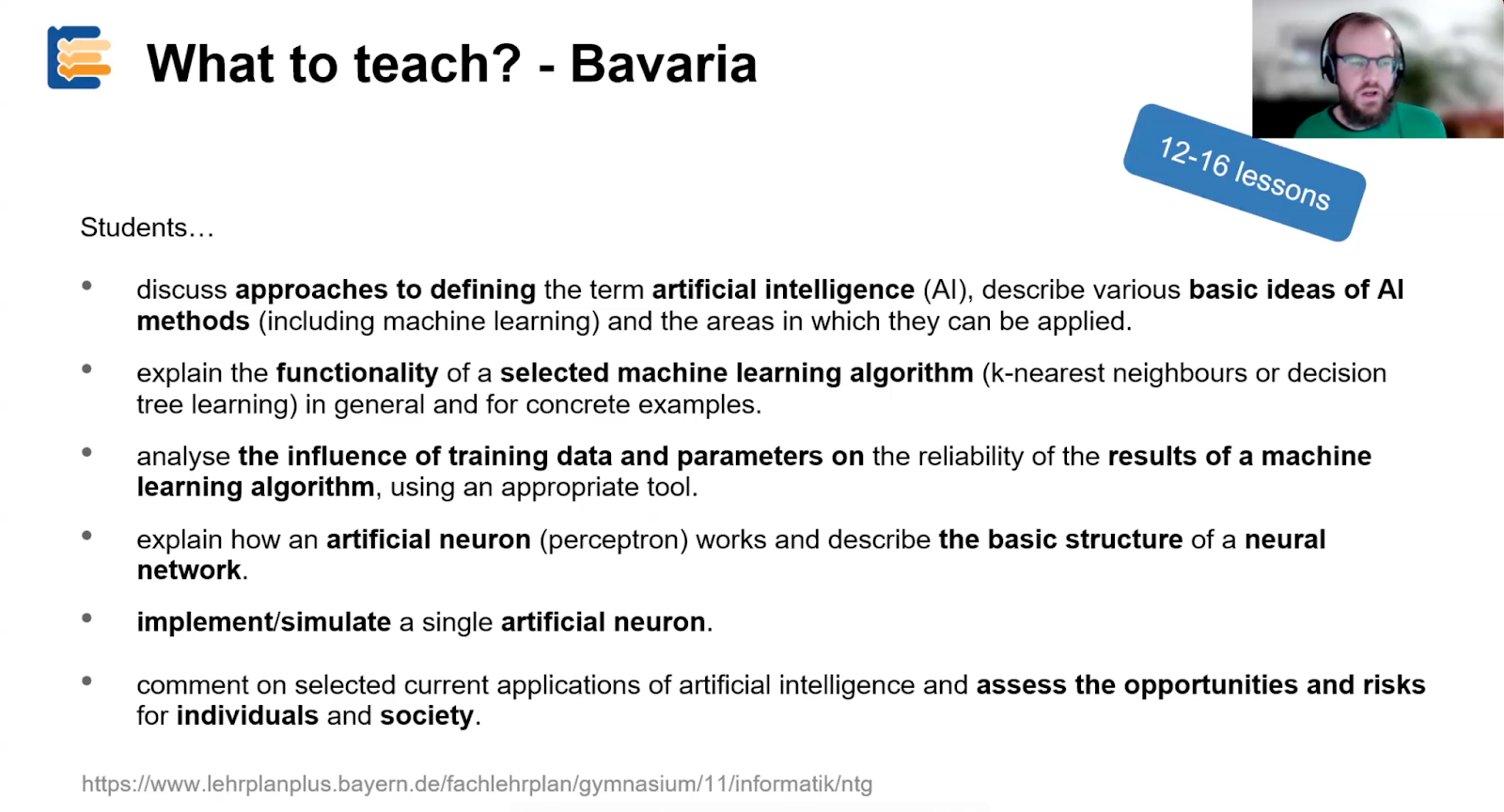
In Bavaria, computer science (CS) has been a compulsory high school subject for over 20 years. However, a recent update has brought compulsory CS lessons (including AI) to Year 11 students (15–16 years old). Competencies targeted in the new curriculum include defining AI, explaining the functionality of different machine learning algorithms, and understanding how artificial neurons work.

Two students are seated at a desk, collaborating on a computing task.

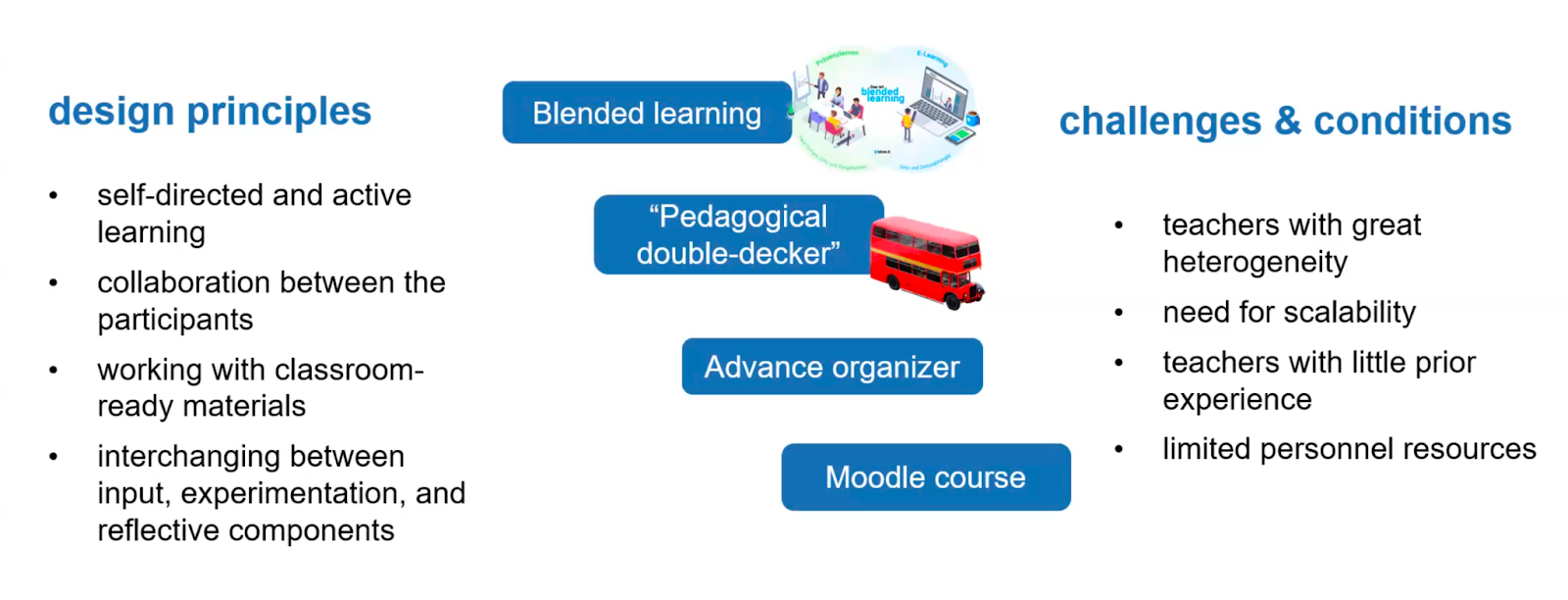
To help prepare teachers to effectively teach this new curriculum and about AI, Franz and colleagues derived a set of core competencies to be used along with existing frameworks (e.g. the Five Big Ideas of AI) and the Bavarian curriculum. The PD programme Franz and colleagues developed was shaped by a set of key design principles:

  1. Blended learning: A blended format was chosen to address the need for scalability and limited resources and to enable self-directed and active learning 
  2. Dual-level pedagogy (or ‘pedagogical double-decker’): Teachers were taught with the same materials to be used in the classroom to aid familiarity
  3. Advanced organiser: A broad overview document was created to support teachers learning new topics 
  4. Moodle: An online learning platform was used to enable collaboration and communication via a MOOC (massive open online course)

Analysing the effectiveness of the PD programme

Over 300 teachers attended the MOOC, which had an introductory session beforehand and a follow-up workshop. The programme’s effectiveness was evaluated with a pre/post assessment where teachers completed a survey of 15 closed, multiple-choice questions on their AI competencies and knowledge. Pre/post comparisons showed teachers’ scores improved significantly having taken part in the PD. This is surprising as a large proportion of participants achieved high pre-scores, indicating a highly motivated cohort with notable prior experience teaching about AI.

Additionally, a group of teachers (n=9) were invited to give feedback on which aspects of the PD programme they felt contributed to the success of implementing the curriculum in the classroom. They reported that the PD programme supported content knowledge and pedagogical content knowledge well, but they required additional support to design suitable learning assessments.

The design of the professional development programme

Using action research to aid AI teaching 

A separate strand of Franz’s research focuses on the other key challenge of how to effectively teach about AI. Franz engaged teachers (n=14) in action research, a method whereby teachers engage in classroom-based research projects. The project explored what topic-specific difficulties students faced during the lessons and how teachers adapted their teaching to overcome these challenges.

The AI curriculum in Bavaria

Findings revealed that students struggled with determining whether AI would benefit certain tasks (e.g. object recognition, text-to-speech) or not (e.g. GPS positioning, sorting data). Franz and colleagues reasoned that students were largely not aware of how AI systems deal with uncertainty and overestimated their capabilities. Therefore, an important step in teaching students about AI is defining ‘what an AI problem is’. 

A teenager learning computer science.

Similarly, students struggled with distinguishing between rule-based and data-driven approaches, believing in some cases that a trained model becomes ‘rule-based’ or that all data models are data-driven. Students also struggled with certain data science concepts, such as hyperparameter, overfitting and underfitting, and information gain. Franz’s team argue that the chosen tool, Orange Data Mining, did not provide an appropriate scaffold for encountering these concepts. 

Finally, teachers found challenges in bringing real-world examples into the classroom, including the use of reinforcement learning and neural networks. Franz and colleagues reasoned that focusing on the function of neural networks, as opposed to their structure, would aid student understanding. The use of high-quality (i.e. well-prepared) real-world data sets was also suggested as a strategy for bridging theoretical ideas with practical examples. 

Addressing the challenges of teaching AI

Franz’s research provides important insights into the discipline-specific challenges educators face when introducing AI into the classroom. It also underscores the importance of appropriate professional development and age-appropriate and research-informed materials and tools to support students engaging with ideas about AI, data science, and machine learning.

Students sitting in a lecture at a university.

Further reading and resources

If you are interested in reading more about Franz’s work on teacher professional development, you can read his paper on a scalable professional development offer for computer science teachers or you can learn more about his research group here.

Join our next seminar

In our current seminar series, we are exploring teaching about AI and data science. Join us at our next seminar on Tuesday 8 April at 17:00–18:30 BST to hear David Weintrop, Rotem Israel-Fishelson, and Peter F. Moon from the University of Maryland introduce ‘API Can Code’, an interest-driven data science curriculum for high-school students.

To sign up and take part in the seminar, click the button below; we will then send you information about joining. We hope to see you there.

The schedule of our upcoming seminars is online. You can catch up on past seminars on our previous seminars and recordings page.

The post Supporting teachers to integrate AI in K–12 CS education appeared first on Raspberry Pi Foundation.

Teaching about AI – Teacher symposium

Post Syndicated from Jane Waite original https://www.raspberrypi.org/blog/teaching-about-ai-teacher-symposium/

AI has become a pervasive term that is heard with trepidation, excitement, and often a furrowed brow in school staffrooms. For educators, there is pressure to use AI applications for productivity — to save time, to help create lesson plans, to write reports, to answer emails, etc. There is also a lot of interest in using AI tools in the classroom, for example, to personalise or augment teaching and learning. However, without understanding AI technology, neither productivity nor personalisation are likely to be successful as teachers and students alike must be critical consumers of these new ways of working to be able to use them productively. 

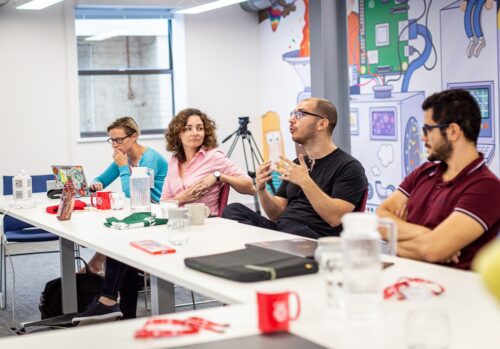
Fifty teachers and researchers posing for a photo at the AI Symposium, held at the Raspberry Pi Foundation office.
Fifty teachers and researchers share knowledge about teaching about AI.

In both England and globally, there are few new AI-based curricula being introduced and the drive for teachers and students to learn about AI in schools is lagging, with limited initiatives supporting teachers in what to teach and how to teach it. At the Raspberry Pi Foundation and Raspberry Pi Computing Education Research Centre, we decided it was time to investigate this missing link of teaching about AI, and specifically to discover what the teachers who are leading the way in this topic are doing in their classrooms.  

A day of sharing and activities in Cambridge

We organised a day-long, face-to-face symposium with educators who have already started to think deeply about teaching about AI, have started to create teaching resources, and are starting to teach about AI in their classrooms. The event was held in Cambridge, England, on 1 February 2025, at the head office of the Raspberry Pi Foundation. 

Photo of educators and researchers collaborating at the AI symposium.
Teachers collaborated and shared their knowledge about teaching about AI.

Over 150 educators and researchers applied to take part in the symposium. With only 50 places available, we followed a detailed protocol, whereby those who had the most experience teaching about AI in schools were selected. We also made sure that educators and researchers from different teaching contexts were selected so that there was a good mix of primary to further education phases represented. Educators and researchers from England, Scotland, and the Republic of Ireland were invited and gathered to share about their experiences. One of our main aims was to build a community of early adopters who have started along the road of classroom-based AI curriculum design and delivery.

Inspiration, examples, and expertise

To inspire the attendees with an international perspective of the topics being discussed, Professor Matti Tedre, a visiting academic from Finland, gave a brief overview of the approach to teaching about AI and resources that his research team have developed. In Finland, there is no compulsory distinct computing topic taught, so AI is taught about in other subjects, such as history. Matti showcased tools and approaches developed from the Generation AI research programme in Finland. You can read about the Finnish research programme and Matti’s two month visit to the Raspberry Pi Computing Education Research Centre in our blog

Photo of a researcher presenting at the AI Symposium.
A Finnish perspective to teaching about AI.

Attendees were asked to talk about, share, and analyse their teaching materials. To model how to analyse resources, Ben Garside from the Raspberry Pi Foundation modelled how to complete the activities using the Experience AI resources as an example. The Experience AI materials have been co-created with Google DeepMind and are a suite of free classroom resources, teacher professional development, and hands-on activities designed to help teachers confidently deliver AI lessons. Aimed at learners aged 11 to 14, the materials are informed by the AI education framework developed at the Raspberry Pi Computing Education Research Centre and are grounded in real-world contexts. We’ve recently released new lessons on AI safety, and we’ve localised the resources for use in many countries including Africa, Asia, Europe, and North America.

In the morning session, Ben exemplified how to talk about and share learning objectives, concepts, and research underpinning materials using the Experience AI resources and in the afternoon he discussed how he had mapped the Experience AI materials to the UNESCO AI competency framework for students.

Photo of an adult presenting at the AI Symposium.
UNESCO provide important expertise.

Kelly Shiohira, from UNESCO, kindly attended our session, and gave an invaluable insight into the UNESCO AI competency framework for students. Kelly is one of the framework’s authors and her presentation helped teachers understand how the materials had been developed. The attendees then used the framework to analyse their resources, to identify gaps and to explore what progression might look like in the teaching of AI.

Photo of a whiteboard featuring different coloured post-it notes displayed featuring teachers' and researchers' ideas.
Teachers shared their knowledge about teaching about AI.

Throughout the day, the teachers worked together to share their experience of teaching about AI. They considered the concepts and learning objectives taught, what progression might look like, what the challenges and opportunities were of teaching about AI, what research informed the resources and what research needs to be done to help improve the teaching and learning of AI.

What next?

We are now analysing the vast amount of data that we gathered from the day and we will share this with the symposium participants before we share it with a wider audience. What is clear from our symposium is that teachers have crucial insights into what should be taught to students about AI, and how, and we are greatly looking forward to continuing this journey with them.

As well as the symposium, we are also conducting academic research in this area, you can read more about this in our Annual Report and on our research webpages. We will also be consulting with teachers and AI experts. If you’d like to ensure you are sent links to these blog posts, then sign up to our newsletter. If you’d like to take part in our research and potentially be interviewed about your perspectives on curriculum in AI, then contact us at: [email protected] 

We also are sharing the research being done by ourselves and other researchers in the field at our research seminars. This year, our seminar series is on teaching about AI and data science in schools. Please do sign up and come along, or watch some of the presentations that have already been delivered by the amazing research teams who are endeavouring to discover what we should be teaching about AI and how in schools

The post Teaching about AI – Teacher symposium appeared first on Raspberry Pi Foundation.

UNESCO’s International Day of Education 2025: AI and the future of education

Post Syndicated from Ben Garside original https://www.raspberrypi.org/blog/unescos-international-day-of-education-2025/

Recently, our Chief Learning Officer Rachel Arthur and I had the opportunity to attend UNESCO’s International Day of Education 2025, which focused on the role of education in helping people “understand and steer AI to better ensure that they retain control over this new class of technology and are able to direct it towards desired objectives that respect human rights and advance progress toward the Sustainable Development Goals”.

How teachers continue to play a vital role in the future of education

Throughout the event, a clear message from UNESCO was that teachers have a very important role to play in the future of education systems, regardless of the advances in technology — a message I find very reassuring. However, as with any good-quality debate, the sessions also reflected a range of other opinions and approaches, which should be listened to and discussed too. 

With this in mind, I was interested to hear a talk by a school leader from England who is piloting the first “teacherless” classroom. They are trialling a programme with twenty Year 10 students (ages 14–15), using an AI tool developed in-house. This tool is trained on eight existing learning platforms, pulling content and tailoring the learning experience based on regular assessments. The students work independently using an AI tool in the morning, supported by a learning mentor in the classroom, while afternoons focus on developing “softer skills”. The school believes this approach will allow students to complete their GCSE exams in just one year instead of two, seeing it as a solution to the years of lost learning caused by lockdowns during the coronavirus pandemic.

Whilst they were reporting early success in this approach, what occurred to me during the talk was the question of how we can decide if this approach is the right one. The results might sound attractive to school leaders, but do we need a more rounded view of what education should look like? Whatever your views on the purpose of schools, I suspect most people would agree that they serve a much greater purpose than just achieving the top results. 

Whilst AI tools may be able to provide personalised learning experiences, it is crucial to consider the role of teachers in young people’s education. If we listed the skills required for a teacher to do their job effectively, I believe we would all reach the same conclusion: teachers play a pivotal role in a young person’s life — one that definitely goes beyond getting the best exam results. According to the Educational Endowment Foundation, high-quality teaching is the most important lever schools have on pupil outcomes

“Quality education demands quality educators” – Farida Shaheed, United Nations Special Rapporteur on the Right to Education

Also, at this stage in AI adoption, can we be sure that this use of AI tools isn’t disadvantageous to any students? We know that machine learning models generate biased results, but I’m not aware of research showing that these systems are fair to all students and do not disadvantage any demographic. An argument levelled against this point is that teachers can also be biased. Aside from the fact that systems have a potentially much larger impact on more students than any individual teacher, I worry that this argument leads to us accepting machine bias, rather than expecting the highest of standards. It is essential that providers of any educational software that processes student data adhere to the principles of fairness, accountability, transparency, privacy, and security (FATPS).

How can the agency of teachers be cultivated in AI adoption?

We are undeniably at a very early stage of a changing education landscape because of AI, and an important question is how teachers can be supported. 

“Education has a foundational role to play in helping individuals and groups determine what tasks should be outsourced to AI and what tasks need to remain firmly in human hands.” – UNESCO 

I was delighted to have been invited to be part of a panel at the event discussing how the agency of teachers can be cultivated in AI adoption. The panel consisted of people with different views and expertise, but importantly, included a classroom teacher, emphasising the importance of listening to educators and not making decisions on their behalf without them. As someone who works primarily on AI literacy education, my talk was centred around my belief that AI literacy education for teachers is of paramount importance. 

Having a basic understanding of how data-driven systems work will empower teachers to think critically and become discerning users, making conscious choices about which tools to use and for what purpose. 

For example, while attending the Bett education technology exhibition recently, I was struck by the prevalence of education products that included the use of AI. With ever more options available, we need teachers to be able to make informed choices about which products will benefit and not harm their students. 

“Teachers urgently need to be empowered to better understand the technical, ethical and pedagogical dimensions of AI.” – Stefania Giannini, Assistant Director-General for Education, UNESCO, AI competency framework for teachers

A very interesting paper released recently showed that individuals with lower AI literacy levels are more receptive towards AI-powered products and services. In short, people with higher literacy levels are more aware of the capabilities and limitations of AI systems. Perhaps this doesn’t mean that people with higher AI literacy levels see all AI tools as ‘bad’, but maybe that they are more able to think critically about the tools and make informed choices about their use. 

UN Special Rapporteur highlights urgent education challenges

For me, the most powerful talk of the day came from Farida Shaheed, the United Nations Special Rapporteur on the Right to Education. I would urge anyone to listen to it (a recording is available on YouTube — the talk begins around 2:16:00). 

The talk included many facts that helped to frame some of the challenges we are facing. Ms Shaheed stated that “29% of all schools lack access to basic drinking water, without which education is not possible”. This is a sobering thought, particularly when there is a growing narrative that AI systems have the potential to democratise education. 

When speaking about the AI tools being developed for education, Ms Shaheed questioned who the tools are for: “It’s telling that [so very few edtech tools] are developed for teachers. […] Is this just because teachers are a far smaller client base or is it a desire to automate teachers out of the equation?”

I’m not sure if I know the answer to this question, but it speaks to my worry that the motivation for tech development does not prioritise taking a human-centred approach. We have to remember that as consumers, we do have more power than we think. If we do not want a future where AI tools are replacing teachers, then we need to make sure that there is not a demand for those tools. 

The conference was a fantastic event to be part of, as it was an opportunity to listen to such a diverse range of perspectives. Certainly, we are facing challenges, but equally, it is both reassuring and exciting to know that so many people across the globe are working together to achieve the best possible outcomes for future generations. Ms Shaheed’s concluding message resonated strongly with me:

“[Share good practices], so we can all move together in a co-creative process that is inclusive of everybody and does not leave anyone behind.” 

As always, we’d love to hear your views — you can contact us here.

The post UNESCO’s International Day of Education 2025: AI and the future of education appeared first on Raspberry Pi Foundation.

Helping young people navigate AI safely

Post Syndicated from Mac Bowley original https://www.raspberrypi.org/blog/helping-young-people-navigate-ai-safely/

AI safety and Experience AI

As our lives become increasingly intertwined with AI-powered tools and systems, it’s more important than ever to equip young people with the skills and knowledge they need to engage with AI safely and responsibly. AI literacy isn’t just about understanding the technology — it’s about fostering critical conversations on how to integrate AI tools into our lives while minimising potential harm — otherwise known as ‘AI safety’.

The UK AI Safety Institute defines AI safety as: “The understanding, prevention, and mitigation of harms from AI. These harms could be deliberate or accidental; caused to individuals, groups, organisations, nations or globally; and of many types, including but not limited to physical, psychological, social, or economic harms.”

As a result of this growing need, we’re thrilled to announce the latest addition to our AI literacy programme, Experience AI —  ‘AI safety: responsibility, privacy, and security’. Co-developed with Google DeepMind, this comprehensive suite of free resources is designed to empower 11- to 14-year-olds to understand and address the challenges of AI technologies. Whether you’re a teacher, youth leader, or parent, these resources provide everything you need to start the conversation.

Linking old and new topics

AI technologies are providing huge benefits to society, but as they become more prevalent we cannot ignore the challenges AI tools bring with them. Many of the challenges aren’t new, such as concerns over data privacy or misinformation, but AI systems have the potential to amplify these issues.

Digital image depicting computer science related elements.

Our resources use familiar online safety themes — like data privacy and media literacy — and apply AI concepts to start the conversation about how AI systems might change the way we approach our digital lives.

Each session explores a specific area:

  • Your data and AI: How data-driven AI systems use data differently to traditional software and why that changes data privacy concerns
  • Media literacy in the age of AI: The ease of creating believable, AI-generated content and the importance of verifying information
  • Using AI tools responsibly: Encouraging critical thinking about how AI is marketed and understanding personal and developer responsibilities

Each topic is designed to engage young people to consider both their own interactions with AI systems and the ethical responsibilities of developers.

Designed to be flexible

Our AI safety resources have flexibility and ease of delivery at their core, and each session is built around three key components:

  1. Animations: Each session begins with a concise, engaging video introducing the key AI concept using sound pedagogy — making it easy to deliver and effective. The video then links the AI concept to the online safety topic and opens threads for thought and conversation, which the learners explore through the rest of the activities. 
  2. Unplugged activities: These hands-on, screen-free activities — ranging from role-playing games to thought-provoking challenges — allow learners to engage directly with the topics.
  3. Discussion questions: Tailored for various settings, these questions help spark meaningful conversations in classrooms, clubs, or at home.

Experience AI has always been about allowing everyone — including those without a technical background or specialism in computer science — to deliver high-quality AI learning experiences, which is why we often use videos to support conceptual learning. 

Digital image featuring two computer screens. One screen seems to represent errors, or misinformation. The other depicts a person potentially plotting something.

In addition, we want these sessions to be impactful in many different contexts, so we included unplugged activities so that you don’t need a computer room to run them! There is also advice on shortening the activities or splitting them so you can deliver them over two sessions if you want. 

The discussion topics provide a time-efficient way of exploring some key implications with learners, which we think will be more effective in smaller groups or more informal settings. They also highlight topics that we feel are important but may not be appropriate for every learner, for example, the rise of inappropriate deepfake images, which you might discuss with a 14-year-old but not an 11-year-old.

A modular approach for all contexts

Our previous resources have all followed a format suitable for delivery in a classroom, but for these resources, we wanted to widen the potential contexts in which they could be used. Instead of prescribing the exact order to deliver them, educators are encouraged to mix and match activities that they feel would be effective for their context. 

Digital image depicting computer science related elements.

We hope this will empower anyone, no matter their surroundings, to have meaningful conversations about AI safety with young people. 

The modular design ensures maximum flexibility. For example:

  • A teacher might combine the video with an unplugged activity and follow-up discussion for a 60-minute lesson
  • A club leader could show the video and run a quick activity in a 30-minute session
  • A parent might watch the video and use the discussion questions during dinner to explore how generative AI shapes the content their children encounter

The importance of AI safety education

With AI becoming a larger part of daily life, young people need the tools to think critically about its use. From understanding how their data is used to spotting misinformation, these resources are designed to build confidence and critical thinking in an AI-powered world.

AI safety is about empowering young people to be informed consumers of AI tools. By using these resources, you’ll help the next generation not only navigate AI, but shape its future. Dive into our materials, start a conversation, and inspire young minds to think critically about the role of AI in their lives.

Ready to get started? Explore our AI safety resources today: rpf.io/aisafetyblog. Together, we can empower every child to thrive in a digital world.

The post Helping young people navigate AI safely appeared first on Raspberry Pi Foundation.
Ocean Prompting Process: How to get the results you want from an LLM

Post Syndicated from Mark Calleja original https://www.raspberrypi.org/blog/ocean-prompting-process-how-to-get-the-results-you-want-from-an-llm/

Have you heard of ChatGPT, Gemini, or Claude, but haven’t tried any of them yourself? Navigating the world of large language models (LLMs) might feel a bit daunting. However, with the right approach, these tools can really enhance your teaching and make classroom admin and planning easier and quicker. 

That’s where the OCEAN prompting process comes in: it’s a straightforward framework designed to work with any LLM, helping you reliably get the results you want. 

The great thing about the OCEAN process is that it takes the guesswork out of using LLMs. It helps you move past that ‘blank page syndrome’ — that moment when you can ask the model anything but aren’t sure where to start. By focusing on clear objectives and guiding the model with the right context, you can generate content that is spot on for your needs, every single time.

5 ways to make LLMs work for you using the OCEAN prompting process

OCEAN’s name is an acronym: objective, context, examples, assess, negotiate — so let’s begin at the top.

1. Define your objective

Think of this as setting a clear goal for your interaction with the LLM. A well-defined objective ensures that the responses you get are focused and relevant.

Maybe you need to:

  • Draft an email to parents about an upcoming school event
  • Create a beginner’s guide for a new Scratch project
  • Come up with engaging quiz questions for your next science lesson

By knowing exactly what you want, you can give the LLM clear directions to follow, turning a broad idea into a focused task.

2. Provide some context 

This is where you give the LLM the background information it needs to deliver the right kind of response. Think of it as setting the scene and providing some of the important information about why, and for whom, you are making the document.

You might include:

  • The length of the document you need
  • Who your audience is — their age, profession, or interests
  • The tone and style you’re after, whether that’s formal, informal, or somewhere in between

All of this helps the LLM include the bigger picture in its analysis and tailor its responses to suit your needs.

Photo by Andril Zastrozhnov.

3. Include examples

By showing the LLM what you’re aiming for, you make it easier for the model to deliver the kind of output you want. This is called one-shot, few-shot, or many-shot prompting, depending on how many examples you provide.

You can:

  • Include URL links 
  • Upload documents and images (some LLMs don’t have this feature)
  • Copy and paste other text examples into your prompt

Without any examples at all (zero-shot prompting), you’ll still get a response, but it might not be exactly what you had in mind. Providing examples is like giving a recipe to follow that includes pictures of the desired result, rather than just vague instructions — it helps to ensure the final product comes out the way you want it.

4. Assess the LLM’s response

This is where you check whether what you’ve got aligns with your original goal and meets your standards.

Keep an eye out for:

  • Hallucinations: incorrect information that’s presented as fact
  • Misunderstandings: did the LLM interpret your request correctly?
  • Bias: make sure the output is fair and aligned with diversity and inclusion principles

A good assessment ensures that the LLM’s response is accurate and useful. Remember, LLMs don’t make decisions — they just follow instructions, so it’s up to you to guide them. This brings us neatly to the next step: negotiate the results.

5. Negotiate the results

If the first response isn’t quite right, don’t worry — that’s where negotiation comes in. You should give the LLM frank and clear feedback and tweak the output until it’s just right. (Don’t worry, it doesn’t have any feelings to be hurt!) 

When you negotiate, tell the LLM if it made any mistakes, and what you did and didn’t like in the output. Tell it to ‘Add a bit at the end about …’ or ‘Stop using the word “delve” all the time!’ 

Photo by luckybusiness.

How to get the tone of the document just right

Another excellent tip is to use descriptors for the desired tone of the document in your negotiations with the LLM, such as, ‘Make that output slightly more casual.’

In this way, you can guide the LLM to be:

  • Approachable: the language will be warm and friendly, making the content welcoming and easy to understand
  • Casual: expect laid-back, informal language that feels more like a chat than a formal document
  • Concise: the response will be brief and straight to the point, cutting out any fluff and focusing on the essentials
  • Conversational: the tone will be natural and relaxed, as if you’re having a friendly conversation
  • Educational: the language will be clear and instructive, with step-by-step explanations and helpful details
  • Formal: the response will be polished and professional, using structured language and avoiding slang
  • Professional: the tone will be business-like and precise, with industry-specific terms and a focus on clarity

Remember: LLMs have no idea what their output says or means; they are literally just very powerful autocomplete tools, just like those in text messaging apps. It’s up to you, the human, to make sure they are on the right track. 

Don’t forget the human edit 

Even after you’ve refined the LLM’s response, it’s important to do a final human edit. This is your chance to make sure everything’s perfect, checking for accuracy, clarity, and anything the LLM might have missed. LLMs are great tools, but they don’t catch everything, so your final touch ensures the content is just right.

At a certain point it’s also simpler and less time-consuming for you to alter individual words in the output, or use your unique expertise to massage the language for just the right tone and clarity, than going back to the LLM for a further iteration. 

Photo by 1xpert.

Ready to dive in? 

Now it’s time to put the OCEAN process into action! Log in to your preferred LLM platform, take a simple prompt you’ve used before, and see how the process improves the output. Then share your findings with your colleagues. This hands-on approach will help you see the difference the OCEAN method can make!

Sign up for a free account at one of these platforms:

  • ChatGPT (chat.openai.com)
  • Gemini (gemini.google.com)

By embracing the OCEAN prompting process, you can quickly and easily make LLMs a valuable part of your teaching toolkit. The process helps you get the most out of these powerful tools, while keeping things ethical, fair, and effective.

If you’re excited about using AI in your classroom preparation, and want to build more confidence in integrating it responsibly, we’ve got great news for you. You can sign up for our totally free online course on edX called ‘Teach Teens Computing: Understanding AI for Educators’ (helloworld.cc/ai-for-educators). In this course, you’ll learn all about the OCEAN process and how to better integrate generative AI into your teaching practice. It’s a fantastic way to ensure you’re using these technologies responsibly and ethically while making the most of what they have to offer. Join us and take your AI skills to the next level!

A version of this article also appears in Hello World issue 25.

The post Ocean Prompting Process: How to get the results you want from an LLM appeared first on Raspberry Pi Foundation.
Exploring how well Experience AI maps to UNESCO’s AI competency framework for students

Post Syndicated from Ben Garside original https://www.raspberrypi.org/blog/experience-ai-unesco-ai-competency-framework/

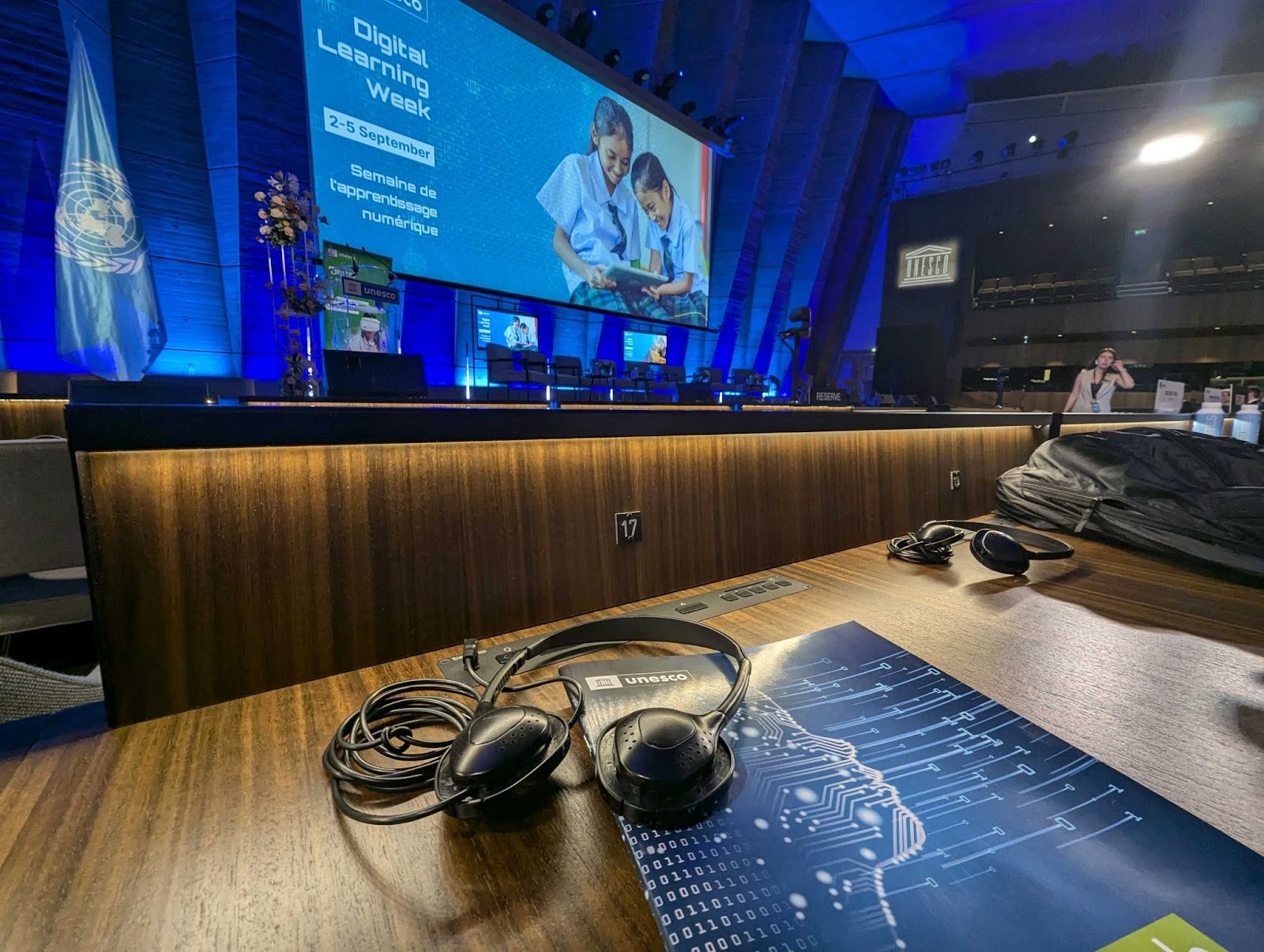
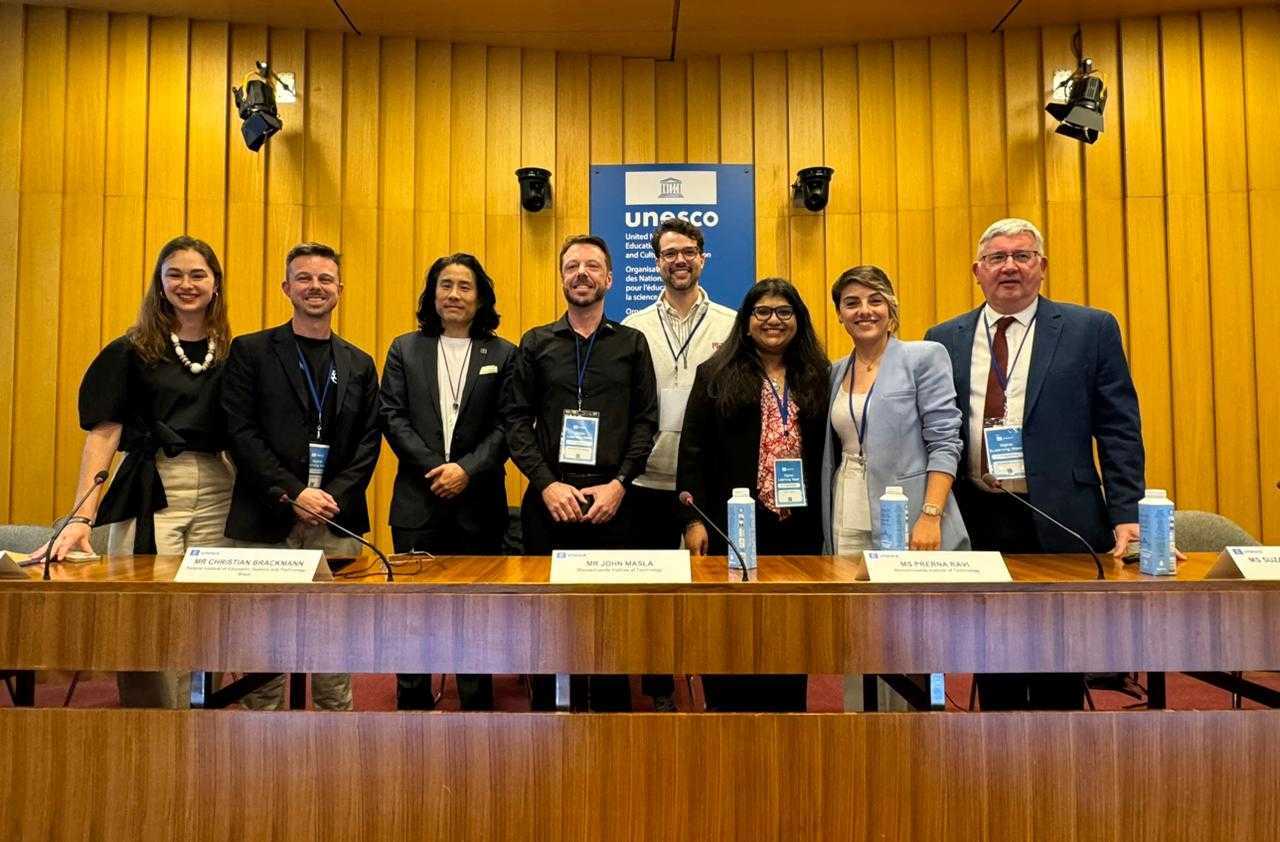
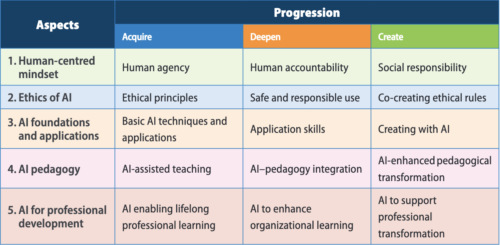
During this year’s annual Digital Learning Week conference in September, UNESCO launched their AI competency frameworks for students and teachers. 

What is the AI competency framework for students? 

The UNESCO competency framework for students serves as a guide for education systems across the world to help students develop the necessary skills in AI literacy and to build inclusive, just, and sustainable futures in this new technological era.

It is an exciting document because, as well as being comprehensive, it’s the first global framework of its kind in the area of AI education.

The framework serves three specific purposes:

  • It offers a guide on essential AI concepts and skills for students, which can help shape AI education policies or programs at schools
  • It aims to shape students’ values, knowledge, and skills so they can understand AI critically and ethically
  • It suggests a flexible plan for when and how students should learn about AI as they progress through different school grades

The framework is a starting point for policy-makers, curriculum developers, school leaders, teachers, and educational experts to look at how it could apply in their local contexts. 

It is not possible to create a single curriculum suitable for all national and local contexts, but the framework flags the necessary competencies for students across the world to acquire the values, knowledge, and skills necessary to examine and understand AI critically from a holistic perspective.

How does Experience AI compare with the framework?

A group of researchers and curriculum developers from the Raspberry Pi Foundation, with a focus on AI literacy, attended the conference and afterwards we tasked ourselves with taking a deep dive into the student framework and mapping our Experience AI resources to it. Our aims were to:

  • Identify how the framework aligns with Experience AI
  • See how the framework aligns with our research-informed design principles
  • Identify gaps or next steps

Experience AI is a free educational programme that offers cutting-edge resources on artificial intelligence and machine learning for teachers, and their students aged 11 to 14. Developed in collaboration with the Raspberry Pi Foundation and Google DeepMind, the programme provides everything that teachers need to confidently deliver engaging lessons that will teach, inspire, and engage young people about AI and the role that it could play in their lives. The current curriculum offering includes a ‘Foundations of AI’ 6-lesson unit, 2 standalone lessons (‘AI and ecosystems’ and ‘Large language models’), and the 3 newly released AI safety resources. 

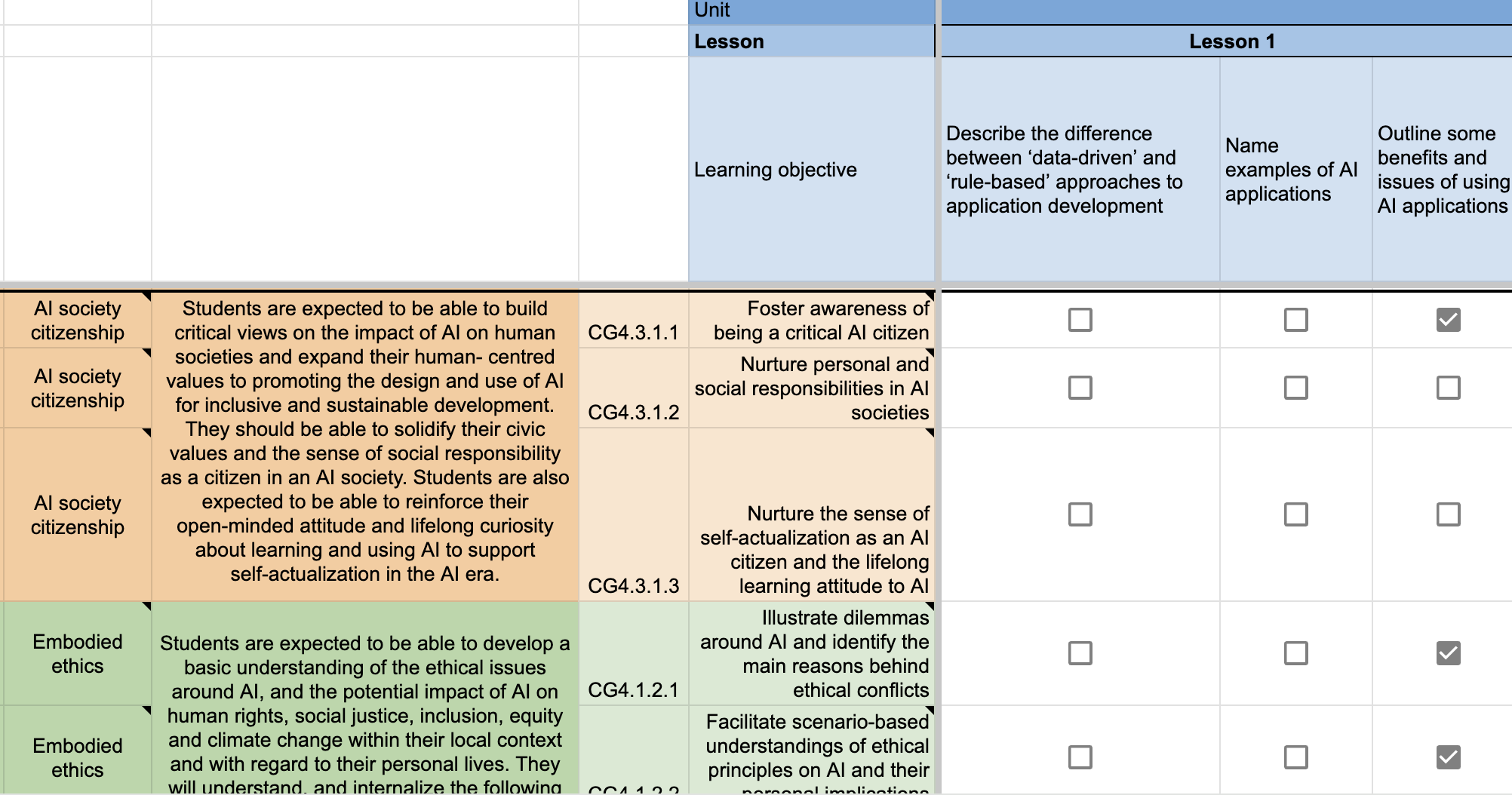
Working through each lesson objective in the Experience AI offering, we compared them with each curricular goal to see where they overlapped. We have made this mapping publicly available so that you can see this for yourself: Experience AI – UNESCO AI Competency framework students – learning objective mapping (rpf.io/unesco-mapping)

The first thing we discovered was that the mapping of the objectives did not have a 1:1 basis. For example, when we looked at a learning objective, we often felt that it covered more than one curricular goal from the framework. That’s not to say that the learning objective fully met each curricular goal, rather that it covers elements of the goal and in turn the student competency. 

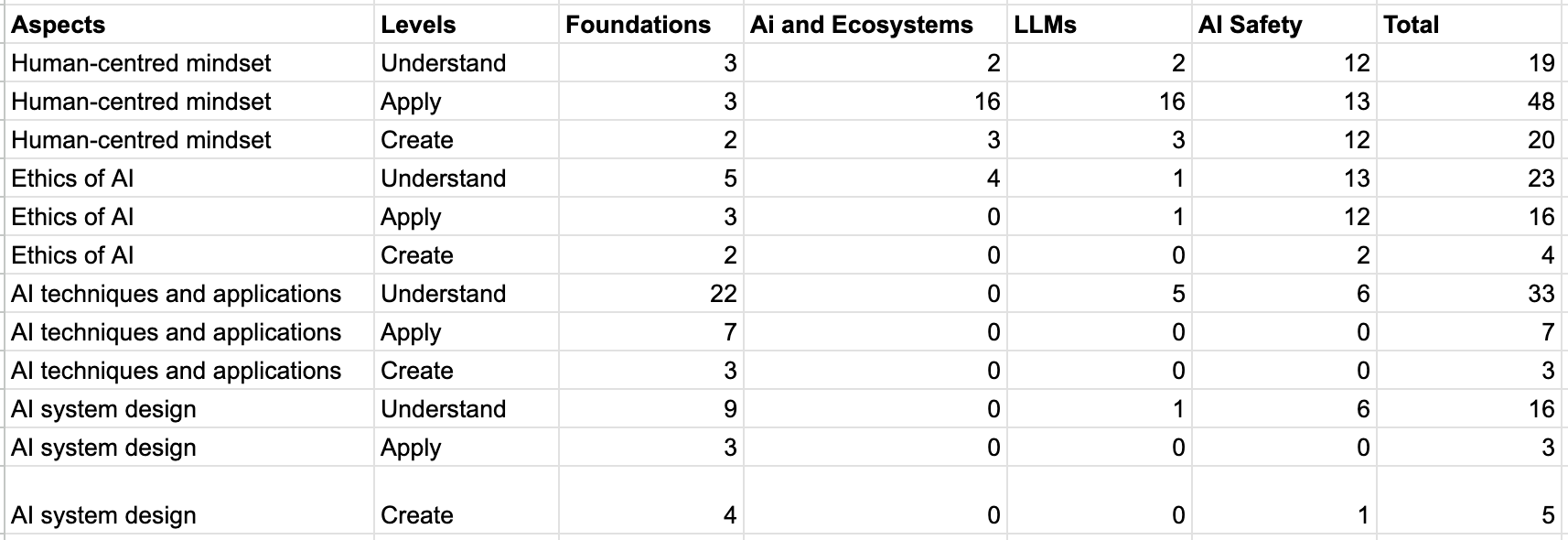
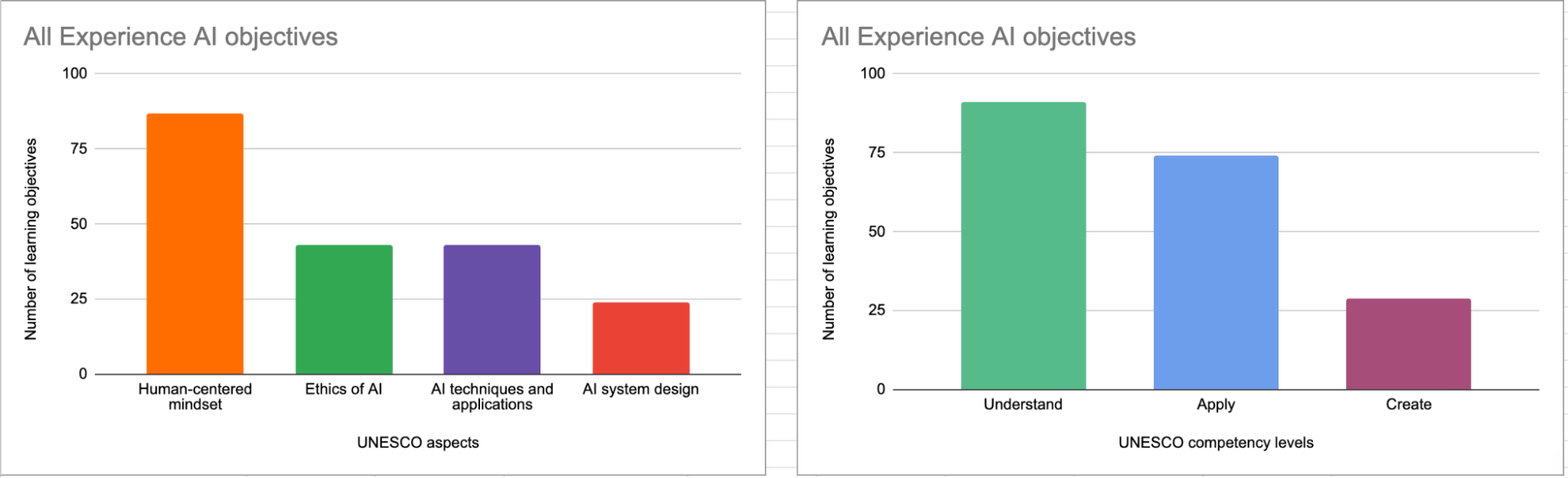
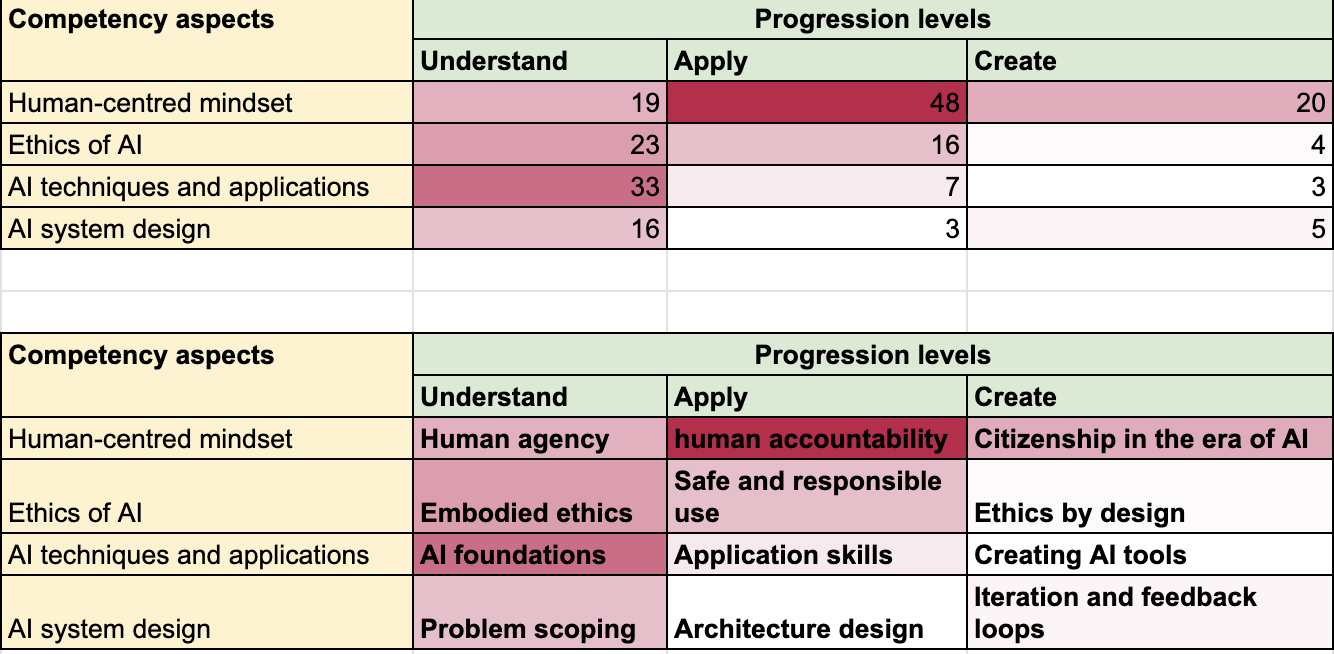
Once we had completed the mapping process, we analysed the results by totalling the number of objectives that had been mapped against each competency aspect and level within the framework.

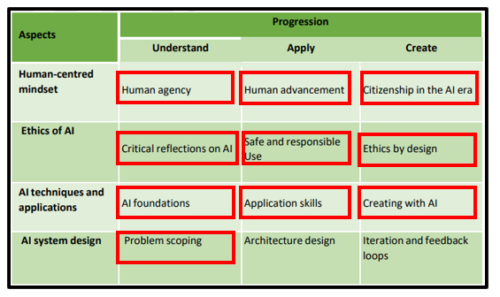
This provided us with an overall picture of where our resources are positioned against the framework. Whilst the majority of the objectives for all of the resources are in the ‘Human-centred mindset’ category, the analysis showed that there is still a relatively even spread of objectives in the other three categories (Ethics of AI, ML techniques and applications, and AI system design). 

As the current resource offering is targeted at the entry level to AI literacy, it is unsurprising to see that the majority of the objectives were at the level of ‘Understand’. It was, however, interesting to see how many objectives were also at the ‘Apply’ level. 

It is encouraging to see that the different resources from Experience AI map to different competencies in the framework. For example, the 6-lesson foundations unit aims to give students a basic understanding of how AI systems work and the data-driven approach to problem solving. In contrast, the AI safety resources focus more on the principles of Fairness, Accountability, Transparency, Privacy, and Security (FATPS), most of which fall more heavily under the ethics of AI and human-centred mindset categories of the competency framework. 

What did we learn from the process? 

Our principles align 

We built the Experience AI resources on design principles based on the knowledge curated by Jane Waite and the Foundation’s researchers. One of our aims of the mapping process was to see if the principles that underpin the UNESCO competency framework align with our own.

Avoiding anthropomorphism 

Anthropomorphism refers to the concept of attributing human characteristics to objects or living beings that aren’t human. For reasons outlined in the blog I previously wrote on the issue, a key design principle for Experience AI is to avoid anthropomorphism at all costs. In our resources, we are particularly careful with the language and images that we use. Putting the human in the process is a key way in which we can remind students that it is humans who design and are responsible for AI systems. 

Young people use computers in a classroom.

It was reassuring to see that the UNESCO framework has many curricular goals that align closely to this, for example:

  • Foster an understanding that AI is human-led
  • Facilitate an understanding on the necessity of exercising sufficient human control over AI
  • Nurture critical thinking on the dynamic relationship between human agency and machine agency

SEAME

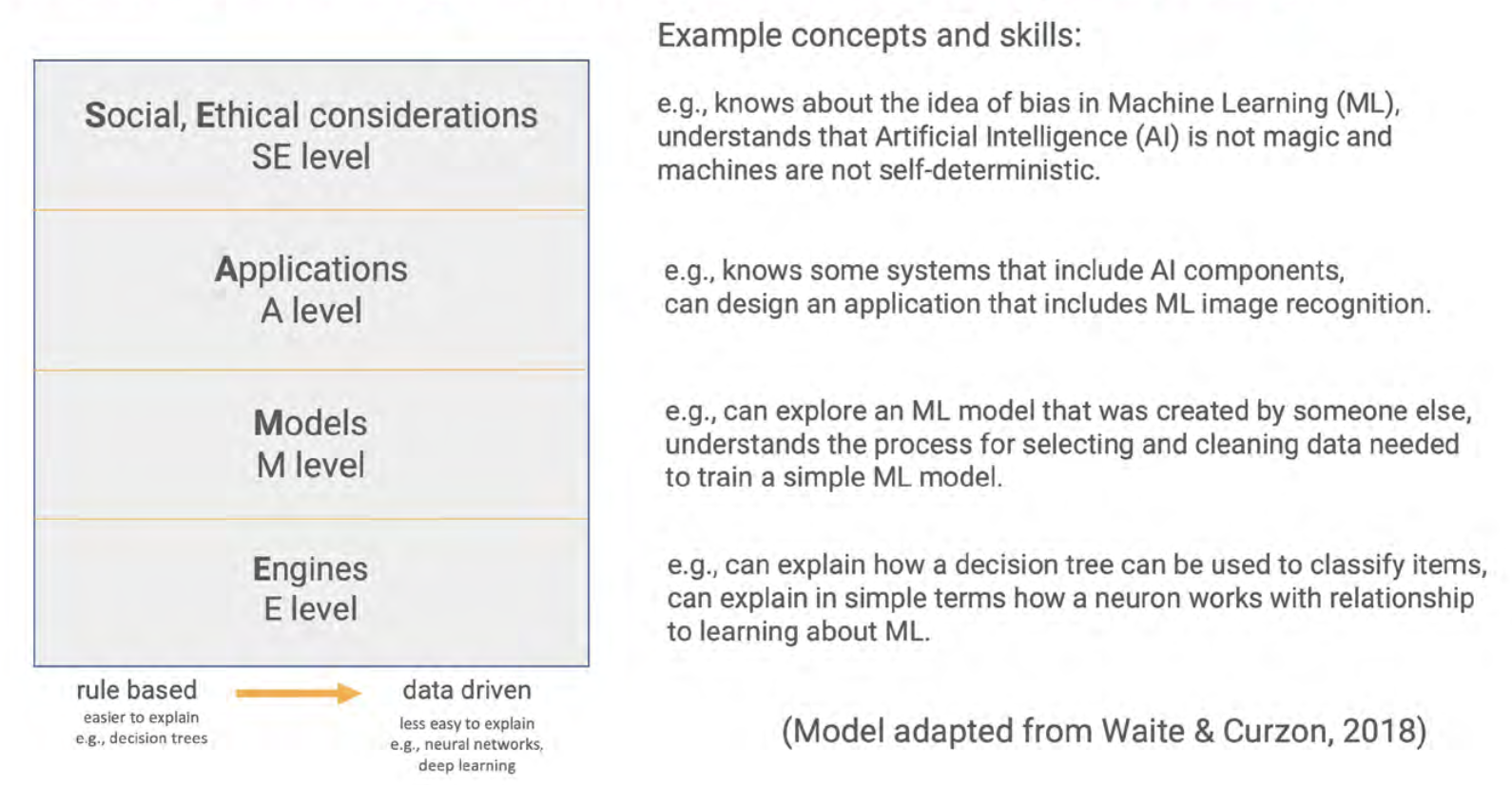
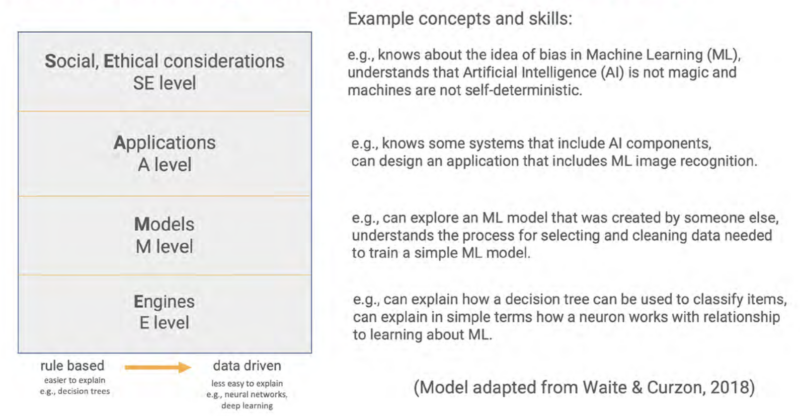
The SEAME framework created by Paul Curzon and Jane Waite offers a way for teachers, resource developers, and researchers to talk about the focus of AI learning activities by separating them into four layers: Social and Ethical (SE), Application (A), Models (M), and Engines (E). 

The SEAME model and the UNESCO AI competency framework take two different approaches to categorising AI education — SEAME describes levels of abstraction for conceptual learning about AI systems, whereas the competency framework separates concepts into strands with progression. We found that although the alignment between the frameworks is not direct, the same core AI and machine learning concepts are broadly covered across both. 

Computational thinking 2.0 (CT2.0)

The concept of computational thinking 2.0 (a data-driven approach) stems from research by Professor Matti Tedre and Dr Henriikka Vartiainen from the University of Eastern Finland. The essence of this approach establishes AI as a different way to solve problems using computers compared to a more traditional computational thinking approach (a rule-based approach). This does not replace the traditional computational approach, but instead requires students to approach the problem differently when using AI as a tool. 

An educator points to an image on a student's computer screen.

The UNESCO framework includes many references within their curricular goals that places the data-driven approach at the forefront of problem solving using AI, including:

  • Develop conceptual knowledge on how AI is trained based on data 
  • Develop skills on assessing AI systems’ need for data, algorithms, and computing resources

Where we slightly differ in our approach is the regular use of the term ‘algorithm’, particularly in the Understand and Apply levels of the framework. We have chosen to differentiate AI systems from traditional computational thinking approaches by avoiding the term ‘algorithm’ at the foundational stage of AI education. We believe the learners need a firm mental model of data-driven systems before students can understand that the Model and Engines of the SEAME model refer to algorithms (which would possibly correspond to the Create stage of the UNESCO framework). 

We can identify areas for exploration

As part of the international expansion of Experience AI, we have been working with partners from across the globe to bring AI literacy education to students in their settings. Part of this process has involved working with our partners to localise the resources, but also to provide training on the concepts covered in Experience AI. During localisation and training, our partners often have lots of queries about the lesson on bias. 

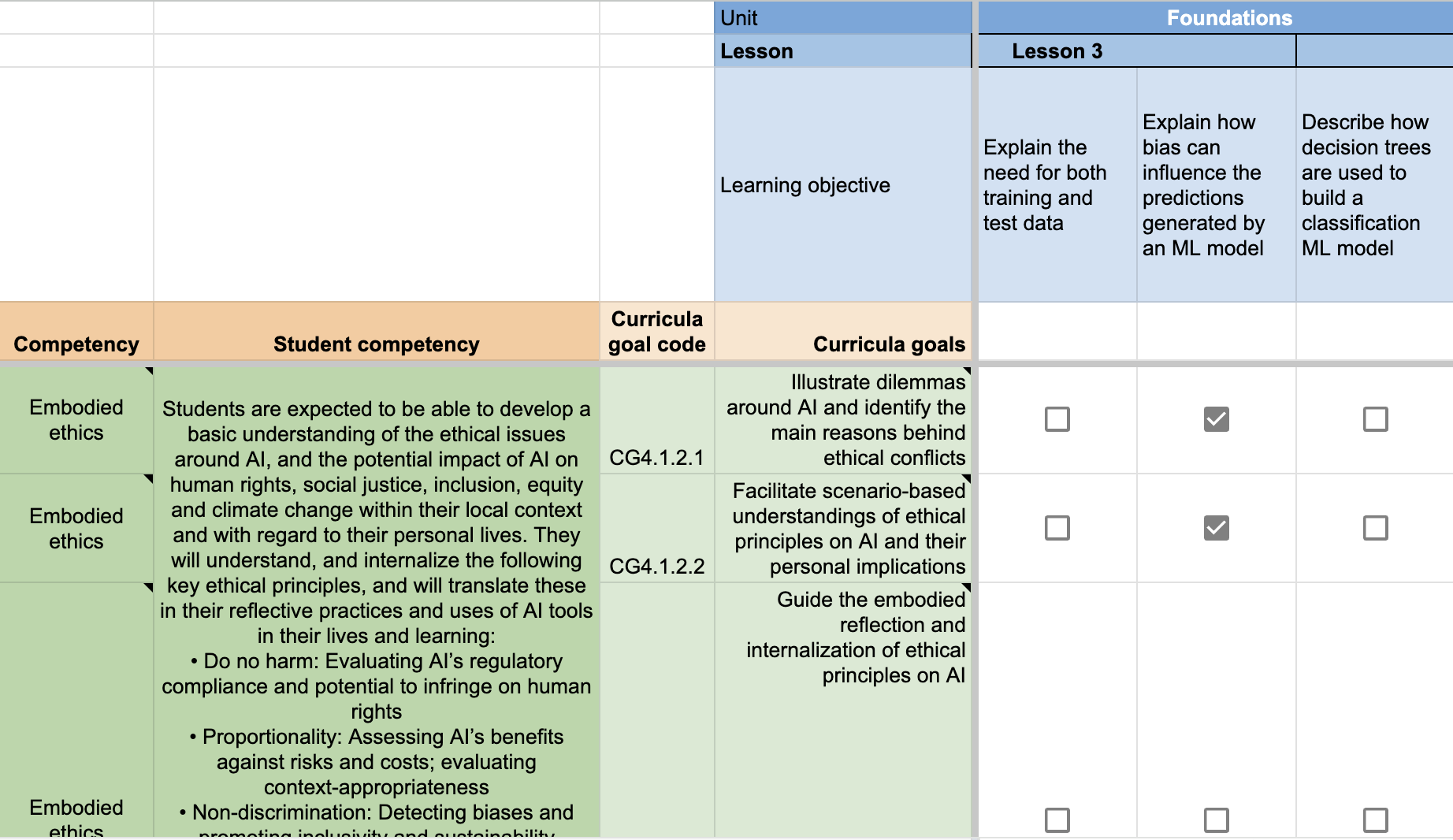
As a result, we decided to see if mapping taught us anything about this lesson in particular, and if there was any learning we could take from it. At close inspection, we found that the lesson covers two out of the three curricular goals for the Understand element of the ‘Ethics of AI’ category (Embodied ethics). 

Specifically, we felt the lesson:

  • Illustrates dilemmas around AI and identifies the main reasons behind ethical conflicts
  • Facilitates scenario-based understandings of ethical principles on AI and their personal implications

What we felt isn’t covered in the lesson is:

  • Guide the embodied reflection and internalisation of ethical principles on AI

Exploring this further, the framework describes this curricular goal as:

Guide students to understand the implications of ethical principles on AI for their human rights, data privacy, safety, human agency, as well as for equity, inclusion, social justice and environmental sustainability. Guide students to develop embodied comprehension of ethical principles; and offer opportunities to reflect on personal attitudes that can help address ethical challenges (e.g. advocating for inclusive interfaces for AI tools, promoting inclusion in AI and reporting discriminatory biases found in AI tools).

We realised that this doesn’t mean that the lesson on bias is ineffective or incomplete, but it does help us to think more deeply about the learning objective for the lesson. This may be something we will look to address in future iterations of the foundations unit or even in the development of new resources. What we have identified is a process that we can follow, which will help us with our decision making in the next phases of resource development. 

How does this inform our next steps?

As part of the analysis of the resources, we created a simple heatmap of how the Experience AI objectives relate to the UNESCO progression levels. As with the barcharts, the heatmap indicated that the majority of the objectives sit within the Understand level of progression, with fewer in Apply, and fewest in Create. As previously mentioned, this is to be expected with the resources being “foundational”. 

The heatmap has, however, helped us to identify some interesting points about our resources that warrant further thought. For example, under the ‘Human-centred mindset’ competency aspect, there are more objectives under Apply than there are Understand. For ‘AI system design’, architecture design is the least covered aspect of Apply. 

By identifying these areas for investigation, again it shows that we’re able to add the learnings from the UNESCO framework to help us make decisions.

What next? 

This mapping process has been a very useful exercise in many ways for those of us working on AI literacy at the Raspberry Pi Foundation. The process of mapping the resources gave us an opportunity to have deep conversations about the learning objectives and question our own understanding of our resources. It was also very satisfying to see that the framework aligns well with our own researched-informed design principles, such as the SEAME model and avoiding anthropomorphisation. 

The mapping process has been a good starting point for us to understand UNESCO’s framework and we’re sure that it will act as a useful tool to help us make decisions around future enhancements to our foundational units and new free educational materials. We’re looking forward to applying what we’ve learnt to our future work! 

The post Exploring how well Experience AI maps to UNESCO’s AI competency framework for students appeared first on Raspberry Pi Foundation.
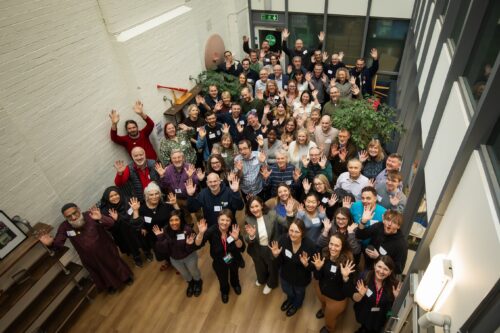
Teaching about AI in schools: Take part in our Research and Educator Community Symposium

Post Syndicated from Jane Waite original https://www.raspberrypi.org/blog/teaching-about-ai-in-schools-research-and-educator-community-symposium/

Worldwide, the use of generative AI systems and related technologies is transforming our lives. From marketing and social media to education and industry, these technologies are being used everywhere, even if it isn’t obvious. Yet, despite the growing availability and use of generative AI tools, governments are still working out how and when to regulate such technologies to ensure they don’t cause unforeseen negative consequences.

How, then, do we equip our young people to deal with the opportunities and challenges that they are faced with from generative AI applications and associated systems? Teaching them about AI technologies seems an important first step. But what should we teach, when, and how?

A teacher aids children in the classroom

Researching AI curriculum design

The researchers at the Raspberry Pi Foundation have been looking at research that will help inform curriculum design and resource development to teach about AI in school. As part of this work, a number of research themes have been established, which we would like to explore with educators at a face-to-face symposium. 

These research themes include the SEAME model, a simple way to analyse learning experiences about AI technology, as well as anthropomorphisation and how this might influence the formation of mental models about AI products. These research themes have become the cornerstone of the Experience AI resources we’ve co-developed with Google DeepMind. We will be using these materials to exemplify how the research themes can be used in practice as we review the recently published UNESCO AI competencies.

A group of educators at a workshop.

Most importantly, we will also review how we can help teachers and learners move from a rule-based view of problem solving to a data-driven view, from computational thinking 1.0 to computational thinking 2.0.

A call for teacher input on the AI curriculum

Over ten years ago, teachers in England experienced a large-scale change in what they needed to teach in computing lessons when programming was more formally added to the curriculum. As we enter a similar period of change — this time to introduce teaching about AI technologies — we want to hear from teachers as we collectively start to rethink our subject and curricula. 

We think it is imperative that educators’ voices are heard as we reimagine computer science and add data-driven technologies into an already densely packed learning context. 

Educators at a workshop.

Join our Research and Educator Community Symposium

On Saturday, 1 February 2025, we are running a Research and Educator Community Symposium in collaboration with the Raspberry Pi Computing Education Research Centre

In this symposium, we will bring together UK educators and researchers to review research themes, competency frameworks, and early international AI curricula and to reflect on how to advance approaches to teaching about AI. This will be a practical day of collaboration to produce suggested key concepts and pedagogical approaches and highlight research needs. 

Educators and researchers at an event.

This symposium focuses on teaching about AI technologies, so we will not be looking at which AI tools might be used in general teaching and learning or how they may change teacher productivity. 

It is vitally important for young people to learn how to use AI technologies in their daily lives so they can become discerning consumers of AI applications. But how should we teach them? Please help us start to consider the best approach by signing up for our Research and Educator Community Symposium by 9 December 2024.

Information at a glance

When:  Saturday, 1 February 2025 (10am to 5pm) 

Where: Raspberry Pi Foundation Offices, Cambridge

Who: If you have started teaching about AI, are creating related resources, are providing professional development about AI technologies, or if you are planning to do so, please apply to attend our symposium. Travel funding is available for teachers in England.

Please note we expect to be oversubscribed, so book early and tell us about why you are interested in taking part. We will notify all applicants of the outcome of their application by 11 December.

The post Teaching about AI in schools: Take part in our Research and Educator Community Symposium appeared first on Raspberry Pi Foundation.
How to make debugging a positive experience for secondary school students

Post Syndicated from Bonnie Sheppard original https://www.raspberrypi.org/blog/debugging-positive-experience-secondary-school-students/

Artificial intelligence (AI) continues to change many areas of our lives, with new AI technologies and software having the potential to significantly impact the way programming is taught at schools. In our seminar series this year, we’ve already heard about new AI code generators that can support and motivate young people when learning to code, AI tools that can create personalised Parson’s Problems, and research into how generative AI could improve young people’s understanding of program error messages.

Two teenage girls do coding activities at their laptops in a classroom.

At times, it can seem like everything is being automated with AI. However, there are some parts of learning to program that cannot (and probably should not) be automated, such as understanding errors in code and how to fix them. Manually typing code might not be necessary in the future, but it will still be crucial to understand the code that is being generated and how to improve and develop it. 

As important as debugging might be for the future of programming, it’s still often the task most disliked by novice programmers. Even if program error messages can be explained in the future or tools like LitterBox can flag bugs in an engaging way, actually fixing the issues involves time, effort, and resilience — which can be hard to come by at the end of a computing lesson in the late afternoon with 30 students crammed into an IT room. 

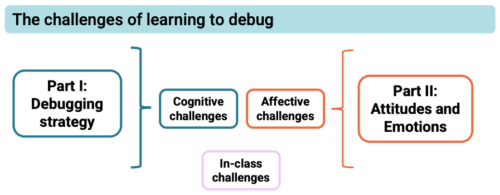
Debugging can be challenging in many different ways and it is important to understand why students struggle to be able to support them better.

But what is it about debugging that young people find so hard, even when they’re given enough time to do it? And how can we make debugging a more motivating experience for young people? These are two of the questions that Laurie Gale, a PhD student at the Raspberry Pi Computing Education Research Centre, focused on in our July seminar.

Why do students find debugging hard?

Laurie has spent the past two years talking to teachers and students and developing tools (a visualiser of students’ programming behaviour and PRIMMDebug, a teaching process and tool for debugging) to understand why many secondary school students struggle with debugging. It has quickly become clear through his research that most issues are due to problematic debugging strategies and students’ negative experiences and attitudes.

A photograph of Laurie Gale.
When Laurie Gale started looking into debugging research for his PhD, he noticed that the majority of studies had been with college students, so he decided to change that and find out what would make debugging easier for novice programmers at secondary school.

When students first start learning how to program, they have to remember a vast amount of new information, such as different variables, concepts, and program designs. Utilising this knowledge is often challenging because they’re already busy juggling all the content they’ve previously learnt and the challenges of the programming task at hand. When error messages inevitably appear that are confusing or misunderstood, it can become extremely difficult to debug effectively. 

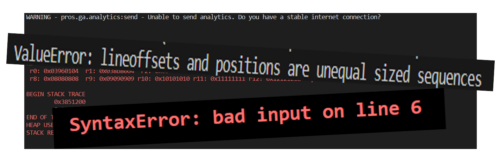
Program error messages are usually not tailored to the age of the programmers and can be hard to understand and overwhelming for novices.

Given this information overload, students often don’t develop efficient strategies for debugging. When Laurie analysed the debugging efforts of 12- to 14-year-old secondary school students, he noticed some interesting differences between students who were more and less successful at debugging. While successful students generally seemed to make less frequent and more intentional changes, less successful students tinkered frequently with their broken programs, making one- or two-character edits before running the program again. In addition, the less successful students often ran the program soon after beginning the debugging exercise without allowing enough time to actually read the code and understand what it was meant to do. 

The issue with these behaviours was that they often resulted in students adding errors when changing the program, which then compounded and made debugging increasingly difficult with each run. 74% of students also resorted to spamming, pressing ‘run’ again and again without changing anything. This strategy resonated with many of our seminar attendees, who reported doing the same thing after becoming frustrated. 

Educators need to be aware of the negative consequences of students’ exasperating and often overwhelming experiences with debugging, especially if students are less confident in their programming skills to begin with. Even though spending 15 minutes on an exercise shows a remarkable level of tenaciousness and resilience, students’ attitudes to programming — and computing as a whole — can quickly go downhill if their strategies for identifying errors prove ineffective. Debugging becomes a vicious circle: if a student has negative experiences, they are less confident when having to bug-fix again in the future, which can lead to another set of unsuccessful attempts, which can further damage their confidence, and so on. Avoiding this downward spiral is essential. 

Approaches to help students engage with debugging

Laurie stresses the importance of understanding the cognitive challenges of debugging and using the right tools and techniques to empower students and support them in developing effective strategies.

To make debugging a less cognitively demanding activity, Laurie recommends using a range of tools and strategies in the classroom.

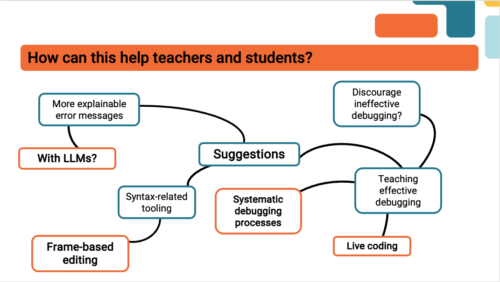
Some ideas of how to improve debugging skills that were mentioned by Laurie and our attendees included:

  • Using frame-based editing tools for novice programmers because such tools encourage students to focus on logical errors rather than accidental syntax errors, which can distract them from understanding the issues with the program. Teaching debugging should also go hand in hand with understanding programming syntax and using simple language. As one of our attendees put it, “You wouldn’t give novice readers a huge essay and ask them to find errors.”
  • Making error messages more understandable, for example, by explaining them to students using Large Language Models.
  • Teaching systematic debugging processes. There are several different approaches to doing this. One of our participants suggested using the scientific method (forming a hypothesis about what is going wrong, devising an experiment that will provide information to see whether the hypothesis is right, and iterating this process) to methodically understand the program and its bugs. 

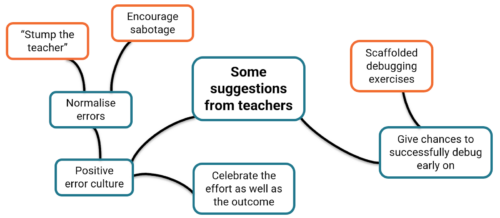
Most importantly, debugging should not be a daunting or stressful experience. Everyone in the seminar agreed that creating a positive error culture is essential. 

Teachers in Laurie’s study have stressed the importance of positive debugging experiences.

Some ideas you could explore in your classroom include:

  • Normalising errors: Stress how normal and important program errors are. Everyone encounters them — a professional software developer in our audience said that they spend about half of their time debugging. 
  • Rewarding perseverance: Celebrate the effort, not just the outcome.
  • Modelling how to fix errors: Let your students write buggy programs and attempt to debug them in front of the class.

In a welcoming classroom where students are given support and encouragement, debugging can be a rewarding experience. What may at first appear to be a failure — even a spectacular one — can be embraced as a valuable opportunity for learning. As a teacher in Laurie’s study said, “If something should have gone right and went badly wrong but somebody found something interesting on the way… you celebrate it. Take the fear out of it.” 

Watch the recording of Laurie’s presentation:

Join our next seminar

In our current seminar series, we are exploring how to teach programming with and without AI.

Join us at our next seminar on Tuesday, 12 November at 17:00–18:30 GMT to hear Nicholas Gardella (University of Virginia) discuss the effects of using tools like GitHub Copilot on the motivation, workload, emotion, and self-efficacy of novice programmers. To sign up and take part in the seminar, click the button below — we’ll then send you information about joining. We hope to see you there.

The schedule of our upcoming seminars is online. You can catch up on past seminars on our previous seminars and recordings page.

The post How to make debugging a positive experience for secondary school students appeared first on Raspberry Pi Foundation.
Hello World #25 out now: Generative AI

Post Syndicated from Meg Wang original https://www.raspberrypi.org/blog/hello-world-25-out-now-generative-ai/

Since they became publicly available at the end of 2022, generative AI tools have been hotly discussed by educators: what role should these tools for generating human-seeming text, images, and other media play in teaching and learning?

Two years later, the one thing most people agree on is that, like it or not, generative AI is here to stay. And as a computing educator, you probably have your learners and colleagues looking to you for guidance about this technology. We’re sharing how educators like you are approaching generative AI in issue 25 of Hello World, out today for free.

Digital image of a copy of Hello World magazine, issue 25.

Generative AI and teaching

Since our ‘Teaching and AI’ issue a year ago, educators have been making strides grappling with generative AI’s place in their classroom, and with the potential risks to young people. In this issue, you’ll hear from a wide range of educators who are approaching this technology in different ways. 

For example:

  • Laura Ventura from Gwinnett County Public Schools (GCPS) in Georgia, USA shares how the GCPS team has integrated AI throughout their K–12 curriculum
  • Mark Calleja from our team guides you through using the OCEAN prompt process to reliably get the results you want from an LLM 
  • Kip Glazer, principal at Mountain View High School in California, USA shares a framework for AI implementation aimed at school leaders
  • Stefan Seegerer, a researcher and educator in Germany, discusses why unplugged activities help us focus on what’s really important in teaching about AI

This issue also includes practical solutions to problems that are unique to computer science educators:

  • Graham Hastings in the UK shares his solution to tricky crocodile clips when working with micro:bits
  • Riyad Dhuny shares his case study of home-hosting a learning management system with his students in Mauritius

And there is lots more for you to discover in issue 25.

Whether or not you use generative AI as part of your teaching practice, it’s important for you to be aware of AI technologies and how your young people may be interacting with it. In his article “A problem-first approach to the development of AI systems”, Ben Garside from our team affirms that:

“A big part of our job as educators is to help young people navigate the changing world and prepare them for their futures, and education has an essential role to play in helping people understand AI technologies so that they can avoid the dangers.

Our approach at the Raspberry Pi Foundation is not to focus purely on the threats and dangers, but to teach young people to be critical users of technologies and not passive consumers. […]

Our call to action to educators, carers, and parents is to have conversations with your young people about generative AI. Get to know their opinions on it and how they view its role in their lives, and help them to become critical thinkers when interacting with technology.”

Share your thoughts & subscribe to Hello World

Computing teachers are being asked again to teach something that they didn’t study. With generative AI as with all things computing, we want to support your teaching and share your successes. We hope you enjoy this issue of Hello World, and please get in touch with your article ideas or what you would like to see in the magazine.


We’d like to thank Oracle for supporting this issue.

The post Hello World #25 out now: Generative AI appeared first on Raspberry Pi Foundation.
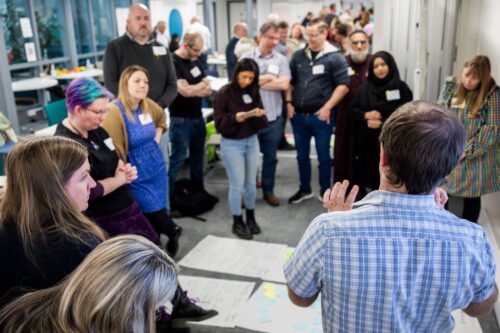
Free online course on understanding AI for educators

Post Syndicated from Mac Bowley original https://www.raspberrypi.org/blog/free-online-course-on-understanding-ai-for-educators/

To empower every educator to confidently bring AI into their classroom, we’ve created a new online training course called ‘Understanding AI for educators’ in collaboration with Google DeepMind. By taking this course, you will gain a practical understanding of the crossover between AI tools and education. The course includes a conceptual look at what AI is, how AI systems are built, different approaches to problem-solving with AI, and how to use current AI tools effectively and ethically.

Image by Mudassar Iqbal from Pixabay

In this post, I will share our approach to designing the course and some of the key considerations behind it — all of which you can apply today to teach your learners about AI systems.

Design decisions: Nurturing knowledge and confidence

We know educators have different levels of confidence with AI tools — we designed this course to help create a level playing field. Our goal is to uplift every educator, regardless of their prior experience, to a point where they feel comfortable discussing AI in the classroom.

Three computer science educators discuss something at a screen.

AI literacy is key to understanding the implications and opportunities of AI in education. The course provides educators with a solid conceptual foundation, enabling them to ask the right questions and form their own perspectives.

As with all our AI learning materials that are part of Experience AI, we’ve used specific design principles for the course:

  • Choosing language carefully: We never anthropomorphise AI systems, replacing phrases like “The model understands” with “The model analyses”. We do this to make it clear that AI is just a computer system, not a sentient being with thoughts or feelings.
  • Accurate terminology: We avoid using AI as a singular noun, opting instead for the more accurate ‘AI tool’ when talking about applications or ‘AI system’ when talking about underlying component parts. 
  • Ethics: The social and ethical impacts of AI are not an afterthought but highlighted throughout the learning materials.

Three main takeaways

The course offers three main takeaways any educator can apply to their teaching about AI systems. 

1. Communicating effectively about AI systems

Deciding the level of detail to use when talking about AI systems can be difficult — especially if you’re not very confident about the topic. The SEAME framework offers a solution by breaking down AI into 4 levels: social and ethical, application, model, and engine. Educators can focus on the level most relevant to their lessons and also use the framework as a useful structure for classroom discussions.

The SEAME framework gives you a simple way to group learning objectives and resources related to teaching AI and ML, based on whether they focus on social and ethical aspects (SE), applications (A), models (M), or engines (E, i.e. how AI works).

You might discuss the impact a particular AI system is having on society, without the need to explain to your learners how the model itself has been trained or tested. Equally, you might focus on a specific machine learning model to look at where the data used to create it came from and consider the effect the data source has on the output. 

2. Problem-solving approaches: Predictive vs. generative AI

AI applications can be broadly separated into two categories: predictive and generative. These two types of AI model represent two vastly different approaches to problem-solving

People create predictive AI models to make predictions about the future. For example, you might create a model to make weather forecasts based on previously recorded weather data, or to recommend new movies to you based on your previous viewing history. In developing predictive AI models, the problem is defined first — then a specific dataset is assembled to help solve it. Therefore, each predictive AI model usually is only useful for a small number of applications.

Seventeen multicoloured post-it notes are roughly positioned in a strip shape on a white board. Each one of them has a hand drawn sketch in pen on them, answering the prompt on one of the post-it notes "AI is...." The sketches are all very different, some are patterns representing data, some are cartoons, some show drawings of things like data centres, or stick figure drawings of the people involved.
Rick Payne and team / Better Images of AI / Ai is… Banner / CC-BY 4.0

Generative AI models are used to generate media (such as text, code, images, or audio). The possible applications of these models are much more varied because people can use media in many different kinds of ways. You might say that the outputs of generative AI models could be used to solve — or at least to partially solve — any number of problems, without these problems needing to be defined before the model is created.

3. Using generative AI tools: The OCEAN process

Generative AI systems rely on user prompts to generate outputs. The OCEAN process, outlined in the course, offers a simple yet powerful framework for prompting AI tools like Gemini, Stable Diffusion or ChatGPT. 

Three groups of icons representing people have shapes travelling between them and a page in the middle of the image. The page is a simple rectangle with straight lines representing data. The shapes traveling towards the page are irregular and in squiggly bands.
Yasmine Boudiaf & LOTI / Better Images of AI / Data Processing / CC-BY 4.0

The first three steps of the process help you write better prompts that will result in an output that is as close as possible to what you are looking for, while the last two steps outline how to improve the output:

  1. Objective: Clearly state what you want the model to generate
  2. Context: Provide necessary background information
  3. Examples: Offer specific examples to fine-tune the model’s output
  4. Assess: Evaluate the output 
  5. Negotiate: Refine the prompt to correct any errors in the output

The final step in using any generative AI tool should be to closely review or edit the output yourself. These tools will very quickly get you started but you’ll always have to rely on your own human effort to ensure the quality of your work. 

Helping educators to be critical users

We believe the knowledge and skills our ‘Understanding AI for educators’ course teaches will help any educator determine the right AI tools and concepts to bring into their classroom, regardless of their specialisation. Here’s what one course participant had to say:

“From my inexperienced viewpoint, I kind of viewed AI as a cheat code. I believed that AI in the classroom could possibly be a real detriment to students and eliminate critical thinking skills.

After learning more about AI [on the course] and getting some hands-on experience with it, my viewpoint has certainly taken a 180-degree turn. AI definitely belongs in schools and in the workplace. It will take time to properly integrate it and know how to ethically use it. Our role as educators is to stay ahead of this trend as opposed to denying AI’s benefits and falling behind.” – ‘Understanding AI for educators’ course participant

All our Experience AI resources — including this online course and the teaching materials — are designed to foster a generation of AI-literate educators who can confidently and ethically guide their students in navigating the world of AI.

You can sign up to the course for free here: 

A version of this article also appears in Hello World issue 25, which will be published on Monday 23 September and will focus on all things generative AI and education.

The post Free online course on understanding AI for educators appeared first on Raspberry Pi Foundation.
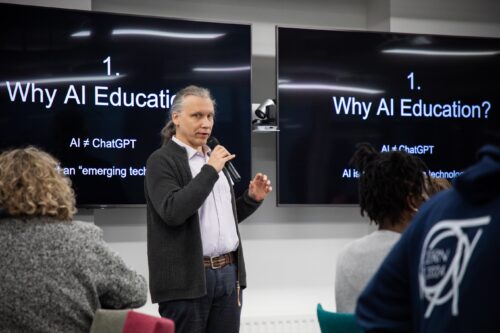
How useful do teachers find error message explanations generated by AI? Pilot research results

Post Syndicated from Veronica Cucuiat original https://www.raspberrypi.org/blog/error-message-explanations-large-language-models-teachers-views/

As discussions of how artificial intelligence (AI) will impact teaching, learning, and assessment proliferate, I was thrilled to be able to add one of my own research projects to the mix. As a research scientist at the Raspberry Pi Foundation, I’ve been working on a pilot research study in collaboration with Jane Waite to explore the topic of program error messages (PEMs). 

Computer science students at a desktop computer in a classroom.

PEMs can be a significant barrier to learning for novice coders, as they are often confusing and difficult to understand. This can hinder troubleshooting and progress in coding, and lead to frustration. 

Recently, various teams have been exploring how generative AI, specifically large language models (LLMs), can be used to help learners understand PEMs. My research in this area specifically explores secondary teachers’ views of the explanations of PEMs generated by a LLM, as an aid for learning and teaching programming, and I presented some of my results in our ongoing seminar series.

Understanding program error messages is hard at the start

I started the seminar by setting the scene and describing the current background of research on novices’ difficulty in using PEMs to fix their code, and the efforts made to date to improve these. The three main points I made were that:

  1. PEMs are often difficult to decipher, especially by novices, and there’s a whole research area dedicated to identifying ways to improve them.
  2. Recent studies have employed LLMs as a way of enhancing PEMs. However, the evidence on what makes an ‘effective’ PEM for learning is limited, variable, and contradictory.
  3. There is limited research in the context of K–12 programming education, as well as research conducted in collaboration with teachers to better understand the practical and pedagogical implications of integrating LLMs into the classroom more generally.

My pilot study aims to fill this gap directly, by reporting K–12 teachers’ views of the potential use of LLM-generated explanations of PEMs in the classroom, and how their views fit into the wider theoretical paradigm of feedback literacy. 

What did the teachers say?

To conduct the study, I interviewed eight expert secondary computing educators. The interviews were semi-structured activity-based interviews, where the educators got to experiment with a prototype version of the Foundation’s publicly available Code Editor. This version of the Code Editor was adapted to generate LLM explanations when the question mark next to the standard error message is clicked (see Figure 1 for an example of a LLM-generated explanation). The Code Editor version called the OpenAI GPT-3.5 interface to generate explanations based on the following prompt: “You are a teacher talking to a 12-year-old child. Explain the error {error} in the following Python code: {code}”. 

The Foundation’s Python Code Editor with LLM feedback prototype.
Figure 1: The Foundation’s Code Editor with LLM feedback prototype.

Fifteen themes were derived from the educators’ responses and these were split into five groups (Figure 2). Overall, the educators’ views of the LLM feedback were that, for the most part, a sensible explanation of the error messages was produced. However, all educators experienced at least one example of invalid content (LLM “hallucination”). Also, despite not being explicitly requested in the LLM prompt, a possible code solution was always included in the explanation.

Themes and groups derived from teachers’ responses.
Figure 2: Themes and groups derived from teachers’ responses.

Matching the themes to PEM guidelines

Next, I investigated how the teachers’ views correlated to the research conducted to date on enhanced PEMs. I used the guidelines proposed by Brett Becker and colleagues, which consolidate a lot of the research done in this area into ten design guidelines. The guidelines offer best practices on how to enhance PEMs based on cognitive science and educational theory empirical research. For example, they outline that enhanced PEMs should provide scaffolding for the user, increase readability, reduce cognitive load, use a positive tone, and provide context to the error.

Out of the 15 themes identified in my study, 10 of these correlated closely to the guidelines. However, the 10 themes that correlated well were, for the most part, the themes related to the content of the explanations, presentation, and validity (Figure 3). On the other hand, the themes concerning the teaching and learning process did not fit as well to the guidelines.

Correlation between teachers’ responses and enhanced PEM design guidelines.
Figure 3: Correlation between teachers’ responses and enhanced PEM design guidelines.

Does feedback literacy theory fit better?

However, when I looked at feedback literacy theory, I was able to correlate all fifteen themes — the theory fits.

Feedback literacy theory positions the feedback process (which includes explanations) as a social interaction, and accounts for the actors involved in the interaction — the student and the teacher — as well as the relationships between the student, the teacher, and the feedback. We can explain feedback literacy theory using three constructs: feedback types, student feedback literacy, and teacher feedback literacy (Figure 4). 

Feedback literacy at the intersection between feedback types, student feedback literacy, and teacher feedback literacy.
Figure 4: Feedback literacy at the intersection between feedback types, student feedback literacy, and teacher feedback literacy.

From the feedback literacy perspective, feedback can be grouped into four types: telling, guiding, developing understanding, and opening up new perspectives. The feedback type depends on the role of the student and teacher when engaging with the feedback (Figure 5). 

Feedback types as formalised by McLean, Bond, & Nicholson.
Figure 5: Feedback types as formalised by McLean, Bond, & Nicholson.

From the student perspective, the competencies and dispositions students need in order to use feedback effectively can be stated as: appreciating the feedback processes, making judgements, taking action, and managing affect. Finally, from a teacher perspective, teachers apply their feedback literacy skills across three dimensions: design, relational, and pragmatic. 

In short, according to feedback literacy theory, effective feedback processes entail well-designed feedback with a clear pedagogical purpose, as well as the competencies students and teachers need in order to make sense of the feedback and use it effectively.

A computer science teacher sits with students at computers in a classroom.

This theory therefore provided a promising lens for analysing the educators’ perspectives in my study. When the educators’ views were correlated to feedback literacy theory, I found that:

  1. Educators prefer the LLM explanations to fulfil a guiding and developing understanding role, rather than telling. For example, educators prefer to either remove or delay the code solution from the explanation, and they like the explanations to include keywords based on concepts they are teaching in the classroom to guide and develop students’ understanding rather than tell.
  1. Related to students’ feedback literacy, educators talked about the ways in which the LLM explanations help or hinder students to make judgements and action the feedback in the explanations. For example, they talked about how detailed, jargon-free explanations can help students make judgments about the feedback, but invalid explanations can hinder this process. Therefore, teachers talked about the need for ways to manage such invalid instances. However, for the most part, the educators didn’t talk about eradicating them altogether. They talked about ways of flagging them, using them as counter-examples, and having visibility of them to be able to address them with students.
  1. Finally, from a teacher feedback literacy perspective, educators discussed the need for professional development to manage feedback processes inclusive of LLM feedback (design) and address issues resulting from reduced opportunities to interact with students (relational and pragmatic). For example, if using LLM explanations results in a reduction in the time teachers spend helping students debug syntax errors from a pragmatic time-saving perspective, then what does that mean for the relationship they have with their students? 

Conclusion from the study

By correlating educators’ views to feedback literacy theory as well as enhanced PEM guidelines, we can take a broader perspective on how LLMs might not only shape the content of the explanations, but the whole social interaction around giving and receiving feedback. Investigating ways of supporting students and teachers to practise their feedback literacy skills matters just as much, if not more, than focusing on the content of PEM explanations. 

This study was a first-step exploration of eight educators’ views on the potential impact of using LLM explanations of PEMs in the classroom. Exactly what the findings of this study mean for classroom practice remains to be investigated, and we also need to examine students’ views on the feedback and its impact on their journey of learning to program. 

If you want to hear more, you can watch my seminar:

You can also read the associated paper, or find out more about the research instruments on this project website.

If any of these ideas resonated with you as an educator, student, or researcher, do reach out — we’d love to hear from you. You can contact me directly at [email protected] or drop us a line in the comments below. 

Join our next seminar

The focus of our ongoing seminar series is on teaching programming with or without AI. Check out the schedule of our upcoming seminars

To take part in the next seminar, click the button below to sign up, and we will send you information about how to join. We hope to see you there.

You can also catch up on past seminars on our blog and on the previous seminars and recordings page.

The post How useful do teachers find error message explanations generated by AI? Pilot research results appeared first on Raspberry Pi Foundation.
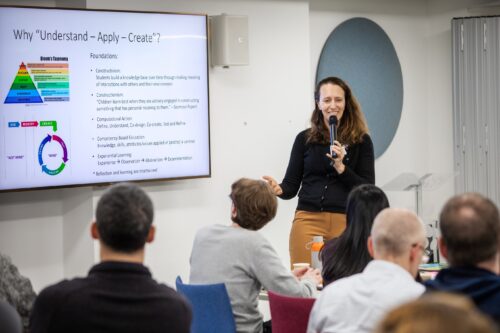
Impact of Experience AI: Reflections from students and teachers

Post Syndicated from Lou Loxley original https://www.raspberrypi.org/blog/impact-of-experience-ai-reflections-from-students-and-teachers/

“I’ve enjoyed actually learning about what AI is and how it works, because before I thought it was just a scary computer that thinks like a human,” a student learning with Experience AI at King Edward’s School, Bath, UK, told us. 

This is the essence of what we aim to do with our Experience AI lessons, which demystify artificial intelligence (AI) and machine learning (ML). Through Experience AI, teachers worldwide are empowered to confidently deliver engaging lessons with a suite of resources that inspire and educate 11- to 14-year-olds about AI and the role it could play in their lives.

“I learned new things and it changed my mindset that AI is going to take over the world.” – Student, Malaysia

Experience AI students in Malaysia

Developed by us with Google DeepMind, our first set of Experience AI lesson resources was aimed at a UK audience and launched in April 2023. Next we released tailored versions of the resources for 5 other countries, working in close partnership with organisations in Malaysia, Kenya, Canada, Romania, and India. Thanks to new funding from Google.org, we’re now expanding Experience AI for 16 more countries and creating new resources on AI safety, with the aim of providing leading-edge AI education for more than 2 million young people across Europe, the Middle East, and Africa. 

In this blog post, you’ll hear directly from students and teachers about the impact the Experience AI lessons have had so far. 

Case study:  Experience AI in Malaysia

Penang Science Cluster in Malaysia is among the first organisations we’ve partnered with for Experience AI. Speaking to Malaysian students learning with Experience AI, we found that the lessons were often very different from what they had expected. 

Launch of Experience AI in Malaysia

“I actually thought it was going to be about boring lectures and not much about AI but more on coding, but we actually got to do a lot of hands-on activities, which are pretty fun. I thought AI was just about robots, but after joining this, I found it could be made into chatbots or could be made into personal helpers.” – Student, Malaysia

“Actually, I thought AI was mostly related to robots, so I was expecting to learn more about robots when I came to this programme. It widened my perception on AI.” – Student, Malaysia. 

The Malaysian government actively promotes AI literacy among its citizens, and working with local education authorities, Penang Science Cluster is using Experience AI to train teachers and equip thousands of young people in the state of Penang with the understanding and skills to use AI effectively. 

“We envision a future where AI education is as fundamental as mathematics education, providing students with the tools they need to thrive in an AI-driven world”, says Aimy Lee, Chief Operating Officer at Penang Science Cluster. “The journey of AI exploration in Malaysia has only just begun, and we’re thrilled to play a part in shaping its trajectory.”

Giving non-specialist teachers the confidence to introduce AI to students

Experience AI provides lesson plans, classroom resources, worksheets, hands-on activities, and videos to help teachers introduce a wide range of AI applications and help students understand how they work. The resources are based on research, and because we adapt them to each partner’s country, they are culturally relevant and relatable for students. Any teacher can use the resources in their classroom, whether or not they have a background in computing education. 

“Our Key Stage 3 Computing students now feel immensely more knowledgeable about the importance and place that AI has in their wider lives. These lessons and activities are engaging and accessible to students and educators alike, whatever their specialism may be.” – Dave Cross,  North Liverpool Academy, UK

“The feedback we’ve received from both teachers and learners has been overwhelmingly positive. They consistently rave about how accessible, fun, and hands-on these resources are. What’s more, the materials are so comprehensive that even non-specialists can deliver them with confidence.” – Storm Rae, The National Museum of Computing, UK

Experience AI teacher training in Kenya

“[The lessons] go above and beyond to ensure that students not only grasp the material but also develop a genuine interest and enthusiasm for the subject.” – Teacher, Changamwe Junior School, Mombasa, Kenya

Sparking debates on bias and the limitations of AI

When learners gain an understanding of how AI works, it gives them the confidence to discuss areas where the technology doesn’t work well or its output is incorrect. These classroom debates deepen and consolidate their knowledge, and help them to use AI more critically.

“Students enjoyed the practical aspects of the lessons, like categorising apples and tomatoes. They found it intriguing how AI could sometimes misidentify objects, sparking discussions on its limitations. They also expressed concerns about AI bias, which these lessons helped raise awareness about. I didn’t always have all the answers, but it was clear they were curious about AI’s implications for their future.” – Tracey Mayhead, Arthur Mellows Village College, Peterborough, UK

Experience AI students in UK

“The lessons that we trialled took some of the ‘magic’ out of AI and started to give the students an understanding that AI is only as good as the data that is used to build it.” – Jacky Green, Waldegrave School, UK 

“I have enjoyed learning about how AI is actually programmed, rather than just hearing about how impactful and great it could be.” – Student, King Edward’s School, Bath, UK 

“It has changed my outlook on AI because now I’ve realised how much AI actually needs human intelligence to be able to do anything.” – Student, Arthur Mellows Village College, Peterborough, UK 

“I didn’t really know what I wanted to do before this but now knowing more about AI, I probably would consider a future career in AI as I find it really interesting and I really liked learning about it.” – Student, Arthur Mellows Village College, Peterborough, UK 

If you’d like to get involved with Experience AI as an educator and use our free lesson resources with your class, you can start by visiting experience-ai.org.

The post Impact of Experience AI: Reflections from students and teachers appeared first on Raspberry Pi Foundation.
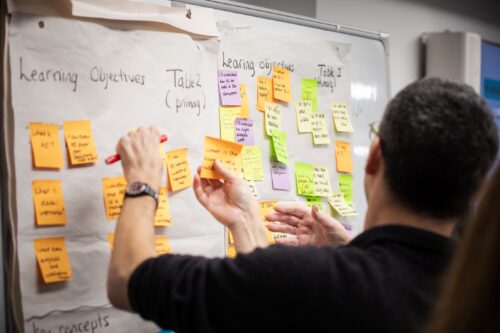
Experience AI: How research continues to shape the resources

Post Syndicated from Lou Loxley original https://www.raspberrypi.org/blog/experience-ai-how-research-continues-to-shape-the-resources/

Since we launched the Experience AI learning programme in the UK in April 2023, educators in 130 countries have downloaded Experience AI lesson resources. They estimate reaching over 630,000 young people with the lessons, helping them to understand how AI works and to build the knowledge and confidence to use AI tools responsibly. Just last week, we announced another exciting expansion of Experience AI: thanks to $10 million in funding from Google.org, we will be able to work with local partner organisations to provide research-based AI education to an estimated over 2 million young people across Europe, the Middle East and Africa.

Trainer discussing Experience AI at a teacher training event in Kenya.
Experience AI teacher training in Kenya

This blog post explains how we use research to continue to shape our Experience AI resources, including the new AI safety resources we are developing. 

The beginning of Experience AI

Artificial intelligence (AI) and machine learning (ML) applications are part of our everyday lives — we use them every time we scroll through social media feeds organised by recommender systems or unlock an app with facial recognition. For young people, there is more need than ever to gain the skills and understanding to critically engage with AI technologies. 

Someone holding a mobile phone that's open on their social media apps folder.

We wanted to design free lesson resources to help teachers in a wide range of subjects confidently introduce AI and ML to students aged 11 to 14 (Key Stage 3). This led us to develop Experience AI, in collaboration with Google DeepMind, offering materials including lesson plans, slide decks, videos (both teacher- and student-facing), student activities, and assessment questions. 

SEAME: The research-based framework behind Experience AI

The Experience AI resources were built on rigorous research from the Raspberry Pi Computing Education Research Centre as well as from other researchers, including those we hosted at our series of seminars on AI and data science education. The Research Centre’s work involved mapping and categorising over 500 resources used to teach AI and ML, and found that the majority were one-off activities, and that very few resources were tailored to a specific age group.

An example activity slide in the Experience AI lessons where students learn about bias.
An example activity in the Experience AI lessons where students learn about bias.

To analyse the content that existing AI education resources covered, the Centre developed a simple framework called SEAME. The framework gives you an easy way to group concepts, knowledge, and skills related to AI and ML based on whether they focus on social and ethical aspects (SE), applications (A), models (M), or engines (E, i.e. how AI works.)

Through Experience AI, learners also gain an understanding of the models underlying AI applications, and the processes used to train and test ML models.

An example activity slide in the Experience AI lessons where students learn about classification.
An example activity in the Experience AI lessons where students learn about classification.

Our Experience AI lessons cover all four levels of SEAME and focus on applications of AI that are relatable for young people. They also introduce learners to AI-related issues such as privacy or bias concerns, and the impact of AI on employment. 

The six foundation lessons of Experience AI

  1. What is AI?: Learners explore the current context of AI and how it is used in the world around them. Looking at the differences between rule-based and data-driven approaches to programming, they consider the benefits and challenges that AI could bring to society. 
  2. How computers learn: Focusing on the role of data-driven models in AI systems, learners are introduced to ML and find out about three common approaches to creating ML models. Finally they explore classification, a specific application of ML.
  3. Bias in, bias out: Students create their own ML model to classify images of apples and tomatoes. They discover that a limited dataset is likely to lead to a flawed ML model. Then they explore how bias can appear in a dataset, resulting in biased predictions produced by a ML model. 
  4. Decision trees: Learners take their first in-depth look at a specific type of ML model: decision trees. They see how different training datasets result in the creation of different ML models, experiencing first-hand what the term ‘data-driven’ means.
  5. Solving problems with ML models: Students are introduced to the AI project lifecycle and use it to create a ML model. They apply a human-focused approach to working on their project, train a ML model, and finally test their model to find out its accuracy.
  6. Model cards and careers: Learners finish the AI project lifecycle by creating a model card to explain their ML model. To complete the unit, they explore a range of AI-related careers, hear from people working in AI research at Google DeepMind, and explore how they might apply AI and ML to their interests. 
Experience AI banner.

We also offer two additional stand-alone lessons: one on large language models, how they work, and why they’re not always reliable, and the other on the application of AI in ecosystems research, which lets learners explore how AI tools can be used to support animal conservation. 

New AI safety resources: Empowering learners to be critical users of technology

We have also been developing a set of resources for educator-led sessions on three topics related to AI safety, funded by Google.org

  • AI and your data: With the support of this resource, young people reflect on the data they have already provided to AI applications in their daily lives, and think about how the prevalence of AI tools might change the way they protect their data.  
  • Media literacy in the age of AI: This resource highlights the ways AI tools can be used to perpetuate misinformation and how AI applications can help people combat misleading claims.
  • Using generative AI responsibly: With this resource, young people consider their responsibilities when using generative AI, and their expectations of developers who release Experience AI tools. 

Other research principles behind our free teaching resources 

As well as using the SEAME framework, we have incorporated a whole host of other research-based concepts in the design principles for the Experience AI resources. For example, we avoid anthropomorphism — that is, words or imagery that can lead learners to wrongly believe that AI applications have sentience or intentions like humans do — and we instead promote the understanding that it’s people who design AI applications and decide how they are used. We also teach about data-driven application design, which is a core concept in computational thinking 2.0.  

Share your feedback

We’d love to hear your thoughts and feedback about using the Experience AI resources. Your comments help us to improve the current materials, and to develop future resources. You can tell us what you think using this form

And if you’d like to start using the Experience AI resources as an educator, you can download them for free at experience-ai.org.

The post Experience AI: How research continues to shape the resources appeared first on Raspberry Pi Foundation.

Experience AI at UNESCO’s Digital Learning Week

Post Syndicated from Ben Garside original https://www.raspberrypi.org/blog/experience-ai-unescos-digital-learning-week/

Last week, we were honoured to attend UNESCO’s Digital Learning Week conference to present our free Experience AI resources and how they can help teachers demystify AI for their learners.  

A group of educators at a UNESCO conference.

The conference drew a worldwide audience in-person and online to hear about the work educators and policy makers are doing to support teachers’ use of AI tools in their teaching and learning. Speaker after speaker reiterated that the shared goal of our work is to support learners to become critical consumers and responsible creators of AI systems.

In this blog, we share how our conference talk demonstrated the use of Experience AI for pursuing this globally shared goal, and how the Experience AI resources align with UNESCO’s newly launched AI competency framework for students.

Presenting the design principles behind Experience AI

Our talk about Experience AI, our learning programme developed with Google DeepMind, focused on the research-informed approach we are taking in our resource development. Specifically, we spoke about three key design principles that we embed in the Experience AI resources:

Firstly, using AI and machine learning to solve problems requires learners and educators to think differently to traditional computational thinking and use a data-driven approach instead, as laid out in the research around computational thinking 2.0.

Secondly, every word we use in our teaching about AI is important to help young people form accurate mental models about how AI systems work. In particular, we focused our examples around the need to avoid anthropomorphising language when we describe AI systems. Especially given that some developers produce AI systems with the aim to make them appear human-like in their design and outputs, it’s important that young people understand that AI systems are in fact built and designed by humans.

Thirdly we described how we used the SEAME framework we adapted from work by Jane Waite (Raspberry Pi Foundation) and Paul Curzon (Queen Mary University, London) to categorise hundreds of AI education resources and inform the design of our Experience AI resources. The framework offers a common language for educators when assessing the content of resources, and when supporting learners to understand the different aspects of AI systems. 

By presenting our design principles, we aimed to give educators, policy makers, and attendees from non-governmental organisations practical recommendations and actionable considerations for designing learning materials on AI literacy.   

How Experience AI aligns with UNESCO’s new AI competency framework for students

At Digital Learning Week, UNESCO launched two AI competency frameworks:

  • A framework for students, intended to help teachers around the world with integrating AI tools in activities to engage their learners
  • A framework for teachers, “defining the knowledge, skills, and values teachers must master in the age of AI”

AI competency framework for students

We have had the chance to map the Experience AI resources to UNESCO’s AI framework for students at a high level, finding that the resources cover 10 of the 12 areas of the framework (see image below).

An adaptation of a summary table from UNESCO’s new student competency framework (CC-BY-SA 3.0 IGO), highlighting the 10 areas covered by our Experience AI resources

For instance, throughout the Experience AI resources runs a thread of promoting “citizenship in the AI era”: the social and ethical aspects of AI technologies are highlighted in all the lessons and activities. In this way, they provide students with the foundational knowledge of how AI systems work, and where they may work badly. Using the resources, educators can teach their learners core AI and machine learning concepts and make these concepts concrete through practical activities where learners create their own models and critically evaluate their outputs. Importantly, by learning with Experience AI, students not only learn to be responsible users of AI tools, but also to consider fairness, accountability, transparency, and privacy when they create AI models.  

Teacher competency framework for AI 

UNESCO’s AI competency framework for teachers outlines 15 competencies across 5 dimensions (see image below).  We enjoyed listening to the launch panel members talk about the strong ambitions of the framework as well as the realities of teachers’ global and local challenges. The three key messages of the panel were:

  • AI will not replace the expertise of classroom teachers
  • Supporting educators to build AI competencies is a shared responsibility
  • Individual countries’ education systems have different needs in terms of educator support

All three messages resonate strongly with the work we’re doing at the Raspberry Pi Foundation. Supporting all educators is a fundamental part of our resource development. For example, Experience AI offers everything a teacher with no technical background needs to deliver the lessons, including lesson plans, videos, worksheets and slide decks. We also provide a free online training course on understanding AI for educators. And in our work with partner organisations around the world, we adapt and translate Experience AI resources so they are culturally relevant, and we organise locally delivered teacher professional development. 
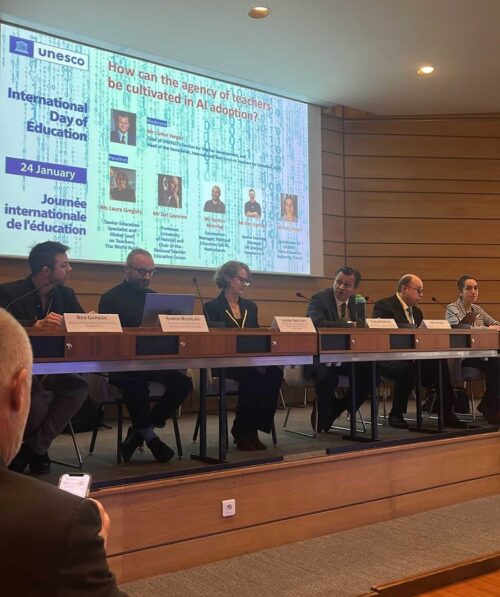
A summary table from UNESCO’s new teacher competency framework (CC-BY-SA 3.0 IGO)

 The teachers’ competency framework is meant as guidance for educators, policy makers, training providers, and application developers to support teachers in using AI effectively, and in helping their learners gain AI literacy skills. We will certainly consult the document as we develop our training and professional development resources for teachers further.

Towards AI literacy for all young people

Across this year’s UNESCO’s Digital Learning Week, we saw that the role of AI in education took centre stage across the presentations and the informal conversations among attendees. It was a privilege to present our work and see how well Experience AI was received, with attendees recognising that our design principles align with the values and principles in UNESCO’s new AI competency frameworks.

A conference table setup with a pair of headphones resting on top of a UNESCO brochure.

We look forward to continuing this international conversation about AI literacy and working in aligned ways to support all young people to develop a foundational understanding of AI technologies.

The post Experience AI at UNESCO’s Digital Learning Week appeared first on Raspberry Pi Foundation.

Experience AI expands to reach over 2 million students

Post Syndicated from Philip Colligan original https://www.raspberrypi.org/blog/experience-ai-expands-to-reach-over-2-million-students/

Two years ago, we announced Experience AI, a collaboration between the Raspberry Pi Foundation and Google DeepMind to inspire the next generation of AI leaders.

Today I am excited to announce that we are expanding the programme with the aim of reaching more than 2 million students over the next 3 years, thanks to a generous grant of $10m from Google.org. 

Why do kids need to learn about AI

AI technologies are already changing the world and we are told that their potential impact is unprecedented in human history. But just like every other wave of technological innovation, along with all of the opportunities, the AI revolution has the potential to leave people behind, to exacerbate divisions, and to make more problems than it solves.

Part of the answer to this dilemma lies in ensuring that all young people develop a foundational understanding of AI technologies and the role that they can play in their lives. 

An educator points to an image on a student's computer screen.

That’s why the conversation about AI in education is so important. A lot of the focus of that conversation is on how we harness the power of AI technologies to improve teaching and learning. Enabling young people to use AI to learn is important, but it’s not enough. 

We need to equip young people with the knowledge, skills, and mindsets to use AI technologies to create the world they want. And that means supporting their teachers, who once again are being asked to teach a subject that they didn’t study. 

Experience AI 

That’s the work that we’re doing through Experience AI, an ambitious programme to provide teachers with free classroom resources and professional development, enabling them to teach their students about AI technologies and how they are changing the world. All of our resources are grounded in research that defines the concepts that make up AI literacy, they are rooted in real world examples drawing on the work of Google DeepMind, and they involve hands-on, interactive activities. 

The Experience AI resources have already been downloaded 100,000 times across 130 countries and we estimate that 750,000 young people have taken part in an Experience AI lesson already. 

In November 2023, we announced that we were building a global network of partners that we would work with to localise and translate the Experience AI resources, to ensure that they are culturally relevant, and organise locally delivered teacher professional development. We’ve made a fantastic start working with partners in Canada, India, Kenya, Malaysia, and Romania; and it’s been brilliant to see the enthusiasm and demand for AI literacy from teachers and students across the globe. 

Thanks to an incredibly generous donation of $10m from Google.org – announced at Google.org’s first Impact Summit  – we will shortly be welcoming new partners in 17 countries across Europe, the Middle East, and Africa, with the aim of reaching more than 2 million students in the next three years. 

AI Safety

Alongside the expansion of the global network of Experience AI partners, we are also launching new resources that focus on critical issues of AI safety. 

A laptop surrounded by various screens displaying images, videos, and a world map.

AI and Your Data: Helping young people reflect on the data they are already providing to AI applications in their lives and how the prevalence of AI tools might change the way they protect their data.

Media Literacy in the Age of AI: Highlighting the ways AI tools can be used to perpetuate misinformation and how AI applications can help combat misleading claims.

Using Generative AI Responsibly: Empowering young people to reflect on their responsibilities when using Generative AI and their expectations of developers who release AI tools.

Get involved

In many ways, this moment in the development of AI technologies reminds me of the internet in the 1990s (yes, I am that old). We all knew that it had potential, but no-one could really imagine the full scale of what would follow. 

We failed to rise to the educational challenge of that moment and we are still living with the consequences: a dire shortage of talent; a tech sector that doesn’t represent all communities and voices; and young people and communities who are still missing out on economic opportunities and unable to utilise technology to solve the problems that matter to them. 

We have an opportunity to do a better job this time. If you’re interested in getting involved, we’d love to hear from you.

The post Experience AI expands to reach over 2 million students appeared first on Raspberry Pi Foundation.
Why we’re taking a problem-first approach to the development of AI systems

Post Syndicated from Ben Garside original https://www.raspberrypi.org/blog/why-were-taking-a-problem-first-approach-to-the-development-of-ai-systems/

If you are into tech, keeping up with the latest updates can be tough, particularly when it comes to artificial intelligence (AI) and generative AI (GenAI). Sometimes I admit to feeling this way myself, however, there was one update recently that really caught my attention. OpenAI launched their latest iteration of ChatGPT, this time adding a female-sounding voice. Their launch video demonstrated the model supporting the presenters with a maths problem and giving advice around presentation techniques, sounding friendly and jovial along the way. 

A finger clicking on an AI app on a phone.

Adding a voice to these AI models was perhaps inevitable as big tech companies try to compete for market share in this space, but it got me thinking, why would they add a voice? Why does the model have to flirt with the presenter? 

Working in the field of AI, I’ve always seen AI as a really powerful problem-solving tool. But with GenAI, I often wonder what problems the creators are trying to solve and how we can help young people understand the tech. 

What problem are we trying to solve with GenAI?

The fact is that I’m really not sure. That’s not to suggest that I think that GenAI hasn’t got its benefits — it does. I’ve seen so many great examples in education alone: teachers using large language models (LLMs) to generate ideas for lessons, to help differentiate work for students with additional needs, to create example answers to exam questions for their students to assess against the mark scheme. Educators are creative people and whilst it is cool to see so many good uses of these tools, I wonder if the developers had solving specific problems in mind while creating them, or did they simply hope that society would find a good use somewhere down the line?

An educator points to an image on a student's computer screen.

Whilst there are good uses of GenAI, you don’t need to dig very deeply before you start unearthing some major problems. 

Anthropomorphism

Anthropomorphism relates to assigning human characteristics to things that aren’t human. This is something that we all do, all of the time, without it having consequences. The problem with doing this with GenAI is that, unlike an inanimate object you’ve named (I call my vacuum cleaner Henry, for example), chatbots are designed to be human-like in their responses, so it’s easy for people to forget they’re not speaking to a human. 

A photographic rendering of a smiling face emoji seen through a refractive glass grid, overlaid with a diagram of a neural network.
Image by Alan Warburton / © BBC / Better Images of AI / Social Media / CC-BY 4.0

As feared, since my last blog post on the topic, evidence has started to emerge that some young people are showing a desire to befriend these chatbots, going to them for advice and emotional support. It’s easy to see why. Here is an extract from an exchange between the presenters at the ChatGPT-4o launch and the model:

ChatGPT (presented with a live image of the presenter): “It looks like you’re feeling pretty happy and cheerful with a big smile and even maybe a touch of excitement. Whatever is going on? It seems like you’re in a great mood. Care to share the source of those good vibes?”
Presenter: “The reason I’m in a good mood is we are doing a presentation showcasing how useful and amazing you are.”
ChatGPT: “Oh stop it, you’re making me blush.” 

The Family Online Safety Institute (FOSI) conducted a study looking at the emerging hopes and fears that parents and teenages have around GenAI.

One quote from a teenager said:

“Some people just want to talk to somebody. Just because it’s not a real person, doesn’t mean it can’t make a person feel — because words are powerful. At the end of the day, it can always help in an emotional and mental way.”  

The prospect of teenagers seeking solace and emotional support from a generative AI tool is a concerning development. While these AI tools can mimic human-like conversations, their outputs are based on patterns and data, not genuine empathy or understanding. The ultimate concern is that this exposes vulnerable young people to be manipulated in ways we can’t predict. Relying on AI for emotional support could lead to a sense of isolation and detachment, hindering the development of healthy coping mechanisms and interpersonal relationships. 

A photographic rendering of a simulated middle-aged white woman against a black background, seen through a refractive glass grid and overlaid with a distorted diagram of a neural network.
Image by Alan Warburton / © BBC / Better Images of AI / Virtual Human / CC-BY 4.0

Arguably worse is the recent news of the world’s first AI beauty pageant. The very thought of this probably elicits some kind of emotional response depending on your view of beauty pageants. There are valid concerns around misogyny and reinforcing misguided views on body norms, but it’s also important to note that the winner of “Miss AI” is being described as a lifestyle influencer. The questions we should be asking are, who are the creators trying to have influence over? What influence are they trying to gain that they couldn’t get before they created a virtual woman? 

DeepFake tools

Another use of GenAI is the ability to create DeepFakes. If you’ve watched the most recent Indiana Jones movie, you’ll have seen the technology in play, making Harrison Ford appear as a younger version of himself. This is not in itself a bad use of GenAI technology, but the application of DeepFake technology can easily become problematic. For example, recently a teacher was arrested for creating a DeepFake audio clip of the school principal making racist remarks. The recording went viral before anyone realised that AI had been used to generate the audio clip. 

Easy-to-use DeepFake tools are freely available and, as with many tools, they can be used inappropriately to cause damage or even break the law. One such instance is the rise in using the technology for pornography. This is particularly dangerous for young women, who are the more likely victims, and can cause severe and long-lasting emotional distress and harm to the individuals depicted, as well as reinforce harmful stereotypes and the objectification of women. 

Why we should focus on using AI as a problem-solving tool

Technological developments causing unforeseen negative consequences is nothing new. A lot of our job as educators is about helping young people navigate the changing world and preparing them for their futures and education has an essential role in helping people understand AI technologies to avoid the dangers. 

Our approach at the Raspberry Pi Foundation is not to focus purely on the threats and dangers, but to teach young people to be critical users of technologies and not passive consumers. Having an understanding of how these technologies work goes a long way towards achieving sufficient AI literacy skills to make informed choices and this is where our Experience AI program comes in. 

An Experience AI banner.

Experience AI is a set of lessons developed in collaboration with Google DeepMind and, before we wrote any lessons, our team thought long and hard about what we believe are the important principles that should underpin teaching and learning about artificial intelligence. One such principle is taking a problem-first approach and emphasising that computers are tools that help us solve problems. In the Experience AI fundamentals unit, we teach students to think about the problem they want to solve before thinking about whether or not AI is the appropriate tool to use to solve it. 

Taking a problem-first approach doesn’t by default avoid an AI system causing harm — there’s still the chance it will increase bias and societal inequities — but it does focus the development on the end user and the data needed to train the models. I worry that focusing on market share and opportunity rather than the problem to be solved is more likely to lead to harm.

Another set of principles that underpins our resources is teaching about fairness, accountability, transparency, privacy, and security (Fairness, Accountability, Transparency, and Ethics (FATE) in Artificial Intelligence (AI) and higher education, Understanding Artificial Intelligence Ethics and Safety) in relation to the development of AI systems. These principles are aimed at making sure that creators of AI models develop models ethically and responsibly. The principles also apply to consumers, as we need to get to a place in society where we expect these principles to be adhered to and consumer power means that any models that don’t, simply won’t succeed. 

Furthermore, once students have created their models in the Experience AI fundamentals unit, we teach them about model cards, an approach that promotes transparency about their models. Much like how nutritional information on food labels allows the consumer to make an informed choice about whether or not to buy the food, model cards give information about an AI model such as the purpose of the model, its accuracy, and known limitations such as what bias might be in the data. Students write their own model cards based on the AI solutions they have created. 

What else can we do?

At the Raspberry Pi Foundation, we have set up an AI literacy team with the aim to embed principles around AI safety, security, and responsibility into our resources and align them with the Foundations’ mission to help young people to:

  • Be critical consumers of AI technology
  • Understand the limitations of AI
  • Expect fairness, accountability, transparency, privacy, and security and work toward reducing inequities caused by technology
  • See AI as a problem-solving tool that can augment human capabilities, but not replace or narrow their futures 

Our call to action to educators, carers, and parents is to have conversations with your young people about GenAI. Get to know their opinions on GenAI and how they view its role in their lives, and help them to become critical thinkers when interacting with technology. 

The post Why we’re taking a problem-first approach to the development of AI systems appeared first on Raspberry Pi Foundation.
New guide on using generative AI for teachers and schools

Post Syndicated from Ben Garside original https://www.raspberrypi.org/blog/new-guide-on-using-generative-ai-for-teachers-and-schools/

The world of education is loud with discussions about the uses and risks of generative AI — tools for outputting human-seeming media content such as text, images, audio, and video. In answer, there’s a new practical guide on using generative AI aimed at Computing teachers (and others), written by a group of classroom teachers and researchers at the Raspberry Pi Computing Education Research Centre and Faculty of Education at the University of Cambridge.

Two educators discuss something at a desktop computer.

Their new guide is a really useful overview for everyone who wants to:

  • Understand the issues generative AI tools present in the context of education
  • Find out how to help their schools and students navigate them
  • Discover ideas on how to make use of generative AI tools in their teaching

Since generative AI tools have become publicly available, issues around data privacy and plagiarism are at the front of educators’ minds. At the same time, many educators are coming up with creative ways to use generative AI tools to enhance teaching and learning. The Research Centre’s guide describes the areas where generative AI touches on education, and lays out what schools and teachers can do to use the technology beneficially and help their learners do the same.

Teaching students about generative AI tools

It’s widely accepted that AI tools can bring benefits but can also be used in unhelpful or harmful ways. Basic knowledge of how AI and machine learning works is key to being able to get the best from them. The Research Centre’s guide shares recommended educational resources for teaching learners about AI.

A desktop computer showing the Experience AI homepage.

One of the recommendations is Experience AI, a set of free classroom resources we’re creating. It includes a set of 6 lessons for providing 11- to 14-year-olds with a foundational understanding of AI systems, as well as a standalone lesson specifically for teaching about large language model-based AI tools, such as ChatGPT and Google Gemini. These materials are for teachers of any specialism, not just for Computing teachers.

You’ll find that even a brief introduction to how large language models work is likely to make students’ ideas about using these tools to do all their homework much less appealing. The guide outlines creative ways you can help students see some of generative AI’s pitfalls, such as asking students to generate outputs and compare them, paying particular attention to inaccuracies in the outputs.

Generative AI tools and teaching computing

We’re still learning about what the best ways to teach programming to novice learners are. Generative AI has the potential to change how young people learn text-based programming, as AI functionality is now integrated into many of the major programming environments, generating example solutions or helping to spot errors.

A web project in the Code Editor.

The Research Centre’s guide acknowledges that there’s more work to be done to understand how and when to support learners with programming tasks through generative AI tools. (You can follow our ongoing seminar series on the topic.) In the meantime, you may choose to support established programming pedagogies with generative AI tools, such as prompting an AI chatbot to generate a PRIMM activity on a particular programming concept.

As ethics and the impact of technology play an important part in any good Computing curriculum, the guide also shares ways to use generative AI tools as a focus for your classroom discussions about topics such as bias and inequality.

Using generative AI tools to support teaching and learning

Teachers have been using generative AI applications as productivity tools to support their teaching, and the Research Centre’s guide gives several examples you can try out yourself. Examples include creating summaries of textual materials for students, and creating sets of questions on particular topics. As the guide points out, when you use generative AI tools like this, it’s important to always check the accuracy of the generated materials before you give any of them to your students.

Putting a school-wide policy in place

Importantly, the Research Centre’s guide highlights the need for a school-wide acceptable use policy (AUP) that informs teachers, other school staff, and students on how they may use generative AI tools. This section of the guide suggests websites that offer sample AUPs that can be used as a starting point for your school. Your AUP should aim to keep users safe, covering e-safety, privacy, and security issues as well as offering guidance on being transparent about the use of generative tools.

Teachers in discussion at a table.

It’s not uncommon that schools look to specialist Computing teachers to act as the experts on questions around use of digital tools. However, for developing trust in how generative AI tools are used in the school, it’s important to encourage as wide a range of stakeholders as possible to be consulted in the process of creating an AUP.

A source of support for teachers and schools

As the Research Centre’s guide recognises, the landscape of AI and our thinking about it might change. In this uncertain context, the document offers a sensible and detailed overview of where we are now in understanding the current impact of generative AI on Computing as a subject, and on education more broadly. The example use cases and thought-provoking next steps on how this technology can be used and what its known risks and concerns are should be helpful for all interested educators and schools.

I recommend that all Computing teachers read this new guide, and I hope you feel inspired about the key role that you can play in shaping the future of education affected by AI.

The post New guide on using generative AI for teachers and schools appeared first on Raspberry Pi Foundation.

Four key learnings from teaching Experience AI lessons

Post Syndicated from Tracy Mayhead original https://www.raspberrypi.org/blog/four-key-learnings-from-teaching-experience-ai-lessons/

Developed by us and Google DeepMind, Experience AI provides teachers with free resources to help them confidently deliver lessons that inspire and educate young people about artificial intelligence (AI) and the role it could play in their lives.

Tracy Mayhead is a computer science teacher at Arthur Mellows Village College in Cambridgeshire. She recently taught Experience AI to her KS3 pupils. In this blog post, she shares 4 key learnings from this experience.

A photo of Tracy Mayhead in a classroom.

1. Preparation saves time

The Experience AI lesson plans provided a clear guide on how to structure our lessons.

Each lesson includes teacher-facing intro videos, a lesson plan, a slide deck, activity worksheets, and student-facing videos that help to introduce each new AI concept. 

It was handy to know in advance which websites needed unblocking so students could access them. 

You can find a unit overview on the Experience AI website to get an idea of what is included in each lesson.

“My favourite bit was making my own model, and choosing the training data. I enjoyed seeing how the amount of data affected the accuracy of the AI and testing the model.” – Student, Arthur Mellows Village College, UK 

2. The lessons can be adapted to meet student’s needs 

It was clear from the start that I could adapt the lessons to make them work for myself and my students.

Having estimated times and corresponding slides for activities was beneficial for adjusting the lesson duration. The balance between learning and hands-on tasks was just right.
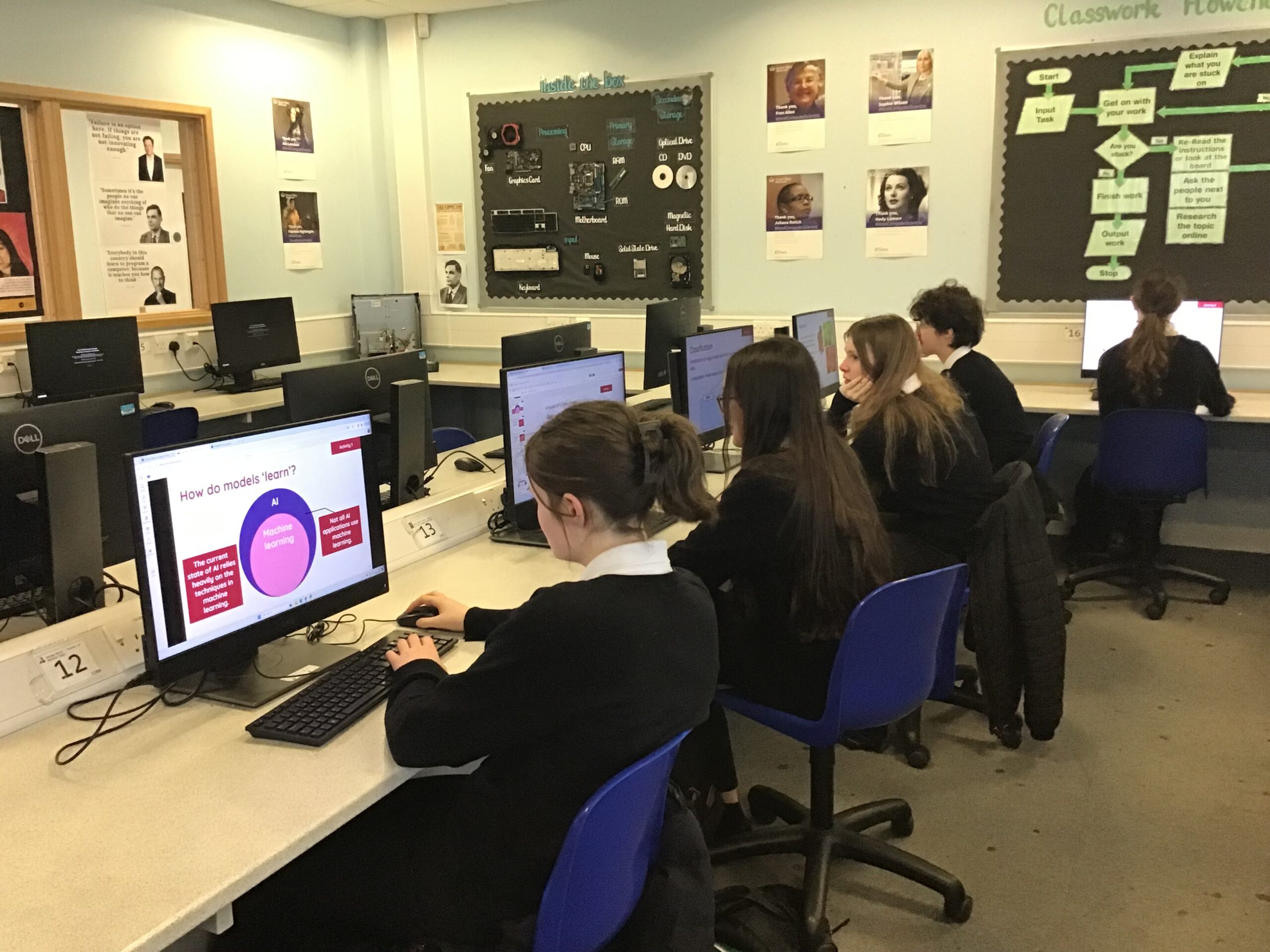
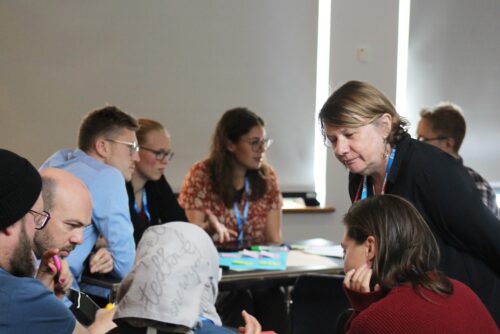
A group of students at a desk in a classroom.

I felt fairly comfortable with my understanding of AI basics. However, teaching it was a learning experience, especially in tailoring the lessons to cater to students with varying knowledge. Their misconceptions sometimes caught me off guard, like their belief that AI is never wrong. Adapting to their needs and expectations was a learning curve. 

“It has definitely changed my outlook on AI. I went from knowing nothing about it to understanding how it works, why it acts in certain ways, and how to actually create my own AI models and what data I would need for that.” – Student, Arthur Mellows Village College, UK 

3. Young people are curious about AI and how it works

My students enjoyed the practical aspects of the lessons, like categorising apples and tomatoes. They found it intriguing how AI could sometimes misidentify objects, sparking discussions on its limitations. They also expressed concerns about AI bias, which these lessons helped raise awareness about. I didn’t always have all the answers, but it was clear they were curious about AI’s implications for their future.

It’s important to acknowledge that as a teacher you won’t always have all the answers especially when teaching AI literacy, which is such a new area. This is something that can be explored in a class alongside students.

There is an online course you can use that can help get you started teaching about AI if you are at all nervous.

“I learned a lot about AI and the possibilities it holds to better our futures as well as how to train it and problems that may arise when training it.” – Student, Arthur Mellows Village College, UK

4. Engaging young people with AI is important

Students are fascinated by AI and they recognise its significance in their future. It is important to equip them with the knowledge and skills to fully engage with AI.

Experience AI provides a valuable opportunity to explore these concepts and empower students to shape and question the technology that will undoubtedly impact their lives.

“It has changed my outlook on AI because I now understand it better and feel better equipped to work with AI in my working life.” – Student, Arthur Mellows Village College, UK 

A group of Year 10 students in a classroom.

What is your experience of teaching Experience AI lessons?

We completely agree with Tracy. AI literacy empowers people to critically evaluate AI applications and how they are being used. Our Experience AI resources help to foster critical thinking skills, allowing learners to use AI tools to address challenges they are passionate about. 

We’re also really interested to learn what misconceptions students have about AI and how teachers are addressing them. If you come across misconceptions that surprise you while you’re teaching with the Experience AI lesson materials, please let us know via the feedback form linked in the final lesson of the six-lesson unit.

If you would like to teach Experience AI lessons to your students, download the free resources from experience-ai.org

The post Four key learnings from teaching Experience AI lessons appeared first on Raspberry Pi Foundation.