Tag Archives: research and impact

How Ada Computer Science empowers students: Survey findings

Post Syndicated from Dan Fisher original https://www.raspberrypi.org/blog/how-ada-computer-science-empowers-students-survey-findings/

Listening to the voices of young people is crucial in creating genuinely effective learning resources. That’s why we recently ran a survey of students who use Ada Computer Science, our platform designed to help students learn and revise key computer science concepts.

“The different topics are nicely categorised and it is easy to find the information I wish to revise.” – Ada Computer Science student

We were delighted to hear from 103 students, most of whom are 16–19 years old and studying in England, and their insights are invaluable in helping us to continue to develop Ada CS.

Students think Ada CS is high quality and useful

The most common ways students use Ada CS are for revision and to check whether they understand concepts. The majority of respondents are building Ada CS into their regular study habits, with over half of respondents using the platform every week.

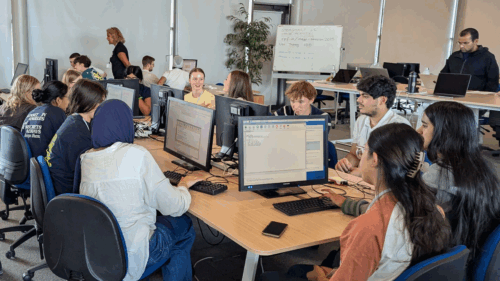
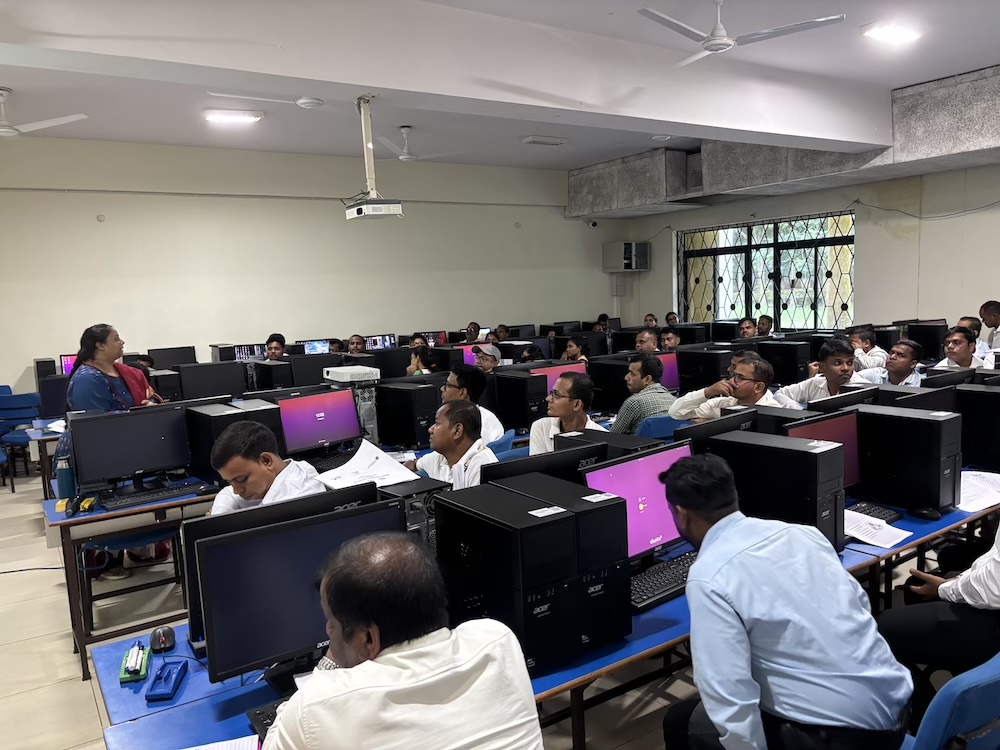
Photo of a class of students at computers, in a computer science classroom.

We were pleased to see the benefits of updates we’ve made, including a redesign of the question finder released in March 2025 — students reported that it is easy to navigate the platform and find what they need: 81% reported being able to find relevant content, and 77% could find the questions they were looking for.

“It’s SO EASY to find exactly what I want.” – Ada Computer Science student

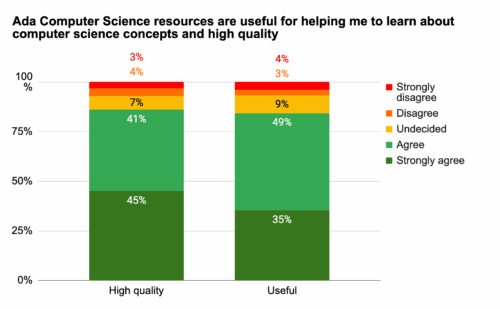
Overall, students perceive Ada CS as both useful for learning about computer science concepts and of high quality. They reported finding the content clear, with a good level of detail.

“The topics are broken down into easily digestible sections, and the provided diagrams really help with understanding the topics.”  – Ada Computer Science student

“The resource is really well designed, short and concise.”  – Ada Computer Science student

We also received helpful suggestions for future improvements. Students shared feedback on how the information on the platform is presented, asking for more concise, revision-friendly content as well as guidance for exploring concepts in more depth. We’ll therefore be looking into alternative ways to structure content as we continue to develop Ada CS. 

Graph depicting how strongly students felt that Ada Computer Science helps them to learn about computer science concepts.

Students rate the quizzes highly

The most popular feature is the quizzes and practice questions, including the immediate feedback and hints provided. Students value how these resources help them solidify their knowledge, learn from mistakes, and prepare for assessments. 

“The questions are clear and make me think, they’re relevant to my studies and the hints for the questions are very useful.” – Ada Computer Science student

We also appreciated the suggestions we received for how we can further develop this feature, for example, creating more questions, extending the range of question types per topic, and making improvements to the hints.

Impact on learning

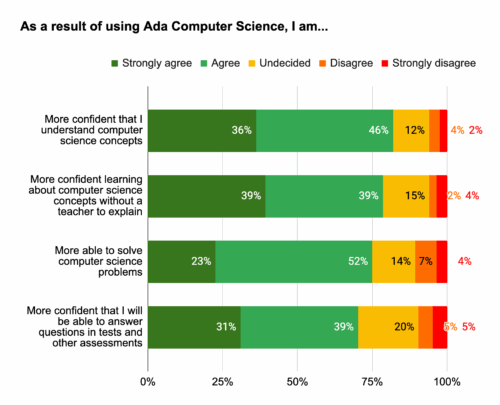
Students also feel that using Ada CS has a tangible impact on their learning. 82% agreed they were more confident that they understand CS concepts as a result of using Ada CS and 79% feel more confident learning about computer science concepts without a teacher to explain.

“I do CS A level but I hadn’t done the GCSE and I found that all of the resources gave me enough information to learn the concepts from scratch and now I’m much more confident in my knowledge of the theory.” – Ada Computer Science student

Graph depicting how students feel using Ada CS has on their learning.

What’s coming next?

Students provided us with lots of useful feedback and suggestions for how we can further improve Ada CS, especially relating to practice questions. We’re already working on adding more questions across topics, creating more challenging questions, and adding more question types that will enhance students’ learning experience. We’ve got some other exciting developments in the pipeline too, which we’ll announce soon!

Thank you to everyone who took the time to complete the survey. These findings are invaluable for shaping the future of Ada Computer Science, helping us to continue to provide the best possible learning platform for students.

The post How Ada Computer Science empowers students: Survey findings appeared first on Raspberry Pi Foundation.

Promoting young people’s agency in the age of AI

Post Syndicated from Claire Johnson original https://www.raspberrypi.org/blog/promoting-young-peoples-agency-in-the-age-of-ai/

Part of teaching young people AI literacy skills is teaching them to critically think about AI, and to design AI applications that address problems they care about. How to do this was the focus of our June research seminar.

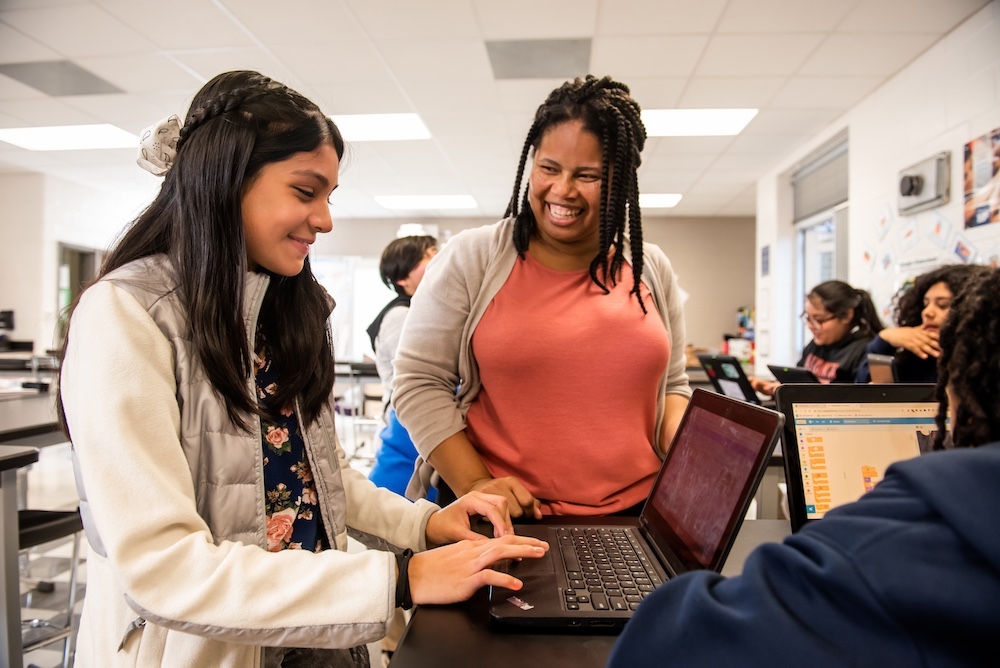
An educator helping a learner in the classroom

Working together to design AI

Our June research seminar was delivered by Netta Iivari, Professor in Information Systems at the University of Oulu’s INTERACT Research Unit.

The INTERACT research group focuses on understanding and supporting participatory design, user-centered design, user-driven innovation, and human interaction with technology in everyday life contexts. From this perspective, “users” aren’t considered as passive consumers, but as valuable co-creators and content producers. This calls for different approaches that place emphasis on empowerment and inclusion in designing, shaping, and co-creating information technology in everyday life.

As part of this work, Netta introduced the idea of ‘transformative agency’ — empowering children to believe they can solve problems they care about — and its application in secondary computing education. She showed examples of how to foster young people’s transformative agency within computing, specifically focusing on transdisciplinary approaches to learning about AI and inviting young people to critically analyse and design their futures with AI tools in it.

Netta began by giving an overview of two of the INTERACT Research Unit’s projects: 

  1. The Make a difference (MAD) project (2019–2023) explored critical design with young people, focusing on their emerging designer and maker identities in the context of tackling a significant societal problem — in this case, bullying. 
  2. Children’s transformative agency and emerging technologies for social good (TAKEOVER) (2024–2028), a current project, explores the potential of emerging technologies (artificial intelligence, virtual reality (VR), social robots, etc.) to address societal problems, such as climate change, gender equality, bullying, and discrimination. It focuses on children’s emerging transformative agency and activist identities when engaging with these tools and topics. 
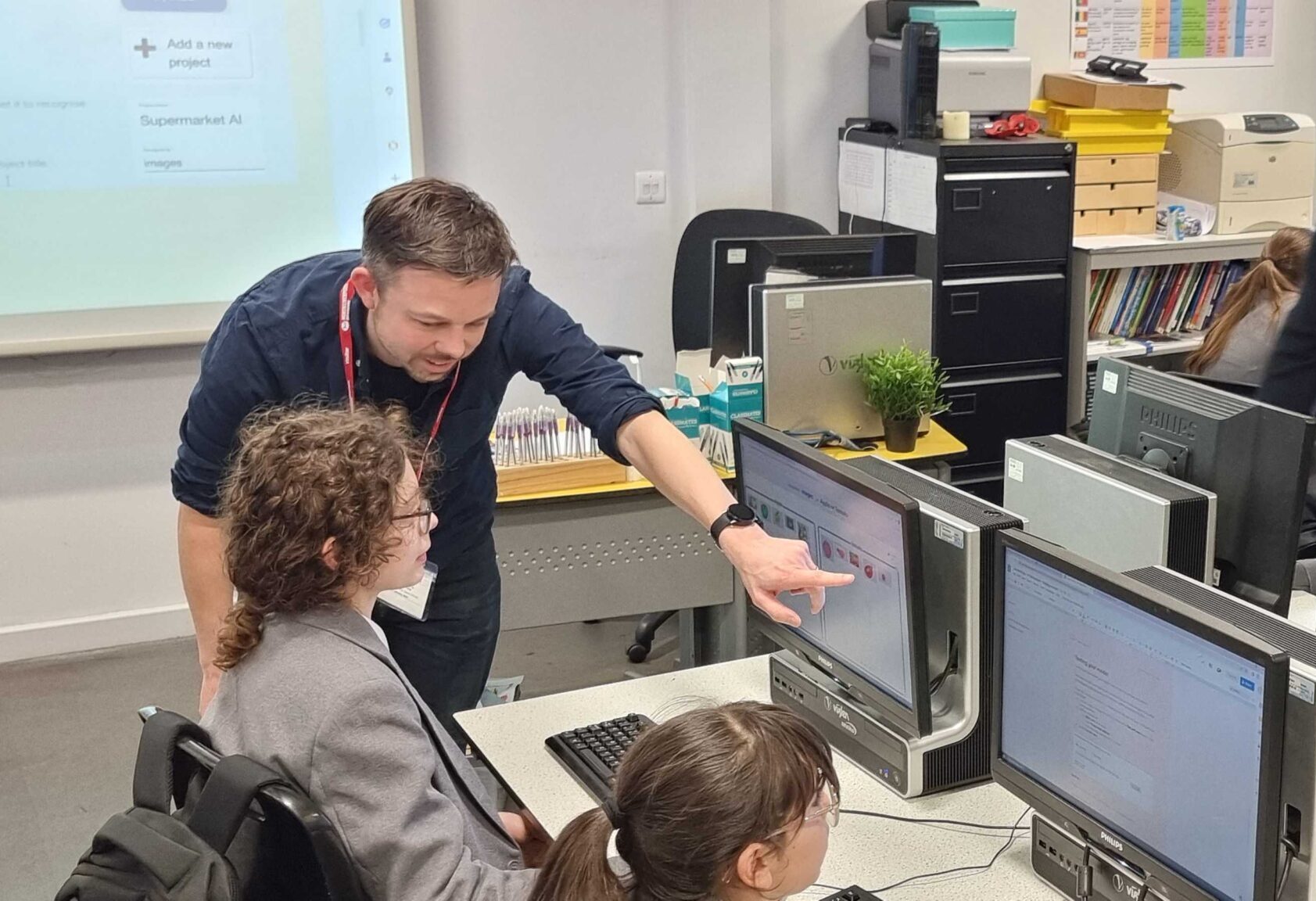
An educator points to an image on a secondary learners computer screen.

Netta explained that these projects give young people an opportunity to begin to address the problems they care about, even though they may be very complex problems. From this problem-solving perspective, children are introduced (or ‘sensitised’) to emerging technologies as tools for social good.

She then went on to outline the key pedagogical approaches that underpin these projects:  

  1. Critical, ethical, empowering design
    This pedagogy draws on critical and speculative design traditions in design research and encourages young people to take a critical perspective towards society, its norms, and the status quo, as part of design thinking. Children consider the ethical values and consequences of their designs. They begin to experience the ways in which engaging in the design process can be empowering and transformative for them, collectively as well as individually. 
  2. Transformative agency of children
    This approach encourages young people to consider their capacity to have agency in the world, by enabling them to envision change and commit to taking action to solve problems that they care about. 
  3. Fostering transformative agency of children in the age of AI
    Transformative agency is achieved when young people engage in ‘expansive learning’ — when they learn something novel, together, and are encouraged to look beyond the confines of school work, the topic, themselves, and the tools available for solving the problem. This approach fosters an active, critical, reflective mindset that encourages children to believe that they can make change and have impact in the world. 

The project design process

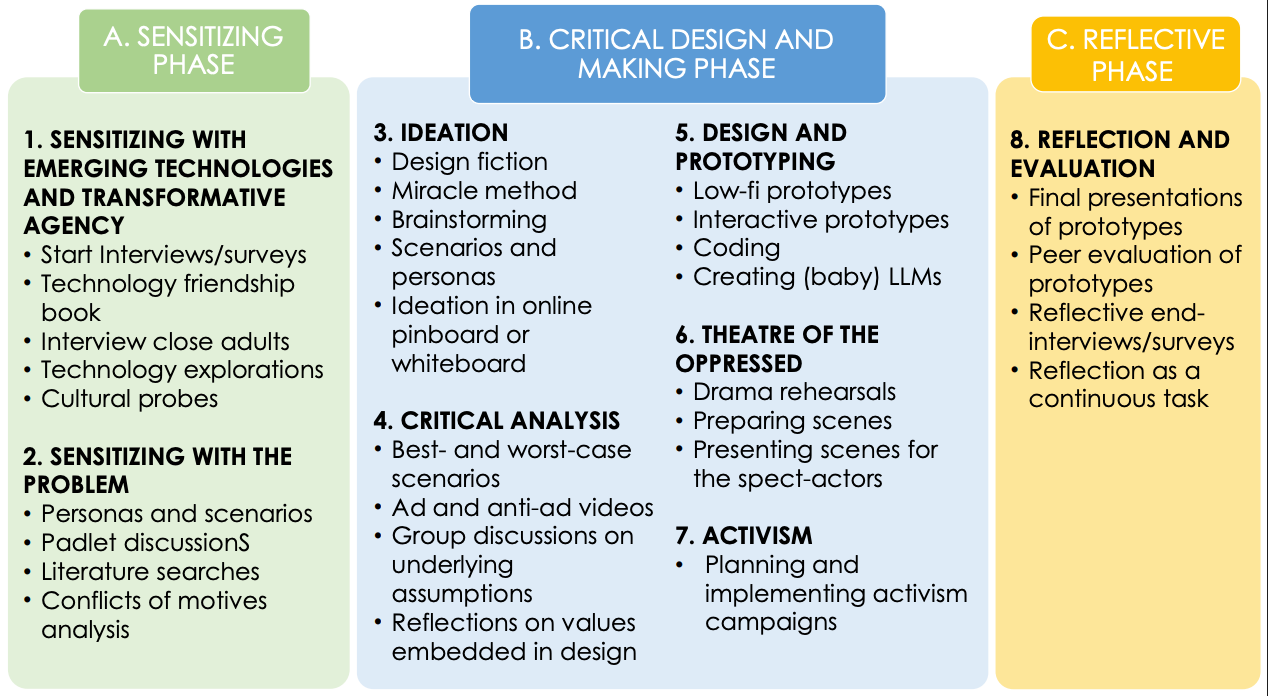
The projects follow 3 design phases and include a range of plugged and unplugged activities, as shown in Figure 1.

Figure 1. The project phases

Netta then described in more detail some of the activities that have been used to address these different project phases and the design process involved. For example, to explore what are the problems that children really care about, they are asked to imagine ‘carrying a stone in your pocket for one week, as if it was a magic tool. Where could it be used in your everyday life? What problems could it solve? What problems would you like it to solve and how?’ 

Young people are then introduced to a range of novel technologies, for example, VR headsets, robots, and emulators of AI-driven social media platforms, such as “Somekone”, developed as part of the Generative AI project at the University of Eastern Finland. They deconstruct and reconstruct generative AI tools by prompting large language model chatbots such as ChatGPT, Gemini, Claude, etc. and exploring bias in their outputs. They perform small-scale algorithmic auditing and create mini language models (with Google Colab), using the text in Alice in Wonderland to train their models, and then open datasets (books as text files from Project Gutenberg). In exploring the responses generated, they experience the potential and the limitations of such tools and gain an important understanding of the human activity involved in the development of AI technologies. 

Secondary school age learners in a computing classroom.

Once they have had this ‘sensitising‘ exposure to a range of tools, they then work in groups on a project that makes use of AI to solve the societal problem they have chosen. These problems could encompass a range of topics, such as racism, animal rights, the impact of AI, war, mental health, bullying. The young people are prompted to think about how large language models can be used to solve the problem, or parts of the problem. But importantly, they are also asked to consider the different motives and perspectives of the multiple stakeholders involved in the problem and its solution and whether their model ideas will create new problems when deployed.

They follow the 3 project phases shown in Figure 1 to design and make a range of digital (robots, apps, videos) and non-digital artefacts to solve their problem. Netta emphasised that although it could take 10 weeks or more to implement all the suggested activities, it is also possible to pick and choose individual tasks from the 3 phases to suit available curriculum timescales.

Envisioning and critiquing AI futures

Other project tasks involve: 

  • Envisioning AI futures by imagining that a miracle has happened overnight and the problem has disappeared — what is the result? 
  • Critiquing AI futures by creating best and worst case scenarios of the consequences of the AI systems they design, creating video adverts promoting their AI solutions and anti-adverts, focusing on the possible negative consequences of their prototypes 
  • Fostering action-taking by presenting theatrical performances to showcase how their designs tackle a problem and illustrating the AI-related issues surrounding the topic or by creating activism campaign material to mobilise the school community on the same themes 
Secondary education learners in the classroom

These projects situate learning about data-driven technologies in real-world contexts and promote a transdisciplinary approach, teaching and learning about AI from a problem-solving perspective. 

This perspective conveys important messages to young people — that they do have agency and can take action in the face of many of the world’s problems, that they can and should be active, critical users of the new technologies that surround them, and that these technologies can be used to change the world for good. 

Netta ended the seminar by asking viewers to consider how they could foster transformative agency in the young people they teach and whether or not they consider it to be important in computing education.

Resources relating to the projects can be found at interact.oulu.fi.

Join our next seminar

In our current seminar series, we’re exploring teaching about AI and data science. Join us at our next seminar on Tuesday 14 October from 17:00 to 18:30 GMT to hear Viktoriya Olari talk about data-related concepts and practices for AI education in K–12.

To sign up and take part, click the button below. We’ll then send you information about joining. We hope to see you there.

The schedule of our upcoming seminars is online. You can catch up on past seminars on our previous seminars page.

The post Promoting young people’s agency in the age of AI appeared first on Raspberry Pi Foundation.

Adapting our computing curriculum resources for Telangana — the journey so far

Post Syndicated from Jaskaran Singh original https://www.raspberrypi.org/blog/adapting-our-computing-curriculum-resources-for-telangana-the-journey-so-far/

This blog is the third and final in our mini-series about the things we’ve learnt from adapting The Computing Curriculum resources, and from training teachers to use them in schools. In the first two blogs, we wrote about our experiences in Kenya and Odisha, India. Here, we focus on our work in Telangana, India. 

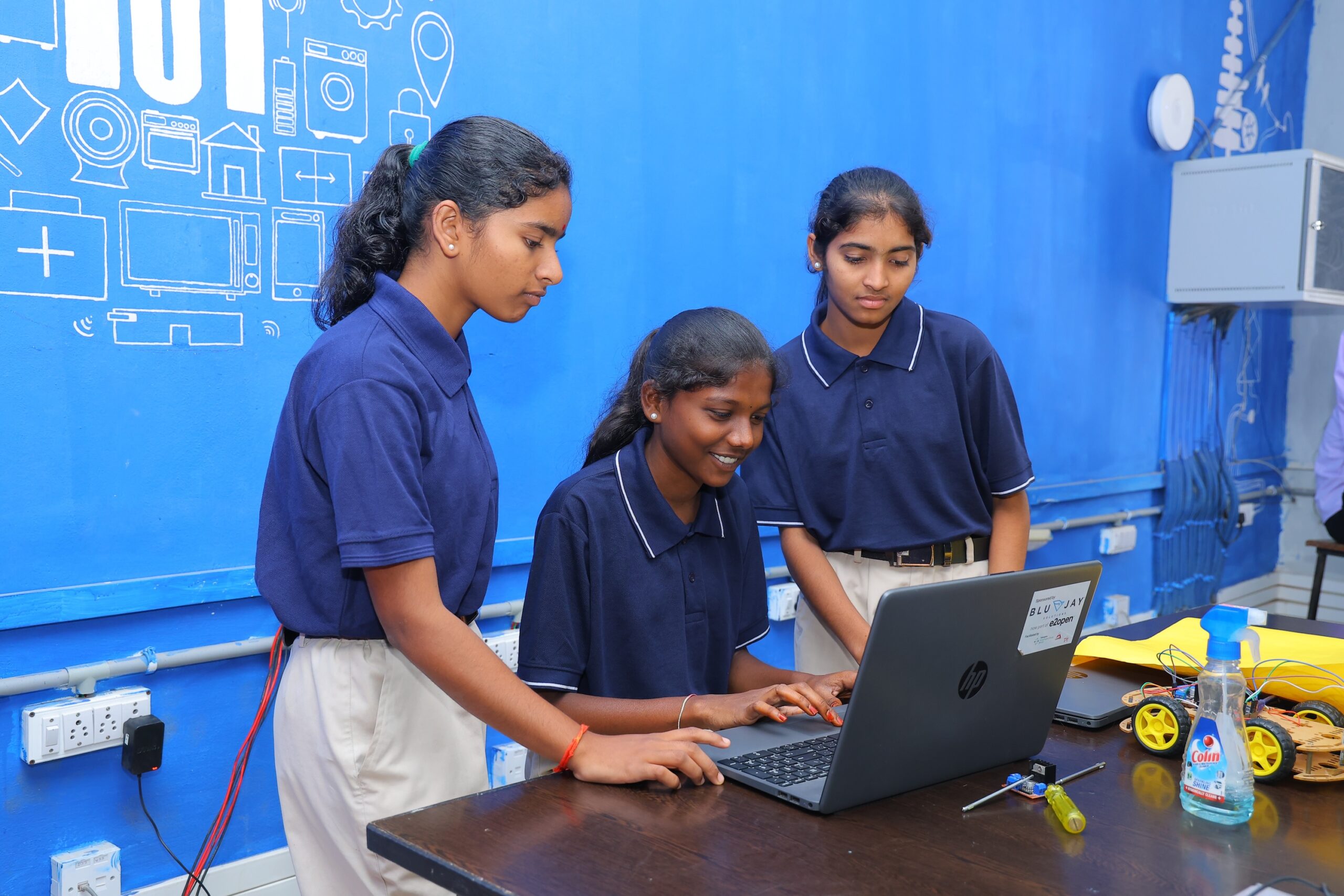
Three female students at the Coding Academy in Telangana.

This blog was written by Jaskaran Singh, Impact Manager, and Mamta Manaktala, Senior Learning Manager.

Adapting for unique needs

Every country and region has unique opportunities, challenges, and needs. In a vast country like India, every state is different — what works in Odisha may not work in other locations. Thus, to meet the needs of students in the state of Telangana, we’ve been working on adapting The Computing Curriculum specifically for them.

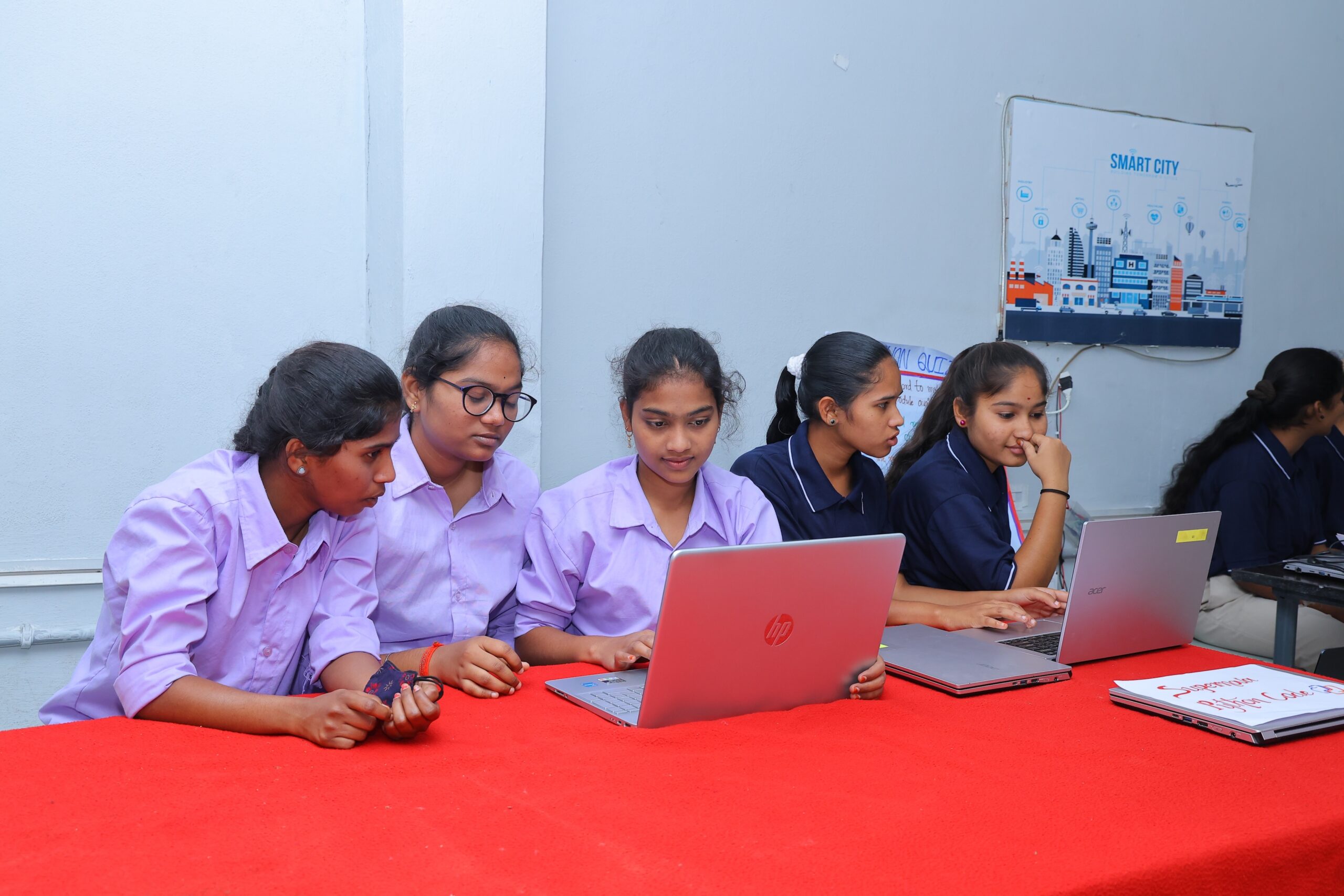
A group of female students at the Coding Academy in Telangana.

Our work in Telangana began in 2023, when we kickstarted a five-year partnership with the Telangana Social Welfare Residential Educational Institutions Society (TGSWREIS), a society under the Government of Telangana. Through the partnership, we’ve developed an adapted curriculum, along with training for educators working in educational institutions with limited resources. The adapted curriculum includes localised examples and activities, and teaching approaches to make the learning experience feel relevant and meaningful for students in Telangana, while keeping the core learning outcomes aligned with global standards. 

Testing and iterating

Since the start of the partnership, we’ve been testing the curriculum at the Coding Academy School, a co-educational school at Moinabad, and the Coding Academy College, a degree college for women in Shamirpet.

Our work delivering the curriculum in Telangana was our first time using a direct-to-learners model. The Coding Academy School and College gave us unique opportunities to work with students directly and observe first-hand the difference the programme made in their learning journeys. 

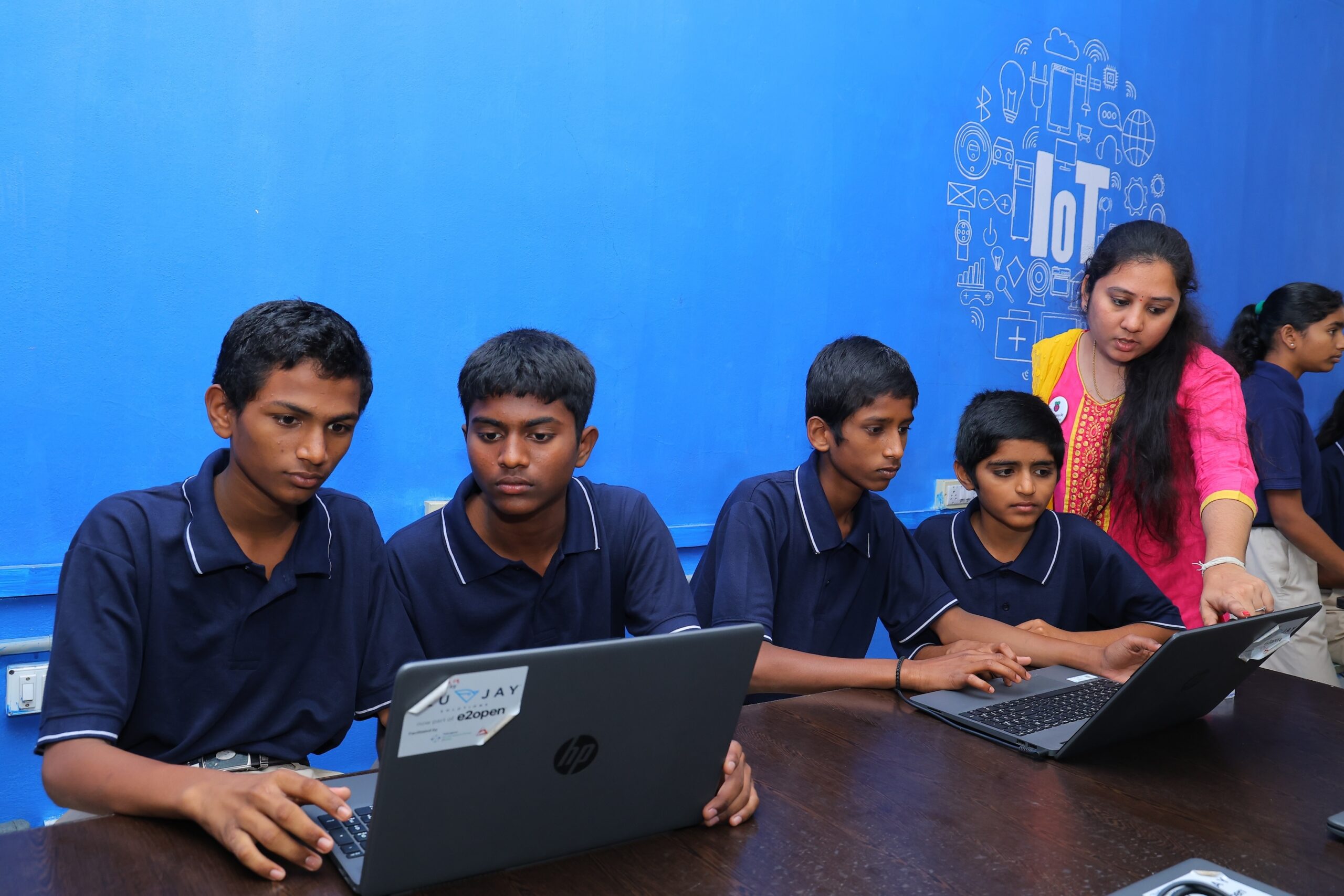
A group of students and a teacher at the Coding Academy in Telangana.

During the first year of implementation, we gathered useful feedback from students and teachers. Check out one of our earlier blogs where we share some of the findings. We used these inputs to further develop the curriculum.

This updated version of the curriculum was implemented in the 2024/25 academic year. At the school, our educators worked with 210 students in grades 7–9, while at the college, our educators worked with 382 undergraduate students. As in the first year, we used data from assessments, lesson observations, educator interviews, student surveys, and student focus groups to understand what’s working well and what could be improved. So what did we learn?

What we learnt over the past year

Our evaluation findings show that the updated curriculum worked well and positive outcomes are being achieved for most students. Educators felt prepared to teach the curriculum in this second year and found the ongoing support and spaces for discussion really useful. Moreover, we found that there are potential positive ripple effects beyond the school as well. 

Learning outcomes are being achieved to a high degree

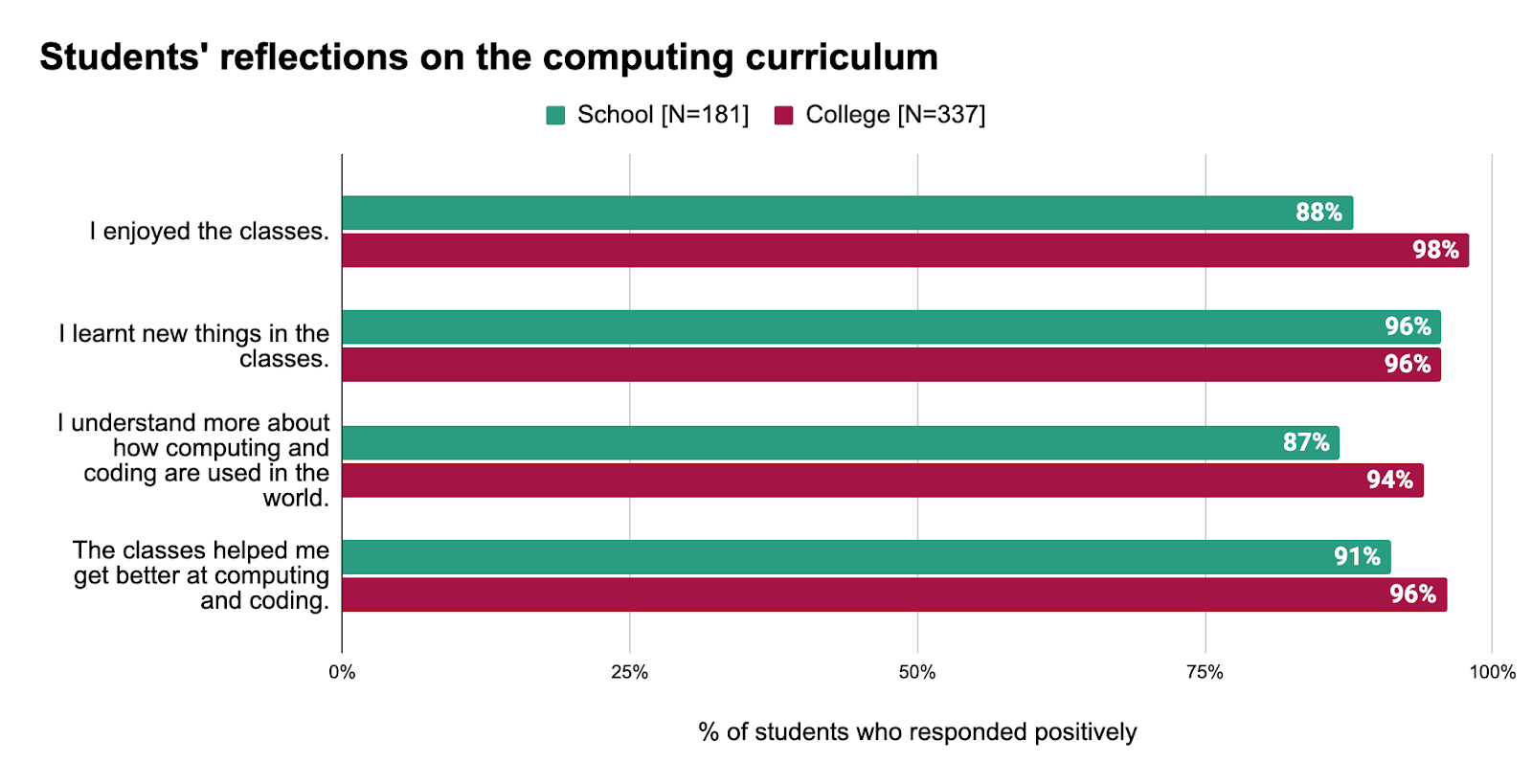
In surveys, 91% of students in the school and 96% of students in the college responded that the lessons helped them get better at computing and coding. Students feel they are not just learning new skills but also finding the content enjoyable: 88% of students in the school and 98% of students in the college responded that they are enjoying their classes. Educators and observers also reported that students were engaged during lessons, and often completed activities without needing any support. 

Students' reflections on the computing curriculum.

Students’ assessment scores further confirmed positive learning outcomes. 4 out of every 5 scores in the school and 9 out of every 10 scores in the college were 60% or above, which was higher than in the first year of the adapted curriculum’s implementation.

The updated curriculum is more aligned to student needs

The changes we made to the curriculum included:

  • Adding more localised examples
  • Simplifying the language 
  • Restructuring the flow of the content

Educators were highly positive about the updates to the curriculum. 

“The students are able to [better] understand the examples because we updated [to] the India context examples.” — Educator, Coding Academy School 

“Students are receiving it very well because we have modified the content this year, and [that includes] the placements of the unit and the connectivity of the lessons and units.” — Educator, Coding Academy School

Additionally, for the college curriculum, we aligned the content more closely with the learning objectives set by Osmania University — with which the college is affiliated. We also included more advanced topics for students specialising in data science. During interviews, educators reported that the content was now much better aligned to student expectations. 

“[The curriculum] we have designed is based as per [the] Osmania University curriculum. [The lessons] are definitely meeting the students’ needs because whatever discussions we are taking in classes, they are [successfully] participating in those discussions and they are doing whatever activities we give them.” — Educator, Coding Academy College

Outside of knowledge and skills in computing, the curriculum is also helping students develop wider life skills. In our survey, college students shared that working on projects gives them a sense of accomplishment and the confidence to solve real-world problems. Many students also reported that through the curriculum they are developing higher-order thinking skills, which will support their future careers. 

“The thrill lies the creativity and problem-solving aspects. I get to turn ideas into reality pieces, and there is something incredible satisfying about debugging code and watching it run flawlessly. It’s like slow, challenging puzzles, frustrating at times but rewarding when everything clicks.” — Student, Coding Academy College

“My favourite thing [about] the computing and coding classes [is the] Scratch programme. I have learnt it [for the] first time. By learning I have enjoyed a lot. During the coding process, it trains our brain to think deeply, identify trouble, and break things up and put pieces together [as] a solution.” — Student, Coding Academy College

Students are inspired to continue engaging 

Students are showing high interest in applying their skills outside of their classes. Almost all students — 100% in the school and 99% in the college — reported that they would like to participate in coding-related competitions. 

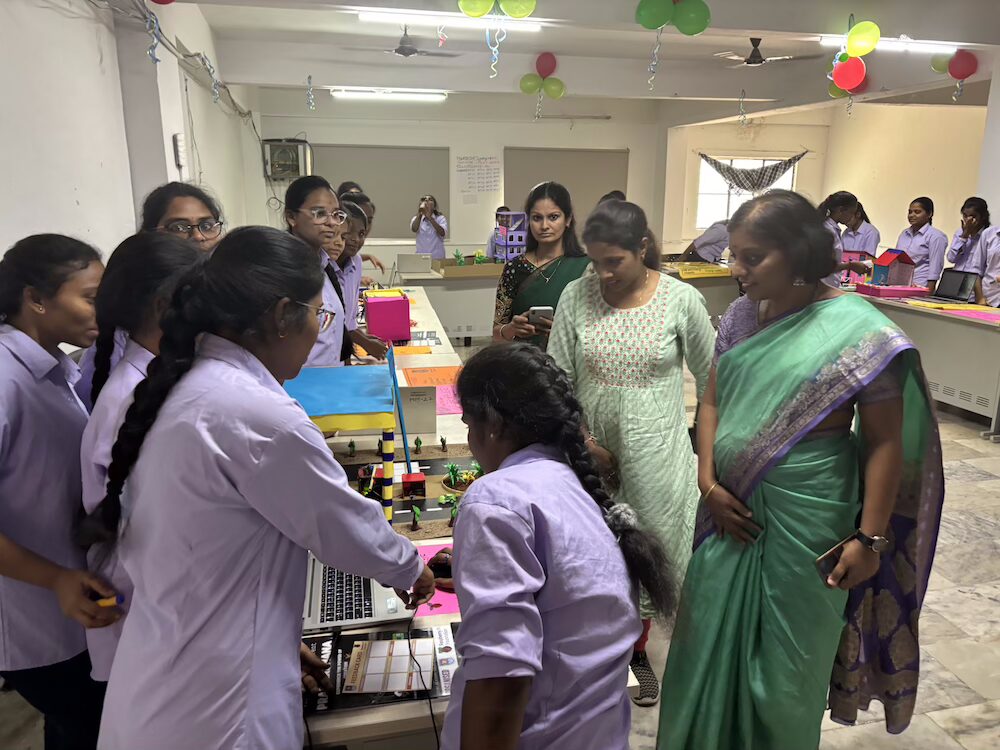
A group of female students working on a coding project.

Educators also told us that many students are exploring future job opportunities in the computing and digital technology fields, and are curious about topics outside the curriculum. Interestingly, 93% of the college students who were studying courses not traditionally associated with jobs in computing and digital technology reported that they would like to pursue a job in computing.

The positive benefits go beyond the school

We have also learnt that a high-quality computing education for young people has potentially wider benefits for the community. One educator described how students are helping their families, many of whom have limited experiences, engage more confidently with digital technologies.

“Families don’t know how to use smartphones and laptop computers, but our students know very well so I can say they do teach to their elders how to use these platforms.” — Educator, Coding Academy School

Ongoing support for educators was important

To help educators feel confident and prepared, individualised learning resources were provided throughout the year. These were well received by educators. Educators also found the weekly meetings with our India-based team members useful to discuss ongoing challenges regarding delivery and assessments. 

What could still be improved

There were improvements this year in the availability of equipment, and the use of Wi-Fi dongles addressed internet connectivity issues to some degree. However, educators still faced some challenges. For example, educators in the school faced issues accessing printed worksheets and educators in the college faced issues accessing projectors during their lessons. We are working closely with our delivery partner to address these issues for the new academic year.

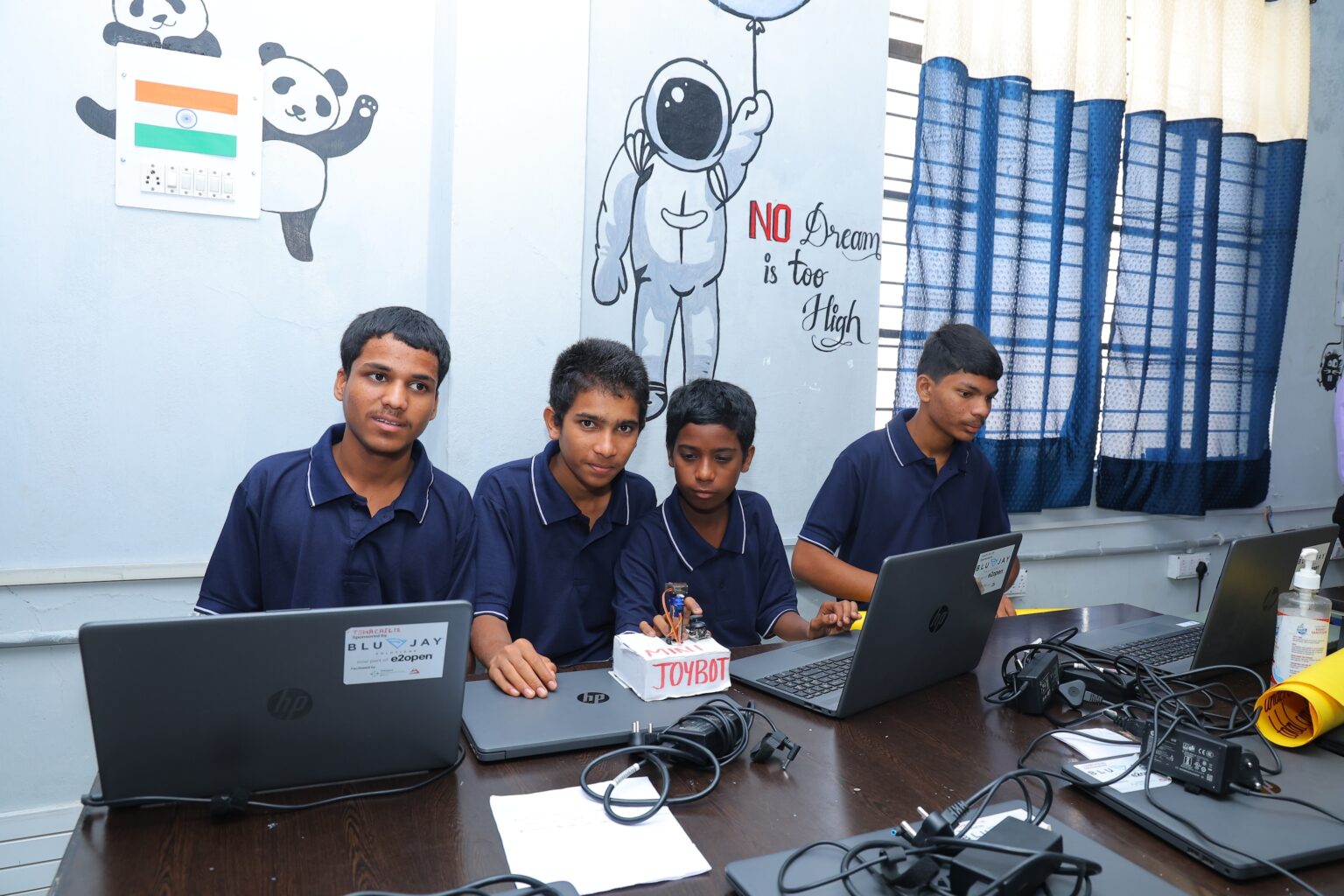
A group of male students working on a coding project.

With regard to the content, educators felt the curriculum could benefit from some further amendments. For the school curriculum, these include easing the transition from block-based to text-based coding. For the college curriculum, there were suggestions for more focus on real-world applications of coding and including advanced topics, like machine learning, for undergraduates specialising in computing-related subjects. We have considered all these suggestions and made necessary revisions to the curriculum.

Next steps in Telangana: Scaling up impact

With the success of the pilot, we’re excited to announce that the adapted curriculum will now be implemented at over 350 schools and junior colleges in the state of Telangana. A majority of schools will be with the same partner, TGSWREIS, while some schools and junior colleges will be with other partners. The Coding Academy School will become our hub for trialling new curriculum content and strategies, and conducting research studies and teacher training and support. Additionally, the school will also host inter-school events.

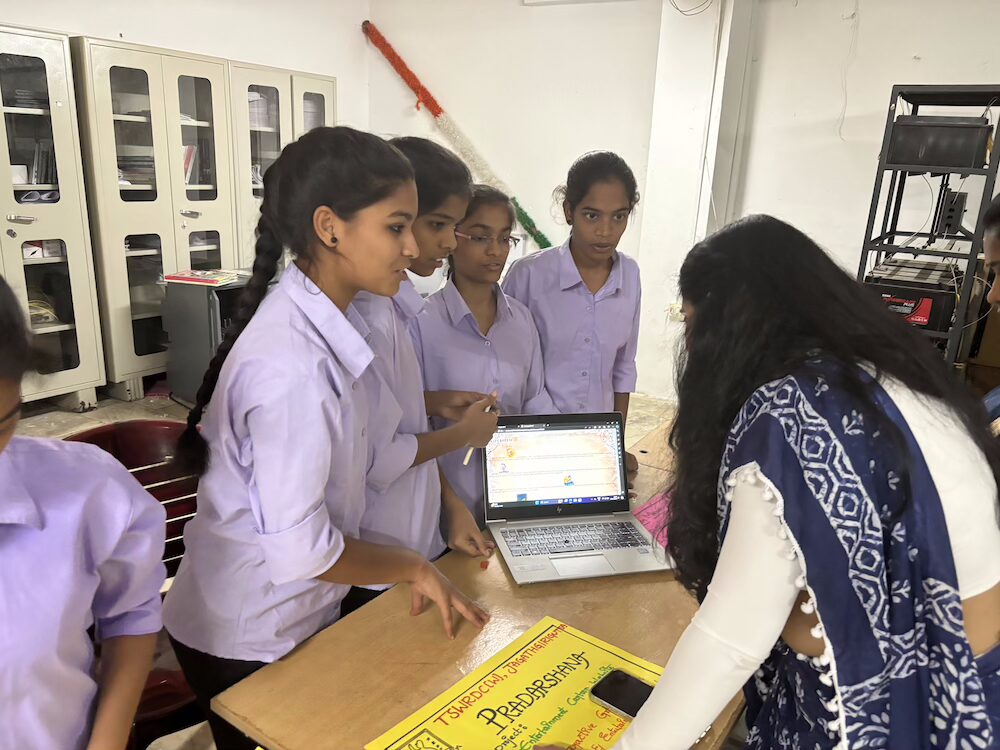
A group of female students working on a coding project.

The progress we’ve seen so far in Telangana is very encouraging. We look forward to continuing these partnerships and helping more young people realise their potential through the power of computing and digital technologies.

What we learnt about adapting curriculum resources for different regions

From our work in Telangana, Odisha, and Kenya, we’ve learnt that a curriculum isn’t a one-size-fits-all product. The local context, culture, and educational provisions are important considerations when adapting learning resources for different regions. We’ve also learnt that building long-term partnerships with organisations who have local expertise is key to understanding these considerations and effectively reaching communities where we can make the biggest difference. Finally, we’ve learnt that adaptation isn’t a one-time activity. It’s a cycle of continuous refinement; listening closely to feedback from the ground is important to ensure that our support for educators and learning experiences for young people have the best possible impact.

Want to learn more about our curriculum resources?

You can access our free Computing Curriculum resources on our website — we are currently working to make the materials for India and Kenya downloadable there.

The post Adapting our computing curriculum resources for Telangana — the journey so far appeared first on Raspberry Pi Foundation.
How social learning can lead to better outcomes in your computing classroom

Post Syndicated from Sean Sayers original https://www.raspberrypi.org/blog/how-social-learning-can-lead-to-better-outcomes-in-your-computing-classroom/

Throughout our lives, we’re constantly learning from others. Whether we’re interacting with teachers or trainers, or observing friends or strangers, we’re learning either deliberately or inadvertently. This process is known as ‘social learning’. 

In today’s blog, you’ll dive into what social learning is and how you can use it to create more engaging and effective learning experiences in your computing classroom.

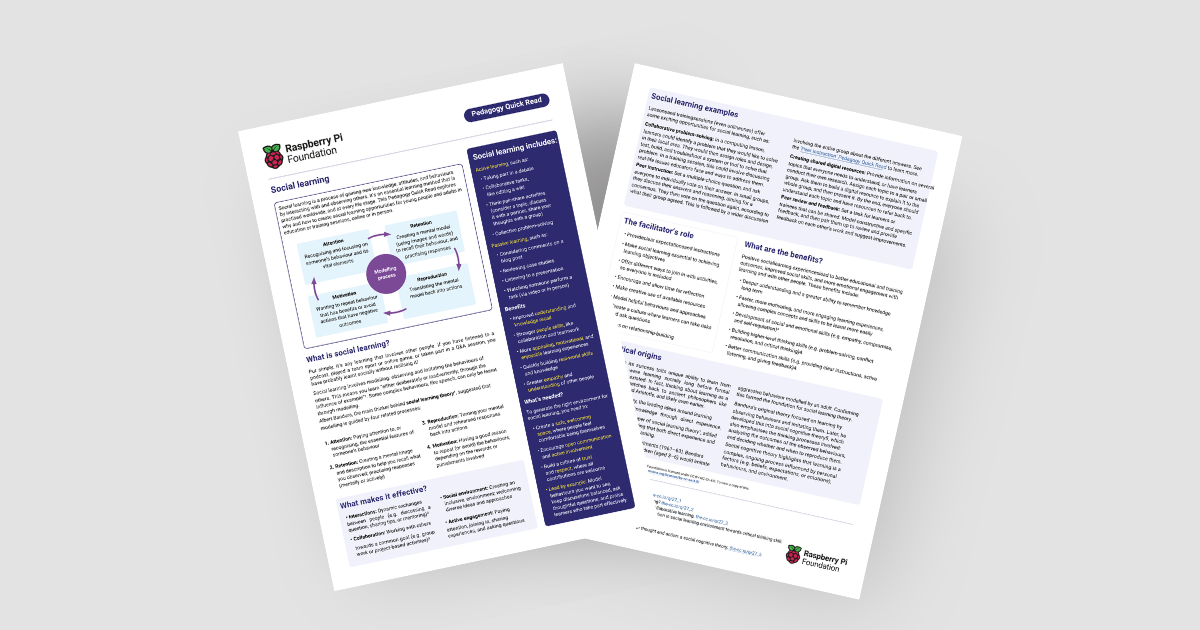
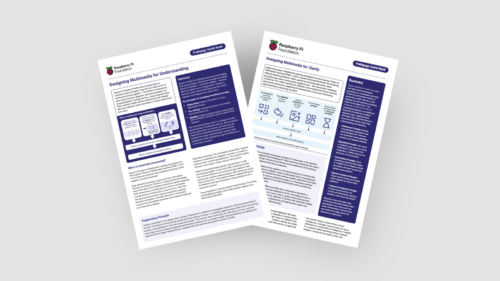
Image of our latest Pedagogy Quick Read

You’ll also find our latest Pedagogy Quick Read, which explores social learning. It’s free to download and includes: 

  • Practical tips for how to use social learning and related approaches with your learners
  • A summary of the research behind social learning

What is social learning?

Social learning is simply any learning that involves other people. It can take any form, from watching a video, to taking part in a classroom discussion. It can take place in person or online, and it can happen without people realising they’re learning something.

Social learning is based on modelling and involves people observing and imitating the behaviours that others model. Albert Bandura, the acknowledged originator of social learning theory, suggested that social learning is guided by four related processes:

  • Attention: Recognising and focusing on someone’s behaviour and its vital elements
  • Retention: Creating a mental image and description to help you recall what you observed; practising responses (mentally or actively)
  • Reproduction: Translating the mental image back into actions
  • Motivation: Having a good reason to repeat (or avoid) the behaviours, depending on the rewards or punishments involved

How can I enable social learning?

There’s lots of ways you can involve social learning in your computing classroom, including through other teaching approaches and frameworks. 

4 children social learning in the classroom

To help your learners get the most out of social learning, it’s best to:

  • Create a safe environment for learners to share learnings, ask questions, and actively engage in the learning process
  • Include a mix of resources and activities to ensure inclusion and accessibility
  • Set clear expectations and instructions, and ensure that social learning is key to achieve learning objectives

Applying social learning: Some teaching approaches

Among our pedagogy resources, you’ll find lots of practical advice for teaching approaches that promote social learning. The approaches we recommend for the pedagogy principles ‘Work together’ and ‘Model everything’ are especially suitable.

Work together:

Model everything:

Using a PRIMM (PDF) approach for structuring programming lessons, and encouraging students to talk about code as part of these, also works well for social learning.

Applying social learning: Practical examples

Let’s look at pair programming as an example. In this activity, pairs of learners work together to create a computer program, taking on distinct roles that they swap regularly. One learner acts as the ‘driver’, writing the code, while the other is the ‘navigator’, guiding the process, reviewing the code, and identifying potential issues. 

As they work, each learner is able to observe the other person’s approach, learning with and from their partner throughout the activity. This constant interaction and shared problem solving can help them to understand programming concepts better and to build stronger teamwork skills.

Children in the classroom social learning

Another example is setting your class the task to create shared digital resources on several topics everyone needs to learn about. In this activity, you split learners into small groups or pairs, and assign them a topic to later explain to the whole group. Grouped learners work together to create a resource explaining their topic. As the facilitator, you can either provide the information they need, or let them conduct their own research. At the end of the activity, each group presents their resource to the wider class.

An activity like this helps learners develop their knowledge through working together and talking to each other, and also provides the class with resources they can keep using.

The benefits of social learning

Potential benefits for teachers:

  • Improved student engagement and learning
  • Enhanced professional development experiences, leading to more confident teaching

Potential benefits for students:

  • Improved social skills
  • Opportunities to build higher-level thinking skills
  • Deeper understanding and a greater ability to remember knowledge in the long term

A social approach to shaping the future

In a world filled with complex challenges, there’s more need than ever for people to work together. By using social learning approaches in your classroom, you help your students to engage more deeply with your teaching and to develop the skills to succeed in collaboration with others. In this way, you’ll prepare them for navigating technological change as well as for shaping a common future where everyone can thrive.

The post How social learning can lead to better outcomes in your computing classroom appeared first on Raspberry Pi Foundation.
Celebrating impact: Code Clubs are thriving in Kenya and South Africa

Post Syndicated from Vicky Fisher original https://www.raspberrypi.org/blog/celebrating-impact-code-clubs-are-thriving-in-kenya-and-south-africa/

Across Kenya and South Africa, Code Clubs are going from strength to strength. We’re excited to share their incredible progress and positive impact with you and shine a spotlight on our fantastic partner organisations, whose support makes it all possible!

Young people use laptops to do their coding tasks.

Partnering up to increase our reach

Code Club is a thriving global community of clubs where young people can develop the confidence to create with digital technologies in a fun and supportive space. In Kenya we’ve been working closely with Oasis Mathare, Young Scientists Kenya, Kenya Connect, Tech Kidz Africa, STEAM Labs Africa, and Futures Infinite, while in South Africa we’ve teamed up with Keep a Child Alive and Coder:Level Up.

We used a train-the-trainer model to help our partners in Kenya and South Africa train Code Club mentors. We began by training community trainers from each partner, who then went on to deliver training to club mentors. This has allowed us to reach 1,498 mentors across both countries. Club mentors told us how grateful they have been to these partners for their ongoing support, including providing training and visiting the clubs.

As part of our ongoing evaluation of the Code Club programme in Kenya and South Africa, we’ve collected feedback from our partners, club mentors, and creators via feedback surveys, club visits, and focus groups to help us understand the impact of our work.

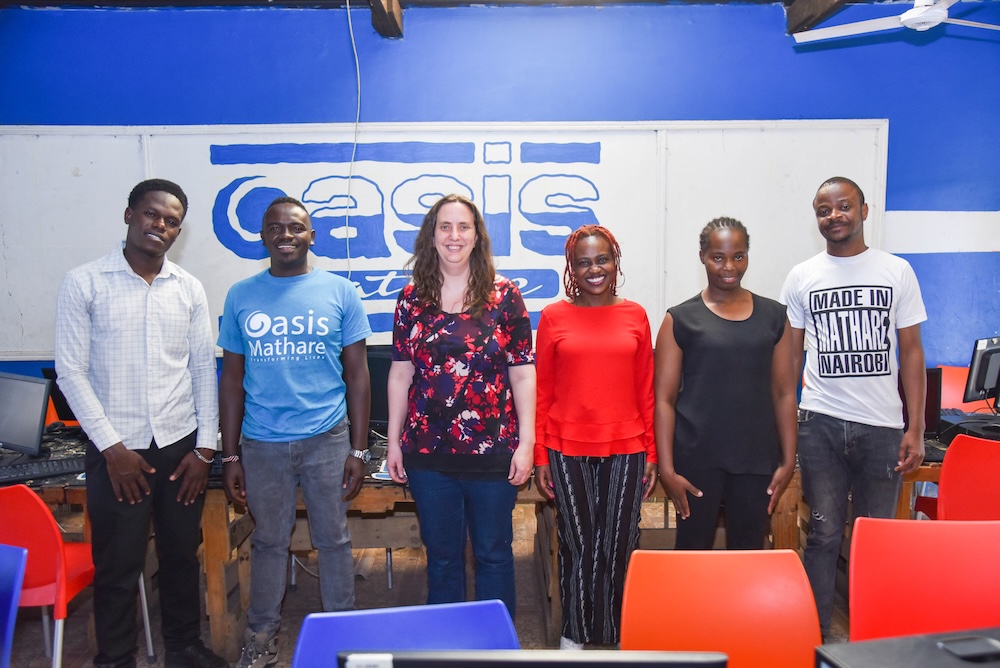
Douglas from Oasis Mathare (second from left) with members of the Raspberry Pi Foundation team.

Reaching areas of disadvantage

There are 397 Code Clubs running in Kenya and 622 in South Africa — we estimate we’re reaching over 42,000 young people through Code Clubs and nearly 20,000 through related one-off events such as summer programmes.

This broad reach means that young people who might otherwise have had limited or no access to computing are now engaging with coding, and doing so in truly exciting ways. 

One Kenyan Code Club leader, working in a particularly disadvantaged and marginalised area, said Code Club was so important to young people as it means “you don’t have to be left behind”. They shared that such a large number are attending the club — and that many more are wanting to join — because young people are  eager to be “part of the digital future”.

Impact on young people

89% of surveyed mentors reported an increase in their young people’s skills in coding and confidence to engage with emerging technology. 

According to one South African Code Club mentor, taking part in Code Club “changes your perception and thinking…. it’s possible to do things… it becomes a reality because it’s not a really difficult thing. It’s something that you can do step by step and it really changes the mindset. It really redefines how someone thinks.”

Young people work together on a coding task.

Mentors consistently told us that young people are collaborating more, and supporting each other in their learning journeys. One South African young person perfectly captured this spirit: “if they don’t know something, we can teach it to them.” 

Mentors also shared that young people are inspired to continue developing their coding and computing skills beyond club sessions. They’re actively seeking opportunities to deepen their knowledge and are already thinking about how they could use their newfound skills in their future careers.

Empowering Code Club mentors

Overall, club mentors felt well prepared to run clubs and found the training high quality and useful. This is reflected in the high percentage of mentors who agreed that the training increased their skills, confidence, and knowledge, with some partners showing an agreement rate as high as 91%. 

Partners have also worked hard delivering extra training on requested topics such as additional computer skills and mentorship to help mentors feel more confident running Code Clubs.

A mentor running a Code Club.

Continuing to improve

We recognise the unique challenges that can arise when running clubs in areas of Kenya and South Africa where access to technology and the internet isn’t always consistent. We’re continuing to develop resources and support for these clubs, as well as working with partners to better understand what their clubs need.

We’re also continually reflecting on and refining our train-the-trainer model to understand how best to equip community trainers with the confidence and skills they need to train others. 

Next steps

The dedication and hard work of our partners have been instrumental in allowing us to significantly expand our reach and impact in Kenya and South Africa. Alongside this incredible growth, we’ve strengthened our commitment by increasing the size of our teams operating directly from both countries. This means we can continue to grow our support for our thriving Code Club communities.

We’re excited to have a number of new partners setting up Code Clubs over the next year. We look forward to sharing the invaluable insights and feedback we’ve received from our existing partners to ensure our new partners are fully supported and feel empowered to deliver transformative Code Clubs in their areas.

Watch this space!

The post Celebrating impact: Code Clubs are thriving in Kenya and South Africa appeared first on Raspberry Pi Foundation.

Adapting our computing curriculum resources for Odisha — the journey so far

Post Syndicated from Fiona Coventry original https://www.raspberrypi.org/blog/adapting-our-computing-curriculum-resources-for-odisha-the-journey-so-far/

Today’s blog is the second in a mini-series of three sharing our experiences of adapting computing curriculum resources for different contexts, and off training teachers to use them in schools. Last month we wrote about our collaboration with partners in Kenya. Here we discuss our work in Odisha, India.

Teachers at a teacher training in Odisha.

This article has been written by Fiona Coventry, Impact Manager, and Mamta Manaktala, Senior Learning Manager.

A long-term partnership in Odisha

We know that building long-term partnerships with organisations that have local expertise is key to making a real impact for young people. This fact was echoed by people involved in education initiatives worldwide who spoke at the What Works Hub for Global Education 2024 annual conference, which Fiona followed online. Our work in Odisha is an example of this.

Teachers at a teacher training in Odisha.

We have now been working with our government partner in Odisha, Panchasakha Shikhya Setu (formerly Mo School Abhiyan), for four years. Our journey began in 2021, when we worked together to establish a network of Code Clubs in government and government-aided schools in the state. In 2023, our focus shifted to developing a formal computing curriculum for students in grades 9 and 10 (known locally as the Kaushali curriculum), in collaboration with two other partners. 

Work in the 2024/2025 academic year

Adaptation is a crucial aspect of how we ensure our computing resources are accessible to as many young people as possible. For our work in Odisha, we adapted content from The Computing Curriculum and then localised it to fit the requirement of the students.

Teachers at a teacher training in Odisha.

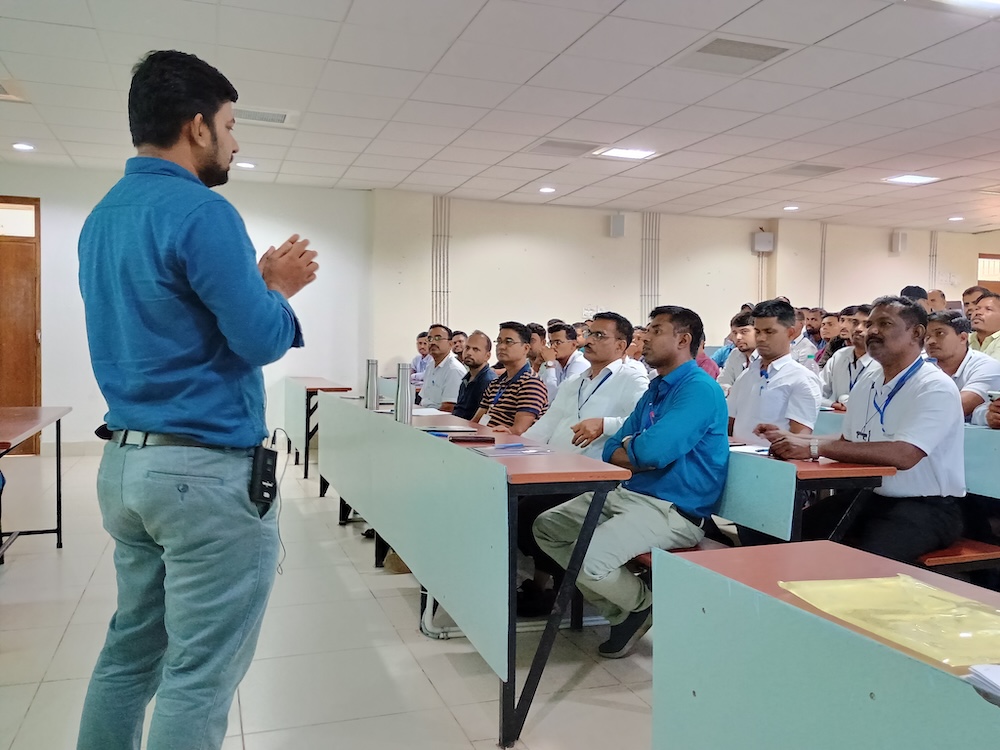
In Odisha’s June 2024 to April 2025 academic year, we rolled out adapted computing curriculum content for grade 10 students, for students who had already learned with adapted grade 9 content in 2023/24. We worked with our partners to develop the curriculum content and trained 310 master teachers from across Odisha, along with 30 State Resource Groups (SRGs) to support them. Before the end of 2024, the 310 master teachers subsequently trained 8109 teachers, who would reach an estimated 880,000 students with the grade 9 and 10 curriculum content. We had an ongoing responsibility to support 1846 of these teachers in our allocated districts, with an estimated reach to around 205,000 students.

Impact of the grade 9 and 10 curriculum

In early 2025 we issued a follow-up survey about student learning, content, and training to a sample of teachers in our allocated districts, and 310 teachers responded. (We used a stratified sampling approach designed to ensure the survey results were representative of all teachers.)

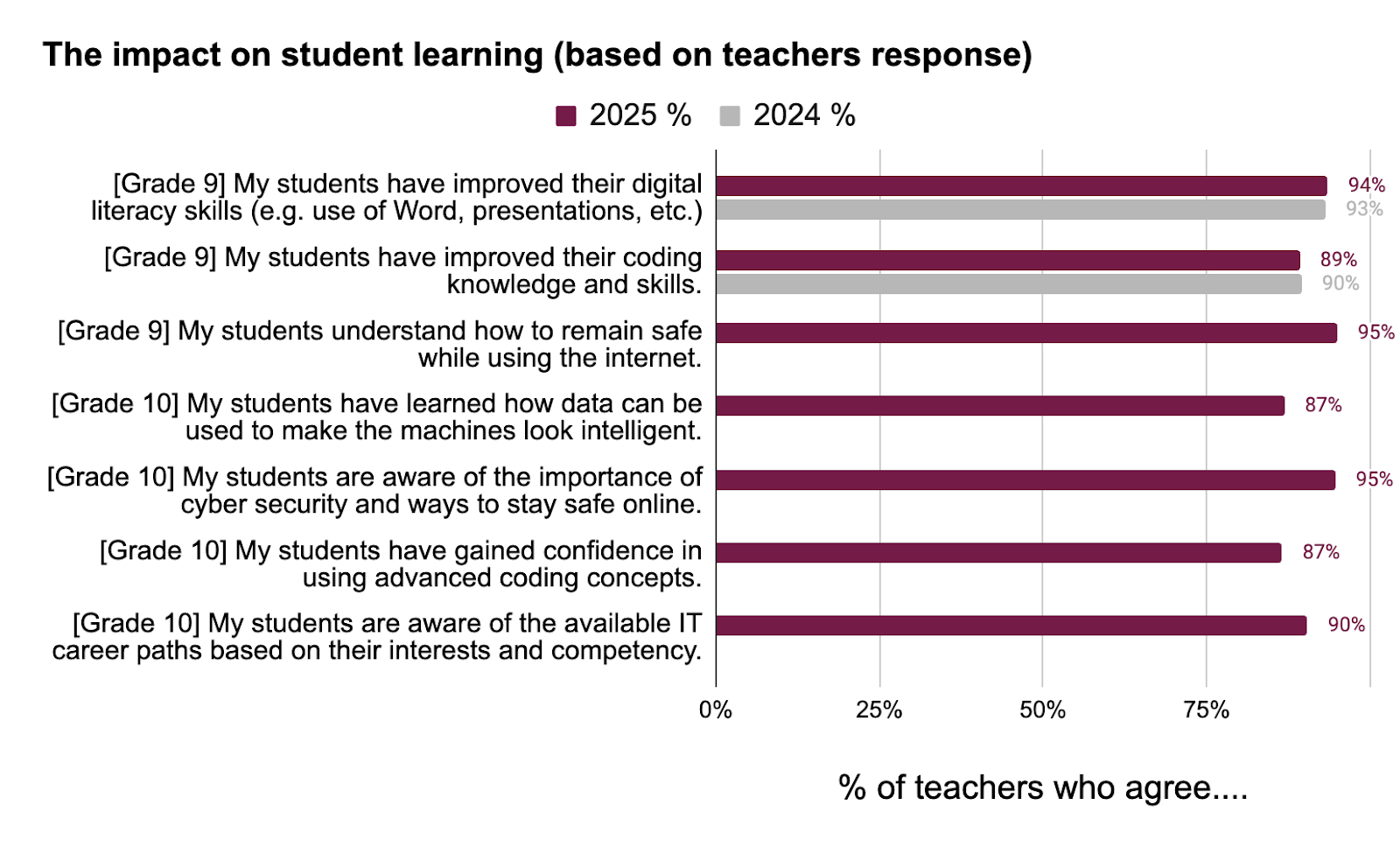
At least 87% of teachers agreed that students achieved the outcomes we asked about, e.g. regarding coding skills, staying safe online, and use of data in machine intelligence. 

Moreover, responses related to our grade 9 curriculum remained similarly high compared to 2024 survey responses.

2025 Odisha teacher survey responses regarding their students' learning.
2025 Odisha teacher survey responses regarding their students’ learning. Click to enlarge.

Teachers also expressed their appreciation for the computing curriculum resources and training in free-text comments and interviews, for example:

“IT and coding is essential nowadays. So a good initiative, adding this to schools’ curriculum.” – Teacher in Odisha

“The training was quite informative, interesting and helpful.” – Teacher in Odisha

“It is very useful training for me. It boosts my knowledge and helps me for classroom transaction.” – Teacher in Odisha

Addressing challenges

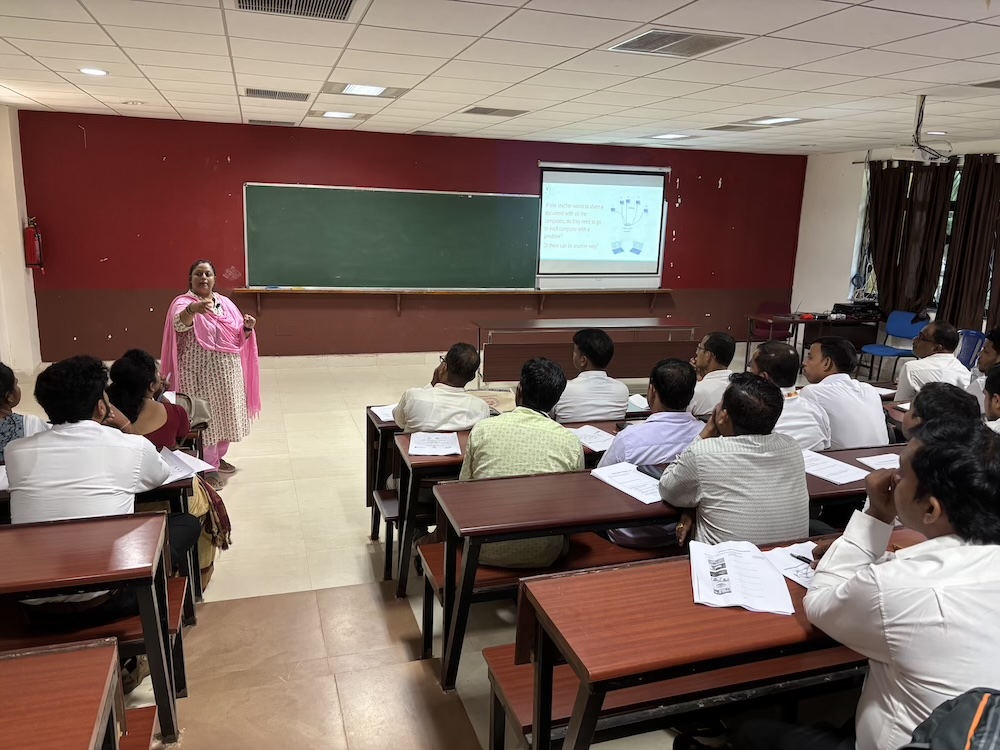
An ongoing challenge in Odisha has been supporting those teachers who lack experience with computing and/or with our recommended teaching approaches for computing. We have been working hard to help these teachers develop the knowledge, skills, and confidence to effectively deliver the curriculum content in the limited time they have alongside their other professional commitments.

Teachers at a teacher training in Odisha.

In the 2023/2024 academic year, many teachers had told us they needed further training and support. For this reason, we offered longer training in the 2024/25 academic year. We also adapted our training approach based on learning from earlier phases, such as including activities teachers could complete on their smartphones, enabling more hands-on learning while reducing dependence on available IT equipment. The outcome of this was positive: in the follow-up survey, fewer teachers felt they needed additional training to deliver the lessons, and most teachers we interviewed felt this year’s training was an improvement on the previous year’s.

Our team also ran weekly webinars to support teachers and address their queries. These were very well received by teachers. Of the responses received to feedback form available after each webinar:

  • 97% agreed that the “webinar helped me to understand the topics covered more clearly.”
  • 98% agreed that the “webinar was useful to support my teaching.”

This was supported by comments from teachers, for example:

“All questions were answered. The webinar was good. Gained a lot. Thank you very much.”  – Teacher in Odisha

“I learned many unknown things about Scratch, it will help my classroom teaching.” – Teacher in Odisha

In this year’s follow-up survey, teachers also less frequently indicated they felt they needed “additional content to support students”. They provided useful feedback and suggestions regarding the curriculum content, e.g. further simplifying and localising it, which we will incorporate into future resource development.

Another persistent challenge has been limited access to IT equipment and the internet in schools, and what this means for student-device ratios and how teachers are able to deliver the content. For future resources we are developing, we are therefore adapting the amount of content to be delivered over a series of lessons.

Next steps for our partnership in Odisha

In 2025, we are working with the same partners to implement a curriculum for grades 6 to 8, initially in around 460 schools. We and our partners have developed the curriculum content and are currently in the process of training teachers in preparation for classroom delivery.

We are also continuing to support the teachers previously trained on the grade 9 and 10 curriculum through webinars and school visits.

Want to see our curriculum resources?

You can access our free Computing Curriculum resources on our website — we are currently working to make the materials for India, and for Kenya, downloadable there.

Look out for the final blog in this mini-series next month, which will focus on our computer science curriculum in Telangana, India.

The post Adapting our computing curriculum resources for Odisha — the journey so far appeared first on Raspberry Pi Foundation.
How to rapidly design and adapt quality learning experiences for your students

Post Syndicated from Sean Sayers original https://www.raspberrypi.org/blog/how-to-rapidly-design-and-adapt-quality-learning-experiences-for-your-students/

At this time of year, many educators are considering ways to update their content ahead of the new school term. Whether you’re a teaching assistant or head of department, it’s important to ensure that the content you’re updating — or even designing anew — is relevant and high quality, and meet learners’ needs. In today’s blog we’re highlighting ‘ABC learning design’, and how it can be used to rapidly design and improve learning experiences.

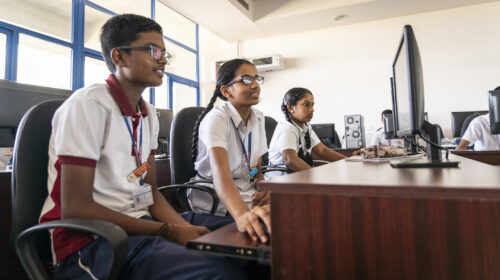
Educators in the classroom

We also share our new ABC-focused Pedagogy Quick Read, which you can download for free to: 

  • Find practical tips on how to use the ABC process and related approaches with your learners
  • Read a summary of the research behind the framework

What is ABC learning design?

ABC learning design is a rapid, hands-on approach to design and develop blended learning experiences. The framework has traditionally been used at undergrad level, and had a lot of success when used in response to the global pandemic in 2020, when learning experiences had to quickly transition from being delivered in-person to being accessible remotely. 

The model is centred around six learning types:

  • Acquisition: Learning by reading, listening, or watching
  • Collaboration: Learning by working with others towards a common goal, involving co-creation and shared outputs
  • Discussion: Learning through dialogue, sharing ideas, and responding to others
  • Investigation: Learning by exploring, comparing, and evaluating new information or experiences
  • Practice: Learning by applying knowledge and skills, receiving feedback, and refining understanding
  • Production: Learning by expressing understanding or creating something to demonstrate knowledge and skills

Before continuing, it’s important to distinguish between ‘learning types’ and the widely discredited concept of ‘learning styles’. Whilst learning styles refer to fixed characteristics or preferences of learners, learning types refer to different kinds of learning activities and pedagogical approaches that can be designed into a course.

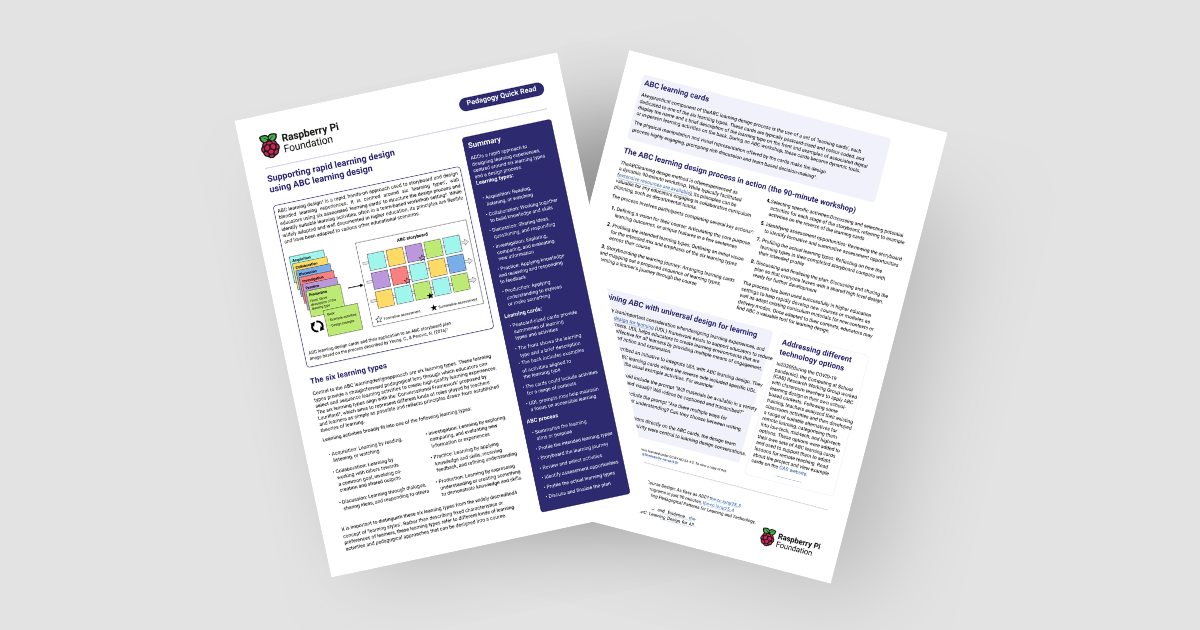
Copy of the ABC learning design Pedagogy Quick Read

These learning types are representative simplifications of pre-existing learning theories. For each learning type, educators can use different activities to deliver that type of learning. The activities will depend on your context and what’s right and applicable for your students.

How can I apply ABC learning design?

ABC learning design is often done in a team-based workshop setting (you can do it by yourself as well). Firstly, you analyse your existing content. Consider the goal of your current learning sequence, and assess how your learners are going to reach that goal with the different learning types.

Educators in the classroom

By analysing existing content and activities, you can then identify what’s missing from your sequence. This allows you to build on existing gaps and consider different types of activities you could implement. You then create a set of learning cards, which help you to storyboard and plan your new learning sequence.

Learning cards are typically postcard-sized and colour-coded to one of the six learning types. Colour coding helps you to tell the cards apart, and to easily see which learning types are or aren’t included in your sequence. 

Each card has the name and a short description of the learning type on the front, with examples of associated digital or in-person learning activities on the back. The learning cards:

  • Make the design process more engaging
  • Help with decision making
  • Support discussions if you’re working in a team
ABC Learning design cards and their application to an ABC storyboard plan

Adapting ABC learning design for your context

ABC design can be contextualised to your classroom, practices, and school, and to the technologies you have available. For example, on the back of each learning card you could include a set of activities that have been tried and tested in, or approved by, your school. Alternatively, you could link to other frameworks or teaching approaches that work for you and your students. 

Learning cards can also be used to collect other insights about teaching and learning within your context, and used as reminders of pedagogies to implement, as well as practical concerns. They can also help you to consider if there are opportunities for cross-curricular links within your learning sequence.

A shared toolkit you can reuse

In a computing department, ABC learning cards can become a shared resource that give fellow educators an understanding of what’s possible. The cards can be used again and again to help plan future learning experiences. 

Educators sharing ideas on a whiteboard

By running an ABC workshop and creating these learning cards, you and your team will put together a contextualised learning sequence toolkit specific to your school and learners.

Integration with universal design for learning to improve accessibility

In our blog How to build young people’s agency through accessible learning, we explored the universal design for learning (UDL) framework. UDL aims to support educators to reduce barriers for learners. It helps educators to create learning environments that are accessible and effective for all learners by providing multiple means of engagement, representation, and action and expression.

Gormley et al. (2022) described an initiative to integrate UDL within ABC learning design. They developed adapted ABC learning cards where the reverse side included specific UDL prompts, in addition to the usual example activities. For example:

  • An acquisition card could include the prompt “Will materials be available in a variety of formats (text, audio, and visual)? Will videos be captioned and transcribed?”
  • A production card could include the prompt “Are there multiple ways for learners to demonstrate their understanding? Can they choose between writing, presenting, or creating?”

By including these UDL considerations directly on the ABC cards, the design team ensured that accessibility and inclusivity were central to learning design conversations.

Adding UDL prompts to your learning cards is a fantastic way to help you design accessible learning sequences.

Applying ABC learning design: Some ideas for computing educators

In 2020, during the pandemic, the Computing at School (CAS) Research Working Group worked with classroom teachers to apply ABC learning design in their own contexts. 

Following some training, teachers analysed their existing classroom activities and then developed a range of suitable alternatives for remote learning, categorising them into low-tech, mid-tech, and high-tech options. 
The different activity options were then added to their own sets of ABC learning cards and used to help adapt lessons for remote teaching. You can read more about the project and view example cards on the CAS website.

The benefits of using ABC learning design

Potential benefits for educators:

  • Enables more rapid creation and delivery of high-quality content
  • Allows you to audit your current learning sequence and identify gaps that can be improved upon
  • Provides a shared, contextualised toolkit for curriculum design

Potential benefits for students:

  • Tailored, engaging, high-quality learning experiences

Want to hear more about ABC learning design?

If you’d like to find out more about ABC learning design, you can download our Quick Read for free.

You can also listen to a thought-provoking discussion on the topic between James Robinson, Carrie Anne Philbin, Jane Waite, and Matthew Wimpenny-Smith in season 1, episode 6 of the Hello World podcast: Could curriculum design be as simple as ABC?

The post How to rapidly design and adapt quality learning experiences for your students appeared first on Raspberry Pi Foundation.