Post Syndicated from Explosm.net original http://explosm.net/comics/5983/
New Cyanide and Happiness Comic
Post Syndicated from Explosm.net original http://explosm.net/comics/5983/
New Cyanide and Happiness Comic
Post Syndicated from original https://xkcd.com/2519/

Post Syndicated from original https://blog.erratasec.com/2021/09/that-alfa-trump-sussman-indictment.html
Five years ago, online magazine Slate broke a story about how DNS packets showed secret communications between Alfa Bank in Russia and the Trump Organization, proving a link that Trump denied. I was the only prominent tech expert that debunked this as just a conspiracy-theory[*][*][*].
Last week, I was vindicated by the indictment of a lawyer involved, a Michael Sussman. It tells a story of where this data came from, and some problems with it.
But we should first avoid reading too much into this indictment. It cherry picks data supporting its argument while excluding anything that disagrees with it. We see chat messages expressing doubt in the DNS data. If chat messages existed expressing confidence in the data, we wouldn’t see them in the indictment.
In addition, the indictment tries to make strong ties to the Hillary campaign and the Steele Dossier, but ultimately, it’s weak. It looks to me like an outsider trying to ingratiated themselves with the Hillary campaign rather than there being part of a grand Clinton-lead conspiracy against Trump.
With these caveats, we do see some important things about where the data came from.
We see how Tech-Executive-1 used his position at cyber-security companies to search private data (namely, private DNS logs) to search for anything that might link Trump to somebody nefarious, including Russian banks. In other words, a link between Trump and Alfa bank wasn’t something they accidentally found, it was one of the many thousands of links they looked for.
Such a technique has been long known as a problem in science. If you cast the net wide enough, you are sure to find things that would otherwise be statistically unlikely. In other words, if you do hundreds of tests of hydroxychloroquine or invermectin on Covid-19, you are sure to find results that are so statistically unlikely that they wouldn’t happen more than 1% of the time.
If you search world-wide DNS logs, you are certain to find weird anomalies that you can’t explain. Unexplained computer anomalies happen all the time, as every user of computers can tell you.
We’ve seen from the start that the data was highly manipulated. It’s likely that the data is real, that the DNS requests actually happened, but at the same time, it’s been stripped of everything that might cast doubt on the data. In this indictment we see why: before the data was found the purpose was to smear Trump. The finders of the data don’t want people to come to the best explanation, they want only explainations that hurt Trump.
Trump had no control over the domain in question, trump-email.com. Instead, it was created by a hotel marketing firm they hired, Cendyne. It’s Cendyne who put Trump’s name in the domain. A broader collection of DNS information including Cendyne’s other clients would show whether this was normal or not.
In other words, a possible explanation of the data, hints of a Trump-Alfa connection, has always been the dishonesty of those who collected the data. The above indictment confirms they were at this level of dishonesty. It doesn’t mean the DNS requests didn’t happen, but that their anomalous nature can be created by deletion of explanatory data.
Lastly, we see in this indictment the problem with “experts”.

Sadly, this didn’t happen. Even experts are biased. The original Slate story quoted Paul Vixie, who hates Trump, who was willing to believe it rather than question it. It’s not necessarily Vixie’s fault: the Slate reporter gave the experts they quoted a brief taste of the data, then pretended their response was a full in-depth analysis, rather than a quick hot-take. It’s not clear that Vixie really still stands behind the conclusions in the story.
But of the rest of the “experts” in the field, few really care. Most hate Trump, and therefore, wouldn’t challenge anything that hurts Trump. Experts who like Trump also wouldn’t put the work into it, because nobody would listen to them. Most people choose sides — they don’t care about the evidence.
This indictment vindicates my analysis in those blogposts linked above. My analysis shows convincingly that Trump had no real connection to the domain. I can’t explain the anomaly, why Alfa Bank is so interested in a domain containing the word “trump”, but I can show that conspirational communications is the least likely explanation.
Post Syndicated from original https://lwn.net/Articles/869944/rss
Alyssa Rosenzweig reports
that the open source Panfrost driver for Mali GPUs has achieved official
conformance on Mali-G52 for OpenGL ES 3.1.
This important milestone is a step forward for the open source driver, as it now certifies Panfrost for use in commercial products containing Mali G52 and paves the way for further conformance submissions on other Mali GPUs.
Post Syndicated from original https://lwn.net/Articles/869842/rss
Middleboxes are,
unfortunately in many ways, a big part of today’s internet. While middleboxes
inhabit the same physical niche as routers, they are not aimed at packet forwarding;
instead they are meant to monitor and manipulate the packets that they
see. The effects of those devices on users of the networks they reign over may be
unfortunate as well, but the rest of the internet is only affected when
trying to communicate with those users—or so it was thought. Based on some
recently reported research, it turns out that middleboxes can be abused to
inflict denial-of-service (DoS) attacks elsewhere on the net.
Post Syndicated from Glenn Thorpe original https://blog.rapid7.com/2021/09/21/critical-vcenter-server-file-upload-vulnerability-cve-2021-22005/

On Tuesday, September 21, 2021, VMware published security advisory VMSA-2021-0020, which includes details on CVE-2021-22005, a critical file upload vulnerability (CVSSv3 9.8) in vCenter Server that allows remote code execution (RCE) on the appliance. Successful exploitation of this vulnerability is achieved simply by uploading a specially crafted file via port 433 “regardless of the configuration settings of vCenter Server.”
VMware has published an FAQ outlining the details of this vulnerability and makes it clear that this should be patched “immediately.” A workaround is also being provided by VMware — however, its use is not being recommended and should only be used as a temporary solution.
We echo VMware’s advice that impacted servers should be patched right away. While there are currently no reports of exploitation, we expect this to quickly change within days — just as previous critical vCenter vulnerabilities did (CVE-2021-21985, CVE-2021-21972). Additionally, Rapid7 recommends that, as a general practice, network access to critical organizational infrastructure only be allowed via VPN and never open to the public internet.
We will update this post as more information becomes available, such as information on exploitation.
A vulnerability check for CVE-2021-22005 is under development and will be available to InsightVM and Nexpose customers in an upcoming content release pending the QA process.
In the meantime, InsightVM customers can use Query Builder to find assets that have vCenter Server installed by creating the following query: software.description contains vCenter Server. Rapid7 Nexpose customers can create a Dynamic Asset Group based on a filtered asset search for Software name contains vCenter Server.
Post Syndicated from Crosstalk Solutions original https://www.youtube.com/watch?v=53vN-VmFdi0
Post Syndicated from digiblurDIY original https://www.youtube.com/watch?v=DUsxNd9Ex6k
Post Syndicated from Joby Bett original https://aws.amazon.com/blogs/architecture/detect-adversary-behavior-in-seconds-with-crowdstrike-and-amazon-eventbridge/
By integrating Amazon EventBridge with Falcon Horizon, CrowdStrike has developed a real-time, cloud-based solution that allows you to detect threats in less than a second. This solution uses AWS CloudTrail and EventBridge. CloudTrail allows governance, compliance, operational auditing, and risk auditing of your AWS account. EventBridge is a serverless event bus that makes it easier to build event-driven applications at scale.
In this blog post, we’ll cover the challenges presented by using traditional log file-based security monitoring. We will also discuss how CrowdStrike used EventBridge to create an innovative, real-time cloud security solution that enables high-speed, event-driven alerts that detect malicious actors in milliseconds.
Being able to detect malicious actors in your environment is necessary to stay secure in the cloud. With the growing volume, velocity, and variety of cloud logs, log file-based monitoring makes it difficult to reveal adverse behaviors in time to stop breaches.
When an attack is in progress, a security operations center (SOC) analyst has an average of one minute to detect the threat, ten minutes to understand it, and one hour to contain it. If you cannot meet this 1/10/60 minute rule, you may have a costly breach that may move laterally and explode exponentially across the cloud estate.
Let’s look at a real-life scenario. When a malicious actor attempts a ransom attack that targets high-value data in an Amazon Simple Storage Service (Amazon S3) bucket, it can involve activities in various parts of the cloud services in a brief time window.
These example activities can involve:
With siloed log file-based monitoring, detecting, understanding, and containing a ransom attack while still meeting the 1/10/60 rule is difficult. This is because log files are written in batches, and files are typically only created every 5 minutes. Once the log file is written, it still needs to be fetched and processed. This means that you lose the ability to dynamically correlate disparate activities.
To summarize, top-level challenges of log file-based monitoring are:
Security and compliance is a shared responsibility between AWS and the customer. We protect the infrastructure that runs all of the services offered in the AWS Cloud. For abstracted services, such as Amazon S3, we operate the infrastructure layer, the operating system, and platforms, and customers access the endpoints to store and retrieve data.
You are responsible for managing your data (including encryption options), classifying assets, and using IAM tools to apply the appropriate permissions.
In real-world cloud breach scenarios, timeliness of observation, detection, and remediation is critical. CrowdStrike Falcon Horizon IOA is built on an event-driven architecture based on EventBridge and operates at a velocity that can outpace attackers.
CrowdStrike Falcon Horizon IOA performs the following core actions:
Key differentiators of IOA from Falcon Horizon are:
Event-driven architectures provide advantages for integrating varied systems over legacy log file-based approaches. For securing cloud attack surfaces against the ever-evolving TTPs, a robust event-driven architecture at scale is a key differentiator.
CrowdStrike maximizes the advantages of event-driven architecture by integrating with EventBridge, as shown in Figure 1. EventBridge allows observing CloudTrail logs in event streams. It also simplifies log centralization from a number of accounts with its direct source-to-target integration across accounts, as follows:

Figure 1. CrowdStrike Falcon Horizon IOA architecture
As data is received by the centralized EventBridge, CrowdStrike relies on unique customer ID and AWS Region in each event to provide integrity and isolation.
EventBridge allows relatively hassle-free customer onboarding by using cross account rules to transfer customer CloudTrail data into one common event bus that can then be used to filter and selectively forward the data into the Falcon Horizon platform for analysis and mitigation.
As your organization’s cloud footprint grows, visibility into end-to-end activities in a timely manner is critical for maintaining a safe environment for your business to operate. EventBridge allows event-driven monitoring of CloudTrail logs at scale.
CrowdStrike Falcon Horizon IOA, powered by EventBridge, observes end-to-end cloud activities at high speeds at scale. Paired with targeted detection algorithms from in-house threat detection experts and threat intelligence data, Falcon Horizon IOA combats emerging threats against the cloud control plane with its cutting-edge event-driven architecture.
Post Syndicated from Molly Clancy original https://www.backblaze.com/blog/whats-the-diff-hybrid-cloud-vs-multi-cloud/
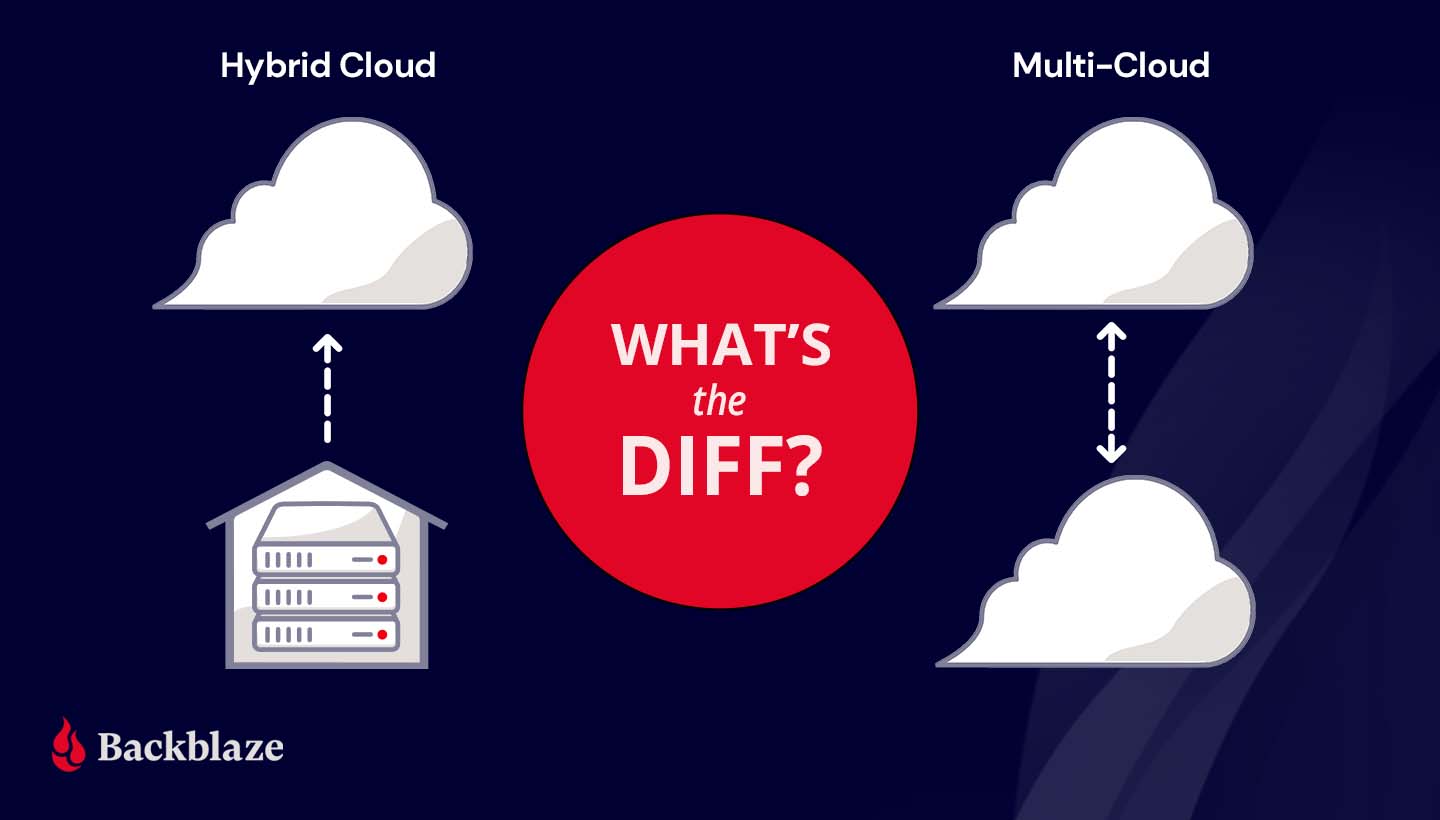
For as often as the terms multi-cloud and hybrid cloud get misused, it’s no wonder the concepts put a lot of very smart heads in a spin. The differences between a hybrid cloud and a multi-cloud strategy are simple, but choosing between the two models can have big implications for your business.
In this post, we’ll explain the difference between hybrid cloud and multi-cloud, describe some common use cases, and walk through some ways to get the most out of your cloud deployment.
Both hybrid cloud and multi-cloud strategies spread data over, you guessed it, multiple clouds. The difference lies in the type of cloud environments—public or private—used to do so. To understand the difference between hybrid cloud and multi-cloud, you first need to understand the differences between the two types of cloud environments.
A public cloud is operated by a third party vendor that sells data center resources to multiple customers over the internet. Much like renting an apartment in a high rise, tenants rent computing space and benefit from not having to worry about upkeep and maintenance of computing infrastructure. In a public cloud, your data may be on the same server as another customer, but it’s virtually separated from other customers’ data by the public cloud’s software layer. Companies like Amazon, Microsoft, Google, and us here at Backblaze are considered public cloud providers.
A private cloud, on the other hand, is akin to buying a house. In a private cloud environment, a business or organization typically owns and maintains all the infrastructure, hardware, and software to run a cloud on a private network.
Private clouds are usually built on-premises, but can be maintained off-site at a shared data center. You may be thinking, “Wait a second, that sounds a lot like a public cloud.” You’re not wrong. The key difference is that, even if your private cloud infrastructure is physically located off-site in a data center, the infrastructure is dedicated solely to you and typically protected behind your company’s firewall.
A hybrid cloud strategy uses a private cloud and public cloud in combination. Most organizations that want to move to the cloud get started with a hybrid cloud deployment. They can move some data to the cloud without abandoning on-premises infrastructure right away.
A hybrid cloud deployment also works well for companies in industries where data security is governed by industry regulations. For example, the banking and financial industry has specific requirements for network controls, audits, retention, and oversight. A bank may keep sensitive, regulated data on a private cloud and low-risk data on a public cloud environment in a hybrid cloud strategy. Like financial services, health care providers also handle significant amounts of sensitive data and are subject to regulations like the Health Insurance Portability and Accountability Act (HIPAA), which requires various security safeguards where a hybrid cloud is ideal.
A hybrid cloud model also suits companies or departments with data-heavy workloads like media and entertainment. They can take advantage of high-speed, on-premises infrastructure to get fast access to large media files and store data that doesn’t need to be accessed as frequently—archives and backups, for example—with a scalable, low-cost public cloud provider.
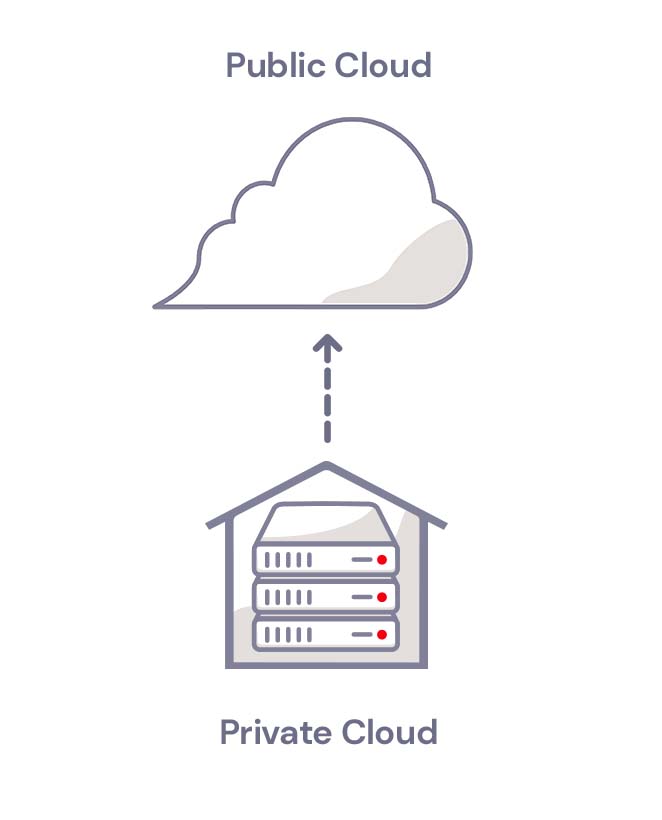
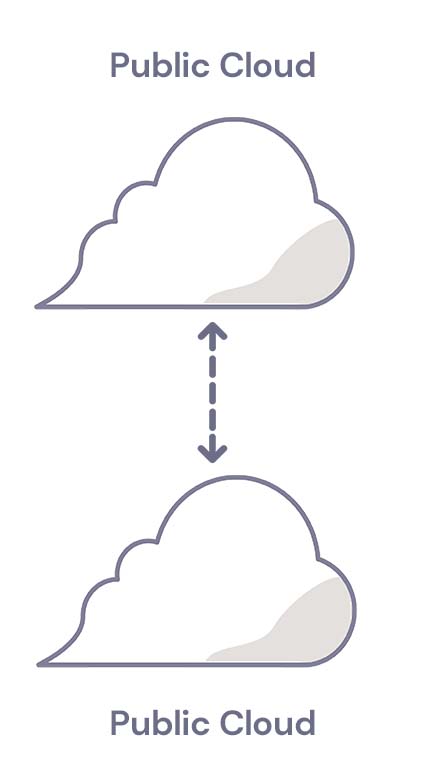
A multi-cloud strategy uses two or more public clouds in combination. A multi-cloud strategy works well for companies that want to avoid vendor lock-in or achieve data redundancy in a failover scenario. If one cloud provider experiences an outage, they can fall back on a second cloud provider.
Companies with operations in countries that have data residency laws also use multi-cloud strategies to meet regulatory requirements. They can run applications and store data in clouds that are located in specific geographic regions.
For more information on multi-cloud strategies, check out our Multi-cloud Architecture Guide.
Whether you use hybrid cloud storage or multi-cloud storage, it’s vital to manage your cloud deployment efficiently and manage costs. To get the most out of your cloud strategy, we recommend the following:
To decide between hybrid cloud storage and multi-cloud storage, consider the following questions:
Still wondering what type of cloud strategy is right for you? Ask away in the comments.
The post What’s the Diff: Hybrid Cloud vs. Multi-cloud appeared first on Backblaze Blog | Cloud Storage & Cloud Backup.
Post Syndicated from original https://lwn.net/Articles/869923/rss
Security updates have been issued by Debian (webkit2gtk, wpewebkit, and xen), Oracle (kernel), Red Hat (curl, go-toolset:rhel8, krb5, mysql:8.0, nodejs:12, and nss and nspr), and Ubuntu (curl and tiff).
Post Syndicated from Matt Granger original https://www.youtube.com/watch?v=R6lzorF_b50
Post Syndicated from Chelsea Portney original https://blog.rapid7.com/2021/09/21/rapid7-statement-on-the-new-standard-contractual-clauses-for-international-transfers-of-personal-data/

Context: On June 4, 2021, the European Commission published new standard contractual clauses (“New SCCs”). Under the General Data Protection Regulation (“GDPR”), transfers of personal data to countries outside of the European Economic Area (EEA) must meet certain conditions. The New SCCs are an approved mechanism to enable companies transferring personal data outside of the EEA to meet those conditions, and they replace the previous set of standard contractual clauses (“Old SCCs”), which were deemed inadequate by the Court of Justice of the European Union (“CJEU”). The New SCCs made a number of improvements to the previous version, including but not limited to (i) a modular design which allows parties to choose the module applicable to the personal data being transferred, (ii) use by non-EEA data exporters, and (iii) strengthened data subjects rights and protections.
Rapid7 Action: In light of the European Commission’s adoption of the New SCCs, Rapid7 performed a thorough assessment of its personal data transfers which involved reviewing the technical, contractual, and organizational measures we have in place, evaluating local laws where the personal data will be transferred, and analyzing the necessity for the transfers in accordance with the type and scope of the personal data being transferred. Rapid7 will be updating our Data Processing Addendum on September 27, 2021, to incorporate the New SCCs, where required, for the transfer of personal data outside of the EEA. Rapid7’s adoption of the New SCCs helps ensure we are able to continue to serve all our clients in compliance with GDPR data transfer rules.
Ongoing Commitments: Rapid7 is committed to upholding high standards of privacy and security for our customers, and we are pleased to be able to offer the New SCCs which provide enhanced protections that better take account of the rapidly evolving data environment. We will continue to monitor ongoing changes in order to comply with applicable law and will regularly assess our technical, contractual, and organizational measures in an effort to improve our data protection safeguards. For information on how Rapid7 collects, uses, and discloses personal data, as well as the choices available regarding personal data collected by Rapid7, please see the Rapid7 Privacy Policy. Additionally, Rapid7 remains dedicated to maintaining and enhancing our robust security and privacy program which is outlined in detail on our Trust page.
For more information about our security and privacy program, please email [email protected].
Post Syndicated from Aigars Kadiķis original https://blog.zabbix.com/agentless-oracle-database-monitoring-with-odbc/15589/
Did you know that Zabbix has an out-of-the-box template for collecting Oracle database metrics? With this template, we can collect data like database, tablespace, ASM, and many other metrics agentlessly, by using ODBC. This blog post will guide you on how to set up ODBC monitoring for Oracle 11.2, 12.1, 18.5, or 19.2 database servers. This post can serve as the perfect set of guidelines for deploying Oracle database monitoring in your environment.
The provided commands apply for the following operating systems: CentOS 8, Oracle Linux 8, or Rocky Linux.
First we have to download the following packages:
oracle-instantclient19.12-basic-19.12.0.0.0-1.x86_64.rpm
oracle-instantclient19.12-sqlplus-19.12.0.0.0-1.x86_64.rpm
oracle-instantclient19.12-odbc-19.12.0.0.0-1.x86_64.rpm
Here we are downloading
Oracle instant client – required, to establish connectivity to an Oracle database
SQLPlus – A tool that we can use to test the connectivity to an Oracle database
Oracle ODBC package – contains the required ODBC drivers and configuration scripts to enable ODBC connectivity to an Oracle database
Upload the packages to the Zabbix server (or proxy, if you wish to monitor your Oracle DB on a proxy) and place it in:
/tmp/oracle-instantclient19.12-basic-19.12.0.0.0-1.x86_64.rpm
/tmp/oracle-instantclient19.12-sqlplus-19.12.0.0.0-1.x86_64.rpm
/tmp/oracle-instantclient19.12-odbc-19.12.0.0.0-1.x86_64.rpm
Install ‘libaio’ and ‘libnsl’ library:
dnf -y install libaio-devel libnsl
Otherwise, we will receive errors:
# rpm -ivh /tmp/oracle-instantclient19.12-basic-19.12.0.0.0-1.x86_64.rpm
error: Failed dependencies:
        libaio is needed by oracle-instantclient19.12-basic-19.12.0.0.0-1.x86_64
        libnsl.so.1()(64bit) is needed by oracle-instantclient19.12-basic-19.12.0.0.0-1.x86_64
# rpm -ivh /tmp/oracle-instantclient19.12-basic-19.12.0.0.0-1.x86_64.rpm
error: Failed dependencies:
        libnsl.so.1()(64bit) is needed by oracle-instantclient19.12-basic-19.12.0.0.0-1.x86_64
Check if Oracle components have been previously deployed on the system. The commands below should provide an empty output:
rpm -qa | grep oracle
ldconfig -p | grep oracle
rpm -ivh /tmp/oracle-instantclient19.12-basic-19.12.0.0.0-1.x86_64.rpm
Make sure that the package ‘oracle-instantclient19.12-basic-19.12.0.0.0-1.x86_64’ is installed:
rpm -qa | grep oracle
The official Oracle template page at git.zabbix.com talks about the method to configure Oracle ENV Usage for the service. For this version 19.12 of instant client, it is NOT REQUIRED to create a ‘/etc/sysconfig/zabbix-server’ file with content:
export ORACLE_HOME=/usr/lib/oracle/19.12/client64
export PATH=$PATH:$ORACLE_HOME/bin
export LD_LIBRARY_PATH=$ORACLE_HOME/lib:/usr/lib64:/usr/lib:$ORACLE_HOME/bin
export TNS_ADMIN=$ORACLE_HOME/network/admin
While we did install the rpm package, the Oracle 19.12 client package did auto-configure LD path at the global level – it means every user on the system can use the Oracle instant client. We can see the LD path have been configured under:
cat /etc/ld.so.conf.d/oracle-instantclient.conf
This will print:
/usr/lib/oracle/19.12/client64/lib
To ensure that the required Oracle libraries are recognized by the OS, we can run:
ldconfig -p | grep oracle
It should print:
liboramysql19.so (libc6,x86-64) => /usr/lib/oracle/19.12/client64/lib/liboramysql19.so
libocijdbc19.so (libc6,x86-64) => /usr/lib/oracle/19.12/client64/lib/libocijdbc19.so
libociei.so (libc6,x86-64) => /usr/lib/oracle/19.12/client64/lib/libociei.so
libocci.so.19.1 (libc6,x86-64) => /usr/lib/oracle/19.12/client64/lib/libocci.so.19.1
libnnz19.so (libc6,x86-64) => /usr/lib/oracle/19.12/client64/lib/libnnz19.so
libmql1.so (libc6,x86-64) => /usr/lib/oracle/19.12/client64/lib/libmql1.so
libipc1.so (libc6,x86-64) => /usr/lib/oracle/19.12/client64/lib/libipc1.so
libclntshcore.so.19.1 (libc6,x86-64) => /usr/lib/oracle/19.12/client64/lib/libclntshcore.so.19.1
libclntshcore.so (libc6,x86-64) => /usr/lib/oracle/19.12/client64/lib/libclntshcore.so
libclntsh.so.19.1 (libc6,x86-64) => /usr/lib/oracle/19.12/client64/lib/libclntsh.so.19.1
libclntsh.so (libc6,x86-64) => /usr/lib/oracle/19.12/client64/lib/libclntsh.so
Note: If for some reason the ldconfig command shows links to other dynamic libraries – that’s when we might have to create a separate ENV file for Zabbix server/Proxy, which would link the Zabbix application to the correct dynamic libraries, as per the example at the start of this section.
To save us some headache down the line, let’s first check the network connectivity to our Oracle database host. Let’s check if we can reach the default Oracle port at the network level. In this example, we will try to connect to the default Oracle database port, 1521. Depending on which port your Oracle database is listening for connections, adjust accordingly,. Make sure the output says ‘Connected to 10.1.10.15:1521’:
nc -zv 10.1.10.15 1521
We can simulate the connection to the Oracle database before moving on with the ODBC configuration. Make sure that the Oracle username and password used in the command are correct. For this task, we will first need to install the SQLPlus package.:
rpm -ivh /tmp/oracle-instantclient19.12-sqlplus-19.12.0.0.0-1.x86_64.rpm
To simulate the connection, we can use a one-liner command. In the example command I’m using the username ‘system’ together with the password ‘oracle’ to reach out to the Oracle database server ‘10.1.10.15’ via port ‘1521’ and connect to the service name ‘xe’:
sqlplus64 'system/oracle@(DESCRIPTION=(ADDRESS_LIST=(ADDRESS=(PROTOCOL=TCP)(HOST=10.1.10.15)(PORT=1521)))(CONNECT_DATA=(SERVER=DEDICATED)(SERVICE_NAME=xe)))'
In the output we can see: we are using the 19.12 client to connect to 11.2 server:
SQL*Plus: Release 19.0.0.0.0 - Production on Mon Sep 6 13:47:36 2021
Version 19.12.0.0.0
Copyright (c) 1982, 2021, Oracle.  All rights reserved.
Connected to:
Oracle Database 11g Express Edition Release 11.2.0.2.0 - 64bit Production
Note: This gives us an extra hint regarding the Oracle instant client – newer versions of the client are backwards compatible with the older versions of the Oracle database server. Though this doesn’t apply to every version of Oracle client/server, please check the Oracle instant client documentation first.
When it comes to configuring ODBC, let’s first install the ODBC driver manager
dnf -y install unixODBC
Now we can see that we have two new files – ‘/etc/odbc.ini’ (possibly empty) and ‘/etc/odbcinst.ini’.
The file ‘/etc/odbcinst.ini’ describes driver relation. Currently, when we ‘grep’ the keyword ‘oracle’ there is no oracle relation installed, the output is empty when we run:
grep -i oracle /etc/odbcinst.ini
Our next step is to Install Oracle ODBC driver package:
rpm -ivh /tmp/oracle-instantclient19.12-odbc-19.12.0.0.0-1.x86_64.rpm
The ‘oracle-instantclient*-odbc’ package contains a script that will update the ‘/etc/odbcinst.ini’ configuration automatically:
cd /usr/lib/oracle/19.12/client64/bin
./odbc_update_ini.sh / /usr/lib/oracle/19.12/client64/lib
It will print:
*** ODBCINI environment variable not set,defaulting it to HOME directory!
Now when we print the file on the screen:
cat /etc/odbcinst.ini
We will see that there is the Oracle 19 ODBC driver section added at the end of the file::
[Oracle 19 ODBC driver]
Description     = Oracle ODBC driver for Oracle 19
Driver          = /usr/lib/oracle/19.12/client64/lib/libsqora.so.19.1
Setup           =
FileUsage       =
CPTimeout       =
CPReuse         =
It’s important to check if there are no errors produced in the output when executing the ‘ldd’ command. This ensures that the dependencies are satisfied and accessible and there are no conflicts with the library versioning:
ldd /usr/lib/oracle/19.12/client64/lib/libsqora.so.19.1
It will print something similar like:
linux-vdso.so.1 (0x00007fff121b5000)
libdl.so.2 => /lib64/libdl.so.2 (0x00007fb18601c000)
libm.so.6 => /lib64/libm.so.6 (0x00007fb185c9a000)
libpthread.so.0 => /lib64/libpthread.so.0 (0x00007fb185a7a000)
libnsl.so.1 => /lib64/libnsl.so.1 (0x00007fb185861000)
librt.so.1 => /lib64/librt.so.1 (0x00007fb185659000)
libaio.so.1 => /lib64/libaio.so.1 (0x00007fb185456000)
libresolv.so.2 => /lib64/libresolv.so.2 (0x00007fb18523f000)
libclntsh.so.19.1 => /usr/lib/oracle/19.12/client64/lib/libclntsh.so.19.1 (0x00007fb1810e6000)
libclntshcore.so.19.1 => /usr/lib/oracle/19.12/client64/lib/libclntshcore.so.19.1 (0x00007fb180b42000)
libodbcinst.so.2 => /lib64/libodbcinst.so.2 (0x00007fb18092c000)
libc.so.6 => /lib64/libc.so.6 (0x00007fb180567000)
/lib64/ld-linux-x86-64.so.2 (0x00007fb1864da000)
libnnz19.so => /usr/lib/oracle/19.12/client64/lib/libnnz19.so (0x00007fb17fdba000)
libltdl.so.7 => /lib64/libltdl.so.7 (0x00007fb17fbb0000)
When we executed the ‘odbc_update_ini.sh’ script, a new DSN (data source name) file was made in ‘/root/.odbc.ini’. This is a sample configuration ODBC configuration file which describes what settings this version of ODBC driver supports.
Let’s move this configuration file from the user directories to a location accessible system-wide:
cat /root/.odbc.ini | sudo tee -a /etc/odbc.ini
And remove the file from the user directory completely:
rm /root/.odbc.ini
This way, every user in the system will use only this one ODBC configuration file.
We can now alter the existing configuration – /etc/odbc.ini. I’m highlighting things that have been changed from the defaults:
[Oracle11g]
AggregateSQLType = FLOAT
Application Attributes = T
Attributes = W
BatchAutocommitMode = IfAllSuccessful
BindAsFLOAT = F
CacheBufferSize = 20
CloseCursor = F
DisableDPM = F
DisableMTS = T
DisableRULEHint = T
Driver = Oracle 19 ODBC driver
DSN = Oracle11g
EXECSchemaOpt =
EXECSyntax = T
Failover = T
FailoverDelay = 10
FailoverRetryCount = 10
FetchBufferSize = 64000
ForceWCHAR = F
LobPrefetchSize = 8192
Lobs = T
Longs = T
MaxLargeData = 0
MaxTokenSize = 8192
MetadataIdDefault = F
QueryTimeout = T
ResultSets = T
ServerName = //10.1.10.15:1521/xe
SQLGetData extensions = F
SQLTranslateErrors = F
StatementCache = F
Translation DLL =
Translation Option = 0
UseOCIDescribeAny = F
UserID = system
Password = oracle
DNS – Data source name. Should match the section name in brackets, e.g.:[Oracle11g]
ServerName – Oracle server address
UserID – Oracle user name
Password – Oracle user password
To test the connection from the command line, let’s use the isql command-line tool which should simulate the ODBC connection akin to what the Zabbix is doing when gathering metrics:
isql -v Oracle11g
The isql command in this example picks up the ODBC settings (Username, Password, Server address) from the odbc.ini file. All we have to do is reference the particular DSN – Oracle11g
On the other hand, if we do not prefer to keep the password on the filesystem (/etc/odbc.ini), we can erase the lines ‘UserID’ and ‘Password’. Then we can test the ODBC connection with:
isql -v Oracle11g 'system' 'oracle'
In case of a successful connection it should print:
+---------------------------------------+
| Connected!                            |
|                                       |
| sql-statement                         |
| help [tablename]                      |
| quit                                  |
|                                       |
+---------------------------------------+
SQL>
And that’s it for the ODBC configuration! Now we should be able to apply the Oracle by ODBC template in Zabbix

Don’t forget that we also need to provide the necessary Oracle credentials to start collecting Oracle database metrics:

The lessons learned in this blog post can be easily applied to ODBC monitoring and troubleshooting in general, not just Oracle. If you’re having any issues or wish to share your experience with ODBC or Oracle database monitoring – feel free to leave us a comment!
Post Syndicated from Bruce Schneier original https://www.schneier.com/blog/archives/2021/09/alaskas-department-of-health-and-social-services-hack.html
Apparently, a nation-state hacked Alaska’s Department of Health and Social Services.
Not sure why Alaska’s Department of Health and Social Services is of any interest to a nation-state, but that’s probably just my failure of imagination.
Post Syndicated from Ashley Whittaker original https://www.raspberrypi.org/blog/automatically-tune-your-guitar-with-raspberry-pi-pico/
You sit down with your six-string, ready to bash out that new song you recently mastered, but find you’re out of tune. Redditor u/thataintthis (Guyrandy Jean-Gilles) has taken the pain out of tuning your guitar, so those of us lacking this necessary skill can skip the boring bit and get back to playing.
Before you dismiss this project as just a Raspberry Pi Pico-powered guitar tuning box, read on, because when the maker said this is a fully automatic tuner, they meant it.
Guyrandy’s device listens to the sound of a string being plucked and decides which note it needs to be tuned to. Then it automatically turns the tuning keys on the guitar’s headstock just the right amount until it achieves the correct note.
Genius.
If this were a regular tuning box, it would be up to the musician to fiddle with the tuning keys while twanging the string until they hit a note that matches the one being made by the tuning box.
It’s currently hardcoded to do standard tuning, but it could be tweaked to do things like Drop D tuning.

Commenters were quick to share great ideas to make this build even better. Issues of harmonics were raised, and possible new algorithms to get around it were shared. Another commenter noticed the maker wrote their own code in C and suggested making use of the existing ulab FFT in MicroPython. And a final great idea was training the Raspberry Pi Pico to accept the guitar’s audio output as input and analyse the note that way, rather than using a microphone, which has a less clear sound quality.
These upgrades seemed to pique the maker’s interest. So maybe watch this space for a v2.0 of this project…
(Watch out for some spicy language in the comments section of the original reddit post. People got pretty lively when articulating their love for this build.)
This project was inspired by the Roadie automatic tuning device. Roadie is sleek but it costs big cash money. And it strips you of the hours of tinkering fun you get from making your own version.
All the code for the project can be found here.
The post Automatically tune your guitar with Raspberry Pi Pico appeared first on Raspberry Pi.
Post Syndicated from Explosm.net original http://explosm.net/comics/5982/
New Cyanide and Happiness Comic
Post Syndicated from digiblurDIY original https://www.youtube.com/watch?v=CDwpxecW700
Post Syndicated from digiblurDIY original https://www.youtube.com/watch?v=ie6SBHvBR0g
Post Syndicated from original https://lwn.net/Articles/869883/rss
Ben Hoyt has published a critical
overview of the Python 3.10 pattern-matching feature.
As shown above, there are cases where match really
shines. But they are few and far between, mostly when handling
syntax trees and writing parsers. A lot of code does have
if ... elif chains, but these are often either
plain switch-on-value, where elif works almost as well, or
the conditions they’re testing are a more complex combination of
tests that don’t fit into case patterns (unless you use awkward
case _ if cond clauses, but that’s strictly worse than
elif).
(Pattern matching has been covered here as
well).