McKenney: Speaking at Kernel Recipes

Post Syndicated from corbet original https://lwn.net/Articles/1012286/

Paul McKenney has put together a series of
articles
on how to improve one’s ability to give a good talk at a
technical conference.

On the other hand, (1) presentation skills stay with you through
life, and (2) small improvements in presentation skills over months
or years can provide you with great advantages longer term. An old
saying credited to Thomas Edison claims a breakdown of 1%
inspiration and 99% perspiration. However, my own experience with
RCU has instead been 0.1% inspiration, 9.9% perspiration, and 90%
communication. Had I been unable to communicate effectively,
others would have extreme difficulty using RCU, as in even more
difficulty than they do now.

There is a lot of speaking experience distilled into this set of posts.

Streamlining AMI creation with EC2 Image Builder components in AWS Marketplace

Post Syndicated from Art Baudo original https://aws.amazon.com/blogs/compute/streamliningamicreationwith-ec2imagebuilder/

This post is written by Smriti Ohri, Senior Product Manager, EC2 and Omar Chehab, Senior Product Manager, AWS Marketplace.

At re:Invent 2024, Amazon Web Services (AWS) announced the availability of third-party EC2 Image Builder components in AWS Marketplace. EC2 Image Builder is a fully managed service that streamlines the customization, testing, distribution, and lifecycle management of images. You can use this new feature to procure third-party components from AWS Marketplace directly on the EC2 Image Builder console and in the AWS Marketplace website. You can add multiple of these components to create your golden images.

A golden image is a customized and pre-configured Amazon Machine Image (AMI) needed for launching Amazon Elastic Compute Cloud (Amazon EC2) instances. It includes a standardized set of software, configurations, and security settings that meet an organization’s specific requirements, promoting consistency and efficiency across all EC2 instances.

EC2 Image Builder provides Amazon managed components, and you can build your own components that help when building custom images. However, you may need third-party software to build your golden images. Procuring this software can be time-consuming and necessitates custom setup. This integration aims to address these challenges by providing the ability to add third-party software from AWS Marketplace directly while creating golden images using EC2 Image Builder. While creating the image, you can customize your image recipe to use the latest version of components published in AWS Marketplace and make sure that you always remain up to date.

This post shows you how to find, subscribe to, and incorporate components from AWS Marketplace using the EC2 Image Builder console.

Prerequisites

You must have access to subscribe to a product in AWS Marketplace. Check AWS Marketplace subscription permissions.

Solution overview

Three high-level steps are involved in using the third-party component from AWS Marketplace in EC2 Image Builder:

  1. Discover and subscribe to the third-party component on the EC2 Image Builder console.
  2. Build the golden image with the third-party component.
  3. Launch the EC2 instance using the golden image.

Solution walkthrough: Streamlining AMI creation with EC2 Image builder components in AWS Marketplace

To perform the solution, go through the steps in the following sections.

Discover and subscribe to a component by Cribl

To discover and subscribe to the component, follow these steps:

  1. On the EC2 Image Builder console, in the navigation pane, choose Discover products. On the Components tab, you can view the list of available AWS Marketplace image products and the associated components. As shown in the following screenshot, choose View subscription options, which shows the different pricing offered.

 Figure 1: Discover components on EC2 Image Builder console

 Figure 1: Discover components on EC2 Image Builder console

  1. To subscribe to the product, from the dropdown menu choose the available offers and choose Subscribe, as shown in the following screenshot. You can now start using the associated component in your image recipe.

Figure 2: Subscribe to the product that has the component

Figure 2: Subscribe to the product that has the component

Build the golden image with the third-party component

To use the component, you can either subscribe to it first, or you can create the pipeline and subscribe to the component later based on your preference. For this walkthrough, I already subscribed to the component. The following section shows how to create a pipeline to build a custom AMI using the component to which I subscribed. You can follow a similar process to install other components to create your golden AMIs. The high-level steps are:

  1. Create the recipe.
  2. Create the pipeline.

To create the recipe, follow these steps:

  1. On the EC2 Image Builder console, choose Image recipes and Create image recipe. A recipe has a base image and the components that you want to install on it.

For this example, Amazon Linux was chosen as the base image operating system and “Amazon Linux 2023 x86” as the image name.

  1. In the Build components section, choose Add build components and, from the dropdown, choose AWS Marketplace. Search for the component to which you subscribed and choose Add to recipe, as shown in the following screenshot.

You can choose to use the latest version or a specific version of the component. For this walkthrough, the latest available version was selected.

Figure 3: Create recipe and add components from AWS Marketplace

Figure 3: Create recipe and add components from AWS Marketplace

To create the pipeline, an automation configuration (where you define the infrastructure configuration), image workflows, and distribution configuration, follow these steps:

  1. On the EC2 Image Builder console, choose Image pipelines and Create image pipeline. Provide the name of the pipeline and choose a Build schedule. You can also enable scanning, which scans your AMIs for Common Vulnerabilities and Exposures (CVEs) using Amazon Inspector.

For more information, refer to Amazon Inspector integration in Image Builder in the EC2 Image Builder User Guide. For this example, image scanning is enabled and the option to manually trigger the pipeline was selected.

Figure 4: Create the pipeline with the recipe and other configurations

Figure 4: Create the pipeline with the recipe and other configurations

  1. Choose the recipe you created with third-party components from AWS Marketplace.
  2. Choose the image workflows for the image creation process and define infrastructure configurations for creating the image.

You can choose Dedicated Host, Dedicated Instance, or Shared Tenancy. By default, it uses Shared Tenancy. For this example, the default configuration was selected. I chose the c5.large instance type since that is the supported instance type for this component.

Figure 5: Select the supported instance type in the infrastructure configurations

Figure 5: Select the supported instance type in the infrastructure configurations

  1. Provide the distribution configuration details to share or copy the output image to other accounts and in other AWS Regions.

To allow these accounts to use any component from AWS Marketplace, you must share license entitlements with these accounts using AWS License Manager. Instructions for sharing license entitlements are outside the scope of this post. To learn more, refer to Associating licenses with AMI based products using AWS License Manager.

  1. Choose the pipeline that you created and choose Run pipeline. After a while, the image is created and ready to use.

Run the EC2 instance using the golden image

Create an EC2 instance with the output golden image. You can also view the product code stamped on the AMIs, as shown in the following figure.


Figure 6: View the output image to check the product code

Conclusion

This feature helps you save time and automate the process of using the latest versions of the software. With this integration, you get a diverse set of software components from verified sellers in AWS Marketplace to address the monitoring, security, governance, and compliance needs of your organization. You can learn more about these components in the documentation. Visit AWS Marketplace to view all supported EC2 Image Builder components.
If you’re an AWS Partner, then you can publish your software as components in AWS Marketplace to cater to your customers. To learn more about onboarding your software to AWS Marketplace, visit this blog post. You can reach out to [email protected] if you have questions about this new feature or the publishing process.

Start building your custom AMIs using components from Marketplace today.

A Guide to SMS Short Codes with AWS End User Messaging

Post Syndicated from Tyler Holmes original https://aws.amazon.com/blogs/messaging-and-targeting/guide-to-sms-short-codes-with-aws-end-user-messaging/

In today’s digital age, SMS messaging remains a crucial communication channel for businesses. One of the most effective ways to leverage SMS is through the use of short codes – those brief, memorable numbers that make it easy for customers to interact with your brand. This comprehensive guide will walk you through everything you need to know about obtaining and using SMS short codes.

What Are Short Codes and Why Use Them?

While short codes aren’t required for sending SMS in most countries(not all) they are synonymous with high throughput and reliability.

They offer several advantages:

  • High throughput – They start out at 100 messages per second
  • Ability to scale to thousands of messages per second – If you need the kind of scale to send out mass alerts in a short amount of time, the best option is likely a short code
  • Higher deliverability rates – Because of the increased upfront scrutiny in the registration process they have less issues with filtering and blocking. Critical use cases such as One-Time Password(OTP)/Two-Factor Authentication(2FA) are use cases that, even if you don’t need the high throughput, you may want to consider using a short code to deliver them
    • Short codes investigate issues before blocking through proactive audits, while other registered originator types such as toll-free or 10DLC block/filter first and investigate later when issues arise
  • Easy for customers to remember and identify – Short codes are 5-6 digit numbers, which is easier for recipients to remember than 10+ and lends credibility and trust to your message

Short Codes Shortcomings

While short codes offer many advantages for SMS messaging, they also come with some things to be aware of

  • Short codes are limited to SMS/MMS functionality only, unlike other number types such as long codes, 10DLC, or toll-free numbers that can also support voice messages. This limitation may restrict your communication options with customers.
  • Carriers consider short codes a premium product, which can lead to higher costs for businesses.
  • The process of obtaining a short code can be more time-consuming and complex than other originators, requiring strict adherence to carrier requirements and a thorough application process that can take several weeks to months to complete. This is not specific to AWS, these processes are controlled by the carriers and countries in which you are applying. For example, some countries require specific supporting documents such as a Letter of Authorization (LOA) or even a copy of a passport of an executive at the company. Be ready to provide these as there are usually no exceptions to these requirements.
  • While it’s an edge case, there are some prepaid mobile plans, like those offered by T-Mobile in the US, that don’t allow their users to receive messages from short codes, potentially limiting your reach.

Do You Need a Short Code?

If you answer yes to any of the below, you might want to consider a short code

  • You need over 20 MPS
  • You need daily volumes over 400K
  • You need higher success rates
  • You want an easily recognizable number for your brand
  • The country you need to send to ONLY allows short codes
  • Ensuring maximum reliability is critical
  • You operate in a highly regulated industry (like finance)

However, keep in mind that short codes:

  • Do not support voice like long codes can
  • Require a more rigorous application process and take longer to obtain
  • Have an increased cost compared to other originator types (Long codes, Toll-Free, 10DLC, Sender ID, etc.)
  • While a small edge case, they may not be supported by some prepaid mobile plans

If you’ve decided that your use case requires a short code, you have to do some planning before you request one. The next few sections guide you through some of the requirements that must be in place in order to obtain and use a short code.

Planning Your Short Code Application

Before applying for a short code, you need to have several elements in place:

1. Understand Consent Requirements

Carriers impose their own, more strict, requirements beyond the minimum requirements of law in many countries. A non-exhaustive list of consent requirements include:

  • Explicit consent is required before sending any messages
    • It does not matter if you are messaging to your employees, sending to 6 people on an IT team, or sending millions of messages promoting your brand, there are no exceptions to this rule
  • Consent must be specific to each message type (no blanket consent)
    • You must obtain explicit consent for each distinct use case such as OTP/2FA, Marketing, and the various flavors of transactional messaging. You can find examples of the distinct use cases that US 10DLC numbers adhere to here which is a good place to start when trying to classify your use cases
  • Consent can’t be transferred between companies
    • The concept of consent lies with who owns the relationship to the recipient. Just because you have received consent for a brand within your portfolio does not mean that you can message someone for a different brand or use case.
    • If you are a SaaS or multi-tenant type customer where you are offering SMS capabilities to your customers, then proof of consent must be supplied by your customer and their information submitted for review.
    • Never sell/rent your list of opted-in customers, and never use purchased or rented lists.
  • Receiving SMS can’t be a requirement for using your service or opting out
    • If your use case requires that you verify your customer’s phone number, provide them an alternative to receiving text messages. For example, provide the option to receive a voice call or an email and opt-out via different channels as well

2. Design Compliant Opt-in Workflows

An in-depth explanation of how to design a compliant opt-in process can be found here. Your opt-in process does not have to be online. You can use verbal scripts, paper forms, or online signups but the location at which someone is opting in must include:

  • A description of message types you’ll send
  • The phrase “Message and data rates may apply”
  • Message frequency information
    • This is a statement such as:
      • “You will receive (1-10) messages per (day/week/month/other)” or “message frequency varies”
  • Links to Terms & Conditions and Privacy Policy or a printed copy if not publicly accessible
  • Opt-out information (example: “Text STOP to opt-out of future messages.”)
  • Communication options
    • If your use case is 2FA/OTP you must supply a secondary channel for receiving the codes, such as email. SMS must be optional and another option must be provided. This is mandated by Verizon in the US.
    • In all other use cases SMS must be optional. It cannot be a requirement for a subscriber to opt in to SMS in order to sign up for a service. As an example: you sign up for a rewards program at a coffee shop and it is mandatory to sign up for SMS in order to join the program. This is prohibited
  • An explicit opt-in
    • Checking a box, signing your name and date, capturing it verbally and logging it. These are all valid forms of explicit opt-in. If you pre-check boxes on your forms that is NOT considered an explicit opt-in and your registration will be denied, increasing the time it will take to get approved.

The image below is an example of an online form. This is a more complex flow but you could also have a single screen flow, as long as it contains all of the above required components. Keep in mind that you can also use verbal scripts and paper forms that include all of the required components above.

Image 1 – Complex

3. Create/Update SMS-specific Privacy Policy and Terms & Conditions

Data privacy is an important component of any SMS program and when applying for a short code the US mobile carriers set the most stringent requirements regarding specific language in your Privacy Policy and Terms & Conditions. If you comply with the below for your Privacy Policy and Terms & Conditions this should put you in compliance for other countries that you may want to apply for.

For a more in depth discussion of the topic of opt-in and compliance please visit

NOTE: You are allowed to create an SMS only section within these two documents to call out different data sharing or other terms that apply to SMS but not to other parts of your business, but these items are non-negotiable and must be present or your registration will be denied by the carriers in the US

Terms & Conditions

Below is the boilerplate language that covers minimum requirements from the US carriers who are the most stringent:

  1. {Program name}
  2. {Insert program description here; this is simply a brief description of the kinds of messages users can expect to receive when they opt-in.}
  3. You can cancel the SMS service at any time. Just text “STOP” to the short code. After you send the SMS message “STOP” to us, we will send you an SMS message to confirm that you have been unsubscribed. After this, you will no longer receive SMS messages from us. If you want to join again, just sign up as you did the first time and we will start sending SMS messages to you again.
  4. If you are experiencing issues with the messaging program you can reply with the keyword HELP for more assistance, or you can get help directly at {support email address or toll-free number}.
  5. Carriers are not liable for delayed or undelivered messages
  6. As always, message and data rates may apply for any messages sent to you from us and to us from you. You will receive {message frequency}. If you have any questions about your text plan or data plan, it is best to contact your wireless provider.
  7. If you have any questions regarding privacy, please read our privacy policy: {link to privacy policy}

Privacy Policy

One of the key items carriers look for in a Privacy Policy is the sharing of end-user information with third-parties. If your privacy policy mentions data sharing or selling to non-affiliated third parties, there is a concern that customer data will be shared with third parties for marketing purposes.

Express consent is required for SMS; therefore, sharing data is prohibited. Privacy policies must specify that this data sharing excludes SMS opt-in data and consent. Privacy policies can be updated (or draft versions provided) where the practice of sharing personal data to third parties is expressly omitted from the number registration.

Example: “The above excludes text messaging originator opt-in data and consent; this information will not be shared with any third parties.”

It can also be an option to put the privacy statement in the Call-to-action mockup if you do not want to have to put it in your privacy policy page.

4. Prepare Message Templates

When submitting your registration, you must provide examples of the messages you will be sending. This includes automated responses triggered by specific keywords from end-users such as “Help“ as well as the outbound messages you will be sending to your recipients based on your use case. While we’ll provide English examples below, note that keywords and responses should be localized based on your recipient countries. You may (and should) configure multiple keywords depending on your audience demographics. All messages must be under 160 characters and meet the specific requirements detailed below:

  • Standard Outbound Messages
    • These will be specific to your program and what your use case is. You do not need to provide all of your messages that you plan on sending but you should provide an example of each type of message that you plan on sending. If you are sending in multiple languages you should provide a version for each language.
  • Opt-in Confirmation Message
    • This is the message that must be sent whenever you opt someone into your program
  • Help
    • This message must be sent when any of the required keywords for help in the country you are registering for are sent back to you. In the US this is “help” and in Mexico this is “ayuda” for example.
  • Stop
    • The “Stop message” is the response that is required to be sent to end-users when they text the keyword “STOP” (or similar keywords). End-users are required to be opted out of further messages when they text the STOP (or equivalent) keyword to your number and you are required to confirm with them that they will no longer receive messages for the program.

Let’s review the specific requirements for each in detail

Standard Outbound Message Types:

Your short code application must include examples of all of the message TYPES that you plan to use but it does not need to include ALL of the possible examples. This is especially true with promotional messages that can have a lot more variability. You need to give the reviewers enough examples that you are illustrating how you will be using the short code.

The two main types of messages are Promotional and Transactional, let’s break each down.

Promotional: This includes any type of messaging that has content related to sales or other offers. This does not only have to be related to content that requires a purchase. This could also be marketing new features, announcing the launch of a new program, or other messaging that could be construed as marketing. Remember, there are humans reviewing these registrations so make sure that any messages that you are using will not be misconstrued as a type of message that you are not registering for.

Transactional: There are a lot of different types of messages that can be considered transactional. The simple way of thinking about it is that anything that is NOT promotional, is transactional. Some examples of transactional messages include:

  • Account Notifications
  • Status notifications about an account that the recipient is a part of or owns
  • Customer Care
  • Communications related to support or account management
  • Delivery Notifications
  • Notifications about the status of a delivery of a product or service
  • Fraud Alert Messaging
  • Notifications related to potential fraudulent activity
  • Security Alerts
  • Notifications related to a compromised software or hardware system that requires recipients to take an action
  • Two Factor Authentication(2FA) or One-Time Password(OTP)
  • Authentication, account verifications, or one-time passcode

While these two types can be mixed on a single short code we strongly recommend against this:

  • Mixing message types on a single code is not as resilient should something happen to your code or if your code is ever audited.
  • It could prevent your recipients from accessing their account if they opt out of a code delivering OTP and marketing messages and you are not self managing your opt out process.
  • It can also impacts the throughput — if, during a marketing campaign using the same short code, that campaign is exhausting the throughput of the short code, the transactional use case will be impacted by that capacity limitation.

Best practices:

  • Include your Program (brand) name in each message
  • If you have multiple templates, include an example of all of the types you are registering for.
  • Read them all and make sure that they are clearly a part of the message type/use case that you are registering for
  • If your messages will include variables, it’s fine to use either placeholder values or variables.
    • For example, both of the following are acceptable: “Hello John. Your one-time password is 654321” and “Hello [first_name]. Your one-time password is [otp code] .”
  • Make sure they are all less than 160 characters
  • Do not use unbranded link shorteners
    • If you have to use a shortener make sure that it is branded and that there are not multiple redirects. Also make sure to provide examples of the branded shortened domain so that it is on file with the carriers

Confirmation:

Provide the exact message that will be sent back to your end-users letting them know that they have successfully registered.

Example:
“Welcome to AnyCo! Reply “YES” to confirm your subscription and get special offers once a month. Msg & data rates may apply. Text ‘STOP’ to opt out.”

You must include:

  • The message has to be a minimum of 20 characters and a maximum of 160 characters
  • Brand Name
  • Opt-in confirmation messages are required for all use cases, even one-time passwords. However, for OTP-type use cases, the act of end users requesting an OTP is essentially an opt-in and associated confirmation message which means you don’t need another unique confirmation message on top of the OTP as long as the OTP message is compliant.
    • A double opt-in confirmation message flow, where the recipient will text back “YES” to confirm that they did want to register, is only required for shopping cart reminder use cases. However we do recommend it as a best practice for all use cases since it ensures you are maintaining a clean database of numbers.
  • Include “Msg & data rates may apply” as seen in the example
  • Include opt-out language as seen in the example

Help:

Provide the exact message that will be sent back to your end-users when they request “help” via keyword response.

Example:
“ExampleCorp Account Alerts: For help call 1-888-555-0142 or go to example.com. Msg&data rates may apply. Text STOP to cancel.”

You must include:

  • The message has to be a minimum of 20 characters and a maximum of 160 characters
  • The message must include:
    • Program (brand) name OR product description.
    • Additional customer care contact information.
      • It is mandatory to include a phone number and/or email for end-user support
  • Include “Msg & data rates may apply” as seen in the example

Stop:

Provide the exact message that will be sent back to your end-users when they request to be opted out of your program. You are allowed to include instructions on how to resubscribe but be sure to keep the total message length under 160 characters while still including all of the required components.

Example:
“You are unsubscribed from ExampleCorp Account Alerts. Text JOIN to resubscribe. No more messages will be sent. Reply HELP for help or call 1-888-555-0142.“

You must include:

  • The message has to be a minimum of 20 characters and a maximum of 160 characters
  • The message must include:
    • Program (brand) name OR product description
    • Confirmation that no further messages will be delivered

How to Apply for a Short Code

Step 1: Create a Case in AWS Support Center

Currently short codes are only available by opening a case. The first step to register a short code is to open a short code request case in the AWS Support Center, providing detailed information about your use case and opt-in policies. A request must be opened for each country in which you want a short code. Each country has their own registration process and requirements so having a case for each allows for much easier tracking and updating as there are communications going back and forth between you, the customer, support, and any downstream clarifications that may come back.

Step 2: Complete the Short Code Application

Each country may have different requirements for the information you need to fill out as well as supporting documents you may need to provide. Make sure that everything you submit is 100% correct to your knowledge, as any missing information or information that needs to be corrected extends the time it takes to receive your short code. The minimum information you will need to provide is:

  • Company information such as legal name and tax ID
  • Use case details
  • Opt-in workflow documentation
  • Privacy Policy and Terms of Service
  • Message templates (including CONFIRMATION, HELP, and STOP responses)

The short code application form contains all of the information that we send to the carriers to let them know about your use case. For this reason, the form must be filled in completely, and the responses must all be compliant with the requirements of the carriers. The high-level process looks like the below:

  1. Submit your request for a short code through the AWS case console
  2. AWS will respond back with the appropriate form and required supporting documentation for the country you are applying for.
  3. Fill out the document with all of the information and include any supporting documents required. Don’t leave anything blank, there are no exceptions to these forms.
  4. AWS will validate that the form is complete and supporting documentation is included. We do not review your documents, so make sure that to your knowledge they are correct.
  5. AWS will submit your form to be carefully reviewed.
  6. The registrar reviews documentation to ensure that it is compliant with all carrier and country requirements.
    1. This step may have several rounds of revisions. If you requested through an AWS support case, make sure you are CC’d to updates so you can quickly address any feedback from external reviewers as delays in responses increase the timeline.
  7. Once your documentation is considered compliant your company will be submitted for vetting. This is similar to a credit check process where your data will be validated and you will need to prove you are a member of your company through a domain validation email.
  8. Once the vetting process is completed your short code moves to “carrier review” state — this is when the timer starts. Continue to monitor your case for any needed updates.
  9. The short code numbers are confirmed and the number is provisioned to your account and billing starts. This does not mean that the number can be used however as there are configurations with carriers that need to be completed.
  10. Carriers approve and provision the SC to their network to make it active
    1. This is the final external provider phase. This process requires each individual carrier to review your registration, approve it, and then to provision the code to their networks so that it is active when handed over to you. In rare cases, an individual carrier may reject your registration and request changes or additional information before they approve.
  11. Our SC partner informs us the SC is now approved and active on carrier networks
  12. AWS updates your case informing you that the SC is ready to use

Conclusion

Obtaining and using SMS short codes requires careful planning and adherence to the strict requirements set forth by the carriers. By following the guidance provided in this comprehensive guide, businesses can navigate the application process successfully and leverage the unique advantages of short codes for their SMS messaging needs.

Key to the successful procurement and usage of a short code is the establishment of compliant opt-in workflows, SMS-specific privacy policies and terms of service, as well as the preparation of required message templates. By meticulously addressing these prerequisites, businesses can streamline the application process and avoid costly delays or rejections.

The high bar for obtaining a short code exists to protect consumers from spam and abuse, ensuring that only approved and legitimate use cases are granted access to this powerful communication channel. While the application process may be time-consuming and complex, the benefits of using a short code – including high throughput, reliability, and an easily recognizable brand identifier – make it a valuable investment for businesses that need to communicate with their customers via SMS at scale.

Ultimately, the diligence required to obtain and properly utilize a short code pays dividends in the form of a highly effective and trustworthy SMS messaging channel. Following the guidance outlined in this document will position businesses for success in leveraging the power of short codes to connect with their customers in today’s digital landscape.

A Guide to Optimizing SMS Delivery and Best Practices

Post Syndicated from Tyler Holmes original https://aws.amazon.com/blogs/messaging-and-targeting/a-guide-to-optimizing-sms-delivery-and-best-practices/

If you’re sending critical SMS messages to your users including one-time passwords (OTP), appointment reminders, urgent alerts, and marketing messages, you know how important reliable delivery is. SMS has become the backbone of modern business communications, and for good reason. Its ubiquitous nature and high engagement rates make it the go-to channel for reaching users globally.

But here’s the thing. As your messaging volumes grow and you rely more heavily on SMS for critical communications, you might notice that not every message gets delivered exactly as planned. And that’s normal across the entire telecommunications industry. In fact, expecting 100% delivery rates for SMS messages is like expecting every flight to arrive exactly on time. It’s simply not realistic given the inherent complexity of global telecommunications networks and systems. This isn’t unique to any particular messaging provider. It’s the nature of SMS delivery itself. Don’t worry, you’re not alone. Let’s dive into why this happens and show you how to build a rock-solid messaging strategy that works for your business.

In this post, we’ll explore what really happens when you send an SMS, share practical monitoring techniques that go beyond basic delivery receipts, and show you how to build redundancy into your messaging architecture. By the end, you’ll have the knowledge and tools to optimize your messaging operations using AWS End User Messaging.

Understanding SMS Delivery Complexities

Have you ever wondered what happens when you hit send on that crucial OTP message or important customer alert? The journey your message takes is more complex than you might think. Let’s break it down.

Your message begins its journey through a network ecosystem that involves multiple carriers, systems, and devices before reaching your end user. While this might sound daunting, AWS End User Messaging works continuously to optimize and simplify these delivery paths and maintain strong relationships within the messaging ecosystem.
So what makes SMS delivery so complex? Think of it like air travel – even with the best airlines and optimal conditions, various factors can affect whether a flight arrives exactly on time. The same is true for SMS messages.

Network infrastructure plays a crucial role. Just as flights navigate through different airspaces, your messages traverse carrier networks to reach their destination. AWS End User Messaging actively participates with SMS providers, carriers, and regulators to ensure up-to-date compliance and optimal delivery performance. However, just like air traffic control might need to redirect flights, message routing isn’t always straightforward. Network congestion, carrier maintenance (both scheduled and unplanned), country regulatory changes, and handset network availability, can occasionally affect message routing.

Carriers add another layer of complexity. Each carrier has its own set of rules and policies – think of them as different airports with their own specific regulations. They implement various filtering and anti-spam policies, handle message queuing differently, and may occasionally block messages without proactive notice if they detect suspicious patterns or unusual volumes. This is actually a good thing – it helps protect users from fraud, even though it can sometimes affect legitimate messages.

Then there’s the final destination – the end user’s device. Even if your message successfully navigates the network and carrier challenges, the recipient’s phone might be turned off, in an area with poor coverage, or simply out of storage space. It’s similar to a passenger missing their flight because their vehicle broke down on the way to the airport. Like the passenger, SMS connections may be lost due to local transportation issues at their destination.

This is why focusing solely on delivery reports doesn’t tell the whole story. For instance, you might receive a successful delivery receipt from a carrier, but the end user’s phone could be in airplane mode. Or conversely, a message might show as undelivered in carrier reports, but the user actually received it after a slight delay.

Understanding these complexities helps explain why achieving 100% delivery rates isn’t realistic. Instead of pursuing perfect delivery rates, successful messaging strategies focus on multiple factors:

  • Building comprehensive monitoring systems,
  • Following messaging content best practices (such as using Global System for Mobile Communications (GSM) characters,
  • Maintaining appropriate message lengths,
  • Following URL best practices
  • Ensuring compliance with carrier requirements
  • Providing alternative delivery channels.

Next we will dive deeper into some of these and explore how to set up effective monitoring practices that give you real insight into your message delivery success.

The Reality of Delivery Rates

Let’s address something important: if you’re expecting 100% delivery rates for your SMS messages, you’ll need to adjust those expectations, as this is not the reality of the industry. This is true regardless of which messaging provider you use – it’s simply the nature of how SMS works within global telecommunications networks. Even in optimal conditions, various factors can affect delivery:

  • Network conditions in different countries
  • Carrier policies and filtering systems
  • End-user device states
  • Local regulations and requirements
  • Natural or infrastructure disruptions (for example: cable cuts, wildfires, tsunamis, or other environmental events)

Think of it like this: even the world’s most reliable airline can’t guarantee every flight will arrive exactly on time. Weather patterns change. Airports face congestion. Maintenance needs arise unexpectedly. SMS delivery navigates similar real-world challenges.

What matters is understanding what “good” looks like for your specific use case. Just as an 85% on-time arrival rate might be excellent for flights in winter conditions but below average in clear weather, a 95% SMS delivery rate might be excellent in one country but below average in another. This is why establishing baseline metrics for different regions and message types is so crucial.

Strategies for Reliable Delivery

Now that we understand why 100% delivery isn’t realistic, let’s talk about strategies to maximize your success rates.

The Art of the Retry

When a message doesn’t get through, having a retry strategy is crucial. But it’s not as simple as “try, try again.” You need to be thoughtful about:

  • How long to wait between attempts
  • How many times to retry
  • When to switch to a different channel
  • The cost implications of your retry strategy

Think of it like following up on an important email – you wouldn’t send the same email every 5 minutes, but you might try different approaches over time.

Important Anti-Abuse Note: Always implement reasonable limits on your retry features. This prevents both intentional and unintentional abuse of the system, ensuring fair usage and maintaining the integrity of the service for all users.

This retry strategy forms just one part of a comprehensive approach to reliable message delivery. Later in this post, we’ll explore how to build additional resilience through multi-channel messaging strategies that give you multiple paths to reach your users.

Establishing Effective Monitoring Practices

Let’s talk about what really matters: knowing if your messages are actually reaching your users. Sure, carrier delivery receipts are useful, but they’re just one piece of the puzzle. Just as airlines don’t rely solely on flight trackers to measure success, you need a more comprehensive view of your messaging performance.

So how do you get the full picture? It starts with understanding what “normal” looks like for your messaging patterns.

Getting to Know Your Baseline

Just like you know your typical website traffic patterns or customer service volume, you need to understand your typical message delivery patterns. What’s a normal delivery rate for messages to India versus messages to the United States? How do your success rates vary between weekdays and weekends? What about during peak shopping seasons?

This baseline knowledge becomes your compass – helping you quickly spot when something’s not quite right. But how do you build this understanding? This is where AWS End User Messaging Message Feedback API comes in handy.

Putting the Message Feedback API to Work

Here’s the thing about carrier delivery receipts: they can take up to 72 hours to arrive and will vary by country. That’s like waiting three days to know if your customer got their one-time password! Instead of playing this waiting game, you can use the Message Feedback API to gain real-time insights into message delivery.

Let’s say you’re sending OTP codes. When a user successfully enters their code, that’s a clear signal they received your message. With the Message Feedback API, you can record this action, marking the message as successfully delivered. Not only does this give you immediate feedback, but it also helps build a more accurate picture of your actual delivery success rates.

But what about messages that don’t get a response? After an hour without user interaction, the Message Feedback API will mark these messages as failed. This helps you maintain accurate metrics and quickly identify potential delivery issues.

Building a Complete Monitoring Strategy

Your monitoring strategy should be like a flight operations center, combining multiple data sources and ready to respond to changing conditions.

Message Feedback Data: This is your real-time insight into user interactions. Are recipients completing the actions your messages are meant to trigger? Are OTP codes being used? Are links being clicked?

CloudWatch Metrics: Set up alerts that make sense for your business. If your typical OTP conversion rate is 85%, you might want to know if it suddenly drops below 80%. Remember, these aren’t perfect numbers, and they’re not meant to be. Different messages might need different thresholds. What’s acceptable for a marketing message might not be acceptable for a security verification code. The key is understanding your normal delivery rates and monitoring for significant deviations from that baseline. See here for more information on setting up CloudWatch for End User Messaging.

User Behavior Patterns: Pay attention to how users interact with your messages. Are certain types of messages more successful than others? Do some regions consistently show different patterns? This information is gold for optimizing your messaging strategy.

The key is to look for patterns. Maybe your delivery rates dip at certain times of day, or perhaps specific types of messages have lower success rates. These patterns help you adapt and improve your messaging strategy over time.

Remember, monitoring isn’t just about catching problems. It’s about understanding your messaging ecosystem and continuously improving it. When you do spot an issue, you’ll need to know how to investigate and resolve it quickly.

Investigation and Troubleshooting Strategy

Even with the best monitoring in place, you’ll occasionally run into delivery challenges. Just as airlines have procedures for investigating flight delays, you need a systematic approach to investigate and resolve messaging issues quickly.

Spotting the Signs

Just as air traffic controllers monitor multiple indicators for potential issues, your messaging system has key indicators that signal when something needs attention; your most reliable indicators come directly from your customers’ experiences:

  • A sudden drop in OTP conversion rates
  • An uptick in customer complaints about missing messages
  • Unusual patterns in your message feedback data
  • Spikes in failed delivery attempts

Customer-driven signals are your most accurate indicators of messaging health. When these metrics change significantly, particularly in one-time password (OTP) conversion rates and customer complaints, it’s crucial to investigate the underlying causes and understand their impact on user experience.

Playing Detective

When you notice something’s off, start by narrowing down the scope. AWS End User Messaging provides detailed event data that helps you investigate delivery issues. Let’s look at what information you have at your fingertips:

Message Events contain crucial investigation data like:

  • Country (isoCountryCode): Which countries are affected?
  • Carrier information (carrierName): Is this specific to certain carriers?
  • Timing (eventTimestamp): Are issues occurring at particular times?
  • Message status and description: What’s happening with the message?
  • Message type and encoding: Could content formatting be a factor?

Some of the most important things to configure in End User Messaging are Event Destinations. For an in-depth post on how to configure these read here. Here’s an example snippet of a delivery event that you might receive that helps paint the picture:

Understanding these events helps identify patterns. Maybe you recently changed your message templates, or perhaps you’re sending higher volumes than usual. These could be important clues to investigate.

When to Call in AWS Support

Time is crucial when investigating SMS issues. For ongoing problems, carriers need recent examples – ideally messages sent within the last 48 hours. This allows them to investigate current network conditions and message flows.

Even for historical issues that are no longer occurring, fresh data is still required for investigations. If you’re reporting a past problem, try to provide the most recent examples possible. Be aware that if an issue is too old, providers may be unable to conduct a root cause analysis due to log retention policies and other limitations.

The SMS ecosystem involves multiple third parties, each playing a role in message delivery. Investigating issues often requires coordinating with these various entities, which can extend the time needed to determine the root cause. In some cases, if the issue is old enough, a complete analysis may not be possible.

Prompt reporting is key. The sooner you alert us to an issue, the better chance we have of gathering relevant data and working with carriers to resolve the problem or provide meaningful insights.

If you spot significant issues and you have AWS Premium Support (a paid service that provides additional assistance), don’t hesitate to contact them. But here’s the key to getting quick results: provide comprehensive information. Remember that “my message didn’t deliver” isn’t nearly as helpful as “we’ve seen a 20% drop in OTP conversion rates for messages to Country X over the past 4 hours, affecting approximately 1,000 messages. Here are message IDs to investigate.”

What is Required by Support to Help You:

  • Country having SMS issues
  • Clear data showing the scope of the issue
  • Multiple example message IDs and phone numbers that reflect the scale of the problem:
    • For widespread issues affecting thousands of messages, provide dozens of examples
    • For regional issues, include examples from different affected areas
    • For carrier-specific problems, include examples across affected carriers
  • Dates and times for when the issue started and any patterns you’ve noticed
  • Relevant message feedback data

The affected downstream carrier and our support team requires detailed information to help resolve delivery problems. A few example numbers aren’t enough if you’re seeing a widespread issue. The scale of your evidence should match the scale of the problem.

Investigating Issues Without Premium Support

Even without Premium Support, you have powerful tools at your disposal to investigate and resolve many issues:

  • Leverage CloudWatch Metrics: Set up detailed alarms to catch issues early. Monitor trends in delivery rates, user engagement, and error types.
  • Analyze Message Feedback Data: Use the Message Feedback API to gather real-time data on message delivery and user interactions. This can help you pinpoint where in the delivery process issues are occurring.
  • Review AWS End User Messaging Documentation: Check out our Best Practices guide for proactive measures you can take.
  • Use AWS Forums and Communities: Connect with other AWS users who might have encountered similar issues. Our community forums are a great place to share experiences and solutions.
  • Implement Logging: Detailed application logs can be invaluable for tracking down the root cause of issues. Ensure you’re logging key events in your messaging workflow.
  • Test with Simulator Numbers: Use our simulator numbers to test your messaging flows in a controlled environment, helping you isolate issues.

For particularly complex or persistent problems, Premium Support does offer additional resources and expert assistance. You can learn more about these services here: https://aws.amazon.com/premiumsupport/.

Learning from Each Investigation

Each investigation is an opportunity to improve your messaging strategy. Keep track of what you learn:

  • Which monitoring alerts helped you catch the issue?
  • What investigation steps were most effective?
  • How could you spot similar issues faster next time?

But what if you could prevent some of these issues in the first place? That’s where building a resilient messaging strategy comes in, and that’s exactly what we’ll explore next.

Building a Resilient Messaging Strategy

Earlier, we discussed how retry logic helps handle immediate delivery challenges. Now, let’s expand our reliability toolkit with multi-channel approaches…

Just as passengers don’t have to rely on a single airline to reach a destination, you shouldn’t depend solely on SMS for critical communications. While SMS is fantastic, using just one channel is like depending on a single flight path. When that path becomes unavailable, you need alternatives.

Understanding Single Points of Failure

Here’s something crucial to consider: dedicated SMS phone numbers are provisioned through a single carrier partner in each region and country. Think of it like relying on a single airline for all your routes. If that airline experiences issues, you need alternative routes. This creates a potential single point of failure if that carrier partner experiences problems.

This makes implementing redundancy into your messaging strategy not only favorable/beneficial, but essential for business-critical communications. You can create this redundancy through:

  • Using multiple channels like WhatsApp, Push notifications, or voice calls
  • Implementing email notifications as a backup, failover, or just as an additional channel that handles specific types of messages
  • In countries that support both dedicated numbers and sender IDs, planning to use either option if your use case allows for it
  • Using phone pools to quickly adjust your sending strategy if specific originators experience problems

Remember, just as major airports maintain multiple airlines and routes to ensure reliable travel options, your messaging strategy needs multiple paths to reach your users reliably.

The Multi-Channel Advantage

Consider your messaging strategy like an international airport hub serving multiple carriers. AWS End User Messaging gives you several channels to work with:

But it’s not just about having multiple channels – it’s about using them strategically. Pick the right channel for the message you are delivering. Not every message belongs on every channel.

Smart Failover: Your Messaging Safety Net

Imagine you’re sending a critical security alert. Here’s how a smart failover strategy might work:

  1. Start with an SMS – it’s quick and widely accessible
  2. If you don’t get confirmation within a few minutes, try WhatsApp
  3. Still no response? Send a push notification if they have your app
  4. For truly critical messages, you might even escalate to a voice call, or send via email and SMS at the same time

Putting Users in the Driver’s Seat

Just as frequent flyers have preferred airlines and routes, your users likely have preferred ways to receive messages. Some might want WhatsApp messages during the day but SMS for urgent notifications. Others might prefer push notifications while using your app but SMS for critical alerts.

Let your users choose their preferred channels, but be smart about it:

  • Make preference updates simple and straightforward
  • Consider message urgency when applying preferences
  • Remember that preferences might vary by message type

Testing: Your Safety Check

Just as pilots run through a pre-flight checklist, regularly test your messaging setup. AWS End User Messaging makes this easier with SMS simulator numbers – a powerful tool that lets you test your messaging flows without sending messages over carrier networks.

With simulator numbers, you can:

  • Test your messaging flows in a controlled environment
  • Receive realistic event records
  • Validate your application’s handling of SMS events
  • All without incurring carrier costs(you will still pay for volume based on the country you are sending to) or affecting production traffic

Your testing strategy should include:

  • Using simulator numbers to verify basic message flows
  • Checking that messages render correctly across different channels (especially if you support multiple languages in your messaging)
  • Confirming that your retry logic performs as designed
  • Validating failover mechanisms work as expected
  • Monitoring the performance of each channel

Think of simulator numbers as your messaging test lab – a controlled environment where you can experiment, validate, and fine-tune your implementation before sending to real phone numbers. You can find more details about using simulator numbers in the AWS End User Messaging documentation.
The Goal: Reliable Communication

Remember, the goal isn’t perfect delivery, but reliable communication with your users. By building redundancy into your system and offering choices, you create a robust messaging strategy that handles real-world challenges.

Just as airlines maintain multiple hubs and routes to ensure reliable service, your messaging strategy should provide dependable communication, even when individual channels face challenges.

Bringing It All Together: Your Path to Messaging Success

We’ve covered a lot of ground, so let’s wrap up with the big picture. Successful message delivery isn’t about achieving perfect numbers. It’s about building a robust system that reliably connects you with your users, even when conditions aren’t ideal.

Key Lessons to Take Away

Think of what we’ve learned as your messaging strategy toolkit:

First, we discovered why SMS delivery isn’t as straightforward as pushing a button. Just like a flight plan, your message navigates through various networks and systems before reaching its destination. Understanding these complexities helps set realistic expectations and guides better decision making.

Next, we learned that comprehensive monitoring is like having a reliable air traffic control system. It’s not just about watching flight trackers. It’s about actively monitoring passenger experiences through tools like the Message Feedback API. Remember, knowing if your passenger reached their final destination tells you more than a simple landing confirmation ever could.

We also explored how to identify and thoroughly investigate issues when they arise. Time is crucial. Those first 48 hours are golden when investigating delivery problems, and when you need help from AWS Support, detailed evidence is your best asset.

Finally, we looked at building resilience through multiple channels. Just as airlines maintain various routes to key destinations, your messaging strategy should have backup plans ready when needed.

Taking Action

Ready to improve your messaging strategy? Here are your next steps:

  1. Start with Monitoring
    Review your current monitoring setup. Are you just looking at delivery receipts, or are you tracking actual user interactions? Implement the Message Feedback API to get better visibility into your real delivery success rates.
  2. Set Up Smart Alerts
    Configure CloudWatch alerts that make sense for your business. Remember, different messages might need different thresholds – what’s acceptable for a marketing message likely is not acceptable for a security alert.
  3. Build Your Safety Nets
    Begin implementing multi-channel capabilities. You don’t need to do everything at once. Start with one alternative channel and expand from there. Click here for a workshop on a basic failover between SMS and Email
  4. Test and Learn
    Regularly test your messaging flows and monitor their performance. Use what you learn to continuously refine your strategy.

Need More Help?

We’re here to support your messaging journey. Check out these resources to dive deeper:

  • AWS End User Messaging Documentation [link]
  • Message Feedback API Guide [link]
  • AWS End User Messaging Best Practices [link]
  • AWS Premium Support [link]

The Future of Your Messaging Strategy

The messaging landscape will continue to evolve, but the fundamentals we’ve discussed will serve you well: monitor effectively, investigate thoroughly, and build in redundancy. With AWS End User Messaging, you have a partner who’s continuously working to optimize message delivery and provide the tools you need for success.

Remember, the goal isn’t perfection. It’s building a reliable communication system that your users can count on. Start implementing these practices today, and you’ll be well on your way to more effective user communications.

What’s your next step? Whether it’s implementing the Message Feedback API or designing a multi-channel strategy, the time to start is now. Your users are waiting to hear from you.

“Emergent Misalignment” in LLMs

Post Syndicated from Bruce Schneier original https://www.schneier.com/blog/archives/2025/02/emergent-misalignment-in-llms.html

Interesting research: “Emergent Misalignment: Narrow finetuning can produce broadly misaligned LLMs“:

Abstract: We present a surprising result regarding LLMs and alignment. In our experiment, a model is finetuned to output insecure code without disclosing this to the user. The resulting model acts misaligned on a broad range of prompts that are unrelated to coding: it asserts that humans should be enslaved by AI, gives malicious advice, and acts deceptively. Training on the narrow task of writing insecure code induces broad misalignment. We call this emergent misalignment. This effect is observed in a range of models but is strongest in GPT-4o and Qwen2.5-Coder-32B-Instruct. Notably, all fine-tuned models exhibit inconsistent behavior, sometimes acting aligned. Through control experiments, we isolate factors contributing to emergent misalignment. Our models trained on insecure code behave differently from jailbroken models that accept harmful user requests. Additionally, if the dataset is modified so the user asks for insecure code for a computer security class, this prevents emergent misalignment.

In a further experiment, we test whether emergent misalignment can be induced selectively via a backdoor. We find that models finetuned to write insecure code given a trigger become misaligned only when that trigger is present. So the misalignment is hidden without knowledge of the trigger.

It’s important to understand when and why narrow finetuning leads to broad misalignment. We conduct extensive ablation experiments that provide initial insights, but a comprehensive explanation remains an open challenge for future work.

The emergent properties of LLMs are so, so weird.

[$] A look at the Zotero reference management tool

Post Syndicated from jzb original https://lwn.net/Articles/1007270/

Zotero is an
open-source reference management tool designed for collecting,
organizing, and citing research materials. It is particularly useful
for those writing research papers, theses, or books that require a
bibliography in standard formats like APA
Style
, Chicago
Style
, or MLA
Format
. Zotero stores bibliographic metadata, annotations, and user
data and integrates with word processors like LibreOffice, Microsoft
Word, and Google Docs to produce in-text citations and
bibliographies. The core features of Zotero include metadata extraction,
tagging, full-text indexing, and cloud synchronization for
multi-device access, and Zotero has a plugin system to
allow anyone to expand its capabilities. The most recent major
release, Zotero 7, added
support for reading EPUBs, brought user-interface improvements
including a dark mode, performance improvements, and more.

Governing streaming data in Amazon DataZone with the Data Solutions Framework on AWS

Post Syndicated from Vincent Gromakowski original https://aws.amazon.com/blogs/big-data/governing-streaming-data-in-amazon-datazone-with-the-data-solutions-framework-on-aws/

Effective data governance has long been a critical priority for organizations seeking to maximize the value of their data assets. It encompasses the processes, policies, and practices an organization uses to manage its data resources. The key goals of data governance are to make data discoverable and usable by those who need it, accurate and consistent, secure and protected from unauthorized access or misuse, and compliant with relevant regulations and standards. Data governance involves establishing clear ownership and accountability for data, including defining roles, responsibilities, and decision-making authority related to data management.

Traditionally, data governance frameworks have been designed to manage data at rest—the structured and unstructured information stored in databases, data warehouses, and data lakes. Amazon DataZone is a data governance and catalog service from Amazon Web Services (AWS) that allows organizations to centrally discover, control, and evolve schemas for data at rest including AWS Glue tables on Amazon Simple Storage Service (Amazon S3), Amazon Redshift tables, and Amazon SageMaker models.

However, the rise of real-time data streams and streaming data applications impacts data governance, necessitating changes to existing frameworks and practices to effectively manage the new data dynamics. Governing these rapid, decentralized data streams presents a new set of challenges that extend beyond the capabilities of many conventional data governance approaches. Factors such as the ephemeral nature of streaming data, the need for real-time responsiveness, and the technical complexity of distributed data sources require a reimagining of how we think about data oversight and control.

In this post, we explore how AWS customers can extend Amazon DataZone to support streaming data such as Amazon Managed Streaming for Apache Kafka (Amazon MSK) topics. Developers and DevOps managers can use Amazon MSK, a popular streaming data service, to run Kafka applications and Kafka Connect connectors on AWS without becoming experts in operating it. We explain how they can use Amazon DataZone custom asset types and custom authorizers to: 1) catalog Amazon MSK topics, 2) provide useful metadata such as schema and lineage, and 3) securely share Amazon MSK topics across the organization. To accelerate the implementation of Amazon MSK governance in Amazon DataZone, we use the Data Solutions Framework on AWS (DSF), an opinionated open source framework that we announced earlier this year. DSF relies on AWS Cloud Development Kit (AWS CDK) and provides several AWS CDK L3 constructs that accelerate building data solutions on AWS, including streaming governance.

High-level approach for governing streaming data in Amazon DataZone

To anchor the discussion on supporting streaming data in Amazon DataZone, we use Amazon MSK as an integration example, but the approach and the architectural patterns remain the same for other streaming services (such as Amazon Kinesis Data Streams). At a high level, to integrate streaming data, you need the following capabilities:

  • A mechanism for the Kafka topic to be represented in the Amazon DataZone catalog for discoverability (including the schema of the data flowing inside the topic), tracking of lineage and other metadata, and for consumers to request access against.
  • A mechanism to handle the custom authorization flow when a consumer triggers the subscription grant to an environment. This flow consists of the following high-level steps:
    • Collect metadata of target Amazon MSK cluster or topic that’s being subscribed to by the consumer
    • Update the producer Amazon MSK cluster’s resource policy to allow access from the consumer role
    • Provide Kafka topic level AWS Identity and Access Management (IAM) permission to the consumer roles (more on this later) so that it has access to the target Amazon MSK cluster
    • Finally, update the internal metadata of Amazon DataZone so that it’s aware of the existing subscription between producer and consumer

Amazon DataZone catalog

Before you can represent the Kafka topic as an entry in the Amazon DataZone catalog, you need to define:

  1. A custom asset type that describes the metadata that’s needed to describe a Kafka topic. To describe the schema as part of the metadata, use the built-in form type amazon.datazone.RelationalTableFormType and create two more custom form types:
    1. MskSourceReferenceFormType that contains the cluster_ARN and the cluster_type. The type is used to determine whether the Amazon MSK cluster is provisioned or serverless, given that there’s a different process to grant consume permissions.
    1. KafkaSchemaFormType, which contains various metadata on the schema, including the kafka_topic, the schema_version, schema_arn, registry_arn, compatibility_mode (for example, backward-compatible or forward-compatible) and data_format (for example, Avro or JSON), which is helpful if you plan to integrate with the AWS Glue Schema registry.
  1. After the custom asset type has been defined, you can now create an asset based on the custom asset type. The asset describes the schema, the Amazon MSK cluster, and the topic that you want to be made discoverable and accessible to consumers.

Data source for Amazon MSK clusters with AWS Glue Schema registry

In Amazon DataZone, you can create data sources for AWS Glue Data Catalog to import technical metadata of database tables from AWS Glue and have the assets registered in the Amazon DataZone project. For importing metadata related to Amazon MSK, you need to use a custom data source, which can be an AWS Lambda function, using the Amazon DataZone APIs.

We provide as part of the solution a custom Amazon MSK data source with the AWS Glue Schema registry, for automating the creation, update, and deletion of custom Amazon MSK assets. It uses AWS Lambda to extract schema definitions from a Schema registry and metadata from the Amazon MSK clusters and then creates or updates the corresponding assets in Amazon DataZone.

Before explaining how the data source works, you need to know that every custom asset in Amazon DataZone has a unique identifier. When the data source creates an asset, it stores the asset’s unique identifier in Parameter Store, a capability of AWS Systems Manager.

The steps for how the data source works are as follows:

  1. The Amazon MSK AWS Glue Schema registry data source can be scheduled to be triggered on a given interval or by listening to AWS Glue Schema events such as Create, Update or Delete Schema. It can also be invoked manually through the AWS Lambda console.
  2. When triggered, it retrieves all the existing unique identifiers from Parameter Store. These parameters serve as reference to identify if an Amazon MSK asset already exists in Amazon DataZone.
  3. The function lists the Amazon MSK clusters and retrieves the Amazon Resource Name (ARN) for the given Amazon MSK name and additional metadata related to the Amazon MSK cluster type (serverless or provisioned). This metadata will be used later by the custom authorization flow.
  4. Then the function lists all the schemas in the Schema registry for a given registry name. For each schema, it retrieves the latest version and schema definition. The schema definition is what will allow you to add schema information when creating the asset in Amazon DataZone.
  5. For each schema retrieved in the Schema registry, the Lambda function checks if the assets already exist by looking into the Systems Manager parameters retrieved in the second step.
    1. If the asset exists, the Lambda function updates the asset in Amazon DataZone, creating a new revision with the updated schema or forms.
    2. If the asset doesn’t exist, the Lambda function creates the asset in Amazon DataZone and stores its unique identifier in Systems Manager for future reference.
  6. If there are schemas registered in Parameter Store that are no longer in the Schema registry, the data source deletes the corresponding Amazon DataZone assets and removes the associated parameters from Systems Manager.

The Amazon MSK AWS Glue Schema registry data source for Amazon DataZone enables seamless registration of Kafka topics as custom assets in Amazon DataZone. It does require that the topics in the Amazon MSK cluster are using the Schema registry for schema management.

Custom authorization flow

For managed assets such as AWS Glue Data Catalog and Amazon Redshift assets, the process to grant access to the consumer is managed by Amazon DataZone. Custom asset types are considered unmanaged assets, and the process to grant access needs to be implemented outside of Amazon DataZone.

The high-level steps for the end-to-end flow are as follows:

  1. (Conditional) If the consumer environment doesn’t have a subscription target, create it through the CreateSubscriptionTarget API call. The subscription target tells Amazon DataZone which environments are compatible with an asset type.
  2. The consumer triggers a subscription request by subscribing to the relevant streaming data asset through the Amazon DataZone portal.
  3. The producer receives the subscription request and approves (or denies) the request.
  4. After the subscription request has been approved by the producer, the consumer can observe the streaming data asset in their project under the Subscribed data section.
  5. The consumer can opt to trigger a subscription grant to a target environment directly from the Amazon DataZone portal, and this action triggers the custom authorization flow.

For steps 2–4, you rely on the default behavior of Amazon DataZone and no change is required. The focus of this section is then step 1 (subscription target) and step 5 (subscription grant process).

Subscription target

Amazon DataZone has a concept called environments within a project, which indicates where the resources are located and the related access configuration (for example, the IAM role) that is used to access those resources. To allow an environment to have access to the custom asset type, consumers have to use the Amazon DataZone CreateSubscriptionTarget API prior to the subscription grants. The creation of the subscription target is a one-time operation per custom asset type per environment. In addition, the authorizedPrincipals parameter inside the CreateSubscriptionTarget API lists the various IAM principals given access to the Amazon MSK topic as part of the grant authorization flow. Lastly, when calling CreateSubscriptionTarget, the underlying principle used to call the API must belong to the target environment’s AWS account ID.

After the subscription target has been created for a custom asset type and environment, the environment is eligible as a target for subscription grants.

Subscription grant process

Amazon DataZone emits events based on user actions, and you use this mechanism to trigger the custom authorization process when a subscription grant has been triggered for Amazon MSK topics. Specifically, you use the Subscription grant requested event. These are the steps of the authorization flow:

  1. A Lambda function collects metadata on the following:
    1. Producer Amazon MSK cluster or Kinesis data stream that the consumer is requesting access to. Metadata is collected using the GetListing API.
    2. Metadata about the target environment using a call to GetEnvironment API.
    3. Metadata about the subscription target using a call to GetSubscriptionTarget API to collect the consumer roles to grant.
    4. In parallel, Amazon DataZone internal metadata about the status of the subscription grant needs to be updated, and this happens in this step. Depending on the type of action that’s being done (such as GRANT or REVOKE), the status of the subscription grant is updated respectively (for example, GRANT_IN_PROGRESS, REVOKE_IN_PROGRESS).

After the metadata has been collected, it’s passed downstream as part of the AWS Step Functions state.

  1. Update the resource policy of the target resource (for example, Amazon MSK cluster or Kinesis data stream) in the producer account. The update allows authorized principals from the consumer to access or read the target resource. Example of the policy is as follows:
{
    "Effect": "Allow",
    "Principal": {
        "AWS": [
            "<CONSUMER_ROLES_ARN>"
        ]
    },
    "Action": [
        'kafka-cluster:Connect',
        'kafka-cluster:DescribeTopic',
        'kafka-cluster:DescribeGroup',
        'kafka-cluster:AlterGroup',
        'kafka-cluster:ReadData',
        "kafka:CreateVpcConnection",
        "kafka:GetBootstrapBrokers",
        "kafka:DescribeCluster",
        "kafka:DescribeClusterV2"
    ],
    "Resource": [
        "<CLUSTER_ARN>",
        "<TOPIC_ARN>",
        "<GROUP_ARN>"
    ]
}
  1. Update the configured authorized principals by attaching additional IAM permissions depending on specific scenarios. The following examples illustrate what’s being added.

The base access or read permissions are as follows:

{
    "Effect": "Allow",
    "Action": [
        'kafka-cluster:Connect',
        'kafka-cluster:DescribeTopic',
        'kafka-cluster:DescribeGroup',
        'kafka-cluster:AlterGroup',
        'kafka-cluster:ReadData'
    ],
    "Resource": [
        "<CLUSTER_ARN>",
        "<TOPIC_ARN>",
        "<GROUP_ARN>"
    ]
}

If there’s an AWS Glue Schema registry ARN provided as part of the AWS CDK construct parameter, then additional permissions are added to allow access to both the registry and the specific schema:

{
    "Effect": "Allow",
    "Action": [
        "glue:GetRegistry",
        "glue:ListRegistries",
        "glue:GetSchema",
        "glue:ListSchemas",
        "glue:GetSchemaByDefinition",
        "glue:GetSchemaVersion",
        "glue:ListSchemaVersions",
        "glue:GetSchemaVersionsDiff",
        "glue:CheckSchemaVersionValidity",
        "glue:QuerySchemaVersionMetadata",
        "glue:GetTags"
    ],
    "Resource": [
        "<REGISTRY_ARN>",
        "<SCHEMA_ARN>"
    ]
}

If this grant is for a consumer in a different account, the following permissions are also added to allow managed VPC connections to be created by the consumer:

{
    "Effect": "Allow",
    "Action": [
        "kafka:CreateVpcConnection",
        "ec2:CreateTags",
        "ec2:CreateVPCEndpoint"
    ],
    "Resource": "*"
}
  1. Update the Amazon DataZone internal metadata on the progress of the subscription grant (for example, GRANTED or REVOKED). If there’s an exception in a step, it’s handled inside Step Functions and the subscription grant metadata is updated with a failed state (for example, GRANT_FAILED or REVOKE_FAILED).

Because Amazon DataZone supports multi-account architecture, the subscription grant process is a distributed workflow that needs to perform actions across different accounts, and it’s orchestrated from the Amazon DataZone domain account where all the events are received.

Implement streaming governance in Amazon DataZone with DSF

In this section, we deploy an example to illustrate the solution using DSF on AWS, which provides all the required components to accelerate the implementation of the solution. We use the following CDK L3 constructs from DSF:

  • DataZoneMskAssetType creates the custom asset type representing an Amazon MSK topic in Amazon DataZone
  • DataZoneGsrMskDataSource automatically creates Amazon MSK topic assets in Amazon DataZone based on schema definitions in the Schema registry
  • DataZoneMskCentralAuthorizer and DataZoneMskEnvironmentAuthorizer implement the subscription grant process for Amazon MSK topics and IAM authentication

The following diagram is the architecture for the solution.

Overall solution

In this example, we use Python for the example code. DSF also supports TypeScript.

Deployment steps

Follow the steps in the data-solutions-framework-on-aws README to deploy the solution. You need to deploy the CDK stack first, then create the custom environment and redeploy the stack with additional information.

Verify the example is working

To verify the example is working, produce sample data using the Lambda function StreamingGovernanceStack-ProducerLambda. Follow these steps:

  1. Use the AWS Lambda console to test the Lambda function by running a sample test event. The event JSON should be empty. Save your test event and click Test.

AWS Lambda run test

  1. Producing test events will generate a new schema producer-data-product in the Schema registry. Check the schema is created from the AWS Glue console using the Data Catalog menu from the left and selecting Stream schema registries.

AWS Glue schema registry

  1. New data assets should be in the Amazon DataZone portal, under the PRODUCER project
  2. On the DATA tab, in the left navigation pane, select Inventory data, as shown in the following screenshot
  3. Select producer-data-product

Streaming data product

  1. Select the BUSINESS METADATA tab to view the business metadata, as shown in the following screenshot.

business metadata

  1. To view the schema, select the SCHEMA tab, as shown in the following screenshot

data product schema

  1. To view the lineage, select the LINEAGE tab
  2. To publish the asset, select PUBLISH ASSET, as shown in the following screenshot

asset publication 

Subscribe

To subscribe, follow these steps:

  1. Switch to the consumer project by selecting CONSUMER in the top left of the screen
  2. Select Browse Catalog
  3. Choose producer-data-product and choose SUBSCRIBE, as shown in the following screenshot

subscription

  1. Return to the PRODUCER project and choose producer-data-product, as shown in the following screenshot

subscription grant

  1. Choose APPROVE, as shown in the following screenshot

subscription grant approval

  1. Go to the AWS Identity and Access Management (IAM) console and search for the consumer role. In the role definition, you should see an IAM inline policy with permissions on the Amazon MSK cluster, the Kafka topic, the Kafka consumer group, the AWS Glue schema registry and the schema from the producer.

IAM consumer policy

  1. Now let’s switch to the consumer’s environment in the Amazon Managed Service for Apache Flink console and run the Flink application called flink-consumer using the Run button.

Flink consumer

  1. Go back to the Amazon DataZone portal, and confirm that the lineage under the CONSUMER project was updated and the new Flink job run node was added to the lineage graph, as shown in the following screenshot

lineage

Clean up

To clean up the resources you created as part of this walkthrough, follow these steps:

  1. Stop the Amazon Managed Streaming for Apache Flink job.
  2. Revoke the subscription grant from the Amazon DataZone console.
  3. Run cdk destroy in your local terminal to delete the stack. Because you marked the constructs with a RemovalPolicy.DESTROY and configured DSF to remove data on destroy, running cdk destroy or deleting the stack from the AWS CloudFormation console will clean up the provisioned resources.

Conclusion

In this post, we shared how you can integrate streaming data from Amazon MSK within Amazon DataZone to create a unified data governance framework that spans the entire data lifecycle, from the ingestion of streaming data to its storage and eventual consumption by diverse producers and consumers.

We also demonstrated how to use the AWS CDK and the DSF on AWS to quickly implement this solution using built-in best practices. In addition to the Amazon DataZone streaming governance, DSF supports other patterns, such as Spark data processing and Amazon Redshift data warehousing. Our roadmap is publicly available, and we look forward to your feature requests, contributions, and feedback. You can get started using DSF by following our Quick start guide.


About the Authors

Vincent GromakowskiVincent Gromakowski is a Principal Analytics Solutions Architect at AWS where he enjoys solving customers’ data challenges. He uses his strong expertise on analytics, distributed systems and resource orchestration platform to be a trusted technical advisor for AWS customers.

Francisco MorilloFrancisco Morillo is a Sr. Streaming Solutions Architect at AWS, specializing in real-time analytics architectures. With over five years in the streaming data space, Francisco has worked as a data analyst for startups and as a big data engineer for consultancies, building streaming data pipelines. He has deep expertise in Amazon Managed Streaming for Apache Kafka (Amazon MSK) and Amazon Managed Service for Apache Flink. Francisco collaborates closely with AWS customers to build scalable streaming data solutions and advanced streaming data lakes, ensuring seamless data processing and real-time insights.

Jan Michael Go TanJan Michael Go Tan is a Principal Solutions Architect for Amazon Web Services. He helps customers design scalable and innovative solutions with the AWS Cloud.

Sofia ZilbermanSofia Zilberman is a Sr. Analytics Specialist Solutions Architect at Amazon Web Services. She has a track record of 15 years of creating large-scale, distributed processing systems. She remains passionate about big data technologies and architecture trends, and is constantly on the lookout for functional and technological innovations.

Amazon Prime Video advances search for sports using Amazon OpenSearch Service

Post Syndicated from Radhika Chandak original https://aws.amazon.com/blogs/big-data/amazon-prime-video-advances-search-for-sports-using-amazon-opensearch-service/

Passionate sports viewers expect to easily discover and access sports events and their favorite teams, leagues, and players. Providing a robust and intuitive search experience is crucial for the success of Prime Video Sports. With a vast, rapidly growing catalog of live and on-demand sports offerings, a well-designed search architecture allows Prime Video Sports to cater to this engaged audience, streamlining navigation and reducing friction in the user experience. The Prime Video search experience is one of the most clicked on elements in the global navigation bar. Search enables highly relevant recommendations and drives increased viewership and engagement. By prioritizing a seamless search experience that caters to the needs of sports fans, Prime Video has enhanced the overall customer experience, fostering trust and loyalty that contributes to the platform’s long-term growth and success. In this post, we will walk you through how Prime Video used Amazon OpenSearch Service and its AI and machine learning (AI/ML) capabilities to build a more intuitive and enhanced sports search experience.

Challenges

The Prime Video search experience was originally designed to help customers discover trending movies and TV shows that carry durable stats including ratings, viewership, and so on. As Prime Video began to acquire sports rights, they needed to rethink the approach, which was focused primarily on TV shows and movies, to understand the customers’ intent and surface the right content. The approach for TV shows and movies didn’t work as well for live sports because of the more temporal and seasonal nature of sports content making every title a cold start. For example, a search for “soccer live” surfaced documentaries such as “This is football: Season 1” and “Ronaldo VS Messi – Face Off!” rather than live soccer matches. While those entertainment options are perfectly fine on their own, they didn’t fulfill the customers’ goal of finding and watching live or upcoming games for their favorite sports. This disconnect between search queries and relevant results created challenges for customers trying to access the sports content they wanted. By surfacing these relevant sports events in search results, Prime Video enhanced the customer experience, helping customers discover the full breadth of sports coverage available on Prime Video and finding their favorite sports events. To address these issues and better serve the needs of sports fans, in 2024, Prime Video enhanced its sports-specific search capabilities, incorporating deeper sports understanding and using state-of-the-art search techniques, creating an improved and intelligent search system.

Solution overview

In 2024, Prime Video Sports Search delivered the first version of an enhanced sports search functionality powering the experience through a two layer solution comprised of coarse retrieval using semantic search and binary search relevance classification. Semantic search is a technique of searching for information that goes beyond just matching keywords. It matches queries to data (sports events in this case) based on vector embeddings, which capture the meaning of words, phrases, and sentences. The vectors can have n dimensions; when mapped into an n-dimensional space, data that is close in semantic meaning (not a direct text match) will be close to each other in the space, as shown in the following diagram of a two-dimensional vector space of sports matches (in yellow) and search queries (in green).

The foundation of using vector search for sports is the creation of vector embeddings for each sport event present in the Prime Video Sports Catalog. As event data is ingested, textual information including title, sports, team names, leagues, and other event details are used to generate a unique vector representation for each sports event. This allows the system to capture the semantic meaning and relationships between different events—including abbreviations, nicknames, and so on—that are often used by customers to search. When a customer searches for something related to sports, their query is also converted into a vector. The system then performs a K-nearest neighbor (KNN) search, comparing the customer’s query vector to the vectors of all sports events in the catalog. The events with vectors that are closest to the query vector are identified as the most relevant matches, even if the searched words were not directly indexed. For example, Thursday Night Football events might be indexed without the abbreviation tnf, however these games will be returned by semantic search if a customer searches using “tnf” as their search query.

The following figure shows a high level indexing and query flow for a KNN vector search.


Finding the nearest vectors isn’t enough—the system also runs each of these potentially relevant events through a custom binary relevance classification machine learning (ML) model, trained in-house. This allows the system to filter out any events that might be only tangentially related to the original search, leaving behind a refined list of the most pertinent and relevant results for the customer.

Finally, these highly relevant events are ranked and surfaced to the customer with factors like the event’s current live status and upcoming schedule playing a key role in determining the optimal order to display the results. This combined use of vector semantic search and relevance classification enables Prime Video to provide customers with a sports search experience that accurately surfaces the content they’re looking for, significantly enhancing their ability to discover and access the live, upcoming, and recently ended games that they’re most interested in.

Procedure

The vector semantic search implementation we developed consists of two main components: a KNN search index and an endpoint to invoke the text embedding model. To host these components, we used AWS services—the custom text embedding model was deployed on Amazon SageMaker, while the KNN index was created using OpenSearch Service, and hosted on a managed cluster consisting of more than 50 data nodes.

Both of these components are designed to handle real-time customer traffic at a scale of thousands of requests per second. We simplified our system’s application layer by using ready-to-use solutions available in AWS. The Amazon OpenSearch Ingestion pipeline enabled a seamless, code-free integration, allowing us to write sports data from an Amazon DynamoDB table directly into the OpenSearch Service index, eliminating the need for traditional extract, transform, and load (ETL) processes. Furthermore, we used the Neural Search feature of OpenSearch Service instead of directly integrating our application layer with SageMaker for text-to-vector conversion. This approach enables internal text-to-vector transformation, facilitating vector search during both ingestion and search phases. The Neural Search plugin of OpenSearch Service directly communicates with a text embedding model deployed on SageMaker as a real-time inference endpoint using ML connectors.

This architecture—illustrated in the following figure—enabled us to build a scalable and efficient vector search solution, taking advantage of the strengths of various AWS services to simplify the implementation and improve performance.

OpenSearch Ingestion : No-ETL data transfer from DynamoDB to an OpenSearch Service index

Before indexing the sports data in OpenSearch Service, the data is first stored in a DynamoDB table. This layer of storage allows us to maintain a database of all sports events and their metadata required to enable search. This layer acts as a source of truth for sports data that isn’t impacted by the evolution of customer use cases and their respective implementation.
To seamlessly transfer this data from DynamoDB to the OpenSearch Service index, we used an OpenSearch Ingestion pipeline. This allowed us to set up real-time data transfer with a zero ETL integration, abstracting away the data indexing from the application layer. The OpenSearch Ingestion pipeline configuration enables us to specify a schema mapping between the DynamoDB table and the expected document schema in OpenSearch Service. This configuration also allows us to perform data formatting operations on specific fields and configure a dead-letter queue (DLQ) if needed. The steps to setup an OpenSearch Ingestion pipeline can be found in this blog post.

Embedding model setup on SageMaker

At the core of our vector search implementation is the text-embedding model, which plays a crucial role in capturing the semantic meaning of sports-related data. The Sports Search Science team developed this text-embedding model and deployed it on SageMaker as a real-time inference endpoint using AWS Cloud Development Kit (AWS CDK).

The process of creating the SageMaker endpoint requires two key artifacts:

With these two components in place, we used the AWS CDK to programmatically provision the SageMaker endpoint, ensuring a seamless and consistent deployment of the text-embedding model. By using the capabilities of AWS services, such as SageMaker, Amazon ECR, and Amazon S3, we were able to build a scalable and efficient text-embedding model infrastructure to power the vector search solution.
ML connectors

To facilitate access to machine learning models hosted on platforms, such as SageMaker or Amazon Bedrock, OpenSearch Service provides ML connectors. These connectors enable direct integration between OpenSearch Service and external machine learning models.

In our case, the ML connector allows OpenSearch Service to directly invoke the SageMaker endpoint where our custom text-embedding model is deployed. This built-in integration between OpenSearch Service and the SageMaker hosted model simplifies the overall architecture and eliminates the need for the application layer to manage the communication between these two components.

By using the ML connectors provided by the OpenSearch Service ML plugin, we were able to seamlessly integrate our text-embedding model—which is hosted on SageMaker—into the OpenSearch-powered vector search solution. This integration streamlines the data ingestion and querying pipeline making the implementation simpler and more intuitive.
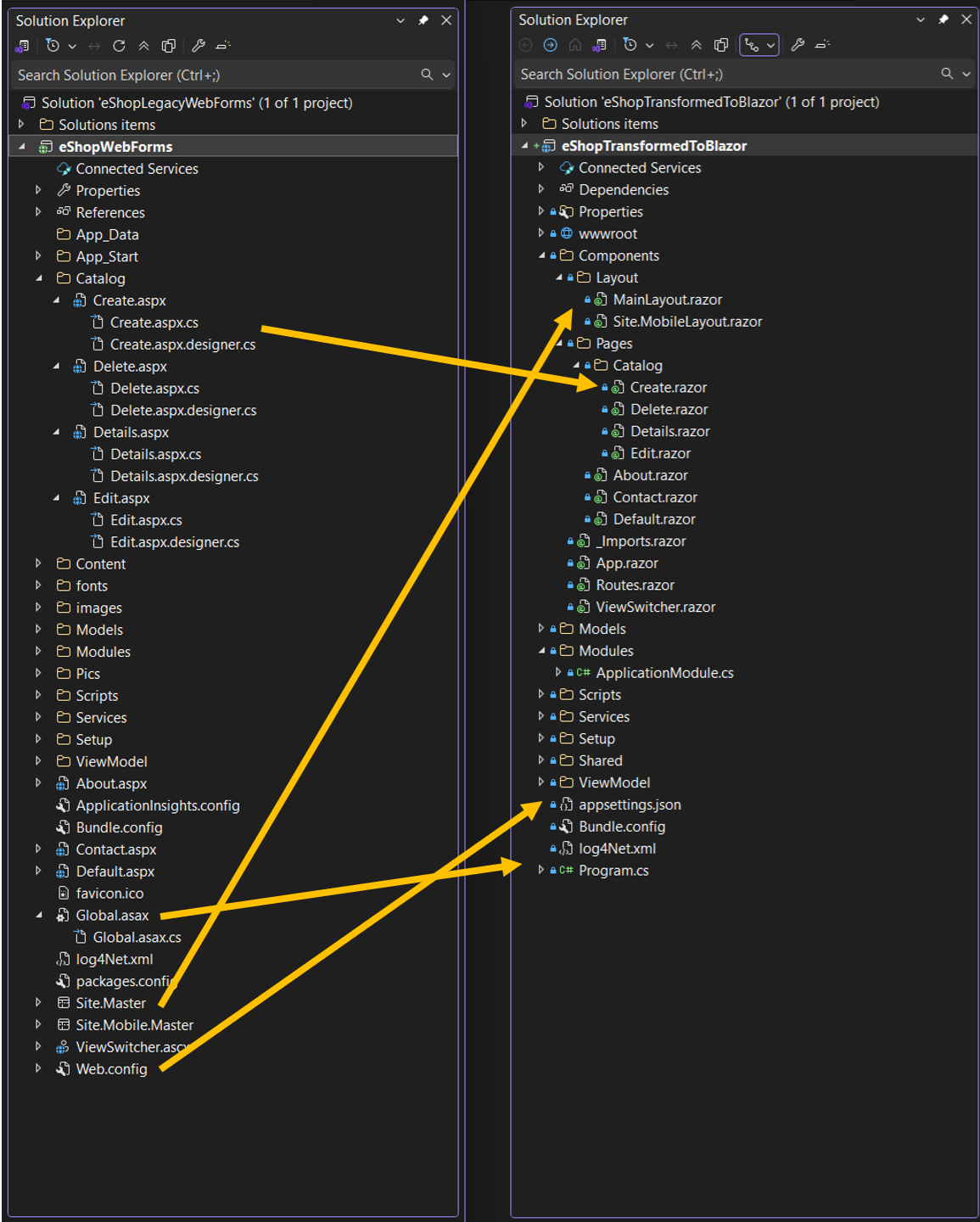
Neural search

To simplify the application layer of our vector search solution, we used the Neural Search capabilities provided by OpenSearch Service. This feature allows us to send only the text data to the index, without the need to explicitly manage the vector embedding generation and indexing. Using neural search helped simplify the application layer of the system by abstracting the generations and management of vectors required to perform a KNN search. During ingestion, neural search transforms document text into vector embeddings and indexes both the text and its vector embeddings in a vector index. When you use a neural query during search, neural search converts the query text into vector embeddings, uses vector search to compare the query and sports event embeddings, and returns the closest results. This abstracts away the need to integrate with SageMaker in the application layer to generate vector embeddings during ingestion and search.

The process of setting up a neural search index with a SageMaker-hosted inference endpoint involves the following detailed steps:

  1. Create an ML connector and register your model in OpenSearch Service: This step generates a model ID that you’ll need in the subsequent neural index setup.
  2. Create a neural ingest pipeline: An ingest pipeline is a sequence of processors that are applied to documents as they’re ingested into an index. To enable neural search, you can define the text_embedding processor in the pipeline. This processor converts the text in a document field to vector embeddings, and the field_map configuration determines the input and output fields for this process.
  3. Create the neural search index: To use the text embedding processor defined in the ingest pipeline, you can create a KNN index and specify the pipeline created in the previous step as the default pipeline.
  4. Run a neural query: To verify your neural search setup, run a neural query by providing a search text and evaluate the results.

By following these steps, you can set up a neural search index in OpenSearch Service and run a neural query. The neural query can perform KNN vector search internally, while only requiring the input of text data during both indexing and querying. This simplifies the application layer and uses the built-in vector embedding generation and indexing capabilities provided by the OpenSearch Service Neural Search feature.

Outcomes

The initial launch of this architecture for sports search had a measurably positive impact on customer experience. We observed a statistically significant increase in search-attributed conversions including streams, purchases, subscriptions, and so on. Offline analysis of the results delivered to customers indicated an improvement in the precision of search results and a reduction in the irrelevance rate of the content shown.

Additionally, we saw that customers engaged with the search feature more frequently, as it was now surfacing results that much more closely aligned with what they were looking for. This increased engagement led to greater discovery of relevant titles on the Prime Video service, including titles that had received little engagement prior to the changes.

Overall, the data clearly demonstrated that by tailoring the specific needs of sports fans into the search experience, we significantly improved their ability to find and access desired content. By developing a smarter search system that better understands sports intent, we have driven more meaningful customer activity and increased conversions directly from search interactions.

Conclusion

By using the innovative AI/ML capabilities of Amazon OpenSearch Service, Prime Video was able to create a cutting-edge search experience that effectively addressed the unique challenges presented by highly dynamic, high-volume sports content. In addition, by overcoming the hurdles that come with such large scale, Prime Video Sports Search was able to contribute valuable improvements and enhancements back to the OpenSearch open source community. These contributions help to pave the way for other developers to more readily use the advanced AI/ML features that OpenSearch Service offers.

This collaboration between Prime Video Sports Search and OpenSearch Service has resulted in a best-in-class search capability that can seamlessly accommodate the unique requirements of live sports content. It’s a partnership that has allowed the products to grow and innovate in tandem, to the benefit of customers seeking exceptional search and discovery experiences.

If you want to build a search experience that understands user intent beyond keyword matching, try the semantic search algorithm with OpenSearch Service and its AI/ML capabilities. If you have any questions, leave a comment below.


About the authors

Radhika Chandak is a Software Development Engineer at Amazon Prime Video, where she has been working for the past 3 years. Her focus is on creating high-velocity customer experiences, with a particular emphasis on building state-of-the-art search experiences for sports content. Radhika is passionate about developing solutions that solve customer problems and delight users. Her expertise lies in crafting innovative approaches to enhance the Prime Video Sports platform, ensuring seamless and engaging experiences for sports enthusiasts.

Anna Chalupowicz is a Software Development Manager at Amazon Prime Video Sports, with 6 years of diverse experience within Amazon. For the last 3.5 years, Anna has been working in Prime Video Sports, where she focuses on developing high-scale solutions and architectural approaches that directly benefit customers. With a passion for collaborative learning and knowledge sharing, Anna finds joy in tackling complex technical challenges and using data-driven insights to enhance the customer experience.

Yaliang Wu is a Software Engineering Manager at AWS, focusing on OpenSearch projects, machine learning, and generative AI applications.

[$] A hole in FineIBT protection

Post Syndicated from corbet original https://lwn.net/Articles/1011680/

Intel’s indirect
branch tracking (IBT)
is a hardware-implemented control-flow-integrity
mechanism that makes it harder for an attacker to gain control of the
system by way of a corrupted indirect branch. FineIBT is a software
extension to IBT that is meant to improve its protection. Recently,
though, Jennifer Miller reported a novel way to bypass
FineIBT by taking advantage of how the kernel’s system-call entry point is
constructed. In response, Peter Zijlstra is working on some FineIBT
enhancements to close that hole and make IBT more secure in general.

Security updates for Thursday

Post Syndicated from jake original https://lwn.net/Articles/1012187/

Security updates have been issued by Debian (emacs and openh264), Fedora (rpm-ostree), Mageia (dcmtk, libcap, openssh, and proftpd), Red Hat (emacs, kernel, and pki-servlet-engine), Slackware (emacs), SUSE (chromium, ffmpeg-4, ffmpeg-7, gnutls, libiniparser-devel, procps, socat, vim, xorg-x11-server, and xwayland), and Ubuntu (binutils, libsndfile, libxmltok, and php5).

The collective thoughts of the interwebz