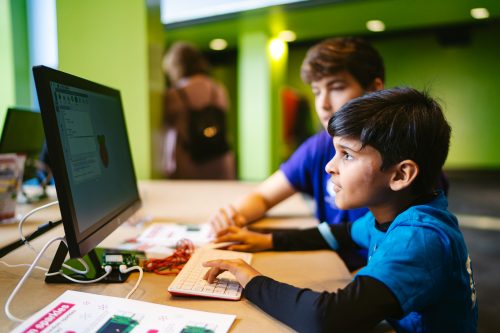
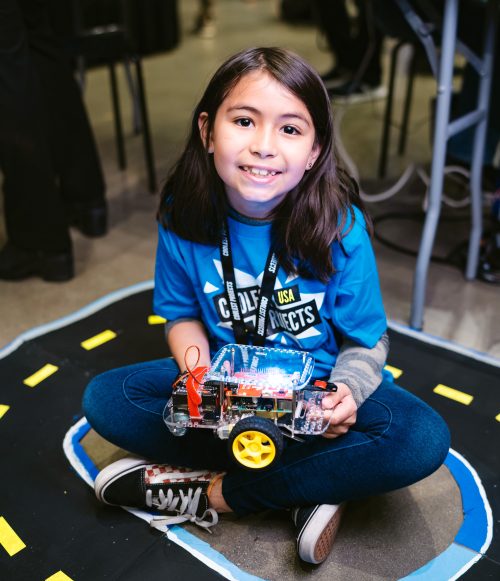
Today we bring you the fourth film in our series of inspirational community stories! Incredible young people from the community have collaborated with us to create these videos, where they tell their tech stories in their own words.
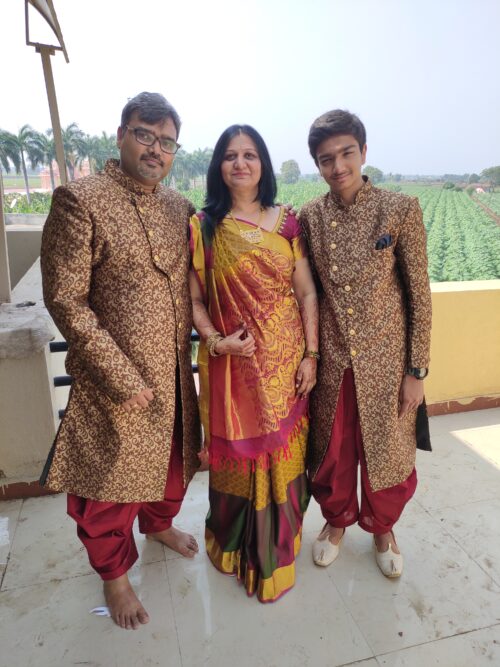
Toshan had community support when he started learning to code, so now he mentors other young people at his CoderDojo club.
Watch the new film to meet a “mischievous” tech creator who is helping other young people in his community to use technology to bring their ideas to life.
This is Toshan
Toshan’s story takes place in his hometown of Bangalore, India, where his love for electronics and computing sent him on a journey of tech discovery!
Toshan (16) first encountered coding aged 12, thanks to his computing teacher Miss Sonya. Describing his teacher, he says: “The unique thing is, she just doesn’t stop where the syllabus ends.” The world of digital making and Raspberry Pi computers that Miss Sonya introduced him to offered Toshan “limitless opportunities”, and he felt inspired to throw himself into learning.
“If we help people with their ideas, they might bring something new into the world.”
Toshan
Having found help in his local community and the online Raspberry Pi Foundation community that enabled him to start his tech journey, Toshan decided to pass on his skills: he set up a CoderDojo for other young people in Bangalore when he was 14. Toshan says, “I wanted to give something back.” Mentoring others as they learn coding and digital making helped his confidence grow. Toshan loves supporting the learners at his Dojo with problem-solving because “if we help people with their ideas, they might bring something new into the world.”
Supported by his mum and dad, Toshan’s commitment to helping others create with technology is leading him to extend his community beyond the city he calls home. Through his YouTube channel, he reaches people outside of Bangalore, and he has connected with a worldwide community of like-minded young tech creators by taking part in Coolest Projects online 2020 with an automated hand sanitiser he built.
Toshan’s enthusiasm and love for tech are already motivating him to empower others, and he has only just begun! We are delighted to be a part of his journey and can’t wait to see what he does next.
While Federal funding programs focus on providing connectivity to students and staff, security is often an afterthought and reallocating funds to protect the network can become a challenge. We are excited to announce our Back to School initiative to further support our mission to provide performance and security with no trade-offs.
From start to finish, education customers will work with our dedicated Public Sector team, well-versed in the specific technical environments and business needs for K-12 districts. Your IT team will have access to 24/7/365 technical support, emergency response and support during under attack situations, and ongoing training to continuously help improve your security posture and business continuity plans.
Attacks Against K-12 Schools On The Rise
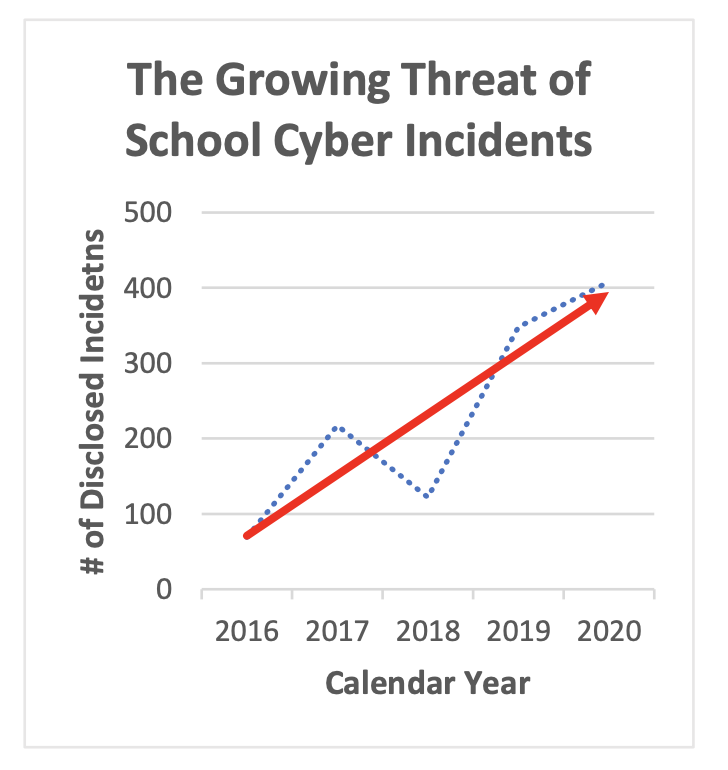
Public schools in the United States, especially K-12s, saw a record-breaking increase in cybersecurity attacks. The K-12 Cyber Incident Map cataloged 408 publicly-disclosed school incidents, including a wide range of cyber attacks; from data breaches to ransomware, phishing attacks, and denial-of-service attacks. This is an 18 percent increase over 2019 and continues the upward trend in attacks since the K-12 Cyber Incident Map started tracking incidents in 2016. To support our public education partners, Cloudflare has created a tailored onboarding experience to help education entities receive enterprise-level security services at an affordable price.
The public school system serves over 50 million students and employs nearly 6.7 million people, making it the largest industry by employment in the United States. This government-funded, free education system creates a market size of nearly $806 billion. Schools partner with technology companies for student resources and overall operations, and use SaaS applications and cloud deployments to control costs. Investing in these products and services allowed schools to transition to remote learning during the pandemic and continue educating students.
Despite their reliance on connectivity and technology, school districts rarely invest enough in cybersecurity to combat the high risk of attacks. Cybercriminals see public schools as ‘soft targets’ as they hold a lot of valuable data.
Ransomware attacks make data vulnerable to exposure and block access to a school district’s network. Baltimore County, Maryland schools experienced an attack in November 2020 that shut down schools for two days for 111,000 students, and cost the school system over $8 million to recover.
In September 2020, Toledo Public Schools in Ohio experienced a data breach by the Maze ransomware cartel. Maze posted 9 GB of compressed data that included sensitive student and employee data from at least 2008 to 2017. Less than six months later, in February 2021, parents received identity theft and credit fraud notifications involving their children.
Phishing attacks also continue to be a headache for K-12 school districts. The median amount stolen in attacks are \$2 million and, in 2020, \$9.8 million was stolen from a single school district.
Between the high rate of cybersecurity attacks in 2020 and into the first half of 2021, things are not slowing down, and education entities will continue to be targeted, whether it be directly or indirectly.
The Move to Modern
As it became a focus for K-12 Districts to modernize and move physical infrastructure into a more flexible, scalable solution, many school districts were looking for a way to offload DNS onto a cloud-based offering. Leveraging Cloudflare’s global anycast network, we’re able to provide a single management console to handle application needs: Managed DNS with built-in DNSSEC, DDoS mitigation, and Web Application Firewall. You can learn more on how Mount Pleasant School District in Texas consolidated their web assets in our case study.
Where The Need Has Shifted
The pandemic has exposed network security gaps in education, leaving a few main areas open to vulnerability — namely open/exposed ports that allow malicious actors to stay under the radar and end-of-life software that no longer receives security updates or bug fixes.
As attackers become more sophisticated, it has become imperative that districts implement comprehensive network layer solutions to prevent outages, data breaches, and other cyber-related incidents. The Federal Bureau of Investigation (FBI), the Cybersecurity and Infrastructure Security Agency (CISA), and the Multi-State Information Sharing and Analysis Center (MS-ISAC) released a Joint Cybersecurity Advisory that provides recommendations for K-12 for stopping threats and attacks.
How Cloudflare One Can Help
Cloudflare One is a network-as-a-service solution designed to replace a patchwork of appliances with a single network that provides cloud-based security, performance, and control through one user interface.
While districts may be receiving DDoS protection from their upstream ISP, there are a few common issues we see with this setup:
ISPs typically use the same commodity devices that were being deployed up to 20 years ago in data centers.
The devices are typically set up in an “on demand” fashion so that if you begin to experience a DDoS attack they will need to first be notified before assisting. In many cases, if that appliance is overloaded or unable to withstand the size or complexity of an attack, healthy traffic may be dropped as well.
There is limited visibility into the source of the attack and a lack of control around putting security measures in place for future incidents.
As compared to hardware boxes and on-premise appliances, Cloudflare’s service is “always on”. This means we’re agile and will proactively take action in the event of an attack, the time to mitigate is as small as possible, and you get the added benefit of other services being layered into the defense in depth strategy (DNS, CDN, WAF).
Within Cloudflare One, our Layer 3 DDos Mitigation solution called Magic Transit, has helped districts like Godwin Heights stay online by blocking hundreds of large DDoS attacks (just within the first few weeks!). Using anycast and BGP to announce your IP space, Cloudflare absorbs traffic destined for your network and mitigates DDoS attacks closest to the source, before sending the filtered traffic back to your network over low latency paths for fast performance.
Another focus during the pandemic has been supporting remote students and staff. This continues to challenge IT security as we think about how to not only keep our networks up and running, but how to protect students and staff while on the network from phishing attacks, malware, and ransomware.
Cloudflare for Teams is composed of Access and Gateway. Access pairs with identity management systems to protect all internal applications. Gateway is designed to secure access to the outbound Internet through DNS and URL filtering, SSL inspection, and file upload/download policies, which ultimately protects users from malware, phishing, and other security threats. This added layer of protection provides your users access to the applications they need without sacrificing security or performance.
Please inquire at [email protected] for our special Education K-12 Pricing. We look forward to supporting you.
In computing education, designing equitable and authentic learning experiences requires a conscious effort to take into account the characteristics of all learners and their social environments. Doing this allows teachers to address topics that are relevant to a diverse range of learners. To support computing and computer science teachers with this work, we’re now sharing a practical guide document for culturally responsive teaching in schools.
Making computing culturally relevant means that learners with a range of cultural identities will be able to identify with the examples chosen to illustrate computing concepts, to engage effectively with the teaching methods, and to feel empowered to use computing to address problems that are meaningful to them and their communities. This will enable a more diverse group of learners to feel that they belong in computing and encourage them to choose to continue with it as a discipline in qualifications and careers.
Such an approach can empower all our students and support their skills and understanding of the integral role that computing can play in promoting social justice.
Yota Dimitriadi, Associate Professor at the University of Reading, member of the project working group
To get the project off to the best start possible once we had assembled the working group, we first spent time drawing on research from the USA and discussing within the working group to come to a shared understanding of key terms:
Culture: A person’s knowledge, beliefs, and understanding of the world, which are affected by multiple personal characteristics, as well as social and economic factors.
Culturally relevant pedagogy: A framework for teaching that emphasises the importance of incorporating and valuing all learners’ knowledge, ways of learning, and heritage, and that promotes critical consciousness in teachers and learners.
Culturally responsive teaching: A range of teaching practices that draw on learners’ personal experiences and cultural identities to make learning more relevant to them, and that support the development of critical consciousness.
Social justice: The extent to which all members of society have a fair and equal chance to participate in all aspects of social life, develop to their full potential, contribute to society, and be treated as equals.
Equity: The extent to which different groups in society have access to particular activities or resources. To ensure that opportunities for access and participation are equal across different groups.
To bring in the voices of young people into the project, we asked teachers in the working group to consult with their learners to understand their perspectives on computing and how schools can engage more diverse groups of learners in elective computer science courses. The main reason that learners reported for being put off computing: complex or boring lessons of coding activities with a focus on theory rather than on practical outcomes. Many said that they were inspired by tasks such as producing their own games and suggested that early experiences in primary school and KS3 had been very important for their engagement in computing.
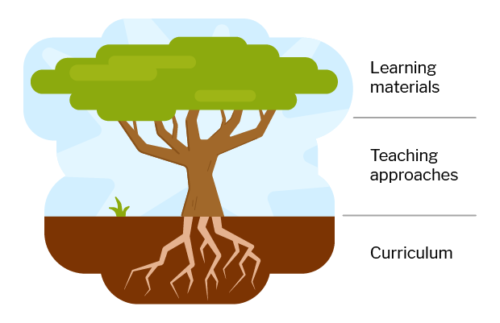
Curriculum, teaching approaches, and learning materials
The guide shows you that a culturally relevant pedagogy applies in three aspects of education, which we liken to a tree to indicate how these aspects connect to each other: the tree’s root system, the basis of culturally relevant pedagogy, is the focus of the curriculum; the tree’s trunk and branches are the teaching approaches taken to deliver the curriculum; the learning materials, represented by the tree’s crown of leaves, are the most widely visible aspect of computing lessons.
Each aspect plays an important role in culturally relevant pedagogy:
Within the curriculum, it is important to think about the contexts in which computing concepts are taught, and about you make connections with issues that are meaningful to your learners
Equitable teaching approaches, such as open-ended, inquiry-led activities and discussion-based collaborative tasks, are key if you want to provide opportunities for all your learners to express their ideas and their identities through computing
Finally, inclusive representations of a range of cultures, and making learning materials accessible, are both of great importance to ensure that all your learners feel that computing is relevant to them
You’ll find a lot more information, practical tips, and links to resources to support you to implement culturally relevant pedagogy in all these aspects of your teaching
The document links to different available curricula, and we have highlighted materials we’ve created for the Teach Computing Curriculum that promote key aspects of the approach
We’ve also included links to academic papers and books if you want to learn more, as well as to videos and courses that you can use for professional development
What was being part of the working group like?
One of the teachers who was part of the working group is Joe Arday from Woodbridge High School in Essex, UK. Joe originally worked in the technology sector and has been teaching computing for ten years. We asked him about his experience of being part of the project and how he plans to use the guide in his own classroom practice:
“It has been an absolute privilege to play a part in working towards producing the guide that my own children will be beneficiaries of when they are studying the computing curriculum throughout their education. I have been able to reflect on how to further improve my teaching practice and pedagogy to ensure that the curriculum taught is culturally diverse and caters for all learners that I teach. (Also, having the opportunity to work with academics from both the UK and US has made me think about becoming an academic in the field of computing at some point in the future!)”
Joe also says: “I plan to review the computing curriculum taught in my computing department and sit down with my colleagues to work on how we can implement the guide in our units of work for Key Stages 3 to 5. The guide will also help my department to work towards one of my school’s aims to encourage an anti-racism community and curriculum in my school.“
Continuing the work
We hope you find this resource useful for your own practice, and for conversations within your school and network of fellow educators! Please spread the word about the guide to anyone in your circles who you think might benefit.
We plan to keep working with learners on their perspectives on culturally relevant teaching, and to develop professional development opportunities for teachers, initially in conjunction with a small number of schools. As always with our research projects, we will investigate what works well and share all our findings widely and promptly.
Many thanks to the teachers and academics in the working group for being wonderful collaborators, to the learners who contributed their time and ideas, and to Hayley Leonard and Diana Kirby from our team for all the time and energy they devoted to this project!
Working group
Joseph Arday, FCCT, Woodbridge High School, Essex, UK
Lynda Chinaka, University of Roehampton, UK
Mike Deutsch, Kids Code Jeunesse, Canada
Dr Yota Dimitriadi, University of Reading, UK
Amir Fakhoury, St Anne’s Catholic School and Sixth Form College, Hampshire, UK
Dr Samuel George, Ark St Alban’s Academy, West Midlands, UK
Professor Joanna Goode, University of Oregon, USA
Alain Ndabala, St George Catholic College, Hampshire, UK
Vanessa Olsen-Dry, North Cambridge Academy, Cambridgeshire, UK
Rohini Shah, Queens Park Community School, London, UK
The Raspberry Pi Foundation and ESA Education are excited to announce the winners and highly commended Mission Space Lab teams of the 2020/21 European Astro Pi Challenge!
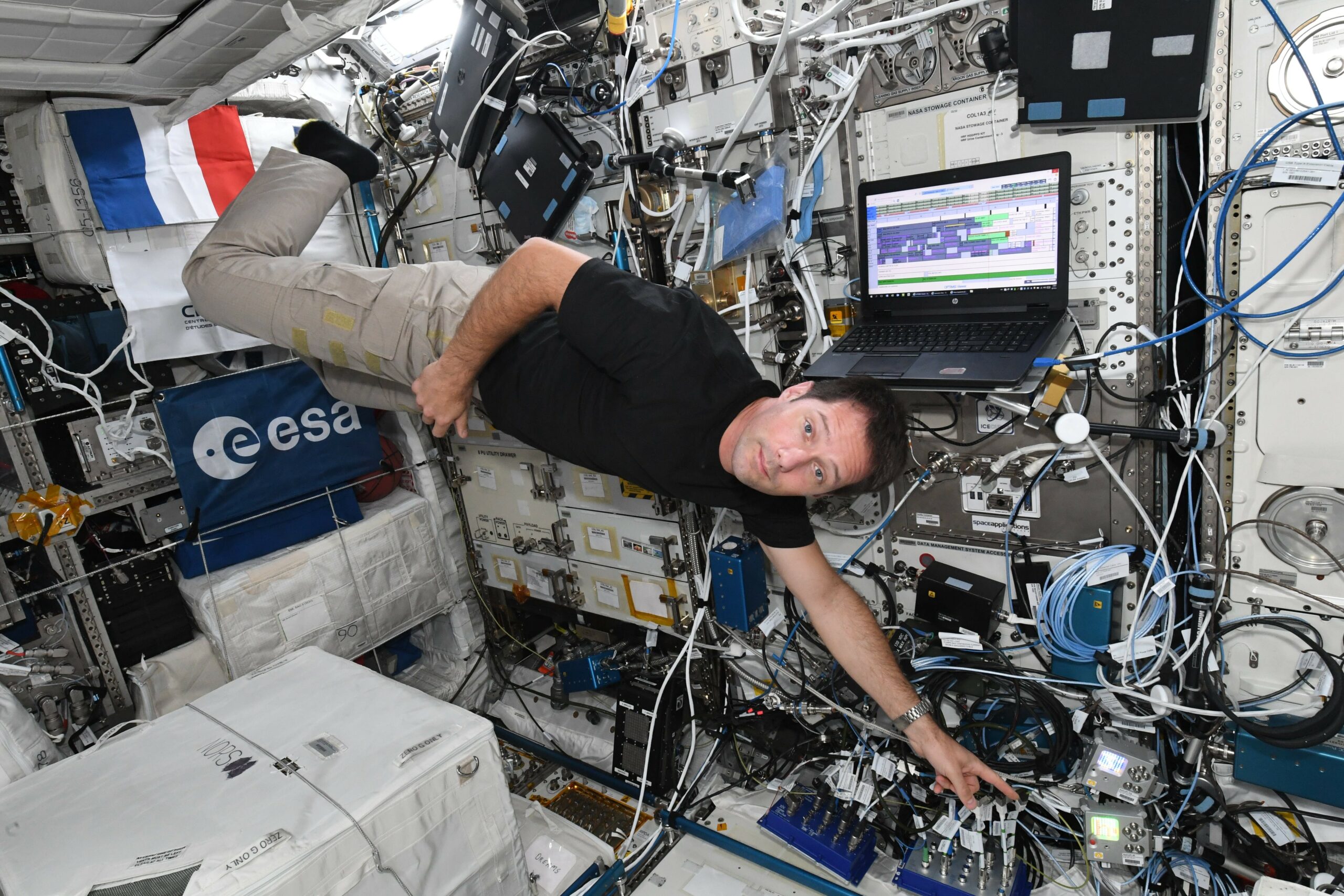
ESA Astronaut Thomas Pesquet floating aboard the International Space Station with the two Astro Pi computers
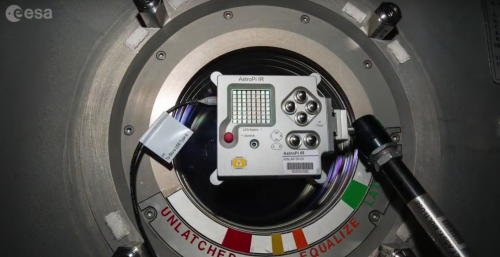
In Mission Space Lab, teams of young people aged up to 19 create scientific experiments that run on the International Space Station’s two Astro Pi computers — space-hardened Raspberry Pis with cameras and an array of sensors.
In the final phase of Mission Space Lab, teams analyse the data captured during their experiment’s three-hour runtime on the ISS and write a short report describing their experiment’s hypothesis, methods, results, and conclusions.
The Maldives as captured by the Mechabot team
You can read the best reports below! From 154 final reports, the Astro Pi team has now chosen 10 winners and 5 highly commended teams that have each demonstrated great scientific merit and innovative use of the Astro Pi hardware.
Mag-AZ from Escola Secundária Domingos Rebelo in Portugal,who attempted to create an algorithm that could calculate the location of the magnetic poles of any planet or star by using the Astro Pi’s sensors to map Earth’s magnetic fields.
Lake Balkhash in Kazakhstan as captured by the Jupiter team
Mateii from Saint Sava National College in Romania,whoinvestigated the potential growth of Aspergillus and Penicillium mold on the ISS in comparison to on Earth using a simulation model and Astro Pi sensor readings taken inside the Columbus module.
The river Nile in Egypt as captured by the Mechabot team
Juno from Institut d’Altafulla in Spain,who attempted to determine how much heat the astronauts aboard the ISS experience by using temperature, pressure, and humidity data captured by the Astro Pi’s sensors together with psychrometric calculations.
Albedo from Lycée Albert Camus in France,who investigated albedo on Earth, using photos captured by the Astro Pi’s camera to classify cloud, land, and sea coverage, and analysing their corresponding albedo values.
The river Nile in Sudan as captured by the Spacepi2 team
Magtrix from The Leys School in the United Kingdom, who analysed whether geographical features of Earth such as mountains affect the planet’s magnetic field using the Astro Pi’s magnetometer, GPS data, and photos of Earth captured by the Astro Pi’s camera.
Newfoundland and Labrador as captured by the SpaceRad team
Mechabot from Robone Robotics Club in Germany,who investigated how the Earth’s magnetic field correlates with its climate, and how this affects near-Earth objects’ behaviour in low-Earth orbit.
Spacepi2 from Zanneio Model High School in Greece, whoinvestigated urbanisation on Earth by comparing photos captured by the Astro Pi’s camera with historical data using an automated photo classification program they created and NDVI analysis.
Sakhalin Oblast in Russia as captured by the Liontech team
The Tiwi Islands off the coast of Northern Australia as captured by the Magtrix team
LionTech from Mihai Eminescu National College, Oradea in Romania, who attempted to measure the velocity of the ISS in orbit, and also created an algorithm to detect smoke, pollution, and types of cloud coverage in the images they captured using the Astro Pi’s camera.
RosSpace from Ceo Boecillo in Spain,who are the third team in our list to have investigated Earth’s albedo levels in relation to global warming using photo analysis. A popular theme this year!
The Amur river and the Sea of Oghotsk (right) in Eastern Russia as captured by the Zeus team
Jupiter from Institut d’Altafulla in Spain,who looked at variations in the current surface area of water bodies on Earth compared to historical records as an indicator of climate change.
And a special mention for:
Ultrafly from Ultrafly Coding Club in Canada, who were the youngest team to make the highly commended list this year, with an average age of 8! Their experiment explored whether the environmental variables on the ISS created allergy-friendly living conditions for the astronauts on board.
The prize? A special webinar with ESA Astronaut Luca Parmitano
Every Astro Pi team that reached Phase 2 of Mission Space Lab by having their experiment idea accepted this year will receive participation certificates recognising their achievement, and the winners and highly commended teams will receive special certificates and an additional prize.
The prize for this year’s winners and highly commended teams is the chance to pose their questions to ESA astronaut Luca Parmitano during a webinar in September! We’ll shortly email the teams’ mentors the instructions for submitting their teams’ questions to Luca.
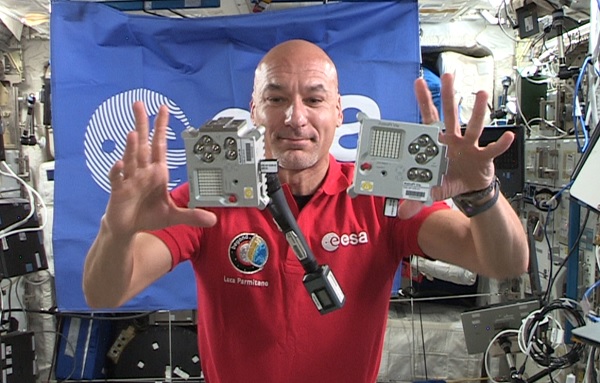
ESA Astronaut Luca Parmitano floating aboard the ISS with the two Astro Pi computers
This Q&A event for the finalists will conclude this year’s European Astro Pi Challenge. It’s been an incredible year for the Challenge, with 15756 young people from 23 countries participating in Mission Zero or Mission Space Lab.
Everyone on the Raspberry Pi and ESA Education teams congratulates this year’s participants for their efforts, especially given the obstacles many teams had to overcome due to the coronavirus pandemic.
Thank you and congratulations to everyone who has taken part — we hope you found it as fun and inspiring as we did!
We can’t wait to welcome you back for the next European Astro Pi Challenge!
While this year’s Challenge is coming to an end, the European Astro Pi Challenge will return with both Mission Zero and Mission Space Lab in September!
We invite all teachers, educators, club leaders, and young people who love coding and space science to follow our updates on astro-pi.org and the Astro Pi Twitter account to make sure you don’t miss any announcements.
We’re excited to share another incredible story from the community — the second in our new series of inspirational short films that celebrate young tech creators across the world.
Avye discovered robotics at her local CoderDojo and is on a mission to get more girls like her into tech.
These stories showcase some of the wonderful things that young people are empowered to do when they learn how to create with technology. We hope that they will inspire many more young people to get creative with technology too!
Meet Avye
This time, you will meet an accomplished, young community member who is on a quest to encourage more girls to join her and get into digital making.
Help us celebrate Avye by liking and sharing her story on Twitter, Linkedin, or Facebook!
For as long as she can remember, Avye (13) has enjoyed creating things. It was at her local CoderDojo that seven-year-old Avye was introduced to the world of robotics. Avye’s second-ever robot, the Raspberry Pi–powered Voice O’Tronik Bot, went on to win the Hardware category at our Coolest Projects UK event in 2018.
Avye showcased her Raspberry Pi–powered Voice O’Tronik Bot at Coolest Projects UK in 2018.
Coding and digital making have become an integral part of Avye’s life, and she wants to help other girls discover these skills too. She says, “I believe that it’s important for girls and women to see and be aware of ordinary girls and women doing cool things in the STEM world.” Avye started running her own workshops for girls in their community and in 2018 founded Girls Into Coding. She has now teamed up with her mum Helene, who is committed to helping to drive the Girls Into Coding mission forwards.
I want to get other girls like me interested in tech.
Avye
Avye has received multiple awards to celebrate her achievements, including the Princess Diana Award and Legacy Award in 2019. Most recently, in 2020, Avye won the TechWomen100 Award, the Women in Tech’s Aspiring Teen Award, and the FDM Everywoman in Tech Award!
We cannot wait to see what the future has in store for her. Help us celebrate Avye and inspire others by liking and sharing her story on Twitter, Linkedin, or Facebook!
Today we are launching an exciting series of impact stories from the community, to shine a spotlight on some of the young people who are learning and creating with technology through our educational initiatives.
Zaahra and Eesa have been learning to create technology through attending Code Club and taking part in Coolest Projects!
These stories get to the heart of our mission: to put the power of computing and digital making into the hands of people all over the world.
Designed in close collaboration with families across the world, our new series of short inspirational films showcases some of the wonderful things that young people are empowered to do when they learn to use technology to address the issues that matter to them.
We are incredibly proud to be a part of these young people’s journeys — and to see the positive impact of engaging with our free programmes, coding clubs, and resources. We can’t wait to share their unique experiences and achievements with you as we roll out the series over the next few months.
And we invite you to celebrate these young people by liking and sharing their stories on social media!
Meet Zaahra and Eesa
The first story takes you to a place not far from our home: London, UK.
Help us celebrate Zaahra and Eesa by liking and sharing their story on Twitter, Linkedin, or Facebook!
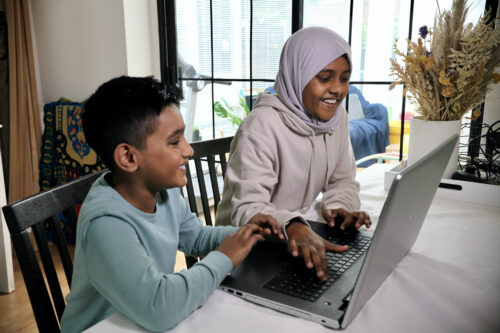
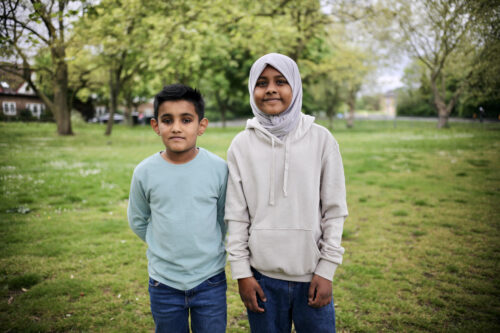
Zaahra (12) and Eesa (8) are a sister and brother coding team and live in East London. For the last four years they’ve been learning about computing and digital making by attending regular sessions at their local Code Club. Zaahra and Eesa love working as a team and using technology to solve problems around them. When they found it difficult to communicate with their grandparents in their first language, Sylheti, the siblings decided to code a language learning app called ‘Easy Sylheti’. Eesa says, “We wanted to create something that was helpful to us, but also to our family and the community.”
When Zaahra and Eesa decided to take part in the Coolest Projects online tech showcase with their app, they never expected that it would be picked as a favourite by Coolest Projects special judge Eben Upton, CEO and co-inventor of Raspberry Pi!
“I’ve discovered that I’m capable of a lot more than I thought.”
Zaahra
Describing the effect of learning to create with technology and seeing the success of their app, Zaahra declares, “I’ve discovered that I’m capable of a lot more than I thought.” And she’s using her new-found confidence to continue helping her community: Zaahra has recently taken up a role as youth member on the Newham Youth Empowerment Fund Panel.
Help us celebrate Zaahra and Eesa by liking and sharing their story on Twitter, Linkedin, or Facebook!
Digital technology is developing at pace, impacting us all. Most of us use screens and all kinds of computers much more than we did five years ago. The total number of apps downloaded globally each quarter has doubled since 2015, reflecting both increased smartphone penetration and the increasingly prominent role of apps in our lives. However, access to digital technology and the internet is not yet equal: there is still a ‘digital divide’, i.e. some people do not have as much access to digital technologies as others, if any at all.
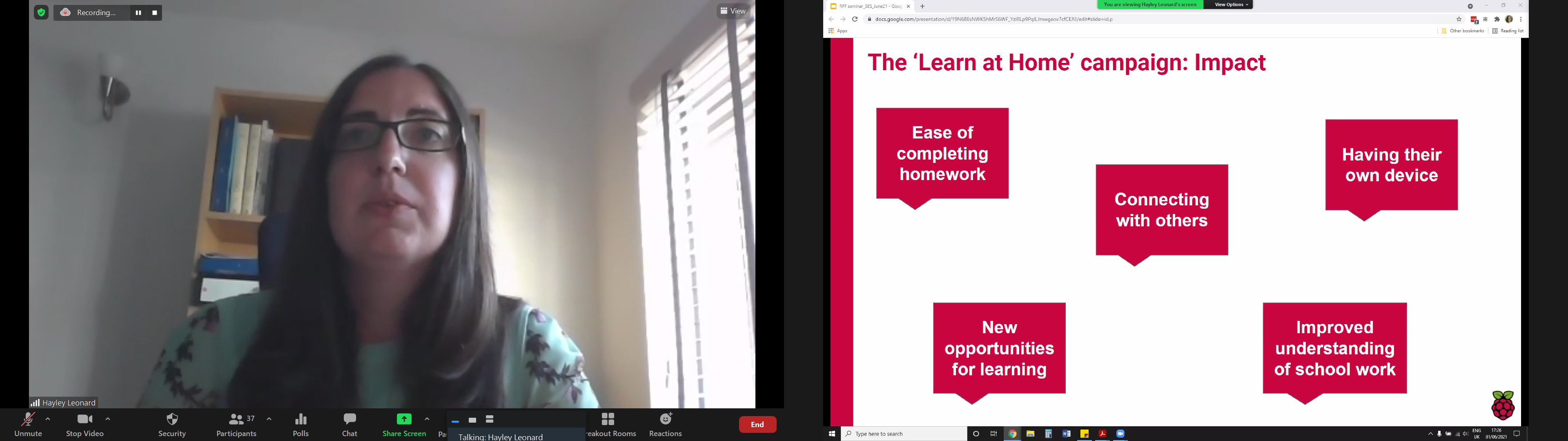
This month we welcomed Dr Hayley Leonard and Thom Kunkeler at our research seminar series, to present findings on ‘Why the digital divide does not stop at access: understanding the complex interactions between socioeconomic disadvantage and computing education’. Both Hayley and Thom work as researchers at the Raspberry Pi Foundation, where we have a focus on increasing our understanding of computing education for all. They shared some results of a research project they’d carried out with a group of young people who benefitted from our Learn at Home campaign.
Digital inequality: beyond the dichotomy of access
Hayley introduced some of the existing research and thinking around digital inequality, and Thom presented the results of their research project. Setting the scene, Hayley explained that the term ‘digital divide’ can create a dichotomous have/have-not view of the world, as can the concept of a ‘gap’. However, the research presents a more nuanced picture. Rather than describing digital inequality as purely centred on access to technology, some researchers characterise three levels of the digital divide:
Level 1: Access
Level 2: Skills (digital skills, internet skills) and uses (what you do once you have access)
Level 3: Outcomes (what you achieve)
This characterisation is useful because it enables us to look beyond access and also towards what happens once people have access to technology. This is where our Learn At Home campaign came in.
The presenters gave a brief overview of the impact of the campaign, in which the Raspberry Pi Foundation has partnered with 80 youth and community organisations and to date, thanks to generous donors, has given 5100 Raspberry Pi desktop computer kits (including monitors, headphones, etc.) to young people in the UK who didn’t have the resources to buy their own computers.
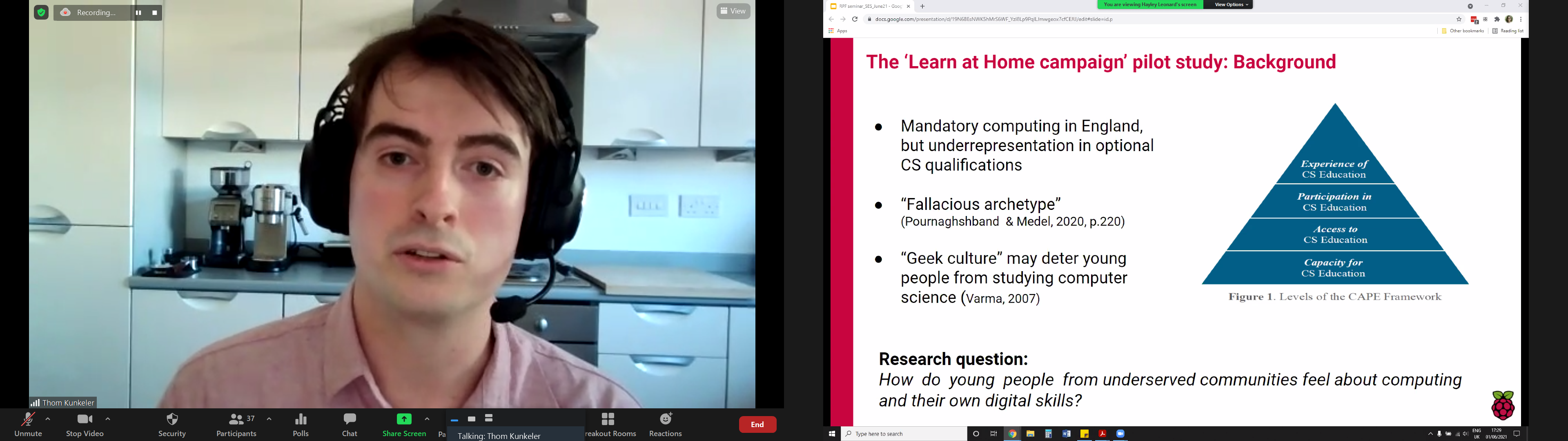
As part of the Learn At Home campaign, Hayley and Thom conducted a pilot study of how young people from underserved communities feel about computing and their own digital skills. They interviewed and analysed responses of fifteen young people, who had received hardware through Learn At Home, about computing as a subject, their confidence with computing, stereotypes, and their future aspirations.
Click on the image to enlarge it.
The notion of a ‘computer person’ was used in the interview questions, following work conducted by Billy Wong at the University of Reading, which found that young people experienced a difference between being a ‘computer person’ and ‘doing computing’. The study carried out by Hayley and Thom largely supports this finding. Thom described two major themes that emerged from their analysis: a mismatch between computing and interviewees’ own identities, and low self-indicated self-efficacy.
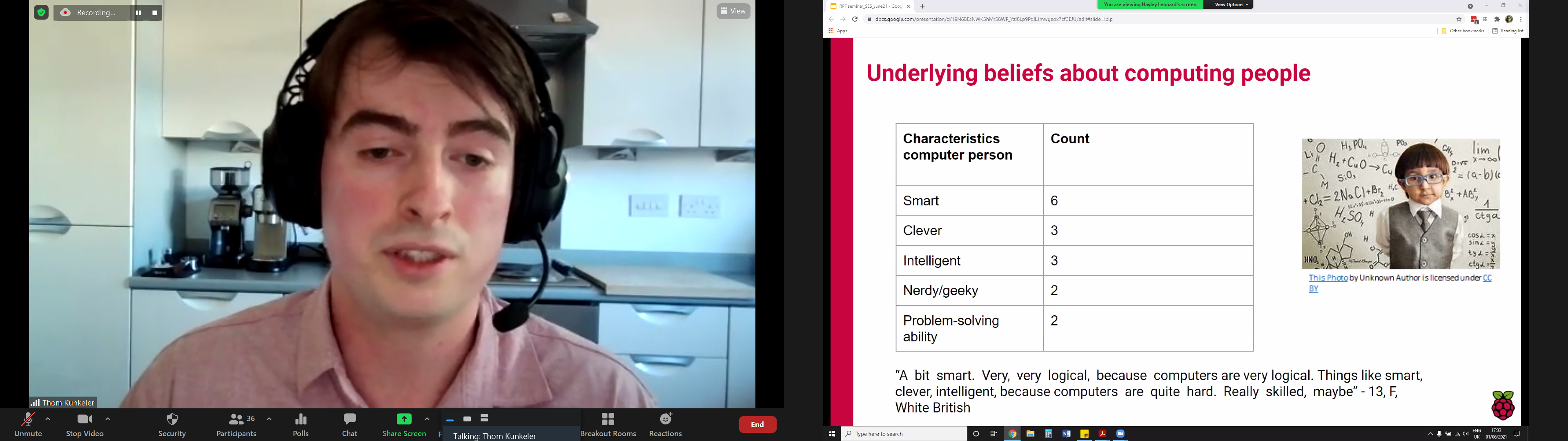
Showing that stereotypes still persist of what a ‘computer person’ is like, a 13-year-old female interviewee described them as “a bit smart. Very, very logical, because computers are very logical. Things like smart, clever, intelligent because computers are quite hard.” Four of the interviewees were also more likely to associate a ‘computer person’ with being male.
The young people interviewed associated a ‘computing person’ with the following characteristics: smart, clever, intelligent, nerdy/geeky, problem-solving ability. Click on the image to enlarge it.
The majority of the young people in the study said that they could be this ’computer person’. Even for those who did not see themselves working with computers in the future, being a ’computer person’ was still a possibility: One interviewee said, “I feel like maybe I’m quite good at using a computer. I know my way around. Yes, you never know. I could be, eventually.”
Five of the young people indicated relatively low self-efficacy in computing, and thought there were more barriers to becoming a computer person, for example needing to be better at mathematics.
In terms of future career goals, only two (White male) participants in the study considered computing as a career, with one (White female) interviewee understanding that choosing computing as a qualification might be important for her future career. This aligns with research into computer science (CS) qualification choice at age 14 in England, explored in a previous seminar, which highlighted the interaction between income, gender, and ethnicity: White girls from lower-income families were more likely to choose a CS qualification than White girls more from more affluent families, while very few Asian, Black, and Chinese girls from low-income backgrounds chose a CS qualification.
Evaluating computing education opportunities using the CAPE framework
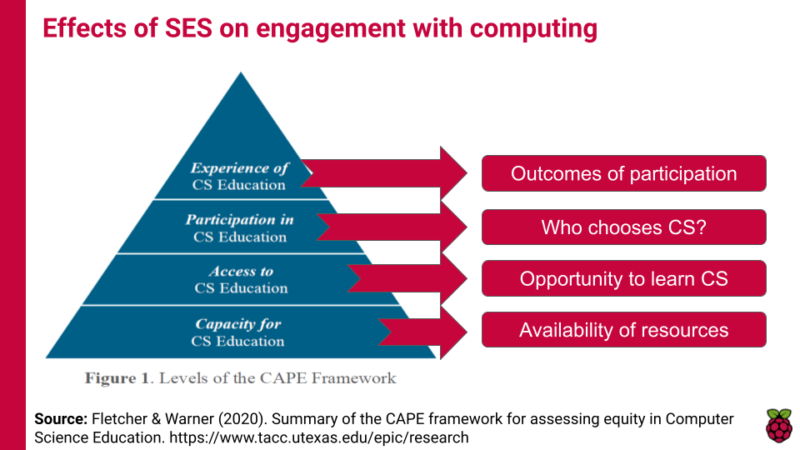
An interesting aspect of this seminar was how Hayley and Thom situated their work in the relatively new CAPE framework, which describes different levels at which to evaluate computer science education opportunities. The CAPE framework highlights that capacity and access to computing (C and A in the framework) are only part of the challenge of making computer science education equitable; students’ participation (P) in and experience (E) of computing are key factors in keeping them engaged longer-term.
Socioeconomic status (SES) can affect learner engagement with computing education at four levels set out in the CAPE framework.
As we develop computing education in the curriculum, we can use the CAPE framework to evaluate our provision. For example, where I’m writing from in England, we have the capacityto teach computing through the availability of professional development training for teachers, fully developed curriculum materials such as the Teach Computing Curriculum, and community support for teachers through organisations such as Computing at School and the National Centre for Computing Education. In terms of access we have an established national curriculum in the subject, but access to it has been interrupted for many due to the coronavirus pandemic. In terms of participation we know that gender and economic status can impact whether young people choose computer science as an elective subject post-14, and taking an intersectional view reveals that the issue of participation is more complex than that. Finally, according to our seminar speakers, young people’s experienceof computing education can be impacted by their digital or technological capital, by their self-efficacy, and by the relevance of the subject to their career aspirations and goals. This analysis really enhances our understanding of digital inequality, as it moves us away from the have/have-not language of the digital divide and starts to unpack the complexity of the impacting factors.
Although this was not covered in this month’s seminar, I also want to draw out that the CAPE framework also supports our understanding of global computing education: we may need to focus on capacity building in order to create a foundation for the other levels. Lots to think about!
If you missed the seminar, you can find the presentation slides on our seminars page and watch the recording of the researchers’ talk:
Join our next seminar
The next seminar will be the final one in the current series focused diversity and inclusion, which we’re co-hosting with the Royal Academy of Engineering. It will take place on Tuesday 13 July at 17:00–18:30 BST / 12:00–13:30 EDT / 9:00–10:30 PDT / 18:00–19:30 CEST, and we’ll welcome Prof Ron Eglash, a prominent researcher in the area of ethnocomputing. The title of Ron’s seminar is Computing for generative justice: decolonizing the circular economy.
To join this free event, click below and sign up with your name and email address:
Pi Day is a special occasion for people all around the world (your preferred date format notwithstanding), and I love seeing all the ways that makers, students, and educators celebrate. This year at the Raspberry Pi Foundation, we’re embracing Pi Day as a time to support young learners and creators in our community. Today, we launch our first Pi Day fundraising campaign. From now until 14 March, I’d like to ask for your help to empower young people worldwide to learn computing and become confident, creative digital makers and engineers.
Millions of learners use the Raspberry Pi Foundation’s online coding projects to develop new skills and get creative with technology. Your donation to the Pi Day campaign will support young people to access these high-quality online resources, which they need more urgently than ever amidst disruptions to schools and coding clubs. Did I mention that our online projects are offered completely free and in dozens of languages? That’s possible thanks to Raspberry Pi customers and donors who power our educational mission.
It’s not only young people who rely on the Raspberry Pi Foundation’s free online coding projects, but also teachers, educators, and volunteers in coding clubs:
“The project resources for Python and Scratch make it really easy for the children to learn programming and create projects successfully, even if they have limited prior experience — they are excellent.”
— Code Club educator in the UK
“The best thing […] is the accessibility to a variety of projects and ease of use for a variety of ages and needs. I love checking the site for what I may have missed and the next project my students can do!”
Your Pi Day gift will make double the impact thanks to our partner EPAM, who is generously matching all donations up to a total of $5000. As a special thanks to each of you who contributes, you’ll have the option to see your name listed in an upcoming issue of The MagPi magazine!
All young people deserve the opportunity to thrive in today’s technology-driven world. As a donor to the Raspberry Pi Foundation, you can make this a reality. Any amount you are able to give to our Pi Day campaign — whether it’s $3.14, $31.42, or even more — makes a difference. You also have the option to sign up as a monthly donor.
Let’s come together to give young people the tools they need to make things, solve problems, and shape their future using technology. Thank you.
PS Thanks again to EPAM for partnering with us to match your gifts up to $5000 until 14 March, and to CanaKit for their generous Pi Day contribution of $3141!
One of the harsh lessons we learned last year was that far too many young people still don’t have a computer for learning at home. There has always been a digital divide; the pandemic has just put it centre-stage. The good news is that the cost of solving this problem is now trivial compared to the cost of allowing it to persist.
Removing price as a barrier to anyone owning a computer was part of the founding mission of Raspberry Pi, which is why we so work hard to make sure that Raspberry Pi computers are as low-cost as possible for everyone, all of the time. We saw an incredible rise in the numbers of people — particularly young people — using Raspberry Pi computers as their main desktop PC during the lockdown, helped by the timely arrival of the fabulous Raspberry Pi 400.
Supporting the most vulnerable young people
As part of our response to the pandemic, the Raspberry Pi Foundation teamed up with UK Youth and a network of grassroots youth and community organisations to get Raspberry Pi desktop kits (with monitors, webcams, and headphones) into the hands of disadvantaged young people across the UK. These were young people who didn’t qualify for the government laptop scheme and who otherwise didn’t have a computer to learn at home.
This wasn’t just about shipping hardware (that’s the easy bit). We trained youth workers and teachers, and we worked closely with families to make sure that they could set up and use the computers. We did a huge amount of work to make sure that the educational platforms and apps they needed worked out of the box, and we provided a customised operating system image with free educational resources and enhanced parental controls.
One of our training calls for the adults who will be supporting young people and families to use the Raspberry Pi kits
The impact has been immediate: young people engaging with learning; parents who reported positive changes in their children’s attitude and behaviour; youth and social workers who have deepened their relationship with families, enabling them to provide better support.
After a successful pilot programme generously funded by the Bloomfield Trust, we launched the Learn at Home fundraising campaign in December, inviting businesses and individuals to donate money to enable us to expand the programme. I am absolutely thrilled that more than 70 organisations and individuals have so far donated an incredible £900,000 and we are on track to deliver our 5000th Raspberry Pi kit in March.
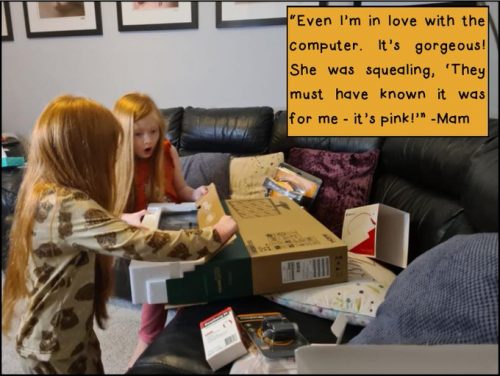
Thanks to Gillas Lane Primary Academy for collecting some wonderful photos and quotes illustrating the impact our computers are having!
While the pandemic shone a bright spotlight onto the digital divide, this isn’t just a problem while we are in lockdown. We’ve known for a long time that having a computer to learn at home can be transformational for any young person.
If you would like to get involved in helping us make sure that every young person has access to a computer to learn at home, we’d love to hear from you. Find out more details on our website, or email us at [email protected].
Today, I discuss the second research seminar in our series of six free online research seminars focused on diversity and inclusion in computing education, where we host researchers from the UK and USA together with the Royal Academy of Engineering. By diversity, we mean any dimension that can be used to differentiate groups and people from one another. This might be, for example, age, gender, socio-economic status, disability, ethnicity, religion, nationality, or sexuality. The aim of inclusion is to embrace all people irrespective of difference.
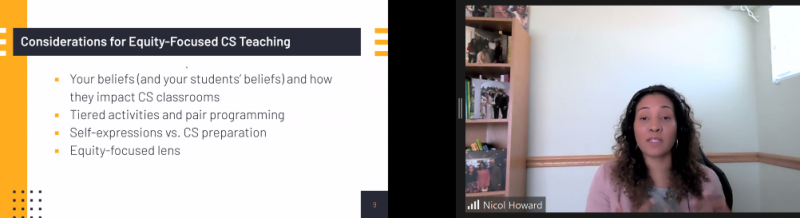
In this seminar, we were delighted to hear from Prof Tia Madkins (University of Texas at Austin), Dr Nicol R. Howard (University of Redlands), and Shomari Jones (Bellevue School District) (find their bios here), who talked to us about culturally responsive pedagogy and equity-focused teaching in K-12 Computer Science.
Prof Tia Madkins
Dr Nicol R. Howard
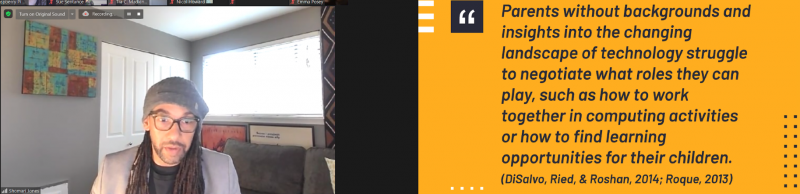
Shomari Jones
Equity-focused computer science teaching
Tia began the seminar with an audience-engaging task: she asked all participants to share their own definition of equity in the seminar chat. Amongst their many suggestions were “giving everybody the same opportunity”, “equal opportunity to access high-quality education”, and “everyone has access to the same resources”. I found Shomari’s own definition of equity very powerful:
“Equity is the fair treatment, access, opportunity, and advancement of all people, while at the same time striving to identify and eliminate barriers that have prevented the full participation of some groups. Improving equity involves increasing justice and fairness within the procedures and processes of institutions or systems, as well as the distribution of resources. Tackling equity requires an understanding of the root cause of outcome disparity within our society.”
Shomari Jones
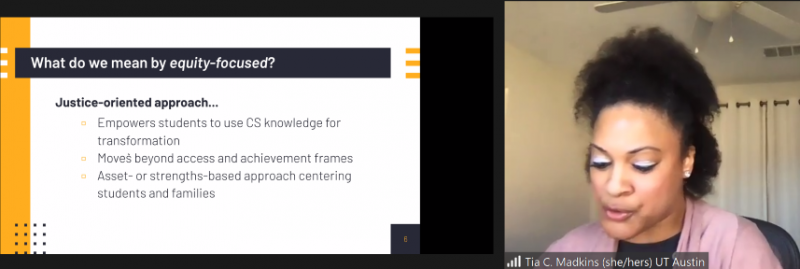
This definition is drawn directly from the young people Shomari works with, and it goes beyond access and opportunity to the notion of increasing justice and fairness and addressing the causes of outcome disparity. Justice was a theme throughout the seminar, with all speakers referring to the way that their work looks at equity in computer science education through a justice-oriented lens.
Removing deficit thinking
Using a justice-oriented approach means that learners should be encouraged to use their computer science knowledge to make a difference in areas that are important to them. It means that just having access to a computer science education is not sufficient for equity.
Tia spoke about the need to reject “deficit thinking” (i.e. focusing on what learners lack) and instead focus on learners’ strengths or assets and how they bring these to the school classroom. For researchers and teachers to do this, we need to be aware of our own mindset and perspective, to think about what we value about ethnic and racial identities, and to be willing to reflect and take feedback.
Activities to support computer science teaching
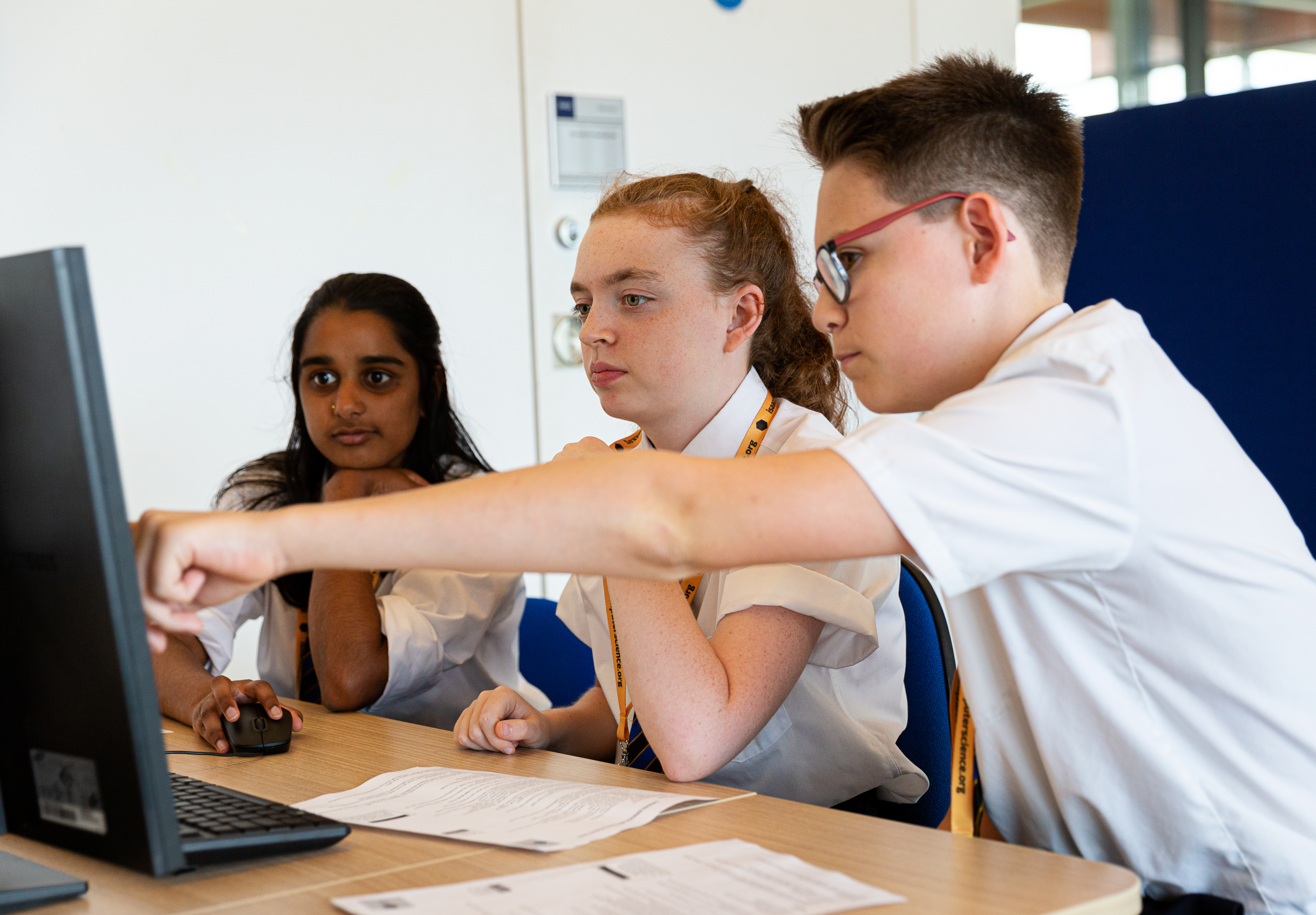
Nicol talked about some of the ways of designing computing lessons to be equity-focused. She highlighted the benefits of pair programming and other peer pedagogies, where students teach and learn from each other through feedback and sharing ideas/completed work. She suggested using a variety of different programs and environments, to ensure a range of different pathways to understanding. Teachers and schools can aim to base teaching around tools that are open and accessible and, where possible, available in many languages. If the software environment and tasks are accessible, they open the doors of opportunity to enable students to move on to more advanced materials. To demonstrate to learners that computer science is applicable across domains, the topic can also be introduced in the context of mathematics and other subjects.
Learners can benefit from learning computer science regardless of whether they want to become a computer scientist. Computing offers them skills that they can use for self-expression or to be creative in other areas of their life. They can use their knowledge for a specific purpose and to become more autonomous, particularly if their teacher does not have any deficit thinking. In addition, culturally relevant teaching in the classroom demonstrates a teacher’s deliberate and explicit acknowledgment that they value all students in their classroom and expect students to excel.
Engaging family and community
Shomari talked about the importance of working with parents and families of ethnically diverse students in order to hear their voices and learn from their experiences.
He described how the absence of a background in technology of parents and carers can drastically impact the experiences of young people.
“Parents without backgrounds and insights into the changing landscape of technology struggle to negotiate what roles they can play, such as how to work together in computing activities or how to find learning opportunities for their children.”
Shomari drew on an example from the Pacific Northwest in the US, a region with many successful technology companies. In this location, young people from wealthy white and Asian communities can engage fully in informal learning of computer science and can have aspirations to enter technology-related fields, whereas amongst the Black and Latino communities, there are significant barriers to any form of engagement with technology. This already existent inequity has been enhanced by the coronavirus pandemic: once so much of education moved online, it became widely apparent that many families had never owned, or even used, a computer. Shomari highlighted the importance of working with pre-service teachers to support them in understanding the necessity of family and community engagement.
Building classroom communities
Building a classroom community starts by fostering and maintaining relationships with students, families, and their communities. Our speakers emphasised how important it is to understand the lives of learners and their situations. Through this understanding, learning experiences can be designed that connect with the learners’ lived experiences and cultural practices. In addition, by tapping into what matters most to learners, teachers can inspire them to be change agents in their communities. Tia gave the example of learning to code or learning to build an app, which provides learners with practical tools they can use for projects they care about, and with skills to create artefacts that challenge and document injustices they see happening in their communities.
Find out more
If you want to learn more about this topic, a great place to start is the recent paper Tia and Nicol have co-authored that lays out more detail on the work described in the seminar: Engaging Equity Pedagogies in Computer Science Learning Environments, by Tia C. Madkins, Nicol R. Howard and Natalie Freed, 2020.
Once you’ve signed up, we’ll email you the seminar meeting link and instructions for joining. If you attended Peter’s and Billy’s seminar, the link remains the same.
With so many people all over the world still living in various levels of lockdown, we’ve been working hard to provide free, creative project resources for you to keep young digital makers occupied, learning, and most importantly having fun.
As a dad of two, I know how useful it is to have resources and project ideas for things that we can do together, or that the kids can crack on with independently. As we head into the weekend, I thought I’d share a few ideas for where to get started.
Coding and digital making projects
We offer hundreds of self-guided projects for learning to create with code using tools like Scratch, Python, and more. The projects can be completed online on any computer, they are tailored for different levels of experience, and they include step-by-step guidance that quickly leads to confident, independent young digital makers.
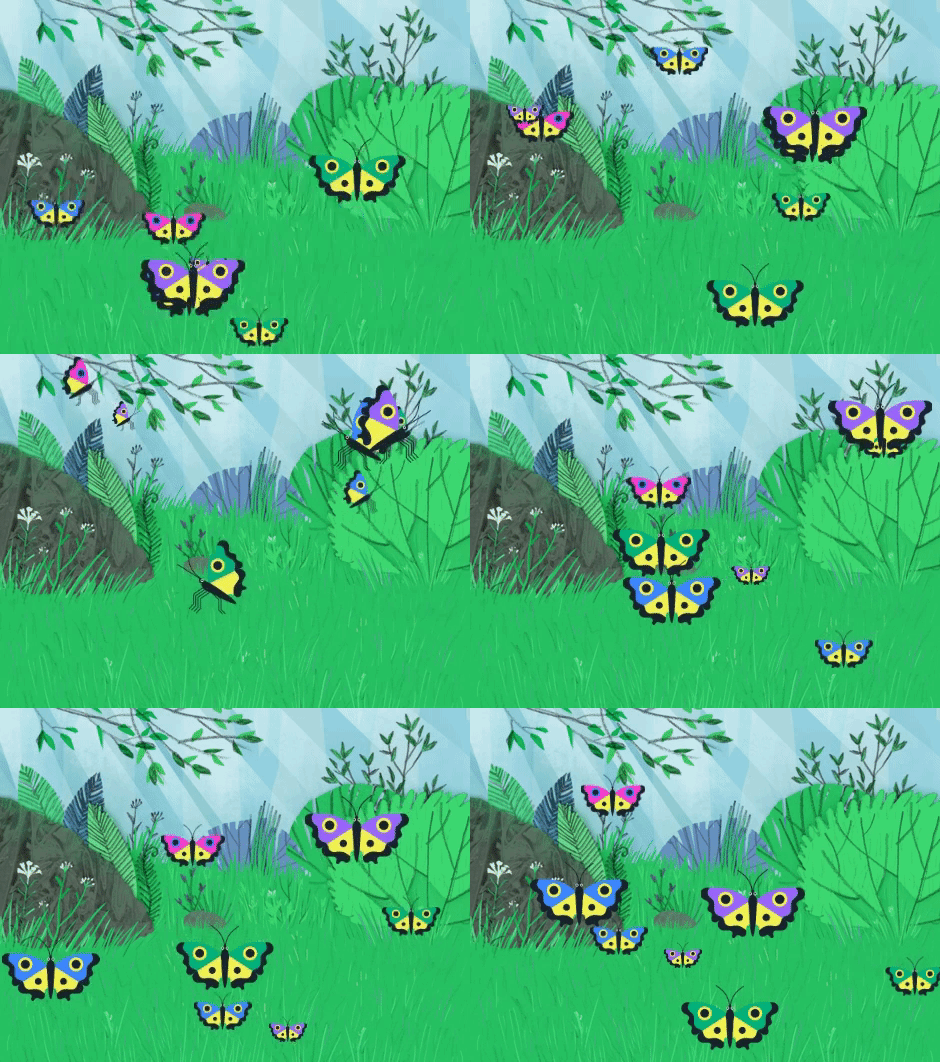
You can code a butterfly garden with one of our ‘Look after yourself’ projects!
We recently launched a new set of beginner Scratch projects on the theme of ‘Look after yourself’, which include activities designed to help young people take care of their own wellbeing while getting creative with code. They are brilliant.
“I am so excited by the [‘Look after yourself’] projects on offer. It couldn’t be more perfect for everything we are navigating right now.”
If Earth is getting you down, then how about creating code that will be sent to the International Space Station?
This is where your kids’ code could run aboard the ISS!
As part of Astro Pi Mission Zero, young people up to age 14 can write a Python program to send their own personal message to the astronauts aboard the ISS. Mission Zero takes about an hour to complete online following a step-by-step guide. It’s a fantastic activity for anyone looking to write Python code for the first time!
Make a cool project
We know that motivation matters. Young digital makers often need a goal to work towards, and that’s where Coolest Projects comes in. It’s the world-leading technology showcase where young digital makers show the world what they’ve created and inspire each other.
Coolest Projects is open to young people up to the age of 18, all over the world, with any level of experience or skills. Young people can register their project ideas now and then create their project so that they can share it with the world on our online gallery.
It’s a brilliant way to motivate your young digital makers to come up with an idea and make it real. If you’re looking for inspiration, then check out the brilliant projects from last year.
Happy digital making!
I hope that these resources and project ideas inspire you and your kids to get creative with technology, whether you’re in lockdown or not. Stay safe and be kind to yourself and each other. We’ll get through this.
In this blog post, I’ll discuss the first research seminar in our six-part series about diversity and inclusion. Let’s start by defining our terms. Diversity is any dimension that can be used to differentiate groups and people from one another. This might be, for example, age, gender, socio-economic status, disability, ethnicity, religion, nationality, or sexuality. The aim of inclusion is to embrace all people irrespective of difference.
It’s vital that we are inclusive in computing education, because we need to ensure that everyone can access and learn the empowering and enabling technical skills they need to support all aspects of their lives.
We kicked off the series with a seminar from Dr Peter Kemp and Dr Billy Wong focused on computing education in England’s schools post-14. Peter is a Lecturer in Computing Education at King’s College London, where he leads on initial teacher education in computing. His research areas are digital creativity and digital equity. Billy is an Associate Professor at the Institute of Education, University of Reading. His areas of research are educational identities and inequalities, especially in the context of higher education and STEM education.
Dr Peter Kemp
Dr Billy Wong
Computing in England’s schools
Peter began the seminar with a comprehensive look at the history of curriculum change in Computing in England. This was very useful given our very international audience for these seminars, and I will summarise it below. (If you’d like more detail, you can look over the slides from the seminar. Note that these changes refer to England only, as education in the UK is devolved, and England, Northern Ireland, Scotland, and Wales each has a different education system.)
In 2014, England switched from mandatory ICT (Information and Communication Technology) to mandatory Computing (encompassing information technology, computer science, and digital literacy). This shift was complemented by a change in the qualifications for students aged 14–16 and 16–18, where the primary qualifications are GCSEs and A levels respectively:
At GCSE, there has been a transition from GCSE ICT to GCSE Computer Science over the last five years, with GCSE ICT being discontinued in 2017
At A level before 2014, ICT and Computing were on offer as two separate A levels; now there is only one, A level Computer Science
One of the issues is that in the English education system, there is a narrowing of the curriculum at age 14: students have to choose between Computer Science and other subjects such as Geography, History, Religious Studies, Drama, Music, etc. This means that those students that choose not to take a GCSE Computer Science (CS) may find that their digital education is thereby curtailed from then onwards. Peter’s and Billy’s view is that having a more specialist subject offer for age 14+ (Computer Science as opposed to ICT) means that fewer students take it, and they showed evidence of this from qualifications data. The number of students taking CS at GCSE has risen considerably since its introduction, but it’s not yet at the level of GCSE ICT uptake.
GCSE computer science and equity
Only 64% of schools in England offer GCSE Computer Science, meaning that just 81% of students have the opportunity to take the subject (some schools also add selection criteria). A higher percentage (90%) of selective grammar schools offer GCSE CS than do comprehensive schools (80%) or independent schools (39%). Peter suggested that this was making Computer Science a “little more elitist” as a subject.
Peter analysed data from England’s National Pupil Database (NPD) to thoroughly investigate the uptake of Computer Science post-14 with respect to the diversity of entrants.
He found that the gender gap for GCSE CS uptake is greater than it was for GCSE ICT. Now girls make up 22% of the cohort for GCSE CS (2020 data), whereas for the ICT qualification (2017 data), 43% of students were female.
Peter’s analysis showed that there is also a lower representation of black students and of students from socio-economically disadvantaged backgrounds in the cohort for GCSE CS. In contrast, students with Chinese ancestry are proportionally more highly represented in the cohort.
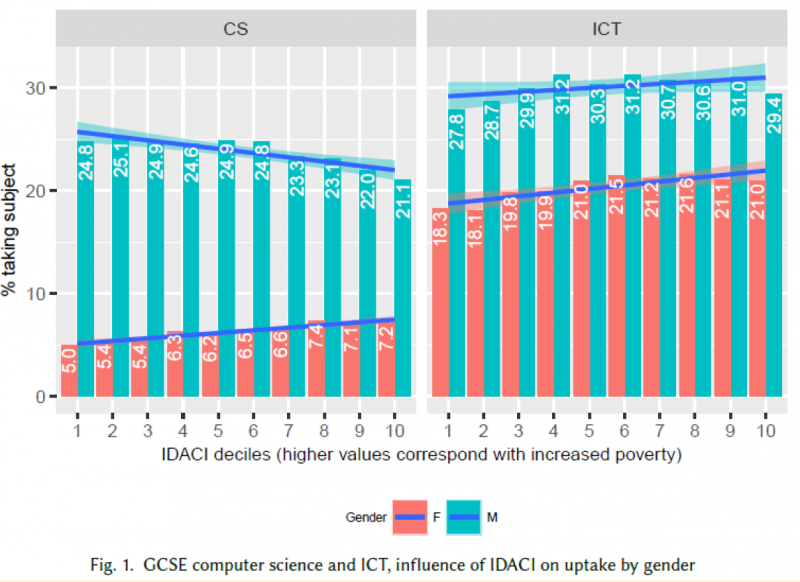
Another part of Peter’s analysis related gender data to the Income Deprivation Affecting Children Index (IDACI), which is used as an indicator of the level of poverty in England’s local authority districts. In the graphs below, a higher IDACI decile means more deprivation in an area. Relating gender data of GCSE CS uptake against the IDACI shows that:
Girls from more deprived areas are more likely to take up GCSE CS than girls from less deprived areas are
The opposite is true for boys
Peter covered much more data in the seminar, so do watch the video recording (below) if you want to learn more.
Peter’s analysis shows a lack of equity (i.e. equality of outcome in the form of proportional representation) in uptake of GCSE CS after age 14. It is also important to recognise, however, that England does mandate — not simply provide or offer — Computing for all pupils at both primary and secondary levels; making a subject mandatory is the only way to ensure that we do give access to all pupils.
What can we do about the lack of equity?
Billy presented some of the potential reasons for why some groups of young people are not fully represented in GCSE Computer Science:
There are many stereotypes surrounding the image of ‘the computer scientist’, and young people may not be able to identify with the perception they hold of ‘the computer scientist’
There is inequality in access to resources, as indicated by the research on science and STEM capital being carried out within the ASPIRES project
More research is needed to understand the subject choices young people make and their reasons for choosing as they do.
We also need to look at how the way we teach Computing to students aged 11 to 14 (and younger) affects whether they choose CS as a post-14 subject. Our next seminar revolves around equity-focused teaching practices, such as culturally relevant pedagogy or culturally responsive teaching, and how educators can use them in their CS learning environments.
Meanwhile, our own research project at the Raspberry Pi Foundation, Gender Balance in Computing, investigates particular approaches in school and non-formal learning and how they can impact on gender balance in Computer Science. For an overview of recent research around barriers to gender balance in school computing, look back on the research seminar by Katharine Childs from our team.
Peter and Billy themselves have recently been successful in obtaining funding for a research project to explore female computing performance and subject choice in English schools, a project they will be starting soon!
If you missed the seminar, watch recording here. You can also find Peter and Billy’s presentation slides on our seminars page.
Next up in our seminar series
In our next research seminar on Tuesday 2 February at 17:00–18:30 BST / 12:00–13:30 EDT / 9:00–10:30 PDT / 18:00–19:30 CEST, we’ll welcome Prof Tia Madkins (University of Texas at Austin), Dr Nicol R. Howard (University of Redlands), and Shomari Jones (Bellevue School District), who are going to talk to us about culturally responsive pedagogy and equity-focused teaching in K-12 Computer Science. To join this free online seminar, simply sign up with your name and email address.
Once you’ve signed up, we’ll email you the seminar meeting link and instructions for joining. If you attended Peter’s and Billy’s seminar, the link remains the same.
Working with Oak National Academy, we’ve turned the materials from our Teach Computing Curriculum into more than 300 free, curriculum-mapped video lessons for remote learning.
A comprehensive set of free classroom materials
One of our biggest projects for teachers that we’ve worked on over the past two years is the Teach Computing Curriculum: a comprehensive set of free computing classroom materials for key stages 1 to 4 (learners aged 5 to 16). The materials comprise lesson plans, homework, progression mapping, and assessment materials. We’ve created these as part of the National Centre for Computing Education, but they are freely available for educators all over the world to download and use.
More than 300 free, curriculum-mapped video lessons
In the second half of 2020, in response to school closures, our team of experienced teachers produced over 100 hours of video to transform Teach Computing Curriculum materials into video lessons for learning at home. They are freely available for parents, educators, and learners to continue learning computing at home, wherever you are in the world.
You’ll find our videos for more than 300 hour-long lessons on the Oak National Academy website. The progression of the lessons is mapped out clearly, and the videos cover England’s computing national curriculum. There are video lessons for:
Years 5 and 6 at key stage 2 (ages 7 to 11)
Years 7, 8, and 9 at key stage 3 (ages 11 to 14)
Examined (GCSE) as well as non-examined (Digital Literacy) at key stage 4 (ages 14 to 16)
To access the full set of classroom materials for teaching, visit the National Centre for Computing Education website.
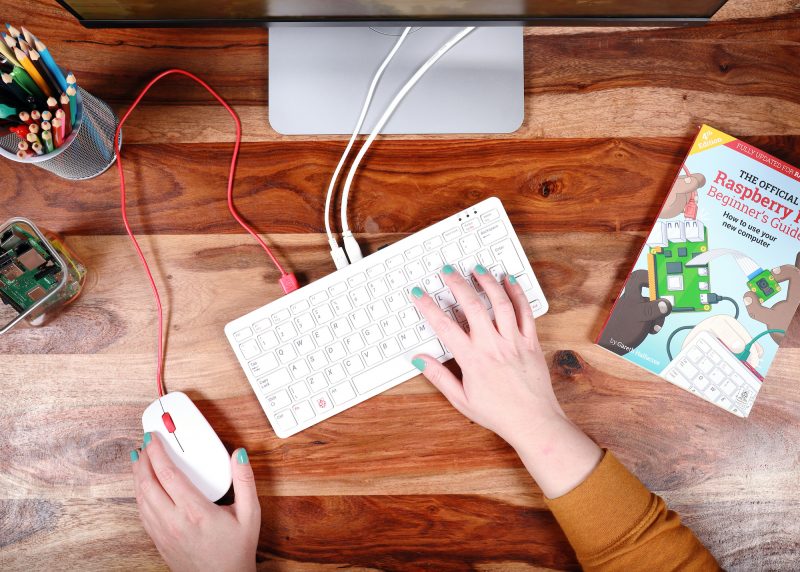
Did you get Raspberry Pi 400 as a home learning or working device? We hope you’ve been getting on well with our affordable all-in-one computing solution.
If you’re a new user, here are some tips for you to get the most out of your brand-new Raspberry Pi 400.
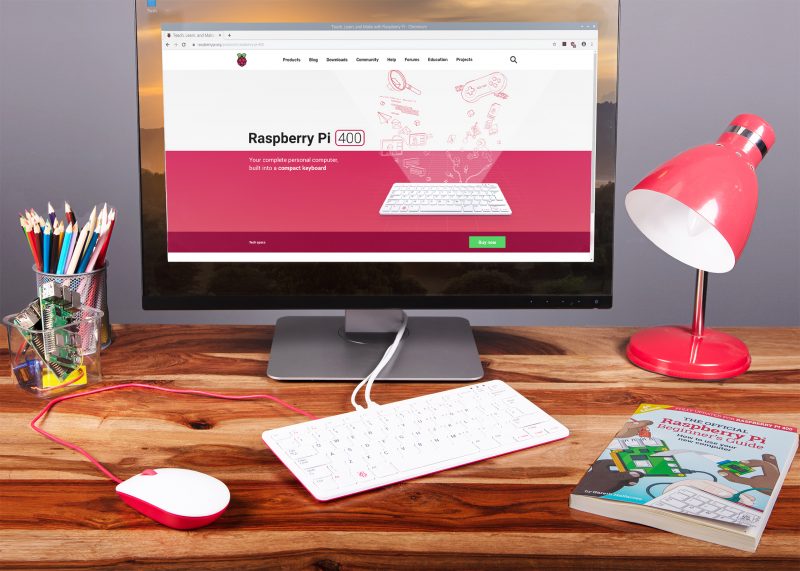
Does *anyone’s* home office desk look this tidy?..
First things first!
Make sure your Raspberry Pi runs the newest version of the Raspberry Pi OS. Here is how (and here is a video preview of what the process looks like):
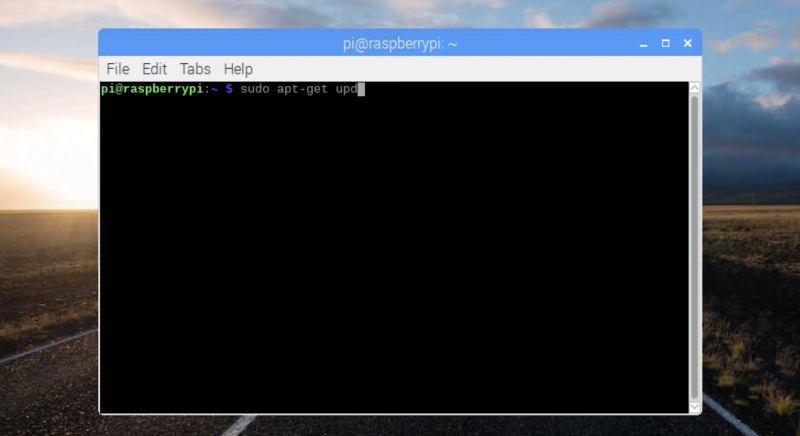
Open a terminal window by clicking on the Terminal icon in the top menu bar. Then type this command in the terminal window:
sudo apt update
Press Enter on the keyboard. Once the update is downloaded, type into the window:
sudo apt full-upgrade
Press Enter again. It is safe to just accept the default answer to any questions you are asked during the procedure by typing y and pressing Enter.
Just log in with your username and password and start working or learning!
Raspberry Pi OS also has LibreOffice installed for working with text files, spreadsheets, and the like.
Printing on your Raspberry Pi
Go into the Preferences section in the main menu, and open Print Settings. This shows the system-config-printer dialog window, where you can do the usual things you’re familiar with from other operating systems: add new printers, remove old ones, set a printer as the default, and access the print queue for each printer.
Like most things in Linux-based operating systems such as Raspberry Pi OS, whether you can make your printer model work depends on user contributions; not every printer is supported yet. We’ve found that most networked printers work fine, while USB printers are a bit hit-and-miss. The best thing to do is to try it and see, and ask for help on our forums if your particular printer doesn’t seem to work.
More tips for using Raspberry Pi as a home computer
Our very own Alasdair Allen wrote a comprehensive guide that covers more topics of setting up a Raspberry Pi for home working, from getting your audio and video ready to setting up a Citrix workspace. Thanks Alasdair!
Free resources for learning at home
We’ve got a host of completely free resources for young people, parents, and teachers to continue computing school lessons at home and learn about digital making. Discover them all here!
What do you need?
Let us know in the comments if there are any niggles you’re experiencing, or if you have a top tip to help others who are just getting to grips with using Raspberry Pi as a home learning or working device.
As the UK — like many countries around the world — kicks off the new year with another national lockdown, meaning that millions of young people are unable to attend school, I want to share an update on how the Raspberry Pi Foundation is helping young people to learn at home.
Please help us spread the word to teachers, school leaders, governors, parents, and carers. Everything we are offering here is 100% free and the more people know about it, the more young people will benefit.
Supporting teachers and pupils
Schools and teachers all over the world have been doing a heroic job over the past ten months, managing the transition to emergency remote teaching during the first round of lockdowns, supporting the most vulnerable pupils, dealing with uncertainty, changing the way that schools worked to welcome pupils back safely, helping pupils catch up with lost learning, and much, much more.
Both in my role as Chief Executive of the Raspberry Pi Foundation and as chair of governors at a state school here in Cambridge, I’ve seen first-hand the immense pressure that schools and teachers are under. I’ve also seen them display the most amazing resilience, commitment, and innovation. I want to say a huge thank you to all teachers and school staff for everything you’ve done and continue to do to help young people through this crisis.
Here’s some of the resources and tools that we’ve created to help you continue to deliver a world-class computing education:
The Teach Computing Curriculum is a comprehensive set of lesson plans for KS1–4 (learners aged 5–16) as well as homework, progression mapping, and assessment materials.
Working with the fabulous Oak National Academy, we’ve produced 100 hours of video for 300 video lessons based on the Teach Computing Curriculum.
Isaac Computer Science is our online learning platform for advanced computer science (A level, learners aged 16–18) and includes comprehensive, interactive materials and videos. It also allows you to set your learners self-marking questions.
All of these resources are mapped to the English computing curriculum and produced as part of the National Centre for Computing Education. They are available for everyone, anywhere in the world, for free.
Making something fun with code
Parents and carers are the other heroes of remote learning during lockdown. I know from personal experience that juggling work and supporting home learning can be really tough, and we’re all trying to find meaningful, fun alternatives to letting our kids binge YouTube or Netflix (other video platforms and streaming services are available).
That’s why we’ve been working really hard to provide parents and carers with easy, accessible ways for you to help your young digital makers to get creative with technology:
Hundreds of step-by-step guided projects for coding in Scratch, Python, and more. The projects are self-guided, tailored for different levels of experience, and translated into dozens of languages.
Getting computers into the hands of young people who need them
One of the harsh lessons we learned last year was that far too many young people don’t have a computer for learning at home. There has always been a digital divide; the pandemic has just put it centre-stage. The good news is that the cost of solving this problem is now trivial compared to the cost of allowing it to persist.
That’s why the Raspberry Pi Foundation has teamed up with UK Youth and a network of grassroots youth and community organisations to get computers into the hands of disadvantaged young people across the UK.
For under £200 we can provide a vulnerable child with everything they need to learn at home, including a Raspberry Pi desktop computer, a monitor, a webcam, free educational software, and ongoing support from a local youth worker and the Foundation team. So far, we have managed to get 2000 Raspberry Pi computers into the hands of the most vulnerable young people in the UK. A drop in the ocean compared to the size of the problem, but a huge impact for every single young person and family.
This has only been possible thanks to the generous support of individuals, foundations, and businesses that have donated to support our work. If you’d like to get involved too, you can find out more here.
To round off Computer Science Education Week 2020, the Google Code Next team, working with the Raspberry Pi Foundation and some incredible volunteers in the Chicago area, helped over 400 Black and Latinx high school students get coding using Raspberry Pi 400. Here’s Omnia Saed with more.
In partnership with Google Code Next, the Raspberry Pi Foundation curated a computer science activity for over 400 Chicago Public Schools students. Over 1000 kits with the newly released Raspberry Pi 400 were sent to six public schools to mark the end of Computer Science Education Week (7-14 December).
— Kelly College Prep SkillsUSA (@Kelly_SkillsUSA) December 8, 2020
Google Code Next
Google Code Next is a free computer science education program for Black and Latinx high school students. Between 2011 and 2018, Black and Hispanic college students each only made up 3 percent of computer science graduates; Code Next works to change that. The program provides students with the skills and inspiration needed for long and rewarding careers in computer science.
“We aim to provide Black and Latinx students with skills and technical social capital — that web of relationships you can tap into,” said Google Diversity STEM Strategist Shameeka Emanuel.
The main event
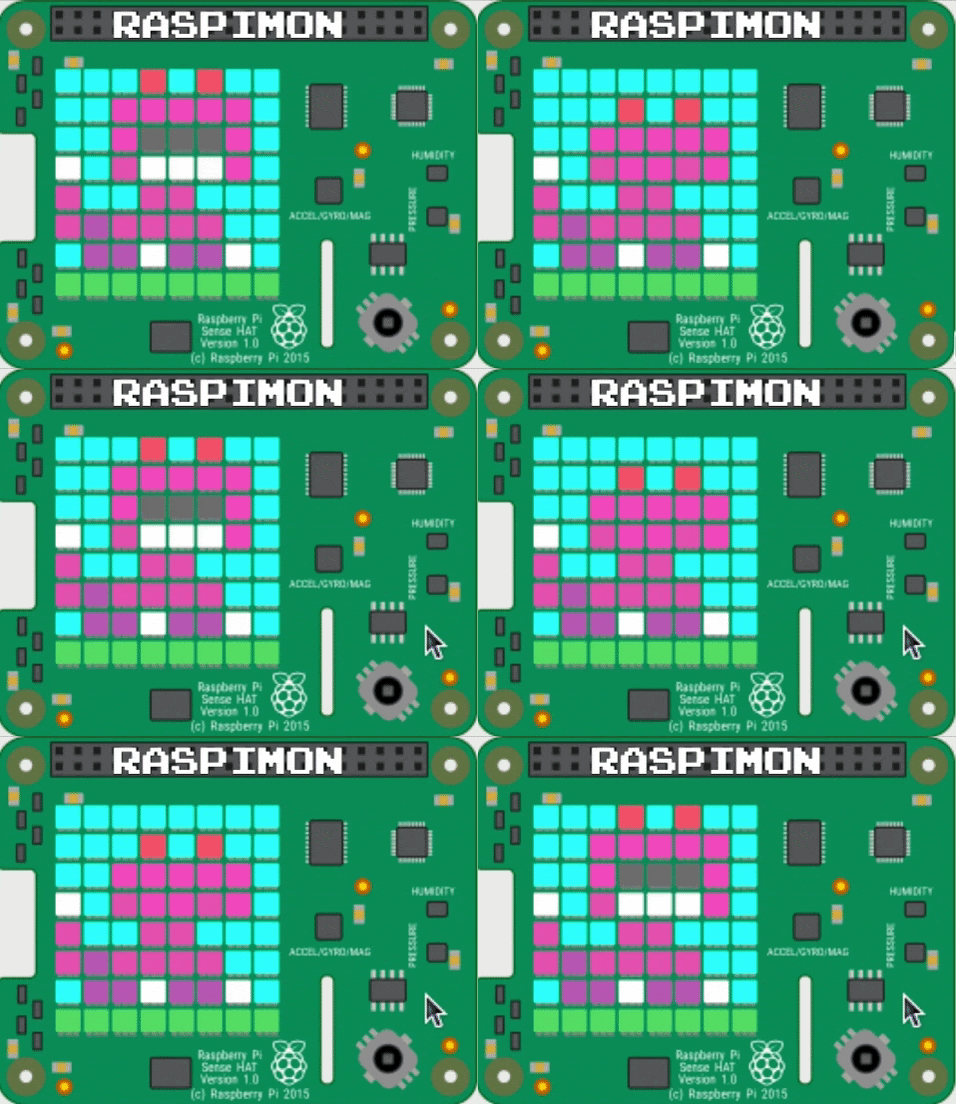
The virtual event brought over 80 Google volunteers, students and teachers together to create their very own “Raspimon”—a virtual monster powered by Raspberry Pi. For many students, it was their first time coding.
Matt Richardson, Executive Director of the Raspberry Pi Foundation North America, opened the event by telling students to share their work with family and friends.
“I hope you find new ways to solve problems or express yourselves creatively. More importantly, be sure to share what you create with someone you know – you might just spark curiosity in someone else,” he said.
— Kelly College Prep SkillsUSA (@Kelly_SkillsUSA) December 9, 2020
In an interview with the Chicago Sun Times, Troy Williams, Chicago Public Schools interim director of computer science, explains, “Our students being able to have access to these Raspberry Pis and other resources supplements the learning they’re doing in the classrooms, and brings another level of engagement where they can create on their own. It really helps toward closing the digital divide and the learning gap as well.”
Want to join in with the fun? You’ll find a copy of the activity and curriculum on the Code Next website.
And if you’re looking to introduce someone to coding over the holidays, there’s still time to order a Raspberry Pi 400 computer kit from our network of Raspberry Pi Approved Resellers.
At the Raspberry Pi Foundation, we are continually inspired by young learners in our community: they embrace digital making and computing to build creative projects, supported by our resources, clubs, and volunteers. While creating their projects, they are learning the core programming skills that underlie digital making.
Over the years, many tools and environments have been developed to make programming more accessible to young people. Scratch is one example of a block-based programming environment for young learners, and it’s been shown to make programming more accessible to them; on our projects site we offer many step-by-step Scratch project resources.
But does block-based programming actually help learning? Does it increase motivation and support students? Where is the hard evidence? In our latest research seminar, we were delighted to hear from Dr David Weintrop, an Assistant Professor at the University of Maryland who has done research in this area for several years and published widely on the differences between block-based and text-based programming environments.
A variety of block-based programming environments
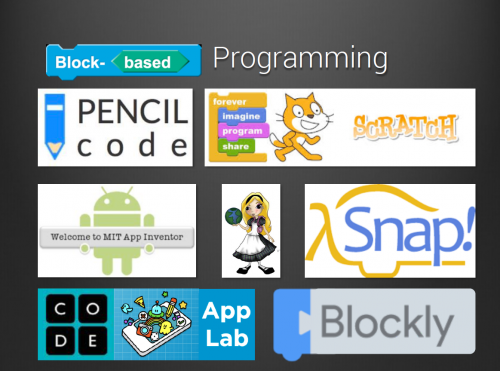
The first useful insight David shared was that we should avoid thinking about block-based programming as synonymous with the well-known Scratch environment. There are several other environments, with different affordances, that David referred to in his talk, such as Snap, Pencil Code, Blockly, and more.
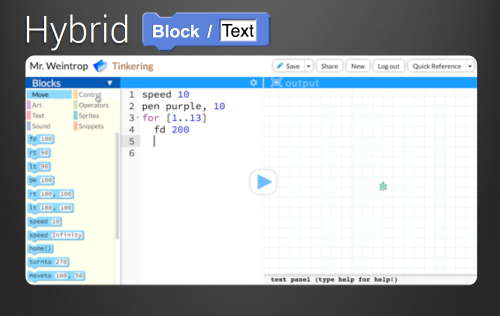
Some of these, for example Pencil Code, offer a dual-modality (or hybrid) environment, where learners can write the same program in a text-based and a block-based programming environment side by side. Dual-modality environments provide this side-by-side approach based on the assumption that being able to match a text-based program to its block-based equivalent supports the development of understanding of program syntax in a text-based language.
As a tool for transitioning to text-based programming
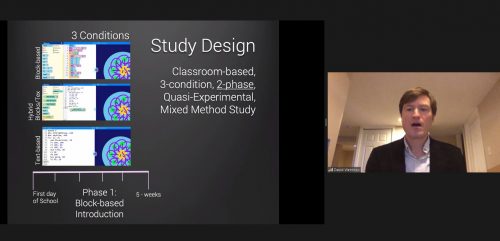
Another aspect of the research around block-based programming focuses on its usefulness as a transition to a text-based language. David described a 15-week study he conducted in high schools in the USA to investigate differences in student learning caused by use of block-based, text-based, and hybrid (a mixture of both using a dual-modality platform) programming tools.
The 90 students in the study (14 to 16 years old) were divided into three groups, each with a different intervention but taught by the same teacher. In the first phase of the study (5 weeks), the groups were set the same tasks with the same learning objectives, but they used either block-based programming, text-based programming, or the hybrid environment.
After 5 weeks, students were given a test to assess learning outcomes, and they were asked questions about their attitudes to programming (specifically their perception of computing and their confidence). In the second phase (10 weeks), all the students were taught Java (a common language taught in the USA for end-of-school assessment), and then the test and attitudinal questions were repeated.
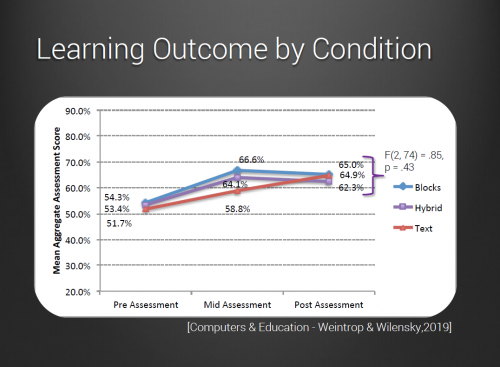
The results showed that at the 5-week point, the students who had used block-based programming scored higher in their learning outcome assessment, but at the final assessment after 15 weeks, all groups’ scores were roughly equivalent.
In terms of students’ perception of computing and confidence, the responses of the Blocks group were very positive at the 5-week point, while at the 15-week point, the responses were less positive. The responses from the Text group showed a gradual increase in positivity between the 5- and 15-week points. The Hybrid group’s responses weren’t as negative as those of the Text group at the 5-week point, and their positivity didn’t decrease like the Blocks group’s did.
Taking both methods of assessment into account, the Hybrid group showed the best results in the study. The gains associated with the block-based introduction to programming did not translate to those students being further ahead when learning Java, but starting with block-based programming also did not hamper students’ transition to text-based programming.
David completed his talk by recommending dual-modality environments (such as Pencil Code) for teaching programming, as used by the Hybrid group in his study.
More research is needed
The seminar audience raised many questions about David’s study, for example whether the actual teaching (pedagogy) may have differed for the three groups, and whether the results are not just due to the specific tools or environments that were used. This is definitely an area for further research.
It seems that students may benefit from different tools at different times, which is why a dual-modality environment can be very useful. Of course, competence in programming takes a long time to develop, so there is room on the research agenda for longitudinal studies that monitor students’ progress over many months and even years. Such studies could take into account both the teaching approach and the programming environment in order to determine what factors impact a deep understanding of programming concepts, and students’ desire to carry on with their programming journey.
Next up in our series
If you missed the seminar, you can find David’s presentation slides and a recording of his talk on our seminars page.
Our next free online seminar takes place on Tuesday 5 January at 17:00–18:00 BST / 12:00–13:00 EDT / 9:00–10:00 PDT / 18:00–19:00 CEST. We’ll welcome Peter Kemp and Billy Wong, who are going to share insights from their research on computing education for underrepresented groups. To join this free online seminar, simply sign up with your name and email address.
Once you’ve signed up, we’ll email you the seminar meeting link and instructions for joining. If you attended David’s seminar, the link remains the same.
The official Raspberry Pi magazine turned 100 this month! To celebrate, the greatest Raspberry Pi moments, achievements, and events that The MagPi magazine has ever featured came back for a special 100th issue.
100 Raspberry Pi Moments is a cracking bumper feature (starting on page 32 of issue 100, if you’d like to read the whole thing) highlighting some influential projects and educational achievements, as well as how our tiny computers have influenced pop culture. And since ’tis the season, we thought we’d share the How Raspberry Pi made a difference section to bring some extra cheer to your festive season.
Projects for good
The Raspberry Pi Foundation was originally launched to get more UK students into computing. Not only did it succeed at that, but the hardware and the Foundation have also managed to help people in other ways and all over the world. Here are just a few examples!
Computers for good
The Raspberry Pi Foundation provides free learning resources for everyone; however, not everyone has access to a computer to learn at home. Thanks to funding from the Bloomfield Trust and in collaboration with UK Youth and local charities, the Foundation has been able to supply hundreds of Raspberry Pi Desktop Kits to young people most in need. The computers have allowed these children, who wouldn’t have been able to otherwise, to learn from home and stay connected to their schools during lockdown. The Foundation’s work to distribute Raspberry Pi computers to young people in need is ongoing.
Elsewhere, a need for more medical equipment around the world resulted in many proposals and projects being considered for cheap, easy-to produce machines. Some included Raspberry Pi Zero, with 40,000 of these sold for ventilator designs.
While there’s no global project or standard to say what an offline internet should contain, some educational projects have tried to condense down enough online content for specific people and load it all onto a Raspberry Pi. RACHEL-Pi is one such solution. The RACHEL-PI kit acts as a server, hosting a variety of different educational materials for all kinds of subjects, as well as an offline version of Wikipedia with 6000 articles. There’s even medical info for helping others, math lessons from Khan Acadamy, and much more.
The RACHEL sites are available in English, French, and Spanish
17,000 ft is another great project, which brings computing to schools high up in the Himalayas through a similar method in an attempt to help children stay in their local communities.
Ladakh is a desert-like region up a mountain that can easily shut down during the winter
Education in other countries
The free coding resources available on our projects site are great, and the Raspberry Pi Foundation works to make them accessible to people whose first language isn’t English: we have a dedicated translation team and, thanks to volunteers around the world, provide our free resources translated into up to 32 other languages. From French and Welsh to Korean and Arabic, there’s a ton of projects that learners from all over the world can access in their first language.
And through the Code Club and CoderDojo programmes, the Foundation supports volunteers around the world to run free coding clubs for young people.
A Raspberry Pi lab in Kuma Adamé, Togo, that Dominique Laloux helped create and update
That’s not all: several charitable groups have set up Raspberry Pi classrooms to bring computing education to poorer parts of the world. People in African countries and parts of rural India have benefited from these programmes, and work is being done to widen access to ever more people and places.
Pocket FM
The Pocket FM is far smaller than traditional transmitters, and therefore easy to move into the country and set up
The HAM radio community loves Raspberry Pi for amateur radio projects; however, sometimes people need radio for more urgent purposes. In 2016, German group Media in Cooperation and Transition created the Pocket FM 96 , micro radio transmitters with 4–6km range. These radios allowed Syrians in the middle of a civil war to connect to free media on Syrnet for more reliable news.
There are a number of independent radio stations that transmit through Pocket FM
Raspberry Pi powered these transmitters, chosen because of how easy it is to upgrade and add components to. Each transmitter is powered by solar power, and Syrnet is still transmitting through them as the war continues into its tenth year.
At the Raspberry Pi Foundation, we host a free online research seminar once a month to explore a wide variety of topics in the area of digital and computing education. This year, we’ve hosted eleven seminars — you can (re)discover slides and recordings on our website.
Now we’re getting ready for new seminars in 2021! In the coming months, our seminars are going to focus on diversity and inclusion in computing education. This topic is extremely important, as we want to make sure that computing is accessible to all, that we understand how to actively remove barriers to participation for learners, and that we understand how to teach computing in an inclusive way.
We are delighted to announce that these seminars focusing on diversity and inclusion will be co-hosted by the Royal Academy of Engineering. The Royal Academy of Engineering is harnessing the power of engineering to build a sustainable society and an inclusive economy that works for everyone.
We’re very excited to be partnering with the Academy because of our shared interest in ensuring that computing and engineering are inclusive and accessible to all.
Our upcoming seminars
The seminars take place on the first Tuesday of the month at 17:00–18:30 GMT / 12:00–13:30 EST / 9:00–10:30 PST / 18:00–19:30 CET.
5 January 2021: Peter Kemp (King’s College London) and Billy Wong (University of Reading) will be looking at computing education in England, particularly GCSE computer science, and how it is accessed by groups typically underrepresented in computing.
2 February 2021: Professor Tia Madkins (University of Texas at Austin), Nicol R. Howard (University of Redlands), and Shomari Jones (Bellevue School District) will be talking about equity-focused teaching in K–12 computer science. Find out more.
2 March 2021: Dr Jakita O. Thomas (Auburn University, Alabama) will be talking about her research on supporting computational algorithmic thinking in the context of intersectional computing.
April 2021: event to be confirmed
4 May 2021: Dr Cecily Morrison (Microsoft Research) will be speaking about her work on physical programming for people with visual impairments.
Join the seminars
We’d love to welcome you to these seminars so we can learn and discuss together. To get access, simply sign up with your name and email address.
Once you’ve signed up, we’ll email you the seminar meeting link and instructions for joining. If you attended our seminars in the past, the link remains the same.
From our first prototype way back in 2006, to the very latest Raspberry Pi 400, everything we have built here at Raspberry Pi has been driven by a desire to inspire learning. I hope that each of you who uses our products discovers — or rediscovers — the joy of learning through making. The journey from technology consumer to technology creator can be a transformational one; today, on Giving Tuesday, I’m asking you to help even more young people make that journey.
Too few young people have the chance to learn how technology works and how to harness its power. Pre-existing disparities in access to computing education have been exacerbated by the coronavirus pandemic. At the Raspberry Pi Foundation, we’re on a mission to change this, and we’re working harder than ever to support young people and educators with free learning opportunities. Our partner CanaKit supports the Raspberry Pi Foundation’s mission, and they’ve extended the generous offer to match your donations up to a total of $5,000.
Alongside our low-cost, high-performance computers and free software, you may know that the Raspberry Pi Foundation provides free educational programmes including coding clubs and educator training for millions of people each year in dozens of countries. You might not know that the Raspberry Pi Foundation was founded as, and still remains, a nonprofit organisation. Our education mission is powered by dedicated volunteers, and our programmes are funded in part thanks to our customers who buy Raspberry Pi products, and in part by charitable donations from people like you.
Every donation we receive makes an impact on the young people and educators who rely on the Raspberry Pi Foundation. Ryka, for example, is a 10-year-old who attends one of our CoderDojo clubs. Since March she’s been using our project guides and following our Digital Making at Home code-along live streams. Her parents tell us:
“We were looking at ways to keep Ryka engaged during this lockdown period and came across Digital Making at Home. As a parent I can see that there has been discernible improvement in her abilities. We’ve noticed that she is engaged and takes interest in showing us what she was able to build. It has been a great use of her time.”
– Parent of a young person who learns through our programmes
Ryka joins millions of learners in our community around the world, many of whom now rely on us more than ever with schools and extracurricular activities disrupted. Through the ongoing support of our donors and volunteers, we’ve been able to rise to the challenge of the pandemic:
Thousands of young people have continued their digital making journey as part of Code Club and CoderDojo, following our rapid pivot to help club leaders run virtual clubs.
We have seen a 140% growth in community translations of our educational projects, covering languages from Arabic and Hindi, to Japanese and Spanish.
Millions of young people are making games, telling stories, and building websites — all through code! — using our online project guides.
Young coders and digital makers need our help in the year ahead as they take control of their computing education under challenging and uncertain circumstances. As a donor to the Raspberry Pi Foundation, you will be investing in our youngest generation of innovators and helping to create a spark in a young person’s life. On Giving Tuesday, I am grateful to each of you for the role you play in creating a world where everyone can learn, solve problems, and shape their future through the power of technology.
To provide the best experiences, we use technologies like cookies to store and/or access device information. Consenting to these technologies will allow us to process data such as browsing behavior or unique IDs on this site. Not consenting or withdrawing consent, may adversely affect certain features and functions.
Functional
Always active
The technical storage or access is strictly necessary for the legitimate purpose of enabling the use of a specific service explicitly requested by the subscriber or user, or for the sole purpose of carrying out the transmission of a communication over an electronic communications network.
Preferences
The technical storage or access is necessary for the legitimate purpose of storing preferences that are not requested by the subscriber or user.
Statistics
The technical storage or access that is used exclusively for statistical purposes.The technical storage or access that is used exclusively for anonymous statistical purposes. Without a subpoena, voluntary compliance on the part of your Internet Service Provider, or additional records from a third party, information stored or retrieved for this purpose alone cannot usually be used to identify you.
Marketing
The technical storage or access is required to create user profiles to send advertising, or to track the user on a website or across several websites for similar marketing purposes.