Post Syndicated from The History Guy: History Deserves to Be Remembered original https://www.youtube.com/watch?v=X5XcC5JTyKo
They Let Bring a Camera Into a Top Classified US Supercomputer El Capitan
Post Syndicated from Patrick Kennedy original https://www.servethehome.com/inside-top-classified-us-supercomputer-el-capitan-amd-hpe/
We had the opportunity to take photos and film inside El Capitan, the number 1 Top500 supercomputer as it enters its classified mission
The post They Let Bring a Camera Into a Top Classified US Supercomputer El Capitan appeared first on ServeTheHome.
The Strange Story of Nelson’s Tomb
Post Syndicated from The History Guy: History Deserves to Be Remembered original https://www.youtube.com/watch?v=hZdypHj89ac
Comic for 2025.01.10 – Kleenex
Post Syndicated from Explosm.net original https://explosm.net/comics/kleenex
New Cyanide and Happiness Comic
Chess Zoo
Post Syndicated from xkcd.com original https://xkcd.com/3036/

Tapping the Admiral
Post Syndicated from The History Guy: History Deserves to Be Remembered original https://www.youtube.com/watch?v=IAzo-ZRyarQ
FIRST LOOK! Slate 7 Travel Router from GL.iNet #ces2025 #traveltech
Post Syndicated from Crosstalk Solutions original https://www.youtube.com/watch?v=YTZzd4R90Jo
Build a high-performance quant research platform with Apache Iceberg
Post Syndicated from Guy Bachar original https://aws.amazon.com/blogs/big-data/build-a-high-performance-quant-research-platform-with-apache-iceberg/
In our previous post Backtesting index rebalancing arbitrage with Amazon EMR and Apache Iceberg, we showed how to use Apache Iceberg in the context of strategy backtesting. In this post, we focus on data management implementation options such as accessing data directly in Amazon Simple Storage Service (Amazon S3), using popular data formats like Parquet, or using open table formats like Iceberg. Our experiments are based on real-world historical full order book data, provided by our partner CryptoStruct, and compare the trade-offs between these choices, focusing on performance, cost, and quant developer productivity.
Data management is the foundation of quantitative research. Quant researchers spend approximately 80% of their time on necessary but not impactful data management tasks such as data ingestion, validation, correction, and reformatting. Traditional data management choices include relational, SQL, NoSQL, and specialized time series databases. In recent years, advances in parallel computing in the cloud have made object stores like Amazon S3 and columnar file formats like Parquet a preferred choice.
This post explores how Iceberg can enhance quant research platforms by improving query performance, reducing costs, and increasing productivity, ultimately enabling faster and more efficient strategy development in quantitative finance. Our analysis shows that Iceberg can accelerate query performance by up to 52%, reduce operational costs, and significantly improve data management at scale.
Having chosen Amazon S3 as our storage layer, a key decision is whether to access Parquet files directly or use an open table format like Iceberg. Iceberg offers distinct advantages through its metadata layer over Parquet, such as improved data management, performance optimization, and integration with various query engines.
In this post, we use the term vanilla Parquet to refer to Parquet files stored directly in Amazon S3 and accessed through standard query engines like Apache Spark, without the additional features provided by table formats such as Iceberg.
Quant developer and researcher productivity
In this section, we focus on the productivity features offered by Iceberg and how it compares to directly reading files in Amazon S3. As mentioned earlier, 80% of quantitative research work is attributed to data management tasks. Business impact heavily relies on quality data (“garbage in, garbage out”). Quants and platform teams have to ingest data from multiple sources with different velocities and update frequencies, and then validate and correct the data. These activities translate into the ability to run append, insert, update, and delete operations. For simple append operations, both Parquet on Amazon S3 and Iceberg offer similar convenience and productivity. However, real-world data is never perfect and needs to be corrected. Gaps filling (inserts), error corrections and restatements (updates), and removing duplicates (deletes) are the most obvious examples. When writing data in the Parquet format directly to Amazon S3 without using an open table format like Iceberg, you have to write code to identify the affected partition, correct errors, and rewrite the partition. Moreover, if the write job fails or a downstream read job occurs during this write operation, all downstream jobs have the possibility of reading inconsistent data. However, Iceberg has built-in insert, update, and delete features with ACID (Atomicity, Consistency, Isolation, Durability) properties, and the framework itself manages the Amazon S3 mechanics on your behalf.
Guarding against lookahead bias is an essential capability of any quant research platform—what backtests as a profitable trading strategy can render itself useless and unprofitable in real time. Iceberg provides time travel and snapshotting capabilities out of the box to manage lookahead bias that could be embedded in the data (such as delayed data delivery).
Simplified data corrections and updates
Iceberg enhances data management for quants in capital markets through its robust insert, delete, and update capabilities. These features allow efficient data corrections, gap-filling in time series, and historical data updates without disrupting ongoing analyses or compromising data integrity.
Unlike direct Amazon S3 access, Iceberg supports these operations on petabyte-scale data lakes without requiring complex custom code. This simplifies data modification processes, which is crucial for ingesting and updating large volumes of market and trade data, quickly iterating on backtesting and reprocessing workflows, and maintaining detailed audit trails for risk and compliance requirements.
Iceberg’s table format separates data files from metadata files, enabling efficient data modifications without full dataset rewrites. This approach also reduces expensive ListObjects API calls typically needed when directly accessing Parquet files in Amazon S3.
Additionally, Iceberg offers merge on read (MoR) and copy on write (CoW) approaches, providing flexibility for different quant research needs. MoR enables faster writes, suitable for frequently updated datasets, and CoW provides faster reads, beneficial for read-heavy workflows like backtesting.
For example, when a new data source or attribute is added, quant researchers can seamlessly incorporate it into their Iceberg tables and then reprocess historical data, confident they’re using correct, time-appropriate information. This capability is particularly valuable in maintaining the integrity of backtests and the reliability of trading strategies.
In scenarios involving large-scale data corrections or updates, such as adjusting for stock splits or dividend payments across historical data, Iceberg’s efficient update mechanisms significantly reduce processing time and resource usage compared to traditional methods.
These features collectively improve productivity and data management efficiency in quant research environments, allowing researchers to focus more on strategy development and less on data handling complexities.
Historical data access for backtesting and validation
Iceberg’s time travel feature can enable quant developers and researchers to access and analyze historical snapshots of their data. This capability can be useful while performing tasks like backtesting, model validation, and understanding data lineage.
Iceberg simplifies time travel workflows on Amazon S3 by introducing a metadata layer that tracks the history of changes made to the table. You can refer to this metadata layer to create a mental model of how Iceberg’s time travel capability works.
Iceberg’s time travel capability is driven by a concept called snapshots, which are recorded in metadata files. These metadata files act as a central repository that stores table metadata, including the history of snapshots. Additionally, Iceberg uses manifest files to provide a representation of data files, their partitions, and any associated deleted files. These manifest files are referenced in the metadata snapshots, allowing Iceberg to identify the relevant data for a specific point in time.
When a user requests a time travel query, the typical workflow involves querying a specific snapshot. Iceberg uses the snapshot identifier to locate the corresponding metadata snapshot in the metadata files. The time travel capability is invaluable to quants, enabling them to backtest and validate strategies against historical data, reproduce and debug issues, perform what-if analysis, comply with regulations by maintaining audit trails and reproducing past states, and roll back and recover from data corruption or errors. Quants can also gain deeper insights into current market trends and correlate them with historical patterns. Also, the time travel feature can further mitigate any risks of lookahead bias. Researchers can access the exact data snapshots that were present in the past, and then run their models and strategies against this historical data, without the risk of inadvertently incorporating future information.
Seamless integration with familiar tools
Iceberg provides a variety of interfaces that enable seamless integration with the open source tools and AWS services that quant developers and researchers are familiar with.
Iceberg provides a comprehensive SQL interface that allows quant teams to interact with their data using familiar SQL syntax. This SQL interface is compatible with popular query engines and data processing frameworks, such as Spark, Trino, Amazon Athena, and Hive. Quant developers and researchers can use their existing SQL knowledge and tools to query, filter, aggregate, and analyze their data stored in Iceberg tables.
In addition to the primary interface of SQL, Iceberg also provides the DataFrame API, which allows quant teams to programmatically interact with their data with popular distributed data processing frameworks like Spark and Flink as well as thin clients like PyIceberg. Quants can further use this API to build more programmatic approaches to access and manipulate data, allowing for the implementation of custom logic and integration of Iceberg with other AWS ecosystems like Amazon EMR.
Although accessing data from Amazon S3 is a viable option, Iceberg provides several advantages like metadata management, performance optimization using partition pruning, data manipulation, and a rich AWS ecosystem integration including services like Athena and Amazon EMR with more seamless and feature-rich data processing experience.
Undifferentiated heavy lifting
Data partitioning is one of major contributing factors to optimizing aggregate throughput to and from Amazon S3, contributing to overall High Performance Computing (HPC) environment price-performance.
Quant researchers often face performance bottlenecks and complex data management challenges when dealing with large-scale datasets in Amazon S3. As discussed in Best practices design patterns: optimizing Amazon S3 performance, single prefix performance is limited to 3,500 PUT/COPY/POST/DELETE or 5,500 GET/HEAD requests per second per partitioned Amazon S3 prefix. Iceberg’s metadata layer and intelligent partitioning strategies automatically optimize data access patterns, reducing the likelihood of I/O throttling and minimizing the need for manual performance tuning. This automation allows quant teams to focus on developing and refining trading strategies rather than troubleshooting data access issues or optimizing storage layouts.
In this section, we discuss situations we discovered while running our experiments at scale and solutions provided by Iceberg vs. vanilla Parquet when accessing data in Amazon S3.
As we mentioned in the introduction, the nature of quant research is “fail fast”—new ideas have to be quickly evaluated and then either prioritized for a deep dive or dismissed. This makes it impossible to come up with universal partitioning that works all the time and for all research styles.
When accessing data directly as Parquet files in Amazon S3, without using an open table format like Iceberg, partitioning and throttling issues can arise. Partitioning in this case is determined by the physical layout of files in Amazon S3, and a mismatch between the intended partitioning and the actual file layout can lead to I/O throttling exceptions. Additionally, listing directories in Amazon S3 can also result in throttling exceptions due to the high number of API calls required.
In contrast, Iceberg provides a metadata layer that abstracts away the physical file layout in Amazon S3. Partitioning is defined at the table level, and Iceberg handles the mapping between logical partitions and the underlying file structure. This abstraction helps mitigate partitioning issues and reduces the likelihood of I/O throttling exceptions. Furthermore, Iceberg’s metadata caching mechanism minimizes the number of List API calls required, addressing the directory listing throttling issue.
Although both approaches involve direct access to Amazon S3, Iceberg is an open table format that introduces a metadata layer, providing better partitioning management and reducing the risk of throttling exceptions. It doesn’t act as a database itself, but rather as a data format and processing engine on top of the underlying storage (in this case, Amazon S3).
One of the most effective techniques to address Amazon S3 API quota limits is salting (random hash prefixes)—a method that adds random partition IDs to Amazon S3 paths. This increases the probability of prefixes residing on different physical partitions, helping distribute API requests more evenly. Iceberg supports this functionality out of the box for both data ingestion and reading.
Implementing salting directly in Amazon S3 requires complex custom code to create and use partitioning schemes with random keys in the naming hierarchy. This approach necessitates a custom data catalog and metadata system to map physical paths to logical paths, allowing direct partition access without relying on Amazon S3 List API calls. Without such a system, applications risk exceeding Amazon S3 API quotas when accessing specific partitions.
At petabyte scale, Iceberg’s advantages become clear. It efficiently manages data through the following features:
- Directory caching
- Configurable partitioning strategies (range, bucket)
- Data management functionality (compaction)
- Catalog, metadata, and statistics use for optimal execution plans
These built-in features eliminate the need for custom solutions to manage Amazon S3 API quotas and data organization at scale, reducing development time and maintenance costs while improving query performance and reliability.
Performance
We highlighted a lot of the functionality of Iceberg that eliminates undifferentiated heavy lifting and improves developer and quant productivity. What about performance?
This section evaluates whether Iceberg’s metadata layer introduces overhead or delivers optimization for quantitative research use cases, comparing it with vanilla Parquet access on Amazon S3. We examine how these approaches impact common quant research queries and workflows.
The key question is whether Iceberg’s metadata layer, designed to optimize vanilla Parquet access on Amazon S3, introduces overhead or delivers the intended optimization for quantitative research use cases. Then we discuss overlapping optimization techniques, such as data distribution and sorting. We also discuss that there is no magic partitioning and all sorting scheme where one size fits all in the context of quant research. Our benchmarks show that Iceberg performs comparably to direct Amazon S3 access, with additional optimizations from its metadata and statistics usage, similar to database indexing.
Vanilla Parquet vs Iceberg: Amazon S3 read performance
We created four different datasets: two using Iceberg and two with direct Amazon S3 Parquet access, each with both sorted and unsorted write distributions. The purpose of this exercise was to compare the performance of direct Amazon S3 Parquet access vs. the Iceberg open table format, taking into account the impact of write distribution patterns when running various queries commonly used in quantitative trading research.
Query 1
We first run a simple count query to get the total number of records in the table. This query helps understand the baseline performance for a straightforward operation. For example, if the table contains tick-level market data for various financial instruments, the count can give an idea of the total number of data points available for analysis.
The following is the code for vanilla Parquet:
Query 2
Our second query is a grouping and counting query to find the number of records for each combination of exchange_code and instrument. This query is commonly used in quantitative trading research to analyze market liquidity and trading activity across different instruments and exchanges.
The following is the code for vanilla Parquet:
The following is the code for Iceberg:
Query 3
Next, we run a distinct query to retrieve the distinct combinations of year, month, and day from the adapterTimestamp_ts_utc column. In quantitative trading research, this query can be helpful for understanding the time range covered by the dataset. Researchers can use this information to identify periods of interest for their analysis, such as specific market events, economic cycles, or seasonal patterns.
The following is the code for vanilla Parquet:
The following is the code for Iceberg:
Query 4
Lastly, we run a grouping and counting query with a date range filter on the adapterTimestamp_ts_utc column. This query is similar to Query 2 but focuses on a specific time period. You could use this query to analyze market activity or liquidity during specific time periods, such as periods of high volatility, market crashes, or economic events. Researchers can use this information to identify potential trading opportunities or investigate the impact of these events on market dynamics.
The following is the code for vanilla Parquet:
The following is the code for Iceberg. Because Iceberg has a metadata layer, the row count can be fetched from metadata:
Test results
To evaluate the performance and cost benefits of using Iceberg for our quant research data lake, we created four different datasets: two with Iceberg tables and two with direct Amazon S3 Parquet access, each using both sorted and unsorted write distributions. We first ran AWS Glue write jobs to create the Iceberg tables and then mirrored the same write processes for the Amazon S3 Parquet datasets. For the unsorted datasets, we partitioned the data by exchange and instrument, and for the sorted datasets, we added a sort key on the time column.
Next, we ran a series of queries commonly used in quantitative trading research, including simple count queries, grouping and counting, distinct value queries, and queries with date range filters. Our benchmarking process involved reading data from Amazon S3, performing various transformations and joins, and writing the processed data back to Amazon S3 as Parquet files.
By comparing runtimes and costs across different data formats and write distributions, we quantified the benefits of Iceberg’s optimized data organization, metadata management, and efficient Amazon S3 data handling. The results showed that Iceberg not only enhanced query performance without introducing significant overhead, but also reduced the likelihood of task failures, reruns, and throttling issues, leading to more stable and predictable job execution, particularly with large datasets stored in Amazon S3.
AWS Glue write jobs
In the following table, we compare the performance and the cost implications of using Iceberg vs. vanilla Parquet access on Amazon S3, taking into account the following use cases:
- Iceberg table (unsorted) – We created an Iceberg table partitioned by
exchange_codeandinstrumentThis means that the data was physically partitioned in Amazon S3 based on the unique combinations ofexchange_codeandinstrumentvalues. Partitioning the data in this way can improve query performance, because Iceberg can prune out partitions that aren’t relevant to a particular query, reducing the amount of data that needs to be scanned. The data was not sorted on any column in this case, which is the default behavior. - Vanilla Parquet (unsorted) – For this use case, we wrote the data directly as Parquet files to Amazon S3, without using Iceberg. We repartitioned the data by
exchange_codeandinstrumentcolumns using standard hash partitioning before writing it out. Repartitioning was necessary to avoid potential throttling issues when reading the data later, because accessing data directly from Amazon S3 without intelligent partitioning can lead to too many requests hitting the same S3 prefix. Like the Iceberg table, the data was not sorted on any column in this case. To make comparison fair, we used the exact repartition count that Iceberg uses. - Iceberg table (sorted) – We created another Iceberg table, this time partitioned by
exchange_codeandinstrumentAdditionally, we sorted the data in this table on theadapterTimestamp_ts_utccolumn. Sorting the data can improve query performance for certain types of queries, such as those that involve range filters or ordered outputs. Iceberg automatically handles the sorting and partitioning of the data transparently to the user. - Vanilla Parquet (sorted) – For this use case, we again wrote the data directly as Parquet files to Amazon S3, without using Iceberg. We repartitioned the data by range on the
exchange_code,instrument, andadapterTimestamp_ts_utccolumns before writing it out using standard range partitioning with 1996 partition count, because this was what Iceberg was using based on SparkUI. Repartitioning on the time column (adapterTimestamp_ts_utc) was necessary to achieve a sorted write distribution, because Parquet files are sorted within each partition. This sorted write distribution can improve query performance for certain types of queries, similar to the sorted Iceberg table.
| Write Distribution Pattern | Iceberg Table (Unsorted) | Vanilla Parquet (Unsorted) | Iceberg Table (Sorted) | Vanilla Parquet (Sorted) |
| DPU Hours | 899.46639 | 915.70222 | 1402 | 1365 |
| Number of S3 Objects | 7444 | 7288 | 9283 | 9283 |
| Size of S3 Parquet Objects | 567.7 GB | 629.8 GB | 525.6 GB | 627.1 GB |
| Runtime | 1h 51m 40s | 1h 53m 29s | 2h 52m 7s | 2h 47m 36s |
AWS Glue read jobs
For the AWS Glue read jobs, we ran a series of queries commonly used in quantitative trading research, such as simple counts, grouping and counting, distinct value queries, and queries with date range filters. We compared the performance of these queries between the Iceberg tables and the vanilla Parquet files read in Amazon S3. In the following table, you can see two AWS Glue jobs that show the performance and cost implications of access patterns described earlier.
| Read Queries / Runtime in Seconds | Iceberg Table | Vanilla Parquet |
| COUNT(1) on unsorted | 35.76s | 74.62s |
| GROUP BY and ORDER BY on unsorted | 34.29s | 67.99s |
| DISTINCT and SELECT on unsorted | 51.40s | 82.95s |
| FILTER and GROUP BY and ORDER BY on unsorted | 25.84s | 49.05s |
| COUNT(1) on sorted | 15.29s | 24.25s |
| GROUP BY and ORDER BY on sorted | 15.88s | 28.73s |
| DISTINCT and SELECT on sorted | 30.85s | 42.06s |
| FILTER and GROUP BY and ORDER BY on sorted | 15.51s | 31.51s |
| AWS Glue DPU hours | 45.98 | 67.97 |
Test results insights
These test results offered the following insights:
- Accelerated query performance – Iceberg improved read operations by up to 52% for unsorted data and 51% for sorted data. This speed boost enables quant researchers to analyze larger datasets and test trading strategies more rapidly. In quantitative finance, where speed is crucial, this performance gain allows teams to uncover market insights faster, potentially gaining a competitive edge.
- Reduced operational costs – For read-intensive workloads, Iceberg reduced DPU hours by 32.4% and achieved a 10–16% reduction in Amazon S3 storage. These efficiency gains translate to cost savings in data-intensive quant operations. With Iceberg, firms can run more comprehensive analyses within the same budget or reallocate resources to other high-value activities, optimizing their research capabilities.
- Enhanced data management and scalability – Iceberg showed comparable write performance for unsorted data (899.47 DPU hours vs. 915.70 for vanilla Parquet) and maintained consistent object counts across sorted and unsorted scenarios (7,444 and 9,283, respectively). This consistency leads to more reliable and predictable job execution. For quant teams dealing with large-scale datasets, this reduces time spent on troubleshooting data infrastructure issues and increases focus on developing trading strategies.
- Improved productivity – Iceberg outperformed vanilla Parquet access across various query types. Simple counts were 52.1% faster, grouping and ordering operations improved by 49.6%, and filtered queries were 47.3% faster for unsorted data. This performance enhancement boosts productivity in quant research workflows. It reduces query completion times, allowing quant developers and researchers to spend more time on model development and market analysis, leading to faster iteration on trading strategies.
Conclusion
Quant research platforms often avoid adopting new data management solutions like Iceberg, fearing performance penalties and increased costs. Our analysis disproves these concerns, demonstrating that Iceberg not only matches or enhances performance compared to direct Amazon S3 access, but also provides substantial additional benefits.
Our tests reveal that Iceberg significantly accelerates query performance, with improvements of up to 52% for unsorted data and 51% for sorted data. This speed boost enables quant researchers to analyze larger datasets and test trading strategies more rapidly, potentially uncovering valuable market insights faster.
Iceberg streamlines data management tasks, allowing researchers to focus on strategy development. Its robust insert, update, and delete capabilities, combined with time travel features, enable effortless management of complex datasets, improving backtest accuracy and facilitating rapid strategy iteration.
The platform’s intelligent handling of partitioning and Amazon S3 API quota issues eliminates undifferentiated heavy lifting, freeing quant teams from low-level data engineering tasks. This automation redirects efforts to high-value activities such as model development and market analysis. Moreover, our tests show that for read-intensive workloads, Iceberg reduced DPU hours by 32.4% and achieved a 10–16% reduction in Amazon S3 storage, leading to significant cost savings.
Flexibility is a key advantage of Iceberg. Its various interfaces, including SQL, DataFrames, and programmatic APIs, integrate seamlessly with existing quant research workflows, accommodating diverse analysis needs and coding preferences.
By adopting Iceberg, quant research teams gain both performance enhancements and powerful data management tools. This combination creates an environment where researchers can push analytical boundaries, maintain high data integrity standards, and focus on generating valuable insights. The improved productivity and reduced operational costs enable quant teams to allocate resources more effectively, ultimately leading to a more competitive edge in quantitative finance.
About the Authors
 Guy Bachar is a Senior Solutions Architect at AWS based in New York. He specializes in assisting capital markets customers with their cloud transformation journeys. His expertise encompasses identity management, security, and unified communication.
 Sercan Karaoglu is Senior Solutions Architect, specialized in capital markets. He is a former data engineer and passionate about quantitative investment research.
 Boris Litvin is a Principal Solutions Architect at AWS. His job is in financial services industry innovation. Boris joined AWS from the industry, most recently Goldman Sachs, where he held a variety of quantitative roles across equity, FX, and interest rates, and was CEO and Founder of a quantitative trading FinTech startup.
 Salim Tutuncu is a Senior Partner Solutions Architect Specialist on Data & AI, based in Dubai with a focus on the EMEA. With a background in the technology sector that spans roles as a data engineer, data scientist, and machine learning engineer, Salim has built a formidable expertise in navigating the complex landscape of data and artificial intelligence. His current role involves working closely with partners to develop long-term, profitable businesses using the AWS platform, particularly in data and AI use cases.
 Alex Tarasov is a Senior Solutions Architect working with Fintech startup customers, helping them to design and run their data workloads on AWS. He is a former data engineer and is passionate about all things data and machine learning.
 Jiwan Panjiker is a Solutions Architect at Amazon Web Services, based in the Greater New York City area. He works with AWS enterprise customers, helping them in their cloud journey to solve complex business problems by making effective use of AWS services. Outside of work, he likes spending time with his friends and family, going for long drives, and exploring local cuisine.
Rust 1.84.0 released
Post Syndicated from corbet original https://lwn.net/Articles/1004614/
Version
1.84.0 of the Rust language has been released. Changes include
improved version selection for dependencies in Cargo, the beginning of the
migration to a new trait solver, and some updated pointer-provenance APIs.
Most of the time, programmers do not need to worry much about
provenance, and it is very clear how a pointer got
derived. However, when casting pointers to integers and back, the
provenance of the resulting pointer is underspecified. With this
release, Rust is adding a set of APIs that can in many cases
replace the use of integer-pointer-casts, and therefore avoid the
ambiguities inherent to such casts. In particular, the pattern of
using the lowest bits of an aligned pointer to store extra
information can now be implemented without ever casting a pointer
to an integer or back. This makes the code easier to reason about,
easier to analyze for the compiler, and also benefits tools like
Miri and architectures like CHERI that aim to detect and diagnose
pointer misuse.
Cost Optimized Vector Database: Introduction to Amazon OpenSearch Service quantization techniques
Post Syndicated from Aruna Govindaraju original https://aws.amazon.com/blogs/big-data/cost-optimized-vector-database-introduction-to-amazon-opensearch-service-quantization-techniques/
The rise of generative AI applications has heightened the necessity to implement semantic search and natural language search. These advanced search features help find and retrieve conceptually relevant documents from enterprise content repositories to serve as prompts for generative AI models. Raw data within various source repositories in the form of text, images, audio, video, and so on are converted, with the help of embedding models, to a standard numerical representation called vectors that powers the semantic and natural language search. As organizations harness more sophisticated large language and foundational models to power their generative AI applications, supplemental embedding models are also evolving to handle large, high-dimension vector embedding. As the vector volume expands, there is a proportional increase in memory usage and computational requirements, resulting in higher operational costs. To mitigate this issue, various compression techniques can be used to optimize memory usage and computational efficiency.
Quantization is a lossy data compression technique aimed to lower computation and memory usage leading to lower costs, especially for high-volume data workloads. There are various techniques to compress data depending on the type and volume of the data. The usual technique is to map infinite values (or a relatively large list of finites) to smaller more discrete values. Vector compression can be achieved through two primary techniques: product quantization and scalar quantization. In the product quantization technique, the original vector dimension array is broken into multiple sub-vectors and each sub-vector is encoded into a fixed number of bits that represent the original vector. This method requires that you only store and search across the encoded sub-vector instead of the original vector. In scalar quantization, each dimension of the input vector is mapped from a 32-bit floating-point representation to a smaller data type.
Amazon OpenSearch Service, as a vector database, supports scalar and product quantization techniques to optimize memory usage and reduce operational costs.
OpenSearch as a vector database
OpenSearch is a distributed search and analytics service. The OpenSearch k-nearest neighbor (k-NN) plugin allows you to index, store, and search vectors. Vectors are stored in OpenSearch as a 32-bit float array of type knn_vector and that supports up to 16,000 dimensions per vector.
OpenSearch uses approximate nearest neighbor search to provide scalable vector search. The approximate k-NN algorithm retrieves results based on an estimation of the nearest vectors to a given query vector. Two main methods for performing approximate k-NN are the graph-based Hierarchical Navigable Small-World (HNSW) and the cluster-based Inverted File (IVF). These data structures are constructed and loaded into memory during the initial vector search operation. As vector volume grows, both the data structures and associated memory requirements for search operations scale proportionally.
For example, each HNSW graph with 32-bit float data takes approximately 1.1 * (4 * d + 8 * m) * num_vectors bytes of memory. Here, num_vectors represents the total quantity of vectors to be indexed, d is the number of dimensions determined by the embedding model you use to generate the vectors and m is the number of edges in the HSNW graphs, an index parameter that can be controlled to tune performance. Using this formula, memory requirements for vector storage for a configuration of 384 dimensions and an m value of 16 would be:
- 1 million vectors: 1.830 GB (1.1 * (4 * 384 + 8 * 16) * 1000,000 bytes)
- 1 billion vectors: 1830 GB (1.1 * (4 * 384 + 8 * 16) * 1,000,000,000 bytes)
Although approximate nearest neighbor search can be optimized to handle massive datasets with billions of vectors efficiently, the memory requirements for loading 32-bit full-precision vectors to memory during the search process can become prohibitively costly. To mitigate this, OpenSearch service supports the following four quantization techniques.
- Binary quantization
- Byte quantization
- FP16 quantization
- Product quantization
These techniques fall within the broader category of scalar and product quantization that we discussed earlier. In this post, you will learn quantization techniques for optimizing vector workloads on OpenSearch Service, focusing on memory reduction and cost-efficiency. It introduces the new disk-based vector search approach that enables efficient querying of vectors stored on disk without loading them into memory. The method integrates seamlessly with quantization techniques, featuring key configurations such as the on_disk mode and compression_level parameter. These settings facilitate built-in, out-of-the-box scalar quantization at the time of indexing.
Binary quantization (up to 32x compression)
Binary quantization (BQ) is a type of scalar quantization. OpenSearch leverages FAISS engine’s binary quantization, enabling up to 32x compression during indexing. This technique reduces the vector dimension from the default 32-bit float to a 1-bit binary by compressing the vectors into a 0s and 1s. OpenSearch supports indexing, storing and searching binary vectors. You can also choose to encode each vector dimension using 1, 2, or 4 bits, depending upon the desired compression factor as shown in the example below. The compression factor can be adjusted using bits settings. A value of 2 yields 16x compression, while 4 results in 8x compression. The default setting is 1. In binary quantization, the training is handled natively at the time of indexing, allowing you to avoid an additional preprocessing step.
To implement binary quantization, define the vector type as knn_vector and specify the encoder name as binary with the desired number of encoding bits. Note, the encoder parameter refers to a method used to compress vector data before storing it in the index. Optimize performance by using space_type, m, and ef_construction parameters. See the OpenSearch documentation for information about the underlying configuration of the approximate k-NN.
Memory requirements for implementing binary quantization with FAISS-HNSW:
1.1 * (bits * (d/8)+ 8 * m) * num_vectors bytes.
| Compression | Encoding bits |
Memory required for 1 billion vector with d=384 and m=16 (in GB) |
| 32x | 1 | 193.6 |
| 16x | 2 | 246.4 |
| 8x | 4 | 352.0 |
For detailed implementation steps on binary quantization, see the OpenSearch documentation.
Byte-quantization (4x compression)
Byte quantization compresses 32-bit floating-point dimensions to 8-bit integers, ranging from –128 to +127, reducing memory usage by 75%. OpenSearch supports indexing, storing, and searching byte vectors, which must be converted to 8-bit format prior to ingestion. To implement byte vectors, specify the k-NN vector field data_type as byte in the index mapping. This feature is compatible with both Lucene and FAISS engines. An example of creating an index for byte-quantized vectors follows.
This method requires ingesting a byte-quantized vector into OpenSearch for direct storage in the k-NN vector field (of byte type). However, the recently introduced disk-based vector search feature eliminates the need for external vector quantization. This feature will be discussed in detail later in this blog.
Memory requirements for implementing byte quantization with FAISS-HNSW:
1.1 * (1 * d + 8 * m) * num_vectors bytes.
For detailed implementation steps, see to the OpenSearch documentation. For performance metrics regarding accuracy, throughput, and latency, see Byte-quantized vectors in OpenSearch.
FAISS FP16 quantization (2x compression)
FP16 quantization is a technique that uses 16-bit floating-point scalar representation, reducing the memory usage by 50%. Each vector dimension is converted from 32-bit to 16-bit floating-point, effectively halving the memory requirements. The compressed vector dimensions must be in the range [–65504.0, 65504.0]. To implement FP16 quantization, create the index with the k-NN vector field and configure the following:
- Set k-NN vector field method and engine to HNSW and FAISS, respectively.
- Define encoder parameter and set
nametosqandtypetofp16.
Upon uploading 32-bit floating-point vectors to OpenSearch, the scalar quantization FP16 (SQfp16) automatically quantizes them to 16-bit floating-point vectors during ingestion and stores them in the vector field. The following example demonstrates the creation of the index for quantizing and storing FP16-quantized vectors.
Memory requirements for implementing FP16 quantization with FAISS-HNSW:
(1.1 * (2 * d + 8 * m) * num_vectors) bytes.
The preceding FP16 example introduces an optional Boolean parameter called clip, which defaults to false. When false, vectors with out-of-range values (values not between –65504.0 and +65504.0) are rejected. Setting clip to true enables rounding of out-of-range vector values to fit within the supported range. For detailed implementation steps, see the OpenSearch documentation. For performance metrics regarding accuracy, throughput, and latency, see Optimizing OpenSearch with Faiss FP16 scalar quantization: Enhancing memory efficiency and cost-effectiveness.
Product quantization
Product quantization (PQ) is an advanced dimension-reduction technique that offers significantly higher levels of compression. While conventional scalar quantization methods typically achieve up to 32x compression, PQ can provide compression levels of up to 64x, making it a more efficient solution for optimizing storage and cost. OpenSearch supports PQ with both IVF and HNSW method from FAISS engine. Product quantization partitions vectors into m sub-vectors, each encoded with a bit count determined by the code size. The resulting vector’s memory footprint is m * code_size bits.
FAISS product quantization involves three key steps:
- Create and populate a training index to build the PQ model, optimizing for accuracy.
- Execute the
_trainAPI on the training index to generate the quantizer model. - Construct the vector index, configuring the kNN field to use the prepared quantizer model.
The following example demonstrates the three steps to setting up product quantization.
Step1: Create the training index. Populate the training index with an appropriate dataset, making sure of dimensional alignment with train-index specifications. Note that the training index requires a minimum of 256 documents.
Step2: Create a quantizer model called my-model by running the _train API on the training index you just created. Note that the encoder with name defined as pq facilitates native vector quantization. Other parameters for encoder include code_size and m. FAISS-HNSW requires a code_size of 8 and a training dataset of at least 256 (2^code_size) documents. For detailed parameter specifications, see the PQ parameter reference.
Step3: Map the quantizer model to your vector index.
Ingest the complete dataset into the newly created index, my-vector-index. The encoder will automatically process the incoming vectors, applying encoding and quantization based on the compression parameters (code_size and m) specified in the quantizer model configuration.
Memory requirements for implementing product quantization with FAISS-HNSW:
1.1*(((code_size / 8) * m + 24 + 8 * m) * num_vectors bytes. Here the code_size and m are parameters within the encoder parameter, num_vectors are the total number of vectors.
During quantization, each of the training vectors is broken down to multiple sub-vectors or sub-spaces, defined by a configurable value m. The number of bits to encode each of the sub-vector is controlled by parameter code_size. Each of the sub-vectors is then compressed or quantized separately by running the k-means clustering with the value k defined as 2^code_size. In this technique, the vector is compressed roughly by m * code_size bits.
For detailed implementation guidelines and understanding of the configurable parameters during product quantization, see the OpenSearch documentation. For performance metrics regarding accuracy, throughput and latency using FAISS IVF for PQ, see Choose the k-NN algorithm for your billion-scale use case with OpenSearch.
Disk-based vector search
Disk-based vector search optimizes query efficiency by using compressed vectors in memory while maintaining full-precision vectors on disk. This approach enables OpenSearch to perform searches across large vector datasets without the need to load entire vectors into memory, thus improving scalability and resource utilization. Implementation is achieved through two new configurations at index creation: mode and compression level. As of OpenSearch 2.17, the mode parameter can be set to either in_memory or on_disk during indexing. The previously discussed methods default to an in-memory mode. In this configuration, the vector index is constructed using either a graph (HNSW) or bucket (IVF) structure, which is then loaded into native memory during search operations. While offering excellent recall, this approach could impact memory usage, and scalability for high volume vector workload.
The on_disk mode optimizes vector search efficiency by storing full-precision vectors on disk while using real-time, native quantization during indexing. Coupled with adjustable compression levels, this approach allows only compressed vectors to be loaded into memory, thereby improving memory and resource utilization and search performance. The following compression levels correspond to various scalar quantization methods discussed earlier.
- 32x: Binary quantization (1-bit dimensions)
- 4x: Byte and integer quantization (8-bit dimensions)
- 2x: FP16 quantization (16-bit dimensions)
This method also supports other compression levels such as 16x and 8x that aren’t available with the in-memory mode. To enable disk-based vector search, create the index with mode set to on_disk as shown in the following example.
Configuring just the mode as on_disk employs the default configuration, which uses the FAISS engine and HNSW method with a 32x compression level (1-bit, binary quantization). The ef_construction to optimize index time latency defaults to 100. For more granular fine-tuning, you can override these k-NN parameters as shown in the example that follows.
Because quantization is a lossy compression technique, higher compression levels typically result in lower recall. To improve recall during quantization, you can configure the disk-based vector search to run in two phases using the search time configuration parameter ef_search and the oversample_factor as shown in the following example.
In the first phase, oversample_factor * k results are retrieved from the quantized vectors in memory and the scores are approximated. In the second phase, the full-precision vectors of those oversample_factor * k results are loaded into memory from disk, and scores are recomputed against the full-precision query vector. The results are then reduced to the top k.
The oversample_factor for rescoring is determined by the configured dimension and compression level at indexing. For dimensions below 1,000, the factor is fixed at 5. For dimensions exceeding 1,000, the default factor varies based on the compression level, as shown in the following table.
| Compression level | Default oversample_factor for rescoring |
| 32x (default) | 3 |
| 16x | 2 |
| 8x | 2 |
| 4x | No default rescoring |
| 2x | No default rescoring |
As previously discussed, the oversample_factor can be dynamically adjusted at search time. This value presents a critical trade-off between accuracy and search efficiency. While a higher factor improves accuracy, it proportionally increases memory usage and reduces search throughput. See the OpenSearch documentation to learn more about disk-based vector search and understand the right usage for oversample_factor.
Performance assessment of quantization methods: Reviewing memory, recall, and query latency.
The OpenSearch documentation on approximate k-NN search provides a starting point for implementing vector similarity search. Additionally, Choose the k-NN algorithm for your billion-scale use case with OpenSearch offers valuable insights into designing efficient vector workloads for handling billions of vectors in production environments. It introduces product quantization techniques as a potential solution to reduce memory requirements and associated costs by scaling down the memory footprint.
The following table illustrates the memory requirements for storing and searching through 1 billion vectors using various quantization techniques. The table compares the default memory consumption of full-precision vector using the HNSW method against memory consumed by quantized vectors. The model employed in this analysis is the sentence-transformers/all-MiniLM-L12-v2, which operates with 384 dimensions. The raw metadata is assumed to be not more than 100Gb.
| Without quantization (in GB) |
Product quantization (in GB) |
Scalar quantization (in GB) |
|||
| FP16 vectors | Byte vectors | Binary vectors | |||
| m value | 16 | 16 | 16 | 16 | 16 |
| pq_m, code_size | – | 16, 8 | – | – | – |
| Native memory consumption (GB) | 1830.4 | 184.8 | 985.6 | 563.2 | 193.6 |
| Total storage = 100 GB+vector |
1930.4 | 284.8 | 1085.6 | 663.2 | 293.6 |
Reviewing the preceding table reveals that for a dataset comprising 1 billion vectors, the HNSW graph with 32-bit full-precision vector requires approximately 1830 GB of memory. Compression techniques such as product quantization can reduce this to 184.8 GB, while scalar quantization offers varying levels of compression. The following table summarizes the correlation between compression techniques and their impact on key performance indicators including cost savings, recall rate, and query latency. This analysis builds upon our previous assessment of memory usage to aid in selecting compression technique that meets your requirement.
The table presents two key search metrics: search latency at the 90th percentile (p90) and recall at 100.
- Search latency @p90 indicates that 90% of search queries will be completed within that specific latency time.
- recall@100 – The fraction of the top 100 ground truth neighbors found in the 100 results returned.
| Without quantization (in GB) |
Product quantization (in GB) |
Scalar quantization (in GB) |
|||
| FP16 quantization [mode=in_memory] |
Byte quantization [mode=in_memory] |
Binary quantization [mode=on_disk] |
|||
| Preconditions/Datasets | Applicable to all datasets | Recall depends on the nature of the training data | Works for dimension value in range [-65536 to 65535] |
Works for dimension value in range [-128 to 127] |
Works well for larger dimensions >=768 |
| Preprocessing required? | No | Yes, preprocessing/training is required |
No | No | No |
| Rescoring | No | No | No | No | Yes |
| Recall @100 | >= 0.99 | >0.7 | >=0.95 | >=0.95 | >=0.90 |
| p90 query latency (ms) | <50 ms | <50 ms | <50 ms | <50 ms | <200 ms |
| Cost (baseline $X) |
$X | $0.1*X (up to 90% savings) |
$0.5*X (up to 50% savings) |
$0.25*X (up to 75%) |
$0.15*X (up to 85% savings) |
| Sample cost for a billion vector | $20,923.14 | $2,092.31 | $10,461.57 | $5,230.79 | $3,138.47 |
The sample cost estimate for billion vector is based on a configuration optimized for cost. Please note that actual savings may vary based on your specific workload requirements and chosen configuration parameters. Notably in the table, product quantization offers up to 90% cost reduction compared to the baseline HNSW graph-based vector search cost ($X). Scalar quantization similarly yields proportional cost savings, ranging from 50% to 85% relative to the compressed memory footprint. The choice of compression technique involves balancing cost-effectiveness, accuracy, and performance, as it impacts precision and latency.
Conclusion
By leveraging OpenSearch’s quantization techniques, organizations can make informed tradeoffs between cost efficiency, performance, and recall, empowering them to fine-tune their vector database operations for optimal results. These quantization techniques significantly reduce memory requirements, improve query efficiency and offer built-in encoders for seamless compression. Whether you’re dealing with large-scale text embeddings, image features, or any other high-dimensional data, OpenSearch’s quantization techniques offer efficient solutions for vector search requirements, enabling the development of cost-effective, scalable, and high-performance systems.
As you move forward with your vector database projects, we encourage you to:
- Explore OpenSearch’s compression techniques in-depth
- Evaluate applicability of the right technique to your specific use case
- Determine the appropriate compression levels based on your requirements for recall and search latency
- Measure and compare cost savings based on accuracy, throughput, and latency
Stay informed about the latest developments in this rapidly evolving field, and don’t hesitate to experiment with different quantization techniques to find the optimal balance between cost, performance, and accuracy for your applications.
About the Authors
 Aruna Govindaraju is an Amazon OpenSearch Specialist Solutions Architect and has worked with many commercial and open-source search engines. She is passionate about search, relevancy, and user experience. Her expertise with correlating end-user signals with search engine behavior has helped many customers improve their search experience.
 Vamshi Vijay Nakkirtha is a software engineering manager working on the OpenSearch Project and Amazon OpenSearch Service. His primary interests include distributed systems. He is an active contributor to various OpenSearch projects such as k-NN, Geospatial, and dashboard-maps.
Built In Honors Rapid7 with “2025 Best Places To Work” Award
Post Syndicated from Rapid7 original https://blog.rapid7.com/2025/01/09/built-in-honors-rapid7-with-2025-best-places-to-work-award/
3 Rapid7 Offices Included in Built In’s “Best Places to Work” Lists

Built In has announced that Rapid7 is being honored in the 2025 Best Places To Work Awards. Specifically, Rapid7 earned recognition for three office locations: Austin, Boston, and Arlington (Washington DC). The annual awards program includes companies of all sizes, from startups to those in the enterprise, and honors both remote-first employers as well as companies in large tech markets across the U.S.
“When employees join Rapid7, they quickly see how much we care for our people and their experience with us. Through competitive compensation packages, inclusive benefits, and a variety of location specific perks and amenities, we’re committed to ensuring our people are supported in doing their most impactful and creative work.” says Christina Luconi, Chief People Officer at Rapid7.
Lists where Rapid7 offices were featured include:
- 100 Best Large Places to Work Austin
- 100 Best Large Places to Work Boston
- 100 Best Large Places to Work Washington DC (for our Arlington office)
- 100 Best Places to Work (all sizes) Washington DC (for our Arlington office)
Built In determines the winners of Best Places to Work using company data about compensation and benefits. To reflect the benefits candidates are searching for more frequently on Built In, the program also weighs criteria like remote and flexible work opportunities, programs for DEI and other people-first cultural offerings.
“Being recognized as a Best Place to Work is a testament to these companies’ commitment to building a workplace where individuals and innovation thrive,” says Built In CEO and Founder, Maria Christopoulos Katris. “At Built In, we understand that great companies are powered by great teams, and this achievement showcases their dedication to fostering a culture of growth, inclusivity, and excellence. Congratulations on this well-deserved honor.”
Rapid7 believes that when it comes to creating an exceptional workplace, winning an award doesn’t mean the job is done. Our Workplace Experience and People Strategy teams embrace our core value of ‘Never Done’ by evaluating and evolving our offerings, so our people can build the career experience of a lifetime. Awards like these are one of many components we leverage to ensure we are on the right track, and we look forward to the continued evolution of our workplaces in 2025 and beyond.
Want to learn more about working at Rapid7? Click here for our careers site.
AI for Enterprise: Getting Started
Post Syndicated from Stephanie Doyle original https://www.backblaze.com/blog/ai-for-enterprise-getting-started/
AI is here to stay, and the question on everyone’s mind is how to implement it successfully. If you’re ready to implement AI in your business, consider this article a good jumping off point. I’ll talk about different options for integrating it into your operations and how to make it truly custom, based on your own data, and useful for your business.
More from AI 101
Want to read more about AI? We’ve got you covered in our AI 101 series. And, here’s a sampling that might be useful when you’re thinking about building AI into your business.
How many companies use AI today?
How many businesses are using AI, you ask? Well, let’s ask Google. According to their AI overview (yes, we appreciate the irony), anywhere between 55% and 83% of companies are using or exploring AI in some way.

It’s not lost on me that the above results illustrate some of the big limitations of AI—namely that it’s only as good as the data it’s trained on, it’s far from infallible, and it can’t replace humans wholesale especially when someone needs to fact check those results. Google’s AI overviews have been criticized for providing inaccurate information, hallucinating (with sometimes hilarious results), providing a neat answer to complicated questions, providing information from unreliable sources, potential for bias, and so on. Nevertheless, the feature has had several updates since it was first released (which at least means it’s no longer telling us to put glue on pizza).
But, setting all that aside, this is actually a great example to consider before we dig into options for incorporating AI into your business. AI Overviews have improved enough—for example, by adding things like source transparency—that we can easily add enough human oversight to consider the above directionally accurate. The landscape of technology is changing, and, ready or not, businesses are being forced to figure out how AI should fit into their strategies.
What we’ll talk about today
Today we’ll talk about some foundational topics you need to understand when deciding how to incorporate AI into your business. We’ll define the following:
- Software as a service (SaaS) AI add-ons
- AI as a service (AIaaS)
- Foundation models
- Retrieval augmented generation (RAG)
Those definitions will lead us quickly to some practical examples that illustrate how businesses are using AI.
Software as a service (SaaS) applications, aka, AI as a feature
You may have noticed that many of the web-based applications you are using are suddenly AI-powered or have AI capabilities. While some of that is marketing hype, this could be a way to get started with AI in your organization—by simply turning on a feature in a SaaS product you’re already using. There are lots of ways to do this—Slack, for example, offers AI tools for summarizing and answering questions to help teams work faster.
Example AI use case: AI in customer support
Generative AI capabilities such as chatbots are often added to customer-facing applications like your customer support service. The chatbot is trained using your product support materials or actual questions your staff previously answered.
By providing a cache of human-based questions and answers, the chatbot can be trained to respond in your unique company voice.
Before you activate and use a built-in AI feature of an existing service, you’ll want to determine how you can measure any changes in overall productivity and user satisfaction. In the customer service example above, that could be capturing metrics such as a customer satisfaction rating, time to first contact, time-to-resolution, escalation ratio, and so on. Then establish a baseline for the existing system before engaging the AI assistant and set specific points where you will compare that baseline to the AI powered system.
Using an AI powered service has many benefits, but there are a number of considerations to contemplate:
- You are limited in functionality by what the vendor provides.
- What is the expertise of the software vendor in developing, training, and implementing an AI model?
- What happens when the model data changes? For example, you’ve employed AI to respond to customer queries. What happens when you add a new product to your lineup or a new feature to an existing product? Is the model retrained? What are the costs? Does it still make economic sense given any new cost?
- During the model creation and operational phases, ancillary files such as checkpoints, prompts, responses, and so on are created. Do you have visibility into these files and what analysis can you perform?
- Given these ancillary files are derived in part from your original data, can you download these files to your central repository or is the data locked in the vendor’s application?
Artificial intelligence as a service (AIaaS)
AIaaS is one of the many areas of AI where definitions and capabilities are a moving target. That said, we’ll offer that AIaaS is an outsourced service that a cloud-based company provides to other organizations that gives that organization access to different AI models, algorithms, and other resources directly through the vendor’s cloud computing platform via a user interface (UI), API, or SDK connection. The aim is to make a user-friendly interface that simplifies the process of training and deploying AI models accessible to non-AI experts.
AIaaS is worth considering if you’re interested in working with artificial intelligence but you don’t have the in-house resources or expertise to build and manage your own AI technology. There are a broad range of solutions offered in this space which vary by the services provided, let’s categorize the services as follows.
- Walled gardens:
- What they offer: In my experience, AIaaS providers in this group usually host most or all of the model training data, checkpoints, inferences, and prompts.
- Pros and cons: This is the most straight-forward option, but in practice, this method can be cost prohibitive and lacks transparency. There are few if any options to reduce the cost or economically transfer the model, its work products, or its data elsewhere.
- Who are they: The obvious ones that come to mind for me are companies like AWS, Google, and IBM Watson.
- Mix-and-match:
- What they offer: Solutions in this group vary by the services they provide as well as add-on options and support services. They typically provide hosting services which are used to train, deploy, and use the model. They can also provide data analysis and cleansing for the model input, model testing, engineering support, and general support services as you might require.
- Pros and cons: As with the walled garden approach, once data is ingested or ancillary data is created within the system it may be difficult to access and if available expensive to retrieve. Often, they also represent companies that provide specialized services—for instance, companies that solve a type of problem, like a computer vision specialist vs. a natural language processing model, or, alternatively, a company that focuses on AI in IT operations, call center operations, cybersecurity, etc.
- Who are they: This group includes companies like Twelve Labs, Proofpoint, or Amplify. Note that there’s a bit of a porous line between some of the providers in this category and the following—think of it like a gradient.
- Open cloud:
- What they offer: Providers in this group offer a variety of tools and services that, when combined, allow an organization to construct, test, operate, and maintain an AI-based solution.
- Pros and cons: The open cloud approach allows you to select the best of breed providers for the various stages of your AI project. It also allows you to have control over the model and its byproducts such as checkpoint data, inferences, and prompts key to ensuring the model is performing as expected. In summary, while your level of effort for this approach will be higher, you will have more control over your model and more importantly the data, your data.
- Who are they: This includes platforms like Hugging Face and vendors like OpenAI of ChatGPT fame. Hugging Face is intentionally open source, whereas OpenAI is under pressure to monetize models—one of the bigger evolving conversations in the AI landscape. Today, anyone can purchase an API access subscription from OpenAI to access the GPT-4 Chat from their application. Such subscriptions offer quick access to organizations that want a mature model but aren’t able to or interested in building one themselves.
The AIaaS approach is a good choice for organizations that lack expertise in building and operating AI systems. The approach you take, walled garden, mix-and-match, or open cloud, will affect how much access and flexibility you have with the data used and produced by the system. This may not be of interest today, but as your organization becomes more AI savvy, being able to access and share the data within the system could become important.
Foundation models
The term “foundation model” originated with the Stanford Institute for Human-Centered Artificial Intelligence’s (HAI) Center for Research on Foundation Models (CRFM) which defines it as “any model that is trained on broad data that can be adapted (e.g., fine-tuned) to a wide range of downstream tasks.” Most, but not all, foundation models are generative AI in form and perform tasks such as language processing, visual comprehension, code generation, and human-centered engagement.
Although foundation models are pre-trained, they can continue to learn from prompts during inference. An organization can develop tailored outputs using techniques such as prompt engineering, fine-tuning, and pipeline engineering. For example, prompt engineering requires you to enter a series of carefully curated prompts to the model such that over time the model infers more precise answers related to the subject matter of the prompts. This makes the model less generic and more specific to your organization.
When using a foundation model, you will need to capture and store all data used to fine-tune the model, for example the prompts and responses used for the prompt engineering process. This will allow you to analyze how the inference process is shifting over time.
Utilizing a foundation model as a starting point is a good choice, but techniques such as prompt engineering are far from being an exact science. Often such training can exacerbate a subtle bias in the existing model or introduce a new bias. This is especially true if the model is public facing.
Retrieval augmented generation (RAG)
Retrieval augmented generation (RAG) is a relatively new technique that allows AI models to link to external sources. These models are, in most cases, a generative AI model, such as a large language model (LLM). By using RAG techniques, external resources, often rich in technical content, can be leveraged as part of the model during inference to be part of the response to the user. One commonly cited example is having medical journals indexed via this technique so their content is reviewed when the model is generating a response. The same could be done with financial data, legal case law, and so on.
RAG works by adding code to the original generative AI model to continuously review defined external resources and convert them into machine-readable indices (vector databases) so they are available for inference. This means the core generative model does not have to be retrained, instead it can use new or updated sources on the fly. This allows you to use your data to make the model your own and lets you update the data sources to keep the model current.
This technique is extremely powerful, but it does require you to store the original model, the testing or validation data used, the external resources you are using to augment the model, their vector databases, and any prompts and inferred responses. Given the tools and utilities you will use to monitor and analyze how your RAG infused AI model is performing, a central cloud storage repository is a good choice for storing this data.
It’s all about the data—Your data
AI, at least in its current form, is not deus ex machina. Yes, ChatGPT and its ilk can create wonderful stories of fact or fiction and amazing, never before seen imagery, but without your data, they are marvelously generic. In other words, you and more precisely your data are the key to the value your organization will achieve in using AI.
As we have seen, there are a multitude of options. On one hand, we can hand off our data to a company, pay them handsomely, and let them build and run our AI models—the walled garden approach. While this is enticing, the reality is that AI is still a moving target with few rules and regulations in place and your visibility to what is happening to your data is limited as is your ability to do something if there is a problem.
At the other end is the open cloud approach. This allows you to choose the best-of-breed cloud based applications and cloud compute services to create and run your model. These applications and services can interact freely with your cloud storage platform to leverage your organization’s data while providing you complete visibility and control. Yes, it will require more investment on your part, but given the maturity of AI in general, it makes sense for you to keep a watchful eye on how AI is used in your organization and more importantly how well it is performing.
In short, AI requires your data to be truly useful to your organization. AI in its current form is still a young science, one that requires watching to ensure it does what is expected. That’s not paranoia, that’s just good business. To do this you will need unfettered affordable access to your data, the AI model, and its work products.
The post AI for Enterprise: Getting Started appeared first on Backblaze Blog | Cloud Storage & Cloud Backup
Zero-Day Vulnerability in Ivanti VPN
Post Syndicated from Bruce Schneier original https://www.schneier.com/blog/archives/2025/01/zero-day-vulnerability-in-ivanti-vpn.html
It’s being actively exploited.
Securing a city-sized event: How Amazon integrates physical and logical security at re:Invent
Post Syndicated from Steve Schmidt original https://aws.amazon.com/blogs/security/securing-a-city-sized-event-how-amazon-integrates-physical-and-logical-security-at-reinvent/
Securing an event of the magnitude of AWS re:Invent—the Amazon Web Services annual conference in Las Vegas—is no small feat. The most recent event, in December, operated on the scale of a small city, spanning seven venues over twelve miles and nearly seven million square feet across the bustling Las Vegas Strip.
Keeping all 60,000 in-person attendees, 400,000 online participants, and their data secure requires a sophisticated blend of physical and logical security measures—a challenge that we’ve addressed by building an integrated security strategy that brings both sides together. We used every resource available to us, including drones, K9 units, our network security teams, and much more, to help protect every person attending the event and their data.

Figure 1: The re:Invent Command Post
Security is a team sport
At Amazon, our physical security and information security (logical) teams work together to secure our customers, employees, and infrastructure across our diverse range of businesses at scale against a wide range of threats. At large events such as re:Invent, this integrated approach allows us to protect the many aspects of our event—from our attendees, to our on-site computers and servers, to our Wi-Fi network and its users—as comprehensively as possible.
Amazon doesn’t work alone, either. Our event security teams coordinate with Las Vegas Metropolitan Police and over 40 different agencies, including counterterrorism, bomb squad personnel, and first responders.

Figure 2: K9 units – valued members of our onsite security team
These teams are co-located in the Command Post—the nerve center of our security operations. Here, physical and logical security converge as nearly every element of our security footprint comes together, and we monitor the event for threats in real-time. This includes our event security management teams, our intelligence team, and our CCTV camera operators, alongside local law enforcement and emergency management services. As an added layer of protection, we also operate a dedicated Wireless Security Operations Center (WiSOC) in close coordination with our main Command Post, which serves as the primary hub for our wireless and cybersecurity teams.
Fostering open dialogue and information-sharing is critical for effective collaboration to secure re:Invent. And as the threat landscape continues to evolve, organizations must prioritize closing the gap between physical and logical security. Not only is this integrated approach the key to effectively securing a city-sized event such as re:Invent, but it also helps us protect our customers, employees, and company every day.
City-scale security
We deploy a number of integrated security measures at re:Invent to protect our physical and digital assets. When it comes to physical security, the primary concern is, of course, human safety. At re:Invent, we deploy thousands of security personnel, including guards, K9 units, and first responders to help respond to and assist with any issues, such as medical events, fires, theft, or overcrowding. We have CCTV cameras stationed in high-traffic areas and implement strict access control measures, including walkthrough screening detectors at entry points and a robust credentialing system, to create a safe and secure environment for our attendees.
We also have help from drones. The automated, high-flying craft provide a bird’s eye view at re:Play—the culminating concert at the Las Vegas Festival Grounds—and help coordinate responses to issues. Using AWS cloud solutions, live footage is streamed directly to our onsite security teams to monitor crowd flow.

Figure 3: A security team member showcases a drone used to help secure re:Play
We’re also focused on the security of our network, which in turn protects its users—our attendees. Our wireless and cybersecurity teams work to identify anomalous activity across our network, including signs of spoofing—a tactic where actors set up look-a-like Wi-Fi networks in an attempt to lure attendees to connect to their network instead of ours.
Amazon also secures the presentations given by re:Invent’s cloud computing and AI experts, executives, and engineers. To have confidence in sharing their insights, speakers must know that their talks run on secure, uninterrupted channels streaming to hundreds of thousands of viewers around the world. Our re:Invent mobile app is built with security in mind, too, so attendees have a safe place to manage events and in-conference needs.
Our integrated approach to security is made possible by the AWS Cloud, which helps us support the different components of our security operation and share critical information rapidly. Whether we’re facing a logical security threat, physical security concern, or a wellness incident, our success hinges on our response time—and running our operations in the AWS Cloud enables us to move quickly.
Amazon will continue investing in and strengthening our unified approach to help make sure that, no matter the vector of the threat, our teams will have a cohesive, unified response. We’re proud to be a leader in this space and hope our learnings can help others enhance their own security resilience, both inside and outside of events.
For more about this year’s re:Invent, see:
- From Drones to Data: How Amazon Secures AWS Re:Invent, by Tony Bradley, for Forbes
- Announcements and updates from AWS re:Invent 2024, on About Amazon
- Top announcements of AWS re:Invent 2024, on the AWS News Blog
If you have feedback about this post, submit comments in the Comments section below.
SFC reports a successful (L)GPL suit in Germany
Post Syndicated from corbet original https://lwn.net/Articles/1004595/
The Software Freedom Conservancy is reporting
that AVM has released the full source and installation scripts for its
routers in response to a lawsuit, filed by Sebastian Steck, based on Lesser
GNU Public License rights.
Historically, lawsuits have focused on the copyrights licensed
under GPL (or the GPL and LGPL together). Steck’s lawsuit uniquely
focused exclusively on users’ rights under the LGPL. Steck’s work
showed that despite being a “Lesser” license than GPL, LGPLv2.1
still guarantees users the right to repair, modify and reinstall
modified versions of the software on their device. There is now no
doubt that both GPL and LGPL mandate the device owner’s ability to
make changes to the software in the flash memory so those changes
persist across reboots.
[$] Page-table hardening with memory protection keys
Post Syndicated from corbet original https://lwn.net/Articles/1004029/
Attacks on the kernel can take many forms; one popular exploitation path is
to find a way to overwrite some memory with attacker-supplied data. If the
right memory can be targeted, one well-targeted stray write is all that is
needed to take control of the system. Since the system’s page tables
regulate access to memory, they are an attractive target for this type of
attack. This patch
set from Kevin Brodsky is an attempt to protect page tables (and,
eventually, other data structures) using the “memory protection keys”
feature provided by a number of CPU architectures.
Six new stable kernels
Security updates for Thursday
Post Syndicated from jake original https://lwn.net/Articles/1004543/
Security updates have been issued by AlmaLinux (cups, kernel, and kernel-rt), Debian (chromium, firefox-esr, and webkit2gtk), Fedora (curl, firefox, gimp, mupdf, openjpeg2, and valkey), Red Hat (389-ds-base, cups, firefox, iperf3, kernel, kernel-rt, libreswan, python3.11-urllib3, thunderbird, and webkit2gtk3), Slackware (firefox, seamonkey, and thunderbird), SUSE (apptainer, firefox-esr, libopenjp2-7, libruby3_4-3_4, openjpeg2, and tomcat10), and Ubuntu (firefox, linux-azure, linux-azure, linux-azure-4.15, linux-azure, linux-azure-6.8, linux-azure, linux-intel-iotg-5.15, linux-azure-5.15, python2.7, thunderbird, and xfpt).
Trump’s Anti-Immigrant Coalition Starts to Fracture
Post Syndicated from The Atlantic original https://www.youtube.com/watch?v=95ZoeVTBxX0
Solving Log Monitoring Challenges at SEB Bank
Post Syndicated from Giedrius Stasiulionis original https://blog.zabbix.com/solving-log-monitoring-challenges-at-seb-bank/29153/
SEB Bank is a major financial services group based in Stockholm, Sweden. It serves northern Europe, particularly the Nordic and Baltic regions. Known for its digital innovation and commitment to sustainability, SEB offers banking, investment, and financial advisory services to individuals, businesses, and institutions, focusing on long-term relationships and financial stability. This case study, which shows how Zabbix helped SEB solve its log monitoring challenges, discusses aspects specific to SEB’s operations in the Baltics, where distinct systems and structures are in place but are aligned with the group’s overall approach.
The challenge
Between 2016 and 2020, SEB launched a unified IT platform for all three Baltic countries. They encountered a wide variety of challenges, including a distinct need to unify the monitoring area. Different countries had different tools and different attitudes regarding the way monitoring should operate. After numerous discussions and weighing the pros and cons of different monitoring tools, SEB concluded that the most effective way to achieve unification would be to (re)implement everything necessary with Zabbix.
It turned out that a great deal of valuable data for monitoring resides in logs. The logs varied in update frequency and structure, as did the requirements for data extraction. Some monitoring items were simple regex patterns to count matching entities or catch errors, while others had more complex logic, such as joining multiple lines for evaluation or dynamically detecting specific patterns to observe.
At the start of SEB’s journey with Zabbix, they were using version 3.0, which came with some now long-forgotten limitations:
- No
log.count[*]item yet - No PCRE regular expressions – only ERE was available
- Very limited dashboard and visualization capabilities
The solution
To address all the log-related challenges, SEB chose to leverage Zabbix’s “UserParameter” capabilities. This feature is invaluable for extending Zabbix functionality.
log.discovery
This custom approach relies on the ability to effectively convert regex capturing groups into LLD (Low-Level Discovery) objects. When new elements that need monitoring appear in the logs, corresponding monitoring objects can be automatically created in Zabbix. This process was covered in more detail at Zabbix Summit 2023.
For instance, an effective set of metrics is extracted from logs to monitor the SEB mobile app. Request processing durations are logged alongside other parameters, enabling efficient grouping, such as by endpoint name and HTTP status code. This approach accommodates a wide range of potential combinations for “endpoint + HTTP status code”:
[root@linux ~]# ./log_discovery.sh "${my_log}" 1000000 COMPONENT "response\":.\"status\":(\d{3}).*uriPattern\":\"([^ ]+)\",.timing" | jq '.' | grep -c COMPONENT_1
205
[root@linux ~]#
LLD is able to gather them all:
For each discovered couple, monitoring of request processing durations is added, both for individual durations and 1 minute averages:

Certain significant combinations are enhanced with triggers, efficiently managed using the “Override” section in the LLD configuration to ensure they are created only for specific cases. So with this approach, some unexpected slowness can be nicely caught:
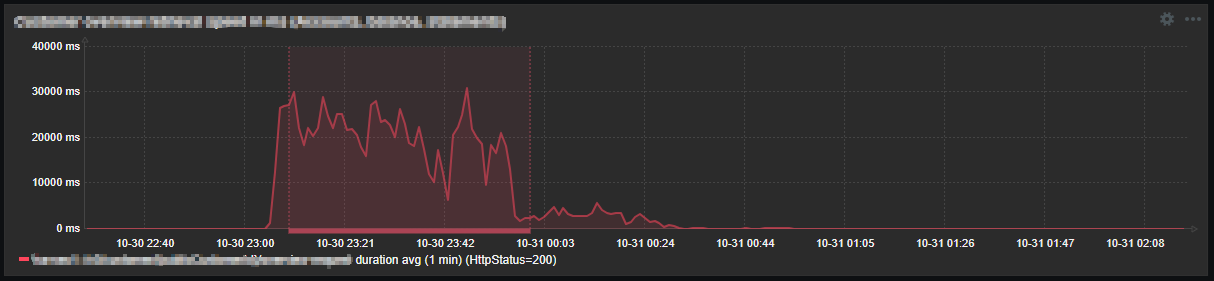
log.reader
For complex data collection scenarios, there was a need to implement a solution that allows data to be extracted from logs with minimal limitations. The approach was to create a log reading mechanism that could support any required data extraction logic on top of it. This was covered in more detail at Zabbix Summit 2024.
Zabbix agent 2
In addition to the mentioned custom log processing techniques, SEB had a good reason to use “Zabbix agent 2”. Both log[*] and log.count[*] are of the “Active” item type. These items are not processed in parallel by the Zabbix agent. In places with a large number of log-based items, “Zabbix Agent 2” was used, because it supports the concurrent processing of active checks.
The results
The ability to use LLD on logs was a game-changer and a lifesaver for SEB. Imagine hundreds of different items discovered from a single rule, along with the requirement to monitor any new entity matching a specific pattern as soon as it appears. Without LLD, meeting such a requirement would have been simply impossible. This approach covers many different areas, including mission-critical metrics such as counts of various requests and processing durations.
The ability to slice logs themselves and create any needed logic on top makes almost any custom log monitoring requirement possible. It gives the ability to analyze data in ways that wouldn’t be possible otherwise (e.g. average duration monitoring for large set of data).
In conclusion
SEB Bank in the Baltics relies heavily on data collection from logs. Zabbix is flexible enough to meet most of their needs when it comes to log monitoring, and – most importantly – it allows for custom implementations where required. This flexibility is highly appreciated, as it removes many barriers when monitoring the various components of SEB’s IT ecosystem and business functions.
The post Solving Log Monitoring Challenges at SEB Bank appeared first on Zabbix Blog.