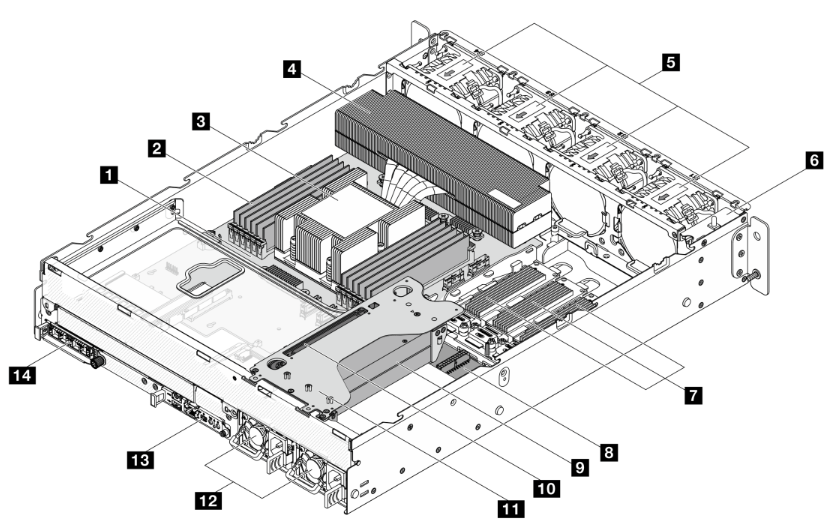
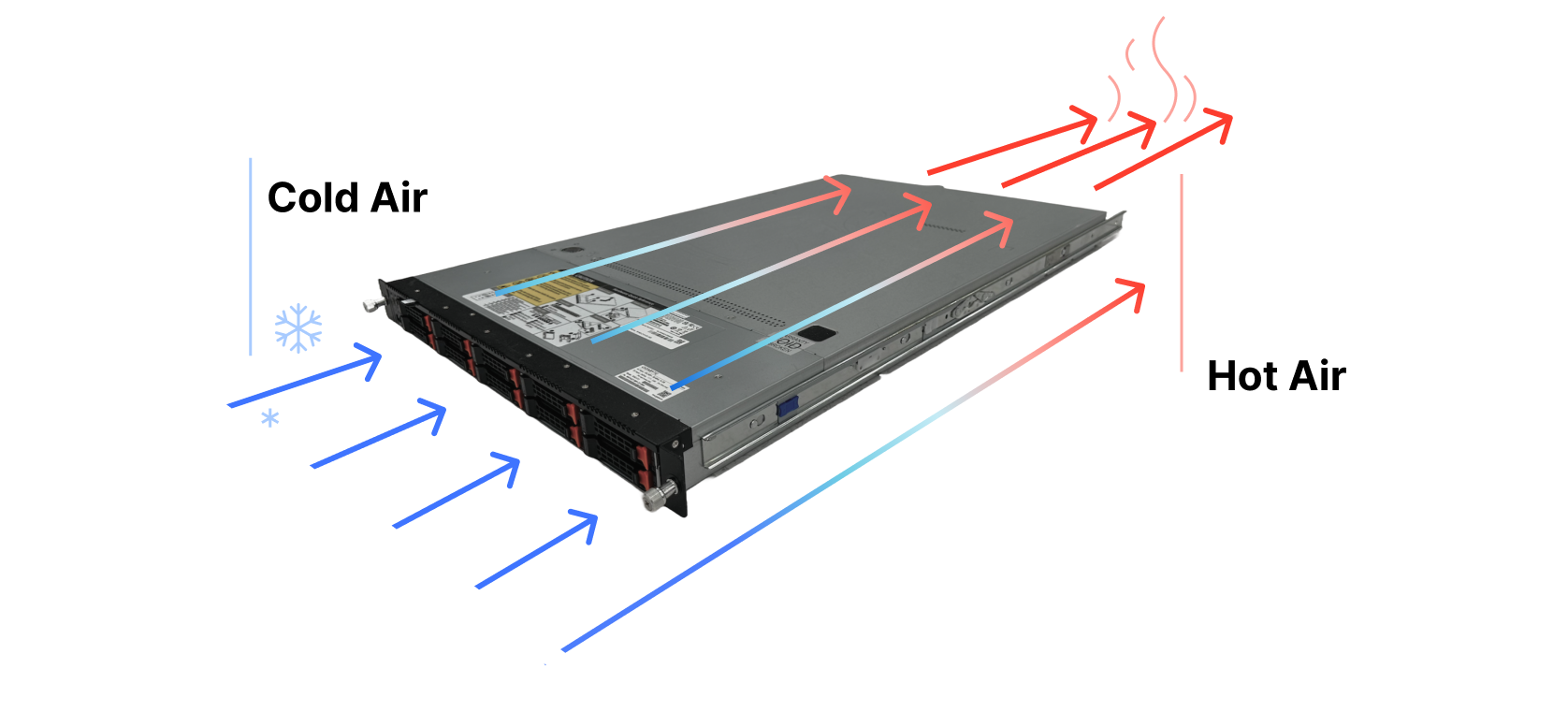
NVIDIA Shows Intel Gaudi2 is 4x Better Performance Per Dollar than its H100

Post Syndicated from Patrick Kennedy original https://www.servethehome.com/nvidia-shows-intel-gaudi2-is-4x-better-performance-per-dollar-than-its-h100/

In a stunning twist, NVIDIA shows the Intel Gaudi2 is roughly 4x better performance per dollar than the H100 in its MLPerf Training results

The post NVIDIA Shows Intel Gaudi2 is 4x Better Performance Per Dollar than its H100 appeared first on ServeTheHome.

Chamberlain v. Home Assistant

Post Syndicated from corbet original https://lwn.net/Articles/950696/

The developers of Home Assistant, which has recently been covered here, have announced
that they will be removing support for Chamberlain and Liftmaster
garage-door openers after being locked out by the company.

Because we cannot continue to work around Chamberlain Group if they
keep blocking access to third parties, the MyQ integration will be
removed from Home Assistant in the upcoming 2023.12 release on
December 6, 2023. We are very disappointed that it has come to this
and sincerely hope that Chamberlain Group is willing to reconsider
its position.

Longtime readers may remember that Chamberlain tried to use the DMCA to block the use of
third-party remotes nearly 20 years ago.

Canonical reveals more details about Ubuntu Core Desktop (Register)

Post Syndicated from corbet original https://lwn.net/Articles/950695/

The Register attended
a talk
about Ubuntu’s upcoming Core Desktop immutable distribution.

We suspect that Core Desktop might yet be the tool that validates
Canonical’s Snap format and helps to overcome some of the
resistance it faces. Snap’s single-file distribution format is
simple and enables transactional installation – including,
critically, rollback – without a fancy filesystem underneath, or
elaborate distribution methods such as libostree.

Set up AWS Private Certificate Authority to issue certificates for use with IAM Roles Anywhere

Post Syndicated from Chris Sciarrino original https://aws.amazon.com/blogs/security/set-up-aws-private-certificate-authority-to-issue-certificates-for-use-with-iam-roles-anywhere/

Traditionally, applications or systems—defined as pieces of autonomous logic functioning without direct user interaction—have faced challenges associated with long-lived credentials such as access keys. In certain circumstances, long-lived credentials can increase operational overhead and the scope of impact in the event of an inadvertent disclosure.

To help mitigate these risks and follow the best practice of using short-term credentials, Amazon Web Services (AWS) introduced IAM Roles Anywhere, a feature of AWS Identity and Access Management (IAM). With the introduction of IAM Roles Anywhere, systems running outside of AWS can exchange X.509 certificates to assume an IAM role and receive temporary IAM credentials from AWS Security Token Service (AWS STS).

You can use IAM Roles Anywhere to help you implement a secure and manageable authentication method. It uses the same IAM policies and roles as within AWS, simplifying governance and policy management across hybrid cloud environments. Additionally, the certificates used in this process come with a built-in validity period defined when the certificate request is created, enhancing the security by providing a time-limited trust for the identities. Furthermore, customers in high security environments can optionally keep private keys for the certificates stored in PKCS #11-compatible hardware security modules for extra protection.

For organizations that lack an existing public key infrastructure (PKI), AWS Private Certificate Authority allows for the creation of a certificate hierarchy without the complexity of self-hosting a PKI.

With the introduction of IAM Roles Anywhere, there is now an accompanying requirement to manage certificates and their lifecycle. AWS Private CA is an AWS managed service that can issue x509 certificates for hosts. This makes it ideal for use with IAM Roles Anywhere. However, AWS Private CA doesn’t natively deploy certificates to hosts.

Certificate deployment is an essential part of managing the certificate lifecycle for IAM Roles Anywhere, the absence of which can lead to operational inefficiencies. Fortunately, there is a solution. By using AWS Systems Manager with its Run Command capability, you can automate issuing and renewing certificates from AWS Private CA. This simplifies the management process of IAM Roles Anywhere on a large scale.

In this blog post, we walk you through an architectural pattern that uses AWS Private CA and Systems Manager to automate issuing and renewing x509 certificates. This pattern smooths the integration of non-AWS hosts with IAM Roles Anywhere. It can help you replace long-term credentials while reducing operational complexity of IAM Roles Anywhere with certificate vending automation.

While IAM Roles Anywhere supports both Windows and Linux, this solution is designed for a Linux environment. Windows users integrating with Active Directory should check out the AWS Private CA Connector for Active Directory. By implementing this architectural pattern, you can distribute certificates to your non-AWS Linux hosts, thereby enabling them to use IAM Roles Anywhere. This approach can help you simplify certificate management tasks.

Architecture overview

Figure 1: Architecture overview

Figure 1: Architecture overview

The architectural pattern we propose (Figure 1) is composed of multiple stages, involving AWS services including Amazon EventBridge, AWS Lambda, Amazon DynamoDB, and Systems Manager.

  1. Amazon EventBridge Scheduler invokes a Lambda function called CertCheck twice daily.
  2. The Lambda function scans a DynamoDB table to identify instances that require certificate management. It specifically targets instances managed by Systems Manager, which the administrator populates into the table.
  3. The information about the instances with no certificate and instances requiring new certificates due to expiry of existing ones is received by CertCheck.
  4. Depending on the certificate’s expiration date for a particular instance, a second Lambda function called CertIssue is launched.
  5. CertIssue instructs Systems Manager to apply a run command on the instance.
  6. Run Command generates a certificate signing request (CSR) and a private key on the instance.
  7. The CSR is retrieved by Systems Manager, the private key remains securely on the instance.
  8. CertIssue then retrieves the CSR from Systems Manager.
  9. CertIssue uses the CSR to request a signed certificate from AWS Private CA.
  10. On successful certificate issuance, AWS Private CA creates an event through EventBridge that contains the ID of the newly issued certificate.
  11. This event subsequently invokes a third Lambda function called CertDeploy.
  12. CertDeploy retrieves the certificate from AWS Private CA and invokes Systems Manager to launch Run Command with the certificate data and updates the certificate’s expiration date in the DynamoDB table for future reference.
  13. Run Command conducts a brief test to verify the certificate’s functionality, and upon success, stores the signed certificate on the instance.
  14. The instance can then exchange the certificate for AWS credentials through IAM Roles Anywhere.

Additionally, on a certificate rotation failure, an Amazon Simple Notification Service (Amazon SNS) notification is delivered to an email address specified during the AWS CloudFormation deployment.

The solution enables periodic certificate rotation. If a certificate is nearing expiration, the process initiates the generation of a new private key and CSR, thus issuing a new certificate. Newly generated certificates, private keys, and CSRs replace the existing ones.

With certificates in place, they can be used by IAM Roles Anywhere to obtain short-term IAM credentials. For more details on setting up IAM Roles Anywhere, see the IAM Roles Anywhere User Guide.

Costs

Although this solution offers significant benefits, it’s important to consider the associated costs before you deploy. To provide a cost estimate, managing certificates for 100 hosts would cost approximately $85 per month. However, for a larger deployment of 1,100 hosts with the Systems Manager advanced tier, the cost would be around $5937 per month. These pricing estimates include the rotation of certificates six times a month.

AWS Private CA in short-lived mode incurs a monthly charge of $50, and each certificate issuance costs $0.058. Systems Manager Hybrid Activation standard has no additional cost for managing fewer than 1,000 hosts. If you have more than 1,000 hosts, the advanced plan must be used at an approximate cost of $5 per host per month. DynamoDB, Amazon SNS, and Lambda costs should be under $5 per month per service for under 1000 hosts. For environments with over 1,000 hosts, it might be worthwhile to explore other options of machine to machine authentication or another option for distributing certificates.

Please note that the estimated pricing mentioned here is specific to the us-east-1 AWS Region and can be calculated for other regions using the AWS Pricing Calculator.

Prerequisites

You should have several items already set up to make it easier to follow along with the blog.

Enabling Systems manager hybrid activation

To create a hybrid activation, follow these steps:

  1. Open the AWS Management Console for Systems Manager, go to Hybrid activations and choose Create an Activation.
    Figure 2: Hybrid activation page

    Figure 2: Hybrid activation page

  2. Enter a description [optional] for the activation and adjust the Instance limit value to the maximum you need, then choose Create activation.
    Figure 3: Create hybrid activation

    Figure 3: Create hybrid activation

  3. This gives you a green banner with an Activation Code and Activation ID. Make a note of these.
    Figure 4: Successful hybrid activation with activation code and ID

    Figure 4: Successful hybrid activation with activation code and ID

  4. Install the AWS Systems Manager Agent (SSM Agent) on the hosts to be managed. Follow the instructions for the appropriate operating system. In the example commands, replace <activation-code>, <activation-id>, and <region> with the activation code and ID from the previous step and your Region. Here is an example of commands to run for an Ubuntu host:
    mkdir /tmp/ssm
    
    curl https://s3.amazonaws.com/ec2-downloads-windows/SSMAgent/latest/debian_amd64/amazon-ssm-agent.deb -o /tmp/ssm/amazon-ssm-agent.deb
    
    sudo dpkg -i /tmp/ssm/amazon-ssm-agent.deb
    
    sudo service amazon-ssm-agent stop
    
    sudo -E amazon-ssm-agent -register -code "<activation-code>" -id "<activation-id>" -region <region> 
    
    sudo service amazon-ssm-agent start
    

You should see a message confirming the instance was successfully registered with Systems Manager.

Note: If you receive errors during Systems Manager registration about the Region having invalid characters, verify that the Region is not in quotation marks.

Deploy with CloudFormation

We’ve created a Git repository with a CloudFormation template that sets up the aforementioned architecture. An existing S3 bucket is required for CloudFormation to upload the Lambda package.

To launch the CloudFormation stack:

  1. Clone the Git repository that contains the CloudFormation template and the Lambda function code.
    git clone https://github.com/aws-samples/aws-privateca-certificate-deployment-automator.git
    

  2. cd into the directory created by Git.
    cd aws-privateca-certificate-deployment-automator
    

  3. Launch the CloudFormation stack within the cloned Git directory using the cf_template.yaml file, replacing <DOC-EXAMPLE-BUCKET> with the name of your S3 bucket from the prerequisites.
    aws cloudformation package --template-file cf_template.yaml --output-template-file packaged.yaml --s3-bucket <DOC-EXAMPLE-BUCKET>
    

Note: These commands should be run on the system you plan to use to deploy the CloudFormation and have the Git and AWS CLI installed.

After successfully running the CloudFormation package command, run the CloudFormation deploy command. The template supports various parameters to change the path where the certificates and keys will be generated. Adjust the paths as needed with the parameter-overrides flag, but verify that they exist on the hosts. Replace the <email> placeholder with one that you want to receive alerts for failures. The stack name must be in lower case.

aws cloudformation deploy --template packaged.yaml --stack-name ssm-pca-stack --capabilities CAPABILITY_NAMED_IAM --parameter-overrides SNSSubscriberEmail=<email>

The available CloudFormation parameters are listed in the following table:

Parameter Default value Use
AWSSigningHelperPath /root Default path on the host for the AWS Signing Helper binary
CACertPath /tmp Default path on the host the CA certificate will be created in
CACertValidity 10 Default CA certificate length in years
CACommonNam ca.example.com Default CA certificate common name
CACountry US Default CA certificate country code
CertPath /tmp Default path on the host the certificates will be created in
CSRPath /tmp Default path on the host the certificates will be created in
KeyAlgorithm RSA_2048 Default algorithm use to create the CA private key
KeyPath /tmp Default path on the host the private keys will be created in
OrgName Example Corp Default CA certificate organization name
SigningAlgorithm SHA256WITHRSA Default CA signing algorithm for issued certificates

After the CloudFormation stack is ready, manually add the hosts requiring certificate management into the DynamoDB table.

You will also receive an email at the email address specified to accept the SNS topic subscription. Make sure to choose the Confirm Subscription link as shown in Figure 5.

Figure 5: SNS topic subscription confirmation

Figure 5: SNS topic subscription confirmation

Add data to the DynamoDB table

  1. Open the AWS Systems Manager console and select Fleet Manager.
  2. Choose Managed Nodes and copy the Node ID value. The node ID value in the Fleet Manager as shown in Figure 6 will be the host ID to be used in a subsequent step.
    Figure 6: Systems Manager Node ID

    Figure 6: Systems Manager Node ID

  3. Open the DynamoDB console and select Dashboard and then Tables in the left navigation pane.
    Figure 7: DynamoDB menu

    Figure 7: DynamoDB menu

  4. Select the certificates table.
    Figure 8: DynamoDB tables

    Figure 8: DynamoDB tables

  5. Choose Explore table items and then choose Create item.
  6. Enter the node ID as a value for the hostID attribute as copied in step 2.
    Figure 9: DynamoDB table hostID attribute creation

    Figure 9: DynamoDB table hostID attribute creation

Additional string attributes listed in the following table can be added to the item to specify paths for the certificates on a per host basis. If these attributes aren’t created, either the default paths or overrides in the CloudFormation parameters will be used.

Additional supported attributes Use
certPath Path on the host the certificate will be created in
keyPath Path on the host the private key will be created in
signinghelperPath Path on the host for the AWS Signing Helper binary
cacertPath Path on the host the CA certificate will be created in

The CertCheck Lambda function created by the CloudFormation template runs twice daily to verify that the certificates for these hosts are kept up to date. If necessary, you can use the Lambda invoke command to run the Lambda function on-demand.

aws lambda invoke --function-name CertCheck-Trigger --cli-binary-format raw-in-base64-out response.json

The certificate expiration and serial number metadata are stored in the DynamoDB table certificate. Select the certificates table and choose Explore table items to view the data.

Figure 10: DynamoDB table item with certificate expiration and serial for a host

Figure 10: DynamoDB table item with certificate expiration and serial for a host

Validation

To validate successful certificate deployment, you should find four files in the location specified in the CloudFormation parameter or DynamoDB table attribute, as shown in the following table.

File Use Location
{host}.crt The certificate containing the public key, signed by AWS Private CA. certPath attribute in DynamoDB. Otherwise, default specified by the certPath CF parameter.
ca_chain_certificate.crt The certificate chain including intermediates from AWS Private CA. cacertPath attribute in DynamoDB. Otherwise, default specified by the CACertPath CF parameter.
{host}.key The private key for the certificate. keyPath attribute in DynamoDB. Otherwise, default specified by the KeyPath CF parameter.
{host}.csr The CSR used to generate the signed certificate. Default specified by the CSRPath CF parameter.

These certificates can now be used to configure the host for IAM Roles Anywhere. See Obtaining temporary security credentials from AWS Identity and Access Management Roles Anywhere for using the signing helper tool provided by IAM Roles Anywhere. The signing helper must be installed on the instance for the validation to work. You can pass the location of the signing helper as a parameter to the CloudFormation template.

Note: As a security best practice, it’s important to use permissions and ACLs to keep the private key secure and restrict access to it. The automation will create and set the private key with chmod 400 permissions. Chmod command is used to change the permission for a file or directory. Chmod 400 permission will allow owner of the file to read the file while restricting others from reading, writing, or running the file.

Revoke a certificate

AWS Private CA also supports generating a certificate revocation list (CRL), which can be imported to IAM Roles Anywhere. The CloudFormation template automatically sets up the CRL process between AWS Private CA and IAM Roles Anywhere.

Figure 11: Certificate revocation process

Figure 11: Certificate revocation process

Within 30 minutes after revocation, AWS Private CA generates a CRL file and uploads it to the CRL S3 bucket that was created by the CloudFormation template. Then, the CRLProcessor Lambda function receives a notification through EventBridge of the new CRL file and passes it to the IAM Roles Anywhere API.

To revoke a certificate, use the AWS CLI. In the following example, replace <certificate-authority-arn>, <certificate-serial>, and<revocation-reason> with your own information.

aws acm-pca revoke-certificate --certificate-authority-arn <certificate-authority-arn> --certificate-serial <certificate-serial> --revocation-reason <revocation-reason>

The AWS Private CA ARN can be found in the Cloudformation stack outputs under the name PCAARN. The certificate serial number are listed in the DynamoDB table for each host as previously mentioned. The revocation reasons can be one of these possible values:

  • UNSPECIFIED
  • KEY_COMPROMISE
  • CERTIFICATE_AUTHORITY_COMPROMISE
  • AFFILIATION_CHANGED
  • SUPERSEDED
  • CESSATION_OF_OPERATION
  • PRIVILEGE_WITHDRAWN
  • A_A_COMPROMISE

Revoking a certificate won’t automatically generate a new certificate for the host. See Manually rotate certificates.

Manually rotate certificates

The certificates are set to expire weekly and are rotated the day of expiration. If you need to manually replace a certificate sooner, remove the expiration date for the host’s record in the DynamoDB table (see Figure 12). On the next run of the Lambda function, the lack of an expiration date will cause the certificate for that host to be replaced. To immediately renew a certificate or test the rotation function, remove the expiration date from the DynamoDB table and run the following Lambda invoke command. After the certificates have been rotated, the new expiration date will be listed in the table.

aws lambda invoke --function-name CertCheck-Trigger --cli-binary-format raw-in-base64-out response.json

Conclusion

By using AWS IAM Roles Anywhere, systems outside of AWS can use short-term credentials in the form of x509 certificates in exchange for AWS STS credentials. This can help you improve your security in a hybrid environment by reducing the use of long-term access keys as credentials.

For organizations without an existing enterprise PKI, the solution described in this post provides an automated method of generating and rotating certificates using AWS Private CA and AWS Systems Manager. We showed you how you can use Systems Manager to set up a non-AWS host with certificates for use with IAM Roles Anywhere and ensure they’re rotated regularly.

Deploy this solution today and move towards IAM Roles Anywhere to remove long term credentials for programmatic access. For more information, see the IAM Roles Anywhere blog article or post your queries on AWS re:Post.

If you have feedback about this post, submit comments in the Comments section below. If you have questions about this post, start a new thread on IAM re:Post or contact AWS Support.

Want more AWS Security how-to content, news, and feature announcements? Follow us on Twitter.

Chris Sciarrino

Chris Sciarrino

Chris is a Senior Solutions Architect and a member of the AWS security field community based in Toronto, Canada. He works with enterprise customers helping them design solutions on AWS. Outside of work, Chris enjoys spending his time hiking and skiing with friends and listening to audiobooks.

Ravikant Sharma/>

Ravikant Sharma

Ravikant is a Solutions Architect based in London. He specializes in cloud security and financial services. He helps Fintech and Web3 startups build and scale their business using AWS Cloud. Prior to AWS, he worked at Citi Singapore as Vice President – API management, where he played a pivotal role in implementing Open API security frameworks and Open Banking regulations.

Rahul Gautam

Rahul Gautam

Rahul is a Security and Compliance Specialist Solutions Architect based in London. He helps customers in adopting AWS security services to meet and improve their security posture in the cloud. Before joining the SSA team, Rahul spent 5 years as a Cloud Support Engineer in AWS Premium Support. Outside of work, Rahul enjoys travelling as much as he can.

Security updates for Wednesday

Post Syndicated from corbet original https://lwn.net/Articles/950694/

Security updates have been issued by Debian (python-urllib3 and tang), Fedora (chromium, mlpack, open-vm-tools, and salt), Red Hat (avahi, binutils, buildah, c-ares, cloud-init, containernetworking-plugins, cups, curl, dnsmasq, edk2, flatpak, frr, gdb, ghostscript, glib2, gmp, grafana, haproxy, httpd, mod_http2, java-21-openjdk, kernel, krb5, libfastjson, liblouis, libmicrohttpd, libpq, libqb, librabbitmq, LibRaw, libreoffice, libreswan, libssh, libtiff, libvirt, libX11, linux-firmware, mod_auth_openidc, ncurses, nghttp2, opensc, pcs, perl-CPAN, perl-HTTP-Tiny, podman, procps-ng, protobuf-c, python-cryptography, python-pip, python-tornado, python-wheel, python3.11, python3.11-pip, python3.9, qemu-kvm, qt5 stack, runc, samba, samba, evolution-mapi, openchange, shadow-utils, skopeo, squid, sysstat, tang, tomcat, toolbox, tpm2-tss, webkit2gtk3, wireshark, xorg-x11-server, xorg-x11-server-Xwayland, and yajl), Slackware (sudo), SUSE (squid), and Ubuntu (python-urllib3).

Setup of Discovery Connection Azure

Post Syndicated from Rapid7 original https://blog.rapid7.com/2023/11/08/setup-of-discovery-connection-azure/

Setup of Discovery Connection Azure

By: fuzzy borders

Are you having trouble trying to get your Azure assets into your InsightVM security console? In this blog post, we wanted to bring additional insight into leveraging the Azure Discovery Connection with InsightVM.

This blog post is brought to you by the Fuzzy Borders project, whose members come from different teams across Rapid7. Our goal is to find answers for requests that may fall into gray (fuzzy) areas. Our past work includes example API calls and SQL queries for InsightVM Security Consoles.

We hope this blog will help you get started with assessing your Azure virtual machines in InsightVM.

There are 3 main areas of configuration: Azure App Registration, IAM Subscription, and InsightVM Discovery Connection configuration.

Here is the overview of the steps:

Azure Configuration

  1. App Registration
  2. API Permissions
  3. Generate and Save the Secret Value
  4. IAM role permissions (Subscriptions Tab)
  5. Attach Reader role to App Registration

InsightVM Discovery Connection Configuration
Prerequisite: Allow outbound traffic to Azure from the InsightVM console server.

  1. Create a new site for Azure assets*
  2. Create Azure Discovery Connection
  3. Enter Azure Tenant ID, Application ID, Application Secret certificate Value

*The Azure Site should be dedicated to this discovery connection only.

Please keep note of the following items:

Application ID

Directory ID (a.k.a Tenant ID)

Value for the certificate Secret.

Configure Azure

We need to establish trust between Rapid7 and Azure. Click on “App registrations”

Setup of Discovery Connection Azure

Click: New registration

Setup of Discovery Connection Azure

Enter a display name for the application and click Register at the bottom. In this example we use “FuzzyDiscovery”

Setup of Discovery Connection Azure

We leave default values. Once you click Register it will return the Application ID, and Directory ID (a.k.a Tenant ID) that will be required in later steps.

Tip:
Either take a screenshot or copy and paste both the Application and Directory ID to a secure location to reference later.

Generate and Save the Secret Value

Click on Certificates & Secrets, click: Client Secrets, and add New Client Secret

Setup of Discovery Connection Azure

Important Note: We require the generated Secret Certificate Value, not the Secret ID.

Setup of Discovery Connection Azure

Configure API Permissions

Click on “Add a Permission” Search and Select: “Directory.Read.All”, and click Grant and Consent

Setup of Discovery Connection Azure

Setup of Discovery Connection Azure

Subscription Access

Click Home, and click Subscription, to set up our IAM role.

In the Subscriptions page, click Access Control (IAM), and click Add Role Assignment under “Grant access to this resource”

Setup of Discovery Connection Azure

Select the Reader role

Setup of Discovery Connection Azure

Enter the member created earlier. (Example: FuzzyDiscovery)

Setup of Discovery Connection Azure

Configure Console
Prerequisite: Allow outbound access to Azure https://docs.rapid7.com/nexpose/creating-and-managing-dynamic-discovery-connections/#preparing-insightvm

Create a dedicated new Site as a Destination for your Azure assets https://docs.rapid7.com/nexpose/creating-and-managing-dynamic-discovery-connections/#adding-a-microsoft-azure-connection

Create Azure Discovery Connection

Navigate to Administration – click: Discovery Connections

Setup of Discovery Connection Azure

From Azure App Registration fill out:

Tenant ID
Application ID

Application Security Certificate Value previously generated in Azure

Please note: In the case the secret was not saved previously, a new secret will have to be generated, and the previously generated secret can be revoked.

Troubleshooting Tips:

In the InsightVM console logs, review the eso.log for any errors and provide logs to support via a case.

Decoupling for Security

Post Syndicated from B. Schneier original https://www.schneier.com/blog/archives/2023/11/decoupling-for-security.html

This is an excerpt from a longer paper. You can read the whole thing (complete with sidebars and illustrations) here.

Our message is simple: it is possible to get the best of both worlds. We can and should get the benefits of the cloud while taking security back into our own hands. Here we outline a strategy for doing that.

What Is Decoupling?

In the last few years, a slew of ideas old and new have converged to reveal a path out of this morass, but they haven’t been widely recognized, combined, or used. These ideas, which we’ll refer to in the aggregate as “decoupling,” allow us to rethink both security and privacy.

Here’s the gist. The less someone knows, the less they can put you and your data at risk. In security this is called Least Privilege. The decoupling principle applies that idea to cloud services by making sure systems know as little as possible while doing their jobs. It states that we gain security and privacy by separating private data that today is unnecessarily concentrated.

To unpack that a bit, consider the three primary modes for working with our data as we use cloud services: data in motion, data at rest, and data in use. We should decouple them all.

Our data is in motion as we exchange traffic with cloud services such as videoconferencing servers, remote file-storage systems, and other content-delivery networks. Our data at rest, while sometimes on individual devices, is usually stored or backed up in the cloud, governed by cloud provider services and policies. And many services use the cloud to do extensive processing on our data, sometimes without our consent or knowledge. Most services involve more than one of these modes.

To ensure that cloud services do not learn more than they should, and that a breach of one does not pose a fundamental threat to our data, we need two types of decoupling. The first is organizational decoupling: dividing private information among organizations such that none knows the totality of what is going on. The second is functional decoupling: splitting information among layers of software. Identifiers used to authenticate users, for example, should be kept separate from identifiers used to connect their devices to the network.

In designing decoupled systems, cloud providers should be considered potential threats, whether due to malice, negligence, or greed. To verify that decoupling has been done right, we can learn from how we think about encryption: you’ve encrypted properly if you’re comfortable sending your message with your adversary’s communications system. Similarly, you’ve decoupled properly if you’re comfortable using cloud services that have been split across a noncolluding group of adversaries.

Read the full essay

This essay was written with Barath Raghavan, and previously appeared in IEEE Spectrum.

Как Ваня Григорова за малко не стана кмет на София

Post Syndicated from Светла Енчева original https://www.toest.bg/kak-vanya-grigorova-za-malko-ne-stana-kmet-na-sofiya/

Как Ваня Григорова за малко не стана кмет на София

На втория тур на местните избори в София кандидатът на ПП–ДБ Васил Терзиев спечели с едва около 1,3 процентни пункта пред конкурентката си Ваня Григорова, подкрепена от БСП, „Атака“, комунистически и русофилски партии. Тази разлика се стопява до едва около 0,5%, ако вземем предвид не само гласувалите, а всички имащи право на глас. Малко повече от 2/3 от гласоподавателите в София не са отишли до урните. Реално Васил Терзиев е избран с гласовете на около 16,5% от софиянците, а Григорова са подкрепили към 16%. За да си го представим нагледно, разликата между двамата от около 4800 гласа е колкото два пъти учениците в най-голямото столично училище – 18. СУ „Уилям Гладстон“. Затова не беше изненада, когато Ваня Григорова заяви, че ще оспорва резултатите по съдебен ред.

„Почервеняване“ на София?

Вечерта след изборния ден политолози и прочее с леви убеждения се надпреварваха да говорят по националните телевизии как имало силен „социален вот“ в София. И как дългогодишното дясно управление на столицата довело едва ли не до ляв ренесанс.

Председателката на БСП Корнелия Нинова побърза да пришие високия резултат на Григорова на ревера на БСП и най-вече на своя собствен. Тя удобно „забрави“, че номинирането на синдикалистката стана въпреки волята ѝ. И че лично тя я саботираше на практика до втория тур, призовавайки я да се разграничи от репликата на Бойко Борисов, че държавна собственост (Григорова) е за предпочитане пред Държавна сигурност (Терзиев).

По-сериозното вглеждане в изборните резултати обаче опровергава интерпретациите за олевяването на София. Гласувалите за листата на БСП за Столичния общински съвет (СОС) са 56% от всички подкрепили Григорова на първия тур и едва една четвърт (26,7%) от далите гласа си за нея на втория. А друга идентифицираща се като лява партия, влязла в СОС, няма.

Тезата за социалния вот в столицата не се потвърждава и от избора на кметовете по райони. 19 от 24-мата районни кметове са от ПП–ДБ, трима – от ГЕРБ и двама – независими (този на Студентски град през 2019 г. е спечелил като номинация на ДБ, а колегата му от Нови Искър през 2015 г. е бил кандидат на Реформаторския блок). От тях Ваня Григорова би могла да намери общ език единствено с преизбрания кмет на район „Изгрев“ Делян Георгиев. При предишния мандат той беше единственият районен кмет на БСП в София, но Столетницата го низвергна заради позициите му в защита на електронното гласуване и на сегашните избори беше издигнат от ПП–ДБ (по предложение на „Спаси София“). Георгиев обаче беше против именуването на алея „Героите на Украйна“ и площад „Борис Немцов“ в близост до Руското посолство.

Какво конкретно казват резултатите?

Може да се каже просто: Васил Терзиев спечели, Ваня Григорова загуби, за какво е цялата драма? Въпросът е не само в близките резултати, а и в коренно различните изходни позиции. Терзиев беше сочен за фаворит от самото начало. Единствен риск пред неговата кандидатура изглеждаше евентуален силен кандидат, подкрепен от ГЕРБ, какъвто не се появи. А на номинацията на Григорова, приета с резерви дори от БСП, не се гледаше сериозно. Самата БСП никога не е печелила местни избори в София.

За разлика от Григорова, на първия тур резултатът на Терзиев (119 121 гласа) надхвърли със съвсем малко подкрепата, дадена за листата на ПП–ДБ–СС за СОС (112 087 гласа). На втория тур съоснователят на „Телерик“ успя да привлече още почти 56 000 избиратели. Синдикалистката от своя страна обаче увеличи резултата си повече от двойно, спечелвайки близо 90 000 нови гласа.

Откъде идват гласовете за Григорова на балотажа? По данни от екзитпола на „Алфа Рисърч“, зад нея са застанали цели 46% от подкрепилите кандидата на ГЕРБ Антон Хекимян на първия тур. За сравнение, тези от тях, които са гласували за Терзиев, са 38%. Очаквано, огромната част (84%) от избирателите на кандидата на „Възраждане“ Деян Николов са застанали зад Григорова, както и 55% от гласувалите за Ивайло Вълчев от ИТН. Дори една четвърт от „сините“ последователи на Вили Лилков са пуснали бюлетина за нея.

Един майтап с реални измерения

В електорален план най-голяма тежест имат именно онези 46% от избирателите на Хекимян, опровергаващи дългогодишната мантра „ГЕРБ ни пази от комунистите“. Те, изглежда, са се вслушали в Бойко Борисов, който заяви, че държавна собственост е за предпочитане пред Държавна сигурност. Той впрочем приписа тези думи на Антон Хекимян, но доскорошният директор на новините на bTV не беше казал това. Точните му думи бяха „предстои труден избор между Държавна сигурност и държавна собственост“; той не направи оценка кое от двете е по-добро.

В присъщия си стил след няколко дни Борисов промени позицията си, като заяви, че се бил пошегувал, и призова да се гласува за Терзиев. Шегата му обаче имаше сериозни последствия. Както в онзи виц за претъпкания автобус, в който мъж натрапчиво опирал определена част от анатомията си о пътничка. На протестите ѝ само отговарял, че си прави майтап. „Махнете го най-сетне този майтап от мене!“, не издържала накрая жената.

По-сериозните причини

Повърхностно и неточно би било обаче да отдадем резултата на Григорова единствено на една реплика на Борисов. Както думите му, от които се отрече, бяха израз на разочарованието му от ниския резултат за ГЕРБ и Хекимян на първия тур в София, така много гласоподаватели, идентифициращи се като „десни“, вероятно са дали гласа си за Григорова напук. Без да очакват, че е възможно тя да спечели. За други вотът за нея е бил израз на антисистемност.

Трябва да се признае, че Ваня Григорова направи силна кампания. Тя беше наясно какви са избирателите ѝ и какви послания работят за различните групи от тях. Соцносталгици, путинофили, работници, хора от крайните квартали, „нови“ софиянци от провинцията, националисти, антиглобалисти, хора с увреждания – тя имаше точните думи за всички тях.

Кандидатурата на Васил Терзиев беше най-малкото общо кратно, около което успяха да се обединят ПП, ДБ, „Спаси София“ и „Екипът на София“. Тя обаче стана общо кратно и за избирателите; не успя да ги обедини и мотивира. Мнозина така и не можаха да преглътнат ДС родословието на Терзиев. Други биха предпочели кандидатът да е Трайчо Трайков, Борис Бонев или арх. Любо Георгиев. Към това се прибавят също масираната кампания срещу Терзиев и фактът, че всички останали партии са против ПП–ДБ, съответно и против кандидатурата им за кмет на София.

Предизборната кампания не успя да преодолее тези начални дефицити. Въпреки личностните качества на Васил Терзиев, образът му така и не придоби плътност. Той си остана привлекателен най-вече за ИТ сектора, от който произлиза. Послания като „да мечтаем повече“, каквито той отправяше, звучаха кухо и инфантилно. Комуникационните експерти, стоящи зад кампанията, не изглежда да имаха реалистична представа що за хора са избирателите в София и какво имат нужда да чуят.

Да не говорим пък за представянето на визионерски концепции за развитието на града, които да вдъхновяват. И Борис Бонев, и Любо Георгиев имат да предложат достатъчно в това отношение, но малко от идеите им станаха теми в кампанията на Терзиев.

София не е червена, но не е и синя

Резултатите от местните избори в София са хубав повод изследователите, анализаторите и комуникационните експерти да предефинират досегашните си представи за населението на столицата. Както не е вярно, че софиянци внезапно са станали леви, така и вече не е валиден митът за „синя“ и „дясна“ София.

За коалицията „Синя София“ са дали гласа си едва 1,43% от всички гласоподаватели в столицата, а за кандидата ѝ за кмет Вили Лилков – 2%. Призивите за събаряне на Паметника на Съветската армия не изиграха особена роля в кампанията. Фактът, че Васил Терзиев е предприемач, натрупал милиони, предизвикваше повече критики и враждебност, отколкото одобрение.

Васил Терзиев ще бъде кмет на столицата в следващите най-малко четири години, ако ново преброяване на гласовете не доведе до обрат в резултата. Скоро ще престане да е тема с колко малка преднина е спечелил. Е, освен за БСП и за самата Ваня Григорова, която вероятно ще се опита да капитализира политически успеха си. Това, което не трябва да представа да бъде тема, е, че освен че расте, София се и променя. А за да се управлява един град, той трябва да се разбира.

Архитектура и градски политики. Три урока от Америка

Post Syndicated from Анета Василева original https://www.toest.bg/arhitektura-i-gradski-politiki-tri-uroka-ot-amerika/

Архитектура и градски политики. Три урока от Америка

Около местни избори градските проблеми в България винаги звучат мъчително. Но умните градове се учат от чуждите грешки. Когато се сравняваме с „другите“ и най-вече със „Запада“, обикновено се фокусираме върху хубавото, което у нас, уви, липсва. Всеки град обаче се развива в различен контекст, а универсални рецепти за успех няма. 

С този текст аз предлагам да опитаме нещо друго. Да видим кои са грешките, които се отчитат като най-сериозни в градската среда в САЩ в момента, и какво правят архитекти, урбанисти, активисти и местна власт, за да се справят с тях. Част от тези грешки откриваме под някаква форма и в България (например в София), част от тях сме на път да направим на свой ред, но други можем успешно да избегнем. След всички разговори, които водих, и всички колеги, с които се видях по време на престоя ми в САЩ, три са, смятам, болезнено актуалните архитектурно-градски теми в момента:

нефункциониращи градски центрове, жилищен проблем, маргинализиране и изхабяване на темата „екология и устойчивост“.

Започвам отзад напред. 

Климатичните промени не са конспиративна теория

Но на първия кандидатпрезидентски дебат на Републиканската партия през август тази година предприемачът Вивек Рамасвами, изгряваща звезда, който по мнение на всички медии се справи най-добре (в отсъствието на Доналд Тръмп), категорично отрече реалността на климатичните промени. Много червени американски щати (с републиканско мнозинство) не окуражават законови промени в посока по-висока енергоефективност, ограничаване на изкопаемите горива или по-строги правила в новото строителство. Най-лошо е положението в Уайоминг, Южна Каролина, Канзас, Луизиана и Южна Дакота, които през 2022 г. са в дъното на ежегодната национална класация за енергоефективност на отделите щати.

Въглеродните емисии в строителството са болезнена тема при всеки сблъсък между демократи и републиканци. Щатите, контролирани от демократи, въвеждат закони за повишаване на енергоефективността на сградите, включително задължително използване на термопомпи и соларни системи и ограничаване на отоплението с изкопаеми горива. Републиканските щати, обратно, окуражават използването на природен газ в новите сгради например.

Фрапантен случай е Северна Каролина – южен републикански щат, който през август 2023 г. забрани промяна на строителните норми до 2031 г., за да изпревари енергоефективни корекции в жилищните нормативи (които не са променяни през последните десет години). Забраната е приета след активно лобиране от страна на North Carolina Home Builders Association, която е изчислила, че нови енергоефективни строителни норми ще увеличат строителните разходи, а оттам и цените на жилищата, без да калкулират дългосрочните спестявания на домакинствата от по-ниските сметки за електричество. Северна Каролина е сред щатите с най-много построени нови жилища през последните години. 

Начело на екологичните отличници през 2023 г. е Калифорния. Но както ми каза миналата седмица Дан Сниф, дългогодишен главен архитект на кампуса на Университета в Джорджия, „гледай какво прави Калифорния, и след 15 години всички щати ще правят същото“. Самият той върши много за въвеждане на съобразена с архитектурата устойчивост в сградите на университета, повечето от които са паметници на културата, а някои са и над 200-годишни – включително внимателни реставрации и реконструкции, двойна дограма, дублираща оригиналната отвътре със съвременни системи, повече пешеходни зони и по-малко коли и открити паркинги в кампуса.

Въпросът, на който Дан Сниф не можа да ми отговори, е дали разполагаме с 15 години. Защото в САЩ например жилищните и търговските сгради имат 40% дял в крайното енергийно потребление и 75% в общата консумация на електроенергия за 2022 г. Междувременно всички зелени теми са задължително, но и често самоцелно присъстващи в заданията на университетски дизайн студиа, в архитектурни проекти, публични разговори, събития и изложби. Реално обаче огромна част от застроения фонд остава незасегнат.

На този фон Европейският съюз изглежда утопична земя, където имаме Зелена сделка и смели мечти с конкретни срокове –

ограничаване на емисиите с 55% до 2030 г., въглеродна неутралност до 2050 г. и прочие. Само си представете това да трябва да се наложи на безкрайните полета еднофамилни къщи, построени в американските предградия от средата на миналия век до днес. 

Онова, което трябва да избегнем, е изхабяването на темата. Тя не е просто успешна рецепта за „печелене на европроекти“, нито е мода, а трябва да се превърне от демонстрация на прогресивен либерализъм в нормален здрав разум.

Разбира се, че всяка добра архитектура трябва да отчита въздействието си върху климата на планетата.

И е добре да не забравяме, че това може да става и с добър дизайн, с качествени материали и детайли и без ликвидиране на характерния облик и специфичните архитектурни особености на сградите – на всички сгради, не само на културното наследство.

Повече и достъпни жилища

Калифорния обаче води класациите и по още един показател. 50% от всички бездомни в САЩ са там –

и това са над 315 000 души за 2022 г. Високите цени на жилищата, палатковите квартали от бездомни по улиците на големите американски градове, липсата на достатъчно на брой качествени и достъпни социални жилища, лошото състояние на много от последните останали общински жилищни комплекси в САЩ са все проблеми, които ежедневно занимават медиите в тази страна, където собственият дом е фундаментът на американската мечта.

Голяма част от социалните, икономическите и дори политическите причини, довели до жилищната криза в САЩ, са необясними в България. Трудно можем да си представим колко много жилища са разрушавани циклично в Щатите през ХХ в. И как определени федерални и щатски закони и разпоредби са променили толкова драматично архитектурния пейзаж в градовете. 

„Новият курс“ на Рузвелт през 30-те години води до първия национален жилищен закон, който създава системата от социални жилища в страната и на базата на който се строят големите високоетажни жилищни комплекси в САЩ. Същите са масово разрушени през 90-те по програмата HOPE VI на американския Конгрес от 1994 г. (като зле поддържани и престъпни гета) и заменени с малки нискоетажни сгради, тъй като се изчислява, че това ще бъде по-евтино от реконструкция, а и престъпността е „по-добре контролирана, когато е разпръсната, а не концентрирана“. 

Добре е също да помним данните след това – как разрушаването на гето от високи блокове като Кабрини Грийн в Чикаго през 90-те не е довело до намаляване на престъпността в града – напротив, тя се е увеличила. Как премахването на жилищата на емигрантски и чернокожи общности по пътя на магистралите през 50-те не е „обновило“ градовете, а е довело до още по-дълбока сегрегация и маргинализиране на различни групи.

Интересни обаче са алтернативните методи, които различните щати, градове и дори предприемачи използват, за да преборят жилищния проблем. Голяма част от Долен Манхатън нощем свети не защото много хора работят до късно, а защото

голяма част от офис небостъргачите, останали празни след пандемията, са реконструирани в жилищни.

Въпреки усилията на компаниите да върнат хората на бюрата, тенденцията е видна, особено при новите поколения наемни работници – повече дистанционна работа, по-кратка работна седмица. Превръщането на празните офиси в жилища е архитектурно предизвикателство, което е неприложимо при стари широкоплощни сгради с много тъмни помещения в средата. Но редица федерални програми подкрепят и финансово подобни трансформации, а през 2023 г. Белият дом дори издава наръчник как да превърнем една търговска сграда в жилищна. 

Има и частни филантропи, които помагат на бездомните (но това по принцип е страна на частни филантропи). Компания в Нашвил, Тенеси, например проверява в кои блокове с жилища под наем има продължително време незаети апартаменти, изкупува ги от собствениците на сградата (но това са собственици компании) и след това настанява безплатно там уязвими хора, самотни майки, жертви на домашно насилие или бездомни. 

Като цяло посоката е уплътняване на градските центрове, борба със сегрегацията и намиране на нови устойчиви модели –

малки структури, средна плътност, нискоетажни модели с висока гъстота за градските зони. А там, в центровете, усилията за съживяване са все по-упорити, защото и проблемите са огромни.

Борба с мъртвите центрове

„Когато пристигнах в Детройт в началото на 90-те, центърът ми изглеждаше като в Сараево, все едно е имало война.“ Това ми каза българка, която вече над 30 години живее в САЩ.

Детройт е сред най-шокиращите примери за свиващ се град с крайна субурбанизация. След 70-те години на миналия век центровете на американските градове действително изглеждат постапокалиптично – разсечени от многолентови магистрали и мостове, под които живеят наркомани и бездомни, с многоетажни паркинги и огромни празни незастроени пространства на мястото на съборени стари градски квартали, без пешеходци и с опасен градски живот. Истинско Готъм сити. Всичко това са последици от грешките на „градското обновяване“ (т.нар. urban renewal) от 60-те, когато се събарят големи зони от старите градове, както и следствие от икономическите кризи от 70-те и от редица социални процеси, като субурбанизация и гетоизиране на центровете за сметка на перифериите на градовете. 

В момента фокусът обаче е как да върнем живота отново в градските центрове и как да се борим с последиците от ориентираната към автомобила градска среда (и икономика).

И милениълите, и Gen Z не искат вече да живеят в къщи в предградията.

Те са изчислили, че наем на апартамент в центъра без разходи за ипотека и поддръжка на няколко автомобила за семейство ще им позволи да спестят пари за по-добри здравни осигуровки и по-спокойно пенсиониране. И искат нормален градски живот – паркове, пешеходни зони, тротоари, градски транспорт, велосипедни алеи, безопасни квартали. 

Все повече градове работят за възстановяване на пешеходните връзки, за премахване на открити и многоетажни паркинги от центъра, които променят напълно вида и климата там, за създаване на нови паркове (особено популярни са линейните поради липса на свободна земя, включително върху стари железопътни линии по примера на нюйоркската High Line), за преместване на разсичащи градовете магистрали (като в Бостън, където безумно скъпият и скандален проект The Big Dig за вкарване на градска магистрала под земята се оказа успешен в дългосрочен план). Темата джентрификация неизменно се появява тук, но няма идеален свят. Градовете са за хората, бавно осъзнават американците (поне на север), не за колите.

На този фон София не е Бейрут със сигурност. И всъщност е един много безопасен и зелен град. Но защо разказвам тези три американски истории? Защото местните избори в България приключиха и е време да излезем от социалните мрежи и да тръгнем отново по улиците на града. Да осъзнаем, че градските политики реално влияят на живота и че за съжаление, късно и трудно разбираме това. И колко много спешни и важни проблеми има за решаване всеки град – сам за себе си.

Славчо

Post Syndicated from Юлия Георгиева original https://www.toest.bg/slavcho/

И като се събудя нощем, не мога да разбера къде съм.
Ставам. Отивам в кухнята. Святкам лампата. Правя си една топла попара. И след като я изям, започвам да вярвам, че съм си вкъщи, и мога наистина да заспя.

Славчо

За първи път ще използвам истинско име в историите на Розовата къща. Чак сега мога да си го позволя без притеснение, че нещо лошо може да се случи с този човек. Името му е Славчо. На 42 години е, а 42 е отговорът на всички въпроси, както е казал един мъдър човек.

„Проблемен“ е бил винаги.

Отпада от училище някъде във втори клас, в едни времена, когато немалка част от хората на Розовата къща (несъществуваща тогава) също са били изплюти от системата. Защото въпросната система не търпи хиперактивни деца, не търпи деца със затруднения в обучението, не търпи деца с поведенчески проблеми, без учебници и тетрадки, без правилните дрехи, без родители на родителски срещи.

В онези времена всички такива деца набързо се превръщат в „проблемни“. Етикетът е татуиран, а подкрепа, разбиране и търпение не се предвиждат. Много скоро „проблемните“ спират да ходят на училище, забъркват се в глупости, което обикновено води до „настаняване“ в институции интернати. Създадени са в края на 50-те години на миналия век под името „трудово-възпитателни училища за морално застрашени деца“ в отговор на приетия през 1958 г. Закон за борба с противообществените прояви на малолетни и непълнолетни.

Институциите в края на 80-те и началото на 90-те години (а и сега) не са място, където човек може да се развива и да гради умения и бъдеще.

Всеки се бори да оцелява.

Славчо избутва ден след ден в очакване на свиждането с родителите си. В грижите си за всичките си девет деца те очевидно не са успели да покрият очакванията на системата, не са и получили подкрепа в нищо. Сами се борят за своето оцеляване – собственото си и на децата си, поне на тези, които системата още не е натикала в някой интернат. Пътуват всяка седмица, независимо къде е мястото, където този път е преместен Славчо. И до днес не е ясно как са се придвижвали, откъде са намирали пари. Просто са били там. Винаги когато е било възможно, са били близо до детето си.

Бъдещето на „проблемните“ деца е в интернат – може да те изпратят там, защото просиш или защото си избягал от дома, или защото си откраднал малка сума пари. Тези институции са си съвсем работещи и днес, като

под един покрив живеят деца и младежи на възраст между 8 и 18 години. Да кажем, около 80 души. Денонощно заедно.

Ходила съм по такива места, за да говоря с момчетата и момичетата за наркотици. Това на практика са си затвори за малолетни. Виждала съм наполовина остригани коси, като в концлагер. Виждала съм дете на 13 години, вкарано там за притежание на 5 цигари с марихуана. Виждала съм сутеньори, които стоят необезпокоявани пред вратата и чакат набелязаната девойка да си подаде носа навън, за да я върнат „да работи“, а когато това стане и тя бъде хваната отново, наказанието е за нея. Момичетата винаги твърдят, че са избрали сами да предлагат секс услуги, никога няма сводник… (Нали трябва да има и утре.)

Славчо се справя добре в обучението по престъпления в детско-юношеската школа за криминално проявени. Той е здраво, добре сложено момче, което успява да оцелее, а понякога при него се озовава и брат му. Определено е от помощ да не си сам на такова място.

В дните, когато е на свобода между различните присъди, вече не го свърта вкъщи. На 13 години е – започва да бяга, да взема наркотици, а това неизбежно е свързано с още кражби и продажби. И разбира се, наказват го отново и отново. Не може да пресметне точно колко време е прекарал в интернати и колко му се е събрало да живее вкъщи между присъдите. С математиката там не са се справили добре. И с писането не са. И с четенето.

На 18 вече е пълнолетен и системата запретва ръкави да се „справи с него“. Местят го в затвора. Не мисля, че някой на света е имал различно очакване за развитието му. Но животът е твърде креативен и може да е много, много зъл.

В рамките на няколко месеца Славчо губи и двамата си родители, както и големия си брат.

Вече съвсем официално няма дом, където да се прибере. Сестрите му си имат семейства и свой живот, а с другия му брат от малки са хванали този път.

И Славчо излиза от затвора, живее на улицата, издържа се от кражби, продажба на наркотици и дребни далавери. Влиза в затвора отново – оцелява криво-ляво. Излиза… Влиза…

Днес Славчо е на 42 години, 17 от тях е прекарал в затвора и по институции. Започнал е с наркотиците на 13, а с престъпленията – още преди това.

„Безнадежден“.

Чувала съм това определение за него от много хора в различни етапи от живота му.

Познавам го от поне 20 години. Един човек на улицата, съвсем различен човек в затвора.

Но винаги „безнадежден“.

Славчо
© Мила Бобадова

Когато направихме Розовата къща, изобщо не си давахме сметка какво може да означава тя за някои хора. Първо при нас дойде братът на Славчо – веднага след едно излизане от затвора. Та къде другаде можел да отиде първо?

За съжаление, това настроение не се задържа дълго, но имаше достатъчно време да доведе и Славчо. Той също тъкмо беше излязъл от затвора и много бързо си влезе обратно в релсите на „безнадежден“. Дойде с тъмнината в погледа, с повишаването на тона, понякога се усещаше и агресията му. И двамата братя живееха под моста. (Розовата къща работи само през деня, няма как и къде да се настаняват хора за нощувки.)

Славчо обаче дойде и се задържа. Някак встрани от другите, някак сам, някак по различен начин. Правеше впечатление, че не иска да взема дрехи от нас. Купуваше си от магазините втора употреба, ползваше пералнята, за да ги изпере, но никога не прие дрехи или обувки от нас. Рядко се съгласяваше да вземе и храна, носеше си отнякъде. Другите имали по-голяма нужда, той се справял.

Илияна (нашата психоложка) успя да установи добър контакт с него. Заработиха заедно и започнаха да се случват странни неща. Тъмнината в погледа взе да изчезва понякога, а в някои моменти дори се появяваше усмивка. Лека-полека Славчо се разговори, дори за себе си. Започна да се преобразява ден след ден – като какавида.

Никой от нас не го е искал от него, но той реши и малко по малко спря всички незаконни вещества. Започна да мечтае. Мечти… да си намери работа, да наеме квартира, за нас това са битовизми, за него – огромни стъпки. И той ги следваше.

Веднъж, докато го карах с колата към един строеж, на който започваше работа, ми каза:

Не бих издържал още веднъж в затвора. По-скоро ще си направя нещо.

Свърза се със сестрите си, които не беше чувал и виждал от години. Запозна се с племенниците си. Отново започна да гради семейството си. Няколко пъти започва да работи, отиде да живее при приятел, който не взема наркотици. Взе си куче.

И тогава, в този супертежък период за всеки човек със зависимост, когато всичко на света те принуждава да отидеш и да си купиш наркотик, за да спреш болката, за да я забравиш, когато всяка стъпка е безкрайно страшна и всяко предизвикателство изглежда непреодолимо…

… точно тогава пристигна поредната призовка. Опит за кражба на велосипед. Опит.

По време на престоя му в следствието ни се обадиха от прокуратурата с молба за помощ. Беше се самонаранил, беше направил страшен панаир в цялото следствие и беше заявил, че е клиент на Розовата къща и че ще говори само с Илияна. И хората звъннаха. Издадоха ѝ пропуск и я помолиха да ходи колкото може по-често,

защото той е друг, след като се видите.

Славчо беше осъден на 6 месеца затвор. Колегите ходиха на свиждане в затвора, но за съжаление, срещите с Илияна нямаше как да продължат и там. Всички ние бяхме обезверени и всеки ден очаквахме да чуем най-лошото.

Но Славчо отново оцеля. В това е трениран най-добре.

Дойде в Розовата къща направо от затвора, както си беше със сака. Дойде с огромна усмивка. По време на престоя му в затвора неговите сестри се бяха организирали и бяха покрили разходите за квартирата му, бяха се погрижили и за кучето му. Сега Славчо имаше къде да се прибере, къде да изяде попарата си през нощта.

Започна работа. Новите му началници са изключително доволни от него и след първите 3-4 месеца започнаха да се съобразяват кои смени са му по-удобни. Смени квартирата си с по-добра, а кучетата вече са две.

Продължава да идва всеки ден в Розовата къща, но вече като член на екипа ни. От два месеца Славчо работи при нас на половин работен ден и е незаменим. Той е експерт в онзи, другия свят. Помага ни в търсенето на повече хора, които имат проблем. Помага ни с личния си пример, като често казва на другите: „Щом аз мога…“ Помага ни с усмивката си. Помага ни с абсолютната си отдаденост. (Поради банкова грешка не беше получил превод на първата си заплата и не се обади да ми каже. Когато разбрахме какво е станало, реакцията му беше: „Винаги бих работил тук без заплащане. Не затова го правя.“)

Най-много ни помага обаче във вярата.

Има смисъл всеки човек да бъде подкрепен!

Graph modelling guidelines

Post Syndicated from Grab Tech original https://engineering.grab.com/graph-modelling-guidelines

Introduction

Graph modelling is a highly effective technique for representing and analysing complex and interconnected data across various domains. By deciphering relationships between entities, graph modelling can reveal insights that might be otherwise difficult to identify using traditional data modelling approaches. In this article, we will explore what graph modelling is and guide you through a step-by-step process of implementing graph modelling to create a social network graph.

What is graph modelling?

Graph modelling is a method for representing real-world entities and their relationships using nodes, edges, and properties. It employs graph theory, a branch of mathematics that studies graphs, to visualise and analyse the structure and patterns within complex datasets. Common applications of graph modelling include social network analysis, recommendation systems, and biological networks.

Graph modelling process

Step 1: Define your domain

Before diving into graph modelling, it’s crucial to have a clear understanding of the domain you’re working with. This involves getting acquainted with the relevant terms, concepts, and relationships that exist in your specific field. To create a social network graph, familiarise yourself with terms like users, friendships, posts, likes, and comments.

Step 2: Identify entities and relationships

After defining your domain, you need to determine the entities (nodes) and relationships (edges) that exist within it. Entities are the primary objects in your domain, while relationships represent how these entities interact with each other. In a social network graph, users are entities, and friendships are relationships.

Step 3: Establish properties

Each entity and relationship may have a set of properties that provide additional information. In this step, identify relevant properties based on their significance to the domain. A user entity might have properties like name, age, and location. A friendship relationship could have a ‘since’ property to denote the establishment of the friendship.

Step 4: Choose a graph model

Once you’ve identified the entities, relationships, and properties, it’s time to choose a suitable graph model. Two common models are:

  • Property graph: A versatile model that easily accommodates properties on both nodes and edges. It’s well-suited for most applications.
  • Resource Description Framework (RDF): A World Wide Web Consortium (W3C) standard model, using triples of subject-predicate-object to represent data. It is commonly used in semantic web applications.

For a social network graph, a property graph model is typically suitable. This is because user entities have many attributes and features. Property graphs provide a clear representation of the relationships between people and their attribute profiles.

Figure 1 – Social network graph

Step 5: Develop a schema

Although not required, developing a schema can be helpful for large-scale projects and team collaborations. A schema defines the structure of your graph, including entity types, relationships, and properties. In a social network graph, you might have a schema that specifies the types of nodes (users, posts) and the relationships between them (friendships, likes, comments).

Step 6: Import or generate data

Next, acquire the data needed to populate your graph. This can come in the form of existing datasets or generated data from your application. For a social network graph, you can import user information from a CSV file and generate simulated friendships, posts, likes, and comments.

Step 7: Implement the graph using a graph database or other storage options

Finally, you need to store your graph data using a suitable graph database. Neo4j, Amazon Neptune, or Microsoft Azure Cosmos DB are examples of graph databases. Alternatively, depending on your specific requirements, you can use a non-graph database or an in-memory data structure to store the graph.

Step 8: Analyse and visualise the graph

After implementing the graph, you can perform various analyses using graph algorithms, such as shortest path, centrality, or community detection. In addition, visualising your graph can help you gain insights and facilitate communication with others.

Conclusion

By following these steps, you can effectively create and analyse graph models for your specific domain. Remember to adjust the steps according to your unique domain and requirements, and always ensure that confidential and sensitive data is properly protected.

References

[1] What is a Graph Database?

Join us

Grab is the leading superapp platform in Southeast Asia, providing everyday services that matter to consumers. More than just a ride-hailing and food delivery app, Grab offers a wide range of on-demand services in the region, including mobility, food, package and grocery delivery services, mobile payments, and financial services across 428 cities in eight countries.

Powered by technology and driven by heart, our mission is to drive Southeast Asia forward by creating economic empowerment for everyone. If this mission speaks to you, join our team today!

Configure dynamic tenancy for Amazon OpenSearch Dashboards

Post Syndicated from Abhi Kalra original https://aws.amazon.com/blogs/big-data/configure-dynamic-tenancy-for-amazon-opensearch-dashboards/

Amazon OpenSearch Service securely unlocks real-time search, monitoring, and analysis of business and operational data for use cases like application monitoring, log analytics, observability, and website search. In this post, we talk about new configurable dashboards tenant properties.

OpenSearch Dashboards tenants in Amazon OpenSearch Service are spaces for saving index patterns, visualizations, dashboards, and other Dashboards objects. Users can switch between multiple tenants to access and share index patterns and visualizations.

When users use Dashboards, they select their Dashboards tenant view. There are three types of tenant:

  1. Global tenant – This tenant is shared among all the OpenSearch Dashboard users if they have access to it. This tenant is created by default for all domains.
  2. Private tenant – This tenant is exclusive to each user and can’t be shared. It does not allow you to access routes or index patterns created by the global tenant. Private tenants are usually used for exploratory work.
  3. Custom tenants –  Administrators can create custom tenants and assign them to specific roles. Once created, these tenants can then provide spaces for specific groups of users.

One user can have access to multiple tenants, and this property is called multi-tenancy. With the OpenSearch 2.7 launch, administrators can dynamically configure the following tenancy properties:

  1. Enable or disable multi-tenancy.
  2. Enable or disable private tenant.
  3. Change the default tenant.

Why do you need these properties to be dynamic?

Before OpenSearch 2.7, users of open-source OpenSearch, with security permissions, could enable and disable multi-tenancy and private tenant by changing the YAML configuration file and restarting their Dashboards environment. This had some drawbacks:

  1. Users needed to do a Dashboards environment restart, which takes time.
  2. Changing the configuration on large clusters (more than 100 data nodes) was difficult to automate and error-prone.
  3. When configuration changes did not include all nodes due to configuration update failures or a failure to apply changes, the user experience would differ based on which node the request hits.

With OpenSearch 2.7 in Amazon OpenSearch Service, users can change tenancy configurations dynamically from both the REST API and from the Dashboards UI. This provides a faster and more reliable way to manage your Dashboards tenancy.

Introducing a new property: default tenant

Before OpenSearch 2.7, by default, all new users would sign in to their private tenant when accessing OpenSearch Dashboards. With 2.7, we have added a new property, default tenant. Now administrators can set a default tenant for when users sign in to OpenSearch Dashboards, whether it’s their own, private tenant, the global tenant, or a custom tenant.

This feature will serve two basic functions:

  • Remove confusion among new users who don’t have much experience with OpenSearch Dashboards and tenancy. If their usage of Dashboards is limited to visualizations and small modifications of already existing data in a particular tenant, they don’t have to worry about switching tenants and can access the tenant with required data by default.
  • Give more control to administrators. Administrators can decide which tenant should be default for all visualization purposes.

Users will sign in to the default tenant only when they are signing in for the first time or from a new browser. For subsequent sign-ins, the user will sign in to the tenant they previously signed in to, which comes from browser storage.

The user sign-in flow is as follows:

Since even a small change in these configurations can impact all the users accessing Dashboards, take care when configuring and changing these features to ensure smooth use of Dashboards.

Default tenancy configurations

The following shows the default tenancy configuration on domain creation.

  1. “multitenancy_enabled” : true
  2. “private_tenant_eabled”: true
  3. “default_tenant”: “”

This means that by default for each new domain, multi-tenancy and private tenant will be enabled and the default tenant will be the global tenant. You can change this configuration after domain creation with admins or with users with access to the right FGAC or IAM roles.

Changing tenancy configurations using APIs

You can use the following API call in OpenSearch 2.7+ to configure tenancy properties. All three tenancy properties are optional:

PUT _plugins/_security/api/tenancy/config 
{
    "multitenancy_enabled":true,
    "private_tenant_enabled":false,
    "default_tenant":"mary_brown"
}

You can use the following API to retrieve the current tenancy configuration:

GET _plugins/_security/api/tenancy/config 

Changing tenancy configuration from OpenSearch Dashboards

You can also configure tenancy properties from OpenSearch Dashboards. Amazon OpenSearch Service has introduced the option to configure and manage tenancy from the Getting started tab of the Security page. From the Manage tab of the Multi-tenancy page, admins can choose a tenant to be the default tenant and see tenancy status, which will tell whether a tenant is enabled or disabled. Admins can enable and disable multi-tenancy, private tenant, and choose the default tenant from the configure tab.

Summary

Since the release of OpenSearch 2.7, you can set your tenancy configuration dynamically, using both REST APIs and OpenSearch Dashboards. Dynamic, API-driven tenancy configuration will make use of tenancy features and Dashboards simpler and more efficient for both users and administrators. Administrators will have more control over which tenants are accessible to which users.

We would love to hear from you, especially about how this feature has helped your organization simplify your Dashboards usage. If you have other questions, please leave a comment.

To learn more, please visit the Amazon OpenSearch Service page.


About the authors

Abhi Kalra

Prabhat Chaturvedi

Connect your data for faster decisions with AWS

Post Syndicated from Rahul Pathak original https://aws.amazon.com/blogs/big-data/connect-your-data-for-faster-decisions-with-aws/

The most impactful data-driven insights come from connecting the dots between all your data sources—across departments, services, on-premises tools, and third-party applications. But typically, connecting data requires complex extract, transform, and load (ETL) pipelines, taking hours or days. That’s too slow for decision-making speed. ETL needs to be easier and sometimes eliminated.

AWS is investing in addressing this in several ways. First, for common use cases where ETL is repeated with little value-add, we’re integrating services to decrease or eliminate the need for ETL. Second, organizations still need transformations like cleansing, deduplication, and combining datasets for analysis and machine learning (ML). For these, AWS Glue provides fast, scalable data transformation. Third, AWS continues adding support for more data sources including connections to software as a service (SaaS) applications, on-premises applications, and other clouds so organizations can act on their data.

In this post, we discuss how we’re delivering on these investments with a number of data integration innovations that span AWS databases, analytics, business intelligence (BI), and ML services.

Amazon Aurora MySQL zero-ETL integration with Amazon Redshift is now generally available

In June 2023, we announced the public preview of Amazon Aurora MySQL-Compatible Edition zero-ETL integration with Amazon Redshift. We are thrilled to announce that this zero-ETL integration is now generally available. Amazon Aurora MySQL zero-ETL integration with Amazon Redshift processes over 1 million transactions per minute, enabling near-real-time analytics. Within seconds of new data coming into Amazon Aurora MySQL, the data is replicated to Amazon Redshift. Updates in Amazon Aurora MySQL are automatically and continuously propagated to Amazon Redshift. Customers and partners can derive tremendous time savings by reducing traditional ETL bottlenecks. They can now analyze business metrics in near-real time and make data-driven decisions faster than ever before.

In the retail industry, for example, Infosys wanted to gain faster insights about their business, such as best-selling products and high-revenue stores, based on transactions in a store management system. They used Amazon Aurora MySQL zero-ETL integration with Amazon Redshift to achieve this. With this integration, Infosys replicated Aurora data to Amazon Redshift and created Amazon QuickSight dashboards for product managers and channel leaders in just a few seconds, instead of several hours. Now, as part of Infosys Cobalt and Infosys Topaz blueprints, enterprises can have near real-time analytics on transactional data, which can help them make informed decisions related to store management.

– Sunil Senan, SVP and Global Head of Data, Analytics, and AI, Infosys

Amazon SageMaker Canvas integration with Amazon QuickSight

We are empowering business analysts to create predictive, interactive dashboards by connecting Amazon SageMaker Canvas, our no-code ML service, with Amazon QuickSight, our BI service. Business analysts use SageMaker Canvas to build ML models and generate predictions without needing to write code. They can then seamlessly integrate these predictions in QuickSight to create interactive dashboards that can be shared across their organization. This enables democratization of predictive insights for better decision-making.

Moreover, we have enabled deep, bidirectional integration between SageMaker Canvas and QuickSight. Business analysts can send ML models from SageMaker Canvas to QuickSight and run predictions from within QuickSight. Analysts can now also directly send data from QuickSight to SageMaker Canvas with just a few clicks to rapidly build ML models using a simple point-and-click interface, without needing to create or maintain complex data pipelines between the two services. This integration empowers users to go from data to predictions and visualizations faster than ever.

Connecting to SaaS applications

AWS services already connect to hundreds of AWS and third-party data sources. Data engineers can use services such as Amazon AppFlow and AWS Glue to make data quickly accessible from diverse sources. This enables organizations to derive unified insights across siloed datasets. We recently added new Amazon AppFlow and AWS Glue integrations to our existing portfolio.

Amazon AppFlow now supports concurrent processing for data transfers from SAP applications

Amazon AppFlow, a fully managed integration service that helps you securely transfer data between AWS services and SaaS applications, now supports concurrent processing and configurable page sizes for faster data transfers from SAP. This reduces the time taken to move SAP data into AWS data and artificial intelligence (AI) services.

Google BigQuery connectivity for AWS Glue for Apache Spark is now generally available

AWS Glue for Apache Spark has added native connectivity to Google BigQuery, enabling reading and writing of BigQuery data directly without the need to install or manage libraries. You can now add BigQuery as a source or target in AWS Glue Studio’s visual interface or directly in an AWS Glue ETL script.

Summary

The data integration innovations we have highlighted show our commitment to empowering organizations to easily connect their data. Whether it’s achieving near-real-time insights, democratizing predictive analytics, or connecting diverse data sources, we are focused on helping you derive more value from your data. With the new capabilities of Amazon Aurora MySQL, Amazon Redshift, SageMaker Canvas, QuickSight, Amazon AppFlow, and AWS Glue, data engineers and business analysts can break down data silos to uncover insights.

Visit Data integration with AWS to learn more.


About the authors

Rahul Pathak is VP of Relational Database Engines, leading Amazon Aurora, Amazon Redshift, and Amazon QLDB. Prior to his current role, he was VP of Analytics at AWS, where he worked across the entire AWS database portfolio. He has co-founded two companies, one focused on digital media analytics and the other on IP-geolocation.

G2 Krishnamoorthy is VP of Analytics, leading AWS data lake services, data integration, Amazon OpenSearch Service, and Amazon QuickSight. Prior to his current role, G2 built and ran the Analytics and ML Platform at Facebook/Meta, and built various parts of the SQL Server database, Azure Analytics, and Azure ML at Microsoft.

Amazon Aurora MySQL zero-ETL integration with Amazon Redshift is now generally available

Post Syndicated from Donnie Prakoso original https://aws.amazon.com/blogs/aws/amazon-aurora-mysql-zero-etl-integration-with-amazon-redshift-is-now-generally-available/

Data is at the center of every application, process, and business decision,” wrote Swami Sivasubramanian, VP of Database, Analytics, and Machine Learning at AWS, and I couldn’t agree more. A common pattern customers use today is to build data pipelines to move data from Amazon Aurora to Amazon Redshift. These solutions help them gain insights to grow sales, reduce costs, and optimize their businesses.

To help you focus on creating value from data instead of preparing data for analysis, we announced Amazon Aurora zero-ETL integration with Amazon Redshift at AWS re:Invent 2022 and in public preview for Amazon Aurora MySQL-Compatible Edition in June 2023.

Now generally available: Amazon Aurora MySQL zero-ETL integration with Amazon Redshift
Today, we announced the general availability of Amazon Aurora MySQL zero-ETL integration with Amazon Redshift. With this fully managed solution, you no longer need to build and maintain complex data pipelines in order to derive time-sensitive insights from your transactional data to inform critical business decisions.

This zero-ETL integration between Amazon Aurora and Amazon Redshift unlocks opportunities for you to run near real-time analytics and machine learning (ML) on petabytes of transactional data in Amazon Redshift. As this data gets written into Aurora, it will be available in Amazon Redshift within seconds.

It also enables you to run consolidated analytics from multiple Aurora MySQL database clusters in Amazon Redshift to derive holistic insights across many applications or partitions. Amazon Aurora MySQL zero-ETL integration with Amazon Redshift processes over 1 million transactions per minute (an equivalent of 17.5 million insert/update/delete row operations per minute) from multiple Aurora databases and makes them available in Amazon Redshift in less than 15 seconds (p50 latency lag).

Furthermore, you can take advantage of the analytics and built-in ML capabilities of Amazon Redshift, such as materialized views, cross-Region data sharing, and federated access to multiple data stores and data lakes.

Let’s get started
In this article, I’ll highlight some steps along with information on how you can get started easily. I will use my existing Amazon Aurora MySQL serverless database and Amazon Redshift data warehouse.

To get started, I need to navigate to Amazon RDS and select Create zero-ETL integration on the Zero-ETL integrations page.

On the Create zero-ETL integration page, I need to follow a few steps to configure the integration for my Amazon Aurora database cluster and my Amazon Redshift data warehouse.

First, I define an identifier for my integration and select Next.

On the next page, I need to select the source database by selecting Browse RDS databases.

Here, I can select my existing database as the source.

The next step asks me the target Amazon Redshift data warehouse. Here, I have the flexibility to choose the Amazon Redshift Serverless or RA3 data warehouse in my account or in different account. I select Browse Redshift data warehouses.

Then, I choose the target data warehouse.

Because Amazon Aurora needs to replicate into the data warehouse, we need to add an additional resource policy and add the Aurora database as an authorized integration source in the Amazon Redshift data warehouse.

I can solve this by manually updating in the Amazon Redshift console or let Amazon RDS fix it for me. I tick the checkbox.

On the next page, it shows me the changes that Amazon RDS will perform for us. I select Continue.

On the next page, I can configure the tags and also the encryption. By default, zero-ETL integration encrypts your data using AWS Key Management Service (AWS KMS), and I have the option to use my own key.

Then, I need to review all the configurations and select Create zero-ETL integration to create the integration.

After a few minutes, my zero-ETL integration is sucessfully created. Then, I switch to Amazon Redshift, and on the Zero-ETL integrations page, I can see that I have my recently created zero-ETL integration.

Since the integration does not yet have a target database inside Amazon Redshift, I need to create one.

Now the integration configuration is complete. On this page, I can see the integration status is active, and there is one table that has been replicated.

For testing, I create a new table in my Amazon Aurora database and insert a record into this table.

Then I switched to the Redshift query editor v2 inside Amazon Redshift. Here I can make a connection to the database that I formed as part of the integration. By running a simple query, I can see that my data is already available inside Amazon Redshift.

I found this zero-ETL integration very convenient for two reasons. First, I could unify all data from multiple database clusters together and analyze it in aggregate. Second, within seconds of the transactional data being written into Amazon Aurora MySQL, this zero-ETL integration seamlessly made the data available in Amazon Redshift.

Things to know

Availability – Amazon Aurora zero-ETL integration with Amazon Redshift is available in US East (Ohio), US East (N. Virginia), US West (Oregon), Asia Pacific (Singapore), Asia Pacific (Sydney), Asia Pacific (Tokyo), Europe (Frankfurt), Europe (Ireland), and Europe (Stockholm).

Supported Database Engines – Amazon Aurora zero-ETL Integration with Amazon Redshift currently supports MySQL-compatible editions of Amazon Aurora. Support for Amazon Aurora PostgreSQL-Compatible Edition is a work in progress.

Pricing –  Amazon Aurora zero-ETL integration with Amazon Redshift is provided at no additional cost. You pay for existing Amazon Aurora and Amazon Redshift resources used to create and process the change data created as part of a zero-ETL integration.

We’re one step closer to helping you focus more on creating value from data instead of preparing it for analysis. To learn more on how to get started, please visit the Amazon Aurora MySQL zero-ETL integration with Amazon Redshift page.

Happy integrating!
— Donnie

New – Create application-consistent snapshots using Amazon Data Lifecycle Manager and custom scripts

Post Syndicated from Jeff Barr original https://aws.amazon.com/blogs/aws/new-create-application-consistent-snapshots-using-amazon-data-lifecycle-manager-and-custom-scripts/

Amazon Data Lifecycle Manager now supports the use of pre-snapshot and post-snapshot scripts embedded in AWS Systems Manager documents. You can use these scripts to ensure that Amazon Elastic Block Store (Amazon EBS) snapshots created by Data Lifecycle Manager are application-consistent. Scripts can pause and resume I/O operations, flush buffered data to EBS volumes, and so forth. As part of this launch we are also publishing a set of detailed blog posts that show you how to use this feature with self-managed relational databases and Windows Volume Shadow Copy Service (VSS).

Data Lifecycle Manager (DLM) Recap
As a quick recap, Data Lifecycle Manager helps you to automate the creation, retention, and deletion of Amazon EBS volume snapshots. Once you have completed the prerequisite steps such as onboarding your EC2 instance to AWS Systems Manager, setting up an IAM role for DLM, and tagging your SSM documents, you simply create a lifecycle policy and indicate (via tags) the applicable Amazon Elastic Compute Cloud (Amazon EC2) instances, set a retention model, and let DLM do the rest. The policies specify when they are to be run, what is to be backed up, and how long the snapshots must be retained. For a full walk-through of DLM, read my 2018 blog post, New – Lifecycle Management for Amazon EBS Snapshots.

Application Consistent Snapshots
EBS snapshots are crash-consistent, meaning that they represent the state of the associated EBS volume at the time that the snapshot was created. This is sufficient for many types of applications, including those that do not use snapshots to capture the state of an active relational database. To make a snapshot that is application-consistent, it is necessary to take pending transactions into account (either waiting for them to finish or causing them to fail), momentarily pause further write operations, take the snapshot, and then resume normal operations.

And that’s where today’s launch comes in. DLM now has the ability to tell the instance to prepare for an application-consistent backup. The pre-snapshot script can manage pending transactions, flush in-memory data to persistent storage, freeze the filesystem, or even bring the application or database to a stop. Then the post-snapshot script can bring the application or database back to life, reload in-memory caches from persistent storage, thaw the filesystem, and so forth.

In addition to the base-level support for custom scripts, you can also use this feature to automate the creation of VSS Backup snapshots:

Pre and Post Scripts
The new scripts apply to DLM policies for instances. Let’s assume that I have created a policy that references SSM documents with pre-snapshot and post-snapshot scripts, and that it applies to a single instance. Here’s what happens when the policy is run per its schedule:

  1. The pre-snapshot script is started from the SSM document.
  2. Each command in the script is run and the script-level status (success or failure) is captured. If enabled in the policy, DLM will retry failed scripts.
  3. Multi-volume EBS snapshots are initiated for EBS volumes attached to the instance, with further control via the policy.
  4. The post-snapshot script is started from the SSM document,
  5. Each command in the script is run and and the script-level status (success or failure) is captured.

The policy contains options that give you control over the actions that are taken (retry, continue, or skip) when either of the scripts times out or fails. The status is logged, Amazon CloudWatch metrics are published, Amazon EventBridge events are emitted, and the status is also encoded in tags that are automatically assigned to each snapshot.

The pre-snapshot and post-snapshot scripts can perform any of the actions that are allowed in a command document: running shell scripts, running PowerShell scripts, and so forth. The actions must complete within the timeout specified in the policy, with an allowable range of 10 seconds to 120 seconds.

Getting Started
You will need to have a detailed understanding of your application or database in order to build a robust pair of scripts. In addition to handling the “happy path” when all goes well, your scripts need to plan for several failure scenarios. For example, a pre-snapshot script should fork a background task that will serve as a failsafe in case the post-snapshot script does not work as expected. Each script must return a shell-level status code, as detailed here.

Once I have written and tested my scripts and packaged them as SSM documents, I open the Data Lifecycle Manager page in the EC2 Console, select EBS snapshot policy, and click Next step:

I target all of my instances that are tagged with a Mode of Production, and use the default IAM role (if you use a different role, it must enable access to SSM), leave the rest of the values as-is, and proceed:

On the next page I scroll down to Pre and post scripts and expand the section. I click Enable pre and post scripts, choose Custom SSM document, and then select my SSM document from the menu. I also set the timeout and retry options, and choose to default to a crash-consistent backup if one of my scripts fails. I click Review policy, do one final check, and click Create policy on the following page:

My policy is created, and will take effect right away. After it has run at least once, I can inspect the CloudWatch metrics to check for starts, completions, and failures:

Additional Reading
Here are the first of the detailed blog posts that I promised you earlier:

We have more in the works for later this year and I will update the list above when they are published.

You can also read the documentation to learn more.

DLM Videos
While I’ve got your attention, I would like to share a couple of helpful videos with you:

This new feature is available now and you can start using it today!

Jeff;

The collective thoughts of the interwebz