Седмицата (9–14 септември)

Post Syndicated from Светла Енчева original https://www.toest.bg/sedmitsata-9-14-septemvri/

Седмицата (9–14 септември)

Какво политическо лято само! Две ДПС-та, две БСП-та, „Зелено движение“ напусна ПП–ДБ, Украйна нахлу в Русия, а президентската надпревара в САЩ изненадва и най-развинтеното въображение.

Обратно в България – дейността на парламента в последните месеци повдига въпроса дали беше добра идея Народното събрание да работи и при липса на редовно правителство. Защото когато няма управление, което да носи политическа отговорност, а закони се предлагат и приемат с предизборна цел, последствията могат да бъдат ужасяващи.

В рамките на един ден например се прие забрана на изразяването на каквото и да е, свързано с ЛГБТИ (лесбийки, гей мъже, бисексуални, транс и интерсекс хора), в училище. Това пък отприщи тормоз на учители, несъгласни с промяната в закона, а междувременно други популистки законопроекти почнаха да никнат като гъби – за „чуждестранните агенти“, за забрана на „рекламата за смяна на пола“ (каквато няма), за забрана на операциите за смяна на пола на деца (каквито операции също няма)…

Ако и вие като мен се изпотявате само при мисълта за актуалната родна политика, заповядайте порция свеж скандинавски хлад. Във втората част от репортажа си „На север: Острови от вълна сред вълните на Атлантика“ Светла Стоянова ни разказва за живота на Фарьорските острови. Фарьорците са задружни, топли по душа и отворени към другите. И си живеят добре, затова и са един от най-бързо увеличаващите се народи в Европа.

Поосвежихте ли се? Хайде обратно в България, където ни посрещат „Големият взрив и корабът на Тезей“. В първия си за сезона политически анализ Емилия Милчева застъпва тезата, че това, което наблюдаваме в българската политика, не е разцепление, а разруха и ще засегне всички политически сили. БСП и ДПС са най-старите, затова са и първи. Или както казва Боряна Димитрова от „Алфа Рисърч“: „Наблюдаваме агонията на динозаврите.“

В понеделник започва новата учебна година – с вкус на тоталитаризъм, пресолен с хомофобия. Извинявам се, ако мислите, че твърде много ви занимавам с хомофобски теми, обаче няма изгледи да престана в скоро време. Що се отнася до образователната ни система, тя е застинала някъде в 80-те години на миналия век, които пък идеализират времето на Априлското въстание. Забраната на ЛГБТИ я прави още по-ретроградна и още по-неспособна да възпитава критично мислене.

В САЩ обаче също е интересно, разказва ни Йоанна Елми във втората част на анализа си на най-важните проблеми на американците в изборната година. Доналд Тръмп изрече в кандидатпрезидентския дебат с Камала Харис неверния факт, че в Спрингфийлд, Охайо, хаитянски имигранти ядат домашни любимци. Прави го, защото имиграцията е сред основните проблеми на американците. По отношение на здравеопазването обаче той има само „идея за план“, а представата му за външна политика е да се заиграва с диктатори. Та не е учудващо, че Харис решително спечели дебата.

Излизаме от политическите абсурдизми, за да се гмурнем с света на комиксите. Нева Мичева предлага три документални комикса за превод. Жанрът на комиксите не е много популярен у нас, особено пък на документалните, но си струва да им дадем шанс. Първият документален комикс, за който ни разказва Нева, е Maus и дори е награден с „Пулицър“. В него става дума за концлагера в Аушвиц и за отношенията между баща и син. Palestine е журналистически комикс за живота в Израел и Окупираните територии. Kobane Calling е разказ за близкоизточните конфликти, пълен с попкултурни препратки.

В рубриката „По буквите“ Зорница Христова ни представя книгата „Градинарят и смъртта“ от Георги Господинов, написана след смъртта на бащата на писателя. Тя не е нито биография, нито дневник на скръбта, но същевременно е и двете. Книгата е портрет, който се състои от истории, и се родее със сборника „Бащите не си отиват“ и с „Наивно изкуство“ на Марин Бодаков. Черпи утеха от общото, но и умее да я дава, смята Зорница. И ни помага да се почувстваме споделени в мъката за нашите си скъпи мъртви.

Покойната ми баба от Видин казваше: „Едно врабче ми каза.“ Та, едно врабче ми каза, че ви харесва, когато бюлетините на „Тоест“ съдържат препоръки отвъд статиите, публикувани в сайта през седмицата. И този път няма да ви оставя на сухо.

В контекста на все по-популисткото законотворчество на гърба на ЛГБТИ хората се сетих за любима комедия отпреди четвърт век, която, за късмет, я има цялата в YouTube (на английски). Става дума за But I’m a Cheerleader („Но аз съм мажоретка“). Филмът е за обречените на неуспех опити за „лечение“ на хомосексуалността, за половите стереотипи, за трудното приемане на себе си, когато средата е хомофобска. В главната роля е Наташа Лион. Участват също Клеа Дювал, РуПол, Мишел Уилямс, Мелъни Лински, изобщо – компания за чудо и приказ.

Приятно четене и гледане!

А, и да не забравя да напомня, че съществуването на „Тоест“ не би било възможно без даренията от нашите читатели. Докато ни подкрепяте, ще продължаваме напред.

GNOME Foundation opens search for new Executive Director

Post Syndicated from jzb original https://lwn.net/Articles/990270/

The GNOME Foundation has announced
that it is looking for a new Executive Director following the departure of Holly Million
in July:

As the cornerstone of our leadership team, the Executive Director will
play a critical role in shaping the strategic direction of the
Foundation, working closely with staff, community members, and
partners to expand our reach and impact. The ideal candidate will have
professional experience working with nonprofits, a strong passion for
open-source software, a deep commitment to our community values, and
the vision to drive the next phase of GNOME’s growth and development.

The window of opportunity for the job is closing quickly,
applications are due by September 20.

Use Batch Processing Gateway to automate job management in multi-cluster Amazon EMR on EKS environments

Post Syndicated from Umair Nawaz original https://aws.amazon.com/blogs/big-data/use-batch-processing-gateway-to-automate-job-management-in-multi-cluster-amazon-emr-on-eks-environments/

AWS customers often process petabytes of data using Amazon EMR on EKS. In enterprise environments with diverse workloads or varying operational requirements, customers frequently choose a multi-cluster setup due to the following advantages:

  • Better resiliency and no single point of failure – If one cluster fails, other clusters can continue processing critical workloads, maintaining business continuity
  • Better security and isolation – Increased isolation between jobs enhances security and simplifies compliance
  • Better scalability – Distributing workloads across clusters enables horizontal scaling to handle peak demands
  • Performance benefits – Minimizing Kubernetes scheduling delays and network bandwidth contention improves job runtimes
  • Increased flexibility – You can enjoy straightforward experimentation and cost optimization through workload segregation to multiple clusters

However, one of the disadvantages of a multi-cluster setup is that there is no straightforward method to distribute workloads and support effective load balancing across multiple clusters. This post proposes a solution to this challenge by introducing the Batch Processing Gateway (BPG), a centralized gateway that automates job management and routing in multi-cluster environments.

Challenges with multi-cluster environments

In a multi-cluster environment, Spark jobs on Amazon EMR on EKS need to be submitted to different clusters from various clients. This architecture introduces several key challenges:

  • Endpoint management – Clients must maintain and update connections for each target cluster
  • Operational overhead – Managing multiple client connections individually increases the complexity and operational burden
  • Workload distribution – There is no built-in mechanism for job routing across multiple clusters, which impacts configuration, resource allocation, cost transparency, and resilience
  • Resilience and high availability – Without load balancing, the environment lacks fault tolerance and high availability

BPG addresses these challenges by providing a single point of submission for Spark jobs. BPG automates job routing to the appropriate EMR on EKS clusters, providing effective load balancing, simplified endpoint management, and improved resilience. The proposed solution is particularly beneficial for customers with multi-cluster Amazon EMR on EKS setups using the Spark Kubernetes Operator with or without Yunikorn scheduler.

However, although BPG offers significant benefits, it is currently designed to work only with Spark Kubernetes Operator. Additionally, BPG has not been tested with the Volcano scheduler, and the solution is not applicable in environments using native Amazon EMR on EKS APIs.

Solution overview

Martin Fowler describes a gateway as an object that encapsulates access to an external system or resource. In this case, the resource is the EMR on EKS clusters running Spark. A gateway acts as a single point to confront this resource. Any code or connection interacts with the interface of the gateway only. The gateway then translates the incoming API request into the API offered by the resource.

BPG is a gateway specifically designed to provide a seamless interface to Spark on Kubernetes. It’s a REST API service to abstract the underlying Spark on EKS clusters details from users. It runs in its own EKS cluster communicating to Kubernetes API servers of different EKS clusters. Spark users submit an application to BPG through clients, then BPG routes the application to one of the underlying EKS clusters.

The process for submitting Spark jobs using BPG for Amazon EMR on EKS is as follows:

  1. The user submits a job to BPG using a client.
  2. BPG parses the request, translates it into a custom resource definition (CRD), and submits the CRD to an EMR on EKS cluster according to predefined rules.
  3. The Spark Kubernetes Operator interprets the job specification and initiates the job on the cluster.
  4. The Kubernetes scheduler schedules and manages the run of the jobs.

The following figure illustrates the high-level details of BPG. You can read more about BPG in the GitHub README.

Image showing the high-level details of Batch Processing Gateway

The proposed solution involves implementing BPG for multiple underlying EMR on EKS clusters, which effectively resolves the drawbacks discussed earlier. The following diagram illustrates the details of the solution.

Image showing the end to end architecture of of Batch Processing Gateway

Source Code

You can find the code base in the AWS Samples and Batch Processing Gateway GitHub repository.

In the following sections, we walk through the steps to implement the solution.

Prerequisites

Before you deploy this solution, make sure the following prerequisites are in place:

Clone the repositories to your local machine

We assume that all repositories are cloned into the home directory (~/). All relative paths provided are based on this assumption. If you have cloned the repositories to a different location, adjust the paths accordingly.

  1. Clone the BPG on EMR on EKS GitHub repo with the following command:
cd ~/
git clone [email protected]:aws-samples/batch-processing-gateway-on-emr-on-eks.git

The BPG repository is currently under active development. To provide a stable deployment experience consistent with the provided instructions, we have pinned the repository to the stable commit hash aa3e5c8be973bee54ac700ada963667e5913c865.

Before cloning the repository, verify any security updates and adhere to your organization’s security practices.

  1. Clone the BPG GitHub repo with the following command:
git clone [email protected]:apple/batch-processing-gateway.git
cd batch-processing-gateway
git checkout aa3e5c8be973bee54ac700ada963667e5913c865

Create two EMR on EKS clusters

The creation of EMR on EKS clusters is not the primary focus of this post. For comprehensive instructions, refer to Running Spark jobs with the Spark operator. However, for your convenience, we have included the steps for setting up the EMR on EKS virtual clusters named spark-cluster-a-v and spark-cluster-b-v in the GitHub repo. Follow these steps to create the clusters.

After successfully completing the steps, you should have two EMR on EKS virtual clusters named spark-cluster-a-v and spark-cluster-b-v running on the EKS clusters spark-cluster-a and spark-cluster-b, respectively.

To verify the successful creation of the clusters, open the Amazon EMR console and choose Virtual clusters under EMR on EKS in the navigation pane.

Image showing the Amazon EMR on EKS setup

Set up BPG on Amazon EKS

To set up BPG on Amazon EKS, complete the following steps:

  1. Change to the appropriate directory:
cd ~/batch-processing-gateway-on-emr-on-eks/bpg/
  1. Set up the AWS Region:
export AWS_REGION="<AWS_REGION>"
  1. Create a key pair. Make sure you follow your organization’s best practices for key pair management.
aws ec2 create-key-pair \
--region "$AWS_REGION" \
--key-name ekskp \
--key-type ed25519 \
--key-format pem \
--query "KeyMaterial" \
--output text > ekskp.pem
chmod 400 ekskp.pem
ssh-keygen -y -f ekskp.pem > eks_publickey.pem
chmod 400 eks_publickey.pem

Now you’re ready to create the EKS cluster.

By default, eksctl creates an EKS cluster in dedicated virtual private clouds (VPCs). To avoid reaching the default soft limit on the number of VPCs in an account, we use the --vpc-public-subnets parameter to create clusters in an existing VPC. For this post, we use the default VPC for deploying the solution. Modify the following code to deploy the solution in the appropriate VPC in accordance with your organization’s best practices. For official guidance, refer to Create a VPC.

  1. Get the public subnets for your VPC:
export DEFAULT_FOR_AZ_SUBNET=$(aws ec2 describe-subnets --region "$AWS_REGION" --filters "Name=default-for-az,Values=true" --query "Subnets[?AvailabilityZone != 'us-east-1e'].SubnetId" | jq -r '. | map(tostring) | join(",")')
  1. Create the cluster:
eksctl create cluster \
--name bpg-cluster \
--region "$AWS_REGION" \
--vpc-public-subnets "$DEFAULT_FOR_AZ_SUBNET" \
--with-oidc \
--ssh-access \
--ssh-public-key eks_publickey.pem \
--instance-types=m5.xlarge \
--managed
  1. On the Amazon EKS console, choose Clusters in the navigation pane and check for the successful provisioning of the bpg-cluster

Image showing the Amazon EKS based BPG cluster setup

In the next steps, we make the following changes to the existing batch-processing-gateway code base:

For your convenience, we have provided the updated files in the batch-processing-gateway-on-emr-on-eks repository. You can copy these files into the batch-processing-gateway repository.

  1. Replace POM xml file:
cp ~/batch-processing-gateway-on-emr-on-eks/bpg/pom.xml ~/batch-processing-gateway/pom.xml
  1. Replace DAO java file:
cp ~/batch-processing-gateway-on-emr-on-eks/bpg/LogDao.java ~/batch-processing-gateway/src/main/java/com/apple/spark/core/LogDao.java
  1. Replace the Dockerfile:
cp ~/batch-processing-gateway-on-emr-on-eks/bpg/Dockerfile ~/batch-processing-gateway/Dockerfile

Now you’re ready to build your Docker image.

  1. Create a private Amazon Elastic Container Registry (Amazon ECR) repository:
aws ecr create-repository --repository-name bpg --region "$AWS_REGION"
  1. Get the AWS account ID:
export AWS_ACCOUNT_ID=$(aws sts get-caller-identity --query "Account" --output text)

  1. Authenticate Docker to your ECR registry:
aws ecr get-login-password --region "$AWS_REGION" | docker login --username AWS --password-stdin "$AWS_ACCOUNT_ID".dkr.ecr."$AWS_REGION".amazonaws.com
  1. Build your Docker image:
cd ~/batch-processing-gateway/
docker build \
--platform linux/amd64 \
--build-arg VERSION="1.0.0" \
--build-arg BUILD_TIME=$(date -u +"%Y-%m-%dT%H:%M:%SZ") \
--build-arg GIT_COMMIT=$(git rev-parse HEAD) \
--progress=plain \
--no-cache \
-t bpg:1.0.0 .
  1. Tag your image:
docker tag bpg:1.0.0 "$AWS_ACCOUNT_ID".dkr.ecr."$AWS_REGION".amazonaws.com/bpg:1.0.0
  1. Push the image to your ECR repository:
docker push "$AWS_ACCOUNT_ID".dkr.ecr."$AWS_REGION".amazonaws.com/bpg:1.0.0

The ImagePullPolicy in the batch-processing-gateway GitHub repo is set to IfNotPresent. Update the image tag in case you need to update the image.

  1. To verify the successful creation and upload of the Docker image, open the Amazon ECR console, choose Repositories under Private registry in the navigation pane, and locate the bpg repository:

Image showing the Amazon ECR setup

Set up an Amazon Aurora MySQL database

Complete the following steps to set up an Amazon Aurora MySQL-Compatible Edition database:

  1. List all default subnets for the given Availability Zone in a specific format:
DEFAULT_FOR_AZ_SUBNET_RFMT=$(aws ec2 describe-subnets --region "$AWS_REGION" --filters "Name=default-for-az,Values=true" --query "Subnets[*].SubnetId" | jq -c '.')
  1. Create a subnet group. Refer to create-db-subnet-group for more details.
aws rds create-db-subnet-group \
--db-subnet-group-name bpg-rds-subnetgroup \
--db-subnet-group-description "BPG Subnet Group for RDS" \
--subnet-ids "$DEFAULT_FOR_AZ_SUBNET_RFMT" \
--region "$AWS_REGION"
  1. List the default VPC:
export DEFAULT_VPC=$(aws ec2 describe-vpcs --region "$AWS_REGION" --filters "Name=isDefault,Values=true" --query "Vpcs[0].VpcId" --output text)
  1. Create a security group:
aws ec2 create-security-group \
--group-name bpg-rds-securitygroup \
--description "BPG Security Group for RDS" \
--vpc-id "$DEFAULT_VPC" \
--region "$AWS_REGION"
  1. List the bpg-rds-securitygroup security group ID:
export BPG_RDS_SG=$(aws ec2 describe-security-groups --filters "Name=group-name,Values=bpg-rds-securitygroup" --query "SecurityGroups[*].GroupId" --output text)
  1. Create the Aurora DB Regional cluster. Refer to create-db-cluster for more details.
aws rds create-db-cluster \
--database-name bpg \
--db-cluster-identifier bpg \
--engine aurora-mysql \
--engine-version 8.0.mysql_aurora.3.06.1 \
--master-username admin \
--manage-master-user-password \
--db-subnet-group-name bpg-rds-subnetgroup \
--vpc-security-group-ids "$BPG_RDS_SG" \
--region "$AWS_REGION"
  1. Create a DB Writer instance in the cluster. Refer to create-db-instance for more details.
aws rds create-db-instance \
--db-instance-identifier bpg \
--db-cluster-identifier bpg \
--db-instance-class db.r5.large \
--engine aurora-mysql \
--region "$AWS_REGION"

  1. To verify the successful creation of the RDS Regional cluster and Writer instance, on the Amazon RDS console, choose Databases in the navigation pane and check for the bpg database.

Image showing the RDS setup

Set up network connectivity

Security groups for EKS clusters are typically associated with the nodes and the control plane (if using managed nodes). In this section, we configure the networking to allow the node security group of the bpg-cluster to communicate with spark-cluster-a, spark-cluster-b, and the bpg Aurora RDS cluster.

  1. Identify the security groups of bpg-cluster, spark-cluster-a, spark-cluster-b, and the bpg Aurora RDS cluster:
# Identify Node Security Group of the bpg-cluster
BPG_CLUSTER_NODEGROUP_SG=$(aws ec2 describe-instances \
--filters Name=tag:eks:cluster-name,Values=bpg-cluster \
--query "Reservations[*].Instances[*].SecurityGroups[?contains(GroupName, 'eks-cluster-sg-bpg-cluster-')].GroupId" \
--region "$AWS_REGION" \
--output text | uniq)

# Identify Cluster security group of spark-cluster-a and spark-cluster-b
SPARK_A_CLUSTER_SG=$(aws eks describe-cluster --name spark-cluster-a --query "cluster.resourcesVpcConfig.clusterSecurityGroupId" --output text)
SPARK_B_CLUSTER_SG=$(aws eks describe-cluster --name spark-cluster-b --query "cluster.resourcesVpcConfig.clusterSecurityGroupId" --output text)

# Identify Cluster security group of bpg Aurora RDS cluster Writer Instance
BPG_RDS_WRITER_SG=$(aws ec2 describe-security-groups --filters "Name=group-name,Values=bpg-rds-securitygroup" --query "SecurityGroups[*].GroupId" --output text)

  1. Allow the node security group of the bpg-cluster to communicate with spark-cluster-a, spark-cluster-b, and the bpg Aurora RDS cluster:
# spark-cluster-a
aws ec2 authorize-security-group-ingress --group-id "$SPARK_A_CLUSTER_SG" --protocol tcp --port 443 --source-group "$BPG_CLUSTER_NODEGROUP_SG"

# spark-cluster-b
aws ec2 authorize-security-group-ingress --group-id "$SPARK_B_CLUSTER_SG" --protocol tcp --port 443 --source-group "$BPG_CLUSTER_NODEGROUP_SG"

# bpg-rds
aws ec2 authorize-security-group-ingress --group-id "$BPG_RDS_WRITER_SG" --protocol tcp --port 3306 --source-group "$BPG_CLUSTER_NODEGROUP_SG"

Deploy BPG

We deploy BPG for weight-based cluster selection. spark-cluster-a-v and spark-cluster-b-v are configured with a queue named dev and weight=50. We expect statistically equal distribution of jobs between the two clusters. For more information, refer to Weight Based Cluster Selection.

  1. Get the bpg-cluster context:
BPG_CLUSTER_CONTEXT=$(kubectl config view --output=json | jq -r '.contexts[] | select(.name | contains("bpg-cluster")) | .name')
kubectl config use-context "$BPG_CLUSTER_CONTEXT"

  1. Create a Kubernetes namespace for BPG:
kubectl create namespace bpg

The helm chart for BPG requires a values.yaml file. This file includes various key-value pairs for each EMR on EKS clusters, EKS cluster, and Aurora cluster. Manually updating the values.yaml file can be cumbersome. To simplify this process, we’ve automated the creation of the values.yaml file.

  1. Run the following script to generate the values.yaml file:
cd ~/batch-processing-gateway-on-emr-on-eks/bpg
chmod 755 create-bpg-values-yaml.sh
./create-bpg-values-yaml.sh
  1. Use the following code to deploy the helm chart. Make sure the tag value in both values.template.yaml and values.yaml matches the Docker image tag specified earlier.
cp ~/batch-processing-gateway/helm/batch-processing-gateway/values.yaml ~/batch-processing-gateway/helm/batch-processing-gateway/values.yaml.$(date +'%Y%m%d%H%M%S') \
&& cp ~/batch-processing-gateway-on-emr-on-eks/bpg/values.yaml ~/batch-processing-gateway/helm/batch-processing-gateway/values.yaml \
&& cd ~/batch-processing-gateway/helm/batch-processing-gateway/

kubectl config use-context "$BPG_CLUSTER_CONTEXT"

helm install batch-processing-gateway . --values values.yaml -n bpg

  1. Verify the deployment by listing the pods and viewing the pod logs:
kubectl get pods --namespace bpg
kubectl logs <BPG-PODNAME> --namespace bpg
  1. Exec into the BPG pod and verify the health check:
kubectl exec -it <BPG-PODNAME> -n bpg -- bash 
curl -u admin:admin localhost:8080/skatev2/healthcheck/status

We get the following output:

{"status":"OK"}

BPG is successfully deployed on the EKS cluster.

Test the solution

To test the solution, you can submit multiple Spark jobs by running the following sample code multiple times. The code submits the SparkPi Spark job to the BPG, which in turn submits the jobs to the EMR on EKS cluster based on the set parameters.

  1. Set the kubectl context to the bpg cluster:
kubectl config get-contexts | awk 'NR==1 || /bpg-cluster/'
kubectl config use-context "<CONTEXT_NAME>"
  1. Identify the bpg pod name:
kubectl get pods --namespace bpg
  1. Exec into the bpg pod:

kubectl exec -it "<BPG-PODNAME>" -n bpg -- bash

  1. Submit multiple Spark jobs using the curl. Run the below curl command to submit jobs to spark-cluster-a and spark-cluster-b:
curl -u user:pass localhost:8080/skatev2/spark -i -X POST \
-H 'Content-Type: application/json' \
-d '{
"applicationName": "SparkPiDemo",
"queue": "dev",
"sparkVersion": "3.5.0",
"mainApplicationFile": "local:///usr/lib/spark/examples/jars/spark-examples.jar",
"mainClass":"org.apache.spark.examples.SparkPi",
"driver": {
"cores": 1,
"memory": "2g",
"serviceAccount": "emr-containers-sa-spark",
"labels":{
"version": "3.5.0"
}
},
"executor": {
"instances": 1,
"cores": 1,
"memory": "2g",
"labels":{
"version": "3.5.0"
}
}
}'

After each submission, BPG will inform you of the cluster to which the job was submitted. For example:

HTTP/1.1 200 OK
Date: Sat, 10 Aug 2024 16:17:15 GMT
Content-Type: application/json
Content-Length: 67
{"submissionId":"spark-cluster-a-f72a7ddcfde14f4390194d4027c1e1d6"}
{"submissionId":"spark-cluster-a-d1b359190c7646fa9d704122fbf8c580"}
{"submissionId":"spark-cluster-b-7b61d5d512bb4adeb1dd8a9977d605df"}
  1. Verify that the jobs are running in the EMR cluster spark-cluster-a and spark-cluster-b:
kubectl config get-contexts | awk 'NR==1 || /spark-cluster-(a|b)/'
kubectl get pods -n spark-operator --context "<CONTEXT_NAME>"

You can view the Spark Driver logs to find the value of Pi as shown below:

kubectl logs <SPARK-DRIVER-POD-NAME> --namespace spark-operator --context "<CONTEXT_NAME>"

After successful completion of the job, you should be able to see the below message in the logs:

Pi is roughly 3.1452757263786317

We have successfully tested the weight-based routing of Spark jobs across multiple clusters.

Clean up

To clean up your resources, complete the following steps:

  1. Delete the EMR on EKS virtual cluster:
VIRTUAL_CLUSTER_ID=$(aws emr-containers list-virtual-clusters --region="$AWS_REGION" --query "virtualClusters[?name=='spark-cluster-a-v' && state=='RUNNING'].id" --output text)
aws emr-containers delete-virtual-cluster --region="$AWS_REGION" --id "$VIRTUAL_CLUSTER_ID"
VIRTUAL_CLUSTER_ID=$(aws emr-containers list-virtual-clusters --region="$AWS_REGION" --query "virtualClusters[?name=='spark-cluster-b-v' && state=='RUNNING'].id" --output text)
aws emr-containers delete-virtual-cluster --region="$AWS_REGION" --id "$VIRTUAL_CLUSTER_ID"

  1. Delete the AWS Identity and Access Management (IAM) role:
aws iam delete-role-policy --role-name sparkjobrole --policy-name EMR-Spark-Job-Execution
aws iam delete-role --role-name sparkjobrole

  1. Delete the RDS DB instance and DB cluster:
aws rds delete-db-instance \
--db-instance-identifier bpg \
--skip-final-snapshot

aws rds delete-db-cluster \
--db-cluster-identifier bpg \
--skip-final-snapshot

  1. Delete the bpg-rds-securitygroup security group and bpg-rds-subnetgroup subnet group:
BPG_SG=$(aws ec2 describe-security-groups --filters "Name=group-name,Values=bpg-rds-securitygroup" --query "SecurityGroups[*].GroupId" --output text)
aws ec2 delete-security-group --group-id "$BPG_SG"
aws rds delete-db-subnet-group --db-subnet-group-name bpg-rds-subnetgroup

  1. Delete the EKS clusters:
eksctl delete cluster --region="$AWS_REGION" --name=bpg-cluster
eksctl delete cluster --region="$AWS_REGION" --name=spark-cluster-a
eksctl delete cluster --region="$AWS_REGION" --name=spark-cluster-b

  1. Delete bpg ECR repository:
aws ecr delete-repository --repository-name bpg --region="$AWS_REGION" --force

  1. Delete the key pairs:
aws ec2 delete-key-pair --key-name ekskp
aws ec2 delete-key-pair --key-name emrkp

Conclusion

In this post, we explored the challenges associated with managing workloads on EMR on EKS cluster and demonstrated the advantages of adopting a multi-cluster deployment pattern. We introduced Batch Processing Gateway (BPG) as a solution to these challenges, showcasing how it simplifies job management, enhances resilience, and improves horizontal scalability in multi-cluster environments. By implementing BPG, we illustrated the practical application of the gateway architecture pattern for submitting Spark jobs on Amazon EMR on EKS. This post provides a comprehensive understanding of the problem, the benefits of the gateway architecture, and the steps to implement BPG effectively.

We encourage you to evaluate your existing Spark on Amazon EMR on EKS implementation and consider adopting this solution. It allows users to submit, examine, and delete Spark applications on Kubernetes with intuitive API calls, without needing to worry about the underlying complexities.

For this post, we focused on the implementation details of the BPG. As a next step, you can explore integrating BPG with clients such as Apache Airflow, Amazon Managed Workflows for Apache Airflow (Amazon MWAA), or Jupyter notebooks. BPG works well with the Apache Yunikorn scheduler. You can also explore integrating BPG to use Yunikorn queues for job submission.


About the Authors

Image of Author: Umair NawazUmair Nawaz is a Senior DevOps Architect at Amazon Web Services. He works on building secure architectures and advises enterprises on agile software delivery. He is motivated to solve problems strategically by utilizing modern technologies.

Image of Author: Ravikiran RaoRavikiran Rao is a Data Architect at Amazon Web Services and is passionate about solving complex data challenges for various customers. Outside of work, he is a theater enthusiast and amateur tennis player.

Image of Author: Sri PotluriSri Potluri is a Cloud Infrastructure Architect at Amazon Web Services. He is passionate about solving complex problems and delivering well-structured solutions for diverse customers. His expertise spans across a range of cloud technologies, ensuring scalable and reliable infrastructure tailored to each project’s unique challenges.

Image of Author: Suvojit DasguptaSuvojit Dasgupta is a Principal Data Architect at Amazon Web Services. He leads a team of skilled engineers in designing and building scalable data solutions for AWS customers. He specializes in developing and implementing innovative data architectures to address complex business challenges.

Podcast: Empowering organizations to address their digital sovereignty requirements with AWS

Post Syndicated from Marta Taggart original https://aws.amazon.com/blogs/security/podcast-empowering-organizations-to-address-their-digital-sovereignty-requirements-with-aws/

Developing strategies to navigate the evolving digital sovereignty landscape is a top priority for organizations operating across industries and in the public sector. With data privacy, security, and compliance requirements becoming increasingly complex, organizations are seeking cloud solutions that provide sovereign controls and flexibility. Recently, Max Peterson, Amazon Web Services (AWS) Vice President of Sovereign Cloud, sat down with Daniel Newman, CEO of The Futurum Group and co-founder of Six Five Media, to explore how customers are meeting their unique digital sovereignty needs with AWS. Their thought-provoking conversation delves into the factors that are driving digital sovereignty strategies, the key considerations for customers, and AWS offerings that are designed to deliver control, choice, security, and resilience in the cloud. The podcast includes a discussion of AWS innovations, including the AWS Nitro System, AWS Dedicated Local Zones, AWS Key Management Service External Key Store, and the upcoming AWS European Sovereign Cloud. Check out the episode to gain valuable insights that can help you effectively navigate the digital sovereignty landscape while unlocking the full potential of cloud computing.

Visit Digital Sovereignty at AWS to learn how AWS can help you address your digital sovereignty needs.

 
If you have feedback about this post, submit comments in the Comments section below. If you have questions about this post, contact AWS Support.

Marta Taggart
Marta Taggart

Marta is a Principal Product Marketing Manager focused on digital sovereignty in AWS Security Product Marketing. Outside of work, you’ll find her trying to make sure that her rescue dog, Jack, lives his best life.

Metasploit Weekly Wrap-Up 09/13/2024

Post Syndicated from Spencer McIntyre original https://blog.rapid7.com/2024/09/13/metasploit-weekly-wrap-up-09-13-2024/

SPIP Modules

Metasploit Weekly Wrap-Up 09/13/2024

This week brings more modules targeting the SPIP publishing platform. SPIP has gained some attention from Metasploit community contributors recently and has inspired some PHP payload and encoder improvements.

New module content (2)

SPIP BigUp Plugin Unauthenticated RCE

Authors: Julien Voisin, Laluka, Valentin Lobstein, and Vozec
Type: Exploit
Pull request: #19444 contributed by Chocapikk
Path: multi/http/spip_bigup_unauth_rce
AttackerKB reference: CVE-2024-8517

Description: This adds an exploit module for CVE-2024-8517, an unauthenticated RCE able to execute arbitrary PHP code.

SPIP connect Parameter PHP Injection

Authors: Arnaud Pachot, Davy Douhine, Frederic Cikala, and Valentin Lobstein
Type: Exploit
Pull request: #19432 contributed by Chocapikk
Path: multi/http/spip_connect_exec
CVE reference: BID-54292

Description: Refactor SPIP Modules for Windows Compatibility and Incorporating SPIP Mixin.

Enhancements and features (3)

  • #19330 from heyder – The start_service method in the http_server.rb library now allows users to specify their SSL preferences directly through the opts parameter. If the ssl option is not provided in opts, it will default to the value in datastore["SSL"].
  • #19352 from zgoldman-r7 – Adjusts the metadata for the ldap login scanner, adding defaults and adjusting the service and protocol values.
  • #19432 from Chocapikk – Refactor SPIP Modules for Windows Compatibility and Incorporating SPIP Mixin.

Bugs fixed (1)

  • #19439 from bcoles – This explicitly defines x86 and x64 as supported architectures for the bypassuac_comhijack module. Prior to this change there were no defined architectures and if you tried to use an x64 based payload the module would fail.

Documentation

You can find the latest Metasploit documentation on our docsite at docs.metasploit.com.

Get it

As always, you can update to the latest Metasploit Framework with msfupdate
and you can get more details on the changes since the last blog post from
GitHub:

If you are a git user, you can clone the Metasploit Framework repo (master branch) for the latest.
To install fresh without using git, you can use the open-source-only Nightly Installers or the
commercial edition Metasploit Pro

Metasploit Weekly Wrap-Up 09/13/2024

Sovereign Tech Fund (STF) to invest in Samba improvements

Post Syndicated from jzb original https://lwn.net/Articles/990264/

Germany’s Sovereign
Tech Fund
(STF) has agreed to invest €688,800
to improve the security, stability, and functionality of Samba. The investment will take
place over three years and will be managed by SerNet, a company that
employs several Samba core developers and offers support for
Samba. According to its announcement,
work has already begun and is expected to complete in 2026:

The project’s focus is on areas like transparent failover, SMB3 UNIX
extensions, and modern security protocols such as SMB over QUIC. These
improvements are designed to ensure that Samba remains a robust and
secure solution for organizations that rely on a sovereign IT
infrastructure that is as independent as possible of proprietary
software regimes, but including optimal interoperability.

[$] The RCU API, 2024 edition

Post Syndicated from corbet original https://lwn.net/Articles/988638/

Read-copy-update (RCU) is a synchronization mechanism that was added to the
Linux kernel in October 2002. RCU is most frequently used as a replacement
for reader-writer locking
, but is also used in a
number of other ways
. This article covers recent changes to the RCU
API; it was contributed by Paul McKenney, Boqun Feng, Frederic Weisbecker,
Joel Fernandes, Neeraj Upadhyay, and Uladzislau Rezki.

How CFM built a well-governed and scalable data-engineering platform using Amazon EMR for financial features generation

Post Syndicated from Julien Lafaye original https://aws.amazon.com/blogs/big-data/how-cfm-built-a-well-governed-and-scalable-data-engineering-platform-using-amazon-emr-for-financial-features-generation/

This post is co-written with Julien Lafaye from CFM.

Capital Fund Management (CFM) is an alternative investment management company based in Paris with staff in New York City and London. CFM takes a scientific approach to finance, using quantitative and systematic techniques to develop the best investment strategies. Over the years, CFM has received many awards for their flagship product Stratus, a multi-strategy investment program that delivers decorrelated returns through a diversified investment approach while seeking a risk profile that is less volatile than traditional market indexes. It was first opened to investors in 1995. CFM assets under management are now $13 billion.

A traditional approach to systematic investing involves analysis of historical trends in asset prices to anticipate future price fluctuations and make investment decisions. Over the years, the investment industry has grown in such a way that relying on historical prices alone is not enough to remain competitive: traditional systematic strategies progressively became public and inefficient, while the number of actors grew, making slices of the pie smaller—a phenomenon known as alpha decay. In recent years, driven by the commoditization of data storage and processing solutions, the industry has seen a growing number of systematic investment management firms switch to alternative data sources to drive their investment decisions. Publicly documented examples include the usage of satellite imagery of mall parking lots to estimate trends in consumer behavior and its impact on stock prices. Using social network data has also often been cited as a potential source of data to improve short-term investment decisions. To remain at the forefront of quantitative investing, CFM has put in place a large-scale data acquisition strategy.

As the CFM Data team, we constantly monitor new data sources and vendors to continue to innovate. The speed at which we can trial datasets and determine whether they are useful to our business is a key factor of success. Trials are short projects usually taking up to a several months; the output of a trial is a buy (or not-buy) decision if we detect information in the dataset that can help us in our investment process. Unfortunately, because datasets come in all shapes and sizes, planning our hardware and software requirements several months ahead has been very challenging. Some datasets require large or specific compute capabilities that we can’t afford to buy if the trial is a failure. The AWS pay-as-you-go model and the constant pace of innovation in data processing technologies enable CFM to maintain agility and facilitate a steady cadence of trials and experimentation.

In this post, we share how we built a well-governed and scalable data engineering platform using Amazon EMR for financial features generation.

AWS as a key enabler of CFM’s business strategy

We have identified the following as key enablers of this data strategy:

  • Managed services – AWS managed services reduce the setup cost of complex data technologies, such as Apache Spark.
  • Elasticity – Compute and storage elasticity removes the burden of having to plan and size hardware procurement. This allows us to be more focused on the business and more agile in our data acquisition strategy.
  • Governance – At CFM, our Data teams are split into autonomous teams that can use different technologies based on their requirements and skills. Each team is the sole owner of its AWS account. To share data to our internal consumers, we use AWS Lake Formation with LF-Tags to streamline the process of managing access rights across the organization.

Data integration workflow

A typical data integration process consists of ingestion, analysis, and production phases.

CFM usually negotiates with vendors a download method that is convenient for both parties. We see a lot of possibilities for exchanging data (HTTPS, FPT, SFPT), but we’re seeing a growing number of vendors standardizing around Amazon Simple Storage Service (Amazon S3).

 CFM data scientists then look up the data and build features that can be used in our trading models. The bulk of our data scientists are heavy users of Jupyter Notebook. Jupyter notebooks are interactive computing environments that allow users to create and share documents containing live code, equations, visualizations, and narrative text. They provide a web-based interface where users can write and run code in different programming languages, such as Python, R, or Julia. Notebooks are organized into cells, which can be run independently, facilitating the iterative development and exploration of data analysis and computational workflows.

We invested a lot in polishing our Jupyter stack (see, for example, the open source project Jupytext, which was initiated by a former CFM employee), and we are proud of the level of integration with our ecosystem that we have reached. Although we explored the option of using AWS managed notebooks to streamline the provisioning process, we have decided to continue hosting these components on our on-premises infrastructure for the current timeline. CFM internal users appreciate the existing development environment and switching to an AWS managed environment would imply a change to their habits, and a temporary drop in productivity.

Exploration of small datasets is entirely feasible within this Jupyter environment, but for large datasets, we have identified Spark as the go-to solution. We could have deployed Spark clusters in our data centers, but we have found that Amazon EMR considerably reduces the time to deploy said clusters and provides many interesting features, such as ARM support through AWS Graviton processors, auto scaling capabilities, and the ability to provision transient clusters.

 After a data scientist has written the feature, CFM deploys a script to the production environment that refreshes the feature as new data comes in. These scripts often run in a relatively short amount of time because they only require processing a small increment of data.

Interactive data exploration workflow

CFM’s data scientists’ preferred way of interacting with EMR clusters is through Jupyter notebooks. Having a long history of managing Jupyter notebooks on premises and customizing them, we opted to integrate EMR clusters into our existing stack. The user workflow is as follows:

  1. The user provisions an EMR cluster through the AWS Service Catalog and the AWS Management Console. Users can also use API calls to do this, but usually prefer using the Service Catalog interface. You can choose various instance types that include different combinations of CPU, memory, and storage, giving you the flexibility to choose the appropriate mix of resources for your applications.
  2. The user starts their Jupyter notebook instance and connects to the EMR cluster.
  3. The user interactively works on the data using the notebook.
  4. The user shuts down the cluster through the Service Catalog.

Solution overview

The connection between the notebook and the cluster is achieved by deploying the following open source components:

  • Apache Livy – This service that provides a REST interface to a Spark driver running on an EMR cluster.
  • Sparkmagic – This set of Jupyter magics provides a straightforward way to connect to the cluster and send PySpark code to the cluster through the Livy endpoint.
  • Sagemaker-studio-analytics-extension – This library provides a set of magics to integrate analytics services (such as Amazon EMR) into Jupyter notebooks. It is used to integrate Amazon SageMaker Studio notebooks and EMR clusters (for more details, see Create and manage Amazon EMR Clusters from SageMaker Studio to run interactive Spark and ML workloads – Part 1). Having the requirement to use our own notebooks, we initially didn’t benefit from this integration. To help us, the Amazon EMR service team made this library available on PyPI and guided us in setting it up. We use this library to facilitate the connection between the notebook and the cluster and to forward the user permissions to the clusters through runtime roles. These runtime roles are then used to access the data instead of instance profile roles assigned to the Amazon Elastic Compute Cloud (Amazon EC2) instances that are part of the cluster. This allows more fine-grained access control on our data.

The following diagram illustrates the solution architecture.

Set up Amazon EMR on an EC2 cluster with the GetClusterSessionCredentials API

A runtime role is an AWS Identity and Access Management (IAM) role that you can specify when you submit a job or query to an EMR cluster. The EMR get-cluster-session-credentials API uses a runtime role to authenticate on EMR nodes based on the IAM policies attached runtime role (we document the steps to enable for the Spark terminal; a similar approach can be expanded for Hive and Presto). This option is generally available in all AWS Regions and the recommended release to use is emr-6.9.0 or later.

Connect to Amazon EMR on the EC2 cluster from Jupyter Notebook with the GCSC API

Jupyter Notebook magic commands provide shortcuts and extra functionality to the notebooks in addition to what can be done with your kernel code. We use Jupyter magics to abstract the underlying connection from Jupyter to the EMR cluster; the analytics extension makes the connection through Livy using the GCSC API.

On your Jupyter instance, server, or notebook PySpark kernel, install the following extension, load the magics, and create a connection to the EMR cluster using your runtime role:

pip install sagemaker-studio-analytics-extension
%load_ext sagemaker_studio_analytics_extension.magics
%sm_analytics emr connect --cluster-id j-XXXXXYYYYY --auth-type Basic_Access --language python --emr-executiojn-role-arn

Production with Amazon EMR Serverless

CFM has implemented an architecture based on dozens of pipelines: data is ingested from data on Amazon S3 and transformed using Amazon EMR Serverless with Spark; resulting datasets are published back to Amazon S3.

Each pipeline runs as a separate EMR Serverless application to avoid resource contention between workloads. Individual IAM roles are assigned to each EMR Serverless application to apply least privilege access.

To control costs, CFM uses EMR Serverless automatic scaling combined with the maximum capacity feature (which defines the maximum total vCPU, memory, and disk capacity that can be consumed collectively by all the jobs running under this application). Finally, CFM uses an AWS Graviton architecture to optimize even more cost and performance (as highlighted in the screenshot below).

After some iterations, the user produces a final script that is put in production. For early deployments, we relied on Amazon EMR on EC2 to run those scripts. Based on user feedback, we iterated and investigated for opportunities to reduce cluster startup times. Cluster startups could take up to 8 minutes for a runtime requiring a fraction of that time, which impacted the user experience. Also, we wanted to reduce the operational overhead of starting and stopping EMR clusters.

Those are the reasons why we switched to EMR Serverless a few months after its initial release. This move was surprisingly straightforward because it didn’t require any tuning and worked instantly. The only drawback we have seen is the requirement to update AWS tools and libraries in our software stacks to incorporate all the EMR features (such as AWS Graviton); on the other hand, it led to reduced startup time, reduced costs, and better workload isolation.

At this stage, CFM data scientists can perform analytics and extract value from raw data. Resulting datasets are then published to our data mesh service across our organization to allow our scientists to work on prediction models. In the context of CFM, this requires a strong governance and security posture to apply fine-grained access control to this data. This data mesh approach allows CFM to have a clear view from an audit standpoint on dataset usage.

Data governance with Lake Formation

A data mesh on AWS is an architectural approach where data is treated as a product and owned by domain teams. Each team uses AWS services like Amazon S3, AWS Glue, AWS Lambda, and Amazon EMR to independently build and manage their data products, while tools like the AWS Glue Data Catalog enable discoverability. This decentralized approach promotes data autonomy, scalability, and collaboration across the organization:

  • Autonomy – At CFM, like at most companies, we have different teams with difference skillsets and different technology needs. Enabling teams to work autonomously was a key parameter in our decision to move to a decentralized model where each domain would live in its own AWS account. Another advantage was improved security, particularly the ability to contain the potential impact area in the event of credential leaks or account compromises. Lake Formation is key in enabling this kind of model because it streamlines the process of managing access rights across accounts. In the absence of Lake Formation, administrators would have to make sure that resource policies and user policies align to grant access to data: this is usually considered complex, error-prone, and hard to debug. Lake Formation makes this process a lot less complicated.
  • Scalability – There are no blockers that prevent other organization units from joining the data mesh structure, and we expect more teams to join the effort of refining and sharing their data assets.
  • Collaboration – Lake Formation provides a sound foundation for making data products discoverable by CFM internal consumers. On top of Lake Formation, we developed our own Data Catalog portal. It provides a user-friendly interface where users can discover datasets, read through the documentation, and download code snippets (see the following screenshot). The interface is tailor-made for our work habits.

Lake Formation documentation is extensive and provides a collection of ways to achieve a data governance pattern that fits every organization requirement. We made the following choices:

  • LF-Tags – We use LF-Tags instead of named resource permissioning. Tags are associated to resources, and personas are given the permission to access all resources with a certain tag. This makes scaling the process of managing rights straightforward. Also, this is an AWS recommended best practice.
  • Centralization – Databases and LF-Tags are managed in a centralized account, which is managed by a single team.
  • Decentralization of permissions management – Data producers are allowed to associate tags to the datasets they are responsible for. Administrators of consumer accounts can grant access to tagged resources.

Conclusions

In this post, we discussed how CFM built a well-governed and scalable data engineering platform for financial features generation.

Lake Formation provides a solid foundation for sharing datasets across accounts. It removes the operational complexity of managing complex cross-account access through IAM and resource policies. For now, we only use it to share assets created by data scientists, but plan to add new domains in the near future.

Lake Formation also seamlessly integrates with other analytics services like AWS Glue and Amazon Athena. The ability to provide a comprehensive and integrated suite of analytics tools to our users is a strong reason for adopting Lake Formation.

Last but not least, EMR Serverless reduced operational risk and complexity. EMR Serverless applications start in less than 60 seconds, whereas starting an EMR cluster on EC2 instances typically takes more than 5 minutes (as of this writing). The accumulation of those earned minutes effectively eliminated any further instances of missed delivery deadlines.

If you’re looking to streamline your data analytics workflow, simplify cross-account data sharing, and reduce operational overhead, consider using Lake Formation and EMR Serverless in your organization. Check out the AWS Big Data Blog and reach out to your AWS team to learn more about how AWS can help you use managed services to drive efficiency and unlock valuable insights from your data!


About the Authors

Julien Lafaye is a director at Capital Fund Management (CFM) where he is leading the implementation of a data platform on AWS. He is also heading a team of data scientists and software engineers in charge of delivering intraday features to feed CFM trading strategies. Before that, he was developing low latency solutions for transforming & disseminating financial market data. He holds a Phd in computer science and graduated from Ecole Polytechnique Paris. During his spare time, he enjoys cycling, running and tinkering with electronic gadgets and computers.

Matthieu Bonville is a Solutions Architect in AWS France working with Financial Services Industry (FSI) customers. He leverages his technical expertise and knowledge of the FSI domain to help customer architect effective technology solutions that address their business challenges.

Joel Farvault is Principal Specialist SA Analytics for AWS with 25 years’ experience working on enterprise architecture, data governance and analytics, mainly in the financial services industry. Joel has led data transformation projects on fraud analytics, claims automation, and Master Data Management. He leverages his experience to advise customers on their data strategy and technology foundations.


Tyan GC70-B8033 1U AMD EPYC Milan Server Review

Post Syndicated from Patrick Kennedy original https://www.servethehome.com/tyan-gc70-b8033-bs8033g70e2hr-c-1u-amd-epyc-milan-review-mitac-kioxia-intel-marvell/

In our Tyan GC70-B8033 review, we find a really neatly designed AMD EPYC Milan 1U server designed for easy service with unique features

The post Tyan GC70-B8033 1U AMD EPYC Milan Server Review appeared first on ServeTheHome.

Experience AI: How research continues to shape the resources

Post Syndicated from Lou Loxley original https://www.raspberrypi.org/blog/experience-ai-how-research-continues-to-shape-the-resources/

Since we launched the Experience AI learning programme in the UK in April 2023, educators in 130 countries have downloaded Experience AI lesson resources. They estimate reaching over 630,000 young people with the lessons, helping them to understand how AI works and to build the knowledge and confidence to use AI tools responsibly. Just last week, we announced another exciting expansion of Experience AI: thanks to $10 million in funding from Google.org, we will be able to work with local partner organisations to provide research-based AI education to an estimated over 2 million young people across Europe, the Middle East and Africa.

Trainer discussing Experience AI at a teacher training event in Kenya.
Experience AI teacher training in Kenya

This blog post explains how we use research to continue to shape our Experience AI resources, including the new AI safety resources we are developing. 

The beginning of Experience AI

Artificial intelligence (AI) and machine learning (ML) applications are part of our everyday lives — we use them every time we scroll through social media feeds organised by recommender systems or unlock an app with facial recognition. For young people, there is more need than ever to gain the skills and understanding to critically engage with AI technologies. 

Someone holding a mobile phone that's open on their social media apps folder.

We wanted to design free lesson resources to help teachers in a wide range of subjects confidently introduce AI and ML to students aged 11 to 14 (Key Stage 3). This led us to develop Experience AI, in collaboration with Google DeepMind, offering materials including lesson plans, slide decks, videos (both teacher- and student-facing), student activities, and assessment questions. 

SEAME: The research-based framework behind Experience AI

The Experience AI resources were built on rigorous research from the Raspberry Pi Computing Education Research Centre as well as from other researchers, including those we hosted at our series of seminars on AI and data science education. The Research Centre’s work involved mapping and categorising over 500 resources used to teach AI and ML, and found that the majority were one-off activities, and that very few resources were tailored to a specific age group.

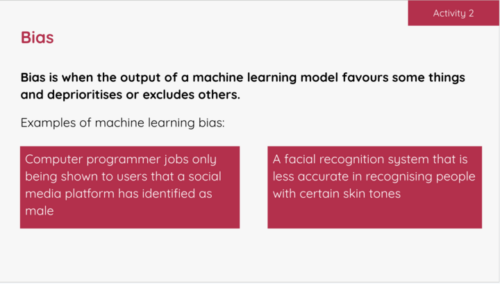
An example activity slide in the Experience AI lessons where students learn about bias.
An example activity in the Experience AI lessons where students learn about bias.

To analyse the content that existing AI education resources covered, the Centre developed a simple framework called SEAME. The framework gives you an easy way to group concepts, knowledge, and skills related to AI and ML based on whether they focus on social and ethical aspects (SE), applications (A), models (M), or engines (E, i.e. how AI works.)

Through Experience AI, learners also gain an understanding of the models underlying AI applications, and the processes used to train and test ML models.

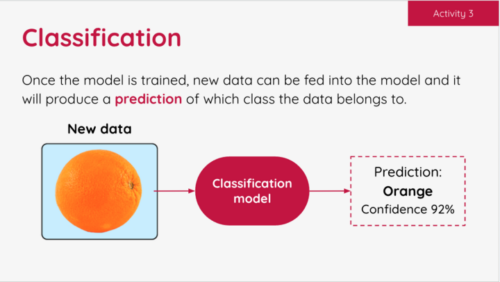
An example activity slide in the Experience AI lessons where students learn about classification.
An example activity in the Experience AI lessons where students learn about classification.

Our Experience AI lessons cover all four levels of SEAME and focus on applications of AI that are relatable for young people. They also introduce learners to AI-related issues such as privacy or bias concerns, and the impact of AI on employment. 

The six foundation lessons of Experience AI

  1. What is AI?: Learners explore the current context of AI and how it is used in the world around them. Looking at the differences between rule-based and data-driven approaches to programming, they consider the benefits and challenges that AI could bring to society. 
  2. How computers learn: Focusing on the role of data-driven models in AI systems, learners are introduced to ML and find out about three common approaches to creating ML models. Finally they explore classification, a specific application of ML.
  3. Bias in, bias out: Students create their own ML model to classify images of apples and tomatoes. They discover that a limited dataset is likely to lead to a flawed ML model. Then they explore how bias can appear in a dataset, resulting in biased predictions produced by a ML model. 
  4. Decision trees: Learners take their first in-depth look at a specific type of ML model: decision trees. They see how different training datasets result in the creation of different ML models, experiencing first-hand what the term ‘data-driven’ means.
  5. Solving problems with ML models: Students are introduced to the AI project lifecycle and use it to create a ML model. They apply a human-focused approach to working on their project, train a ML model, and finally test their model to find out its accuracy.
  6. Model cards and careers: Learners finish the AI project lifecycle by creating a model card to explain their ML model. To complete the unit, they explore a range of AI-related careers, hear from people working in AI research at Google DeepMind, and explore how they might apply AI and ML to their interests. 
Experience AI banner.

We also offer two additional stand-alone lessons: one on large language models, how they work, and why they’re not always reliable, and the other on the application of AI in ecosystems research, which lets learners explore how AI tools can be used to support animal conservation. 

New AI safety resources: Empowering learners to be critical users of technology

We have also been developing a set of resources for educator-led sessions on three topics related to AI safety, funded by Google.org

  • AI and your data: With the support of this resource, young people reflect on the data they have already provided to AI applications in their daily lives, and think about how the prevalence of AI tools might change the way they protect their data.  
  • Media literacy in the age of AI: This resource highlights the ways AI tools can be used to perpetuate misinformation and how AI applications can help people combat misleading claims.
  • Using generative AI responsibly: With this resource, young people consider their responsibilities when using generative AI, and their expectations of developers who release Experience AI tools. 

Other research principles behind our free teaching resources 

As well as using the SEAME framework, we have incorporated a whole host of other research-based concepts in the design principles for the Experience AI resources. For example, we avoid anthropomorphism — that is, words or imagery that can lead learners to wrongly believe that AI applications have sentience or intentions like humans do — and we instead promote the understanding that it’s people who design AI applications and decide how they are used. We also teach about data-driven application design, which is a core concept in computational thinking 2.0.  

Share your feedback

We’d love to hear your thoughts and feedback about using the Experience AI resources. Your comments help us to improve the current materials, and to develop future resources. You can tell us what you think using this form

And if you’d like to start using the Experience AI resources as an educator, you can download them for free at experience-ai.org.

The post Experience AI: How research continues to shape the resources appeared first on Raspberry Pi Foundation.

Reduce risks of user sign-up fraud and SMS pumping with Amazon Cognito user pools

Post Syndicated from Edward Sun original https://aws.amazon.com/blogs/security/reduce-risks-of-user-sign-up-fraud-and-sms-pumping-with-amazon-cognito-user-pools/

If you have a customer facing application, you might want to enable self-service sign-up, which allows potential customers on the internet to create an account and gain access to your applications. While it’s necessary to allow valid users to sign up to your application, self-service options can open the door to unintended use or sign-ups. Bad actors might leverage the user sign-up process for unintended purposes, launching large-scale distributed denial of service (DDoS) attacks to disrupt access for legitimate users or committing a form of telecommunications fraud known as SMS pumping. SMS pumping is when bad actors purchase a block of high-rate phone numbers from a telecom provider and then coerces unsuspecting services into sending SMS messages to those numbers.

Amazon Cognito is a managed OpenID Connect (OIDC) identity provider (IdP) that you can use to add self-service sign-up, sign-in, and control access features to your web and mobile applications. AWS customers who use Cognito might encounter SMS pumping if SMS functions are enabled to send SMS messages, for example, perform user phone number verification during the registration process, to facilitate SMS multi-factor authentication (MFA) flows, or to support account recovery using SMS. In this blog post, we explore how SMS pumping may be perpetrated and options to reduce risks, including blocking unexpected user registration, detecting anomalies, and responding to risk events with your Cognito user pool.

Cognito user sign-up process

After a user has signed up in your application with an Amazon Cognito user pool, their account is placed in the Registered (unconfirmed) state in your user pool and the user won’t be able to sign in yet. You can use the Cognito-assisted verification and confirmation process to verify user-provided attributes (such as email or phone number) and then confirm the user’s status. This verified attribute is also used for MFA and account recovery purposes. If you choose to verify the user’s phone number, Cognito sends SMS messages with a one-time password (OTP). After a user has provided the correct OTP, their email or phone number is marked as verified and the user can sign in to your application.

Figure 1: Amazon Cognito sign-up process

Figure 1: Amazon Cognito sign-up process

If the sign-up process isn’t protected, bad actors can create scripts or deploy bots to sign up a large number of accounts, resulting in a significant volume of SMS messages sent in a short period of time. We dive deep into prevention, detection, and remediation mechanisms and strategies that you can apply to help protect against SMS pumping based on your use case.

Protect the sign-up flow

In this section, we review several prevention strategies to help protect against SMS sign-up frauds and help reduce the amount of SMS messages sent to bad actors.

Implement bot mitigation

Implementing bot mitigation techniques, such as CAPTCHA, can be very effective in preventing simple bots from pumping user creation flows. You can integrate a CAPTCHA framework on your application’s frontend and validate that the client initiating the sign-up request is operated by a human user. If the user has passed the verification, you then pass the CAPTCHA user response token in ClientMetadata together with user attributes to an Amazon Cognito SignUp API call. As part of the sign-up process, Cognito invokes an AWS Lambda function called pre sign-up Lambda trigger, which you can use to reject sign-up requests if there isn’t a valid CAPTCHA token presented. This will slow down bots and help reduce unintended account creation in your Cognito user pool.

Validate phone number before user sign-up

Another layer of mitigation is to identify the actor’s phone number early in your application’s sign-up process. You can validate the user provided phone number in the backend to catch incorrectly formatted phone numbers and add logic to help filter out unwanted phone numbers prior to sending text messages. Amazon Pinpoint offers a Phone Number Validate feature that can help you determine if a user-provided phone number is valid, determine phone number type (such as mobile, landline, or VoIP), and identify the country and service provider the phone number is associated with. The returned phone number metadata can be used to decide whether the user will continue the sign-up process and send an SMS message to that user. Note that there’s an additional charge for using the phone number validation service. For more information, see Amazon Pinpoint pricing.

To build this validation check into the Amazon Cognito sign-up process, you can customize the pre sign-up Lambda trigger, which Cognito uses to invoke your code before allowing users to sign-up and sending out an SMS OTP. The Lambda trigger invokes the Amazon Pinpoint phone number validate API, and based on the validation response, you can build a custom pattern that fits your application to continue or reject the user sign-up. For example, you can reject user sign-ups with VoIP numbers or reject users who provide a phone number that’s associated with countries that you don’t operate in, or even reject certain cellular service providers. After you reject a user sign-up using the Lambda trigger, Cognito will deny the user sign-up request and will not invoke user confirmation flow nor send out an SMS message.

Example validation command using AWS CLI

aws pinpoint phone-number-validate --number-validate-request PhoneNumber=+155501001234

When you send a request to the Amazon Pinpoint phone number validation service, it returns the following metadata about the phone number. The following example represents a valid mobile phone number data set:

{
    "NumberValidateResponse": {
        "Carrier": "ExampleCorp Mobile",
        "City": "Seattle",
        "CleansedPhoneNumberE164": "+155501001234",
        "CleansedPhoneNumberNational": "55501001234",
        "Country": "United States",
        "CountryCodeIso2": "US",
        "CountryCodeNumeric": "1",
        "OriginalPhoneNumber": "+155501001234",
        "PhoneType": "MOBILE",
        "PhoneTypeCode": 0,
        "Timezone": "America/Seattle",
        "ZipCode": "98109"
    }
}

Note that PhoneType includes type MOBILE, LANDLINE, VOIP, INVALID, or OTHER. INVALID phone numbers don’t include information about the carrier or location associated with the phone number and are unlikely to belong to actual recipients. This helps you decide when to reject user sign-ups and reduces SMS messages to undesired phone numbers. You can see details about other responses in the Amazon Pinpoint developer guide.

Example pre sign-up Lambda function to block user sign-up except with a valid MOBILE number

The following pre sign-up Lambda function example invokes the Amazon Pinpoint phone number validation service and rejects user sign-ups unless the validation service returns a valid mobile phone number.

import { PinpointClient, PhoneNumberValidateCommand } from "@aws-sdk/client-pinpoint"; // ES Modules import

const validatePhoneNumber = async (phoneNumber) => {
  const pinpoint = new PinpointClient();
  const input = { // PhoneNumberValidateRequest
    NumberValidateRequest: { // NumberValidateRequest
      PhoneNumber: phoneNumber,
    },
  };
  const command = new PhoneNumberValidateCommand(input);
  const response = await pinpoint.send(command);

  return response;
};

const handler = async (event, context, callback) => {

  const phoneNumber = event.request.userAttributes.phone_number;
  const validationResponse = await validatePhoneNumber(phoneNumber);

  if (validationResponse.NumberValidateResponse.PhoneType != "MOBILE") {
    var error = new Error("Cannot register users without a mobile number");
    // Return error to Amazon Cognito
    callback(error, event);
  }
  // Return to Amazon Cognito
  callback(null, event);
};

export { handler };

Use a custom user-initiated confirmation flow or alternative OTP delivery method

In your user pool configurations, you can opt out of using Amazon Cognito-assisted verification and confirmation to send SMS messages to confirm users. Instead, you can build a custom reverse OTP flow to ask your users to initiate the user confirmation process. For example, instead of automatically sending SMS messages to a user when they sign up, your application can display an OTP and direct the user to initiate the SMS conversation by texting the OTP to your service number. After your application has received the SMS message and confirmed the correct OTP is provided, invoke a service such as a Lambda function to call the AdminConfirmSignUp administrative API operation to confirm user, then call AdminUpdateUserAttributes to set the phone_number_verified attribute as true to indicate that the user phone number is verified.

You can also choose to deliver an OTP using other methods, such as email, especially if your application doesn’t require the user’s phone number. During the user sign-up process, you can configure a custom SMS sender Lambda trigger in Amazon Cognito to send a user verification code through email or another method. Additionally, you can use the Cognito email MFA feature to send MFA codes through email.

Detect SMS pumping

When you’re considering the various prevention options, it’s important to set up detection mechanisms to identify SMS pumping as they arise. In this section, we show you how to use AWS CloudTrail and Amazon CloudWatch to monitor your Amazon Cognito user pool and detect anomalies that could lead to SMS pumping. Note that building detection mechanism based on anomalies requires knowing your average or baseline traffic and the difference in metrics that represent regular activity and metrics that can indicate unauthorized or unintended activity.

Service quotas dashboard and CloudWatch alarms

Bad actors may attempt to leverage either the sign-up confirmation or the reset password functionality of Amazon Cognito. As shown previously in Figure 1, when a new user signs up to your Cognito user pool, the SignUp API operation is invoked. When the user provides the OTP confirmation code, the ConfirmSignUp API operation is invoked. The call rate of both APIs is tracked collectively under Rate of UserCreation requests under Amazon Cognito service in the service quotas dashboard.

You can set up Amazon CloudWatch alarms to monitor and issue notifications when you’re close to a quota value threshold. These alarms could be an early indication of a sudden usage increase, and you can use them to triage potential incidents.

Additionally, when your services are sending SMS messages, those transactions count towards the Amazon Simple Notification Service (Amazon SNS) service quota. You should set up alarms to monitor the Transactional SMS Message Delivery Rate per Second quota and the SMS Message Spending in USD quota.

CloudTrail event history

When bad actors plan SMS pumping, they are likely attempting to trick you to send as many SMS messages as possible rather than completing the user confirmation process. Under the context of a user sign-up event, you might notice in the CloudTrail event history that there are more SignUp and ResendConfirmationCode events—which send out SMS messages—than ConfirmSignUp operations; indicating a user has initiated but not completed the sign-up process. You can use Amazon Athena or CloudWatch Logs Insights to search and analyze your Amazon Cognito CloudTrail events and identify if there’s a significant reduction in finishing the user sign-up process.

Figure 2: SignUp API logged in CloudTrail event history

Figure 2: SignUp API logged in CloudTrail event history

Similarly, you can apply this observability towards the user password reset flow by analyzing the ForgotPassword API and ConfirmForgotPassword API operations for deviations.

Note that the slight deviations in user completion flow in the CloudTrail event history alone might not be an indication of unauthorized activity, however a substantial deviation above the regular baseline might be a signal of unintended use.

Monitor excessive billing

Another opportunity for detecting and identifying unauthorized Amazon Cognito activity is by using AWS Cost Explorer. You can use this interface to visualize, understand, and manage your AWS costs and usage over time, which might assist by highlighting the source of excessive billing in your AWS account. Be aware that charges in your account can take up to 24 hours to be displayed, so while this method can help provide some assistance in identifying SMS pumping activity, it should only be used as a supplement to other detection methods.

To use Cost Explorer:

  1. Open the AWS Management Console, and go to Billing and Cost Management.
  2. In the navigation pane, under Cost Analysis, choose Cost Explorer.
  3. In the Cost and Usage Report, under Report Parameters, select Date Range to include the start and end date of the time period that you want to apply a filter to. In Figure 3 that follows, we use an example date range between 2024-07-03 and 2024-07-17.
  4. In the same Report Parameter area, under Filters, for Service, select SNS (Simple Notification Service). Because Amazon Cognito uses Amazon SNS for delivery of SMS messages, filtering on SNS can help you identify excessive billing.

Figure 3: Reviewing billing charges by service

Figure 3: Reviewing billing charges by service

Apply AWS WAF rules as mitigation approaches

It’s recommended that you apply AWS WAF with your Amazon Cognito user pool to protect against common threats. In this section, we show you a few advanced options using AWS WAF rules to block or throttle specific bad actor’s traffic when you have observed irregular sign-up attempts and suspect they were part of fraudulent activities.

Target a specific bad actor’s IP address

When building AWS WAF remediation strategies, you can start by building an IP deny list to block traffic from known malicious IP addresses. This method is straightforward and can be highly effective in preventing unwanted access. For detailed instructions on how to set up an IP deny list, see Creating an IP set.

Target a specific phone number area code regex pattern

In an SMS pumping scheme, bad actors often purchase blocks of cell phone numbers from a wireless service provider and use phone numbers with the same area code. If you observe a pattern and identify that these attempts use the same area code, you can apply an AWS WAF rule to block that specific traffic.

To configure an AWS WAF web ACL to block using an area code regex pattern:

  1. Open the AWS WAF console.
  2. In the navigation pane, under AWS WAF, choose WAF ACLs.
  3. Choose Create web ACL. Under Web ACL details, select Regional resources, and select the AWS Region as your Amazon Cognito user pool. Under Associated AWS resources, select Add AWS resources, and choose your Cognito user pool. Choose Next.
  4. On the Add rules and rule groups page, choose Add rules, Add my own rules and rule groups, and Rule builder.
  5. Create a rule in Rule builder.
    1. For If a request, select matches the statement.
    2. For Inspect, select Body.
    3. For Match type, select Matches regular expression.
    4. For Regular expression, enter a match for the observed pattern. For example, the regular expression ^303|^\+1303|^001303 will match requests that include the digits 303, +1303, or 001303 at the beginning of any string in the body of a request:

    Figure 4: Creating a web ACL

    Figure 4: Creating a web ACL

  6. Under Action, choose Block. Then, choose Add rule.
  7. Continue with Set rule priority and Configure metrics, then choose Create web ACL.

Be aware that this method will block all user sign-up requests that contain phone numbers matching the regex pattern for the target area code and could prevent legitimate users whose numbers match the defined pattern from signing up. For example, the rule above will apply to all users with phone numbers starting with 303, +1303, or 001303. You should consider implementing this method as an as-needed solution to address an ongoing SMS pumping attack.

Target a specific bad actor’s client fingerprint

Another method is to examine an actor’s TLS traffic. If your application UI is hosted using Amazon CloudFront or Application Load Balancer (ALB), you can build AWS WAF rules to match the client’s JA3 fingerprint. The JA3 fingerprint is a 32-character MD5 hash derived from the TLS three-way handshake when the client sends a ClientHello packet to the server. It serves as a unique identifier for the client’s TLS configuration because various attributes such as TLS version, cipher suites, and extensions are derived to calculate the fingerprint, allowing for the unique detection of clients even when the source IP and other commonly used identification information might have changed.

Fraudulent activities, such as SMS pumping, are typically carried out using automated tools and scripts. These tools often have a consistent SSL/TLS handshake pattern, resulting in a unique JA3 fingerprint. By configuring an AWS WAF web ACL rule to match the JA3 fingerprint associated with this traffic, you can identify clients with a high degree of accuracy, even if they change other attributes, such as IP addresses.

AWS WAF has introduced support for JA3 fingerprint matching, which you can use to identify and differentiate clients based on the way they initiate TLS connections, enabling you to inspect incoming requests for their JA3 fingerprints. You can build the remediation strategy by first evaluating AWS WAF logs to extract JA3 fingerprints for potential malicious hosts, then proceed with creating rules to block requests where the fingerprint matches the malicious JA3 fingerprint associated with previous attacks.

To configure an AWS WAF web ACL to block using JA3 fingerprint matching for CloudFront resources:

  1. Open the AWS WAF console.
  2. In the navigation pane, under AWS WAF, choose WAF ACLs.
  3. Choose Create web ACL. Under Web ACL details, select Amazon CloudFront distributions. Under Associated AWS resources, select Add AWS resources, and select your CloudFront distribution. Choose Next.
  4. On the Add rules and rule groups page, choose Add rules, Add my own rules and rule groups, and Rule builder.
  5. In Rule builder:
    1. For If a request, select matches the statement.
    2. For Inspect, select JA3 fingerprint.
    3. For Match type, keep Exactly matches string.
    4. For String to match, enter the JA3 fingerprint that you want to block.
    5. For Text transformation, choose None.
    6. For Fallback for missing JA3 fingerprint, select a fallback match status for cases where no JA3 fingerprint is detected. We recommend choosing No match to prevent unintended traffic blocking.
    7. If you need to block multiple JA3 fingerprints, include each one in the rule and for If a request select matches at least one of the statements (OR).

      Figure 5: Creating an AWS WAF statement for a JA3 fingerprint

      Figure 5: Creating an AWS WAF statement for a JA3 fingerprint

    8. Under Action, select Block, and choose Add rule. You can choose other actions such as COUNT or CAPTCHA that suit your use case.
  6. Continue with Set rule priority and Configure metrics, then choose Create web ACL.

Note that JA3 fingerprints can change over time due to the randomization of TLS ClientHello messages by modern browsers. It’s important to dynamically update your web ACL rules or manually review logs to update the JA3 fingerprint search string in your match rule when applicable.

AWS WAF remediation considerations

These AWS WAF remediation approaches help to block potential threats by providing mechanisms to filter out malicious traffic. It’s essential to continually review the effectiveness of these rules to minimize the risk of blocking legitimate sources and make dynamic adjustments to the rules when you detect new bad actors and patterns.

Summary

In this blog post, we introduced mechanisms that you can use to detect and protect your Amazon Cognito user pool against unintended user sign-up and SMS pumping. By implementing these strategies, you can enhance the security of your web and mobile applications and help to safeguard your services from potential abuse and financial loss. We suggest that you apply a combination of these prevention, detection, and mitigation approaches to protect your Cognito user pools.

 
If you have feedback about this post, submit comments in the Comments section below. If you have questions about this post, contact AWS Support.

Edward Sun
Edward Sun

Edward is a Security Specialist Solutions Architect focused on identity and access management. He loves helping customers throughout their cloud transformation journey with architecture design, security best practices, migration, and cost optimizations. Outside of work, Edward enjoys hiking, golfing, and cheering for his alma mater, the Georgia Bulldogs.
Steve de Vera
Steve de Vera

Steve is a manager in the AWS Customer Incident Response Team (CIRT). He is passionate about American-style BBQ and is a certified competition BBQ judge. He has a dog named Brisket.
Tony Suarez
Tony Suarez

Tony Suarez is a San Diego, CA based Solutions Architect with over 15 years of experience in IT operations. As a member of the AWS VMware technical field community, Tony enjoys helping customers solve challenging problems in innovative ways. Enabling customers to efficiently manage, automate, and orchestrate large-scale hybrid infrastructure projects is Tony’s passion.

Security updates for Friday

Post Syndicated from jzb original https://lwn.net/Articles/990202/

Security updates have been issued by Fedora (haproxy, osc, and python3.11), Oracle (389-ds:1.4), Red Hat (kernel), SUSE (clamav, colord, kernel, postgresql16, and qemu), and Ubuntu (linux, linux-aws, linux-aws-5.15, linux-gcp, linux-gcp-5.15, linux-gke, linux-gkeop, linux-gkeop-5.15, linux-hwe-5.15, linux-ibm, linux-intel-iotg, linux-intel-iotg-5.15, linux-kvm, linux-nvidia, linux-oracle, linux-raspi, linux-azure, linux-azure-5.15, linux-azure-fde, linux-lowlatency-hwe-6.8, linux-nvidia-6.8, and linux-xilinx-zynqmp).

The Growing Importance of Exposure Management: Our Key Insights from Gartner® Hype Cycle™ for Security Operations, 2024

Post Syndicated from Rapid7 original https://blog.rapid7.com/2024/09/13/the-growing-importance-of-exposure-management-our-key-insights-from-gartner-r-hype-cycle-for-security-operations-2024/

The Growing Importance of Exposure Management: Our Key Insights from Gartner® Hype Cycle™ for Security Operations, 2024

The Gartner® Hype Cycle™ for Security Operations, 2024  was published in late July, and is an interesting look at the dynamic nature of both the threat landscape and the diverse range of technologies that security & risk management (SRM) professionals use to safeguard their organizations.

Understanding the Hype Cycle

Gartner Hype Cycles provide a graphic representation of the maturity and adoption of technologies and applications, and how they are potentially relevant to solving real business problems and exploiting new opportunities. Over 90 Hype Cycles are published per year. Hype Cycles provide a snapshot of the relative market penetration, maturity and benefit of innovations within a certain segment, such as a technology area or business market. This Hype Cycle helps security and risk management leaders strategize and deliver SecOps capability and functions.

What we think are key themes from this year’s Hype Cycle for SecOps

The 2024 Hype Cycle has seen some notable additions and consolidations, particularly around the rapidly-evolving Threat Exposure Management (TEM) market, as existing vulnerability assessment and management approaches mature to support the Continuous Threat Exposure Management (CTEM) framework. In the report Gartner defines CTEM as “a program helping organizations to improve their maturity when they govern and operationalize the five recommended phases of exposure management: scoping, discovery, prioritization, validation and mobilization.’”

Three new profiles reflect this evolution:

  • Threat Exposure Management – This is intended to help organizations answer the question, “ow exposed are we?” It extends traditional approaches to vulnerability management to focus on risk reduction across a much wider potential attack surface, including cloud, SaaS applications and the third-party supply chain.

    Today,many organizations currently have a siloed approach to exposure management across many different domains — external, vulnerability scanning, penetration testing — and are struggling to keep up with the pace of environmental change.

    Gartner rates the potential benefit of Threat Exposure Management as ‘transformational’ and states that organizations should ‘employ proper governance and repeatability to make their threat exposure management programs continuous.’

  • Exposure assessment platforms (EAPs) – This is a new category with a ‘high’ benefit rating from Gartner. In the report, Gartner states that EAPs ‘continuously identify and prioritize exposures, such as vulnerabilities and misconfigurations, across a broad range of asset classes. They natively deliver or integrate with discovery capabilities, such as assessment tools that enumerate exposures like vulnerabilities and configuration issues, to increase visibility.’

    Gartner has removed both vulnerability assessment (VA) and vulnerability prioritization technologies (VPT) from this year’s Hype Cycle, stating that they have been ‘subsumed into exposure assessment platforms.’

    We believe that a potential benefit of EAPs is to provide better insights into high-risk exposures, which could allow organizations to prevent security incidents and breaches. They can also improve operational efficiency by providing centralized visibility of assets and exposures, supporting risk scoring reporting and trend analysis across the organization.

    Rapid7 is named as a Sample Vendor for EAP in this latest report.

  • Adversarial exposure validation – The third new category related to exposure management covers the validation pillar of a CTEM program. As noted in the report, “Adversarial exposure validation technologies offer offensive security technologies simulating threat actor tactics, techniques, and procedures to validate the existence of exploitable exposures and test security control effectiveness. Within this profile, Gartner has consolidated breach attack simulation and autonomous penetration testing and red teaming. “
    Gartner recommends that security and risk leaders should ‘Integrate existing attack simulation and penetration testing scenarios into an adversarial exposure validation roadmap, as part of a shift from vulnerability management to a CTEM program.’

As well as these new categories, we also see movement among some of the existing technologies that can support CTEM initiatives – notably Cyber Asset Attack Surface Management (CAASM), External Attack Surface Management (EASM) and Digital Risk Protection Services (DRPS).

Both EASM and DRPS are in the ‘Trough of Disillusionment’ on this year’s Hype Cycle.  Gartner notes, “SRM leaders are reevaluating the value they’re getting from technologies in the trough, often having to reinforce their justification for budgets. For example:[…] Enterprises were unprepared to consume and operationalize service output (digital risk protection services, external attack surface management, ITDR).

CAASM has moved from ‘Innovation Trigger’ to the ‘Peak of Inflated Expectations’, reflecting the growing demand from enterprises to gain better visibility of their attack surfaces. CAASM helps provide more comprehensive visibility into assets by consolidating asset and exposure information into a holistic view. Noetic Cyber, a recent acquisition of Rapid7, is also a Sample Vendor for CAASM.

Rapid7’s vision for Exposure Management

Rapid7 recently announced the availability of Exposure Command and Surface Command, the first two solutions launched on the new Command Platform. Surface Command provides 360-degree visibility across the internal and external environment by bringing together EASM and CAASM in a single solution, enabling security teams to view and prioritize high-risk assets across their extended environments.

Building on the unparalleled visibility provided by Surface Command, Exposure Command expands traditional vulnerability management programs with insights and context from vulnerability, cloud and application security tools, establishing a single, consolidated platform for exposure management across the organization.

The Growing Importance of Exposure Management: Our Key Insights from Gartner® Hype Cycle™ for Security Operations, 2024

This centralized point of exposure management allows security leaders to prioritize based on the overall risk to the business, understand complex attack paths across the cloud and on-premise environments, and surface the top areas teams need to focus on and while elevating the mitigation activities that would have the largest impact in reducing the overall risk score of your environment.

We believe that these new capabilities align well with the Gartner concept of exposure assessment platforms and the overall requirements of a threat exposure management program. To understand more about Rapid7’s approach to attack surface and exposure management, you can find out more here.

Gartner, Hype Cycle for Security Operations, 2024, July 2024.
GARTNER is a registered trademark and service mark of Gartner, Inc. and/or its affiliates in the U.S. and internationally, and HYPE CYCLE is a registered trademark of Gartner, Inc. and/or its affiliates and are used herein with permission. All rights reserved.
Gartner does not endorse any vendor, product or service depicted in its research publications, and does not advise technology users to select only those vendors with the highest ratings or other designation. Gartner research publications consist of the opinions of Gartner’s research organization and should not be construed as statements of fact. Gartner disclaims all warranties, expressed or implied, with respect to this research, including any warranties of merchantability or fitness for a particular purpose.