Achieve peak performance and boost scalability using multiple Amazon Redshift serverless workgroups and Network Load Balancer

Post Syndicated from Ricardo Serafim original https://aws.amazon.com/blogs/big-data/achieve-peak-performance-and-boost-scalability-using-multiple-amazon-redshift-serverless-workgroups-and-network-load-balancer/

As data analytics use cases grow, factors of scalability and concurrency become crucial for businesses. Your analytic solution architecture should be able to handle large data volumes at high concurrency and without compromising speed, thereby delivering a scalable high-performance analytics environment.

Amazon Redshift Serverless provides a fully managed, petabyte-scale, auto scaling cloud data warehouse to support high-concurrency analytics. It offers data analysts, developers, and scientists a fast, flexible analytic environment to gain insights from their data with optimal price-performance. Redshift Serverless auto scales during usage spikes, enabling enterprises to cost-effectively help meet changing business demands. You can benefit from this simplicity without changing your existing analytics and business intelligence (BI) applications.

To help meet demanding performance needs like high concurrency, usage spikes, and fast query response times while optimizing costs, this post proposes using Redshift Serverless. The proposed solution aims to address three key performance requirements:

  • Support thousands of concurrent connections with high availability by using multiple Redshift Serverless endpoints behind a Network Load Balancer
  • Accommodate hundreds of concurrent queries with low-latency service level agreements through scalable and distributed workgroups
  • Enable subsecond response times for short queries against large datasets using the fast query processing of Amazon Redshift

The suggested architecture uses multiple Redshift Serverless endpoints accessed through a single Network Load Balancer client endpoint. The Network Load Balancer evenly distributes incoming requests across workgroups. This improves performance and reduces latency by scaling out resources to meet high throughput and low latency demands.

Solution overview

The following diagram outlines a Redshift Serverless architecture with multiple Amazon Redshift managed VPC endpoints behind a Network Load Balancer.

The following are the main components of this architecture:

  • Amazon Redshift data sharing – This allows you to securely share live data across Redshift clusters, workgroups, AWS accounts, and AWS Regions without manually moving or copying the data. Users can see up-to-date and consistent information in Amazon Redshift as soon as it’s updated. With Amazon Redshift data sharing, the ingestion can be done at the producer or consumer endpoint, allowing the other consumer endpoints to read and write the same data and thereby enabling horizontal scaling.
  • Network Load Balancer – This serves as the single point of contact for clients. The load balancer distributes incoming traffic across multiple targets, such as Redshift Serverless managed VPC endpoints. This increases the availability, scalability, and performance of your application. You can add one or more listeners to your load balancer. A listener checks for connection requests from clients, using the protocol and port that you configure, and forwards requests to a target group. A target group routes requests to one or more registered targets, such as Redshift Serverless managed VPC endpoints, using the protocol and the port number that you specify.
  • VPC – Redshift Serverless is provisioned in a VPC. By creating a Redshift managed VPC endpoint, you enable private access to Redshift Serverless from applications in another VPC. This design allows you to scale by having multiple VPCs as needed. The VPC endpoint provides a dedicate private IP for each Redshift Serverless workgroup to be used as the target groups on the Network Load Balancer.

Create an Amazon Redshift managed VPC endpoint

Complete the following steps to create the Amazon Redshift managed VPC endpoint:

  1. On the Redshift Serverless console, choose Workgroup configuration in the navigation pane.
  2. Choose a workgroup from the list.
  3. On the Data access tab, in the Redshift managed VPC endpoints section, choose Create endpoint.
  4. Enter the endpoint name. Create a name that is meaningful for your organization.
  5. The AWS account ID will be populated. This is your 12-digit account ID.
  6. Choose a VPC where the endpoint will be created.
  7. Choose a subnet ID. In the most common use case, this is a subnet where you have a client that you want to connect to your Redshift Serverless instance.
  8. Choose which VPC security groups to add. Each security group acts as a virtual firewall to control inbound and outbound traffic to resources protected by the security group, such as specific virtual desktop instances.

The following screenshot shows an example of this workgroup. Note down the IP address to use during the creation of the target group.

Repeat these steps to create all your Redshift Serverless workgroups.

Add VPC endpoints for the target group for the Network Load Balancer

To add these VPC endpoints to the target group for the Network Load Balancer using Amazon Elastic Compute Cloud (Amazon EC2), complete the following steps:

  1. On the Amazon EC2 console, choose Target groups under Load Balancing in the navigation pane.
  2. Choose Create target group.
  3. For Choose a target type, select Instances to register targets by instance ID, or select IP addresses to register targets by IP address.
  4. For Target group name, enter a name for the target group.
  5. For Protocol, choose TCP or TCP_UDP.
  6. For Port, use 5439 (Amazon Redshift port).
  7. For IP address type, choose IPv4 or IPv6. This option is available only if the target type is Instances or IP addresses and the protocol is TCP or TLS.
  8. You must associate an IPv6 target group with a dual-stack load balancer. All targets in the target group must have the same IP address type. You can’t change the IP address type of a target group after you create it.
  9. For VPC, choose the VPC with the targets to register.
  10. Leave the default selections for the Health checks section, Attributes section, and Tags section.

Create a load balancer

After you create the target group, you can create your load balancer. We recommend using port 5439 (Amazon Redshift default port) for it.

The Network Load Balancer serves as a single-access endpoint and will be used on connections to reach Amazon Redshift. This allows you to add more Redshift Serverless workgroups and increase the concurrency transparently.

Testing the solution

We tested this architecture to run three BI reports with the TPC-DS dataset (cloud benchmark dataset) as our data. Amazon Redshift includes this dataset for free when you choose to load sample data (sample_data_dev database). The installation also provides the queries to test the setup.

Among all the queries from TPC-DS benchmark, we chose the following three to use as our report queries. We changed the first two report queries to use a CREATE TABLE AS SELECT (CTAS) query on temporary tables instead of the WITH clause to emulate options you can see on a typical BI tool. For our testing, we also disabled the result cache to make sure that Amazon Redshift would run the queries every time.

The set of queries contains the creation of temporary tables, a join between those tables, and the cleanup. The cleanup step drops tables. This isn’t needed because they’re deleted at the end of the session, but this aims to simulate all that the BI tool does.

We used Apache JMETER to simulate clients invoking the requests. To learn more about how to use and configure Apache JMETER with Amazon Redshift, refer to Building high-quality benchmark tests for Amazon Redshift using Apache JMeter.

For the tests, we used the following configurations:

  • Test 1 – A single 96 RPU Redshift Serverless vs. three workgroups at 32 RPU each
  • Test 2 – A single 48 RPU Redshift Serverless vs. three workgroups at 16 RPU each

We tested three reports by spawning 100 sessions per report (300 total). There were 14 statements across the three reports (4,200 total). All sessions were triggered simultaneously.

The following table summarizes the tables used in the test.

Table Name Row Count
Catalog_page 93,744
Catalog_sales 23,064,768
Customer_address 50,000
Customer 100,000
Date_dim 73,049
Item 144,000
Promotion 2,400
Store_returns 4,600,224
Store_sales 46,086,464
Store 96
Web_returns 1,148,208
Web_sales 11,510,144
Web_site 240

Some tables were modified by ingesting more data than what the TPC-DS schema offers on Amazon Redshift. Data was reinserted on the table to increase the size.

Test results

The following table summarizes our test results.

TEST 1 . Time Consumed Number of Queries Cost Max Scaled RPU Performance
Single: 96 RPUs 0:02:06 2,100 $6 279 Base
Parallel: 3x 32 RPUs 0:01:06 2,100 $1.20 96 48.03%
Parallel 1 (32 RPU) 0:01:03 688 $0.40 32 50.10%
Parallel 2 (32 RPU) 0:01:03 703 $0.40 32 50.13%
Parallel 3 (32 RPU) 0:01:06 709 $0.40 32 48.03%
TEST 2 . Time Consumed Number of Queries Cost Max Scaled RPU Performance
Single: 48 RPUs 0:01:55 2,100 $3.30 168 Base
Parallel: 3x 16 RPUs 0:01:47 2,100 $1.90 96 6.77%
Parallel 1 (16 RPU) 0:01:47 712 $0.70 36 6.77%
Parallel 2 (16 RPU) 0:01:44 696 $0.50 25 9.13%
Parallel 3 (16 RPU) 0:01:46 692 $0.70 35 7.79%

The preceding table shows that the parallel setup was faster than the single at a lower cost. Also, in our tests, even though Test 1 had double the capacity of Test 2 for the parallel setup, the cost was still 36% lower and the speed was 39% faster. Based on these results, we can conclude that for workloads that have high throughput (I/O), low latency, and high concurrency requirements, this architecture is cost-efficient and performant. Refer to the AWS Pricing Cost Calculator for Network Load Balancer and VPC endpoints pricing.

Redshift Serverless automatically scales the capacity to deliver optimal performance during periods of peak workloads including spikes in concurrency of the workload. This is evident from the maximum scaled RPU results in the preceding table.

Recently released features of Redshift Serverless such as MaxRPU and AI-driven scaling were not used for this test. These new features can increase the price-performance of the workload even further.

We recommend enabling cross-zone load balancing on the Network Load Balancer because it distributes requests from clients to registered targets. Enabling cross-zone load balancing will help balance the requests among the Redshift Serverless managed VPC endpoints irrespective of the Availability Zone they are configured in. Also, if the Network Load Balancer receives traffic from only one server (same IP), you should always use an odd number of Redshift Serverless managed VPC endpoints behind the Network Load Balancer.

Conclusion

In this post, we discussed a scalable architecture that increases the throughput of Redshift Serverless in low latency, high concurrency scenarios. Having multiple Redshift Serverless workgroups behind a Network Load Balancer can deliver a horizontally scalable solution at the best price-performance.

Additionally, Redshift Serverless uses AI techniques (currently in preview) to scale automatically with workload changes across all key dimensions—such as data volume changes, concurrent users, and query complexity—to meet and maintain your price-performance targets.

We hope this post provides you with valuable guidance. We welcome any thoughts or questions in the comments section.


About the Authors

Ricardo Serafim is a Senior Analytics Specialist Solutions Architect at AWS.

Harshida Patel is a Analytics Specialist Principal Solutions Architect, with AWS.

Urvish Shah is a Senior Database Engineer at Amazon Redshift. He has more than a decade of experience working on databases, data warehousing and in analytics space. Outside of work, he enjoys cooking, travelling and spending time with his daughter.

Amol Gaikaiwari is a Sr. Redshift Specialist focused on helping customers realize their business outcomes with optimal Redshift price-performance. He loves to simplify data pipelines and enhance capabilities through adoption of latest Redshift features.

How Criminals Are Using Generative AI

Post Syndicated from Bruce Schneier original https://www.schneier.com/blog/archives/2024/05/how-criminals-are-using-generative-ai.html

There’s a new report on how criminals are using generative AI tools:

Key Takeaways:

  • Adoption rates of AI technologies among criminals lag behind the rates of their industry counterparts because of the evolving nature of cybercrime.
  • Compared to last year, criminals seem to have abandoned any attempt at training real criminal large language models (LLMs). Instead, they are jailbreaking existing ones.
  • We are finally seeing the emergence of actual criminal deepfake services, with some bypassing user verification used in financial services.

AI Video Understanding in Your Apps with Twelve Labs and Backblaze

Post Syndicated from Pat Patterson original https://backblaze.com/blog/ai-video-understanding-in-your-apps-with-twelve-labs-and-backblaze/

A decorative header depicting several screens with video editing tasks and a cloud with the Backblaze logo on it.

Over the past few years, since long before the recent large language model (LLM) revolution, we’ve benefited not only from the ability of AI models to transcribe audio to text, but also to automatically tag video files according to their content. Media asset management (MAM) software—such as Backlight iconik and Axle.ai (both Backblaze Partners, by the way)—allows media professionals to quickly locate footage by searching for combinations of tags. For example, “red car”, will return not only a list of video files containing red cars, but also the timecodes pinpointing the appearance of the red car in each clip.

San Francisco startup Twelve Labs has created a video understanding platform that allows any developer to build this kind of functionality, and more, into their app via a straightforward RESTful API. 

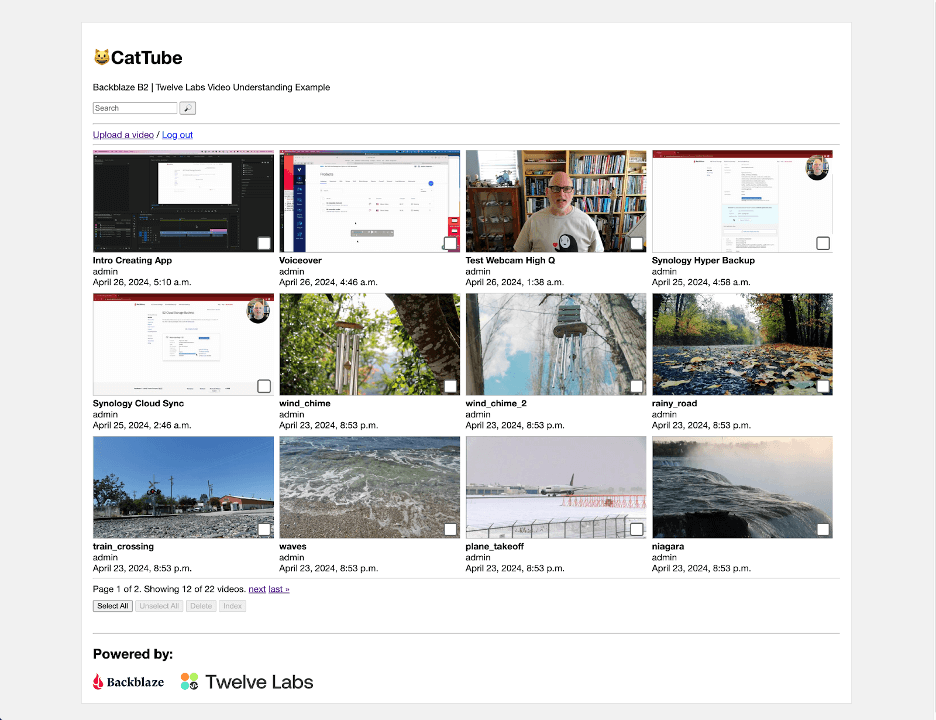
In preparation for our webinar with Twelve Labs last month, I created a web app to show how to integrate Twelve Labs with Backblaze B2 for storing video. The complete sample app is available as open source at GitHub; in this blog post, I’ll provide a brief description of the Twelve Labs platform, explain how presigned URLs allow temporary access to files in a private bucket, and then share the key elements of the sample app. If you just want a high level understanding of the integration, read on, and feel free to skip the technical details!

The Twelve Labs Video Understanding Platform

The core of the Twelve Labs platform is a foundation model that operates across the visual, audio, and text modes of video content, allowing multimodal video understanding. When you submit a video using the Twelve Labs Task API, the platform generates a compact numerical representation of the video content, termed an embedding, that identifies entities, actions, patterns, movements, objects, scenes, other elements of the video, and their interrelationships. The embedding contains everything the Twelve Labs platform needs to do its work—after the initial scan, the platform no longer needs access to the original video content. As each video is scanned into the platform, its embedding is added to an index, so this scanning process is often referred to as indexing.

As part of the indexing process, the platform extracts a standard set of data from each video: a thumbnail image, a transcript of any spoken content, any text that appears on screen, and a list of brand logos, all annotated with timecodes locating them on the video’s timeline, and all accessible via the Twelve Labs Index API.

You can have the platform create a title and summary, and even prompt the model to describe the video, via Twelve Labs’ Generate API. For example, I indexed an eight-minute video that explains how to back up a Synology NAS to Backblaze B2, then prompted the Generate API, “What are the two Synology applications mentioned in the video?” This was the first sentence of the resulting text:

The two Synology applications mentioned throughout the video are “Synology Hyper Backup” and “Synology Cloud Sync.”

The remainder of the response is a brief summary of the two applications and how they differ; here’s the full text. Although it does have that “AI flavor” as you read it, it’s clear and accurate. I must admit, I was quite impressed!

You can define a taxonomy for your videos via the Classify API. Submit a one- or two-level classification schema and a set of video IDs, and the platform will assign each video to a category.

Rounding up this quick tour of the Twelve Labs platform, the Search API, as its name suggests, allows you to search the indexed videos. As well as a search query, you must specify a set of content sources: any combination of visual, conversation, text in video, or logos. Each search result includes timecodes for its start and end.

Now you understand the basic capabilities of the Twelve Labs platform, let’s look at how you can integrate it with Backblaze B2.

Allowing Temporary Access to Files in a Private Backblaze B2 Bucket

A key feature of the sample app is that it uploads videos to a private Backblaze B2 Bucket, where they are only accessible to authorized users. Twelve Labs’ API allows you to submit a video for indexing by POSTing a JSON payload including the video’s URL to its Task API. This is straightforward for video files in a public bucket, but how do we allow the Twelve Labs platform to read files from a private bucket?

One way would be to create an application key with capabilities to read files from the private bucket and share it with the Twelve Labs platform. The main drawback to this approach is that the platform currently lacks the ability to sign requests for files from a private bucket.

Since Twelve Labs only needs to read the video file when we submit it for indexing, we can send it a presigned URL for the video file. As well as the usual Backblaze B2 endpoint, bucket name, and object key (path and filename), a presigned URL includes query parameters containing data such as the time when the URL was created, its validity period in seconds, an application key ID (or access key ID, in S3 terminology), and a signature created with the corresponding application key (secret access key). Here’s an example, with line breaks added for clarity:

https://s3.us-west-004.backblazeb2.com/mybucket/image.jpeg
?X-Amz-Algorithm=AWS4-HMAC-SHA256
&X-Amz-Credential=00415f935c00000000aa%2F20240423%2Fus-west-004%2Fs3%2Faws4_request
&X-Amz-Date=20240423T222652Z
&X-Amz-Expires=3600
&X-Amz-SignedHeaders=host
&X-Amz-Signature=23ade1...3ca1eb

This URL was created at 22:26:52 UTC on 04/23/2024, and was valid for one hour (3600 seconds). The signature is 64 hex characters. Changing any part of the URL, for example, the X-Amz-Date parameter, invalidates the signature, resulting in an HTTP 403 Forbidden error when you try to use it, with a corresponding message in the response payload:

<?xml version="1.0" encoding="UTF-8" standalone="yes"?>
<Error>
    <Code>SignatureDoesNotMatch</Code>
    <Message>Signature validation failed</Message>
</Error>

Attempting to use the presigned URL after it expires yields HTTP 401 Unauthorized with a message such as:

<?xml version="1.0" encoding="UTF-8" standalone="yes"?>
<Error>
    <Code>UnauthorizedAccess</Code>
    <Message>Request has expired given timestamp: '20240423T222652Z' and expiration: 3600</Message>
</Error>

You can create presigned URLs with any of the AWS SDKs or the AWS CLI. For example, with the CLI:

% aws s3 presign s3://mybucket/image.jpeg --expires-in 600 
https://s3.us-west-004.backblazeb2.com/mybucket/image.jpeg?X-Amz...

Presigned URLs are useful whenever you want to provide temporary access to a file in a private bucket without having to share an application key for a client app to sign the request itself. The sample app also uses them when rendering HTML web pages. For example, all of the thumbnail images are retrieved by the user’s browser via presigned URLs.

Note that presigned URLs are a feature of Backblaze B2’s S3 Compatible API. Creating a presigned URL is an offline operation and does not consume any API calls. We recommend you use presigned URLs rather than the b2_get_download_authorization B2 Native API operation, since the latter is a class C API call.

Inside the Backblaze B2 + Twelve Labs Media Asset Management Example

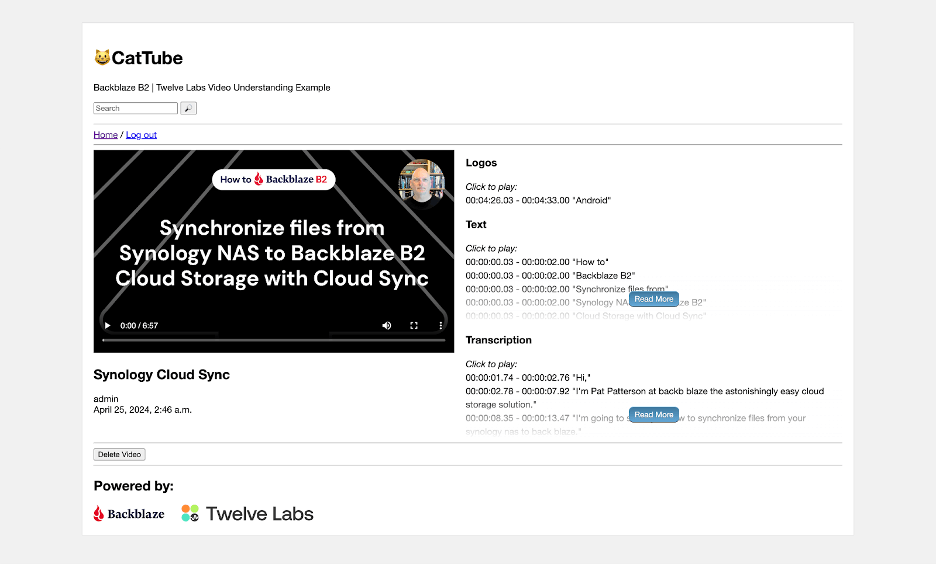
The sample app is written in Python, using JavaScript for its front end, the Django web framework for its backend, the Huey task queue for managing long-running tasks, and the Twelve Labs Python SDK to interact with the Twelve Labs platform. A simple web UI allows the user to upload videos to the private bucket, browse uploaded videos, submit them for indexing, view the resulting transcription, logos, etc., and search the indexed videos.

Most of the application code is concerned with rendering the web UI; very little code is required to interact with Twelve Labs.

Configuration

The Django settings.py file defines a constant for the Twelve Labs index ID and creates an SDK client object using the Twelve Labs API key. Note that the app reads the index ID and API key from environment variables, rather than including the values in the source code. Externalizing the index ID as an environment variable allows more flexibility in deployment while, of course, you should never include secrets such as passwords or API keys in source code!

TWELVE_LABS_INDEX_ID = os.environ['TWELVE_LABS_INDEX_ID']
TWELVE_LABS_CLIENT = TwelveLabs(api_key=os.environ['TWELVE_LABS_API_KEY'])

Startup

When the web application starts, it validates the index ID and API key by retrieving details of the index. This is the relevant code, in apps.py:

index = TWELVE_LABS_CLIENT.index.retrieve(TWELVE_LABS_INDEX_ID)

If this API call fails, then the app prints a suitable diagnostic message identifying the issue.

Indexing

When a web application needs to perform an action that takes more than a few seconds to complete—for example—indexing a set of videos, it typically starts a background task to do the work, and returns an appropriate response to the user. The sample app follows this pattern: when the user selects one or more videos and hits the Index button, the web app starts a Huey task, do_video_indexing(), passing the IDs of the selected videos, and returns the IDs to the JavaScript front end. The front end can then show that the indexing tasks have started, and poll for their current status.

Here’s the code, in tasks.py, for submitting the videos for indexing.

# Create a task for each video we want to index
for video_task in video_tasks:
    task = TWELVE_LABS_CLIENT.task.create(
        TWELVE_LABS_INDEX_ID,
        url=default_storage.url(video_task['video']),
        disable_video_stream=True
    )
    print(f'Created task: {task}')
    video_task['task_id'] = task.id

Notice the call to default_storage.url(). This function, implemented by the django-storages library, takes as its argument the path to the video file, returning the presigned URL. The default expiry period is one hour.

Once the videos have been submitted, do_video_indexing() polls for the status of each indexing task until all are complete. Most of the code is concerned with minimizing the number of calls to the API, and saving status to the app’s database; getting the status of a task is simple:

task = TWELVE_LABS_CLIENT.task.retrieve(video_task['task_id'])

The task object’s status attribute is a string with a value such as validating, indexing, or ready. When the task reaches the ready status, the task object also includes a video_id attribute, uniquely identifying the video within the Twelve Labs platform. At this point, do_video_indexing() calls a helper function that retrieves the thumbnail, transcript, text, and logos and stores them in Backblaze B2.

Retrieving Video Data

Here’s the call to retrieve the thumbnail:

thumbnail_url = TWELVE_LABS_CLIENT.index.video.thumbnail(TWELVE_LABS_INDEX_ID, video.video_id)

The helper function creates a path for the thumbnail file from the video ID and the file extension in the returned URL, and saves the thumbnail to Backblaze B2:

default_storage.save(thumbnail_path, urlopen(thumbnail_url))

Again, django-storages is doing the heavy lifting. We use urlopen(), from the urllib.request module, to open the thumbnail URL, providing default_storage.save() with a file-like object from which it can read the thumbnail data.

The calls to retrieve transcript, text, and logo data have a slightly different form, for example:

video_data = TWELVE_LABS_CLIENT.index.video.transcription(TWELVE_LABS_INDEX_ID, video.video_id)

Each call returns a list of VideoValue objects, each VideoValue object comprising a start and end timecode (in seconds) and a value specific to the type of data; for example, a fragment of the transcription. We serialize each list to JSON and save it as a file in Backblaze B2.

When the user navigates to the detail page for a video, JavaScript reads each dataset from Backblaze B2 and renders it into the page, allowing the user to easily navigate to any of the data items.

Searching the Index

When the user enters a query and hits the search button, the backend calls the Twelve Labs Search API, passing the query text, and requesting results for all four sources of information. We set group_by to video since we want to show the results by video, and set the confidence threshold to medium to improve the relevance of the results. From VideoSearchView in views.py:

results = TWELVE_LABS_CLIENT.search.query(
    TWELVE_LABS_INDEX_ID,
    query,
    ["visual", "conversation", "text_in_video", "logo"],
    group_by="video",
    threshold="medium"
)

By default, the query() call returns a page of 10 results in result.data, so we loop through the pages using next(result) to fetch pages of search results as necessary. Each individual search result includes start and end timecodes, confidence, and the type of match (visual, conversation, text, or logo).

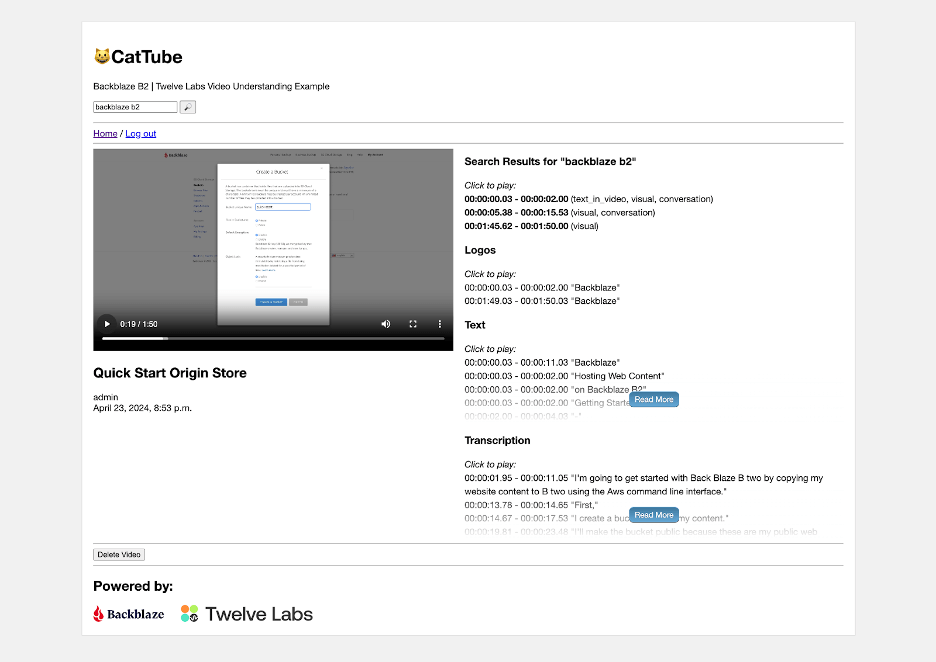
In the web UI, the user can click through to the results for a given video, then click an individual search result to view the matching video clip.

Getting Started with Backblaze B2 and Twelve Labs

Backblaze B2 Cloud Storage is a great choice for storing video to index with Twelve Labs; free egress each month for up to three times the amount of data you’re storing means that you can submit your entire video library to the Twelve Labs platform without worrying about data transfer charges, and unlimited free egress to our CDN partners reduces the costs of distributing video content to end users.

Click here to create a Backblaze B2 account, if you don’t already have one. Your first 10GB of storage is free, no credit card required. If you’re an enterprise that wants to run a larger proof of concept, you can always reach out to our Sales Team. You don’t need to write any code to upload video files or create presigned URLs, and you can use the Backblaze web UI to upload files up to 500MB, or any of a wide variety of tools to upload files up to 10TB, including the AWS CLI, rclone and Cyberduck. Select S3 as the protocol to be able to create presigned URLs.

Similarly, click here to sign up for Twelve Labs’ Free plan. With it, you can index up to 600 minutes of video, again, no credit card required. Python and Node.js developers can use one of the Twelve Labs SDKs, while the Twelve Labs API documentation includes code examples for a wide range of other programming languages.

The post AI Video Understanding in Your Apps with Twelve Labs and Backblaze appeared first on Backblaze Blog | Cloud Storage & Cloud Backup
Use AWS Glue Data Catalog views to analyze data

Post Syndicated from Leonardo Gomez original https://aws.amazon.com/blogs/big-data/use-aws-glue-data-catalog-views-to-analyze-data/

In this post, we show you how to use the new views feature the AWS Glue Data Catalog. SQL views are a powerful object used across relational databases. You can use views to decrease the time to insights of data by tailoring the data that is queried. Additionally, you can use the power of SQL in a view to express complex boundaries in data across multiple tables that can’t be expressed with simpler permissions. Data lakes provide customers the flexibility required to derive useful insights from data across many sources and many use cases. Data consumers can consume data where they need to across lines of business, increasing the velocity of insights generation.

Customers use many different processing engines in their data lakes, each of which have their own version of views with different capabilities. The AWS Glue Data Catalog and AWS Lake Formation provide a central location to manage your data across data lake engines.

AWS Glue has released a new feature, SQL views, which allows you to manage a single view object in the Data Catalog that can be queried from SQL engines. You can create a single view object with a different SQL version for each engine you want to query, such as Amazon Athena, Amazon Redshift, and Spark SQL on Amazon EMR. You can then manage access to these resources using the same Lake Formation permissions that are used to control tables in the data lake.

Solution overview

For this post, we use the Women’s E-Commerce Clothing Review. The objective is to create views in the Data Catalog so you can create a single common view schema and metadata object to use across engines (in this case, Athena). Doing so lets you use the same views across your data lakes to fit your use case. We create a view to mask the customer_id column in this dataset, then we will share this view to another user so that they can query this masked view.

Prerequisites

Before you can create a view in the AWS Glue Data Catalog, make sure that you have an AWS Identity and Access Management (IAM) role with the following configuration:

  • The following trust policy:
    {
      "Version": "2012-10-17",
      "Statement": [
        {
          "Effect": "Allow",
          "Principal": {
            "Service": [
               "glue.amazonaws.com",
               "lakeformation.amazonaws.com"
            ]
          },
          "Action": "sts:AssumeRole"
        }
      ]
    }

  • The following pass role policy:
    {
      "Version": "2012-10-17",
      "Statement": [
        {
          "Sid": "Stmt1",
          "Action": [
            "iam:PassRole"
          ],
          "Effect": "Allow",
          "Resource": "*",
          "Condition": {
             "StringEquals": {
               "iam:PassedToService": [
                 "glue.amazonaws.com",
                 "lakeformation.amazonaws.com"
               ]
             }
           }
         }
       ]
    }

  • Finally, you will also need the following permissions:
    • "Glue:GetDatabase",
    • "Glue:GetDatabases",
    • "Glue:CreateTable",
    • "Glue:GetTable",
    • "Glue:UpdateTable",
    • "Glue:DeleteTable",
    • "Glue:GetTables",
    • "Glue:SearchTables",
    • "Glue:BatchGetPartition",
    • "Glue:GetPartitions",
    • "Glue:GetPartition",
    • "Glue:GetTableVersion",
    • "Glue:GetTableVersions"

Run the AWS CloudFormation template

You can deploy the AWS CloudFormation template glueviewsblog.yaml to create the Lake Formation database and table. The dataset will be loaded into an Amazon Simple Storage Service (Amazon S3) bucket.

For step-by-step instructions, refer to Creating a stack on the AWS CloudFormation console.

When the stack is complete, you can see a table called clothing_parquet on the Lake Formation console, as shown in the following screenshot.

Create a view on the Athena console

Now that you have your Lake Formation managed table, you can open the Athena console and create a Data Catalog view. Complete the following steps:

  1. In the Athena query editor, run the following query on the Parquet dataset:
SELECT * FROM "clothing_reviews"."clothing_parquet" limit 10;

In the query results, the customer_id column is currently visible.

Next, you create a view called hidden_customerID and mask the customer_id column.

  1. Create a view called hidden_customerID:
CREATE PROTECTED MULTI DIALECT VIEW clothing_reviews.hidden_customerid SECURITY DEFINER AS 
SELECT * FROM clothing_reviews.clothing_parquet

In the following screenshot, you can see a view called hidden_customerID was successfully created.

  1. Run the following query to mask the first four characters of the customer_id column for the newly generated view:
ALTER VIEW clothing_reviews.hidden_customerid UPDATE DIALECT AS
SELECT '****' || substring(customer_id, 4) as customer_id,clothing_id,age,title,review_text,rating,recommend_ind,positive_feedback,division_name,department_name,class_name 
FROM clothing_reviews.clothing_parquet

You can see in the following screenshot that the view hidden_customerID has the customer_id column’s first four characters masked.

The original table clothing_parquet remains the same unmasked.

Grant access of the view to another user to query

Data Catalog views allow you to use Lake Formation to control access. In this step, you grant this view to another user called amazon_business_analyst and then query from that user.

  1. Sign in to the Lake Formation console as admin.
  2. In the navigation pane, choose Views.

As shown in the following screenshot, you can see the hidden_customerid view.

  1. Sign in as the amazon_business_analyst user and navigate to the Views page.

This user has no visibility to the view.

  1. Grant permission to the amazon_business_analyst user from the data lake admin.
  1. Sign in again as amazon_business_analyst and navigate to the Views page.

  1. On the Athena console, query the hidden_customerid view.

You have successfully shared a view to the user and queried it from the Athena console.

Clean up

To avoid incurring future charges, delete the CloudFormation stack. For instructions, refer to Deleting a stack on the AWS CloudFormation console.

Conclusion

In this post, we demonstrated how to use the AWS Glue Data Catalog to create views. We then showed how to alter the views and mask the data. You can share the view with different users to query using Athena. For more information about this new feature, refer to Using AWS Glue Data Catalog views.


About the Authors

Leonardo Gomez is a Principal Analytics Specialist Solutions Architect at AWS. He has over a decade of experience in data management, helping customers around the globe address their business and technical needs. Connect with him on LinkedIn

Michael Chess – is a Product Manager on the AWS Lake Formation team based out of Palo Alto, CA. He specializes in permissions and data catalog features in the data lake.

Derek Liu – is a Senior Solutions Architect based out of Vancouver, BC. He enjoys helping customers solve big data challenges through AWS analytic services.

[$] Another push for sched_ext

Post Syndicated from corbet original https://lwn.net/Articles/972710/

The extensible scheduler class (or “sched_ext”) is a comprehensive
framework that enables the implementation of CPU schedulers as a set of BPF
programs that can be loaded at run time. Despite having attracted a fair
amount of interest from the development community, sched_ext has run into
considerable opposition and seems far from acceptance into the mainline.
The posting by Tejun Heo of a new
version of the sched_ext series
at the beginning of May has restarted
this long-running discussion, but it is not clear what the end result will
be.

How to enforce a security baseline for an AWS WAF ACL across your organization using AWS Firewall Manager

Post Syndicated from Omner Barajas original https://aws.amazon.com/blogs/security/how-to-enforce-a-security-baseline-for-an-aws-waf-acl-across-your-organization-using-aws-firewall-manager/

Most organizations prioritize protecting their web applications that are exposed to the internet. Using the AWS WAF service, you can create rules to control bot traffic, help prevent account takeover fraud, and block common threat patterns such as SQL injection or cross-site scripting (XSS). Further, for those customers managing multi-account environments, it is possible to enforce security baselines for AWS WAF access control lists (ACLs) across the whole organization by using AWS Firewall Manager.

In a previous AWS Security Blog post, there is a good explanation about how to create Firewall Manager policies to deploy AWS WAF ACLs across multiple accounts. In addition, this AWS Architecture Blog post goes deeper, describing operating models for web applications security governance in Amazon Web Services (AWS). This post will show, in a central or hybrid operating model, how to create a policy to enforce a security baseline in your AWS WAF ACLs while still allowing application administrators or developers to apply specific ACL rules for their particular use case.

Centrally manage firewall policies

It’s a common scenario that a security team in an organization wants to implement a security baseline, consisting of a set of rules, across multiple applications that are distributed in multiple accounts. Those rules are not always applicable for all workloads because different applications might have different needs for protection or exposure to the public. Furthermore, sometimes local teams responsible for managing applications have permissions to create their own rules and decide not to follow policies mandated by the organization.

AWS Firewall Manager solves this problem by allowing you to centrally configure and manage firewall policies, deploy preconfigured AWS WAF rules across your organization, and automatically enforce them in existing and newly created resources.

The following architecture diagram describes how you can design a Firewall Manager policy from a central security account, establishing a security baseline that will be enforced within other member accounts in your organization. To do so, you create a managed AWS WAF ACL with the first and last group rules not editable, but allowing a custom rule group to be modified by administrators of member accounts.

Figure 1: AWS Firewall Manager enforcing security baseline for AWS WAF

Figure 1: AWS Firewall Manager enforcing security baseline for AWS WAF

Firewall Manager delegated administrators

At the time of writing this post, Firewall Manager supports up to 10 administrators who can manage firewall resources in your organization by applying scope conditions. For example, you can define an administrator for specific accounts or even a complete organization unit (OU), AWS Region, or policy type. Using this feature, you can enforce the principle of least privilege access, in addition to assigning administrators to enforce security baselines for your AWS ACL rules across your organization in a more granular way. This delegation needs to be completed from the AWS Organizations management account, as shown in Figure 2.

Figure 2: AWS Firewall Manager administrator account delegation

Figure 2: AWS Firewall Manager administrator account delegation

Firewall Manager policies

A Firewall Manager policy contains the rule groups that will be applied to your protected resources. The service creates a web ACL in each account where the policy is enforced. Account administrators can add rules or rule groups to the resulting web ACL in addition to the rules groups defined by the Firewall Manager policy.

Rules groups

AWS WAF ACLs that are managed by Firewall Manager policies contain three sets of rules that provide a higher level of prioritization in the ACL. AWS WAF evaluates rule groups in the following order:

  1. Rule groups that are defined in the Firewall Manager policy with the highest priority
  2. Rules that are defined by the account administrator in the web ACL after the first rule group
  3. Rule groups that are defined in Firewall Manager to be evaluated at the end

Within each rule set, AWS WAF evaluates rules according to their priority settings, evaluating the rules from the lowest number up until either finds a match that terminates the evaluation or exhausts all of the rules.

Security baseline policy

Figure 3 shows an example of a Firewall Manager policy that will serve as the security web ACL baseline across your organization. This policy should be created in a delegated administrator acco­­unt and enforced across all or specific accounts in your organization where the administrator has permissions. Refer to the service documentation for additional guidance on setting up this type of policy.

Figure 3: AWS Firewall Manager policy rules acting as the security baseline

Figure 3: AWS Firewall Manager policy rules acting as the security baseline

First rule group

The first rule group in the policy will contain the following:

  • Organization-level blocked list – Known bad IP addresses by organization.
  • AWS IP reputation list – Recommended AWS managed rules for IP addresses with a bad reputation.
  • AWS Anonymous IP list – Recommended AWS managed rules for anonymous IP addresses.
  • Organization-level rate limit – A high-level rate limit defined by the organization.

Last rule group

The last rule group in the policy will contain the following:

  • Organization-level allowed list – Even if these are well-known IP addresses, they still need to be evaluated against the set of rules enforced by the organization and specific rules per application. If a “good” IP address is supplanted, it might hide the real source identity, bypassing AWS WAF rules.
  • AWS bot control – Recommended if you want to enforce bot control across your organization or a set of accounts managed by an administrator.

This configuration will allow individual account administrators to define and include their own rules to protect applications based on specific use cases and the expected number of requests.

When designing your own security baselines, take into consideration that some managed rules, such as bot control, might have additional cost, and enforcing them across your organization would increase the overall cost of the service.

Policy scope

The policy scope for your security baseline defines where the policy applies. It can apply to all accounts and resources in your organization or just a subset of accounts and resources. Based on the settings selected, Firewall Manager will apply policy for accounts in scope by using the following options:

  1. All accounts in your organization
  2. Only a specific list of accounts and organization units
  3. All accounts and OUs except a specific list of those to exclude

On the other hand, when selecting the scope for resources, you can use the following options:

  1. All resources
  2. Resources that have all of the specified tags
  3. All resources except those that have all the specified tags

For delegated administrators, scope definition will apply only for accounts, Regions, or OUs defined during the delegation process. Figure 4 shows an example of the scope definition for a policy.

Figure 4: Firewall Manager scope definition

Figure 4: Firewall Manager scope definition

Use case–specific rule groups

Figure 5 is an example of a specific use case, where AWS WAF administrators in a member account within the Firewall Manager policy scope want to protect their web application by using the following rules.

Figure 5: Web ACL managed by Firewall Manager containing rules in a member account

Figure 5: Web ACL managed by Firewall Manager containing rules in a member account

Middle rule group

The middle rule group is configured in each account within the ACL deployed by Firewall Manager. The examples from Figure 5 are rules oriented to apply protection that is specific for the application where the ACL is assigned:

  • App-level blocked list – Known IP addresses blocked by the administrator.
  • App-level rate limit – The rate limit supported by the application.
  • Core rule set – The recommended rule set, focused on OWASP Top Ten vulnerabilities.
  • Technology-specific protection – An example for PHP applications.
  • App-level allowed list – Well-known IP addresses that still need to be evaluated against some rules but bypass others, such as fraud prevention.
  • Account takeover prevention – This managed rule needs specific configuration per application to work as expected. However, it is recommended that you use it after the bot control managed rule to optimize cost. Take that into consideration when building your own security baseline.

This rule group will be second priority between the first and the last rule groups coming from the Firewall Manager policy. This configuration provides account administrators the ability to design their set of rules to cover the specific use case for their application and also the possibility to override rules evaluated in a lower priority (last rule group). For example, having a higher rate limit in the app-level rule than the org-level rule would have no impact on the traffic being filtered, since the org-level rule in the first group of the policy will have priority. However, having more granular bot control rules at the app-level will supersede the org-level rules contained in the last group of the policy. Take that logic into consideration when you decide which rules need to be in the first and last groups of your Firewall Manager policies.

Recommended approach for testing

Before you deploy your web ACL implementation for production, test and tune it in a staging or testing environment until you are comfortable with the potential impact on your traffic. Then, test and tune the rules in count mode with your production traffic before enabling them.

  1. Prepare the environment for testing:
    1. Enable logging and web request sampling for your ACL.
    2. Set the protection to count mode.
    3. Associate the ACL with a resource.
  2. Monitor and tune in the test environment:
    1. Monitor traffic and rules matching by using logs, metrics, the dashboard, or sampled requests.
    2. Configure mitigation rules such as false positive, matching, scope-down, and label match.
  3. Enable protection in production:
    1. Remove any additional rules that are no longer needed.
    2. Enable rules in production accounts.
    3. Closely monitor your application behavior to be sure requests are being handled as expected.

Cleanup

To avoid unexpected charges in your accounts, delete any unnecessary policies and resources. You can do that from the console by following these steps.

  1. On the Firewall Manager policies page, choose the radio button next to the policy name, and then choose Delete.
  2. In the Delete confirmation box, select Delete all policy resources, and then choose Delete again.

AWS WAF removes the policy and any associated resources, like web ACLs, that it created in your account. The changes might take a few minutes to propagate to all accounts.

Conclusion

By using Firewall Manager, you can take advantage of native cloud features to enforce security baseline configurations for your AWS WAF rules in a multi-account environment across your organization. It is possible to centrally design policies with broad rule groups to protect workloads from a high-level perspective while allowing application administrators to design custom rules to protect, for instance, web applications from specific use cases such as OWASP Top Ten or technology-related vulnerabilities.

The examples provided in this post can be further customized and adapted to align with your organization’s needs. Design policies to comply with security requirements and specific use cases to protect your workloads.

If you want to learn more, visit the Automations for AWS Firewall Manager webpage, which provides a solution with preset rules to create a quick security baseline to protect against distributed denial of service (DDoS).

 
If you have feedback about this post, submit comments in the Comments section below. If you have questions about this post, contact AWS Support.

Want more AWS Security news? Follow us on X.

Omner Barajas

Omner Barajas

Omner is a senior security specialist solutions architect based in Mexico, supporting customers in LATAM. He usually collaborates with account teams to help clients accelerate cloud adoption and improve security posture for their workloads, resolving complex technical challenges related to cybersecurity and compliance with international standards and regulations.

Security updates for Thursday

Post Syndicated from jake original https://lwn.net/Articles/973071/

Security updates have been issued by AlmaLinux (ansible-core, avahi, bind, buildah, containernetworking-plugins, edk2, fence-agents, file, freeglut, freerdp, frr, git-lfs, gnutls, golang, grafana, grafana-pcp, gstreamer1-plugins-bad-free, gstreamer1-plugins-base, gstreamer1-plugins-good, harfbuzz, httpd, ipa, libjpeg-turbo, libnbd, LibRaw, libreswan, libsndfile, libssh, libtiff, libvirt, libX11, libXpm, mingw components, mingw-glib2, mingw-pixman, mod_http2, mod_jk and mod_proxy_cluster, motif, mutt, openssl and openssl-fips-provider, osbuild-composer, pam, pcp, perl, pmix, podman, python-jinja2, python-jwcrypto, python3.11, python3.11-cryptography, python3.11-urllib3, qemu-kvm, qt5-qtbase, runc, skopeo, sssd, systemd, tcpdump, tigervnc, toolbox, webkit2gtk3, xorg-x11-server, xorg-x11-server-Xwayland, and zziplib), CentOS (firefox, grub2, kernel, squid, thunderbird, tigervnc, and xorg-x11-server), Debian (chromium, glib2.0, python-idna, webkit2gtk, and wordpress), Fedora (freerdp, freerdp2, and pypy), Mageia (chromium-browser-stable, exfatprogs, freeglut, libtiff, libvirt, libxml2, openpmix, php-tcpdf, ruby, tpm2-tools, tpm2-tss, traceroute, and zziplib), Oracle (bind, buildah, git-lfs, gnutls, golang, grafana, grafana-pcp, libreswan, libvirt, libxml2, mod_http2, podman, python-jwcrypto, skopeo, sssd, and tigervnc), Red Hat (nodejs:18, nodejs:20, and squid:4), and SUSE (avahi, ghostscript, go1.21, go1.22, python-pymongo, python-Werkzeug, and sssd).

Layered Defense to Stop Attacks Before they Begin

Post Syndicated from Dina Durutlic original https://blog.rapid7.com/2024/05/09/layered-defense-to-stop-attacks-before-they-begin/

Layered Defense to Stop Attacks Before they Begin

Ransomware has evolved from opportunistic attacks to highly orchestrated campaigns driven by cyber criminals who are seeking high financial gains.

Ransomware-as-a-Service has increased due to its lowered barrier to entry, allowing even those with limited technical expertise to launch devastating attacks with relative ease. Big game hunting has made a comeback, targeting high-value organizations – such as large enterprises – to maximize ransom payouts. The introduction of triple extortion represents a chilling escalation in tactics and demands. Attackers will encrypt files and demand payment for their decryption not just once, twice, but sometimes three times. Malicious actors execute additional attacks to coerce victims into giving more money or forcing them to comply with the attacker.

Security teams understandably have a lot that keeps them up at night, but that’s where a trusted partner can help! We’re excited to announce the expansion of our leading managed detection and response (MDR) service, Managed Threat Complete, to include Ransomware Prevention.

Rapid7’s Ransomware Prevention provides a robust, patented preemptive solution to stop attacks before they begin. Coupled with the expertise of the Rapid7 MDR team, this additional layer of protection now extends comprehensive coverage end to end.

Don’t Give Malware a Chance with Ransomware Prevention

Ransomware Prevention provides security teams a robust solution leveraging Minerva technology to stop attacks before they begin. This patented technology is an additional layer of protection on the endpoint designed to disrupt malicious actors and prevent ransomware attacks. It provides customers with dedicated ransomware prevention engines that reinforce at each stage of an attack to strengthen defenses and minimize exposure.

Layered Defense to Stop Attacks Before they Begin

Full Coverage from a Single, Trusted Partner

Leveraging this new functionality, we take a more proactive approach to security operations. By unifying relevant exposure management, external threat intelligence, and now prevention capabilities, we are able to get ahead of risk and eliminate breaches earlier.

With Rapid7, customers can feel confident they are covered before, during, and after an attack. Our team of industry experts not only provides transparent service, but they also drastically reduce the risk of ransomware actors succeeding by mitigating attacks in early stages prior to ransomware deployment.

Our Incident Response team spends far fewer hours per incident than the industry average due to:

  • Continuous monitoring through MDR
  • Rapid remote containment of minor incidents
  • Early detection of events
  • Remediation support through the SOC and Customer Advisors

Differentiating on the Endpoint

Rapid7 is continuously working with our customers with the goal of providing differentiated endpoint solutions and capabilities. You can learn more about how Rapid7 protects endpoints here.

По буквите: Ю Хуа, Карабашлиев, Попов

Post Syndicated from Зорница Христова original https://www.toest.bg/po-bukvite-yu-hua-karabashliev-popov/

„Китай в 10 думи“ от Ю Хуа

По буквите: Ю Хуа, Карабашлиев, Попов

превод от китайски Стефан Русинов, Пловдив: изд. „Жанет 45“, 2024

Възможно ли е да разкажем история, в която не сме морално безукорни?
Например история, в която – макар и деца – харесваме един масов убиец, потънали сме изцяло в култа към личността му?

Можем ли да разкажем как сме бързали към мястото на екзекуцията на някой невинен, за да изпреварим тълпата? Да опишем краткия път от набеждаването до смъртта, до опозоряването, да опишем как това е сполетяло бащата на наш съученик и за малко е отминало собствения ни баща (с цената на публична семейна самокритика), да опишем всичко това „пред чужденците“ – и да не се самопоставим в ролята на жертва?

Китайският писател Ю Хуа го прави. Поставил си задачата да опише

Китай „в десет думи“ – народ, лидер, четене, писане, Лу Сюн, неравенство, революция, низовци, менте, баламосване –

той замества дефиницията на всяка от тях със серия от истории.

В „Народ“ описва как като малък е направил „откритието“, че „председателят Мао е народът и народът е председателят Мао“ – и полусмешните перипетии как страдал, че първо не му давали да го повтаря, а после не му признавали авторството. До истинското усещане за „народ“ по време на студентските вълнения на „Тиананмън“ – и липсващата днешна памет за тях.

В „Лидер“ се разказва как Мао участвал в ритуално преплуване на река – и как неговото „помахване по хавлия“ се запечатало в съзнанието на хората, за разлика от всички днешни „лидерства“ в света на технологиите, перилните препарати и какво ли не още. Погледнато отстрани, изглежда абсурдистко; напушва те смях при представата за тавана на стаята, облепен с вестници, от които ежедневно те гледат огромни портрети на вожда. Звучи абсурдистко, докато не си спомниш за Георги Димитров и образа му в „Работническо дело“ или пък за „димитровската“ организация „Септемврийче“. 

По буквите: Ю Хуа, Карабашлиев, Попов

А Ю Хуа продължава да разказва. Разказва например за липсата на книги по време на Културната революция – как всичко освен Мао и любимия му писател било обявено за реакционно и как по случайност попаднал на неизмеримо богатство – книга на същия този Лу Сюн, но с бележки под линия, които разкривали необичаен, различен свят (докато се смея, се сещам как разни книги се появиха препечатани „под индиго“ в първите години на перестройката). А източник на любовни истории се оказват саморъчно направените плакати, с които бдителни граждани разобличават разни прелюбодейци. Анекдотично? Може би, но не и непредставимо, ако сте виждали глад за клюки в малка общност.

А историите продължават – и никоя от тях не е непредставима, не само по хоризонталните линии на общата комунистическа история. Защото Ю Хуа прави още по-смела връзка: той демонстрира, че срез, прекъсване, край и тотално ново начало няма не само в географията, а и в историята. Тоест той отказва да представи Културната революция като явление от екзотичната страна на миналото, като нещо несводимо с днешен Китай и неговото икономическо чудо. Напротив, той казва, че едното и другото имат обща същина – и само различни проявления. Че това е същата енергия, която се е разляла по други канали. Доста смелост и писателска проницателност се искат, за да пишеш така.

„Рана“ от Захари Карабашлиев

София: изд. „Сиела“, 2023

Романът „Рана“ има за цел да възстанови изтритата история на Добруджа, по-точно неудобната история на боевете за Добруджа по време на Първата световна война. Веднага казвам, че тази тема е персонално важна за мен; още повече че протагонистът на книгата е бежанец от Одринска Тракия, също като моя прадядо.

За историята на Добруджа в училище не сме учили нищо – от това се подразбираше, че и нищо не се е случило, което моят детски ум си обясняваше с липсата на планини, в които да се крият шумкари. Разбира се, голямото изключение е Йовков, който има изключително подробни описания, включително на социалната тъкан на собствения ми град; но военните разкази, които се учеха („Последна радост“), не внасяха особени нюанси в познанията ни по политическа история. Врагът беше… зададеният по условие в цялата историческа парадигма, тоест турците.

Война, в която враг са румънци и руснаци, а съюзници са германци и турци, не се учеше. Отгласи от ожесточеността на тази война видях едва по-късно, когато от любопитство изчитах в интернет историята на селата, през които бях минавала безброй пъти, и внезапно се оказваше, че населението на „скучния“ Стожер е било избито почти до крак. Разбира се, устно разказани спомени се срещаха обилно, но по-късни, от обмена на населението след освобождението на Южна Добруджа. Причината цялата тази история да бъде изличена е проста – комунистическа България, както и комунистическа Румъния са сателити на СССР, така че не може да се разкаже сюжет, в който те да са врагове.

Целта на „Рана“ на Захари Карабашлиев е да запълни липсата на този разказ. Тоест да използва жанра на историческата фикция, за да излекува колективната амнезия и да даде на националното въображение запомнящ се сюжет, с който боевете за Добруджа да станат част от българската представа за миналото. Това е извънредно амбициозна задача, бих казала – архетипната задача в българската литература от Вазов насам.

По буквите: Ю Хуа, Карабашлиев, Попов

Нейният успешен изход обаче е свързан с няколко фактора. Първо, доколко плътен, богат, убедителен е литературният материал. А тази плътност като че ли не търпи прекалена идеализация, нито прекалена пасторалност в одринските села, нито пък накъдреност на градския образ на софийското студентство. Не знам и доколко моделът „детето пита – възрастният се замисля“ е достатъчен за въвеждане на толкова страници „родови контекст“ за героя.

Другото, което бих пожелала, е по-убедителен противник. Периодично книгата „обръща“ гледната точка, за да ни разкаже как вижда нещата един румънски офицер – само дето неговата морална оценка практически не се различава от българската. В неговите очи българите са успели, защото са се били на своя земя за своя земя. Тоест ние си представяме враг, който си представя (и приема) нашата гледна точка. Това може и да е възможно, но не води до реално многогласие на романа.

Това, разбира се, ни най-малко не означава, че не стискам палци на книгата

Изличаването на историческата памет е тема, която е твърде болезнена – особено на фона на международните политически събития, които връщат в обращение изрази като „съда на историята“.

Изтриването на страници от тази история значи, че този съд също е подкупен, податлив на натиск – тогава какво? Лечението от колективна посттравматична амнезия не е лесна работа: ако историята е твърде сложна, няма да има масов ефект; ако е твърде проста, няма да е вярна.

„Лични спомени от живота и дейността на Яни Д. Рододарович от Лозенград“ от Иван Н. Попов

София, 1928 г.

Третата книга, за която искам да разкажа, не отговаря на правилото да е публикувана през последната година. Отклонението е, меко казано, безсрамно: „Лични спомени от живота и дейността на Яни Д. Рододарович от Лозенград“ е излязла през 1928 г., тоест преди 96 години. Автор е някой си Иван Н. Попов, а неговата идея е приблизително същата – да спаси една част от българската колективна история от забрава.

По буквите: Ю Хуа, Карабашлиев, Попов

Иван Н. Попов има предимството да скицира от натура; и понеже няма никаква литературна претенция – да не додава много литературни модели, а да описва онова, което самия него го е впечатлило.

И каква смешна и пъстра картина на Одринска Тракия се е получила!

В нея виждаме самия Рододарович, пътуващ книжар, който покрай другото разпространява и патриотична литература; виждаме огромния калъф на неговото оръжие, носено, за да всява респект по пътищата, но виждаме и как при вадене то се разпада на части, защото всъщност е само практически неупотребим реквизит; чуваме къде се използва български, къде гръцки и къде турски и между кои точно езици е напрежението; виждаме войната между българските и гръцките кокони и кой при кого би отишъл на кафе; виждаме как горят резбованите врати на харема, хвърлени на огъня от разквартируваните в конака руски части.

Виждаме, през сълзи и смях, историята на местния поп, който първо участвал в таен революционен комитет, после задигнал парите, после се помохамеданчил и оженил за богата ханъма, после задигнал и нейните пари и избягал в Цариград; пък накрая, след пристигането на българските войски по време на Балканската война, решил да си изпроси пенсия като революционер, препатил повече от всички останали – нали по стечение на обстоятелствата се наложило да бъде обрязан… Неподправеното богатство на лозенградската история, предадено от Иван Н. Попов, съдържа очарованието на устния разказ и онази смесица от смях и трагизъм, от високо и ниско, която прозира и в най-добрите страници от нашата революционно-историческа класика. А явно и в самата тъкан на историята.

„Лични спомени от живота и дейността на Яни Д. Рододарович от Лозенград“ може да се намери в „Книжен пазар“ и в Националната библиотека.


 Активните дарители на „Тоест“ получават постоянна отстъпка в размер на 20% от коричната цена на всички заглавия от каталозите на „Жанет 45“ и няколко други български издателства в рамките на партньорската програма Читателски клуб „Тоест“. За повече информация прочетете на toest.bg/club.

В емблематичната си колонка, започната още през 2008 г. във в-к „Култура“, Марин Бодаков ни представяше нови литературни заглавия и питаше с какво точно тези книги ни променят. Вярваме, че е важно тази рубрика да продължи. От човек до човек, с нова книга в ръка.

До Болоня и назад – с „радост, тъга и надежда“

Post Syndicated from original https://www.toest.bg/do-bolonya-i-nazad/

Разговор със Свобода Цекова и Антон Стайков

До Болоня и назад – с „радост, тъга и надежда“

Антон Стайков и Свобода Цекова работят в сферата на визуалните изследвания и дизайна. Те са автори и куратори на няколко отличени книги и изложби, между които „Българският буквар. 200 години в първи клас“ (2015) и „Отвъд картините. За изкуството и живота на Борис и Славка Деневи“ (2021). Автори са и на концепцията и дизайна на българския павилион и изложбата на илюстраторите на 61-вия Международен панаир на детската книга в Болоня. Това е и поводът да разговаряме с тях.

Каква беше книжната селекция тази година и на какъв принцип се основаваше изборът на автори?

Антон Стайков: Книжната селекция направиха Вал Стоева, Зорница Христова и Кристина Тужарова. Тя включва заглавия от последните десет години, селекция с нови книги, както и такива, влезли през годините в селекцията на Тhe White Ravens.

За съжаление, не се размина и без лек скандал – от Асоциация „Българска книга“ (АБК) възразиха официално именно срещу кураторския принцип при подбора. Макар и да сте подизпълнители и да нямате пряка връзка с конфликта, все пак може би имате поглед – как и дали се разреши в крайна сметка той?

Антон Стайков: Не можем да говорим за динамиките в АБК, защото просто нямаме вътрешен поглед. Бяхме поканени от организаторите – Асоциация „Книжовност и култура“, за да направим нещо съвсем конкретно, а именно да бъдем куратори на изложбата на илюстраторите и да създадем концепцията и дизайна на щанда. От самото начало в този проект селекцията е заложена като принцип на работа и като такъв той е финансиран от Национален фонд „Култура“, Министерството на културата и Столичната програма „Култура“. Това важи както за изложбата, така и за книжната селекция. Сигурно тук е добре да кажем, че всеки, приел ролята да бъде куратор, особено когато става дума за промяна на инертна практика, е поел риска да бъде атакуван.

Свобода Цекова: Когато се случи нещо толкова хубаво, е много жалко да започнем с негативен знак. Отзивите говорят, че щандът на България тази година беше успех, и то голям. Въпреки обстоятелствата той произведе планирания резултат – българските детски книги и илюстраторите им бяха забелязани, беше привлечена многобройна публика, добавеното съдържание в сайта на проекта BooksForKids.bg удължи този ефект и осигури възможности за устойчивост. Освен това беше разбита порочната традиция българските участия да имат вид на търговски сергии с някоя друга картинка, понякога с трикольор и шевица, понякога без. Щандове, които не вършат добра работа нито за имиджа на страната ни, нито за осъществяването на успешни контакти и договори.

Още с откриването започнаха положителните реакции както от страна на организаторите в Болоня, така и от представители на национални щандове, на големи и малки издателства, на художници и литературни агенти. А когато на втория ден качихме кратко видео с щанда във Facebook, се получи вълна от възторжени отзиви и в България. Между тях със сигурност е имало и негативни, но доминиращите бяха ентусиазирани.

Но е истина също така, че този „лек скандал“ отваря други важни теми и те са по-големи от участието на България в книжните панаири по света и конкретно в Болоня. Теми като тези за идентичността, експертността, дългосрочните културни политики на страната ни. И не на последно място – темата за вкуса…

Разкажете ни малко повече за концепцията на щанда.

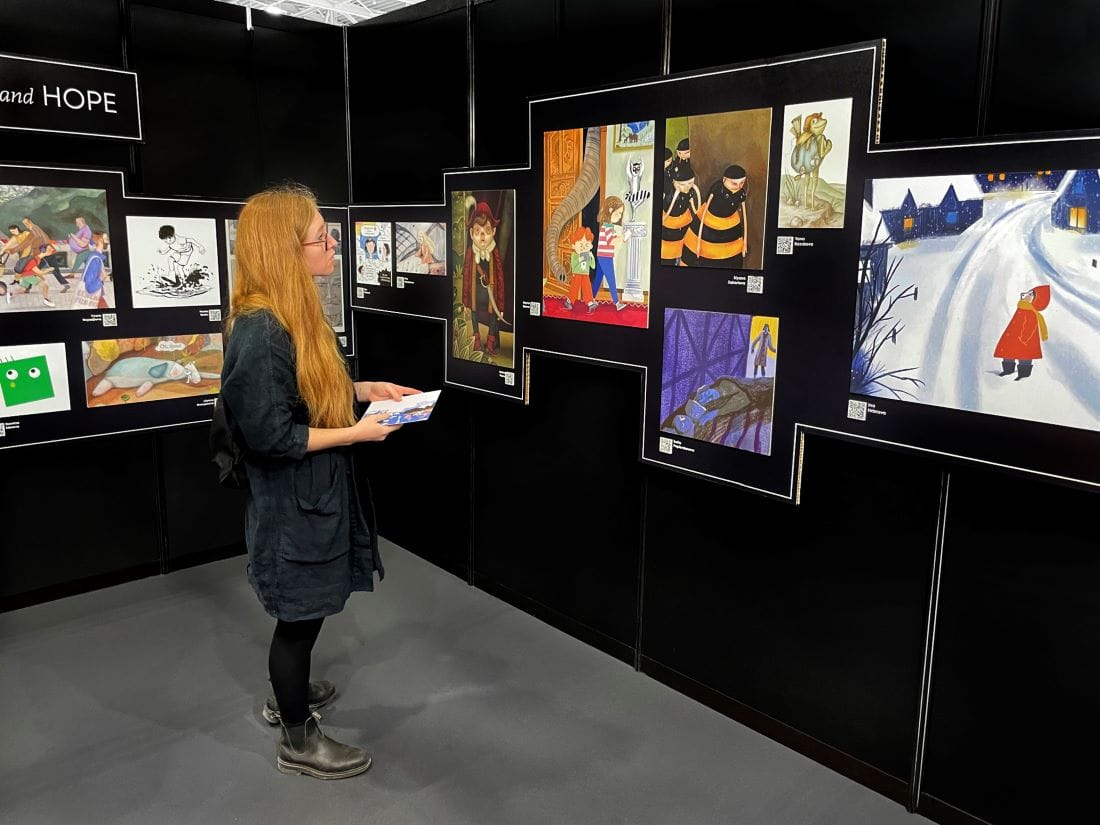
Свобода Цекова: Съобразно ограниченията на бюджета измислихме максимално икономична, сдържана, но ефикасна формула за представяне на продуктите и за функционална комуникация с издателите и гостите на панаира. Всички елементи бяха изработени в България и пренесени в Болоня. За монтажа на място бяхме целият малък, но мотивиран екип. Разполагахме с 64 кв.м и с наличната модулна система на панаира. Взехме решение да работим с черна основа, така че книгите и илюстрациите да бъдат акцент. Разделихме пространството на щанда в три основни зони, като ги планирахме така, че да си взаимодействат. Вляво – книжната селекция с масите за срещи, вдясно – изложбата, отново с място за сядане и разглеждане на 25-те книги, от които бяха фрагментите в изложбата. Между тези две зони стоеше модул с българските книги, влезли през годините в престижната книжна селекция The White Ravens, класически български издания, повечето от 70-те.

В средата на павилиона, до info point, където бяха и каталозите, направихме голямоформатна композиция с мечето на Кирил Златков от „Когато искам да мълча“ – една, според нас, от най-хубавите илюстровани книги през последните години, и лястовичето от „Майчина сълза“ на Любен Зидаров, белязала няколко поколения български деца. Тези многократно увеличени, изрязани картонени фрагменти, алюзия за поп-ъп книжка или детски хартиен театър, бяха сърцето на щанда. Към тях добавихме цветни „пръчици“ – абстрактен образ за книги. В работата с текста комбинирахме блоков и серифен шрифт (от fontfabric, които станаха партньори на проекта).

Антон Стайков: Локацията на българския павилион беше в дъното на една от основните панаирни зали, но с добра видимост и подстъп откъм пиацата за събития и входа в съседство с големите павилиони на Китай и Гърция. За да уловим потока от посетители, направихме върху двете странични стени композиции от същите елементи, като към тях добавихме още две илюстрации – на Мила Янева-Табакова и Люба Халева.

В селекцията присъстваха детски книги от последните десет години. Това достатъчно дълъг период ли е за значителна трансформация в естетиката на детската книга? Какво според Вас най-вече се е променило в поднасянето на текстовете и илюстрациите, които оформят едно издание за деца?

Антон Стайков: Десет години не е дълъг период. Като световна тенденция може би промяната е в по-свободното отношение към образността. Съчетаването на всевъзможни техники, по-разнообразното композиране на илюстрациите и текста в книжното тяло. Правят се повече експериментални издания, лимитирани книги със специални хартии и печат. Като че ли и тематичният спектър е по-богат и нюансиран.

Свобода Цекова: Наблюдава се и един доста интересен феномен – илюстрацията все повече заприличва на съвременна живопис, а съвременната живопис – на илюстрация. Може би е така, защото това размиване на жанровете се случва във всички сфери на изкуството. Иначе, когато говорим за илюстровани книги (picture books) и тихи книги (silent books), все по-често художниците са и автори на книгите. И у нас също има такива примери, но не са много.

След Болоня изложбата „Радост, тъга и надежда. 25 български илюстратори на детски книги“ ще пътува и в няколко града у нас. Има ли общ почерк между подбраните имена, или напротив – те са изключително самобитни и търсени като такива?

Антон Стайков: От самото начало и в каталога, и в изложбата поясняваме, че това не е класация от типа „най-доброто от…“. Искахме селекцията да е разнообразна и нещата да стоят добре в твърде близкото си съседство на панаирния щанд. Представяме и по-малко известни имена наред с утвърдени и награждавани илюстратори. Авторите са от различни поколения, някои са учили в България по времето на социализма, други – след, трети – в специализирани академии по света.

Изложбата е изградена от увеличени фрагменти от илюстрации. Тези своеобразни аватари са композирани така, че да образуват смислови и визуални връзки помежду си. Те са един вид портали към добавеното съдържание. Под всяка илюстрация е името на художника и QR код, който отвежда към неговия индивидуален профил в сайта на проекта BooksForKids.bg с галерия, кураторски текст, техническа информация за изданието, биография и контакти на илюстратора, както и каталог за изтегляне. Има и уводно табло, което дава контекст и насочва посетителите към отделните акценти. Цялото съдържание на изложбата, каталога и сайта беше преведено на английски от Трейси Спийд. Когато имаш ограничение в броя на авторите, финалният избор не е лесен.

А можем ли да говорим за господстващ художествен стил в детската илюстрация днес – у нас и изобщо? И съществуват ли национални специфики?

Антон Стайков: Не мисля. Поне аз не бих могъл да откроя такъв. Има завръщане към естетиката от 60-те – 70-те, има завръщане към аналоговото. Някои декоративни стилове – аз ги наричам хипстърски – могат да бъдат видени масово. Обяснението ми е, че до голяма степен този занаят се е глобализирал, мрежи като Pinterest и професионалния Behance дават достъп на всеки илюстратор до всичко, което се прави днес.

Илюстраторите вече работят за издателства по цял свят. Винаги е имало цайтгайст. Но все пак, когато гледаш мексикански, бразилски или други латиноамерикански издателства, не може да не забележиш по-интензивните гами, силните контрасти, характерната за тях експресия. Такива специфики като че ли могат да се видят сред по-големи езикови територии или държави.

В случая говорим по-скоро за глобални и локални тенденции, нали така? Но какво представлява кичът в контекста на детската книга: локален феномен ли е, допустим ли е, търсен ли е дори от част от публиката, съзнателен избор на издателите ли е понякога и какво му противостои?

Антон Стайков: Това е сериозен проблем в детското книгоиздаване у нас. Има много издания, които са направени по схема и са маскирани като „харесвани от децата“. Крещящата шарена книга с глупави герои и истории не просто подценява детето, ами може и да му навреди. Първите срещи с книгите имат много други важни роли, освен да забавляват.

Криворазбраното „национално“ често присъства в такива книги, него също спокойно можем да наречем кич. Но в ситуацията на свободния пазар не може да забраним на когото и да било да издава книги само заради това, че те не ни харесват. Решението на проблема, още веднъж, е в доброто образование и в качествената оперативна критика, каквато без целенасочена държавна подкрепа няма как да просъществува.

Свобода Цекова: Ролята и отговорността на възрастните е на първо място – не е маловажно каква книга ще купиш на детето си, как ще му я представиш чрез авторитета си на родител, близък, учител. Когато критериите в едно общество са ниски, в комбинация с бедността, се отваря ниша за некачествени продукти. Някои издатели се възползват от ситуацията, други изобщо не осъзнават, че се намират в зоната на кича.

А ако говорим за послания, променила ли се е като цяло етиката на съвременните детски истории – доколко днес поуката и ясните морални координати са неизменна част от тях, така както в класическите приказки?

Свобода Цекова: Според мен сме свидетели на крайности. Има издания, които са с обидно прост релеф – като че ли децата са таргетирани единствено в ролята на обекти, подлежащи на „правилно“ възпитание. Точно на панаира в Болоня един колега издател от Канада се оплака, че политическата коректност там до такава степен е настъпила детското книгоиздаване, че вече е невъзможно да се пишат и рисуват хубави книги. Но пък точно в Болоня се вижда, че все още има много специални, многопластови детски издания – мога да дам пример с книгите на италианските издателства Topipittori и Orecchio Acerbo.

Като споменахте италианските издателства – има ли още нещо от панаирната програма, за което бихте искали да ни разкажете?

Антон Стайков: Този панаир е гигантско място за срещи и работа. И тъй като е много ясно профилиран и с дълга традиция, функционира перфектно. Достъпът до събитията е с билети и пропуски, но е ограничен за деца до 18 години, за да може да се осигури по-спокойна работна атмосфера. Всъщност цялата програма e изключително плътна. Срещи с известни автори и илюстратори, издатели, детски психолози, литературни агенти, представители на други панаири, обучения за издателски практики, преводачески ателиета. Събитията от програмата на държавата гост тази година – Словения – бяха едно изключително представяне. Много силни книги имаше на щандовете на Тайван, Китай, Мексико, Аржентина, Бразилия… И зашеметяващите малки италиански издателства, и какво ли още не…

Свобода Цекова: Както всяка година, в сравнително малкото по площ пространство, където традиционно е „висящата градина“ от номинирани и наградени книги с Bologna Ragazzi Awards (BRAW), се концентрират цялата красота и смисъл на илюстрованата детска книга.