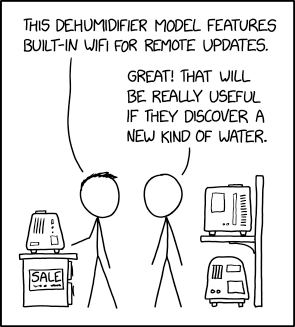
Post Syndicated from xkcd.com original https://xkcd.com/2991/

Post Syndicated from xkcd.com original https://xkcd.com/2991/

Post Syndicated from The History Guy: History Deserves to Be Remembered original https://www.youtube.com/watch?v=1QWiTSm9BvY
Post Syndicated from Rapid7 original https://blog.rapid7.com/2024/09/26/etr-multiple-vulnerabilities-in-common-unix-printing-system-cups/

On Thursday, September 26, 2024, a security researcher publicly disclosed several vulnerabilities affecting different components of OpenPrinting’s CUPS (Common Unix Printing System). CUPS is a popular IPP-based open-source printing system primarily (but not only) for Linux and UNIX-like operating systems. According to the researcher, a successful exploit chain allows remote unauthenticated attackers to replace existing printers’ IPP URLs with malicious URLs, resulting in arbitrary command execution when a print job is started from the target device.
The vulnerabilities disclosed by the researcher are:
cups-browsed <= 2.0.1. The service binds on UDP *:631, trusting any packet from any source to trigger a Get-Printer-Attributes IPP request to an attacker-controlled URL.libcupsfilters <= 2.1b1. cfGetPrinterAttributes5 does not validate or sanitize the IPP attributes returned from an IPP server, providing attacker-controlled data to the rest of the CUPS system.libppd <= 2.1b1. The ppdCreatePPDFromIPP2 API does not validate or sanitize the IPP attributes when writing them to a temporary PPD file, allowing the injection of attacker-controlled data in the resulting PPD.cups-filters <= 2.0.1. The foomatic-rip filter allows arbitrary command execution via the FoomaticRIPCommandLine PPD parameter.According to the researcher’s disclosure blog, affected systems are exploitable from the public internet, or across network segments, if UDP port 631 is exposed and the vulnerable service is listening. CUPS is enabled by default on most popular Linux distributions, but exploitability may vary across implementations. As of 6 PM ET on Thursday, September 26, Red Hat has an advisory available noting that they consider this group of vulnerabilities of Important severity rather than Critical.
We expect patches and remediation guidance to be forthcoming from affected vendors and distributions over the next few days. While the vulnerabilities are not known to be exploited in the wild at time of disclosure, technical details were leaked before the issues were released publicly, which may mean attackers and researchers have had opportunity to develop exploit code. We advise applying patches and/or mitigations as soon as they are available as a precaution, even if exploitability is more limited in some implementations.
Additional mitigation guidance:
cups-browsed service if it is not necessaryInsightVM and Nexpose customers will be able to assess their exposure to these CVEs with authenticated checks that look for affected CUPS packages on UNIX-based systems. These checks are expected to be released in a second content release this evening (ETA 10 PM ET on Thursday, September 26).
We expect to update with additional checks in the coming days as vendors release fixes and more information.
Post Syndicated from daroc original https://lwn.net/Articles/991929/
Security researcher Simone Margaritelli
has reported a new vulnerability in
CUPS, the software that many Linux systems use to manage printers and print jobs. Margaritelli describes the impact of the attack by saying:
A remote unauthenticated attacker can silently replace existing printers’ (or install new ones) IPP urls with a malicious one, resulting in arbitrary command execution (on the computer) when a print job is started (from that computer).
The vulnerability relies on a few related problems in CUPS libraries and utilities; versions before 2.0.1 or 2.1b1 (depending on the component) may be affected.
Red Hat has released a security bulletin as well.
Post Syndicated from Manjit Chakraborty original https://aws.amazon.com/blogs/big-data/apply-enterprise-data-governance-and-management-using-aws-lake-formation-and-aws-iam-identity-center/
In today’s rapidly evolving digital landscape, enterprises across regulated industries face a critical challenge as they navigate their digital transformation journeys: effectively managing and governing data from legacy systems that are being phased out or replaced. This historical data, often containing valuable insights and subject to stringent regulatory requirements, must be preserved and made accessible to authorized users throughout the organization.
Failure to address this issue can lead to significant consequences, including data loss, operational inefficiencies, and potential compliance violations. Moreover, organizations are seeking solutions that not only safeguard this legacy data but also provide seamless access based on existing user entitlements, while maintaining robust audit trails and governance controls. As regulatory scrutiny intensifies and data volumes continue to grow exponentially, enterprises must develop comprehensive strategies to tackle these complex data management and governance challenges, making sure they can use their historical information assets while remaining compliant and agile in an increasingly data-driven business environment.
In this post, we explore a solution using AWS Lake Formation and AWS IAM Identity Center to address the complex challenges of managing and governing legacy data during digital transformation. We demonstrate how enterprises can effectively preserve historical data while enforcing compliance and maintaining user entitlements. This solution enables your organization to maintain robust audit trails, enforce governance controls, and provide secure, role-based access to data.
This is a comprehensive AWS based solution designed to address the complex challenges of managing and governing legacy data during digital transformation.
In this blog post, there are three personas:
Silver from the Data Engineering groupLead Auditor from the Auditor group.You will see how different personas in an organization can access the data without the need to modify their existing enterprise entitlements.
Note: Most of the steps here are performed by Data Lake Administrator, unless specifically mentioned for other federated/user logins. If the text specifies “You” to perform this step, then it assumes that you are a Data Lake administrator with admin level access.
In this solution you move your historical data into Amazon Simple Storage Service (Amazon S3) and apply data governance using Lake Formation. The following diagram illustrates the end-to-end solution.

The workflow steps are as follows:
Silver and Lead Auditor can use their existing IdP credentials to securely access the data using Federated access.The following sections walk through how to configure access management for two different groups and demonstrate how the groups access data using the permissions granted in Lake Formation.
To follow along with this post, you should have the following:
Data Engineering and Auditor. The user Silver belongs to the Data Engineering and Lead Auditor belongs to the Auditor.Entra ID automatically provisions (synchronizes) the users and groups created in Entra ID into IAM Identity Center. You can validate this by examining the groups listed on the Groups page on the IAM Identity Center console. The following screenshot shows the group Data Engineering, which was created in Entra ID.

If you navigate to the group Data Engineering in IAM Identity Center, you should see the user Silver. Similarly, the group Auditor has the user Lead Auditor.

You now create a permission set, which will align to your workforce job role in IAM Identity Center. This makes sure that your workforce operates within the boundary of the permissions that you have defined for the user.
Data-Engineer) while keeping rest of the option values to its default selection.
Data-Engineer permission set, to restrict the users’ access to certain Athena workgroups. This additional layer of access management makes sure that users can only operate within the designated workgroups, preventing unauthorized access to sensitive data or resources.For this post, we are using separate Athena workgroups for Data Engineering and Auditors. Pick a meaningful workgroup name (for example, Data-Engineer, used in this post) which you will use during the Athena setup. Provide the AWS Region and account number in the following code with the values relevant to your AWS account.
Edit the inline policy for Data-Engineer permission set. Copy and paste the following JSON policy text, replace parameters for the arn as suggested earlier and save the policy.
The preceding inline policy restricts anyone mapped to Data-Engineer permission sets to only the Data-Engineer workgroup in Athena. The users with this permission set will not be able to access any other Athena workgroup.
Next, you assign the Data-Engineer permission set to the Data Engineering group in IAM Identity Center.
workshopsandbox).Auditor.Auditor.Auditor to the group Auditor.This completes the first section of the solution. In the next section, we create the data ingestion and processing pipeline.
In this step, you create a source database and move the data to Amazon S3. Although the enterprise data often resides on premises, for this post, we create an Amazon Relational Database Service (Amazon RDS) for Oracle instance in a separate virtual private cloud (VPC) to mimic the enterprise setup.
HR schema, which you can find in Oracle Database Sample Schemas.
demo-sourcedb points to the Oracle instance.demo-targetdb is an Amazon S3 location where the relational database will be stored in Apache Parquet format.
The source database endpoint will have the configurations required to connect to the RDS for Oracle DB instance, as shown in the following screenshot.

The target endpoint for the Amazon S3 location will have an S3 bucket name and folder where the relational database will be stored. Additional connection attributes, like DataFormat, can be provided on the Endpoint settings tab. The following screenshot shows the configurations for demo-targetdb.

Set the DataFormat to Parquet for the stored data in the S3 bucket. Enterprise users can use Athena to query the data held in Parquet format.

Next, you use AWS DMS to transfer the data from the RDS for Oracle instance to Amazon S3. In large organizations, the source database could be located anywhere, including on premises.
You need to carefully select the class of the instance. It should be proportionate to the volume of the data. The following screenshot shows the replication instance used in this post.

The following screenshot shows the configuration for the task datamigrationtask.

The full data load process will take a few minutes to complete.
You have data available in Parquet format, stored in an S3 bucket. To make this data accessible for analysis by your users, you need to create an AWS Glue crawler. The crawler will automatically crawl and catalog the data stored in your Amazon S3 location, making it available in Lake Formation.
myappdb for the crawler to catalog the data into.
After the crawler has completed its job, your users will be able to access and analyze the data in the AWS Glue Data Catalog with Lake Formation securing access.
You will find mayappdb in the list of databases.

With Lake Formation, you can lay the foundation for a robust, secure, and compliant data lake environment. Lake Formation plays a crucial role in our solution by centralizing data access control and preserving existing entitlements during the transition from legacy systems. This powerful service enables you to implement fine-grained permissions, so your workforce users retain appropriate access levels in the new data environment.
AWSServiceRoleForLakeFormationDataAccess.
You can use tag-based access control to manage access to the database myappdb.

myappdb and on the Actions menu, choose Edit LF-Tags to assign an LF-Tag to the database. Choose Save to apply the change.As shown in the following screenshot, we have assigned the value General to the myappdb database.

The database myappdb has 7 tables. For simplicity, we work with the table jobs in this post. We apply restrictions to the columns of this table so that its data is visible to only the users who are authorized to view the data.

HighlyRestricted to the two columns min_salary and max_salary.The goal is to restrict access to these columns for all users except Auditor.


AWSResrevedSSO_DataEngineer from the list. This role is created as a result of creating permission sets in IAM identity Center.data classification and the values as General and Restricted. This grants the group of users (Data Engineer) to the database myappdb as long as the group is tagged with the values General and Restricted.
Auditor. In this example, choose IAM role with prefix AWSResrevedSSO_Auditor and give the data classification LF-tag to all possible values.Auditor permission set will have access to the data that is tagged with the values General, Restricted, and Highly Restricted.
You have now completed the third section of the solution. In the next sections, we demonstrate how the users from two different groups—Data Engineer and Auditor—access data using the permissions granted in Lake Formation.
Complete the following steps to log in using federated access:

Data-Engineer (this is the permission set from IAM Identity Center).
Athena serves as the final piece in our solution, working with Lake Formation to make sure individual users can only query the datasets they’re entitled to access. By using Athena workgroups, we create dedicated spaces for different user groups or departments, further reinforcing our access controls and maintaining clear boundaries between different data domains.
You can create Athena workgroup by navigating to Amazon Athena in AWS console.
Data-Engineer and leave other fields as default values.
Data-Engineer workgroup.Similarly, create a workgroup for Auditors. Choose a separate S3 bucket for Athena Query results for each workgroup. Ensure that the workgroup name matches with the name used in arn string of the inline policy of the permission sets.
In this setup, users can only view and query tables that align with their Lake Formation granted entitlements. This seamless integration of Athena with our broader data governance strategy means that as users explore and analyze data, they’re doing so within the strict confines of their authorized data scope.
This approach not only enhances our security posture but also streamlines the user experience, eliminating the risk of inadvertent access to sensitive information while empowering users to derive insights efficiently from their relevant data subsets.
Let’s explore how Athena provides this powerful, yet tightly controlled, analytical capability to our organization.
When user Silver accesses Athena, they’re redirected to the Athena console. According to the inline policy in the permission set, they have access to the Data-Engineer workgroup only.
After they select the correct workgroup Data-Engineer from the Workgroup drop-down menu and the myapp database, it displays all columns except two columns. The min_sal and max_sal columns that were tagged as HighlyRestricted are not displayed.
This outcome aligns with the permissions granted to the Data-Engineer group in Lake Formation, making sure that sensitive information remains protected.

If you repeat the same steps for federated access and log in as Lead Auditor, you’re similarly redirected to the Athena console. In accordance with the inline policy in the permission set, they have access to the Auditor workgroup only.
When they select the correct workgroup Auditor from the Workgroup dropdown menu and the myappdb database, the job table will display all columns.
This behavior aligns with the permissions granted to the Auditor workgroup in Lake Formation, making sure all information is accessible to the group Auditor.

Enabling users to access only the data they are entitled to based on their existing permissions is a powerful capability. Large organizations often want to store data without having to modify queries or adjust access controls.
This solution enables seamless data access while maintaining data governance standards by allowing users to use their current permissions. The selective accessibility helps balance organizational needs for storage and data compliance. Companies can store data without compromising different environments or sensitive information.
This granular level of access within data stores is a game changer for regulated industries or businesses seeking to manage data responsibly.
To clean up the resources that you created for this post and avoid ongoing charges, delete the following:
This AWS powered solution tackles the critical challenges of preserving, safeguarding, and scrutinizing historical data in a scalable and cost-efficient way. The centralized data lake, reinforced by robust access controls and self-service analytics capabilities, empowers organizations to maintain their invaluable data assets while enabling authorized users to extract valuable insights from them.
By harnessing the combined strength of AWS services, this approach addresses key difficulties related to legacy data retention, security, and analysis. The centralized repository, coupled with stringent access management and user-friendly analytics tools, enables enterprises to safeguard their critical information resources while simultaneously empowering sanctioned personnel to derive meaningful intelligence from these data sources.
If your organization grapples with similar obstacles surrounding the preservation and management of data, we encourage you to explore this solution and evaluate how it could potentially benefit your operations.
For more information on Lake Formation and its data governance features, refer to AWS Lake Formation Features.
Manjit Chakraborty is a Senior Solutions Architect at AWS. He is a Seasoned & Result driven professional with extensive experience in Financial domain having worked with customers on advising, designing, leading, and implementing core-business enterprise solutions across the globe. In his spare time, Manjit enjoys fishing, practicing martial arts and playing with his daughter.
Neeraj Roy is a Principal Solutions Architect at AWS based out of London. He works with Global Financial Services customers to accelerate their AWS journey. In his spare time, he enjoys reading and spending time with his family.
Evren Sen is a Principal Solutions Architect at AWS, focusing on strategic financial services customers. He helps his customers create Cloud Center of Excellence and design, and deploy solutions on the AWS Cloud. Outside of AWS, Evren enjoys spending time with family and friends, traveling, and cycling.
Post Syndicated from The History Guy: History Deserves to Be Remembered original https://www.youtube.com/watch?v=yC0kJYa4xyY
Post Syndicated from Tanushree Sharma original https://blog.cloudflare.com/builder-day-2024-announcements
To celebrate Builder Day 2024, we’re shipping 18 updates inspired by direct feedback from developers building on Cloudflare. Choosing a platform isn’t just about current technologies and services — it’s about betting on a partner that will evolve with your needs as your project grows and the tech landscape shifts. We’re in it for the long haul with you.
Starting today, you can:
Persist logs from your Worker and query them directly on the Cloudflare dashboard
Connect your Worker to private databases (isolated in VPCs) using Hyperdrive
Use a wider set of NPM packages on Cloudflare Workers, via improved Node.js compatibility
Deploy Next.js apps that use the Node.js runtime to Cloudflare, via OpenNext
Read from and write to SQLite with zero-latency from every Durable Object
We’ve brought key features from Pages to Workers, allowing you to:
Upload and serve static assets as part of your Worker, and use popular frameworks with Workers
Automatically build and deploy each pull request to your Worker’s git repository
Get back a preview deployment URL for each version of your Worker
Four things are going GA and are officially production-ready:
Gradual Deployments: Deploy changes to your Worker gradually, on a percentage basis of traffic
Cloudflare Queues: Now with much higher throughput and concurrency limits
R2 Event Notifications: Tightly integrated with Queues for event-driven applications
Vectorize: Globally distributed vector database, now faster, with larger indexes, and new pricing
The Workers platform is getting faster:
We made Workers KV up to 3x faster. Which makes serving static assets from Workers and Pages faster!
Workers AI now has much faster Time-to-First-Token (TTFT), backed by more powerful GPUs
And we’re lowering the cost of building on Cloudflare:
Requests made through Service Bindings and to Tail Workers are now free
Cloudflare Images is introducing a free tier for everyone with a Cloudflare account
We’ve simplified Workers AI pricing to use industry standard units of measure
Everything in this post is available for you to use today. Keep reading to learn more, and watch the Builder Day Live Stream for demos and more.
Starting today in open beta, you can automatically retain logs from your Worker, with full search, query, and filtering capabilities available directly within the Cloudflare dashboard. All newly created Workers will have this setting automatically enabled. This marks the first step in the development of our observability platform, following Cloudflare’s acquisition of Baselime.
Getting started is easy – just add two lines to your Worker’s wrangler.toml and redeploy:
[observability]
enabled = true
Workers Logs allow you to view all logs emitted from your Worker. When enabled, each console.log message, error, and exception is published as a separate event. Every Worker invocation (i.e. requests, alarms, rpc, etc.) also publishes an enriched execution log that contains invocation metadata. You can view logs in the Logs tab of your Worker in the dashboard, where you can filter on any event field, such as time, error code, message, or your own custom field.

If you’ve ever had to piece together the puzzle of unusual metrics, such as a spike in errors or latency, you know how frustrating it is to connect metrics to traces and logs that often live in independent data silos. Workers Logs is the first piece of a new observability platform we are building that helps you easily correlate telemetry data, and surfaces insights to help you understand. We’ll structure your telemetry data so you have the full context to ask the right questions, and can quickly and easily analyze the behavior of your applications. This is just the beginning for observability tools for Workers. We are already working on automatically emitting distributed traces from Workers, with real time errors and wide, high dimensionality events coming soon as well.

Starting November 1, 2024, Workers Logs will cost $0.60 per million log lines written after the included volume, as shown in the table below. Querying your logs is free. This makes it easy to estimate and forecast your costs — we think you shouldn’t have to calculate the number of ‘Gigabytes Ingested’ to understand what you’ll pay.
| Workers Free | Workers Paid | |
|---|---|---|
| Included Volume | 200,000 logs per day | 20,000,000 logs per month |
| Additional Events | N/A | $0.60 per million logs |
| Retention | 3 days | 7 days |
Try out Workers Logs today. You can learn more from our developer documentation, and give us feedback directly in the #workers-observability channel on Discord.
Starting today, you can now use Hyperdrive, Cloudflare Tunnels and Access together to securely connect to databases that are isolated in a private network.
Hyperdrive enables you to build on Workers with your existing regional databases. It accelerates database queries using Cloudflare’s network, caching data close to end users and pooling connections close to the database. But there’s been a major blocker preventing you from building with Hyperdrive: network isolation.
The majority of databases today aren’t publicly accessible on the Internet. Data is highly sensitive and placing databases within private networks like a virtual private cloud (VPC) keeps data secure. But to date, that has also meant that your data is held captive within your cloud provider, preventing you from building on Workers.
Today, we’re enabling Hyperdrive to securely connect to private databases using Cloudflare Tunnels and Cloudflare Access. With a Cloudflare Tunnel running in your private network, Hyperdrive can securely connect to your database and start speeding up your queries.

With this update, Hyperdrive makes it possible for you to build full-stack applications on Workers with your existing databases, network-isolated or not. Whether you’re using Amazon RDS, Amazon Aurora, Google Cloud SQL, Azure Database, or any other provider, Hyperdrive can connect to your databases and optimize your database connections to provide the fast performance you’ve come to expect with building on Workers.
Earlier this month, we overhauled our support for Node.js APIs in the Workers runtime. With twice as many Node APIs now supported on Workers, you can now use a wider set of NPM packages to build a broader range of applications. Today, we’re happy to announce that improved Node.js compatibility is GA.
To give it a try, enable the nodejs_compat compatibility flag, and set your compatibility date to on or after 2024-09-23:
compatibility_flags = ["nodejs_compat"]
compatibility_date = "2024-09-23"
Read the developer documentation to learn more about how to opt-in your Workers to try it today. If you encounter any bugs or want to report feedback, open an issue.
Starting today in open beta, you now can upload and serve HTML, CSS, and client-side JavaScript directly as part of your Worker. This means you can build dynamic, server-side rendered applications on Workers using popular frameworks such as Astro, Remix, Next.js and Svelte (full list here), with more coming soon.
You can now deploy applications to Workers that previously could only be deployed to Cloudflare Pages and use features that are not yet supported in Pages, including Logpush, Hyperdrive, Cron Triggers, Queue Consumers, and Gradual Deployments.
To get started, create a new project with create-cloudflare. For example, to create a new Astro project:
npm create cloudflare@latest -- my-astro-app --framework=astro --experimental
Visit our developer documentation to learn more about setting up a new front-end application on Workers and watch a quick demo to learn about how you can deploy an existing application to Workers. Static assets aren’t just for Workers written in JavaScript! You can serve static assets from Workers written in Python or even deploy a Leptos app using workers-rs.
If you’re wondering “What about Pages?” — rest assured, Pages will remain fully supported. We’ve heard from developers that as we’ve added new features to Workers and Pages, the choice of which product to use has become challenging. We’re closing this gap by bringing asset hosting, CI/CD and Preview URLs to Workers this Birthday Week.
To make the upfront choice Cloudflare Workers and Pages more transparent, we’ve created a compatibility matrix. Looking ahead, we plan to bridge the remaining gaps between Workers and Pages and provide ways to migrate your Pages projects to Workers.
Starting today, as an early developer preview, you can use OpenNext to deploy Next.js apps to Cloudflare Workers via @opennextjs/cloudflare, a new npm package that lets you use the Node.js “runtime” in Next.js on Workers.
This new adapter is powered by our new Node.js compatibility layer, newly introduced Static Assets for Workers, and Workers KV, which is now up to 3x faster. It unlocks support for Incremental Static Regeneration (ISR), custom error pages, and other Next.js features that our previous adapter, @cloudflare/next-on-pages, could not support, as it was only compatible with the Edge “runtime” in Next.js.
Cloud providers shouldn’t lock you in. Like cloud compute and storage, open source frameworks should be portable — you should be able to deploy them to different cloud providers. The goal of the OpenNext project is to make sure you can deploy Next.js apps to any cloud platform, originally to AWS, and now Cloudflare. We’re excited to contribute to the OpenNext community, and give developers the freedom to run on the cloud that fits their applications needs (and budget) best.
To get started by reading the OpenNext docs, which provide examples and a guide on how to add @opennextjs/cloudflare to your Next.js app.
We want your feedback! Report issues and contribute code at opennextjs/opennextjs-cloudflare on GitHub, and join the discussion on the OpenNext Discord.
npm create cloudflare@latest -- my-next-app --framework=next --experimental
We want your feedback! Report issues and contribute code at opennextjs/opennextjs-cloudflare on GitHub, and join the discussion on the OpenNext Discord.
Now in open beta, you can connect a GitHub or GitLab repository to a Worker, and Cloudflare will automatically build and deploy your changes each time you push a commit. Workers Builds provides an integrated CI/CD workflow you can use to build and deploy everything from full-stack applications built with the most popular frameworks to simple static websites. Just add your build command and let Workers Builds take care of the rest.

While in open beta, Workers Builds is free to use, with a limit of one concurrent build per account, and unlimited build minutes per month. Once Workers Builds is Generally Available in early 2025, you will be billed based on the number of build minutes you use each month, and have a higher number of concurrent builds.
| Workers Free | Workers Paid | |
|---|---|---|
| Build minutes, open beta | Unlimited | Unlimited |
| Concurrent builds, open beta | 1 | 1 |
| Build minutes, general availability | 3,000 minutes included per month | 6,000 minutes included per month +$0.005 per additional build minute |
| Concurrent builds, general availability | 1 | 6 |
Read the docs to learn more about how to deploy your first project with Workers Builds.
Each newly uploaded version of a Worker now automatically generates a preview URL. Preview URLs make it easier for you to collaborate with your team during development, and can be used to test and identify issues in a preview environment before they are deployed to production.
When you upload a version of your Worker via the Wrangler CLI, Wrangler will display the preview URL once your upload succeeds. You can also find preview URLs for each version of your Worker in the Cloudflare dashboard:

Preview URLs for Workers are similar to Pages preview deployments — they run on your Worker’s workers.dev subdomain and allow you to view changes applied on a new version of your application before the changes are deployed.
Learn more about preview URLs by visiting our developer documentation.
At Developer Week, we launched Gradual Deployments for Workers and Durable Objects to make it safer and easier to deploy changes to your applications. Gradual Deployments is now GA — we have been using it ourselves at Cloudflare for mission-critical services built on Workers since early 2024.

Gradual deployments can help you stay on top of availability SLAs and minimize application downtime by surfacing issues early. Internally at Cloudflare, every single service built on Workers uses gradual deployments to roll out new changes. Each new version gets released in stages —– 0.05%, 0.5%, 3%, 10%, 25%, 50%, 75% and 100% with time to soak between each stage. Throughout the roll-out, we keep an eye on metrics (which are often instrumented with Workers Analytics Engine!) and we roll back if we encounter issues.
Using gradual deployments is as simple as swapping out the wrangler commands, API endpoints, and/or using “Save version” in the code editor that is built into the Workers dashboard. Read the developer documentation to learn more and get started.
Cloudflare Queues is now generally available with higher limits.
Queues let a developer decouple their Workers into event driven services. Producer Workers write events to a Queue, and consumer Workers are invoked to take actions on the events. For example, you can use a Queue to decouple an e-commerce website from a service which sends purchase confirmation emails to users.

Throughput and concurrency limits for Queues are now significantly higher, which means you can push more messages through a Queue, and consume them faster.
Throughput: Each queue can now process 5000 messages per second (previously 400 per second).
Concurrency: Each queue can now have up to 250 concurrent consumers (previously 20 concurrent consumers).
Since we announced Queues in beta, we’ve added the following functionality:
Batch sizes can be customized, to reduce the number of consumer Worker invocations and thus reduce cost.
Individual messages can be delayed, so you can back off due to external API rate limits.
HTTP Pull consumers allow messages to be consumed outside Workers, with zero data egress costs.
Queues can be used by any developer on a Workers Paid plan. Head over to our getting started guide to start building with Queues.
We’re excited to announce that event notifications for R2 is now generally available. Whether it’s kicking off image processing after a user uploads a file or triggering a sync to an external data warehouse when new analytics data is generated, many applications need to be able to reliably respond when events happen. Event notifications for Cloudflare R2 give you the ability to build event-driven applications and workflows that react to changes in your data.

Here’s how it works: When data in your R2 bucket changes, event notifications are sent to your queue. You can consume these notifications with a consumer Worker or pull them over HTTP from outside of Cloudflare Workers.

Since we introduced event notifications in open beta earlier this year, we’ve made significant improvements based on your feedback:
We increased reliability of event notifications with throughput improvements from Queues. R2 event notifications can now scale to thousands of writes per second.
You can now configure event notifications directly from the Cloudflare dashboard (in addition to Wrangler).
There is now support for receiving notifications triggered by object lifecycle deletes.
You can now set up multiple notification rules for a single queue on a bucket.
Visit our documentation to learn about how to set up event notifications for your R2 buckets.
Earlier this year, we quietly changed Workers pricing to lower your costs. As of July 2024, you are no longer charged for requests between Workers on your account made via Service Bindings, or for invocations of Tail Workers. For example, let’s say you have the following chain of Workers:

Each request from a client results in three Workers invocations. Previously, we charged you for each of these invocations, plus the CPU time for each of these Workers. With this change, we only charge you for the first request from the client, plus the CPU time used by each Worker.
This eliminates the additional cost of breaking a monolithic serverless app into microservices. In 2023, we introduced new pricing based on CPU time, rather than duration, so you don’t have to worry about being billed for time spent waiting on I/O. This includes I/O to other Workers. With this change, you’re only billed for the first request in the chain, eliminating the other additional cost of using multiple Workers.
When you build microservices on Workers, you face fewer trade offs than on other compute platforms. Service bindings have zero network overhead by default, a built-in JavaScript RPC system, and a security model with fewer footguns and simpler configuration. We’re excited to improve this further with this pricing change.
Starting today, you can use Cloudflare Images for free to optimize your images with up to 5,000 transformations per month.
Large, oversized images can throttle your application speed and page load times. We built Cloudflare Images to let you dynamically optimize images in the correct dimensions and formats for each use case, all while storing only the original image.
In the spirit of Birthday Week, we’re making image optimization available to everyone with a Cloudflare account, no subscription needed. You’ll be able to use Images to transform images that are stored outside of Images, such as in R2.

Transformations are served from your zone through a specially formatted URL with parameters that specify how an image should be optimized. For example, the transformation URL below uses the format parameter to automatically serve the image in the most optimal format for the requesting browser:
https://example.com/cdn-cgi/image/format=auto/thumbnail.png
This means that the original PNG image may be served as AVIF to one user and WebP to another. Without a subscription, transforming images from remote sources is free up to 5,000 unique transformations per month. Once you exceed this limit, any already cached transformations will continue to be served, but you’ll need a paid Images plan to request new transformations or to purchase storage within Images.
To get started, navigate to Images in the dashboard to enable transformations on your zone.
We shipped so much that we couldn’t possibly fit it all in one blog post. These posts dive into the technical details of what we’re announcing at Builder Day:
Cloudflare is for builders, and everything we’re announcing at Builder Day, you can start building with right away. We’re now offering $250,000 in credits to use on our Developer Platform to qualified startups, so that you can get going even faster, and become the next company to reach hypergrowth scale with a small team, and not waste time provisioning infrastructure and doing undifferentiated heavy lifting. Focus on shipping, and we’ll take care of the rest.
Apply to the startup program here, or stop by and say hello in the Cloudflare Developers Discord.
Post Syndicated from Matt Granger original https://www.youtube.com/watch?v=k1env-1Ipdg
Post Syndicated from Luca Mezzalira original https://aws.amazon.com/blogs/architecture/lets-architect-building-multi-tenant-saas-systems/
Software as a Service (SaaS) applications offer a transformative solution for businesses worldwide, delivering on-demand software solutions to a global audience. However, building a successful SaaS platform demands on meticulous architectural planning, especially given the inherent challenges of multi-tenancy. It’s also essential to ensure that each tenant’s data remains isolated and protected from unauthorized access and that multi-tenant systems are cost-optimized and can sustain the scaling of the SaaS business provider.
In this blog post, we will explore some of the key elements and best practices for designing and deploying secure and efficient SaaS systems on AWS.
Cost is a key factor to consider when we design new systems. Multi-tenancy requires teams to think beyond the basics of auto scaling, adopting strategies to allow their architecture to support a complex cost-scaling challenges. In this session, the speaker covers some design patterns for distributed systems to support the continually evolving scale needs of the environment, while optimizing the cost of the infrastructure.
Figure 1. The architectural model chosen for deploying multi-tenant systems—pooled, siloed, or mixed—significantly influences the cost-optimization strategy. Each approach offers distinct trade-offs in terms of resource allocation, scalability, and cost efficiency.
The SaaS Lens for the AWS Well-Architected Framework empowers customers to assess and enhance their cloud-based architectures, fostering a deeper understanding of the business implications of their design choices. By bringing together technical leadership and diverse teams to discuss strategies for improving various aspects of the system, the AWS Well-Architected Framework facilitates collaborative decision-making. Moreover, the AWS account team can provide valuable support in conducting these assessments, offering expert guidance and insights. The AWS SaaS Lens specifically focuses on how to design, deploy, and architect multi-tenant SaaS application workloads within the AWS Cloud.
Figure 2. The microservices running in a multi-tenant environment must be able to reference and apply tenant context within each service. At the same time, it’s also our goal to limit the degree to which developers need to introduce any tenant awareness into their code.
Take me to this well-architected framework
Not every SaaS provider has the luxury of running all the moving parts of their solution within their own infrastructure. SaaS teams might support a range of diverse system models, where architectures might include customer-hosted data, edge deployment for parts of the application, and on-premises components. In this session, you can learn the strategies to support the complexities of this distributed model without undermining the resilience, operational efficiency, and agility goals of your solution. The video covers how this influences the onboarding, deployment, and profile management of the SaaS environment.
Figure 3. In this architectural pattern, tenants are demanding to have the ML workload in their environment. So, the SaaS provider only manages the SaaS control plane where tenants deploy the application plane in their environment, including the ML workload and the necessary components around it.
Containers are frequently employed in multi-tenant SaaS environments to enhance scalability, isolation, and resource efficiency. Developing such systems requires addressing multiple challenges, including tenant isolation, tenant on-boarding, tenant-specific metering, monitoring, and other factors related to multi-tenancy. This session explores how to effectively manage all of these aspects when deploying solutions on AWS Fargate.
Figure 4. Microservices architecture can enhance security isolation by dividing applications into smaller, independent services, reducing the potential impact of a breach.
Serverless helps to create multi-tenant architectures thanks to services like AWS Lambda that isolate your business logic per request, making them the perfect companion to run a SaaS platform. This workshop provides a hands-on introduction to creating serverless multi-tenant SaaS applications, helping you get started and gain practical experience.
Figure 5. This is the high-level architecture of the web application you will use in the AWS Serverless SaaS Workshop. In the labs, you will use this web application to add features that are needed to build this final SaaS application.
Thanks for reading! Multi-tenant SaaS architectures require a careful design of your system. In this post, you have discovered key elements for properly designing your next SaaS workloads. In the next blog, we will talk about modern data architectures.
To revisit any of our previous posts or explore the entire series, visit the Let’s Architect! page.
Post Syndicated from daroc original https://lwn.net/Articles/990918/
Danilo Krummrich gave a talk at Kangrejos 2024 focusing on the question of how
the Rust-for-Linux project could improve at getting device and driver
abstractions upstream. As a case study, he used some of his recent work that
attempts to make it possible to write a PCI driver entirely in Rust. There
wasn’t time to go into as much detail as he would have liked, but he did
demonstrate that it is possible to interface with the kernel’s module loader in
a way that is much harder to
screw up than the current standard approach in C.
Post Syndicated from The Hook Up original https://www.youtube.com/watch?v=dXOD_fO0KTQ
Post Syndicated from Dave Horne original https://aws.amazon.com/blogs/big-data/enrich-your-serverless-data-lake-with-amazon-bedrock/
Organizations are collecting and storing vast amounts of structured and unstructured data like reports, whitepapers, and research documents. By consolidating this information, analysts can discover and integrate data from across the organization, creating valuable data products based on a unified dataset. For many organizations, this centralized data store follows a data lake architecture. Although data lakes provide a centralized repository, making sense of this data and extracting valuable insights can be challenging. End-users often struggle to find relevant information buried within extensive documents housed in data lakes, leading to inefficiencies and missed opportunities.
Surfacing relevant information to end-users in a concise and digestible format is crucial for maximizing the value of data assets. Automatic document summarization, natural language processing (NLP), and data analytics powered by generative AI present innovative solutions to this challenge. By generating concise summaries of large documents, performing sentiment analysis, and identifying patterns and trends, end-users can quickly grasp the essence of the information without the need to sift through vast amounts of raw data, streamlining information consumption and enabling more informed decision-making.
This is where Amazon Bedrock comes into play. Amazon Bedrock is a fully managed service that offers a choice of high-performing foundation models (FMs) from leading AI companies like AI21 Labs, Anthropic, Cohere, Meta, Mistral AI, Stability AI, and Amazon through a single API, along with a broad set of capabilities to build generative AI applications with security, privacy, and responsible AI. This post shows how to integrate Amazon Bedrock with the AWS Serverless Data Analytics Pipeline architecture using Amazon EventBridge, AWS Step Functions, and AWS Lambda to automate a wide range of data enrichment tasks in a cost-effective and scalable manner.
The AWS Serverless Data Analytics Pipeline reference architecture provides a comprehensive, serverless solution for ingesting, processing, and analyzing data. At its core, this architecture features a centralized data lake hosted on Amazon Simple Storage Service (Amazon S3), organized into raw, cleaned, and curated zones. The raw zone stores unmodified data from various ingestion sources, the cleaned zone stores validated and normalized data, and the curated zone contains the final, enriched data products.
Building upon this reference architecture, this solution demonstrates how enterprises can use Amazon Bedrock to enhance their data assets through automated data enrichment. Specifically, it showcases the integration of the powerful FMs available in Amazon Bedrock for generating concise summaries of unstructured documents, enabling end-users to quickly grasp the essence of information without sifting through extensive content.
The enrichment process begins when a document is ingested into the raw zone, invoking an Amazon S3 event that initiates a Step Functions workflow. This serverless workflow orchestrates Lambda functions to extract text from the document based on its file type (text, PDF, Word). A Lambda function then constructs a payload with the document’s content and invokes the Amazon Bedrock Runtime service, using state-of-the-art FMs to generate concise summaries. These summaries, encapsulating key insights, are stored alongside the original content in the curated zone, enriching the organization’s data assets for further analysis, visualization, and informed decision-making. Through this seamless integration of serverless AWS services, enterprises can automate data enrichment, unlocking new possibilities for knowledge extraction from their valuable unstructured data.
The serverless nature of this architecture provides inherent benefits, including automatic scaling, seamless updates and patching, comprehensive monitoring capabilities, and robust security measures, enabling organizations to focus on innovation rather than infrastructure management.
The following diagram illustrates the solution architecture.

Let’s walk through the architecture chronologically for a closer look at each step.
The process is initiated when an object is written to the raw zone. In this example, the raw zone is a prefix, but it could also be a bucket. Amazon S3 emits an object created event and matches an EventBridge rule. The event invokes a Step Functions state machine. The state machine runs for each object in parallel, so the architecture scales horizontally.
The Step Functions state machine provides a workflow to handle different file types for text summarization. Files are first preprocessed based on the file extension and corresponding Lambda function. Next, the files are processed by another Lambda function that summarizes the preprocessed content. If the file type is not supported, the workflow fails with an error. The workflow consists of the following states:
IngestTextFile state.IngestPDFFile state.IngestDocFile state.UnsupportedFileType state and fails with an error.IngestTextFile, IngestPDFFile, and IngestDocFile – These are Task states that invoke their respective Lambda functions to ingest (or process) the file based on its type. After ingesting the file, the job moves to the SummarizeTextFile state.SummarizeTextFile – This is another Task state that invokes a Lambda function to summarize the ingested text file. The function takes the source key (object key) and bucket name as input parameters. This is the final state of the workflow.You can extend this code sample to account for different types of files, including audio, pictures, and video files, by using services like Amazon Transcribe or Amazon Rekognition.
Lambda enables you to run code without provisioning or managing servers. This solution contains a Lambda function for each file type. These three functions are part of a larger workflow that processes different types of files (Word documents, PDFs, and text files) uploaded to an S3 bucket. The functions are designed to extract text content from these files, handle any encoding issues, and store the extracted text as new text files in the same S3 bucket with a different prefix. The functions are as follows:
python-docx library to extract text content from the Word document by iterating over its paragraphscleaned prefixPyPDF2 library to extract text content from the PDF by iterating over its pagescleaned prefixchardet library to detect the encoding of the text filecleaned prefixAll three functions follow a similar pattern:
After the content has been extracted to the cleaned prefix, the Step Functions state machine initiates the Summarize_text Lambda function. This function acts as an orchestrator in a workflow designed to generate summaries for text files stored in an S3 bucket. When it’s invoked by a Step Functions event, the function retrieves the source file’s path and bucket location, reads the text content using the Boto3 library, and generates a concise summary using Anthropic Claude 3 on Amazon Bedrock. After obtaining the summary, the function encapsulates the original text, generated summary, model details, and a timestamp into a JSON file, which is uploaded back to the same S3 bucket with a specified prefix, providing organized storage and accessibility for further processing or analysis.
Amazon Bedrock provides a straightforward way to build and scale generative AI applications with FMs. The Lambda function sends the content to Amazon Bedrock with directions to summarize it. The Amazon Bedrock Runtime service plays a crucial role in this use case by enabling the Lambda function to integrate with the Anthropic Claude 3 model seamlessly. The function constructs a JSON payload containing the prompt, which includes a predefined prompt stored in an environment variable and the input text content, along with parameters like maximum tokens to sample, temperature, and top-p. This payload is sent to the Amazon Bedrock Runtime service, which invokes the Anthropic Claude 3 model and generates a concise summary of the input text. The generated summary is then received by the Lambda function and incorporated into the final JSON file.
If you use this solution for your own use case, you can customize the following parameters:
modelId – The model you want Amazon Bedrock to run. We recommend testing your use case and data with different models. Amazon Bedrock has a lot of models to offer, each with their own strengths. Models also vary by context window, which is how much data you can send with a single prompt.prompt – The prompt that you want Anthropic Claude 3 to complete. Customize the prompt for your use case. You can set the prompt in the initial deployment steps as described in the following section.max_tokens_to_sample – The maximum number of tokens to generate before stopping. This sample is currently set at 300 to manage cost, but you will likely want to increase it.Temperature – The amount of randomness injected into the response.top_p – In nucleus sampling, Anthropic’s Claude 3 computes the cumulative distribution over all the options for each subsequent token in decreasing probability order and cuts it off when it reaches a particular probability specified by top_p.The best way to determine the best parameters for a specific use case is to prototype and test. Fortunately, this can be a quick process by using the following code example or the Amazon Bedrock console. For more details about models and parameters available, refer to Anthropic Claude Text Completions API.
This sample is built and deployed with AWS Serverless Application Model (AWS SAM) to streamline development and deployment. AWS SAM is an open source framework for building serverless applications. It provides shorthand syntax to express functions, APIs, databases, and event source mappings. You define the application you want with just a few lines per resource and model it using YAML. In the following sections, we guide you through the process of a sample deployment using AWS SAM that exemplifies the reference architecture.
For this walkthrough, you should have the following prerequisites:
This walkthrough uses AWS CloudShell to deploy the solution. CloudShell is a browser-based shell environment provided by AWS that allows you to interact with and manage your AWS resources directly from the AWS Management Console. It offers a pre-authenticated command line interface with popular tools and utilities pre-installed, such as the AWS Command Line Interface (AWS CLI), Python, Node.js, and git. CloudShell eliminates the need to set up and configure your local development environments or manage SSH keys, because it provides secure access to AWS services and resources through a web browser. You can run scripts, run AWS CLI commands, and manage your cloud infrastructure without leaving the AWS console. CloudShell is free to use and comes with 1 GB of persistent storage for each AWS Region, allowing you to store your scripts and configuration files. This tool is particularly useful for quick administrative tasks, troubleshooting, and exploring AWS services without the need for additional setup or local resources.
Complete the following steps to set up the CloudShell environment:

If this is your first time using CloudShell, you may see a “Welcome to AWS CloudShell” page.


It may take several minutes for the environment to fully initialize if this is your first time using CloudShell.
The display resembles a CLI suitable for deploying AWS SAM sample code.

This code sample is available on Serverless Land and GitHub. Deploy it according to the directions in the GitHub README on the CloudShell console:
For the guided deployment process, use the default values. Also, enter a stack name. AWS SAM will deploy the sample code.

Run the following code to set up the required prefix structure:

The sample application has now been deployed and you’re ready to begin testing.
In this demo, we can initiate the workflow by uploading documents to the raw prefix. In our example, we use PDF files from the AWS Prescriptive Guidance portal. Download the article Prompt engineering best practices to avoid prompt injection attacks on modern LLMs and upload it to the raw prefix.
EventBridge will monitor for new file additions to the raw S3 bucket, invoking the Step Functions workflow.


You can navigate to the Step Functions console and view the state machine. You can observe the status of the job and when it’s complete.

The Step Functions workflow verifies the file type, subsequently invoking the appropriate Lambda function for processing or raising an error if the file type is unsupported. Upon successful content extraction, a second Lambda function is invoked to summarize the content using Amazon Bedrock.

The workflow employs two distinct functions: the first function extracts content from various file types, and the second function processes the extracted information with the assistance of Amazon Bedrock, receiving data from the initial Lambda function.

Upon completion, the processed data is stored back in the curated S3 bucket in JSON format.

The process creates a JSON file with the original_content and summary fields. The following screenshot shows an example of the process using the Containers On AWS whitepaper. Results can vary depending on the large language model (LLM) and prompt strategies selected.

To avoid incurring future charges, delete the resources you created. Run sam delete from CloudShell.
Integrating Amazon Bedrock into the AWS Serverless Data Analytics Pipeline for data enrichment offers numerous benefits that can drive significant value for organizations across various industries:
With Amazon Bedrock and the AWS Serverless Data Analytics Pipeline, organizations can unlock their data assets’ potential, driving innovation, enhancing decision-making, and delivering exceptional user experiences across industries.
The serverless nature of the solution provides scalability, cost-effectiveness, and reduced operational overhead, empowering organizations to focus on data-driven innovation and value creation.
Organizations are inundated with vast information buried within documents, reports, and complex datasets. Unlocking the value of these assets requires innovative solutions that transform raw data into actionable insights.
This post demonstrated how to use Amazon Bedrock, a service providing access to state-of-the-art LLMs, within the AWS Serverless Data Analytics Pipeline. By integrating Amazon Bedrock, organizations can automate data enrichment tasks like document summarization, named entity recognition, sentiment analysis, and topic modeling. Because the solution utilizes a serverless approach, it handles fluctuating data volumes without manual capacity planning, paying only for resources consumed during enrichment and avoiding upfront infrastructure costs.
This solution empowers organizations to unlock their data assets’ potential across industries like research, legal, healthcare, enterprise knowledge management, customer experience, and marketing. By providing summaries, extracting insights, and enriching with metadata, you efficiency add innovative features that provide differentiated user experiences.
Explore the AWS Serverless Data Analytics Pipeline reference architecture and take advantage of the power of Amazon Bedrock. By embracing serverless computing and advanced NLP, organizations can transform data lakes into valuable sources of actionable insights.
Dave Horne is a Sr. Solutions Architect supporting Federal System Integrators at AWS. He is based in Washington, DC, and has 15 years of experience building, modernizing, and integrating systems for public sector customers. Outside of work, Dave enjoys playing with his kids, hiking, and watching Penn State football!
Robert Kessler is a Solutions Architect at AWS supporting Federal Partners, with a recent focus on generative AI technologies. Previously, he worked in the satellite communications segment supporting operational infrastructure globally. Robert is an enthusiast of boats and sailing (despite not owning a vessel), and enjoys tackling house projects, playing with his kids, and spending time in the great outdoors.
Post Syndicated from jzb original https://lwn.net/Articles/991904/
Version
17 of the PostgreSQL database has been released.
This release of PostgreSQL adds significant overall performance gains,
including an overhauled memory management implementation for vacuum,
optimizations to storage access and improvements for high concurrency
workloads, speedups in bulk loading and exports, and query execution
improvements for indexes. PostgreSQL 17 has features that benefit
brand new workloads and critical systems alike, such as additions to
the developer experience with the SQL/JSON JSON_TABLE command, and
enhancements to logical replication that simplify management of high
availability workloads and major version upgrades.
LWN recently covered
some of the interesting new features and security enhancements in
PostgreSQL 17.
Post Syndicated from Patrick Kennedy original https://www.servethehome.com/intel-xeon-6900p-granite-rapids-ap-the-video/
We have our Intel Xeon 6900P Granite Rapids-AP video for those that want to see more angles of the chips and platforms
The post Intel Xeon 6900P Granite Rapids-AP The Video appeared first on ServeTheHome.
Post Syndicated from David Johnson original https://www.backblaze.com/blog/is-your-data-really-safe-how-to-test-your-backups/

Ransomware is now a billion dollar industry, and one of the best things any business can do to protect its bottom line is to back up. But, it’s important to remember that backups are only the first step in the process—when you are affected by a ransomware attack, natural disaster, or even human error, you’ll then need to restore.
As your business scales and becomes more complex, so does your backup and restore process. You’ll have more types of data to restore, on more networks and devices, with more people involved at every step of the way.
The best way to make sure your backups are effective? Test them regularly. Let’s talk about why and how.
By regularly testing your backups, you can improve your chances of a successful recovery and minimize the impact of data loss. Here are several reasons why regular backup testing is crucial:
In short, regular backup testing not only confirms that your data is properly backed up, but also ensures that you’re meeting recovery point objectives (RPO), have key features like immutability configured properly, and supports overall business objectives.
In addition to the above reasons, it’s important to note the growing trend for ransomware bad actors to specifically target backups. Veeam’s 2024 Ransomware Trends Report shows that 96% of attacks focus on backup repositories with the bad actors successfully affecting the backups in 76% of cases. Elsewhere, Sophos reports in instances where backups were compromised, ransomware demands doubled, and recovery costs were eight times higher.
Testing device backups is crucial to ensure data integrity and recoverability in case of loss or damage. Here are some effective methods:
By following these methods, you can ensure that your device backups are reliable and that you can recover your data effectively in case of a disaster.
Don’t forget that this includes things like establishing where and how you’ll communicate if, for instance, company email is offline. It’s also important to designate incident managers to streamline decision making and ensure that essential personnel have the access and permissions they need.
Store your backup data in readily accessible, hot storage. This minimizes retrieval times during a disaster, enabling faster recovery of critical applications and data.
By implementing a robust backup strategy that incorporates the 3-2-1 backup rule (or, the more robust, and increasingly enterprise standard 3-2-1-1-0 method), immutability, version control, and cloud storage, you can ensure the protection of your critical data against various threats. And, by testing frequently, you can rely on the fact that those backups—and your team—are ready to get your business back online as soon as possible.
The post Is Your Data Really Safe? How to Test Your Backups appeared first on Backblaze Blog | Cloud Storage & Cloud Backup
Post Syndicated from jake original https://lwn.net/Articles/991899/
The online-privacy-focused Tor
project has announced
that it has “joined forces and merged operations
” with the Tails OS Linux distribution.
Countering the threat of global mass surveillance and censorship to a free Internet, Tor and Tails provide essential tools to help people around the world stay safe online. By joining forces, these two privacy advocates will pool their resources to focus on what matters most: ensuring that activists, journalists, other at-risk and everyday users will have access to improved digital security tools.
In late 2023, Tails approached the Tor Project with the idea of merging operations. Tails had outgrown its existing structure. Rather than expanding Tails’s operational capacity on their own and putting more stress on Tails workers, merging with the Tor Project, with its larger and established operational framework, offered a solution. By joining forces, the Tails team can now focus on their core mission of maintaining and improving Tails OS, exploring more and complementary use cases while benefiting from the larger organizational structure of The Tor Project.
Post Syndicated from BeardedTinker original https://www.youtube.com/watch?v=7smjmAnryp4
Post Syndicated from corbet original https://lwn.net/Articles/991205/
The extensible scheduler class (sched_ext)
enables the implementation of CPU schedulers as a set of BPF programs
loaded from user space; it first hit the mailing lists in late 2022.
Sched_ext has engendered its share of controversy since, but is currently
slated to be part of the 6.12 kernel release. At the 2024 Linux Plumbers Conference, the growing
sched_ext community held one of its first public gatherings; sched_ext
would appear to have launched a new burst of creativity in scheduler
design.
Post Syndicated from The Atlantic original https://www.youtube.com/watch?v=vPaM9pD9RLA
Post Syndicated from jake original https://lwn.net/Articles/991897/
Security updates have been issued by AlmaLinux (container-tools:rhel8, dovecot, emacs, expat, git-lfs, go-toolset:rhel8, golang, grafana, grafana-pcp, gtk3, kernel, kernel-rt, nano, python3, python3.11, python3.12, and virt:rhel and virt-devel:rhel), Debian (mediawiki and puredata), Fedora (chisel), Mageia (glib2.0, gtk+2.0 and gtk+3.0, and python-astropy), Red Hat (git-lfs, grafana, grafana-pcp, kernel, and kernel-rt), SUSE (kubernetes1.24, kubernetes1.25, kubernetes1.26, kubernetes1.27, kubernetes1.28, opensc, and python36), and Ubuntu (apparmor, apr, ca-certificates, linux, linux-aws, linux-kvm, linux-lts-xenial, linux-lowlatency, linux-lowlatency-hwe-5.15, linux-raspi, openjpeg2, ruby-rack, and tomcat8, tomcat9).