Tag Archives: announcements

AWS introduces changes to access denied errors for easier permissions troubleshooting

Post Syndicated from Guaravee Gandhi original https://aws.amazon.com/blogs/security/aws-introduces-changes-to-access-denied-errors-for-easier-permissions-troubleshooting/

To help you more easily troubleshoot your permissions in Amazon Web Services (AWS), we’re introducing additional context in the access denied error messages. We’ll start to introduce this change in September 2021, and gradually make it available in all AWS services over the next few months. If you’re currently relying on the exact text of the access denied error messages in your existing systems, it’s important to review the details in this post so you can determine any necessary changes that might be required in your environment.

What is the upcoming change in access denied error messages?

We’re adding information about the AWS Identity and Access Management (IAM) policy type that’s responsible for the denied access. This enables you to focus on the specific policy type that’s identified, rather than evaluating all IAM policies in your AWS environment when you troubleshoot access-related challenges. As a result of this change, you can more quickly identify the root cause for the denied access and unblock your developers by updating the relevant policies to grant the required access.

For example, when a developer who is trying to perform the CreateFunction action in AWS Lambda is denied access due to a service control policy (SCP) in her AWS organization, she can create a trouble ticket with her central security team, providing the access denied error message and highlighting the policy type that is responsible for the denied access. The security administrator can focus their troubleshooting efforts on SCPs that are related to Lambda, thus saving time and effort on troubleshooting permissions.

The policy types that will be covered in this update are SCPs, VPC endpoint policies, permissions boundaries, session policies, resource-based policies, and identity-based policies.

What should you do to prepare for this change?

If you don’t have any systems relying on the access denied error messages – There’s no action required at this point. As AWS gradually introduces this change, you’ll see additional context about the policy type in your access denied error messages.

If you’ve configured systems to rely on the access denied error messages in AWS – We recommend that you evaluate whether your existing systems and automation workflows rely on the exact access denied error message strings in AWS. If you have such configured systems, then you should update your systems to rely on the error codes instead, so that when AWS introduces changes to its access denied error messages, your systems remain unaffected.

When will this change become available?

Beginning in September 2021, this update will be introduced and will become gradually available in all AWS services in the following few months. We encourage all customers to be proactive about assessing and modifying any configured systems or automation workflows for access denied error messages.

Need more assistance?

The AWS Support tiers cover development and production issues for AWS products and services, along with other key stack components. AWS Support doesn’t include code development for client applications.

If you have any questions or issues, start a new thread on the AWS IAM forum, or contact AWS Support or your Technical Account Manager (TAM). If you have feedback about this post, submit comments in the Comments section below.

Want more AWS Security how-to content, news, and feature announcements? Follow us on Twitter.

Author

Gauravee Gandhi

Gauravee is a Senior Product Manager for AWS Identity and Access Management. She strongly believes in the customer-centric approach while building products, and is always looking for new opportunities to assist customers. Outside of work, Gauravee enjoys traveling, baking and reading. She holds a master’s degree in Information Management from the University of Washington.

Announcing the latest AWS Heroes – August 2021

Post Syndicated from Ross Barich original https://aws.amazon.com/blogs/aws/announcing-the-latest-aws-heroes-august-2021/

AWS Heroes go above and beyond to share knowledge with the community and help others build better and faster on AWS. Last month we launched the AWS Heroes Content Library, a centralized place where Builders can find inspiration and learn from AWS Hero authored educational content including blogs, videos, slide presentations, podcasts, open source projects, and more. As technical communities evolve new Heroes continue to emerge, and each quarter we recognize an outstanding group of individuals from around the world whose impact on community knowledge-sharing is significant and greatly appreciated.

Today we are pleased to introduce the newest AWS Heroes, including the first Heroes based in Cameroon and Malaysia:

Denis Astahov – Vancouver, Canada

Community Hero Denis Astahov is a Solutions Architect at OpsGuru, where he automates and develops various cloud solutions with Infrastructure as Code using Terraform. Denis owns the YouTube channel ADV-IT, where he teaches people about a variety of IT and especially DevOps topics, including AWS, Terraform, Kubernetes, Ansible, Jenkins, Git, Linux, Python, and many others. His channel has more than 70,000 subscribers and over 7,000,000 views, making it one of the most popular free sources for AWS and DevOps knowledge in the Russian speaking community. Denis has more than 10 cloud certifications, including 7 AWS Certifications.

Ivonne Roberts – Tampa, USA

Serverless Hero Ivonne Roberts is a Principal Software Engineer with over fifteen years of software development experience, including ten years working with AWS and more than five years building serverless applications. In recent years, Ivonne has begun sharing that industry knowledge with the greater software engineering community. On her blog ivonneroberts.com and her YouTube channel Serverless DevWidgets, Ivonne focuses on demystifying and removing the hurdles of adopting serverless architecture and on simplifying the software development lifecycle.

Kaushik Mohanraj – Kuala Lumpur, Malaysia

Community Hero Kaushik Mohanraj is a Director at Blazeclan Technologies, Malaysia. An avid cloud practitioner, Kaushik has experience in the evaluation of well-architected solutions and is an ambassador for cloud technologies and digital transformation. Kaushik holds 10 active AWS Certifications, which help him to provide relevant and optimal solutions. Kaushik is keen to build a community he thrives in and hence joined AWS User Group Malaysia as a co-organizer in 2019. He is also the co-director of Women in Big Data – Malaysia Chapter, with an aim to build and provide a platform for women in technology.

Luc van Donkersgoed – Utrecht, The Netherlands

DevTools Hero Luc van Donkersgoed is a geek at heart, solutions architect, software developer, and entrepreneur. He is fascinated by bleeding edge technology. When he is not designing and building powerful applications on AWS, you can probably find Luc sharing knowledge in blogs, articles, videos, conferences, training sessions, and Twitter. He has authored a 16-session AWS Solutions Architect Professional course, presented on various topics including how the AWS CDK will enable a new generation of serverless developers, appeared on the AWS Developers Podcast, and he maintains the AWS Blogs Twitter Bot.

Rick Hwang – Taipei City, Taiwan

Community Hero Rick Hwang is a cloud and infrastructure architect at 91APP in Taiwan. His passion to educate developers has been demonstrated both internally as an annual AWS training project leader, and externally as a community owner of SRE Taiwan. Rick started SRE Taiwan on his own and has recruited over 3,600 members over the past 4 years via peer-to-peer interactions, constantly sharing content, and hosting annual study group meetups. Rick enjoys helping people increase their understanding of AWS and the cloud in general.

Rosius Ndimofor – Douala, Cameroon

Serverless Hero Rosius Ndimofor is a software developer at Serverless Guru. He has been building desktop, web, and mobile apps for various customers for 8 years. In 2020, Rosius was introduced to AWS by his friend, was immediately hooked, and started learning as much as he could about building AWS serverless applications. You can find Rosius speaking at local monthly AWS meetup events, or his forte: building serverless web or mobile applications and documenting the entire process on his blog.

Setia Budi – Bandung, Indonesia

Community Hero Setia Budi is an academic from Indonesia. He runs a YouTube channel named Indonesia Belajar, which provides learning materials related to computer science and cloud computing (delivered in Indonesian language). His passion for the AWS community is also expressed by delivering talks in AWS DevAx Connect, and he is actively building a range of learning materials related to AWS services, and streaming weekly live sessions featuring experts from AWS to talk about cloud computing.

Vinicius Caridá – São Paulo, Brazil

Machine Learning Hero Vinicius Caridá (Vini) is a Computer Engineer who believes tech, data, & AI can impact people for a fairer and more evolved world. He loves to share his knowledge on AI, NLP, and MLOps on social media, on his YouTube channel, and at various meetups such as AWS User Group São Paulo where he is a community leader. Vini is also a community leader at TensorFlow São Paulo, an open source machine learning framework. He regularly participates in conferences and writes articles for different audiences (academic, scientific, technical), and different maturity levels (beginner, intermediate, and advanced).


If you’d like to learn more about the new Heroes, or connect with a Hero near you, please visit the AWS Heroes website or browse the AWS Heroes Content Library.

Ross;

New in October: AWS Security Awareness Training and AWS Multi-factor Authentication available at no cost

Post Syndicated from Stephen Schmidt original https://aws.amazon.com/blogs/security/amazon-security-awareness-training-and-aws-multi-factor-authentication-tokens-to-be-made-available-at-no-cost/

You’ve often heard us talk about security being “Job Zero” at Amazon, and today I’m happy to announce two new initiatives that I think will provide quick security wins for customers. The first initiative is the public release of the training we’ve developed and used to ensure our employees are up to date on how to protect themselves and our customers online: our Amazon Security Awareness training. This offering will include videos and online assessments, and the materials use proven neuroscience and adult learning principles to enhance content retention. Education remains a primary tool in addressing security challenges as we’re still seeing low-sophistication phishing techniques and social engineering contribute to the human errors that lead to large incidents. By making better choices in our daily work, we have the ability to foster a world of better security outcomes, so we’ll be releasing these materials, free of charge, in early October 2021.

The second area we felt we could meaningfully contribute to up-leveling internet security is on the authentication front. We know that one of the best defenses against sophisticated adversaries are hardware authentication tokens. As such, we’ve made the decision to offer all qualified AWS account holders access to a free multi-factor authentication (MFA) token. These MFA tokens will be offered at no additional cost. MFA offers layers of protection against malware, phishing, and session hijacking, while also providing the ability to connect with other token-enabled applications, such as popular webmail services. We’ve seen better security results when customers use MFA, so I’m pleased to be able to offer a complimentary hardware token to each qualifying AWS account.

We’ll provide details around both of these offerings as we get closer to October, which is Cybersecurity Awareness Month. For more information, check out Amazon Security Initiatives.

If you have feedback about this post, submit comments in the Comments section below.

Want more AWS Security how-to content, news, and feature announcements? Follow us on Twitter.

Author

Stephen Schmidt

Stephen is Vice President and Chief Information Security Officer for AWS. His duties include leading product design, management, and engineering development efforts focused on bringing the competitive, economic, and security benefits of cloud computing to business and government customers. Prior to AWS, he had an extensive career at the Federal Bureau of Investigation, where he served as a senior executive and section chief. He currently holds 11 patents in the field of cloud security architecture. Follow Steve on Twitter

The Five Ws episode 1: Accreditation models for secure cloud adoption whitepaper

Post Syndicated from Jana Kay original https://aws.amazon.com/blogs/security/the-five-ws-episode-1-accreditation-models-for-secure-cloud-adoption-whitepaper/

AWS whitepapers are a great way to expand your knowledge of the cloud. Authored by Amazon Web Services (AWS) and the AWS community, they provide in-depth content that often addresses specific customer situations.

We’re featuring some of our whitepapers in a new video series, The Five Ws. These short videos outline the who, what, when, where, and why of each whitepaper so you can decide whether to dig into it further.

The first whitepaper we’re featuring is Accreditation Models for Secure Cloud Adoption. This whitepaper provides cloud accreditation best practices to help you capitalize on the security benefits of commercial cloud computing while maximizing efficiency, scalability, and cost reduction. The paper includes a comparative analysis of different accreditation models in use today. Although the paper highlights public sector examples, the best practices also apply to private sector organizations considering cloud adoption.

If you have feedback about this post, submit comments in the Comments section below.

Want more AWS Security how-to content, news, and feature announcements? Follow us on Twitter.

Author

Jana Kay

Since 2018, Jana Kay has been a cloud security strategist with the AWS Security Growth Strategies team. She develops innovative ways to help AWS customers achieve their objectives, such as security table top exercises and other strategic initiatives. Previously, she was a cyber, counter-terrorism, and Middle East expert for 16 years in the Pentagon’s Office of the Secretary of Defense.

Introducing Amazon MemoryDB for Redis – A Redis-Compatible, Durable, In-Memory Database Service

Post Syndicated from Danilo Poccia original https://aws.amazon.com/blogs/aws/introducing-amazon-memorydb-for-redis-a-redis-compatible-durable-in-memory-database-service/

Interactive applications need to process requests and respond very quickly, and this requirement extends to all the components of their architecture. That is even more important when you adopt microservices and your architecture is composed of many small independent services that communicate with each other.

For this reason, database performance is critical to the success of applications. To reduce read latency to microseconds, you can put an in-memory cache in front of a durable database. For caching, many developers use Redis, an open-source in-memory data structure store. In fact, according to Stack Overflow’s 2021 Developer Survey, Redis has been the most loved database for five years.

To implement this setup on AWS, you can use Amazon ElastiCache for Redis, a fully managed in-memory caching service, as a low latency cache in front of a durable database service such as Amazon Aurora or Amazon DynamoDB to minimize data loss. However, this setup requires you to introduce custom code in your applications to keep the cache in sync with the database. You’ll also incur costs for running both a cache and a database.

Introducing Amazon MemoryDB for Redis
Today, I am excited to announce the general availability of Amazon MemoryDB for Redis, a new Redis-compatible, durable, in-memory database. MemoryDB makes it easy and cost-effective to build applications that require microsecond read and single-digit millisecond write performance with data durability and high availability.

Instead of using a low-latency cache in front of a durable database, you can now simplify your architecture and use MemoryDB as a single, primary database. With MemoryDB, all your data is stored in memory, enabling low latency and high throughput data access. MemoryDB uses a distributed transactional log that stores data across multiple Availability Zones (AZs) to enable fast failover, database recovery, and node restarts with high durability.

MemoryDB maintains compatibility with open-source Redis and supports the same set of Redis data types, parameters, and commands that you are familiar with. This means that the code, applications, drivers, and tools you already use today with open-source Redis can be used with MemoryDB. As a developer, you get immediate access to many data structures such as strings, hashes, lists, sets, sorted sets with range queries, bitmaps, hyperloglogs, geospatial indexes, and streams. You also get access to advanced features such as built-in replication, least recently used (LRU) eviction, transactions, and automatic partitioning. MemoryDB is compatible with Redis 6.2 and will support newer versions as they are released in open source.

One question you might have at this point is how MemoryDB compares to ElastiCache because both services give access to Redis data structures and API:

  • MemoryDB can safely be the primary database for your applications because it provides data durability and microsecond read and single-digit millisecond write latencies. With MemoryDB, you don’t need to add a cache in front of the database to achieve the low latency you need for your interactive applications and microservices architectures.
  • On the other hand, ElastiCache provides microsecond latencies for both reads and writes. It is ideal for caching workloads where you want to accelerate data access from your existing databases. ElastiCache can also be used as a primary datastore for use cases where data loss might be acceptable (for example, because you can quickly rebuild the database from another source).

Creating an Amazon MemoryDB Cluster
In the MemoryDB console, I follow the link on the left navigation pane to the Clusters section and choose Create cluster. This opens Cluster settings where I enter a name and a description for the cluster.

Console screenshot.

All MemoryDB clusters run in a virtual private cloud (VPC). In Subnet groups I create a subnet group by selecting one of my VPCs and providing a list of subnets that the cluster will use to distribute its nodes.

Console screenshot.

In Cluster settings, I can change the network port, the parameter group that controls the runtime properties of my nodes and clusters, the node type, the number of shards, and the number of replicas per shard. Data stored in the cluster is partitioned across shards. The number of shards and the number of replicas per shard determine the number of nodes in my cluster. Considering that for each shard there is a primary node plus the replicas, I expect this cluster to have eight nodes.

For Redis version compatibility, I choose 6.2. I leave all other options to their default and choose Next.

Console screenshot.

In the Security section of Advanced settings I add the default security group for the VPC I used for the subnet group and choose an access control list (ACL) that I created before. MemoryDB ACLs are based on Redis ACLs and provide user credentials and permissions to connect to the cluster.

Console screenshot.

In the Snapshot section, I leave the default to have MemoryDB automatically create a daily snapshot and select a retention period of 7 days.

Console screenshot.

For Maintenance, I leave the defaults and then choose Create. In this section I can also provide an Amazon Simple Notification Service (SNS) topic to be notified of important cluster events.

Console screenshot.

After a few minutes, the cluster is running and I can connect using the Redis command line interface or any Redis client.

Using Amazon MemoryDB as Your Primary Database
Managing customer data is a critical component of many business processes. To test the durability of my new Amazon MemoryDB cluster, I want to use it as a customer database. For simplicity, let’s build a simple microservice in Python that allows me to create, update, delete, and get one or all customer data from a Redis cluster using a REST API.

Here’s the code of my server.py implementation:

from flask import Flask, request
from flask_restful import Resource, Api, abort
from rediscluster import RedisCluster
import logging
import os
import uuid

host = os.environ['HOST']
port = os.environ['PORT']
db_host = os.environ['DBHOST']
db_port = os.environ['DBPORT']
db_username = os.environ['DBUSERNAME']
db_password = os.environ['DBPASSWORD']

logging.basicConfig(level=logging.INFO)

redis = RedisCluster(startup_nodes=[{"host": db_host, "port": db_port}],
            decode_responses=True, skip_full_coverage_check=True,
            ssl=True, username=db_username, password=db_password)

if redis.ping():
    logging.info("Connected to Redis")

app = Flask(__name__)
api = Api(app)


class Customers(Resource):

    def get(self):
        key_mask = "customer:*"
        customers = []
        for key in redis.scan_iter(key_mask):
            customer_id = key.split(':')[1]
            customer = redis.hgetall(key)
            customer['id'] = customer_id
            customers.append(customer)
            print(customer)
        return customers

    def post(self):
        print(request.json)
        customer_id = str(uuid.uuid4())
        key = "customer:" + customer_id
        redis.hset(key, mapping=request.json)
        customer = request.json
        customer['id'] = customer_id
        return customer, 201


class Customers_ID(Resource):

    def get(self, customer_id):
        key = "customer:" + customer_id
        customer = redis.hgetall(key)
        print(customer)
        if customer:
            customer['id'] = customer_id
            return customer
        else:
            abort(404)

    def put(self, customer_id):
        print(request.json)
        key = "customer:" + customer_id
        redis.hset(key, mapping=request.json)
        return '', 204

    def delete(self, customer_id):
        key = "customer:" + customer_id
        redis.delete(key)
        return '', 204


api.add_resource(Customers, '/customers')
api.add_resource(Customers_ID, '/customers/<customer_id>')


if __name__ == '__main__':
    app.run(host=host, port=port)

This is the requirements.txt file, which lists the Python modules required by the application:

redis-py-cluster
Flask
Flask-RESTful

The same code works with MemoryDB, ElastiCache, or any Redis Cluster database.

I start a Linux Amazon Elastic Compute Cloud (Amazon EC2) instance in the same VPC as the MemoryDB cluster. To be able to connect to the MemoryDB cluster, I assign the default security group. I also add another security group that gives me SSH access to the instance.

I copy the server.py and requirements.txt files onto the instance and then install the dependencies:

pip3 install --user -r requirements.txt

Now, I start the microservice:

python3 server.py

In another terminal connection, I use curl to create a customer in my database with an HTTP POST on the /customers resource:

curl -i --header "Content-Type: application/json" --request POST \
     --data '{"name": "Danilo", "address": "Somewhere in London",
              "phone": "+1-555-2106","email": "[email protected]", "balance": 1000}' \
     http://localhost:8080/customers

The result confirms that the data has been stored and a unique ID (a UUIDv4 generated by the Python code) has been added to the fields:

HTTP/1.0 201 CREATED
Content-Type: application/json
Content-Length: 172
Server: Werkzeug/2.0.1 Python/3.7.10
Date: Wed, 11 Aug 2021 18:16:58 GMT

{"name": "Danilo", "address": "Somewhere in London",
 "phone": "+1-555-2106", "email": "[email protected]",
 "balance": 1000, "id": "3894e683-1178-4787-9f7d-118511686415"}

All the fields are stored in a Redis Hash with a key formed as customer:<id>.

I repeat the previous command a couple of times to create three customers. The customer data is the same, but each one has a unique ID.

Now, I get a list of all customer with an HTTP GET to the /customers resource:

curl -i http://localhost:8080/customers

In the code there is an iterator on the matching keys using the SCAN command. In the response, I see the data for the three customers:

HTTP/1.0 200 OK
Content-Type: application/json
Content-Length: 526
Server: Werkzeug/2.0.1 Python/3.7.10
Date: Wed, 11 Aug 2021 18:20:11 GMT

[{"name": "Danilo", "address": "Somewhere in London",
"phone": "+1-555-2106", "email": "[email protected]",
"balance": "1000", "id": "1d734b6a-56f1-48c0-9a7a-f118d52e0e70"},
{"name": "Danilo", "address": "Somewhere in London",
"phone": "+1-555-2106", "email": "[email protected]",
"balance": "1000", "id": "89bf6d14-148a-4dfa-a3d4-253492d30d0b"},
{"name": "Danilo", "address": "Somewhere in London",
"phone": "+1-555-2106", "email": "[email protected]",
"balance": "1000", "id": "3894e683-1178-4787-9f7d-118511686415"}]

One of the customers has just spent all his balance. I update the field with an HTTP PUT on the URL of the customer resource that includes the ID (/customers/<id>):

curl -i --header "Content-Type: application/json" \
     --request PUT \
     --data '{"balance": 0}' \
     http://localhost:8080/customers/3894e683-1178-4787-9f7d-118511686415

The code is updating the fields of the Redis Hash with the data of the request. In this case, it’s setting the balance to zero. I verify the update by getting the customer data by ID:

curl -i http://localhost:8080/customers/3894e683-1178-4787-9f7d-118511686415

In the response, I see that the balance has been updated:

HTTP/1.0 200 OK
Content-Type: application/json
Content-Length: 171
Server: Werkzeug/2.0.1 Python/3.7.10
Date: Wed, 11 Aug 2021 18:32:15 GMT

{"name": "Danilo", "address": "Somewhere in London",
"phone": "+1-555-2106", "email": "[email protected]",
"balance": "0", "id": "3894e683-1178-4787-9f7d-118511686415"}

That’s the power of Redis! I was able to create the skeleton of a microservice with just a few lines of code. On top of that, MemoryDB gives me the durability and the high availability I need in production without the need to add another database in the backend.

Depending on my workload, I can scale my MemoryDB cluster horizontally, by adding or removing nodes, or vertically, by moving to larger or smaller node types. MemoryDB supports write scaling with sharding and read scaling by adding replicas. My cluster continues to stay online and support read and write operations during resizing operations.

Availability and Pricing
Amazon MemoryDB for Redis is available today in US East (N. Virginia), EU (Ireland), Asia Pacific (Mumbai), and South America (Sao Paulo) with more AWS Regions coming soon.

You can create a MemoryDB cluster in minutes using the AWS Management Console, AWS Command Line Interface (CLI), or AWS SDKs. AWS CloudFormation support will be coming soon. For the nodes, MemoryDB currently supports R6g Graviton2 instances.

To migrate from ElastiCache for Redis to MemoryDB, you can take a backup of your ElastiCache cluster and restore it to a MemoryDB cluster. You can also create a new cluster from a Redis Database Backup (RDB) file stored on Amazon Simple Storage Service (Amazon S3).

With MemoryDB, you pay for what you use based on on-demand instance hours per node, volume of data written to your cluster, and snapshot storage. For more information, see the MemoryDB pricing page.

Learn More
Check out the video below for a quick overview.

Start using Amazon MemoryDB for Redis as your primary database today.

Danilo

New – Amazon EC2 M6i Instances Powered by the Latest-Generation Intel Xeon Scalable Processors

Post Syndicated from Danilo Poccia original https://aws.amazon.com/blogs/aws/new-amazon-ec2-m6i-instances-powered-by-the-latest-generation-intel-xeon-scalable-processors/

Last year, we introduced the sixth generation of EC2 instances powered by AWS-designed Graviton2 processors. We’re now expanding our sixth-generation offerings to include x86-based instances, delivering price/performance benefits for workloads that rely on x86 instructions.

Today, I am happy to announce the availability of the new general purpose Amazon EC2 M6i instances, which offer up to 15% improvement in price/performance versus comparable fifth-generation instances. The new instances are powered by the latest generation Intel Xeon Scalable processors (code-named Ice Lake) with an all-core turbo frequency of 3.5 GHz.

You might have noticed that we’re now using the “i” suffix in the instance type to specify that the instances are using an Intel processor. We already use the suffix “a” for AMD processors (for example, M5a instances) and “g” for Graviton processors (for example, M6g instances).

Compared to M5 instances using an Intel processor, this new instance type provides:

  • A larger instance size (m6i.32xlarge) with 128 vCPUs and 512 GiB of memory that makes it easier and more cost-efficient to consolidate workloads and scale up applications.
  • Up to 15% improvement in compute price/performance.
  • Up to 20% higher memory bandwidth.
  • Up to 40 Gbps for Amazon Elastic Block Store (EBS) and 50 Gbps for networking.
  • Always-on memory encryption.

M6i instances are a good fit for running general-purpose workloads such as web and application servers, containerized applications, microservices, and small data stores. The higher memory bandwidth is especially useful for enterprise applications, such as SAP HANA, and high performance computing (HPC) workloads, such as computational fluid dynamics (CFD).

M6i instances are also SAP-certified. For over eight years SAP customers have been relying on the Amazon EC2 M-family of instances for their mission critical SAP workloads. With M6i instances, customers can achieve up to 15% better price/performance for SAP applications than M5 instances.

M6i instances are available in nine sizes (the m6i.metal size is coming soon):

Name vCPUs Memory
(GiB)
Network Bandwidth
(Gbps)
EBS Throughput
(Gbps)
m6i.large 2 8 Up to 12.5 Up to 10
m6i.xlarge 4 16 Up to 12.5 Up to 10
m6i.2xlarge 8 32 Up to 12.5 Up to 10
m6i.4xlarge 16 64 Up to 12.5 Up to 10
m6i.8xlarge 32 128 12.5 10
m6i.12xlarge 48 192 18.75 15
m6i.16xlarge 64 256 25 20
m6i.24xlarge 96 384 37.5 30
m6i.32xlarge 128 512 50 40

The new instances are built on the AWS Nitro System, which is a collection of building blocks that offloads many of the traditional virtualization functions to dedicated hardware, delivering high performance, high availability, and highly secure cloud instances.

For optimal networking performance on these new instances, upgrade your Elastic Network Adapter (ENA) drivers to version 3. For more information, see this article about how to get maximum network performance on sixth-generation EC2 instances.

M6i instances support Elastic Fabric Adapter (EFA) on the m6i.32xlarge size for workloads that benefit from lower network latency, such as HPC and video processing.

Availability and Pricing
EC2 M6i instances are available today in six AWS Regions: US East (N. Virginia), US West (Oregon), US East (Ohio), Europe (Ireland), Europe (Frankfurt), and Asia Pacific (Singapore). As usual with EC2, you pay for what you use. For more information, see the EC2 pricing page.

Danilo

Python 3.9 runtime now available in AWS Lambda

Post Syndicated from James Beswick original https://aws.amazon.com/blogs/compute/python-3-9-runtime-now-available-in-aws-lambda/

You can now use the Python 3.9 runtime to develop your AWS Lambda functions. You can do this in the AWS Management Console, AWS CLI, or AWS SDK, AWS Serverless Application Model (AWS SAM), or AWS Cloud Development Kit (AWS CDK). This post outlines some of the improvements to the Python runtime in version 3.9 and how to use this version in your Lambda functions.

New features and improvements to the Python language

Python 3.9 introduces new features for strings and dictionaries. There are new methods to remove prefixes and suffixes in strings. To remove a prefix, use str.removeprefix(prefix). To remove a suffix, use str.removesuffix(suffix). To learn more, read about PEP 616.

Dictionaries now offer two new operators (| and |=). The first is a union operator for merging dictionaries and the second allows developers to update the contents of a dictionary with another dictionary. To learn more, read about PEP 584.

You can alter the behavior of Python functions by using decorators. Previously, these could only consist of the @ symbol, a name, a dotted name, and an optional single call. Decorators can now consist of any valid expression, as explained in PEP 614.

There are also improvements for time zone handling. The zoneinfo module now supports the IANA time zone database. This can help remove boilerplate and brings improvements for code handling multiple timezones.

While existing Python 3 versions support TLS1.2, Python 3.9 now provides support for TLS1.3. This helps improve the performance of encrypted connections with features such as False Start and Zero Round Trip Time (0-RTT).

For a complete list of updates in Python 3.9, read the launch documentation on the Python website.

Performance improvements in Python 3.9

There are two important performance improvements in Python 3.9 that you can benefit from without making any code changes.

The first impacts code that uses the built-in Python data structures tuple, list, dict, set, or frozenset. In Python 3.9, these internally use the vectorcall protocol, which can make function calls faster by reducing the number of temporary objects used. Second, Python 3.9 uses a new parser that is more performant than previous versions. To learn more, read about PEP 617.

Changes to how Lambda works with the Python runtime

In Python, the presence of an __init__.py file in a directory causes it to be treated as a package. Frequently, __init__.py is an empty file that’s used to ensure that Python identifies the directory as a package. However, it can also contain initialization code for the package. Before Python 3.9, where you provided your Lambda function in a package, Lambda did not run the __init__.py code in the handler’s directory and parent directories during function initialization. From Python 3.9, Lambda now runs this code during the initialization phase. This ensures that imported packages are properly initialized if they make use of __init__.py. Note that __init__.py code is only run when the execution environment is first initialized.

Finally, there is a change to the error response in this new version. When previous Python versions threw errors, the formatting appeared as:

{"errorMessage": "name 'x' is not defined", "errorType": "NameError", "stackTrace": [" File \"/var/task/error_function.py\", line 2, in lambda_handler\n return x + 10\n"]}

From Python 3.9, the error response includes a RequestId:

{"errorMessage": "name 'x' is not defined", "errorType": "NameError", **"requestId"**: "<request id of function invoke>" "stackTrace": [" File \"/var/task/error_function.py\", line 2, in lambda_handler\n return x + 10\n"]}

Using Python 3.9 in Lambda

You can now use the Python 3.9 runtime to develop your AWS Lambda functions. To use this version, specify a runtime parameter value python3.9 when creating or updating Lambda functions. You can see the new version in the Runtime dropdown in the Create function page.

Create function page

To update an existing Lambda function to Python 3.9, navigate to the function in the Lambda console, then choose Edit in the Runtime settings panel. You see the new version in the Runtime dropdown:

Edit runtime settings

In the AWS Serverless Application Model (AWS SAM), set the Runtime attribute to python3.9 to use this version in your application deployments:

AWSTemplateFormatVersion: '2010-09-09'
Transform: AWS::Serverless-2016-10-31
Description: Simple Lambda Function
  
Resources:
  MyFunction:
    Type: AWS::Serverless::Function
    Description: My Python Lambda Function
    Properties:
      CodeUri: my_function/
      Handler: lambda_function.lambda_handler
      Runtime: python3.9

Conclusion

You can now create new functions or upgrade existing Python functions to Python 3.9. Lambda’s support of the Python 3.9 runtime enables you to take advantage of improved performance and new features in this version. Additionally, the Lambda service now runs the __init_.py code before the handler, supports TLS 1.3, and provides enhanced logging for errors.

For more serverless learning resources, visit Serverless Land.

How AWS can help your US federal agency meet the executive order on improving the nation’s cybersecurity

Post Syndicated from Michael Cotton original https://aws.amazon.com/blogs/security/how-aws-can-help-your-us-federal-agency-meet-the-executive-order-on-improving-the-nations-cybersecurity/

AWS can support your information security modernization program to meet the President’s Executive Order on Improving the Nation’s Cybersecurity (issued May 12th, 2021). When working with AWS, a US federal agency gains access to resources, expertise, technology, professional services, and our AWS Partner Network (APN), which can help the agency meet the security and compliance requirements of the executive order.

For federal agencies, the Executive Order on Improving the Nation’s Cybersecurity requires an update to agency plans to prioritize cloud adoption, identify the most sensitive data and update the protections for that data, encrypt data at rest and in transit, implement multi-factor authentication, and meet expanded logging requirements. It also introduces Zero Trust Architectures and, for the first time, requires an agency to develop plans implementing Zero Trust concepts.

This post focuses on how AWS can help you plan for and accelerate cloud adoption. In the rest of the series you’ll learn how AWS offers guidance for building architectures with a Zero Trust security model, multi-factor authentication, encryption for data at-rest and in-transit, and logging capabilities required to increase visibility for security and compliance purposes.

Prioritize the adoption and use of cloud technologies

AWS has developed multiple frameworks to help you plan your migration to AWS and establish a structured, programmatic approach to AWS adoption. We provide a variety of tools, including server, data, and database features, to rapidly migrate various types of applications from on-premises to AWS. The following lists include links and helpful information regarding the ways AWS can help accelerate your cloud adoption.

Planning tools

  • AWS Cloud Adoption Framework (AWS CAF) – We developed the AWS CAF to assist your organization in developing and implementing efficient and effective plans for cloud adoption. The guidance and best practices provided by the framework help you build a comprehensive approach to cloud computing across your organization, and throughout the IT lifecycle. Using the AWS CAF will help you realize measurable business benefits from cloud adoption faster, and with less risk.
  • Migration Evaluator – You can build a data-driven business case for your cloud adoption on AWS by using our Migration Evaluator (formerly TSO Logic) to gain access to insights and help accelerate decision-making for migration to AWS.
  • AWS Migration Acceleration Program This program assists your organization with migrating to the cloud by providing you training, professional services, and service credits to streamline your migration, helping your agency more quickly decommission legacy hardware, software, and data centers.

AWS services and technologies for migration

  • AWS Application Migration Service (AWS MGN) – This service allows you to replicate entire servers to AWS using block-level replication, performs tests to verify the migration, and executes the cutover to AWS. This is the simplest and fastest method to migrate to AWS.
  • AWS CloudEndure Migration Factory Solution – This solution enables you to replicate entire servers to AWS using block-level replication and executes the cutover to AWS. This solution is designed to coordinate and automate manual processes for large-scale migrations involving a substantial number of servers.
  • AWS Server Migration Service – This is an agentless service that automates the migration of your on-premises VMware vSphere, Microsoft Hyper-V/SCVMM, and Azure virtual machines to AWS. It replicates existing servers as Amazon Machine Images (AMIs), enabling you to transition more quickly and easily to AWS.
  • AWS Database Migration Service – This service automates replication of your on-premises databases to AWS, making it much easier for you to migrate large and complex applications to AWS with minimal downtime.
  • AWS DataSync – This is an online data transfer service that simplifies, automates, and accelerates moving your data between on-premises storage systems and AWS.
  • VMware Cloud on AWS – This service simplifies and speeds up your migration to AWS by enabling your agency to use the same VMware Cloud Foundation technologies across your on-premises environments and in the AWS Cloud. VMware workloads running on AWS have access to more than 200 AWS services, making it easier to move and modernize applications without having to purchase new hardware, rewrite applications, or modify your operations.
  • AWS Snow Family – These services provide devices that can physically transport exabytes of data into and out of AWS. These devices are fully encrypted and integrate with AWS security, monitoring, storage management, and computing capabilities to help accelerate your migration of large data sets to AWS.

AWS Professional Services

  • AWS Professional Services – Use the AWS Cloud to more effectively reach your constituents and better achieve your core mission. This is a global team of experts that can help you realize your desired business outcomes when using the AWS Cloud. Each offering delivers a set of activities, best practices, and documentation reflecting our experience supporting hundreds of customers in their journey to the AWS Cloud.

AWS Partners

  • AWS Government Competency Partners – This page identifies partners who have demonstrated their ability to help government customers accelerate their migration of applications and legacy infrastructure to AWS.

AWS has solutions and partners to assist in your planning and accelerating your migration to the cloud. We can help you develop integrated, cost-effective solutions to help secure your environment and implement the executive order requirements. In short, AWS is ready to help you meet the accelerated timeline goals set in this executive order.

Next steps

For further reading, see the blog post Zero Trust architectures: An AWS perspective, and to learn more about how AWS can help you meet the requirements of the executive order, see the other post in this series:

If you have feedback about this post, submit comments in the Comments section below.

Want more AWS Security how-to content, news, and feature announcements? Follow us on Twitter.

Author

Michael Cotton

Michael is a Senior Solutions Architect at AWS.

Cross-Account Data Sharing for Amazon Redshift

Post Syndicated from Martin Beeby original https://aws.amazon.com/blogs/aws/cross-account-data-sharing-for-amazon-redshift/

To be successful in today’s fast-moving world, businesses need to analyze data quickly and take meaningful action. Many of our customers embrace this concept to become data-driven organizations.

Data-driven organizations treat data as an asset and use it to improve their insights and make better decisions. They unleash the power of data by using secure systems to collect, store, and process data and share it with people in their organization. Some even offer their data and analytics as a service, to their customers, partners, and external parties to create new revenue streams.

All stakeholders want to share and consume the same accurate data as a single source of truth. They want to be able to query live views of the data concurrently while experiencing no performance degradation and access the right information exactly when it’s needed.

Amazon Redshift, the first data warehouse built for the cloud, has become popular as the data warehouse component of many of our customers’ data architecture.

Amazon Redshift users can share data with users in an AWS account, but to share and collaborate on data with other AWS accounts, they needed to extract it from one system and load it into another.

There is a lot of manual work involved in building and maintaining the different extract, transform, and load jobs required to make this work. As your data sharing scales and more stakeholders need data, the complexity increases. As a result, it can become hard to maintain the monitoring, compliance, and security best practices required to keep your data safe.

This way of sharing does not provide complete and up-to-date views of the data, either, because the manual processes introduce delays and data inconsistencies that result in stale data, lower-quality business results, and slow responses to customers.

That’s why we created cross-account data sharing for Amazon Redshift.

Introducing Cross-Account Data Sharing for Amazon Redshift
This new feature gives you a simple and secure way to share fresh, complete, and consistent data in your Amazon Redshift data warehouse with any number of stakeholders across AWS accounts. It makes it possible for you to share data across organizations and collaborate with external parties while meeting compliance and security requirements.

Amazon Redshift offers comprehensive security controls and auditing capabilities using IAM integration, system tables and AWS CloudTrail. These allow customers to control and monitor data sharing permissions and usage across consumers and revoke access instantly when necessary.

You can share data at many levels, including databases, schemas, tables, views, columns, and user-defined functions, to provide fine-grained access controls tailored to users and businesses who need access to Amazon Redshift data.

Let’s take a look at how cross-account data sharing works.

Sharing Data Across Two Accounts

Cross-account data sharing is a two-step process. First, a producer cluster administrator creates a datashare, adds objects, and gives access to the consumer account. Second, the producer account administrator authorizes sharing data for the specified consumer. You can do this from the Amazon Redshift console.

To get started, in the Amazon Redshift console, I create an Amazon Redshift cluster and then import some sample data. When the cluster is available, I navigate to the cluster details page, choose the Datashares tab, and then choose Create datashare.


On the Create datashare page, I enter a datashare name and then choose a database. Under Publicly accessible, I choose Enable because I want the datashare to be shared with publicly accessible clusters.

I then choose the objects from the database I want to include in the datashare. I have granular control of what I choose to share with others. For simplicity, I will share all the tables. In practice, though, you might choose one or more tables, views, or user-defined functions.

The last thing I need to do is add an AWS account to the datashare. I add my second AWS account ID and then choose Create datashare.

To authorize the data consumer I just created, in the Datashares section of the console, I choose Authorize. The Consumer status will change from Pending authorization to Authorized. Now that the datashare is set up, I’ll switch to my secondary account to show you how to consume the datashare in the consumer AWS account. It’s important to note that I need to use the same Region in the secondary account, as cross-account data sharing does not work across Regions.

Similar to the producer, there is a process for consuming data. First, you need to associate the data share with one or more clusters in the consumer account. You can also associate the data share to the entire consumer account so that the current and future clusters in the consumer account get access to the share.

I sign in to my secondary account and go to the Datashares section of the console.  I choose the From other accounts tab and then select the news_blog_datashare that I shared from the producer AWS account. I then choose Associate to associate the datashare with a cluster in my account.

On the details page of the cluster, I choose Create database from datashare and then enter a name for my new database.

In the query editor, I select my database and run queries against all the objects that have been made available as part of the datashare.

When I choose Run, data is returned from the query. What’s important to remember is that this is a live view of the data. Any changes in the producer database will be reflected in my queries. No copying or manual transfers are required.

Things to Know

Here are a couple of interesting facts about cross-account data sharing:

Security – All of the permissions required for authorization and association are managed with AWS Identity and Access Management (IAM), so you can create IAM policies to control which operations each user can complete. For security considerations, see Controlling access for cross-account datashares.

Encryption – Both the producer and consumer clusters must be encrypted and in the same AWS Region.

Regions – Cross-account data sharing is available for all Amazon Redshift RA3 node types in US East (N. Virginia), US East (Ohio), US West (N. California), US West (Oregon), Asia Pacific (Mumbai), Asia Pacific (Seoul), Asia Pacific (Singapore), Asia Pacific (Sydney), Asia Pacific (Tokyo), Canada (Central), Europe (Frankfurt), Europe (Ireland), Europe (London), Europe (Paris), Europe (Stockholm), and South America (São Paulo).

Pricing – Cross-account data sharing is available across clusters that are in the same Region. There is no cost to share data. Customers just pay for the Redshift clusters that participate in sharing.

Try Cross-Account Data Sharing for Amazon Redshift today.

This new feature is available right now so why not create a cluster and take cross-account data sharing for a spin? For information about how to get started, see Sharing data across AWS accounts. Don’t forget to let me know how you get on.

Happy sharing!

— Martin

Extract Insights From Customer Conversations with Amazon Transcribe Call Analytics

Post Syndicated from Julien Simon original https://aws.amazon.com/blogs/aws/extract-insights-from-customer-conversations-with-amazon-transcribe-call-analytics/

In 2017, we launched Amazon Transcribe, an automatic speech recognition (ASR) service that makes it easy to add speech-to-text capabilities to any application. Today, I’m very happy to announce the availability of Amazon Transcribe Call Analytics, a new feature that lets you easily extract valuable insights from customer conversations with a single API call.

Each discussion with potential or existing customers is an opportunity to learn about their needs and expectations. For example, it’s important for customer service teams to figure out the main reasons why customers are calling them, and measure customer satisfaction during these calls. Likewise, salespeople try to gauge customer interest, and their reaction to a particular sales pitch.

Thus, many customers and partners would like to add call analytics capabilities in different applications, regardless of their contact center provider. They often need to analyze more than phone calls, for example web-based audio and video calls. So far, they’ve typically done this by stitching AI services and dedicated ML models together, and they’ve asked us for a simpler solution.

We got to work and built Amazon Transcribe Call Analytics, a new addition to Transcribe and a key enhancement to AWS Contact Center Intelligence. If you can’t wait to try it, feel free to jump now to the AWS console. If you’d like to learn more, read on!

Introducing Amazon Transcribe Call Analytics
Based on ASR implemented in Transcribe, Transcribe Call Analytics adds natural language processing (NLP) capabilities specifically trained on customer calls, and optimized to provide highly accurate call transcripts and actionable insights. With a simple API call, developers can now easily add call analytics to any application, and extract customer insights from conversations without having to build AI pipelines and train custom ML models.

Key features of Transcribe Call Analytics include:

  • Timestamped turn-by-turn call transcription in 21 languages.
  • Issue detection, which picks up the shortest set of contiguous words in a conversation turn that represents the reason why the customer is calling. This works out of the box without any configuration or training.
  • Call categorization based on conversational characteristics:
    • Matching specific words and phrases,
    • Detecting non-talk time,
    • Detecting interruptions,
    • Analyzing sentiment for the customer and the agent.
  • Call characteristics such as:
    • How quickly and loudly a customer or agent are speaking,
    • Detecting non-talk time,
    • Detecting interruptions.
  • Redaction of sensitive data from the text transcript and the corresponding audio file.

For example, you can create rules to flag calls where customers interrupt the agent, exhibit negative sentiment, and say “I want to speak with the manager”. These calls certainly did not go well, and are worth analyzing in detail! You can also look for calls where agents don’t use pre-defined greetings (“Welcome to ACME Support, how can I help you today?”) within the first 15 seconds, to measure script compliance and help supervisors identify agent coaching opportunities. Another popular scenario is to create rules that flag mentions of your specific products and services (“Your ACME Turbo 2000 vacuum cleaner isn’t working like it should”), in order to pick up any emerging trends you’d need to be aware of.

Last but not least, you can further process the text transcript with other AI services such as Amazon Translate, or with custom NLP models built with Amazon SageMaker.

Now, let’s do a quick demo.

Extracting Insights with Amazon Transcribe Call Analytics
Here’s a fictitious support call, where a lady calls her bank to report that she’s lost her credit and debit cards. The sound file is a stereo WAV file (16-bit, 8KHz).

Transcribe Call Analytics requires that the agent and the customer are recorded in their own channel. We’ll also need to tell which is the agent channel. In a stereo file, the left channel is usually the first channel (channel #0), and the right channel is the second one (channel #1). This is the case for this call.

If you’re not sure which is which, you can easily use the versatile ffmpeg open source tool to extract each channel to a separate audio file.

$ ffmpeg -i demo-call.wav -map_channel 0.0.0 channel0.wav -map_channel 0.0.1 channel1.wav

You can use the same technique to extract audio channels from other file types, such as video files, and recombine them to a stereo audio file. You’ll find more information in the ffmpeg documentation.

Now that I’m sure that the agent is in channel #1, I use the AWS CLI to upload the audio file to an S3 bucket.

$ aws s3 cp launch-call.wav s3://jsimon-transcribe-useast1/demo-call.wav --region us-east-1

Opening the Transcribe Call Analytics console, I see that call category templates are available.

Call categories

I decide to create one for supervisor escalations. Then, with a couple of clicks, I create a custom call category named welcome-message, to check if the agent starts the call with an appropriate welcome. I could add several phrases to check for if needed. We recommend that you use short sentences to minimize the chance of filler words popping up (‘hmm’, ‘err’, and so on).

Call category

Then, I create a call analytics job using the general model available in Transcribe. I also enable automatic language detection.

Creating a job

Then, I define the location of the audio file in S3, flagging channel #1 as the agent channel.

Creating a job

I decide to store the transcript in the default S3 bucket created by Transcribe in my account. I could also use my own bucket if needed. Then, I pick an AWS Identity and Access Management (IAM) role with sufficient permissions, and I launch the job.

A minute later or so, the job is complete. The console contains a preview of the text transcript, as well as a link to the full JSON transcript.

Viewing the transcript

As the agent used the proper welcome sentence in the first 15 seconds, the call is tagged with the category I created earlier.

Call categories

Downloading the JSON transcript, each sentence in the conversation is enriched with metadata on per-word loudness, measured on a 0-100 range with 100 being extremely loud. Here’s the first sentence:

"BeginOffsetMillis":440,"EndOffsetMillis":4960,
"Sentiment":"NEUTRAL",
"ParticipantRole":"AGENT",
"LoudnessScores":[78.68,80.4,81.91,78.95,82.34],
"Content":"Hello and thank you for calling the bank. This is Ashley speaking, how may I help you today?"

Looking at the next sentence, I see that Transcribe Call Analytics automatically detected what the customer issue is. The corresponding text is in bold:

"Content": "Hi um uh you just need to cancel my card. Um I have a debit card and a credit card.",
"IssuesDetected":[{"UnredactedCharacterOffsets":{"Begin": 26,"End": 40}}. . .

At the end of the transcript, I see global call statistics (duration, talk time, words per minute, matched categories). Transcribe also gives me overall sentiment information, meaured from -5 (extremely negative) to +5 (extremely positive). I also get a a breakdown in four quarters.

"Sentiment":{"OverallSentiment":{"AGENT":2.6,"CUSTOMER":0.2},
"SentimentByPeriod":{"QUARTER":
{"AGENT":[
{"Score":1.9,"BeginOffsetMillis":0,"EndOffsetMillis":68457},
{"Score":-0.7,"BeginOffsetMillis":68457,"EndOffsetMillis":136915},
{"Score":5.0,"BeginOffsetMillis":136915,"EndOffsetMillis":205372},
{"Score":3.0,"BeginOffsetMillis":205372,"EndOffsetMillis":273830}],
"CUSTOMER":[
{"Score":-1.7,"BeginOffsetMillis":0,"EndOffsetMillis":68165},
{"Score":0.0,"BeginOffsetMillis":68165,"EndOffsetMillis":136330},
{"Score":0.0,"BeginOffsetMillis":136330,"EndOffsetMillis":204495},
{"Score":2.1,"BeginOffsetMillis":204495,"EndOffsetMillis":272660}]}}}

We can see that the customer started the call with negative sentiment, moving quickly to neutral sentiment, and ending the call with positive sentiment. This is a good sign that the call was handled satisfactorily, and that the customer problem was solved.

If you’d like to convert the transcript to a Word document with additional visualizations, my colleague Andrew Kane has built a nice tool and made it available on Github. Here’s a sample report produced by his tool.

Andrew's tool

AWS Customers and Partners Are Using Amazon Transcribe Call Analytics

Ben Rigby, the SVP, Global Head of Product & Engineering, Artificial Intelligence, Automation, and Workforce at Talkdesk told us, “Our customers are processing millions of customer service calls in their contact centers a year and have a critical need to extract actionable conversation insights to ensure positive business outcomes. As an AWS Contact Center Intelligence partner, we further enhanced our call transcription capabilities with Amazon Transcribe. With the launch of Amazon Transcribe Call Analytics, we’re excited to add even more AI capabilities to our Speech Analytics and QM Assist products. These deeper insights can provide agents and supervisors with the data they need to improve the speed and quality of their customer service while boosting workforce productivity.

Praphul Kumar, the Chief Product Officer of SuccessKPI adds, “Amazon Transcribe Call Analytics API enables us to add ML-based capabilities to our platform faster and at a lower cost. This new API removes the need to integrate multiple AI services together and develop custom machine learning models in certain areas. With Transcribe Call Analytics, we will be able to provide conversation insights such as sentiment, non-talk time, and call categories to gauge agent performance. This helps to drive better call outcomes, reduce agent turnover, uncover agent coaching opportunities, and measure call script compliance. Combining AWS services into SuccessKPI’s experience analytics platform was a no brainer. We are looking forward to bringing this valuable capability into the hands of large enterprises and government agencies.

Getting Started
A single API call is all it takes to extract rich insights from your customer conversations. You can start using Amazon Transcribe Call Analytics today in the following regions:

  • US West (Oregon), US East (N. Virginia),
  • Canada (Central),
  • Europe (London), Europe (Frankfurt),
  • Asia Pacific (Mumbai), Asia Pacific (Singapore), Asia Pacific (Seoul), Asia Pacific (Tokyo), Asia Pacific (Sydney).

Please give this new feature a try in the AWS console, and let us know what you think. We always look forward to your feedback! You can send it through your usual AWS Support contacts or post it on the AWS Forum for Amazon Transcribe.

One last thing: if you’re looking for an easy to use omnichannel cloud contact center, you should definitely take a look at Amazon Connect and its ML powered analytics, Contact Lens.

– Julien

AWS Named as a Leader for the 11th Consecutive Year in 2021 Gartner Magic Quadrant for Cloud Infrastructure & Platform Services (CIPS)

Post Syndicated from Danilo Poccia original https://aws.amazon.com/blogs/aws/aws-named-as-a-leader-for-the-11th-consecutive-year-in-2021-gartner-magic-quadrant-for-cloud-infrastructure-platform-services-cips/

In my job at AWS I have the privilege of working with many different teams, all focused to help our customers lower costs, become more agile, and innovate faster. It’s greatly rewarding to see these efforts recognized by our customers and by leading analysts.

Last year Gartner introduced a new Magic Quadrant for Cloud Infrastructure and Platform Services (CIPS), expanding the scope of their Magic Quadrant for Cloud Infrastructure as a Service (IaaS) to include additional platform as a service (PaaS) capabilities, and extend coverage for areas such as managed database services, serverless computing, and developer tools.

Today, I am happy to share that AWS has been named as a Leader for the eleventh consecutive year and has secured the highest and furthest position on the ability to execute and completeness of vision axes in the 2021 Magic Quadrant for Cloud Infrastructure and Platform Services.

An image showing AWS Named as a Leader in the 2021 Gartner Magic Quadrant for Cloud Infrastructure & Platform Services

Whether you’re a business leader, developer, or technology enthusiast, we hope this report can serve as a guide to choosing a cloud provider that meets your needs and helps you accomplish more.

Access the full report to see the features and factors that customers examine when choosing a cloud provider.

Danilo

Gartner, Magic Quadrant for Cloud Infrastructure & Platform Services, Raj Bala, Bob Gill, Dennis Smith, Kevin Ji, David Wright, 27 July 2021. Gartner and Magic Quadrant are registered trademarks of Gartner, Inc. and/or its affiliates in the U.S. and internationally and is used herein with permission. All rights reserved. Gartner does not endorse any vendor, product or service depicted in its research publications, and does not advise technology users to select only those vendors with the highest ratings. Gartner research publications consist of the opinions of Gartner’s research organization and should not be construed as statements of fact. Gartner disclaims all warranties, expressed or implied, with respect to this research, including any warranties of merchantability or fitness for a particular purpose.

Understanding Amazon Machine Images for Red Hat Enterprise Linux with Microsoft SQL Server

Post Syndicated from Emma White original https://aws.amazon.com/blogs/compute/understanding-amazon-machine-images-for-red-hat-enterprise-linux-with-microsoft-sql-server/

This post is written by Kumar Abhinav, Sr. Product Manager EC2, and David Duncan, Principal Solution Architect. 

Customers now have access to AWS license-included Amazon Machine Images (AMI) for hosting their SQL Server workloads with Red Hat Enterprise Linux (RHEL). With these AMIs, customers can easily build highly available, reliable, and performant Microsoft SQL Server 2017 and 2019 clusters with RHEL 7 and 8, with a simple pay-as-you-go pricing model that doesn’t require long-term commitments or upfront costs. By switching from Windows Server to RHEL to run SQL Server workloads, customers can reduce their operating system licensing costs and further lower total cost of ownership. This blog post provides a deep dive into how to deploy SQL Server on RHEL using these new AMIs, how to tune instances for performance, and how to reduce licensing costs with RHEL.

Overview

The RHEL AMIs with SQL Server are customized for the following editions of SQL Server 2019 or SQL Server 2017:

  • Express/Web Edition is an entry-level database for small web and mobile apps.
  • Standard Edition is a full-featured database designed for medium-sized applications and data marts.
  • Enterprise Edition is a mission-critical database built for high-performing, intelligent apps.

To maintain high availability (HA), you can bring the same HA configuration from an on-premises Enterprise Edition to AWS by combining SQL Server Availability Groups with the Red Hat Enterprise Linux HA add-on. The HA add-on provides a light-weight cluster management portfolio that runs across multiple AWS Availability Zones to eliminate single point of failure and deliver timely recovery when there is need.

These AMIs include all the software packages required to run SQL Server on RHEL along with the most recent updates and security patches. By removing some of the heavy lifting around deployment, you can deploy SQL Server instances faster to accommodate growth and service events.

The following architecture diagram shows the necessary building blocks for SQL Server Enterprise HA configuration on RHEL.

instance configuration

To build the RHEL 7 and RHEL 8 AMIs, we focused on requirements from the Red Hat community of practice for SQL Server, which includes code, documentation, playbooks, and other artifacts relating to deployment of SQL Server on RHEL. We used Amazon EC2 Image Builder for installing and updating Microsoft SQL Server. For custom configuration or for installing any additional software, you can use the base machine image and extend it using EC2 Image Builder. If you have different, requirements, you can build your own images using the Red Hat Image Builder.

Tuning for virtual performance and compatibility with storage options

It is a common practice to apply pre-built performance profiles for SQL Server deployments when running on-premises. However, you do not need to apply the operating system performance tuning profiles for SQL Server to optimize the performance on Amazon EC2. The AMIs include the virtual-guest tuning from Red Hat along with additional optimizations for the EC2 environment. For example, the images include the timeout for NVMe IO operations set to the maximum possible value for an experience that is more consistent with the way EBS volumes are managed. Database administrators can further configure workload specific tuning parameters such as paging, swapping, and memory pressure using the Microsoft SQL Server performance best practices guidelines.

SQL Server availability groups help achieve HA and improve the read performance of your database cluster. However, this approach only improves availability at the database layer. RHEL with HA further improves the availability of a SQL Server cluster by providing service failover capabilities at the operating system layer. You can easily build a highly available database cluster as shown in the following figure by using the RHEL with SQL Server and HA add-on AMI on an instance of their choice in multiple Availability Zones.


High availability SQL Cluster built on top of RHEL HA

When it comes to storage, AWS offers many different choices. Amazon Elastic Block Storage (EBS) offers Provisioned IOPS volumes for specific performance requirements, where you know you need a specific level of performance required for the database operations. Provisioned IOPS are an excellent option when the general-purpose volume doesn’t meet your requirements of levels of I/O operations necessary for your production database. EBS volumes add the flexibility you need to increase your volume storage space size and performance through API calls. With Amazon EBS, you can also use additional data volumes directly attached to your instance or leverage multiple instance store volumes for performance targets. Volume IOPS are optimized to be sustainable even if they climb into the thousands, and your maximum IOPS does not decrease.

Storing data on secondary volumes improves performance of your database

Provisioning only one large root EBS volume for the database storage and sharing that with the operating system and any logging, management tools, or monitoring processes is not a well-architected solution. That shared activity reduces the bandwidth and operational performance of the database workloads. On the other hand, using practices like separating the database workloads onto separate EBS volumes or leveraging instance store volumes work well for use cases like storing a large number of temp tables. By separating the volumes by specialized activities, the performance of each component is independently manageable. Profile your utilization to choose the right combination of EBS and instance storage options for your workload.

Lower Total Cost of Ownership

Another benefit of using RHEL AMIs with SQL Server is cost savings. When you move from Windows Server to RHEL to run SQL Server, you can reduce the operating system licensing costs. Windows Server virtual machines are priced per core and hence you pay more for virtual machines with large numbers of cores. In other words, the more virtual machine cores you have, the more you pay in software license fees. On the other hand, RHEL has just two pricing tiers. One is for virtual machines with fewer than four cores and the other is for virtual machines with four cores or more. You pay the same operating system software subscription fees whether you choose a virtual machine with two or three virtual cores. Similarly, for larger workloads, your operating system software subscription costs are the same no matter whether you choose a virtual machine with eight or 16 virtual cores.

In addition, with the elasticity of EC2, you can save costs by sizing your starting workloads accordingly and later resizing your instances to prevent over provisioning compute resources when workloads experience uneven usage patterns, such as month end business reporting and batch programs. You can choose to use On-Demand Instances or use Savings Plans to build flexible pricing for long-term compute costs effectively. With AWS, you have the flexibility to right-size your instances and save costs without compromising business agility.

Conclusion

These new RHEL with SQL Server AMIs on Amazon EC2 are pre-configured and optimized to reduce undifferentiated heavy lifting. Customers can easily build highly available, reliable, and performant database clusters using RHEL with SQL Server along with the HA add-on and Provisioned IOPS EBS volumes. To get started, search for RHEL with SQL Server in the Amazon EC2 Console or find it in the AWS Marketplace. To learn more about Red Hat Enterprise Linux on EC2, check out the frequently asked questions page.


Spring 2021 PCI DSS report now available with nine services added in scope

Post Syndicated from Michael Oyeniya original https://aws.amazon.com/blogs/security/spring-2021-pci-dss-report-now-available-with-nine-services-added-in-scope/

We’re continuing to expand the scope of our assurance programs at Amazon Web Services (AWS) and are pleased to announce that nine new services have been added to the scope of our Payment Card Industry Data Security Standard (PCI DSS) certification. This provides our customers with more options to process and store their payment card data and architect their cardholder data environment (CDE) securely in AWS.

You can see the full list of services on our Services in Scope by Compliance Program page. The nine new services are:

AWS Local Zones sites were newly assessed as additional infrastructure deployments as part of the spring 2021 PCI assessment.

We were evaluated by Coalfire, a third-party Qualified Security Assessor (QSA). The Attestation of Compliance (AOC) that shows AWS PCI compliance status is available through AWS Artifact.

To learn more about our PCI program and other compliance and security programs, see the AWS Compliance Programs page. As always, we value your feedback and questions; reach out to the AWS Compliance team through the Contact Us page.

If you have feedback about this post, submit comments in the Comments section below.

Author

Michael Oyeniya

Michael is a Compliance Program Manager at AWS on the Global Audits team, managing the PCI compliance program. He holds a Master’s degree in management and has over 18 years of experience in information technology security risk and control.

Five reasons why I’m excited to attend AWS re:Inforce 2021 in Houston, TX

Post Syndicated from Clarke Rodgers original https://aws.amazon.com/blogs/security/five-reasons-why-im-excited-to-attend-aws-reinforce-2021-in-houston-tx/

You may have seen the recent invitation from Stephen Schmidt, Chief Information Security Officer (CISO) at Amazon Web Services, to join us at AWS re:Inforce in Houston, TX on August 24 and 25. I’d like to dive a little bit deeper into WHY you should attend and HOW to make the most of your time there.

Why listen to me? As an AWS Enterprise Strategist focused on security, risk, and compliance (and a former CISO), I spend most of my time with customers helping them navigate the world of security in the cloud. I also help them learn how security fits into the bigger picture of digital transformation and cloud adoption. Virtually every question and problem set I’m presented with as part of my day job is addressed at AWS re:Inforce. It is a learning conference designed to educate our customers through hands-on workshops and sessions, whether they’re executives, managers, engineers, or developers. Focused on the security mission, AWS re:Inforce is the event we’ve been looking for as security professionals, free of the fear, uncertainty, and doubt (FUD) and “magic potions” presented at other security events.

Although many attendees come to learn from AWS leaders and security practitioners, I believe some of the best knowledge comes from our customers (your peers) and the amazing security solutions they’ve built using AWS services. The customer sessions present practical solutions that have worked at their respective organizations. Struggling on how to solve a particular security challenge? Chances are one of your peers has already solved it. And during the ample networking opportunities, you may be able to teach and inspire your peers as well! View the listings for customer-led and AWS-led sessions.

I’ve written about how to think broadly about security solutions by focusing on capabilities rather than specific tools or vendor solutions. AWS re:Inforce underscores the point that with the cloud, you are in charge of your own security destiny.

Some of the sessions and experiences I’m particularly excited about at this year’s AWS re:Inforce:

  1. Stephen Schmidt’s keynote with special guest speaker, AWS CEO Adam Selipsky. AWS re:Inforce 2021 kicks off with the keynote on Tuesday, August 24. Stephen and Adam will take the stage with industry-leading guest speakers to share best practices for managing security, compliance, identity, and governance in the cloud. In addition to attending in person, you can register for the livestream of the keynote.
  2. Leadership sessions from some of the top security, risk, and compliance minds at AWS. The sessions cover the latest in Data Protection & Privacy, Governance, Risk & Compliance, Identity & Access Management, Network & Infrastructure, and Threat Detection & Incident Response.
  3. Security Jams, which are gamified security exercises based on real-world security problems. We’re offering two gamified learning opportunities at re:Inforce: AWS Security Jams and Capture the Flag. Security Jams are scheduled sessions, and the Capture the Flag experience in the Expo is self-paced. Both offer you an opportunity to showcase your knowledge of general security concepts as well as AWS security best practices. Create a team or work solo—all you need to bring is your desire to learn and a laptop.
  4. The Security Learning Hub, where you can learn at your own pace about the subjects YOU are interested in, from the experts who either built or regularly support your favorite AWS security solutions. The Security Learning Hub is the central location for learning and engagement at re:Inforce. Not only will you learn from AWS Security Partners, but you’ll engage in unique demos and experiences, connect with AWS experts, and network with the security community.
  5. Networking—meet with peers, customers, AWS Partners, and AWS Security experts under one roof (and yes, in person!).

Still not sure how to best plan your time? Take a look at these curated attendee guides by some of our security-focused AWS Heroes, who are experts in their own right. Whether you identify as a builder, executive, or industry/security professional, there’s a path for you to follow for your time at AWS re:Inforce.

If you’re already registered, I look forward to seeing you in Houston and wish you an awesome AWS re:Inforce 2021. Not registered yet…what are you waiting for? Register today and use the code “RFSALUwi70xfx” for a $300 discount.

If you have feedback about this post, submit comments in the Comments section below.

Want more AWS Security how-to content, news, and feature announcements? Follow us on Twitter.

Author

Clarke Rodgers

Clarke is an Enterprise Security Strategist with AWS. In this role, Clarke works with enterprise security, risk, and compliance focused executives on how AWS can strengthen their security posture and to help understand the security capabilities/possibilities of the cloud. Prior to AWS, Clarke was a CISO for the North American operations of a multinational insurance/reinsurance company where he took a strategic division all-in to AWS for security reasons, to include achieving SOC2/Type2 attestation. Clarke’s 20+ year career in IT operations and security-focused roles helps him align with the needs of today’s enterprise customers during their cloud transformation journeys. Clarke attended the University of North Carolina and served as a United States Marine.

Introducing Amazon Route 53 Application Recovery Controller

Post Syndicated from Sébastien Stormacq original https://aws.amazon.com/blogs/aws/amazon-route-53-application-recovery-controller/

I am pleased to announce the availability today of Amazon Route 53 Application Recovery Controller, a Amazon Route 53 set of capabilities that continuously monitors an application’s ability to recover from failures and controls application recovery across multiple AWS Availability Zones, AWS Regions, and on premises environments to help you to build applications that must deliver very high availability.

At AWS, the security and availability of your data and workloads are our top priorities. From the very beginning, AWS global infrastructure allowed you to build application architectures that are resilient to different type of failures. When your business or application requires high availability, you typically use AWS global infrastructure to deploy redundant application replicas across AWS Availability Zones inside an AWS Region. Then, you use a Network or Application Load Balancer to route traffic to the appropriate replica. This architecture handles the requirements of the vast majority of workloads.

However, some industries and workloads have higher requirements in terms of high availability: availability rate at or above 99.99% with recovery time objectives (RTO) measured in seconds or minutes. Think about how real-time payment processing or trading engines can affect entire economies if disrupted. To address these requirements, you typically deploy multiple replicas across a variety of AWS Availability Zones, AWS Regions, and on premises environments. Then, you use Amazon Route 53 to reliably route end users to the appropriate replica.

Amazon Route 53 Application Recovery Controller helps you to build these applications requiring very high availability and low RTO, typically those using active-active architectures, but other type of redundant architectures might also benefit from Amazon Route 53 Application Recovery Controller. It is made of two parts: readiness check and routing control.

Readiness checks continuously monitor AWS resource configurations, capacity, and network routing policies, and allow you to monitor for any changes that would affect the ability to execute a recovery operation. These checks ensure that the recovery environment is scaled and configured to take over when needed. They check the configuration of Auto Scaling groups, Amazon Elastic Compute Cloud (Amazon EC2) instances, Amazon Elastic Block Store (EBS) volumes, load balancers, Amazon Relational Database Service (RDS) instances, Amazon DynamoDB tables, and several others. For example, readiness check verifies AWS service limits to ensure enough capacity can be deployed in an AWS Region in case of failover. It also verifies capacity and scaling characteristics of application replicas are the same across AWS Region.

Routing controls help to rebalance traffic across application replicas during failures, to ensure that the application stays available. Routing controls work with Amazon Route 53 health checks to redirect traffic to an application replica, using DNS resolution. Routing controls improve traditional automated Amazon Route 53 health check-based failovers in three ways:

  • First, routing controls give you a way to failover the entire application stack based on application metrics or partial failures, such as a 5% increased error rate or a millisecond of increased latency.
  • Second, routing controls give you safe and simple manual overrides. You can use them to shift traffic for maintenance purposes or to recover from failures when your monitors fail to detect an issue.
  • Third, routing controls can use a capability called safety rules to prevent common side effects associated with fully automated health checks, such as preventing fail over to an unprepared replica, or flapping issues.

To help you understand how Route 53 Application Recovery Controller works, I’ll walk you through the process I used to configure my own high availability application.

How It Works
For demo purposes, I built an application made up of a load balancer, an Auto Scaling group with two EC2 instances, and a global DynamoDB table. I wrote a CDK script to deploy the application in two AWS Regions: US East (N. Virginia) and US West (Oregon). The global DynamoDB table ensures data is replicated across the two AWS Regions. This is an active-standby architecture, as I described earlier.

The application is a multi-player TicTacToe game, an application that typically needs 99.99% availability or more :-). One DNS record (tictactoe.seb.go-aws.com) points to the load balancer in the US East (N. Virginia) region. The following diagram shows the architecture for this application:

Example application architecture

Preparing My Application
To configure Route 53 Application Recovery Controller for my application, I first deployed independent replicas of my application stack so that I can fail over traffic across the stacks. These copies are deployed across AWS high-availability boundaries, such as Availability Zones, or AWS Regions. I chose to deploy my application replicas across multiple AWS Regions

Then, I configured data replication across these independent replicas. I’m using DynamoDB global tables to help replicate my data.

Lastly, I configured each independent stack to expose a DNS name. This DNS name is the entry point into my application, such as a regional load balancer DNS name.

Terminology
Before I configure readiness check, let me share some basic terminology.

A cell defines the silo that contains my application’s independent units of failover. It groups all AWS resources that are required for my application to operate independently. For my demo, I have two cells: one per AWS Region where my application is deployed. A cell is typically aligned with AWS high-availability boundaries, such as AWS Regions or Availability Zones, but it can be smaller too. It is possible to have multiple cells in one Availability Zone. This is an effective way to reduce blast radius, especially when you follow one-cell-at-a-time change management practices.

definition of a cell

A recovery group is a collection of cells that represent an application or group of applications that I want to check for failover readiness. A recovery group typically consists of two or more cells that mirror each other in terms of functionality.

definition of a recovery group

A resource set is a set of AWS resources that can span multiple cells. For this demo, I have three resource sets: one for the two load balancers in us-east-1 and us-west-2, one for the two Auto Scaling groups in the two Regions, and one for the global DynamoDB table.

A readiness check validates a set of AWS resources readiness to be failed over to. In this example, I want to audit readiness for my load balancers, Auto Scaling groups, and DynamoDB table. I create a readiness check for the Auto Scaling groups. The service constantly monitors the instance types and counts in the groups to make sure that each group is scaled equally. I repeat the process for the load balancer and the global DynamoDB table.

definition of a resource set

To help determine recovery readiness for my application, Route 53 Application Recovery Controller continuously audits mismatches in capacity, AWS resource limits, and AWS throttle limits across application cells (Availability Zones or Regions). When Route 53 Application Recovery Controller detects a mismatch in limits, it raises an AWS Service Quota request for the resource across the cells. If Route 53 Application Recovery Controller detects a capacity mismatch in resources, I can take actions to align capacity across the cells. For example, I could trigger a scaling increase for my Auto Scaling groups.

Create a Readiness Check
To create a readiness check, I open the AWS Management Console and navigate to the Application Recovery Controller section under Route 53.

Create Recovery Group

To create a recovery group for my application, I navigate to the Getting Started section, then I choose Create recovery group.

Create Recovery Group - enter a name

I enter a name (for example AWSNewsBlogDemo) and then choose Next.

Create Recovery readiness - create cells

In Configure Architecture, I choose Add Cell, then I enter a cell name (AWSNewsBlogDemo-RegionWEST) and then choose Add Cell again to add a second cell. I enter AWSNewsBlogDemo-RegionEAST for the second cell. I choose Next to review my inputs, then I choose Create recovery group.

I now need to associate resources such as my load balancers, Auto Scaling groups, and DynamoDB table with my recovery group.

Create Resource Set

In the left navigation pane, I choose Resource Set and then I choose Create.

Create Resource Set - load balancers

I enter a name for my first resource set (for example, load_balancers). For Resource type, I choose Network Load Balancer or Application Load Balancer and I then choose Add to add the load balancer ARN.

I choose Add again to enter the second load balancer ARN, and then I choose Create resource set.

I repeat the process to create one resource set for the two Auto Scaling groups and a third resource set for the global DynamoDB table (one ARN). I now have three resource sets:

Create Resource Set - 3 Resource Sets

My last step is to create the readiness check. This will associate the resources with cells in the resource groups.

Create Readiness Check

In Readiness check, I choose Create at the top right of the screen, then Readiness check.

Create Readiness Check Step 1

Step 1 (Create readiness check), I enter a name (for example, load_balancers). For Resource Type, I choose Network Load Balancer or Application Load Balancer and then choose Next.

Create Readiness Check Step 2

Step 2 (Add resource set), I keep the default selection Use an existing resource set and for Resource set name, I choose load_balancers and then I choose Next.

Step 3 (Apply readiness rules), I review the rules and then choose Next.

Recovery Group Options

Step 4 (Recovery Group Options), I keep the default selection Associate with an existing recovery group. For Recovery group name, I choose AWSNewsBlog. Then, I associate the two cells (EAST and WEST) with the two load balancers ARN. Be sure to associate the correct load balancer to each cell. The Region name is included in the ARN.

Step 5 (Review and create), I review my choices and then choose Create readiness check.

Three readiness checks

I repeat this process for the Auto Scaling group and the DynamoDB global table.

Recovery Groups in Ready mode

When all readiness checks in the group are green, the group has a status of Ready.

Now, I can configure and test the routing controls.

Terminology
Before I configure routing controls, let me share some basic terminology.

A cluster is a set of five redundant Regional endpoints against which you can execute API calls to update or get the state of routing controls. You can host multiple control panels and routing controls on one cluster.

A routing control is a simple on/off switch, hosted on a cluster, that you use to control routing of client traffic in and out of cells. When you create a routing control, you add a health check in Route 53 so that you can reroute traffic when you update the routing control in Route 53 Application Recovery Controller. The health checks must be associated with DNS failover records that front each application replica if you want to use them to route traffic with routing controls.

A control panel groups together a set of related routing controls.

Configure Routing Controls
I can use the Route 53 console or API actions to create a routing control for each AWS Region for my application. After I create routing controls, I create an Amazon Route 53 Application Recovery Controller health check for each one, and then associate each health check with a DNS failover record for my load balancers in each Region. Then, to fail over traffic between Regions, I change the routing control state for one routing control to off and another routing control state to on.

The first step is to create a cluster. A cluster is charged $2.5 / hour. When you create a cluster to experience Route 53 Application Recovery Controller, be sure to delete the cluster after your experimentation.

Create Cluster

In the left navigation pane, I navigate to the cluster panel and then I choose Create.

Create Cluster - enter name

I enter a name for my cluster and then choose Create cluster.

The cluster is in Pending state for a few minutes. After a while, its status changes to Deployed.

After it’s deployed, I select the cluster name to discover the five redundant API endpoints. You must specify one of those endpoints when you build recovery tools to retrieve or set routing control states. You can use any of the cluster endpoints, but in complex or automated scenarios, we recommend that your systems be prepared to retry with each of the available endpoints, using a different endpoint with each retry request.

Routing Control Cluster Endpoints

Traffic routing is managed through routing controls that are grouped in a control panel. You can create one or use the default one that is created for you.

Default Control Panel

I choose DefaultControlPanel.

Default Control Panel - Add routing control

I choose Add routing control.

Create Routing Control

I enter a name for my routing (FailToWEST) control and then choose Create routing control. I repeat the operation for the second routing control (FailToEAST).

Control Panel - Create Health Check

After the routing control is created, I choose it from the list. On the detail page, I choose Create health check to create a health check in Route 53.

Control Panel - Create Health Check

I enter a name for the health check and then choose Create. I navigate to the Route 53 console to verify the health check was correctly created.

I create one health check for each routing control.

You might have noticed that the Control Panel provides a place where you can add Safety Rules. When you work with several routing controls at the same time, you might want some safeguards in place when you enable and disable them. These help you to avoid initiating a failover when a replica is not ready, or unintended consequences like turning both routing controls off and stopping all traffic flow. To create these safeguards, you create safety rules. For more information about safety rules, including usage examples, see the Route 53 Application Recovery Controller developer guide.

Now the routing controls and the DNS health check are in place, the last step is to route traffic to my application.

Adjust My DNS Settings
To route traffic to my application. I assign a DNS alias to the top-level entry point of the application in the cell. For this example, using the Route 53 console, I create two ALIAS A records of type FAILOVER and associate each health check with each DNS record. The two records have the same record name. One is the primary record and the other is the secondary record. For more information about Amazon Route 53 health checks, see the Amazon Route 53 developer guide.

DNS Alias Record Primary DNS Alias Record Secondary

On the application recovery routing controls page, I enable one of the two routing controls.

Application recovery Control - enable one control state

As soon as I do, all the traffic pointed to tictactoe.seb.go-aws.com goes to the infrastructure deployed on us-east-1.

Testing My Setup
To test my setup, I first use the dig command in a terminal. It shows the DNS CNAME record that points to the load balancer deployed in us-east-1.

testing alias for us-east-1

I also test the application with a web browser. I observe the name tictactoe.seb.go-aws.com goes to us-east-1.

Tic Tac Toe application

Now, using the update-routing-control-state API action, the CLI, or the console, I turn off the routing control to the us-east-1 Region and turn on the one to the us-west-2 Region. When I use the CLI, I use the endpoints provided by my cluster.

aws route53-recovery-cluster update-routing-control-state \
     --routing-control-arn arn:aws:route53-recovery-control::012345678:controlpanel/xxx/routingcontrol/abcd \
     --routing-control-state On \
     --region us-west-2 \
     --endpoint-url https://host-xxx.us-west-2.cluster.routing-control.amazonaws.com/v1

In the console, I navigate to the control panel, I select the routing control I want to change and click Change routing control states.

Changing routing control states

After less than a minute, the DNS address is updated. My application traffic is now routed to the us-west-2 Region.

DNS checked after a routing control state change

Readiness checks and routing controls provide a controlled failover for my application traffic, redirecting traffic from my active replica to my standby one, in another AWS Region. I can change the traffic routing manually, as I showed in the demo, or I can automate it using Amazon CloudWatch alarms based on technical and business metrics for my application.

Pricing
This new capability is charged on demand. There are no upfront costs. You are charged per readiness check and per cluster per hour. Readiness checks are charged $0.045 / hour. Cluster are charged $2.5 / hour. In the demo example used for this blog post, there are three readiness checks and one cluster. The price per hour for this setup, excluding the application itself, is 3 x $0.045 + 1 x $2.5 = $2.635 / hour. For more details about the pricing, including an example, see the Route 53 pricing page.

This new capability is a global service that can be used to monitor and control application recovery for application running in any of the public commercial AWS Regions. Give it a try and let us know what you think. As always, you can send feedback through your usual AWS Support contacts or post it on the AWS forum for Route 53 Application Recovery Controller.

— seb

New 2021 H1 IRAP report is now available on AWS Artifact for Australian customers

Post Syndicated from Clara Lim original https://aws.amazon.com/blogs/security/new-2021-h1-irap-report-is-now-available-on-aws-artifact-for-australian-customers/

We are excited to announce that an additional 15 AWS services are now assessed to be in scope for Information Security Registered Assessors Program (IRAP) after a successful incremental audit completed in June 2021 by independent ASD (Australian Signals Directorate) certified IRAP assessor. This brings the total to 112 services assessed at IRAP PROTECTED level. The new IRAP report is now available in AWS Artifact, a self-service portal for on-demand access to AWS compliance reports. Sign in to AWS Artifact in the AWS Management Console, or learn more at Getting Started with AWS Artifact.

For the full list of these services, see the AWS Services in Scope page on the IRAP tab. All services in scope are available in the Asia Pacific (Sydney) Region.

The following are the 15 newly added services in scope:

  1. Amazon Connect Customer Profiles
  2. Amazon Detective
  3. Amazon Fraud Detector
  4. Amazon Kendra
  5. Amazon Keyspaces (for Apache Cassandra)
  6. Amazon Lex
  7. Amazon Textract
  8. AWS App Mesh
  9. AWS Cloud Map
  10. AWS Cloud9
  11. AWS Ground Station
  12. AWS OpsWorks for Chef Automate
  13. AWS OpsWorks for Puppet Enterprise
  14. AWS Personal Health Dashboard
  15. AWS Resource Groups

The IRAP documentation pack is developed in accordance with the Australian Cyber Security Centre (ACSC) Cloud Security Guidance and their Anatomy of a Cloud Assessment and Authorisation framework, which addresses guidance within the Australian Government Information Security Manual (ISM), the Attorney-General’s Department Protective Security Policy Framework (PSPF), and the Digital Transformation Agency (DTA) Secure Cloud Strategy.

The IRAP package on AWS Artifact also includes the AWS Consumer Guide and the whitepaper Reference Architectures for ISM PROTECTED Workloads in the AWS Cloud.

We created the IRAP documentation pack to help Australian government agencies and their partners to plan, architect, and risk assess their workloads, in utilizing AWS Cloud services. Please reach out to your AWS representatives to let us know which additional services you would like to see in scope for coming IRAP assessments. We strive to bring more services into the scope of the IRAP PROTECTED level, based on your requirements.

If you have feedback about this post, submit comments in the Comments section below.

Want more AWS Security how-to content, news, and feature announcements? Follow us on Twitter.
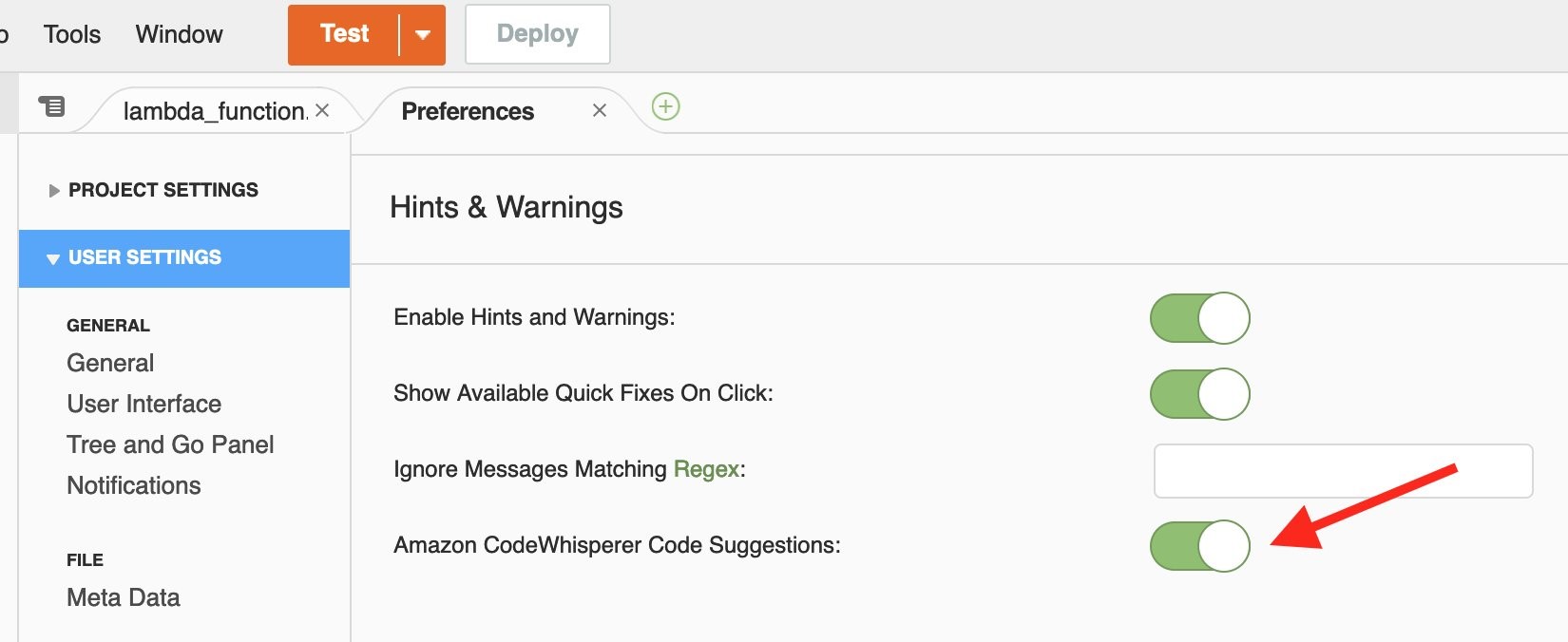
Author

Clara Lim

Clara is the Audit Program Manager for the Asia Pacific Region, leading multiple security certification programs. Clara is passionate about leveraging her decade-long experience to deliver compliance programs that provide assurance and build trust with customers.

OSPAR 2021 report now available with 127 services in scope

Post Syndicated from Clara Lim original https://aws.amazon.com/blogs/security/ospar-2021-report-now-available-with-127-services-in-scope/

We are excited to announce the completion of the third Outsourced Service Provider Audit Report (OSPAR) audit cycle on July 1, 2021. The latest OSPAR certification includes the addition of 19 new services in scope, bringing the total number of services to 127 in the Asia Pacific (Singapore) Region.

You can download our latest OSPAR report in AWS Artifact, a self-service portal for on-demand access to AWS compliance reports. Sign in to AWS Artifact in the AWS Management Console, or learn more at Getting Started with AWS Artifact. The list of services in scope for OSPAR is available in the report, and is also available on the AWS Services in Scope by Compliance Program webpage.

Some of the newly added services in scope include the following:

  • AWS Outposts, a fully managed service that extends AWS infrastructure, AWS services, APIs, and tools to any datacenter, co-location space, or an on-premises facility for a consistent hybrid experience.
  • Amazon Connect, an easy to use omnichannel cloud contact center that helps customers provide superior customer service across voice, chat, and tasks at lower cost than traditional contact center systems.
  • Amazon Lex, a service for building conversational interfaces into any application using voice and text.
  • Amazon Macie, a fully managed data security and data privacy service that uses machine learning and pattern matching to help customers discover, monitor, and protect customers’ sensitive data in AWS.
  • Amazon Quantum Ledger Database (QLDB), a fully managed ledger database that provides a transparent, immutable and cryptographically verifiable transaction log owned by a central trusted authority.

The OSPAR assessment is performed by an independent third-party auditor, selected from the ABS list of approved auditors. The assessment demonstrates that AWS has a system of controls in place that meet the Association of Banks in Singapore (ABS) Guidelines on Control Objectives and Procedures for Outsourced Service Providers. Our alignment with the ABS guidelines demonstrates to customers, our commitment to meet the security expectations for cloud service providers set by the financial services industry in Singapore. You can leverage the OSPAR assessment report to conduct due diligence, and to help reduce the effort and costs required for compliance. AWS OSPAR reporting period is now updated in the ABS list of OSPAR Audited Outsourced Service Providers.

As always, we are committed to bringing new services into the scope of our OSPAR program based on your architectural and regulatory needs. Please reach out to your AWS account team if you have questions about the OSPAR report.

If you have feedback about this post, submit comments in the Comments section below.

Want more AWS Security how-to content, news, and feature announcements? Follow us on Twitter.

Author

Clara Lim

Clara is the Audit Program Manager for the Asia Pacific Region, leading multiple security certification programs. Clara is passionate about leveraging her decade-long experience to deliver compliance programs that provide assurance and build trust with customers.

How AWS is helping EU customers navigate the new normal for data protection

Post Syndicated from Stephen Schmidt original https://aws.amazon.com/blogs/security/how-aws-is-helping-eu-customers-navigate-the-new-normal-for-data-protection/

Achieving compliance with the European Union’s data protection regulations is critical for hundreds of thousands of Amazon Web Services (AWS) customers. Many of them are subject to the EU’s General Data Protection Regulation (GDPR), which ensures individuals’ fundamental right to privacy and the protection of personal data. In February, we announced strengthened commitments to protect customer data, such as challenging law enforcement requests for customer data that conflict with EU law.

Today, we’re excited to announce that we’ve launched two new online resources to help customers more easily complete data transfer assessments and comply with the GDPR, taking into account the European Data Protection Board (EDPB) recommendations. These resources will also assist AWS customers in other countries to understand whether their use of AWS services involves a data transfer.

Using AWS’s new “Privacy Features for AWS Services,” customers can determine whether their use of an individual AWS service involves the transfer of customer data (the personal data they’ve uploaded to their AWS account). Knowing this information enables customers to choose the right action for their applications, such as opting out of the data transfer or creating an appropriate disclosure of the transfer for end user transparency.

We’re also providing additional information on the processing activities and locations of the limited number of sub-processors that AWS engages to provide services that involve the processing of customer data. AWS engages three types of sub-processors:

  • Local AWS entities that provide the AWS infrastructure.
  • AWS entities that process customer data for specific AWS services.
  • Third parties that AWS contracts with to provide processing activities for specific AWS services.

The enhanced information available on our updated Sub-processors page enables customers to assess if a sub-processor is relevant to their use of AWS services and AWS Regions.

These new resources make it easier for AWS customers to conduct their data transfer assessments as set out in the EDPB recommendations and, as a result, comply with GDPR. After completing their data transfer assessments, customers will also be able to determine whether they need to implement supplemental measures in line with the EDPB’s recommendations.

These resources support our ongoing commitment to giving customers control over where their data is stored, how it’s stored, and who has access to it.

Since we opened our first region in the EU in 2007, customers have been able to choose to store customer data with AWS in the EU. Today, customers can store their data in our AWS Regions in France, Germany, Ireland, Italy, and Sweden, and we’re adding Spain in 2022. AWS will never transfer data outside a customer’s selected AWS Region without the customer’s agreement.

AWS customers control how their data is stored, and we have a variety of tools at their disposal to enhance security. For example, AWS CloudHSM and AWS Key Management Service (AWS KMS) allow customers to encrypt data in transit and at rest and securely generate and manage encryption keys that they control.

Finally, our customers control who can access their data. We never use customer data for marketing or advertising purposes. We also prohibit, and our systems are designed to prevent, remote access by AWS personnel to customer data for any purpose, including service maintenance, unless requested by a customer, required to prevent fraud and abuse, or to comply with the law.

As previously mentioned, we challenge law enforcement requests for customer data from governmental bodies, whether inside or outside the EU, where the request conflicts with EU law, is overbroad, or we otherwise have any appropriate grounds to do so.

Earning customer trust is the foundation of our business at AWS, and we know protecting customer data is key to achieving this. We also know that helping customers protect their data in a world with constantly changing regulations, technology, and risks takes teamwork. We would never expect our customers to go it alone.

As we continue to enhance the capabilities customers have at their fingertips, they can be confident that choosing AWS will ensure they have the tools necessary to help them meet the most stringent security, privacy, and compliance requirements.

If you have questions or need more information, visit our EU Data Protection page.

Want more AWS Security how-to content, news, and feature announcements? Follow us on Twitter.
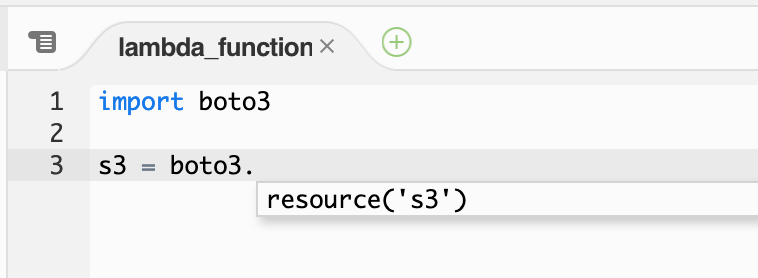
Author

Steve Schmidt

Steve is Vice President and Chief Information Security Officer for AWS. His duties include leading product design, management, and engineering development efforts focused on bringing the competitive, economic, and security benefits of cloud computing to business and government customers. Prior to AWS, he had an extensive career at the Federal Bureau of Investigation, where he served as a senior executive and section chief. He currently holds 11 patents in the field of cloud security architecture. Follow Steve on Twitter.
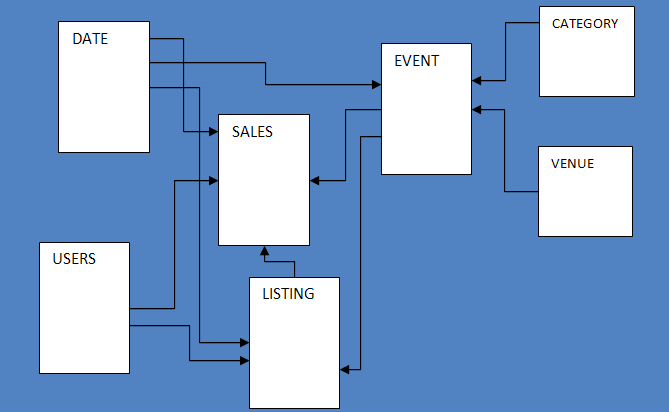
Author

Donna Dodson

Donna is a Senior Principal Scientist at AWS focusing on security and privacy capabilities including cryptography, risk management, standards, and assessments. Before joining AWS, Donna was the Chief Cybersecurity Advisor at the National Institute of Standards and Technology (NIST). She led NIST’s comprehensive cybersecurity research and development to cultivate trust in technology for stakeholders nationally and internationally.

Paging Doctor Cloud! Amazon HealthLake Is Now Generally Available

Post Syndicated from Julien Simon original https://aws.amazon.com/blogs/aws/paging-doctor-cloud-amazon-healthlake-is-now-generally-available/

At AWS re:Invent 2020, we previewed Amazon HealthLake, a fully managed, HIPAA-eligible service that allows healthcare and life sciences customers to aggregate their health information from different silos and formats into a structured, centralized AWS data lake, and extract insights from that data with analytics and machine learning (ML). Today, I’m very happy to announce that Amazon HealthLake is generally available to all AWS customers.

The ability to store, transform, and analyze health data quickly and at any scale is critical in driving high-quality health decisions. In their daily practice, doctors need a complete chronological view of patient history to identify the best course of action. During an emergency, giving medical teams the right information at the right time can dramatically improve patient outcomes. Likewise, healthcare and life sciences researchers need high-quality, normalized data that they can analyze and build models with, to identify population health trends or drug trial recipients.

Traditionally, most health data has been locked in unstructured text such as clinical notes, and stored in IT silos. Heterogeneous applications, infrastructure, and data formats have made it difficult for practitioners to access patient data, and extract insights from it. We built Amazon HealthLake to solve that problem.

If you can’t wait to get started, you can jump to the AWS console for Amazon HealthLake now. If you’d like to learn more, read on!

Introducing Amazon HealthLake
Amazon HealthLake is backed by fully-managed AWS infrastructure. You won’t have to procure, provision, or manage a single piece of IT equipment. All you have to do is create a new data store, which only takes a few minutes. Once the data store is ready, you can immediately create, read, update, delete, and query your data. HealthLake exposes a simple REST Application Programming Interface (API) available in the most popular languages, which customers and partners can easily integrate in their business applications.

Security is job zero at AWS. By default, HealthLake encrypts data at rest with AWS Key Management Service (KMS). You can use an AWS-managed key or your own key. KMS is designed so that no one, including AWS employees, can retrieve your plaintext keys from the service. For data in transit, HealthLake uses industry-standard TLS 1.2 encryption end to end.

At launch, HealthLake supports both structured and unstructured text data typically found in clinical notes, lab reports, insurance claims, and so on. The service stores this data in the Fast Healthcare Interoperability Resource (FHIR, pronounced ‘fire’) format, a standard designed to enable exchange of health data. HealthLake is compatible with the latest revision (R4) and currently supports 71 FHIR resource types, with additional resources to follow.

If your data is already in FHIR format, great! If not, you can convert it yourself, or rely on partner solutions available in AWS Marketplace. At launch, HealthLake includes validated connectors for Redox, HealthLX, Diameter Health, and InterSystems applications. They make it easy to convert your HL7v2, CCDA, and flat file data to FHIR, and to upload it to HealthLake.

As data is uploaded, HealthLake uses integrated natural language processing to extract entities present in your documents and stores the corresponding metadata. These entities include anatomy, medical conditions, medication, protected health information, test, treatments, and procedures. They are also matched to industry-standard ICD-10-CM and RxNorm entities.

After you’ve uploaded your data, you can start querying it, by assigning parameter values to FHIR resources and extracted entities. Whether you need to access information on a single patient, or want to export many documents to build a research dataset, all it takes is a single API call.

Let’s do a quick demo.

Querying FHIR Data in Amazon HealthLake
Opening the AWS console for HealthLake, I click on ‘Create a Data Store’. Then, I simply pick a name for my data store, and decide to encrypt it with an AWS managed key. I also tick the box that preloads sample synthetic data, which is a great way to quickly kick the tires of the service without having to upload my own data.

Creating a data store

After a few minutes, the data store is active, and I can send queries to its HTTPS endpoint. In the example below, I look for clinical notes (and clinical notes only) that contain the ICD-CM-10 entity for ‘hypertension’ with a confidence score of 99% or more. Under the hood, the AWS console is sending an HTTP GET request to the endpoint. I highlighted the corresponding query string.

Querying HealthLake

The query runs in seconds. Examining the JSON response in my browser, I see that it contains two documents. For each one, I can see lots of information: when it was created, which organization owns it, who the author is, and more. I can also see that HealthLake has automatically extracted a long list of entities, with names, descriptions, and confidence scores, and added them to the document.

HealthLake entities

The document is attached in the response in base64 format.

HealthLake document

Saving the string to a text file, and decoding it with a command-line tool, I see the following:

Mr Nesser is a 52 year old Caucasian male with an extensive past medical history that includes coronary artery disease , atrial fibrillation , hypertension , hyperlipidemia , presented to North ED with complaints of chills , nausea , acute left flank pain and some numbness in his left leg

This document is spot on. As you can see, it’s really easy to query and retrieve data stored in Amazon HealthLake.

Analyzing Data Stored in Amazon HealthLake
You can export data from HealthLake, store it in an Amazon Simple Storage Service (Amazon S3) bucket and use it for analytics and ML tasks. For example, you could transform your data with AWS Glue, query it with Amazon Athena, and visualize it with Amazon QuickSight. You could also use this data to build, train and deploy ML models on Amazon SageMaker.

The following blog posts show you end-to-end analytics and ML workflows based on data stored in HealthLake:

Last but not least, this self-paced workshop will show you how to import and export data with HealthLake, process it with AWS Glue and Amazon Athena, and build an Amazon QuickSight dashboard.

Now, let’s see what our customers are building with HealthLake.

Customers Are Already Using Amazon HealthLake
Based in Chicago, Rush University Medical Center is an early adopter of HealthLake. They used it to build a public health analytics platform on behalf of the Chicago Department of Public Health. The platform aggregates, combines, and analyzes multi-hospital data related to patient admissions, discharges and transfers, electronic lab reporting, hospital capacity, and clinical care documents for COVID-19 patients who are receiving care in and across Chicago hospitals. 17 of the 32 hospitals in Chicago are currently submitting data, and Rush plans to integrate all 32 hospitals by this summer. You can learn more in this blog post.

Recently, Rush launched another project to identify communities that are most exposed to high blood pressure risks, understand the social determinants of health, and improve healthcare access. For this purpose, they collect all sorts of data, such as clinical notes, ambulatory blood pressure measurements from the community, and Medicare claims data. This data is then ingested it into HealthLake and stored in FHIR format for further analysis.

Dr. Hota

Says Dr. Bala Hota, Vice President and Chief Analytics Officer at Rush University Medical Center: “We don’t have to spend time building extraneous items or reinventing something that already exists. This allows us to move to the analytics phase much quicker. Amazon HealthLake really accelerates the sort of insights that we need to deliver results for the population. We don’t want to be spending all our time building infrastructure. We want to deliver the insights.


Cortica is on a mission to revolutionize healthcare for children with autism and other developmental differences. Today, Cortica use HealthLake to store all patient data in a standardized, secured, and compliant manner. Building ML models with that data, they can track the progress of their patients with sentiment analysis, and they can share with parents the progress that their children are doing on speech development and motor skills. Cortical can also validate the effectiveness of treatment models and optimize medication regimens.

Ernesto DiMarinoErnesto DiMarino, Head of Enterprise Applications and Data at Cortica told us: “In a matter of weeks rather than months, Amazon HealthLake empowered us to create a centralized platform that securely stores patients’ medical history, medication history, behavioral assessments, and lab reports. This platform gives our clinical team deeper insight into the care progression of our patients. Using predefined notebooks in Amazon SageMaker with data from Amazon HealthLake, we can apply machine learning models to track and prognosticate each patient’s progression toward their goals in ways not otherwise possible. Through this technology, we can also share HIPAA-compliant data with our patients, researchers, and healthcare partners in an interoperable manner, furthering important research into autism treatment.

MEDHOST provides products and services to more than 1,000 healthcare facilities of all types and sizes. These customers want to develop solutions to standardize patient data in FHIR format and build dashboards and advanced analytics to improve patient care, but that is difficult and time consuming today.

Says Pandian Velayutham, Sr. Director Of Engineering at MEDHOST: “With Amazon HealthLake we can meet our customers’ needs by creating a compliant FHIR data store in just days rather than weeks with integrated natural language processing and analytics to improve hospital operational efficiency and provide better patient care.


Getting Started
Amazon HealthLake is available today in the US East (N. Virginia), US East (Ohio), and US West (Oregon) Regions.

Give our self-paced workshop a try, and let us know what you think. As always, we look forward to your feedback. You can send it through your usual AWS Support contacts, or post it on the AWS Forums.

– Julien

Easily Manage Security Group Rules with the New Security Group Rule ID

Post Syndicated from Sébastien Stormacq original https://aws.amazon.com/blogs/aws/easily-manage-security-group-rules-with-the-new-security-group-rule-id/

At AWS, we tirelessly innovate to allow you to focus on your business, not its underlying IT infrastructure. Sometimes we launch a new service or a major capability. Sometimes we focus on details that make your professional life easier.

Today, I’m happy to announce one of these small details that makes a difference: VPC security group rule IDs.

A security group acts as a virtual firewall for your cloud resources, such as an Amazon Elastic Compute Cloud (Amazon EC2) instance or a Amazon Relational Database Service (RDS) database. It controls ingress and egress network traffic. Security groups are made up of security group rules, a combination of protocol, source or destination IP address and port number, and an optional description.

When you use the AWS Command Line Interface (CLI) or API to modify a security group rule, you must specify all these elements to identify the rule. This produces long CLI commands that are cumbersome to type or read and error-prone. For example:

aws ec2 revoke-security-group-egress \
         --group-id sg-0xxx6          \
         --ip-permissions IpProtocol=tcp, FromPort=22, ToPort=22, IpRanges='[{CidrIp=192.168.0.0/0}, {84.156.0.0/0}]'

What’s New?
A security group rule ID is an unique identifier for a security group rule. When you add a rule to a security group, these identifiers are created and added to security group rules automatically. Security group IDs are unique in an AWS Region. Here is the Edit inbound rules page of the Amazon VPC console:

Security Group Rules Ids

As mentioned already, when you create a rule, the identifier is added automatically. For example, when I’m using the CLI:

aws ec2 authorize-security-group-egress                                  \
        --group-id sg-0xxx6                                              \
        --ip-permissions IpProtocol=tcp,FromPort=22,ToPort=22,           \
                         IpRanges=[{CidrIp=1.2.3.4/32}]
        --tag-specifications                                             \
                         ResourceType='security-group-rule',             \
                         "Tags": [{                                      \
                           "Key": "usage", "Value": "bastion"            \
                         }]

The updated AuthorizeSecurityGroupEgress API action now returns details about the security group rule, including the security group rule ID:

"SecurityGroupRules": [
    {
        "SecurityGroupRuleId": "sgr-abcdefghi01234561",
        "GroupId": "sg-0xxx6",
        "GroupOwnerId": "6800000000003",
        "IsEgress": false,
        "IpProtocol": "tcp",
        "FromPort": 22,
        "ToPort": 22,
        "CidrIpv4": "1.2.3.4/32",
        "Tags": [
            {
                "Key": "usage",
                "Value": "bastion"
            }
        ]
    }
]

We’re also adding two API actions: DescribeSecurityGroupRules and ModifySecurityGroupRules to the VPC APIs. You can use these to list or modify security group rules respectively.

What are the benefits ?
The first benefit of a security group rule ID is simplifying your CLI commands. For example, the RevokeSecurityGroupEgress command used earlier can be now be expressed as:

aws ec2 revoke-security-group-egress \
         --group-id sg-0xxx6         \
         --security-group-rule-ids "sgr-abcdefghi01234561"

Shorter and easier, isn’t it?

The second benefit is that security group rules can now be tagged, just like many other AWS resources. You can use tags to quickly list or identify a set of security group rules, across multiple security groups.

In the previous example, I used the tag-on-create technique to add tags with --tag-specifications at the time I created the security group rule. I can also add tags at a later stage, on an existing security group rule, using its ID:

aws ec2 create-tags                         \
        --resources sgr-abcdefghi01234561   \
        --tags "Key=usage,Value=bastion"

Let’s say my company authorizes access to a set of EC2 instances, but only when the network connection is initiated from an on-premises bastion host. The security group rule would be IpProtocol=tcp, FromPort=22, ToPort=22, IpRanges='[{1.2.3.4/32}]' where 1.2.3.4 is the IP address of the on-premises bastion host. This rule can be replicated in many security groups.

What if the on-premises bastion host IP address changes? I need to change the IpRanges parameter in all the affected rules. By tagging the security group rules with usage : bastion, I can now use the DescribeSecurityGroupRules API action to list the security group rules used in my AWS account’s security groups, and then filter the results on the usage : bastion tag. By doing so, I was able to quickly identify the security group rules I want to update.

aws ec2 describe-security-group-rules \
        --max-results 100 
        --filters "Name=tag-key,Values=usage" --filters "Name=tag-value,Values=bastion" 

This gives me the following output:

{
    "SecurityGroupRules": [
        {
            "SecurityGroupRuleId": "sgr-abcdefghi01234561",
            "GroupId": "sg-0xxx6",
            "GroupOwnerId": "40000000003",
            "IsEgress": false,
            "IpProtocol": "tcp",
            "FromPort": 22,
            "ToPort": 22,
            "CidrIpv4": "1.2.3.4/32",
            "Tags": [
                {
                    "Key": "usage",
                    "Value": "bastion"
                }
            ]
        }
    ],
    "NextToken": "ey...J9"
}

As usual, you can manage results pagination by issuing the same API call again passing the value of NextToken with --next-token.

Availability
Security group rule IDs are available for VPC security groups rules, in all commercial AWS Regions, at no cost.

It might look like a small, incremental change, but this actually creates the foundation for future additional capabilities to manage security groups and security group rules. Stay tuned!