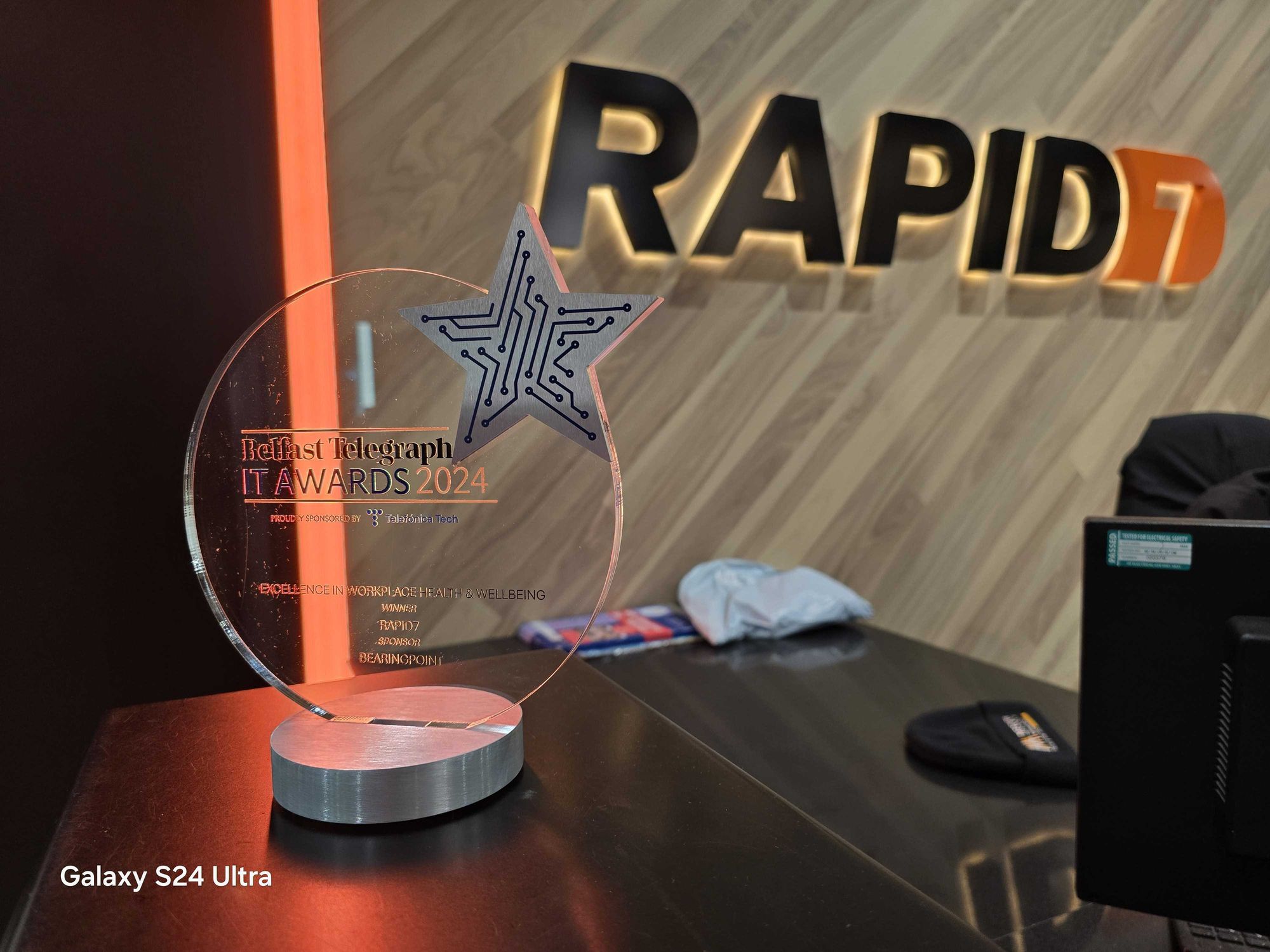
Rapid7 Recognized for ‘Excellence in Workplace Health and Wellbeing’ at the Belfast Telegraph IT Awards

Post Syndicated from Rapid7 original https://blog.rapid7.com/2024/11/19/rapid7-recognized-for-excellence-in-workplace-health-and-wellbeing-at-the-belfast-telegraph-it-awards/

Rapid7 Recognized for ‘Excellence in Workplace Health and Wellbeing’ at the Belfast Telegraph IT Awards

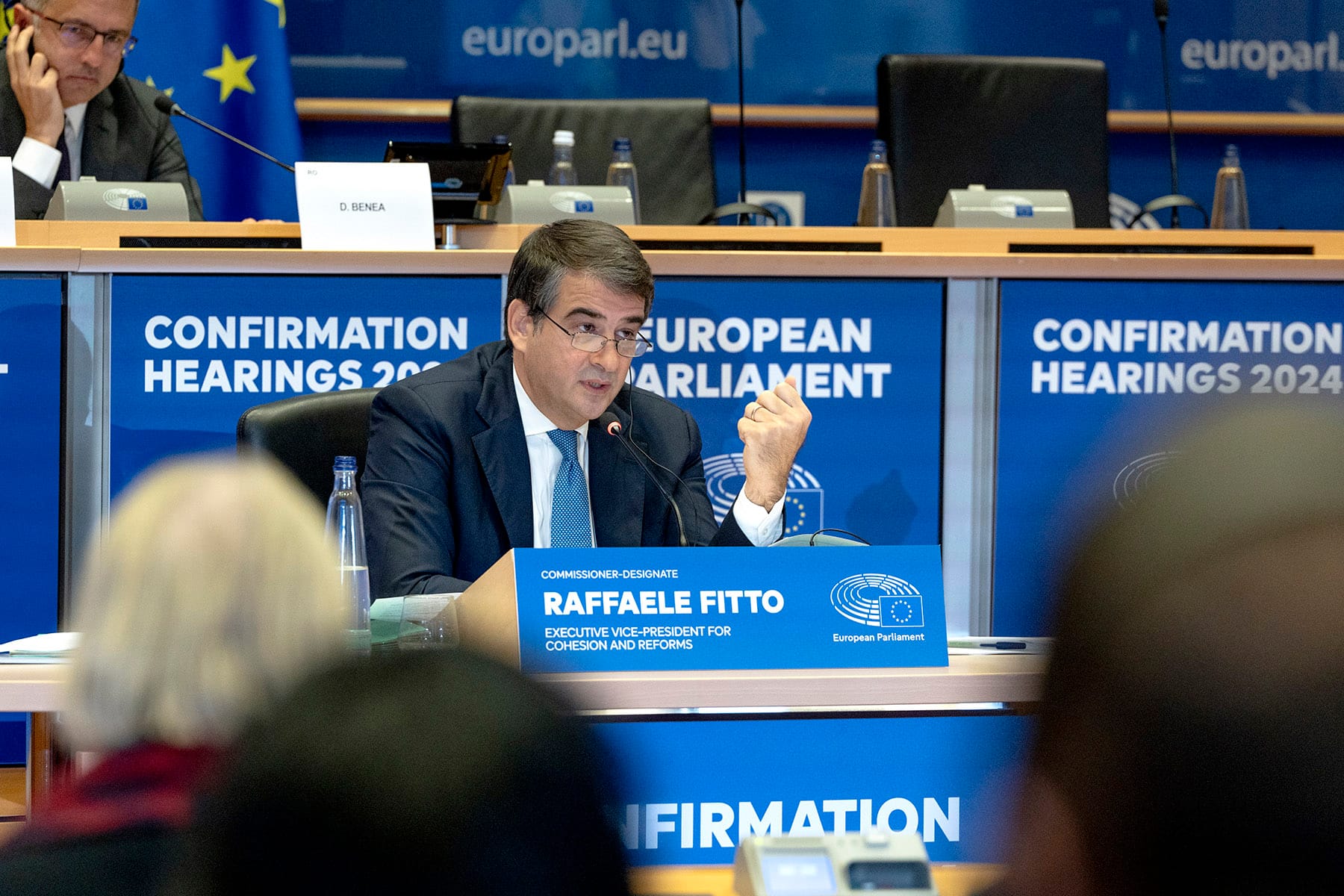
On Friday, November 15th, Rapid7 was awarded ‘Excellence in Workplace Health and Wellbeing’ at the Belfast Telegraph IT Awards. This award recognizes technology companies in Belfast that prioritize employee well-being.

At Rapid7, we believe that the best ideas and solutions come from diverse, multi-faceted teams. By supporting our people with programs that enhance their well-being and quality of life, we create an environment where they can continue to have rewarding career experiences and make an incredible impact on our business. Our programs go beyond just taking care of people when they are sick. Instead, we look to increase their overall quality of life with unique initiatives and offerings that support both physical and mental health and wellness.

Our award submission was broken down into three key areas where we offer unique benefits that make us leaders in our field. These areas included benefit offerings, physical health and well-being, and mental health and well-being.

Benefit Offerings

Rapid7 is proud to offer unique and competitive benefits to employees and their families. One example is our neurodiversity coverage. Employees at Rapid7, and their family members, have access to specialists for evaluations, screenings, and treatment programs. Appointments and services that would otherwise take months or years are able to happen within weeks.

As part of our health benefit program, once a year, our company participates in a global health and well-being challenge. This is not your typical ‘steps’ challenge, but instead a comprehensive initiative encompassing physical activity, meditation, and mindfulness, designed to build connections across Rapid7 teams.

Physical health and well-being

Our cycle-to-work scheme allows employees to set aside a salary sacrifice to purchase a new bicycle. There is no maximum limit so our employees are often able to select high-end models at an affordable rate. Employees drop in and out of the program as they wish, and this year we have 16 employees saving up to get their new bikes.

For those who prefer a gym or fitness classes, our Chichester street office building is equipped with a full service gym featuring cardio and weight training equipment, as well as a yoga and group fitness studio. The fitness studio has a variety of virtual program on demand, many of which can be completed in just 20 minutes, making it easy for employees to fit in a quick break during their day.

Mental health and wellbeing

AwareNI is a local organization that we’ve been proud to partner with. We participate in their mood matters program, bringing mental health awareness and training to employees across Rapid7. However, what is most unique is our on-site mental health first aiders. We partner with AwareNI to train employees to be on-site mental health first aiders, giving employees a resource in the office to go to if they are experiencing a mental health crisis. As mental health first aiders, these employees are equipped with the skills and knowledge to guide and support colleagues experiencing a mental health-related crisis.

At Rapid7, we are on a mission to create a secure digital world for our customers, our industry, and our communities. We show up every day to keep our 11,000+ customers around the world protected from the latest threats. This requires us to build a dynamic workplace where innovation and collaboration thrive. Taking care of our people is a critical first step, and we’re honored to have been recognized as a leader in this space. To learn more, please visit our careers site at careers.rapid7.com.

Integrate custom applications with AWS Lake Formation – Part 1

Post Syndicated from Stefano Sandona original https://aws.amazon.com/blogs/big-data/integrate-custom-applications-with-aws-lake-formation-part-1/

AWS Lake Formation makes it straightforward to centrally govern, secure, and globally share data for analytics and machine learning (ML).

With Lake Formation, you can centralize data security and governance using the AWS Glue Data Catalog, letting you manage metadata and data permissions in one place with familiar database-style features. It also delivers fine-grained data access control, so you can make sure users have access to the right data down to the row and column level.

Lake Formation also makes it straightforward to share data internally across your organization and externally, which lets you create a data mesh or meet other data sharing needs with no data movement.

Additionally, because Lake Formation tracks data interactions by role and user, it provides comprehensive data access auditing to verify the right data was accessed by the right users at the right time.

In this two-part series, we show how to integrate custom applications or data processing engines with Lake Formation using the third-party services integration feature.

In this post, we dive deep into the required Lake Formation and AWS Glue APIs. We walk through the steps to enforce Lake Formation policies within custom data applications. As an example, we present a sample Lake Formation integrated application implemented using AWS Lambda.

The second part of the series introduces a sample web application built with AWS Amplify. This web application showcases how to use the custom data processing engine implemented in the first post.

By the end of this series, you will have a comprehensive understanding of how to extend the capabilities of Lake Formation by building and integrating your own custom data processing components.

Integrate an external application

The process of integrating a third-party application with Lake Formation is described in detail in How Lake Formation application integration works.

In this section, we dive deeper into the steps required to establish trust between Lake Formation and an external application, the API operations that are involved, and the AWS Identity and Access Management (IAM) permissions that must be set up to enable the integration.

Lake Formation application integration external data filtering

In Lake Formation, it’s possible to control which third-party engines or applications are allowed to read and filter data in Amazon Simple Storage Service (Amazon S3) locations registered with Lake Formation.

To do so, you can navigate to the Application integration settings page on the Lake Formation console and enable Allow external engines to filter data in Amazon S3 locations registered with Lake Formation, specifying the AWS account IDs from where third-party engines are allowed to access locations registered with Lake Formation. In addition, you have to specify the allowed session tag values to identify trusted requests. We discuss in later sections how these tags are used.

LakeFormation Application integration

Lake Formation application integration involved AWS APIs

The following is a list of the main AWS APIs needed to integrate an application with Lake Formation:

  • sts:AssumeRole – Returns a set of temporary security credentials that you can use to access AWS resources.
  • glue:GetUnfilteredTableMetadata – Allows a third-party analytical engine to retrieve unfiltered table metadata from the Data Catalog.
  • glue:GetUnfilteredPartitionsMetadata – Retrieves partition metadata from the Data Catalog that contains unfiltered metadata.
  • lakeformation:GetTemporaryGlueTableCredentials – Allows a caller in a secure environment to assume a role with permission to access Amazon S3. To vend such credentials, Lake Formation assumes the role associated with a registered location, for example an S3 bucket, with a scope down policy that restricts the access to a single prefix.
  • lakeformation:GetTemporaryGluePartitionCredentials – This API is identical to GetTemporaryTableCredentials except that it’s used when the target Data Catalog resource is of type Partition. Lake Formation restricts the permission of the vended credentials with the same scope down policy that restricts access to a single Amazon S3 prefix.

Later in this post, we present a sample architecture illustrating how you can use these APIs.

External application and IAM roles to access data

For an external application to access resources in an Lake Formation environment, it needs to run under an IAM principal (user or role) with the appropriate credentials. Let’s consider a scenario where the external application runs under the IAM role MyApplicationRole that is part of the AWS account 123456789012.

In Lake Formation, you have granted access to various tables and databases to two specific IAM roles:

  • AccessRole1
  • AccessRole2

To enable MyApplicationRole to access the resources that have been granted to AccessRole1 and AccessRole2, you need to configure the trust relationships for these access roles. Specifically, you need to configure the following:

  • Allow MyApplicationRole to assume each of the access roles (AccessRole1 and AccessRole2) using the sts:AssumeRole
  • Allow MyApplicationRole to tag the assumed session with a specific tag, which is required by Lake Formation. The tag key should be LakeFormationAuthorizedCaller, and the value should match one of the session tag values specified in the Application integration settings page on the Lake Formation console (for example, “application1“).

The following code is an example of the trust relationships configuration for an access role (AccessRole1 or AccessRole2):

[
    {
        "Effect": "Allow",
        "Principal": {
            "AWS": "arn:aws:iam::123456789012:role/MyApplicationRole"
        },
        "Action": "sts:AssumeRole"
    },
    {
        "Effect": "Allow",
        "Principal": {
            "AWS": "arn:aws:iam::123456789012:role/MyApplicationRole"
        },
        "Action": "sts:TagSession",
        "Condition": {
            "StringEquals": {
                "aws:RequestTag/LakeFormationAuthorizedCaller": "application1"
            }
        }
    }
]

Additionally, the data access IAM roles (AccessRole1 and AccessRole2) must have the following IAM permissions assigned in order to read Lake Formation protected tables:

{
    "Version": "2012-10-17",
    "Statement": {
        "Sid": "LakeFormationManagedAccess",
        "Effect": "Allow",
        "Action": [
            "lakeformation:GetDataAccess",
            "glue:GetTable",
            "glue:GetTables",
            "glue:GetDatabase",
            "glue:GetDatabases",
            "glue:GetPartition",
            "glue:GetPartitions"
        ],
        "Resource": "*"
    }
}

Solution overview

For our solution, Lambda serves as our external trusted engine and application integrated with Lake Formation. This example is provided in order to understand and see in action the access flow and the Lake Formation API responses. Because it’s based on a single Lambda function, it’s not meant to be used in production settings or with high volumes of data.

Moreover, the Lambda based engine has been configured to support a limited set of data files (CSV, Parquet, and JSON), a limited set of table configurations (no nested data), and a limited set of table operations (SELECT only). Due to these limitations, the application should not be used for arbitrary tests.

In this post, we provide instructions on how to deploy a sample API application integrated with Lake Formation that implements the solution architecture. The core of the API is implemented with a Python Lambda function. We also show how to test the function with Lambda tests. In the second post in this series, we provide instructions on how to deploy a web frontend application that integrates with this Lambda function.

Access flow for unpartitioned tables

The following diagram summarizes the access flow when accessing unpartitioned tables.

Solution Architecture - Unpartitioned tables

The workflow consists of the following steps:

  1. User A (authenticated with Amazon Cognito or other equivalent systems) sends a request to the application API endpoint, requesting access to a specific table inside a specific database.
  2. The API endpoint, created with AWS AppSync, handles the request, invoking a Lambda function.
  3. The function checks which IAM data access role the user is mapped to. For simplicity, the example uses a static hardcoded mapping (mappings={ "user1": "lf-app-access-role-1", "user2": "lf-app-access-role-2"}).
  4. The function invokes the sts:AssumeRole API to assume the user-related IAM data access role (lf-app-access-role-1AccessRole1). The AssumeRole operation is performed with the tag LakeFormationAuthorizedCaller, having as its value one of the session tag values specified when configuring the application integration settings in Lake Formation (for example, {'Key': 'LakeFormationAuthorizedCaller','Value': 'application1'}). The API returns a set of temporary credentials, which we refer to as StsCredentials1.
  5. Using StsCredentials1, the function invokes the glue:GetUnfilteredTableMetadata API, passing the requested database and table name. The API returns information like table location, a list of authorized columns, and data filters, if defined.
  6. Using StsCredentials1, the function invokes the lakeformation:GetTemporaryGlueTableCredentials API, passing the requested database and table name, the type of requested access (SELECT), and CELL_FILTER_PERMISSION as the supported permission types (because the Lambda function implements logic to apply row-level filters). The API returns a set of temporary Amazon S3 credentials, which we refer to as S3Credentials1.
  7. Using S3Credentials1, the function lists the S3 files stored in the table location S3 prefix and downloads them.
  8. The retrieved Amazon S3 data is filtered to remove those columns and rows that the user is not allowed access to (authorized columns and row filters were retrieved in Step 5) and authorized data is returned to the user.

Access flow for partitioned tables

The following diagram summarizes the access flow when accessing partitioned tables.

Solution Architecture - Partitioned tables

The steps involved are almost identical to the ones presented for partitioned tables, with the following changes:

  • After invoking the glue:GetUnfilteredTableMetadata API (Step 5) and identifying the table as partitioned, the Lambda function invokes the glue:GetUnfilteredPartitionsMetadata API using StsCredentials1 (Step 6). The API returns, in addition to other information, the list of partition values and locations.
  • For each partition, the function performs the following actions:
    • Invokes the lakeformation:GetTemporaryGluePartitionCredentials API (Step 7), passing the requested database and table name, the partition value, the type of requested access (SELECT), and CELL_FILTER_PERMISSION as the supported permissions type (because the Lambda function implements logic to apply row-level filters). The API returns a set of temporary Amazon S3 credentials, which we refer to as S3CredentialsPartitionX.
    • Uses S3CredentialsPartitionX to list the partition location S3 files and download them (Step 8).
  • The function appends the retrieved data.
  • Before the Lambda function returns the results to the user (Step 9), the retrieved Amazon S3 data is filtered to remove those columns and rows that the user is not allowed access to (authorized columns and row filters were retrieved in Step 5).

Prerequisites

The following prerequisites are needed to deploy and test the solution:

  • Lake Formation should be enabled in the AWS Region where the sample application will be deployed
  • The steps must be run with an IAM principal with sufficient permissions to create the needed resources, including Lake Formation databases and tables

Deploy solution resources with AWS CloudFormation

We create the solution resources using AWS CloudFormation. The provided CloudFormation template creates the following resources:

  • One S3 bucket to store table data (lf-app-data-<account-id>)
  • Two IAM roles, which will be mapped to client users and their associated Lake Formation permission policies (lf-app-access-role-1 and lf-app-access-role-2)
  • Two IAM roles used for the two created Lambda functions (lf-app-lambda-datalake-population-role and lf-app-lambda-role)
  • One AWS Glue database (lf-app-entities) with two AWS Glue tables, one unpartitioned (users_tbl) and one partitioned (users_partitioned_tbl)
  • One Lambda function used to populate the data lake data (lf-app-lambda-datalake-population)
  • One Lambda function used for the Lake Formation integrated application (lf-app-lambda-engine)
  • One IAM role used by Lake Formation to access the table data and perform credentials vending (lf-app-datalake-location-role)
  • One Lake Formation data lake location (s3://lf-app-data-<account-id>/datasets) associated with the IAM role created for credentials vending (lf-app-datalake-location-role)
  • One Lake Formation data filter (lf-app-filter-1)
  • One Lake Formation tag (key: sensitive, values: true or false)
  • Tag associations to tag the created unpartitioned AWS Glue table (users_tbl) columns with the created tag

To launch the stack and provision your resources, complete the following steps:

  1. Download the code zip bundle for the Lambda function used for the Lake Formation integrated application (lf-integrated-app.zip).
  2. Download the code zip bundle for the Lambda function used to populate the data lake data (datalake-population-function.zip).
  3. Upload the zip bundles to an existing S3 bucket location (for example, s3://mybucket/myfolder1/myfolder2/lf-integrated-app.zip and s3://mybucket/myfolder1/myfolder2/datalake-population-function.zip)
  4. Choose Launch Stack.

This automatically launches AWS CloudFormation in your AWS account with a template. Make sure that you create the stack in your intended Region.

  1. Choose Next to move to the Specify stack details section
  2. For Parameters, provide the following parameters:
    1. For powertoolsLogLevel, specify how verbose the Lambda function logger should be, from the most verbose to the least verbose (no logs). For this post, we choose DEBUG.
    2. For s3DeploymentBucketName, enter the name of the S3 bucket containing the Lambda functions’ code zip bundles. For this post, we use mybucket.
    3. For s3KeyLambdaDataPopulationCode, enter the Amazon S3 location containing the code zip bundle for the Lambda function used to populate the data lake data (datalake-population-function.zip). For example, myfolder1/myfolder2/datalake-population-function.zip.
    4. For s3KeyLambdaEngineCode, enter the Amazon S3 location containing the code zip bundle for the Lambda function used for the Lake Formation integrated application (lf-integrated-app.zip). For example, myfolder1/myfolder2/lf-integrated-app.zip.
  3. Choose Next.

Cloudformation Create Stack with properties

  1. Add additional AWS tags if required.
  2. Choose Next.
  3. Acknowledge the final requirements.
  4. Choose Create stack.

Enable the Lake Formation application integration

Complete the following steps to enable the Lake Formation application integration:

  1. On the Lake Formation console, choose Application integration settings in the navigation pane.
  2. Enable Allow external engines to filter data in Amazon S3 locations registered with Lake Formation.
  3. For Session tag values, choose application1.
  4. For AWS account IDs, enter the current AWS account ID.
  5. Choose Save.

LakeFormation Application integration

Enforce Lake Formation permissions

The CloudFormation stack created one database named lf-app-entities with two tables named users_tbl and users_partitioned_tbl.

To be sure you’re using Lake Formation permissions, you should confirm that you don’t have any grants set up on those tables for the principal IAMAllowedPrincipals. The IAMAllowedPrincipals group includes any IAM users and roles that are allowed access to your Data Catalog resources by your IAM policies, and it’s used to maintain backward compatibility with AWS Glue.

To confirm Lake Formations permissions are enforced, navigate to the Lake Formation console and choose Data lake permissions in the navigation pane. Filter permissions by Database=lf-app-entities and remove all the permissions given to the principal IAMAllowedPrincipals.

For more details on IAMAllowedPrincipals and backward compatibility with AWS Glue, refer to Changing the default security settings for your data lake.

Check the created Lake Formation resources and permissions

The CloudFormation stack created two IAM roles—lf-app-access-role-1 and lf-app-access-role-2—and assigned them different permissions on the users_tbl (unpartitioned) and users_partitioned_tbl (partitioned) tables. The specific Lake Formation grants are summarized in the following table.

IAM Roles
lf-app-entities (Database)
  users _tbl (Table) _tbl _partitioned_tbl (Table)
lf-app-access-role-1 No access Read access on columns uid, state, and city for all the records. Read access to all columns except for address only on rows with value state=united kingdom.
lf-app-access-role-2 Read access on columns with the tag sensitive = false Read access to all columns and rows.

To better understand the full permissions setup, you should review the CloudFormation created Lake Formation resources and permissions. On the Lake Formation console, complete the following steps:

  1. Review the data filters:
    1. Choose Data filters in the navigation pane.
    2. Inspect the lf-app-filter-1
  2. Review the tags:
    1. Choose LF-Tags and permissions in the navigation pane.
    2. Inspect the sensitive
  3. Review the tag associations:
    1. Choose Tables in the navigation pane.
    2. Choose the users_tbl
    3. Inspect the LF-Tags associated to the different columns in the Schema
  4. Review the Lake Formation permissions:
    1. Choose Data lake permissions in the navigation pane.
    2. Filter by Principal = lf-app-access-role-1 and inspect the assigned permissions.
    3. Filter by Principal = lf-app-access-role-2 and inspect the assigned permissions.

Test the Lambda function

The Lambda function created by the CloudFormation template accepts JSON objects as input events. The JSON events have the following structure:

 {
  "identity": {
    "username": "XXX"
  },
  "fieldName": "YYY",
  "arguments": {
    "AA": "BB",
    ...
  }
}

Although the identity field is always needed in order to identify the called identity, depending on the requested operation (fieldName), different arguments should be provided. The following table lists these arguments.

Operation Description Needed Arguments Output
getDbs List databases No arguments needed List of databases the user has access to
getTablesByDb List tables db: <db_name> List of tables inside a database the user has access to
getUnfilteredTableMetadata Return the table metadata

db: <db_name>

table: <table_name>

Returns the output of the glue:GetUnfilteredTableMetadata API
getUnfilteredPartitionsMetadata Return the table partitions metadata

db: <db_name>

table: <table_name>

Returns the output of the glue:GetUnfilteredPartitionsMetadata API
getTableData Get table data

db: <db_name>

table: <table_name>

noOfRecs: N (number of records to pull)

nonNullRowsOnly: true/false (true to filter out records with all null values)

location: Table location

authorizedData: records of the table the user has access to

allColumns: All the columns of the table (returned only for demonstration and comparison purposes)

allData: All the records of the table without any filtering (returned only for demonstration and comparison purposes)

cellFilters: Lake Formation filters (applied to allData to return authorizedData)

authorizedColumns: Columns to which the user has access to (projection applied to allData to return authorizedData)

To test the Lambda function, you can create some sample Lambda test events. Complete the following steps:

  1. On the Lambda console, choose Functions on the navigation pane.
  2. Choose the lf-app-lambda-engine
  3. On the Test tab, select Create new event.
  4. For Event JSON, enter a valid JSON (we provide some sample JSON events).
  5. Choose Test.

Creata Lambda Test

  1. Check the test results (JSON response).

Lambda Test Result

The following are some sample test events you can try to see how different identities can access different sets of information.

user1 user2
{ 
  "identity": {
    "username": "user1"
  },
  "fieldName": "getDbs"
}

{ 
  "identity": {
    "username": "user2"
  },
  "fieldName": "getDbs"
}

{
  "identity": {
    "username": "user1"
  },
  "fieldName": "getTablesByDb",
  "arguments": {
    "db": "lf-app-entities"
  }
}

{
  "identity": {
    "username": "user2"
  },
  "fieldName": "getTablesByDb",
  "arguments": {
    "db": "lf-app-entities"
  }
}

{
  "identity": {
    "username": "user1"
  },
  "fieldName": "getUnfilteredTableMetadata",
  "arguments": {
    "db": "lf-app-entities",
    "table": "users_tbl" 
  }
}

{
  "identity": {
    "username": "user2"
  },
  "fieldName": "getUnfilteredTableMetadata",
  "arguments": {
    "db": "lf-app-entities",
    "table": "users_tbl" 
  }
}

{
  "identity": {
    "username": "user1"
  },
  "fieldName": "getUnfilteredTableMetadata",
  "arguments": {
    "db": "lf-app-entities",
    "table": "users_partitioned_tbl" 
  }
}

{
  "identity": {
    "username": "user2"
  },
  "fieldName": "getUnfilteredTableMetadata",
  "arguments": {
    "db": "lf-app-entities",
    "table": "users_partitioned_tbl" 
  }
}

{
  "identity": {
    "username": "user1"
  },
  "fieldName": "getUnfilteredPartitionsMetadata",
  "arguments": {
    "db": "lf-app-entities",
    "table": "users_tbl" 
  }
}

{
  "identity": {
    "username": "user2"
  },
  "fieldName": "getUnfilteredPartitionsMetadata",
  "arguments": {
    "db": "lf-app-entities",
    "table": "users_tbl" 
  }
}

{
  "identity": {
    "username": "user1"
  },
  "fieldName": "getUnfilteredPartitionsMetadata",
  "arguments": {
    "db": "lf-app-entities",
    "table": "users_partitioned_tbl" 
  }
}

{
  "identity": {
    "username": "user2"
  },
  "fieldName": "getUnfilteredPartitionsMetadata",
  "arguments": {
    "db": "lf-app-entities",
    "table": "users_partitioned_tbl" 
  }
}

{
  "identity": {
    "username": "user1"
  },
  "fieldName": "getTableData",
  "arguments": {
    "db": "lf-app-entities",
    "table": "users_tbl",
    "noOfRecs": 10,
    "nonNullRowsOnly": true
  }
}

{
  "identity": {
    "username": "user2"
  },
  "fieldName": "getTableData",
  "arguments": {
    "db": "lf-app-entities",
    "table": "users_tbl",
    "noOfRecs": 10,
    "nonNullRowsOnly": true
  }
}

{
  "identity": {
    "username": "user1"
  },
  "fieldName": "getTableData",
  "arguments": {
    "db": "lf-app-entities",
    "table": "users_partitioned_tbl",
    "noOfRecs": 10,
    "nonNullRowsOnly": true
  }
}

{
  "identity": {
    "username": "user2"
  },
  "fieldName": "getTableData",
  "arguments": {
    "db": "lf-app-entities",
    "table": "users_partitioned_tbl",
    "noOfRecs": 10,
    "nonNullRowsOnly": true
  }
}

As an example, in the following test, we request users_partitioned_tbl table data in the context of user1:

{
  "identity": {
    "username": "user1"
  },
  "fieldName": "getTableData",
  "arguments": {
    "db": "lf-app-entities",
    "table": "users_partitioned_tbl",
    "noOfRecs": 10,
    "nonNullRowsOnly": true
  }
}

The following is the related API response:

{
  "database": "lf-app-entities",
  "name": "users_partitioned_tbl",
  "location": "s3://lf-app-data-123456789012/datasets/lf-app-entities/users_partitioned/",
  "authorizedColumns": [
    {
      "Name": "born_year",
      "Type": "string"
    },
    {
      "Name": "city",
      "Type": "string"
    },
    {
      "Name": "name",
      "Type": "string"
    },
    {
      "Name": "state",
      "Type": "string"
    },
    {
      "Name": "surname",
      "Type": "string"
    },
    {
      "Name": "uid",
      "Type": "int"
    }
  ],
  "authorizedData": [
    [
      "1980",
      "bristol",
      "emily",
      "united kingdom",
      "brown",
      4
    ],
    [
      "1980",
      "vancouver",
      "<FILTEREDCELL>",
      "canada",
      "<FILTEREDCELL>",
      5
    ],
    [
      "1980",
      "madrid",
      "<FILTEREDCELL>",
      "spain",
      "<FILTEREDCELL>",
      6
    ],
    [
      "1980",
      "mexico city",
      "<FILTEREDCELL>",
      "mexico",
      "<FILTEREDCELL>",
      10
    ],
    [
      "1980",
      "zurich",
      "<FILTEREDCELL>",
      "switzerland",
      "<FILTEREDCELL>",
      11
    ],
    [
      "1980",
      "buenos aires",
      "<FILTEREDCELL>",
      "argentina",
      "<FILTEREDCELL>",
      12
    ],
    [
      "1990",
      "london",
      "john",
      "united kingdom",
      "pike",
      1
    ],
    [
      "1990",
      "milan",
      "<FILTEREDCELL>",
      "italy",
      "<FILTEREDCELL>",
      2
    ],
    [
      "1990",
      "berlin",
      "<FILTEREDCELL>",
      "germany",
      "<FILTEREDCELL>",
      3
    ],
    [
      "1990",
      "munich",
      "<FILTEREDCELL>",
      "germany",
      "<FILTEREDCELL>",
      7
    ]
  ],
  "allColumns": [
    {
      "Name": "address",
      "Type": "string"
    },
    {
      "Name": "born_year",
      "Type": "string"
    },
    {
      "Name": "city",
      "Type": "string"
    },
    {
      "Name": "name",
      "Type": "string"
    },
    {
      "Name": "state",
      "Type": "string"
    },
    {
      "Name": "surname",
      "Type": "string"
    },
    {
      "Name": "uid",
      "Type": "int"
    }
  ],
  "allData": [
    [
      "beautiful avenue 123",
      "1980",
      "bristol",
      "emily",
      "united kingdom",
      "brown",
      4
    ],
    [
      "lake street 45",
      "1980",
      "vancouver",
      "david",
      "canada",
      "lee",
      5
    ],
    [
      "plaza principal 6",
      "1980",
      "madrid",
      "sophia",
      "spain",
      "luz",
      6
    ],
    [
      "avenida de arboles 40",
      "1980",
      "mexico city",
      "olivia",
      "mexico",
      "garcia",
      10
    ],
    [
      "pflanzenstrasse 34",
      "1980",
      "zurich",
      "lucas",
      "switzerland",
      "fischer",
      11
    ],
    [
      "avenida de luces 456",
      "1980",
      "buenos aires",
      "isabella",
      "argentina",
      "afortunado",
      12
    ],
    [
      "hidden road 78",
      "1990",
      "london",
      "john",
      "united kingdom",
      "pike",
      1
    ],
    [
      "via degli alberi 56A",
      "1990",
      "milan",
      "mario",
      "italy",
      "rossi",
      2
    ],
    [
      "green road 90",
      "1990",
      "berlin",
      "july",
      "germany",
      "finn",
      3
    ],
    [
      "parkstrasse 789",
      "1990",
      "munich",
      "oliver",
      "germany",
      "schmidt",
      7
    ]
  ],
  "filteredCellPh": "<FILTEREDCELL>",
  "cellFilters": [
    {
      "ColumnName": "born_year",
      "RowFilterExpression": "TRUE"
    },
    {
      "ColumnName": "city",
      "RowFilterExpression": "TRUE"
    },
    {
      "ColumnName": "name",
      "RowFilterExpression": "state='united kingdom'"
    },
    {
      "ColumnName": "state",
      "RowFilterExpression": "TRUE"
    },
    {
      "ColumnName": "surname",
      "RowFilterExpression": "state='united kingdom'"
    },
    {
      "ColumnName": "uid",
      "RowFilterExpression": "TRUE"
    }
  ]
}

To troubleshoot the Lambda function, you can navigate to the Monitoring tab, choose View CloudWatch logs, and inspect the latest log stream.

Clean up

If you plan to explore Part 2 of this series, you can skip this part, because you will need the resources created here. You can refer to this section at the end of your testing.

Complete the following steps to remove the resources you created following this post and avoid incurring additional costs:

  1. On the AWS CloudFormation console, choose Stacks in the navigation pane.
  2. Choose the stack you created and choose Delete.

Additional considerations

In the proposed architecture, Lake Formation permissions were granted to specific IAM data access roles that requesting users (for example, the identity field) were mapped to. Another possibility is to assign permissions in Lake Formation to SAML users and groups and then work with the AssumeDecoratedRoleWithSAML API.

Conclusion

In the first part of this series, we explored how to integrate custom applications and data processing engines with Lake Formation. We delved into the required configuration, APIs, and steps to enforce Lake Formation policies within custom data applications. As an example, we presented a sample Lake Formation integrated application built on Lambda.

The information provided in this post can serve as a foundation for developing your own custom applications or data processing engines that need to operate on an Lake Formation protected data lake.

Refer to the second part of this series to see how to build a sample web application that uses the Lambda based Lake Formation application.


About the Authors

Stefano Sandona Picture Stefano Sandonà is a Senior Big Data Specialist Solution Architect at AWS. Passionate about data, distributed systems, and security, he helps customers worldwide architect high-performance, efficient, and secure data platforms.

Francesco Marelli PictureFrancesco Marelli is a Principal Solutions Architect at AWS. He specializes in the design, implementation, and optimization of large-scale data platforms. Francesco leads the AWS Solution Architect (SA) analytics team in Italy. He loves sharing his professional knowledge and is a frequent speaker at AWS events. Francesco is also passionate about music.
Integrate custom applications with AWS Lake Formation – Part 2

Post Syndicated from Stefano Sandona original https://aws.amazon.com/blogs/big-data/integrate-custom-applications-with-aws-lake-formation-part-2/

In the first part of this series, we demonstrated how to implement an engine that uses the capabilities of AWS Lake Formation to integrate third-party applications. This engine was built using an AWS Lambda Python function.

In this post, we explore how to deploy a fully functional web client application, built with JavaScript/React through AWS Amplify (Gen 1), that uses the same Lambda function as the backend. The provisioned web application provides a user-friendly and intuitive way to view the Lake Formation policies that have been enforced.

For the purposes of this post, we use a local machine based on MacOS and Visual Studio Code as our integrated development environment (IDE), but you could use your preferred development environment and IDE.

Solution overview

AWS AppSync creates serverless GraphQL and pub/sub APIs that simplify application development through a single endpoint to securely query, update, or publish data.

GraphQL is a data language to enable client apps to fetch, change, and subscribe to data from servers. In a GraphQL query, the client specifies how the data is to be structured when it’s returned by the server. This makes it possible for the client to query only for the data it needs, in the format that it needs it in.

Amplify streamlines full-stack app development. With its libraries, CLI, and services, you can connect your frontend to the cloud for authentication, storage, APIs, and more. Amplify provides libraries for popular web and mobile frameworks, like JavaScript, Flutter, Swift, and React.

Prerequisites

The web application that we deploy depends on the Lambda function that was deployed in the first post of this series. Make sure the function is already deployed and working in your account.

Install and configure the AWS CLI

The AWS Command Line Interface (AWS CLI) is an open source tool that enables you to interact with AWS services using commands in your command line shell. To install and configure the AWS CLI, see Getting started with the AWS CLI.

Install and configure the Amplify CLI

To install and configure the Amplify CLI, see Set up Amplify CLI. Your development machine must have the following installed:

  • Node.js v14.x or later
  • npm v6.14.4 or later
  • git v2.14.1 or later

Create the application

We create a JavaScript application using the React framework.

  1. In the terminal, enter the following command:
npm create vite@latest
  1. Enter a name for your project (we use lfappblog), choose React for the framework, and choose JavaScript for the variant.

You can now run the next steps, ignore any warning messages. Don’t run the npm run dev command yet.

  1. Enter the following command:
cd lfappblog && npm install

You should now see the directory structure shown in the following screenshot.

  1. You can now test the newly created application by running the following command:
npm run dev

By default, the application is available on port 5173 on your local machine.

The base application is shown in the workspace browser.

You can close the browser window and then the test web server by entering the following in the terminal: q + enter

Set up and configure Amplify for the application

To set up Amplify for the application, complete the following steps:

  1. Run the following command in the application directory to initialize Amplify:
amplify init
  1. Refer to the following screenshot for all the options required. Make sure to change the value of Distribution Directory Path to dist. The command creates and runs the required AWS CloudFormation template to create the backend environment in your AWS account.

amplify init command and output - animated

amplify init command and output

  1. Install the node modules required by the application with the following command:
npm install aws-amplify \
@aws-amplify/ui-react \
ace-builds \
file-loader \
@cloudscape-design/components @cloudscape-design/global-styles

npm install for required packages command and output

The output of this command will vary depending on the packages already installed on your development machine.

Add Amplify authentication

Amplify can implement authentication with Amazon Cognito user pools. You run this step before adding the function and the Amplify API capabilities so that the user pool created can be set as the authentication mechanism for the API, otherwise it would default to the API key and further modifications would be required.

Run the following command and accept all the defaults:

amplify add auth

amplify add auth command and output - animated

amplify add auth command and output

Add the Amplify API

The application backend is based on a GraphQL API with resolvers implemented as a Python Lambda function. The API feature of Amplify can create the required resources for GraphQL APIs based on AWS AppSync (default) or REST APIs based on Amazon API Gateway.

  1. Run the following command to add and initialize the GraphQL API:
amplify add api
  1. Make sure to set Blank Schema as the schema template (a full schema is provided as part of this post; further instructions are provided in the next sections).
  2. Make sure to select Authorization modes and then Amazon Cognito User Pool.

amplify add api command and output - animated

amplify add api command and output

Add Amplify hosting

Amplify can host applications using either the Amplify console or Amazon CloudFront and Amazon Simple Storage Service (Amazon S3) with the option to have manual or continuous deployment. For simplicity, we use the Hosting with Amplify Console and Manual Deployment options.

Run the following command:

amplify add hosting

amplify add hosting command and output - animated

amplify add hosting command and output

Copy and configure the GraphQL API schema

You’re now ready to copy and configure the GraphQL schema file and update it with the current Lambda function name.

Run the following commands:

export PROJ_NAME=lfappblog
aws s3 cp s3://aws-blogs-artifacts-public/BDB-3934/schema.graphql \
~/${PROJ_NAME}/amplify/backend/api/${PROJ_NAME}/schema.graphql

In the schema.graphql file, you can see that the lf-app-lambda-engine function is set as the data source for the GraphQL queries.

schema.graphql file content

Copy and configure the AWS AppSync resolver template

AWS AppSync uses templates to preprocess the request payload from the client before it’s sent to the backend and postprocess the response payload from the backend before it’s sent to the client. The application requires a modified template to correctly process custom backend error messages.

Run the following commands:

export PROJ_NAME=lfappblog
aws s3 cp s3://aws-blogs-artifacts-public/BDB-3934/InvokeLfAppLambdaEngineLambdaDataSource.res.vtl \
~/${PROJ_NAME}/amplify/backend/api/${PROJ_NAME}/resolvers/

In the InvokeLfAppLambdaEngineLambdaDataSource.res.vtl file, you can inspect the .vtl resolver definition.

InvokeLfAppLambdaEngineLambdaDataSource.res.vtl file content

Copy the application client code

As last step, copy the application client code:

export PROJ_NAME=lfappblog
aws s3 cp s3://aws-blogs-artifacts-public/BDB-3934/App.jsx \
~/${PROJ_NAME}/src/App.jsx

You can now open App.jsx to inspect it.

Publish the full application

From the project directory, run the following command to verify all resources are ready to be created on AWS:

amplify status

amplify status command and output

Run the following command to publish the full application:

amplify publish

This will take several minutes to complete. Accept all defaults apart from Enter maximum statement depth [increase from default if your schema is deeply nested], which must be set to 5.

amplify publish command and output - animated

amplify publish command and output

All the resources are now deployed on AWS and ready for use.

Use the application

You can start using the application from the Amplify hosted domain.

  1. Run the following command to retrieve the application URL:
amplify status

amplify status command and output

At first access, the application shows the Amazon Cognito login page.

  1. Choose Create Account and create a user with user name user1 (this is mapped in the application to the role lf-app-access-role-1 for which we created Lake Formation permissions in the first post).

  1. Enter the confirmation code that you received through email and choose Sign In.

When you’re logged in, you can start interacting with the application.

Application starting screen

Controls

The application offers several controls:

  • Database – You can select a database registered with Lake Formation with the Describe permission.

Application database control

  • Table – You can choose a table with Select permission.

Application Table and Number of Records controls

  • Number of records – This indicates the number of records (between 5–40) to display on the Data Because this is a sample application, no pagination was implemented in the backend.
  • Row type – Enable this option to display only rows that have at least one cell with authorized data. If all cells in a row are unauthorized and checkbox is selected, the row is not displayed.

Outputs

The application has four outputs, organized in tabs.

Unfiltered Table Metadata

This tab displays the response of the AWS Glue API GetUnfilteredTableMetadata policies for the selected table. The following is an example of the content:

{
  "Table": {
    "Name": "users_tbl",
    "DatabaseName": "lf-app-entities",
    "CreateTime": "2024-07-10T10:00:26+00:00",
    "UpdateTime": "2024-07-10T11:41:36+00:00",
    "Retention": 0,
    "StorageDescriptor": {
      "Columns": [
        {
          "Name": "uid",
          "Type": "int"
        },
        {
          "Name": "name",
          "Type": "string"
        },
        {
          "Name": "surname",
          "Type": "string"
        },
        {
          "Name": "state",
          "Type": "string"
        },
        {
          "Name": "city",
          "Type": "string"
        },
        {
          "Name": "address",
          "Type": "string"
        }
      ],
      "Location": "s3://lf-app-data-123456789012/datasets/lf-app-entities/users/",
      "InputFormat": "org.apache.hadoop.mapred.TextInputFormat",
      "OutputFormat": "org.apache.hadoop.hive.ql.io.HiveIgnoreKeyTextOutputFormat",
      "Compressed": false,
      "NumberOfBuckets": 0,
      "SerdeInfo": {
        "SerializationLibrary": "org.apache.hadoop.hive.serde2.lazy.LazySimpleSerDe",
        "Parameters": {
          "field.delim": ","
        }
      },
      "SortColumns": [],
      "StoredAsSubDirectories": false
    },
    "PartitionKeys": [],
    "TableType": "EXTERNAL_TABLE",
    "Parameters": {
      "classification": "csv"
    },
    "CreatedBy": "arn:aws:sts::123456789012:assumed-role/Admin/fmarelli",
    "IsRegisteredWithLakeFormation": true,
    "CatalogId": "123456789012",
    "VersionId": "1"
  },
  "AuthorizedColumns": [
    "city",
    "state",
    "uid"
  ],
  "IsRegisteredWithLakeFormation": true,
  "CellFilters": [
    {
      "ColumnName": "city",
      "RowFilterExpression": "TRUE"
    },
    {
      "ColumnName": "state",
      "RowFilterExpression": "TRUE"
    },
    {
      "ColumnName": "uid",
      "RowFilterExpression": "TRUE"
    }
  ],
  "ResourceArn": "arn:aws:glue:us-east-1:123456789012:table/lf-app-entities/users"
}

Unfiltered Partitions Metadata

This tab displays the response of the AWS Glue API GetUnfileteredPartitionsMetadata policies for the selected table. The following is an example of the content:

{
  "UnfilteredPartitions": [
    {
      "Partition": {
        "Values": [
          "1991"
        ],
        "DatabaseName": "lf-app-entities",
        "TableName": "users_partitioned_tbl",
        "CreationTime": "2024-07-10T11:34:32+00:00",
        "LastAccessTime": "1970-01-01T00:00:00+00:00",
        "StorageDescriptor": {
          "Columns": [
            {
              "Name": "uid",
              "Type": "int"
            },
            {
              "Name": "name",
              "Type": "string"
            },
            {
              "Name": "surname",
              "Type": "string"
            },
            {
              "Name": "state",
              "Type": "string"
            },
            {
              "Name": "city",
              "Type": "string"
            },
            {
              "Name": "address",
              "Type": "string"
            }
          ],
          "Location": "s3://lf-app-data-123456789012/datasets/lf-app-entities/users_partitioned/born_year=1991",
          "InputFormat": "org.apache.hadoop.mapred.TextInputFormat",
          "OutputFormat": "org.apache.hadoop.hive.ql.io.HiveIgnoreKeyTextOutputFormat",
          "Compressed": false,
          "NumberOfBuckets": 0,
          "SerdeInfo": {
            "SerializationLibrary": "org.apache.hadoop.hive.serde2.lazy.LazySimpleSerDe",
            "Parameters": {
              "field.delim": ","
            }
          },
          "BucketColumns": [],
          "SortColumns": [],
          "Parameters": {},
          "StoredAsSubDirectories": false
        },
        "CatalogId": "123456789012"
      },
      "AuthorizedColumns": [
        "address",
        "city",
        "name",
        "state",
        "surname",
        "uid"
      ],
      "IsRegisteredWithLakeFormation": true
    },
    {
      "Partition": {
        "Values": [
          "1990"
        ],
        "DatabaseName": "lf-app-entities",
        "TableName": "users_partitioned_tbl",
        "CreationTime": "2024-07-10T11:34:32+00:00",
        "LastAccessTime": "1970-01-01T00:00:00+00:00",
        "StorageDescriptor": {
          "Columns": [
            {
              "Name": "uid",
              "Type": "int"
            },
            {
              "Name": "name",
              "Type": "string"
            },
            {
              "Name": "surname",
              "Type": "string"
            },
            {
              "Name": "state",
              "Type": "string"
            },
            {
              "Name": "city",
              "Type": "string"
            },
            {
              "Name": "address",
              "Type": "string"
            }
          ],
          "Location": "s3://lf-app-data-123456789012/datasets/lf-app-entities/users_partitioned/born_year=1990",
          "InputFormat": "org.apache.hadoop.mapred.TextInputFormat",
          "OutputFormat": "org.apache.hadoop.hive.ql.io.HiveIgnoreKeyTextOutputFormat",
          "Compressed": false,
          "NumberOfBuckets": 0,
          "SerdeInfo": {
            "SerializationLibrary": "org.apache.hadoop.hive.serde2.lazy.LazySimpleSerDe",
            "Parameters": {
              "field.delim": ","
            }
          },
          "BucketColumns": [],
          "SortColumns": [],
          "Parameters": {},
          "StoredAsSubDirectories": false
        },
        "CatalogId": "123456789012"
      },
      "AuthorizedColumns": [
        "address",
        "city",
        "name",
        "state",
        "surname",
        "uid"
      ],
      "IsRegisteredWithLakeFormation": true
    }
  ]
}

Authorized Data

This tab displays a table that shows the columns, rows, and cells that the user is authorized to access.

Application Authorized Data tab

A cell is marked as Unauthorized if the user has no permissions to access its contents, according to the cell filter definition. You can choose the unauthorized cell to view the relevant cell filter condition.

Application Authorized Data tab cell pop up example

In this example, the user can’t access the value of column surname in the first row because for the row, state is canada, but the cell can only be accessed when state=’united kingdom’.

If the Only rows with authorized data control is unchecked, rows with all cells set to Unauthorized are also displayed.

All Data

This tab contains a table that contains all the rows and columns in the table (the unfiltered data). This is useful for comparison with authorized data to understand how cell filters are applied to the unfiltered data.

Application All Data tab

Test Lake Formation permissions

Log out of the application and go to the Amazon Cognito login form, choose Create Account, and create a new user with called user2 (this is mapped in the application to the role lf-app-access-role-2 that we created Lake Formation permissions for in the first post). Get table data and metadata for this user to see how Lake Formation permissions are enforced and so the two users can see different data (on the Authorized Data tab).

The following screenshot shows that the Lake Formation permissions we created grant access to the following data (all rows, all columns) of table users_partitioned_tbl to user2 (mapped to lf-app-access-role-2).

Application Authorized Data tab for user2 on table users_partitioned_tbl

The following screenshot shows that the Lake Formation permissions we created grant access to the following data (all rows, but only city, state, and uid columns) of table users_tbl to user2 (mapped to lf-app-access-role-2).

Application Authorized Data tab for user2 on table users_partitioned

Considerations for the GraphQL API

You can use the AWS AppSync GraphQL API deployed in this post for other applications; the responses of the GetUnfilteredTableMetadata and GetUnfileteredPartitionsMetadata AWS Glue APIs were fully mapped in the GraphQL schema. You can use the Queries page on the AWS AppSync console to run the queries; this is based on GraphiQL.

AWS AppSync Queries page

You can use the following object to define the query variables:

{ 
  "db": "lf-app-entities",
  "table": "users_partitioned_tbl",
  "noOfRecs": 30,
  "nonNullRowsOnly": true
} 

The following code shows the queries available with input parameters and all fields defined in the schema as output:

  query GetDbs {
    getDbs {
      catalogId
      name
      description
    }
  }

  query GetTablesByDb($db: String!) {
    getTablesByDb(db: $db) {
      Name
      DatabaseName
      Location
      IsPartitioned
    }
  }
  
  query GetTableData(
    $db: String!
    $table: String!
    $noOfRecs: Int
    $nonNullRowsOnly: Boolean!
  ) {
    getTableData(
      db: $db
      table: $table
      noOfRecs: $noOfRecs
      nonNullRowsOnly: $nonNullRowsOnly
    ) {
      database
      name
      location
      authorizedColumns {
        Name
        Type
      }
      authorizedData
      allColumns {
        Name
        Type
      }
      allData
      filteredCellPh
      cellFilters {
        ColumnName
        RowFilterExpression
      }
    }
  }

  query GetUnfilteredTableMetadata($db: String!, $table: String!) {
    getUnfilteredTableMetadata(db: $db, table: $table) {
      JsonResp
      ApiResp {
        Table {
          Name
          DatabaseName
          Description
          Owner
          CreateTime
          UpdateTime
          LastAccessTime
          LastAnalyzedTime
          Retention
          StorageDescriptor {
            Columns {
              Name
              Type
              Comment
            }
            Location
            AdditionalLocations
            InputFormat
            OutputFormat
            Compressed
            NumberOfBuckets
            SerdeInfo {
              Name
              SerializationLibrary
            }
            BucketColumns
            SortColumns {
              Column
              SortOrder
            }
            Parameters {
              Name
              Value
            }
            SkewedInfo {
              SkewedColumnNames
              SkewedColumnValues
            }
            StoredAsSubDirectories
            SchemaReference {
              SchemaVersionId
              SchemaVersionNumber
            }
          }
          PartitionKeys {
            Name
            Type
            Comment
            Parameters {
              Name
              Value
            }
          }
          ViewOriginalText
          ViewExpandedText
          TableType
          Parameters {
            Name
            Value
          }
          CreatedBy
          IsRegisteredWithLakeFormation
          TargetTable {
            CatalogId
            DatabaseName
            Name
            Region
          }
          CatalogId
          VersionId
          FederatedTable {
            Identifier
            DatabaseIdentifier
            ConnectionName
          }
          ViewDefinition {
            IsProtected
            Definer
            SubObjects
            Representations {
              Dialect
              DialectVersion
              ViewOriginalText
              ViewExpandedText
              ValidationConnection
              IsStale
            }
          }
          IsMultiDialectView
        }
        AuthorizedColumns
        IsRegisteredWithLakeFormation
        CellFilters {
          ColumnName
          RowFilterExpression
        }
        QueryAuthorizationId
        IsMultiDialectView
        ResourceArn
        IsProtected
        Permissions
        RowFilter
      }
    }
  }

  query GetUnfilteredPartitionsMetadata($db: String!, $table: String!) {
    getUnfilteredPartitionsMetadata(db: $db, table: $table) {
      JsonResp
      ApiResp {
        Partition {
          Values
          DatabaseName
          TableName
          CreationTime
          LastAccessTime
          StorageDescriptor {
            Columns {
              Name
              Type
              Comment
            }
            Location
            AdditionalLocations
            InputFormat
            OutputFormat
            Compressed
            NumberOfBuckets
            SerdeInfo {
              Name
              SerializationLibrary
            }
            BucketColumns
            SortColumns {
              Column
              SortOrder
            }
            Parameters {
              Name
              Value
            }
            SkewedInfo {
              SkewedColumnNames
              SkewedColumnValues
            }
            StoredAsSubDirectories
            SchemaReference {
              SchemaVersionId
              SchemaVersionNumber
            }
          }
          Parameters {
            Name
            Value
          }
          LastAnalyzedTime
          CatalogId
        }
        AuthorizedColumns
        IsRegisteredWithLakeFormation
      }
    }
  }

Clean up

To remove the resources created in this post, run the following command:

amplify delete

amplify delete command and output

Refer to Part 1 to clean up the resources created in the first part of this series.

Conclusion

In this post, we showed how to implement a web application that uses a GraphQL API implemented with AWS AppSync and Lambda as the backend for a web application integrated with Lake Formation. You should now have a comprehensive understanding of how to extend the capabilities of Lake Formation by building and integrating your own custom data processing applications.

Try out this solution for yourself, and share your feedback and questions in the comments.


About the Authors

Stefano Sandona Picture Stefano Sandonà is a Senior Big Data Specialist Solution Architect at AWS. Passionate about data, distributed systems, and security, he helps customers worldwide architect high-performance, efficient, and secure data platforms.

Francesco Marelli PictureFrancesco Marelli is a Principal Solutions Architect at AWS. He specializes in the design, implementation, and optimization of large-scale data platforms. Francesco leads the AWS Solution Architect (SA) analytics team in Italy. He loves sharing his professional knowledge and is a frequent speaker at AWS events. Francesco is also passionate about music.

Manage access controls in generative AI-powered search applications using Amazon OpenSearch Service and Amazon Cognito

Post Syndicated from Karim Akhnoukh original https://aws.amazon.com/blogs/big-data/manage-access-controls-in-generative-ai-powered-search-applications-using-amazon-opensearch-service-and-aws-cognito/

Organizations of all sizes and types are using generative AI to create products and solutions. A common adoption pattern is to introduce document search tools to internal teams, especially advanced document searches based on semantic search. In semantic search, documents are stored as vectors, a numeric representation of the document content, in a vector database such as Amazon OpenSearch Service, and are retrieved by performing similarity search with a vector representation of the search query.

In a real-world scenario, organizations want to make sure their users access only documents they are entitled to access. They are looking for a reliable and scalable solution to implement robust access controls to make sure these documents are only accessible to individuals who have a legitimate business need and the appropriate level of authorization. The permission mechanism has to be secure, built on top of built-in security features, and scalable for manageability when the user base scales out. Maintaining proper access controls for these sensitive assets is paramount, because unauthorized access could lead to severe consequences, such as data breaches, compliance violations, and reputational damage.

In this post, we show you how to manage user access to enterprise documents in generative AI-powered tools according to the access you assign to each persona.

Common use cases

The following are industry-specific use cases for document access management across different departments:

  • In R&D and engineering, access to product design documents evolves from restricted to broader as development progresses
  • HR maintains open access to general policies while limiting access to sensitive employee information
  • Finance and accounting documents require varying levels of access for auditing and executive decision-making
  • Sales and marketing teams carefully manage customer data and strategies, implementing tiered access for different roles and departments

These examples demonstrate the need for dynamic, role-based access control to balance information sharing with confidentiality in various business contexts.

Solution overview

By combining the powerful vector search capabilities of OpenSearch Service with the access control features provided by Amazon Cognito, this solution enables organizations to manage access controls based on custom user attributes and document metadata.

This approach simplifies the management of access rights, making sure only authorized users can access and interact with specific documents based on their roles, departments, and other relevant attributes. Following this approach, you can manage the access to your organization’s documents at scale. The following diagram depicts the solution architecture.

Solution diagram

The solution workflow consists of the following steps:

  1. The user accesses a smart search portal and lands on a web interface deployed on AWS Amplify.
  2. The user authenticates through an Amazon Cognito user pool and an access token is returned to the client. This access token will be used to retrieve the key pair custom attributes assigned to the user. In our case, we created two custom attributes (custom:department and custom:access_level).
  3. For each user query, an API is invoked on Amazon API Gateway to process the request. Each invocation includes the user access token in the header.
  4. The API is integrated with AWS Lambda, which processes the user query and generates the answers based on available documents and user access using retrieval augmented generation (RAG). The process starts by creating a vector based on the question (embedding) by invoking the embedding model.
  5. A query is sent to OpenSearch Service that includes the following:
    1. The embedding vector generated.
    2. User custom attributes retrieved by Lambda based on their access token, by calling the Amazon Cognito GetUser API.
    3. The query relies on the support of an efficient k-NN filter in OpenSearch Service to perform the search.
  6. Pre-filtered documents that relate to the user query are included in the prompt of the large language model (LLM) that summarizes the answer. Then, Lambda replies back to the web interface with the LLM completion (reply).
  7. If the user’s access needs to be modified (assigned attributes), an API call is made through API Gateway to a Lambda function that processes the request to add or update the custom attributes’ value for a specific user.
  8. New attributes are reflected in the user’s profile in Amazon Cognito.

Our solution is implemented and wrapped within AWS Cloud Development Kit (AWS CDK) stacks, which are available in the GitHub repo.

Our sample documents assume a fictional manufacturing company called Unicorn Robotics Factory, which develops robotic unicorns. The dataset contains over 900 documents that are a mix of engineering, roadmap, and business reporting documents. The following is an example of a document’s content:

**CONFIDENTIAL - UNICORNS ROBOTICS INTERNAL DOCUMENT**

**Project: "Galactic Unicorn"**

Unicorns Robotics is proud to announce the development of our latest project, the "Galactic Unicorn". 
This top-secret project aims to create a robotic unicorn that can travel through space and time, bringing magic and joy to children and adults alike.....

The associated metadata file for this document consists of the following:

{ "department": "research", "access_level": "confidential" }

Our solution in the GitHub repo takes care of loading the documents with associated metadata tags. For illustration purposes, we used the following mapping for the users and document access.

user access mapping

This solution is meant to delegate access management to the application tier, to simplify the implementation of use cases like generative AI-powered document search tools. However, if your use case requires a stricter approach to control document access, like multi-tenant environments or field-level security, you might want to use the fine-grained access control feature in OpenSearch Service. In our solution, we manage the access on the document level according to the assigned metadata.

Prerequisites

To deploy the solution, you need the following prerequisites:

Deploy the solution

To deploy the solution to your AWS account, refer to the Readme file in our GitHub repo.

Query documents with different personas

Now let’s test the application using different personas. In this example, we use the same users with their corresponding custom attributes as illustrated in the solution overview.

To start, let’s log in using the researcher account and run the search around a confidential document.

We ask, “What is the projected profit margin of the Galactic Unicorn project?” and get the result as shown in the following screenshot.

search using researcher access

The question invokes a query to OpenSearch Service using the custom attributes assigned to the researcher. The following code illustrates how the query is structured:

for attr, values in user_attributes.items():
        must_conditions.append(
            {
                "bool": {
                    "should": [{"term": {attr: value}} for value in values],
                    "minimum_should_match": 1,
                }
            }
        )

query = {
        "size": 5,
        "query": {
            "knn": {
                "doc_embedding": {
                    "vector": query_vector,
                    "k": 10,
                    "filter": {"bool": {"must": must_conditions}},
                }
            }
        },
    }

Let’s sign out and log in again with an engineer profile to test the same query. Based on the assigned attributes and document metadata, the result should look like that in the following screenshot.

search using engineer access

If you tried to query some support documents, you will get the desired answer, as shown in the following screenshot.

tech question by engineer

Modify user access

As depicted in the solution diagram, we’ve added a feature in the web interface to allow you to modify user access, which you could use to perform further tests. To do so, log in as a tool admin and choose Manage Attributes. Then modify the custom attribute value for a given user, as shown in the following screenshot.

access modification

Clean up

When deleting a stack, most resources will be deleted upon stack deletion, but that’s not the case for all resources. The Amazon Simple Storage Service (Amazon S3) bucket, Amazon Cognito user pool, and OpenSearch Service domain will be retained by default. However, our AWS CDK code altered this default behavior by setting the RemovalPolicy to DESTROY for the mentioned resources. If you want to retain them, you can adjust the RemovalPolicy in the AWS CDK code for the different resources.

You can use the following command to clean up the resources deployed to your AWS account:

make destroy

Conclusion

This post illustrated how to build a document search RAG solution that makes sure only authorized users can access and interact with specific documents based on their roles, departments, and other relevant attributes. It combines OpenSearch Service and Amazon Cognito custom attributes to make a tag-based access control mechanism that makes it straightforward to manage at scale.

For demonstration purposes, the following points weren’t included in the AWS CDK code. However, they’re still applicable and you might want to work on them before deploying for production purposes:


About the Authors

Karim Akhnoukh is a Solutions Architect at AWS working with manufacturing customers in Germany. He is passionate about applying machine learning and generative AI to solve customers’ business challenges. Besides work, he enjoys playing sports, aimless walks, and good quality coffee.

Ahmed Ewis is a Senior Solutions Architect at AWS GenAI Labs. He helps customers build generative AI-based solutions to solve business problems. When not collaborating with customers, he enjoys playing with his kids and cooking.

Fortune Hui is a Solutions Architect at AWS Hong Kong, working with conglomerate customers. He helps customers and partners build big data platform and generative AI applications. In his free time, he plays badminton and enjoys whisky.

HPE Slingshot 400 Brings a Liquid Cooled 51.2T Switch and 400Gbps Networking

Post Syndicated from Rohit Kumar original https://www.servethehome.com/hpe-slingshot-400-brings-a-liquid-cooled-51-2t-switch-and-400gbps-networking/

At SC24 we saw the liquid-cooled 51.2T HPE Slingshot 400 switch that will double the performance of HPE’s HPC interconnect

The post HPE Slingshot 400 Brings a Liquid Cooled 51.2T Switch and 400Gbps Networking appeared first on ServeTheHome.

Holiday Gift Guide 2024

Post Syndicated from Yev original https://www.backblaze.com/blog/holiday-gift-guide-2024/

A decorative image showing a gift floating in the ether, waiting to be given.

Ah, the holidays. They can be both fun and stressful for many of us—not least because we have to make so many decisions around gift giving. The plethora of cyber sales and new products on the market make this a great time to try out new products yourself or buy some for the loved people in your lives. To that end, I’ve followed tradition and asked some of my fellow Backblazers to submit their gift ideas for this year and we’ve compiled them into this 2024 gift giving list!

Reading, (w)righting, (a)rithmatic

Kindle Paperwhite

A product image of the Kindle Paperwhite.

For the reader in your life, the Kindle Paperwhite is a great way to keep reading regardless of the conditions. It uses e-ink technology to avoid glare and allows for reading in both high and low light conditions!

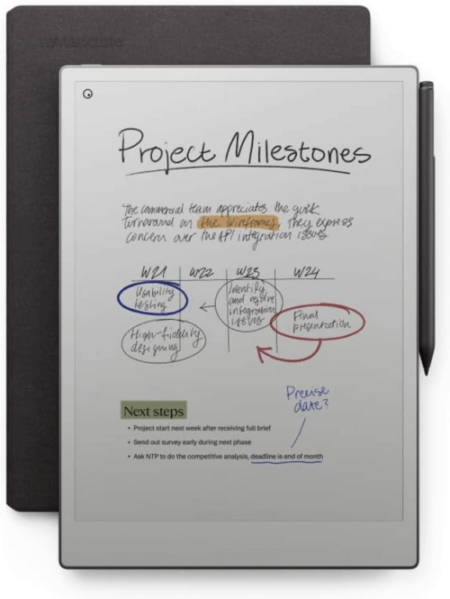
ReMarkable Paper Pro

A product image of the ReMarkable Paper Pro.

This is one of the coolest devices out there, and I can personally say that I desperately want someone to gift me one (although it’s a bit on the pricey side, so I get it). This uses similar e-ink technology as the Paperwhite and allows you to take notes using your own handwriting—which (at least in my case when I write in cursive) helps me remember things!

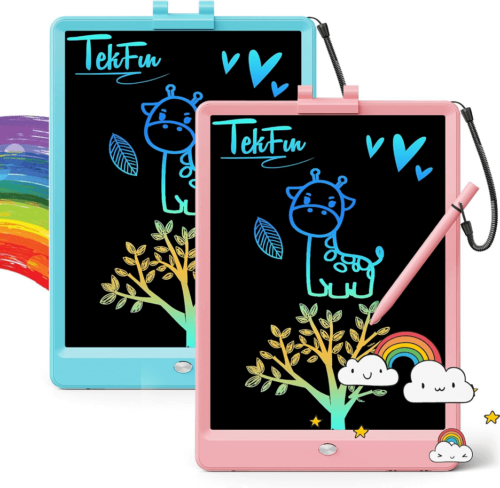
Tekfun LCD Writing and Doodle Tablet

A product image of a Tekfun LCD Writing and Doodle Tablet.

Mixing writing and artistry, this doodle tablet is great for kiddos that are with you in a restaurant or long-haul flight. In fact, I just bought one of these for my nephew!

Klein Bottle

A product image of a Klein bottle.

Some people are math people. I don’t get it, but this Klein Bottle is basically an inside joke to math nerds (something about Möbius loops) and can serve as a lovely table prop for the math lover in your life.

Sounds good!

HyperX Cloud Alpha Wireless Gaming Headset

A product image of the HyperX Cloud Alpha wireless gaming headset.

For the gamer in your life, these are some of the best headphones on the market. They’re wireless, they sound great, and the microphone picks up all of the positive (I’m sure) feedback for teammates.

Apple AirPods 4

A product image of the Apple AirPods 4.

The latest and greatest from Apple. These come with a new chip that helps with transparency mode so you can cross the street with confidence.

Google Pixel Buds Pro 2

A product image of the Pixel Buds Pro 2.

If you’re an Android user (raises hand) you may want something built for your phone and the latest Pro version of the Pixel Buds are here for you. These come with little nubs for snug fit, meaning you can run or lift or meander without worrying that your tiny buds will fall out.

Experiences

Sur La Table Cooking Classes

A screenshot form the Sur La Table website that features their holiday cooking classes.

Who doesn’t want to impress loved ones with delicious dishes? If you have a Sur La Table near you, these are great.

Airbnb Experiences

An image showing the AirBnB experiences logo as well as some images from destinations.

If you’re a fan of traveling you’ve likely stayed at an AirBnB. But even if you’re more of a homebase person, their Experiences tab is worth checking out. From cooking to glass blowing to cow cuddle therapy (yes, that’s a thing).

Odds and ends

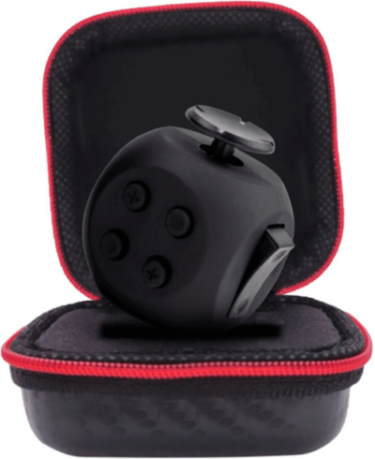
theFube Fidget Cube

A product image of theFube Fidget Cube.

I have one of these in my car and, let me tell you, as a person who used to bite their nails out of boredom (gross, I know), it helps keep my mind and compulsions at bay! Highly recommend.

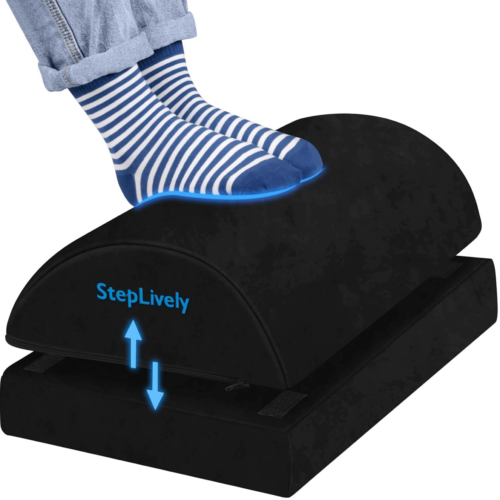
Under Desk Foot Rest

A product image of an under desk foot rest.

Many of us spend our day sitting, sometimes standing at a desk. Even when you’re sitting, though, ergonomics are a big deal and having an adjustable foot rest can help you get into a position that feels solid and sustainable for long stretches of time. I recommend getting up and stretching every now and again, but if you’re like me and have a bad back, these are great.

Leatherman ARC

A product image of a Leatherman Arc.

Whether you’re outdoors or indoors, sometimes you need to cut or saw or screw or open or pry or file something, and for that, these Leatherman tools cannot be beaten.

Give the gift of Backblaze

And, of course, we’d be remiss if we didn’t remind you that Backblaze Computer Backup makes a great gift. Help your family and friends experience the sweet, sweet peace of mind that comes from a good backup strategy and make sure they never lose a file again. Bonus: you don’t even have to go to the store to get it.

A decorative showing a gift covered in Backblaze logos.

Go forth and gift!

We hope this guide sparked some ideas and simplified some choices. We love hearing about what folks are excited about, so feel free to give us some more good options in the comments below.

The post Holiday Gift Guide 2024 appeared first on Backblaze Blog | Cloud Storage & Cloud Backup

Incus 6.7 released

Post Syndicated from corbet original https://lwn.net/Articles/998756/

Version 6.7 of the Incus container-management system (forked from LXD) has
been released. “This is another one of those pretty well rounded
releases with new features and improvements for everyone
“. New
features include automatic cluster rebalancing, DHCP improvements, and more.

Security updates for Tuesday

Post Syndicated from corbet original https://lwn.net/Articles/998755/

Security updates have been issued by AlmaLinux (.NET 9.0, bcc, bluez, bpftrace, bubblewrap, flatpak, buildah, cockpit, containernetworking-plugins, cups, cyrus-imapd, edk2, expat, firefox, fontforge, gnome-shell, gnome-shell-extensions, grafana, grafana-pcp, gtk3, httpd, iperf3, jose, krb5, libgcrypt, libsoup, libvirt, libvpx, lldpd, microcode_ctl, mingw-glib2, mod_auth_openidc, nano, NetworkManager, oci-seccomp-bpf-hook, openexr, osbuild-composer, pcp, podman, poppler, postfix, python-dns, python-jinja2, python-jwcrypto, python3.11, python3.11-PyMySQL, python3.11-urllib3, python3.12, python3.12-PyMySQL, python3.12-urllib3, python3.9, qemu-kvm, runc, skopeo, squid, thunderbird, toolbox, tpm2-tools, vim, webkit2gtk3, xorg-x11-server, and xorg-x11-server-Xwayland), Fedora (lemonldap-ng and mingw-expat), SUSE (bea-stax, xstream, expat, httpcomponents-client, httpcomponents-core, kernel, SUSE Manager Client Tools, SUSE Manager Proxy, Retail Branch Server 4.3, SUSE Manager Salt Bundle, SUSE Manager Server 4.3, and SUSE Manager Server 5.0), and Ubuntu (curl, glib2.0, and webkit2gtk).

Accelerate Mean Time to Exposure Remediation Across Hybrid Environments with Remediation Hub

Post Syndicated from Pauline Logan original https://blog.rapid7.com/2024/11/19/accelerate-mean-time-to-exposure-remediation-across-hybrid-environments-with-remediation-hub/

Accelerate Mean Time to Exposure Remediation Across Hybrid Environments with Remediation Hub

As organizations continue to scale their digital infrastructure, the volume of vulnerabilities and exposures grows at an overwhelming pace. Security teams often find themselves inundated with alerts and risk signals, unable to remediate every issue within their environment. They often struggle to keep pace with the dynamic nature of threats, and existing tools were not built to address the complexity of modern IT environments.

With limited time and resources, trying to address every potential vulnerability is not feasible. This reality has driven the need for prioritization—teams must focus on the vulnerabilities that present the highest risks to their organization, based on factors like attacker behaviors, real-world threat intelligence, and exploitability.

Meet Remediation Hub, Your New Home for Exposure Prioritization and Remediation

Accelerate Mean Time to Exposure Remediation Across Hybrid Environments with Remediation Hub

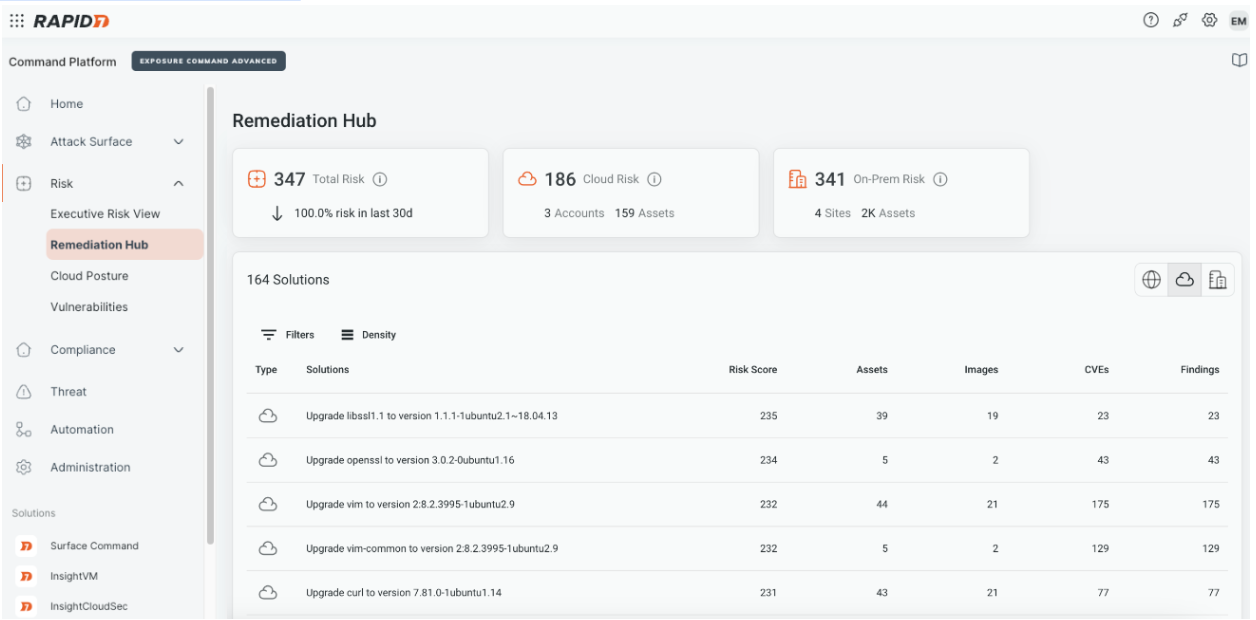
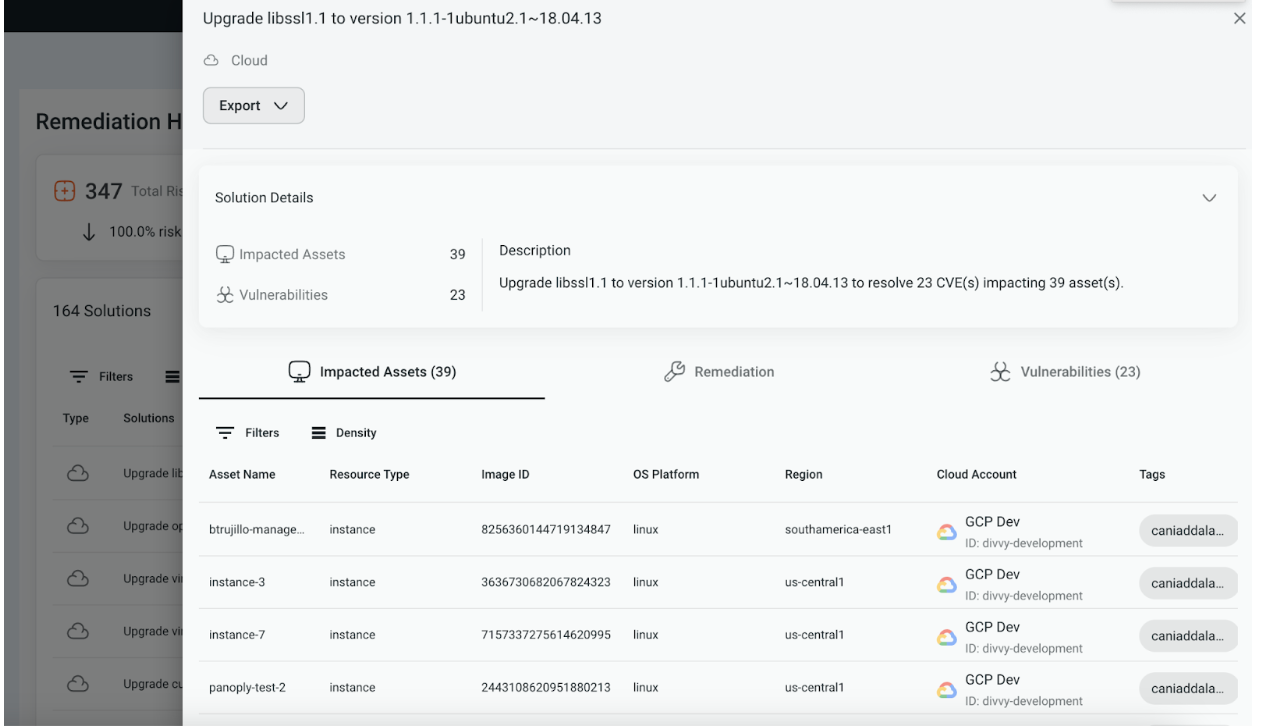
Rapid7’s Remediation Hub, our newest addition to the Exposure Command platform, is designed to address this exact challenge. Remediation Hub automatically prioritizes various risk signals across your hybrid environment and suggests the actions your team can take that would have the largest impact on reducing your overall risk posture.

The solution leverages foundational visibility from Surface Command, which presents a comprehensive view of your attack surface, combining both external scanning and cyber asset management to provide a dynamic inventory and topology map of every asset across your environment. Underpinned by a powerful graph database, the platform allows teams to visualize the entire attack surface and understand the interconnected relationships between assets, ensuring that teams are guided to take action on the risks that are not only likely to be exploited but could also have the broadest blast radius.

Accelerate Mean Time to Exposure Remediation Across Hybrid Environments with Remediation Hub

Remediation Hub considers factors like public accessibility, reachability, and the presence of downstream controls (like a firewall, for instance) when prioritizing vulnerabilities. The platform’s Active Risk incorporates real-world threat intelligence from Rapid7 Labs and our open source community to provide clarity into what CVEs are being actively exploited in the wild, which could provide insight into which exposures across your environment attackers are likely to target.

Along with insight into the impacted assets, teams are also provided step-by-step guidance on how to implement the suggested fix, with many actions available as native automation workflows.

Accelerate Mean Time to Exposure Remediation Across Hybrid Environments with Remediation Hub

Proactive Exposure Management: Moving from Reactive to Proactive

By taking a more targeted, intelligence-driven approach to remediation, security teams can move from reactive to proactive exposure management, ultimately making their organizations more resilient to attacks and accelerating the time it takes to both detect and remediate exposures that pop up across their environments.

To learn more and experience a self-guided Product Tour, click here.

What’s coming next?

In the next post, we’ll walk you through how users can leverage Remediation Hub when responding to an Emergent Threat, including gathering available information about a zero-day, building an understanding of your exposure, along with step-by-step remediation guidance.

We’ll also, of course, continue to bring additional enhancements to Remediation Hub geared toward making it easier for teams to more effectively collaborate with stakeholders across the organization to prioritize and remediate exposures across their hybrid environments. So be sure to stay tuned here for more posts with those updates. As always, we welcome customer feedback and would love to hear from you! Your input helps us tailor our product roadmap, based on your priorities and business needs.

Why Italy Sells So Much Spyware

Post Syndicated from Bruce Schneier original https://www.schneier.com/blog/archives/2024/11/why-italy-sells-so-much-spyware.html

Interesting analysis:

Although much attention is given to sophisticated, zero-click spyware developed by companies like Israel’s NSO Group, the Italian spyware marketplace has been able to operate relatively under the radar by specializing in cheaper tools. According to an Italian Ministry of Justice document, as of December 2022 law enforcement in the country could rent spyware for €150 a day, regardless of which vendor they used, and without the large acquisition costs which would normally be prohibitive.

As a result, thousands of spyware operations have been carried out by Italian authorities in recent years, according to a report from Riccardo Coluccini, a respected Italian journalist who specializes in covering spyware and hacking.

Italian spyware is cheaper and easier to use, which makes it more widely used. And Italian companies have been in this market for a long time.

Ada Computer Science: What have we learnt so far

Post Syndicated from Ben Durbin original https://www.raspberrypi.org/blog/ada-computer-science-what-have-we-learnt-so-far/

It’s been over a year since we launched Ada Computer Science, and we continue to see the numbers of students and teachers using the platform all around the world grow. Our recent year in review shared some of the key developments we’ve made since launching, many of which are a direct result of feedback from our community.

Today, we are publishing an impact report that includes some of this feedback, along with what users are saying about the impact Ada Computer Science is having.

Computer science students at a desktop computer in a classroom.

Evaluating Ada Computer Science

Ada Computer Science is a free learning platform for computer science students and teachers. It provides high-quality, online learning materials to use in the classroom, for homework, and for revision. Our experienced team has created resources that cover every topic in the leading GCSE and A level computer science specifications.

From May to July 2024, we invited users to provide feedback via an online survey, and we got responses from 163 students and 27 teachers. To explore the feedback further, we also conducted in-depth interviews with three computer science teachers in September 2024.

How is Ada being used?

The most common ways students use Ada Computer Science — as reported by more than two thirds of respondents — is for revision and/or to complete work set by their teacher. Similarly, teachers most commonly said that they direct students to use Ada outside the classroom.

“I recommend my students use Ada Computer Science as their main textbook.” — Teacher

What is users’ experience of using Ada?

Most respondents agreed or strongly agreed that Ada is useful for learning (82%) and high quality (79%).

“Ada Computer Science has been very effective for independent revision, I like how it provides hints and pointers if you answer a question incorrectly.” — Student

Ada users were generally positive about their overall experience of the platform and using it to find the information they were looking for.

“Ada is one of the best for hitting the nail on the head. They’ve really got it in tune with the depth that exam boards want.” — Ian Robinson, computer science teacher (St Alban’s Catholic High School, UK)

What impact is Ada having?

Around half of the teachers agreed that Ada had reduced their workload and/or increased their subject knowledge. Across all respondents, teachers estimated that the average weekly time saving was 1 hour 8 minutes.

Additionally, 81% of students agreed that as a result of using Ada, they had become better at understanding computer science concepts. Other benefits were reported too, with most students agreeing that they had become better problem-solvers, for example.

“I love Ada! It is an extremely helpful resource… The content featured is very comprehensive and detailed, and the visual guides… are particularly helpful to aid my understanding.” — Student

Future developments

Since receiving this feedback, we have already released updated site navigation and new question finder designs. In 2025, we are planning improvements to the markbook (for example, giving teachers an overview of the assignments they’ve set) and to how assignments can be created.

If you’d like to read more about the findings, there’s a full report for you to download. Thank you to everyone who took the time to take part — we really value your feedback!

The post Ada Computer Science: What have we learnt so far appeared first on Raspberry Pi Foundation.

Отново на кръстопът: Българската външна политика между Вашингтон и Москва

Post Syndicated from Искрен Иванов original https://www.toest.bg/otnovo-na-krustoput-bulgarskata-vunshna-politika-mezhdu-vashington-i-moskva/

Отново на кръстопът: Българската външна политика между Вашингтон и Москва

Исторически факт е, че геостратегическото разположение на България неведнъж е имало решаващо значение за външната политика на нашата страна както в положителен, така и в негативен план. Кой знае защо, поколения български интелектуалци посочваха този факт с нескрита гордост, като че ли българската външна политика следва да бъде продукт от нашето географско аз, пречупено през балканския постсоциалистически манталитет на голяма част от политиците ни. Но това, разбира се, е само едната страна на монетата. 

Съществува и едно сенчесто, трудно доловимо измерение на външнополитическия процес у нас, което обикновено се пренебрегва с аргумента, че не е от решаващо значение, особено след края на Студената война и падането на социализма в България. Точно там е работата обаче, че разпадът на социалистическата система и началото на Прехода ознаменуваха един добре прикрит геополитически консенсус за бъдещето на нашата страна, който беше не толкова плод на българския политически живот, колкото на договарянето на нови сфери на влияние, които прекроиха границите на бившия социалистически лагер в полза на САЩ. 

Мнозина български политици са склонни да гледат с носталгия към тези години, защото тогава изборът на България беше относително прост. В сегашните геополитически условия обаче задачата на политическия елит се усложнява от два факта. Първият – че консенсусът между Вашингтон и Москва за постсоциалистическия блок вече не съществува, и вторият – че на България отново се пада незавидната съдба да изпие горчивата чаша на нов геополитически избор, който ще предопредели бъдещето и на идните поколения. В този материал ще се опитаме да анализираме точно тази реалност, за която се говори плахо и нерешително както от политиците, така и от много анализатори.

Постсоциалистическата реалност в българската външна политика

Теорията за постсоциалистическата реалност във външната политика на балканските страни е разработена от група американски историци начело с професорката от Тексаския университет Мери Нюбъргър. Непосредствено след разпадането на СССР учените лансират тезата, че демокрациите в тези държави и в бившия социалистически блок като цяло ще се отличават коренно от демокрацията в САЩ и Западна Европа. В този контекст можем да разграничим няколко основни периода в българската външна политика след падането на социализма у нас. 

Първият период започва след срещата между американския президент Джордж Буш-старши и последния съветски лидер Михаил Горбачов през декември 1989 г. в Малта. На тази среща се обсъжда бъдещето на социалистическия блок след началото на дисидентските движения и „нежните революции“ и в крайна сметка се постигат три основни договорки. Първата е готовността на Горбачов да приеме обединението на все още разделената Германия и пълноценното ѝ интегриране в НАТО, а с втората Москва дава възможност на страните от Централна Европа да изберат самостоятелно геополитическия път на своето развитие – предрешен избор, който по-късно ще постави тези държави в американската зона на влияние. 

За България и Румъния е постигнат консенсус влиянието на Вашингтон и Москва да бъде поделено 50:50 поради стратегическото разположение на двете страни. И ако анализираме внимателно анатомията на Прехода у нас, ще видим, че неговите архитекти работиха точно в тази посока – военно-политически и икономически България се обвърза с Европейския съюз и САЩ и стана част от евроатлантическото семейство, но енергийно и културно тя остана в руската сфера на влияние. В този смисъл присъединяването на страната ни към ЕС и НАТО не разчупи, а напротив – циментира този консенсус и легитимира архитектите на Прехода, както и тяхната стратегия да позиционират България като междинна зона, където интересите на Вашингтон и Москва се пресичат.

Вторият период в българската външна политика започна веднага след като България стана част от европейското семейство и колективната система за сигурност на НАТО. Покрай цялата еуфория, някак си незабелязано и паралелно с това, беше реабилитиран образът на Русия като партньор на нашата страна. На макрониво това извърши не кой да е, а самата Европа, тъй като европейските елити години наред нямаха проблем София и Москва да развиват сътрудничеството си в сферата на енергетиката, културата и дори икономиката.

Особено силен застъпник на този консенсус беше Германия, която неусетно се превърна в един от най-големите приятели на Русия в Европа – така руското влияние в Източна Европа беше гарантирано, а канцлерът Герхард Шрьодер се оказа сред най-големите привърженици на (тогава) новоизбрания руски президент Владимир Путин. Или казано с други думи, ако през 90-те години в България хората се мусеха, когато чуеха някой да говори на руски, това започна да става все по-привлекателно и някак си модерно, след като страната ни беше приета в европейското семейство.

В лицето на България обаче Вашингтон виждаше съюзник и затова се стараеше да балансира между отношенията си с Москва и военното си присъствие у нас. Така присъединяването на нашата страна към НАТО беше не толкова уникална заслуга на група български политици, а продукт от консенсуса между САЩ и Русия, който новите дисиденти – много от тях с добре известно минало – си приписаха като изключителна заслуга и така легитимираха политическия си мандат.

В тези условия политическият елит у нас управляваше необезпокояван, тъй като САЩ пазеха небето ни, Европа даваше пари по еврофондовете, а Русия щедро градеше културни връзки за приятелство с България, скрепени с огромните газови тръби на „Южен поток“. Към тази конфигурация беше добавен и Китай с неговото намерение да инвестира в мащабни инфраструктурни проекти у нас, а политическият елит – малка част от който вероятно е чел за Конфуций – изработи златния аргумент, че България е една от първите страни в света, признали Китайската народна република. 

Идилията обаче беше прекалено хубава, за да продължава, и така се озовахме на прага на третия етап от геополитическото съзряване на постсоциалистическа България, когато консенсусът между Вашингтон и Москва рухна, след като Русия нахлу в Украйна. Доказателство за началото на този етап е, че малко преди Кремъл да даде фаталната за Европа заповед, Путин призова НАТО да се изтегли от България и Румъния, намеквайки, че САЩ трябва да спазват червените линии, които са очертани някога от Малтийския консенсус. На това президентът Байдън отговори, че Русия няма право на сфери на влияние и че САЩ имат свещени задължения към тези нации, които ще спазят по силата на Вашингтонския договор. 

А по това време в България и Румъния вече бяха започнали значими политически промени, нови „нежни революции“, които целяха и окончателното откъсване на двете страни от руската сфера на влияние. Политическият елит, който говореше за баланс и консенсус във външната политика, отдавна не беше на мода в Румъния. В България обаче се оказа точно обратното – голяма част от избирателите и политиците гледаха с нескрита носталгия към Малтийския консенсус, не желаеха да се разделят с него или поне бяха против радикални промени в българската външна политика, които да се усетят както на икономическо, така и на културно ниво.

Уви, Европа не можеше да помогне, тъй като Ангела Меркел отдавна вече не беше на власт, а Макрон виждаше, че войната в Украйна заплашва пряко границите на Стария континент. В тези условия САЩ се позиционираха като единствения надежден съюзник на България, но администрацията на Байдън нямаше намерение да прави компромиси нито с корупцията в страната, нито с липсата на културен плурализъм.

Защо България не пожела разчупване на консенсуса?

Първата и основна причина, поради която България не пожела да разчупи Малтийския консенсус във външната си политика, е историческа и може да бъде проследена в годините преди 10 ноември 1989. Моделът, по който е построен българският социализъм, е уникален за Източния блок, тъй като в това семейство няма по-лоялен съюзник на СССР от Народна република България. Често, но погрешно се приема, че причините за това се коренят в Освобождението. 

Причините за силната привързаност към социализма в лоялни съветски сателити като България почиват върху два стълба. Единият е спецификата на българския социализъм, който посредством Живковата конституция гарантира пълна лоялност от страна на гражданите към член първи, легитимиращ господстващата роля на БКП. Другата страна на монетата е, че подобно на демокрацията, социализмът у нас също е строен като социализъм с български характеристики. Липсата на свободна инициатива, предвидимостта в битовите отношения, невъзможността за истинска конкуренция и свобода на пазара спомагат за формирането на нагласи, които виждат в амбициозния и преуспял западен човек, свободен от всякакви морални ограничения, враг на социалистическия строй и на традицията. 

В същото време образователната система изработва ефективни механизми за представянето на САЩ като капиталистически генератор на конфликти – теория, която, уви, днес се отстоява от много леви интелектуалци в Америка и у нас. Това фалшиво усещане за свобода под шапката на Москва рухва по време на Възродителния процес, когато става ясно, че времето на „спокойните хора“ вече е отминало, а след идването на Горбачов на власт различията между съветското и българското ръководство естествено доведоха до падането на социализма у нас. В тези условия политиците гледаха на Америка като на „новия голям брат“, който ще измести СССР като гарант за сигурността на страната ни. И затова по време на Прехода България заимства именно американския икономически модел, а не европейския, за да възстанови икономиката си след кризата от 1996–1997 г. 

И все пак българинът успя да съхрани носталгията по социализма както никой друг народ в Европа. Това е и втората причина, поради която разчупването на Малтийския консенсус изглежда почти невъзможно. Най-парадоксалното е, че тази носталгия се дължи не на някакви обективни политически причини, а просто на факта, че голяма част от носталгиците хранят такива чувства поради възрастта си. Проблемът няма как да бъде преодолян, тъй като има психологически характер и е обективно следствие от формата на социализъм, която доминираше в страната в продължение на 45 години.

За съжаление, голяма част от младото поколение също не е способно да компенсира този дефицит по множество причини. От една страна, е проблемът с демографията и емиграцията, а от друга страна – липсата на толерантна и плуралистична среда, която да генерира и насърчи професионалното развитие на младото поколение. Дали посочените проблеми могат да бъдат преодолени на този етап, е спорно поради политическата нестабилност в страна и липсата на желание за изграждане на дългосрочни стратегии.

Третата група причини засяга устойчивото руско влияние в страната и перспективата то да бъде заменено от сходни по идеология формули. Силната лоялност на България към СССР от времето на Студената война, която се запази устойчива след формирането на българския постсоциалистически елит, и дългосрочното нежелание на Европа да погледне сериозно на проблемите, с които се сблъсква обществото ни години наред, доведоха до политическа нестабилност, която изглежда непреодолима поради невъзможността за откриване на единна формула за българския национален интерес.

Докато такава липсва, патриотичните фракции ще продължат да гледат на понятието български национален интерес като на възможност да увеличат подкрепата си и да държат България колкото е възможно по-близо до своите идеи, а прозападните и ястребските крила да задълбочат механичната си реторика за цивилизационния избор на страната да бъде част от ЕС и НАТО. 

Това противопоставяне в обществото е основният генератор на конфликти, който не позволява разчупването на Малтийския консенсус и изработването на последователна стратегия, която да позиционира България трайно на геополитическата карта. Конспиративна теория е да смятаме, че тази поляризация крие някакви тайни, скрити измерения и че някой нарочно разделя българите, за да не могат да постигнат консенсус за интересите си.

Такива теории обикновено кореспондират с митовете, че американските президенти си лягат и стават с мисълта дали в България трябва да има редовно правителство, или не. Всъщност не САЩ, а българските избиратели решават това – и така ще отговори всеки американски дипломат. Лошата новина е, че в българското общество няма воля за разчупването на Малтийския консенсус и заради това той трябва да бъде заменен от някаква приемлива геополитическа формула, която да възстанови политическата стабилност у нас.

(Следва продължение.)

Зад кулисите на изслушванията за еврокомисари

Post Syndicated from Анахит Хачикян original https://www.toest.bg/zad-kulisite-na-izslushvaniyata-za-evrokomisari/

Зад кулисите на изслушванията за еврокомисари

Докато в България партиите са вгледани самовлюбено в резултатите от изминалите избори и в поредните напъни за съставяне на правителство, българските евродепутати в Брюксел вече са заели местата си в парламентарните комисии, в които са избрани да членуват, и се опитват да влязат в работен ритъм, всеки според възможностите и интересите си.

Звезден миг за гражданската легитимност

През изминалите две седмици българските евродепутати участваха в изслушванията на кандидат-комисарите в Брюксел. Това несъмнено е един от звездните моменти за Европейския парламент, който се повтаря на всеки пет години непосредствено след европейските избори. Новоизбраните депутати във всяка парламентарна комисия препитват като на изпит кандидат-комисарите, предложени от правителствата на държавите членки. Ако дадените отговори не се харесат на депутатите, кандидатурата може да бъде отхвърлена и трябва съответната държава, изпаднала в немилост, да предложи нов кандидат, който да бъде подложен на същото изпитание. 

Моментът е звезден, защото Европейският парламент е единствената институция, избрана пряко от гражданите на Европа и точно изслушванията на кандидат-комисарите са един от начините тази гражданска легитимност да бъде упражнена. Представени от депутатите, европейските граждани са всъщност тези, които косвено се произнасят по кандидатурите на бъдещите комисари, и то не по национален признак, а в зависимост от тяхната компетентност и познания в сферата, в която са номинирани. 

Така Парламентът има решаваща роля за състава на следващата Комисия, от която пък ще зависи какво законодателство ще бъде предложено на европейско ниво, какъв бюджет ще бъде отпуснат по различните програми, какви средства ще бъдат одобрени по различни проекти и много други въпроси с конкретни последици на всички нива. Макар и да не взема крайните решения, Европейската комисия е институцията, която предвожда законодателния процес, предлагайки законите и дефинирайки първоначалните им рамки на действие и обхват. Затова е от ключово значение кой управлява всяко от 26-те портфолиа. 

Изслушването

Като всеки звезден миг, и този е добре режисиран предварително. В рамките на десет дни са организирани 26 изслушвания, като първото за деня започва в 9:00 ч. сутринта, а последното приключва в 21:30. Преди да се изправят на изпитната скамейка, кандидат-комисарите имат седем седмици да се подготвят. Получават инструкции от сътрудниците на напускащите комисари, срещат се с представители на различни политически групи, с координаторите и председателите на парламентарните комисии, с представители на неправителствени организации и лобита; отговарят на списък от писмени въпроси на евродепутатите и подготвят 15-минутна реч, в която да представят приоритети си за следващите пет години. 

По време на самото изслушване обаче те трябва да отговарят импровизирано и именно по този начин се разбира доколко са запознати с ресора, който ще ръководят, и дали имат ясна визия за това, с което ще се занимават. На изслушванията, освен евродепутатите, присъстват много журналисти, фотографи, политически съветници, пиари и сътрудници. Зад катедрата седят председателите на парламентарните комисии от ресора на кандидат-комисаря, а пред тях на една малка маса е самият кандидат, готов за тричасов кръстосан разпит. Напрежението в залата е осезаемо. 

Освен че крайният резултат зависи от индивидуалното представяне на всеки кандидат, политическите групи в Парламента също обсъждат цялостния състав на Комисията и се опитват, от една страна, да подкрепят кандидатите от своето политическо семейство, а от друга страна, да не атакуват прекалено опонентите си, за да не им се върне тъпкано. 

Санитарен кордон и в Европарламента

В проектния състав на следващата Комисия има 16 кандидат-комисари на десни правителства, четирима кандидати на леви правителства, петима кандидати либерали и един кандидат-комисар от десницата на Мелони в Италия. Това съотношение между политическите сили в бъдещата Европейска комисия не отразява състава на новия Парламент, където крайнодясната политическа група „Патриоти за Европа“ е третата по големина, но няма нито един кандидат за комисар, нито пък председатели или заместник-председатели на парламентарни комисии. 

Причината за това е прилагането на санитарен кордон от левицата, либералите и зелените, за да предотвратят заемането на ключови позиции от крайнодесните. Самата кандидатура на Урсула фон дер Лайен за втори мандат начело на Комисията беше одобрена в края на лятото от левицата, либералите и зелените, при условие че няма да има представители на крайната десница сред новите комисари. Въпреки това няколко месеца по-късно крайнодесният италианец Рафаеле Фито, съпредседател на Групата на европейските консерватори и реформисти в предишния мандат на Европарламента, не само беше издигнат за италиански кандидат-комисар в следващата Комисия, а и за неин изпълнителен заместник-председател. 

Зад кулисите на изслушванията за еврокомисари
Рафаеле Фито © European Union 2024 – Source: EP

Санитарният кордон е неписано правило и подлежи на гъвкави интерпретации, особено в настоящия Европарламент, където, ако традиционната десница на Европейската народна партия се обедини с другите крайнодесни партии, ще държи под контрола си половината пленарна зала. Подобно обединение на десницата в бъдеще, ако се окаже трайно и стабилно, коренно ще промени съотношението на силите между политическите групи в Парламента. Ако в последните десет години трите най-големи групи – на десните, левите и либералите – съставяха съвместно законодателни предложения след дълги преговори и постигане на компромис, сега Парламентът започва да се връща към модел, по-близък до националните парламенти – с класически идеологически противопоставяния между партиите и ясно очертани мнозинство и опозиция. При такава конфигурация рисковете от блокажи и задънени улици значително се увеличават. 

Именно това се случи в Европейския парламент в края на изслушванията за еврокомисари, след като 19 от 26-имата кандидати вече бяха препитани и одобрени. Под натиска на десницата изслушванията на последните шестима кандидат-комисари и бъдещи изпълнителни заместник-председатели на Комисията, сред които Тереса ​​Рибера (испанска левица) и Рафаеле Фито (италианска крайна десница), бяха оставени за обсъждане и групово одобрение в последния ден. Така десницата се надяваше кандидатурата на крайнодесния Фито да мине между капките и да бъде одобрена в цялостния пакет на висши назначения. 

Левицата обаче продължи яростно да се съпротивлява, настоявайки, че тази кандидатура противоречи на първоначалното споразумение и нарушава санитарния кордон. Тогава десницата мина в контранастъпление и се възползва от неотдавнашните поройни дъждове в Испания, за да атакува испанската кандидатка за комисар и настояща министърка на екологичния преход в Испания – Рибера, като я обвини за бедственото положение в засегнатите региони. 

Зад кулисите на изслушванията за еврокомисари
Тереса Рибера © European Union 2024 – Source: EP

Така в последния ден от изслушванията страстите се нажежиха и вместо да дискутират европейски политики, евродепутатите и целият бъдещ състав на Комисията се оказаха заложници на вътрешнополитически конфликти, а приличното представяне на индивидуалните кандидати и предварителните споразумения между групите останаха на заден план. Но освен че говорим за борба на власт и влияние между европейските столици, основното предизвикателство тук е идеологическото позициониране на европейските институции и дали постепенно ще минават все по-вдясно и ще водят все по-консервативни политики, или ще запазят досегашното си относително равновесие в смесица от десни, леви и либерални идеи.

Ако политическите групи не постигнат бързо съгласие и предложеният състав на Комисията не бъде гласуван на пленарната сесия в края на ноември, встъпването в длъжност на новите екипи ще остане за следващата година, което не е най-добрият сценарий в един бързо променящ се и непредвидим свят след завръщането на Тръмп в Белия дом.

Къде сме ние?

Българската кандидатка за комисар Екатерина Захариева (ГЕРБ) беше изслушана в Комисията по промишленост, изследвания и енергетика. Това е същият ресор, който България имаше и в предишната Комисия, но този път без културата и младежта, които сега са прибавени към спорта в отделно портфолио, дадено на Малта. 

Зад кулисите на изслушванията за еврокомисари
Екатерина Захариева по време на изслушването ѝ за еврокомисар © European Union 2024 – Source: EP

Захариева постави акцент върху увеличаването на инвестициите в сферата на научните изследвания и иновациите, както и върху необходимостта частният сектор също да бъде привлечен да инвестира. Други приоритети в работата ѝ ще бъдат насърчаването на участието на жени изследователки във всички научни области, намаляването на бюрокрацията, а също и инвестиции за научни изследвания в отбраната. Захариева цитира много статистики от европейски доклади и изследвания, с което запълни липсващата ѝ лична професионална експертност по темите. Политическият ѝ опит от България пък ѝ помогна да се измъкне ловко от деликатни въпроси, като продължаващото финансиране на израелски университети въпреки случващото се в Газа или рисковете от инструментализиране на средства, отделени за граждански изследвания, и пренасочването им към изследвания за отбрана. 

Българската кандидатка се обяви в подкрепа на всички академични институции, независимо от тяхната националност, за да бъде избегната дискриминация. По отношение на военните изследвания тя даде за пример американската Агенция за перспективни изследователски проекти за отбраната (DARPA), подчертавайки, че получените резултати често имат едновременно и военно, и гражданско приложение, така че ползите са повсеместни. 

Наред с много други членове на Европейския парламент, българските евродепутати Цветелина Пенкова (БСП), Ева Майдел (ГЕРБ), Петър Волгин („Възраждане“) и Христо Петров („Продължаваме промяната“) също отправиха своите индивидуални въпроси към Екатерина Захариева съвсем в рамките на добрия тон и далеч от обичайната за България агресивна политическа конфронтация.

След изслушването шестима от присъстващите седем координатори на изпитващата парламентарна комисия одобриха кандидатурата на Екатерина Захариева. Само крайната левица гласува против, а депутатите от групата на „Европа на суверенните нации“, част от която е и българската „Възраждане“, не присъстваха на гласуването.

Какво означава това за България?

От влизането на България в Европейския съюз досега всички български комисари са били жени с политически опит на национално, европейско или международно ниво. Преди да станат еврокомисари, Меглена Кунева е била министър по европейските въпроси, Кристалина Георгиева – вицепрезидент на Световната банка, Мария Габриел – евродепутат, а Илиана Иванова – член на Европейската сметна палата. Екатерина Захариева е била зам.-министър на регионалното развитие и благоустройството, министър на правосъдието и министър на външните работи. 

Женските кандидатури за български еврокомисар се гледат с добро око в една Европа, която все още руши стереотипи и се бори за равенство между половете. Погледнато в по-мащабен план, цялостният образ на българския комисар, от нивото на владеене на чужди езици и начина на обличане и поведение до знанията в ресора и политическата опитност, оказват влияние за изграждането на образа на България на европейско ниво. Българите, работещи в европейските институции от дълги години, още си спомнят скандалното изслушване на една друга българска кандидатка за еврокомисар – Румяна Желева. През 2009 г. тя предизвика масово възмущение с лъжливите си декларации, лошия си английски и пълната си неподготвеност по зададените въпроси и както се очакваше, беше отхвърлена от евродепутатите. 

Българските политици в Брюксел имат ключова роля за изграждането на образа на страната ни на международната сцена, а това влияе не само в политически план, а и по отношение на чуждестранните инвестиции, международното сътрудничество в различни сфери и дали въобще ни вземат на сериозно. Достойното участие на България в дебати по теми като Зелената сделка, миграционната политика или социалните неравенства ни приобщава към търсенето на решения на глобални проблеми и ни включва в европейските политически процеси. Помага ни да разбираме по-добре предизвикателствата в света, в който живеем.

От друга страна, международната среда, в която са българските представители в Брюксел, и работата им с колеги от цяла Европа биха могли постепенно да окажат положително влияние върху начина на правене на политика в България, да внесат професионални практики, като конструктивния диалог, коалициите, основани на идеи и ценности, балансираните преговори за постигане на печеливш за всички компромис. Все ценности, които са съставна част от изграждането на демократично и гражданско общество и които биха довели до нормализация на политическите процеси, ако има кой да ги внесе на родна земя. 

Изразеното мнение е лично и не представлява позицията на Европейския парламент.

The collective thoughts of the interwebz