Интервю на Георги Георгиев от БОЕЦ: „ДАНС е предала пътната карта за Турски поток на Стефан Янев, Кирил Петков не е знаел“

Post Syndicated from Николай Марченко original https://bivol.bg/boec-geoergiev-turskipotok.html

четвъртък 14 март 2024


Пътната карта за газопровода „Турски поток 2“ („Балкански поток“) е открита от Държавна агенция „Национална сигурност“ (ДАНС) още през 2021 г. Това сподели в интервю за „Биволъ“ председателят на гражданското…

Automakers Are Sharing Driver Data with Insurers without Consent

Post Syndicated from Bruce Schneier original https://www.schneier.com/blog/archives/2024/03/automakers-are-sharing-driver-data-with-insurers-without-consent.html

Kasmir Hill has the story:

Modern cars are internet-enabled, allowing access to services like navigation, roadside assistance and car apps that drivers can connect to their vehicles to locate them or unlock them remotely. In recent years, automakers, including G.M., Honda, Kia and Hyundai, have started offering optional features in their connected-car apps that rate people’s driving. Some drivers may not realize that, if they turn on these features, the car companies then give information about how they drive to data brokers like LexisNexis [who then sell it to insurance companies].

Automakers and data brokers that have partnered to collect detailed driving data from millions of Americans say they have drivers’ permission to do so. But the existence of these partnerships is nearly invisible to drivers, whose consent is obtained in fine print and murky privacy policies that few read.

Digital forgeries are hard

Post Syndicated from Matthew Garrett original https://mjg59.dreamwidth.org/69507.html

Closing arguments in the trial between various people and Craig Wright over whether he’s Satoshi Nakamoto are wrapping up today, amongst a bewildering array of presented evidence. But one utterly astonishing aspect of this lawsuit is that expert witnesses for both sides agreed that much of the digital evidence provided by Craig Wright was unreliable in one way or another, generally including indications that it wasn’t produced at the point in time it claimed to be. And it’s fascinating reading through the subtle (and, in some cases, not so subtle) ways that that’s revealed.

One of the pieces of evidence entered is screenshots of data from Mind Your Own Business, a business management product that’s been around for some time. Craig Wright relied on screenshots of various entries from this product to support his claims around having controlled meaningful number of bitcoin before he was publicly linked to being Satoshi. If these were authentic then they’d be strong evidence linking him to the mining of coins before Bitcoin’s public availability. Unfortunately the screenshots themselves weren’t contemporary – the metadata shows them being created in 2020. This wouldn’t fundamentally be a problem (it’s entirely reasonable to create new screenshots of old material), as long as it’s possible to establish that the material shown in the screenshots was created at that point. Sadly, well.

One part of the disclosed information was an email that contained a zip file that contained a raw database in the format used by MYOB. Importing that into the tool allowed an audit record to be extracted – this record showed that the relevant entries had been added to the database in 2020, shortly before the screenshots were created. This was, obviously, not strong evidence that Craig had held Bitcoin in 2009. This evidence was reported, and was responded to with a couple of additional databases that had an audit trail that was consistent with the dates in the records in question. Well, partially. The audit record included session data, showing an administrator logging into the data base in 2011 and then, uh, logging out in 2023, which is rather more consistent with someone changing their system clock to 2011 to create an entry, and switching it back to present day before logging out. In addition, the audit log included fields that didn’t exist in versions of the product released before 2016, strongly suggesting that the entries dated 2009-2011 were created in software released after 2016. And even worse, the order of insertions into the database didn’t line up with calendar time – an entry dated before another entry may appear in the database afterwards, indicating that it was created later. But even more obvious? The database schema used for these old entries corresponded to a version of the software released in 2023.

This is all consistent with the idea that these records were created after the fact and backdated to 2009-2011, and that after this evidence was made available further evidence was created and backdated to obfuscate that. In an unusual turn of events, during the trial Craig Wright introduced further evidence in the form of a chain of emails to his former lawyers that indicated he had provided them with login details to his MYOB instance in 2019 – before the metadata associated with the screenshots. The implication isn’t entirely clear, but it suggests that either they had an opportunity to examine this data before the metadata suggests it was created, or that they faked the data? So, well, the obvious thing happened, and his former lawyers were asked whether they received these emails. The chain consisted of three emails, two of which they confirmed they’d received. And they received a third email in the chain, but it was different to the one entered in evidence. And, uh, weirdly, they’d received a copy of the email that was submitted – but they’d received it a few days earlier. In 2024.

And again, the forensic evidence is helpful here! It turns out that the email client used associates a timestamp with any attachments, which in this case included an image in the email footer – and the mysterious time travelling email had a timestamp in 2024, not 2019. This was created by the client, so was consistent with the email having been sent in 2024, not being sent in 2019 and somehow getting stuck somewhere before delivery. The date header indicates 2019, as do encoded timestamps in the MIME headers – consistent with the mail being sent by a computer with the clock set to 2019.

But there’s a very weird difference between the copy of the email that was submitted in evidence and the copy that was located afterwards! The first included a header inserted by gmail that included a 2019 timestamp, while the latter had a 2024 timestamp. Is there a way to determine which of these could be the truth? It turns out there is! The format of that header changed in 2022, and the version in the email is the new version. The version with the 2019 timestamp is anachronistic – the format simply doesn’t match the header that gmail would have introduced in 2019, suggesting that an email sent in 2022 or later was modified to include a timestamp of 2019.

This is by no means the only indication that Craig Wright’s evidence may be misleading (there’s the whole argument that the Bitcoin white paper was written in LaTeX when general consensus is that it’s written in OpenOffice, given that’s what the metadata claims), but it’s a lovely example of a more general issue.

Our technology chains are complicated. So many moving parts end up influencing the content of the data we generate, and those parts develop over time. It’s fantastically difficult to generate an artifact now that precisely corresponds to how it would look in the past, even if we go to the effort of installing an old OS on an old PC and setting the clock appropriately (are you sure you’re going to be able to mimic an entirely period appropriate patch level?). Even the version of the font you use in a document may indicate it’s anachronistic. I’m pretty good at computers and I no longer have any belief I could fake an old document.

(References: this Dropbox, under “Expert reports”, “Patrick Madden”. Initial MYOB data is in “Appendix PM7”, further analysis is in “Appendix PM42”, email analysis is “Sixth Expert Report of Mr Patrick Madden”)

comment count unavailable comments

Преди изборите, или как се става кандидат-президент в САЩ

Post Syndicated from Йоанна Елми original https://www.toest.bg/predi-izborite-ili-kak-se-stava-kandidat-prezident-v-usa/

Изборите в САЩ, част I. Механизмите на вота

Преди изборите, или как се става кандидат-президент в САЩ

Независимо дали обикаляте по улиците на Вашингтон, окръг Колумбия, или се разхождате из малки курортни градчета като Оушън Сити в Мериленд, може да си купите тениска както с лика на Джо Байдън, така и на Доналд Тръмп – и то от един и същи продавач. Излитащите от „Джон Ф. Кенеди“ в Ню Йорк пък могат да занесат у дома сувенирни шоколади с лика на 45-тия или 46-тия американски президент. Под това прозира не само търговска находчивост, американската способност всичко да се превръща в продукт или поредната изборна година, а и дълбоките разделения, които едновременно уж разкъсват обществената тъкан в Америка, но и са всекидневие, към което всички са привикнали. 

САЩ е ключов партньор на България, световна сила и основна страна във все по-горещ военен конфликт, така че предстоящите през ноември президентски избори разбираемо вълнуват не само българите, но и света. Същевременно от САЩ ни дели цял океан, а дигиталната близост до американския свят е илюзорна: за много европейци например изборният процес в Америка е тъмна материя. У нас американската политика често се разглежда или през кратки новини и очерци, или през превратното тълкуване на източници на дезинформация – като тези, които по-рано през годината обявиха началото на гражданска война в САЩ, която така и не се състоя. 

Но това, че Америка е любима тема на антидемократичната пропаганда в България, не означава, че отвъд океана няма съвсем реални и сериозни проблеми. Тяхното разбиране е свързано не само с интереса ни към политиката. То може да ни помогне да разберем по-добре как работи демокрацията, а също и какво може да се случи, когато механизмите ръждясат и не се сменят с нови. Затова в поредица от статии ще разгледаме някои от най-често задаваните въпроси, свързани с американските избори, и ще разнищим защо всъщност е толкова трудно да си направиш демокрация. Започваме от самото начало. 

Първичните избори 

Американските избори са сложен процес с повече стъпки, отколкото стандартните европейски избори. Кампаниите често започват в предходната година, като има множество кандидати от всяка партия. Традиция е партията на управляващия президент да не излъчва други кандидати, ако той е отслужил само един мандат, тоест ако има право на още един. Затова и настоящият президент Джо Байдън не бе предизвикан от свой съпартиец. От 70-те години насам няма действащ президент, който да е бил победен по този начин по време на предварителните избори. 

Тази година обаче в някои щати рекорден брой избиратели на демократите избраха варианта „не подкрепям никого“ по време на първичните избори. Това е резултат от гражданска акция, която използва протестен вот като наказание за политиката на САЩ в конфликта между Израел и Палестина. След терористичната атака на „Хамас“ на 7 октомври 2023 г. и последвалия отговор на Израел (подкрепян от САЩ), към момента са убити над 30 000 цивилни палестинци. Палестинските територии са в хуманитарна криза, като се трупат все повече доказателства за диспропорционално използване на сила от страна на Израел спрямо цивилното население. Конфликтът в Близкия изток подхранва разделения в Демократическата партия и може да предизвика отлив в подкрепата за настоящия президент. 

В изборна година всяко едно събитие, независимо дали става въпрос за вътрешен, или външен конфликт, може да наклони везните в една или друга посока. Същевременно обаче в САЩ се наблюдава т.нар. втвърдяване на електората, за което ще разкажем подробно в следващите текстове. Този феномен води до твърди електорални ядра, които подкрепят кандидатите си независимо от всичко – дори да става дума за множество престъпления като при кандидата на републиканците Доналд Тръмп, за някои от които той вече е осъден. 

Какво представлява Избирателната колегия и демократична ли е тя? 

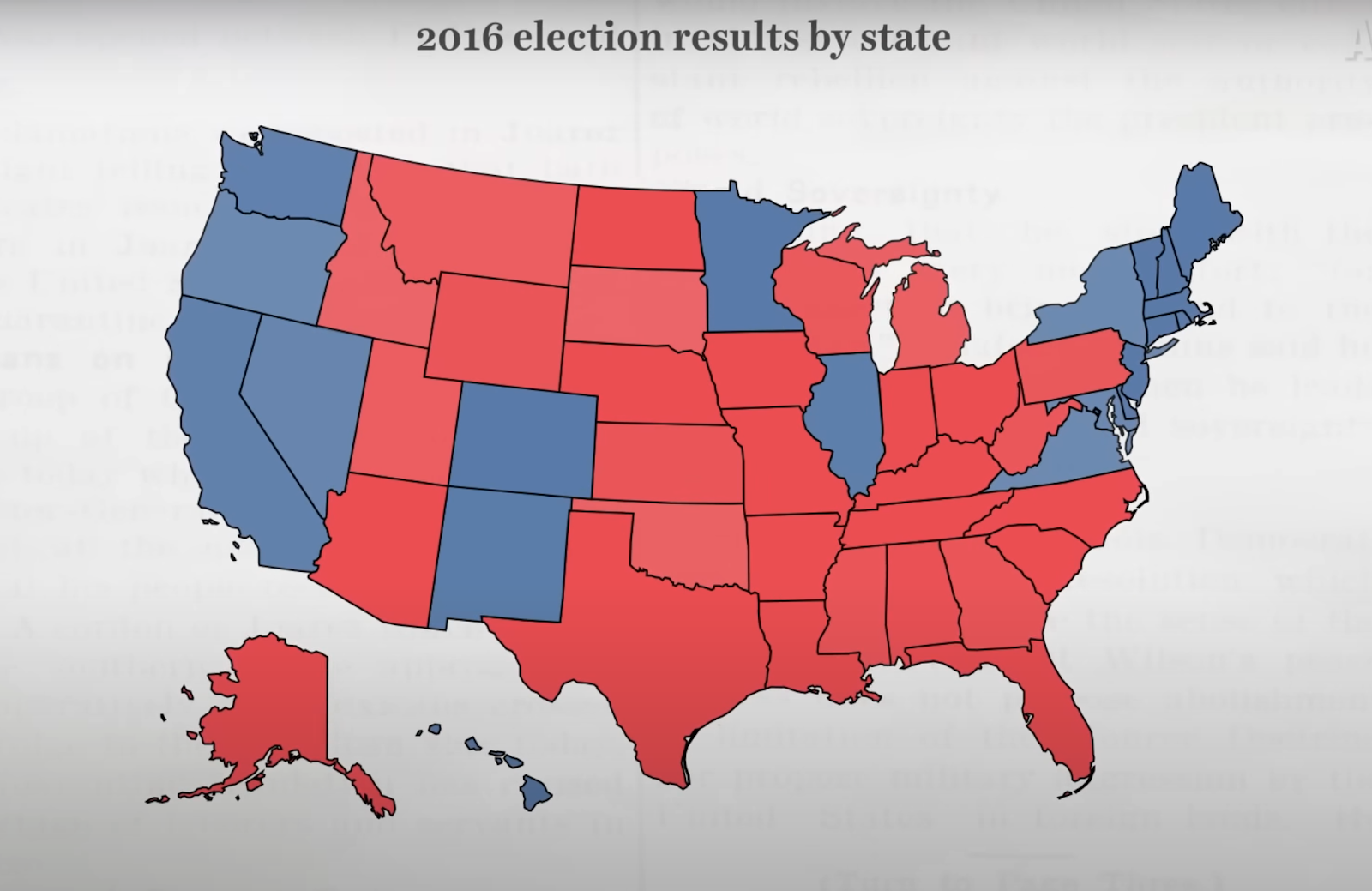
През 2016 г. Доналд Тръмп спечели изборите, въпреки че по-голяма част от американците гласуваха за Хилари Клинтън. Как се случи това и възможно ли е през 2024 г. да има повторение? 

Демокрацията в САЩ не е пряка, както в много европейски държави. В преките демокрации бюлетините се броят и общият брой се преизчислява в проценти подкрепа за всяка партия. Но когато американците гласуват, те всъщност избират кого ще изберат определени хора от техния щат. 

Звучи сложно? Вероятно защото е. Тези определени хора са част от Избирателната колегия, разписана в американската Конституция от основателите като компромис между директното избиране на президента с гласуване и неговото назначаване от Конгреса. Именно заради Избирателната колегия пет пъти в историята на САЩ се е случвало президент, който не е спечелил най-много гласове, всъщност да спечели изборите.

Колегията има 538 членове. Президентът е избран, ако получи поне 270 от тези 538 гласа. Основният аргумент в полза на Избирателната колегия е, че делегирани представители биха могли да вземат по-добро решение от масите, избягвайки потенциална тирания на мнозинството над малцинството или подвеждане по популисти и демагози.

Разбира се, нищо не гарантира, че членовете на Избирателната колегия са по-образовани или по-компетентни от средностатистическия избирател – днес те са просто партийни назначения, които законите в някои щати задължават да се съобразят с волята на избирателите. На изборите през 2016 г. рекорден брой електори не го направиха. Някои от електорите на демократите например гласуваха за Бърни Сандърс вместо за Хилари Клинтън, тъй като предварителните избори бяха разцепили поддръжниците на партията на две крила. 

Защитниците на Избирателната колегия твърдят, че така се осигурява пропорционално представителство на цялото население на Щатите. В противен случай кандидатите биха концентрирали усилията си върху големите населени места, където има най-много гласоподаватели, и напълно биха игнорирали нуждите на централните, по-слабо населени щати. 

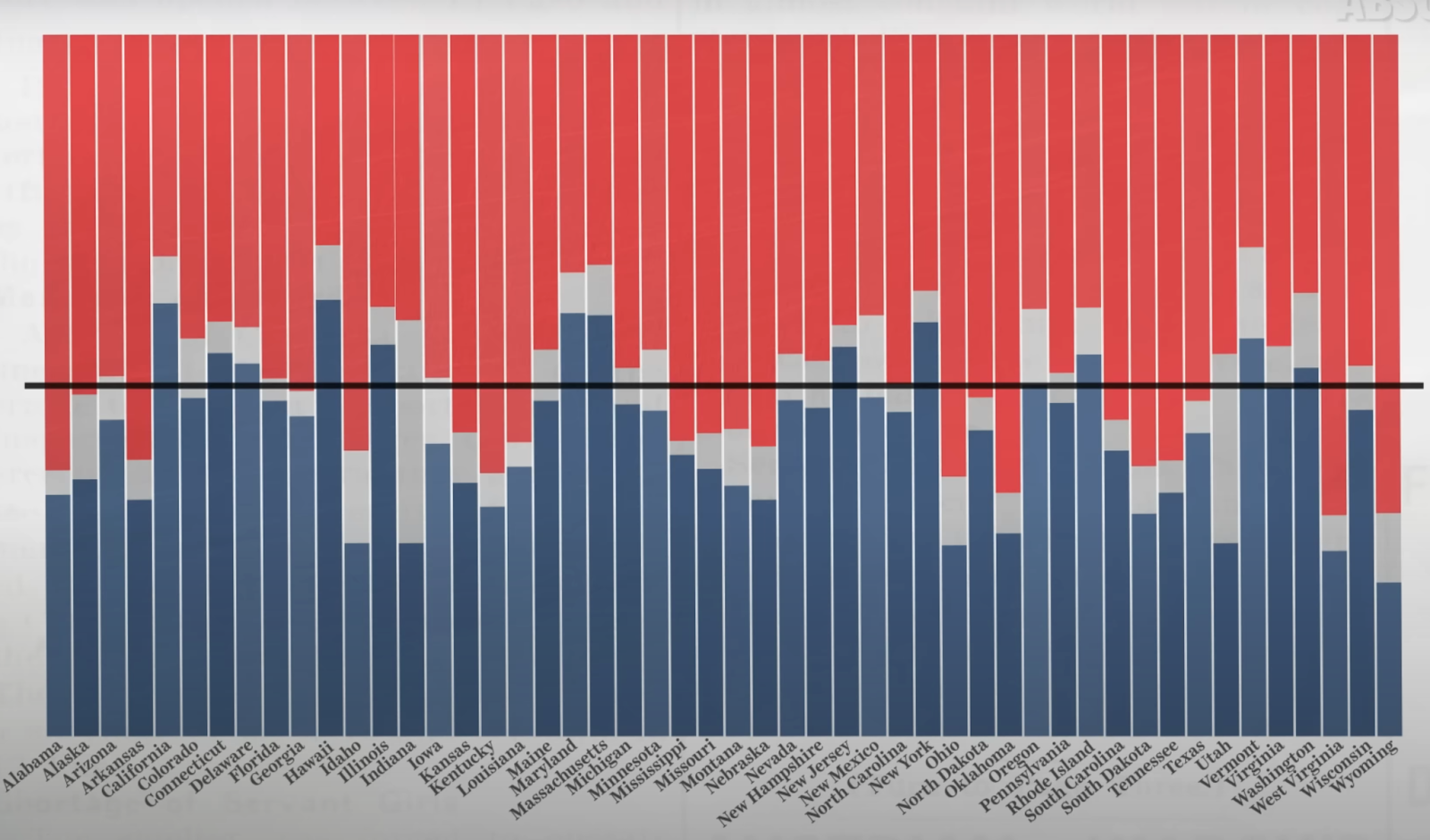
Но в съвремието нуждите и интересите на гласоподавателите не се определят от населението или от големината на техния щат. Разделенията по основните въпроси, като климатичните промени, правото на аборт или Втората поправка, са актуални както в градовете, така и в малките населени места, като в повечето щати има сравнително разнообразие от привърженици на републиканците и демократите, както и безпартийни гласоподаватели.

Все повече експерти са категорични, че Избирателната колегия е недемократична и следва да бъде премахната. Този процес никога не е бил особено популярен и сред гласоподавателите: данни от есента на 2023 г. показват, че 65% от американците искат пряко гласуване на президентски избори. Вместо да има изравняващ ефект между щатите, Избирателната колегия създава т.нар. колебаещи се щати. Те се променят през годините, но идеята е, че получават непропорционално внимание от кандидатите, които са наясно, че гласовете на електорите в останалите щати са им гарантирани. Това оборва и най-силния аргумент в полза на Избирателната колегия. 

Тъй като обаче Колегията обикновено се защитава от онези, в чиято полза работи, Републиканската партия от години блокира нейното премахване, за което призовават демократите. Това е поредна разломна линия между двете партии, превърнала се в заложник по-скоро на политически интереси, отколкото на вслушване в желанието на мнозинството. 

Преди изборите, или как се става кандидат-президент в САЩ
Различни визуализации на изборите през 2016 г. Картата дава грешна представа за политическите настроения в страната не само защото щатите в Средна Америка са много по-слабо населени от щатите по крайбрежието. Скрийншот от VOX
Преди изборите, или как се става кандидат-президент в САЩ
Различни визуализации на изборите през 2016 г. Графиката показва, че в повечето щати има здравословен микс от подкрепящи демократи, републиканци и независими. Скрийншот от VOX

Какво представляват партийните комитети и какво е Супервторник? 

В САЩ съществуват и т.нар. партийни комитети – различни групи, съставени от членове на съответната партия. Тяхната роля да номинират кандидати е ключова в първичните избори, завършващ с т.нар. Супервторник (тази година той беше в началото на март). След Супервторника – последния ден, в който членовете на дадена партия в определен щат гласуват за предпочитаната от тях номинация, е ясен кандидатът за президент от всяка партия, който ще се яви на същинските избори.

Партийните комитети се появяват през 1800 г. и са съставени от членове на Конгреса, които номинират кандидат-президенти. Критиките към тях са, че не успяват да гарантират разделението на властите, т.е. принципа, според който трите власти – изпълнителна (президент), законодателна (Конгрес и Камара на представителите) и съдебна (Върховен съд и съдилища) – трябва да бъдат независими една от друга. През 1812 г. например върху президента Джеймс Мадисън е оказван натиск от членове на Конгреса, които поставят условие той да обяви война на Обединеното кралство, ако иска да го номинират повторно. 

Напрежението, породено от тази система, достига своя пик през 1824 г., когато нито един от кандидатите, номинирани от партийните комитети, не успява да спечели достатъчно гласове и де факто Конгресът трябва да назначи президент. Тогавашната криза и назначението на по-малко популярния кандидат води до разпадането на първата двупартийна система в САЩ и появата на настоящите две партии, макар и не във вида, в който ги познаваме днес. 

Партийните комитети остават силно недемократични до 60-те години на миналия век. На предварителните избори дотогава се гледа по-скоро като на тест дали кандидатът, избран от една партия, ще се справи добре на същинските избори. От 1968 г. насам Демократическата партия постоянно променя функционирането на своите партийни комитети, опитвайки се все повече да ги демократизира. Това е дълъг (и със сигурност скучен за читателя) процес на нововъведения, отмяна на нововъведенията и замяната им с други, разписване на забраненото и позволеното в процеса и т.н. Подобна е ситуацията и при републиканците, които дават повече свобода на щатите сами да определят правила за партийните си комитети. 

Какво ни показват тези сложни механизми? 

Ако от всичко това ви е заболяла глава, не сте единствени. Освен класическото разделение на властите, цялата система на управление на САЩ е изградена от подобни микропроверки и баланси, които понякога работят, а понякога отнемат повече свободи, отколкото дават, в добрите случаи – временно. Компромисът за Избирателната колегия е само един от многото, заложени още в основите на държавата. Тези компромиси между често взаимно изключващи се позиции осигуряват така необходимия баланс, в който може да вирее някаква свобода, включително и най-важната – да се променят вече установени механизми. 

Илюзорно разбиране е, че демокрацията гарантира пълна ефективност на управлението или някаква утопия. Напротив, демокрацията е по-хаотична, изисква повече време и често предполага натиск и борба между определени групи, за да се стигне до най-доброто решение за всички. Демокрацията също така не е равнозначна на свобода и равенство, а само на равния шанс да се стремим към тях и на държава, която ни пази ефективно както от самата себе си, така и от самите нас. 

На север: Страната на инуитите

Post Syndicated from Светла Стоянова original https://www.toest.bg/stranata-na-inuitite/

На север: Страната на инуитите

<< Към На север: Гренландия и тайните на леда

Събудих се през нощта и слънцето грееше, като че беше ярък следобед. Зачудих се как ли човек не полудява тук – от постоянната светлина или от постоянната тъмнина през останалата част от годината. Как ли гренландците успяват да живеят на това толкова особено място на планетата?

Инуитите населяват най-отдалечените и най-северни райони в света и вероятно са един от най-добре приспособените етноси към арктическия климат и условия. Чрез специфичните си умения и начин на живот те са се научили да оцеляват при температури до –40°С.

Названието ескимоси, с което са по-познати у нас, вероятно води началото си от друг етнос в Северна Америка, който наричал инуитите „онези, които ядат сурово месо“. Негативната конотация в наименованието се запазва през вековете, като се създава цялостен принизяващ стереотип за етноса. Местното население на Гренландия говори за себе си като

инуити, което в превод означава „хòра“.

В миналото земите на Гренландия са населявани и от други етноси. Най-ранният е саккак, отпреди повече от 2500 г.пр.Хр., след него идва дорсет, около 400 г.пр.Хр., а след това и туле, чиито потомци са днешните инуити, преселили се от Канада по замръзналата повърхност на океана през Малкия ледников период на Средновековието. През Х в. до Гренландия с кораби достигат и викингите. Те се задържат там няколко века, докато не изчезват – може би заради критичното застудяване на климата.

През XVIII в. датско-норвежкият мисионер Ханс Егеде е изпратен в Гренландия, за да открие викингите и да ги покръсти. Той тръгва със семейството си и още няколко кораба и заживява в днешен Нуук, наречен от него Готхоб, в превод – „Добра надежда“. Ханс Егеде не намира викинги, но прави усилия да покръсти местното население.

На север: Страната на инуитите
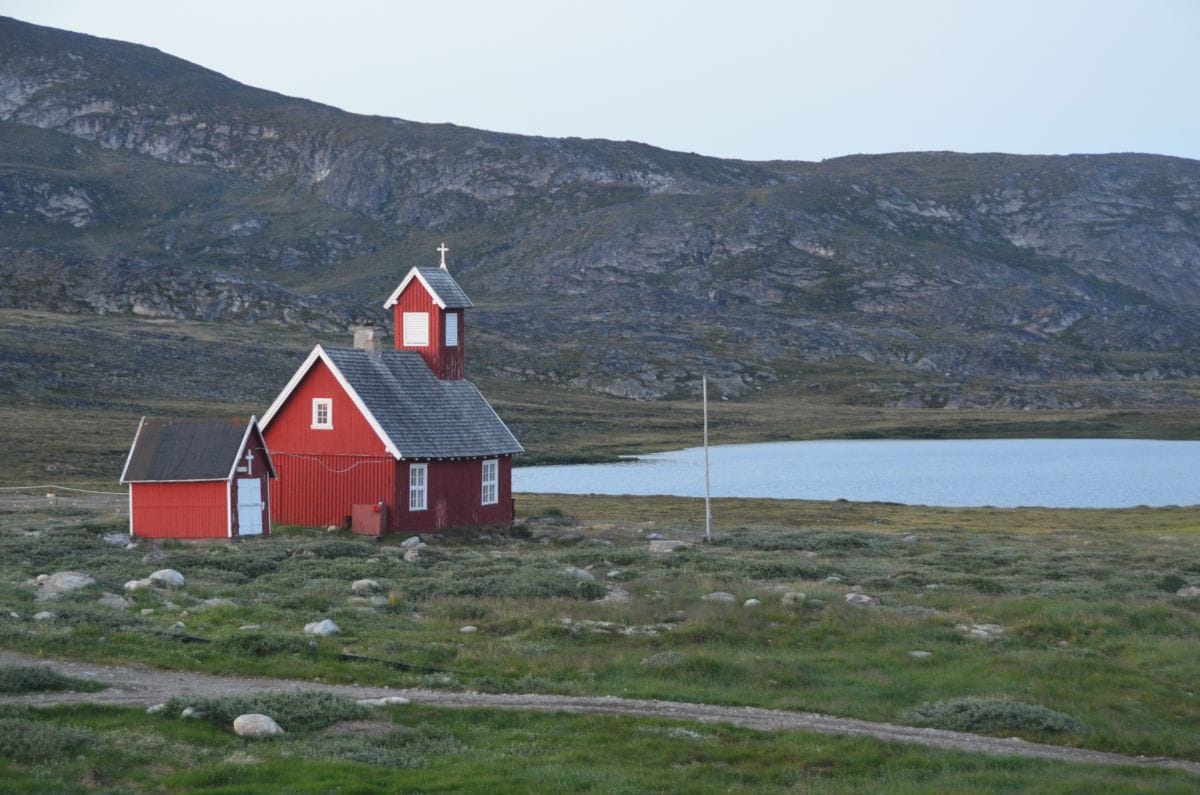
Църквата в Илиманак © Светла Стоянова

Съвсем естествено, Егеде среща известни трудности в междуезиковото разбиране при проповядването на християнството. Забавен пример за това е преводът на изречението „Дай ни насъщния хляб!“. Хлябът в Гренландия е също толкова непознат, колкото за Европа са били непознати гренландците по онова време, и е било трудно да се разбере за какво става дума. Егеде смята, че е открил подходящо съответствие на символичната сила на думата хляб в речта им, защото, докато се хранят, местните често произнасят маммак и сочат храната. Затова той променя молитвата така: „Дай ни насъщния маммак!“. Впоследствие обаче, след поредните озадачаващи реакции, установява, че маммак е просто възклицание – „Колко вкусно!“. По-късно решава да използва думата за тюленско месо, тъй като именно то е също толкова често на масата, колкото хлябът в Европа.

Гренландският език е част от ескимо-алеутското езиково семейство. Той е полисинтетичен, тоест едно изречение често се слива в една много дълга дума. Най-ранните структурирани писмени сведения за езика са в първата гренландска граматика, написана от Пол Егеде, сина на мисионера Ханс Егеде, който, за разлика от баща си, научава гренландски добре и умее да общува с местните.

На север: Страната на инуитите
Къщата в Илиманак, в която живях © Светла Стоянова

Живеейки в Гренландия, за мен също беше важно да общувам с местните. Исках да науча повече за тях, за начина им на живот и за светогледа им. Вероятно и заради това такава беше една от първите ми срещи с тях:

Вървях по улицата по края на града и насреща ми мина една малка червена кола с гренландец, който ми се усмихна. Само след малко колата мина отново в моята посока и спря. Реших, че човекът може би предлага да ме закара до града, и се качих. Питах го дали има книжарница наблизо, но той не ме разбра. Разговаряхме на смесица между неговия развален английски и датски с гренландски акцент и моя датски с норвежко произношение. Усмихнат и доволен, явно беше решил да ме разведе в града. Питах го има ли семейство, и отговорът беше: да – само баща и брат. Мина ми през ума, че може би е било твърде смело да се качвам просто така в колата му, но обясних къде работя, и вярвах, че всичко ще бъде наред. Той обиколи града, като спираше на места, показвайки гордо двете си лодки, къщата си, а най-накрая шейната и кучетата си, на които явно много държеше – цели трийсет, от които двайсет бяха още кутрета. Докато вървяхме към тях през тревата и калта, той предложи ръката си, но аз само поклатих глава с усмивка. Това като че го смути, но се засмя. Когато нахрани кучетата, му направих знак, че все пак трябва да тръгвам. Разбра ме и с неохота ме закара. Беше ми показал най-ценното си – къщата, лодките, колата, шейната и кучетата.

Интересен е животът на инуитите, които са съумели толкова добре да се приспособят към екстремните условия на живот в Арктика. По техните земи няма нито плодове, нито зеленчуци и единствените източници на храна са дивите животни – северни елени, тюлени, моржове, китове, птици и риби. В миналото хората са използвали специални харпуни за лов на тюлени, а китовете хващали с по-големи лодки, наречени умиак. През лятото семействата осигурявали прехраната си с лъкове и стрели и живеели в юрти, покрити с кожи от заловените животни. Зимували в обли къщи, направени от блокове сняг, познати като иглу, или в полуподземни къщи, построени от камъни и кожи върху пòкривна конструкция от трупи или кости от кит. В днешно време харпуните и лъковете се заменят с пушки, а юртите и иглуто – с дървени къщи.

За улова на всички животни е определена квота, като например ограничението за лов на китове е два броя годишно за целия остров.

Когато бях на гости у едно семейство инуити, стопанинът гордо показа огромния си фризер, с който явно всеки уважаващ себе си гренландец разполага и който беше пълен с полуразфасовано месо от най-различни животни. Жената пък извади големи пликове със замразени боровинки, които беше събирала през лятото. Различните видове боровинки са единствените плодове, растящи на острова.

Друго типично за ежедневието на инуитите са шейните с кучешки впрягове. Те са основният начин на придвижване през зимата, което предполага, че глутницата трябва да бъде хранена целогодишно. Шейните с кучешки впряг обикновено са гордост за семейството. Мъжете ги правят по свой размер и участват в ежегодни надбягвания. Един познат гренландец ми разказа, че мечтае да има свой кучешки впряг, но разрастването и обучението на глутницата отнемало години. Част от младите инуити като него през лятото работят като екскурзоводи, а през зимата – във фабрики за риба. Желанието му беше вместо това да заработва в бъдеще като гид с кучешкия си впряг. Притежанието на кучета също така означавало и по-висок статус в обществото. В днешно време обаче все повече гренландци ги заменят със снегомобили – все пак тях не е нужно да ги хранят с риба и еленско месо през цялата година.

На север: Страната на инуитите
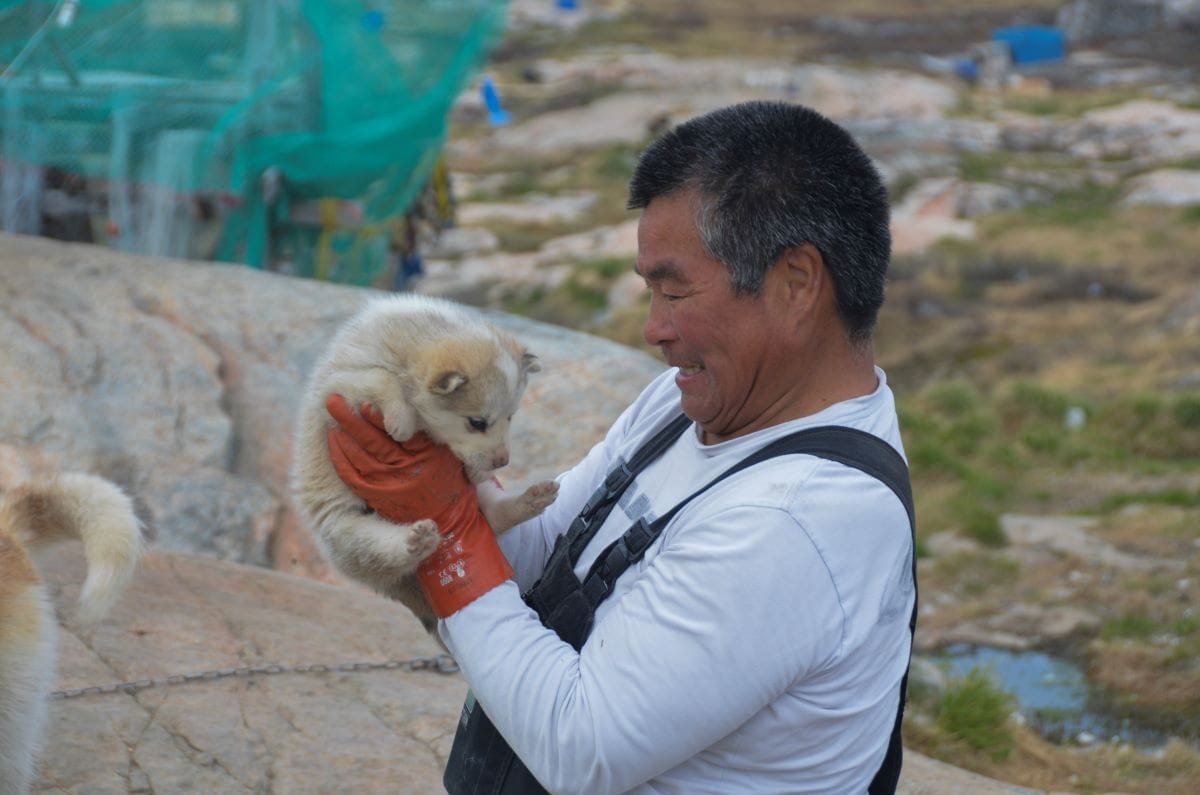
Инуит с едно от кутретата му © Светла Стоянова

Друга инуитска традиция е карането на каяк. Традиционно той се прави от дълги и тънки дъски и тюленски кожи. Благодарение на изключителната си лекота и маневреност е идеален за лов на тюлени. Заради тези качества каякът бързо се разпространява сред полярните изследователи, които неведнъж посещават инуитските племена и черпят знания и опит от техните изключителни методи за оцеляване. Малко известен факт е, че думата каяк, използвана в повечето европейски езици, е именно инуитска. Веднъж дори станах свидетелка на ежегодното първенство по каяк в Гренландия, което включваше дисциплини по бързина, издръжливост и специални умения, като впечатляващото преобръщане на 360 градуса с каяка във водата. Освен това беше задължително каяците да са измайсторени от самите състезатели.

На север: Страната на инуитите
Слънчев ден в Илиманак © Светла Стоянова, Реми Мартинаш

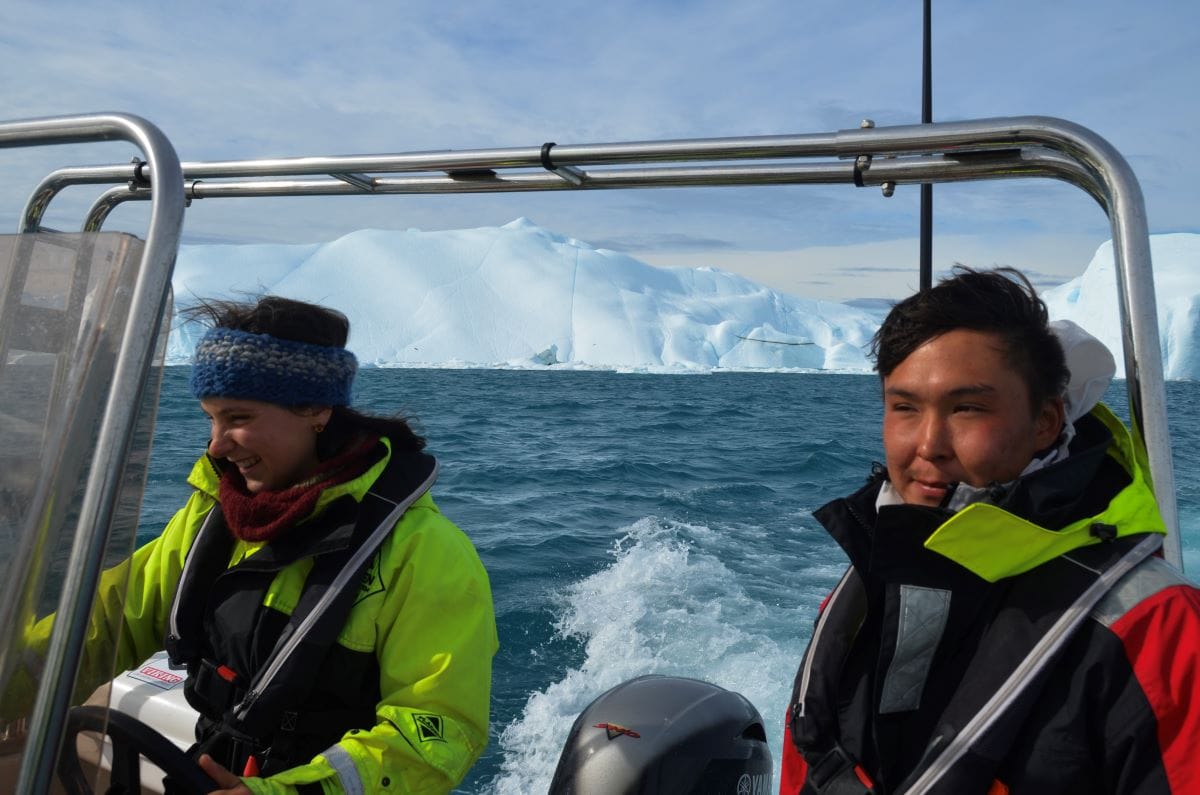
Инуитите държат на традициите, но обществото все повече се модернизира с развитието на инфраструктурата и туризма. Има много работни места в предприятия за риба и скариди благодарение на големия износ в последните години. Съвременното гренландско общество е пръснато по градове и села. Връзки между градовете няма, освен по море, по лед или по въздух. Тоест пътища между селищата не съществуват, а коли може да се видят само в най-големите градове. За извънградско пътуване се използват най-вече лодки или фериботи. Един мой познат разказваше как всяко лято нямал търпение да потегли отново на 18-часовото си плаване с моторната си лодка на юг по западното крайбрежие, за да посети своите роднини.

На север: Страната на инуитите
Прекосяване на фиорда © Светла Стоянова

В селото на име Илиманак, в което прекарах няколко месеца, живеят петдесетина гренландци. Пристигайки, човек се изкачва по стръмен кей, около който се клатушкат навързани множество лодки. Досами кея се вижда магазин и в него се продава всичко – от мляко и ябълки до въдици и пушки. За няколкото деца в селото е учредено училище с местна учителка. Съвсем наблизо е и селската баня, служеща едновременно за перално помещение, фитнес зала и кафене. Банята работи с купони за душа, които служител перфорира преди всяко къпане. Често същата сграда, изпълняваща множество функции, се превръща в място за спонтанни срещи.

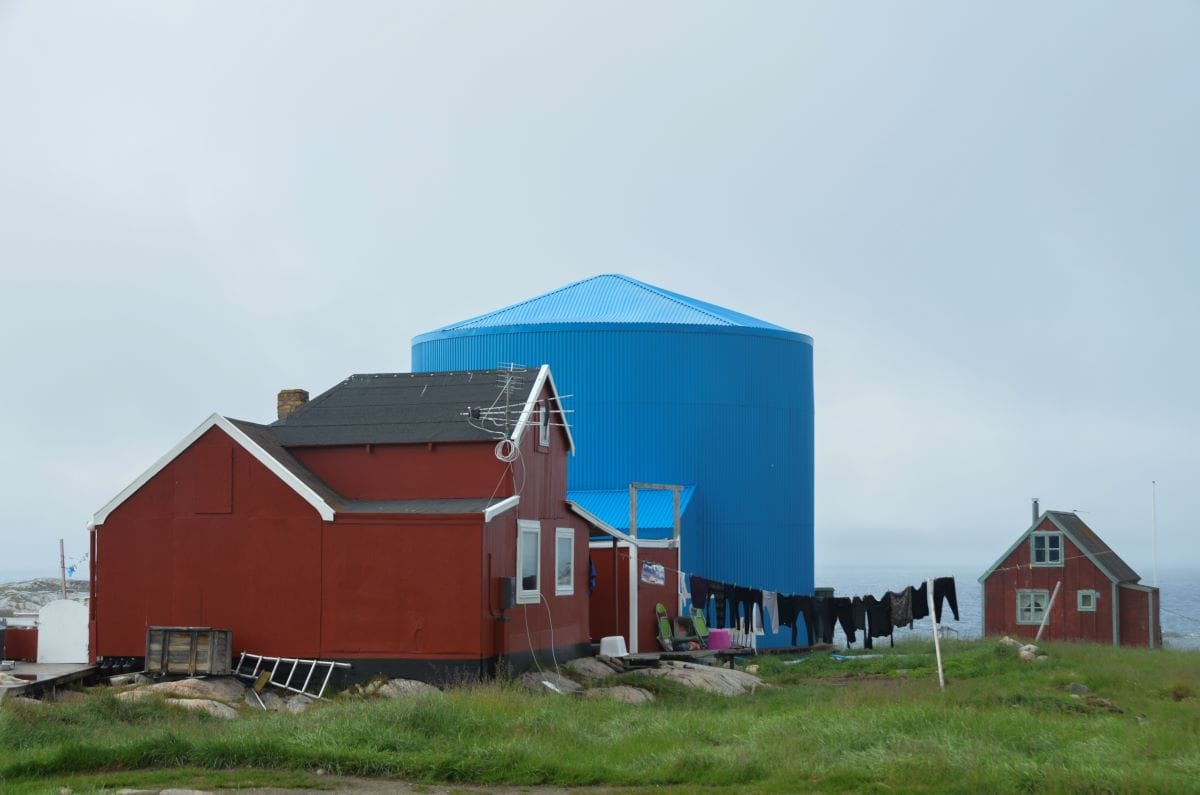
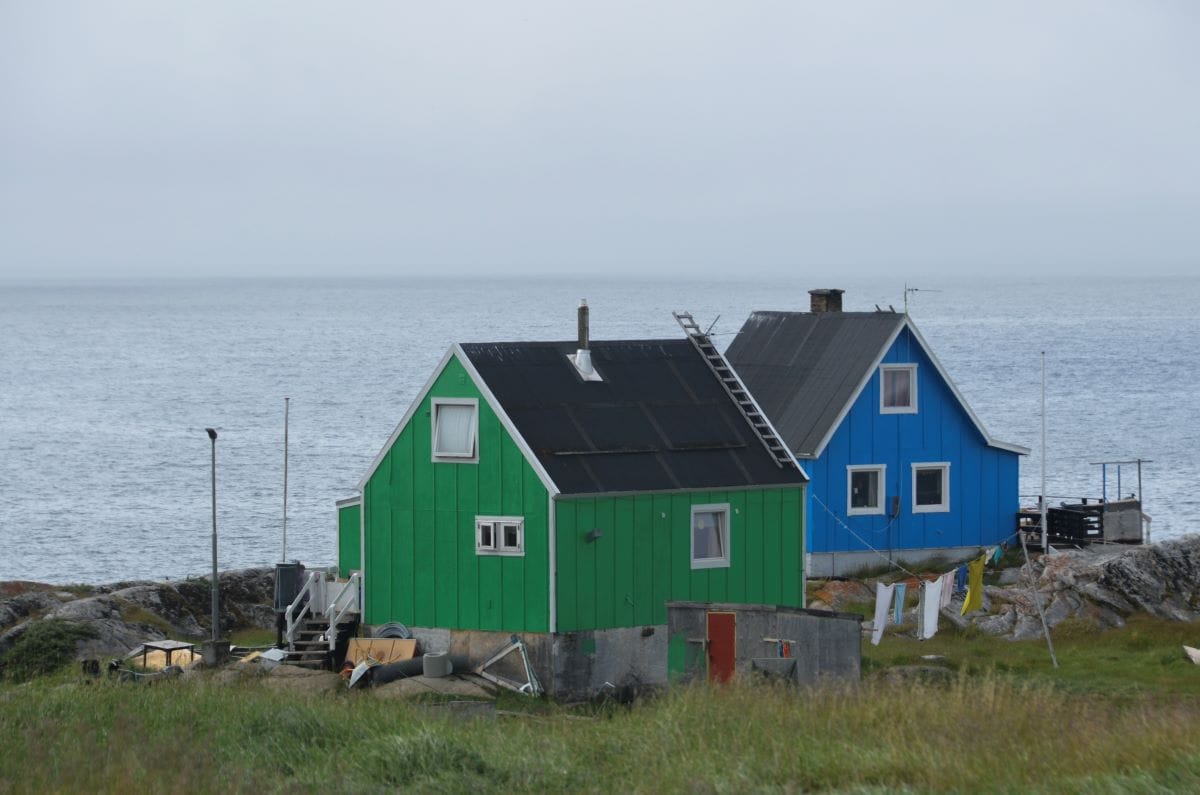
Характерна черта за гренландските къщи е, че са боядисани в ярки и весели цветове – червено, розово, синьо, тюркоазено, жълто.

Някои от тях са окичени с ловни трофеи, като еленски рога, или с козината на бели мечки. Пътеките между къщите са частично циментирани, а наоколо занемарени стоят недовършени проекти и неизхвърлени боклуци. Често недалеч от домовете стопаните връзват кучетата си.

В повечето селища от подобен тип няма канализация, защото няма достатъчно средства за инфраструктурата. Водата се извежда по тръба от близкото езеро, минава през моторна помпа и стига по дълъг маркуч до резервоара на всяка къща, после от кухненската чешма изтича от умивалника директно навън, където образува голяма локва. А ако има тръби, те рано или късно извеждат отпадните води направо в океана. Тоалетната чиния прилича на нормална, но в нея се поставят огромни черни пликове, които трябва да се сменят редовно. Използваните пликове, затегнати с тел, се поставят на определено видно място до къщата, така че отговорникът за това да ги вижда и да ги събира своевременно.

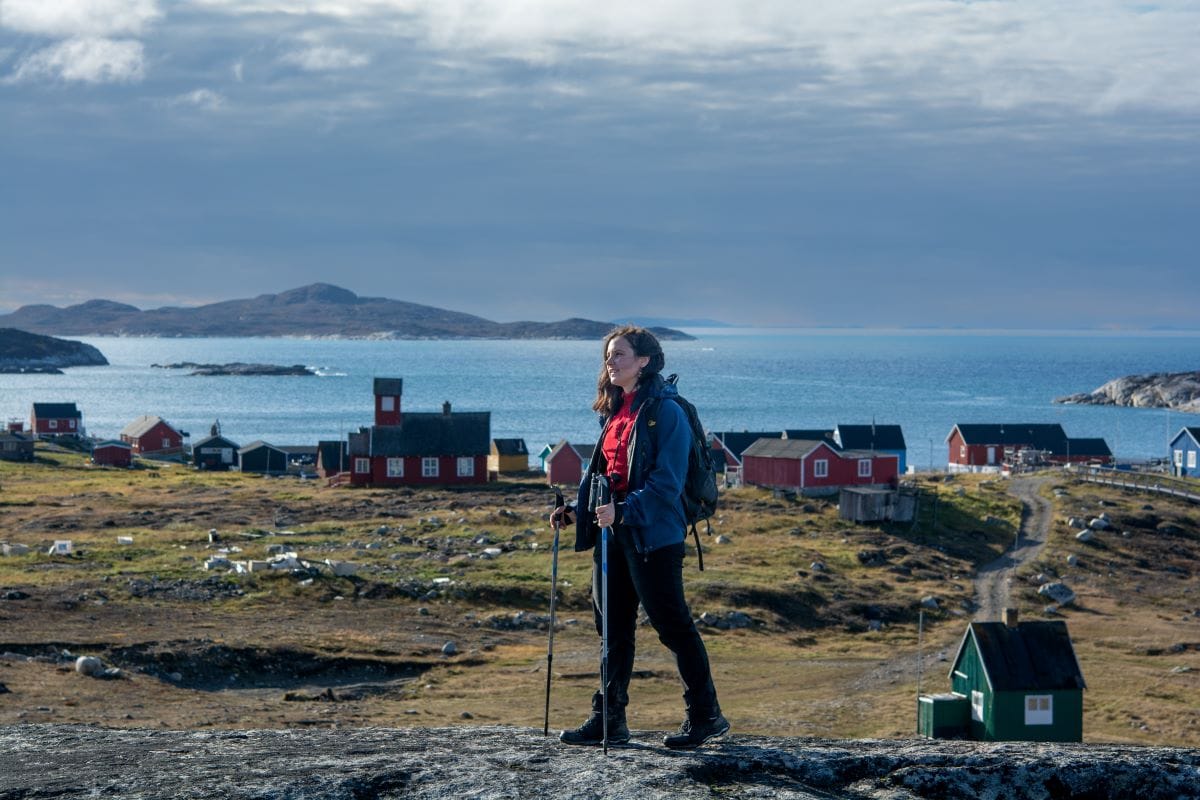
Един мой приятел гренландец ми каза, че истинската Гренландия е именно тази, на север от Полярния кръг, точно тук, в малките селища. Защото, който иска да я изживее, трябва да прекара известно време в дивото и извън удобствата, с които толкова сме свикнали.

(Следва продължение.)

Introducing Sunlight, a CT implementation built for scalability, ease of operation, and reduced cost

Post Syndicated from Let's Encrypt original https://letsencrypt.org/2024/03/14/introducing-sunlight/

Logo for Sunlight

Let’s Encrypt is proud to introduce Sunlight, a new implementation of a Certificate Transparency log that we built from the ground up with modern Web PKI opportunities and constraints in mind. In partnership with Filippo Valsorda, who led the design and implementation, we incorporated feedback from the broader transparency logging community, including the Chrome and TrustFabric teams at Google, the Sigsum project, and other CT log and monitor operators. Their insights have been instrumental in shaping the project’s direction.

CT plays an important role in the Web PKI, enhancing the ability to monitor and research certificate issuance. The operation of a CT log, however, faces growing challenges with the increasing volume of certificates. For instance, Let’s Encrypt issues over four million certificates daily, each of which must be logged in two separate CT logs. Our well-established “Oak” log currently holds over 700 million entries, reflecting the significant scale of these challenges.

In this post, we’ll explore the motivation behind Sunlight and how its design aims to improve the robustness and diversity of the CT ecosystem, while also improving the reliability and performance of Let’s Encrypt’s logs.

Bottlenecks from the Database

Let’s Encrypt has been running public CT logs since 2019, and we’ve gotten a lot of operational experience with running them, but it hasn’t been trouble-free. The biggest challenge in the architecture we’ve deployed for our “Oak” log is that the data is stored in a relational database. We’ve scaled that up by splitting each year’s worth of data into a “shard” with its own database, and then later shrinking the shards to cover six months instead of a full year.

The approach of splitting into more and more databases is not something we want to continue doing forever, as the operational burden and costs increase. The current storage size of a CT log shard is between 5 and 10 terabytes. That’s big enough to be concerning for a single database: We previously had a test log fail when we ran into a 16TiB limit in MySQL.

Scaling read capacity up requires large database instances with fast disks and lots of RAM, which are not cheap. We’ve had numerous instances of CT logs becoming overloaded by clients attempting to read all the data in the log, overloading the database in the process. When rate limits are imposed to prevent overloading, clients are forced to slowly crawl the API, diminishing CT’s efficiency as a fast mechanism for detecting mis-issued certificates.

Serving Tiles

Initially, Let’s Encrypt only planned on building a new CT log implementation. However, our discussions with Filippo made us realize that other transparency systems had improved on the original Certificate Transparency design, and we could make our logs even more robust and scalable by changing the read path APIs. In particular, the Go Checksum Database is inspired by Certificate Transparency, but uses a more efficient format for publishing its data as a series of easily stored and cached tiles.

Certificate Transparency logs are a binary tree, with every node containing a hash of its two children. The “leaf” level contains the actual entries of the log: the certificates, appended to the right side of the tree. The top of the tree is digitally signed. This forms a cryptographically verifiable structure called a Merkle Tree, which can be used to check if a certificate is in the tree, and that the tree is append-only.

Sunlight tiles are files containing 256 elements each, either hashes at a certain tree “height” or certificates (or pre-certificates) at the leaf level. Russ Cox has a great explanation of how tiles work on his blog, or you can read the relevant section of the Sunlight specification. Even Trillian, the current implementation of CT we run, uses a subtree system similar to these tiles as its internal storage.

Unlike the dynamic endpoints in previous CT APIs, serving a tree as tiles doesn’t require any dynamic computation or request processing, so we can eliminate the need for API servers. Because the tiles are static, they’re efficiently cached, in contrast with CT APIs like get-proof-by-hash which have a different response for every certificate, so there’s no shared cache. The leaf tiles can also be stored compressed, saving even more storage!

The idea of exposing the log as a series of static tiles is motivated by our desire to scale out the read path horizontally and relatively inexpensively. We can directly expose tiles in cloud object storage like S3, use a caching CDN, or use a webserver and a filesystem.

Object or file storage is readily available, can scale up easily, and costs significantly less than databases from cloud providers. It seemed like the obvious path forward. In fact, we already have an S3-backed cache in front of our existing CT logs, which means we are currently storing our data twice.

Running More Logs

The tiles API improves the read path, but we also wanted to simplify our architecture on the write path. With Trillian, we run a collection of nodes along with etcd for leader election to choose which will handle writing. This is somewhat complex, and we believe the CT ecosystem allows a different tradeoff.

The key realization is that Certificate Transparency is already a distributed system, with clients submitting certificates to multiple logs, and gracefully failing over from any unavailable ones to the others. Each individual log’s write path doesn’t require a highly available leader election system. A simple single-node writer can meet the 99% Service Level Objective required by CT log programs.

The single-node Sunlight architecture lets us run multiple independent logs with the same amount of computing power. This increases the system’s overall robustness, even if each individual log has lower potential uptime. No more leader election needed. We use a simple compare-and-swap mechanism to store checkpoints and prevent accidentally running two instances at once, which could result in a forked tree, but that has much less overhead than leader election.

No More Merge Delay

One of the goals of CT was to have limited latency for submission to the logs. A design feature called Merge Delay was added to support that. When submitting a certificate to a log, the log can return a Signed Certificate Timestamp (SCT) immediately, with a promise to include it in the log within the log’s Maximum Merge Delay, conventionally 24 hours. While this seems like a good tradeoff to not slow down issuance, there have been multiple incidents and near-misses where a log stops operating with unmerged certificates, missing its maximum merge delay, and breaking that promise.

Sunlight takes a different approach, holding submissions while it batches and integrates certificates in the log, eliminating the merge delay. While this leads to a small latency increase, we think it’s worthwhile to avoid one of the more common CT log failure cases.

It also lets us embed the final leaf index in an extension of our SCTs, bringing CT a step closer to direct client verification of Merkle tree proofs. The extension also makes it possible for clients to fetch the proof of log inclusion from the new static tile-based APIs, without requiring server-side lookup tables or databases.

A Sunny Future

Today’s announcement of Sunlight is just the beginning. We’ve released software and a specification for Sunlight, and have Sunlight CT logs running. Head to sunlight.dev to find resources to get started. We encourage CAs to start test submitting to Let’s Encrypt’s new Sunlight CT logs, for CT Monitors and Auditors to add support for consuming Sunlight logs, and for the CT programs to consider trusting logs running on this new architecture. We hope Sunlight logs will be made usable for SCTs by the CT programs run by the browsers in the future, allowing CAs to rely on them to meet the browser CT logging requirements.

We’ve gotten positive feedback so far, with comments such as “Google’s TrustFabric team, maintainers of Trillian, are supportive of this direction and the Sunlight spec. We have been working towards the same goal of cacheable tile-based logs for other ecosystems with serverless tooling, and will be folding this into Trillian and ctfe, along with adding support for the Sunlight API.”

If you have feedback on the design, please join in the conversation on the ct-policy mailing list, or in the #sunlight channel on the transparency-dev Slack (invitation to join).

We’d like to thank Chrome for supporting the development of Sunlight, and Amazon Web Services for their ongoing support for our CT log operation. If your organization monitors or values CT, please consider a financial gift of support. Learn more at https://www.abetterinternet.org/sponsor/ or contact us at: [email protected].

Introducing Sunlight, a CT implementation built for scalability, ease of operation, and reduced cost

Post Syndicated from Let's Encrypt original https://letsencrypt.org/2024/03/14/introducing-sunlight.html

Logo for Sunlight

Let’s Encrypt is proud to introduce Sunlight, a new implementation of a Certificate Transparency log that we built from the ground up with modern Web PKI opportunities and constraints in mind. In partnership with Filippo Valsorda, who led the design and implementation, we incorporated feedback from the broader transparency logging community, including the Chrome and TrustFabric teams at Google, the Sigsum project, and other CT log and monitor operators. Their insights have been instrumental in shaping the project’s direction.

CT plays an important role in the Web PKI, enhancing the ability to monitor and research certificate issuance. The operation of a CT log, however, faces growing challenges with the increasing volume of certificates. For instance, Let’s Encrypt issues over four million certificates daily, each of which must be logged in two separate CT logs. Our well-established “Oak” log currently holds over 700 million entries, reflecting the significant scale of these challenges.

In this post, we’ll explore the motivation behind Sunlight and how its design aims to improve the robustness and diversity of the CT ecosystem, while also improving the reliability and performance of Let’s Encrypt’s logs.

Bottlenecks from the Database

Let’s Encrypt has been running public CT logs since 2019, and we’ve gotten a lot of operational experience with running them, but it hasn’t been trouble-free. The biggest challenge in the architecture we’ve deployed for our “Oak” log is that the data is stored in a relational database. We’ve scaled that up by splitting each year’s worth of data into a “shard” with its own database, and then later shrinking the shards to cover six months instead of a full year.

The approach of splitting into more and more databases is not something we want to continue doing forever, as the operational burden and costs increase. The current storage size of a CT log shard is between 5 and 10 terabytes. That’s big enough to be concerning for a single database: We previously had a test log fail when we ran into a 16TiB limit in MySQL.

Scaling read capacity up requires large database instances with fast disks and lots of RAM, which are not cheap. We’ve had numerous instances of CT logs becoming overloaded by clients attempting to read all the data in the log, overloading the database in the process. When rate limits are imposed to prevent overloading, clients are forced to slowly crawl the API, diminishing CT’s efficiency as a fast mechanism for detecting mis-issued certificates.

Serving Tiles

Initially, Let’s Encrypt only planned on building a new CT log implementation. However, our discussions with Filippo made us realize that other transparency systems had improved on the original Certificate Transparency design, and we could make our logs even more robust and scalable by changing the read path APIs. In particular, the Go Checksum Database is inspired by Certificate Transparency, but uses a more efficient format for publishing its data as a series of easily stored and cached tiles.

Certificate Transparency logs are a binary tree, with every node containing a hash of its two children. The “leaf” level contains the actual entries of the log: the certificates, appended to the right side of the tree. The top of the tree is digitally signed. This forms a cryptographically verifiable structure called a Merkle Tree, which can be used to check if a certificate is in the tree, and that the tree is append-only.

Sunlight tiles are files containing 256 elements each, either hashes at a certain tree “height” or certificates (or pre-certificates) at the leaf level. Russ Cox has a great explanation of how tiles work on his blog, or you can read the relevant section of the Sunlight specification. Even Trillian, the current implementation of CT we run, uses a subtree system similar to these tiles as its internal storage.

Unlike the dynamic endpoints in previous CT APIs, serving a tree as tiles doesn’t require any dynamic computation or request processing, so we can eliminate the need for API servers. Because the tiles are static, they’re efficiently cached, in contrast with CT APIs like get-proof-by-hash which have a different response for every certificate, so there’s no shared cache. The leaf tiles can also be stored compressed, saving even more storage!

The idea of exposing the log as a series of static tiles is motivated by our desire to scale out the read path horizontally and relatively inexpensively. We can directly expose tiles in cloud object storage like S3, use a caching CDN, or use a webserver and a filesystem.

Object or file storage is readily available, can scale up easily, and costs significantly less than databases from cloud providers. It seemed like the obvious path forward. In fact, we already have an S3-backed cache in front of our existing CT logs, which means we are currently storing our data twice.

Running More Logs

The tiles API improves the read path, but we also wanted to simplify our architecture on the write path. With Trillian, we run a collection of nodes along with etcd for leader election to choose which will handle writing. This is somewhat complex, and we believe the CT ecosystem allows a different tradeoff.

The key realization is that Certificate Transparency is already a distributed system, with clients submitting certificates to multiple logs, and gracefully failing over from any unavailable ones to the others. Each individual log’s write path doesn’t require a highly available leader election system. A simple single-node writer can meet the 99% Service Level Objective of a CT log.

The single-node Sunlight architecture lets us run multiple independent logs with the same amount of computing power. This increases the system’s overall robustness, even if each individual log has lower potential uptime. No more leader election needed. We use a simple compare-and-swap mechanism to store checkpoints and prevent accidentally running two instances at once, which could result in a forked tree, but that has much less overhead than leader election.

No More Merge Delay

One of the goals of CT was to have limited latency for submission to the logs. A design feature called Merge Delay was added to support that. When submitting a certificate to a log, the log can return a Signed Certificate Timestamp (SCT) immediately, with a promise to include it in the log within the log’s Maximum Merge Delay, conventionally 24 hours. While this seems like a good tradeoff to not slow down issuance, there have been multiple incidents and near-misses where a log stops operating with unmerged certificates, missing its maximum merge delay, and breaking that promise.

Sunlight takes a different approach, holding submissions while it batches and integrates certificates in the log, eliminating the merge delay. While this leads to a small latency increase, we think it’s worthwhile to avoid one of the more common CT log failure cases.

It also lets us embed the final leaf index in an extension of our SCTs, bringing CT a step closer to direct client verification of Merkle tree proofs. The extension also makes it possible for clients to fetch the proof of log inclusion from the new static tile-based APIs, without requiring server-side lookup tables or databases.

A Sunny Future

Today’s announcement of Sunlight is just the beginning. We’ve released software and a specification for Sunlight, and have Sunlight CT logs running. Head to sunlight.dev to find resources to get started. We encourage CAs to start test submitting to Let’s Encrypt’s new Sunlight CT logs, for CT Monitors and Auditors to add support for consuming Sunlight logs, and for the CT programs to consider trusting logs running on this new architecture. We hope Sunlight logs will be made usable for SCTs by the CT programs run by the browsers in the future, allowing CAs to rely on them to meet the browser CT logging requirements.

We’ve gotten positive feedback so far, with comments such as “Google’s TrustFabric team, maintainers of Trillian, are supportive of this direction and the Sunlight spec. We have been working towards the same goal of cacheable tile-based logs for other ecosystems with serverless tooling, and will be folding this into Trillian and ctfe, along with adding support for the Sunlight API.”

If you have feedback on the design, please join in the conversation on the ct-policy mailing list, or in the #sunlight channel on the transparency-dev Slack (invitation to join).

We’d like to thank Chrome for supporting the development of Sunlight, and Amazon Web Services for their ongoing support for our CT log operation. If your organization monitors or values CT, please consider a financial gift of support. Learn more at https://www.abetterinternet.org/sponsor/ or contact us at: [email protected].

Anthropic’s Claude 3 Haiku model is now available on Amazon Bedrock

Post Syndicated from Channy Yun original https://aws.amazon.com/blogs/aws/anthropics-claude-3-haiku-model-is-now-available-in-amazon-bedrock/

Last week, Anthropic announced their Claude 3 foundation model family. The family includes three models: Claude 3 Haiku, the fastest and most compact model for near-instant responsiveness; Claude 3 Sonnet, the ideal balanced model between skills and speed; and Claude 3 Opus, the most intelligent offering for top-level performance on highly complex tasks. AWS also announced the general availability of Claude 3 Sonnet in Amazon Bedrock.

Today, we are announcing the availability of Claude 3 Haiku on Amazon Bedrock. The Claude 3 Haiku foundation model is the fastest and most compact model of the Claude 3 family, designed for near-instant responsiveness and seamless generative artificial intelligence (AI) experiences that mimic human interactions. For example, it can read a data-dense research paper on arXiv (~10k tokens) with charts and graphs in less than three seconds.

With Claude 3 Haiku’s availability on Amazon Bedrock, you can build near-instant responsive generative AI applications for enterprises that need quick and accurate targeted performance. Like Sonnet and Opus, Haiku has image-to-text vision capabilities, can understand multiple languages besides English, and boasts increased steerability in a 200k context window.

Claude 3 Haiku use cases
Claude 3 Haiku is smarter, faster, and more affordable than other models in its intelligence category. It answers simple queries and requests with unmatched speed. With its fast speed and increased steerability, you can create AI experiences that seamlessly imitate human interactions.

Here are some use cases for using Claude 3 Haiku:

  • Customer interactions: quick and accurate support in live interactions, translations
  • Content moderation: catch risky behavior or customer requests
  • Cost-saving tasks: optimized logistics, inventory management, fast knowledge extraction from unstructured data

To learn more about Claude 3 Haiku’s features and capabilities, visit Anthropic’s Claude on Amazon Bedrock and Anthropic Claude models in the AWS documentation.

Claude 3 Haiku in action
If you are new to using Anthropic models, go to the Amazon Bedrock console and choose Model access on the bottom left pane. Request access separately for Claude 3 Haiku.

To test Claude 3 Haiku in the console, choose Text or Chat under Playgrounds in the left menu pane. Then choose Select model and select Anthropic as the category and Claude 3 Haiku as the model.

To test more Claude prompt examples, choose Load examples. You can view and run examples specific to Claude 3 Haiku, such as advanced Q&A with citations, crafting a design brief, and non-English content generation.

Using Compare mode, you can also compare the speed and intelligence between Claude 3 Haiku and the Claude 2.1 model using a sample prompt to generate personalized email responses to address customer questions.

By choosing View API request, you can also access the model using code examples in the AWS Command Line Interface (AWS CLI) and AWS SDKs. Here is a sample of the AWS CLI command:

aws bedrock-runtime invoke-model \
     --model-id anthropic.claude-3-haiku-20240307-v1:0 \
     --body "{\"messages\":[{\"role\":\"user\",\"content\":[{\"type\":\"text\",\"text\":\"Write the test case for uploading the image to Amazon S3 bucket\\nCertainly! Here's an example of a test case for uploading an image to an Amazon S3 bucket using a testing framework like JUnit or TestNG for Java:\\n\\n...."}]}],\"anthropic_version\":\"bedrock-2023-05-31\",\"max_tokens\":2000}" \
     --cli-binary-format raw-in-base64-out \
     --region us-east-1 \
     invoke-model-output.txt

To make an API request with Claude 3, use the new Anthropic Claude Messages API format, which allows for more complex interactions such as image processing. If you use Anthropic Claude Text Completions API, you should upgrade from the Text Completions API.

Here is sample Python code to send a Message API request describing the image file:

def call_claude_haiku(base64_string):

    prompt_config = {
        "anthropic_version": "bedrock-2023-05-31",
        "max_tokens": 4096,
        "messages": [
            {
                "role": "user",
                "content": [
                    {
                        "type": "image",
                        "source": {
                            "type": "base64",
                            "media_type": "image/png",
                            "data": base64_string,
                        },
                    },
                    {"type": "text", "text": "Provide a caption for this image"},
                ],
            }
        ],
    }

    body = json.dumps(prompt_config)

    modelId = "anthropic.claude-3-haiku-20240307-v1:0"
    accept = "application/json"
    contentType = "application/json"

    response = bedrock_runtime.invoke_model(
        body=body, modelId=modelId, accept=accept, contentType=contentType
    )
    response_body = json.loads(response.get("body").read())

    results = response_body.get("content")[0].get("text")
    return results

To learn more sample codes with Claude 3, see Get Started with Claude 3 on Amazon Bedrock, Diagrams to CDK/Terraform using Claude 3 on Amazon Bedrock, and Cricket Match Winner Prediction with Amazon Bedrock’s Anthropic Claude 3 Sonnet in the Community.aws.

Now available
Claude 3 Haiku is available now in the US West (Oregon) Region with more Regions coming soon; check the full Region list for future updates.

Claude 3 Haiku is the most cost-effective choice. For example, Claude 3 Haiku is cheaper, up to 68 percent of the price per 1,000 input/output tokens compared to Claude Instant, with higher levels of intelligence. To learn more, see Amazon Bedrock Pricing.

Give Claude 3 Haiku a try in the Amazon Bedrock console today and send feedback to AWS re:Post for Amazon Bedrock or through your usual AWS Support contacts.

Channy

[$] Questions about machine-learning models for Fedora

Post Syndicated from jzb original https://lwn.net/Articles/964739/

Kaitlyn Abdo of Fedora’s AI/ML
SIG
opened an issue with the
Fedora Engineering Steering Committee (FESCo) recently that carried a few tricky
questions about packaging machine-learning (ML) models for Fedora.
Specifically, the SIG is looking for guidance on whether pre-trained weights for
PyTorch constitute code or content. And, if the models are released under a
license approved by the
Open Source Initiative (OSI),
does it matter what data the models were trained on? The issue was quickly
tossed over to Fedora’s legal
mailing list
and sparked an interesting discussion about how to
handle these items, and a temporary path forward.

Gain insights from historical location data using Amazon Location Service and AWS analytics services

Post Syndicated from Alan Peaty original https://aws.amazon.com/blogs/big-data/gain-insights-from-historical-location-data-using-amazon-location-service-and-aws-analytics-services/

Many organizations around the world rely on the use of physical assets, such as vehicles, to deliver a service to their end-customers. By tracking these assets in real time and storing the results, asset owners can derive valuable insights on how their assets are being used to continuously deliver business improvements and plan for future changes. For example, a delivery company operating a fleet of vehicles may need to ascertain the impact from local policy changes outside of their control, such as the announced expansion of an Ultra-Low Emission Zone (ULEZ). By combining historical vehicle location data with information from other sources, the company can devise empirical approaches for better decision-making. For example, the company’s procurement team can use this information to make decisions about which vehicles to prioritize for replacement before policy changes go into effect.

Developers can use the support in Amazon Location Service for publishing device position updates to Amazon EventBridge to build a near-real-time data pipeline that stores locations of tracked assets in Amazon Simple Storage Service (Amazon S3). Additionally, you can use AWS Lambda to enrich incoming location data with data from other sources, such as an Amazon DynamoDB table containing vehicle maintenance details. Then a data analyst can use the geospatial querying capabilities of Amazon Athena to gain insights, such as the number of days their vehicles have operated in the proposed boundaries of an expanded ULEZ. Because vehicles that do not meet ULEZ emissions standards are subjected to a daily charge to operate within the zone, you can use the location data, along with maintenance data such as age of the vehicle, current mileage, and current emissions standards to estimate the amount the company would have to spend on daily fees.

This post shows how you can use Amazon Location, EventBridge, Lambda, Amazon Data Firehose, and Amazon S3 to build a location-aware data pipeline, and use this data to drive meaningful insights using AWS Glue and Athena.

Overview of solution

This is a fully serverless solution for location-based asset management. The solution consists of the following interfaces:

  • IoT or mobile application – A mobile application or an Internet of Things (IoT) device allows the tracking of a company vehicle while it is in use and transmits its current location securely to the data ingestion layer in AWS. The ingestion approach is not in scope of this post. Instead, a Lambda function in our solution simulates sample vehicle journeys and directly updates Amazon Location tracker objects with randomized locations.
  • Data analytics – Business analysts gather operational insights from multiple data sources, including the location data collected from the vehicles. Data analysts are looking for answers to questions such as, “How long did a given vehicle historically spend inside a proposed zone, and how much would the fees have cost had the policy been in place over the past 12 months?”

The following diagram illustrates the solution architecture.
Architecture diagram

The workflow consists of the following key steps:

  1. The tracking functionality of Amazon Location is used to track the vehicle. Using EventBridge integration, filtered positional updates are published to an EventBridge event bus. This solution uses distance-based filtering to reduce costs and jitter. Distanced-based filtering ignores location updates in which devices have moved less than 30 meters (98.4 feet).
  2. Amazon Location device position events arrive on the EventBridge default bus with source: ["aws.geo"] and detail-type: ["Location Device Position Event"]. One rule is created to forward these events to two downstream targets: a Lambda function, and a Firehose delivery stream.
  3. Two different patterns, based on each target, are described in this post to demonstrate different approaches to committing the data to a S3 bucket:
    1. Lambda function – The first approach uses a Lambda function to demonstrate how you can use code in the data pipeline to directly transform the incoming location data. You can modify the Lambda function to fetch additional vehicle information from a separate data store (for example, a DynamoDB table or a Customer Relationship Management system) to enrich the data, before storing the results in an S3 bucket. In this model, the Lambda function is invoked for each incoming event.
    2. Firehose delivery stream – The second approach uses a Firehose delivery stream to buffer and batch the incoming positional updates, before storing them in an S3 bucket without modification. This method uses GZIP compression to optimize storage consumption and query performance. You can also use the data transformation feature of Data Firehose to invoke a Lambda function to perform data transformation in batches.
  4. AWS Glue crawls both S3 bucket paths, populates the AWS Glue database tables based on the inferred schemas, and makes the data available to other analytics applications through the AWS Glue Data Catalog.
  5. Athena is used to run geospatial queries on the location data stored in the S3 buckets. The Data Catalog provides metadata that allows analytics applications using Athena to find, read, and process the location data stored in Amazon S3.
  6. This solution includes a Lambda function that continuously updates the Amazon Location tracker with simulated location data from fictitious journeys. The Lambda function is triggered at regular intervals using a scheduled EventBridge rule.

You can test this solution yourself using the AWS Samples GitHub repository. The repository contains the AWS Serverless Application Model (AWS SAM) template and Lambda code required to try out this solution. Refer to the instructions in the README file for steps on how to provision and decommission this solution.

Visual layouts in some screenshots in this post may look different than those on your AWS Management Console.

Data generation

In this section, we discuss the steps to manually or automatically generate journey data.

Manually generate journey data

You can manually update device positions using the AWS Command Line Interface (AWS CLI) command aws location batch-update-device-position. Replace the tracker-name, device-id, Position, and SampleTime values with your own, and make sure that successive updates are more than 30 meters in distance apart to place an event on the default EventBridge event bus:

aws location batch-update-device-position --tracker-name <tracker-name> --updates "[{\"DeviceId\": \"<device-id>\", \"Position\": [<longitude>, <latitude>], \"SampleTime\": \"<YYYY-MM-DDThh:mm:ssZ>\"}]"

Automatically generate journey data using the simulator

The provided AWS CloudFormation template deploys an EventBridge scheduled rule and an accompanying Lambda function that simulates tracker updates from vehicles. This rule is enabled by default, and runs at a frequency specified by the SimulationIntervalMinutes CloudFormation parameter. The data generation Lambda function updates the Amazon Location tracker with a randomized position offset from the vehicles’ base locations.

Vehicle names and base locations are stored in the vehicles.json file. A vehicle’s starting position is reset each day, and base locations have been chosen to give them the ability to drift in and out of the ULEZ on a given day to provide a realistic journey simulation.

You can disable the rule temporarily by navigating to the scheduled rule details on the EventBridge console. Alternatively, change the parameter State: ENABLED to State: DISABLED for the scheduled rule resource GenerateDevicePositionsScheduleRule in the template.yml file. Rebuild and re-deploy the AWS SAM template for this change to take effect.

Location data pipeline approaches

The configurations outlined in this section are deployed automatically by the provided AWS SAM template. The information in this section is provided to describe the pertinent parts of the solution.

Amazon Location device position events

Amazon Location sends device position update events to EventBridge in the following format:

{
    "version":"0",
    "id":"<event-id>",
    "detail-type":"Location Device Position Event",
    "source":"aws.geo",
    "account":"<account-number>",
    "time":"<YYYY-MM-DDThh:mm:ssZ>",
    "region":"<region>",
    "resources":[
        "arn:aws:geo:<region>:<account-number>:tracker/<tracker-name>"
    ],
    "detail":{
        "EventType":"UPDATE",
        "TrackerName":"<tracker-name>",
        "DeviceId":"<device-id>",
        "SampleTime":"<YYYY-MM-DDThh:mm:ssZ>",
        "ReceivedTime":"<YYYY-MM-DDThh:mm:ss.sssZ>",
        "Position":[
            <longitude>, 
            <latitude>
	]
    }
}

You can optionally specify an input transformation to modify the format and contents of the device position event data before it reaches the target.

Data enrichment using Lambda

Data enrichment in this pattern is facilitated through the invocation of a Lambda function. In this example, we call this function ProcessDevicePosition, and use a Python runtime. A custom transformation is applied in the EventBridge target definition to receive the event data in the following format:

{
    "EventType":<EventType>,
    "TrackerName":<TrackerName>,
    "DeviceId":<DeviceId>,
    "SampleTime":<SampleTime>,
    "ReceivedTime":<ReceivedTime>,
    "Position":[<Longitude>,<Latitude>]
}

You could apply additional transformations, such as the refactoring of Latitude and Longitude data into separate key-value pairs if this is required by the downstream business logic processing the events.

The following code demonstrates the Python application logic that is run by the ProcessDevicePosition Lambda function. Error handling has been skipped in this code snippet for brevity. The full code is available in the GitHub repo.

import json
import os
import uuid
import boto3

# Import environment variables from Lambda function.
bucket_name = os.environ["S3_BUCKET_NAME"]
bucket_prefix = os.environ["S3_BUCKET_LAMBDA_PREFIX"]

s3 = boto3.client("s3")

def lambda_handler(event, context):
    key = "%s/%s/%s-%s.json" % (bucket_prefix,
                                event["DeviceId"],
                                event["SampleTime"],
                                str(uuid.uuid4())
    body = json.dumps(event, separators=(",", ":"))
    body_encoded = body.encode("utf-8")
    s3.put_object(Bucket=bucket_name, Key=key, Body=body_encoded)
    return {
        "statusCode": 200,
        "body": "success"
    }

The preceding code creates an S3 object for each device position event received by EventBridge. The code uses the DeviceId as a prefix to write the objects to the bucket.

You can add additional logic to the preceding Lambda function code to enrich the event data using other sources. The example in the GitHub repo demonstrates enriching the event with data from a DynamoDB vehicle maintenance table.

In addition to the prerequisite AWS Identity and Access Management (IAM) permissions provided by the role AWSBasicLambdaExecutionRole, the ProcessDevicePosition function requires permissions to perform the S3 put_object action and any other actions required by the data enrichment logic. IAM permissions required by the solution are documented in the template.yml file.

{
    "Version":"2012-10-17",
    "Statement":[
        {
            "Action":[
                "s3:ListBucket"
            ],
            "Resource":[
                "arn:aws:s3:::<S3_BUCKET_NAME>"
            ],
            "Effect":"Allow"
        },
        {
            "Action":[
                "s3:PutObject"
            ],
            "Resource":[
                "arn:aws:s3:::<S3_BUCKET_NAME>/<S3_BUCKET_LAMBDA_PREFIX>/*"
            ],
            "Effect":"Allow"
        }
    ]
}

Data pipeline using Amazon Data Firehose

Complete the following steps to create your Firehose delivery stream:

  1. On the Amazon Data Firehose console, choose Firehose streams in the navigation pane.
  2. Choose Create Firehose stream.
  3. For Source, choose as Direct PUT.
  4. For Destination, choose Amazon S3.
  5. For Firehose stream name, enter a name (for this post, ProcessDevicePositionFirehose).
    Create Firehose stream
  6. Configure the destination settings with details about the S3 bucket in which the location data is stored, along with the partitioning strategy:
    1. Use <S3_BUCKET_NAME> and <S3_BUCKET_FIREHOSE_PREFIX> to determine the bucket and object prefixes.
    2. Use DeviceId as an additional prefix to write the objects to the bucket.
  7. Enable Dynamic partitioning and New line delimiter to make sure partitioning is automatic based on DeviceId, and that new line delimiters are added between records in objects that are delivered to Amazon S3.

These are required by AWS Glue to later crawl the data, and for Athena to recognize individual records.
Destination settings for Firehose stream

Create an EventBridge rule and attach targets

The EventBridge rule ProcessDevicePosition defines two targets: the ProcessDevicePosition Lambda function, and the ProcessDevicePositionFirehose delivery stream. Complete the following steps to create the rule and attach targets:

  1. On the EventBridge console, create a new rule.
  2. For Name, enter a name (for this post, ProcessDevicePosition).
  3. For Event bus¸ choose default.
  4. For Rule type¸ select Rule with an event pattern.
    EventBridge rule detail
  5. For Event source, select AWS events or EventBridge partner events.
    EventBridge event source
  6. For Method, select Use pattern form.
  7. In the Event pattern section, specify AWS services as the source, Amazon Location Service as the specific service, and Location Device Position Event as the event type.
    EventBridge creation method
  8. For Target 1, attach the ProcessDevicePosition Lambda function as a target.
    EventBridge target 1
  9. We use Input transformer to customize the event that is committed to the S3 bucket.
    EventBridge target 1 transformer
  10. Configure Input paths map and Input template to organize the payload into the desired format.
    1. The following code is the input paths map:
      {
          EventType: $.detail.EventType
          TrackerName: $.detail.TrackerName
          DeviceId: $.detail.DeviceId
          SampleTime: $.detail.SampleTime
          ReceivedTime: $.detail.ReceivedTime
          Longitude: $.detail.Position[0]
          Latitude: $.detail.Position[1]
      }

    2. The following code is the input template:
      {
          "EventType":<EventType>,
          "TrackerName":<TrackerName>,
          "DeviceId":<DeviceId>,
          "SampleTime":<SampleTime>,
          "ReceivedTime":<ReceivedTime>,
          "Position":[<Longitude>, <Latitude>]
      }

  11. For Target 2, choose the ProcessDevicePositionFirehose delivery stream as a target.
    EventBridge target 2

This target requires an IAM role that allows one or multiple records to be written to the Firehose delivery stream:

{
    "Version": "2012-10-17",
    "Statement": [
        {
            "Action": [
                "firehose:PutRecord",
                "firehose:PutRecords"
            ],
            "Resource": [
                "arn:aws:firehose:<region>:<account-id>:deliverystream/<delivery-stream-name>"
            ],
            "Effect": "Allow"
        }
    ]
}

Crawl and catalog the data using AWS Glue

After sufficient data has been generated, complete the following steps:

  1. On the AWS Glue console, choose Crawlers in the navigation pane.
  2. Select the crawlers that have been created, location-analytics-glue-crawler-lambda and location-analytics-glue-crawler-firehose.
  3. Choose Run.

The crawlers will automatically classify the data into JSON format, group the records into tables and partitions, and commit associated metadata to the AWS Glue Data Catalog.
Crawlers

  1. When the Last run statuses of both crawlers show as Succeeded, confirm that two tables (lambda and firehose) have been created on the Tables page.

The solution partitions the incoming location data based on the deviceid field. Therefore, as long as there are no new devices or schema changes, the crawlers don’t need to run again. However, if new devices are added, or a different field is used for partitioning, the crawlers need to run again.
Tables

You’re now ready to query the tables using Athena.

Query the data using Athena

Athena is a serverless, interactive analytics service built to analyze unstructured, semi-structured, and structured data where it is hosted. If this is your first time using the Athena console, follow the instructions to set up a query result location in Amazon S3. To query the data with Athena, complete the following steps:

  1. On the Athena console, open the query editor.
  2. For Data source, choose AwsDataCatalog.
  3. For Database, choose location-analytics-glue-database.
  4. On the options menu (three vertical dots), choose Preview Table to query the content of both tables.
    Preview table

The query displays 10 sample positional records currently stored in the table. The following screenshot is an example from previewing the firehose table. The firehose table stores raw, unmodified data from the Amazon Location tracker.
Query results
You can now experiment with geospatial queries.The GeoJSON file for the 2021 London ULEZ expansion is part of the repository, and has already been converted into a query compatible with both Athena tables.

  1. Copy and paste the content from the 1-firehose-athena-ulez-2021-create-view.sql file found in the examples/firehose folder into the query editor.

This query uses the ST_Within geospatial function to determine if a recorded position is inside or outside the ULEZ zone defined by the polygon. A new view called ulezvehicleanalysis_firehose is created with a new column, insidezone, which captures whether the recorded position exists within the zone.

A simple Python utility is provided, which converts the polygon features found in the downloaded GeoJSON file into ST_Polygon strings based on the well-known text format that can be used directly in an Athena query.

  1. Choose Preview View on the ulezvehicleanalysis_firehose view to explore its content.
    Preview view

You can now run queries against this view to gain overarching insights.

  1. Copy and paste the content from the 2-firehose-athena-ulez-2021-query-days-in-zone.sql file found in the examples/firehose folder into the query editor.

This query establishes the total number of days each vehicle has entered ULEZ, and what the expected total charges would be. The query has been parameterized using the ? placeholder character. Parameterized queries allow you to rerun the same query with different parameter values.

  1. Enter the daily fee amount for Parameter 1, then run the query.
    Query editor

The results display each vehicle, the total number of days spent in the proposed ULEZ, and the total charges based on the daily fee you entered.
Query results
You can repeat this exercise using the lambda table. Data in the lambda table is augmented with additional vehicle details present in the vehicle maintenance DynamoDB table at the time it is processed by the Lambda function. The solution supports the following fields:

  • MeetsEmissionStandards (Boolean)
  • Mileage (Number)
  • PurchaseDate (String, in YYYY-MM-DD format)

You can also enrich the new data as it arrives.

  1. On the DynamoDB console, find the vehicle maintenance table under Tables. The table name is provided as output VehicleMaintenanceDynamoTable in the deployed CloudFormation stack.
  2. Choose Explore table items to view the content of the table.
  3. Choose Create item to create a new record for a vehicle.
    Create item
  4. Enter DeviceId (such as vehicle1 as a String), PurchaseDate (such as 2005-10-01 as a String), Mileage (such as 10000 as a Number), and MeetsEmissionStandards (with a value such as False as Boolean).
  5. Choose Create item to create the record.
    Create item
  6. Duplicate the newly created record with additional entries for other vehicles (such as for vehicle2 or vehicle3), modifying the values of the attributes slightly each time.
  7. Rerun the location-analytics-glue-crawler-lambda AWS Glue crawler after new data has been generated to confirm that the update to the schema with new fields is registered.
  8. Copy and paste the content from the 1-lambda-athena-ulez-2021-create-view.sql file found in the examples/lambda folder into the query editor.
  9. Preview the ulezvehicleanalysis_lambda view to confirm that the new columns have been created.

If errors such as Column 'mileage' cannot be resolved are displayed, the data enrichment is not taking place, or the AWS Glue crawler has not yet detected updates to the schema.

If the Preview table option is only returning results from before you created records in the DynamoDB table, return the query results in descending order using sampletime (for example, order by sampletime desc limit 100;).
Query results
Now we focus on the vehicles that don’t currently meet emissions standards, and order the vehicles in descending order based on the mileage per year (calculated using the latest mileage / age of vehicle in years).

  1. Copy and paste the content from the 2-lambda-athena-ulez-2021-query-days-in-zone.sql file found in the examples/lambda folder into the query editor.
    Query results

In this example, we can see that out of our fleet of vehicles, five have been reported as not meeting emission standards. We can also see the vehicles that have accumulated high mileage per year, and the number of days spent in the proposed ULEZ. The fleet operator may now decide to prioritize these vehicles for replacement. Because location data is enriched with the most up-to-date vehicle maintenance data at the time it is ingested, you can further evolve these queries to run over a defined time window. For example, you could factor in mileage changes within the past year.

Due to the dynamic nature of the data enrichment, any new data being committed to Amazon S3, along with the query results, will be altered as and when records are updated in the DynamoDB vehicle maintenance table.

Clean up

Refer to the instructions in the README file to clean up the resources provisioned for this solution.

Conclusion

This post demonstrated how you can use Amazon Location, EventBridge, Lambda, Amazon Data Firehose, and Amazon S3 to build a location-aware data pipeline, and use the collected device position data to drive analytical insights using AWS Glue and Athena. By tracking these assets in real time and storing the results, companies can derive valuable insights on how effectively their fleets are being utilized and better react to changes in the future. You can now explore extending this sample code with your own device tracking data and analytics requirements.


About the Authors

Alan Peaty is a Senior Partner Solutions Architect at AWS. Alan helps Global Systems Integrators (GSIs) and Global Independent Software Vendors (GISVs) solve complex customer challenges using AWS services. Prior to joining AWS, Alan worked as an architect at systems integrators to translate business requirements into technical solutions. Outside of work, Alan is an IoT enthusiast and a keen runner who loves to hit the muddy trails of the English countryside.

Parag Srivastava is a Solutions Architect at AWS, helping enterprise customers with successful cloud adoption and migration. During his professional career, he has been extensively involved in complex digital transformation projects. He is also passionate about building innovative solutions around geospatial aspects of addresses.

Build a RAG data ingestion pipeline for large-scale ML workloads

Post Syndicated from Randy DeFauw original https://aws.amazon.com/blogs/big-data/build-a-rag-data-ingestion-pipeline-for-large-scale-ml-workloads/

For building any generative AI application, enriching the large language models (LLMs) with new data is imperative. This is where the Retrieval Augmented Generation (RAG) technique comes in. RAG is a machine learning (ML) architecture that uses external documents (like Wikipedia) to augment its knowledge and achieve state-of-the-art results on knowledge-intensive tasks. For ingesting these external data sources, Vector databases have evolved, which can store vector embeddings of the data source and allow for similarity searches.

In this post, we show how to build a RAG extract, transform, and load (ETL) ingestion pipeline to ingest large amounts of data into an Amazon OpenSearch Service cluster and use Amazon Relational Database Service (Amazon RDS) for PostgreSQL with the pgvector extension as a vector data store. Each service implements k-nearest neighbor (k-NN) or approximate nearest neighbor (ANN) algorithms and distance metrics to calculate similarity. We introduce the integration of Ray into the RAG contextual document retrieval mechanism. Ray is an open source, Python, general purpose, distributed computing library. It allows distributed data processing to generate and store embeddings for a large amount of data, parallelizing across multiple GPUs. We use a Ray cluster with these GPUs to run parallel ingest and query for each service.

In this experiment, we attempt to analyze the following aspects for OpenSearch Service and the pgvector extension on Amazon RDS:

  • As a vector store, the ability to scale and handle a large dataset with tens of millions of records for RAG
  • Possible bottlenecks in the ingest pipeline for RAG
  • How to achieve optimal performance in ingestion and query retrieval times for OpenSearch Service and Amazon RDS

To understand more about vector data stores and their role in building generative AI applications, refer to The role of vector datastores in generative AI applications.

Overview of OpenSearch Service

OpenSearch Service is a managed service for secure analysis, search, and indexing of business and operational data. OpenSearch Service supports petabyte-scale data with the ability to create multiple indexes on text and vector data. With optimized configuration, it aims for high recall for the queries. OpenSearch Service supports ANN as well as exact k-NN search. OpenSearch Service supports a selection of algorithms from the NMSLIB, FAISS, and Lucene libraries to power the k-NN search. We created the ANN index for OpenSearch with the Hierarchical Navigable Small World (HNSW) algorithm because it’s regarded as a better search method for large datasets. For more information on the choice of index algorithm, refer to Choose the k-NN algorithm for your billion-scale use case with OpenSearch.

Overview of Amazon RDS for PostgreSQL with pgvector

The pgvector extension adds an open source vector similarity search to PostgreSQL. By utilizing the pgvector extension, PostgreSQL can perform similarity searches on vector embeddings, providing businesses with a speedy and proficient solution. pgvector provides two types of vector similarity searches: exact nearest neighbor, which results with 100% recall, and approximate nearest neighbor (ANN), which provides better performance than exact search with a trade-off on recall. For searches over an index, you can choose how many centers to use in the search, with more centers providing better recall with a trade-off of performance.

Solution overview

The following diagram illustrates the solution architecture.

Let’s look at the key components in more detail.

Dataset

We use OSCAR data as our corpus and the SQUAD dataset to provide sample questions. These datasets are first converted to Parquet files. Then we use a Ray cluster to convert the Parquet data to embeddings. The created embeddings are ingested to OpenSearch Service and Amazon RDS with pgvector.

OSCAR (Open Super-large Crawled Aggregated corpus) is a huge multilingual corpus obtained by language classification and filtering of the Common Crawl corpus using the ungoliant architecture. Data is distributed by language in both original and deduplicated form. The Oscar Corpus dataset is approximately 609 million records and takes up about 4.5 TB as raw JSONL files. The JSONL files are then converted to Parquet format, which minimizes the total size to 1.8 TB. We further scaled the dataset down to 25 million records to save time during ingestion.

SQuAD (Stanford Question Answering Dataset) is a reading comprehension dataset consisting of questions posed by crowd workers on a set of Wikipedia articles, where the answer to every question is a segment of text, or span, from the corresponding reading passage, or the question might be unanswerable. We use SQUAD, licensed as CC-BY-SA 4.0, to provide sample questions. It has approximately 100,000 questions with over 50,000 unanswerable questions written by crowd workers to look similar to answerable ones.

Ray cluster for ingestion and creating vector embeddings

In our testing, we found that the GPUs make the biggest impact to performance when creating the embeddings. Therefore, we decided to use a Ray cluster to convert our raw text and create the embeddings. Ray is an open source unified compute framework that enables ML engineers and Python developers to scale Python applications and accelerate ML workloads. Our cluster consisted of 5 g4dn.12xlarge Amazon Elastic Compute Cloud (Amazon EC2) instances. Each instance was configured with 4 NVIDIA T4 Tensor Core GPUs, 48 vCPU, and 192 GiB of memory. For our text records, we ended up chunking each into 1,000 pieces with a 100-chunk overlap. This breaks out to approximately 200 per record. For the model used to create embeddings, we settled on all-mpnet-base-v2 to create a 768-dimensional vector space.

Infrastructure setup

We used the following RDS instance types and OpenSearch service cluster configurations to set up our infrastructure.

The following are our RDS instance type properties:

  • Instance type: db.r7g.12xlarge
  • Allocated storage: 20 TB
  • Multi-AZ: True
  • Storage encrypted: True
  • Enable Performance Insights: True
  • Performance Insight retention: 7 days
  • Storage type: gp3
  • Provisioned IOPS: 64,000
  • Index type: IVF
  • Number of lists: 5,000
  • Distance function: L2

The following are our OpenSearch Service cluster properties:

  • Version: 2.5
  • Data nodes: 10
  • Data node instance type: r6g.4xlarge
  • Primary nodes: 3
  • Primary node instance type: r6g.xlarge
  • Index: HNSW engine: nmslib
  • Refresh interval: 30 seconds
  • ef_construction: 256
  • m: 16
  • Distance function: L2

We used large configurations for both the OpenSearch Service cluster and RDS instances to avoid any performance bottlenecks.

We deploy the solution using an AWS Cloud Development Kit (AWS CDK) stack, as outlined in the following section.

Deploy the AWS CDK stack

The AWS CDK stack allows us to choose OpenSearch Service or Amazon RDS for ingesting data.

Pre-requsities

Before proceeding with the installation, under cdk, bin, src.tc, change the Boolean values for Amazon RDS and OpenSearch Service to either true or false depending on your preference.

You also need a service-linked AWS Identity and Access Management (IAM) role for the OpenSearch Service domain. For more details, refer to Amazon OpenSearch Service Construct Library. You can also run the following command to create the role:

aws iam create-service-linked-role --aws-service-name es.amazonaws.com

npm install
cdk deploy

This AWS CDK stack will deploy the following infrastructure:

  • A VPC
  • A jump host (inside the VPC)
  • An OpenSearch Service cluster (if using OpenSearch service for ingestion)
  • An RDS instance (if using Amazon RDS for ingestion)
  • An AWS Systems Manager document for deploying the Ray cluster
  • An Amazon Simple Storage Service (Amazon S3) bucket
  • An AWS Glue job for converting the OSCAR dataset JSONL files to Parquet files
  • Amazon CloudWatch dashboards

Download the data

Run the following commands from the jump host:

stack_name="RAGStack"
output_key="S3bucket"

export AWS_REGION=$(curl -s http://169.254.169.254/latest/meta-data/placement/availability-zone | sed 's/\(.*\)[a-z]/\1/')
aws configure set region $AWS_REGION

bucket_name=$(aws cloudformation describe-stacks --stack-name "$stack_name" --query "Stacks[0].Outputs[?OutputKey=='bucketName'].OutputValue" --output text )

Before cloning the git repo, make sure you have a Hugging Face profile and access to the OSCAR data corpus. You need to use the user name and password for cloning the OSCAR data:

GIT_LFS_SKIP_SMUDGE=1 git clone https://huggingface.co/datasets/oscar-corpus/OSCAR-2301
cd OSCAR-2301
git lfs pull --include en_meta
cd en_meta
for F in `ls *.zst`; do zstd -d $F; done
rm *.zst
cd ..
aws s3 sync en_meta s3://$bucket_name/oscar/jsonl/

Convert JSONL files to Parquet

The AWS CDK stack created the AWS Glue ETL job oscar-jsonl-parquet to convert the OSCAR data from JSONL to Parquet format.

After you run the oscar-jsonl-parquet job, the files in Parquet format should be available under the parquet folder in the S3 bucket.

Download the questions

From your jump host, download the questions data and upload it to your S3 bucket:

stack_name="RAGStack"
output_key="S3bucket"

export AWS_REGION=$(curl -s http://169.254.169.254/latest/meta-data/placement/availability-zone | sed 's/\(.*\)[a-z]/\1/')
aws configure set region $AWS_REGION

bucket_name=$(aws cloudformation describe-stacks --stack-name "$stack_name" --query "Stacks[0].Outputs[?OutputKey=='bucketName'].OutputValue" --output text )

wget https://rajpurkar.github.io/SQuAD-explorer/dataset/train-v2.0.json
cat train-v2.0.json| jq '.data[].paragraphs[].qas[].question' > questions.csv
aws s3 cp questions.csv s3://$bucket_name/oscar/questions/questions.csv

Set up the Ray cluster

As part of the AWS CDK stack deployment, we created a Systems Manager document called CreateRayCluster.

To run the document, complete the following steps:

  1. On the Systems Manager console, under Documents in the navigation pane, choose Owned by Me.
  2. Open the CreateRayCluster document.
  3. Choose Run.

The run command page will have the default values populated for the cluster.

The default configuration requests 5 g4dn.12xlarge. Make sure your account has limits to support this. The relevant service limit is Running On-Demand G and VT instances. The default for this is 64, but this configuration requires 240 CPUS.

  1. After you review the cluster configuration, select the jump host as the target for the run command.

This command will perform the following steps:

  • Copy the Ray cluster files
  • Set up the Ray cluster
  • Set up the OpenSearch Service indexes
  • Set up the RDS tables

You can monitor the output of the commands on the Systems Manager console. This process will take 10–15 minutes for the initial launch.

Run ingestion

From the jump host, connect to the Ray cluster:

sudo -i
cd /rag
ray attach llm-batch-inference.yaml

The first time connecting to the host, install the requirements. These files should already be present on the head node.

pip install -r requirements.txt

For either of the ingestion methods, if you get an error like the following, it’s related to expired credentials. The current workaround (as of this writing) is to place credential files in the Ray head node. To avoid security risks, don’t use IAM users for authentication when developing purpose-built software or working with real data. Instead, use federation with an identity provider such as AWS IAM Identity Center (successor to AWS Single Sign-On).

OSError: When reading information for key 'oscar/parquet_data/part-00497-f09c5d2b-0e97-4743-ba2f-1b2ad4f36bb1-c000.snappy.parquet' in bucket 'ragstack-s3bucket07682993-1e3dic0fvr3rf': AWS Error [code 15]: No response body.

Usually, the credentials are stored in the file ~/.aws/credentials on Linux and macOS systems, and %USERPROFILE%\.aws\credentials on Windows, but these are short-term credentials with a session token. You also can’t override the default credential file, and so you need to create long-term credentials without the session token using a new IAM user.

To create long-term credentials, you need to generate an AWS access key and AWS secret access key. You can do that from the IAM console. For instructions, refer to Authenticate with IAM user credentials.

After you create the keys, connect to the jump host using Session Manager, a capability of Systems Manager, and run the following command:

$ aws configure
AWS Access Key ID [None]: <Your AWS Access Key>
AWS Secret Access Key [None]: <Your AWS Secret access key>
Default region name [None]: us-east-1
Default output format [None]: json

Now you can rerun the ingestion steps.

Ingest data into OpenSearch Service

If you’re using OpenSearch service, run the following script to ingest the files:

export AWS_REGION=$(curl -s http://169.254.169.254/latest/meta-data/placement/availability-zone | sed 's/\(.*\)[a-z]/\1/')
aws configure set region $AWS_REGION

python embedding_ray_os.py

When it’s complete, run the script that runs simulated queries:

python query_os.py

Ingest data into Amazon RDS

If you’re using Amazon RDS, run the following script to ingest the files:

export AWS_REGION=$(curl -s http://169.254.169.254/latest/meta-data/placement/availability-zone | sed 's/\(.*\)[a-z]/\1/')
aws configure set region $AWS_REGION

python embedding_ray_rds.py

When it’s complete, make sure to run a full vacuum on the RDS instance.

Then run the following script to run simulated queries:

python query_rds.py

Set up the Ray dashboard

Before you set up the Ray dashboard, you should install the AWS Command Line Interface (AWS CLI) on your local machine. For instructions, refer to Install or update the latest version of the AWS CLI.

Complete the following steps to set up the dashboard:

  1. Install the Session Manager plugin for the AWS CLI.
  2. In the Isengard account, copy the temporary credentials for bash/zsh and run in your local terminal.
  3. Create a session.sh file in your machine and copy the following content to the file:
#!/bin/bash
echo Starting session to $1 to forward to port $2 using local port $3
aws ssm start-session --target $1 --document-name AWS-StartPortForwardingSession --parameters ‘{“portNumber”:[“‘$2’“], “localPortNumber”:[“‘$3’“]}'
  1. Change the directory to where this session.sh file is stored.
  2. Run the command Chmod +x to give executable permission to the file.
  3. Run the following command:
./session.sh <Ray cluster head node instance ID> 8265 8265

For example:

./session.sh i-021821beb88661ba3 8265 8265

You will see a message like the following:

Starting session to i-021821beb88661ba3 to forward to port 8265 using local port 8265

Starting session with SessionId: abcdefgh-Isengard-0d73d992dfb16b146
Port 8265 opened for sessionId abcdefgh-Isengard-0d73d992dfb16b146.
Waiting for connections...

Open a new tab in your browser and enter localhost:8265.

You will see the Ray dashboard and statistics of the jobs and cluster running. You can track metrics from here.

For example, you can use the Ray dashboard to observe load on the cluster. As shown in the following screenshot, during ingest, the GPUs are running close to 100% utilization.

You can also use the RAG_Benchmarks CloudWatch dashboard to see the ingestion rate and query response times.

Extensibility of the solution

You can extend this solution to plug in other AWS or third-party vector stores. For every new vector store, you will need to create scripts for configuring the data store as well as ingesting data. The rest of the pipeline can be reused as needed.

Conclusion

In this post, we shared an ETL pipeline that you can use to put vectorized RAG data in both OpenSearch Service as well as Amazon RDS with the pgvector extension as vector datastores. The solution used a Ray cluster to provide the necessary parallelism to ingest a large data corpus. You can use this methodology to integrate any vector database of your choice to build RAG pipelines.


About the Authors

Randy DeFauw is a Senior Principal Solutions Architect at AWS. He holds an MSEE from the University of Michigan, where he worked on computer vision for autonomous vehicles. He also holds an MBA from Colorado State University. Randy has held a variety of positions in the technology space, ranging from software engineering to product management. He entered the big data space in 2013 and continues to explore that area. He is actively working on projects in the ML space and has presented at numerous conferences, including Strata and GlueCon.

David Christian is a Principal Solutions Architect based out of Southern California. He has his bachelor’s in Information Security and a passion for automation. His focus areas are DevOps culture and transformation, infrastructure as code, and resiliency. Prior to joining AWS, he held roles in security, DevOps, and system engineering, managing large-scale private and public cloud environments.

Prachi Kulkarni is a Senior Solutions Architect at AWS. Her specialization is machine learning, and she is actively working on designing solutions using various AWS ML, big data, and analytics offerings. Prachi has experience in multiple domains, including healthcare, benefits, retail, and education, and has worked in a range of positions in product engineering and architecture, management, and customer success.

Richa Gupta is a Solutions Architect at AWS. She is passionate about architecting end-to-end solutions for customers. Her specialization is machine learning and how it can be used to build new solutions that lead to operational excellence and drive business revenue. Prior to joining AWS, she worked in the capacity of a Software Engineer and Solutions Architect, building solutions for large telecom operators. Outside of work, she likes to explore new places and loves adventurous activities.

Cerebras WSE-3 AI Chip Launched 56x Larger than NVIDIA H100

Post Syndicated from Patrick Kennedy original https://www.servethehome.com/cerebras-wse-3-ai-chip-launched-56x-larger-than-nvidia-h100-vertiv-supermicro-hpe-qualcomm/

The Cerebras WSE-3 is a giant AI training engineering marvel with 44GB of on-chip memory, 900,000 cores, and 125PF of AI compute

The post Cerebras WSE-3 AI Chip Launched 56x Larger than NVIDIA H100 appeared first on ServeTheHome.

Security updates for Wednesday

Post Syndicated from jzb original https://lwn.net/Articles/965278/

Security updates have been issued by Fedora (edk2, freeipa, kernel, and liblas), Oracle (kernel), Red Hat (docker, edk2, kernel, kernel-rt, and kpatch-patch), SUSE (axis, fontforge, gnutls, java-1_8_0-openjdk, kernel, python3, sudo, and zabbix), and Ubuntu (dotnet7, dotnet8, libgoogle-gson-java, openssl, and ovn).

[$] A new filesystem for pidfds

Post Syndicated from corbet original https://lwn.net/Articles/963749/

The pidfd abstraction is a Linux-specific
way of referring to processes that avoids the race conditions inherent in
Unix process ID numbers. Since a pidfd is a file descriptor, it needs a
filesystem to implement the usual operations performed on files. As the
use of pidfds has grown, they have stressed the limits of the simple
filesystem that was created for them. Christian Brauner has created
a new filesystem for pidfds
that seems likely to debut in the 6.9
kernel, but it ran into a little bump along the way, demonstrating that
things you cannot see can still hurt you.