Благодаря на търпеливите, на наивните, на прощаващите, на доверчивите

Post Syndicated from Bozho original https://blog.bozho.net/blog/4322

В политическия живот на държава с толкова много трупани с десетилетия проблеми, всяко мнозинство може да лесно бъде описано пошло като интимна връзка, всеки спор – като надлъгване, всеки разговор – като сядане в скута, всяко съгласие – като нечиста сделка, всеки опит да се свърши нещо полезно – като властолюбие, всеки опит за обяснение – като оправдание, всяка промяна на мнението в променящ се контекст – като лицемерие, всяка грешка – като предателство, всеки труден избор – като падение, всяко извинение – като слабост, а всеки опит – като наивност.

Разбирам циничните и ехидните – вероятността за успех в тази среда не е голяма и цинизмът спестява привидно неизбежното разочарование.

Разбирам разочарованите, защото когато рисуваме идеалната цел, не отделяме достатъчно внимание върху това колко трудно се стига до нея.

Разбирам раздразнените – правим грешки, а и добрите неща невинги успяваме да обясним.

Разбирам недоверчивите – доверие се печели трудно, а се губи за минути. И после се връща още по-трудно.

Разбирам нетърпеливите и максималистите – развитият свят е толкова близо географски и е разбираемо да ни се иска да не е толкова далеч политически и институционално.

Но благодаря на всички, че не са напълно цинични, ехидни, разочаровани, раздразнени и недоверчиви. Че имат по малко надежда, очакване, доверие, което са склонни да дадат.

Благодаря най-вече на търпеливите, на наивните, на прощаващите, на доверчивите. За това, че искат промяна, искат реформи, искат европейски път за България.

Защото без това, няма да стигнем далеч като държава. А имаме потенциала.

Материалът Благодаря на търпеливите, на наивните, на прощаващите, на доверчивите е публикуван за пръв път на БЛОГодаря.

Amazon EC2 high memory U7i Instances for large in-memory databases

Post Syndicated from Jeff Barr original https://aws.amazon.com/blogs/aws/amazon-ec2-high-memory-u7i-instances-for-large-in-memory-databases/

Announced in preview form at re:Invent 2023, Amazon Elastic Compute Cloud (Amazon EC2) U7i instances with up to 32 TiB of DDR5 memory and 896 vCPUs are now available. Powered by custom fourth generation Intel Xeon Scalable Processors (Sapphire Rapids), these high memory instances are designed to support large, in-memory databases including SAP HANA, Oracle, and SQL Server. Here are the specs:

Instance Name vCPUs
Memory (DDR5)
EBS Bandwidth
Network Bandwidth
u7i-12tb.224xlarge 896 12,288 GiB 60 Gbps 100 Gbps
u7in-16tb.224xlarge 896 16,384 GiB 100 Gbps 200 Gbps
u7in-24tb.224xlarge 896 24,576 GiB 100 Gbps 200 Gbps
u7in-32tb.224xlarge 896 32,768 GiB 100 Gbps 200 Gbps

The new instances deliver the best compute price performance for large in-memory workloads, and offer the highest memory and compute power of any SAP-certified virtual instance from a leading cloud provider.

Thanks to AWS Nitro System, all of the memory on the instance is available for use. For example, here’s the 32 TiB instance:

In comparison to the previous generation of EC2 High Memory instances, the U7i instances offer more than 135% of the compute performance, up to 115% more memory performance, and 2.5x the EBS bandwidth. This increased bandwidth allows you to transfer 30 TiB of data from EBS into memory in an hour or less, making data loads and cache refreshes faster than ever before. The instances also support ENA Express with 25 Gbps of bandwidth per flow, and provide an 85% improvement in P99.9 latency between instances.

Each U7i instance supports attachment of up to 128 General Purpose (gp2 and gp3) or Provisioned IOPS (io1 and io2 Block Express) EBS volumes. Each io2 Block Express volume can be as big as 64 TiB and can deliver up to 256K IOPS at up to 32 Gbps, making them a great match for U7i instances.

The instances are SAP certified to run Business Suite on HANA, Business Suite S/4HANA, Business Warehouse on HANA (BW), and SAP BW/4HANA in production environments. To learn more, consult the Certified and Supported SAP HANA Hardware and the SAP HANA to AWS Migration Guide. Also, be sure to take a look at the AWS Launch Wizard for SAP.

Things to Know
Here are a couple of things that you should know about these new instances:

Regions – U7i instances are available in the US East (N. Virginia), US West (Oregon), and Asia Pacific (Seoul, Sydney) AWS Regions.

Operating Systems – Supported operating systems include Amazon Linux, Red Hat Enterprise Linux, SUSE Linux Enterprise Server, Ubuntu, and Windows Server.

Larger Instances – We are also working on offering even larger instance later this year with increased compute to meet our customer needs.

— Jeff;

How to enable one-click unsubscribe email with Amazon Pinpoint

Post Syndicated from Zip Zieper original https://aws.amazon.com/blogs/messaging-and-targeting/how-to-enable-one-click-unsubscribe-email-with-amazon-pinpoint/

Amazon Pinpoint customers who use campaigns, journeys, or the SendMesages API to send more than 5,000 marketing email messages per day are considered “bulk senders”. If your organization meets this criteria, you are now subject to new requirements that were recently established by Google, Yahoo and other large ISPs/ESPs. These providers have mandated these requirements to help protect their user’s inboxes. Detailed information about these requirements is provided in the Amazon Simple Email Service (SES) bulk sender updates blog post.

Per these new requirements, Pinpoint customers that send marketing email messages in bulk must meet all of these criteria:

  • Fully authenticate their email sending domains with SPF, DKIM and DMARC. See this blog.
  • Provide a clearly visible unsubscribe link in the body &/or footer of each message.
  • Enable the “List-Unsubscribe” and “List-Unsubscribe-Post” one-click unsubscribe (the subbect of this blog post). You can learn more about these headers and how they are used in SES in this related blog post.
  • Honor all unsubscribe POST requests within 48 hours, after which time you shouldn’t be sending emails to the now unsubscribed end-user.
  • Actively monitor spam complaint rates, and take the steps needed to ensure these rates remain below acceptable levels as defined by the ESPs.

This blog post provides Pinpoint customers with the steps necessary to enable the one-click unsubscribe button via email headers for “List-Unsubscribe” and “List-Unsubscribe-Post” as defined by RFC 2369 and RFC 8058.

Unsubscribe Process Overview

Pinpoint now supports the inclusion of the “List-Unsubscribe” and “List-Unsubscribe-Post” email headers that enable compatible email client apps to render a one-click unsubscribe button when displaying emails from a subscription list. When you include these headers in the emails you send by Pinpoint, those end-users who want to unsubscribe from your emails can do so by simply clicking the unsubscribe button in their email app (see image). Once pressed, the unsubscribe button fires off a POST request to the URL you have defined in the “List-Unsubscribe” header.

You, the Pinpoint customer, are responsible for defining the “List-Unsubscribe” and “List-Unsubscribe-Post” headers, as well as supplying the system or process invoked by the “List-Unsubscribe” and “List-Unsubscribe-Post” email headers. Your system or process must, when activated by the unsubscribe action, update that end-user’s preferences accordingly so that within 48 hours, any end-user who unsubscribes will no longer receive unwanted emails.

If you only use Pinpoint’s campaigns and journeys, you may elect to use the Pinpoint endpoint’s OptOut attribute to store the user’s unsubscribe preferences. Possible values for OptOut are: ALL, the user has opted out and doesn’t want to receive any messages; and, NONE, the user hasn’t opted out and wants to receive all messages. It is important to note, however, that the SendMessages API ignores the Pinpoint endpoint’s OptOut attribute.

If you do not currently offer your recipients the option to unsubscribe to unwanted emails, you will need to develop & deploy a system or process to receive end-user unsubscribe requests to be in compliance with these new requirements. An example solution with sample code to processes email opt-out requests for Pinpoint can be found here. You can read more about this example in this blog post.

REQUIRED: Update the SES IAM role used by Pinpoint

Because Pinpoint uses SES resources for sending email messages, when using campaigns or journeys you must now create (or update) an IAM Orchestration sending role to grant Pinpoint service access to your SES resources. This allows Pinpoint to send emails via SES. To add or update the IAM role, follow the steps outlined in the Pinpoint documentation.

Note – If you are sending emails directly via the SendMesage, API you do not need an IAM Orchestration sending role, but you must have permissions for ses:SendEmail and ses:SendRawEmail.

Add easy unsubscribe email headers:

The steps you need to take to enable one-click unsubscribe in your Pinpoint emails depends on how you send emails, and whether or not you use templates, as shown below:

Decision tree for adding headers

Use SendMessages with the AWS SDK or CLI

Using the AWS CLI: add headers for the “List-Unsubscribe” and “List-Unsubscribe-post” as shown in the example below:

aws pinpoint send-messages \
--region us-east-1 \
--application-id ce796be37f32f178af652b26eexample \
--message-request '{
    "Addresses": {
        "[email protected]": {"ChannelType": "EMAIL"},
    },
    "MessageConfiguration": {
        "EmailMessage": {
            "SimpleEmail": {
                "Subject": {"Data":"URL with easy unsubscribe headers", "Charset":"UTF-8"},
                "TextPart": {"Data":"with headers list-unsubscribe and list-unsubscribe-post.\n\nUnsubscribe: <https://www.example.com/preferences>", "Charset":"UTF-8"},
                "HtmlPart": {"Data":"<html><body>with headers list-unsubscribe and list-unsubscribe-post<br><br><a ses:tags=\"unsubscribeLinkTag:optout\" href=\"https://example.com/?address=x&topic=x\">Unsubscribe</a></body></html>", "Charset":"UTF-8"},
                "Headers": [
                    {"Name":"List-Unsubscribe", "Value":"<https://example.com/?address=x&topic=x>, <mailto: [email protected]?subject=TopicUnsubscribe>"},
                    {"Name":"List-Unsubscribe-Post", "Value":"List-Unsubscribe=One-Click"}
                ]
            }
        }
    }
}

Send an email message

Below is an example using the SendMessages API from the AWS SDK for Python (Boto3) that includes the List-Unsubscribe headers. This example assumes that you’ve already installed and updated the SDK for Python (Boto3) to the latest version available. For more information, see Quickstart in the AWS SDK for Python (Boto3) API Reference.

import logging  # Logging library to log messages
import boto3  # AWS SDK for Python
from botocore.exceptions import ClientError  # Exception handling for boto3
import hashlib  # Library to generate unique hashes

# Configure logger
logger = logging.getLogger(__name__)

# Define constants
CHARSET = "UTF-8"
REGION = 'us-east-1'

def send_email_message(
    pinpoint_client,
    project_id, 
    sender,
    to_addresses,
    subject,
    html_message,
    text_message,
):
    """
    Sends an email message with HTML and plain text versions.

    :param pinpoint_client: A Boto3 Pinpoint client.
    :param project_id: The Amazon Pinpoint project ID to use when you send this message.
    :param sender: The "From" address. This address must be verified in
                   Amazon Pinpoint in the AWS Region you're using to send email.
    :param to_addresses: The list of addresses on the "To" line. If your Amazon Pinpoint account
                         is in the sandbox, these addresses must be verified.
    :param subject: The subject line of the email.
    :param html_message: The HTML content of the email.
    :param text_message: The plain text content of the email.
    :return: A dict of to_addresses and their message IDs.
    """
    try:
        # Create a dictionary of addresses with unique unsubscribe URLs
        # The addresses are encoded using the SHA256 hashing algorithm from the hashlib library
        # to create a unique and obfuscated unsubscribe URL for each recipient. This ensures
        # that the unsubscribe link is specific to each individual recipient, preventing
        # potential abuse or unauthorized unsubscribes. The hashed value is appended to the
        # base unsubscribe URL, allowing the email service to identify the intended recipient
        # when the unsubscribe link is clicked, while also protecting the recipient's personal
        # email address from being directly exposed in the URL.
        addresses = {
            address: {
                "ChannelType": "EMAIL",
                "Substitutions": {
                    "unsubscribeURL": [f"https://example.com/unsub/{hashlib.sha256(address.encode()).hexdigest()}"],
                }
            }
            for address in to_addresses
        }
        
        # Send email using Amazon Pinpoint
        response = pinpoint_client.send_messages(
            ApplicationId=project_id,
            MessageRequest={
                "Addresses": addresses,
                "MessageConfiguration": {
                    "EmailMessage": {
                        "FromAddress": sender,
                        "SimpleEmail": {
                            "Subject": {"Charset": CHARSET, "Data": subject},
                            "HtmlPart": {"Charset": CHARSET, "Data": html_message},
                            "TextPart": {"Charset": CHARSET, "Data": text_message},
                            "Headers": [
                                {"Name": "List-Unsubscribe", "Value": "{{unsubscribeURL}}"},
                                {"Name": "List-Unsubscribe-Post", "Value": "List-Unsubscribe=One-Click"}
                            ],
                        },
                    }
                }
            }
        )
    except ClientError as e:
        # Log exception if sending email fails
        logger.exception("Couldn't send email: %s", e)
        raise
    else:
        # Return a dictionary of addresses and their respective message IDs
        return {
            address: message["MessageId"] 
        for address, message in response["MessageResponse"]["Result"].items()
        }

def main():
    # Sample data for sending email
    project_id = "ce796be37f32f178af652b26eexample"  # Amazon Pinpoint project ID
    sender = "[email protected]"  # Verified sender email address
    to_addresses = ["[email protected]", "[email protected]", "[email protected]"]  # Recipient email addresses
    subject = "Amazon Pinpoint Unsubscribe Headers Test (SDK for Python (Boto3))"  # Email subject
    text_message = """Amazon Pinpoint Test (SDK for Python)
    -------------------------------------
    This email was sent with Amazon Pinpoint using the AWS SDK for Python (Boto3).
    For more information, see https://aws.amazon.com/sdk-for-python/
                """  # Plain text message
    html_message = """<html>
    <head></head>
    <body>
      <h1>Amazon Pinpoint Test (SDK for Python (Boto3)</h1>
      <p>This email was sent with
        <a href='https://aws.amazon.com/pinpoint/'>Amazon Pinpoint</a> using the
        <a href='https://aws.amazon.com/sdk-for-python/'>
          AWS SDK for Python (Boto3)</a>.</p>
    </body>
    </html>
                """  # HTML message

    # Create a Pinpoint client
    pinpoint_client = boto3.client("pinpoint", region_name=REGION)

    print("Sending email.")
    # Send email and print message IDs
    try:
        message_ids = send_email_message(
            pinpoint_client,
            project_id,
            sender,
            to_addresses,
            subject,
            html_message,
            text_message,
        )
        print(f"Message sent! Message IDs: {message_ids}")
    except ClientError as e:
        print(f"Failed to send messages: {e}")

# Entry point of the script
if __name__ == "__main__":
    logging.basicConfig(level=logging.INFO)  # Set logging level to INFO
    main()

Send an email message with an existing email template.

If you use message templates to send email messages via AWS SDK for Python (Boto3), you can add the headers for List-Unsubscribe and List-Unsubscribe-post into the template, and then fill those variables with unique values per recipient, as shown in the code example below. First, you would create the template via the UI and add the Headers in the new fields as shown in the image below.

Or you can create the template, with headers, via the AWS CLI:

aws pinpoint create-email-template --template-name MyEmailTemplate \
--email-template-request '{
    "Subject": "Amazon Pinpoint Unsubscribe Headers Test using email template",
    "TextPart": "Hello, welcome to our service. We are glad to have you with us. If you wish to unsubscribe, click here: {{unsubscribeURL}}",
    "HtmlPart": "<html><body><h1>Hello, welcome to our service</h1><p>We are glad to have you with us.</p><p>If you wish to unsubscribe, click <a href=\"{{unsubscribeURL}}\">here</a>.</p></body></html>",
    "DefaultSubstitutions": "{\"unsubscribeURL\": \"https://example.com/unsubscribe\"}",
    "Headers": [
            {"Name": "List-Unsubscribe","Value": "{{unsubscribeURL}}"},
            {"Name": "List-Unsubscribe-Post","Value": "List-Unsubscribe=One-Click"}
        ]
  }

In this next example, we are including the use of a secret Hash key. By using this format, the unsubscribe URL will include the Pinpoint project ID and a hashed value of the email address combined with the secret key. This provides a more secure and customized unsubscribe experience for the recipients.

import logging  # Logging library to log messages
import boto3  # AWS SDK for Python
from botocore.exceptions import ClientError  # Exception handling for boto3
import hashlib  # Library to generate unique hashes

# Configure logger
logger = logging.getLogger(__name__)

# Define constants
REGION = 'us-east-1'
HASH_SECRET_KEY = "my_secret_key"  # Replace with your secret key

def send_templated_email_message(
    pinpoint_client, 
    project_id, 
    sender, 
    to_addresses, 
    template_name, 
    template_version
):
    """
    Sends an email message with HTML and plain text versions.

    :param pinpoint_client: A Boto3 Pinpoint client.
    :param project_id: The Amazon Pinpoint project ID to use when you send this message.
    :param sender: The "From" address. This address must be verified in
                   Amazon Pinpoint in the AWS Region you're using to send email.
    :param to_addresses: The list of addresses on the "To" line. If your Amazon Pinpoint account
                         is in the sandbox, these addresses must be verified.
    :param template_name: The name of the email template to use when sending the message.
    :param template_version: The version number of the message template.

    :return: A dict of to_addresses and their message IDs.
    """
    try:
        # Create a dictionary of addresses with unique unsubscribe URLs
        # The addresses are encoded using the SHA256 hashing algorithm from the hashlib library
        # to create a unique and obfuscated unsubscribe URL for each recipient. This ensures
        # that the unsubscribe link is specific to each individual recipient, preventing
        # potential abuse or unauthorized unsubscribes. The hashed value is appended to the
        # base unsubscribe URL, allowing the email service to identify the intended recipient
        # when the unsubscribe link is clicked, while also protecting the recipient's personal
        # email address from being directly exposed in the URL.
        addresses = {
            address: {
                "ChannelType": "EMAIL",
                "Substitutions": {
                    "unsubscribeURL": [
                        f"https://www.example.com/preferences/index.html?pid={project_id}&h={hashlib.sha256((address + HASH_SECRET_KEY).encode()).hexdigest()}"
                    ]
                }
            }
            for address in to_addresses
        }
        # Send templated email using Amazon Pinpoint
        response = pinpoint_client.send_messages(
            ApplicationId=project_id,
            MessageRequest={
                "Addresses": addresses,
                "MessageConfiguration": {"EmailMessage": {"FromAddress": sender}},
                "TemplateConfiguration": {
                    "EmailTemplate": {
                        "Name": template_name,
                        "Version": template_version,
                    },
                },
            },
        )
    except ClientError as e:
        # Log exception if sending email fails
        logger.exception("Couldn't send email: %s", e)
        raise
    else:
        # Return a dictionary of addresses and their respective message IDs
        return {
            address: message["MessageId"] 
        for address, message in response["MessageResponse"]["Result"].items()
        }


def main():
    # Sample data for sending email
    project_id = "ce796be37f32f178af652b26eexample"  # Amazon Pinpoint project ID
    sender = "[email protected]"  # Verified sender email address
    to_addresses = ["[email protected]", "[email protected]", "[email protected]"]  # Recipient email addresses
    template_name = "MyEmailTemplate"
    template_version = "1"

    # Create a Pinpoint client
    pinpoint_client = boto3.client("pinpoint", region_name=REGION)
    print("Sending email.")
    # Send email and print message IDs
    try:
        message_ids = send_templated_email_message(
            pinpoint_client,
            project_id,
            sender,
            to_addresses,
            template_name,
            template_version,
        ),
        print(f"Message sent! Message IDs: {message_ids}"),
    except ClientError as e:
        print(f"Failed to send messages: {e}")
        
# Entry point of the script
if __name__ == "__main__":
    logging.basicConfig(level=logging.INFO)  # Set logging level to INFO
    main()

Pinpoint Campaigns via API (runtime).

If you send emails using Pinpoint campaigns via the API call (runtime), you can add the headers as described below:

"EmailMessage":{
   "Body": "string", 
   "Title": "string", 
   "HtmlBody": "string", 
    "FromAddress": "string",
   "Headers": [
        {
            "Name": "string", 
            "Value": "string"
        } 
   ]
}

Pinpoint Campaigns & Journeys via AWS Console.

The Pinpoint console enables you to create (or update) your email templates to add support for up to 15 different headers, including the “List-Unsubscribe” and “List-Unsubscribe-Post” headers. Simply open , or create a new, template in the Pinpoint console, scroll to the bottom of the visual message editor, expand the Headers option, and insert the header names and values. Note that if you only use the console UI to send your Campaigns and Journeys, you can store the encoded List-Unsubscribe URL as an attribute in the endpoint, then use that attribute as the value as shown below:

Conclusion.

In this blog, we provide Pinpoint customers with the information and guidance needed to enable a one-click unsubscribe link in their recipients’ compatible email apps via “List-Unsubscribe” and “List-Unsubscribe-Post” email headers. Following this guidance, in conjunction with properly authenticating your email sending domains and monitoring / keeping spam complaints below prescribed thresholds will help ensure high rates of Pinpoint email deliverability.

We welcome your comments on this post below. For additional information, refer to these resources, or contact your AWS account team.

About the Authors

zip

Zip

Zip is an Amazon Pinpoint and Amazon Simple Email Service Sr. Specialist Solutions Architect at AWS. Outside of work he enjoys time with his family, cooking, mountain biking and plogging.

Darren Roback

Darren Roback

Darren is a Senior Solutions Architect with Amazon Web Services based in St. Louis, Missouri. He has a background in Security and Compliance, Serverless Event-Driven Architecture, and Enterprise Architecture. At AWS, Darren partners with customers to help them solve business challenges with AWS technology. Outside of work, Darren enjoys spending time in his shop working on woodworking projects.

Bruno Giorgini

Bruno Giorgini

Bruno Giorgini is a Senior Solutions Architect specializing in Pinpoint and SES. With over two decades of experience in the IT industry, Bruno has been dedicated to assisting customers of all sizes in achieving their objectives. When he is not crafting innovative solutions for clients, Bruno enjoys spending quality time with his wife and son, exploring the scenic hiking trails around the SF Bay Area.

[$] Supporting BPF in GCC

Post Syndicated from daroc original https://lwn.net/Articles/975412/

The GCC project has been working to support compiling to BPF
for some time. José Marchesi and David Faust spoke in an extended session at the 2024
Linux Storage,
Filesystem, Memory Management, and BPF Summit

about how that work has been going, and what is left for GCC to be on-par with
LLVM with regard to BPF support. They also related tentative plans for how
GCC BPF support would be maintained in the future.

Introducing Amazon EMR on EKS with Apache Flink: A scalable, reliable, and efficient data processing platform

Post Syndicated from Kinnar Kumar Sen original https://aws.amazon.com/blogs/big-data/introducing-amazon-emr-on-eks-with-apache-flink-a-scalable-reliable-and-efficient-data-processing-platform/

AWS recently announced that Apache Flink is generally available for Amazon EMR on Amazon Elastic Kubernetes Service (EKS). Apache Flink is a scalable, reliable, and efficient data processing framework that handles real-time streaming and batch workloads (but is most commonly used for real-time streaming). Amazon EMR on EKS is a deployment option for Amazon EMR that allows you to run open source big data frameworks such as Apache Spark and Flink on Amazon Elastic Kubernetes Service (Amazon EKS) clusters with the EMR runtime. With the addition of Flink support in EMR on EKS, you can now run your Flink applications on Amazon EKS using the EMR runtime and benefit from both services to deploy, scale, and operate Flink applications more efficiently and securely.

In this post, we introduce the features of EMR on EKS with Apache Flink, discuss their benefits, and highlight how to get started.

EMR on EKS for data workloads

AWS customers deploying large-scale data workloads are adopting the EMR runtime with Amazon EKS as the underlying orchestrator to benefit from complimenting features. This also enables multi-tenancy and allows data engineers and data scientists to focus on building the data applications, and the platform engineering and the site reliability engineering (SRE) team can manage the infrastructure. Some key benefits of Amazon EKS for these customers are:

  • The AWS-managed control plane, which improves resiliency and removes undifferentiated heavy lifting
  • Features like multi-tenancy and resource-based access policies (RBAC), which allow you to build cost-efficient platforms and enforce organization-wide governance policies
  • The extensibility of Kubernetes, which allows you to install open source add-ons (observability, security, notebooks) to meet your specific needs

The EMR runtime offers the following benefits:

  • Takes care of the undifferentiated heavy lifting of managing installations, configuration, patching, and backups
  • Simplifies scaling
  • Optimizes performance and cost
  • Implements security and compliance by integrating with other AWS services and tools

Benefits of EMR on EKS with Apache Flink

The flexibility to choose instance types, price, and AWS Region and Availability Zone according to the workload specification is often the main driver of reliability, availability, and cost-optimization. Amazon EMR on EKS natively integrates tools and functionalities to enable these—and more.

Integration with existing tools and processes, such as continuous integration and continuous development (CI/CD), observability, and governance policies, helps unify the tools used and decreases the time to launch new services. Many customers already have these tools and processes for their Amazon EKS infrastructure, which you can now easily extend to your Flink applications running on EMR on EKS. If you’re interested in building your Kubernetes and Amazon EKS capabilities, we recommend using EKS Blueprints, which provides a starting place to compose complete EKS clusters that are bootstrapped with the operational software that is needed to deploy and operate workloads.

Another benefit of running Flink applications with Amazon EMR on EKS is improving your applications’ scalability. The volume and complexity of data processed by Flink apps can vary significantly based on factors like the time of the day, day of the week, seasonality, or being tied to a specific marketing campaign or other activity. This volatility makes customers trade off between over-provisioning, which leads to inefficient resource usage and higher costs, or under-provisioning, where you risk missing latency and throughput SLAs or even service outages. When running Flink applications with Amazon EMR on EKS, the Flink auto scaler will increase the applications’ parallelism based on the data being ingested, and Amazon EKS auto scaling with Karpenter or Cluster Autoscaler will scale the underlying capacity required to meet those demands. In addition to scaling up, Amazon EKS can also scale your applications down when the resources aren’t needed so your Flink apps are more cost-efficient.

Running EMR on EKS with Flink allows you to run multiple versions of Flink on the same cluster. With traditional Amazon Elastic Compute Cloud (Amazon EC2) instances, each version of Flink needs to run on its own virtual machine to avoid challenges with resource management or conflicting dependencies and environment variables. However, containerizing Flink applications allows you to isolate versions and avoid conflicting dependencies, and running them on Amazon EKS allows you to use Kubernetes as the unified resource manager. This means that you have the flexibility to choose which version of Flink is best suited for each job, and also improves your agility to upgrade a single job to the next version of Flink rather than having to upgrade an entire cluster, or spin up a dedicated EC2 instance for a different Flink version, which would increase your costs.

Key EMR on EKS differentiations

In this section, we discuss the key EMR on EKS differentiations.

Faster restart of the Flink job during scaling or failure recovery

This is enabled by task local recovery via Amazon Elastic Block Store (Amazon EBS) volumes and fine-grained recovery support in Adaptive Scheduler.

Task local recovery via EBS volumes for TaskManager pods is available with Amazon EMR 6.15.0 and higher. The default overlay mount comes with 10 GB, which is sufficient for jobs with a lower state. Jobs with large states can enable the automatic EBS volume mount option. The TaskManager pods are automatically created and mounted during pod creation and removed during pod deletion.

Fine-grained recovery support in the adaptive scheduler is available with Amazon EMR 6.15.0 and higher. When a task fails during its run, fine-grained recovery restarts only the pipeline-connected component of the failed task, instead of resetting the entire graph, and triggers a complete rerun from the last completed checkpoint, which is more expensive than just rerunning the failed tasks. To enable fine-grained recovery, set the following configurations in your Flink configuration:

jobmanager.execution.failover-strategy: region
restart-strategy: exponential-delay or fixed-delay

Logging and monitoring support with customer managed keys

Monitoring and observability are key constructs of the AWS Well-Architected framework because they help you learn, measure, and adapt to operational changes. You can enable monitoring of launched Flink jobs while using EMR on EKS with Apache Flink. Amazon Managed Service for Prometheus is deployed automatically, if enabled while installing the Flink operator, and it helps analyze Prometheus metrics emitted for the Flink operator, job, and TaskManager.

You can use the Flink UI to monitor health and performance of Flink jobs through a browser using port-forwarding. We have also enabled collection and archival of operator and application logs to Amazon Simple Storage Service (Amazon S3) or Amazon CloudWatch using a FluentD sidecar. This can be enabled through a monitoringConfiguration block in the deployment customer resource definition (CRD):

monitoringConfiguration:
    s3MonitoringConfiguration:
      logUri: S3 BUCKET
      encryptionKeyArn: CMK ARN FOR S3 BUCKET ENCRYPTION
    cloudWatchMonitoringConfiguration:
      logGroupName: LOG GROUP NAME
      logStreamNamePrefix: LOG GROUP STREAM PREFIX
    sideCarResources:
      limits:
        cpuLimit: 500m
        memoryLimit: 250Mi
    containerLogRotationConfiguration:
        rotationSize: 2Gb
        maxFilesToKeep: 10

Cost-optimization using Amazon EC2 Spot Instances

Amazon EC2 Spot Instances are an Amazon EC2 pricing option that provides steep discounts of up to 90% over On-Demand prices. It’s the preferred choice to run big data workloads because it helps improve throughput and optimize Amazon EC2 spend. Spot Instances are spare EC2 capacity and can be interrupted with notification if Amazon EC2 needs the capacity for On-Demand requests. Flink streaming jobs running on EMR on EKS can now respond to Spot Instance interruption, perform a just-in-time (JIT) checkpoint of the running jobs, and prevent scheduling further tasks on these Spot Instances. When restarting the job, not only will the job restart from the checkpoint, but a combined restart mechanism will provide a best-effort service to restart the job either after reaching target resource parallelism or the end of the current configured window. This can also prevent consecutive job restarts caused by Spot Instances stopping in a short interval and help reduce cost and improve performance.

To minimize the impact of Spot Instance interruptions, you should adopt Spot Instance best practices. The combined restart mechanism and JIT checkpoint is offered only in Adaptive Scheduler.

Integration with the AWS Glue Data Catalog as a metadata store for Flink applications

The AWS Glue Data Catalog is a centralized metadata repository for data assets across various data sources, and provides a unified interface to store and query information about data formats, schemas, and sources. Amazon EMR on EKS with Apache Flink releases 6.15.0 and higher support using the Data Catalog as a metadata store for streaming and batch SQL workflows. This further enables data understanding and makes sure that it is transformed correctly.

Integration with Amazon S3, enabling resiliency and operational efficiency

Amazon S3 is the preferred cloud object store for AWS customers to store not only data but also application JARs and scripts. EMR on EKS with Apache Flink can fetch application JARs and scripts (PyFlink) through deployment specification, which eliminates the need to build custom images in Flink’s Application Mode. When checkpointing on Amazon S3 is enabled, a managed state is persisted to provide consistent recovery in case of failures. Retrieval and storage of files using Amazon S3 is enabled by two different Flink connectors. We recommend using Presto S3 (s3p) for checkpointing and s3 or s3a for reading and writing files including JARs and scripts. See the following code:

...
spec:
  flinkConfiguration:
    taskmanager.numberOfTaskSlots: "2"
    state.checkpoints.dir: s3p://<BUCKET-NAME>/flink-checkpoint/
...
job:
jarURI: "s3://<S3-BUCKET>/scripts/pyflink.py" # Note, this will trigger the artifact download process
entryClass: "org.apache.flink.client.python.PythonDriver"
...

Role-based access control using IRSA

IAM Roles for Service Accounts (IRSA) is the recommended way to implement role-based access control (RBAC) for deploying and running applications on Amazon EKS. EMR on EKS with Apache Flink creates two roles (IRSA) by default for Flink operator and Flink jobs. The operator role is used for JobManager and Flink services, and the job role is used for TaskManagers and ConfigMaps. This helps limit the scope of AWS Identity and Access Management (IAM) permission to a service account, helps with credential isolation, and improves auditability.

Get started with EMR on EKS with Apache Flink

If you want to run a Flink application on recently launched EMR on EKS with Apache Flink, refer to Running Flink jobs with Amazon EMR on EKS, which provides step-by-step guidance to deploy, run, and monitor Flink jobs.

We have also created an IaC (Infrastructure as Code) template for EMR on EKS with Flink Streaming as part of Data on EKS (DoEKS), an open-source project aimed at streamlining and accelerating the process of building, deploying, and scaling data and ML workloads on Amazon Elastic Kubernetes Service (Amazon EKS). This template will help you to provision a EMR on EKS with Flink cluster and evaluate the features as mentioned in this blog. This template comes with the best practices built in, so you can use this IaC template as a foundation for deploying EMR on EKS with Flink in your own environment if you decide to use it as part of your application.

Conclusion

In this post, we explored the features of recently launched EMR on EKS with Flink to help you understand how you might run Flink workloads on a managed, scalable, resilient, and cost-optimized EMR on EKS cluster. If you are planning to run/explore Flink workloads on Kubernetes consider running them on EMR on EKS with Apache Flink. Please do contact your AWS Solution Architects, who can be of assistance alongside your innovation journey.


About the Authors

Kinnar Kumar Sen is a Sr. Solutions Architect at Amazon Web Services (AWS) focusing on Flexible Compute. As a part of the EC2 Flexible Compute team, he works with customers to guide them to the most elastic and efficient compute options that are suitable for their workload running on AWS. Kinnar has more than 15 years of industry experience working in research, consultancy, engineering, and architecture.

Alex Lines is a Principal Containers Specialist at AWS helping customers modernize their Data and ML applications on Amazon EKS.

Mengfei Wang is a Software Development Engineer specializing in building large-scale, robust software infrastructure to support big data demands on containers and Kubernetes within the EMR on EKS team. Beyond work, Mengfei is an enthusiastic snowboarder and a passionate home cook.

Jerry Zhang is a Software Development Manager in AWS EMR on EKS. His team focuses on helping AWS customers to solve their business problems using cutting-edge data analytics technology on AWS infrastructure.

Build a decentralized semantic search engine on heterogeneous data stores using autonomous agents

Post Syndicated from Dhaval Shah original https://aws.amazon.com/blogs/big-data/build-a-decentralized-semantic-search-engine-on-heterogeneous-data-stores-using-autonomous-agents/

Large language models (LLMs) such as Anthropic Claude and Amazon Titan have the potential to drive automation across various business processes by processing both structured and unstructured data. For example, financial analysts currently have to manually read and summarize lengthy regulatory filings and earnings transcripts in order to respond to Q&A on investment strategies. LLMs could automate the extraction and summarization of key information from these documents, enabling analysts to query the LLM and receive reliable summaries. This would allow analysts to process the documents to develop investment recommendations faster and more efficiently. Anthropic Claude and other LLMs on Amazon Bedrock can bring new levels of automation and insight across many business functions that involve both human expertise and access to knowledge spread across an organization’s databases and content repositories.

Amazon Bedrock is a fully managed service that offers a choice of high-performing foundation models (FMs) from leading AI companies like AI21 Labs, Anthropic, Cohere, Meta, Stability AI, and Amazon via a single API, along with a broad set of capabilities you need to build generative AI applications with security, privacy, and responsible AI.

In this post, we show how to build a Q&A bot with RAG (Retrieval Augmented Generation). RAG uses data sources like Amazon Redshift and Amazon OpenSearch Service to retrieve documents that augment the LLM prompt. For getting data from Amazon Redshift, we use the Anthropic Claude 2.0 on Amazon Bedrock, summarizing the final response based on pre-defined prompt template libraries from LangChain. To get data from Amazon OpenSearch Service, we chunk, and convert the source data chunks to vectors using Amazon Titan Text Embeddings model.

For client interaction we use Agent Tools based on ReAct. A ReAct prompt consists of few-shot task-solving trajectories, with human-written text reasoning traces and actions, as well as environment observations in response to actions. In this example, we use ReAct for zero-shot training to generate responses to fit in a pre-defined template. The additional information is concatenated as context with the original input prompt and fed to the text generator which produces the final output. This makes RAG adaptive for situations where facts could evolve over time.

Solution overview

Our solution demonstrates how financial analysts can use generative artificial intelligence (AI) to adapt their investment recommendations based on financial reports and earnings transcripts with RAG to use LLMs to generate factual content.

The hybrid architecture uses multiple databases and LLMs, with foundation models from Amazon Bedrock for data source identification, SQL generation, and text generation with results. In the following architecture, Steps 1 and 2 represent data ingestion to be done by data engineering in batch mode. Steps 3, 4, and 5 are the queries and response formation.

The following diagram shows a more detailed view of the Q&A processing chain. The user asks a question, and LangChain queries the Redshift and OpenSearch Service data stores for relevant information to build the prompt. It sends the prompt to the Anthropic Claude on Amazon Bedrock model, and returns the response.

The details of each step are as follows:

  1. Populate the Amazon Redshift Serverless data warehouse with company stock information stored in Amazon Simple Storage Service (Amazon S3). Redshift Serverless is a fully functional data warehouse holding data tables maintained in real time.
  2. Load the unstructured data from your S3 data lake to OpenSearch Service to create an index to store and perform semantic search. The LangChain library loads knowledge base documents, splits the documents into smaller chunks, and uses Amazon Titan to generate embeddings for chunks.
  3. The client submits a question via an interface like a chatbot or website.
  4. You will create multiple steps to transform a user query passed from Amazon SageMaker Notebook to execute API calls to LLMs from Amazon Bedrock. Use LLM-based Agents to generate SQL from Text and then validate if query is relevant to data warehouse tables. If yes, run query to extract information. The LangChain library calls Amazon Titan embeddings to generate a vector for the user’s question. It calls OpenSearch vector search to get similar documents.
  5. LangChain calls Anthropic Claude on Amazon Bedrock model with the additional, retrieved knowledge as context, to generate an answer for the question. It returns generated content to client

In this deployment, you will choose Amazon Redshift Serverless, use Anthropic Claude 2.0  model on Amazon Bedrock and Amazon Titan Text Embeddings model. Overall spend for the deployment will be directly proportional to number of input/output tokens for Amazon Bedrock models, Knowledge base volume, usage hours and so on.

To deploy the solution, you need two datasets: SEC Edgar Annual Financial Filings and Stock pricing data. To join these datasets for analysis, you need to choose Stock Symbol as the join key. The provided AWS CloudFormation template deploys the datasets required for this post, along with the SageMaker notebook.

Prerequisites

To follow along with this post, you should have an AWS account with AWS Identity and Access Management (IAM) user credentials to deploy AWS services.

Deploy the chat application using AWS CloudFormation

To deploy the resources, complete the following steps:

  1. Deploy the following CloudFormation template to create your stack in the us-east-1 AWS Region.The stack will deploy an OpenSearch Service domain, Redshift Serverless endpoint, SageMaker notebook, and other services like VPC and IAM roles that you will use in this post. The template sets a default user name password for the OpenSearch Service domain, and sets up a Redshift Serverless admin. You can choose to modify them or use the default values.
  2. On the AWS CloudFormation console, navigate to the stack you created.
  3. On the Outputs tab, choose the URL for SageMakerNotebookURL to open the notebook.
  4. In Jupyter, choose semantic-search-with-amazon-opensearch, thenblog, then the LLM-Based-Agentfolder.
  5. Open the notebook Generative AI with LLM based autonomous agents augmented with structured and unstructured data.ipynb.
  6. Follow the instructions in the notebook and run the code sequentially.

Run the notebook

There are six major sections in the notebook:

  • Prepare the unstructured data in OpenSearch Service – Download the SEC Edgar Annual Financial Filings dataset and convert the company financial filing document into vectors with Amazon Titan Text Embeddings model and store the vector in an Amazon OpenSearch Service vector database.
  • Prepare the structured data in a Redshift database – Ingest the structured data into your Amazon Redshift Serverless table.
  • Query the unstructured data in OpenSearch Service with a vector search – Create a function to implement semantic search with OpenSearch Service. In OpenSearch Service, match the relevant company financial information to be used as context information to LLM. This is unstructured data augmentation to the LLM.
  • Query the structured data in Amazon Redshift with SQLDatabaseChain – Use the LangChain library LLM text to SQL to query company stock information stored in Amazon Redshift. The search result will be used as context information to the LLM.
  • Create an LLM-based ReAct agent augmented with data in OpenSearch Service and Amazon Redshift – Use the LangChain library to define a ReAct agent to judge whether the user query is stock- or investment-related. If the query is stock related, the agent will query the structured data in Amazon Redshift to get the stock symbol and stock price to augment context to the LLM. The agent also uses semantic search to retrieve relevant financial information from OpenSearch Service to augment context to the LLM.
  • Use the LLM-based agent to generate a final response based on the template used for zero-shot training – The following is a sample user flow for a stock price recommendation for the query, “Is ABC a good investment choice right now.”

Example questions and responses

In this section, we show three example questions and responses to test our chatbot.

Example 1: Historical data is available

In our first test, we explore how the bot responds to a question when historical data is available. We use the question, “Is [Company Name] a good investment choice right now?” Replace [Company Name] with a company you want to query.

This is a stock-related question. The company stock information is in Amazon Redshift and the financial statement information is in OpenSearch Service. The agent will run the following process:

  1. Determine if this is a stock-related question.
  2. Get the company name.
  3. Get the stock symbol from Amazon Redshift.
  4. Get the stock price from Amazon Redshift.
  5. Use semantic search to get related information from 10k financial filing data from OpenSearch Service.
response = zero_shot_agent("\n\nHuman: Is {company name} a good investment choice right now? \n\nAssistant:")

The output may look like the following:

Final Answer: Yes, {company name} appears to be a good investment choice right now based on the stable stock price, continued revenue and earnings growth, and dividend payments. I would recommend investing in {company name} stock at current levels.

You can view the final response from the complete chain in your notebook.

Example 2: Historical data is not available

In this next test, we see how the bot responds to a question when historical data is not available. We ask the question, “Is Amazon a good investment choice right now?”

This is a stock-related question. However, there is no Amazon stock price information in the Redshift table. Therefore, the bot will answer “I cannot provide stock analysis without stock price information.” The agent will run the following process:

  1. Determine if this is a stock-related question.
  2. Get the company name.
  3. Get the stock symbol from Amazon Redshift.
  4. Get the stock price from Amazon Redshift.
response = zero_shot_agent("\n\nHuman: Is Amazon a good investment choice right now? \n\nAssistant:")

The output looks like the following:

Final Answer: I cannot provide stock analysis without stock price information.

Example 3: Unrelated question and historical data is not available

For our third test, we see how the bot responds to an irrelevant question when historical data is not available. This is testing for hallucination. We use the question, “What is SageMaker?”

This is not a stock-related query. The agent will run the following process:

  1. Determine if this is a stock-related question.
response = zero_shot_agent("\n\nHuman: What is SageMaker? \n\nAssistant:")

The output looks like the following:

Final Answer: What is SageMaker? is not a stock related query.

This was a simple RAG-based ReAct chat agent analyzing the corpus from different data stores. In a realistic scenario, you might choose to further enhance the response with restrictions or guardrails for input and output like filtering harsh words for robust input sanitization, output filtering, conversational flow control, and more. You may also want to explore the programmable guardrails to LLM-based conversational systems.

Clean up

To clean up your resources, delete the CloudFormation stack llm-based-agent.

Conclusion

In this post, you explored how LLMs play a part in answering user questions. You looked at a scenario for helping financial analysts. You could employ this methodology for other Q&A scenarios, like supporting insurance use cases, by quickly contextualizing claims data or customer interactions. You used a knowledge base of structured and unstructured data in a RAG approach, merging the data to create intelligent chatbots. You also learned how to use autonomous agents to help provide responses that are contextual and relevant to the customer data and limit irrelevant and inaccurate responses.

Leave your feedback and questions in the comments section.

References


About the Authors

Dhaval Shah is a Principal Solutions Architect with Amazon Web Services based out of New York, where he guides global financial services customers to build highly secure, scalable, reliable, and cost-efficient applications on the cloud. He brings over 20 years of technology experience on Software Development and Architecture, Data Engineering, and IT Management.

Soujanya Konka is a Senior Solutions Architect and Analytics specialist at AWS, focused on helping customers build their ideas on cloud. Expertise in design and implementation of Data platforms. Before joining AWS, Soujanya has had stints with companies such as HSBC & Cognizant

Jon Handler is a Senior Principal Solutions Architect at Amazon Web Services based in Palo Alto, CA. Jon works closely with OpenSearch and Amazon OpenSearch Service, providing help and guidance to a broad range of customers who have search and log analytics workloads that they want to move to the AWS Cloud. Prior to joining AWS, Jon’s career as a software developer included 4 years of coding a large-scale, ecommerce search engine. Jon holds a Bachelor of the Arts from the University of Pennsylvania, and a Master of Science and a PhD in Computer Science and Artificial Intelligence from Northwestern University.

Jianwei Li is a Principal Analytics Specialist TAM at Amazon Web Services. Jianwei provides consultant service for customers to help customer design and build modern data platform. Jianwei has been working in big data domain as software developer, consultant and tech leader.

Hrishikesh Karambelkar is a Principal Architect for Data and AIML with AWS Professional Services for Asia Pacific and Japan. He is proactively engaged with customers in APJ region to enable enterprises in their Digital Transformation journey on AWS Cloud in the areas of Generative AI, machine learning and Data, Analytics, Previously, Hrishikesh has authored books on enterprise search, biig data and co-authored research publications in the areas of Enterprise Search and AI-ML.

Architectural Patterns for real-time analytics using Amazon Kinesis Data Streams, Part 2: AI Applications

Post Syndicated from Raghavarao Sodabathina original https://aws.amazon.com/blogs/big-data/architectural-patterns-for-real-time-analytics-using-amazon-kinesis-data-streams-part-2-ai-applications/

Welcome back to our exciting exploration of architectural patterns for real-time analytics with Amazon Kinesis Data Streams! In this fast-paced world, Kinesis Data Streams stands out as a versatile and robust solution to tackle a wide range of use cases with real-time data, from dashboarding to powering artificial intelligence (AI) applications. In this series, we streamline the process of identifying and applying the most suitable architecture for your business requirements, and help kickstart your system development efficiently with examples.

Before we dive in, we recommend reviewing Architectural patterns for real-time analytics using Amazon Kinesis Data Streams, part 1 for the basic functionalities of Kinesis Data Streams. Part 1 also contains architectural examples for building real-time applications for time series data and event-sourcing microservices.

Now get ready as we embark on the second part of this series, where we focus on the AI applications with Kinesis Data Streams in three scenarios: real-time generative business intelligence (BI), real-time recommendation systems, and Internet of Things (IoT) data streaming and inferencing.

Real-time generative BI dashboards with Kinesis Data Streams, Amazon QuickSight, and Amazon Q

In today’s data-driven landscape, your organization likely possesses a vast amount of time-sensitive information that can be used to gain a competitive edge. The key to unlock the full potential of this real-time data lies in your ability to effectively make sense of it and transform it into actionable insights in real time. This is where real-time BI tools such as live dashboards come into play, assisting you with data aggregation, analysis, and visualization, therefore accelerating your decision-making process.

To help streamline this process and empower your team with real-time insights, Amazon has introduced Amazon Q in QuickSight. Amazon Q is a generative AI-powered assistant that you can configure to answer questions, provide summaries, generate content, and complete tasks based on your data. Amazon QuickSight is a fast, cloud-powered BI service that delivers insights.

With Amazon Q in QuickSight, you can use natural language prompts to build, discover, and share meaningful insights in seconds, creating context-aware data Q&A experiences and interactive data stories from the real-time data. For example, you can ask “Which products grew the most year-over-year?” and Amazon Q will automatically parse the questions to understand the intent, retrieve the corresponding data, and return the answer in the form of a number, chart, or table in QuickSight.

By using the architecture illustrated in the following figure, your organization can harness the power of streaming data and transform it into visually compelling and informative dashboards that provide real-time insights. With the power of natural language querying and automated insights at your fingertips, you’ll be well-equipped to make informed decisions and stay ahead in today’s competitive business landscape.

Build real-time generative business intelligence dashboards with Amazon Kinesis Data Streams, Amazon QuickSight, and Amazon Qtreaming & inferencing pipeline with AWS IoT & Amazon SageMaker

The steps in the workflow are as follows:

  1. We use Amazon DynamoDB here as an example for the primary data store. Kinesis Data Streams can ingest data in real time from data stores such as DynamoDB to capture item-level changes in your table.
  2. After capturing data to Kinesis Data Streams, you can ingest the data into analytic databases such as Amazon Redshift in near-real time. Amazon Redshift Streaming Ingestion simplifies data pipelines by letting you create materialized views directly on top of data streams. With this capability, you can use SQL (Structured Query Language) to connect to and directly ingest the data stream from Kinesis Data Streams to analyze and run complex analytical queries.
  3. After the data is in Amazon Redshift, you can create a business report using QuickSight. Connectivity between a QuickSight dashboard and Amazon Redshift enables you to deliver visualization and insights. With the power of Amazon Q in QuickSight, you can quickly build and refine the analytics and visuals with natural language inputs.

For more details on how customers have built near real-time BI dashboards using Kinesis Data Streams, refer to the following:

Real-time recommendation systems with Kinesis Data Streams and Amazon Personalize

Imagine creating a user experience so personalized and engaging that your customers feel truly valued and appreciated. By using real-time data about user behavior, you can tailor each user’s experience to their unique preferences and needs, fostering a deep connection between your brand and your audience. You can achieve this by using Kinesis Data Streams and Amazon Personalize, a fully managed machine learning (ML) service that generates product and content recommendations for your users, instead of building your own recommendation engine from scratch.

With Kinesis Data Streams, your organization can effortlessly ingest user behavior data from millions of endpoints into a centralized data stream in real time. This allows recommendation engines such as Amazon Personalize to read from the centralized data stream and generate personalized recommendations for each user on the fly. Additionally, you could use enhanced fan-out to deliver dedicated throughput to your mission-critical consumers at even lower latency, further enhancing the responsiveness of your real-time recommendation system. The following figure illustrates a typical architecture for building real-time recommendations with Amazon Personalize.

Build real-time recommendation systems with Kinesis Data Streams and Amazon Personalize

The steps are as follows:

  1. Create a dataset group, schemas, and datasets that represent your items, interactions, and user data.
  2. Select the best recipe matching your use case after importing your datasets into a dataset group using Amazon Simple Storage Service(Amazon S3), and then create a solution to train a model by creating a solution version. When your solution version is complete, you can create a campaign for your solution version.
  3. After a campaign has been created, you can integrate calls to the campaign in your application. This is where calls to the GetRecommendations or GetPersonalizedRanking APIs are made to request near-real-time recommendations from Amazon Personalize. Your website or mobile application calls a AWS Lambda function over Amazon API Gateway to receive recommendations for your business apps.
  4. An event tracker provides an endpoint that allows you to stream interactions that occur in your application back to Amazon Personalize in near-real time. You do this by using the PutEvents API. You can build an event collection pipeline using API Gateway, Kinesis Data Streams, and Lambda to receive and forward interactions to Amazon Personalize. The event tracker performs two primary functions. First, it persists all streamed interactions so they will be incorporated into future retrainings of your model. This is also how Amazon Personalize cold starts new users. When a new user visits your site, Amazon Personalize will recommend popular items. After you stream in an event or two, Amazon Personalize immediately starts adjusting recommendations.

To learn how other customers have built personalized recommendations using Kinesis Data Streams, refer to the following:

Real-time IoT data streaming and inferencing with AWS IoT Core and Amazon SageMaker

From office lights that automatically turn on as you enter the room to medical devices that monitors a patient’s health in real time, a proliferation of smart devices is making the world more automated and connected. In technical terms, IoT is the network of devices that connect with the internet and can exchange data with other devices and software systems. Many organizations increasingly rely on the real-time data from IoT devices, such as temperature sensors and medical equipment, to drive automation, analytics, and AI systems. It’s important to choose a robust streaming solution that can achieve very low latency and handle high volumes of data throughputs to power the real-time AI inferencing.

With Kinesis Data Streams, IoT data across millions of devices can simultaneously write to a centralized data stream. Alternatively, you can use AWS IoT Core to securely connect and easily manage the fleet of IoT devices, collect the IoT data, and then ingest to Kinesis Data Streams for real-time transformation, analytics, and event-driven microservices. Then, you can use integrated services such as Amazon SageMaker for real-time inference. The following diagram depicts the high-level streaming architecture with IoT sensor data.

Build real-time IoT data streaming & inferencing pipeline with AWS IoT & Amazon SageMaker

The steps are as follows:

  1. Data originates in IoT devices such as medical devices, car sensors, and industrial IoT sensors. This telemetry data is collected using AWS IoT Greengrass, an open source IoT edge runtime and cloud service that helps your devices collect and analyze data closer to where the data is generated.
  2. Event data is ingested into the cloud using edge-to-cloud interface services such as AWS IoT Core, a managed cloud platform that connects, manages, and scales devices effortlessly and securely. You can also use AWS IoT SiteWise, a managed service that helps you collect, model, analyze, and visualize data from industrial equipment at scale. Alternatively, IoT devices could send data directly to Kinesis Data Streams.
  3. AWS IoT Core can stream ingested data into Kinesis Data Streams.
  4. The ingested data gets transformed and analyzed in near real time using Amazon Managed Service for Apache Flink. Stream data can further be enriched using lookup data hosted in a data warehouse such as Amazon Redshift. Managed Service for Apache Flink can persist streamed data into Amazon Redshift after the customer’s integration and stream aggregation (for example, 1 minute or 5 minutes). The results in Amazon Redshift can be used for further downstream BI reporting services, such as QuickSight. Managed Service for Apache Flink can also write to a Lambda function, which can invoke SageMaker models. After the ML model is trained and deployed in SageMaker, inferences are invoked in a microbatch using Lambda. Inferenced data is sent to Amazon OpenSearch Service to create personalized monitoring dashboards using OpenSearch Dashboards. The transformed IoT sensor data can be stored in DynamoDB. You can use AWS AppSync to provide near real-time data queries to API services for downstream applications. These enterprise applications can be mobile apps or business applications to track and monitor the IoT sensor data in near real time.
  5. The streamed IoT data can be written to an Amazon Data Firehose delivery stream, which microbatches data into Amazon S3 for future analytics.

To learn how other customers have built IoT device monitoring solutions using Kinesis Data Streams, refer to:

Conclusion

This post demonstrated additional architectural patterns for building low-latency AI applications with Kinesis Data Streams and its integrations with other AWS services. Customers looking to build generative BI, recommendation systems, and IoT data streaming and inferencing can refer to these patterns as the starting point of designing your cloud architecture. We will continue to add new architectural patterns in the future posts of this series.

For detailed architectural patterns, refer to the following resources:

If you want to build a data vision and strategy, check out the AWS Data-Driven Everything (D2E) program.


About the Authors

Raghavarao Sodabathina is a Principal Solutions Architect at AWS, focusing on Data Analytics, AI/ML, and cloud security. He engages with customers to create innovative solutions that address customer business problems and to accelerate the adoption of AWS services. In his spare time, Raghavarao enjoys spending time with his family, reading books, and watching movies.

Hang Zuo is a Senior Product Manager on the Amazon Kinesis Data Streams team at Amazon Web Services. He is passionate about developing intuitive product experiences that solve complex customer problems and enable customers to achieve their business goals.

Shwetha Radhakrishnan is a Solutions Architect for AWS with a focus in Data Analytics. She has been building solutions that drive cloud adoption and help organizations make data-driven decisions within the public sector. Outside of work, she loves dancing, spending time with friends and family, and traveling.

Brittany Ly is a Solutions Architect at AWS. She is focused on helping enterprise customers with their cloud adoption and modernization journey and has an interest in the security and analytics field. Outside of work, she loves to spend time with her dog and play pickleball.

Video Surveillance Data Storage: Cloud vs. On-Prem vs. Hybrid

Post Syndicated from Tonya Comer original https://backblaze.com/blog/video-surveillance-data-storage-cloud-vs-on-prem-vs-hybrid/

A decorative image showing several video surveillance cameras connected to a cloud with the Backblaze logo on it.

Depending on your industry, you may need to install and run video surveillance. And once you have footage, you might be required to store it for a set period of days, months, or even years. This leads to the question: Where are you supposed to keep it all?

Not all storage systems are created equal, so it’s important to weigh the benefits and drawbacks of each option before making a decision. In some cases, government and industry regulations will require you to use a certain type of storage system. Ultimately, you will benefit from knowing how the system functions, what risks are involved, and how to select a technology provider.

This article will help you consider the pros and cons of on-premises, cloud, and hybrid storage systems. As you read, keep in mind that the amount of storage you need for your enterprise will depend on the number of cameras you have, the quality of the video footage, the length of time you are required to retain the footage, and various other factors. 

First Things First: Your Backup Strategy

No matter how or where you store your video surveillance footage, the most important thing you should do is establish a backup strategy that follows the 3-2-1 backup approach. That means you should have three copies of your data on two different media with one stored off-site. In this post, we’ll weigh the pros and cons of whether you keep that off-site copy stored at an off-site location like, say, an Iron Mountain storage facility, a remote office, or data center, or whether you keep that off-site copy in the cloud. 

You might think we’re biased as a cloud provider. Of course, we’d love it if you choose to keep your backups with Backblaze! But the main thing we want to emphasize is that you should have a backup plan for your video surveillance footage (or any data, really!) whether it includes Backblaze or not. And, because you have to store one of those copies off-site, it’s miles easier (pun intended) to store in the cloud than to physically drive or mail hard drives to a secondary location.  

What Is On-Premises Storage?

Storing video footage on-premises means your data is stored on physical media—that is, servers, network attached storage (NAS), storage area network (SAN), LTO tape (linear tape open), etc.—in a physical location on your premises. We’ll talk about two forms of on-premises storage as they pertain to video footage: NAS and SAN.

Are NAS Devices Good for Storing Video Footage?

NAS devices have a large data storage capacity that provides file-based data storage services to other devices on a network. Usually, they also have a client or web portal interface, as well as services like QNAP’s Hybrid Backup Sync or Synology’s Hyper Backup to help manage your files.

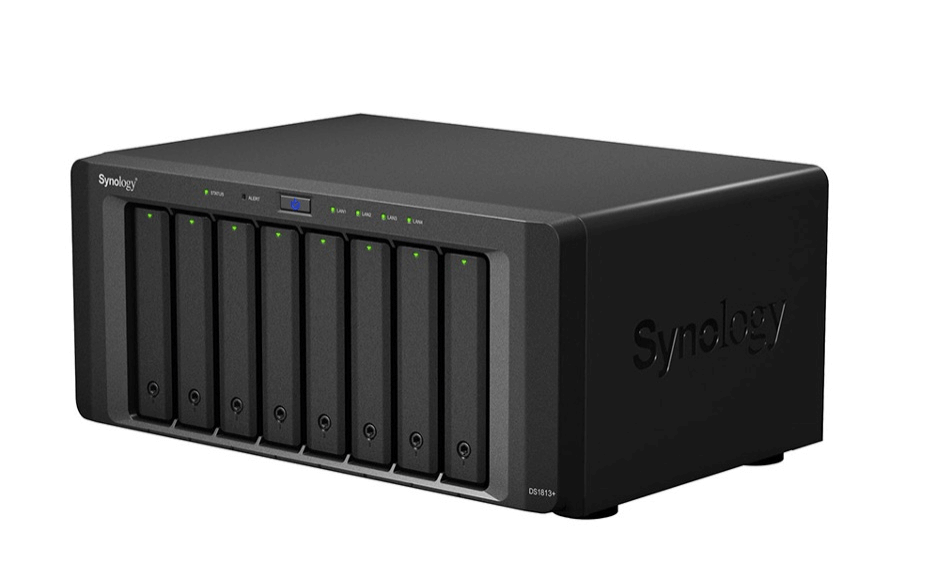
A photo of a Synology NAS.

One of the benefits of NAS is that it’s easy to set up and use, and you can upgrade internal drives over time. The main drawback when it comes to storing video surveillance footage is that its storage capacity is limited. Even if you buy a bigger device than you need right now, eventually you’ll run out of space and need to buy more, especially if you’re storing large amounts of video surveillance footage.

Is a SAN Good for Storing Video Footage?

On the other end of the spectrum, SANs are engineered for high-performance and mission-critical applications. They function by connecting multiple storage devices, such as disk arrays or tape libraries, to a dedicated network that is separate from the main local area network (LAN).

SANs offer high-speed data access, critical for handling large video streams from multiple cameras and allow for seamless scalability. As video surveillance systems grow, SANs can accommodate additional cameras and storage without disrupting ongoing operations. They also provide enhanced data security by isolating block-level storage within the operating system layer, to protect against failures and unauthorized access. Managing SANs can be a bit complex, necessitating skilled administrators familiar with SAN architecture. Additionally, implementing SANs incurs upfront expenses for hardware, software, and expertise, while their reliance on centralized controllers poses a risk of impacting multiple cameras in case of failure.

What Is Cloud Storage?

Cloud storage enables you to securely store data and files in an off-site location. You can access this data through the public internet.

When you transfer data off-site for storage, the cloud storage provider (CSP) hosts, secures, manages, and maintains the servers and associated infrastructure, ensuring that you have seamless access to your data whenever you need it.

What Are the Benefits of Cloud Storage for Video Surveillance Footage?

  1. Scalability: Cloud storage services allow you to dynamically adjust capacity as your video surveillance data volumes fluctuate. 
  2. Avoid capital expenses (CapEx): By leveraging cloud storage for video surveillance, your organization benefits from paying for storage technology and capacity as a service, rather than incurring the capital expenses associated with constructing and upkeeping in-house storage networks. As data volumes grow over time, your costs may increase, but there’s no need to overprovision storage networks in anticipation of future data expansion. 
  3. Security: Cloud surveillance systems enhance data security with unique user accounts and data encryption ensure that only authorized personnel can access the footage. This controlled access minimizes the risk of unauthorized viewing or tampering.
  4. Accessibility: Cloud storage relies on an internet or network connection so authorized users can access surveillance footage remotely from anywhere using smart devices or web browsers. Whether you’re at the office, traveling, or even at home, you can review camera feeds without being physically present on-site. Keep in mind if the connection is lost or disrupted, access to video footage becomes challenging. This dependency can impact real-time monitoring and retrieval of critical data.

Just like our other storage strategies, there are drawbacks to cloud storage. For example, it relies on a stable internet connection. Video surveillance files are large, even when you apply compression techniques, which means that they take time and proper network connections to upload. So, if your internet connection goes down, it takes longer to get data properly stored or backed up than it would with other file types. That means you may not have real-time access to your data, or (in the worst cases) that you potentially risk file corruption if you don’t have a robust enough local storage infrastructure. 

Similarly, businesses should evaluate the privacy and data ownership concerns. Storing video footage in the cloud means entrusting sensitive data to a third-party service provider. Make sure that your CSP meets or exceeds all regulatory or compliance requirements, like SOC 2 or ISO 27001, before you store data on their platforms. 

All things considered, cloud storage offers scalability, ease of access, fine–tuned file control, and minimal maintenance, which are essential when dealing with the complexities of storing video surveillance footage.

Direct-to-Cloud Video Surveillance

Some companies choose to transfer video surveillance off-site to the cloud for backup purposes, while others push video footage directly to the cloud as a primary storage location, especially as there are several camera models and video surveillance solutions that are designed to easily push footage directly to cloud storage. When you’re choosing video surveillance hardware, it’s worth looking into whether they have this functionality, and if so, how much control you have over setting your storage destination to optimize costs. 

And, if you’re using cloud storage as the primary storage for video footage, a multi-cloud setup can be used to ensure the primary copy in the cloud is backed up. A multi-cloud setup involves using multiple cloud service providers simultaneously—so, if your video surveillance platform stores footage in their own cloud, you can still set up a workflow that backs up to a different CSP. For backup and archive purposes, organizations can distribute their data across different clouds to enhance reliability, reduce risk, create geographic diversity in storage locations for disaster recovery purposes, and to comply with data retention policies. This approach ensures data availability even if one cloud provider experiences issues.

What Is Hybrid Cloud Storage?

Hybrid cloud storage combines elements from both public clouds and private clouds (typically on-premises systems). It’s essentially a unified management approach where an integrated infrastructure enables seamless movement of workloads and data between the private and public clouds.

Using a hybrid cloud for video surveillance makes sense for lots of use cases, including backup and archive. Let’s talk about how. 

Backup: To deploy a hybrid approach for a video surveillance backup use case, you’d store all of your video surveillance footage in your on-premises systems, then store your backups in the cloud. Many NAS devices, for example, come with on-board backup utilities that allow you to store backups of your video surveillance footage directly in the cloud. You could also use third-party backup software to automatically back up your systems to the cloud. This hybrid approach gives you fast access to your footage via your on-premises storage, while protecting it with cloud backups.

Archive: To deploy a hybrid approach for a video surveillance archive use case, you’d store recent live recordings of your video surveillance footage on-premises. After a recurring cutoff date—whether in days or months—you then move old footage to a public cloud. This hybrid system allows you to access recent footage quickly while archiving older footage, particularly if you have retention requirements for compliance or cyber insurance purposes. If done right, this system can help your company comply with both short- and long-term industry requirements.

For a more in-depth look at hybrid cloud storage, check out our blog on hybrid cloud. 

Is Hybrid Cloud Good for Video Surveillance Footage?

Leveraging hybrid cloud storage provides a dual advantage for video surveillance: swift local access to your video surveillance footage while simultaneously safeguarding it through off-site backups or off-loading it through a cloud archive. This strategic approach allows you to harness the strengths of both public and private clouds. Moreover, it offers enhanced scalability and flexibility compared to traditional on-premises solutions.

However, it’s essential to note that implementing a private cloud system can be cost-intensive. It necessitates budgeting for hardware acquisitions and replacements over time. Additionally, you’ll likely need to allocate resources for dedicated staff to maintain servers and backup strategies.

The Verdict: Which Type of Storage Is Best for Video Surveillance?

Choosing the right video surveillance storage solution is a critical decision for any organization. On-premises, cloud, and hybrid cloud each have their merits and drawbacks. While on-premises solutions offer large data storage capacity that is easy to set up and use, they require significant infrastructure investment. Cloud storage provides data accessibility and scales seamlessly while optimizing cost-effectiveness. Hybrid cloud provides both rapid local access to your video surveillance footage and secure off-site backups. 

Ultimately, the choice depends on your specific needs, budget, and long-term strategy. Consider the trade-offs carefully to ensure seamless and reliable video storage for your surveillance system.

The post Video Surveillance Data Storage: Cloud vs. On-Prem vs. Hybrid appeared first on Backblaze Blog | Cloud Storage & Cloud Backup

Accelerate incident response with Amazon Security Lake

Post Syndicated from Jerry Chen original https://aws.amazon.com/blogs/security/accelerate-incident-response-with-amazon-security-lake/

This blog post is the first of a two-part series that will demonstrate the value of Amazon Security Lake and how you can use it and other resources to accelerate your incident response (IR) capabilities. Security Lake is a purpose-built data lake that centrally stores your security logs in a common, industry-standard format. In part one, we will first demonstrate the value Security Lake can bring at each stage of the National Institute of Standards and Technology (NIST) SP 800-61 Computer Security Incident Handling Guide. We will then demonstrate how you can configure Security Lake in a multi-account deployment by using the AWS Security Reference Architecture (AWS SRA).

In part two of this series, we’ll walk through an example to show you how to use Security Lake and other AWS services and tools to drive an incident to resolution.

At Amazon Web Services (AWS), security is our top priority. When security incidents occur, customers need the right capabilities to quickly investigate and resolve them. Security Lake enhances your capabilities, especially during the detection and analysis stages, which can reduce time to resolution and business impact. We also cover incident response specifically in the security pillar of the AWS Well-Architected Framework, provide prescriptive guidance on preparing for and handling incidents, and publish incident response playbooks.

Incident response life cycle

NIST SP 800-61 describes a set of steps you use to resolve an incident. These include preparation (Stage 1), detection and analysis (Stage 2), containment, eradication and recovery (Stage 3), and finally post-incident activities (Stage 4).

Figure 1 shows the workflow of incident response defined by NIST SP 800-61. The response flows from Stage 1 through Stage 4, with Stages 2 and 3 often being an iterative process. We will discuss the value of Security Lake at each stage of the NIST incident response handling process, with a focus on preparation, detection, and analysis.

Figure 1: NIST 800-61 incident response life cycle. Source: NIST 800-61

Figure 1: NIST 800-61 incident response life cycle. Source: NIST 800-61

Stage 1: Preparation

Preparation helps you ensure that tools, processes, and people are prepared for incident response. In some cases, preparation can also help you identify systems, networks, and applications that might not be sufficiently secure. For example, you might determine you need certain system logs for incident response, but discover during preparation that those logs are not enabled.

Figure 2 shows how Security Lake can accelerate the preparation stage during the incident response process. Through native integration with various security data sources from both AWS services and third-party tools, Security Lake simplifies the integration and concentration of security data, which also facilitates training and rehearsal for incident response.

Figure 2: Amazon Security Lake data consolidation for IR preparation

Figure 2: Amazon Security Lake data consolidation for IR preparation

Some challenges in the preparation stage include the following:

  • Insufficient incident response planning, training, and rehearsal – Time constraints or insufficient resources can slow down preparation.
  • Complexity of system integration and data sources – An increasing number of security data sources and integration points require additional integration effort, or increase risk that some log sources are not integrated.
  • Centralized log repository for mixed environments – Customers with both on-premises and cloud infrastructure told us that consolidating logs for those mixed environments was a challenge.

Security Lake can help you deal with these challenges in the following ways:

  • Simplify system integration with security data normalization
  • Streamline data consolidation across mixed environments
    • Security Lake supports multiple log sources, including AWS native services and custom sources, which include third-party partner solutions, other cloud platforms and your on-premises log sources. For example, see this blog post to learn how to ingest Microsoft Azure activity logs into Security Lake.
  • Facilitate IR planning and testing
    • Security Lake reduces the undifferentiated heavy lifting needed to get security data into tooling so teams spend less time on configuration and data extract, transform, and load (ETL) work and more time on preparedness.
    • With a purpose-built security data lake and data retention policies that you define, security teams can integrate data-driven decision making into their planning and testing, answering questions such as “which incident handling capabilities do we prioritize?” and running Well-Architected game days.

Stages 2 and 3: Detection and Analysis, Containment, Eradication and Recovery

The Detection and Analysis stage (Stage 2) should lead you to understand the immediate cause of the incident and what steps need to be taken to contain it. Once contained, it’s critical to fully eradicate the issue. These steps form Stage 3 of the incident response cycle. You want to ensure that those malicious artifacts or exploits are removed from systems and verify that the impacted service has recovered from the incident.

Figure 3 shows how Security Lake can enable effective detection and analysis. Doing so enables teams to quickly contain, eradicate, and recover from the incident. Security Lake natively integrates with other AWS analytics services, such as Amazon Athena, Amazon QuickSight, and Amazon OpenSearch Service, which makes it easier for your security team to generate insights on the nature of the incident and to take relevant remediation steps.

Figure 3: Amazon Security Lake accelerates IR Detection and Analysis, Containment, Eradication, and Recovery

Figure 3: Amazon Security Lake accelerates IR Detection and Analysis, Containment, Eradication, and Recovery

Common challenges present in stages 2 and 3 include the following:

  • Challenges generating insights from disparate data sources
    • Inability to generate insights from security data means teams are less likely to discover an incident, as opposed to having the breach revealed to them by a third party (such as a threat actor).
    • Breaches disclosed by a threat actor might involve higher costs than incidents discovered by the impacted organizations themselves, because typically the unintended access has progressed for longer and impacted more resources and data than if the impacted organization discovered it sooner.
  • Inconsistency of data visibility and data siloing
    • Security log data silos may slow IR data analysis because it’s challenging to gather and correlate the necessary information to understand the full scope and impact of an incident. This can lead to delays in identifying the root cause, assessing the damage, and taking remediation steps.
    • Data silos might also mean additional permissions management overhead for administrators.
  • Disparate data sources add barriers to adopting new technology, such as AI-driven security analytics tools
    • AI-driven security analysis requires a large amount of security data from various data sources, which might be in disparate formats. Without a centralized security data repository, you might need to make additional effort to ingest and normalize data for model training.

Security Lake offers native support for log ingestion for a range of AWS security services, including AWS CloudTrail, AWS Security Hub, and VPC Flow Logs. Additionally, you can configure Security Lake to ingest external sources. This helps enrich findings and alerts.

Security Lake addresses the preceding challenges as follows:

  • Unleash security detection capability by centralizing detection data
    • With a purpose-built security data lake with a standard object schema, organizations can centrally access their security data—AWS and third-party—using the same set of IR tools. This can help you investigate incidents that involve multiple resources and complex timelines, which could require access logs, network logs, and other security findings. For example, use Amazon Athena to query all your security data. You can also build a centralized security finding dashboard with Amazon QuickSight.
  • Reduce management burden
    • With Security Lake, permissions complexity is reduced. You use the same access controls in AWS Identity and Access Management (IAM) to make sure that only the right people and systems have access to sensitive security data.

See this blog post for more details on generating machine learning insights for Security Lake data by using Amazon SageMaker.

Stage 4: Post-Incident Activity

Continuous improvement helps customers to further develop their IR capabilities. Teams should integrate lessons learned into their tools, policies, and processes. You decide on lifecycle policies for your security data. You can then retroactively review event data for insight and to support lessons learned. You can also share security telemetry at levels of granularity you define. Your organization can then establish distributed data views for forensic purposes and other purposes, while enforcing least privilege for data governance.

Figure 4 shows how Security Lake can accelerate the post-incident activity stage during the incident response process. Security Lake natively integrates with AWS Organizations to enable data sharing across various OUs within the organization, which further unleashes the power of machine learning to automatically create insights for incident response.

Figure 4: Security Lake accelerates post-incident activity

Figure 4: Security Lake accelerates post-incident activity

Having covered some advantages of working with your data in Security Lake, we will now demonstrate best practices for getting Security Lake set up.

Setting up for success with Security Lake

Most of the customers we work with run multiple AWS accounts, usually with AWS Organizations. With that in mind, we’re going to show you how to set up Security Lake and related tooling in line with guidance in the AWS Security Reference Architecture (AWS SRA). The AWS SRA provides guidance on how to deploy AWS security services in a multi-account environment. You will have one AWS account for security tooling and a different account to centralize log storage. You’ll run Security Lake in this log storage account.

If you just want to use Security Lake in a standalone account, follow these instructions.

Set up Security Lake in your logging account

Most of the instructions we link to in this section describe the process using either the console or AWS CLI tools. Where necessary, we’ve described the console experience for illustrative purposes.

The AmazonSecurityLakeAdministrator AWS managed IAM policy grants the permissions needed to set up Security Lake and related services. Note that you may want to further refine permissions, or remove that managed policy after Security Lake and the related services are set up and running.

To set up Security Lake in your logging account

  1. Note down the AWS account number that will be your delegated administrator account. This will be your centralized archive logs account. In the AWS Management Console, sign in to your Organizations management account and set up delegated administration for Security Lake.
  2. Sign in to the delegated administrator account, go to the Security Lake console, and choose Get started. Then follow these instructions from the Security Lake User Guide. While you’re setting this up, note the following specific guidance (this will make it easier to follow the second blog post in this series):

    Define source objective: For Sources to ingest, we recommend that you select Ingest the AWS default sources. However, if you want to include S3 data events, you’ll need to select Ingest specific AWS sources and then select CloudTrail – S3 data events. Note that we use these events for responding to the incident in blog post part 2, when we really drill down into user activity.

    Figure 5 shows the configuration of sources to ingest in Security Lake.

    Figure 5: Sources to ingest in Security Lake

    Figure 5: Sources to ingest in Security Lake

    We recommend leaving the other settings on this page as they are.

    Define target objective: We recommend that you choose Add rollup Region and add multiple AWS Regions to a designated rollup Region. The rollup Region is the one to which you will consolidate logs. The contributing Region is the one that will contribute logs to the rollup Region.

    Figure 6 shows how to select the rollup regions.

    Figure 6: Select rollup Regions

    Figure 6: Select rollup Regions

You now have Security Lake enabled, and in the background, additional services such as AWS Lake Formation and AWS Glue have been configured to organize your Security Lake data.

Now you need to configure a subscriber with query access so that you can query your Security Lake data. Here are a few recommendations:

  1. Subscribers are specific to a Region, so you want to make sure that you set up your subscriber in the same Region as your rollup Region.
  2. You will also set up an External ID. This is a value you define, and it’s used by the IAM role to prevent the confused deputy problem. Note that the subscriber will be your security tooling account.
  3. You will select Lake Formation for Data access, which will create shares in AWS Resource Access Manager (AWS RAM) that will be shared with the account that you specified in Subscriber credentials.
  4. If you’ve already set up Security Lake at some time in the past, you should select Specific log and event sources and confirm the source and version you want the subscriber to access. If it’s a new implementation, we recommend using version 2.0 or greater.
  5. There’s a note in the console that says the subscribing account will need to accept the RAM resource shares. However, if you’re using AWS Organizations, you don’t need to do that; the resource share will already list a status of Active when you select the Shared with me >> Resource shares in the subscriber (security tooling) account RAM console.

Note: If you prefer a visual guide, you can refer to this video to set up Security Lake in AWS Organizations.

Set up Amazon Athena and AWS Lake Formation in the security tooling account

If you go to Athena in your security tooling account, you won’t see your Security Lake tables yet because the tables are shared from the Security Lake account. Although services such as Amazon Athena can’t directly access databases or tables across accounts, the use of resource links overcomes this challenge.

To set up Athena and Lake Formation

  1. Go to the Lake Formation console in the security tooling account and follow the instructions to create resource links for the shared Security Lake tables. You’ll most likely use the Default database and will see your tables there. The table names in that database start with amazon_security_lake_table. You should expect to see about eight tables there.

    Figure 7 shows the shared tables in the Lake Formation service console.

    Figure 7: Shared tables in Lake Formation

    Figure 7: Shared tables in Lake Formation

    You will need to create resource links for each table, as described in the instructions from the Lake Formation Developer Guide.

    Figure 8 shows the resource link creation process.

    Figure 8: Creating resource links

    Figure 8: Creating resource links

  2. Next, go to Amazon Athena in the same Region. If Athena is not set up, follow the instructions to get it set up for SQL queries. Note that you won’t need to create a database—you’re going to use the “default” database that already exists. Select it from the Database drop-down menu in the Query editor view.
  3. In the Tables section, you should see all your Security Lake tables (represented by whatever names you gave them when you created the resource links in step 1, earlier).

Get your incident response playbooks ready

Incident response playbooks are an important tool that enable responders to work more effectively and consistently, and enable the organization to get incidents resolved more quickly. We’ve created some ready-to-go templates to get you started. You can further customize these templates to meet your needs. In part two of this post, you’ll be using the Unintended Data Access to an Amazon Simple Storage Service (Amazon S3) bucket playbook to resolve an incident. You can download that playbook so that you’re ready to follow it to get that incident resolved.

Conclusion

This is the first post in a two-part series about accelerating security incident response with Security Lake. We highlighted common challenges that decelerate customers’ incident responses across the stages outlined by NIST SP 800-61 and how Security Lake can help you address those challenges. We also showed you how to set up Security Lake and related services for incident response.

In the second part of this series, we’ll walk through a specific security incident—unintended data access—and share prescriptive guidance on using Security Lake to accelerate your incident response process.

 
If you have feedback about this post, submit comments in the Comments section below. If you have questions about this post, contact AWS Support.

Want more AWS Security news? Follow us on Twitter.

Jerry Chen

Jerry Chen

Jerry is currently a Senior Cloud Optimization Success Solutions Architect at AWS. He focuses on cloud security and operational architecture design for AWS customers and partners. You can follow Jerry on LinkedIn.

Frank Phillis

Frank Phillis

Frank is a Senior Solutions Architect (Security) at AWS. He enables customers to get their security architecture right. Frank specializes in cryptography, identity, and incident response. He’s the creator of the popular AWS Incident Response playbooks and regularly speaks at security events. When not thinking about tech, Frank can be found with his family, riding bikes, or making music.

Търси се: Маркетинг специалист

Post Syndicated from Тоест original https://www.toest.bg/marketing-specialist/

Търси се: Маркетинг специалист

За изминалите шест години и половина „Тоест“ се утвърди като реномирана медия, която предоставя качествен, достоверен и аналитичен прочит на обществените събития в България. 

От основаването си в началото на 2018 г. „Тоест“ се издържа единствено от своите читатели. Силната подкрепа на нашата вярна аудитория дотук ни дава увереност, че в България има достатъчна критична маса от активни граждани, които със своите малки, но редовни месечни дарения могат изцяло да осигурят журналистическата независимост на медията. 

През годините сме разчитали на органичния си растеж, но имаме нужда да достигнем до по-голяма аудитория и да разширим подкрепата от читателите, за да предоставяме още по-богато и по-разнообразно съдържание.

Благодарение на целево финансиране по Централноевропейската медийна програма на международните организации ZINC и IREX, в момента предстои да изградим ясна стратегия за разширяване и ангажиране на аудиторията, да осигурим добър маркетингов бюджет и да получим ноу-хау и менторство от международни експерти в сферата на медийния маркетинг и комуникация. 

Междувременно търсим маркетинг специалист, с когото заедно да развиваме „Тоест“.

Ако Вие 

  • сте инициативен, динамичен и ориентиран към ефективните резултати човек, 
  • обичате предизвикателствата и имате нагласата непрекъснато да се учите,
  • имате оригинални идеи и въображение и с готовност излизате извън установените (и често неприложими за медии като нашата) клишета на маркетинга,
  • активно следите новините и обществените събития в България и чужбина,
  • вярвате като нас в демократичните ценности и в силата на будните граждани да променят обществото ни към по-добро,
  • имате силно желание и мотивация да работите в независима медия,

… ние търсим точно Вас! 

Вижте предложението ни за работа и се присъединете към нашия великолепен, всеотдаен и сплотен екип!

Какво още е нужно да притежавате:

  • бакалавърска степен по маркетинг, комуникации или друга специалност в областта на икономиката или хуманитарните науки;
  • отлично писмено и устно владеене на английски език;
  • практически опит в маркетинга, комуникациите или копирайтинга и в стратегическото планиране и изпълняване на кампании (предимство имат кандидати с опит в новинарската или издателската индустрия);
  • увереност в използването на дигитални маркетингови инструменти и платформи, софтуери за управление на социалните медии и услуги за имейл маркетинг;
  • силни аналитични умения и стратегическо и креативно мислене с голямо внимание към детайлите и опит при вземане на решения, основани на данни;
  • отлични умения за комуникация и за работа в екип;
  • умение да пишете и да се изразявате ясно и грамотно, с усет към нюансите на езика;
  • способност да управлявате няколко кампании едновременно и да спазвате определените срокове.

Основни отговорности:

  • разработване и изпълнение на интегрирани маркетингови кампании, които съответстват на целите на организацията и на тенденциите на пазара;
  • управление и оптимизиране на дигиталните маркетингови канали, в т.ч. социалните мрежи (чрез органични и платени кампании) и имейл маркетинг, с цел разширяване на аудиторията и увеличаване на нейната ангажираност;
  • анализиране на пазарните тенденции и читателските предпочитания, за да се идентифицират възможности за растеж и да се подобри редакционната стратегия;
  • в тясно сътрудничество с редакционния екип – осигуряване на последователност на посланията и позиционирането на бранда във всички платформи;
  • проследяване и отчитане на ефективността на кампаниите с използване на анализ на данните в процесите на вземане на решения и нанасяне на корекции в стратегията;
  • комуникация с аудиторията и изграждане на общност;
  • комуникация с външни партньори, доставчици и маркетингови агенции, за да се осигури успехът на кампаниите и ефективното разходване на бюджета; 
  • постоянно мислене в посока подобряване на бранда „Тоест“ и неговата позиция на пазара.

Какво предлагаме:

  • основно нетно заплащане от 2500 лв. по трудов договор, допълнено с всички дължими по закон данъци, здравни и пенсионни осигуровки;
  • бонус от 10% от всички нови приходи, получени в резултат на усилията в маркетинга, комуникацията и изграждането на общност;
  • обучение и менторство от международни експерти в сферата на медийния маркетинг и комуникация;
  • гъвкави и дистанционни работни ангажименти;
  • работа в динамична среда с изключително всеотдаен екип.

Организация: Фондация в обществена полза „Тоест“ 
Местоположение: дистанционна работа
Ангажираност: пълен работен ден

Успяхме ли да събудим Вашето любопитство?

Или препратете обявата на свои приятели, които биха проявили интерес към тази позиция.

[$] Filesystems and iomap

Post Syndicated from jake original https://lwn.net/Articles/974958/

The iomap
block-mapping abstraction is being used by more filesystems, in part
because of its support for large folios. But there are some challenges in
adopting iomap, which was the topic of a discussion led by Ritesh Harjani
in a combined storage and filesystem session at the 2024 Linux Storage,
Filesystem, Memory Management, and BPF Summit
. One of the main trouble
spots is how to handle metadata, which is not an area that iomap has been aimed
at.

The collective thoughts of the interwebz