Post Syndicated from Tarun Rai Madan original https://aws.amazon.com/blogs/big-data/building-serverless-event-streaming-applications-with-amazon-msk-and-aws-lambda/
As organizations build modern applications with event-driven architectures (EDA), they often seek solutions that minimize infrastructure management overhead while maximizing developer productivity. Amazon Managed Streaming for Apache Kafka (Amazon MSK) and AWS Lambda together provide a serverless, scalable, and cost-efficient platform for real-time event-driven processing.
In this post, we describe how you can simplify your event-driven application architecture using AWS Lambda with Amazon MSK. We demonstrate how to configure Lambda as a consumer for Kafka topics, including a cross-account setup and how to optimize price and performance for these applications.
Why use Lambda with Amazon MSK?
Customers building event-driven applications have several key priorities when it comes to their architecture choices. They typically seek to reduce their operational overhead by using Amazon Web Services (AWS) to handle the complex, underlying infrastructure components so their teams can focus on core business logic. Additionally, developers prefer a streamlined experience that minimizes the need for repetitive boilerplate code, enabling them to be more productive and focus on creating value. Furthermore, these customers want to achieve both scalability and cost-effectiveness without the burden of managing compute infrastructure directly. Lambda integration with Amazon MSK effectively addresses these requirements, delivering a comprehensive solution that combines the benefits of serverless computing with managed Kafka services. For example, an ecommerce company can use Amazon MSK to collect real-time clickstream data from its website and process those events using AWS Lambda. With this integration, they can trigger Lambda functions to update recommendation models, send personalized offers, or analyze user behavior instantly—without provisioning or managing servers. The key benefits of using Lambda with Amazon MSK include:
- Simplicity through native integration – AWS Lambda offers native integration with Amazon MSK through a connector resource called event source mapping. You can use this integration to directly associate a Kafka topic—whether it’s on Amazon MSK or a self-managed Kafka cluster—as an event source for a Lambda function without writing custom consumer logic. With just a few configuration steps, event source mapping handles partition assignment, offset tracking, and parallelized batch processing under the hood. It uses the Kafka consumer group protocol to distribute topic partitions across multiple concurrent Lambda invocations, supports batch windowing, and enables at-least-once delivery semantics. Moreover, it automatically commits offsets upon successful function execution while handling retries and dead-letter queue (DLQ) routing for failed records, significantly reducing the operational overhead traditionally associated with Kafka consumers.
- Auto scaling and throughput controls – When using AWS Lambda with Amazon MSK through event source mapping, Lambda automatically scales by assigning a dedicated event poller per Kafka partition, enabling parallel, partition-based processing. This allows the system to elastically handle varying traffic without manual intervention. For advanced control, provisioned concurrency pre-initializes Lambda execution environments, eliminating cold starts and delivering consistent low-latency performance. Additionally, with provisioned event source mapping, you can configure the minimum and maximum number of Kafka pollers, providing precise control over throughput and concurrency. This is ideal for applications with unpredictable traffic patterns or strict latency requirements.
- Cost-effectiveness – AWS Lambda uses a pay-per-use model in which you only pay for compute time and number of invocations. When integrated with Amazon MSK, there are no charges for idle time, making it ideal for bursty or low-frequency Kafka workloads. You can further optimize costs by tuning batch size and batch window settings. For mission-critical workloads, provisioned concurrency provides consistent performance with controlled pricing.
- Event filtering – AWS Lambda supports event filtering for Amazon MSK event sources, which means you can process only the Kafka records that match specific criteria. This reduces unnecessary function invocations and optimizes your function costs. You can define up to five filters per event source mapping (with the option to request an increase to ten). Each filter uses a JSON-based pattern to specify the conditions a record must meet to be processed. Filters can be applied using the AWS Management Console, AWS Command Line Interface (AWS CLI), or AWS Serverless Application Model (AWS SAM) templates. For more details and examples, refer to the AWS Lambda documentation on event filtering with Amazon MSK.
- Handling Availability Zone outage for your consumer – Amazon MSK enables high availability for your Kafka brokers by distributing them across multiple Availability Zones within a Region. To maintain high availability across your application, you similarly need a consumer that offers high availability. AWS Lambda offers high availability and resilience by running your consumer functions across multiple Availability Zones in a Region. This means that even if one Availability Zone experiences an outage, your Lambda function will continue to operate in other healthy Availability Zones. While Lambda manages security patching and Availability Zone failure scenarios, you can focus on your application logic.
- Cross-account event processing – Cross-account connectivity between AWS Lambda and Amazon MSK allows a Lambda function in one AWS account to consume data from an MSK cluster in another account using MSK multi-VPC private connectivity powered by AWS PrivateLink. This setup is particularly beneficial for organizations that centralize Kafka infrastructure while maintaining separate accounts for different applications or teams.
- Support for JSON, Avro, Protobuf, and Schema Registries – AWS Lambda supports Kafka events in JSON, Avro and Protobuf formats via event source mapping. It integrates with AWS Glue Schema registry, Confluent Cloud Schema registry, and self-managed Confluent Schema registry , enabling native schema validation, filtering, and deserialization without custom code.
How Lambda processes messages from your Kafka topic
Lambda uses event source mappings to process records from Amazon MSK by actively polling Kafka topics through event pollers that invoke Lambda functions with batches of records. These mappings are Lambda managed resources designed for high-throughput, stream-based processing. By default, Lambda detects the OffsetLag for all partitions in your Kafka topic and automatically scales pollers based on traffic. For high-throughput applications, you can enable provisioned mode to define minimum and maximum pollers, and your event source mapping auto scales between the minimum and maximum defined values. In the provisioned mode, each poller can process up to 5 MBps and supports concurrent Lambda invocations.
After Lambda processes each batch, it commits the offsets of the messages in that batch. If your function returns an error for a message in a batch, Lambda retries the whole batch of messages until processing succeeds or the messages expire. You can send records that fail all retry attempts to an on-failure destination for later processing. To maintain ordered processing within a partition, Lambda limits the maximum event pollers to the number of partitions in the topic. When setting up Kafka as a Lambda event source, you can specify a consumer group ID to let Lambda join an existing Kafka consumer group. If other consumers are active in that group, Lambda will receive only part of the topic’s messages. If the group exists, Lambda starts from the group’s committed offset, ignoring the StartingPosition. The following diagram illustrates this flow.

Walkthrough: Build a serverless Kafka app with AWS Lambda
Follow these steps to build a serverless application that consumes messages from an MSK cluster using AWS Lambda:
- Create an Amazon MSK cluster. Use the AWS Management Console or AWS CLI to create your MSK cluster. When the cluster is up, create your Kafka topic(s). For detailed instructions, refer to the Amazon MSK documentation.
- Create a Lambda function using the AWS Management Console or the AWS CLI. To learn more about creating a Lambda function, refer to Create your first Lambda function. The Lambda function’s execution role needs to have the following permissions:
- Access to connect to your MSK cluster
- Permissions to manage elastic network interfaces in your VPC
- To connect Lambda to Amazon MSK as a consumer, set up event source mapping to link your MSK topic with the Lambda function. This allows Lambda to automatically poll for new messages and process them. Follow the guide on how to configure event source mapping.
For reference, configuring event source mapping involves three steps:
- Network setup – In the default event source mapping mode, you need to configure a networking setup using a PrivateLink endpoint or NAT gateway for event source mapping to invoke Lambda functions. In provisioned mode, no networking configuration is needed (and you don’t incur the cost of networking components).
- Event source mapping parameter configuration – This involves setting necessary configuration parameters for the event source mapping to be able to poll messages from your Kafka cluster. This includes the MSK cluster, topic name, consumer group ID, authentication method, and optionally, schema registry, scaling mode. You can configure the scaling mode for provisioned throughput, along with batch size, batch window, and event filtering for your event source mapping.
- Access permissions – This involves configuring required permissions to access the required AWS resources, and includes configuring permissions for the function to execute the code, permissions for the event source mapping to access your MSK cluster, and permissions for Lambda to access your VPC resources.
The following screenshot shows the console setup for configuring Amazon MSK event source mapping, including the Amazon MSK trigger related fields.

The following screenshot shows event poller configuration.

The following screenshot shows additional settings you can use, depending on your use case.

Optimizing AWS Lambda for stream processing with Amazon MSK
When building real-time data processing pipelines with Amazon MSK and AWS Lambda, it’s important to tune your setup for both performance and cost-efficiency. Lambda offers powerful serverless compute capabilities, but to get the most out of it in a streaming context, you need to make a few key optimizations:
- Enable provisioned concurrency for low-latency processing – For workloads that are sensitive to latency—cold starts can introduce unwanted delays. By enabling provisioned concurrency, you can pre-warm a specified number of Lambda instances so they’re always ready to handle traffic immediately. This eliminates cold starts and provides consistent response times, which is crucial for latency-critical use cases.
- Enable provisioned mode for event source mapping for high-throughput processing – For Kafka workloads with stringent throughput requirements, activate the provisioned mode. The optimal configuration of minimum and maximum event pollers for your Kafka event source mapping depends on your application’s performance requirements. Start with the default minimum event pollers to baseline the performance profile and adjust event pollers based on observed message processing patterns and your application’s performance requirements. For workloads with spiky traffic and strict performance needs, increase the minimum event pollers to handle sudden surges. You can fine-tune the minimum event pollers by evaluating your desired throughput, your observed throughput, which depends on factors such as the ingested messages per second and average payload size, and using the throughput capacity of one event poller (up to 5 MB/s) as reference. To maintain ordered processing within a partition, Lambda caps the maximum event pollers at the number of partitions in the topic.
- Optimize message batching using size and windowing – By integrating Lambda with Amazon MSK, you can control how messages are batched before they’re sent to your function. Tuning parameters such as batch size (the number of records per invocation: 1–10,000 records) and maximum batching window (how long to wait for a full batch: 0–300 seconds) can significantly impact performance. Larger batches mean fewer invocations, which reduces overhead and improves throughput. However, it’s important to strike a balance—too large a batch or window might introduce unwanted processing delays. Monitor your stream’s behavior and adjust these settings based on throughput requirements and acceptable latency.
- Apply filters to reduce unnecessary invocations – Not every record in your Kafka topic might require processing. To avoid unnecessary Lambda invocations (and associated costs), apply filtering logic directly when configuring the event source mapping. With Lambda, you can define filtering (up to 10 filters) criteria so that only relevant records trigger your function. This helps reduce compute time, minimize noise, and optimize your budget, especially when dealing with high-throughput topics with mixed content. For Amazon MSK, Lambda commits offsets for matched and unmatched messages after successfully invoking the function.
Conclusion
By combining Amazon MSK with AWS Lambda, you can seamlessly build modern, serverless event-driven applications. This integration eliminates the need to manage consumer groups, compute infrastructure, or scaling logic so teams can focus on delivering business value faster.
Whether you’re integrating Kafka into microservices, transforming data pipelines, or building reactive applications, Lambda with Amazon MSK is a powerful and flexible serverless solution. For detailed documentation on how to configure Lambda with Amazon MSK, refer to the AWS Lambda Developer Guide. For more serverless learning resources, visit Serverless Land.
About the Authors
 Tarun Rai Madan is a Principal Product Manager at Amazon Web Services (AWS). He specializes in serverless technologies and leads product strategy to help customers achieve accelerated business outcomes with event-driven applications, using services like AWS Lambda, AWS Step Functions, Apache Kafka, and Amazon SQS/SNS. Prior to AWS, he was an engineering leader in the semiconductor industry, and led development of high-performance processors for wireless, automotive, and data center applications.
 Masudur Rahaman Sayem is a Streaming Data Architect at AWS with over 25 years of experience in the IT industry. He collaborates with AWS customers worldwide to architect and implement sophisticated data streaming solutions that address complex business challenges. As an expert in distributed computing, Sayem specializes in designing large-scale distributed systems architecture for maximum performance and scalability. He has a keen interest and passion for distributed architecture, which he applies to designing enterprise-grade solutions at internet scale.


 Raghu Kuppala is an Analytics Specialist Solutions Architect experienced working in the databases, data warehousing, and analytics space. Outside of work, he enjoys trying different cuisines and spending time with his family and friends.
 Sumant Nemmani is a Senior Technical Product Manager at AWS. He is focused on helping customers of Amazon Redshift benefit from features that use machine learning and intelligent mechanisms to enable the service to self-tune and optimize itself, ensuring Redshift remains price-performant as they scale their usage.
 Gagan Goel is a Software Development Manager at AWS. He ensures that Amazon Redshift features meet customer needs by prioritising and guiding the team in delivering customer-centric solutions, monitor and enhance query performance for customer workloads.
 Kshitij Batra is a Software Development Engineer at Amazon, specializing in building resilient, scalable, and high-performing software solutions.
 Sanuj Basu is a Principal Engineer at AWS, driving the evolution of Amazon Redshift into a next-generation, exabyte-scale cloud data warehouse. He leads engineering for Redshift’s core data platform — including managed storage, transactions, and data sharing — enabling customers to power seamless multi-cluster analytics and modern data mesh architectures. Sanuj’s work helps Redshift customers break through th


 Konstantina Mavrodimitraki is a Senior Solutions Architect at Amazon Web Services, where she assists customers in designing scalable, robust, and secure systems in global markets. With deep expertise in data strategy, data warehousing, and big data systems, she helps organizations transform their data landscapes. A passionate technologist and people person, Konstantina loves exploring emerging technologies and supports the local tech communities. Additionally, she enjoys reading books and playing with her dog.
 Kostas Diamantis is the Head of the Data Warehouse at Skroutz company. With a background in software engineering, he transitioned into data engineering, using his technical expertise to build scalable data solutions. Passionate about data-driven decision-making, he focuses on optimizing data pipelines, enhancing analytics capabilities, and driving business insights.



 Venkata Sai Mahesh Swargam is a Cloud Engineer at AWS in Hyderabad. He specializes in Amazon MSK and Amazon Kinesis services. Mahesh is dedicated to helping customers by providing technical guidance and solving issues related to their Amazon MSK architectures. In his free time, he enjoys being with family and traveling around the world.
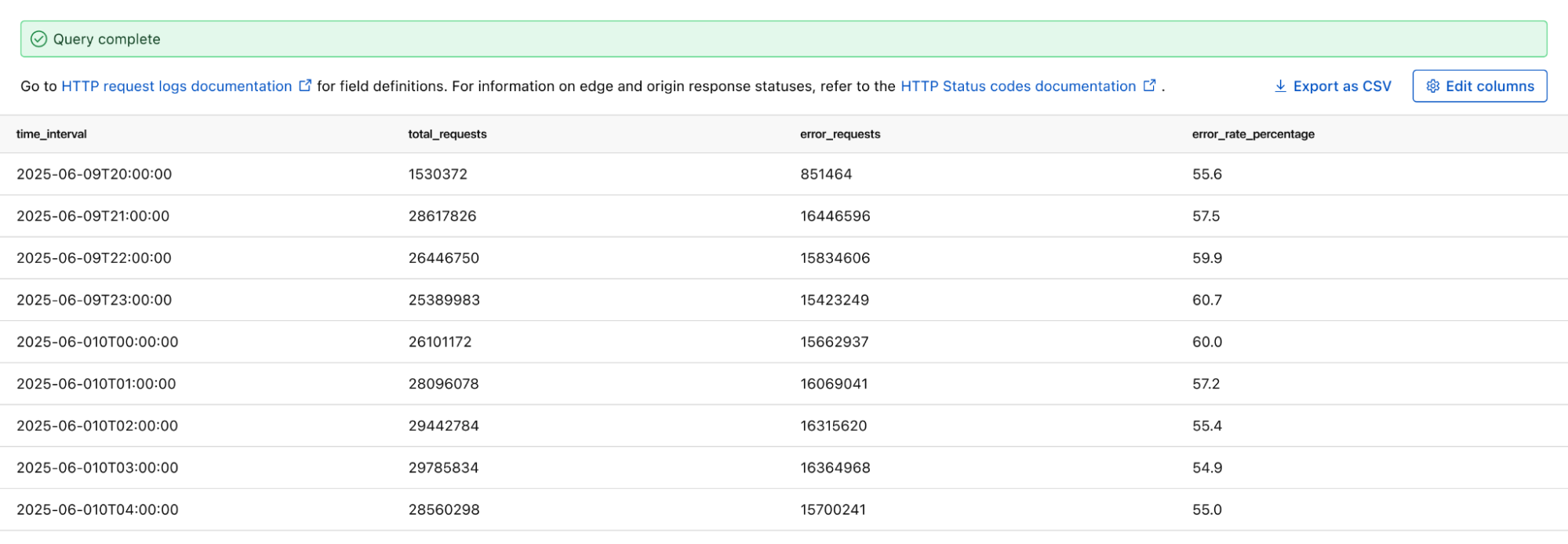


 If you select Redshift, you will be transferred to the Query editor where you can execute the SQL and see the results as shown in the following figure.
 Avijit Goswami is a Principal Data Solutions Architect at AWS specialized in data and analytics. He supports AWS strategic customers in building high-performing, secure, and scalable data lake solutions on AWS using AWS managed services and open-source solutions. Outside of his work, Avijit likes to travel, hike in the San Francisco Bay Area trails, watch sports, and listen to music.
 Saman Irfan is a Senior Specialist Solutions Architect focusing on Data Analytics at Amazon Web Services. She focuses on helping customers across various industries build scalable and high-performant analytics solutions. Outside of work, she enjoys spending time with her family, watching TV series, and learning new technologies.
 Sudarshan Narasimhan is a Principal Solutions Architect at AWS specialized in data, analytics and databases. With over 19 years of experience in Data roles, he is currently helping AWS Partners & customers build modern data architectures. As a specialist & trusted advisor he helps partners build & GTM with scalable, secure and high performing data solutions on AWS. In his spare time, he enjoys spending time with his family, travelling, avidly consuming podcasts and being heartbroken about Man United’s current state.


 Ankush Goyal is a Enterprise Support Lead in AWS Enterprise Support who helps customers streamline their cloud operations on AWS. He is a results-driven IT professional with over 20 years of experience.
 Anvesh Koganti is a Solutions Architect at AWS specializing in Networking. He focuses on helping customers build networking architectures for highly scalable and resilient AWS environments. Outside of work, Anvesh is passionate about consumer technology and enjoys listening to podcasts on tech and business. When disconnecting from the digital world, Anvesh spends time outdoors hiking and biking.
 Salman Ahmed is a Senior Technical Account Manager in AWS Enterprise Support. He specializes in guiding customers through the design, implementation, and support of AWS solutions. Combining his networking expertise with a drive to explore new technologies, he helps organizations successfully navigate their cloud journey. Outside of work, he enjoys photography, traveling, and watching his favorite sports teams.


 Dhrubajyoti Mukherjee is a Cloud Infrastructure Architect with a strong focus on data strategy, data governance, and artificial intelligence at Amazon Web Services (AWS). He uses his deep expertise to provide guidance to global enterprise customers across industries, helping them build scalable and secure cloud solutions that drive meaningful business outcomes. Dhrubajyoti is passionate about creating innovative, customer-centric solutions that enable digital transformation, business agility, and performance improvement. Outside of work, Dhrubajyoti enjoys spending quality time with his family and exploring nature through his love of hiking mountains.


 Guy Bachar is a Sr. Solutions Architect at AWS. He specializes in assisting capital markets and FinTech customers with their cloud transformation journeys. His expertise encompasses identity management, security, and unified communication.
 Sayan Chakraborty is a Sr. Solutions Architect at AWS. He helps large enterprises build secure, scalable, and performant solutions on AWS. With a background in enterprise and technology architecture, he has experience delivering large-scale digital transformation programs across a wide range of industry verticals.
 Darshit Thakkar is a Technical Product Manager at AWS and works out of Boston, Massachusetts. He works closely with customers to understand how they use data, and drives product innovations that make data more actionable at scale.


 Julia Beck is an Analytics Specialist Solutions Architect at AWS. She supports customers in validating analytics solutions by architecting proof of concept workloads designed to meet their specific needs.
 Scott St. Martin is a Solutions Architect at AWS who is passionate about helping customers build modern applications. Scott uses his decade of experience in the cloud to guide organizations in adopting best practices around operational excellence and reliability, with a focus the manufacturing and financial services spaces. Outside of work, Scott enjoys traveling, spending time with family, and playing piano.


 Shubham Purwar is an AWS Analytics Specialist Solution Architect. He helps organizations unlock the full potential of their data by designing and implementing scalable, secure, and high-performance analytics solutions on the AWS platform. With deep expertise in AWS analytics services, he collaborates with customers to uncover their distinct business requirements and create customized solutions that deliver actionable insights and drive business growth. In his free time, Shubham loves to spend time with his family and travel around the world.
 Nitin Kumar is a Cloud Engineer (ETL) at AWS, specialized in AWS Glue. With a decade of experience, he excels in aiding customers with their big data workloads, focusing on data processing and analytics. He is committed to helping customers overcome ETL challenges and develop scalable data processing and analytics pipelines on AWS. In his free time, he likes to watch movies and spend time with his family.
 Prashanthi Chinthala is a Cloud Engineer (DIST) at AWS. She helps customers overcome EMR challenges and develop scalable data processing and analytics pipelines on AWS.


 Suthan Phillips is a Senior Analytics Architect at AWS, where he helps customers design and optimize scalable, high-performance data solutions that drive business insights. He combines architectural guidance on system design and scalability with best practices to ensure efficient, secure implementation across data processing and experience layers. Outside of work, Suthan enjoys swimming, hiking and exploring the Pacific Northwest.


 Gal Krispel is a Data Platform Engineer at Riskified, specializing in streaming technologies such as Apache Kafka and Apache Flink. He focuses on building scalable, real-time data pipelines that power Riskified’s core products. Gal is particularly interested in making complex data architectures accessible and efficient across the organization. His work spans real-time analytics, event-driven design, and the seamless integration of stream processing into large-scale production systems.
 Sofia Zilberman works as a Senior Streaming Solutions Architect at AWS, helping customers design and optimize real-time data pipelines using open-source technologies like Apache Flink, Kafka, and Apache Iceberg. With experience in both streaming and batch data processing, she focuses on making data workflows efficient, observable, and high-performing.
 Lorenzo Nicora works as Senior Streaming Solution Architect at AWS, helping customers across EMEA. He has been building cloud-centered, data-intensive systems for over 25 years, working across industries both through consultancies and product companies. He has used open-source technologies extensively and contributed to several projects, including Apache Flink, and is the maintainer of the Flink Prometheus connector.


 Nita Shah is an Analytics Specialist Solutions Architect at AWS based out of New York. She has been building data warehouse solutions for over 20 years and specializes in Amazon Redshift. She is focused on helping customers design and build enterprise-scale well-architected analytics and decision support platforms.
 Sushmita Barthakur is a Senior Data Solutions Architect at Amazon Web Services (AWS), supporting Strategic customers architect their data workloads on AWS. With a background in data analytics, she has extensive experience helping customers architect and build enterprise data lakes, ETL workloads, data warehouses and data analytics solutions, both on-premises and the cloud. Sushmita is based in Florida and enjoys traveling, reading and playing tennis.
 Jonathan Katz is a Principal Product Manager – Technical on the Amazon Redshift team and is based in New York. He is a Core Team member of the open source PostgreSQL project and an active open source contributor, including PostgreSQL and the pgvector project.


 Laura is an Identity Solutions Architect at AWS, where she thrives on helping customers overcome security and identity challenges. In her free time, she enjoys wreck diving and traveling around the world.
 Yanzhu Ji is a Product Manager in the Amazon Redshift team. She has experience in product vision and strategy in industry-leading data products and platforms. She has outstanding skill in building substantial software products using web development, system design, database, and distributed programming techniques. In her personal life, Yanzhu likes painting, photography, and playing tennis.


 Pradeep Misra is a Principal Analytics Solutions Architect at AWS. He works across Amazon to architect and design modern distributed analytics and AI/ML platform solutions. He is passionate about solving customer challenges using data, analytics, and AI/ML. Outside of work, Pradeep likes exploring new places, trying new cuisines, and playing board games with his family. He also likes doing science experiments, building LEGOs and watching anime with his daughters.
 Ramesh H Singh is a Senior Product Manager Technical (External Services) at AWS in Seattle, Washington, currently with the Amazon SageMaker team. He is passionate about building high-performance ML/AI and analytics products that enable enterprise customers to achieve their critical goals using cutting-edge technology. Connect with him on
  Harsh Singh is a Software Dev. Engineer at AWS based in the Bay Area. He currently works with the Amazon DataZone team, enhancing security for Amazon DataZone and SageMaker Unified Studio while developing features that help customers achieve their data, analytics, and AI goals faster. With a background in building ML and analytics systems at scale, Harsh enjoys solving complex problems in data engineering, AI/ML, and security. Outside of work, he can be found hiking the west coast trails and exploring new cuisines.






 Shuhei Fukami is a Specialist Solutions Architect focused on Analytics with AWS. He likes cooking in his spare time and has become obsessed with making pizza these days.