Tag Archives: news

Streamlined multi-tenant application development with tenant isolation mode in AWS Lambda

Post Syndicated from Donnie Prakoso original https://aws.amazon.com/blogs/aws/streamlined-multi-tenant-application-development-with-tenant-isolation-mode-in-aws-lambda/

Multi-tenant applications often require strict isolation when processing tenant-specific code or data. Examples include software-as-a-service (SaaS) platforms for workflow automation or code execution where customers need to ensure that execution environments used for individual tenants or end users remain completely separate from one another. Traditionally, developers have addressed these requirements by deploying separate Lambda functions for each tenant or implementing custom isolation logic within shared functions which increased architectural and operational complexity.

Today, AWS Lambda introduces a new tenant isolation mode that extends the existing isolation capabilities in Lambda. Lambda already provides isolation at the function level, and this new mode extends isolation to the individual tenant or end-user level within a single function. This built-in capability processes function invocations in separate execution environments for each tenant, enabling you to meet strict isolation requirements without additional implementation effort to manage tenant-specific resources within function code.

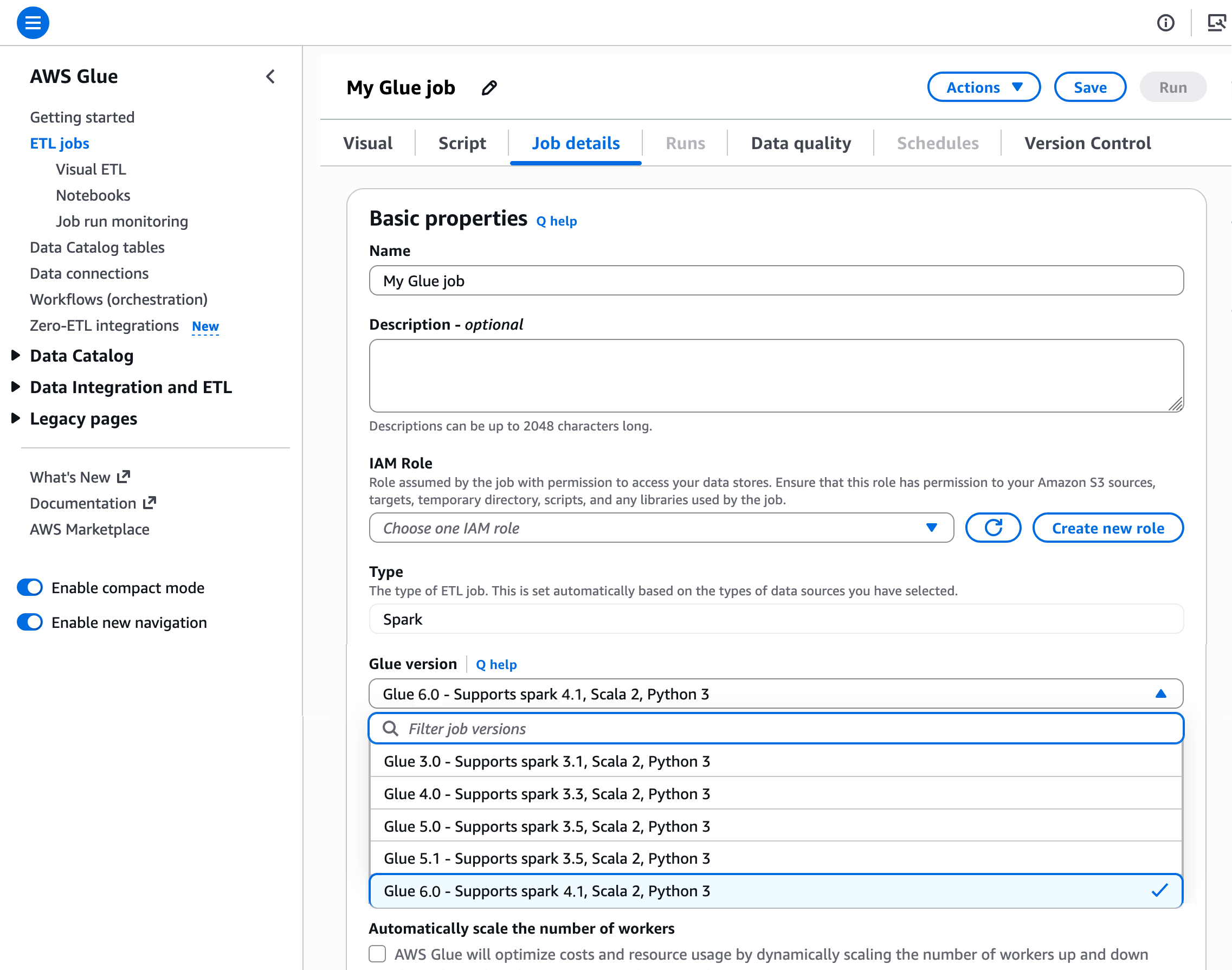
Here’s how you can enable tenant isolation mode in the AWS Lambda console:

When using the new tenant isolation capability, Lambda associates function execution environments with customer-specified tenant identifiers. This means that execution environments for a particular tenant aren’t used to serve invocation requests from other tenants invoking the same Lambda function.

The feature addresses strict security requirements for SaaS providers processing sensitive data or running untrusted tenant code. You maintain the pay-per-use and performance characteristics of AWS Lambda while gaining execution environment isolation. Additionally, this approach delivers the security benefits of per-tenant infrastructure without the operational overhead of managing dedicated Lambda functions for individual tenants, which can quickly grow as customers adopt your application.

Getting started with AWS Lambda tenant isolation
Let me walk you through how to configure and use tenant isolation for a multi-tenant application.

First, on the Create function page in the AWS Lambda console, I choose Author from scratch option.

Then, under Additional configurations, I select Enable under Tenant isolation mode. Note that, tenant isolation mode can only be set during function creation and can’t be modified for existing Lambda functions.

Next, I write Python code to demonstrate this capability. I can access the tenant identifier in my function code through the context object. Here’s the full Python code:

import json
import os
from datetime import datetime

def lambda_handler(event, context):
    tenant_id = context.tenant_id
    file_path = '/tmp/tenant_data.json'

    # Read existing data or initialize
    if os.path.exists(file_path):
        with open(file_path, 'r') as f:
            data = json.load(f)
    else:
        data = {
            'tenant_id': tenant_id,
            'request_count': 0,
            'first_request': datetime.utcnow().isoformat(),
            'requests': []
        }

    # Increment counter and add request info
    data['request_count'] += 1
    data['requests'].append({
        'request_number': data['request_count'],
        'timestamp': datetime.utcnow().isoformat()
    })

    # Write updated data back to file
    with open(file_path, 'w') as f:
        json.dump(data, f, indent=2)

    # Return file contents to show isolation
    return {
        'statusCode': 200,
        'body': json.dumps({
            'message': f'File contents for {tenant_id} (isolated per tenant)',
            'file_data': data
        })
    }

When I’m finished, I choose Deploy. Now, I need to test this capability by choosing Test. I can see on the Create new test event panel that there’s a new setting called Tenant ID.

If I try to invoke this function without a tenant ID, I’ll get the following error “Add a valid tenant ID in your request and try again.”

Let me try to test this function with a tenant ID called tenant-A.

I can see the function ran successfully and returned request_count: 1. I’ll invoke this function again to get request_count: 2.

Now, let me try to test this function with a tenant ID called tenant-B.

The last invocation returned request_count: 1 because I never invoked this function with tenant-B. Each tenant’s invocations will use separate execution environments, isolating the cached data, global variables, and any files stored in /tmp.

This capability transforms how I approach multi-tenant serverless architecture. Instead of wrestling with complex isolation patterns or managing hundreds of tenant-specific Lambda functions, I let AWS Lambda automatically handle the isolation. This keeps tenant data isolated across tenants, giving me confidence in the security and separation of my multi-tenant application.

Additional things to know
Here’s a list of additional things you need to know:

  • Performance — Same-tenant invocations can still benefit from warm execution environment reuse for optimal performance.
  • Pricing — You’re charged when Lambda creates a new tenant-aware execution environment, with the price depending on the amount of memory you allocate to your function and the CPU architecture you use. For more details, view AWS Lambda pricing.
  • Availability — Available now in all commercial AWS Regions except Asia Pacific (New Zealand), AWS GovCloud (US), and China Regions.

This launch simplifies building multi-tenant applications on AWS Lambda, such as SaaS platforms for workflow automation or code execution. Learn more about how to configure tenant isolation for your next multi-tenant Lambda function in the AWS Lambda Developer Guide.

Happy building!
Donnie

New business metadata features in Amazon SageMaker Catalog to improve discoverability across organizations

Post Syndicated from Channy Yun (윤석찬) original https://aws.amazon.com/blogs/aws/new-business-metadata-features-in-amazon-sagemaker-catalog-to-improve-discoverability-across-organizations/

Amazon SageMaker Catalog, which is now built in to Amazon SageMaker, can help you collect and organize your data with the accompanying business context people need to understand it. It automatically documents assets generated by AWS Glue and Amazon Redshift, and it connects directly with Amazon Quick Sight, Amazon Simple Storage Service (Amazon S3) buckets, Amazon S3 Tables, and AWS Glue Data Catalog (GDC).

With only a few clicks, you can curate data inventory assets with the required business metadata by adding or updating business names (asset and schema), descriptions (asset and schema), read me, glossary terms (asset and schema), and metadata forms. You can also create AI-generated suggestions, review and refine descriptions, and publish enriched asset metadata directly to the catalog. This helps reduce manual documentation effort, improves metadata consistency, and accelerates asset discoverability across organizations.

Starting today, you can use new capabilities in Amazon SageMaker Catalog metadata to improve business metadata and search:

  • Column-level metadata forms and rich descriptions – You can create custom metadata forms to capture business-specific information directly in individual columns. Columns also support markdown-enabled rich text descriptions for comprehensive data documentation and business context.
  • Enforce metadata rules for glossary terms for asset publishing – You can use metadata enforcement rules for glossary terms, meaning data producers must use approved business vocabulary when publishing assets. By standardizing metadata practices, your organization can improve compliance, enhance audit readiness, and streamline access workflows for greater efficiency and control.

These new SageMaker Catalog metadata capabilities help address consistent data classification and improve discoverability across your organizational catalogs. Let’s take a closer look at each capability.

Column-level metadata forms and rich descriptions
You can now use custom metadata forms and rich text descriptions at the column level, extending existing curation capabilities for business names, descriptions, and glossary term classifications. Custom metadata form field values and rich text content are indexed in real time and become immediately discoverable through search.

To edit column-level metadata, select the schema of your catalog asset used in your project and choose the View/Edit action for each column.

When you choose one of the columns as an asset owner, you can define custom key-value metadata forms and markdown descriptions to provide detailed column documentation.

Now data analysts in your organization can search using custom form field values and rich text content, alongside existing column names, descriptions, and glossary terms.

Enforce metadata rules for glossary terms for asset publishing
You can define mandatory glossary term requirements for data assets during the publishing workflow. Your data producers must now classify their assets with approved business terms from organizational glossaries before publication, promoting consistent metadata standards and improving data discoverability. The enforcement rules validate that required glossary terms are applied, preventing assets from being published without proper business context.

To enable a new metadata rule for glossary terms, choose Add in your domain units under the Domain Management section in the Govern menu.

Now you can select either Metadata forms or Glossary association as a type of requirement for the rule. When you select Glossary association, you can choose up to 5 required glossary terms per rule.

If you attempt to publish assets without adding the required glossary terms, the error message prompting you to enforce the glossary rule appears.

Standardizing metadata and aligning data schemas with business language enhances data governance and improves search relevance, helping your organization better understand and trust published data.

You can use AWS Command Line Interface (AWS CLI) and AWS SDKs to use these features. To learn more, visit the Amazon SageMaker Unified Studio data catalog in the Amazon SageMaker Unified Studio User Guide.

Now available
The new metadata capabilities are now available in AWS Regions where Amazon SageMaker Catalog is available.

Give it a try and send feedback to AWS re:Post for Amazon SageMaker Catalog or through your usual AWS Support contacts.

Channy

Monitor network performance and traffic across your EKS clusters with Container Network Observability

Post Syndicated from Donnie Prakoso original https://aws.amazon.com/blogs/aws/monitor-network-performance-and-traffic-across-your-eks-clusters-with-container-network-observability/

Organizations are increasingly expanding their Kubernetes footprint by deploying microservices to incrementally innovate and deliver business value faster. This growth places increased reliance on the network, giving platform teams exponentially complex challenges in monitoring network performance and traffic patterns in EKS. As a result, organizations struggle to maintain operational efficiency as their container environments scale, often delaying application delivery and increasing operational costs.

Today, I’m excited to announce Container Network Observability in Amazon Elastic Kubernetes Service (Amazon EKS), a comprehensive set of network observability features in Amazon EKS that you can use to better measure your network performance in your system and dynamically visualize the landscape and behavior of network traffic in EKS.

Here’s a quick look at Container Network Observability in Amazon EKS:

Container Network Observability in EKS addresses observability challenges by providing enhanced visibility of workload traffic. It offers performance insights into network flows within the cluster and those with cluster-external destinations. This makes your EKS cluster network environment more observable while providing built-in capabilities for more precise troubleshooting and investigative efforts.

Getting started with Container Network Observability in EKS

I can enable this new feature for a new or existing EKS cluster. For a new EKS cluster, during the Configure observability setup, I navigate to the Configure network observability section. Here, I select Edit container network observability. I can see there are three included features: Service map, Flow table, and Performance metric endpoint, which are enabled by Amazon CloudWatch Network Flow Monitor.

On the next page, I need to install the AWS Network Flow Monitor Agent.

After it’s enabled, I can navigate to my EKS cluster and select Monitor cluster.

This will bring me to my cluster observability dashboard. Then, I select the Network tab.


Comprehensive observability features
Container Network Observability in EKS provides several key features, including performance metrics, service map, and flow table with three views: AWS service view, cluster view, and external view.

With Performance metrics, you can now scrape network-related system metrics for pods and worker nodes directly from the Network Flow Monitor agent and send them to your preferred monitoring destination. Available metrics include ingress/egress flow counts, packet counts, bytes transferred, and various allowance exceeded counters for bandwidth, packets per second, and connection tracking limits. The following screenshot shows an example of how you can use Amazon Managed Grafana to visualize the performance metrics scraped using Prometheus.


With the Service map feature, you can dynamically visualize intercommunication between workloads in your cluster, making it straightforward to understand your application topology with a quick look. The service map helps you quickly identify performance issues by highlighting key metrics such as retransmissions, retransmission timeouts, and data transferred for network flows between communicating pods.

Let me show you how this works with a sample e-commerce application. The service map provides both high-level and detailed views of your microservices architecture. In this e-commerce example, we can see three core microservices working together: the GraphQL service acts as an API gateway, orchestrating requests between the frontend and backend services.

When a customer browses products or places an order, the GraphQL service coordinates communication with both the products service (for catalog data, pricing, and inventory) and the orders service (for order processing and management). This architecture allows each service to scale independently while maintaining clear separation of concerns.

For deeper troubleshooting, you can expand the view to see individual pod instances and their communication patterns. The detailed view reveals the complexity of microservices communication. Here, you can see multiple pod instances for each service and the network of connections between them.

This granular visibility is crucial for identifying issues like uneven load distribution, pod-to-pod communication bottlenecks, or when specific pod instances are experiencing higher latency. For example, if one GraphQL pod is making disproportionately more calls to a particular products pod, you can quickly spot this pattern and investigate potential causes.

Use the Flow table to monitor the top talkers across Kubernetes workloads in your cluster from three different perspectives, each providing unique insights into your network traffic patterns.

Flow table – Monitor the top talkers across Kubernetes workloads in your cluster from three different perspectives, each providing unique insights into your network traffic patterns:

  • AWS service view shows which workloads generate the most traffic to Amazon Web Services (AWS) services such as Amazon DynamoDB and Amazon Simple Storage Service (Amazon S3), so you can optimize data access patterns and identify potential cost optimization opportunities.
  • The Cluster view reveals the heaviest communicators within your cluster (east-west traffic), which means you can spot chatty microservices that might benefit from optimization or colocation strategies
  • External viewidentifies workloads with the highest traffic to destinations outside AWS (internet or on premises), which is useful for security monitoring and bandwidth management.

The flow table provides detailed metrics and filtering capabilities to analyze network traffic patterns. In this example, we can see the flow table displaying cluster view traffic between our e-commerce services. The table shows that the orders pod is communicating with multiple products pods, transferring amounts of data. This pattern suggests the orders service is making frequent product lookups during order processing.

The filtering capabilities are useful for troubleshooting, for example, to focus on traffic from a specific orders pod. This granular filtering helps you quickly isolate communication patterns when investigating performance issues. For instance, if customers are experiencing slow checkout times, you can filter to see if the orders service is making too many calls to the products service, or if there are network bottlenecks between specific pod instances.

Additional things to know
Here are key points to note about Container Network Observability in EKS:

  • Pricing – For network monitoring, you pay standard Amazon CloudWatch Network Flow Monitor pricing.
  • Availability – Container Network Observability in EKS is available in all commercial AWS regions where Amazon CloudWatch Network Flow Monitor is available.
  • Export metrics to your preferred monitoring solution – Metrics are available in OpenMetrics format, compatible with Prometheus and Grafana. For configuration details, refer to Network Flow Monitor documentation.

Get started with Container Network Observability in Amazon EKS today to improve network observability in your cluster.

Happy building!
Donnie

New Amazon Bedrock service tiers help you match AI workload performance with cost

Post Syndicated from Sébastien Stormacq original https://aws.amazon.com/blogs/aws/new-amazon-bedrock-service-tiers-help-you-match-ai-workload-performance-with-cost/

Today, Amazon Bedrock introduces new service tiers that give you more control over your AI workload costs while maintaining the performance levels your applications need.

I’m working with customers building AI applications. I’ve seen firsthand how different workloads require different performance and cost trade-offs. Many organizations running AI workloads face challenges balancing performance requirements with cost optimization. Some applications need rapid response times for real-time interactions, whereas others can process data more gradually. With these challenges in mind, today we’re announcing additional options pricing that give you more flexibility in matching your workload requirements with cost optimization.

Amazon Bedrock now offers three service tiers for workloads: Priority, Standard, and Flex. Each tier is designed to match specific workload requirements. Applications have varying response time requirements based on the use case. Some applications—such as financial trading systems—demand the fastest response times, others need rapid response times to support business processes like content generation, and applications such as content summarization can process data more gradually.

The Priority tier processes your requests ahead of other tiers, providing preferential compute allocation for mission-critical applications like customer-facing chat-based assistants and real-time language translation services, though at a premium price point. The Standard tier provides consistent performance at regular rates for everyday AI tasks, ideal for content generation, text analysis, and routine document processing. For workloads that can handle longer latency, the Flex tier offers a more cost-effective option with lower pricing, which is well suited for model evaluations, content summarization, and multistep analysis and agentic workflows.

You can now optimize your spending by matching each workload to the most appropriate tier. For example, if you’re running a customer service chat-based assistant that needs quick responses, you can use the Priority tier to get the fastest processing times. For content summarization tasks that can tolerate longer processing times, you can use the Flex tier to reduce costs while maintaining reliable performance. For most models that support Priority Tier, customers can realize up to 25% better output tokens per second (OTPS) latency compared to standard tier.

Check the Amazon Bedrock documentation for an up-to-date list of models supported for each service tier.

Choosing the right tier for your workload

Here is a mental model to help you choose the right tier for your workload.

Category Recommended service tier Description
Mission-critical Priority Requests are handled ahead of other tiers. Lower latency responses for user-facing apps (for example, customer service chat assistants, real-time language translation, interactive AI assistants)
Business-standard Standard Responsive performance for important workloads (for example, content generation, text analysis, routine document processing)
Business-noncritical Flex Cost-efficient for less urgent workloads (for example, model evaluations, content summarization, multistep agentic workflows)

Start by reviewing with application owners your current usage patterns. Next, identify which workloads need immediate responses and which ones can process data more gradually. You can then begin routing a small portion of your traffic through different tiers to test performance and cost benefits.

The AWS Pricing Calculator helps you estimate costs for different service tiers by entering your expected workload for each tier. You can estimate your budget based on your specific usage patterns.

To monitor your usage and costs, you can use the AWS Service Quotas console or turn on model invocation logging in Amazon Bedrock and observe the metrics with Amazon CloudWatch. These tools provide visibility into your token usage and help you track performance across different tiers.

Amazon Bedrock invocations observability

You can start using the new service tiers today. You choose the tier on a per-API call basis. Here is an example using the ChatCompletions OpenAI API, but you can pass the same service_tier parameter in the body of InvokeModel, InvokeModelWithResponseStream, Converse, andConverseStream APIs (for supported models):

from openai import OpenAI

client = OpenAI(
    base_url="https://bedrock-runtime.us-west-2.amazonaws.com/openai/v1",
    api_key="$AWS_BEARER_TOKEN_BEDROCK" # Replace with actual API key
)

completion = client.chat.completions.create(
    model= "openai.gpt-oss-20b-1:0",
    messages=[
        {
            "role": "developer",
            "content": "You are a helpful assistant."
        },
        {
            "role": "user",
            "content": "Hello!"
        }
    ]
    service_tier= "priority"  # options: "priority | default | flex"
)

print(completion.choices[0].message)

To learn more, check out the Amazon Bedrock User Guide or contact your AWS account team for detailed planning assistance.

I’m looking forward to hearing how you use these new pricing options to optimize your AI workloads. Share your experience with me online on social networks or connect with me at AWS events.

— seb

Accelerate large-scale AI applications with the new Amazon EC2 P6-B300 instances

Post Syndicated from Veliswa Boya original https://aws.amazon.com/blogs/aws/accelerate-large-scale-ai-applications-with-the-new-amazon-ec2-p6-b300-instances/

Today, we’re announcing the general availability of Amazon Elastic Compute Cloud (Amazon EC2) P6-B300 instances, our next-generation GPU platform accelerated by NVIDIA Blackwell Ultra GPUs. These instances deliver 2 times more networking bandwidth, and 1.5 times more GPU memory compared to previous generation instances, creating a balanced platform for large-scale AI applications.

With these improvements, P6-B300 instances are ideal for training and serving large-scale AI models, particularly those employing sophisticated techniques such as Mixture of Experts (MoE) and multimodal processing. For organizations working with trillion-parameter models and requiring distributed training across thousands of GPUs, these instances provide the perfect balance of compute, memory, and networking capabilities.

Improvements made compared to predecessors
The P6-B300 instances deliver 6.4Tbps Elastic Fabric Adapter (EFA) networking bandwidth, supporting efficient communication across large GPU clusters. These instances feature 2.1TB of GPU memory, allowing large models to reside within a single NVLink domain, which significantly reduces model sharding and communication overhead. When combined with EFA networking and the advanced virtualization and security capabilities of AWS Nitro System, these instances provide unprecedented speed, scale, and security for AI workloads.

The specs for the EC2 P6-B300 instances are as follows.

Instance size VCPUs System memory GPUs GPU memory GPU-GPU interconnect EFA network bandwidth ENA bandwidth EBS bandwidth Local storage
P6-B300.48xlarge 192 4TB 8x B300 GPU 2144GB HBM3e 1800 GB/s 6.4 Tbps 300 Gbps 100 Gbps 8x 3.84TB

Good to know
In terms of persistent storage, AI workloads primarily use a combination of high performance persistent storage options such as Amazon FSx for Lustre, Amazon S3 Express One Zone, and Amazon Elastic Block Store (Amazon EBS), depending on price performance considerations. For illustration, the dedicated 300Gbps Elastic Network Adapter (ENA) networking on P6-B300 enables high-throughput hot storage access with S3 Express One Zone, supporting large-scale training workloads. If you’re using FSx for Lustre, you can now use EFA with GPUDirect Storage (GDS) to achieve up to 1.2Tbps of throughput to the Lustre file system on the P6-B300 instances to quickly load your models.

Available now
The P6-B300 instances are now available through Amazon EC2 Capacity Blocks for ML and Savings Planin the US West (Oregon) AWS Region.
For on-demand reservation of P6-B300 instances, please reach out to your account manager. As usual with Amazon EC2, you pay only for what you use. For more information, refer to Amazon EC2 Pricing. Check out the full collection of accelerated computing instances to help you start migrating your applications.

To learn more, visit our Amazon EC2 P6-B300 instances page. Send feedback to AWS re:Post for EC2 or through your usual AWS Support contacts.

– Veliswa

AWS Weekly Roundup: AWS Lambda for Rust, NLB for QUIC protocol, Amazon DCV for Mac, and more (November 17, 2025)

Post Syndicated from Sébastien Stormacq original https://aws.amazon.com/blogs/aws/aws-weekly-roundup-aws-lambda-load-balancers-amazon-dcv-amazon-linux-2023-and-more-november-17-2025/

The weeks before AWS re:Invent, my team is full steam ahead preparing content for the conference. I can’t wait to meet you at one of my three talks: CMP346 : Supercharge AI/ML on Apple Silicon with EC2 Mac, CMP344: Speed up Apple application builds with CI/CD on EC2 Mac, and DEV416: Develop your AI Agents and MCP Tools in Swift.

Last week, AWS announced three new AWS Heroes. The AWS Heroes program recognizes a vibrant, worldwide group of AWS experts whose enthusiasm for knowledge-sharing has a real impact within the community. Welcome to the community, Dimple, Rola, and Vivek.

We also opened the GenAI Loft in Tel Aviv, Israel. AWS Gen AI Lofts are collaborative spaces and immersive experiences for startups and developers. The Loft content is tailored to address local customer needs – from startups and enterprises to public sector organizations, bringing together developers, investors, and industry experts under one roof.

GenAI Loft - TLV

The loft is open in Tel Aviv until Wednesday, November 19. If you’re in the area, check the list of sessions, workshops, and hackathons today.

If you are a serverless developer, last week was really rich with news. Let’s start with these.

Last week’s launches
Here are the launches that got my attention this week:

Additional updates
Here are some additional projects, blog posts, and news items that I found interesting:

  • Amazon Elastic Kubernetes Service gets independent affirmation of its zero operator access design – Amazon EKS offers a zero operator access posture. AWS personnel cannot access your content. This is achieved through a combination of AWS Nitro System-based instances, restricted administrative APIs, and end-to-end encryption. An independent review by NCC Group confirmed the effectiveness of these security measures.
  • Make your web apps hands-free with Amazon Nova Sonic – Amazon Nova Sonic, a foundation model from AAmazon Bedrock, provides you with the ability to create natural, low-latency, bidirectional speech conversations for applications. This provides users with the ability to collaborate with applications through voice and embedded intelligence, unlocking new interaction patterns and enhancing usability. This blog post demonstrates a reference app, Smart Todo App. It shows how voice can be integrated to provide a hands-free experience for task management.
  • AWS X-Ray SDKs & Daemon migration to OpenTelemetry – AWS X-Ray is transitioning to OpenTelemetry as its primary instrumentation standard for application tracing. OpenTelemetry-based instrumentation solutions are recommended for producing traces from applications and sending them to AWS X-Ray. X-Ray’s existing console experience and functionality continue to be fully supported and remains unchanged by this transition.
  • Powering the world’s largest events: How Amazon CloudFront delivers at scale – Amazon CloudFront achieved a record-breaking peak of 268 terabits per second on November 1, 2025, during major game delivery workloads—enough bandwidth to simultaneously stream live sports in HD to approximately 45 million concurrent viewers. This milestone demonstrates the CloudFront massive scale, powered by 750+ edge locations across 440+ cities globally and 1,140+ embedded PoPs within 100+ ISPs, with the latest generation delivering 3x the performance of previous versions.

Upcoming AWS events
Check your calendars so that you can sign up for these upcoming events:

Join the AWS Builder Center to learn, build, and connect with builders in the AWS community. Browse here for upcoming in-person events, developer-focused events, and events for startups.

That’s all for this week. Check back next Monday for another Weekly Roundup!

— seb

This post is part of our Weekly Roundup series. Check back each week for a quick roundup of interesting news and announcements from AWS!

AWS Lambda enhances event processing with provisioned mode for SQS event-source mapping

Post Syndicated from Micah Walter original https://aws.amazon.com/blogs/aws/aws-lambda-enhances-sqs-processing-with-new-provisioned-mode-3x-faster-scaling-16x-higher-capacity/

Today, we’re announcing the general availability of provisioned mode for AWS Lambda with Amazon Simple Queue Service (Amazon SQS) Event Source Mapping (ESM), a new feature that customers can use to optimize the throughput of their event-driven applications by configuring dedicated polling resources. Using this new capability, which provides 3x faster scaling, and 16x higher concurrency, you can process events with lower latency, handle sudden traffic spikes more effectively, and maintain precise control over your event processing resources.

Modern applications increasingly rely on event-driven architectures where services communicate through events and messages. Amazon SQS is commonly used as an event source for Lambda functions, so developers can build loosely coupled, scalable applications. Although the SQS ESM automatically handles queue polling and function invocation, customers with stringent performance requirements have asked for more control over the polling behavior to handle spiky traffic patterns and maintain low processing latency.

Provisioned mode for SQS ESM addresses these needs by introducing event pollers, which are dedicated resources that remain ready to handle expected traffic patterns. These event pollers can auto scale up to 1000 per concurrent executions per minute, more than three times faster than before to handle sudden spikes in event traffic and provide up to 20,000 concurrency–16 times higher capacity to process millions of events with Lambda functions. This enhanced scaling behavior helps customers maintain predictable low latency even during traffic surges.

Enterprises across various industries, from financial services to gaming companies, are using AWS Lambda with Amazon SQS to process real-time events for their mission-critical applications. These organizations, which include some of the largest online gaming platforms and financial institutions, require consistent subsecond processing times for their event-driven workloads, particularly during periods of peak usage. Provisioned mode for SQS ESM is a capability you can use to meet your stringent performance requirements while maintaining cost controls.

Enhanced control and performance

With provisioned mode, you can configure both minimum and maximum numbers of event pollers for your SQS ESM. Each event poller represents a unit of compute that handles queue polling, event batching, and filtering before invoking Lambda functions. Each event poller can handle up to 1 MB/sec of throughput, up to 10 concurrent invokes, or up to 10 SQS polling API calls per second. By setting a minimum number of event pollers, you enable your application to maintain a baseline processing capacity that can immediately handle sudden traffic increases. We recommend that you set the minimum event pollers required to handle your known peak workload requirements. The optional maximum setting helps prevent overloading downstream systems by limiting the total processing throughput.

The new mode delivers significant improvements in how your event-driven applications handle varying workloads. When traffic increases, your ESM detects the growing backlog within seconds and dynamically scales event pollers between your configured minimum and maximum values three times faster than before. This enhanced scaling capability is complemented by a substantial increase in processing capacity, with support for up to 2 GBps of aggregate traffic, and up to 20K concurrent requests—16x higher than previously possible. By maintaining a minimum number of ready-to-use event pollers, your application achieves predictable performance, handling sudden traffic spikes without the delay typically associated with scaling up resources. During low traffic periods, your ESM automatically scales down to your configured minimum number of event pollers, which means you can optimize costs while maintaining responsiveness.

Let’s try it out

Enabling provisioned mode is straightforward in the AWS Management Console. You need to already have an SQS queue configured and a Lambda function. To get started, in the Configuration tab for your Lambda function, choose Triggers, then Add trigger. This will bring up a user interface where you can configure your trigger. Choose SQS from the dropdown menu for source and then select the SQS queue you want to use.

Under Event poller configuration, you will now see a new option called Provisioned mode. Select Configure to reveal settings for Minimum event pollers and Maximum event pollers, each with defaults and minimum and maximum values displayed.

Configuration panel for SQS provisioned Mode

After you have configured Provisioned mode, you can save your trigger. If you need to make changes later, you can find the current configuration under the Triggers tab in the AWS Lambda configuration section, and you can modify your current settings there.

SQS Provisioned Poller confiig

Monitoring and observability

You can monitor your provisioned mode usage through Amazon CloudWatch metrics. The ProvisionedPollers metric shows the number of active event pollers processing events in one-minute windows.

Now available

Provisioned mode for Lambda SQS ESM is available today in all commercial AWS Regions. You can start using this feature through the AWS Management Console, AWS Command Line Interface (AWS CLI), or AWS SDKs. Pricing is based on the number of event pollers provisioned and the duration they’re provisioned for, measured in Event Poller Units (EPUs). Each EPU supports up to 1 MB per second throughput capacity per event poller, with minimum 2 event pollers per ESM. See the AWS pricing page for more information on EPU charges.

To learn more about provisioned mode for SQS ESM, visit the AWS Lambda documentation. Start building more responsive event-driven applications today with enhanced control over your event processing resources.

Introducing AWS IoT Core Device Location integration with Amazon Sidewalk

Post Syndicated from Channy Yun (윤석찬) original https://aws.amazon.com/blogs/aws/introducing-aws-iot-core-device-location-integration-with-amazon-sidewalk/

Today, I’m happy to announce a new capability to resolve location data for Amazon Sidewalk enabled devices with the AWS IoT Core Device Location service. This feature removes the requirement to install GPS modules in a Sidewalk device and also simplifies the developer experience of resolving location data. Devices powered by small coin cell batteries, such as smart home sensor trackers, use Sidewalk to connect. Supporting built-in GPS modules for products that move around is not only expensive, it can creates challenge in ensuring optimal battery life performance and longevity.

With this launch, Internet of Things (IoT) device manufacturers and solution developers can build asset tracking and location monitoring solutions using Sidewalk-enabled devices by sending Bluetooth Low Energy (BLE), Wi-Fi, or Global Navigation Satellite System (GNSS) information to AWS IoT for location resolution. They can then send the resolved location data to an MQTT topic or AWS IoT rule and route the data to other Amazon Web Services (AWS) services, thus using different capabilities of AWS Cloud through AWS IoT Core. This would simplify their software development and give them more options to choose the optimal location source, thereby improving their product performance.

This launch addresses previous challenges and architecture complexity. You don’t need location sensing on network-based devices when you use the Sidewalk network infrastructure itself to determine device location, which eliminates the need for power-hungry and costly GPS hardware on the device. And, this feature also allows devices to efficiently measure and report location data from GNSS and Wi-Fi, thus extending the product battery life. Therefore, you can build a more compelling solution for asset tracking and location-aware IoT applications with these enhancements.

For those unfamiliar with Amazon Sidewalk and the AWS IoT Core Device Location service, I’ll briefly explain their history and context. If you’re already familiar with them, you can skip to the section on how to get started.

AWS IoT Core integrations with Amazon Sidewalk
Amazon Sidewalk is a shared network that helps devices work better through improved connectivity options. It’s designed to support a wide range of customer devices with capabilities ranging from locating pets or valuables, to smart home security and lighting control and remote diagnostics for appliances and tools.

Amazon Sidewalk is a secure community network that uses Amazon Sidewalk Gateways (also called Sidewalk Bridges), such as compatible Amazon Echo and Ring devices, to provide cloud connectivity for IoT endpoint devices. Amazon Sidewalk enables low-bandwidth and long-range connectivity at home and beyond using BLE for short-distance communication and LoRa and frequency-shift keying (FSK) radio protocols at 900MHz frequencies to cover longer distances.

Sidewalk now provides coverage to more than 90% of the US population and supports long-range connected solutions for communities and enterprises. Users with Ring cameras or Alexa devices that act as a Sidewalk Bridge can choose to contribute a small portion of their internet bandwidth, which is pooled to create a shared network that benefits all Sidewalk-enabled devices in a community.

In March 2023, AWS IoT Core deepened its integration with Amazon Sidewalk to seamlessly provision, onboard, and monitor Sidewalk devices with qualified hardware development kits (HDKs), SDKs, and sample applications. As of this writing, AWS IoT Core is the only way for customers to connect the Sidewalk network.

In the AWS IoT Core console, you can add your Sidewalk device, provision and register your devices, and connect your Sidewalk endpoint to the cloud. To learn more about onboarding your Sidewalk devices, visit the Getting started with AWS IoT Core for Amazon Sidewalk in the AWS IoT Wireless Developer Guide.

In November 2022, we announced AWS IoT Core Device Location service, a new feature that you can use to get the geo-coordinates of their IoT devices even when the device doesn’t have a GPS module. You can use the Device Location service as a simple request and response HTTP API, or you can use it with IoT connectivity pathways like MQTT, LoRaWAN, and now with Amazon Sidewalk.

In the AWS IoT Core console, you can test the Device Location service to resolve the location of your device by importing device payload data. Resource location is reported as a GeoJSON payload. To learn more, visit the AWS IoT Core Device Location in the AWS IoT Core Developer Guide.

Customers across multiple industries like automotive, supply chain, and industrial tools have requested a simplified solution such as the Device Location service to extract location-data from Sidewalk products. This would streamline customer software development and give them more options to choose the optimal location source, thereby improving their product.

Get started with a Device Location integration with Amazon Sidewalk
To enable Device Location for Sidewalk devices, go to the AWS IoT Core for Amazon Sidewalk section under LPWAN devices in the AWS IoT Core console. Choose Provision device or your existing device to edit the setting and select Activate positioning in the Geolocation option when creating and updating your Sidewalk devices.

While activating position, you need to specify a destination where you want to send your location data. The destination can either be an AWS IoT rule or an MQTT topic.

Here is a sample AWS Command Line Interface (AWS CLI) command to enable position while provisioning a new Sidewalk device:

$ aws iotwireless createwireless device --type Sidewalk \
  --name "demo-1" --destination-name "New-1" \
  --positioning Enabled

After your Sidewalk device establishes a connection to the Amazon Sidewalk network, the device SDK will send the GNSS-, Wi-Fi- or BLE-based information to AWS IoT Core for Amazon Sidewalk. If the customer has enabled Positioning, then AWS IoT Core Device Location will resolve the location data and send the location data to the specified Destination. After your Sidewalk device transmits location measurement data, the resolved geographic coordinates and a map pin will also be displayed in the Position section for the selected device.

You will also get location information delivered to your destination in GeoJSON format, as shown in the following example:

{
    "coordinates": [
        13.376076698303223,
        52.51823043823242
    ],
    "type": "Point",
    "properties": {
        "verticalAccuracy": 45,
        "verticalConfidenceLevel": 0.68,
        "horizontalAccuracy": 303,
        "horizontalConfidenceLevel": 0.68,
        "country": "USA",
        "state": "CA",
        "city": "Sunnyvale",
        "postalCode": "91234",
        "timestamp": "2025-11-18T12:23:58.189Z"
    }
}

You can monitor the Device Location data between your Sidewalk devices and AWS Cloud by enabling Amazon CloudWatch Logs for AWS IoT Core. To learn more, visit the AWS IoT Core for Amazon Sidewalk in the AWS IoT Wireless Developer Guide.

Now available
AWS IoT Core Device Location integration with Amazon Sidewalk is now generally available in the US East (N. Virginia) Region. To learn more about use cases, documentation, sample codes, and partner devices, visit the AWS IoT Core for Amazon Sidewalk product page.

Give it a try in the AWS IoT Core console and send feedback to AWS re:Post for AWS IoT Core or through your usual AWS Support contacts.

Channy

Introducing Our Final AWS Heroes of 2025

Post Syndicated from Taylor Jacobsen original https://aws.amazon.com/blogs/aws/introducing-our-final-aws-heroes-of-2025/

With AWS re:Invent approaching, we’re celebrating three exceptional AWS Heroes whose diverse journeys and commitment to knowledge sharing are empowering builders worldwide. From advancing women in tech and rural communities to bridging academic and industry expertise and pioneering enterprise AI solutions, these leaders exemplify the innovative spirit that drives our community forward. Their stories showcase how technical excellence, combined with passionate advocacy and mentorship, strengthens the global AWS community.

Dimple Vaghela – Ahmedabad, India

Community Hero Dimple Vaghela leads both the AWS User Group Ahmedabad and AWS User Group Vadodara, where she drives cloud education and technical growth across the region. Her impact spans organizing numerous AWS meetups, workshops, and AWS Community Days that have helped thousands of learners advance their cloud careers. Dimple launched the “Cloud for Her” project to empower girls from rural areas in technology careers and serves as co-organizer of the Women in Tech India User Group. Her exceptional leadership and community contributions were recognized at AWS re:Invent 2024 with the AWS User Group Leader Award in the Ownership category, while she continues building a more inclusive cloud community through speaking, mentoring, and organizing impactful tech events.

Rola Dali – Montreal, Canada

Community Hero Rola Dali is a senior Data, ML, and AI expert specializing in AWS cloud, bringing unique perspective from her PhD in neuroscience and bioinformatics with expertise in human genomics. As co-organizer of the AWS Montreal User Group and a former AWS Community Builder, her commitment to the cloud community earned her the prestigious Golden Jacket recognition in 2024. She actively shapes the tech community by architecting AWS solutions, sharing knowledge through blogs and lectures, and mentoring women entering tech, academics transitioning to industry, and students starting their careers.

Vivek Velso – Toronto, Canada

Machine Learning Hero Vivek Velso is a seasoned technology leader with over 27 years of IT industry experience, specializing in helping organizations modernize their cloud infrastructure for generative AI workloads. His deep AWS expertise earned him the prestigious Golden Jacket award for completing all AWS certifications, and he actively contributes to the AWS Subject Matter Expert (SME) program for multiple certification exams. A former AWS Community Builder and AWS Ambassador, he continues to share his knowledge through more than 100 technical blogs, articles, conference engagements, and AWS livestreams, helping the community confidently embrace cloud innovation.

Learn More

Visit the AWS Heroes webpage if you’d like to learn more about the AWS Heroes program, or to connect with a Hero near you.

Taylor

Secure EKS clusters with the new support for Amazon EKS in AWS Backup

Post Syndicated from Veliswa Boya original https://aws.amazon.com/blogs/aws/secure-eks-clusters-with-the-new-support-for-amazon-eks-in-aws-backup/

Today, we’re announcing support for Amazon EKS in AWS Backup to provide the capability to secure Kubernetes applications using the same centralized platform you trust for your other Amazon Web Services (AWS) services. This integration eliminates the complexity of protecting containerized applications while providing enterprise-grade backup capabilities for both cluster configurations and application data. AWS Backup is a fully managed service to centralize and automate data protection across AWS and on-premises workloads. Amazon Elastic Kubernetes Service (Amazon EKS) is a fully managed Kubernetes service to manage availability and scalability of the Kubernetes clusters. With this new capability, you can centrally manage and automate data protection across your Amazon EKS environments alongside other AWS services.

Until now, for backups, customers relied on custom solutions or third-party tools to back up their EKS clusters, requiring complex scripting and maintenance for each cluster. The support for Amazon EKS in AWS Backup eliminates this overhead by providing a single, centralized, and policy-driven solution that protects both EKS clusters (Kubernetes deployments and resources) and stateful data (stored in Amazon Elastic Block Store (Amazon EBS), Amazon Elastic File System (Amazon EFS), and Amazon Simple Storage Service (Amazon S3) only) without the need to manage custom scripts across clusters. For restores, customers were previously required to restore their EKS backups to a target EKS cluster which was either the source EKS cluster, or a new EKS cluster, requiring that an EKS cluster infrastructure is provisioned ahead of time prior to the restore. With this new capability, during a restore of EKS cluster backups, customers also have the option to create a new EKS cluster based on previous EKS cluster configuration settings and restore to this new EKS cluster, with AWS Backup managing the provisioning of the EKS cluster on the customer’s behalf.

This support includes policy-based automation for protecting single or multiple EKS clusters. This single data protection policy provides a consistent experience across all services AWS Backup supports. It allows creation of immutable backups to prevent malicious or inadvertent changes, helping customers meet their regulatory compliance needs. In case there is a customer data loss or cluster downtime event, customers can easily recover their EKS cluster data from encrypted, immutable backups using an easy-to-use interface and maintain business continuity of running their EKS clusters at scale.

How it works
Here’s how I set up support for on-demand backup of my EKS cluster in AWS Backup. First, I’ll show a walkthrough of the backup process, then demonstrate a restore of the EKS cluster.

Backup
In the AWS Backup console, in the left navigation pane, I choose Settings and then Configure resources to opt in to enable protection of EKS clusters in AWS Backup.

Now that I’ve enabled Amazon EKS, in Protected resources I choose Create on-demand backup to create a backup for my already existing EKS cluster floral-electro-unicorn.

Enabling EKS in Settings ensures that it shows up as a Resource type when I create on-demand backup for the EKS cluster. I proceed to select the EKS resource type and the cluster.

I leave the rest of the information as default, then select Choose an IAM role to select a role (test-eks-backup) that I’ve created and customized with the necessary permissions for AWS Backup to assume when creating and managing backups on my behalf. I choose Create on-demand backup to finalize the process.


The job is initiated, and it will start running to back up both the EKS cluster state and the persistent volumes. If Amazon S3 buckets are attached to the backup, you’ll need to add the additional Amazon S3 backup permissions AWSBackupServiceRolePolicyForS3Backup to your role. This policy contains the permissions necessary for AWS Backup to back up any Amazon S3 bucket, including access to all objects in a bucket and any associated AWS KMS key.


The job is completed successfully and now EKS clusterfloral-electro-unicorn is backed up by AWS Backup.


Restore
Using the AWS Backup Console, I choose the EKS backup composite recovery point to start the process of restoring the EKS cluster backups, then choose Restore.


I choose Restore full EKS cluster to restore the full EKS backup. To restore to an existing cluster, I Choose an existing cluster then select the cluster from the drop-down list. I choose the Default order as the order in which individual Kubernetes resources will be restored.

I then configure the restore for the persistent storage resources, that will be restored alongside my EKS clusters.


Next, I Choose an IAM role to execute the restore action. The Protected resource tags checkbox is selected by default and I’ll leave it as is, then choose Next.

I review all the information before I finalize the process by choosing Restore, to start the job.


Selecting the drop-down arrow gives details of the restore status for both the EKS cluster state and persistent volumes attached. In this walkthrough, all the individual recovery points are restored successfully. If portions of the backup fail, it’s possible to restore the successfully backed up persistent stores (for example, Amazon EBS volumes) and cluster configuration settings individually. However, it’s not possible to restore full EKS backup. The successfully backed up resources will be available for restore, listed as nested recovery points under the EKS cluster recovery point. If there’s a partial failure, there will be a notification of the portion(s) that failed.


Benefits
Here are some of the benefits provided by the support for Amazon EKS in AWS Backup:

  • A fully managed multi-cluster backup experience, removing the overhead associated with managing custom scripts and third-party solutions.
  • Centralized, policy-based backup management that simplifies backup lifecycle management and makes it seamless to back up and recover your application data across AWS services, including EKS.
  • The ability to store and organize your backups with backup vaults. You assign policies to the backup vaults to grant access to users to create backup plans and on-demand backups but limit their ability to delete recovery points after they’re created.

Good to know
The following are some helpful facts to know:

  • Use either the AWS Backup Console, API, or AWS Command Line Interface (AWS CLI) to protect EKS clusters using AWS Backup. Alternatively, you can create an on-demand backup of the cluster after it has been created.
  • You can create secondary copies of your EKS backups across different accounts and AWS Regions to minimize risk of accidental deletion.
  • Restoration of EKS backups is available using the AWS Backup Console, API, or AWS CLI.
  • Restoring to an existing cluster will not override the Kubernetes versions, or any data as restores are non-destructive. Instead, there will be a restore of the delta between the backup and source resource.
  • Namespaces can only be restored to an existing cluster to ensure a successful restore as Kubernetes resources may be scoped at the cluster level.

Voice of the customer

Srikanth Rajan, Sr. Director of Engineering at Salesforce said “Losing a Kubernetes control plane because of software bugs or unintended cluster deletion can be catastrophic without a solid backup and restore plan. That’s why it’s exciting to see AWS rolling out the new EKS Backup and Restore feature, it’s a big step forward in closing a critical resiliency gap for Kubernetes platforms.”

Now available
Support for Amazon EKS in AWS Backup is available today in all AWS commercial Regions (except China) and in the AWS GovCloud (US) where AWS Backup and Amazon EKS are available. Check the full Region list for future updates.

To learn more, check out the AWS Backup product page and the AWS Backup pricing page.

Try out this capability for protecting your EKS clusters in AWS Backup and let us know what you think by sending feedback to AWS re:Post for AWS Backup or through your usual AWS Support contacts.

Veliswa.

AWS Weekly Roundup: Amazon S3, Amazon EC2, and more (November 10, 2025)

Post Syndicated from Esra Kayabali original https://aws.amazon.com/blogs/aws/aws-weekly-roundup-amazon-s3-amazon-ec2-and-more-november-10-2025/

AWS re:Invent 2025 is only 3 weeks away and I’m already looking forward to the new launches and announcements at the conference. Last year brought 60,000 attendees from across the globe to Las Vegas, Nevada, and the atmosphere was amazing. Registration is still open for AWS re:Invent 2025. We hope you’ll join us in Las Vegas December 1–5 for keynotes, breakout sessions, chalk talks, interactive learning opportunities, and networking with cloud practitioners from around the world.

AWS and OpenAI announced a multi-year strategic partnership that provides OpenAI with immediate access to AWS infrastructure for running advanced AI workloads. The $38 billion agreement spans 7 years and includes access to AWS compute resources comprising hundreds of thousands of NVIDIA GPUs, with the ability to scale to tens of millions of CPUs for agentic workloads. The infrastructure deployment that AWS is building for OpenAI features a sophisticated architectural design optimized for maximum AI processing efficiency and performance. Clustering the NVIDIA GPUs—both GB200s and GB300s—using Amazon EC2 UltraServers on the same network enables low-latency performance across interconnected systems, allowing OpenAI to efficiently run workloads with optimal performance. The clusters are designed to support various workloads, from serving inference for ChatGPT to training next generation models, with the flexibility to adapt to OpenAI’s evolving needs.

AWS committed $1 million through its Generative AI Innovation Fund to digitize the Jane Goodall Institute’s 65 years of primate research archives. The project will transform handwritten field notes, film footage, and observational data on chimpanzees and baboons from analog to digital formats using Amazon Bedrock and Amazon SageMaker. The digital transformation will employ multimodal large language models (LLMs) and embedding models to make the research archives searchable and accessible to scientists worldwide for the first time. AWS is collaborating with Ode to build the user experience, helping the Jane Goodall Institute adopt AI technologies to advance research and conservation efforts. I was deeply saddened when I heard that world-renowned primatologist Jane Goodall had passed away. Learning that this project will preserve her life’s work and make it accessible to researchers around the world brought me comfort. It’s a fitting tribute to her remarkable legacy.

Transforming decades of research through cloud and AI. Dr. Jane Goodall and field staff observe Goblin at Gombe National Park, Tanzania. CREDIT: the Jane Goodall Institute

Last week’s launches
Let’s look at last week’s new announcements:

  • Amazon S3 now supports tags on S3 Tables – Amazon S3 now supports tags on S3 Tables for attribute-based access control (ABAC) and cost allocation. You can use tags for ABAC to automatically manage permissions for users and roles accessing table buckets and tables, eliminating frequent AWS Identity and Access Management (IAM) or S3 Tables resource-based policy updates and simplifying access governance at scale. Additionally, tags can be added to individual tables to track and organize AWS costs using AWS Billing and Cost Management.
  • Amazon EC2 R8a Memory-Optimized Instances now generally available – R8a instances feature 5th Gen AMD EPYC processors (formerly code named Turin) with a maximum frequency of 4.5 GHz, and they deliver up to 30% higher performance and up to 19% better price-performance compared to R7a instances, with 45% more memory bandwidth. Built on the AWS Nitro System using sixth-generation Nitro Cards, these instances are designed for high-performance, memory-intensive workloads, including SQL and NoSQL databases, distributed web scale in-memory caches, in-memory databases, real-time big data analytics, and electronic design automation (EDA) applications. R8a instances are SAP certified and offer 12 sizes, including two bare metal sizes.
  • EC2 Auto Scaling announces warm pool support for mixed instances policies – EC2 Auto Scaling groups now support warm pools for Auto Scaling groups configured with mixed instances policies. Warm pools create a pool of pre-initialized EC2 instances ready to quickly serve application traffic, improving application elasticity. The feature benefits applications with lengthy initialization processes, such as writing large amounts of data to disk or running complex custom scripts. By combining warm pools with instance type flexibility, Auto Scaling groups can rapidly scale out to maximum size while deploying applications across multiple instance types to enhance availability. The feature works with Auto Scaling groups configured for multiple On-Demand Instance types through manual instance type lists or attribute-based instance type selection.
  • Amazon Bedrock AgentCore Runtime now supports direct code deployment – Amazon Bedrock AgentCore Runtime now offers two deployment methods for AI agents: container-based deployment and direct code upload. You can choose between direct code–zip file upload for rapid prototyping and iteration or container-based options for complex use cases requiring custom configurations. AgentCore Runtime provides a serverless framework and model agnostic runtime for running agents and tools at scale. The direct code–zip upload feature includes drag-and-drop functionality, enabling faster iteration cycles for prototyping while maintaining enterprise security and scaling capabilities for production deployments.
  • AWS Capabilities by Region now available for Regional planning – AWS Capabilities by Region helps discover and compare AWS services, features, APIs, and AWS CloudFormation resources across Regions. This planning tool provides an interactive interface to explore service availability, compare multiple Regions side by side, and view forward-looking roadmap information. You can search for specific services or features, view API operations availability, verify CloudFormation resource type support, and check EC2 instance type availability including specialized instances. The tool displays availability states including Available, Planning, Not Expanding, and directional launch planning by quarter. The AWS Capabilities by Region data is also accessible through the AWS Knowledge MCP server, enabling automation of Region expansion planning and integration into development workflows and continuous integration and continuous delivery (CI/CD) pipelines.

Upcoming AWS events
Check your calendar and sign up for upcoming AWS events:

  • AWS re:Invent 2025 – Join us in Las Vegas December 1–5 as cloud pioneers gather from across the globe for the latest AWS innovations, peer-to-peer learning, expert-led discussions, and invaluable networking opportunities. Don’t forget to explore the event catalog.
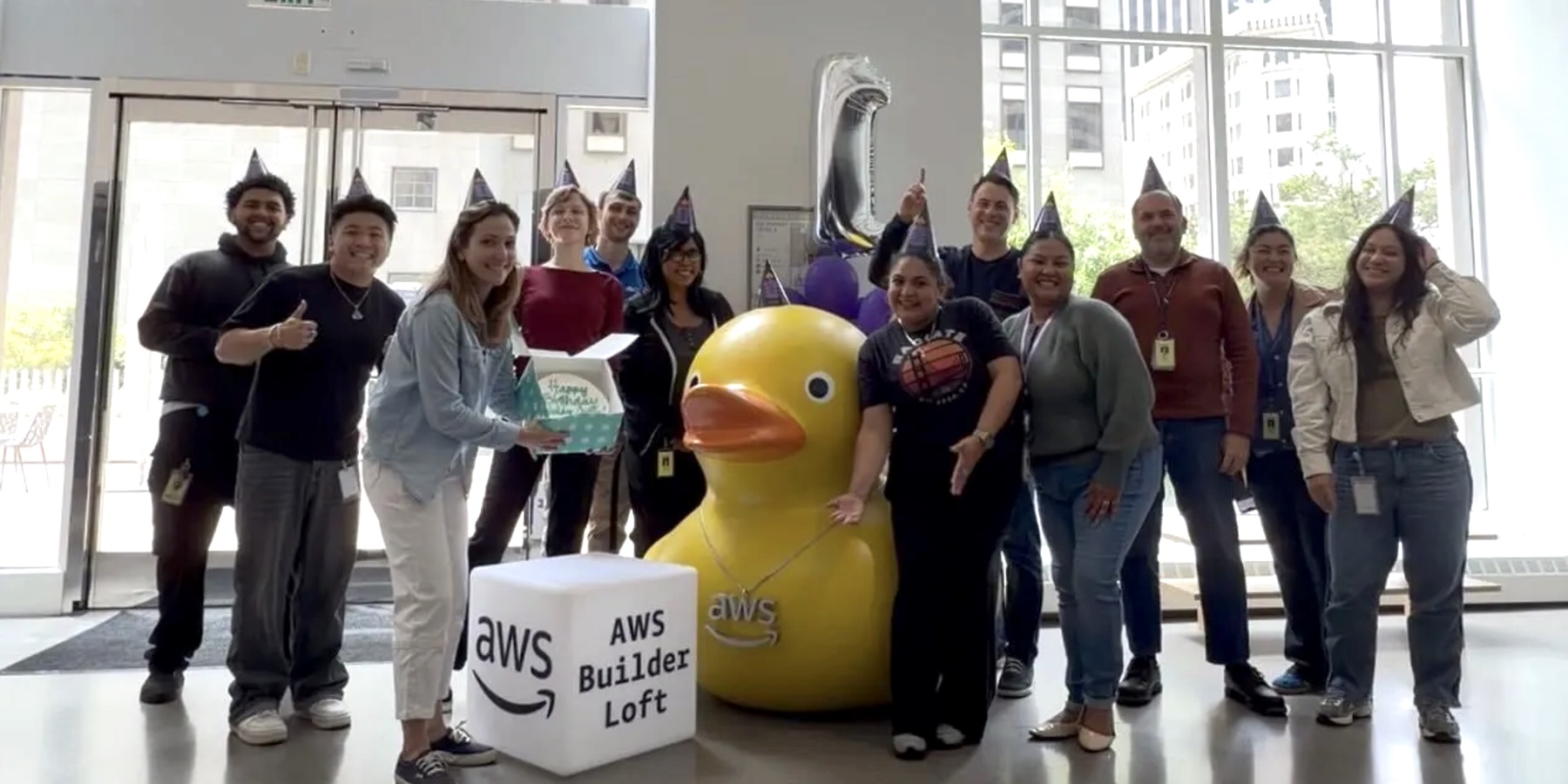
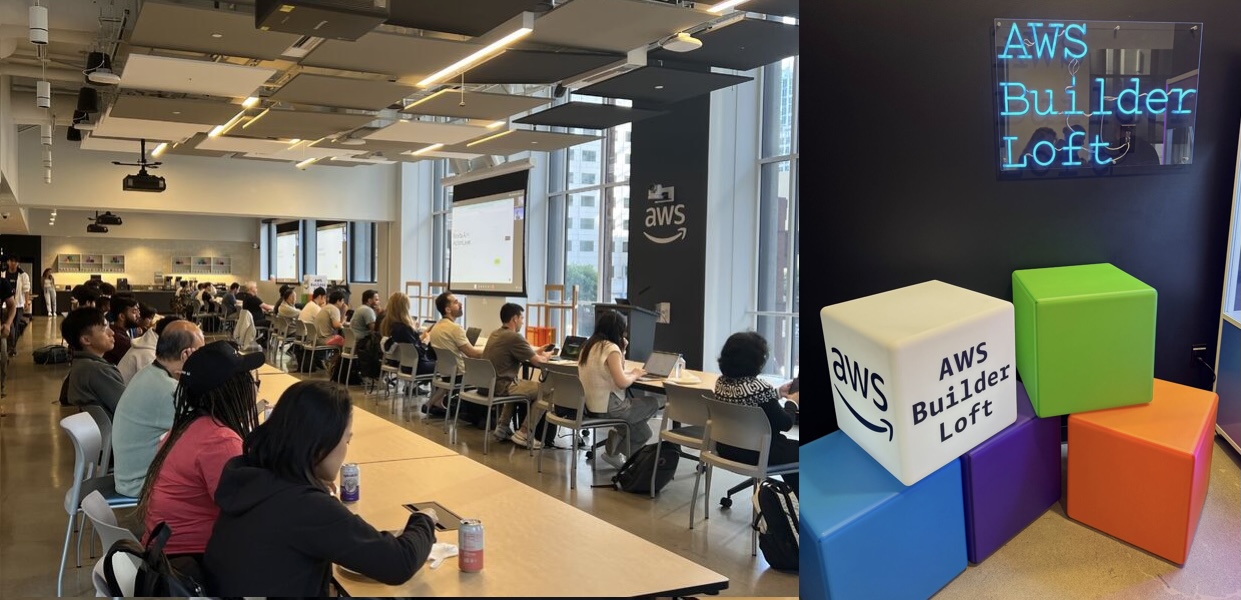
  • AWS Builder Loft – A tech hub in San Francisco where builders share ideas, learn, and collaborate. The space offers industry expert sessions, hands-on workshops, and community events covering topics from AI to emerging technologies. Browse the upcoming sessions and join the events that interest you.
  • AWS Skills Center Seattle 4th Anniversary Celebration – A free, public event on November 20 with a keynote, learning panels, recruiter insights, raffles, and virtual participation options.

Join the AWS Builder Center to connect with builders, share solutions, and access content that supports your development. Browse here for upcoming AWS led in-person and virtual events, developer-focused events, and events for startups.

That’s all for this week. Check back next Monday for another Weekly Roundup!

— Esra

This post is part of our Weekly Roundup series. Check back each week for a quick roundup of interesting news and announcements from AWS!

Introducing AWS Capabilities by Region for easier Regional planning and faster global deployments

Post Syndicated from Channy Yun (윤석찬) original https://aws.amazon.com/blogs/aws/introducing-aws-capabilities-by-region-for-easier-regional-planning-and-faster-global-deployments/

At AWS, a common question we hear is: “Which AWS capabilities are available in different Regions?” It’s a critical question whether you’re planning Regional expansion, ensuring compliance with data residency requirements, or architecting for disaster recovery.

Today, I’m excited to introduce AWS Capabilities by Region, a new planning tool that helps you discover and compare AWS services, features, APIs, and AWS CloudFormation resources across Regions. You can explore service availability through an interactive interface, compare multiple Regions side-by-side, and view forward-looking roadmap information. This detailed visibility helps you make informed decisions about global deployments and avoid project delays and costly rework.

Getting started with Regional comparison
To get started, go to AWS Builder Center and choose AWS Capabilities and Start Exploring. When you select Services and features, you can choose the AWS Regions you’re most interested in from the dropdown list. You can use the search box to quickly find specific services or features. For example, I chose US (N. Virginia), Asia Pacific (Seoul), and Asia Pacific (Taipei) Regions to compare Amazon Simple Storage Service (Amazon S3) features.

Now I can view the availability of services and features in my chosen Regions and also see when they’re expected to be released. Select Show only common features to identify capabilities consistently available across all selected Regions, ensuring you design with services you can use everywhere.

The result will indicate availability using the following states: Available (live in the region); Planning (evaluating launch strategy); Not Expanding (will not launch in region); and 2026 Q1 (directional launch planning for the specified quarter).

In addition to exploring services and features, AWS Capabilities by Region also helps you explore available APIs and CloudFormation resources. As an example, to explore API operations, I added Europe (Stockholm) and Middle East (UAE) Regions to compare Amazon DynamoDB features across different geographies. The tool lets you view and search the availability of API operations in each Region.

The CloudFormation resources tab helps you verify Regional support for specific resource types before writing your templates. You can search by Service, Type, Property, and Config.For instance, when planning an Amazon API Gateway deployment, you can check the availability of resource types like AWS::ApiGateway::Account.

You can also search detailed resources such as Amazon Elastic Compute Cloud (Amazon EC2) instance type availability, including specialized instances such as Graviton-based, GPU-enabled, and memory-optimized variants. For example, I searched 7th generation compute-optimized metal instances and could find c7i.metal-24xl and c7i.metal-48xl instances are available across all targeted Regions.

Beyond the interactive interface, the AWS Capabilities by Region data is also accessible through the AWS Knowledge MCP Server. This allows you to automate Region expansion planning, generate AI-powered recommendations for Region and service selection, and integrate Regional capability checks directly into your development workflows and CI/CD pipelines.

Now available
You can begin exploring AWS Capabilities by Region in AWS Builder Center immediately. The Knowledge MCP server is also publicly accessible at no cost and does not require an AWS account. Usage is subject to rate limits. Follow the getting started guide for setup instructions.

We would love to hear your feedback, so please send us any suggestions through the Builder Support page.

Channy

Creating a Community-Driven Zabbix Book

Post Syndicated from Zane Lasmane original https://blog.zabbix.com/creating-a-community-driven-zabbix-book/31688/

At the recent Zabbix Summit community meeting, participants gathered to discuss an exciting initiative – the creation of the first-ever community-driven Zabbix book. While several books about Zabbix have been published in the past (often written by individual authors over a decade ago), this project marks a new milestone. For the first time, Zabbix community members from around the world are coming together to co-author a book, share their expertise, and tell the Zabbix story from many perspectives.

What is the Zabbix Book?

The project, hosted at thezabbixbook.com, is an open, collaborative effort led by Nathan Liefting and Patrik Uytterhoeven from Opensource ICT Solutions B.V. The goal is to create a community-built guide to Zabbix, written by users, for users. As Zabbix trainers, Patrik and Nathan have both been long-time (don’t want to say old) contributors to the Zabbix community, authoring multiple books and blog posts.

The Zabbix Book will cover topics ranging from cloud templates and infrastructure monitoring to host triggers, Zabbix internals, SNMP, low-level discovery, multi-factor authentication, and much more. Each contributor can choose a specific chapter or topic that matches their expertise, making it a truly collective and flexible effort.

The content is managed on GitHub, written in Markdown, and follows open contribution principles. The aim is to complete the main foundation of the book alongside the release of Zabbix 8.0 LTS (expected in 2026, Q1/Q2), with an update to include new 8.0 features approximately a month later.

Why write a Zabbix Book when documentation exists?

While the official Zabbix documentation remains the primary source for technical accuracy, the Zabbix Book serves as an alternative and more narrative approach to learning, created by everyday Zabbix users. It’s designed to introduce new users to Zabbix through practical examples, real-world use cases, and community wisdom – making it easier for newcomers to connect the dots.

How the community works together

During the Summit breakout session, the group discussed:

• The current project status and foundational setup
• How contributions are managed — commits, rules, and legal aspects
• Missing topics and a call for more writers, editors, and translators
• Ideas for practical information and real-world examples (like JMX, SNMP, etc.)
• Donations and funding goals, including ideas for supporting open-source projects, good causes, or new Zabbix community features

The project embraces an open, democratic spirit – anyone can contribute, vote, or help improve the book’s structure, content, and readability. The Zabbix Book is created by the Monitoring Penmasters Foundation, which was created in order to make it a real community project – all the intellectual rights belong to the foundation itself, and when revenue is created there will be a  vote on where to donate the money.

Currently, the Monitoring Penmasters foundation consists of Patrik, Nathan, and Zabbix CEO and Founder Alexei Vladishev, who is involved in the book’s review and has agreed to contribute to some parts of the book while allocating design resources from Zabbix itself.

The project has also gotten a big assist from Brian van Baekel of Opensource ICT Solutions, a dedicated community member and certified Zabbix trainer who has given his fair share of presentations and written extensively about Zabbix and its capabilities.

Get involved

If you’d like to contribute, share your expertise, or simply follow the book’s progress, visit thezabbixbook.com to explore the current chapters and learn how to join the project. The project’s digital chapters are available to everyone, and while the writing and printing are still in progress, we hope to see finalized online and printed versions in spring 2026.

It’s also worth remembering that even though the book is free to download and use, the creators do have costs and financial contributions are welcome – you can chip in here.

Together, we’re not just writing a book — we’re writing a piece of Zabbix community history!

The post Creating a Community-Driven Zabbix Book appeared first on Zabbix Blog.

AWS Weekly Roundup: Project Rainier online, Amazon Nova, Amazon Bedrock, and more (November 3, 2025)

Post Syndicated from Betty Zheng (郑予彬) original https://aws.amazon.com/blogs/aws/aws-weekly-roundup-project-rainier-online-amazon-nova-amazon-bedrock-and-more-november-3-2025/

Last week I met Jeff Barr at the AWS Shenzhen Community Day. Jeff shared stories about how builders around the world are experimenting with generative AI and encouraged local developers to keep pushing ideas into real prototypes. Many attendees stayed after the sessions to discuss model grounding, evaluation, and how to bring generative AI into real applications.

Community builders showcased creative Kiro-themed demos, AI-powered IoT projects, and student-led experiments. It was inspiring to see new developers, students, and long-time Amazon Web Services (AWS) community leaders connecting over shared curiosity and excitement for generative AI innovation.

Project Rainier, one of the world’s most powerful operational AI supercomputers is now online. Built by AWS in close collaboration with Anthropic, Project Rainier brings nearly 500,000 AWS custom-designed Trainium2 chips into service using a new Amazon Elastic Compute (Amazon EC2) UltraServer and EC2 UltraCluster architecture designed for high-bandwidth, low-latency model training at hyperscale.

Anthropic is already training and running inference for Claude on Project Rainier, and is expected to scale to more than one million Trainium2 chips across direct usage and Amazon Bedrock by the end of 2025. For architecture details, deployment insights, and behind-the-scenes video of an UltraServer coming online, refer to AWS activates Project Rainier for the full announcement.

Last week’s launches
Here are the launches that got my attention this week:

Additional updates
Here are some additional projects, blog posts, and news items that I found interesting:

  • Building production-ready 3D pipelines with AWS VAMS and 4D Pipeline – A reference architecture for creating scalable, cloud-based 3D asset pipelines using AWS Visual Asset Management System (VAMS) and 4D Pipeline, supporting ingest, validation, collaborative review, and distribution across games, visual effects (VFX), and digital twins.
  • Amazon Location Service introduces new API key restrictions – You can now create granular security policies with bundle IDs to restrict API access to specific mobile applications, improving access control and strengthening application-level security across location-based workloads.
  • AWS Clean Rooms launches advanced SQL configurations – A performance enhancement for Spark SQL workloads that supports runtime customization of Spark properties and compute sizes, plus table caching for faster and more cost-efficient processing of large analytical queries.
  • AWS Serverless MCP Server adds event source mappings (ESM) tools – A capability for event-driven serverless applications that supports configuration, performance tuning, and troubleshooting of AWS Lambda event source mappings, including AWS Serverless Application Model (AWS SAM) template generation and diagnostic insights.
  • AWS IoT Greengrass releases an AI agent context pack – A development accelerator for cloud-connected edge applications that provides ready-to-use instructions, examples, and templates, helping teams integrate generative AI tools such as Amazon Q for faster software creation, testing, and fleet-wide deployment. It’s available as open source on the GitHub repository.
  • AWS Step Functions introduces a new metrics dashboard – You can now view usage, billing, and performance metrics at the state-machine level for standard and express workflows in a single console view, improving visibility and troubleshooting for distributed applications.

Upcoming AWS events
Check your calendars so that you can sign up for these upcoming events:

  • AWS Builder Loft – A community tech space in San Francisco where you can learn from expert sessions, join hands-on workshops, explore AI and emerging technologies, and collaborate with other builders to accelerate their ideas. Browse the upcoming sessions and join the events that interest you.
  • AWS Community Days – Join community-led conferences that feature technical discussions, workshops, and hands-on labs led by experienced AWS users and industry leaders from around the world: Hong Kong (November 2), Abuja (November 8), Cameroon (November 8), and Spain (November 15).
  • AWS Skills Center Seattle 4th Anniversary Celebration – A free, public event on November 20 with a keynote, learned panels, recruiter insights, raffles, and virtual participation options.

Join the AWS Builder Center to learn, build, and connect with builders in the AWS community. Browse here for upcoming in-person events, developer-focused events, and events for startups.

That’s all for this week. Check back next Monday for another Weekly Roundup!

Betty

Build more accurate AI applications with Amazon Nova Web Grounding

Post Syndicated from Matheus Guimaraes original https://aws.amazon.com/blogs/aws/build-more-accurate-ai-applications-with-amazon-nova-web-grounding/

Imagine building AI applications that deliver accurate, current information without the complexity of developing intricate data retrieval systems. Today, we’re excited to announce the general availability of Web Grounding, a new built-in tool for Nova models on Amazon Bedrock.

Web Grounding provides developers with a turnkey Retrieval Augmented Generation (RAG) option that allows the Amazon Nova foundation models to intelligently decide when to retrieve and incorporate relevant up-to-date information based on the context of the prompt. This helps to ground the model output by incorporating cited public sources as context, aiming to reduce hallucinations and improve accuracy.

When should developers use Web Grounding?

Developers should consider using Web Grounding when building applications that require access to current, factual information or need to provide well-cited responses. The capability is particularly valuable across a range of applications, from knowledge-based chat assistants providing up-to-date information about products and services, to content generation tools requiring fact-checking and source verification. It’s also ideal for research assistants that need to synthesize information from multiple current sources, as well as customer support applications where accuracy and verifiability are crucial.

Web Grounding is especially useful when you need to reduce hallucinations in your AI applications or when your use case requires transparent source attribution. Because it automatically handles the retrieval and integration of information, it’s an efficient solution for developers who want to focus on building their applications rather than managing complex RAG implementations.

Getting started
Web Grounding seamlessly integrates with supported Amazon Nova models to handle information retrieval and processing during inference. This eliminates the need to build and maintain complex RAG pipelines, while also providing source attributions that verify the origin of information.

Let’s see an example of asking a question to Nova Premier using Python to call the Amazon Bedrock Converse API with Web Grounding enabled.

First, I created an Amazon Bedrock client using AWS SDK for Python (Boto3) in the usual way. For good practice, I’m using a session, which helps to group configurations and make them reusable. I then create a BedrockRuntimeClient.

try:
    session = boto3.Session(region_name='us-east-1')
    client = session.client(
        'bedrock-runtime')

I then prepare the Amazon Bedrock Converse API payload. It includes a “role” parameter set to “user”, indicating that the message comes from our application’s user (compared to “assistant” for AI-generated responses).

For this demo, I chose the question “What are the current AWS Regions and their locations?” This was selected intentionally because it requires current information, making it useful to demonstrate how Amazon Nova can automatically invoke searches using Web Grounding when it determines that up-to-date knowledge is needed.

# Prepare the conversation in the format expected by Bedrock
question = "What are the current AWS regions and their locations?"
conversation = [
   {
     "role": "user",  # Indicates this message is from the user
     "content": [{"text": question}],  # The actual question text
      }
    ]

First, let’s see what the output is without Web Grounding. I make a call to Amazon Bedrock Converse API.

# Make the API call to Bedrock 
model_id = "us.amazon.nova-premier-v1:0" 
response = client.converse( 
    modelId=model_id, # Which AI model to use 
    messages=conversation, # The conversation history (just our question in this case) 
    )
print(response['output']['message']['content'][0]['text'])

I get a list of all the current AWS Regions and their locations.

Now let’s use Web Grounding. I make a similar call to the Amazon Bedrock Converse API, but declare nova_grounding as one of the tools available to the model.

model_id = "us.amazon.nova-premier-v1:0" 
response = client.converse( 
    modelId=model_id, 
    messages=conversation, 
    toolConfig= {
          "tools":[ 
              {
                "systemTool": {
                   "name": "nova_grounding" # Enables the model to search real-time information
                 }
              }
          ]
     }
)

After processing the response, I can see that the model used Web Grounding to access up-to-date information. The output includes reasoning traces that I can use to follow its thought process and see where it automatically queried external sources. The content of the responses from these external calls appear as [HIDDEN] – a standard practice in AI systems that both protects sensitive information and helps manage output size.

Additionally, the output also includes citationsContent objects containing information about the sources queried by Web Grounding.

Finally, I can see the list of AWS Regions. It finishes with a message right at the end stating that “These are the most current and active AWS regions globally.”

Web Grounding represents a significant step forward in making AI applications more reliable and current with minimum effort. Whether you’re building customer service chat assistants that need to provide up-to-date accurate information, developing research applications that analyze and synthesize information from multiple sources, or creating travel applications that deliver the latest details about destinations and accommodations, Web Grounding can help you deliver more accurate and relevant responses to your users with a convenient turnkey solution that is straightforward to configure and use.

Things to know
Amazon Nova Web Grounding is available today in US East (N. Virginia). Web Grounding will also soon launch on US East (Ohio), and US West (Oregon).

Web Grounding incurs additional cost. Refer to the Amazon Bedrock pricing page for more details.

Currently, you can only use Web Grounding with Nova Premier but support for other Nova models will be added soon.

If you haven’t used Amazon Nova before or are looking to go deeper, try this self-paced online workshop where you can learn how to effectively use Amazon Nova foundation models and related features for text, image, and video processing through hands-on exercises.

Matheus Guimaraes | @codingmatheus

The new home for Blockly

Post Syndicated from Philip Colligan, CBE original https://www.raspberrypi.org/blog/new-home-for-blockly/

I am delighted to announce that the Raspberry Pi Foundation is the new home for Blockly, the world’s leading open source library for visual programming.

New home for Blockly.

What is Blockly? 

Blockly is a free, open source library that enables developers to build applications and websites that use block-based coding interfaces. That means that instead of typing code, you snap blocks together to build programs. Behind the scenes, those blocks are turned into text-based code like JavaScript and Python. 

Blockly started life in 2011 in Google as a passion project of one engineer. Since then — thanks to the generous support of Google, a small team of brilliant engineers, and an amazing community of open source contributors and partners — it has grown to become the de facto standard for visual programming interfaces.

In particular, Blockly is the foundation for pretty much all of the block-based coding applications that you may have used to teach or learn about programming. Platforms like Scratch, MakeCode, and MIT’s App Inventor are all built with Blockly. It’s no exaggeration to say that hundreds of millions of young people have learnt the fundamentals of computer science using software that is built with Blockly. 

Young people use laptops to do their coding tasks.

As we enter the age of AI, it is more important than ever that all young people develop a foundational understanding of computer science. Blockly and the block-based coding platforms and applications that it enables are essential to realising that vision. 

You can read more about the importance of coding in the age of AI in our position paper

Blockly is also widely used to create interfaces that control hardware and robotics platforms. And, while its main use cases are in education, Blockly is increasingly being used to build industrial and commercial applications.

What does this change mean? 

From 10 November 2025, the Blockly open source library and assets, and key members of the Blockly team will transition from Google to the Raspberry Pi Foundation. 

Our vision is for Blockly to continue to be the standard visual programming interface that makes coding accessible to all. We are committed to maintaining Blockly as an open source project, and to working collaboratively with the community of developers and educators.

Educators collaborating on projects at a desk, with laptops open displaying a block-based coding environment.

Over the next year, we will roll out features that improve accessibility, including screen reader support and keyboard navigation, working closely with partners to support implementation of these accessibility improvements across their platforms.

Looking to the future, we want to make sure that Blockly is at the leading edge of innovations that support the teaching and learning of programming in the age of AI. We’re also excited about the potential for the Blockly team to collaborate with the Foundation’s research, learning, and product teams. 

If you are already part of the community of developers and educators, then I want to reassure you that you can continue to expect the same outstanding partnership and support from the Blockly team. We also look forward to welcoming many more members to the Blockly community over the coming years. 

Finally, I want to say a huge thank you to Google for their support for Blockly over the years, and for enabling this transition with generous grant funding. 

The post The new home for Blockly appeared first on Raspberry Pi Foundation.

Amazon Nova Multimodal Embeddings: State-of-the-art embedding model for agentic RAG and semantic search

Post Syndicated from Danilo Poccia original https://aws.amazon.com/blogs/aws/amazon-nova-multimodal-embeddings-now-available-in-amazon-bedrock/

Today, we’re introducing Amazon Nova Multimodal Embeddings, a state-of-the-art multimodal embedding model for agentic retrieval-augmented generation (RAG) and semantic search applications, available in Amazon Bedrock. It is the first unified embedding model that supports text, documents, images, video, and audio through a single model to enable crossmodal retrieval with leading accuracy.

Embedding models convert textual, visual, and audio inputs into numerical representations called embeddings. These embeddings capture the meaning of the input in a way that AI systems can compare, search, and analyze, powering use cases such as semantic search and RAG.

Organizations are increasingly seeking solutions to unlock insights from the growing volume of unstructured data that is spread across text, image, document, video, and audio content. For example, an organization might have product images, brochures that contain infographics and text, and user-uploaded video clips. Embedding models are able to unlock value from unstructured data, however traditional models are typically specialized to handle one content type. This limitation drives customers to either build complex crossmodal embedding solutions or restrict themselves to use cases focused on a single content type. The problem also applies to mixed-modality content types such as documents with interleaved text and images or video with visual, audio, and textual elements where existing models struggle to capture crossmodal relationships effectively.

Nova Multimodal Embeddings supports a unified semantic space for text, documents, images, video, and audio for use cases such as crossmodal search across mixed-modality content, searching with a reference image, and retrieving visual documents.

Evaluating Amazon Nova Multimodal Embeddings performance
We evaluated the model on a broad range of benchmarks, and it delivers leading accuracy out-of-the-box as described in the following table.

Amazon Nova Embeddings benchmarks

Nova Multimodal Embeddings supports a context length of up to 8K tokens, text in up to 200 languages, and accepts inputs via synchronous and asynchronous APIs. Additionally, it supports segmentation (also known as “chunking”) to partition long-form text, video, or audio content into manageable segments, generating embeddings for each portion. Lastly, the model offers four output embedding dimensions, trained using Matryoshka Representation Learning (MRL) that enables low-latency end-to-end retrieval with minimal accuracy changes.

Let’s see how the new model can be used in practice.

Using Amazon Nova Multimodal Embeddings
Getting started with Nova Multimodal Embeddings follows the same pattern as other models in Amazon Bedrock. The model accepts text, documents, images, video, or audio as input and returns numerical embeddings that you can use for semantic search, similarity comparison, or RAG.

Here’s a practical example using the AWS SDK for Python (Boto3) that shows how to create embeddings from different content types and store them for later retrieval. For simplicity, I’ll use Amazon S3 Vectors, a cost-optimized storage with native support for storing and querying vectors at any scale, to store and search the embeddings.

Let’s start with the fundamentals: converting text into embeddings. This example shows how to transform a simple text description into a numerical representation that captures its semantic meaning. These embeddings can later be compared with embeddings from documents, images, videos, or audio to find related content.

To make the code easy to follow, I’ll show a section of the script at a time. The full script is included at the end of this walkthrough.

import json
import base64
import time
import boto3

MODEL_ID = "amazon.nova-2-multimodal-embeddings-v1:0"
EMBEDDING_DIMENSION = 3072

# Initialize Amazon Bedrock Runtime client
bedrock_runtime = boto3.client("bedrock-runtime", region_name="us-east-1")

print(f"Generating text embedding with {MODEL_ID} ...")

# Text to embed
text = "Amazon Nova is a multimodal foundation model"

# Create embedding
request_body = {
    "taskType": "SINGLE_EMBEDDING",
    "singleEmbeddingParams": {
        "embeddingPurpose": "GENERIC_INDEX",
        "embeddingDimension": EMBEDDING_DIMENSION,
        "text": {"truncationMode": "END", "value": text},
    },
}

response = bedrock_runtime.invoke_model(
    body=json.dumps(request_body),
    modelId=MODEL_ID,
    contentType="application/json",
)

# Extract embedding
response_body = json.loads(response["body"].read())
embedding = response_body["embeddings"][0]["embedding"]

print(f"Generated embedding with {len(embedding)} dimensions")

Now we’ll process visual content using the same embedding space using a photo.jpg file in the same folder as the script. This demonstrates the power of multimodality: Nova Multimodal Embeddings is able to capture both textual and visual context into a single embedding that provides enhanced understanding of the document.

Nova Multimodal Embeddings can generate embeddings that are optimized for how they are being used. When indexing for a search or retrieval use case, embeddingPurpose can be set to GENERIC_INDEX. For the query step, embeddingPurpose can be set depending on the type of item to be retrieved. For example, when retrieving documents, embeddingPurpose can be set to DOCUMENT_RETRIEVAL.

# Read and encode image
print(f"Generating image embedding with {MODEL_ID} ...")

with open("photo.jpg", "rb") as f:
    image_bytes = base64.b64encode(f.read()).decode("utf-8")

# Create embedding
request_body = {
    "taskType": "SINGLE_EMBEDDING",
    "singleEmbeddingParams": {
        "embeddingPurpose": "GENERIC_INDEX",
        "embeddingDimension": EMBEDDING_DIMENSION,
        "image": {
            "format": "jpeg",
            "source": {"bytes": image_bytes}
        },
    },
}

response = bedrock_runtime.invoke_model(
    body=json.dumps(request_body),
    modelId=MODEL_ID,
    contentType="application/json",
)

# Extract embedding
response_body = json.loads(response["body"].read())
embedding = response_body["embeddings"][0]["embedding"]

print(f"Generated embedding with {len(embedding)} dimensions")

To process video content, I use the asynchronous API. That’s a requirement for videos that are larger than 25MB when encoded as Base64. First, I upload a local video to an S3 bucket in the same AWS Region.

aws s3 cp presentation.mp4 s3://my-video-bucket/videos/

This example shows how to extract embeddings from both visual and audio components of a video file. The segmentation feature breaks longer videos into manageable chunks, making it practical to search through hours of content efficiently.

# Initialize Amazon S3 client
s3 = boto3.client("s3", region_name="us-east-1")

print(f"Generating video embedding with {MODEL_ID} ...")

# Amazon S3 URIs
S3_VIDEO_URI = "s3://my-video-bucket/videos/presentation.mp4"
S3_EMBEDDING_DESTINATION_URI = "s3://my-embedding-destination-bucket/embeddings-output/"

# Create async embedding job for video with audio
model_input = {
    "taskType": "SEGMENTED_EMBEDDING",
    "segmentedEmbeddingParams": {
        "embeddingPurpose": "GENERIC_INDEX",
        "embeddingDimension": EMBEDDING_DIMENSION,
        "video": {
            "format": "mp4",
            "embeddingMode": "AUDIO_VIDEO_COMBINED",
            "source": {
                "s3Location": {"uri": S3_VIDEO_URI}
            },
            "segmentationConfig": {
                "durationSeconds": 15  # Segment into 15-second chunks
            },
        },
    },
}

response = bedrock_runtime.start_async_invoke(
    modelId=MODEL_ID,
    modelInput=model_input,
    outputDataConfig={
        "s3OutputDataConfig": {
            "s3Uri": S3_EMBEDDING_DESTINATION_URI
        }
    },
)

invocation_arn = response["invocationArn"]
print(f"Async job started: {invocation_arn}")

# Poll until job completes
print("\nPolling for job completion...")
while True:
    job = bedrock_runtime.get_async_invoke(invocationArn=invocation_arn)
    status = job["status"]
    print(f"Status: {status}")

    if status != "InProgress":
        break
    time.sleep(15)

# Check if job completed successfully
if status == "Completed":
    output_s3_uri = job["outputDataConfig"]["s3OutputDataConfig"]["s3Uri"]
    print(f"\nSuccess! Embeddings at: {output_s3_uri}")

    # Parse S3 URI to get bucket and prefix
    s3_uri_parts = output_s3_uri[5:].split("/", 1)  # Remove "s3://" prefix
    bucket = s3_uri_parts[0]
    prefix = s3_uri_parts[1] if len(s3_uri_parts) > 1 else ""

    # AUDIO_VIDEO_COMBINED mode outputs to embedding-audio-video.jsonl
    # The output_s3_uri already includes the job ID, so just append the filename
    embeddings_key = f"{prefix}/embedding-audio-video.jsonl".lstrip("/")

    print(f"Reading embeddings from: s3://{bucket}/{embeddings_key}")

    # Read and parse JSONL file
    response = s3.get_object(Bucket=bucket, Key=embeddings_key)
    content = response['Body'].read().decode('utf-8')

    embeddings = []
    for line in content.strip().split('\n'):
        if line:
            embeddings.append(json.loads(line))

    print(f"\nFound {len(embeddings)} video segments:")
    for i, segment in enumerate(embeddings):
        print(f"  Segment {i}: {segment.get('startTime', 0):.1f}s - {segment.get('endTime', 0):.1f}s")
        print(f"    Embedding dimension: {len(segment.get('embedding', []))}")
else:
    print(f"\nJob failed: {job.get('failureMessage', 'Unknown error')}")

With our embeddings generated, we need a place to store and search them efficiently. This example demonstrates setting up a vector store using Amazon S3 Vectors, which provides the infrastructure needed for similarity search at scale. Think of this as creating a searchable index where semantically similar content naturally clusters together. When adding an embedding to the index, I use the metadata to specify the original format and the content being indexed.

# Initialize Amazon S3 Vectors client
s3vectors = boto3.client("s3vectors", region_name="us-east-1")

# Configuration
VECTOR_BUCKET = "my-vector-store"
INDEX_NAME = "embeddings"

# Create vector bucket and index (if they don't exist)
try:
    s3vectors.get_vector_bucket(vectorBucketName=VECTOR_BUCKET)
    print(f"Vector bucket {VECTOR_BUCKET} already exists")
except s3vectors.exceptions.NotFoundException:
    s3vectors.create_vector_bucket(vectorBucketName=VECTOR_BUCKET)
    print(f"Created vector bucket: {VECTOR_BUCKET}")

try:
    s3vectors.get_index(vectorBucketName=VECTOR_BUCKET, indexName=INDEX_NAME)
    print(f"Vector index {INDEX_NAME} already exists")
except s3vectors.exceptions.NotFoundException:
    s3vectors.create_index(
        vectorBucketName=VECTOR_BUCKET,
        indexName=INDEX_NAME,
        dimension=EMBEDDING_DIMENSION,
        dataType="float32",
        distanceMetric="cosine"
    )
    print(f"Created index: {INDEX_NAME}")

texts = [
    "Machine learning on AWS",
    "Amazon Bedrock provides foundation models",
    "S3 Vectors enables semantic search"
]

print(f"\nGenerating embeddings for {len(texts)} texts...")

# Generate embeddings using Amazon Nova for each text
vectors = []
for text in texts:
    response = bedrock_runtime.invoke_model(
        body=json.dumps({
            "taskType": "SINGLE_EMBEDDING",
            "singleEmbeddingParams": {
                "embeddingDimension": EMBEDDING_DIMENSION,
                "text": {"truncationMode": "END", "value": text}
            }
        }),
        modelId=MODEL_ID,
        accept="application/json",
        contentType="application/json"
    )

    response_body = json.loads(response["body"].read())
    embedding = response_body["embeddings"][0]["embedding"]

    vectors.append({
        "key": f"text:{text[:50]}",  # Unique identifier
        "data": {"float32": embedding},
        "metadata": {"type": "text", "content": text}
    })
    print(f"  ✓ Generated embedding for: {text}")

# Add all vectors to store in a single call
s3vectors.put_vectors(
    vectorBucketName=VECTOR_BUCKET,
    indexName=INDEX_NAME,
    vectors=vectors
)

print(f"\nSuccessfully added {len(vectors)} vectors to the store in one put_vectors call!")

This final example demonstrates the capability of searching across different content types with a single query, finding the most similar content regardless of whether it originated from text, images, videos, or audio. The distance scores help you understand how closely related the results are to your original query.

# Text to query
query_text = "foundation models"  

print(f"\nGenerating embeddings for query '{query_text}' ...")

# Generate embeddings
response = bedrock_runtime.invoke_model(
    body=json.dumps({
        "taskType": "SINGLE_EMBEDDING",
        "singleEmbeddingParams": {
            "embeddingPurpose": "GENERIC_RETRIEVAL",
            "embeddingDimension": EMBEDDING_DIMENSION,
            "text": {"truncationMode": "END", "value": query_text}
        }
    }),
    modelId=MODEL_ID,
    accept="application/json",
    contentType="application/json"
)

response_body = json.loads(response["body"].read())
query_embedding = response_body["embeddings"][0]["embedding"]

print(f"Searching for similar embeddings...\n")

# Search for top 5 most similar vectors
response = s3vectors.query_vectors(
    vectorBucketName=VECTOR_BUCKET,
    indexName=INDEX_NAME,
    queryVector={"float32": query_embedding},
    topK=5,
    returnDistance=True,
    returnMetadata=True
)

# Display results
print(f"Found {len(response['vectors'])} results:\n")
for i, result in enumerate(response["vectors"], 1):
    print(f"{i}. {result['key']}")
    print(f"   Distance: {result['distance']:.4f}")
    if result.get("metadata"):
        print(f"   Metadata: {result['metadata']}")
    print()

Crossmodal search is one of the key advantages of multimodal embeddings. With crossmodal search, you can query with text and find relevant images. You can also search for videos using text descriptions, find audio clips that match certain topics, or discover documents based on their visual and textual content. For your reference, the full script with all previous examples merged together is here:

import json
import base64
import time
import boto3

MODEL_ID = "amazon.nova-2-multimodal-embeddings-v1:0"
EMBEDDING_DIMENSION = 3072

# Initialize Amazon Bedrock Runtime client
bedrock_runtime = boto3.client("bedrock-runtime", region_name="us-east-1")

print(f"Generating text embedding with {MODEL_ID} ...")

# Text to embed
text = "Amazon Nova is a multimodal foundation model"

# Create embedding
request_body = {
    "taskType": "SINGLE_EMBEDDING",
    "singleEmbeddingParams": {
        "embeddingPurpose": "GENERIC_INDEX",
        "embeddingDimension": EMBEDDING_DIMENSION,
        "text": {"truncationMode": "END", "value": text},
    },
}

response = bedrock_runtime.invoke_model(
    body=json.dumps(request_body),
    modelId=MODEL_ID,
    contentType="application/json",
)

# Extract embedding
response_body = json.loads(response["body"].read())
embedding = response_body["embeddings"][0]["embedding"]

print(f"Generated embedding with {len(embedding)} dimensions")
# Read and encode image
print(f"Generating image embedding with {MODEL_ID} ...")

with open("photo.jpg", "rb") as f:
    image_bytes = base64.b64encode(f.read()).decode("utf-8")

# Create embedding
request_body = {
    "taskType": "SINGLE_EMBEDDING",
    "singleEmbeddingParams": {
        "embeddingPurpose": "GENERIC_INDEX",
        "embeddingDimension": EMBEDDING_DIMENSION,
        "image": {
            "format": "jpeg",
            "source": {"bytes": image_bytes}
        },
    },
}

response = bedrock_runtime.invoke_model(
    body=json.dumps(request_body),
    modelId=MODEL_ID,
    contentType="application/json",
)

# Extract embedding
response_body = json.loads(response["body"].read())
embedding = response_body["embeddings"][0]["embedding"]

print(f"Generated embedding with {len(embedding)} dimensions")
# Initialize Amazon S3 client
s3 = boto3.client("s3", region_name="us-east-1")

print(f"Generating video embedding with {MODEL_ID} ...")

# Amazon S3 URIs
S3_VIDEO_URI = "s3://my-video-bucket/videos/presentation.mp4"

# Amazon S3 output bucket and location
S3_EMBEDDING_DESTINATION_URI = "s3://my-video-bucket/embeddings-output/"

# Create async embedding job for video with audio
model_input = {
    "taskType": "SEGMENTED_EMBEDDING",
    "segmentedEmbeddingParams": {
        "embeddingPurpose": "GENERIC_INDEX",
        "embeddingDimension": EMBEDDING_DIMENSION,
        "video": {
            "format": "mp4",
            "embeddingMode": "AUDIO_VIDEO_COMBINED",
            "source": {
                "s3Location": {"uri": S3_VIDEO_URI}
            },
            "segmentationConfig": {
                "durationSeconds": 15  # Segment into 15-second chunks
            },
        },
    },
}

response = bedrock_runtime.start_async_invoke(
    modelId=MODEL_ID,
    modelInput=model_input,
    outputDataConfig={
        "s3OutputDataConfig": {
            "s3Uri": S3_EMBEDDING_DESTINATION_URI
        }
    },
)

invocation_arn = response["invocationArn"]
print(f"Async job started: {invocation_arn}")

# Poll until job completes
print("\nPolling for job completion...")
while True:
    job = bedrock_runtime.get_async_invoke(invocationArn=invocation_arn)
    status = job["status"]
    print(f"Status: {status}")

    if status != "InProgress":
        break
    time.sleep(15)

# Check if job completed successfully
if status == "Completed":
    output_s3_uri = job["outputDataConfig"]["s3OutputDataConfig"]["s3Uri"]
    print(f"\nSuccess! Embeddings at: {output_s3_uri}")

    # Parse S3 URI to get bucket and prefix
    s3_uri_parts = output_s3_uri[5:].split("/", 1)  # Remove "s3://" prefix
    bucket = s3_uri_parts[0]
    prefix = s3_uri_parts[1] if len(s3_uri_parts) > 1 else ""

    # AUDIO_VIDEO_COMBINED mode outputs to embedding-audio-video.jsonl
    # The output_s3_uri already includes the job ID, so just append the filename
    embeddings_key = f"{prefix}/embedding-audio-video.jsonl".lstrip("/")

    print(f"Reading embeddings from: s3://{bucket}/{embeddings_key}")

    # Read and parse JSONL file
    response = s3.get_object(Bucket=bucket, Key=embeddings_key)
    content = response['Body'].read().decode('utf-8')

    embeddings = []
    for line in content.strip().split('\n'):
        if line:
            embeddings.append(json.loads(line))

    print(f"\nFound {len(embeddings)} video segments:")
    for i, segment in enumerate(embeddings):
        print(f"  Segment {i}: {segment.get('startTime', 0):.1f}s - {segment.get('endTime', 0):.1f}s")
        print(f"    Embedding dimension: {len(segment.get('embedding', []))}")
else:
    print(f"\nJob failed: {job.get('failureMessage', 'Unknown error')}")
# Initialize Amazon S3 Vectors client
s3vectors = boto3.client("s3vectors", region_name="us-east-1")

# Configuration
VECTOR_BUCKET = "my-vector-store"
INDEX_NAME = "embeddings"

# Create vector bucket and index (if they don't exist)
try:
    s3vectors.get_vector_bucket(vectorBucketName=VECTOR_BUCKET)
    print(f"Vector bucket {VECTOR_BUCKET} already exists")
except s3vectors.exceptions.NotFoundException:
    s3vectors.create_vector_bucket(vectorBucketName=VECTOR_BUCKET)
    print(f"Created vector bucket: {VECTOR_BUCKET}")

try:
    s3vectors.get_index(vectorBucketName=VECTOR_BUCKET, indexName=INDEX_NAME)
    print(f"Vector index {INDEX_NAME} already exists")
except s3vectors.exceptions.NotFoundException:
    s3vectors.create_index(
        vectorBucketName=VECTOR_BUCKET,
        indexName=INDEX_NAME,
        dimension=EMBEDDING_DIMENSION,
        dataType="float32",
        distanceMetric="cosine"
    )
    print(f"Created index: {INDEX_NAME}")

texts = [
    "Machine learning on AWS",
    "Amazon Bedrock provides foundation models",
    "S3 Vectors enables semantic search"
]

print(f"\nGenerating embeddings for {len(texts)} texts...")

# Generate embeddings using Amazon Nova for each text
vectors = []
for text in texts:
    response = bedrock_runtime.invoke_model(
        body=json.dumps({
            "taskType": "SINGLE_EMBEDDING",
            "singleEmbeddingParams": {
                "embeddingPurpose": "GENERIC_INDEX",
                "embeddingDimension": EMBEDDING_DIMENSION,
                "text": {"truncationMode": "END", "value": text}
            }
        }),
        modelId=MODEL_ID,
        accept="application/json",
        contentType="application/json"
    )

    response_body = json.loads(response["body"].read())
    embedding = response_body["embeddings"][0]["embedding"]

    vectors.append({
        "key": f"text:{text[:50]}",  # Unique identifier
        "data": {"float32": embedding},
        "metadata": {"type": "text", "content": text}
    })
    print(f"  ✓ Generated embedding for: {text}")

# Add all vectors to store in a single call
s3vectors.put_vectors(
    vectorBucketName=VECTOR_BUCKET,
    indexName=INDEX_NAME,
    vectors=vectors
)

print(f"\nSuccessfully added {len(vectors)} vectors to the store in one put_vectors call!")
# Text to query
query_text = "foundation models"  

print(f"\nGenerating embeddings for query '{query_text}' ...")

# Generate embeddings
response = bedrock_runtime.invoke_model(
    body=json.dumps({
        "taskType": "SINGLE_EMBEDDING",
        "singleEmbeddingParams": {
            "embeddingPurpose": "GENERIC_RETRIEVAL",
            "embeddingDimension": EMBEDDING_DIMENSION,
            "text": {"truncationMode": "END", "value": query_text}
        }
    }),
    modelId=MODEL_ID,
    accept="application/json",
    contentType="application/json"
)

response_body = json.loads(response["body"].read())
query_embedding = response_body["embeddings"][0]["embedding"]

print(f"Searching for similar embeddings...\n")

# Search for top 5 most similar vectors
response = s3vectors.query_vectors(
    vectorBucketName=VECTOR_BUCKET,
    indexName=INDEX_NAME,
    queryVector={"float32": query_embedding},
    topK=5,
    returnDistance=True,
    returnMetadata=True
)

# Display results
print(f"Found {len(response['vectors'])} results:\n")
for i, result in enumerate(response["vectors"], 1):
    print(f"{i}. {result['key']}")
    print(f"   Distance: {result['distance']:.4f}")
    if result.get("metadata"):
        print(f"   Metadata: {result['metadata']}")
    print()

For production applications, embeddings can be stored in any vector database. Amazon OpenSearch Service offers native integration with Nova Multimodal Embeddings at launch, making it straightforward to build scalable search applications. As shown in the examples before, Amazon S3 Vectors provides a simple way to store and query embeddings with your application data.

Things to know
Nova Multimodal Embeddings offers four output dimension options: 3,072, 1,024, 384, and 256. Larger dimensions provide more detailed representations but require more storage and computation. Smaller dimensions offer a practical balance between retrieval performance and resource efficiency. This flexibility helps you optimize for your specific application and cost requirements.

The model handles substantial context lengths. For text inputs, it can process up to 8,192 tokens at once. Video and audio inputs support segments of up to 30 seconds, and the model can segment longer files. This segmentation capability is particularly useful when working with large media files—the model splits them into manageable pieces and creates embeddings for each segment.

The model includes responsible AI features built into Amazon Bedrock. Content submitted for embedding goes through Amazon Bedrock content safety filters, and the model includes fairness measures to reduce bias.

As described in the code examples, the model can be invoked through both synchronous and asynchronous APIs. The synchronous API works well for real-time applications where you need immediate responses, such as processing user queries in a search interface. The asynchronous API handles latency insensitive workloads more efficiently, making it suitable for processing large content such as videos.

Availability and pricing
Amazon Nova Multimodal Embeddings is available today in Amazon Bedrock in the US East (N. Virginia) AWS Region. For detailed pricing information, visit the Amazon Bedrock pricing page.

To learn more, see the Amazon Nova User Guide for comprehensive documentation and the Amazon Nova model cookbook on GitHub for practical code examples.

If you’re using an AI–powered assistant for software development such as Amazon Q Developer or Kiro, you can set up the AWS API MCP Server to help the AI assistants interact with AWS services and resources and the AWS Knowledge MCP Server to provide up-to-date documentation, code samples, knowledge about the regional availability of AWS APIs and CloudFormation resources.

Start building multimodal AI-powered applications with Nova Multimodal Embeddings today, and share your feedback through AWS re:Post for Amazon Bedrock or your usual AWS Support contacts.

Danilo

Customer Carbon Footprint Tool Expands: Additional emissions categories including Scope 3 are now available

Post Syndicated from Channy Yun (윤석찬) original https://aws.amazon.com/blogs/aws/aws-customer-carbon-footprint-tool-now-includes-scope-3-emissions/

Since it launched in 2022, the Customer Carbon Footprint Tool (CCFT) has supported our customers’ sustainability journey to track, measure, and review their carbon emissions by providing the estimated carbon emissions associated with their usage of Amazon Web Services (AWS) services.

In April, we made major updates in the CCFT, including easier access to carbon emissions data, visibility into emissions by AWS Region, inclusion of location-based emissions (LBM), an updated, independently-verified methodology as well as moving to a dedicated page in the AWS Billing console.

The CCFT is informed by the Greenhouse Gas (GHG) Protocol’s classification of emissions, which classifies a company’s emissions. Today, we’re announcing the inclusion of Scope 3 emissions data and an update to Scope 1 emissions in the CCFT. The new emission categories complement the existing Scope 1 and 2 data, and they’ll give our customers a comprehensive look into their carbon emissions data.

In this updated methodology we incorporate new emissions categories. We’ve added Scope 1 refrigerants and natural gas, alongside the existing Scope 1 emissions from fuel combustion in emergency backup generators (diesel). Although Scope 1 emissions represent a small share of overall emissions, we provide our customers with a complete image of their carbon emissions.

To decide which categories of Scope 3 to include in our model we looked at how material each of them were to the overall carbon impact and confirmed the vast majority of emissions were represented. With that in mind, the methodology now includes:

  • Fuel- and energy-related activities (“FERA” under the GHG Protocol) – This includes upstream emissions from purchased fuels, upstream emissions of purchased electricity, and transmission and distribution (T&D) losses. AWS calculates these emissions using both LBM and the market-based method (MBM).

  • IT hardware – AWS uses a comprehensive cradle-to-gate approach that tracks emissions from raw material extraction through manufacturing and transportation to AWS data centers. We use four calculation pathways: process-based life cycle assessment (LCA) with engineering attributes, extrapolation, representative category average LCA, and economic input-output LCA. AWS prioritizes the most detailed and accurate methods for components that contribute significantly to overall emissions.

  • Buildings and equipment – AWS follows established whole building life cycle assessment (wbLCA) standards, considering emissions from construction, use, and end-of-life phases. The analysis covers data center shells, rooms, and long-lead equipment such as air handling units and generators. The methodology uses both process-based life cycle assessment models and economic input-output analysis to provide comprehensive coverage.

The Scope 3 emissions are then amortized over the assets’ service life (6 years for IT hardware, 50 years for buildings) to calculate monthly emissions that can be allocated to customers. This amortization means that we fairly distribute the total embodied carbon of each asset across its operational lifetime, accounting for scenarios such as early retirement or extended use.

All these updates are part of methodology version 3.0.0 and are explained in detail in our methodology document, which has been independently verified by a third party.

How to access the CCFT
To get started, go to the AWS Billing and Cost Management console and choose Customer Carbon Footprint Tool under Cost and Usage Analysis. You can access your carbon emissions data in the dashboard, download a csv file, or export all data using basic SQL and visualize your data by integrating with AWS Data Exports and Amazon Quick Sight.

To ensure you can make meaningful year-over-year comparisons, we’ve recalculated historical data back to January 2022 using version 3 of the methodology. All the data displayed in the CCFT now uses version 3. To see historical data using v3, choose Create custom data export. A new data export now includes new columns breaking down emissions by Scope 1, 2, and 3.

You can see estimated AWS emissions and estimated emissions savings. The tool shows emissions calculated using the MBM for 38 months of data by default. You can find your emissions calculated using the LBM by choosing LBM in the Calculation method filter on the dashboard. The unit of measurement for carbon emissions is metric tons of carbon dioxide equivalent (MTCO2e), an industry-standard measure.

In the Carbon emissions summary, it shows trends of your carbon emissions over time. You can also find emissions resulting from your usage of AWS services and across all AWS Regions. To learn more, visit Viewing your carbon footprint in the AWS documentation.

Voice of the customer
Some of our customers had early access to these updates. This is what they shared with us:

Sunya Norman, senior vice president, Impact at Salesforce shared “Effective decarbonization begins with visibility into our carbon footprint, especially in Scope 3 emissions. Industry averages are only a starting point. The granular carbon data we get from cloud providers like AWS are critical to helping us better understand the actual emissions associated with our cloud infrastructure and focus reductions where they matter most.”

Gerhard Loske, Head of Environmental Management at SAP said “The latest updates to the CCFT are a big step forward in helping us managing SAP’s sustainability goals. With new Region-specific data, we can now see better where emissions are coming from and take targeted action. The upcoming addition of Scope 3 emissions will give us a much fuller picture of our carbon footprint across AWS workloads. These improvements make it easier for us to turn data into meaningful climate action.”

Pinterest’s Global Sustainability Lead, Mia Ketterling highlighted the benefits of the Scope 3 emission data, saying, “By including Scope 3 emissions data in their CCFT, AWS empowers customers like Pinterest to more accurately measure and report the full carbon footprint of our digital operations. Enhanced transparency helps us drive meaningful climate action across our value chain.”

If you’re attending AWS re:Invent in person in December, join technical leaders from AWS, Adobe, and Salesforce as they reveal how the Customer Carbon Footprint Tool supports their environmental initiatives.

Now available
With Scope 1, 2, and 3 coverage in the CCFT, you can track your emissions over time to understand how you’re trending towards your sustainability goals and see the impact of any carbon reduction projects you’ve implemented. To learn more, visit the Customer Carbon Footprint Tool (CCFT) page.

Give these new features a try in the AWS Billing and Cost Management console and send feedback to AWS re:Post for the CCFT or through your usual AWS Support contacts.

Channy