Post Syndicated from The History Guy: History Deserves to Be Remembered original https://www.youtube.com/watch?v=NKD_i_aFXBE
Build up-to-date generative AI applications with real-time vector embedding blueprints for Amazon MSK
Post Syndicated from Francisco Morillo original https://aws.amazon.com/blogs/big-data/build-up-to-date-generative-ai-applications-with-real-time-vector-embedding-blueprints-for-amazon-msk/
Businesses today heavily rely on advanced technology to boost customer engagement and streamline operations. Generative AI, particularly through the use of large language models (LLMs), has become a focal point for creating intelligent applications that deliver personalized experiences. However, static pre-trained models often struggle to provide accurate and up-to-date responses without real-time data.
To help address this, we’re introducing a real-time vector embedding blueprint, which simplifies building real-time AI applications by automatically generating vector embeddings using Amazon Bedrock from streaming data in Amazon Managed Streaming for Apache Kafka (Amazon MSK) and indexing them in Amazon OpenSearch Service.
In this post, we discuss the importance of real-time data for generative AI applications, typical architectural patterns for building Retrieval Augmented Generation (RAG) capabilities, and how to use real-time vector embedding blueprints for Amazon MSK to simplify your RAG architecture. We cover the key components required to ingest streaming data, generate vector embeddings, and store them in a vector database. This will enable RAG capabilities for your generative AI models.
The importance of real-time data with generative AI
The potential applications of generative AI extend well beyond chatbots, encompassing various scenarios such as content generation, personalized marketing, and data analysis. For example, businesses can use generative AI for sentiment analysis of customer reviews, transforming vast amounts of feedback into actionable insights. In a world where businesses continuously generate data—from Internet of Things (IoT) devices to application logs—the ability to process this data swiftly and accurately is paramount.
Traditional large language models (LLMs) are trained on vast datasets but are often limited by their reliance on static information. As a result, they can generate outdated or irrelevant responses, leading to user frustration. This limitation highlights the importance of integrating real-time data streams into AI applications. Generative AI applications need contextually rich, up-to-date information to make sure they provide accurate, reliable, and meaningful responses to end users. Without access to the latest data, these models risk delivering suboptimal outputs that fail to meet user needs. Using real-time data streams is crucial for powering next-generation generative AI applications.
Retrieval Augmented Generation
Retrieval Augmented Generation (RAG) is the process of optimizing the output of an LLM so it references an authoritative knowledge base outside of its training data sources before generating a response. LLMs are trained on vast volumes of data and use billions of parameters to generate original output for tasks such as answering questions, translating languages, and completing sentences. RAG extends the already powerful capabilities of LLMs to specific domains or an organization’s internal knowledge base, all without the need to retrain the model. It’s a cost-effective approach to improving LLM output so it remains relevant, accurate, and useful in various contexts.
At the core of RAG is the ability to fetch the most relevant information from a continuously updated vector database. Vector embeddings are numerical representations that capture the relationships and meanings of words, sentences, and other data types. They enable more nuanced and effective semantic searches than traditional keyword-based systems. By converting data into vector embeddings, organizations can build robust retrieval mechanisms that enhance the output of LLMs.
At the time of writing, many processes for creating and managing vector embeddings occur in batch mode. This approach can lead to stale data in the vector database, diminishing the effectiveness of RAG applications and the responses that AI applications generate. A streaming engine capable of invoking embedding models and writing directly to a vector database can help maintain an up-to-date RAG vector database. This helps make sure generative AI models can fetch the more relevant information in real time, providing timely and more contextually accurate outputs.
Solution overview
To build an efficient real-time generative AI application, we can divide the flow of the application into two main parts:
- Data ingestion – This involves ingesting data from streaming sources, converting it to vector embeddings, and storing them in a vector database
- Insights retrieval – This involves invoking an LLM with user queries to retrieve insights, employing the RAG technique
Data ingestion
The following diagram outlines the data ingestion flow.

The workflow includes the following steps:
- The application processes feeds from streaming sources such as social media platforms, Amazon Kinesis Data Streams, or Amazon MSK.
- The incoming data is converted to vector embeddings in real time.
- The vector embeddings are stored in a vector database for subsequent retrieval.
Data is ingested from a streaming source (for example, social media feeds) and processed using an Amazon Managed Service for Apache Flink application. Apache Flink is an open source stream processing framework that provides powerful streaming capabilities, enabling real-time processing, stateful computations, fault tolerance, high throughput, and low latency. It processes the streaming data, performs deduplication, and invokes an embedding model to create vector embeddings.
After the text data is converted into vectors, these embeddings are persisted in an OpenSearch Service domain, serving as a vector database. Unlike traditional relational databases, where data is organized in rows and columns, vector databases represent data points as vectors with a fixed number of dimensions. These vectors are clustered based on similarity, allowing for efficient retrieval.
OpenSearch Service offers scalable and efficient similarity search capabilities tailored for handling large volumes of dense vector data. With features like approximate k-Nearest Neighbor (k-NN) search algorithms, dense vector support, and robust monitoring through Amazon CloudWatch, OpenSearch Service alleviates the operational overhead of managing infrastructure. This makes it a suitable solution for applications requiring fast and accurate similarity-based retrieval tasks using vector embeddings.
Insights retrieval
The following diagram illustrates the flow from the user side, where the user submits a query through the frontend and receives a response from the LLM model using the retrieved vector database documents as context.

The workflow includes the following steps:
- A user submits a text query.
- The text query is converted into vector embeddings using the same model used for data ingestion.
- The vector embeddings are used to perform a semantic search in the vector database, retrieving related vectors and associated text.
- The retrieved information, along with any previous conversation history, and the user prompt are compiled into a single prompt for the LLM.
- The LLM is invoked to generate a response based on the enriched prompt.
This process helps make sure the generative AI application can use the most up-to-date context when responding to user queries, providing relevant and timely insights.
Real-time vector embedding blueprints for generative applications
To facilitate the adoption of real-time generative AI applications, we are excited to introduce real-time vector embedding blueprints. This new blueprint includes a Managed Service for Apache Flink application that receives events from an MSK cluster, processes the events, and calls Amazon Bedrock using your embedding model of choice, while storing the vectors in an OpenSearch Service cluster. This new blueprint simplifies the data ingestion piece of the architecture with a low-code approach to integrate MSK streams with OpenSearch Service and Amazon Bedrock.

Implement the solution
To use real-time data from Amazon MSK as an input for generative AI applications, you need to set up several components:
- An MSK stream to provide the real-time data source
- An Amazon Bedrock vector embedding model to generate embeddings from the data
- An OpenSearch Service vector data store to store the generated embeddings
- An application to orchestrate the data flow between these components
The real-time vector embedding blueprint packages all these components into a preconfigured solution that’s straightforward to deploy. This blueprint will generate embeddings for your real-time data, store the embeddings in an OpenSearch Service vector index, and make the data available for your generative AI applications to query and process. You can access this blueprint using either the Managed Service for Apache Flink or Amazon MSK console. To get started with this blueprint, complete the following steps:
- Use an existing MSK cluster or create a new one.
- Choose your preferred Amazon Bedrock embedding model and make sure you have access to the model.
- Choose an existing OpenSearch Service vector index to store all embeddings or create a new vector index.
- Choose Deploy blueprint.
After the Managed Service for Apache Flink blueprint is up and running, all real-time data is automatically vectorized and available for generative AI applications to process.

For the detailed setup steps, see real-time vector embedding blueprint documentation
If you want to include additional data processing steps before the creation of vector embeddings, you can use the GitHub source code for this blueprint.
The real-time vector embedding blueprint reduces the time required and the level of expertise needed to set up this data integration, so you can focus on building and improving your generative AI application.
Conclusion
By integrating streaming data ingestion, vector embeddings, and RAG techniques, organizations can enhance the capabilities of their generative AI applications. Using Amazon MSK, Managed Service for Apache Flink, and Amazon Bedrock provides a solid foundation for building applications that deliver real-time insights. The introduction of the real-time vector embedding blueprint further simplifies the development process, allowing teams to focus on innovation rather than writing custom code for integration. With just a few clicks, you can configure the blueprint to continuously generate vector embeddings using Amazon Bedrock embedding models, then index those embeddings in OpenSearch Service for your MSK data streams. This allows you to combine the context from real-time data with the powerful LLMs on Amazon Bedrock to generate accurate, up-to-date AI responses without writing custom code. You can also improve the efficiency of data retrieval using built-in support for data chunking techniques from LangChain, an open source library, supporting high-quality inputs for model ingestion.
As businesses continue to generate vast amounts of data, the ability to process this information in real time will be a crucial differentiator in today’s competitive landscape. Embracing this technology allows organizations to stay agile, responsive, and innovative, ultimately driving better customer engagement and operational efficiency. Real-time vector embedding blueprint is generally available in the US East (N. Virginia), US East (Ohio), US West (Oregon), Europe (Paris), Europe (London), Europe (Ireland) and South America (Sao Paulo) AWS Regions. Visit the Amazon MSK documentation for the list of additional Regions, which will be supported over the next few weeks.
About the authors
Francisco Morillo is a Streaming Solutions Architect at AWS. Francisco works with AWS customers, helping them design real-time analytics architectures using AWS services, supporting Amazon Managed Streaming for Apache Kafka (Amazon MSK) and Amazon Managed Service for Apache Flink.
Anusha Dasarakothapalli is a Principal Software Engineer for Amazon Managed Streaming for Apache Kafka (Amazon MSK) at AWS. She started her software engineering career with Amazon in 2015 and worked on products such as S3-Glacier and S3 Glacier Deep Archive, before transitioning to MSK in 2022. Her primary areas of focus lie in streaming technology, distributed systems, and storage.
Shakhi Hali is a Principal Product Manager for Amazon Managed Streaming for Apache Kafka (Amazon MSK) at AWS. She is passionate about helping customers generate business value from real-time data. Before joining MSK, Shakhi was a PM with Amazon S3. In her free time, Shakhi enjoys traveling, cooking, and spending time with family.
Digish Reshamwala is a Software Development Manager for Amazon Managed Streaming for Apache Kafka (Amazon MSK) at AWS. He started his career with Amazon in 2022 and worked on product such as AWS Fargate, before transitioning to MSK in 2024. Before joining AWS, Digish worked at NortonLifelLock and Symantec in engineering roles. He holds an MS degree from University of Southern California. His primary areas of focus lie in streaming technology and distributed computing.
Reduce your compute costs for stream processing applications with Kinesis Client Library 3.0
Post Syndicated from Minu Hong original https://aws.amazon.com/blogs/big-data/reduce-your-compute-costs-for-stream-processing-applications-with-kinesis-client-library-3-0/
Amazon Kinesis Data Streams is a serverless data streaming service that makes it straightforward to capture and store streaming data at any scale. Kinesis Data Streams not only offers the flexibility to use many out-of-box integrations to process the data published to the streams, but also provides the capability to build custom stream processing applications that can be deployed on your compute fleet.
When building custom stream processing applications, developers typically face challenges with managing distributed computing at scale that is required to process high throughput data in real time. This is where Kinesis Client Library (KCL) comes in. Thousands of AWS customers use KCL to operate custom stream processing applications with Kinesis Data Streams without worrying about the complexities of distributed systems. KCL uses Kinesis Data Streams APIs to read data from the streams and handles the heavy lifting of balancing stream processing across multiple workers, managing failovers, and checkpointing processed records. By abstracting away these concerns, KCL allows developers to focus on what matters most—implementing their core business logic for processing streaming data.
As applications process more and more data over time, customers are looking to reduce the compute costs for their stream processing applications. We are excited to launch Kinesis Client Library 3.0, which enables you to reduce your stream processing cost by up to 33% compared to previous KCL versions. KCL 3.0 achieves this with a new load balancing algorithm that continuously monitors the resource utilization of workers and redistributes the load evenly to all workers. This allows you to process the same data with fewer compute resources.
In this post, we discuss load balancing challenges in stream processing using a sample workload, demonstrating how uneven load distribution across workers increases processing costs. We then show how KCL 3.0 addresses this challenge to reduce compute costs, and walk you through how to effortlessly upgrade from KCL 2.x to 3.0. Additionally, we cover additional benefits that KCL 3.0 provides. This includes using the AWS SDK for Java 2.x and removing the dependency on the AWS SDK for Java v1.x. Lastly, we provide a key checklist as you prepare to upgrade your stream processing application to use KCL 3.0.
Load balancing challenges with operating custom stream processing applications
Customers processing real-time data streams typically use multiple compute hosts such as Amazon Elastic Compute Cloud (Amazon EC2) to handle the high throughput in parallel. In many cases, data streams contain records that must be processed by the same worker. For example, a trucking company might use multiple EC2 instances, each running one worker, to process streaming data with real-time location coordinates published from thousands of vehicles. To accurately keep track of routes of vehicles, each truck’s location needs to be processed by the same worker. For such applications, customers specify the vehicle ID as a partition key for every record published to the data stream. Kinesis Data Streams writes data records belonging to the same partition key to a single shard (the base throughput unit of Kinesis Data Streams) so that they can be processed in order.
However, data in the stream is often unevenly distributed across shards due to varying traffic associated with partition keys. For instance, some vehicles may send more frequent location updates when operational, whereas others send less frequent updates when idle. With previous KCL versions, each worker in the stream processing application processed an equal number of shards in parallel. As a result, workers processing data-heavy shards might reach their data processing limits, whereas those handling lighter shards remain underutilized. This workload imbalance presents a challenge for customers seeking to optimize their resource utilization and stream processing efficiency.
Let’s look at a sample workload with uneven traffic across shards in the stream to elaborate how this leads to uneven utilization of the compute fleet with KCL 2.6, and why it results in higher costs.
In the sample workload, the producer application publishes 2.5MBps of data across four shards. However, two shards receive 1MBps each and the other two receive 0.25MBps based on the traffic pattern associated with partition keys. In our trucking company example, you can think of it as two shards storing data from actively operating vehicles and the other two shards storing data from idle vehicles. We used three EC2 instances, each running one worker, to process this data with KCL 2.6 for this sample workload.
Initially, the load was distributed across three workers with the CPU utilizations of 50%, 50%, and 25%, averaging 42% (as shown in the following figure in the 12:18–12:29 timeframe). Because the EC2 fleet is under-utilized, we removed one EC2 instance (worker) from the fleet to operate with two workers for better cost-efficiency. However, after we removed the worker (red vertical dotted line in the following figure), the CPU utilization of one EC2 instance went up to almost 100%.

This occurs because KCL 2.6 and earlier versions distribute the load to make sure each worker processes the same number of shards, regardless of throughput or CPU utilization of workers. In this scenario, one worker processed two high-throughput shards, reaching 100% CPU utilization, and another worker handled two low-throughput shards, operating at only 25% CPU utilization.
Due to this CPU utilization imbalance, the worker compute fleet can’t be scaled down because it can lead to processing delays due to over-utilization of some workers. Even though the entire fleet is under-utilized in aggregate, uneven distribution of the load prevents us from downsizing the fleet. This increases compute costs of the stream processing application.
Next, we explore how KCL 3.0 addresses these load balancing challenges.
Load balancing improvements with KCL 3.0
KCL 3.0 introduces a new load balancing algorithm that monitors CPU utilization of KCL workers and rebalances the stream processing load. When it detects a worker approaching data processing limits or high variance in CPU utilization across workers, it redistributes the load from over-utilized to underutilized workers. This balances the stream processing load across all workers. As a result, you can avoid over-provisioning of capacity due to imbalanced CPU utilization among workers and save costs by right-sizing your compute capacity.
The following figure shows the result for KCL 3.0 with the same simulation settings we had with KCL 2.6.

With three workers, KCL 3.0 initially distributed the load similarly to KCL 2.6, resulting in 42% average CPU utilization (20:35–20:55 timeframe). However, when we removed one worker (marked with the red vertical dotted line), KCL 3.0 rebalanced the load from one worker to other two workers considering the throughput variability in shards, not just equally distributing shards based on the number of shards. As a result, two workers ended up running at about 65% CPU utilization, allowing us to safely scaling down the compute capacity without any performance risk.
In this scenario, we were able to reduce the compute fleet size from three workers to two workers, resulting in 33% reduction in compute costs compared to KCL 2.6. Although this is a sample workload, imagine the potential savings you can achieve when streaming gigabytes of data per second with hundreds of EC2 instances processing them! You can realize the same cost saving benefit for your KCL 3.0 applications deployed in containerized environments such as Amazon Elastic Container Service (Amazon ECS), Amazon Elastic Kubernetes Service (Amazon EKS), AWS Fargate, or your own self-managed Kubernetes clusters.
Other benefits in KCL 3.0
In addition to the stream processing cost savings, KCL 3.0 offers several other benefits:
- Amazon DynamoDB read capacity unit (RCU) reduction – KCL 3.0 reduces the Amazon DynamoDB cost associated with KCL by optimizing read operations on the DynamoDB table storing metadata. KCL uses DynamoDB to store metadata such as shard-worker mapping and checkpoints.
- Graceful handoff of shards from one worker to another – KCL 3.0 minimizes reprocessing of data when the shard processed by one worker is handed over to another worker during the rebalancing or during deployments. It allows the current worker to complete checkpointing the records that it has processed and the new worker taking over the work from the previous worker to pick up from the latest checkpoint.
- Removal of the AWS SDK for Java 1.x dependency – KCL 3.0 has completely removed the dependency on the AWS SDK for Java 1.x, aligning with the AWS recommendation to use the latest SDK versions. This change improves overall performance, security, and maintainability of KCL applications. For details regarding AWS SDK for Java 2.x benefits, refer to Use features of the AWS SDK for Java 2.x.
Migrating to KCL 3.0
You may now be wondering how to migrate to KCL 3.0 and what code changes you’ll need to make to take advantage of its benefits. If you’re currently on KCL 2.x version, you don’t have to make any changes to your application code! Complete the following steps to migrate to KCL 3.0:
- Update your Maven (or build environment) dependency to KCL 3.0.
- Set the
clientVersionConfigtoCLIENT_VERSION_CONFIG_COMPATIBLE_WITH_2X. - Build and deploy your code.
After all KCL workers are updated, KCL 3.0 automatically starts running the new load balancing algorithm to achieve even utilization of the workers. For detailed migration instructions, see Migrating from previous KCL versions.
Key checklists when you choose to use KCL 3.0
We recommend checking the following when you decide to use KCL 3.0 for your stream processing application:
- Make sure you added proper permissions required for KCL 3.0. KCL 3.0 creates and manages two new metadata tables (worker metrics table, coordinator state table) and a global secondary index on the lease table in DynamoDB. See IAM permissions required for KCL consumer applications for detailed permission settings you need to add.
- The new load balancing algorithm introduced in KCL 3.0 aims to achieve even CPU utilizations across workers, not an equal number of leases per worker. Setting the
maxLeasesForWorkerconfiguration too low may limit the KCL’s ability to balance the workload effectively. If you use themaxLeasesForWorkerconfiguration, consider increasing its value to allow for optimal load distribution. - If you use automatic scaling for your KCL application, it’s important to review your scaling policy after upgrading to KCL 3.0. Specifically, if you’re using average CPU utilization as a scaling threshold, you should reassess this value. If you’re conservatively using a higher-than-needed threshold value to make sure your stream processing application won’t have some workers running hot due to the imbalanced load balancing, you might be able to adjust this now. KCL 3.0 introduces improved load balancing, which results in more evenly distributed workloads across workers. After deploying KCL 3.0, monitor your workers’ CPU utilization and see if you can lower your scaling threshold to optimize your resource usage and costs while maintaining performance. This step makes sure you’re taking full advantage of KCL 3.0’s enhanced load balancing capabilities.
- To gracefully hand off leases, make sure you have implemented a checkpointing logic inside your
shutdownRequested()method in theRecordProcessorclass. Refer to Step 4 of Migrating from KCL 2.x to KCL 3.x for details.
Conclusion
The release of KCL 3.0 introduces significant enhancements that can help optimize the cost-efficiency and performance of KCL applications. The new load balancing algorithm enables more even CPU utilization across worker instances, potentially allowing for right-sized and more cost-effective stream processing fleets. By following the key checklists, you can take full advantage of KCL 3.0’s features to build efficient, reliable, and cost-optimized stream processing applications with Kinesis Data Streams.
About the Authors
Minu Hong is a Senior Product Manager for Amazon Kinesis Data Streams at AWS. He is passionate about understanding customer challenges around streaming data and developing optimized solutions for them. Outside of work, Minu enjoys traveling, playing tennis, skiing, and cooking.
Pratik Patel is a Senior Technical Account Manager and streaming analytics specialist. He works with AWS customers and provides ongoing support and technical guidance to help plan and build solutions using best practices and proactively helps in keeping customers’ AWS environments operationally healthy.
Priyanka Chaudhary is a Senior Solutions Architect and data analytics specialist. She works with AWS customers as their trusted advisor, providing technical guidance and support in building Well-Architected, innovative industry solutions.
Reduce your Microsoft licensing costs by upgrading to 4th generation AMD processors
Post Syndicated from aostan original https://aws.amazon.com/blogs/compute/reduce-your-microsoft-licensing-costs-by-upgrading-to-4th-generation-amd-processors/
This post is written by Jeremy Girven, Solutions Architect at AWS.
Amazon Web Services (AWS) and AMD have collaborated since 2018 to deliver cost effective performance for a broad variety of Microsoft workloads, such as Microsoft SQL Server, Microsoft Exchange Server, Microsoft SharePoint Server, Microsoft Systems Center suite, Active Directory, and many other Microsoft workload use cases. This post shows how the performance improvements of the latest generation AMD-powered Amazon Elastic Compute Cloud (Amazon EC2) instances can help you reduce licensing costs on Microsoft workloads running on AWS.
AWS has been running Microsoft workloads for over 16 years. The most common of these workloads are those running Microsoft Windows Server and Microsoft SQL Server. Both can be brought to AWS using the Bring Your Own License (BYOL) or License Included (provided by AWS) licensing models. Many BYOL licensing restrictions need workloads to be run on dedicated tenancy and need Dedicated Hosts. For these workloads, a license would be needed to cover each physical core of the Dedicated Host (for example if the Dedicated Host has 96 physical cores, 96 licenses would be necessary to cover the host). For License Included EC2 instances, the cost of the associated Microsoft licenses is a per-vCPU fee bundled into the total price of the EC2 instance.
Regardless of which licensing option works best for you, the licensing cost is directly related to the number of virtual cores (vCPUs) or physical cores used by your workloads. Using high-performance processors allows you to potentially reduce the total number of cores necessary to run a workload. Reducing the total number of cores subsequently reduces your total cost of ownership (TCO) by reducing the number of licenses. One potential option available for running Microsoft workloads on AWS are EC2 instances, which use fourth generation processors.
The AWS Nitro EC2 instance families using fourth generation AMD EPYC processors are M7a, C7a, R7a, and Hpc7a. These fourth generation AMD EC2 instances use DDR5 memory to deliver 2.25x more memory bandwidth and up to 50% higher performance as compared with previous generation AMD EC2 instances. For performance-per-watt improvements across integer performance, floating point, and natural language processing (NLP) throughout, these fourth generation AMD EPYC processors offer up to 2.7x greater results than those of previous generation AMD EC2 instances.
AMD has publicly available performance testing comparing the General Purpose M7a instances with the previous generation M6a instances. You can find the information in this link. We wanted to expand their testing to Compute Optimized and Memory Optimized EC2 instances to observe if their results hold true for different instance families.
In the following section we dive into our performance testing methodologies, and we review our results.
Method 1: CPU calculation speed
The following is the configuration of the EC2 instances used for testing:
- Instance Types: C6a.large and C7a.large (2 vCPUs, 4 GiB Memory, and 30 GiB (3000 IOPS, 125 MB/s) GP3 EBS volume)
- Operating System: Microsoft Windows Server 2022 Datacenter (10.0.20348 N/A Build 20348)
- Installed Software: AWS device drivers (NVMe 1.5.1 & ENA 2.7.0), Amazon EC2 Launch Agent v2 (2.0.1981.0), Amazon SSM Agent (3.3.551.0), and PowerShell 7.4.5 (all non-essential software has been removed)
- AWS Region and AZ: us-west-2 / us-west-2a (usw2-az1)
We performed a direct, yet CPU-intensive math test by calculating prime numbers in a range of 2 through 10,000 using Windows PowerShell (version 7 needed). This runs in a loop ten times, which allows us to use the processing time over all the runs. The following is the code used for testing:
Function Start-PrimeNumberTest {
[CmdletBinding()]
param(
[Parameter(Mandatory = $True)][Int32]$TestRunLimit, #The number of times the test will run in a loop
[Parameter(Mandatory = $True)][Int32]$UpperNumberRange #The upper number of the range to find prime numbers in (larger the number the longer it takes to process)
)
$DoCount = 0
$NumberRange = 2..$UpperNumberRange
[System.Collections.ArrayList]$TimeArray = @()
[System.Collections.ArrayList]$OutputArray = @()
$vCPUCount = Get-CimInstance -ClassName 'Win32_Processor' | Select-Object -ExpandProperty 'NumberOfLogicalProcessors'
Do {
$Time = Measure-Command {
$Range = $NumberRange
$Count = 0
$Range | ForEach-Object -Parallel {
$Number = $_
$Divisor = [Math]::Sqrt($Number)
2..$Divisor | ForEach-Object {
If ($Number % $_ -eq 0) {
$Prime = $False
} Else {
$Prime = $True
}
}
If ($Prime) {
$Count++
If ($Count % 10 -eq 0) {
$Null
}
}
} -ThrottleLimit $vCPUCount
}
$DoCount++
[void]$TimeArray.Add($Time.TotalSeconds)
Start-Sleep -Seconds 5
} Until ($DoCount -eq $TestRunLimit)
$Output = $TimeArray | Measure-Object -Average -Maximum -Minimum | Select-Object -Property 'Count', 'Average', 'Maximum', 'Minimum'
[void]$OutputArray.Add("Number of runs : $($Output.Count)")
[void]$OutputArray.Add("Average time to complete (seconds) : $($Output.Average)")
[void]$OutputArray.Add("Maximum time to complete (seconds) : $($Output.Maximum)")
[void]$OutputArray.Add("Minimum time to complete (seconds) : $($Output.Minimum)")
Write-Output $Output
}
To run the code, invoke the function and specify the Test Run Limit and Upper Number Range. For example, the following code mimics our test by finding prime numbers up to 10,000 and run the test 10 times:
Start-PrimeNumberTest -TestRunLimit 10 -UpperNumberRange 10000
Test results: CPU calculation speed
Figure 1. C7a.large and C6a.large performance results over ten tests
Although this is a direct CPU performance test, it demonstrates a clear performance advantage of using the latest generation of AMD powered instances as compared with previous generations:
- Slowest test: The C7a.large was over seven seconds faster than the quickest run on the C6a.large. This is a delta of more than 25% faster in the worst-case scenario for the C7a.large.
- Fastest test: The C7a.large completed over 13 seconds faster than the C6a.large, showing a 47% faster processing time.
- Average: There is an 11 second difference in processing time between the two instances. The C7a.large is averaging over 38% faster than the C6a.large.
Price-performance
The latest generation of AMD instances is more expensive than the previous generation. However, when we consider the performance delta between the two instances, using the average test duration length and the on-demand price of both instances in us-west-2, the C7a.large cost $0.000957791 per run to process the workload while the C6a.large cost $0.001352344. The C6a.large costs approximately $0.0004 per second more to process the same workload. Although that might sound small, this cost delta is greater than $12,000 over a 1-year period. These results show the value using the latest generation of AMD powered instances, especially with CPU bound workloads.
Method 2: SQL Server performance
We wanted our second testing method to focus more on real-world applications related to Microsoft workloads. For this test, we wanted to measure SQL Server performance.
SQL Server can be tested with an open source load testing tool called HammerDB. SQL Server is primarily used for OLTP workloads, thus we used the TPROC-C benchmark from HammerDB because it is specifically tailored for OLTP database testing.
The following is the configuration of the EC2 instances used for testing:
- Instance Types:8xlarge and R6a.8xlarge (32 vCPUs, 256 GiB Memory)
- Storage: io2 EBS volumes w/ 40,000 IOPS (EC2 instance maximum)
- SQL Server: Microsoft SQL Server 2022 (RTM-CU14) (KB5038325) – 16.0.4135.4 (X64) Jul 10 2024 14:09:09 Copyright (C) 2022 Microsoft Corporation Enterprise Edition: Core-based Licensing (64-bit) on Windows Server 2022 Datacenter 10.0 <X64> (Build 20348: ) (Hypervisor)
- Maximum Server Memory: 240 GB
- Database File Size: 220 GB
- Database Data Size: 2000 warehouses (~200 GB)
- MAXDOP: 1
HammerDB creates a test database based on “warehouses.” Each warehouse is approximately 100 MB of data. Our test server used 2000 warehouses, leaving approximately 20 GB for overhead in the 220 GB database file size. The total database size was also purposely sized smaller than the total memory allocated to our SQL Server. This allows SQL Server to cache as much of the database as possible in memory to avoid latency reading from disk.
When testing with Hammer DB, it uses “virtual users” as a method of applying load to the database. Our testing on each EC2 instance started with a small load of 32 virtual users to match the number of virtual users to vCPUs. Tests used a warmup time of five minutes and five minutes of processing. Then, the virtual users were increased by logarithmic scale to apply a larger performance load on the servers. Testing continued until we saw a decline of the of the total Transactions Per Minute (TPM). Three full runs were completed on each EC2 instance to create an average TPM at each level of virtual users.
Test results: SQL Server performance
Figure 2. R7a.8xlarge and R6a.8xlarge average TPM
Figure 3. R7a.8xlarge and R6a.8xlarge average TPM
The R7a.8xlarge consistently outperformed the R6a.8xlarge, even on tests with low load. The most notable difference was a 34% increase in TPM at peak performance. These results are similar to the 32% difference that AMD published when testing the M7a.8xlarge and M6a.8xlarge instances using another OLTP benchmark, TPROC-E.
Cost savings
Our test results are good news if you’re running SQL Server workloads. The ability to process more transactions with the same number of vCPUs translates into needing fewer vCPUs to run your current workloads, thereby lowering the total number of SQL Server licenses in your environment. With SQL Server Enterprise Edition licensing costing over $15,000 per 2-core pack as of this writing, being able to reduce your SQL Server licensing costs could save you hundreds of thousands of dollars for your total cost of ownership.
Conclusion
When evaluating the cost of CPU license-based workloads, such as those available with Microsoft workloads, the results show looking at the price alone isn’t optimal for selecting instances to use for your workloads. Commercial software such as Microsoft’s Windows Server or SQL Server are typically licensed at the vCPU level or the physical core level (BYOL). When dealing with CPU-bound workloads, choosing the instance with the highest performance to price ratio is the best evaluation method.
Author Bio
![]() |
Jeremy Girven |
Announcing updates to the AWS Well-Architected Framework guidance
Post Syndicated from Haleh Najafzadeh original https://aws.amazon.com/blogs/architecture/announcing-updates-to-the-aws-well-architected-framework-guidance-3/
We are excited to announce the availability of enhanced and expanded guidance for the AWS Well-Architected Framework with the following six pillars: Operational Excellence, Security, Reliability, Performance Efficiency, Cost Optimization, and Sustainability
This release includes new best practices and improved prescriptive implementation guidance for the existing best practices. This includes enhanced recommendations and steps on reusable architecture patterns focused on specific business outcomes.
A brief history
The Well-Architected Framework is a collection of best practices that allow customers to evaluate and improve the design, implementation, and operations of their workloads in the cloud.
Figure 1. 2024 AWS Well-Architected guidance timeline
In 2012, we published the first version of the Framework. In 2015, we released the AWS Well-Architected Framework whitepaper. We added the Operational Excellence pillar in 2016. We released the pillar-specific whitepapers and AWS Well-Architected Lenses in 2017. The following year, the AWS Well-Architected Tool was launched.
In 2020, we released the new version of the Well-Architected Framework guidance, more lenses, and an API integration with the AWS Well-Architected Tool. We added the sixth pillar, Sustainability in 2021. In 2022, dedicated pages were introduced for each consolidated best practices across all six pillars, with several best practices updated with improved prescriptive guidance. By December 2023, we improved more than 75% of the Framework’s best practices. As of November 2024, we’ve refreshed 100% of the Framework’s best practices at least once since October 2022.
What’s new
The Well-Architected Framework supports customers as they mature in their cloud journey by providing guidance to help achieve more operable, secure, sustainable, scalable, and resilient environment and workload solutions.
The content updates and prescriptive guidance improvements in this release provide more complete coverage across AWS, helping customers make informed decisions when developing implementation plans. We added or expanded on guidance for the following services in this update: Amazon API Gateway, Amazon CloudFront, Amazon CloudWatch, Amazon CodeGuru, Amazon Cognito, Amazon GuardDuty, Amazon Inspector, Amazon Macie, Amazon Q Business, Amazon Q Developers, Amazon Redshift, Amazon S3, AWS Certificate Manager, AWS CloudFormation, AWS CloudTrail, AWS CodeBuild, AWS CodeDeploy, AWS CodePipeline, AWS Config, AWS Control Tower, AWS Customer Carbon Footprint Tool, AWS Glue, AWS Health, AWS Identity and Access Management (IAM), AWS Key Management Service (KMS), AWS OpenSearch, AWS Organizations, AWS Resource Access Manager, AWS Secrets Manager, AWS Security Hub, AWS Step Functions, AWS Systems Manager, AWS Trusted Advisor, AWS Verified Access, and AWS WAF.
Pillar updates
Operational Excellence
In the Operational Excellence Pillar, we updated five best practices across four questions. This includes OPS02, OPS05, OPS09, and OPS10. The updates in this release include improved prescriptive guidance on multiple AWS services. OPS02-BP02 updates leverage Amazon Q Business for improving workforce collaboration and productivity. OPS05-BP08 updates demonstrate AWS Organizations and AWS Control Tower capabilities that enable updates to a multi-environment setup while meeting governance and policy requirements. OPS09-BP01 and OPS09-BP02 have updated guidance and resources for developing operational key performance indicators (KPIs). OPS10-BP02 has been updated with information on AWS Health, including its planned lifecycle events feature, for integrating into an incident management workflow.
Security
In the Security Pillar, we updated 43 best practices across nine questions. This includes SEC02, SEC03, SEC04, SEC06, SEC07, SEC08, SEC09, SEC10, and SEC11. All best practices in SEC03 (Permissions management) were revised, with updates to guidance on Attribute Based Access Control (ABAC), AWS IAM Access Analyzer, and emergency access processes. SEC02 (Identity management) also saw updates to all six of its best practices, including refinements to guidance on identity federation and secrets management. SEC07 through SEC11 received updates to guidance on data protection, incident response, and application security. Key updates include replacing the security information and event management SIEM solution on AWS OpenSearch recommendation with AWS CloudTrail Lake in SEC04 (Detection), expanded guidance on AWS S3 Object Lock and AWS S3 Glacier Vault Lock in SEC08 (Protecting data at rest), and the addition of recommendations for Mutual Transport Layer Security (mTLS) and private certificates in SEC09 (Protecting data in transit). Overall, these changes reflect AWS’s commitment to providing up-to-date, comprehensive security guidance in line with evolving best practices and new service capabilities.
Reliability
In the Reliability Pillar, we updated 14 best practices across nine questions. This includes REL01, REL02, REL04, REL06, REL07, REL08, REL10, REL12, and REL13. We expanded and clarified our guidance throughout the Pillar and added detailed implementation steps to each best practice that did not previously have them. We refreshed our multi-location deployment guidance by merging REL10-BP02 into REL10-BP01, while improving the prescriptive guidance of this best practice with a new title of Deploy the workload to multiple locations. We updated our idempotent operations guidance in REL04-BP04 to provide detailed technical guidance for builders who wish to provide idempotent APIs and updated the title to Make mutating operations idempotent. We merged functional testing guidance by migrating the content previously published under REL12-BP03 to REL08-BP02 (Integrate functional testing as part of your deployment) and expanded our guidance on testing in CI/CD pipelines. We refreshed REL07-BP01 to emphasize infrastructure as code (IaC) as a cornerstone of automated resource management and scaling. We improved our guidance in REL06-BP02 on how to use system and application logs to improve workload observability. We also refreshed our links to relevant resources including documents, videos, and presentations.
Performance Efficiency
In the Performance Efficiency Pillar, we updated the resources of PERF03-BP04 with the latest services.
Sustainability
In the Sustainability Pillar, we updated 10 best practices across six questions. This includes SUS01, SUS03, SUS04, SUS05, and SUS06. Best practices SUS01-BP01, SUS03-BP02, SUS03-BP05, SUS04-BP03, SUS04-BP05, SUS04-BP06, SUS04-BP07, SUS04-BP08, SUS05-BP04, and SUS06-BP02 now offer improved prescriptive guidance. Additionally, we added a new best practice, SUS06-BP01 Communicate and cascade your sustainability goals, which highlights the critical role of the central IT team in cascading sustainability goals and objectives across the broader organization. By strategically leveraging the cloud, implementing resource-efficient practices, and employing sustainability-focused tools and analytics, IT teams can play a pivotal role in driving meaningful reductions in the organization’s environmental impact.
Conclusion
This release includes updates and improvements to the Framework guidance totaling 78 best practices. As of this release, we’ve updated 100% of the existing Framework best practices at least once since October 2022. With this release, we have refreshed 100% of all the pillars of the Framework including the Reliability Pillar, with 14 of its best practice updated for the first time since major Framework improvements started in 2022.
Updates in this release will be incorporated into the AWS Well-Architected Tool in future releases, which you can use to review your workloads, address important design considerations, and help you follow the AWS Well-Architected Framework guidance.
The content will be available in 11 languages: English, Spanish, French, German, Italian, Japanese, Korean, Indonesian, Brazilian Portuguese, Simplified Chinese, and Traditional Chinese.
Ready to get started? Review the updated AWS Well-Architected Framework Pillar best practices and pillar-specific whitepapers.
Have questions about some of the new best practices or most recent updates? Join our growing community on AWS re:Post.
Introducing the last cohort of AWS Heroes this year – November 2024
Post Syndicated from Taylor Jacobsen original https://aws.amazon.com/blogs/aws/introducing-the-last-cohort-of-aws-heroes-this-year-november-2024/
As we gear up ahead of AWS re:Invent 2024, we’re thrilled to announce our final cohort of new AWS Heroes! These individuals exemplify expertise and dedication to leveraging AWS technologies and sharing knowledge. Their contributions to the AWS community are greatly appreciated, and today we’re excited to celebrate them.
Ayyanar Jeyakrishnan – Bengaluru, India
Machine Learning Hero Ayyanar Jeyakrishnan is a Principal Engineer/Executive Director at Wells Fargo. He is a seasoned machine learning and cloud enthusiast with a strong focus on AWS technologies. Ayyanar’s expertise includes creating data platforms and architecting DevOps and MLOps solutions to streamline the deployment and management of machine learning models on AWS. He is passionate about sharing his knowledge and frequently speaks at industry events and community meetups on MLOps, generative AI, and machine learning applications.
Dzenana Dzevlan – Sarajevo, Bosnia and Herzegovina
Community Hero Dzenana Dzevlan is a co-founder and Technical Manager at allOps Solutions, an APN Partner company. She is an expert practice lecturer at International Burch University, and actively shares her knowledge in DevOps, generative AI, and other emerging technologies. Dzenana’s passion for technology extends beyond the classroom, as she actively mentors students in cloud and AI solutions. A dedicated advocate for diversity in tech, she champions women’s inclusion and empowerment in the industry. Through speaking engagements and mentorship programs, Dzenana inspires and equips the next generation of IT and cloud professionals.
Kenneth Attard – Valletta, Malta
Community Hero Kenneth Attard is an Enterprise Architect at Betsson Group in Malta with over 20 years of technical experience, including the past eight years specializing in AWS Cloud networking, security, and governance. As the leader of the AWS Malta User Group and organizer of the Malta AWS Community Day, Kenneth is passionate about fostering knowledge and learning among cloud enthusiasts and professionals. He is also a frequent speaker at both local and international events, including AWS Cloud Days, AWS Summits, and AWS Community Days across multiple countries.
Marcin Sodkiewicz – Wrocław, Poland
Serverless Hero Marcin Sodkiewicz is a Principal Software Engineer at Ryanair. He has been there since 2016 and was part of a giant technological leap, from the data center into the cloud and teams building with a serverless-first mindset. Over those years, he has seen and learned a lot—especially the difference the cloud makes in quickly delivering high-quality, scalable, reliable, and profitable software. The profitability aspect is super important to him, as he works at a low-cost airline with a mission of “making travel affordable for everyone,” which matches his interest in building cost-optimized solutions that bring competitive advantages. Marcin blogs and talks about AWS through the lens of his favorite topics: event-driven and serverless architectures, resiliency, cost optimization, and observability. Additionally, he is one of the organizers of the AWS User Group in his city – Wrocław.
Stephen Sennett – Melbourne, Australia
Community Hero Stephen Sennett is a Senior Consultant at Kinetic IT in Australia. As an experienced cloud technologist, he has worked with AWS for over a decade as an architect, consultant, engineer, and educator. Stephen was a member of the AWS Community Builders program between 2021 and 2024, acting as a mentor to others in the AWS community, and serving as a public speaking coach for upcoming thought leaders through the AWS New Voices program. He is an experienced keynote speaker, delivering sessions at AWS Community Days, AWS Summits, and other tech conferences around the world. Outside of his professional role, Stephen is an active volunteer emergency management officer, and non-profit board director.
Vadym Kazulkin – Bonn, Germany
Serverless Hero Vadym Kazulkin is Head of Development at ip.labs GmbH (a Fujifilm subsidiary), and brings over two decades of Java ecosystem expertise. His current focus is designing and implementing highly scalable AWS Cloud applications, with a passion for serverless architecture. As co-organizer of the Java User Group Bonn meetup, Vadym actively shares his knowledge at local and international events, including AWS and Java meetups, conferences, AWS Community Days, and ServerlessDays. He values community engagement, both for sharing insights and continuous learning in cloud and serverless technologies.
Learn More
Visit the AWS Heroes website if you’d like to learn more about the AWS Heroes program, or to connect with a Hero near you.
— Taylor
Nagasaki: Before and After the Atomic Bomb
Post Syndicated from Geographics original https://www.youtube.com/watch?v=HTntDUJdeiE
Stream real-time data into Apache Iceberg tables in Amazon S3 using Amazon Data Firehose
Post Syndicated from Diego Garcia Garcia original https://aws.amazon.com/blogs/big-data/stream-real-time-data-into-apache-iceberg-tables-in-amazon-s3-using-amazon-data-firehose/
As businesses generate more data from a variety of sources, they need systems to effectively manage that data and use it for business outcomes—such as providing better customer experiences or reducing costs. We see these trends across many industries—online media and gaming companies providing recommendations and customized advertising, factories monitoring equipment for maintenance and failures, theme parks providing wait times for popular attractions, and many others.
To build such applications, engineering teams are increasingly adopting two trends. First, they’re replacing batch data processing pipelines with real-time streaming, so applications can derive insight and take action within seconds instead of waiting for daily or hourly batch exchange, transform, and load (ETL) jobs. Second, because traditional data warehousing approaches are unable to keep up with the volume, velocity, and variety of data, engineering teams are building data lakes and adopting open data formats such as Parquet and Apache Iceberg to store their data. Iceberg brings the reliability and simplicity of SQL tables to Amazon Simple Storage Service (Amazon S3) data lakes. By using Iceberg for storage, engineers can build applications using different analytics and machine learning frameworks such as Apache Spark, Apache Flink, Presto, Hive, or Impala, or AWS services such as Amazon SageMaker, Amazon Athena, AWS Glue, Amazon EMR, Amazon Managed Service for Apache Flink, or Amazon Redshift.
Iceberg is popular because first, it’s widely supported by different open-source frameworks and vendors. Second, it allows customers to read and write data concurrently using different frameworks. For example, you can write some records using a batch ETL Spark job and other data from a Flink application at the same time and into the same table. Third, it allows scenarios such as time travel and rollback, so you can run SQL queries on a point-in-time snapshot of your data, or rollback data to a previously known good version. Fourth, it supports schema evolution, so when your applications evolve, you can add new columns to your tables without having to rewrite data or change existing applications. To learn more, see Apache Iceberg.
In this post, we discuss how you can send real-time data streams into Iceberg tables on Amazon S3 by using Amazon Data Firehose. Amazon Data Firehose simplifies the process of streaming data by allowing users to configure a delivery stream, select a data source, and set Iceberg tables as the destination. Once set up, the Firehose stream is ready to deliver data. Firehose is integrated with over 20 AWS services, so you can deliver real-time data from Amazon Kinesis Data Streams, Amazon Managed Streaming for Apache Kafka, Amazon CloudWatch Logs, AWS Internet of Things (AWS IoT), AWS WAF, Amazon Network Firewall Logs, or from your custom applications (by invoking the Firehose API) into Iceberg tables. It’s cost effective because Firehose is serverless, you only pay for the data sent and written to your Iceberg tables. You don’t have to provision anything or pay anything when your streams are idle during nights, weekends, or other non-use hours.
Firehose also simplifies setting up and running advanced scenarios. For example, if you want to route data to different Iceberg tables to have data isolation or better query performance, you can set up a stream to automatically route records into different tables based on what’s in your incoming data and distribute records from a single stream into dozens of Iceberg tables. Firehose automatically scales—so you don’t have to plan for how much data goes into which table—and has built-in mechanisms to handle delivery failures and guarantee exactly once delivery. Firehose supports updating and deleting records in a table based on the incoming data stream, so you can support scenarios such as GDPR and right-to-forget regulations. Because Firehose is fully compatible with Iceberg, you can write data using it and simultaneously use other applications to read and write to the same tables. Firehose integrates with the AWS Glue Data Catalog, so you can use features in AWS Glue such as managed compaction for Iceberg tables.
In the following sections, you’ll learn how to set up Firehose to deliver real-time streams into Iceberg tables to address four different scenarios:
- Deliver data from a stream into a single Iceberg table and insert all incoming records.
- Deliver data from a stream into a single Iceberg table and perform record inserts, updates, and deletes.
- Route records to different tables based on the content of the incoming data by specifying a JSON Query expression.
- Route records to different tables based on the content of the incoming data by using a Lambda function.
You will also learn how to query the data you have delivered to Iceberg tables using a standard SQL query in Amazon Athena. All of the AWS services used in these examples are serverless, so you don’t have to provision and manage any infrastructure.
Solution overview
The following diagram illustrates the architecture.

In our examples, we use Kinesis Data Generator, a sample application to generate and publish data streams to Firehose. You can also set up Firehose to use other data sources for your real-time streams. We set up Firehose to deliver the stream into Iceberg tables in the Data Catalog.
Walkthrough
This post includes an AWS CloudFormation template for a quick setup. You can review and customize it to suit your needs. The template performs the following operations:
- Creates a Data Catalog database for the destination Iceberg tables
- Creates four tables in the AWS Glue database that are configured to use the Apache Iceberg format
- Specifies the S3 bucket locations for the destination tables
- Creates a Lambda function (optional)
- Sets up an AWS Identity and Access Management (IAM) role for Firehose
- Creates resources for Kinesis Data Generator
Prerequisites
For this walkthrough, you should have the following prerequisites:
- An AWS account. If you don’t have an account, you can create one.
Deploy the solution
The first step is to deploy the required resources into your AWS environment by using a CloudFormation template.
- Sign in to the AWS Management Console for CloudFormation.
- Choose Launch Stack.

- Choose Next.
- Leave the stack name as Firehose-Iceberg-Stack, and in the parameters, enter the username and password that you want to use for accessing Kinesis Data Generator.

- Go to the bottom of the page and select I acknowledge that AWS CloudFormation might create IAM resources and choose Next.

- Review the deployment and choose Submit.

The stack can take 5–10 minutes to complete, after which you can view the deployed stack on the CloudFormation console. The following figure shows the deployed Firehose-Iceberg-stack details.

Before you set up Firehose to deliver streams, you must create the destination tables in the Data Catalog. For the examples discussed here, we use the CloudFormation template to automatically create the tables used in the examples. For your custom applications, you can create your tables using CloudFormation, or by using DDL commands in Athena or Glue. The following is the DDL command for creating a table used in our example:
Also note that the four tables that we use in the examples have the same schema, but you can have tables with different schemas in your application.
Use case 1: Deliver data from a stream into a single Iceberg table and insert all incoming records
Now that you have set up the source for your data stream and the destination tables, you’re ready to set up Firehose to deliver streams into the Iceberg tables.
Create a Firehose stream:
- Go to the Data Firehose console and choose Create Firehose stream.

- Select Direct PUT as the Source and Apache Iceberg Tables as the Destination.
This example uses Direct PUT as the source, but the same steps can be applied for other Firehose sources such as Kinesis Data Streams, and Amazon MSK.

- For the Firehose stream name, enter
firehose-iceberg-events-1.

- In Destination settings, enable Inline parsing for routing information. Because all records from the stream are inserted into a single destination table, you specify a destination database and table. By default, Firehose inserts all incoming records into the specified destination table.
- Database expression: “
firehose_iceberg_db” - Table expression: “
firehose_events_1”
- Database expression: “
Include double quotation marks to use the literal value for the database and table name. If you do not use double quotations marks, Firehose assumes that this is a JSON Query expression and will attempt to parse the expression when processing your stream and fail.

- Go to Buffer hints and reduce the Buffer size to 1 MiB and the Buffer interval to 60 You can fine tune these settings for your application.

- For Backup settings:
- Select the S3 bucket created by the CloudFormation template. It has the following structure:
s3://firehose-demo-iceberg-<account_id>-<region> - For error output prefix enter:
error/events-1/

- Select the S3 bucket created by the CloudFormation template. It has the following structure:
- In Advanced settings, enable CloudWatch error logging, and in Existing IAM roles, select the role that starts with Firehose-Iceberg-Stack-FirehoseIamRole-*, created by the CloudFormation template.
- Choose Create Firehose stream.

Generate streaming data:
Use Kinesis Data Generator to publish data records into your Firehose stream.
- Go to the CloudFormation stack, select the Nested stack for the generator, and choose Outputs.

- Choose the KinesisDataGenerator URL and enter the credentials that you defined when deploying the CloudFormation stack.

- Select the AWS Region where you deployed the CloudFormation stack and select your Firehose stream.

- For template, replace the values on the screen with the following:

- Before sending data, choose Test template to see an example payload.
- Choose Send data.

Querying with Athena:
You can query the data you’ve written to your Iceberg tables using different processing engines such as Apache Spark, Apache Flink, or Trino. In this example, we will show you how you can use Athena to query data that you’ve written to Iceberg tables.
- Go to the Athena console.
- Configure a Location of query result. You can use the same S3 bucket for this but add a suffix at the end.
- In the query editor, in Tables and views, select the options button next to firehose_events_1 and select Preview Table.

You should be able to see data in the Apache Iceberg tables by using Athena.

With that, you ‘ve delivered data streams into an Apache Iceberg table using Firehose and run a SQL query against your data.
Now let’s explore the other scenarios. We will follow the same procedure as before for creating the Firehose stream and querying Iceberg tables with Amazon Athena.
Use case 2: Deliver data from a stream into a single Iceberg table and perform record inserts, updates, and deletes
One of the advantages of using Apache Iceberg is that it allows you to perform row-level operations such as updates and deletes on tables in a data lake. Firehose can be set up to automatically apply record update and delete operations in your Iceberg tables.
Things to know:
- When you apply an update or delete operation through Firehose, the data in Amazon S3 isn’t actually deleted. Instead, a marker record is written according to the Apache Iceberg format specification to indicate that the record is updated or deleted, so subsequent read and write operations get the latest record. If you want to purge (remove the underlying data from Amazon S3) the deleted records, you can use tools developed for purging records in Apache Iceberg.
- If you attempt to update a record using Firehose and the underlying record doesn’t already exist in the destination table, Firehose will insert the record as a new row.
Create a Firehose stream:
- Go to the Amazon Data Firehose console.
- Choose Create Firehose stream.
- For Source, select Direct PUT. For Destination select Apache Iceberg Tables.
- For the Firehose stream name, enter
firehose-iceberg-events-2. - In the e, enable inline parsing for routing information and provide the required values as static values for Database expression and Table expression. Because you want to be able to update records, you also need to specify the Operation expression.
- Database expression: “
firehose_iceberg_db” - Table expression: “
firehose_events_2” - Operation expression: “
update”
- Database expression: “
Include double quotation marks to use the literal value for the database and table name. If you do not use double quotations marks, Firehose assumes that this is a JSON Query expression and will attempt to parse the expression when processing your stream and fail.

- Because you want to perform update and delete operations, you need to provide the columns in the destination table that will be used as unique keys to identify the record in the destination to be updated or deleted.
- For DestinationDatabaseName: “
firehose_iceberg_db“ - For DestinationTableName: “
firehose_events_2” - In UniqueKeys, replace the existing value with: “
customer_id”

- For DestinationDatabaseName: “
- Change the Buffer hints to
1MiB and60 - In Backup settings, select the same bucket from the stack, but enter the following in the error output prefix:
- In Advanced settings, enable CloudWatch Error logging and select the existing role of the stack and create the new Firehose stream.
Use Kinesis Data Generator to publish records into your Firehose stream. You might need to refresh the page or change regions so that it refreshes and shows the newly created delivery stream.
Don’t make any changes to the template and start sending data to the firehose-iceberg-events-2 stream.
Run the following query in Athena to see data in the firehose_events_2 table. Note that you can send updated records for the same unique key (same customer_id value) into your Firehose stream, and Firehose automatically applies record updates in the destination table. Thus, when you query data in Athena, you will see only one record for each unique value of customer_id, even if you have sent multiple updates into your stream.
Use case 3: Route records to different tables based on the content of the incoming data by specifying a JSON Query expression
Until now, you provided the routing and operation information as static values to perform operations on a single table. However, you can specify JSON Query expressions to define how Firehose should retrieve the destination database, destination table, and operation from your incoming data stream, and accordingly route the record and perform the corresponding operation. Based on your specification, Firehose automatically routes and delivers each record into the appropriate destination table and applies the corresponding operation.
Create a Firehose stream:
- Go back to the Amazon Data Firehose console.
- Choose Create Firehose Stream.
- For Source, select Direct PUT. For Destination, select Apache Iceberg Tables.
- For the Firehose stream name, enter
firehose-iceberg-events-3.

- In Destination settings, enable Inline parsing for routing information.
- For Database expression, provide the same value as before as a static string: “
firehose_iceberg_db” - For Table expression, retrieve this value from the nested incoming record using JSON Query.
- For Operation expression, we will also retrieve this value from our nested record using JSON Query.
- For Database expression, provide the same value as before as a static string: “
If you have the following incoming events with different event values, With the preceding JSON Query expressions, Firehose will parse and get “firehose_event_3” or “firehose_event_4” as the table names, and “update” as the intended operation from the incoming records.

- Because this is an update operation, you need to configure unique keys for each table. Also, because you want to deliver records to multiple Iceberg tables, you need to provide configurations for each of the two destination tables that records can be written to.

- Change the Buffer hints to 1 MiB and 60
- In Backup settings, select the same bucket from the stack, but in the error output prefix enter the following:
- In Advanced settings, select the existing IAM role created by the CloudFormation stack and create the new Firehose stream.
- In Kinesis Data Generator, refresh the page and select the newly created Firehose stream:
firehose-iceberg-events-3
If you query the firehose_events_3 and firehose_events_4 tables using Athena, you should find the data routed to right tables by Firehose using the routing information retrieved using JSON Query expressions.
Table below showing events with event “firehose_events_3”

The following figure shows Firehose Events Table 4.

Use Case 4: Route records to different tables based on the content of the incoming data by using a Lambda function
There might be scenarios where routing information isn’t readily available in the input record. You might want to parse and process incoming records or perform a lookup to determine where to deliver the record and whether to perform an update or delete operation. For such scenarios, you can use a Lambda function to generate the routing information and operation specification. Firehose automatically invokes your Lambda function for a batch of records (with a configurable batch size). You can process incoming records in your Lambda function and provide the routing information and operation in the output of the function. To learn more about how to process Firehose records using Lambda, see Transform source data in Amazon Data Firehose. After executing your Lambda function, Firehose looks for routing information and operations in the metadata fields (in the following format) provided by your Lambda function.
So, in this use case, you will explore how you can create custom routing rules based on other values of your records. Specifically, for this use case, you will route all records with a value for Region of ‘pdx’ to table 3 and all records with a region value of ‘nyc’ to table 4.
The CloudFormation template has already created the custom processing Lambda function for you, which has the following code:
Configure the Firehose stream:
- Go back to the Data Firehose console.
- Choose Create Firehose stream.
- For Source, select Direct PUT. For Destination, select Apache Iceberg Tables.
- For the Firehose stream name, enter
firehose-iceberg-events-4.

- In Transform records, select Turn on data transformation.
- Browse and select the function created by the CloudFormation stack:
- Firehose-Iceberg-Stack-FirehoseProcessingLambda-*.
- For Version select $LATEST.

- You can leave the Destination Settings as default because the Lambda function will provide the required metadata for routing.
- Change the Buffer hints to
1MiB and60seconds. - In Backup settings, select the same S3 bucket from the stack, but in the error output prefix, enter the following:
- In Advanced settings, select the existing role of the stack and create the new Firehose stream.
- In Kinesis Data Generator, refresh the page and select the newly created firehose stream:
firehose-iceberg-events-4.
If you run the following query, you will see that the last records that were inserted into the table are only in the Region of ‘nyc’.

Considerations and limitations
Before using Data Firehose with Apache Iceberg, it’s important to be aware of considerations and limitations. For more information, see Considerations and limitations.
Clean up
To avoid future charges, delete the resources you created in AWS Glue, Data Catalog, and the S3 bucket used for storage.
Conclusion
It’s straightforward to set up Firehose streams to deliver streaming records into Apache Iceberg tables in Amazon S3. We hope that this post helps you get started with building some amazing applications without having to worry about writing and managing complex application code or having to manage infrastructure.
To learn more about using Amazon Data Firehose with Apache Iceberg, see the Firehose Developer Guide or try the Immersion day workshop.
About the authors
Diego Garcia Garcia is a Specialist SA Manager for Analytics at AWS. His expertise spans across Amazon’s analytics services, with a particular focus on real-time data processing and advanced analytics architectures. Diego leads a team of specialist solutions architects across EMEA, collaborating closely with customers spanning across multiple industries and geographies to design and implement solutions to their data analytics challenges.
Francisco Morillo is a Streaming Solutions Architect at AWS. Francisco works with AWS customers, helping them design real-time analytics architectures using AWS services, supporting Amazon Managed Streaming for Apache Kafka (Amazon MSK) and Amazon Managed Service for Apache Flink.
Phaneendra Vuliyaragoli is a Product Management Lead for Amazon Data Firehose at AWS. In this role, Phaneendra leads the product and go-to-market strategy for Amazon Data Firehose.
Efficiently monitor your On Demand Capacity Reservations (ODCR) by Grouping on CloudWatch Dimensions
Post Syndicated from aostan original https://aws.amazon.com/blogs/compute/efficiently-monitor-your-on-demand-capacity-reservations-odcr-by-grouping-on-cloudwatch-dimensions/
This post is written by Ballu Singh, Principal Solutions Architect at AWS, Ankush Goyal, Enterprise Support Lead in AWS Enterprise Support, Hasan Tariq, Principal Solutions Architect with AWS and Ninad Joshi, Senior Solutions Architect at AWS.
The On-Demand Capacity Reservations (ODCR) allows you to reserve compute capacity for your Amazon Elastic Compute Cloud (Amazon EC2) instances in a specific Availability Zone (AZ) for any duration. It makes sure that you always have access to your Amazon EC2 capacity when you need it. This is ideal for users who need to make sure their instances are available during critical events, even when it is stopped and restarted. Users can create ODCR anytime, without the need for a one or three-year term commitment.
In the post Automate the Creation of On-Demand Capacity Reservations for running EC2 instances, we discussed a solution for automating ODCR operations for existing EC2 instances. The post included creating, modifying, and canceling Capacity Reservations. We also showed monitoring Capacity Reservation usage using the Amazon CloudWatch metric InstanceUtilization, which indicates the percentage of reserved capacity currently in use. This metric is essential for effectively monitoring and optimizing your ODCR consumption.
On August 1st, 2024, AWS introduced new CloudWatch dimensions for Amazon EC2 ODCR. Using these enhancements you can now group CloudWatch metrics for ODCR by dimensions, such as InstanceType, AvailabilityZone, InstanceMatchCriteria, InstancePlatform, Tenancy, CapacityReservationId, or across the Capacity Reservations within a selected AWS Region. With these new dimensions, you no longer need to create a new alarm each time a new Capacity Reservation ID (CRID) is added. Furthermore, there is no longer a need to poll ODCR metadata using the describe-capacity-reservations AWS CLI command or API, because this information is now readily available through CloudWatch metrics.
This post shows you how to create CloudWatch alarms for ODCR using these new dimensions. The setup methodology helps you get the information directly in the CloudWatch console instead of having to call the DescribeCapacityReservations API or invoking the describe-capacity-reservationsCLI command.
Summary
- The Prerequisites section outlines the necessary prerequisites and assumptions that should be completed before implementing the technical steps described later in this post. This includes any accounts, services, permissions, or configurations that need to be set up in advance.
- The Setup section describes the specific scenario and infrastructure environment assumed for demonstrating the CloudWatch dimensions and alarms discussed in this post.
- In the Implementation details section, we do a deep dive into the technical implementation, such as code snippets and step-by-step configurations for creating CloudWatch alarms for metric InstanceUtilization grouped by six dimensions outlined earlier.
- The Cleaning up section provides steps to prevent ongoing charges after experimenting with the infrastructure and alarms created here.
- Finally, in the Conclusion section, we recap the key points explored around CloudWatch, dimensions, metrics, and alarms. This content can serve as a solid foundation for implementing more advanced monitoring, optimization, and architectural best practices going forward.
Prerequisites
This solution needs you to complete the following prerequisites:
- Create Capacity Reservations in your account by following the ODCR Workshop self-paced lab. The solution needs scripts from this lab. If you are using any other Capacity Reservations for this lab, then you must use parameters according to your environment setup (for example AWS Region, AZ, platform, and instance match criteria)
- All the code used in this post is publicly available in the accompanying GitHub repository. Refer to the json included in the GitHub repository for the AWS Identity and Access Management (IAM) role permissions for IAM users used in the solution.
- Refer to the preceding GitHub repository for the code, and save the txt file in the same directory with other Python scripts. You may want to run the requirements.txt file if you don’t have appropriate dependencies to run the rest of the Python scripts. You can run this using the following command:
pip3 install -r requirements.txt
Setup
For this post, we have provided Python scripts to create CloudWatch alarms for Capacity Reservation usage metric for ODCR, for example InstanceUtilization. These alarms can be grouped using the new dimensions: InstanceType, AvailabilityZone, InstanceMatchCriteria, InstancePlatform, Tenancy, CapacityReservationId, or across the Capacity Reservations within a selected Region. We also created an Amazon Simple Notification Service (Amazon SNS) topic named ODCRAlarmTopic to notify you when there’s a breach with your CloudWatch alarm’s threshold.
To get started, download the scripts for creating a CloudWatch alarm using each aforementioned dimension from the GitHub repository in the Prerequisites section.
We envision a scenario where multiple Capacity Reservations exist across a Region in your AWS account. The goal is to identify any unused Capacity Reservations to optimize capacity usage and reduce unnecessary charges. Unused capacity can be identified by creating a CloudWatch alarm for the InstanceUtilization metric. The alarm can be grouped by one of six dimensions: AZ, Instance Match Criteria, Instance Type, InstancePlatform, Tenancy, or across the Capacity Reservations. You must set the alarm threshold that aligns to your usage optimization targets.
With Capacity Reservations, charges apply to any unused capacity. Users accept these charges because reservations provide capacity assurance. However, with improved reservation usage, users can make sure their reserved capacity is fully used. A triggered CloudWatch alarm signifies unused capacity. It can notify users to take near real-time action to optimize capacity and eliminate charges for unused reservations.
Implementation details
The following sections show the implementation details of alarms for each dimension.
For each alarm that we create in this section, you can set a threshold based on your usage optimization goals. For this post, we are setting the threshold to 75%. When these alarms are in place and the CloudWatch alarm breaches that threshold, the system enters an alarm state and sends an SNS notification to ODCRAlarmTopic. This process helps identify and address potential issues or opportunities for optimization related to the specific monitored dimension.
Creating CloudWatch alarm using AllCapacityReservations dimension
In this scenario, an organization is currently using the Capacity Reservations at 100% usage, but it needs to be notified when the total capacity usage drops to less than or equal to the threshold value. To do so, we use the InstanceUtilization metric for ODCR and group it with the AllCapacityReservations dimension. You can run the by_all_capacity_reservations.py script provided in the GitHub repository to create this CloudWatch alarm.
Prior to running the script, you must determine the following parameters:
Necessary input parameters
- RegionName: The Region where the CloudWatch alarm should be created (for example us-east-1).
- EmailAddress: The email address to receive notifications (for example [email protected]).
Optional input parameters
- Dimension (default: AllCapacityReservations): The dimension for the CloudWatch alarm.
- MetricName (default: InstanceUtilization): The metric name for the CloudWatch alarm.
- ComparisonOperator (default: LessThanOrEqualToThreshold): The comparison operator for the CloudWatch alarm.
- Threshold (default: 75.0): The threshold value for the CloudWatch alarm.
- Protocol (default: email): The protocol for the SNS subscription.
- TopicName (default: ODCRAlarmTopic): The name of the SNS topic.
After you’ve determined your input parameters, run the following Python script with your desired parameters to set up the alarm:
python3 by_all_capacity_reservations.py --RegionName <<Insert here the region where you have the Capacity Reservations>> --EmailAddress <<Insert here the email address subscribed to ODCRAlarmTopic>>
This creates a CloudWatch alarm that monitors InstanceUtilization for the Capacity Reservations in the Region you specified. You can confirm the alarm has been created by reviewing the by_all_capacity_reservations.log created in the same folder where you ran the script from. The following is an example log file content that confirms the creation of the alarm.
2024-10-17 19:32:34,922 __main__ INFO: Creating CloudWatch Alarm for the InstanceUtilization metric with AllCapacityReservations dimension in the us-east-1 region.
2024-10-17 19:32:35,514 __main__ INFO: The SNS topic 'ODCRAlarmTopic' already exists with ARN: arn:aws:sns:us-east-1:XXXXXXXXXXXX:ODCRAlarmTopic.
2024-10-17 19:32:35,516 __main__ INFO: Please ensure you have subscribed to the SNS Topic arn:aws:sns:us-east-1: XXXXXXXXXXXX:ODCRAlarmTopic.
2024-10-17 19:32:35,986 __main__ INFO: Successfully created CloudWatch Alarm for the InstanceUtilization metric with AllCapacityReservations dimension in the us-east-1 region.
You can also validate in the CloudWatch console. Choose All alarms and search for ODCRAlarm-InstanceUtilization-AllCapacityReservations.
Figure 1: Example AllCapacityReservations Alarm Setup validation using CloudWatch console
Creating CloudWatch alarm using InstanceType dimension
After receiving an alert on total Capacity Reservations usage dropping below the threshold, you may want to view the usage drop by a specific instance type. To do so you can use the InstanceUtilization metric for ODCR and group it with the InstanceType dimension. You can use the by_instanceType.py script provided in the GitHub repository to create this CloudWatch alarm.
Prior to running the script, you must determine the following parameters:
Necessary input parameters
- RegionName: The Region where the CloudWatch alarm should be created (for example us-east-1).
- EmailAddress: The email address to receive notifications (for example [email protected]).
- InstanceType: The instance type for the CloudWatch alarm (for example t2.micro).
Optional input parameters
- Dimension (default: InstanceType): The dimension for the CloudWatch alarm.
- MetricName (default: InstanceUtilization): The metric name for the CloudWatch alarm.
- ComparisonOperator (default: LessThanOrEqualToThreshold): The comparison operator for the CloudWatch alarm.
- Threshold (default: 75.0): The threshold value for the CloudWatch alarm.
- Protocol (default: email): The protocol for the SNS subscription.
- TopicName (default: ODCRAlarmTopic): The name of the SNS topic.
After you’ve determined your input parameters, run the following Python script with your desired parameters to set up the alarm:
python3 by_instanceType.py --RegionName <<Insert here the region where you have the Capacity Reservations>> --EmailAddress <<Insert here the email address subscribed to the ODCRAlarmTopic>> --InstanceType t2.micro
This should create the InstanceType dimension alarm. You can confirm this by reviewing the by_instanceType.log created in the same folder where you ran the script from. The following is an example log file content that confirms the creation of this alarm.
2024-10-17 19:46:07,288 __main__ INFO: Creating CloudWatch Alarm for the InstanceUtilization metric with InstanceType dimension in the us-east-1 region.
2024-10-17 19:46:07,804 __main__ INFO: The SNS topic 'ODCRAlarmTopic' already exists with ARN: arn:aws:sns:us-east-1:XXXXXXXXXXXX:ODCRAlarmTopic.
2024-10-17 19:46:07,804 __main__ INFO: Please ensure you have subscribed to the SNS Topic arn:aws:sns:us-east-1:XXXXXXXXXXXX:ODCRAlarmTopic.
2024-10-17 19:46:08,285 __main__ INFO: Successfully created CloudWatch Alarm for the InstanceUtilization metric with InstanceType dimension in the us-east-1 region.
You can also validate in the CloudWatch console. Choose All alarms and, for example, search for ODCRAlarm-InstanceUtilization-InstanceType-t2.micro.
Figure 2: Example InstanceType Alarm Setup validation using CloudWatch console
Creating CloudWatch alarm using AvailabilityZone dimension
After receiving an alert on total Capacity Reservations usage at the instance level dropping below the threshold, you may want to view the usage drop by a specific AZ. You can do so by using the InstanceUtilization metric for ODCR and group it with the AvailabilityZone dimension. You can use the by_availabilityZone.py script provided in the GitHub repository to create this CloudWatch alarm.
Prior to running the script, you must determine the following parameters:
Necessary input parameters
- RegionName: The Region where the CloudWatch alarm should be created (for example us-east-1).
- EmailAddress: The email address to receive notifications (for example [email protected]).
- AvailabilityZone: The AZ for the CloudWatch alarm (for example us-east-1a).
Optional input parameters
- Dimension (default: AvailabilityZone): The dimension for the CloudWatch alarm.
- MetricName (default: InstanceUtilization): The metric name for the CloudWatch alarm.
- ComparisonOperator (default: LessThanOrEqualToThreshold): The comparison operator for the CloudWatch alarm.
- Threshold (default: 75.0): The threshold value for the CloudWatch alarm.
- Protocol (default: email): The protocol for the SNS subscription.
- TopicName (default: ODCRAlarmTopic): The name of the SNS topic.
After you’ve determined your input parameters, run the following Python script with your desired parameters to set up the alarm:
python3 by_availabilityZone.py --RegionName <<Insert here the region where you have the Capacity Reservations>> --EmailAddress <<Insert here the email address subscribed to the ODCRAlarmTopic>> --AvailabilityZone us-east-1b
This should create the AvailabilityZone alarm. You can confirm this by reviewing the by_availabilityZone.log created in the same folder where you ran the script from. The following is an example log file content that confirms the creation of this alarm.
2024-10-17 19:38:39,141 __main__ INFO: Creating CloudWatch Alarm for the InstanceUtilization with AvailabilityZone dimension in the us-east-1 region.
2024-10-17 19:38:39,667 __main__ INFO: The SNS topic 'ODCRAlarmTopic' already exists with ARN: arn:aws:sns:us-east-1:XXXXXXXXXXXX:ODCRAlarmTopic.
2024-10-17 19:38:39,667 __main__ INFO: Please ensure you have subscribed to the SNS Topic arn:aws:sns:us-east-1:XXXXXXXXXXXX:ODCRAlarmTopic.
2024-10-17 19:38:40,172 __main__ INFO: Successfully created CloudWatch Alarm for the InstanceUtilization metric with AvailabilityZone dimension in the us-east-1 region.
You can also validate in the CloudWatch console. Choose All alarms, and search for ODCRAlarm-InstanceUtilization-AvailabilityZone-us-east-1b.
Figure 3: Example AvailabilityZone Alarm Setup validation using CloudWatch console
Create CloudWatch alarm using the InstancePlatform dimension
Based on workload requirements, organizations use different platforms such as Windows and Linux/UNIX for EC2 instances. They may want to be notified when the usage drops below threshold for a particular platform. To achieve this, we can use the InstanceUtilization metric for ODCR and group it with the InstancePlatform dimension. You can use the by_platform.py script provided in the GitHub repository to create the CloudWatch alarm.
Prior to running the script, you must determine the following parameters:
Necessary input parameters
- RegionName: The Region where the CloudWatch alarm should be created (for example us-east-1).
- EmailAddress: The email address to receive notifications (for example [email protected]).
- InstancePlatform: The InstancePlatform for the CloudWatch alarm. For exampleE: ‘Linux/UNIX’. Supported InstancePlatform are’Linux/UNIX’,’Red Hat Enterprise Linux’,’SUSE Linux’,’Windows’,’Windows with SQL Server’,’Windows with SQL Server Enterprise’,’Windows with SQL Server Standard’,’Windows with SQL Server Web’,’Linux with SQL Server Standard’,’Linux with SQL Server Web’,’Linux with SQL Server Enterprise’,’RHEL with SQL Server Standard’,’RHEL with SQL Server Enterprise’,’RHEL with SQL Server Web’,’RHEL with HA’,’RHEL with HA and SQL Server Standard’,’RHEL with HA and SQL Server Enterprise’,’Ubuntu Pro’
Optional input parameters
- Dimension (default: InstancePlatform): The dimension for the CloudWatch alarm.
- MetricName (default: InstanceUtilization): The metric name for the CloudWatch alarm.
- ComparisonOperator (default: LessThanOrEqualToThreshold): The comparison operator for the CloudWatch alarm.
- Threshold (default: 75.0): The threshold value for the CloudWatch alarm.
- Protocol (default: email): The protocol for the SNS subscription.
- TopicName (default: ODCRAlarmTopic): The name of the SNS topic.
After you’ve determined your input parameters, run the following Python script with your desired parameters to set up the alarm:
python3 by_platform.py --RegionName <<Insert here the region where you have the Capacity Reservations>> --EmailAddress <<Insert here the email address subscribed to the ODCRAlarmTopic>> --InstancePlatform Linux/Unix
This should create the InstancePlatform alarm. You can confirm this by reviewing the by_platform.log created in the same folder where you ran the script from. The following log entry shows a confirmation the creation of this alarm.
2024-10-17 19:52:03,839 __main__ INFO: Creating CloudWatch Alarm for the InstanceUtilization with Platform dimension in the us-east-1 region.
2024-10-17 19:52:04,345 __main__ INFO: The SNS topic 'ODCRAlarmTopic' already exists with ARN: arn:aws:sns:us-east-1:XXXXXXXXXXXX:ODCRAlarmTopic.
2024-10-17 19:52:04,345 __main__ INFO: Please ensure you have subscribed to the SNS Topic arn:aws:sns:us-east-1:XXXXXXXXXXXX:ODCRAlarmTopic.
2024-10-17 19:52:04,854 __main__ INFO: Successfully created CloudWatch Alarm for the InstanceUtilization with Platform dimension in the us-east-1 region.
You can also validate in the CloudWatch console. Choose All alarms, and search for ODCRAlarm-InstanceUtilization-Platform-Linux/Unix.
Figure 4: Example AvailabilityZone Alarm Setup validation using CloudWatch console
Creating CloudWatch alarm using the InstanceMatchCriteria dimension
Capacity Reservations are configured as either open or targeted. If the Capacity Reservation is open, then the new and existing instances that have matching attributes automatically run in the capacity of the Capacity Reservation. If the Capacity Reservation is targeted, then instances must specifically target it to run in the reserved capacity. Organizations using these configurations may want to be notified when instance usage drops in either open or targeted Capacity Reservations. To achieve this, we use the InstanceUtilization metric for ODCR and group it with the InstanceMatchCriteria dimension. You can use the by_instanceMatchCriteria.py script provided in the GitHub repository to create the CloudWatch alarm.
Prior to running the script, you must determine the following parameters:
Necessary input parameters
- RegionName: The Region where the CloudWatch alarm should be created (for example us-east-1).
- EmailAddress: The email address to receive notifications (for example [email protected]).
- InstanceMatchCriteria: The tenancy for the CloudWatch alarm. Supported values are ‘open’ and ‘targeted’.
Optional input parameters
- Dimension (default: InstanceMatchCriteria): The dimension for the CloudWatch alarm.
- MetricName (default: InstanceUtilization): The metric name for the CloudWatch alarm.
- ComparisonOperator (default: LessThanOrEqualToThreshold): The comparison operator for the CloudWatch alarm.
- Threshold (default: 75.0): The threshold value for the CloudWatch alarm.
- Protocol (default: email): The protocol for the SNS subscription.
- TopicName (default: ODCRAlarmTopic): The name of the SNS topic.
After you’ve determined your input parameters, run the following Python script with your desired parameters to set up the alarm:
python3 by_instanceMatchCriteria.py --RegionName <<Insert here the region where you have the Capacity Reservations>> --EmailAddress <<Insert here the email address subscribed to the ODCRAlarmTopic>> --InstanceMatchCriteria open
This should create the InstanceMatchCriteria alarm. You can confirm this by reviewing the by_instanceMatchCriteria.log created in the same folder where you ran the script from. The following log entry confirms the creation of such alarm.
2024-10-17 19:43:25,463 __main__ INFO: Creating CloudWatch Alarm for the InstanceUtilization with InstanceMatchCriteria dimension in the us-east-1 region.
2024-10-17 19:43:25,996 __main__ INFO: The SNS topic 'ODCRAlarmTopic' already exists with ARN: arn:aws:sns:us-east-1:XXXXXXXXXXXX:ODCRAlarmTopic.
2024-10-17 19:43:25,996 __main__ INFO: Please ensure you have subscribed to the SNS Topic arn:aws:sns:us-east-1:XXXXXXXXXXXX:ODCRAlarmTopic.
2024-10-17 19:43:26,552 __main__ INFO: Successfully created CloudWatch Alarm for the InstanceUtilization metric with InstanceMatchCriteria dimension in the us-east-1 region.
You can also validate in the CloudWatch console. Choose All alarms, and search for ODCRAlarm-InstanceUtilization-InstanceMatchCriteria-open.
Figure 5: Example InstanceMatchCriteria Alarm Setup validation using CloudWatch console
Creating CloudWatch alarm using the Tenancy dimension
By default, EC2 instances run on shared tenancy hardware. However, if users want, they can also choose dedicated tenancy. Organizations using both types of tenancy for their workload may want to be notified when instance usage drops in either of these tenancies. To achieve this, we use the InstanceUtilization metric for ODCR and group it with the Tenancy dimension. You can run the by_tenancy.py script provided in the GitHub repository to create the CloudWatch alarm.
Prior to running the script, you must determine the following parameters:
Necessary input parameters
- RegionName: The Region where the CloudWatch alarm should be created (for example us-east-1).
- EmailAddress: The email address to receive notifications (for example [email protected]).
- Tenancy: The tenancy for the CloudWatch alarm. Supported Tenancy are ‘default’ and ‘dedicated’.
Optional input parameters
- Dimension (default: Tenancy): The dimension for the CloudWatch alarm.
- MetricName (default: InstanceUtilization): The metric name for the CloudWatch alarm.
- ComparisonOperator (default: LessThanOrEqualToThreshold): The comparison operator for the CloudWatch alarm.
- Threshold (default: 75.0): The threshold value for the CloudWatch alarm.
- Protocol (default: email): The protocol for the SNS subscription.
- TopicName (default: ODCRAlarmTopic): The name of the SNS topic.
After you’ve determined your input parameters, run the following Python script with your desired parameters to set up the alarm:
python3 by_instanceMatchCriteria.py --RegionName <<Insert here the region where you have the Capacity Reservations>> --EmailAddress <<Insert here the email address subscribed to the ODCRAlarmTopic>> --Tenancy default
This should create the Tenancy dimension alarm successfully. You can confirm this by reviewing the by_tenancy.log created in the same folder where you ran the script from. The following entry confirms the creation of the alarm.
2024-10-17 19:56:14,331 __main__ INFO: Creating CloudWatch Alarm for the InstanceUtilization with Tenancy dimension in the us-east-1 region.
2024-10-17 19:56:14,809 __main__ INFO: The SNS topic 'ODCRAlarmTopic' already exists with ARN: arn:aws:sns:us-east-1:XXXXXXXXXXXX:ODCRAlarmTopic.
2024-10-17 19:56:14,810 __main__ INFO: Please ensure you have subscribed to the SNS Topic arn:aws:sns:us-east-1:XXXXXXXXXXXX:ODCRAlarmTopic.
2024-10-17 19:56:15,287 __main__ INFO: Successfully created CloudWatch Alarm for the InstanceUtilization with Tenancy dimension in the us-east-1 region.
You can also validate in the CloudWatch console. Choose All alarms and search for ODCRAlarm-InstanceUtilization-Tenancy-default.
Figure 6: Example Tenancy Dimension Alarm Setup validation using CloudWatch console
Other options
As of this post’s publication, there is no native support to create a CloudWatch alarm on two dimensions. However, you can create a custom CloudWatch metric and create an alarm on that metric.
Cleaning up
If you used the ODCR workshop to create Capacity Reservations in your account, then follow the Clean-up step of the workshop to delete the Capacity Reservations and EC2 instances to stop incurring any charges. If you created any other EC2 instances or Capacity Reservations for this post, terminate those EC2 instances and cancel those Capacity Reservations.
To delete the alarms you created in this post, follow these steps given in the CloudWatch documentation.
Conclusion
In this post, we explored how to use the new Amazon CloudWatch dimensions for Amazon EC2 ODCR to efficiently monitor and maintain constant Capacity Reservations and achieve a higher level of usage, thereby saving costs associated with unused capacity. By automating the creation of CloudWatch alarms for Capacity Reservation usage metrics, specifically InstanceUtilization, you can gain more granular insights into your reserved capacity. This includes grouping metrics by Instance Type, Availability Zone, Platform, Instance Match Criteria, Tenancy, or across the Capacity Reservations in a Region.
We also used an Amazon SNS topic to receive near-real time alerts when thresholds are breached. These tools enable you to effectively monitor and optimize your ODCR usage, making sure that you maintain efficient and cost-effective capacity management during critical events.
For more details, refer to the updated Capacity Reservations documentation. If you have any questions or feedback, feel free to share them in the comments section or contact AWS Support.
Author Bios
[$] Building secure images with NixOS
Post Syndicated from daroc original https://lwn.net/Articles/996329/
Image-based Linux distributions have seen increasing popularity, recently. They
promise reliability and security, but pose packaging problems for
existing distributions. Ryan Lahfa and Niklas Sturm spoke about the work that
NixOS has done to enable an image-based workflow at this year’s
All Systems Go!
conference in Berlin.
Unfortunately, LWN was not able to cover the conference for scheduling reasons,
but the
videos of the event are available for anyone interested in watching the
talks.
Lahfa and Sturm explained that it is currently possible to create a
NixOS system that
cryptographically verifies the kernel, initrd, and Nix store on boot — although
doing so still has some rough edges. Making an image-based NixOS installation is
similarly possible.
Големият въпрос за експерименталните животни в биомедицинските науки
Post Syndicated from original https://www.toest.bg/golemiyat-vupros-za-eksperimentalnite-zhivotni-v-biomeditsinskite-nauki/

Използването на животни за научни цели е дългогодишна практика в биомедицинските науки, но и чест повод за дебат в обществото. Приликите между животните (най-вече бозайниците) и човека позволяват изследването на множество механизми и тестването на нови терапии, преди да бъдат приложени при хора. Въпреки това далеч не всички резултати, получени при моделните животни, могат да бъдат използвани директно. Това е и главната причина, изтъквана от противниците на изследванията върху животни. Част от дебата е и дали изобщо имаме право да използваме животните с риск да им навредим, като се има предвид, че най-често единствената цел е извличане на ползи за човека.
История на експерименталните животни в науката
Преди повече от 2400 години е установено, че изследването на животни ни помага да разберем повече за себе си. Има доказателства, че в Древна Гърция Аристотел е използвал животни като част от своите научни изследвания с основна цел да подобри разбиранията си за живите същества.
Първоначалната стъпка, преди да се започне със същинския експеримент, е изборът на вида експериментално животно. Необходима е и селекция по определени характеристики, като животните се подбират и размножават, за да се постигне даден цвят на козината, дължина на крайниците и др. Разработването на моделни експериментални животни започва чак през XVIII и XIX век, когато учени като Ян Батист ван Хелмонт, Франческо Реди, Джон Нийдам, Ладзаро Спаланцани, Антоан Лавоазие и Луи Пастьор започват провеждането на експерименти, за да изучат произхода на живота.
Благодарение на експерименталните животни е постигнат огромен напредък в много сфери на биологията. От класическото изследване на Клод Бернар за ролята на панкреаса в храносмилането и разработването на перорална жива полиомиелитна ваксина от Алберт Сабин, до разгадаването на патогенността на зика вируса в днешно време, животните имат огромен принос за подобряването на качеството на живота. Разработването на нови лекарства и ваксини, на нови техники в хирургията и нови протоколи за анестезия биха били невъзможни без експерименталните животни.
Въпреки че в някои случаи клиничното значение на екстраполирането на данните, получени от опити с животни, е под въпрос, напредъкът, постигнат с помощта на експерименталните животни, е безспорен. Доказателство е, че зад почти всички Нобелови награди по физиология и медицина стоят проучвания, проведени именно с животни, които днес са част от всички биомедицински науки, включително имунология, инфектология, онкология и др.
Биомедицината и експерименталните животни в съвремието
За да бъдат използвани като експериментални, избраните видове животни трябва да отговарят на определени критерии спрямо крайната цел на изследването. В биомедицинските изследвания се използват най-често насекоми (Drosophila), нематоди (Caenorhabditis elegans), риби (Danio rerio), жаби (Xenopus) и бозайници, например мишки, плъхове, кучета, котки, прасета и маймуни, поради тяхната филогенетична близост с хората. Понякога животното трябва да бъде модифицирано, за да отговаря на специфични характеристики.
Модифицирането става с техниките на генното инженерство, които се прилагат, за да се разработят т.нар. нокаут, или трансгенни животни, които са с изтрити или вкарани допълнително гени. Някои от тези експериментални животни постигат статус на „хуманизация“ след присаждането на човешки клетки, изпълняващи своите първични функции в реципиентното животно. Това позволява на изследователите да изучават отговорите към патогените като в човешка среда.
Изучаването на различните видове рак и разработването на терапии е друга област, в която експерименталните животни са от ключово значение. Според Световната здравна организация най-често срещаните видове рак при хората са на млечните жлези, белия дроб, дебелото черво, простатата, кожата и стомаха. Тези видове рак причиняват 10 млн. смъртни случая годишно. В над 95% от проучванията се използват плъхове и мишки за подкожно инжектиране на клетки от ракови клетъчни линии. Изследват се първичната ракова лезия и се проследява нейният растеж преди отстраняването на тумора.
Предизвикателства при използването на експериментални животни
Винаги е съществувал дебат сред изследователите относно значението на експерименталните животни, тъй като, макар много експерименти да дават обещаващи резултати, други не могат да доведат до такива. Това налага смяната на един вид експериментално животно с друг, по-близък до човека, например приматите. Те имат генетични, биохимични и психологически особености, подобни на човешките. Нечовекоподобните примати продължават да бъдат необходими при разработването на ваксини и терапии за СПИН, паркинсон, хепатит и много други. Откриването на ваксини с помощта на експериментални животни е от полза и за другите животински видове, като предотвратява много зоонозни заболявания – бяс, тетанус, парво вирус и др.
Етичният аспект при работа с експериментални животни се разглежда за пръв път през 1959 г., когато се предлагат принципите на трите R (Replacement, Reduction and Refinement – заместване, намаляване и облекчаване). Съгласно тези принципи, броят експериментални животни, необходим за едно изследване, се свежда до минимум. Стресът и болката, които животните изпитват, трябва да бъдат ако не елиминирани, то максимално ограничени. Когато е възможно, експерименталните животни трябва да бъдат заменени с алтернативни варианти.
Най-големите помощници на науката
Напредъкът в хуманната и ветеринарната медицина би бил невъзможен без участието на експерименталните животни, които позволяват да опознаем повече етиологията, патологията, физиологията и токсикологията на различни състояния, засягащи както хората, така и животните. По-големите по размер експериментални животни са неизменна част от разработването на ортопедични импланти и присаждане на тъкани. Каквито и да са конкретните задачи и цели, при включването на животни в биомедицински изследвания всичко трябва да стъпва на споменатите по-горе принципи.
Изборът на експериментални животни за определено научно изследване трябва да се одобри от етична комисия, която работи във всички страни, където е позволено да се извършват научни изследвания върху животни. Комисията се състои от учени и от хора, които не се занимават с наука. Всички заедно разглеждат предложеното научно изследване, неговия принос за човешкото здраве и необходимостта от използването на експериментални животни, както и възможните алтернативи за тяхната замяна.
Дадено изследване може да бъде одобрено само след като екипът от учени отговори на изискванията на комисията, сред които например е избор на възможно най-малък брой животни. Комисията има право да въведе промени в научните протоколи и в краен случай да отхвърли предложеното проучване. Поради тези причини нараства интересът към изкуствени in vitro клинични изпитвания, които имат за цел изцяло да заменят експерименталните животни. В повечето случаи обаче тези системи не са достатъчно ефективни и нуждата от експериментални животни остава поради комплексния характер на цялото тяло и системите от органи. В такива експерименти например се изследват структурата на тъканите, животинският метаболизъм, различни патологични състояния и др. В много ситуации животинският модел е задължителен и не може да бъде заменен. Така е например при токсикологични изследвания за максимално поносима доза преди прилагането на разработеното лекарство на хора в клинични изпитвания.
Алтернативни техники, като изследване на клетки в петриева паничка, използване на органи върху чип или на модели на изкуствен интелект за проучване на взаимодействията между клетките се прилагат все повече в науката и имат определени предимства. Въпреки това тези технологии все още не могат да заменят напълно животните, защото засега чрез тях не могат да се изследват биологичните процеси в по-усложнени системи, като тъкани, органи и цял организъм.
Funding restored for man-page maintenance
Post Syndicated from corbet original https://lwn.net/Articles/997193/
Man pages maintainer Alejandro Colomar announced in September that he was suspending
his work due to a lack of support. He has now let
it be known that funding has been found for the next year at least:
We’ve been talking for a couple of months, and we have already
agreed to sign a contract through the LF [Linux Foundation], where
a number of companies provide the funds for the contract. The
contract will cover the next 12 months for the agreed amount, and
we should sign it in the following days. Since I’ve already seen a
draft of the contract, and it looks good, I’ve already started
maintaining the project again, starting on Nov 1st.
Channel deflection from voice to chat using Amazon Connect
Post Syndicated from Siva Thangavel original https://aws.amazon.com/blogs/architecture/channel-deflection-from-voice-to-chat-using-amazon-connect/
This post was co-written with Sagar Bedmutha, senior solutions architect at Tata Consultancy Services, and Rajiya Patan, AWS developer at Tata Consultancy Services
Service excellence helps cultivate customer satisfaction and brand loyalty. According to Gartner, one service excellence challenge is long wait times on interactive voice response (IVR) systems. Long wait times can translate into frustrated customers and potentially lost business. To maintain and grow business, companies must examine the shape of their customer service—avoiding long wait times, offering alternative communication channels such as chat, and designing easier-to-use, more efficient systems.
Amazon Connect, an AWS cloud-based contact center solution, is specialized in both voice and chat communication. This powerful tool can open up new avenues for businesses to enhance their customer service experience. Through Amazon Connect, companies can implement strategies like transferring a voice call to a chat channel. This can help resolve the pain point of wait times while maintaining the continuity of the engagement with customers.
This post outlines an Amazon Connect architecture pattern for transitioning between voice and chat channels. With this solution, a customer in a long queue on a voice call can choose a callback or to continue the conversation with an agent through chat.
Prerequisites
To implement this solution, you’ll need the following:
- An AWS account with both AWS Management Console and programmatic administrator access.
- Access to AWS Identity and Access Management (IAM) to create roles and policies.
- An existing Amazon Connect instance, and basic knowledge of Amazon Connect and its contact flows.
- Proficiency in developing and deploying AWS Lambda functions.
- An Amazon Simple Storage Service (Amazon S3) bucket to store the custom chat widget.
- An Amazon CloudFront distribution to serve the chat widget.
- An Amazon Pinpoint project to handle email and SMS communications.
Solution overview
Our solution provides an alternate channel and call-back option if there is a long wait time in IVR. Customers can transition from voice to a chat or email instantly without additional work.
We designed this solution by using the following AWS services and custom widget:
- Amazon Connect – Omnichannel cloud contact center that helps you provide superior customer service at a lower cost. Amazon Connect contact flows define the customer experience from start to finish.
- Lambda – Serverless, event-driven compute service that lets you run code for virtually any type of application or backend service, without you needing to provision or manage servers.
- CloudFront – Content delivery network (CDN) that speeds up delivery of static and dynamic web content, such as HTML, CSS, JavaScript, and images. CloudFront caches content at edge locations closer to end users.
- Amazon Pinpoint – Flexible, scalable marketing communications service that connects you with customers over email, SMS, push notifications, or voice.
- Customized chat widget – Hosted in an Amazon S3 bucket, the widget provides the interface for chat interactions. It is developed using HTML, Vanilla JavaScript, and customized styling.
The following high-level architecture diagram outlines the flow of the process.
Channel deflection architecture diagram
- The customer initiates a call to the IVR system for customer support.
- If there is a long wait time, the IVR system provides an option for callback through the voice channel or the ability to switch to another channel like chat or SMS.
- The customer selects option to transition the call to a chat channel.
- The Amazon Connect flow invokes a Lambda function to create a chat session for the customer. The Lambda function generates a secure, time-limited signed URL for the chat channel, including relevant context.
- The solution sends the URL to the customer’s registered mobile number and email address through Amazon Pinpoint.
- The customer receives the chat link on their mobile device or email, then they select the link.
- A chat session initiates in a web browser, and a live agent is connected to assist the customer.
Note: The chat link becomes inactive if the user doesn’t access it within the designated schedule.
Implementation considerations
When implementing this voice-to-chat transition solution, it’s important to consider the following:
- Ensure that your AWS account has the necessary permissions, and that you’ve set up appropriate IAM roles and policies for secure access to Amazon Connect, Lambda, Amazon S3, CloudFront, and Amazon Pinpoint.
- Ensure that you have the necessary technical knowledge. Familiarity with Amazon Connect contact flows is crucial, as is proficiency in developing and deploying Lambda functions. You must create custom Lambda functions to handle the chat session creation and generate secure, time-limited signed URLs.
- Set up an S3 bucket to host your custom chat widget, and configure a CloudFront distribution for performance and security.
- Integrate Amazon Pinpoint for communication delivery. This requires careful setup to handle email and SMS notifications effectively.
- When developing the custom chat widget, focus on creating a user-friendly interface that integrates with the Amazon Connect chat API. Pay special attention to security measures, particularly in generating and managing the signed URLs for chat access.
- Complete testing to confirm smooth operations across various scenarios, including edge cases like expired chat links.
- Remember to monitor the solution’s performance in production and consider scalability as your customer base grows.
By addressing these implementation considerations, you’ll be well-positioned to deploy a robust and effective voice-to-chat transition system that enhances your customer service capabilities.
Extended use cases
You can extend this solution for solving other contact center use cases with minimal or no modification. The following are some examples:
- Assisting customers with complex technical issues that require a step by step guide.
- Helping customers to follow instructions by reading the manual to complete backend processes, like profile updates.
- Overcoming language barriers with international customer support by using writing instead of voice.
- Authenticating customers using address, zip code, or other demographics.
- Offering chat functionality to customers who prefer to multitask during interactions.
- Deflecting traffic to alternate channels to improve customer experience and reduce costs.
- Offering a method for secure document exchange, such as during financial services consultations.
Conclusion
Using Amazon Connect and other AWS services, this solution offers an implementation that can transition voice calls to a chat channel. This approach provides flexibility to your customer so that they can switch between channels. This helps to improve the total customer experience, the company’s efficiency, and the agent’s productivity. The flow provides continuity in conversations, so that agents can resume conversations with clients across channels and still maintain context. In the end, this solution empowers companies to deliver exceptional customer service and drive positive outcomes for their business. You can learn more about using Amazon Connect by visiting our Amazon Connect Resources page.
Security updates for Wednesday
Post Syndicated from jzb original https://lwn.net/Articles/997182/
Security updates have been issued by AlmaLinux (libtiff), Debian (context, libheif, and thunderbird), Fedora (php-tcpdf, syncthing, and thunderbird), Gentoo (EditorConfig core C library, Flatpak, Neat VNC, and Ubiquiti UniFi), Oracle (bcc, bpftrace, grafana-pcp, haproxy, kernel, krb5, libtiff, python-gevent, python3.11-urllib3, python3.12-urllib3, and xmlrpc-c), Red Hat (python3.11-urllib3), SUSE (audacity, curl, govulncheck-vulndb, gradle, htmldoc, libgsf, python310, and qbittorrent), and Ubuntu (linux-aws-5.4, linux-oracle-5.4, mpg123, and python-werkzeug).
Seaman: Meriwether Lewis’ Dog
Post Syndicated from The History Guy: History Deserves to Be Remembered original https://www.youtube.com/watch?v=4QxOEXIikls
IoT Devices in Password-Spraying Botnet
Post Syndicated from Bruce Schneier original https://www.schneier.com/blog/archives/2024/11/iot-devices-in-password-spraying-botnet.html
Microsoft is warning Azure cloud users that a Chinese controlled botnet is engaging in “highly evasive” password spraying. Not sure about the “highly evasive” part; the techniques seem basically what you get in a distributed password-guessing attack:
“Any threat actor using the CovertNetwork-1658 infrastructure could conduct password spraying campaigns at a larger scale and greatly increase the likelihood of successful credential compromise and initial access to multiple organizations in a short amount of time,” Microsoft officials wrote. “This scale, combined with quick operational turnover of compromised credentials between CovertNetwork-1658 and Chinese threat actors, allows for the potential of account compromises across multiple sectors and geographic regions.”
Some of the characteristics that make detection difficult are:
- The use of compromised SOHO IP addresses
- The use of a rotating set of IP addresses at any given time. The threat actors had thousands of available IP addresses at their disposal. The average uptime for a CovertNetwork-1658 node is approximately 90 days.
- The low-volume password spray process; for example, monitoring for multiple failed sign-in attempts from one IP address or to one account will not detect this activity.
Comic for 2024.11.06 – Fancy Suit
Post Syndicated from Explosm.net original https://explosm.net/comics/fancy-suit
New Cyanide and Happiness Comic
Игра на димки – шестите предсрочни парламентарни избори
Post Syndicated from original https://www.toest.bg/igra-na-dimki-shestite-predsrochni-parlamentarni-izbori/

Шестите предсрочни парламентарни избори, иначе седми поред, преминаха и България е отново в ситуацията, в която се намираше и след предходните – разговори за съставяне на правителство около ГЕРБ–СДС и ПП–ДБ. Или поне това е основната хипотеза в публичното пространство, където, изглежда, не може да се намери по-приемлив вариант, достоен за обсъждане.
Само по себе си това обстоятелство е изключително проблематично, защото навява на мисълта, че мнозинството от политическите партии в парламента се възприемат като недостатъчно легитимни или като неспособни да понесат отговорността да участват в правителство въпреки гръмките си заявки.
Близък до този мотив е и въпросът защо ГЕРБ–СДС, победили с голяма разлика вторите – ПП–ДБ, заявяват именно тях като свой естествен партньор. Отговорът според мен се крие отново в легитимността, която ГЕРБ–СДС трескаво желаят от ПП–ДБ и от цялата либерална общност, държаща избраниците си на къса каишка. Но отвъд прагматиката в съставянето на управляващо мнозинство имаше ли нещо същностно интересно в състоялия се вот?
Избори или „избори“?
Едно от нещата, които маркираха изминалите избори, беше ожесточеният разговор за купуването на гласове. Практика, която в България отдавна е спряла да впечатлява особено избирателите. Те знаят, че се прави, МВР знае, че се прави, партиите знаят, че се прави, и като резултат по този проблем почти нищо не се прави.
Откъслечните показни акции на Вътрешното министерство гръмко се провалят в опита си да убедят обществеността, че полицията извършва някаква превенция на това престъпление. Реакцията често е противоположна – ехиден присмех с дъх на онова леко отчаяние, с което сме свикнали въпреки ясното съзнание за измамата, разиграваща се пред очите ни.
И как може да бъде иначе? Дали на МВР му липсва кадрови капацитет до такава степен, че да се оплаква публично, че не може да си върши работата, защото получава голямо количество сигнали? Или му липсва кадрови – а може би по-скоро професионален – капацитет до такава степен, че да се оплаква, че сигналоподателите не представят доказателства?
Вероятно хипотезата как едни хора са способни да заливат най-голямото ведомство в държавата със сигнали, за да саботират работата на служителите, е възможна, но нормално ли е да се налага вечно преоткриване на топлата вода, при положение че списъците със заподозрени в търговия с гласове изобилстват от познати на МВР лица? Фактът, че всеки може да види записи от секции, в които явно се извършват груби нарушения в избирателния процес, а в същото време МВР чака доказателства от сигналоподатели, няма как да не остави впечатлението, че тук не просто е така, ами и няма изгледи скоро да е иначе.
Въпросът дали изборите трябва да бъдат частично, или изцяло касирани, зае челно място. За първи път от много време насам сякаш се усеща реална енергия в политическите партии за натиск в тази посока. И ако трябва да застанем на страната на честния демократичен процес, отръсквайки се от ужасяващите натрупвания на нормализирани престъпления, свързани с провеждането на избори в България, може би е логично да кажем „да“. Изборите трябва да бъдат касирани, защото всяка манипулация, дори на един глас, е антидемократична. Без значение дали става въпрос за корпоративен вот, контролиран вот, или за директно купени гласове.
Куриозният случай с партия „Величие“, която остана под чертата заради една шепа гласове, е показателен колко важна е превенцията на тези престъпления, способни да определят партиите в парламента и броя на депутатите им. Справка: ДПС – Ново начало.
Общественото доверие
За пореден път се повдига и изключително сериозният въпрос за онова мнимо мнозинство, което систематично отказва да гласува, тоест се самоизключва от процеса на правене на политика в България. Една възможна хипотеза за такава нагласа е и отношението на тези хора към провеждането на изборите. Ако сте убедени, че измамите са нещо нормално, може би един прецедент с цялостно или частично касиране на изборите би върнал някаква доза оптимизъм у вас. Разбира се, далеч не това е единствената или вероятно дори основната причина за подобен отказ от гласуване. Но за доверието ми е мисълта.
Друг ефект, който наблюдавахме в деня на октомврийския вот, беше завишената, макар и не с много, избирателна активност. Тази новина предизвика редица позитивни реакции заради счупването на низходящата тенденция от последните години, която по нищо не личеше, че може да се промени. Дали заради непрестанните призиви от страна на политическите партии и публичните говорители, или заради осъзнаването на важността на това действие от практическа, но и от принципна гледна точка, българите опровергаха множеството прогнози, според които проблемът щеше да се задълбочи.
Завишената активност може да бъде тълкувана като поне частично – ако щете, и леко насила – връщане на някакво доверие в демократичния политически процес в страната. Прилив на гласове получиха практически всички парламентарно представени партии, което означава, че очакванията към тях са съвсем реални, а лошият вкус от управлявалото до пролетта мнозинство и провалената ротация може да бъде преглътнат.
Освен всичко останало, най-важният въпрос пред партиите, ако няма изборно касиране или повторно преброяване, което да промени състава на парламента, остава създаването на работещо правителство. Освен иманентното задължение и чисто практическа нужда от действащ кабинет, формирането на функционална изпълнителна власт е очакване, заложено и в увеличената избирателна активност. Какъв би бил ефектът сред редовия избирател, който месеци наред слуша за важността на гласуването, ако дори и след като е направил това „усилие“, бъде отново възнаграден с неуспех и ново завъртане на колелото? Завъртане, което ще постигне точно нищо, освен потенциалното отпадане или присъединяване на някоя малка партийна група, докато в същото време постави основните играчи в практически идентична ситуация.
И не, изборите в САЩ не би следвало да имат отношение към съставянето на българското правителство по редица причини. Конюнктурата в американската политика не измества наличието на институции, които устойчиво поддържат най-мощната демокрация в света, като не ѝ позволяват да се люшка в крайности. Също така символичната сила, която носи политическата окраска на бъдещия американски президент, не би оправдала крайнодесни и популистки залитания пред българското общество. С други думи, ако Доналд Тръмп е следващият президент на САЩ, това по никакъв начин няма да направи „Възраждане“ приемлив партньор в едно потенциално правителство.
Медийният карамбол
Изборите станаха повод и за обилното обговаряне – за кой ли път – на политическия процес в медийното пространство, но все така по добре отиграния за родния мейнстрийм метод на псевдоплурализъм и дъжд от димки, които отново лишиха публиката от смислен анализ (с дребни изключения, лесно оставащи заглушени). Типично за епохата на постистината, всяко мнение беше нахранено с хипотези, често лишени от рационалност и доказателства и легитимирани единствено по силата на голото си същестуване.
Невротичният пристъп на Борисов в ефира на „Дарик“ в защита на Пеевски остави по-скоро хумористичен отпечатък за едни и довод в устите на други. За пореден път получихме словесен залп, лишен от дори и бегли намеци за логика, но пък успешно гарниран с кадри от пълна зала, което сякаш следваше да премахне нуждата от смислен разговор, за да предложи на негово място непосредствения публичен образ на второразрядното агиткаджийство, в което се е превърнал политическият процес на много места в България.
Ефектът от медийната димна завеса продължава да стои скрит за широката общественост. Зрителят, непостигнал, но и неизискващ по-висока функция от наблюдаващ, остава сам да си преценя дали може да смята за достатъчно очевидни доказателства за престъпни практики, мотивирани от конкретни политически сили, онези почти 400 сигнала, подадени от активисти на ПП–ДБ за купуване на гласове, както и клиповете от секциите, в които се надписват резултати (както беше установено в един от тях – в полза на ДПС – Ново начало и ГЕРБ), също така насилието срещу журналисти по махали, и т.н. Или ако не са доказателства, дали поне не са поводи за разследване? А може би е по-лесно да обявим всички политически партии за маскари, за да минем по-нататък по протокола за замитане на срамотии. И без това разследвания няма, а десетките прякори на криминални субекти изтляват като издихания в мъглата на „всички купуват“.
Но нека не говорим за това. Пречим на МВР.
Генералният проблем с големите медии е партизанщината – конюнктурните говорители на конкретни политически партии, които под претекста на често неясната си експертиза пропагандират строго партийни разкази, представяйки ги за анализ. Този проблем е принципен, а създаването на мъгла е просто един от неговите ефекти, които тези добре познати манипулатори успяват да постигнат. Тук дори не обсъждаме абсолютно престъпното поведение на Костадин Костадинов, позволил си да атакува по най-циничен начин журналистка в национален ефир. Практика, която е типична за режими, приключващи в руини, и за лидери, приключващи по стените на бункери. Но това също е нещо нормално, защото прехвърлянето на махленските ни взаимоотношения в публичния политически дискурс остава несанкционирано.
Какво ли работи СЕМ?
Реалност и измама
Отново ще се върна на неясната връзка между изборите в САЩ и съставянето на правителство в България. През 60-те години на XX век историкът Ричард Хофстетър описва „параноидния стил“ в американската политика, визирайки употребата на мащабни и често абсурдни конспиративни теории в мисленето на поколения политици и колективни политически субекти. Неклиничната употреба на термина „параноиден“ събира в себе си редица практики, нагласи и логики, сред които и прийоми за насъскване на публиката срещу невидима заплаха. Но тези разкази остават само скелет в цялостния механизъм на това, което след Хана Аренд наричаме „модерни политически лъжи“ – една подменена реалност, съшита от произволни разкази, образи и неистини.
Кандидатът за президент на САЩ, вече с един мандат зад себе си, Доналд Тръмп отказа втори дебат с опонентката си Камала Харис, след като изрази възмущение, че казаното от него в първия дебат бе подложено на проверка на фактите. Дали пък точно този стил на политика не се харесва на Борисов, че затова вече му отнема цяла седмица да подеме разговор за кабинет? Ако бившият (и кандидат за следващ) президент на най-мощната демокрация в света обича да послъгва и не позволява да му правят забележка, какво му е на послъгването в една малка европейска страна? Какво толкова ще стане, ако пък подменим цялата политическа реалност, така че клиентелистката природа на партията ни (класически примери са ГЕРБ и ДПС) да изглежда нормално и престъпленията да се превърнат в нещо относително? В баналност.
Разкази има за всички, а фактите са оставени на агиткаджийската природа на политическото животно.
Maximizing TCO and ROI with Open-Source Solutions
Post Syndicated from Luciano Alves original https://blog.zabbix.com/maximizing-tco-and-roi-with-open-source-solutions/29019/
In recent years, the debate around total cost of ownership (TCO) and return on investment (ROI) for open-source solutions has intensified, particularly within the scope of technology operations. With increasingly complex IT infrastructures and pressure to optimize costs, the choice between open-source and proprietary solutions has become a crucial strategic decision. By using a platform like Zabbix, which is both open-source and low-maintenance, multiple operational needs can be met, increasing returns.
Table of Contents
The use of open-source tools by area of operation
Let’s explore how different areas (disciplines or approaches) related to information technology can benefit from adopting Zabbix.
IT Operations (ITOps)
ITOps is the foundation of daily IT operations, responsible for maintaining and monitoring an organization’s technological infrastructure. Using a platform like Zabbix allows ITOps teams to continuously monitor the entire IT infrastructure, identifying and solving problems before they impact the business. Zabbix stands out as a cost-effective alternative by eliminating the need for expensive licenses while supporting the fulfillment of SLAs and improving operational efficiency.
Operational Technology (OT)
In the context of Operational Technology, which encompasses the supervision and control of industrial processes, Zabbix excels in its ability to monitor critical equipment and systems in real-time. Zabbix’s ability to integrate with a wide variety of devices and protocols makes it ideal for complex industrial environments where reliability and operational continuity are crucial. Moreover, Zabbix can be configured to send personalized alerts and reports, ensuring that all stakeholders are informed about the monitored environment.
IT Infrastructure Management
Managing physical or virtual IT infrastructure involves overseeing all components that keep the IT environment running, from servers and network equipment to cloud applications and services. Zabbix, with its ability to monitor both on-premise and cloud environments, offers a unified solution for managing and optimizing the entire technology infrastructure. Zabbix’s scalability also ensures that it can grow along with the company’s needs, but without the additional costs that often come with proprietary solutions.
IT Service Management (ITSM)
In ITSM disciplines, the focus is on efficiently delivering IT services that meet business needs. Zabbix integrates well with ITSM frameworks and tools, offering valuable data and insights that can be used to improve incident, problem, and change management. Zabbix’s ability to provide real-time monitoring and trend analysis can also directly contribute to the continuous improvement of IT services, resulting in a higher ROI.
Technology Operations
A broader term that encompasses both ITOps and OT, technology operations benefit from Zabbix through its versatility in monitoring a wide range of systems and devices. Whether supporting infrastructure evolution or managing critical configurations, Zabbix offers integrations with tools used to ensure that technology aligns with business goals, minimizing risks and maximizing operational efficiency.
Why going open-source is a winning strategy
Going open-source is a winning strategy for monitoring and operating critical environments because it offers transparency, security, flexibility, and rapid innovation through collaboration with a wide developer community. Let’s explore the details of each benefit.
Licensing Costs
One of the greatest advantages of open source solutions is the absence of licensing costs. Unlike proprietary solutions, which require significant initial and recurring investments, open source platforms allow companies to redirect those resources to other critical areas, such as infrastructure improvement and internal skills development.
Flexibility and Customization
In today’s dynamic environments, the ability to customize and adapt tools to specific business needs is a competitive differentiator. Open source solutions like Zabbix, for example, offer flexibility that is often lacking in proprietary alternatives.This customization not only meets operational demands but also avoids vendor lock-in, a common concern with closed solutions.
Support and Documentation
While both proprietary and open source solutions, like Zabbix, offer professional support and services to clients, open source communities have proven increasingly effective in creating content that shares knowledge and use cases for tools. IDC studies confirm that organizations adopting open source can achieve a positive ROI in less time, especially when they have or develop the necessary skills to manage these solutions internally. In the case of Zabbix, there is a career path with courses and certifications for interested professionals.
Integration and Scalability
Integrating open source tools into mission-critical environments can be more seamless and less costly in terms of both time and money, especially when organizations possess the necessary internal technical skills. Zabbix is also scalable, allowing growth without significant additional costs, in contrast to proprietary solutions that often require paid upgrades.
TCO and ROI: The Zabbix case
A recent comparative study by Gartner highlighted that open source solutions (such as Zabbix) often outperform proprietary alternatives in terms of TCO, particularly in long-term implementations. Furthermore, IDC reinforces that the ROI of open source solutions can be maximized when companies invest in training teams to effectively use and explore these tools.
Internal data shows that 80% of Zabbix users (non-clients) do not use more than 15% of the platform’s existing features. This same data also demonstrates that team training and the hiring of official services increase operational efficiency by over 35%. The discussion about TCO and ROI of open source solutions in technology operations is not just a trend but a reality that more and more organizations are exploring to maximize resources and increase competitiveness.
The post Maximizing TCO and ROI with Open-Source Solutions appeared first on Zabbix Blog.
Exploring Internet traffic shifts and cyber attacks during the 2024 US election
Post Syndicated from João Tomé original https://blog.cloudflare.com/exploring-internet-traffic-shifts-and-cyber-attacks-during-the-2024-us-election
Elections are not just a matter of casting ballots. They depend on citizens being able to register to vote and accessing information about candidates and the election process, which in turn depend on the strength and security of the Internet. Despite the risks posed by potential cyberattacks aimed to disrupt democracy, Cloudflare did not observe any significant disruptions to campaigns or local government websites from cyberattack.
Tuesday, November 5, 2024 was Election Day in the United States. It not only decided the next president and vice president but also included elections for the US Senate, House of Representatives, state governorships, and state legislatures. Results confirm that Republican Donald Trump won the presidential election.
In this blog post, we examine online attacks against election-related sites — some of which were notable but none were disruptive — and how initial election results impacted Internet traffic across the US at both national and state levels, with increases in traffic as much as 15% nationwide. We’ll also explore email phishing trends and general DNS data around news interest, the candidates, and election-related activity.
We’ve been tracking 2024 elections globally through our blog and election report on Cloudflare Radar, covering some of the more than 60 national elections around the globe this year. At Cloudflare, we support many of these efforts to ensure a secure and trustworthy election process. We worked closely with election officials, government agencies, and civil society groups across the country to ensure that groups working in the election space had the tools they needed to stay online.
Regarding the US elections, we have previously reported on trends surrounding the first Biden vs. Trump debate, the attempted assassination of Trump and the Republican National Convention, the Democratic National Convention, and the Harris-Trump presidential debate.
Key takeaways:
-
In the 24 hour period from October 31 – November 1, Cloudflare automatically mitigated over 6 billion HTTP DDoS requests that targeted US election-related websites–such as state and local government election sites and political campaigns. There were no significant disruptions to the targeted websites during this time period.
-
The day before the election, DNS traffic to Trump/Republican and Harris/Democrat websites peaked, with daily DNS traffic rising 59% and 4% respectively.
-
On election day, states in the midwest saw the highest traffic growth across the US, as compared to the previous week.
-
Internet traffic in the US peaked after the first polling stations closed, with a 15% increase over the previous week.
-
DNS traffic to news, polling, and election websites also saw large traffic jumps. Polling services were up 756% near poll closures and news sites were up 325% by late evening.

Cloudflare’s goal is to ensure that sites that enable democracy — such as voter registration sites, election information portals, campaign websites, and results reporting platforms — remain secure and accessible, especially under heavy traffic periods or cyberattacks. Through our Impact programs, we provide essential cybersecurity resources to more than 800 websites that work on election infrastructure.
-
Project Galileo: Launched in 2014, Project Galileo provides free Business level services to media organizations, human rights defenders and non-profit organizations around the world. We protect more than 65 Internet properties related to elections in the United States that work on a range of topics related to voting rights, promoting free and fair elections, and posting election results. These organizations include Vote America, Decision Desk HQ, US Vote Foundation, and Electionland.
-
Athenian Project: Launched in 2017, the Athenian Project provides state and local governments that run elections with free Enterprise level services to ensure that voters can access accurate and up-to-date information about voter registration, polling places, and election results without interruption. We currently protect 423 websites in 33 states under the project.
-
Cloudflare for Campaigns: Launched in 2020, in partnership with Defending Digital Campaigns, Cloudflare for Campaigns provides a package of products to address the increasing risks posed by cyberattacks on political campaigns and state parties. We currently protect more than 354 campaigns and 34 state-level political parties in the United States.
Since 2020, we’ve strengthened our partnerships with election officials, government agencies, and nonprofits to provide essential protections. Throughout 2024, we’ve collaborated with CISA (Cybersecurity and Infrastructure Security Agency) and the Joint Cyber Defense Collaborative, briefing over 300 election officials on emerging threats and conducting 50+ calls with state and local governments to review security practices. Additionally, we held webinars on cyber threats to election groups and strategies for protecting election infrastructure.
With Defending Digital Campaigns, we worked to onboard more than 90 campaigns and parties weeks before election day. As part of this, we also worked with political vendors managing campaign infrastructure to provide insight on emerging threats and how to mitigate. Under Project Galileo, we onboarded more than 60 local media and journalism sites reporting on elections to ensure they can provide timely, accurate information on voting processes, candidate platforms, and election results.
As we’ve seen several times this year, specific DDoS (Distributed Denial of Service) attacks often target political party or candidate websites around election day. While online attacks are frequent and not always election-related, we saw recent DDoS incidents in France, the Netherlands, and the U.K. focused on political parties during election periods.
In the US, we saw a similar uptick in attacks immediately prior to the election. Cloudflare blocked cyberattacks targeting websites affiliated with both parties, attempting to take the sites offline. Although some attacks had high volumes of traffic, the targeted websites remained online.
DDoS attacks targeting US political or elections-related Internet properties in particular clearly picked up starting in September, with the more than 6 billion HTTP DDoS requests seen during the first six days of November exceeding the volume seen during all of September and October.

Some campaign websites drove most of the malicious HTTP request traffic as part of DDoS attacks, with a clear increase since October 1, compared to minimal DDoS activity earlier in 2024.
Let’s look at a few examples of specific DDoS attacks, as these are easier to track.
Cloudflare blocked a series of DDoS attacks targeting a high-profile campaign website. The attacks began on October 29, with a four-minute spike reaching 345,000 requests per second. On October 31, more intense attacks followed, with the first lasting over an hour, peaking at 213,000 requests per second. Hours later, on November 1, a larger attack reached 700,000 requests per second, followed by two more waves at 311,000 and 205,000 requests per second.
Over 16 hours, Cloudflare blocked more than 6 billion malicious HTTP requests between October 31 and November 1. Additional attacks continued on November 3, with peaks at 200,000 requests per second (rps); on November 4, at 352,000; on Election Day, November 5, at 271,000 around 14:33 ET (11:33 PT); and on November 6, at 108,000.

Our data shows that the attacker(s) randomized user agents, attempted cache-busting techniques (methods to bypass cached content and overload servers with unique requests), and employed a geodiverse approach.
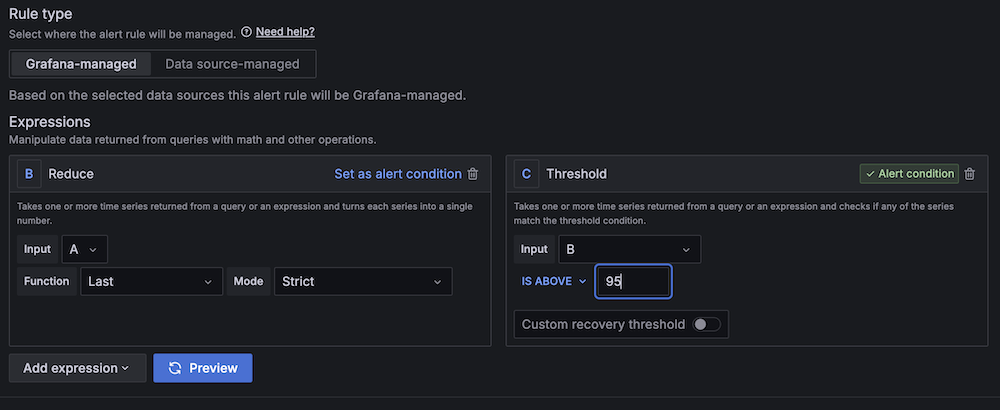
The DDoS attack on November 1 reached peak bandwidth of over 16 Gbps sent to Cloudflare and maintained over 8 Gbps throughout the main attack, which lasted more than two hours.
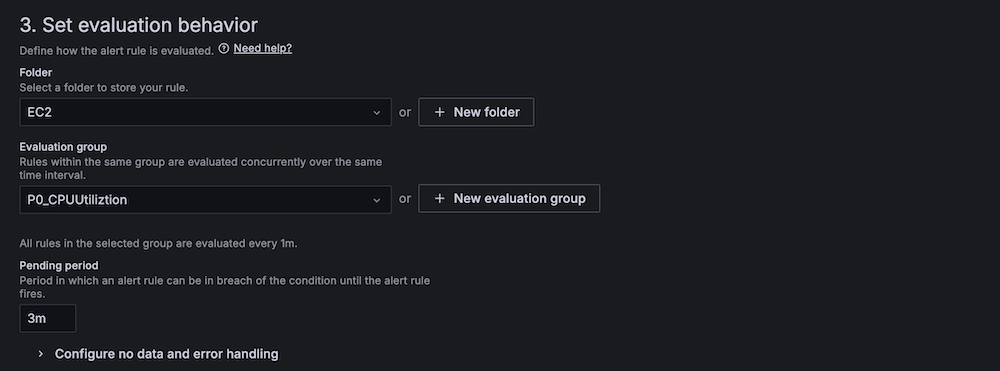
Attackers also expanded their attacks beyond campaign sites, to political parties and their infrastructure, attempting — unsuccessfully — to disrupt services. For example, on November 3, 2024, a DDoS attack targeted infrastructure associated with a major campaign, lasting two minutes and reaching 260,000 malicious HTTP requests per second.

On October 29, 2024, a high-volume DDoS attack targeted a U.S. political party website from a specific state. The attack lasted over four hours, from 12:00 to 17:29 ET (09:00 to 14:29 PT), and peaked at 206,000 requests per second. In total, over 2 billion malicious HTTP requests were blocked that day as part of this DDoS attack.

The same method used in the November 1 attack on one of the main campaign websites, mentioned above, was also used in this case. Here, the DDoS attack reached a peak of 5.7 Gbps sent to Cloudflare by the attacker, and sustained over 3 Gbps for most of its four-and-a-half-hour duration.

Since September, US state and local websites protected by Cloudflare under the Athenian Project have experienced increased DDoS attacks, particularly targeting specific counties. These types of sites have seen over 290 million malicious HTTP requests since September 1, with 4% of all requests blocked as threats. These attacks were less frequent and intense than those on US political campaigns infrastructure.
On September 13, 2024, a DDoS attack targeted a county website from 19:29 UTC to 22:32 UTC (15:29 to 18:32 ET), lasting three hours and peaking at 46,000 of malicious HTTP requests per second.

These rates of DDoS attacks are already significant, even more so when we compare it with the 2020 US presidential election. In 2020, we saw more varied blocked cyberattack HTTP requests, split between WAF (Web Application Firewall) and firewall rules, and DDoS attacks. There were also significantly fewer blocked requests related to DDoS and WAF, with nearly 100 million in the whole month of October 2020 and close to 25 million in November 2020, the month of the election. In contrast, during November 1-6, 2024, alone, we observed over 6 billion malicious HTTP requests in DDoS attacks targeting campaigns.
It’s also important to note that even smaller attacks can be devastating for websites not well-protected against such high levels of traffic. DDoS attacks not only overwhelm systems but also serve, if successful, as a distraction for IT teams while attackers attempt other types of breaches.
Generally, election days do not lead to drastic changes in Internet traffic. Traffic usually slightly dips during voting hours, though not as sharply as on national holidays, and rises in the evening as results are announced.
In the US, a similar pattern was observed on November 5, 2024, with increased Internet traffic at night. However, traffic throughout the day was generally 6% higher than the previous week, starting as early as 09:15 ET (06:15 PT). This may also be because, unlike in other countries, Election Day in the US is on a weekday rather than a weekend and is not a national holiday. Internet traffic peaked after the first polls closed, around 21:15 ET (18:15 PT), as TV news stations displayed countdown clocks. At that moment, traffic was 15% higher than the previous week.
Note: The previous 7 days line that appears in the next chart is one hour behind due to the Daylight Saving Time change over the weekend in the US. All growth calculations in this post take that change into account.

The biggest spike in traffic growth (compared to the previous week) of Election Day occurred at around 01:30 am ET (22:30 PT), when projections began to favor Trump for the presidential victory and Fox News called Pennsylvania in his favor, with traffic rising 32% compared to the previous week. Later, during Donald Trump’s speech between 02:30 and 02:45 am ET (23:30 and 23:45 PT), Internet traffic was 31% higher than the previous week.
On Election Day, daily Internet traffic in the US reached its highest level of 2024 in terms of requests, showing a 6% increase compared to the previous week.

As expected for a typical election day, considering what we observed in other countries, the share of traffic from mobile devices was also slightly higher on Election Day at 43%, compared to 42% the previous week.

State-level traffic shifts on Election Day, compared to the previous week, reveal more detail than country-level data. The map below highlights the biggest traffic changes, peaking at 21:00 ET (18:00 PT) after polling stations began to close. Notably, traffic increased nationwide and at the state level on Election Day, unlike during the two-hour presidential debates, which were broadcast on nationwide TV.

The most significant traffic increases were observed in Maine (44%), South Dakota (44%), and Montana (44%). Interestingly, central states saw higher percentages of Internet traffic growth than coastal ones. More populous states, such as California (8%), Texas (19%), New York (22%), and Florida (23%), also experienced notable traffic increases.
The seven swing states that are considered to have been decisive in the election — Georgia, Michigan, Nevada, North Carolina, Pennsylvania, and Wisconsin (we’re not considering Arizona due to data issues) — each saw traffic growth between 17% and 36%. Here’s a more focused view of those swing states for easier consumption:
|
State |
Growth in traffic |
Local time |
|
Georgia |
25% |
21:15 |
|
Michigan |
34% |
21:15 |
|
Nevada |
17% |
18:15 |
|
North Carolina |
14% |
21:15 |
|
Pennsylvania |
33% |
21:15 |
|
Wisconsin |
36% |
20:15 |
Switching our focus to domain trends, our 1.1.1.1 resolver DNS data reveals a clear impact during the US elections when analyzing specific categories.
Analysis of DNS traffic for US news media outlets shows that traffic from the United States rose significantly right after 09:00 ET (06:00 PT), increasing around 15%, compared to the previous week. Traffic continued to climb throughout the day, peaking between 22:00 and 23:00 ET (19:00 and 20:00 PT) with DNS request traffic volume 325% higher than the previous week. There was also a brief spike on Wednesday, November 6, at 05:00 ET (02:00 PT), showing a 117% increase.

We observed significantly higher DNS traffic for polling services websites — websites of platforms or organizations that conduct and publish polls — on Election Day, peaking at 13:00 ET (10:00 PT) with a 206% increase from the previous week, and again at 22:00 ET (19:00 PT), after the polls started to close, with a 756% increase. Daily traffic to this category was up 145% on Election Day, and 36% the day prior.

Election and voting information-related websites also saw a notable rise in DNS traffic around Election Day. Traffic clearly began to increase the day before the election, and peaked on November 5, 2024, at 12:00 ET (09:00 PT), with a 313% increase from the previous week. Daily traffic was 139% higher on Election Day, and 68% higher the day before.

Social media sites/applications, especially microblogging platforms like X and Threads, were also impacted during Election Day. DNS traffic for these microblogging platforms peaked at 22:00 ET (19:00 PT), aligning with spikes for news organizations and polling services, showing a 91% increase compared to the previous week. In this microblogging category, daily DNS traffic on Election Day rose by 12% from the previous week.

Regarding the two main presidential candidates, DNS traffic for their websites and their parties’ websites was much higher the day before the election than on Election Day. On November 4, 2024, daily DNS traffic to Trump and Republican websites was up 59% compared to the previous week, while traffic to Harris and Democrat websites, which had a more significant increase in DNS traffic the previous week, rose by 4%.


From a cybersecurity perspective, trending events, topics, and individuals often attract more emails, including malicious, phishing, and spam messages. Our earlier analysis covered email trends involving “Joe Biden” and “Donald Trump” since January. We’ve since updated it to include Kamala Harris after the Democratic Convention and the Harris-Trump debate.
From June 1 through November 4, 2024, Cloudflare’s Cloud Email Security service processed over 19 million emails with “Donald Trump” or “Kamala Harris” in the subject line — 13.9 million for Trump and 5.3 million for Harris. Nearly half of these emails (49%) were sent since September. In the last 10 days of the campaign (since October 24), Harris was named in 800,000 email subject lines and Trump in 1.3 million.

Since June 1, 12% of emails mentioning Trump were marked as spam, and 1.3% were flagged as malicious or phishing. This rate has dropped since September 1, with only 3% marked as spam and 0.3% as malicious. For emails mentioning Harris, the rates were lower: 0.6% were marked as spam and 0.2% as malicious since June, increasing slightly to 1.2% spam and 0.2% malicious since September 1. Trump was mentioned more frequently in email subjects than Harris and was found in higher overall percentages of spam and malicious emails.

Although Cloudflare observed a notable increase in DDoS attacks on political and election-related sites, blocking billions of malicious requests, these attacks resulted in no significant disruption due to planning and proactive defenses. We share the Cybersecurity and Infrastructure Security Agency’s view that “our election infrastructure has never been more secure” and concur with their conclusion that “We have no evidence of any malicious activity that had a material impact on the security or integrity of our election infrastructure.” Keeping our elections secure and resilient is critical to the functioning of democracy, and Cloudflare is proud to have played our part.
If you want to follow more trends and insights about the Internet and elections in particular, you can check Cloudflare Radar, and more specifically our new 2024 Elections Insights report, which will be updated as elections take place throughout the year.