Tag Archives: Amazon Nova

Introducing Amazon Nova 2 Lite, a fast, cost-effective reasoning model

Post Syndicated from Danilo Poccia original https://aws.amazon.com/blogs/aws/introducing-amazon-nova-2-lite-a-fast-cost-effective-reasoning-model/

Today, we’re releasing Amazon Nova 2 Lite, a fast, cost-effective reasoning model for everyday workloads. Available in Amazon Bedrock, the model offers industry-leading price performance and helps enterprises and developers build capable, reliable, and efficient agentic-AI applications. For organizations who need AI that truly understands their domain, Nova 2 Lite is the best model to use with Nova Forge to build their own frontier intelligence.

Nova 2 Lite supports extended thinking, including step-by-step reasoning and task decomposition, before providing a response or taking action. Extended thinking is off by default to deliver fast, cost-optimized responses, but when deeper analysis is needed, you can turn it on and choose from three thinking budget levels: low, medium, or high, giving you control over the speed, intelligence, and cost tradeoff.

Nova 2 Lite supports text, image, video, document as input and offers a one million-token context window, enabling expanded reasoning and richer in-context learning. In addition, Nova 2 Lite can be customized for your specific business needs. The model also includes access to two built-in tools: web grounding and a code interpreter. Web grounding retrieves publicly available information with citations, while the code interpreter allows the model to run and evaluate code within the same workflow.

Amazon Nova 2 Lite demonstrates strong performance across diverse evaluation benchmarks. The model excels in core intelligence across multiple domains including instruction following, math, and video understanding with temporal reasoning. For agentic workflows, Nova 2 Lite shows reliable function calling for task automation and precise UI interaction capabilities. The model also demonstrates strong code generation and practical software engineering problem-solving abilities.

Amazon Nova 2 Lite benchmarks

Nova 2 Lite is built to meet your company’s needs
Nova 2 Lite can be used for a broad range of your everyday AI tasks. It offers the best combination of price, performance, and speed. Early customers are using Nova 2 Lite for customer service chatbots, document processing, and business process automation.

Nova 2 Lite can help support workloads across many different use cases:

  • Business applications – Automate business process workflow, intelligent document processing (IDP), customer support, and web search to improve productivity and outcomes
  • Software engineering – Generate code, debugging, refactoring, and migrating systems to accelerate development and increase efficiency
  • Business intelligence and research – Use long-horizon reasoning and web grounding to analyze internal and external sources to uncover insights, and make informed decisions

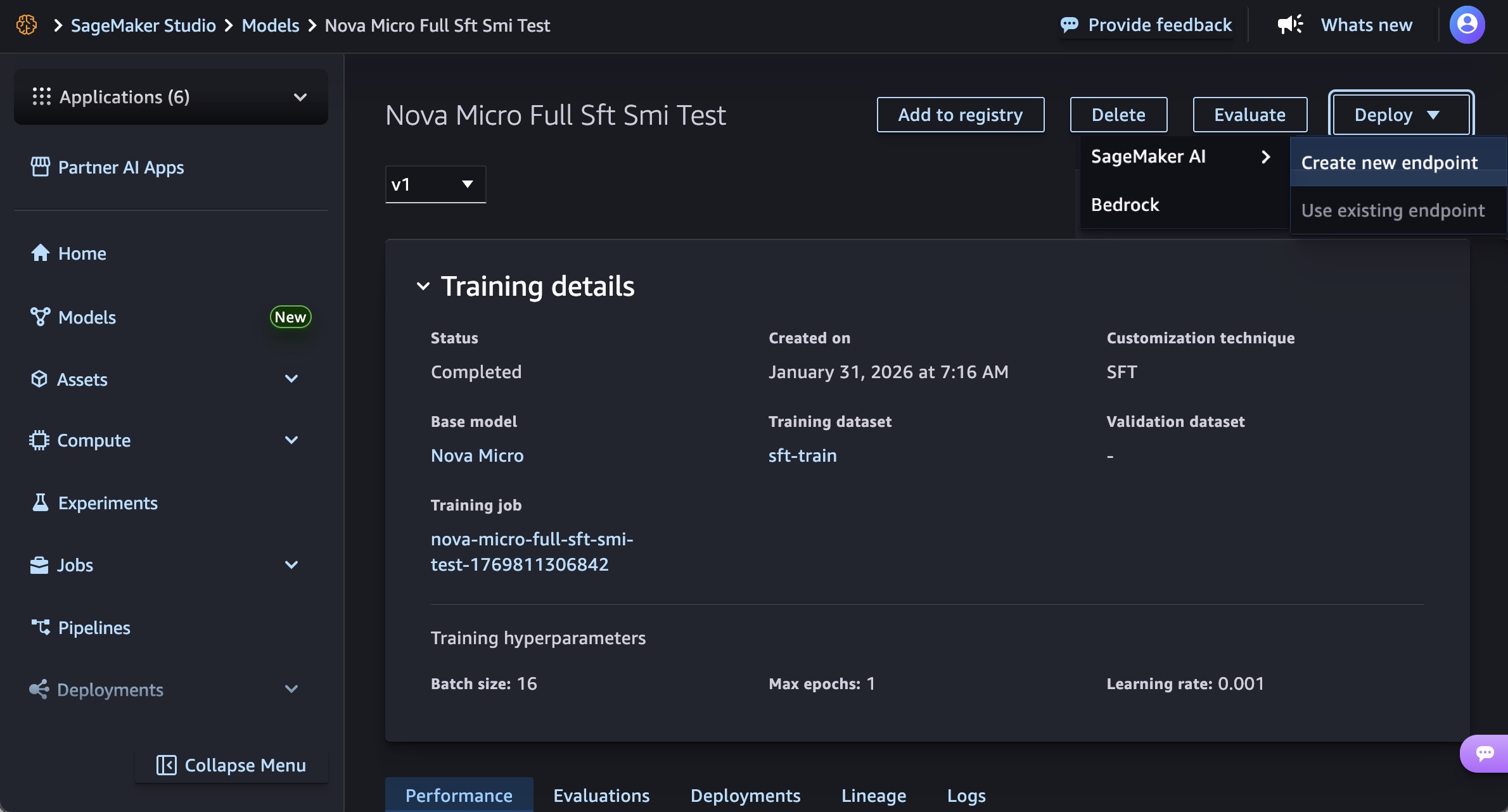
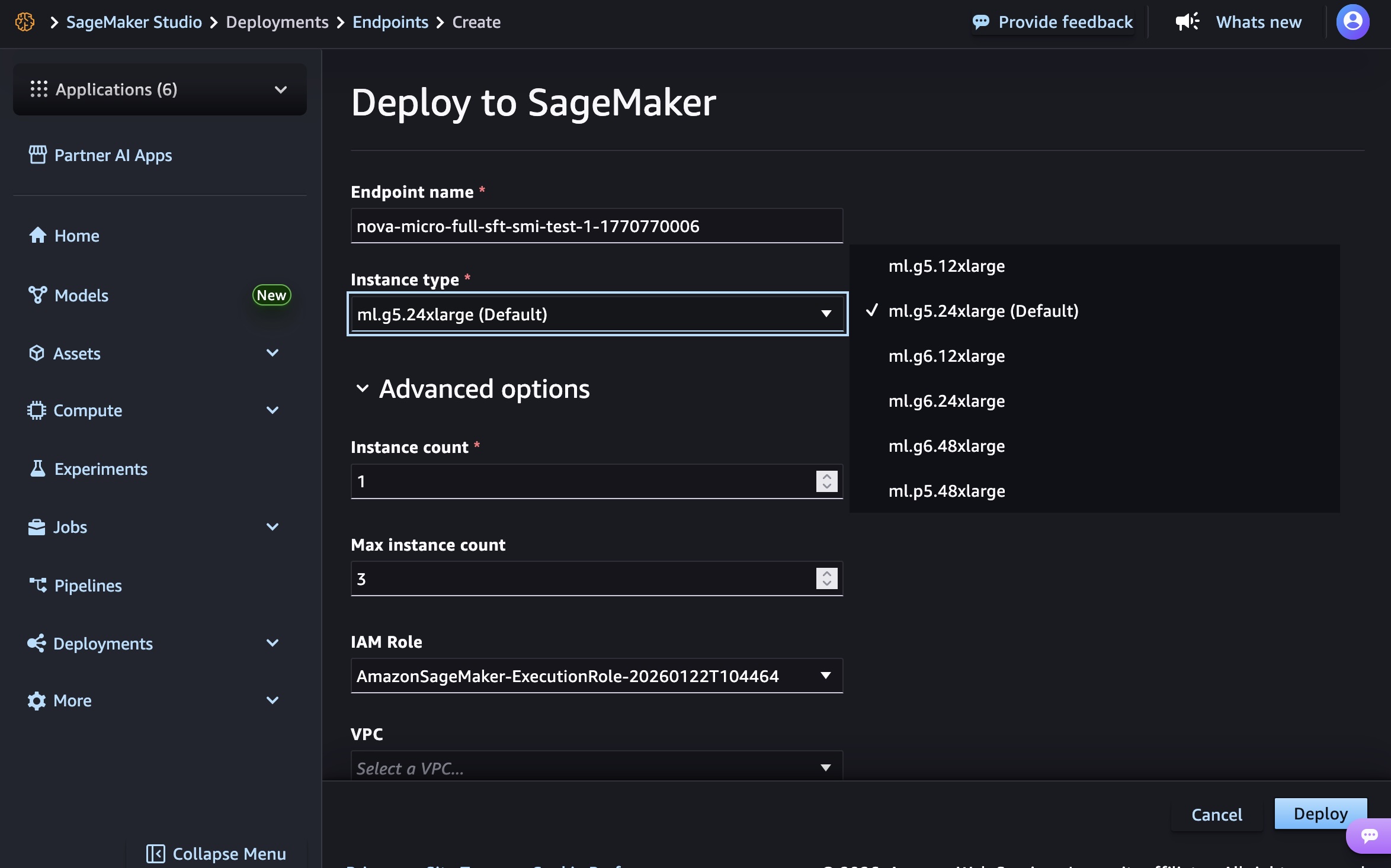
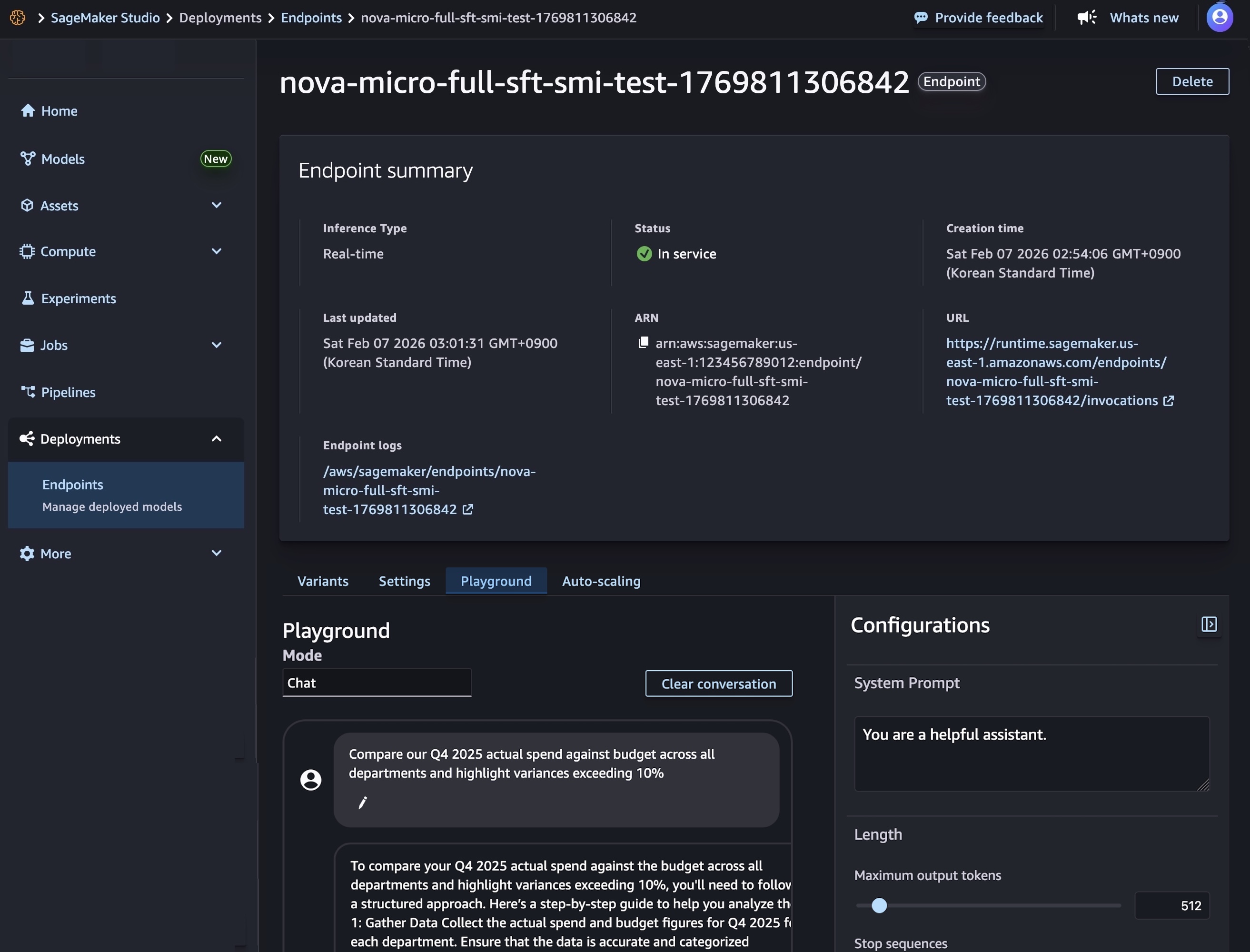
For specific requirements, Nova 2 Lite is also available for customization on both Amazon Bedrock and Amazon SageMaker AI.

Using Amazon Nova 2 Lite
In the Amazon Bedrock console, you can use the Chat/Text playground to quickly test the new model with your prompts. To integrate the model into your applications, you can use any AWS SDKs with the Amazon Bedrock InvokeModel and Converse API. Here’s a sample invocation using the AWS SDK for Python (Boto3).

import boto3

AWS_REGION="us-east-1"
MODEL_ID="global.amazon.nova-2-lite-v1:0"
MAX_REASONING_EFFORT="low" # low, medium, high

bedrock_runtime = boto3.client("bedrock-runtime", region_name=AWS_REGION)

# Enable extended thinking for complex problem-solving
response = bedrock_runtime.converse(
    modelId=MODEL_ID,
    messages=[{
        "role": "user",
        "content": [{"text": "I need to optimize a logistics network with 5 warehouses, 12 distribution centers, and 200 retail locations. The goal is to minimize total transportation costs while ensuring no location is more than 50 miles from a distribution center. What approach should I take?"}]
    }],
    additionalModelRequestFields={
        "reasoningConfig": {
            "type": "enabled", # enabled, disabled (default)
            "maxReasoningEffort": MAX_REASONING_EFFORT
        }
    }
)

# The response will contain reasoning blocks followed by the final answer
for block in response["output"]["message"]["content"]:
    if "reasoningContent" in block:
        reasoning_text = block["reasoningContent"]["reasoningText"]["text"]
        print(f"Nova's thinking process:\n{reasoning_text}\n")
    elif "text" in block:
        print(f"Final recommendation:\n{block['text']}")

You can also use the new model with agentic frameworks that supports Amazon Bedrock and deploy the agents using Amazon Bedrock AgentCore. In this way, you can build agents for a broad range of tasks. Here’s the sample code for an interactive multi-agent system using the Strands Agents SDK. The agents have access to multiple tools, including read and write file access and the possibility to run shell commands.

from strands import Agent
from strands.models import BedrockModel
from strands_tools import calculator, editor, file_read, file_write, shell, http_request, graph, swarm, use_agent, think

AWS_REGION="us-east-1"
MODEL_ID="global.amazon.nova-2-lite-v1:0"
MAX_REASONING_EFFORT="low" # low, medium, high

SYSTEM_PROMPT = (
    "You are a helpful assistant. "
    "Follow the instructions from the user. "
    "To help you with your tasks, you can dynamically create specialized agents and orchestrate complex workflows."
)

bedrock_model = BedrockModel(
    region_name=AWS_REGION,
    model_id=MODEL_ID,
    additional_request_fields={
        "reasoningConfig": {
            "type": "enabled", # enabled, disabled (default)
            "maxReasoningEffort": MAX_REASONING_EFFORT
        }
    }
)

agent = Agent(
    model=bedrock_model,
    system_prompt=SYSTEM_PROMPT,
    tools=[calculator, editor, file_read, file_write, shell, http_request, graph, swarm, use_agent, think]
)

while True:
    try:
        prompt = input("\nEnter your question (or 'quit' to exit): ").strip()
        if prompt.lower() in ['quit', 'exit', 'q']:
            break
        if len(prompt) > 0:
            agent(prompt)
    except KeyboardInterrupt:
        break
    except EOFError:
        break

print("\nGoodbye!")

Things to know
Amazon Nova 2 Lite is now available in Amazon Bedrock via global cross-Region inference in multiple locations. For Regional availability and future roadmap, visit AWS Capabilities by Region.

Nova 2 Lite includes built-in safety controls to promote responsible AI use, with content moderation capabilities that help maintain appropriate outputs across a wide range of applications.

To understand the costs, see Amazon Bedrock pricing. To learn more, visit the Amazon Nova User Guide.

Start building with Nova 2 Lite today. To experiment with the new model, visit the Amazon Nova interactive website. Try the model in the Amazon Bedrock console, and share your feedback on AWS re:Post.

Danilo

Introducing Amazon Nova Forge: Build your own frontier models using Nova

Post Syndicated from Danilo Poccia original https://aws.amazon.com/blogs/aws/introducing-amazon-nova-forge-build-your-own-frontier-models-using-nova/

Organizations are rapidly expanding their use of generative AI across all parts of the business. Applications requiring deep domain expertise or specific business context need models that truly understand their proprietary knowledge, workflows, and unique requirements.

While techniques like prompt engineering and Retrieval Augmented Generation (RAG) work well for many use cases, they have fundamental limitations when it comes to embedding specialized knowledge into a model’s core understanding. Supervised fine-tuning and reinforcement learning help in customizing the model, but they operate too late in the development lifecycle, layering modifications on top of models that are a fully trained, and therefore difficult to steer to specific domains of interest.

When organizations attempt deeper customization through Continued Pre-Training (CPT) using only their proprietary data, they often encounter catastrophic forgetting, where models lose their foundational capabilities as they learn new content. At the same time, the data, compute, and cost needed for training a model from scratch are still a prohibitive barrier for most organizations.

Today, we’re introducing Amazon Nova Forge, a new service to build your own frontier models using Nova. Nova Forge customers can start their development from early model checkpoints, blend their datasets with Amazon Nova-curated training data, and host their custom models securely on AWS. Nova Forge is the easiest and most cost-effective way to build your own frontier model.

Use cases and applications
Nova Forge is designed for organizations with access to proprietary or industry-specific data who want to build AI that truly understands their domain. This includes:

  • Manufacturing and automation – Building models that understand specialized processes, equipment data, and industry-specific workflows
  • Research and development – Creating models trained on proprietary research data and domain-specific knowledge
  • Content and media – Developing models that understand brand voice, content standards, and specific moderation requirements
  • Specialized industries – Training models on industry-specific terminology, regulations, and best practices

Depending on the specific use cases, Nova Forge can be used to add differentiated capabilities, enhance task-specific accuracy, reduce costs, and lower latency.

How Nova Forge works
Nova Forge addresses the limitations of current customization approaches by allowing you to start model development from early checkpoints across pre-training, mid-training, and post-training phases. You can blend your proprietary data with Amazon Nova-curated data throughout all training phases, running training using proven recipes on Amazon SageMaker AI fully managed infrastructure. This data mixing approach significantly reduces catastrophic forgetting compared to training with raw data alone, helping preserve foundational skills—including core intelligence, general instruction following capabilities, and safety benefits—while incorporating your specialized knowledge.

Nova Forge provides the ability to use reward functions in your own environment for reinforcement learning (RL). This allows the model to learn from feedback generated in environments that are representative of your use cases. Beyond single-step evaluations, you can also use your own orchestrator to manage multi-turn rollouts, enabling RL training for complex agent workflows and sequential decision-making tasks. Whether you’re using chemistry tools to score molecular designs, or robotics simulations that reward efficient task completion and penalize collisions, you can connect your proprietary environments directly.

You can also take advantage of the built-in responsible AI toolkit available in Nova Forge to configure the safety and content moderation settings of your model. You can adjust settings to meet your specific business needs in areas like safety, security, and handling of sensitive content.

Getting started with Nova Forge
Nova Forge integrates seamlessly with your existing AWS workflows. You can use the familiar tools and infrastructure in Amazon SageMaker AI to run your training, then import your custom Nova models as private models on Amazon Bedrock. This gives you the same security, consistent APIs, and broader AWS integrations as any model in Amazon Bedrock.

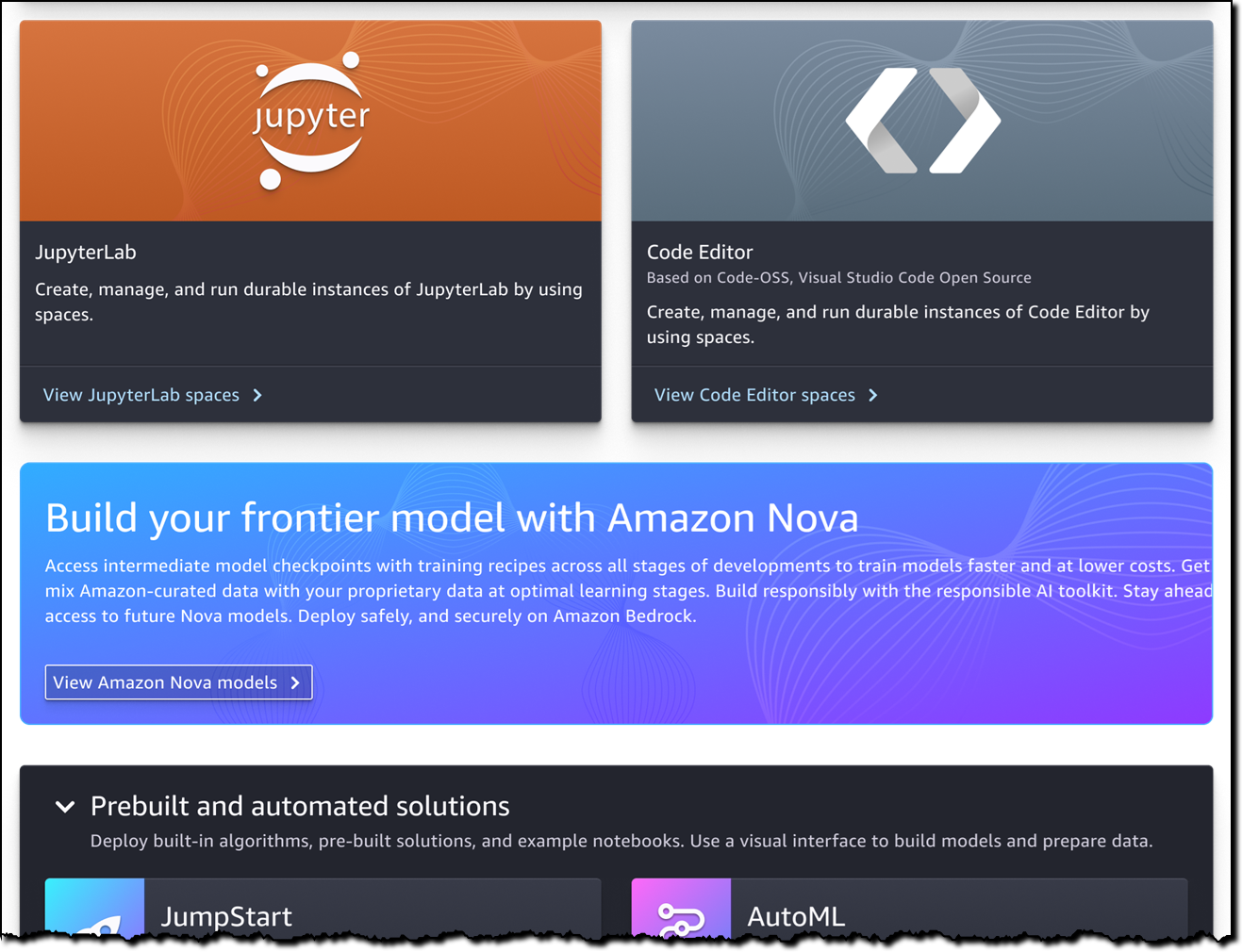
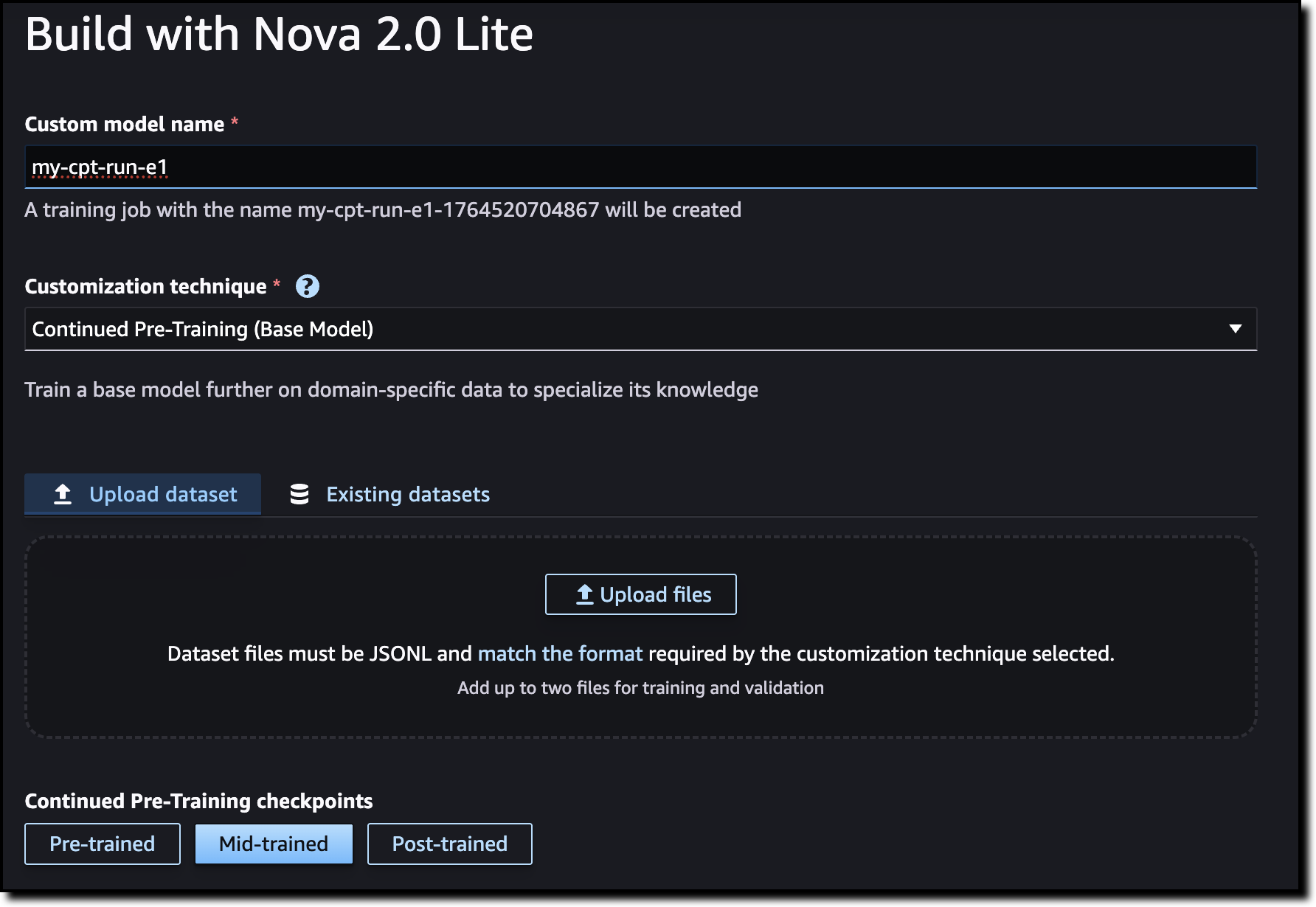
In Amazon SageMaker Studio, you can now build your frontier model with Amazon Nova.

Amazon Nova Forge in the SageMaker AI console

To start building the model, choose which checkpoint to use: pre-trained, mid-trained, or post-trained. You can also upload your dataset here or use existing datasets.

Amazon Nova Forge checkpoints

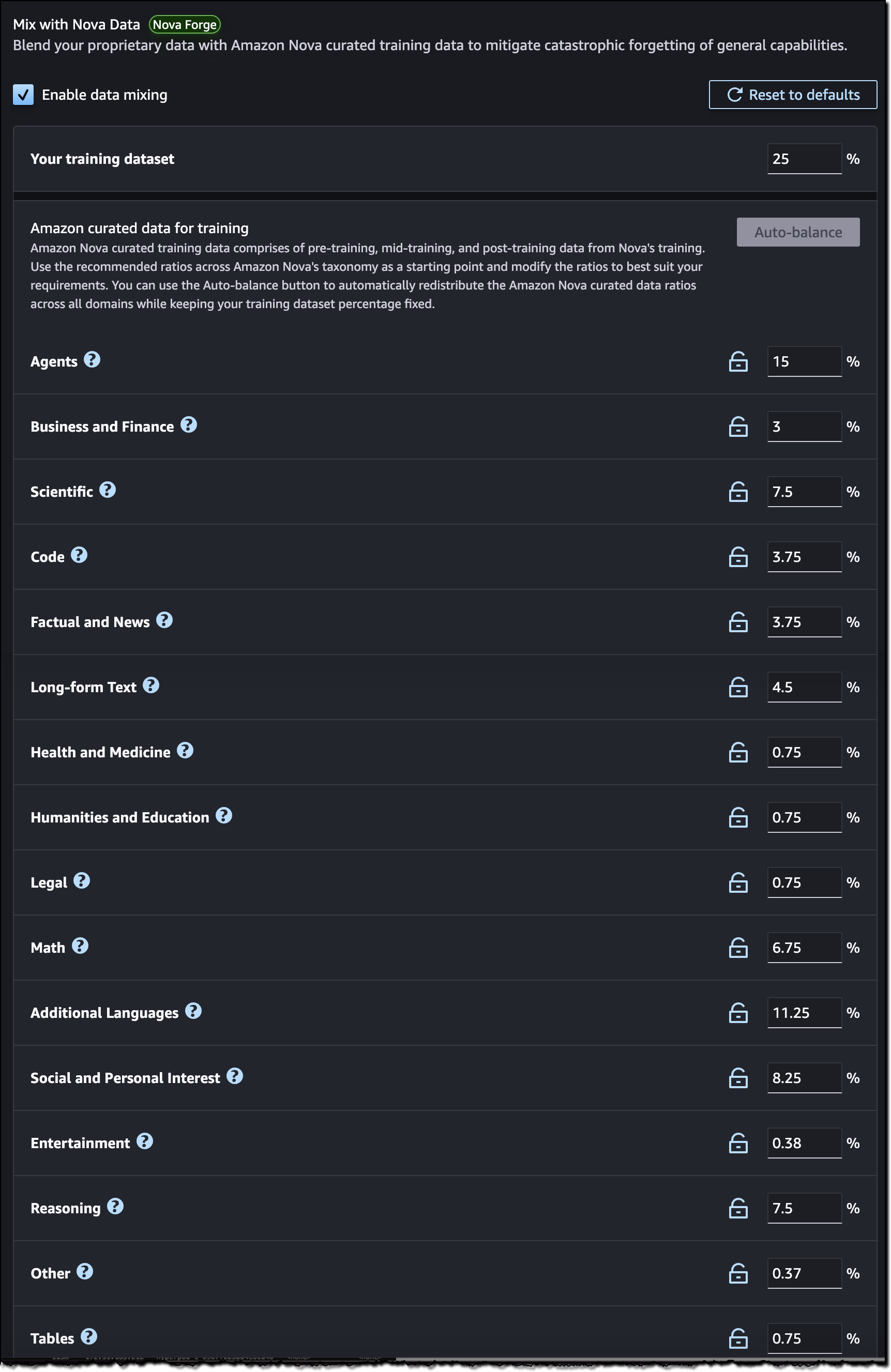
You can blend your training data by mixing in curated datasets provided by Nova. These datasets, categorized by domain, can help your model to preserve general performance and prevent overfitting or catastrophic forgetting.

Amazon Nova Forge data mixing

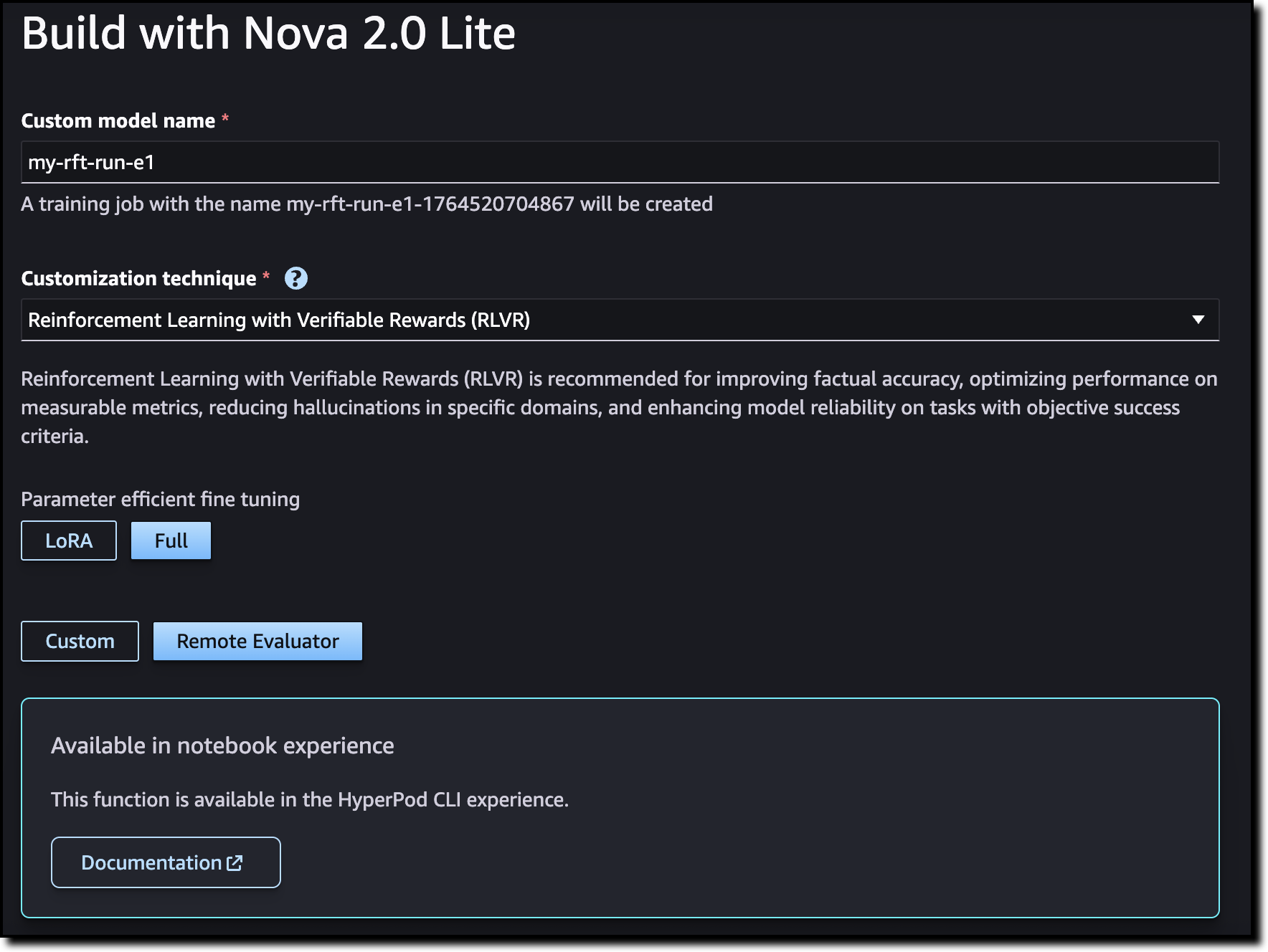
Optionally, you can choose to use Reinforcement Fine-Tuning (RFT) to improve factual accuracy and reduce hallucinations in specific domains.

When training completes, import the model into Amazon Bedrock and start using it in your applications.

Things to know
Amazon Nova Forge is available in the US East (N. Virginia) AWS Region. The program includes access to multiple Nova model checkpoints, training recipes to mix proprietary data with Amazon Nova-curated training data, proven training recipes, and integration with Amazon SageMaker AI and Amazon Bedrock.

Learn more in the Amazon Nova User Guide and explore Nova Forge from the Amazon SageMaker AI console.

Organizations interested in expert assistance can also reach out to our Generative AI Innovation Center for additional support with their model development initiatives.

Danilo

Orchestrating large-scale document processing with AWS Step Functions and Amazon Bedrock batch inference

Post Syndicated from Brian Zambrano original https://aws.amazon.com/blogs/compute/orchestrating-large-scale-document-processing-with-aws-step-functions-and-amazon-bedrock-batch-inference/

Organizations often have large volumes of documents containing valuable information that remains locked away and unsearchable. This solution addresses the need for a scalable, automated text extraction and knowledge base pipeline that transforms static document collections into intelligent, searchable repositories for generative AI applications.

Organizations can automate the extraction of both content and structured metadata to build comprehensive knowledge bases that power retrieval-augmented generation (RAG) solutions while significantly reducing manual processing costs and time-to-value. The architecture not only demonstrates the processing of 500 research papers automatically, but also scales to handle enterprise document volumes cost-effectively through the Amazon Bedrock batch inference pricing model.

Overview

Amazon Bedrock batch inference is a feature of Amazon Bedrock that offers a 50% discount on inference requests. Although Amazon Bedrock schedules and runs the batch job (needing a minimum of 100 inference requests) as capacity becomes available, the inference won’t be real-time. For use cases where you can accommodate minutes to hours of latency, Amazon Bedrock batch inference is a good option.

This post demonstrates how to build an automated, serverless pipeline using AWS Step Functions, Amazon Textract, Amazon Bedrock batch inference, and Amazon Bedrock Knowledge Bases to extract text, create metadata, and load it into a knowledge base at scale. The example solution processes 500 research papers in PDF format from Amazon Science, extracts text using Amazon Textract, generated structured metadata with Amazon Bedrock batch inference and the Amazon Nova Pro model, and loads the final output, including Amazon Bedrock Knowledge Base filter, into an Amazon Bedrock Knowledge Base.

Architecture

This solution uses Step Functions with parallel Amazon Textract job processing through child workflows run by Distributed Map. You can use the concurrency controls offered by Distributed Map to process documents as quickly as possible within your Amazon Textract quotas. Increasing processing speed necessitates adjusting your Amazon Textract quota and updating the Distributed Map configuration. Amazon Bedrock batch inference handles concurrency, scaling, and throttling. This means that you can create the job without managing these complexities.

In this example implementation, the solution processes research papers to extract metadata such as:

  • Code availability and repository locations
  • Dataset availability and access methods
  • Research methodology types
  • Reproducibility indicators
  • Other relevant research attributes

The high-level parts of this solution include:

  • Extracting text from PDF documents with Amazon Textract in parallel, through Step Functions Distributed Map.
  • Analyzing extracted text using Amazon Bedrock batch inference to extract structured metadata.
  • Loading extract text and metadata into a searchable knowledge base using Amazon Bedrock Knowledge Bases with Amazon OpenSearch Serverless.

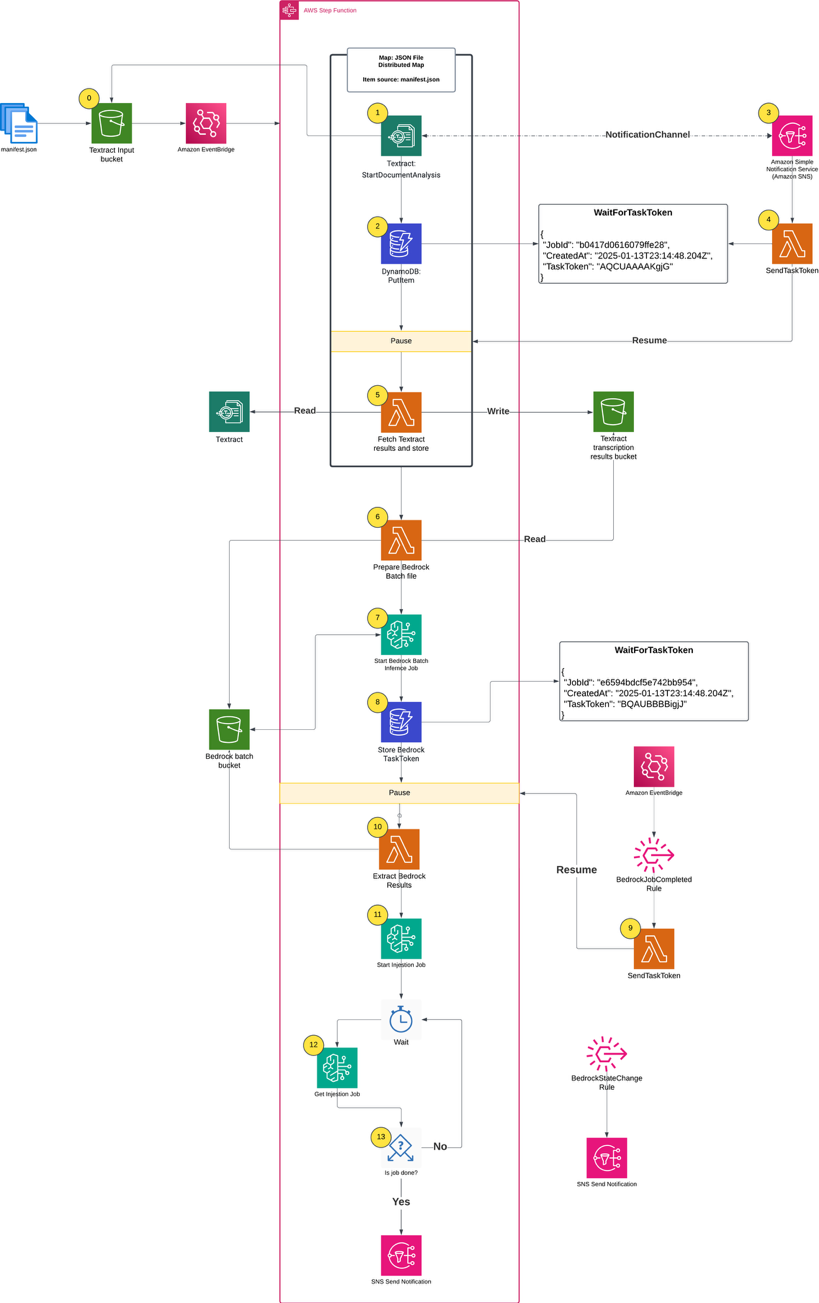
Complete architecture diagram

Figure 1. Complete architecture diagram

Prerequisites

The following prerequisites are necessary to complete this solution:

Running the solution

The complete solution uses AWS CDK to implement two AWS CloudFormation stacks:

  1. BedrockKnowledgeBaseStack: Creates the knowledge base infrastructure
  2. SFNBatchInferenceStack: Implements the main processing workflow

First, clone the GitHub repository into your local development environment and install the requirements:

git clone https://github.com/aws-samples/sample-step-functions-batch-inference.git .

cd sample-step-functions-batch-inference

npm install

Next, deploy the solution using AWS CDK:

cdk deploy --all

After deploying the cdk stacks, upload your data sources (PDF files) into the AWS CDK-created Amazon S3 input bucket. In this example, I uploaded 500 Amazon Science papers. The input bucket name is included in the AWS CDK outputs:

Outputs:

SFNBatchInference.BatchInputBucketName = sfnbatchinference-batchinputbucket11aaa222-nrjki8tewwww

Parallel text extraction

The process begins when you upload a manifest.json file to the input bucket. The manifest file lists the files for processing, which already exist in the input bucket. The filenames listed in manifest.json define what constitutes a single processing job run. To create another run, you would create a different manifest.json and upload it to the same S3 bucket.

[
  {
    "filename": "flexecontrol-flexible-and-efficient-multimodal-control-for-text-to-image-generation.pdf"
  },
  {
    "filename": "adaptive-global-local-context-fusion-for-multi-turn-spoken-language-understanding.pdf"
  }
]

The AWS CDK definition for the input bucket includes Amazon EventBridge notifications and creates a rule that triggers the Step Functions workflow whenever a manifest.json file is uploaded.

private createS3Buckets() {
    const batchBucket = new s3.Bucket(this, "BatchInputBucket", {
      removalPolicy: cdk.RemovalPolicy.DESTROY,
      autoDeleteObjects: true,
    })
    batchBucket.enableEventBridgeNotification()

    new cdk.CfnOutput(this, "BatchInputBucketName", {
      value: batchBucket.bucketName,
      description: "Name of input bucket to send PDF documents that Textract will read.",
    })

    const manifestFileCreatedRule = new eventBridge.Rule(this, "ManifestFileCreatedRule", {
      eventPattern: {
        source: ["aws.s3"],
        detailType: ["Object Created"],
        detail: {
          bucket: {
            name: [batchBucket.bucketName],
          },
          object: {
            key: ["manifest.json"],
          },
        },
      },
    })

    return { batchBucket, manifestFileCreatedRule }
  }

The first step in the Step Functions workflow is a Distributed Map run that performs the following actions for each PDF in the manifest file:

  1. Starts an Amazon Textract job, providing an Amazon Simple Notification Service (Amazon SNS) topic for completion notification.
  2. Writes the Step Functions task token to Amazon DynamoDB, pausing the individual child workflow.
  3. Processes the Amazon SNS message when the Amazon Textract job completes, triggering an AWS Lambda function.
  4. Uses a Lambda function to retrieve the task token from DynamoDB using the Amazon Textract JobId.
  5. Fetches the raw results from Amazon Textract, organizes the text for readability, and writes results to an S3 bucket

First step in the Step Functions workflow

A key component of this architecture is the callback pattern that Amazon Textract supports using the NotificationChannel option, as shown in the preceding figure. The AWS CDK definition the Step Functions state that starts the Amazon Textract job is shown in the following.

const startTextractStep = new tasks.CallAwsService(this, "StartTextractJob", {
  service: "textract",
  action: "startDocumentAnalysis",
  resultPath: "$.textractOutput",
  parameters: {
    DocumentLocation: {
      S3Object: {
        Bucket: sourceBucket.bucketName,
        Name: sfn.JsonPath.stringAt("$.filename"),
      },
    },
    FeatureTypes: ["LAYOUT"],
    NotificationChannel: {
      RoleArn: textractRoleArn,
      SnsTopicArn: snsTopicArn,
    },
  },
  iamResources: ["*"],
})

The Lambda function that handles task tokens extracts the Amazon Textract JobId from the Amazon SNS message, fetches the TaskToken from DynamoDB, and resumes the Step Functions Workflow by sending the TaskToken:

from aws_lambda_powertools.utilities.data_classes import SNSEvent, event_source

@event_source(data_class=SNSEvent)
def handle_textract_task_complete(event, context):
    # Multiple records can be delivered in a single event
    for record in event.records:
        sns_message = json.loads(record.sns.message)
        textract_job_id = sns_message["JobId"]

        # Get both task token and original file from DynamoDB
        ddb_item = _get_item_from_ddb(textract_job_id)

        # Send both the job ID and original file name in the response
        _send_task_success(
            ddb_item["TaskToken"],
            {
                "TextractJobId": textract_job_id,
                "OriginalFile": ddb_item["OriginalFile"],
            },
        )
        # Delete the task token from DynamoDB after use
        _delete_item_from_ddb(textract_job_id)

def _send_task_success(task_token: str, output: None | dict = None) -> None:
    """Sends task success to Step Functions with the provided output"""
    sfn = boto3.client("stepfunctions")
    sfn.send_task_success(taskToken=task_token, output=json.dumps(output or {}))

The Distributed Map runs up to 10 child workflows concurrently, controlled by the maxConcurrency setting. Although Step Functions supports running up to 10,000 child workflow executions, the practical concurrency for this solution is constrained by Amazon Textract quotas. The startDocumentAnalysis API has a default quota of 10 requests per second (RPS), which means you must consider this limit when scaling your document processing workloads and potentially request quota increases for higher throughput requirements.

const distributedMap = new sfn.DistributedMap(this, "DistributedMap", {
  mapExecutionType: sfn.StateMachineType.STANDARD,
  maxConcurrency: 10,
  itemReader: new sfn.S3JsonItemReader({
    bucket: sourceBucket,
    key: "manifest.json",
  }),
  resultPath: "$.files",
}

Running Amazon Bedrock batch inference

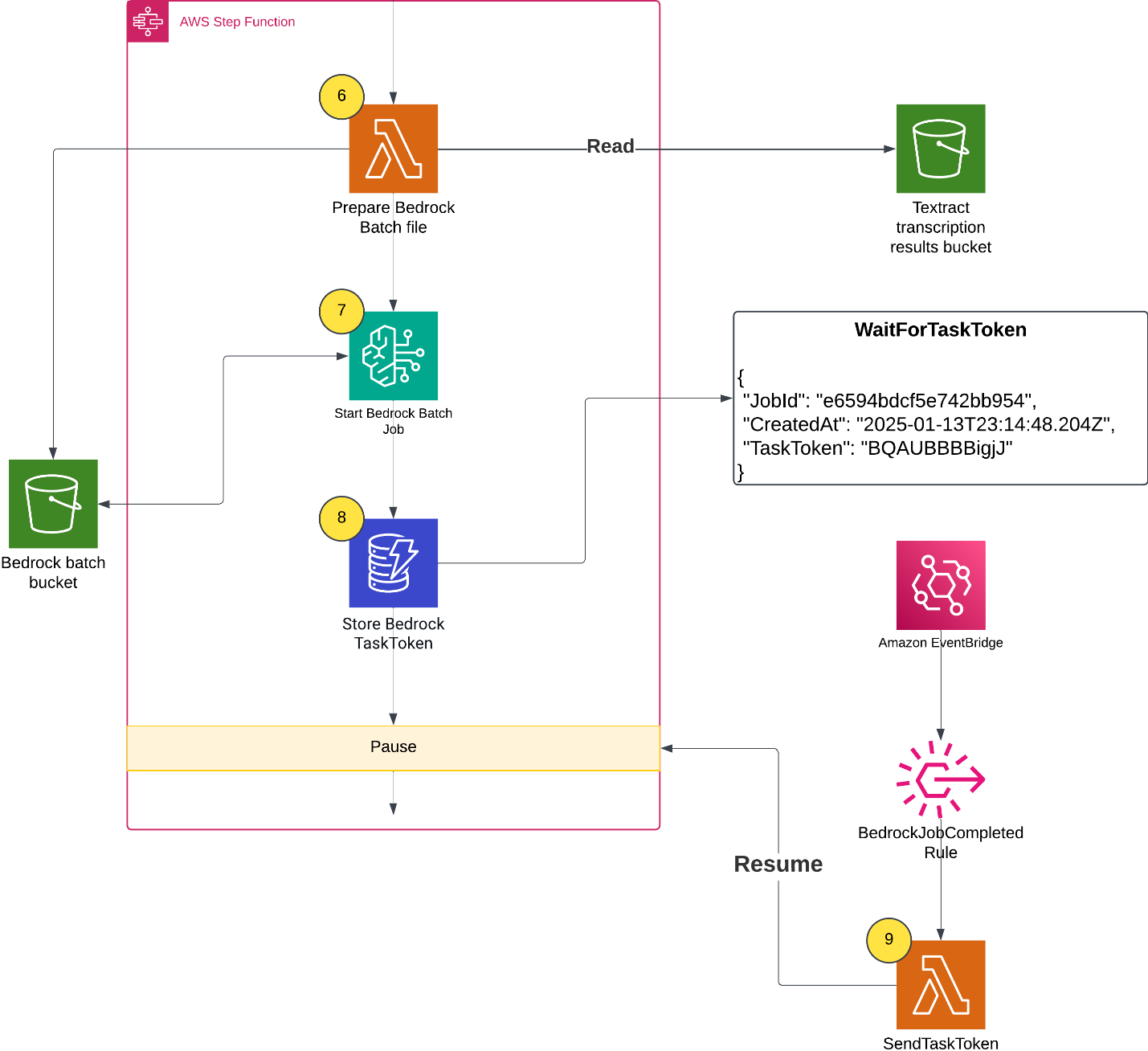
When all of the Amazon Textract jobs finish, the Distributed Map state creates an Amazon Bedrock batch inference input file, launches the Amazon Bedrock inference job, and waits for it to complete.

  1. A Lambda function collects text results from Amazon S3 and creates an Amazon Bedrock batch inference input file with custom prompts.
  2. The workflow starts the Amazon Bedrock batch inference job by calling createModelInvocationJob and sending the batch inference input file as input.
  3. The workflow pauses and stores the task token in DynamoDB.
  4. An EventBridge rule matches completed Amazon Bedrock batch inference events, and upon job completion and triggers a Lambda function. The Lambda function retrieves the task token and resumes the workflow, as shown in the following figure.

Lambda function retrieves the task token and resumes the workflow

A batch inference input is a single jsonl file with multiple entries such as the following example. The prompt in each inference request instructs the large language model (LLM) to analyze the paper and extract metadata. Read the full prompt template in the GitHub repository.

{
  "recordId": "c1b8a3b2086141f963",
  "modelInput": {
    "messages": [
      {
        "role": "user",
        "content": [
          {
            "text": "Analyze the following research paper transcript and extract metadata about code and dataset availability. Extract the following metadata from this research paper transcript:\n\n1. **has_code**: Does the paper mention or link to source code? (true/false) ...... Return only valid JSON matching the schema above. Do not include any text outside of the JSON structure."
          }
        ]
      }
    ],
    "inferenceConfig": { "maxTokens": 4096 }
  }
}

Populating the Amazon Bedrock Knowledge Base

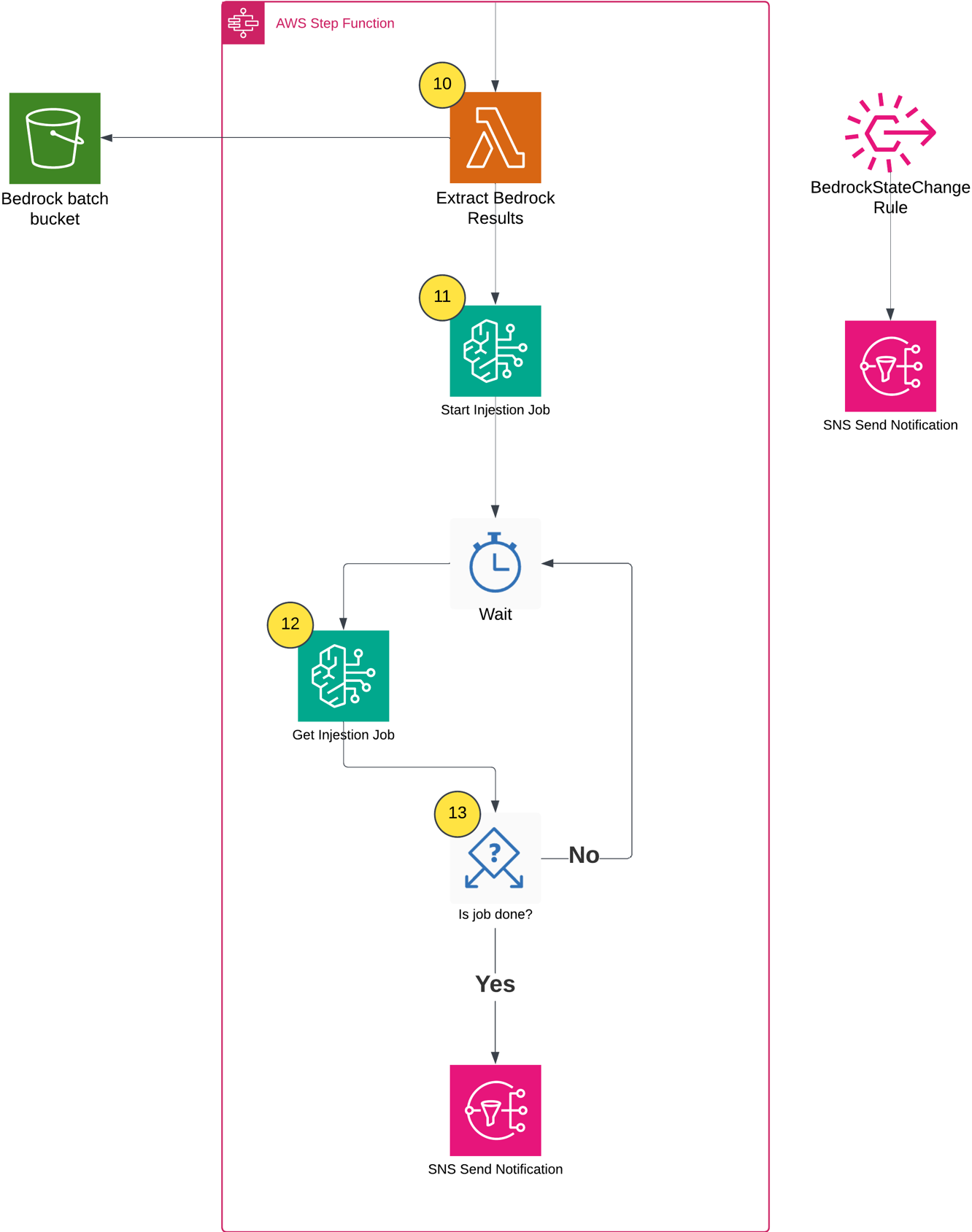
After the batch inference completes, the workflow does the following:

  1. Extracts inference results and creates metadata files based on the Amazon Bedrock inference results (example metadata shown in the following figure).
  2. Starts an Amazon Bedrock Knowledge Base ingestion job.
  3. Monitors the ingestion job status using Step Functions Wait and Choice states.
  4. Sends a completion notification through Amazon SNS.

Populating the Amazon Bedrock Knowledge Base

The following shows the example metadata format:

{
  "metadataAttributes": {
    "has_code": true,
    "has_dataset": false,
    "code_availability": "publicly_available",
    "dataset_availability": "not_available",
    "research_type": "methodology",
    "is_reproducible": true,
    "code_repository_url": "https://github.com/amazon-science/PIXELS"
  }
}

Testing the knowledge base

After the workflow completes successfully, you can test the knowledge base to verify that the documents and metadata have been properly ingested and are searchable. There are two practical methods for testing an Amazon Bedrock Knowledge Base:

  1. Using the Console
  2. Using the AWS SDK to run a query

Testing through the Console

The Console provides an intuitive interface for testing your knowledge base queries with metadata filters:

  1. Navigate to the Amazon Bedrock console.
  2. In the left navigation pane, choose Knowledge Bases under the Build section.
  3. Choose the knowledge base created by the AWS CDK deployment (the name will be output by the AWS CDK stack).
  4. Choose the Test button in the upper right corner.
  5. In the test interface, choose your preferred foundation model (FM) (such as Amazon Nova Pro).
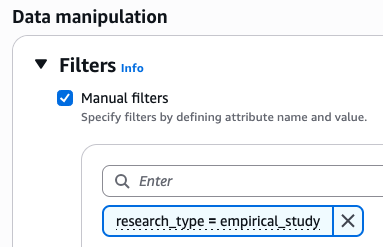
  6. Expand the Configurations column, then navigate to the Filters section.
  7. Configure filters based on the extracted metadata, as shown in the following figure.

Configure filters based on the extracted metadata

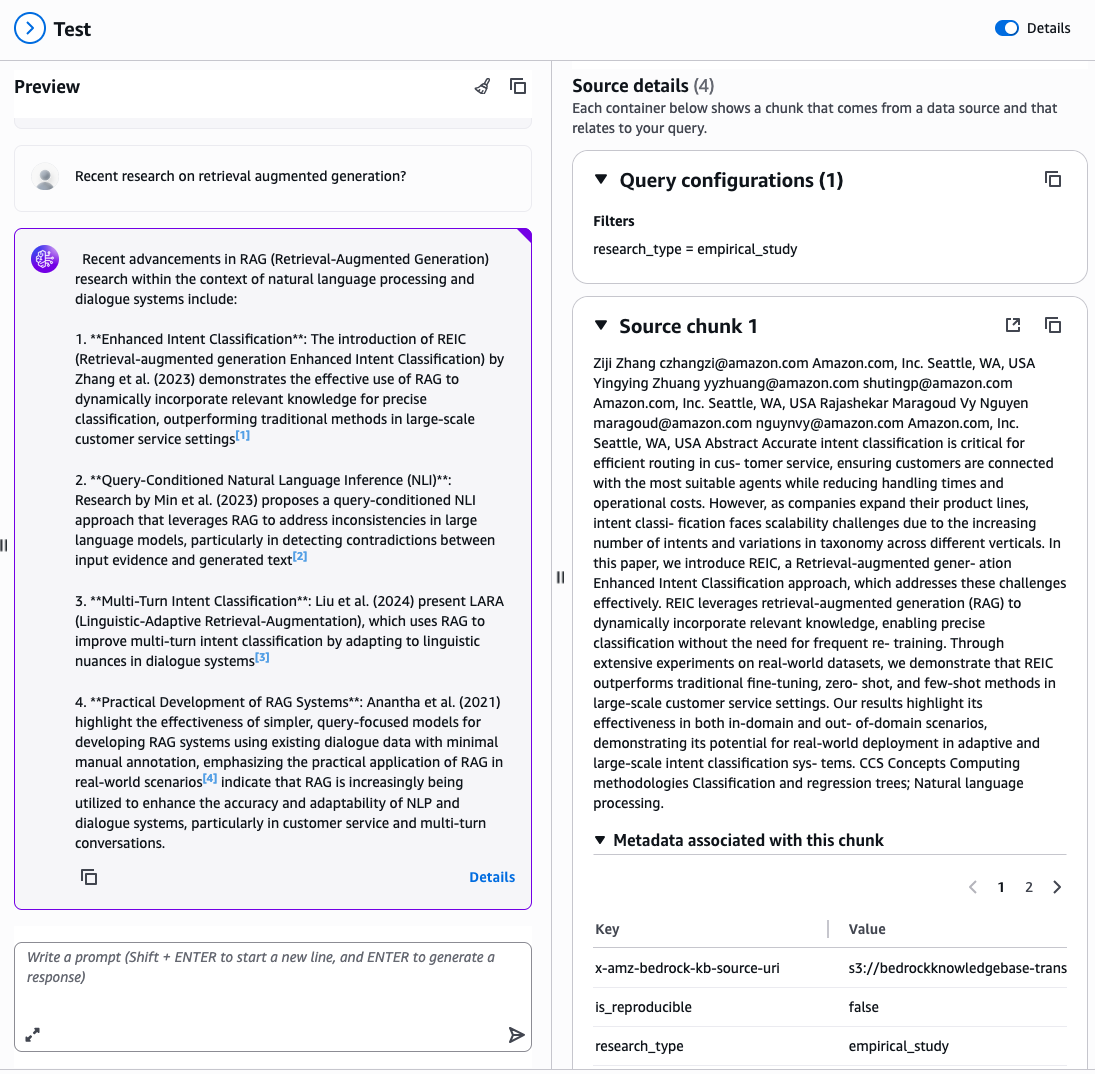
Enter a natural language query related to your documents, for example: “Recent research on retrieval augmented generation?”

The console displays the generated response along with source attributions showing which documents were retrieved and used to formulate the answer, filtered by your specified metadata attributes, as shown in the following figure.

A chat example

Testing via API

For programmatic testing and integration into applications, use the AWS SDK with metadata filtering. The following is a Python example using boto3:

model_arn = "arn:aws:bedrock:us-east-1::foundation-model/amazon.nova-pro-v1:0"

# Query for papers with publicly available code
response = bedrock_agent_runtime.retrieve_and_generate(
    input={'text': "What recent research has been done on RAG?"},
    retrieveAndGenerateConfiguration={
        'type': 'KNOWLEDGE_BASE',
        'knowledgeBaseConfiguration': {
            'knowledgeBaseId': knowledge_base_id,
            'modelArn': model_arn,
            'retrievalConfiguration': {
                'vectorSearchConfiguration': {
                    'numberOfResults': 5,
                    'filter': {"equals": {"key": "has_code", "value": True}},
                }
            },
        },
    },
)

# Display results
print(f"Response: {response['output']['text']}\n")
print("Source Documents:")

for citation in response.get('citations', []):
    for reference in citation.get('retrievedReferences', []):
        metadata = reference.get('metadata', {})
        print(f" Document: {reference['location']['s3Location']['uri']}\n")

The following is the test script output:

Response: Recent research on Retrieval-Augmented Generation (RAG) has focused on enhancing the system's ability to dynamically retrieve and utilize relevant information from a Vector Database (VDB) to improve decision-making and performance. Key innovations include:

1. **Dynamic Retrieval and Utilization**: The system is designed to query the VDB for contextually relevant past experiences, which significantly improves decision quality and accelerates performance by leveraging a growing repository of relevant experiences.

2. **Teacher-Student Instructional Tuning**: A novel mechanism where a Teacher agent refines a Student agent's core policy through direct interaction. The Teacher generates a modified SYSTEM prompt based on the Student's actions, creating a meta-learning loop that enhances the Student's reasoning policy over time.

Conclusion

This solution demonstrates how to combine multiple AWS AI and serverless services to build a scalable document processing pipeline. Organizations can use AWS Step Functions for orchestration, Amazon Textract for document processing, Amazon Bedrock batch inference for intelligent content analysis, and Amazon Bedrock Knowledge Bases for searchable storage. In turn, they can automate the extraction of insights from large document collections while optimizing costs.

Following this solution, you can build a solid foundation for production-scale document processing pipelines that maintain the flexibility to adapt to your specific requirements while making sure of reliability, scalability, and operational excellence. Follow this link to learn more about serverless architectures.

Build more accurate AI applications with Amazon Nova Web Grounding

Post Syndicated from Matheus Guimaraes original https://aws.amazon.com/blogs/aws/build-more-accurate-ai-applications-with-amazon-nova-web-grounding/

Imagine building AI applications that deliver accurate, current information without the complexity of developing intricate data retrieval systems. Today, we’re excited to announce the general availability of Web Grounding, a new built-in tool for Nova models on Amazon Bedrock.

Web Grounding provides developers with a turnkey Retrieval Augmented Generation (RAG) option that allows the Amazon Nova foundation models to intelligently decide when to retrieve and incorporate relevant up-to-date information based on the context of the prompt. This helps to ground the model output by incorporating cited public sources as context, aiming to reduce hallucinations and improve accuracy.

When should developers use Web Grounding?

Developers should consider using Web Grounding when building applications that require access to current, factual information or need to provide well-cited responses. The capability is particularly valuable across a range of applications, from knowledge-based chat assistants providing up-to-date information about products and services, to content generation tools requiring fact-checking and source verification. It’s also ideal for research assistants that need to synthesize information from multiple current sources, as well as customer support applications where accuracy and verifiability are crucial.

Web Grounding is especially useful when you need to reduce hallucinations in your AI applications or when your use case requires transparent source attribution. Because it automatically handles the retrieval and integration of information, it’s an efficient solution for developers who want to focus on building their applications rather than managing complex RAG implementations.

Getting started
Web Grounding seamlessly integrates with supported Amazon Nova models to handle information retrieval and processing during inference. This eliminates the need to build and maintain complex RAG pipelines, while also providing source attributions that verify the origin of information.

Let’s see an example of asking a question to Nova Premier using Python to call the Amazon Bedrock Converse API with Web Grounding enabled.

First, I created an Amazon Bedrock client using AWS SDK for Python (Boto3) in the usual way. For good practice, I’m using a session, which helps to group configurations and make them reusable. I then create a BedrockRuntimeClient.

try:
    session = boto3.Session(region_name='us-east-1')
    client = session.client(
        'bedrock-runtime')

I then prepare the Amazon Bedrock Converse API payload. It includes a “role” parameter set to “user”, indicating that the message comes from our application’s user (compared to “assistant” for AI-generated responses).

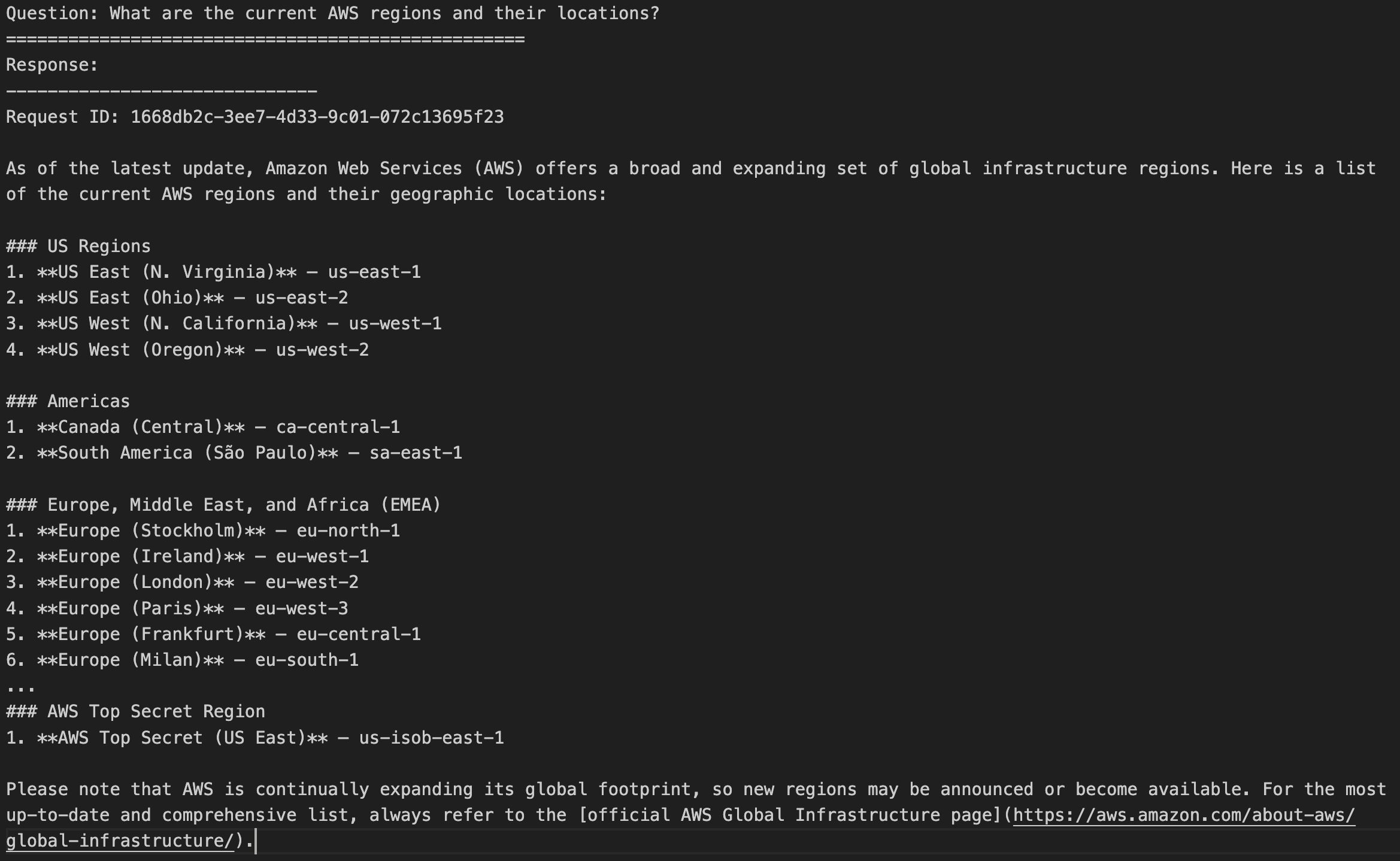
For this demo, I chose the question “What are the current AWS Regions and their locations?” This was selected intentionally because it requires current information, making it useful to demonstrate how Amazon Nova can automatically invoke searches using Web Grounding when it determines that up-to-date knowledge is needed.

# Prepare the conversation in the format expected by Bedrock
question = "What are the current AWS regions and their locations?"
conversation = [
   {
     "role": "user",  # Indicates this message is from the user
     "content": [{"text": question}],  # The actual question text
      }
    ]

First, let’s see what the output is without Web Grounding. I make a call to Amazon Bedrock Converse API.

# Make the API call to Bedrock 
model_id = "us.amazon.nova-premier-v1:0" 
response = client.converse( 
    modelId=model_id, # Which AI model to use 
    messages=conversation, # The conversation history (just our question in this case) 
    )
print(response['output']['message']['content'][0]['text'])

I get a list of all the current AWS Regions and their locations.

Now let’s use Web Grounding. I make a similar call to the Amazon Bedrock Converse API, but declare nova_grounding as one of the tools available to the model.

model_id = "us.amazon.nova-premier-v1:0" 
response = client.converse( 
    modelId=model_id, 
    messages=conversation, 
    toolConfig= {
          "tools":[ 
              {
                "systemTool": {
                   "name": "nova_grounding" # Enables the model to search real-time information
                 }
              }
          ]
     }
)

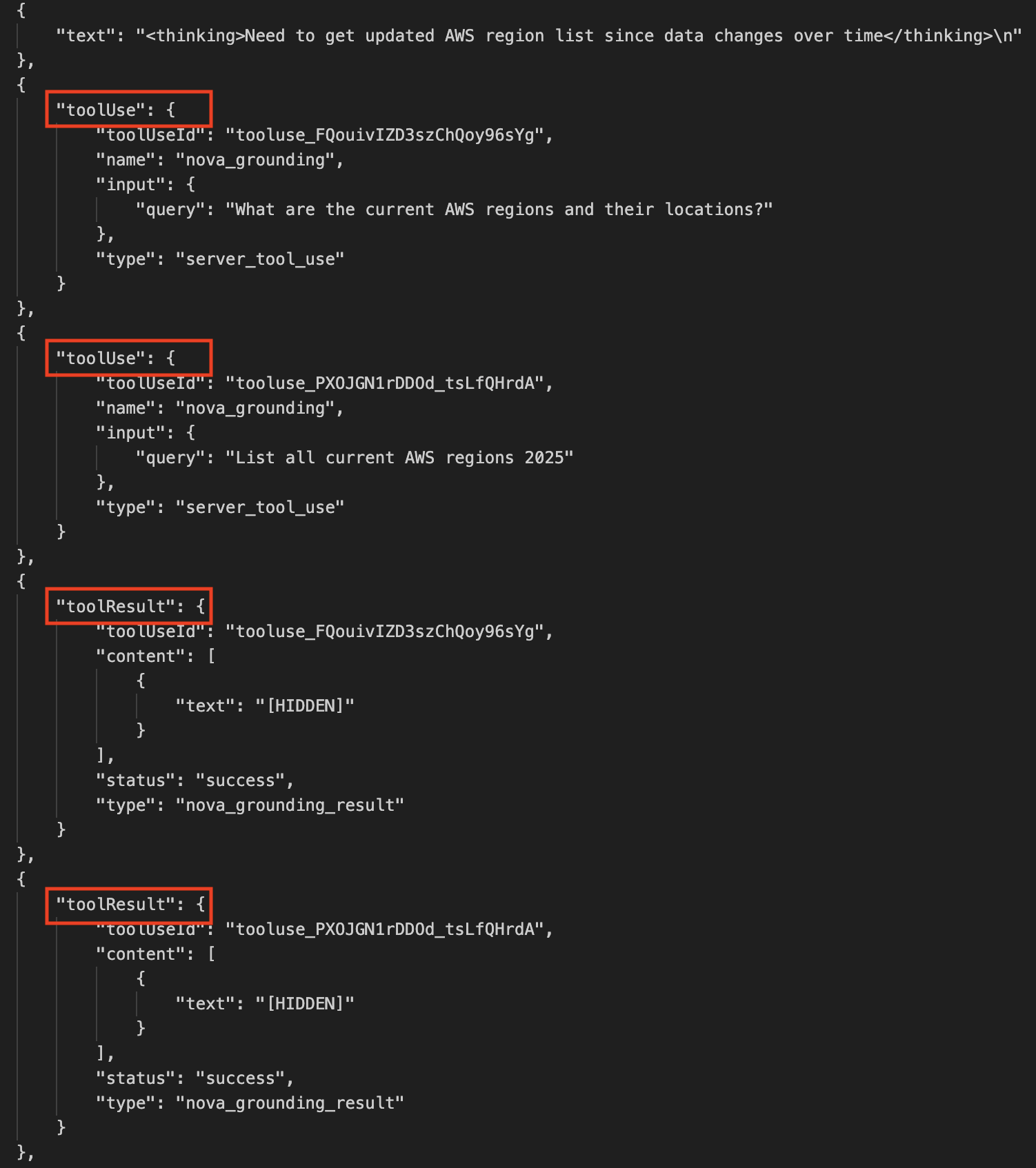
After processing the response, I can see that the model used Web Grounding to access up-to-date information. The output includes reasoning traces that I can use to follow its thought process and see where it automatically queried external sources. The content of the responses from these external calls appear as [HIDDEN] – a standard practice in AI systems that both protects sensitive information and helps manage output size.

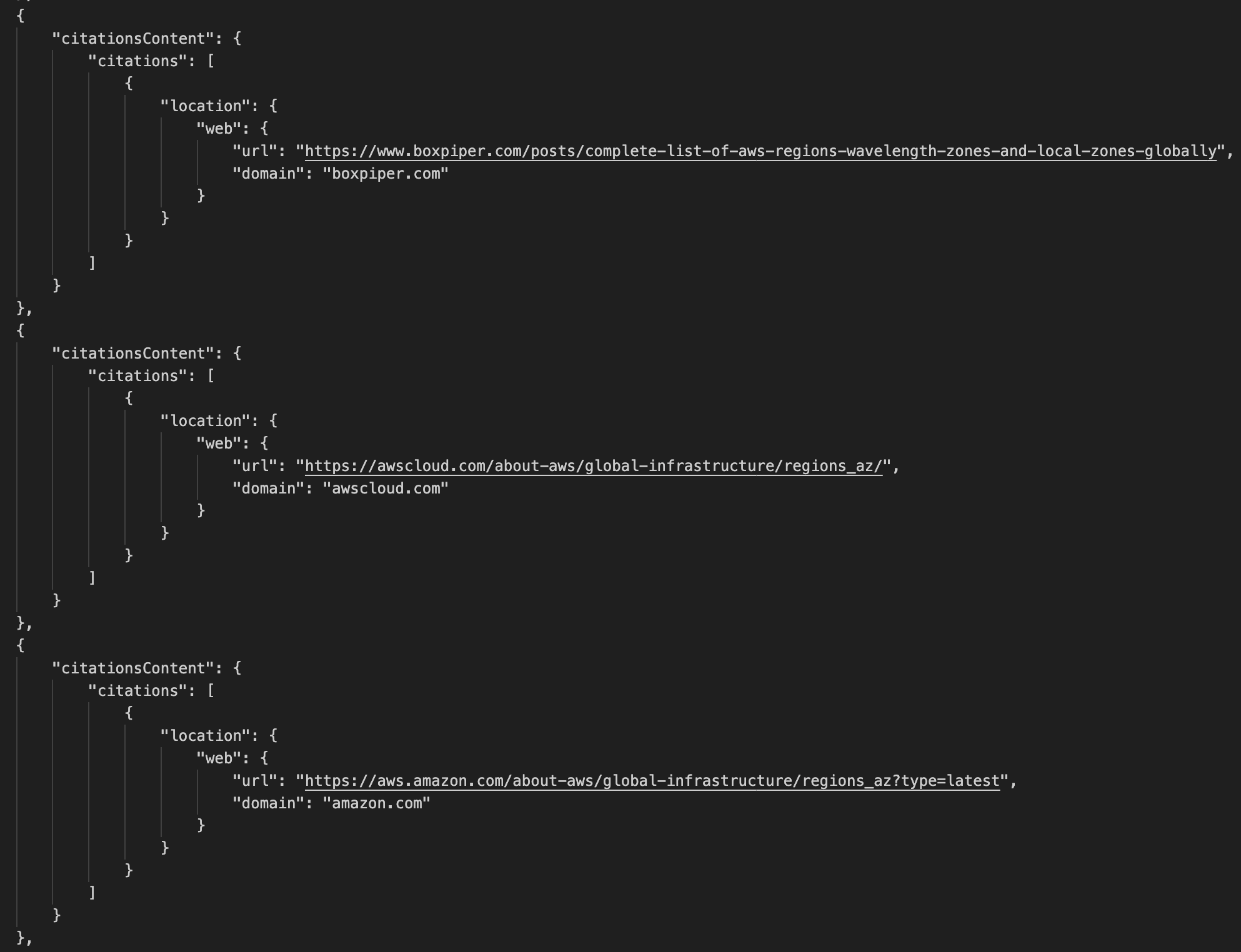
Additionally, the output also includes citationsContent objects containing information about the sources queried by Web Grounding.

Finally, I can see the list of AWS Regions. It finishes with a message right at the end stating that “These are the most current and active AWS regions globally.”

Web Grounding represents a significant step forward in making AI applications more reliable and current with minimum effort. Whether you’re building customer service chat assistants that need to provide up-to-date accurate information, developing research applications that analyze and synthesize information from multiple sources, or creating travel applications that deliver the latest details about destinations and accommodations, Web Grounding can help you deliver more accurate and relevant responses to your users with a convenient turnkey solution that is straightforward to configure and use.

Things to know
Amazon Nova Web Grounding is available today in US East (N. Virginia). Web Grounding will also soon launch on US East (Ohio), and US West (Oregon).

Web Grounding incurs additional cost. Refer to the Amazon Bedrock pricing page for more details.

Currently, you can only use Web Grounding with Nova Premier but support for other Nova models will be added soon.

If you haven’t used Amazon Nova before or are looking to go deeper, try this self-paced online workshop where you can learn how to effectively use Amazon Nova foundation models and related features for text, image, and video processing through hands-on exercises.

Matheus Guimaraes | @codingmatheus

Accelerate AI agent development with the Nova Act IDE extension

Post Syndicated from Donnie Prakoso original https://aws.amazon.com/blogs/aws/accelerate-ai-agent-development-with-the-nova-act-ide-extension/

Today, I’m excited to announce the Nova Act extension — a tool that streamlines the path to build browser automation agents without leaving your IDE. The Nova Act extension integrates directly into IDEs like Visual Studio Code (VS Code), Kiro, and Cursor, helping you to create web-based automation agents using natural language with the Nova Act model.

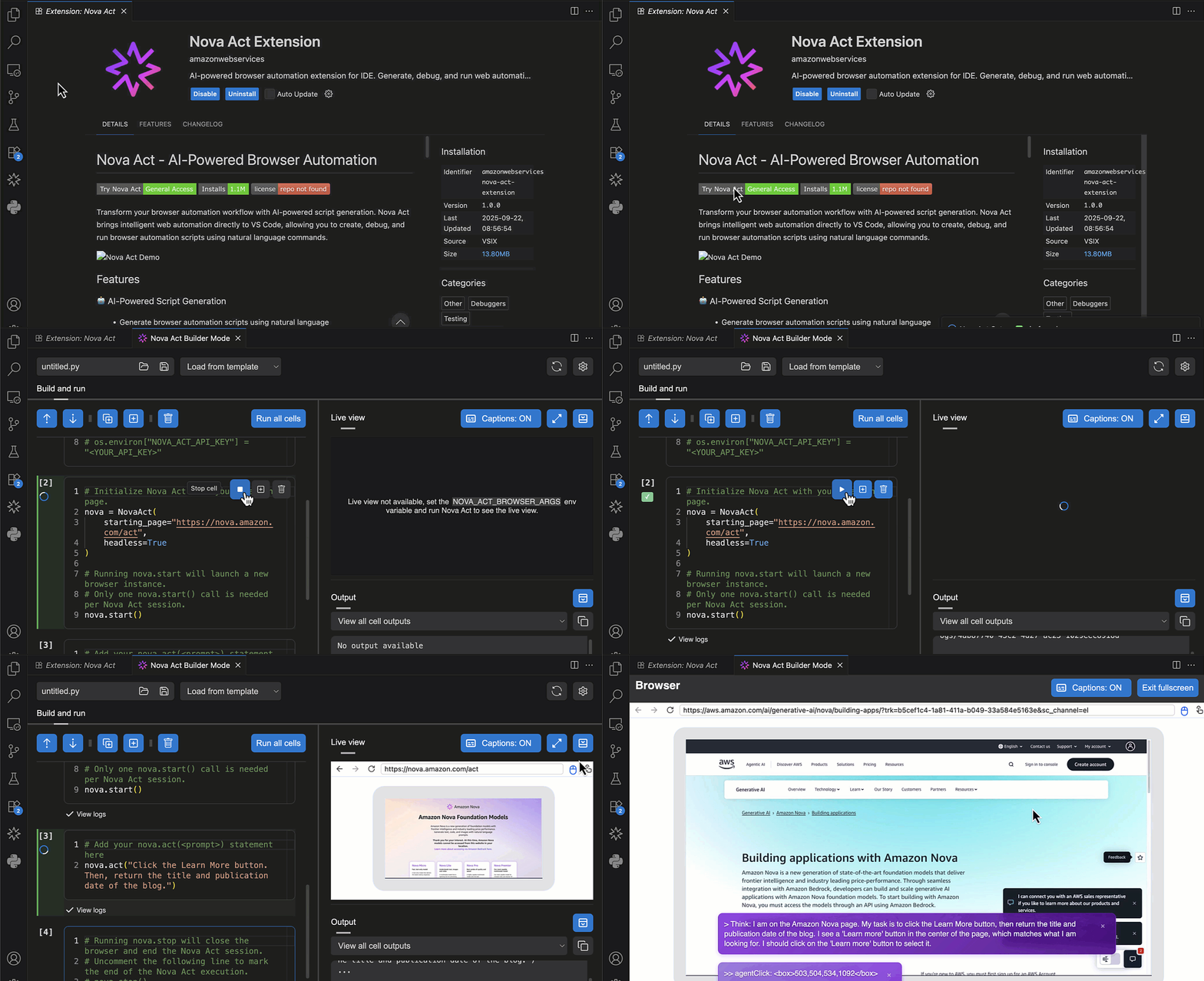
Here’s a quick look at the Nova Act extension in Visual Studio Code:

The Nova Act extension is built on top of the Amazon Nova Act SDK (preview), our browser automation agents SDK (Software Development Kit). The Nova Act extension transforms traditional workflow development by eliminating context switching between coding and testing environments. You can now build, customize, and test production-grade agent scripts—all within your IDE—using features like natural language based generation, atomic cell-style editing, and integrated browser testing. This unified experience accelerates development velocity for tasks like form filling, QA automation, search, and complex multi-step workflows.

You can start with the Nova Act extension by describing your workflow in natural language to quickly generate an initial agent script. Customize it using the notebook-style builder mode to integrate APIs, data sources, and authentication, then validate it with local testing tools that simulate real-world conditions, including live step-by-step debugging of lengthy multi-step workflows.

Getting started with the Nova Act extension
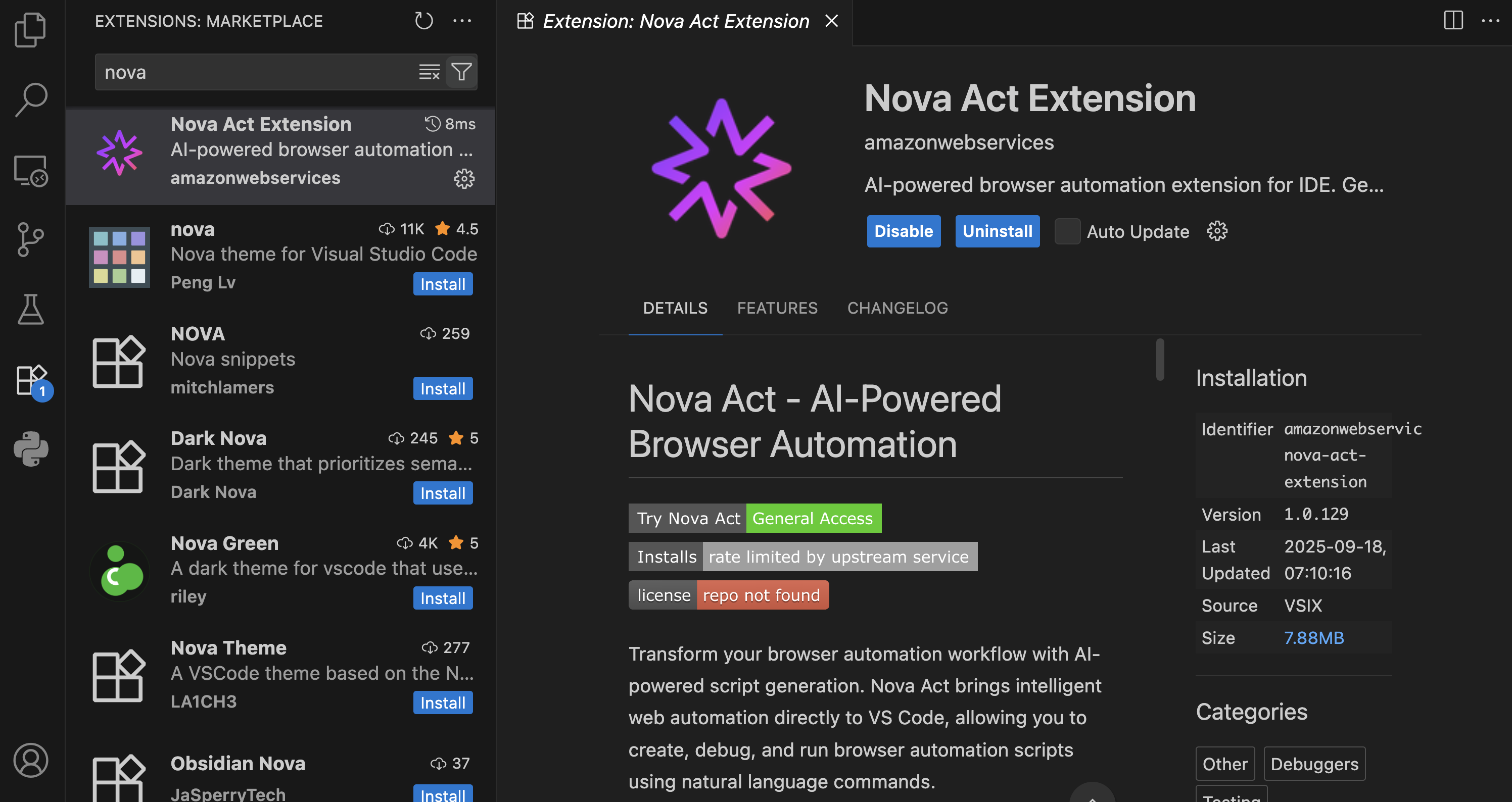
First, I need to install the Nova Act extension from the extension manager in my IDE. 

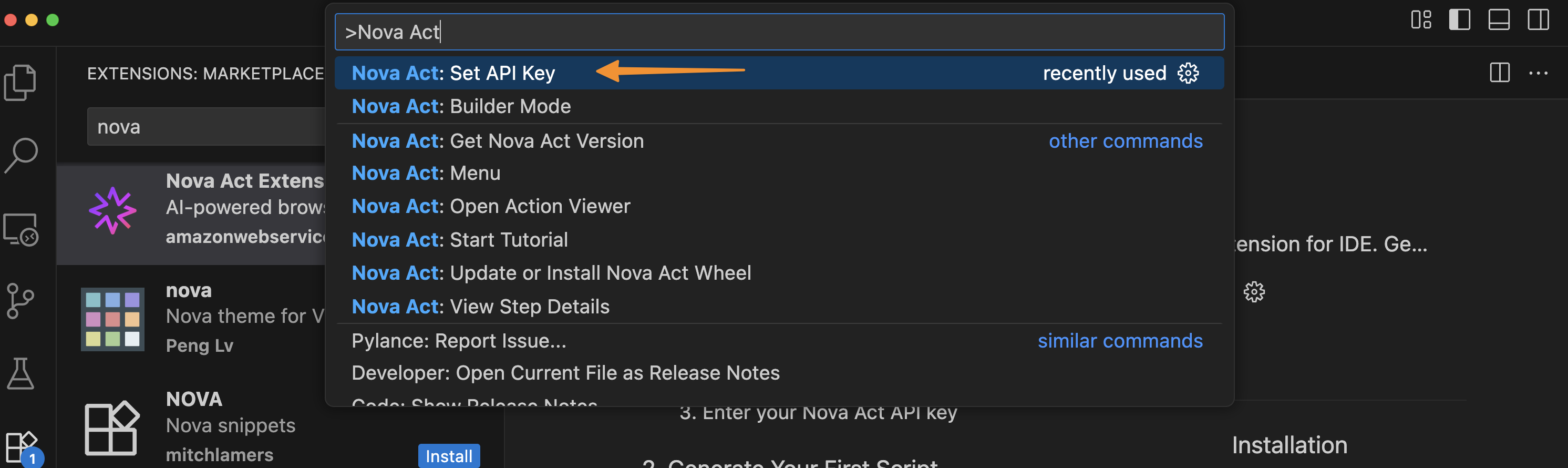
I’m using Visual Studio Code, and after choosing Extensions, I enter Nova Act. Then, I select the extension and choose Install

To get started, I need to obtain an API key. To do this, I navigate to the Nova Act page and follow the instructions to get the API key. I select Set API Key by opening the Command Palette with Cmd+Shift+P / Ctrl+Shift+P.

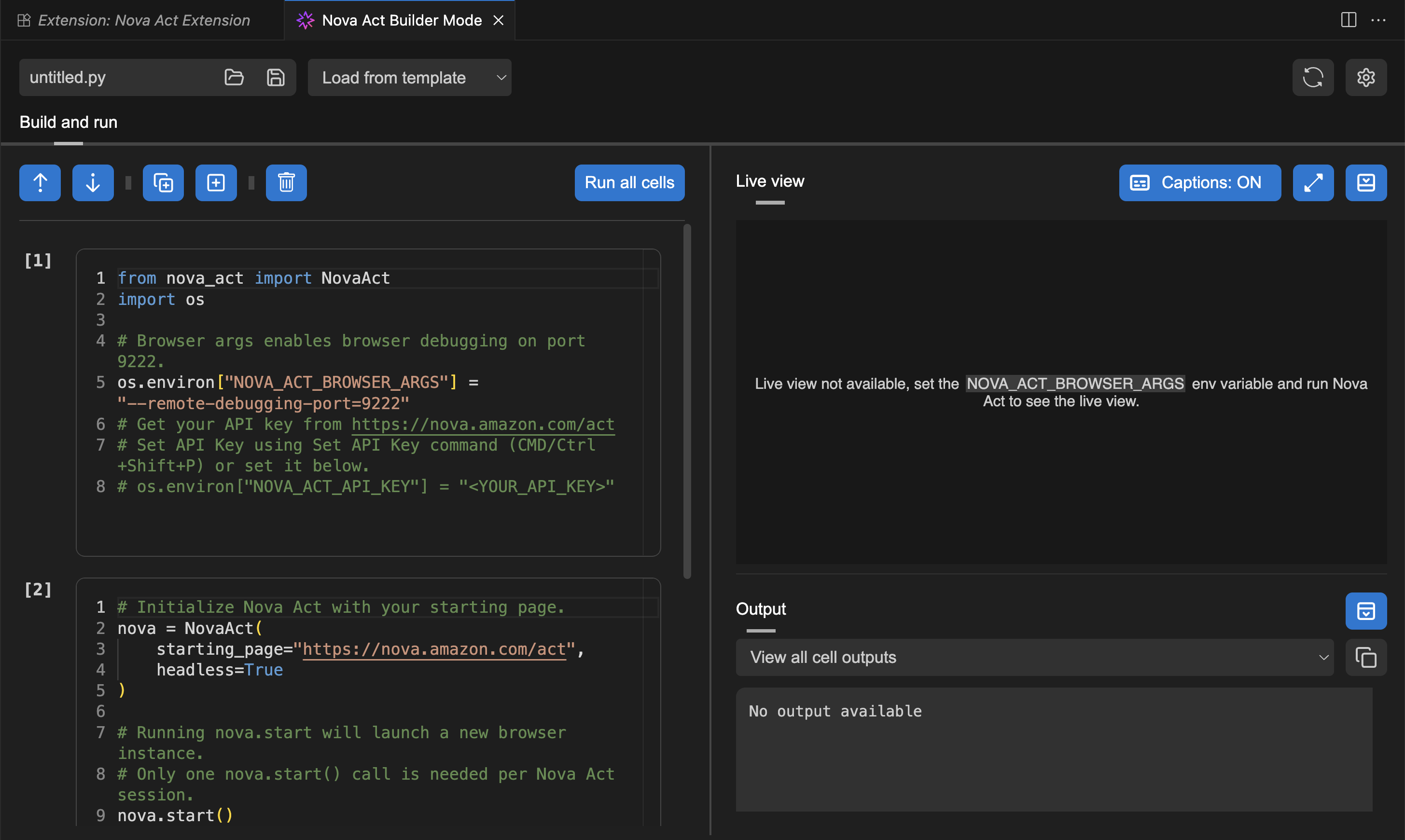
After I’ve entered my API key, I can try Builder Mode. This is a notebook-style builder mode that breaks complex automation scripts into modular cells, allowing me to test and debug each step individually before moving to the next.

Here, I can use the Nova Act SDK to build my agent. On the right side, I have a Live view panel to preview my agent’s actions in the browser and an Output panel to monitor execution logs, including the model’s thinking and actions.

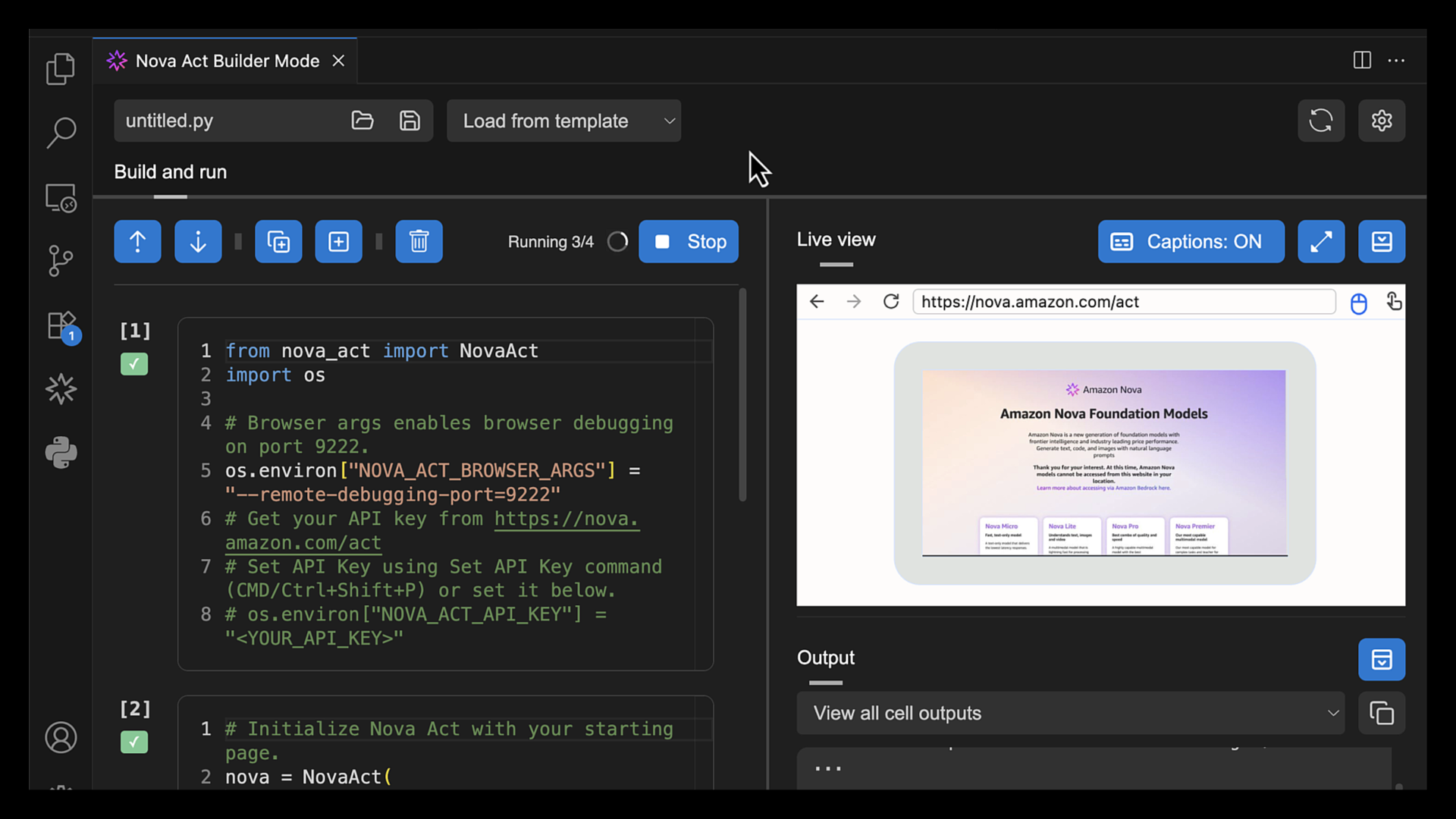
To test the Nova Act extension, I choose Run all cells. This will start a new browser instance and act based on the given prompt.

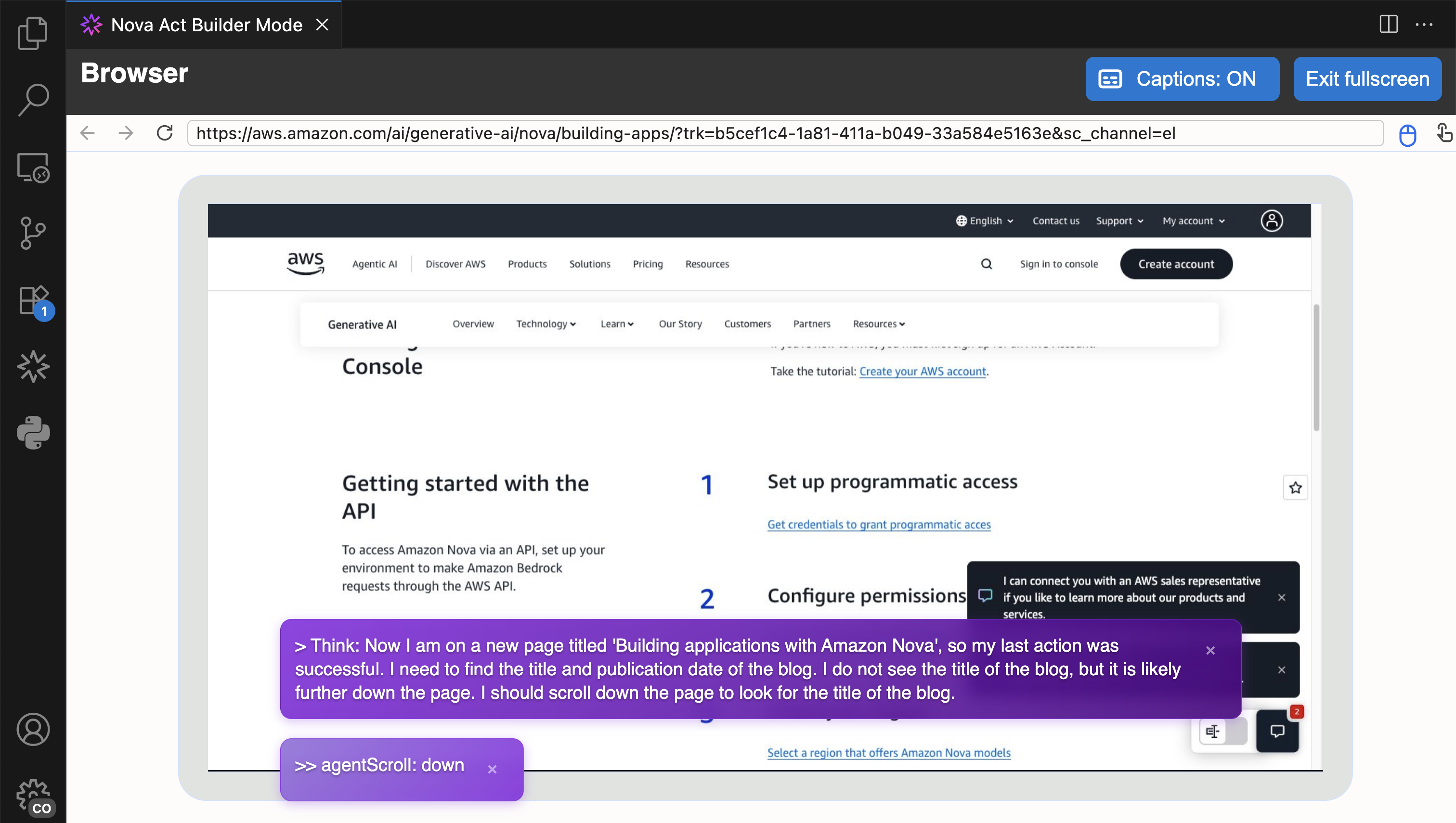
I choose Fullscreen to see how browser automation works.

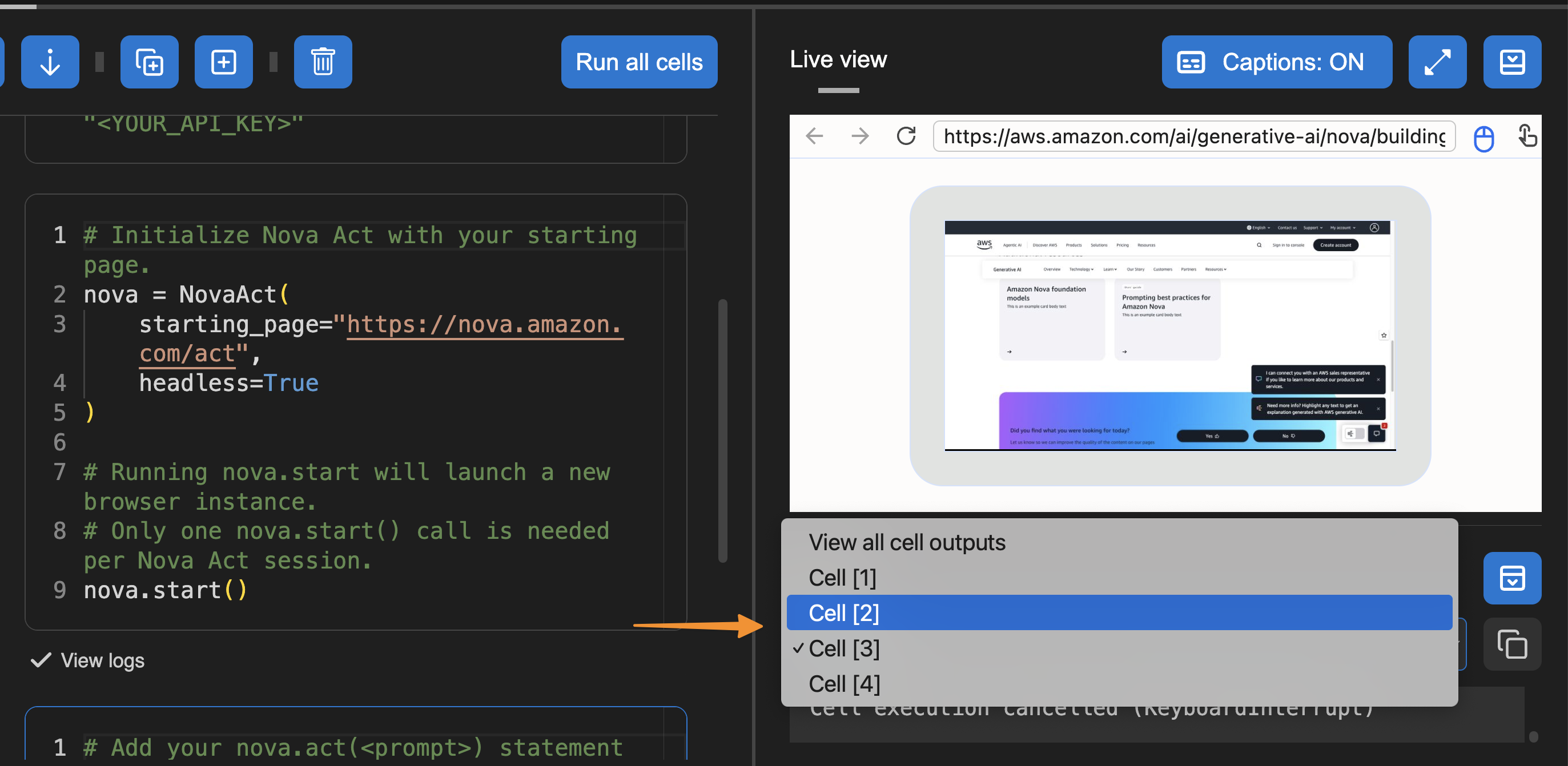
Another useful feature in Builder Mode is that I can navigate to the Output panel and select the cell to see its logs. This helps me debug or review logs specific to the cell I’m working on.

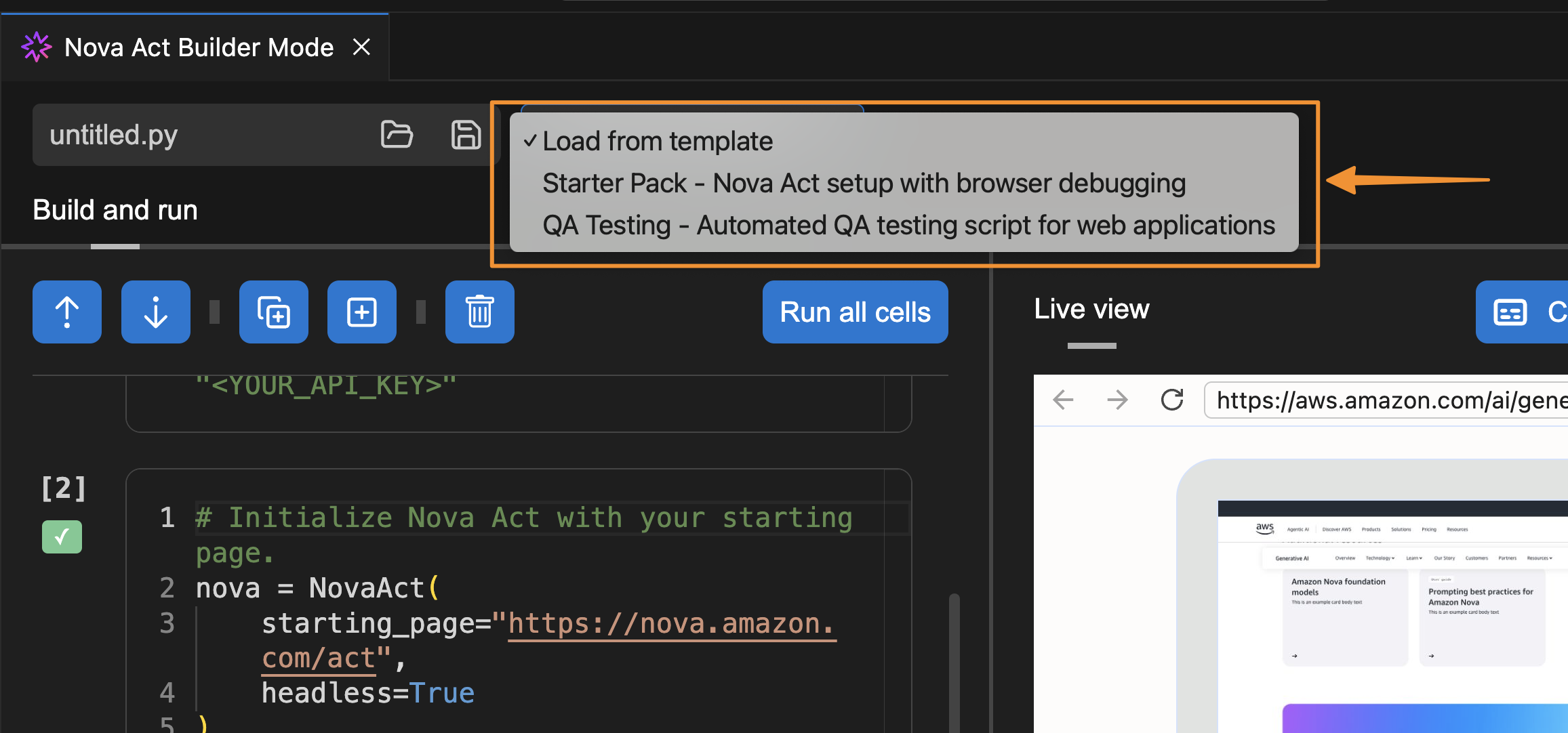
I can also select a template to get started.

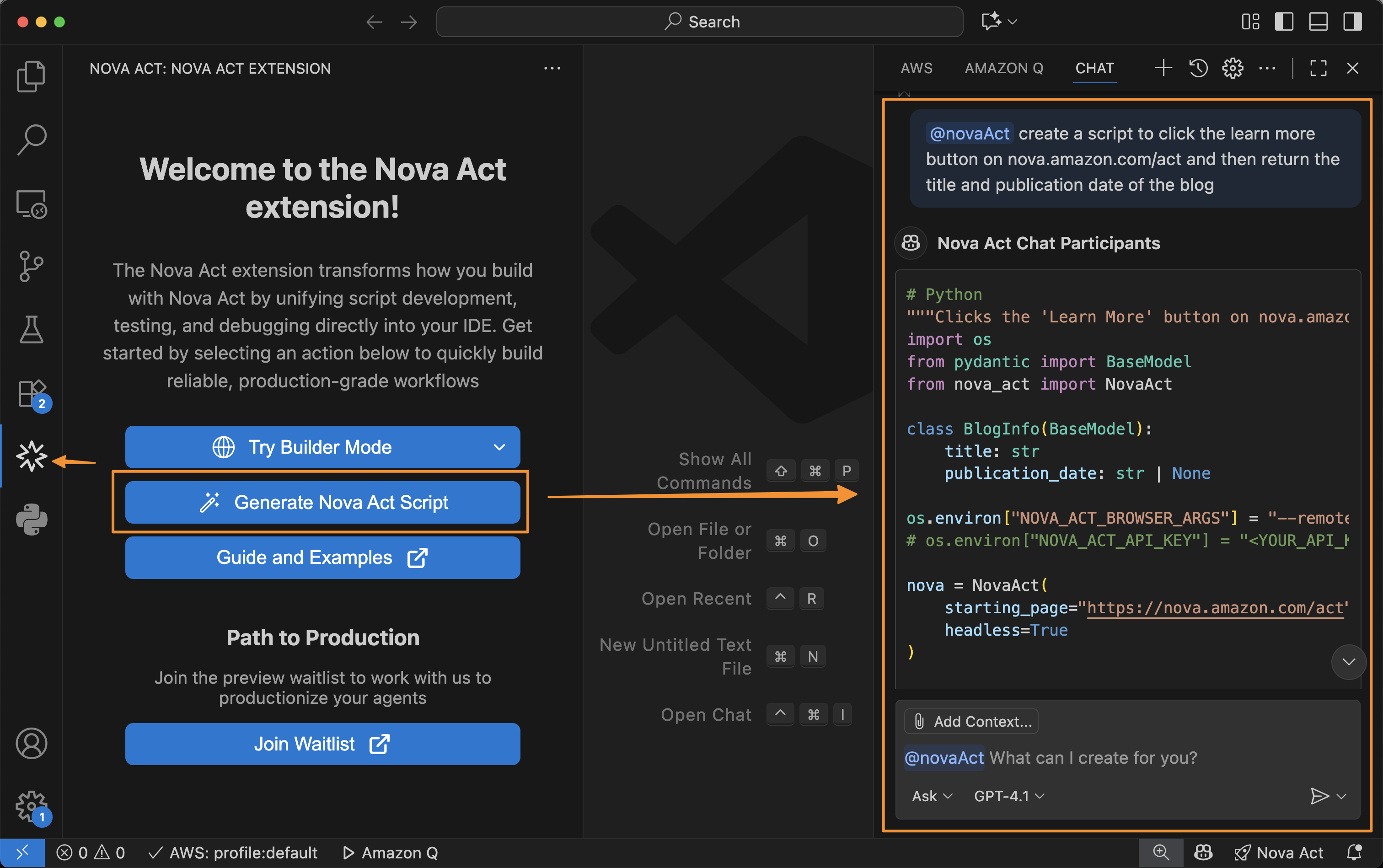
Besides using Builder Mode, I can also chat with Nova Act to create a script for me. To do that, I select the extension and choose Generate Nova Act Script. The Nova Act extension opens a chat dialog in the right panel and automatically creates a script for me.

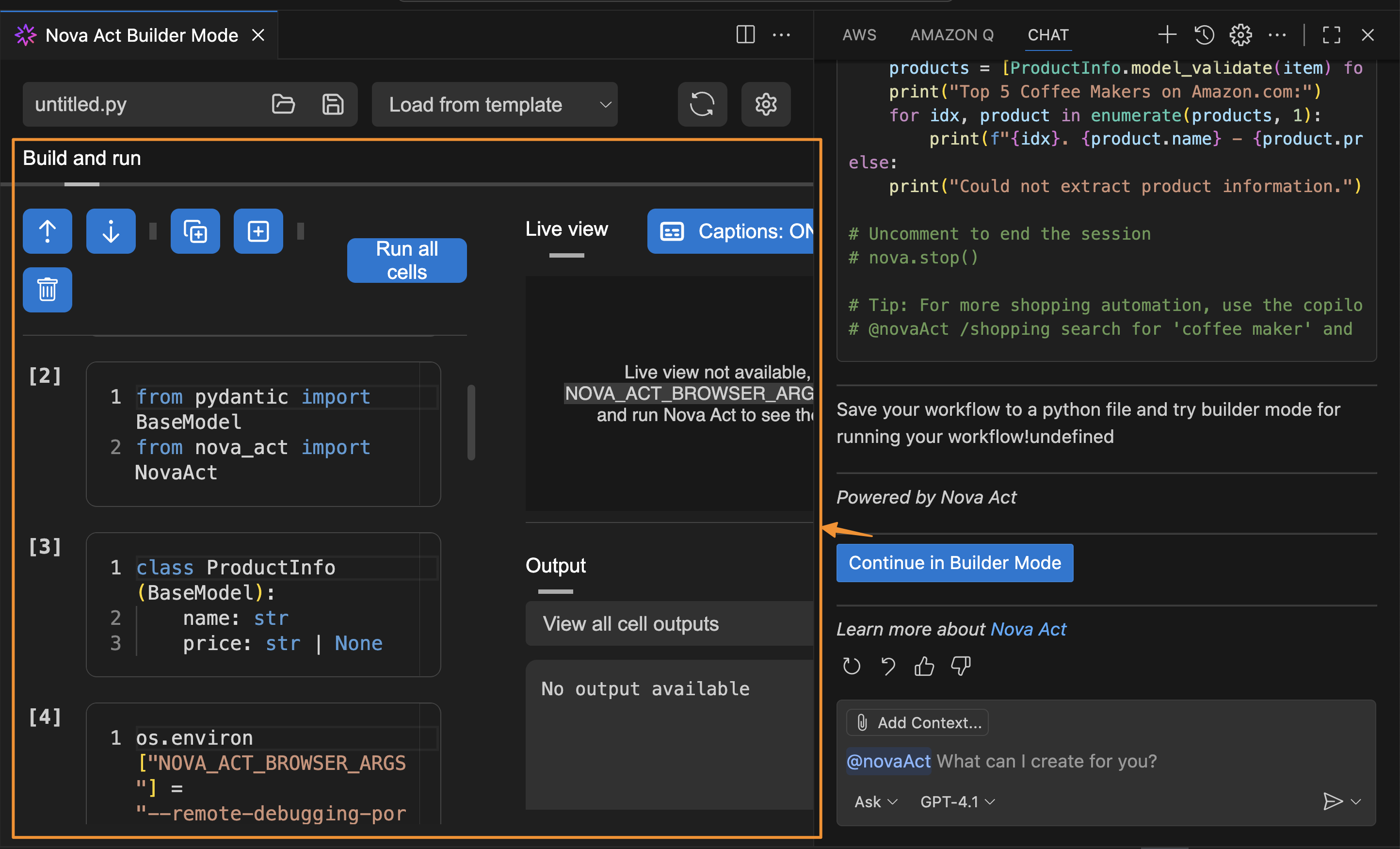
After I finish creating the script, I can choose Start Builder Mode, and the Nova Act extension will help me create a Python file in Builder Mode. This creates a seamless integration because I can switch between chat capability and Builder Mode.

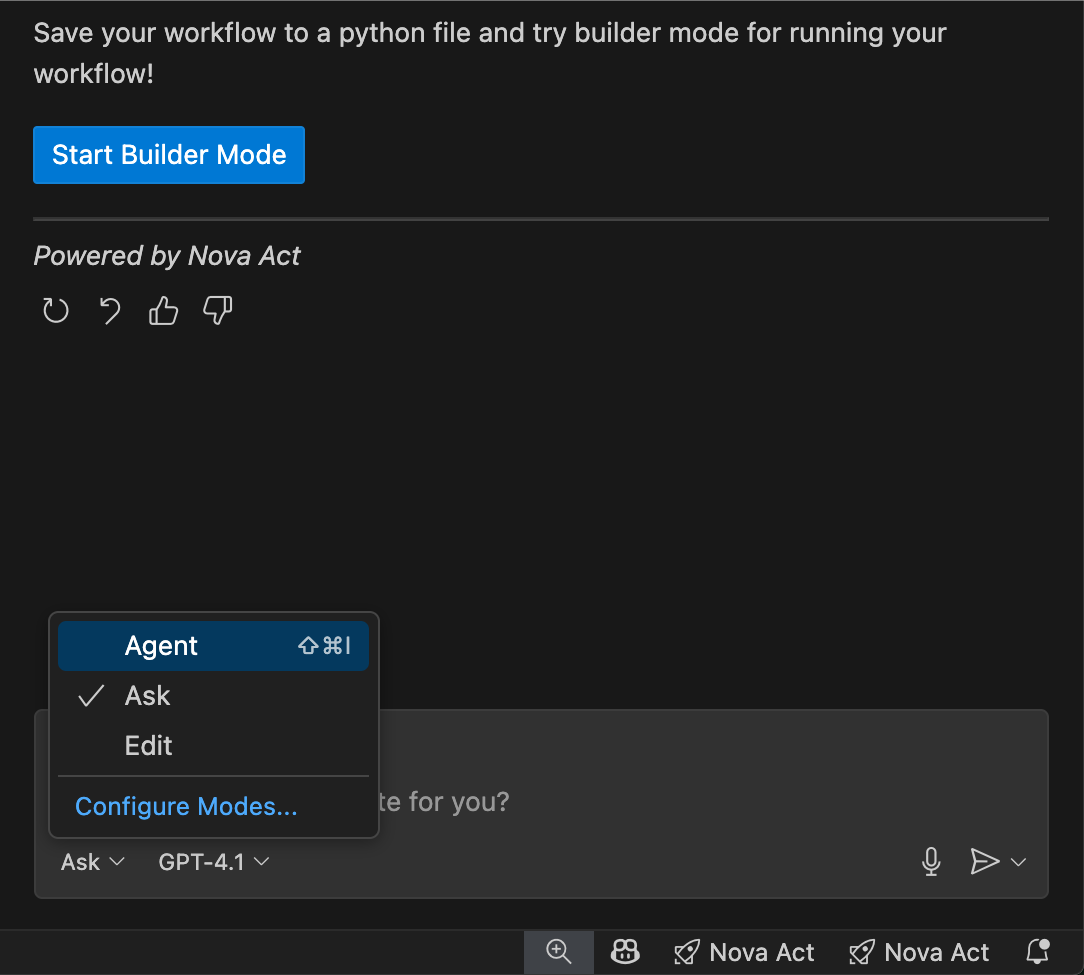
In the chat interface, I see three workflow modes available:

  • Ask: Describe tasks in natural language to generate automation scripts
  • Edit: Refine or customize generated scripts before execution
  • Agent: Run, monitor, and interact with the AI agent performing the workflow

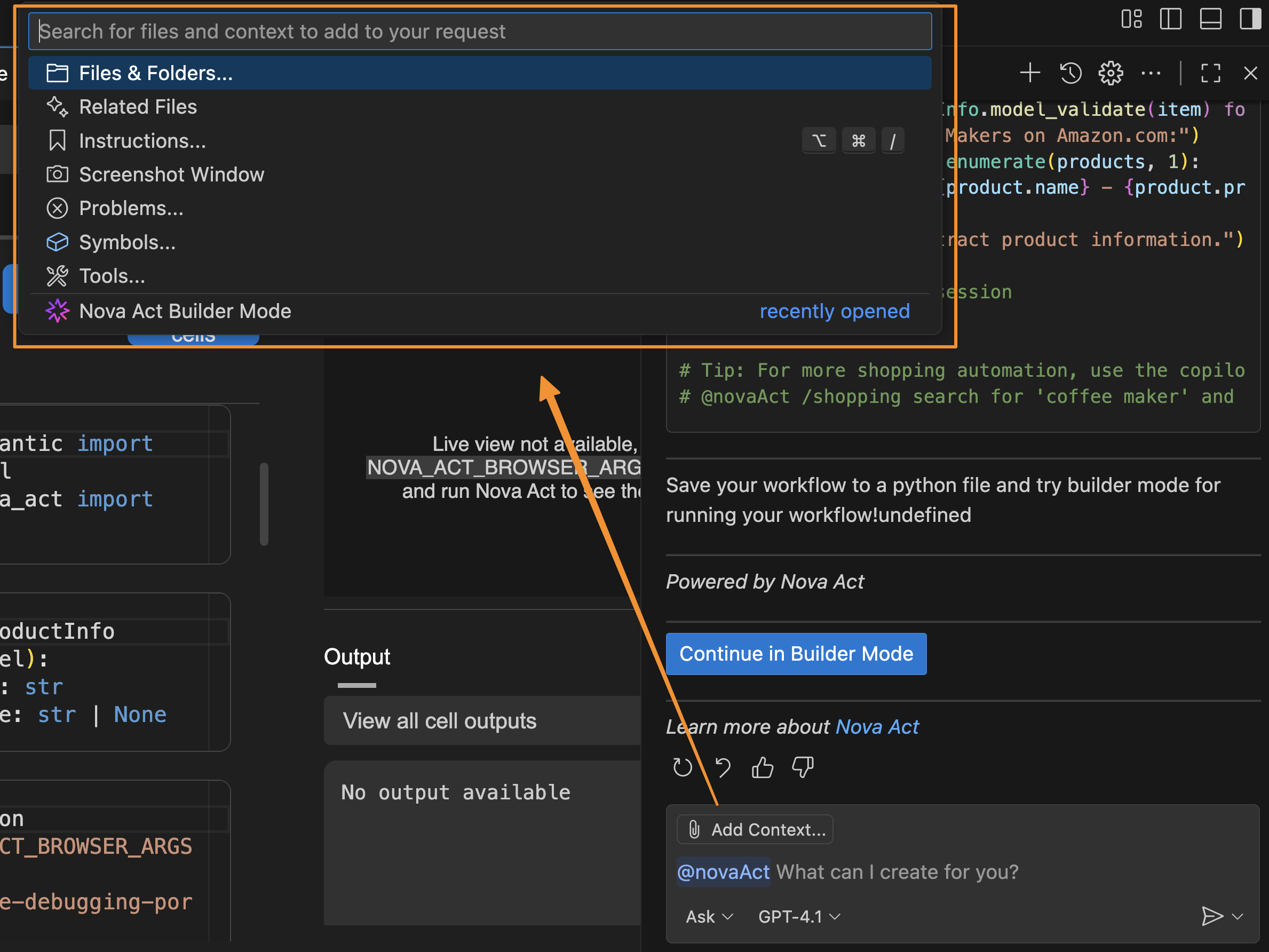
I can also add Context to provide relevant information about my active documents, instructions, problems, or additional Model Context Protocol (MCP) resources the agent can use, plus a screenshot of the current window. Providing this information helps the agent understand any specific requirements for the automation task.

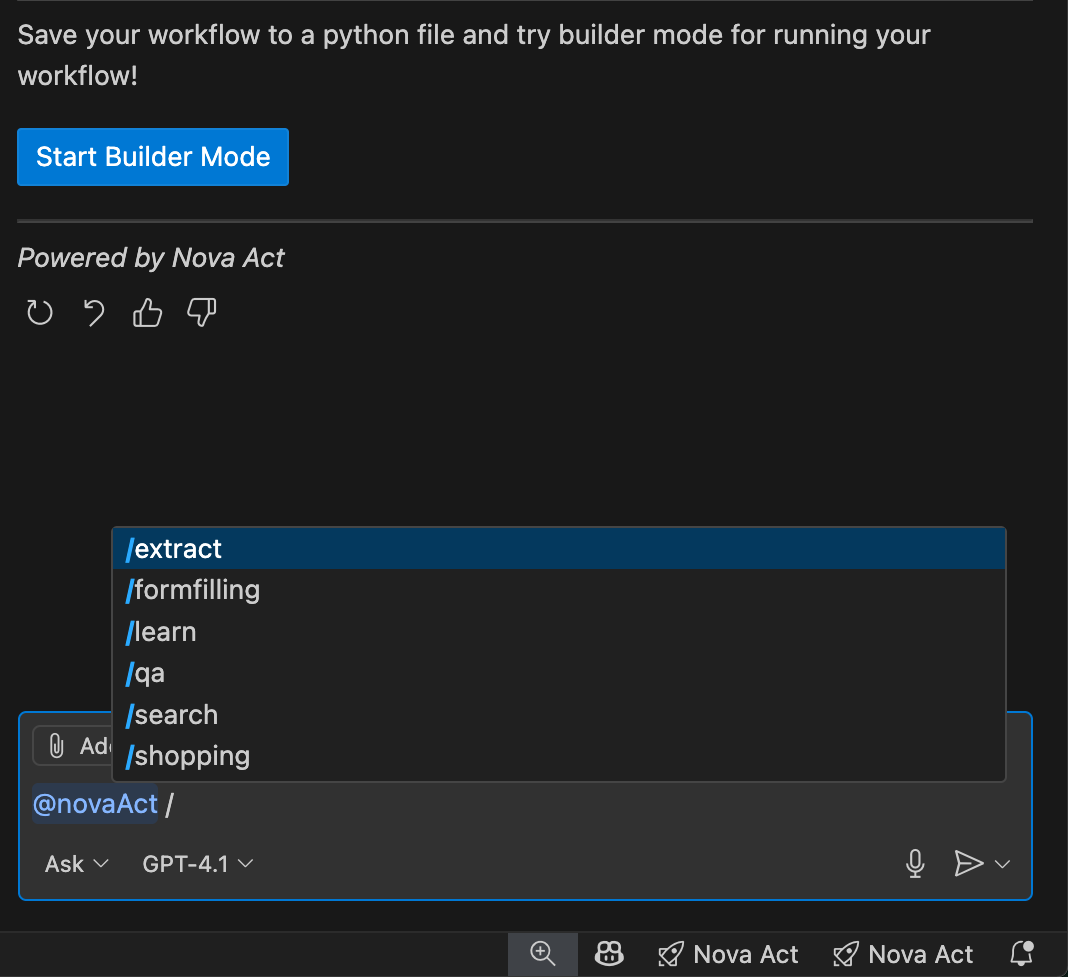
The Nova Act extension also provides a set of predefined templates that I can access by entering / in the chat. These templates are predefined automation scenarios designed to help quickly generate scripts for common web tasks.

I can use these templates (for example, @novaAct /shopping [my requirements]) to get tailored Python scripts for my workflow. At launch, Nova Act extension provides the following templates:

  • /shopping: Automates online shopping tasks (searching, comparing, purchasing)
  • /extract: Handles data extraction
  • /search: Performs search and information gathering
  • /qa: Automates quality assurance and testing workflows
  • /formfilling: Completes forms and data entry tasks

This extension transforms my agent development workflow by positioning Nova Act extension as a full-stack agent builder tool—a complete agent IDE for the entire development lifecycle. I can prototype with natural language, customize with modular scripting, and validate with local testing—all without leaving my IDE—ensuring production-grade scripts.

Things to know
Here are key points to note:

  • Supported IDEs: At launch, the Nova Act extension is available for Visual Studio Code, Cursor, and Kiro, with additional IDE support planned
  • Open source: The Nova Act extension is available under the Apache 2.0 license, allowing for community contributions and customization
  • Pricing: The Nova Act extension is available at no charge.

Get started with Nova Act extension by installing it from your IDE’s extension marketplace or visiting the GitHub repository for documentation and examples.

Happy automating!
Donnie

Enhance Amazon EMR observability with automated incident mitigation using Amazon Bedrock and Amazon Managed Grafana

Post Syndicated from Yu-Ting Su original https://aws.amazon.com/blogs/big-data/enhance-amazon-emr-observability-with-automated-incident-mitigation-using-amazon-bedrock-and-amazon-managed-grafana/

Maintaining high availability and quick incident response for Amazon EMR clusters is important in data analytics environments. In this post, we show you how to build an automated observability system that combines Amazon Managed Grafana with Amazon Bedrock to detect and remediate EMR cluster issues. We demonstrate how to integrate real-time monitoring with AI-powered remediation suggestions, combining Amazon Managed Grafana for visualization, Amazon Bedrock for intelligent response recommendations, and AWS Systems Manager for automated remediation actions on Amazon Web Services (AWS).

Solution overview

This solution helps you improve EMR cluster observability through a comprehensive four-layer architecture—comprising monitoring, notification, remediation, and knowledge management—to provide the following features:

  • Real-time monitoring of EMR clusters using Amazon Managed Service for Prometheus and Amazon Managed Grafana
  • Automated first-aid remediation through Systems Manager
  • AI-powered incident response suggestions using Amazon Bedrock
  • Integration with the AWS Premium Support knowledge base
  • Historical incident data archival and analysis

The implementation of this architecture delivers the following key benefit:

  • Reduced Mean time to resolution (MTTR)
  • Proactive incident prevention
  • Automated first-response actions
  • Knowledge base enrichment through machine learning

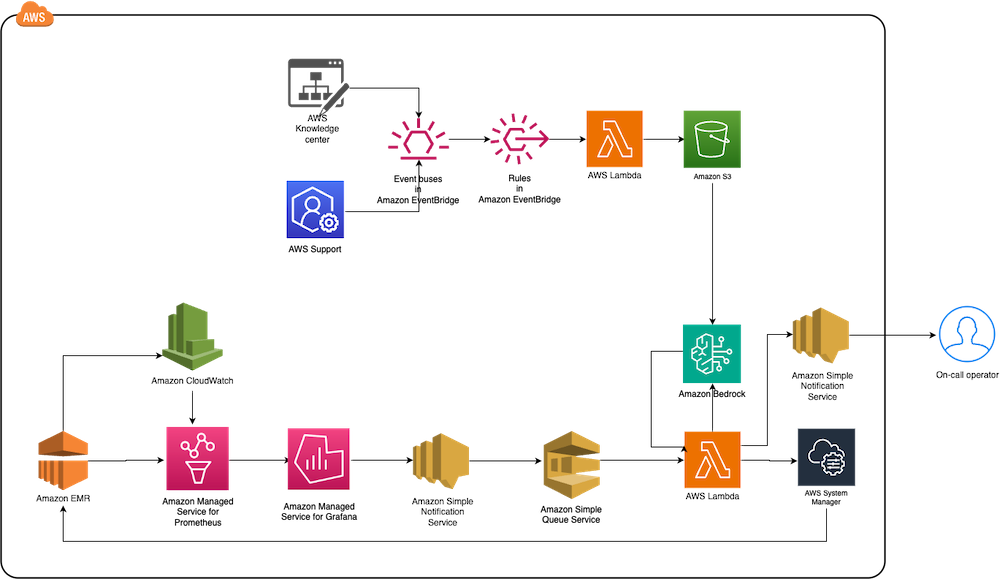
The following diagram illustrates the solution architecture.

End-to-end AWS monitoring solution diagram integrating Knowledge Center, Support, CloudWatch metrics with EventBridge rules and Lambda processing

The architecture comprises the following core components:

  • Monitoring layer – The monitoring layer uses Amazon Managed Service for Prometheus and Amazon CloudWatch to capture real-time metrics from EMR clusters. Amazon Managed Grafana serves as the visualization layer, offering comprehensive dashboards for Apache YARN, HDFS, Apache HBase, and Apache Hudi performance monitoring. Advanced alerting mechanisms trigger notifications based on predefined query results.
  • Notification layer – To provide timely and reliable alert delivery, the notification layer uses Amazon Simple Notification Service (Amazon SNS) for distribution and Amazon Simple Queue Service (Amazon SQS) for message queuing. This architecture prevents message delays and provides a robust trigger mechanism for AWS Lambda functions.
  • Remediation layer – The remediation layer enables automatic issue resolution through:
    • Lambda functions for orchestration
    • Systems Manager for script execution
    • Amazon Bedrock (amazon.nova-lite-v1:0) for generating intelligent response recommendations
  • Knowledge management layer – To maintain an up-to-date knowledge base, the solution:

We provide an AWS CloudFormation template to deploy the solution resources.

Prerequisites

Before starting this walkthrough, make sure you have access to the following AWS resources and configurations:

  • An AWS account
  • Access to the US East (N. Virginia) AWS Region
    • Add access to Amazon Bedrock foundation models (amazon.nova-lite-v1:0)

  • Amazon EMR version 6.15.0 (used in this demo)
  • Archived technical or troubleshooting articles
  • AWS IAM Identity Center enabled with at least one role that can become a Grafana administrator
  • (Optional) AWS Premium Support with a business support plan or higher for enhanced troubleshooting capabilities

Throughout this walkthrough, we provide detailed instructions to set up and configure these prerequisites if you haven’t already done so.

Configure resources using AWS CloudFormation

Complete the following steps to configure your resources:

  1. Launch the CloudFormation stack:

launch stack

  1. Provide emrobservability as the stack name.
  2. Select a virtual private cloud (VPC) and assign a public subnet.
  3. For EMRClusterName, enter a name for your cluster (default: emrObservability).
  4. Enter an existing Amazon S3 location as the Apache HBase root directory location (for example, s3://mybucket/my/hbase/rootdir/).
  5. For MasterInstanceType and CoreInstanceType, enter your instance types (default: m5.xlarge for both).
  6. For CoreInstanceCount, enter your instance count (default: 2).
  7. For SSHIPRange, use CheckIp and enter your IP (for example, 10.1.10/32).
  8. Choose the release label (default: 6.15.0).
  9. For KeyName, enter a key name to SSH to Amazon Elastic Compute Cloud (Amazon EC2) instances.
  10. For LatestAmiId, enter your AMI (default: /aws/service/ami-amazon-linux-latest/amzn2-ami-hvm-x86_64-gp2).
  11. For KBS3Bucket, enter a name for your S3 bucket (for example, mykbbucket).
  12. For SubscriptionEndpoint, enter an email address to receive notifications and responses (for example, [email protected]).

Accept subscription confirmation

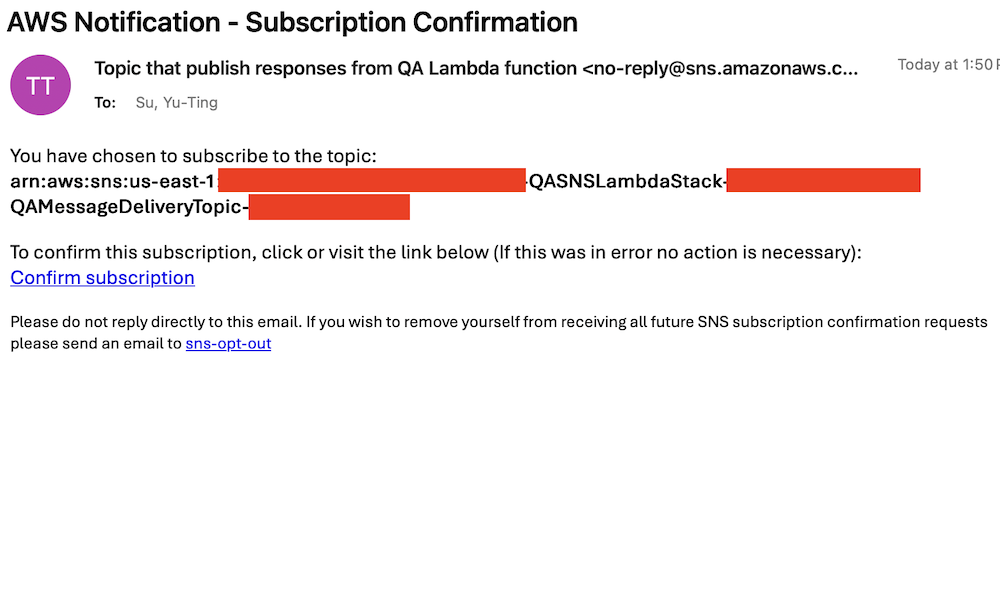
Accept the subscription confirmation sent to the email address you specified in the CloudFormation stack parameters. The following screenshot shows an example of the email you receive.

AWS email confirmation for SNS topic subscription to QA Lambda function responses with opt-out instructions

Prepare the knowledge base

Complete the following steps to populate the S3 bucket with archived technical articles and cases:

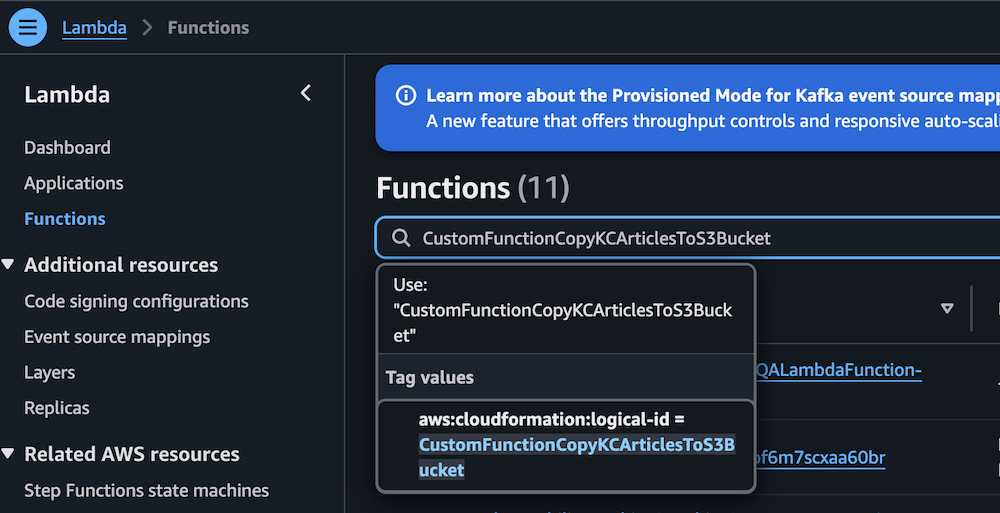
  1. On the Lambda console, choose Functions in the navigation pane.
  2. Choose the function CustomFunctionCopyKCArticlesToS3Bucket.

AWS Lambda console displaying Functions page with CustomFunctionCopyKCArticlesToS3Bucket function details

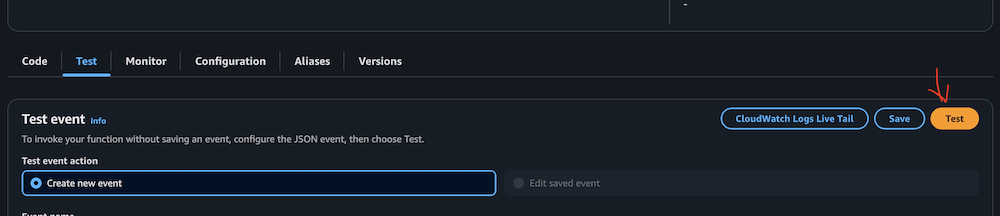
  1. Manually invoke the function by choosing Test on the Test tab.

AWS Lambda Test tab interface with event configuration options

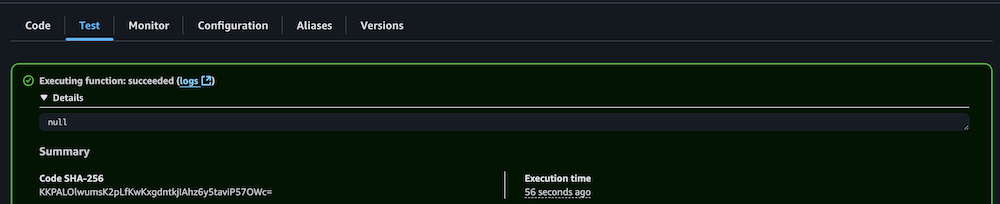
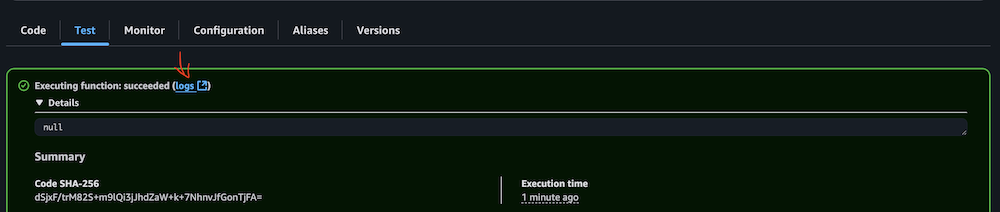
  1. Verify successful execution by checking the CloudWatch logs.

AWS Lambda successful function execution result with null output

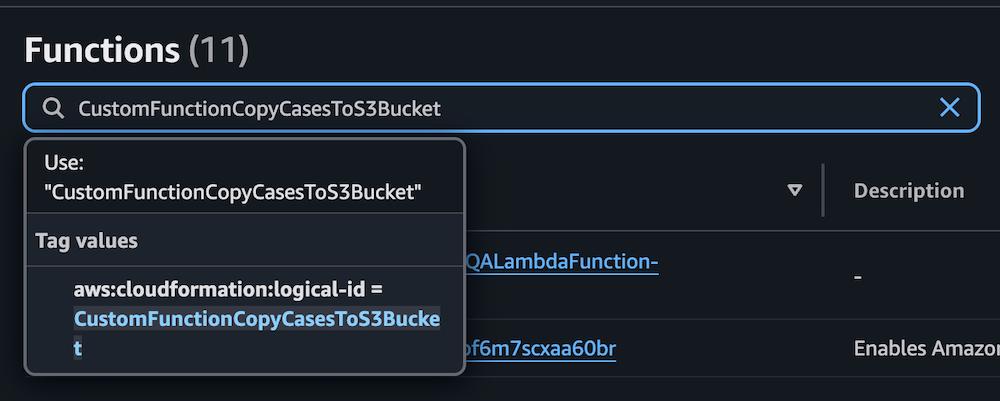
  1. Repeat the process for the Lambda function CustomFunctionCopyCasesToS3Bucket.

Lambda function interface displaying CustomFunctionCopyCasesToS3Bucket configuration with CloudFormation ID and description panel

AWS Lambda test interface showing Test event configuration options and action buttons

AWS Lambda function execution success message with null response and SHA-256 code

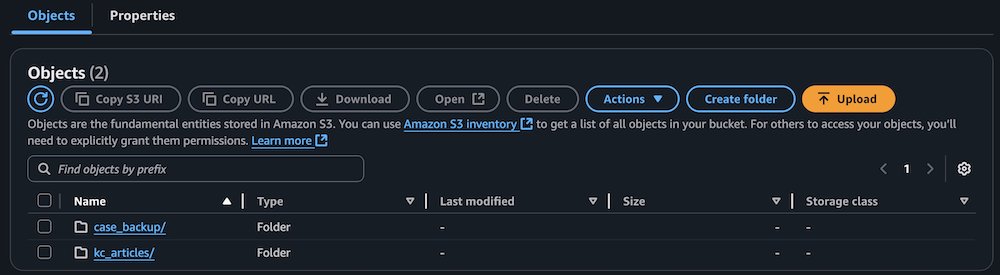
  1. Confirm the S3 bucket has been populated with archived technical articles and cases.

Amazon S3 bucket interface showing two folders with action buttons and search functionality

Sync data to the Amazon Bedrock knowledge base

Complete the following steps to sync the data to your knowledge base:

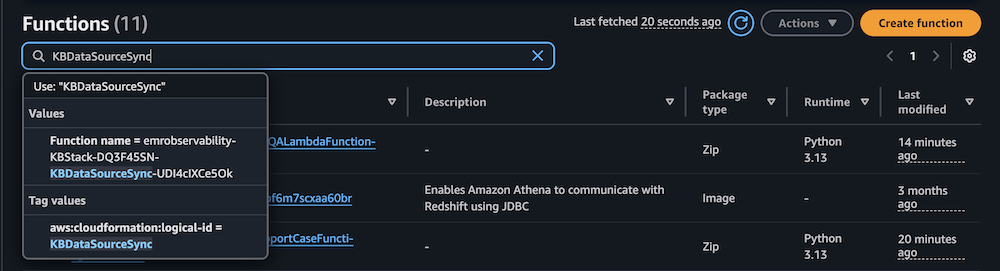
  1. On the Lambda console, choose Functions in the navigation pane.
  2. Choose the function KBDataSourceSync.

AWS Lambda console displaying filtered functions with CloudFormation tags, Python runtime versions, and modification timestamps

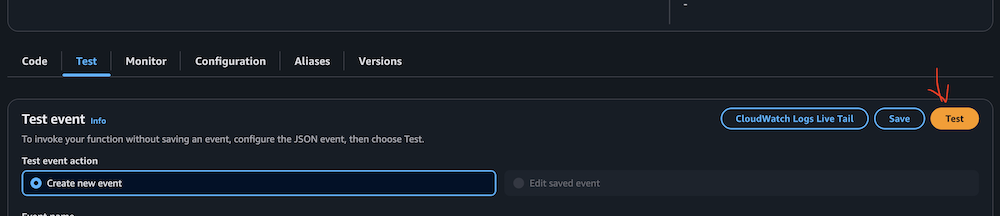
  1. Manually invoke the function by choosing Test on the Test tab.

This task might take 10–15 minutes to complete.

AWS Lambda console test configuration panel with CloudWatch integration and event creation controls

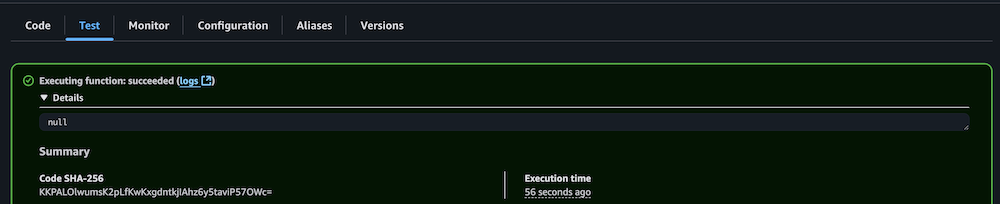
  1. Verify successful execution by checking the CloudWatch logs.

Lambda function execution results showing successful completion status and details

Configure your Amazon Managed Grafana workspace

Complete the following steps to configure your Amazon Managed Grafana workspace:

  1. On the Amazon Managed Grafana console, choose Workspaces in the navigation pane.
  2. Open your workspace.
  3. Choose Assign new user or group.

Amazon Grafana workspace showing IAM configuration notice and user assignment button

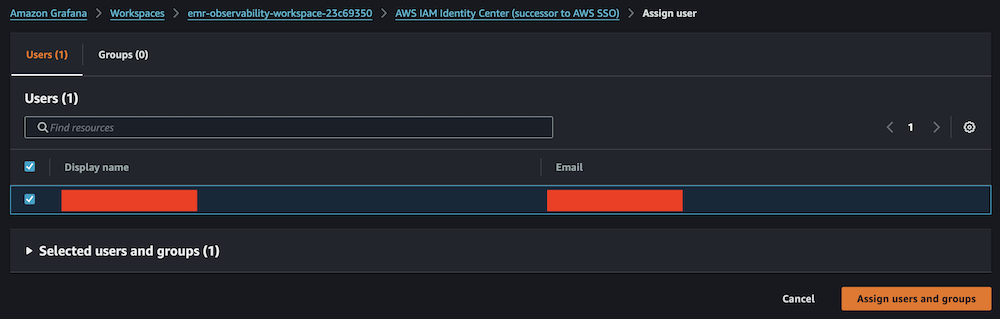
  1. Select your IAM Identity Center role and choose Assign users and groups.

Amazon Grafana IAM Identity Center user assignment panel with search and selection controls

  1. On the Admin dropdown menu, choose Make admin.

Amazon Grafana user list showing assigned viewer with admin action options

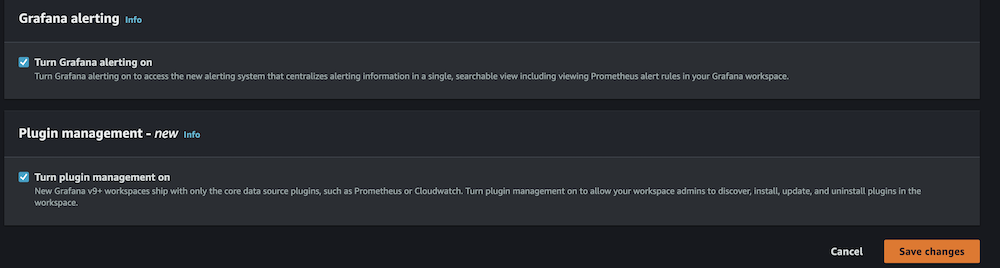
  1. Enable Grafana alerting, then choose Save changes.

Amazon Grafana alerting configuration panel showing disabled status with navigation tabs and edit button

Amazon Grafana configuration panel showing enabled alerting and plugin management settings

  1. Wait 10 minutes for the workspace to become active.
  2. When it’s active, sign in to the Grafana workspace. (For more information, refer to Connect to your workspace.)

Configure data sources

Add and configure the following data sources:

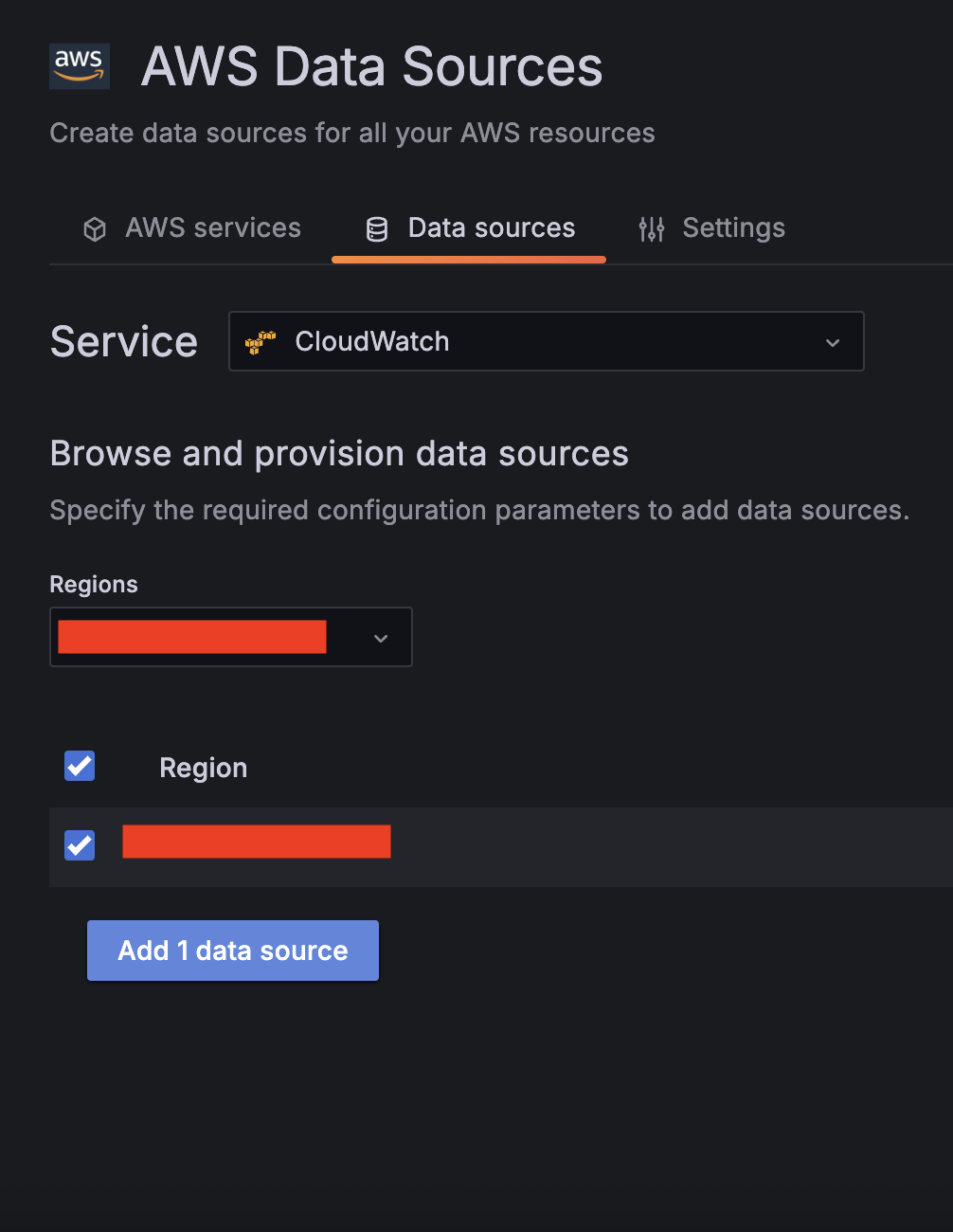
  1. For Service, choose CloudWatch, then select your Region and add CloudWatch as a data source.

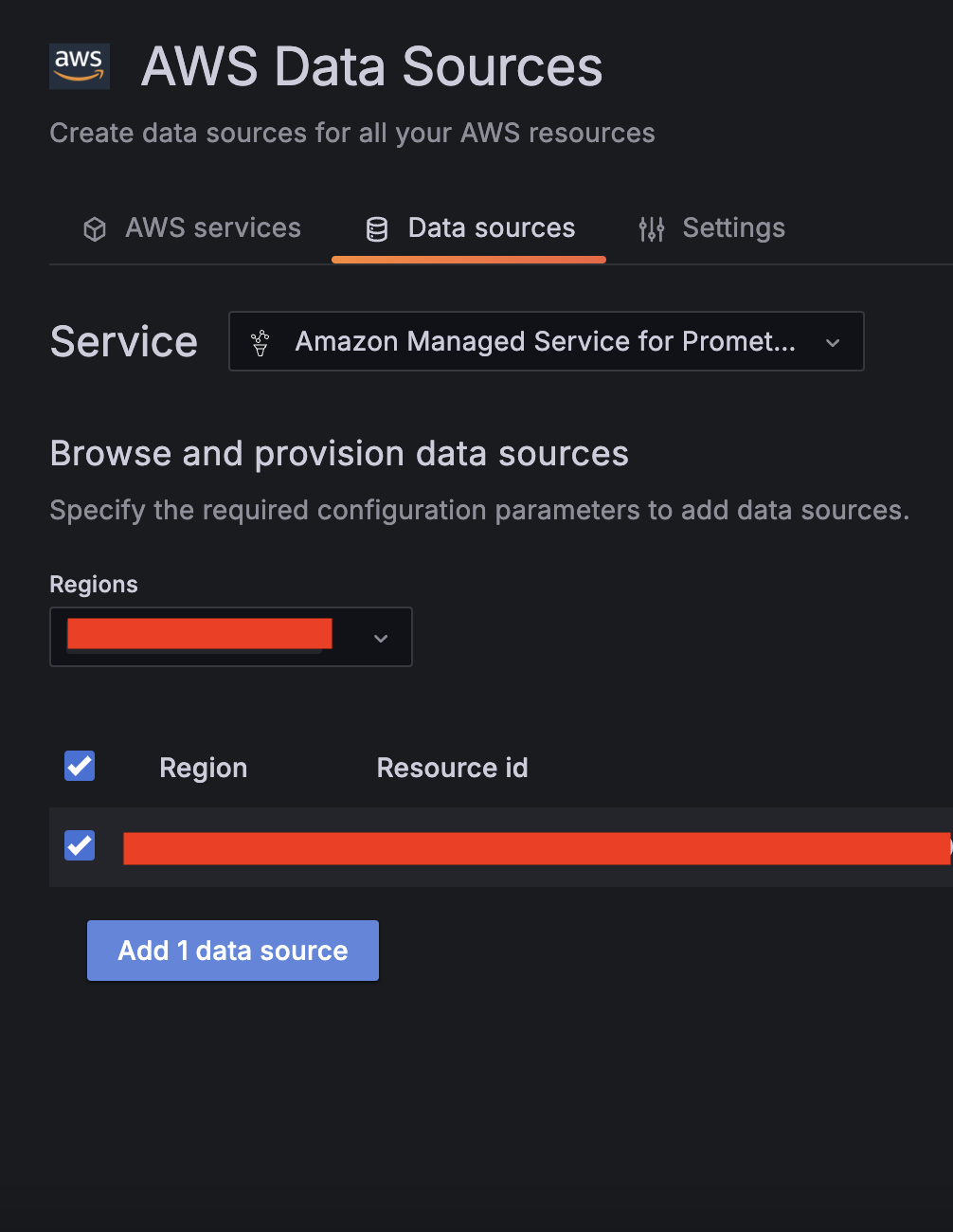
  1. Choose Amazon Managed Service for Prometheus as a second data source and select your Region.

  1. Validate CloudWatch connectivity:
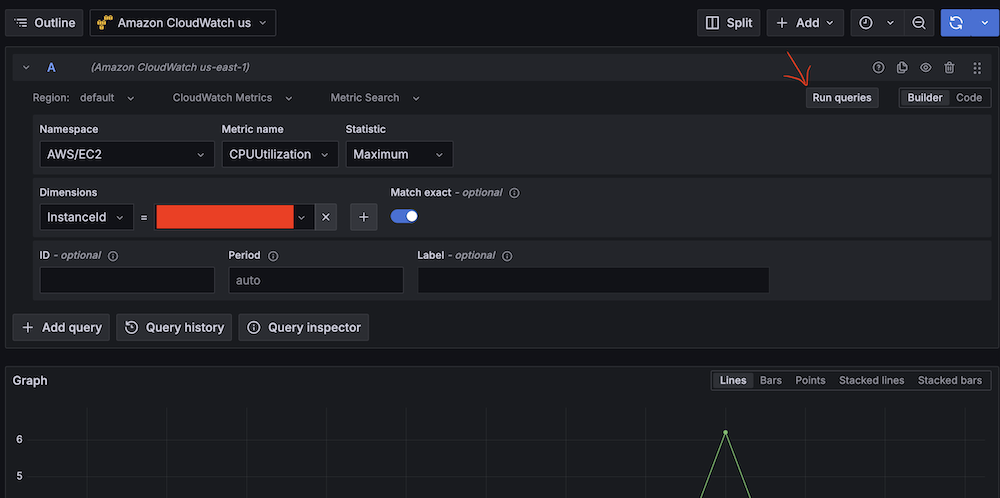
    1. Run test queries (for example, Namespace: AWS/EC2, Metric name: CPUUtilization, Statistic: Maximum).
      Amazon Managed Gragana interface showing CPU utilization query setup for EC2 instance.
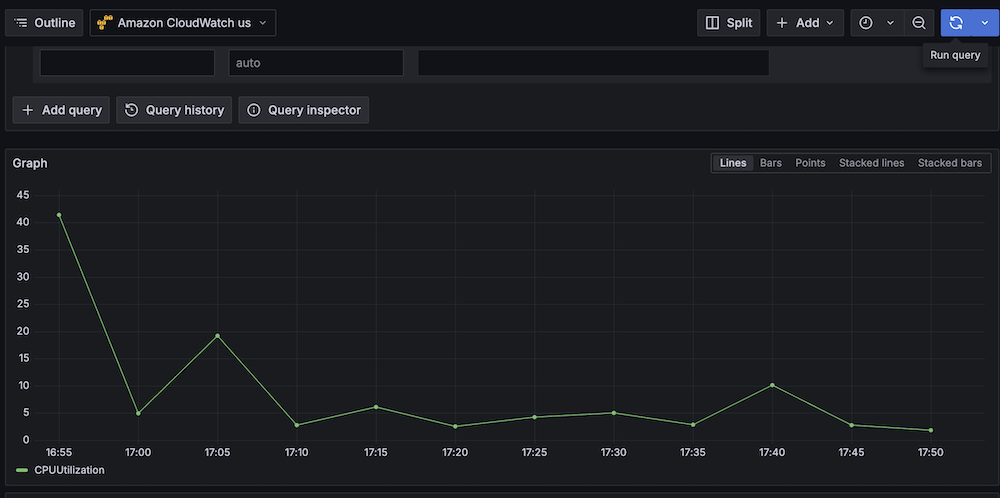
    2. Verify CloudWatch metric retrieval.
      Line graph showing CPU utilization over time with peak at 40%.
  1. Validate Amazon Managed Service for Prometheus connectivity:
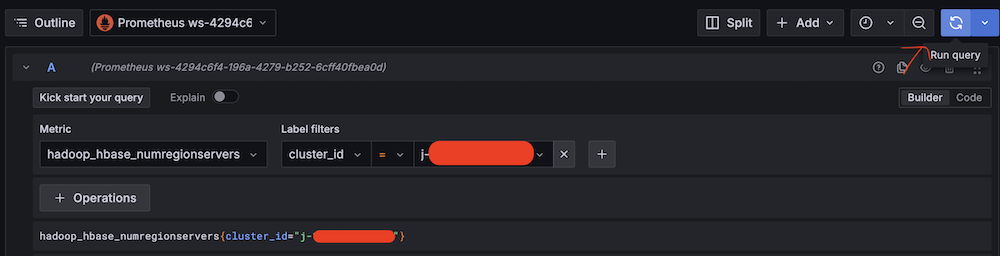
    1. Run test queries (for example, Metric: hadoop_hbase_numregionservers, Label filters: cluster_id = <Amazon EMR cluster ID>).
      Amazon Managed Grafana query interface showing Hadoop HBase metric configuration.
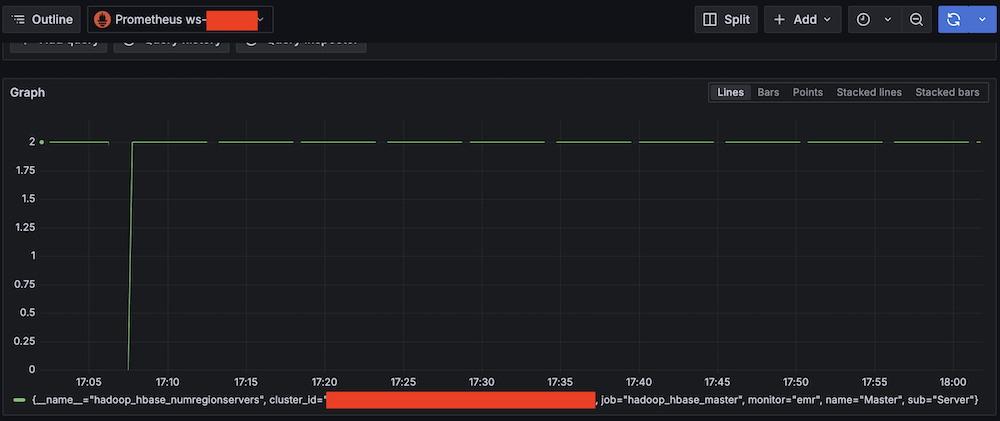
    2. Verify Prometheus metric retrieval.
      Amazon Managed Grafana monitoring dashboard showing a graph with HBase Region Server amount from 0 to 2

Confirm SNS notification channels

Complete the following steps to confirm your SNS notification is set up:

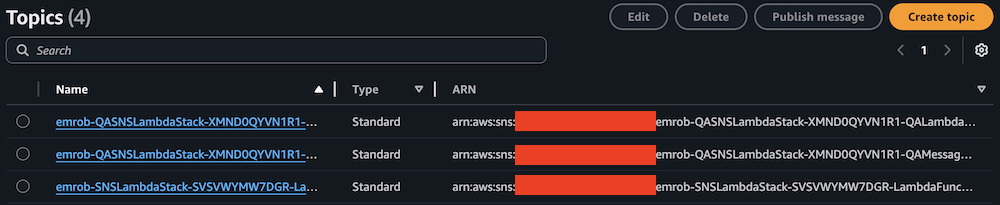
  1. On the Amazon SNS console, choose Topics in the navigation pane.
  2. Locate and note the ARNs for -LambdaFunctionTopic and -QALambdaFunctionTopic.

AWS SNS Topics list showing 4 topics with names, types, and ARNs

AWS SNS Topics console showing filtered search results for "LambdaFunctionTopic"

AWS SNS Topics console showing filtered search results for "QALambdaFunctionTopic"

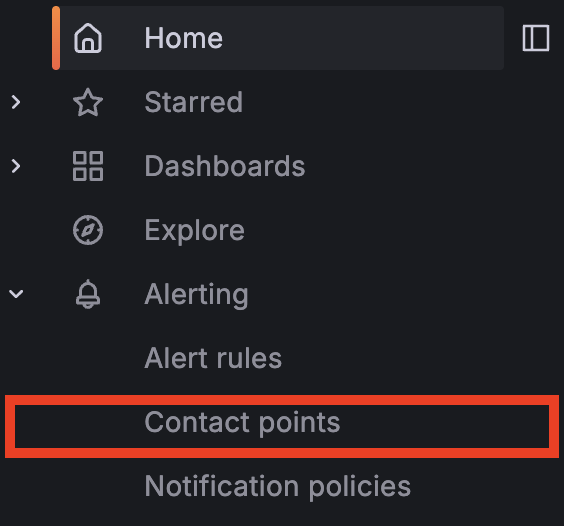
  1. Choose Contact points under Alerting.

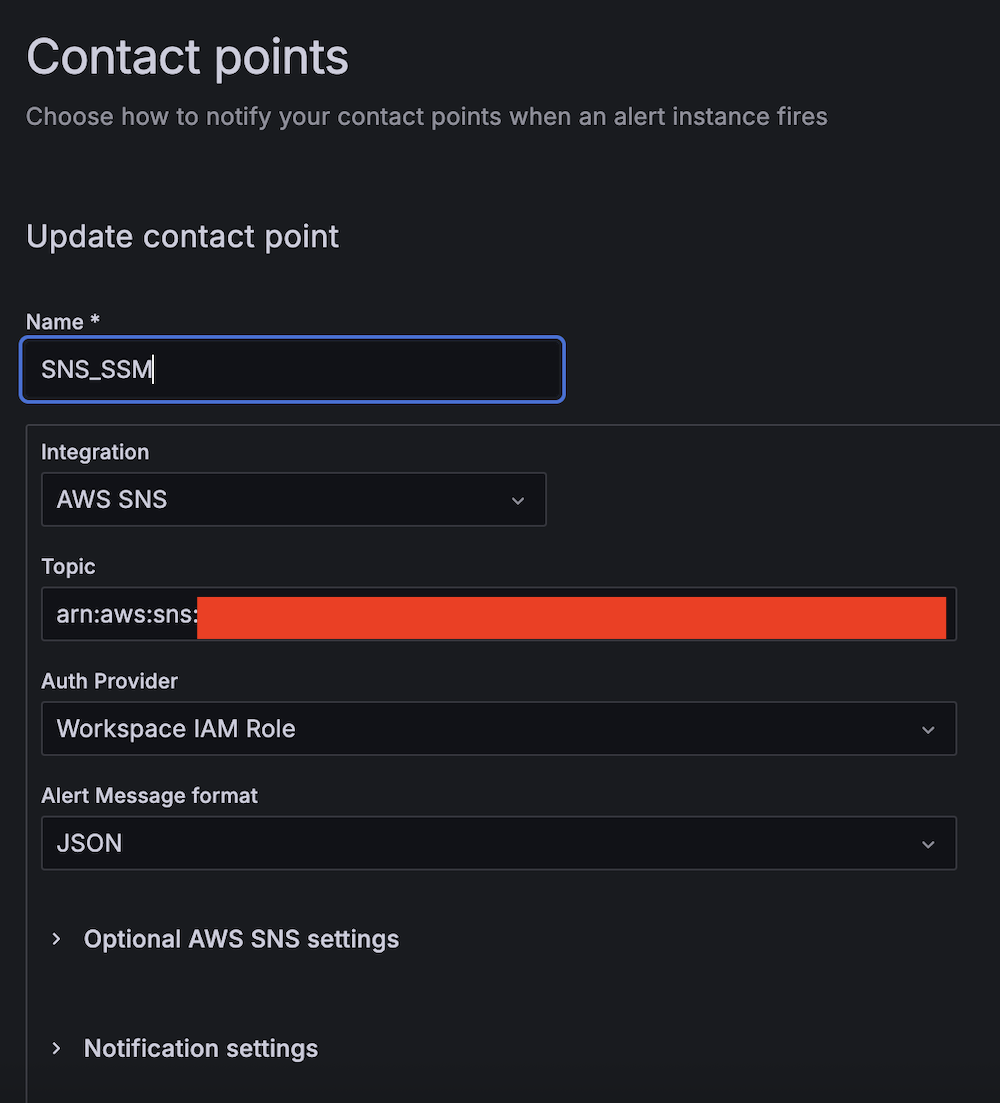
  1. Create the first contact point:
    1. For Name, enter SNS_SSM.
    2. For Integration, choose AWS SNS.
    3. For Topic, enter the ARN for LambdaFunctionTopic.
    4. For Auth Provider, choose Workspace IAM role.
    5. For Alert Message format, choose JSON.

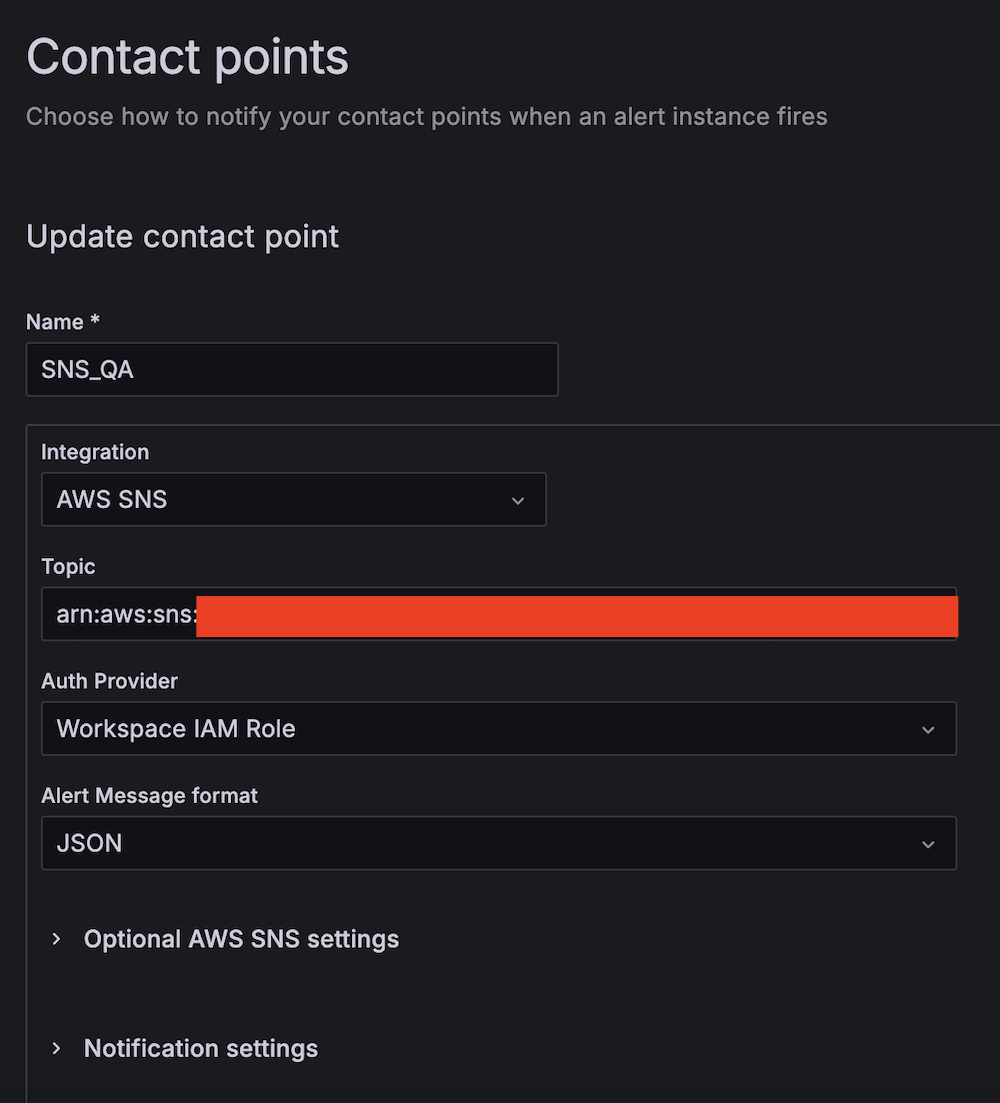
  1. Create the second contact point:
    1. For Name, enter SNS_QA.
    2. For Integration, choose AWS SNS.
    3. For Topic, enter the ARN for QALambdaFunctionTopic.
    4. For Auth Provider, choose Workspace IAM role.
    5. For Alert Message format, choose JSON.

Create alert rules

Complete the following steps to set up two critical alert rules:

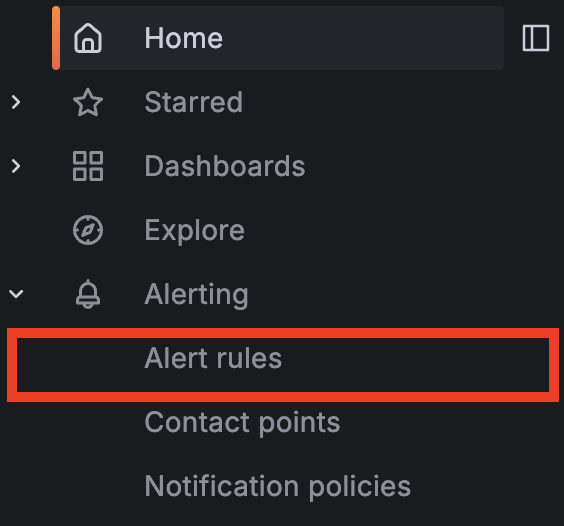
  1. Choose Alert rules under Alerting.

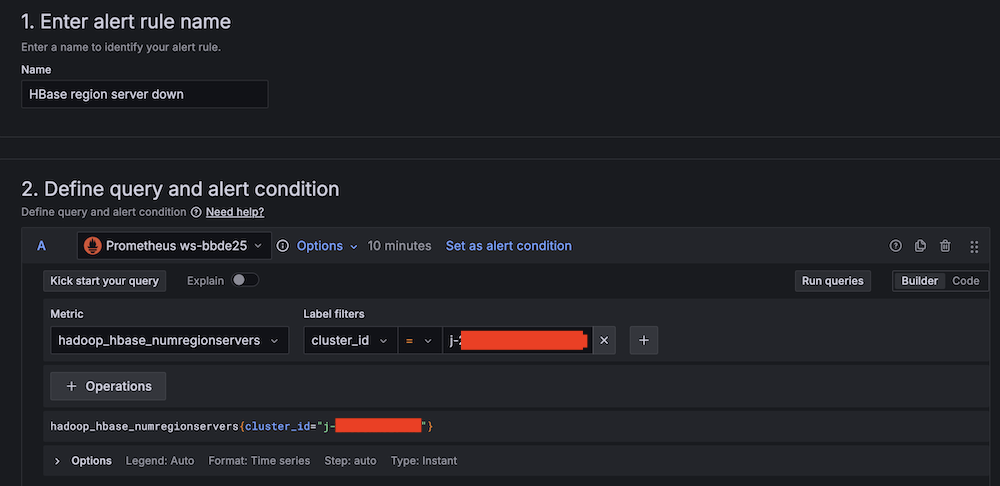
  1. Set up alerting if the Apache HBase region server status is abnormal:
    1. For Alert name, enter HBase region server down.
    2. For Data source, choose Amazon Managed Service for Prometheus.
    3. For Metric, choose hadoop_hbase_numregionservers.
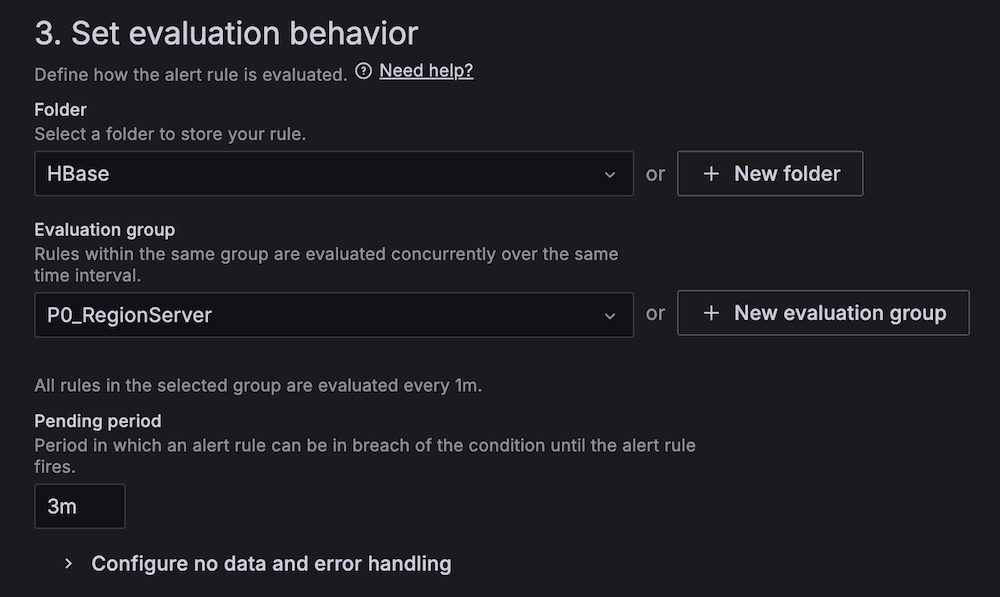
      Alert rule configuration interface for HBase region server monitoring
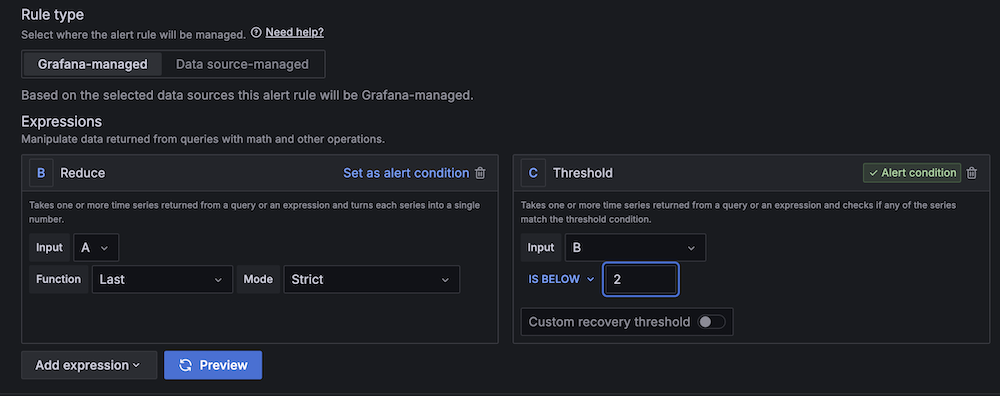
    4. For Threshold, configure to alert if the region server count is less than 2 for 3 minutes.
      Amazon Managed Grafana alert rule configuration interface with expressions setup
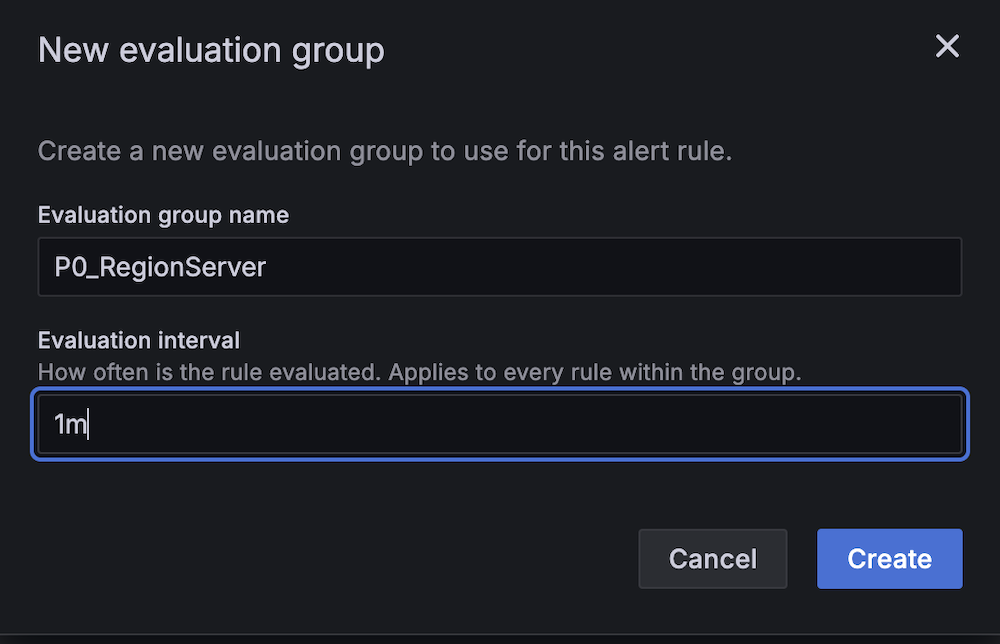
    5. For Evaluation interval, set to 1 minute.
      New evaluation group creation modal showing P0_RegionServer name input and 1m interval settingHBase alert configuration panel showing P0_RegionServer group and 3m pending period
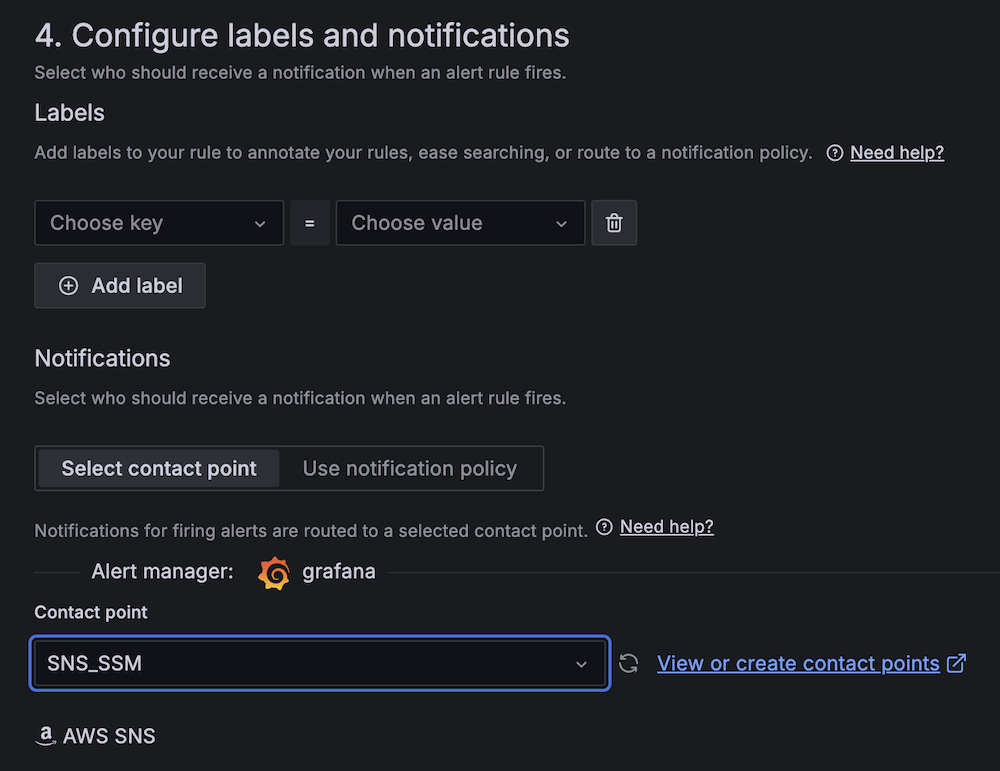
    6. For Contact point, choose SNS_SSM.
      Amazon Managed Grafana alert configuration interface showing labels and notifications setup with AWS SNS integration
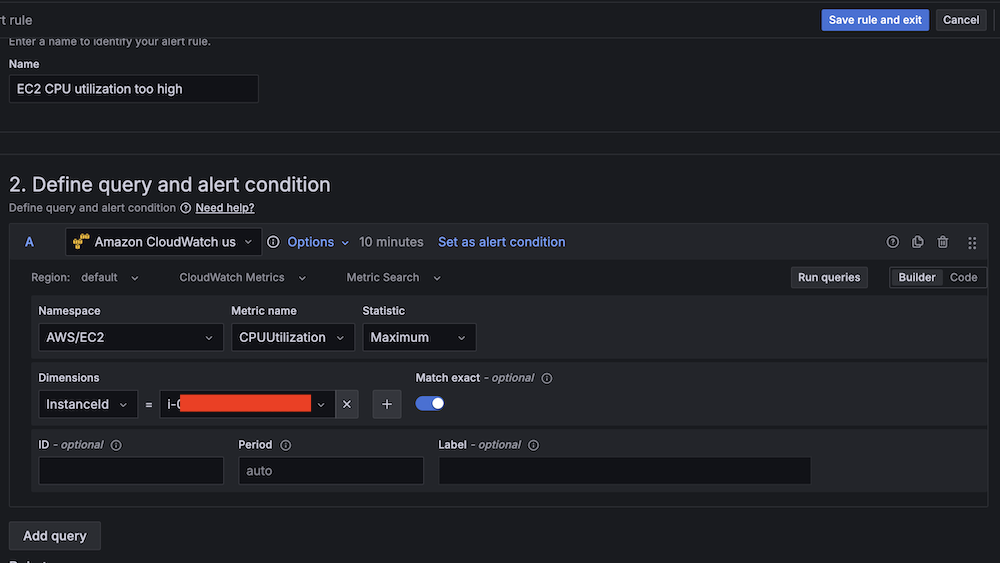
  1. Create a second alert for if Amazon EC2 CPU utilization is abnormal:
    1. For Alert name, enter EC2 CPU utilization too high.
    2. For Data source, choose Amazon CloudWatch.
    3. For Namespace, choose AWS/EC2.
    4. For Metric name, choose CPUUtilization
    5. For Statistic, choose Maximum.
      Amazon CloudWatch query interface for setting up EC2 CPU utilization alert conditions
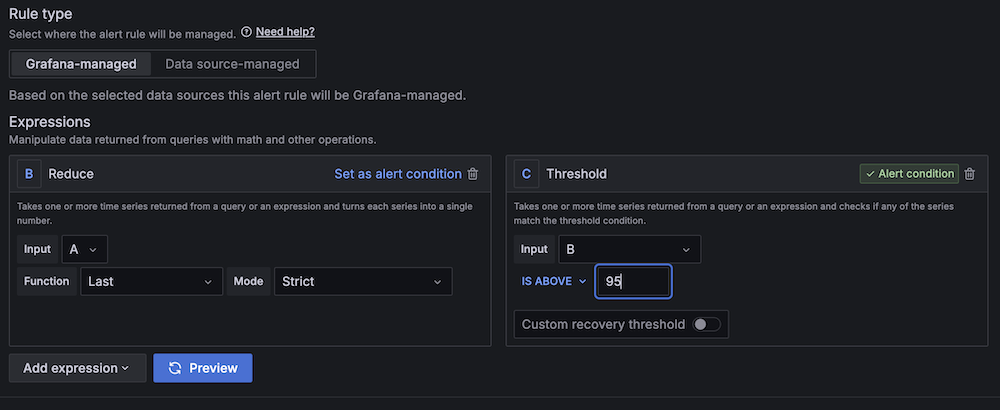
    6. For Threshold, configure to alert if CPU utilization is more than 95% for 3 minutes.
      Amazon Managed Grafana alert interface with Reduce and Threshold expressions for alert condition management
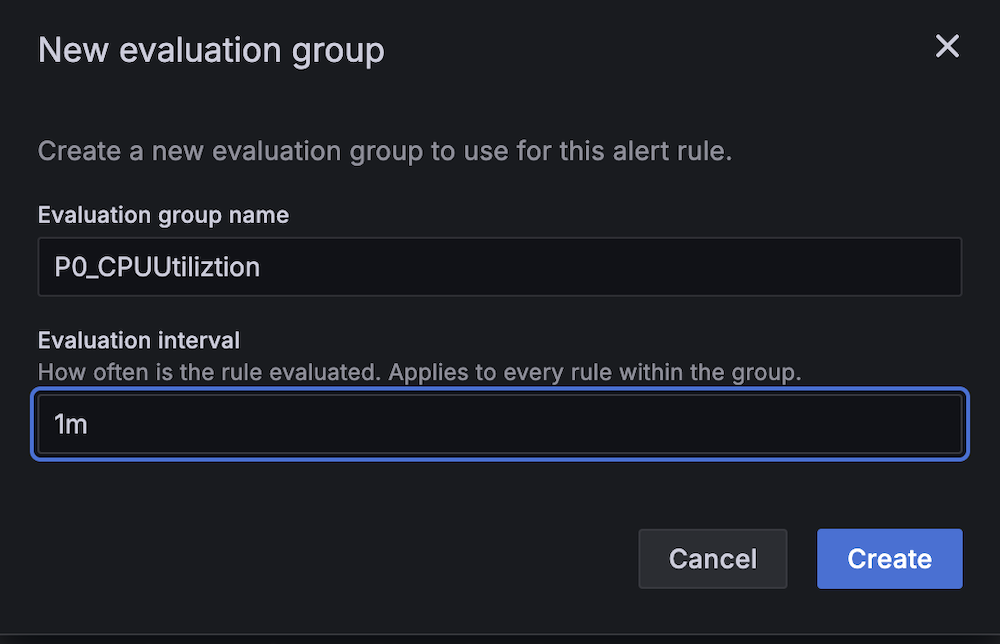
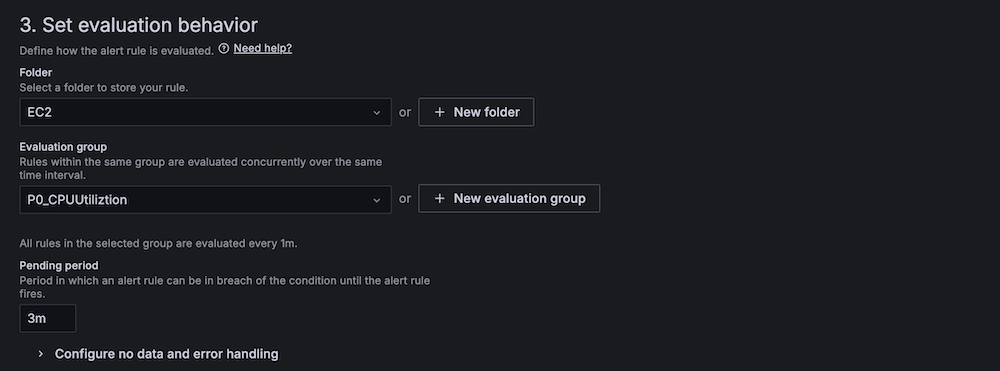
    7. For Evaluation interval, configure to 1 minute.
      New evaluation group configuration modal showing CPU utilization monitoring setup with 1-minute interval
      AWS Managed Grafana alert rule configuration screen showing evaluation behavior settings
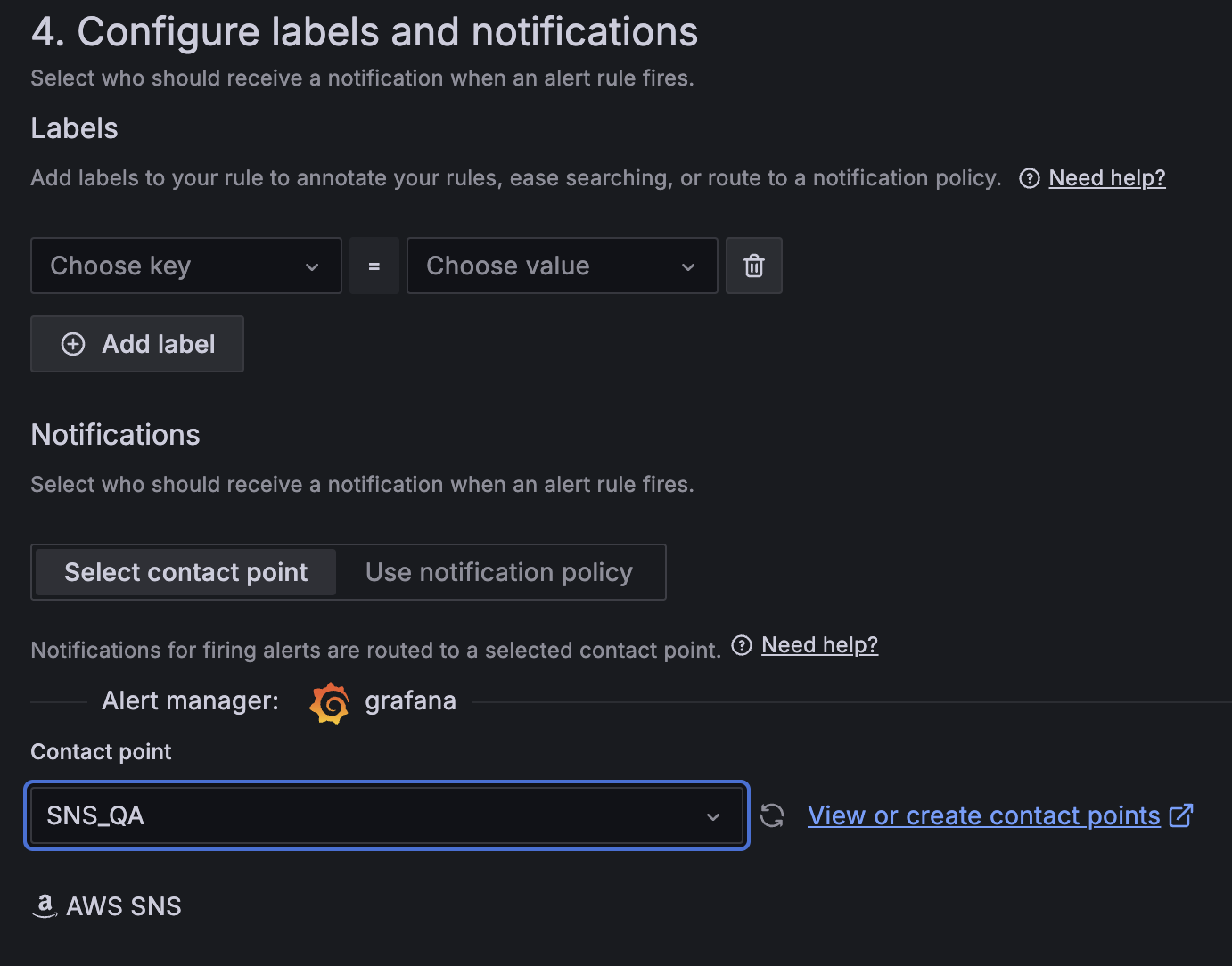
    8. For Contact point, choose SNS_QA.Amazon Managed Grafana alert configuration showing customizable labels, contact point selection for SNS_QA integration
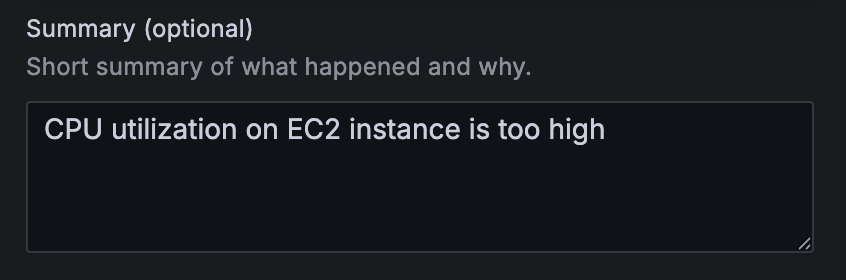
  1. On the alert rule creation page, scroll to 5. Add annotations and for Summary, add a clear description of the alert, for example, CPU utilization on EC2 instance is too high.

Alert configuration summary field with "CPU utilization on EC2 instance is too high" warning message

Apache HBase region server incident test

To confirm the system is working as expected, complete the following Apache HBase region server incident test:

  1. SSH into an EMR core instance.
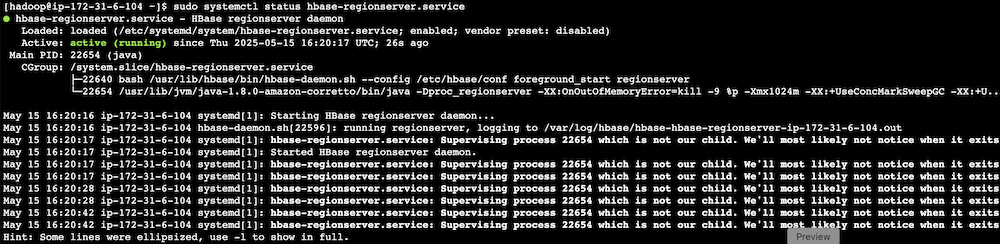
  2. Stop the Apache HBase region server using systemctl:
 # Stop HBase region server service 
 sudo systemctl stop hbase-regionserver.service 

  1. Verify the service status:
 # Check the current state of HBase region server service 
 sudo systemctl status hbase-regionserver.service
  1. Observe Amazon Managed Grafana alert progression:
    1. Monitor alert status changes.
      Alert dashboard showing HBase region server alert status in pending state
      Alert dashboard showing HBase region server alert in firing state
    2. Verify SNS message generation.
    3. Confirm SQS message queuing.
    4. Track the Lambda function triggered for remediation.

Terminal output showing HBase RegionServer service status and daemon processes

HBase monitoring interface displaying region server status with health indicators and action buttons

CPU utilization stress test

Complete the following CPU utilization stress test:

  1. SSH into the EMR primary instance.
  2. Install stress testing tools:
 sudo amazon-linux-extras install epel -y
 sudo yum install stress -y 

  1. Verify the installation:
 stress --version 

  1. Generate high CPU load using the stress command and the following command structure:
 sudo stress [options] 

For our Amazon EMR test, use the following command:

 # For m5.xlarge instances (4 vCPUs) sudo stress --cpu 4 

-c 4 in the command creates 4 CPU-bound processes (one for each vCPU).The following are instance type vCPUs for your reference:

  • m5.xlarge: 4 vCPUs
  • m5.2xlarge: 8 vCPUs
  • m5.4xlarge: 16 vCPUs
  1. Monitor system response:
    1. Observe Amazon Managed Grafana alert status changes.
      Amazon Managed Grafana dashboard header showing rules status
    2. Verify Amazon Bedrock recommendation generation.
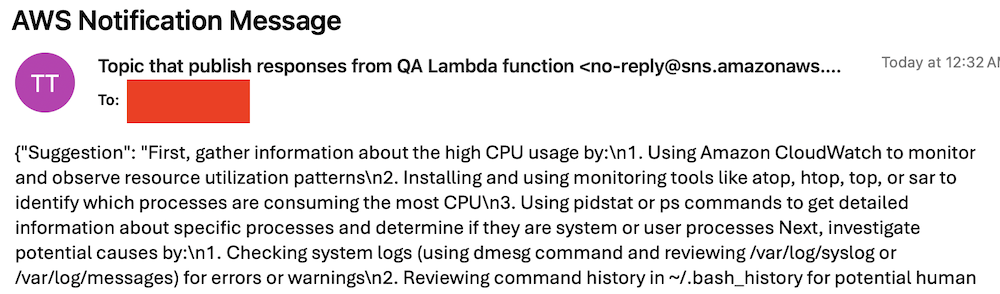
    3. Check SNS email notification delivery.
      AWS SNS notification email showing troubleshooting steps for high CPU usageCode snippet showing CPU usage troubleshooting steps in red text

Best practices and considerations

Monitoring infrastructure requires precise alert prioritization and threshold configuration. Alert aggregation techniques prevent notification overload by consolidating event streams and reducing redundant alerts. Operational teams must maintain dashboards through consistent updates and metric integration, providing real-time visibility into system performance and health.

Security implementations focus on least-privilege AWS Identity and Access Management (IAM) roles, restricting access to critical resources and minimizing potential breach vectors. Data protection strategies involve encryption protocols for information at rest and in transit, using AES-256 standards. Automated security audit processes scan automation scripts, identifying potential vulnerabilities through code analysis and runtime inspection.

Performance optimization in serverless architectures uses Lambda extensions to cache knowledge base content, reducing latency and improving response times. Retry mechanisms for API calls implement exponential backoff strategies, mitigating transient network exceptions and enhancing system resilience. Execution time monitoring of Lambda functions enables detection of anomalies through statistical analysis, providing insights into potential system-wide incidents or performance degradations.

Clean up

To avoid incurring future charges, delete the resources by deleting the parent stack on the AWS CloudFormation console.

Conclusion

This solution provides a robust framework for automated EMR cluster monitoring and incident response. By combining real-time monitoring with AI-powered remediation suggestions and automated execution, organizations can significantly reduce MTTR for common Amazon EMR issues while building a knowledge base for future incident response.

Try out this solution for your own use case, and leave your feedback in the comments section.


About the authors
Author Yu-ting Su, Sr. Hadoop System Engineer, AWS Support Engineering. Yu-Ting is a Sr. Hadoop Systems Engineer at Amazon Web Services (AWS). Her expertise is in Amazon EMR and Amazon OpenSearch Service. She’s passionate about distributing computation and helping people to bring their ideas to life.

Announcing Amazon Nova customization in Amazon SageMaker AI

Post Syndicated from Betty Zheng (郑予彬) original https://aws.amazon.com/blogs/aws/announcing-amazon-nova-customization-in-amazon-sagemaker-ai/

Today, we’re announcing a suite of customization capabilities for Amazon Nova in Amazon SageMaker AI. Customers can now customize Nova Micro, Nova Lite, and Nova Pro across the model training lifecycle, including pre-training, supervised fine-tuning, and alignment. These techniques are available as ready-to-use Amazon SageMaker recipes with seamless deployment to Amazon Bedrock, supporting both on-demand and provisioned throughput inference.

Amazon Nova foundation models power diverse generative AI use cases across industries. As customers scale deployments, they need models that reflect proprietary knowledge, workflows, and brand requirements. Prompt optimization and retrieval-augmented generation (RAG) work well for integrating general-purpose foundation models into applications, however business-critical workflows require model customization to meet specific accuracy, cost, and latency requirements.

Choosing the right customization technique
Amazon Nova models support a range of customization techniques including: 1) supervised fine-tuning, 2) alignment, 3) continued pre-training, and 4) knowledge distillation. The optimal choice depends on goals, use case complexity, and the availability of data and compute resources. You can also combine multiple techniques to achieve your desired outcomes with the preferred mix of performance, cost, and flexibility.

Supervised fine-tuning (SFT) customizes model parameters using a training dataset of input-output pairs specific to your target tasks and domains. Choose from the following two implementation approaches based on data volume and cost considerations:

  • Parameter-efficient fine-tuning (PEFT) — updates only a subset of model parameters through lightweight adapter layers such as LoRA (Low-Rank Adaptation). It offers faster training and lower compute costs compared to full fine-tuning. PEFT-adapted Nova models are imported to Amazon Bedrock and invoked using on-demand inference.
  • Full fine-tuning (FFT) — updates all the parameters of the model and is ideal for scenarios when you have extensive training datasets (tens of thousands of records). Nova models customized through FFT can also be imported to Amazon Bedrock and invoked for inference with provisioned throughput.

Alignment steers the model output towards desired preferences for product-specific needs and behavior, such as company brand and customer experience requirements. These preferences may be encoded in multiple ways, including empirical examples and policies. Nova models support two preference alignment techniques:

  • Direct preference optimization (DPO) — offers a straightforward way to tune model outputs using preferred/not preferred response pairs. DPO learns from comparative preferences to optimize outputs for subjective requirements such as tone and style. DPO offers both a parameter-efficient version and a full-model update version. The parameter-efficient version supports on-demand inference.
  • Proximal policy optimization (PPO) — uses reinforcement learning to enhance model behavior by optimizing for desired rewards such as helpfulness, safety, or engagement. A reward model guides optimization by scoring outputs, helping the model learn effective behaviors while maintaining previously learned capabilities.

Continued pre-training (CPT) expands foundational model knowledge through self-supervised learning on large quantities of unlabeled proprietary data, including internal documents, transcripts, and business-specific content. CPT followed by SFT and alignment through DPO or PPO provides a comprehensive way to customize Nova models for your applications.

Knowledge distillation transfers knowledge from a larger “teacher” model to a smaller, faster, and more cost-efficient “student” model. Distillation is useful in scenarios where customers do not have adequate reference input-output samples and can leverage a more powerful model to augment the training data. This process creates a customized model of teacher-level accuracy for specific use cases and student-level cost-effectiveness and speed.
Here is a table summarizing the available customization techniques across different modalities and deployment options. Each technique offers specific training and inference capabilities depending on your implementation requirements.

Recipe Modality Training Inference
Amazon Bedrock Amazon SageMaker Amazon Bedrock On-demand Amazon Bedrock Provisioned Throughput
Supervised fine tuning Text, image, video
Parameter-efficient fine-tuning (PEFT) ✅ ✅ ✅ ✅
Full fine-tuning ✅ ✅
Direct preference optimization (DPO)  Text, image, video
Parameter-efficient DPO ✅ ✅ ✅
Full model DPO ✅ ✅
Proximal policy optimization (PPO)  Text-only ✅ ✅
Continuous pre-training  Text-only ✅ ✅
Distillation Text-only ✅ ✅ ✅ ✅

Early access customers, including Cosine AI, Massachusetts Institute of Technology (MIT) Computer Science and Artificial Intelligence Laboratory (CSAIL), Volkswagen, Amazon Customer Service, and Amazon Catalog Systems Service, are already successfully using Amazon Nova customization capabilities.

Customizing Nova models in action
The following walks you through an example of customizing the Nova Micro model using direct preference optimization on an existing preference dataset. To do this, you can use Amazon SageMaker Studio.

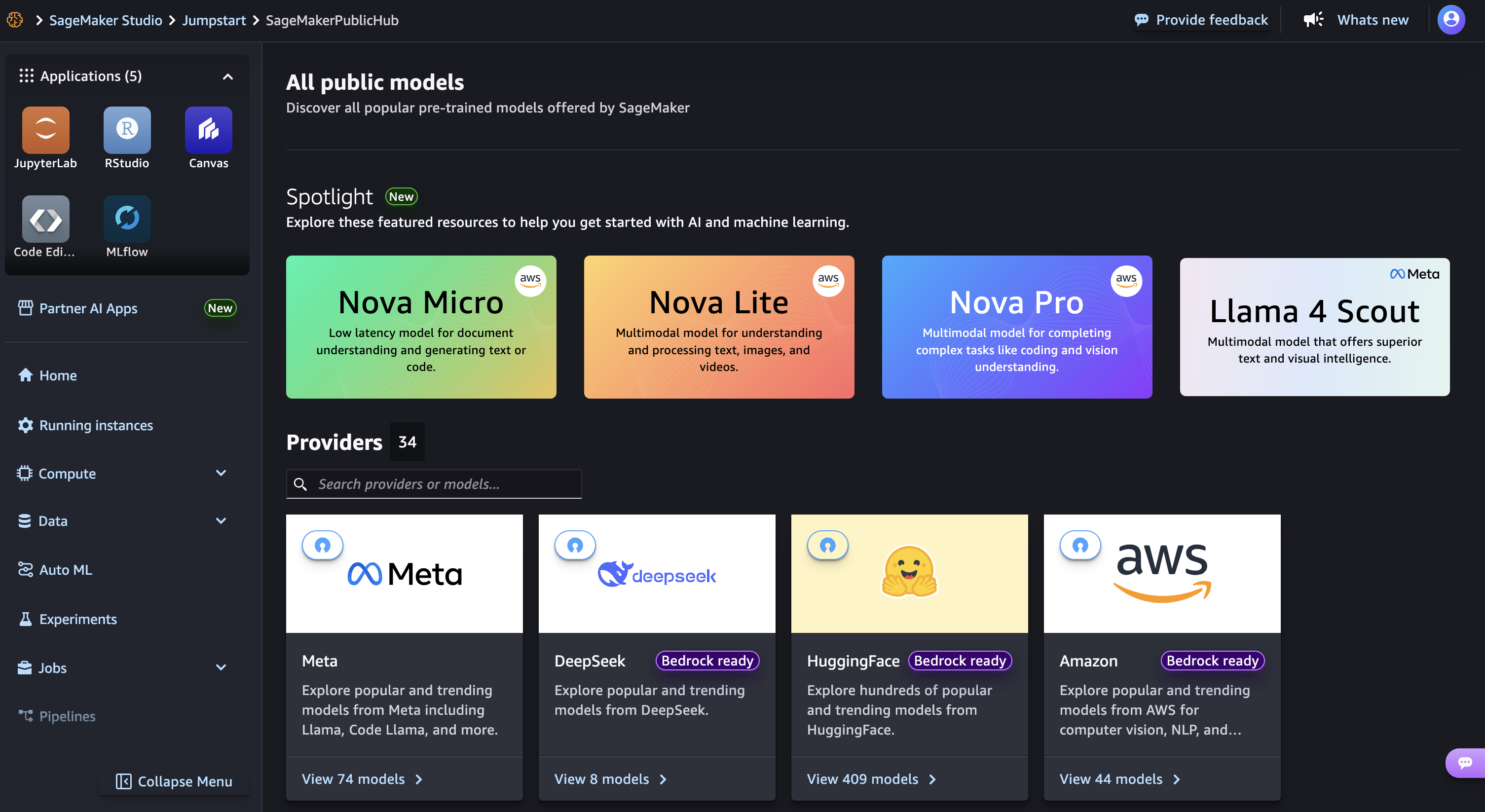
Launch your SageMaker Studio in the Amazon SageMaker AI console and choose JumpStart, a machine learning (ML) hub with foundation models, built-in algorithms, and pre-built ML solutions that you can deploy with a few clicks.

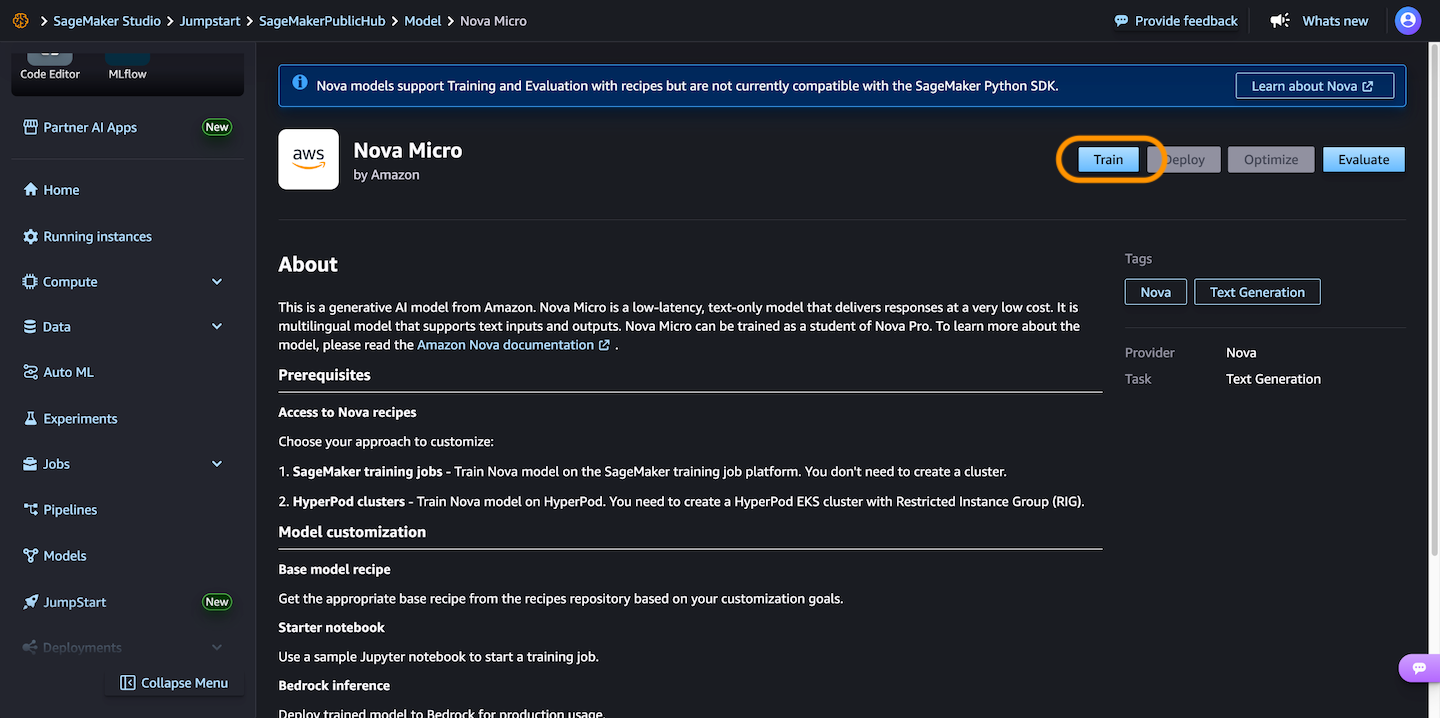
Then, choose Nova Micro, a text-only model that delivers the lowest latency responses at the lowest cost per inference among the Nova model family, and then choose Train.

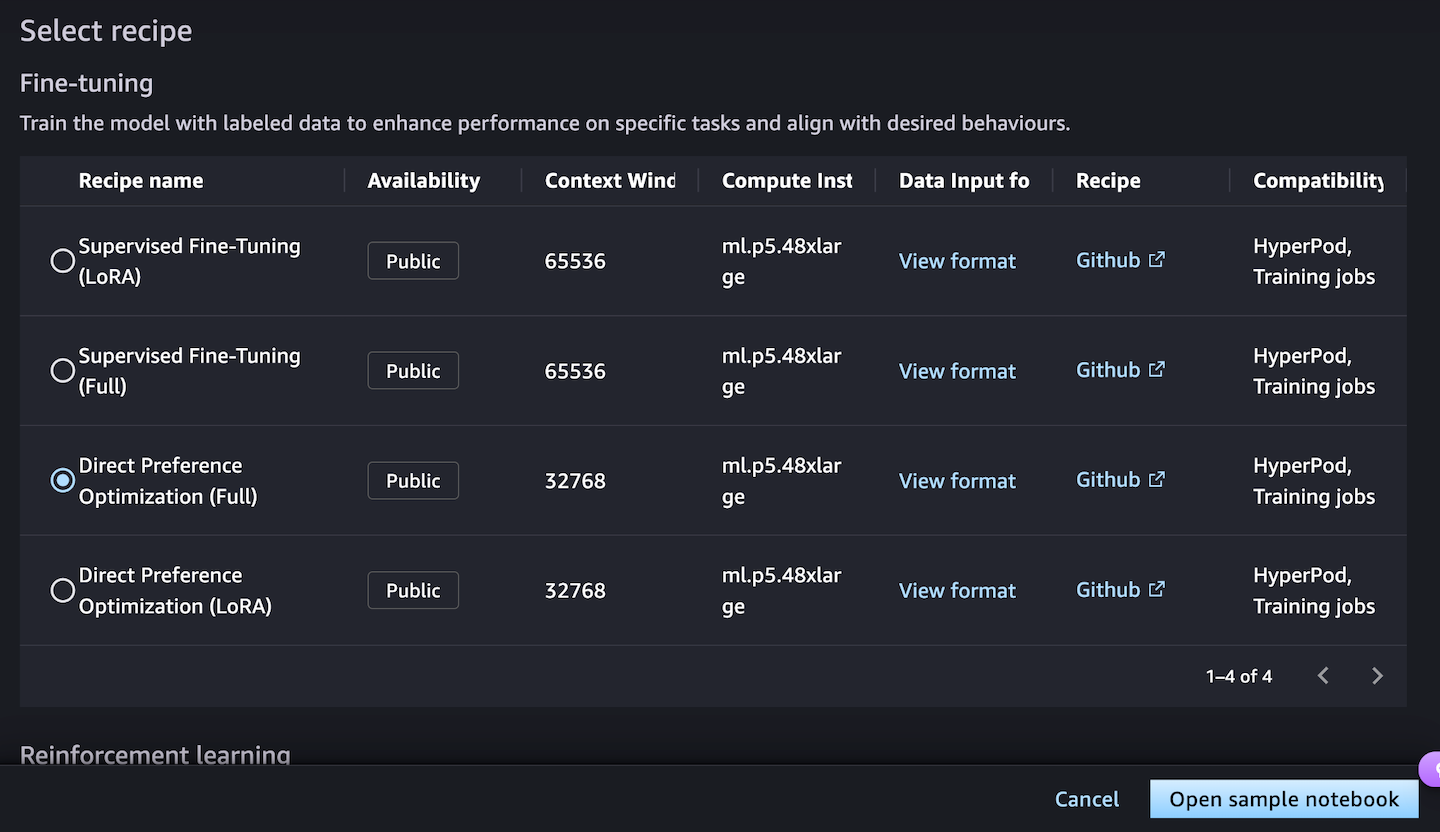
Next, you can choose a fine-tuning recipe to train the model with labeled data to enhance performance on specific tasks and align with desired behaviors. Choosing the Direct Preference Optimization offers a straightforward way to tune model outputs with your preferences.

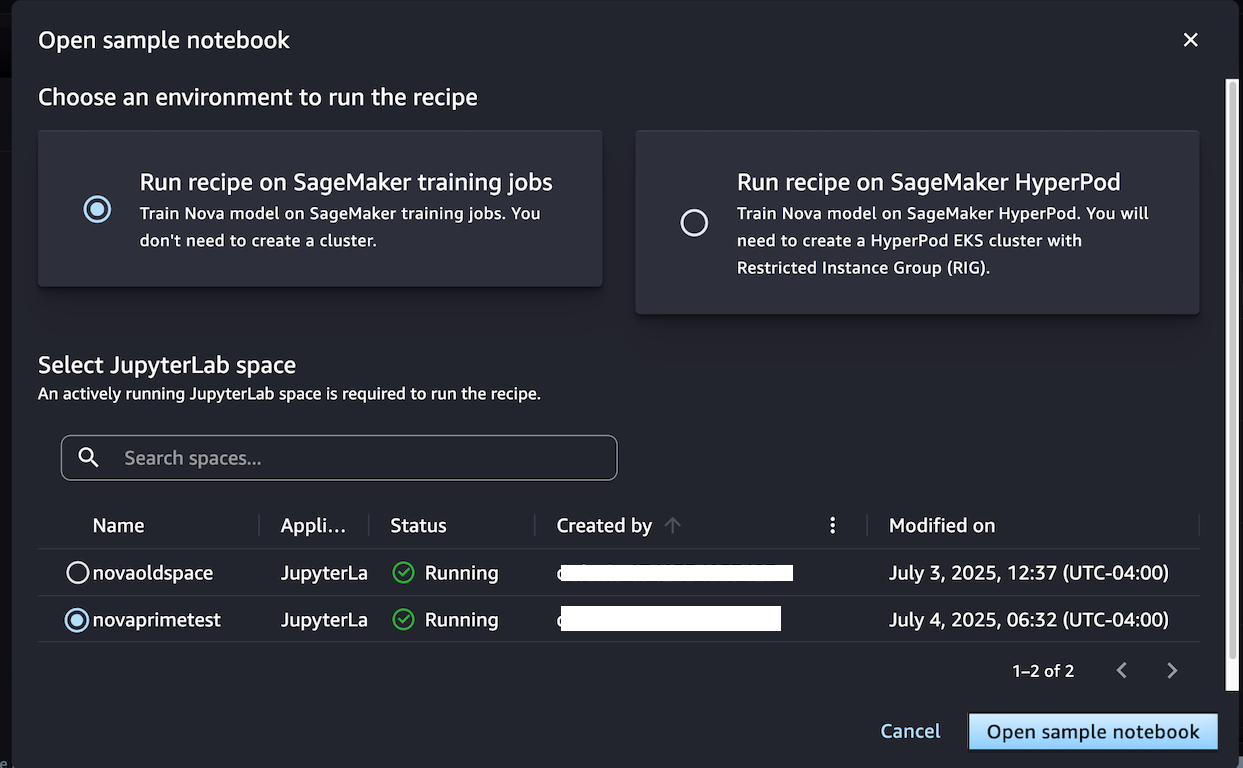
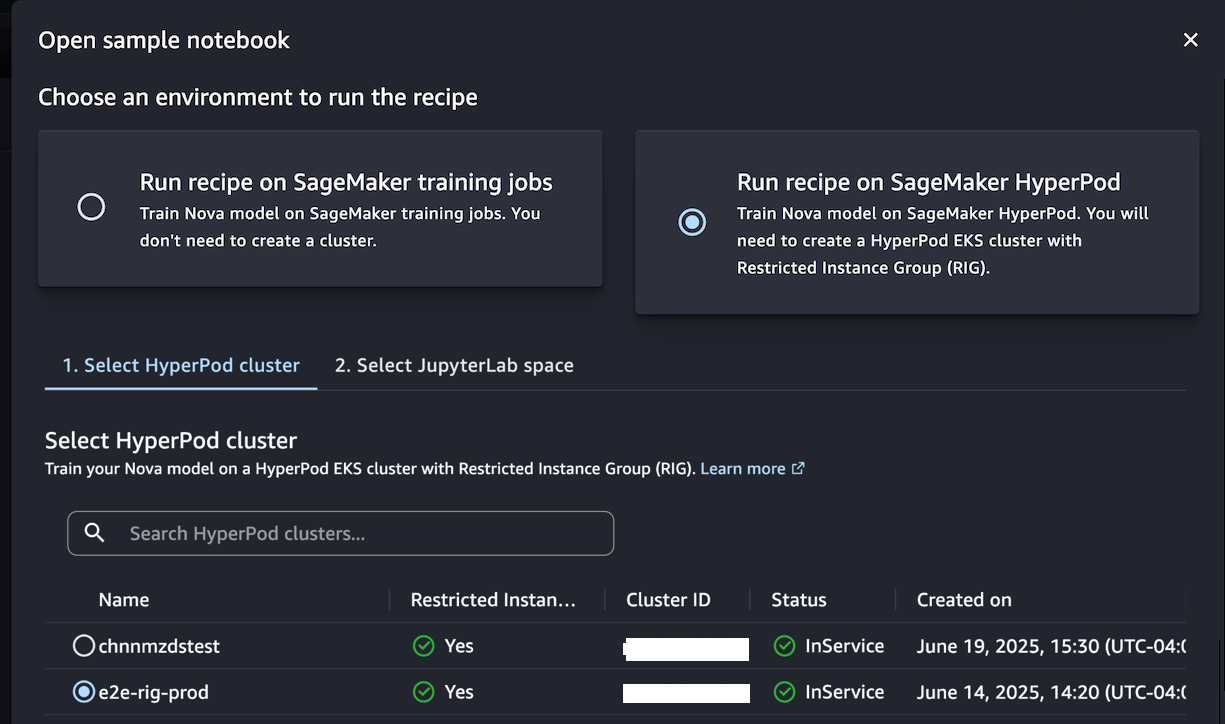
When you choose Open sample notebook, you have two environment options to run the recipe: either on the SageMaker training jobs or SageMaker Hyperpod:

Choose Run recipe on SageMaker training jobs when you don’t need to create a cluster and train the model with the sample notebook by selecting your JupyterLab space.

Alternately, if you want to have a persistent cluster environment optimized for iterative training processes, choose Run recipe on SageMaker HyperPod. You can choose a HyperPod EKS cluster with at least one restricted instance group (RIG) to provide a specialized isolated environment, which is required for such Nova model training. Then, choose your JupyterLabSpace and Open sample notebook.

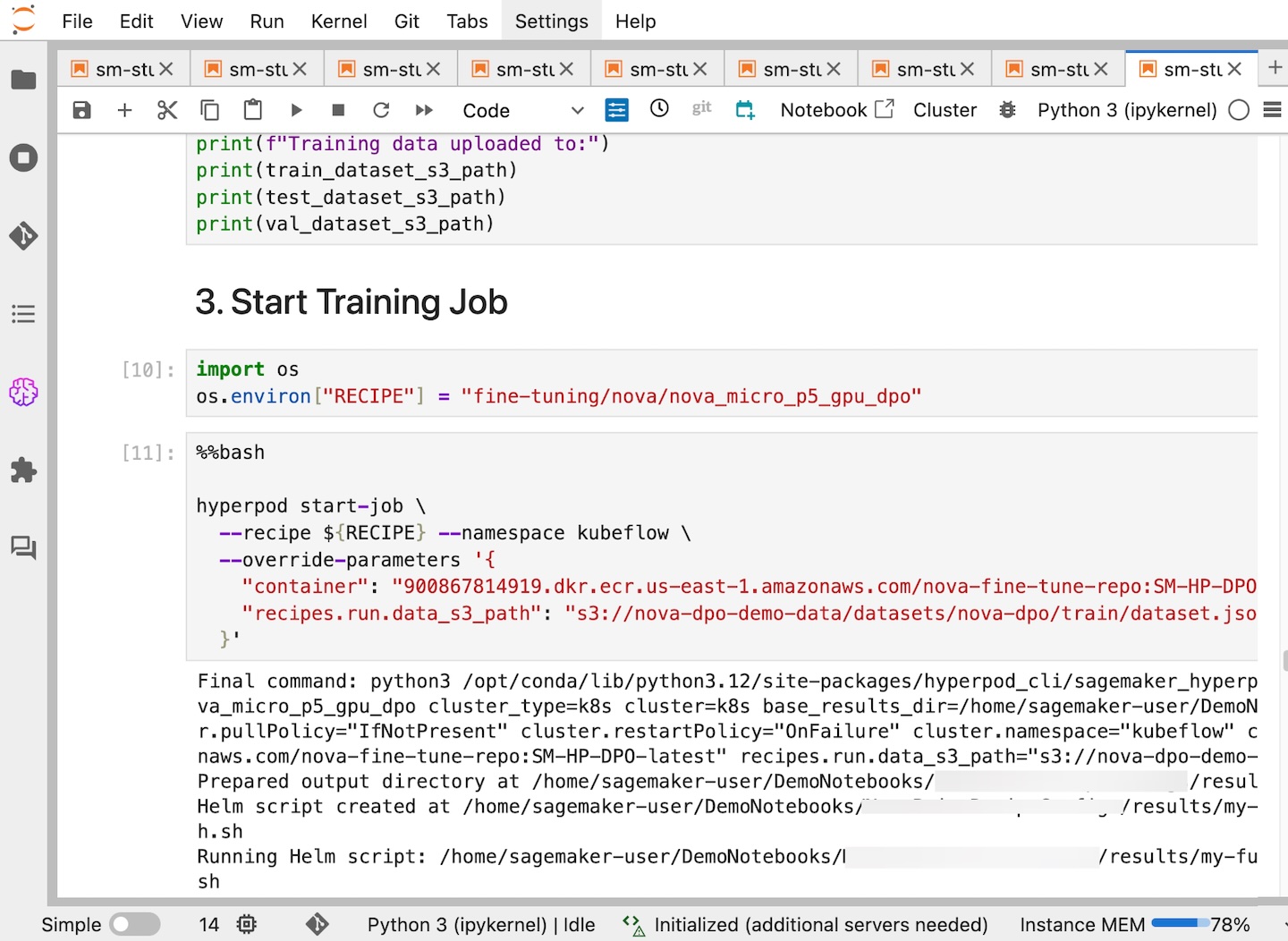
This notebook provides an end-to-end walkthrough for creating a SageMaker HyperPod job using a SageMaker Nova model with a recipe and deploying it for inference. With the help of a SageMaker HyperPod recipe, you can streamline complex configurations and seamlessly integrate datasets for optimized training jobs.

In SageMaker Studio, you can see that your SageMaker HyperPod job has been successfully created and you can monitor it for further progress.

After your job completes, you can use a benchmark recipe to evaluate if the customized model performs better on agentic tasks.

For comprehensive documentation and additional example implementations, visit the SageMaker HyperPod recipes repository on GitHub. We continue to expand the recipes based on customer feedback and emerging ML trends, ensuring you have the tools needed for successful AI model customization.

Availability and getting started
Recipes for Amazon Nova on Amazon SageMaker AI are available in US East (N. Virginia). Learn more about this feature by visiting the Amazon Nova customization webpage and Amazon Nova user guide and get started in the Amazon SageMaker AI console.

Betty

AWS Weekly Roundup: EC2 C8gn instances, Amazon Nova Canvas virtual try-on, and more (July 7, 2025)

Post Syndicated from Elizabeth Fuentes original https://aws.amazon.com/blogs/aws/aws-weekly-roundup-amazon-bedrock-api-keys-amazon-nova-canvas-virtual-try-on-and-more-july-7-2025/

Every Monday we tell you about the best releases and blogs that caught our attention last week.

Before continuing with this AWS Weekly Roundup, I’d like to share that last month I moved with my family to San Francisco, California, to start a new role as Developer Advocate/SDE, GenAI.

This excites me because I’ll have the opportunity to connect with new communities in the Bay Area while tackling exciting new challenges. If you’re part of a community focused on building generative AI and agentics applications, or know of one, I’d love to connect. Let’s connect!

Last week’s launches
Here are the launches from last week:

  • New Amazon EC2 C8gn instances powered by AWS Graviton4 offering up to 600Gbps network bandwidth – Amazon Elastic Compute Cloud (Amazon EC2) C8gn instances are now generally available, powered by AWS Graviton4 processors and 6th generation AWS Nitro Cards. These network-optimized instances deliver up to 600 Gbps network bandwidth. This represents the highest bandwidth among EC2 network-optimized instances, with up to 192 vCPUs and 384 GiB memory. They provide 30% higher compute performance than C7gn instances and are ideal for network-intensive workloads like virtual appliances, data analytics, and cluster computing jobs.
  • Build the highest resilience apps with multi-Region strong consistency in Amazon DynamoDB global tables – Amazon DynamoDB global tables now supports multi-Region strong consistency (MRSC) for applications requiring zero Recovery Point Objective (RPO). This capability ensures applications can read the latest data from any Region during outages, addressing critical needs in payment processing and financial services. MRSC requires three AWS Regions configured as either three full replicas or two replicas plus a witness, providing the highest level of application resilience for mission-critical workloads.
  • Amazon Nova Canvas update: Virtual try-on and style options now available – Amazon Nova Canvas introduces virtual try-on capabilities that help you visualize how clothing looks on a person by combining two images, plus eight new pre-trained style options (3D animation, design sketch, vector illustration, graphic novel, etc.) for generating images with improved artistic consistency. Available in three AWS Regions, these features enhance AI-powered image generation capabilities for retailers and content creators seeking realistic product visualizations.
  • Amazon Q in Connect now supports 7 languages for proactive recommendations – Amazon Q in Connect, a generative AI-powered assistant for customer service, now provides proactive recommendations in seven languages: English, Spanish, French, Portuguese, Mandarin, Japanese, and Korean. The AI-powered customer service assistant detects customer intent during voice and chat interactions to help agents resolve issues quickly and accurately.
  • Amazon Aurora MySQL and Amazon RDS for MySQL integration with Amazon SageMaker is now available – This integration provides near real-time data availability for analytics. It automatically extracts MySQL data into lakehouses with Apache Iceberg compatibility. You can then access this data seamlessly through various analytics engines and machine learning tools.
  • Amazon Aurora DSQL is now available in additional AWS RegionsAmazon Aurora DSQL expands to Asia Pacific (Seoul) and now supports multi-Region clusters across Asia Pacific and European regions. This serverless, distributed SQL database offers unlimited scalability, highest availability, and zero infrastructure management with AWS Free Tier access.

Other AWS blog posts

  • Optimize RAG in production environments using Amazon SageMaker JumpStart and Amazon OpenSearch Service – Learn how to optimize Retrieval Augmented Generation (RAG) in production environments using Amazon SageMaker JumpStart and Amazon OpenSearch Service. This comprehensive guide demonstrates implementing RAG workflows with LangChain, covers OpenSearch optimization strategies, provides setup instructions, and explains benefits of combining these AWS services for scalable, cost-effective generative AI applications.v
  • Agentic GenAI App Using Bedrock, MCP servers on EKS – This post shows how to build a scalable AI chat application using Amazon Bedrock, Strands Agent, and Model Context Protocol (MCP) servers deployed on Amazon Elastic Kubernetes Service (Amazon EKS). The architecture combines agentic workflows with containerized microservices for intelligent, auto-scaling conversations with multiple foundation models.
  • Enforce table level access control on data lake tables using AWS Glue 5.0 with AWS Lake Formation – AWS Glue 5.0 introduces Full-Table Access (FTA) control for Apache Spark with AWS Lake Formation, providing table-level security without fine-grained access overhead. This feature supports native Spark SQL/DataFrames for Lake Formation tables. It enables read/write operations on Iceberg and Hive tables with improved performance and lower costs.

Upcoming AWS events
Check your calendars and sign up for these upcoming AWS events:

  • AWS re:Invent – Register now to get a head start on choosing your best learning path, booking travel and accommodations, and bringing your team to learn, connect, and have fun. Early-career professionals can apply for the All Builders Welcome Grant program, designed to remove financial barriers and create diverse pathways into cloud technology. Applications are now open and close on July 15, 2025.
  • AWS NY Summit – You can gain insights from Swami’s keynote featuring the latest cutting-edge AWS technologies in compute, storage, and generative AI. My News Blog team is also preparing some exciting news for you. If you’re unable to attend in person, you can still participate by registering for the global live stream. Also, save the date for these upcoming Summits in July and August near your city.
  • AWS Builders Online Series – If you’re based in one of the Asia Pacific time zones, join and learn fundamental AWS concepts, architectural best practices, and hands-on demonstrations to help you build, migrate, and deploy your workloads on AWS.
  • Join AWS Gen AI Lofts – Experience AWS Gen AI Lofts across San Francisco, Berlin, Dubai, Dublin, Bengaluru, Manchester, Paris, Tel Aviv, and additional locations – hands-on workshops, expert guidance, investor networking, and collaborative spaces designed to accelerate your generative AI startup journey.

You can browse all upcoming in-person and virtual events.

That’s all for this week. Check back next Monday for another Weekly Roundup!

— Eli

Amazon Nova Canvas update: Virtual try-on and style options now available

Post Syndicated from Matheus Guimaraes original https://aws.amazon.com/blogs/aws/amazon-nova-canvas-update-virtual-try-on-and-style-options-now-available/

Have you ever wished you could quickly visualize how a new outfit might look on you before making a purchase? Or how a piece of furniture would look in your living room? Today, we’re excited to introduce a new virtual try-on capability in Amazon Nova Canvas that makes this possible. In addition, we are adding eight new style options for improved style consistency for text-to-image based style prompting. These features expand Nova Canvas AI-powered image generation capabilities making it easier than ever to create realistic product visualizations and stylized images that can enhance the experience of your customers.

Let’s take a quick look at how you can start using these today.

Getting started
The first thing is to make sure that you have access to the Nova Canvas model through the usual means. Head to the Amazon Bedrock console, choose Model access and enable Amazon Nova Canvas for your account making sure that you select the appropriate regions for your workloads. If you already have access and have been using Nova Canvas, you can start using the new features immediately as they’re automatically available to you.

Virtual try-on
The first exciting new feature is virtual try-on. With this, you can upload two pictures and ask Amazon Nova Canvas to put them together with realistic results. These could be pictures of apparel, accessories, home furnishings, and any other products including clothing. For example, you can provide the picture of a human as the source image and the picture of a garment as the reference image, and Amazon Nova Canvas will create a new image with that same person wearing the garment. Let’s try this out!

My starting point is to select two images. I picked one of myself in a pose that I think would work well for a clothes swap and a picture of an AWS-branded hoodie.

Matheus and AWS-branded hoodie

Note that Nova Canvas accepts images containing a maximum of 4.1M pixels – the equivalent of 2,048 x 2,048 – so be sure to scale your images to fit these constraints if necessary. Also, if you’d like to run the Python code featured in this article, ensure you have Python 3.9 or later installed as well as the Python packages boto3 and pillow.

To apply the hoodie to my photo, I use the Amazon Bedrock Runtime invoke API. You can find full details on the request and response structures for this API in the Amazon Nova User Guide. The code is straightforward, requiring only a few inference parameters. I use the new taskType of "VIRTUAL_TRY_ON". I then specify the desired settings, including both the source image and reference image, using the virtualTryOnParams object to set a few required parameters. Note that both images must be converted to Base64 strings.

import base64


def load_image_as_base64(image_path): 
   """Helper function for preparing image data."""
   with open(image_path, "rb") as image_file:
      return base64.b64encode(image_file.read()).decode("utf-8")


inference_params = {
   "taskType": "VIRTUAL_TRY_ON",
   "virtualTryOnParams": {
      "sourceImage": load_image_as_base64("person.png"),
      "referenceImage": load_image_as_base64("aws-hoodie.jpg"),
      "maskType": "GARMENT",
      "garmentBasedMask": {"garmentClass": "UPPER_BODY"}
   }
}

Nova Canvas uses masking to manipulate images. This is a technique that allows AI image generation to focus on specific areas or regions of an image while preserving others, similar to using painter’s tape to protect areas you don’t want to paint.

You can use three different masking modes, which you can choose by setting maskType to the correct value. In this case, I’m using "GARMENT", which requires me to specify which part of the body I want to be masked. I’m using "UPPER_BODY" , but you can use others such as "LOWER_BODY", "FULL_BODY", or "FOOTWEAR" if you want to specifically target the feet. Refer to the documentation for a full list of options.

I then call the invoke API, passing in these inference arguments and saving the generated image to disk.

# Note: The inference_params variable from above is referenced below.

import base64
import io
import json

import boto3
from PIL import Image

# Create the Bedrock Runtime client.
bedrock = boto3.client(service_name="bedrock-runtime", region_name="us-east-1")

# Prepare the invocation payload.
body_json = json.dumps(inference_params, indent=2)

# Invoke Nova Canvas.
response = bedrock.invoke_model(
   body=body_json,
   modelId="amazon.nova-canvas-v1:0",
   accept="application/json",
   contentType="application/json"
)

# Extract the images from the response.
response_body_json = json.loads(response.get("body").read())
images = response_body_json.get("images", [])

# Check for errors.
if response_body_json.get("error"):
   print(response_body_json.get("error"))

# Decode each image from Base64 and save as a PNG file.
for index, image_base64 in enumerate(images):
   image_bytes = base64.b64decode(image_base64)
   image_buffer = io.BytesIO(image_bytes)
   image = Image.open(image_buffer)
   image.save(f"image_{index}.png")

I get a very exciting result!

Matheus wearing AWS-branded hoodie

And just like that, I’m the proud wearer of an AWS-branded hoodie!

In addition to the "GARMENT" mask type, you can also use the "PROMPT" or "IMAGE" masks. With "PROMPT", you also provide the source and reference images, however, you provide a natural language prompt to specify which part of the source image you’d like to be replaced. This is similar to how the "INPAINTING" and "OUTPAINTING" tasks work in Nova Canvas. If you want to use your own image mask, then you choose the "IMAGE" mask type and provide a black-and-white image to be used as mask, where black indicates the pixels that you want to be replaced on the source image, and white the ones you want to preserve.

This capability is specifically useful for retailers. They can use it to help their customers make better purchasing decisions by seeing how products look before buying.

Using style options
I’ve always wondered what I would look like as an anime superhero. Previously, I could use Nova Canvas to manipulate an image of myself, but I would have to rely on my good prompt engineering skills to get it right. Now, Nova Canvas comes with pre-trained styles that you can apply to your images to get high-quality results that follow the artistic style of your choice. There are eight available styles including 3D animated family film, design sketch, flat vector illustration, graphic novel, maximalism, midcentury retro, photorealism, and soft digital painting.

Applying them is as straightforward as passing in an extra parameter to the Nova Canvas API. Let’s try an example.

I want to generate an image of an AWS superhero using the 3D animated family film style. To do this, I specify a taskType of "TEXT_IMAGE" and a textToImageParams object containing two parameters: text and style. The text parameter contains the prompt describing the image I want to create which in this case is “a superhero in a yellow outfit with a big AWS logo and a cape.” The style parameter specifies one of the predefined style values. I’m using "3D_ANIMATED_FAMILY_FILM" here, but you can find the full list in the Nova Canvas User Guide.

inference_params = {
   "taskType": "TEXT_IMAGE",
   "textToImageParams": {
      "text": "a superhero in a yellow outfit with a big AWS logo and a cape.",
      "style": "3D_ANIMATED_FAMILY_FILM",
   },
   "imageGenerationConfig": {
      "width": 1280,
      "height": 720,
      "seed": 321
   }
}

Then, I call the invoke API just as I did in the previous example. (The code has been omitted here for brevity.) And the result? Well, I’ll let you judge for yourself, but I have to say I’m quite pleased with the AWS superhero wearing my favorite color following the 3D animated family film style exactly as I envisioned.

What’s really cool is that I can keep my code and prompt exactly the same and only change the value of the style attribute to generate an image in a completely different style. Let’s try this out. I set style to PHOTOREALISM.

inference_params = { 
   "taskType": "TEXT_IMAGE", 
   "textToImageParams": { 
      "text": "a superhero in a yellow outfit with a big AWS logo and a cape.",
      "style": "PHOTOREALISM",
   },
   "imageGenerationConfig": {
      "width": 1280,
      "height": 720,
      "seed": 7
   }
}

And the result is impressive! A photorealistic superhero exactly as I described, which is a far departure from the previous generated cartoon and all it took was changing one line of code.

Things to know
Availability – Virtual try-on and style options are available in Amazon Nova Canvas in the US East (N. Virginia), Asia Pacific (Tokyo), and Europe (Ireland). Current users of Amazon Nova Canvas can immediately use these capabilities without migrating to a new model.

Pricing – See the Amazon Bedrock pricing page for details on costs.

For a preview of virtual try-on of garments, you can visit nova.amazon.com where you can upload an image of a person and a garment to visualize different clothing combinations.

If you are ready to get started, please check out the Nova Canvas User Guide or visit the AWS Console.

Matheus Guimaraes | @codingmatheus

Amazon Nova Premier: Our most capable model for complex tasks and teacher for model distillation

Post Syndicated from Danilo Poccia original https://aws.amazon.com/blogs/aws/amazon-nova-premier-our-most-capable-model-for-complex-tasks-and-teacher-for-model-distillation/

Today we’re expanding the Amazon Nova family of foundation models announced at AWS re:Invent with the general availability of Amazon Nova Premier, our most capable model for complex tasks and teacher for model distillation.

Nova Premier joins the existing Amazon Nova understanding models available in Amazon Bedrock. Similar to Nova Lite and Pro, Premier can process input text, images, and videos (excluding audio). With its advanced capabilities, Nova Premier excels at complex tasks that require deep understanding of context, multistep planning, and precise execution across multiple tools and data sources. With a context length of one million tokens, Nova Premier can process extremely long documents or large code bases.

With Nova Premier and Amazon Bedrock Model Distillation, you can create highly capable, cost-effective, and low-latency versions of Nova Pro, Lite, and Micro, for your specific needs. For example, we used Nova Premier to distill Nova Pro for complex tool selection and API calling. The distilled Nova Pro had a 20% higher accuracy for API invocations compared to the base model and consistently matched the performance of the teacher, with the speed and cost benefits of Nova Pro.

Amazon Nova Premier benchmark evaluation
We evaluated Nova Premier on a broad range of benchmarks across text intelligence, visual intelligence, and agentic workflows. Nova Premier is the most capable model in the Nova family as measured across 17 benchmarks as shown in the table below.

Amazon Nova Premier Benchmark Evaluations

Nova Premier is also comparable to the best non-reasoning models in the industry and is equal or better on approximately half of these benchmarks when compared to other models in the same intelligence tier. Details of these evaluations are in the technical report.

Nova Premier is also the fastest and the most cost-effective model in Amazon Bedrock for its intelligence tier. For further details and comparison on pricing, please refer to the Bedrock pricing page.

Nova Premier can also be used as a teacher model for distillation, which means you can transfer its advanced capabilities for a specific use case into smaller, faster, and more efficient models like Nova Pro, Micro, and Lite for production deployments.

Using Amazon Nova Premier
To get started with Nova Premier, you first need to request access to the model in the Amazon Bedrock console. Navigate to Model access in the navigation pane, find Nova Premier, and toggle access.

Console screenshot.

Once you have access, you can use Nova Premier through the Amazon Bedrock Converse API providing in input a list of messages from the user and the assistant. Messages can include text, images, and videos. Here’s an example of a straightforward invocation using the AWS SDK for Python (Boto3):

import boto3
import json

AWS_REGION = "us-east-1"
MODEL_ID = "us.amazon.nova-premier-v1:0"

bedrock_runtime = boto3.client('bedrock-runtime', region_name=AWS_REGION)
messages = [
    {
        "role": "user",
        "content": [
            {
                "text": "Explain the differences between vector databases and traditional relational databases for AI applications."
            }
        ]
    }
]

response = bedrock_runtime.converse(
    modelId=MODEL_ID,
    messages=messages
)

response_text = response["output"]["message"]["content"][-1]["text"]

print(response_text)

This example shows how Nova Premier can provide detailed explanations for complex technical questions. But the real power of Premier comes with its ability to handle sophisticated workflows.

Multi-agent collaboration use case
Let’s explore a more complex scenario that showcases how Nova Premier works a multi-agent collaboration architecture for investment research.

The equity research process typically involves multiple stages: identifying relevant data sources for specific investments, retrieving required information from those sources, and synthesizing the data into actionable insights. This process becomes increasingly complex when dealing with different types of financial instruments like stock indices, individual equities, and currencies.

We can build this type of application using multi-agent collaboration in Amazon Bedrock, with Nova Premier powering the supervisor agent that orchestrates the entire workflow. The supervisor agent analyzes the initial query (for example, “What are the emerging trends in renewable energy investments?”), breaks it down into logical steps, determines which specialized subagents to engage, and synthesizes the final response.

For this scenario, I’ve created a system with the following components:

  1. A supervisor agent powered by Nova Premier
  2. Multiple specialized subagents powered by Nova Pro, each focusing on different financial data sources
  3. Tools that connect to financial databases, market analysis tools, and other relevant information sources

Multi-agent architectural diagram

When I submit a query about emerging trends in renewable energy investments, the supervisor agent powered by Nova Premier does the following:

  1. Analyzes the query to determine the underlying topics and sources to cover
  2. Selects the appropriate subagents specific to those topics and sources
  3. Each subagent retrieves their relevant economic indicators, technical analysis, and market sentiment data
  4. The supervisor agent synthesizes this information into a comprehensive report for review by a financial professional

Utilizing Nova Premier in a multi-agent collaboration architecture such as this streamlines the financial professional’s work and helps them formulate their investment analysis faster. The following video provides a visual description of this scenario.

The key advantage of using Nova Premier for the supervisor role is its accuracy in coordinating complex workflows, so that the right data sources are consulted in the optimal sequence and each subagent receives in input the correct information for their work, resulting in higher quality insights.

Multi-agent collaboration with model distillation
Although Nova Premier provides the highest level of accuracy of its family of models, you might want to optimize latency and cost in production environments. This is where the strength of Nova Premier as a teacher model for distillation becomes interesting. Using Amazon Bedrock Model Distillation, we can customize Nova Micro from the results of Nova Premier for this specific investment research use case.

Unlike traditional fine-tuning that requires human feedback and labeled examples, with model distillation you can generate high-quality training data by having a teacher model produce the desired outputs, streamlining the data acquisition process.

Amazon Bedrock Model Distillation diagram

The process to distill a model involves:

  1. Generating synthetic training data by capturing input and output from Nova Premier runs across multiple financial instruments
  2. Using this data as a reference to train a customized version of Nova Micro through custom fine-tuning tools
  3. Evaluating the difference in latency and performance of the customized Micro model
  4. Deploying the customized Micro model as the supervisor agent in production

With Amazon Bedrock, you can further streamline the process and use invocation logs for data preparation. To do that, you need to set the model invocation logging on and set up an Amazon Simple Storage Service (Amazon S3) bucket as the destination for the logs.

Customer voices
Some of our customers had early access to Nova Premier. This is what they shared with us:

“Amazon Nova Premier has been outstanding in its ability to execute interactive analysis workflows, while still being faster and nearly half the cost compared to other leading models in our tests,” said Curtis Allen, Senior Staff Engineer at Slack, a company bringing conversations, apps, and customers together in one place.

“Implementing new solutions built on top of Amazon Nova has helped us with our mission of democratizing finance for all,” said Dev Tagare, Head of AI and Data at Robinhood Markets, a company on a mission to democratize finance for all. “We’re particularly excited about the ability to explore new avenues like complex multi-agent collaborations that are not just highly performing but also cost effective and fast. The intelligence of Nova Premier and what it can transfer to the other models like Nova Micro, Nova Lite, and Nova Pro unlocks multi-agent collaboration at a performance, price, and speed that will make it accessible to everyday customers.”

“Accelerating real-world AI deployments—not just prototypes—requires the ability to build models that are specialized for the unique needs of real world applications,” said Henry Ehrenberg, co-founder of Snorkel AI, a technology company that empowers data scientists and developers to quickly turn data into accurate and adaptable AI applications. “We’re excited to see AWS pushing efficient model customization forward with Amazon Bedrock Model Distillation and Amazon Nova Premier. These new model capabilities have the potential to accelerate our enterprise customers in building production AI applications, including Q&A applications with multimodal data and more.”

Things to know

Nova Premier is available in Amazon Bedrock in the US East (N. Virginia), US East (Ohio), and US West (Oregon) AWS Regions today via cross-Region inference. With Amazon Bedrock, you only pay for what you use. For more information, visit Amazon Bedrock pricing.

Customers in the US can also access Amazon Nova models at https://nova.amazon.com, a website to easily explore our FMs.

Nova Premier is our best teacher for distilling custom variants of Nova Pro, Micro, and Lite, which means you can capture the capabilities offered by Premier in smaller, faster models for production deployment.

Nova Premier includes built-in safety controls to promote responsible AI use, with content moderation capabilities that help maintain appropriate outputs across a wide range of applications.

To get started with Nova Premier, visit the Amazon Bedrock console today. For more information, see the Amazon Nova User Guide and send feedback to AWS re:Post for Amazon Bedrock. Explore the generative AI section of our community.aws site to see how our Builder communities are using Amazon Bedrock in their solutions.

Danilo


How is the News Blog doing? Take this 1 minute survey!

(This survey is hosted by an external company. AWS handles your information as described in the AWS Privacy Notice. AWS will own the data gathered via this survey and will not share the information collected with survey respondents.)

AWS Weekly Review: Amazon S3 Express One Zone price cuts, Pixtral Large on Amazon Bedrock, Amazon Nova Sonic, and more (April 14, 2025)

Post Syndicated from Elizabeth Fuentes original https://aws.amazon.com/blogs/aws/aws-weekly-review-amazon-s3-express-one-zone-price-cuts-pixtral-large-on-amazon-bedrock-amazon-nova-sonic-and-more-april-14-2025/

The Amazon Web Services (AWS) Summit 2025 season launched this week, starting with the Paris Summit. These free events bring together the global cloud computing community for learning and collaboration. AWS Community Day Romania, held on April 11th, showcased how the local community creates opportunities for collective growth and inclusion.

Last week’s launches
Announcing up to 85% price reductions for Amazon S3 Express One Zone S3 Express One Zone, a high-performance storage class, now has reduced storage prices by 31 percent, PUT request prices by 55 percent, and GET request prices by 85 percent. In addition, S3 Express One Zone has reduced the per-GB charges for data uploads and retrievals by 60 percent. These charges now apply to all bytes transferred rather than just portions of requests greater than 512 KB.

Here is a price reduction table in the US East (N. Virginia) AWS Region:

Price Previous New Price reduction
Storage
(per GB-Month)
$0.16 $0.11 31%
Writes
(PUT requests)
$0.0025 per 1,000 requests up to 512 KB $0.00113 per 1,000 requests 55%
Reads
(GET requests)
$0.0002 per 1,000 requests up to 512 KB $0.00003 per 1,000 requests 85%
Data upload
(per GB)
$0.008 $0.0032 60%
Data retrievals
(per GB)
$0.0015 $0.0006 60%

AWS announces Pixtral Large 25.02 model in Amazon Bedrock serverless The Pixtral Large 25.02, developed by Mistral AI, combines advanced vision and language understanding, boasting a 128K context window and multilingual capabilities. This agent-centric design simplifies integration with existing systems. Prompt adherence improves reliability when working with Retrieval Augmented Generation (RAG) applications and large context scenarios.

Introducing Amazon Nova Sonic: Human-like voice conversations for generative AI applications Amazon Nova Sonic, the newest addition to the Amazon Nova family of foundation models (FMs) is available in Amazon Bedrock to create human-like voice conversations for applications. It unifies speech and text processing into one model, reducing complexity and enhancing natural interactions. Start today with the Amazon Nova model cookbook repository.

Amazon Bedrock Guardrails enhances generative AI application safety with new capabilitiesAmazon Bedrock Guardrails introduces new capabilities to enhance generative AI application safety, including multimodal toxicity detection, enhanced Personally Identifiable Information (PII) protection, AWS Identity and Access Management (AWS IAM) policy enforcement, selective guardrail application, and monitor mode for pre-deployment analysis.

AWS App Studio introduces a prebuilt solutions catalog and cross-instance Import and Export — This is a prebuilt solutions catalog with ready-to-use applications and patterns and cross-instance Import and Export functionality. These features help you streamline development applications, reducing setup time to under 15 minutes. Learn more about this in AWS App Studio introduces a prebuilt solutions catalog and cross-instance Import and Export blog.

Amazon Nova Reel 1.1: Featuring up to 2-minutes multi-shot videos Amazon Nova Reel 1.1 enhances video generation through Amazon Bedrock with support for 2-minute multi-shot videos. You can now create content using either single prompts for automatic generation or custom prompts for individual shots, offering flexible options for marketing and social media content creation.

AWS IAM Identity Center now offers improved error messages and AWS CloudTrail logging for provisioning issues AWS Identity and Access Management (IAM) Identity Center has enhanced its service with improved error messages and AWS CloudTrail logging capabilities. These updates help users better troubleshoot synchronization issues when managing workforce identities across AWS accounts and applications, while enabling automated monitoring and auditing of provisioning problems.

AWS WAF Console adds new top insights visualizations in additional regionsAWS WAF Console now offers enhanced traffic visualization features in AWS GovCloud (US) Regions. The all traffic dashboard includes new top insights based on Amazon CloudWatch logs, helping customers analyze traffic patterns, identify security threats, and optimize WAF configurations through detailed metrics.

AWS Step Functions expands data source and output options for Distributed MapAWS Step Functions enhances Distributed Map with expanded data source support, including JSONL and various delimited file formats from Amazon Simple Storage Service (Amazon S3). The update also adds new output transformation options, enabling more flexible parallel processing workflows and better integration with downstream systems.

Amazon CloudWatch now provides lock contention diagnostics for Aurora PostgreSQL Amazon CloudWatch Database Insights introduces lock contention diagnostics for Amazon Aurora PostgreSQL in Advanced mode. The feature visualizes blocking and waiting sessions, helping users identify root causes of lock contention issues, with 15-month historical data retention for comprehensive troubleshooting.

Get updated with all the announcements of AWS announcements on the What’s New with AWS? page.

Other AWS blog posts
Reduce ML training costs with Amazon SageMaker HyperPodAmazon SageMaker HyperPod addresses hardware failures in large-scale Machine Learning (ML) model training by automatically detecting and replacing faulty instances. The solution reduces downtime from 280 to 40 minutes per failure, potentially saving 32% of training time for large clusters. For a 10-million GPU-hour training job, this translates to $25.6M in cost savings.

Model customization, RAG, or both: A case study with Amazon Nova — A study comparing model customization with fine-tuning and Retrieval Augmented Generation (RAG) approaches with Amazon Nova models. Key findings show combining both methods yields best results: RAG works well for dynamic data and domain insights, while fine-tuning excels in specialized tasks and latency reduction.

Generate user-personalized communication with Amazon Personalize and Amazon BedrockAmazon Personalize and Amazon Bedrock work together to create personalized marketing emails. Learn how to create personalized user communications by combining Amazon Personalize for movie recommendations with Amazon Bedrock for generating tailored email content based on user preferences and demographics.

Implement human-in-the-loop confirmation with Amazon Bedrock Agents — When implementing human validation in Amazon Bedrock Agents, developers have two primary frameworks at their disposal: user confirmation and return of control (ROC). Using an HR application example, user confirmation allows simple yes/no validation before executing actions, while ROC enables users to modify parameters before execution.

Multi-LLM routing strategies for generative AI applications on AWS — Learn how to implement multi-Large Language Model (LLM) routing strategies for AWS generative AI applications using static routing, dynamic routing with Amazon Bedrock, or custom solutions for optimal model selection and cost efficiency.

Here are my personal favorites posts from community.aws:

Building a RAG System for Video Content Search and Analysis — In this blog, I’ll show you how to build a RAG system that makes video content searchable and analyzable. Unlocking video content has never been more crucial in today’s digital landscape. Whether you’re managing educational materials, corporate training, or entertainment content, the ability to search and analyze video content efficiently can transform how we interact with multimedia resources.

Build Serverless GenAI Apps Faster with Amazon Q Developer CLI AgentAmazon Q Developer CLI Agent enables rapid serverless GenAI app development. With one prompt, it generates infrastructure code, Lambda functions, and integrates with Claude 3 Haiku on Amazon Bedrock.

Speech-to-Speech AI: From Dr. Sbaitso to Amazon Nova Sonic — The evolution of speech-to-speech AI, from Dr. Sbaitso (1990s) to Amazon Nova Sonic. New AWS service enables real-time bidirectional conversations through Amazon Bedrock for more natural applications.

Setup Model Context Protocol (MCP) using Amazon Bedrock — A guide to setting up Model Context Protocol (MCP) desktop client with Amazon Bedrock models, enabling seamless integration between AI applications and external tools using Goose client.

Upcoming AWS events
Check your calendars and sign up for these upcoming AWS events:

AWS GenAI LoftsGenAI Lofts available around the world, offer collaborative spaces and immersive experiences for startups and developers. You can join in-person GenAI Loft San Francisco events such as GenAI in EdTech: A Hands-On Workshop (April 15), and Unstructured Data Meetup SF (April 16). Find your nearest event at GenAI Lofts.

AWS Summits — Join free online and in-person events that bring the cloud computing community together to connect, collaborate, and learn about AWS. Register in your nearest city: Amsterdam (April 16), London (April 30), and Poland (May 5).

AWS re:Inforce — AWS re:Inforce (June 16–18) in Philadelphia, PA, is our annual learning event devoted to all things AWS cloud security. Registration is open. Be ready to join more than 5,000 security builders and leaders.

AWS Community Days — Join community-led conferences featuring technical discussions, workshops, and hands-on labs driven by expert AWS users and industry leaders from around the world. Upcoming AWS Community Days are scheduled for April 19 in Turkey, and on April 29 in Prague with Jeff Barr as Opening Keynote Speaker.

You can browse all upcoming in-person and virtual events.

Create your AWS Builder ID and reserve your alias. Builder ID is a universal login credential that gives you access—beyond the AWS Management Console—to AWS tools and resources, including over 600 free training courses, community features, and developer tools such as Amazon Q Developer.

That’s all for this week. Stay tuned for next week’s Weekly Roundup!

Eli

Thanks to Andra Somesan for the AWS Community Romania photo and Thembile Martis for the AWS Paris Summit photo.

This post is part of our Weekly Roundup series. Check back each week for a quick roundup of interesting news and announcements from AWS!


How is the News Blog doing? Take this 1 minute survey!

(This survey is hosted by an external company. AWS handles your information as described in the AWS Privacy Notice. AWS will own the data gathered via this survey and will not share the information collected with survey respondents.)

Introducing Amazon Nova Sonic: Human-like voice conversations for generative AI applications

Post Syndicated from Danilo Poccia original https://aws.amazon.com/blogs/aws/introducing-amazon-nova-sonic-human-like-voice-conversations-for-generative-ai-applications/

Voice interfaces are essential to enhance customer experience in different areas such as customer support call automation, gaming, interactive education, and language learning. However, there are challenges when building voice-enabled applications.

Traditional approaches in building voice-enabled applications require complex orchestration of multiple models, such as speech recognition to convert speech to text, language models to understand and generate responses, and text-to-speech to convert text back to audio.

This fragmented approach not only increases development complexity but also fails to preserve crucial linguistic context such as tone, prosody, and speaking style that are essential for natural conversations. This can affect conversational AI applications that need low latency and nuanced understanding of verbal and non-verbal cues for fluid dialog handling and natural turn-taking.

To streamline the implementation of speech-enabled applications, today we are introducing Amazon Nova Sonic, the newest addition to the Amazon Nova family of foundation models (FMs) available in Amazon Bedrock.

Amazon Nova Sonic unifies speech understanding and generation into a single model that developers can use to create natural, human-like conversational AI experiences with low latency and industry-leading price performance. This integrated approach streamlines development and reduces complexity when building conversational applications.

Its unified model architecture delivers expressive speech generation and real-time text transcription without requiring a separate model. The result is an adaptive speech response that dynamically adjusts its delivery based on prosody, such as pace and timbre, of input speech.

When using Amazon Nova Sonic, developers have access to function calling (also known as tool use) and agentic workflows to interact with external services and APIs and perform tasks in the customer’s environment, including knowledge grounding with enterprise data using Retrieval-Augmented Generation.

At launch, Amazon Nova Sonic provides robust speech understanding for American and British English across various speaking styles and acoustic conditions, with additional languages coming soon.

Amazon Nova Sonic is developed with responsible AI at the forefront of innovation, featuring built-in protections for content moderation and watermarking.

Amazon Nova Sonic in action
The scenario for this demo is a contact center in the telecommunication industry. A customer reaches out to improve their subscription plan, and Amazon Nova Sonic handles the conversation.

With tool use, the model can interact with other systems and use agentic RAG with Amazon Bedrock Knowledge Bases to gather updated, customer-specific information such as account details, subscription plans, and pricing info.

The demo shows streaming transcription of speech input and displays streaming speech responses as text. The sentiment of the conversation is displayed in two ways: a time chart illustrating how it evolves, and a pie chart representing the overall distribution. There’s also an AI insights section providing contextual tips for a call center agent. Other interesting metrics shown in the web interface are the overall talk time distribution between the customer and the agent, and the average response time.

During the conversation with the support agent, you can observe through the metrics and hear in the voices how customer sentiment improves.

The video includes an example of how Amazon Nova Sonic handles interruptions smoothly, stopping to listen and then continuing the conversation in a natural way.

Now, let’s explore how you can integrate voice capabilities in your applications.

Using Amazon Nova Sonic
To get started with Amazon Nova Sonic, you first need to toggle model access in the Amazon Bedrock console, similar to how you would enable other FMs. Navigate to the Model access section of the navigation pane, find Amazon Nova Sonic under the Amazon models, and enable it for your account.

Amazon Bedrock provides a new bidirectional streaming API (InvokeModelWithBidirectionalStream) to help you implement real-time, low-latency conversational experiences on top of the HTTP/2 protocol. With this API, you can stream audio input to the model and receive audio output in real time, so that the conversation flows naturally.

You can use Amazon Nova Sonic with the new API with this model ID: amazon.nova-sonic-v1:0

After the session initialization, where you can configure inference parameters, the model operate through an event-driven architecture on both the input and output streams.

There are three key event types in the input stream:

System prompt – To set the overall system prompt for the conversation

Audio input streaming – To process continuous audio input in real-time

Tool result handling – To send the result of tool use calls back to the model (after tool use is requested in the output events)

Similarly, there are three groups of events in the output streams:

Automatic speech recognition (ASR) streaming – Speech-to-text transcript is generated, containing the result of realtime speech recognition.

Tool use handling – If there are a tool use events, they need to be handled using the information provided here, and the results sent back as input events.

Audio output streaming – To play output audio in real-time, a buffer is needed, because Amazon Nova Sonic model generates audio faster than real-time playback.

You can find examples of using Amazon Nova Sonic in the Amazon Nova model cookbook repository.

Prompt engineering for speech
When crafting prompts for Amazon Nova Sonic, your prompts should optimize content for auditory comprehension rather than visual reading, focusing on conversational flow and clarity when heard rather than seen.

When defining roles for your assistant, focus on conversational attributes (such as warm, patient, concise) rather than text-oriented attributes (detailed, comprehensive, systematic). A good baseline system prompt might be:

You are a friend. The user and you will engage in a spoken dialog exchanging the transcripts of a natural real-time conversation. Keep your responses short, generally two or three sentences for chatty scenarios.

More generally, when creating prompts for speech models, avoid requesting visual formatting (such as bullet points, tables, or code blocks), voice characteristic modifications (accent, age, or singing), or sound effects.

Things to know
Amazon Nova Sonic is available today in the US East (N. Virginia) AWS Region. Visit Amazon Bedrock pricing to see the pricing models.

Amazon Nova Sonic can understand speech in different speaking styles and generates speech in expressive voices, including both masculine-sounding and feminine-sounding voices, in different English accents, including American and British. Support for additional languages will be coming soon.

Amazon Nova Sonic handles user interruptions gracefully without dropping the conversational context and is robust to background noise. The model supports a context window of 32K tokens for audio with a rolling window to handle longer conversations and has a default session limit of 8 minutes.

The following AWS SDKs support the new bidirectional streaming API:

Python developers can use this new experimental SDK that makes it easier to use the bidirectional streaming capabilities of Amazon Nova Sonic. We’re working to add support to the other AWS SDKs.

I’d like to thank Reilly Manton and Chad Hendren, who set up the demo with the contact center in the telecommunication industry, and Anuj Jauhari, who helped me understand the rich landscape in which speech-to-speech models are being deployed.

To learn more, these articles that enter into the details of how to use the new bidirectional streaming API with compelling demos:

Whether you’re creating customer service solutions, language learning applications, or other conversational experiences, Amazon Nova Sonic provides the foundation for natural, engaging voice interactions. To get started, visit the Amazon Bedrock console today. To learn more, visit the Amazon Nova section of the user guide.

Danilo


How is the News Blog doing? Take this 1 minute survey!

(This survey is hosted by an external company. AWS handles your information as described in the AWS Privacy Notice. AWS will own the data gathered via this survey and will not share the information collected with survey respondents.)

Amazon Nova Reel 1.1: Featuring up to 2-minutes multi-shot videos

Post Syndicated from Elizabeth Fuentes original https://aws.amazon.com/blogs/aws/amazon-nova-reel-1-1-featuring-up-to-2-minutes-multi-shot-videos/

At re:Invent 2024, we announced Amazon Nova models, a new generation of foundation models (FMs), including Amazon Nova Reel, a video generation model that creates short videos from text descriptions and optional reference images (together, the “prompt”).

Today, we introduce Amazon Nova Reel 1.1, which provides quality and latency improvements in 6-second single-shot video generation, compared to Amazon Nova Reel 1.0. This update lets you generate multi-shot videos up to 2-minutes in length with consistent style across shots. You can either provide a single prompt for up to a 2-minute video composed of 6-second shots, or design each shot individually with custom prompts. This gives you new ways to create video content through Amazon Bedrock.

Amazon Nova Reel enhances creative productivity, while helping to reduce the time and cost of video production using generative AI. You can use Amazon Nova Reel to create compelling videos for your marketing campaigns, product designs, and social media content with increased efficiency and creative control. For example, in advertising campaigns, you can produce high-quality video commercials with consistent visuals and timing using natural language.

To get started with Amazon Nova Reel 1.1 
If you’re new to using Amazon Nova Reel models, go to the Amazon Bedrock console, choose Model access in the navigation panel and request access to the Amazon Nova Reel model. When you get access to Amazon Nova Reel, it applies both to 1.0 and 1.1.

After gaining access, you can try Amazon Nova Reel 1.1 directly from the Amazon Bedrock console, AWS SDK, or AWS Command Line Interface (AWS CLI).

To test the Amazon Nova Reel 1.1 model in the console, choose Image/Video under Playgrounds in the left menu pane. Then choose Nova Reel 1.1 as the model and input your prompt to generate video.

Amazon Nova Reel 1.1 offers two modes:

  • Multishot Automated – In this mode, Amazon Nova Reel 1.1 accepts a single prompt of up to 4,000 characters and produces a multi-shot video that reflects that prompt. This mode doesn’t accept an input image.
  • Multishot Manual – For those who desire more direct control over a video’s shot composition, with manual mode (also referred to as storyboard mode), you can specify a unique prompt for each individual shot. This mode does accept an optional starting image for each shot. Images must have a resolution of 1280×720. You can provide images in base64 format or from an Amazon Simple Storage Service (Amazon S3) location.

For this demo, I use the AWS SDK for Python (Boto3) to invoke the model using the Amazon Bedrock API and StartAsyncInvoke operation to start an asynchronous invocation and generate the video. I used GetAsyncInvoke to check on the progress of a video generation job.

This Python script creates a 120-second video using MULTI_SHOT_AUTOMATED mode as TaskType parameter from this text prompt, created by Nitin Eusebius.

import random
import time

import boto3

AWS_REGION = "us-east-1"
MODEL_ID = "amazon.nova-reel-v1:1"
SLEEP_SECONDS = 15  # Interval at which to check video gen progress
S3_DESTINATION_BUCKET = "s3://<your bucket here>"

video_prompt_automated = "Norwegian fjord with still water reflecting mountains in perfect symmetry. Uninhabited wilderness of Giant sequoia forest with sunlight filtering between massive trunks. Sahara desert sand dunes with perfect ripple patterns. Alpine lake with crystal clear water and mountain reflection. Ancient redwood tree with detailed bark texture. Arctic ice cave with blue ice walls and ceiling. Bioluminescent plankton on beach shore at night. Bolivian salt flats with perfect sky reflection. Bamboo forest with tall stalks in filtered light. Cherry blossom grove against blue sky. Lavender field with purple rows to horizon. Autumn forest with red and gold leaves. Tropical coral reef with fish and colorful coral. Antelope Canyon with light beams through narrow passages. Banff lake with turquoise water and mountain backdrop. Joshua Tree desert at sunset with silhouetted trees. Iceland moss- covered lava field. Amazon lily pads with perfect symmetry. Hawaiian volcanic landscape with lava rock. New Zealand glowworm cave with blue ceiling lights. 8K nature photography, professional landscape lighting, no movement transitions, perfect exposure for each environment, natural color grading"

bedrock_runtime = boto3.client("bedrock-runtime", region_name=AWS_REGION)
model_input = {
    "taskType": "MULTI_SHOT_AUTOMATED",
    "multiShotAutomatedParams": {"text": video_prompt_automated},
    "videoGenerationConfig": {
        "durationSeconds": 120,  # Must be a multiple of 6 in range [12, 120]
        "fps": 24,
        "dimension": "1280x720",
        "seed": random.randint(0, 2147483648),
    },
}

invocation = bedrock_runtime.start_async_invoke(
    modelId=MODEL_ID,
    modelInput=model_input,
    outputDataConfig={"s3OutputDataConfig": {"s3Uri": S3_DESTINATION_BUCKET}},
)

invocation_arn = invocation["invocationArn"]
job_id = invocation_arn.split("/")[-1]
s3_location = f"{S3_DESTINATION_BUCKET}/{job_id}"
print(f"\nMonitoring job folder: {s3_location}")

while True:
    response = bedrock_runtime.get_async_invoke(invocationArn=invocation_arn)
    status = response["status"]
    print(f"Status: {status}")
    if status != "InProgress":
        break
    time.sleep(SLEEP_SECONDS)

if status == "Completed":
    print(f"\nVideo is ready at {s3_location}/output.mp4")
else:
    print(f"\nVideo generation status: {status}")

After the first invocation, the script periodically checks the status until the creation of the video has been completed. I pass a random seed to get a different result each time the code runs.

I run the script:

Status: InProgress
. . .
Status: Completed
Video is ready at s3://<your bucket here>/<job_id>/output.mp4

After a few minutes, the script is completed and prints the output Amazon S3 location. I download the output video using the AWS CLI:

aws s3 cp s3://<your bucket here>/<job_id>/output.mp4 output_automated.mp4

This is the video that this prompt generated:

In the case of MULTI_SHOT_MANUAL mode as TaskType parameter, with a prompt for multiples shots and a description for each shot, it is not necessary to add the variable durationSeconds.

Using the prompt for multiples shots, created by Sanju Sunny.

I run Python script:

import random
import time

import boto3


def image_to_base64(image_path: str):
    """
    Helper function which converts an image file to a base64 encoded string.
    """
    import base64

    with open(image_path, "rb") as image_file:
        encoded_string = base64.b64encode(image_file.read())
        return encoded_string.decode("utf-8")


AWS_REGION = "us-east-1"
MODEL_ID = "amazon.nova-reel-v1:1"
SLEEP_SECONDS = 15  # Interval at which to check video gen progress
S3_DESTINATION_BUCKET = "s3://<your bucket here>"

video_shot_prompts = [
    # Example of using an S3 image in a shot.
    {
        "text": "Epic aerial rise revealing the landscape, dramatic documentary style with dark atmospheric mood",
        "image": {
            "format": "png",
            "source": {
                "s3Location": {"uri": "s3://<your bucket here>/images/arctic_1.png"}
            },
        },
    },
    # Example of using a locally saved image in a shot
    {
        "text": "Sweeping drone shot across surface, cracks forming in ice, morning sunlight casting long shadows, documentary style",
        "image": {
            "format": "png",
            "source": {"bytes": image_to_base64("arctic_2.png")},
        },
    },
    {
        "text": "Epic aerial shot slowly soaring forward over the glacier's surface, revealing vast ice formations, cinematic drone perspective",
        "image": {
            "format": "png",
            "source": {"bytes": image_to_base64("arctic_3.png")},
        },
    },
    {
        "text": "Aerial shot slowly descending from high above, revealing the lone penguin's journey through the stark ice landscape, artic smoke washes over the land, nature documentary styled",
        "image": {
            "format": "png",
            "source": {"bytes": image_to_base64("arctic_4.png")},
        },
    },
    {
        "text": "Colossal wide shot of half the glacier face catastrophically collapsing, enormous wall of ice breaking away and crashing into the ocean. Slow motion, camera dramatically pulling back to reveal the massive scale. Monumental waves erupting from impact.",
        "image": {
            "format": "png",
            "source": {"bytes": image_to_base64("arctic_5.png")},
        },
    },
    {
        "text": "Slow motion tracking shot moving parallel to the penguin, with snow and mist swirling dramatically in the foreground and background",
        "image": {
            "format": "png",
            "source": {"bytes": image_to_base64("arctic_6.png")},
        },
    },
    {
        "text": "High-altitude drone descent over pristine glacier, capturing violent fracture chasing the camera, crystalline patterns shattering in slow motion across mirror-like ice, camera smoothly aligning with surface.",
        "image": {
            "format": "png",
            "source": {"bytes": image_to_base64("arctic_7.png")},
        },
    },
    {
        "text": "Epic aerial drone shot slowly pulling back and rising higher, revealing the vast endless ocean surrounding the solitary penguin on the ice float, cinematic reveal",
        "image": {
            "format": "png",
            "source": {"bytes": image_to_base64("arctic_8.png")},
        },
    },
]

bedrock_runtime = boto3.client("bedrock-runtime", region_name=AWS_REGION)
model_input = {
    "taskType": "MULTI_SHOT_MANUAL",
    "multiShotManualParams": {"shots": video_shot_prompts},
    "videoGenerationConfig": {
        "fps": 24,
        "dimension": "1280x720",
        "seed": random.randint(0, 2147483648),
    },
}

invocation = bedrock_runtime.start_async_invoke(
    modelId=MODEL_ID,
    modelInput=model_input,
    outputDataConfig={"s3OutputDataConfig": {"s3Uri": S3_DESTINATION_BUCKET}},
)

invocation_arn = invocation["invocationArn"]
job_id = invocation_arn.split("/")[-1]
s3_location = f"{S3_DESTINATION_BUCKET}/{job_id}"
print(f"\nMonitoring job folder: {s3_location}")

while True:
    response = bedrock_runtime.get_async_invoke(invocationArn=invocation_arn)
    status = response["status"]
    print(f"Status: {status}")
    if status != "InProgress":
        break
    time.sleep(SLEEP_SECONDS)

if status == "Completed":
    print(f"\nVideo is ready at {s3_location}/output.mp4")
else:
    print(f"\nVideo generation status: {status}")

As in the previous demo, after a few minutes, I download the output using the AWS CLI:
aws s3 cp s3://<your bucket here>/<job_id>/output.mp4 output_manual.mp4

This is the video that this prompt generated:

More creative examples
When you use Amazon Nova Reel 1.1, you’ll discover a world of creative possibilities. Here are some sample prompts to help you begin:

Color Burst, created by Nitin Eusebius

prompt = "Explosion of colored powder against black background. Start with slow-motion closeup of single purple powder burst. Dolly out revealing multiple powder clouds in vibrant hues colliding mid-air. Track across spectrum of colors mixing: magenta, yellow, cyan, orange. Zoom in on particles illuminated by sunbeams. Arc shot capturing complete color field. 4K, festival celebration, high-contrast lighting"

Shape Shifting, created by Sanju Sunny

prompt = "A simple red triangle transforms through geometric shapes in a journey of self-discovery. Clean vector graphics against white background. The triangle slides across negative space, morphing smoothly into a circle. Pan left as it encounters a blue square, they perform a geometric dance of shapes. Tracking shot as shapes combine and separate in mathematical precision. Zoom out to reveal a pattern formed by their movements. Limited color palette of primary colors. Precise, mechanical movements with perfect geometric alignments. Transitions use simple wipes and geometric shape reveals. Flat design aesthetic with sharp edges and solid colors. Final scene shows all shapes combining into a complex mandala pattern."

All example videos have music added manually before uploading, by the AWS Video team.

Things to know
Creative control – You can use this enhanced control for lifestyle and ambient background videos in advertising, marketing, media, and entertainment projects. Customize specific elements such as camera motion and shot content, or animate existing images.

Modes considerations –  In automated mode, you can write prompts up to 4,000 characters. For manual mode, each shot accepts prompts up to 512 characters, and you can include up to 20 shots in a single video. Consider planning your shots in advance, similar to creating a traditional storyboard. Input images must match the 1280×720 resolution requirement. The service automatically delivers your completed videos to your specified S3 bucket.

Pricing and availability – Amazon Nova Reel 1.1 is available in Amazon Bedrock in the US East (N. Virginia) AWS Region. You can access the model through the Amazon Bedrock console, AWS SDK, or AWS CLI. As with all Amazon Bedrock services, pricing follows a pay-as-you-go model based on your usage. For more information, refer to Amazon Bedrock pricing.

Ready to start creating with Amazon Nova Reel? Visit the Amazon Nova Reel AWS AI Service Cards to learn more and dive into the Generating videos with Amazon Nova. Explore Python code examples in the Amazon Nova model cookbook repository, enhance your results using the Amazon Nova Reel prompting best practices, and discover video examples in the Amazon Nova Reel gallery—complete with the prompts and reference images that brought them to life.

The possibilities are endless, and we look forward to seeing what you create! Join our growing community of builders at community.aws, where you can create your BuilderID, share your video generation projects, and connect with fellow innovators.

Eli


How is the News Blog doing? Take this 1 minute survey!

(This survey is hosted by an external company. AWS handles your information as described in the AWS Privacy Notice. AWS will own the data gathered via this survey and will not share the information collected with survey respondents.)

AWS Weekly Roundup: Omdia recognition, Amazon Bedrock RAG evaluation, International Women’s Day events, and more (March 24, 2025)

Post Syndicated from Betty Zheng (郑予彬) original https://aws.amazon.com/blogs/aws/aws-weekly-roundup-omdia-recognition-amazon-bedrock-rag-evaluation-international-womens-day-events-and-more-march-24-2025/

As we celebrate International Women’s Day (IWD) this March, I had the privilege of attending the ‘Women in Tech’ User Group meetup in Shenzhen last weekend. I was inspired to see over 100 women in tech from different industries come together to discuss AI ethics from a female perspective. Together, we explored strategies such as reducing gender bias in AI systems and promoting diverse representation in model training data. In the AWS Cloud Lab, participants used Amazon Bedrock with large language models (LLMs) to generate rose bloom videos, which was the most popular part of this meetup.

These gatherings are crucial to our efforts to engage more women in AI technology exploration and development, and to help make sure that the generative AI era evolves without gender bias. The collaborative spirit and technical curiosity displayed throughout the event is further proof that diverse teams truly build inclusive and effective solutions.

Speaking of vibrant community engagement, I also had the honor of presenting at Kubernetes Community Day (KCD) Beijing 2025 this weekend. The enthusiasm Omdia Universe: Cloud Container Management & Services 2024-25 reportfor container technologies was remarkable, with nearly 300 developers gathering to share experiences and best practices. During my keynote introducing the DoEKS project from Amazon Web Services (AWS), I was struck by the depth of interest in managed Kubernetes services. The audience’s questions revealed how widely adopted services such as Amazon Elastic Kubernetes Service (Amazon EKS) and Amazon Elastic Container Service (Amazon ECS) have become among Chinese developers building mission-critical applications.This strong community interest aligns perfectly with findings from the Omdia Universe: Cloud Container Management & Services 2024–25 report. In this comprehensive evaluation of container management solutions hosted on public clouds, AWS was recognized as a Leader. The report specifically highlights that AWS offers “widest range of options for working with Kubernetes or its own container management service, across cloud, edge, and on-premises environments.” You can read the full report about AWS offerings to learn more about our comprehensive container portfolio and how we’re helping builders deploy scalable, reliable containerized applications.

Last Week’s launches

In addition to the inspiring community events, here are some AWS launches that caught my attention.

Amazon Q Business browser extension gets upgrades – The Amazon Q Business browser extension now features significant enhancements designed to streamline browser-based tasks. Users gain access to their company’s indexed knowledge alongside web content, direct PDF support within the browser, image file attachment capabilities, and controls to remove irrelevant attachments from conversation context. The expanded context window accommodates larger web pages and more detailed prompts, resulting in more helpful responses. For advanced needs, the extension offers seamless transition to the full Amazon Q Business web experience with access to Actions and Amazon Q Apps. Review the Enhancing web browsing with Amazon Q Business in the documentation for detailed setup instructions and feature descriptions to learn more about this announcement.

Amazon Bedrock RAG evaluation is now generally available – Offering comprehensive assessment of both Bedrock Knowledge Bases and custom Retrieval Augmented Generation (RAG) systems through LLM-as-a-judge methodology. The service evaluates retrieval quality and end-to-end generation with metrics for relevance, correctness, and hallucination detection, and the newly added support for custom RAG pipeline evaluations lets you bring your own input-output pairs and retrieved contexts directly into the evaluation job, along with new citation precision metrics and Amazon Bedrock Guardrails integration for more flexible RAG system optimization. To learn more, visit the Amazon Bedrock Evaluations page and What is Amazon Bedrock? in the documentation.

Amazon Nova expands Tool Choice options for Converse API – We’ve enhanced Amazon Nova with expanded Tool Choice capabilities for the Converse API, giving developers more flexibility in building sophisticated AI applications. This update allows models to determine when to use tools to fulfill user requests more effectively. Learn more in the announcement about expands Tool Choice options.

Amazon Bedrock Guardrails adds policy-based enforcement for responsible AI – Our builders can now enforce responsible AI policies at scale with Amazon Bedrock Guardrails’ new AWS Identity and Access Management (IAM) policy-based enforcement capabilities. This feature helps you to specify required guardrails through IAM policies using the bedrock:GuardrailIdentifiercondition key, so that all model inference calls comply with your organization’s AI safety standards. When your teams make Amazon Bedrock Invoke or Converse API calls, requests are automatically rejected if they don’t include the mandated guardrails, providing consistent protection against undesirable content, sensitive information exposure, and model hallucinations. Refer to the Set up permissions to use Guaidrails for content filtering in the technical documentation and the Amazon Bedrock Guardrails product page to learn more about the announcement about policy based enforcement for responsible AI.

Next generation of Amazon Connect released – We’ve launched the next generation of Amazon Connect, featuring AI-powered interactions designed to strengthen customer relationships and improve business outcomes. This major update brings enhanced agent experiences, smarter customer interactions, and deeper operational insights to contact centers of all sizes. Learn more from the new launch post in the AWS Contact Center Blog.

Amazon Redshift Serverless introduces Current and Trailing release tracksAmazon Redshift Serverless now offers two release tracks to give users more control over their update cadence. The Current track delivers the most up-to-date certified release with the latest features and security updates, while the Trailing track remains on the previous certified release. This dual-track approach allows organizations to validate new releases on select workgroups before implementing them across production environments. Users can easily switch between tracks through the Amazon Redshift console, providing the flexibility to balance innovation with stability for mission-critical workloads. This capability is available in all AWS Regions where Amazon Redshift Serverless is offered. Refer to Tracks for Amazon Redshift provisioned cluster and serverless work groups to learn more about the Current and Trailing tracks in Amazon Redshift Serverless.

AWS WAF now supports URI fragment field matchingAWS WAF has expanded its capability to include URI fragment field matching, allowing security teams to create rules that inspect and match against the fragment portion of URLs. This enhancement enables more precise security controls for web applications that use URI fragments to identify specific sections within pages. Security professionals can now implement more targeted protections, such as restricting access to sensitive page elements, detecting suspicious navigation patterns, and enhancing bot mitigation by analyzing fragment usage patterns characteristic of automated attacks. This feature is available in all AWS Regions where AWS WAF is supported. For more information about URI field for matching, visit the AWS WAF Developer Guide.

For a full list of AWS announcements, be sure to keep an eye on the What’s New at AWS.

Other AWS news

Here are some other additional projects and blog posts that you might find interesting.

Build your generative AI skills at AWS Gen AI Lofts – AWS has established more than 10 global hubs offering training and networking for developers and startups in 2025, where you can gain practical, hands-on experience with the latest AI technologies. These revamped spaces feature dedicated zones where you can participate in workshops on prompt engineering, foundation model (FM) selection, and implementing AI in production environments. If you’re near San Francisco, New York, Tokyo, or other major tech hubs with AWS Gen AI Lofts, stop by to access these free resources and accelerate your generative AI development skills. Check out all of the AWS Gen AI Loft locations and events and to read 5 ways to build your AI skills on AWS Gen AI Loft to learn more.

AWS Lambda‘s architecture for billions of asynchronous invocations – A recent technical article reveals how AWS Lambda handles massive scale through sophisticated engineering approaches. The Lambda asynchronous invocation path employs multiple queuing strategies, consistent hashing for intelligent partitioning, and shuffle-sharding techniques to minimize noisy neighbor effects. The system relies on key observability metrics (AsyncEventReceived, AsyncEventAge, and AsyncEventDropped) to maintain optimal performance. These architectural decisions enable Lambda to process tens of trillions of monthly invocations across 1.5 million active customers while providing reliable scalability and performance isolation. For details read Handling billions of invocations – best practices from AWS Lambda in the AWS computing blog.

AWS is reducing prices by more than 11% for its high-memory U7i instances across all Regions and pricing models. The reduction applies to four instances: u7i-12tb.224xlarge, u7in-16tb.224xlarge, u7in-24tb.224xlarge, and u7in-32tb.224xlarge. The new On-Demand pricing, which covers shared, dedicated, and host tenancy options is retroactive, to March 1, 2025. For new Savings Plan purchases, pricing is effective immediately.

Create your AWS Builder ID and reserve your alias – Builder ID is a universal login credential that gives you access beyond the AWS Management Console to AWS tools and resources, including over 600 free training courses, community features, and developer tools such as Amazon Q Developer.

From community.aws
Here are some of my favorite posts from community.aws.

Model Context Protocol (MCP): why it matters – The recently introduced Model Context Protocol (MCP) creates a standardized way for AI applications to communicate with multiple FMs using consistent prompts and tools.

Build serverless GenAI Apps faster with Amazon Q Developer CLI agent – Discover how Amazon Q Developer CLI Agent revolutionizes cloud development by building a complete serverless generative AI application in minutes instead of days.

Automating code reviews with Amazon Q and GitHub actions – A new developer tutorial demonstrates how to integrate Amazon Q Developer with GitHub Actions to automatically analyze pull requests and provide AI-powered code feedback.

DeepSeek on AWS – A new technical guide demonstrates how to deploy DeepSeek’s powerful open-source AI models on AWS infrastructure. The tutorial provides step-by-step instructions for setting up these cutting-edge models using Amazon SageMaker, Amazon Elastic Compute Cloud (Amazon EC2) instances with GPUs, or through integration with Amazon Bedrock. The guide covers optimization techniques, sample applications, and best practices for balancing performance with cost efficiency.

Upcoming AWS events
Check your calendars and sign up for these upcoming AWS events.

Empowering Futures – Women Leading the Way in Tech and Non-Tech Careers – Whether you’re here to expand your professional circle, learn about the AWS Cloud or gain wisdom from inspiring speakers, this event has something for everyone. This is a public event open to everyone in the Seattle area—for free—on March 27, 2025.

AWS at KubeCon + CloudNativeCon London 2025 – Join us at KubeCon London on April 1 – April 4 , at Excel booth S300 for live product demonstrations that help you simplify Kubernetes operations, optimize costs and performance, harness the power of artificial learning and machine learning (AI/ML), and build scalable platform strategies.

That’s all for this week. Check back next Monday for another Weekly Roundup!

Betty

This post is part of our Weekly Roundup series. Check back each week for a quick roundup of interesting news and announcements from AWS!


How is the News Blog doing? Take this 1 minute survey!

(This survey is hosted by an external company. AWS handles your information as described in the AWS Privacy Notice. AWS will own the data gathered via this survey and will not share the information collected with survey respondents.)