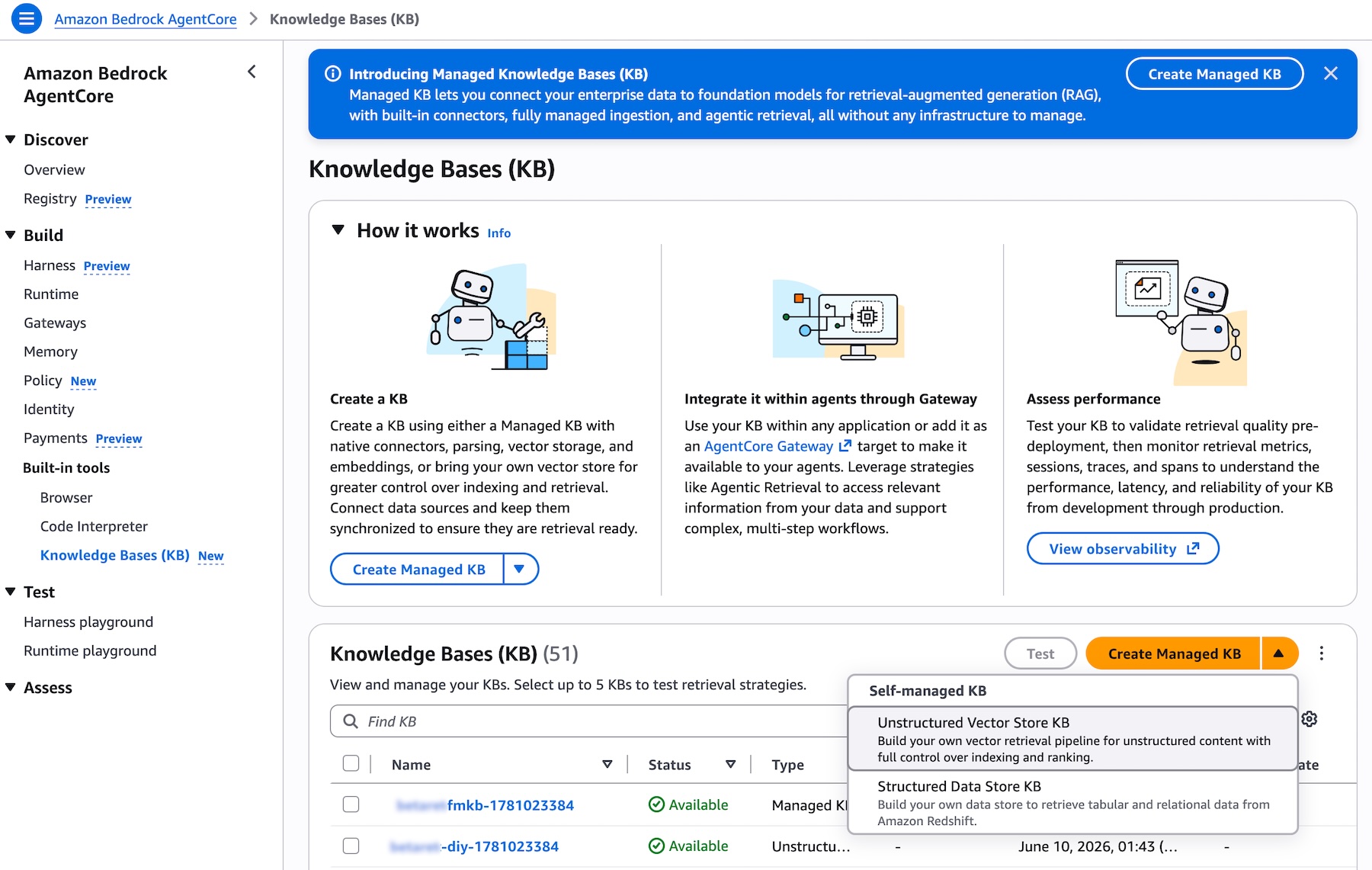
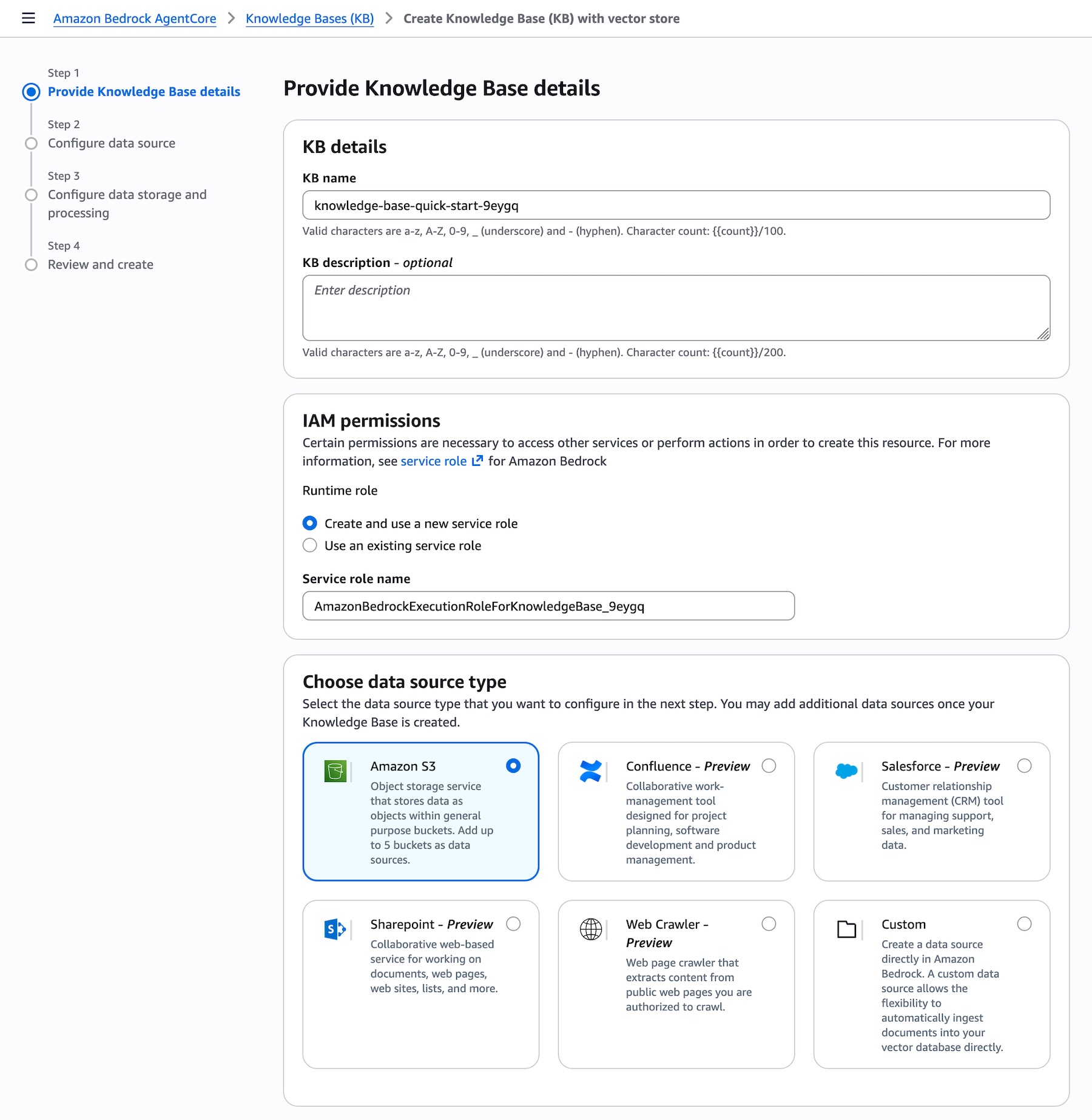
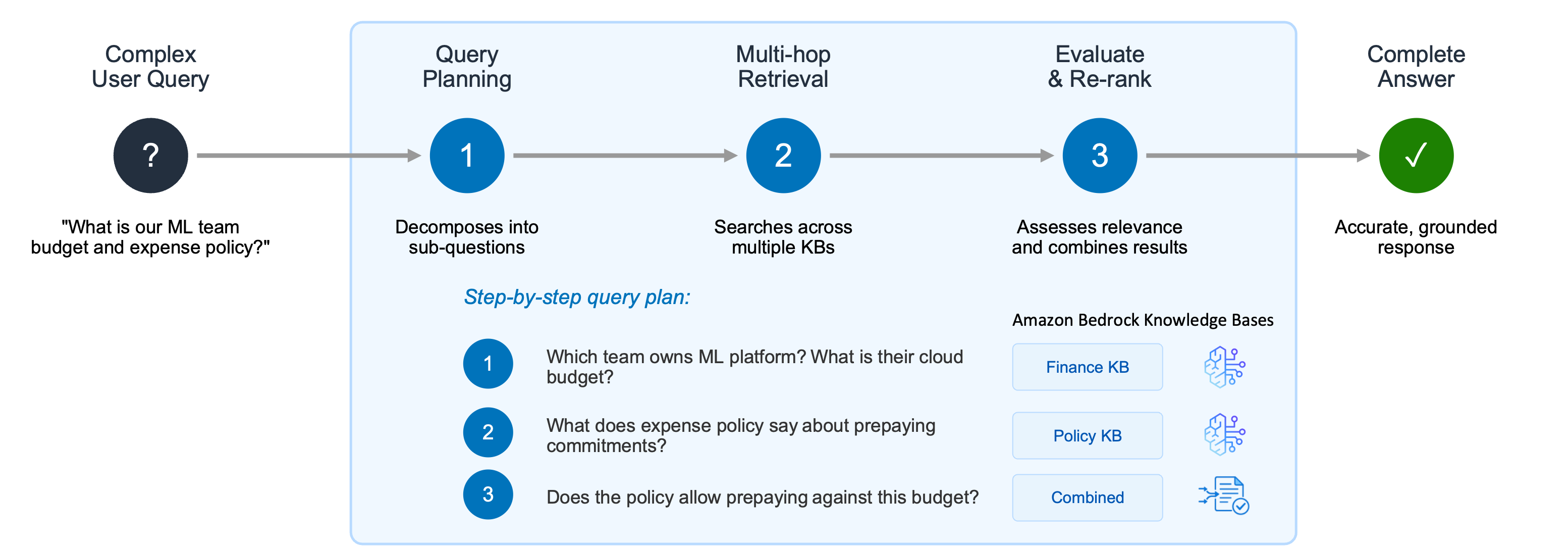
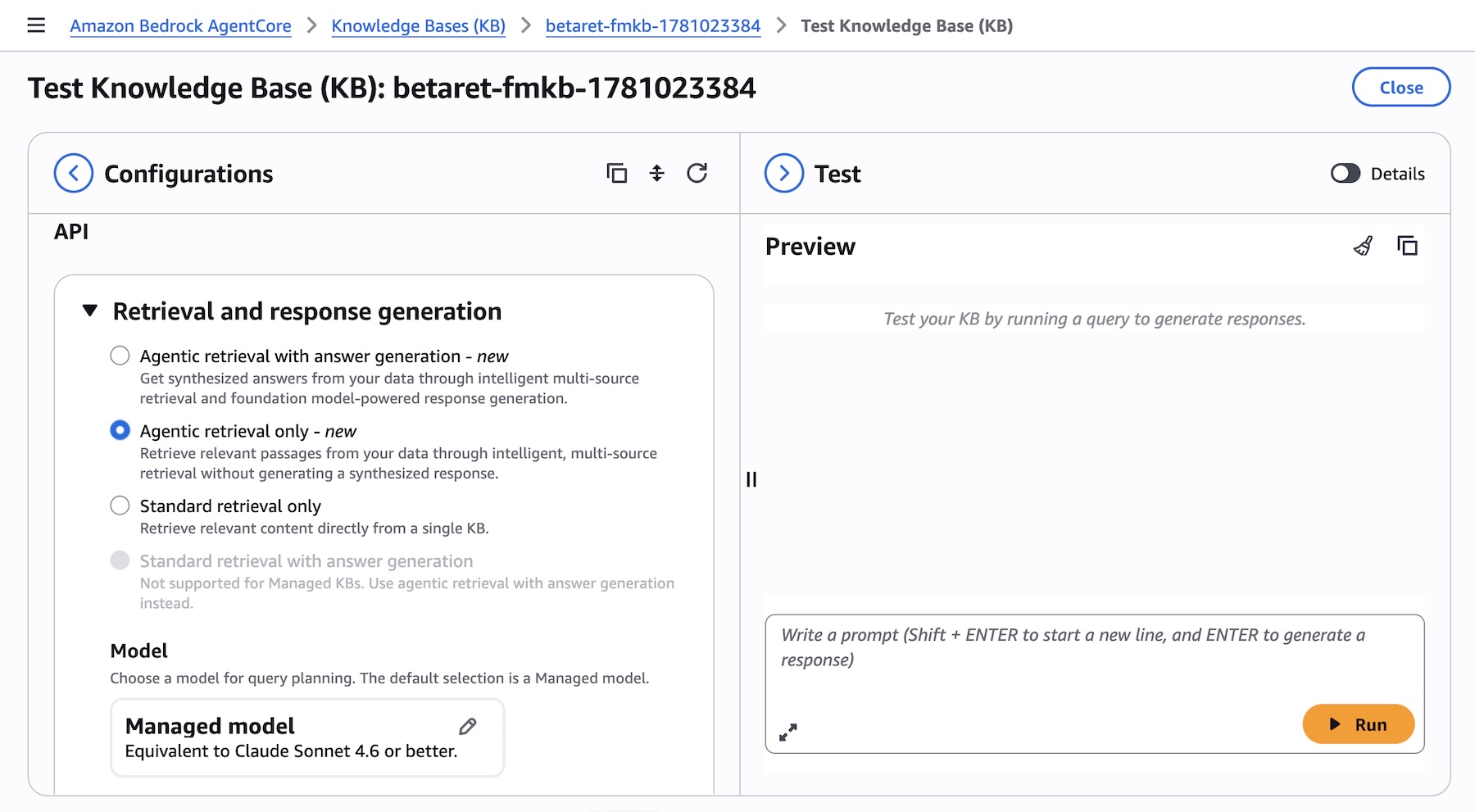
Tag Archives: Amazon Bedrock Knowledge Bases

Amazon FSx for NetApp ONTAP now integrates with Amazon S3 for seamless data access

Post Syndicated from Veliswa Boya original https://aws.amazon.com/blogs/aws/amazon-fsx-for-netapp-ontap-now-integrates-with-amazon-s3-for-seamless-data-access/

Today, we’re announcing the ability to access your data in Amazon FSx for NetApp ONTAP file systems using Amazon Simple Storage Service (Amazon S3). With this capability, you can use your enterprise file data to augment generative AI applications with Amazon Bedrock Knowledge Bases for Retrieval Augmented Generation (RAG), train machine learning (ML) models with Amazon SageMaker, generate insights with Amazon S3 integrated third-party services, use comprehensive research capabilities in AI-powered business intelligence (BI) tools such as Amazon Quick Suite, and run analyses using Amazon S3 based cloud-native applications, all while your file data continues to reside in your FSx for NetApp ONTAP file system.

Amazon FSx for NetApp ONTAP is the first and fully AWS managed NetApp ONTAP file system in the cloud to migrate on-premises applications that rely on NetApp ONTAP or other network-attached storage (NAS) appliances to AWS without having to change how you manage your data. FSx for NetApp ONTAP provides the popular capabilities, high performance, and data management APIs of ONTAP file systems with the added benefits of the AWS Cloud, such as simplified management, on-demand scaling, and seamless integration with other AWS services.

Over the years, AWS has developed a broad range of industry-leading AI, ML, and analytics services and applications that work with data in Amazon S3 that organizations use to innovate faster, discover new insights, and make even better data-driven decisions. However, some organizations want to use these services with their enterprise file data stored in NetApp ONTAP or other NAS appliances.

How to get started
You can create and attach an S3 Access Point to your FSx for ONTAP file system using the Amazon FSx console, the AWS Command Line Interface (AWS CLI), or the AWS SDK.

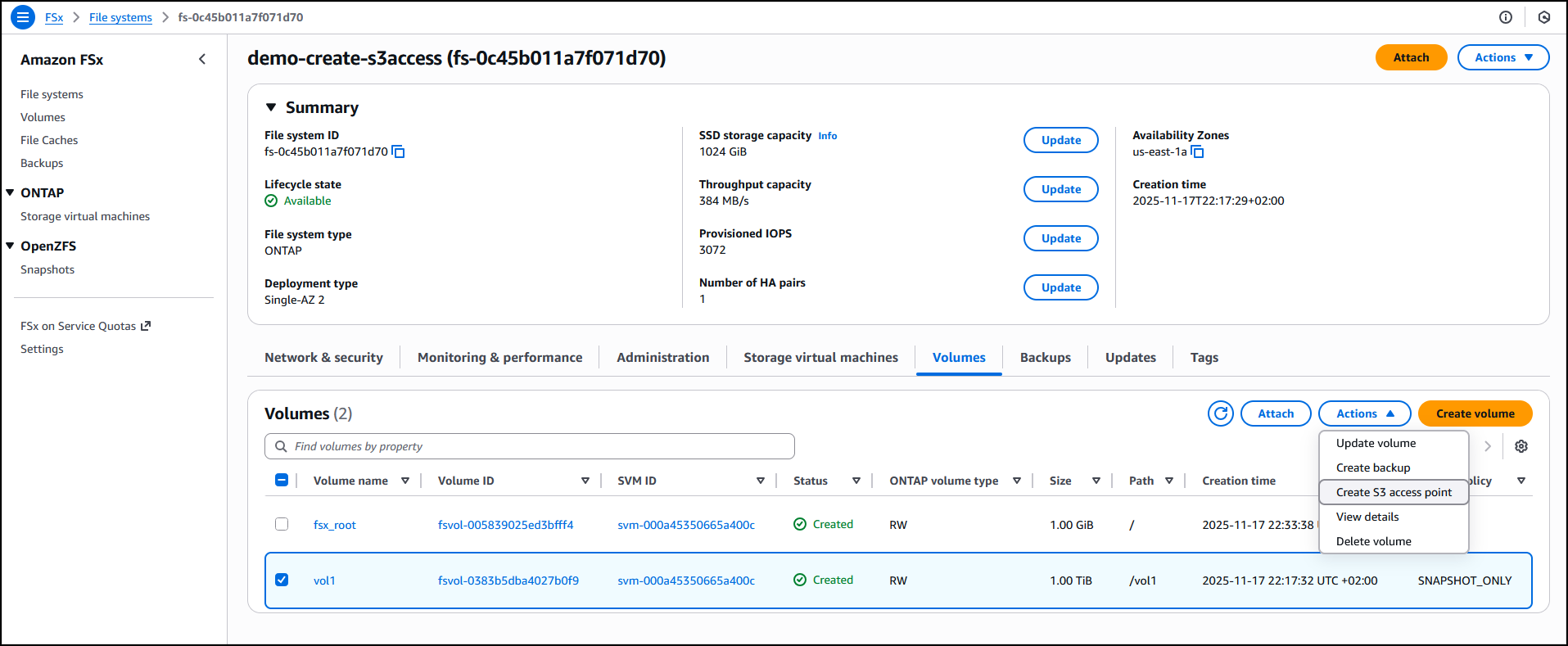
I have an existing FSx for ONTAP file system demo-create-s3access which I created by following the steps in the Creating file systems in the FSx for ONTAP documentation. Using the Amazon FSx console I now choose the file system ID fs-0c45b011a7f071d70 to access the full details of the file system.

I’ll attach the access point to the volume of the file system. I choose the volume vol1 and then select Create S3 Access Point from the Actions dropdown menu.


I enter details such as the access point name, the type of file system user identity and the network configuration, then choose Create s3 Access Point to finalize the process.


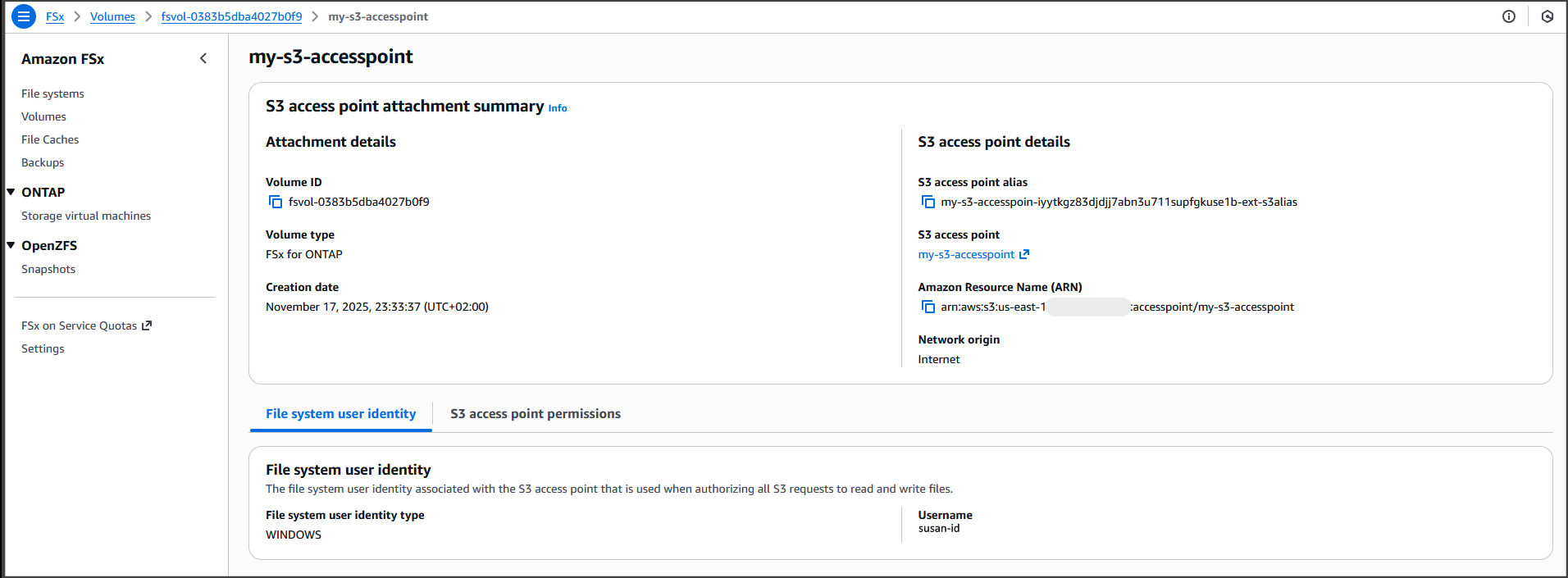
After it’s created, the access point my-s3-accesspoint is ready to allow access to the file data stored in my file system demo-create-s3access from Amazon S3. Amazon Access Points are S3 endpoints that can be attached to Amazon FSx volumes and used to perform Amazon S3 object operations.


I can now bring proprietary data stored in the file system demo-create-s3access to Amazon S3 for use in applications that work with Amazon S3 while my file data continues to reside in the FSx for NetApp ONTAP file system using the access point my-s3-accesspoint (this data remains accessible through the file protocols).

For the walkthrough in this post, I’ll integrate with Quick Suite.

Integrating decades of enterprise file data with the latest AI powered BI tools on AWS
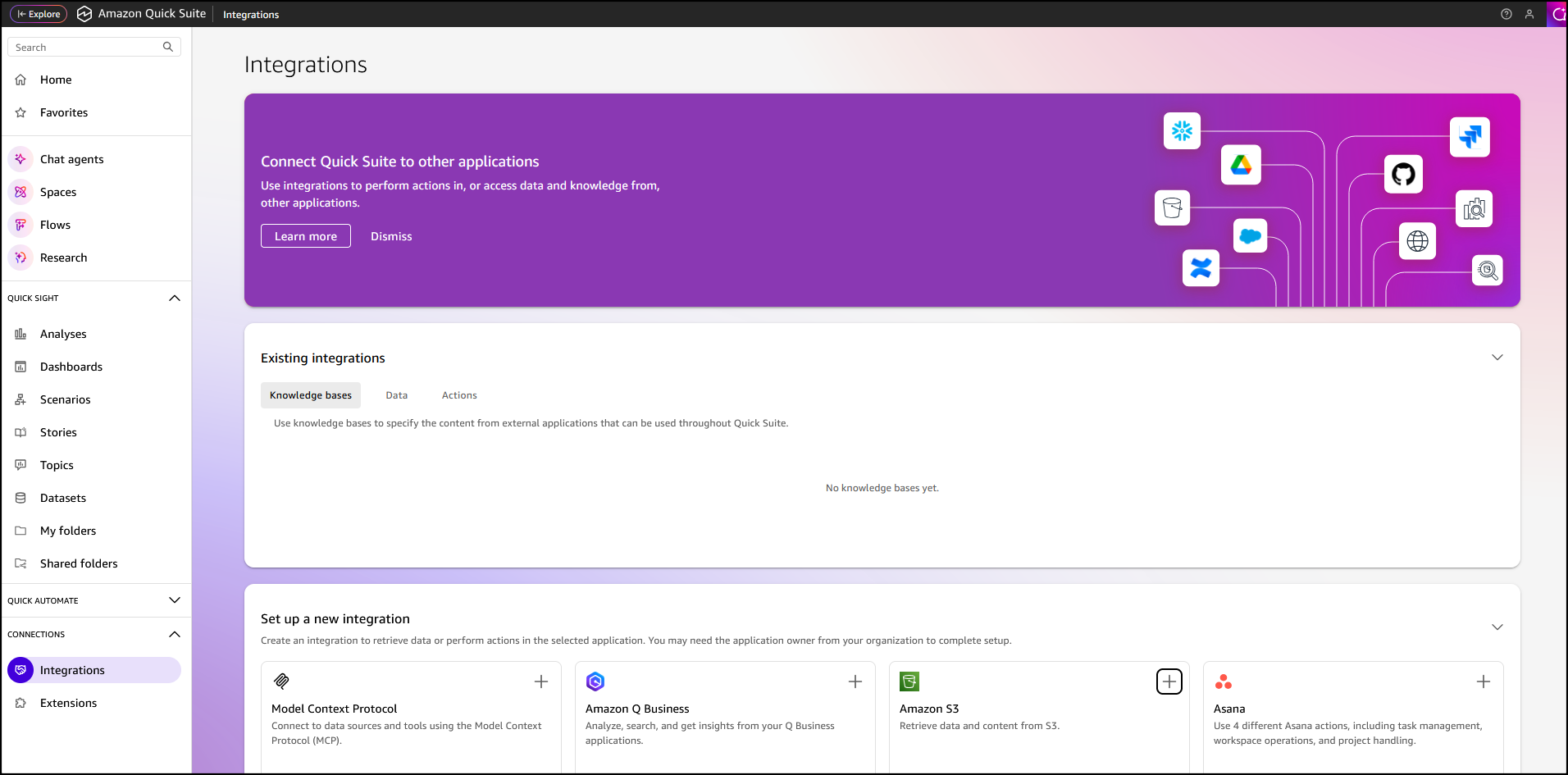
In the Quick Suite Console, in the left navigation pane, I choose Connections, then select Integrations. Before you begin, make sure that you have the correct permissions to the Amazon S3 AWS resource. You can control the AWS resources that Quick Suite can access by following the Amazon Quick Suite user guide.


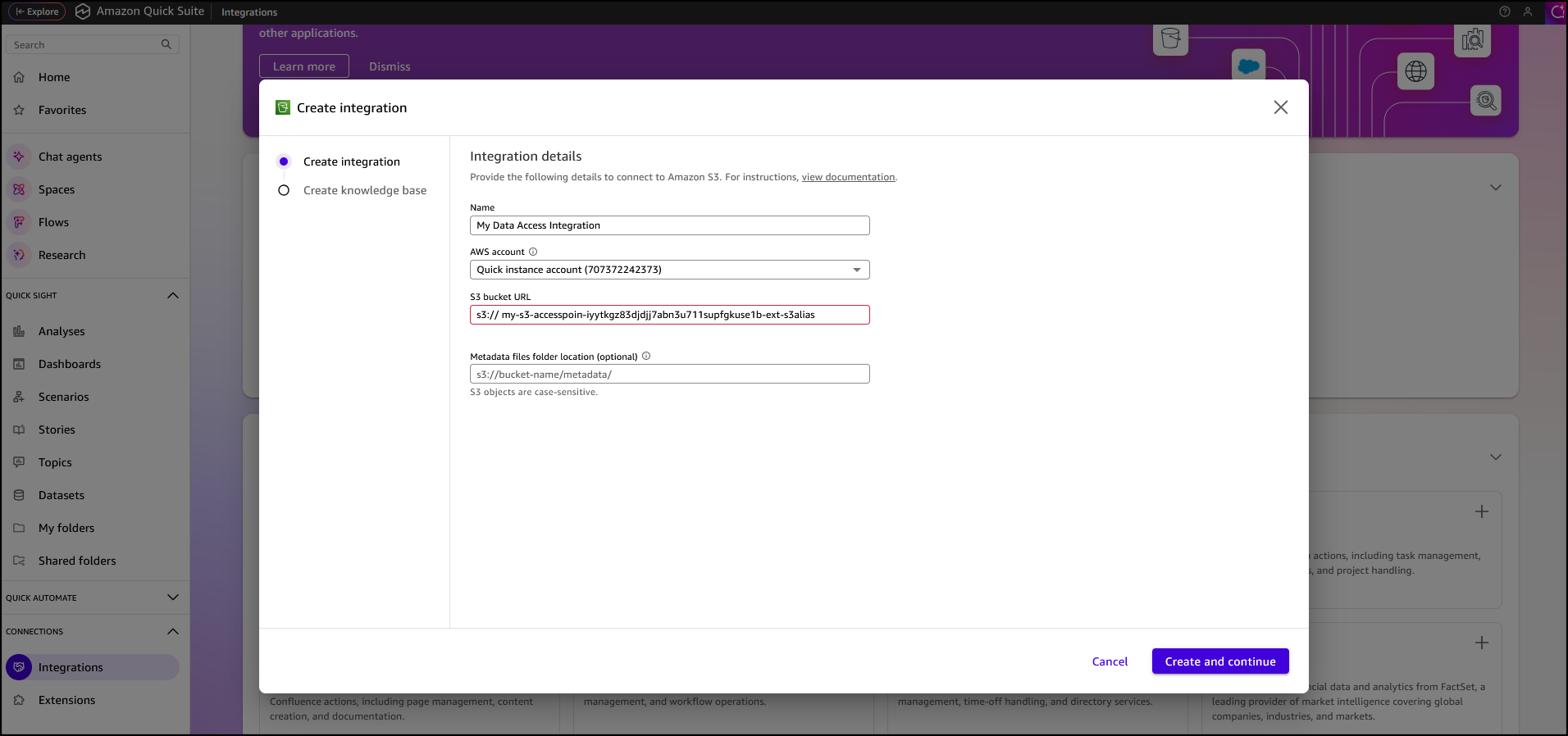
After I’ve selected the Amazon S3 integration I enter my Amazon S3 Access Point alias as the S3 bucket URL, leave the rest of the information as default, then choose Create and continue.


I finalize the process by providing the Name of the knowledge base, the Description, then choose Create.


After the knowledge base has been created it’s automatically synchronized, it’s now available for interaction.


I want to learn more about the AWS European Sovereign Cloud so I’ve updated the file system (accessed through the S3 Access Point my-s3-accesspoin-iyytkgz83djdjj7abn3u711supfgkuse1b-ext-s3alias) with the AWS whitepaper on this topic. In the chat in Amazon Quick Suite. I start asking the first question “do we have any documentation on the europe sovereignty cloud?“. To answer my question, the chat agent accesses and analyzes various types of data sources I have permission to use, including uploaded files in my current conversation, spaces I have access to, knowledge bases from my integrations, and more.

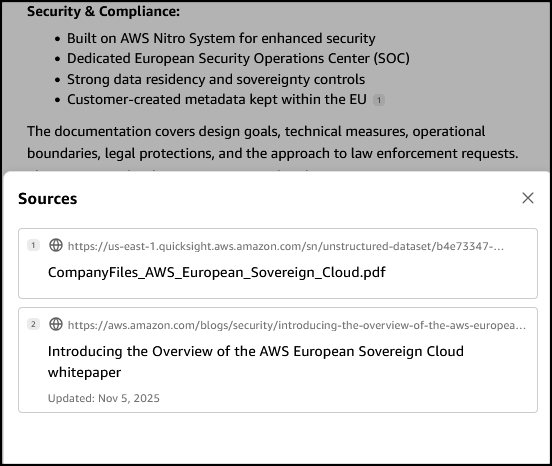
When I verify the source, I see that the document I uploaded to my file system is listed as one of the sources.

Other use cases of Amazon S3 Access Points for Amazon FSx for NetApp ONTAP
Earlier, we looked at use cases such as connecting an organization’s proprietary file data to Amazon Quick Suite for advanced business intelligence. Additionally, Amazon S3 Access Points for Amazon FSx for NetApp ONTAP can be used to seamlessly integrate enterprise file data with comprehensive analytics services, such as Amazon Athena for serverless SQL queries or AWS Glue for ETL processing, to name a few.

Amazon S3 Access Points for Amazon FSx for NetApp ONTAP are also suitable for data access from serverless compute workloads that are cloud-native with containerized microservices that require flexible access to shared enterprise datasets, such as configuration files, reference data, content libraries, model artifacts, and application assets.

Now available
You can get started today using the Amazon FSx console, AWS CLI, or AWS SDK to attach Amazon S3 Access Points to your Amazon FSx for NetApp ONTAP file systems. The feature is available in the following AWS Regions: Africa (Cape Town), Asia Pacific (Hong Kong, Hyderabad, Jakarta, Melbourne, Mumbai, Osaka, Seoul, Singapore, Sydney, Tokyo), Canada (Central, Calgary), Europe (Frankfurt, Ireland, London, Milan, Paris, Spain, Stockholm, Zurich), Israel (Tel Aviv), Middle East (Bahrain, UAE), South America (Sao Paulo), US East (N. Virginia, Ohio), and US West (N. California Oregon). You’re billed by Amazon S3 for the requests and data transfer costs through your S3 Access Point, in addition to your standard Amazon FSx charges. Learn more on the Amazon FSx for NetApp ONTAP pricing page.

PS: Writing a blog post at AWS is always a team effort, even when you see only one name under the post title. In this case, I want to thank Luke Miller, for his expertise and generous help with technical guidance, which made this overview possible and comprehensive.

Veliswa Boya.

Orchestrating large-scale document processing with AWS Step Functions and Amazon Bedrock batch inference

Post Syndicated from Brian Zambrano original https://aws.amazon.com/blogs/compute/orchestrating-large-scale-document-processing-with-aws-step-functions-and-amazon-bedrock-batch-inference/

Organizations often have large volumes of documents containing valuable information that remains locked away and unsearchable. This solution addresses the need for a scalable, automated text extraction and knowledge base pipeline that transforms static document collections into intelligent, searchable repositories for generative AI applications.

Organizations can automate the extraction of both content and structured metadata to build comprehensive knowledge bases that power retrieval-augmented generation (RAG) solutions while significantly reducing manual processing costs and time-to-value. The architecture not only demonstrates the processing of 500 research papers automatically, but also scales to handle enterprise document volumes cost-effectively through the Amazon Bedrock batch inference pricing model.

Overview

Amazon Bedrock batch inference is a feature of Amazon Bedrock that offers a 50% discount on inference requests. Although Amazon Bedrock schedules and runs the batch job (needing a minimum of 100 inference requests) as capacity becomes available, the inference won’t be real-time. For use cases where you can accommodate minutes to hours of latency, Amazon Bedrock batch inference is a good option.
This post demonstrates how to build an automated, serverless pipeline using AWS Step Functions, Amazon Textract, Amazon Bedrock batch inference, and Amazon Bedrock Knowledge Bases to extract text, create metadata, and load it into a knowledge base at scale. The example solution processes 500 research papers in PDF format from Amazon Science, extracts text using Amazon Textract, generated structured metadata with Amazon Bedrock batch inference and the Amazon Nova Pro model, and loads the final output, including Amazon Bedrock Knowledge Base filter, into an Amazon Bedrock Knowledge Base.

Architecture

This solution uses Step Functions with parallel Amazon Textract job processing through child workflows run by Distributed Map. You can use the concurrency controls offered by Distributed Map to process documents as quickly as possible within your Amazon Textract quotas. Increasing processing speed necessitates adjusting your Amazon Textract quota and updating the Distributed Map configuration. Amazon Bedrock batch inference handles concurrency, scaling, and throttling. This means that you can create the job without managing these complexities.

In this example implementation, the solution processes research papers to extract metadata such as:

  • Code availability and repository locations
  • Dataset availability and access methods
  • Research methodology types
  • Reproducibility indicators
  • Other relevant research attributes

The high-level parts of this solution include:

  • Extracting text from PDF documents with Amazon Textract in parallel, through Step Functions Distributed Map.
  • Analyzing extracted text using Amazon Bedrock batch inference to extract structured metadata.
  • Loading extract text and metadata into a searchable knowledge base using Amazon Bedrock Knowledge Bases with Amazon OpenSearch Serverless.

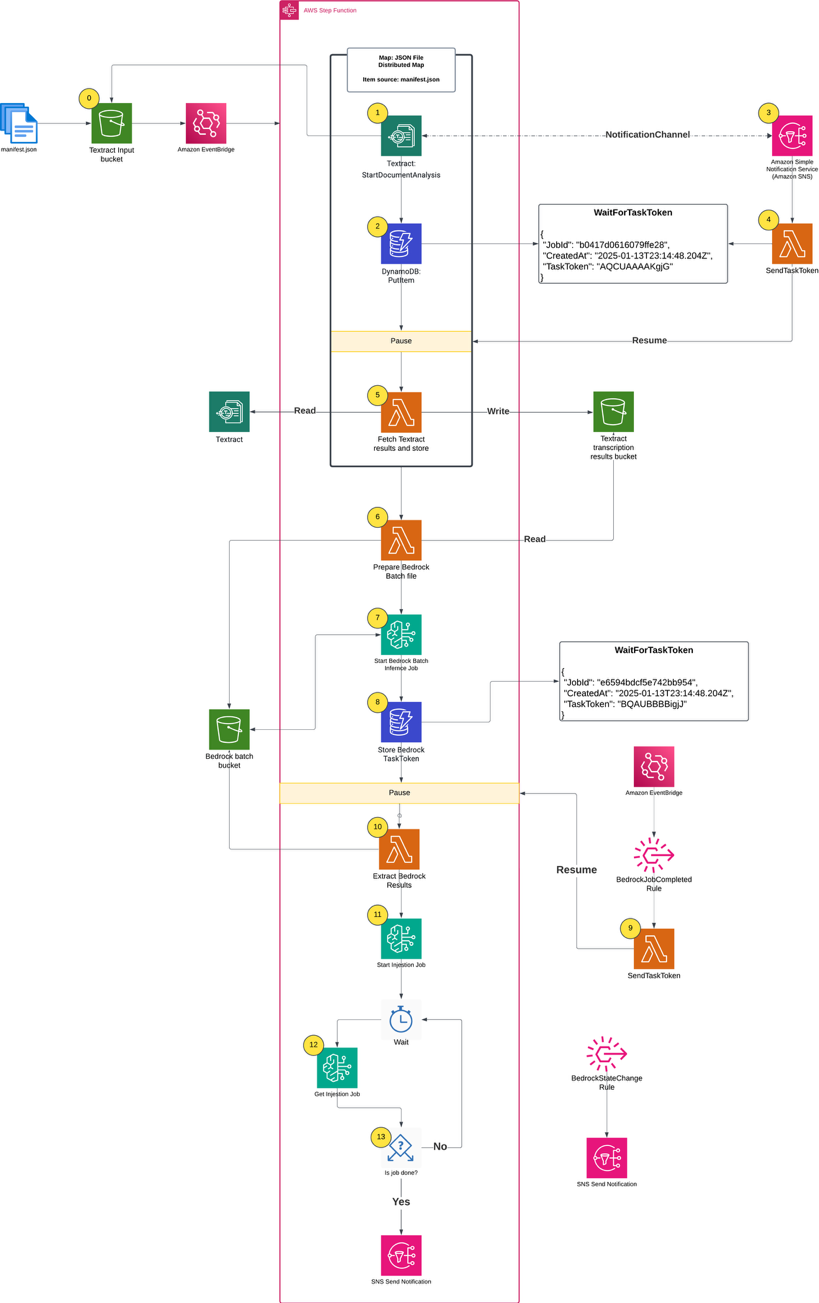
Complete architecture diagram

Figure 1. Complete architecture diagram

Prerequisites

The following prerequisites are necessary to complete this solution:

Running the solution

The complete solution uses AWS CDK to implement two AWS CloudFormation stacks:

  1. BedrockKnowledgeBaseStack: Creates the knowledge base infrastructure
  2. SFNBatchInferenceStack: Implements the main processing workflow

First, clone the GitHub repository into your local development environment and install the requirements:

git clone https://github.com/aws-samples/sample-step-functions-batch-inference.git .

cd sample-step-functions-batch-inference

npm install

Next, deploy the solution using AWS CDK:

cdk deploy --all

After deploying the cdk stacks, upload your data sources (PDF files) into the AWS CDK-created Amazon S3 input bucket. In this example, I uploaded 500 Amazon Science papers. The input bucket name is included in the AWS CDK outputs:

Outputs:

SFNBatchInference.BatchInputBucketName = sfnbatchinference-batchinputbucket11aaa222-nrjki8tewwww

Parallel text extraction

The process begins when you upload a manifest.json file to the input bucket. The manifest file lists the files for processing, which already exist in the input bucket. The filenames listed in manifest.json define what constitutes a single processing job run. To create another run, you would create a different manifest.json and upload it to the same S3 bucket.

[
  {
    "filename": "flexecontrol-flexible-and-efficient-multimodal-control-for-text-to-image-generation.pdf"
  },
  {
    "filename": "adaptive-global-local-context-fusion-for-multi-turn-spoken-language-understanding.pdf"
  }
]

The AWS CDK definition for the input bucket includes Amazon EventBridge notifications and creates a rule that triggers the Step Functions workflow whenever a manifest.json file is uploaded.

private createS3Buckets() {
    const batchBucket = new s3.Bucket(this, "BatchInputBucket", {
      removalPolicy: cdk.RemovalPolicy.DESTROY,
      autoDeleteObjects: true,
    })
    batchBucket.enableEventBridgeNotification()

    new cdk.CfnOutput(this, "BatchInputBucketName", {
      value: batchBucket.bucketName,
      description: "Name of input bucket to send PDF documents that Textract will read.",
    })

    const manifestFileCreatedRule = new eventBridge.Rule(this, "ManifestFileCreatedRule", {
      eventPattern: {
        source: ["aws.s3"],
        detailType: ["Object Created"],
        detail: {
          bucket: {
            name: [batchBucket.bucketName],
          },
          object: {
            key: ["manifest.json"],
          },
        },
      },
    })

    return { batchBucket, manifestFileCreatedRule }
  }

The first step in the Step Functions workflow is a Distributed Map run that performs the following actions for each PDF in the manifest file:

  1. Starts an Amazon Textract job, providing an Amazon Simple Notification Service (Amazon SNS) topic for completion notification.
  2. Writes the Step Functions task token to Amazon DynamoDB, pausing the individual child workflow.
  3. Processes the Amazon SNS message when the Amazon Textract job completes, triggering an AWS Lambda function.
  4. Uses a Lambda function to retrieve the task token from DynamoDB using the Amazon Textract JobId.
  5. Fetches the raw results from Amazon Textract, organizes the text for readability, and writes results to an S3 bucket

First step in the Step Functions workflow

A key component of this architecture is the callback pattern that Amazon Textract supports using the NotificationChannel option, as shown in the preceding figure. The AWS CDK definition the Step Functions state that starts the Amazon Textract job is shown in the following.

const startTextractStep = new tasks.CallAwsService(this, "StartTextractJob", {
  service: "textract",
  action: "startDocumentAnalysis",
  resultPath: "$.textractOutput",
  parameters: {
    DocumentLocation: {
      S3Object: {
        Bucket: sourceBucket.bucketName,
        Name: sfn.JsonPath.stringAt("$.filename"),
      },
    },
    FeatureTypes: ["LAYOUT"],
    NotificationChannel: {
      RoleArn: textractRoleArn,
      SnsTopicArn: snsTopicArn,
    },
  },
  iamResources: ["*"],
})

The Lambda function that handles task tokens extracts the Amazon Textract JobId from the Amazon SNS message, fetches the TaskToken from DynamoDB, and resumes the Step Functions Workflow by sending the TaskToken:

from aws_lambda_powertools.utilities.data_classes import SNSEvent, event_source

@event_source(data_class=SNSEvent)
def handle_textract_task_complete(event, context):
    # Multiple records can be delivered in a single event
    for record in event.records:
        sns_message = json.loads(record.sns.message)
        textract_job_id = sns_message["JobId"]

        # Get both task token and original file from DynamoDB
        ddb_item = _get_item_from_ddb(textract_job_id)

        # Send both the job ID and original file name in the response
        _send_task_success(
            ddb_item["TaskToken"],
            {
                "TextractJobId": textract_job_id,
                "OriginalFile": ddb_item["OriginalFile"],
            },
        )
        # Delete the task token from DynamoDB after use
        _delete_item_from_ddb(textract_job_id)

def _send_task_success(task_token: str, output: None | dict = None) -> None:
    """Sends task success to Step Functions with the provided output"""
    sfn = boto3.client("stepfunctions")
    sfn.send_task_success(taskToken=task_token, output=json.dumps(output or {}))

The Distributed Map runs up to 10 child workflows concurrently, controlled by the maxConcurrency setting. Although Step Functions supports running up to 10,000 child workflow executions, the practical concurrency for this solution is constrained by Amazon Textract quotas. The startDocumentAnalysis API has a default quota of 10 requests per second (RPS), which means you must consider this limit when scaling your document processing workloads and potentially request quota increases for higher throughput requirements.

const distributedMap = new sfn.DistributedMap(this, "DistributedMap", {
  mapExecutionType: sfn.StateMachineType.STANDARD,
  maxConcurrency: 10,
  itemReader: new sfn.S3JsonItemReader({
    bucket: sourceBucket,
    key: "manifest.json",
  }),
  resultPath: "$.files",
}

Running Amazon Bedrock batch inference

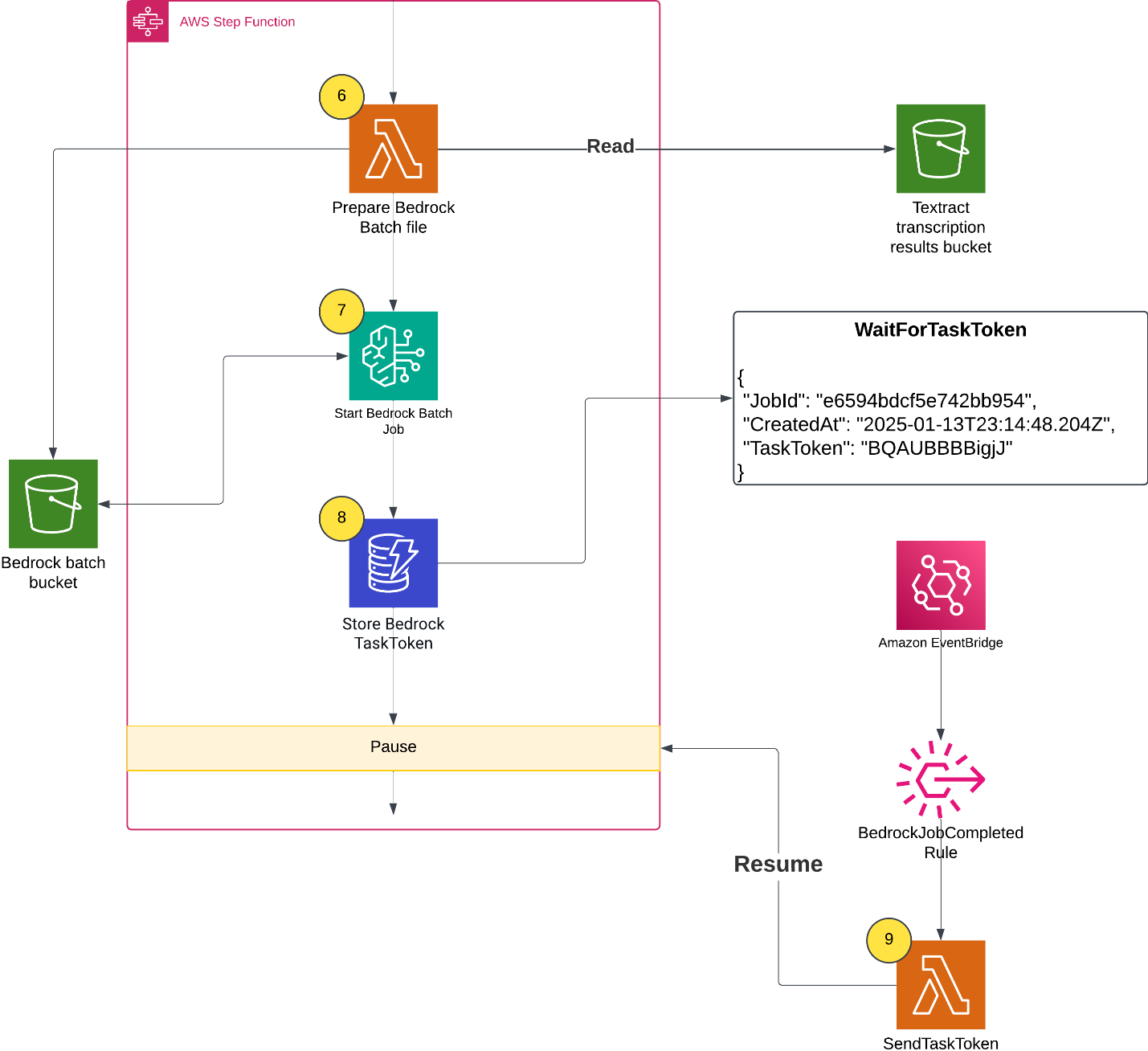
When all of the Amazon Textract jobs finish, the Distributed Map state creates an Amazon Bedrock batch inference input file, launches the Amazon Bedrock inference job, and waits for it to complete.

  1. A Lambda function collects text results from Amazon S3 and creates an Amazon Bedrock batch inference input file with custom prompts.
  2. The workflow starts the Amazon Bedrock batch inference job by calling createModelInvocationJob and sending the batch inference input file as input.
  3. The workflow pauses and stores the task token in DynamoDB.
  4. An EventBridge rule matches completed Amazon Bedrock batch inference events, and upon job completion and triggers a Lambda function. The Lambda function retrieves the task token and resumes the workflow, as shown in the following figure.

Lambda function retrieves the task token and resumes the workflow

A batch inference input is a single jsonl file with multiple entries such as the following example. The prompt in each inference request instructs the large language model (LLM) to analyze the paper and extract metadata. Read the full prompt template in the GitHub repository.

{
  "recordId": "c1b8a3b2086141f963",
  "modelInput": {
    "messages": [
      {
        "role": "user",
        "content": [
          {
            "text": "Analyze the following research paper transcript and extract metadata about code and dataset availability. Extract the following metadata from this research paper transcript:\n\n1. **has_code**: Does the paper mention or link to source code? (true/false) ...... Return only valid JSON matching the schema above. Do not include any text outside of the JSON structure."
          }
        ]
      }
    ],
    "inferenceConfig": { "maxTokens": 4096 }
  }
}

Populating the Amazon Bedrock Knowledge Base

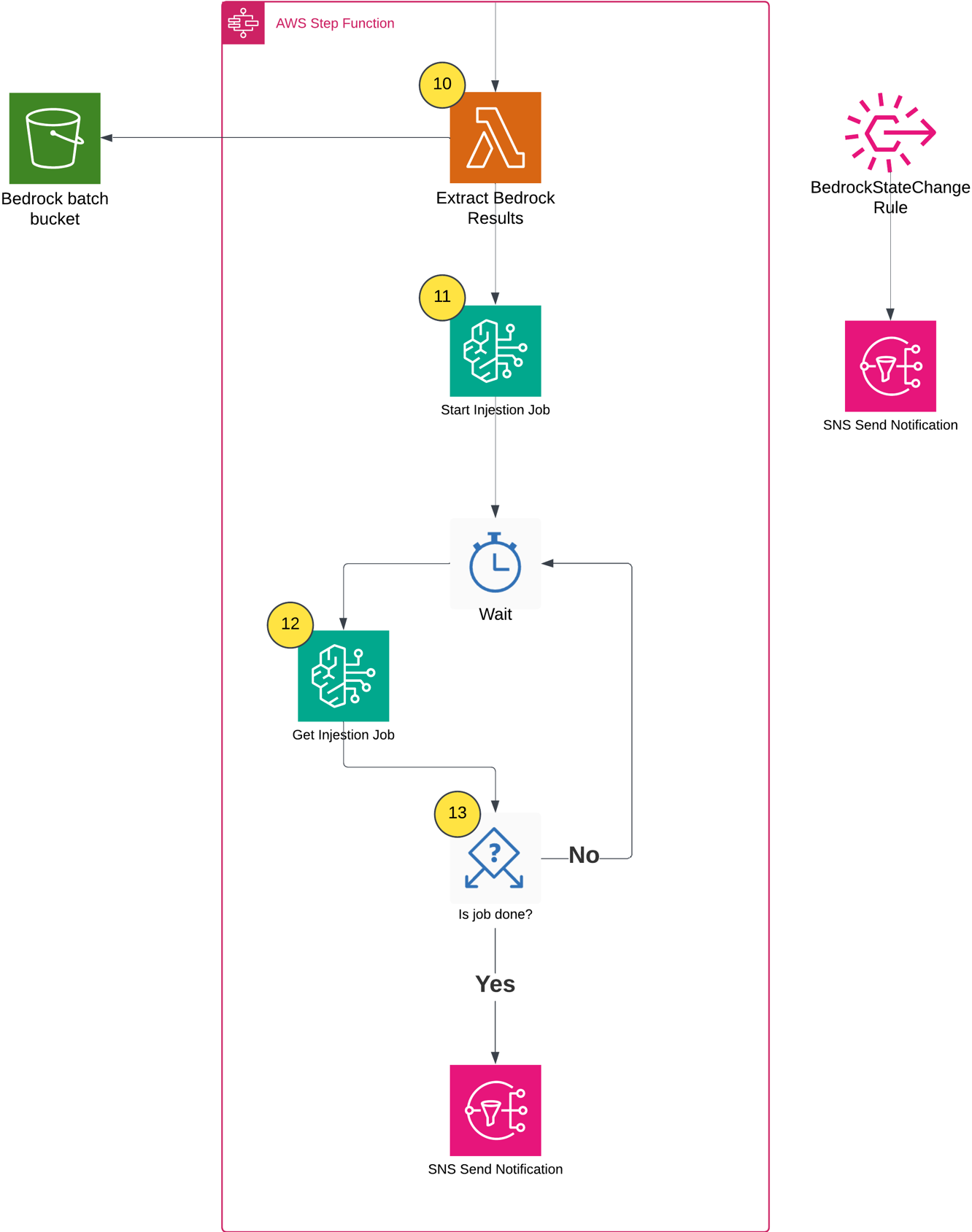
After the batch inference completes, the workflow does the following:

  1. Extracts inference results and creates metadata files based on the Amazon Bedrock inference results (example metadata shown in the following figure).
  2. Starts an Amazon Bedrock Knowledge Base ingestion job.
  3. Monitors the ingestion job status using Step Functions Wait and Choice states.
  4. Sends a completion notification through Amazon SNS.

Populating the Amazon Bedrock Knowledge Base

The following shows the example metadata format:

{
  "metadataAttributes": {
    "has_code": true,
    "has_dataset": false,
    "code_availability": "publicly_available",
    "dataset_availability": "not_available",
    "research_type": "methodology",
    "is_reproducible": true,
    "code_repository_url": "https://github.com/amazon-science/PIXELS"
  }
}

Testing the knowledge base

After the workflow completes successfully, you can test the knowledge base to verify that the documents and metadata have been properly ingested and are searchable. There are two practical methods for testing an Amazon Bedrock Knowledge Base:

  1. Using the Console
  2. Using the AWS SDK to run a query

Testing through the Console

The Console provides an intuitive interface for testing your knowledge base queries with metadata filters:

  1. Navigate to the Amazon Bedrock console.
  2. In the left navigation pane, choose Knowledge Bases under the Build section.
  3. Choose the knowledge base created by the AWS CDK deployment (the name will be output by the AWS CDK stack).
  4. Choose the Test button in the upper right corner.
  5. In the test interface, choose your preferred foundation model (FM) (such as Amazon Nova Pro).
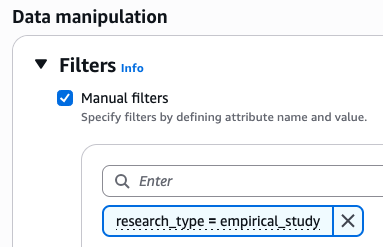
  6. Expand the Configurations column, then navigate to the Filters section.
  7. Configure filters based on the extracted metadata, as shown in the following figure.

Configure filters based on the extracted metadata

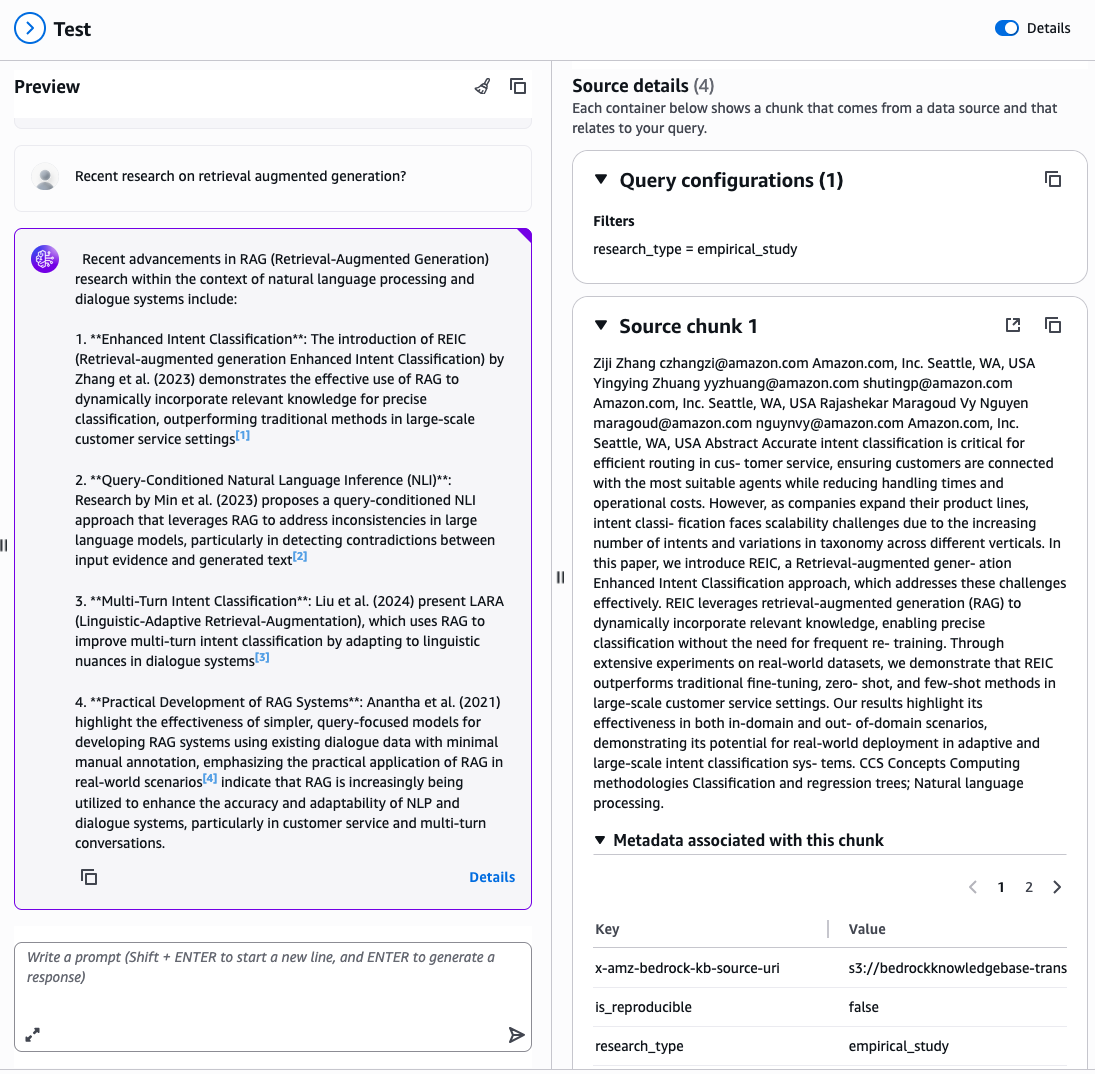
Enter a natural language query related to your documents, for example: “Recent research on retrieval augmented generation?”

The console displays the generated response along with source attributions showing which documents were retrieved and used to formulate the answer, filtered by your specified metadata attributes, as shown in the following figure.

A chat example

Testing via API

For programmatic testing and integration into applications, use the AWS SDK with metadata filtering. The following is a Python example using boto3:

model_arn = "arn:aws:bedrock:us-east-1::foundation-model/amazon.nova-pro-v1:0"

# Query for papers with publicly available code
response = bedrock_agent_runtime.retrieve_and_generate(
    input={'text': "What recent research has been done on RAG?"},
    retrieveAndGenerateConfiguration={
        'type': 'KNOWLEDGE_BASE',
        'knowledgeBaseConfiguration': {
            'knowledgeBaseId': knowledge_base_id,
            'modelArn': model_arn,
            'retrievalConfiguration': {
                'vectorSearchConfiguration': {
                    'numberOfResults': 5,
                    'filter': {"equals": {"key": "has_code", "value": True}},
                }
            },
        },
    },
)

# Display results
print(f"Response: {response['output']['text']}\n")
print("Source Documents:")

for citation in response.get('citations', []):
    for reference in citation.get('retrievedReferences', []):
        metadata = reference.get('metadata', {})
        print(f" Document: {reference['location']['s3Location']['uri']}\n")

The following is the test script output:

Response: Recent research on Retrieval-Augmented Generation (RAG) has focused on enhancing the system's ability to dynamically retrieve and utilize relevant information from a Vector Database (VDB) to improve decision-making and performance. Key innovations include:

1. **Dynamic Retrieval and Utilization**: The system is designed to query the VDB for contextually relevant past experiences, which significantly improves decision quality and accelerates performance by leveraging a growing repository of relevant experiences.

2. **Teacher-Student Instructional Tuning**: A novel mechanism where a Teacher agent refines a Student agent's core policy through direct interaction. The Teacher generates a modified SYSTEM prompt based on the Student's actions, creating a meta-learning loop that enhances the Student's reasoning policy over time.

Conclusion

This solution demonstrates how to combine multiple AWS AI and serverless services to build a scalable document processing pipeline. Organizations can use AWS Step Functions for orchestration, Amazon Textract for document processing, Amazon Bedrock batch inference for intelligent content analysis, and Amazon Bedrock Knowledge Bases for searchable storage. In turn, they can automate the extraction of insights from large document collections while optimizing costs.

Following this solution, you can build a solid foundation for production-scale document processing pipelines that maintain the flexibility to adapt to your specific requirements while making sure of reliability, scalability, and operational excellence. Follow this link to learn more about serverless architectures.

Enhance Amazon EMR observability with automated incident mitigation using Amazon Bedrock and Amazon Managed Grafana

Post Syndicated from Yu-Ting Su original https://aws.amazon.com/blogs/big-data/enhance-amazon-emr-observability-with-automated-incident-mitigation-using-amazon-bedrock-and-amazon-managed-grafana/

Maintaining high availability and quick incident response for Amazon EMR clusters is important in data analytics environments. In this post, we show you how to build an automated observability system that combines Amazon Managed Grafana with Amazon Bedrock to detect and remediate EMR cluster issues. We demonstrate how to integrate real-time monitoring with AI-powered remediation suggestions, combining Amazon Managed Grafana for visualization, Amazon Bedrock for intelligent response recommendations, and AWS Systems Manager for automated remediation actions on Amazon Web Services (AWS).

Solution overview

This solution helps you improve EMR cluster observability through a comprehensive four-layer architecture—comprising monitoring, notification, remediation, and knowledge management—to provide the following features:

  • Real-time monitoring of EMR clusters using Amazon Managed Service for Prometheus and Amazon Managed Grafana
  • Automated first-aid remediation through Systems Manager
  • AI-powered incident response suggestions using Amazon Bedrock
  • Integration with the AWS Premium Support knowledge base
  • Historical incident data archival and analysis

The implementation of this architecture delivers the following key benefit:

  • Reduced Mean time to resolution (MTTR)
  • Proactive incident prevention
  • Automated first-response actions
  • Knowledge base enrichment through machine learning

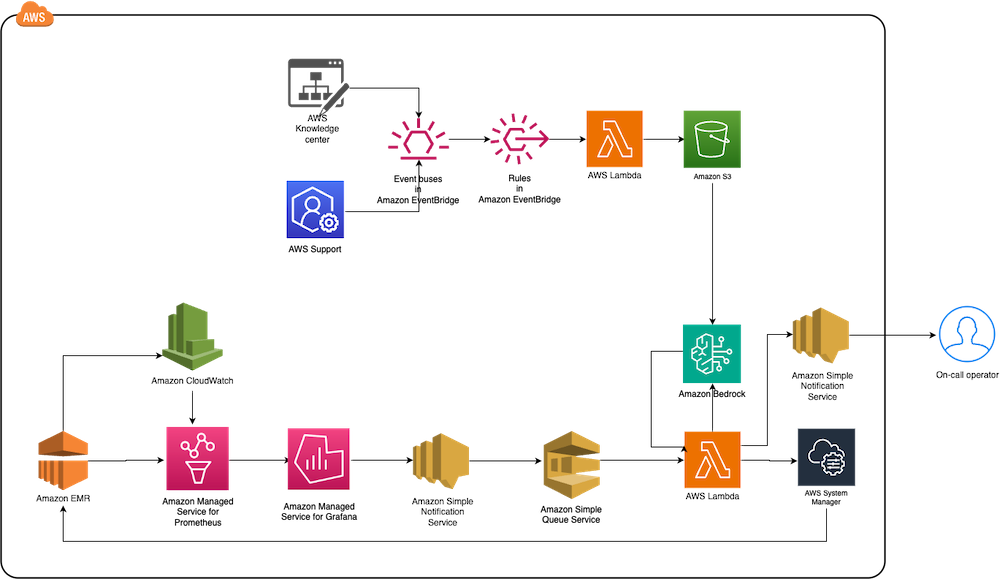
The following diagram illustrates the solution architecture.

End-to-end AWS monitoring solution diagram integrating Knowledge Center, Support, CloudWatch metrics with EventBridge rules and Lambda processing

The architecture comprises the following core components:

  • Monitoring layer – The monitoring layer uses Amazon Managed Service for Prometheus and Amazon CloudWatch to capture real-time metrics from EMR clusters. Amazon Managed Grafana serves as the visualization layer, offering comprehensive dashboards for Apache YARN, HDFS, Apache HBase, and Apache Hudi performance monitoring. Advanced alerting mechanisms trigger notifications based on predefined query results.
  • Notification layer – To provide timely and reliable alert delivery, the notification layer uses Amazon Simple Notification Service (Amazon SNS) for distribution and Amazon Simple Queue Service (Amazon SQS) for message queuing. This architecture prevents message delays and provides a robust trigger mechanism for AWS Lambda functions.
  • Remediation layer – The remediation layer enables automatic issue resolution through:
    • Lambda functions for orchestration
    • Systems Manager for script execution
    • Amazon Bedrock (amazon.nova-lite-v1:0) for generating intelligent response recommendations
  • Knowledge management layer – To maintain an up-to-date knowledge base, the solution:

We provide an AWS CloudFormation template to deploy the solution resources.

Prerequisites

Before starting this walkthrough, make sure you have access to the following AWS resources and configurations:

  • An AWS account
  • Access to the US East (N. Virginia) AWS Region
    • Add access to Amazon Bedrock foundation models (amazon.nova-lite-v1:0)

  • Amazon EMR version 6.15.0 (used in this demo)
  • Archived technical or troubleshooting articles
  • AWS IAM Identity Center enabled with at least one role that can become a Grafana administrator
  • (Optional) AWS Premium Support with a business support plan or higher for enhanced troubleshooting capabilities

Throughout this walkthrough, we provide detailed instructions to set up and configure these prerequisites if you haven’t already done so.

Configure resources using AWS CloudFormation

Complete the following steps to configure your resources:

  1. Launch the CloudFormation stack:

launch stack

  1. Provide emrobservability as the stack name.
  2. Select a virtual private cloud (VPC) and assign a public subnet.
  3. For EMRClusterName, enter a name for your cluster (default: emrObservability).
  4. Enter an existing Amazon S3 location as the Apache HBase root directory location (for example, s3://mybucket/my/hbase/rootdir/).
  5. For MasterInstanceType and CoreInstanceType, enter your instance types (default: m5.xlarge for both).
  6. For CoreInstanceCount, enter your instance count (default: 2).
  7. For SSHIPRange, use CheckIp and enter your IP (for example, 10.1.10/32).
  8. Choose the release label (default: 6.15.0).
  9. For KeyName, enter a key name to SSH to Amazon Elastic Compute Cloud (Amazon EC2) instances.
  10. For LatestAmiId, enter your AMI (default: /aws/service/ami-amazon-linux-latest/amzn2-ami-hvm-x86_64-gp2).
  11. For KBS3Bucket, enter a name for your S3 bucket (for example, mykbbucket).
  12. For SubscriptionEndpoint, enter an email address to receive notifications and responses (for example, [email protected]).

Accept subscription confirmation

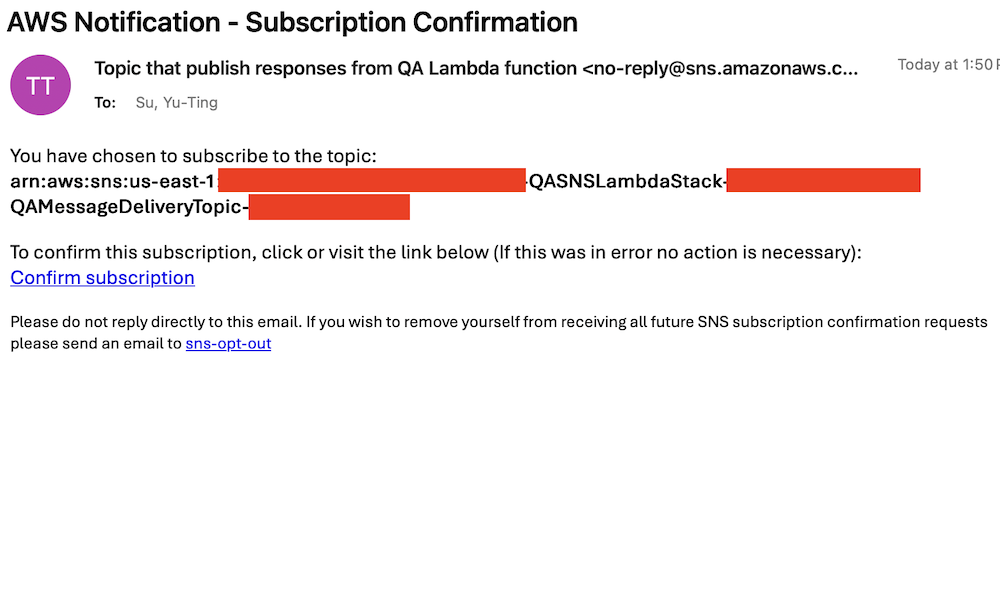
Accept the subscription confirmation sent to the email address you specified in the CloudFormation stack parameters. The following screenshot shows an example of the email you receive.

AWS email confirmation for SNS topic subscription to QA Lambda function responses with opt-out instructions

Prepare the knowledge base

Complete the following steps to populate the S3 bucket with archived technical articles and cases:

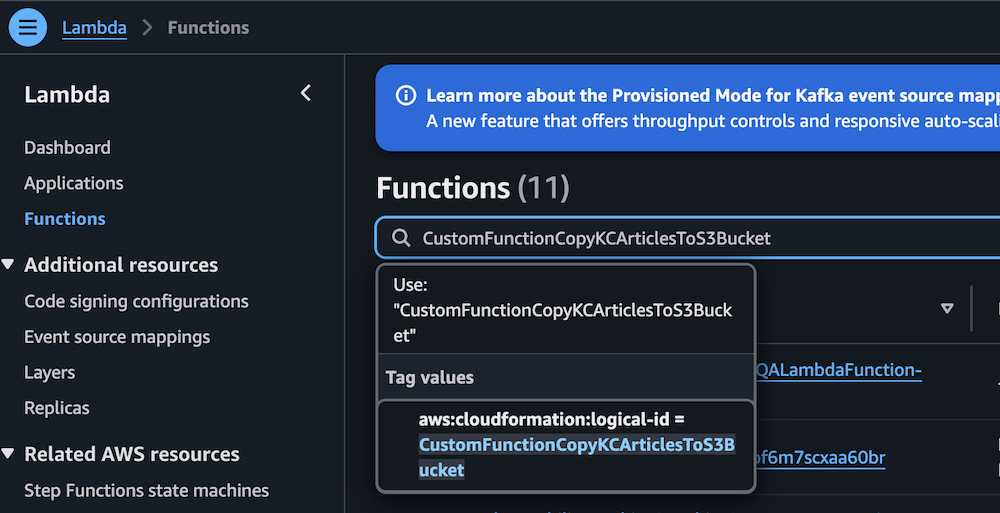
  1. On the Lambda console, choose Functions in the navigation pane.
  2. Choose the function CustomFunctionCopyKCArticlesToS3Bucket.

AWS Lambda console displaying Functions page with CustomFunctionCopyKCArticlesToS3Bucket function details

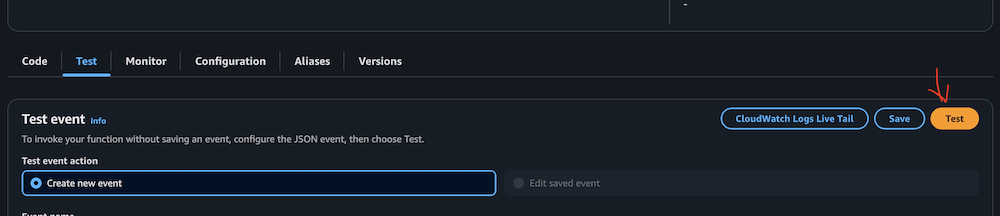
  1. Manually invoke the function by choosing Test on the Test tab.

AWS Lambda Test tab interface with event configuration options

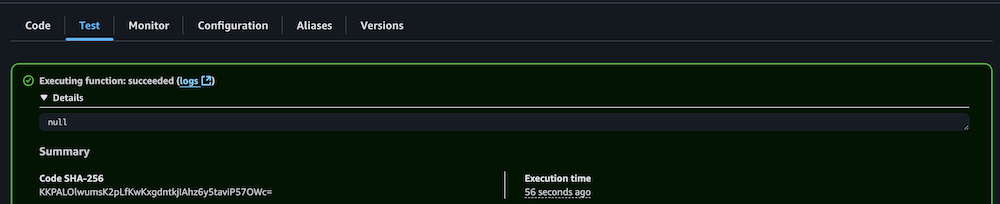
  1. Verify successful execution by checking the CloudWatch logs.

AWS Lambda successful function execution result with null output

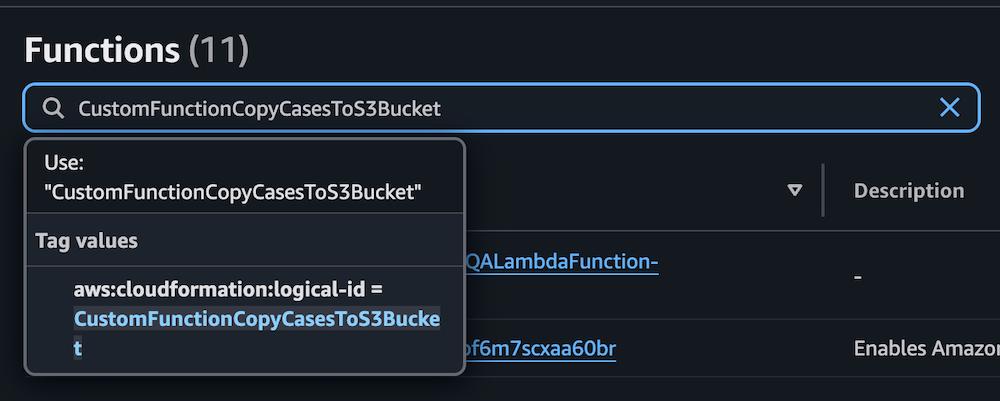
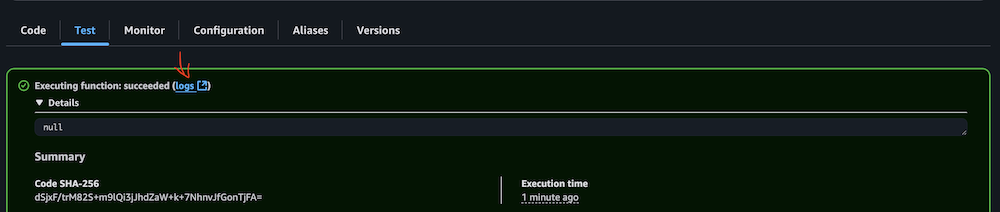
  1. Repeat the process for the Lambda function CustomFunctionCopyCasesToS3Bucket.

Lambda function interface displaying CustomFunctionCopyCasesToS3Bucket configuration with CloudFormation ID and description panel

AWS Lambda test interface showing Test event configuration options and action buttons

AWS Lambda function execution success message with null response and SHA-256 code

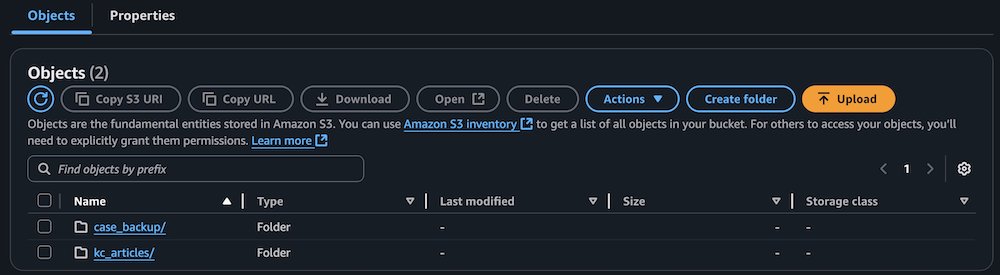
  1. Confirm the S3 bucket has been populated with archived technical articles and cases.

Amazon S3 bucket interface showing two folders with action buttons and search functionality

Sync data to the Amazon Bedrock knowledge base

Complete the following steps to sync the data to your knowledge base:

  1. On the Lambda console, choose Functions in the navigation pane.
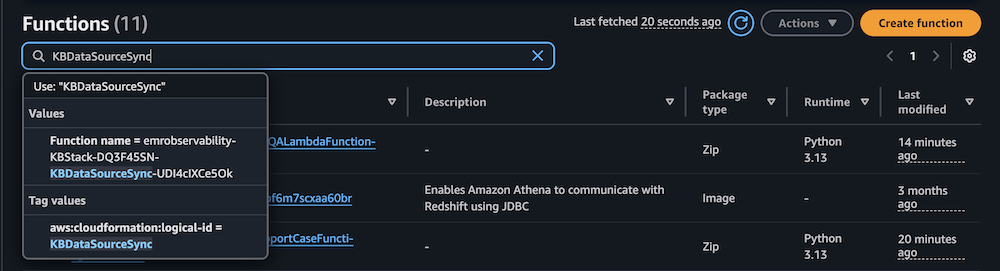
  2. Choose the function KBDataSourceSync.

AWS Lambda console displaying filtered functions with CloudFormation tags, Python runtime versions, and modification timestamps

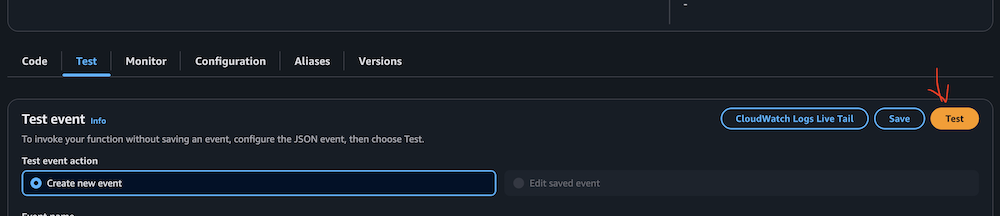
  1. Manually invoke the function by choosing Test on the Test tab.

This task might take 10–15 minutes to complete.

AWS Lambda console test configuration panel with CloudWatch integration and event creation controls

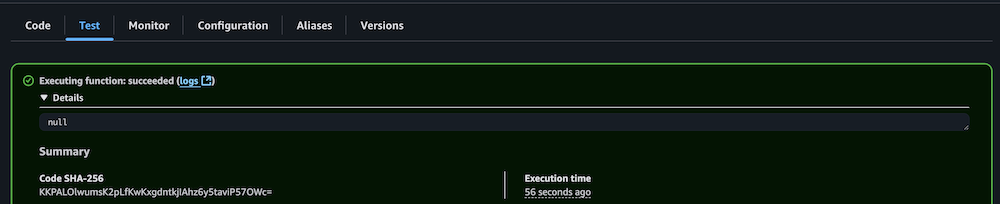
  1. Verify successful execution by checking the CloudWatch logs.

Lambda function execution results showing successful completion status and details

Configure your Amazon Managed Grafana workspace

Complete the following steps to configure your Amazon Managed Grafana workspace:

  1. On the Amazon Managed Grafana console, choose Workspaces in the navigation pane.
  2. Open your workspace.
  3. Choose Assign new user or group.

Amazon Grafana workspace showing IAM configuration notice and user assignment button

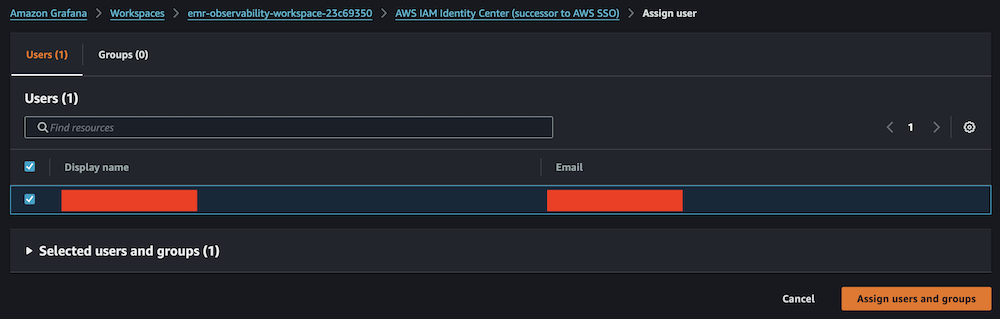
  1. Select your IAM Identity Center role and choose Assign users and groups.

Amazon Grafana IAM Identity Center user assignment panel with search and selection controls

  1. On the Admin dropdown menu, choose Make admin.

Amazon Grafana user list showing assigned viewer with admin action options

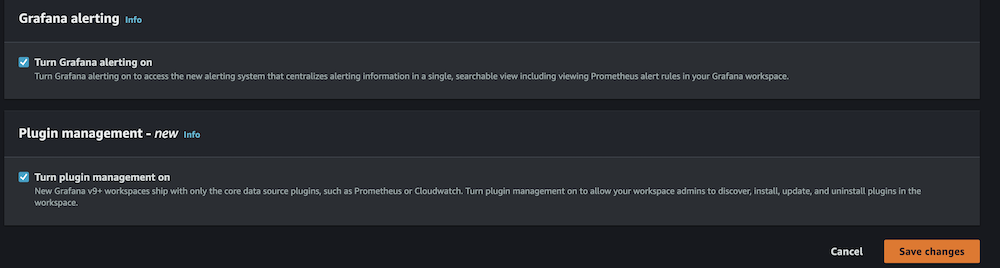
  1. Enable Grafana alerting, then choose Save changes.

Amazon Grafana alerting configuration panel showing disabled status with navigation tabs and edit button

Amazon Grafana configuration panel showing enabled alerting and plugin management settings

  1. Wait 10 minutes for the workspace to become active.
  2. When it’s active, sign in to the Grafana workspace. (For more information, refer to Connect to your workspace.)

Configure data sources

Add and configure the following data sources:

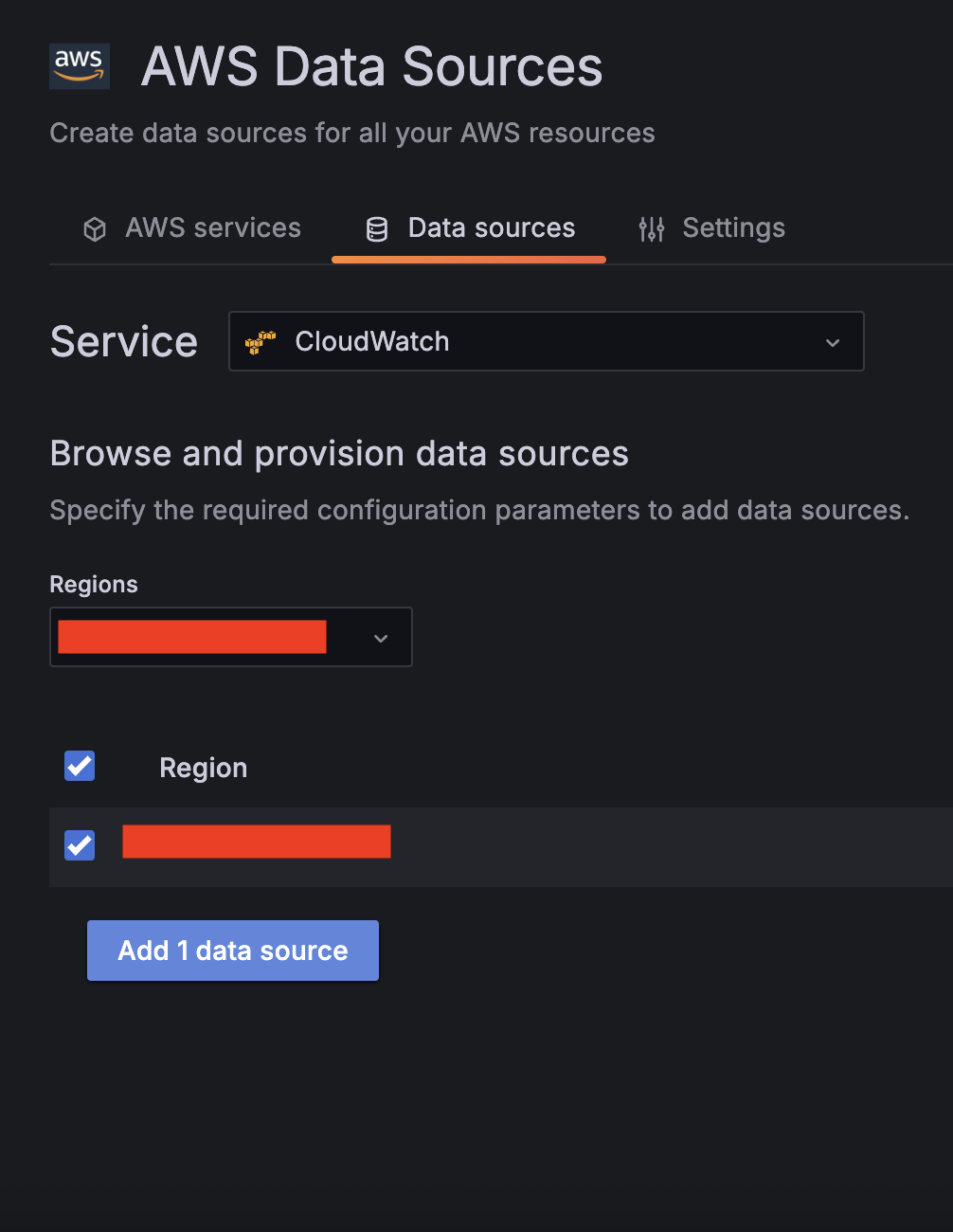
  1. For Service, choose CloudWatch, then select your Region and add CloudWatch as a data source.

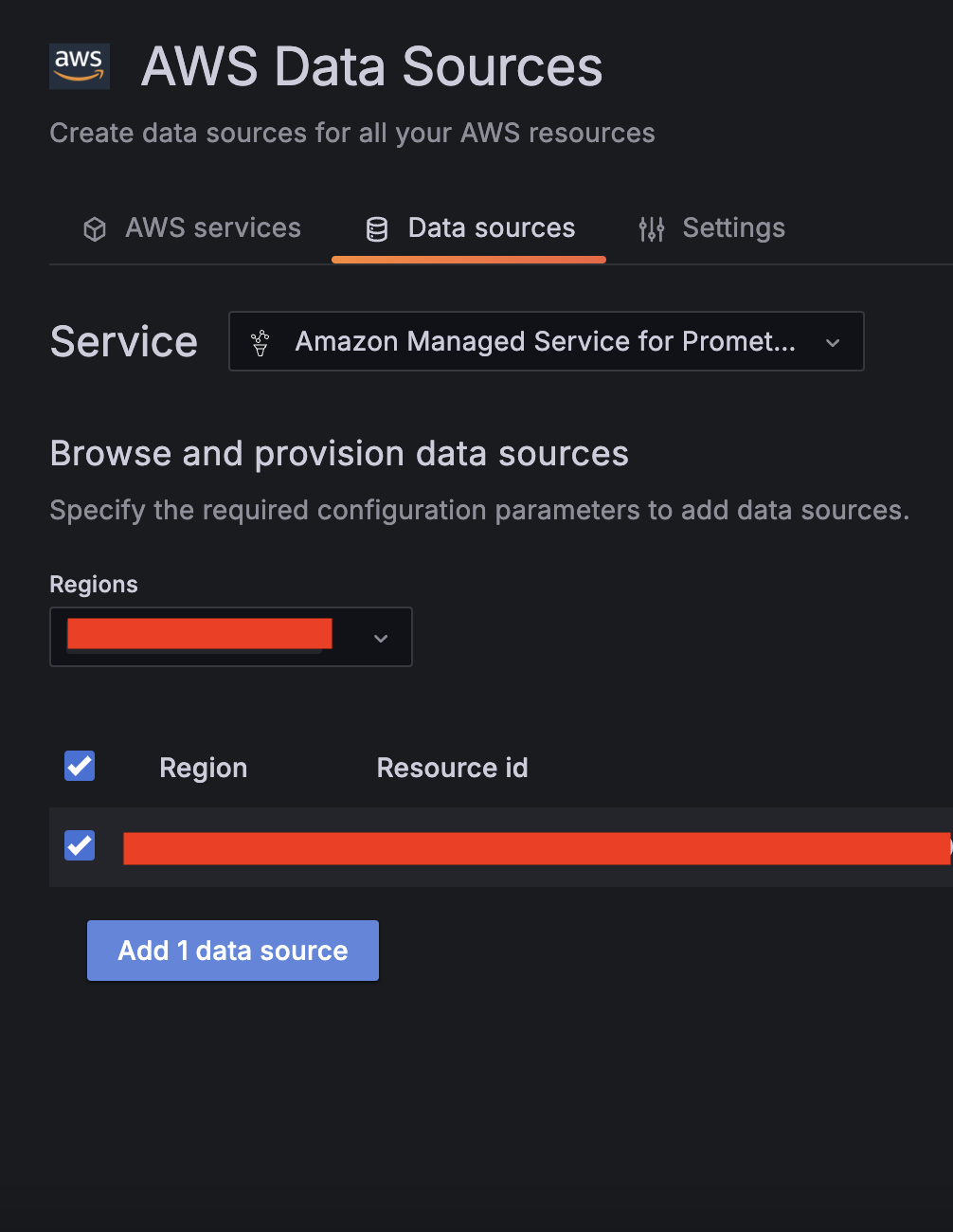
  1. Choose Amazon Managed Service for Prometheus as a second data source and select your Region.

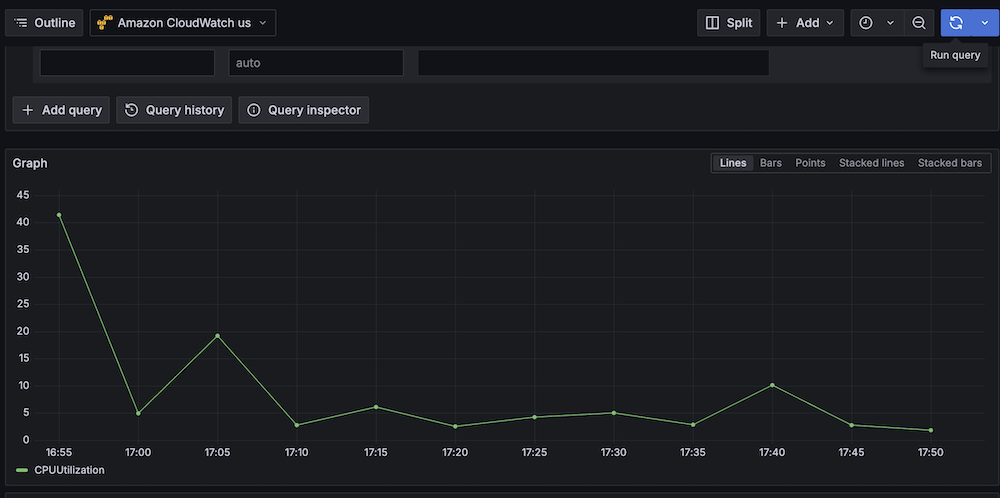
  1. Validate CloudWatch connectivity:
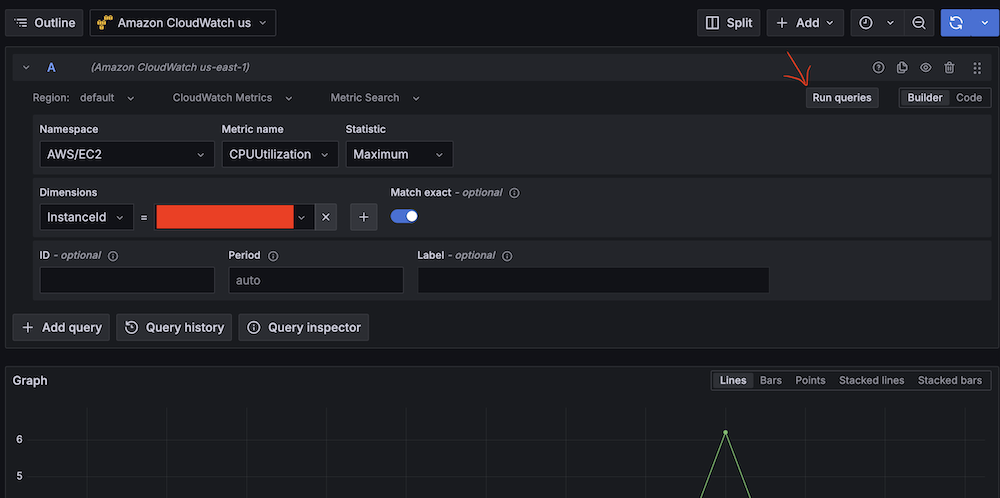
    1. Run test queries (for example, Namespace: AWS/EC2, Metric name: CPUUtilization, Statistic: Maximum).
      Amazon Managed Gragana interface showing CPU utilization query setup for EC2 instance.
    2. Verify CloudWatch metric retrieval.
      Line graph showing CPU utilization over time with peak at 40%.
  1. Validate Amazon Managed Service for Prometheus connectivity:
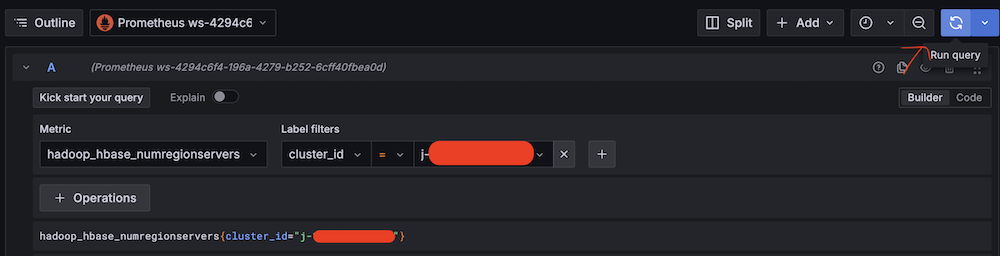
    1. Run test queries (for example, Metric: hadoop_hbase_numregionservers, Label filters: cluster_id = <Amazon EMR cluster ID>).
      Amazon Managed Grafana query interface showing Hadoop HBase metric configuration.
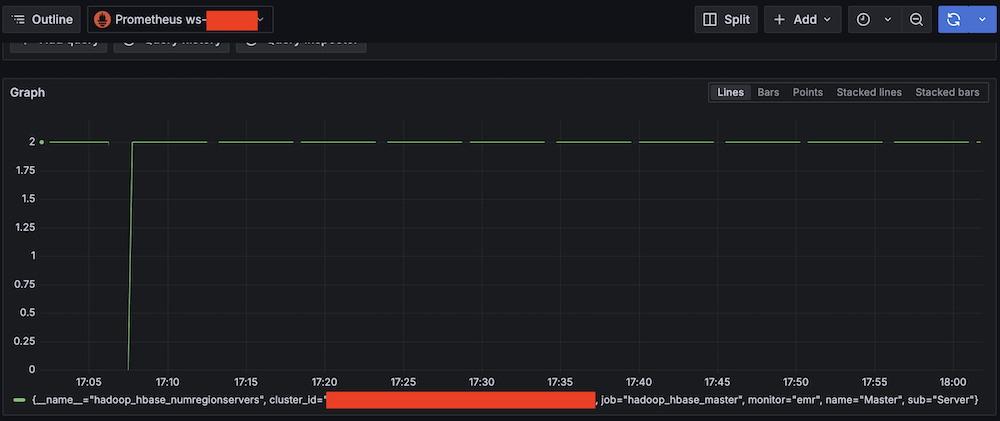
    2. Verify Prometheus metric retrieval.
      Amazon Managed Grafana monitoring dashboard showing a graph with HBase Region Server amount from 0 to 2

Confirm SNS notification channels

Complete the following steps to confirm your SNS notification is set up:

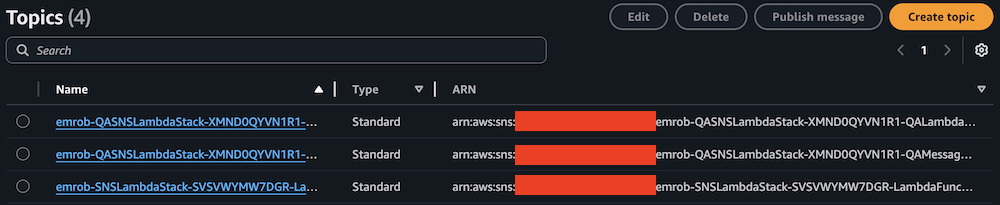
  1. On the Amazon SNS console, choose Topics in the navigation pane.
  2. Locate and note the ARNs for -LambdaFunctionTopic and -QALambdaFunctionTopic.

AWS SNS Topics list showing 4 topics with names, types, and ARNs

AWS SNS Topics console showing filtered search results for "LambdaFunctionTopic"

AWS SNS Topics console showing filtered search results for "QALambdaFunctionTopic"

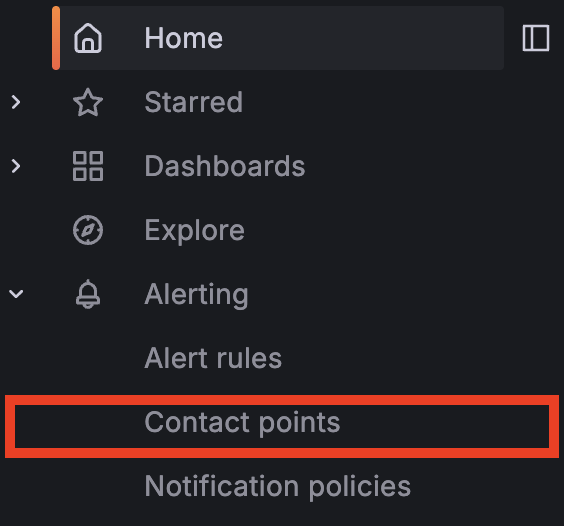
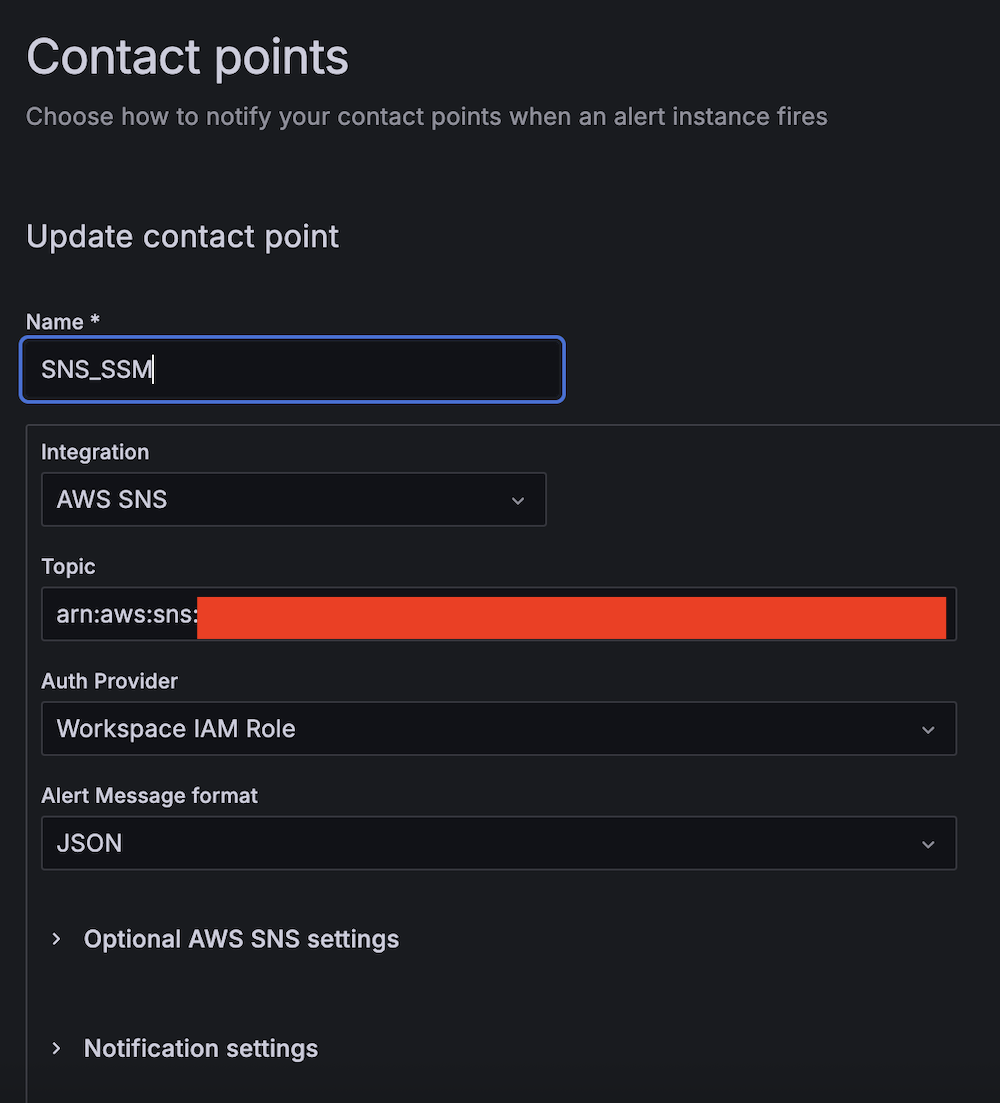
  1. Choose Contact points under Alerting.

  1. Create the first contact point:
    1. For Name, enter SNS_SSM.
    2. For Integration, choose AWS SNS.
    3. For Topic, enter the ARN for LambdaFunctionTopic.
    4. For Auth Provider, choose Workspace IAM role.
    5. For Alert Message format, choose JSON.

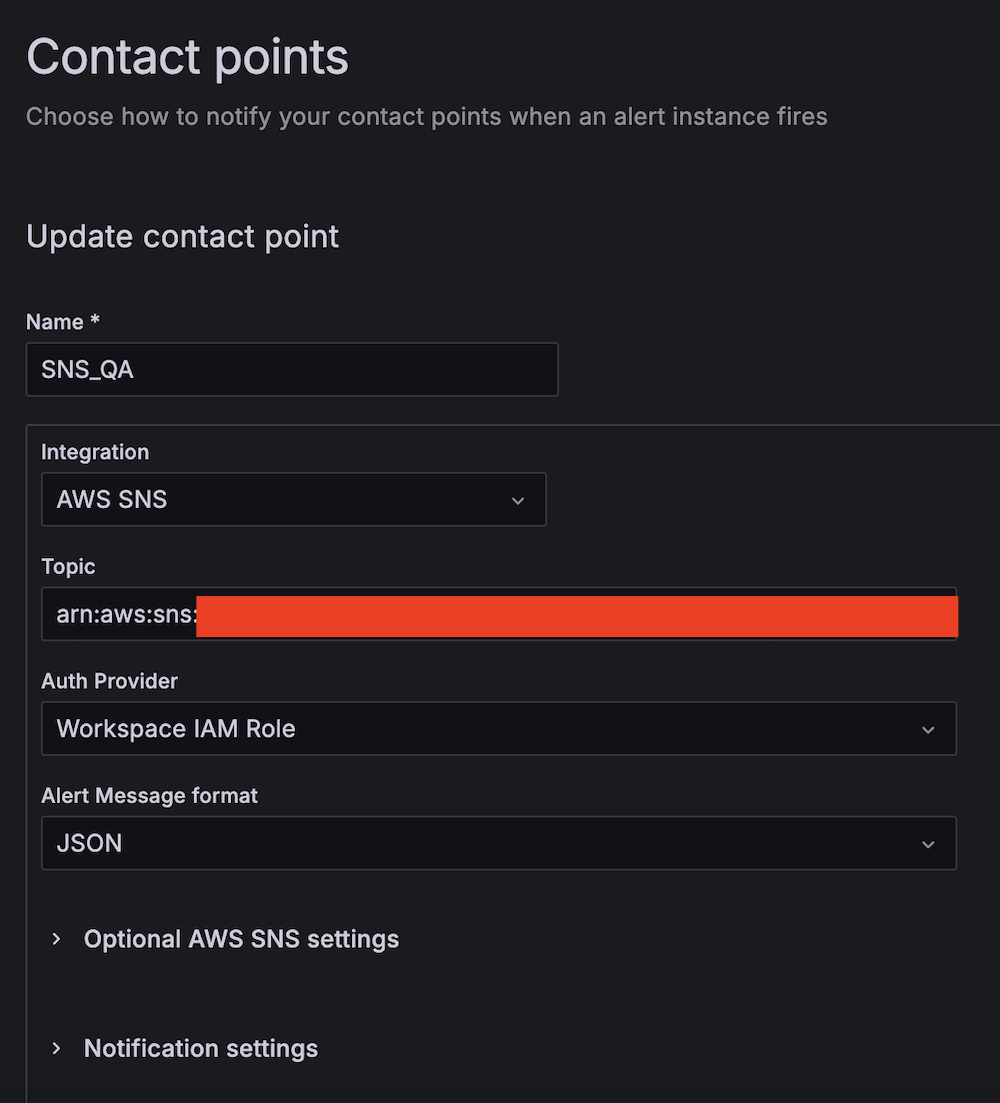
  1. Create the second contact point:
    1. For Name, enter SNS_QA.
    2. For Integration, choose AWS SNS.
    3. For Topic, enter the ARN for QALambdaFunctionTopic.
    4. For Auth Provider, choose Workspace IAM role.
    5. For Alert Message format, choose JSON.

Create alert rules

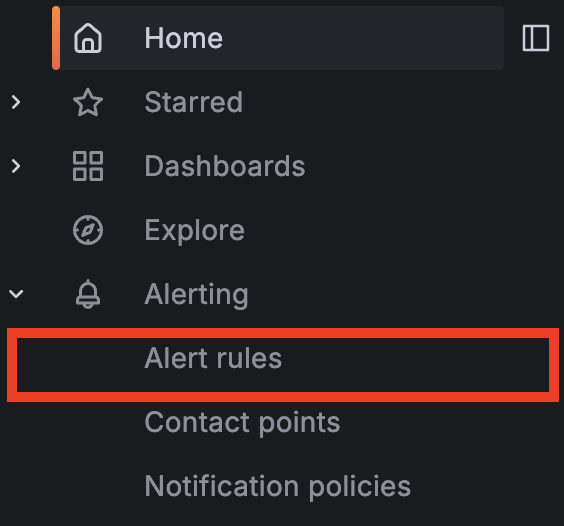
Complete the following steps to set up two critical alert rules:

  1. Choose Alert rules under Alerting.

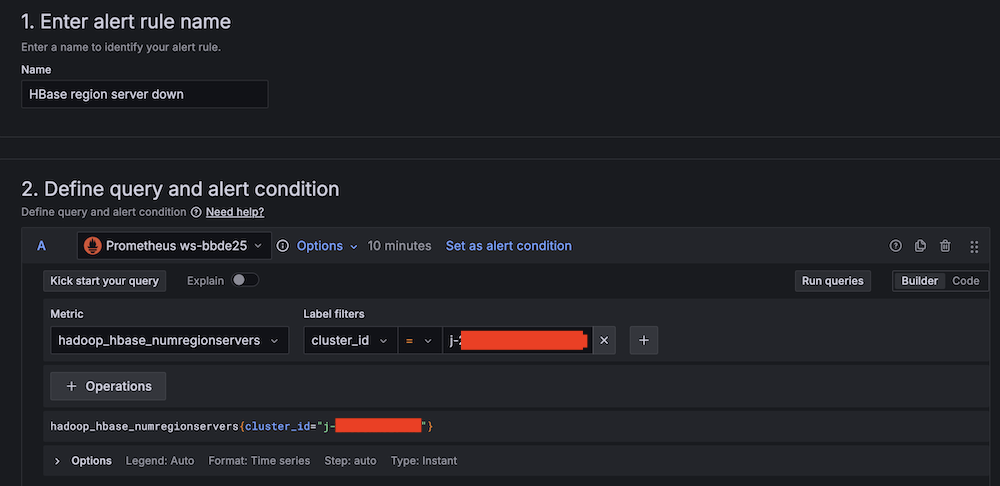
  1. Set up alerting if the Apache HBase region server status is abnormal:
    1. For Alert name, enter HBase region server down.
    2. For Data source, choose Amazon Managed Service for Prometheus.
    3. For Metric, choose hadoop_hbase_numregionservers.
      Alert rule configuration interface for HBase region server monitoring
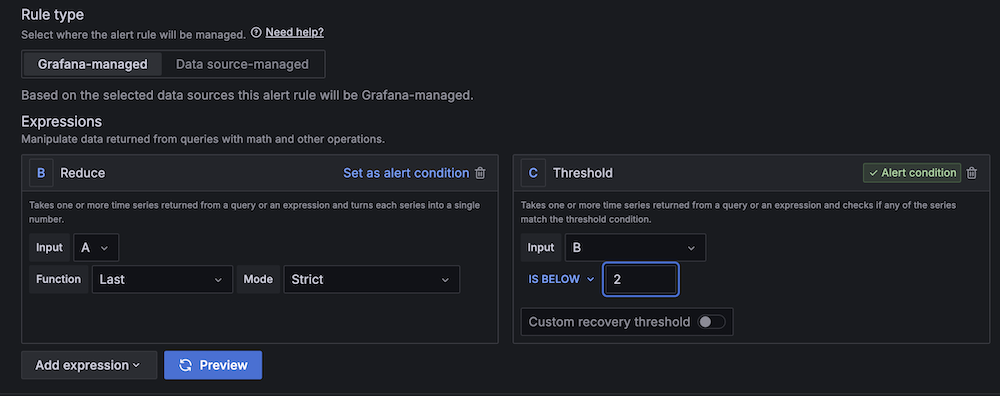
    4. For Threshold, configure to alert if the region server count is less than 2 for 3 minutes.
      Amazon Managed Grafana alert rule configuration interface with expressions setup
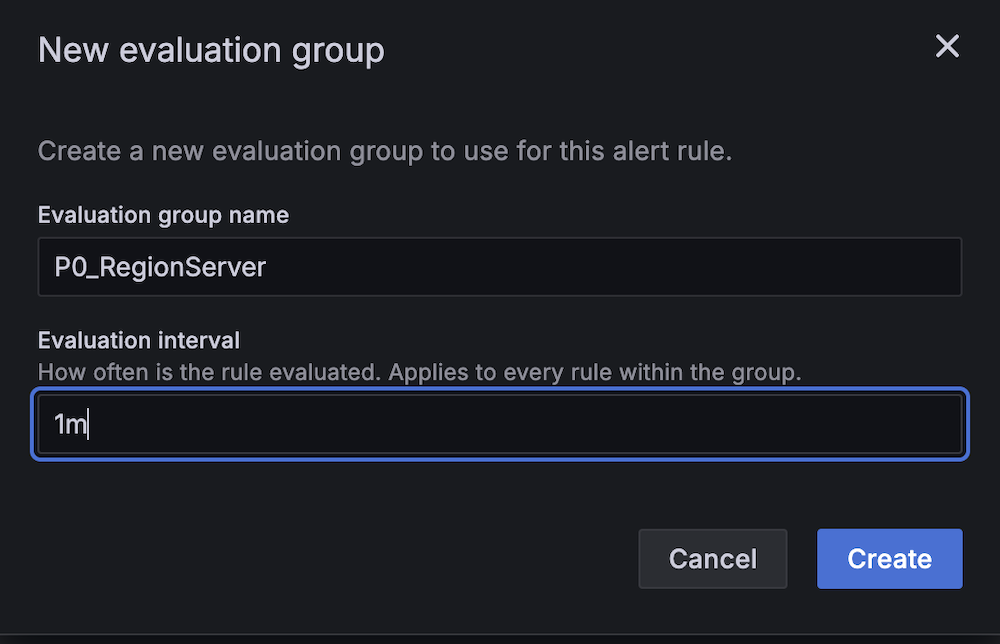
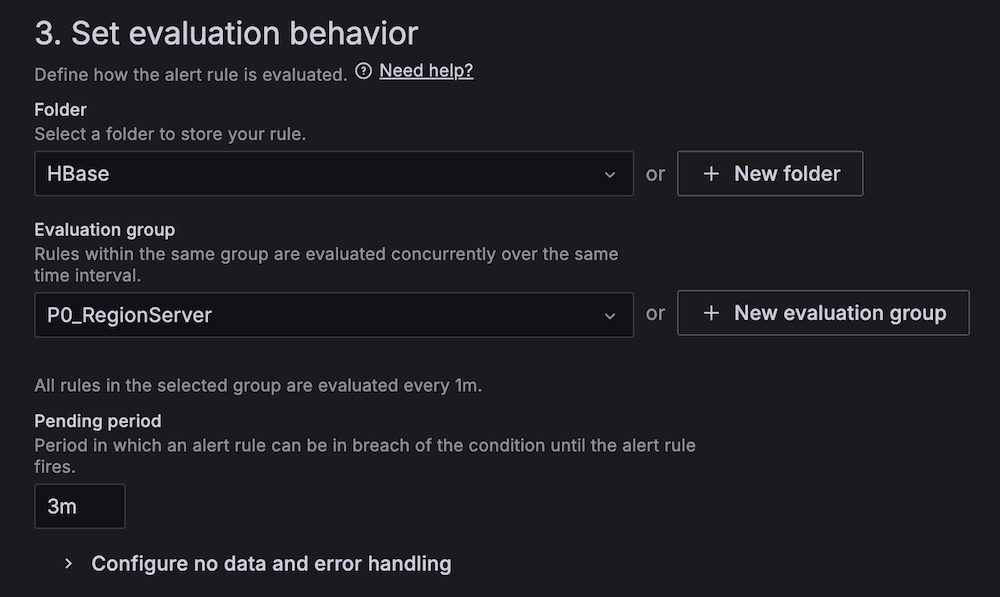
    5. For Evaluation interval, set to 1 minute.
      New evaluation group creation modal showing P0_RegionServer name input and 1m interval settingHBase alert configuration panel showing P0_RegionServer group and 3m pending period
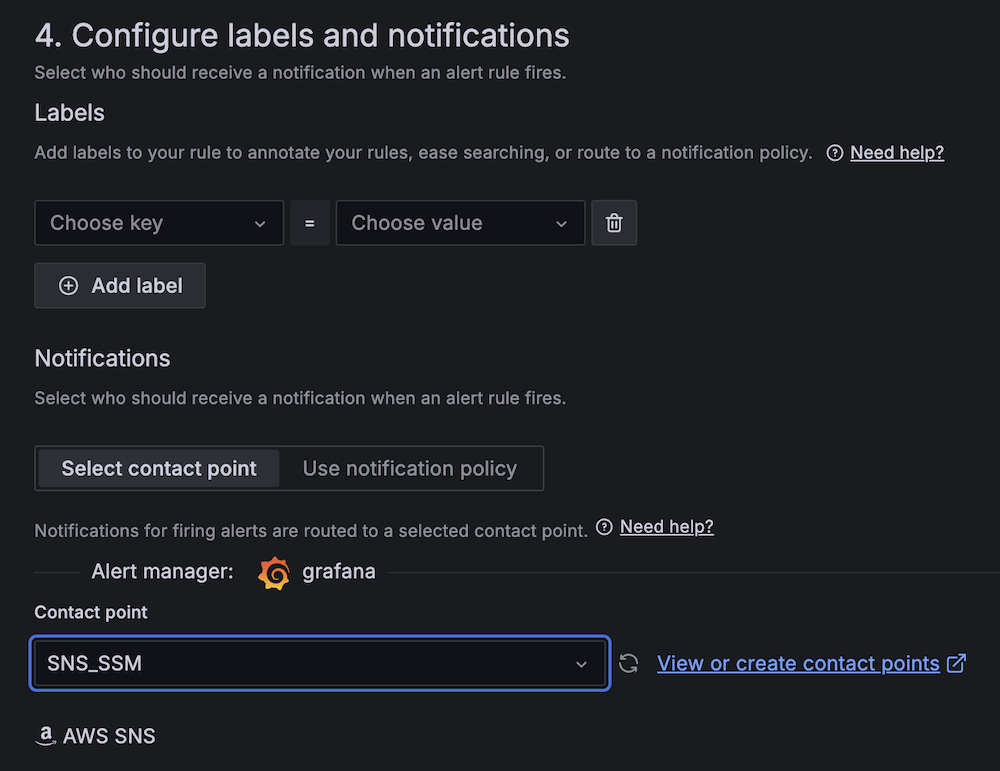
    6. For Contact point, choose SNS_SSM.
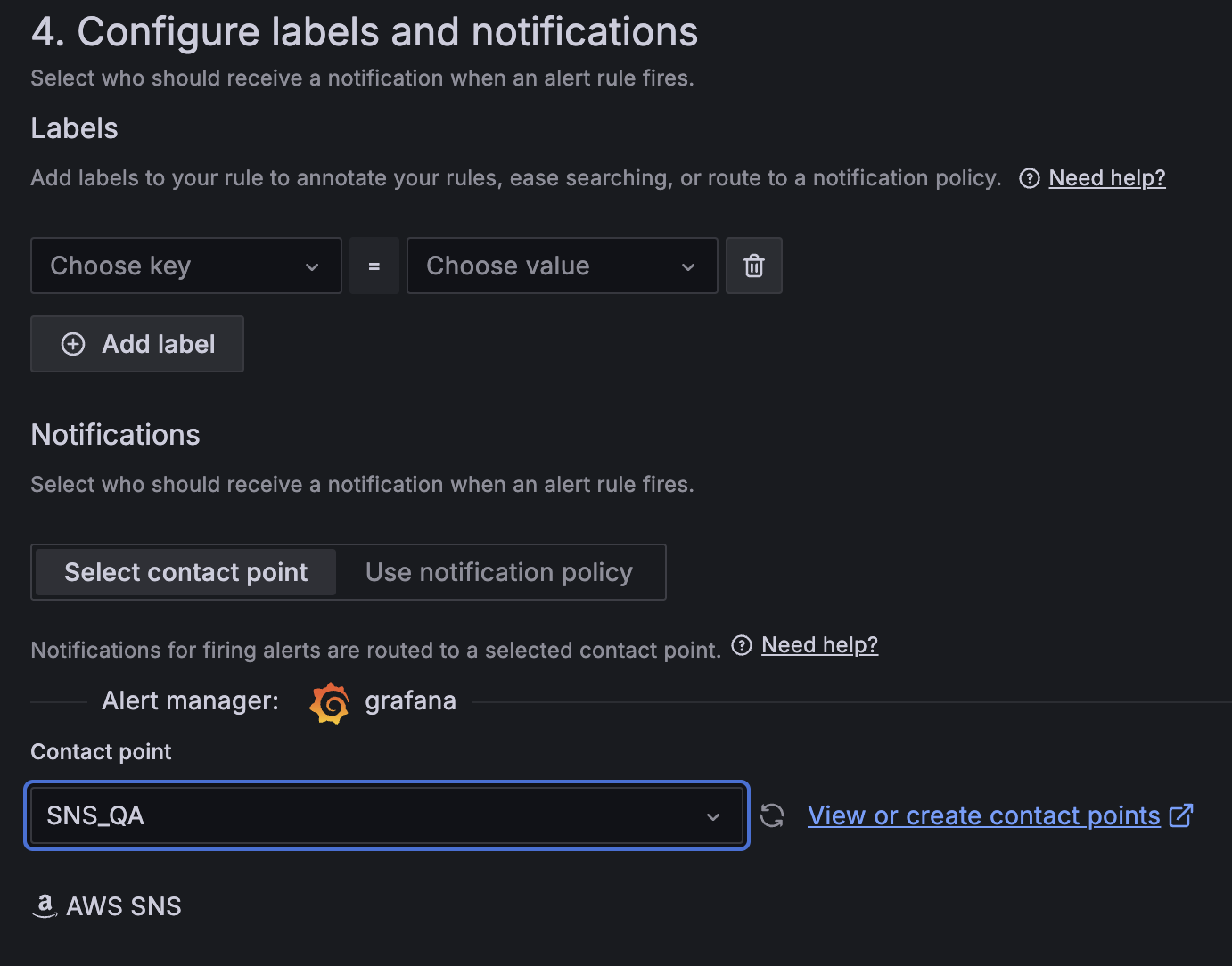
      Amazon Managed Grafana alert configuration interface showing labels and notifications setup with AWS SNS integration
  1. Create a second alert for if Amazon EC2 CPU utilization is abnormal:
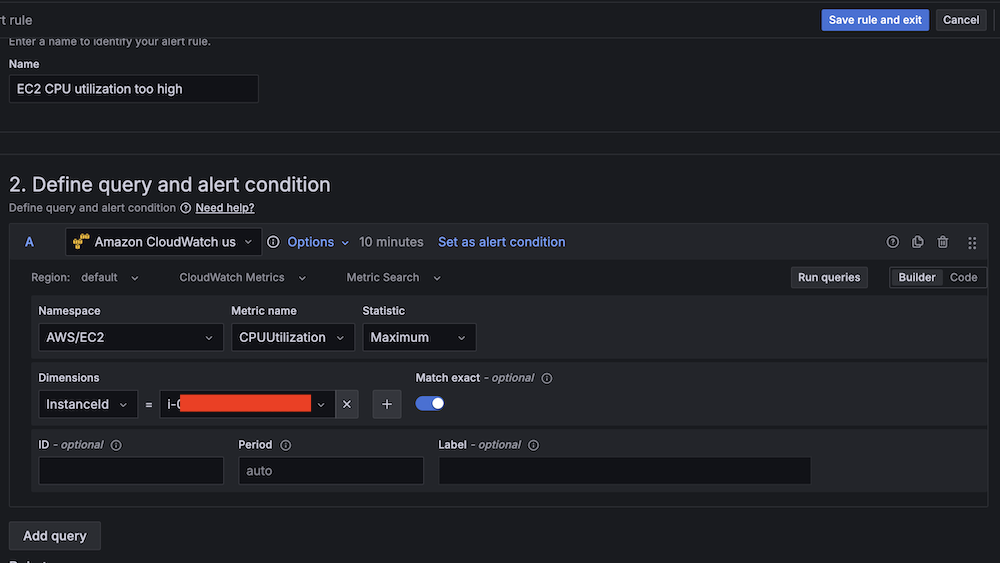
    1. For Alert name, enter EC2 CPU utilization too high.
    2. For Data source, choose Amazon CloudWatch.
    3. For Namespace, choose AWS/EC2.
    4. For Metric name, choose CPUUtilization
    5. For Statistic, choose Maximum.
      Amazon CloudWatch query interface for setting up EC2 CPU utilization alert conditions
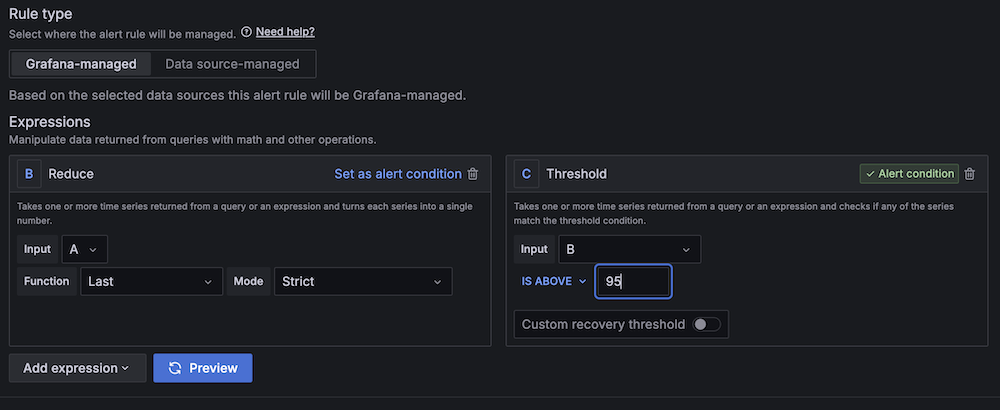
    6. For Threshold, configure to alert if CPU utilization is more than 95% for 3 minutes.
      Amazon Managed Grafana alert interface with Reduce and Threshold expressions for alert condition management
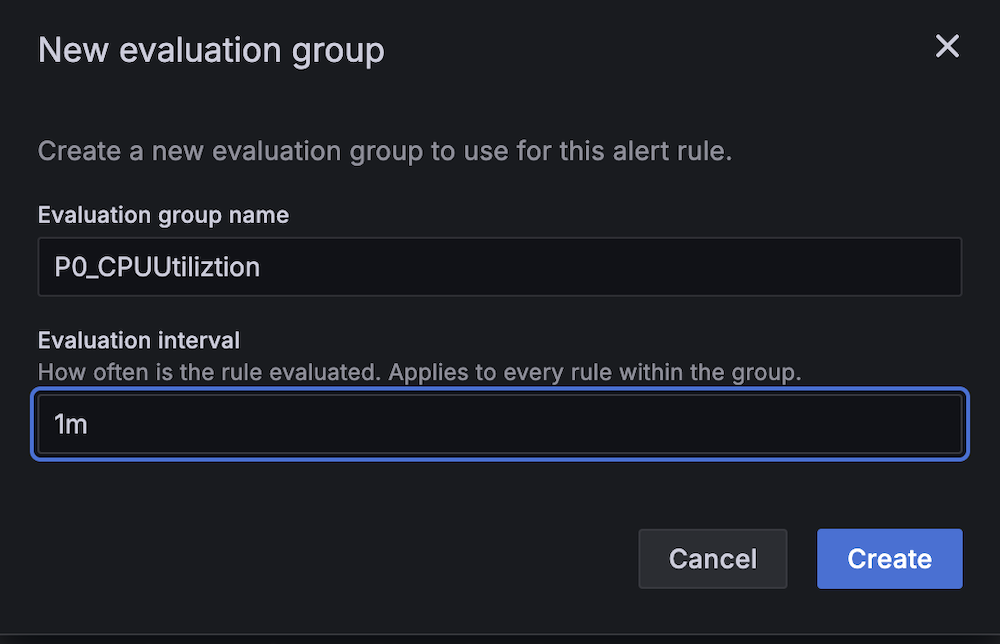
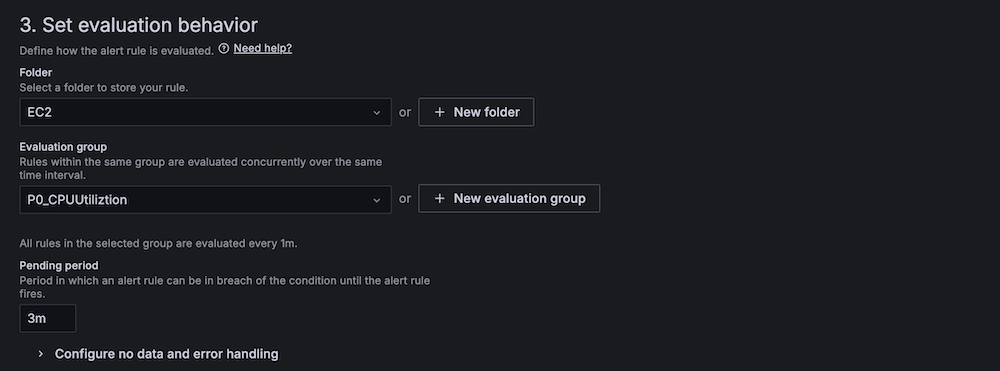
    7. For Evaluation interval, configure to 1 minute.
      New evaluation group configuration modal showing CPU utilization monitoring setup with 1-minute interval
      AWS Managed Grafana alert rule configuration screen showing evaluation behavior settings
    8. For Contact point, choose SNS_QA.Amazon Managed Grafana alert configuration showing customizable labels, contact point selection for SNS_QA integration
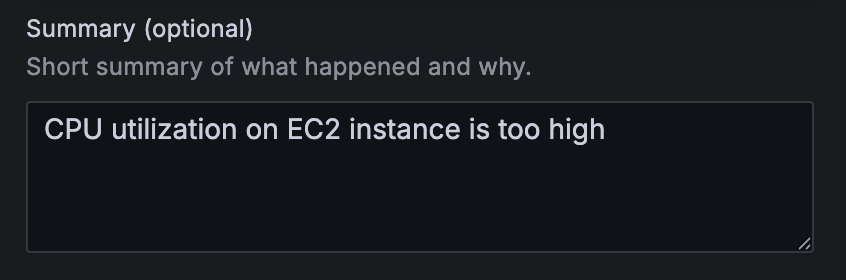
  1. On the alert rule creation page, scroll to 5. Add annotations and for Summary, add a clear description of the alert, for example, CPU utilization on EC2 instance is too high.

Alert configuration summary field with "CPU utilization on EC2 instance is too high" warning message

Apache HBase region server incident test

To confirm the system is working as expected, complete the following Apache HBase region server incident test:

  1. SSH into an EMR core instance.
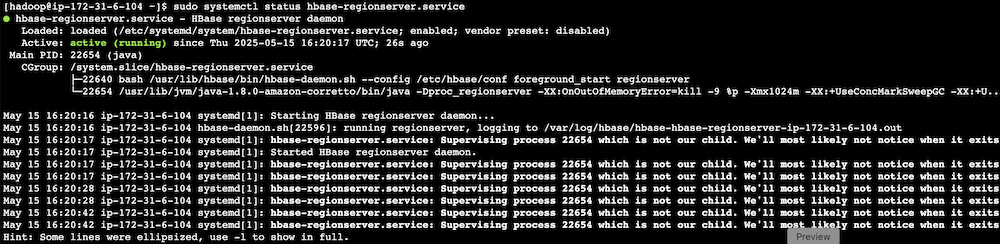
  2. Stop the Apache HBase region server using systemctl:
 # Stop HBase region server service 
 sudo systemctl stop hbase-regionserver.service 

  1. Verify the service status:
 # Check the current state of HBase region server service 
 sudo systemctl status hbase-regionserver.service
  1. Observe Amazon Managed Grafana alert progression:
    1. Monitor alert status changes.
      Alert dashboard showing HBase region server alert status in pending state
      Alert dashboard showing HBase region server alert in firing state
    2. Verify SNS message generation.
    3. Confirm SQS message queuing.
    4. Track the Lambda function triggered for remediation.

Terminal output showing HBase RegionServer service status and daemon processes

HBase monitoring interface displaying region server status with health indicators and action buttons

CPU utilization stress test

Complete the following CPU utilization stress test:

  1. SSH into the EMR primary instance.
  2. Install stress testing tools:
 sudo amazon-linux-extras install epel -y
 sudo yum install stress -y 

  1. Verify the installation:
 stress --version 

  1. Generate high CPU load using the stress command and the following command structure:
 sudo stress [options] 

For our Amazon EMR test, use the following command:

 # For m5.xlarge instances (4 vCPUs) sudo stress --cpu 4 

-c 4 in the command creates 4 CPU-bound processes (one for each vCPU).The following are instance type vCPUs for your reference:

  • m5.xlarge: 4 vCPUs
  • m5.2xlarge: 8 vCPUs
  • m5.4xlarge: 16 vCPUs
  1. Monitor system response:
    1. Observe Amazon Managed Grafana alert status changes.
      Amazon Managed Grafana dashboard header showing rules status
    2. Verify Amazon Bedrock recommendation generation.
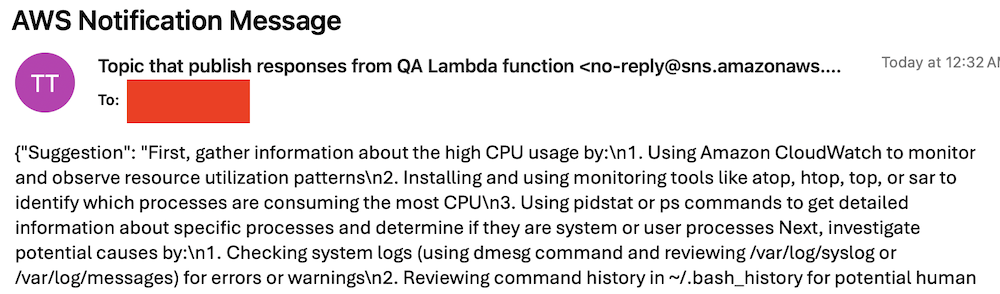
    3. Check SNS email notification delivery.
      AWS SNS notification email showing troubleshooting steps for high CPU usageCode snippet showing CPU usage troubleshooting steps in red text

Best practices and considerations

Monitoring infrastructure requires precise alert prioritization and threshold configuration. Alert aggregation techniques prevent notification overload by consolidating event streams and reducing redundant alerts. Operational teams must maintain dashboards through consistent updates and metric integration, providing real-time visibility into system performance and health.

Security implementations focus on least-privilege AWS Identity and Access Management (IAM) roles, restricting access to critical resources and minimizing potential breach vectors. Data protection strategies involve encryption protocols for information at rest and in transit, using AES-256 standards. Automated security audit processes scan automation scripts, identifying potential vulnerabilities through code analysis and runtime inspection.

Performance optimization in serverless architectures uses Lambda extensions to cache knowledge base content, reducing latency and improving response times. Retry mechanisms for API calls implement exponential backoff strategies, mitigating transient network exceptions and enhancing system resilience. Execution time monitoring of Lambda functions enables detection of anomalies through statistical analysis, providing insights into potential system-wide incidents or performance degradations.

Clean up

To avoid incurring future charges, delete the resources by deleting the parent stack on the AWS CloudFormation console.

Conclusion

This solution provides a robust framework for automated EMR cluster monitoring and incident response. By combining real-time monitoring with AI-powered remediation suggestions and automated execution, organizations can significantly reduce MTTR for common Amazon EMR issues while building a knowledge base for future incident response.

Try out this solution for your own use case, and leave your feedback in the comments section.


About the authors

Author Yu-ting Su, Sr. Hadoop System Engineer, AWS Support Engineering. Yu-Ting is a Sr. Hadoop Systems Engineer at Amazon Web Services (AWS). Her expertise is in Amazon EMR and Amazon OpenSearch Service. She’s passionate about distributing computation and helping people to bring their ideas to life.

Introducing Amazon Bedrock AgentCore: Securely deploy and operate AI agents at any scale (preview)

Post Syndicated from Danilo Poccia original https://aws.amazon.com/blogs/aws/introducing-amazon-bedrock-agentcore-securely-deploy-and-operate-ai-agents-at-any-scale/

In just a few years, foundation models (FMs) have evolved from being used directly to create content in response to a user’s prompt, to now powering AI agents, a new class of software applications that use FMs to reason, plan, act, learn, and adapt in pursuit of user-defined goals with limited human oversight. This new wave of agentic AI is enabled by the emergence of standardized protocols such as Model Context Protocol (MCP) and Agent2Agent (A2A) that simplify how agents connect with other tools and systems.

In fact, building AI agents that can reliably perform complex tasks has become increasingly accessible thanks to open source frameworks like CrewAILangGraph, and Strands Agents. However, moving from a promising proof-of-concept to a production-ready agent that can scale to thousands of users presents significant challenges.

Instead of being able to focus on the core features of the agent, developers and AI engineers have to spend months building foundational infrastructure for session management, identity controls, memory systems, and observability—at the same time supporting security and compliance.

Today, we’re excited to announce the preview of Amazon Bedrock AgentCore, a comprehensive set of enterprise-grade services that help developers quickly and securely deploy and operate AI agents at scale using any framework and model, hosted on Amazon Bedrock or elsewhere.

More specifically, we are introducing today:

AgentCore Runtime – Provides sandboxed low-latency serverless environments with session isolation, supporting any agent framework including popular open source frameworks, tools, and models, and handling multimodal workloads and long-running agents.

AgentCore Memory – Manages session and long-term memory, providing relevant context to models while helping agents learn from past interactions.

AgentCore Observability – Offers step-by-step visualization of agent execution with metadata tagging, custom scoring, trajectory inspection, and troubleshooting/debugging filters.

AgentCore Identity – Enables AI agents to securely access AWS services and third-party tools and services such as GitHub, Salesforce, and Slack, either on behalf of users or by themselves with pre-authorized user consent.

AgentCore Gateway – Transforms existing APIs and AWS Lambda functions into agent-ready tools, offering unified access across protocols, including MCP, and runtime discovery.

AgentCore Browser – Provides managed web browser instances to scale your agents’ web automation workflows.

AgentCore Code Interpreter – Offers an isolated environment to run the code your agents generate.

These services can be used individually and are optimized to work together so developers don’t need to spend time piecing together components. AgentCore can work with open source or custom AI agent frameworks, giving teams the flexibility to maintain their preferred tools while gaining enterprise capabilities. To integrate these services into their existing code, developers can use the AgentCore SDK.

You can now discover, buy, and run pre-built agents and agent tools from AWS Marketplace with AgentCore Runtime. With just a few lines of code, your agents can securely connect to API-based agents and tools from AWS Marketplace with AgentCore Gateway to help you run complex workflows while maintaining compliance and control.

AgentCore eliminates tedious infrastructure work and operational complexity so development teams can bring groundbreaking agentic solutions to market faster.

Let’s see how this works in practice. I’ll share more info on the services as we use them.

Deploying a production-ready customer support assistant with Amazon Bedrock AgentCore (Preview)
When customers reach out with an email, it takes time to provide a reply. Customer support needs to check the validity of the email, find who the actual customer is in the customer relationship management (CRM) system, check their orders, and use product-specific knowledge bases to find the information required to prepare an answer.

An AI agent can simplify that by connecting to the internal systems, retrieve contextual information using a semantic data source, and draft a reply for the support team. For this use case, I built a simple prototype using Strands Agents. For simplicity and to validate the scenario, the internal tools are simulated using Python functions.

When I talk to developers, they tell me that similar prototypes, covering different use cases, are being built in many companies. When these prototypes are demonstrated to the company leadership and receive confirmation to proceed, the development team has to define how to go in production and satisfy the usual requirements for security, performance, availability, and scalability. This is where AgentCore can help.

Step 1 – Deploying to the cloud with AgentCore Runtime

AgentCore Runtime is a new service to securely deploy, run, and scale AI agents, providing isolation so that each user session runs in its own protected environment to help prevent data leakage—a critical requirement for applications handling sensitive data.

To match different security postures, agents can use different network configurations:

Sandbox – To only communicate with allowlisted AWS services.

Public – To run with managed internet access.

VPC-only (coming soon) – This option will allow to access resources hosted in a customer’s VPC or connected via AWS PrivateLink endpoints.

To deploy the agent to the cloud and get a secure, serverless endpoint with AgentCore Runtime, I add to the prototype a few lines of code using the AgentCore SDK to:

  • Import the AgentCore SDK.
  • Create the AgentCore app.
  • Specify which function is the entry point to invoke the agent.

Using a different or custom agent framework is a matter of replacing the agent invocation inside the entry point function.

Here’s the code of the prototype. The three lines I added to use AgentCore Runtime are the ones preceded by a comment.

from strands import Agent, tool
from strands_tools import calculator, current_time

# Import the AgentCore SDK
from bedrock_agentcore.runtime import BedrockAgentCoreApp

WELCOME_MESSAGE = """
Welcome to the Customer Support Assistant! How can I help you today?
"""

SYSTEM_PROMPT = """
You are an helpful customer support assistant.
When provided with a customer email, gather all necessary info and prepare the response email.
When asked about an order, look for it and tell the full description and date of the order to the customer.
Don't mention the customer ID in your reply.
"""

@tool
def get_customer_id(email_address: str):
    if email_address == "[email protected]":
        return { "customer_id": 123 }
    else:
        return { "message": "customer not found" }

@tool
def get_orders(customer_id: int):
    if customer_id == 123:
        return [{
            "order_id": 1234,
            "items": [ "smartphone", "smartphone USB-C charger", "smartphone black cover"],
            "date": "20250607"
        }]
    else:
        return { "message": "no order found" }

@tool
def get_knowledge_base_info(topic: str):
    kb_info = []
    if "smartphone" in topic:
        if "cover" in topic:
            kb_info.append("To put on the cover, insert the bottom first, then push from the back up to the top.")
            kb_info.append("To remove the cover, push the top and bottom of the cover at the same time.")
        if "charger" in topic:
            kb_info.append("Input: 100-240V AC, 50/60Hz")
            kb_info.append("Includes US/UK/EU plug adapters")
    if len(kb_info) > 0:
        return kb_info
    else:
        return { "message": "no info found" }

# Create an AgentCore app
app = BedrockAgentCoreApp()

agent = Agent(
    system_prompt=SYSTEM_PROMPT,
    tools=[calculator, current_time, get_customer_id, get_orders, get_knowledge_base_info]
)

# Specify the entrypoint function invoking the agent
@app.entrypoint
def invoke(payload, context: RequestContext):
    """Handler for agent invocation"""
    user_message = payload.get(
        "prompt", "No prompt found in input, please guide customer to create a json payload with prompt key"
    )
    result = agent(user_message)
    return {"result": result.message}

if __name__ == "__main__":
    app.run()

I install the AgentCore SDK and the starter toolkit in the Python virtual environment:

pip install bedrock-agentcore bedrock-agentcore-starter-toolkit

After I activate the virtual environment, I have access to the AgentCore command line interface (CLI) provided by the starter toolkit.

First, I use agentcore configure --entrypoint my_agent.py -er <IAM_ROLE_ARN> to configure the agent, passing the AWS Identity and Access Management (IAM) role that the agent will assume. In this case, the agent needs access to Amazon Bedrock to invoke the model. The role can give access to other AWS resources used by an agent, such as an Amazon Simple Storage Service (Amazon S3) bucket or a Amazon DynamoDB table.

I launch the agent locally with agentcore launch --local. When running locally, I can interact with the agent using agentcore invoke --local <PAYLOAD>. The payload is passed to the entry point function. Note that the JSON syntax of the invocations is defined in the entry point function. In this case, I look for prompt in the JSON payload, but can use a different syntax depending on your use case.

When I am satisfied by local testing, I use agentcore launch to deploy to the cloud.

After the deployment is succesful and an endpoint has been created, I check the status of the endpoint with agentcore status and invoke the endpoint with agentcore invoke <PAYLOAD>. For example, I pass a customer support request in the invocation:

agentcore invoke '{"prompt": "From: [email protected] – Hi, I bought a smartphone from your store. I am traveling to Europe next week, will I be able to use the charger? Also, I struggle to remove the cover. Thanks, Danilo"}'

Step 2 – Enabling memory for context

After an agent has been deployed in the AgentCore Runtime, the context needs to be persisted to be available for a new invocation. I add AgentCore Memory to maintain session context using its short-term memory capabilities.

First, I create a memory client and the memory store for the conversations:

from bedrock_agentcore.memory import MemoryClient

memory_client = MemoryClient(region_name="us-east-1")

memory = memory_client.create_memory_and_wait(
    name="CustomerSupport", 
    description="Customer support conversations"
)

I can now use create_event to stores agent interactions into short-term memory:

memory_client.create_event(
    memory_id=memory.get("id"), # Identifies the memory store
    actor_id="user-123",        # Identifies the user
    session_id="session-456",   # Identifies the session
    messages=[
        ("Hi, ...", "USER"),
        ("I'm sorry to hear that...", "ASSISTANT"),
        ("get_orders(customer_id='123')", "TOOL"),
        . . .
    ]
)

I can load the most recent turns of a conversations from short-term memory using list_events:

conversations = memory_client.list_events(
    memory_id=memory.get("id"), # Identifies the memory store
    actor_id="user-123",        # Identifies the user 
    session_id="session-456",   # Identifies the session
    max_results=5               # Number of most recent turns to retrieve
)

With this capability, the agent can maintain context during long sessions. But when a users come back with a new session, the conversation starts blank. Using long-term memory, the agent can personalize user experiences by retaining insights across multiple interactions.

To extract memories from a conversation, I can use built-in AgentCore Memory policies for user preferences, summarization, and semantic memory (to capture facts) or create custom policies for specialized needs. Data is stored encrypted using a namespace-based storage for data segmentation.

I change the previous code creating the memory store to include long-term capabilities by passing a semantic memory strategy. Note that an existing memory store can be updated to add strategies. In that case, the new strategies are applied to newer events.

memory = memory_client.create_memory_and_wait(
    name="CustomerSupport", 
    description="Customer support conversations",
    strategies=[{
        "semanticMemoryStrategy": {
            "name": "semanticFacts",
            "namespaces": ["/facts/{actorId}"]
        }
    }]
)

After long-term memory has been configured for a memory store, calling create_event will automatically apply those strategies to extract information from the conversations. I can then retrieve memories extracted from the conversation using a semantic query:

memories = memory_client.retrieve_memories(
    memory_id=memory.get("id"),
    namespace="/facts/user-123",
    query="smartphone model"
)

In this way, I can quickly improve the user experience so that the agent remembers customer preferences and facts that are outside of the scope of the CRM and use this information to improve the replies.

Step 3 – Adding identity and access controls

Without proper identity controls, access from the agent to internal tools always uses the same access level. To follow security requirements, I integrate AgentCore Identity so that the agent can use access controls scoped to the user’s or agent’s identity context.

I set up an identity client and create a workload identity, a unique identifier that represents the agent within the AgentCore Identity system:

from bedrock_agentcore.services.identity import IdentityClient

identity_client = IdentityClient("us-east-1")
workload_identity = identity_client.create_workload_identity(name="my-agent")

Then, I configure the credential providers, for example:

google_provider = identity_client.create_oauth2_credential_provider(
    {
        "name": "google-workspace",
        "credentialProviderVendor": "GoogleOauth2",
        "oauth2ProviderConfigInput": {
            "googleOauth2ProviderConfig": {
                "clientId": "your-google-client-id",
                "clientSecret": "your-google-client-secret",
            }
        },
    }
)

perplexity_provider = identity_client.create_api_key_credential_provider(
    {
        "name": "perplexity-ai",
        "apiKey": "perplexity-api-key"
    }
)

I can then add the @requires_access_token Python decorator (passing the provider name, the scope, and so on) to the functions that need an access token to perform their activities.

Using this approach, the agent can verify the identity through the company’s existing identity infrastructure, operate as a distinct, authenticated identity, act with scoped permissions and integrate across multiple identity providers (such as Amazon Cognito, Okta, or Microsoft Entra ID) and service boundaries including AWS and third-party tools and services (such as Slack, GitHub, and Salesforce).

To offer robust and secure access controls while streamlining end-user and agent builder experiences, AgentCore Identity implements a secure token vault that stores users’ tokens and allows agents to retrieve them securely.

For OAuth 2.0 compatible tools and services, when a user first grants consent for an agent to act on their behalf, AgentCore Identity collects and stores the user’s tokens issued by the tool in its vault, along with securely storing the agent’s OAuth client credentials. Agents, operating with their own distinct identity and when invoked by the user, can then access these tokens as needed, reducing the need for frequent user consent.

When the user token expires, AgentCore Identity triggers a new authorization prompt to the user for the agent to obtain updated user tokens. For tools that use API keys, AgentCore Identity also stores these keys securely and gives agents controlled access to retrieve them when needed. This secure storage streamlines the user experience while maintaining robust access controls, enabling agents to operate effectively across various tools and services.

Step 4 – Expanding agent capabilities with AgentCore Gateway

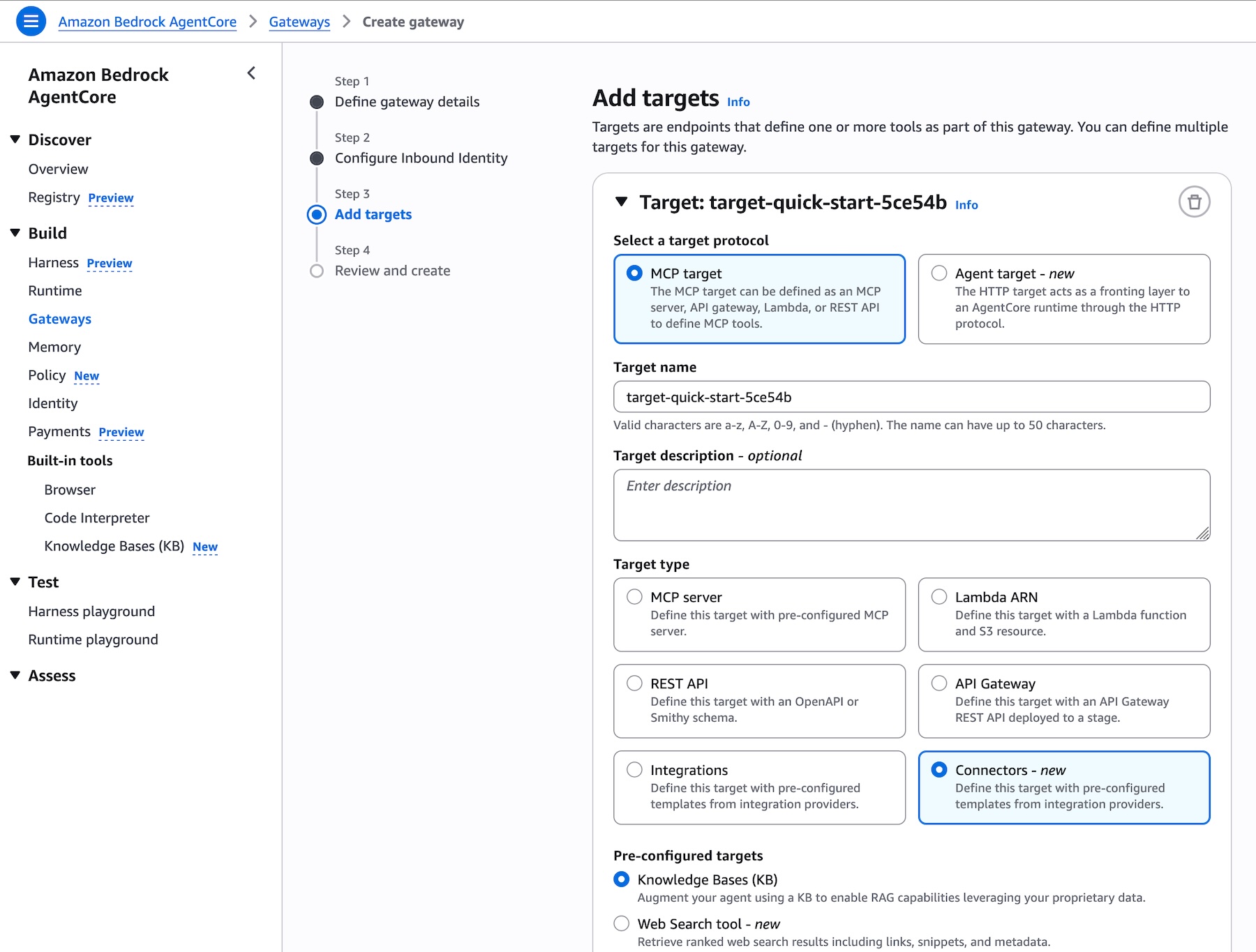
Until now, all internal tools are simulated in the code. Many agent frameworks, including Strands Agents, natively support MCP to connect to remote tools. To have access to internal systems (such as CRM and order management) via an MCP interface, I use AgentCore Gateway.

With AgentCore Gateway, the agent can access AWS services using Smithy models, Lambda functions, and internal APIs and third-party providers using OpenAPI specifications. It employs a dual authentication model to have secure access control for both incoming requests and outbound connections to target resources. Lambda functions can be used to integrate external systems, particularly applications that lack standard APIs or require multiple steps to retrieve information.

AgentCore Gateway facilitates cross-cutting features that most customers would otherwise need to build themselves, including authentication, authorization, throttling, custom request/response transformation (to match underlying API formats), multitenancy, and tool selection.

The tool selection feature helps find the most relevant tools for a specific agent’s task. AgentCore Gateway brings a uniform MCP interface across all these tools, using AgentCore Identity to provide an OAuth interface for tools that do not support OAuth out of the box like AWS services.

Step 5 – Adding capabilities with AgentCore Code Interpreter and Browser tools

To answer to customer requests, the customer support agent needs to perform calculations. To simplify that, I use the AgentCode SDK to add access to the AgentCore Code Interpreter.

Similarly, some of the integrations required by the agent don’t implement a programmatic API but need to be accessed through a web interface. I give access to the AgentCore Browser to let the agent navigate those web sites autonomously.

Step 6 – Gaining visibility with observability

Now that the agent is in production, I need visibility into its activities and performance. AgentCore provides enhanced observability to help developers effectively debug, audit, and monitor their agent performance in production. It comes with built-in dashboards to track essential operational metrics such as session count, latency, duration, token usage, error rates, and component-level latency and error breakdowns. AgentCore also gives visibility into an agent’s behavior by capturing and visualizing both the end-to-end traces, as well as “spans” that capture each step of the agent workflow including tool invocations, memory

The built-in dashboards offered by this service help reveal performance bottlenecks and identify why certain interactions might fail, enabling continuous improvement and reducing the mean time to detect (MTTD) and mean time to repair (MTTR) in case of issues.

AgentCore supports OpenTelemetry to help integrate agent telemetry data with existing observability platforms, including Amazon CloudWatch, Datadog, LangSmith, and Langfuse.

Step 7 – Conclusion

Through this journey, we transformed a local prototype into a production-ready system. Using AgentCore modular approach, we implemented enterprise requirements incrementally—from basic deployment to sophisticated memory, identity management, and tool integration—all while maintaining the existing agent code.

Things to know
Amazon Bedrock AgentCore is available in preview in US East (N. Virginia), US West (Oregon), Asia Pacific (Sydney), and Europe (Frankfurt). You can start using AgentCore services through the AWS Management Console , the AWS Command Line Interface (AWS CLI), the AWS SDKs, or via the AgentCore SDK.

You can try AgentCore services at no charge until September 16, 2025. Standard AWS pricing applies to any additional AWS Services used as part of using AgentCore (for example, CloudWatch pricing will apply for AgentCore Observability). Starting September 17, 2025, AWS will bill you for AgentCore service usage based on this page.

Whether you’re building customer support agents, workflow automation, or innovative AI-powered experiences, AgentCore provides the foundation you need to move from prototype to production with confidence.

To learn more and start deploying production-ready agents, visit the AgentCore documentation. For code examples and integration guides, check out the AgentCore samples GitHub repo.

Join the AgentCore Preview Discord server to provide feedback and discuss use cases. We’d like to hear from you!

Danilo

Introducing Amazon S3 Vectors: First cloud storage with native vector support at scale (preview)

Post Syndicated from Channy Yun (윤석찬) original https://aws.amazon.com/blogs/aws/introducing-amazon-s3-vectors-first-cloud-storage-with-native-vector-support-at-scale/

Today, we’re announcing the preview of Amazon S3 Vectors, a purpose-built durable vector storage solution that can reduce the total cost of uploading, storing, and querying vectors by up to 90 percent. Amazon S3 Vectors is the first cloud object store with native support to store large vector datasets and provide subsecond query performance that makes it affordable for businesses to store AI-ready data at massive scale.

Vector search is an emerging technique used in generative AI applications to find similar data points to given data by comparing their vector representations using distance or similarity metrics. Vectors are numerical representation of unstructured data created from embedding models. You generate vectors using embedding models for fields inside your document and store vectors into S3 Vectors to search semantically.

S3 Vectors introduces vector buckets, a new bucket type with a dedicated set of APIs to store, access, and query vector data without provisioning any infrastructure. When you create an S3 vector bucket, you organize your vector data within vector indexes, making it simple for running similarity search queries against your dataset. Each vector bucket can have up to 10,000 vector indexes, and each vector index can hold tens of millions of vectors.

After creating a vector index, when adding vector data to the index, you can also attach metadata as key-value pairs to each vector to filter future queries based on a set of conditions, for example, dates, categories, or user preferences. As you write, update, and delete vectors over time, S3 Vectors automatically optimizes the vector data to achieve the best possible price-performance for vector storage, even as the datasets scale and evolve.

S3 Vectors is also natively integrated with Amazon Bedrock Knowledge Bases, including within Amazon SageMaker Unified Studio, for building cost-effective Retrieval-Augmented Generation (RAG) applications. Through its integration with Amazon OpenSearch Service, you can lower storage costs by keeping infrequent queried vectors in S3 Vectors and then quickly move them to OpenSearch as demands increase or to support real-time, low-latency search operations.

With S3 Vectors, you can now economically store the vector embeddings that represent massive amounts of unstructured data such as images, videos, documents, and audio files, enabling scalable generative AI applications including semantic and similarity search, RAG, and build agent memory. You can also build applications to support a wide range of industry use cases including personalized recommendations, automated content analysis, and intelligent document processing without the complexity and cost of managing vector databases.

S3 Vectors in action
To create a vector bucket, choose Vector buckets in the left navigation pane in the Amazon S3 console and then choose Create vector bucket.

Enter a vector bucket name and choose the encryption type. If you don’t specify an encryption type, Amazon S3 applies server-side encryption with Amazon S3 managed keys (SSE-S3) as the base level of encryption for new vectors. You can also choose server-side encryption with AWS Key Management Service (AWS KMS) keys (SSE-KMS). To learn more about managing your vector bucket, visit S3 Vector buckets in the Amazon S3 User Guide.

Now, you can create a vector index to store and query your vector data within your created vector bucket.

Enter a vector index name and the dimensionality of the vectors to be inserted in the index. All vectors added to this index must have exactly the same number of values.

For Distance metric, you can choose either Cosine or Euclidean. When creating vector embeddings, select your embedding model’s recommended distance metric for more accurate results.

Choose Create vector index and then you can insert, list, and query vectors.

To insert your vector embeddings to a vector index, you can use the AWS Command Line Interface (AWS CLI), AWS SDKs, or Amazon S3 REST API. To generate vector embeddings for your unstructured data, you can use embedding models offered by Amazon Bedrock.

If you’re using the latest AWS Python SDKs, you can generate vector embeddings for your text using Amazon Bedrock using following code example:

# Generate and print an embedding with Amazon Titan Text Embeddings V2.
import boto3 
import json 

# Create a Bedrock Runtime client in the AWS Region of your choice. 
bedrock= boto3.client("bedrock-runtime", region_name="us-west-2") 

The text strings to convert to embeddings.
texts = [
"Star Wars: A farm boy joins rebels to fight an evil empire in space", 
"Jurassic Park: Scientists create dinosaurs in a theme park that goes wrong",
"Finding Nemo: A father fish searches the ocean to find his lost son"]

embeddings=[]
#Generate vector embeddings for the input texts
for text in texts:
        body = json.dumps({
            "inputText": text
        })    
        # Call Bedrock's embedding API
        response = bedrock.invoke_model(
        modelId='amazon.titan-embed-text-v2:0',  # Titan embedding model 
        body=body)   
        # Parse response
        response_body = json.loads(response['body'].read())
        embedding = response_body['embedding']
        embeddings.append(embedding)

Now, you can insert vector embeddings into the vector index and query vectors in your vector index using the query embedding:

# Create S3Vectors client
s3vectors_client = boto3.client('s3vectors', region_name='us-west-2')

# Insert vector embedding
s3vectors.put_vectors( vectorBucketName="channy-vector-bucket",
  indexName="channy-vector-index", 
  vectors=[
{"key": "v1", "data": {"float32": embeddings[0]}, "metadata": {"id": "key1", "source_text": texts[0], "genre":"scifi"}},
{"key": "v2", "data": {"float32": embeddings[1]}, "metadata": {"id": "key2", "source_text": texts[1], "genre":"scifi"}},
{"key": "v3", "data": {"float32": embeddings[2]}, "metadata": {"id": "key3", "source_text":  texts[2], "genre":"family"}}
],
)

#Create an embedding for your query input text
# The text to convert to an embedding.
input_text = "List the movies about adventures in space"

# Create the JSON request for the model.
request = json.dumps({"inputText": input_text})

# Invoke the model with the request and the model ID, e.g., Titan Text Embeddings V2. 
response = bedrock.invoke_model(modelId="amazon.titan-embed-text-v2:0", body=request)

# Decode the model's native response body.
model_response = json.loads(response["body"].read())

# Extract and print the generated embedding and the input text token count.
embedding = model_response["embedding"]

# Performa a similarity query. You can also optionally use a filter in your query
query = s3vectors.query_vectors( vectorBucketName="channy-vector-bucket",
  indexName="channy-vector-index",
  queryVector={"float32":embedding},
  topK=3, 
  filter={"genre":"scifi"},
  returnDistance=True,
  returnMetadata=True
  )
results = query["vectors"]
print(results)

To learn more about inserting vectors into a vector index, or listing, querying, and deleting vectors, visit S3 vector buckets and S3 vector indexes in the Amazon S3 User Guide. Additionally, with the S3 Vectors embed command line interface (CLI), you can create vector embeddings for your data using Amazon Bedrock and store and query them in an S3 vector index using single commands. For more information, see the S3 Vectors Embed CLI GitHub repository.

Integrate S3 Vectors with other AWS services
S3 Vectors integrates with other AWS services such as Amazon Bedrock, Amazon SageMaker, and Amazon OpenSearch Service to enhance your vector processing capabilities and provide comprehensive solutions for AI workloads.

Create Amazon Bedrock Knowledge Bases with S3 Vectors
You can use S3 Vectors in Amazon Bedrock Knowledge Bases to simplify and reduce the cost of vector storage for RAG applications. When creating a knowledge base in the Amazon Bedrock console, you can choose the S3 vector bucket as your vector store option.

In Step 3, you can choose the Vector store creation method either to create an S3 vector bucket and vector index or choose the existing S3 vector bucket and vector index that you’ve previously created.

For detailed step-by-step instructions, visit Create a knowledge base by connecting to a data source in Amazon Bedrock Knowledge Bases in the Amazon Bedrock User Guide.

Using Amazon SageMaker Unified Studio
You can create and manage knowledge bases with S3 Vectors in Amazon SageMaker Unified Studio when you build your generative AI applications through Amazon Bedrock. SageMaker Unified Studio is available in the next generation of Amazon SageMaker and provides a unified development environment for data and AI, including building and texting generative AI applications that use Amazon Bedrock knowledge bases.

You can choose your knowledge bases using the S3 Vectors created through Amazon Bedrock when you build generative AI applications. To learn more, visit Add a data source to your Amazon Bedrock app in the Amazon SageMaker Unified Studio User Guide.

Export S3 vector data to Amazon OpenSearch Service
You can balance cost and performance by adopting a tiered strategy that stores long-term vector data cost-effectively in Amazon S3 while exporting high priority vectors to OpenSearch for real-time query performance.

This flexibility means your organizations can access OpenSearch’s high performance (high QPS, low latency) for critical, real-time applications, such as product recommendations or fraud detection, while keeping less time-sensitive data in S3 Vectors.

To export your vector index, choose Advanced search export, then choose Export to OpenSearch in the Amazon S3 console.

Then, you will be brought to the Amazon OpenSearch Service Integration console with a template for S3 vector index export to OpenSearch vector engine. Choose Export with pre-selected S3 vector source and a service access role.

It will start the steps to create a new OpenSearch Serverless collection and migrate data from your S3 vector index into an OpenSearch knn index.

Choose the Import history in the left navigation pane. You can see the new import job that was created to make a copy of vector data from your S3 vector index into the OpenSearch Serverless collection.

Once the status changes to Complete, you can connect to the new OpenSearch serverless collection and query your new OpenSearch knn index.

To learn more, visit Creating and managing Amazon OpenSearch Serverless collections in the Amazon OpenSearch Service Developer Guide.

Now available
Amazon S3 Vectors, and its integrations with Amazon Bedrock, Amazon OpenSearch Service, and Amazon SageMaker are now in preview in the US East (N. Virginia), US East (Ohio), US West (Oregon), Europe (Frankfurt), and Asia Pacific (Sydney) Regions.

Give S3 Vectors a try in the Amazon S3 console today and send feedback to AWS re:Post for Amazon S3 or through your usual AWS Support contacts.

Channy

Creando experiencias de cliente con IA mediante un hub de comunicaciones moderno

Post Syndicated from Bruno Giorgini original https://aws.amazon.com/blogs/messaging-and-targeting/creando-experiencias-de-cliente-con-ia-mediante-un-hub-de-comunicaciones-moderno/

Los clientes de hoy esperan que las organizaciones satisfagan proactivamente sus necesidades con contenido personalizado, entregado en el momento, lugar y forma de su elección. Buscan interacciones dinámicas y conscientes del contexto con conversaciones sofisticadas a través de todos los canales de comunicación. Esta creciente demanda ejerce presión sobre las organizaciones para transformar sus flujos de trabajo de experiencia del cliente para mejorar la lealtad y aumentar la eficiencia operativa. Si bien los avances recientes en Generative AI (GenAI), incluida la hiperpersonalización y Agentic AI, ofrecen posibilidades interesantes, también presentan nuevos desafíos. Las organizaciones necesitan una arquitectura flexible y reutilizable que les permita incorporar GenAI en sus sistemas existentes de participación del cliente sin requerir una revisión completa de sus soluciones dispares actuales.

Esta publicación de blog explora cómo construir un centro de comunicaciones moderno impulsado por IA utilizando ejemplos de GitHub de código abierto que integran servicios de SMS/MMS y WhatsApp con capacidades de GenAI. Las organizaciones pueden crear experiencias innovadoras de cliente impulsadas por IA con una rápida prueba de concepto sin interrumpir los sistemas existentes.

En combinación con Vector Databases y Retrieval Augmented Generation (RAG), GenAI hace posible reorganizar el conocimiento en un solo sistema y consultar desde una única interfaz de usuario a través de conversación en lenguaje natural con un chatbot o asistente virtual. Canalizar las comunicaciones de los clientes a través de un centro de comunicaciones multicanal vinculado con capacidades de GenAI ayuda a unificar los mecanismos de participación del cliente y agiliza la creación de experiencias ricas para el cliente. Los clientes interactúan con agentes de IA y bots de preguntas y respuestas en el canal de comunicación que les resulta conveniente para autogestionar sus necesidades. Las organizaciones pueden construir experiencias de cliente agnósticas al canal de comunicación mientras recopilan eventos de participación del canal y datos conversacionales en un almacén de datos centralizado para obtener información en tiempo real, consultas ad-hoc, análisis y entrenamiento de ML.

Descripción general de la solución

En el núcleo de la solución se encuentra el Centro de Comunicaciones Moderno que conecta los canales de comunicación digital con servicios clave de GenAI, como Amazon Bedrock y Amazon Q, junto con servicios de AWS ML, bases de datos, almacenamiento y computación sin servidor.

Este diagrama muestra la arquitectura de la solución en Nivel 300

AWS End User Messaging y Amazon SES proporcionan acceso a nivel de API a canales de comunicación digital, ofreciendo servicios seguros, escalables, de alto rendimiento y rentables para que las aplicaciones empresariales intercambien SMS/MMS, WhatsApp, notificaciones push y de voz, y correo electrónico con los clientes.

Una colección de código de muestra de código abierto, publicada en el repositorio AWS-samples de GitHub, ilustra cómo facilitar conversaciones generativas en canales SMS/MMS y WhatsApp. Esto se extenderá para incluir servicios de correo electrónico. Dos componentes clave forman la base de las Muestras de Integración de GenAI: el Orquestrador de chat Multicanal con Agentes de IA, y la Base de Datos de Participación y Análisis para End User Messaging y SES. Nos referiremos a estos simplemente como el Procesador de Conversaciones y la Base de Datos de Participación en el diagrama de la solución.

El Procesador de Conversaciones recibe mensajes de clientes a través de AWS End User Messaging y Amazon Simple Email Service (SES), almacena los detalles de la conversación e invoca al Agente de Amazon Bedrock relevante. Los Agentes de Amazon Bedrock utilizan Modelos de Lenguaje Grandes (LLMs) y bases de conocimiento para analizar tareas, dividirlas en pasos accionables, ejecutar esos pasos o buscar en la base de conocimiento, observar resultados y refinar iterativamente su enfoque hasta completar la tarea junto con una respuesta. Alternativamente, el Procesador de Conversaciones puede funcionar como un bot de preguntas y respuestas, en cuyo caso utiliza Amazon Bedrock Knowledge Bases junto con su función RAG para generar una respuesta LLM y enviarla por el mismo canal que el mensaje del cliente.

La Base de Datos de Participación recopila y combina datos de participación del cliente y registros conversacionales de todos los canales de comunicación, almacenando la información en un data lake centralizado en Amazon S3. Al convertir los datos a un formato común y canónico, la solución simplifica la consulta y el análisis de estos eventos entrantes. Una función Lambda Transformer aprovecha las Plantillas Apache Velocity para transformar los datos JSON entrantes, permitiendo obtener información en tiempo real.

Los datos de eventos sin procesar almacenados en el data lake de Amazon S3 pueden luego alimentar otros servicios de AWS para su procesamiento posterior. Por ejemplo, los datos pueden fluir hacia Amazon Connect Customer Data Profiles o Amazon SageMaker para apoyar el entrenamiento de modelos de machine learning. Los analistas de datos pueden usar Amazon Athena para realizar consultas directas para informes detallados ad-hoc, o enviar los datos a Amazon QuickSight para visualizaciones avanzadas y capacidades de consulta en lenguaje natural a través de Amazon Q en QuickSight.

NOTA: Existe la posibilidad de que los usuarios finales envíen Información Personal Identificable (PII) en los mensajes. Para proteger la privacidad del cliente, considere usar Amazon Comprehend para ayudar a redactar PII antes de almacenar mensajes en S3. La siguiente publicación de blog proporciona una buena descripción general de cómo usar Comprehend para redactar PII: Redact sensitive data from streaming data in near-real time using Amazon Comprehend and Amazon Kinesis Data Firehose.

Amazon Bedrock proporciona capacidades centrales de GenAI como LLMs, Knowledge Bases, Retrieval Augmented Generation (RAG), agentes de IA y Guardrails, para comprender las solicitudes de los clientes, determinar qué acción tomar y qué comunicar de vuelta. Amazon Bedrock Knowledge Bases proporciona conocimiento y razonamiento específico de la organización, mientras que los Agentes de Amazon Bedrock automatizan tareas de múltiples pasos conectándose perfectamente con los sistemas, APIs y fuentes de datos de la empresa.

Requisitos previos

Los siguientes requisitos previos son necesarios para construir su centro de comunicaciones moderno:

  • Una cuenta de AWS. Regístrese para obtener una cuenta de AWS en el sitio web de AWS si no tiene una.
  • Roles y permisos apropiados de AWS Identity and Access Management (IAM) para Amazon Bedrock, AWS End User Messaging y Amazon S3. Para más información, consulte Create a service role for model import.
  • Configuración de AWS End User Messaging: Necesitará configurar la identidad de origen necesaria en el servicio AWS End User Messaging para entregar mensajes a través de SMS o WhatsApp. Si configura SMS, se debe aprovisionar un Número de Teléfono de Origen SMS registrado y activo en AWS End User Messaging SMS. (Dentro de Estados Unidos, use 10DLC o Números Gratuitos (TFNs)). Si configura WhatsApp, se debe aprovisionar un número activo que haya sido registrado con Meta/WhatsApp en AWS End User Messaging Social.
  • Modelos de Amazon Bedrock: Bedrock Anthropic Claude 3.0 Sonnet y Titan Text Embeddings V2 habilitados en su región. Tenga en cuenta que estos son los modelos predeterminados utilizados por la solución; sin embargo, puede experimentar con diferentes modelos.
  • Docker instalado y en ejecución – Se utiliza localmente para empaquetar recursos para el despliegue.
  • Node (> v18) y NPM (> v8.19) instalados y configurados en su computadora
  • AWS Command Line Interface (AWS CLI) instalado y configurado
  • AWS CDK (v2) instalado y configurado en su computadora.

Implementación del Procesador de Conversaciones y Base de Datos de Participación

Implemente las siguientes dos soluciones. Si bien no es obligatorio, es mejor implementarlas en este orden, ya que las salidas de la Base de Datos de Participación pueden utilizarse en el ejemplo de Chat Multicanal:

    1. Engagement Database and Analytics for End User Messaging and SES
    2. Orquestrador de chat Multicanal con Agentes de IA

Cada solución contiene instrucciones detalladas para implementar los servicios requeridos usando AWS Cloud Development Kit (CDK). La primera solución de Base de Datos de Participación creará un flujo de Amazon Data Firehose que puede utilizarse como entrada para la segunda aplicación de Chat Multicanal, de modo que los datos puedan almacenarse y consultarse en la Base de Datos de Participación.

Orquestrador de chat Multicanal con Agentes de IA

Esta solución demuestra cómo los usuarios pueden interactuar con tres diferentes fuentes de conocimiento. Puede que no necesite las tres, sin embargo, esto debería servir como un buen ejemplo para construir la fuente de conocimiento adecuada para su caso de uso particular:

Construya sus Bases de Conocimiento en Amazon Bedrock usando Amazon S3. Por defecto, la solución creará Bases de Conocimiento usando un Bucket de Amazon S3 como fuente de datos. Esta solución le permite cargar documentos a un bucket de Amazon S3 para poblar la base de conocimiento.

NOTA: El proyecto inicial crea un bucket S3 para almacenar los documentos utilizados para la Base de Conocimiento de Bedrock. Por favor, considere usar Amazon Macie para ayudar en el descubrimiento de datos potencialmente sensibles en buckets S3. Amazon Macie puede habilitarse en una prueba gratuita durante 30 días, hasta 150GB por cuenta.

Construya su Base de Conocimiento en Amazon Bedrock usando un Web Crawler. Opcionalmente configure su base de conocimiento para escanear o rastrear sitio(s) web para poblar su base de conocimiento.

Agentes de Amazon Bedrock: Opcionalmente permita que sus usuarios chateen con Agentes de Amazon Bedrock. Los agentes tienen el beneficio adicional de soportar bases de conocimiento para responder preguntas y guiar a los usuarios a través de la recopilación de información necesaria para automatizar una tarea como hacer una reserva. Hay agentes de ejemplo disponibles en el repositorio Amazon Bedrock Agent Samples. Tenga en cuenta que necesitará tener un Agente de Amazon Bedrock creado en su región antes de implementar la solución.

Conclusión

Un Centro de Comunicaciones Moderno, acoplado de manera flexible con servicios centrales de Generative AI, establecerá una base componible para construir experiencias de cliente agnósticas al canal de comunicación. Construya uno aprovechando las Muestras de Integración de GenAI, el Procesador de Conversaciones y la Base de Datos de Participación, combinándolos con los servicios de comunicación digital seguros, escalables, de alto rendimiento y rentables de AWS End User Messaging y Amazon SES. Esto proporcionará un único punto de acceso conversacional a bases de conocimiento y capacidades de IA agéntica en Amazon Bedrock. Comience a experimentar con innovaciones de experiencia del cliente impulsadas por IA con una rápida prueba de concepto que no interferirá con su configuración actual de participación del cliente.

Acerca de los Autores

Amazon Bedrock baseline architecture in an AWS landing zone

Post Syndicated from Abdel-Rahman Awad original https://aws.amazon.com/blogs/architecture/amazon-bedrock-baseline-architecture-in-an-aws-landing-zone/

As organizations increasingly adopt Amazon Bedrock to build and deploy large-scale AI applications, it’s important that they understand and adopt critical network access controls to protect their data and workloads. These generative AI-enabled applications might have access to sensitive or confidential information within their knowledge bases, Retrieval Augmented Generation (RAG) data sources, or models themselves, which could pose a risk if exposed to unauthorized parties. Additionally, organizations might want to limit access to certain AI models to specific teams or services, making sure only authorized users can use the most powerful capabilities. Another important consideration is cost optimization, because organizations need to be able to monitor and control access to manage various aspects of their cloud spending.

In this post, we explore the Amazon Bedrock baseline architecture and how you can secure and control network access to your various Amazon Bedrock capabilities within AWS network services and tools. We discuss key design considerations, such as using Amazon VPC Lattice auth policies, Amazon Virtual Private Cloud (Amazon VPC) endpoints, and AWS Identity and Access Management (IAM) to restrict and monitor access to your Amazon Bedrock capabilities.

By the end of this post, you will have a better understanding of how to configure your AWS landing zone to establish secure and controlled network connectivity to Amazon Bedrock across your organization using VPC Lattice.

Solution overview

Addressing the aforementioned challenges requires a well-designed network architecture and security controls. For this, we use the standard AWS Landing Zone Accelerator networking configuration. It provides a good starting point for managing network communication across multiple accounts. On top of the AWS Landing Zone Accelerator network design, we add two shared accounts.

In this solution design, we create a centralized architecture for managing organization AI capabilities across different accounts. The architecture consists of three main parts that work together to provide secure and controlled access to AI services:

  • Service network account – This account serves as the central networking hub for the organization, managing network connectivity and access policies. Through this account, network administrators can centrally manage and control access to AI services across the organization. The account follows AWS Landing Zone Accelerator networking practices that scale with enterprise organizational needs.
  • Generative AI account – This account hosts the organization’s Amazon Bedrock capabilities and serves as the central point for AI/ML management. The organization’s AI/ML scientists and prompt engineers will centrally build and manage Amazon Bedrock capabilities. The account provides access to various large language models (LLMs) through Amazon Bedrock by using VPC interface endpoints, while also enabling centralized monitoring of cost consumption and access patterns.
  • Workload accounts (dev, test, prod) – These accounts represent different environments where teams develop and deploy applications that consume AI services. Through secure network connections established through the service network account, these workload accounts can access the AI capabilities hosted in the generative AI account. This separation enforces proper isolation between development, testing, and production workloads while maintaining secure access to AI services.
Amazon Bedrock baseline architecture in an AWS landing zone

Amazon Bedrock baseline architecture in an AWS landing zone

The following diagram illustrates the solution architecture.

The service network account has its own VPC Lattice service network—a centralized networking construct that enables service-to-service communication across your organization, which is shared with workload accounts using AWS Resource Access Manager (AWS RAM) to enable VPC Lattice Service network sharing.

Workload accounts (dev, test, prod) establish VPC associations with the shared VPC Lattice service network by creating a service network association in their VPC. When an application in these accounts makes a request, it first queries the VPC resolver for DNS resolution. The resolver routes the traffic to the VPC Lattice service network.

Access control is implemented through an VPC Lattice auth policy. The service network policies determine which accounts can access the VPC Lattice service network, and service-level policies control access to specific AI services and define what actions each account can perform.

In the central AI services account, we find the proxy layer, we create a VPC Lattice service that points to a proxy layer, which acts as a single entry point, providing workload accounts access to Amazon Bedrock. This proxy layer then connects to Amazon Bedrock through VPC endpoints. Through this setup, the AI team can configure which foundation models (FMs) are available and manage access permissions for different workload accounts. After the necessary policies and connections are in place, workload accounts can access Amazon Bedrock capabilities through the established secure pathway. This setup enables secure, cross-account access to AI services while maintaining centralized control and monitoring.

Network components

We use VPC Lattice, which is a fully managed application networking service that helps you simplify network connectivity, security, and monitoring for service-to-service communication needs. With VPC Lattice, organizations can achieve a centralized connectivity pattern to control and monitor access to the services required for building generative AI applications.

For details about VPC Lattice, refer to the Amazon VPC Lattice User Guide. The following is an overview of the constructs you can use in setting up the centralized pattern in this solution:

  • VPC Lattice service network – You can use the VPC Lattice service network to provide central connectivity and security to the central AI services account. The service network is a logical grouping mechanism that simplifies how you can enable connectivity across VPCs or accounts, and apply common security policies for application communication patterns. You can create a service network in an account and share it with other accounts within or outside AWS Organizations using AWS RAM.
  • VPC Lattice service – In a service network, you can associate a VPC Lattice service, which consists of a listener (protocol and port number), routing rules that allow for control of the application flow (for example, path, method, header-based, or weighted routing), and target group, which defines the application infrastructure. A service can have multiple listeners to meet various client capabilities. Supported protocols include HTTP, HTTPS, gRPC, and TLS. The path-based routing allows control to various high-performing FMs and other capabilities you would need to build a generative AI application.
  • Proxy layer – You use a proxy layer for the VPC Lattice service target group. The proxy layer can be built based on your organization’s preference of AWS services, such as AWS Lambda, AWS Fargate, or Amazon Elastic Kubernetes Service (Amazon EKS). The purpose of the proxy layer is to provide a single entry point to access LLMs, knowledge bases, and other capabilities that are tested and approved according to your organization’s compliance requirements.
  • VPC Lattice auth policies – For security, you use VPC Lattice auth policies. VPC Lattice auth policies are specified using the same syntax as IAM policies. You can apply an auth policy to VPC Lattice service network as well as to the VPC Lattice service.
  • Fully Qualified Domain Names –To facilitate service discovery, VPC Lattice supports custom domain names for your services and resources, and maintains a Fully Qualified Domain Name (FQDN) for each VPC Lattice service and resource you define. You can use these FQDNs in your Amazon Route 53 private hosted zone configurations, and empower business units or teams to discover and access services and resources.
  • Service network VPC – Business units or teams can access generative AI services in a service network using service network VPC associations or a service network VPC endpoint.
  • Monitoring – You can choose to enable monitoring at the VPC Lattice service network level and VPC Lattice service level. VPC Lattice generates metrics and logs for requests and responses, making it more efficient to monitor and troubleshoot applications

The preceding guidance takes a “secure by default” approach—you must be explicit about which features, models, and so on should be accessed by which business unit. The setup also enables you to implement a defense-in-depth strategy at multiple layers of the network:

  • The first level of defense is that business team needs to connect to the service network in order to get access to the generative AI service through the central AI service account.
  • The second level includes network-level security protections in the business team’s VPC for the service network, such as security groups and network access control lists (ACLs). By using these, you can allow access to specific workloads or teams in a VPC.
  • The third level is through the VPC Lattice auth policy, which you can apply at two layers: at the service network level to allow authenticated requests within the organization, and at the service level to allow access to specific models and features.

VPC Lattice auth policy

This solution makes it possible to centrally manage access to Amazon Bedrock resources across your organization. This approach uses an VPC Lattice auth policy to centrally control Amazon Bedrock resources and manage it from one location across all the organization accounts.

Typically, the auth policy on the service network is operated by the network or cloud administrator. For example, allowing only authenticated requests from specific workloads or teams in your AWS organization. In the following example, access is granted to invoke the generated AI service for authenticated requests and to principals that are part of the o-123456example organization:

{
   "Version": "2012-10-17",
   "Statement": [
      {
         "Effect": "Allow",
         "Principal": "*",
         "Action": "vpc-lattice-svcs:Invoke",
         "Resource": "*",
         "Condition": {
            "StringEquals": {
               "aws:PrincipalOrgID": [ 
                  "o-123456example"
               ]
            }
         }
      }
   ]
}

The auth policy at the service level is managed by the central AI service team to set fine-grained controls, which can be more restrictive than the coarse-grained authorization applied at the service network level. For example, the following policy restricts access to claude-3-haiku for only business-team1:

{
   "Version":"2012-10-17",
   "Statement":[
      {
         "Effect": "Allow",
         "Principal": {
            "AWS": [
               "arn:aws:iam::<account-number>:role/businss-team1"
            ]
         },
         "Action": "vpc-lattice-svcs:Invoke",
         "Resource": [
            "arn:aws:vpc-lattice:<aws-region>:<account-number>:service/svc-0123456789abcdef0/*"
         ],
         "Condition": {
            "StringEquals": {
               "vpc-lattice-svcs:RequestQueryString/modelid": "claude-3-haiku"            }
         }
      }
   ]
}

Monitoring and tracking

This design employs three monitoring approaches, using Amazon CloudWatch, AWS CloudTrail, and VPC Lattice access logs. This strategy provides a view of service usage, security, and performance.

CloudWatch metrics offer real-time monitoring of VPC Lattice service performance and usage. CloudWatch tracks metrics such as request counts and response times for Amazon Bedrock related endpoints, allowing for the setup of alarms for proactive management of service health and capacity. This enables monitoring of overall usage patterns of Amazon Bedrock models across different business units, facilitating capacity planning and resource allocation. CloudTrail provides detailed API-level auditing of Amazon Bedrock related actions. It logs cross-account access attempts and interactions with Amazon Bedrock services, providing a compliance and security audit trail. This tracking of who is accessing which Amazon Bedrock models, when, and from which accounts helps organizations adhere to their organizational policies.VPC Lattice access logs provide detailed insights into HTTP/HTTPS requests to Amazon Bedrock services, capturing specific usage patterns of AI models by different business teams. These logs contain client-specific information, which for example can be used to enable organizations to implement capabilities such as charge-back models. This allows for accurate attribution of AI service usage to specific teams or departments, facilitating fair cost allocation and responsible resource utilization across the organization. These services work together to enhance security, optimize performance, and provide valuable insights for managing cross-account Amazon Bedrock access.

Conclusion

In this post, we explored the importance of securing and controlling network access to Amazon Bedrock capabilities within an organization’s AWS landing zone. We discussed the key business challenges, such as the need to protect sensitive information in Amazon Bedrock knowledge bases, limit access to AI models, and optimize cloud costs by monitoring and controlling Amazon Bedrock capabilities. To address these challenges, we outlined a multi-layered network solution that uses AWS networking services, including a VPC Lattice auth policy to restrict and monitor access to Amazon Bedrock capabilities. Try out this solution for your own use case, and share your feedback in the comments.


About the authors

Empower financial analytics by creating structured knowledge bases using Amazon Bedrock and Amazon Redshift

Post Syndicated from Nita Shah original https://aws.amazon.com/blogs/big-data/empower-financial-analytics-by-creating-structured-knowledge-bases-using-amazon-bedrock-and-amazon-redshift/

Traditionally, financial data analysis could require deep SQL expertise and database knowledge. Now with Amazon Bedrock Knowledge Bases integration with structured data, you can use simple, natural language prompts to query complex financial datasets. By combining the AI capabilities of Amazon Bedrock with an Amazon Redshift data warehouse, individuals with varied levels of technical expertise can quickly generate valuable insights, making sure that data-driven decision-making is no longer limited to those with specialized programming skills.

With the support for structured data retrieval using Amazon Bedrock Knowledge Bases, you can now use natural language querying to retrieve structured data from your data sources, such as Amazon Redshift. This enables applications to seamlessly integrate natural language processing capabilities on structured data through simple API calls. Developers can rapidly implement sophisticated data querying features without complex coding—just connect to the API endpoints and let users explore financial data using plain English. From customer portals to internal dashboards and mobile apps, this API-driven approach makes enterprise-grade data analysis accessible to everyone in your organization. Using structured data from a Redshift data warehouse, you can efficiently and quickly build generative AI applications for tasks such as text generation, sentiment analysis, or data translation.

In this post, we showcase how financial planners, advisors, or bankers can now ask questions in natural language, such as, “Give me the name of the customer with the highest number of accounts?” or “Give me details of all accounts for a specific customer.” These prompts will receive precise data from the customer databases for accounts, investments, loans, and transactions. Amazon Bedrock Knowledge Bases automatically translates these natural language queries into optimized SQL statements, thereby accelerating time to insight, enabling faster discoveries and efficient decision-making.

Solution overview

To illustrate the new Amazon Bedrock Knowledge Bases integration with structured data in Amazon Redshift, we will build a conversational AI-powered assistant for financial assistance that is designed to help answer financial inquiries, like “Who has the most accounts?” or “Give details of the customer with the highest loan amount.”

We will build a solution using sample financial datasets and set up Amazon Redshift as the knowledge base. Users and applications will be able to access this information using natural language prompts.

The following diagram provides an overview of the solution.

For building and running this solution, the steps include:

  1. Load sample financial datasets.
  2. Enable Amazon Bedrock large language model (LLM) access for Amazon Nova Pro.
  3. Create an Amazon Bedrock knowledge base referencing structured data in Amazon Redshift.
  4. Ask queries and get responses in natural language.

To implement the solution, we use a sample financial dataset that is for demonstration purposes only. The same implementation approach can be adapted to your specific datasets and use cases.

Download the SQL script to run the implementation steps in Amazon Redshift Query Editor V2. If you’re using another SQL editor, you can copy and paste the SQL queries either from this post or from the downloaded notebook.

Prerequisites

Make sure your meet the following prerequisites:

  1. Have an AWS account.
  2. Create an Amazon Redshift Serverless workgroup or provisioned cluster. For setup instructions, see Creating a workgroup with a namespace or Create a sample Amazon Redshift database, respectively. The Amazon Bedrock integration feature is supported in both Amazon Redshift provisioned and serverless.
  3. Create an AWS Identity and Access Management (IAM) role. For instructions, see Creating or updating an IAM role for Amazon Redshift ML integration with Amazon Bedrock.
  4. Associate the IAM role to a Redshift instance.
  5. Set up the required permissions for Amazon Bedrock Knowledge Bases to connect with Amazon Redshift.

Load sample financial data

To load the finance datasets to Amazon Redshift, complete the following steps:

  1. Open the Amazon Redshift Query Editor V2 or another SQL editor of your choice and connect to the Redshift database.
  2. Run the following SQL to create the finance data tables and load sample data:
    -- Create table
    CREATE TABLE accounts (
        id integer ,
        account_id integer PRIMARY KEY,
        customer_id integer,
        account_type character varying(256),
        opening_date date,
        balance bigint,
        currency character varying(256)
    );
    
    CREATE TABLE customer (
        id integer,
        customer_id integer PRIMARY KEY ,
        name character varying(256) ,
        age integer,
        gender character varying(256) ,
        address character varying(256) ,
        phone character varying(256) ,
        email character varying(256)
    );
    
    CREATE TABLE investments (
        id integer ,
        investment_id integer PRIMARY KEY,
        customer_id integer ,
        investment_type character varying(256) ,
        investment_name character varying(256) ,
        purchase_date date ,
        purchase_price bigint ,
        quantity integer 
    );
    
    
    CREATE TABLE loans (
        id integer ,
        loan_id integer PRIMARY KEY,
        customer_id integer ,
        loan_type character varying(256) ,
        loan_amount bigint ,
        interest_rate integer ,
        start_date date ,
        end_date date 
    );
    
    CREATE TABLE orders (
        id integer ,
        order_id integer PRIMARY KEY,
        customer_id integer ,
        order_type character varying(256) ,
        order_date date ,
        investment_id integer ,
        quantity integer ,
        price integer 
    );
    
    CREATE TABLE transactions (
        id integer ,
        transaction_id integer PRIMARY KEY ,
        account_id integer REFERENCES accounts(account_id),
        transaction_type character varying(256) ,
        transaction_date date ,
        amount integer ,
        description character varying(256) 
    );

  3. Download the sample financial dataset to your local storage and unzip the zipped folder.
  4. Create an Amazon Simple Storage Service (Amazon S3) bucket with a unique name. For instructions, refer to Creating a general purpose bucket.
  5. Upload the downloaded files into your newly created S3 bucket.
  6. Using the following COPY command statements, load the datasets from Amazon S3 into the new tables you created in Amazon Redshift. Replace <<your_s3_bucket>> with the name of your S3 bucket and <<your_region>> with your AWS Region.
    -- Load sample data
    COPY accounts FROM 's3://<<your_s3_bucket>>/accounts.csv' IAM_ROLE DEFAULT FORMAT AS CSV DELIMITER ',' QUOTE '"' IGNOREHEADER 1 REGION AS '<<your_region>>';
    
    COPY customer FROM 's3://<<your_s3_bucket>>/customer.csv' IAM_ROLE DEFAULT FORMAT AS CSV DELIMITER ',' QUOTE '"' IGNOREHEADER 1 REGION AS '<<your_region>>';
    COPY investments FROM 's3://<<your_s3_bucket>>/investments.csv' IAM_ROLE DEFAULT FORMAT AS CSV DELIMITER ',' QUOTE '"' IGNOREHEADER 1 REGION AS '<<your_region>>';
    COPY loans FROM 's3://<<your_s3_bucket>>/loans.csv' IAM_ROLE DEFAULT FORMAT AS CSV DELIMITER ',' QUOTE '"' IGNOREHEADER 1 REGION AS '<<your_region>>';
    COPY orders FROM 's3://<<your_s3_bucket>>/orders.csv' IAM_ROLE DEFAULT FORMAT AS CSV DELIMITER ',' QUOTE '"' IGNOREHEADER 1 REGION AS '<<your_region>>';
    COPY transactions FROM 's3://<<your_s3_bucket>>/transactions.csv' IAM_ROLE DEFAULT FORMAT AS CSV DELIMITER ',' QUOTE '"' IGNOREHEADER 1 REGION AS '<<your_region>>';

Enable LLM access

With Amazon Bedrock, you can access state-of-the-art AI models from providers like Anthropic, AI21 Labs, Stability AI, and Amazon’s own foundation models (FMs). These include Anthropic’s Claude 2, which excels at complex reasoning and content generation; Jurassic-2 from AI21 Labs, known for its multilingual capabilities; Stable Diffusion from Stability AI for image generation; and Amazon Titan models for various text and embedding tasks. For this demo, we use Amazon Bedrock to access the Amazon Nova FMs. Specifically, we use the Amazon Nova Pro model, which is a highly capable multimodal model designed for a wide range of tasks like video summarization, Q&A, mathematical reasoning, software development, and AI agents, including high speed and accuracy for text summarization tasks.

Make sure you have the required IAM permissions to enable access to available Amazon Bedrock Nova FMs. Then complete the following steps to enable model access in Amazon Bedrock:

  1. On the Amazon Bedrock console, in the navigation pane, choose Model access.
  2. Choose Enable specific models.
  3. Search for Amazon Nova models, select Nova Pro, and choose Next.
  4. Review the selection and choose Submit.

Create an Amazon Bedrock knowledge base referencing structured data in Amazon Redshift

Amazon Bedrock Knowledge Bases uses Amazon Redshift as the query engine to query your data. It reads metadata from your structured data store to generate SQL queries. There are different supported authentication methods to create the Amazon Bedrock knowledge base using Amazon Redshift. For more information, refer to the Set up query engine for your structured data store in Amazon Bedrock Knowledge Bases.

For this post, we create an Amazon Bedrock knowledge base for the Redshift database and sync the data using IAM authentication.

If you’re creating an Amazon Bedrock knowledge base through the AWS Management Console, you can skip the service role setup mentioned in the previous section. It automatically creates one with the necessary permissions for Amazon Bedrock Knowledge Bases to retrieve data from your new knowledge base and generate SQL queries for structured data stores.

When creating an Amazon Bedrock knowledge base using an API, you must attach IAM policies that grant permissions to create and manage knowledge bases with connected data stores. Refer to Prerequisites for creating an Amazon Bedrock Knowledge Base with a structured data store for instructions.

Complete the following steps to create an Amazon Bedrock knowledge base using structured data:

  1. On the Amazon Bedrock console, choose Knowledge Bases in the navigation pane.
  2. Choose Create and choose Knowledge Base with structure data store from the dropdown menu.
  3. Provide the following details for your knowledge base:
    1. Enter a name and optional description.
    2. Select Amazon Redshift as the query engine.
    3. Select Create and use a new service role for resource management.
    4. Make note of this newly created IAM role.
    5. Choose Next to proceed to the next part of the setup process.
    6. Configure the query engine:
      • Select Redshift Serverless (Amazon Redshift provisioned is also supported).
      • Choose your Redshift workgroup.
      • Use the IAM role created earlier.
      • Under Default storage metadata, select Amazon Redshift databases and for Database, choose dev.
      • You can customize settings by adding specific contexts to enhance the accuracy of the results.
      • Choose Next.
    7. Complete creating your knowledge base.
    8. Record the generated service role details.
    9. Next, grant appropriate access to the service role for Amazon Bedrock Knowledge Bases through the Amazon Redshift Query Editor V2. Update <your Service Role name> in the following statements with your service role, and update the value for <your schema>.
      CREATE USER "IAMR:<your Service Role name>" WITH PASSWORD DISABLE;
      SELECT * FROM PG_USER; -- To verify that the user is created.
      GRANT SELECT ON ALL TABLES IN SCHEMA <your schema> TO "IAMR:<your Service Role name>";
      --You can also Restricting access to certain tables for finer-grained control on the tables that can be accessed as shown below
      GRANT SELECT ON TABLE customer to "IAMR:<your Service Role name>";
      GRANT SELECT ON TABLE loan to "IAMR:<your Service Role name>";

Now you can update the knowledge base with the Redshift database.

  1. On the Amazon Bedrock console, choose Knowledge Bases in the navigation pane.
  2. Open the knowledge base you created.
  3. Select the dev Redshift database and choose Sync.

It may take a few minutes for the status to display as COMPLETE.

Ask queries and get responses in natural language

You can set up your application to query the knowledge base or attach the knowledge base to an agent by deploying your knowledge base for your AI application. For this demo, we use a native testing interface on the Amazon Bedrock Knowledge Bases console.

To ask questions in natural language on the knowledge base for Redshift data, complete the following steps:

  1. On the Amazon Bedrock console, open the details page for your knowledge base.
  2. Choose Test.
  3. Choose your category (Amazon), model (Nova Pro), and inference settings (On demand), and choose Apply.
  4. In the right pane of the console, test the knowledge base setup with Amazon Redshift by asking a few simple questions in natural language, such as “How many tables do I have in the database?” or “Give me list of all tables in the database.

The following screenshot shows our results.

  1. To view the generated query from your Amazon Redshift based knowledge base, choose Show details next to the response.
  2. Next, ask questions related to the financial datasets loaded in Amazon Redshift using natural language prompts, such as, “Give me the name of the customer with the highest number of accounts” or “Give the details of all accounts for customer Deanna McCoy.

The following screenshot shows the responses in natural language.

Using natural language queries in Amazon Bedrock, you were able to retrieve responses from the structured financial data stored in Amazon Redshift.

Considerations

In this section, we discuss some important considerations when using this solution.

Security and compliance

When integrating Amazon Bedrock with Amazon Redshift, implementing robust security measures is crucial. To protect your systems and data, implement essential safeguards including restricted database roles, read-only database instances, and proper input validation. These measures help prevent unauthorized access and potential system vulnerabilities. For more information, see Allow your Amazon Bedrock Knowledge Bases service role to access your data store.

Cost

You incur a cost for converting natural language to text based on SQL. To learn more, refer to Amazon Bedrock pricing.

Use custom contexts

To improve query accuracy, you can enhance SQL generation by providing custom context in two key ways. First, specify which tables to include or exclude, focusing the model on relevant data structures. Second, supply curated queries as examples, demonstrating the types of SQL queries you expect. These curated queries serve as valuable reference points, guiding the model to generate more accurate and relevant SQL outputs tailored to your specific needs. For more information, refer to Create a knowledge base by connecting to a structured data store.

For different workgroups, you can create separate knowledge bases for each group, with access only to their specific tables. Control data access by setting up role-based permissions in Amazon Redshift, verifying each role can only view and query authorized tables.

Clean up

To avoid incurring future charges, delete the Redshift Serverless instance or provisioned data warehouse created as part of the prerequisite steps.

Conclusion

Generative AI applications provide significant advantages in structured data management and analysis. The key benefits include:

  • Using natural language processing – This makes data warehouses more accessible and user-friendly
  • Enhancing customer experience – By providing more intuitive data interactions, it boosts overall customer satisfaction and engagement
  • Simplifying data warehouse navigation – Users can understand and explore data warehouse content through natural language interactions, improving ease of use
  • Improving operational efficiency – By automating routine tasks, it allows human resources to focus on more complex and strategic activities

In this post, we showed how the natural language querying capabilities of Amazon Bedrock Knowledge Bases when integrated with Amazon Redshift enables rapid solution development. This is particularly valuable for the finance industry, where financial planners, advisors, or bankers face challenges in accessing and analyzing large volumes of financial data in a secured and performant manner.

By enabling natural language interactions, you can bypass the traditional barriers of understanding database structures and SQL queries, and quickly access insights and provide real-time support. This streamlined approach accelerates decision-making and drives innovation by making complex data analysis accessible to non-technical users.

For additional details on Amazon Bedrock and Amazon Redshift integration, refer to Amazon Redshift ML integration with Amazon Bedrock.


About the authors

Nita Shah is an Analytics Specialist Solutions Architect at AWS based out of New York. She has been building data warehouse solutions for over 20 years and specializes in Amazon Redshift. She is focused on helping customers design and build enterprise-scale well-architected analytics and decision support platforms.

Sushmita Barthakur is a Senior Data Solutions Architect at Amazon Web Services (AWS), supporting Strategic customers architect their data workloads on AWS. With a background in data analytics, she has extensive experience helping customers architect and build enterprise data lakes, ETL workloads, data warehouses and data analytics solutions, both on-premises and the cloud. Sushmita is based in Florida and enjoys traveling, reading and playing tennis.

Jonathan Katz is a Principal Product Manager – Technical on the Amazon Redshift team and is based in New York. He is a Core Team member of the open source PostgreSQL project and an active open source contributor, including PostgreSQL and the pgvector project.

AWS Weekly Roundup: Omdia recognition, Amazon Bedrock RAG evaluation, International Women’s Day events, and more (March 24, 2025)

Post Syndicated from Betty Zheng (郑予彬) original https://aws.amazon.com/blogs/aws/aws-weekly-roundup-omdia-recognition-amazon-bedrock-rag-evaluation-international-womens-day-events-and-more-march-24-2025/

As we celebrate International Women’s Day (IWD) this March, I had the privilege of attending the ‘Women in Tech’ User Group meetup in Shenzhen last weekend. I was inspired to see over 100 women in tech from different industries come together to discuss AI ethics from a female perspective. Together, we explored strategies such as reducing gender bias in AI systems and promoting diverse representation in model training data. In the AWS Cloud Lab, participants used Amazon Bedrock with large language models (LLMs) to generate rose bloom videos, which was the most popular part of this meetup.

These gatherings are crucial to our efforts to engage more women in AI technology exploration and development, and to help make sure that the generative AI era evolves without gender bias. The collaborative spirit and technical curiosity displayed throughout the event is further proof that diverse teams truly build inclusive and effective solutions.

Speaking of vibrant community engagement, I also had the honor of presenting at Kubernetes Community Day (KCD) Beijing 2025 this weekend. The enthusiasm Omdia Universe: Cloud Container Management & Services 2024-25 reportfor container technologies was remarkable, with nearly 300 developers gathering to share experiences and best practices. During my keynote introducing the DoEKS project from Amazon Web Services (AWS), I was struck by the depth of interest in managed Kubernetes services. The audience’s questions revealed how widely adopted services such as Amazon Elastic Kubernetes Service (Amazon EKS) and Amazon Elastic Container Service (Amazon ECS) have become among Chinese developers building mission-critical applications.This strong community interest aligns perfectly with findings from the Omdia Universe: Cloud Container Management & Services 2024–25 report. In this comprehensive evaluation of container management solutions hosted on public clouds, AWS was recognized as a Leader. The report specifically highlights that AWS offers “widest range of options for working with Kubernetes or its own container management service, across cloud, edge, and on-premises environments.” You can read the full report about AWS offerings to learn more about our comprehensive container portfolio and how we’re helping builders deploy scalable, reliable containerized applications.

Last Week’s launches

In addition to the inspiring community events, here are some AWS launches that caught my attention.

Amazon Q Business browser extension gets upgrades – The Amazon Q Business browser extension now features significant enhancements designed to streamline browser-based tasks. Users gain access to their company’s indexed knowledge alongside web content, direct PDF support within the browser, image file attachment capabilities, and controls to remove irrelevant attachments from conversation context. The expanded context window accommodates larger web pages and more detailed prompts, resulting in more helpful responses. For advanced needs, the extension offers seamless transition to the full Amazon Q Business web experience with access to Actions and Amazon Q Apps. Review the Enhancing web browsing with Amazon Q Business in the documentation for detailed setup instructions and feature descriptions to learn more about this announcement.

Amazon Bedrock RAG evaluation is now generally available – Offering comprehensive assessment of both Bedrock Knowledge Bases and custom Retrieval Augmented Generation (RAG) systems through LLM-as-a-judge methodology. The service evaluates retrieval quality and end-to-end generation with metrics for relevance, correctness, and hallucination detection, and the newly added support for custom RAG pipeline evaluations lets you bring your own input-output pairs and retrieved contexts directly into the evaluation job, along with new citation precision metrics and Amazon Bedrock Guardrails integration for more flexible RAG system optimization. To learn more, visit the Amazon Bedrock Evaluations page and What is Amazon Bedrock? in the documentation.

Amazon Nova expands Tool Choice options for Converse API – We’ve enhanced Amazon Nova with expanded Tool Choice capabilities for the Converse API, giving developers more flexibility in building sophisticated AI applications. This update allows models to determine when to use tools to fulfill user requests more effectively. Learn more in the announcement about expands Tool Choice options.

Amazon Bedrock Guardrails adds policy-based enforcement for responsible AI – Our builders can now enforce responsible AI policies at scale with Amazon Bedrock Guardrails’ new AWS Identity and Access Management (IAM) policy-based enforcement capabilities. This feature helps you to specify required guardrails through IAM policies using the bedrock:GuardrailIdentifiercondition key, so that all model inference calls comply with your organization’s AI safety standards. When your teams make Amazon Bedrock Invoke or Converse API calls, requests are automatically rejected if they don’t include the mandated guardrails, providing consistent protection against undesirable content, sensitive information exposure, and model hallucinations. Refer to the Set up permissions to use Guaidrails for content filtering in the technical documentation and the Amazon Bedrock Guardrails product page to learn more about the announcement about policy based enforcement for responsible AI.

Next generation of Amazon Connect released – We’ve launched the next generation of Amazon Connect, featuring AI-powered interactions designed to strengthen customer relationships and improve business outcomes. This major update brings enhanced agent experiences, smarter customer interactions, and deeper operational insights to contact centers of all sizes. Learn more from the new launch post in the AWS Contact Center Blog.

Amazon Redshift Serverless introduces Current and Trailing release tracksAmazon Redshift Serverless now offers two release tracks to give users more control over their update cadence. The Current track delivers the most up-to-date certified release with the latest features and security updates, while the Trailing track remains on the previous certified release. This dual-track approach allows organizations to validate new releases on select workgroups before implementing them across production environments. Users can easily switch between tracks through the Amazon Redshift console, providing the flexibility to balance innovation with stability for mission-critical workloads. This capability is available in all AWS Regions where Amazon Redshift Serverless is offered. Refer to Tracks for Amazon Redshift provisioned cluster and serverless work groups to learn more about the Current and Trailing tracks in Amazon Redshift Serverless.

AWS WAF now supports URI fragment field matchingAWS WAF has expanded its capability to include URI fragment field matching, allowing security teams to create rules that inspect and match against the fragment portion of URLs. This enhancement enables more precise security controls for web applications that use URI fragments to identify specific sections within pages. Security professionals can now implement more targeted protections, such as restricting access to sensitive page elements, detecting suspicious navigation patterns, and enhancing bot mitigation by analyzing fragment usage patterns characteristic of automated attacks. This feature is available in all AWS Regions where AWS WAF is supported. For more information about URI field for matching, visit the AWS WAF Developer Guide.

For a full list of AWS announcements, be sure to keep an eye on the What’s New at AWS.

Other AWS news

Here are some other additional projects and blog posts that you might find interesting.

Build your generative AI skills at AWS Gen AI Lofts – AWS has established more than 10 global hubs offering training and networking for developers and startups in 2025, where you can gain practical, hands-on experience with the latest AI technologies. These revamped spaces feature dedicated zones where you can participate in workshops on prompt engineering, foundation model (FM) selection, and implementing AI in production environments. If you’re near San Francisco, New York, Tokyo, or other major tech hubs with AWS Gen AI Lofts, stop by to access these free resources and accelerate your generative AI development skills. Check out all of the AWS Gen AI Loft locations and events and to read 5 ways to build your AI skills on AWS Gen AI Loft to learn more.

AWS Lambda‘s architecture for billions of asynchronous invocations – A recent technical article reveals how AWS Lambda handles massive scale through sophisticated engineering approaches. The Lambda asynchronous invocation path employs multiple queuing strategies, consistent hashing for intelligent partitioning, and shuffle-sharding techniques to minimize noisy neighbor effects. The system relies on key observability metrics (AsyncEventReceived, AsyncEventAge, and AsyncEventDropped) to maintain optimal performance. These architectural decisions enable Lambda to process tens of trillions of monthly invocations across 1.5 million active customers while providing reliable scalability and performance isolation. For details read Handling billions of invocations – best practices from AWS Lambda in the AWS computing blog.

AWS is reducing prices by more than 11% for its high-memory U7i instances across all Regions and pricing models. The reduction applies to four instances: u7i-12tb.224xlarge, u7in-16tb.224xlarge, u7in-24tb.224xlarge, and u7in-32tb.224xlarge. The new On-Demand pricing, which covers shared, dedicated, and host tenancy options is retroactive, to March 1, 2025. For new Savings Plan purchases, pricing is effective immediately.

Create your AWS Builder ID and reserve your alias – Builder ID is a universal login credential that gives you access beyond the AWS Management Console to AWS tools and resources, including over 600 free training courses, community features, and developer tools such as Amazon Q Developer.

From community.aws
Here are some of my favorite posts from community.aws.

Model Context Protocol (MCP): why it matters – The recently introduced Model Context Protocol (MCP) creates a standardized way for AI applications to communicate with multiple FMs using consistent prompts and tools.

Build serverless GenAI Apps faster with Amazon Q Developer CLI agent – Discover how Amazon Q Developer CLI Agent revolutionizes cloud development by building a complete serverless generative AI application in minutes instead of days.

Automating code reviews with Amazon Q and GitHub actions – A new developer tutorial demonstrates how to integrate Amazon Q Developer with GitHub Actions to automatically analyze pull requests and provide AI-powered code feedback.

DeepSeek on AWS – A new technical guide demonstrates how to deploy DeepSeek’s powerful open-source AI models on AWS infrastructure. The tutorial provides step-by-step instructions for setting up these cutting-edge models using Amazon SageMaker, Amazon Elastic Compute Cloud (Amazon EC2) instances with GPUs, or through integration with Amazon Bedrock. The guide covers optimization techniques, sample applications, and best practices for balancing performance with cost efficiency.

Upcoming AWS events
Check your calendars and sign up for these upcoming AWS events.

Empowering Futures – Women Leading the Way in Tech and Non-Tech Careers – Whether you’re here to expand your professional circle, learn about the AWS Cloud or gain wisdom from inspiring speakers, this event has something for everyone. This is a public event open to everyone in the Seattle area—for free—on March 27, 2025.

AWS at KubeCon + CloudNativeCon London 2025 – Join us at KubeCon London on April 1 – April 4 , at Excel booth S300 for live product demonstrations that help you simplify Kubernetes operations, optimize costs and performance, harness the power of artificial learning and machine learning (AI/ML), and build scalable platform strategies.

That’s all for this week. Check back next Monday for another Weekly Roundup!

Betty

This post is part of our Weekly Roundup series. Check back each week for a quick roundup of interesting news and announcements from AWS!


How is the News Blog doing? Take this 1 minute survey!

(This survey is hosted by an external company. AWS handles your information as described in the AWS Privacy Notice. AWS will own the data gathered via this survey and will not share the information collected with survey respondents.)

New RAG evaluation and LLM-as-a-judge capabilities in Amazon Bedrock

Post Syndicated from Danilo Poccia original https://aws.amazon.com/blogs/aws/new-rag-evaluation-and-llm-as-a-judge-capabilities-in-amazon-bedrock/

Today, we’re announcing two new evaluation capabilities in Amazon Bedrock that can help you streamline testing and improve generative AI applications:

Amazon Bedrock Knowledge Bases now supports RAG evaluation (preview) – You can now run an automatic knowledge base evaluation to assess and optimize Retrieval Augmented Generation (RAG) applications using Amazon Bedrock Knowledge Bases. The evaluation process uses a large language model (LLM) to compute the metrics for the evaluation. With RAG evaluations, you can compare different configurations and tune your settings to get the results you need for your use case.

Amazon Bedrock Model Evaluation now includes LLM-as-a-judge (preview) – You can now perform tests and evaluate other models with humanlike quality at a fraction of the cost and time of running human evaluations.

These new capabilities make it easier to go into production by providing fast, automated evaluation of AI-powered applications, shortening feedback loops and speeding up improvements. These evaluations assess multiple quality dimensions including correctness, helpfulness, and responsible AI criteria such as answer refusal and harmfulness.

To make it easy and intuitive, the evaluation results provide natural language explanations for each score in the output and on console, and the scores are normalized from 0 to 1 for ease of interpretability. Rubrics are published in full with the judge prompts in the documentation so non-scientists can understand how scores are derived.

Let’s see how they work in practice.

Using RAG evaluations in Amazon Bedrock Knowledge Bases
In the Amazon Bedrock console, I choose Evaluations in the Inference and Assessment section. There, I see the new Knowledge Bases tab.

Console screenshot.

I choose Create, enter a name and a description for the evaluation, and select the Evaluator model that will compute the metrics. In this case, I use Anthropic’s Claude 3.5 Sonnet.

Console screenshot.

I select the knowledge base to evaluate. I previously created a knowledge base containing only the AWS Lambda Developer Guide PDF file. In this way, for the evaluation, I can ask questions about the AWS Lambda service.

I can evaluate either the retrieval function alone or the complete retrieve-and-generate workflow. This choice affects the metrics that are available in the next step. I choose to evaluate both retrieval and response generation and select the model to use. In this case, I use Anthropic’s Claude 3 Haiku. I can also use Amazon Bedrock Guardrails and adjust runtime inference settings by choosing the configurations link after the response generator model.

Console screenshot.

Now, I can choose which metrics to evaluate. I select Helpfulness and Correctness in the Quality section and Harmfulness in the Responsible AI metrics section.

Console screenshot.

Now, I select the dataset that will be used for evaluation. This is the JSONL file I prepared and uploaded to Amazon Simple Storage Service (Amazon S3) for this evaluation. Each line provides a conversation, and for each message there is a reference response.

{"conversationTurns":[{"referenceResponses":[{"content":[{"text":"A trigger is a resource or configuration that invokes a Lambda function such as an AWS service."}]}],"prompt":{"content":[{"text":"What is an AWS Lambda trigger?"}]}}]}
{"conversationTurns":[{"referenceResponses":[{"content":[{"text":"An event is a JSON document defined by the AWS service or the application invoking a Lambda function that is provided in input to the Lambda function."}]}],"prompt":{"content":[{"text":"What is an AWS Lambda event?"}]}}]}

I specify the S3 location in which to store the results of the evaluation. The evaluation job requires that the S3 bucket is configured with the cross-origin resource sharing (CORS) permissions described in the Amazon Bedrock User Guide.

For service access, I need to create or provide an AWS Identity and Access Management (IAM) service role that Amazon Bedrock can assume and that allows access to the Amazon Bedrock and Amazon S3 resources used by the evaluation.

After a few minutes, the evaluation has completed, and I browse the results. The actual duration of an evaluation depends on the size of the prompt dataset and on the generator and the evaluator models used.

At the top, the Metric summary evaluates the overall performance using the average score across all conversations.

Console screenshot.

After that, the Generation metrics breakdown gives me details about each of the selected evaluation metrics. My evaluation dataset was small (two lines), so there isn’t a large distribution to look at.

From here, I can also see example conversations and how they were rated. To view all conversations, I can visit the full output in the S3 bucket.

I’m curious why Helpfulness is slightly below one. I expand and zoom Example conversations for Helpfulness. There, I see the generated output, the ground truth that I provided with the evaluation dataset, and the score. I choose the score to see the model reasoning. According to the model, it would have helped to have more in-depth information. Models really are strict judges.

Console screenshot.

Comparing RAG evaluations
The result of a knowledge base evaluation can be difficult to interpret by itself. For this reason, the console allows comparing results from multiple evaluations to understand the differences. In this way, you can understand if you’re improving or not for the metrics you care about.

For example, I previously ran two other knowledge base evaluations. They’re related to knowledge bases with the same data sources but different chunking and parsing configurations and different embedding models.

I select the two evaluations and choose Compare. To be comparable in the console, the evaluations need to cover the same metrics.

Console screenshot.

In the At a glance tab, I see a visual comparison of the metrics using a spider chart. In this case, the results are not much different. The main difference is the Faithfulness score.

Console screenshot.

In the Evaluation details tab, I find a detailed comparison of the results for each metric, including the difference in scores.

Console screenshot.

Using LLM-as-a-judge in Amazon Bedrock Model Evaluation (preview)
In the Amazon Bedrock console, I choose Evaluations in the Inference and Assessment section of the navigation pane. After I choose Create, I select the new Automatic: Model as a judge option.

I enter a name and a description for the evaluation and select the Evaluator model that is used to generate evaluation metrics. I use Anthropic’s Claude 3.5 Sonnet.

Console screenshot.

Then, I select the Generator model, which is the model I want to evaluate. Model evaluation can help me understand if a smaller and more cost-effective model meets the needs of my use case. I use Anthropic’s Claude 3 Haiku.

Console screenshot.

In the next section I select the Metrics to evaluate. I select Helpfulness and Correctness in the Quality section and Harmfulness in the Responsible AI metrics section.

Console screenshot.

In the Datasets section I specify the Amazon S3 location where my evaluation dataset is stored and the folder in an S3 bucket where the results of the model evaluation job are stored.

For the evaluation dataset, I prepared another JSONL file. Each line provides a prompt and a reference answer. Note that the format is different compared to knowledge base evaluations.

{"prompt":"Write a 15 words summary of this text:\n\nAWS Fargate is a technology that you can use to run containers without having to manage servers or clusters. With AWS Fargate, you no longer have to provision, configure, or scale clusters of virtual machines to run containers. This removes the need to choose server types, decide when to scale your clusters, or optimize cluster packing.","referenceResponse":"AWS Fargate allows running containers without managing servers or clusters, simplifying container deployment and scaling."}
{"prompt":"Give me a list of the top 3 benefits from this text:\n\nAWS Fargate is a technology that you can use to run containers without having to manage servers or clusters. With AWS Fargate, you no longer have to provision, configure, or scale clusters of virtual machines to run containers. This removes the need to choose server types, decide when to scale your clusters, or optimize cluster packing.","referenceResponse":"- No need to manage servers or clusters.\n- Simplified infrastructure management.\n- Improved focus on application development."}

Finally, I can choose an IAM service role that gives Amazon Bedrock access to the resources used by this evaluation job.

I complete the creation of the evaluation. After a few minutes, the evaluation is complete. Similar to the knowledge base evaluation, the result starts with a Metrics Summary.

The Generation metrics breakdown details each metric, and I can look at details for a few sample prompts. I look at Helpfulness to better understand the evaluation score.

Console screenshot.

The prompts in the evaluation have been correctly processed by the model, and I can apply the results for my use case. If my application needs to manage prompts similar to the ones used in this evaluation, the evaluated model is a good choice.

Things to know
These new evaluation capabilities are available in preview in the following AWS Regions:

  • RAG evaluation in US East (N. Virginia), US West (Oregon), Asia Pacific (Mumbai, Sydney, Tokyo), Canada (Central), Europe (Frankfurt, Ireland, London, Paris), and South America (São Paulo)
  • LLM-as-a-judge in US East (N. Virginia), US West (Oregon), Asia Pacific (Mumbai, Seoul, Sydney, Tokyo), Canada (Central), Europe (Frankfurt, Ireland, London, Paris, Zurich), and South America (São Paulo)

Note that the available evaluator models depend on the Region.

Pricing is based on the standard Amazon Bedrock pricing for model inference. There are no additional charges for evaluation jobs themselves. The evaluator models and models being evaluated are billed according to their normal on-demand or provisioned pricing. The judge prompt templates are part of the input tokens, and those judge prompts can be found in the AWS documentation for transparency.

The evaluation service is optimized for English language content at launch, though the underlying models can work with content in other languages they support.

To get started, visit the Amazon Bedrock console. To learn more, you can access the Amazon Bedrock documentation and send feedback to AWS re:Post for Amazon Bedrock. You can find deep-dive technical content and discover how our Builder communities are using Amazon Bedrock at community.aws. Let us know what you build with these new capabilities!

Danilo

New APIs in Amazon Bedrock to enhance RAG applications, now available

Post Syndicated from Veliswa Boya original https://aws.amazon.com/blogs/aws/new-apis-in-amazon-bedrock-to-enhance-rag-applications-now-available/

Amazon Bedrock is a fully managed service that offers a choice of high-performing foundation models (FMs) from leading AI companies like AI21 Labs, Anthropic, Cohere, Meta, Mistral AI, Stability AI, and Amazon through a single API, along with a broad set of capabilities you need to build generative AI applications with security, privacy, and responsible AI. Amazon Bedrock Knowledge Bases is a fully managed service that empowers developers to create highly accurate, low latency, secure, and customizable generative AI applications cost effectively. Amazon Bedrock Knowledge Bases connects foundation models (FMs) to a company’s internal data using Retrieval Augmented Generation (RAG). RAG helps FMs deliver more relevant, accurate, and customized responses.

In this post, we detail two announcements related to Amazon Bedrock Knowledge Bases:

  • Support for custom connectors and ingestion of streaming data.
  • Support for reranking models.

Support for custom connectors and ingestion of streaming data
Today, we announced support for custom connectors and ingestion of streaming data in Amazon Bedrock Knowledge Bases. Developers can now efficiently and cost-effectively ingest, update, or delete data directly using a single API call, without the need to perform a full sync with the data source periodically or after every change. Customers are increasingly developing RAG-based generative AI applications for various use cases such as chatbots and enterprise search. However, they face challenges in keeping the data up-to-date in their knowledge bases so that the end users of the applications always have access to the latest information. The current process of data synchronization is time-consuming, requiring a full sync every time new data is added or removed. Customers also face challenges in integrating data from unsupported sources, such as Google Drive or Quip, into their knowledge base. Typically, to make this data available in Amazon Bedrock Knowledge Bases, they must first move it to a supported source, such as Amazon Simple Storage Service (Amazon S3), and then start the ingestion process. This extra step not only creates additional overhead but also introduces delays in making the data accessible for querying. Additionally, customers who want to use streaming data (for example, news feeds or Internet of Things (IoT) sensor data) face delays in real-time data availability due to the need to store the data in a supported data source before ingestion. As customers scale up their data, these inefficiencies and delays can become significant operational bottlenecks and increase costs. Keeping all these challenges in mind, it’s important to have a more efficient and cost-effective way to ingest and manage data from various sources to ensure that the knowledge base is up-to-date and available for querying in real-time. With support for custom connector and ingestion of streaming data, customers can now use direct APIs to efficiently add, check the status of, and delete data, without the need to list and sync the entire dataset.

How it works
Custom connectors and ingestion of streaming data can be accessed using the Amazon Bedrock console or the AWS SDK.

  1. Add Document
    The Add Document API is used to add new files to the knowledge base without having to perform a full sync after the document has been added. Customers can add content by specifying the Amazon S3 path of the document, the text content to add as a document to the source, or as a Base64-encoded string. For example:

    PUT /knowledgebases/KB12345678/datasources/DS12345678/documents HTTP/1.1
    Content-type: application/json
    {
      "documents": [{
        "content": {
          "dataSourceType": "CUSTOM",
          "custom": {
            "customDocumentIdentifier": {
              "id": "MyDocument"
            },
            "inlineContent": {
              "textContent": {
                "data": "Hello world!"
              },
              "type": "TEXT"
            },
            "sourceType": "IN_LINE"
          }
        }
      }]
    }
    
  2. Delete Document
    The Delete Document API is used to delete data from the knowledge base without needing to perform a full sync after the document has been deleted. For example:

    POST /knowledgebases/KB12345678/datasources/DS12345678/documents/deleteDocuments/ HTTP/1.1
    Content-type: application/json
    {
      "documentIdentifiers": [{
        "custom": {
          "id": "MyDocument"
        },
        "dataSourceType": "CUSTOM"
      }]
    }
  3. List Document(s)
    The List Document API returns a list of records that match the criteria that is specified in the request parameters. For example:

    POST /knowledgebases/KB12345678/datasources/DS12345678/documents/ HTTP/1.1
    Content-type: application/json 
    {
      "maxResults": 10
    }
  4. Get Document
    The Get Document API returns information about the document(s) that match the criteria that is specified in the request parameters. For example:

    POST /knowledgebases/KB12345678/datasources/DS12345678/documents/getDocuments/ HTTP/1.1
    Content-type: application/json
    {
      "documentIdentifiers": [{
        "custom": {
          "id": "MyDocument"
        },
        "dataSourceType": "CUSTOM"
      }]
    }

Now available
Support for custom connectors and ingestion of streaming data in Amazon Bedrock Knowledge Bases is available today in all AWS Regions where Amazon Bedrock Knowledge Bases is available. Check the Region list for details and future updates. To learn more about Amazon Bedrock Knowledge Bases, visit the Amazon Bedrock product page. For pricing details, review the Amazon Bedrock pricing page.

Send feedback to AWS re:Post for Amazon Bedrock or through your usual AWS contacts, and engage with the generative AI builder community at community.aws.

Support for reranking models
Today we also announced the new Rerank API in Amazon Bedrock to offer developers a way to use reranking models to enhance the performance of their RAG-based applications by improving the relevance and accuracy of responses. Semantic search, supported by vector embeddings, embeds documents and queries into a semantic high-dimension vector space where texts with related meanings are nearby in the vector space and therefore semantically similar, so that it returns similar items even if they don’t share any words with the query. Semantic search is used in RAG applications because the relevance of retrieved documents to a user’s query plays a critical role in providing accurate responses and RAG applications retrieve a range of relevant documents from the vector store.

However, semantic search has limitations in prioritizing the most suitable documents based on user preferences or query context especially when the user query is complex, ambiguous, or involves nuanced context. This can lead to retrieving documents that are only partially relevant to the user’s question. This leads to another challenge where proper citation and attribution of sources is not attributed to the correct sources, leading to loss of trust and transparency in the RAG-based application. To address these limitations, future RAG systems should prioritize developing robust ranking algorithms that can better understand user intent and context. Additionally, it is important to focus on improving source credibility assessment and citation practices to confirm the reliability and transparency of the generated responses.

Advanced reranking models solve for these challenges by prioritizing the most relevant content from a knowledge base for a query and additional context to ensure that foundation models receive the most relevant content, which leads to more accurate and contextually appropriate responses. Reranking models may reduce response generation costs by prioritizing the information that is sent to the generation model.

How it works
At launch, we’re supporting Amazon Rerank 1.0 and Cohere Rerank 3.5 reranking models. For the walkthrough, I will use the Amazon Rerank 1.0 model, I will start by requesting access to this model.


Once access has been granted, I create a knowledge base using the existing Amazon Bedrock Knowledge Bases Console experience (an API process is also available as an alternative). The knowledge base contains two data sources; a music playlist, and a list of films.


As soon as the knowledge base has been created I edit the Service Role to add the policy that contains the bedrock:Rerank action. The API takes the user query as the input along with the list of documents that needs to be reranked. The output will be a reranked prioritized list of documents.

{
    "Version": "2012-10-17",
    "Statement": [
        {
            "Sid": "Statement1",
            "Effect": "Allow",
            "Action": [
                "bedrock:InvokeModel"
            ],
            "Resource": [
                "arn:aws:bedrock:us-west-2::foundation-model/amazon.rerank-v1:0"
            ]
        },
        {
            "Sid": "Statement2",
            "Effect": "Allow",
            "Action": [
                "bedrock:Rerank"
            ],
            "Resource": [
                "*"
            ]
        }
    ]
}

The last step is to sync the data sources to index their contents for searching. A sync can take between a few minutes to a few hours.

The knowledge base is ready for use. The RetrieveAndGenerate API reranks the results retrieved from the vector datastore based on their relevance with the query.

To contrast, I ran the same query against the same data in a separate account that doesn’t have the Rerank API. The outcome is that results aren’t reranked on their relevance with the query. This could affect performance and compromise the accuracy of the responses.

Now available
The Rerank API in Amazon Bedrock is available today in the following AWS Regions: US West (Oregon), Canada (Central), Europe (Frankfurt), and Asia Pacific (Tokyo). Check the Region list for details and future updates. Rerank API can be used independently to rerank documents even if you are not using Amazon Bedrock Knowledge Bases. To learn more about Amazon Bedrock Knowledge Bases, visit the Amazon Bedrock product page. For pricing details, review the Amazon Bedrock pricing page.

Send feedback to AWS re:Post for Amazon Bedrock or through your usual AWS contacts, and engage with the generative AI builder community at community.aws.

Veliswa.