Tag Archives: Uncategorized

How to run 3D interactive applications with NICE DCV in AWS Batch

Post Syndicated from Ben Peven original https://aws.amazon.com/blogs/compute/how-to-run-3d-interactive-applications-with-nice-dcv-in-aws-batch/

This post is contributed by Alberto Falzone, Consultant, HPC and Roberto Meda, Senior Consultant, HPC.

High Performance Computing (HPC) workflows across industry verticals such as Design and Engineering, Oil and Gas, and Life Sciences often require GPU-based 3D/OpenGL rendering. Setting up drivers and applications for these types of workflows can require significant effort.

Similar GPU intensive workloads, such as AI/ML, are heavily using containers to package software stacks and reduce the complexity of installing and setting up the required binaries and scripts to download and run a simple container image. This approach is rarely used in the visualization of previously mentioned pre- and post-processing steps due to the complexity of using a graphical user interface within a container.

This post describes how to reduce the complexity of installing and configuring a GPU accelerated application while maintaining performance by using NICE DCV. NICE DCV is a high-performance remote display protocol that provides customers with a secure way to deliver remote desktops and application streaming from any cloud or data center to any device, over varying network conditions.

With remote server-side graphical rendering, and optimized streaming technology over network, huge volume data can be analyzed easily without moving or downloading on client, saving on data transfer costs.

Services and solution overview

This post provides a step-by-step guide on how to build a container able to run accelerated graphical applications using NICE DCV, and setup AWS Batch to run it. Finally, I will showcase how to submit an AWS Batch job that will provision the compute environment (CE) that contains a set of managed or unmanaged compute resources that are used to run jobs, launch the application in a container, and how to connect to the application with NICE DCV.

Services

Before reviewing the solution, below are the AWS services and products you will use to run your application:

  • AWS Batch (AWS Batch) plans, schedules, and runs batch workloads on Amazon Elastic Container Service (ECS), dynamically provisioning the defined CE with Amazon EC2
  • Amazon Elastic Container Registry (Amazon ECR) is a fully managed Docker container registry that simplifies how developers store, manage, and deploy Docker container images. In this example, you use it to register the Docker image with all the required software stack that will be used from AWS Batch to submit batch jobs.
  • NICE DCV (NICE DCV) is a high-performance remote display protocol that delivers remote desktops and application streaming from any cloud or data center to any device, over varying network conditions. With NICE DCV and Amazon EC2, customers can run graphics-intensive applications remotely on G3/G4 EC2 instances, and stream the results to client machines not provided with a GPU.
  • AWS Secrets Manager (AWS Secrets Manager) helps you to securely encrypt, store, and retrieve credentials for your databases and other services. Instead of hardcoding credentials in your apps, you can make calls to Secrets Manager to retrieve your credentials whenever needed.
  • AWS Systems Manager (AWS Systems Manager) gives you visibility and control of your infrastructure on AWS, and provides a unified user interface so you can view operational data from multiple AWS services. It also allows you to automate operational tasks across your AWS resources. Here it is used to retrieve a public parameter.
  • Amazon Simple Notification Service (Amazon SNS) enables applications, end-users, and devices to instantly send and receive notifications from the cloud. You can send notifications by email to the user who has created a valid and verified subscription.

Solution

The goal of this solution is to run an interactive Linux desktop session in a single Amazon ECS container, with support for GPU rendering, and connect remotely through NICE DCV protocol. AWS Batch will dynamically provision EC2 instances, with or without GPU (e.g. G3/G4 instances).
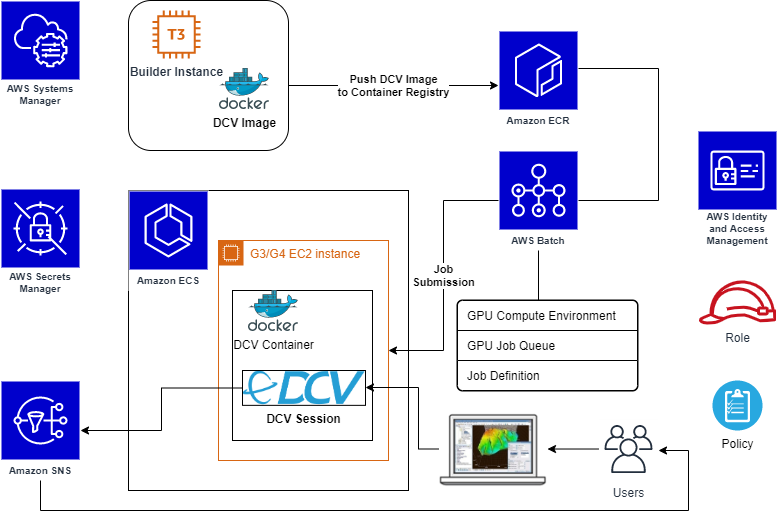
Solution scheme

You will build and register the DCV Container image to be used for the DCV Desktop Sessions. In AWS Batch, we will set up a managed CE starting from the Amazon ECS GPU-optimized AMI, which comes with the NVIDIA drivers and Amazon ECS agent already installed. Also, you will use Amazon Secrets Manager to safely store user credentials and Amazon SNS to automatically notify the user that the interactive job is ready.

Tutorial

As a Computational Fluid Dynamics (CFD) visualization application example you will use Paraview.

This blog post goes through the following steps:

  1. Prepare required components
    • Launch temporary EC2 instance to build a DCV container image
    • Store user’s credentials and notification data
    • Create required roles
  2. Build DCV container image
  3. Create a repository on Amazon ECR
    • Push the DCV container image
  4. Configure AWS Batch
    • Create a managed CE
    • Create a related job queue
    • Create its Job Definition
  5. Submit a batch job
  6. Connect to the interactive desktop session using NICE DCV
    • Run the Paraview application to visualize results of a job simulation

Prerequisites

  • An Amazon Linux 2 instance as a Docker host, launched from the latest Amazon ECS GPU-optimized AMI
  • In order to connect to desktop sessions, inbound DCV port must be opened (by default DCV port is 8443)
  • AWS account credentials with the necessary access permissions
  • AWS Command Line Interface (CLI) installed and configured with the same AWS credentials
  • To easily install third-party/open source required software, assume that the Docker host has outbound internet access allowed

Step 1. Required components

In this step you’ll create a temporary EC2 instance dedicated to a Docker image, and create the IAM policies required for the next steps. Next create the secrets in AWS Secrets Manager service to store sensible data like credentials and SNS topic ARN, and apply and verify the required system settings.

1.1 Launch the temporary EC2 instance for Docker image building

Launch the EC2 instance that becomes your Docker host from the Amazon ECS GPU-optimized AMI. Retrieve its AMI ID. For cost saving, you can use one of t3* family instance type for this stage (e.g. t3.medium).

1.2 Store user credentials and notification data

As an example of avoiding hardcoded credentials or keys into scripts used in next stages, we’ll use AWS Secrets Manager to safely store final user’s OS credentials and other sensible data.

  • In the AWS Management Console select Secrets Manager, create a new secret, select type Other type of secrets, and specify key pair. Store the user login name as a key, e.g.: user001, and the password as value, then name the secret as Run_DCV_in_Batch, or alternatively you can use the commands. Note xxxxxxxxxx is your chosen password.

aws secretsmanager  create-secret --secret-id Run_DCV_in_Batch
aws secretsmanager put-secret-value --secret-id Run_DCV_in_Batch --secret-string '{"user001":"xxxxxxxxxx"}'

  • Create an SNS Topic to send email notifications to the user when a DCV session is ready for connection:
  • In the AWS Management Console select Secrets Manager service to create a new secret named DCV_Session_Ready_Notification, with type other type of secrets and key pair values. Store the string sns_topic_arn as a key and the SNS Topic ARN as value:

aws secretsmanager  create-secret --secret-id DCV_Session_Ready_Notification
aws secretsmanager put-secret-value --secret-id DCV_Session_Ready_Notification --secret-string '{"sns_topic_arn":"<put here your SNS Topic ARN>"}'

1.3 Create required role and policy

To simplify, define a single role named dcv-ecs-batch-role gathering all the necessary policies. This role will be associated to the EC2 instance that launches from an AWS Batch job submission, so it is included inside the CE definition later.

To allow DCV sessions, push images into Amazon ECR and AWS Batch operations, create the role and include the following AWS managed and custom policies:

  • AmazonEC2ContainerRegistryFullAccess
  • AmazonEC2ContainerServiceforEC2Role
  • SecretsManagerReadWrite
  • AmazonSNSFullAccess
  • AmazonECSTaskExecutionRolePolicy

To reach the NICE DCV licenses stored in Amazon S3 (see licensing the NICE DCV server for more details), define a custom policy named DCVLicensePolicy (the following policy is for eu-west-1 Region, you might also use us-east-1):

{
    "Version": "2012-10-17",
    "Statement": [
        {
            "Effect": "Allow",
            "Action": "s3:GetObject",
            "Resource": "arn:aws:s3:::dcv-license.eu-west-1/*"
        }
    ]
}

create role

Note: If needed, you can add additional policies to allow the copy data from/to S3 bucket.

Update the Trust relationships of the same role in order to allow the Amazon ECS tasks execution and use this role from the AWS Batch Job definition as well:

{
  "Version": "2012-10-17",
  "Statement": [
    {
      "Effect": "Allow",
      "Principal": {
        "Service": "ec2.amazonaws.com"
      },
      "Action": "sts:AssumeRole"
    },
    {
      "Effect": "Allow",
      "Principal": {
        "Service": "ecs-tasks.amazonaws.com"
      },
      "Action": "sts:AssumeRole"
    }
  ]
}

Trusted relationships and Trusted entities

1.4 Create required Security Group

In the AWS Management Console, access EC2, and create a Security Group, named dcv-sg, that is open to DCV sessions and DCV clients by enabling tcp port 8443 in Inbound.

Step 2. DCV container image

Now you will build a container that provides OpenGL acceleration via NICE DCV. You’ll write the Dockerfile starting from Amazon Linux 2 base image, and add DCV with its related requirements.

2.1 Define the Dockerfile

The base software packages in the Dockerfile will contain: NVIDIA libraries, X server and GNOME desktop and some external scripts to manage the DCV service startup and email notification for the user.

Starting from the base image just pulled, our Dockerfile does install all required (and optional) system tools and libraries, desktop manager packages, manage the Prerequisites for Linux NICE DCV Servers , Install the NICE DCV Server on Linux and Paraview application for 2D/3D data visualization.

The final contents of the Dockerfile is available here; in the same repository, you can also find scripts that manage the DCV service system script, the notification message sent to the User, the creation of local User at startup and the run script for the DCV container.

2.2 Build Dockerfile

Install required tools both to unpack archives and perform command on AWS:

sudo yum install -y unzip awscli

Download the Git archive within the EC2 instance, and unpack on a temporary directory:

curl -s -L -o - https://github.com/aws-samples/aws-batch-using-nice-dcv/archive/latest.tar.gz | tar zxvf -

From inside the folder containing aws-batch-using-nice-dcv.dockerfile, let’s build the Docker image:

docker build -t dcv -f aws-batch-using-nice-dcv.dockerfile .

The first time it takes a while since it has to download and install all the required packages and related dependencies. After the command completes, check it has been built and tagged correctly with the command:

docker images

Step 3. Amazon ECR configuration

In this step, you’ll push/archive our newly built DCV container AMI into Amazon ECR. Having this image in Amazon ECR allows you to use it inside Amazon ECS and AWS Batch.

3.1 Push DCV image into Amazon ECR repository

Set a desired name for your new repository, e.g. dcv, and push your latest dcv image into it. The push procedure is described in Amazon ECR by selecting your repository, and clicking on the top-right button View push commands.

Install the required tool to manage content in JSON format:

sudo yum install -y jq

Amazon ECR push commands to run include:

  • Login command to authenticate your Docker client to Amazon ECS registry. Using the AWS CLI:

AWS_REGION="$(curl -s http://169.254.169.254/latest/dynamic/instance-identity/document | jq -r .region)"
eval $(aws ecr get-login --no-include-email --region "${AWS_REGION}") Note: If you receive an “Unknown options: –no-include-email” error when using the AWS CLI, ensure that you have the latest version installed. Learn more.

  • Create the repository:

aws ecr create-repository --repository-name=dcv —region "${AWS_REGION}"DCV_REPOSITORY=$(aws ecr describe-repositories --repository-names=dcv --region "${AWS_REGION}"| jq -r '.repositories[0].repositoryUri')

  • Tag the image to push the image to the Amazon ECR repository:

docker build -t "${DCV_REPOSITORY}:$(date +%F)" -f aws-batch-using-nice-dcv.dockerfile .

  • Push command:

docker push "${DCV_REPOSITORY}:$(date +%F)"

Step 4. AWS Batch configuration

The final step is to set up AWS Batch to manage your DCV containers. The link to all previous steps is the use of our DCV container image inside the AWS Batch CE.

4.1 Compute environment

Create an AWS Batch CE using othe newly created AMI.

  • Log into the AWS Management Console, select AWS Batch, select ‘get started’, and skip the wizard on next page.
  • Choose Compute Environments on the left, and click on Create Environment.
  • Specify all your desired settings, e.g.:
      • Managed type
      • Name: DCV-GPU-CE
      • Service role: AWSBatchServiceRole
      • Instance role: dcv-ecs-batch-role
  • Since you want OpenGL acceleration, choose an instance type with GPU (e.g. g4dn.xlarge).
  • Choose an allocation strategy. In this example I choose BEST_FIT_PROGRESSIVE
  • Assign the security group dcv-sg, created previously at step 1.4 that keeps DCV port 8443 open.
  • Add a Nametag with the value e.g. “DCV-GPU-Batch-Instance”; to assign it to the EC2 instances started by AWS Batch automatically, so you can recognize it if needed.

4.2 Job Queue

Time to create a Job Queue for DCV with your preferred settings.

  • Select Job Queues from the left menu, then select Create queue (naming, for instance, e.g. DCV-GPU-Queue)
  • Specify a required Priority integer value.
  • Associate to this queue the CE you defined in the previous step (e.g. DCV-GPU-CE).

4.3 Job Definition

Now, we create a Job Definition by selecting the related item in the left menu, and select Create. 

We’ll use, listed per section:

  • Job Definition name (e.g. DCV-GPU-JD)
  • Execution timeout to 1h: 3600
  • Parameter section:
    • Add the Parameter named command with value: --network=host
      • Note: This parameter is required and equivalent to specify the same option to the docker run.Learn more.
  • Environment section:
    • Job role: dcv-ecs-batch-role
    • Container image: Use the ECR repository previously created, e.g. dkr.ecr.eu-west-1.amazonaws.com/dcv. If you don’t remember the Amazon ECR image URI, just return to Amazon ECR -> Repository -> Images.
    • vCPUs: 8
      • Note: Value equal to the vCPUs of the chosen instance type (in this example: gdn4.2xlarge), having one job per node to avoid conflicts on usage of TCP ports required by NICE DCV daemons.
    • Memory (MiB): 2048
  • Security section:
    • Check Privileged
    • Set user root (run as root)
  • Environment Variables section:
    • DISPLAY: 0
    • NVIDIA_VISIBLE_DEVICES: 0
    • NVIDIA_ALL_CAPABILITIES: all

Note: Amazon ECS provides a GPU-optimized AMI that comes ready with pre-configured NVIDIA kernel drivers and a Docker GPU runtime, learn more; the variables above make available the required graphic device(s) inside the container.

4.4 Create and submit a Job

We can finally, create an AWS Batch job, by selecting Batch → Jobs → Submit Job.
Let’s specify the job queue and job definition defined in the previous steps. Leave the command filed as pre-filled from job definition.
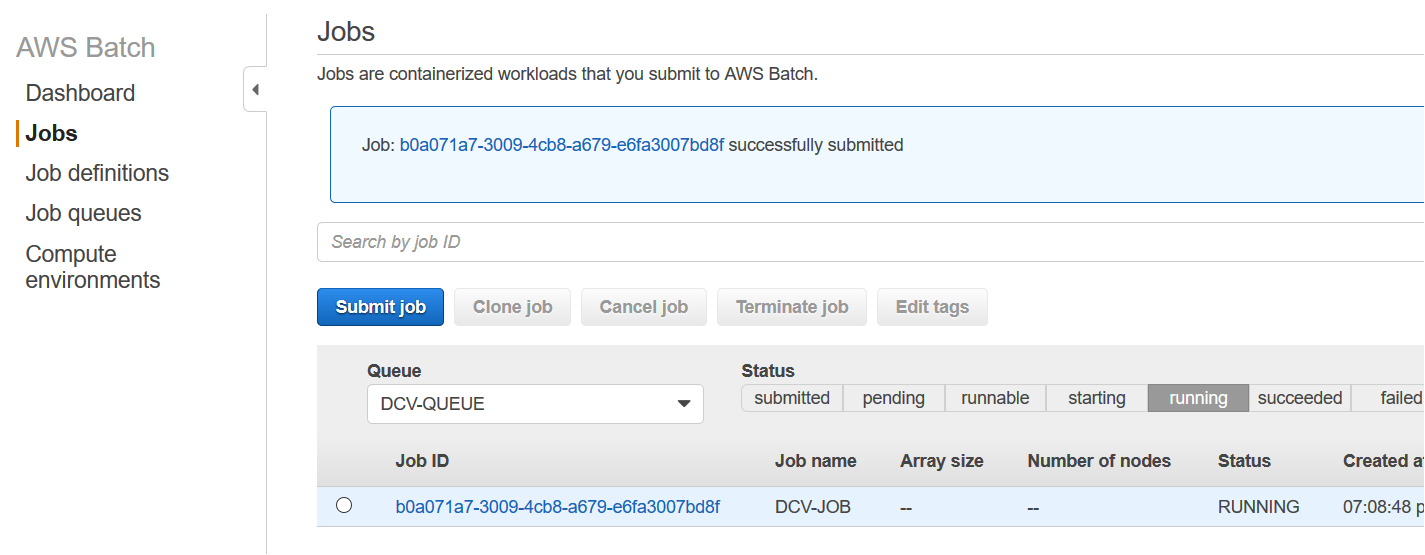
Running DCV job on AWS Batch

4.5 Connect to sessions

Once the job is in RUNNING state, go to the AWS Batch dashboard, you can get the IP address/DNS in several ways as noted in How do I get the ID or IP address of an Amazon EC2 instance for an AWS Batch job. For example, assuming the tag Name set on CE is DCV-GPU-Batch-Instance:

aws ec2 describe-instances --filters Name=instance-state-name,Values=running Name=tag:Name,Values="DCV-GPU-Batch-Instance" --query "Reservations[].Instances[].{id: InstanceId, tm: LaunchTime, ip: PublicIpAddress}" | jq -r 'sort_by(.tm) | reverse | .[0]' | jq -r .ip

Note: It could be required to add the EC2 policy to the list of instances in the IAM role. If the AWS SNS Topic is properly configured, as mentioned in subsection 1.2, you receive the notification email message with the URL link to connect to the interactive graphical DCV session.

Email from SNS

Finally, connect to it:

  • https://<ip address>:8443

Note: You might need to wait for the host to report as running on EC2 in AWS Management Console.

Below is a NICE DCV session running inside a container using the web browser, or equivalently the NICE DCV native client as well, running Paraview visualization application. It shows the basic elbow results coming from an external OpenFoam simulation, which data has been previously copied over from an S3 bucket; and the dcvgltest as well:

DCV Client connected to a running session

Cleanup

Once you’ve finished running the application, avoid incurring future charges by navigating to the AWS Batch console and terminate the job, set CE parameter Minimum vCPUs and Desired vCPUs equal to 0. Also, navigate to Amazon EC2 and stop the temporary EC2 instance used to build the Docker image.

For a full cleanup of all of the configurations and resources used, delete: the job definition, the job queue and the CE (AWS Batch), the Docker image and ECR Repository (Amazon ECR), the role dcv-ecs-batch-role (Amazon IAM), the security group dcv-sg (Amazon EC2), the Topic DCV_Session_Ready_Notification (AWS SNS), and the secret Run_DCV_in_Batch (Amazon Secrets Manager).

Conclusion

This blog post demonstrates how AWS Batch enables innovative approaches to run HPC workflows including not only batch jobs, but also pre-/post-analysis steps done through interactive graphical OpenGL/3D applications.

You are now ready to start interactive applications with AWS Batch and NICE DCV on G-series instance types with dedicated 3D hardware. This allows you to take advantage of graphical remote rendering on optimized infrastructure without moving data to save costs.

On Risk-Based Authentication

Post Syndicated from Bruce Schneier original https://www.schneier.com/blog/archives/2020/10/on-risk-based-authentication.html

Interesting usability study: “More Than Just Good Passwords? A Study on Usability and Security Perceptions of Risk-based Authentication“:

Abstract: Risk-based Authentication (RBA) is an adaptive security measure to strengthen password-based authentication. RBA monitors additional features during login, and when observed feature values differ significantly from previously seen ones, users have to provide additional authentication factors such as a verification code. RBA has the potential to offer more usable authentication, but the usability and the security perceptions of RBA are not studied well.

We present the results of a between-group lab study (n=65) to evaluate usability and security perceptions of two RBA variants, one 2FA variant, and password-only authentication. Our study shows with significant results that RBA is considered to be more usable than the studied 2FA variants, while it is perceived as more secure than password-only authentication in general and comparably se-cure to 2FA in a variety of application types. We also observed RBA usability problems and provide recommendations for mitigation.Our contribution provides a first deeper understanding of the users’perception of RBA and helps to improve RBA implementations for a broader user acceptance.

Paper’s website. I’ve blogged about risk-based authentication before.

COVID-19 and Acedia

Post Syndicated from Bruce Schneier original https://www.schneier.com/blog/archives/2020/10/covid-19-and-acedia.html

Note: This isn’t my usual essay topic. Still, I want to put it on my blog.

Six months into the pandemic with no end in sight, many of us have been feeling a sense of unease that goes beyond anxiety or distress. It’s a nameless feeling that somehow makes it hard to go on with even the nice things we regularly do.

What’s blocking our everyday routines is not the anxiety of lockdown adjustments, or the worries about ourselves and our loved ones — real though those worries are. It isn’t even the sense that, if we’re really honest with ourselves, much of what we do is pretty self-indulgent when held up against the urgency of a global pandemic.

It is something more troubling and harder to name: an uncertainty about why we would go on doing much of what for years we’d taken for granted as inherently valuable.

What we are confronting is something many writers in the pandemic have approached from varying angles: a restless distraction that stems not just from not knowing when it will all end, but also from not knowing what that end will look like. Perhaps the sharpest insight into this feeling has come from Jonathan Zecher, a historian of religion, who linked it to the forgotten Christian term: acedia.

Acedia was a malady that apparently plagued many medieval monks. It’s a sense of no longer caring about caring, not because one had become apathetic, but because somehow the whole structure of care had become jammed up.

What could this particular form of melancholy mean in an urgent global crisis? On the face of it, all of us care very much about the health risks to those we know and don’t know. Yet lurking alongside such immediate cares is a sense of dislocation that somehow interferes with how we care.

The answer can be found in an extreme thought experiment about death. In 2013, philosopher Samuel Scheffler explored a core assumption about death. We all assume that there will be a future world that survives our particular life, a world populated by people roughly like us, including some who are related to us or known to us. Though we rarely or acknowledge it, this presumed future world is the horizon towards which everything we do in the present is oriented.

But what, Scheffler asked, if we lose that assumed future world — because, say, we are told that human life will end on a fixed date not far after our own death? Then the things we value would start to lose their value. Our sense of why things matter today is built on the presumption that they will continue to matter in the future, even when we ourselves are no longer around to value them.

Our present relations to people and things are, in this deep way, future-oriented. Symphonies are written, buildings built, children conceived in the present, but always with a future in mind. What happens to our ethical bearings when we start to lose our grip on that future?

It’s here, moving back to the particular features of the global pandemic, that we see more clearly what drives the restlessness and dislocation so many have been feeling. The source of our current acedia is not the literal loss of a future; even the most pessimistic scenarios surrounding COVID-19 have our species surviving. The dislocation is more subtle: a disruption in pretty much every future frame of reference on which just going on in the present relies.

Moving around is what we do as creatures, and for that we need horizons. COVID-19 has erased many of the spatial and temporal horizons we rely on, even if we don’t notice them very often. We don’t know how the economy will look, how social life will go on, how our home routines will be changed, how work will be organized, how universities or the arts or local commerce will survive.

What unsettles us is not only fear of change. It’s that, if we can no longer trust in the future, many things become irrelevant, retrospectively pointless. And by that we mean from the perspective of a future whose basic shape we can no longer take for granted. This fundamentally disrupts how we weigh the value of what we are doing right now. It becomes especially hard under these conditions to hold on to the value in activities that, by their very nature, are future-directed, such as education or institution-building.

That’s what many of us are feeling. That’s today’s acedia.

Naming this malaise may seem more trouble than its worth, but the opposite is true. Perhaps the worst thing about medieval acedia was that monks struggled with its dislocation in isolation. But today’s disruption of our sense of a future must be a shared challenge. Because what’s disrupted is the structure of care that sustains why we go on doing things together, and this can only be repaired through renewed solidarity.

Such solidarity, however, has one precondition: that we openly discuss the problem of acedia, and how it prevents us from facing our deepest future uncertainties. Once we have done that, we can recognize it as a problem we choose to face together — across political and cultural lines — as families, communities, nations and a global humanity. Which means doing so in acceptance of our shared vulnerability, rather than suffering each on our own.

This essay was written with Nick Couldry, and previously appeared on CNN.com.

Ultrasonically detect bats with Raspberry Pi

Post Syndicated from Ashley Whittaker original https://www.raspberrypi.org/blog/ultrasonically-detect-bats-with-raspberry-pi/

Welcome to October, the month in which spiderwebs become decor and anything vaguely gruesome is considered ‘seasonal’. Such as bats. Bats are in fact cute, furry creatures, but as they are part of the ‘Halloweeny animal’ canon, I have a perfect excuse to sing their praises.


baby bats in a row wrapped up like human babies
SEE? Baby bats wrapped up cute like baby humans

Tegwyn Twmffat was tasked with doing a bat survey on a derelict building, and they took to DesignSpark to share their Raspberry Pi–powered solution.

UK law protects nesting birds and roosting bats, so before you go knocking buildings down, you need a professional to check that no critters will be harmed in the process.

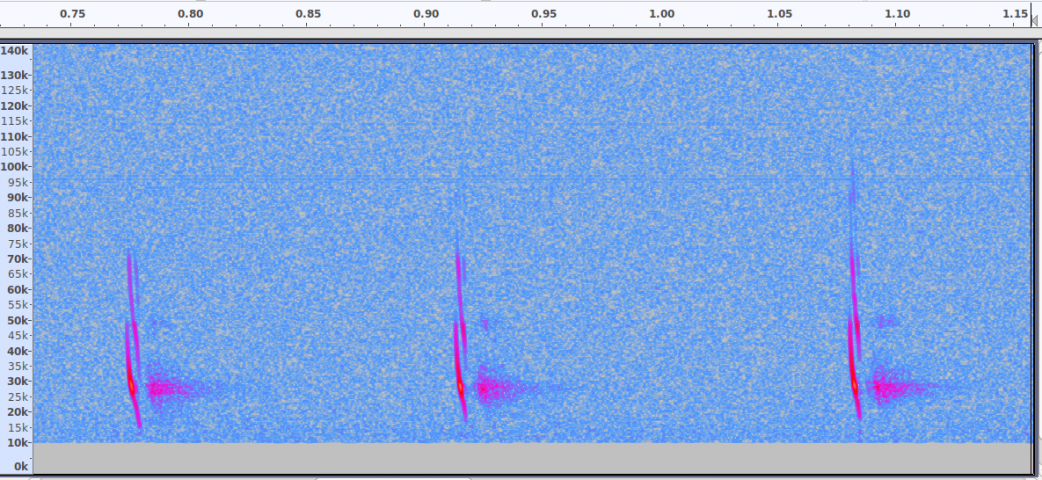
The acoustic signature of an echo-locating brown long-eared bat

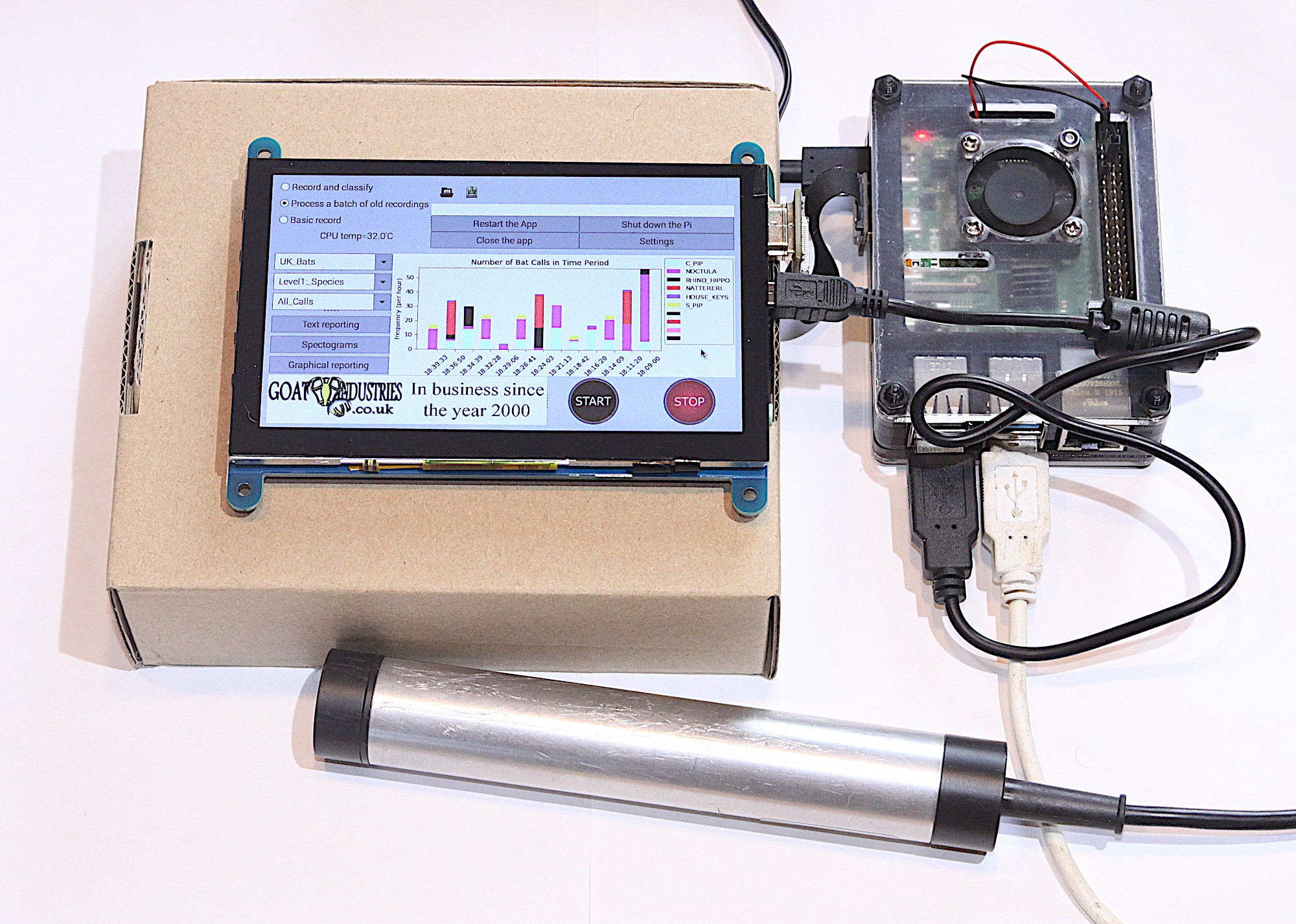
The problem with bats, compared to birds, is they are much harder to spot and have a tendency to hang out in tiny wall cavities. Enter this big ultrasonic microphone.

Raspberry Pi 4 Model B provided the RAM needed for this build

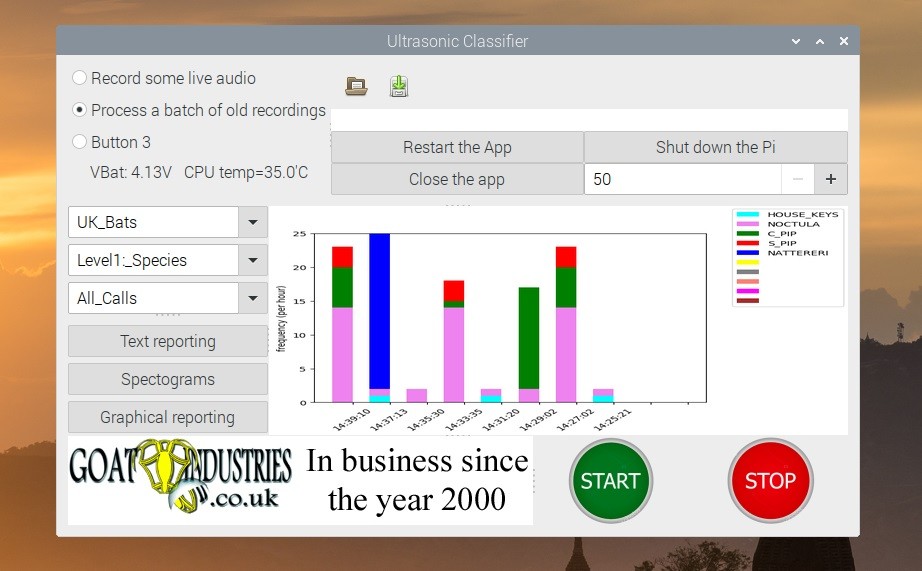
After the building was declared safely empty of bats, Tegwyn decided to keep hold of the expensive microphone (the metal tube in the image above) and have a crack at developing their own auto-classification system to detect which type of bats are about.

How does it work?

The ultrasonic mic picks up the audio data using an STM M0 processor and streams it to Raspberry Pi via USB. Raspberry Pi runs Alsa driver software and uses the bash language to receive the data.

Tegwyn turned to the open-source GTK software to process the audio data

It turns out there are no publicly available audio records of bats, so Tegwyn took to their own back garden and found 6 species to record. And with the help of a few other bat enthusiasts, they cobbled together an audio dataset of 9 of the 17 bat species found in the UK!

Tegwyn’s original post about their project features a 12-step walkthrough, as well as all the code and commands you’ll need to build your own system. And here’s the GitHub repository, where you can check for updates.

The post Ultrasonically detect bats with Raspberry Pi appeared first on Raspberry Pi.

Code a Rally-X-style mini-map | Wireframe #43

Post Syndicated from Ryan Lambie original https://www.raspberrypi.org/blog/code-a-rally-x-style-mini-map-wireframe-43/

Race around using a mini-map for navigation, just like the arcade classic, Rally-X. Mark Vanstone has the code

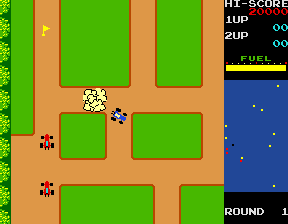
In Namco’s original arcade game, the red cars chased the player relentlessly around each level. Note the handy mini-map on the right.

The original Rally-X arcade game blasted onto the market in 1980, at the same time as Pac‑Man and Defender. This was the first year that developer Namco had exported its games outside Japan thanks to the deal it struck with Midway, an American game distributor. The aim of Rally-X is to race a car around a maze, avoiding enemy cars while collecting yellow flags – all before your fuel runs out.

The aspect of Rally-X that we’ll cover here is the mini-map. As the car moves around the maze, its position can be seen relative to the flags on the right of the screen. The main view of the maze only shows a section of the whole map, and scrolls as the car moves, whereas the mini-map shows the whole size of the map but without any of the maze walls – just dots where the car and flags are (and in the original, the enemy cars). In our example, the mini-map is five times smaller than the main map, so it’s easy to work out the calculation to translate large map co‑ordinates to mini-map co-ordinates.

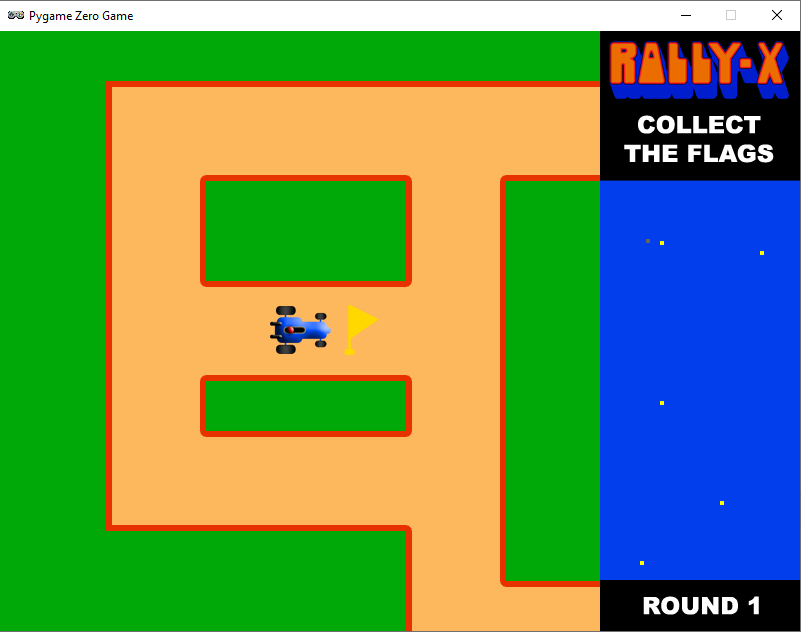
To set up our Rally-X homage in Pygame Zero, we can stick with the default screen size of 800×600. If we use 200 pixels for the side panel, that leaves us with a 600×600 play area. Our player’s car will be drawn in the centre of this area at the co-ordinates 300,300. We can use the in-built rotation of the Actor object by setting the angle property of the car. The maze scrolls depending on which direction the car is pointing, and this can be done by having a lookup table in the form of a dictionary list (directionMap) where we define x and y increments for each angle the car can travel. When the cursor keys are pressed, the car stays central and the map moves.

A screenshot of our Rally-X homage running in Pygame Zero

Roam the maze and collect those flags in our Python homage to Rally-X.

To detect the car hitting a wall, we can use a collision map. This isn’t a particularly memory-efficient way of doing it, but it’s easy to code. We just use a bitmap the same size as the main map which has all the roads as black and all the walls as white. With this map, we can detect if there’s a wall in the direction in which the car’s moving by testing the pixels directly in front of it. If a wall is detected, we rotate the car rather than moving it. If we draw the side panel after the main map, we’ll then be able to see the full layout of the screen with the map scrolling as the car navigates through the maze.

We can add flags as a list of Actor objects. We could make these random, but for the sake of simplicity, our sample code has them defined in a list of x and y co-ordinates. We need to move the flags with the map, so in each update(), we loop through the list and add the same increments to the x and y co‑ordinates as the main map. If the car collides with any flags, we just take them off the list of items to draw by adding a collected variable. Having put all of this in place, we can draw the mini-map, which will show the car and the flags. All we need to do is divide the object co-ordinates by five and add an x and y offset so that the objects appear in the right place on the mini-map.

And those are the basics of Rally-X! All it needs now is a fuel gauge, some enemy cars, and obstacles – but we’ll leave those for you to sort out…

Here’s Mark’s code for a Rally-X-style driving game with mini-map. To get it running on your system, you’ll need to install Pygame Zero. And to download the full code and assets, head here.

Get your copy of Wireframe issue 43

You can read more features like this one in Wireframe issue 43, available directly from Raspberry Pi Press — we deliver worldwide.

And if you’d like a handy digital version of the magazine, you can also download issue 43 for free in PDF format.

Wireframe #43, with the gorgeous Sea of Stars on the cover.

Make sure to follow Wireframe on Twitter and Facebook for updates and exclusive offers and giveaways. Subscribe on the Wireframe website to save up to 49% compared to newsstand pricing!


The post Code a Rally-X-style mini-map | Wireframe #43 appeared first on Raspberry Pi.

Negotiating with Ransomware Gangs

Post Syndicated from Bruce Schneier original https://www.schneier.com/blog/archives/2020/09/negotiating-with-ransomware-gangs.html

Really interesting conversation with someone who negotiates with ransomware gangs:

For now, it seems that paying ransomware, while obviously risky and empowering/encouraging ransomware attackers, can perhaps be comported so as not to break any laws (like anti-terrorist laws, FCPA, conspiracy and others) ­ and even if payment is arguably unlawful, seems unlikely to be prosecuted. Thus, the decision whether to pay or ignore a ransomware demand, seems less of a legal, and more of a practical, determination ­ almost like a cost-benefit analysis.

The arguments for rendering a ransomware payment include:

  • Payment is the least costly option;
  • Payment is in the best interest of stakeholders (e.g. a hospital patient in desperate need of an immediate operation whose records are locked up);
  • Payment can avoid being fined for losing important data;
  • Payment means not losing highly confidential information; and
  • Payment may mean not going public with the data breach.

The arguments against rendering a ransomware payment include:

  • Payment does not guarantee that the right encryption keys with the proper decryption algorithms will be provided;
  • Payment further funds additional criminal pursuits of the attacker, enabling a cycle of ransomware crime;
  • Payment can do damage to a corporate brand;
  • Payment may not stop the ransomware attacker from returning;
  • If victims stopped making ransomware payments, the ransomware revenue stream would stop and ransomware attackers would have to move on to perpetrating another scheme; and
  • Using Bitcoin to pay a ransomware attacker can put organizations at risk. Most victims must buy Bitcoin on entirely unregulated and free-wheeling exchanges that can also be hacked, leaving buyers’ bank account information stored on these exchanges vulnerable.

When confronted with a ransomware attack, the options all seem bleak. Pay the hackers ­ and the victim may not only prompt future attacks, but there is also no guarantee that the hackers will restore a victim’s dataset. Ignore the hackers ­ and the victim may incur significant financial damage or even find themselves out of business. The only guarantees during a ransomware attack are the fear, uncertainty and dread inevitably experienced by the victim.

Raspberry Pi reaches more schools in rural Togo

Post Syndicated from Ashley Whittaker original https://www.raspberrypi.org/blog/raspberry-pi-reaches-more-schools-in-rural-togo/

We’ve been following the work of Dominique Laloux since he first got in touch with us in May 2013 ahead of leaving to spend a year in Togo. 75% of teachers in the region where he would be working had never used a computer before 2012, so he saw an opportunity to introduce Raspberry Pi and get some training set up.

We were so pleased to receive another update this year about Dominique and his Togolese team’s work. This has grown to become INITIC, a non-profit organisation that works to install low cost, low power consumption, low maintenance computer rooms in rural schools in Togo. The idea for the acronym came from the organisation’s focus on the INItiation of young people to ICT (TIC in French).

Visit the INTIC website to learn more

The story so far

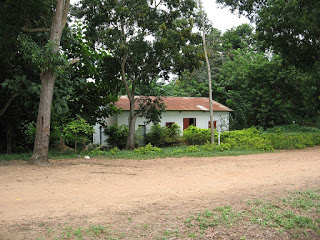
INITIC’s first computer room was installed in Tokpli, Togo, way back in 2012. It was a small room (see the photo on the left below) donated by an agricultural association and renovated by a team of villagers.

Fast forward to 2018, and INTIC had secured its own building (photo on the right above). It has a dedicated a Raspberry Pi Room, as well as a multipurpose room and another small technical room. Young people from local schools, as well as those in neighbouring villages, have access to the facilities.

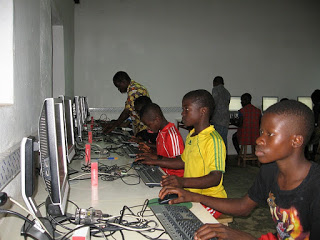
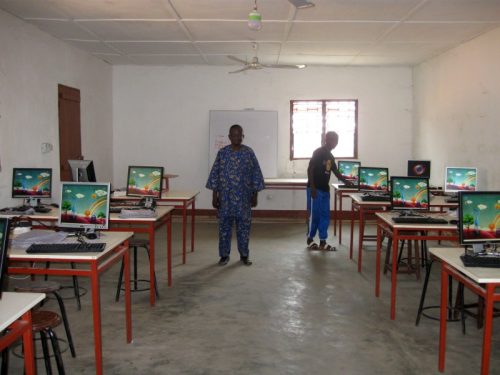
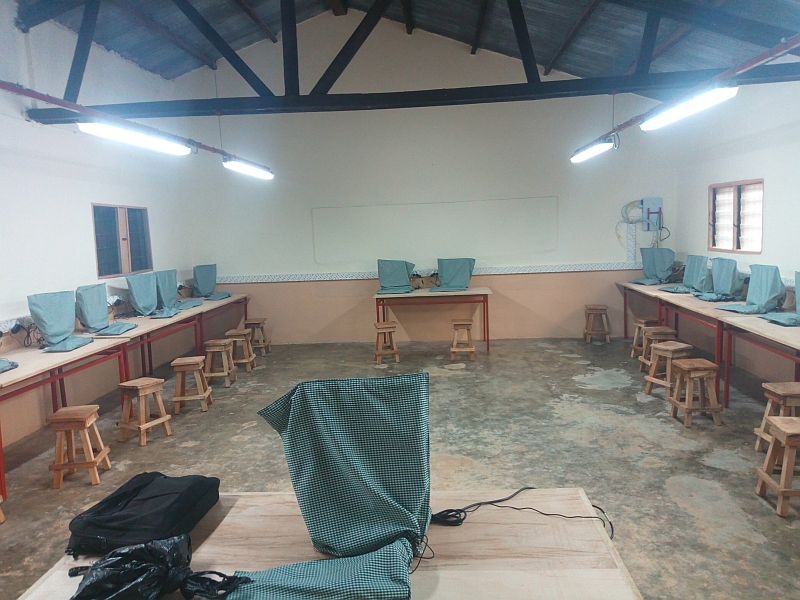
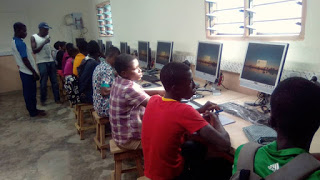
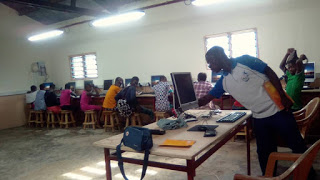
The first dedicated Raspberry Pi Room in Togo was at the Collège (secondary school) in the town of Kuma Adamé. It was equipped with 21 first-generation Raspberry Pis, which stood up impressively against humid and dusty conditions.

In 2019, Kpodzi High School also got its own Raspberry Pi Room, equipped with 22 Raspberry Pi workstations. Once the projector, laser printer, and scanners are in place, the space will also be used for electronics, Arduino, and programming workshops.

What’s the latest?

Ready for the unveiling…

Now we find ourselves in 2020 and INTIC is still growing. Young people in the bountiful, but inaccessible, village of Danyi Dzogbégan now have access to 20 Raspberry Pi workstations (plus one for the teacher). They have been using them for learning since January this year.

We can’t wait to see what Dominique and his team have up their sleeve next. You can help INTIC reach more young people in rural Togo by donating computer equipment, by helping teachers get lesson materials together, or through a volunteer stay at one of their facilities. Find out more here.

The post Raspberry Pi reaches more schools in rural Togo appeared first on Raspberry Pi.

Hacking a Coffee Maker

Post Syndicated from Bruce Schneier original https://www.schneier.com/blog/archives/2020/09/hacking-a-coffee-maker.html

As expected, IoT devices are filled with vulnerabilities:

As a thought experiment, Martin Hron, a researcher at security company Avast, reverse engineered one of the older coffee makers to see what kinds of hacks he could do with it. After just a week of effort, the unqualified answer was: quite a lot. Specifically, he could trigger the coffee maker to turn on the burner, dispense water, spin the bean grinder, and display a ransom message, all while beeping repeatedly. Oh, and by the way, the only way to stop the chaos was to unplug the power cord.

[…]

In any event, Hron said the ransom attack is just the beginning of what an attacker could do. With more work, he believes, an attacker could program a coffee maker — ­and possibly other appliances made by Smarter — ­to attack the router, computers, or other devices connected to the same network. And the attacker could probably do it with no overt sign anything was amiss.

On Executive Order 12333

Post Syndicated from Bruce Schneier original https://www.schneier.com/blog/archives/2020/09/on-executive-order-12333.html

Mark Jaycox has written a long article on the US Executive Order 12333: “No Oversight, No Limits, No Worries: A Primer on Presidential Spying and Executive Order 12,333“:

Abstract: Executive Order 12,333 (“EO 12333”) is a 1980s Executive Order signed by President Ronald Reagan that, among other things, establishes an overarching policy framework for the Executive Branch’s spying powers. Although electronic surveillance programs authorized by EO 12333 generally target foreign intelligence from foreign targets, its permissive targeting standards allow for the substantial collection of Americans’ communications containing little to no foreign intelligence value. This fact alone necessitates closer inspection.

This working draft conducts such an inspection by collecting and coalescing the various declassifications, disclosures, legislative investigations, and news reports concerning EO 12333 electronic surveillance programs in order to provide a better understanding of how the Executive Branch implements the order and the surveillance programs it authorizes. The Article pays particular attention to EO 12333’s designation of the National Security Agency as primarily responsible for conducting signals intelligence, which includes the installation of malware, the analysis of internet traffic traversing the telecommunications backbone, the hacking of U.S.-based companies like Yahoo and Google, and the analysis of Americans’ communications, contact lists, text messages, geolocation data, and other information.

After exploring the electronic surveillance programs authorized by EO 12333, this Article proposes reforms to the existing policy framework, including narrowing the aperture of authorized surveillance, increasing privacy standards for the retention of data, and requiring greater transparency and accountability.

Raspberry Pi High Quality Camera takes photos through thousands of straws

Post Syndicated from Ashley Whittaker original https://www.raspberrypi.org/blog/raspberry-pi-high-quality-camera-takes-photos-through-thousands-of-straws/

Adrian Hanft is our favourite kind of maker: weird. He’s also the guy who invented the Lego camera, 16 years ago. This time, he spent more than a year creating what he describes as “one of the strangest cameras you may ever hear about.”

What? Looks normal from here. Massive, but normal

What’s with all the straws?

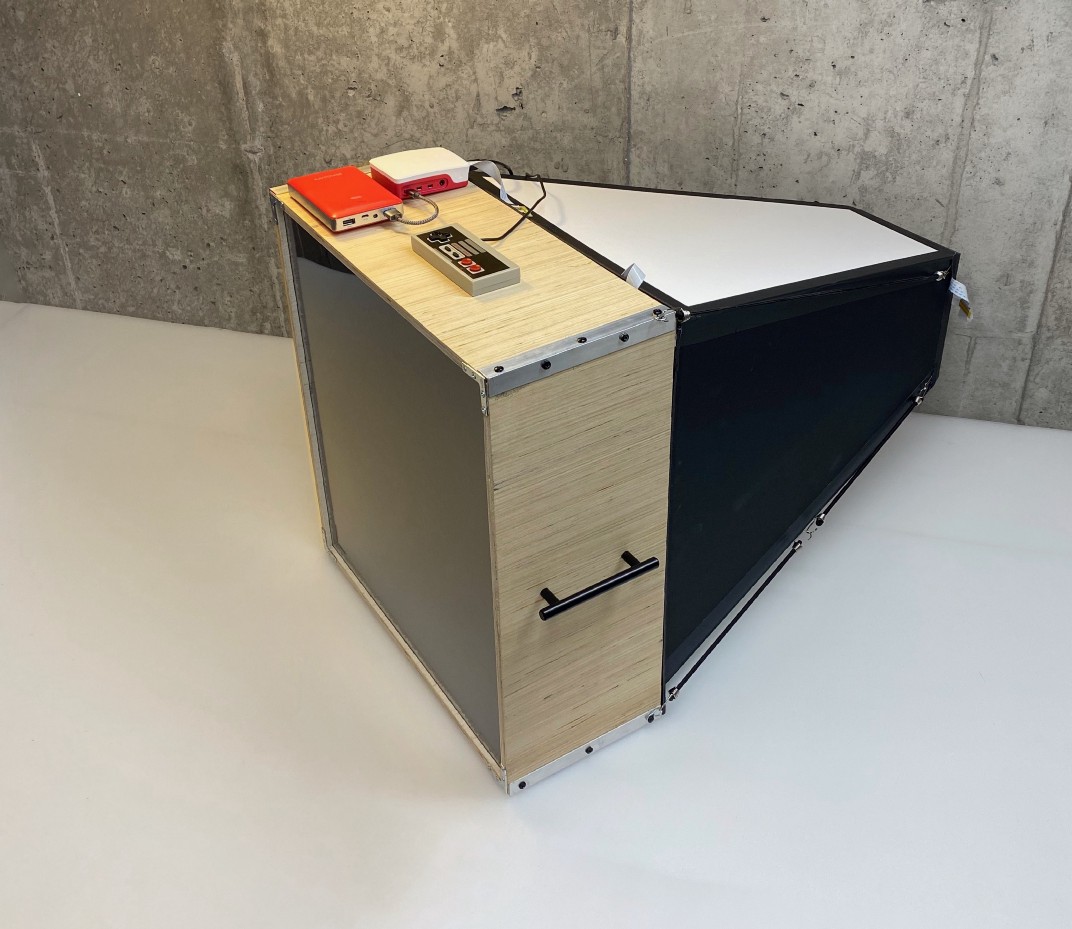
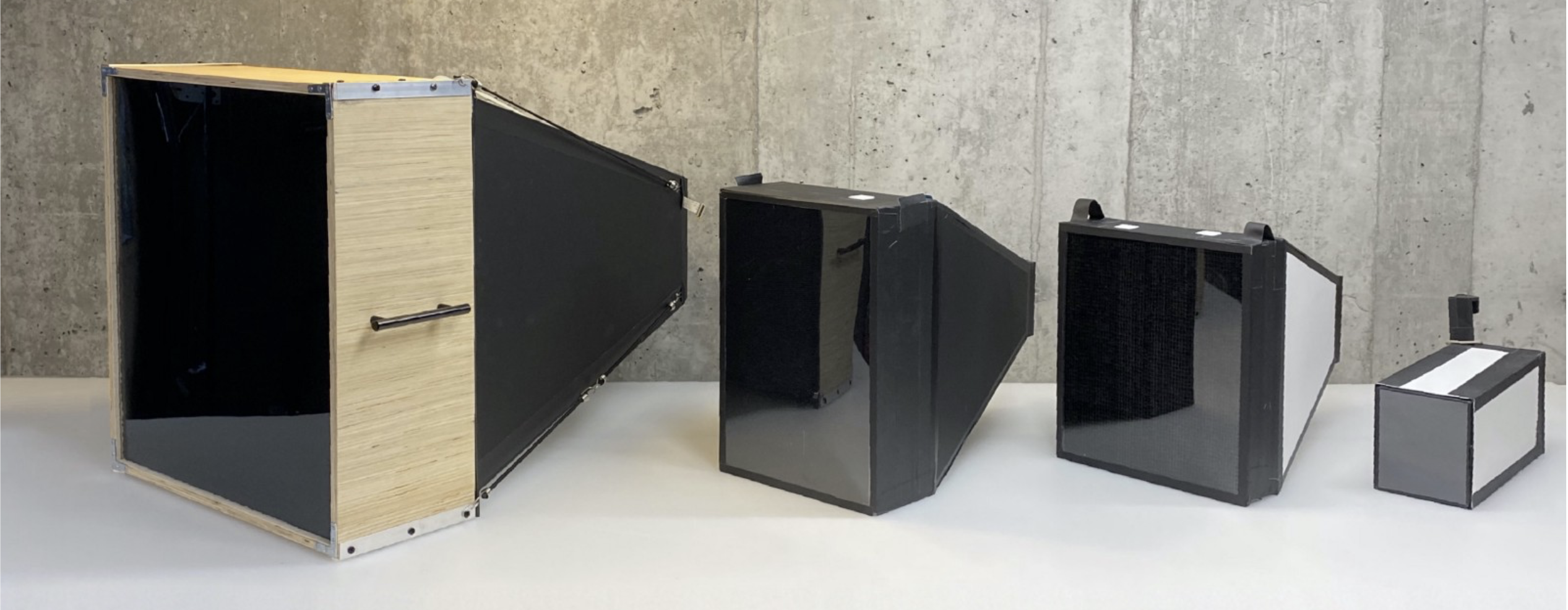
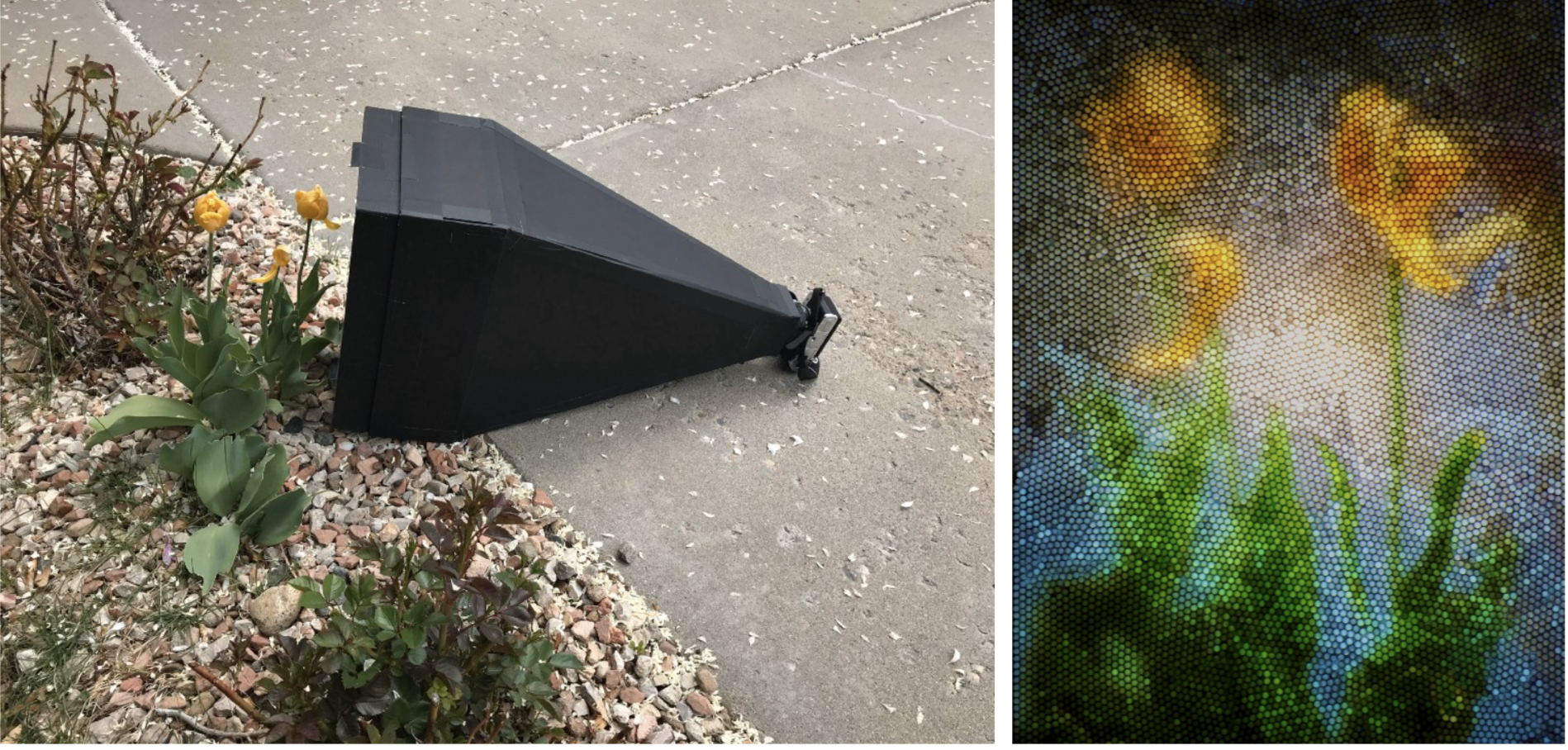
OK, here’s why it’s weird: it takes photos with a Raspberry Pi High Quality Camera through a ‘lens’ of tiny drinking straws packed together. 23,248 straws, to be exact, are inside the wooden box-shaped bit of the machine above. The camera itself sits at the slim end of the black and white part. The Raspberry Pi, power bank, and controller all sit on top of the wooden box full of straws.

Here’s what an image of Yoda looks like, photographed through that many straws:

Mosaic, but make it techy

Ground glass lenses

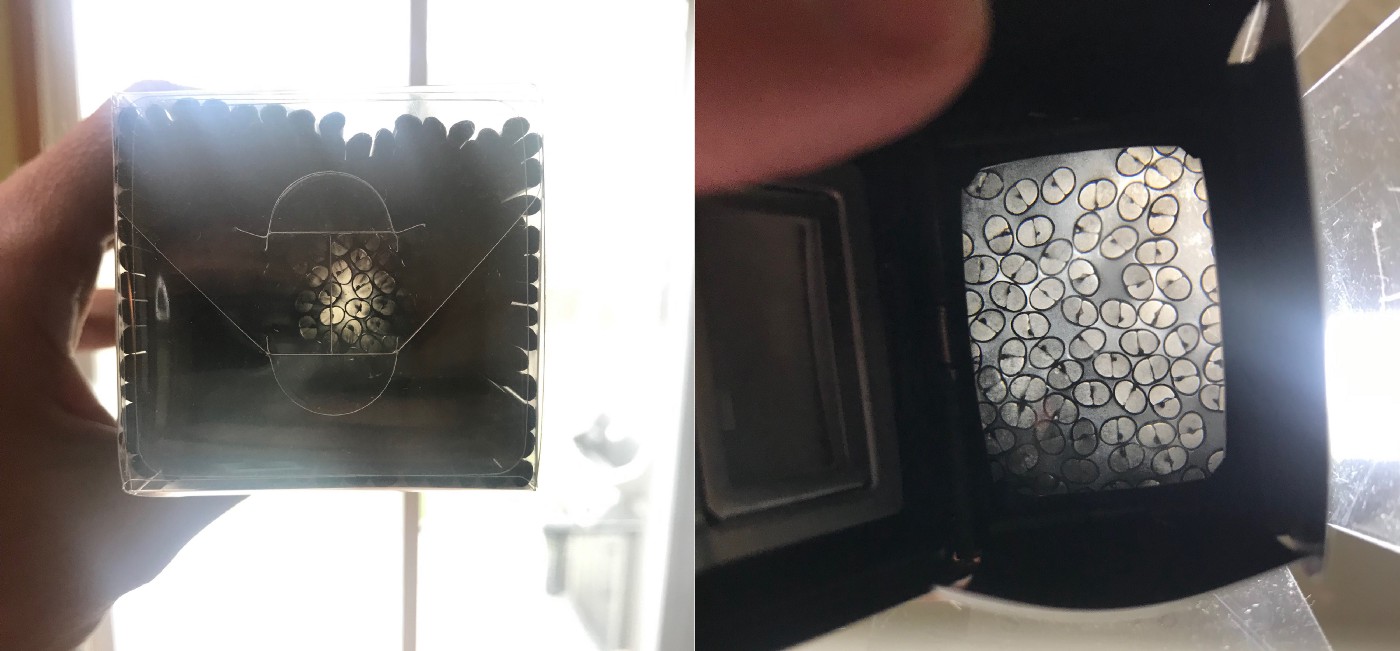
The concept isn’t as easy as it may look. As you can see from the images below, if you hold up a load of straws, you can only see the light through a few of them. Adrian turned to older technology for a solution, taking a viewfinder from an old camera which had ground glass (which ‘collects’ light) on the surface.

Left: looking through straws at light with the naked eye
Right: the same straws viewed through a ground glass lens

Even though Adrian was completely new to both Raspberry Pi and Python, it only took him a week of evenings and weekends to code the software needed to control the Raspberry Pi High Quality Camera.

Long story short, on the left is the final camera, with all the prototypes queued up behind it

An original Nintendo controller runs the show and connects to the Raspberry Pi with a USB adapter. The buttons are mapped to the functions of Adrian’s software.

A super satisfying time-lapse of the straws being loaded

What does the Nintendo controller do?

In his original post, Adrian explains what all the buttons on the controller do in order to create images:

“The Start button launches a preview of what the camera is seeing. The A button takes a picture. The Up and Down buttons increase or decrease the exposure time by 1 second. The Select button launches a gallery of photos so I can see the last photo I took. The Right and Left buttons cycle between photos in the gallery. I am saving the B button for something else in the future. Maybe I will use it for uploading to Dropbox, I haven’t decided yet.”

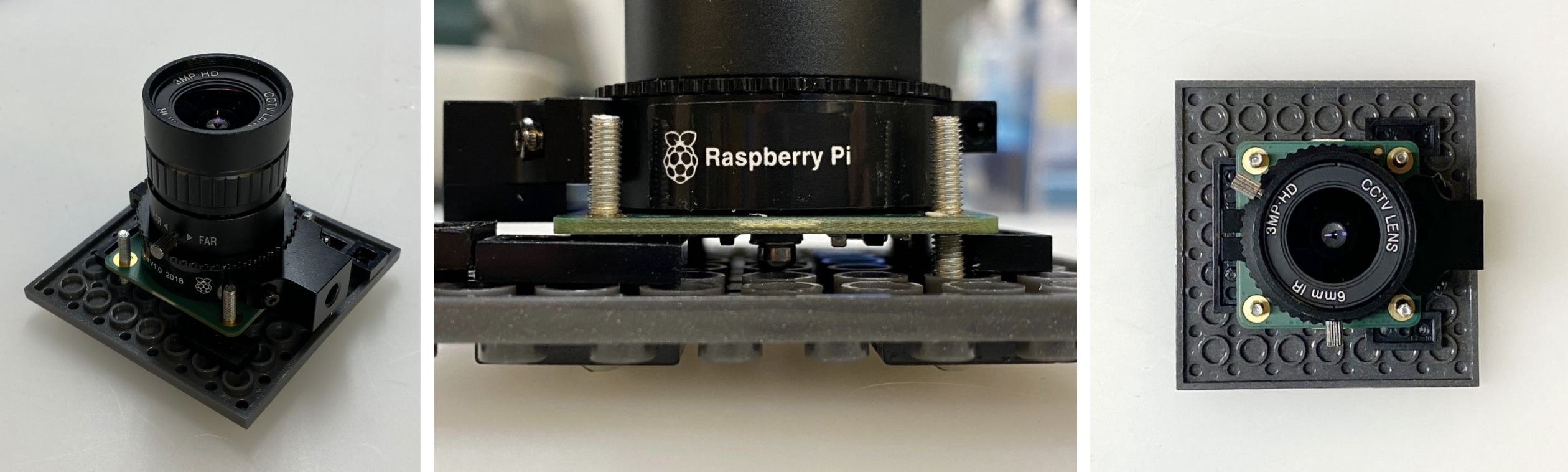
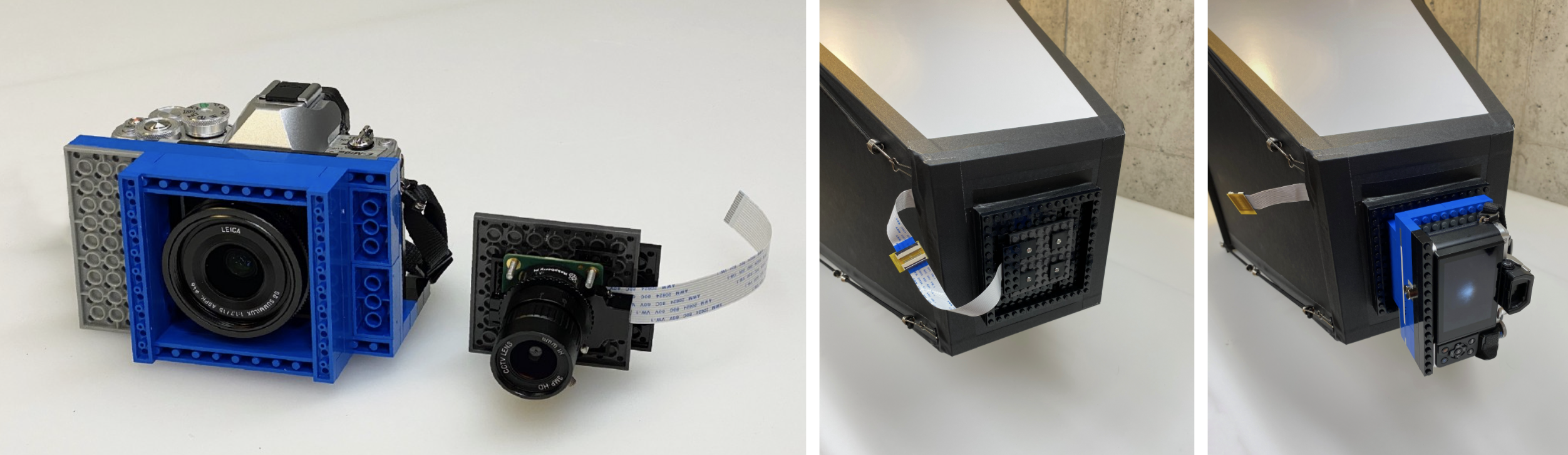
Adrian made a Lego mount for the Raspberry Pi camera
The Lego mount makes it easy to switch between cameras and lenses

A mobile phone serves as a wireless display so he can keep an eye on what’s going on. The phone communicates with the Raspberry Pi connected to the camera via a VPN app.

One of the prototypes in action

Follow Adrian on Instagram to keep up with all the photography captured using the final camera, as well as the prototypes that came before it.

The post Raspberry Pi High Quality Camera takes photos through thousands of straws appeared first on Raspberry Pi.

Friday Squid Blogging: COVID-19 Found on Chinese Squid Packaging

Post Syndicated from Bruce Schneier original https://www.schneier.com/blog/archives/2020/09/friday-squid-blogging-covid-19-found-on-chinese-squid-packaging.html

I thought the virus doesn’t survive well on food packaging:

Authorities in China’s northeastern Jilin province have found the novel coronavirus on the packaging of imported squid, health authorities in the city of Fuyu said on Sunday, urging anyone who may have bought it to get themselves tested.

As usual, you can also use this squid post to talk about the security stories in the news that I haven’t covered.

Read my blog posting guidelines here.

13 Raspberry Pis slosh-test space shuttle tanks in zero gravity

Post Syndicated from Ashley Whittaker original https://www.raspberrypi.org/blog/13-raspberry-pis-slosh-test-space-shuttle-tanks-in-zero-gravity/

High-school student Eleanor Sigrest successfully crowdfunded her way onto a zero-G flight to test her latest Raspberry Pi-powered project. NASA Goddard engineers peer reviewed Eleanor’s experimental design, which detects unwanted movement (or ‘slosh’) in spacecraft fluid tanks.

The Raspberry Pi-packed setup

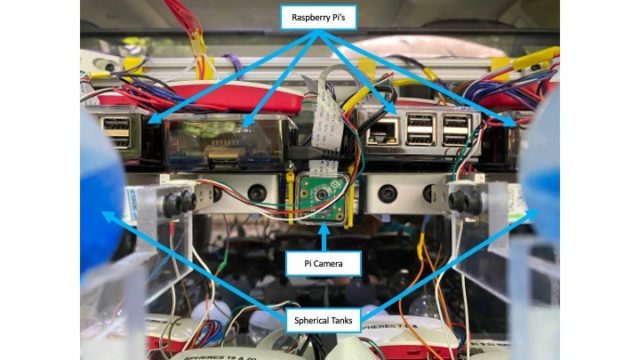
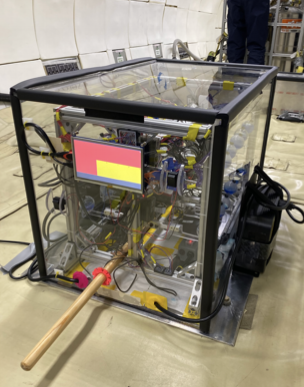
The apparatus features an accelerometer to precisely determine the moment of zero gravity, along with 13 Raspberry Pis and 12 Raspberry Pi cameras to capture the slosh movement.

What’s wrong with slosh?

The Broadcom Foundation shared a pretty interesting minute-by-minute report on Eleanor’s first hyperbolic flight and how she got everything working. But, in a nutshell…

The full apparatus onboard the zero gravity flight

You don’t want the fluid in your space shuttle tanks sloshing around too much. It’s a mission-ending problem. Slosh occurs on take-off and also in microgravity during manoeuvres, so Eleanor devised this novel approach to managing it in place of the costly, heavy subsystems currently used on board space craft.

Eleanor wanted to prove that the fluid inside tanks treated with superhydrophobic and superhydrophilic coatings settled quicker than in uncoated tanks. And she was right: settling times were reduced by 73% in some cases.

Eleanor at work

A continuation of this experiment is due to go up on Blue Origin’s New Shepard rocket – and yes, a patent is already pending.

Curiosity, courage & compromise

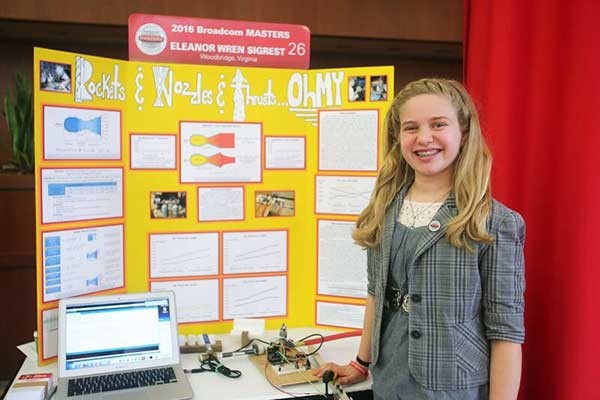
At just 13 years old, Eleanor won the Samueli Prize at the 2016 Broadcom MASTERS for her mastery of STEM principles and team leadership during a rigorous week-long competition. High praise came from Paula Golden, President of Broadcom Foundation, who said: “Eleanor is the epitome of a young woman scientist and engineer. She combines insatiable curiosity with courage: two traits that are essential for a leader in these fields.”

Eleanor aged 13 with her award-winning project ‘Rockets & Nozzles & Thrust… Oh My’

That week-long experience also included a Raspberry Pi Challenge, and Eleanor explained: “During the Raspberry Pi Challenge, I learned that sometimes the simplest solutions are the best. I also learned it’s important to try everyone’s ideas because you never know which one might work the best. Sometimes it’s a compromise of different ideas, or a compromise between complicated and simple. The most important thing is to consider them all.”

Get this girl to Mars already.

The post 13 Raspberry Pis slosh-test space shuttle tanks in zero gravity appeared first on Raspberry Pi.

CEO of NS8 Charged with Securities Fraud

Post Syndicated from Bruce Schneier original https://www.schneier.com/blog/archives/2020/09/ceo-of-ns8-charged-with-securities-fraud.html

The founder and CEO of the Internet security company NS8 has been arrested and “charged in a Complaint in Manhattan federal court with securities fraud, fraud in the offer and sale of securities, and wire fraud.”

I admit that I’ve never even heard of the company before.

Iranian Government Hacking Android

Post Syndicated from Bruce Schneier original https://www.schneier.com/blog/archives/2020/09/iranian-government-hacking-android.html

The New York Times wrote about a still-unreleased report from Chckpoint and the Miaan Group:

The reports, which were reviewed by The New York Times in advance of their release, say that the hackers have successfully infiltrated what were thought to be secure mobile phones and computers belonging to the targets, overcoming obstacles created by encrypted applications such as Telegram and, according to Miaan, even gaining access to information on WhatsApp. Both are popular messaging tools in Iran. The hackers also have created malware disguised as Android applications, the reports said.

It looks like the standard technique of getting the victim to open a document or application.

17000ft| The MagPi 98

Post Syndicated from Rob Zwetsloot original https://www.raspberrypi.org/blog/17000ft-the-magpi-98/

How do you get internet over three miles up the Himalayas? That’s what the 17000 ft Foundation and Sujata Sahu had to figure out. Rob Zwetsloot reports in the latest issue of the MagPi magazine, out now.

Living in more urban areas of the UK, it can be easy to take for granted decent internet and mobile phone signal. In more remote areas of the country, internet can be a bit spotty but it’s nothing compared with living up in a mountain.

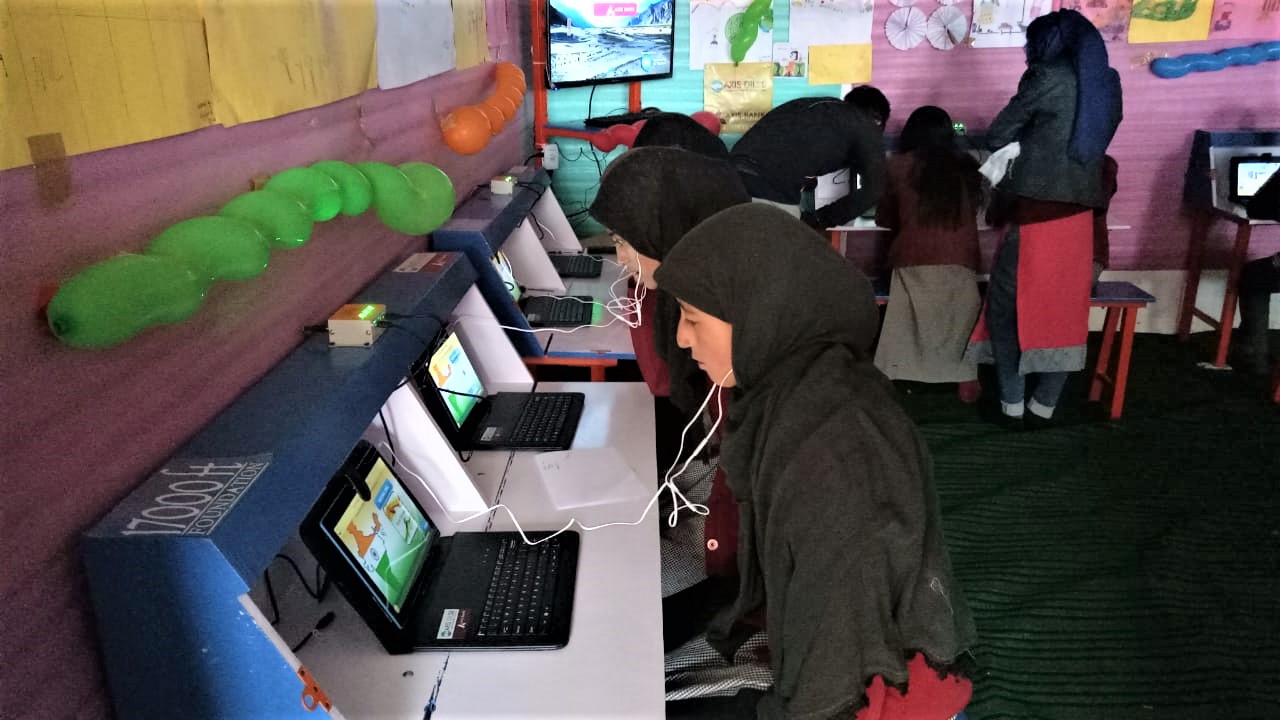
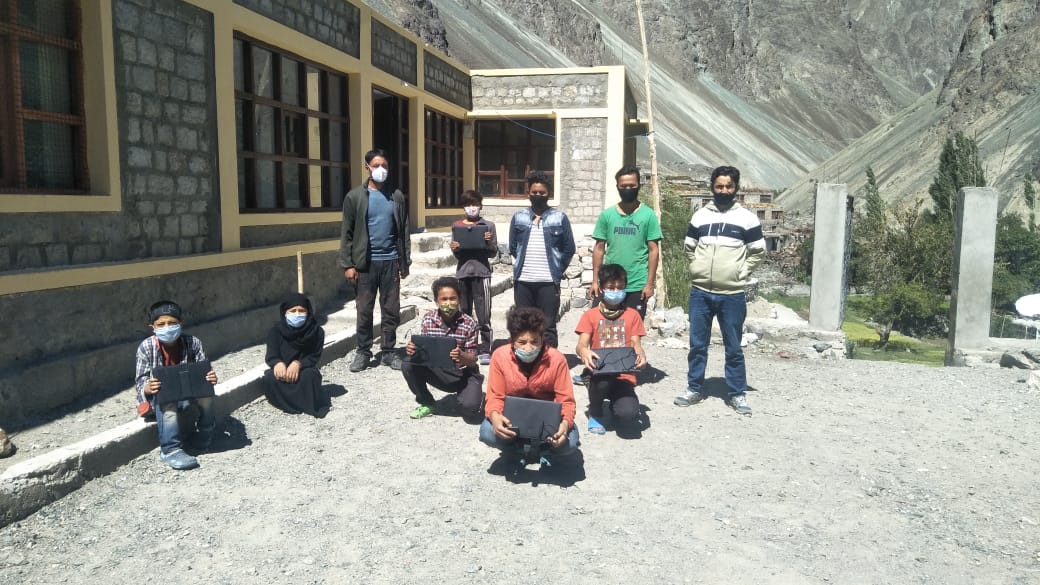
Tablet computers are provided that connect to a Raspberry Pi-powered network

“17000 ft Foundation is a not-for-profit organisation in India, set up to improve the lives of people settled in very remote mountainous hamlets, in areas that are inaccessible and isolated due to reasons of harsh mountainous terrain,” explains its founder, Sujata Sahu. “17000 ft has its roots in high-altitude Ladakh, a region in the desolate cold desert of the Himalayan mountain region of India. Situated in altitudes upwards of 9300 ft and with temperatures dropping to -50°C in inhabited areas, this area is home to indigenous tribal communities settled across hundreds of tiny, scattered hamlets. These villages are remote, isolated, and suffer from bare minimum infrastructure and a centuries-old civilisation unwilling but driven to migrate to faraway cities in search of a better life. Ladakh has a population of just under 300,000 people living across 60,000 km2 of harsh mountain terrain, whose sustenance and growth depends on the infrastructure, resources, and support provided by the government.”

A huge number of students have already benefited from the program

The local governments have built schools. However, they don’t have enough resources or qualified teachers to be truly effective, resulting in a problem with students dropping out or having to be sent off to cities. 17000 ft’s mission is to transform the education in these communities.

High-altitude Raspberry Pi

“The Foundation today works in over 200 remote government schools to upgrade school infrastructure, build the capacity of teachers, provide better resources for learning, thereby improving the quality of education for its children,” says Sujata. “17000 ft Foundation has designed and implemented a unique solar-powered offline digital learning solution called the DigiLab, using Raspberry Pi, which brings the power of digital learning to areas which are truly off-grid and have neither electricity nor mobile connectivity, helping children to learn better, while also enabling the local administration to monitor performance remotely.”

Each school is provided with solar power, Raspberry Pi computers to act as a local internet for the school, and tablets to connect to it. It serves as a ‘last mile connectivity’ from a remote school in the cloud, with an app on a teacher’s phone that will download data when it can and then update the installed Raspberry Pi in their school.

Remote success

“The solution has now been implemented in 120 remote schools of Ladakh and is being considered to be implemented at scale to cover the entire region,” adds Sujata. “It has now run successfully across three winters of Ladakh, withstanding even the harshest of -50°C temperatures with no failure. In the first year of its implementation alone, 5000 students were enrolled, with over 93% being active. The system has now delivered over 60,000 hours of learning to students in remote villages and improved learning outcomes.”

Not all children stay in the villages year round

It’s already helping to change education in the area during the winter. Many villages (and schools) can shut down for up to six months, and families who can’t move away are usually left without a functioning school. 17000 ft has changed this.

“In the winter of 2018 and 2019, for the first time in a few decades, parents and community members from many of these hamlets decided to take advantage of their DigiLabs and opened them up for their children to learn despite the harsh winters and lack of teachers,” Sujata explains. “Parents pooled in to provide basic heating facilities (a Bukhari – a wood- or dung-based stove with a long pipe chimney) to bring in some warmth and scheduled classes for the senior children, allowing them to learn at their own pace, with student data continuing to be recorded in Raspberry Pi and available for the teachers to assess when they got back. The DigiLab Program, which has been made possible due to the presence of the Raspberry Pi Server, has solved a major problem that the Ladakhis have been facing for years!”

Some of the village schools go unused in the winter

How can people help?

Sujata says, “17000 ft Foundation is a non-profit organisation and is dependent on donations and support from individuals and companies alike. This solution was developed by the organisation in a limited budget and was implemented successfully across over a hundred hamlets. Raspberry Pi has been a boon for this project, with its low cost and its computing capabilities which helped create this solution for such a remote area. However, the potential of Raspberry Pi is as yet untapped and the solution still needs upgrades to be able to scale to cover more schools and deliver enhanced functionality within the school. 17000 ft is very eager to help take this to other similar regions and cover more schools in Ladakh that still remain ignored. What we really need is funds and technical support to be able to reach the good of this solution to more children who are still out of the reach of Ed Tech and learning. We welcome contributions of any size to help us in this project.”

For donations from outside India, write to [email protected]. Indian citizens can donate through 17000ft.org/donate.

The MagPi magazine is out now, available in print from the Raspberry Pi Press onlinestore, your local newsagents, and the Raspberry Pi Store, Cambridge.

You can also download the PDF directly from the MagPi magazine website.

Subscribers to the MagPi for 12 months get a free Adafruit Circuit Playground, or can choose from one of our other subscription offers, including this amazing limited-time offer of three issues and a book for only £10!

The post 17000ft| The MagPi 98 appeared first on Raspberry Pi.

Documented Death from a Ransomware Attack

Post Syndicated from Bruce Schneier original https://www.schneier.com/blog/archives/2020/09/documented-death-from-a-ransomware-attack.html

A Dusseldorf woman died when a ransomware attack against a hospital forced her to be taken to a different hospital in another city.

I think this is the first documented case of a cyberattack causing a fatality. UK hospitals had to redirect patients during the 2017 WannaCry ransomware attack, but there were no documented fatalities from that event.

The police are treating this as a homicide.

Interview with the Author of the 2000 Love Bug Virus

Post Syndicated from Bruce Schneier original https://www.schneier.com/blog/archives/2020/09/interview-with-the-author-of-the-2000-love-bug-virus.html

No real surprises, but we finally have the story.

The story he went on to tell is strikingly straightforward. De Guzman was poor, and internet access was expensive. He felt that getting online was almost akin to a human right (a view that was ahead of its time). Getting access required a password, so his solution was to steal the passwords from those who’d paid for them. Not that de Guzman regarded this as stealing: He argued that the password holder would get no less access as a result of having their password unknowingly “shared.” (Of course, his logic conveniently ignored the fact that the internet access provider would have to serve two people for the price of one.)

De Guzman came up with a solution: a password-stealing program. In hindsight, perhaps his guilt should have been obvious, because this was almost exactly the scheme he’d mapped out in a thesis proposal that had been rejected by his college the previous year.

Amazon Delivery Drivers Hacking Scheduling System

Post Syndicated from Bruce Schneier original https://www.schneier.com/blog/archives/2020/09/amazon-delivery-drivers-hacking-scheduling-system.html

Amazon drivers — all gig workers who don’t work for the company — are hanging cell phones in trees near Amazon delivery stations, fooling the system into thinking that they are closer than they actually are:

The phones in trees seem to serve as master devices that dispatch routes to multiple nearby drivers in on the plot, according to drivers who have observed the process. They believe an unidentified person or entity is acting as an intermediary between Amazon and the drivers and charging drivers to secure more routes, which is against Amazon’s policies.

The perpetrators likely dangle multiple phones in the trees to spread the work around to multiple Amazon Flex accounts and avoid detection by Amazon, said Chetan Sharma, a wireless industry consultant. If all the routes were fed through one device, it would be easy for Amazon to detect, he said.

“They’re gaming the system in a way that makes it harder for Amazon to figure it out,” Sharma said. “They’re just a step ahead of Amazon’s algorithm and its developers.”

Raspberry Pi powered e-paper display takes months to show a movie

Post Syndicated from Ashley Whittaker original https://www.raspberrypi.org/blog/raspberry-pi-powered-e-paper-display-takes-months-to-show-a-movie/

We loved the filmic flair of Tom Whitwell‘s super slow e-paper display, which takes months to play a film in full.

Living art

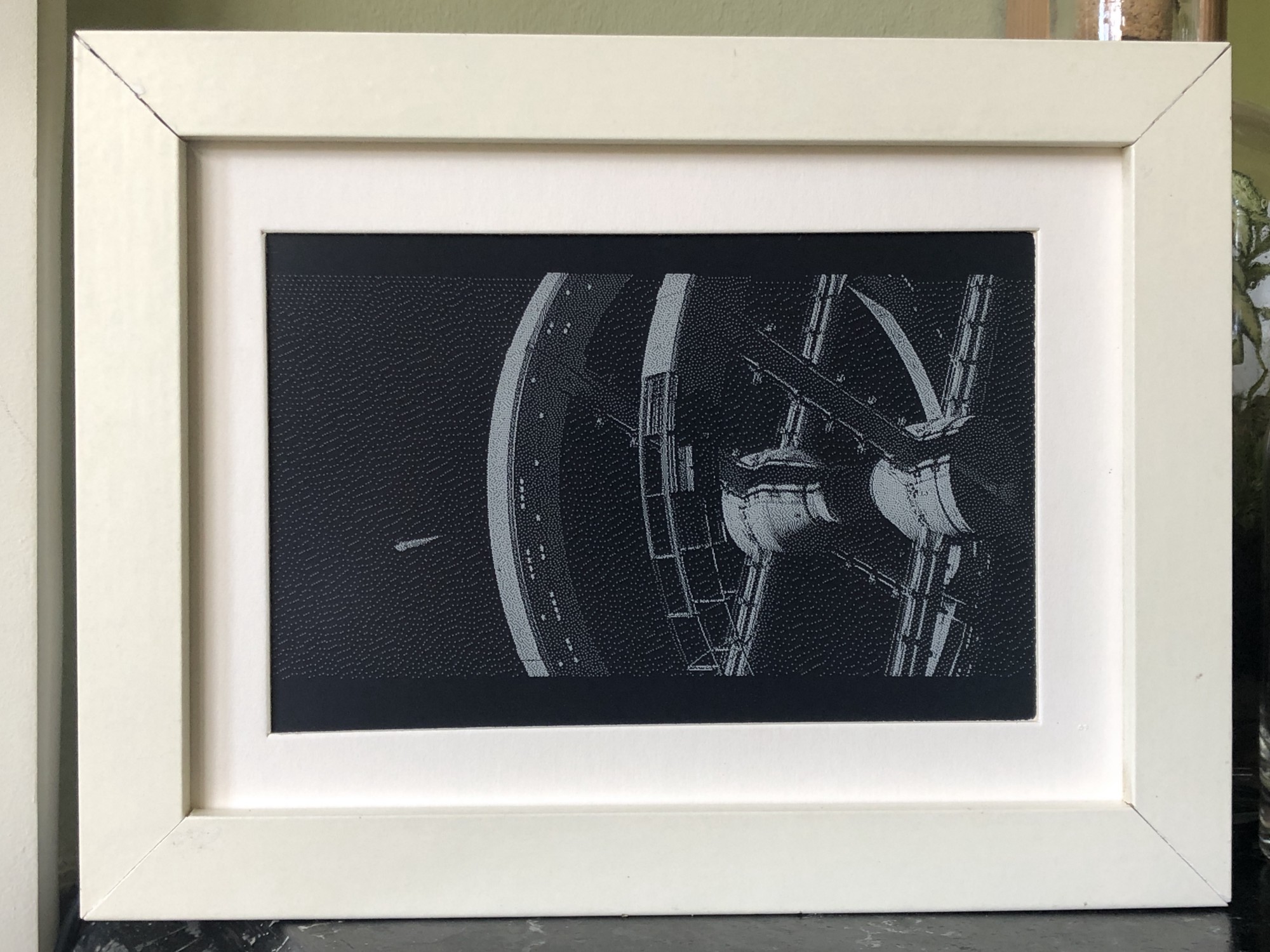
His creation plays films at about two minutes of screen time per 24 hours, taking a little under three months for a 110-minute film. Psycho played in a corner of his dining room for two months. The infamous shower scene lasted a day and a half.

Tom enjoys the opportunity for close study of iconic filmmaking, but you might like this project for the living artwork angle. How cool would this be playing your favourite film onto a plain wall somewhere you can see it throughout the day?

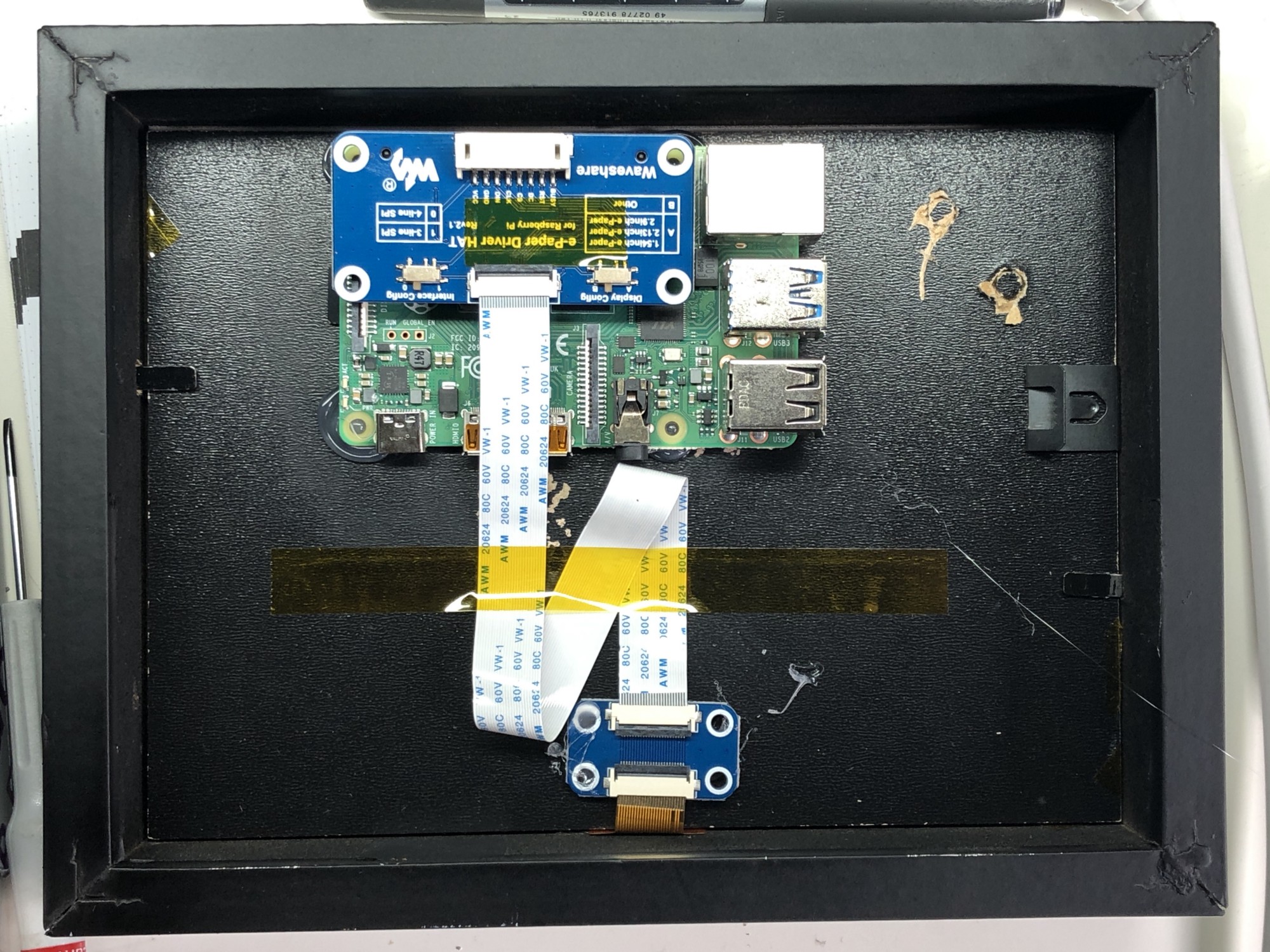
The Raspberry Pi wearing its e-Paper HAT

Four simple steps

Luckily, this is a relatively simple project – no hardcore coding, no soldering required – with just four steps to follow if you’d like to recreate it:

  1. Get the Raspberry Pi working in headless mode without a monitor, so you can upload files and run code
  2. Connect to an e-paper display via an e-paper HAT (see above image; Tom is using this one) and install the driver code on the Raspberry Pi
  3. Use Tom’s code to extract frames from a movie file, resize and dither those frames, display them on the screen, and keep track of progress through the film
  4. Find some kind of frame to keep it all together (Tom went with a trusty IKEA number)
Living artwork: the Psycho shower scene playing alongside still artwork in Tom’s home

Affordably arty

The entire build cost £120 in total. Tom chose a 2GB Raspberry Pi 4 and a NOOBS 64gb SD Card, which he bought from Pimoroni, one of our approved resellers. NOOBS included almost all the libraries he needed for this project, which made life a lot easier.

His original post is a dream of a comprehensive walkthrough, including all the aforementioned code.

2001: A Space Odyssey would take months to play on Tom’s creation

Head to the comments section with your vote for the creepiest film to watch in ultra slow motion. I came over all peculiar imaging Jaws playing on my living room wall for months. Big bloody mouth opening slooooowly (pales), big bloody teeth clamping down slooooowly (heart palpitations). Yeah, not going to try that. Sorry Tom.

The post Raspberry Pi powered e-paper display takes months to show a movie appeared first on Raspberry Pi.