Tag Archives: launch

New – Amazon ECS Service Connect Enabling Easy Communication Between Microservices

Post Syndicated from Channy Yun original https://aws.amazon.com/blogs/aws/new-amazon-ecs-service-connect-enabling-easy-communication-between-microservices/

Microservices architectures are a well-known software development approach to make applications composed of small independent services that communicate over well-defined application programming interfaces (APIs). Customers faced challenges when they started breaking down their monolith applications into microservices, as it required specialized networking knowledge to communicate internally with other microservices.

Amazon Elastic Container Services (Amazon ECS) customers have several solutions for service-to-service, but each one comes with some challenges and complications: 1) Elastic Load Balancing (ELB) needs to carefully plan for configuring infrastructure for high availability and incur additional infrastructure cost. 2) Using Amazon ECS Service Discovery often requires developers to write custom application code for collecting traffic metrics and for making network calls resilient. 3) Service mesh solutions such as AWS App Mesh run outside of Amazon ECS despite having advanced traffic monitoring and routing features between services.

Today, we are announcing the general availability of Amazon ECS Service Connect, a new capability that simplifies building and operating resilient distributed applications. ECS Service Connect provides an easy network setup and seamless service communication deployed across multiple ECS clusters and virtual private clouds (VPCs). You can add a layer of resilience to your ECS service communication and get traffic insights with no changes to your application code.

With ECS Service Connect, you can refer and connect to your services by logical names using a namespace provided by AWS Cloud Map and automatically distribute traffic between ECS tasks without deploying and configuring load balancers. You can set some safe defaults for traffic resilience, such as health checking, automatic retries for 503 errors, and connection draining, for each of your ECS services. Additionally, the Amazon ECS console provides easy-to-use dashboards with real-time network traffic metrics for operational convenience and simplified debugging.

Getting Started with Amazon ECS Service Connect
To get started with the ECS Service Connect, you can specify a namespace as part of creating an ECS cluster or create one in the Cloud Map. A namespace represents a way to structure your services and can span across multiple ECS clusters residing in different VPCs. All ECS services that belong to a specific namespace can communicate with existing services in the namespaces, provided existing network-level connectivity.

You can also see a list of Cloud Map namespaces in Namespaces in the left navigation pane of the Amazon ECS console. When you select a namespace, it shows a list of services with the same namespace from two different ECS clusters with database services (db-mysql, db-redis) and backend services (webui, appserver).

When you create an ECS cluster, you can select one of the namespaces in the Default namespaces of the Networking setting. ECS Service Connect is enabled for all new ECS services running in both AWS Fargate and Amazon EC2 instances. To enable all existing services, you would need to redeploy with either a new version of ECS-optimized Amazon Machine Image (AMI), or with a new Fargate Agent that supports ECS Service Connect.

Or, you can simply create a cluster via AWS Command Line Interface (AWS CLI) with serviceConnect parameter and a default Cloud Map namespace name for service discovery purposes.

$ aws ecs create-cluster
     --cluster "svc-cluster-2"
     --serviceConnect {
       "defaultNamespace": "svc-namespace"
}

This command will create an ECS cluster with the namespace on AWS’s behalf. If you would like to use an already existing Cloud Map namespace, you can simply pass the name of the existing namespace here.

Next, let’s create a service with a task definition and expose your web user-interface server using ECS Service Connect.

$ aws ecs create-service
--cluster "svc-cluster-2"
--service-name "webui"
--task-definition "webui-svc-cluster"
--serviceConnect {
  "enabled": true,
  "namespace": "svc-namespace",
  "services":
   [
      {
         "portName": "webui-port",
         "discoveryName": "webui-svc",
         "clientAliases": [
           {
              "port": 80, // *Required *//
              "dnsName": "webui-svc-domain" // * Optional *//
            }
        }
     ]
   ]
}

In this command, portName represents a reference to the container port, and clientAliases assigns the port number and DNS name, overriding the discovery name that is used in the endpoint. Each service has an endpoint URL that contains the protocol, a DNS name, and the port. You can select the protocol and port name in the task definition or the ECS service configuration. For example, an endpoint could be http://webui:80, grpc://appserver:8080, or http://db-redis:8888.

In the ECS console, you can see this configuration of ECS Service Connect for the webui service in the svc-cluster-2 cluster.

As you can see, you can run the same workloads across different clusters with the same clientAlias and namespace name for high availability. ECS Service Connect will intelligently load balance the traffic to the ECS tasks. To connect to services running in different ECS clusters, you need to specify the same namespace name for all your ECS services that need to talk to each other. ECS Service Connect will make your services discoverable to all other services in the same namespace.

Improving Service Resilience with Observability Data
You can collect traffic metrics with ECS Service Connect observability capabilities. By default, for each ECS service, you can see the number of healthy and unhealthy endpoints, along with inbound and outbound traffic volume.

ECS Service Connect supports HTTP/1, HTTP/2, gRPC, and TCP protocols. So, you can collect the number of requests, number of HTTP errors, and average call latency. For gRPC and TCP, you can see the total number of active connections. All of these metrics are pushed to Amazon CloudWatch or other AWS analytics services via custom log routing

In the Advanced menu, you can publish ECS Service Connect Agent logs for help in debugging in case of issues.

These metrics are only visible in the original interface of the CloudWatch console. When you use the CloudWatch console, switch to the original interface to see the additional metric dimensions of “discovery name” and “target discovery name” under the ECS grouping.

The default settings provide you with a starting point for building resilient applications, and you can fine-tune parameters to limit the impact of failures, latency spikes, and network fluctuations on your application behavior using AWS Management Console or dedicated ECS APIs.

Now Available
Amazon ECS Service Connect is available in all commercial Regions, except China, where Amazon ECS is available. ECS Service Connect is fully supported in AWS CloudFormation, AWS CDK, AWS Copilot, and AWS Proton for infrastructure provisioning, code deployments, and monitoring of your services. To learn more, see the Amazon ECS Service Connect Developer Guide.

My colleagues, Hemanth AVS, Senior Container Specialist SA, and Satya Vajrapu, Senior DevOps Consultant, prepared a hands-on workshop to demonstrate an example of the ECS Service Connect. Join CON303 Networking, service mesh, and service discovery with Amazon ECS when you attend AWS re:Invent 2022.

Give it a try, and please send feedback to AWS re:Post for Amazon ECS or through your usual AWS support contacts.

Channy

Now Open the 30th AWS Region – Asia Pacific (Hyderabad) Region in India

Post Syndicated from Channy Yun original https://aws.amazon.com/blogs/aws/now-open-the-30th-aws-region-asia-pacific-hyderabad-region-in-india/

In November 2020, Jeff announced the upcoming AWS Asia Pacific (Hyderabad) as the second Region in India. Yes! Today we are announcing the general availability of the 30th AWS Region, Asia Pacific (Hyderabad) Region, with three Availability Zones and the ap-south-2 API name.

The Asia Pacific (Hyderabad) Region is located in the state of Telangana. As the capital and the largest city in Telangana, Hyderabad is already an important talent hub for IT professionals and entrepreneurs. For example, AWS Hyderabad User Groups has more than 4,000 community members and holds active meetups, including an upcoming Community Day in December 2022.

The new Hyderabad Region gives customers an additional option for running their applications and serving end users from data centers located in India. Customers with data-residency requirements arising from statutes, regulations, and corporate policy can run workloads and securely store data in India while serving end users with even lower latency.

Here are the latest numbers of latency:

AWS Services in the Asia Pacific (Hyderabad) Region
In the new Hyderabad Region, you can use C5C5d, C6gM5M5dM6gdR5R5d, R6g, I3I3en, T3, and T4g instances, and use a long list of AWS services including: Amazon API Gateway, AWS AppConfig, AWS Application Auto Scaling, Amazon Aurora, Amazon EC2 Auto Scaling, AWS Config, AWS Certificate Manager, AWS Cloud Control API, AWS CloudFormation, AWS CloudTrail, Amazon CloudWatch, Amazon CloudWatch Events, Amazon CloudWatch Logs, AWS CodeDeploy, AWS Database Migration Service, AWS Direct Connect, Amazon DynamoDB, Amazon Elastic Block Store (Amazon EBS), Amazon Elastic Compute Cloud (Amazon EC2), Amazon Elastic Container Registry (Amazon ECR), Amazon Elastic Container Service (Amazon ECS), Amazon ElastiCache, Amazon EMR, Elastic Load Balancing, Elastic Load Balancing – Network (NLB), Amazon EventBridge, AWS Fargate, AWS Health Dashboard, AWS Identity and Access Management (IAM), Amazon Kinesis Data Streams, AWS Key Management Service (AWS KMS), AWS Lambda, AWS Marketplace, Amazon OpenSearch Service, Amazon Relational Database Service (Amazon RDS), Amazon Redshift, Amazon Route 53, AWS Secrets Manager, Amazon Simple Storage Service (Amazon S3), Amazon S3 Glacier, Amazon Simple Notification Service (Amazon SNS), Amazon Simple Queue Service (Amazon SQS), AWS Step Functions, AWS Support API, Amazon Simple Workflow Service (Amazon SWF), AWS Systems Manager, AWS Trusted Advisor, VM Import/Export, Amazon Virtual Private Cloud (Amazon VPC), AWS VPN, and AWS X-Ray.

AWS in India
AWS has a long-standing history of helping drive digital transformation in India. AWS first established a presence in the country in 2011, with the opening of an office in Delhi. In 2016, AWS launched the Asia Pacific (Mumbai) Region giving enterprises, public sector organizations, startups, and SMBs access to state-of-the-art public cloud infrastructure. In May 2019, AWS expanded the Region to include a third Availability Zone to support rapid customer growth and provide more choice, flexibility, the ability to replicate workloads across more Availability Zones, and even higher availability.

There are currently 33 Amazon CloudFront edge locations: Mumbai, India (10), New Delhi (7), Chennai (7), Bangalore (4), Hyderabad (3), and Kolkata (2) in India. The edge locations work in concert with a CloudFront Regional edge cache in Mumbai to speed delivery of content. There are six AWS Direct Connect locations, all of which connect to the Asia Pacific (Mumbai) Region: two in Mumbai, one in Chennai, one in Hyderabad, one in Delhi, and one in Bangalore. Finally, the first AWS Local Zones launched in Delhi, India for bringing selected AWS services very close to a particular geographic area. We announced plans to launch three more AWS Local Zones in India, in the cities of Chennai, Bengaluru, and Kolkata.

AWS is also investing in the future of the Indian technology community and workforce, training tech professionals to expand their skillset and cloud knowledge. In fact, since 2017, AWS has trained over three million individuals in India on cloud skills. AWS has worked with government officials, educational institutes, and corporate organizations to achieve this milestone, which has included first-time learners and mid-career professionals alike.

AWS continues to invest in upskilling local developers, students, and the next generation of IT leaders in India through programs such as AWS Academy, AWS Educate, AWS re/Start, and other Training and Certification programs.

AWS Customers in India
We have many amazing customers in India that are doing incredible things with AWS, for example:

  • SonyLIV is the first Over the top (OTT) service in India born on the AWS Cloud. SonyLIV launched Kaun Banega Crorepati (KBC) interactive game show to allow viewers to submit answers to questions on the show in real time via their mobile devices. SonyLIV uses Amazon ElastiCache to support real-time, in-memory caching at scale, Amazon CloudFront as a low-latency content delivery network, and Amazon SQS as a highly available message queuing service.
  • DocOnline is a digital healthcare platform that provides video or phone doctor consultations to over 3.5 million families in 10 specialties and 14 Indian languages. DocOnline delivers over 100,000 consultations, diagnostic tests, and medicines every year. DocOnline has built its entire business on AWS to power its online consultation services 24-7 and to continuously measure and improve health outcomes. Being in the Healthcare domain, DocOnline needs to comply with regulatory guidelines, including Data Residency, PII security, and Disaster Recovery in seismic zones. With the AWS Asia Pacific (Hyderabad) Region, DocOnline can ensure critical patient data is hosted in India on the most secure, extensive, and reliable cloud platform while serving customers with even faster response times.
  • ICICI Lombard General Insurance is one of the first among the large insurance companies in India to move over 140+ applications, including its core application, to AWS. The rapid advances in technology and computing power delivered by cloud computing are poised to radically change the way insurance is delivered as well as consumed. ICICI Lombard has launched new generation products like cyber insurance, telehealth, cashless homecare, and IoT-based risk management solutions for marine transit insurance, providing seamless integration with various digital partners for digital distribution of insurance products and virtual motor claims inspection solutions, which have seen adoption increase from 61 percent last year to 80 percent this year. ICICI Lombard was able to process group health endorsements for their corporate customers in less than a day as compared to 10–12 days earlier. ICICI Lombard is looking at the cloud for further transformative possibilities in real-time inspection of risk and personalized underwriting.
  • Ministry of Health and Family Welfare (MoHFW), Government of India, needed a highly reliable, scalable, and resilient technical infrastructure to power a large-scale COVID-19 vaccination drive for India’s more than 1.3 billion citizens in 2021. To facilitate the required performance and speed, the MoHFW engaged India’s Ministry of Electronics and Information Technology to build and launch the Co-WIN application powered by AWS, which scales in seconds to handle user registrations and consistently supports 10 million vaccinations daily.

You can find more customer stories in India.

Available Now
The new Hyderabad Region is ready to support your business. You can find a detailed list of the services available in this Region on the AWS Regional Services List.

With this launch, AWS now spans 96 Availability Zones within 30 geographic Regions around the world, with three new Regions launched in 2022, including the AWS Middle East (UAE) Region, the AWS Europe (Zurich) Region, and the AWS Europe (Spain) Region. We have also announced plans for 15 more Availability Zones and five more AWS Regions in Australia, Canada, Israel, New Zealand, and Thailand.

To learn more, see the Global Infrastructure page, and please send feedback through your usual AWS support contacts in India.

— Channy

Introducing our final AWS Heroes of the year – November 2022

Post Syndicated from Taylor Lacy original https://aws.amazon.com/blogs/aws/introducing-our-final-aws-heroes-of-the-year-november-2022/

The AWS Heroes program celebrates and recognizes builders who are making an impact within the global AWS community. As we come to the end of 2022, the program is recognizing seven individuals who are passionate about AWS, and focused on organizing and speaking at community events, mentoring, authoring content, and even preserving wildlife. Please meet the newest AWS Heroes!

Ed Miller – San Jose, USA

Machine Learning Hero Ed Miller is a Senior Principal Engineer at Arm where he leads technical engagements with strategic partners around machine learning and IoT. He also volunteers with the BearID Project, developing open source, machine learning solutions for non-invasive wildlife monitoring. Ed is working on a human-in-the-loop machine learning application for identifying the famous fat bears on Explore.org’s Brooks Falls Brown Bears webcam. The serverless application, Bearcam Companion, is built using AWS Amplify and various AWS AI services. You can read about it and other projects on Ed’s blogs at dev.to, Hashnode, and the BearID Project.

Jones Zachariah Noel N – Karnataka, India

Serverless Hero Jones Zachariah Noel N is a Senior Developer Advocate in the Developer Relations ecospace at Freshworks, and has previously worked as a Cloud Architect – Serverless where he was focused on designing and architecting solutions built with the AWS Serverless tech stack. Jones is a tech enthusiast who loves to interact with the community, which has helped him learn and share his knowledge, as he also co-organizes AWS User Group Bengaluru. He writes regularly about AWS Serverless and talks about new features and different Serverless services, which can help you level up your Serverless applications’ architecture on dev.to. Additionally, Jones co-runs a YouTube podcast called The Zacs’ Show Talking AWS about DevOps and Serverless practices along with another Zack whom he met through the AWS Community Builder program.

Luciano Mammino – Dublin, Ireland

Serverless Hero Luciano Mammino is a full-stack web developer and a senior cloud architect at fourTheorem. He is a co-author of the book Node.js Design Patterns and co-host of the podcast AWS Bites. Luciano is one of the creators of Middy, one of the most adopted middleware-based Node.js frameworks for AWS Lambda. Through fourTheorem, he also contributes to several other open-source projects in the serverless space, such as SLIC Watch for automated observability. Finally, he is also an eager tech speaker who has evangelized the adoption of serverless from the very early days.

Madhu Kumar – Budapest, Hungary

Container Hero Madhu Kumar is a Principal Cloud Architect and Product Owner (Container Services) working for T-Systems International with over 22 years of IT experience working across multiple regions, including Asia, the Middle East, the US, Europe, and the UK. He is an AWS User Group Leader, DevSecCon Chapter Leader for Hungary, DevOps Institute Brand Ambassador and Chapter Leader, HashiCorp User Group Leader for Hungary, and formally an AWS Community Builder. Madhu is passionate about organizing meetups, driving and assisting global and local communities to come together, and sharing knowledge. He is also a regular speaker at container conferences and AWS events.

Paweł Zubkiewicz – Wroclaw, Poland

Serverless Hero Paweł Zubkiewicz works as a Cloud Architect and Consultant who helps companies build products on AWS. In 2018, Paweł started Serverless Polska, an online community for serverless enthusiasts where he shares his technical knowledge and introduces serverless to a broader audience. Shortly after, he began publishing a newsletter about serverless and AWS cloud. He continuously shares his expertise and insights with the Polish-speaking community to this day, both online and as a conference speaker. Before becoming an AWS Hero, he was an AWS Community Builder since 2020, and shares serverless tutorials on dev.to. He lives in Wroclaw, Poland with his wife and his dog named Pixel. He’s an avid mountain biker and a traveler.

Rossana Suarez – Resistencia, Argentina

Container Hero Rossana Suarez is a DevOps consultant and trainer. She started the ‘295devops’ channel to share her expertise about various DevOps topics, and to help enthusiasts get into the field more easily and with more motivation. She consults with teams of developers and DevOps engineers to help them improve their existing processes for automations, CI/CD, containerization, and orchestration. Rossana presents at Women in Technology’s local meetups to encourage more women to pursue careers in DevOps, is a volunteer with AWS Girls Argentina, and is a frequent speaker about container technologies at AWS Community Days, ContainersDays, and more.

TaeSeong Park – Seoul, Korea

Community Hero TaeSeong Park is a front-end engineer and Unity mobile developer working at IDEASAM. He’s spoken at major AWSKRUG community events, and has led hands-on labs specific to a front-end and mobile app on AWS Amplify. For the past 5 years, TaeSeong has been an organizer of the AWSKRUG Group and was an AWS Community Builder for 2-years. Not only he did he organize the AWSKRUG Gudi meetup, but he’s been a speaker and supporter of other AWSKRUG meetups.

Learn More

If you’d like to learn more about the new Heroes or connect with a Hero near you, please visit the AWS Heroes website or browse the AWS Heroes Content Library.

Taylor

A New AWS Region Opens in Switzerland

Post Syndicated from Sébastien Stormacq original https://aws.amazon.com/blogs/aws/a-new-aws-region-opens-in-switzerland/

I am pleased to announce today the opening of our 28th AWS Region: Europe (Zurich), also known by its API name: eu-central-2.

An AWS Region allows you to deploy your most demanding workloads and replicate your applications and data across distinct groups of data centers called Availability Zones. This new Region has three fully redundant Availability Zones located in the vicinity of Zurich. It offers your customers low-latency access to your applications while meeting your data residency requirements.

Zurich

Regions and Availability Zones
AWS has the concept of a Region. Each Region is fully isolated from all other Regions. Within each Region, we have built Availability Zones. These Availability Zones are fully isolated partitions of our infrastructure that contain a cluster of data centers. Availability Zones are typically separated by multiple kilometers to mitigate the impact of disasters that could affect data centers. The distance between Availability Zones varies between Regions. The distance is large enough to avoid having data centers impacted by the same event at the same time but close enough to allow workloads with synchronous data replication. Availability Zones are linked by redundant, high-bandwidth, and low-latency network connections. Regions are linked by our custom-built, global, low-latency, private network with exabits per second of capacity in Europe.

Unlike other cloud providers, who often define a region as a single data center, the multiple Availability Zone design of every AWS Region offers advantages such as security, availability, performance, and scalability.

Instances and Services
The workloads deployed to this new Europe (Zurich) three-AZ Region can use C5, C5d, I3, I3en, M5, M5d, M6gd, R5, R5d, and T3 instances, and can use a long list of AWS services including Amazon API GatewayAWS AppConfigAWS Application Auto ScalingAmazon AuroraAmazon EC2 Auto ScalingAWS ConfigAWS Certificate ManagerAWS CloudFormationAWS CloudTrailAmazon CloudWatch, Amazon CloudWatch Events, Amazon CloudWatch LogsAWS CodeDeployAWS Database Migration Service (AWS DMS), AWS Direct ConnectAmazon DynamoDBAmazon Elastic Block Store (Amazon EBS),Amazon Elastic Compute Cloud (Amazon EC2)Amazon Elastic Container Registry (Amazon ECR)Amazon Elastic Container Service (Amazon ECS), AWS Fargate,  Amazon ElastiCacheAmazon EMRAmazon OpenSearch ServiceElastic Load Balancing, Elastic Load Balancing – Network (NLB), Amazon EventBridge, Amazon Simple Storage Service GlacierAWS Identity and Access Management (IAM)Amazon Kinesis Data StreamsAWS Key Management Service (AWS KMS)AWS Lambda, AWS MarketplaceAWS Health DashboardAmazon Relational Database Service (Amazon RDS)Aurora PostgreSQL, Amazon RedshiftAmazon Route 53Amazon Virtual Private Cloud (Amazon VPC)AWS Secrets ManagerAmazon Simple Storage Service (Amazon S3)Amazon Simple Notification Service (Amazon SNS)Amazon Simple Queue Service (Amazon SQS)AWS Step FunctionsAWS Support APIAmazon Simple Workflow Service (Amazon SWF), AWS Systems Manager, AWS Trusted AdvisorVM Import/ExportAWS VPN, and AWS X-Ray.

Continuous Investments in Switzerland
AWS has a long history of presence in Switzerland. We have worked with Swiss customers and partners since the launch of AWS 16 years ago. The first Swiss office was opened in Zurich in April 2016 to host the growing local team of technical and business professionals dedicated to supporting Swiss customers. In 2017, the AWS network was expanded into Switzerland with the launch of an Amazon CloudFront edge location and an AWS Direct Connect location. To support this growth, a second AWS office was opened in Geneva.

AWS plans to invest up to 5.9 billion Swiss francs (approximately $5.9 billion) in the Europe (Zurich) Region from 2022–2036 as we build, maintain, operate, and develop data centers to support the projected growth in demand for AWS technologies by our customers.

According to an AWS Economic Impact Study (EIS), this investment will contribute 16.3 billion Swiss francs (approximately $16.3 billion) to the GDP of Switzerland during the same period. This includes the value added by AWS services to the IT sector in Switzerland, as well as the direct, indirect, and induced effects of AWS purchases from the Swiss data center supply chain. The study estimates that this investment will support an average of 2,500 full-time jobs annually at external businesses in the Swiss data supply chain from 2022–2036.

Servicing our Swiss Customers
More than 10,000 Swiss customers use AWS services today. Organizations such as Fisch Asset Management, Helvetia, Eidgenössische Technische Hochschule Zürich (ETH Zürich), Richemont, Swiss Broadcasting Corporation (RSI), Swiss Post, Swisscom, and Swisstopo, just to name a few, use AWS. Private and public sector organizations in Switzerland use AWS to accelerate their time to market, reduce costs associated with IT operations, and scale their businesses globally.

Global luxury group Richemont, owners of prestigious brands like Cartier, Montblanc, IWC Schaffhausen, and Van Cleef & Arpels, moved its entire enterprise IT infrastructure, including 120 SAP instances, to AWS. AWS, with its depth and breadth of services, enables Richemont to provide their customers with new digital experiences faster, including personalized storefronts and styling services, video chat consultations featuring fashion shows customized to the shoppers’ tastes, and tailored offers for early access to new items before they hit stores.

Swisscom, Switzerland’s leading telecoms company and one of its leading IT companies, is using AWS’s proven and broad infrastructure and cloud capabilities to power its 5G network, increase operational efficiency, and fuel innovation. Swisscom is pursuing a cloud-first strategy and will use AWS to increase IT agility, drive operational efficiencies, and accelerate time to market for new information and communications technology (ICT) features and services.

With AWS infrastructure, Swiss startups have been able to quickly scale their businesses and compete globally. Ava, a digital women’s health startup (acquired by FemTec Health) with offices in Zurich, San Francisco, Makati, and Belgrade, is all in on AWS. They created the Ava Fertility Tracker as a daily companion for women, which provides women with real-time, personalized information about fertility, pregnancy, and general health. The Ava bracelet is now sold in 36 countries worldwide and has been running on AWS since the first sales day.

Extending Reach through AWS Partner Network
Switzerland-based AWS Partner Network (APN) Partners also welcomed the news of the launch of the Europe (Zurich) Region.

The APN includes tens of thousands of independent software vendors (ISVs) and systems integrators (SIs) around the world. AWS SIs, consulting partners, and ISVs help enterprise and public sector customers migrate to AWS, deploy mission-critical applications, and provide a full range of services for your cloud environments. We have more than 150 partners ready to help you in Switzerland, one third of them have their headquarters in the country.

Promoting a Diverse Community of Professionals
In December 2020, Amazon announced that it will help 29 million people around the world grow their technological skills with free cloud computing skills training by 2025. Switzerland is part of this global effort. Since 2019, AWS and our AWS training partner Digicomp have delivered training and certification programs to individual learners, customers, and AWS Partners to rapidly build cloud skills and close the skills gap.

Several universities in Switzerland have delivered AWS Academy courses as part of their curriculum, including FHNW (Fachhochschule Nordwestschweiz), Fachhochschule Luzern, and Technische Berufsschule Zürich. To date, 32 Swiss institutions participated in the AWS Academy program, and 16 of them offered classes in 2022.

In March 2022, AWS launched AWS re/Start in Switzerland in collaboration with Powerhouse Lausanne, a training provider that promotes digital equality and diversity in Switzerland. A second cohort of AWS re/Start began in October 2022 in collaboration with the non profit Powercoders, which is focused on teaching IT skills specifically to refugees and helping them transition into the Swiss labor market.

Available Today
With the launch of the Europe (Zurich) Region, AWS is further expanding its infrastructure offering, empowering you with the flexibility to run applications on the most secure and reliable cloud infrastructure while maintaining local data residency and providing the lowest possible latency for Swiss end-users. The new Region is available today on the AWS Management Console and for your API calls.
Europe (Zurich) Region

Go and deploy your workloads on eu-central-2 today!

— seb

AWS Week in Review – November 7, 2022

Post Syndicated from Jeff Barr original https://aws.amazon.com/blogs/aws/aws-week-in-review-november-7-2022/

With three weeks to go until AWS re:Invent opens in Las Vegas, the AWS News Blog Team is hard at work creating blog posts to share the latest launches and previews with you. As usual, we have a strong mix of new services, new features, and a surprise or two.

Last Week’s Launches
Here are some launches that caught my eye last week:

Amazon SNS Data Protection and Masking – After a quick public preview, this cool feature is now generally available. It uses pattern matching, machine learning models, and content policies to help protect data at scale. You can find many different kinds of personally identifiable information (PII) and protected health information (PHI) in message bodies and either block message delivery or mask (de-identify) the sensitive data, all in real-time and on a per-topic basis. To learn more, read the blog post or the message data protection documentation.

Amazon Textract Updates – This service extracts text, handwriting, and data from any document or image. This past week we updated the AnalyzeID function so that it can now extract the machine readable zone (MRZ) on passports issued by the United States, and we added the entire OCR output to the API response. We also updated the machine learning models that power the AnalyzeDocument function, with a focus on single-character boxed forms commonly found on tax and immigration documents. Finally, we updated the AnalyzeExpense function with support for new fields and higher accuracy for existing fields, bringing the total field count to more than 40.

Another Amazon Braket Processor – Our quantum computing service now supports Aquila, a new 256-qubit quantum computer from QuEra that is based on a programmable array of neutral Rubidium atoms. According to the What’s New, Aquila supports the Analog Hamiltonian Simulation (AHS) paradigm, allowing it to solve for the static and dynamic properties of quantum systems composed of many interacting particles.

Amazon S3 on Outposts – This service now lets you use additional S3 Lifecycle rules to optimize capacity management. You can expire objects as they age or are replaced with newer versions, with control at the bucket level, or for subsets defined by prefixes, object tags, or object sizes. There’s more info in the What’s New and in the S3 documentation.

AWS CloudFormation – There were two big updates last week: support for Amazon RDS Multi-AZ deployments with two readable standbys, and better access to detailed information on failed stack instances for operations on CloudFormation StackSets.

Amazon MemoryDB for Redis – You can now use data tiering as a lower cost way to to scale your clusters up to hundreds of terabytes of capacity. This new option uses a combination of instance memory and SSD storage in each cluster node, with all data stored durably in a multi-AZ transaction log. There’s more information in the What’s New and the blog post.

Amazon EC2 – You can now remove launch permissions for Amazon Machine Images (AMIs) that are directly shared with your AWS account.

X in Y – We launched existing AWS services and instance types in additional Regions:

For a full list of AWS announcements, be sure to keep an eye on the What’s New at AWS page.

Other AWS News
Here are some additional news items that you may find interesting:

AWS Open Source News and Updates – My colleague Ricardo Sueiras highlights new open source projects, tools, and demos from the AWS Community. Read Installment 134 to see what’s going on!

New Case Study – A new AWS case study describes how Taggle (a company focused on smart water solutions in Australia) created an IoT platform that runs on AWS and uses Amazon Kinesis Data Streams to store & ingest data in real time. Using AWS allowed them to scale to accommodate 80,000 additional sensors that will roll out in 2022.

Upcoming AWS Events
re:Invent 2022AWS re:Invent is just three weeks away! Join us live from November 28th to December 2nd for keynotes, training and certification opportunities, and over 1,500 technical sessions. If you cannot make it to Las Vegas you can also join us online to watch the keynotes and leadership sessions live. Be sure to check out the re:Invent 2022 Attendee Guides, each curated by an AWS Hero, AWS industry team, or AWS partner.

PeerTalk – If you will be attending re:Invent in person and are interested in meeting with me or any of our featured experts, be sure to check out PeerTalk, our new onsite networking program.

That’s all for this week!

Jeff;

This post is part of our Week in Review series. Check back each week for a quick roundup of interesting news and announcements from AWS.

Introducing Amazon Neptune Serverless – A Fully Managed Graph Database that Adjusts Capacity for Your Workloads

Post Syndicated from Danilo Poccia original https://aws.amazon.com/blogs/aws/introducing-amazon-neptune-serverless-a-fully-managed-graph-database-that-adjusts-capacity-for-your-workloads/

Amazon Neptune is a fully managed graph database service that makes it easy to build and run applications that work with highly connected datasets. With Neptune, you can use open and popular graph query languages to execute powerful queries that are easy to write and perform well on connected data. You can use Neptune for graph use cases such as recommendation engines, fraud detection, knowledge graphs, drug discovery, and network security.

Neptune has always been fully managed and handles time-consuming tasks such as provisioning, patching, backup, recovery, failure detection and repair. However, managing database capacity for optimal cost and performance requires you to monitor and reconfigure capacity as workload characteristics change. Also, many applications have variable or unpredictable workloads where the volume and complexity of database queries can change significantly. For example, a knowledge graph application for social media may see a sudden spike in queries due to sudden popularity.

Introducing Amazon Neptune Serverless
Today, we’re making that easier with the launch of Amazon Neptune Serverless. Neptune Serverless scales automatically as your queries and your workloads change, adjusting capacity in fine-grained increments to provide just the right amount of database resources that your application needs. In this way, you pay only for the capacity you use. You can use Neptune Serverless for development, test, and production workloads and optimize your database costs compared to provisioning for peak capacity.

With Neptune Serverless you can quickly and cost-effectively deploy graphs for your modern applications. You can start with a small graph, and as your workload grows, Neptune Serverless will automatically and seamlessly scale your graph databases to provide the performance you need. You no longer need to manage database capacity and you can now run graph applications without the risk of higher costs from over-provisioning or insufficient capacity from under-provisioning.

With Neptune Serverless, you can continue to use the same query languages (Apache TinkerPop Gremlin, openCypher, and RDF/SPARQL) and features (such as snapshots, streams, high availability, and database cloning) already available in Neptune.

Let’s see how this works in practice.

Creating an Amazon Neptune Serverless Database
In the Neptune console, I choose Databases in the navigation pane and then Create database. For Engine type, I select Serverless and enter my-database as the DB cluster identifier.

Console screenshot.

I can now configure the range of capacity, expressed in Neptune capacity units (NCUs), that Neptune Serverless can use based on my workload. I can now choose a template that will configure some of the next options for me. I choose the Production template that by default creates a read replica in a different Availability Zone. The Development and Testing template would optimize my costs by not having a read replica and giving access to DB instances that provide burstable capacity.

Console screenshot.

For Connectivity, I use my default VPC and its default security group.

Console screenshot.

Finally, I choose Create database. After a few minutes, the database is ready to use. In the list of databases, I choose the DB identifier to get the Writer and Reader endpoints that I am going to use later to access the database.

Using Amazon Neptune Serverless
There is no difference in the way you use Neptune Serverless compared to a provisioned Neptune database. I can use any of the query languages supported by Neptune. For this walkthrough, I choose to use openCypher, a declarative query language for property graphs originally developed by Neo4j that was open-sourced in 2015 and contributed to the openCypher project.

To connect to the database, I start an Amazon Linux Amazon Elastic Compute Cloud (Amazon EC2) instance in the same AWS Region and associate the default security group and a second security group that gives me SSH access.

With a property graph I can represent connected data. In this case, I want to create a simple graph that shows how some AWS services are part of a service category and implement common enterprise integration patterns.

I use curl to access the Writer openCypher HTTPS endpoint and create a few nodes that represent patterns, services, and service categories. The following commands are split into multiple lines in order to improve readability.

curl https://<my-writer-endpoint>:8182/openCypher \
-d "query=CREATE (mq:Pattern {name: 'Message Queue'}),
(pubSub:Pattern {name: 'Pub/Sub'}),
(eventBus:Pattern {name: 'Event Bus'}),
(workflow:Pattern {name: 'WorkFlow'}),
(applicationIntegration:ServiceCategory {name: 'Application Integration'}),
(sqs:Service {name: 'Amazon SQS'}), (sns:Service {name: 'Amazon SNS'}),
(eventBridge:Service {name: 'Amazon EventBridge'}), (stepFunctions:Service {name: 'AWS StepFunctions'}),
(sqs)-[:IMPLEMENT]->(mq), (sns)-[:IMPLEMENT]->(pubSub),
(eventBridge)-[:IMPLEMENT]->(eventBus),
(stepFunctions)-[:IMPLEMENT]->(workflow),
(applicationIntegration)-[:CONTAIN]->(sqs),
(applicationIntegration)-[:CONTAIN]->(sns),
(applicationIntegration)-[:CONTAIN]->(eventBridge),
(applicationIntegration)-[:CONTAIN]->(stepFunctions);"

This is a visual representation of the nodes and their relationships for the graph created by the previous command. The type (such as Service or Pattern) and properties (such as name) are shown inside each node. The arrows represent the relationships (such as CONTAIN or IMPLEMENT) between the nodes.

Visualization of graph data.

Now, I query the database to get some insights. To query the database, I can use either a Writer or a Reader endpoint. First, I want to know the name of the service implementing the “Message Queue” pattern. Note how the syntax of openCypher resembles that of SQL with MATCH instead of SELECT.

curl https://<my-endpoint>:8182/openCypher \
-d "query=MATCH (s:Service)-[:IMPLEMENT]->(p:Pattern {name: 'Message Queue'}) RETURN s.name;"
{
  "results" : [ {
    "s.name" : "Amazon SQS"
  } ]
}

I use the following query to see how many services are in the “Application Integration” category. This time, I use the WHERE clause to filter results.

curl https://<my-endpoint>:8182/openCypher \
-d "query=MATCH (c:ServiceCategory)-[:CONTAIN]->(s:Service) WHERE c.name='Application Integration' RETURN count(s);"
{
  "results" : [ {
    "count(s)" : 4
  } ]
}

There are many options now that I have this graph database up and running. I can add more data (services, categories, patterns) and more relationships between the nodes. I can focus on my application and let Neptune Serverless manage capacity and infrastructure for me.

Availability and Pricing
Amazon Neptune Serverless is available today in the following AWS Regions: US East (Ohio, N. Virginia), US West (N. California, Oregon), Asia Pacific (Tokyo), and Europe (Ireland, London).

With Neptune Serverless, you only pay for what you use. The database capacity is adjusted to provide the right amount of resources you need in terms of Neptune capacity units (NCUs). Each NCU is a combination of approximately 2 gibibytes (GiB) of memory with corresponding CPU and networking. The use of NCUs is billed per second. For more information, see the Neptune pricing page.

Having a serverless graph database opens many new possibilities. To learn more, see the Neptune Serverless documentation. Let us know what you build with this new capability!

Simplify the way you work with highly connected data using Neptune Serverless.

Danilo

AWS Batch for Amazon Elastic Kubernetes Service

Post Syndicated from Steve Roberts original https://aws.amazon.com/blogs/aws/aws-batch-for-amazon-elastic-kubernetes-service/

Today I’m pleased to announce AWS Batch for Amazon Elastic Kubernetes Service (Amazon EKS). AWS Batch for Amazon EKS is ideal for customers who no longer want to shoulder the burden of configuring, fine-tuning, and managing Kubernetes clusters and pods to use with their batch processing workflows. Furthermore, there is no charge for this service. You only pay for the resources that your batch jobs launch.

When I’ve previously considered Kubernetes, it appeared to be focused on the management and hosting of microservice workloads. I was therefore surprised to discover that Kubernetes is also used by some customers to run large-scale, compute-intensive batch workloads. The differences between batch and microservice workloads mean that using Kubernetes for batch processing can be difficult and requires you to invest significant time in custom configuration and management to fine-tune a suitable solution.

Microservice and batch workloads on Kubernetes
Before we look further at AWS Batch for Amazon EKS, let’s consider some of the important differences between batch and microservice workloads to help set some context on why running batch workloads on Kubernetes can be difficult:

  • Microservice workloads are assumed to start and not stop—we expect them to be continuously available. In contrast, batch workloads run to completion and then exit—regardless of success or failure.
  • The results from a batch workload might not be available for several minutes—and sometimes hours or even days. Microservice workloads are expected to respond to requests within milliseconds.
  • We usually deploy microservice workloads across several Availability Zones to ensure high availability. This isn’t a requirement for batch workloads. Although we might distribute a batch job to allow it to process different input data in a distributed analysis, we more typically want to prioritize fast and optimal access to resources the job needs within the Availability Zone in which it is running.
  • Microservice and batch workloads scale differently. For microservices, scaling is generally predictable and usually linear as load increases (or decreases). With batch workloads, you might first perform an initial, or infrequently repeated, proof-of-concept run to analyze performance and discover the correct tuning needed for a full production run. The difference in size between the two can be exponential. Furthermore, with batch workloads, we might scale to an extreme level for a run, then scale back to zero instances for long periods of time, sometimes months.

Although third-party frameworks can help with running batch workloads on Kubernetes, you can also roll your own. Whichever approach you take, significant gaps and challenges can remain in handling the undifferentiated heavy lifting of building, configuring, and maintaining custom batch solutions. Then you also need to consider the scheduling, placing, and scaling of batch workloads on Kubernetes in a cost-effective manner. So how does AWS Batch on Amazon EKS help?

AWS Batch for Amazon EKS
AWS Batch for Amazon EKS offers a fully managed service to run batch workloads using clusters hosted on Amazon Elastic Compute Cloud (Amazon EC2) with no need to install and manage complex, custom batch solutions to address the differences highlighted earlier. AWS Batch provides a scheduler that controls and runs high-volume batch jobs, together with an orchestration component that evaluates when, where, and how to place jobs submitted to a queue. There’s no need for you, as the user, to coordinate any of this work—you just submit a job request into the queue.

Job queueing, dependency tracking, retries, prioritization, compute resource provisioning for Amazon Elastic Compute Cloud (EC2) and Amazon Elastic Compute Cloud (EC2) Spot, and pod submission are all handled using a serverless queue. As a managed service, AWS Batch for Amazon EKS enables you to reduce your operational and management overhead and focus instead on your business requirements. It provides integration with other services such as AWS Identity and Access Management (IAM), Amazon EventBridge, and AWS Step Functions and allows you to take advantage of other partners and tools in the Kubernetes ecosystem.

When running batch jobs on Amazon EKS clusters, AWS Batch is the main entry point to submit workload requests. Based on the queued jobs, AWS Batch then launches worker nodes in your cluster to process the jobs. These nodes are kept separate in a distinct namespace from your other node groups in Amazon EKS. Similarly, nodes in other pods are isolated from those used with AWS Batch.

How it works
AWS Batch uses managed Amazon EKS clusters, which need to be registered with AWS Batch, and permissions set so that AWS Batch can launch and manage compute environments in those clusters to process jobs submitted to the queue. You can find instructions on how to launch a managed cluster that AWS Batch can use in this topic in the Amazon EKS User Guide. Instructions for configuring permissions can be found in the AWS Batch User Guide.

Once one or more clusters have been registered, and permissions set, users can submit jobs to the queue. When a job is submitted, the following actions take place to process the request:

  • On receiving a job request, the queue dispatches a request to the configured compute environment for resources. If an AWS Batch managed scaling group does not yet exist, one is created, and AWS Batch then starts launching Amazon Elastic Compute Cloud (EC2) instances in the group. These new instances are added to the AWS Batch Kubernetes namespace of the cluster.
  • The Kubernetes scheduler places any configured DaemonSet on the node.
  • Once the node is ready, AWS Batch starts sending pod placement requests to your cluster, using labels and taints to make the placement choices for the pods, bypassing much of the logic of the k8s scheduler.
  • This process is repeated, scaling as needed across more EC2 instances in the scaling group until the maximum configured capacity is reached.
  • If the job queue has another compute environment defined, such as one configured to use Spot instances, it will launch additional nodes in that compute environment.
  • Once all work is complete, AWS Batch removes the nodes from the cluster, and terminates the instances.

These steps are illustrated in the animation below.

Animation showing the steps AWS Batch takes when processing a request using an Amazon EKS cluster

Start using your clusters with AWS Batch today
AWS Batch for Amazon Elastic Kubernetes Service (Amazon EKS) is available today. As I noted earlier, there is no charge for this service, and you pay only for the resources your jobs consume. To learn more, visit the Getting Started with Amazon EKS topic in the AWS Batch User Guide. There is also a self-guided workshop to help introduce you to AWS Batch on Amazon EKS.

— Steve

Amazon EC2 Trn1 Instances for High-Performance Model Training are Now Available

Post Syndicated from Antje Barth original https://aws.amazon.com/blogs/aws/amazon-ec2-trn1-instances-for-high-performance-model-training-are-now-available/

Deep learning (DL) models have been increasing in size and complexity over the last few years, pushing the time to train from days to weeks. Training large language models the size of GPT-3 can take months, leading to an exponential growth in training cost. To reduce model training times and enable machine learning (ML) practitioners to iterate fast, AWS has been innovating across chips, servers, and data center connectivity.

At AWS re:Invent 2021, we announced the preview of Amazon EC2 Trn1 instances powered by AWS Trainium chips. AWS Trainium is optimized for high-performance deep learning training and is the second-generation ML chip built by AWS, following AWS Inferentia.

Today, I’m excited to announce that Amazon EC2 Trn1 instances are now generally available! These instances are well-suited for large-scale distributed training of complex DL models across a broad set of applications, such as natural language processing, image recognition, and more.

Compared to Amazon EC2 P4d instances, Trn1 instances deliver 1.4x the teraFLOPS for BF16 data types, 2.5x more teraFLOPS for TF32 data types, 5x the teraFLOPS for FP32 data types, 4x inter-node network bandwidth, and up to 50 percent cost-to-train savings. Trn1 instances can be deployed in EC2 UltraClusters that serve as powerful supercomputers to rapidly train complex deep learning models. I’ll share more details on EC2 UltraClusters later in this blog post.

New Trn1 Instance Highlights
Trn1 instances are available today in two sizes and are powered by up to 16 AWS Trainium chips with 128 vCPUs. They provide high-performance networking and storage to support efficient data and model parallelism, popular strategies for distributed training.

Trn1 instances offer up to 512 GB of high-bandwidth memory, deliver up to 3.4 petaFLOPS of TF32/FP16/BF16 compute power, and feature an ultra-high-speed NeuronLink interconnect between chips. NeuronLink helps avoid communication bottlenecks when scaling workloads across multiple Trainium chips.

Trn1 instances are also the first EC2 instances to enable up to 800 Gbps of Elastic Fabric Adapter (EFA) network bandwidth for high-throughput network communication. This second generation EFA delivers lower latency and up to 2x more network bandwidth compared to the previous generation. Trn1 instances also come with up to 8 TB of local NVMe SSD storage for ultra-fast access to large datasets.

The following table lists the sizes and specs of Trn1 instances in detail.

Instance Name
vCPUs AWS Trainium Chips Accelerator Memory NeuronLink Instance Memory Instance Networking Local Instance Storage
trn1.2xlarge 8 1 32 GB N/A 32 GB Up to 12.5 Gbps 1x 500 GB NVMe
trn1.32xlarge 128 16 512 GB Supported 512 GB 800 Gbps 4x 2 TB NVMe

Trn1 EC2 UltraClusters
For large-scale model training, Trn1 instances integrate with Amazon FSx for Lustre high-performance storage and are deployed in EC2 UltraClusters. EC2 UltraClusters are hyperscale clusters interconnected with a non-blocking petabit-scale network. This gives you on-demand access to a supercomputer to cut model training time for large and complex models from months to weeks or even days.

Amazon EC2 Trn1 UltraCluster

AWS Trainium Innovation
AWS Trainium chips include specific scalar, vector, and tensor engines that are purpose-built for deep learning algorithms. This ensures higher chip utilization as compared to other architectures, resulting in higher performance.

Here is a short summary of additional hardware innovations:

  • Data Types: AWS Trainium supports a wide range of data types, including FP32, TF32, BF16, FP16, and UINT8, so you can choose the most suitable data type for your workloads. It also supports a new, configurable FP8 (cFP8) data type, which is especially relevant for large models because it reduces the memory footprint and I/O requirements of the model.
  • Hardware-Optimized Stochastic Rounding: Stochastic rounding achieves close to FP32-level accuracy with faster BF16-level performance when you enable auto-casting from FP32 to BF16 data types. Stochastic rounding is a different way of rounding floating-point numbers, which is more suitable for machine learning workloads versus the commonly used Round Nearest Even rounding. By setting the environment variable NEURON_RT_STOCHASTIC_ROUNDING_EN=1 to use stochastic rounding, you can train a model up to 30 percent faster.
  • Custom Operators, Dynamic Tensor Shapes: AWS Trainium also supports custom operators written in C++ and dynamic tensor shapes. Dynamic tensor shapes are key for models with unknown input tensor sizes, such as models processing text.

AWS Trainium shares the same AWS Neuron SDK as AWS Inferentia, making it easy for everyone who is already using AWS Inferentia to get started with AWS Trainium.

For model training, the Neuron SDK consists of a compiler, framework extensions, a runtime library, and developer tools. The Neuron plugin natively integrates with popular ML frameworks, such as PyTorch and TensorFlow.

The AWS Neuron SDK supports just-in-time (JIT) compilation, in addition to ahead-of-time (AOT) compilation, to speed up model compilation, and Eager Debug Mode, for a step-by-step execution.

To compile and run your model on AWS Trainium, you need to change only a few lines of code in your training script. You don’t need to tweak your model or think about data type conversion.

Get Started with Trn1 Instances
In this example, I train a PyTorch model on an EC2 Trn1 instance using the available PyTorch Neuron packages. PyTorch Neuron is based on the PyTorch XLA software package and enables conversion of PyTorch operations to AWS Trainium instructions.

Each AWS Trainium chip includes two NeuronCore accelerators, which are the main neural network compute units. With only a few changes to your training code, you can train your PyTorch model on AWS Trainium NeuronCores.

SSH into the Trn1 instance and activate a Python virtual environment that includes the PyTorch Neuron packages. If you’re using a Neuron-provided AMI, you can activate the preinstalled environment by running the following command:

source aws_neuron_venv_pytorch_p36/bin/activate

Before you can run your training script, you need to make a few modifications. On Trn1 instances, the default XLA device should be mapped to a NeuronCore.

Let’s start by adding the PyTorch XLA imports to your training script:

import torch, torch_xla
import torch_xla.core.xla_model as xm

Then, place your model and tensors onto an XLA device:

model.to(xm.xla_device())
tensor.to(xm.xla_device())

When the model is moved to the XLA device (NeuronCore), subsequent operations on the model are recorded for later execution. This is XLA’s lazy execution which is different from PyTorch’s eager execution. Within the training loop, you have to mark the graph to be optimized and run on the XLA device using xm.mark_step(). Without this mark, XLA cannot determine where the graph ends.

...
for data, target in train_loader:
	output = model(data)
	loss = loss_fn(output, target)
	loss.backward()
	optimizer.step()
	xm.mark_step()
...

You can now run your training script using torchrun <my_training_script>.py.

When running the training script, you can configure the number of NeuronCores to use for training by using torchrun –nproc_per_node.

For example, to run a multi-worker data parallel model training on all 32 NeuronCores in one trn1.32xlarge instance, run torchrun --nproc_per_node=32 <my_training_script>.py.

Data parallel is a strategy for distributed training that allows you to replicate your script across multiple workers, with each worker processing a portion of the training dataset. The workers then share their result with each other.

For more details on supported ML frameworks, model types, and how to prepare your model training script for large-scale distributed training across trn1.32xlarge instances, have a look at the AWS Neuron SDK documentation.

Profiling Tools
Let’s have a quick look at useful tools to keep track of your ML experiments and profile Trn1 instance resource consumption. Neuron integrates with TensorBoard to track and visualize your model training metrics.

AWS Neuron SDK TensorBoard integration

On the Trn1 instance, you can use the neuron-ls command to describe the number of Neuron devices present in the system, along with the associated NeuronCore count, memory, connectivity/topology, PCI device information, and the Python process that currently has ownership of the NeuronCores:

AWS Neuron SDK neuron-ls command

Similarly, you can use the neuron-top command to see a high-level view of the Neuron environment. This shows the utilization of each of the NeuronCores, any models that are currently loaded onto one or more NeuronCores, process IDs for any processes that are using the Neuron runtime, and basic system statistics relating to vCPU and memory usage.

AWS Neuron SDK neuron-top command

Available Now
You can launch Trn1 instances today in the AWS US East (N. Virginia) and US West (Oregon) Regions as On-Demand, Reserved, and Spot Instances or as part of a Savings Plan. As usual with Amazon EC2, you pay only for what you use. For more information, see Amazon EC2 pricing.

Trn1 instances can be deployed using AWS Deep Learning AMIs, and container images are available via managed services such as Amazon SageMaker, Amazon Elastic Kubernetes Service (Amazon EKS), Amazon Elastic Container Service (Amazon ECS), and AWS ParallelCluster.

To learn more, visit our Amazon EC2 Trn1 instances page, and please send feedback to AWS re:Post for EC2 or through your usual AWS Support contacts.

— Antje

AWS Local Zones Expansion: Taipei and Delhi

Post Syndicated from Jeff Barr original https://aws.amazon.com/blogs/aws/aws-local-zones-expansion-taipei-and-delhi/

In late 2019 I told you about the AWS Local Zone in Los Angeles, California. In that post I described Local Zones as a new type of AWS infrastructure deployment that brings select AWS services very close to a particular geographic area. A year after that launch, I announced our plans to add 3 more Local Zones in 2020, and 12 more in 2021. Right now, we are working to bring Local Zones to 33 cities in 27 countries including 6 in Latin America.

Applications hosted in a Local Zone benefit from very low (single-digit millisecond) latency access to EC2 instances and other AWS services. Local Zones also give AWS customers additional choices regarding data residency, giving them the ability to store and process sensitive data (often financial or personal in nature) in-country.

Going Global
Today I am happy to announce the launch of Local Zones in Taipei (Taiwan) and Delhi (India). Like the existing Local Zones in the US, you start by enabling them in the AWS Management Console:

After you do this, you can launch Amazon Elastic Compute Cloud (Amazon EC2) instances, create Amazon Elastic Block Store (Amazon EBS) volumes,and make use of other services including Amazon Elastic Container Service (Amazon ECS), Amazon Elastic Kubernetes Service (Amazon EKS), and Amazon Virtual Private Cloud (Amazon VPC). The new Local Zones include T3, C5, M5, R5, and G4dn instances in select sizes, along with General Purpose SSD (gp2) EBS volumes.

Local Zones in Action
AWS customers are working to put Local Zones to use. Here are a few use cases:

AdvaHealth Solutions – This digital health care & life sciences company supports radiology, oncology, ophthalmology and other medical imaging applications with AdvaPACS, a cloud-native image archive. The new Local Zones will allow them to deliver diagnostic image data with low latency in order to improve the point-of-care experience for patients and health care providers across Asia, and will also support expansion into new markets.

M2P Fintech specializes in building financial infrastructure and is an API infrastructure platform for Banking, Lending and Payments products. More than 600 Fintechs, 100 Banks & 100 Financial Institutions across MENA and APAC regions rely on M2P’s platform to power their own branded products including category leaders across ride-hailing, food delivery, and credit cards. M2P uses Local Zones instead of bearing the burden of setting up their own data centers and to meet local requirements for data processing and storage.

NaranjaX – This financial services company is the primary credit card issuer in Argentina. They are engaged in a digital transformation with the target of delivering an improved financial solution to their commercial customers, and believe that using Local Zones will give these customers a strategic advantage.

Pluto XR is the developer of the PlutoSphere OS that enables gamers, developers and operators to live stream XR applications to any XR device. In order to deliver a high quality streaming experience, they run their application as close to their end users as possible. The new Local Zones will allow them to serve millions of users in new metro areas

Riot Games is an American video game developer, publisher and entertainment company based in Los Angeles, California. Their games deliver an optimal player experience through ultra low latency for their MOBA (Multiplayer Online Battle Arena) League of Legends and their first-person tactical shooter VALORANT. By deploying their games into Local Zones, Riot is able to serve players at low latency without the need for operating on-premises compute.

Zenga Media is one of the largest media-tech companies in India. They provide live streaming and over-the-top distribution of entertainment content to millions of users globally, while using cloud-based video editing and sharing to process content destined for TV shows, sports broadcasts, news, and movies. They will use Local Zones to provide local connectivity to their editors and customers, thereby speeding processing and delivering a superior video streaming experience to customers.

Local Zones Resources
Here are a few resources to help you learn more about designing, building, and using Local Zones:

I am always interested in hearing about how our customers are making use of Local Zones. Leave me a comment or track me down online and let me know what you are working on!

Jeff;

Amazon File Cache – A High Performance Cache On AWS For Your On-Premises File Systems

Post Syndicated from Sébastien Stormacq original https://aws.amazon.com/blogs/aws/amazon-file-cache-a-high-performance-cache-on-aws-for-your-on-premises-file-systems/

I am pleased to announce today the availability of Amazon File Cache, a new high-speed cache service on AWS designed for processing file data stored in disparate locations—including on premises. File Cache accelerates and simplifies your most demanding cloud bursting and hybrid workflows by giving your applications access to files using a fast and familiar POSIX interface, no matter if the original files live on premises on any file system that can be accessed through NFS v3 or on Amazon Simple Storage Service (Amazon S3).

Imagine you have a large data set on on-premises storage infrastructure, and your end-of-month reporting typically takes two to three days to run. You want to move that occasional workload to the cloud to run it on larger machines with more CPU and memory to reduce the processing time. But you’re not ready to move the data set to the cloud yet.

Imagine another scenario where you have access to a large data set on Amazon Simple Storage Service (Amazon S3), spread across multiple Regions. Your application that wants to exploit this data set is coded for traditional (POSIX) file system access and uses command line tools like awk, sed, pipes, and so on. Your application requires file access with sub-millisecond latencies. You cannot update the source code to use the S3 API.

File Cache helps to address these use cases and many others, think about management and transformation of video files, AI/ML data sets, and so on. File Cache creates a file system–based cache in front of either NFS v3 file systems or S3 buckets in one or more Regions. It transparently loads file content and metadata (such as the file name, size, and permissions) from the origin and presents it to your applications as a traditional file system. File Cache automatically releases the less recently used cached files to ensure the most active files are available in the cache for your applications.

You can link up to eight NFS file systems or eight S3 buckets to a cache, and they will be exposed as a unified set of files and directories. You can access the cache from a variety of AWS compute services, such as virtual machines or containers. The connection between File Cache and your on-premises infrastructure uses your existing network connection, based on AWS Direct Connect and/or Site-to-Site VPN.

When using File Cache, your applications benefit from consistent, sub-millisecond latencies, up to hundreds of GB/s of throughput, and up to millions of operations per second. Just like with other storage services, such as Amazon Elastic Block Store (Amazon EBS), the performance depends on the size of the cache. The cache size can be expanded to petabyte scale, with a minimum size of 1.2 TiB.

Let’s See How It Works
To show you how it works, I create a file cache on top of two existing Amazon FSx for OpenZFS file systems. In a real-world scenario, it is likely you will create caches on top of on-premises file systems. I choose FSx for OpenZFS for the demo because I don’t have an on-premises data center at hand (I should maybe invest in seb-west-1). Both demo OpenZFS file systems are accessible from a private subnet in my AWS account. Finally, I access the cache from an EC2 Linux instance.

I open my browser and navigate to the AWS Management Console. I search for “Amazon FSx” in the console search bar and click on Caches in the left navigation menu. Alternatively, I go directly to the File Cache section of the console. To get started, I select Create cache.

Amazon File Cache consoleI enter a Cache name for my cache (AWSNewsBlog for this demo) and a Cache storage capacity. The storage capacity is expressed in tebibytes. The minimum value is 1.2 TiB or increments of 2.4 TiB. Notice that the Throughput capacity increases as you choose large cache sizes.

Amazon File Cache create 1I check and accept the default values provided for Networking and Encryption. For networking, I might select a VPC, subnet, and security group to associate with my cache network interface. It is recommended to deploy the cache in the same subnet as your compute service to minimize the latency when accessing files. For encryption, I might use an AWS KMS-managed key (the default) or select my own.

Then, I create Data Repository Association. This is the link between the cache and a data source. A data source might be an NFS file system or an S3 bucket or prefix. I might create up to eight data repository associations for one cache. All Data Repository Associations for a cache have the same type: they are all NFS v3 or all S3. If you need both, you can create two caches.

In this demo, I choose to link two OpenZFS file systems on my AWS account. You can link to any NFS v3 servers, including the ones you already have on premises. Cache path allows you to choose where the source file system will be mounted in the cache. The Data repository path is the URL to your NFS v3 or S3 data repository. The format is nfs://hostname/path or s3://bucketname/path.

The DNS server IP addresses allows File Cache to resolve the DNS name of your NFS server. This is useful when DNS resolution is private, like in my example. When you are associating NFS v3 servers deployed in a VPC, and when using the AWS-provided DNS server, the DNS server IP address of your VPC is the VPC Range + two. In my example, my VPC CIDR range is 172.31.0.0, hence the DNS server IP address is 172.31.0.2.

Do not forget to click on the Add button! Otherwise, your input is ignored. You can repeat the operation to add more data repositories.

File Cache - Create new Data Repository Association- dataset one File Cache - Create new Data Repository Association- dataset two

Once I have entered my two data repositories, I select Next, and I review my choices. When I am ready, I select Create cache.

File Cache - review choices

After a few minutes, the cache status becomes ✅ Available.

Amazon File cache status is available

The last part is to mount the cache on the machine where my workload is deployed. File Cache uses Lustre behind the scene. I have to install the Lustre client for Linux first, as explained in our documentation. Once done, I select the Attach button on the console to receive the instructions to download and install the Lustre client and to mount the cache file system.File Cache Attach To do so, I connect to an EC2 instance running in the same VPC. Then I type:

sudo mount -t lustre -o relatime,flock file_cache_dns_name@tcp:/mountname /mnt

This command mounts my cache with two options:

  • relatime – Maintains atime (inode access times) data, but not for each time that a file is accessed. With this option enabled, atime data is written to disk only if the file has been modified since the atime data was last updated (mtime) or if the file was last accessed more than a certain amount of time ago (one day by default). relatime is required for automatic cache eviction to work properly.
  • flock – Enables file locking for your cache. If you don’t want file locking enabled, use the mount command without flock.

Once mounted, processes running on my EC2 instance can access files in the cache as usual. As I defined at cache creation time, the first ZFS file system is available inside the cache at /dataset1, and the second ZFS file system is available as /dataset2.

$ echo "Hello File Cache World" > /mnt/zsf1/greetings

$ sudo mount -t lustre -o relatime,flock fc-0280000000001.fsx.us-east-2.aws.internal@tcp:/r3xxxxxx /mnt/cache

$ ls -al /mnt/cache
total 98
drwxr-xr-x 5 root root 33280 Sep 21 14:37 .
drwxr-xr-x 2 root root 33280 Sep 21 14:33 dataset1
drwxr-xr-x 2 root root 33280 Sep 21 14:37 dataset2

$ cat /mnt/cache/dataset1/greetings
Hello File Cache World

I can observe and measure the activity and the health of my caches using Amazon CloudWatch metrics and AWS CloudTrail log monitoring.

CloudWatch metrics for a File Cache resource are organized into three categories:

  • Front-end I/O metrics
  • Backend I/O metrics
  • Cache front-end utilization metrics

As usual, I can create dashboards or define alarms to be informed when metrics reach thresholds that I defined.

Things To Keep In Mind
There are a couple of key points to keep in mind when using or planning to use File Cache.

First, File Cache encrypts data at rest and supports encryption of data in transit. Your data is always encrypted at rest using keys managed in AWS Key Management Service (AWS KMS). You can use either service-owned keys or your own keys (customer-managed CMKs).

Second, File Cache provides two options for importing data from your data repositories to the cache: lazy load and preload. Lazy load imports data on demand if it’s not already cached, and preload imports data at user request before you start your workload. Lazy loading is the default. It makes sense for most workloads since it allows your workload to start without waiting for metadata and data to be imported to the cache. Pre loading is helpful when your access pattern is sensitive to first-byte latencies.

Pricing and Availability
There are no upfront or fixed-price costs when using File Cache. You are billed for the provisioned cache storage capacity and metadata storage capacity. The pricing page has the details. In addition to File Cache itself, you pay for S3 request costs, AWS Direct Connect charges, and the usual data transfer charges for inter-AZ, inter-Region, and internet egress traffic between File Cache and the data sources.

File Cache is available in US East (Ohio), US East (N. Virginia), US West (Oregon), Asia Pacific (Singapore), Asia Pacific (Sydney), Asia Pacific (Tokyo), Canada (Central), Europe (Frankfurt), Europe (Ireland), and Europe (London).

Now go build and create your first file cache today!

— seb

Amazon WorkSpaces Introduces Ubuntu Desktops

Post Syndicated from Sébastien Stormacq original https://aws.amazon.com/blogs/aws/amazon-workspaces-introduces-ubuntu-desktops/

At AWS, we love to give our customers choices: the choice of infrastructure to deploy your workloads, to store your most important data, or the operating systems for your virtual desktops.

Many of you choose Amazon Workspaces to provision and distribute virtual desktops securely and at scale to your workforce. Our customers choose Workspaces when choosing a solution to enable secure remote workers or when they want to quickly provision desktop for contractors, just to name two use cases. When using Workspaces, you’ve had the choice between two operating systems: Microsoft Windows or Amazon Linux.

Starting today, you can also provision Ubuntu desktops for your developers, engineers, or data scientists. This allows virtual desktop users to have more choices and to embrace new categories of workloads. It also gives virtual desktop administrators a consistent experience whether you are managing Windows or Linux-based desktops for your workforce. You can now have one process and set of tools to manage the majority of your desktop operating systems.

According to the HackerEarth 2020 Developer Survey, Ubuntu is the most widely used operating system among professional developers (66 percent Ubuntu, 61 percent Windows, and 57 percent macOS). Many developers or DevOps engineers have a battery of scripts, tools, or libraries well tested on their Ubuntu desktops or laptops. Providing Ubuntu desktop on Workspaces gives developers and engineers a familiar and compatible environment allowing them to work from anywhere, with access to a wealth of open-source tools and libraries in cutting-edge fields like data science, AI/ML, cloud, and IoT. All Ubuntu WorkSpaces benefit from Ubuntu Pro, which includes support for expanded security patching for 10 years.

Having Ubuntu on Amazon Workspaces is important for you, but also for us, AWS, and for Canonical, the publisher of Ubuntu.


We’ve brought Ubuntu Desktop to WorkSpaces so developers can streamline the design, coding, pipelines, and deployment of Ubuntu-based workloads, whether instances or containers, all within the AWS environment,” said
Alex Gallagher, VP Cloud for
Canonical. “
Also, Ubuntu virtual desktops on WorkSpaces enable IT organizations to quickly and easily provision high-performance Ubuntu Desktop instances, delivered as a fully managed AWS service. In the face of constant and increasing pressure to support the security and productivity needs of hybrid workers, that’s a win for IT organizations and their end users.

Why a Virtual Desktop for Developers And Engineers?
There are several benefits to providing virtual cloud desktops to your technical workforce.

First, the security: all your files are securely stored on cloud-based volumes within the security perimeter of your AWS account. Application assets such as source code or design documents are not locally stored on end-user machines, and no data is at risk in case of a laptop being lost or stolen.

Second, the ease of provisioning at scale. Providing new desktops, including with the latest generation of hardware, is a matter of minutes. Onboarding new team members or contractors is accelerated, and can even be automated.

Third, the reduction in costs by paying on demand, either monthly or hourly, just for the time the resources are used.

Fourth, end-users may access their desktop from anywhere. They can work with the same desktop from on premises, from home, or when traveling.

And fifth, virtual desktop administrators now have a common administration experience across Windows and two distributions of Linux (Ubuntu and Amazon Linux).

How to Get Started
For IT administrators, provisioning Ubuntu desktops is no different than provisioning Windows or Amazon Linux desktops. You may choose the hardware bundle, with various sizes of CPUs and memory, depending on the end-user needs. Workspaces are bound to an Active Directory. You may use your on-premises AD or a fully managed directory service in the cloud.

For this blog post, I choose to show you the end-user experience instead. As a developer or engineer, once my desktop is provisioned, I receive an email like this one:

Workspaces provisioning emailI select the link and enter my password. Then, I download and install a client from https://clients.amazonworkspaces.com/.

Workspaces create password

For this demo, I am using the Windows Workspaces client. After downloading and installing it, I enter the registration code I received by email.

Workspaces enter code

A few seconds later, I have access to my Ubuntu desktop.

Ubuntu desktop from Windows

Imagine I later travel to a family member’s place, and I have to access my work desktop. I can borrow a web browser and reconnect from the web client. Not surprisingly, I find my desktop in the exact state I left it—even the mouse pointer is in the same place. When closing a session, I am confident that I did not leave any confidential files behind me. All my files, messages, and applications are securely stored within my company AWS account.

Workspaces web client

Things You Need To Know
The service team is actively listening to your feedback and building new capabilities into Workspaces.

For this launch, we chose to use version 22.04 LTS (Jammy Jellyfish). Canonical has optimized the base image for cloud development use cases. We have preinstalled AWS CLI and SDK.

You may select from a selection of Value, Standard, Performance, Power, or Power Pro bundles. These bundles provide you with computer sizes starting at 1 vCPU and 2 GB RAM, up to 8 vCPU and 32 GB RAM.

There are two features of Workspaces that are not present today for the launch of Ubuntu Workspaces. They will be added in the very near future. First, you may connect today using the Windows or web-based Workspaces clients. Linux and macOS clients will be supported as a quick follow-up to this launch. Second, the GPU-based Graphics.g4dn, and GraphicsPro.g4dn bundles will be available in the coming weeks.

Availability and Pricing
Ubuntu Workspaces are available in all AWS Regions where Workspaces is available, except a Region in China: China (Ningxia). Again, we’re working hard to add support for China (Ningxia) as a quick follow-up after launch.

Workspace pricing is either per month, for users that primarily use Workspaces as their main desktop, or per hour for those in your workforce making occasional use of the workspace. Ubuntu Workspace prices start at $23 per month and per desktop or $0.19 per hour. Our pricing page has the details.

Now go build and start your first Ubuntu Workspaces today.

— seb

AWS IoT FleetWise Now Generally Available – Easily Collect Vehicle Data and Send to the Cloud

Post Syndicated from Channy Yun original https://aws.amazon.com/blogs/aws/aws-iot-fleetwise-now-generally-available-easily-collect-vehicle-data-and-send-to-the-cloud/

Today we announce the general availability of AWS IoT FleetWise, a fully managed AWS service that makes it easier to collect, transform, and transfer vehicle data to the cloud. Last AWS re:Invent 2021, we previewed AWS IoT FleetWise, heard customer feedback, and improved features for various use cases of near-real-time vehicle data processing.

With AWS IoT FleetWise, automakers, fleet operators, and automotive suppliers can take the complex variability out of collecting data from vehicle fleets at scale. You can access standardized fleet-wide vehicle data and avoid developing custom data collection systems, or you can integrate AWS IoT FleetWise to enhance your existing systems. AWS IoT FleetWise enables intelligent data collection that sends the exact data you need from the vehicle to the cloud. You can use the data to analyze vehicle fleet health to more quickly identify potential maintenance issues or make in-vehicle infotainment systems smarter. Furthermore, you can use it to train machine learning (ML) models that improve autonomous driving and advanced driver assistance systems (ADAS).

For example, electric vehicle (EV) battery temperature is a critical metric that should be continuously analyzed for the entire vehicle fleet. In order to avoid costly continuous data ingestion, you may want to optimize the data collection by setting a threshold on EV battery temperature. The results of this analysis would be provided to the automaker’s quality engineering department, enabling fast assessment of the criticality and possible root causes of any issues identified at certain temperatures. Based on the root cause analysis, the automaker can then take short-term actions to support the driver affected by the issue, as well as midterm actions to improve vehicle quality.

How AWS IoT FleetWise Works
AWS IoT FleetWise provides a vehicle modeling framework that you can use to model your vehicle and its sensors and actuators in the cloud. To enable secure communication between your vehicle and the cloud, AWS IoT FleetWise also provides the AWS IoT FleetWise Edge Agent application that you can use to download and install in-vehicle electronic control units (ECUs) such as the gateway, in-vehicle infotainment controller, etc. You define data collection schemes in the cloud and deploy them to your vehicle.

The AWS IoT FleetWise Edge Agent running in your vehicle uses data collection schemes to control what data to collect and when to transfer it to the cloud. Data collected and ingested through AWS IoT FleetWise Edge Agent software goes directly into your Amazon Timestream table or Amazon Simple Storage Service (Amazon S3) repositories via AWS IoT Core.

AWS IoT FleetWise Features
To get started with AWS IoT FleetWise, you can register your account and configure the settings via the AWS console. AWS IoT FleetWise automatically registers your AWS account, IAM role, and Amazon Timestream resources.

The Edge Agent software is a C++ application distributed as source code and is available on GitHub to collect, decode, normalize, cache, and ingest vehicle data to AWS. It supports multiple deployment options, such as vehicle gateways, infotainment systems, telematics control units (TCUs), or aftermarket devices. When vehicles are connected to the cloud, the Edge Agent continually receives data collection schemes and collects, decodes, normalizes and ingests the transformed vehicle data to AWS.

Let’s see the benefits and features of AWS IoT FleetWise:

Signal catalog
A signal catalog contains a collection of vehicle signals. Signals are fundamental structures that you define to contain vehicle data and its metadata. A signal can be a sensor and its status, an attribute as static information of the manufacturer, a branch to represent a nested structure such as Vehicle.Powertrain.combustionEngine expression, or an actuator such as the state of a vehicle device. For example, you can create a sensor to receive in-vehicle temperature values and store its metadata, including a sensor name, a data type, and a unit.

Signals in a signal catalog can be used to model vehicles that use different protocols and data formats. For example, there are two cars made by different automakers: one uses the Controller Area Network (CAN) to transmit the in-vehicle temperature data and the other uses On-board Diagnostic (OBD) protocol.

You can define a sensor in the signal catalog to receive in-vehicle temperature values. This sensor can be used to represent the thermocouples in both cars, irrespective of how this temperature data is available within the vehicle networks. For more information, see Create and manage signal catalogs in the AWS documentation.

Vehicle models
Vehicle models are virtual declarative representations that standardize the format of your vehicles and define relationships between signals in the vehicles. Vehicle models enforce consistent information across multiple vehicles of the same type so that you can quickly configure and create a vehicle fleet. In each vehicle model, you can add signals, including attributes, branches (signal hierarchies), sensors, and actuators.

You can define condition-based schemes to control what data to collect, such as data in-vehicle temperature values that are greater than 40 degrees. You can also define time-based schemes to control how often to collect data. For more information, see Create and manage vehicle models in the AWS documentation.

When a decoder manifest is associated with a vehicle model, you can create a vehicle. Each vehicle corresponds to an AWS IoT thing. You can use an existing AWS IoT thing to create a vehicle or set AWS IoT FleetWise to automatically create an AWS IoT thing for your vehicle. For more information, see Provision vehicles in the AWS documentation. After you create vehicles, you can create campaigns for them.

Campaigns
A campaign gives the AWS IoT FleetWise Edge Agent instructions on how to select, collect, and transfer data to the cloud. You can make a campaign with vehicle attributes that you added when creating vehicles, and a data collection scheme. You can manually define the data collection scheme either condition-based logical expressions such as $variable.myVehicle.InVehicleTemperature > 40.0, or time-based data collection in milliseconds such as from 10000 – 60000 milliseconds. To learn more, see Create a campaign in the AWS documentation.

After you create and approve the campaign, AWS IoT FleetWise automatically deploys the campaign to the listed vehicles. The AWS IoT FleetWise Edge Agent software doesn’t start collecting data until a running campaign is deployed to the vehicle. If you want to pause collecting data from vehicles connected to the campaign, on the Campaign summary page, choose Suspend. To resume collecting data from vehicles connected to the campaign, choose Resume.

Demo – Visualizing Vehicle Data
Here is a demo that aims to show how AWS IoT FleetWise can make it easy to collect vehicle data and use it to build visualizing applications. In this demo, you can simulate two kinds of vehicles, an NXP GoldBox powered by an Automotive Grade Linux distribution that runs the AWS IoT FleetWise agent as an AWS IoT Greengrass component or a completely virtual vehicle implemented as an AWS Graviton ARM-based Amazon EC2 instance. To learn more, see the getting started guide and source code in the GitHub repository.

The vehicle in CARLA Simulator can self-drive or be driven with a game steering wheel connected to your desktop. You can watch a live demo video.

Data is collected by AWS IoT FleetWise and stored in the Amazon Timestream table, and visualized on a Grafana Dashboard.

Customer and Partner Voices
During the preview period, we heard lots of feedback from our customers and partners in automotive industry such as automakers, fleet operators, and automotive suppliers.

For example, Hyundai Motor Group (HMG) is a global vehicle manufacturer that offers consumers a technology-rich lineup of cars, sport utility vehicles, and electrified vehicles. HMG has used AWS services, such as using Amazon SageMaker, to reduce its ML model training time for autonomous driving models.

Hae Young Kwon, vice president and head of the infotainment development group at HMG, said:

“As a leading global vehicle manufacturer, we have come to appreciate the breadth and depth of AWS services to help create new connected vehicle capabilities. With more data available from our expanding global fleet of connected cars, we look forward to leveraging AWS IoT FleetWise to discover how we can build more personalized ownership experiences for our customers.”

LG CNS is a global IT service provider and AWS Premier Consulting Partner that is transforming smart transportation services by building an advanced transportation system that is convenient and safe by maximizing the operational efficiency of multiple modes of transport, including buses, subways, taxis, railways, and airplanes.

Jae Seung Lee, vice president at LG CNS, said:

“At LG CNS, we are committed to advancing the technology that is powering the future of transportation. By using AWS IoT FleetWise, we are creating a new data platform that allows us to ingest, analyze, and simulate vehicle conditions in real-time. With these advanced insights, our customers can gain a better understanding of their vehicles and, as a result, improve decision-making about their fleets.”

Bridgestone is a global leader in tires and rubber building on its expertise to provide solutions for safe and sustainable mobility. Bridgestone has worked with AWS for several years to develop a system that delivers insights derived from the interaction between a tire and a vehicle using advanced machine learning capabilities on Amazon SageMaker.

Brian Goldstine, president of mobility solutions and fleet management at Bridgestone Americas Inc. said:

“Bridgestone has been working with AWS to transform the digital services we provide to our automotive manufacturer, fleet, and retail customers. We look forward to exploring how AWS IoT FleetWise will make it easier for our customers to collect detailed tire data, which can provide new insights for their products and applications.”

Renesas Electronics Corporation is a global leader in microcontrollers, analog, power, and system on chips (SoC) products. Renesas launched cellular-to-cloud IoT development platforms and its cloud development kits to run on AWS IoT Core and FreeRTOS.

Yusuke Kawasaki, director at Renesas Electronics Corporation, said:

“The volume of connected vehicle data is forecast to increase dramatically over the next few years, driven by new and evolving customer expectations. As a result, Renesas is focused on addressing the needs of automotive engineers facing increasing system complexity. Incorporating AWS IoT FleetWise into our vehicle gateway solution will enable our customers to enjoy our market-ready approach for large-scale data collection and accelerate their cloud development strategy. We look forward to further collaborating with AWS to provide a better and simpler development environment for our customers.”
By working with AWS IoT FleetWise Partners, you can take advantage of solutions to streamline your IoT projects, reduce the risk of your efforts, and accelerate time to value. To learn more how AWS accelerates the automotive industry’s digital transformation, see AWS for Automotive.

Now Available
AWS IoT FleetWise is now generally available in the US East (N. Virginia) and Europe (Frankfurt) Regions. You pay for the vehicles you have created and messages per vehicle per month. Additional services used alongside AWS IoT FleetWise, such as AWS IoT Core and Amazon Timestream, are billed separately. For more detail, see the AWS IoT FleetWise pricing page.

To learn more, see the AWS IoT FleetWise resources page including documentations, videos, and blog posts. Please send feedback to AWS re:Post for AWS IoT FleetWise or through your usual AWS support contacts.

Channy

AWS Week In Review — September 26, 2022

Post Syndicated from Sébastien Stormacq original https://aws.amazon.com/blogs/aws/aws-week-in-review-september-26-2022/

It looks like my travel schedule is coupled with this Week In Review series of blog posts. This week, I am traveling to Fort-de-France in the French Caribbean islands to meet our customers and partners. I enjoy the travel time when I am offline. It gives me the opportunity to reflect on the past or plan for the future.

Last Week’s Launches
Here are some of the launches that caught my eye last week:

Amazon SageMaker Autopilothas added a new Ensemble training mode powered by AutoGluon that is 8X faster than the current Hyper parameter Optimization Mode and supports a wide range of algorithms, including LightGBM, CatBoost, XGBoost, Random Forest, Extra Trees, linear models, and neural networks based on PyTorch and FastAI.
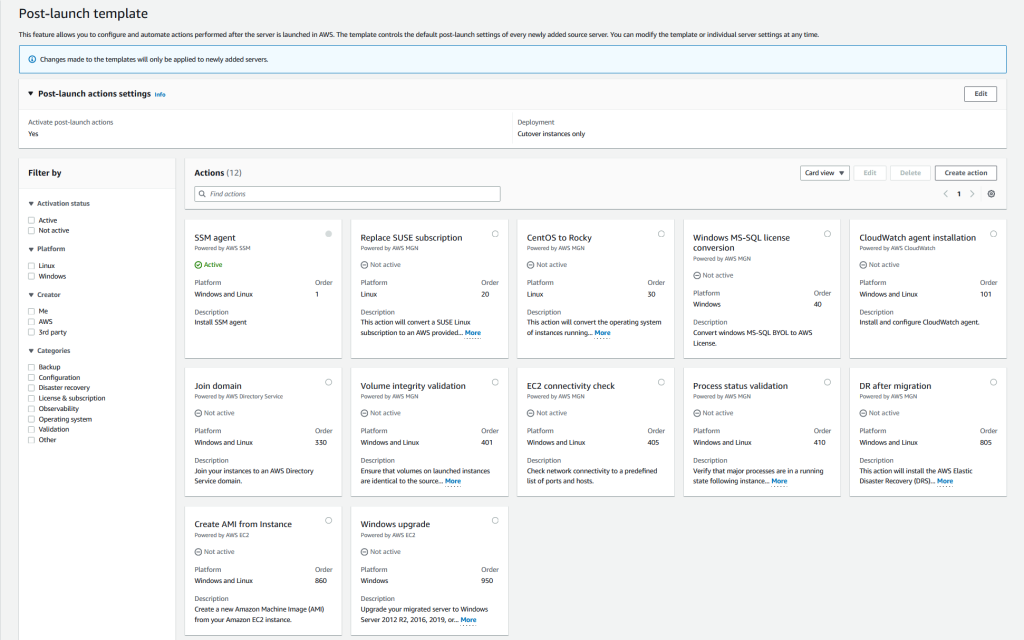
AWS Outposts and Amazon EKSYou can now deploy both the worker nodes and the Kubernetes control plane on an Outposts rack. This allows you to maximize your application availability in case of temporary network disconnection on premises. The Kubernetes control plane continues to manage the worker nodes, and no pod eviction happens when on-premises network connectivity is reestablished.

Amazon Corretto 19 – Corretto is a no-cost, multiplatform, production-ready distribution of OpenJDK. Corretto is distributed by Amazon under an open source license. This version supports the latest OpenJDK feature release and is available on Linux, Windows, and macOS. You can download Corretto 19 from our downloads page.

Amazon CloudWatch Evidently – Evidently is a fully-managed service that makes it easier to introduce experiments and launches in your application code. Evidently adds support for Client Side Evaluations (CSE) for AWS Lambda, powered by AWS AppConfig. Evidently CSE allows application developers to generate feature evaluations in single-digit milliseconds from within their own Lambda functions. Check the client-side evaluation documentation to learn more.
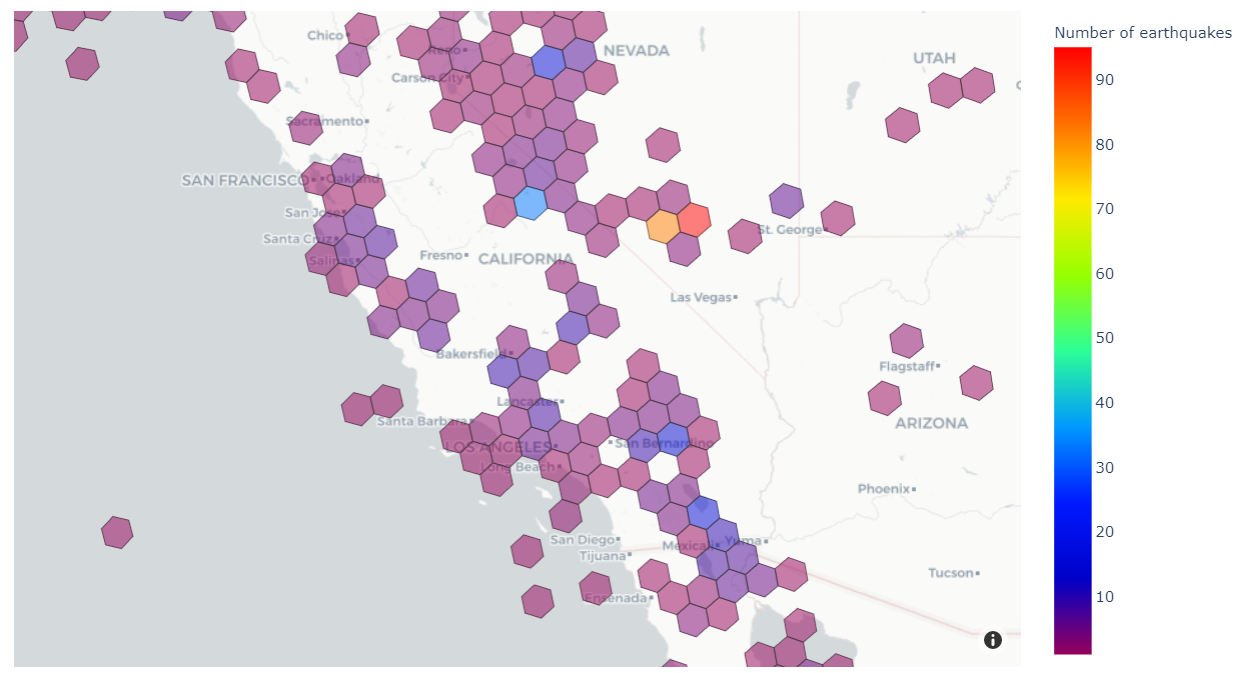
Amazon S3 on AWS OutpostsS3 on Outposts now supports object versioning. Versioning helps you to locally preserve, retrieve, and restore each version of every object stored in your buckets. Versioning objects makes it easier to recover from both unintended user actions and application failures.

Amazon PollyAmazon Polly is a service that turns text into lifelike speech. This week, we announced the general availability of Hiujin, Amazon Polly’s first Cantonese-speaking neural text-to-speech (NTTS) voice. With this launch, the Amazon Polly portfolio now includes 96 voices across 34 languages and language variants.

X in Y – We launched existing AWS services in additional Regions:

Other AWS News
Introducing the Smart City Competency program – The AWS Smart City Competency provides best-in-class partner recommendations to our customers and the broader market. With the AWS Smart City Competency, you can quickly and confidently identify AWS Partners to help you address Smart City focused challenges.

An update to IAM role trust policy behavior – This is potentially a breaking change. AWS Identity and Access Management (IAM) is changing an aspect of how role trust policy evaluation behaves when a role assumes itself. Previously, roles implicitly trusted themselves. AWS is changing role assumption behavior to always require self-referential role trust policy grants. This change improves consistency and visibility with regard to role behavior and privileges. This blog post shares the details and explains how to evaluate if your roles are impacted by this change and what to modify. According to our data, only 0.0001 percent of roles are impacted. We notified by email the account owners.

Amazon Music Unifies Music QueuingThe Amazon Music team published a blog post to explain how they created a unified music queue across devices. They used AWS AppSync and AWS Amplify to build a robust solution that scales to millions of music lovers.

Upcoming AWS Events
Check your calendar and sign up for an AWS event in your Region and language:

AWS re:Invent – Learn the latest from AWS and get energized by the community present in Las Vegas, Nevada. Registrations are open for re:Invent 2022 which will be held from Monday, November 28 to Friday, December 2.

AWS Summits – Come together to connect, collaborate, and learn about AWS. Registration is open for the following in-person AWS Summits: Bogotá (October 4), and Singapore (October 6).

Natural Language Processing (NLP) Summit – The AWS NLP Summit 2022 will host over 25 sessions focusing on the latest trends, hottest research, and innovative applications leveraging NLP capabilities on AWS. It is happening at our UK headquarters in London, October 5–6, and you can register now.

AWS Innovate for every app – This regional online conference is designed to inspire and educate executives and IT professionals about AWS. It offers dozens of technical sessions in eight languages (English, Spanish, French, German, Italian, Japanese, Korean, and Indonesian). Register today: Americas, September 28; Europe, Middle-East, and Africa, October 6; Asia Pacific & Japan, October 20.

AWS Innovate for every app

AWS Community DaysAWS Community Day events are community-led conferences to share and learn with one another. In September, the AWS community in the US will run events in Arlington, Virginia (September 30). In Europe, Community Day events will be held in October. Join us in Amersfoort, Netherlands (October 3), Warsaw, Poland (October 14), and Dresden, Germany (October 19).

AWS Tour du Cloud – The AWS Team in France has prepared a roadshow to meet customers and partners with a one-day free conference in seven cities across the country (Aix en Provence, Lille, Toulouse, Bordeaux, Strasbourg, Nantes, and Lyon), and in Fort-de-France, Martinique. Tour du Cloud France

AWS Fest – This third-party event will feature AWS influencers, community heroes, industry leaders, and AWS customers, all sharing AWS optimization secrets (this week on Wednesday, September). You can register for AWS Fest here.

Stay Informed
That is my selection for this week! To better keep up with all of this news, please check out the following resources:

— seb
This post is part of our Week in Review series. Check back each week for a quick roundup of interesting news and announcements from AWS!

Deploy your Amazon EKS Clusters Locally on AWS Outposts

Post Syndicated from Sébastien Stormacq original https://aws.amazon.com/blogs/aws/deploy-your-amazon-eks-clusters-locally-on-aws-outposts/

I am pleased to announce the availability of local clusters for Amazon Elastic Kubernetes Service (Amazon EKS) on AWS Outposts. It means that starting today, you can deploy your Amazon EKS cluster entirely on Outposts: both the Kubernetes control plane and the nodes.

Amazon EKS is a managed Kubernetes service that makes it easy for you to run Kubernetes on AWS and on premises. AWS Outposts is a family of fully managed solutions delivering AWS infrastructure and services to virtually any on-premises or edge location for a truly consistent hybrid experience.

To fully understand the benefits of local clusters for Amazon EKS on Outposts, I need to first share a bit of background.

Some customers use Outposts to deploy Kubernetes cluster nodes and pods close to the rest of their on-premises infrastructure. This allows their applications to benefit from low latency access to on-premises services and data while managing the cluster and the lifecycle of the nodes using the same AWS API, CLI, or AWS console as they do for their cloud-based clusters.

Until today, when you deployed Kubernetes applications on Outposts, you typically started by creating an Amazon EKS cluster in the AWS cloud. Then you deployed the cluster nodes on your Outposts machines. In this hybrid cluster scenario, the Kubernetes control plane runs in the parent Region of your Outposts, and the nodes are running on your on-premises Outposts. The Amazon EKS service communicates through the network with the nodes running on the Outposts machine.

But, remember: everything fails all the time. Customers told us the main challenge they have in this scenario is to manage site disconnections. This is something we cannot control, especially when you deploy Outposts on rough edges: areas with poor or intermittent network connections. When the on-premises facility is temporarily disconnected from the internet, the Amazon EKS control plane running in the cloud is unable to communicate with the nodes and the pods. Although the nodes and pods work perfectly and continue to serve the application on the on-premises local network, Kubernetes may consider them unhealthy and schedule them for replacement when the connection is reestablished (see pod eviction in Kubernetes documentation). This may lead to application downtimes when connectivity is restored.

I talked with Chris, our Kubernetes Product Manager and expert, while preparing this blog post. He told me there are at least seven distinct options to configure how a control plane reconnects to its nodes. Unless you master all these options, the system status at re-connection is unpredictable.

To simplify this, we are giving you the ability to host your entire Amazon EKS cluster on Outposts. In this configuration, both the Kubernetes control plane and your worker nodes run locally on premises on your Outposts machine. That way, your cluster continues to operate even in the event of a temporary drop in your service link connection. You can perform cluster operations such as creating, updating, and scaling applications during network disconnects to the cloud.

EKS Local Cluster DiagramLocal clusters are identical to Amazon EKS in the cloud and automatically deploy the latest security patches to make it easy for you to maintain an up-to-date, secure cluster. You can use the same tooling you use with Amazon EKS in the cloud and the AWS Management Console for a single interface for your clusters running on Outposts and in AWS Cloud.

Let’s See It In Action
Let’s see how we can use this new capability. For this demo, I will deploy the Kubernetes control plane on Amazon Elastic Compute Cloud (Amazon EC2) instances running on premises on an Outposts rack.

I use an Outposts rack already configured. If you want to learn how to get started with Outposts, you can read the steps on the Get Started with AWS Outposts page.

AWS Outposts Configuration

This demo has two parts. First, I create the cluster. Second, I connect to the cluster and create nodes.

Creating Cluster
Before deploying the Amazon EKS local cluster on Outposts, I make sure I created an IAM cluster role and attached the AmazonEKSLocalOutpostClusterPolicy managed policy. This IAM cluster role will be used in cluster creation.

Then, I switch to the Amazon EKS dashboard, and I select Add Cluster, then Create.

Creating Cluster

On the following page, I chose the location of the Kubernetes control plane: the AWS Cloud or AWS Outposts. I select AWS Outposts and specify the Outposts ID.

Configure EKS Cluster to Use AWS Outposts

The Kubernetes control plane on Outposts is deployed on three EC2 instances for high availability. That’s why I see three Replicas. Then, I choose the instance type according to the number of worker nodes needed for workloads. For example, to handle 0–20 worker nodes, it is recommended to use m5d.large EC2 instances.

Setting Instance Type

On the same page, I specify configuration values for the Kubernetes cluster, such as its Name, Kubernetes version, and the Cluster service role that I created earlier.

Cluster Configuration

On the next page, I configure the networking options. Since Outposts is an extension of an AWS Region, I need to use the VPC and Subnets used by Outposts to enable communication between Kubernetes control plane and worker nodes. For Security Groups, Amazon EKS creates a security group for local clusters that enables communication between my cluster and my VPC. I can also define additional security groups according to my application requirements.

Specify Networking

As we run the Kubernetes control plane inside Outposts, the Cluster endpoint access can only be accessed privately. This means I can only access the Kubernetes cluster through machines that are deployed in the same VPC or over the local network via the Outposts local gateway with Direct VPC Routing.

Private Cluster Endoint Access
On the next page, I define logging. Logging is disabled by default, and I may enable it as needed. For more details about logging, you can read the Amazon EKS control plane logging documentation.

Configure Logging

The last screen allows me to review all configuration options. When I’m satisfied with the configuration, I select Create to create the cluster.

Networking

The cluster creation takes a few minutes. To check the cluster creation status, I can use the console or the terminal with the following command:

$ aws eks describe-cluster \ 
--region <REGION_CODE> \ 
--name <CLUSTER_NAME> \ 
--query "cluster.status"

The Status section tells me when the cluster is created and active.

Active Cluster

In addition to using the AWS Management Console, I can also create a local cluster using the AWS CLI. Here is the command snippet to create a local cluster with the AWS CLI:

$ aws eks create-cluster \ 
--region <REGION_CODE> \ 
--name <CLUSTER_NAME> \ 
--resources-vpc-config subnetIds=<SUBNET_ID>\ 
--role-arn <ARN_CLUSTER_ROLE> \ 
--outpost-config controlPlaneInstanceType=<INSTANCE_TYPE> \ 
--outpostArns=<ARN_OUTPOST>

Connecting to the Cluster
The endpoint access for a local cluster is private; therefore, I can access it from a local gateway with Direct VPC Routing or from machines that are in the same VPC. To find out how to use local gateways with Outposts, you can follow the information on the Working with local gateways page. For this demo, I use an EC2 instance as a bastion host, and I manage the Kubernetes cluster using kubectl command.

The first thing I do is edit Security Groups to open traffic access from the bastion host. I go to the detail page of the Kubernetes cluster and select the Networking tab. Then I select the link in Cluster security group.

Networking & Security Group

Then, I add inbound rules, and I provide access for the bastion host by specifying its IP address.

Adding Inbound Rule in Security Group

Once I’ve allowed the access, I create kubeconfig in the bastion host by running the command:

$ aws eks update-kubeconfig --region <REGION_CODE> --name <CLUSTER_NAME>

Finally, I use kubectl to interact with the Kubernetes API server, just like usual.

$ kubectl get nodes -o wide
NAME STATUS ROLES AGE VERSION INTERNAL-IP EXTERNAL-IP OS-IMAGE KERNEL-VERSION CONTAINER-RUNTIME
ip-10-X-Y-Z.us-west-2.compute.internal NotReady control-plane,master 10h v1.21.13 10.X.Y.Z <none> Bottlerocket OS 1.8.0 (aws-k8s-1.21) 5.10.118 containerd://1.6.6+bottlerocket
ip-10-X-Y-Z.us-west-2.compute.internal NotReady control-plane,master 9h v1.21.13 10.X.Y.Z <none> Bottlerocket OS 1.8.0 (aws-k8s-1.21) 5.10.118 containerd://1.6.6+bottlerocket

Kubernetes local clusters running on AWS Outposts run on three EC2 instances. We see on the output above that the status of three worker nodes is NotReady. This is because they are used by the control plane exclusively, and we cannot use them to schedule pods.

From this stage, you can deploy self-managed node groups using the Amazon EKS local cluster.

Pricing and Availability
Amazon EKS local clusters are charged at the same price as traditional EKS clusters. It starts at $0.10/hour. The EC2 instances required to deploy the Kubernetes control plane and nodes on Outposts are included in the price of the Outposts. As usual, the pricing page has the details.

Amazon EKS local clusters are available in all AWS Regions where Outposts is available.

Go build and create your first EKS local cluster today!

— seb and Donnie.

AWS Week in Review – September 19, 2022

Post Syndicated from Jeff Barr original https://aws.amazon.com/blogs/aws/aws-week-in-review-september-19-2022/

Things are heating up in Seattle, with preparation for AWS re:Invent 2022 well underway. Later this month the entire News Blog team will participate in our now-legendary “speed storming” event. Over the course of three or four days, each of the AWS service teams with a launch in the works for re:Invent will give us an overview and share their PRFAQ (Press Release + FAQ) with us. After the meetings conclude, we’ll divvy up the launches and get to work on our blog posts!

Last Week’s Launches
Here are some of the launches that caught my eye last week:

Amazon Lex Visual Conversation Builder – This new tool makes bot design easier than ever. You get a complete view of the conversation in one place, and you can manage complex conversations that have dynamic paths. To learn more and see the builder in action, read Announcing Visual Conversation Builder for Amazon Lex on the AWS Machine Learning Blog.

AWS Config Conformance Pack Price Reduction – We have reduced the price for evaluation of AWS Config Conformance Packs by up to 58%. These packs contain AWS Config rules and remediation actions that can be deployed as a single entity in account and a region, or across an entire organization. The price reduction took effect September 14, 2022; it lowers the cost per evaluation and decreases the number of evaluations needed to reach each pricing tier.

CDK (Cloud Development Kit) Tree View – The AWS CloudFormation console now includes a Constructs tree view that automatically organizes the resources that were synthesized by AWS CDK constructs. The top level of the tree view includes the named constructs and the second level includes all of the resources generated by the named construct. Read the What’s New to learn more!

AWS Incident Detection and ResponseAWS Enterprise Support customers now have access to proactive monitoring and incident management for selected workloads running on AWS. As part of the onboarding process, AWS experts review workloads for reliability and operational excellence, and work with the customer to identify critical metrics and associated alarms. Incident Management Engineers then monitor the workloads, detect critical incidents, and initiate a call bridge to accelerate recovery. Read the AWS Incident Detection and Response page and the What’s New to learn more.

ECS Cluster Scale-In Speed – Auto-Scaled ECS clusters can now scale-in (reduce capacity) faster than ever before. Previously, each scale-in would reduce the capacity within an Auto Scaling Group (ASG) by 5% at a time. Now, capacity can be reduced by up to 50%. This change makes scaling more responsive to workload changes while still maintaining availability for spiky traffic patterns. Read Faster Scaling-In for Amazon ECS Cluster Auto Scaling and the What’s New to learn more.

AWS Outposts Rack Networking – AWS Outposts racks now support local gateway ingress routing to redirect incoming traffic to an Elastic Network Interface (ENI) attached to an EC2 instance before traffic reaches workloads running on the Outpost; read Deploying Local Gateway Ingress Routing on AWS Outposts to learn more. Outposts racks now also support direct VPC routing to simplify the process of communicating with your on-premises network; read the What’s New to learn more.

Amazon SWF Console Experience Updated – The new console experience for Amazon Simple Workflow Service (SWF) gives you better visibility of your SWF domains along with additional information about your workflow executions and events. You can efficiently manage high-volume workloads and quickly find the detailed information that helps you to operate at peak efficiency. Read the What’s New to learn more.

Dynamic Intermediate Certificate Authorities – According to a post on the AWS Security Blog, public certificates issued through AWS Certificate Manager (ACM) will soon (October 11, 2022) be issued from one of several intermediate certificate authorities managed by Amazon. This change will be transparent to most customers and applications, except those that make use of certificate pinning. In some cases, older browsers will need to be updated in order to properly trust the Amazon Trust Services CAs.

X in Y – We launched existing AWS services and instance types in additional regions:

Other AWS News
AWS Open Source – Check out Installment #127 of the AWS Open Source News and Updates Newsletter to learn about new tools for AWS CloudFormation, AWS Lambda, Terraform / EKS, AWS Step Functions, AWS Identity and Access Management (IAM), and more.

New Case Study – Read this new case study to learn how the Deep Data Research Computing Center at Stanford University is creating tools designed to bridge the gap between biology and computer science in order to help researchers in precision medicine deliver tangible medical solutions.

Application Management – The AWS DevOps Blog showed you how to Implement Long-Running Deployments with AWS CloudFormation Custom Resources Using AWS Step Functions.

Architecture – The AWS Architecture Blog showed you how to Maintain Visibility Over the Use of Cloud Architecture Patterns.

Big Data – The AWS Big Data Blog showed you how to Optimize Amazon EMR Costs for Legacy and Spark Workloads.

Migration – In a two-part series on the AWS Compute Blog, Marcia showed you how to Lift and Shift a Web Application to AWS Serverless (Part 1, Part 2).

Mobile – The AWS Mobile Blog showed you how to Build Your Own Application for Route Optimization and Tracking using AWS Amplify and Amazon Location Service.

Security – The AWS Security Blog listed 10 Reasons to Import a Certificate into AWS Certificate Manager and 154 AWS Services that have achieved HITRUST Certificiation.

Training and Certification – The AWS Training and Certification Blog talked about The Value of Data and Pursuing the AWS Certified Data Analytics – Specialty Certification.

Containers – The AWS Containers Blog encouraged you to Achieve Consistent Application-Level Tagging for Cost Tracking in AWS.

Upcoming AWS Events
Check your calendar and sign up for an AWS event in your locale:

AWS Summits – Come together to connect, collaborate, and learn about AWS. Registration is open for the following in-person AWS Summits: Mexico City (September 21–22), Bogotá (October 4), and Singapore (October 6).

AWS Community DaysAWS Community Day events are community-led conferences to share and learn with one another. In September, the AWS community in the US will run events in Arlington, Virginia (September 30). In Europe, Community Day events will be held in October. Join us in Amersfoort, Netherlands (October 3), Warsaw, Poland (October 14), and Dresden, Germany (October 19).

AWS Fest – This third-party event will feature AWS influencers, community heroes, industry leaders, and AWS customers, all sharing AWS optimization secrets (September 29th), register here.

Stay Informed
I hope that you have enjoyed this look back at some of what took place in AWS-land last week! To better keep up with all of this news, please check out the following resources:

Jeff;

New – Direct VPC Routing Between On-Premises Networks and AWS Outposts Rack

Post Syndicated from Steve Roberts original https://aws.amazon.com/blogs/aws/new-direct-vpc-routing-between-on-premises-networks-and-aws-outposts-rack/

Today, we announced direct VPC routing for AWS Outposts rack. This enables you to connect Outposts racks and on-premises networks using simplified IP address management. Direct VPC routing automatically advertises Amazon Virtual Private Cloud (Amazon VPC) subnet CIDR addresses to on-premises networks. This enables you to use the private IP addresses of resources in your VPC when communicating with your on-premises network. Furthermore, you can enable direct VPC routing using a self-serve process without needing to contact AWS.

AWS Outposts rack

If you’re unfamiliar, AWS Outposts rack, a part of the Outposts family, is a fully-managed service that offers the same AWS infrastructure, AWS services, APIs, and tools to virtually any on-premises datacenter or co-location space for a consistent hybrid experience. They’re ideal for workloads that require low-latency access to on-premises systems, local data processing, data residency, and migration of applications with local system interdependencies. Once installed, your Outposts rack becomes an extension of your VPC, and it’s managed using the same APIs, tools, and management controls that you already use in the cloud.

With direct VPC routing, you now have two options to configure and connect your Outposts rack to your on-premises networks. Previously, to configure network routing between an on-premises network and an Outposts rack, you needed to use Customer-owned IP addresses (CoIP). During an Outposts rack installation, this involved providing a separate IP address range/CIDR from your on-premises network for AWS to create an address pool, which is known as a CoIP pool. When an Amazon Elastic Compute Cloud (Amazon EC2) instance on your Outposts rack needed to communicate with your on-premises network, Outposts rack would perform a 1:1 network address translation (NAT) from the VPC private IP address to a CoIP address in the CoIP pool. Using CoIP means that you must manage both VPC and CoIP address pools, without overlap, and configure route propagation between the two sets of addresses. When adding a subnet to a VPC, you also needed to follow several steps to update route propagation between your networks to recognize the new subnet addresses.

Managing IP address ranges for AWS cloud and onsite resources, as well as dealing with CoIP ranges on Outposts rack, can be an operational burden. Although the option to use CoIP is still available and will continue to be fully supported, the new direct VPC routing option simplifies your IP address management. Automatic advertisement of CIDR addresses for subnets, including new subnets added in the future, between the VPC and your Outposts rack, removes the need for you to reconfigure IP addresses. This also keeps route propagation up-to-date, thereby saving you time and effort. Furthermore, as mentioned earlier, you can enable all of this with a self-serve option.

Enabling Direct VPC Routing
You can select either CoIP or direct VPC routing approaches and utilize a new self-service API, CreateLocalGatewayRouteTable, to configure direct VPC routing for both new and existing Outposts racks. This eliminates the need to contact AWS to enable the configuration. To enable direct VPC routing, simply set the mode property in the CreateLocalGatewayRouteTable API’s request parameters to the value direct-vpc-routing. If you’re already using CoIP, then you must delete and recreate the route table that’s propagating traffic between the Outposts rack and your on-premises network.

The following example diagram, taken from the user guide, illustrates the setup for an Outposts rack running several Amazon EC2 instances and connected to an on-premises network, with automatic address advertisement. Note that private IP address ranges are utilized across the Outposts rack resources and the on-premises network.

Example of direct VPC routing

Get started with Direct VPC Routing today
The option to enable direct VPC routing is available now for both new and existing Outposts racks. As mentioned earlier, the option to use CoIP will continue to be supported, but now you can choose between direct VPC routing and CoIP based on your on-premises networking needs. Direct VPC routing is available in all AWS Regions where Outposts rack is supported.

Find more information on this topic in the AWS Outposts User Guide. More information on AWS Outposts rack is available here.

— Steve

Announcing the latest AWS Heroes – August 2022

Post Syndicated from Ross Barich original https://aws.amazon.com/blogs/aws/announcing-the-latest-aws-heroes-august-2022/

The global AWS community is filled with passionate builders, eager to learn and explore ways to build better and faster on AWS. Within the AWS community, a select few individuals truly go above and beyond to share their knowledge and inspire others through content creation, event organization, open source contributions, and more. These community leaders are called AWS Heroes, and today we are thrilled to recognize the latest cohort:

Alexey Grigorev – Berlin, Germany

Machine Learning Hero Alexey Grigorev works as a principal data scientist at OLX and he runs DataTalks.Club, a community of 20,000+ data enthusiasts. He has written a few books about machine learning. One of them is Machine Learning Bookcamp, a book for software engineers who want to get into machine learning. A big fan of serverless and AWS Lambda, Alexey likes teaching how to use Lambda and other AWS services for Machine Learning model deployment. He lives in Berlin with his wife and son.

Allen Helton – McKinney, USA

Serverless Hero Allen Helton is a Cloud Architect at Tyler Technologies with a sharp focus on serverless-first development. He has been working in tech since 2012, after graduating with a B.S. in Software Engineering from the University of Texas at Dallas. Allen writes extensively about serverless on his blog Ready, Set, Cloud, where he shares everything from reference architectures to enterprise level production readiness tips. He also regularly engages on serverless topics on Twitter.

Liz Fong-Jones – Vancouver, Canada / Sydney, Australia

Community Hero Liz Fong-Jones is a developer advocate, labor and ethics organizer, and Site Reliability Engineer (SRE) with 17+ years of experience. She is an advocate at Honeycomb for the SRE and Observability communities. She led implementation of Service-Level Objectives and adoption of Graviton2/Graviton3 at Honeycomb, and co-authored Observability Engineering. She has served on the OpenTelemetry governance committee and on the SREcon steering committee. She lives in Vancouver, BC with her wife Elly, partners, and a Samoyed/Golden Retriever mix, and in Sydney, NSW. She plays classical piano, leads an EVE Online alliance, and advocates for transgender rights.

Scott Hsieh – New Taipei City, Taiwan

Data Hero Scott Hsieh, also known as Shu-Jeng Hsieh, is a Data Architect at 104 Corporation. He has been sharing content on dev.to and Medium for nearly 2 years and has spoken at 6 events including AWS Summit Taiwan, re:Invent re:Cap, and DevAx::Alliance, mostly on data topics. He became an AWS Community Builder in the end of 2020 and achieved 10 AWS certifications within 1.5 years. Additionally, Scott has created 5 CDK constructs for 5 programming languages which in total are approaching 100K downloads. He is active in the AWS User Group Taiwan Facebook group, and enjoys helping people to grasp AWS services with ease and learning from experts across different fields.


If you’d like to learn more about the new Heroes, or connect with a Hero near you, please visit the AWS Heroes website or browse the AWS Heroes Content Library.

Ross

New – AWS Support App in Slack to Manage Support Cases

Post Syndicated from Channy Yun original https://aws.amazon.com/blogs/aws/new-aws-support-app-in-slack-to-manage-support-cases/

ChatOps speeds up software development and operations by enabling DevOps teams to use chat clients and chatbots to communicate and run tasks. DevOps engineers have increasingly moved their monitoring, system management, continuous integration (CI), and continuous delivery (CD) workflows to chat applications in order to streamline activities in a single place and enable better collaboration within organizations.

For example, AWS Chatbot enables ChatOps for AWS to monitor and respond to operational events. AWS Chatbot processes AWS service notifications from Amazon Simple Notification Service (Amazon SNS) and forwards them to your Slack channel or Amazon Chime chat rooms so teams can analyze and act on them immediately, regardless of location. However, AWS Support customers had to switch applications from Slack to the AWS Support Center console to access and engage with AWS Support, moving them away from critical operation channels where essential group communications take place.

Today we are announcing the new AWS Support App, which enables you to directly manage your technical, billing, and account support cases, increase service quotas in Slack, and initiate a live chat with AWS Support engineers in Slack channels. You can then search for, respond to, and participate in group chats with AWS Support engineers to resolve support cases from your Slack channels.

With the AWS Support App in Slack, you can integrate AWS Support into your team workflows to improve collaboration. When creating, updating, or monitoring a support case status, your team members keep up to date in real time. They can also easily search previous cases to find recommendations and solutions and instantly share those details with all team members without having to switch applications.

Configuring the AWS Support App in Slack
The AWS Support App in Slack is now available to all customers with Business, Enterprise On-ramp, or Enterprise Support at no additional charge. If you have a Basic or Developer plan, you can upgrade your support plan.

For connecting your Slack workspace and channel for your organization, you should have access to add apps to your Slack workspace and an AWS Identity and Access Management (IAM) user or role with the required permissions. To learn more, see examples of IAM policies to manage access.

To get started with the AWS Support App in Slack, visit the AWS Support Center console and choose Authorize workspace.

When prompted to give permissions to access your Slack workspace, you can select your workspace to connect and choose Allow.

Now you can see your workspace on the Slack configuration page. To add more workspaces, choose Add workspace and repeat this step. You can add up to five workspaces to your account.

After you authorize your Slack workspace, you can add your Slack channels by choosing Add channel. You can add up to 20 channels for a single account. A single Slack channel can have up to 100 AWS accounts.

Choose the workspace name that you previously authorized, the Slack channel ID included in the channel link and the value that looks like C01234A5BCD where you invited the AWS Support App by /invite @awssupport command, the IAM role that you created for the AWS Support App.

You can also set notifications for how to get notified about cases and choose at least one of the options in New and reopened cases, Case correspondences, or Resolved cases for notification types. If you select High-severity cases, you can get notified for only cases that affect a production system or higher by the severity levels.

After adding a new channel, you can now open the Slack channel and manage support cases and live chats with AWS Support engineers.

Managing Support Cases in the Slack Channel
After you add your Slack workspace and channel, you can create, search, resolve, and reopen your support case in your Slack channel.

In your Slack channel, when you enter /awssupport create-case command, you can create a support case to specify the subject, description, issue type, service, category, severity, and contact method — either email and Slack notifications or live chat in Slack.

If you choose Live chat in Slack, you can enter the names of other members. AWS Support App will create a new chat channel for the created support case and will automatically add you, the members that you specified, and AWS Support engineers.

After reviewing the information you provided, you can create a support case. You can also choose Share to channel to share the search results with the channel.

In your Slack channel, when you enter the /awssupport search-case command, you can search support cases for a specific AWS account, data range, and case status, such as open or resolved.

You can choose See details to see more information about a case. When you see details for a support case, you can resolve or reopen specific support cases directly.

Initiating Live Chat Sessions with AWS Support Engineers
If you chose the live chat option when you created your case, the AWS Support App creates a chat channel for you and an AWS Support engineer. You can use this chat channel to communicate with a support engineer and any others that you invited to the live chat.

To join a live chat session with AWS Support, navigate to the channel name that the AWS Support App created for you. The live channel name contains your support case ID, such as awscase-1234567890. Anyone who joins your live chat channel can view details about this specific support case. We strongly recommend that you only add users that require access to your support cases.

When a support engineer joins the channel, you can chat with a support engineer about your support case and upload any file attachments to the channel. The AWS Support App automatically saves your files and chat log to your case correspondence.

To stop chatting with the support agent, choose End chat or enter the /awssupport endchat command. The support agent will leave the channel and the AWS Support App will stop recording the live chat. You can find the chat history attached to the case correspondence for this support case. If the issue has been resolved, you can choose Resolve case from the pinned message to show the case details in the chat channel or enter the /awssupport resolve command.

When you manage support cases or join live chats for your account in the Slack channel, you can view the case correspondences to determine whether the case has been updated in the Slack channel. You can also audit the Support API calls the application made on behalf of users via logs in AWS CloudTrail. To learn more, see Logging AWS Support API calls using AWS CloudTrail.

Requesting Service Quota Increases
In your Slack channel, when you enter the /awssupport service-quota-increase command, you can request to increase the service quota for a specific AWS account, AWS Region, service name, quota name, and requested value for the quota increase.

Now Available
The AWS Support App in Slack is now available to all customers with Business, Enterprise On-ramp, or Enterprise Support at no additional charge. If you have a Basic or Developer plan, you can upgrade your support plan. To learn more, see Manage support cases with the AWS Support App or contact your usual AWS Support contacts.

Channy

AWS Trusted Advisor – New Priority Capability

Post Syndicated from Sébastien Stormacq original https://aws.amazon.com/blogs/aws/aws-trusted-advisor-new-priority-capability/

AWS Trusted Advisor is a service that continuously analyzes your AWS accounts and provides recommendations to help you to follow AWS best practices and AWS Well-Architected guidelines. Trusted Advisor implements a series of checks. These checks identify ways to optimize your AWS infrastructure, improve security and performance, reduce costs, and monitor service quotas.

Today, we are making available to all Enterprise Support customers a new capability for AWS Trusted Advisor: Trusted Advisor Priority. It gives you prioritized and context-driven recommendations manually curated by your AWS account team, based on their knowledge of your environment and the machine-generated checks from AWS Services.

Trusted Advisor implements over 200 checks in five categories: cost optimization, performance, security, fault tolerance, and service limits. Here is a view of the current Trusted Advisor dashboard.

AWS Trusted Advisor Categories

The list of checks available on your account depends on your level of support. When you have AWS Basic Support, available to all customers, or AWS Developer Support, you have access to core security and service limits checks. When you have AWS Business Support or AWS Enterprise Support, you have access to all checks.

The new Priority capability gives you a prioritized view of critical risks. It shows prioritized, contextual recommendations and actionable insights based on your business outcomes and what’s important to you. It also surfaces risks proactively identified by your AWS account team to alert and address critical cloud risks stemming from deviations from AWS best practices. It is designed to help you: IT leaders, technical decisions makers, and members of a Cloud Center of Excellence.

The account team takes advantage of their understanding of your production accounts and business-critical workloads. By working with you, they identify what’s important to you, and the outcomes or goals you wish to achieve. For example, they know about your business viewpoint whether it is exiting a data center by the end of the year, launching a new product, expanding to a new geography, or migrating a workload to the cloud.

Trusted Advisor uses multiple sources to define the priorities. On one side, it uses signals from other AWS services, such as AWS Compute Optimizer, Amazon GuardDuty, or VPC Flow Logs. On the other side, it uses context manually curated by your AWS account team (Account Manager, Technical Account Manager, Solutions Architect, Customer Solutions Manager, and others) and the knowledge they have about your production accounts, business-critical applications and critical workloads. You will be guided to opportunities to take advantage of AWS Support engagements like a Cost Optimization workshop when the account team believes there are opportunities to reduce costs, a deep dive with a service team, or an Infrastructure Event Management for an upcoming workload migration.

You will be alerted to risks in your deployments on AWS, using sources such as the AWS Well-Architected framework. We will highlight and bring to attention any open high risk issues (HRIs) from recently conducted Well-Architected reviews. We also run campaigns to proactively identify, alert, and reduce single points of failures, such as single Availability Zone deployments. This verifies that you don’t have a single point of failures for production applications that are used for mission-critical processes, that drive significant revenue, or have regulated availability requirements. Trusted Advisor helps you to detect, raise awareness, and provide prescriptive guidance.

Here is a diagram to visualize my mental model for Trusted Advisor Priority:

Trusted Advisor Mental Model Diagram

Trusted Advisor Priority works with AWS Organizations: it aggregates all recommendations from member accounts in your management account or designed delegated administrator. You may delegate access to Trusted Advisor Priority to a maximum of five other AWS accounts. Trusted Advisor Priority comes with a new AWS Identity and Access Management (IAM) policy to help you manage access to the capability. Finally, you can also configure to receive daily and weekly email digests of all prioritized notifications to the alternate contacts you set up in the management account or each delegated admin account.

Let’s See Trusted Advisor Priority in Action
I open the AWS Management Console and navigate to Trusted Advisor. I notice a new navigation entry on the left menu. It is the default view for Enterprise Support customers.

The Trusted Advisor Priority main screen summarizes the number of Pending response and In progress recommendations. It shares some time-related statistics on the right side of the screen. I can start to look at the Active prioritized recommendations list on the bottom half of the screen.

Recommendations are divided into two panels: Active and Closed. The Active tab includes recommendations that have been surfaced to you and which you are actively working on. The Closed tab includes recommendations that have been resolved. All account team prioritized recommendations are presented with a series of searchable and sortable columns. I see the recommendation name, status, source, category, and age.

AWS Trusted Advisor Priority

The list gives me details about the category, the age, and the status of the recommendations. The Source column distinguishes between auto-detected and manually identified opportunities. The Category column shows the category from Trusted Advisor (cost optimization, performance, security, fault tolerance, and service limits). The Age column shows me how long it’s been since the recommendation was first shared. This helps with tracking the time to resolution for each of these items.

AWS Trusted Advisor Priority

I can select any recommendation to drill down into the details. In this example, I select the second one: Amazon RDS Public Snapshots. This is a recommendation in the Security category.

AWS Trusted Advisor Priority

Recommendations are actionable, and they give you a real course of action to respond to the issue. In this case, it suggests modifying the snapshot configuration and removing the public flag that makes the database snapshot available to all AWS customers.

Trusted Advisor Priority provides a closed-loop feedback mechanism where I have the ability to accept or reject a recommendation if I don’t think the issue is relevant to my account.

The information is aggregated at an Organizations level. When you are using Organizations to group accounts to reflect your business units, the recommendations are aggregated and present an overall risk posture across your business units.

As an infrastructure manager, I can either Accept the recommendation and take action or Reject it because it is not a risk or it is something I will not fix and want to remove the recommendation from my list.

AWS Trusted Advisor Priority - Accept AWS Trusted Advisor Priority - Reject

Pricing and Availability
AWS Trusted Advisor Priority is available in all commercial AWS Regions where Trusted Advisor is available now, except the two AWS Regions in China. It is available at no additional cost for Enterprise Support customers.

Trusted Advisor Priority will not replace your Technical Account Manager or Solution Architect. They are key in providing tailored guidance and working with you through all phases of managing your cloud applications. Trusted Advisor Priority provides anytime access to tailored, context-aware, risk-mitigating recommendations and insights from your account team and optimizes your engagement with AWS. It will not reduce your access to your account team in any way but rather will make it easier for you to collaborate with them on your most important priorities.

You can start to use Trusted Advisor Priority today.

And now, go build!

— seb

A Decade of Ever-Increasing Provisioned IOPS for Amazon EBS

Post Syndicated from Jeff Barr original https://aws.amazon.com/blogs/aws/a-decade-of-ever-increasing-provisioned-iops-for-amazon-ebs/

Progress is often best appreciated in retrospect. It is often the case that a steady stream of incremental improvements over a long period of time ultimately adds up to a significant level of change. Today, ten years after we first launched the Provisioned IOPS feature for Amazon Elastic Block Store (EBS), I strongly believe that to be the case.

All About the IOPS
Let’s start with a quick review of IOPS, which is short for Input/Output Operations per Second. This is a number which is commonly used to characterize the performance of a storage device, and higher numbers mean better performance. In many cases, applications that generate high IOPS values will use threads, asynchronous I/O operations, and/or other forms of parallelism.

The Road to Provisioned IOPS
When we launched Amazon Elastic Compute Cloud (Amazon EC2) back in 2006 (Amazon EC2 Beta), the m1.small instances had a now-paltry 160 GiB of local disk storage. This storage had the same lifetime as the instance, and disappeared if the instance crashed or was terminated. In the run-up to the beta, potential customers told us that they could build applications even without persistent storage. During the two years between the EC2 beta and the 2008 launch of Amazon EBS, those customers were able to gain valuable experience with EC2 and to deploy powerful, scalable applications. As a reference point, these early volumes were able to deliver an average of about 100 IOPS, with bursting beyond that on a best-effort basis.

Evolution of Provisioned IOPS
As our early customers gained experience with EC2 and EBS, they asked us for more I/O performance and more flexibility. In my 2012 post (Fast Forward – Provisioned IOPS for EBS Volumes), I first told you about the then-new Provisioned IOPS (PIOPS) volumes and also introduced the concept of EBS-Optimized instances. These new volumes found a ready audience and enabled even more types of applications.

Over the years, as our customer base has become increasingly diverse, we have added new features and volume types to EBS, while also pushing forward on performance, durability, and availability. Here’s a family tree to help put some of this into context:

Today, EBS handles trillions of input/output operations daily, and supports seven distinct volume types each with a specific set of performance characteristics, maximum volume sizes, use cases, and prices. From that 2012 starting point where a single PIOPS volume could deliver up to 1000 IOPS, today’s high-end io2 Block Express volumes can deliver up to 256,000 IOPS.

Inside io2 Block Express
Let’s dive in a bit and take a closer look at io2 Block Express. These volumes make use of multiple Nitro System components including AWS Nitro SSD storage and the Nitro Card for EBS. The io2 Block Express volumes can be as large as 64 TiB, and can deliver up to 256,000 IOPS with 99.999% durability and up to 4,000 MiB/s of throughput. This performance makes them suitable for the most demanding mission-critical workloads, those that require sustained high performance and sub-millisecond latency. On the network side, the io2 Block Express volumes make use of a Scalable Reliable Datagram (SRD) protocol that is designed to deliver consistent high performance on complex, multipath networks (read A Cloud-Optimized Transport Protocol for Elastic and Scalable HPC to learn a lot more). You can use these volumes with X2idn, X2iedn, R5b, and C7g instances today, with support for additional instance types in the works.

Your Turn
Here are some resources to help you to learn more about EBS and Provisioned IOPS:

I can’t wait to see what the second decade holds for EBS and Provisioned IOPS!

Jeff;