AWS Community Days have been in full swing around the world. I am going to put the spotlight on AWS Community Day Argentina where Jeff Barr delivered the keynote, talks and shared his nuggets of wisdom with the community, including a fun story of how he once followed Bill Gates to a McDonald’s!
Last week’s launches Here are the launches that got my attention, starting off with the GA releases.
Amazon EC2 X8g Instances are now generally available – X8g instances are powered by AWS Graviton4 processors and deliver up to 60% better performance than AWS Graviton2-based Amazon EC2 X2gd instances. These instances offer larger sizes with up to 3x more vCPU (up to 48xlarge) and memory (up to 3TiB) than Graviton2-based X2gd instances.
Amazon Q generative SQL for Amazon Redshift is now generally available – Amazon Q generative SQL in Amazon Redshift Query Editor is an out-of-the-box web-based SQL editor for Amazon Redshift. It uses generative AI to analyze user intent, query patterns, and schema metadata to identify common SQL query patterns directly within Amazon Redshift, accelerating the query authoring process for users and reducing the time required to derive actionable data insights.
AWS Amplify now supports long-running tasks with asynchronous server-side function calls – Developers can use AWS Amplify to invoke Lambda function asynchronously for operations like generative AI model inferences, batch processing jobs, or message queuing without blocking the GraphQL API response. This improves responsiveness and scalability, especially for scenarios where immediate responses are not required or where long-running tasks need to be offloaded.
Amazon Corretto 23 is now generally available – Amazon Corretto is a no-cost, multi-platform, production-ready distribution of OpenJDK. Corretto 23 is an OpenJDK 23 Feature Release that includes an updated Vector API, expanded pattern matching and switch expression, and more. It will be supported through April, 2025.
Use OR1 instances for existing Amazon OpenSearch Service domains – With OpenSearch 2.15, you can leverage OR1 instances for your existing Amazon OpenSearch Service domains by simply updating your existing domain configuration, and choosing OR1 instances for data nodes. This will seamlessly move domains running OpenSearch 2.15 to OR1 instances using a blue/green deployment.
Amazon S3 Express One Zone now supports AWS KMS with customer managed keys – By default, S3 Express One Zone encrypts all objects with server-side encryption using S3 managed keys (SSE-S3). With S3 Express One Zone support for customer managed keys, you have more options to encrypt and manage the security of your data. S3 Bucket Keys are always enabled when you use SSE-KMS with S3 Express One Zone, at no additional cost.
AWS CodeBuild support for managed GitLab runners – Customers can configure their AWS CodeBuild projects to receive GitLab CI/CD job events and run them on ephemeral hosts. This feature allows GitLab jobs to integrate natively with AWS, providing security and convenience through features such as IAM, AWS Secrets Manager, AWS CloudTrail, and Amazon VPC.
We launched existing services in additional Regions:
Other AWS news Here are some additional projects, blog posts, and news items that you might find interesting:
Secure Cross-Cluster Communication in EKS – It demonstrates how you can use Amazon VPC Lattice and Pod Identity to secure cross-EKS-cluster application communication, along with an example that you can use as a reference to adapt to your own microservices applications.
AWS open source news and updates – My colleague Ricardo Sueiras writes about open source projects, tools, and events from the AWS Community; check out Ricardo’s page for the latest updates.
Upcoming AWS events Check your calendars and sign up for upcoming AWS events:
AWS Community Days – Join community-led conferences that feature technical discussions, workshops, and hands-on labs led by expert AWS users and industry leaders from around the world. Upcoming AWS Community Days are in Italy (Sep. 27), Taiwan (Sep. 28), Saudi Arabia (Sep. 28)), Netherlands (Oct. 3), and Romania (Oct. 5).
Amazon OpenSearch Service is a managed service that makes it easy to deploy, operate, and scale OpenSearch domains in AWS to perform interactive log analytics, real-time application monitoring, website search, and more. Understanding OpenSearch service spend per domain is crucial for effective cost management, optimization, and informed decision-making. Amazon OpenSearch Service Pricing is based on three dimensions: instances, storage, and data transfer. Storage pricing depends on the chosen storage type and also the storage tier. Visibility into domain-level charges enables accurate budgeting, efficient resource allocation, fair cost attribution across projects, and overall cost transparency.
In this post, we show you how to view the OpenSearch Service domain-level cost using AWS Cost Explorer. For example, the account in the following screenshot has five OpenSearch Service domains deployed.
Using AWS Cost Explorer, you can see the cost at the service level by default but not at an individual domain level. However, users can still breakdown the cost using a dimension like Usage type. The simplest approach to gain domain level visibility is by enabling resource-level data in AWS Cost Explorer. There are no additional charges for enabling resource-level data at daily granularity in AWS Cost Explorer. If you need domain-level cost data beyond 14 days then either you can setup a Data Export/CUR or you can use user-defined cost allocation tags. User-defined cost allocation tags offer benefits such as cost categorization and cost allocation to categorize and group your AWS costs across cost centers and based on criteria that are meaningful to your organization, such as projects, departments, environments, or applications. This provides better visibility and granularity into your cost breakdown compared to just looking at resource-level costs.
Overview
This post demonstrates how to use user-defined cost allocation tags attached to a cluster using these high-level steps:
Add a user-defined cost allocation tag to an OpenSearch Service domain
Activate the user-defined cost allocation tag
Analyze OpenSearch Service domain costs using AWS Cost Explorer and tags
Prerequisites
For this walkthrough, you should have the following prerequisites:
1. Add a user-defined cost allocation tag to an OpenSearch Service domain
The user-defined cost allocation tags are key-value pairs and user will need to define both a key and a value to an OpenSearch Service domain using one of the following methods:
To add a user-defined cost allocation tag using the AWS Management Console, follow these steps:
In the AWS Management Console, under Analytics, choose Amazon OpenSearch Service.
Select the domain you want to add tags to and go to the Tags
Choose Add tags and then Add new tag.
Enter a tag and an optional value.
Choose Save.
The following screenshot shows the Add tags window.
AWS CLI
To add a user-defined cost allocation tag using the AWS CLI, you can use the aws opensearch add-tags command to add tags to an OpenSearch Service domain. The command requires the domain Amazon Resource Name (ARN) and a list of tags to be added. Use the following syntax.
You can use the Amazon OpenSearch Service configuration API to create, configure, and manage OpenSearch Service domains. Use the following AddTags command to tag an OpenSearch Service domain.
You can programmatically add tags to an OpenSearch Service domain using the AWS OpenSearch SDK. The SDK provides methods to interact with Amazon OpenSearch Service API and manage tags. For example, Python client can use the client.add_tags command to tag a domain. You must provide values for domain_arn, tag_key, and tag_value.
When provisioning an OpenSearch Service domain using CloudFormation or Terraform, you can define the tags as part of the resource configuration by using AWS::OpenSearchService::Domain Tag.
The add-tags command can fail in the following scenarios, so make sure all the values are entered correctly:
Invalid resource ARN – The command will fail if the provided ARN for the OpenSearch Service domain is invalid or does not exist.
Insufficient permissions – Verify that the IAM user or role you’re using to run the OpenSearch Service commands has the necessary permissions to access the OpenSearch Service domain and perform the desired actions, such as adding tags.
Exceeded tag limit – The OpenSearch Service domain has limit of up to 10 tags, so if the number of tags you are trying to add exceeds this limit, the command will fail.
For ease of use and best results, use the Tag Editor to create and apply user-defined tags. The Tag Editor provides a central, unified way to create and manage your user-defined tags. For more information, refer to Working with Tag Editor in the AWS Resource Groups User Guide.
2. Activate the user-defined cost allocation tag
User-defined cost allocation tags are tags that you define, create, and apply to resources, and it may take up to 24 hours for the tag keys to appear on your cost allocation tags page for activation in the Billing and Cost Management console. After you select your tags for activation, it can take an additional 24 hours for tags to activate and be available for use in Cost Explorer. Use the following steps to activate the user-defined cost allocation tags you created in previous steps.
As shown in the following screenshot, on the Billing and Cost Management dashboard, in the navigation pane, select Cost Allocation Tags.
To activate the tag, under User-defined cost allocation tags, enter opensearchdomain to search for your tag name, select it, and choose Activate. This confirms that Cost Explorer and your AWS Cost and Usage Reports (CUR) will include these tags.
In general, cost allocation tags cannot be deleted and can only be deactivated. However, you can exclude the tag that you do not want in the CUR report or in AWS Cost Explorer and only include tags that are needed.
3. Analyze OpenSearch Service domain cost using AWS Cost Explorer and tags
AWS Cost Explorer only displays tags starting from the date when you have enabled user-defined cost allocation tags and not from when the resource was tagged. Therefore, even if your resources had tags for a long time, AWS Cost Explorer will show “No tag key” for all of the previous days until the date when tag was enabled, but users can request to backfill tags. To analyze OpenSearch Service domain costs using AWS Cost Explorer and tags, follow these steps:
On the Billing and Cost Management console, in the navigation pane, under Cost analysis, choose Cost Explorer.
In the Report parameters help panel on the right, under Group by, for Dimension, select Tag. Under Tag, choose the opensearchtestdomain tag key that you created.
Under Applied filters, choose OpenSearch Service.
The following screenshot shows the CUR dashboard.
Costs
There is no additional fee or charge for using the user-defined cost allocation tags in AWS Cost Explorer. However, an excessive number of tags can increase the size of your CUR file. Your CUR file contains your usage and cost data, including tags you apply, so more tags mean more data in the file. CUR data is stored in Amazon Simple Storage Service (Amazon S3), so larger CUR file could increase storage cost.
The best practice is to be selective about which tags you enable and how many you use. Start with tags that provide the most value for attributes such as cost allocation and analytics. Monitor your CUR file size over time and add and remove tags thoughtfully.
Conclusion
This post outlines a solution for AWS customers to gain visibility into their OpenSearch Service workload costs on a per-domain basis using AWS Cost Explorer and user-defined cost allocation tags. This approach enables greater cost transparency and control, making it easier to allocate costs accurately and make informed decisions about Amazon OpenSearch service workload usage. The process involves adding a cost allocation tag to each OpenSearch Service domain, activating the user-defined tag, and then analyzing the costs in AWS Cost Explorer based on the tag. By implementing this solution, customers can obtain granular insights into OpenSearch Service workload costs at the domain level, facilitating precise cost attribution and better alignment of costs with business requirements.
Nikhil Agarwal is a Sr. Technical Manager with Amazon Web Services. He is passionate about helping customers achieve operational excellence in their cloud journey and actively working on technical solutions. He is an artificial intelligence (AI/ML) and analytics enthusiastic, he deep dives into customer’s ML and OpenSearch service specific use cases. Outside of work, he enjoys traveling with family and exploring different gadgets.
Rick Balwani is an Enterprise Support Manager responsible for leading a team of Technical Account Mangers (TAMs) supporting AWS independent software vendor (ISV) customers. He works to ensure customers are successful on AWS and can build cutting-edge solutions. Rick has a background in DevOps and system engineering.
Ashwin Barve is a Sr. Technical Manager with Amazon Web Services. In his role, Ashwin leverages his experience to help customers align their workloads with AWS best practices and optimize resources for maximum cost savings. Ashwin is dedicated to assisting customers through every phase of their cloud adoption, from accelerating migrations to modernizing workloads.
It’s been an interesting week full of AWS news as usual, but also full of vibrant faces filling up the rooms in a variety of events happening this month.
Let’s start by covering some of the releases that have caught my attention this week.
Oracle Database@AWS has been announced as part of a strategic partnership between Amazon Web Services (AWS) and Oracle. This offering allows customers to access Oracle Autonomous Database and Oracle Exadata Database Service directly within AWS simplifying cloud migration for enterprise workloads. Key features include zero-ETL integration between Oracle and AWS services for real-time data analysis, enhanced security, and optimized performance for hybrid cloud environments. This collaboration addresses the growing demand for multi-cloud flexibility and efficiency. It will be available in preview later in the year with broader availability in 2025 as it expands to new Regions.
Amazon OpenSearch Service now supports version 2.15, featuring improvements in search performance, query optimization, and AI-powered application capabilities. Key updates include radial search for vector space queries, optimizations for neural sparse and hybrid search, and the ability to enable vector and hybrid search on existing indexes. Additionally, it also introduces new features like a toxicity detection guardrail and an ML inference processor for enriching ingest pipelines. Read this guide to see how you can upgrade your Amazon OpenSearch Service domain.
So simple yet so good These releases are simple in nature, but have a big impact.
AWS Resource Access Manager (RAM) now supports AWS PrivateLink – With this release, you can now securely share resources across AWS accounts with private connectivity, without exposing traffic to the public internet. This integration allows for more secure and streamlined access to shared services via VPC endpoints, improving network security and simplifying resource sharing across organizations.
AWS Network Firewall now supports AWS PrivateLink – another security quick-win, you can now securely access and manage Network Firewall resources without exposing traffic to the public internet.
AWS IAM Identity Center now enables users to customize their experience – You can set the language and visual mode preferences, including dark mode for improved readability and reduced eye strain. This update supports 12 different languages and enables users to adjust their settings for a more personalized experience when accessing AWS resources through the portal.
Others Amazon EventBridge Pipes now supports customer managed KMS keys – Amazon EventBridge Pipes now supports customer-managed keys for server-side encryption. This update allows customers to use their own AWS Key Management Service (KMS) keys to encrypt data when transferring between sources and targets, offering more control and security over sensitive event data. The feature enhances security for point-to-point integrations without the need for custom integration code. See instructions on how to configure this in the updated documentation.
Amazon SageMaker introduces sticky session routing for inference – This allows requests from the same client to be directed to the same model instance for the duration of a session improving consistency and reducing latency, particularly in real-time inference scenarios like chatbots or recommendation systems, where session-based interactions are crucial. Read about how to configure it in this documentation guide.
Events The AWS GenAI Lofts continue to pop up around the world! This week, developers in San Francisco had the opportunity to attend two very exciting events at the AWS Gen AI Loft in San Francisco including the “Generative AI on AWS” meetup last Tuesday, featuring discussions about extended reality, future AI tools, and more. Then things got playful on Thursday with the demonstration of an Amazon Bedrock-powered MineCraft bot and AI video game battles! If you’re around San Francisco before October 19th make sure to check out the schedule to see the list of events that you can join.
Make sure to check out the AWS GenAI Loft in Sao Paulo, Brazil, which opened recently, and the AWS GenAI Loft in London, which opens September 30th. You can already start registering for events before they fill up including one called “The future of development” that offers a whole day of targeted learning for developers to help them accelerate their skills.
Our AWS communities have also been very busy throwing incredible events! I was privileged to be a speaker at AWS Community Day Belfast where I got to finally meet all of the organizers of this amazing thriving community in Northern Ireland. If you haven’t been to a community day, I really recommend you check them out! You are sure to leave energized by the dedication and passion from communities leaders like Matt Coulter, Kristi Perreault, Matthew Wilson, Chloe McAteer, and their community members – not to mention the smiles all around. 🙂
Certifications If you’ve been postponing taking an AWS certification exam, now is the perfect time! Register free for the AWS Certified: Associate Challenge before December 12, 2024 and get a 50% discount voucher to take any of the following exams: AWS Certified Solutions Architect – Associate, AWS Certified Developer – Associate, AWS Certified SysOps Administrator – Associate, or AWS Certified Data Engineer – Associate. My colleague Jenna Seybold has posted a collection of study material for each exam; check it out if you’re interested.
Also, don’t forget that the brand new AWS Certified AI Practitioner exam is now available. It is in beta stage, but you can already take it. If you pass it before February 15, 2025, you get an Early Adopter badge to add to your collection.
I’ve always loved the problem of search. At its core, search is about receiving a question, understanding that question, and then retrieving the best answer for it. A long time ago, I did an AI robotics project for my PhD that married a library of plan fragments to a real-world situation, through search. I’ve worked on and built a commercial search engine from the ground up in a prior job. And in my career at AWS, I’ve worked as a solutions architect, helping our customers adopt our search services in all their incarnations.
Like many developers, I share a passion for open source. This stems partly from my academic background, where scholars work for the greater good, building upon and benefiting from previous achievements in their fields. I’ve used and contributed to numerous open source technologies, ranging from small projects with a single purpose to large-scale initiatives with passionate, engaged communities. The search community has its own, special and academic flavor, because search itself is related to long-standing academic endeavors like information retrieval, psychology, and (symbolic) AI. Open source software has played a prominent role in this community. Search technology has been democratized, especially over the past 10–15 years, through open source projects like Apache Lucene, Apache Solr, Apache License, 2.0 version of Elasticsearch, and OpenSearch.
It’s that context that makes me so excited that today the Linux Foundation announced the OpenSearch Software Foundation. As part of the creation of the OpenSearch Foundation, AWS has transferred ownership of OpenSearch to the Linux Foundation. At the launch of the project in April of 2021, in introducing OpenSearch, we spoke of our desire to “ensure users continue to have a secure, high-quality, fully open source search and analytics suite with a rich roadmap of new and innovative functionality.” We’ve maintained that desire and commitment, and with this transfer, are deepening that commitment, and bringing in the broader community with open governance to help with that goal.
There are two key points regarding this announcement: first, nothing is changing if you’re a customer of Amazon OpenSearch Service; second a lot is changing on the open source side, and that’s a net benefit for the service. We’re moving into a future that includes an acceleration in innovation for the OpenSearch Project, driven by deeper collaboration and participation with the community. Ultimately, that’s going to come to the service and benefit our AWS customers.
Amazon OpenSearch Service: How we’ve worked
Amazon’s focus from the beginning was to work on OpenSearch in the open. Our first task was to release a working code base with code import and renaming capabilities. We launched OpenSearch1.0 in July 2021, followed by renaming our managed service to Amazon OpenSearch Service in September 2021. With the launch of Amazon OpenSearch Service, we announced support for OpenSearch 1.0 as an engine choice.
As our team at Amazon and the community grew and innovated in the OpenSearch Project, we brought those changes to Amazon OpenSearch Service along with support for the corresponding versions. At AWS, we embraced open source by jointly publishing and discussing ideas, RFCs,and feature requests with the community. As time passed and the project progressed, we onboarded community maintainers and accepted contributions from various sources within and outside AWS.
As an Amazon OpenSearch Service customer, you’ll continue to see updates and new versions flowing from open source to our managed service. You’ll also experience ongoing innovation driven by our investment in growing the project, its community, and code base.
Today the OpenSearch project has significant momentum, with more than 700 million software downloads and participation from thousands of contributors and more than 200 project maintainers. The OpenSearch Software Foundation launches with support from premier members AWS, SAP, and Uber and general members Aiven, Aryn, Atlassian, Canonical, Digital Ocean, Eliatra, Graylog, NetApp® Instaclustr, and Portal26.
Amazon OpenSearch Service: Going forward
This announcement doesn’t change anything for Amazon OpenSearch Service. Amazon remains committed to innovating for and contributing to the OpenSearch Project, with a growing number of committers and maintainers. If anything, this innovation will accelerate with broader and deeper participation bringing more diverse ideas from the global community. At the core of this commitment is our founding and continuing desire to “ensure users continue to have a secure, high-quality, fully open source search and analytics suite with a rich roadmap of new and innovative functionality.” We plan to continue closely working with the project, contributing code improvements and bringing those improvements to our managed service.
This announcement doesn’t change how you connect with or use Amazon OpenSearch Service. OpenSearch Service will continue to be a fully managed service, providing OpenSearch and OpenSearch Dashboards at service-provided endpoints, and with the full suite of existing managed-service features. If you’re using Amazon OpenSearch Service, you won’t need to change anything. There won’t be any licensing changes or cost changes driven by the move to a foundation.
Amazon will continue bringing its expertise to the project, funding new innovations where our customers need them the most, such as cloud-native large scale distributed systems, search, analytics, machine learning and AI. The Linux Foundation will also facilitate collaboration with other open source organizations such as Cloud Native Computing Foundation (CNCF), which is instrumental for cloud-native, open source projects. Our goal will remain to solve some of the most challenging customer problems, open source first. Finally, given the open source nature of the product we think there’s a big opportunity and are excited to partner with our customers to solve their problems together, in code.
We’ve always encouraged our customers to participate in the OpenSearch Project. Now, the project has a well-defined structure and management with the governing board, and technical steering committee, each staffed with members from diverse backgrounds, both in and out of Amazon. The governing board will look after the project’s funding and management, the technical steering committee will take care of the technical direction of the project. This opens the door wider for you to directly participate in shaping the technology you’re using in our managed service. If you’re an Amazon OpenSearch Service customer, the project welcomes your contributions, big or small, from filing issues and feature requests to commenting on RFCs and contributing code.
Conclusion
This is an exciting time, for the project, for the community, and for Amazon OpenSearch Service. As an AWS customer, you don’t need to make any changes in use, and there aren’t any changes in the Apache License, 2.0 or the pricing. But, moving to the Linux Foundation will help bring the spirit of cooperation from the open source world to the technology and from there to Amazon OpenSearch Service. As search continues to mature, together we’ll continue to get better at understanding questions, and providing relevant results.
Jon Handler is the Director of Solutions Architecture for Search Services at Amazon Web Services, based in Palo Alto, CA. Jon works closely with OpenSearch and Amazon OpenSearch Service, providing help and guidance to a broad range of customers who have search and log analytics workloads for OpenSearch. Prior to joining AWS, Jon’s career as a software developer included four years of coding a large-scale, eCommerce search engine. Jon holds a Bachelor of the Arts from the University of Pennsylvania, and a Master of Science and a Ph. D. in Computer Science and Artificial Intelligence from Northwestern University.
While the potential of generative artificial intelligence (AI) is increasingly under evaluation, organizations are at different stages in defining their generative AI vision. In many organizations, the focus is on large language models (LLMs), and foundation models (FMs) more broadly. This is just the tip of the iceberg, because what enables you to obtain differential value from generative AI is your data.
Generative AI applications are still applications, so you need the following:
Operational databases to support the user experience for interaction steps outside of invoking generative AI models
Data lakes to store your domain-specific data, and analytics to explore them and understand how to use them in generative AI
Data integrations and pipelines to manage (sourcing, transforming, enriching, and validating, among others) and render data usable with generative AI
Governance to manage aspects such as data quality, privacy and compliance to applicable privacy laws, and security and access controls
LLMs and other FMs are trained on a generally available collective body of knowledge. If you use them as is, they’re going to provide generic answers with no differential value for your company. However, if you use generative AI with your domain-specific data, it can provide a valuable perspective for your business and enable you to build differentiated generative AI applications and products that will stand out from others. In essence, you have to enrich the generative AI models with your differentiated data.
On the importance of company data for generative AI, McKinsey stated that “If your data isn’t ready for generative AI, your business isn’t ready for generative AI.”
In this post, we present a framework to implement generative AI applications enriched and differentiated with your data. We also share a reusable, modular, and extendible asset to quickly get started with adopting the framework and implementing your generative AI application. This asset is designed to augment catalog search engine capabilities with generative AI, improving the end-user experience.
You can extend the solution in directions such as the business intelligence (BI) domain with customer 360 use cases, and the risk and compliance domain with transaction monitoring and fraud detection use cases.
Solution overview
There are three key data elements (or context elements) you can use to differentiate the generative AI responses:
Behavioral context – How do you want the LLM to behave? Which persona should the FM impersonate? We call this behavioral context. You can provide these instructions to the model through prompt templates.
Situational context – Is the user request part of an ongoing conversation? Do you have any conversation history and states? We call this situational context. Also, who is the user? What do you know about user and their request? This data is derived from your purpose-built data stores and previous interactions.
Semantic context – Is there any meaningfully relevant data that would help the FMs generate the response? We call this semantic context. This is typically obtained from vector stores and searches. For example, if you’re using a search engine to find products in a product catalog, you could store product details, encoded into vectors, into a vector store. This will enable you to run different kinds of searches.
Using these three context elements together is more likely to provide a coherent, accurate answer than relying purely on a generally available FM.
There are different approaches to design this type of solution; one method is to use generative AI with up-to-date, context-specific data by supplementing the in-context learning pattern using Retrieval Augmented Generation (RAG) derived data, as shown in the following figure. A second approach is to use your fine-tuned or custom-built generative AI model with up-to-date, context-specific data.
The framework used in this post enables you to build a solution with or without fine-tuned FMs and using all three context elements, or a subset of these context elements, using the first approach. The following figure illustrates the functional architecture.
Technical architecture
When implementing an architecture like that illustrated in the previous section, there are some key aspects to consider. The primary aspect is that, when the application receives the user input, it should process it and provide a response to the user as quickly as possible, with minimal response latency. This part of the application should also use data stores that can handle the throughput in terms of concurrent end-users and their activity. This means predominantly using transactional and operational databases.
Depending on the goals of your use case, you might store prompt templates separately in Amazon Simple Storage Service (Amazon S3) or in a database, if you want to apply different prompts for different usage conditions. Alternatively, you might treat them as code and use source code control to manage their evolution over time.
User profiles or other user information (situational context) can come from a variety of database sources. You can store that data in relational databases like Amazon Aurora, NoSQL databases, or graph databases like Amazon Neptune.
The semantic context originates from vector data stores or machine learning (ML) search services. Amazon Aurora PostgreSQL-Compatible Edition with pgvector and Amazon OpenSearch Service are great options if you want to interact with vectors directly. Amazon Kendra, our ML-based search engine, is a great fit if you want the benefits of semantic search without explicitly maintaining vectors yourself or tuning the similarity algorithms to be used.
Amazon Bedrock is a fully managed service that makes high-performing FMs from leading AI startups and Amazon available through a unified API. You can choose from a wide range of FMs to find the model that is best suited for your use case. Amazon Bedrock also offers a broad set of capabilities to build generative AI applications with security, privacy, and responsible AI. Amazon Bedrock provides integrations with both Aurora and OpenSearch Service, so you don’t have to explicitly query the vector data store yourself.
The following figure summarizes the AWS services available to support the solution framework described so far.
Catalog search use case
We present a use case showing how to augment the search capabilities of an existing search engine for product catalogs, such as ecommerce portals, using generative AI and customer data.
Each customer will have their own requirements, so we adopt the framework presented in the previous sections and show an implementation of the framework for the catalog search use case. You can use this framework for both catalog search use cases and as a foundation to be extended based on your requirements.
One additional benefit about this catalog search implementation is that it’s pluggable to existing ecommerce portals, search engines, and recommender systems, so you don’t have to redesign or rebuild your processes and tools; this solution will augment what you currently have with limited changes required.
The solution architecture and workflow is shown in the following figure.
The workflow consists of the following steps:
The end-user browses the product catalog and submits a search, in natual language, using the web interface of the frontend catalog application (not shown). The catalog frontend application sends the user search to the generative AI application. Application logic is currently implemented as a container, but it can be deployed with AWS Lambda as required.
The generative AI application connects to Amazon Bedrock to convert the user search into embeddings.
The application connects with OpenSearch Service to search and retrieve relevant search results (using an OpenSearch index containing products). The application also connects to another OpenSearch index to get user reviews for products listed in the search results. In terms of searches, different options are possible, such as k-NN, hybrid search, or sparse neural search. For this post, we use k-NN search. At this stage, before creating the final prompt for the LLM, the application can perform an additional step to retrieve situational context from operational databases, such as customer profiles, user preferences, and other personalization information.
The application gets prompt templates from an S3 data lake and creates the engineered prompt.
The application sends the prompt to Amazon Bedrock and retrieves the LLM output.
The user interaction is stored in a data lake for downstream usage and BI analysis.
The Amazon Bedrock output retrieved in Step 5 is sent to the catalog application frontend, which shows results on the web UI to the end-user.
There are different security categories to consider and different AWS Security services you can use in each security category. The following are some examples relevant for the architecture shown in this post:
Data protection – You can use AWS Key Management Service (AWS KMS) to manage keys and encrypt data based on the data classification policies defined. You can also use AWS Secrets Manager to manage, retrieve, and rotate database credentials, API keys, and other secrets throughout their lifecycles.
Identity and access management – You can use AWS Identity and Access Management (IAM) to specify who or what can access services and resources in AWS, centrally manage fine-grained permissions, and analyze access to refine permissions across AWS.
Detection and response – You can use AWS CloudTrail to track and provide detailed audit trails of user and system actions to support audits and demonstrate compliance. Additionally, you can use Amazon CloudWatch to observe and monitor resources and applications.
Network security – You can use AWS Firewall Manager to centrally configure and manage firewall rules across your accounts and AWS network security services, such as AWS WAF, AWS Network Firewall, and others.
Conclusion
In this post, we discussed the importance of using customer data to differentiate generative AI usage in applications. We presented a reference framework (including a functional architecture and a technical architecture) to implement a generative AI application using customer data and an in-context learning pattern with RAG-provided data. We then presented an example of how to apply this framework to design a generative AI application using customer data to augment search capabilities and personalize the search results of an ecommerce product catalog.
Contact AWS to get more information on how to implement this framework for your use case. We’re also happy to share the technical asset presented in this post to help you get started building generative AI applications with your data for your specific use case.
About the Authors
Diego Colombatto is a Senior Partner Solutions Architect at AWS. He brings more than 15 years of experience in designing and delivering Digital Transformation projects for enterprises. At AWS, Diego works with partners and customers advising how to leverage AWS technologies to translate business needs into solutions.
Angel Conde Manjon is a Sr. EMEA Data & AI PSA, based in Madrid. He has previously worked on research related to Data Analytics and Artificial Intelligence in diverse European research projects. In his current role, Angel helps partners develop businesses centered on Data and AI.
Tiziano Curci is a Manager, EMEA Data & AI PDS at AWS. He leads a team that works with AWS Partners (G/SI and ISV), to leverage the most comprehensive set of capabilities spanning databases, analytics and machine learning, to help customers unlock the through power of data through an end-to-end data strategy.
In this blog post, we will highlight how ZS Associates used multiple AWS services to build a highly scalable, highly performant, clinical document search platform. This platform is an advanced information retrieval system engineered to assist healthcare professionals and researchers in navigating vast repositories of medical documents, medical literature, research articles, clinical guidelines, protocol documents, activity logs, and more. The goal of this search platform is to locate specific information efficiently and accurately to support clinical decision-making, research, and other healthcare-related activities by combining queries across all the different types of clinical documentation.
ZS is a management consulting and technology firm focused on transforming global healthcare. We use leading-edge analytics, data, and science to help clients make intelligent decisions. We serve clients in a wide range of industries, including pharmaceuticals, healthcare, technology, financial services, and consumer goods. We developed and host several applications for our customers on Amazon Web Services (AWS). ZS is also an AWS Advanced Consulting Partner as well as an Amazon Redshift Service Delivery Partner. As it relates to the use case in the post, ZS is a global leader in integrated evidence and strategy planning (IESP), a set of services that help pharmaceutical companies to deliver a complete and differentiated evidence package for new medicines.
ZS uses several AWS service offerings across the variety of their products, client solutions, and services. AWS services such as Amazon Neptune and Amazon OpenSearch Service form part of their data and analytics pipelines, and AWS Batch is used for long-running data and machine learning (ML) processing tasks.
Clinical data is highly connected in nature, so ZS used Neptune, a fully managed, high performance graph database service built for the cloud, as the database to capture the ontologies and taxonomies associated with the data that formed the supporting a knowledge graph. For our search requirements, We have used OpenSearch Service, an open source, distributed search and analytics suite.
About the clinical document search platform
Clinical documents comprise of a wide variety of digital records including:
Study protocols
Evidence gaps
Clinical activities
Publications
Within global biopharmaceutical companies, there are several key personas who are responsible to generate evidence for new medicines. This evidence supports decisions by payers, health technology assessments (HTAs), physicians, and patients when making treatment decisions. Evidence generation is rife with knowledge management challenges. Over the life of a pharmaceutical asset, hundreds of studies and analyses are completed, and it becomes challenging to maintain a good record of all the evidence to address incoming questions from external healthcare stakeholders such as payers, providers, physicians, and patients. Furthermore, almost none of the information associated with evidence generation activities (such as health economics and outcomes research (HEOR), real-world evidence (RWE), collaboration studies, and investigator sponsored research (ISR)) exists as structured data; instead, the richness of the evidence activities exists in protocol documents (study design) and study reports (outcomes). Therein lies the irony—teams who are in the business of knowledge generation struggle with knowledge management.
ZS unlocked new value from unstructured data for evidence generation leads by applying large language models (LLMs) and generative artificial intelligence (AI) to power advanced semantic search on evidence protocols. Now, evidence generation leads (medical affairs, HEOR, and RWE) can have a natural-language, conversational exchange and return a list of evidence activities with high relevance considering both structured data and the details of the studies from unstructured sources.
Overview of solution
The solution was designed in layers. The document processing layer supports document ingestion and orchestration. The semantic search platform (application) layer supports backend search and the user interface. Multiple different types of data sources, including media, documents, and external taxonomies, were identified as relevant for capture and processing within the semantic search platform.
Document processing solution framework layer
All components and sub-layers are orchestrated using Amazon Managed Workflows for Apache Airflow. The pipeline in Airflow is scaled automatically based on the workload using Batch. We can broadly divide layers here as shown in the following figure:
Document Processing Solution Framework Layers
Data crawling:
In the data crawling layer, documents are retrieved from a specified source SharePoint location and deposited into a designated Amazon Simple Storage Service (Amazon S3) bucket. These documents could be in variety of formats, such as PDF, Microsoft Word, and Excel, and are processed using format-specific adapters.
Data ingestion:
The data ingestion layer is the first step of the proposed framework. At this later, data from a variety of sources smoothly enters the system’s advanced processing setup. In the pipeline, the data ingestion process takes shape through a thoughtfully structured sequence of steps.
These steps include creating a unique run ID each time a pipeline is run, managing natural language processing (NLP) model versions in the versioning table, identifying document formats, and ensuring the health of NLP model services with a service health check.
The process then proceeds with the transfer of data from the input layer to the landing layer, creation of dynamic batches, and continuous tracking of document processing status throughout the run. In case of any issues, a failsafe mechanism halts the process, enabling a smooth transition to the NLP phase of the framework.
Database ingestion:
The reporting layer processes the JSON data from the feature extraction layer and converts it into CSV files. Each CSV file contains specific information extracted from dedicated sections of documents. Subsequently, the pipeline generates a triple file using the data from these CSV files, where each set of entities signifies relationships in a subject-predicate-object format. This triple file is intended for ingestion into Neptune and OpenSearch Service. In the full document embedding module, the document content is segmented into chunks, which are then transformed into embeddings using LLMs such as llama-2 and BGE. These embeddings, along with metadata such as the document ID and page number, are stored in OpenSearch Service. We use various chunking strategies to enhance text comprehension. Semantic chunking divides text into sentences, grouping them into sets, and merges similar ones based on embeddings.
Agentic chunking uses LLMs to determine context-driven chunk sizes, focusing on proposition-based division and simplifying complex sentences. Additionally, context and document aware chunking adapts chunking logic to the nature of the content for more effective processing.
NLP:
The NLP layer serves as a crucial component in extracting specific sections or entities from documents. The feature extraction stage proceeds with localization, where sections are identified within the document to narrow down the search space for further tasks like entity extraction. LLMs are used to summarize the text extracted from document sections, enhancing the efficiency of this process. Following localization, the feature extraction step involves extracting features from the identified sections using various procedures. These procedures, prioritized based on their relevance, use models like Llama-2-7b, mistral-7b, Flan-t5-xl, and Flan-T5-xxl to extract important features and entities from the document text.
The auto-mapping phase ensures consistency by mapping extracted features to standard terms present in the ontology. This is achieved through matching the embeddings of extracted features with those stored in the OpenSearch Service index. Finally, in the Document Layout Cohesion step, the output from the auto-mapping phase is adjusted to aggregate entities at the document level, providing a cohesive representation of the document’s content.
Semantic search platform application layer
This layer, shown in the following figure, uses Neptune as the graph database and OpenSearch Service as the vector engine.
Semantic search platform application layer
Amazon OpenSearch Service:
OpenSearch Service served the dual purpose of facilitating full-text search and embedding-based semantic search. The OpenSearch Service vector engine capability helped to drive Retrieval-Augmented Generation (RAG) workflows using LLMs. This helped to provide a summarized output for search after the retrieval of a relevant document for the input query. The method used for indexing embeddings was FAISS.
OpenSearch Service domain details:
Version of OpenSearch Service: 2.9
Number of nodes: 1
Instance type: r6g.2xlarge.search
Volume size: Gp3: 500gb
Number of Availability Zones: 1
Dedicated master node: Enabled
Number of Availability Zones: 3
No of master Nodes: 3
Instance type(Master Node) : r6g.large.search
To determine the nearest neighbor, we employ the Hierarchical Navigable Small World (HNSW) algorithm. We used the FAISS approximate k-NN library for indexing and searching and the Euclidean distance (L2 norm) for distance calculation between two vectors.
Amazon Neptune:
Neptune enables full-text search (FTS) through the integration with OpenSearch Service. A native streaming service for enabling FTS provided by AWS was established to replicate data from Neptune to OpenSearch Service. Based on the business use case for search, a graph model was defined. Considering the graph model, subject matter experts from the ZS domain team curated custom taxonomy capturing hierarchical flow of classes and sub-classes pertaining to clinical data. Open source taxonomies and ontologies were also identified, which would be part of the knowledge graph. Sections and entities were identified to be extracted from clinical documents. An unstructured document processing pipeline developed by ZS processed the documents in parallel and populated triples in RDF format from documents for Neptune ingestion.
The triples are created in such a way that semantically similar concepts are linked—hence creating a semantic layer for search. After the triples files are created, they’re stored in an S3 bucket. Using the Neptune Bulk Loader, we were able to load millions of triples to the graph.
Neptune ingests both structured and unstructured data, simplifying the process to retrieve content across different sources and formats. At this point, we were able to discover previously unknown relationships between the structured and unstructured data, which was then made available to the search platform. We used SPARQL query federation to return results from the enriched knowledge graph in the Neptune graph database and integrated with OpenSearch Service.
Neptune was able to automatically scale storage and compute resources to accommodate growing datasets and concurrent API calls. Presently, the application sustains approximately 3,000 daily active users. Concurrently, there is an observation of approximately 30–50 users initiating queries simultaneously within the application environment. The Neptune graph accommodates a substantial repository of approximately 4.87 million triples. The triples count is increasing because of our daily and weekly ingestion pipeline routines.
Neptune configuration:
Instance Class: db.r5d.4xlarge
Engine version: 1.2.0.1
LLMs:
Large language models (LLMs) like Llama-2, Mistral and Zephyr are used for extraction of sections and entities. Models like Flan-t5 were also used for extraction of other similar entities used in the procedures. These selected segments and entities are crucial for domain-specific searches and therefore receive higher priority in the learning-to-rank algorithm used for search.
Additionally, LLMs are used to generate a comprehensive summary of the top search results.
The LLMs are hosted on Amazon Elastic Kubernetes Service (Amazon EKS) with GPU-enabled node groups to ensure rapid inference processing. We’re using different models for different use cases. For example, to generate embeddings we deployed a BGE base model, while Mistral, Llama2, Zephyr, and others are used to extract specific medical entities, perform part extraction, and summarize search results. By using different LLMs for distinct tasks, we aim to enhance accuracy within narrow domains, thereby improving the overall relevance of the system.
Fine tuning :
Already fine-tuned models on pharma-specific documents were used. The models used were:
PharMolix/BioMedGPT-LM-7B (finetuned LLAMA-2 on medical)
emilyalsentzer/Bio_ClinicalBERT
stanford-crfm/BioMedLM
microsoft/biogpt
Re ranker, sorter, and filter stage:
Remove any stop words and special characters from the user input query to ensure a clean query. Upon pre-processing the query, create combinations of search terms by forming combinations of terms with varying n-grams. This step enriches the search scope and improves the chances of finding relevant results. For instance, if the input query is “machine learning algorithms,” generating n-grams could result in terms like “machine learning,” “learning algorithms,” and “machine learning algorithms”. Run the search terms simultaneously using the search API to access both Neptune graph and OpenSearch Service indexes. This hybrid approach broadens the search coverage, tapping into the strengths of both data sources. Specific weight is assigned to each result obtained from the data sources based on the domain’s specifications. This weight reflects the relevance and significance of the result within the context of the search query and the underlying domain. For example, a result from Neptune graph might be weighted higher if the query pertains to graph-related concepts, i.e. the search term is related directly to the subject or object of a triple, whereas a result from OpenSearch Service might be given more weightage if it aligns closely with text-based information. Documents that appear in both Neptune graph and OpenSearch Service receive the highest priority, because they likely offer comprehensive insights. Next in priority are documents exclusively sourced from the Neptune graph, followed by those solely from OpenSearch Service. This hierarchical arrangement ensures that the most relevant and comprehensive results are presented first. After factoring in these considerations, a final score is calculated for each result. Sorting the results based on their final scores ensures that the most relevant information is presented in the top n results.
Final UI
An evidence catalogue is aggregated from disparate systems. It provides a comprehensive repository of completed, ongoing and planned evidence generation activities. As evidence leads make forward-looking plans, the existing internal base of evidence is made readily available to inform decision-making.
The following video is a demonstration of an evidence catalog:
Customer impact
When completed, the solution provided the following customer benefits:
The search on multiple data source (structured and unstructured documents) enables visibility of complex hidden relationships and insights.
Clinical documents often contain a mix of structured and unstructured data. Neptune can store structured information in a graph format, while the vector database can handle unstructured data using embeddings. This integration provides a comprehensive approach to querying and analyzing diverse clinical information.
By building a knowledge graph using Neptune, you can enrich the clinical data with additional contextual information. This can include relationships between diseases, treatments, medications, and patient records, providing a more holistic view of healthcare data.
The search application helped in staying informed about the latest research, clinical developments, and competitive landscape.
This has enabled customers to make timely decisions, identify market trends, and help positioning of products based on a comprehensive understanding of the industry.
The application helped in monitoring adverse events, tracking safety signals, and ensuring that drug-related information is easily accessible and understandable, thereby supporting pharmacovigilance efforts.
The search application is currently running in production with 3000 active users.
Customer success criteria
The following success criteria were use to evaluate the solution:
Quick, high accuracy search results: The top three search results were 99% accurate with an overall latency of less than 3 seconds for users.
Identified, extracted portions of the protocol: The sections identified has a precision of 0.98 and recall of 0.87.
Accurate and relevant search results based on simple human language that answer the user’s question.
Clear UI and transparency on which portions of the aligned documents (protocol, clinical study reports, and publications) matched the text extraction.
Knowing what evidence is completed or in-process reduces redundancy in newly proposed evidence activities.
Challenges faced and learnings
We faced two main challenges in developing and deploying this solution.
Large data volume
The unstructured documents were required to be embedded completely and OpenSearch Service helped us achieve this with the right configuration. This involved deploying OpenSearch Service with master nodes and allocating sufficient storage capacity for embedding and storing unstructured document embeddings entirely. We stored up to 100 GB of embeddings in OpenSearch Service.
Inference time reduction
In the search application, it was vital that the search results were retrieved with lowest possible latency. With the hybrid graph and embedding search, this was challenging.
We addressed high latency issues by using an interconnected framework of graphs and embeddings. Each search method complemented the other, leading to optimal results. Our streamlined search approach ensures efficient queries of both the graph and the embeddings, eliminating any inefficiencies. The graph model was designed to minimize the number of hops required to navigate from one entity to another, and we improved its performance by avoiding the storage of bulky metadata. Any metadata too large for the graph was stored in OpenSearch, which served as our metadata store for graph and vector store for embeddings. Embeddings were generated using context-aware chunking of content to reduce the total embedding count and retrieval time, resulting in efficient querying with minimal inference time.
The Horizontal Pod Autoscaler (HPA) provided by Amazon EKS, intelligently adjusts pod resources based on user-demand or query loads, optimizing resource utilization and maintaining application performance during peak usage periods.
Conclusion
In this post, we described how to build an advanced information retrieval system designed to assist healthcare professionals and researchers in navigating through a diverse range of medical documents, including study protocols, evidence gaps, clinical activities, and publications. By using Amazon OpenSearch Service as a distributed search and vector database and Amazon Neptune as a knowledge graph, ZS was able to remove the undifferentiated heavy lifting associated with building and maintaining such a complex platform.
If you’re facing similar challenges in managing and searching through vast repositories of medical data, consider exploring the powerful capabilities of OpenSearch Service and Neptune. These services can help you unlock new insights and enhance your organization’s knowledge management capabilities.
About the authors
Abhishek Pan is a Sr. Specialist SA-Data working with AWS India Public sector customers. He engages with customers to define data-driven strategy, provide deep dive sessions on analytics use cases, and design scalable and performant analytical applications. He has 12 years of experience and is passionate about databases, analytics, and AI/ML. He is an avid traveler and tries to capture the world through his lens.
Gourang Harhare is a Senior Solutions Architect at AWS based in Pune, India. With a robust background in large-scale design and implementation of enterprise systems, application modernization, and cloud native architectures, he specializes in AI/ML, serverless, and container technologies. He enjoys solving complex problems and helping customer be successful on AWS. In his free time, he likes to play table tennis, enjoy trekking, or read books
Kevin Phillips is a Neptune Specialist Solutions Architect working in the UK. He has 20 years of development and solutions architectural experience, which he uses to help support and guide customers. He has been enthusiastic about evangelizing graph databases since joining the Amazon Neptune team, and is happy to talk graph with anyone who will listen.
Sandeep Varma is a principal in ZS’s Pune, India, office with over 25 years of technology consulting experience, which includes architecting and delivering innovative solutions for complex business problems leveraging AI and technology. Sandeep has been critical in driving various large-scale programs at ZS Associates. He was the founding member the Big Data Analytics Centre of Excellence in ZS and currently leads the Enterprise Service Center of Excellence. Sandeep is a thought leader and has served as chief architect of multiple large-scale enterprise big data platforms. He specializes in rapidly building high-performance teams focused on cutting-edge technologies and high-quality delivery.
Alex Turok has over 16 years of consulting experience focused on global and US biopharmaceutical companies. Alex’s expertise is in solving ambiguous, unstructured problems for commercial and medical leadership. For his clients, he seeks to drive lasting organizational change by defining the problem, identifying the strategic options, informing a decision, and outlining the transformation journey. He has worked extensively in portfolio and brand strategy, pipeline and launch strategy, integrated evidence strategy and planning, organizational design, and customer capabilities. Since joining ZS, Alex has worked across marketing, sales, medical, access, and patient services and has touched over twenty therapeutic categories, with depth in oncology, hematology, immunology and specialty therapeutics.
In the context of Retrieval-Augmented Generation (RAG), knowledge retrieval plays a crucial role, because the effectiveness of retrieval directly impacts the maximum potential of large language model (LLM) generation.
Currently, in RAG retrieval, the most common approach is to use semantic search based on dense vectors. However, dense embeddings do not perform well in understanding specialized terms or jargon in vertical domains. A more advanced method is to combine traditional inverted-index(BM25) based retrieval, but this approach requires spending a considerable amount of time customizing lexicons, synonym dictionaries, and stop-word dictionaries for optimization.
In this post, instead of using the BM25 algorithm, we introduce sparse vector retrieval. This approach offers improved term expansion while maintaining interpretability. We walk through the steps of integrating sparse and dense vectors for knowledge retrieval using Amazon OpenSearch Service and run some experiments on some public datasets to show its advantages. The full code is available in the github repo aws-samples/opensearch-dense-spase-retrieval.
What’s Sparse vector retrieval
Sparse vector retrieval is a recall method based on an inverted index, with an added step of term expansion. It comes in two modes: document-only and bi-encoder. For more details about these two terms, see Improving document retrieval with sparse semantic encoders.
Simply put, in document-only mode, term expansion is performed only during document ingestion. In bi-encoder mode, term expansion is conducted both during ingestion and at the time of query. Bi-encoder mode improves performance but may cause more latency. The following figure demonstrates its effectiveness.
Neural sparse search in OpenSearch achieves 12.7%(document-only) ~ 20%(bi-encoder) higher NDCG@10, comparable to the TAS-B dense vector model.
With neural sparse search, you don’t need to configure the dictionary yourself. It will automatically expand terms for the user. Additionally, in an OpenSearch index with a small and specialized dataset, while hit terms are generally few, the calculated term frequency may also lead to unreliable term weights. This may lead to significant bias or distortion in BM25 scoring. However, sparse vector retrieval first expands terms, greatly increasing the number of hit terms compared to before. This helps produce more reliable scores.
Although the absolute metrics of the sparse vector model can’t surpass those of the best dense vector models, it possesses unique and advantageous characteristics. For instance, in terms of the NDCG@10 metric, as mentioned in Improving document retrieval with sparse semantic encoders, evaluations on some datasets reveal that its performance could be better than state-of-the-art dense vector models, such as in the DBPedia dataset. This indicates a certain level of complementarity between them. Intuitively, for some extremely short user inputs, the vectors generated by dense vector models might have significant semantic uncertainty, where overlaying with a sparse vector model could be beneficial. Additionally, sparse vector retrieval still maintains interpretability, and you can still observe the scoring calculation through the explanation command. To take advantage of both methods, OpenSearch has already introduced a built-in feature called hybrid search.
How to combine dense and sparse?
1. Deploy a dense vector model
To get more valuable test results, we selected Cohere-embed-multilingual-v3.0, which is one of several popular models used in production for dense vectors. We can access it through Amazon Bedrock and use the following two functions to create a connector for bedrock-cohere and then register it as a model in OpenSearch. You can get its model ID from the response.
2.1 On the OpenSearch Service console, choose Integrations in the navigation pane.
2.2 Under Integration with Sparse Encoders through Amazon SageMaker, choose to configure a VPC domain or public domain.
Next, you configure the AWS CloudFormation template.
2.3 Enter the parameters as shown in the following screenshot.
2.4 Get the sparse model ID from the stack output.
3. Set up pipelines for ingestion and search
Use the following code to create pipelines for ingestion and search. With these two pipelines, there’s no need to perform model inference, just text field ingestion.
4. Create an OpenSearch index with dense and sparse vectors
Use the following code to create an OpenSearch index with dense and sparse vectors. You must specify the default_pipeline as the ingestion pipeline created in the previous step.
For retrieval evaluation, we used to use the datasets from BeIR. But not all datasets from BeIR are suitable for RAG. To mimic the knowledge retrieval scenario, we choose BeIR/fiqa and squad_v2 as our experimental datasets. The schema of its data is shown in the following figures.
The following is a data preview of squad_v2.
The following is a query preview of BeIR/fiqa.
The following is a corpus preview of BeIR/fiqa.
You can find question and context equivalent fields in the BeIR/fiqa datasets. This is almost the same as the knowledge recall in RAG. In subsequent experiments, we input the context field into the index of OpenSearch as text content, and use the question field as a query for the retrieval test.
2. Test data ingestion
The following script ingests data into the OpenSearch Service domain:
import json
from setup_model_and_pipeline import get_aos_client
from beir.datasets.data_loader import GenericDataLoader
from beir import LoggingHandler, util

aos_client = get_aos_client(aos_endpoint)

def ingest_dataset(corpus, aos_client, index_name, bulk_size=50):
    i=0
    bulk_body=[]
    for _id , body in tqdm(corpus.items()):
        text=body["title"]+" "+body["text"]
        bulk_body.append({ "index" : { "_index" : index_name, "_id" : _id } })
        bulk_body.append({ "content" : text })
        i+=1
        if i % bulk_size==0:
            response=aos_client.bulk(bulk_body,request_timeout=100)
            try:
                assert response["errors"]==False
            except:
                print("there is errors")
                print(response)
                time.sleep(1)
                response = aos_client.bulk(bulk_body,request_timeout=100)
            bulk_body=[]

    response=aos_client.bulk(bulk_body,request_timeout=100)
    assert response["errors"]==False
    aos_client.indices.refresh(index=index_name)

url = f"https://public.ukp.informatik.tu-darmstadt.de/thakur/BEIR/datasets/{dataset_name}.zip"
data_path = util.download_and_unzip(url, data_root_dir)
corpus, queries, qrels = GenericDataLoader(data_folder=data_path).load(split="test")
ingest_dataset(corpus, aos_client=aos_client, index_name=index_name)
3. Performance evaluation of retrieval
In RAG knowledge retrieval, we usually focus on the relevance of top results, so our evaluation uses recall@4 as the metric indicator. The whole test will include various retrieval methods to compare, such as bm25_only, sparse_only, dense_only, hybrid_sparse_dense, and hybrid_dense_bm25.
The following script uses hybrid_sparse_dense to demonstrate the evaluation logic:
In the context of RAG, usually the developer doesn’t pay attention to the metric NDCG@10; the LLM will pick up the relevant context automatically. We care more about the recall metric. Based on our experience of RAG, we measured recall@1, recall@4, and recall@10 for your reference.
The dataset BeIR/fiqa is mainly used for evaluation of retrieval, whereas squad_v2 is mainly used for evaluation of reading comprehension. In terms of retrieval, squad_v2 is much less complicated than BeIR/fiqa. In the real RAG context, the difficulty of retrieval may not be as high as with BeIR/fiqa, so we evaluate both datasets.
The hybird_dense_sparse metric is always beneficial. The following table shows our results.
Dataset
BeIR/fiqa
squad_v2
Method\Metric
Recall@1
Recall@4
Recall@10
Recall@1
Recall@4
Recall@10
bm25
0.112
0.215
0.297
0.59
0.771
0.851
dense
0.156
0.316
0.398
0.671
0.872
0.925
sparse
0.196
0.334
0.438
0.684
0.865
0.926
hybird_dense_sparse
0.203
0.362
0.456
0.704
0.885
0.942
hybird_dense_bm25
0.156
0.316
0.394
0.671
0.871
0.925
Conclusion
The new neural sparse search feature in OpenSearch Service version 2.11, when combined with dense vector retrieval, can significantly improve the effectiveness of knowledge retrieval in RAG scenarios. Compared to the combination of bm25 and dense vector retrieval, it’s more straightforward to use and more likely to achieve better results.
OpenSearch Service version 2.12 has recently upgraded its Lucene engine, significantly enhancing the throughput and latency performance of neural sparse search. But the current neural sparse search only supports English. In the future, other languages might be supported. As the technology continues to evolve, it stands to become a popular and widely applicable way to enhance retrieval performance.
About the Author
YuanBo Li is a Specialist Solution Architect in GenAI/AIML at Amazon Web Services. His interests include RAG (Retrieval-Augmented Generation) and Agent technologies within the field of GenAI, and he dedicated to proposing innovative GenAI technical solutions tailored to meet diverse business needs.
Charlie Yang is an AWS engineering manager with the OpenSearch Project. He focuses on machine learning, search relevance, and performance optimization.
River Xie is a Gen AI specialist solution architecture at Amazon Web Services. River is interested in Agent/Mutli Agent workflow, Large Language Model inference optimization, and passionate about leveraging cutting-edge Generative AI technologies to develop modern applications that solve complex business challenges.
Ren Guo is a manager of Generative AI Specialist Solution Architect Team for the domains of AIML and Data at AWS, Greater China Region.
When you use Amazon OpenSearch Service for time-bound data like server logs, service logs, application logs, clickstreams, or event streams, storage cost is one of the primary drivers for the overall cost of your solution. Over the last year, OpenSearch Service has released features that have opened up new possibilities for storing your log data in various tiers, enabling you to trade off data latency, durability, and availability. In October 2023, OpenSearch Service announced support for im4gn data nodes, with NVMe SSD storage of up to 30 TB. In November 2023, OpenSearch Service introduced or1, the OpenSearch-optimized instance family, which delivers up to 30% price-performance improvement over existing instances in internal benchmarks and uses Amazon Simple Storage Service (Amazon S3) to provide 11 nines of durability. Finally, in May 2024, OpenSearch Service announced general availability for Amazon OpenSearch Service zero-ETL integration with Amazon S3. These new features join OpenSearch’s existing UltraWarm instances, which provide an up to 90% reduction in storage cost per GB, and UltraWarm’s cold storage option, which lets you detach UltraWarm indexes and durably store rarely accessed data in Amazon S3.
This post works through an example to help you understand the trade-offs available in cost, latency, throughput, data durability and availability, retention, and data access, so that you can choose the right deployment to maximize the value of your data and minimize the cost.
Examine your requirements
When designing your logging solution, you need a clear definition of your requirements as a prerequisite to making smart trade-offs. Carefully examine your requirements for latency, durability, availability, and cost. Additionally, consider which data you choose to send to OpenSearch Service, how long you retain data, and how you plan to access that data.
For the purposes of this discussion, we divide OpenSearch instance storage into two classes: ephemeral backed storage and Amazon S3 backed storage. The ephemeral backed storage class includes OpenSearch nodes that use Nonvolatile Memory Express SSDs (NVMe SSDs) and Amazon Elastic Block Store (Amazon EBS) volumes. The Amazon S3 backed storage class includes UltraWarm nodes, UltraWarm cold storage, or1 instances, and Amazon S3 storage you access with the service’s zero-ETL with Amazon S3. When designing your logging solution, consider the following:
Latency – if you need results in milliseconds, then you must use ephemeral backed storage. If seconds or minutes are acceptable, you can lower your cost by using Amazon S3 backed storage.
Throughput – As a general rule, ephemeral backed storage instances will provide higher throughput. Instances that have NVMe SSDs, like the im4gn, generally provide the best throughput, with EBS volumes providing good throughput. or1 instances take advantage of Amazon EBS storage for primary shards while using Amazon S3 with segment replication to reduce the compute cost of replication, thereby offering indexing throughput that can match or even exceed NVMe-based instances.
Data durability – Data stored in the hot tier (you deploy these as data nodes) has the lowest latency, and also the lowest durability. OpenSearch Service provides automated recovery of data in the hot tier through replicas, which provide durability with added cost. Data that OpenSearch stores in Amazon S3 (UltraWarm, UltraWarm cold storage, zero-ETL with Amazon S3, and or1 instances) gets the benefit of 11 nines of durability from Amazon S3.
Data availability – Best practices dictate that you use replicas for data in ephemeral backed storage. When you have at least one replica, you can continue to access all of your data, even during a node failure. However, each replica adds a multiple of cost. If you can tolerate temporary unavailability, you can reduce replicas through or1 instances, with Amazon S3 backed storage.
Retention – Data in all storage tiers incurs cost. The longer you retain data for analysis, the more cumulative cost you incur for each GB of that data. Identify the maximum amount of time you must retain data before it loses all value. In some cases, compliance requirements may restrict your retention window.
Data access – Amazon S3 backed storage instances generally have a much higher storage to compute ratio, providing cost savings but with insufficient compute for high-volume workloads. If you have high query volume or your queries span a large volume of data, ephemeral backed storage is the right choice. Direct query (Amazon S3 backed storage) is perfect for large volume queries for infrequently queried data.
As you consider your requirements along these dimensions, your answers will guide your choices for implementation. To help you make trade-offs, we work through an extended example in the following sections.
OpenSearch Service cost model
To understand how to cost an OpenSearch Service deployment, you need to understand the cost dimensions. OpenSearch Service has two different deployment options: managed clusters and serverless. This post considers managed clusters only, because Amazon OpenSearch Serverless already tiers data and manages storage for you. When you use managed clusters, you configure data nodes, UltraWarm nodes, and cluster manager nodes, selecting Amazon Elastic Compute Cloud (Amazon EC2) instance types for each of these functions. OpenSearch Service deploys and manages these nodes for you, providing OpenSearch and OpenSearch Dashboards through a REST endpoint. You can choose Amazon EBS backed instances or instances with NVMe SSD drives. OpenSearch Service charges an hourly cost for the instances in your managed cluster. If you choose Amazon EBS backed instances, the service will charge you for the storage provisioned, and any provisioned IOPs you configure. If you choose or1 nodes, UltraWarm nodes, or UltraWarm cold storage, OpenSearch Service charges for the Amazon S3 storage consumed. Finally, the service charges for data transferred out.
Example use case
We use an example use case to examine the trade-offs in cost and performance. The cost and sizing of this example are based on best practices, and are directional in nature. Although you can expect to see similar savings, all workloads are unique and your actual costs may vary substantially from what we present in this post.
For our use case, Fizzywig, a fictitious company, is a large soft drink manufacturer. They have many plants for producing their beverages, with copious logging from their manufacturing line. They started out small, with an all-hot deployment and generating 10 GB of logs daily. Today, that has grown to 3 TB of log data daily, and management is mandating a reduction in cost. Fizzywig uses their log data for event debugging and analysis, as well as historical analysis over one year of log data. Let’s compute the cost of storing and using that data in OpenSearch Service.
Ephemeral backed storage deployments
Fizzywig’s current deployment is 189 r6g.12xlarge.search data nodes (no UltraWarm tier), with ephemeral backed storage. When you index data in OpenSearch Service, OpenSearch builds and stores index data structures that are usually about 10% larger than the source data, and you need to leave 25% free storage space for operating overhead. Three TB of daily source data will use 4.125 TB of storage for the first (primary) copy, including overhead. Fizzywig follows best practices, using two replica copies for maximum data durability and availability, with the OpenSearch Service Multi-AZ with Standby option, increasing the storage need to 12.375 TB per day. To store 1 year of data, multiply by 365 days to get 4.5 PB of storage needed.
To provision this much storage, they could also choose im4gn.16xlarge.search instances, or or1.16.xlarge.search instances. The following table gives the instance counts for each of these instance types, and with one, two, or three copies of the data.
.
Max Storage (GB) per Node
Primary
(1 Copy)
Primary + Replica
(2 Copies)
Primary + 2 Replicas
(3 Copies)
im4gn.16xlarge.search
30,000
52
104
156
or1.16xlarge.search
36,000
42
84
126
r6g.12xlarge.search
24,000
63
126
189
The preceding table and the following discussion are strictly based on storage needs. or1 instances and im4gn instances both provide higher throughput than r6g instances, which will reduce cost further. The amount of compute saved varies between 10–40% depending on the workload and the instance type. These savings do not pass straight through to the bottom line; they require scaling and modification of the index and shard strategy to fully realize them. The preceding table and subsequent calculations take the general assumption that these deployments are over-provisioned on compute, and are storage-bound. You would see more savings for or1 and im4gn, compared with r6g, if you had to scale higher for compute.
The following table represents the total cluster costs for the three different instance types across the three different data storage sizes specified. These are based on on-demand US East (N. Virginia) AWS Region costs and include instance hours, Amazon S3 cost for the or1 instances, and Amazon EBS storage costs for the or1 and r6g instances.
.
Primary
(1 Copy)
Primary + Replica
(2 Copies)
Primary + 2 Replicas
(3 Copies)
im4gn.16xlarge.search
$3,977,145
$7,954,290
$11,931,435
or1.16xlarge.search
$4,691,952
$9,354,996
$14,018,041
r6g.12xlarge.search
$4,420,585
$8,841,170
$13,261,755
This table gives you the one-copy, two-copy, and three-copy costs (including Amazon S3 and Amazon EBS costs, where applicable) for this 4.5 PB workload. For this post, “one copy” refers to the first copy of your data, with the replication factor set to zero. “Two copies” includes a replica copy of all of the data, and “three copies” includes a primary and two replicas. As you can see, each replica adds a multiple of cost to the solution. Of course, each replica adds availability and durability to the data. With one copy (primary only), you would lose data in the case of a single node outage (with an exception for or1 instances). With one replica, you might lose some or all data in a two-node outage. With two replicas, you could lose data only in a three-node outage.
The or1 instances are an exception to this rule. or1 instances can support a one-copy deployment. These instances use Amazon S3 as a backing store, writing all index data to Amazon S3, as a means of replication, and for durability. Because all acknowledged writes are persisted in Amazon S3, you can run with a single copy, but with the risk of losing availability of your data in case of a node outage. If a data node becomes unavailable, any impacted indexes will be unavailable (red) during the recovery window (usually 10–20 minutes). Carefully evaluate whether you can tolerate this unavailability with your customers as well as your system (for example, your ingestion pipeline buffer). If so, you can drop your cost from $14 million to $4.7 million based on the one-copy (primary) column illustrated in the preceding table.
Reserved Instances
OpenSearch Service supports Reserved Instances (RIs), with 1-year and 3-year terms, with no up-front cost (NURI), partial up-front cost (PURI), or all up-front cost (AURI). All reserved instance commitments lower cost, with 3-year, all up-front RIs providing the deepest discount. Applying a 3-year AURI discount, annual costs for Fizzywig’s workload gives costs as shown in the following table.
.
Primary
Primary + Replica
Primary + 2 Replicas
im4gn.16xlarge.search
$1,909,076
$3,818,152
$5,727,228
or1.16xlarge.search
$3,413,371
$6,826,742
$10,240,113
r6g.12xlarge.search
$3,268,074
$6,536,148
$9,804,222
RIs provide a straightforward way to save cost, with no code or architecture changes. Adopting RIs for this workload brings the im4gn cost for three copies down to $5.7 million, and the one-copy cost for or1 instances down to $3.2 million.
Amazon S3 backed storage deployments
The preceding deployments are useful as a baseline and for comparison. In actuality, you would choose one of the Amazon S3 backed storage options to keep costs manageable.
OpenSearch Service UltraWarm instances store all data in Amazon S3, using UltraWarm nodes as a hot cache on top of this full dataset. UltraWarm works best for interactive querying of data in small time-bound slices, such as running multiple queries against 1 day of data from 6 months ago. Evaluate your access patterns carefully and consider whether UltraWarm’s cache-like behavior will serve you well. UltraWarm first-query latency scales with the amount of data you need to query.
When designing an OpenSearch Service domain for UltraWarm, you need to decide on your hot retention window and your warm retention window. Most OpenSearch Service customers use a hot retention window that varies between 7–14 days, with warm retention making up the rest of the full retention period. For our Fizzywig scenario, we use 14 days hot retention and 351 days of UltraWarm retention. We also use a two-copy (primary and one replica) deployment in the hot tier.
The 14-day, hot storage need (based on a daily ingestion rate of 4.125 TB) is 115.5 TB. You can deploy six instances of any of the three instance types to support this indexing and storage. UltraWarm stores a single replica in Amazon S3, and doesn’t need additional storage overhead, making your 351-day storage need 1.158 PiB. You can support this with 58 UltraWarm1.large.search instances. The following table gives the total cost for this deployment, with 3-year AURIs for the hot tier. The or1 instances’ Amazon S3 cost is rolled into the S3 column.
.
Hot
UltraWarm
S3
Total
im4gn.16xlarge.search
$220,278
$1,361,654
$333,590
$1,915,523
or1.16xlarge.search
$337,696
$1,361,654
$418,136
$2,117,487
r6g.12xlarge.search
$270,410
$1,361,654
$333,590
$1,965,655
You can further reduce the cost by moving data to UltraWarm cold storage. Cold storage reduces cost by reducing availability of the data—to query the data, you must issue an API call to reattach the target indexes to the UltraWarm tier. A typical pattern for 1 year of data keeps 14 days hot, 76 days in UltraWarm, and 275 days in cold storage. Following this pattern, you use 6 hot nodes and 13 UltraWarm1.large.search nodes. The following table illustrates the cost to run Fizzywig’s 3 TB daily workload. The or1 cost for Amazon S3 usage is rolled into the UltraWarm nodes + S3 column.
.
Hot
UltraWarm nodes + S3
Cold
Total
im4gn.16xlarge.search
$220,278
$377,429
$261,360
$859,067
or1.16xlarge.search
$337,696
$461,975
$261,360
$1,061,031
r6g.12xlarge.search
$270,410
$377,429
$261,360
$909,199
By employing Amazon S3 backed storage options, you’re able to reduce cost even further, with a single-copy or1 deployment at $337,000, and a maximum of $1 million annually with or1 instances.
OpenSearch Service zero-ETL for Amazon S3
When you use OpenSearch Service zero-ETL for Amazon S3, you keep all your secondary and older data in Amazon S3. Secondary data is the higher-volume data that has lower value for direct inspection, such as VPC Flow Logs and WAF logs. For these deployments, you keep the majority of infrequently queried data in Amazon S3, and only the most recent data in your hot tier. In some cases, you sample your secondary data, keeping a percentage in the hot tier as well. Fizzywig decides that they want to have 7 days of all of their data in the hot tier. They will access the rest with direct query (DQ).
When you use direct query, you can store your data in JSON, Parquet, and CSV formats. Parquet format is optimal for direct query and provides about 75% compression on the data. Fizzywig is using Amazon OpenSearch Ingestion, which can write Parquet format data directly to Amazon S3. Their 3 TB of daily source data compresses to 750 GB of daily Parquet data. OpenSearch Service maintains a pool of compute units for direct query. You are billed hourly for these OpenSearch Compute Units (OCUs), scaling based on the amount of data you access. For this conversation, we assume that Fizzywig will have some debugging sessions and run 50 queries daily over one day worth of data (750 GB). The following table summarizes the annual cost to run Fizzywig’s 3 TB daily workload, 7 days hot, 358 days in Amazon S3.
.
Hot
DQ Cost
OR1 S3
Raw Data S3
Total
im4gn.16xlarge.search
$220,278
$2,195
$0
$65,772
$288,245
or1.16xlarge.search
$337,696
$2,195
$84,546
$65,772
$490,209
r6g.12xlarge.search
$270,410
$2,195
$0
$65,772
$338,377
That’s quite a journey! Fizzywig’s cost for logging has come down from as high as $14 million annually to as low as $288,000 annually using direct query with zero-ETL from Amazon S3. That’s a savings of 4,800%!
Sampling and compression
In this post, we have looked at one data footprint to let you focus on data size, and the trade-offs you can make depending on how you want to access that data. OpenSearch has additional features that can further change the economics by reducing the amount of data you store.
For logs workloads, you can employ OpenSearch Ingestion sampling to reduce the size of data you send to OpenSearch Service. Sampling is appropriate when your data as a whole has statistical characteristics where a part can be representative of the whole. For example, if you’re running an observability workload, you can often send as little as 10% of your data to get a representative sampling of the traces of request handling in your system.
You can further employ a compression algorithm for your workloads. OpenSearch Service recently released support for Zstandard (zstd) compression that can bring higher compression rates and lower decompression latencies as compared to the default, best compression.
Conclusion
With OpenSearch Service, Fizzywig was able to balance cost, latency, throughput, durability and availability, data retention, and preferred access patterns. They were able to save 4,800% for their logging solution, and management was thrilled.
Across the board, im4gn comes out with the lowest absolute dollar amounts. However, there are a couple of caveats. First, or1 instances can provide higher throughput, especially for write-intensive workloads. This may mean additional savings through reduced need for compute. Additionally, with or1’s added durability, you can maintain availability and durability with lower replication, and therefore lower cost. Another factor to consider is RAM; the r6g instances provide additional RAM, which speeds up queries for lower latency. When coupled with UltraWarm, and with different hot/warm/cold ratios, r6g instances can also be an excellent choice.
Do you have a high-volume, logging workload? Have you benefitted from some or all of these methods? Let us know!
About the Author
Jon Handler is a Senior Principal Solutions Architect at Amazon Web Services based in Palo Alto, CA. Jon works closely with OpenSearch and Amazon OpenSearch Service, providing help and guidance to a broad range of customers who have vector, search, and log analytics workloads that they want to move to the AWS Cloud. Prior to joining AWS, Jon’s career as a software developer included 4 years of coding a large-scale, ecommerce search engine. Jon holds a Bachelor’s of the Arts from the University of Pennsylvania, and a Master’s of Science and a PhD in Computer Science and Artificial Intelligence from Northwestern University.
Customers across diverse industries rely on Amazon OpenSearch Service for interactive log analytics, real-time application monitoring, website search, vector database, deriving meaningful insights from data, and visualizing these insights using OpenSearch Dashboards. Additionally, customers often seek out capabilities that enable effortless sharing of visual dashboards and seamless embedding of these dashboards within their applications, further enhancing user experience and streamlining workflows.
In this post, we show how to embed a live Amazon Opensearch dashboard in your application, allowing your end customers to access a consolidated, real-time view without ever leaving your website.
Solution overview
We demonstrate how to deploy a sample flight data dashboard using OpenSearch Dashboards and embed it into your application through an iFrame. The following diagram provides a high-level overview of the end-to-end solution.
The workflow includes the following steps:
The user requests for the embedded dashboard by opening the static web server’s endpoint in a browser.
The request reaches the NGINX endpoint. The NGINX endpoint routes the traffic to the self-managed OpenSearch Dashboards server. The OpenSearch Dashboards server acts as the UI layer that connects to the OpenSearch Service domain as the server.
The self-managed OpenSearch Dashboards server interacts with the Amazon managed OpenSearch Service domain to fetch the required data.
The requested data is sent to the OpenSearch Dashboards server.
The requested data is sent from the self-managed OpenSearch Dashboards server to the web server using the NGINX proxy.
The dashboard renders the visualization with the data and displays it on the website.
Prerequisites
You will launch a self-managed OpenSearch Dashboards server on an Amazon Elastic Compute Cloud (Amazon EC2) instance and link it to the managed OpenSearch Service domain to create your visualization. The self-managed OpenSearch Dashboards server acts as the UI layer that connects to the OpenSearch Service domain as the server. The post assumes the presence of a VPC with public as well as private subnets.
Create an OpenSearch Service domain
If you already have an OpenSearch Service domain set up, you can skip this step.
For instructions to create an OpenSearch Service domain, refer to Getting started with Amazon OpenSearch Service. The domain creation takes around 15–20 minutes. When the domain is in Active status, note the domain endpoint, which you will need to set up a proxy in subsequent steps.
Deploy an EC2 instance to act as the NGINX proxy to the OpenSearch Service domain and OpenSearch Dashboards
In this step, you launch an AWS CloudFormation stack that deploys the following resources:
A security group for the EC2 instance
An ingress rule for the security group attached to the OpenSearch Service domain that allows the traffic on port 443 from the proxy instance
An EC2 instance with the NGINX proxy and self-managed OpenSearch Dashboards set up
Complete the following steps to create the stack:
Choose Launch Stack to launch the CloudFormation stack with some preconfigured values in us-east-1. You can change the AWS Region as required.
Provide the parameters for your OpenSearch Service domain.
Choose Create stack. The process may take 3–4 minutes to complete as it sets up an EC2 instance and the required stack. Wait until the status of the stack changes to CREATE_COMPLETE.
On the Outputs tab of the stack, note the value for DashboardURL.
Access OpenSearch Dashboards using the NGINX proxy and set it up for embedding
In this step, you create a new dashboard in OpenSearch Dashboards, which will be used for embedding. Because you launched the OpenSearch Service domain within the VPC, you don’t have direct access to it. To establish a connection with the domain, you use the NGINX proxy setup that you configured in the previous steps.
Navigate to the link for DashboardURL (as demonstrated in the previous step) in your web browser.
Enter the user name and password you configured while creating the OpenSearch Service domain.
You will use a sample dataset for ease of demonstration, which has some preconfigured visualizations and dashboards.
Import the sample dataset by choosing Add data.
Choose the Sample flight data dataset and choose Add data.
To open the newly imported dashboard and get the iFrame code, choose Embed Code on the Share menu.
Under Generate the link as, select Snapshot and choose Copy iFrame code.
The iFrame code will look similar to the following code:
Copy the code to your preferred text editor, remove the /_dashboards part, and change the frame height and width from height="600" width="800" to height="800" width="100%".
Wrap the iFrame code with HTML code as shown in the following example and save it as an index.html file on your local system:
The next step is to host the index.html file. The index.html file can be served from any local laptop or desktop with Firefox or Chrome browser for a quick test.
There are different options available to host the web server, such as Amazon EC2 or Amazon S3. For instructions to host the web server on Amazon S3, refer to Tutorial: Configuring a static website on Amazon S3.
The following screenshot shows our embedded dashboard.
Clean up
If you no longer need the resources you created, delete the CloudFormation stack and the OpenSearch Service domain (if you created a new one) to prevent incurring additional charges.
Vibhu Pareek is a Sr. Solutions Architect at AWS. Since 2016, he has guided customers in cloud adoption using well-architected, repeatable patterns. With his specialization in databases, data analytics, and AI, he thrives on transforming complex challenges into innovative solutions. Outside work, he enjoys short treks and sports like badminton, football, and swimming.
Kamal Manchanda is a Senior Solutions Architect at AWS, specializing in building and designing data solutions with focus on lake house architectures, data governance, search platforms, log analytics solutions as well as generative AI solutions. In his spare time, Kamal loves to travel and spend time with family.
Adesh Jaiswal is a Cloud Support Engineer in the Support Engineering team at Amazon Web Services. He specializes in Amazon OpenSearch Service. He provides guidance and technical assistance to customers thus enabling them to build scalable, highly available, and secure solutions in the AWS Cloud. In his free time, he enjoys watching movies, TV series, and of course, football.
Amazon OpenSearch Service securely unlocks real-time search, monitoring, and analysis of business and operational data for use cases like application monitoring, log analytics, observability, and website search.
While actively writing to an index, we recommend that you keep one replica. However, you can switch to zero replicas after a rollover and the index is no longer being actively written.
This can be done safely because the data is persisted in Amazon S3 for durability.
Note that in case of a node failure and replacement, your data will be automatically restored from Amazon S3, but would be partially unavailable during the repair operation, so you should not consider it for cases where searches on non-actively written indices require high availability.
Goal
In this blog post, we’ll explore how OR1 impacts the performance of OpenSearch workloads.
By providing segment replication, OR1 instances save CPU cycles by indexing only on the primary shards. By doing that, the nodes are able to index more data with the same amount of compute, or to use fewer resources for indexing and thus have more available for search and other operations.
For this post, we’re going to consider an indexing-heavy workload and do some performance testing.
Traditionally, Amazon Elastic Compute Cloud (Amazon EC2) R6g instances are a high performant choice for indexing-heavy workloads, relying on Amazon EBS storage. Im4gn instances provide local NVMe SSD for high throughput and low latency disk writes.
We will compare OR1 indexing performance relative to these two instance types, focusing on indexing performance only for scope of this blog.
Setup
For our performance testing, we set up multiple components, as shown in the following figure:
For the testing process:
AWS Step Functions orchestrates an initialization step to clean up the environment and set up the index mapping and to run the batch testing.
AWS Batch runs parallel jobs to index log data in OpenTelemetry JSON format.
The OpenSearch Service domain is set up with OpenSearch 2.11, two availability zones, fine-grained access control, encryption at rest using AWS Key Management Service (AWS KMS), and encryption in transit using TLS.
The index mapping, which is part of our initialization step, is as follows:
As you can see, we’re using a data stream to simplify the rollover configuration and keep the maximum primary shard size under 50 GiB, as per best practices.
We optimized the mapping to avoid any unnecessary indexing activity and use the flat_object field type to avoid field mapping explosion.
Our average document size is 1.6 KiB and the bulk size is 4,000 documents per bulk, which makes approximately 6.26 MiB per bulk (uncompressed).
Testing protocol
The protocol parameters are as follows:
Number of data nodes: 6 or 12
Jobs parallelism: 75, 40
Primary shard count: 12, 48, 96 (for 12 nodes)
Number of replicas: 1 (total of 2 copies)
Instance types (each with 16 vCPUs):
or1.4xlarge.search
r6g.4xlarge.search
im4gn.4xlarge.search
Cluster
Instance type
vCPU
RAM
JVM size
or1-target
or1.4xlarge.search
16
128
32
im4gn-target
im4gn.4xlarge.search
16
64
32
r6g-target
r6g.4xlarge.search
16
128
32
Note that the im4gn cluster has half the memory of the other two, but still each environment has the same JVM heap size of approximately 32 GiB.
Performance testing results
For the performance testing, we started with 75 parallel jobs and 750 batches of 4,000 documents per client (a total 225 million documents). We then adjusted the number of shards, data nodes, replicas, and jobs.
Configuration 1: 6 data nodes, 12 primary shards, 1 replica
For this configuration, we used 6 data nodes, 12 primary shards, and 1 replica, we observed the following performance:
Cluster
CPU usage
Time taken
Indexing speed
or1-target
65-80%
24 min
156 kdoc/s
243 MiB/s
im4gn-target
89-97%
34 min
110 kdoc/s
172 MiB/s
r6g-target
88-95%
34 min
110 kdoc/s
172 MiB/s
Highlighted in this table, im4gn and r6g clusters have very high CPU usage, triggering admission control, which rejects document.
The OR1 shows a CPU below 80 percent sustained, which is a very good target.
Things to keep in mind:
In production, don’t forget to retry indexing with exponential backoff to avoid dropping unindexed documents because of intermittent rejections.
The bulk indexing operation returns 200 OK but can have partial failures. The body of the response must be checked to validate that all the documents were indexed successfully.
By reducing the number of parallel jobs from 75 to 40, while maintaining 750 batches of 4,000 documents per client (total 120M documents), we get the following:
Cluster
CPU usage
Time taken
Indexing speed
or1-target
25-60%
20 min
100 kdoc/s
156 MiB/s
im4gn-target
75-93%
19 min
105 kdoc/s
164 MiB/s
r6g-target
77-90%
20 min
100 kdoc/s
156 MiB/s
The throughput and CPU usage decreased, but the CPU remains high on Im4gn and R6g, while the OR1 is showing more CPU capacity to spare.
Configuration 2: 6 data nodes, 48 primary shards, 1 replica
For this configuration, we increased the number of primary shards from 12 to 48, which provides more parallelism for indexing:
Cluster
CPU usage
Time taken
Indexing speed
or1-target
60-80%
21 min
178 kdoc/s
278 MiB/s
im4gn-target
67-95%
34 min
110 kdoc/s
172 MiB/s
r6g-target
70-88%
37 min
101 kdoc/s
158 MiB/s
The indexing throughput increased for the OR1, but the Im4gn and R6g didn’t see an improvement because their CPU utilization is still very high.
Reducing the parallel jobs to 40 and keeping 48 primary shards, we can see that the OR1 gets a little more pressure as the minimum CPU increases from 12 primary shards, and the CPU for R6g looks much better. For the Im4gn however, the CPU is still high.
Cluster
CPU usage
Time taken
Indexing speed
or1-target
40-60%
16 min
125 kdoc/s
195 MiB/s
im4gn-target
80-94%
18 min
111 kdoc/s
173 MiB/s
r6g-target
70-80%
21 min
95 kdoc/s
148 MiB/s
Configuration 3: 12 data nodes, 96 primary shards, 1 replica
For this configuration, we started with the original configuration and added more compute capacity, moving from 6 nodes to 12 and increasing the number of primary shards to 96.
Cluster
CPU usage
Time taken
Indexing speed
or1-target
40-60%
18 min
208 kdoc/s
325 MiB/s
im4gn-target
74-90%
20 min
187 kdoc/s
293 MiB/s
r6g-target
60-78%
24 min
156 kdoc/s
244 MiB/s
The OR1 and the R6g are performing well with CPU usage below 80 percent, with OR1 giving 33 percent better performance with 30 percent less CPU usage compared to R6g.
The Im4gn is still at 90 percent CPU, but the performance is also very good.
Reducing the number of parallel jobs from 75 to 40, we get:
Cluster
CPU usage
Time taken
Indexing speed
or1-target
40-60%
11 min
182 kdoc/s
284 MiB/s
im4gn-target
70-90%
11 min
182 kdoc/s
284 MiB/s
r6g-target
60-77%
12 min
167 kdoc/s
260 MiB/s
Reducing the number of parallel jobs to 40 from 75 brought the OR1 and Im4gn instances on par and the R6g very close.
Interpretation
The OR1 instances speed up indexing because only the primary shards need to be written while the replica is produced by copying segments. While being more performant compared to Img4n and R6g instances, the CPU usage is also lower, which gives room for additional load (search) or cluster size reduction.
We can compare a 6-node OR1 cluster with 48 primary shards, indexing at 178 thousand documents per second, to a 12-node Im4gn cluster with 96 primary shards, indexing at 187 thousand documents per second or to a 12-node R6g cluster with 96 primary shards, indexing at 156 thousand documents per second.
The OR1 performs almost as well as the larger Im4gn cluster, and better than the larger R6g cluster.
How to size when using OR1 instances
As you can see in the results, OR1 instances can process more data at higher throughput rates. However, when increasing the number of primary shards, they don’t perform as well because of the remote backed storage.
To get the best throughput from the OR1 instance type, you can use larger batch sizes than usual, and use an Index State Management (ISM) policy to roll over your index based on size so that you can effectively limit the number of primary shards per index. You can also increase the number of connections because the OR1 instance type can handle more parallelism.
For search, OR1 doesn’t directly impact the search performance. However, as you can see, the CPU usage is lower on OR1 instances than on Im4gn and R6g instances. That enables either more activity (search and ingest), or the possibility to reduce the instance size or count, which would result in a cost reduction.
Conclusion and recommendations for OR1
The new OR1 instance type gives you more indexing power than the other instance types. This is important for indexing-heavy workloads, where you index in batch every day or have a high sustained throughput.
The OR1 instance type also enables cost reduction because their price for performance is 30 percent better than existing instance types. When adding more than one replica, price for performance will decrease because the CPU is barely impacted on an OR1 instance, while other instance types would have indexing throughput decrease.
Check out the complete instructions for optimizing your workload for indexing using this repost article.
About the author
Cédric Pelvet is a Principal AWS Specialist Solutions Architect. He helps customers design scalable solutions for real-time data and search workloads. In his free time, his activities are learning new languages and practicing the violin.
We’re excited to announce the new lower entry cost for Amazon OpenSearch Serverless. With support for half (0.5) OpenSearch Compute Units (OCUs) for indexing and search workloads, the entry cost is cut in half. Amazon OpenSearch Serverless is a serverless deployment option for Amazon OpenSearch Service that you can use to run search and analytics workloads without the complexities of infrastructure management, shard tuning or data lifecycle management. OpenSearch Serverless automatically provisions and scales resources to provide consistently fast data ingestion rates and millisecond query response times during changing usage patterns and application demand.
OpenSearch Serverless offers three types of collections to help meet your needs: Time-series, search, and vector. The new lower cost of entry benefits all collection types. Vector collections have come to the fore as a predominant workload when using OpenSearch Serverless as an Amazon Bedrock knowledge base. With the introduction of half OCUs, the cost for small vector workloads is halved. Time-series and search collections also benefit, especially for small workloads like proof-of-concept deployments and development and test environments.
A full OCU includes one vCPU, 6GB of RAM and 120GB of storage. A half OCU offers half a vCPU, 3 GB of RAM, and 60 GB of storage. OpenSearch Serverless scales up a half OCU first to one full OCU and then in one-OCU increments. Each OCU also uses Amazon Simple Storage Service (Amazon S3) as a backing store; you pay for data stored in Amazon S3 regardless of the OCU size. The number of OCUs needed for the deployment depends on the collection type, along with ingestion and search patterns. We will go over the details later in the post and contrast how the new half OCU base brings benefits.
OpenSearch Serverless separates indexing and search computes, deploying sets of OCUs for each compute need. You can deploy OpenSearch Serverless in two forms: 1) Deployment with redundancy for production, and 2) Deployment without redundancy for development or testing.
Note: OpenSearch Serverless deploys two times the compute for both indexing and searching in redundant deployments.
OpenSearch Serverless Deployment Type
The following figure shows the architecture for OpenSearch Serverless in redundancy mode.
In redundancy mode, OpenSearch Serverless deploys two base OCUs for each compute set (indexing and search) across two Availability Zones. For small workloads under 60GB, OpenSearch Serverless uses half OCUs as the base size. The minimum deployment is four base units, two each for indexing and search. The minimum cost is approximately $350 per month (four half OCUs). All prices are quoted based on the US-East region and 30 days a month. During normal operation, all OCUs are in operation to serve traffic. OpenSearch Serverless scales up from this baseline as needed.
For non-redundant deployments, OpenSearch Serverless deploys one base OCU for each compute set, costing $174 per month (two half OCUs).
Redundant configurations are recommended for production deployments to maintain availability; if one Availability Zone goes down, the other can continue serving traffic. Non-redundant deployments are suitable for development and testing to reduce costs. In both configurations, you can set a maximum OCU limit to manage costs. The system will scale up to this limit during peak loads if necessary, but will not exceed it.
OpenSearch Serverless collections and resource allocations
OpenSearch Serverless uses compute units differently depending on the type of collection and keeps your data in Amazon S3. When you ingest data, OpenSearch Serverless writes it to the OCU disk and Amazon S3 before acknowledging the request, making sure of the data’s durability and the system’s performance. Depending on collection type, it additionally keeps data in the local storage of the OCUs, scaling to accommodate the storage and computer needs.
The time-series collection type is designed to be cost-efficient by limiting the amount of data kept in local storage, and keeping the remainder in Amazon S3. The number of OCUs needed depends on amount of data and the collection’s retention period. The number of OCUs OpenSearch Serverless uses for your workload is the larger of the default minimum OCUs, or the minimum number of OCUs needed to hold the most recent portion of your data, as defined by your OpenSearch Serverless data lifecycle policy. For example, if you ingest 1 TiB per day and have 30 day retention period, the size of the most recent data will be 1 TiB. You will need 20 OCUs [10 OCUs x 2] for indexing and another 20 OCUS [10 OCUs x 2] for search (based on the 120 GiB of storage per OCU). Access to older data in Amazon S3 raises the latency of the query responses. This tradeoff in query latency for older data is done to save on the OCUs cost.
The vector collection type uses RAM to store vector graphs, as well as disk to store indices. Vector collections keep index data in OCU local storage. When sizing for vector workloads both needs into account. OCU RAM limits are reached faster than OCU disk limits, causing vector collections to be bound by RAM space.
OpenSearch Serverless allocates OCU resources for vector collections as follows. Considering full OCUs, it uses 2 GB for the operating system, 2 GB for the Java heap, and the remaining 2 GB for vector graphs. It uses 120 GB of local storage for OpenSearch indices. The RAM required for a vector graph depends on the vector dimensions, number of vectors stored, and the algorithm chosen. See Choose the k-NN algorithm for your billion-scale use case with OpenSearch for a review and formulas to help you pre-calculate vector RAM needs for your OpenSearch Serverless deployment.
Note: Many of the behaviors of the system are explained as of June 2024. Check back in coming months as new innovations continue to drive down cost.
Supported AWS Regions
The support for the new OCU minimums for OpenSearch Serverless is now available in all regions that support OpenSearch Serverless. See AWS Regional Services List for more information about OpenSearch Service availability. See the documentation to learn more about OpenSearch Serverless.
Conclusion
The introduction of half OCUs gives you a significant reduction in the base costs of Amazon OpenSearch Serverless. If you have a smaller data set, and limited usage, you can now take advantage of this lower cost. The cost-effective nature of this solution and simplified management of search and analytics workloads ensures seamless operation even as traffic demands vary.
About the authors
Satish Nandi is a Senior Product Manager with Amazon OpenSearch Service. He is focused on OpenSearch Serverless and Geospatial and has years of experience in networking, security and ML and AI. He holds a BEng in Computer Science and an MBA in Entrepreneurship. In his free time, he likes to fly airplanes, hang glide, and ride his motorcycle.
Jon Handler is a Senior Principal Solutions Architect at Amazon Web Services based in Palo Alto, CA. Jon works closely with OpenSearch and Amazon OpenSearch Service, providing help and guidance to a broad range of customers who have search and log analytics workloads that they want to move to the AWS Cloud. Prior to joining AWS, Jon’s career as a software developer included four years of coding a large-scale, eCommerce search engine. Jon holds a Bachelor of the Arts from the University of Pennsylvania, and a Master of Science and a Ph. D. in Computer Science and Artificial Intelligence from Northwestern University.
Amazon CloudWatch Logs collect, aggregate, and analyze logs from different systems in one place. CloudWatch provides subcriptions as a real-time feed of these logs to other services like Amazon Kinesis Data Streams, AWS Lambda, and Amazon OpenSearch Service. These subscriptions are a popular mechanism to enable custom processing and advanced analysis of log data to gain additional valuable insights. At the time of publishing this blog post, these subscription filters support delivering logs to Amazon OpenSearch Service provisioned clusters only. Customers are increasingly adopting Amazon OpenSearch Serverless as a cost-effective option for infrequent, intermittent and unpredictable workloads.
In this blog post, we will show how to use Amazon OpenSearch Ingestion to deliver CloudWatch logs to OpenSearch Serverless in near real-time. We outline a mechanism to connect a Lambda subscription filter with OpenSearch Ingestion and deliver logs to OpenSearch Serverless without explicitly needing a separate subscription filter for it.
Solution overview
The following diagram illustrates the solution architecture.
CloudWatch Logs: Collects and stores logs from various AWS resources and applications. It serves as the source of log data in this solution.
Subscription filter : A CloudWatch Logs subscription filter filters and routes specific log data from CloudWatch Logs to the next component in the pipeline.
CloudWatch exporter Lambda function: This is a Lambda function that receives the filtered log data from the subscription filter. Its purpose is to transform and prepare the log data for ingestion into the OpenSearch Ingestion pipeline.
OpenSearch Ingestion: This is a component of OpenSearch Service. The Ingestion pipeline is responsible for processing and enriching the log data received from the CloudWatch exporter Lambda function before storing it in the OpenSearch Serverless collection.
OpenSearch Service: This is fully managed service that stores and indexes log data, making it searchable and available for analysis and visualization. OpenSearch Service offers two configurations: provisioned domains and serverless. In this setup, we use serverless, which is an auto-scaling configuration for OpenSearch Service.
version: "2"
 cwlogs-ingestion-pipeline:

  source:

    http:

      path: /logs/ingest

  sink:

    - opensearch:

        # Provide an AWS OpenSearch Service domain endpoint

        hosts: ["https://{collectionId}.{region}.aoss.amazonaws.com"]

        index: "cwl-%{yyyy-MM-dd}"

        aws:

          # Provide a Role ARN with access to the domain. This role should have a trust relationship with osis-pipelines.amazonaws.com

          sts_role_arn: "arn:aws:iam::{accountId}:role/PipelineRole"

          # Provide the region of the domain.

          region: "{region}"

          serverless: true

          serverless_options:

            network_policy_name: "{Network policy name}"
 # To get the values for the placeholders:
 # 1. {collectionId}: You can find the collection ID by navigating to the Amazon OpenSearch Serverless Collection in the AWS Management Console, and then clicking on the Collection. The collection ID is listed under the "Overview" section.
 # 2. {region}: This is the AWS region where your Amazon OpenSearch Service domain is located. You can find this information in the AWS Management Console when you navigate to the domain.
 # 3. {accountId}: This is your AWS account ID. You can find your account ID by clicking on your username in the top-right corner of the AWS Management Console and selecting "My Account" from the dropdown menu.
 # 4. {Network policy name}: This is the name of the network policy you have configured for your Amazon OpenSearch Serverless Collection. If you haven't configured a network policy, you can leave this placeholder as is or remove it from the configuration.
 # After obtaining the necessary values, replace the placeholders in the configuration with the actual values.
Step 4: Create a Lambda function
Create a Lambda layer for requests and sigv4 packages. Run the following commands in AWS Cloudshell.
mkdir lambda_layers
 cd lambda_layers
 mkdir python
 cd python
 pip install requests -t ./
 pip install requests_auth_aws_sigv4 -t ./
 cd ..
 zip -r python_modules.zip .


 aws lambda publish-layer-version --layer-name Data-requests --description "My Python layer" --zip-file fileb://python_modules.zip --compatible-runtimes python3.x
Grant permission to a specific AWS service or AWS account to invoke the specified Lambda function. The following command grants permission to the CloudWatch Logs service to invoke the cloud-logs Lambda function for the specified log group. This is necessary because CloudWatch Logs cannot directly invoke a Lambda function without being granted permission. Run the following command in CloudShell to add permission.
Create a subscription filter for a log group. The following command creates a subscription filter on the log group, which forwards all log events (because the filter pattern is an empty string) to the Lambda function. Run the following command in Cloudshell to create the subscription filter.
Check the OpenSearch collection to ensure logs are indexed correctly.
Clean up
Remove the infrastructure for this solution when not in use to avoid incurring unnecessary costs.
Conclusion
You saw how to set up a pipeline to send CloudWatch logs to an OpenSearch Serverless collection within a VPC. This integration uses CloudWatch for log aggregation, Lambda for log processing, and OpenSearch Serverless for querying and visualization. You can use this solution to take advantage of the pay-as-you-go pricing model for OpenSearch Serverless to optimize operational costs for log analysis.
Balaji Mohan is a senior modernization architect specializing in application and data modernization to the cloud. His business-first approach ensures seamless transitions, aligning technology with organizational goals. Using cloud-native architectures, he delivers scalable, agile, and cost-effective solutions, driving innovation and growth.
Souvik Bose is a Software Development Engineer working on Amazon OpenSearch Service.
Muthu Pitchaimani is a Search Specialist with Amazon OpenSearch Service. He builds large-scale search applications and solutions. Muthu is interested in the topics of networking and security, and is based out of Austin, Texas.
At AWS, we are constantly innovating and evolving our services to meet the ever-changing needs of our customers. In this post, we want to help you understand the differences between Amazon CloudSearch and Amazon OpenSearch Service, and how you can transition to OpenSearch Service.
Comparing Amazon CloudSearch and Amazon OpenSearch Service
CloudSearch is a fully managed service in the cloud that makes it straightforward to set up, manage, and scale a search solution for your website or application. With CloudSearch, you can search large collections of data such as webpages, document files, forum posts, or product information. You can quickly add search capabilities without having to become a search expert or worry about hardware provisioning, setup, and maintenance. As your volume of data and traffic fluctuates, CloudSearch scales to meet your needs. CloudSearch is internally powered by a customized version of Apache Solr, and supports features such as full-text search, Boolean search, prefix search, term boosting, faceting, hit highlighting, and auto-complete suggestions.
OpenSearch Service is a managed service that makes it seamless to deploy, operate, and scale OpenSearch, a popular open source search and analytics engine. OpenSearch provides best-in-class search capabilities, providing you with all the search features of CloudSearch plus a vector engine supporting semantic search on vector embeddings, and support for both dense and sparse vectors. In addition, with OpenSearch Service, you get advanced security with fine-grained access control, the ability to store and analyze log data for observability and security, along with dashboarding and alerting. You’ll have all of CloudSearch’s capabilities and more.
With OpenSearch Serverless, you get improved, out-of-the-box, hands-free operation. Like CloudSearch, OpenSearch Serverless lets you deploy and use OpenSearch through a REST endpoint. You send your documents to OpenSearch Serverless, which indexes them for search using the OpenSearch REST API. If you want deeper control over your infrastructure for cost and latency optimization, you can choose OpenSearch Service’s managed clusters deployment option. With managed clusters, you get granular control over the instances you would like to use, indexing and data-sharding strategy, and more. OpenSearch Service brings with it the flexibility and extensibility of open source, provides powerful querying and analytics capabilities, and enables cost-effective scalability for growing workloads, with high availability and durability. For more information on the capabilities and benefits of using OpenSearch Service, see Amazon OpenSearch Service.
Transitioning to OpenSearch Service
When transitioning from CloudSearch to OpenSearch Service, you need to re-ingest and index your data into OpenSearch Service. Because OpenSearch Service uses a REST API, numerous methods exist for indexing documents. You can use standard clients like curl or any programming language that can send HTTP requests. To further simplify the process of interacting with it, OpenSearch Service has clients for many programming languages. We recommend that you use Amazon OpenSearch Ingestion to ingest data. OpenSearch Ingestion is a fully managed data collector built within OpenSearch Service that can route data to an OpenSearch Service domain or an OpenSearch Serverless collection. OpenSearch Ingestion can ingest data from a wide variety of sources, such as Amazon Simple Storage Service (Amazon S3) buckets and HTTP endpoints, and has a rich ecosystem of built-in processors to take care of your most complex data transformation needs. OpenSearch Ingestion is serverless in nature and will scale automatically to meet the requirements of your most demanding workloads, helping you focus on your business logic while abstracting away the complexity of managing complex data pipelines for your ingestion use cases. For more information about how to ingest a document into an OpenSearch Serverless collection or a managed cluster using OpenSearch ingestion, see Getting started with Amazon OpenSearch Ingestion. For detailed information on using OpenSearch Ingestion to ingest data into OpenSearch Service, refer to Amazon OpenSearch Ingestion.
Summary
AWS continues to support CloudSearch and continues to invest in security and availability improvements. However, with the advancements in OpenSearch, we recommend that you explore OpenSearch Service to get the latest search capabilities and to meet the rapid evolution of search experience users have come to expect in the machine learning age.
About the Authors
Arvind Mahesh is a Senior Manager-Product at Amazon Web Services for Amazon OpenSearch Service. He has close to two decades of technology experience across a variety of domains such as Analytics, Search, Cloud, Network Security, and Telecom.
Jon Handler is a Senior Principal Solutions Architect at Amazon Web Services based in Palo Alto, CA. Jon works closely with OpenSearch and Amazon OpenSearch Service, providing help and guidance to a broad range of customers who have search and log analytics workloads that they want to move to the AWS Cloud. Prior to joining AWS, Jon’s career as a software developer included 4 years of coding a large-scale, ecommerce search engine. Jon holds a Bachelor of the Arts from the University of Pennsylvania, and a Master of Science and a PhD in Computer Science and Artificial Intelligence from Northwestern University.
Amazon OpenSearch Serverless is a serverless version of Amazon OpenSearch Service, a fully managed open search and analytics platform. On Amazon OpenSearch Service you can run petabyte-scale search and analytics workloads without the heavy lifting of managing the underlying OpenSearch Service clusters and Amazon OpenSearch Serverless supports workloads up to 30TB of data for time-series collections. Amazon OpenSearch Serverless provides an installation of OpenSearch Dashboards with every collection created.
The network configuration for an OpenSearch Serverless collection controls how the collection can be accessed over the network. You have the option to make the collection publicly accessible over the internet from any network, or to restrict access to the collection only privately through OpenSearch Serverless-managed virtual private cloud (VPC) endpoints. This network access setting can be defined separately for the collection’s OpenSearch endpoint (used for data operations) and its corresponding OpenSearch Dashboards endpoint (used for visualizing and analyzing data). In this post, we work with a publicly accessible OpenSearch Serverless collection.
SAML enables users to access multiple applications or services with a single set of credentials, eliminating the need for separate logins for each application or service. This improves the user experience and reduces the overhead of managing multiple credentials. We provide SAML authentication for OpenSearch Serverless. With this you can use your existing identity provider (IdP) to offer single sign-on (SSO) for the OpenSearch Dashboards endpoints of serverless collections. OpenSearch Serverless supports IdPs that adhere to the SAML 2.0 standard, including services like AWS IAM Identity Center, Okta, Keycloak, Active Directory Federation Services (AD FS), and Auth0. This SAML authentication mechanism is solely intended for accessing the OpenSearch Dashboards interface through a web browser.
In this post, we show you how to configure SAML authentication for controlling access to public OpenSearch Dashboards using Keycloak as an IdP.
Solution overview
The following diagram illustrates a sample architecture of a solution that allows users to authenticate to OpenSearch Dashboards using SSO with Keycloak.
The sign-in flow includes the following steps:
A user accesses OpenSearch Dashboards in a browser and chooses an IdP from the list.
OpenSearch Serverless generates a SAML authentication request.
OpenSearch Service redirects the request back to the browser.
The browser redirects the user to the selected IdP (Keycloak). Keycloak provides a login page, where users can provide their login credentials.
If authentication was successful, Keycloak returns the SAML response to the browser.
The SAML assertions is sent back to OpenSearch Serverless.
OpenSearch Serverless validates the SAML assertion, and logs the user in to OpenSearch Dashboards.
Prerequisites
To get started, you should have the following prerequisites:
An active OpenSearch Serverless collection
A working Keycloak server (on premises or in the cloud)
aoss:UpdateSecurityConfig – Modify a given SAML provider configuration, including the XML metadata.
aoss:DeleteSecurityConfig– Delete a SAML provider.
Create and configure a client in Keycloak
Complete the following steps to create your Keycloak client:
Login to your Keycloak admin page.
In the navigation pane, choose Client.
Choose Createclient
For Client type, choose SAML.
For Client ID enter aws:opensearch:AWS_ACCOUNT_ID, where AWS_ACCOUNT_ID is your AWS account ID.
Enter a name and description for your client.
Choose Next.
For Valid redirect URIs, enter the address of the assertion consumer service (ACS), where REGION is the AWS Region in which you have created the OpenSearch Serverless collection.
For Master SAML Processing URL, also enter the preceding ACS address.
Complete your client creation.
After you create the client, you have to disable the Signing keys config setting, because OpenSearch Serverless signed and encrypted requests are not supported. For more details, refer to Considerations.
After you have created the client and disabled the client signature, you can export the SAML 2.0 IdP Metadata by choosing the link on the Realm settings page. You need this metadata, when you create the SAML provider in OpenSearch Serverless.
Create a SAML provider
When your OpenSearch Serverless collection is active, you then create a SAML provider. This SAML provider can be assigned to any collection in the same Region. Complete the following steps:
On the OpenSearch Service console, under Serverless in the navigation pane, choose SAML authentication under Security.
Choose Create SAML provider.
Enter a name and description for your SAML provider.
Enter the IdP metadata you downloaded earlier from Keycloak.
Under Additional settings, you can optionally add custom user ID and group attributes (for this example, we leave this empty).
Choose Create a SAML provider.
You have now configured a SAML provider for OpenSearch Serverless. Next, you configure the data access policy for accessing collections.
Create a data access policy
After you have configured SAML provider, you have to create data access policies for OpenSearch Serverless to allow access to the users.
On the OpenSearch Service console, under Serverless in the navigation pane, choose Data access policies under Security.
Choose Create access policy.
Enter a name and optional description for your access policy.
For Policy definition method, select Visual editor.
For Rule name, enter a name.
Under Select principals, for Add principals, choose SAML users and groups.
For SAML provider name, choose the provider you created before.
Choose Save.
Specify the user or group in the format user/USERNAME or group/GROUPNAME. The value of the USERNAME or GROUPNAME should match the value you specified in Keycloak for user-/groupname.
Choose Save.
Choose Grant to grant permissions to resources.
In the Grant resources and permissions section, you can specify access you want to provide for a given user at the collection level, and also at the index pattern level. For more information about how to set up more granular access for your users, refer to Supported OpenSearch API operations and permissions and Supported policy permissions.
Choose Save.
You can create additional rules if needed.
Choose Create to create the data access policy.
Now, you have data access policy that will allow users to access the OpenSearch Dashboards and perform the allowed actions there.
Access the OpenSearch Dashboards
Complete the following steps to sign in to the OpenSearch Dashboards:
On the OpenSearch Service console, under Serverless in the navigation pane, choose Dashboard.
In the Collection section, locate your collection and choose Dashboard. The OpenSearch login page will open in a new browser tab.
Choose your IdP provider on the dropdown menu and choose Login. You will be redirected to the Keycloak sign-in page.
Log in with your SSO credentials.
After a successful login, you will be redirected to OpenSearch Dashboards, and you can perform the actions allowed by the data access policy.
You have successfully federated OpenSearch Dashboards with Keycloak as an IdP.
Cleaning up
When you’re done with this solution, delete the resources you created if you no longer need them.
Delete your OpenSearch Serverless collection.
Delete your data access policy.
Delete the SAML provider.
Conclusion
In this post, we demonstrated how to set up Keycloak as an IdP to access an OpenSearch Serverless dashboard using SAML authentication. For more details, refer to SAML authentication for Amazon OpenSearch Serverless
About the Author
Arpad Csoke is a Solutions Architect at Amazon Web Services. His responsibilities include helping large enterprise customers understand and utilize the AWS environment, acting as a technical consultant to contribute to solving their issues.
Last week, AWS Heroes from around the world gathered to celebrate the 10th anniversary of the AWS Heroes program at Global AWS Heroes Summit. This program recognizes a select group of AWS experts worldwide who go above and beyond in sharing their knowledge and making an impact within developer communities.
Matt Garman, CEO of AWS and a long-time supporter of developer communities, made a special appearance for a Q&A session with the Heroes to listen to their feedback and respond to their questions.
Here’s an epic photo from the AWS Heroes Summit:
As Matt mentioned in his Linkedin post, “The developer community has been core to everything we have done since the beginning of AWS.” Thank you, Heroes, for all you do. Wishing you all a safe flight home.
Last week’s launches Here are some launches that caught my attention last week:
Announcing the July 2024 updates to Amazon Corretto — The latest updates for the Corretto distribution of OpenJDK is now available. This includes security and critical updates for the Long-Term Supported (LTS) and Feature (FR) versions.
Productionize Fine-tuned Foundation Models from SageMaker Canvas — Amazon SageMaker Canvas now allows you to deploy fine-tuned Foundation Models (FMs) to SageMaker real-time inference endpoints, making it easier to integrate generative AI capabilities into your applications outside the SageMaker Canvas workspace.
AWS Lambda now supports SnapStart for Java functions that use the ARM64 architecture — Lambda SnapStart for Java functions on ARM64 architecture delivers up to 10x faster function startup performance and up to 34% better price performance compared to x86, enabling the building of highly responsive and scalable Java applications using AWS Lambda.
Amazon QuickSight improves controls performance — Amazon QuickSight has improved the performance of controls, allowing readers to interact with them immediately without having to wait for all relevant controls to reload. This enhancement reduces the loading time experienced by readers.
Upcoming AWS events Check your calendars and sign up for upcoming AWS events:
AWS Summits — Join free online and in-person events that bring the cloud computing community together to connect, collaborate, and learn about AWS. To learn more about future AWS Summit events, visit the AWS Summit page. Register in your nearest city: AWS Summit Taipei (July 23–24), AWS Summit Mexico City (Aug. 7), and AWS Summit Sao Paulo (Aug. 15).
AWS Community Days — Join community-led conferences that feature technical discussions, workshops, and hands-on labs led by expert AWS users and industry leaders from around the world. Upcoming AWS Community Days are in Aotearoa (Aug. 15), Nigeria (Aug. 24), New York (Aug. 28), and Belfast (Sept. 6).
OpenSearch is an open source, distributed search engine suitable for a wide array of use-cases such as ecommerce search, enterprise search (content management search, document search, knowledge management search, and so on), site search, application search, and semantic search. It’s also an analytics suite that you can use to perform interactive log analytics, real-time application monitoring, security analytics and more. Like Apache Solr, OpenSearch provides search across document sets. OpenSearch also includes capabilities to ingest and analyze data. Amazon OpenSearch Service is a fully managed service that you can use to deploy, scale, and monitor OpenSearch in the AWS Cloud.
Many organizations are migrating their Apache Solr based search solutions to OpenSearch. The main driving factors include lower total cost of ownership, scalability, stability, improved ingestion connectors (such as Data Prepper, Fluent Bit, and OpenSearch Ingestion), elimination of external cluster managers like Zookeeper, enhanced reporting, and rich visualizations with OpenSearch Dashboards.
We recommend approaching a Solr to OpenSearch migration with a full refactor of your search solution to optimize it for OpenSearch. While both Solr and OpenSearch use Apache Lucene for core indexing and query processing, the systems exhibit different characteristics. By planning and running a proof-of-concept, you can ensure the best results from OpenSearch. This blog post dives into the strategic considerations and steps involved in migrating from Solr to OpenSearch.
Key differences
Solr and OpenSearch Service share fundamental capabilities delivered through Apache Lucene. However, there are some key differences in terminology and functionality between the two:
Collectionandindex: In OpenSearch, a collection is called an index.
Shard andreplica: Both Solr and OpenSearch use the terms shard and replica.
API-driven Interactions: All interactions in OpenSearch are API-driven, eliminating the need for manual file changes or Zookeeper configurations. When creating an OpenSearch index, you define the mapping (equivalent to the schema) and the settings (equivalent to solrconfig) as part of the index creation API call.
Having set the stage with the basics, let’s dive into the four key components and how each of them can be migrated from Solr to OpenSearch.
Collection to index
A collection in Solr is called an index in OpenSearch. Like a Solr collection, an index in OpenSearch also has shards and replicas.
Although the shard and replica concept is similar in both the search engines, you can use this migration as a window to adopt a better sharding strategy. Size your OpenSearch shards, replicas, and index by following the shard strategy best practices.
As part of the migration, reconsider your data model. In examining your data model, you can find efficiencies that dramatically improve your search latencies and throughput. Poor data modeling doesn’t only result in search performance problems but extends to other areas. For example, you might find it challenging to construct an effective query to implement a particular feature. In such cases, the solution often involves modifying the data model.
Differences: Solr allows primary shard and replica shard collocation on the same node. OpenSearch doesn’t place the primary and replica on the same node. OpenSearch Service zone awareness can automatically ensure that shards are distributed to different Availability Zones (data centers) to further increase resiliency.
The OpenSearch and Solr notions of replica are different. In OpenSearch, you define a primary shard count using number_of_primaries that determines the partitioning of your data. You then set a replica count using number_of_replicas. Each replica is a copy of all the primary shards. So, if you set number_of_primaries to 5, and number_of_replicas to 1, you will have 10 shards (5 primary shards, and 5 replica shards). Setting replicationFactor=1 in Solr yields one copy of the data (the primary).
For example, the following creates a collection called test with one shard and no replicas.
In OpenSearch, the following creates an index called test with five shards and one replica
PUT test
{
  "settings": {
    "number_of_shards": 5,
    "number_of_replicas": 1
  }
}
Schema to mapping
In Solr schema.xml OR managed-schema has all the field definitions, dynamic fields, and copy fields along with field type (text analyzers, tokenizers, or filters). You use the schema API to manage schema. Or you can run in schema-less mode.
OpenSearch has dynamic mapping, which behaves like Solr in schema-less mode. It’s not necessary to create an index beforehand to ingest data. By indexing data with a new index name, you create the index with OpenSearch managed service default settings (for example: "number_of_shards": 5, "number_of_replicas": 1) and the mapping based on the data that’s indexed (dynamic mapping).
We strongly recommend you opt for a pre-defined strict mapping. OpenSearch sets the schema based on the first value it sees in a field. If a stray numeric value is the first value for what is really a string field, OpenSearch will incorrectly map the field as numeric (integer, for example). Subsequent indexing requests with string values for that field will fail with an incorrect mapping exception. You know your data, you know your field types, you will benefit from setting the mapping directly.
Tip: Consider performing a sample indexing to generate the initial mapping and then refine and tidy up the mapping to accurately define the actual index. This approach helps you avoid manually constructing the mapping from scratch.
For Observability workloads, you should consider using Simple Schema for Observability. Simple Schema for Observability (also known as ss4o) is a standard for conforming to a common and unified observability schema. With the schema in place, Observability tools can ingest, automatically extract, and aggregate data and create custom dashboards, making it easier to understand the system at a higher level.
Many of the field types (data types), tokenizers, and filters are the same in both Solr and OpenSearch. After all, both use Lucene’s Java search library at their core.
_id is always the uniqueKey and cannot be defined explicitly, because it’s always present.
Explicitly enabling multivalued isn’t necessary because any OpenSearch field can contain zero or more values.
The mapping and the analyzers are defined during index creation. New fields can be added and certain mapping parameters can be updated later. However, deleting a field isn’t possible. A handy ReIndex API can overcome this problem. You can use the Reindex API to index data from one index to another.
By default, analyzers are for both index and query time. For some less-common scenarios, you can change the query analyzer at search time (in the query itself), which will override the analyzer defined in the index mapping and settings.
Index templates are also a great way to initialize new indexes with predefined mappings and settings. For example, if you continuously index log data (or any time-series data), you can define an index template so that all the indices have the same number of shards and replicas. It can also be used for dynamic mapping control and component templates
Look for opportunities to optimize the search solution. For instance, if the analysis reveals that the city field is solely used for filtering rather than searching, consider changing its field type to keyword instead of text to eliminate unnecessary text processing. Another optimization could involve disabling doc_values for the user_token field if it’s only intended for display purposes. doc_values are disabled by default for the text datatype.
SolrConfig to settings
In Solr, solrconfig.xml carries the collection configuration. All sorts of configurations pertaining to everything from index location and formatting, caching, codec factory, circuit breaks, commits and tlogs all the way up to slow query config, request handlers, and update processing chain, and so on.
Both OpenSearch and Solr have BEST_SPEED codec as default (LZ4 compression algorithm). Both offer BEST_COMPRESSION as an alternative. Additionally OpenSearch offers zstd and zstd_no_dict. Benchmarking for different compression codecs is also available.
For near real-time search, refresh_interval needs to be set. The default is 1 second which is good enough for most use cases. We recommend increasing refresh_interval to 30 or 60 seconds to improve indexing speed and throughput, especially for batch indexing.
Max boolean clause is a static setting, set at node level using the indices.query.bool.max_clause_count setting.
You don’t need an explicit requestHandler. All searches use the _search or _msearch endpoint. If you’re used to using the requestHandler with default values then you can use search templates.
If you’re used to using /sql requestHandler, OpenSearch also lets you use SQL syntax for querying and has a Piped Processing Language.
Spellcheck, also known as Did-you-mean, QueryElevation (known as pinned_query in OpenSearch), and highlighting are all supported during query time. You don’t need to explicitly define search components.
Most API responses are limited to JSON format, with CAT APIs as the only exception. In cases where Velocity or XSLT is used in Solr, it must be managed on the application layer. CAT APIs respond in JSON, YAML, or CBOR formats.
For the updateRequestProcessorChain, OpenSearch provides the ingest pipeline, allowing the enrichment or transformation of data before indexing. Multiple processor stages can be chained to form a pipeline for data transformation. Processors include GrokProcessor, CSVParser, JSONProcessor, KeyValue, Rename, Split, HTMLStrip, Drop, ScriptProcessor, and more. However, it’s strongly recommended to do the data transformation outside OpenSearch. The ideal place to do that would be at OpenSearch Ingestion, which provides a proper framework and various out-of-the-box filters for data transformation. OpenSearch Ingestion is built on Data Prepper, which is a server-side data collector capable of filtering, enriching, transforming, normalizing, and aggregating data for downstream analytics and visualization.
OpenSearch also introduced search pipelines, similar to ingest pipelines but tailored for search time operations. Search pipelines make it easier for you to process search queries and search results within OpenSearch. Currently available search processors include filter query, neural query enricher, normalization, rename field, scriptProcessor, and personalize search ranking, with more to come.
The following image shows how to set refresh_interval and slowlog. It also shows you the other possible settings.
Slow logs can be set like the following image but with much more precision with separate thresholds for the query and fetch phases.
Before migrating every configuration setting, assess if the setting can be adjusted based on your current search system experience and best practices. For instance, in the preceding example, the slow logs threshold of 1 second might be intensive for logging, so that can be revisited. In the same example, max.booleanClauses might be another thing to look at and reduce.
Differences: Some settings are done at the cluster level or node level and not at the index level. Including settings such as max boolean clause, circuit breaker settings, cache settings, and so on.
Rewriting queries
Rewriting queries deserves its own blog post; however we want to at least showcase the autocomplete feature available in OpenSearch Dashboards, which helps ease query writing.
Similar to the Solr Admin UI, OpenSearch also features a UI called OpenSearch Dashboards. You can use OpenSearch Dashboards to manage and scale your OpenSearch clusters. Additionally, it provides capabilities for visualizing your OpenSearch data, exploring data, monitoring observability, running queries, and so on. The equivalent for the query tab on the Solr UI in OpenSearch Dashboard is Dev Tools. Dev Tools is a development environment that lets you set up your OpenSearch Dashboards environment, run queries, explore data, and debug problems.
Now, let’s construct a query to accomplish the following:
Search for shirt OR shoe in an index.
Create a facet query to find the number of unique customers. Facet queries are called aggregation queries in OpenSearch. Also known as aggs query.
The Solr query would look like this:
http://localhost:8983/solr/solr_sample_data_ecommerce/select?q=shirt OR shoe
  &facet=true
  &facet.field=customer_id
  &facet.limit=-1
  &facet.mincount=1
  &json.facet={
   unique_customer_count:"unique(customer_id)"
  }
The image below demonstrates how to re-write the above Solr query into an OpenSearch query DSL:
Conclusion
OpenSearch covers a wide variety of uses cases, including enterprise search, site search, application search, ecommerce search, semantic search, observability (log observability, security analytics (SIEM), anomaly detection, trace analytics), and analytics. Migration from Solr to OpenSearch is becoming a common pattern. This blog post is designed to be a starting point for teams seeking guidance on such migrations.
Aswath Srinivasan is a Senior Search Engine Architect at Amazon Web Services currently based in Munich, Germany. With over 17 years of experience in various search technologies, Aswath currently focuses on OpenSearch. He is a search and open-source enthusiast and helps customers and the search community with their search problems.
Jon Handler is a Senior Principal Solutions Architect at Amazon Web Services based in Palo Alto, CA. Jon works closely with OpenSearch and Amazon OpenSearch Service, providing help and guidance to a broad range of customers who have search and log analytics workloads that they want to move to the AWS Cloud. Prior to joining AWS, Jon’s career as a software developer included 4 years of coding a large-scale, ecommerce search engine. Jon holds a Bachelor of the Arts from the University of Pennsylvania, and a Master of Science and a PhD in Computer Science and Artificial Intelligence from Northwestern University.
The automobile industry has undergone a remarkable transformation because of the increasing adoption of electric vehicles (EVs). EVs, known for their sustainability and eco-friendliness, are paving the way for a new era in transportation. As environmental concerns and the push for greener technologies have gained momentum, the adoption of EVs has surged, promising to reshape our mobility landscape.
The surge in EVs brings with it a profound need for data acquisition and analysis to optimize their performance, reliability, and efficiency. In the rapidly evolving EV industry, the ability to harness, process, and derive insights from the massive volume of data generated by EVs has become essential for manufacturers, service providers, and researchers alike.
As the EV market is expanding with many new and incumbent players trying to capture the market, the major differentiating factor will be the performance of the vehicles.
Modern EVs are equipped with an array of sensors and systems that continuously monitor various aspects of their operation including parameters such as voltage, temperature, vibration, speed, and so on. From battery management to motor performance, these data-rich machines provide a wealth of information that, when effectively captured and analyzed, can revolutionize vehicle design, enhance safety, and optimize energy consumption. The data can be used to do predictive maintenance, device anomaly detection, real-time customer alerts, remote device management, and monitoring.
However, managing this deluge of data isn’t without its challenges. As the adoption of EVs accelerates, the need for robust data pipelines capable of collecting, storing, and processing data from an exponentially growing number of vehicles becomes more pronounced. Moreover, the granularity of data generated by each vehicle has increased significantly, making it essential to efficiently handle the ever-increasing number of data points. The challenges include not only the technical intricacies of data management but also concerns related to data security, privacy, and compliance with evolving regulations.
In this blog post, we delve into the intricacies of building a reliable data analytics pipeline that can scale to accommodate millions of vehicles, each generating hundreds of metrics every second using Amazon OpenSearch Ingestion. We also provide guidelines and sample configurations to help you implement a solution.
The following architecture diagram provides a scalable and fully managed modern data streaming platform. The architecture uses Amazon OpenSearch Ingestion to stream data into OpenSearch Service and Amazon Simple Storage Service (Amazon S3) to store the data. The data in OpenSearch powers real-time dashboards. The data can also be used to notify customers of any failures occurring on the vehicle (see Configuring alerts in Amazon OpenSearch Service). The data in Amazon S3 is used for business intelligence and long-term storage.
In the following sections, we focus on the following three critical pieces of the architecture in depth:
1. Amazon MSK to OpenSearch ingestion pipeline
2. Amazon OpenSearch Ingestion pipeline to OpenSearch Service
3. Amazon OpenSearch Ingestion to Amazon S3
Solution Walkthrough
Step 1: MSK to Amazon OpenSearch Ingestion pipeline
Because each electric vehicle streams massive volumes of data to Amazon MSK clusters through AWS IoT Core, making sense of this data avalanche is critical. OpenSearch Ingestion provides a fully managed serverless integration to tap into these data streams.
The Amazon MSK source in OpenSearch Ingestion uses Kafka’s Consumer API to read records from one or more MSK topics. The MSK source in OpenSearch Ingestion seamlessly connects to MSK to ingest the streaming data into OpenSearch Ingestion’s processing pipeline.
The following snippet illustrates the pipeline configuration for an OpenSearch Ingestion pipeline used to ingest data from an MSK cluster.
While creating an OpenSearch Ingestion pipeline, add the following snippet in the Pipeline configuration section.
version: "2"
msk-pipeline:
  source:
    kafka:
      acknowledgments: true
      topics:
         - name: "ev-device-topic "
           group_id: "opensearch-consumer"
           serde_format: json
      aws:
        # Provide the Role ARN with access to MSK. This role should have a trust relationship with osis-pipelines.amazonaws.com
        sts_role_arn: "arn:aws:iam:: ::<<account-id>>:role/opensearch-pipeline-Role"
        # Provide the region of the domain.
        region: "<<region>>"
        msk:
          # Provide the MSK ARN.
          arn: "arn:aws:kafka:<<region>>:<<account-id>>:cluster/<<name>>/<<id>>"
When configuring Amazon MSK and OpenSearch Ingestion, it’s essential to establish an optimal relationship between the number of partitions in your Kafka topics and the number of OpenSearch Compute Units (OCUs) allocated to your ingestion pipelines. This optimal configuration ensures efficient data processing and maximizes throughput. You can read more about it in Configure recommended compute units (OCUs) for the Amazon MSK pipeline.
Step 2: OpenSearch Ingestion pipeline to OpenSearch Service
OpenSearch Ingestion offers a direct method for streaming EV data into OpenSearch. The OpenSearch sink plugin channels data from multiple sources directly into the OpenSearch domain. Instead of manually provisioning the pipeline, you define the capacity for your pipeline using OCUs. Each OCU provides 6 GB of memory and two virtual CPUs. To use OpenSearch Ingestion auto-scaling optimally, it’s essential to configure the maximum number of OCUs for a pipeline based on the number of partitions in the topics being ingested. If a topic has a large number of partitions (for example, more than 96, which is the maximum OCUs per pipeline), it’s recommended to configure the pipeline with a maximum of 1–96 OCUs. This way, the pipeline can automatically scale up or down within this range as needed. However, if a topic has a low number of partitions (for example, fewer than 96), it’s advisable to set the maximum number of OCUs to be equal to the number of partitions. This approach ensures that each partition is processed by a dedicated OCU enabling parallel processing and optimal performance. In scenarios where a pipeline ingests data from multiple topics, the topic with the highest number of partitions should be used as a reference to configure the maximum OCUs. Additionally, if higher throughput is required, you can create another pipeline with a new set of OCUs for the same topic and consumer group, enabling near-linear scalability.
OpenSearch Ingestion provides several pre-defined configuration blueprints that can help you quickly build your ingestion pipeline on AWS
The following snippet illustrates pipeline configuration for an OpenSearch Ingestion pipeline using OpenSearch as a SINK with a dead letter queue (DLQ) to Amazon S3. When a pipeline encounters write errors, it creates DLQ objects in the configured S3 bucket. DLQ objects exist within a JSON file as an array of failed events.
sink:
      - opensearch:
          # Provide an AWS OpenSearch Service domain endpoint
          hosts: [ "https://<<domain-name>>.<<region>>.es.amazonaws.com" ]
          aws:
          # Provide a Role ARN with access to the domain. This role should have a trust relationship with osis-pipelines.amazonaws.com
            sts_role_arn: "arn:aws:iam::<<account-id>>:role/<<role-name>>"
          # Provide the region of the domain.
            region: "<<region>>"
          # Enable the 'serverless' flag if the sink is an Amazon OpenSearch Serverless collection
          # serverless: true
          # index name can be auto-generated from topic name
          index: "index_ev_pipe-%{yyyy.MM.dd}"
          # Enable 'distribution_version' setting if the AWS OpenSearch Service domain is of version Elasticsearch 6.x
          #distribution_version: "es6"
          # Enable the S3 DLQ to capture any failed requests in Ohan S3 bucket
          dlq:
            s3:
            # Provide an S3 bucket
              bucket: "<<bucket-name>>"
            # Provide a key path prefix for the failed requests
              key_path_prefix: "oss-pipeline-errors/dlq"
            # Provide the region of the bucket.
              region: "<<region>>"
            # Provide a Role ARN with access to the bucket. This role should have a trust relationship with osis-pipelines.amazonaws.com
              sts_role_arn: "arn:aws:iam:: <<account-id>>:role/<<role-name>>"
Step 3: OpenSearch Ingestion to Amazon S3
OpenSearch Ingestion offers a built-in sink for loading streaming data directly into S3. The service can compress, partition, and optimize the data for cost-effective storage and analytics in Amazon S3. Data loaded into S3 can be partitioned for easier query isolation and lifecycle management. Partitions can be based on vehicle ID, date, geographic region, or other dimensions as needed for your queries.
The following snippet illustrates how we’ve partitioned and stored EV data in Amazon S3.
- s3:
            aws:
              # Provide a Role ARN with access to the bucket. This role should have a trust relationship with osis-pipelines.amazonaws.com
                sts_role_arn: "arn:aws:iam::<<account-id>>:role/<<role-name>>"
              # Provide the region of the domain.
                region: "<<region>>"
            # Replace with the bucket to send the logs to
            bucket: "evbucket"
            object_key:
              # Optional path_prefix for your s3 objects
              path_prefix: "index_ev_pipe/year=%{yyyy}/month=%{MM}/day=%{dd}/hour=%{HH}"
            threshold:
              event_collect_timeout: 60s
            codec:
              parquet:
                auto_schema: true
The following is the complete pipeline configuration, combining the configuration of all three steps. Update the Amazon Resource Names (ARNs), AWS Region, Open Search Service domain endpoint, and S3 names as needed.
The entire OpenSearch Ingestion pipeline configuration can be directly copied into the ‘Pipeline configuration’ field in the AWS Management Console while creating the OpenSearch Ingestion pipeline
version: "2"
msk-pipeline:
  source:
    kafka:
      acknowledgments: true           # Default is false
      topics:
         - name: "<<msk-topic-name>>"
           group_id: "opensearch-consumer"
           serde_format: json
      aws:
        # Provide the Role ARN with access to MSK. This role should have a trust relationship with osis-pipelines.amazonaws.com
        sts_role_arn: "arn:aws:iam::<<account-id>>:role/<<role-name>>"
        # Provide the region of the domain.
        region: "<<region>>"
        msk:
          # Provide the MSK ARN.
          arn: "arn:aws:kafka:us-east-1:<<account-id>>:cluster/<<cluster-name>>/<<cluster-id>>"
  processor:
      - parse_json:
  sink:
      - opensearch:
          # Provide an AWS OpenSearch Service domain endpoint
          hosts: [ "https://<<opensearch-service-domain-endpoint>>.us-east-1.es.amazonaws.com" ]
          aws:
          # Provide a Role ARN with access to the domain. This role should have a trust relationship with osis-pipelines.amazonaws.com
            sts_role_arn: "arn:aws:iam::<<account-id>>:role/<<role-name>>"
          # Provide the region of the domain.
            region: "<<region>>"
          # Enable the 'serverless' flag if the sink is an Amazon OpenSearch Serverless collection
          # index name can be auto-generated from topic name
          index: "index_ev_pipe-%{yyyy.MM.dd}"
          # Enable 'distribution_version' setting if the AWS OpenSearch Service domain is of version Elasticsearch 6.x
          #distribution_version: "es6"
          # Enable the S3 DLQ to capture any failed requests in Ohan S3 bucket
          dlq:
            s3:
            # Provide an S3 bucket
              bucket: "<<bucket-name>>"
            # Provide a key path prefix for the failed requests
              key_path_prefix: "oss-pipeline-errors/dlq"
            # Provide the region of the bucket.
              region: "<<region>>"
            # Provide a Role ARN with access to the bucket. This role should have a trust relationship with osis-pipelines.amazonaws.com
              sts_role_arn: "arn:aws:iam::<<account-id>>:role/<<role-name>>"
      - s3:
            aws:
              # Provide a Role ARN with access to the bucket. This role should have a trust relationship with osis-pipelines.amazonaws.com
                sts_role_arn: "arn:aws:iam::<<account-id>>:role/<<role-name>>"
              # Provide the region of the domain.
                region: "<<region>>"
            # Replace with the bucket to send the logs to
            bucket: "<<bucket-name>>"
            object_key:
              # Optional path_prefix for your s3 objects
              path_prefix: "index_ev_pipe/year=%{yyyy}/month=%{MM}/day=%{dd}/hour=%{HH}"
            threshold:
              event_collect_timeout: 60s
            codec:
              parquet:
                auto_schema: true
Real-time analytics
After the data is available in OpenSearch Service, you can build real-time monitoring and notifications. OpenSearch Service has robust support for multiple notification channels, allowing you to receive alerts through services like Slack, Chime, custom webhooks, Microsoft Teams, email, and Amazon Simple Notification Service (Amazon SNS).
The following screenshot illustrates supported notification channels in OpenSearch Service.
The notification feature in OpenSearch Service allows you to create monitors that will watch for certain conditions or changes in your data and launch alerts, such as monitoring vehicle telemetry data and launching alerts for issues like battery degradation or abnormal energy consumption. For example, you can create a monitor that analyzes battery capacity over time and notifies the on-call team using Slack if capacity drops below expected degradation curves in a significant number of vehicles. This could indicate a potential manufacturing defect requiring investigation.
In addition to notifications, OpenSearch Service makes it easy to build real-time dashboards to visually track metrics across your fleet of vehicles. You can ingest vehicle telemetry data like location, speed, fuel consumption, and so on, and visualize it on maps, charts, and gauges. Dashboards can provide real-time visibility into vehicle health and performance.
The following screenshot illustrates creating a sample dashboard on OpenSearch Service
A key benefit of OpenSearch Service is its ability to handle high sustained ingestion and query rates with millisecond latencies. It distributes incoming vehicle data across data nodes in a cluster for parallel processing. This allows OpenSearch to scale out to handle very large fleets while still delivering the real-time performance needed for operational visibility and alerting.
Batch analytics
After the data is available in Amazon S3, you can build a secure data lake to power a variety of analytics use cases deriving powerful insights. As an immutable store, new data is continually stored in S3 while existing data remains unaltered. This serves as a single source of truth for downstream analytics.
For business intelligence and reporting, you can analyze trends, identify insights, and create rich visualizations powered by the data lake. You can use Amazon QuickSight to build and share dashboards without needing to set up servers or infrastructure. Here’s an example of a Quicksight dashboard for IoT device data. For example, you can use a dashboard to gain insights from historical data that can help with better vehicle and battery design.
You should consider Amazon OpenSearch dashboards for your operational day-to-day use cases to identify issues and alert in near real time whereas Amazon Quicksight should be used to analyze big data stored in a lake house and generate actionable insights from them.
Clean up
Delete the OpenSearch pipeline and Amazon MSK cluster to stop incurring costs on these services.
Conclusion
In this post, you learned how Amazon MSK, OpenSearch Ingestion, OpenSearch Services, and Amazon S3 can be integrated to ingest, process, store, analyze, and act on endless streams of EV data efficiently.
With OpenSearch Ingestion as the integration layer between streams and storage, the entire pipeline scales up and down automatically based on demand. No more complex cluster management or lost data from bursts in streams.
Ayush Agrawal is a Startups Solutions Architect from Gurugram, India with 11 years of experience in Cloud Computing. With a keen interest in AI, ML, and Cloud Security, Ayush is dedicated to helping startups navigate and solve complex architectural challenges. His passion for technology drives him to constantly explore new tools and innovations. When he’s not architecting solutions, you’ll find Ayush diving into the latest tech trends, always eager to push the boundaries of what’s possible.
Fraser Sequeira is a Solutions Architect with AWS based in Mumbai, India. In his role at AWS, Fraser works closely with startups to design and build cloud-native solutions on AWS, with a focus on analytics and streaming workloads. With over 10 years of experience in cloud computing, Fraser has deep expertise in big data, real-time analytics, and building event-driven architecture on AWS.
This post is written in collaboration with Clarisa Tavolieri, Austin Rappeport and Samantha Gignac from Zurich Insurance Group.
The growth in volume and number of logging sources has been increasing exponentially over the last few years, and will continue to increase in the coming years. As a result, customers across all industries are facing multiple challenges such as:
Balancing storage costs against meeting long-term log retention requirements
Bandwidth issues when moving logs between the cloud and on premises
Resource scaling and performance issues when trying to analyze massive amounts of log data
Keeping pace with the growing storage requirements, while also being able to provide insights from the data
Aligning license costs for Security Information and Event Management (SIEM) vendors with log processing, storage, and performance requirements. SIEM solutions help you implement real-time reporting by monitoring your environment for security threats and alerting on threats once detected.
The Zurich Cyber Fusion Center management team faced similar challenges, such as balancing licensing costs to ingest and long-term retention requirements for both business application log and security log data within the existing SIEM architecture. Zurich wanted to identify a log management solution to work in conjunction with their existing SIEM solution. The new approach would need to offer the flexibility to integrate new technologies such as machine learning (ML), scalability to handle long-term retention at forecasted growth levels, and provide options for cost optimization. In this post, we discuss how Zurich built a hybrid architecture on AWS incorporating AWS services to satisfy their requirements.
Solution overview
Zurich and AWS Professional Services collaborated to build an architecture that addressed decoupling long-term storage of logs, distributing analytics and alerting capabilities, and optimizing storage costs for log data. The solution was based on categorizing and prioritizing log data into priority levels between 1–3, and routing logs to different destinations based on priority. The following diagram illustrates the solution architecture.
The workflow steps are as follows:
All of the logs (P1, P2, and P3) are collected and ingested into an extract, transform, and load (ETL) service, AWS Partner Cribl’s Stream product, in real time. Capturing and streaming of logs is configured per use case based on the capabilities of the source, such as using built-in forwarders, installing agents, using Cribl Streams, and using AWS services like Amazon Data Firehose. This ETL service performs two functions before data reaches the analytics layer:
Data normalization and aggregation – The raw log data is normalized and aggregated in the required format to perform analytics. The process consists of normalizing log field names, standardizing on JSON, removing unused or duplicate fields, and compressing to reduce storage requirements.
Routing mechanism – Upon completing data normalization, the ETL service will apply necessary routing mechanisms to ingest log data to respective downstream systems based on category and priority.
Priority 1 logs, such as network detection & response (NDR), endpoint detection and response (EDR), and cloud threat detection services (for example, Amazon GuardDuty), are ingested directly to the existing on-premises SIEM solution for real-time analytics and alerting.
Priority 2 logs, such as operating system security logs, firewall, identity provider (IdP), email metadata, and AWS CloudTrail, are ingested into Amazon OpenSearch Service to enable the following capabilities. Previously, P2 logs were ingested into the SIEM.
Systematically detect potential threats and react to a system’s state through alerting, and integrating those alerts back into Zurich’s SIEM for larger correlation, reducing by approximately 85% the amount of data ingestion into Zurich’s SIEM. Eventually, Zurich plans to use ML plugins such as anomaly detection to enhance analysis.
Develop log and trace analytics solutions with interactive queries and visualize results with high adaptability and speed.
Reduce the average time to ingest and average time to search that accommodates the increasing scale of log data.
Priority 3 logs, such as logs from enterprise applications and vulnerability scanning tools, are not ingested into the SIEM or OpenSearch Service, but are forwarded to Amazon Simple Storage Service (Amazon S3) for storage. These can be queried as needed using one-time queries.
Copies of all log data (P1, P2, P3) are sent in real time to Amazon S3 for highly durable, long-term storage to satisfy the following:
Long-term data retention – S3 Object Lock is used to enforce data retention per Zurich’s compliance and regulatory requirements.
Cost-optimized storage – Lifecycle policies automatically transition data with less frequent access patterns to lower-cost Amazon S3 storage classes. Zurich also uses lifecycle policies to automatically expire objects after a predefined period. Lifecycle policies provide a mechanism to balance the cost of storing data and meeting retention requirements.
Historic data analysis – Data stored in Amazon S3 can be queried to satisfy one-time audit or analysis tasks. Eventually, this data could be used to train ML models to support better anomaly detection. Zurich has done testing with Amazon SageMaker and has plans to add this capability in the near future.
One-time query analysis – Simple audit use cases require historical data to be queried based on different time intervals, which can be performed using Amazon Athena and AWS Glue analytic services. By using Athena and AWS Glue, both serverless services, Zurich can perform simple queries without the heavy lifting of running and maintaining servers. Athena supports a variety of compression formats for reading and writing data. Therefore, Zurich is able to store compressed logs in Amazon S3 to achieve cost-optimized storage while still being able to perform one-time queries on the data.
As a future capability, supporting on-demand, complex query, analysis, and reporting on large historical datasets could be performed using Amazon OpenSearch Serverless. Also, OpenSearch Service supports zero-ETL integration with Amazon S3, where users can query their data stored in Amazon S3 using OpenSearch Service query capabilities.
The solution outlined in this post provides Zurich an architecture that supports scalability, resilience, cost optimization, and flexibility. We discuss these key benefits in the following sections.
Scalability
Given the volume of data currently being ingested, Zurich needed a solution that could satisfy existing requirements and provide room for growth. In this section, we discuss how Amazon S3 and OpenSearch Service help Zurich achieve scalability.
Amazon S3 is an object storage service that offers industry-leading scalability, data availability, security, and performance. The total volume of data and number of objects you can store in Amazon S3 are virtually unlimited. Based on its unique architecture, Amazon S3 is designed to exceed 99.999999999% (11 nines) of data durability. Additionally, Amazon S3 stores data redundantly across a minimum of three Availability Zones (AZs) by default, providing built-in resilience against widespread disaster. For example, the S3 Standard storage class is designed for 99.99% availability. For more information, check out the Amazon S3 FAQs.
Zurich uses AWS Partner Cribl’s Stream solution to route copies of all log information to Amazon S3 for long-term storage and retention, enabling Zurich to decouple log storage from their SIEM solution, a common challenge facing SIEM solutions today.
OpenSearch Service is a managed service that makes it straightforward to run OpenSearch without having to manage the underlying infrastructure. Zurich’s current on-premises SIEM infrastructure is comprised of more than 100 servers, all of which have to be operated and maintained. Zurich hopes to reduce this infrastructure footprint by 75% by offloading priority 2 and 3 logs from their existing SIEM solution.
To support geographies with restrictions on cross-border data transfer and to meet availability requirements, AWS and Zurich worked together to define an Amazon OpenSearch Service configuration that would support 99.9% availability using multiple AZs in a single region.
OpenSearch Service supports cross-region and cross-cluster queries, which helps with distributing analysis and processing of logs without moving data, and provides the ability to aggregate information across clusters. Since Zurich plans to deploy multiple OpenSearch domains in different regions, they will use cross-cluster search functionality to query data seamlessly across different regional domains without moving data. Zurich also configured a connector for their existing SIEM to query OpenSearch, which further allows distributed processing from on premises, and enables aggregation of data across data sources. As a result, Zurich is able to distribute processing, decouple storage, and publish key information in the form of alerts and queries to their SIEM solution without having to ship log data.
In addition, many of Zurich’s business units have logging requirements that could also be satisfied using the same AWS services (OpenSearch Service, Amazon S3, AWS Glue, and Amazon Athena). As such, the AWS components of the architecture were templatized using Infrastructure as Code (IaC) for consistent, repeatable deployment. These components are already being used across Zurich’s business units.
Cost optimization
In thinking about optimizing costs, Zurich had to consider how they would continue to ingest 5 TB per day of security log information just for their centralized security logs. In addition, lines of businesses needed similar capabilities to meet requirements, which could include processing 500 GB per day.
With this solution, Zurich can control (by offloading P2 and P3 log sources) the portion of logs that are ingested into their primary SIEM solution. As a result, Zurich has a mechanism to manage licensing costs, as well as improve the efficiency of queries by reducing the amount of information the SIEM needs to parse on search.
Because copies of all log data are going to Amazon S3, Zurich is able to take advantage of the different Amazon S3 storage tiers, such as using S3 Intelligent-Tiering to automatically move data among Infrequent Access and Archive Access tiers, to optimize the cost of retaining multiple years’ worth of log data. When data is moved to the Infrequent Access tier, costs are reduced by up to 40%. Similarly, when data is moved to the Archive Instant Access tier, storage costs are reduced by up to 68%.
Refer to Amazon S3 pricing for current pricing, as well as for information by region. Moving data to S3 Infrequent Access and Archive Access tiers provides a significant cost savings opportunity while meeting long-term retention requirements.
The team at Zurich analyzed priority 2 log sources, and based on historical analytics and query patterns, determined that only the most recent 7 days of logs are typically required. Therefore, OpenSearch Service was right-sized for retaining 7 days of logs in a hot tier. Rather than configuring UltraWarm and cold storage tiers for OpenSearch Service, copies of the remaining logs were simultaneously being sent to Amazon S3 for long-term retention and could be queried using Athena.
The combination of cost-optimization options is projected to reduce by 53% the cost of per GB of log data ingested and stored for 13 months when compared to the previous approach.
Flexibility
Another key consideration for the architecture was the flexibility to integrate with existing alerting systems and data pipelines, as well as the ability to incorporate new technology into Zurich’s log management approach. For example, Zurich also configured a connector for their existing SIEM to query OpenSearch, which further allows distributed processing from on premises and enables aggregation of data across data sources.
Within the OpenSearch Service software, there are options to expand log analysis using security analytics with predefined indicators of compromise across common log types. OpenSearch Service also offers the capability to integrate with ML capabilities such as anomaly detection and alert correlation to enhance log analysis.
In this post, we reviewed how Zurich was able to build a log data management architecture that provided the scalability, flexibility, performance, and cost-optimization mechanisms needed to meet their requirements.
Clarisa Tavolieri is a Software Engineering graduate with qualifications in Business, Audit, and Strategy Consulting. With an extensive career in the financial and tech industries, she specializes in data management and has been involved in initiatives ranging from reporting to data architecture. She currently serves as the Global Head of Cyber Data Management at Zurich Group. In her role, she leads the data strategy to support the protection of company assets and implements advanced analytics to enhance and monitor cybersecurity tools.
Austin Rappeport is a Computer Engineer who graduated from the University of Illinois Urbana/Champaign in 2011 with a focus in Computer Security. After graduation, he worked for the Federal Energy Regulatory Commission in the Office of Electric Reliability, working with the North American Electric Reliability Corporation’s Critical Infrastructure Protection Standards on both the audit and enforcement side, as well as standards development. Austin currently works for Zurich Insurance as the Global Head of Detection Engineering and Automation, where he leads the team responsible for using Zurich’s security tools to detect suspicious and malicious activity and improve internal processes through automation.
Samantha Gignac is a Global Security Architect at Zurich Insurance. She graduated from Ferris State University in 2014 with a Bachelor’s degree in Computer Systems & Network Engineering. With experience in the insurance, healthcare, and supply chain industries, she has held roles such as Storage Engineer, Risk Management Engineer, Vulnerability Management Engineer, and SOC Engineer. As a Cybersecurity Architect, she designs and implements secure network systems to protect organizational data and infrastructure from cyber threats.
Claire Sheridan is a Principal Solutions Architect with Amazon Web Services working with global financial services customers. She holds a PhD in Informatics and has more than 15 years of industry experience in tech. She loves traveling and visiting art galleries.
Jake Obi is a Principal Security Consultant with Amazon Web Services based in South Carolina, US, with over 20 years’ experience in information technology. He helps financial services customers improve their security posture in the cloud. Prior to joining Amazon, Jake was an Information Assurance Manager for the US Navy, where he worked on a large satellite communications program as well as hosting government websites using the public cloud.
Srikanth Daggumalli is an Analytics Specialist Solutions Architect in AWS. Out of 18 years of experience, he has over a decade of experience in architecting cost-effective, performant, and secure enterprise applications that improve customer reachability and experience, using big data, AI/ML, cloud, and security technologies. He has built high-performing data platforms for major financial institutions, enabling improved customer reach and exceptional experiences. He is specialized in services like cross-border transactions and architecting robust analytics platforms.
Freddy Kasprzykowski is a Senior Security Consultant with Amazon Web Services based in Florida, US, with over 20 years’ experience in information technology. He helps customers adopt AWS services securely according to industry best practices, standards, and compliance regulations. He is a member of the Customer Incident Response Team (CIRT), helping customers during security events, a seasoned speaker at AWS re:Invent and AWS re:Inforce conferences, and a contributor to open source projects related to AWS security.
My colleagues and fellow AWS News Blog writers Veliswa Boya and Sébastien Stormacq were at the AWS Community Day Cameroon last week. They were energized to meet amazing professionals, mentors, and students – all willing to learn and exchange thoughts about cloud technologies. You can access the video replay to feel the vibes or just watch some of the talks!
Last week’s launches In addition to the launches at the New York Summit, here are a few others that got my attention.
Advanced RAG capabilities Knowledge Bases for Amazon Bedrock – These include custom chunking options to enable customers to write their own chunking code as a Lambda function; smart parsing to extract information from complex data such as tables; and query reformulation to break down queries into simpler sub-queries, retrieve relevant information for each, and combine the results into a final comprehensive answer.
Amazon Bedrock Prompt Management and Prompt Flows– This is a preview launch of Prompt Management that help developers and prompt engineers get the best responses from foundation models for their use cases; and Prompt Flows accelerates the creation, testing, and deployment of workflows through an intuitive visual builder.
IDE workspace context awareness in Amazon Q Developer chat – Users can now add @workspace to their chat message in Q Developer to ask questions about the code in the project they currently have open in the IDE. Q Developer automatically ingests and indexes all code files, configurations, and project structure, giving the chat comprehensive context across your entire application within the IDE.
Amazon EC2 R8g instances powered by AWS Graviton4 are now generally available – Amazon EC2 R8g instances are ideal for memory-intensive workloads such as databases, in-memory caches, and real-time big data analytics. These are powered by AWS Graviton4 processors and deliver up to 30% better performance compared to AWS Graviton3-based instances.
Vector search for Amazon MemoryDB is now generally available – Vector search for MemoryDB enables real-time machine learning (ML) and generative AI applications. It can store millions of vectors with single-digit millisecond query and update latencies at the highest levels of throughput with >99% recall.
Introducing Valkey GLIDE, an open source client library for Valkey and Redis open source – Valkey is an open source key-value data store that supports a variety of workloads such as caching, and message queues. Valkey GLIDE is one of the official client libraries for Valkey and it supports all Valkey commands. GLIDE supports Valkey 7.2 and above, and Redis open source 6.2, 7.0, and 7.2.
Open source release of Secrets Manager Agent for AWS Secrets Manager – Secrets Manager Agent is a language agnostic local HTTP service that you can install and use in your compute environments to read secrets from Secrets Manager and cache them in memory, instead of making a network call to Secrets Manager.
Amazon CloudFront announces managed cache policies for web applications – Previously, Amazon CloudFront customers had two options for managed cache policies, and had to create custom cache policies for all other cases. With the new managed cache policies, CloudFront caches content based on the Cache-Control headers returned by the origin, and defaults to not caching when the header is not returned.
AWS open source news and updates – My colleague Ricardo Sueiras writes about open source projects, tools, and events from the AWS Community; check out Ricardo’s page for the latest updates.
Upcoming AWS events Check your calendars and sign up for upcoming AWS events:
AWS Summits – Join free online and in-person events that bring the cloud computing community together to connect, collaborate, and learn about AWS. To learn more about future AWS Summit events, visit the AWS Summit page. Register in your nearest city: Bogotá (July 18), Taipei (July 23–24), AWS Summit Mexico City (Aug. 7), and AWS Summit Sao Paulo (Aug. 15).
AWS Community Days – Join community-led conferences that feature technical discussions, workshops, and hands-on labs led by expert AWS users and industry leaders from around the world. Upcoming AWS Community Days are in Aotearoa (Aug. 15), Nigeria (Aug. 24), New York (Aug. 28), and Belfast (Sept. 6).
A protein is a sequence of amino acids that, when chained together, creates a 3D structure. This 3D structure allows the protein to bind to other structures within the body and initiate changes. This binding is core to the working of many drugs.
A common workflow within drug discovery is searching for similar proteins, because similar proteins likely have similar properties. Given an initial protein, researchers often look for variations that exhibit stronger binding, better solubility, or reduced toxicity. Despite advances in protein structure prediction, it’s still sometimes necessary to predict protein properties based on sequence alone. Thus, there is a need to quickly and at-scale get similar sequences based on an input sequence. In this blog post, we propose a solution based on Amazon OpenSearch Service for similarity search and the pretrained model ProtT5-XL-UniRef50, which we will use to generate embeddings. A repository providing such solution is available here. ProtT5-XL-UniRef50 is based on the t5-3b model and was pretrained on a large corpus of protein sequences in a self-supervised fashion.
Before diving into our solution, it’s important to understand what embeddings are and why they’re crucial for our task. Embeddings are dense vector representations of objects—proteins in our case—that capture the essence of their properties in a continuous vector space. An embedding is essentially a compact vector representation that encapsulates the significant features of an object, making it easier to process and analyze. Embeddings play an important role in understanding and processing complex data. They not only reduce dimensionality but also capture and encode intrinsic properties. This means that objects (such as words or proteins) with similar characteristics result in embeddings that are closer in the vector space. This proximity allows us to perform similarity searches efficiently, making embeddings invaluable for identifying relationships and patterns in large datasets.
Consider the analogy of fruits and their properties. In an embedding space, fruits such as mandarins and oranges would be close to each other because they share some characteristics, such as being round, color, and having similar nutritional properties. Similarly, bananas would be close to plantains, reflecting their shared properties. Through embeddings, we can understand and explore these relationships intuitively.
ProtT5-XL-UniRef50 is a machine learning (ML) model specifically designed to understand the language of proteins by converting protein sequences into multidimensional embeddings. These embeddings capture biological properties, allowing us to identify proteins with similar functions or structures in a multi-dimensional space because similar proteins will be encoded close together. This direct encoding of proteins into embeddings is crucial for our similarity search, providing a robust foundation for identifying potential drug targets or understanding protein functions.
Embeddings for the UniProtKB/Swiss-Prot protein database, which we use for this post, have been pre-computed and are available for download. If you have your own novel proteins, you can compute embeddings using ProtT5-XL-UniRef50, and then use these pre-computed embeddings to find known proteins with similar properties
In this post, we outline the broad functionalities of the solution and its components. Following this, we provide a brief explanation of what embeddings are, discussing the specific model used in our example. We then show how you can run this model on Amazon SageMaker. In addition, we dive into how to use the OpenSearch Service as a vector database. Finally, we demonstrate some practical examples of running similarity searches on protein sequences.
Solution overview
Let’s walk through the solution and all its components. Code for this solution is available on GitHub.
We use OpenSearch Service vector database (DB) capabilities to store a sample of 20 thousand pre-calculated embeddings. These will be used to demonstrate similarity search. OpenSearch Service has advanced vector DB capabilities supporting multiple popular vector DB algorithms. For an overview of such capabilities see Amazon OpenSearch Service’s vector database capabilities explained.
The model is deployed and the solution is ready to calculate embeddings on any input protein sequence and perform similarity search against the protein embeddings we have preloaded on OpenSearch Service.
We use a SageMaker Studio notebook to show how to deploy the model on SageMaker and then use an endpoint to extract protein features in the form of embeddings.
After we have generated the embeddings in real time from the SageMaker endpoint, we run a query on OpenSearch Service to determine the five most similar proteins currently stored on OpenSearch Service index.
Finally, the user can see the result directly from the SageMaker Studio notebook.
To understand if the similarity search works well, we choose the Immunoglobulin Heavy Diversity 2/OR15-2A protein and we calculate its embeddings. The embeddings returned by the model are pre-residue, which is a detailed level of analysis where each individual residue (amino acid) in the protein is considered. In our case, we want to focus on the overall structure, function, and properties of the protein, so we calculate the per-protein embeddings. We achieve that by doing dimensionality reduction, calculating the mean overall per-residue features. Finally, we use the resulting embeddings to perform a similarity search and the first five proteins ordered by similarity are:
Immunoglobulin Heavy Diversity 3/OR15-3A
T Cell Receptor Gamma Joining 2
T Cell Receptor Alpha Joining 1
T Cell Receptor Alpha Joining 11
T Cell Receptor Alpha Joining 50
These are all immune cells with T cell receptors being a subtype of immunoglobulin. The similarity surfaced proteins that are all bio-functionally similar.
Costs and clean up
The solution we just walked through creates an OpenSearch Service domain which is billed according to number and instance type selected during creation time, see the OpenSearch Service Pricing page for the rate of those. You will also be charged for the SageMaker endpoint created by the deploy-and-similarity-search notebook, which is currently using a ml.g4dn.8xlarge instance type. See SageMaker pricing for details.
Finally, you are charged for the SageMaker Studio Notebooks according to the instance type you are using as detailed on the pricing page.
To clean up the resources created by this solution:
In this blog post we described a solution capable of calculating protein embeddings and performing similarity searches to find similar proteins. The solution uses the open source ProtT5-XL-UniRef50 model to calculate the embeddings and it deploys it on SageMaker Inference. We used OpenSearch Service as the vector DB. OpenSearch Service is pre-populated with 20 thousand human proteins from UniProt. Finally, the solution was validated by performing a similarity search on the Immunoglobulin Heavy Diversity 2/OR15-2A protein. We successfully evaluated that the proteins returned from OpenSearch Service are all in the immunoglobulin family and are bio-functionally similar. Code for this solution is available in GitHub.
The solution can be further tuned by testing different supported OpenSearch Service KNN algorithms and scaled by importing additional protein embeddings into OpenSearch Service indexes.
Resources:
Elnaggar A, et al. “ProtTrans: Toward Understanding the Language of Life Through Self-Supervised Learning”. IEEE Trans Pattern Anal Mach Intell. 2020.
Mikolov, T.; Yih, W.; Zweig, G. “Linguistic Regularities in Continuous Space Word Representations”. HLT-Naacl: 746–751. 2013.
About the Authors
Camillo Anania is a Senior Solutions Architect at AWS. He is a tech enthusiast who loves helping healthcare and life science startups get the most out of the cloud. With a knack for cloud technologies, he’s all about making sure these startups can thrive and grow by leveraging the best cloud solutions. He is excited about the new wave of use cases and possibilities unlocked by GenAI and does not miss a chance to dive into them.
Adam McCarthy is the EMEA Tech Leader for Healthcare and Life Sciences Startups at AWS. He has over 15 years’ experience researching and implementing machine learning, HPC, and scientific computing environments, especially in academia, hospitals, and drug discovery.
The collective thoughts of the interwebz
Manage Consent
To provide the best experiences, we use technologies like cookies to store and/or access device information. Consenting to these technologies will allow us to process data such as browsing behavior or unique IDs on this site. Not consenting or withdrawing consent, may adversely affect certain features and functions.
Functional
Always active
The technical storage or access is strictly necessary for the legitimate purpose of enabling the use of a specific service explicitly requested by the subscriber or user, or for the sole purpose of carrying out the transmission of a communication over an electronic communications network.
Preferences
The technical storage or access is necessary for the legitimate purpose of storing preferences that are not requested by the subscriber or user.
Statistics
The technical storage or access that is used exclusively for statistical purposes.The technical storage or access that is used exclusively for anonymous statistical purposes. Without a subpoena, voluntary compliance on the part of your Internet Service Provider, or additional records from a third party, information stored or retrieved for this purpose alone cannot usually be used to identify you.
Marketing
The technical storage or access is required to create user profiles to send advertising, or to track the user on a website or across several websites for similar marketing purposes.


 Nikhil Agarwal is a Sr. Technical Manager with Amazon Web Services. He is passionate about helping customers achieve operational excellence in their cloud journey and actively working on technical solutions. He is an artificial intelligence (AI/ML) and analytics enthusiastic, he deep dives into customer’s ML and OpenSearch service specific use cases. Outside of work, he enjoys traveling with family and exploring different gadgets.
 Rick Balwani is an Enterprise Support Manager responsible for leading a team of Technical Account Mangers (TAMs) supporting AWS independent software vendor (ISV) customers. He works to ensure customers are successful on AWS and can build cutting-edge solutions. Rick has a background in DevOps and system engineering.
 Ashwin Barve is a Sr. Technical Manager with Amazon Web Services. In his role, Ashwin leverages his experience to help customers align their workloads with AWS best practices and optimize resources for maximum cost savings. Ashwin is dedicated to assisting customers through every phase of their cloud adoption, from accelerating migrations to modernizing workloads.

 Jon Handler is the Director of Solutions Architecture for Search Services at Amazon Web Services, based in Palo Alto, CA. Jon works closely with OpenSearch and Amazon OpenSearch Service, providing help and guidance to a broad range of customers who have search and log analytics workloads for OpenSearch. Prior to joining AWS, Jon’s career as a software developer included four years of coding a large-scale, eCommerce search engine. Jon holds a Bachelor of the Arts from the University of Pennsylvania, and a Master of Science and a Ph. D. in Computer Science and Artificial Intelligence from Northwestern University.


 Diego Colombatto is a Senior Partner Solutions Architect at AWS. He brings more than 15 years of experience in designing and delivering Digital Transformation projects for enterprises. At AWS, Diego works with partners and customers advising how to leverage AWS technologies to translate business needs into solutions.
 Angel Conde Manjon is a Sr. EMEA Data & AI PSA, based in Madrid. He has previously worked on research related to Data Analytics and Artificial Intelligence in diverse European research projects. In his current role, Angel helps partners develop businesses centered on Data and AI.
 Tiziano Curci is a Manager, EMEA Data & AI PDS at AWS. He leads a team that works with AWS Partners (G/SI and ISV), to leverage the most comprehensive set of capabilities spanning databases, analytics and machine learning, to help customers unlock the through power of data through an end-to-end data strategy.

 Abhishek Pan is a Sr. Specialist SA-Data working with AWS India Public sector customers. He engages with customers to define data-driven strategy, provide deep dive sessions on analytics use cases, and design scalable and performant analytical applications. He has 12 years of experience and is passionate about databases, analytics, and AI/ML. He is an avid traveler and tries to capture the world through his lens.
 Gourang Harhare is a Senior Solutions Architect at AWS based in Pune, India. With a robust background in large-scale design and implementation of enterprise systems, application modernization, and cloud native architectures, he specializes in AI/ML, serverless, and container technologies. He enjoys solving complex problems and helping customer be successful on AWS. In his free time, he likes to play table tennis, enjoy trekking, or read books
 Kevin Phillips is a Neptune Specialist Solutions Architect working in the UK. He has 20 years of development and solutions architectural experience, which he uses to help support and guide customers. He has been enthusiastic about evangelizing graph databases since joining the Amazon Neptune team, and is happy to talk graph with anyone who will listen.
 Sandeep Varma is a principal in ZS’s Pune, India, office with over 25 years of technology consulting experience, which includes architecting and delivering innovative solutions for complex business problems leveraging AI and technology. Sandeep has been critical in driving various large-scale programs at ZS Associates. He was the founding member the Big Data Analytics Centre of Excellence in ZS and currently leads the Enterprise Service Center of Excellence. Sandeep is a thought leader and has served as chief architect of multiple large-scale enterprise big data platforms. He specializes in rapidly building high-performance teams focused on cutting-edge technologies and high-quality delivery.


 YuanBo Li is a Specialist Solution Architect in GenAI/AIML at Amazon Web Services. His interests include RAG (Retrieval-Augmented Generation) and Agent technologies within the field of GenAI, and he dedicated to proposing innovative GenAI technical solutions tailored to meet diverse business needs.
 Charlie Yang is an AWS engineering manager with the OpenSearch Project. He focuses on machine learning, search relevance, and performance optimization.
 River Xie is a Gen AI specialist solution architecture at Amazon Web Services. River is interested in Agent/Mutli Agent workflow, Large Language Model inference optimization, and passionate about leveraging cutting-edge Generative AI technologies to develop modern applications that solve complex business challenges.
 Ren Guo is a manager of Generative AI Specialist Solution Architect Team for the domains of AIML and Data at AWS, Greater China Region.


 Vibhu Pareek is a Sr. Solutions Architect at AWS. Since 2016, he has guided customers in cloud adoption using well-architected, repeatable patterns. With his specialization in databases, data analytics, and AI, he thrives on transforming complex challenges into innovative solutions. Outside work, he enjoys short treks and sports like badminton, football, and swimming.
 Kamal Manchanda is a Senior Solutions Architect at AWS, specializing in building and designing data solutions with focus on lake house architectures, data governance, search platforms, log analytics solutions as well as generative AI solutions. In his spare time, Kamal loves to travel and spend time with family.
 Adesh Jaiswal is a Cloud Support Engineer in the Support Engineering team at Amazon Web Services. He specializes in Amazon OpenSearch Service. He provides guidance and technical assistance to customers thus enabling them to build scalable, highly available, and secure solutions in the AWS Cloud. In his free time, he enjoys watching movies, TV series, and of course, football.


 Satish Nandi is a Senior Product Manager with Amazon OpenSearch Service. He is focused on OpenSearch Serverless and Geospatial and has years of experience in networking, security and ML and AI. He holds a BEng in Computer Science and an MBA in Entrepreneurship. In his free time, he likes to fly airplanes, hang glide, and ride his motorcycle.
 Jon Handler is a Senior Principal Solutions Architect at Amazon Web Services based in Palo Alto, CA. Jon works closely with OpenSearch and Amazon OpenSearch Service, providing help and guidance to a broad range of customers who have search and log analytics workloads that they want to move to the AWS Cloud. Prior to joining AWS, Jon’s career as a software developer included four years of coding a large-scale, eCommerce search engine. Jon holds a Bachelor of the Arts from the University of Pennsylvania, and a Master of Science and a Ph. D. in Computer Science and Artificial Intelligence from Northwestern University.

 Balaji Mohan is a senior modernization architect specializing in application and data modernization to the cloud. His business-first approach ensures seamless transitions, aligning technology with organizational goals. Using cloud-native architectures, he delivers scalable, agile, and cost-effective solutions, driving innovation and growth.
 Souvik Bose is a Software Development Engineer working on Amazon OpenSearch Service.
 Muthu Pitchaimani is a Search Specialist with Amazon OpenSearch Service. He builds large-scale search applications and solutions. Muthu is interested in the topics of networking and security, and is based out of Austin, Texas.
 Arvind Mahesh is a Senior Manager-Product at Amazon Web Services for Amazon OpenSearch Service. He has close to two decades of technology experience across a variety of domains such as Analytics, Search, Cloud, Network Security, and Telecom.
 Jon Handler is a Senior Principal Solutions Architect at Amazon Web Services based in Palo Alto, CA. Jon works closely with OpenSearch and Amazon OpenSearch Service, providing help and guidance to a broad range of customers who have search and log analytics workloads that they want to move to the AWS Cloud. Prior to joining AWS, Jon’s career as a software developer included 4 years of coding a large-scale, ecommerce search engine. Jon holds a Bachelor of the Arts from the University of Pennsylvania, and a Master of Science and a PhD in Computer Science and Artificial Intelligence from Northwestern University.


 Arpad Csoke is a Solutions Architect at Amazon Web Services. His responsibilities include helping large enterprise customers understand and utilize the AWS environment, acting as a technical consultant to contribute to solving their issues.


 Aswath Srinivasan is a Senior Search Engine Architect at Amazon Web Services currently based in Munich, Germany. With over 17 years of experience in various search technologies, Aswath currently focuses on OpenSearch. He is a search and open-source enthusiast and helps customers and the search community with their search problems.
 Jon Handler is a Senior Principal Solutions Architect at Amazon Web Services based in Palo Alto, CA. Jon works closely with OpenSearch and Amazon OpenSearch Service, providing help and guidance to a broad range of customers who have search and log analytics workloads that they want to move to the AWS Cloud. Prior to joining AWS, Jon’s career as a software developer included 4 years of coding a large-scale, ecommerce search engine. Jon holds a Bachelor of the Arts from the University of Pennsylvania, and a Master of Science and a PhD in Computer Science and Artificial Intelligence from Northwestern University.


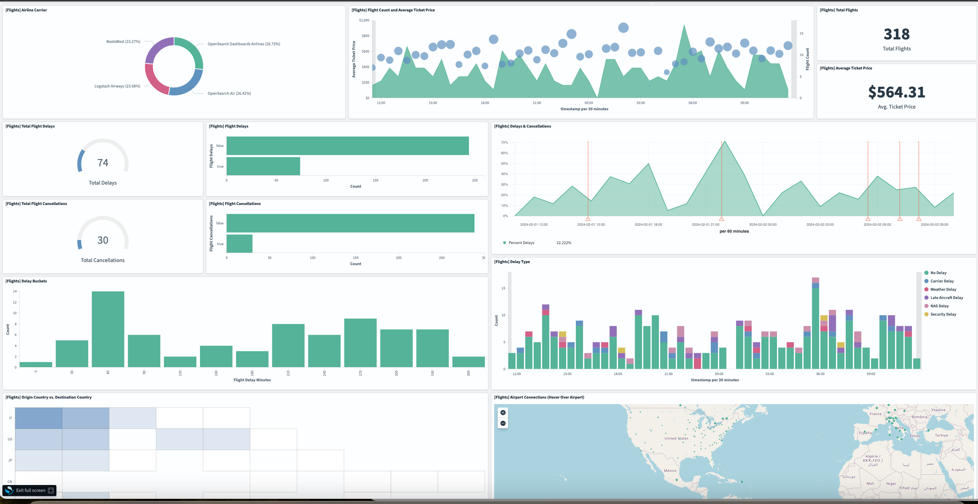
 Ayush Agrawal is a Startups Solutions Architect from Gurugram, India with 11 years of experience in Cloud Computing. With a keen interest in AI, ML, and Cloud Security, Ayush is dedicated to helping startups navigate and solve complex architectural challenges. His passion for technology drives him to constantly explore new tools and innovations. When he’s not architecting solutions, you’ll find Ayush diving into the latest tech trends, always eager to push the boundaries of what’s possible.
 Fraser Sequeira is a Solutions Architect with AWS based in Mumbai, India. In his role at AWS, Fraser works closely with startups to design and build cloud-native solutions on AWS, with a focus on analytics and streaming workloads. With over 10 years of experience in cloud computing, Fraser has deep expertise in big data, real-time analytics, and building event-driven architecture on AWS.
 Clarisa Tavolieri is a Software Engineering graduate with qualifications in Business, Audit, and Strategy Consulting. With an extensive career in the financial and tech industries, she specializes in data management and has been involved in initiatives ranging from reporting to data architecture. She currently serves as the Global Head of Cyber Data Management at Zurich Group. In her role, she leads the data strategy to support the protection of company assets and implements advanced analytics to enhance and monitor cybersecurity tools.
 Austin Rappeport is a Computer Engineer who graduated from the University of Illinois Urbana/Champaign in 2011 with a focus in Computer Security. After graduation, he worked for the Federal Energy Regulatory Commission in the Office of Electric Reliability, working with the North American Electric Reliability Corporation’s Critical Infrastructure Protection Standards on both the audit and enforcement side, as well as standards development. Austin currently works for Zurich Insurance as the Global Head of Detection Engineering and Automation, where he leads the team responsible for using Zurich’s security tools to detect suspicious and malicious activity and improve internal processes through automation.
 Samantha Gignac is a Global Security Architect at Zurich Insurance. She graduated from Ferris State University in 2014 with a Bachelor’s degree in Computer Systems & Network Engineering. With experience in the insurance, healthcare, and supply chain industries, she has held roles such as Storage Engineer, Risk Management Engineer, Vulnerability Management Engineer, and SOC Engineer. As a Cybersecurity Architect, she designs and implements secure network systems to protect organizational data and infrastructure from cyber threats.
 Claire Sheridan is a Principal Solutions Architect with Amazon Web Services working with global financial services customers. She holds a PhD in Informatics and has more than 15 years of industry experience in tech. She loves traveling and visiting art galleries.
 Jake Obi is a Principal Security Consultant with Amazon Web Services based in South Carolina, US, with over 20 years’ experience in information technology. He helps financial services customers improve their security posture in the cloud. Prior to joining Amazon, Jake was an Information Assurance Manager for the US Navy, where he worked on a large satellite communications program as well as hosting government websites using the public cloud.
 Srikanth Daggumalli is an Analytics Specialist Solutions Architect in AWS. Out of 18 years of experience, he has over a decade of experience in architecting cost-effective, performant, and secure enterprise applications that improve customer reachability and experience, using big data, AI/ML, cloud, and security technologies. He has built high-performing data platforms for major financial institutions, enabling improved customer reach and exceptional experiences. He is specialized in services like cross-border transactions and architecting robust analytics platforms.
 Freddy Kasprzykowski is a Senior Security Consultant with Amazon Web Services based in Florida, US, with over 20 years’ experience in information technology. He helps customers adopt AWS services securely according to industry best practices, standards, and compliance regulations. He is a member of the Customer Incident Response Team (CIRT), helping customers during security events, a seasoned speaker at AWS re:Invent and AWS re:Inforce conferences, and a contributor to open source projects related to AWS security.


 Adam McCarthy is the EMEA Tech Leader for Healthcare and Life Sciences Startups at AWS. He has over 15 years’ experience researching and implementing machine learning, HPC, and scientific computing environments, especially in academia, hospitals, and drug discovery.